@ruby panther Nice work Shawn, Challenge 9 is looking nice. It’s always cool to see past challenges incorporated into new designs. Two suggestions I’d have to help this image would be a simple levels adjustment on the deer image in the center to brighten the whole thing up a bit. Maybe even a cooling photo filter to give it more of the cool-blue snowy look. Right now the image looks a bit dark. Also perhaps changing the text to another color, maybe white or red. Currently you have a decent color palette with the blues, reds, and greens, and yellow doesn’t quite seem to fit, often times it can be better to stick to fewer colors for a more cohesive design. Just some thoughts. Nice work!
#✂challenges-feedback
1 messages · Page 46 of 1
 bleak fossil
bleak fossil
bleak fossil
@fast moth This is looking really cool Camilo, nice work! I like how the center part of the design has a really strong contrast with the background. I think you could maybe even scale it up a bit more to fill more of the frame. Nice designs!
@hollow field Very cool, I really like the second design that has the sort of diamond shapes. These are really cool, the patterns look good!
 thorn geyser
@bleak fossil Thanks for the feedback! I forgot to add the gradient mask!
 nimble shardBOT
Gave +1 Creative Carma to SamPetersonArt
 magic rampart
@bleak fossil Thank you 😊 I've brightened the ribbon and darkened the text slightly, also added a very slight stroke to the words to separate them, what do you think?
nimble shardBOT
Gave +1 Creative Carma to SamPetersonArt
 hidden pendant
Thank you @bleak fossil & @agile ruin have tried Challenge 7 with different backgrounds, Gradient, Lighter and darker background
nimble shardBOT
Gave +1 Creative Carma to SamPetersonArt
 high wharf
#✂challenges-feedback Patterns. I made so many patterns my wife thinks I'm crazy. I had a lot of fun with my Adobe Capture walking around capturing Christmasy looking things. I played around with the 3D feature to create these boxes and scene. Some of the patterns on the boxes got a bit squashed out of proportions. Currently fixing that up.
 ruby panther
Thank you for your help @bleak fossil
nimble shardBOT
Gave +1 Creative Carma to SamPetersonArt
bleak fossil
@magic hedge This looks great! Some really cool textures, and I love the contrast of the more hand drawn looking elements. here’s a nice balance to the image as well. This is mostly personal preference, but it could look nice to brighten this image up overall a bit with a levels adjustment layer, and maybe even a subtle cooling layer to give the whole thing more of a cool bluish tint to push that snowy feel. Nice work!
 jolly quest
 uncut ginkgo
I am PUMPED to see all of your emojis! Hopefully we can add some of the crowd favorites to the Discord as custom emoji options 🙂
 hushed karma
nice
ruby panther
Challenge 1. Every photographer's face at sometime.
 magic hedge
@bleak fossil Thank you!I’ll play with it more to see other options👍
nimble shardBOT
Gave +1 Creative Carma to SamPetersonArt
 cold cedar
She needs a name. Any suggestions? And how can she look better? Does she need a necklace or a make-over?
 dim brook
Challenge #1: Create a custom emoji! (Blades not sure of that aperture lol!).
 fallow bough
 halcyon lotus
Happy Holidays!
 fast moth
Day 1
fallow bough
 torn canyon
I think it is cute enough! my pirate emoji. ayyyy
 kindred kernel
 coral summit
torn canyon
coral summit
torn canyon
Another one 😄 I live the style.
 fast grove
Here is my daily challenge. I am actually very proud of myself.
 vague shuttle
Holly Jolly!!
fast grove
Another Emoji. Its a Ribbon. I wanted to challenge myself. Always wanted to make a ribbon
 dense tulip
@jolly quest Really digging your baby yoda, especially the shading.. Is it done using a brush? Would love to learn this technique
 worthy crypt
Sneaky Raccoon!
 wicked widget
Baby Yoda's got the holiday spirit. Thanks for the great tutorial!
 forest aspen
Day 1 of Voodoo Val's 5-day challenge. Lots of shapes and shading on this French Bulldog based on an image from Pixabay. Mostly I used soft round brushes and the pen tool. I did use some of Aaron Blaises hair/fur brushes, and Scott Kelby's eyelash brushes. When I was finished, she looked so sad that she had to have a tear.
 nova swan
not so sure about the shading on the antlers.
@forest aspen what a cute frenchie maybe some eyebow shading wouild help with sadness?
fast grove
What do you think of this one? Omg this could become
addicting to make.
 dire glacier
Just poking around. Interesting idea.
magic hedge
Challenge #1 A little Piggybird😀 Mind blowing emoji that could have any meaning behind it...
 glacial path
@magic hedge I love it! You did a great job with the vibrant colors and the shading of the... uh... feathers. I love the look on it's face, very smug 😄 . The bold outlines make the fill color pop even more. Not sure if the details in the back would translate well at smaller sizes (like you would use with a real emoji). Still, your illustration is just too good ^^
magic hedge
@glacial path Thank you!!! I wasn’t sure how I felt about it😃I appreciate your feedback😉
nimble shardBOT
Gave +1 Creative Carma to evil
glacial path
@dire glacier Well done! The shapes are really clean and your textures in combination with the shading add depth to the flat colors 🙂 . I like how you have used one of the Spatter brushes, but I think the yellow spots are a bit too big.
On the left, I have used your brush and on the right I have used a Kyle Webster Spatter brush (Dots 1)
I believe it results in a more organic texture which looks more like uniform noise than individual ink blots 🙂
dire glacier
@glacial path Thanks. It was actually one of the Kyle Webster brushes I think, just a bigger one. It was also aiming for a feel of chunky glitter, but I was in a hurry 🙂 I appreciate the feedback!
nimble shardBOT
Gave +1 Creative Carma to evil
glacial path
@dire glacier cool! If you like the chunky glitter, that's also fine. At least we have enough Brushes in the Kyle Webster library to play with! ^^
glacial path
@fast grove Very nice 😄 I like how you have added a black stroke around some of the key facial features but I think it could be much thicker (or you could remove it) because right now it's barely noticeable 🙂
This would be one example where the designer used a heavy outline
and one without
glacial path
@nova swan Yeah, the antlers are quite difficult to render properly. Looking at other emoji renditions, you could simply use one flat color
This would also match the overall style of your emoji: uniform & flat colors (which is absolutely not a bad thing!)
high wharf
#✂challenges-feedback day 1- my Guy Fawkes / Evil Hacker emoji
 neat flax
My version of the baby yoda icon. 🙂
high wharf
@magic hedge Your pigbird will definitely be haunting my dreams. Awesome stuff!
magic hedge
@high wharf Thanks!😃
glacial path
@forest aspen aw... sad doggo D: ... The fur brush looks great but I'm not sure if all the fine details would translate well when using it as a small emoji (especially the eyelashes). Since emojis are rather small, it can be helpful to exaggerate facial features like the eye (and also the tear)
 honest gorge
Day 1
dire glacier
@glacial path Definitely. I also have a ton of other brushes. I look forward to having more time later in the week once my finals are all turned in.
glacial path
@neat flax haha, looks a bit like bat-yoda 😄 - It really is super cute and I would definitely use it as an emoji! Technically it could be almost to abstract to convey an emotion but "being cute" is also an emotion I guess 😛
nova swan
@glacial path I have to agree the Reindeer was harder than I thought it would be and there are a lot out there that are already better than mine. He looks a little angry when I see him from a distance too. humph.
neat flax
Thank you @glacial path , and you're right! Cute is an emoji all on it's own. I'm not quite sure I uploaded it correctly though. =/ LOL I thought there was a way to save on PS that cut out extra area around your photo before saving? I could have swore I used something like that before.
nimble shardBOT
Gave +1 Creative Carma to evil
glacial path
@nova swan just because there are so many other versions out there (which, yes, could look better than your work) doesn't mean your work can't be unique.
And if you want him to look less angry, try inverting the color of the eyes
@neat flax You know, I actually like the extra space around the emoji. It looks even smaller because of that!
If you like to remove it though, you have two options. First option is the crop tool. Make sure to check "delete cropped pixels" though
nimble shardBOT
Gave +1 Creative Carma to evil
neat flax
It would be practical as an emoji I think. @glacial path ! lol And thanks for the tip! 🙂
glacial path
The other option is to use the trim filter.
fast grove
@nova swan I love the smile of the rain deer
glacial path
this will perfectly remove the unwanted pixels (even when you're using it on a flattened version of the emoji)
high wharf
I noticed a slight error with some shadow spilling off, corrected it, and moved the hat ball slightly higher.
neat flax
There, now he's "surprised baby yoda". I can make others @glacial path 🤣
glacial path
@neat flax Emoji set incoming! (Or Sticker set 😮 )
neat flax
I can work with that.
glacial path
@honest gorge Wow! This is really good! You could easily convince me that this is a real emoji. The colors and the subtle shading is on point, the doggo looks super cute and the expression makes this one very useful as an emoji or sticker. Great job 😄
 wanton tiger
Made my demon cat in how I see her in my mind's eye
wicked widget
love the demon cat
 wicked nexus
one more Baby Yoda christmas elf
high wharf
@wicked nexus super cute. Now he needs a candy cane light saber.
fast grove
@high wharf Absolutely!!!
nova swan
@fast grove Thank you
nimble shardBOT
Gave +1 Creative Carma to Andrewsky86
nova swan
@honest gorge great puppy emoji
 digital maple
My first challenge, using brushes. 🖌️
nova swan
@high wharf I don't understand the shadow or the ball? Maybe I'm just old. I like the guy fawkes it was easily recognizable.
fast grove
Based on the feedback here is the leopard. I am getting Masked Singer Vibes. lol
Do you think I should add a stroke on the whiskers? Thanks in advance.
@glacial path, What do you think? Better?
fast grove
I also fixed my Baby Yoda. I call it sleepy Baby Yoda.
 pulsar crest
This was so fun! Used my bf's cat for inspiration
neat flax
@digital maple That's a true painting! Way to go!
I think I'm finished after this. lol My final, final, final baby yoda. I'm proud of him! ❤️
nimble shardBOT
Gave +1 Creative Carma to Andrewsky86
neat flax
Thank you @fast grove !
fast grove
Your Welcome, @neat flax
pulsar crest
Thanks @fast grove !
nimble shardBOT
Gave +1 Creative Carma to Andrewsky86
high wharf
@nova swan Evil Hackers, they all got hoodies or tuques, and Guy Fawkes masks. It's a thing with the cool kids these days. Project Zorgo on Youtube etc.
wicked widget
Hearts on Fire
 tacit condor
PS DCC #1 Brushes
bleak fossil
@ruby panther Hah, nice job Shawn. I feel like that probably me (minus the closed eye) half the time when I draw. I like the shapes you got going in the camera!
@cold cedar Ooh, this is cool. Makes me think of Powerpuff Girls or something in that style. Nice work with the gradients, and the way you did the hair is really cool too. A necklace of some kind could be a really nice touch. Nice job!
@dim brook Ooh, cool, I like what you did with the aperture effect! The colors and gradients are looking good! What's the relationship between the camera and plane aspects of this one? Well done CeCi!
@fallow bough Ooh, very cool Ken! I like the addition of the Santa clothing. I think you could probably up the saturation of Yoda slightly, and desaturate the red a touch to balance the two elements together a little more. Just a thought. Nice work with all these shapes!
@halcyon lotus Looking good! I really like the addition of the textured brushes on top of the smoother shapes. It gives it a really cool hand illustrated feel. Really nice work on this!
@fast moth Ooh, this is a great take on this challenge. The texture really helps sell that rough metal effect! I like the glowing eye as well. One suggestion would be to keep the edges sharp around that black mouth area. It seems to be the only soft edged shape on this piece which makes it look a bit off, and it seems like it’s a hole in metal basically, so the edge would be sharp. Nice job!
@hearty wharf Really solid design on this Tan! Looks very good! Nice shapes and use of gradients, looks like it would have a really solid read as a small emoji. The jellyfish is really cool too, liking the style on that one!
@young karma Looking good! Hand lettering is tough but this D has a really clean and solid look to it. The texture and gradient adds a nice dimension as well!
@torn canyon The paper texture on this gives it a really cool dimension! Works well with the concept too, like a texture map or something. Great shapes in this emoji, works really well as a pirate concept!
@forest aspen Impressive job! It's cool to see how much form you can get with a simple round brush and gradients. Nice work!
@nova swan Looking good! I like the shapes of the antlers. I think duplicating objects/using symmetry definitely helps with these kinds of designs, hah. Looking good!
@fast grove Hah, very cool, I think these types of drawings can be a lot of fun. Really no limit to what you can make. I like this design! I'd be curious to see what the spots look like if they weren't blurred, but maybe faded slightly instead. I like the idea of the soft spots since fur is soft, but I wonder if it looks too out of focus when compared with the rest of the image. Well done!
@dire glacier I like it, the traditional smiley face with a red nose and some texture is a cool look. I like the subtle texture throughout the whole image, it gives it an interesting feel. Nice work!
@magic hedge Very cool! The pig and bird combination combination is a lot of fun. I like the weirdness to it all, hah. Really great hand drawn look and style too, really nice job!
fast moth
@bleak fossil v 2
nimble shardBOT
Gave +1 Creative Carma to SamPetersonArt
ruby panther
Thanks @bleak fossil
 hearty wharf
thanks for feedback @bleak fossil - much appreciated!
nimble shardBOT
Gave +1 Creative Carma to SamPetersonArt
cold cedar
Thanks @bleak fossil. Yes, a necklace. Gonna try that.
nimble shardBOT
Gave +1 Creative Carma to SamPetersonArt
 leaden pasture
Created a cute Koala as a ton of them are now homeless in NSW, Australia from all the fires.
 blazing quail
Day 1 Emoji - shout for joy!
 young karma
current-challenge this Little Green Yoda took hours, but it's worth learning. Thank you, @jolly quest
nimble shardBOT
Gave +1 Creative Carma to VooDoo_Val
 drifting compass
PS DCC Day 1 Emoji brushes
honest gorge
Thanks @glacial path 😉 😁
nimble shardBOT
Gave +1 Creative Carma to evil
honest gorge
Thanks @nova swan 😉 😁
 upbeat garnet
Day 1 challenge, emoji
magic hedge
@bleak fossil Thank you!!!It is weird for sure😃
nimble shardBOT
Gave +1 Creative Carma to SamPetersonArt
fast grove
Based on feedback here is an updated version.
digital maple
@neat flax Thanks! I like your baby Yoda too specially his coat.
nimble shardBOT
Gave +1 Creative Carma to Phoen
jolly quest
Ahh these are all so great!
@tacit condor coming through with the Max Rebo! Nice job!
@fast grove great job taking feedback into consideration and improving your design! I think the only thing I would work at now is making the emoji look more symmetrical. Why don’t you trying mirroring (or duplicating and flipping) the design to see how that looks? Well done!
fast grove
@jolly quest you mean flip the whole design?
 coral stone
A little late but here's my Yoda 😛
jolly quest
@upbeat garnet great work! I think your design could benefit from some brighter colors! Try experimenting with adding in some lighter textures or gradients to the face. That will improve readability!
@fast grove just my personal preference but I would love to see you flip and use one half of the face to create a whole. That would make it identical on both sides. It’s up to you though! I think you’ve done great work!
fast grove
Ah. That is the only thing that I didn’t do with the spots. Everything else was using the flip the other half. @jolly quest I will see how it looks
upbeat garnet
Thanks for the feedback, makes sense. I thought darker colours would make bert more grumpy but i suppose a little contrast wouldn't hurt
fast grove
Thanks @jolly quest for the suggestion. I think it completes it. does it look better?
nimble shardBOT
Gave +1 Creative Carma to VooDoo_Val
 plain sable
Challenge #1
upbeat garnet
made ernie too for challenge #1 with a little more contrast, still not too much but i will keep it in mind for next time
 willow nebula
Day 1 - Emoji - It's not quite finished, but is it ever?
 edgy idol
@jolly quest So I just downloaded the starter file for today... you make my heart happy lol
fallow bough
@bleak fossil As always, thanks for the feedback. Toned down saturation in hat and coat, increased slightly in Baby Yoda.
nimble shardBOT
Gave +1 Creative Carma to SamPetersonArt
wicked nexus
who won the challenge?
jolly quest
 solemn summit
1st challenge on the 16th if it's still going on, only just joined
 wet thistle
Challenge #1
dim brook
Sorry Val - I had to incorporate my Emoji from yesterday. Super fast masking today, so not so great, but this was fun! 'Tis the Season to be too busy!
 hot solar
Cat School Graduate, most likely to exceed 9 lives.
edgy idol
Challenge #2: I feel like its missing a Death Star 🤔
worthy crypt
I'm lucky I went home last weekend and baked cookies with my little brother- happened to have these great shots to work with😂
edgy idol
@worthy crypt omg yes! Those are awesome
edgy idol
One more for challenge #2, with my own pics 😸
hot solar
Yeah more cats 🙂
fast grove
I am so proud of myself that I use the day 1 challenge and used it for decorating my cap for graduating. Sorry for posting here. Didn’t know where to post.
 robust bone
@fast grove this is so cool, how clever!
 shell chasm
Who wore it better?
fast grove
Thank you so much @jolly quest for showing me how to do it.
nimble shardBOT
Gave +1 Creative Carma to VooDoo_Val
 pulsar walrus
kindred kernel
pulsar walrus
kindred kernel
😀
hot solar
Hey that's really cool @kindred kernel !
dense tulip
here's my submission for yesterday's challenge..an eyeball emoji..Hope i'm not too late and you guys can take a quick look
hearty wharf
crazy chinchilla rainbow ...
fallow bough
Christian Slater
 short mica
fast moth
short mica
fast moth
Day challenge
hearty wharf
hmmm ... here it is again, with a little less rainbow
 velvet blaze
uhm...my take on the challenge😀 . What do y'all think?
 supple canopy
well here is my take my emolie just was not working so I selected another shape and went with it. I hope you don't mind. it was fun choosing the brushes for this.
young karma
dolphin heh heh
 bronze parrot
Here is my emoji from yesterdays challenge... thank you for the tutorial. it was fun playing with the clipping mask and altering the paintbrushes. 😀
fallow bough
James Spader
hearty wharf
oh cool @fallow bough - you are doing a whole series ...
fallow bough
Thanks @hearty wharf Going for 90s teen stars that are still at it. Too bad Charlie Sheen crashed and burned.
digital maple
Here is mine, picture from unsplash and background from https://wallpaperboat.com/90s-wallpapers 🙃
hearty wharf
@fallow bough yes that is a shame, he was great in the 90s ... keanu reeves? kevin bacon?
digital maple
I couldn't find the new tool @jolly quest used for deleting the background I guess I'll have to update my Photoshop.
fallow bough
@digital maple New to Ps 2020. Object Selection Tool
digital maple
Thanks @fallow bough
nimble shardBOT
Gave +1 Creative Carma to Ken Cawley
digital maple
I'm updating right now. I'm a bit confused with these two I'm guessing I will have to uninstall one.
fallow bough
@gray lintel If you have room, you can have both on your PC. I installed it the fisrt day and ran into all the "early adopter bugs" so was glad I kept 2019. Most of the problems have been shaken out so I was able to remove 2019.
nimble shardBOT
Gave +1 Creative Carma to Ken Cawley
digital maple
Understood 😉 @fallow bough Thank you so much for your help!
fallow bough
@digital maple Ps2006! Been a while since you updated.😅 There have been many great additions since then. You're going to love the new version.
hearty wharf
@fallow bough ... or maybe robert downey jr? woody harrelson? such a good idea!
fallow bough
Downey was my first idea so will be doing that next. Don't think Woody was a teen idol though
hearty wharf
haha - yes, he was quite niche ... how about johnny depp? he used to be my favourite in the 90s.
wet thistle
Challenge #2
thorn geyser
Day 1 - Still catching up! Cthulu emoji!
high wharf
#✂challenges-feedback day-1 still playing with the emoji stuff. Made a version with and without hands, and a second version of my Guy Fawkes, now with a hoodie.
@thorn geyser CTHULU! So awesome!
young karma
The final Lisa Frank is a mirror
fallow bough
edgy idol
Challenge #1 ..bit of a stretch 😅 maybe I'll try again later this week.
plain sable
Challenge #2
nova swan
@high wharf the hoodie is way more obvious even to me 🙂
wicked widget
Meet Wiley, my little doggy and the inspiration for my screen name. He's a little shy like me and he didn't want to be in this challenge. So I only had one pic to use.
upbeat garnet
Photoshop challenge day 2, decided to make it a bit cheesy because that's what retro 80's is :p
fallow bough
Christian Bale. Last one. Think I've started pulling from the bottom of the barrel for the series.
honest gorge
Day 2
magic hedge
Challenge #2
glacial path
@honest gorge Ooooh, I love how you have used those shapes with the drop shadows and the grid in the background! It looks a bit like the memphis design from the late 80s. You could absolutely add even more shapes like those squiggles here. Using a colord drop shadow for the main subject was a great choice and the pink color certainly was too. Great job 🙂
@magic hedge Nice! The laser background is just too good 😄 Technically this one is from the 80s but I won't judge you 😉
The mask looks great and the fade in the background is very smooth. Nicely done 🙂
magic hedge
@glacial path Thanks! I know I cheated a little on the '80s background, just wanted a little more color in it😀
nimble shardBOT
Gave +1 Creative Carma to evil
glacial path

@fallow bough The masks look great, I would love to see some lasers but I guess that's just me 😛 - since you're going for a more realistic composition you should also try to keep the lighting in mind. It looks like the sun is in different places for each person. You could solve this by flipping one of these images horizontally (I mean you could also try to hand-paint every single pixel... see you in 2020 if you actually want to do that 😄 )
willow nebula
Day 2 - Party like it's 1988
glacial path
everything else is very convincing. the brightness is matching and the contrast looks realistic. since you have opted for a black&white image I can't really say anything about the colors, so well done 😄 @fallow bough
@willow nebula oh dear... this... is magnificent. I would suggest making Val a bit bigger though since this is a portrait of her 🙂 The mask looks clean, perhaps a bit soft around her hair, but only a tiny bit. The clip art you've added is also just great. 😂 Thank you for submitting
nimble shardBOT
Gave +1 Creative Carma to Hilde
glacial path
Oh and I would soften this edge here to remove the abrupt transition
A smooth fade-out would look better IMO 🙂
 hollow field
Hi there, this my 1st challenge
glacial path
@upbeat garnet Yes! Love the neon colors and the classic fade-outs 😄 ! Great job with the masks and the typography. I would perhaps swap the positions of the two subject layers. right now the person in the lower right is looking away from the composition. You would get a more pleasing composition if you either flip the layer horizontally or simply move it to the top left corner. You could then move the upper left layer down and to the right 🙂
willow nebula
@glacial path Thanks Tim! You're absolutely right, I'll fix it 😊
nimble shardBOT
Gave +1 Creative Carma to evil
glacial path
@wicked widget That's how you win the internet. With Doggos and Kittens 😄 - I think you did a great job with the masks. Fur and hair in general is notoriously difficult to cut out properly. I would perhaps soften the edge up here a bit
just like you did here. this one looks great 🙂
willow nebula
Day 2 - version 2 — corrected thanks to @glacial path
nimble shardBOT
Gave +1 Creative Carma to evil
glacial path
@plain sable this is just a personal opinion but I believe you should go nuts with the glow! We're in the 90s 😄 Glow everywhere!
@edgy idol nailed it! 😄
@edgy idol apart from a more vivid color palette (how about a dark circle with a bright nail and t?) I love the pun-emoji 😄 . The inner shadow is very subtle. Remember, the emoji will be tiny if you actually use it 🙂 . About this size: ⚪
edgy idol
@glacial path Yeah, I was really struggling with the color and was definitely concerned about the size, I was hoping the circle would kinda help, but maybe its just distracting? Its still not right yet, but I haven't found the right look yet.
glacial path
@young karma Ha, the colors are so vivid, I love it 😄 - I would perhaps tighten up the mask around the hair, you can still see some of the original background. Also make sure to erase the edges of the original image 🙂
@edgy idol emojis don't have to be round 🙂 If you remove the circle you have more space for the actual emoji
edgy idol
true, I only added it because I was worried it was so thin it would get lost. I will have to revisit it without the circle though
Without the background/circle
 compact pecan
my first contribution. I hope it was worth the wait.
fallow bough
@glacial path Thanks for the feedback. There was very little space over young Bale's left shoulder so the Batman bit didn't work well even with Content Aware Fill to extend it. In it's place, I copied bits from the left to darken the right side and then lightened the left a bit. Finished up by toning down the light on older Bale.
nimble shardBOT
Gave +1 Creative Carma to evil
glacial path
@fallow bough wow that actually looks really good! I am very impressed 😄
and thank you for posting an updated version @fallow bough 🙂
nimble shardBOT
Gave +1 Creative Carma to Ken Cawley
high wharf
#✂challenges-feedback Day 1 - Emojis. having fun with these.
with an arm. my hand sucks. still working on that, and for an emoji it does not work.
wicked nexus
@edgy idol love the Meow 🥰
what do you think guys as my cover pic for this projects
day 2 here it goes🐶
 thin crest
Loved the tutorial and the '90s flashback. I noticed that perfectly charming pictures become kind of creepy once they're masked off, as in this fine exemplar.
wicked nexus
I also did in red
high wharf
@thin crest do you know your cat guy? If he's just some random dude you found online A+ to you for finding the purrrfect picture. 🤣
dire glacier
wicked widget
@glacial path Great idea! I think I've improved it some.
@glacial path And here's a new one with Wiley in space. Maybe that's why he's looking so nervous. But don't worry, I wouldn't let him go without me.
 kindred gate
👌
hidden pendant
Day 1 Emoji - High paw
magic rampart
My day 1, first time I've done this kind of thing, and actually been happy with the result, thanks @jolly quest
nimble shardBOT
Gave +1 Creative Carma to VooDoo_Val
 vast vine
Here is day 1 and day 2. Fun projects. Thanks VooDoo Val. I've been playing with Adobe Character Animation and was pleased to blend with PSDC. I'm still fumbling with rigging, triggers, etc., 😉
ruby panther
Challenge 2. Max Headroom background!
 fathom moon
challenge #2 - Masks
 pulsar sparrow
thin crest
pulsar sparrow
thin crest
@high wharf That's my husband (and my cat!) ... I'm a lucky woman. 🙂
 green pilot
 magic rampart
Day 2, what can be more retro than the 80's version of Optimus Prime!!! 🤖
thin crest
Catching up ... a unicorn emoji for Day 1, inspired by a sewing project from this summer.
 stiff mulch
This is my entry for the "Mask", thank you
fallow bough
Tweaked one of yesterday's pieces. Picked up trick recently of putting single layer in a group so could do multiple masks. Layer mask is on young Downey, group mask used to highlight hair with blue light.
young karma
plain sable
thanks for the feedback @glacial path
nimble shardBOT
Gave +1 Creative Carma to evil
jolly quest
@young karma nice! You could even ad a bit more texture by applying a pattern to your shading layer in the Layer Styles panel
@thin crest cute unicorn!!
@green pilot love the Mandalorian entry! That Baby Yoda in the distance is great!
jolly quest
fallow bough
pulsar walrus
digital maple
Daily Creative Challenge #3 Content Aware Fill
young karma
thanks voodo val for your advice
glacial path
@digital maple great submission! The mask looks awesome and the doggo is very cute 😄 I would just fine tune the colors to match the background.
I have used a curves adjustment layer
digital maple
Thanks @glacial path for your suggestion, I was struggling with this!
nimble shardBOT
Gave +1 Creative Carma to evil
digital maple
I'm not getting a nice result, I definitely need to learn to use the curves panel.
willow nebula
Day 3 - A quick shot of a wedding going wrong
hot solar
My quick attempt... I was going for something different with the lower cat. I need moar mad skillz. 😉
@willow nebula that is very well done!
glacial path
@digital maple very close! I would just move this anchor point up like this
 hollow cloud
Creative Challenge - Brushes How do I make it an emoji I can use?
pulsar walrus
honest gorge
Day 2
@glacial path Thanks for feedback, I added some more drawings and the result is this 😉
nimble shardBOT
Gave +1 Creative Carma to evil
willow nebula
@hot solar Thank you!! ☺️
nimble shardBOT
Gave +1 Creative Carma to AdmiralEntropy
digital maple
Thank you @glacial path
nimble shardBOT
Gave +1 Creative Carma to evil
fallow bough
Cleaned up some bits I missed.
digital maple
Matching colors with background
hot solar
lol
jolly quest
@fallow bough Great!
@digital maple That totally looks like it could be a christmas card! well done!
@fast moth LOL Scary. Well done, but scary. I LOVE it.
edgy idol
Challenge #3: Content Aware Fill ...this is sooo creepy 🙀
digital maple
😁 Thanks @jolly quest
nimble shardBOT
Gave +1 Creative Carma to VooDoo_Val
tacit condor
supple canopy
retro kick back
 scarlet storm
supple canopy
scarlet storm
supple canopy
content aware fill. I think I need more practice with it.
hearty wharf
just a quick one for now ... they are such monkeys!
fallow bough
Decided to add legs and paws
 worn condor
My take on the emoji day 1 challenge
thin crest
Day 3, Content Aware Fill
 dusk needle
This a photo composite I did for day 2 of the photoshop daily creative challenge. I was inspired by the Stranger Things TV show and decided to create an 80s inspired photo composite for this challenge. I used the TV shows title and composited it together with a photo of Max, who is one of the characters in the show!!!
 ornate walrus
Finally got 3rd one from the last group of challenges! That's it. I quit. Not enough time.
honest gorge
Day 3
young karma
content aware fill sure likes crashing photoshop! Spirit of the season with succulent wall paper
magic hedge
Challenge #3
 wispy compass
Day 1 - Emoji
hot solar
@dusk needle Thats cool, did you use gradients to get those colors on Max ? Really works well.
tacit condor
PS DCC #3 Content Aware Fill (color is off a bit images of the animals were shot with different cameras and lighting a work in progress)
bleak fossil
@wicked nexus This is looking great! I love the Christmas elf Yoda, hah. Really nice job with all the shapes, the eyes look great! Day 2 is looking solid as well! My only suggestion would be perhaps to do a levels adjustment on the job to lighten the face a bit, and pop out the brighter areas for a better read. Nice work!
@thin crest Hah, there is a certain creepy charm of those 80s/90s style glamour photos. Really liking the background on this! I think perhaps a levels adjustment to pop out some of the lighter tones on both images might give them a stronger read. Looks good!
@dire glacier Very nice! I like the use of selective color. Nice work on the masking as well. I think you could make the background face even bigger, even if that means being slightly overlapped by the foreground portrait. It might balance the image out a bit more. Looks good!
@wicked widget Aw, cute picture! The bubble and flair effects are a nice touch, hah. Liking the space one too! Nice work on the soft masking of the dog fur.
@hidden pendant Hah, nice concept for this one! The style is looking good and I like the texture you added in. I wonder if a different color background might allow the whole image to pop out in a more solid way? Either that or a more uniform line around the outside edge of the whole thing to give the shape a more solid read. Nicely done!
@pulsar sparrow I like the mock up for these! Nice work with the shapes and gradients on this. The color shifts add a nice touch of visual interest. I like how the second design is a bit brighter which seems to give the shapes a stronger read, but I like the slightly more subdued saturation of the first one. Looking good!
@magic rampart Impressive! The gradients and shading add a lot of dimension to the whole thing. Really nice job taking this image so far, looks good! My only small suggestions would maybe easing off the contrast of the body lines, making them a slightly lighter tone with draw more contrast to the face and make him look a little less jacked, hah. Might also help to ease up on the darkness of the shadow under the fold of the hat to match the rest of the image. Really nice work!
@vast vine Ooh, very cool! Always interesting to see people incorporate what they’re working on into the DCCs. I don’t really do any animation so it’s always interesting to see what people come up with for that. Nice work on the design, I like the idea of fitting Val into the shirt, hah. I think it could be nice to get a bit more green into the arms to tie the color scheme together a bit more. Well done!
@ruby panther Hah, very cool! I feel like this is the perfect image for that 80s/90s feel. I think you could probably brighten the portraits up a bit with a levels adjustment layer to make them pop a bit more, and even increase the scale of the portraits to really give a bigger visual impact. Really nice job on this one!
@fathom moon Nice work! The masking is looking good and the photo and background definitely set a mood. Even though the image is a night scene, I think you could still brighten the portraits up a touch to give them a stronger read. I think you could possibly scale them up a bit too to fill the frame a bit more, but that might just be personal preference. Looking good!
fathom moon
@bleak fossil - Thank you for the feedback - I will try it 🙂
nimble shardBOT
Gave +1 Creative Carma to SamPetersonArt
bleak fossil
@high wharf Love this mock up! Works really well. This is a super solid design for an emoji too, so simple but communicates the character very clearly. Really liking the touch of texture too. The emoji also stands out from the background really well. Both in terms of value and texture/shape. This looks great Jesse!
@young karma Nice work! The fading of the background image really allows the front image to be a nice focal point. When selecting hair you might find it helpful to use the “Refine Edge Tool” within the selection tool. It can really help create a more natural soft edge in the selection. Here’s a video that might explain it better. Good job! https://youtu.be/c2I7X92IVGk
@green pilot This looks so good! I love the subtle fade of baby yoda in the background with the lighter contrast and slightly soft edges. I think you could push the foreground image “forward” visually even more if you increased the contrast slightly (namely the darker tones) via a levels adjustment layer. Might be a nice touch to boost the overall contrast of the image. Great work, really liking how the colors of the background seems to fit into the reflections of his armor!
@stiff mulch Hah, I really love the balance between the two portraits in this one. I like how you went a bit closer on the zoom as well. I notice the back image is a bit warmer in it’s colors, and the foreground image is a bit cooler/desaturated in its colors. I think this might work a little bit better switched around. The background is a nice touch, hah, seems to fit this image nicely!
@fallow bough Very cool Ken! I like the use of color to pull focus to the front figure a bit more. As a general rule of composition, I think it’s good idea to try and vary the size of objects in an image to have a very clear visual hierarchy in terms of size. It might help to make one of the figures noticeably larger than the other, but that just comes down to what you’re going for in this image. Looking good!
Edit: Hah, the Elf image is great! I really like the light bleed over his head
@young karma Nice work Evap! I like the shapes in this (kind of two counter acting triangles in a way) and the simple color scheme. It might help to use a slightly larger brush when doing the gradients and shading effect. Something that creates a bit more of a gradual and natural fade in the lighting. I think it looks good on the necklace, but speaking more on the light of the face. Well done!
@pulsar walrus Oh man, what an interesting effect. The lighting of the two images seems to match really nicely! Really nice work on blending these images together!
@digital maple Great job fitting the dog head into the shirt collar, the transition looks really good and the shadow really sells the effect. My only real thought is that the deeper contrast of the dog head doesn’t match the other photo. This could be easily fixed by increasing the contrast of the background (particularly deepening the darks) with a levels adjustment layer. It might also help to use the “Refine Edge Tool” for the edges of the dog’s fur to avoid those sharp edges. Here’s a video explaining it. Really nice work! https://youtu.be/c2I7X92IVGk
nimble shardBOT
Gave +1 Creative Carma to SamPetersonArt
ruby panther
Thank you @bleak fossil That's funny, I used a color look up to dull the image to feel a bit more like film.
magic rampart
@bleak fossil Thank you 😊 I've done as you suggested and it does draw your attention away from the face less, hope it looks better. Thank you 👍🏼
nimble shardBOT
Gave +1 Creative Carma to SamPetersonArt
ruby panther
Day 3. The Scots in Northern Ireland. Not a good photo to start with... I did not take it.
blazing quail
A bit behind with the challenges
 grave meteor
@bleak fossil. Iam so appreciated for your feedback 😊 Thank you 🙏
nimble shardBOT
Gave +1 Creative Carma to SamPetersonArt
fathom moon
@blazing quail - looks nice! 🙂
pulsar walrus
@bleak fossil you are very kind thanks again for your feedback 😍
nimble shardBOT
Gave +1 Creative Carma to SamPetersonArt
young karma
Day 3: Content Aware Fill + light (overlay)
@bleak fossil - thanks so much for the feedback.
nimble shardBOT
Gave +1 Creative Carma to SamPetersonArt
dire glacier
Belated response to Challenge3
digital maple
@bleak fossil Thank you so much for the explanation and the tutorial. 🙂
nimble shardBOT
Gave +1 Creative Carma to SamPetersonArt
young karma
thin crest
@bleak fossil Thanks for taking the time to provide Day 2 feedback! I made the levels adjustment and agree it helps the images stand out more. I posted an update on my project page. Thanks again! https://www.behance.net/gallery/89497141/PS-Daily-Creative-Challenge-Dec-16-20
 nimble shardBOT
Gave +1 Creative Carma to SamPetersonArt
 subtle plume
Catching up on the latest challenge. The emoji is my attempt at creating Val's face. Since Val was holding a little Kylo in her portrait I thought it might be funny to use the real Kylo for mine. I'm not sure about the face swap as it's not particularly christmassy, but I think it's still alright.
subtle plume
Tranparent background version.
jolly quest
@subtle plume YESSSSSSSSSSSSSSSSSSSSSSSSSS
Its perfect! No changes needed. ever
@subtle plume Such a cool icon!! Well done!
And great face replace!
@young karma That head swap is great! Looks real@ haha. I also like the angle you chose for the image!
@dire glacier Epic head swap!! I love that you chose a kitten head for the baby! It flows very nicely!
@young karma I was not expecting anyone to swap a dogs head with the head of another dog! this it awesome!
magic rampart
Day 3, not convinced, might have to re-do when I get more time
subtle plume
Thank you @jolly quest!
nimble shardBOT
Gave +1 Creative Carma to VooDoo_Val
young karma
@jolly quest Merci beaucoup VooDoo Val
 fleet wraith
This is my first submission
dusk needle
@hot solar Thanks for your feedback, yes I did a gradient , but lowered the opacity so it looks more subtle and works well with the title and fireworks in the background.
nimble shardBOT
Gave +1 Creative Carma to AdmiralEntropy
wicked nexus
@magic hedge omg 😆 I love it so much is it okay if I shared it?
edgy idol
Challenge #4: Warp
magic hedge
@wicked nexus#Thanks!I don’t mind it😃
pulsar walrus
nimble shardBOT
Gave +1 Creative Carma to VooDoo_Val
dire glacier
@jolly quest Thanks! I had to get a grumpy cat in there, too.
kindred kernel
 normal granite
fast moth
normal granite
fast moth
Day 4
jolly quest
@fast moth Nice work! I am loving the placement of the bows! Well done!
forest aspen
Day 3 challenge - holiday portrait
All this needs is the letter that reviews the past year month by month. Three and family in red shirts are from Pixabay, Dog faces are from Adobe Stock. I had to do some hair coloring on the wormen to have it match their faces,
dire glacier
One I made a few years ago - used warp to add the lights to Ironforge.
Playing with a new one just for this, now 🙂
young karma
its fun thinking about shapes
dire glacier
New card 🙂
dusk needle
Catching up on the latest challenges. The emoji is my attempt at creating Super Mario's face. For this challenge I had trouble creating the complex shapes and contours of his face in photoshop using just the mouse, so I created the outline and shapes in illustrator using the pen tool and pathfinder, and then imported into photoshop and added colors and gradients.
digital maple
Challange 4 using Warp tool. 🙃
hot solar
Man you guys are hitting out of the park with these Holiday cards. Mine is super basic, but was fun.
digital maple
With background
high wharf
@bleak fossil Thank you for your kind words. I'm happy you like it. I have a bunch more I'm finalizing and will create a Behance project dedicated to them.
nimble shardBOT
Gave +1 Creative Carma to SamPetersonArt
 past dove
Just getting started with this challenge. I call this emoji “blown away”. I adapted the emoji from a logo I made for a fictional pub “The Kennel”. The source image is of a dog next to a fan (I’m guessing).
high wharf
@dusk needle your Mario looks great, my kids both think it's A+.
jolly quest
@digital maple nice work! I'm really digging how you chose to create a nice pattern!
@dire glacier Wow! Thank card is Hallmark material! Great work!
dusk needle
@high wharf Thank you, I'm glad your kids like it. I had recently graduated from a graphic design program at Portland State and remembered doing a similar taxonomy poster based on retro game characters and was inspired to do one for Mario.
digital maple
Thanks @jolly quest I started duplicating the balls on the right side then I liked how they look together and try to replicate the same on the other side of the card.
nimble shardBOT
Gave +1 Creative Carma to VooDoo_Val
dire glacier
@jolly quest thanks!
nimble shardBOT
Gave +1 Creative Carma to VooDoo_Val
neat flax
Last 3 Challenges! Masks Challenge 2 is Tom Hanks in BIG, Challenge 3 is Content Aware Fill with Boo Bear, and Challenge 4 is Warping The Ornaments. Thanks @jolly quest !!!
nimble shardBOT
Gave +1 Creative Carma to VooDoo_Val
forest aspen
Day 4: holiday card with shapes
past dove
Here’s my 90s year book photo. Well, not mine, the dog’s. You don’t want to see mine.
hearty wharf
hello all - here is day 4!
coral stone
@hearty wharf I loved how the ornaments in the back have lower contrast than those in the front. It creates a great sense of depth for the composition. Great job as always!
nimble shardBOT
Gave +1 Creative Carma to Valdair Leonardo
hearty wharf
thanks so much @coral stone - i think i'm really into christmas cards!!! not sure what i'm going to do after next week ... 😂
coral stone
Me too 😂😂 I have some days off, so I think I’ll finish my Ps DCC from last week. 😅
hearty wharf
have a lovely holiday break @coral stone ... see you around next year!
coral stone
You too @hearty wharf 😍🎅
subtle plume
Here's my submission for day 4. Season's Greetings, everyone!
coral stone
@subtle plume beautiful 😍
subtle plume
Thank you @coral stone
nimble shardBOT
Gave +1 Creative Carma to Valdair Leonardo
glacial path
@subtle plume Nicely done! I like the different shapes of the ornaments 🙂 . By using only one foreground color you've kept the design nice and clean but by using the texture to roughen up the smooth shapes, you've kept it from becoming sterile and boring. Very good 🙌
subtle plume
Thank you @glacial path!
nimble shardBOT
Gave +1 Creative Carma to evil
honest gorge
Day 4
 vernal karma
@jolly quest here is my greeting Card Thanks for the lessons
nimble shardBOT
Gave +1 Creative Carma to VooDoo_Val
glacial path
@hearty wharf ooooh sparkles 😄 ! Using just one shade of purple for the ornaments would've been totally fine, but the shading adds so much to the overall look, just like the canvas texture and the light flares. Usually I'm not a big fan of vignettes. They often look cheesy and they mostly add nothing to an already great image. But for this texture, I believe it could actually benefit the design. It doesn't have to be a super intense effect but maybe just something subtle.
@past dove Aw 😦 ... I was hoping you would be the first doggo to join a Daily Creative Challenge 😛 - The year book photo certainly looks great and the ears are just magnificent! I would only suggest cleaning up the mask here, perhaps even soften the edge by 1 or 2 pixels. 🙂
@forest aspen Wait, the background totally looks like one of the new Photoshop patterns 😮 - I believe you're the first one to use it in a design (of the ones I saw). Great job with the shading and the bevel effect 🙂 . I also like how you have used a really warm green instead of the usual red or deep green.
@neat flax Yes, beautifully done - the ornaments look fantastic. I would just recommend to reduce the noise (I'm pretty sure you have used the noise filter 🙂 ). Instead I would suggest using the Grain generator in Camera Raw because it will produce more natural grain. You can learn how to use it here: https://www.behance.net/gallery/78746469/Photoshop-Protip-Realistic-Grain-in-Camera-Raw

Behance
original Photoshop Protips, shared on the official Photoshop Discord Server
neat flax
@glacial path you are absolutely correct! I am learning how to composite and everyone said to use grain, but I have no idea how much to use... And not exactly sure how except for adding noise LOL you have provided me with the perfect answer! Thank you! 🤣
nimble shardBOT
Gave +1 Creative Carma to evil
wispy compass
Day 2 - Masks
hidden pendant
Challenge 2 Masks. I think the real challenge was me deciding to make my own background using a grid for the first time, nothing like what I had in mind. Image of photographer by Aravind Kumar on Unslpash.
 unkempt field
Challenge #3 - Content Aware Fill
vast vine
Here is Challenge #3 and #4 all combined together. I used my Bitmoji and pup. Content Aware was challenging/confusing for me. I have used Content aware on other projects but don't understand it. For extractions and combining images I used selection & mask tools. I used the warp tool to adjust our hats. Is my hat too big for my Bitmoji head? 😉
nova swan
warpedy warp
 bold valley
Finally got one done. Its just a simple design. Getting used to the warp and exploring new techniques.
fathom moon
@bleak fossil - i've made some changes, and yes, I like it better this way!
magic rampart
I've re-done day 3, much happier with this one
ruby panther
Day 4. A good challenge to give!
young karma
Day 4: Warp Tool
wet thistle
Day 4
dire glacier
@wet thistle I love the shading and details you added!
hidden pendant
Day 3 had a lot of fun with this one. Could not resist placing an alarmed cats head on a dogs body.
fathom moon
challenge #2 - Warp Tool
wet thistle
Thank you @dire glacier 😀
nimble shardBOT
Gave +1 Creative Carma to Spennig
dire glacier
@fathom moon I like the shading and lights! I like the background too, even if my second thought was to wonder if the snowman can use the ornament as a piñata. 🙂
fathom moon
@dire glacier - nice idea 😄
hearty wharf
thanks so much for feedback @glacial path yes, i've actually gone back to a flatter version and added a slight vignette ... great suggestion!
nimble shardBOT
Gave +1 Creative Carma to evil
wet thistle
Other version with a Gradient Fill...the possibilities are endless...😃
wicked nexus
good morning everyone trying to catch up with the challenge here is my take away with the Day 3 let me know which saying is better I cant decide?! 😅
here is some of the process thinking
for day 4 I got inspared with the shapes that I end it up creating cookies 😌
by the way my kids love DJ Marshmallow
@young karma love it really nice and simple!
supple canopy
Day 4
magic rampart
My day 4
willow nebula
Day 4 - Warp - Ho ho ho!
 rough pecan
DAY 4 Challenge_ Warp
young karma
 mental peak
👍
rough pecan
Thanks 👍
hot solar
I wonder why that clipping mask didn't work.... I keep messing with it and cant figure out why a rasterized pattern is any different then any other raster image.
Oh i see why. Doh. Just need to get rid of the white and make transparent.
hearty wharf
hello all - this is all i had time for for now ... will put it on a sweater over the weekend! happy holidays 😃
young karma
honest gorge
Day 5
honest gorge
Mockup
neat flax
@hidden pendant I love how you thought about the cat's reaction to all of this. HAHA Very cute!
@honest gorge I am impressed with the mockup! That's very clever. I think I'll use a mock-up when I finish my design as well! Thanks for the idea! 😄
nimble shardBOT
Gave +1 Creative Carma to TrishCampbell
pulsar walrus
nimble shardBOT
Gave +1 Creative Carma to Phoen
honest gorge
@neat flax thank you 😊 ... glad I helped you, I can't wait to see your 😁
dire glacier
Will do displacement mockup later.
fallow bough
Cheated and used items from Ps Shapes panel. After darkening with stitch pattern, added noise to give sweater material texture.
honest gorge
@fallow bough wow ... congratulations, good work 👏 😉
fallow bough
@honest gorge Thanks. Sweater pattern created. All except tree from Ps Shapes panel.
nimble shardBOT
Gave +1 Creative Carma to Carla
fallow bough
Final version. Missed that I had turned off levels adjustment on sweater in last post.
tacit condor
PS DCC #5 Patterns
cold cedar
Happy Holidays to All. My card is not great but it's heartfelt (LOL)
supple canopy
mock up cup holiday day 5 Im thinking I should crop it. the cup lools a little lost
nova swan
@supple canopy I think you are right I can't even see the pattern on my screen when I blow it up
supple canopy
your right it was lost.
 ripe plume
 wicked nexus
@fallow bough amazing work🤩
nimble shardBOT
Gave +1 Creative Carma to DamaChan
fallow bough
@wicked nexus Thanks
neat flax
Thank you Val, this was the hardest challenge EVER! I was about to call for help! lol But, it IS photoshop and their are a million ways to do each thing...I figured it out, I think. lol
coral stone
@neat flax you did an incredible job 😀
neat flax
Thank you @coral stone , that makes it all worth it. 🙂
nimble shardBOT
Gave +1 Creative Carma to Valdair Leonardo
hidden pendant
Challenge No 4, had a fun with the blend modes and could just have kept playing. Could not decide between these. Think the gold is a bit much on the eyes and that has been toned down, but I liked the effect.
No 2
No 3
Gold version
young karma
Day 5: Patterns. @jolly quest - Thanks so much for hosting the Photoshop Challenge. I hope to join you for another challenge next year.
nova swan
@hidden pendant My favorite is number 3. Love the patterns you clipped
nova swan
Hi- I'm missing a step and can't get my text right.
coral stone
I always wanted a hippopotamus for Christmas @nova swan 😂 🦛
hearty wharf
brilliant hippo @nova swan - you could try a denser knitting pattern and a fatter typeface?
@coral stone where is your star wars sweater, hmm?
coral stone
@hearty wharf I'll try to finish this afternoon 😅
I forgot we're in different time zones. It's 1:18pm here 😆
hearty wharf
ha ha - no pressure!! it's till kind of afternoon here ... getting dark. @coral stone looking forward to it
coral stone
I watched the movie yesterday, I'm feeling inspired haha
hearty wharf
have fun!!
coral stone
Thanks @hearty wharf 💙
nimble shardBOT
Gave +1 Creative Carma to Tan_2019
nova swan
@hearty wharf thank you I think making the stitch tiny works better
nimble shardBOT
Gave +1 Creative Carma to Tan_2019
plain sable
Challenge #4
hearty wharf
oh cool, very neat! @nova swan
plain sable
Challenge #3 Camper the winery dog has taken over...
forest aspen
Challenge 5 - Ugly Sweater Contest. Once I started knitting, I just couldn't stop, although I've only added the ugly sweater pattern in knit on the sweater. I had trouble finding a mock up sweater or model wearing a sweater that I liked, so I ended up using this watercolor fall clothing image from AdobeStock. The background is a combination of Adobe Paper Texture Pro textures and a grass and water texture from PS, all with different blend modes.
wicked widget
Day 4 - warp tool
@tacit condor I love how your #5 patterns with baby yoda turned out
hidden pendant
Thank you @nova swan the patterns are actually images over the top of the design and set to different Blend Modes, under the lighten section. 1 was rust, 1 was gold and I can't remember what the other two were.
nimble shardBOT
Gave +1 Creative Carma to Patti McCoven
 mild spruce
@vernal karma love your wrok , love to see your behane
 tawny hull
Maybe his cousin Baby Koda... lol. I will keep practicing.
 prisma raven
@fallow bough classic pattern 👍🏽
prisma raven
Happy Holidays!
edgy idol
Challenge #5: Patterns ...don't love the end result, but I did it 😅
hearty wharf
oh @edgy idol that's so cute! i'd wear that!
edgy idol
🥰 thank you so much @hearty wharf
nimble shardBOT
Gave +1 Creative Carma to Tan_2019
hidden pendant
Challenge 5 Patterns, still would like to work out how to get this to work without ending up with a white background.
Rendered
hidden pendant
White background solved. I needed make sure pattern was on a transparent layer, when I created it. I can then go in and place a colour fill over the pattern (to change the colour from black) and then after placing the pattern make the pattern a clipping mask. The Santa is an old design I had done in Illustrator.
Rendered
 tender ember
vernal karma
tender ember
vernal karma
Thank you @mild spruce
nimble shardBOT
Gave +1 Creative Carma to israr
nova swan
@hidden pendant thank you for the instructiosn, Vals super speed demo missed that and i was left scratching my head
nimble shardBOT
Gave +1 Creative Carma to TrishCampbell
hearty wharf
hello - it's all done, thanks for a great challenge & happy christmas! https://www.behance.net/gallery/89699037/DCC-DEC-2019
 bleak fossil
Some feedback I wrote a few days ago and forgot to post
@fleet wraith Looking good Indigo! Welcome on in, glad you joined us! Nice work on this, I think you could match the dog head on the left a bit better if you used a levels adjustment layer to increase the contrast by pumping up the darks a bit. The rest of the image has pretty dramatic lighting with deep darks and light lights. I think you might be able to get a more natural edge especially on fur and hair by using the Refine Edge Tool. Here’s a little video on it. Great work! https://youtu.be/c2I7X92IVGk
@edgy idol Really nice work on the text for this one! These shapes are looking great and the whole image has a really nice flow to it. Great designs!
@pulsar walrus Ooh, very cool, looking good! Some really nice form and depth in this image with the background and gradients on the ornaments. The blurred background gives the ornaments a nice focus. I think perhaps the text might read better and look more natural if it was something lighter, perhaps even white or a very light red to match the lighting of the scene. And maybe a bit bigger more centered on the ornament. Might make for a strong focal point. Just some thoughts, nice work!
@young karma This is looking good! I really love the watercolor look and texture of the text, that’s working very nicely. It could be cool to push that direction even more and get a sort of watercolor paper texture for the background and/or snowman. Nice work!
@kindred kernel Nice work on these shapes Gerard! I really like the background and transparent effect, almost makes the ornaments seem like translucent glass. One small thought is that it could be nice to vary the sizes of the smaller ornaments a bit just to get a stronger sense of a visual hierarchy throughout the image. Well done!
@normal granite Great designs on this! Really liking the shape size variation between the snowflakes. The text is looking good as well, though I feel like you could even make it a bit bigger to be a more dominant focal point. Some really nice texture going on as well!
@pulsar walrus The Happy New Year image is looking great! I love the colors and the gradients add a lot of interest. Really cool prism/glass type of effect. Nicely done!
@ruby panther Very nice Shawn, looking good! I really love the bokeh effect in the background, it makes for a nice contrast with the red foreground shapes. I think perhaps you could increase the contrast/darkness of the two large ornament shapes. To push them forward a bit more and balance out the deep contrast of the black text. Nice work!
@young karma The Day 4 challenge is looking good! I really love the texture you got in this one, definitely gives it that Christmas card look, almost like it’s glittery or textured paper. I think for presentation purposes you could center the tree to the left a bit, and even maybe give it just a little more breathing room on the top and bottom. Well done!
edgy idol
Thank you @bleak fossil
nimble shardBOT
Gave +1 Creative Carma to SamPetersonArt
 runic pendant
MARRY LA MUSTACHE! I made it with the mug of drawfee! Very very VERY good artists!
sorry for being a bit late... 😄
 tepid sierra
challenge one
glacial path
@runic pendant oh dear... isn't this something. I think you did a great job matching the perspective and lighting of the different faces. They blend right in. 🙂
runic pendant
the auto blend layres fiture is realy good
short mica
young karma
@bleak fossil Thanks for the feedback.
nimble shardBOT
Gave +1 Creative Carma to SamPetersonArt
 cloud edge
My Baby Yoda! Thanks for showing us the way, Voodoo Val!
 blissful wolf
I'm able to start now with the challenge, but here is my baby Yoda... Merry Chrystmas!
drifting compass
Challenge no 4
glacial path
@drifting compass Nicely done! I like the different shapes of the ornaments and the gradient in the background 🙂 . Perhaps you could pick a different color for the text, the red is clashing with the green in the background. And I would also increase the space between the lines, some letters are touching 🙂
@blissful wolf Great job 😄 ! I would just also add a gradient to the scarf (just like the face and ears)
@runic pendant Just DO it! Don't let your colors be colors! But I would adjust the hue of his face a bit. Shia looks slightly darker and more red 🙂
@cloud edge You did a fantastic job! I love the expression on yoda's face 😄 - very wise! Great job on the colors, just be careful - the shadows are looking a bit too gray
blissful wolf
@glacial path, will do! Thank you for the tip!
nimble shardBOT
Gave +1 Creative Carma to evil
 pastel matrix
emoji
nimble shardBOT
Gave +1 Creative Carma to ltltread
glacial path
@pastel matrix thank you for submitting 🙂 I think the emoji would look more natural if the highlight is a the top
blissful wolf
Here is my day 2
cloud edge
Content-aware fill. 12-18 Obviously I need more work with the fill tool and blending, but I'll get there. I have the latest PS, but can't find the square select tool. It was on my toolbar at one point and now when I press on select I only see quick and magic wand, so I'm not sure how to fix that.
coral stone
Hi @cloud edge you have to restore your toolbar. Click on the 3 dots at the bottom of the toolbar > then go to Edit Toolbar > Click on Restore defauts
cloud edge
Thank you @coral stone it's all restored!!
nimble shardBOT
Gave +1 Creative Carma to Valdair Leonardo
cloud edge
OMG, it turned out so cool! Thanks for showing us the way again @jolly quest #psdailychallenge #warp
wet thistle
Day 5 - Patterns
high wharf
@wet thistle wow, that looks fantastic. The card looks great. My only suggestion would be for the mock up. The pine wrap around looks a little flat/unfinished and missing something. Maybe a toss a pinecone in there somewhere, some scratchy looking texture, and some shadow cast onto the wood to anchor it. My 2¢. It looks wonderful though. 👍
@cloud edge it does look really cool. Great job friend. Print it out and send it out. Be proud. It looks great.
wet thistle
Thank you @high wharf I finished it a little bit quickly ....I will continue 🙂
nimble shardBOT
Gave +1 Creative Carma to Jesse S.
cloud edge
Holiday Sweater Pattern with before & after. I've learned more in this (my first) ps dcc than I learned all year! Thank you so much for hosting these. Here's the #pattern challenge and @jolly quest I added one additional step of using the warp tool you showed us in the previous day's challenge since I had extra time.
nimble shardBOT
Gave +1 Creative Carma to VooDoo_Val
cloud edge
holiday sweater pattern with before and after.
glacial path
@cloud edge great work and nice color grading 🙂 I would just blur the design slightly to match the softness of the real image.
wicked nexus
OMG you really got me with those MUGS they are adorable 😍 @runic pendant
grave meteor
 grave meteor
 vague shuttle
Sorry for lateness...
wicked widget
Happy New Year! - an additional image to go with the ornaments/warp tool challenge.
 karmic zodiac
I'm new and don't know how to use this app
magic rampart
Super late, but Christmas got in the way, so I thought I would do a Happy New Year Jumper to say Happy New Year to you all 😃
bleak fossil
Happy New Years all! Hope everyone has been having a good holiday season
@magic rampart Very cool! I like the New Years sweater idea. I think perhaps a slightly thicker font might read better? And perhaps using the warp tool to make the square shape fit her body more. You could use the knitted lines of the sweater as a guide since they act as form lines. You can see how they bow outward around the chest area a bit. It might help to warp the graphic with those lines a bit more. Nice job!
@wicked widget The New Year ornament looks great! I really like the festive colors and the rays in the background. The texture gives the ornaments a nice different contrast as well. The only nitpick I can think of is maybe adjusting the ray lines near the top left where it seems to be the only one with the two lines converging around where they meet the ornament. Adjusting that might make it more consistent with the rest of them. Nicely done!
@vague shuttle Nice work! No problem with it being delayed, I think this time off with the holidays is a good chance for people to catch up a little if they’d like. I think the water is looking pretty good towards the right hand side, but it looks a little stretched an unnatural towards the left. It seems like a single section of water was maybe stretched too far. Perhaps to get that effect of a long splash finding a better image might help, or even just overlaying a couple in a row to extend out further. Just some ideas. Nice job!
vague shuttle
#💎past-challenge Book Cover...thanks for the demo @somber moth
short mica
nimble shardBOT
Gave +1 Creative Carma to SamPetersonArt
magic rampart
@bleak fossil Thank you, you're right, I hadn't noticed the lines to work to before. The text was the thickest I could get without changing the font, so I tried the blend if, I think it works, what do you think? Many thanks 😃
tacit condor
PS DCC #4 Warp
glacial path
@tacit condor Great job with the pattern! I think you should totally also add a similar pattern to the other ornaments 🙂 - the paper texture works great with the clean shapes and the text fits in nicely. Well done!
@magic rampart Yes! The new shape of the design works much better and the font is more legible 🙂
@short mica Love the sparkles 😄 I would just use the 1px noise more sparingly especially when it is covering the text.
You could also use a gold foil texture to add more substance to the bottle
the golden text looks great by the way 😄 - great job with the chiseled look
magic rampart
@glacial path thank you!
nimble shardBOT
Gave +1 Creative Carma to evil
vague shuttle
Bebe Yoda
supple canopy
I re focused on my displacement map. felt I should redo this for practice
glacial path
@supple canopy nicely done! I think the displacement map is working great. The colors feel a bit off though. The jeans are a bit too bright compared to the pullover. The original image was more flat but also more realistic
I like how you have changed the color of the pullover. the white of the flag is almost glowing, perhaps you can tone it down slightly 🙂
the white itself is also rather opaque. Some of the texture should probably show through 🙂
I like the gradient of the text but I would pick a bolder font that's more legible.
@vague shuttle Well done and great use of the shading. The subtle texture on his skin is a nice detail - you should totally add some grain to the coat too 😄 - aaaany maybe a reflection in the eyes to make them look less like two black holes staring into my soul 😉
 whole sky
Hi Folks, I just joined but I think the challenge is over today correct?
glacial path
@whole sky the next challenge will start tomorrow
whole sky
Woohoo Thanks Evil
young karma
Hey,  challenge will start in few minutes. After a long adobe's holiday..
cold cedar
Ready for the challenges!
dim brook
Let's Do This!!!
 uneven kindle
That is my work for the cover photo 🙂
young karma
ready for my first challenge yay!
 sterile bane
lookin' good, friends!
 sharp lintel
First project
 blissful badge
Here we go again...Looking forward to some learning fun.
fast moth
DCC
blissful badge
added some background texture with brushes
kindred kernel
😀
 fierce umbra
Getting Ready!
young karma
I am new here and don't get how the daily challenge works. Can someone give me a quick overview?
 stable karma
@young karma you can watch the next video with an introduction of the daily challenge. https://youtu.be/tmq-oDR_k88

Join your host each morning at 9:00am PT to learn how to approach each challenge using Photoshop. Complete 9 challenges by Friday, January, 17th and you’ll be on your way to sharpening your skills. Get your questions answered, see what the community is creating and get feed...
cold cedar
@fallow bough Maybe lower the opacity on the brick?
short mica
young karma
My first upload.
plain sable
 pastel spade
 long venture
The first one... 😄
glacial path
@cold cedar Great thumbnail 😄 The text is very legible and I think you did a great job with the blue and golden color theme. The added drop shadow helps to separate the text from the background without being too obvious. The only thing I would change is the placement of the subtitle. I would center it vertically and maybe even match the left and right edge with the big title.
this would result in an overall more pleasing composition 🙂
@dim brook Great job with the painted seascape 😄 The color scheme is great and I like how you have used the different colors to keep the text legible even though it is quite squished together. The Photoshop logo is technically not correct (the Ps 2020 icon actually has rounded corners) and the "January 2020" might be a bit small for a thumbnail. I would scale up the title and subtitle to help them stand out. Nice work 🙂
@uneven kindle Nice and minimal! The neon-yellow colored background is certainly an eye-catcher, just be careful not to use it everywhere or for larger areas as it would get rather tiring for the eyes to look at. The added clouds/smoke help to break up the otherwise solid colors, I like it 🙂 . I would perhaps reconsider the placement of the text though. It isn't quite centered but it also isn't really placed in the corner. Perhaps you can find a different position ^^
@young karma Yes, very simple and clutter-free design 🙂 I would perhaps bring a bit more texture to the background (it looks like you have used a scaled up version of a rather small brush which is therefore pretty soft).
And don't hesitate to experiment with different fonts, colors, brushes or designs! You don't have to replicate Kathleen's design 🙂
@fallow bough Great to have you on board of another DCC! The text looks more realistic on the larger brick texture but is more legible on the smaller one. If you look at it at 100% you can certainly read it without any problems. The smaller thumbnail version could be more difficult though. But it certainly is a unique design which would catch the eye of the viewer, so if it takes them a second to read it, that's absolutely fine in my opinion.
 snow vortex
😎 Let's go! Ready to keep pulishing my knowledge
glacial path
@sharp lintel Ooooh yes! Love the paint spatter in the background! It fills the black void around the text 😄 - I think you could use that space though. Perhaps you can scale up the text a bit more to make use of the thumbnail size. Remember, the thumbnail is actually pretty small, so don't be afraid to fill it 😄
cold cedar
Thanks @glacial path. Good idea; I will adjust it.
nimble shardBOT
Gave +1 Creative Carma to evil
glacial path
@blissful badge Great to have to back for another challenge 😄 . The thumbnail design is very clean and legible. It might be a bit too much text though, I wouldn't overload the thumbnail with information. Maybe some of this could be reserved for the header image of the project once you have clicked on the thumbnail 🙂
Oh and I just saw the updated version, the paint spatter helps to add some texture, nicely done 🙂
@kindred kernel Awesome job! Your design is very bold and right to the point, love it 🙂
@fierce umbra Cool brush pattern in the background 😄 . I would perhaps move the text a bit away from the lower edge of the thumbnail to give it some room to breathe (similar to the left border). The lowercase "a" looks also a bit strange between all the capital letters. I can understand why you have used a lowercase "i" though. They sometimes look more like an L.
@young karma Welcome to the community! The first thing you should do is to read through the #✋welcome channel. In there we explain how the challenge works 🙂 . Once you did that make sure to watch the first stream with Kathleen https://www.behance.net/live/videos/4427/Photoshop-Daily-Creative-Challenge-Welcome
Join your host each morning at 9:00am PT to learn how to approach each challenge using Photoshop. Complete 9 challenges by Friday, January, 17th and you’ll be on your way to sharpening your skills. Get your questions answered, see what the community is creating and get feed...
Ah, looks like you already have the link to the stream 🙂
cold cedar
@glacial path Here's the update. Also, credit to FWStudio for the yellow background and to Steve Johnson for the paint background, which I clipped to Bebas Neue - Thanks @somber moth.
nimble shardBOT
Gave +1 Creative Carma to evil
glacial path
@short mica Yeees! You have (probably or without knowing it) used one of my favorite tools in Photoshop - the brush jitter! This is a great way to spice up the brush strokes 😄 and I think it works for this thumbnail! Just maybe shift the hue of the text to increase the contrast and the legibility of the text ^^
@young karma Congrats for your first submission of the challenge 😄 . I would only scale up the texture in the background to remove some of the repeating patterns 🙂
@plain sable wait, that totally looks like a photo (but I guess it's a brush 😮 ) ? What a great idea for a thumbnail! The text is very clean and I like how you have added a gradient to spice up the color
@long venture Nice one! The color scheme is really cool and I like the use of the extruded text 🙂 - make sure to render it to remove the sharp edges
@snow vortex wow! This looks epic 😄 - I hope your challenge will be star wars themed! I would decrease the space between the lines of text slightly to make it more compact
nimble shardBOT
Gave +1 Creative Carma to evil
plain sable
Thanks @glacial path , yes two brushes along a work path...
glacial path
@cold cedar yes! Giving proper credit is very important and the composition is much cleaner now 😄
@plain sable props to you! It looks very photorealistic 😄 - You could vary the path of the second "20" a bit. The sparks are different but the path seems to be the same 🙂
plain sable
Thx again @glacial path I'll play with the second "20"
nimble shardBOT
Gave +1 Creative Carma to evil
young karma
 novel hare
Hi. I'm new here. I'm excited to do the challenges with everyone.
 wanton igloo
Excited to take part in my first ever DCC!
 coarse verge
ruby panther
coarse verge
ruby panther
My cover for this PS DCC! Happy New Year!
 edgy sierra
Good day. I really want to participate in the challenge. I did sign up but am battling to get starting point how this works. Is there someone I can chat to and if I open the pin, it takes me to a post in March 2019? I really don't want to fall behind. I'd really love some assistance
ruby panther
@edgy sierra Just click on the "creative-challenge" on the left near the top. You will find a link to the most recent challenges. Yesterday was the "Welcome" intro to the challenge. Good to watch if you are new. Today will be day one of the challenge.
edgy sierra
Thank you so much @ruby panther !!!
nimble shardBOT
Gave +1 Creative Carma to Shawn K
 warped galleon
My Cover image for DCC
cloud edge
Quick Mock Up this morning, I want to try a few different brushes.
 serene frost

Dribbble
Hi guys. I have something pretty amazing to share with you today- Arco- an Architecture Agency Website Template Design
Feel free to share any feedback :)
Full View: http://bit.ly/2umah2k
I am avai...
 toxic python
Daily Creative Challenge
 thorny quarry
@ruby panther do you mind sending me the link for the first challenge today?
@glacial path do you mind sending me the link for the first challenge today?
 sweet pelican
 edgy sierra
thorny quarry
fierce umbra
edgy sierra
thorny quarry
fierce umbra
@glacial path Thanks for the feedback
nimble shardBOT
Gave +1 Creative Carma to evil
ruby panther
@thorny quarry https://www.behance.net/challenge/photoshop

Daily Creative Challenge
dim brook
@glacial path didn't realize there was a new logo - is it the only adobe product with rounded corners?
glacial path
@dim brook also Xd, Fresco, Premiere Rush, Dimension and generally every other app with mobile device support
ruby panther
A quick version of challenge 1.
ruby panther
Stamp art...
sterile bane
Wow, some of you have already done it?! IMPRESSED!!!
ruby panther
@sterile bane Just keeping busy waiting for you!
young karma
@sterile bane I'm also waiting 😁
 outer spire
 leaden fog
@sterile bane same, thought i would have a go before and then try one after the stream to compare 😆
sterile bane
@leaden fog year of the rat!
young karma
🤔
bold valley
My Cover Bottom of a Martinellis bottle!
 tacit brook
this is my attempt at the cover image for the PS #✂challenges-feedback I quite liked the font used so i downloaded it. gonna try something else.
sterile bane
Do you think the texture is bold enough? Or should I go for a different blend mode? Thanks!
young karma
Wow great design only with simple shape. .
 oblique anvil
My first PS Daily Challenge and my first "project." Hope it's not too blue 🙂
 hollow portal
How do I comment on someone’s art?
I can’t click on the posts. Should I use the “at” sign? I don’t understand.
 analog pendant
@hollow portal are you on mobile?
vague shuttle
late entry...PS ornaments
bold valley
Day 1 Blend Mode: Trees pattern with Subtract blend mode, clipped, and Pillow Emboss
hollow portal
@analog pendant yes.
warped galleon
I used a different font...Hope its ok...
sterile bane
@warped galleon very cool! Fits the futuristic 2020 theme
sterile bane
@hollow portal yep, an @ sign and their username is the best way to comment on someone's work. unfortunately, discord doesn't have direct comments or threads (yet 😉 )
hollow portal
@sterile bane You may have noticed, I really don’t like discord. I don’t play games and I find it overwhelming and poorly designed. I think mewe would be better.
tacit brook
what is the font used?
sterile bane
@hollow portal i haven't looked into mewe, thank you for the recommendation! and thanks for bearing with us in this wild world of discord!
nimble shardBOT
Gave +1 Creative Carma to simprilliantdotcom
sterile bane
@tacit brook joschmi! https://fonts.adobe.com/fonts/hidden-treasures
A typeface with 7 styles, available from Adobe Fonts for sync and web use. Adobe Fonts is the easiest way to bring great type into your workflow, wherever you are.
tacit brook
Thank you 🙂
sterile bane
@leaden fog love the font choice for the redesign.. i think it fits well with the word rat, although IDK why!
One note - what if you changed the drop shadow to be a dark purple or blue? as they are now (grey), they feel a bit disjointed and cloudy as compared to the rest of the vibrant design
hollow portal
@sterile bane all of the tags or chats or whatever they are on the left side make me really anxious. It’s too much info for me and it makes me irritable.
leaden fog
Thank you! and you are so right i think this looks so much better, not something I've ever thought about before
sterile bane
@leaden fog yay!!!
@hollow portal I'm really sorry to hear that 😦 I agree, there are a lot!
@hollow portal I just asked @uncut ginkgo about this and i hope it helps: if you right-click "☑️ Adobe Photoshop" at the top of the side bar and click "mark as read", the sidebar should clean up a little bit. LMK!
fallow bough
hollow portal
@sterile bane I can’t take it anymore, the posts keep flying in while we talk. I am deleting discord. You’ll never here from me again here. Its not a nice place for autistic people. I am so sick of it being on my phone. Thanks for the suggestion, I just can’t take it. I am so upset.
nimble shardBOT
Gave +1 Creative Carma to Kathleen
uncut ginkgo
make sure the channels are marked as read, then the arrow next to the channel category can be collapsed or expanded. @hollow portal
I think I've mentioned this before, but you're welcome to reach out to Discord with usability suggestions!
sterile bane
@hollow portal Sorry to see you go 😦 those are really important pieces of feedback. We want Discord to be an accessible place for all people.
 urban lintel
@hollow portal — sorry to hear that. I agree it's a jarring and visually abrasive environment!
@pine sparrow cool cross-stitch effect!
uncut ginkgo
Thanks for the feedback all, it's really important to share and also make suggestions on how it can improve - I am sure you aren't the only user who has felt that way 🙂
wanton igloo
@hollow portal You can turn off notifications for a server and suppress everyone and here too to make it so your phone doesn't blow up as much
edgy idol
Challenge #1: Blend Modes
sterile bane
@edgy idol oo love how you customized the template! great pattern in the BG
edgy idol
Thank you 😊 @sterile bane
nimble shardBOT
Gave +1 Creative Carma to Kathleen
 lunar cosmos
dire glacier
lunar cosmos
dire glacier
Changed fonts and all the colors, the orange was making me crazy 🙂
lunar cosmos
I went to school for graphic design, currently employed as a graphic designer, but throughout school Photoshop was my least favorite adobe software. This isn't changed much and is kind of the same thing Kathleen did, but it's still more than I've ever really tried to do on my own in Photoshop. Yay me!
dire glacier
@lunar cosmos Looks good to me 😉
lunar cosmos
@dire glacier Thanks! I love yours!
nimble shardBOT
Gave +1 Creative Carma to Spennig
dire glacier
Thanks 😉
@lunar cosmos I'm curious, if you didn't/don't like PS, what tools do you use most?
leaden fog
If I've not posted too much sorry, this is my final design i think im happy with it, thanks for all the feedback everyone and @sterile bane
nimble shardBOT
Gave +1 Creative Carma to Kathleen
leaden fog
lunar cosmos
@dire glacier I absolutely love InDesign. Illustrator is my second favorite. I have always felt that InDesign was so much easier to navigate than Photoshop haha
sterile bane
@leaden fog love the edits! I think the larger "year of the rat" on the stamp works well since the stamp is so teeny tiny
leaden fog
@sterile bane yeah l almost debated getting rid of it but felt it helped give context to why the rat is there 🤣
lunar cosmos
@dire glacier I only have a few years of school under my belt, and I've been a Graphic Designer since July. I know I still have a lot to learn. But that's why I joined this Daily Photoshop Challenge!!
leaden fog
@wanton igloo i like the ying yang concept thats cool
wanton igloo
I really like the color scheme with the rat, looks amazing! @leaden fog
dire glacier
@lunar cosmos I hear that, my first degree was graphic design, but I used InDesign 1.2 - so there's SO much changed. I ended up not getting a design job, and fell into IT instead
 green sun
The dolphins are back
lunar cosmos
@dire glacier Well now you've got the best of both worlds 🙂
wanton igloo
Thank you! @leaden fog
nimble shardBOT
Gave +1 Creative Carma to kurtis252
wanton igloo
@green sun I really like the white border and the different colors that make 2020 pop, great work!
fallow bough
wanton igloo
I like it! Very elegantly done @fallow bough
dire glacier
@fallow bough That's awesome looking!
fallow bough
Thanks @wanton igloo @dire glacier . Stamp for above.
nimble shardBOT
Gave +1 Creative Carma to BunzBunny
dire glacier
@fallow bough Did you use one font on top of the other for the blue 20 - to cut out the line?
oblique anvil
No mockup just the stamp. I adjusted the size a little.
dire glacier
@oblique anvil I like how you did that! Looks nice
 eager tide
Hi all. My first challenge entry. Peace in 2020.
lunar cosmos
@oblique anvil ooo love that!
oblique anvil
Thanks it was fun to work on. @dire glacier
nimble shardBOT
Gave +1 Creative Carma to sp
fallow bough
@dire glacier Railway Thin on top, Railway Semibold on bottom. Slightly smaller and had to reduce width a bit.
sterile bane
@lunar mango very cool! love how you added depth by layering and adding shadows. did you use a blend mode to apply the star texture to the numbers?
 hybrid yacht
was quite pleased till i saw all the amazing ones on here, note to self more creativeity needed next time 😅
leaden fog
@lunar mango thats really nice !
hybrid yacht
 lunar mango
@sterile bane Thanks. Yes, used Color Burn for the stars.
nimble shardBOT
Gave +1 Creative Carma to Kathleen
dire glacier
@lunar mango I love the layering!
 west garden
2020
 humble belfry
sterile bane
humble belfry
sterile bane
@humble belfry yes!!! the neon!!!! love the bright colors on the black postcard.
@hearty wharf nice! did you use the symmetry tool to make the snowflake?
nimble shardBOT
Gave +1 Creative Carma to Kathleen
hearty wharf
thanks so much @sterile bane - yes, love the symmetry tool!!
 neat shale
i made my own balloon png text (that i sell on etsy) so i used those to make my stamp design c:
jolly quest
@neat shale NICE!
edgy idol
@neat shale Oh that's so cool! I have an Etsy shop too... I tried guessing your shop name from your username, but couldn't find it. What's your shop's name?
neat shale
@edgy idol it's diagonalleighart
edgy idol
@urban lintel I really like the coordination between your stamp design and the back of your postcard
@neat shale Ah! I art on the end of it... I will go look again 🙂
 pine sparrow
Okay reworked the background to fit the feel
fallow bough
nimble shardBOT
Gave +1 Creative Carma to peaceofjessi
pine sparrow
@urban lintel Thanks!
 left basin
 vagrant sorrel
Daily Creative Challenge
 sturdy vault
 spark lotus
 odd tiger
Funny how your happy with your design until you see others 🤣 First time trying to follow the daily challenge, it was fun!!
Full card
 stoic oracle
neat shale
stoic oracle
neat shale
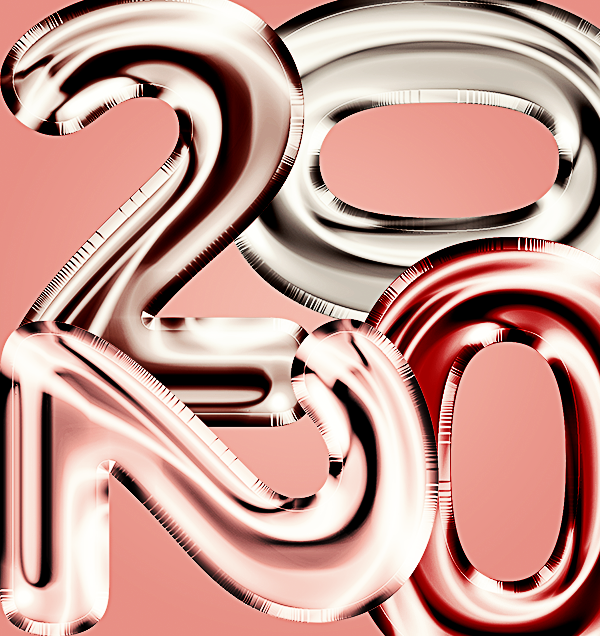
Behance
Day 1: Blend Modes. Design a digital stamp using layers and Blend Modes. I ended up using my own balloon png font in my stamp design. (https://www.etsy.com/listing/752806556/48-png-balloon-letter-images?ref=shop_home_active_1)
young karma
Photoshope Challenge Day1 Stamp
fallow bough
Used today's challenge to come up with cover.
sharp lintel
Any comment for the design is welcome.😅
oblique anvil
@urban lintel Nice job; works well.
sharp lintel
Not too colorful ???😎
vague shuttle
couldn't help myself Alternate
vague shuttle
Cheers for the appreciation @urban lintel 🤘
 ivory void
today's challenge.
dire glacier
@young karma ❤️
 forest ivy


 glacial path
@clever harness please export your work as a jpg 🙂
@forest aspen Nice work! The ink blots look great and I like how you have also used a pattern for the background. The more realistic color of the hand is less distracting and helps the design of the post card stand out 🙂
 clever harness
Day 1 Challenge (Exported Correctly lol)
glacial path
@forest ivy wow! This design looks awesome 😄 - I believe I can see one of the Kyle Webster Cubist brushes in there. Perhaps you can also add a similar but more subtle pattern to the purple background 🙂
kindred kernel
glacial path
@clever harness there we go 😄 - now everyone can see it in Discord without having to open Photoshop. Great job with the color scheme and the spatters! Now you could show the design in a mockup to get a better feel for it
young karma
glacial path
@ivory void the design looks great and I'm always down for some hand lettering! It looks like the brush pattern is very regular though. You can improve this by changing up the brush settings. Normally this should be the default preset but maybe you have used a different brush. Start by opening the brush manager
enable Shape Dynamics and set those parameters
Now enable the Scattering and increase this slider
your brush pattern should become more random and hopefully look more natural 🙂
@vague shuttle Nice one! This pattern looks great and I like the regular grain pattern in combination with the glow in the background 🙂
@young karma Really nice. Great use of the pattern, the bubbles add a great touch and the background color works well with the golden color of the font
clever harness
glacial path
@sharp lintel There is no such thing as "too colorful" 😛 - The dark yellow 0 in the upper right could be even more colorful (aka more brighter 😄 )
@clever harness perfect 😄 Thanks for posting the updated version
nimble shardBOT
Gave +1 Creative Carma to embropamusic
young karma
My first final. I still need to fix a few things, but that is tomorrow. Thank you for the task and great stream!🥰
 winter iris
Hello. My first attempt at a PS DCC!!! Do you guys think the font is too small? What about the slight rotation for the smaller "characters", lol - is it too wonky? Thanks in advance for your help.
ivory void
@glacial path ok Tim thank you so much
nimble shardBOT
Gave +1 Creative Carma to evil
glacial path
@young karma uuuuh! Is that an actual font or is this a custom design? The stamp looks great and overlaying different fonts is a fantastic idea which you have executed really well! 😄
winter iris
@young karma I love your stamp. The hatching and stripes are awesome.
Here is the mock-up. Thanks again for the feedback.
young karma
@winter iris Thank you so much! this make me super happy! And yours has really great contrasts!
nimble shardBOT
Gave +1 Creative Carma to nyke213 (Jenn)
winter iris
thanks
glacial path
@young karma Wow, I am really impressed with the stamp design. The color theme feels very cohesive and the rotated placement of the numbers adds character to the already great design 🙂 . Nice touch with the hatching
@young karma by the way, is that a custom mockup?
@winter iris the size of the font is just fine and the paint spatter adds some detail to the otherwise solid colors. Nice work! 😄
@winter iris the color grading of the mockup looks fun 😄 I wish you would use a blue color instead of green here since you have also used blue in your desgin
supple canopy
This is my stamp then warped the numbers added my own brush.
winter iris
@glacial path good point. I'll try that.
supple canopy
chalenge 1
glacial path
@neat shale how cool is that! The effect looks really great 😄
@supple canopy Nice to see a truly custom design with the warped numbers and the added brush! The resolution of the image seems a bit low though, maybe you can post a higher quality version 🙂 . I would perhaps also pick a slightly different color for the background. The purple and the red combination does clash IMO. If you're looking for pleasing color combinations check out: http://color.adobe.com/
Create color palettes with the color wheel, hex or image. Browse thousands of color combinations for usage in Photoshop, Illustrator etc.
fierce umbra
supple canopy
second try. I'm not sure what you were meaning by a larger file on the pic or the overall mock up. the pic was a jepeg i got from pexel.com I changed the pic into a smart object to work on.
winter iris
@glacial path here is the mock up with a blue hand instead of green. I think you were spot on. Looking forward to hearing your thoughts now.
glacial path
@winter iris Thank you for posting the updated version 😄 It looks great!