#✂challenges-feedback
1 messages · Page 40 of 1
 young karma
Designing with Shapes... This was so much fun! Thank you @jolly quest for sharing your knowledge!
 nimble shardBOT
Gave +1 Creative Carma to VooDoo_Val
 fossil widget
Challenge 5 - Playing a lil catch up with the challenges ..Got started late, but here is my layer mask entry!😋
and Challenge 4 - Compositing -- This one was pretty cool! Take a lot of imagination...will definitely be a work in progress
 hearty wharf
thanks so much @coral stone - it's been great fun again ... have a lovely weekend!
nimble shardBOT
Gave +1 Creative Carma to Valdair Leonardo
young karma
Last entry, big thanks to @jolly quest for some really cool challenges. Kind of done my own thing with this last one as I had a photo in mind I wanted to use as the base for my composition. Have a good weekend all, until next week 🤖
nimble shardBOT
Gave +1 Creative Carma to VooDoo_Val
young karma
 honest gorge
Day 9
 coral stone
@young karma great job! I loved the abstract mosaic mood 😍
fossil widget
Challenge 1 - Poor quality photo, but served as a nice retouch challenge.
Halftone Challenge with my Son "HalfTone Tony"
 real fossil
Cover challenge 9
 shrewd steeple
Went with a geometric design.
coral stone
That's super cool @real fossil feels very minimalist, and the gradual blur is a great touch. My only suggestion is to change the font, maybe a little thicker so you can play with some overlaps 😉
 austere root
Two versions included because I couldn't decide which I like more. Font used is Arcanista
 candid chasm
A little late, but here is mine... 🙂
austere root
My Behance for this challenge. https://www.behance.net/gallery/86198897/PS-DCC-October-2019

@candid chasm you're not late, you are right on time 🙂
 tacit condor
PS DCC #9 Designing with Shapes
 barren cipher
thanks so much for the feedback @bleak fossil
nimble shardBOT
Gave +1 Creative Carma to SamPetersonArt
 willow nebula
Day 9 - I used a geometric image of VooDoo_Val and combined it with the skyline I have been using since challenge 4. Thanks for the challenges @jolly quest !
nimble shardBOT
Gave +1 Creative Carma to VooDoo_Val
 high wharf
@plain sable your geometric shapes design is gorgeous. WOW! 🤩
 zealous stratus
DCC #9
 severe flame
Hi , here is my post . DAY#9.
 tacit idol
high wharf
tacit idol
high wharf
#✂challenges-feedback Here is my day9 challenge - Geometric shape masks. I used the accompanying photo of the storm, and came up with a cool band name and album title.
 gaunt mauve
my first challenge here!
 fathom moon
challenge #9 - Designing with Shapes
Design a geometric album cover by mixing photos and shapes.
young karma
Challenge 8... 3D Text + MixerBrush...again 😉
 hidden pendant
Challenge No 9, stuffed up a bit and had to rework a different way. Too fiddly now to resize and move, so will have another go at another time.
 errant knoll
Challenge #6😂
 sturdy vault
@willow nebula I really enjoyed this. The blue makes the city very calming.
sturdy vault
A little late. However I really like this technique.
Original
@fathom moon Beautiful they remind me of fantasy worlds.
coral stone
@sturdy vault Amazing! I like the way you used the horizon line of the image to create sort of an organic symmetry. Very creative, great job 💯
sturdy vault
@coral stone Thanks. I appreciate your comments.
nimble shardBOT
Gave +1 Creative Carma to Valdair Leonardo
 long void
Challenge 9 Here is the golden ratio rectangle in asian landscape
fathom moon
@sturdy vault thanks.
nimble shardBOT
Gave +1 Creative Carma to pfordie
fathom moon
@high wharf great job - i love the colors.
 pale lichen
Designing with Shapes - Halloween Cat
 formal sage
made the shape masks groups so interchanging pictures or styles is easy
also made the outline/base shape a mask group aswell...
 tropic breach
my Day 9 design. What do you think? Thanks
austere root
@formal sage love the 3D look of it.
 gritty pine
my very late halftone project
austere root
@gritty pine hahahaha great subject choice
gritty pine
and heres the last one for day 9. I tried to do something abstract for kissed by a rose by seal. this was my first challenge and i was nervous af but the community has been great and i learned so much. thanks everybody
tropic breach
@gritty pine I think it's wonderful, I like the composition and the colours.
gritty pine
thank you @tropic breach !
nimble shardBOT
Gave +1 Creative Carma to vesmadu
 nova swan
Design a social media banner with 3D text using Photoshop’s 3D features and work-space. this challenge made me work at font and color selection. I've come to realize the more I Photoshop that the instructors bring a vast knowledge of picture and color selection that due to time constraints they are unable to cover. Special thinks to Carry for sharing the melting video from YouTube by Magext Games. Photo by Anders Jildén on Unsplash
 short mica
3D Text
 keen granite
very cool! @tropic breach
high wharf
@fathom moon Thank you so much 😍
nimble shardBOT
Gave +1 Creative Carma to ANDREAS H.
 glad steppe
Photoshop Daily 05 Creative Challenge - Layer Masks
coral stone
Beautiful @glad steppe!
tropic breach
Thank you @keen granite
nimble shardBOT
Gave +1 Creative Carma to LeahMichelle
willow nebula
@sturdy vault Thank you!! 😊
nimble shardBOT
Gave +1 Creative Carma to pfordie
errant knoll
Challenge#7
nova swan
Geometry shapes album cover
nova swan
Moved the artist name
 vague swift
shape-play-challenge
high wharf
@formal sage @vague swift both of your geometric shape designs are very strong and look quite professional. Good stuff guys.🏆
@sturdy vault @tropic breach I love both of your Challenge 9 entries, they are gorgeous. 🏆
sturdy vault
@high wharf Thank you
nimble shardBOT
Gave +1 Creative Carma to Jesse S.
high wharf
@nova swan I really like your "Eye of the Beholder" composition. I have know idea why, but it makes me think of a Guns 'n Roses album. 🤷🏼♂️ Great job 🦄
nova swan
@high wharf It made me think country music, Guns 'Roses TYTY 🙂
formal sage
Thanks @high wharf this was the first round of challenges i uploaded stuff to
nimble shardBOT
Gave +1 Creative Carma to Jesse S.
tropic breach
thank you @high wharf
nimble shardBOT
Gave +1 Creative Carma to Jesse S.
tropic breach
@magic hedge great work! I like it very much 🙂
young karma
Hello. Challenge 9 with shapes. Hope you love it.
 broken gorge
Hello every one! here is my last entry for this DCC!
young karma
Hello, all. Here is my late entry for day 8
young karma
Here is my entry for Day9
coral stone
Loved the colors @young karma! 🙂
young karma
@coral stone Thanks
nimble shardBOT
Gave +1 Creative Carma to Valdair Leonardo
tropic breach
@broken gorge geometry looks really nice. I love the colors👍
young karma
Here is my day 6 corrections thanks to @bleak fossil
nimble shardBOT
Gave +1 Creative Carma to SamPetersonArt
 magic hedge
@tropic breach Thank you!
nimble shardBOT
Gave +1 Creative Carma to vesmadu
 past carbon
3DText!!!! 😉
 cold cedar
PsDCC9 Designing with shapes: It needs some refinement but here is my start for my geometric shape.
PsDCC8 3D text. Finally got my 3D text done. Busy week.
coral stone
Beautiful @cold cedar. The stroke in the middle is a great touch! 😍
cold cedar
Thank you @coral stone
nimble shardBOT
Gave +1 Creative Carma to Valdair Leonardo
 deep mango
@cold cedar beautiful design, I love the colors an the textures 😍
cold cedar
Thank you @deep mango .
nimble shardBOT
Gave +1 Creative Carma to Dorina Boneva
 glacial path
@errant knoll Nice! I love the clouds in the background 🙂 I would just center the text 👍 ! Maybe even manually align the stretched version with each letter
glacial path
@short mica Great job with the iridescent colors. The background texture is also really cool, usually I would have the brighter color in the center and the darker color around it. But I think it works here 🙂
errant knoll
Challenge#8
@glacial path Thanks for the advice, I tried to center and adjust the letters 👍
nimble shardBOT
Gave +1 Creative Carma to evil
glacial path
@errant knoll lovely!
@errant knoll I like your second submission with the stark contrast and the cool font 🙂 . I probably wouldn't write the link using the same font - maybe you can pick a more legible one 👍
errant knoll
@glacial path in fact this is more readable 😂
glacial path
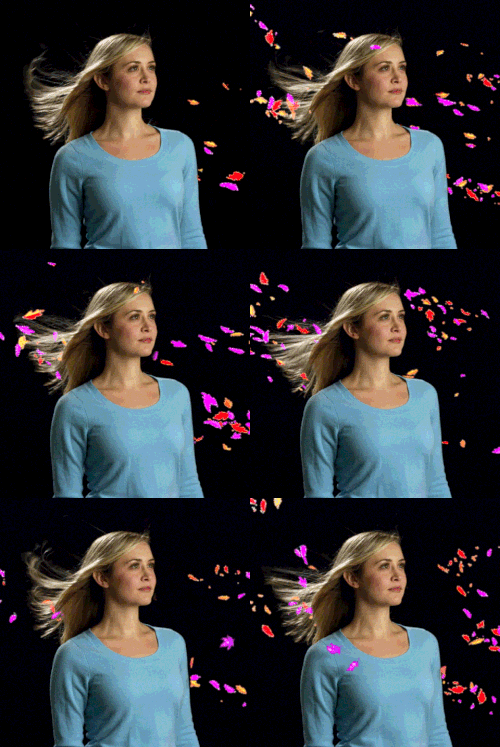
https://giphy.com/gifs/arg-l2Sq5GffrCyUMEXjW @errant knoll
 short mica
@glacial path thanks ... The darker color on the outside of the gradient would that be to mimic or get the benefits of a vignette?
nimble shardBOT
Gave +1 Creative Carma to evil
glacial path
@short mica yeah, that way you can draw the attention to the center of the image. But you absolutely don't have to do it like that 🙂
short mica
@glacial path understood... As always thanks for your time ,have a good night!
nimble shardBOT
Gave +1 Creative Carma to evil
young karma
👌
 bleak fossil
@tacit condor Loving that white sand effect for Challenge #8! Really nice texture too, definitely gives it a cool feel. I think the bottom text might fit with the rest of the image better if you used a solid color instead, and maybe maybe it something like the dark shadow color of the text, or maybe even a touch darker if that doesn’t make it pop enough. Might make the whole design feel more connected. Really love the effects you got with this one!
@fathom moon Really love how you handled the “Capture” text for Challenge 8! Great effect. Kind of looks like it could be the logo text for a game or something. Really liking the sort of scratchy texture you got with it. The landscape within the text looks great too. I wonder if a more gradual gradient for the background might fit better? Though that really just comes down to personal preference. Well done!
@high wharf Very cool! Really liking that spooky whispy effect you got on this Mixer brush challenge. My only suggestion is that maybe getting a bit more of a hint of a background near the top and/or right bottom side might help balance everything out. Right now there’s a lot of visual weight on the bottom left, but maybe having a hint of a background, even if it’s still quite dark within the other areas a little bit might help balance it. Really nice work!
@keen pendant The Halloween image is looking really cool! I really like the background with the circle frame, the black shapes within it, and the textured orange color. Almost slightly resembles stained glass in a way. Looking good!
@long void This is a really cool effect, I like the black outlines on the letters. Makes it seem more hand drawn, kind of reminds me of the “Take on Me” music video, hah. My only suggestion is maybe to make the fade from white to the texture on the right a little more gradual from left to right. Right now there’s a abrupt cut off, but if you’re going for an effect where the texture fades off maybe doing it more gradually with a soft brush and a layer mask would help. Might also help to get a little more contrast and clarity on the white letters on the left. Whether that’s more of an outline inside the letters, or just an bit more contrast/color on the face of the letters it should help them read more. Just some thoughts, really liking this style!
 keen pendant
Wow, thanks @bleak fossil so much. Really appreciate the compliment.
nimble shardBOT
Gave +1 Creative Carma to SamPetersonArt
bleak fossil
@young karma I like it! Really love the colors and effects you got on the letters. Maybe it could be cool to give the pink geometric shapes in the background a very subtle glow? Just enough to make them pop and bit more without being overpowering to the text. Looks awesome, seems like it could be the logo for something from the 80s, hah.
@fast moth This turned out awesome! I really love the image you used with the high points of contrast. Makes for a really cool design with this effect. The blue eyes are a great focal point. Nice work!
bleak fossil
@tulip fern That’s awesome to see how much you can do with one image! The Day 9 challenge is looking really good. I really like the sort of stained glass effect you got with this image. Texture looks really nice too!
@unkempt field Nice work on the 3D text challenge! You got some really nice gradients and shapes in the background, it gives it a cool feel. I also like the more neutral color of the text, it contrasts nicely with the colorful background and almost gives it a slightly retro feel. The only thing I notice is that the dark outline of the text seems to cut into the edge of the white area of the face of the text in some areas rather than outline around the outside of the edge. Not sure how easy it is to control this effect with the 3D text but it might look cleaner without it cutting into the white areas in places. Looking good!
@fossil widget Challenge 9 is looking good! You got some really nice designs and the colors are looking good too! Currently the whole image is quite saturated with color, I think it could be a pretty cool effect to tone down the saturation in the background slightly to really make the more saturated designs in the middle contrast more and pop out. Though that’s really just personal preference. Really nice work, the jellyfish in the image make for a really cool textural element!
@magic rampart Really cool to see you using the different techniques for Challenge 7 and 8 in the same image. Nice job on the 3D text! I kind of like the white text since it seems to fit the delicate color scheme a bit more, but the red definitely adds a lot of contrast and pop. Nice job with the masking too!
@pale lichen Nice job with the 3D text! Some really cool effects. Almost makes it seem like it could be a title for some sort of claymation animation, hah. Good job!
@keen granite Very cool! I like the effect and style of the text. I wonder if separating “now is the time” and “to flex your” into to separate archs, and having maybe just a bit of the first and last letters being covered by or overlapping the text might give them a more clear read? At first glance I wasn’t sure where to start reading and it took me a second to realize what the word “now” was. But if “now” starts at the top left, and each word is just covered or overlapped a bit it might make all that more clear, if that makes sense. Just a though. Nice work on this image! The sort of glowy drop shadow on the text looks cool too!
@hearty wharf These 3D text challenge are looking good! I really like how you tried two different images with different styles. Really loving the rocky texture effect you got on the first one. Would be interesting to see the sky one rendered, some cloud reflections would be a cool effect. Nice work on the balloon style strings too, hah.
@atomic otter Wow, this looks great! I really like how you kept the most contrast to stay within the silhouette of the figure. And the background has a really soft dreamlike quality that works really well. I wonder if the text would balance out a bit more if you moved “summer” over to the right a bit so it’s the same distance from the right edge of the frame as the other text is from the left edge. That would also cause it to break from the silhouette of the portrait which might help is read a bit more as well as mirror the text on the left. Though you’d likely have to tweak the color too. Just a thought. This looks like it could be an album cover, very nice work!
@lament pumice Nice job on Challenge 7! And no problem, you’re all welcome to post any of the challenges you do during the 2 week period. And you can always post them in the “past challenges” section if you do them later than that period. This turned out nicely! I like how the width of the text is mirrored in the blue line. It gives it a nice consistent feel. Looks good!
 urban berry
Hello everyone, here is my Day 3 challenge. Any feedback is welcome
Hello everyone, here is my Day 4 challenge. Any feedback is welcome.
fathom moon
@urban berry - great work your day 4! I like it very much 🙂
urban berry
@fathom moon Thanks
nimble shardBOT
Gave +1 Creative Carma to ANDREAS H.
fathom moon
@bleak fossil - thanks for your feedback.
nimble shardBOT
Gave +1 Creative Carma to SamPetersonArt
high wharf
@bleak fossil thanks for your feedback. I will fix up.
nimble shardBOT
Gave +1 Creative Carma to SamPetersonArt
cold cedar
@forest ivy are you a Who Dat Nation native?
high wharf
@bleak fossil I took your advice and brightened up a few spots, revealing a bit more of the scene. Thanks.
nimble shardBOT
Gave +1 Creative Carma to SamPetersonArt
errant knoll
Challenge#9
 pulsar sparrow
day 8
 grave meteor
،Feedback please 😊🙏
pulsar sparrow
day 6 after editing
grave meteor
@bleak fossil This is my image after your feedback
keen granite
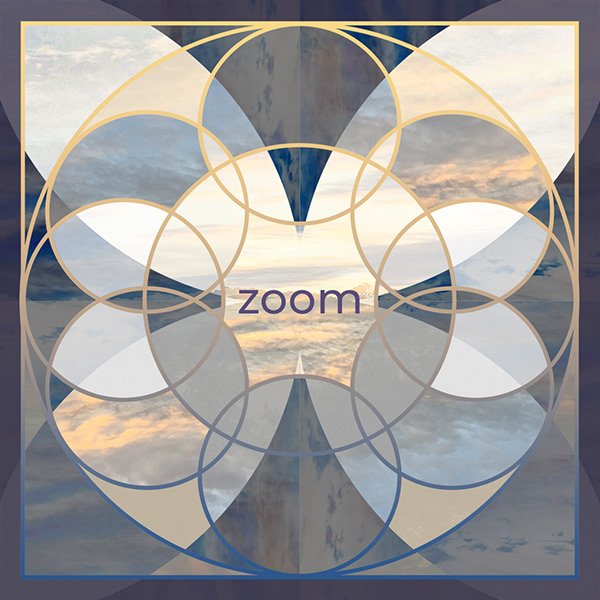
Challenge # 9 Had a great time designing various things with geometric shapes. Please let me know your thoughts 😀 Thanks!
Challenge # 9 version 2
Challenge # 9 originals
Challenge # 9 version 2 originals
Challenge # 9 version 3
Challenge # 9 version 3 originals
 gray compass
Is there a social media hashtag for the challenge? This is my first time trying one. Thanks all 👍
high wharf
@keen granite I really like your 3 different geometric shape designs. They are all nice. I like them in this order, 2,3,1. No 2, the jellyfish one looks great, and something I can definitely see sitting next to a cash at a cafe selling this CD of a local artist. The only thing I would suggest changing is making the title "Jellyfish Beats" a much darker color so it stands out , it's a bit hard to read against the tentacles and surface reflections. Maybe, if you like the font color, overlaying a gradient on the image, dark to light going from the bottom to the top would help the text pop more and simulate the depth of the water? My thoughts, either way, it looks great.
nimble shardBOT
Gave +1 Creative Carma to SamPetersonArt
keen granite
Thanks so much @high wharf
hearty wharf
@bleak fossil as always, thank you so much for feedback!! much appreciated ... yes the rendered version shows the cloud reflections much better - i need to look more into rendering with ps and dimension, it seems to have come on a lot. ha ha - nothing like hand drawn ballon strings ... 😉
nimble shardBOT
Gave +1 Creative Carma to SamPetersonArt
hearty wharf
hello all - here is my finished project on behance, please have a look - thank you so much! looking forward to a new challenge ... https://www.behance.net/gallery/86392687/Daily-Creative-Challenge
 keen granite
Updated Challenge # 9 version 2
Challenge #9 version 2 originals
@high wharf You were so right about the text!
@bleak fossil thank you for the challenge #8 feedback. I've made the following update 😀
nimble shardBOT
Gave +1 Creative Carma to SamPetersonArt
 limber birch
Here is my challenge #7 using the Mixer Brush. https://www.behance.net/mgrant
Here is my Challenge #8 using 3D features. https://www.behance.net/mgrant
high wharf
@keen granite Wow! Now that's what I'm talking about. Looks awesome! Great job! BTW, which font did you use? A nice script font is hard to come by.
limber birch
Here is my Challenge #9 where I mixed photos and shapes. https://www.behance.net/mgrant
hearty wharf
@high wharf - a big thank you for your appreciations and leaving motivating comments - so helpful!
nimble shardBOT
Gave +1 Creative Carma to Jesse S.
fathom moon
... here me cover image for this challenge
high wharf
@fathom moon wow, your fast LoL, looks great!
fathom moon
I've already done it while waiting for the stream.
Thank you @high wharf
nimble shardBOT
Gave +1 Creative Carma to Jesse S.
 forest ivy
@cold cedar No, I just really love that city. There's no city anywhere like it!
high wharf
+10 points to @fathom moon for time management skills.😜
sturdy vault
My Cover page.
young karma
Here is my cover for this 2 weeks of Challenges
short mica
@sterile bane was a "camper" of yours for my initial dip into PS......🙏🏽🕊
long void
My cover for this Challenge
 distant wagon
What’s the challenge for this week
 sterile bane
@short mica spoooooky! love it!
@distant wagon The first challenge will be announced tomorrow.. but the theme is book cover redesign 🙂
pale lichen
Adobe Photoshop + Adobe Capture
 plain sable
hearty wharf
plain sable
hearty wharf
have been playing with dimensions ... so useful! here is my cover ...
@plain sable ha ha - will think of another phrase, yours is better!
hmm, maybe i like it better in white?
plain sable
@Tan_2019 we can share the phrase 🙂
hearty wharf
aahw, thanks @plain sable - it’s a good phrase! 😃
nimble shardBOT
Gave +1 Creative Carma to sno.e
glacial path
@hearty wharf yes! I think the lighter version is less jarring 🙂 . You could also try only slightly darker tones which aren't quite black to reduce the contrast.
@plain sable Lovely effect! It reminds me a bit of the comic book effect we did a while ago for a past challenge. If you're going for the stark contrast and punchy colors, I would also use a vibrant color for the rectangular shape behind the text. Right now it looks very muted 🙂
hearty wharf
great, thanks @glacial path
nimble shardBOT
Gave +1 Creative Carma to evil
nova swan
because I HAD to photoshop today I made a cover for Behance. Simple pen tool, text and texture cause I should be working.
glacial path
@pale lichen Wow, great job on the color scheme! The combination of a very bright, one dark and a vibrant color almost always works! Honestly, I think you could go even darker & intense with the red. You could use one of the Kyle Webster Real Oil brushes to add some texture to the painted areas. I like how you used loose brush strokes to color the area. It adds character to the cover which wouldn't be there if you would've used the paintbucket tool. Love it! 😄
@nova swan I really like the reduced design aesthetics. The clear and simple lines deliver the message without being too cheesy. The font is a great choice and going with a serif font (I almost always use sans serifs) actually is very fitting, especially in combination with the paper texture behind it. Just one thing, I think it should be "PSDCC" instead of "PSDC": Photoshop Daily Creative Challenge. 😉
@long void Welcome to the community 🙂 I like your use of the different fonts and colors. Just watch out for any touching letters. Maybe you can increase the leading (distance between two baselines of type). You can increase the leading via the Character panel in Photoshop. Usually "(Auto)" does a decent job, but sometimes the fonts don't really work that well with the Auto algorithm
@short mica Fantastic work as always! I love the crazy layer styles you've added to the text 😄 (and also the warping and transforming!). I only have one thing you could improve: parts of the text look rather pixelated.
you should be able to fix this by checking the aliasing algorithm (select the type tool)
make sure the algorithm isn't set to "none"
@young karma Always great to see more of you work 😄 . The colorful gradients look fantastic! I like how you've used them even on the text. You could try rotating the spheres slightly to add some variation and excitement 🙂 I can't wait to see your submissions for the upcoming challenges
@sturdy vault Hey nice! I like the unique design and the creative use of blend modes inside the pattern 🙂 I probably wouldn't use black for the stroke (possibly a thinner white stroke?) but that's just a minor detail! Maybe you can reserve a bit more space for the text (so the "p" isn't touching the pattern) 🙂
@fathom moon Fantastic work, as always 😄 I like the crosshair and the diagonal lines in the background 🙂 - really adds some visual interest beyond just the cool photos. I don't think you really need the glow around the photos, the stroke could probably be enough 👍
nova swan
@glacial path Thank you for the feedack. I thought Photoshop daily challenge...but I guess I have been doing it wrong these last months now. I also realized the size is all wrong for the cover when I went to put it up. So I will have to fix it tonight when I get home from work.
nimble shardBOT
Gave +1 Creative Carma to evil
glacial path
@limber birch oooh by the way: I have just seen your cover for the PS DCC back in September and I'm really impressed! Great work on the colors and the textures 👍 - really well done!
@nova swan haha, yeah I guess Daily Challenge is also okay, but the official term is DCC 🙂
as long as you put the keyword "PSDAILYCHALLENGE" in there, we can find it
@limber birch And great work with the final challenge submission! The circle looks a bit squished, but I think that's totally okay 🙂 I really like the pattern in the background and the added noise 👍
sturdy vault
@glacial path thanks. Interesting I tried the white and it changed the whole thing. I wasn't happy with it that way. I should have started with a thinner line so I didn't have to redo the layer mask unless there is a shortcut I don't know about. I used the negative and positive together. I thought it was interesting. I always appreciate your comments they help me challenge myself.
nimble shardBOT
Gave +1 Creative Carma to evil
plain sable
Version 2 of my cover
glacial path
@plain sable yeeees!
deep mango
Here's my spooky PS DCC cover 🙂
plain sable
Thanks @glacial path for the input...
nimble shardBOT
Gave +1 Creative Carma to evil
short mica
@glacial path went back made sure to use sharp mode and adjusted the effects,,,,
@glacial path THANK 🙃 YOU
nimble shardBOT
Gave +1 Creative Carma to evil
 coral scarab
My cover for the upcoming challenge!
bleak fossil
@limber birch Looking good! I like the Halloween theme you got with the colors and cat silhouette. I think you could make the whole center design even a bit bigger on the background to really make use of the space. Nice work putting together all the different elements of this image!
Edit: Challenges 7 and 8 are looking solid too! Really liking the clean graphic shapes you got in those.
@wet thistle The images for Challenge #9 are great! You really got some great depth and dimension with the way you handled the shapes and framing. I really love the way you combined the circles and squares in the first image. They both have a really nice elegant feel, great colors too!
high wharf
#✂challenges-feedback Here is my 3D text composition. I experimented and put some surface texture images over top the 3D extrusion giving the letters a stone look, will probably tinker a bit more as always before uploading the final edit to my Behance. I included my Instagram handle if any one is curious 🙂 , and went with a spooky kind of vibe. 'Tis the season.
bleak fossil
@keen granite The edits to the 3D text challenge look great! Nice work. Really liking Challenge 9 as well! Really loving the colors and patterns you got within the designs at the top. The whole thing has a nice cohesive color scheme. The top area and text really have a nice contrast with the background due to their hard edges/clean lines. Looks good!
@hearty wharf Wow great job with all of these challenges! Very impressive. It’s awesome that you’ve joined us for all the challenges and it’s great to see all the images together. Very nice work. Really liking that last challenge too! Love the subtle warm and cool color contrast. Gives it a really nice relaxing feel.
 granite carbon
PS DCC cover
young karma
@glacial path Thanks for the feedback. I have reworked it and I like it even more. Thanks again 😊
fathom moon
Thank you @glacial path for your feedback!
 ruby panther
My cover for the upcoming challenges.
 sleek crater
Looks good! @ruby panther , but cant really read the red letters. What if you change it to a different colour? 🙂
coral stone
@granite carbon amazing!
grave meteor
@coral stone ،Hello any feedback?🙂
pulsar sparrow
young karma
My cover for the latest set of DCCs
coral stone
Hi @pulsar sparrow . I really like the nature mood of your work! My only suggestion is to increase the contrast of the shapes. Maybe you can use some autumn images to create sort of a season contrast on geometric shapes 😉
grave meteor
@coral stone ok thank you 😊
nimble shardBOT
Gave +1 Creative Carma to Valdair Leonardo
grave meteor
Am I can use different image?🙂
I really want this but I was afraid because the video doesn't have this
coral stone
Of course, feel free to use images from unsplash, pexels, pixabay.... :D. Or you can use the same image changing the mood with some color adjustments. The Color Lookup adjustment layer is great to change the mood 🙂
sturdy vault
@glacial path Thanks. I was going to convert to white but for some reason I couldn't get the black to convert. I ended up with black and white which I like much better than black or white. I love happy surprises.
nimble shardBOT
Gave +1 Creative Carma to evil
pulsar sparrow
day 9 after your advice thank you
grave meteor
@coral stone Thanks alot
nimble shardBOT
Gave +1 Creative Carma to Valdair Leonardo
coral stone
You're welcome 🙂
grave meteor
Is it good or not?
coral stone
I loved the night/day contrast and the new shaper. Great job @pulsar sparrow 😉
hearty wharf
hello everyone - happy tuesday! @glacial path thanks for feedback tim - i've changed it a bit ...
nimble shardBOT
Gave +1 Creative Carma to evil
hearty wharf
@bleak fossil thank you very much for your feedback and looking at the project - very encouraging 😃
nimble shardBOT
Gave +1 Creative Carma to SamPetersonArt
grave meteor
@coral stone Thank you very much for your encouragement
nimble shardBOT
Gave +1 Creative Carma to Valdair Leonardo
coral stone
No problem @grave meteor 🙂
limber birch
@bleak fossil Thanks for your feedback on my Challenge 9 Halloween theme ... I will definitely try to redo and enlarge the whole center design. I also appreciate your comments related to Challenges 7 and 8. 😃
nimble shardBOT
Gave +1 Creative Carma to SamPetersonArt
 torpid swift
Hi, here's my cover for my first challenge ...
sleek crater
@torpid swift , looks good! love the paper background! But why dont you use the mockup? 😄
torpid swift
mockup?? Sorry I'm new to this!
sleek crater
so am i, but in the link you'll find a psd document. if you open that you will find a 'pre-made book' you only have to add your picture to it 😉 in layer menu select which book u want to use then double click on either one of these
it will open a 'new' file. then add your picture, and change text the way you want it. when ur done. simply click on the x to close the tab and save it. it will then move into the premade book
its hard to explain, but the process is really simple
send me some ss if you need help with this 😉 This I do know, lol XD
torpid swift
Ah, ok, I was just getting caught up with day 0 and the cover image. Haven't yet started on the day 1 challenge 🙂
 wet thistle
Thank you @bleak fossil!
nimble shardBOT
Gave +1 Creative Carma to SamPetersonArt
young karma
Hi all! here is my day_1 record cover challenge 🙃
grave meteor
@torpid swift The first day doesn't start yet what is this
torpid swift
@grave meteor sorry just my cover, I thought I had seen a couple other people post so thought it was OK.
grave meteor
@torpid swift you don't have to apologise I just want to understand🤔:thinking:
Thanks 😊 for your explaining
hearty wharf
@torpid swift great project cover!
torpid swift
@hearty wharf thank you 😊
nimble shardBOT
Gave +1 Creative Carma to Tan_2019
sterile bane
what do you think about the droplet by her mouth? too much?
glacial path
@sterile bane more comic sans please
bleak fossil
I like how it's a stylized graphic element. Ties it into the rest of the image in a cool way.
ruby panther
Day 1.
coral stone
@ruby panther As a SK fan I can say your work is amazing. I would definitely buy this book! 😍
fossil widget
Day 1 Challenge - WWYUT of this book cover? lol😆 😆
 blissful badge
DAy 1: Dracula cover
high wharf
@sterile bane looks great. She resembles Lady Gaga.💃 is that her?
 safe linden
not so 8 bit looking but seems to work
 unreal crescent
I missed the last few challenges last week (getting busier) but wanted to give this one a go!
@sterile bane I'd put the droplet closer to the corner of her mouth.
... speaking of which, I used that same droplet shape to draw the whale - thanks for showing me where to find it!!
young karma
🤔
 queen mauve
this is my book, welcome all feedback, thanks all 😋
hearty wharf
here is my dracula cover!
 kindred kernel
Witches Book Cover😀
young karma
Here is a quick entry for Day 1 Book cover
 shell chasm
Dostoevsky
 night oxide
@Ken Cawley good work..😊
 fallow bough
@night oxide Thanks
nimble shardBOT
Gave +1 Creative Carma to chenu
 glossy dew
hello this is my creative design for whatsapp xd
 silver zenith
Hello=) But this is not portrait 😬
hearty wharf
... and here is my cover on the book mock-up! thanks so much for the review 😃
 edgy idol
Challenge #1: Editing Color
fallow bough
Mockup
glad steppe
Photoshop Daily Creative Challenge - Editing Color Day 1
unreal crescent
Did one more, as I didn't really use a lot of the fill/blend modes in the other one.
forest ivy
Challenge 1 – This was fun! Photo is from pexels and the mockup is from mockupworld. Both are free and great resources.
mockup
granite carbon
another Alice in Wonderland
sturdy vault
I colored the dress and her eyes since this was a color challenge.
@devout onyx I really like the red face in the background. Great Symbolism.
 devout onyx
Thanks @sturdy vault I love your image you used and how you separated everything! Very cool.
nimble shardBOT
Gave +1 Creative Carma to pfordie
sturdy vault
@devout onyx Thanks.
nimble shardBOT
Gave +1 Creative Carma to REAPER667
gray compass
Bored at work, quick typography cover. I tried to do this in under 5 mins :D
And a funny version. For the movie Inception
 marsh nest
My first trial
nova swan
@granite carbon I like the image in the sunglasses and the colors are great
 ebon sparrow
@swift elbow and @edgy idol...awesome designs!
nova swan
@ebon sparrow I like the blood smear is that in the original image?
@marsh nest is the title supposed to be missing an "a" ?
ebon sparrow
@nova swan nope, I used some random blood splash image
devout onyx
Very cool @ebon sparrow
deep mango
This was a real challenge but I'm finally ready with my design for Day 1 🙂
torpid swift
Wool ewe tell me what ewe think??
 kindred gate
PSDCC#1 Redesign Book Cover
 raw plover
First time ever doing this so here goes nothing
nova swan
@raw plover Like your color choices
kindred gate
Ps daily creative challenge 01: Book Cover Mock Up.
 hidden kindle
had fun, thanks for the tip above about pexel website 🙂 if you have red this book there is a wedding veil torn and later a house caught on fire, but you’ll have to read the book to find out who did it!
mockup
 icy cargoBOT
 Jesse S.#1371 has been warned
Reason: Mass mention
high wharf
sorry, I did not know that mentioning a handful of people in one post was a no no. it was all wonderful comments.
Here is my final project from last week. Please check it out. Now it is time for the new set of challenges. https://www.behance.net/gallery/86248119/October-2019-DCC
 coral stone
Loved the illustration @torpid swift 🙂
torpid swift
@coral stone thank you. My hubby is an artist so I have fun stuff to play with! 🙂
nimble shardBOT
Gave +1 Creative Carma to Valdair Leonardo
coral stone
Amazing! Can't wait to see your next challenges 💙
short mica
@ebon sparrow that looks incredible !!! If you don't mind sharing....how did you do a blood dripping???
ebon sparrow
Sure... you can do it in few difderent ways, but I peaonaly like using images. Here I used some random image from google, if you cant find already cleaned one than you have to do it (remove backgeound, crop part you need, etc...). Next part would be choosing blend mode, I used linear burn here. And thats it...
This is the image I used...
glacial path
@hidden kindle If you share your work, it's always really helpful to also see the original. So for the next challenges it would be awesome if you could also show some of the original files 🙂 . I think your book cover looks very mysterious! Combining the black&white portrait with the vibrant reds and oranges was certainly the right move. I would use a slightly softer drop shadow here:
and also get rid of the blue color here 😉 (barely noticeable, I know)
@kindred gate The book cover looks great! But the white background looks a bit empty compared to the colorful shapes behind the text. You could try adding a subtle pattern or a gradient to tie the whole composition together. Of course you can also take the more minimalist approach and remove the shapes (which would work but very likely requires a different font too)
 native lotus
Do you guys think the color is too much? I love it then I keep going back, hard to know when to stop sometimes.
glacial path
@kindred gate I like how you have added more room next to the mockup by increasing the width 🙂 . Unfortunately this doesn't really work because of the shadow... 🤔 You could either crop it back down or use a wider mockup 🙂
edgy idol
Thank you @ebon sparrow
nimble shardBOT
Gave +1 Creative Carma to Dragoslav Andjelkovic
glacial path
@native lotus The color on her chin and body is maybe a bit too much. The color of the rose wouldn't reflect the light like that. I think you could get away with coloring in the right side of her face and body.
Love the idea of the rose in the background by the way 🙂
maybe you can also add some transparency to the glasses here. the rose should probably show through 😉
native lotus
@glacial path I didn't even think about the glasses! Thanks for the feedback, I appreciate it!
nimble shardBOT
Gave +1 Creative Carma to evil
glacial path
@raw plover First time? Wow! You're already really good at this 😄 I would probably use a softer mask here to blend the transition a bit where the green touches the skin color
I hope you have used an adjustment layer with a layer mask. Because then this is really easy to fix 🙂
young karma
hey guys! my first attempt at creating something in PS, based on the book Dune. I know some things are a bit hard, but idk how to make it more natural and softer lines. Anyway, here it is :p
 grave zenith
I just watched the video and started these - what do you all think? Also - what's the border for? I'm not sure how to use it.
@raw plover that looks great - i love how you placed the title
one thought I have about my Grimm s book - the font is atmospheric but maybe hard to read
glacial path
@torpid swift Oh we're doing sheep puns? Alright. I mean puns do come in all sorts of sheeps and sizes, so here's your feedBAAAAck. Hope I won't herd your feelings. I'm gonna go out on a lamb and say ewe drew the sheep? I like the ewes of the subtle texture in the background. If possible, try to use one large texture instead of tiling a seamless pattern. One big texture wool usually look better :). The font could be slightly lower if you ask me, just to balance out the relationsheep between the top of the book and the eye 😉 .
wool done!
 vast vine
Here's my Day 1 Book Cover challenge. This was super fun. Thank you so much for the guidance.
Day 1 Book Cover Challenge
austere root
The book is about a man who travels to alternative timelines and meets other versions of himself.
My cover for this set of challenges
willow nebula
Day 1 - Book cover. I'm not sure about the result but had fun making it!
nimble shardBOT
Gave +1 Creative Carma to Dragoslav Andjelkovic
short mica
@ebon sparrow Thanks ,appreciated
coral stone
Looks cool @willow nebula! I feel that 80's vibe. I read Pet Sematary few years ago, it's one of the scariest books I ever read. Maybe you can play a little bit with the font, more like a serif, you can get inspired by the Stranger Things logo or some classic horror movies 😉
willow nebula
@coral stone Thanks Valdair! You're right, Im always sticking to this one font. I will give it a try tomorrow. Right now I'm twisting and turning and colouring the back of the mockup 🙄
nimble shardBOT
Gave +1 Creative Carma to Valdair Leonardo
 uncut verge
DCC day 1
young karma
Day 1 entry
willow nebula
Day 1 - Mockup
 vital ridge
Day 1 - Spooky Book Cover Redesign. I recolored the eyes and put a gradient over the background image. There's also a dark gradient over the bottom of the portrait. Using Baskerville for the title and Orpheus for the author.
 narrow glade
Well, I discovered this whole challenge thing a bit late, so I missed out on the live feed. Hopefully I can join tomorrow. This is my first challenge...I am excited. Please let me know what you think. I think the typeface I used is a bit obvious, but I couldn't find anything that I really thought worked well. Any suggestions would be welcome.
Image from pexels.com
willow nebula
@narrow glade Bravo!
young karma
Day 1 - Returning to daily challenges after a long break. Did nothing too fancy but suggestions are welcome. I went with full blown red color theme.
 shrewd ledge
Challenge Day 1 - Here's my submission. I loved this challenge, helped me get my creative juices flowing. Looking forward to others.
austere root
@shrewd ledge Amazing. I love how you did the title
coral scarab
@vital ridge Love it! 🤘
coral scarab
Love feed back. I am not sure how to apply it to the book yet. But will keep working on it.
keen granite
PSDCC#1 Redesign Book Cover. I clearly made up a book series but you get the idea 😀 Let me know your thoughts!
PSDCC#1_originals
fallow bough
@austere root Great book choice. Read it back in the 70s.
 spiral leaf
I'm not sure if I like the gradient on the title but thanks to today's lesson, it was my first time experimenting with it. Are strokes/drop shadows on titles a bit dated?
NOTE: I went a bit more make-believe than a cover redesign. The "character" is a subject from a picture I took for this project.
 vapid fern
First time doing the creative challenges and I wanted to have fun with the provided image, I love how it turned out!!!
😍
vapid fern
nova swan
Here's my Dracula book cover. Does the blood look real enough? I wasn't sure how to make the line on the bottle so stark so any advice would be appreciated.
Original
magic hedge
Challenge #1
tacit condor
PS DCC #1 Editing Color
bleak fossil
@placid trout Really cool effect with this book cover! I like the double exposure effect with the negative of the portrait over the sky. There’s a really nice warm/cool contrast with the colors that is working well too. Well done!
@shell chasm Ooh, nice work with the overlaid skull image. There’s a nice visual balance with the text down below and the black space. Really gives the whole thing a dramatic look that really fits the theme. Really nicely done!
@young karma Hah, nice work! Really liking the mock-up and how the book texture is affecting the image The orange-black color scheme definitely has that Halloween feel too. It’s definitely a nit pick but it could be nice to have a bit of a closer crop on the book to really show it off. Nice work!
@kindred kernel Looking good Gerard! I’m liking the witch theme, hah. It could be cool to mask off the area of the smoke below the cauldron so it looks like it’s coming out the opening to it a bit more. That might help sell that whole effect. Good job!
@fallow bough Nice work with this one Ken! I like how you changed the hair color to get a consistent red-white color scheme to the image. I wonder if the image might read a bit more if the balloon was slightly darker, and the “IT” text was slightly brighter. Currently I think the balloon overpowers the text as a focal point, but those changes might switch that and really allow the title to be more dominant. A very subtle change, but might help. Looks good!
@devout onyx Very cool! Really liking the dramatic red shapes. I think the green works nicely as well. The pink is cool, but it seems a little out of place. I think if you repeated that color subtly in the design that might help tie it all together. Maybe if you change the color of the small white text at the bottom? Could be a cool look. Nice job with these, cool to see all the source images!
@granite carbon Really loving the toned down colors of the face and how it makes the bright colors in the glasses a strong focal point. They're also brighter than the background which allows the colorful background to work without being over powering! Really nice balance to this image!
 left lance
Challenge Day 1 - Color I'm really late to the challenge today, but I hurried and worked something up before midnight. Until tomorrow!
bleak fossil
@forest ivy Really interesting color palette! Gives it a sort of surreal feel, which I think fits the whole idea/theme of Alice in Wonderland really nicely. Really nice job on the masking. The mockup looks great too!
@honest gorge Really loving that red/white/black color scheme! Gives it a very distinct look. One suggestion I have would be to swap the red tones between the glasses and the border. The darker red tone should subdue the background a bit, and brighter glasses might push that stylized dramatic look and really pop off the values of his face. Might give those eyes a stronger focal point. Nicely done!
@unreal crescent Very cool! Nice job on the color variation and the stitching effect. One suggestion I have is to maybe separate the background color more in terms of saturation and/or value. Currently the value and saturation is very similar to the face which makes theme compete visually a bit. If you darkened down the background and even brightened up the face a bit, or brightened the background to let the darker shape of the face pop out, that might help the overall readability. Just a thought. Nice work, the mock up is looking good too!
@silver zenith Love what you did with the juxtaposition of images in the center image! Definitely gives it a creepy supernatural look. The mock up looks solid too, nice work!
@young karma Very cool! I think the compositing looks pretty good! I think part of the visual different may just be the illustrated worm creature vs the photographic environment. I think lightening the worm overall, and maybe giving it a sense of atmospheric perspective perspective by fading it out slightly in certain areas, maybe the part coming over the hill. That might help it fit a bit more into the rest of the scene. Really cool idea, looking good!
@grave zenith Really liking the color scheme on this challenge! The pink and blue colors of the forest give the image a really interesting feel, and the way you tied it into the text works really well. The effect of the letters alternating between light and dark is interesting too, kind of reminds me of flickering neon signs. Nice work!
@vast vine Very nice! Really liking how you handled the color contrast in this. I like the dark night time look, but I think even with that in mind it could use a levels adjustment to boost the overall brights in the image. Might help balance out the image with the text and be a bit more eye catching with some more contrast. Really nice style to this challenge!
@austere root Very cool! I like the concept. Nice work on the masking a color shifts as well! My only thought is that due to all the different colors and similar values it’s hard to read anything as a clear focal point. Though I do think the face in the middle is the most noticeable due to it’s contrast in size. Since there’s multiple different areas of color, I think one way you could control the contrast and focal point of the image would be to tone down the values of everything else outside the center (maybe darken them down slightly, and lessen the contrast in the deepest darks), and boost up the brightness of the center portrait a bit. Maybe even add a slight photo filter to unify the colors a bit. Might help give it a stronger focal point. Very nice work!
 strong latch
Challenge #1
 haughty gale
Had fun. Not sure about using the authors name but it is pretend really so apologies in advance.
 fast moth
Day 1 challenge
 hexed aspen
Day 1 Challenge
 mystic narwhal
Day 1...What do you guys think?
Original pic. The only color replace is the lights in the top and reflection in the eyes and glasses. I could not get the gradient lips to work.
 blazing storm
deep mango
blazing storm
deep mango
I've forgot to put the image I made as a front color so I'm adding it now 🙂
And I've also made some changes to the book as I thought it needed more color
young karma
Hi! This is my first Photoshop Challenge ever. My book image is a photo of a Harry Potter poster I took last summer in Edinburgh; I hope it counts as original.
wet thistle
Challenge #1 Perhaps more a challenge submission for day 3. I had some difficulties in creating the teeth....any suggestions?
young karma
Did a second version which had a bit more colour editing, uploaded to my profile, thanks - https://www.behance.net/gallery/86827683/PS-DCC

 hazy pasture
i am a new to photoshop. just learning through these challlenges. here is my day 1 edit. let me know how is it.
pulsar sparrow
day 1 colour editing book cover
 surreal wren
what did you guys thought? this is my second DCC
sturdy vault
Here is my completed entry.
 near dome
A little late to the game because I have been so busy at my job, but I am so excited to get started on this challenge. I actually just finished reading Dracula last week, and I love to redo book covers anyway. So wow this was perfect for me. Thank you.
near dome
my take on the prompt. A self portrait with some spooky swooping bats
 vernal lake
Got a bit late on it as well. Joining in from Germany, so I got confused with when the challenges are published. Decided to make a cover based on one of my own pictures I've taken. Thought it fits well to The Silence of the Lanbs (only by the title), though I have never seen the movie or read the book 😅
sleek crater
looks good! @vernal lake, it starts at 6pm! Greetings from Holland 😉
Here's mine!
this is the orignial pic, so have been working on wings/eyes and some extras
fallow bough
@bleak fossil Thanks for the feedback. I had done a little of what you suggested and agree I needed to go further.
nimble shardBOT
Gave +1 Creative Carma to SamPetersonArt
coral stone
@sleek crater Great job! I loved the blood splatter
sleek crater
ty 🙂
unreal crescent
Thanks @bleak fossil Great notes. I'll see how it looks with the edits. ✌
nimble shardBOT
Gave +1 Creative Carma to SamPetersonArt
 dreamy basalt
First time making anything tangible in Photoshop! Thanks for the tips.
I'm not a big book reader but i love my dog, so i searched for a book that had huskies in it 🙂 I took a photo of the boy last night and thought, i could work with this. Shame about the cropping wish i had more time to perfect it :)
young karma
Thanks @bleak fossil. I have reworked it accordingly
nimble shardBOT
Gave +1 Creative Carma to SamPetersonArt
 pastel spade
WOW! Y'all are kill'n it! These are amazing. 🏆
 ebon igloo
Hi everyone! Here is my challenge #1. It's late night here so I decided to use the image that is provided online to complete my first day challenge. I tried to created a very simple back cover to match my book front cover. 🙂
vapid fern
@ebon igloo I love the circles, makes it look like blood drops. And the colors of her glasses are cute!!!
 proven heath
Photoshop challenge day one
limber birch
@glacial path Thanks for your feedback on my Challenge 9, Designing with Shapes. I really appreciated your comments on my cover for the PS DCC back in September. 😃
nimble shardBOT
Gave +1 Creative Carma to evil
 harsh island
Daily challenge day 1,
 fringe thicket
Hi all!
decided to participate in the current challenge, so here's my book cover for day 1! Would love to hear what you think of it
fringe thicket
And my mockup
 dense tulip
Hello guys, here's my submission for Challenge #1, very late, but hoping you could take a look on stream!
sterile bane
I'm not sure about the perspective. Any tips?
formal sage
here is the simple point
blissful badge
@formal sage did you spell dracula wrong?
narrow glade
@spiral leaf I don't know if drop shadows are dated or not, but I think they work well here to set your title off from the background image.
@dense tulip I like the imagery, but I think the title gets lost. Maybe use a bolder font?
@long void I LOVE that Don Quixote...he looks completely insane!
formal sage
lol....true
narrow glade
@vernal lake I would love to see your image straight (not on the book mockup). We lose the details here unless we open the full size image. As someone who spins wool regularly, I see lots of pictures of sheep, but never one quite so evil looking...
formal sage
right spelling.....dude was a world of pain when i use to do menus
ruby panther
Day 2. Puppet Warp did not turn out so well....
vapid fern
What does that flat Image look like?
narrow glade
@wicked nexus I really like this composition-all three versions. However, I hope your cover is not for a horror book, because there is something way too charming about this image to work as an image for a horror story.
 wicked nexus
@narrow glade I was thinking of putting it as part of the book 🙃 it could be a nice college of monsters perhaps??
keen pendant
Day 1 challenge. Does it count if it isn't a work of fiction?
narrow glade
@wicked nexus Hopefully the rest of the monsters are more evil looking! 😉
shell chasm
Light Me Up
 swift elbow
This would require a lot more work to be a feasible real cover, but here's what I've got in a reasonably quick edit.
proven heath
pastel spade
@proven heath super fun, rainbow sherbet. Font is fun too, has a brady bunch feel. Maybe put "Space" running vertically also in front of "Lighthouse"?
 tacit brook
some great work on here from this challenge. just joined so not properly had a go yet
pastel spade
not too much @hearty wharf looks great. maybe fill in the b with that solid blue
sterile bane
@wet thistle the teeth look nice to me! what did you have trouble with?
@hazy pasture really nice job with your day 1 edit! I think the spacing near the top feels a bit empty. You could move the portrait up a bit or perhaps add some more of those red squares.
@torrin.nelson#0913 really digging your Dracula cover! I especially like how you pushed the depth by having one of the bats flying really close to the viewer. it feels really dynamic
hearty wharf
@pastel spade thank you so much - yes, will do - it was a bit of a rush to get it to the review 😅
nimble shardBOT
Gave +1 Creative Carma to Chad
fast moth
Day 2
 jolly quest
@wicked nexus I love your entry! So many details and interesting colors! I think I would love to see you play with the Levels settings a little bit to maybe contrast some of the values a little bit more! I think that will bring the subject out from the background a little bit more in the black & white versions! Very nice!
fast moth
Day 2 challenge v 2
 jovial moss
edgy idol
jovial moss
edgy idol
Challenge #2: Transform
blissful badge
Here is my day two challenge
ebon sparrow
...and this is my design for today
it took me a while and maybe 10 images to finish it 😅
shrewd ledge
Challenge Day 2 - Please rate and comment, thanks!
kindred kernel
 bold valley
Day 2 Transforming Objects. Changed the title. Shutter Island was too mind altering for me. LOL
tropic breach
Day 2 entry. Feedback appreciated. Thanks
plain sable
Not really a book but I'm helping out a friend for her AHS themed 30th birthday party, so I thought I'd combine tasks
glad steppe
Photoshop Daily Creative Challenge - Transform Day 02
kindred kernel
bold valley
Day 1 Editing Color
glad steppe
Photoshop Daily Creative Challenge Book cover
coral stone
Amazing @plain sable!
silver zenith
Hello again=) What are you think about another Leo=) Hope you like it)
 thorn geyser
Another Inception! 😂 Not 100% sure about the font, tricky to find something to stand out against such a busy background!🏙
fallow bough
@thorn geyser You might try a bolder font and white fill to make it pop. Be sure to keep the stroke though.
Thinking about doing Island of Doctor Moreau with this. Not sure that it will work in book format but composite was fun to do. Had "Hey! I'm walking here" from Midnight Cowboy in mind when I created it.
thorn geyser
@fallow bough Thanks! It looks clearer now!
nimble shardBOT
Gave +1 Creative Carma to Ken Cawley

 wanton charm
Thou I'm still trying to catch up with VooDoo Val's awesome challenges, I wanted to at least do something for the current challenges with Kathleen.
Sooooooo, this is my take on a modern like Dracula. What if the count himself was just your everyday single over protective father waiting to unleash the evil in him in order to protect his children from a modern world of bullying and name calling, etc.
note: I'm really pumped to I can get back to doing some design and learning from you all. It's been quite a while. 🙂
wet thistle
Thank you @sterile bane I thought the teeth looked a bit too sharp, but if you think it is ok I will keep it like it is..thanks!
nimble shardBOT
Gave +1 Creative Carma to Kathleen
young karma
My Challenge1's file #originalpicture
My challenge1's #ColorEditing
My challenge1's #BookCover
grave zenith
This challenge is hard! I tried with a creepy mansion and The Wolves of Willoughby Chase for a 1960s kids book idea. The image cuts aren't clean - but I wanted to try the concept first before putting in the effort to cut them nicely (probably with the dreaded (by me) pen tool)
OO it's a little eye-bleedy at the thumbnail size.. my apologies
grave zenith
With adjustments to change the eye-hurting-ness
vital ridge
Challenge #2 - Transform. The image was already in perspective but I used perspective warp to twist the buildings. #✂challenges-feedback
willow nebula
Day 2 - Scary bookcover with a deconstructed building. What is inside is more scary though!
 vocal palm
i'm a little late but i hope its good
hearty wharf
thanks for the review!! as suggested, i've amended the inside of the 'b' ...
@pastel spade blue was a bit dark so i went for more pink!
pastel spade
OH @hearty wharf Love it! Yes! using the pink color from the outside really brings it together. Well done!
hearty wharf
thank you for feedback @pastel spade - much appreciated! 😃
sturdy vault
@sterile bane Thank you for written pdf it helps.
glacial path
@jovial moss well done! It almost looks like you have used a 3d model 😄 . you have almost matched the real Harry potter font. I think you could probably use a similar font for J. K.'s name (the original didn't have small caps)
and I would probably use a more... uh. exciting font for the authors name^^
could be the same one as the title 🙂
@safe linden ha, that's interesting - the gradient you used for the text reminds me a bit of the Photoshop color picker 😄 . I like the black & red theme in the background. This would look great with a glossy foil print on the red stripes! I think you could keep the mask relatively smooth here:
@thorn geyser yes! The second version looks better 😄 . Just a note, the vertical type tool originally was made for languages where you have to type vertically (like some of the east-asian scripts). The latin alphabet usually is harder to read when written vertically. Imagine reading an entire book where you have columns of text instead of lines. Having said that, I don't think the book title is hard to read but I would use vertical text sparingly and only when absolutely needed 🙂
torpid swift
@glacial path brilliant, thank ewe. I can't take credit for the sketch, my hubby is the artist, I just colour them! I have made a couple little changes.
nimble shardBOT
Gave +1 Creative Carma to evil
glacial path
@torpid swift oh cool! Compliments to your husband then 😄
torpid swift
My day 2. Should I post the original photo as well?
glacial path
Necrognomecon. Brilliant
@torpid swift if you have the time, you could do a small collage like Linda did - just so you don't have to post the original files one by one 🙂
I think this really helps everyone to better understand your process 🙂
torpid swift
I will put a collage together next time. It's getting a bit late here so for now here is my gnome
glacial path
By the way @granite carbon - beautiful work! It looks like you have added some glowing sparkles to the castle. You could use the Kyle Webster Stars brush from the Spatter Brushes pack to really go down the disney route. You can be more subtle than I am right here
@torpid swift absolutely! thank you for sharing 🙂
nimble shardBOT
Gave +1 Creative Carma to HecticHeidi
willow nebula
Day 2 - Mockup - Don't forget to take a shower!
raw plover
Late but here is my challenge for today - featuring the Cisterna Basilica itself
 blissful wolf
Here is my day 1 - Book cover
vocal palm
here's my day 2, didnt make as literal as the challenge said but i like the result
glacial path
@willow nebula lol! So I hope they're two separate books (otherwise this would be one interesting book to read...) 😄 I love the light cone behind the house and how it is almost melting apart. The second book almost looks straight out of a training video XD
@willow nebula overall, the colors work well together and your compositing work is very clean
the "is" seems a bit lonely though. maybe you can rearrange the words?
 jagged tinsel
willow nebula
jagged tinsel
willow nebula
@glacial path Haha, thanks! No the second book is the back of the first 😉 I put the "is" in the middle to stress the fact that in this motel you HAVE to take a shower. Otherwise there would be no victims and that would be a pity for the suspense 😃
nimble shardBOT
Gave +1 Creative Carma to evil
glacial path
@willow nebula ha, clearly I haven't read the book
wicked nexus
i check my work as @jolly quest advice I hope this is right on the money
willow nebula
@glacial path Neither did I, but the movie is quite famous. Or the shower scene with the knife and the scary music is anyway. But I can't spoil it by telling if you would like to read the book or see the movie 🙃
glacial path
oooooh
my
I feel dumb
for some reason I didn't connect the name "Psycho" with the movie and the (yes indeed famous) shower scene.
looks like my brain is too tired 😅
@willow nebula the shower makes perfect sense now 😄
 willow nebula
@glacial path It is my fault you didn't notice. I have to put more light on the rocking chair to make it more obvious 🚿🚿
glacial path
haha 😄
@raw plover Awesome job! The columns really support the drama and chaos in the story (unlike the ceiling of the building I guess 😉 )
I would make the text a bit brighter, maybe even add a golden color
@raw plover technically the reflection is incorrect, but this would be rather difficult to fix
kindred gate
PS Daily Creative Challenge 02 using the Transform and Mask tools.
spiral leaf
@kindred gate - wow, now THAT is cool!
PS Daily Creative Challenge 2. I did take apart the original light house in the lecture first but couldn't figure out how to make it different. I took a different approach and started with this original file.
Its INSIDE a structure instead of outside of one. I was inspired by transforming using perception so I ripped the original picture apart to "wrap around" the windows and give a shadow on the floor.
narrow glade
@lone hare What does the tilt shift effect do?
willow nebula
Day 2 - I changed the light a bit and made the motel a bit darker and blurry to make the rocking chair more visible.
 lone hare
@narrow glade Its a blur effect that messes with depth of field. I like to use it to add depth to some images. Basically blur the top and bottom of an image.
raw plover
@glacial path thank you so much for the feedback, i didn't even think about the reflection lol and yeah i have no idea how i would change that, unless since its supposed to be water on the bottom that i could just freeform it and add my own water??
nimble shardBOT
Gave +1 Creative Carma to evil
lone hare
@narrow glade its a popular effect with photographers. Gives an image a miniature effect.
narrow glade
Day 2. Not completely happy with the treatment of the color underneath each layer of the building. I think I need to learn to use different effects better.
The house was found on Pixabay, and the hand in the window was from Unsplash.
@lone hare Thanks!
nimble shardBOT
Gave +1 Creative Carma to RyanDoran
spiral leaf
@midnight elm wow, I really like yours! Every time a tried to do a building or lighthouse, it looked too similar to what the lecture was. But some of you really created something unique.
 midnight elm
Thank you @spiral leaf ! I just want to try if I can apply what I've learnt!
nimble shardBOT
Gave +1 Creative Carma to Dan Ross
 gilded nimbus
eeek have just joined and am 2 challenges behind but will catch up TODAY! (im in Australia so Its just the beginning of my Thurs now :))
sturdy vault
Challenge 2
austere root
Day 1 redo based on excellent suggestions by @bleak fossil . I knew I wasn't happy with the original but couldn't figure out what exactly was wrong. Switched out the middle photo because the natural coloring in the original made it hard to be a focal point.
spiral leaf
@austere root the gradient shading is perfect! I love how the rooster is cut like the tent top!
coral scarab
Here is my take on Day 2 Challenge. Went for a fun and simple take on the The Two Towers.
vapid fern
My take on day 2 Challenge, wanted to take a spin on the split apart idea, how'd I do?
coral scarab
I think I am starting to figure out the book overlay. Feed back to make it look better is very welcome.
 heavy depot
PSdailychallenge 2
granite carbon
Thank you for the suggestion @glacial path. I've added some stardust.
nimble shardBOT
Gave +1 Creative Carma to evil
granite carbon
bleak fossil
@formal sage Very cool style to this one! Really love the graphic shapes of it all, and the way you separated the two colors of the background works really well. Very effective design!
@ruby panther Looks good! Hah, I think puppet warp can be tricky, just have to make just if only get the bends in the joints if that’s what you’re going for. One suggestion with this image might be to give it a bit of a levels adjustment to boost the lights up a bit. Currently the whole thing looks a bit dark and that might give it some nice contrast against the dark background. Mockup looks good!
@lone hare Very nice Ryan! Day 1 is looking good! I like the simple white and red scheme, and the red background in the mockup looks great. It could be cool to get some of that dripping effect from the mouth mirrored in the text a bit. And maybe even have more areas of white popping through here and there in the middle areas of the text to balance it out a bit more. Really cool stuff!
@keen pendant Nice job! I like the simple single color on this design. My only suggestion would be to maybe move the text down a little bit so it’s not so close to the top edge. It feels a bit crowded as is. Nice work on this 😄
@snow vortex Very cool! I like the close crop of the face, it definitely has more of an impact that way. I like the focus on the red, but I wonder if you kept the color, but just toned down the saturation most of the way instead of doing it 100% It would still allow the red to pop but might give that vampire look a bit more. I’d also suggest using a circle selection tool for the eyes to clean up the red edge. Nice work!
gilded nimbus
hey guys, here's my design for Day 1 - kept with the Dracula theme but when with a bit more of a doggy direction. 🐕 I feel the title is prob letting it down though. do you think the blood and tooth is obvious enough or is it too much? thankkksss
hidden pendant
This is my Book Cover for Challenge 1. Kept with the Dark/Horror theme. Made up the Title and Author if you can't already guess. 😂
@gilded nimbus I love it. Think the tooth and the blood is perfect.
gilded nimbus
@hidden pendant haha love the authors name! 😂 really cool! maybe some the title could be larger (on 2 lines) so its easily readable from far?
 hushed shoal
Hey there, someone can remind me the hastag we should use on Behance please?
midnight elm
@hushed shoal it's PSDailyChallenge
hushed shoal
Thank you 🙌
 unique onyx
young karma
unique onyx
young karma
Hello there. Here is my book cover for day 2
forest ivy
Day 2. I had the hardest time coming up with a book and an image for this challenge...
 willow apex
Hi guys, its, my first ever attempt on making something with photoshop kindly comment on my work, and do let me know what improvements can i make in this kind of thing. #psdailychallengeday1😁
 latent bridge
Hi everyone plz tell me what are mistakes so I will be improve my self faster. Thank you🙃
 vapid mason
Hi
wet thistle
Challenge #2 - For the little characters I used Fuse, I remembered Jesus Ramirez's compositing pro-tips using Fuse. Real fun I had while creating my characters.
tropic breach
@willow apex I like colours and the lady. Does the word "Blood" hides behind the lady? I can't read it and don't understand why it's there. My teachers say that words should be always readable. In order to suggest how to improve this, I should understand why the word is here? Is this the name of the book? Or the name is Helena?
hidden pendant
Challenge 1 version 2 larger text on Title as suggested by @gilded nimbus
high wharf
That is quite awesome @hidden pendant
hidden pendant
Original Image from Pixaby by pasja1000
nimble shardBOT
Gave +1 Creative Carma to vesmadu
willow apex
@tropic breach the word blood is the title of this imaginary book, and helena is the writer/main character, i wanted the girl to look kinds popping so it would make the word look like it's on the book, but the girl is trying to come out of the cover😬, that was what i had in mind,
Thank you for giving you attention to my lil effort.
tropic breach
MeaniePanda I see now, after you told me 🙂
wet thistle
@austere root I really love what you made of the "Geek Love" 💯
pulsar sparrow
day 2
coral scarab
@forest ivy How did you do the yellow under the building pieces? What tool, I had a hard time with mine.
young karma
@coral scarab Not sure how @forest ivy did hers, but there are so many techniques – a shape layer with a gradient added, a marquee selection on a new layer and fill with a colour or gradient, polygonal lasso to create a shape, or pen tool to draw a path or shape. Once the shape is created you can then added layer styles like outer glow etc.
coral scarab
@young karma Thanks I will experiment a bit more.
nimble shardBOT
Gave +1 Creative Carma to mattjenkins81
pale lichen
Transform
fathom moon
Challenge #2 - Transform • die Zweite
vapid mason
this is my frist challenge on benahnce
vernal lake
My 2nd challenge turned out to be more like a poster than a book cover (a book I clearly made up myself) somehow, or what do you think?
sturdy vault
@lone hare I really like the use of color and fog. The way the building plays with the girl is very realistic. Thank you for sharing your talent.
nimble shardBOT
Gave +1 Creative Carma to RyanDoran
 austere needle
Day One Challenge
Kindly give your feedback and comments
high wharf
@vernal lake your poster/book cover looks really sharp. I like the soft colors. It looks like those pieces are actually floating and separated rather than just chopped up in Photoshop. The title is kind of just sitting in the corner at the top. You should let loose and go all out with it, make it pop, unless you want that minimalistic clean look, which can work aswell. Great job!
tropic breach
@pulsar sparrow I like your design. I would suggest to use the same colour for the "White Castle" and arrange them in one row. I read from the left to right therefore I would place word White higher than Castle or in one row. Because with words I direct what you should see in what order. And you should check the spelling of the word Castle. I like colors you have used in the design.
dreamy basalt
Second Challenge - I decided instead of chopping up the tower and making them float , id chop it up and use transform to make the tower seem as though it was bending over. Let me know what you think
tropic breach
@dreamy basalt bending is good! As a writer I would prefer to see my name better though. Make that man proud of his work!
austere root
@spiral leaf Thank you!
nimble shardBOT
Gave +1 Creative Carma to Dan Ross
austere root
@wet thistle thank you! It's a great book as well.
@hidden pendant love the author's name. It goes perfectly with that image. The stark coloring really brings home the creepy.
ruby panther
Day 2 Revised.
austere root
@willow apex I like the drizzle of blood on the chest as well as the textured background, especially on the back cover. My only criticism is that you may want to shrink your main image down a bit if you are going to put a word behind her. I thought the word was Bad before I saw the back cover. It's okay to cover up part of individual letters but covering whole letters makes your audience play guessing games.
willow apex
@austere root thanks for the feedback 😄 😁
I will shrink down the image.
nimble shardBOT
Gave +1 Creative Carma to skunkie
high wharf
@unborn cove you just knocked it out of the park with your Shutter Island design. Homerun! I love the little chunks flying away. Nailed it!
 unborn cove
@high wharf hey man thanks. I was inspired by the offspring splinter album cover 😀
nimble shardBOT
Gave +1 Creative Carma to Jesse S.
high wharf
@dreamy basalt looks good. Have you intentionally changed the title from "Two" to 'Twin"? If it's a mistake, you should fix that. Those LOTR fans can get a little nutty lol, wouldn't want to offend anyone. ⚔
vapid mason
My 2nd Challenge. What do you thinks Guys ???
fathom moon
@unborn cove great work - i like it!
vapid mason
Thanks
spiral leaf
@dreamy basalt Definitely 'mind bending'! I have a tough time sticking to the rules 100% too but my guess is that learning new concepts and being inspired are more important. Nice 'stretch' on the challenge!
vapid mason
Wow Amazing
fathom moon
@young karma - really great work - i like your design!
young karma
Thanks @fathom moon - This was a real challenge!
nimble shardBOT
Gave +1 Creative Carma to ANDREAS H.
high wharf
#✂challenges-feedback Here is my day 1 challenge using adjustment layers. I used a picture of my son, some shell art my wife made and hung on our wall, and some random fire. I made a complete book jacket with authentic copy text, publisher info, and a summary. I hope it's cool. I have a little spot of the original blue sky creeping in the fire, I will fix it before uploading to Behance.
grave meteor
@tropic breach ok
narrow glade
@sturdy vault I love your choice of Nancy Drew. My memory of her books seem so innocent, and yet this looks pretty creepy!
surreal wren
Challenge 2
tropic breach
@keen granite I couln’t find where did you use the face at first😄 I like the idea and the execution. Very good!
 boreal shell
forest ivy
boreal shell
forest ivy
@high wharf Really great job! The book cover design is spot on with the theme of the book. Did you create a fake bar code or copy it from somewhere?
sterile bane
What do you think about how dark I made the figure? Is it too ominous?
forest ivy
@coral scarab I used the pen tool to make the shape that I wanted and then clicked on Make: Shape up at the top of the window. I used the direct selection tool to make any further adjustments if it was needed. Hope this helps!
jolly quest
@unborn cove OMG I was just gonna say yours looks like one of those famous paintings and then I see you have the guy with the fruit in the corner. Well done! This is so cool!
sturdy vault
@narrow glade Thanks. Scary isn't in my repertoire of books. So I thought I would try an advanced version of Nancy Drew grown up.
nimble shardBOT
Gave +1 Creative Carma to magerber
narrow glade
@ruby panther You captured that book perfectly. And SO quick too!
ruby panther
Thank you @narrow glade Big SK fan!
nimble shardBOT
Gave +1 Creative Carma to magerber
narrow glade
Me too @ruby panther He is one of my all time favorites...
coral stone
@narrow glade @ruby panther that makes three of us 🔪 😂
high wharf
@forest ivy Thanks. The barcode I used is just a random image as a placeholder.
nimble shardBOT
Gave +1 Creative Carma to hattie
 inner swift
coral scarab
inner swift
coral scarab
@forest ivy THANKS!
nimble shardBOT
Gave +1 Creative Carma to hattie
tropic breach
Day 3 design - Anna Karenina. With the photos I used. Feedback very much appreciated. Thanks
vital ridge
Not sure about the color choice for the title and author. Need more contrast? Typeface is Komu. Background image from Pixabay. Day 3 Challenge - Layer Mask. #✂challenges-feedback
vocal palm
Day 3
 snow vortex
Sharing with you the cover for October's challenge
sterile bane
@vital ridge great book choice! i think the park of the room behind the figure's head could be darkened even a little bit more. i think the type looks nice, though.
tropic breach
@hearty wharf it's like a drawing. great work!
hearty wharf
thanks so much @tropic breach
nimble shardBOT
Gave +1 Creative Carma to vesmadu
shell chasm
I Lost My Only Contact Lens
 runic garden
fallow bough
vapid mason
runic garden
fallow bough
vapid mason
!rank
icy cargoBOT
 Ahmed Shaikh, this command is disabled in this channel
narrow glade
@vague knot What is the title of your book?
 vague knot
Unfortunately this is not a book yet, but I think it will become soon
silver zenith
Very nice challenge before going to sleep 😄 Have a nice day or like for me sweet dreams
hearty wharf
classic @honest gorge !!
honest gorge
@hearty wharf This book is amazing
hearty wharf
@honest gorge ooh, yes - i love a. christie (and detective novels in general)!!
fallow bough
Bighead version of Pennywise
hearty wharf
@fallow bough soooo creepy ...
@bleak fossil hello sam, so sorry to bother you, i know you are busy here ... but i've posted some sketches in the design-other challenge ... if you could have a look that would be awsome, as you are a master drawer. they are not very arty though ...
 wooden forum
I am going to try and get caught up with these challenges this time. It's hard while I am teaching school. Luckily I teach art and I can "cheat" a little. One day I hope to use these kinds of things with students.
fallow bough
spiral leaf
Question: Is the moon realistic enough? I try to only use images of picture I've taken or elements I've created. With that said, I don't have any great moon pictures. (DAY 3)
Original picture I took a few years ago.
thorn geyser
Day 3 - Thought I would try something else by Stephen King. I was going to add red roses at the bottom, but decided to keep it simple in the end.
 forest aspen
Day 3: Little Women reimagined. Original book cover images, from Pixabay, are shown along with the book cover. The wood texture are from Lost & Taken
young karma
Day 3 I think, I gonna need some more training in masking hair 😀
fast moth
Day 3 Carrie
vital ridge
Thanks @sterile bane . I appreciate the feedback!
nimble shardBOT
Gave +1 Creative Carma to Kathleen
wet thistle
Challenge #3
sterile bane
@wet thistle woah, love the light and misty approach! has a very ethereal feeling.. but with a touch of darkness. The white type on the lighter BG is still legible and keeps things feeling crisp
 willow brook
Little late with this challenge #1,but i had to figure out this al worked with discor etc. but i wanted to share it anyway 😀
narrow glade
Day 3. Does the figure in the foreground look too obvious? I wanted him to look alone/alienated, but somehow this feels a bit YA-ish to me, and that wasn't really what I was going for. I did have some fun using the twirl filter...
wet thistle
Thank you @sterile bane I was searching for a color, but nothing seemed to fit, so I decided to go for white.
nimble shardBOT
Gave +1 Creative Carma to Kathleen
 dusk verge
DCC day one
willow nebula
@narrow glade Not at all. I even had to look twice to distinguish him, so maybe you hid him too well?
@spiral leaf The mood is great. You could upload some moon brushes from the internet and just paint a moon in the colour that you wish
sterile bane
@dusk verge wow! love the idea of multiple identities
wicked nexus
2 book of Rosa Muerte 😬
nimble shardBOT
Gave +1 Creative Carma to magerber
spiral leaf
@narrow glade Thank you! I never thought about brushes for that!
@honest gorge oh, noir vibe! Being a filmmaker, now I want to go shoot this!
narrow glade
@spiral leaf I got tired of the boring flat background, so out came the grunge brushes (from Brusheezy @willow nebula)!
coral stone
@narrow glade one of my favorite books 😍
narrow glade
Me too @coral stone! That's why I picked it. By the way-I was on Behance looking at other people's work, and have now reformatted my project based on the formatting you use. I hope you don't mind.
 fresh warren
Challeng #3 - Layer Masks Front/Back
Challeng #3 - Layer Masks Front
Challeng #3 - Layer Masks Source Files
spiral leaf
@narrow glade I am checking this out now. I had no idea!!
coral stone
No problem @narrow glade 😉
honest gorge
@spiral leaf I liked the idea, when recording calls me haha 😂 😂
Sherlock is the best investigative series ever 😍 @granite carbon
coral stone
@fresh warren beautiful!
fresh warren
@coral stone Thank you for the kind word. :🤜
spiral leaf
Thank you everyone for your advice. Especially finding new paint brushes! I painted the moon on top of a Radial gradient layer. Fun! @narrow glade @willow nebula
glacial path
@fresh warren Nicely done! The text is certainly unique and the composition is clean too! By the way, when compositing, it actually is a great idea to work in black and white first and then switch to color. That way you only have to worry about the lighting first and then once you've aced that, you can worry about the colors. But yeah, since your final cover is in black&white too, you don't have to worry about colors at all 👍 Great job!
@granite carbon Yes! You did the right thing and went with a rotated horizontal text instead of the vertical type tool 🙂 The font looks beautiful and it absolutely matches the topic. I'm not so sure about the orange lantern. On one hand it provides support and balances out the orange color of the authors name, but on the other hand it's just a lantern in the background which probably shouldn't deserve more attention than the protagonist. 🤔 really not sure there. I do however like the clouds behind Sherlock and the shadow on his face. Overall you did a fantastic job and I would only ask you to think about the lantern again. If you feel like it adds value to the cover, keep it. If not, get rid of it 😄
@willow nebula That background looks epic and the color adjustments you've applied play a big role in the overall composition. I like how you have used a dark maroon and cyan-ish tone, two color opposites. The lighting furthermore adds drama to the book shelf. My only critique is the spacing here
I feel like you should either center the text or expand the image by scaling it up and cropping the unwanted areas on the side
@narrow glade I think your book cover design totally works! The dark-on-dark colors add to the overall mystery of the cover and the lights in the background balance out the bright text.
I believe I can see a seam in the sand here, maybe you can mask that part out 🙂
 prisma raven
Day 3
glacial path
@forest aspen Wow! This could really be a legit book cover design 🙂 I would just swap out the sans serif font for a more anachronistic one 🙂
@ebon sparrow Yes! So good! Just this simple composition with the bold font behind the person is a killer design! 😄 I like the attention to detail (the added shadow on the text)
willow nebula
@glacial path Thanks! Yes, I see what you mean, I overlooked the effect of the dark area in the upper left corner. And what if I put a border around the image? I will investigate the matter tomorrow (Idetective mood 😉)
nimble shardBOT
Gave +1 Creative Carma to evil
glacial path
@ebon sparrow just one thing: if possible, please share the original file so we can see how you have modified it 🙂
@willow nebula a border could work but then you would have another border in addition to the cyan one.
@prisma raven Great job! The red rectangle in the background certainly is an eye-catcher 😄 I would increase the contrast of the layer with the person on it. Just to bring out those highlights so they're not too dull
willow nebula
@glacial path A cyan line at the top and bottom maybe, rather than a border
glacial path
@safe linden Love the slightly larger C in the title and how she's using the text as stairs. I would just increase the spacing between her head and the edge of the frame
@young karma Wow! The particles and the cat look epic 😄 Unfortunately because of the similar colors and the busy texture the title becomes less legible. I would either move the text, increase the size, change the color or remove some of the particles in the background behind the text 🙂
prisma raven
I increased the brightness on the face, it did seem awfully dark
fresh warren
@glacial path Thanks for the feedback. 🛠
nimble shardBOT
Gave +1 Creative Carma to evil
glacial path
@fresh warren anytime 🙂 Feel free to ping me if you post an updated version!
prisma raven
@glacial path thanks as always!!
nimble shardBOT
Gave +1 Creative Carma to evil
granite carbon
@glacial path I like your feedback on the lamp. I created a black & white version which doesn't excite me, and another version with a gradient map on the figure. What do you think? I think the color helps the subject stand out in the center version and ties it in to the color on the author name. Or I could color the lamp and the figure, but maybe that would be too much.
glacial path
@granite carbon Interesting! I do like the middle version but you're right. the completely black & white version is boring.
wicked nexus
more about Rosa Muerte book 2☺
or do you like more this vertion
original file only for your eyes
sorry for the long post
feedback is always welcome 🤓
high wharf
#✂challenges-feedback Day 3. Here is my redesigned cover for Carrie. Thoughts? Suggestions? I'd appreciate it. Thanks.
sturdy vault
This was challenging to find the right images. Do you think it is too dark?
granite carbon
@wicked nexus I like the first version with the little bit of color in the figure. It has such a different feel from your cover from yesterday. Very spooky!
sturdy vault
Images used Coraline
wicked nexus
@granite carbon the one from yesterday is full dress I was inspire by @sterile bane dark feeling so I spice it up a little bit
high wharf
@young karma Amazing work (Pet Cemetery). It looks authentic and very similar to the one I have somewhere collecting dust. This looks like an updated reissue. So crisp and clean.🏆
 stuck schooner
I never knew this was a book. Thoughts appreciated!
high wharf
@wicked nexus the full color one looks great but it's a bit hard to read all the text. Maybe apply a saturation adjustment layer, and fade out the colour going downwards so her face is color full, yet as you get lower towards the text, it's black and white so the text pops. Also, the shapes behind her kind of clutter up the image since her face is painted white, IMO it is pulling my attention away from her. Maybe a different colour could work?
austere root
Day 3 - Layer Masks
 fiery kettle
Day 3 - not as crazy as a full body layer mask I got the boots! First time doing the challenge and learning Photoshop as well. I would appreciate any feedback!
stuck schooner
@high wharf This is great- love the upside-down R and the effects on the photo. Carrie=blood to me and this cover captures that
high wharf
@stuck schooner Thank you kindly. I had to restrain myself from adding more... That's what the back cover is for lol. More Blood!
nimble shardBOT
Gave +1 Creative Carma to s.brooks
granite carbon
@wicked nexus yes, I was inspired by @sterile bane to go with a darker mood as well. My cover today has a complete opposite mood from yesterday's.
stuck schooner
@granite carbon I love the darkness and the cat in the corner with the green eyes picking up the background color. Love how the cat is staring out and the girl looking away- creates mystery. Also-cool the girl is wearing cat pajamas!
@wicked nexus I like the bit of Color around the eye and in the flowers. Very cool!
granite carbon
@sturdy vault You might trying using a Curves adjustment to add more dark to the image while still keeping some of the light colors. You can also paint darks on top of parts of the image like she did in today's video. A white drop shadow instead of black might help the text stand out more.
@sturdy vault I think this message was meant for you not me 🙂
stuck schooner
@sturdy vault Sorry! Sent message to lindacline by mistake-I am just figuring this out! @granite carbon thank you for correcting that!
nimble shardBOT
Gave +1 Creative Carma to LindaCline
sturdy vault
@stuck schooner thanks.
nimble shardBOT
Gave +1 Creative Carma to s.brooks
sturdy vault
@granite carbon thanks for the suggestions. I may try the curves. I did paint with black and used a gradient on background. I like the shadow suggestion also.
high wharf
@stuck schooner I love your "Omen" cover. I think it looks great. You should apply a color look up adjustment layer and play around with the presets. I think using the foggy night one, or the moonlight ones would really pull it all together and give it that cinematic look and feel. If you find one that is cool, but too much for the boy, brush out the effect on the subject leaving the background cinematic, or play with the "fill" slider.
gilded nimbus
Hey guys, this is my attempt for Day 2 - transform. I played with the house roof being blown off - p.s yes this is an actual book title, just took my doggy take on it 🙂 would love your feedback. does the roof look like its in the distant? and does the smoke behind the dog make sense? thanks in advance!!
granite carbon
@gilded nimbus Love your cover! You could make the roof look more distant by desaturating/lightening, add a bluish overlay, moving part of it behind the letters.
gilded nimbus
@granite carbon ahh good idea - maybe also putting some of the smoke in front of it too. thanks 🙂
nimble shardBOT
Gave +1 Creative Carma to LindaCline
nova swan
I was trying to take this retro, the 3 d font wanted an hour to raster and I'm not finding a good 50's font. any suggestions?
granite carbon
@gilded nimbus the smoke behind the dog makes sense, but it looks mostly like a poofy cloud. Adding some fire sparks could help give the impression of an explosion.
high wharf
@gilded nimbus The seagull is the icing on the cake 😂 👍
nova swan
is this font better? I toned the color down also
stuck schooner
@high wharf I tried the effects you mentioned- never saw/ used the color look adjustment layer before! Something new, always- thanks for the suggestion!
nimble shardBOT
Gave +1 Creative Carma to Jesse S.
stuck schooner
For comparison. Pretty happy with the top one.
bleak fossil
@prisma raven Nice job Jeff, the adjustment on the face really helps! Gives the whole thing a better read and more focus. I think perhaps the gradient in the background could be a bit more gradual. Maybe by using a bigger brush or by using the gradient tool. It might help the background feel a bit less flat, though that might just be personal preference. Nice work!
@granite carbon Very cool! Personally I like the original with the colored lantern and text. It has a really nice balance and leads the nice through the whole image quite nicely. The vertical text is a nice element as well. I definitely get Tim’s point, but I do feel like the lantern adds a little bit of mystery or intrigue. I also think it helps that you have it blurred.... I wonder if blurring it slightly more to strengthen that depth of field might help focus it even more of the face? Either way I think it looks really good.
@wicked nexus Looking good Dama! Though the eye within the shadow throws me off a bit. It seems brighter than the eye that’s in less less shadow, but doesn’t appear to have a glow to it, so almost looks like it;s cut out of paper. Not sure if that’s the effect you’re going for. The background also makes me think of the Windows logo, hah. If it’s a gift it might help to show a ribbon or something...? I think the sculpted light on the face would look better if landed on the nose a bit more too, though I wonder if just a straight gradient like Kathleen did today on stream might be more effect. Just some thoughts that come to mind. Either way I like the mysterious dramatic effect you got in the face, definitely adds a certain dangerous mood and a creepy element to the whole thing. Nicely done 😄
@high wharf Oh man, very cool. Really love the dramatic effect you got with the levels adjustment and the coloration. Really nails down a great mood for this theme. I like the effect with the text as well, fits nicely. One suggestion is maybe to refine the shape on the left a bit. It appears to be a blood spatter, but maybe adding a bit more of spatter effect with a few drops/dots and more drips or lines could help sell it more. I don’t think you need a ton, but perhaps a bit more so it reads at a glance. Very nice work!
@sturdy vault Nice work! Finding the right images for these things can often be a big challenge. I definitely think you could up the brightness on this image. Currently everything is dark, and the eye doesn’t really have an element to focus on. You could brighten up the girls face a decent bit, or you could even brighten up the background, like there’s some spooky glow behind her. Either way it’s a good way to use value contrast to draw the eye where you want it to go. If you look at movie posters for dark and spooky films you’ll notice they still use a good amount of lighting to focus the eye where they want and add interest to a piece. Really cool to see your source images too. Nice work!
@young karma Ooh, very effective use of that red eye edit! The way you fit the cat into the black background works really well too! Love the look of the whole thing. I think it might help to brighten up the title of the book a bit to match the brightness of the cat eyes and help it read a bit better at a glance. It might even help to fade off the spatter effect behind the red text slightly. Those two edits might help the red text read better. Great job on this one!
sturdy vault
@bleak fossil thanks. I will work on it. It may be this weekend before I can get to it.
nimble shardBOT
Gave +1 Creative Carma to SamPetersonArt