#✂challenges-feedback
1 messages · Page 36 of 1
 muted bolt
 lunar bay
Just saw Sam Peterson's comment on this, and revised. Even these small changes really help the picture. Thank you!
 candid chasm
Yes @bleak fossil , I realize that after sent it here... But I fixed early today 😊 thanks for that 😊
 nimble shardBOT
Gave +1 Creative Carma to SamPetersonArt
 cold cedar
PsDCC6 Adjust colors. So, thought I'd just have some fun with my coloring.
 bleak fossil
@neon oracle Really nice work on this image! I think you did a very nice job of masking. The deep saturated red to a more neutral yellow seems like a big challenge and it looks like you nailed it. I like how it makes the red of the lips jump out as well. Nice, clean edits
@sturdy flare Nice job with all these Kandy! Can definitely be a challenge fitting so so many images together. My only nitpick really would be to try and get a harder edge on the globes. The edges look a bit fuzzy. I’m not sure what the original image looks like but some of the selection tools should be able to get a clean selection on the hard crisp edge of the globe, unless the lighting fades off deeply. In that case making the edge a bit more crisp manually should help. It might also help to get a bit of a wider/subtle shadow below them on the plate since they would likely be casting a wider shadow than some of the other objects. Nice work with this challenge!
@gilded pelican Shadow really helps, very nice edit! Looks a lot more grounded now. I think you could even lighten the shadow, and soften the edges evvvver so slightly to make them a bit more natural. They’re pretty solid as is so I don’t think much of a change is needed, just a thought if you wanted to try and push it even further. Looking good!
@lunar bay I like it! I think the edit definitely adds some depth and focus to the center, but I think a slight depth of field blur and a multiply layer for the gradient instead oh a lighter haze might look a bit more natural. Really nice improvement though, really helps break up the uniformity of the background.
@fast moth Very nice, this gives the image a super strong temperature contrast which is interesting. The thing about this image is that all the colors are so cool in temperature because of the environment. I think if he was really wearing a bright orange uniform it might look a little different due to the cool lighting and environment. I’d try applying a cooling Photo Filter adjustment over the orange and see if that make the orange colors look more natural in a cool environment. It might also help to deepen down some of the shadow/darks in the gloves. Just some thoughts, nice work Camilo!
@autumn vapor Hah, very cool. Nice idea for Challenge 6. I think the purple effect looks really good, though I wonder if toning down the saturation eeeeever so slightly might make it look more natural. Or at least in the areas (like the center region) where it’s a little more silver looking than brass. Really nice work on this one!
@coral stone Ahh, clever solution to a potential selection nightmare. Nicely done. Really nice convincing work. I like how you changed the color of the color reflection on the skin as well. My only nitpick might be to tone down the effect on the skin just a touch so it's a bit more subtle. Well done!
@nova swan Yeah, this is a really helpful challenge for sure. Anytime you’re changing value along with color it can get tricky, but it looks like you nailed this one. Really convincing color change, looks really nice. I think the darker tones could be increased ever so slightly, but that’s more of a nitpick than anything. Looks solid!
@dusty pond Looking good! I like how you changed the color on the hat as well. My only suggestion would be to increase the dark tones a little on the grey backpack. The shadows look a little too light and washed out compared to the rest of the image. Nice work!
 sturdy flare
Thanks a lot for the feedback @bleak fossil ! I'll go back and fine tune that layer mask once I catch up on the daily challenges 😊 By the way, you're definitely ahead of all of us on the creative karma lol, thanks for helping all of us so much!
nimble shardBOT
Gave +1 Creative Carma to SamPetersonArt
nimble shardBOT
Gave +1 Creative Carma to evil
 last gull
thank you @glacial path so much for feedback and especially for all useful references and links
 hidden pendant
This is my Day 6 Colour Adjustment.
 errant knoll
Challenge#5
 coral stone
I agree 😀. Thank you so much for the feedback @bleak fossil
nimble shardBOT
Gave +1 Creative Carma to SamPetersonArt
 vivid wraith
@bleak fossil Thank you for the feedback! This challenge was exactly what I was looking for to make the tiny edit, so I'm very happy.
nimble shardBOT
Gave +1 Creative Carma to SamPetersonArt
 young karma
My first challenge.
 glacial path
@young karma Love the warm tones! I think the shadows could be a bit darker to match the other shadows in the picture. You can just use a curves adjustment layer in combination with a mask to reduce the brightness of the shadows. 🙂
@errant knoll that's an epic shot! Too bad you can't see the peak of the mountain 😮
errant knoll
@glacial path thanks for the advice 🙃
nimble shardBOT
Gave +1 Creative Carma to evil
errant knoll
Challenge#6 😎
 honest gorge
@glacial path thanks for the tip, I'll do it 😉
nimble shardBOT
Gave +1 Creative Carma to evil
 gilded pelican
@bleak fossil Thank you so much for the feedback!
nimble shardBOT
Gave +1 Creative Carma to SamPetersonArt
gilded pelican
Excellent tutorial, as always #Jesus Ramirez thank you
glacial path
@hidden pendant The red looks awesome! It really make the whole image pop. But I wouldn't go too far with the saturation or you will lose texture in the details 🙂 Well done
@errant knoll Love it! Thanks for posting the updated version 🙂
nimble shardBOT
Gave +1 Creative Carma to Aleja
glacial path
@errant knoll I almost can't tell which is the original helmet color! (love the detail with the finger nails by the way 😉 )
The only detail which could possibly give it away is the color spill here. But that's easy to fix with a hue/saturation adjustment layer and a mask 🙂
 pale lichen
I found this nice panorama that I made when visiting Santorini 🙂 and I sliced it
glacial path
@tacit condor Yes! The changed colors look really convincing 😄 The green looks the best because you can see more of the rusty texture. I think you could crop in a bit to direct all the attention to the car
@ruby panther Great job and flawless execution! This gives the image a super strong temperature contrast which certainly is interesting 🙂 I think you could also warm up those rivets here. They still reflect the cold gray from the original shoes
@pale lichen Great shot! You could probably get away with a slightly more saturated sky - just to add some punch to the desaturated blue 🙂
@pale lichen check out this post https://discordapp.com/channels/547473772727238676/562325745024892958/565169897785786398 - of course you can tone down the effect until it looks more natural
 tacit condor
PS Daily Challenge #6- Adjust Colors (cropped)
glacial path
https://giphy.com/gifs/reaction-mrw-11ISwbgCxEzMyY @tacit condor
 errant knoll
@glacial path Thank you very much, I was very keen on that detail of the nail 🙃
nimble shardBOT
Gave +1 Creative Carma to evil
gilded pelican
Here is change of color
 high mesa
Decided to use the etchings on an old window, then it went into a kind of digital screen printing frenzy
gilded pelican
The original
 grave meteor
❤
young karma
Why is today's challenge greyed out on the website. I thought it was supposed to start at 10am. pacific time
 onyx mortar
@young karma I was able to watch the livestream, hopefully you got in!
coral stone
@young karma feel free to watch the replay here: https://www.behance.net/live/videos/3237/Photoshop-Daily-Creative-Challenge-Retro-Effects?tracking_source=to_replay
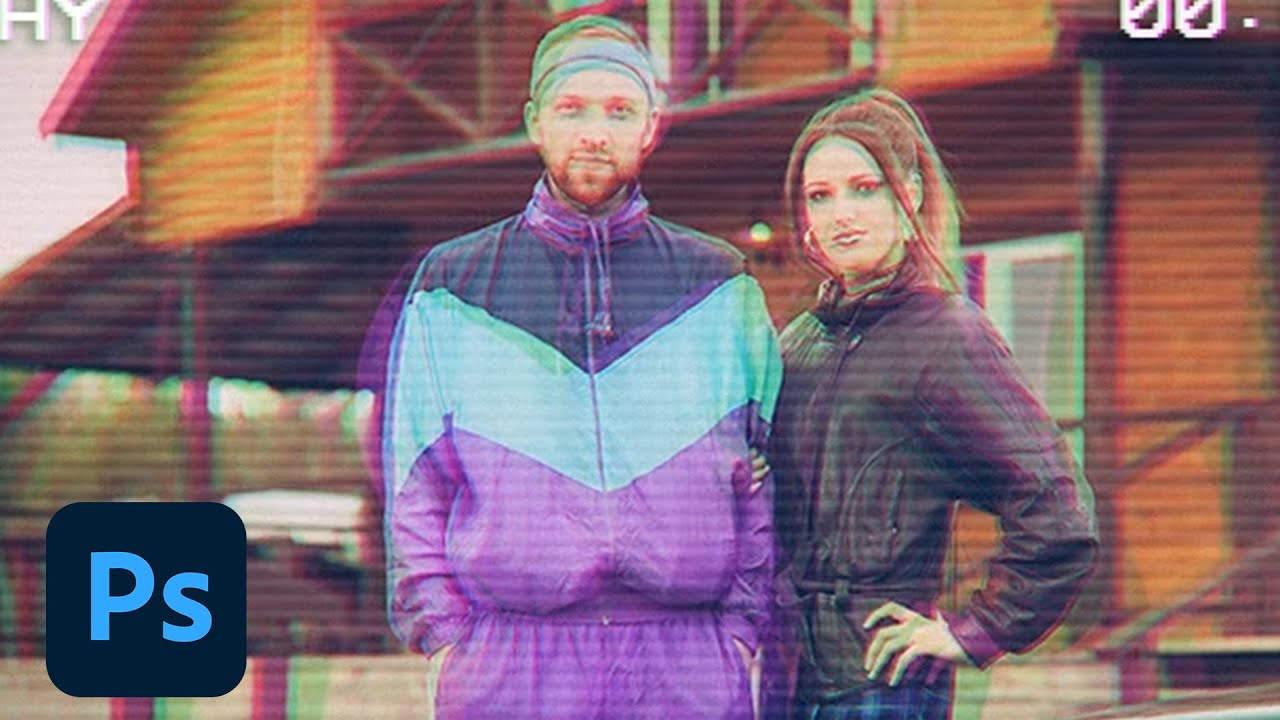
Join your host each morning at 9:00am PT to learn how to approach each challenge using Photoshop. Complete 9 challenges by Friday, September 13th and you’ll be on your way to sharpening your skills. Get your questions answered, see what the community is creating and get fee...
 autumn vapor
Retro Challenge 📹
Weird thing was that I didn’t realize until after I selected it that this photo was exactly 1 year ago.
onyx mortar
having major dejavu suddenly @autumn vapor
 fallow bough
My first bootleg VHS was a copy of Star Wars. It came from a film transfer without an anamorphic lens so everyone was tall and skinny. Got it in 1979 long before film was released for home.
fallow bough
@young karma Love the moiré pattern addition
 fast moth
Day 7 Retro Effects
fallow bough
Don't know why but my updated version keeps getting blocked with the message: "Woah there! The owner of Adobe Photoshop has requested that Discord block any messages our mostly-accurate robo-hamsters deem to be explicit. Seems like you found one, so your message has not been sent. Please be nice." Happens even if I just post file with the name 2.jpg and no text.
VHS was never as sharp as the file I posted so I added blur and decreased clarity. Not sure how first one came through but the further distressed one is blocked.
 distant pike
 upbeat dirge
My take on the VHS effect
 thick vale
Retro Effects 😀
 keen granite
Challenge 7 Retro Effect
Challenge 7 Retro Effect ....I couldn't decided which I liked better 😀 Super fun challenge!
 blazing quail
VHS retro
honest gorge
Challenge #07 🔙 ⏰
 pulsar walrus
tacit condor
pulsar walrus
tacit condor
PS Daily Challenge #7 - Retro Effects
pulsar walrus
 trail field
retro teacups 😀
fallow bough
Wonder which tripped it. Hans, Luke or Obewan?
onyx mortar
before & after doing the Retro challenge. I'm a bit behind on the other challenges but plan on watching them when I can!
fallow bough
Checking to see if original gets blocked this time.
 fringe thicket
fallow bough
fringe thicket
fallow bough
Nope. Algo allows unblurred copy to come though. So odd.
glacial path
huh strange
onyx mortar
@fallow bough where'd you get that tracking texture?
glacial path
I think we can all imagine the original 🙂
fallow bough
Just did online search for VHS noise. Found tons.
 junior needle
VHS Challenge , I hope you like it ☺
pale lichen
Tomatoes in RGB
 olive cosmos
 snow dock
fast moth
snow dock
fast moth
@bleak fossil@woven banemöbest
thick vale
@snow dock 1) creates lines in blend in illustrator 2) copy to photoshop and then apply blur filter, just a little, 3) in layer put the lighten and that it's. 👌🏻
errant knoll
Challenge#7
 neon oracle
Day 7
Original Photo By Daniel Jensen On Unsplash
For some reason this effect reminded me of retro horror movies, so I went for a creepy retro vibe on this one.
 wanton charm
Hello there. first time doing this. I really enjoyed Jesús' challenge/tutorial today. I combined it with a really cool style I'm obsess with lately, inspired by Joe Cavazos. I took this shot of two friends dancing at one of the local night spot here in Boston MA where I live.
coral stone
@neon oracle loved your work! Great job! 😱
 kindred kernel
😀
high mesa
Went for the old school 4:3 format
 plain sable
Challenge #1 a bit behind on this cycles challenges... Started with adobe capture
Painted the flower only, the background is the photo at 40 opacity with a gradiant
pale lichen
Forgot to add an original shot...
cold cedar
PsDCC7 Retro Effect. That was fun. Now I have to find one of my 90s images to use.
neon oracle
@coral stone Thank you!
nimble shardBOT
Gave +1 Creative Carma to Valdair Leonardo
 unkempt field
Day 7 - PS DCC Retro Effect
coral stone
Me too @cold cedar This challenge is making me search for my photos when I was a child 😂
 forest ivy
Day 7 Retro Effect. I went for a "Beginning of a Horror Movie" look.
 elder basin
 keen pendant
fallow bough
keen pendant
fallow bough
@high mesa I don't think anyone ever produced a widescreen VHS so 4:3 is perfect. Widescreen 16:9 films on VHS had black matte at the top and bottom.
 willow nebula
Day 7 - Retro or just an urgent need for new glasses?
 nova swan
Day 7 Retro Effects
 mint mesa
Trying to catch up, here's day 6. The color adjustment technique is really useful!
original
 magic hedge
Challenge #7 I found my old picture with that retro tracksuit, it really was popular 😀 Original
gilded pelican
@plain sable Love the flowers!
Wow that retro effect is super cool, can't wait to try it tomorrow!
 zealous stratus
bleak fossil
zealous stratus
bleak fossil
@fallow bough Hah, I love the image and the information behind it. Very cool to be able to apply the challenge in a nostalgic way like this. I can’t say I remember a time before VHS. Great job on this image and nice balance between the color shifts and static effects. Looks great.
@junior needle Very nice, really liking the color shift effect and text you added. I think a little bit of desaturation and maybe even some slight static lines could really add to the retro effect. Nice work!
@fringe thicket Nice work on this one Chocolita! The color shift and horizontal lines definitely give it a nice feel.
@onyx mortar Looking good Kristine! I really think the more washed out effect helps a ton in getting that older VHS feel. The texture and horizontal lines are a really nice subtle touch too. Nice work!
@olive cosmos Looking good Marcin! The masking looks clean and the color changes are convincing. Nice work!
@trail field Ooh, really cool effect. I think if you wanted to push the retro effect having a more subtle shift/separation in the colors might sell it better (so the colors don’t extend out as far) but I think the effect you got on this one is pretty interesting in its own right. Nice work on this!
@tacit condor Nice work EMx! The effects are looking really solid and work well together. Great choice of text as well. I feel like maybe the overall image quality could be downsized to add to that aged VHS look since this image looks so crisp and high resolution. But that’s more a personal taste thing. Nice work!
@honest gorge Ooh, nice subject matter for this challenge. I really like the sort of neon colors on the car. Works as an aged VHS effect but also adds to that 80s/90s flair. Looking good!
@blazing quail Nice work Ant! The color shift is looking solid. I wonder if making the sort of horizontal line texture a bit more prominent might help. It also might help to either desaturate the image slightly, or lessen the contrast so the darks aren’t quite as deep. Might help sell that aged look more. Well done!
@fast moth Looking good Camilo! The green definitely seems to fit in with that cold temperature lighting. I think it’s looking solid so this piece of advice is just for future reference or if you wanted to push this further, but I think a key component to recoloring images is to make sure there’s hue shifting going on between the light and shadowed areas. That’s why oftentimes just using a flat color over on an object on a color layer doesn’t always look the most natural. For example, in a warm lighting situation the lighter area is typically warmer, and less saturated, whereas the shadow might be a bit cooler temperature and slightly more saturated. In cool light it’s usually cooler highlights, warmer shadows. As long as you get a little of that hue and saturation variation the objects should look pretty natural. Just something to consider. Nice work on this, he fits in nicely, and the reflection is a great touch!
@keen granite Oooh, love this effect, especially on the image with all the TVs. I was going to suggest static lines, and/or possibly desaturation the colors a bit as well as lightening the darks of the image for a subtle more aged washed out look. I think that could still help push the retro feel, but something about the top image with the TVs seems to work well on it’s own as it is now with the more bold saturation and colors. Great work on these!
@thick vale WOW, love the effects on this and the direction you took it. You definitely transformed the image. Really liking the color choices too, really pushes that 80s/90s vibe. Great balance of shapes as well!
@wet thistle Nice work on Day 6! It fits in so well it took me a minute to realize what the change was even though it’s a large scale color change. Fits in very naturally. Great clean work on the masking too. I like how the blue color now makes the red gramophone really stand out. Nicely done!
@candid chasm Nice work on the Day 7 challenge of the steering wheel. I think the more subtle effect suits this image a bit better, since I think the warped effect is easily exaggerated by the roundness of the wheel. Very easy for it to look overly distorted. Since this is such a high quality image I wonder if lightening up the darks of the image to give it a slightly more washed out look would help push that aged feel. Looking good!
@upbeat dirge I like what you did with the colors on this one. I think the more muted tones really help push that aged feel. I think you could probably push it even further if you wanted to by lightening up the dark tones a touch to give it a slightly more washed out feel. I think just a bit of that would push that look. The grain is a nice touch too!
 ruby panther
Day 7 VCR
hidden pendant
Challenge number 7 Retro Effect. Am trying my best to use my own images for these. Figured kids in traditional costume at a Youth Festival is something that would be recorded, and in traditional dress you can't pick a year.
Original
 pulsar sparrow
this is my day 7 Any feed back😉
 wet thistle
Day 7 - Original
Updated
Thank you @bleak fossil I had some issues with the chain, at the end I thought, the hell...I turn it into blue as well... Would you know an other way to keep the chain in original state?
nimble shardBOT
Gave +1 Creative Carma to SamPetersonArt
 kind walrus
candid chasm
kind walrus
candid chasm
@bleak fossil yees, i thought the same after look at both version... Well, i didnt think about the dark part, so i tried and this is my result.
plain sable
@ruby panther did you do that son with Illustrator or photoshop?
ruby panther
@plain sable I used PS but the right side kept changing as I worked on the image. I turned it into a Smart Object and liquify it. It's not what I started with. Not sure why it smoothed out???
honest gorge
Thanks @bleak fossil 😊
nimble shardBOT
Gave +1 Creative Carma to SamPetersonArt
gilded pelican
Day #7 soooo cool, brought many memories, the date on this picture was the release of the movie Desperate Looking for Suzanne. Thank you for this challenge and the lovely memories! by the way, I had a Beta and VCR 😆
 lethal mural
@magic hedge Great job! I love the track suit!
@gilded pelican I barely remember having a Beta!
magic hedge
@lethal mural Thanks 😃
nimble shardBOT
Gave +1 Creative Carma to Jesús Ramirez
lethal mural
@zealous stratus what did you do to Nemo?! lol Great job on the color change!
lethal mural
@forest ivy Great job on making it look like a horror movie!
young karma
VHS Effect
 sturdy vault
07 Retro Effect
 thorny sedge
DAY 08 SUBMISSION 2
honest gorge
Challenge#08
thick vale
3d Photoshop TEXT😀
 silver trench
CITY - Glass Reflective Text
blazing quail
Day 8 - 3D text
kindred kernel
😀
grave meteor
@lethal mural love to hear any feedback on my work
 dusty pond
Challenge #8
pulsar walrus
high mesa
This tutorial has answered quite a few questions I had, thanks Jesus
 bold valley
Day 8 WOW! says it all. This took some time. Learning is fun.
nova swan
Day 8 Challenge. Learned a bunch!
glacial path
@unborn nimbus Well done! the effect looks seamless and I love the new color 🙂 Just make sure to also adjust the glow to match the green
@young karma Good job on the scan lines! The color separation works well with the overall retro effect (and so does their clothing 😄 ) I also like the desaturated colors
@thorny sedge I like the green-magenta distortion in combination with the text 🙂
Maybe you can scale up the scan lines a bit so they're more visible
 edgy idol
Ah! I was out in Utah for the past few days with no reception so I am just now getting to watch the videos. Here is Challenge #5: Create a Panorama (something I have been doing for my instagram posts by eyeballing it with my crop tool before this lesson 😂 ...needless to say, I am sooooo excited about this!) & that content-aware scale is so crazy! 🤯
& 1 more for Challenge #5 because I was so excited to play with it 😀
fallow bough
Not exactly what I wanted but will do. Struggled to get decernable reflection on text.
glacial path
@edgy idol wait... are those trees real 😮
@edgy idol the panorama looks awesome (and I also like the presentation 🙂 )
@nova swan The shadow and text look natural and I like the cool colors in the background 🙂 If possible, try to cool down the shadows a bit until they match the real ones
edgy idol
@glacial path They are real... isn't that crazy?! They are in Glenorchy New Zealand.
@glacial path and thank you 🙂
nimble shardBOT
Gave +1 Creative Carma to evil
glacial path
@bold valley the texture looks epic! I would probably center the text vertically to reveal more of the beautiful sky 🙂
fallow bough
A bit better. Odd that reducing the image bit depth to 8 bits/channel helped. Changed to 32 when Environment IBL grumbled and washed out the imported background.
glacial path
@high mesa nice. Love the copper color and the soft shadows 🙂 I think you could probably crop the brick wall a bit to really direct the focus to the main subject
pale lichen
3D txt in the Dunes 🙂
glacial path
@fallow bough yes! The second version looks much better and the water reflection is pretty much spot on!
to mimic the distortion in the water, try either the "ocean ripple" or the "glass" filter in the Filter gallery under "Distort"
this is the ocean ripple effect
and this is the glass effect
fallow bough
Had weird bug when using text to create 3D extrusion. Had "knockouts" where H and V character components met. Rendering text layer first fixed.
@glacial path Thanks
nimble shardBOT
Gave +1 Creative Carma to evil
willow nebula
Day 8 - 3D text - PS kept crashing when working on the environment setting,, I couldn't see the colours, so I finally gave up and rendered without being sure of the result. So this is it ...
neon oracle
Day 8
Original Photo by Sean O. on Unsplash
coral stone
@neon oracle that's so creative. I loved it ❤
edgy idol
Still playing catch up... so here is Challenge #6: Adjust Colors
And here is the original image
 shadow mural
3D Challenge. Took a while to figure out completely. I enjoyed it thoroughly.
edgy idol
& because I was watching the video not live... I do not know who to thank for asking about vector paths... but THANK YOU! The pen tool has been my life for the past decade, I ❤️ vector paths. Thank you @lethal mural for teaching us how to use this in Photoshop
nimble shardBOT
Gave +1 Creative Carma to Jesús Ramirez
high mesa
Cropped the image right in, to focus the attention per Tim
@glacial path - thanks Tim, yep, really does push that emphasis, cheers for that
nimble shardBOT
Gave +1 Creative Carma to evil
shadow mural
I changed it up a bit. Just to practice.
neon oracle
*Repost - I figured out how to adjust the shadow :)
edgy idol
Challenge #7: Retro Effects
cold cedar
PsDCC8 3D text. This was so absolutely cool to work on. DO let me know how to improve it, whether that is lighting, perspective, reflection.
unkempt field
Day 8 - 3D Text🙂
 forest aspen
Day 8: 3D logo
fallow bough
@glacial path The reflection was created using the 3D tool so I was unable to apply ripple directly. Exported the 3D layer as PNG with transparency, brought back in as layer and applied ripple to reflection. Ocean and Glass ripples didn't work well so created Displacement Map with existing water ripple. Since reflection is now its own layer, was also able to add bit of perspective. Long process but result definitely worth the effort.
coral stone
Hey everyone, here's my day 8. Tomorrow I'll continue adjusting the lighting especially on the extrusion part. 🙂
honest gorge
@coral stone It was very cool 😍
coral stone
Thank you so much @honest gorge 😃
nimble shardBOT
Gave +1 Creative Carma to Carla
neon oracle
@coral stone Thank you very much!
nimble shardBOT
Gave +1 Creative Carma to Valdair Leonardo
magic hedge
Challenge #8
edgy idol
Challenge #8: 3D Text Oooooookkkk... so after nearly 4 hours of rendering, I now have weird pixels that seem to be randomly in the wrong places. I don't know what I did wrong, but that was not a super fun 5 hours, I don't think 3D in Photoshop is really for me unfortunately.
forest ivy
Day 8 - 3D Text
bold valley
@glacial path Thanks Tim. I moved it down a bit.
nimble shardBOT
Gave +1 Creative Carma to evil
bleak fossil
@thick vale Wow, love the really stylized take on this challenge. The colors are great and I love how you focused the attention on the text graphics. Great style and really great work!
@honest gorge Very cool! Really nice work on this Carla! Nice work on matching the lighting and shadows. One suggestion I have would be to try and adjust the color of the shadows slightly so they match the shadow of the tree. The tree’s shadow is a little more purple and cooling down the shadow of the letters to match a bit more might set them in the scene even more. Well done!
@thorny sedge Very nice, I like this take on the challenge! I like how you’re mirroring the perspective of the buildings in your text. It could be cool to get a little of that reflection effect (even if just a little) to really situate the text in the environment and pick up some of the surrounding colors. This is also more of a possible nitpick, but I wonder if the perspective of the text would match the buildings better if we could see a little of the right side of the text for the “E” in The and “Y” in Sky. Just some thoughts. Nice work!
@sturdy vault Very nice, I’m definitely getting that retro vibe, especially with the colors of the scene. I think if you downscaled the resolution of the recording text so it’s not so crisp that might help add the aged effect to the whole thing and fit in with the rest of the image. Looks good!
@blazing quail I really like how it’s picking up the colors from the environment, nice work! The only thing that seems off is that area of the street seems to be completely in shadow. I think the front of the text seems to be working with that lighting, but the sides of the lettering seem to be in direct light which feels out of place. Maybe darkening those really bright areas down would help it sit in the scene better.
@silver trench Ooh, I like the dark moody feel of this one! The perspective and colors seem to match quite nicely. The only thing I’d suggest would be to maybe increase the contrast on the letters a bit. They seem like they could have slightly darker darks and lighter lights. A levels adjustment should make that an easy fix if you want to. It’s a fairly high contrast scene and environment so that might help it fit in more. Maybe also fainter cast shadows since there isn’t any really direct light out. Nice work!
@candid chasm Looking good Meer! The lighting and colors seems to fit well into the scene. Just from a general image standpoint I think maybe the text could be a bit bigger to be a stronger focal point, but that’s more of a nit pick. Nice job!
@junior needle Really great example how this effect can work extremely well for more simple graphic images! Very effective, really nice job with these designs.
@thorny sedge Day 7 and 8 are looking good! I think in Day 7 is could help to pixelate the recording text more to fit the rest of the image, and Day 8 it might be cool to see a bit more of a diagonal tilt on the text, with the end pointing up more. Might mimic the position of a surfboard while adding some more action with the diagonal line. Really nice job on these!
@unborn nimbus Really nice digital painting! Definitely helpful to be able to use techniques like this for quick changes for sure. Photoshop can make big changes while painting really quick and easy. Color change looks really solid!
@willow nebula Ah that’s too bad. I wonder if it’s an issue of Photoshop being more demanding of the graphics card with the 3D feature. I had an issue with that after a recent Windows update where I need to reinstall my graphics card drivers. Either way nice work, I like the depth you got with the letters. Definitely adds some nice interest.
@neon oracle Great effect with the Day 8 challenge! The transparent text suits the scene nicely. I wonder if the coloration of the shadows could be changed to something with a little more color? Maybe something with a cooler subtle blue/purple tint. Also there appears to be a little big of jagged edges going on in the text. Not sure if that’s an easy fix but that might help sell the whole effect better with cleaner edges.
@edgy idol Ooh, love that look with the snake. Purple is definitely a cool color for that. This effect is great because you could potentially go pretty wild with gradients and color combinations. Or just interesting two tone combinations like the original has between the back and body. Very cool!
@coral stone Great image, really liking how the text keeps the moodiness of the piece. One thing I notice is that the figure has some top lighting falling on his shoulders, it seems like the text is close enough it would be catching lighting on the top as well. Some light on the top of the letters might also give it a really cool mood and fit it into the scene even more. Great textures on the text.
@fallow bough Great reflections on this! Really matches the lighting and colors of the scene really well. Really liking that reflection too! I think you could even go a bit darker/more opaque on the shadow and reflections in the water. It seems like they would be a bit more dramatic in real life. Looks great!
@unkempt field Very cool! The text fits in the scene quite nicely, really liking those reflections. Looking at the chairs in the background, it seems like perhaps the lighting could be coming a little more from overhead so the shadows of the text aren’t quite as long and fall a little more directly underneath them. More of a nitpick than anything but just an idea. Nicely done!
@cold cedar Yeah, the 3D capabilities in Photoshop are super interesting with how you can integrate them into an image. Really liking the reflections, thought they seem a bit wild on the inner part of the text, not sure what is causing that. My only real suggestion would be to maybe try adding a little bit of grain and/or even a super super slight blur. Right now the 3D portion looks a little unnaturally clean and crips compared to the rest of the image. A little bit of grain or ever so slightly softer edge might mesh it with the rest of the image more. Though you’d want to be careful to not overdo it.
@vagrant sorrel Wow, great job with Challenges 6 and 8! The color changes look really clean and convincing and the 3D looks great. Nice job matching the lighting as well. I especially like the rustic letters, they fit into the scene very well.
cold cedar
@bleak fossil Thanks. The wild reflection actually comes from the building on the other side of the river. I will try adding some grain and blur. I am still playing with the 3D on other images and text. Here is one I just finished — for the moment.
nimble shardBOT
Gave +1 Creative Carma to SamPetersonArt
willow nebula
@bleak fossil It’s just frustrating, I have to fix this graphic card issue. Thanks for the comment!
nimble shardBOT
Gave +1 Creative Carma to SamPetersonArt
fast moth
Day 8 3D Text
young karma
My creation to make a picture retro. This picutre was made at the memorial place in Scheveningen, the Netherlands. Its a rememberance to the victums that have been executed during the second world war, at that specific place. Jesús has explained the process excellent!
high mesa
@young karma - great effort; sent u a message in chat
 gentle sparrow
Day 8 - 3D Text
coral stone
Thank you so much @bleak fossil, I’ll make the adjustments 😀
nimble shardBOT
Gave +1 Creative Carma to SamPetersonArt
candid chasm
@bleak fossil thank u so much! I will do that, I mean I think about it before but I didn't 😂 thx again
nimble shardBOT
Gave +1 Creative Carma to SamPetersonArt
hidden pendant
3d text My dog loves his time at the beach.
sturdy vault
@bleak fossil I will work on it. I enjoyed this challenge.
honest gorge
Thanks @bleak fossil I will adjust 😉
nimble shardBOT
Gave +1 Creative Carma to SamPetersonArt
ruby panther
Day 8 in Nice, France.
errant knoll
Challenge#8
sturdy vault
This is fun but will need improvement in the 3D area.
young karma
3D Word challange 🙂
edgy idol
@bleak fossil so would I make two selections instead of one to make the two-tone look? 🤔
young karma
hello from Paris
young karma
Challenge #7 Had a lot of fun playing around with this one. Enjoyed learning how to make a pattern and how to edit smart objects!
fallow bough
@bleak fossil Thanks for the feedback. Duplicated the reflection layer to darken and painted the shadow darker. Not sure in "real life" if there would be both a reflection in front and a shadow below.
nimble shardBOT
Gave +1 Creative Carma to SamPetersonArt
edgy idol
Until I find a cooler way to export this, here is Challenge #9: 360 Photo Editing
 tidal patio
Wow nice
 chrome glacier
Cut-out challenge. Got a little behind!
I feel like it could blend just a little bit better? But I'm not sure how...
neon oracle
Day9
A little short on time today, so it's not pretty, but I managed to take out the table and make some colour adjustments. I was hoping to work with the other image, but I kept receiving ICC version errors (not sure what this means).
chrome glacier
I can't find the slice tool in my Photoshop. It is not under the crop tool.
CC 2019
Okay I did find it but it is not snapping or looking like it did in the tutorial. I'll keep doing research but having a tough time with these slices.
 vagrant sorrel
Thank you so much @bleak fossil
nimble shardBOT
Gave +1 Creative Carma to SamPetersonArt
honest gorge
Challenge#09
 dusk pike
PDCC Day 8
kindred kernel
😀
young karma
Challenge #8 3d was a little easier to use this time, but still a huge challenge for me, but its definitely fun to learn it more! Any feedback is greatly appreciated!
keen granite
Challenge 8
willow nebula
Day 9 - I switched the season into fall and added yesterday's 3D text, as someone in the chat asked if that would be possible and I was curious about it. Well, it seems to be possible 🙂
tacit condor
PS Daily Challenge #8 - 3D Metallic Text
sturdy flare
@honest gorge I really love how you made it look like a sunset! That's super cool! Did mask a sunset photo on top of the sky?
***did you mask a sunset photo?
@young karma , it's nice, maybe you could try reflecting the text off the water a bit more?
Cool photo @keen granite !
@willow nebula , I was wondering about that too, it's so awesome that we can add the 3D text! Thanks for testing it!
nimble shardBOT
Gave +1 Creative Carma to Hilde
sturdy flare
@tacit condor , that's a cool photo! If you tried turning the text color another shade of red, perhaps the one in the photo, it might blend better.
ruby panther
My 360 in Boston. Check out the interactive photo and others at www.roundme.com/@kosel.
 long creek
Hi, I was trying to capture with One plus 5T Mobile and used text on Panoramas image. Please check and please provide me valuable feedback.
honest gorge
@sturdy flare Yes I took a picture of the sunset, selected the trees, added the mask and adjusted the color to the same as the environment 😊
 unborn nimbus
Creative Challenge 8- 3D Words
sturdy flare
@honest gorge That's awesome, it looks lovely!
coral stone
@hazy cosmos check this out 😉 https://www.behance.net/challenge/photoshop/5d682ec0e4cd6

Daily Creative Challenge
Also if you go to https://www.behance.net/challenge/photoshop and scroll down the page, you'll find several previous challenges 🙂
Daily Creative Challenge
 hazy cosmos
wicked thanks
coral stone
You're welcome 🙂
keen granite
Thanks @sturdy flare 😀
nimble shardBOT
Gave +1 Creative Carma to KandyKittens
cold cedar
360 Pano Well, it's not what I had hoped but here is what I got.
bleak fossil
@chrome glacier Nice job! I feel like the masking/cut out job looks great, the thing that might help is matching the lighting/colors a bit more. The room has a very dimly lit look to it where the object is. The orange wood looks a bit too warm/saturated as well as too bright to look like it fits in. And the back of the object could maybe be separated just a touch from the bench behind it. Maybe something like this?
@unborn nimbus Looking cool! I think this effect would be especially tricky on a drawing/painting but I think these effects do a nice job. Maybe desaturating the colors a touch would help add to it?
@edgy idol Very nice! This would be a cool one to see in 360 degrees especially for a group photo.
@fallow bough Yeah, you might be right there. I feel like I’d have to find a similar reference to really see what’s going on, hah. Though I think the deeper reflections really help set it in the scene more since the reflections from all the other structures are quite dark. Nice work 😄
@young karma Looking good, you really captured that old digital photo look. I like the color shift on the text as well, it’s a nice touch. Well done!
@young karma Nice work Evap! The text is looking really good. Maybe it would help if the X was picking up a little of that pink lighting/coloration in its reflection a bit? Might help set it in the scene that much more.
@edgy idol I think the purple of the snake is pretty cool as is, but if you wanted to go more two-tone you’d probably want to keep a single selection but work with a gradient or soft brush to sort of airbrush a second color if for the belly/top. It might require a little finesse to make sure you’re only affecting the parts you want though.
bleak fossil
@errant knoll Challenge #8 is looking great! Really love how you played with scale in that image, gives it a big impact. You did a great job making the “o” and “m” appear underwater but I think that effect could be applied more to the lower part of the “d” and the very bottom of the “e”. I think once you do that it’ll read a bit better. Nice work!
@wet thistle Really nice work, the masking looks great! Very nice job. Looks clean and the hair looks really solid too, which can definitely be tricky. My only suggestion would be to maybe use a levels adjustment to increase the brightness of the girl just a bit. It seems like that might help match her in with the other figure and the rest of the scene. Great job!
@unborn nimbus Ooh, really nicely done. The colors look great and you did an excellent job with the lighting to fit it in with the scene. My only suggestion would be to maybe increase the brightness of the “N” at the top just a bit so it reads a touch better. Great work, really nicely composited image!
@tacit condor Challenge 8 is looking good! I really like the boldness of the text. I wonder if the text could pick up a hint of color from the surrounding environment while still being red, might make it fit into the image some more. Just a thought, nice work!
@willow nebula Very cool! I was curious if someone was going to combine these two challenges. Very cool to see you can do both, nicely done!
@keen granite Really cool! Love the colors and overall calm/peaceful feeling. I think this particular image might be even better without the text shadow since the text seems to be floating in the air. Looks good!
@young karma Nice work! Working with 3D elements can definitely be tricky. I feel like perhaps the perspective of the cast shadow of the text could be adjusted? Maybe shorter shadows than lean a little more to the left? Might also help to not have the crop so close to the edge of the text, feels a slight bit cramped. Other than that it looks great, nicely done!
@dusk pike Ooh, cool take on this challenge. It’s neat to see someone try a different shape aside from text. My only suggestion would be to have the heart casting a shadow that matches the direction of the other shadows (like the trees) in the scene going to the left. Might sit it in the scene even more. Great reflections!
wet thistle
Thank you @bleak fossil for giving me feedback, I will go with your suggestion to increase the brightness of the girl.
nimble shardBOT
Gave +1 Creative Carma to SamPetersonArt
unborn nimbus
CC9- playing around with 360 panorama pic, really great tutorial, learnt a lot!😋
 thorn geyser
Day 7
fallow bough
Day 9 as animated gif. Had to reduce size and color depth plus crop to allow upload.
 high wharf
#day 1 challenge
#day 2 challange
#day 2 challenge - my edit (kinda sucks lol)
#day 3 challenge
#day 4 challenge
#day 5 challenge https://www.instagram.com/p/B2cbi7SBjtC/?utm_source=ig_web_copy_link

Instagram
1 Likes, 0 Comments - Jesse Sicinski (@designed_in_darkness) on Instagram: “Just a little composition I did to practice panorama uploading. @jrfromptc Thanks for all the help!”
#day 6 challenge
#day 7 challenge
#day 8 challenge
coral stone
Beautiful project @high wharf! I loved your 3D work ❤
high wharf
#day 9 challenge
Thanks so much @coral stone I had so much fun doing these challenges. I learned so many new and wonderful things. a few bumps along the way, but hey, that's how we learn.
nimble shardBOT
Gave +1 Creative Carma to Valdair Leonardo
coral stone
I totally agree @high wharf. I've been learning a lot since I started doing the challenges, things that I didn't even know that Ps could do 😂
 spare pendant
tacit condor
spare pendant
tacit condor
PS Daily Challenge 8 - 3D Metallic Text (redo)
young karma
@bleak fossil Better?
dusk pike
@bleak fossil Thank you for the feedback. I couldn't work out why I didn't have any shadows, but I have played around with the camera controls and got them back. Is this better? I think so 🙂
nimble shardBOT
Gave +1 Creative Carma to SamPetersonArt
trail field
creative in photoshop I do have a website so I you want to go and check it out you can https://kirstysfantasticphotos.webs.com
Kirsty,s Fantastic Nature and Landscape Photos
Feel frea to find me on photocrowd.com
tacit condor
PS Daily Challenge #3 - Select & Mask
chrome glacier
Thanks so much Sam. I'll try it out. I'm still going to do the other challenges even though I missed the deadline, lol.
Thanks for the feedback - I think this is a big improvement over the first one I posted.
 pallid wagon
😶
tidal patio
Hi
 rain palm
Hi For some reason my first challenge window is still locked , any idea why ?
 muted flare
it will be unlocked september 17th, 8am PT
rain palm
thanks, is PT pacific time as I am GMT
muted flare
yep :) so it should be posted in about 5 and a half hours
rain palm
thanks a lot, I may need to do my challenge the next day then ;), I hope I can do them as I am new to photoshop but thought it would be a great way to learn more 🙂
muted flare
you'll get a chance :D timezones are butt hahaha
im sure there'll be lots to learn when you wake up
 undone tinsel
Adjust Color
gilded pelican
Better late than never here is challenge #8
And Challenge #9 that it seems I did something different
 gentle isle
wow i love these wonderful creation posted here.
 lyric dome
@gilded pelican Loove this! what was your thought process for Challenge #8 ?
 sacred rain
lyric dome
sacred rain
lyric dome
If you're wanting to watch todays challenge & tips, watch here. https://www.behance.net/live/adobelive?tracking_source=live_hero

Join us right now to get inspired by leading creatives. Get your questions answered and share your work with the community.
@agile ruin is teaching us how to use content aware tool, spot healing brussh tool etc
trail field
PS daily creative challenge
young karma
Thank's Klady!
trail field
wow great image @young karma
young karma
there are still many things to correct, but given the time I can say I'm satisfied
trail field
lthe same with me @young karma
young karma
@trail field now, from this we can improve our image!
trail field
yep I agree @young karma
 celest plume
Final here:
trail field
wow great shot @celest plume
 analog brook
First Challenge final
coral stone
Great job! @analog brook and @celest plume
 hasty coral
Challenge 1 with Kladi. Really cool street art. I will be looking up Bip. 😄
lyric dome
Very nice @hasty coral !!
hasty coral
@lyric dome thank you
nimble shardBOT
Gave +1 Creative Carma to Temi Coker
hasty coral
@analog brook I like your crop. Looks really nice
young karma
And now, let's start playing!
analog brook
Thank you @hasty coral and @coral stone
nimble shardBOT
Gave +1 Creative Carma to Valdair Leonardo
 robust bone
 urban kite
My 1st Daily creative Challenge
candid chasm
Original
edited (I know... I can work more on it, but I dont have time right now haha)
cold cedar
PsDCC1 - Kladi - Replace an object. Wow, I was able to do this much faster. Must be all these challenges enhance my skills.😉
@candid chasm Well, I think that's really good for a quick job!
bleak fossil
@tacit condor Looking good! Just for presentation purposes it might help to have the Before and After text smaller up in the corner so it doesn’t take away from the images. Nice work on the masking! It might help to use a mask to fade off the lightening adjustment you applied to the girl around the bottom, to mimic a little bit of shadow lower down while also brining more focus to her face. Nice work!
candid chasm
thank u @cold cedar 🙂
nimble shardBOT
Gave +1 Creative Carma to ValentinePierce
coral stone
Great job with the lightning adjustments @edgy idol 💯
edgy idol
Thank you @coral stone
nimble shardBOT
Gave +1 Creative Carma to Valdair Leonardo
bleak fossil
@dusk pike Very nice, much better! I’d recommend trying to cool down the shadow a bit to match it to the cooler subtle blue/purple tone we see in the other shadows in the scene. I’d also go ahead and mask out the shadow of the heart where it’s showing on the building to the left since it looks like the shadow would basically continue down the little pathway and not really hit the building. Changes are looking good!
 spare sorrel
bleak fossil
spare sorrel
bleak fossil
@young karma Very cool! I think if you wanted you could probably fade off the pink color just a touch as it moves to the right, but I definitely think those pink tones help set it in the scene more convincingly. Looks very nice!
 mental venture
Here is my final for Day 1! Fun challenge!!
cold cedar
@hasty coral Very nice!
 lofty saddle
Day 1 🙂
cold cedar
@mental venture A bit of grain goes a long way!
young karma
Quick work 😉
 bright inlet
#dailycreativechallenge with kladi
blazing quail
Day 1 - removing distracting objects
edgy idol
And the edits on the original starter file for Challenge #1... figured I'd upload it since I played with it
bold valley
DCC Day 1
 crimson glacier
DCC day 1
pulsar walrus
crimson glacier
After
cold cedar
@spare sorrel Nice how you removed the building reflection from the window.
 agile hawk
young karma
agile hawk
young karma
!rank
 icy cargoBOT
 Alexandre Becquet, this command is disabled in this channel
 potent mesa
some kitty is watching you:)
 serene spoke
@agile ruin @bleak fossil @lyric dome Done with DCC 1 😇 !!
 steady coyote
potent mesa
steady coyote
potent mesa
added the roof back
dusk pike
@bleak fossil I have altered the angle of the light and that has taken the shadow away from the building, but I am struggling to alter the colour of the shadow. There are so many settings to play with, it is such a steep learning curve! Thanks for all your feedback 🙂
nimble shardBOT
Gave +1 Creative Carma to SamPetersonArt
bleak fossil
@dusk pike Or even if you could just isolate the 3D layer after you add it to the image, not editing the actual 3D setting, but after you have it as a normal layer selection just the shadow segment and doing a hue adjustment might be easiest. If that makes sense.
high wharf
Need some help, I am using PScc version 19.1.9, up to date, and I do not have the new content aware fill with the brushes and window panel, only the older version. I am using a PC, not Mac, anyone else have this issue or info?
bleak fossil
@high wharf Hmm, I'm not actually sure off the top of my head, but you might want to post this in the ask-a-question section since this one will likely be flooded by image posts pretty quickly.
 blissful wolf
Day 1 - I mostly work with my own pictures, but nothing I had matched this example, so here its my version
honest gorge
Challenge#01
hasty coral
@cold cedar thank you.
nimble shardBOT
Gave +1 Creative Carma to ValentinePierce
 torpid terrace
DCC Day 1 and my first ever DCC in the chat.
potent mesa
replaced background added a one of my watercolor sketches
gentle isle
This is my very first challenge. Did i got it right??
 agile ruin
@edgy idol well done! love the way you have enhanced the photo as well 🙂
edgy idol
@agile ruin Thank you
nimble shardBOT
Gave +1 Creative Carma to Kladi Printmysoul
agile ruin
@candid chasm that's so cool! amazing stuff you can really see the artwork pop ! 👍
@steady coyote that's so fun lol!
@blissful wolf you have done a great job! I would put a layer effect on top to make sure you color match the sky and the image so the light of the composite id unified (sky and original have the same light) if you don't know how to do that don't worry we'll go over it next week 🙂
@potent mesa that's cool! would be great to see the before image as well!
@gentle isle yes you got it right! awesome work!
 glad steppe
😍
candid chasm
Thank u so much @agile ruin not just for the feedback... The tip that u teach today is amazing 😁😁😁
nimble shardBOT
Gave +1 Creative Carma to Kladi Printmysoul
agile ruin
@torpid terrace whoo hope you enjoyed it! you did an awesome work. I would work a tad more to color match the sky but we will do that next week so you can push your content even further and make it super realistic! well done 👏
glad steppe
Thank you very much Kladi Printmysoul
agile ruin
@candid chasm happy that is useful Photoshop has so many feature that are worth exploring! Thank you for joining the challenge !
nimble shardBOT
Gave +1 Creative Carma to Meer
blissful wolf
Thank you @agile ruin ! I will try that
nimble shardBOT
Gave +1 Creative Carma to Kladi Printmysoul
agile ruin
sure no problem! @blissful wolf and feel free to give me a shout if you want me to review the updated version 💙
blissful wolf
@agile ruin, thank you! I will!
nimble shardBOT
Gave +1 Creative Carma to Kladi Printmysoul
 hearty wharf
hello all - here is my challenge with the file from @agile ruin - thanks!
nimble shardBOT
Gave +1 Creative Carma to Kladi Printmysoul
hearty wharf
and here is one for fun ... 😀
 fierce rune
Day 1 Challenge Before and After
 lone hare
Challenge 1
gilded pelican
@lyric dome Thank you soooo much, the lines gave me the idea of speed, so I 'd just wrote the word in 3D. 😋
nimble shardBOT
Gave +1 Creative Carma to Temi Coker
potent mesa
young karma
I used the content aware fill tool multiple times, but I also used spot healing brush and .... UU... Clone Stamp 😛 I took away the water pipes from the fountain, the bench and some distracting details around the trees. Thanks for showing me the Content Aware Fill.. i really didn't know about it!
This is a picture I made In Santa Cruz de Tenerife! I was walking through a beautiful park and just made a picture of a fountain that is in the middle of that park. I wanted to share this picture in my instagram but now I can also share what was the most amazing about the setting!
willow nebula
DCC Day 1 - Replace an object and try make the artwork shine 🙂
lyric dome
@dusk pike Wow you did such a great job!
@acoustic bone Yours looks great as well! My onyl critique is you can see the grass is a little higher on the after pic, but apart from that you did an amazing job!
@willow nebula woah that is very nice! What do you think about the content aware tool update 🙂
willow nebula
@lyric dome Thank you! I like the tool, I never used it before and it really saves tons of time. So thank you @agile ruin , also for showing how to make a project on Behance 🙂
nimble shardBOT
Gave +1 Creative Carma to Kladi Printmysoul
 safe linden
challenge 1
 west arrow
Challenge 1
Yes, feeling proud. I learned something new today!
plain sable
Challenge #1
edgy idol
@safe linden I love how you added the sky's reflection in the windows
 short mica
dusk pike
short mica
dusk pike
@lyric dome Thank you! So pleased to have learned how to do this. Thanks to @agile ruin for the challenge
nimble shardBOT
Gave +1 Creative Carma to Kladi Printmysoul
 thick portal
bleak fossil
thick portal
bleak fossil
@kindred kernel Very nice work Gerard! I feel like something as heavily textured as grass and clouds could be tricky but you did a great job, it looks really natural. If I had to nitpick I think you could make this area of clouds have a slightly softer edge, but that's fairly minor. Great job!
@mental venture Looking good Meryl! The edits are looking nice and clean, well done!
@spare sorrel Looks great! I like that you kept the street light, reinforces the city feel and adds a little visual balance to the image. Nice work!
 plush jolt
Attempted to edit out the other tourists from some vacation snapshots using the techniques from today's video!
forest aspen
Day 1: I played with two images; one I took in the plaza near where I work, and some grafitti from Pixabay.com. the before images are on the right, while the after images are on the left. All images have had a pass through camera raw before starting the removal process.
blissful wolf
Day 1 updated. What do you think @agile ruin and @bleak fossil ?
 timber spear
Day 1:
young karma
Challenge #1 This was a pretty cool feature to play around with!
Did a few more simple ones just to play around as well 🙂
 regal prawn
Challenge number 1
 acoustic bone
@lyric dome thanks for the feedback! Is it better now?
nimble shardBOT
Gave +1 Creative Carma to Temi Coker
 wooden cradle
Day 1:
sturdy vault
Before- I did have to use the clone tool some. The band aid tool did not work properly on the shades. Content aware worked great. Constructive criticisms always welcome. Help me get better.
After 01
@plush jolt good job.
@acoustic bone now it looks like an all girls day.
@ tannrbooth looks good however, What is the green blob next to the runner in the after? If it was removed the picture would be much cleaner.The road line looks great and you did a great job remembering to remove her shadow.
@forest aspen Thank you for sharing the fall image. You did a wonderful job removing all the distractions so that the focus is now on the foreground.
nimble shardBOT
Gave +1 Creative Carma to Marie
sturdy vault
@plain sable Great job removing the person on the steps and adding a beautiful sky. I wonder how it would look if you added some of the cloud reflection in the upper windows now that there clouds. Notice the reflection of the trees on the lower level.
@hearty wharf ha. now you see it now you don't. How fun.
agile ruin
amazing work @plush jolt nice to see you practice on your own photo!
great work @acoustic bone ! Love to see the new technique in action 👏
@wooden cradle nice work enhancing the photo.
@young karma nice work! looks like you mastered it in a snap 🙂
@plain sable great job removing the object! I would color match the sky and the image to make it even more realistic maybe add some cloud reflection on the windows too. If you don't know how to do that stay tuned we will talk about it during next week challanges!
@dusk pike you are very welcome!
lunar bay
agile ruin
@safe linden whoohoo absolutely love it and love what you have done with the window reflection! Ace stuff 💙
lunar bay
PSDAILY Challenge Day 1 Retouch - Remove Object
agile ruin
Perfect execution @lunar bay if you are working with bricks again check out the "scale" option on the Content Aware fIll Workspace
lunar bay
Thank You! What does the scale option do?
agile ruin
great @west arrow try to give it a go to the Spot healing Brush tool as well! Well done 👍
@lunar bay adjusts and matches the prospective of the brick pattern! its super awesome
lunar bay
Thank you! I'll try it! Thank you for your tips that you gave over so clearly!
west arrow
Thanks for the tip! I'll try that 😄
magic hedge
Challenge #1
gentle isle
Thanks for your appreciation @agile ruin .
nimble shardBOT
Gave +1 Creative Carma to Kladi Printmysoul
high wharf
#✂challenges-feedback day 1
 lament rapids
Help! I cannot get the spot healing brush to remove the telephone lines. Any suggestions?
magic hedge
Do you have “Sample all layers” button on?
agile ruin
great reply @magic hedge ! @lament rapids if you still have problems send us a screenshot of your workspace!
bleak fossil
@cold cedar Well done! For sure, the more you use the tools and techniques the quicker the whole process and image editing gets. I’ve definitely got my commonly used tools and techniques in my painting process in Photoshop down to being pretty fast after years of doing it. Good job on this challenge!
@candid chasm Sometimes all you need are some simple quick edits. The changes definitely highlight the art nicely, looks good!
@edgy idol Hah, great work on this! The ground replacement looks really natural and the levels adjustments help a lot. The whole image has a nice vast/barren feel. Very nice.
@RomelMahmud#7178 Great work, edits are looking really clean and solid!
@potent mesa Hah, wonderful addition of the Heavens Cat watching from above. The edits are looking really clean too. I like the person walking, street light, and cat all towards the left side of the image, they add a nice visual balance towards that side of the image. Looks good!
@dusk pike Really nice, you did a great job on the car removal and it really helps the image too. Definitely focuses the image better. Edits looking really clean!
@blissful wolf This image is definitely a good one for this challenge. Your edits are looking really nice and clean and I really like the sky replacement. My only suggestion might be to tone down the saturation of the sky ever so slightly since it's such a strong color contrast to the rest of the image. Might make it a little less of am focal point. Looks good!
@serene spoke Well done! The edits are looking really nice and convincing. Great job with the item removal! Glad you're joining us for this DCC :D
@agile hawk Interesting take on this challenge! The edit is looking good, nice job on all the masking. I wonder if the wall could use a slight brightening up via a levels adjustment to better match the lighting of the original image? Hard to say, but a slight tweak might help. Really cool pattern too, nice work!
@crimson glacier Ooh, this seems like a tricky one due to the blurred background, but it looks like you nailed it. The replaced background seems to fit in nicely with the rest of the image. Nice job!
@pulsar walrus Nice job masking these out! It might help to use a multiply layer or something to darken down the bottom area of the horses ever so slightly to better help that bright yellow text to pop. Might help if there's a slightly darker background. Very cool image!
@acoustic bone Nice work, this looks like a tricky one! The background looks solid after the object removal. The umbrella addition and color adjustments work nicely as well!
@fast moth Nice work on this, the removal of the foreground shapes definitely add more visual weight to the architecture in the background. Puts more focus on that area which is nice. Looks great!
@young karma Really nice work with all these subtle changes! I like how many little things you removed and changed, definitely a good image for this challenge. All the changes look really convincing and clean, well done!
@lone hare Really cool use of the filters to make the figures look painted. The lighting looks really nice and cohesive too! Nice work on the masking. The only thing is the signature on the wall looks a bit bright to fit in that lighting, unless you were intending it to look more like a signature on the actual image rather than the wall within the image. Looks great!
@hearty wharf Nicely done! That image is a great challenge due to all the texture. It looks really good! If anything I think maybe brightening up that area slightly where the removal happened, and perhaps even applying a sharpening pass might help. Though that's nitpicking a bit, it looks quite convincing already!
hidden pendant
So I have been wanting to go through my Travel Pics for ages now I have a better knowledge of PS, and remove all the tourists that get in the way, amongst other things. Ta Prohm Cambodia. Used this challenge to do so for 1. Bit hinky in the middle, but can always go back again.
cold cedar
Thanks @bleak fossil. It is so much easier to get comfortable with tools when you use them regularly and the challenges ensure we do. Learning is fun with the challenges because we can always go back to the videos. Having the work reviewed also gets us revved to keep trying.
nimble shardBOT
Gave +1 Creative Carma to SamPetersonArt
muted flare
thats a really cool dramatic interpretation :D i think it could be more realistic if you took note of the perspective of where the roads converged (vanishing point) and maybe clean up on the smudges of light, but could work as dappled light i guess haha
 mint canyon
coral stone
mint canyon
coral stone
@mint canyon I ❤ Mom and the 🦉 hahaha Loved it
hearty wharf
@sturdy vault thanks! great job tidying up on yours!
nimble shardBOT
Gave +1 Creative Carma to pfordie
 glass vessel
Never used spot heal before, very cool tool
hearty wharf
@bleak fossil thanks so much for feedback, sam - yes, i realised that the texture was a bit unforgiving, especially making a gif ...
nimble shardBOT
Gave +1 Creative Carma to SamPetersonArt
 formal lava
plain sable
formal lava
formal lava
plain sable
@agile ruin Thanks for the input, not sure how to do the color match to the sky and I did want to add some cloud reflection to the windows removing the power lines didn't come out as cleanly as I wanted
nimble shardBOT
Gave +1 Creative Carma to Kladi Printmysoul
candid chasm
Thank u for the feedback @bleak fossil 🙂
nimble shardBOT
Gave +1 Creative Carma to SamPetersonArt
lyric dome
Excited to see what you guys create today!@
PLease let me know if you have any questions or want me to look something over for you
blissful wolf
@bleak fossil ,thank you Sam! There is an uodate version I've posted, with a desaturated sky. I'll find it to tag you, see what you think. Thank you much!
nimble shardBOT
Gave +1 Creative Carma to SamPetersonArt
 unreal crescent
Mostly followed the tutorial - but added a little something extra at the end. 😼
young karma
Here is my entry for Day1
Here is my entry for Day 1, I used one of my recent holiday pics. Busy Beach - Deserted Beach 😀
 weary lava
First time using spot-healing and content aware...usually use clone stamp, but I like a combination of the methods!
 viscid kayak
Hi everyone i'm new in here plz advise me
nova swan
@timber spear I had the same issue with a section that would not fill
edgy idol
@young karma Daaannnnng! That was a lot of people to remove! 👏🏼
viscid kayak
@young karma wow aewsome how can you remove a lot of people
young karma
Thanks @edgy idol and only one way @viscid kayak ... time! Took 2+ hours, lots of selections and content aware fill for larger areas, bit of clone stamp and spot heal for smaller details .
nimble shardBOT
Gave +1 Creative Carma to Anothai
 lilac minnow
((Before)) shot I took from the Eric Garner March in San Francisco a few years back. Reka One mural in the background
((After)) Day 1 #PSDCC
 rugged plover
DCC Fun
 mystic narwhal
My poster size is smaller. What is yours? @agile ruin
 radiant spindle
Location: somewhere in New Mexico
mystic narwhal
I did it!!!!
errant knoll
Challenge#1
trail field
this is my version of it
 zenith warren
Here is my day 2 challenge. Just did some quick masking with it and used images I had found for other challenges so it could be better but definitely a cool concept for the challenge.
Here is the before & after
trail field
wow great image @zenith warren
zenith warren
@trail field thank you!
nimble shardBOT
Gave +1 Creative Carma to kirstysfantastic
trail field
your welcome @zenith warren
 lime trellis
Very beginner here (obviously!). Couldn't get the background building out - had fun removing the people and wires though. Thank you!
thorny sedge
DCC Challenge 1: Before
After
Not perfect.
But was quite hard to replace carpet.
My first major replacement.
My own cat btw and my own photo!
short mica
lunchtime art......actually😯 extended lunch
bold valley
Day 2 First run.
kindred kernel
😀
pulsar walrus
blazing quail
Day 2
young karma
Before and after!
thorny sedge
Nice @young karma you could also try inserting a new layer, fill it with black, then go to filter > render > flame and then remove the black by changing the blend mode to screen, it may work better, but just a suggestion as there is still a little bit of black showing on your current design. Nice job though!
young karma
@thorny sedge Thank you so much!!! I will try!
nimble shardBOT
Gave +1 Creative Carma to urboisteve
thorny sedge
No worries, only a suggestion, it might not come out as well but just an idea.
silver trench
Skislands Surreal Collage - By Vandam Dezigner - 10 Years old
young karma
It is not finished....
but i used pictures of clothing I made for my BA fashion design exam. I took photos of the styles right after I got out of the examination room and always wanted to do something with them 😛 So i did now 🙂
Hope to finish it today and upload the final version!
THANK YOU ❤
sturdy flare
My cat is on top of the world! - DAY 2
gentle sparrow
My Surreal Design by Lee Dezigner 8 Yrs Old
silver trench
Skislands Surreal Collage - By Vandam Dezigner - 10 Yrs old
crimson glacier
tried to do it quick
young karma
lament rapids
I couldn't figure out how to remove the sky and replace it but here's day 1!
torpid terrace
DCC Day 2
sturdy vault
I love the surreal but I sure do struggle with it.
hasty coral
challenge 2. Surreal poster.
cold cedar
PsDCC2 Surreal Collage: Although my past is littered with Exacto knives and wax machines, I've never done an actual paper collage so hopefully the digital one passes muster. And thanks for even more menu tips @agile ruin .
nimble shardBOT
Gave +1 Creative Carma to Kladi Printmysoul
crimson glacier
A little more refined 🤔
fierce rune
Daily Creative Challenge #2
spare sorrel
challenge#2
coral stone
Great job involving the watermark in the collage @spare sorrel very creative!
spare sorrel
Thanks!! @coral stone
nimble shardBOT
Gave +1 Creative Carma to Valdair Leonardo
mental venture
Day 2!
coral stone
@mental venture loved it, especially the french fries 💯
wet thistle
Today I was at Malaga airport on my way home to Amsterdam.
When I was taking my last Spanish breakfast there I saw this graffiti art on the wall. I had to make a picture and use it for my day 1 challenge. It is painted by LaLone who is an artist from Malaga. You can see his Instagram and Facebook page for more art.
hearty wharf
hello all - here is my day 2! lost track of time somewhere ...
 wanton meadow
Before / After DCC 1 with Kladi 🙂
honest gorge
Challenge#02
young karma
I AM DONE! and I Looooove this challenge!
Thank You Adobe for having this challenge! Im so enjoying this. Now i want to go and do like a full series of this kind of work...
sturdy vault
Another version, I'm trying folks
lofty saddle
Day 2
edgy idol
Challenge #2: Surreal Collage
lyric dome
Man you guys are Killing it wow!
Love the compositions
I'm working on mine right now
hasty coral
@fierce rune I love the deer astronaut!
@mental venture I really like how yours looks like it's clipped from magazines. Big fan of your colors too.
young karma
surrealist collage
 sullen cobalt
Finally i manage to make somthing too 🙂 Day 2 challenge done.
lilac minnow
Day 2 finished! #PSDCC #Dream
 dusk verge
Daily creative challenge day 1. I can’t wait to work on today’s later. It looks like a lot of fun.
coral stone
Looks perfect @dusk verge
 hallow badge
PS-DCC- Day 1- ReplaceAnObject. My own photo somewhere in Nepal 😃
willow nebula
Day 2 - Surreal poster. I think the title might be "Stop pollution" 😉
wet thistle
Day 2
edgy idol
@sullen cobalt I ❤️ how the road goes through the lens opening of the camera
errant knoll
Day #2
wanton charm
Late on this, DCC1
https://www.behance.net/gallery/85669731/DCC1-Kladi-Made-Me-Do-It

 prisma raven
Day 2
candid chasm
Challenge #2 😄
 coral scarab
Day 1 of Photo Challenge
wooden cradle
Day 2:
wanton meadow
DCC 2 with Kladi 😄
magic hedge
Challenge #2
muted flare
really digging these surreal compositions!
acoustic bone
This was a new theme for me... Started as a futuristic collage, but wasn't really surreal... Then i changed for this one
<@&548221569533476888> i would really appreciate your feedback and any comments because i'm not sure about this as surreal challenge
muted flare
could totally see a music video vibe with that one @acoustic bone :D
young karma
Had some fun with this one! All pictures are pictures I took and then i added some free cloud brushes and the mickey is a free- use font 🙂 Any feedback is greatly appreciated!
The Photos I "Cut up " to use in the collage
bleak fossil
@lament rapids Edits look great, nicely done! Have you seen any previous DCC on sky replacement? I know we’ve had some specifically on that subject. If you can’t find them let me know and I could probably locate one. Essentially it’s just masking out the sky with selection tools.
@torpid terrace Very cool, definitely a pretty crazy surreal feel to this image! I think that fading the hard lines between the top sky’s at the top to make them more of a gradient might look a bit more natural. Also on the desert sand at the bottom I think cropping it off on the right side to look more like a natural hill or slope rather than a straight line might help it fit a bit better. In general I think it’s usually better to have harder/sharper edges on things like the edges of the eyes. Just some thoughts. Really cool image!
@young karma Love the colors and contrasting directions of the images! It’s almost a little disorienting and definitely adds to the surreal feel of it all. One small suggestion would be to maybe add a bit of a gradient on a multiply layer to slightly darken her dress on the bottom side. It might add a little more sense of form and dimension to match the more realistic lighting of the rest of the image. Really neat idea on this one!
@crimson glacier Very cool! Really liking the color scheme of this image. Maybe softening up the edge of the clouds might give them a more natural wispy look and be a nice contrast to a lot of the other hard edges in the image. Really nice job!
@silver trench Looking good! The underwater effects looks great. Maybe add a slight shadow effect with a multiply layer on the sides of the island on the left? Currently that whole island looks really bright, and adding a little shadow on the sides might make it match the rest of the image a bit more and look like the light is coming more from above. Nice work!
@gentle sparrow Really cool idea Lee! I like the colors of the whole thing. Nice job!
@sturdy flare The day has come that the giant cats finally decide to take over! Really nice job, hah. Maybe a short cast shadow right under the cat via a multiply layer might help set it in the scene a bit more. Nice masking work!
@young karma Really cool idea, awesome to see you using your own work in this image! Good opportunity to use if for a challenge. This turned out great, love how you matched the feeling of the image to the original fashion oriented content. Compliments it nicely! Maybe a little bit more of a soft cast shadow on the floor under the plant between the two figures? Looks like it could be a magazine cover, nice work!
@young karma Ooh, love what you did with the texture on the eye ball, definitely gives it a really cool feel. Really nice job with the composition and size variation all around too. The whole thing has a nice balance to it. One suggestion might be to soften the edges of the fire slightly just fire tends to have a little fade to it in places. Though the hard edges almost make it look like glass or something which is kind of cool on its own. Looking good!
@wet thistle Really cool art! The edits you made look really good and natural as well! I like how you got rid of the red objects that draw a lot of focus, it could be cool to change the color of the hot pink jacket/stroller at the bottom to something more neutral to further keep the focus/contrast on the art.
@mental venture Very cool! Really digging the more muted tones, gives it a nice uniform vintage feel. Perhaps the orange desert in the back could be desaturated ever so slightly to further emphasize that feel? Nice balance to the shapes too!
nova swan
PDCC Surreal Collage challenge with Kladi. Thank you Kladi super fun!
bleak fossil
@spare sorrel Really cool image! I like what you did with the ring's salt shaker/snowy effect. Nice use of the eyes too, hah. Cool stuff!
@fierce rune Ooh, some interesting things going on in this image. I love the deer-astronaut, hah. It could be cool to flip the head of the deer to make the lighting direction match that of the astronaut suit. I like the hierarchy of shapes going on and the composition moves the eye through the piece nicely.
@cold cedar Definitely getting a cool collage feel from this. Nice use of the shapes and textures too! I feel like maybe the elements in the top right corner and the bottom left could use a levels adjustment to brighten them up and pull a bit more focus. Looking good!
@hasty coral Awesome image! Love the muted color palette and overall feel. Really great job on compositing the planets in the background with the clouds, looks very natural. Reminds me a little of the Beetlejuice movie and also Dark Crystal, hah. If I'm looking for something suggest it might be to lower the contrast just slightly on the trees in the background so they're a dark grey rather than full black. Might help add a little sense of depth. Very impressive work!
young karma
@bleak fossil , morning here in Denmark!
Thank you for all the nice words! much appreciated! I did work with shadows and light! This is great tip, and much needed! I am so fond of this challenge,.. 😛
nimble shardBOT
Gave +1 Creative Carma to SamPetersonArt
bleak fossil
@sturdy vault Hah, I like it! I think it could be cool to scale the figure up, and scale the trees down to really bring the focus on him. Might help to lower the contrast of the trees slightly too to really pull focus more towards the figure. Could also be cool to add a reflection of the man in the water like there is on the tree. Really fun image!
@honest gorge Hah, very cool collage. I like the meerkat guy with the sunglasses. I wonder if lowering the saturation of the red on the sunglasses might make it look a little more real by matching the meerkat lighting more? Love the background too, great colors!
@wanton meadow Edits are looking solid! Nice work Jason! I wonder if lightening up the sky slightly might match the sky to the rest of the image and keep a bit more focus on the painting? Just a thought, looking good!
@hearty wharf Challenge 2 is looking good! I definitely think it's easy to lose track of time when getting into these challenges, hah. I like the out of focus effect you got on some of the underwater elements further away, but since the pinecone looks somewhat closer than the wall perhaps it could be a little less blurry to be a bit closer to the focus of the sphere in the bottom left corner? Really liking the colors in this image!
nova swan
Cat was bugging me...better now?
hasty coral
@bleak fossil wow thank you very much. I love both Beetlejuice and the dark crystal. Best compliment ever. 😊 Something about the trees seemed off and had me stumped. I will definitely try a contrast adjustment. Thanks for the suggestion.
nimble shardBOT
Gave +1 Creative Carma to SamPetersonArt
bleak fossil
@edgy idol Very cool! Really liking those shapes and the sense of depth you got. Nice work on the masking and compositing! Very clean work. Perhaps a subtle cast shadow on the ground under the tail would help make it even more convincing? Really nice work on this!
torpid terrace
Thanks @bleak fossil for the thoughtful response and suggestions. I definitely think you're right on all of those points. 😄
nimble shardBOT
Gave +1 Creative Carma to SamPetersonArt
nova swan
say good night.
mystic narwhal
Challenge 1
mystic narwhal
Now this was fun. Not sure if this is surreal but it makes me smile. Challenge 2...through!
wet thistle
Thank you @bleak fossil, good idea to change the color of the stroller, I go for it.
nimble shardBOT
Gave +1 Creative Carma to SamPetersonArt
young karma
Day 2
ruby panther
Day 2 Comp.
pulsar sparrow
daily challenge 2 with Kladi😍
young karma
Day 2 Challenge
pulsar sparrow
hazy cosmos
when does the new challenges start
muted flare
They start 8am PT every day :)
 surreal ibex
muted flare
surreal ibex
muted flare
Oooo I really like the eyes in the galaxy sky! Really nicely done :D
nimble shardBOT
Gave +1 Creative Carma to aezylhazel
formal lava
Daily Creative Challenge - Surreal Collage
 dusty mauve
Daily Creative Challenge 1 - Replace an Object (Before)
Daily Creative Challenge 1 - Replace an Object (After)
young karma
Challenge #2
 safe cargo
A day or two late, darn work getting in the way again.
sturdy vault
@magic hedge Nice. Love the concept, love the image. The fire around the egg shows how hot the ground is. How fun would it be to see someone riding the bee?
@young karma I like the use of the window to display your image. Wonder what the critter is thinking?
@bleak fossil Thanks for the feedback. Oh, SamPetersonArt, you really like to give a challenge. The trees are part of the background water image but I accept the challenge. It may be the weekend before I can get to it though. In a later version I did make the man larger but added more stuff.
nimble shardBOT
Gave +1 Creative Carma to SamPetersonArt
sturdy vault
@wanton meadow I like the concept of your image. It is a fun image.
@ Hilde how fun is your day 2 poster. I like the twisting of the pole/road. The little guy sitting and observing the world is pretty cute also.
rugged plover
Behold the eyes of Adobe.
magic hedge
@sturdy vault Thanks, good suggestion, I might try that😃
nimble shardBOT
Gave +1 Creative Carma to pfordie
hidden pendant
Day 2 challenge, playing with camera's and how they have changed.
nova swan
@surreal ibex love how you reimagined the photos together, it’s creative and inspired
surreal ibex
@nova swan Thank you, those words mean a lot to me
nimble shardBOT
Gave +1 Creative Carma to Patti McCoven
hazy cosmos
When do the new challenges start
coral stone
@hazy cosmos In twenty minutes (8am PT) it will be announced on #📣creative-challenges. The live stream is at 9am PT 🙂
@hazy cosmos check the #📣creative-challenges channel. 😉
young karma
awesome - thanks @coral stone
nimble shardBOT
Gave +1 Creative Carma to Valdair Leonardo
coral stone
you're welcome 🙂
hazy cosmos
Thank you have I missed any the last ones i can see was on the 13 of September
hearty wharf
@bleak fossil as always - thanks so much for your feedback, much appreciated! here is the pine cone less blurred ... and i've added the original images for the collage as well
nimble shardBOT
Gave +1 Creative Carma to SamPetersonArt
 magic rampart
My day 2, surreal collage, who wants to travel with this company 😂
 snow narwhal
challenge #2 😌
cold cedar
Thanks @bleak fossil I will give it a shot.
nimble shardBOT
Gave +1 Creative Carma to SamPetersonArt
snow narwhal
anyone who can give me a feedback? 🙃
young karma
@snow narwhal Hi, first gvery good work, the only thing that I notice is that the the tree looks pasted on, I would try to better homogenize the images, but very good work! I like it!
formal lava
Hi
 devout onyx
snow narwhal
devout onyx
snow narwhal
thanks,@young karma ! i will work on it.
 normal raven
This is my first creative challenge, I'm not super skilled with photoshop so I'm very open to advice on this
high mesa
PLaying catch up, been busy with a few things, an attempt at a collage
coral stone
@high mesa that's super cool! I loved it
high mesa
@coral stone - thanks fella, appreciate it, a lot
nimble shardBOT
Gave +1 Creative Carma to Valdair Leonardo
hasty coral
@bleak fossil I made the contrast adjustment to the trees and wow huge difference. Much better. Thank you so much
nimble shardBOT
Gave +1 Creative Carma to SamPetersonArt
honest gorge
@bleak fossil Really got the most realistic glasses, thanks for the feedback 😁
nimble shardBOT
Gave +1 Creative Carma to SamPetersonArt
edgy idol
Thank you @bleak fossil ...I had originally thought about it, but when inspecting the original whale file, I couldn't figure out where the shadow was due to the darkness of the water and didn't take the risk. After your suggestion, I came up with this. Is this okay? Or should I have taken a different route?
nimble shardBOT
Gave +1 Creative Carma to SamPetersonArt
devout onyx
Challenge #3 Julio
young karma
Here the day 3! Thank to Kladi!!
edgy idol
@young karma I love the flowers coming out of the ears 😂
young karma
the final tuch! ahahhaa
Oh this one is coming hard for me ... but maybe because i am SO not used to work with My face.... Here you go
@young karma wow! amazing!!
that is literally me by the computer today 😄 before the callenge 😄
thank you @young karma 🐦
nimble shardBOT
Gave +1 Creative Carma to lucyinthesky
 jolly quest
@young karma It looks amazing though! I really love how the selfie if cracked in half. And the simple background really makes all the details pop! Also very unique how you chose to split the hand!
crimson glacier
cuz my head is full of______😂
pulsar walrus
unreal crescent
In your FACE ... with flowers. 😜 (This challenge made me want to update my regular avatar, too - so thanks for that!)
torpid terrace
DCC 3 Maybe next time I'll try one with a selfie! I tried to follow all the shortcut commands but it was a little difficult since I'm not too familiar with them yet. Used a gradient background. This project makes me laugh. 😂
young karma
I like to see the selfies ! it is so cool to see people behind work! amazing!
unreal crescent
Working with channels was new to me, and challenging - but cool to see it work!
young karma
@jolly quest it was hard to decide how to work than hand into the piece so that the composition is interesting, but i felt it might be a nice detail... like "trying to push the separated face part back into place"... though the time was also really somehow mean! this one is definitelly tougher challenge then the last ones 😄
Anyways - gonna finish it and post the final result later
hearty wharf
aaahw, here goes ... this picture is a very old one, though ...
kindred kernel
young karma
Challenge #3 I think this one was the most challenging for me so far, mainly bc this isn't really the style of work I do, but that's why I love these challenges, it forces you to do things you wouldn't normally 🙂 I'd love any feedback anyone has!! 🙂
Photos I used
candid chasm
I realized that there were few thing that bothering me cuz I pay to much attention to the details... So, here I go again 😅😋
forest aspen
Day 2: Surreality
 slender kraken
Here's my attempt at the Day 2 challenge. Moving on to Day 3.
honest gorge
Challenge#03 🌺
 static oasis
Here's my Challenge 1 output
 hybrid yacht
total beginner at photoshop really struggled to get the split right , not completely happy but done for today .
keen pendant
I didn't fully read the challenge the first time. I think this is more in line with the intent. 😜
 sharp kestrel
Hey all I'm a little late but this is my Day 2 challenge!
dusty pond
Challenge 3
edgy idol
Challenge #3 Artistic Catfie 😹
hazy cosmos
sorry bit late to the party
young karma
I'm seeing some really good efforts for the day 3 challenge, I'm going to start mine soon... especially looking forward to seeing @agile ruin selfie! 😀
blazing quail
Day 3 Flower Power
keen pendant
@blazing quail Well done
fallow bough
Just my luck to be traveling when some really interesting work is being done. Hope to catch up when I return Monday.
wooden cradle
Day 3
coral stone
Have a great trip @fallow bough 🙂
young karma
What can I say.. it wasn't easy,🙄 but it was fun...
😅 and Boy oh Boy did I work destructively. 👅 I think, i am a kind of person who really neeeeds to have the sketching phase, cause otherwise... I work AS IF my file is more or less like a real canvas... the moment I can merge - I merge. However, if I can plan my work then I work non-destructively... so I guess,... bottom line is... Kladi, girl... I WILL just follow ur directions from the last video to practise your awesome work flow, i am far away from that level of professionalism... otherwise - this is my result.
1000times Thanks
coral stone
@young karma what a beautiful work! I love the depth created with the subject' pieces, amazing!
young karma
So basically we have before and after the art happened 😄
Of course, i had to take another selfie to add the missing top of the head... but really, i do not know a person, who does one single selfie, and then that's is.. puts the phone away.
nimble shardBOT
Gave +1 Creative Carma to Valdair Leonardo
young karma
@coral stone Thank you. Its so nice to read such nice comments! It does mean a lot to me 🌷
lyric dome
Love!this ! is aweesome @young karma
radiant spindle
A day late but challenge 2 collage!
wet thistle
Day 3 - In progress.... I think I have to do something about the sunglasses, it is reflecting the meal I was eating...haha...Anyone has a suggestion how to solve this?
 deep mango
@wet thistle maybe you could copy the flowers on the bottom, add a mask and tweak them a bit so they would look as if they are reflected in the sunglasses
wet thistle
Thank you @deep mango I will try that, and perhaps I can also blur the sunglasses a little bit
nimble shardBOT
Gave +1 Creative Carma to animafan
deep mango
Yeah @wet thistle this could work as well 🙂 Looking forward to see it finished
fierce rune
Daily Creative Challenge #3 (This one was definitely challenging. Thanks for teaching me something new Kladi!)
coral stone
I'm a little late but here's my day 2 🙂
keen pendant
@radiant spindle Love it! Great work.
mystic narwhal
What a fun challenge!!! Symbolic of me growing and learning with Adobe Live! 🌱
forest aspen
Day 3 -- finally. Thanks for the flowers, Kladi!
nova swan
Selfie Day 3 Challenge with Kladi
willow nebula
Day 3 - Time to stop! I'm pretty sure nobody will regonise me out of my flower pot 😬
mystic narwhal
@hybrid yacht you did great! I am a beginner too and worked off and on for 4 hours on mine. We will be pros one day girl!!!
nova swan
@edgy idol love the selfie
keen pendant
@young karma Phenomenal work.
cold cedar
@bleak fossil Here is my update for Challenge 2 Surreal Collage. Since I had an image over everything I actually masked the eyeballs, ring and planets to brighten them. What do you think?
agile ruin
@edgy idol love the kitty 💙 great idea!
@nova swan very cool love the colors and the fact that you filled the middle section as well! The fact that you kept the neck made it even more surreal !! 👍
@young karma such a cute idea and I like the b&w take I was thinking to do the same as well so there is a great contrast with the flowers. try a grey background or maybe a white with a darker vignette to make it really pop! well done 👏
💙 💙 💙 💙 It's so nice to see everyone using their selfie!! You all are making my day!!! 💙 💙 💙 💙
@forest aspen love that you kept the color palette consistent! try a darker purple for the background to achieve more contrast ! Amazing stuff also sunflowers are my favesss 😍
@mystic narwhal so gorgeous you are making me proud girl!! keep up the work! flowless composition 💙
@fierce rune you are so very welcome! You did a great job and transformed it also in a very cool illustration! very cool! 😃
@wet thistle that's so fun!!! I would use one of the bright colour for both glasses and make it really hip and pop! simply trace the 4 lenses and use maybe a light pink and a yellow! it should be super cool. give me a shout if you edit it!
agile ruin
As promised here my take on my selfie 🙂 and I have added the glasses so if you have glasses you can have a play with them also !!
@wet thistle hope my example makes more sense 🙂
Cool backdrop @young karma also I really like that you changed direction! amazing stuff 💙
 tender valve
Hey everyone! I joined in a bit wait but going to catch up this weekend. This is challenge 1.
Large photo of my finished work. It was fun.
magic hedge
Challenge #3
agile ruin
@tender valve well done! love the way you have edited the windows reflection 💙 👏
tender valve
@agile ruin thanks! I tried quite a few tools before finding a solution that worked for me. Thanks for all the great instruction!
nimble shardBOT
Gave +1 Creative Carma to Kladi Printmysoul
cold cedar
PsDCC3 "Here's Johnny!" This challenge just made me laugh out loud. Never done anything like it in my life but loved it. Thanks @agile ruin.
nimble shardBOT
Gave +1 Creative Carma to Kladi Printmysoul
cold cedar
@young karma I love your selfie flowers image.
young karma
Thank you @cold cedar it so sweet of you to tag me and let me know!
nimble shardBOT
Gave +1 Creative Carma to ValentinePierce
bleak fossil
@keen pendant Nice work, this is collated together nicely. I think maybe making the skydivers arm on the left side fully opaque might fit a bit more. I think you could even take off the cast shadow on the text since it almost makes it look like the sky is a solid object or backdrop. Just a thought. Really nice work on transitioning the clouds with the rest of the image!
@kind walrus Cool take on this challenge! Nice collage of images. I think it looks good, though I think maybe increasing the size of the text on the right side to add a little size variety and add a little more visual weight to balance out the strong yellow contrast on the left. Nice job!
@high mesa Cool sense of perspective and nice color scheme to this one! Those yellows definitely add a strong visual pull. Nice work!
@normal raven Hah, I like the feel of this one. Some nice balance of shapes going on! It’s small suggestion, but I think maybe increasing the contrast (especially the shadows) of the two figures in the bottom right, and decreasing it on Godzilla a bit might help add a little more balance to the image, and even maybe some depth to make Godzilla look further back. But I think there’s definitely some charm as is with more of the collage feel over the “realistic” feel. Looking good!
@devout onyx Looking good! The edits look nice and clean. Very convincing, well done!
@snow narwhal Ooh, very cool! Love the eyeball guy. I think the main suggestion I’d make would be to darken down the tree a touch, color correct it (maybe a warming filter) to match the scene, and perhaps do a little more nuanced masking work to make the bottom have a more natural transition with roots or something more organic looking rather than a hard line. Nice work!
@magic rampart Very cool Jmada! Collage is looking good! I think having a slightly softer edge on the hobbit’s hair might make it look more natural. Hair and softer objects tend to have softer edges and that can really help sell it. Looking good!
@young karma This looks great! Really love how you handled tilting the right side and even added a shadow, gives it a cool dimension. I really like the graphic shapes the flowers create on the white background as well. My only suggestion would maybe be to have a sliiightly softer edge on the hair to make it look more natural. It’s easy to go overboard with this, so something pretty subtle. Really great work!
@tacit condor Really nice edits to the Day 1 challenge! They all look really clean and natural, well done!
@pulsar walrus Cool image for this challenge! I’d just say that the edges of the flowers and grapes could be a little more refined with the selections. I think the quick selection tool can do a great job of selecting full segments of flower petals and grapes for a more convincing edge. Maybe toning down the saturation of the background could help draw more focus and attention to the figures in the front. Good job!
@unreal crescent Nice job! Really nice work on the masking for this one. I like the slightly muted color scheme you have going with the face and flowers, maybe bringing down the saturation of the background slightly would unify the whole thing more? I like the background circles, gives it some nice interest. Looks good!
@crimson glacier Hah, nice work, I like the concept of this one. Really nice work on the masking as well! My only suggestion would be to use a levels adjustment to brighten up the face just a bit to match the lighting of the other objects. Solid work!
@young karma Day 3 is looking good, I like the flowers in the ear, hah. I like what you did with the background, but I wonder if toning down the saturation ever so slightly might help unify the image a bit more, since it’s a fairly strong saturation contrast as is. The masking is looking really good too!
@devout onyx Nice work! I think using a levels adjustment to brighten up the face might help make it a stronger focal point and match the lighting of the flowers a bit more. Looking good!
@hearty wharf Ooh, this is cool. I like the illustrated elements you added, it gives it a cool mix between a collage look and an illustrated look. The background color adds a nice element of color and contrast to the whole thing too!
@candid chasm Looking good Meer! I like the addition of the flower petals coming out from the center, gives it a sense of movement. I wonder if a levels adjustment on your photo to brighten it up a bit might help the overall values and help it pop as a focal point a bit more. Also, nice job on the masking work!
@torpid terrace Wow, great work on the masking! That looks like a lot of work with all those flowers. I wonder if using a multiply layer to add a slight shadow gradient to all those flowers starting from the bottom might help bring the value contrast and focus up near the eyes more. Currently the stems at the very bottom against the background are a really high point of contrast. That might tone it down a bit and bring the focus up. Really nice work!
crimson glacier
@bleak fossil 😬 I was trying to complete the challenge quickly for the review in the stream but couldn’t get it in time. So I rushed things. I’ll make the adjustments you suggested thanx for the feedback. 👍
hearty wharf
@bleak fossil thanks so much, sam - that was a fun challenge! and i got to re-use all the flowers i've pressed for the 'poster a day' challenge ...😃
nimble shardBOT
Gave +1 Creative Carma to SamPetersonArt
hearty wharf
@cold cedar love the retro-selfie!😃
grave meteor
Love to have feedback on my work
 worldly adder
Just getting into the challenge! Here's challenge 1. When we upload to behance, should we make save the files for web? Make them smaller?
young karma
Thank you for the feedback @agile ruin I've re-worked the first version and tried the grey background and darker vignette as you suggested and I also added some vibrance on the flowers to make them really pop against the B&W.
nimble shardBOT
Gave +1 Creative Carma to Kladi Printmysoul
young karma
@bleak fossil Thank you, best is to read comments with tips where work could be improved - this is of the highest value. It totally agree, the hair looks a bit awkward. I could have soften the edge there, so that it blends into the background smoother. I will try it right away. I also need to refresh my skills on how to handle selection of fine hair from a more messy background.. ill check some tutorials on it before the todays challenge.
nimble shardBOT
Gave +1 Creative Carma to SamPetersonArt
young karma
@lyric dome thank you ! it took me a bit more that expected but I am glad to have tried
nimble shardBOT
Gave +1 Creative Carma to Temi Coker
hearty wharf
@coral stone love the fishy collage!!
young karma
Here is my entry for Day 3
coral stone
Thank you so much @hearty wharf, I had a lot of fun doing it 😄
nimble shardBOT
Gave +1 Creative Carma to Tan_2019
hearty wharf
@coral stone - i know, super fun challenges so far ...!
coral stone
I agree ❤️
high mesa
@bleak fossil - thanks for the feedback, much appreciated.
nimble shardBOT
Gave +1 Creative Carma to SamPetersonArt
young karma
Day 3
errant knoll
Day 3
I'm happy to be in this group, I'm learning a lot of things, thanks to everyone !!🙃
 rain monolith
day of 2 challenge , i don't know what this is hmm any feedback?
grave meteor
Feedback please feedback please
coral stone
@grave meteor I can't find your woirk 😂 can you tag me so I can give you feedback?
work*
grave meteor
@coral stoneok
candid chasm
@grave meteor u didn't do the challenge from yesterday no?
I just found the collage one...
cold cedar
Thank you @hearty wharf
nimble shardBOT
Gave +1 Creative Carma to Tan_2019
 dusty blaze
Hi, first time on this site and Behance also, how do upload the pictures? If i drag and drop on to Behance it opens in a new window but there is no confirmation it was uploaded.
dusty blaze
Here is my day one attempt not perfect but a good exercise for practice. I will try to catch up to the daily challenges.
 jovial moss
Having a catch-up day. Here is my attempt at day 1
wet thistle
Thank you @agile ruin for your advise! I still think I could improve the image, perhaps I should have used a real model...haha😆
nimble shardBOT
Gave +1 Creative Carma to Kladi Printmysoul
agile ruin
@dusty blaze follow the stream or watch the reply until the end towards the last 5 minutes I will show you how to upload the image on your behance page! 🤓
Looking cool 😎 @junior galleon ! I like the texture you added at the back !
Beautiful work @young karma 💖
dusty blaze
Thanks @agile ruin 👌
nimble shardBOT
Gave +1 Creative Carma to Kladi Printmysoul
grave meteor
@candid chasm I want a feedback on challenge day 1 and day 2
Your feedback is too important 😉 for me
candid chasm
@coral stone here u have Asmaa work
@grave meteor I'm not a expert but from my perspective u did a great job.... I'd play a little more with the light and shadows and maybe a solid color in the top to mix everything together.
That's just something I'd do. And as I said I'm not the expert here... So lets wait to see what the moderate says 😊

 young karma
paint war selfie
 untold saddle
Thinking about selfies I am really - and I mean it - not creative. So I decided to combine some elements referring to my freetime activities. Here is my work for Challenge #3
coral stone
Thanks @candid chasm 😀
nimble shardBOT
Gave +1 Creative Carma to Meer
coral stone
@grave meteor I believe you got it 😀. Great job on your work, if you want to take it to the next level you can apply a global effect like Gradient Map or Color Lookup and play with some blend modes 😀