#✂challenges-feedback
1 messages · Page 34 of 1
 toxic python
 sturdy vault
@willow nebula Thanks.
 nimble shardBOT
Gave +1 Creative Carma to Hilde
sturdy vault
@empty siren I like the scene you created in this image. It looks like steam coming off of the warm water into the cool air.
@atomic turtle I really enjoyed looking at the scene you created. It is a very calming picture with the horses in it.
 viral lava
Day 4 - Day Scene! #📣creative-challenges #✂challenges-feedback
and the original image...
 empty siren
@honest gull Idea of using hot air ballon is amazing
@thorn geyser This composition is amazing
 honest gull
@empty siren @thorn geyser Thank you! 😁
nimble shardBOT
Gave +1 Creative Carma to Vylaris
 ruby panther
Day 4, The Alps.
 coral stone
@ruby panther awesome work!
ruby panther
@coral stone Thank you!
nimble shardBOT
Gave +1 Creative Carma to Valdair Leonardo
 young karma
@viral lava I like your day 4 day scene! Good work !
 royal hull
Beautifull
nimble shardBOT
Gave +1 Creative Carma to Valdair Leonardo
 brave mesa
@cold cedar @empty siren @coral stone thank you so much
 smoky comet
why does the Bot only give creative Carma to @coral stone ...lol... how does the carma thing work please😂
 hallow trench
@smoky comet you get creative carma every time someone says thank you to you in a comment you're tagged
nimble shardBOT
Gave +1 Creative Carma to I Am A Noob
hallow trench
@smoky comet you see
 uncut eagle
Daily Challenge #4 - Day Composition.
coral stone
@smoky comet I believe it just gives one per comment, since my name was the last, I won the Carma 😂
smoky comet
i see!... Thank you @hallow trench
nimble shardBOT
Gave +1 Creative Carma to Tropical Delirio
 wet thistle
Thank you @empty siren 😀 You did a great job yourself with challenge #4 ☺
nimble shardBOT
Gave +1 Creative Carma to Ms. Silly Pixel
 elder yarrow
challenge#5
viral lava
@young karma thank you!! 😁
nimble shardBOT
Gave +1 Creative Carma to llns2
 severe flame
Hi, here is my post !! "day5"
 fast moth
Day 4 Use 3D Elements
 wind mason
I cant enable the Graphics processor
 river anvil
 pulsar walrus
add 3d frame
young karma
Aloe
pulsar walrus
young karma
@honest gull perfect ✨
viral lava
Photoshop Daily Creative Challenge Day #5- Use 3D Elements
 ancient lance
All the options under the 3D menu are grayed out for me, anyone know what I'm doing wrong?
 obsidian venture
@river anvil master))) like it
 glad flame
Challenge 3 and challenge 4 👌 I hope you like it! Check my instagram if you want to see more cool stuff !😁
coral stone
@ancient lance go to edit > preferences > performance and enable Use Graphics Processor. Let me know if that worked
 spark wharf
Day 5 - My creepy weird doughnut creation. 😂
ancient lance
@coral stone that checkbox is grayed out too 😬 😅
 buoyant nova
@ancient lance Layer 1 shouldn't be there?
 zealous island
@spark wharf Cool 👍🏻
 willow nebula
@ancient lance I think you need to go to "preferences", then "performances and adjust the GPU setting
@ancient lance as @coral stone already told you apparently , sorry
@coral stone @ancient lance I don't think so,. A few months back I had to fix the same problem, but I don't remember too well, but I fixed it under prefernces - performances aso
ancient lance
looks like maybe my computer just can't handle it
coral stone
@ancient lance Is this the first time you are working with 3D in this computer?
ancient lance
@coral stone yes, I've never used 3D at all
 fallow bough
Not quite what I had hoped. However, with 45 minutes to render, I'm going to move on.
 viral ibex
Day 5 - 3D Elements Welcome to a Bright Cubed Day
coral stone
@ancient lance I found this article maybe it can help https://helpx.adobe.com/photoshop/kb/troubleshoot-gpu-graphics-card.html . 🙂
How to troubleshoot Adobe Photoshop performance issues related to your computer's video card (also called a graphics card, graphics processor, or GPU).
ancient lance
thanks for your help @coral stone
nimble shardBOT
Gave +1 Creative Carma to Valdair Leonardo
coral stone
No problem. 🙂
 edgy idol
@wet thistle Your Day 3 submission looks magical! 😍
 tulip fern
Just fun 🙂 no story here.
coral stone
@fallow bough wow! I loved the reflection, feels so realistic 💯
obsidian venture
it's the hardest challenge so far
 wispy compass
Day 4 - Create a day scene
glad flame
Here is my day 4! 🙌❤️
 nova swan
@ancient lance I had the same problem. I downloaded the latest driver for my grx card and now it works. Here is a list of supported grx cards too: https://helpx.adobe.com/photoshop/kb/photoshop-cc-gpu-card-faq.html
In Adobe Photoshop, find answers to commonly asked questions about graphics processors (GPU) and video card usage. Learn about tested video cards, performance settings, and more.
 gilded pelican
Challenge Day 4, it is not a sunny day, but there is the sun 😂 in it.
Here is the material I used
 glacial path
@gilded pelican great idea 😄 I like the sun in the background and the mountains look epic. I think you could darken the mountains a bit. There probably wouldn't be enough light anyway 🙂
glacial path
@glad flame this looks awesome! The shadow of the astronaut looks realistic (maybe a bit too long - the mountains are way taller and they have a shorter shadow). I like the use of the pink and cyan color scheme and the objects blend in nicely. well done! If you look closely you can see a subtle transition here. Below the red line, the image is noisy and above the line, it isn't. Did you transform the sky?
to be fair, I don't think anyone would notice this unless they were looking for it
to fix it, you can add a layer of grain to the upper part of the image. here is how: https://www.behance.net/gallery/78746469/Photoshop-Protip-Realistic-Grain-in-Camera-Raw

Behance
original Photoshop Protips, shared on the official Photoshop Discord Server
@unborn spindle Yes! I think you're almost there with the color grading. You can probably go even further and take out some of the green. Like this
to achieve this effect, you can use a curves filter and pull down the red & green channel
glad flame
@glacial path damn! I just realized that in the end I forgot to blend it 😅...
Thanks for letting me know!
And yes, you’re right about the shadow, it is too long.. 🙂
Thank you so much!🙏
nimble shardBOT
Gave +1 Creative Carma to evil
 unborn spindle
@glacial path Thanks! I did at first but was worried about it being too dark. Should have listened to my gut.
nimble shardBOT
Gave +1 Creative Carma to evil
glacial path
@glad flame haha 😄 Feel free to post an update if you like
@unborn spindle you're absolutely right! Go with your gut and see what looks right 🙂
 errant knoll
I just like tigers and moon 😄
glacial path
@wispy compass Well done! I would tighten the selection a bit around this area to remove some of the blue background artifacts 👍
 grave meteor
@glacial path Isn't feedback on my work😰
 short mica
Today's challenge I'm hoping my spotty participation will be tolerated,
 blissful wolf
Day 5 - Never worked with 3D....
fallow bough
glacial path
@obsidian venture I love the abstract work and I really like the sparks you've added 🙂
@grave meteor heya, sorry! I already try to review as many submissions as possible - but you guys are way too active 😄 Even with the help of the very cool Val and super busy Sam, we can barely cover half of all submissions. But I can promise you, we try to review more and more submissions
@tulip fern I think I would increase the size of the glow a bit 🙂 The 3d materials looks awesome and the shadows are great too 🙂 Well done
@viral ibex Ooooh! You're the first one (from the ones I've seen so far) to create an animation! Well done 😄 Maybe you can Let me know what the idea behind this cube in the corner is. If it is the sun, you could add a glow around the cube to simulate the light
nova swan
my PC keeps crashing, don't think I have the required firepower for this challenge
glacial path
@fallow bough 45 minutes 😮 Whaaaa?
also, did you expand the image? there are some weird artifacts here and there
fallow bough
The artifacts are from the original image and content aware fill. Here's the original. Should have done more clean up.
I duplicated the sphere layer to do some additional effects so having it twice probably had much to do with my 45 minute render time. Only having 16 GB RAM doesn't help much either.
glacial path
@errant knoll Wow! I love the tiger and the giant moon in the middle of the shot. The sky looks great and so do the mountains
I have some suggestions for you
fallow bough
Background cleaned up
glacial path
The moon in the middle looks a bit too neutral, so I have added some blue. The shadow should also be on the lower right to make look more consistent. I have increased the glow of the tiger and toned down some of his shadows towards a blue-ish teal color. Finally I have darkened the rocks in the foreground to match the overall brightness
you can probably do a better job than I can since you have the original file 😄
tag me, if you have any questions
@fallow bough fantastic! The 3d sphere looks great and the blending is seamless. Good job 😄
errant knoll
@glacial path I had a problem with the shadow of the moon, thanks to you, so it seems more natural now
nimble shardBOT
Gave +1 Creative Carma to evil
glacial path
@blissful wolf First time? Wow! I like the exploded cube and the moon in the background 😄
blissful wolf
@glacial path Thank you, the moon is an actuall picture of mine, so I guess the moon smiled to me... 😂
nimble shardBOT
Gave +1 Creative Carma to evil
glacial path
@blissful wolf no way 😮 - the glow around the moon also looks fantastic!
willow nebula
I used the given photo and focused on the 3D-materials. Kept on tossing and turning that pyramid around. I kept on playing with the lights too. Just couldn't stop actually, but it's (way over) time to go to bed now!
errant knoll
@glacial path just one question, how did you increased the glow of the tiger?
blissful wolf
@glacial path , thank you very much! the glow is an addition...
nimble shardBOT
Gave +1 Creative Carma to evil
fallow bough
@glacial path Thanks for the feedback. I totally missed the Content Aware Fill errors.
nimble shardBOT
Gave +1 Creative Carma to evil
glacial path
@blissful wolf I have selected the tiger and pushed it to a new layer. then I have added a Layer Style
@willow nebula ha, I know how it can feel when you just keep tinkering with the settings 😄 The image looks a bit blurry, so you should probably tweak the focus until the object is in focus 🙂
willow nebula
@glacial path It's just awful, I am not able to stop! You're right about the focus, I blurred the backgroudn and the object too (a bit less too
@glacial path though, I thought it would be better haha
glacial path
@spark wharf ha, I wouldn't say it is creepy but the texture of the doughnuts is certainly... uh... unique 😄 But I must say that you did a great job arranging the 3d objects and the colors look great too.
@viral lava aah, I really want a pizza right now 😄 I would just give the objects a bit more space so they're not partly cut off by the edge of the image
 honest gorge
Challenge#5 🤖
glacial path
@honest gorge the lighting is certainly very realistic 😄 but it is a bit too dark overall - try increasing the brightness of the entire image
the robot blends seamless with the lighting of the scene 🙂 well done
 cold cedar
PsDCC5 3D - Okay, I have no idea what I am doing so, here is what I have done.
honest gorge
@glacial path thanks for the feedback 😁 , I'll make the adjustments and I'll post it again 😉
nimble shardBOT
Gave +1 Creative Carma to evil
wispy compass
Thanks @glacial path ...how would you do that? I also noticed the blue line and tried to eliminate by painting over the line, but it was too obvious...even with opacity lie and a soft edge...but then that was after I already merged the images...guess that’s the ultimate problem...🥴
nimble shardBOT
Gave +1 Creative Carma to evil
 tacit condor
EMx Challenge #5 - 3D
honest gorge
Challenge#5 lighter 🤖
spark wharf
@glacial path lol @ "ummm unique". Its how I roll, bro. The texture kinda had that pool floaty feel then I started painting in the background and just ran with it. It definitely is something. Haha
coral stone
@honest gorge amazing 😍. Very creative, great job!
 tulip crow
Oouuff, this one was definitely the hardest one for me so far 🙈
I know this somehow turned out cool, but only because I found this fantastic stock photo by Touann Gatouillat Vergos and I at least managed adding the ball, but I really have no understanding of how to control those 3D objects and I'm quite convinced I won't go back to that Photoshop function anytime soon 👺 I'd need an entire workshop for that 😂
 jade seal
Who else's video/graphics card is way too old to render 3D so you can't do the challenge???? MEEEEEEEE 🙋
 magic hedge
Challenge #5 I took this picture last camping trip and couldn't resist not sharing that beauty #✂challenges-feedback
 west birch
Still behind...Day 3...Creating a night scene.
edgy idol
Goodness rendering to see updates in shadows takes a long time 😅 I finally gave up and decided to just go with it rather than makes small changes and wait for another render.
 latent wraith
challenge#1 kinda late :c but catching up!
 tame jacinth
willow nebula
tame jacinth
willow nebula
@tulip crow Well done! Same for me here, the objects seemed to have their own will, going exactly where I didn't want them to go 😬
brave mesa
Hi, this is my result for Challenge 2
 uncut yew
young karma
uncut yew
young karma
3D Element
zealous island
Challenge 4
 hidden pendant
Not what I planned at all, but photoshop had trouble with 3d so had to go basic. Not really my day, struggled to get perspective on kid, possibly due to camera angles, so had to drop his right foot of the canvas.
young karma
1st time ever working with anything 3D, This ended up being pretty fun!!
 devout crystal
Challenge 5
Working with 3D is funny but hard at the same time 😅
obsidian venture
@devout crystal 100%
ruby panther
I used all we've been working on so far. The 3D was tough. After rendering I copied the image and selected the object and gave it a path blur.
nimble shardBOT
Gave +1 Creative Carma to Michele
viral lava
Thanks ☺ @glacial path I looked to this space after I render the object 😅 ... but I take this in next time
honest gorge
@coral stone Thanks 😁
nimble shardBOT
Gave +1 Creative Carma to Valdair Leonardo
young karma
Challenge 5, it's not great and I submited it later than usual because I had no ideas at first but I kind of like how it turned out
tulip fern
I like it a lot @young karma 👏🏻
young karma
Thank you @tulip fern
nimble shardBOT
Gave +1 Creative Carma to unicaNL
 narrow mauve
Can anyone advice me where to get a 3D plug-in for photoshop ? Any good websites?
 untold saddle
@young karma I really like your clouds 🙂 somehow they remind me of older computer games
young karma
Thank you @untold saddle and I know what you mean
nimble shardBOT
Gave +1 Creative Carma to aperture lux
young karma
@narrow mauve I just searched 3D clouds and 3D tree online, you could do the same, don't get stress too much over something like that
narrow mauve
@young karma Thanks for the advice but I meant that I don't have 3D in my version of Ps. Where can I download it from ?
nimble shardBOT
Gave +1 Creative Carma to Claus
young karma
Another version, I found another tree model that I liked better
spark wharf
Day 5 - Ring Toss. I like this is way better than my odd 🍩 concoction.
 blazing quail
Day 5 - 1st steps in 3D
 chrome hollow
Giants seaside Ring Toss. Admire your creativity @spark wharf 🤗
 obsidian remnant
another dimension
chrome hollow
Wow @young karma ! Did you create these objects? Nice work.
spark wharf
@chrome hollow Thanks! It was fun to create.
nimble shardBOT
Gave +1 Creative Carma to McFlanders
 upbeat laurel
3D Glass Trees
 nimble geyser
I didn't have much time. Very hard for my level. Learned a lot. Thanks!!
 candid chasm
A little late but here is my challenge #5 🙂
smoky comet
My entry for Challenge 5... the hat's a 3D object btw😁
 zenith warren
@smoky comet that hat looks pretty seamless! 3D work definitely is not my expertise, good job!
@nimble geyser wow the materials/colors on your 3D object look awesome!
zealous island
Challenge 5, I’m not too experienced in 3D yet but it’s fun.
young karma
Challenge #6
edgy idol
Challenge #6
young karma
I made this about 3 months ago but hey, it still checks out
I'll make a new one later
 vagrant sorrel
DailyChallenge #5-6
 shell chasm
My first Adobe Live Photoshop challenge submitting on discord #design-feedback 😼
young karma
nice reflections
 bleak fossil
@candid chasm Hah, very cute, I love it. Fantastic work on all the masking here. Really nice compositing overall. Is the orange ball the 3D object in this scene? The only thing that stands out is it looks like the shadow could be a bit deeper/darker on the ball. And that there’s a few points with a really hard edge that I notice on second glance, perhaps if a soft round brush was used for these areas everything might blend a bit more? Really nice work Meer!
@smoky comet Love the lighting in this image, super cool. I think one of the keys to making 3D objects (or any) match the scene would be matching that warm rim light everything is getting. Here’s a quick example using a color dodge layer. Very subtle effect, but I think it helps. Great work!
@edgy idol Cool to see you using a previous challenge for Day 6, I really like your use of this thin font, it fits the image extremely well. Great job on the masking and cast shadow as well, adds a nice dimension to the image. Great work!
devout crystal
Challenge 6
 plain sable
Challenge #6 - I can't figure out how to brighten up my cube, I think it's too dark, suggestions?
 pallid oxide
Challenge #6
candid chasm
@bleak fossil yes haha the little ball... I was thinking about it. I will fix all that when i get out of work... I try to do that during my work time and I couldn't correct the little details 😭😭 haha.. thanks for the feedback 🙂
nimble shardBOT
Gave +1 Creative Carma to SamPetersonArt
bleak fossil
@plain sable Love the organic landscape contrast with the geometric cube. Yeah, I agree, I think the cube could be a bit brighter to better fit the scene. I think a simple Levels adjustment layer masked only to the cube should do the trick. Something like this maybe
@young karma Very cool, a striking photo with text that compliments it nicely! Great colors in this, the photo along with the text style/color makes me picture this being a spread in a magazine. Very nicely done 😄
@zealous island Really cool! Some really nice convincing shadow over the landscape under the clouds. It's definitely interesting to see how people incorporate 3D, I had never really seen much about it in Photoshop before this challenge. The only thing that looks a little off to me is how bright the clouds are above the hillside. I imagine clouds at that level in that environment might be a bit darker overall, even on the top side. Just a thought, hard to put my finger on it. Great work on this effect!
edgy idol
oooo @bleak fossil how did you make that gif -like animation showing the brightening of the cube?
plain sable
Thanks for help and the feedback @zealous island, @young karma, @bleak fossil
nimble shardBOT
Gave +1 Creative Carma to SamPetersonArt
young karma
Photoshop has a timeline feature where you can make gifs
edgy idol
@young karma thanks, I will have to explore that, it looks really cool
nimble shardBOT
Gave +1 Creative Carma to Yazeed
bleak fossil
@edgy idol I opened the image in Photoshop, made a couple adjustment layers until I liked the effect, then pressed ctrl+alt+shift+E (to create a new layer with everything merged). I then deleted all the adjustment layers so I only have the original image, and the final merged layer. Then I go to Windows-Timeline. Then down at the timeline I click "create frame animation". Then on the right top of the timeline I click the icon with the 4 lines and click "Make frames from layers". Then I go to the frames on the lower left and set the time below the icon to 1.5 second each. At that point it's all done and I export it by going to File-Export-Save for web. Then I just make sure my colors are set to 256 and everything else looks good and I save it.
So basically it makes a frame for each layer you have. In my case I just want the "before" and "after" image for comparisons sake.
edgy idol
@bleak fossil Oo, thank you for the details. That's super helpful. 🙂
spark wharf
Day 6 - 😆
smoky comet
@bleak fossil the color dodge layer truly does help... simple but impactful... Thank You
nimble shardBOT
Gave +1 Creative Carma to SamPetersonArt
bleak fossil
I love color dodge 😄 @smoky comet That and multiply layers are my favorite, hah
pulsar walrus
Poster design
young karma
@bleak fossil Thank you! I was goin for kind of a product comercial in a magasine or something like that but I actually changed the colors first to be golden like that because it was too bright and cold before
nimble shardBOT
Gave +1 Creative Carma to SamPetersonArt
smoky comet
Thank you @zenith warren ... ☺
zenith warren
Just something real quick to play with text. PSL season is upon us.... Tried to make the letters look like they were cut out of the leaf.
pulsar walrus
book cover
 full shard
zenith warren
full shard
zenith warren
@edgy idol love it!! the text looks so natural. did you add the purple to the rock? it's such a nice but subtle contrast.
@shell chasm i love the colors on this photo. and great job cropping the reflection!
 flat laurel
challenge
narrow mauve
Ps challenge 6
 kindred kernel
edgy idol
kindred kernel
edgy idol
@zenith warren No, but I have wondered if the original photographer did or if this is somehow natural? ...If it is natural, then I feel as though I must find this place next month when I go to Utah. I found the image on Behance, the photographer is: Morgan Andrew Somers and he captioned this image :"Stardust" captured in Zion National Park
narrow mauve
This was my original idea for this challenge, please let me know what ya'll think 🙏 This is my second submission
spark wharf
@flat laurel i love what you did!
honest gorge
Challenge#6 Text 🌞
tacit condor
Challenge #6 - Text to an Image
 wide cave
day 6
 crude lichen
day 6
cold cedar
PsDCC5 Working with Text. Added the moon and stars to Mount Kilimanjaro. Do the song lyrics read well enough on the image?
Decided to mask the stars from the clouds and the mountain and bump up the opacity on "quest". Is it better this way?
 jolly quest
@devout crystal Woah Nice challenge 6! excellent colors and nice vibe! I think the only thing that sticks out to me and something that could be improved is the airplane next to the S. The birds look awesome, the background is great and the text is wonderful but I feel like that airplane is more of a distraction that an asset. Maybe try a second version where you remove it? Just a suggestion!
@fallow bough The sand outlined text does look cool but I think I like the blue text better! also goes well with the piece as it relates to the sky colors
@zenith warren You succeeded1 TOTALLY looks like the text is cut out of the leaf. If you want to try something else, I'd love to see you do the exact same thing but zoom into the leaf more! if the leaf is larger within the frame, then you can cut the text out at a larger size and it can be read easier when the image preview is smaller! Well done!
fallow bough
@jolly quest Thanks. I agree. Playing with another layout for the DCC part.
nimble shardBOT
Gave +1 Creative Carma to VooDoo_Val
jolly quest
@full shard EPIC poster! I love the sleekness of the font you chose to go with those nice, clean, thin lines you use in the design. The light leaks and the camera lens dust effects are so cool. Very well done!
@flat laurel NICE! Love the motion and movement in your poster! that distortion effect is awesome. I also love that its not directly in the middle too! What font did you use for the rainbow "INNOCENT" text? I'm loving those lines! Great job!
@narrow mauve Nice! That photo is great and the soft gradient on the text is cool! I would love to see another version where the text is higher on the photo and then you mimic the text reflection like how the tree is reflected in the water! Could be fun to try!
@kindred kernel Nice 3D work! I would love to see you try and edit that shadow slightly on the "ABSTRACT" font. I think the piece would look more believable if the shadow was off to the left to match the shadow direction on the mountains. great job!
@narrow mauve Loving your second entry too! I wish I could see the text a little bit better, however. Maybe experiment with either setting the text to 100% opacity OR try adding a layer filled with a darker color between the background image layer and the text layer, and set that filled layer to a lower opacity. That will make the background slightly darker and the text will pop!
plain sable
brightened up the cube and dimmed the clouds a bit, Thanks for the help @bleak fossil
nimble shardBOT
Gave +1 Creative Carma to SamPetersonArt
jolly quest
@honest gorge This SUMMER piece is awesome! really sets a mood! I notice the bottom of the text disappears due to the image used in the text. I think if this was not intentional, you could darken the bottom portions of the letters so they show up against the sky better. OR If you like how the letters disappear, I say make it more obvious! Add a bit of blur around that line where water meets horizon in the text image and give it a nice smooth fade!
fallow bough
Done. Time to step away from the computer. 🙄
tulip crow
#6 🙂
The stock photo I used (by Chris Lee)
Also, I have a question: How do I precisely align objects etc in Photoshop? In Juan's video for today I saw some lines show up when he moved the text, where can I activate those? Would be nice to know - and not just guess - where the middle is, like I usually do 😄
devout crystal
@jolly quest you're absolutely right about the airplane
I actually noticed that but I was too lazy to fix it 😅
Because when I saw this mistake (after I finished) my pc was updating but your message encouraged me to do it
Thanks ;)
nimble shardBOT
Gave +1 Creative Carma to VooDoo_Val
 quiet basin
Challenge Day 6
young karma
@tulip crow am i going crazy or is the box on #6 off centred
Challenge #6
Did a few of them, each a different way
willow nebula
Challenge 6 - I took one of my creations, enlarged the canvas and added some text...
 thorn geyser
Day 5
young karma
This is my mix of challenge 3 & 6. I hope you enjoy it! 🙃
tulip fern
Here is my Day 06 entry. The text I took from: https://www.holland.com/global/tourism/information/dutch-skies.htm

The gorgeous cloudy skies of Holland have many names and have inspired many artists.
 tribal gate
catching up! challenge 5
ancient lance
real quick one for challenge 6
cold cedar
@tulip crow Hi. Those pink lines are smart guides. Under the View menu Show Smart Guides. You can also use align by selecting more than one object.
@tulip crow align
coral stone
I like the glow you applied to the text @young karma 🙂
candid chasm
ooh right.. I fix the little problems... i'm not sure about the ball still... But I make it darker than before! @bleak fossil
errant knoll
Be Kind, it's easy 😁
coral stone
@errant knoll Great job! My only suggestion is that you can get rid of this shadow. 🙂
nimble shardBOT
Gave +1 Creative Carma to Valdair Leonardo
coral stone
@errant knoll No problem! 😄
brave mesa
challenge#5
candid chasm
Challenge #6 😄
 dense lotus
My #challenge2, had to work on my drawing skills hence the late post!
glacial path
@candid chasm Wow! this looks really awesome 😄 I'd love to see the entire Behance project (if you have one 🙂 )
@brave mesa Awesome idea with the colored pebbles and the tiny rabbits 😄
but I think you should tweak the shadow 🙂 - the shadow of the hat is pointing into the wrong direction
the masks of the diffeent stones are nicely done with only one tiny imperfection
@errant knoll yes! Much better without the shadow 🙂 If you like, you can give the black extruded text a green color wash to match the shadows of the background image
glacial path
@latent wraith because by the looks of it you're pretty good at it
you could experiment with different colors or by adding a glow to the lines
latent wraith
@glacial path thank u! i did! at the end white looks better, but i like the idea of glowing lights
nimble shardBOT
Gave +1 Creative Carma to evil
glacial path
@ancient lance lol! what a good boi 😄 I like the perspective warped text and how you used an existing surface to put the text on
chrome hollow
First 3D attempt. Ps kept shutting down on me (and still don't know why). This is the reason I'm late. Luv to Lurn 😋 😉
coral stone
@chrome hollow Loved it ❤
chrome hollow
Thank you @coral stone
nimble shardBOT
Gave +1 Creative Carma to Valdair Leonardo
chrome hollow
Hurricane season again. But we are prepared... 🌬
cold cedar
@chrome hollow wonderful!
magic hedge
bleak fossil
@kindred kernel Very cool Gerard, nice work! The whole image seems a tad dark, maybe a subtle levels adjustment layer might help give the image a bit more brightness and contrast? Also, since the base of the sphere seems to be closer to use than the base of the text, it could be cool to mask the sphere in front of the "T". Just some thoughts. It's looking good, really like that text shadow!
@candid chasm So cool! Really great use of this challenge. The text looks like dark reflective metal or something. And the shadow, since it's still getting light onto it's surface makes it look like dark paint on the pavement. Awesome textures and compositing overall, fits into the scene extremely well. Love it 👍
@chrome hollow Very cool on the Hurricane image. I like the masking work you did with the text and the trees! The font is a nice choice for this image as well. Looks good!
 simple crow
tulip crow
simple crow
tulip crow
@cold cedar thank yooouuu! 🙂
nimble shardBOT
Gave +1 Creative Carma to ValentinePierce
bleak fossil
@brave mesa Looking good! It's really cool to see how much matching the lighting direction of an object can make it fit into the scene. Love the rabbits too, hah. One thing I think could make them match a little bit more would be to soften up the shadows on the had just a bit. There seems to be a bit of diffused lighting in this scene where the shadows are lighter due to all the bounced light everywhere, and the hat's shadow look a little dark to match. Maybe something like this? (fairly subtle, and I don't think it translated in the gif as much, but hopefully it shows what I mean)
@magic hedge Nice work Natali, is this painting something you did yourself or is this just an asset you’re using? Either way nice work, the red text gives the text some nice visual attention. The drop shadows adds some nice contrast as well :D
@chrome hollow The 3D challenge image turned out great! Really nice idea for the reflection in the bubble. I love how you lightened up the contrast to give the image a really soft and gentle feel. If I had to make any suggestion it would be to maybe brighten up the bubble a bit so it looks more reflective and bright like the other bubbles. Especially in the brightest are with the specular highlight.
@latent wraith Hah, you did a great job with this! The drawn elements look really good. The whole thing has a really cool illustrative element to it now with a nice balance, very nicely done!
@errant knoll Love it! Great colors and shapes in here. I think it might be good to color pick the dark grey/black in the bottom right corner and use that for the drop text effect instead of black. Since the dark colors of the images aren’t quite as dark as the backing of the text it might unify them a touch more. Or it could even be cool to see some color in there... maybe a mixture between the dark purple in the clouds and the dark grey of the silhouettes. Not sure which could look better but it might be a nice change. Looking good!
magic hedge
@bleak fossil thank you, this is not my painting, but it relates to my home country, that’s why I picked a Cossack)
nimble shardBOT
Gave +1 Creative Carma to SamPetersonArt
 iron atlas
thorn geyser
iron atlas
thorn geyser
A second Day 5 image which took a while to render! 🙃
fast moth
Day 6 Add Text to an Image
ruby panther
Day 6.
young karma
Day 6, add text on image
 fringe thicket
Hi! Here’s my entry for Day 6! I started this challenge today, will catch up and work on Day 1-5 and post them later. I didn’t spend much time on this (just wanted to get back into the process of participating in dcc’s after a holiday break 😎) and will probably redo it with another typeface. Feedback on this is most welcome!
young karma
Day 6
blazing quail
Day 6
young karma
Here is my entry for Day 6
tribal gate
challenge 6
 frank dagger
#✂challenges-feedback My entry for Challenge #6
brave mesa
@bleak fossil @Tim Möbest Thank you for feedback 💐
nimble shardBOT
Gave +1 Creative Carma to SamPetersonArt
empty siren
This time I am late for Day 5 Challenge. So here is my submission for Challenge#5 🙂
 high mesa
Sorry for being a bit late, here is the 3d object had issues with pshop on my pc
@elder yarrow - managed to get it to work better, re installed the driver for the GPU, set the 3d threshold to 3 rather than 5 and rendered using a huge square setting. First effort at doing this kind of thing, uber dope technique, thanks Juan
nimble shardBOT
Gave +1 Creative Carma to juanjose
high mesa
@empty siren - such a cool piece, awesome
@smoky comet - you need to edit your name, you were a Noob, u ain't no longer, cool, cool work
smoky comet
lol @high mesa ... thank you... i'm flattered
nimble shardBOT
Gave +1 Creative Carma to Mykul
empty siren
Thanks @high mesa
nimble shardBOT
Gave +1 Creative Carma to Mykul
young karma
challenge#6
 placid breach
Challenge 6
candid chasm
@bleak fossil thank u so much! I was thinking, at first, give it some shadow under the letters so it looks like was in the air, but I change completely my mind haha... Thank u so much again 😊😊😊
nimble shardBOT
Gave +1 Creative Carma to SamPetersonArt
uncut yew
coral stone
Great job @placid breach! If you want, you can play with some overlaps with the name of the magazine and the subject. 🙂
nimble shardBOT
Gave +1 Creative Carma to petkovink
uncut yew
🙌🏻🙌🏻🙌🏻
gilded pelican
Experimenting with 3D, day 05 of the Challenge.
@uncut yew love your version of happiness, this is mine for day 06 of the Challenge 🙂
honest gorge
@VooDoo_Val#2037 Thanks for suggestion 😁
hidden pendant
This is my first attempt at Challenge 6. My own image, finally dug out my Holiday external drive. After finishing I thought it would be better if I combined 2 different images, as I had taken a few in quick succession.
This is the second of Challenge 6, combining 2 images so I had 4 different penguins. Also found a couple of better fonts.
young karma
@honest gorge that looks amazing
 tropic crane
Thanks @honest gorge
nimble shardBOT
Gave +1 Creative Carma to Carla
kindred kernel
😀 Update
 tiny geyser
Challenge 05, completed
chrome hollow
@hidden pendant Big smile on my face when I saw this one. Nice work Trish 🙂
@tiny geyser I really like the drama of this image. But I don't see the 3D effect rendered in the image. Am I missing something?
@honest gorge Excellent crafts(wo)man ship 🙂 😉
tiny geyser
@chrome hollow The image that i have shared is only composition of turning a night scene, ill add the 2D object in the next challenge image.😊
chrome hollow
Ok - @proper ermine , I got it. Thank you and have fun!!
nimble shardBOT
Gave +1 Creative Carma to Senthamil Selvan
high mesa
Used yesterday's image and added some text
uncut eagle
Challenge #6 - Text on an image. Was inspired by my current location. Living and working in Africa - love spotting these guys occasionally.
 uneven hatch
challenge 3
chrome hollow
@uncut eagle Beautiful 👏
blissful wolf
Here is my day 6 🙂
honest gorge
@young karma Thanks 😊
nimble shardBOT
Gave +1 Creative Carma to Claus
tulip fern
@uncut eagle I like how calm / clean your text on image is (not sure how to express it the right way, hope you understand ;). One thing that I would experiment with is how it would look if the letters would only show the stripes. The images are not lined up with eachother now so, there is no explicit link there. Maybe it would be even more 'calm' if you are not trying to look for the eyes, legs etc. but just know there are zebra stripes. Just a thought. I do like the text on image a lot as it is!
honest gorge
@chrome hollow Thanks 😊
glacial path
@tiny geyser what a great sky 😄 I'm always down for colorful skies! I believe you could add some of those colors to the bright parts of the foreground, just to simulate a reflection of the green light in the snow
I have used a Curves Adjustment Layer to brighten up the green and blue channel
tiny geyser
@glacial path Thanks for the tip TIM😊
nimble shardBOT
Gave +1 Creative Carma to evil
glacial path
@high mesa nicely done! the shadows look great (they match with the natural ones) and you did a great job with the 3d object 👍
@uncut eagle I love the way how you scaled up the image inside the text to help it stand out from the background. The text is nice & legible and the drop shadow adds some punch to the text. I think you could slightly increase the spacing between the letters: the C and the A are touching
uncut eagle
@chrome hollow thanks!
@tulip fern Thanks for the feedback. I agree with your comment that it's a little 'uncalm' with the legs and ground etc in the picture. I've opened the file again and made each letter its own mask. This way I can control the pattern underneath a bit better. I think it looks better! Thanks for the suggestion!
nimble shardBOT
Gave +1 Creative Carma to unicaNL
glacial path
oooh, so much better right away 😄 Great idea!
uncut eagle
@glacial path Thanks for the feedback. I see what you mean about the letters touching. It's not consistent throughout the whole word. I'll change it on the original file. 🙂
sturdy vault
Here is my try at 3 d. We all have to start somewhere.
glacial path
@uneven hatch Love the epic sky! I think you could warm up the colors of the snow to match the sky more 🙂 Or you could add some blue tones to the sky to unify the foreground and the background.
honest gorge
@young karma it was amazing
willow nebula
@sturdy vault Nice!
glacial path
@uneven hatch like this for example:
willow nebula
@young karma Beautiful!
young karma
Thanks @willow nebula
nimble shardBOT
Gave +1 Creative Carma to Hilde
young karma
Thank you @honest gorge
simple crow
3D element
 knotty cosmos
My entry for challenge 5&6 (3D Elements and adding Text)
tiny geyser
3D Object Challenge completed
edgy idol
@tiny geyser oooh that is really cool!
tiny geyser
@edgy idol thanks a lot😊
nimble shardBOT
Gave +1 Creative Carma to imitating
 autumn vapor
 lost pivot
coral stone
lost pivot
coral stone
@tiny geyser amazing! Great job 💯
unborn spindle
Day 6 Challenge
high mesa
@glacial path - Hey Tim, thanks for the heads up, such a cool thing to create your own 3d assets, but it looks like a complex process
nimble shardBOT
Gave +1 Creative Carma to evil
blazing quail
Day 7 challenge
cold cedar
I'm calling this attempt 1.
 half musk
My image for Lisa's challenge - missed the starter file! 😛
tiny geyser
@coral stone thanks😊
half musk
it's Micah Burke btw
 timber violet
zenith warren
timber violet
zenith warren
I haven't had a moment to do this challenge yet but I think my day 2 image works for it. Am going to submit a new one tonight though!
I think I want to add a bright moon to my photo for this challenge. Or maybe start over..
bleak fossil
Hah, I was just typing something similar Nicole.s
@zenith warren This is great! Love the vast feeling of the water and the sky. I think you could easily give this a really cool sci-fi feeling by adding a large planet in the sky in the background, and putting a few key neon points of light in the city where you want some focus to go. Nice work, I’ll keep an eye out for a new one tonight!
@timber violet Looking good! Great Sci-fi feeling. I like the various elements you included as well. I like how you have some size variation going on but I feel like maybe you could push that even further. Varying the size and location (foreground, middle ground, background) of the object. For example, maybe one of the little towers could be moved more in the foreground and a bit bigger in size so get some nice shape variety and a good way to lead the eye from the front to the back. Very cool image 😄
@half musk This is awesome, starter file or not, you definitely nailed the prompt of the challenge. The neon lights and color of the whole image work really well. The warm lights are a really nice balance to all the cool colors as well. How many different assets were used for this image? I’d be curious to see the original images and how it all came together. Great work!
half musk
Two-ish. robot lady is stock from Adobe Stock. City photo was DTLA from last years MAX. Lensflares from BrainFeverMedia, rain was generated with Noise/Blurs.
Thanks @bleak fossil
nimble shardBOT
Gave +1 Creative Carma to SamPetersonArt
nimble geyser
Challenge #6
half musk
Original photo:
blazing quail
Day 7 revised with thanks to Lisa Carney for her feedback
half musk
Nice @blazing quail
 green pecan
Any avice
half musk
@green pecan Clouds are challenging to create. You might find a nighttime cloud scene and mask it into place. I like the moon and the colors are well done.
green pecan
And the LED Lighting looks Good?
willow nebula
@zenith warren Wonderful!
half musk
@green pecan It looks good, might just brighten it up and make it shine onto the building some
the green should cause the surrounding stuff to have some green glow too
cars need more contrast too,
green pecan
ok thanks
viral ibex
Day 6 - Text to an Image
glad flame
here is my Challenge 5 😀
 topaz raven
Challenge #7
half musk
Love that, @topaz raven
topaz raven
@half musk Thank you!! 🙂
nimble shardBOT
Gave +1 Creative Carma to KLockheed
half musk
@topaz raven i think the lighting on the ground might need more... light - it it's coloring but not lighting. Other than that I really like it.
 torpid sinew
@topaz raven I love that!!!
topaz raven
@half musk Thanks for your feedback! Yes maybe I should emphasize more on the red light reflecting on the ground and even the trees.
@torpid sinew Thank you!! 🙂
half musk
👍
latent wraith
challenge#3 or at least trying
half musk
niiice
latent wraith
@half musk that was for me? thank u! (if it was)
nimble shardBOT
Gave +1 Creative Carma to KLockheed
latent wraith
it took a lot of time son thanks hahaha just trying my best, i never get to see so much of the rest of the works :C but @topaz raven yours looks awesome! i love the neon light
edgy idol
Challenge #7
edgy idol
@half musk Yeah, its just a ball... nothing special, was really more playing with the lighting
half musk
Lighting is neat. The ball is the galaxy - which is cool.
fast moth
Day 7 Unify an Image: Night
latent wraith
i just realize that challenge#3 and challenge#7 are really similar xDDDD
half musk
👍
willow nebula
@topaz raven Beautiful!
young karma
@topaz raven love it 💖
kindred kernel
😀
fallow bough
edgy idol
@fallow bough Oooo.... I love your orb, it looks sooo good
cold cedar
@fallow bough That is superb! The orb, the shadow, the landscape ...
fallow bough
@edgy idol Thanks. Struggling to a sheen on it to give it a glass feel. Changed LUT and softened shadow on this one.
nimble shardBOT
Gave +1 Creative Carma to imitating
 lone nymph
Great submissions today everyone!
topaz raven
@latent wraith @willow nebula @young karma Thanks a lot everyone! I really appreciate it 🙂
nimble shardBOT
Gave +1 Creative Carma to apologranger
fallow bough
Was able to get a more realistic glass feel using the Sphere Distort filter
wide cave
Day 7
 pale lichen
Mountains - Night. I used my old photos of Teide in Tenerife.
Mountains - Day I used my old photos of Teide in Tenerife. Sorry to be late - as always...
zenith warren
Ok so I might have gone a bit overboard but I was having fun with colors and combining images and such.
Here is the original image. I turned it into a night scene on day 3, and now this.
young karma
challenge#7
willow nebula
Day 7 - JuanJose's background with a pair of lanterns 🙂
edgy idol
@willow nebula I like it! 👌
willow nebula
@edgy idol Thank you!!
nimble shardBOT
Gave +1 Creative Carma to imitating
sturdy vault
06 Quiet Hideaway
glacial path
@willow nebula oooh I love the colorful glow of the lanterns and the smoke 😄 The glow around the post is probably a bit weird and those posts probably shouldn't be transparent 😉 Other than that, it looks awesome. Well done
@sturdy vault I think you could reposition this text here or change up the color to make it more legible 🙂
And I think I would pick a different font for the vertical text. If you look at the "Q" for example, you would expect to see another letter right next to it
nimble shardBOT
Gave +1 Creative Carma to evil
willow nebula
@glacial path Thank you! And yes, you're ever so right. I started with the glow around the lanterns and forgot all about it afterwards. And the posts are definitelt not meant to be transparent 😬
glacial path
@young karma Well done on the reflection! The abstract shape looks pretty cool too 🙂 The planet looks a bit squished, maybe you can bring it back into the right shape
maybe you can also add some noise to the glowing rectangle, just to add a touch of realism
@young karma here is how to do that https://www.behance.net/gallery/78746469/Photoshop-Protip-Realistic-Grain-in-Camera-Raw
Behance
original Photoshop Protips, shared on the official Photoshop Discord Server
@willow nebula haha, happens to the best of us 😄 Feel free to post (hehe) an updated version and @ me
sturdy vault
@glacial path Thanks, I changed the color and the type face. Not sure if it is any better. Sometimes an image just doesn't work.
nimble shardBOT
Gave +1 Creative Carma to evil
glacial path
@candid chasm This scene looks great! And it looks totally believable! I think cropping in was the right choice. You could probably crop in even tighter.
@candid chasm I think you should get rid of the color spill around the helmet
here's how:
chrome hollow
Challenge #7
glacial path
do this, while having the layer selected
@brave mesa Well done! You did a great job matching the colors. The color temperature is nice and toasty and the massk is pretty clean too!
candid chasm
u mean like this?
glacial path
@candid chasm yeees! looks much better 😄
I know it is a super subtle detail, but details matter ^^
candid chasm
well... i didn't see it before.. and i'm usually pretty carful with the details haha... thanks for the tip.. I've never use that before (something that i didnt know about ps haha)
glacial path
@zenith warren Haha, nice! You can't go overboard with Photoshop! The reflection in the water is a bit too bright IMO. You would expect it to be darker at night 🙂
I think you could also distort the reflection of the planet and the stars - they're a bit too clear right now. Check out this (pretty old but still relevant) tutorial https://www.youtube.com/watch?v=eIq8WGkAygA

Photoshop CS6 tutorial showing how to create a realistic water reflection of a skyline, landscape or object. Subscribe to Blue Lightning TV!: https://www.you...
@chrome hollow Wow! I'm very impressed with the glowing orb you've added! Especially where it is touching the snow 👍 . The only thing which looks a bit weird is the bright spot on the right. I think you could darken down the snow slightly 🙂
the tiny glowing embers in the middle of the orb are a great touch! you could add some of them to the blue trail. just some sparkles here and there
@zenith warren the glow around the city could also be more blue-ish 🙂 I think it would work nicely with the colder sky and the blue water
willow nebula
Update day 7 - Goodbye glow and transparency. Thanks for the tips and your eagle eyes @glacial path !
nimble shardBOT
Gave +1 Creative Carma to evil
willow nebula
@chrome hollow Just wow!
glacial path


@pale lichen Great photos! Those rock formations are just perfect for compositing work! I think you could make them a bit darker for the night version
for reference, I have used a curves adjustment layer and masked out the rocks using the quick select tool
Then I pulled down the red & green channel
for the day shot I've made the rocks brighter (via the same technique)
@wide cave that looks EPIC! Just remove the fringe around the mountains and you're good! (via Layer -> Matting -> Defringe...)
@wide cave and maybe you can find a version of the sky with a higher resolution- the stars look a bit blurry 🙂
@tulip fern This looks wild! I wish the tree would be the focus of the scene (aka more in the center). But I understand this isn't really possible because of the source image. 🙂 I love the experimental (?) color variations, especially the neon green. But did you darken down the stars? Some of them look like they're slightly darker
@fallow bough yees! The distortion looks great 😄 But the sky is rather low-resolution. Luckily that's an easy thing to fix 🙂
glacial path
@sturdy vault hmm. I think it is better, but yes. The image is pretty busy but the teal gradient does work 🙂
sturdy vault
@glacial path Thank you. You are very kind.
nimble shardBOT
Gave +1 Creative Carma to evil
glacial path
@tribal gate woooow! This looks awesome 😄 Try experimenting with different colors - I think a blue/cyan could look great
chrome hollow
Thank you @glacial path for the feedback. 😉
nimble shardBOT
Gave +1 Creative Carma to TIM
chrome hollow
Very nice work @honest gorge. Your color corrections are on-spot and works well with the mood (and suspense). I like tying elements together for more realism with atmospheric haze which let the mind wonder and fill in the detail. Your figure is just too clean and in focus for such an action shot. 🤓
 scenic anchor
Here is my day #4~ Create a day Scene "Table Rock Oregon"
blissful wolf
Day 7
magic hedge
Challenge #7 #✂challenges-feedback
cold cedar
@chrome hollow Fabulous!
sturdy vault
Not sure if this is correct.
edgy idol
@willow nebula how did you do the smoke?
edgy idol
@candid chasm that is so awesome looking!
bleak fossil
@cold cedar Ooh, digging the almost retro sci-fi feel of this color palette. Very cool! Two minor suggestions I think could help. I’d move the elephants up to they aren’t cropped off the foreground and we can see their feet, and maybe make them a bit larger as well. I also think lowering the contrast (specifically lightening the deep darks) on the planet on the middle right of the image might help it look further away and add more depth.
@blazing quail This has a really cool feeling! Not sure why... but I feel like it almost makes me think of Stranger Things. Love the multicolored cube. This is a small suggestion, and probably just comes from my love of playing with atmospheric perspective, but I think it could be cool to lighten up the deep black of the shadow in the tree behind the cube at the end of the road. Keeping those deep darks closer to the foreground often helps add a nice sense of depth and allows the focal point to be more dominant.
@forest aspen These are great! Day 5: Love the texture and how you got the sphere to show below the surface of the water, super cool. I kind of wonder if having the light source coming from above might look more natural due to the outdoor setting?
Day 6: Really like the whole style of this. Perhaps darkening down the ground area a bit (with a multiply layer or levels adjustment) and/or lightening up the text might help it read a bit more clearly at a glance? Great work on both of these!
cold cedar
@bleak fossil Thanks! I will definitely give that a shot tomorrow.
nimble shardBOT
Gave +1 Creative Carma to SamPetersonArt
bleak fossil
@nimble geyser Very nicely done Tamara! Really love what you did with the masking of the text. I feel like the overall image including the text and bird could be a bit brighter, and even possibly a touch more saturated if you want to push that colorful rainforest vibe. It might also be a good look to scale the bird up a touch to make it a stronger focal point. Good stuff, love the message.
@viral ibex Nice work Dee! Really liking the otherworldly vibe of this image. Is That shape in the background a planet off in the distance? If so, it might help to lighten the deep black lines, that often helps things look further off in the distance when they have lighter contrast. I also feel like the planet, astronaut, and text all as a similar size and visual weight. It might help to scale something up to get a stronger visual hierarchy and make use of all the empty space. Perhaps the text could be scaled up towards the left a bit to balance out the visual elements of the planet and astronaut on the right? Good job on this!
@glad flame Always great to see what you’re working on. Love the color contrast in this, gives it a really cool feeling. Also loving that half circle graphic element. Great surreal feeling to the whole thing, awesome work!
@topaz raven Super cool idea! Really digging that strong color contrast, makes for a very powerful focal point. Love the whole mysterious feel of the image too. Well done!
@young karmaologranger#0478 Love it, great job with the Day 3 challenge! You definitely transformed the image. Looks otherworldly and has a great dream-like feeling to the whole thing. Really nice job on the glow and values. Awesome to see how much you transformed the original image.
@edgy idol Really cool to see this piece change and evolve with different challenges! Really liking the glowy universe sphere and how you sunk it into the ground. I wonder if lightening up the silhouette far back, either the mountains or the land behind them towards the horizon to a slightly lighter grey might help add a little bit of depth and atmospheric perspective. Just a touch lighter so it’s still a really dark grey that reads as a silhouette, but not quite as dark as the values in the foreground. Just an idea, really nice work with these!
@fast moth Wow, nice work with this. The whole red color scheme gives it a really intense feeling. I love the fiery planet on the right side. I think from a thumbnail perspective it could help to do a masked levels adjustment layer to slightly bring up the brights of the planet and building in the center to balance the contrast of the planet on the right a little bit more. Looking good!
@tribal gate This is great! I really like how you balanced the illustrated elements through the piece, gives the two different styles a nice balance and unity. Really great source image too. I think when you darkened the image down you made it a bit cooler, but I feel like you could push that night feeling even more if you cooled it down even more towards blue (maybe with a simple cooling photo filter) and it might make the light coming through the trees look like strong moonlight. Really cool work!
@kindred kernel Ooh, very cool Gerard! Right now the planet in the background is extremely visually dominant, both due to color and value. It might help to make a levels adjustment on the foreground to lighten it up and increase the darks, and lower the darks of the background planet. Might help balance them out more and make the planet seem a little more distant. Nice job 😄
@green pecan I like this, it’s looking good! Really liking those neon strips on the building. I think overall the image could use a little more punch to it in terms of values and colors. I think using something like a color dodge layer to brighten up the focal point of the building and neon lights, and perhaps adding in a hint of a colorful galaxy sky could be really cool. Might also push that Sci-Fi feeling a bit more. Also, compositionally I think it might be better to not have the moon in the very corner of the image. Maybe something like this?
@honest gorge This is great! Really cool how you combined the two different outfits together. Also great to see the breakdown of the image in general. Nice work! Might be cool to add a little bit of glow on the ground from the lightning? Maybe something like this? (I just used a quick color dodge layer)
empty siren
@fallow bough I love the images with sphere distort filter. Amazing.
scenic anchor
Here is my Day 3~ Night scene. I love feed back. Thank you
tulip fern
That is a lovely composition @scenic anchor !! The only thing I can think of is maybe find a thick branch of a tree to put the swing on? Or else start the ropes from the top of the image so it doesn't float in mid-air.
empty siren
@scenic anchor Iit is looking like a bedtime story visual. I simply love this. 😍
willow nebula
@edgy idol I painted it with a smoke shaped brush 🌬
pale lichen
I darkened and adjusted colour balance for more cool night tones
these are original photos
 merry thorn
cold cedar
merry thorn
cold cedar
@bleak fossil LEt me know if this works better.
tulip fern
Thanks for the feedback @glacial path . And you are right the tree deserves more attention. I always assume that anything is possible and lucky for me in Photoshop anything IS possible 😉 so I moved the tree to the center and also adjusted the sky to have more bright starts in it.
nimble shardBOT
Gave +1 Creative Carma to evil
uncut eagle
Challenge #7 - New territory for me. Haven't done much work with neons/light/reflections. But here's my first attempt.
sturdy vault
I could see this image in a story book. I like the coloring you used.
empty siren
Challenge#6 > Revised
candid chasm
@edgy idol @cold cedar thank u 😊😊😊
nimble shardBOT
Gave +1 Creative Carma to ValentinePierce
placid breach
Challenge 7
young karma
I have combined day4 (3D objects) and day7. I started from the starter file and I made de cube again before aplying neon effect
pale lichen
Adding text to a scene /Westernwise/
ruby panther
I tried to add light beams to my early lighthouse project. What could I have done better?
 stray stirrup
young karma
stray stirrup
young karma
Challenge #7 Not exactly sure if this counts for it, the neon color/light is the fire from the dragon. Still think it is missing something/something is a little off, any feedback is greatly appreciated!! 🙂
smoky comet
@young karma you could try to apply the neon effect on some of the windows... or even the pathway
errant knoll
Challenge #7
wet thistle
Challenge #6
errant knoll
@wet thistle I love this explosion effect 😍
wet thistle
Thank you @errant knoll yours is amazing, love it!
nimble shardBOT
Gave +1 Creative Carma to Aleja
fallow bough
@ruby panther The beams from the lighthouse have a hard stop. You might try continuing the beams to the edge of the image while fading each. If you can't continue them, fading will still help. (typos fixing - dyslexic fingers)
ruby panther
@fallow bough Thank you, I work on it.
nimble shardBOT
Gave +1 Creative Carma to Ken Cawley
 arctic crystal
Challenge #7
elder yarrow
challenge#8
edgy idol
@arctic crystal Oh I love this!
arctic crystal
Thank you @edgy idol 😇
nimble shardBOT
Gave +1 Creative Carma to imitating
 atomic turtle
Challenge #5, Sorry super behind but catching up quickly!
pale lichen
One more 3D night - but it seems too much of everything...
edgy idol
@bleak fossil So I used your great explanation of how to make a gif in Photoshop to show the updates you recommended to my Challenge #7 submission 😀 ...were you thinking update the background like this? Or is this still too subtle? Or totally not even the right direction?
honest gorge
@chrome hollow Thank you 😊
nimble shardBOT
Gave +1 Creative Carma to McFlanders
honest gorge
@cold cedar Thanks 😊
@bleak fossil , thanks. Really adding the glow of the rays gave a very boring effect, I will adjust them 😊
nimble shardBOT
Gave +1 Creative Carma to SamPetersonArt
coral stone
@atomic turtle loved your work!
atomic turtle
Challenge 6 - text in a scene
honest gorge
@bleak fossil it's a lot better 😊
bleak fossil
Very nice Carla!
fast moth
Day 8 Unify an Image: Day
 forest aspen
Day 8 challenge: Unify a day image -- somewhat of a morror image of my unigy a night image . . .
fallow bough
A little off track. Daylight underwater.
coral stone
Very creative @fallow bough 😄
blazing quail
day 8
thorn geyser
Day 7
fallow bough
Tweaked a bit. Used water texture brush over globes and darkened SF skyline. Stuck in a sphere mood. Need to move onto something else.
 glossy dove
Hi, I finally managed to make my challenge #6. Would love to get feedback
kindred kernel
Challenge 7 Update😀
thorn geyser
Day 6 - Kept it simple and based it on my day 1 mood board! Not 100% sure about the shadows around the letters!
autumn vapor
#✂challenges-feedback My Dog Teddy! #CreativeJenna
scenic anchor
Thank you @tulip fern I thought about extending the chains. I partially covered the chains with more sky to make them look like they were coming through the sky. I thought that taking them to the edge would break up the picture. I will definitely work on it some more. I appreciate your insight and advise.
nimble shardBOT
Gave +1 Creative Carma to unicaNL
scenic anchor
Thank you @empty siren It would be a fun bedtime story for sure. I appreciate you taking the time to comment. I am having so much fun in here. And enjoying the wonderful people. 😍
candid chasm
originals
Oh right... I'm much better with the night haha... But here is my Challenge #8 😄
gilded pelican
@fallow bough love your beach with sphere, it is wonderful!
kindred kernel
Challenge 8 😀
glacial path
@kindred kernel great use of the Kyle Webster Spatter brushes! The shadows look pretty real - maybe you can darken the big shadow of the pink ball 🙂 To make them look even more real, use a dark blue instead of the black for the shadow. If you look at the real shadows, they're slightly sky-colored 👍
@candid chasm wow! that's certainly a difficult composite with all the lights and shadows you've got going on. I think you should add some shadows to ground the objects 🙂
for example, when two walls meet, they produce a shadow at the corner
(ambient occlusion)
you can use this effect to add realism to the walls.
you can apply the same effect to the cloud she's sitting on. Maybe you can also add a bit more oomph to the light that's falling into the scene. The sky looks pretty bright (some clouds are even overexposed) and this should also be the case with the emitted light
the whole composition could look like this. I have also increased the color temperature and added a touch of vibrance
Finally, I would crop in by quite a bit. The girl and the plane are the main focus of the scene 🙂
you would probably reduce the intensity of the shadow under the cloud
@autumn vapor Nicely done! The shadows look wonderful and the 3d objects do blend in nicely. I like the overall color scheme! Did you add a lens flare?
@young karma yeees! the lights add so much! I think you could also try adding a spin blur to the wheels to make them look like they're actually spinning 😄
young karma
@glacial path This cool idea! Thanks 😀
nimble shardBOT
Gave +1 Creative Carma to evil
glacial path
@thorn geyser yeah, you're absolutely right! I don't think you need the dropshadow around the letters. I think you can also slightly decrease the spacing between the letters to improve the legibility 🙂
maybe you can also play around with the anti-aliasing of the font
this would reduce those pixelated edges
candid chasm
I tried my best haha... @glacial path
glacial path
try using the Burn tool to darken the edges here. you can use a soft small brush to darken the area and an even smaller one for the details. (click once and while holding shift, click on another position to draw a straight line)
@candid chasm your version already looks better 😄
candid chasm
but it should be just in that side right?
i mean, cuz in the other side is to bright ...
glacial path
yup
@candid chasm a touch of light would probably look even better
the light wouldn't only illuminate the wall anyway
@glossy dove I love the vibrant green colors in combination with the clean white text! Did you use any special color settings to save the image? The blacks are pretty much pure black without any detail in them.
@glossy dove by the way, when sharing your work, try to work with a canvas that's at least 1200px by 700px 🙂
candid chasm
This is the hardest thing that I did until now haha
glacial path
@fallow bough boy, you do like your spheres, huh 😄 The shadows around the spheres work beautifully with the geometry of the spheres

 candid chasm
hahaha thanks :3
glacial path
@thorn geyser wow! add some glowing things and you'll win me over instantly. This is just a personal preference, but even if you have a night scene, you should still expose it properly - you can have highlights even during the night. So I would boost the brightness and the glow around the lights, especially where the lights are touching the ground 🙂
something like this
The glow is probably a bit too strong but that's just down to personal preference 🙂
coral stone
@glacial path That Sharp trick with the text haunted me a lot in the past. Before knowing about it, I tried to reinstall my PS for many times without knowing what was going on with my text 😂
kindred kernel
Update
glacial path
@blazing quail try adding some light to the surrounding buildings and people 🙂 The red sphere is probably pretty bright!
@kindred kernel well done 😄
coral stone
@honest gorge that's beautiful! So magical ✨
willow nebula
Day 8 - I used the provided background and then went absolutely crazy 😬
autumn vapor
@glacial path thank you very much! I used lens flare in the upper left corner, as well as a couple to create the threshold of the alien object in the background. I had already done this as a part of the previous challenge without knowing it was going to be apart of this challenge. #psychic 😂
nimble shardBOT
Gave +1 Creative Carma to evil
honest gorge
@coral stone Thanks 😊
nimble shardBOT
Gave +1 Creative Carma to Valdair Leonardo
cold cedar
Here it is. PsDCC8 Unify an image Day. Let me know what you think!
young karma
Challenge#8 Went more for the dramatic effect rather than a realistic effect
empty siren
@edgy idol Challenge#8 composition is amazing
@fallow bough Amazing work with spheres
viral ibex
Day 7 - Unify Image Night
edgy idol
Thank you @empty siren ☺️
nimble shardBOT
Gave +1 Creative Carma to Ms. Silly Pixel
empty siren
@arctic crystal This is nice
magic hedge
Challenge #8 #✂challenges-feedback
viral ibex
Day 8 - Unify an Image Day
hidden pendant
This is my day 7, thought all was going well playing more with 3d (moon) until I tried to render the object and ps kept crashing. I then tried to apply a Colour adjustment layer to the layer with Eiffel Tower and ps applied to all even though it was pinned to the layer. Therefore, another challenge not quite how I want it.
empty siren
@hidden pendant Nice attempt. Your description says it all that how you want the image to look like 🙂
glossy dove
@glacial path
Hi Tim,
Really appreciate the feedback. I added a little exposure to the image and I did add lighting effects to the work. I kept it darker at the bottom so that the text is visible. But I want it to look more realistic and send the message that is being conveyed.
Can you give me a few suggestions to understand how can I make to image more realistic and yet send the message?
Also,
Why is it important to use 1200px x 700px while sharing the work? I just want to understand it for my knowledge.
But really thanks for feedback.
nimble shardBOT
Gave +1 Creative Carma to evil
bleak fossil
@atomic turtle Really cool symmetry and perspective going on in this scene for Challenge 6! It gives it some great depth. I wonder if perhaps the text could be done in a way that stands out a bit more? It’s fairly light and not as clear as it could be at a glance, but at the same time it has some weird tangent issues with the edge of the building. I think darkening it down might make the tangents worse. Maybe make it a bit smaller and keep it higher up? I was going to suggest maybe making it horizontal but I do like how it mirrors the perspective of the other elements. Really great work with this and how you faded the figures back in space!
@tacit condor Really great job on this! The value and color shift gives it a really convincing look like it’s at night and there’s moonlight casting the shadow. Very nice. It looks like the ball is glowing around the outside, but has light and shadow on it’s surface. If it’s meant to be emitting light it might help to give it a little glow overall in the center area to sell that effect, maybe a slight effect with a soft brush and color dodge layer? Just a thought, looking good!
@edgy idol Very nice! I think if you wanted to push it further maybe do the same to the horizon silhouette in between the center and right mountain in the background? Might balance it out a touch. Very subtle changes, but it might help. Nice work :D
@atomic turtle Wow, this is a really cool effect for Challenge 5! Very nicely done. The clean geometric white pillars contrasted with the organic landscape works really well in this one. Really nice depth as well with the background pillars. I also love what you did with breaking up mountains between the background and pillars. Great great overall soft color palette and contrast to this too, great job!
@arctic crystal Oooh, love the narrative in this one. The cube and the glow around it look awesome, and the figure is a great touch that gives it a lot of interest. It’s a bit of a nitpick, but I think having the glow spread a little further, and reveal just a tiny bit more of the landscape might help, so that a little less of the image is entirely black. Either way, it’s looking great!
@smoky comet Ooh, cool idea! Very mysterious, makes me think of some kind of UFO activity in the countryside, hah. I think it could help to scale up the 3D elements overall to fill the frame a touch more, and maybe even give the whole thing a bit more glow via a masked Levels adjustment, or a color dodge layer. Could be cool If some of the flowers down below it were catching that glow too.
@stray stirrup Wow, this turned out great! Great concept and execution on this image. Love the warm-cool contrast in the piece, works really well, and is nicely balanced between the sky and the skin tones too. My only suggestion is I think that maybe a slightly levels adjustment might help? Just something to boost the lights a touch, and maybe even the darks to give the image a little more overall contrast. Really well done!
arctic crystal
Thanks for Feedback @bleak fossil 😁
nimble shardBOT
Gave +1 Creative Carma to SamPetersonArt
bleak fossil
@ruby panther Really cool image! Perhaps the beams of light could continue and fade off gradually rather than cut off completely at a certain point. If you’re going to have that light on the horizon, it might be cool to extend a faint warm glow across the entire horizon as if the sunset is just barely still visible. Good work Shawn :D
@pale lichen The “Time” image is looking really nice! Perhaps it could look good to have the texture a little more consistent across the text, and I think staggering the left rocks, text, and right rocks so they’re at different distances might help add some nice depth, even if it’s just subtle. Like, perhaps the left rock is the furthest back, the Text is the closest, and the right rocks are in between in terms of distance. Just an idea! Really loving the texture in this image.
@pale lichen You got some really cool stuff going on here, I’m liking that green tint to everything. I think the issue you might be having is a lack of visual hierarchy. Usually you want a pretty clear 1-2-3 read in terms of contrast. That can be size, value contrast, color contrast, etc. I think the easiest way here would be to get your strongest value contrast to be the pyramid with the glowing electricity around it. This way there’s a much more clear way the eye should move around the image. Here’s an edited example. Nice work Darius!
@wet thistle Really cool idea Carry, nicely done! I think the explosion might work a bit more if you had some pieces and fragments breaking off, or maybe even if just some of the inner part of the explosion was a bit softer and more cloudy, like these two images. It also might help to get a little size variation between the background planets to add a sense of depth. Maybe a little color variation too to draw the eye? Here’s an example. Just some thoughts,well done!
@errant knoll This is looking awesome, love that sky, super cool. Looks like a mix between a starry, galaxy filled night sky, and a fiery atmosphere. I think the main issue I seem to see is a compositional one. The shapes as they’re aligned now basically lead the eye right off the page in a very linear/horizontal way. Perhaps giving the shapes a bit more of an curved read through the piece might help? Here’s a general idea of what I mean. Either way, great work!
@young karma Great idea! That’s a really cool take on this challenge. I think overall the image is a bit dark. I think adding a bit more of a blue tint to the whole thing could help too. It could use a little more light to direct the eye to the focal point, and perhaps even a little glow of color in some of the windows could be cool. It also might help to not make the focus of the image (the fire) so close to the edge of the frame and balance out the color and contrast. I thought I’d play with the image to better show you what I mean. Hope this helps. Looking good!
young karma
Unify an image
tribal gate
@glacial path thanks! Yeah I tried a few and landed on orange, I liked the warmth but it looks cool in cyan too!
nimble shardBOT
Gave +1 Creative Carma to evil
obsidian venture
glossy dove
@glacial path I understand why the canvas size needs to bigger. I hadn't checked it earlier. Thanks for pointing out.
nimble shardBOT
Gave +1 Creative Carma to evil
young karma
Here is my entry for day 7. Any thoughts ?
willow nebula
@cold cedar I love it!
blazing quail
Day 8 with thanks for the guidance from @glacial path and illustrator
nimble shardBOT
Gave +1 Creative Carma to evil
tribal gate
Challenge 8 - a composite of 10 castles 🙂 the selection was a LOT harder than i thought it would be!
tribal gate
@empty siren Thanks!
nimble shardBOT
Gave +1 Creative Carma to Ms. Silly Pixel
young karma
@empty siren Thanks 🙂
nimble shardBOT
Gave +1 Creative Carma to Ms. Silly Pixel
errant knoll
@bleak fossil first of all thanks for the advice, I tried to give a bit of 3D effect. trying to follow your words, what do you think? 🙃
nimble shardBOT
Gave +1 Creative Carma to SamPetersonArt
tribal gate
@errant knoll the moons look great!
 thorny sedge
First time doing a edit like this: Challenge #8 I followed the vidoe to an extent and had a play around myself as well, any ideas/improvements always welcome as I'm still learning.
thorny sedge
Sorry I'm a bit all over the place, my first time doing these challenges.
Challenge#7
brave mesa
challenge #7 and #6
zealous island
Challenge 8
atomic turtle
@bleak fossil Thanks for the feedback! There is definitely something not quite right with the words and the buildings. I messed with it a ton, lightening and darkening, etc. This was my favorite so far, but it's one that still needs to be played with to get just right.
nimble shardBOT
Gave +1 Creative Carma to SamPetersonArt
tulip fern
Here is my Day 08 entry. A bit of everything in here: 3D, composition, coloring, lens-flare, story, text. The skies and landscape images are my own. The extra people are from Pexels and Unsplash.
empty siren
Challenge#8
 hoary arch
gilded pelican
hoary arch
gilded pelican
Here is my Day 07
coral stone
Amazing job @empty siren! One thing that comes to my mind is the ground. I think the perspective is a little off. I found a reference image that could help you. The ground is "fading" as he goes far from the viewer.
ruby panther
Day 8.
gilded pelican
Forgot to publish the previews here is my composition and its elements. Challenge #7
empty siren
@coral stone I got you point, will re-work. Thanks for the feedback 🙂
nimble shardBOT
Gave +1 Creative Carma to Valdair Leonardo
coral stone
No problem 🙂
smoky comet
Here's my entry for Challenge 8
glacial path
@glossy dove 1200x700 is about the same size as the small HD format (1280x720 or 720p)
young karma
@bleak fossil Thank you so much for the feedback!! That made a world of a difference on the picture!! 1st time ever trying to add lights into a Photo!
nimble shardBOT
Gave +1 Creative Carma to SamPetersonArt
 shrewd burrow
Transform the Mood
Give an image two distinct moods using colors adjustments in Photoshop.
coral stone
Perfect @shrewd burrow 💯
edgy idol
@shrewd burrow goondness those are beautiful!
honest gorge
@shrewd burrow It was amazing 👏
 feral fable
pale lichen
feral fable
pale lichen
Adjusted a little bit as per @bleak fossil advise, hope it's a bit better now…
elder yarrow
Thanks everyone for watching! Had a great experience! I really appreciate the feedback and the good vibes from everyone 🙂 It's amazing to see all the fantastic work you are all doing, We are all in a crazy and amazing creative world and I hope we will see each other in the future. Cheers!
pale lichen
A little bit corrected as per SamPetersonArt advise
fallow bough
Day 9. Dehazed a bit with Camera Raw and added one of the Blue Gradient Maps. Photo from Alaska trip.
Original
coral stone
Thank you so much for the wonderful tips @elder yarrow 🙂
nimble shardBOT
Gave +1 Creative Carma to juanjose
wide cave
@glacial path Yes, I agree. Thank you!
nimble shardBOT
Gave +1 Creative Carma to evil
gilded pelican
This is my day #8. It is very hard for me to work with cubes, I rather have spheres. This exercise was awesome because I learned how to create shadows. I have learned so much in this Challenge and the last 2 with Voodo Val and J. Ramirez! Render of 3D files takes sooooo long! without further ado, here it is! Also the images I used...
The images I used
The road
gilded pelican
I blew it with mine, I never intended a rainbow cube, darn. Guess I have to practice more. 😅
fallow bough
@gilded pelican Was actually kind of cool.
errant knoll
Challenge #8 🙃
viral ibex
Day 9 - Transform the Mood - Used several clipping mask to lighten, and add more detail. Used Camera Raw Filter to add clarity, lighten, add grain, etc. Added Picnic basket for Yogi. Added lightening in top right for more lightening of the photo.
sturdy vault
Does this transform the mood?
atomic turtle
@empty siren Love the turtle island composition. Great job!
coral stone
@sturdy vault yess haha. If you want more shocking, you can play with the reflection on the lake. Maybe an evil version or a horrible creature 😂
sturdy vault
@coral stone thanks. I had it looking more evil and toned it down some. I never played with some of those color options. I am very pleased to learn them. 😉
nimble shardBOT
Gave +1 Creative Carma to Valdair Leonardo
coral stone
That's the spirit! 😄
 glass sphinx
Challenge #3 Create a night scene
thorny sedge
Nice!
glass sphinx
Challenge #4 Create a day scene
thorny sedge
Lol
glass sphinx
Challenge #5 Use 3D elements
glass sphinx
Challenge #6
nimble geyser
Challenge #7
 dark charm
Hello Everyone! I'm new to the channel and this is the first challenge Ive done! Hope you like it!!!
 pseudo moat
@empty siren wow that turtle island is amazing. How long have you been using photoshop?
thorn geyser
@glacial path Thanks for the feedback! I have brightened it up quite a bit! 😄
nimble shardBOT
Gave +1 Creative Carma to evil
blissful wolf
Day 8 - Feel that the player doesnt blend in.... after trying and trying....
honest gorge
Challenge#9 image 2
blissful wolf
Day 8 : Pictures used....
willow nebula
Day 9 - The end of my first challenge, and I enjoyed it and learned a lot. Thanks! For day 9 I tried to combine the mood of day 3 and 7, as well as the images.
errant knoll
Challenge#9
edgy idol
Challenge #9 Oddly excited to be finished with this challenge series as I had personally challenged myself to stick to the same theme throughout. I think forcing myself to stick to the same theme throughout this series really pushed me to explore different looks that I never would have tried otherwise. Once I'm happy with an image I usually move on and never look for different possibilities. So despite having learned a lot, I am ready to move on to a new theme. 😂
willow nebula
@edgy idol Well done! I love the evolution of the image and your creations 🙂
edgy idol
@willow nebula Thank you 🙂
nimble shardBOT
Gave +1 Creative Carma to Hilde
crude lichen
Challenge# 7
edgy idol
Overview of all 9 Challenges. Thank you so much @elder yarrow & to all the mods, I learned so much!
nimble shardBOT
Gave +1 Creative Carma to juanjose
tacit condor
Challenge #9 Transform the Mood
coral stone
Loved the B&W mood @tacit condor
high mesa
Apologies, got behind a little due to ongoing software problems - this is Day8
sturdy vault
I had to try one more. will need to revisit this video.
@high mesa I understand. Computer rebuilt last week this week storm Monday, power outage until Wednesday. Hope you get your issues fixed.
hidden pendant
This is my Day 8 challenge, 3d was working a bit better for this one.
nimble shardBOT
Gave +1 Creative Carma to Kaelap
 rain monolith
i'm late day8 :/
cold cedar
@candid chasm Beautiful image! The colors really pop in the edit.
@honest gorge I can feel the wind in my face on this one!
pulsar walrus
ruby panther
Day 9. Have a good weekend!
ruby panther
The org. photo with LR camera RAW work.
empty siren
Challenge#9
blazing quail
Day 9 Changing the mood, Jewish Bookshop in Cracow
thorn geyser
Day 8 - Day Scene
placid breach
Challenge 9 Amitabh bachchan photo with three different mood calm poetic and glamer
cold cedar
PsDCC9 Transform Mood - Went a little crazy with this one. Let me know what you think. Thanks.
willow nebula
@cold cedar I like the upper one the best, you lost a bit of contrast ont he two others, but they are very nice as well 🙂
cold cedar
Thanks @willow nebula I should have noted that each one from bottom up was leading to the ultimate at the top. I was trying to create a look for the mood so I kept manipulating until my brain was like "enough, already," LOL.
nimble shardBOT
Gave +1 Creative Carma to Hilde
willow nebula
@cold cedar Hehe, I know that too well, it can be hard to stop 😅
coral stone
@thorn geyser loved the purple one! It brings a great mood to the sky
spark wharf
My Day 7. I would really like some feedback on this. Something is off.
coral stone
@spark wharf I think there's a lot of elements competing for attention. Right now the man (that can be the main element) is darker than the other elements while the motorcycle, the sphere and the lightning are way brighter than him. One wat to solve this is to choose which element you want the viewer to see first and then create some balance among them. You can do it with lights and colors. Since you have the street you can use the "lines" of the ground and the buildings to help you 😄
 hexed tree
Okay - Have caught up on the past week over the last 24 hours! This first one, I didn't have the ram to play with textures
I enjoyed this, it looks so effective 🙂
Subtle changes, but I like it and could use this in future
tulip fern
Lots of moods!
Thanks all for feedback and support! @elder yarrow thanks for all the great tips & tricks! Everything I created during this challenge can be found here on behance: https://www.behance.net/gallery/84537633/Photoshop-DCC-with-Juan-Jose-Egusquiza

Behance
Work from attending another Photoshop Daily Creative Challenge. These challenges teach me a lot! This time it is hosted by Juan Jose Equsquiza.
nimble shardBOT
Gave +1 Creative Carma to juanjose
spark wharf
@coral stone I appreciate the feedback. I see what you’re saying! Thank you.
nimble shardBOT
Gave +1 Creative Carma to Valdair Leonardo
coral stone
No problem 😀
young karma
Here is my Day 9 Challenge.
coral stone
The Sunny Afternoon looks amazing @young karma Nice touch for the colors 😀
young karma

Download this photo by Jan Senderek (@jansenderek)
before
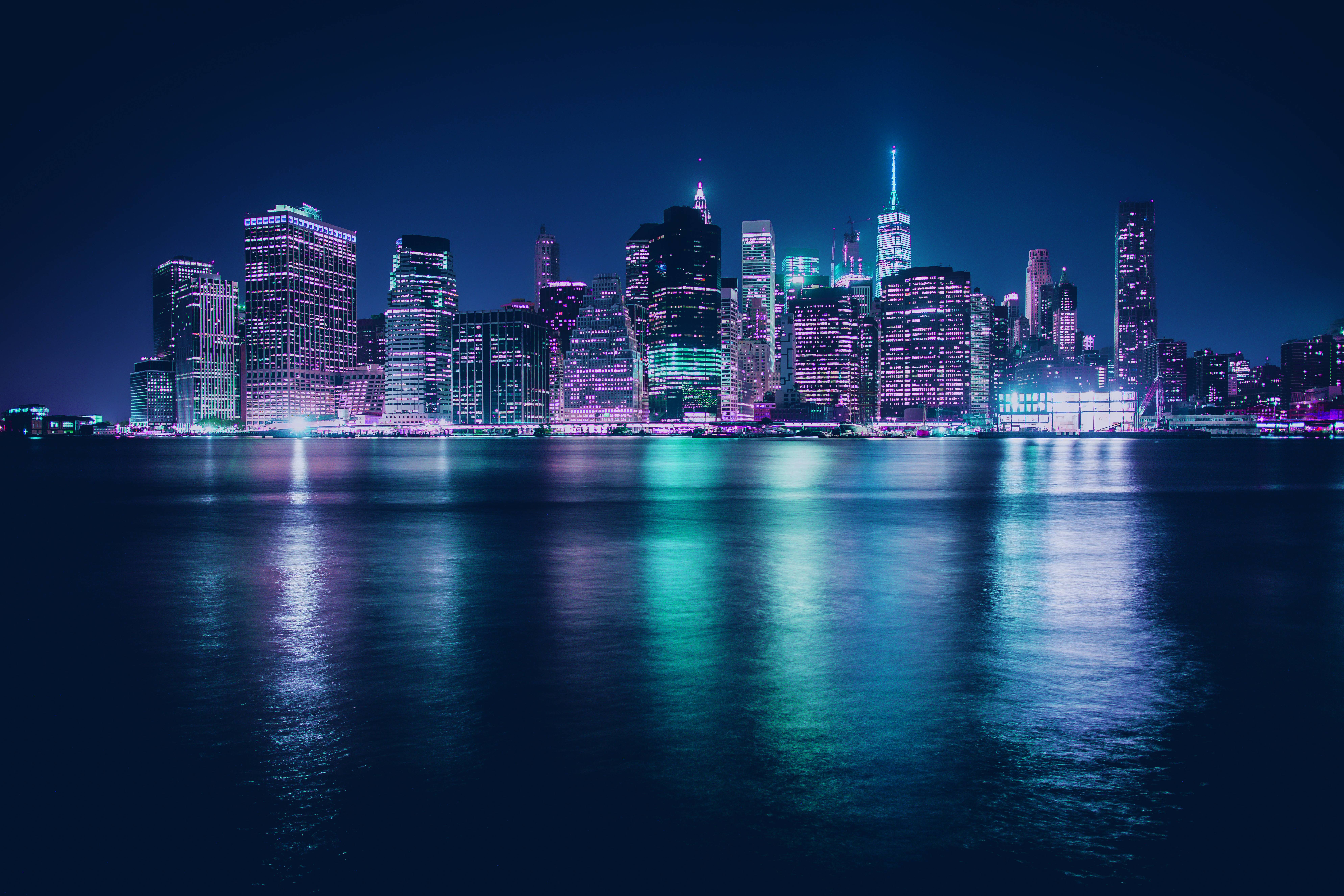

after
I know imgur compresses a lot but the file was too large
coral stone
@young karma WOW I loved the colors, and how the glow makes every light work. You did an awesome job! 💯
young karma
@coral stone Thank you! That color scheme is one of my favorites
nimble shardBOT
Gave +1 Creative Carma to Valdair Leonardo
young karma
@coral stone Thanks
nimble shardBOT
Gave +1 Creative Carma to Valdair Leonardo
chrome hollow
@hexed tree So cool. Very nice work.
willow nebula
@wet thistle Well done! I love it!
 lunar mango
I know I'm behind but hurricane Dorian has been the focus for Florida for the past week. SO with that said I started watching where I left off. So here's my Challenge 4 Day Scene.
Assets Used
cold cedar
@lunar mango Nice work! I'm in Louisiana so I always keep an eye on anything near Florida. Plus, have friends in St. Aug. Do stay safe so we can see more of this wonderful work.
lunar mango
Thanks @cold cedar Im doing my challenges to keep my mind off of it for the time being ...
nimble shardBOT
Gave +1 Creative Carma to ValentinePierce
cold cedar
Here's the collected challenge on Behance. https://www.behance.net/gallery/84617119/Moody-Blue-Mood-boards-and-More
 coral stone
I'm in love with your moodboard @cold cedar 😍
atomic turtle
Challenge 7: Night theater with glowing costumes
Challenge 8: Day scene (the final project from my original mood board)
Challenge 9: change the mood - original image top, with adjusted images below
hexed tree
@chrome hollow Thank you 🙂
nimble shardBOT
Gave +1 Creative Carma to McFlanders
coral stone
@atomic turtle Those colors of the leaves are so realistic!
 knotty matrix
Wow just went through most of the current challenge I'm feeling excited to learn. So much talent! I love the dark outter spacey shots! oh they give me the feels! Excellent work everyone! I've got aways to go with my photoshop skills. Keep it up!
 bleak halo
awesome
 signal sky
How do we actually view the #✂challenges-feedback ?
cold cedar
@signal sky The challenges for Next Week will start Tuesday. https://www.behance.net/live/videos/3193/Photoshop-Daily-Creative-Challenge-Mixer-Brush?tracking_source=from_replay_to_replay. For the last two weeks, check here: https://www.behance.net/live/replays/creative-fields/44/Graphic-Design
Join your host each morning at 9:00am PT to learn how to approach each challenge using Photoshop. Complete 9 challenges by Friday, September 13th and you’ll be on your way to sharpening your skills. Get your questions answered, see what the community is creating and get fee...

Watch videos about Graphic Design.
hidden pendant
Challenge 9 with Original and two changes. My fav is the bottom, which was reduced clarity, I felt it really softened the mood.
gilded pelican
I did two versions of the picture for Day 09. Here I am posting both versions and the original
Version 01
The original
Version 2
high mesa
3D seems to be working a bit better now, still keeping the projects small
smoky comet
My Entry for Challenge 9... better late than never
wet thistle
Thank you @willow nebula 😀
nimble shardBOT
Gave +1 Creative Carma to Hilde
 smoky scaffold
Hi I'm new in all of this challenge thing, just a quick question, how I going to receive the challenge?
coral stone
Hi @smoky scaffold you can register here to get notifications via your Creative Cloud app http://behance.net/challenge/photoshop

Daily Creative Challenge
smoky scaffold
Yeap I'm already did that but I dont know because I'm in australia I can not see the first challenge
I said that because in here is September 3 xD
coral stone
Oh I see 🙂 I believe the notifications are sent at the Pacific Time. You also can check the #✂challenges-feedback channel on September 3 at 8am PT (In your case September 4th at 1am GMT+10) @smoky scaffold
smoky scaffold
awesome thx!
coral stone
you're welcome 🙂
young karma
how do i post a file thats to big
coral stone
@young karma try to use the save for web option with PNG-24 as preset, and then you can use the "Percent" on the bottom right to control the final size
 craggy warren
Hi all, i am Manju
coral stone
Hello @craggy warren welcome 🙂
craggy warren
Thanks Valdair 🙂
gilded pelican
@cold cedar Awesome, Jesus is great, I have been learning a lot.
gilded pelican
@young karma Love the neon reflection on the water. Very good, way more vivid than the original.
honest gorge
@cold cedar me too 🏍
young karma
Hi! I'm having the same problem as @smoky scaffold in that I can't find the first challenge that's happening right now. I've signed up but am not receiving notifications?
coral stone
Hello @young karma The first challenge will be announced tomorrow (September 3rd in Pacific Time) take a look at this page :), the schedule should appear according to your time zone 🙂 https://www.behance.net/live
Join us right now to get inspired by leading creatives. Get your questions answered and share your work with the community.
glacial path
@young karma and we will post the first challenge to the #📣creative-challenges channel 🙂
 ivory void
@bleak halo Thank you!!!!!!!!!!
nimble shardBOT
Gave +1 Creative Carma to Lunion/solarieus
young karma
@coral stone @ivory void thank you!!!
nimble shardBOT
Gave +1 Creative Carma to juanjof1