#✂challenges-feedback
1 messages · Page 33 of 1
 tulip crow
 forest aspen
Day 2 Challenge
 karmic basalt
challenge#2
 chrome hollow
My first one - looking forward to many more.
 short bluff
@chrome hollow really like what you've done with the animal! (I don't want to misidentify it lol)
 unreal trench
Challenge 1- Pacific Northwest moodboard
 bleak fossil
@lunar heart Hah, it's always good to try and channel some Bob Ross in our landscapes. Nice work! Really cool to see Adobe Capture combined with some Photoshop coloring. It might help to add another layer of mountains in the background to try and get a little more depth or even a sense of atmospheric perspective. Kind of light this: https://t4.ftcdn.net/jpg/01/75/45/53/240_F_175455317_tZ6VnzHAx9ctniNgwjDB2vOK5PvvbmhK.jpg

@magic hedge Very nice work, really liking that storybook style this has! The blue shadows on the snow look great.
@unreal trench Really liking that cool hazy look a lot of these images have. It gets you some really nice neutral blues and greens. Color palette looks solid!
 lunar heart
Thank you @bleak fossil I will try adding in a few more mountains in the background!
 nimble shardBOT
Gave +1 Creative Carma to SamPetersonArt
 magic hedge
@bleak fossil Thank you!
nimble shardBOT
Gave +1 Creative Carma to SamPetersonArt
 wispy compass
Day 2 - Compose an image - actually my great niece drew this image.... I captured the image and colored it.
 trail rose
HI! from photo I took this past May I transformed it in A Capture into SVG.. In PS added 3 layers , colored it and added birds
chrome hollow
Me Drawing a picture of Me Drawing a picture...
wispy compass
This is the capture of the original drawing.
bleak fossil
@chrome hollow Mood board is looking good, some cool textures going on too! Green and yellow add a nice pop of color to the rest of the color palette, nice work!
@karmic basalt Very cool! I like the style of the face you drew, hair looks really nice. Cool idea!
@forest aspen Wow, nice job, this is really clean! Really cool designs too. Were some of the designs taken from Adobe Capture? Really cool stuff!
nimble shardBOT
Gave +1 Creative Carma to SamPetersonArt
bleak fossil
@tulip crow That's awesome! Really cool to see how people combine digital and traditional. Love the colors in this too, gives the whole thing a very dream like feel.
 bold valley
Day 2
 honest gorge
challenge#2 🐶 😎
tulip crow
@bleak fossil thanks for the lovely feedback, happy to hear that! 😊
nimble shardBOT
Gave +1 Creative Carma to SamPetersonArt
bleak fossil
@crimson veldt This is looking good! I could totally see this being used to create a repeating pattern texture.
@blissful wolf Very nice! The style and colors really help support the meditation theme. The simple shapes and calming blues really add to that feeling. The warm browns add a nice contrast too. Nice work with the sense of depth you got as well.
@topaz raven Ooh, nice work, makes me think of Halloween a little. Really liking that mirrored shadow from the cat. It could be cool to add a little scattered yellow light in the snow outside leading up to the doorway, kind of like you often see light reflected in rippled water, if that makes sense. Either way, cool stuff!
 young karma
Challenge#2
trail rose
@chrome hollow thanks a lot!!!!
nimble shardBOT
Gave +1 Creative Carma to McFlanders
 cold cedar
PsDCC2 Adobe Capture - Suffice it to say I am still clueless on Adobe Capture. I photographed my lamp, drew my initials on with the phone stylus, sent it to my library then painted it using the polygonal lasso tool to select parts, created new layers and used blending modes, blending options, blend if and just kind of played with photoshop.
 jade seal
This is what happens when you doodle while listening to Thank You Scientist. Challenge #2 #📣creative-challenges #✂challenges-feedback
jade seal
@outer haven I LOVE THIS
 tame vale
Hello guys, im new here. send me a friend request.
 icy cargoBOT
 Marvel彡pj, this command is disabled in this channel
 viral ibex
Day 2 - Challenge
 pastel dove
I am a REALLY BAD sketcher... 😖 I can't draw with my bare hands!! This is definitely a challenge for me!! I opened one of my photos and started to sketch, captured it with Adobe Capture and painted it, I hope it wasn't so bad?! anyways 🙂 Love creating with Adobe Challenges! 😊 😊 😊
 winter sable
 sturdy vault
All doors are not alike
 topaz raven
@glacial path Thanks so much!
nimble shardBOT
Gave +1 Creative Carma to evil
 amber sedge
bleak fossil
amber sedge
bleak fossil
@candid chasm The mood board is looking good! I like how a lot of these images have both a strong graphic read as well as a bold color balanced by a more neutral color. Gives the whole mood board an interesting feel. Nice work!
@naive mesa Nice, really cool idea. Digging that graphic almost screen printed look. Could be cool to see a lighter tone worked into the bottom shape like we see on the top purple shape. Might give it a slightly clearer read. Really liking that texture!
@crude lichen Well done, very seamless edit! The image with the removed object looks great. Though is this perhaps a Day 2 challenge from a previous Photoshop DCC?
 hidden pendant
My Moodboard for Challenge 1
bleak fossil
@candid chasm Aw, Challenge 2 is looking great! I love seeing these two techniques put together. Well done, there's a lot of personality in this!
@young karma Nice work, Adobe Capture used for the figure in the middle? Some really cool variety in texture in this image. I like how you have a bit of variety in size/visual hierarchy between the 3 elements, but I think you could push that even further by increasing the size of the man/hand in the middle which would also help make it a stronger focal point. Good job!
 magic rampart
@bleak fossil You're right, it needed a cooler tone, I think it looks better now, thank you 😀
nimble shardBOT
Gave +1 Creative Carma to SamPetersonArt
 toxic python
@nova swan great work
 compact pecan
 raven atlas
Here's my first attempt of the PSDCC - Day 2... The Syndrome
As always, all constructive feedback welcome.
compact pecan
you da mahn
bleak fossil
@wispy compass Aw really cool! Team work, hah. These designs are great. Maybe the flowers could even be a bit brighter to separate them more from the background? Cool colors either way, nice work :D
@trail rose Very nice, really liking those clean graphic shapes and lines, looks great! The pop of color is a great touch that adds a lot of interest too. It's a small detail, but maybe making the birds get slightly smaller as they move up might help add a little depth?
 empty siren
Challenge#2
 honest gull
#📣creative-challenges #✂challenges-feedback My Idea for a composing created with AC - very nice App 😁
 ruby panther
My try at challenge 2.... Oh, well, a new challenge later today.
 blazing quail
Day 2
young karma
Hello everyone! This is something from my vacations last week - for the 2nd day of our challenge! For more you can find me here -> https://www.instagram.com/ | -> https://www.behance.net/Planb_Design

Instagram

Behance
 grave meteor
@glad flame❤ ❤ ❤ ❤ ❤ ❤
 outer haven
@jade seal thanks! ☺️
nimble shardBOT
Gave +1 Creative Carma to paverol1
 hoary arch
 pure bone
👌
honest gull
#✂challenges-feedback #📣creative-challenges I used the colors of the moodboard to colorize a drawing which I digitized with the AC app from the drawing
 candid chasm
Thanks to much @bleak fossil 🥰😊
nimble shardBOT
Gave +1 Creative Carma to SamPetersonArt
 onyx parcel
Challenge #1
 atomic turtle
 novel orbit
Challenge 2 - Compose an Image
toxic python
Challenge # 2
 spark wharf
@raven atlas totally diggin that sketch!
 untold saddle
My first challenge ever 🙃 so here is my moodboard for "Challenge #1"
 coral stone
I loved the movement @grave meteor! Great job!
grave meteor
@coral stone
Thank you 😊
nimble shardBOT
Gave +1 Creative Carma to Valdair Leonardo
 solemn ermine
challenge#1
trail rose
@bleak fossil thanks a lot for your feedback!!!!
nimble shardBOT
Gave +1 Creative Carma to SamPetersonArt
young karma
here is my challenge #2
 placid breach
untold saddle
placid breach
untold saddle
Thank you @candid chasm @glad fjord and @sand bobcat 😊
nimble shardBOT
Gave +1 Creative Carma to Meer
 next karma
Daily #2 Creative Challenge
coral stone
Awesome colors @next karma! The gradient definetly creates a great mood to your work!
 uncut eagle
Challenge #2 Sketched this picture a while back but had fun importing it into Adobe Capture and then adding colour.
 kind walrus
Challenge #2 - My first attempt, I promise I didn't make my 5 year old do it! This was a lot of fun, but I won't be quitting my day job any time soon 😅 Loving these challenges and learning Photoshop!
Thought adding some color may help, but no! 😜
next karma
@coral stone thanks 😀
nimble shardBOT
Gave +1 Creative Carma to Valdair Leonardo
solemn ermine
challenge#2
untold saddle
@next karma I really like your composition 🙂
 zenith cedar
Logo Challenge
chrome hollow
@spark wharf Great concept Michele. One suggestion is to fade portions of the glass away and let the mind fill in missing information. Will make the image much more dynamic. Love it!!😉
ruby panther
A 2nd try. Not much better.
young karma
@spark wharf I love your submission! So creative 😍
young karma
day 1
 smoky comet
Challenge 2... Spent a million hours on this... i'm exhausted😫 😩 😭
young karma
Challenge #1 This is my first cahllenge
wispy compass
Thank you @bleak fossil ...as always I appreciate your feedback...will work on the color! 👍🏻
nimble shardBOT
Gave +1 Creative Carma to SamPetersonArt
empty siren
@young karma I like the color palate
young karma
Thanks @empty siren 🙂
nimble shardBOT
Gave +1 Creative Carma to Ms. Silly Pixel
 unborn spindle
Couldn't figure out how to paint the window yesterday (had an active selection in the plant on the right I didn't see). Finally got this finished!
spark wharf
@chrome hollow Thank you. I have been thinking about this concept for awhile. I thought the glass looked a little too "crisp" but wasn't sure how to address it. I am definitely going to try your suggestion. Your help is so appreciated. 🙂
@young karma Thank you so much. 💜
nimble shardBOT
Gave +1 Creative Carma to McFlanders
 fallow bough
@honest gull Can't wait to see your final image. Love the concept.
 plush osprey
Used Adobe Capture exclusively for shapes, then colored. Represents the three habitats for wildlife watching🙂
 limber birch
My Challenge #1 using the template that was provided. I learned a lot just from using this template. I am looking forward to doing my own templates for future projects! Very helpful!
chrome hollow
We have to say goodbye for now to our sweet loving pet for almost 13 years. Molly, you have given us more than we deserve and leave us a better family. May you dream always as we will for you.
 real geyser
Challenge #2 let me know your feedback designers
young karma
#3 challenge, my favourite one yet because because I love making objects glow at night😀
coral stone
Wow @young karma looks amazing! 😍
 elder yarrow
Here is my challenge#3
 uncut ginkgo
Be sure to ask for guided feedback (if you are seeking it) ^ What do you think about the contrast? for example.
and when you're done share it on Behance in your final project!!
young karma
Thank you, @coral stone Glad you like it, I was inspired by Anna Mcnaughty, most of her work is on the photoshop ig account also Calop Castellon , I like their style, I recommend you check them out. In a way I combined their styles and made my own
nimble shardBOT
Gave +1 Creative Carma to Valdair Leonardo
young karma
day 3
 willow nebula
@scenic vortexyb wow that's really fast!
 old plank
I have so many day scenes I want to change to night now! Such power! 😉
young karma
A second version, I made it darker because I thought it looked better
topaz raven
Challenge #3
young karma
That looks so cool @topaz raven, love the sky
 odd crane
Wow nice job
young karma
My Challenge #2
topaz raven
@young karma Thanks so much!
nimble shardBOT
Gave +1 Creative Carma to Claus
topaz raven
@odd crane Thank you very much 🙂
young karma
Sorry submited 3 at a time, I just had to fix the moon cause it looked wierd, that is the last change
@young karma who lives in a pineapple under the see
raven atlas
Thank you, @spark wharf!
nimble shardBOT
Gave +1 Creative Carma to Michele
 ember orchid
 sleek temple
 pale lichen
Moodboard pattern based on Piet Mondrian composition. And I call my board coffee for the road, one more before I go...
And this is the sketch for Coffee for the Road
Tryout composition - without text...
coral stone
Awesome Thanks @young karma for the references 😉
nimble shardBOT
Gave +1 Creative Carma to Claus
young karma
Your welcome @coral stone
fallow bough
Gentleman Farmer. Thought today was going to be about completing composite sketched out yesterday so started early. Guess I am off by a few days.
 edgy idol
Challenge #3 Night Scene
fallow bough
Original bits
blazing quail
Day 3 challenge, from bight sunlight to bright moonlight !
young karma
#✂challenges-feedback this is just a sketchy fast one, I started the challenge today, buhuuuuu 😦 , but will try to be more aware of this from now on:)
 jolly quest
@limber birch Really loving all the texture and style in the images you chose!! well done!
@young karma This is so cool! I could totally see this as an album cover or a full wall banner or something! Seriously, you should think about throwing it into some album cover mock ups just to see how it looks! Awesome entry~
@edgy idol Honestly if you didnt put those images on the right to show your steps, I would not have been able to tell it was a composite! Well done! great job changing the colors of the rock formation! Very clean addition of the sky!
edgy idol
@jolly quest Thank you, that means a lot 🙂
nimble shardBOT
Gave +1 Creative Carma to VooDoo_Val
 upbeat laurel
young karma
upbeat laurel
young karma
@jolly quest kind of you:):):) I am actually on my way to make this a bit more believable as I totally forgot the reflection of the long set sun on the ‘downside’ of the sky:) I hope it won’t bother anyone if I post the proper one once ready;)
jolly quest
@kindred kernel Excellent Lighthouse transformation! Fantastic touch making the light glow!
@young karma oh absolutely! Please post again if you add to it for sure!
@upbeat laurel This is so unique! what an awesome concept! I wonder what it would look like if you also added a bit of shadow and transparency to the glass so that you can see there the trees overlap each other!
 zenith warren
Day 3 Challenge
 shadow mural
I made this challenge from Juan's photos. Could be improved, but I learned a lot!
 crimson veldt
Galaxy over troubled water. Love challenge #3! Have fun fellow artists 😄
jolly quest
@real geyser Loving that combo of Capture and photography! You have placed theCapture image perfectly so the perspective lines up with the photo very well! Well done!
edgy idol
@zenith warren Oh wow that is beautiful!
crimson veldt
@spark wharf I love this! It reminds me of Star Trek for some reason.
real geyser
thank you so much @jolly quest
nimble shardBOT
Gave +1 Creative Carma to VooDoo_Val
edgy idol
@crimson veldt really liking the reflection addition!
spark wharf
@crimson veldt Well, you are the JediMaster 😄 Thank you.
nimble shardBOT
Gave +1 Creative Carma to jedimaster
jolly quest
@spark wharf Nice!! Great images and awesome final product! I wonder if you could improve it a little bit if you tried making that distant glow slightly more subtle? Well done!
zenith warren
Thank you @edgy idol !! Might try and add some of the sky in the water reflection.
nimble shardBOT
Gave +1 Creative Carma to imitating
 vapid lily
spark wharf
vapid lily
spark wharf
@jolly quest Good idea! Thank you.
crimson veldt
@edgy idol Thanks! First time trying something like that
nimble shardBOT
Gave +1 Creative Carma to imitating
jolly quest
@spark wharf My pleasure!
 narrow mauve
PS challenge 3
narrow mauve
@dim dagger very very cool 👍
 dim dagger
Thanks
jolly quest
@zenith warren Very nice! I would make the reflection in the water more yellow/orange to match the colors of the city lights at night time! Looking awesome, great job!
zenith warren
Ohh thats a good idea! thanks @jolly quest
nimble shardBOT
Gave +1 Creative Carma to VooDoo_Val
jolly quest
no problem! 🙂
tulip crow
@dim dagger Weeh, these are lovely, could be album covers or something! love the feeling of spaciousness in them.
@zenith warren cities at night always look so epic, would love to see the before photo(s)!
@upbeat laurel I love the design and colors, especially of the night scene! wonderful illustration.
@edgy idol this is very cool! i only feel like the direction of the light source doesn´t match the shades on the rocks completely, maybe that could still be improved 🙂
zenith warren
@tulip crow I posted the before photos a few messages up 🙂
jolly quest
@zenith warren you could even add a very soft reflection of the stars in the water too, but you dont have to haha
tulip crow
@zenith warren ah yess just saw them, was still busy typing while you posted them 😄 fantastic job!
zenith warren
That's what I've currently been trying to do @crystal aurora, just wanted it up in time for the feedback! thanks though!
edgy idol
@tulip crow totally agree... only I have no idea how to change that yet 😂 ...until I learn how to do that, I guess I will just pretend that the rocks are being light painted by the photographer to account for the light source being on the opposite
tulip crow
@edgy idol haha oh my, that is super clever 😂 😂 😂 light sources are not exactly my strength either, so i¨m looking forward to practice that today
jolly quest
@fallow bough LOLLL That is hilarious! I was not expecting that. Very well done!
young karma
#✂challenges-feedback the altered one, hm dunno, but today it is surreal colours for me.
edgy idol
@tulip crow I don't know even know how to start to practice that yet... maybe in a future challenge they will teach newbies like me that. Sounds super awesome (and super intimidating)
jolly quest
@young karma Loving the added surreal colors in the sky! It really ties the whole thing together well! You know what else could be cool? if you tried overlaying a texture on top of the whole thing to make it look like the image is worn and vintage! just an idea
young karma
@jolly quest yes, absolutely:) would cover my lazy @ss , too:).
 nova swan
How do you add your source pics at the same time?
fallow bough
@nova swan I usually try to be ready to drop them in immediately after. That way it appears as single entry.
Otherwise you can create image with composite plus bits
viral ibex
Day 3 - Night Scene Used Blending Options, Starburst image, Added more shading with brush, Used Filter Liquify to create heat waves and move lava
zenith warren
Added some reflection and some orange light.
jolly quest
@nova swan Awesome! Looove that smooth water and sand! I think you could improve it further if you darkened the water a bit and also darkened that back mountain range! That would give it more depth and make it a more believable night scene!
shadow mural
I am having lots of fun with this challenge. Using Juan's images.
jolly quest
@zenith warren NICE!!
narrow mauve
Ps challenge 3 my second submission - looks more dawn-ish than night - please let me know what ya'll think
tulip crow
@edgy idol by joining this challenge you already started practicing! 🙂 i think it´s all just a looot of experience and practice, you´ll get there!
 normal pebble
Day 3 Challenge - Matterhorn during the day and night
young karma
okay All, day 3 final pic:) :
 harsh drift
My day 3 design challenge #3-challenge 😋 challenge#3
 glad flame
Here is my work for challenge #3 . I hope You will like it 😁
harsh drift
Original Image
 fast moth
candid chasm
fast moth
candid chasm
Good works 🥰🥰🥰 I can't wait to finish work and do mine 😁😁😁
 crude lichen
challenge#2 ps
edgy idol
@young karma Oooo... very nice! 👏🏼
young karma
My first manipulation/composition in Photoshop, different photos found on Unsplash
nova swan
@jolly quest is this better? thank you for the feedback
nimble shardBOT
Gave +1 Creative Carma to VooDoo_Val
chrome hollow
Very nice @young karma!!😃
 fallow grail
Create a Night Scene Day three: Top is Original image, Middle is the night scene, the bottom includes the hand drawing from day two. Any recommendations would be welcome 😄
young karma
#✂challenges-feedback challenge#1
My moodboard for my next shoot
 cloud vault
 tulip fern
Finally my Day 2 entry. It took some time but I really had fun going through the whole process. Find inspiration, planning the whole composition, doing some sketches (what I don't do very often) making it digital and combining all. Joy 🙂 The image of the landscape is my own, the music sheet I found on Google, the sketches are my own, the violin player (who I think is a man) I found on Pexels, photographer: Clem Onojeghuo.
 devout crystal
I have some mistakes in shadow but still not that bad 😅
 wet thistle
Day 2 😅
willow nebula
Day 3 - Night scene with dog
young karma
Hello everyone! This is my night scene for the 3rd challenge!
willow nebula
@young karma I love it!
nimble shardBOT
Gave +1 Creative Carma to Hilde
young karma
@willow nebula Thank you!!
edgy idol
@young karma did your original image have the low lying clouds, or did you add them? During challenge #2 I decided I ultimately wanted something like this in my final composition, but wasn’t sure I would be able to figure out how to add them.
young karma
@edgy idol No it wasn't at the original image, i took the background image and i masked it leaving only the clounds were i wanted!
edgy idol
@young karma that’s so crazy! It looks soooo good. So we’re your clouds just an image of clouds only? And then the way you blended it all to make it all look so good! Ah, one day I hope to be able to do this.
 high mesa
Cool technique, thanks Juan
young karma
@edgy idol Thank you! Just play with blend modes, opacity and mask!! I'm sure you 'll make it much better!! 😊
nimble shardBOT
Gave +1 Creative Carma to imitating
 runic citrus
What do you think of the previous challenges - almost me the first week of loading photoshop
crimson veldt
@glad flame That is amazing! looks like a movie poster
 lone hare
Challenge 3
 naive tiger
Challenge #2
coral stone
@naive tiger amazing job! I loved how you combined the images for the background 😍
naive tiger
@coral stone Thank you!
nimble shardBOT
Gave +1 Creative Carma to Valdair Leonardo
odd crane
This is my first time participating in a challenge (I just joined the server) and I haven't really done a ton of photoshop edits like this so I would super appreciate feedback! I'm actually surprised that it turned out pretty well. Probably because I spent way to much time on it 😁 . I was specifically wondering how to reflect the stars in the water in a way that would look good. Also does the lighting look alright?
willow nebula
@young karma Beautiful colours!
raven atlas
Here's my contribution to the PSDCC - Day 3.
As always, constructive feedback welcome!
Here's the original...
glad flame
 arctic scarab
My challenge #2 is still a WIP and will submit it soon. In the meantime, here's my challenge #3. The mountain is called Napali Coast located in Kauai, Hawaii. Posting the before below.
 ancient lance
young karma
ancient lance
young karma
@willow nebula thanks!
nimble shardBOT
Gave +1 Creative Carma to Hilde
tulip crow
This is where I'm at at the moment - do you have some constructive criticism for me? How could I improve this further? Would love to hear your opinions 😊
(All photos used in this composite are taken by myself, except for the sky which is a stock photo by Sven Scheuermeier)
runic citrus
🕶
tulip crow
@next karma i like the idea with the lamps and the soft purple tones in the sky :)
@young karma such a cool atmosphere! the low clouds add so much mood.
arctic scarab
The photo seems very serene at night. I love it! The only thing that was scratching my head was that bright large dot. Is that a planet or a large star? I wonder if adding a moon instead to look at would be something that makes it more interesting? @tulip crow
tulip crow
@arctic scarab thank you! the bright large dot is the moon, I guess 😄 didn´t change that from the original sky photo - but yes maybe I could try to make that more clear/replace with a different moon picture.
nimble shardBOT
Gave +1 Creative Carma to Voxann
arctic scarab
You're welcome, @tulip crow !
 gilded pelican
Here is my day #1 better late than sorry. 🙂
 lunar mango
Here's my take on Challenge 2
 autumn vapor
Love that @lunar mango ! Awesome idea
lunar mango
Thank you @autumn vapor 🙂
nimble shardBOT
Gave +1 Creative Carma to CreativeJenna
tulip crow
@lone hare just noticed this now, how crazy cool is the light?! Love the scene you created!
outer haven
Challenge#3. First time trying this out would love to hear some of your feedbacks !
arctic scarab
Very cute! It’s like you brought them to life! @lunar mango
nova swan
@lunar mango very cool idea
 eternal vine
Challenge #3 any feedback or tips?
lunar mango
Thank you very much! @arctic scarab
nimble shardBOT
Gave +1 Creative Carma to Voxann
willow nebula
@lunar mango A 3D project!
lunar mango
Thanks @nova swan
willow nebula
@eternal vine Cool!
bold valley
Day 3
arctic scarab
I hope my challenge #3 is realistic enough posted earlier.
young karma
A bit late but here's my challenge #2
arctic scarab
Very nice! @young karma
willow nebula
@arctic scarab It is! I like it 🙂
arctic scarab
Awesome! Thanks @willow nebula
nimble shardBOT
Gave +1 Creative Carma to Hilde
runic citrus
@outer haven Well done, I liked it😍
chrome hollow
Like this challenge and first time trying.
These are the original images used - all free for reuse.
outer haven
@runic citrus thanks !
nimble shardBOT
Gave +1 Creative Carma to سعد العجمي
lone hare
@tulip crow Thank you very much! This was a lot of fun to do 😃
nimble shardBOT
Gave +1 Creative Carma to anna.heimkreiter
cold cedar
PsDCC3 20-30ag19 Create a night scene. Oh, what do you think of the snow glow in the different spots?
@lunar mango And you gave them shadows, too. Cool.😁
lunar mango
Thanks @cold cedar
nimble shardBOT
Gave +1 Creative Carma to ValentinePierce
cold cedar
@coral stone Left hand, right brain hemisphere. yeah, it took me a while after the internet came back up in my neighborhood on the first morning I had this week to watch the live stream.
willow nebula
@cold cedar The snow glows are the finishing touch! 🙂
@chrome hollow just wow!
@bold valley Beautiful 🙂
cold cedar
Thanks @willow nebula. I'm trying to use all the fabulous things I have been learning.
nimble shardBOT
Gave +1 Creative Carma to Hilde
chrome hollow
Thank you @willow nebula
nimble shardBOT
Gave +1 Creative Carma to Hilde
willow nebula
@cold cedar You're welcome! And aren't we all! I just love these challenges, they make you discover and do new things...
@chrome hollow You're welcome 🙂
 jagged tinsel
Darkness
cold cedar
So true @willow nebula. I must be learning because I made my snow glow before watching the whole video and knowing Juan Jose added glow, too. 🤗
jagged tinsel
Wish I could spend more time on it but I have to leave work now
young karma
make the background darker than the foreground and do something about those trees on the left @runic citrus
Oh and
سلام عليكم
runic citrus
@young karma وعليكم السلام ورحمة الله
@young karma Thank you, I will follow your words in the second attempt❤
nimble shardBOT
Gave +1 Creative Carma to Yazeed
pastel dove
I saw this Jupiter and I figured I must do something with such fun name! so this is what I created with photoshop 🙂 give me some suggestion how I can improve my skills! #✂challenges-feedback #day3 ☺ ☺
lunar heart
Challenge #3 Kinda wish I could be the person in the picture but I guess that is the magic of photoshop. You can be!
magic hedge
I had a lot of fun with this challenge, decided to do another picture) #✂challenges-feedback
tulip crow
Ohh by the way, thought it would be interesting sharing the elements of my composition, too, since I always like seeing it when others share that too 😻
Posted the final result now 🤗 https://www.instagram.com/p/B1fOnoJJDPD/

Instagram
5 Likes, 1 Comments - Anna Heimkreiter (@anna.heimkreiter) on Instagram: “Moon watcher ✨ Created for the @photoshop challenge with @juanjose_xyz - playing with night scenes…”
plush osprey
Patch of forest hit by wildfire. Fireweed (magenta flowers) is the result. Looks ominous with added night feature😱
jade seal
Back in June I was on a Study Abroad trip in the Czech Republic, and my favorite part of the trip was spending two days in Česky Krumlov. What a cool town. I changed this awesome day photo into a night photo. I hope it looks somewhat realistic. I'm a little worried that the land is too dark.
Day photo of Česky Krumlov; Original
candid chasm
After few hours, here is my challenge #3 I hope u like it 😋
this are the pictures that i used.
cold cedar
@magic hedge That is super cool. Some ideas come to mind about Virgo (because first I thought the sign said that) and astrology but it is just a cloud formation in my head right now.
young karma
Challenge#3
magic hedge
@cold cedar thanks!
nimble shardBOT
Gave +1 Creative Carma to ValentinePierce
cold cedar
@tulip crow would love if you put the final result on Discord because it is great.
@young karma Kind of looks like a hand grabbing something. Mean that in a good way.
 winged crane
young karma
winged crane
young karma
@cold cedar thanks for your comment
nimble shardBOT
Gave +1 Creative Carma to ValentinePierce
arctic scarab
I decided to do challenge #2 in white illustration lines which makes it looks softer compared to black lines. Below is my original sketch.
winter sable
challenge 3 : I made the sky on an old app called artmatic voyager buildings are from downtown LA
@tulip crow beautiful compositon and story
glad flame
For Challenge #3 (choosing a right pictures)
For Challenge #3 , (Erasing backgrounds and making sure everything is at the right place)
For Challenge #3, (Applying hdr effect as well as playing with color correction and exposure)
Final result for Challenge #3 😌🙏
For more collages visit my instagram page
➡️ @ AnotherChicago 🖤
young karma
Amazing! looks like a fantasy movie cover
empty siren
@glad flame I love your work and specially the way you share your knowledge with everyone 🙂
 uncut yew
young karma
uncut yew
young karma
Looks nice, although the foreground needs a bit more color
hidden pendant
Drew the trees old school and used the app. Used the brush tools, filters and blending modes to create the rest. Not 100% happy with clouds or how trees came out, but time to move to next challenge. Used moodboard for colours and inspiration.
bleak fossil
@tulip crow That’s looking awesome! Really great photo and excellent execution. This was a day shot turned to night? The colors and values are spot on, very well done. Was this just one photo plus the sky?
empty siren
Challenge#3 
bleak fossil
@hexed tree Nice work Valka! If you were going to a shadowed sunset scene I think you could use a levels adjustment to brighten the whole image up a bit. Right now it’s a bit dark. Even if it’s a nice scene you’ll see a good amount of light in night photography, usually just with a much colder color scheme. If you were going for a total night scene it might help to choose a sky that doesn’t have the warm sunset colors. Nice work either way!
@next karma Wow, really great work on this! I love what you did with the colors in the water, and the yellow lanterns are an awesome temperature contrast. Great stuff!
@ancient lance Really nice job on this. The sky replacement and adjustments go a long way. Very convincing as a night scene! If you wanted to play up the focal point of the image to make it a bit more exciting it could be interesting to play with a levels adjustment or saturation adjustment, particularly in the sky to get some more eye catching colors. Well done 😄
@arctic scarab This is looking really cool! I love that landscape shot. Everything is looking really good, the only things that catch my eye is the mountain’s edge in the background could be sharpened up in the blurry spots, and the horizon line on the ocean could be sharpened up a bit to match the sharpness of the rest of the photo. Nice work!
pastel dove
@magic hedge the lighting of your work is AWESOME 😍 😍 👏
bleak fossil
@pastel dove Great idea on the Day 3 challenge! I really like how you worked the lighting to look like a street lamp shining down on him. It gives the image a strong focal point. The background looks great too!
@hidden pendant Nice work combining the two techniques! I sometimes use the smudge tool with a little bit of scattering checked on for things like wispy clouds or rippled water. I also use a specific brush for clouds which can work wonders very quickly. Nice work!
pastel dove
@bleak fossil Thank you☺ I love photo manipulation
nimble shardBOT
Gave +1 Creative Carma to SamPetersonArt
bleak fossil
@uncut yew Really cool to see a more sci fit take on this challenge! There a really nice sense of depth in the image. Even though it’s night it might be nice to brighten up the landscape a touch to match the lighting of the rest of the scene and the spaceship. Or darken down the spaceship slightly, or perhaps a little of both? Might also help to move the spaceship up and to the right a little bit to avoid any near tangents. Just some thoughts, looking good!
@glad flame Very nice! Great composition and sense of depth. Really cool to see what you’re coming up with for these challenges!
@empty siren Really liking the idea with the headlights! Nice work on this. I think perhaps the whole image could be brightened up slightly, and maybe the right edge of the headlight beam could be softened slightly to look more natural. Nice work with the sky replacement!
@winter sable Very nice! This is a really cool image for this challenge. Really liking the colors in the sky!
nimble shardBOT
Gave +1 Creative Carma to SamPetersonArt
 scenic anchor
Here is my day 2 Challenge~Composition
amber sedge
Definitely loses something scaled down and compressed. Open the original to see the full effect.
young karma
mood board challenge 1
ruby panther
The masking of the wave was tough. Not perfect but I like it.
 hexed tree
@bleak fossil thank you yes, I will look to use a cooler sky next time as the idea I am working towards this challenge isn't overly warm
nimble shardBOT
Gave +1 Creative Carma to SamPetersonArt
young karma
I forgot to upload the assets I used so here they are, along with the picture to have them all in one place
@ruby panther That's awsome it looks pretty real to me , I wouldn t know it was a composite if you wouldn t have told me
 tribal gate
bit late but here is day 2!
magic rampart
I can't draw, so I used Capture on images I liked and came up with this for day 2, let me know what you think 😀
 patent drum
Challenge #2
young karma
@onyx mango thank you! Also, you forgot to send your after photo
nimble shardBOT
Gave +1 Creative Carma to call me autistic™
 onyx mango
np XD and lol i changed the main one so i had to restart give me 30 min XD @young karma
before
after
for ma first thing like this i dont think its to bad XD
 obsidian venture
I have found some time to do the first task, I will catch up all of you
honest gull
#✂challenges-feedback #📣creative-challenges Day 3 - Composition with the colors of the Moodboard and the Idea from Day 2.
normal pebble
Day #3 Challenge. The previous one looked too dark. So here is a brighter one.
placid breach
day #3 challenge
 zealous island
hidden pendant
zealous island
hidden pendant
@bleak fossil Thank you, didn't even think of checking our other Brushes. Really glad I found the Photoshop challenges, learning so much and really appreciate the feedback.
nimble shardBOT
Gave +1 Creative Carma to SamPetersonArt
coral stone
@honest gull great job changing the tent's color, especially the glow you applied to the ground. Feels so realistic 😍
young karma
Had some difficulties with the painting and light but it's done. Challenge #3
obsidian venture
here is my day 2 composition
 gray scarab
 honest gull
Day 3 - a second picture cause it makes some fun 😁
gray scarab
Making a day image night #✂challenges-feedback
young karma
@onyx mango You okay with a little constructive criticism?
young karma
eh looks close enough anyways lol
anyways
how can I say this, uh, the mountain looks like its got Christmas lights all over it
it's so, glowy
I mean, if that's what you were going for then fine, but it just looks really weird
and some of the water and rocks are transparent
Other than that, yeah it's pretty good
@tribal gate your put a ton of feathering on your masks, or you just use a brush with no hardness to mask them, either way, this gives everything in your photo a glow effect, again, if that's what you were going for, all is forgiven, if not, you should try to fix that next time, anyways, personally I'd make the background a litter darker, but that's about it.
 orchid wolf
golden racoon
 empty sleet
Where to watch the videos for creative challenge live ? I missed them and wish to watch them again so plsss
coral stone
@empty sleet you can watch the replays here 🙂 They are on the Photoshop section https://www.behance.net/live

Join us right now to get inspired by leading creatives. Get your questions answered and share your work with the community.
young karma
You can also find them on adobe's YouTube channel
coral stone
@young karma good job darkening the scene. My suggestions are that you could create a light source, maybe coming from the left to right, and then create a shadow following the same direction but applying just on the ground. 😉 Also you can play with some highligts on the trees to give a special touch 😀
magic hedge
@pastel dove thank you!
nimble shardBOT
Gave +1 Creative Carma to Rainbow
toxic python
Challenge #3
https://www.behance.net/gallery/84439877/Ps-Daily-Creative-Challenge-(August-19-August-30)

Behance
Ps Daily Creative Challenge (August 19 - August 30)
sturdy vault
I'm late. Challenge 2
 glad fjord
sturdy vault
glad fjord
sturdy vault
@glad fjord I like yours. These drawing ones are tough, I can't draw very well but I try. I am more of a photography type.
 errant knoll
Challenge #3
 quiet basin
Day 3 Challenge - 🙂
patent drum
Challenge #3
quiet basin
lol @candid chasm I have that Van Cleef & Arpels perfume.... 😊
candid chasm
@quiet basin hahaha really? What a coincidence 😋
 unreal flower
 paper oracle
Challenge #3 Before
Challenge #3 After ^^ (Work Time 20 Minutes)
Aftermake > Removed the Moonlight https://cdn.discordapp.com/attachments/614477220576231464/614477263647539202/Nightcity_Challenge_3_VooDoo.png
 gilded pelican
Here is day 2
I did the sketch with the pen and tablet on Illustrator and I used brushes to paint them. 🙂
hidden pendant
Challenge 3 along with combined images
young karma
Here is my Composition for day 2
crimson veldt
@toxic python that pic is so sweet 😄 love the colors
 chrome canyon
toxic python
chrome canyon
toxic python
@crimson veldt thank u 😊
nimble shardBOT
Gave +1 Creative Carma to jedimaster
arctic scarab
@bleak fossil Thanks for the feedback and I'm glad you like the landscape shot! I wasn't sure if I should blur the horizon or not because the original photo had a blurry horizon. I was trying to make it look realistic. 🤷 I turned off the blur layer. Here's the updated version.
nimble shardBOT
Gave +1 Creative Carma to SamPetersonArt
gilded pelican
Here is day #3 the starry night
chrome canyon
Nice job
gilded pelican
My original pic 🙂
fallow grail
after reviewing what you all did, i was inspired to update mine. what do you think?
grave meteor
My day 3 it is cool
untold saddle
ok guys, I am late...again. But I´ll catch up at the weekend. So here ist my composition for Challenge #2 The hardest part for me was the drawing... I am more kind of photographer 😊
 nimble relic
eternal vine
nimble relic
eternal vine
Challenge #4 using a single light to act as the sun of an image. if this is not acceptable I am more than willing to create another composite
jolly quest
@paper oracle awesome work!! This is a super large piece you’ve chosen to do! I think you could improve it if you shanked the lighting from the moon. It looks like you’ve added a column of like that comes down from the moon, but I think you should experiment with just having a glowing sphere of light around the moon.
eternal vine
@jolly quest is my piece allowed for challenge #4?
jolly quest
@errant knoll very nice challenge 3!! I would love to see the before and after too!
paper oracle
@jolly quest My Photoshop style is always Exaggerated Realism and a little Sci Fi, that's my favorite design for photos ^^
jolly quest
@eternal vine It looks like you did your own interpretation of the challenge! Adding that lantern light instead of sunlight. You may want to try doing another but if it’s up to me, I say you’re fine! You took the info for the challenge and made it suit your own needs! That’s awesome
eternal vine
Thank you! I’ll work on a sunrise piece soon to fit the challenge better
jolly quest
@paper oracle if that is how you intended the look, do what you think is best! I’m just giving suggestions 😃
@nimble relic well done!! I love that golden glow you added and the new magical plant in her hand is so cool!
jolly quest
@obsidian venture ooohh that’s awesome!! I would love to see some more blue tones in the land shadows! You have done a very good job of darkening the scene but it’s still very warm, especially compared to the new night sky. I think just a hint of blue would be great!
obsidian venture
@jolly quest hope youll see some more, Ill do my best for sure
jolly quest
@gilded pelican hey! Loving that purple sky in your challenge 3! I think you could make the piece look even cooler if you tried darkening the mountains and the land a little bit too!
@obsidian venture if you make changes I would LOVE to see it again! Keep up the great work!
 plucky hinge
My entry for challenge 3
PS: it's my first edit on Ps
gilded pelican
@jolly quest VooDoo_Val Oh thank you of course, I will work on it again, thank you so much for the feedback I was starting to feel neglected, sort of speak.
nimble shardBOT
Gave +1 Creative Carma to VooDoo_Val
arctic scarab
@jolly quest I'd love to hear your thoughts on my challenge #2 and #3 😊
gilded pelican
Here the new version. Thank you for the input @jolly quest mountains and ground darker 😉
nimble shardBOT
Gave +1 Creative Carma to VooDoo_Val
gilded pelican
@patent drum this is super cool! I love it. (Challenge #3)
@young karma Love your moodboard!
 supple cipher
My composition for challenge 2 🙂
 proud hornet
Hi! I'm running late, sorry! Challenge#3 here, still missing challenge#2 ...
paper oracle
@obsidian venture @gilded pelican The pictures are good, but I would combine the background more with the foreground or with the landscape, so that one really thinks it would be shot, you can of course also landscapes as Google search as a template, and look like the colors handled there.
spark wharf
My Updated Day 3. Not perfect but better.
elder yarrow
challenge#4_1
young karma
#📣creative-challenges 1 trying to make up for lost time 😀
My day 4 challenge and the assets I used
elder yarrow
Ran out of time but here it goes! Remember to play with layers, brushes (changing opacity) and using brightness and contrast, color balance and gradient maps to make your images smoother and to make them bend better!
quiet basin
Day 4 challenge. 🙂
young karma
challenge#4
patent drum
@gilded pelican thank you!
nimble shardBOT
Gave +1 Creative Carma to IggyPop_PBT
young karma
My challenge #3
 fervent plank
challenge#4
coral stone
I love the type @vagrant sorrel!!
 vagrant sorrel
@coral stone thx I'm a little behind with the challenges
nimble shardBOT
Gave +1 Creative Carma to Valdair Leonardo
spark wharf
One last one then I am done with Day 3 - My nemesis. I'm calling this "View from an Asteroid"
coral stone
No problem @vagrant sorrel 🙂 I'm still working on the previous challenge and in this one 😂
That's awesome @spark wharf 😍
spark wharf
@coral stone Thank you. I appreciate the comment. This challenge was difficult for me. 😬
nimble shardBOT
Gave +1 Creative Carma to Valdair Leonardo
proud hornet
At last! Challenge #2
coral stone
@spark wharf Yes, but in the end it is so rewarding 💚 You did a great job!
 blissful wolf
Day 3 - Not sure that things really blend in....
blissful wolf
Day 3 Components
young karma
My Photoshop Daily Creative Challenge - Compose an Image #2🙂
Day 4 , result and source files
day 4, day scene
fervent plank
challenge#3 UFO 👽
tulip crow
@young karma and @young karma get ready for people on Instagram asking "wooow, where is that place?!" 😂
 kindred kernel
Day Scene😃
tulip fern
Wow so many entries! All great and inspirational 🙂 But hard to keep up with all the new posts, the onse that stuck with me from this last browse through are the Day 3 of @fallow grail and the one from @spark wharf, both awesome! Thanks you all for sharing 🙂 Thats good energy for starting on my Day 4 challenge.
nimble shardBOT
Gave +1 Creative Carma to Michele
untold saddle
Hey guys, I just finished my first composition für challenge #3 Keep improving my skills on this 😊 🙈Almost forgot, this is the Fortress Ehrenbreitstein in Koblenz, Germany
 silent nimbus
Hi everyone, i have started a bit late but i want to complete the challenge. so here is my mood board. #✂challenges-feedback #challenge-1
icy cargoBOT
aperture lux, this command is disabled in this channel
young karma
This is my entry for Day 4. I used the starter file and added a climbing man. I tried to give it a bit perspective but i it's "it". Any tips ?
atomic turtle
Night time challenge (these were the main mixed pics, there were more for various details)
spark wharf
@lunar mango I love those little guys 😄
lunar mango
@spark wharf I do too. 😊 If all possible, I'm going to incorporate them into the upcoming challenges. 🙂
forest aspen
Day into night: I used a daylight image of the Badlands and milky way and moon from NASA to make this composite.
autumn vapor
devout crystal
Challenge #4 start with this
And somehow it turn to this without anything from the regular photo :)
I don't know why it's remind me of windows background 😂😂😂
 nimble geyser
Happy weekend!
tribal gate
challenge 4 🙂
willow nebula
Challenge day 4 - "Conference of the peaks" I used the elements given in the challenge files...
obsidian venture
@tacit condor nice
 tacit condor
willow nebula
tacit condor
willow nebula
@tacit condor Nice! Had to study it for a while 😉
sturdy vault
Challenge 03
willow nebula
@sturdy vault Love it!
 west birch
Day 2. Late!!! I Love Adobe Capture. I went into imagination overload. 😁
arctic scarab
Challenge #4 Daytime - I thought the Napali Coast had gloomy sky and deserved a bright blue sky and I added balloons for some interesting elements. Hope you like it, guys! Here's my photo assets I put together below.
willow nebula
@arctic scarab Love it!
@young karma Maybe you could blur the background mountains a bit, so the contrast with the sky is not that hard?
arctic scarab
Thank you, @willow nebula 😊
nimble shardBOT
Gave +1 Creative Carma to Hilde
outer haven
Challenge4
arctic scarab
I love the title for your challenge #4! Very fitting and I like it! It seems mysterious! @willow nebula
nimble shardBOT
Gave +1 Creative Carma to Voxann
willow nebula
@arctic scarab Thank you! I thought it looked like the 2 first peaks were talking, so I made the second pair have a chat too 🙃
edgy idol
So I found Challenge #4 much harder as I wanted to add multiple images from different photographers taken in different lighting/weather conditions/etc. Still not in love with it, but I think I have reached the extent of my current skill level for now. (& I think I might like it better in B&W as it hides the color differences 🙃 )
viral ibex
Day 4 - Day Scene - Used the sky and one of the mountains from the source files from Jose. I duplicated the highest mountain by selected the mountain and pasting. 3 layers thick then used the brush tool to add highlight.Used Lighten blending options on the layer. Used a color overlay with blending to brighten the mountain with snow. Added a shape in right corner, used the gradient tool with color next to cloud and white. Used warm colors on a clipping mask for the sky to warm it. Hill with sheep added with more detail to move the other parts of the scene back.
tulip crow
@willow nebula this reminds me of the sea and whale fins, really cool!
@arctic scarab so dreamy 😍
nova swan
@tulip fern I love your Day 4
tulip fern
Thanks @nova swan !
nimble shardBOT
Gave +1 Creative Carma to Patti McCoven
arctic scarab
Thanks @tulip crow !
nimble shardBOT
Gave +1 Creative Carma to anna.heimkreiter
 rough sparrow
Yesterday's Challenge, This was a few of the images they provided mixed together with an addition of a drawing I did.
tulip crow
@imitating I think what would work quite well to give this a more unified color/lighting look would be replacing the white salt desert part with some more orange-colored desert/sand, maybe try that? I like the overall idea! 🤗
cold cedar
PsDCC4 - Day Scene. Let me know what you think, especially about the lighting and the text style/color.
edgy idol
@tulip crow yeah, that was my poorly executed attempt at stretching myself, if I just remove the salt layer entirely I don’t have to do anything else as it has exactly what you described underneath it 😂 🙈
coral stone
@cold cedar amazing! I love the overlap on the text 😍
cold cedar
Thanks! @coral stone
nimble shardBOT
Gave +1 Creative Carma to Valdair Leonardo
willow nebula
@tulip crow Thank you Anna! 🙂
nimble shardBOT
Gave +1 Creative Carma to anna.heimkreiter
willow nebula
@cold cedar Wonderful!
vagrant sorrel
@cold cedar Excellent effect your photo.
cold cedar
Thanks! @willow nebula
nimble shardBOT
Gave +1 Creative Carma to Hilde
cold cedar
Thanks! @vagrant sorrel
 glad patrol
Getting caught up. Starting with challenge #1 Mood Board!
spark wharf
@tulip fern love it!
coral stone
@glad patrol Beautiful frames! I like what you did with the color palette, very nice!
 dim pewter
That is nice @glad patrol
glad patrol
Thank you! @dim pewter @coral stone
nimble shardBOT
Gave +1 Creative Carma to K Ramakrishna Rao
bold valley
Day 4
 formal trellis
I'm hella behind cause school has me busy but day 1 (I did my borders a tad thicc lmao)
candid chasm
Originals
I had to down a little bit the quality of my image cuz i couldn't share it here. Challenge #3: Day Scene 🙂
tulip crow
So since a friend and me had a little accident today (nothing serious, luckily) I decided to spend the evening with her instead of working on today's challenge. But actually I created a day scene composite I'm quite happy with just recently, so I'll share that one with you for challenge #4, I hope you don't mind :)
https://www.instagram.com/p/B0-IsM3JLdp/?igshid=poj9rb178v3o
I hope you're all well!!

Instagram
117 Likes, 19 Comments - Anna Heimkreiter (@anna.heimkreiter) on Instagram: “And when I don't pretend I'm a cat, I pretend to be an epic queen wandering through mystic lands 👑”
hidden pendant
This is may Day 4 challenge. I tried to pick images where the light is from a similar direction, but not sure I have this 100%. Images are from Pixabay that I had downloaded for other compositions I had in mind. I really liked the woman on the stone wall and wanted to blend with another image for a cartoon effect.
tulip crow
@hidden pendant from city to nature, I like it 😃 Imo the lighting works well, I don't think I would have thought this was a composite!
empty siren
Challenge#4
bleak fossil
@tulip fern Very nice, really cool to see all the assets you used to create this. I really like the whole visual theme, it fits together nicely. If I had to make an small nitpick it might be to soften up the really sharp edge of the horizon, maybe with a subtle layer of haze or something? It might make it look a bit more natural.
@edgy idol This turned out great! I really like the framing of the whole image. The terrain difference is really cool too, definitely gives the whole image an otherworldly vibe. This is basically just personal opinion, but I think if the edge between the white part and the desert was a bit more gradual it might look a little more natural. Particularly in the center area. Very nice!
@glad patrol Ooh, I like this! Very cohesive color palette, it matches the images nicely. Really cool to see a heavily floral inspired mood board.
@cold cedar Nice work! I really like masking with the eagle and the letters. Really great lighting to the image too. Perhaps the top text could be a touch dark for better readability?
@rough sparrow This looks awesome. Makes me think of a dangerous fantasy world. I think perhaps the feeling on night/late sunset could be sold more if the sandy foreground was a bit darker and cooler in color. The warmth of the sand makes it look lighter out. Really like how the sand gives a dynamic sense of perspective!
@viral ibex Very cool Dee! It’s nice to hear/see the breakdown for how you guys make your images. Loving the sheep, hah. I think it might help to brighten up the overall values of the mountain in the background to help it fit in with the scene better. It could also be nice to add another layer of mountains in the background for some added depth. Nice job!
cold cedar
Thanks @bleak fossil I thought you were going to say lighter for the text, LOL. I couldn't decide on lighter or darker but I will try darker again.
nimble shardBOT
Gave +1 Creative Carma to SamPetersonArt
bleak fossil
@outer haven Very nice, I like the strong color temperature contrast in this! It might help to up the saturation in the sky a bit to match the landscape, particularly on the left side of the sky where it seems to lose most of its color. Good stuff!
@uncut yew Some really nice depth going on in this image! The sky works really well too, gives the whole thing a very moody feel. Nice work!
@candid chasm Really nice composite! I really like how the movement of the waves plays off the pages of the book. Very cool!
cold cedar
PsDCC4 with darker top line text.
bleak fossil
Nice work, reads a lot more clearly now!
cold cedar
Thank you! @bleak fossil
nimble shardBOT
Gave +1 Creative Carma to SamPetersonArt
empty siren
@cold cedar I really like the overall look, and eagle masking on the text is like the cherry on the cake 😇
@tulip crow I like the composition
@candid chasm Waves on book pages is awesome 🙂
bleak fossil
@formal trellis Nice work Parker, glad you could join us even if it’s the previous day’s challenges! The mood board is looking good, definitely getting a strong theme from it. It could be nice to create some color swatches from this and see if you can find a color palette you like. Maybe something that combines the greens with some earth tones and maybe a cooler bluish tone for temperate contrast? Good job 😄
empty siren
@arctic scarab I love this composition 🙂
bleak fossil
@bold valley Looking good Ralph! Some nice depth in the Day 4 challenge with all the different layers. The only thing I might suggest is to sharpen up the edges of the left most rock to have it match up with the rest. That and it might be a nice touch to make it a bit smaller to get a stronger size contrast between the various rocks. Good stuff!
empty siren
@formal trellis I really like this nature inspired moodboard
formal trellis
Thank you!! It's for a game I'm working on
bleak fossil
@tulip crow Very nice image, love that lighting and atmosphere! Some really great texture too. Hope your friend is doing well!
@hidden pendant Really nice composite! Really nice work on the layering of the various images, it’s nice to see how this was put together. Perhaps using a levels adjustment to brighten up the landscape a little might make it match the lighting on the girl a bit more. Very cool!
@empty siren Very cool idea and very well put together! The colors and lighting of the images all fit together nicely and the composite is very clean and convincing as well. If I had to suggest anything it would be that making the girl a bit bigger might make for a stronger focal point in the image. Either way the image has a very nice balance!
@spark wharf Very nice work Michele! I really like the way you layered all these images.They are all very well composited too, really nice and clean selections. This is more of a nitpick than anything, but I think it might help the visual hierarchy of the image a bit if you separate the land masses by darkening down the foreground a bit, and lightening up the contrast (especially of the dark tones) of the further rock. It should help separate these by value a bit more and give a little sense of atmospheric perspective. Might help the overall readability. Just a thought. Great work 😄
@arctic scarab Really cool to see how much a sky replacement can make a difference! It gives the whole image a different mood and feel. The balloons are a really nice touch too, I like how you got a little size variation with them, adds some nice depth!
@west birch Great designs and texture in this Day 2 challenge! This has a really cool visual balance to it as well, nice to see all the size variation throughout the design. Looks like you had fun with this one, really nice work!
@sturdy vault Looking good! I haven’t seen the original files but this definitely has a really solid night time read to it. The moon’s reflection on the water looks great as well, very nice touch that adds a lot to the believability of the scene. Well done!
@plain sable Ooh, very cool. The sky adds a much more ominous mood to the whole image. I like how it balances out the contrast between the giraffe and the sky/ground a bit more as well. I’m not sure if you did a color adjustment, but it might help to make the ground a little more towards to cooler bluer tones to help sell that night feel?
empty siren
Thanks @bleak fossil 🙂
nimble shardBOT
Gave +1 Creative Carma to SamPetersonArt
empty siren
Challenge#4 : revised Image
young karma
Uh, people! You're all so talented! Glad to be with you all in this challenge!👏
willow nebula
@cold cedar Quite an improvement,! 👍
untold saddle
Hello from Germany, so here is my result for Challenge #4. Not perfect, but I keep learning. 😊
short bluff
I hope it's okay to jump in with this for challenge #4. I re-did something I did for art
uncut eagle
Challenge #3 - I'm a little behind! Took a wedding photo I had taken and made it night time! Masking is definitely not my favourite skill and need to practice more!
coral stone
@hoary arch amazing! The new sky really gave a whole new mood for the picture! Great job 💯
hoary arch
@coral stone thank you 💃
nimble shardBOT
Gave +1 Creative Carma to Valdair Leonardo
hidden pendant
Went back in and adjusted levels
untold saddle
I kept playing a little bit with my draft 🙈 so here is a new version, including the original pictures
errant knoll
candid chasm
Thank u @bleak fossil and @empty siren 😊😊😊
nimble shardBOT
Gave +1 Creative Carma to SamPetersonArt
novel orbit
Challenge 4 - Create a Day Scene
glad patrol
Thank you! @bleak fossil
nimble shardBOT
Gave +1 Creative Carma to SamPetersonArt
sturdy vault
@bleak fossil. Thank you.
nimble shardBOT
Gave +1 Creative Carma to SamPetersonArt
young karma
Hello everyone! Here is my 4th challenge - Morning sleep ☺
spark wharf
@bleak fossil Thank you! I was wondering what felt off about the image depth but didn't know how to adress it. You're the best! I'll give that a shot. For future reference nit pick away. It's appreciated. 😊
nimble shardBOT
Gave +1 Creative Carma to SamPetersonArt
arctic scarab
Glad you like the composition! Thank you @empty siren
nimble shardBOT
Gave +1 Creative Carma to Ms. Silly Pixel
sturdy vault
03 with files
arctic scarab
Yes, it really does make the photo look like a beautiful day and perfect for air balloon riding! I wish I was there to enjoy the view 😄 Thank you @bleak fossil !
nimble shardBOT
Gave +1 Creative Carma to SamPetersonArt
sturdy vault
@glad patrol Love the mood board. It is very relaxing.
edgy idol
@bleak fossil I was trying with the brush tool for what felt like hours... I also tried the gradient tool in a mask. Just couldn’t get it to feel right. Any tricks you might recommend?
supple cipher
A Photo I took of statues in France and an image of trees from Pexel.🙂
From Pexel
tulip fern
Thanks @bleak fossil and @glacial path for the always helpful and clear feedback :). I always follow up on your suggestions which then can be found on my Behance: https://www.behance.net/unicanl

Behance
nimble shardBOT
Gave +1 Creative Carma to SamPetersonArt
empty siren
@hoary arch I love this transition of day to night
young karma
@novel orbit I love your day 4 challenge, very creative
novel orbit
@young karma Thanks !
nimble shardBOT
Gave +1 Creative Carma to Claus
young karma
challenge 2
grave meteor
Daily Challenge 💪 4 any feedback please?
 buoyant nova
Day 2 Challenge
patent drum
Challenge 4 - I added a sky with hot air balloons.
buoyant nova
Night Scene Day 3 Challenge
chrome hollow
It's all in the details. Credit to NASA, Pexels ABDULLAH GHATASHEH and Nur Andi Ravsanjani Gusma.
hexed tree
Challenge 4 - I think I got a bit ambitious - It's even slowing my computer down!
placid breach
Challenge 4 - it took lot of time
 obsidian remnant
😅 sorry i'm late
icy cargoBOT
Aya, this command is disabled in this channel
patent drum
#✂challenges-feedback Another entry for the night scene
obsidian venture
grave meteor
@patent drum❤
 brisk oriole
NICE
zenith warren
Challenge #4
crimson veldt
@empty siren wow! this is so creative
coral stone
@zenith warren wow amazing!
hoary arch
@empty siren Thank you
nimble shardBOT
Gave +1 Creative Carma to Ms. Silly Pixel
 unique ermine
Here is my day 2 challenge. I know im a bit behind but im trying to catch up! let me know what you think
🙂
jade seal
Day 4 Challenge, behind because I worked all day yesterday... Wow, do I have a lot to learn about lighting.
Coney Island Boardwalk at sunset
Sky
empty siren
Thanks @crimson veldt 🙂
nimble shardBOT
Gave +1 Creative Carma to jedimaster
empty siren
@zenith warren the composition is so perfect 🙂
@atomic turtle Nice composition
@placid breach this is nice, but I would like to see the images you used to create this composition
@chrome hollow this is nice
glad flame
@jade seal nice job!
cold cedar
Thank you! @empty siren
nimble shardBOT
Gave +1 Creative Carma to Ms. Silly Pixel
cold cedar
Thanks! @willow nebula
empty siren
@obsidian venture the composition is nice
cold cedar
@empty siren Very good work with the snow.
@grave meteor Love that you are flexing your design muscles and appreciate seeing the before/after work.
@novel orbit A rainbow Zebra!😂
sturdy vault
Challenge 4, I hope I got the shadows and lighting right
empty siren
Thanks @cold cedar
nimble shardBOT
Gave +1 Creative Carma to ValentinePierce
solemn ermine
challenge #3 with the images I took in Seoul,South Korea & Atacama, Chile
grave meteor
@cold cedar Thank you very much I hope to give feedback always to increase my skills
nimble shardBOT
Gave +1 Creative Carma to ValentinePierce
buoyant nova
@empty siren Ah right, thanks. They are very good
nimble shardBOT
Gave +1 Creative Carma to Ms. Silly Pixel
young karma
challenge 4
coral stone
Loved the new sky @thorn geyser . My only suggestion is: since the sky has some noise you can apply to the image of the columns too, so they will match more 🙂
obsidian venture
@empty siren thanks Ms.🤝
nimble shardBOT
Gave +1 Creative Carma to Ms. Silly Pixel
 whole bridge
Not sure I'll get around to all of the challenges but using Photoshop like this is fun.
obsidian venture
@jade seal why did you remove electricity lines and the sea?
@solemn ermine awesome
solemn ermine
@obsidian venture thanx😎
jade seal
T
@obsidian venture t'was an accident. Some of it got removed when I wasn't looking and then I was like, "oops, guess it's all gotta go." 😅 I'm actually finding the hardest part of photoshop is getting the selection tools to do what I want.
Maybe I'll try again another time to put the sea and electric lines back in.
willow nebula
@knotty cosmos Nice!
fervent plank
One more "Night Scene"
 knotty cosmos
@willow nebula Thanks a lot 😁
nimble shardBOT
Gave +1 Creative Carma to Hilde
blazing quail
Day 4
 thorn geyser
@coral stone Thanks for the feedback! 😄 I have added some noise now!
nimble shardBOT
Gave +1 Creative Carma to Valdair Leonardo
glad flame
What happened with challenge #5??...
wet thistle
@glad flame Challenge #5 will be tomorrow 😀
untold saddle
At saturday an sunday there are no new challenges 😉 nice for the ones who need to catch up
 dusty pond
Day 3 Challenge
supple cipher
Challenge 4 Create a Day Scene
forest aspen
Day 4: daytime composite
silent nimbus
#Challenge2 importing images using adobe capture
bold valley
@bleak fossil Thanks for the comments and suggestions, Sam.
nimble shardBOT
Gave +1 Creative Carma to SamPetersonArt
bold valley
Day 4 Second submission
dusty pond
Daily Challenge Day 4
buoyant nova
Day 4 - Day Scene
young karma
challenge 2 using adobe capture to make a drawing and painting in photoshop
 glacial path
@young karma I like the idea with the reflective glass sphere in the center 🙂 I think you could increase the opacity of the hand and the glass sphere. it is barely visible right now
try bringing out some of the shadows. I think Jesús Ramirez showed how to do that in his Challenge with the water bottle 🙂
@young karma Ooooh I like the night shot with all the lights in the background! Which filter did you use to blur the background? The Gaussian Blur?
@thorn geyser wow! This looks absolutely convincing! I don't see any hard shadows that would give away the effect and the selection around the tree looks clean 🙂 The Stars look great behind the ruin. Maaaaybe a bit too purple in the foreground 😉 just maybe
but great job!
@whole bridge cool effect! I like all the warm tones and the bright shadows. Just make sure to also brighten up the person on the right. I think you can also remove the drop shadow (I mean, there wouldn't be a shadow in the sky, right?)
 lime ermine
Challenge#3 with and without gradient map. I think I might prefer without as it's less purple
this is the original photo
glacial path
this area looks a bit odd too. I think you should apply the same color effect to this area. unless you want to create some kind of ethereal/ghost character - then you can try adding a transparent version of a person
 austere hornet
Here is my day/night scene. Couldn't decide is sunset more day or night 😄
glacial path
@obsidian venture Nicely done! The colors are matched nicely. Just be careful with the blur 😉 If you take a real photo, you would expect to have different focus planes, depending on the distance between the object and the camera lens.
obsidian venture
@glacial path thank you so much! next time I 'll do my best
nimble shardBOT
Gave +1 Creative Carma to evil
glacial path
@obsidian venture by the way, the selection of the plane looks really clean to me - and selecting this isn't trivial since the colors are very similar
obsidian venture
@empty siren thanks a lot
glacial path
@knotty cosmos awesome job! I really like the saturated red tones and the glowing hot sun 😄 The scene looks really convincing and the birds are a nice touch! Just don't forget to add a reflection to the water 😉
knotty cosmos
@glacial path Thanks a lot 😁 I tried to make a reflection on the water but failed :( can I share the psd file so that you tell me how to do that??
nimble shardBOT
Gave +1 Creative Carma to evil
glacial path
@young karma haha! What a great idea 😄 I think you can brighten up your hand and arm slightly to match the brightness in the shot. You can compare it to the girl's face 🙂 If you can, try to remove the darker shadows on the edge of your foreground layer
@knotty cosmos here's the way I did it: First, look for a reference photo like this one
paste it to a new layer in your document
then, open the blending options of your layer via right-clicking and picking Blending Options or via Layer -> Layer Style -> Blending Options
adjust this slider to remove the dark parts of the image
then, using the ALT/OPT key, separate the two tiny triangles
and click OK
finally, add a layer mask to remove the unwanted parts of the reference image. That's it 🙂
knotty cosmos
@glacial path Oh I see great idea thanks!
nimble shardBOT
Gave +1 Creative Carma to evil
glacial path
@fervent plank lovely! Just make sure to take the time to select the trees so you don't get a transition like this 😛
@fervent plank I'm guessing you want to add a lightning effect to the sky to simulate a thunderstorm?
@blazing quail I like the idea of having an architectural shot of the inside as an overlay but the lower two thirds of the image are already very busy so the overlay seems a bit too much 🙂 But it looks great over the clouds!
@wet thistle if at all, the clouds look slightly squished 🙂 The colors look great and the masks are pretty seamless. I think you can bring down the purple in the foreground a bit and push it more to the blue-ish side 👍
glacial path
@dusty pond wow! I love the new sky 😄 But I would reduce the saturation by a lot to more match the foreground
@supple cipher That looks... not very safe 😆
@supple cipher I think you did a good job with the selection of the tiger. You can still see some artifacts here and there but they are pretty easy to paint out. I would mainly focus on the baby. The shadows don't really match the photo. Try to increase the brightness of those dark spots. Maybe you can also add a blue-ish cyan color wash to the layer to blend it in with the rest. 🙂
did you paint those spots?
@forest aspen lol. no comment 🤣
@forest aspen I think you did a fantastic job tweaking the colors. The red shadows look epic!
@silent nimbus nicely done! The illustration looks super cute and I think you could even increase the size of those balloons 🙂 Great job 👍
@bold valley I think you're almost there! The mountains and the clouds look awesome. The lake adds a level of symmetry to the image 🙂
@bold valley but the mask here needs some refinement. You can see the sharp edge and there are some areas where the background is showing through
young karma
DCC 4
glacial path
also: notice the direction of the sunlight. if you look at the mountains, the sun has to be behind us. So you would expect those trees to be brighter 🙂
@young karma Great transformation and lovely moodboard 🙂 I like the arrangement of one big and three smaller images. You should totally add some color swatches for inspiration to the moodboard
@dusty pond I love the selection of images! The sky looks epic and the grass is super vibrant 😄 I think you could brighten up the are here (see arrow 1) to match the overall brightness of the scene. And the mountains (arrow 2) look a bit too purple .Maybe you can shift the hue (using the hue & saturation filter) to a more blue tone 👍
glad patrol
My Night scene, with original photos on the side.
My Day scene, with original photos on the side.
glacial path
@buoyant nova this landscape looks epic! I think you could make the sand a bit brighter (the clouds look really bright too, they're almost overexposed)
@young karma the proportions look great and the colors are very vibrant 🙂 I think the background might even a bit too saturated. Try to bring down the saturation of the background - this would help the eye to focus on the important parts of the drawing 👍
buoyant nova
@glacial path Thanks Tim
nimble shardBOT
Gave +1 Creative Carma to evil
glacial path
@lime ermine yes, the brighter version looks better - I can see more of the original colors and the shadows aren't too dark. Well done 😄 It looks super clean
@austere hornet I think you did a great job matching the colors. The sky also looks epic 😄 I wouldn't go quite that dark - I think you can bring back some of the highlights on her arms and shoulders. This would help to separate the subject from the background without having to work with different hues
austere hornet
@glacial path thank you for the tips Tim 😊 will work on it and fix the highlights 😊😊😊
nimble shardBOT
Gave +1 Creative Carma to evil
glacial path
@magic hedge I love the black & white version of the background! They certainly help to set the scene. Maybe you can refine the selection of the horses - I think they would look better as a non-transparent version 😄
@austere hornet great selection on her hair by the way
 austere hornet
@glacial path I am flatered xD I have been working quiet long time to master that hair 😊
wet thistle
Thank you @glacial path When I placed the image into Discord I realised it was way to purple, so I put the fill down. I will see about the blues. The I found difficult, but will try to make it better 😀
nimble shardBOT
Gave +1 Creative Carma to evil
willow nebula
@glacial path Great tip on how to make a reflection on @knotty cosmos 's photo. Thanks!
nimble shardBOT
Gave +1 Creative Carma to evil
cold cedar
What I have so far for the current challenges: https://www.behance.net/gallery/84617119/Moody-Blue-Mood-boards-and-More
 wet thistle
@glacial path Is this the way it should be?
blazing quail
Thanks @glacial path for the feedback
nimble shardBOT
Gave +1 Creative Carma to evil


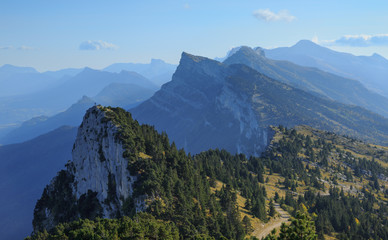
 whole bridge
@glacial path thanks for the advice. 👍
nimble shardBOT
Gave +1 Creative Carma to evil
 plain sable
Thanks for the suggestion @bleak fossil I brought up the blue with color balance, does this look better?
nimble shardBOT
Gave +1 Creative Carma to SamPetersonArt
young karma
@glacial path I did it with a pencil. I don't know how to work very well with photoshop. I don't know what is gaussian blur ahahah but I will learn!!😁
 brave mesa
Hi guys, this is my first day in the daily challenge and this is my Mood Board for the challenge 1. 😀
coral stone
@brave mesa great mood! I love dramatic B&W pictures, the desert one is my favorite 😄
dusty pond
@glacial path , Thank You for your feed back. I was going for a photo that showed distance using 6 photos. but , I'll work on the hue and saturation.
nimble shardBOT
Gave +1 Creative Carma to evil
bold valley
@glacial path Thanks Tim. I don't know how I missed those. Must be the late nights (8PM) I am keeping.LOL
nimble shardBOT
Gave +1 Creative Carma to evil
empty siren
@brave mesa i love this B&W moodboard .
Looking forward to see the upcoming submissions from the remaining challenges
@wet thistle I love this composition
@wet thistle Challenge 4 is very well done by you. Image blends into each other so well
young karma
challenge 4 how is now
blissful wolf
Day 4 - Create a day scene
young karma
I touch this a little bit more
 polar sigil
 uneven hatch
Challenge 2
novel orbit
Hey, Where is challenge #5?
narrow mauve
@novel orbit We will take the fifth challenge today. Subscribe to the Ps Daily Creative Challenge to get notified
4th Challenge complete
coral stone
@novel orbit At 8am PT check the #📣creative-challenges
knotty cosmos
@glacial path I hope the sun reflection looks realistic 😅
coral stone
@novel orbit and at 9am PT you can watch the live stream on be.net/live 😀
coral stone
@smoky comet amazing! I loved the new sky and the mountains 💯
smoky comet
Thank you so much @coral stone 😩
nimble shardBOT
Gave +1 Creative Carma to Valdair Leonardo
novel orbit
@coral stone Thanks!
nimble shardBOT
Gave +1 Creative Carma to Valdair Leonardo