#✂challenges-feedback
1 messages · Page 28 of 1
 fleet pecan
 void ermine
@fiery trail I think either way it will look good! But more importantly, I think you should get rid of the white outline around the silhouetted figure if possible and match the value of the notes with it. Right now, the notes are a more pure black and the figure is a gray and so they don't seem as unified as they could be. Cool image though and.... (secret shame... I do like [said like Ryan seacrest] American Idol! Ahhhh! shhh.. don't tell anyone....)
 west birch
Day 1 Challenge complete. I am so late. I have been out of design school for decades, so y'all be nice. P.S. I am still using PS5.
 fiery trail
@void ermine Thanks for the feedback and don't worry your secret is safe with me 😄 LOL
 nimble shardBOT
Gave +1 Creative Carma to Jon Leo
 urban berry
Hello everyone, here is my Day 6 challenge, any feedback is appreciated.
void ermine
Thanks @fiery trail lol
nimble shardBOT
Gave +1 Creative Carma to Ish
 sick flame
Day 8 🐐
 valid crow
 fair wedge
I'm a bit late! Sorry guys 😉 Have any suggestion regarding font? https://mir-cdn.behance.net/v1/rendition/project_modules/max_1200/6f31c582706959.5d31676473e7f.jpg

 raven atlas
Here's my second idea for Day 8 of the Photoshop Daily Challenge.
Off to work, now.
July 22nd: @glacial path and /or @bleak fossil... I'd really love some feedback on this. I think it's fine; what would you suggest to make it brilliant?
 unique wadi
 young karma
Good morning all! Day 8 challenge: Hope you you've already had some fruit 😂
 scenic forge
Oooo @sick flame I think you’ve just helped with my day 8 inspiration
Greatest of all time!
 grim flicker
 magic rampart
@glacial path sorry I didn't get back to you yesterday, I had to take a group of scouts fishing. Is this more like what you had in mind? Thanks for your help 😀
nimble shardBOT
Gave +1 Creative Carma to evil
fair wedge
and that's for today... do you have any suggestions? What about black?https://mir-cdn.behance.net/v1/rendition/project_modules/max_1200/63b52582706959.5d317f740588b.jpg

 ruby panther
Not a fan of the trumpet but I followed the challenge.
young karma
@bleak fossil Hi Sam, thank you for your feedback on the font I used. I've chosen another font and I made the font color a little bit darker. I think it looks a lot better, but what do you think of the font (color)? Does it match (a bit) with the composition?
nimble shardBOT
Gave +1 Creative Carma to SamPetersonArt
young karma
Hi guys, this is my day 8 composition. Feedback is welcome.
Day 8 - Design a poster.
 high mesa
An event in Sept...be bold they said...
@young karma - dark one def, has miles more impact
 formal lava
day 8
young karma
@high mesa cheers for the feedback 😁
 restive otter
Feedbacks are most welcome
young karma
May have had issues deciding on a direction lol
Ended up making two vibrantly coloured posters
nimble shardBOT
Gave +1 Creative Carma to SamPetersonArt
 dusty pond
@bleak fossil thank you for your comments. I agree on the blue. I was trying to get the dark blue without going to purple.
restive otter
@young karma I guess with second one as blue shade defines water...
 magic tangle
Thoughts/suggestions?
 rich hinge
Day 01 - #psdailychallenge
Day 02 - #psdailychallenge Not too thrilled with this day any suggestions would be appreciated. Thanks 😃
Day 03 - #psdailychallenge Thought welcomed....
Day 04 - #psdailychallenge
Day 05 - #psdailychallenge
Day 06 - <#583687068123791381-547473772727238676-past-challenge-feedback> #psdailychallenge
 mint kayak
Here's my day 7 challenge poster guys
magic rampart
My Day 8, had fun with lots of select and mask
Wasn't sure about the halftones, so here it is without
 lilac minnow
hey ya'll wanting to give a huge THANK YOU and 💚 💜 💚 💜 to @sterile bane for teaching this #PSDailyChallenge. I learned so much over these two weeks. Thanks @Adobe for creating and updating the tools to make creating efficient and fun. I feel more capable of creating images that I only thought were available in my imagination. Thank you moderators and mentors!!!
I won't be able to finish "on time" because I am leaving today for vacation. When I return I'll finish and hope to connect with others here for feedback. THANK YOU!!!
nimble shardBOT
Gave +1 Creative Carma to Kathleen
 wispy fjord
@young karma i absolutely love your color schemes and the 70’s feel of the posters. Nice work
 uncut valley
@woeful storm I did cats too lol
lilac minnow
@noble glen The lace pattern had sort of a rouge/red background to it. When I went to change the blend modes this is what happened. The tattoo effect.
 woeful storm
@uncut valley you know what they say about great minds... nice poster 👍
wispy fjord
@vale socket thanks for your feedback. The thread is what i need!!
nimble shardBOT
Gave +1 Creative Carma to CynLagos
 pale lichen
Second version of Photoshop Daily Challenge #8 - Poster
 sturdy vault
@sterile bane thanks for teaching. This has been my first challenge ever. I don't usually put my stuff out there. Thanks for the feedback it only makes me better. I have learned a lot these past 2 weeks and looked at some awesome work.
nimble shardBOT
Gave +1 Creative Carma to Kathleen
young karma
@wispy fjord Thank you! I loved your use of colour in your slow-making poster as well!
nimble shardBOT
Gave +1 Creative Carma to MP
 fast moth
Day 8
nimble shardBOT
Gave +1 Creative Carma to SamPetersonArt
rich hinge
Day 07- #psdailychallenge
 trail rose
Day 8. Is it too reddish!?Feedback appreciated!
 coral stone
This is beautiful @rich hinge! I love the blue tones you applied to the buildings 😍. Great job!
 sterile bane
@ruby panther 😉
ruby panther
@harsh helm I like the blue better. I think the purple is a bit too dark. Good work though!
 wet thistle
 blissful badge
Thanks for the feedback @bleak fossil . I am not sure I am going in the right direction. But here is another try.
nimble shardBOT
Gave +1 Creative Carma to SamPetersonArt
blissful badge
Now you can read the text. 😀
magic rampart
Here's a quickie day 9 as I'm not sure I'll get it done this weekend, hope I'm close
 lone hare
Day #8
 sand current
I dont know why this one was such a struggle for me. I learned a lot. so Yay!
 spark wharf
Day 8. I couldn't get the color halftone filter to work on my Black layer. It was smart object and I tried rasterizing it. Any suggestions? This was a line art drawing. 😦
scenic forge
Ok rushed it a little but this is my day 8 🐐
magic rampart
@harsh helm your emoticon is awesome, how do you get a video in it?
void ermine
Day 8... just finished in time..
 harsh helm
@ruby panther Yeah you're right, the blue is definitely the better one. The image before the gradient needed something to brighten it up so the blue does a better job of it.
@magic rampart Thanks, unfortunately you will need to subscribe to Discord Nitro to do it. Now you dont need the full 9.99 a month one, the 4.99 one gives you chat perks and the ability to use gifs as pfps. I would only do it if you have been using discord for a while and will be using it a lot in the future.
nimble shardBOT
Gave +1 Creative Carma to Jmada
sand current
 raven meadow
I just got started 😦
 wicked nexus
spit it out
here are the two version
i kinda like the pink tho what is your advice
raven meadow
day 1 with the frame
scenic forge
Day 9 is Day 1 where it all started 😄
coral stone
@young karma The dog poster is so cute 😍
young karma
Here is my mockup poster. It was a very fun 2 weeks. Thanks @somber moth
nimble shardBOT
Gave +1 Creative Carma to Kathleenillustrated
coral stone
@scenic forge Loved the Bokeh effect!
young karma
Day 9 - Mock it up
scenic forge
thank you @coral stone
nimble shardBOT
Gave +1 Creative Carma to Valdair Leonardo
young karma
Day 9 - Mock it up
void ermine
@lone hare love the truth be told poster. That font and the style and imagery and everything looks awesome
 silk wind
All of them!
fast moth
‹Day 9 - mock up
lone hare
Thank you! @void ermine It all came together fairly quickly. 😃
nimble shardBOT
Gave +1 Creative Carma to Jon Leo
 bold valley
Day 9 Mock up
grim flicker
🙃
young karma
@coral stone thank you so much
nimble shardBOT
Gave +1 Creative Carma to Valdair Leonardo
 kindred kernel
😃
 thick vale
 stark swan
Here is my day 9!
thick vale
I'm was enjoy the challenge, It was very fun!!! I can't wait for the next challenge, see you guys!!!
sick flame
@silk wind all of your concepts are really great! I love how you consider the space outside of the frame as well. It give me ideas for future works. Good stuff!
 frozen junco
Yay, all done! This was a great two weeks. I learned a ton. Thanks @sterile bane !
nimble shardBOT
Gave +1 Creative Carma to Kathleen
sterile bane
love seeing these posters come to life!
raven atlas
Hey @sterile bane! What's the deadline for the mockups to be posted? I've got rehearsals this evening and won't be able to tackle it until much later tonight (UK)...
sterile bane
No deadline @raven atlas 😃 By the end of the weekend is the goal, but no one is giving out grades 😄
raven atlas
@sterile bane
Cool. I'll definitely get it done within the next 12 hours. I've already selected and licensed the template I want to use.
Thanks again for a magnificent two weeks of your knowledge and enthusiasm! Peace.
nimble shardBOT
Gave +1 Creative Carma to Kathleen
sterile bane
thank you @raven atlas !
nimble shardBOT
Gave +1 Creative Carma to Ess
young karma
challenge 9
sterile bane
@young karma woah, very dramatic! the lighting and shadows almost feels like liquid. it has a great mood.
young karma
Thanks a lot Kathleen💖
An exhibiting artist at a gallery I worked at wanted a very specific bright blue wall, personally it just reminded me of toothpaste 😂
I think I'll revisit days one and two over the weekend, overall very happy with them!
 silk heath
Shout out to @sterile bane for teaching us so much in such a short amount of time! 🙌🏻
 red verge
Thought this template was fun, also free.
silk heath
Which do you prefer? B&W or in colour
Inspired by my home - Namibia
 fallow bough
Day 9. Hardest part was weathering one being removed and curling the one on the floor.
frozen junco
@silk heath I prefer the black and white one. We spent two+ weeks in Namibia this past May - what a beautiful country!
young karma
public announcement
blissful badge
This was a great session. I loved the poster theme...THANKS Kathleen!
 short mica
Every step is something new learned ......THANKS @sterile bane
red verge
 blazing quail
Mock up for Day 5
My posters of the day challenge, learned a lot whilst having a fun time: grinning: ,
young karma
All done! It was a fab two weeks. Learning lots. Not so scared of Photoshop anymore 😊 Thank you @sterile bane
nimble shardBOT
Gave +1 Creative Carma to Kathleen
sterile bane
@young karma amazing! PS should be scared of you, not the other way around >:)
raven atlas
Thought I'd do this before I hit the road...
silk heath
@frozen junco loved your Namib Dune poster 😝 and thank you for your feedback!
nimble shardBOT
Gave +1 Creative Carma to tlkativ
fair wedge
 hearty wharf
hello everybody - what fun it's been! can't believe it's all finished ...
and another one ...
frozen junco
@young karma I really like your Day #3 - you have inspired me to try some topographic designs. 😃
 viral ibex
Day 8 - Mock-up
hearty wharf
thanks so much for the challenges @sterile bane - i'm signing off, it's dinner time here in the uk!
nimble shardBOT
Gave +1 Creative Carma to Kathleen
fair wedge
All together!
trail rose
Day 9. Thanks @sterile bane !!!
nimble shardBOT
Gave +1 Creative Carma to Kathleen
rich hinge
Day 07 - #psdailychallenge
Day 08 - #psdailychallenge
Day 09 - mock it up #psdailychallenge
trail rose
All the challenges! Thanks to @bleak fossil , @glacial path @high mesa for your feedback !!!
nimble shardBOT
Gave +1 Creative Carma to SamPetersonArt
young karma
Day 9: mockup.
viral ibex
Challenges - Thank you everyone!
 tulip fern
Here is an updated version @bleak fossil . I agree there is more balance now between the cat-illustration and call for help at the bottom. Thanks! And also thanks to you and your girlfriend for fostering cats 😻 😀
nimble shardBOT
Gave +1 Creative Carma to SamPetersonArt
 bleak fossil
Aw I love it. That looks great! @tulip fern
If you wanted to push it even further I think you could probably scale the whole cat up a little. Awesome job!
 sacred aspen
My day 6 challenge
tulip fern
Thanks @bleak fossil ! I think I will play around with it some more, for now I wanted to stay with my own challenge "use the same image for all challenge days". If I did a good job, his eyes should be in the same position for every day that is why he is the size that he is. My husband also wanted the cat to be bigger so yes I will work with that later on and maybe the "Dierenbescherming" will like it as well and want to have it as a poster 😃
nimble shardBOT
Gave +1 Creative Carma to SamPetersonArt
 rapid jay
Great work from everyone!
 prisma lantern
Photoshop Daily Creative Challenge #03
 real fossil
Thankful for the things learnt this week!
prisma lantern
Photoshop Daily Creative Challenge #03
 heady pebble
Thanks everyone! Seeing your work was very inspiring, it really kept me going. Keep up the good work! 😊 Congratulations to those, who participated! 😄
young karma
Day 9
fiery trail
I finished the final Photoshop challenge for the week does anyone have any comments or feedback?😀
 warm pier
How do we search for the current challenge description?
rapid jay
@warm pier look under the ANNOUNCEMENTS tab.. <#562325676963790935-547473772727238676-daily-challenge>
young karma
All the posters I created in this challenge. Loved learning a lot of new things! Excited for other challenges in the future!
sand current
Thank you so much @sterile bane and team at Adobe Live.
nimble shardBOT
Gave +1 Creative Carma to Kathleen
 runic pendant
day 9
 grand dove
Thanks for the feedback @bleak fossil
nimble shardBOT
Gave +1 Creative Carma to SamPetersonArt
 glacial path
@sand current wow! well done 😄 I'd love to see the posters in a real life scenario 😃
@runic pendant cool mockup! the sky looks a bit overexposed but the poster is awesome 😄
@young karma poster 07 is my favorite 😄 You can be very proud of all your designs!
wet thistle
glacial path
@wet thistle ah, the classic mockup! This is a very famous scene (in Amsterdam I believe) - nicely done
runic pendant
is that better @glacial path ?
glacial path
@runic pendant nice 😃
tulip fern
My Day 09 entry. Thanks for another great PSDCC! Thanks @sterile bane , Thanks to all mentors and community feedback. It really helps keeping active and it is inspiring to see all the creativity flowing on this channel 😃
nimble shardBOT
Gave +1 Creative Carma to Kathleen
tulip fern
all creations
glacial path
@tulip fern oooooh! I love the idea with all the postes in the gallery 😃 the dark green wall works super well with your color scheme!
sturdy vault
I would add mine except my computer is being updated.
 pulsar walrus
my day 09 entery
wet thistle
Thanks @glacial path, indeed, Amsterdam! I live not far from there 😀.
nimble shardBOT
Gave +1 Creative Carma to evil
pulsar walrus
orignal pic
lone hare
Day 9 Mocked up
raven meadow
This is my Day 2. trying to catch up!
short mica
 zinc lava
Here is my day 9, I decided to use day 5 poster for this one. Would love your feedback
dusty pond
 finite hull
Day 8 - I'm ready to watch replay of last day 😄 see you guys on monday! learned a lot, tysm @sterile bane I'm gonna miss you for sure. keep coraling and spinning on chairs! lol
pulsar walrus
 blissful wolf
Day 6- @bleak fossil , I´ve reduced most of the highlights, I think that helped. Thank you!
nimble shardBOT
Gave +1 Creative Carma to SamPetersonArt
young karma
Last Day 😦 Numero 9 Mockup
 loud zephyr
@uncut ginkgo This is my Day 8 challenge. Sorry I got delayed. Life...
 timid pasture
@fallow bough Love, love, love the Stooges poster! Woob, woob, woob! 👌
pulsar walrus
@sterile bane
 small copper
Daily Creative Challenge- Day 6
 uncut ginkgo
@loud zephyr strong colors and nice type treatment! Nice job 😃
 vagrant sorrel
Hello this was my challenge with Kathleen. Thank you for sharing your experiences.
loud zephyr
I never use these colors. I was pushing myself to rhink outside the box. Thanks Gusbot :-) @uncut ginkgo
zinc lava
@pulsar walrus this is very good, got me feeling jealous that I didn't think of an idea like this😂 You should've tagged her
pulsar walrus
taggad
fallow bough
@pulsar walrus Amazing. Talking about your Times Square pic. Kathleen pic great too.
small copper
updated - Day 6
young karma
Catching up, as I couldn't get to it yesterday! Inspired by my favorite animal shelter.
glacial path
@small copper yes!" I like the new version 😄 You could also experiment with a smoother transition here:
@young karma that's a lovely mockup! Great choice 😄
void ermine
mock up of my 4th poster... Thanks @sterile bane and everyone else 😃 The mock up idea is fun, I've never really done them before! Cool!
nimble shardBOT
Gave +1 Creative Carma to Kathleen
void ermine
Another mockup - Yay!
woeful storm
day 9!
void ermine
@woeful storm I like the night effect! Nice.. thanks @bleak fossil thanks @uncut ginkgo
Screenshot of the grid from Behance.
woeful storm
@void ermine thanks, great work on your challenges!
void ermine
thanks @woeful storm . You too, awesome work!
woeful storm
here are all of my challenges minus #9. Thank you all! @sterile bane
nimble shardBOT
Gave +1 Creative Carma to Kathleen
bleak fossil
@small copper Nice work, that blue color on the face is an interesting color pop in the image. I think perhaps the fencing could be cut out in a way that looks a little more natural, right now the seam is pretty visible which takes away from that fencing looking. You got some interesting textures going on, looks good!
pulsar walrus
@runic pendant nice place to display your work , one problem i see you hide the lights in front of board😇
bleak fossil
@young karma That poster is a great use of the challenge, very nice 😄 I think it could be a cool effect to only have the texture affect the background and leave it off of the images and maybe the text. Just a thought unless you like that look. Good job!
@vagrant sorrel This is a great presentation! I like how you chose the boldest color image for the center, I think it gives the whole thing a nice balance. Nice work!
@void ermine Looking good! I think the mock-ups are so fun because there’s so many contexts that you could possibly display them in. Really liking how that background blur really pushes the focus to your image!
@void ermine Really liking the cast shadow on your other mockup as well! Maybe you could use a masked levels adjustment on the left image to pop it out a bit more? Currently the white frame is really bright compared to it.
@pulsar walrus Oooh that image of Kathleen is great, really nice job! That mock-up image you used compliments the painting well. For your previous mock up image that’s an awesome idea to use something so big and dramatic like that.I think the front angle idea one is nice to really highlight a couple of the images in more of a focused way. Great work 😄
@loud zephyr Really cool style to this! I'm liking the illustrated look of the center image. Right now both the blue and red are really bold and saturated, I think it might be a little stronger to tone one of them down and let the other be a bit stronger. Might make for a stronger visual hierarchy and cause the colors to compete a bit less. I think the blue being desaturated a bit might look good. Nice work!
@young karma No need to fear, we’ll be back on Monday with more! This image is really cool, I like the plants above, that along with the brick wall gives the image a really neat feel. The images work really nicely as art on the wall. It seems like there’s a couple white edges here and there within the framing that could be cleaned up if you want to touch it up any more. Well done!
@blissful wolf Looks good! I think that definitely helps the face and eyes pull the most focus.
@woeful storm You’re killing it! Love the glow effect, works really well. That warm pink against the blue of the rest of the image makes for a great contrast. I think you could probably even tone down the blue hue/darkness of the background as there is currently so much contrast with your image, but perhaps you want that really extreme contrast stylistically. Great work!
Edit: Just saw all your challenges posted together. Really awesome stuff, impressed by everything you’ve been putting out for this DCC!
pulsar walrus
@bleak fossil thanks allot , your character illustration is a some when you are going to stat a challenge ?
nimble shardBOT
Gave +1 Creative Carma to SamPetersonArt
void ermine
@bleak fossil thanks again. Bam. You’re right ! Super bright. I think I thought it was so cool that I wasn’t really looking at the mock up as a piece unto itself. But it obviously should look good!
nimble shardBOT
Gave +1 Creative Carma to SamPetersonArt
blissful wolf
Thank you very much @bleak fossil
nimble shardBOT
Gave +1 Creative Carma to SamPetersonArt
bleak fossil
Thanks! Hah, I used to do some character challenges in the past, might be doing some more in the future! Currently just really busy @pulsar walrus
nimble shardBOT
Gave +1 Creative Carma to shahid kazmi
bleak fossil
@white temple That’s great! The weekends are always a great time for catching up on some of the challenges if you’re able. You got a really nice visual balance to this image. The text on the right counterbalancing the visual weight of the flower on the left works very well. Colors are really nice and calming too. Well done!
@finite hull Hah, very nice! Glad you were able to join us for these challenges! This poster is intriguing, a tale I would be curious to hear 😂 I think perhaps having a more clear size difference between the top text and middle red text might help? I think the red text being even bigger might make for a nice visual read. Great work!
blissful wolf
Day 7 - Use gradient
pulsar walrus
@young karma nice color combination but there is a problem with size of your poster, if you covered the space properly looks more realistic😇
bleak fossil
@dusty pond Looking good, that image works really in a frame! Did you adjust the color of the wall? If so, I think it could be desaturated just a touch. It looks a little unnatural in its saturation and I think the boldness competes a little with your image. Though I do think a colorful wall and a strong greyscale image are a nice contrast.
woeful storm
@bleak fossil thank you 😊 it’s been a fun experience completing the challenges and people like u have made it even better on discord. 👍👍👍
nimble shardBOT
Gave +1 Creative Carma to SamPetersonArt
pulsar walrus
@rich hinge your day 07 image is beautiful, if you dark the colors like sky pattern will show more drama
bleak fossil
@zinc lava Nice work Panashe! This is really cool, but I wonder if another mock-up image might suit this art better. Currently the flowers to the right are about the same size and brightness in color as the art on the left. It kind of makes them compete with each other and doesn’t really let either one shine. Often times images that have a nice contrast between the art and background work to really draw attention to the art you’re trying to show off. Just some thoughts!
pulsar walrus
@hearty wharf love you poster 💯
bleak fossil
@short mica Nice! It's always great to see the work all together and be able to look back and see everything you've done. Great job!
pulsar walrus
@fallow bough nice work and good choice of mockup😍
bleak fossil
@raven meadow Oh wow, great work! This is really cool, well done putting all these together. I think the green background could be desaturated a bit. It’s extremely saturated and looks a little unnatural. I think toning that down a bit might look more fitting while maintaining that fantastic/bright feeling of the image, and at the same time really allowing the fairy to pop out as the focal point by contrast.
@lone hare Nice work Ryan! Looking solid. Though the hard edges of that shadow on the wall on the right are a bit confusing in how they run along as a clean border next to the two posters on the right. It's a bit visually confusing as to what is going on. I think if the lighter border alongside the posters where there appears to be no shadow was filled in it would look more natural.
@tulip fern Really cool! I think it’s a really interesting idea to incorporate the same image into every challenge and then see all the challenges together and how different they can all look by using different techniques and approaches. Great work with this DCC, keeping up with each challenge is no easy task! Mockup looks really solid too, I like how it shows off several of the designs together as they work so well as a cohesive series.
@runic pendant Nice work! You're definitely getting some strong contrast to bring attention to the billboard. 👍
@wet thistle Aww, cute. Nice work! The brightness of the face in the middle pulls some nice focus to the image.
@grand dove That looks great! Really nice flow to the image.
 rare ocean
Hey guys! Looking for feedback on Day 6. Can't decide on which is the stronger design. I am leaning towards the one on the right because of the contrast, but let me know what you guys think!
original photo
pulsar walrus
not completed yet drawing courtesy @bleak fossil
vagrant sorrel
@bleak fossil Thank you I have learned a lot about these challenges since I entered the Behance and Adobe discord that a friend spoke to me. What I miss is a challenge for AI who also likes to work it.
nimble shardBOT
Gave +1 Creative Carma to SamPetersonArt
timid pasture
All my images from the July 8 - 19 challenge are here if anyone wants to have a look: https://www.behance.net/gallery/82693861/Photoshop-Daily-Challenge-07-2019-A-Poster-A-Day.

Behance
Photoshop Daily Challenge - 07-19: A Poster A Day
Looking forward to the next one with Jesus. Not sure I'll post much, but we'll see... Have a great weekend everyone! 👍😁
loud zephyr
@@bleak fossil Thank you very much! I'll work on that ASAP and repost.
runic pendant
thank you @bleak fossil and to all the other mods here that helped me and everyone here! i really am excited for the next challenges to come!
nimble shardBOT
Gave +1 Creative Carma to SamPetersonArt
 scenic anchor
This has been so Great! I have learned a lot. Thank you Kathleen.
runic pendant
fixed the lamps!
 wind jolt
Challenge 09 completed - Thank you for everything Kathleen
 sudden rampart
Hello
wet thistle
Thank you @bleak fossil and all of you who are making these challenges possible. I learn a lot, and quite frankly I prefer these challenges over any other ways of developing my photoshop skills. I am so glad I found you all 😀😀.
A special thanks to @somber moth for explaining everything so well in an enthusiastic way....you make Photoshop fun!
nimble shardBOT
Gave +1 Creative Carma to SamPetersonArt
glacial path
@wind jolt You've picked a lovely mockup! The color tones harmonize great together 😃 Well done 😄
wet thistle
Thanks @somber moth !
nimble shardBOT
Gave +1 Creative Carma to Kathleenillustrated
wind jolt
@glacial path @somber moth and all the team for your patience and knowledge and advice, may it continue.
hearty wharf
@pulsar walrus thanks so much for the feedback - great you took the time to look through everybody's work. i love the picture you did of kathleen, awsome!
nimble shardBOT
Gave +1 Creative Carma to shahid kazmi
 quick mesa
Playing catch-up... Day 5 - Botanical Composite
coral stone
Beautiful colors @quick mesa I like how the frame contrasts with the background color!
scenic anchor
I want to thank@sterile bane and everyone here for being so welcoming and encouraging. I am a babe in the Adobe Creative Cloud but I am older than most, maybe all. 😃 I love learning, and I really appreciate being accepted and being in a place that fosters growth in my skills and creativity. This was my first challenge but it won't be my last. I am hooked. 🙃
high mesa
@sterile bane - thanks for another challenge, great to use your skills and apply it to my own projects.
nimble shardBOT
Gave +1 Creative Carma to Kathleen
high mesa
Used an image from genart projects, the image was created from audio using processing & javascript
 split frigate
Day 6!
raven atlas
... and here's my Day 9 contribution to the Photoshop Challenge.
Once again, many thanks to @sterile bane for sharing her workflow and giving us little tips to help make our workflow and output that much better.
nimble shardBOT
Gave +1 Creative Carma to Kathleen
void ermine
Beam me up @raven atlas. And @high mesa what is that? An image made by a computer responding to audio ?
bleak fossil
@here Great work these past two weeks everyone! If anyone had a challenge for this DCC they didn't get feedback on and would like some, feel free to repost it and tag me. I'm going to try and give some feedback this weekend.
high mesa
@void ermine - yep, I did it as part of my masters research, it was tough to get it to work so you use a mixing desk to control design. The more you turn up an audio channel, effect or parameter, it causes the design to alter.
@bleak fossil - I posted a couple and didn't get feedback, so would appreciate any commentary/help on a couple of designs.
 cold cedar
PsDCC7 Landscape Drama, finally got to work on this. So, is it too much drama? How can I improve it?
bleak fossil
@high mesa Go ahead and repost the ones you didn't get feedback on and tag me and I'll try and get to them today or tomorrow.
 thorn geyser
zinc lava
thorn geyser
zinc lava
@bleak fossil thanks for the tip I will try mocking up another picture
nimble shardBOT
Gave +1 Creative Carma to SamPetersonArt
bleak fossil
@high mesa Hah, no problem! Glad to help. I think I actually gave feedback for the first image. I believe I said that I really love the bold colors and designs you have. And that I think maybe taking the texture off the text might give it a nice separation from all the texture on the portrait. Really cool looking.
The second image I think has some great contrast with the the red accent color around the page. Gives it a cool, dramatic look. Though I think the red could possibly be toned down in saturation and maybe brightness just a touch, and the figured brightened up slightly. This should really shift the focus more to the figure in the center, and less on the red around it, while still keeping a bold dramatic look. Here’s a quick example: Great work on these Mykul!
high mesa
@bleak fossil - I see what you mean, it lifts the main asset and pushes it to centre stage. The other image, I must have overlooked. Really appreciate taking time to do this for me.
bleak fossil
@sand current #1176 Nice work for this DCC! You have some really great variety in your colors and styles for this. Great job exploring all these different looks!
young karma
@frozen junco thank you 🤗
nimble shardBOT
Gave +1 Creative Carma to tlkativ
zinc lava
@bleak fossil I changed the image how is this one
cold cedar
@white temple Really nice. Feels like it is a page in an antique botanical book.
 white temple
@cold cedar Thanks!!! 💕
nimble shardBOT
Gave +1 Creative Carma to ValentinePierce
quick mesa
Day 6 - Distort an Image
 celest yacht
I started late but here is my Poster #2 version
Build an illustration with layers, shapes and color
loud zephyr
Lowered saturation on the blue so that it's not so saturated.
split frigate
@loud zephyr 👍
cold cedar
PsDCC8 Graphics and type. Here it is! Tried to find typefaces reminiscent of the 70s. What do you think?
restive otter
Feedbacks
 green violet
Hi
wicked nexus
finishing up day 7 ☺
personally I like the one with the noise what do you guys think? 😉
pulsar walrus
@cold cedar appreciated your work nice half toons but you are using too many font families if you chose a single font with multiple variations will look more appealing😇
wicked nexus
@thorn geyser my favorite is the one in the tshirts design!
mint kayak
Aaaaand done. Day 9 Challenge complete. Thanks so much for the inspiration @sterile bane
nimble shardBOT
Gave +1 Creative Carma to Kathleen
quick mesa
Day 7 - Creating Drama with Gradients
 hard sable
This is Day 8. I want feedback this poster.😊
wicked nexus
hello again everyone here a complete project feel so happy that I actually finish! 🤗
behance/Damachan
@hard sable brilliant!
hard sable
@wicked nexus Thank You😊
nimble shardBOT
Gave +1 Creative Carma to DamaChan
 blissful magnet
My first attempt here on the site. 👸
cold cedar
@pulsar walrus Thank you for the feedback. I will see what works better.
nimble shardBOT
Gave +1 Creative Carma to shahid kazmi
cold cedar
@pulsar walrus Here it is with only 2 typefaces. I kind of miss the wacky one, though.
 scarlet hill
Hello everyone, Please take look at the poster challenge, I've been working on. Still in the process of finishing them 😃 https://www.behance.net/gallery/82931997/Poster-A-Day
 cold cedar
PsDCC9 Poster Mockup Vertical and Horizontal. Finally got all 9 challenges done. YEAH! Let me know what you think.
 plain sable
Challenge #8 - getting caught up! Loving all of the projects...
cold cedar
Alrighty. Here is the grid view in Behance. Now I have to get some sewing done. Behind on that, too. https://www.behance.net/portfolio/editor?project_id=82740339
coral stone
@cold cedar the link is not working for me 😬
cold cedar
@coral stone It worked when I clicked it. Is there something I may have done wrong?
coral stone
I believe you sent the "editor" link, since it's your account you can access it. Try to enter in the project and send the link without going to the edit mode 😃
cold cedar
@coral stone I clicked on promote. Let me know if this works. Still learning Behance, too. https://www.behance.net/gallery/82740339/PsDCC-Poster-A-Day-July-8-19-2019
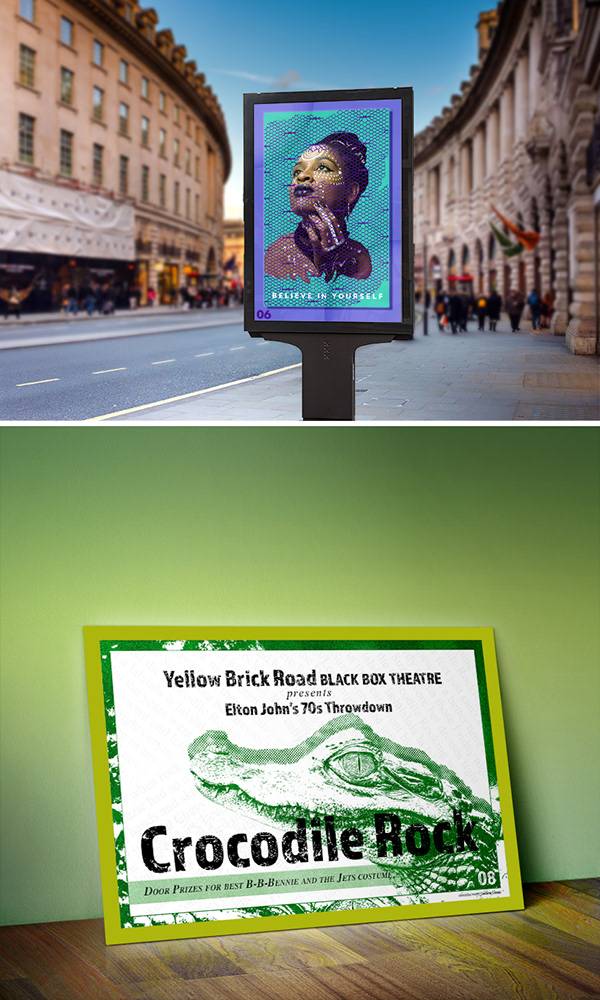 coral stone
Yes, it's working now 😃
cold cedar
@coral stone Thank you!👏
nimble shardBOT
Gave +1 Creative Carma to Valdair Leonardo
cold cedar
@zinc lava That is such a lovely photograph of the little girl!
pulsar walrus
 fringe thicket
Working hard on catching up, here's my poster for day 8 of the past challenge (at last!) 😅 Had zero time and even less inspiration. Would love to get feedback
bleak fossil
@wraith surge Great job, really like what you did with the sky and clouds! Currently the image seems quite bottom heavy. The sky has plenty of open room and the bottom seems a little cramped with the text so close to the border. Perhaps allow some extra room in the bottom and crop the top a bit more? I think the city could also use a little spot of light to make it stand out a bit more, and maybe a subtle gradient in the text to fit it in with the scene Here’s a quick example. Nice work!
@thorn geyser That’s a great idea, I like how you explored various different types of formats for your designs. I think it really helps you think about the potential context for the designs you create. Definitely good to consider when designing.
@cold cedar Looking good! It's always great to see the original image to see how much it changed. I think you definitely added a lot of drama, very cool look. In the thumbnail view the highest point of contrast seems to be the middle mountain peak right below the text. I think it might help to brighten up the text a bit, specifically the upper portion of "Thunder" to really have the text be the first read. Looks good!
@raven atlas Looks great Ess! The mock-up image is really cool and the image stands out very well. Very well integrated into the image as well, nice work!
@zinc lava Very nice! That really gives the images some nice contrast and more of a natural read.
@fringe thicket Very cool, really interesting effect you got on the flowers! I think the effect on the flowers is really cool, but currently a little intense. I think it could maybe look nice to tone down the opacity on the dot effect a little, and maybe add a light texture into the background as well. This might do a nice job of unifying that background and separating it for the text texture wise. Nice work!
 harsh charm
Day #2 layers, shapes and colors. Trying to catch up and would be happy for some feedback.
fringe thicket
Thanks @bleak fossil I will have a go at that tomorrow! 🌛
nimble shardBOT
Gave +1 Creative Carma to SamPetersonArt
bleak fossil
@plain sable Nice work! Great to see people catching up on challenges. Looks good!
@scarlet hill Great work! These are looking really good. One small suggestion would be to be careful about your cropping on the Day 3 poster. The bottom skull kind of makes an odd tangent with the border. Usually you want to give it a little more room or do what you did on the Day 2 poster which is overlapping the border over the shapes. But for Day 3 I think giving it a little more space will help. Nice work Luna!
fringe thicket
Quick upload of my mock up for day 9 (now I'm off to bed 😴 )
plain sable
Finally caught up!
raven atlas
Many thanks, @bleak fossil!
Much appreciated.
nimble shardBOT
Gave +1 Creative Carma to SamPetersonArt
cold cedar
Thank you @bleak fossil for a great suggestion. I also reversed the gradient on "mountain," which seemed to give it more depth. Let me know if you agree.
nimble shardBOT
Gave +1 Creative Carma to SamPetersonArt
cold cedar
@plain sable Very nice! My only suggestion is perhaps a bit of brightness on "Paper City?" Not a lot but right now it kind of disappears and it would be nice to see it a little better.
@zinc lava Love the reflection of the frame on the polished table. Cool!
zinc lava
@bleak fossil thanks for the feedback it really helped
nimble shardBOT
Gave +1 Creative Carma to SamPetersonArt
zinc lava
@cold cedar thanks 😊
blissful wolf
Day 8 - Design a poster
bleak fossil
@blissful magnet Welcome on in Nikki! Glad you could join us. If you'd like to join for more we'll be starting a new DCC tomorrow! It could be nice for one text to be bigger than the other for a little more visual hierarchy and interest. For example, if "Earth Day" was bigger and "Every Day" stayed that same that might give it a nice read. Well done!
nimble shardBOT
Gave +1 Creative Carma to SamPetersonArt
 wraith surge
@bleak fossil Thank you for the help. I thought something looked off. Made the image larger and moved the letters around. I think this has a little better balance?
raven atlas
Another mockup.... goodnight, y'all!
young karma

 mental meteor

Behance
young karma
Day 8 - Typography. I am running behind...😬
Day 7 - gradients. It took me forever to get the lettering - still not very happy with it.
Day 9.
magic rampart
Hi, here is my day 9 mock up, please let me know if I could have done anything differently.
pulsar walrus
@young karma wow if you creat your own work mock up its a great idea 😍
 dull tangle
 nimble ferry
 quartz roost
Me aswell. I'm looking to start the challenge haha
magic rampart
@nimble ferry and @quartz roost Yes, there's a new challenge from @lethal mural
#1985. His last one was awesome!
 prisma raven
I don’t see the new challenge
magic rampart
@prisma raven try https://www.behance.net/challenge/photoshop

Daily Creative Challenge
prisma raven
I did the last one and I don’t see anything regarding today. Usually there’s some info before the 9am live stream
magic rampart
Try clicking "Live" at the top of the page in Behance.
fringe thicket
@bleak fossil I toned down the flowers a bit and added a dotted grid texture to the background, I think it helps to separate the text from the background. Thanks for the feedback! 👍
nimble shardBOT
Gave +1 Creative Carma to SamPetersonArt
pale lichen
See you in the next challenge!
 covert viper
Hi, I'm new here from Mexico, where can i see the new photoshop challenge? 🤔
coral stone
Hi @covert viper you can register for the challenge here :)https://www.behance.net/challenge/photoshop
Daily Creative Challenge
covert viper
Thanks!!! Valdair
bleak fossil
@pale lichen Mockup is looking great Darius! Looking forward to this new DCC!
@fringe thicket Nice work Chocolita! Looking good. Great work with these DCCs!
@dull tangle Well done Laurie, really liking that texture on Day 8 and the mockup for day 9 looks really solid. Very nice contrast with the brick wall background, really makes your poster pop. The background and text on Day 8 almost looks a bit busy, like the background design is competing with the text. Perhaps just lowering the opacity on the background graphics slightly? I don’t think much would be needed, but a subtle change might help the readability. Looks good!
@young karma Really cool idea for your mockup! I think a lot of these fit in nicely with that rustic aesthetic.
@magic rampart Looks really nice Jmada! I think perhaps the background saturation could be toned down just a touch so the bold red doesn't distract from your design. I think just a little bit of desaturation would make a nice difference.
@urban berry Looking good Cindy! Really love the mountain "Rise" image, really great flow and visual balance to that image. Day 6 is looking cool too, I think a slight gradient in the background might add a little interest?
young karma
Thanks @bleak fossil !
nimble shardBOT
Gave +1 Creative Carma to SamPetersonArt
raven meadow
Thanks @bleak fossil will do
nimble shardBOT
Gave +1 Creative Carma to SamPetersonArt
fringe thicket
Thanks @bleak fossil
nimble shardBOT
Gave +1 Creative Carma to SamPetersonArt
 inland copper
Hi! I just saw this challenge not even 10 minutes ago and am really curious if I am still able to participate in it? is it too late to join and if it isn't how do you join?
 zinc tapir
can someone help me? I don't understand how does this work. I make a poster today and what do i do next? I upload it to behance with the #✂challenges-feedback ? I'd really like to participate, but I don't understand how
pulsar walrus
glacial path
@zinc tapir make sure to check out the #✋welcome channel 😃
@zinc tapir the actual challenge will start tomorrow
urban berry
@bleak fossil Thanks for the feedback.
nimble shardBOT
Gave +1 Creative Carma to SamPetersonArt
glacial path
@woeful storm Love the red/yellow combo! The font is also really cool 😃 The white text is just really small. You also wouldn't center align a text but put it off center. Finally, I would give the lower white text some padding between the text and the edge of the poster 😃
pulsar walrus
 velvet nebula
Can I do challenge for July 22 now at 7pm, or too late?
woeful storm
@glacial path cheers mate! Thanks for your keen eyes as usual 🙂
nimble shardBOT
Gave +1 Creative Carma to evil
velvet nebula
thanks Tim, I will be back tomorrow morning to start.
bleak fossil
@velvet nebula Like Tim said, we start tomorrow, but if you're not able to do a challenge the day of you can always finish it up later and still submit it. Though it's best to do it within the 2 week window of the DCC. Glad you're joining us!
 urban cedar
I'm a new member! How soon do we receive our challenges?
bleak fossil
@urban cedar and @inland copper Today was just the introduction day, tomorrow will be the first challenge. Tomorrow the first challenge will be revealed here https://www.behance.net/challenge/photoshop
Any other challenges you're seeing are from the past two weeks if that was throwing you off. Welcome in!
@zinc tapir ^
bleak fossil
@pulsar walrus Is that your Day 9 challenge for the mockup? Very nice! Cool idea to see how a design works as a book cover, looks good 👍
blissful wolf
Finally completed day 9!
 languid comet
Can someone change low ppi pictures to high ppi pictures?
bleak fossil
@woeful storm Reaaally nice, very solid color combo and texture with that rough red and yellow color scheme. Also loving the graphic style of that red hand, did you make that yourself? Only suggestions would be to perhaps make the white text a bit bigger (could always make it slightly darker if it draws too much contrast) and I think maybe move the hand so it doesn't make a tangent with the letter. I think either making it go behind the "H" slightly or overlap it a bit would help give it a little more depth. Awesome design!
@raven atlas Great job, looks really convincing! Even looks like you got a bit of reflected light in the top from the environment? Looks like it would work great in a large format like that. Well done!
@wraith surge Looks good! I think that balance works pretty well. 👍
@blissful wolf Very cool! I like the stark black and white look, works well for that image. Currently all the visual weight seems to be around the bottom and the text seems to be crowding the house a little bit. Perhaps moving the "come and get spooked" text up a little bit might give it some more breathing room between the house. Maybe just enough so that "spooked" crosses over the top part of the middle tower, but with the top of the tower still showing a little bit in the white space between "come and" and "spooked" if that makes sense. Nice work!
@cold cedar Reaaaaally liking that change, reads so much better. Great work!
@plain sable Nice work, looking good! Perhaps try using a blending mode for the green coloring of the wall so it maintains some of the lighting information of the original wall and looks a bit more natural? The green seems to compliment your image nicely, good job!
blissful wolf
@bleak fossil , thank you! Tomorrow I'll work on it...
nimble shardBOT
Gave +1 Creative Carma to SamPetersonArt
wraith surge
@bleak fossil Thank you! Appreciate all your feedback.
nimble shardBOT
Gave +1 Creative Carma to SamPetersonArt
woeful storm
@bleak fossil Yeah I made the hand myself, I will definitely try move it around to see what works. And I will work on the text some more, I just slapped it on last minute to break things up a little bit. Thanks for your suggestions 😊
nimble shardBOT
Gave +1 Creative Carma to SamPetersonArt
urban berry
Hello everyone, here is my Day 6, 8, & 9 Challenge.
and here is my all of my challenge. https://www.behance.net/gallery/82627057/Photoshop-Daily-Creative-Challenge-July-8-19
 raven atlas
Many thanks, @bleak fossil!
nimble shardBOT
Gave +1 Creative Carma to SamPetersonArt
 tribal oak
@rich hinge your day 8 brought back memories of Chippewa Nature Center as a kid... well done!
magic rampart
@bleak fossil Thank you, I see what you mean. I've toned it down, but now I'm not so sure about the boldness of the red, do you think I ought to change the actual colour to something a bit lighter?
nimble shardBOT
Gave +1 Creative Carma to SamPetersonArt
young karma
https://www.behance.net/gallery/82703087/PS-DCC-Poster-A-Day-Series day 7 is here 😄 😃

 lime ridge
image manipulated
young karma
@pulsar walrus You are right it is much better balanced now.
pulsar walrus
@young karma👌
 dull vapor
(when does the current challenge start? just signed up today. this will be my first.)
coral stone
@dull vapor the challenge starts today. Feel free to watch the live stream at 9am PT :)https://www.behance.net/live/videos/2963/Photoshop-Daily-Creative-Challenge-01

Join your host each morning at 9:00am PT to learn how to approach each challenge using Photoshop. Complete 9 challenges by Friday, August 2nd and you’ll be on your way to sharpening your skills. Get your questions answered, see what the community is creating and get feedbac...
dull vapor
That’s what I didn’t know - what time they’d launch. Thanks!
wind jolt
Ready to go
 rugged horizon
excited kina
 supple lion
tadaaa
young karma
Cool, is that a selfie?
supple lion
Nope, a friend of mine took it
young karma
AH yeah I guess that is not the same
I was going to use a selfie for this but I spent too long looking for the photo and missed the first part of the tutorial... lol
 wide cradle
Haha Fastest Day 1 😃
 lethal mural
This was my problem on the stream! 🙃
I had the background layer outside of the group. It needs to be inside above the Recycled Paper layer which needs to be outside. Then set the group to Multiply.
uncut ginkgo
lethal mural
@supple lion Great job! I like the texture!
@wide cradle a Pen Drawing of a Pen. I love it!
wide cradle
Thanks @lethal mural
nimble shardBOT
Gave +1 Creative Carma to Jesús Ramirez
supple lion
@lethal mural It's hard to make it convincing without a displacement map tho, the drawing's too smooth for the tex.
lethal mural
@supple lion If I had a bit more time I would have shown how to use those same scribble images in the PSD to create custom brushes to roughen the edges. That would be the next step. You can try doing it to your image!
supple lion
yeah i masked the effect a bit on the folds here, its a tad bit more convincing
 hasty coral
Here we are. I've never done this effect before. it's pretty neat
 mild pelican
@supple lion looks cool! How did you do the folding effect?
supple lion
@mild pelican It's from this texture pack: https://graphicburger.com/5-folded-paper-backgrounds/
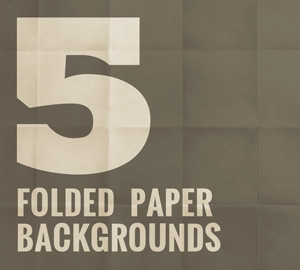
A set of five folded paper backgrounds perfect for flyers and posters. Inside PSD file colors and textures are on separate layers...
The first one is from here: https://graphicburger.com/5-wrinkled-poster-backgrounds/

This collection of backgrounds is suitable for posters, flyers and more. The textures and colors are on separate layers...
In general I prefer to use photographic textures to add a layer of realism
For the folding one I created a mask where I darkened some of the areas around the folds on my sketch layer.
mild pelican
@supple lion awesome - thank you!!
nimble shardBOT
Gave +1 Creative Carma to paulvansommeren
short mica
Having a major problem opening to stop p a t newest version of Photoshop Windows just not happening
 dire forge
Here's my result. I skipped the gradient map and instead played with channel hue shifts. Neat effect, lots of possibilities.
bleak fossil
@magic rampart I think you could if you'd like. Currently there's a lot of contrast between the green frame and the red wall, both in value and in color. The bright frame and dark wall contrast, as well as the red and green. You could do a few things to tone that down, lighten the wall, desaturate the red of the wall, or darken down the green. The green seems a little unnaturally bright, perhaps you could apply a subtle gradient to it so the lighting looks more natural, and perhaps use a gradient that darkens it down a bit? I would just play with some of those ideas until you find a nice balance. Because currently the contrast of the red and green distracts from your actual image a little. I think some of those changes would balance it perfectly!
mild pelican
This was a cool technique to learn #newbie
supple lion
@mild pelican That's a great start! I think it would help to make it blend with some background, preferably some paper. Depending on what you like you could play with the pattern size to make the effect a bit more obvious, but if you're going for the subtle look it's perfect!
blazing quail
Never attempted this before, easy when you know how!
mild pelican
@supple lion thank you 🙂 I think it would look better with a background too but I couldn't find textures in my actions channel. Going to find a different way to add a background - any tips?
nimble shardBOT
Gave +1 Creative Carma to paulvansommeren
supple lion
@mild pelican Google's your friend! Make sure to check the usage rights on the images though. This would be a good start: https://www.google.com/search?q=paper+texture&tbm=isch&tbs=sur:fm
Then you can just copy/paste them into Photoshop!
mild pelican
got it - appreciate the help!
 hallow trench
Did it!! but had some problems with hair strands and selection tool
bleak fossil
@hallow trench Looking really good! Definitely is getting that blue ballpoint pen effect. I think if you were able to somehow add some strokes breaking out of the edges of the figure it might make the hair strands seem more in place and give it a more hand drawn look. Well done!
@mild pelican Very cool! The cut out PNG format of this gives it a sort of drawn+cut out of paper look. Looking solid! The only thing I noticed is you missed cutting out some of the background on the bottom corners.
mild pelican
@bleak fossil Noticed that too 🙂 thanks for the feedback!
nimble shardBOT
Gave +1 Creative Carma to SamPetersonArt
spark wharf
My Day 1. How do I get rid of the muddiness?
mild pelican
@oak ermine I think it looks so good!
stark swan
Hello everyone! Here is my sketch:
 oak ermine
@mild pelican Thank you! I'm going to mess with it more...
nimble shardBOT
Gave +1 Creative Carma to Roo
oak ermine
@stark swan Wow! That is amazing... It is so detailed!
 jade glade
Hello everyone, this is my result from the challenge:
hallow trench
@spark wharf nice german shepherd. i think more contrast could add more volume effect.
spark wharf
@hallow trench Thank you. The GSD is ours. 😄 I'll give that a shot. Thank you!
nimble shardBOT
Gave +1 Creative Carma to Tropical Delirio
 neat shale

Behance
Doing this week's photoshop challenge this time! I really like this effect!
fallow bough
I think this will work better with an angled scribble texture
supple lion
per Ryan's request 😃
 pale knot
HI there! Check it out!
 unborn cliff
When was Jesus live stream>
pale knot

Join your host each morning at 9:00am PT to learn how to approach each challenge using Photoshop. Complete 9 challenges by Friday, August 2nd and you’ll be o...
unborn cliff
Thank you @pale knot
nimble shardBOT
Gave +1 Creative Carma to ihount
coral stone
I loved the glitch effect @supple lion!
oak ermine
Here is a redo of my previous image... I like that it looks less messy, but I also feel like the objects looked a bit clipped out. I'm open to feedback / help!! 😃
spark wharf
@oak ermine Maybe feather the image mask a little bit?
oak ermine
I like it @runic pendant It has great detail and contrast.
runic pendant
oh and @agile ruin thanks for yesterday here is the result!
nimble shardBOT
Gave +1 Creative Carma to Kladi Printmysoul
runic pendant
@oak ermine thanks!
coral stone
@runic pendant it's looking great! Maybe you could refine a little bit the mask around the model's edges. About the pattern you can always play with the scale to get different results. Great job! 😄
spark wharf
Day 1 Revised. Adjusted brightness and contrast.
runic pendant
oh amm thats a thing that i added... i dont really like it looking at it again... @coral stone thanks
nimble shardBOT
Gave +1 Creative Carma to Valdair Leonardo
runic pendant
i don't really like the result... mostly due to the fact that they show a different example that looked way way better then the tutorial... but never the less here it is....
i didn't really follow the video just had an idea to how to simplify the prosses in the beginning after i assumed the whole prosses is similar to the first layer he the mentor has done. just have to give props Tim the mentor for showing me how to use color range witch in my opinion made the prosses way faster.
its important to me that the massage wont go unseen...
blissful badge
I need to try again, not sure if I understood how to do it. I want more contrast in my layers. But I really like the effects others are getting.
young karma
 daring field
My take on it.
oak ermine
meh... What I learned from this project: choice of photo is important (no kidding-haha...) and original selection is important.
stark swan
@oak ermine thank you so much!
nimble shardBOT
Gave +1 Creative Carma to Goldfinch
pale lichen
First day PSDailychallenge #1 - it was nice to play and create a pattern 😃
fallow bough
fast moth
Day 1 Add a drawing effect
 wispy compass
Day 1 - I had some challenges with this...not great but all i have time for now.
 slate wharf
Yay! First Challenge!
coral stone
@fast moth I like the paper texture you added 😃
 cosmic sparrow
I enjoyed learning these tricks. I couldnt figure out how to make it have that more "sketchy" look that the final practice picture did though.
coral stone
The sketch looks very realistic! Amazing job @cosmic sparrow
coral stone
@eager scroll 😃 https://media.discordapp.net/attachments/548246314383835146/603280417134739492/textures.jpg?width=371&height=500
 fallow bough
Played with sketch pattern on the RBG channels separately and then added the color back in on each. Final is a blend using Difference. Other than for the hair, it gave me what I hoped to see.
thick vale
Hello!!!
fallow bough
Found a cheat. Painted the hair in the Blue layer mask 95% white.
restive otter
Day1 What to say?
slate wharf
@thick vale That looks Awesome!
fallow bough
@coral stone Had the same problem locating the Texture Actions so colorized a paper texture I had. Thanks for the work around. Much easier.
nimble shardBOT
Gave +1 Creative Carma to Valdair Leonardo
wet thistle
kindred kernel
Challenge 01 😃
young karma
@wispy compass nice, it reminds me of the magic drawings you had to make reappear by scribbling over the paper.
 eager scroll
B/W
 lone frigate
Day 1 Drawing effect
 wind mason
 wide cave
Had to stop a little early today so I'll work on it more later...
tulip fern
My day 1 entry. I must admit I got a bit carried away with al the nice effects and layers, so it is not realy the same outcome as was shown. I will try to replicate that as well, for the sake of practice 😃
 shadow mural
My very first challenge posting.
zinc lava
Here is my day 1
short mica
@shadow mural Great feeling ? well-done
shadow mural
Thanks J Lewis. I am still figuring out how to navigate Discord. I really like your rendition. But, I don't know how to put an icon on your challenge.
dire forge
@spark wharf Excellent ballpoint pen effect, that notebook paper really sells it!
short mica
@shadow mural I'm new as well and tech-capped don't worry just keep trying different things and
dire forge
@kindred kernel I like the way yours came out!
short mica
@shadow mural and make mistake .....most imprtant have fun.......
raven atlas
Here's my contribution to Day 1 of this Photoshop Daily Challenge series. It took a bit of going back and forth, but it was worth it in the end... and I'll certainly be using this technique more.
supple lion
@short mica You forgot to invert the layer masks.
raven atlas
... and here's the original.
young karma
I wanted to also try this challenge with a second photograph so my husband picked one for me. 🙂
hearty wharf
hello all - day 1!! what fun, but i've got a bit carried away ... creepy lady coming up.
 kindred pendant
Day 1 - So excited to learn this new trick ☺ Advice Plz
 gilded pelican
Hi, this is my project, thank you so much for the support. #Jesus Ramirez tutorial was great! 😀
tribal oak
her hair was a mess so the edge detection brush thingy didn't work all that well 😂
hearty wharf
aaand - one with more contrast. still creepy!
prisma raven
Day 1 pen effect
short mica
@supple lion thanks...
nimble shardBOT
Gave +1 Creative Carma to paulvansommeren
 severe flame
Hi, I tried Day 1 . Really difficult, but really exciting !!
kindred kernel
@dire forge Thanks
nimble shardBOT
Gave +1 Creative Carma to Amberly
jade glade
@Cris I love the second one and I love the flower😃
young karma
Original file
fallow bough
Still tweaking. Created by masking separate layers for the RGB channels, added sketch pattern to each and then colorized with their appropriate color (red, blue and green). Blending all three using Difference. over white background. Had to paint some mask levels on hair and glasses.
glacial path
@fallow bough Nice! I think the blue and green colors could be slightly darker to mimic the dark ink in ballpoint pens 😃 The effect itself is pretty convincing! I like it
@young karma You did a great job with the flower 😃 I also like the second version more because the shapes are more clear 👍 . The texture is pretty sublte, you could try out a more pronounced version ^^
@young karma using a gradient for the color is an awesome idea! I see you're going with the classic orange & teal color scheme 😄 Well done
@severe flame Woah! This actually looks like a charcoal sketch 😄 I think you should lighten the dark strokes where the source image is bright. otherwise you will lose the contrast 😃
@prisma raven I like how you have also added some text and rectangles to the composition 😃 I also like how the edges bleed out a bit - it adds just so much to the entire look!
runic pendant
how does the mentor feedback VC works?...
glacial path
@hearty wharf wait whaaa? This totally looks like a real sketch! I don't think it is creepy 😃 you could try using a different color to make it more friendly if you like. Blue, Sepia, dark green mabye?
@runic pendant we're not actively using it right now. but keep an eye out for a notification in the #📣creative-challenges tab.
fallow bough
@glacial path Thanks. Darkening is going to be a bit difficult as they were created by blending separate 100% Red, Green and Blue colorized layers. Because of the blending, using a darker green or blue actually increases the adjusted color's output. Since it works in reverse, I tried darkening the red but it threw off the hair and face tones.
nimble shardBOT
Gave +1 Creative Carma to evil
runic pendant
np
glacial path
@fallow bough you could add a hue/saturation adjustment layer above the entire project and only target the greens and blues
then you could decrease the brightness
@tribal oak What a great photo! I totally dig the look 😄 Well done! I wish those two elements wouldn't be there - I guess you can't do a lot about it without retaking the photo or painstakingly masking it out by hand
bold valley
Day 1 My results. You like?
tribal oak
@glacial path thank you i'll play around later when I'm not at work... i quickly took it as she was "steering" the shopping cart but she is such a ham she saw what i was doing and posed
nimble shardBOT
Gave +1 Creative Carma to evil
fallow bough
@glacial path Thanks. That did it. Actually had to darken blue, green and cyan.
nimble shardBOT
Gave +1 Creative Carma to evil
glacial path
@fallow bough noice 😄
 candid wing
glacial path
candid wing
glacial path
@bold valley you're on the right track! Just brighten it up a touch 😃
maybe you can also focus on the scribble effect and reduce the opacity of the original photo
severe flame
@glacial path thank you for reply!! I'll try again my post with your feedback
nimble shardBOT
Gave +1 Creative Carma to evil
 silk valve
Here is my original, follow along photo. I am not sure how happy I am with it. I'm going to try again with a photo of my own.
@chris I love both of your sunflowers!
glacial path
@kindred pendant I think you could soften the edges a bit 😃 This would make the effect more believable. You can also try reducing the saturation of the purple to make it look more like real ink
 wind viper
Hello!~ Just joined today! First post, day 1 challenge! 😃
candid wing
Here is a second image from a personal photo
glacial path
@wind viper Nicely done! You should totally add some text next to her 😃
@candid wing Awww so cute ^^! Make sure to give that good boy some room to breathe. The ear is awfully close to the edge of the canvas and so is the paw. If you can, add some white space around the dog to balance the image 😃
hallow trench
@candid wing original photo already had that hair texture or you did it?
candid wing
@hallow trench This is the original photo. These are just effects on Photoshop that gives this result
@glacial path Thanks for the advice. You are right. I will work there
nimble shardBOT
Gave +1 Creative Carma to evil
hallow trench
@candid wing awwww it's so cute with or without filter
candid wing
@glacial path I think I corrected the image. I gave him more space 😅
 ashen estuary
Decided to go avant-garde will be posting the entire collections at the end of the challenge
sturdy vault
I can't get one to work. I feel dumb.
coral stone
Don't worry @sturdy vault ! Take a break and come back to Ps later, also try to look at some references, it always helps 😄
bold valley
@glacial path Thanks. How 'bout this?
nimble shardBOT
Gave +1 Creative Carma to evil
 floral root
Let me know what you think
jade glade
@floral root it look awesome
sturdy vault
@coral stone. This is one I really wanted to learn. Everyone else's is great.
coral stone
@sturdy vault You can watch the replay as many times as you want and take notes, if necessary. I know every image is different but it's important to be patient and don't underestimate yourself, I'm sure everything will work out 😄
dusty pond
I think I did ok, but those watermarks are tough
blissful wolf
Day 1 - Drawing effect
fallow bough
@sturdy vault I found it best to follow Jesus a step at a time, pausing often and replaying some bits. He covered a lot in a very short time so it's easy to miss something without pausing to catch up.
dusty pond
the hardest part for me was the quick selection tool. It didn't work well around those watermarks
 ember frost
First Photoshop Challenge! Really like this tutorial and the result of the effect. I decided to add some more neutral colors and playing around with composition.
 grave needle
PSdailychallenge 1 - July 23, 2019
cold cedar
PsDCC1 - Drawing effect 072319 with images used. That was fun but took me a while.
bleak fossil
@bold valley Nice, I think those adjustments helped! I think you could brighten it up even more. Lightening up the overall image, especially lightening up the shadows can give it more of that drawn feel. A levels adjustment should help you play around with the lights, midtones, and shadows.
@floral root Very nice, the value adjustments alone are making this look like it’s drawn. I think if you added a sort of hatching texture it would push it even further into the hand drawn look. Nice work!
@ashen estuary This is a cool take on this challenge! Gives it a really interesting look while still having that heavy hatching texture feel to it. Looking good!
@candid wing The dog is looking good! The effect looks really nice, definitely gives the whole thing a hand drawn feel.
@dusty pond Oooh, nice, that hatching effect is looking solid! Yeah, the watermarks can be a bummer but it’s nice that you can try them out first and if you ever want to present it in a portfolio or something you can just license the ones you need or replicate the effect on another image. Nice work, I like how the background is showing through, really sells the effect.
@blissful wolf Very nice Beaneto! That texture effect is looking really good. It’s really just preference, but I think lightening up the shadows a little bit might give it a little more of that traditional/hand drawn look.
void ermine
I think this makes sense to me ... finally lol. Not sure about the imagery, but was fairly satisfied with the pen effect. Comments always welcome and appreciated. Thanks.
sturdy vault
@fallow bough Thanks for the encouragement. I will try tomorrow using the stock photo. Maybe that will work better.
nimble shardBOT
Gave +1 Creative Carma to Ken Cawley
sturdy vault
@coral stone. Thanks for the encouragement.
void ermine
@ember frost looks great! I’m struggling to figure out what to say about this but I do want to keep looking st it to figure it out. So that’s a good thing I think. I like the flowers blocking the face and the whole thing really. I think the circles work.
jade glade
@bleak fossil I can get a feedback from you.
 paper rapids
first time doing a challenge!
bleak fossil
@jade glade It's looking really good! Really liking what you did with the decorative paper looking background. If I had to suggest anything it might be to make the girl a bit bigger to fill the frame more, and editing the background so the lighter white tones are where her face is. It might help bring more contrast into her face and make it a stronger focal point. Nice work!
 eternal wagon
jade glade
eternal wagon
jade glade
@bleak fossil Okay, thank you!
nimble shardBOT
Gave +1 Creative Carma to SamPetersonArt
bleak fossil
@grave needle Looks great! That texture and contrast is really selling the effect well! I think it could be a nice effect to let some of the hatching break out of the silhouette here and there. Might push that hand drawn feel even more.
@ember frost Very cool, I'm liking those graphic shapes! Almost makes it look like a mixed media piece with some graphics cut out over a drawing. Really nice visual balance to this image!
@grave needle Looks great! That texture and contrast is really selling the effect well! I think it could be a nice effect to let some of the hatching break out of the silhouette here and there. Might push that hand drawn feel even more.
@wind viper Ooh, nice work! Really selling that hand drawn effect nicely. The only thing I might suggest is using a textured brush on lower opacity to rough up the right edge of the hair slightly. Currently its the only part of the image that pops out and looks digital to me.
@silk valve Not a bad idea, I think trying challenges more than once really helps you get more comfortable with the technique. I think it's looking good! I think there's a few things you could try to give it a more hand drawn look. Lightening up the shadows a bit, letting some of the hatching go outside the lines, and maybe playing around with blending mores so the yellow paper shows through the drawing in some of the light spots. I think playing with some of those could help push that look a bit more. Nice work!
@fallow bough Very nice, those adjustments really helped! Cool effect, kind of looks like a drawing done with colored pencils. I think roughing up the edges slightly/letting some of the hatching break past the edges might give it even more of a hand drawn look. The edges are almost too perfect as is. Always great to see what you're working on Ken!
@young karma Wow, these looks great! Really loving that flower, really great texture and soft color palette. Great gradient on the first image too, though it might be nice if you can get the gradient to be a little more of a soft transition between the two colors.
@severe flame Really cool! Looks like broad pencil or charcoal strokes. I think it might help to lighten up the hatching in the lighter areas for a more natural look, and letting a little of the hatching break away from the edges in certain areas could sell the effect more. Currently it looks like a lot of it was done with broad sweeping strokes, so the edge being so perfect seems a little off. Or just looks like the edges were taped when it was being drawn. Nice work!
@prisma raven I like the contrast between the clean graphic text and the heavy texture of the hatching. The way you positioned the bold graphic elements balances really well with the dark patches of the drawing as well. Looks good!
@hearty wharf Ooh nice, looks a lot like a charcoal drawing! The texture you added works perfectly to look like a heavy textured paper as well. Great work!
@tribal oak I think the hair is the best part! Really like how you got that rough edge, looks really natural. I think it might be nice to get a little bit of that rough edge in the right shirt sleeve. Not too much, but just a touch so that it ties in with the rest of the image a bit more. Great work!
@raven atlas Ah that looks great! Really cool to see the original and what you did with it. I think it could be nice to see a little more of the hatching texture in the hair and shirt, but it looks great as is too. Well done 😄
void ermine
@eternal wagon I really like the cracked or scratched effect with be white lines over top of@the image looks really cool!
eternal wagon
@void ermine thank you very much!
nimble shardBOT
Gave +1 Creative Carma to Jon Leo
eternal wagon
@void ermine i loved your effects too! Did u made that collage?
*make
@ember frost u nailed it this first challenge! Loved the colors
void ermine
Thanks @eternal wagon ya it’s a combination of two diff photos I took. It started out as just trying to do the effect separately but they each looked like too much neg. space so I mashed them together lol.
nimble shardBOT
Gave +1 Creative Carma to carol loiola
tribal oak
played some more attempted to calm her hair, but just like irl she probably got the better of me! 😂
@bleak fossil Thank You! I tried with the shirt and the hair
nimble shardBOT
Gave +1 Creative Carma to SamPetersonArt
eternal wagon
@void ermine loved it
 lunar abyss
I'm confused I thought the end result was supposed to look more like a drawing. The end result in the video didn't really match the intro.
jade glade
@bleak fossil
 limber birch
I would love to have some problem-solving feedback so I can revise this and not have to start over. I didn't understand channels and may have missed some related steps. When I did the image levels linked to the patterns, I couldn't get them as dark as I wanted. Thanks in advance for any ideas.
jade glade
@limber birch I did have problem with that to but you might have inverse red copy 2. It might help
 keen goblet
The sample photo has contours. How can we achieve that effect?
small copper
Daily creative challenge day 1- Want to have feedback 🙂
 tame stratus
Daily creative challenge day #1 Drawing Effect - Need feedback
hearty wharf
@glacial path aahw, thanks so much - will try playing with the colours more if i get a chance ... i did draw over it with various brushes, not just the pattern!
nimble shardBOT
Gave +1 Creative Carma to evil
hearty wharf
@bleak fossil thanks so much for your feedback, sam - it was a great challenge! i did get carried away trying out various brushes and lost track of time ...
nimble shardBOT
Gave +1 Creative Carma to SamPetersonArt
mint kayak
Day 1 challenge
 twilit blade
my day 1 pen drawing!
scenic anchor
Yikes, Day one. Intense and unbelievably fun. I tried one of my photos. It was much harder. I will try again tomorrow.
 stray tree
looks cool
scenic anchor
Thanks@stray tree, I look forward to doing more of this technique.
 quartz grail
hi
twilit blade
young karma
challenge day 1
ruby panther
Day 1. That was tough!
 barren wedge
PS DCC # 01 - Adding a drawing effect. - My Boys and I - Daytime version. This was really fun! ; )
PS DCC # 01 - Adding a drawing effect. - My Boys and I - Nighttime version. This one's my boys' favorite! 🤘
blissful wolf
Thank you @bleak fossil , Im not very happy with that one, I'll go back to it....
nimble shardBOT
Gave +1 Creative Carma to SamPetersonArt
 bold hatch
Found this one really hard. Not sure if quite got the drawing effect.
young karma
Day 1- Add a drawing effect
@glacial path thank you so much for your feedback 😄 . I have tried to make it more pronounced however the contrast is not enough a more pronounced version is making the middle too dark ☹
nimble shardBOT
Gave +1 Creative Carma to evil
restive otter
How's itguys?
young karma
@bleak fossil Thank you so much for your feedback 😄 - I have tried to make a smother transition between the colors but I do not know how - all I managed was to mix in another color.
nimble shardBOT
Gave +1 Creative Carma to SamPetersonArt
young karma
New try 😛 I'm getting addicted 🙀
young karma
@young karma nice i like it
tulip fern
And here is my day 01 where I tried to stick to the same result as was shown in the video. I drew the outlines with the brush I couldn't see how I could achieve this with channels, layers, patterns.
tulip fern
@restive otter Have you tried masking the cat so it is separate from the background? That way you might either remove the background all together and use the recycled paper texture or you could tone down the effect of the pattern on just the background so the cat pops out of the image. He deserves to get all the attention in the image right? You did achieved a nice drawing texture an I like the rich blue!
ashen estuary
@bleak fossil Thank You! I loved this challenges, I need more creative digital work in my portfolio.
young karma
@lunar abyss Me too. When I tried this challenge, I did not end up with a drawing but rather some pattern of pen marks on top of the original photo. I tried several different things to no avail - I am just not knowledgeable enough in PS to know what I did wrong. 🤔
lime ridge
painting
tame stratus
Daily creative challenge day #1 Drawing Effect with finishing 😀
magic rampart
My day 1 following @lethal mural, thought it was a great idea, so tried a different one, let me know what you guys think 😀
 gleaming oyster
Challenge #1 of the Photoshop Daily Creative Challenge
pulsar walrus
day 01 submission multiple pattern through channels
limber birch
@jade glade Thanks for your feedback. My screen looks the same as yours. 😕
nimble shardBOT
Gave +1 Creative Carma to Bubbles
limber birch
@jade glade *my screen for channels
pulsar walrus
day 01 entry 02 plz suggest witch looks batter
 modest anchor
01
young karma
@pulsar walrus Me like both - they are different styles
hard sable
It is day 1.
I would appreciate it if you give feedback.😀
void ermine
@pulsar walrus I think the second image with the face in profile looks much more interesting
@small copper It looks like you did a great job with the pattern over top but if you want it to look more like the drawing effect you should turn off the layer with the image on it and place a blank white one over top of it if you haven’t already done that from following the tutorial.
It will make the lines more visible
tulip fern
@ruby panther It was tough but you did it! Looks great, the texture is almost like English tweed. One thing that I can think of might make it stronger is to pull back in details of the face and expecially the eyes. For as far as I can see through the scratches I guess she has strong eyes, would be great to see them draw attention in your image.
pulsar walrus
@lime ridge nice but the things are much sharp like birds and tree area if you will use oil paint effect or other filters will help
void ermine
@hard sable It looks really great ! I’m surprised that an image with so much detail looks good with with this effect, good job! If you’re looking to do something else to it I would try and add more contrast and see what it looks like. Wont know if it will look better or worse until you try. If you look at it though you have mostly mid tones in the buildings. There’s no areas that are really bright and no areas that are really dark. It looks like a cloudy day. There are shadows and highlights but not like there would be on a sunny day 🌞
wicked nexus
good morning everyone this might be a dumb question but did Jesus create this layer in Solid Color under adjustment layer?
is with the yellow high light
hard sable
@void ermine Oh!!Thank you!!
tulip fern
@wicked nexus I think you guessed it 😃 so yes that is what it looks like.
ember frost
@void ermine thank you so much the circles was an afterthought and I was trying find a way to place to make feel unified.
nimble shardBOT
Gave +1 Creative Carma to Jon Leo
ember frost
@eternal wagon thank you for your kind words!
@bleak fossil thank you so much for you feedback!
high mesa
This was difficult;
ember frost
@pulsar walrus both of your entry looks really nice. They both have different style. If I had to pick I like the second one more because there some interesting abstract lines going on in background and even though the woman placing the center but she fills the space and looking side makes visually more interesting compare First one.
@high mesa You did a great job! The effect and the background you chose makes it feel like a very detail under painting. I don’t know how I feel about the font, maybe something that feels n match like brush strokes. This just my opinion.
high mesa
@void ermine - man your effort is cool, bold ideas, like how you scaled the aseets
pulsar walrus
@ember frost appreciated your feed back, 😍 1st one with extra space is as per 3rd role of photography
high mesa
@ember frost - hey thanks - just found the whole thing awkward, its a new style and I found the video rushed thro' some techniques.
nimble shardBOT
Gave +1 Creative Carma to julie
ember frost
@high mesa Lol I agree, I had to playback the video several time to fully understand. I had to consider Jesus only had 20 minutes.
high mesa
@ember frost - totally, I have suggested that less emphasis is given to intros, which could give a few more minutes. Man, he did a great job getting thro' a heavy technique...especially in 20 mins!
magic rampart
@wicked nexus are you finding it's a different icon when you do the solid colour adjustment layer? I got the same!
ember frost
@eternal wagon This is a very lovely work you did. I love the texture is much more emphasis with darker contrast on her hair and clothes. Keep Everything grey tone is good choice. I think what drawn me is the white scratching lines. It can be easily over done, but you keep to minimal and the overall minimal seem to work for this piece.👍🏻
@void ermine very good work! I love the high contrast of the blue and white. And the three objects on top and placed very balance and gives it some depth since they varies in size.
unborn cliff
hey guys, I could not load the texture action mine does not show up any texture action as default, any tips?
pulsar walrus
@unborn cliff
unborn cliff
Thank you @pulsar walrus that did it!
nimble shardBOT
Gave +1 Creative Carma to shahid kazmi
slate wharf
Made some small adjustments to try and give it more depth between the 2 pouches. Let me know what y'all think!
restive otter
@tulip fern Yes I tried that but i thought to do include background ...and thanks i will try again to do separate the background.🙂
nimble shardBOT
Gave +1 Creative Carma to unicaNL
unborn cliff
@slate wharf well done, it really gives the packaging a vintage look and feel
slate wharf
Thanks! @unborn cliff
nimble shardBOT
Gave +1 Creative Carma to krolsio
 unique skiff
i wish i could end up with the same results as Jesus with gradient map but the results are not good enough to post here , i wish Jesus could teach as how he made it like in the intro. im your big fan
bold valley
@bleak fossil Thanks, Sam. I'll playing around with it some after this mornings challenge.
nimble shardBOT
Gave +1 Creative Carma to SamPetersonArt
wraith surge
@magic rampart Picture of the Golden Gate Bridge and SF looks amazing. Great Job!
void ermine
@high mesa thanks very much. Ya I had a hard time with this too. I like the red pen effect you chose. And I like the idea of the border but not sure about how it fades at the top. I totally agree with you and @ember frost about the videos. Jesus did a great job powering through it but every video starts out same 10-15 min wasted.
nimble shardBOT
Gave +1 Creative Carma to Mykul
magic rampart
@wraith surge Thank you very much 😀
nimble shardBOT
Gave +1 Creative Carma to bijan47
runic pendant
oh wow! that looks really good!
young karma
thanks!
runic pendant
the tutorial they gave was very different then the example they gave...
@young karma did you use sand to make the bg? i didn't watch the whole video.
young karma
I`ve created an additional layer to make a contour
runic pendant
makes it way better!
young karma
ofir_bre, I just took another picture of recycled paper for bg
runic pendant
thats works grate!
young karma
thank you! 😃
vagrant sorrel
Challenge day 1
 earnest coyote
I must have missed something somewhere. The "textures" folder is not showing up in my PS actions. How do I access them?
vagrant sorrel
@earnest coyote
earnest coyote
@vagrant sorrel Thank you so much!! I found it! 😃
nimble shardBOT
Gave +1 Creative Carma to Ghosty!
west birch
Well, 😂 I tried. I just downloaded PS CC last night. So I have multiple learning curves to overcome. Plus the tutorial was a bit too fast , but I am still excited to learn anything that will help me get better.
lethal mural
@young karma really good job on your drawing effect!
young karma
@lethal mural , thank you!
nimble shardBOT
Gave +1 Creative Carma to Jesús Ramirez
 pastel sapphire
this is
supple lion
may have removed a bit too much
lethal mural
@supple lion I think you need to remove more. lol
pastel sapphire
what u think
supple lion
@lethal mural haha that would get complicated behind her head... too much info there
wide cradle
Day 2:
cosmic sparrow
Removal of distractions.
stark swan
Here is Day 2:
cosmic sparrow
Great tips today that I will NO DOUBT be using in my future projects and photoshoots. Will save me ton of time on some!
pulsar walrus
day 02
woeful storm
Late but here's my attempt at day 1
tulip fern
My day 2 entry. Removed a tour bus, fences, building, part of a statue on the left, some of the broken branches and leaves on the ground and straightened one of the pillars on the right a bit.
ember frost
@pulsar walrus there a missing child lost in the woods lol. But great work!
west birch
Great lesson on removing objects and how to use the tools. Thank you.
restive otter
Its's time to move on next challenge.
blazing quail
My Day 2, removing elements
west birch
Oops! I meant to upload this one. I removed the light fixture and mirror, and a string on the shade. I enjoyed this tutorial. I am a newbie to PS CC.
uncut valley
sturdy vault
Hurray, I finally got it to work. Now to get one of my images to work. Wish me luck.
wicked nexus
Im actually start working in this picture as you can see is not a done project I would like some feedback what can I do to blend it in more natural hopefully at the end of @lethal mural challenge it can be a done project. thanks! 😉
nimble shardBOT
Gave +1 Creative Carma to Jesús Ramirez
wicked nexus
sorry for so many pictures
but this its my fist time doing something this complicated
ember frost
@tulip fern hey great work removing some of the objects, the only thing I will say I feel like the image is bit too saturated but overall u did really good retouching the photo👍🏻
kindred kernel
hasty coral
day 2 before on the left after on the right
cosmic sparrow
Distractions removed.. original on the left.
fallow bough
pulsar walrus
 bold musk
A bit late with day 1 but still
 willow idol
spark wharf
willow idol
spark wharf
Day 2 😀
 pine cypress
At some point, I'll add a bit more freehand sketchiness around the edges, but here's my day 1 challenge for now. (Photo by Jess Keener.) Loved this challenge, @lethal mural ! Thanks for teaching the pattern technique.
nimble shardBOT
Gave +1 Creative Carma to Jesús Ramirez
tulip fern
@restive otter looks great your cat sketch!👌
 proud isle
The guy's butt, the sign in the trees were all easy to remove, but the mic was hard. Not really happy with the hair on his neck.
restive otter
@tulip fern thank you 😄 💯
nimble shardBOT
Gave +1 Creative Carma to unicaNL
sturdy vault
I finally did my own. It needs a little more work but it happened.
viral ibex
Day 2 Challenge
shadow mural
Day 2 Challenge. Difficult to see, but the people are removed.
hard sable
It is day 2. But I erase all people except 2 people.😆
And I made horizon.
mild pelican
Day#2 Challenge (I used the clone stamp tool as well because it was tough to remove the people further in the photo with Fill) Feedback please! Thanks @lethal mural for teaching this very useful technique in such a simple way 😃
nimble shardBOT
Gave +1 Creative Carma to Jesús Ramirez
coral stone
Great job @shadow mural! My only suggestion is to refine this area on the right. You can use the Clone Stamp Tool and fill with grass 😃 Well done!
shadow mural
Thanks @coral stone, I appreciate the help!
nimble shardBOT
Gave +1 Creative Carma to Valdair Leonardo
coral stone
No problem 😃
wind viper
Used the methods to repair and restore an old damaged photo ☺
earnest coyote
Here is my attempt. 😉
young karma
Challenge 2 Retouching
sturdy vault
We could play the game what is missing on all of our images.
 flint nest
Thanks to @lethal mural
nimble shardBOT
Gave +1 Creative Carma to Jesús Ramirez
flint nest
blissful badge
Another try at the sketch illustration
tulip fern
Thank you @ember frost . I thin kit is time that I start to think of monitor color callibration. The image indeed looks more saturated on f.i. my phone. Thanks for pointing this out to me.
nimble shardBOT
Gave +1 Creative Carma to julie
young karma
@thick vale WOW - nice splash and shadow 😍 wish I knew how to do that - just wondering where the splash is coming from when he did not reach the water yet ? 😍
tulip fern
Wow that is amazing @blissful badge . Really very well done and a lovely image 😃
mild pelican
@blissful badge Love that 😍
fast moth
Day 2 Retouch a portrait
 left cradle
Day #2 Retouch A Portrait
shadow mural
I made further adjustments to this image. My original post cropped out too much of the adjustment in the lower right of the photo. Original is on the right and adjusted is on the left.
fallow bough
Decided to go a step further to see if I could also realistically remove the pen and paper.
uncut ginkgo
very nicely done @fallow bough !
fallow bough
@uncut ginkgo Thanks. It's one of my favorite Ps past times. Doing these challenges has taken me past doing everything with the clone brush.
nimble shardBOT
Gave +1 Creative Carma to gus
pulsar walrus
@fallow bough nice work but if you look closely the are you cleared have some blur areas as well repetition if you tried to fix will great 😇
@shadow mural wow very nice
prisma raven
Day 2 photo retouch
jade glade
Hi everyone, day 2 retouch a portrait. The before is on the left with people and after is on the right. What do you guy think?
wispy compass
Day 2 - Retouch a Portrait
pulsar walrus
 echo frigate
Drawing challenge
lone frigate
Day2 challenge: So I intentionally chose a more challenging photo to work on hoping to further advance the techniques. But I really enjoyed today’s challenge 😊 Please let me know if you find anything I should improve or fix! Always open to opinions 💬
coral stone
Awesome job @lone frigate!
wicked nexus
@magic rampart yes I was tripping really bad at the beginning I even did this challenge 3 times because the first time was horrible but i didn't 😖 give up. and I kinda figure out thinks my own way!
lone frigate
@coral stone Thank you!! It means a lot 😄
nimble shardBOT
Gave +1 Creative Carma to Valdair Leonardo
bold valley
Day 2 No straws in California! Used spot healing, content-aware fill, and clone stamp.
 unkempt field
Day 2 - Retouch with spot healing brush, clone stamp and Camera Raw Filter
lone frigate
@unkempt field where can I get this postcard 😍😍😆😆
ember frost
Before and after. I wanted doing something fun and silly and little bit surreal.
jade glade
Redo for first the retouch, before and after. I want it to make it a little dramatic.
shadow mural
@jade glade, Awesome job of getting rid of distractions. I find the lens flair on her hair a bit distracting, and the rose needs more red or maybe not there. My eye is really drawn to it, trying to figure out if it's a black rose or not, and if it matches her hair. However, I like your after much better than the before.
urban berry
Hello everyone, here is my Day 1 challenge, feedback is welcome.
jade glade
@shadow mural Thank you for the feedback! But the len flair... do u mean at the end of her hair ? And have the rose a light red or deep red color?
nimble shardBOT
Gave +1 Creative Carma to hgt3
ember frost
After putting these two images together, I couldn’t help but now need to put in the copy to feel like a magazine ad. I am having too much fun.
cold cedar
PsDCC2 Remove distractions. Anything else needing removing or modification?
ember frost
@wind viper that amazing 👌🏻
wind viper
Thanks @ember frost
nimble shardBOT
Gave +1 Creative Carma to julie
 turbid terrace
oak ermine
turbid terrace
oak ermine
Any suggestions are appreciated! Thanks
tribal oak
@lone frigate great job on the nose...
pastel sapphire
Challenge # 2
scenic anchor
Here is my day 1 with my photo. It seems too dark. I am not sure if it is because of the photo I am using or if I am doing something wrong? Thank you for any input.
bleak fossil
@unkempt field Well done! The levels and colors adjustment look great. It gives the whole image a nice blue/orange contrast and more appealing feel. If you wanted to push it even further it could be nice to edit out the people at the base of the lighthouse to give the image a really clean look. Nice job :D
@bold valley Very nice clean edit! It all looks very clean, from inside the cup, to the rim, to the background. Nice work!
@lone frigate Wow, great work! This is definitely a great image to try out this challenge with and you nailed it. It's an edit that really adds to the impact of the image as well. Well done!
@scenic anchor If you wanted to lighten it up I think it could be good to play around with a levels adjustment. Brightening up the darkest tones a little might add to that traditionally drawn look. I think allowing some of the hatching to go outside the edges to rough up them up a bit might also add to that effect. I’m liking how you have the background tone showing through, that definitely add to the drawn look as well!
@pastel sapphire Nice seamless edits! I really like the edit of the purse strap and stop light. The stop light being gone definitely seems to make a nice impact especially at a glance in the thumbnail. Very well done.
scenic anchor
Thank you @bleak fossil I will try your suggestions.
nimble shardBOT
Gave +1 Creative Carma to SamPetersonArt
 tribal axle


 lone frigate
@tribal oak @bleak fossil Thank you!!!
nimble shardBOT
Gave +1 Creative Carma to SamPetersonArt
ruby panther
Day 2.
 queen flower
Day-1 look like a drawing
 naive saffron
Day #2 Challenge complete
pastel sapphire
Challenge 01
queen flower
adobe-real
young karma
Day 2 - Retouch a portrait
 umbral laurel
Day 2 Retouch a Photo
pulsar walrus
@umbral laurel very nice specially when you remove boards and 2nd sun there is no blur 😍
@tribal axle good job done, i found a little distortion area near footpath where you removed a couple if you fix the area will look more awesome😍
pulsar walrus
@oak ermine awesome job
pulsar walrus
@cold cedar 😲 you covered the complete background and its look a studio click not on street
restive otter
@young karma your sky cleaning job is great!
oak ermine
@pulsar walrus Thanks!