#✂challenges-feedback
1 messages · Page 20 of 1
 inner wing
 fallow bough
Original. Masking took way too much time. Val's Level tip helped.
With True Grit Stained Comic Texture
 mighty vessel
@fallow bough nice work it really looks like it's been drawn by someone
@inner wing Nice effects try adding a texture to give it more vintage look
 tawdry minnow
 untold jungle
@young karma I think the one with white vignette is glamorous
@tawdry minnow your name is legendary
 forest aspen
Day 01 PS Challenge June: Here is my take on Vintage. I found this in the yard the other afternoon and thought the colors were so neat, I brought it inside to take pictures of it. It's a sprig of Maple leaf seeds -- called helicopters around here.
 astral turret
Daily Challenge #1
 timid coyote
 noble glen
Hello guys I am Ram from India I am a Design Student and new to photo editing.
Please review and give feedback 😃 https://www.behance.net/gallery/81157621/Photoshop-Daily-Creative-Challenge

Behance
Daily Creative ChallengeBuild your Photoshop skills in just 9 challenges | June 3 - June 14How does it work?Each day you'll receive a challenge.1 . Each day you'll receive a challenge.2 . Watch our daily live show to see how to get started and ask qu…
 young karma
First Adobe Creative Challenge. Lot of fun...
 gaunt basalt
@fallow bough awesome!
 blissful badge
Hi I found 2 different robots, so want to have options for the future projects. What do you think?
gaunt basalt
@pine cypress I love your rooster, stellar!
noble glen
Behance
Daily Creative ChallengeBuild your Photoshop skills in just 9 challenges | June 3 - June 14How does it work?Each day you'll receive a challenge.1 . Each day you'll receive a challenge.2 . Watch our daily live show to see how to get started and ask qu…
 pine cypress
@gaunt basalt , Thank you! I've been wanting to use him for the subject of a challenge for a while now. This was the perfect one. 😃
 nimble shardBOT
Gave +1 Creative Carma to Cee
 fast belfry
The third from the left 😛
gaunt basalt
Hmmm... after pic is still needing work... middle face is toooooo gray! 😁
@fast belfry ... I will just say, nope, for now... 😉
 fleet pecan
Thanks @coral stone
nimble shardBOT
Gave +1 Creative Carma to Valdair Leonardo
 quartz river
My first daily challenge!
noble glen
Please some feedback Its my first ever editing 😅
 ancient spindle
Very solid edits from everyone!
gaunt basalt
@untold jungle I AM a little weird... so I really like the sign overflowage thingie... but I can try something else too... 😂 😉
young karma
Hi, This is Suryansh and let's jump into this. I have clicked this picture at Gwalior city, India. This is my before(Left) and after(Right) edit. Feedbacks are highly appreciated.
#✂challenges-feedback #dailycreativechallenge #day01
 coral stone
@noble glen Great editing! I like the train texture so much, it looks so real!
young karma
Vintage Wall-E
 peak warren
I started with a Rockem Sockem robots stock photo, added halftone filter, and felt like it needed something more. Then I fell down a rabbit hole of half-tone pop-art. Yes, not exactly what Val asked for. 😃
font is Badaboom BB from https://www.blambot.com/font_badaboom.shtml
Comic Book Fonts and Custom Design by Blambot.com
 sly grove
took ages deciding between a pony or a werewolf...here's retro pony 😄
gaunt basalt
2nd AFTER PSdailychallenge 01
 uncut ginkgo
great work everybody! 😃 Thanks for sharing your work! If you're looking for feedback, try letting us know where you need guidance or help. It'll help start the conversation 👍
 charred shore
just a wildebeast
 somber pond
Vintage
charred shore
original wildebeast
gaunt basalt
@uncut ginkgo I would appreciate whatever feedback you have to offer, I am pretty new and I don't really know where I should be looking to improve! Thanks!
nimble shardBOT
Gave +1 Creative Carma to gus
uncut ginkgo
@gaunt basalt awesome, happy to help and congrats on sharing your work 😃 I can tell you really grasped the concept of noise and clipping masks for this one. It is a skill that you can use going forward to many many different use cases. I really enjoy the image you shared, you added a nice amount of grain 👍
gaunt basalt
THANKS @uncut ginkgo... wow... 😀 I am surprised... I was thinking I may have gone overboard... again... thanks!
nimble shardBOT
Gave +1 Creative Carma to gus
gaunt basalt
@uncut ginkgo quick question? Do you think I should try to eliminate the shadow from the grad cap?
 lucid moss
hi @uncut ginkgo i would love feedback on my image up above - the one with the eyeballs and the rainbow background. does it feel vintage enough? thanks!
nimble shardBOT
Gave +1 Creative Carma to gus
uncut ginkgo
@gaunt basalt nono, I think the grad cap shadows can stay, If you're going to play with the lighting/shadows you might want to adjust the vignette/soft glow in the bottom left. It might be a little bit too strong 😃
gaunt basalt
Thanks @uncut ginkgo I will!
nimble shardBOT
Gave +1 Creative Carma to gus
uncut ginkgo
@lucid moss lovely work! I love the concept, colors, layers - it is all super fun. My only critique is that the eyeballs seem to stand out (in terms of image quality) compared to the rest, other than that, it's stellar!
lucid moss
@uncut ginkgo perfect thank you so much 😄
nimble shardBOT
Gave +1 Creative Carma to gus
sly grove
Hey Gus I left the noise quite strong as it almost looked like glitter, but now thinking I should adjust the opacity as it is perhaps a little too strong?
lucid moss
@velvet axle love it!
 velvet axle
@lucid moss thanks 😝 If you want to see details open the original image
nimble shardBOT
Gave +1 Creative Carma to erinwoody143
 north arrow
PSDailyChallenge - Flamingo before (my original photo)
Flamingo After
Second entry on today's vintage daily challenge - my photo - Zebra After
Before
young karma
good gob @eager cape
 jovial viper
@jolly quest 1 day challange
 grim mantle
@jolly quest That's a great name 😂
 tawny berry
 fringe thicket
 urban dock
Daily Challenge #1 The Wife 😂
 wispy compass
@eager cape ...it is a great way to learn Photoshop. For your first challenge you did a good job. The selection tool is difficult to use the first time. There are lots of tricks to use ...as I'm finding out myself. The mask added makes it look vintage!
 cold cedar
Ah, short on time this week but here's the first part of the challenge, the vintage photo.
 glacial path
@fringe thicket I like the gradient background! The colors are a nice choice 😃 you should totally try more versions. maybe with a more posterized effect or with some harsher color grading 😃
@magic moat Thank you for submitting your work 👍 You've nailed the vintage poster effect! Just make sure to take your time with the selection. I believe a bit of the front left wheel is missing. 😉
nimble shardBOT
Gave +1 Creative Carma to Niecy
glacial path
@cold cedar that's a wild shot! Love the editing! Just make sure that you have at least some detail in the dark dress. it looks pretty black to me, with almost no detail left. 🤔
 pastel inlet
hello! the results of the first challenge below 😃
 half mango
Before and after ...
glacial path
@fierce umbra what a cute dog! and omg, you have picked a really difficult subject to cut out. Fur is notoriously difficult to cut out. have you tried out the select & refine tool?
pastel inlet
😀
cold cedar
@glacial path Thank you, Tim. That's actually a photo of art installations after the storm of 2005. I do need to work on it more and will. Just short on time but love the challenges and wanted to get something in today.
nimble shardBOT
Gave +1 Creative Carma to evil
glacial path
@half mango this could also be a really cool pop-art poster. just put four of them together, change the color and make it more vibrant - and you're done! Of course it wouldn't make sense as a vintage poster... buuuuuuut who cares, right? 😛
@pastel inlet nice, nice. I think you could brighten it up a tad. the orange and the red is slightly too dark IMO 😃
half mango
@glacial path Thank you! I didn’t want to do too much. Kept it generic until we see how the rest of the week goes. And I’m sure I can vintage it up a bit 😆
nimble shardBOT
Gave +1 Creative Carma to evil
glacial path
@lunar mango thanks for sharing the before + after ^^. The last one doesn't quite fit in with the others (the brown is much darker and less saturated) but it works alone, without the other two images. Just go over this area again, you can still see the white background peeking through 😉
nimble shardBOT
Gave +1 Creative Carma to AustinB
 lunar mango
@glacial path I agree on the brown one. Didn't notice the white - Ill take another stab at it. As always, thanks for the feedback!! 😃
nimble shardBOT
Gave +1 Creative Carma to evil
glacial path
@lunar mango alright! feel free to ping me if you post the update 😃
@urban dock I like how you kept part of the wall. otherwise her pose wouldn't make sense. The gradient is also pretty cool. Feel free to try out more looks 😃
urban dock
@glacial path thank you for the input! still playing around with everything as i'm completely new to the world of photography 😃
nimble shardBOT
Gave +1 Creative Carma to evil
glacial path
@bold valley if you pick the right image to edit, you're 50% there. and you have picked a great image 😄 the edit is also very good! Nicely done
fringe thicket
@glacial path thanks for the feedback! I’ll definately make more versions tomirrow 🙂
nimble shardBOT
Gave +1 Creative Carma to evil
glacial path
awesome!
 signal patrol
 vocal wind
what is the hashtag we use for the creative challenge exactly?
mighty vessel
@vocal wind I think it's PSDCC
coral stone
@vocal wind PSdailychallenge
I found in Terry's live stream last month
But I think you can add more keywords too, so that helps other people finding your work 😃
lunar mango
@glacial path - after fixing the issue you identified, I noticed a lot more than that. Below a comparison of the original, problem and revision.
vocal wind
@mighty vessel @coral stone Thanks!!
nimble shardBOT
Gave +1 Creative Carma to Mohamed Nasr
quartz river
I tried a different image from my son's vape juice line just for the practice
 bronze shell
PS Daily Creative Challenge 6-4-2019
 placid steeple
 exotic ingot
pastel inlet
exotic ingot
pastel inlet
what about this one?
 blissful wolf
PS Challenge - Day 1 - Foto Vintage
pastel inlet
lightning it up a little bit¡
 grave needle
 hazy zodiac
hey, i'm trying to post my images, but it keeps saying the size is too large. any help to reduce size?
young karma
@hazy zodiac I had that same problem! Open the photo in Bridge, Lightroom, or Photoshop and save them as a JPEG. I did bridge and just saved it in Bridge.
Has anyone else been having an issue w/ the Discord app for Windows?
hazy zodiac
@young karma Thanks for the tip!
nimble shardBOT
Gave +1 Creative Carma to McGoldie
 hollow hollow
hazy zodiac
hollow hollow
hazy zodiac
Starter Boombox.
Final Boombox. Any tips on how to get better precision selection. I know some of my edges are choppy.
 scarlet hill
Before image
 torpid vessel
scarlet hill
torpid vessel
scarlet hill
After image, two best things converse & caffeine
 vagrant sorrel
PSDaily Creative Challenge Overview # Creating a Vintage image with a little imagination.
Before
After
young karma
@hazy zodiac Pen tool I would think. But it's soooo tedious! I try to avoid it. But because it is a box it would be a lot easier.
 crisp yarrow
 elder bane
 past canopy
Final image which you can also see on Behance
https://www.behance.net/gallery/81124077/Photoshop-Daily-Creative-Challenge-June-3-14-2019
@jolly quest
Behance
This is my work for the Adobe Photoshop Daily Creative Challenge.Level up your photo editing skills in just 9 challenges.Thanks for visiting this project.
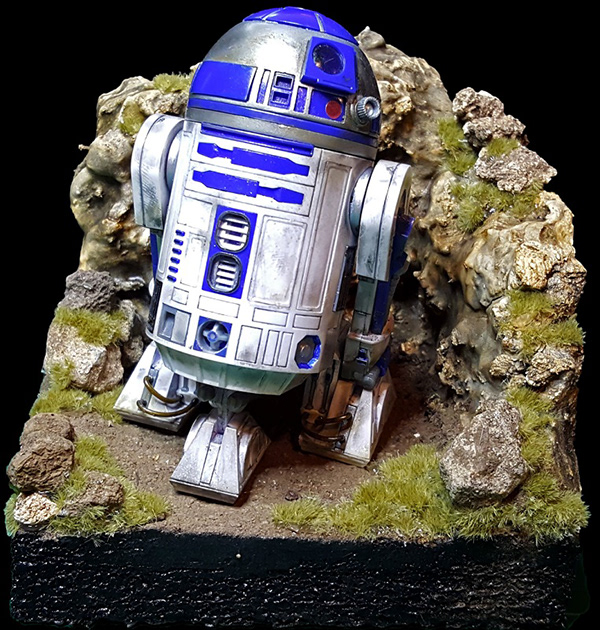
Original Image of R2D2
Isolated image of R2D2
 urban berry
 heady dawn
 ionic gulch
Here comes a new PSDChallenge - Day 1
 hazy latch
Creative Challenge #1
 buoyant mauve
 light nebula
Hello All. Welcome back or glad to meet you. Here is day 1
 jolly quest
ohhhhh very nice!!
 cold osprey
 versed ibex
 outer briar
pine cypress
outer briar
pine cypress
@hazy zodiac Cool boombox.
@vagrant sorrel Love that scene.
@raven briar Beautiful distressing and love that olive color. @cold osprey Makes me want one!
 vital fjord
cold cedar
vital fjord
cold cedar
Another vintage photo attempt. @glacial path I couldn't resolve the black because the original lacks detail so here's a new image.
 warm compass
cold cedar
warm compass
cold cedar
@urban berry Very nice. Perhaps a little blurring around the hair or more masking to make it look more integrated into the background.
@cold osprey very nice!
 south valley
The after, though I'm not really a fan of this result, but oh well, it is late and I need to get my daughter's stuff ready for school tomorrow.
The before.
young karma

 boreal bolt
Here is my submission of daily creative challenge - 4th june
 ruby panther
Photoshop Daily Challenge: Day 1
 buoyant fractal
frozen in time
 restive anvil
 misty goblet
 lucid spindle
 hard halo
I keep trying to have "Muostachio" stand out a bit more, I think I've managed that here in my third try. What say you?
 high mesa
Raided my son's toy box, found this dude, and applied the dust
young karma
Hi guys, my day 1 challenge. Comments are welcome.
Before
@high mesa I would remove a bit of the sky above, it brings the doll/man more to the foreground.
@young karma Hi, I like the original with the details. The after photo lost some details, and looks a bit blurry. If you bring back some details and lower the opacity of the texture, how does the photo look then?
 buoyant harness
hard halo
high mesa
buoyant harness
hard halo
high mesa
@young karma - will have a look at that, thanks for the heads up 🙂
nimble shardBOT
Gave +1 Creative Carma to Wendy
 umbral laurel
blissful wolf
umbral laurel
blissful wolf
PS Daily Challenge Day 1 - Foto Vintage.... I've made some changes...
nimble shardBOT
Gave +1 Creative Carma to Wendy
 barren ember
I am very new at Photoshop, so I welcome any feedback. Here is my before for my first Daily Challenge
Here is my after
blissful wolf
PSDailyChallenge Day 1 - Foto Vintage - One more try
 astral flare
Hello, Here is my vintage photo. This is my first time doing any of these challenges, I'll take any comments you have!
light nebula
Looks better @novel fog
 left nebula
Day 1.. Looks a bit more like a drawing than an aged photo? 😊
blissful badge
I worked on my files to add more interest and textures. What do you think?
Here is the second one
fallow bough
Composite I added aged photo look to. Original shot indoors.
young karma
Vintage looking Pinwheel for the 1st challenge
Day 1 challenge [Before]
After
Then i got carried away - same subject more overlays
The before image
 timid badger
Good to have you hosting, Val! I put the "cool" in Cthulhu today. Is this too busy? Was going for sci fi meets 8 bit.
I feel like I may have destroyed the vintage with too much gradient filter overlay
young karma
Hello, first time to post a challenge. Comments are welcome. The after and before of challenge day 1, vintage photo
 fresh salmon
PS Daily Challenge Day 1
 tulip fern
Yeah! Illustration in Photoshop. I am so curios to see how this is done the @jolly quest way :). I hope to stick around for the live show.
high mesa
@barren ember - watch the bottom of your image; you can crop so that the ends of the flowers are flush with the bottom edge
@young karma - awesome color grunge, could be a cd cover for a band
@young karma - reminds me of an old kodak family snap, cool
 violet dune
young karma
violet dune
young karma
@high mesa thanks
nimble shardBOT
Gave +1 Creative Carma to Mykul
young karma
Any feedback?
@jolly quest thank you for this most enlighting tutorial. Totally inspiring!!
nimble shardBOT
Gave +1 Creative Carma to VooDoo_Val
jolly quest
Here is my entry!
gaunt basalt
@jolly quest great illustration! Great to learn this way! Thanks!
nimble shardBOT
Gave +1 Creative Carma to VooDoo_Val
 eager barn
AMAZING!
 errant depot
Day 1 entry
tulip fern
Thanks for sharing @jolly quest. It was great to see you bring that character to life 😃 Now it is our turn 😬
nimble shardBOT
Gave +1 Creative Carma to VooDoo_Val
young karma
@jolly quest - thanks learned a lot of new tricks!
nimble shardBOT
Gave +1 Creative Carma to VooDoo_Val
jolly quest
@tulip fern @young karma Thanks so much folks!
nimble shardBOT
Gave +1 Creative Carma to unicanl
eager barn
YES! whoo hoo! thanks @jolly quest !
nimble shardBOT
Gave +1 Creative Carma to VooDoo_Val
eager barn
@jolly quest If only you posted this earlier haha. I just made a custom brush for it!
 inner vessel
Here is my entry
 stark kayak
fallow bough
stark kayak
fallow bough
Princess Leia In Progress
 timid pasture
Things here have been nuts lately, so I'll have to play catch-up in a few days. In the meantime, here's one I did back in 2018: https://www.behance.net/gallery/80858427/Some-of-My-2D-Work

Behance
Some of my 2D artwork done with Photoshop, pencil sketches, and mixed media.
Sorry, Val.... She's one of the good guys... er, gals. Maybe I'll do Dookoo or Grievous next.... LOL
young karma
...
young karma
jolly quest
@eager barn The file might be really large. you can make the whole image smaller but going Image>Image Size
and then decrease the size there
eager barn
Oh great thank you @jolly quest !
nimble shardBOT
Gave +1 Creative Carma to VooDoo_Val
jolly quest
No problem!
 wicked nexus
hello everyone I did this one yesterday night took in total 7hrs I want it to work more on it but my husband told me to moved on 😂 to another illustration my kid and I are big fans of pokemon and this month its about shiny pokemons so my illustration is all about the pinks as you can see.
here is with the lines color.
jolly quest
NICEEE
wicked nexus
and this liast one is with extra curls sorry but im a sucker for curls😅
thank you @jolly quest Im still working in my creative challenge but I wont make it in time for the review
nimble shardBOT
Gave +1 Creative Carma to VooDoo_Val
eager barn
It still will not send
jolly quest
@wicked nexus That's totally fine! I can still give you feedback here in discord!
Hmmm
eager barn
ahhhh I am kind of stressing about this
jolly quest
post it on Behance and post the behance link here
eager barn
Oh great idea hehe
wicked nexus
come on @eager barn you can do it. 😉
jolly quest
@eager barn YESSSSSSSSSSSSSSSSSSSSSSSSSSSSSSSSS
 elfin helm
I tried to sneak
eager barn
Also used @jolly quest 's brush!
jolly quest
Awesome!!
fallow bough
Still in progress
eager barn
nice! @fallow bough
 kindred kernel
My Stab at Illustrations😃
light nebula
Here is mine... down and dirty. May work on details later when more time is available for me
young karma
My Photoshop froze up - work in progress...
south valley
The Colored Version. Done all with a mouse, though I shouldn't have. I simply wanted to see if I still could. No more now. Wrist hurts. Feedback on the coloring would be appreciated as I usually don't use Photoshop, but Illustrator. So it might be a bit amateurish.
Original sketch done with a cheap crayon.
ancient spindle
@south valley Very nice!
jolly quest
@south valley This is great!
south valley
@jolly quest Her chin is off. Odd I mean to say. Well, oh well. I'm more of a flat designer anyhow.
 prime haven
Recent one 😄
jolly quest
If I had to choose something to crit, I would say the blacks are very harsh. BUT that could be a style choice or due to the fact that you are not using your preferred tools
So not something you HAVE to change
I like it!
@prime haven Amazing!
prime haven
This is my first time join this! It's 2.24am here XD
fast belfry
@prime haven wow that’s awesome!
south valley
@prime haven noice.
prime haven
Thanks!!!!!
south valley
@jolly quest I simply highlighted the red linework and painted over with in black. Any better way?
fast belfry
@prime haven do you do client work?
jolly quest
@south valley Lots of ways to approach it! You could also try doing having the lines on their own layer above - hold Ctrl/Cmd while clicking the layer image in the layer panel to select the lines - the paint the lines a different color in some places
that would allow you to have harsh blacks over darker parts of the painting and then make them perhaps a darker skin tone over the face
just an idea though!
prime haven
@fast belfry Yes I did. But this illustration just created for fun 😃
jolly quest
@eager barn Yes!! Great work! That's the trick to painting lightsabers! they are actually white and glow the color they are
eager barn
haha yeh I forgot about that detail!! @jolly quest
 lament hatch
@eager barn, I usually save as JPG and make the quality 5 or so when posting online. Unless I want a higher resolution.
errant depot
first time doing something like this here as well, focused on the face so far, but i was lucky and had a wacom laying around
uncut ginkgo
Great job @pastel inlet ! Nice use of layers and brushes, keep going and see how far you can take it 😃 - especially in terms of cleaning up lines
 bold valley
Fun, new techniques. Interesting.
uncut ginkgo
nice textures @bold valley !
 compact minnow
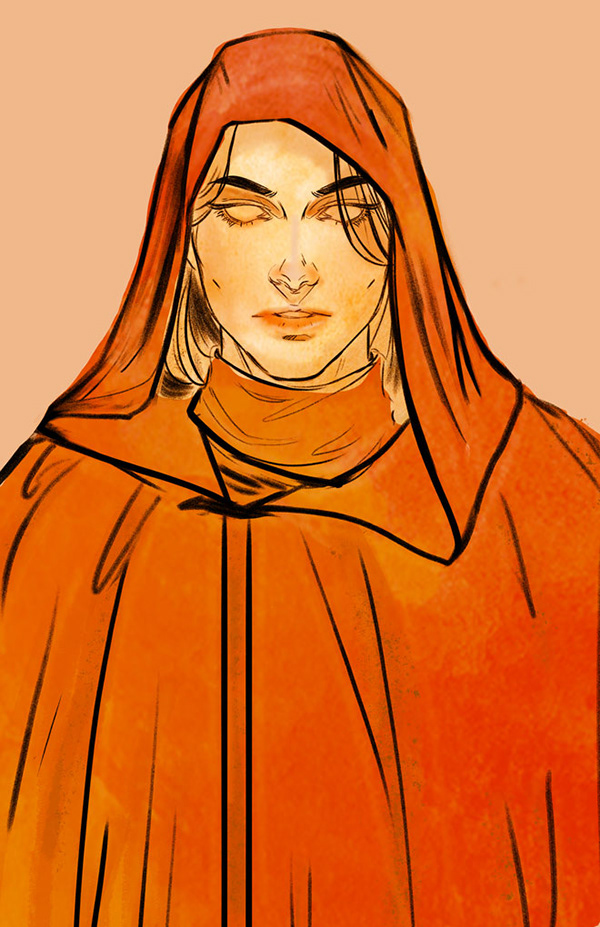
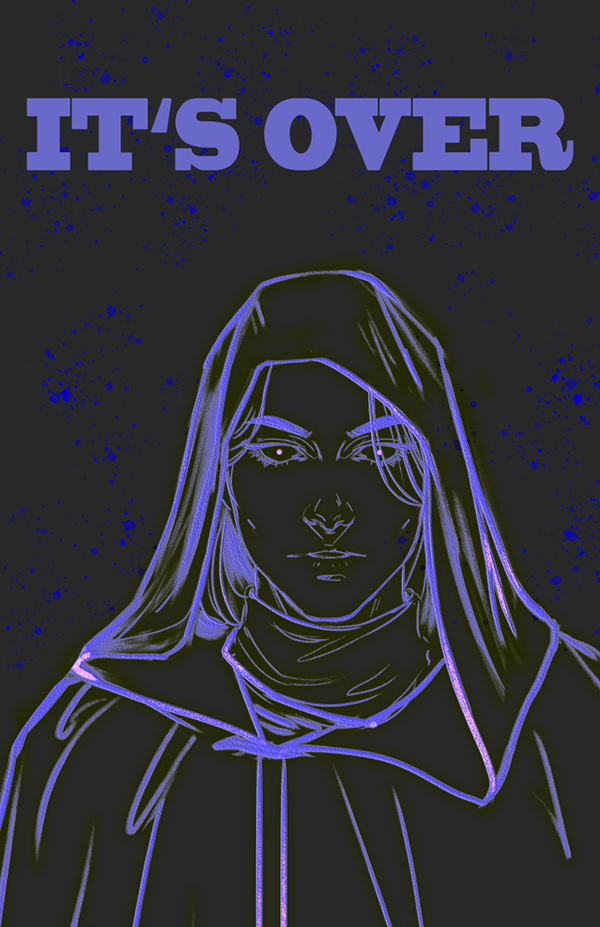
Chiss Spy 😶
jolly quest
@compact minnow Yesss!! Shout out to the Chiss Ascendancy!
@sturdy mural Loving the texture in there! Make the cloak look awesome!
kindred kernel
Stab 2😃
young karma
Hello guys, I also tried one! 😊
south valley
@jolly quest Hmm... since I drew the original with a crayon, there are a slew of 'artifacts' that I didn't erase. Perhaps had I it might have looked different. Or perhaps I should have just redrawn the linework. Well, here is an edit. Any better.
jolly quest
Nice! Already that really opens up the eyes!
noble glen
Behance
Daily Creative Challenge to build Photoshop skills in just 9 challenges | June 3 - June 14
ancient spindle
Im not a digital painter by any means but I gave it a try
I mostly struggled with the values in the face
young karma
@ancient spindle Cool, maybe try some more vivid colors in the face (y)
ancient spindle
@noble glen The values in the skin are really good but I think the shirt is a bit a flat
young karma
Here is what I like to paint, very old BW work 😄
light nebula
I've been doing some Vintage photo refurbishments. It might count to what we are doing here, a little different technique. I like what @jolly quest talked about today. Will definetly use in the future
jolly quest
yeah! So you colored it like I color my paintings? That's great!!
light nebula
Not this one. I will be using your technique for background work. 😃 The use of textures and colors I didn't understand until today.
light nebula
Thank you!
somber pond
@jolly quest I imported the brush you provided but it doesn't seem to have the same noise or opacity as yours in the video. I don't have a tablet/stylus...just a good ole mouse. Not sure if your hand pressure is the difference? I've never done digital painting before. 🤓 This is fun though!
jolly quest
@somber pond Oh! Yes much of the texture comes from the pen pressure with a stylus.
If you would like to find a similar texture, you can try adding a noise texture image in , do a clipping mask and apply a blending mode!
The texture image I set for the brush itself is just a noise texture!
mighty vessel
I am not that good of a painter XD but I think i did my best
i am still going with my iron man theme for this challenge .
My full challenge project :
https://www.behance.net/gallery/81112971/Photoshop-Daily-Creative-Challenge-June-2019

Behance
Here I am sharing my submissions for the photoshop daily Challenge from adobe live for the second time this year.
north arrow
Day 2 challenge entry. Used multiple layers of color, textures and blending, and a background picture from Nasa's archives. 😉
jolly quest
@somber pond OR you can go Filter>Noise and fiddle around in there
@north arrow Nice!!
somber pond
Okay awesome!! Thank you so much for pro-tips! Your work is stunning!
jolly quest
I left you some notes above too, Sarah
north arrow
@jolly quest Thank you! 😄 That was a fun challenge.
nimble shardBOT
Gave +1 Creative Carma to VooDoo_Val
jolly quest
@mighty vessel Very nice!!
errant depot
todays effort
light nebula
Here it is 😃 Thank you
jolly quest
@light nebula Nice! loving those textures!
light nebula
Thank you @jolly quest
nimble shardBOT
Gave +1 Creative Carma to VooDoo_Val
fallow bough
Day 2 Final. (Note that this is not my line art.)
young karma
My try For the challenge of today
fallow bough
@jolly quest Thanks. Not happy with face though. Going to rework that part.
nimble shardBOT
Gave +1 Creative Carma to VooDoo_Val
jolly quest
@kindred kernel Another interesting take! Can I ask, is the red meant to be glowing? or is it meant to be the colors of the skin? If glowing, I would say try and make the things around it, like the hood, glow too! If its the color of the face, I suggest adding in some shadows like I did in the stream to give it a bit more depth!
young karma
@jolly quest Thanks
nimble shardBOT
Gave +1 Creative Carma to VooDoo_Val
jolly quest
@fallow bough What don't you like about it?
fallow bough
@crystal aurora Would like to get a more realistic look to it. I just used shadows. I think adding highlights will help.
 wet thistle
Day 2 - Not sure about this one...maybe a little bit too much with that cat face.... I think I will start again
light nebula
Great Camoflage 😃
mighty vessel
I added some more highlights and textures to it . I think it's way better now . Any feedback ?
the steps
 uncut kayak
Yusuf Gatewood from Good Omens
I was already working on the linework, but the colouring tips were really helpful!
 fierce pendant
All done with mouse. I can't see if reds have worked (colour blind!)
kindred kernel
Update😃
light nebula
@fierce pendant May I suggest painting in a different color, then once you see the contrast, change to red using the color balance using adjustment layer 😃
 opal slate
or
just use other colours
no need to force yourself to use reds
use whatever you are comfortable with
 pure inlet
Vintage Hero - PSD CHALLENGE 1
sly grove
one monastic uphill struggle . I'm definitely no illustrator and I think it shows with the shading, but definitely a great learning curve - wish I could give it more time! Feel free to let me know how I could have got it to be better...
fierce pendant
Thanks for the colour tips - especially using diff then change after toning - I hadn't thought of that!
 prisma hemlock
Thoughts?
young karma
Day 2...
 fast moth
Day 2
coral stone
Hi guys, this is my first time doing some painting in photoshop. Please let me know what you think 😄
uncut ginkgo
@sly grove great job and share for sharing! I actually really enjoy how you made the background dark against a lighter foreground. I'm sure if you keep playing with these techniques you'll improve very quickly 😃
@prisma hemlock Nicely done! Strong contrast and fun concept. I'd love to see you play with the background a little bit more + also adjust the shadows in places like near the collar or under the chin 👍
glacial path
@wet thistle I love the idea of using images as textures below the line art. I think you should totally add some lighting and shadows to the textures. It looks rather flat right now 😃
uncut ginkgo
@young karma bravo!! Very impresive, I love the cloaked shadow vibe + color choices. @fast moth nice work! I like the arid desert texture on the cloak.
@coral stone bravo! Nice color choices, I'd encourage you to keep working on the eyes so they feel more part of the subjects face than the background 😃
coral stone
Thanks @uncut ginkgo I'll work on that 😄
nimble shardBOT
Gave +1 Creative Carma to gus
glacial path
@mighty vessel It's always fascinating to see the process behind the art. When you upload it to your Behance portfolio, you should absolutely include those steps. Maybe even write a few lines about your workflow. 👍 The coloring, shading and line art is very clean and well-rounded. I think you can even go with more specular highlights. (I assume the mask is made out of metal) 😃
@uncut kayak That's just lovely! The shading is on point and the warm skin tones against the cold background really do pop! I think you can darken the shadows on his neck a bit more. They look a bit desaturated/grey-ish. But that's just a minor detail 😉 Well done!
mighty vessel
@glacial path I already added the steps to my behance project. I will try adding more specular highlights like what you said and yes the mask is made out of metal. Thanks for the feedback 😃
nimble shardBOT
Gave +1 Creative Carma to evil
glacial path
@mighty vessel awesome! feel free to ping me if you post an updated version 😃
@mighty vessel if you need some inspiration, check out this video by Jazza https://www.youtube.com/watch?v=W6EBrw19Y9o

Download the reference files: http://www.newgrounds.com/dump/item/97e945c017ca939961a105af2e9f3a5f Check out Illustration Overdose: http://www.youtube.com/wa...
mighty vessel
@glacial path Thanks i will watch it 😃
sly grove
@uncut ginkgo thankyou ☺️ I think I might try again with the shading at the weekend when I have more time 😀
gaunt basalt
Illustration PS daily creative challenge #02
uncut ginkgo
@gaunt basalt nice start, Cee! Thanks for sharing. I'd encourage you to play around with more dark colors/shadows to bring out contrast (folds, background, shadows). Right now the values live in a similar range, bringing in some darker darks and brighter brights will really take it up a notch!
gaunt basalt
This was truly a learning experience... first time doing an illustration like this... learned a lot... thanks @jolly quest
nimble shardBOT
Gave +1 Creative Carma to VooDoo_Val
gaunt basalt
I will @uncut ginkgo it was really a learning experience for certain. Thanks for the tips!
glacial path
@fierce pendant You've put the shading at the correct spot, now you should blend them more together 😃
you could also try adding some highlights to the clothing. Start by picking a direction from where the light should shine from and brighten up those areas, which would be illuminated by said light source.
 normal pebble
Day 2 of VooDoo Val's challenge.
young karma
This is my day 2, very first time for this type of exercise 😅
glacial path
@normal pebble oh that's lovely! I like the "frozen"-look 😄 Now you should add some shading to her face and the cape. Just like @young karma did. 😃
if you like, you can also add a background image to replace the solid gray color
wispy compass
Day 2
glacial path
@young karma Nice one! The shading is subtle, but it works! I think you could add some slight color variation to her face, right now the skin tones are pretty much one hue (apart from the lips). I like the shading on her cape. If you make the shadows even darker, you could achieve a more dramatic effect and that could be a killer combo with the awesome background 😃
@wispy compass ooooh I like the green on her face and the blue-ish highlights in her eyes! Well done. 👍
wispy compass
@glacial path ...this was more difficult than it looked...thanks!
young karma
@glacial path Thank you 😀 I'm going to try again with your advices 👍
nimble shardBOT
Gave +1 Creative Carma to evil
gaunt basalt
A work in progress... a bit of change here and there😀
glacial path
@gaunt basalt I like the shading of her face and the cape! This shape looks a bit off though - what do you think?
gaunt basalt
@glacial path oh for certain! It will continue to be a project for me for a while... a GREAT learning project... so will continue to post as I make more progress! Thanks for the tips!
nimble shardBOT
Gave +1 Creative Carma to evil
prisma hemlock
Here's my update
cold cedar
Here it is @crystal aurora. Clearly not an illustrator but awesome to get to try this. All suggestions welcome.
fleet pecan
Here we go
quartz river
I wish I had more time to play with this! I could do this all night!😜
 eager cape
Here is my entry for PS daily challenge day 2. Learned so many things today...Thank you @jolly quest !
 candid harbor
hello
 midnight hollow
hey peeps, made this drawing for an environment concept for a 2d side scroller brawler game...any feedback is appreciated...
 rustic pumice
Daily Challenge #1 ¯_(ツ)_/¯
 elder mural
Just a UX Design student trying to learn Photoshop! Let me know what you think!
 upper night
Day 2! Fun Stuff
coral stone
I loved the background @late sparrow ❤
 raven briar
Challenge Day 2
 fiery trail
This is day 2 of the photoshop challenge for June 4th-14th. Any feedback?
 red kayak
Novice to Photoshop, first time posting anything...actually I'm just hoping it works! Day 1 challenge
half mango
Not my strongest skill set .. but it’s all about the learning, right?
half mango
@coral stone Thanks! 😃
nimble shardBOT
Gave +1 Creative Carma to Valdair Leonardo
 grim nymph
 wild remnant
day 1. duck
 magic moat
Create an Illustration
young karma
Day 2 - Illustration
 winged peak
Time for bed, but this is where I am so far with the Day 2 challenge. Thoughts?
past canopy
Usually I take photo's and edit them, so this was very much outside my comfort zone.
First time doing anything like this, and took me ages, but was a ton of fun and learnt a lot.
Thanks @jolly quest for teaching us! 😃
 still harness
Day 2 - Illustration
cold cedar
Another try at coloring line art.
 blazing quail
My effort with a mouse
 final sage
The eyes ❤
tulip fern
Wow that is amazing @hidden yacht ! I really like how the upper part of the image seems like being cut out and pasted on top of the dark red background and the lower part is drawn on the dark red background. It makes it special in my opinion. Thanks for sharing!
nimble shardBOT
Gave +1 Creative Carma to Vidhi
tulip fern
This was fun but :). The first time I ever made a digital illustration. As you can see I used @jolly quest her line art as a template (I can not draw without having an example). The most challenging for me was to get used to use the Intuos pen, that was much harder than anyone else makes it seem. Maybe because I am so used to using my mouse right-handed for anything on the pc while I am actually left-handed. So I had to use the pen left-handed. I will keep on practicing 😉
restive anvil
Challenge #2
left nebula
Day 2... loved it, battled a bit with shading on face (only touchpad)
young karma
https://www.behance.net/gallery/81227121/Photoshop-Daily-Creative-Challenge Hello, this is my first try 😄
 uncut kayak
@tulip fern two tips for using a pen tablet for the first time: a) do warm ups before you start drawing to get used to the feel of the pen and the way the brush you're using acts, circles and parallel wiggles and things like that; and b) look inside your pen holder and you'll find a bunch of spare nibs. The white ones are paper-texture, which can give you a much better sense of feedback as you draw.
tulip fern
Thank you for the tips @uncut kayak ! Have a nice day 😃
nimble shardBOT
Gave +1 Creative Carma to trixibelle
uncut kayak
The nibs are like the best kept secret in Wacom 😄
 wide cradle
What Do You Think??
 kind sluice
@uncut kayak I am shook. NEVER knew about the nibs! Thanks so much!!
nimble shardBOT
Gave +1 Creative Carma to trixibelle
 fierce umbra
outside my wheelhouse but a start...
young karma
Would much appreciate the feedback))
 zenith osprey
I used my own drawing from the last Inktober. She just lay around too long. Like many of my sketches, I often do not have the patience to paint them. What do you think to mine?🙃
kind sluice
@zenith osprey really nice! i'd maybe try and experiment with blending the colours together a bit more but it's a great drawing and kudos for using your own stuff 😃
high mesa
Wow, some amazing work by the group; first time of having a go at doing this. Tried both methods of coloring and attempted my own sketch. Massively out of my comfort zone, but learned loads.
young karma
another frescoe
high mesa
@zenith osprey - I see you do Inktober, great way to learn inkwork.
@past canopy - great work with the coloring, can't wait to see how you apply it. You did some uber cool work last DCC
@young karma - thanks for the props
nimble shardBOT
Gave +1 Creative Carma to latelierlumineux
glacial path
@young karma I love the warm colors and the stencil-like flowers :D. You did a great job with the lighting of her face. However, the eyes are a bit too dark and too sharp, while her cape is pretty soft. I would soften and brighten them up a bit 😃
young karma
thank you very much for the feed back. Oops, did'nt save my PSD ...
 tender mantle
Submission ! Feel free for feedback and mention the challenge number . I need to know more about brush settings. Visit behance- https://www.behance.net/gallery/81222327/Photoshop-Daily-Creative-Challenge
 glacial path
@high mesa hey that's super cool! I love the shading on his face in version 2 but I prefer the colors of version one. You should totally go with a more contrasty shading, especially around the jacket in version 2.
@tender mantle thanks for sharing the behance link, but you have to publish it first. you are sharing the private editor link 😉
nimble shardBOT
Gave +1 Creative Carma to GridPen
glacial path
@tender mantle How did you achieve this texture? Kyle Webster brushes? I'm a big fan of your warm colors and subtle textures. Your shading is very subtle around the lower half of the image. I think you could add some highlights to the cape, like you did on her face 😃
high mesa
@glacial path - Hey Tim, thx for the feedback; the colours in version 2 were partly derived from blending modes, but I get what you mean. vers 1 sits far better on the eyes
nimble shardBOT
Gave +1 Creative Carma to evil
glacial path
@high mesa ah I see! yeah, blending modes are an essential part of digital painting 😄
@zenith osprey I like how you kept the painting mostly black/white with a hint of green, capturing the spirit of inktober. Here is what you could improve: the shadows are a bit... binary (is that even the right word 😛 ) - they are either at 100% opacity or 0%. What you're missing are the shades inbetween. Try to blend the lights and darks to create a gradient. You're using a great brush with lovely textured edges, so blending should be a breeze 😄 . Feel free to ping me, if you post an updated version
 magic rampart
Day 1 submission, it's from a program from the 80's here in the UK called Metal Mickey
Day 2 submission, I really can't draw, but thanks to @jolly quest 's line drawing, even I can fill it with colour and an image of some mountains in a desert. (Looks like Tatooine :))
nimble shardBOT
Gave +1 Creative Carma to VooDoo_Val
tender mantle
@glacial path just fix the link lol. I use some of photoshop defaults brushes and Kyle special effect all you catch 😉
 fervent geyser
This is my daily challenge Day #2 . Inspired by Akatsuki clan from Naruto. What do you think about it?
cold cedar
@tulip fern I'm just learning the pen too. I am accustomed to a trackpad/mouse. Now I am using the trackpad/mouse and the pen. I call it the Daily Double Challenge. It does gets better.
jovial viper
lookx great
glacial path
10/10 would join the dark side again
tender mantle

 junior hamlet
young karma
junior hamlet
young karma
challenge 2
noble glen
Thanks for the brush @jolly quest
nimble shardBOT
Gave +1 Creative Carma to VooDoo_Val
jolly quest
@magic rampart Excellent!
@noble glen My pleasure! Enjoy!
@tulip fern Great job! I love that you made the illustration your own! Don't feel down about the stylus feeling uncomfortable. I actually took a lot of years before I felt comfortable with it. As time goes on, your strokes will become smoother and confident. Just takes time and practice!
@past canopy Thanks for participating! Love what you have done!
nimble shardBOT
Gave +1 Creative Carma to DrPhil
jolly quest
Nice work @eager cape Well done!
@young karma Nice! Love the colors and the space texture in the background! I do notice that the illustration is much thinner than before. Is that intentional or can I assist with some resizing tips?
gaunt basalt
Still working on lesson from yesterday... getting more content with where it is heading... takes some time but learning!!!
Will have to watch Lesson 3... missed the live while working on this... then head forward! Have fun... lots of fun! Thanks @jolly quest 😀
nimble shardBOT
Gave +1 Creative Carma to VooDoo_Val
jolly quest
@gaunt basalt Loving it!
gaunt basalt
Thanks @jolly quest it is evolving as I learn... will continue until I am happy with it! Thanks for the great lessons!
nimble shardBOT
Gave +1 Creative Carma to VooDoo_Val
magic rampart
@jolly quest Thank you 😀
nimble shardBOT
Gave +1 Creative Carma to VooDoo_Val
 timid spade
First effort - would appreciate any feedback
jolly quest
Ohhhh nice!! @timid spade
Love all the colors you put in the eyes
I think the only thing that really sticks out to me off the bat is I'd love to see you implement some shading in the cloak also
Bit this looks awesome!
timid spade
@jolly quest thanks! very helpful!
nimble shardBOT
Gave +1 Creative Carma to VooDoo_Val
 hidden yacht
challenge for 2day
hidden yacht
Thanks val
uncut ginkgo
@hidden yacht very nicely done!
uncut ginkgo
FYI! If somebody gives you feedback or advice you can either say 'thanks @username' to give them 1 creative carma point OR you can type -giverep @username and it does the same thing. There is a 3 minute cooldown on giving rep, so use it wisely
These points are just for fun, but a nice way to show appreciation and give community reputation 👍
 feral torrent
Great work @hidden yacht
hidden yacht
Thanks jordan
lucid moss
is it acceptable to make a sci fi poster without using yesterday's art file?
 sterile bane
@lucid moss totally!
cold cedar
@uncut ginkgo Thanks for the explanation. I was wondering how it worked.
nimble shardBOT
Gave +1 Creative Carma to gus
uncut ginkgo
you're welcome! 😃
@lucid moss of course, you are welcome to make the poster however you want 😃
lucid moss
thanks @sterile bane and @uncut ginkgo
nimble shardBOT
Gave +1 Creative Carma to gus
young karma
This is my try for today. I had to do it quick because here, in Belgium, it's time to make the supper for the hungry family.
half mango
@jolly quest I used both lesson pieces!
opal slate
@half mango dont recommend warping the text like that, makes it slightly harder to read
and placing the text so close to the edge might be bad for certain applications
i recommend putting a bit of a safety margin, so text isnt so close to the edge
also, might want to reposition the U in DRUID, if you zoom out or look at it from afar, it wont look like a U but like two I
half mango
@opal slate .. Thanks for the feedback. Warping text was part of the lesson today. I’ll agree to disagree on the “U” 😉
nimble shardBOT
Gave +1 Creative Carma to Imaginary Kuroe
opal slate
*shrugs*
your call
@half mango at the very least make the warp the same, bedtime and druid arent aligned
the E looks like its going to fall and crash onto the U
fierce umbra
quick poster
kindred kernel
😃
 gaunt vapor
hello,
blazing quail
My entry for todays challenge, it was fun to do
gaunt vapor
Hello. I set up chat for the first time. I look from Japan. Here is 3 am.
noble glen
Feed back guys 😅
Behance
Daily Creative Challenge to build Photoshop skills in just 9 challenges | June 3 - June 14
south valley
Just threw this together.
fallow bough
Comic Book Cover. In progress. Need to work on light-dark balance
fast moth
Day 3
high mesa
@fallow bough - why is it forbidden Ken, cyborgs have needs - poster looking good, the text which is decorative, can't be read easily. Rest though is cool.
fast moth
Day 3
 humble ridge
Here's my attempt at the latest challenge! That blue on the top of the helmet and sight is bugging me, but I can't seem to be able to fix it. That's me in the picture!
lucid moss
a quick one i made at work, shhh... would love some feedback 😃
 rancid basin
Done! Let me know your feedback.
feral torrent
@rancid basin Nice use of coloring
@lucid moss That's a fun one, and not bad for whipping one out quickly.
lucid moss
@feral torrent thank you!
nimble shardBOT
Gave +1 Creative Carma to Jordan《Avacnela》
fallow bough
50s Style Comic Book Cover
cold cedar
Went through my Mardi Gras photo collection since Mardi Gras is "alien" to visitors to New Orleans. Used liquify to alter the smile of the man used in yesterday's challenge. Let me know how I can improve it.
magic moat
My poster challenge.
 lucid stump
I worked on challenge 2 today. It was my first time doing anything with shading and digital illustrations. What do you think? 😅
 gaunt forge
Robot Poster
cold cedar
Forgot the border.
north arrow
My poster for the day 3 challenge. Used my fractal pic for the background and my picture of Galena for the foreground street. This was fun. 😄
cold cedar
@coral stone Nice touch with the clips and hanging it.
south valley
I changed the color the shoes. Any other feedback would be appreciated. Cheers.
untold jungle
@north arrow that's great looking. I'd make the upper text smaller and away from the borders. Just to keep it breathing
I'd also add some kind of orange light on the city image
@south valley Is your goal to make the character less emphasized or the text?
errant depot
Beware their lazer eyes!
south valley
@untold jungle The character is secondary to the text.
untold jungle
@south valley Okay well regardless, I would either move the character more left or the text smaller and right
it's very squeezed at the moment
'@errant depot the from the past could definetely be a sans serif font because that is not readable
and I like the text on both sides of the lazer, they are not readable but if looked as shapes, they look nice
I'd maybe even go as crazy as make it completely unreadable
south valley
@untold jungle Wait, but what regardless? Shrink the character then, I suppose.
Though there is something to be said about jammed compositions.
untold jungle
@south valley noo, I don't think you should shrink it. It is good in size. I'd maybe have a background that has a wall and all of that text would be graffiti on top of it
north arrow
Thank you @untold jungle I will play around with that and see what I can come up with. 😃
nimble shardBOT
Gave +1 Creative Carma to Actionom
south valley
@untold jungle Or a simply bubble line reaching out to the text as she is using her phone... hard to tell from such a sketchy drawing, I know.
errant depot
Ah, yes! I see it disappears a bit at a distance, gonna do some tweaking 😀 Thanks guys!
untold jungle
@south valley yes that can work too
cold cedar
@gaunt forge Perhaps you could bring the text out more and lighten the background behind the robot a tad.
 viral tangle
#✂challenges-feedback I had so much fun with this challenge. Thank you @jolly quest. I'm learning so much!! 😍
coral stone
Thank you @cold cedar 😄
nimble shardBOT
Gave +1 Creative Carma to ValentinePierce
 grave hound
 vale merlin
Robots
 graceful heron
Original
After, more vintage?
I'm getting a late start. This is the Day 1 Vintage Challenge. I guess a dinosaur was already vintage, but this was a great challenge for learning about the filters, textures and blending. Thanks, Val!
untold jungle
@graceful heron I think you should redo that. This dinosaur has lost so much color information
and the cutout is also a bit off
I'd make the "hair" bigger to look like he's from the 80s
and add the dinosaur a pair of crocs and a waist bag
hahahahah
the background could be as the dinosaur attended metallica's enter the sandman tour in 1991 in Moscow
I think that would be just a perfect image and I'd even pay to have one poster like that
young karma
Here's my poster folks!
fleet pecan
tulip fern
Thanks @cold cedar I just added a new word to my dictionary "Daily Double Challenge" 😃
nimble shardBOT
Gave +1 Creative Carma to ValentinePierce
untold jungle
Thanks @nimble shard
nimble shardBOT
Gave +1 Creative Carma to YAGPDB.xyz
untold jungle
hahahah
giving the bot some ccccccarma
@fleet pecan I love the idea but I feel like the "welcome message" could be even more secretive. and maybe in red color with opacity down quite a bit
maybe even a blood dripped font style!!
 winged rock
Day2 with my lady Richelieu 😉
 novel fog
Poster Challenge
young karma
creative challange 3
past canopy
-giverep @high mesa thanks for the encouragement! Great to see you back with your awesome work.
nimble shardBOT
Gave +1 Creative Carma to Mykul
high mesa
@fallow bough - text is so much more readable 😀
past canopy
@novel fog love the movie name! LOL!
sly grove
so 90's kids TV VHS -my inner 5 year old is squealing with delight! - I wish I had time to give it a cheesy title...booooo!!!!
wet thistle
Day 3
gaunt basalt
PSdailycreativechallenge 03 - Stare of DOOM! Death!!! Ha!😅
So this was... hella crazy the challenge of all for me... jeez... yet I surely am learning...
 ruby tinsel
Hello all
young karma
@gaunt basalt I feel u 😂
gaunt basalt
Hope this goes!😬
YAY! It loaded... fun stuff! @jolly quest great lesson today! Thanks!!! Gives me lots to work on!
nimble shardBOT
Gave +1 Creative Carma to VooDoo_Val
gaunt basalt
@young karma check out the mp4 I just loaded... this stuff is so crackin' great!!!😁 😁
 upbeat laurel
An old toy gets a new look.
 thin jetty
decided to go for something a little less human
young karma
@gaunt basalt#114 That's was cool😆
nimble shardBOT
Gave +1 Creative Carma to Jhon Winchester
gaunt basalt
Thanks @young karma I am having some fun with this stuff!!!😆
young karma
I'm late, I barely have time to see some of the guys' jobs and listen to the mentors 😩
anyways, i have a fun time on this!
kindred kernel
😃
lunar mango
PS Daily Challenge Day 2 - Illustration - First time at this ...
glacial path
@winged rock wow! I love this! the spotlight effect in the background is a nice bonus 😄 well done
winged rock
@glacial path Thank you so much !!!
nimble shardBOT
Gave +1 Creative Carma to evil
fringe thicket
Here's my drawing for Day 2, would love to hear what you think of it. First time drawing with PS and I enjoyed it! Maybe a bit too much cause I lost track of time and I'll have to catch up tomorrow 😅
eager cape
My van from day#1 is riding!😁
untold jungle
@kindred kernel Gerard loves star wars
gaunt basalt
Another attempt at PSdailycreativechallenge 03 - Funny!😆
bold valley
Poster Day 3 And no, this doesn't mean anything, Just the mechanics of the lesson
fierce umbra
poster Part 2. Thank you for the critique @sterile bane, changed font and color for more drama.
nimble shardBOT
Gave +1 Creative Carma to Kathleen
bold valley
Fixed the obvious.
untold jungle
@bold valley nooooo
the ipsum was perfect there
added a sense of mystery
I'm a fan of mystery myself
wispy compass
Day 3 - poster
wispy compass
@fringe thicket ...wow...first time? The fabric looks amazing ...the face. I like you color choices too! Well done!
grave hound
@fringe thicket love it awesome job
winged peak
my poster for today's challenge
still harness
Here is my movie poster. Any feedback would be welcome.
 late sparrow
Day 3 - Robot Poster
 oak rampart
@jolly quest thanks for sharing that brush
nimble shardBOT
Gave +1 Creative Carma to VooDoo_Val
hard halo
Hi. I'd like to define her mouth a bit more, tips would be welcome. Thanks. 🙂
And... I'd like to color her hair strands...with a mouse.
🙂 that sounds funny ...
light nebula
young karma
Day 3 - Text Effect
raven briar
Day 3-- Had a lot of fun with this challenge!
prisma hemlock
Sorry it's late. What does everyone think of my Day 3?
past canopy
Day 3 Challenge - Text Effects
The Hunt for Jacosta Nu
hidden yacht
what is 2day's challenge?
wild remnant
day 2.
fringe thicket
Thank you @wispy compass and @grave hound !
nimble shardBOT
Gave +1 Creative Carma to Pyka
restive anvil
Day 3 Challenge
young karma
Behance
Day 3 of the Photoshop Daily Creative Challenge
 heavy blaze
She's got a cold... and maybe had a late night! I loved the day 2 tutorial. Think i'll try this again with the same brush that Val used
tulip fern
Here is my entry for Day 3 of the Photoshop DCC. https://www.behance.net/gallery/81266551/Photoshop-Daily-Creative-Challenge-4-day-3
young karma
Challenge Day#3. Comments are welcome))
tender mantle
Here is my submission! Feel free for the feedback Im really looking for that. 🤘
magic rampart
@tender mantle That's cool, really like her eyes and the text. Should it be "Devil" though?
tender mantle
yup my mistake
magic rampart
Here's my submission for day 3, this was fun, thanks @jolly quest 😀
nimble shardBOT
Gave +1 Creative Carma to VooDoo_Val
tender mantle
Here is my submission! Feel free for the feedback Im really looking for that. 🤘
magic rampart
@tender mantle the only thing I would consider changing is the skull, it looks a little too straight. Maybe try the warp tool to make it follow the shape of the robe, and play with some blending modes to make it part of the robe instead of sitting on top of it. Other than that, it's awesome.
tender mantle
cool idea, lets see @magic rampart
heavy blaze
Enjoyed this one a lot. Probably needs distressing a bit more
jovial viper
challenge 2
past canopy
@vivid wadi I like both, but leaning towards the colour. Looks awesome! 👍
novel fog
3rd Day Challenge - Worked up a better poster
high mesa
This was far more difficult than I imagined; had a go, not fully sold on the output, so any ideas, feedback etc...would be welcomed.
tender mantle
thats cool @high mesa
you can hide blue light from top right, maybe it can feel better 😉
high mesa
@tender mantle - just gotta get finance in place to make the movie now
tender mantle
Submission! Free free for the feedback. 🤘
mighty vessel
I Slept all day yesterday and missed the live so i am kinda late this time 😂
I used my design from challenge 1 ( the iron man helmet )
please tell me if you have any feedback
you can check it in my project for the challenge here :
https://www.behance.net/gallery/81112971/Photoshop-Daily-Creative-Challenge-June-2019
@jolly quest I think we should have a marvel nerds vs starwars nerds one day 😄
Behance
Here I am sharing my submissions for the photoshop daily Challenge from adobe live for the second time this year.
high mesa
@tender mantle - thanks for the FB, yeah, its a consequence of blending.
nimble shardBOT
Gave +1 Creative Carma to GridPen
tender mantle
brb
timid spade
I would love feedback, please!
high mesa
@tender mantle - try to just soften the edges around the main asset - it kinda sits too much at the forefront. The text could be much bolder, scale it up a touch maybe? Cool noise effects though
young karma
https://www.behance.net/gallery/81227121/Photoshop-Daily-Creative-Challenge hello people, what do you think? 😄
 tender mantle
Here is the revised version.
velvet axle
@tender mantle I would make spider man little bit bigger and keep the typography "Mask Man" in white without bending it.
tender mantle
okay great lets try
velvet axle
@tender mantle 👍 but still great effect, well done.
tender mantle
Thanks @velvet axle
nimble shardBOT
Gave +1 Creative Carma to ke be.net/_ke
blissful badge
tender mantle
Submission!
 finite prism
hey all, hope everyone is well! here's my Day one challenge sorry for being a tad late.(don't know if posted in the right group)
young karma
ancient spindle
 ancient spindle
Yes! Im planning on designing a whole set
 lone hare
Day 2 and 3....light and shadows are hard
ancient spindle
I don't know a whole lot about it but I always liked the art and the whole mystique around it
Mostly comes from playing all the Persona games growing up
@lone hare That looks great!
magic rampart
I wasn't happy with the eyes, these are better but still not 100%, I find eyes are hard to paint, if anyone has any tips that would be great 😀
lone hare
@ancient spindle Thank you!
nimble shardBOT
Gave +1 Creative Carma to jarrett089i
young karma
Uffff @lone hare Awesome work bro!
lone hare
@young karma Thank you! Illustration isn't my thing so this one was a challenge. 😃
nimble shardBOT
Gave +1 Creative Carma to Jhon Winchester
pine cypress
@young karma - love your text treatment. Nice lighting!
@lone hare - Looks great, though!
@ancient spindle - Beautiful. Love the billowing dust.
ancient spindle
@pine cypress Thank you I appreciate it
nimble shardBOT
Gave +1 Creative Carma to Joj3D
vagrant sorrel
Challenge #2 - 3 Create an illustration - Text effects (It was a difficult challenge for me but I made it.)
jolly quest
Here is my entry!
I decided to tone down the green a tad!
took the saturation of it down a notch
Can't wait to see what you folks come up with!!
lucid moss
awesome @jolly quest
young karma
much better, great poster @jolly quest 💯
peak warren
@jolly quest great poster. Also: The font has more contrast than any other display font I've seen lately.
jolly quest
@peak warren The font is called LUST
young karma
@jolly quest Awsome !
jolly quest
You can get it free on adobe Fonts!
I also did this test run poster that was much more blue!
Feel free to use the planet I made in your own posters if you want!
lone hare
@jolly quest I like the green. The color broke up the composition well.
jolly quest
Thanks Ryan!
feral torrent
both versions look great! Though I agree with Ryan. I feel the version with green looks better. @jolly quest
peak warren
@jolly quest I will get that font for certain. I love serifs, and I love contrast in my fonts. Thank you for showing it.
nimble shardBOT
Gave +1 Creative Carma to VooDoo_Val
jolly quest
It was my pleasure!
peak warren
A sure sign the work is good...I just texted the poster to 3 (non-Photoshop, non-artist) friends.
mighty vessel
@carmine lion you can find the starter files under every challenge at the challenge page here :https://www.behance.net/challenge/photoshop

Daily Creative Challenge
 carmine lion
thanks
elder mural
Late post, but here's my version of yesterday's challenge!
 wicked widget
This is my rendition of the Day 2 Challenge. Thanks for the great demo, Val!
feral torrent
That's very clever @elder mural
Nice use of colors and leading the eyes.
 proper anvil
My first post.
lone hare
Dang @proper anvil Nice work!
velvet axle
@elder mural Great Design and Idea. I would work on the visual hierarchy to guide the viewer and create more contrast. I also would reduce the saturation of the red at the top or use that color somewhere below in the design too. 👍 Great job, I can feel the speed, good font, I may move the "of the" bit higher in the center.
@proper anvil Well done, maybe adding some other relevant sublte design element in top area could help.
pine cypress
@proper anvil - Nice! Fits right in with the chattering nuns I've been watching via Good Omens this week.
young karma
Not very modern....
blissful badge
DAY #4 - Here is my Modern Sci-Fi poster. Let me know what you think.
young karma
👌
kindred kernel
😃
young karma
👌
lucid moss
@blissful badge nailed it!
thin jetty
My entry for challenge #3
blissful badge
@lucid moss Thanks so much!
nimble shardBOT
Gave +1 Creative Carma to erinwoody143
proper anvil
@velvet axle In this case, I think adding detail to upper white space would distract from focal point/title at bottom. I really appreciate the constructive critique though.
young karma
My entry for day 4. Images from pixabay. Planet and rings are drawn (not a photo)
velvet axle
@proper anvil I agree but at least for me there is something missing, but instead of adding something new you could try placing the red typography bit smaller and with bit more letter spacing at the top in the dark area. Visually they pick up the main title anyways cause its the brightest thing. (black on white contrast)
mighty vessel
I am still rocking the iron man marvel theme
just a funny poster I think I might do something else tomorrow. tell me if you have any feed back
i think only marvel fans can relate to this dad joke 😂
errant depot
Adrift starring Mattie MacConsolate and Annie Hasaway 😉 Used the Space Ranger typeface
late sparrow
Lost in Space
lucid moss
hello! here is my 4th photoshop challenge, please let me know if you have any feedback! 😄 ❤
vagrant sorrel
@lucid moss In my case I would work more the title Dale more treatment with effects but the rest looks good good work.👍
vale merlin
had a lot of fun with this one!
lucid moss
thanks for feedback everyone, i updated the title!
blazing quail
Day 4 - Modern sci-fi poster
errant depot
@lucid moss loving it! 😉
lucid moss
@errant depot thanks! loving the font you recommended
nimble shardBOT
Gave +1 Creative Carma to MjSberg
errant depot
@lucid moss you're welcome 😊
wet thistle
Day 3
young karma
Hi guys, this is my day 3 challenge. Comments and/or advice are always welcome.
lucid moss
@vale merlin nice!
errant depot
@blazing quail Nice work! I would probably have chosen a slightly different main font myself, maybe something more machine/tech like; i could recommend a font called Android Nation
tulip fern
Hi all, here is my entry for Day 4. I was working on this AI girl last week and this challenge gave a purpose for her. Thanks again @jolly quest for another fun and inspiring stream!
nimble shardBOT
Gave +1 Creative Carma to VooDoo_Val
errant depot
@blazing quail just for the part 'ghost in the machine', the rest is great
lucid moss
@tulip fern super fun! for the title, i would add underscores between each word to make it feel more technological. the mirror idea is great
errant depot
@tulip fern Loving the AI girl and mirror! Yes, even more tech inspired design on the title could be great, really go for it!
light nebula
Here it is for day 4
wicked widget
Awesome!
young karma
https://www.behance.net/gallery/81227121/Photoshop-Daily-Creative-Challenge Day 4 is here 😄 thank you for feedback 😃
 tulip fern
Updated version: https://www.behance.net/gallery/81290529/Photoshop-Daily-Creative-Challenge-4-day-4. Thanks for the feedback @lucid moss and @errant depot 👍

Behance
Submission for Day 4 of Photoshop Daily Creative Challenge with VooDoo Val. Assignment "Combine shapes and images.Create a modern Sci-Fi poster by combining shapes and images."
nimble shardBOT
Gave +1 Creative Carma to erinwoody143
fallow bough
Created saucer using Ellipse Tool and adding mixture of effects to the ellipses.
blazing quail
Thank you @errant depot for the advice, I went a slightly different route but you were right about the original typeface
nimble shardBOT
Gave +1 Creative Carma to MjSberg
glacial path
@fallow bough lol. those awards are the best! I like the idea of having a frame around the poster, but I think the white is overpowering the dark inside.
fallow bough
Bumped into this color scheme when adding Hue/Saturation to death ray before selecting Clipping Mask.
glacial path
@fallow bough and I think I would go with the multi-colored version without the hue/sat adjustment layer. the monochrome version doesn't quite have the same amount of depth IMO 🤔
errant depot
@blazing quail Nice, this one fits even better than the one i suggested! 😉
glacial path
@fallow bough the movie title works. I think you could go even bigger 😄
vocal wind
This is my go at the poster challenge! I used the car I made from day 1's challenge and expanded on the theme from there 😄
this is from following the day 3 challenge i might add
glacial path
@blazing quail yes, the new font is much better but I wouldn't go so dark. I think you should bring the brightness back to your first version. you can still use the gradient, but instead of going darker, you could go brighter or for a different color
maybe a blue-ish teal
similar to
@vocal wind nice, nice! I like the checkered background and the red frame. But watch out for that text, I wouldn't let it touch the frame. just move it a bit to the left.
The poster effect works really well here and her hair looks stunning with that effect 😄
The car looks a bit off though. maybe you can find a photo with a different perspective. that way, it would look like it is actually on the street
upbeat laurel
This was really fun - day 4 challenge.
glacial path
@tulip fern oooh nice! that noise texture is lovely and the robot/human is borderline creepy (in a good way)! I would make the underscores ( _ ) a bit thicker to match the rest of the font. you could just draw a rectangle above it 😃
fallow bough
@glacial path Thanks for the feedback. I had originally posted a version titled "Yet Another Alien Invasion Movie" and decided to quickly shorten it before anyone posted. I think I almost spent as much time on the awards as I did the saucer.
nimble shardBOT
Gave +1 Creative Carma to evil
glacial path
@fallow bough and it shows! which movie wouldn't want to earn the 2019 worst scifi award 😂
vagrant sorrel
@lucid moss Now it's much better, you see it changes the text with a better treatment. Well done. 👍
 tawdry glen
I days and days trying to create something for a concept called Bubble Cry-sis, and today thanks to the streaming, I got inspired, and finally I am getting something! 😅
blazing quail
Thanks @T😀 im Möbest, The contrast was just what it needed
nimble shardBOT
Gave +1 Creative Carma to TIM
young karma
Here's my poster!
coral stone
Hi everyone. I wanted to play with some triangles, and I was a little in doubt where to place the text, so I made some subtle overlaps with the lines 😃
eager cape
Purple color fans will be happy with this one 😄
nimble shardBOT
Gave +1 Creative Carma to evil
tulip fern
Thank you for the feedback @glacial path !
forest aspen
Day 04 Challenge: Modern SciFi Movie Poster
past canopy
Intercosmic - I've got a bad feeling about this.
😀
Day 4 Challenge...
bold valley
Day 4 Movie Poster
grave hound
half mango
Okay @jolly quest .. here’s my Day 4 poster! It’s time for a real hero 😄
south valley
Finally got around to finishing this one.
vale merlin
Oops! picked up a mistake on my previous post.
 somber niche
Day 1 challenge vintage
 vivid wadi
Day 3 sci-fi poster
 severe flame
Here is my entry!!
challenge #4
past canopy
Looks great @severe flame
fast belfry
I also want to make something, but I don't have the time 😦
final sage
@fast belfry I feel you 😩
young karma
Movie poster design I couldn't find text for the movie poster.How is it guys
velvet axle
@young karma Why not looking up other related movie posters to see what they write on it + add your own text, be creative and write something.
fast belfry
My first photoshop project I ever made was a movie poster
If I can find I’ll share it
velvet axle
I have done a semester project about movie posters, (with the focus on typography), and made research that goes back over 100 years and I learned that the art of making movie posters has died a long time ago. (And yes, there are a few clever well done designed posters today but more generic clichés) — If you are interested in seeing the project and reading the case study here it is: https://www.behance.net/gallery/76123143/-CASE-STUDY-Typographic-Movie-Posters

Behance
Case Study — Breaking through the cliché design landscape of movie posters.
fast belfry
@velvet axle Thanks for sharing!
nimble shardBOT
Gave +1 Creative Carma to ke be.net/_ke
fast belfry
I was very proud of this one when I made this, but if I look at it now I find it so ugly 😄
velvet axle
@fast belfry Yeah push the small type closer to the main title, add a film studio logo, maybe just another story telling text line and adjust the colors but its almost close to a typical action movie poster, and put the type into an italic angle. 😀 — I don't think its to bad, a few more versions of it and it would work.
fast belfry
Well I made this 2 years ago, so I don't have the PSD file anymore
velvet axle
@fast belfry nobody is stoping you from re-creating a similar poster today with your new knowledge 😉
fast belfry
Yes that's true
But I don't have the time
By the way, this is so awesome

Instagram
86 Likes, 6 Comments - Branding Strategy Packaging + (@_think_write_create) on Instagram: “|| DAY 418 || I'm ready for summer! Who's with me? #birds #listen #music #photoshop #compositing…”
Sorry for stalking you 😅
nimble shardBOT
Gave +1 Creative Carma to Kars
fast belfry
You have to sell posters :p
young karma
Hope you like this 😅
velvet axle
😝 maybe I should redo this photoshop work, refine the details and improve it and make a poster 😀 @fast belfry
fast belfry

 velvet axle
@young karma Great effect, nice colors, I think there is a hierachy issue The symbol the person The big type, where should I look first 2nd, 3rd. And the symbol color in top left feels off compared to the other colors. and I would push the type higher
young karma
Thanks Kavin
velvet axle
@young karma The style is awesome I already can see a poster series.
young karma
@velvet axle thanks
nimble shardBOT
Gave +1 Creative Carma to ke be.net/_ke
velvet axle
@fast belfry you know what I thought? Make your movie poster like the GIF you posted and you are good 😀 haha