@tepid sierra you need to take your last project from day 4, and using for example the psd template that you downloaded, and insert your image there. I will leave you my example. Also you can download from various sites, free templates, for example laptops, flyers, books, monitors etc. and use them as placeholders and put your image there.
#✂challenges-feedback
1 messages · Page 9 of 1
 tropic dome
 eternal marsh
@young karma I wish! But it's just a screenshot of my character from a game I play
@bleak fossil thanks for the feedback! I'll take a look at it again
@peak warren looks good! maybe you could try removing the cup on the left sight
@lone hare ohh, I like that! the blue planet kinda looks a bit flat tho, maybe you could add a slight glow effect or something like that around it, so it contrasts with the yellow planet
 cinder vessel
@peak warren Good job! ✌
 warm agate
Day 5 - Mockup
 ivory finch
@peak warren thank you )
 rotund lark
mockup
rotund lark
@young karma turn off the top layer with the overlay and add in your logo . Image looks good
rotund lark
@young karma It looks great , I just meant turn off the sample layers "your logo here" and the triangles on the screen shot maybe add in a background to the laptop too
 young karma
@rotund lark. Ok. Thanks again. Its clear now. 😃
 austere imp
twitter header mockup, feedback please
 echo dawn
@glacial path i could really use some quick feedback before i submit today.
texture the background?
is the avatar ok?
any other changes?
or is this one with the level up logo better?
 glacial path
@echo dawn I don't think you need the Level up logo on the computer. I would add some space between the B and the Avatar border
echo dawn
alright thanks tim
glacial path
Also be careful with the clouds! The stars are shining through the mountains:
Fantastic mockup, great colors and good overall composition though!
echo dawn
@glacial path haha never crossed my mind to think of physics like that lol. I'm done with the mockup from yesterday, but one last thing, should i add a line/polka dot texture to the blue backdrop?
glacial path
Hm @echo dawn as long as it doesn't distract too much from your design.
echo dawn
thanks
 peak warren
@eternal marsh Hmm, good idea.
echo dawn
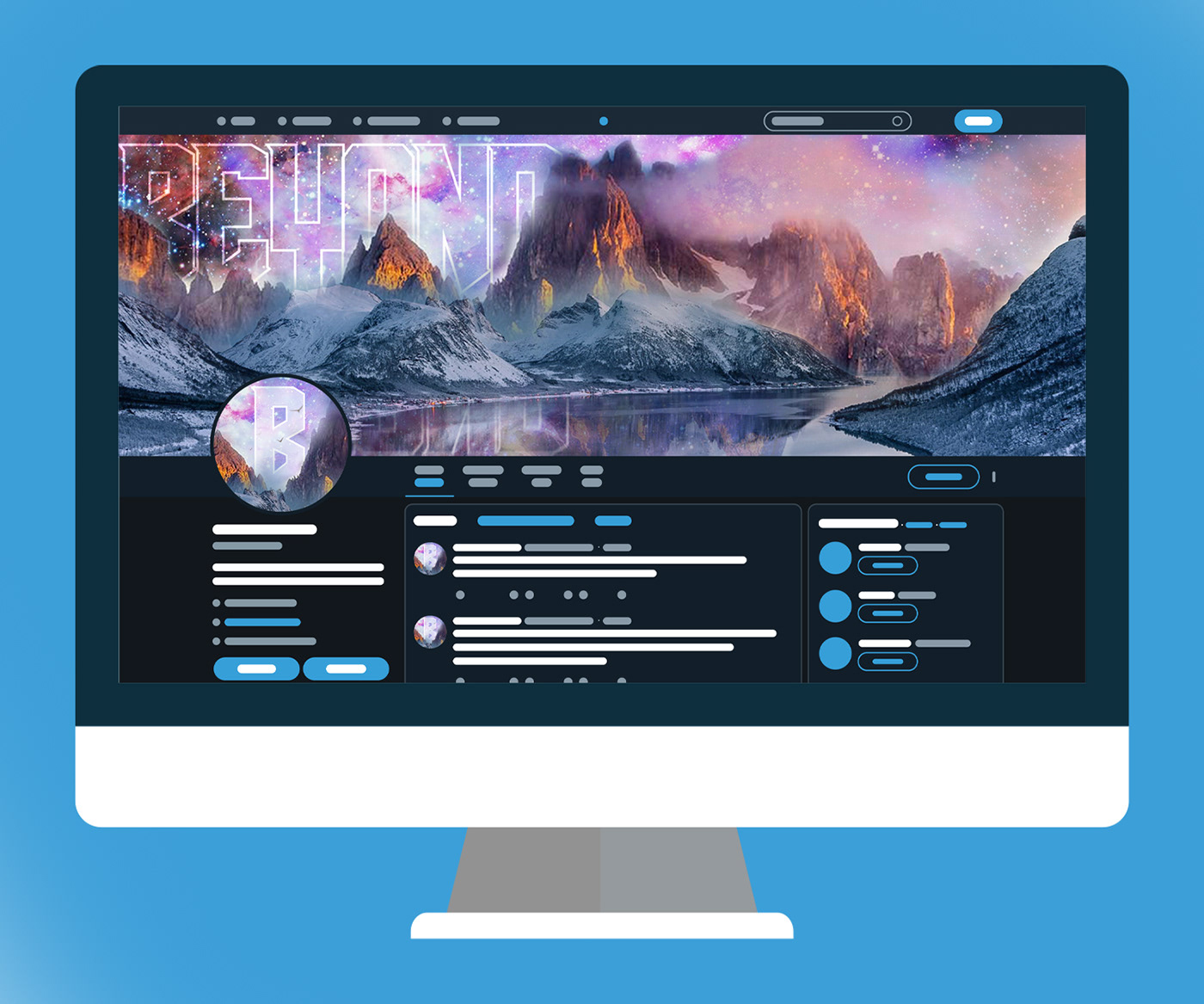
Behance
Adobe PS challenge #5Today we were told to apply our composites from yesterday into a mockup. Every day I like to deviate from the tutorial slightly, so this day, I created a wireframe twitter UI to place my mockup on.--Computer Vector:https://www.fr…
 turbid junco
@peak warren Thank you! I'll have to look up Loomis, it just came to me. I looked at it like a battery charging up to the max level. I really like your mock up. It's nice to see it in a setting with people interacting along with it.
 lone hare
@echo dawn nice job with the composite and mockup! I like the contrast of simple screen layout with the detailed image.
young karma
@bleak fossil Thanks for the feedback! I've lowered it down on her skin, hopefully making it better.
lone hare
@young karma Great idea for the mockup! My only suggestion is to separate the color schemes to make the screen and your design stand out more. Great work!
young karma
Hi everyone 😃
It would be very helpful for me to progress with your feedbacks

Behance
PS Daily Creative Challenge - March 2019
echo dawn
@lone hare tysm
young karma
@lone hare Thanks for the suggestion, Ryan! I actually changed the original colours to reflect on the design. I like to think of it as a whole experience dedicated to the game rather than focusing on the screen itself. To draw the eye towards it, however, I used camera raw filter's vignetting.
@lone hare I really liked your day 4, btw. The values are spot on. And your mock-up is clean and orderly, as it should be 😄
 loud zephyr
Hope you guys like my facebook mockup
 cunning gulch
@peak warren Thank for the feedback.
@peak warren Most of it was intentional, especially the talking bubble from the head. I was being inspired by what she did in the video with her poster so it kinda morphed into being a talking bubble lol
lone hare
@young karma Oh got it. Then you nailed it 😃 And thank you, I was up late finishing day 4 and 5 and I was too tired to go on. I'm glad it worked out in the end. 😃
 burnt kestrel
young karma
burnt kestrel
young karma
@lone hare You were not the only one xD those damned weekends get too busy xD
peak warren
@turbid junco Loomis wrote some great figure drawing books, maybe ~1950. He has this distinctive signature where he makes the "M" as three vertical lines, IIRC. I was never good at figure drawing, so I got to about page 10 before I got frustrated with the exercises. But the books are superb.
lone hare
@young karma correct.
 celest nebula
@burnt kestrel - love your mockup! I wish I could check out that online shop 😃
 cosmic raptor
Day 5 - Twitter Mock Up
Just looking for general feedback (fairly new to photoshop)
eternal marsh
@cosmic raptor Looks good! Maybe you could have added a profile picture to social media page aswell
cosmic raptor
Thanks, I really should of. I'll try and take my time and add more details in the futur
 left token
Still catching up. Feedback appreciated
 left junco
Why a Twitter mockup when you can go BIG 😃
peak warren
@left junco ooooooh! That's great. How did you wrap the image around the curve of the building?
rotund lark
@cosmic raptor It looks good , ya a profile image or logo would be good. The reflection of the Greenscreen in on the phone you could make a reflection or just blacken it out
left junco
Thanks. First I placed the image with Free Transform, and while you have FT activated you find the Warp button i the upper bar (looks like a bended windows), and with that you can warp and bend it
young karma
nothing to say about mine ?
 severe dust
Nice comp @left junco I wonder if a dark grade over where the image bends back would help give more sense of depth? really cool idea.
rotund lark
@young karma the colours look off is it CMYK or RGB or SRGB ? if i right click and open the colours look better
young karma
I'm agree my blue look purple
rotund lark
Any feedback much appreciated
cunning gulch
Day 3 PS Daily Challenge! Let me know what you all think!!! Thanks in advance!!!
rotund lark
@young karma where did you get your game box template . i just used a blue rounded rectangle
left junco
@severe dust Yes, that's a good idea! Here's an updated version with a subtle gradient.
young karma
replace the image and add some light and shadows
cunning gulch
Day 2 Ps Daily Challenge. Thanks for the Feedback!
young karma
I tough the challenge was to create the mock up xD
@cunning gulch your text look invisible, In my opinion you should try to play with opacity to add some more visibility at ur text
rotund lark
@left junco looks good what would it look like it you added motion blure to all the people and bus and cars like a long exposure , night photography . That could look cool
 latent lion
@cinder vessel maybe soften the harsh reflections on the upper laptop bezel
young karma
but look very good, very digital 2.0
severe dust
Wow, realistic comp! @rotund lark Seems minor, but the "P" in "UP" is getting lost in the clouds in the header image at this scale . I also wonder if you could push some visual separation between the profile pic graphic and the header graphic, they are so similar to each other and they overlap
cunning gulch
@young karma thanks so much for your feedback!
severe dust
yes! @left junco so nice!
young karma
your welcome and sorry for my english
left junco
@rotund lark Yes, motion blur would/could be nice, but it would be quite overkill for a mockup IMO 😃 In a perfect world I would have taken the photo myself (this photo I downloaded from Pixabay, credits on my project page) with a slow shutter speed.
rotund lark
@severe dust I updated it more drop shadow and changed the logo for profile image. what ya think ?
severe dust
Oh, I like that profile pic, that gradient really pops now! @rotund lark
 uncut ginkgo
Lovely mockup Mark & I also enjoy the updates you made!
 wet kettle
Finished up a quick day two poster. Found a neat futuristic background and did some blending with the shapes to make it a bit more colorful. What do you guys think?
latent lion
@burnt kestrel try content aware erasing to blot out some of the tabletop objects. I eliminated the right rear potted plant but even with adjustments seemed to have some residual greenish blush. Also used the stamp tool to restore the edge of the wooden plank effected.
young karma
@rotund lark look much better now. I'm impress
severe dust
These textures are SO nice @wet kettle, I like how you used scale and color throughout. There's a little bit of muddiness in the color of some characters like "W" in "Wish", you could explore layer order or adjustment if you wanted to create some tonal variation
latent lion
@left junco Inspiring. In 1978 there was an open-all-hours Chinese restaurant behind that sign.
 sterile bane
Hi all! Don't forget I'll be giving live feedback at 11am (in 1.5 hours). If you'd like feedback on your challenge submissions, please post before then. Thanks!
rotund lark
Hello @sterile bane any chance of some feedback on my project if you get time, Thanks... Just about to leave work will check back in later .. Have Fun everyone 😃

Behance
#PSDailyChallenge Photoshop daily challenge
sterile bane
Yeah! Please post it, I'll write up some feedback so you can check in later. Have a great time at work!
awesome
echo dawn
@sterile bane any plans for a later feedback session?
sterile bane
@echo dawn we're testing a few different variables but might push the time to be later in a few days! 🤔
wet kettle
Thanks @severe dust ! The quality isn't great in Discord thumbnail so it looks a bit different in the HQ version. I did take another look and the second W in were definitely could use a little help so I definitely appreciate the feedback!
 dusty karma
Hey @sterile bane I would like a feedback on my project! Thanks!! 😁 ❤
https://www.behance.net/gallery/77134435/PS-Daily-Creative-Challenge-March-2019

Behance
Photoshop Daily Creative Challenge March 5th to 15th - Adobe Live
young karma
And how about this for the new challenge ?
 magic rampart
Hi all, would love some feedback on the day 3 challenge please, many thanks 😃
@young karma I'm liking that, nice touch with the dirt coming from the tyre
severe dust
Those Mario stomps!! I wonder if you could move everything but the text up (or scale the text), Marios eyes are covered with the vert center text @magic rampart
 trim field
I have been playing some catch up so here is the text, day 3 project. I am kind of on the fence about it.
young karma
Yep thx this is from my original artwork
trim field
Here is the composite piece from Day 4. I think I could do more with the text, maybe try and make it more consistent with the previous days work.
trim field
Here is the mock up from day 5.
magic rampart
Thanks @severe dust , it does make a difference.
young karma
hey what do you think of this one?
echo dawn
hahaha
 coral stone
Good afternoon guys! Here's my day 6 contribution. Please feel free to comment 😄
 night isle
Hi @bleak fossil thanks for your comments on Friday, sorry been working since then so only getting to look at it now ... you said to add a vignette with a multiply layer and to brighten the area around the character . I'm not sure how to do this would you mind explaining. I have had a play around and changed up the filter - how does this look .. better?
this was the original
wet kettle
@night isle I think it looks better overall! I would mask out the planet on the left though. It's a bit over exposed after the filter
night isle
or i've just done this version where i've just put the filter on the mountains and the character and left the background dark
thanks @wet kettle exactly what i was thinking - what do you think of this other version i've done?
severe dust
Agree with @wet kettle Looks good here! @night isle
along that line the planets have different light sources, above for the red planet, maybe tilt it so the highlight is coming from the center of the image?
wet kettle
@night isle I think the brighter one looks a little stronger. Maybe tone down the brightness a little around the lettering and the left planet and see how it looks
 narrow cedar

Behance
This is my project for the Adobe Photoshop Creative Challenge
austere imp
Hi @sterile bane I would like to have some feedback on my project. 😅 https://www.behance.net/gallery/77168687/PS-Daily-Creative-Challenge-March-2019

 stiff depot
The selections were the most time-consuming part of this. Select subject and select and mask did the job (love that refine edge tool). Question: do you think I should path blur the zebra background too?
 glossy trellis
cinder vessel
glossy trellis
cinder vessel
Hey Kathleen, would be great if you could review these two....
I am not quite sure about the path blur filter applied to the horse....would be great to know your thoughts on it...
sterile bane
Will do! I'll be starting feedback in about 15 mins.. really excited!
 gaunt hill
I just did my Day 1 challenge.
night isle
@wet kettle & @severe dust thanks for your feedback ... i've had a play around ... what do you think ?
 uneven kindle
Feel free to comment on. 😃
 vivid maple
https://www.behance.net/gallery/77134703/PSDailyChallenge2019
Image has been replaced*
 loud zephyr
 gaunt hill
Hello @sterile bane
austere imp
Hi @sterile bane
 fair hollow
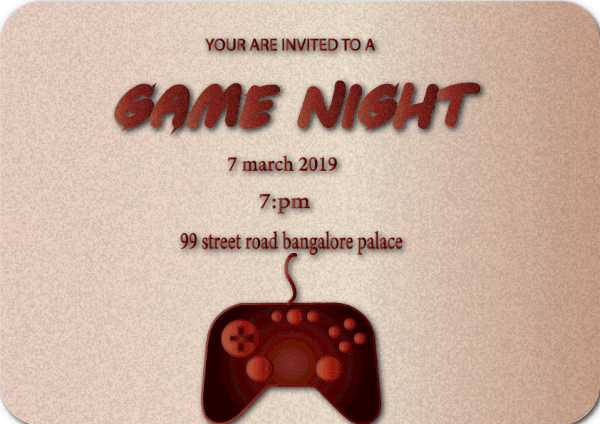
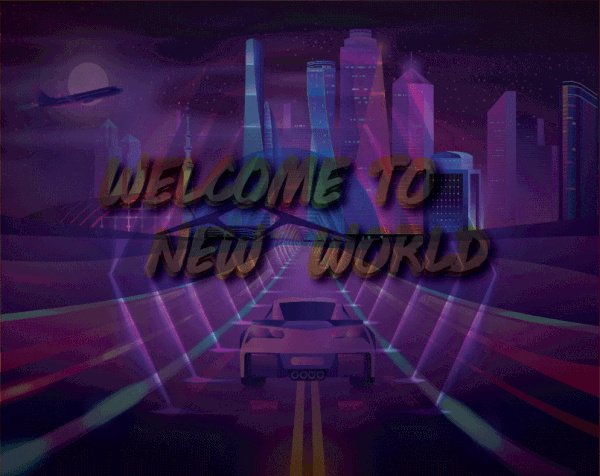
Hello @sterile bane Whenever you have the time here are my mock up for the daily challenge.

 pastel spade
@uneven kindle Really like the font you used for "Swiftly", maybe use it for "Galloping" as well? Add some motion blur to the legs as well, they're probably moving fast. 😃
@young karma Love your designs - original artwork, very nice!
@narrow cedar great mock-up, my eye gets drawn to the objects on the side, that nice green cactus, maybe desaturate those a bit?
not too much tho 😃
 steep quartz
todays challenge submission how can i make this better?
coral stone
Thanks for the awesome feedback @sterile bane 😄 I used the path blur on the whole element and used the filter mask applying black. As I made a black rectangle in the middle, I used the command + click to get a precise selection for masking
pastel spade
@steep quartz I would love to see a little bit of the natural color of the hands come through a bit. Really cool piece
 tepid token
day 5
steep quartz
@pastel spade thank you chad will give that a go 😃
left junco
left token
Thanks for the feedback @sterile bane
austere imp
Thank you @sterile bane
gaunt hill
Thanks @sterile bane
stiff depot
Thanks for the feedback, @sterile bane . I'll fix it up before posting to BeHance.
sterile bane
hey @dusty karma ! Unfortunately the audio isn't saved from the live feedback but I can give you my feedback here. I think your composite looks really nice and i love the green/earthy color palette. My only critique was maybe you could try matching the color palette of the Level Up logo a bit more to the color palette of the rest of the work so it feels integrated
dusty karma
Oh thanks to post it here so I could see ❤ I will try to match them!! Thanks
eternal marsh
@steep quartz wow, really cool! Love the spooky theme
glossy trellis
Thank you @sterile bane for the feedback. You are right, legs really need to be edited 🙂
peak warren
WIP for the path blur. I have not figured how to mask the path blur yet.
 tiny geyser
Hi @sterile bane is any feedback for me?
coral stone
@peak warren You have to convert the layer, in your case the bird, to smart object then apply the blur. After you click ok it will look like this (image). I hope you understand, English is not my first language 😄
peak warren
Hi @coral stone I did that part OK. I need to do the masking part next. It's OK. I'm taking a break from that part and working on another subsection.
young karma
It was quite difficult today, not sure at all about the gradient in selection, how to do properly... but I tried and tried and tried 😃 and this is the result of my work from the live video till now :). Still a lot to learn, but the level is definitive going up
coral stone
@peak warren You can select the white rectangle (Smart filters) and paint with a black color brush 😃
peak warren
@coral stone Thank you
 urban berry
Hello every, here is my Day 4: Composite challenge
 wet river
made this for day 3! trying to catch up ^^;;
 blissful badge
Day 6, learned a lot today. Feedback welcome.
eternal marsh
my work for now, not finished yet, but if anyone has feedback so far, I would appreciate it 😃
night isle
Hey guys, here's my day 5 challenge... let me know your thoughts ... thanks 😀
wet kettle
This is a project cover I just finished. Learned some cool tricks on gradient maps last week and wanted to try it out! What do you guys think of the composition?
 foggy orchid
I used a free template. any feedback?
same template, different view
My Day 4 composite
wet kettle
Composite looks really cool. Love the contrast
Only comment would be that the girl is not what my eye gets drawn to first. Which is not a bad thing necessarily! Depends on what you are going for
sterile bane
@foggy orchid I agree with owain, very cool! the dark figure on the light mountain has great contrast.
Perhaps you tone down the highlights on the planet so that the girl stands out more? you could also introduce a few highlights to one edge of the girl so that she doesn't get lost on the path
fair hollow
I would love to get some feed back on my mock ups. Please let me know what you all think.
wet river
here's my Day 4 entry, used elements from my earlier entries! ^^
severe dust
Electric colors! Nice composition @wet river
wet river
@severe dust thanks!! I love how pink and blue glow look together! 😃
stiff depot
@blissful badge I love the leaping dog. My only issue is that the text is hard to read. Maybe distort it less?
uncut ginkgo
@fair hollow awesome mockups! I'd love to get a little more zoomed in on the laptop mockup, but great perspectives all around.
@eternal marsh nice job! I really like the movement. The Speed It Up could be moved down slightly or maybe enlarged a bit - in my opinion 😃
@blissful badge space dog!! I love the design. Maybe try playing with the path blur a little bit so it pulls away from the dogs body, rather than just blurring the bottom half.
 full topaz
Hi as per feedback I have resized the logo on my Day 4 image (gotta get it right for Day 5 😃 ) does this work better? I know I'm happier with it 😄
wet river
@foggy orchid facebook is usually centered on a screen, not sure why its not in your mockups, but I think it would look better if it was! 😃
 queen surge
Ok I finally made the level up logo... I tried to replicate each step that Kathleen demonstrated.
wet river
@queen surge studies are great for learning! would be cool to see you take what you learned and create your own idea too! either way good job!
@timid pasture are you adding it to browser or mobile?
 timid pasture
Browser..
wet kettle
Looks like there is some padding/margin
wet river
oh I looked it up, twitter recommends that size but cuts off 53px from the top and bottom. So try to add margins.
haha, guess I'll add margins to my own design ^^
timid pasture
1680 X 462... 🤔
peak warren
@timid pasture This is correct. I found this out yesterday. If you make 1500 (wide)x53 (tall) and place on the 1500x500 image as no-go, you should be fine. I made them non-visible when exporting.
timid pasture
Thanks for that template, Owain. I'll do some messin' around... 😬
peak warren
My path blur assignment. This was a lot of fun. Thanks to everyone who helped with answers. Hummingbirds & cloud photos by me, afterburner from the web.
feedback welcome
queen surge
Day four composite. I put together some landscape photos. I think the area behind the hiker/space walker needs some deemphasis. The cartoon space helmet is there to add a bit of absurdity.
 raven sage
Day 5 Challenge Mock Up any feedback would be greatly appreciated.
uncut ginkgo
Awesome job Crimson - lovely job with the perspective. I also enjoy how the mockup image has the green in it, playing off of your banner graphic colors.
peak warren
@queen surge If you want to de-emphasize the middle ground, you could do two things. One, match the color to the rocks in the FG. Second, put some blur. Also, your shadows don't line up between FG & middle ground. I don't know how to solve that. You could make two sets of shadows in the FG, as if you were in a binary system. Because the FG shadows are simple. But the middle ground shadows are past my skill to dupe and reorient.
You could also rotate the FG until the shadows were in roughly the right direction.
queen surge
@peak warren thanks for the tips. I'll give it a try
night isle
Day 6 first attempt any feedback would be gratefully appreciated
wet river
@night isle In what direction is he moving? the blur is usually on the side that someone is moving away from!
night isle
@wet river oh haha i got that totally wrong !! got myself a bit confused ... oops!!
wet river
the blur looks good though! just gotta get the movement in the right direction! its easy for anyone to miss!
night isle
hows this ?
timid pasture
Here's the template if it uploads...
sterile bane
Nice, @timid pasture ! Thank you for posting the twitter banner template as well. If you want to explore further, check out the template provided in the Day 5 challenge: http://bit.ly/psdcc-5 If you keep where they have text laid out in mind, you should stay within the safe zones. Thanks!

Adobe Stock
Stock template of Angle Social Media Set. Search more similar templates at Adobe Stock
uncut ginkgo
good job @night isle ! I would suggest playing with the blur path a little bit more so that the divide between blury part and clear part is not to stark.. also consider confining it slightly so that the blur follows the shape of the subjects body, rather than the diagonal. 😃
Good job Priya! I like the concept of adding a VR headset to the type, but I feel it creates more confusion than it's worth. Maybe try removing the VR headset from the inside of the S or playing with it somewhere else?
gaunt hill
ok sure @uncut ginkgo. Thanks!
night isle
thanks @uncut ginkgo really helpful, yeah i'll have a play around with it!
full topaz
Hi Here is my first draft for Day 5 and the mock up challenge. I think I need to adjust the photo slightly and maybe take out some of the clutter on the desk but not sure.
uncut ginkgo
@peak warren rocket powered hummingbirds! ha! Awesome idea. I love the blur, it feels very natural -- the bird on the right seems perched, it'd be fun to give it something to sit on, maybe? I had a hard time reading Assisted for some reason, but it might just be me! Maybe Rocket Powered Hummingbird would be more recognizable.
gaunt hill
@uncut ginkgo
peak warren
@uncut ginkgo I erased the perch on the right. I can unerase it. (Thank you @sterile bane for teaching masking so well). The rocket assisted is a geeky reference to JATO, the solid fuel rockets used to launch bombers in the early Cold War. I know the text is hard to read but that was a choice.
I’ll think of there is a way to make it more readable
uncut ginkgo
ohh! I see, totally missed the reference. Thanks for the extra info, very cool. Nice job masking that out, you did stellar. I wonder if maybe grabbing a second bird in flight might be the move? rather than putting the perch back in.
peak warren
Good idea. I have a lot of Hummingbird photos.
gaunt hill
@uncut ginkgo I moved the VR headset to the dress. Please let me know your comments.
 woven frost
@full topaz nice photo choice with the darkness & the two screens! I like the bright screen too... "blinded by the bright" is too real!
uncut ginkgo
Nice! Good idea to move it to the shirt! The text/flowers on the shirt + headset does seem a tiny bit busy but overall I like this composition better 😃
gaunt hill
ok @uncut ginkgo I will try something else then. Thanks!
 cursive pawn
Opinions please! help me to improve it!
full topaz
@woven frost Love the jellyfish, I think the landscape one works better as a readable image and feels more balanced.
timid pasture
@sterile bane Thanks Kathleen! I tried that template, but there was just waaaay too much going on for this tired old brain! 😆 I've got it, and will definitely be playing around with it more..
latent lion
Not Happy with this work in progress. the diver was too small to benefit from the motion filtering I tried and the path blur was not having the desired effect of only the mermaid tail fin in motion. Spent a lot of time unsuccessfully looking for suitable images in Adobe Stock for the original composition I envisioned.
 regal scarab
Love to know what you all think of this I worked on today.
@latent lion is there a better way you could make the ice and the ocean blend well? maybe with a blur or something?
 tepid sierra
feedback please
gaunt hill
 bleak fossil
@regal scarab I like how the font really seems to fit that alien theme! Some good use of shapes as well with your composition. One small idea could be to try and mask out the background 1s and 0s texture on the planets. Currently there’s a lot of texture and visual noise going on everywhere, it might be nice to give the eye more of a place to rest by removing it from the planets. Not sure if that would help, but just an idea. Nice work!
@tepid sierra Nice work! Not sure if you’ve done the mockup yet, but could be really nice to see you apply this design to the mockup challenge!
@gaunt hill Looks good! I like the playful color palette you chose, it works well with the theme of a kid’s game night. One thing is the title is almost a little hard to read. I think perhaps darkening down the background just a bit might help it read better and make the girl pop more too. Maybe a multiply larger with a desaturated blueish tone, and then adjust the opacity until it looks good? Either way, nice work!
@night isle I'm sure there's multiply ways to create a vignette within Photoshop, but typically what I do is create a multiply layer, fill it in with a mid tone desaturated blueish color, and then mask out or erase out the middle with a soft brush. It just creates a nice soft darker edge around the image that you can control
@latent lion I definitely like the idea and where you were going with this! I think that blur effect definitely works better on side views that don’t have so much foreshortening going on. It might also be a little tough since the top image is from a higher up view and the bottom image is from eye level. But having a sort of thickness to the ice might help, so it looks like a thick sheet of ice on the water rather than an abrupt crop. Almost like the feeling you get from this image.
https://i.pinimg.com/originals/55/41/7e/55417e9dd406c2e33a061a3bb31ceb39.jpg

@timid pasture Nice work on the mockups! Definitely eye catching with the hot orange colors against the neutral tones of the rest of the image. Only thought is the odd whiteness around the plant in the second image, not sure if that's just a masking issue? Either way nice job!
@cursive pawn Very cool, love the vibe of this one! I think some simple color correction on the girl could be nice to make her fit into the cool colors of the scene a bit more. Also maybe scaling up the text a bit and rearranging the shapes slightly to have more of a visual flow. Here's a rough idea, you can see they're very subtle tweaks but I think it could be nice (the bottom is the original). Great job!
@woven frost First off, love the username haha. I really like these designs! It could be nice to pump up the saturation of the text and jellyfish, and even maybe the coral on the bottom picture. Could be a nice contrast in color and still fit with that retro gaming look.
@full topaz Nice work, I like how you fit in two images/designs into your mock up. On thought is the brightness and white of the screen on the left kind of overpowers everything else in terms of contrast, and the lighting on the person doesn't seem bright enough. I tried a quick adjustment by selecting the person using the lasso tool, then using a levels adjustment in combination with a screen layer to airbrush some light onto him. I also darkened down the screen ever so slightly. I think it balances out the image a bit more. (the original is at the bottom) Hope that helps at all, great job!
full topaz
@bleak fossil Thanks heaps !! yes that does make a diffrence and it looks much better, I'll give it a go on the orginal file. I couldn't decide if the second screen needed to be some how brighter but with the first screen darkened it balances it better 😄 Thank you
timid pasture
And after seeing that movie, I'm not feeding any stray cats..... 😬
@bleak fossil After looking closely at the original image (It's a stock image from Creative Market) it looks like the plant was sprayed with some of that fake snowy stuff you spray on Christmas trees, or something similar. I'm gonna plead innocent on that one! 😆
 haughty violet
first time ever using action blur
 tiny quarry
From the blending challenge, what do you guys think🙂 birthday post card!
tepid sierra
mock up on laptop
raven sage
Day 6 Challenge.
tepid sierra
hi i need some help please. What i want to do is make the grey flooring look like its hot and sizzling (they are jumping away from it) AND i would like some brighter light coming from the top left and spotlighting both girls...anyone know best way to do this please? maybe something different with the text...im so open to suggestions to make this look better?
i actually wanted the floor to be very silvery if possible.
just moved the floor around a bit
cinder vessel
@haughty violet This looks really cool 👌 When I try to blur the subject, my entire background gets blurred too...any tips on how to avoid that coz I see your background is pretty stable...
haughty violet
@cinder vessel it sounds like you may not have the person as a smart object? (Assuming you got rid of the background beforehand). I made sure to remove the background before anything, made them into a smart object, and then proceeded to adding the blurring. Hope that helped! I usual suck at explaining >.<
cinder vessel
@haughty violet I see...I didn't remove the background hence the issue. Will fix it now. Thanks a ton 😄
 rotund lark
@sterile bane I'm not sure about this details realistic ness but yes i think it looks a bit better. will implement it into my designs
warm agate
Day6_Path_Blur_Poster😜
I appreciate your feedback😊
 abstract mortar
@narrow cedar love it 😀
 sour ingot
The last guy here! #VixPS
rotund lark
Day 4-5-6 into one Revised image
 solid sphinx
 wanton junco
DAY 4 , Work Castle🕵
peak warren
@sour ingot That's good! I like the use of Nintendo graphics in the real-life wall you used as a background. Nice also how the hand is posterized, but subtly.
gaunt hill
tropic dome

Behance
Level Up! | PS Daily Creative Challenge | March 2019
cinder vessel
@warm agate Love it!
young karma
@woven frost I am in love with #2, amazing!
loud zephyr
really excited to show my submission for yesterday, but I'm holding back for the big reveal later today....
young karma
Can i have some feedbacks of my work please ? 😃
Behance
PS Daily Creative Challenge - March 2019
here some new
lone hare
Day #6! Added some movement to the boxing photo 😃
tropic dome
@lone hare the effect is nice but the text ruins the overall image
lone hare
@tropic dome Dang. My gut was telling me that too. Thank you.
peak warren
@lone hare Move the text to the L side, and path blur it as well
tropic dome
@lone hare try using another font and make it bold, punchy, yet simple. Try finding it’s place on the artboard 😄
lone hare
@tropic dome Yeah, I'm limited to the fonts on my work computer, so my choices aren't the best.
 compact nebula
I am sooooo behind on the challenges 🤦 Let's see if I can catch up soon! This is the futuristic postcard from Day 2. Let me know what you think 🤗
young karma
Feedbacks please.
 fickle garden
Header image. What do you guys think?
lone hare
@fickle garden Really like the pink and green! Would be sweet if you continue those colors throughout the stars and galaxies. I'm a big fan of a limited color palate 😃
fickle garden
Thank you, Ryan I like that idea.
echo dawn
@lone hare I need feedback on mine please
lone hare
@fickle garden Keep the planet and your level up stuff the main focal points, and maybe try more subtle color to everything else.
cunning gulch
@compact nebula I think this is really nice! keep up the good work!
magic rampart
Day 6, added motion blur, any comments appreciated, many thanks 😃
@fickle garden loving the pink
night isle
i've been playing around with my day 6 challenge and have 2 versions but not sure about them or which i prefer any feedback would be great ... thanks
 tiny nest
my exercize day 5
lone hare
@echo dawn Maybe add some more movement on the upper part of the person. It looks like he stopped and got stuck stuck. Mess around with the settings a little more. Try making the portals look more like holes too maybe. Great color choice too maybe a little more contrast between the background gradient and the words. 😃
uncut ginkgo
@woven frost awesome colors and composition - You did really well making the whole setting feel cohesive. 😃
magic rampart
@night isle Both are good, but I prefer the first as it makes me chuckle.
peak warren
@echo dawn Level down 😃 Great! Love it
lone hare
@echo dawn He's going in the wrong direction, unless he's falling up 😃
echo dawn
ah crap lol
night isle
@magic rampart haha thanks 😀
uncut ginkgo
@night isle both are very nice! I really like the movement in the first one, but I'd keep them both! 😃
Nice job Jonah! I love the portal vibes and I enjoy how you made the bottom one a bit more blurry, indicating he is moving from the bottom to the top of the page.
night isle
thanks @uncut ginkgo 😀 ... just realised i posted the wrong version of the second one this is the right one the bottom blends better
echo dawn
thanks gun
lone hare
@echo dawn He got unstuck 😃 See how he's cut off on the top? Maybe do the same to his lower half.
fickle garden
What do you think now?
lone hare
@echo dawn Great!
@fickle garden Maybe a little more lighter with the stars and mountains. Planet looks great too!
fickle garden
Thanks for the feedback @lone hare
lone hare
@fickle garden You are welcome. I just hope I'm helping lol
latent lion
@AndreK1d really nice coloring🤓
fickle garden
Yes, Thank you!
tropic dome
@latent lion thank you
 dry comet
did this for yesterday's challenge... already used brushes but so excited to learn today's textures! Any feedback is appreciated!
 thorn gulch
Filter Challenge
uncut ginkgo
Lovely work @dry comet - Have you played with making your title a little larger? Other than that, no critiques here, awesome color, concept and composition.
@thorn gulch lovely work and nice mockup!
dry comet
thank you so much @uncut ginkgo ! Good call on the title
echo dawn

@uncut ginkgo do you know why this isnt showing up on https://bit.ly/PSentries

Showcase and discover creative work on the world's leading online platform for creative industries.
uncut ginkgo
shows up for me as the first project! ^
echo dawn
odd
 waxen knoll
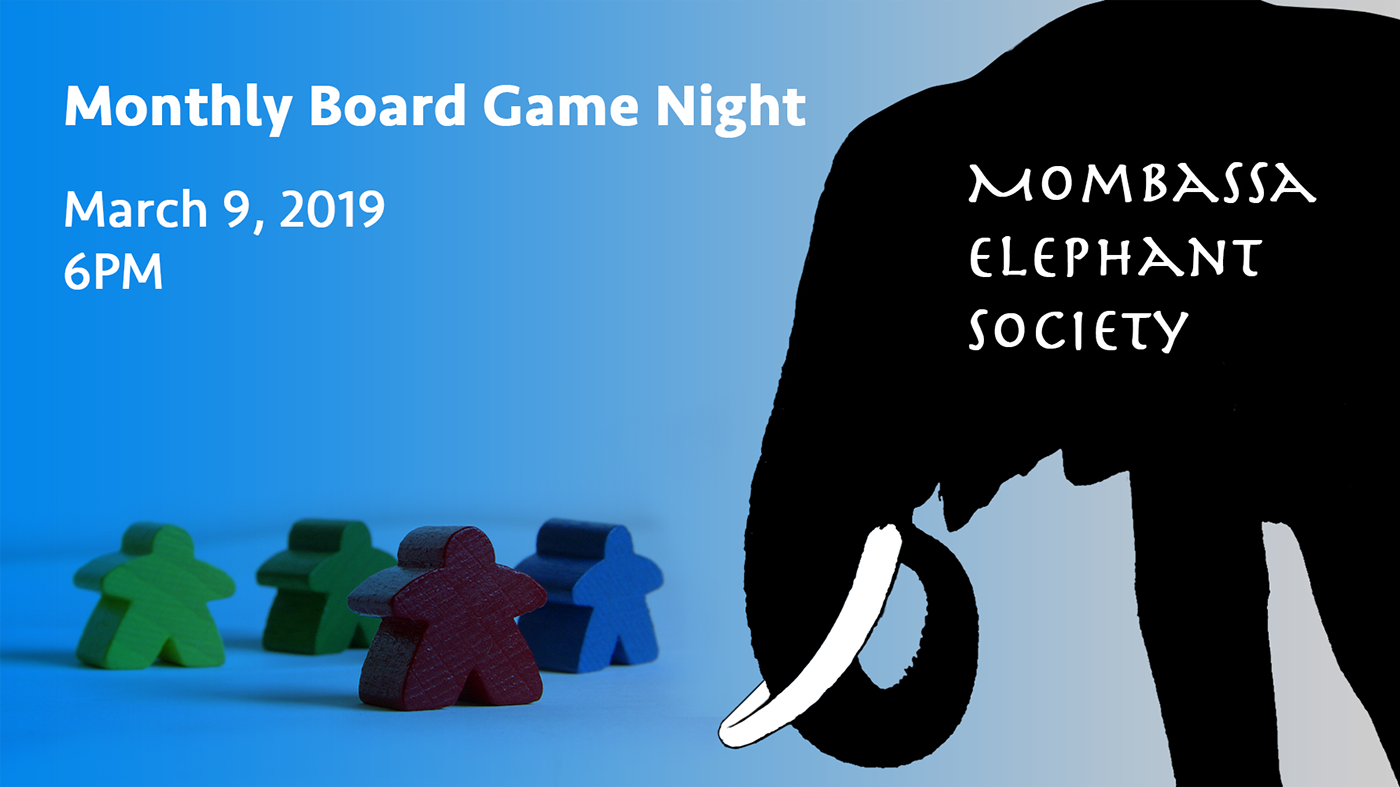
Okay, first time sharing my work. I'm so behind, but I have 4 challenges in my project right now.
https://www.behance.net/gallery/77185353/Level-Up-Photoshop-Daily-Creative-Challenge
Behance
The Level Up Photoshop Daily Creative Challenge
tepid token
Day 5 redeveloped
loud zephyr
Day #6 Challenge: Hope you guys like it...😍
latent lion
@loud zephyr Try "BE THERE IN A FLASH"🙌
loud zephyr
@latent lion Great suggestion
glossy trellis
I did not have a lot of space for texture but I have used 2 different brushes for moons and one watercolour brush behind mountains. What do you think? 😃
stiff depot
@magic rampart I love the leaping dog and its motion blur. Nicely done. But the moon is distracting since it's so bright. It takes away from the dog. Depending on where you'd like the emphasis (moon vs. dog), you might want to tone it down.
 raven meadow
Here is my revised Level Up Hero. Any feedback is appreciated.
glossy trellis
@raven meadow wow, it reminds me hero from wolfenstein game 😃
stiff depot
@night isle I think the punched guy has more impact (pun intended), but I like the elements of the vortex version, too.
night isle
thanks @stiff depot
stiff depot
@dry comet I love the colors, though they might distract from your central figure. Still, very pretty. But your "level up" definitely gets lost. Bigger maybe?
@loud zephyr Very clever!
Here's my Day 7 version. Added smoke and used a hair texture for striping the arrow. Both textures were from PHLEARN. My only concern is that I didn't draw the texture up too far into the smoke at the Level Up text, but I didn't want to make it look muddy. Suggestions?
night isle
i've done a bit more work on my second version and also done a version with the added the texture .... now i need to work on my first one ...
magic rampart
@stiff depot thank you for the feedback, much appreciated. What do you think now?
stiff depot
@magic rampart I think that's greatly improved. The eye definitely goes to the dog first.
uncut ginkgo
nice job @magic rampart ! and great feedback Trixie 😃
@glossy trellis good job! I really love what you added to the moons - very cool.
dry comet
@stiff depot Both great points! waiting for brushes to load and i'll post an update soon!
glossy trellis
@uncut ginkgo Thank you so much! ❤
haughty violet
 gleaming halo
Catching up! - Had a super hard time with this one because I hadn't sized the day 4 poster properly for the banner 😭
uncut ginkgo
AG! Even though you had a hard time, it looks beautiful! Nice job recalibrating 😃
gleaming halo
thanks @uncut ginkgo 😊
sterile bane
agreed @gleaming halo , you did a nice job staying agile and changing things up!
gleaming halo
Thanks! @sterile bane 🤗
glossy trellis
@magic rampart Nice job! Just one suggestion, put logo Level Up more higher - will be more eye-catching 👌
night isle
I didn't like the yellow colour i'd originally picked for the my first version for day 6 so changed it up a bit ... so here it is also with my day 7 version of it
uncut ginkgo
The second one is my favorite Maria!
cursive pawn
@bleak fossil Thanks! 😀
night isle
@uncut ginkgo Thanks !😀
glossy trellis
@night isle Second one 👌
night isle
@glossy trellis Thanks! 👍
eternal marsh
@uncut ginkgo thanks for the feedback! I will try to put it down a bit 😃
echo dawn
@buoyant pendant woah, did you make that from scratch?
I could use some feedback on my texturing https://s.jmax.io/9GBaKM.png

 buoyant pendant
@buoyant pendant I made the shapes, not the snowboarder or Saturn
echo dawn
looks super cool
gaunt hill
wet river
I can't help making my mockups super tacky (its just too much fun!!) but I think this looked pretty cool still with the space theme ^^
wet river
@echo dawn Thanks! I'm glad you like it! 😃
cinder vessel
My submission for Day 6...Path Blur effect...
I would like to know your feedback on the text placement here...
wet river
@cinder vessel I think it would look good if she was more on the left and the text was bigger and not overlapping, but maybe starting right after her?
steep quartz
Here is my submission for today's challenge would really appreciate some feedback 😃
cinder vessel
@wet river That's interesting...thank you!
echo dawn
@steep quartz thats genuinely amazing.
sterile bane
Will be going live with feedback in 8 minutes! Stay tuned 😄
steep quartz
@echo dawn Thank you so much!
wet river
@cinder vessel actually I would try flipping the image so she is running towards the right side, people often understand going right on a screen as progressing forward, so if you put her on the right side running right and with the text after I think that would be great!
steep quartz
@sterile bane looking forward to it 😃
young karma
https://www.behance.net/gallery/77255803/Photoshop-Daily-Creative-Challenge-March-(Mars)-2019 hi Kathleen, can I have some feedbacks please 😊
Behance
PS Daily Creative Challenge - March 2019
my work Day 7 - in progress
tepid token
@sterile bane Thanks you. The texture was intentional. I will tone it down.
 storm rock
gleaming halo
storm rock
gleaming halo
Day 6 - Any advice on fixing the portal so it doesn't look so out of place?
haughty violet
thanks!!
echo dawn
@sterile bane thanks so much, i was able to make it! I'll go fix the down color.
gaunt hill
@sterile bane Thanks! I added a spotlights image and changed the blend mode to soft light.
young karma
thank you Kathleen!
 umbral obsidian
Thanks @sterile bane!
night isle
@sterile bane thank you so much for your feedback 😀
gleaming halo
@sterile bane Thanks for the feedback
glossy trellis
@sterile bane thank you for the feedback. So sad we have just 2 days to go 😦
steep quartz
@sterile bane thank you so much for the feedback!
trim field
The day 6 project, path blur and smart filter
Day 7, made changes and added brush texture to day 6 project. https://www.behance.net/gallery/77148781/Adobe-PS-daily-challenge2-electric-boogaloo
 steep quartz
I've removed the sharp edges from the circles at the top left and moved them over the the right a bit What do you think?
sterile bane
@steep quartz cool! feels better, allows your eye to focus on the important details
steep quartz
@sterile bane Thank you 😄
 modest rock
Day 6
 gray badge
@steep quartz yours looks AWESOME! I can't decide which part is my favorite, love the colors you chose too!
steep quartz
@gray badge Thank you so much that really means a lot!
modest rock
@steep quartz Looks amazing!
steep quartz
@modest rock Thank you 😃
stiff depot
@sterile bane I was working so I missed any feedback you may have offered, but I did want to thank you for doing the voice critiques for us.
sterile bane
no prob @stiff depot ! my main feedback was that i agree with the muddy-ness concern. I think if you keep the smoke to the bottom 3rd of the image, you'll be golden!
stiff depot
@sterile bane, thanks. That's kind of what I was thinking, too, so I am glad to have affirmation. Striking vertical balance was frustrating in this piece.
modest rock
Had added some brush strokes on Day 6, but a nice glitter brush seemed to make sense here. Day 7
tiny nest
day 6 and day 7
stiff depot
@modest rock Gorgeous! I'd love to hear how you nailed that glitter effect so well.
tiny nest
wet river
@sterile bane really nice getting some feedback! I'm just working on stuff on my own at home so its hard to know if its any good or not sometimes!
 proven heath
modest rock
proven heath
modest rock
@stiff depot I actually just used a glitter brush I have. Over the clouds layer, I used a Lighten Blend Mode and over the woman, I used color burn. Both used the same yellow color. I may see if I can randomize the color a little.
stiff depot
@modest rock Did you make your glitter brush, or where did you get it? Would you say a spatter brush would be an adequate substitute, or is the glitter more square?
wet river
you can find tooooons of texture brushes for free online if any of you don't have any added! ^^
stiff depot
@wet river I have hundreds of brushes, many of which I made myself. But there's always that one you don't have that you just must get. 😁
haughty violet
that moment you wonder if PS is frozen or will crash from using a large brush 🤔
young karma
thanks for the feedback, I changed the color background and also the logo, and added little Margot 😃
wet river
@stiff depot haha, for sure! I think I need to remove some I never use 😛
modest rock
@stiff depot I did not create it, but I can't remember where I found my glitter brushes anymore, but I love them for these types of graphics! They are very similar to splatter, but instead of small blobs, you have various stars that are essentially splattered. Splatter would work though, but I would suggest using it on a smaller size so it looks less like a splatter and more like small glitter
@stiff depot In fact, I think this is what was called a "Sparkler" brush
stiff depot
@wet river I find I rarely use the smudge brushes that come with Kyle's Mega set, but I'm trying to play with them more before I chuck them out.
wet river
@stiff depot do you use a pen tablet? I feel like smudge brushes work best when you use a tablet and don't make much sense if not
stiff depot
@modest rock I'll do a search on "sparkler brush" and see if I can turn it up. But your description of "various stars" is very helpful because I can make it if I can't find it.
modest rock
@stiff depot Absolutely! In fact, I'll use smaller splatter brushes with the sparkler to just give it a little effect
stiff depot
@wet river I do use a pen tablet, but I don't smudge much. For some reason the tool just doesn't rise to the forefront very often.
@modest rock Great tip!
 dreamy drift
Hi everybody!
if I go a little behind I can still share my work to have feedback?
stiff depot
@modest rock Found the brushes in a pack of 10. The search was easy with the name you gave me. Thanks!
modest rock
Day 7 Update: I realized I hadn't masked the sparkles from the bottom of the image. Now it looks like it's coming from the hole in the clouds
stiff depot
@modest rock The idea is amazing, but if it was coming from clouds, wouldn't a little fall on the figure? What am I missing in your story?
loud zephyr
@sterile bane @latent lion I took your advice!
raven meadow
@rain hazel it's not the stock. It is what you do with it. Thanks for your insightful, educated response.
Thank you @short isle
thanks @waxen spindle
blissful badge
Day 7 - Add texture to background
latent lion
My Day 6 do-over. Created a railway terminal wall and manipulated it in 3D adding depth and perspective. Lighting effects for the railway station were also done in 3D. Hurried commuter was from tumblr.
coral stone
Hey guys. I decided to upgrade my yesterday’s poster. I used some techniques that @sterile bane taught us along the challenge. For the portal I used the ellipse and add a neon effect using Outer Glow, Drop Shadow and bevel and emboss. And for the rest of the portal I used some nebula assets from Adobe Stock sample images and gave a mood with a Hue/Sat adjustment layer. For the lego, I made the path blur and used the Kyle’s brushes to make it disintegrate as he is dragged by the portal. When I finished I added noise and made an adjustment for the temperature in Camera Raw. Please feel free to give feedback 😄
 drowsy mica
Hey everyone! First ever photoshop project. Could be an album cover. Quality critiques please. I am so behind on this challenge, this is the "layers" one. I can already see I need to adjust the placement for the type, lol.
timid pasture
Also... A question... I'm not getting hardly any views on Behance. I entered the "psdailychallenge" tag in the discovery field, but it doesn't seem to help. Even when I go to Behance on a different computer and enter that keyword in the search, it brings up a ton of results, but I never see my Behance page. No wonder I'm not getting any views. What am I doing /not doing wrong? Thanks!
gleaming halo
How do we make the portal shape?
coral stone
@gleaming halo I used the warp tool to make the portal shape and refined with a mask using a brush with low flow for the edges
left token
On Day 4. Feedback appreciated. It doesn't feel quite right but I'm not sure if that's just me being nitpicky or what.
gleaming halo
@coral stone thanks for the great tips!
young karma
My day 6 contribution! I had especially difficulties with creating the portal and the circle. The blurring didn’t go flawless either. Help?, anyone? All input is very welcome thx
haughty violet
alright...this took me hours....so definitely time to take a break but would feedback.....listened to what @sterile bane said about the background earlier...and how it could be for a dance/choreography (i believe) company...so played off that and made it artistic with movement. Unsure of the paintstrokes though... and have two versions..
 mild oyster
Why is there a difference in colors when in photoshop and when I export to JPEG, the purple turned neon pink which I do not like :/
wet kettle
Finally got around to the Day 4 Composite challenge. Lots of masking in this one 😂
What do you guys think?
rotund lark
@sterile bane , I love how you matched your jumper tp your laptop haha 😃 I updated them images .
If people where adding texture to an image how would you do it ,
I hand drew it on but was thinking that getting textures from other photos might be better. Then i thought for the size he is its would probably be "Over kill" too much detail
wet river
@wet kettle I like the design but dont forget you were doing a social media header! they are usually a lot more wide! 😛
wet kettle
@wet river Yeah unfortunately I didn't bring my headphones today so I couldn't hear what the purpose of the image was for! I'm sure I can crop it down a bit to fit a banner image. Wish I would have paid attention to the image size 😋
wet river
@wet kettle you can find the task description of all of the challenges in #🗣general-announcements !
just figured its worth noticing as soon as possible since its meant to be used in the next challenge ^^
wet kettle
@wet river Good to know! Thanks for the info!
wet river
no problem! we're all here to help each other 😃
I wanted to continue on the space theme for this challenge too so I turned a photo of a minivan into this cute spacebus and put the blur on that! I already use textures brushes a lot so I guess its 6 and 7 ^^;;
Is the blur enough? or should there be more blur? Also I feel like something is missing!
dreamy drift
 rotund lark
@wet river Great job it reminds me of Space Balls just needs some wings 😃
wet river
@rotund lark haha, yeah now that you say it! I love spaceballs! thanks ^^
sterile bane
@rotund lark very nice thank you for providing the update! i think your thought about size vs. detail is right on the money. i think you could even pull back on the details a bit! esp. the lines around the legs. hope that helps!
 red palm
i got some weird artefacting because my images were kinda low res, but curious whether people think the composition is working
haughty violet
was curious if anyone had any feedback for mine..? :<
gleaming halo
Took some time to fix mine. Thanks for the tips on fixing the portal, the masking really helped! 😄
wet river
@haughty violet I like the color splashes on the background, maybe play around with the placements and scale of the brush strokes? I like the white brush strokes more but I would make the text a brighter color! maybe try using the color splash on a clipping mask layer over the text?
@red palm I like the composition! its really interesting, The colors look great! Though the text is melting into the ground. the ballerina is barely visible and since she is also the same color as the text it looks like a smudge in the middle of the U unless you view it in full size. But all in all this is looking great so far!
tepid sierra
hi. How do you get feedback here? ive posted but dont hear back. :}
haughty violet
@wet river thanks! Was at a road block in terms of how to finesse it, so greatly appreciate the feedback!
left token
@tepid sierra That seems to happen sometimes. I've had it happen to me too. I think it depends on who all is around. I scrolled back up to see if I could find your post and didn't see it. Post again and I can give you my feedback, such as it may be.
Working on yesterday's challenge. Feedback appreciated.
echo dawn
@left token looks good, but would be super cool if you used the blur to make it seam that her wings are shooting out
left token
Thanks @worldly geysernah . That was my goal but I'm still trying to figure out how to make it happen.
echo dawn
add more speed @left token
left token
Thank You!
bleak fossil
@gleaming halo Cool concept, nice job! My suggestion would be to extend the shape of light shining down all the way to the bottom, then fade out the bottom by masking it out with a soft round brush so you get a more gradual believable fade. I also think it could help play with different blending modes if you’re trying to get an effect of light shining down. Maybe a color dodge layer, screen layer, hard light, or soft light. Nice work AG!
@red palm Nice job, looks good! It too me a couple seconds to notice the beam of light coming from the UFO, so it might be nice to punch up the brightness of the area closest to the UFO. Maybe a color dodge layer or a screen layer. Could also be a cool effect to slightly darken down tips of the bird’s wings that are outside the beam with a multiply layer. Just a couple thoughts, really love the colors!
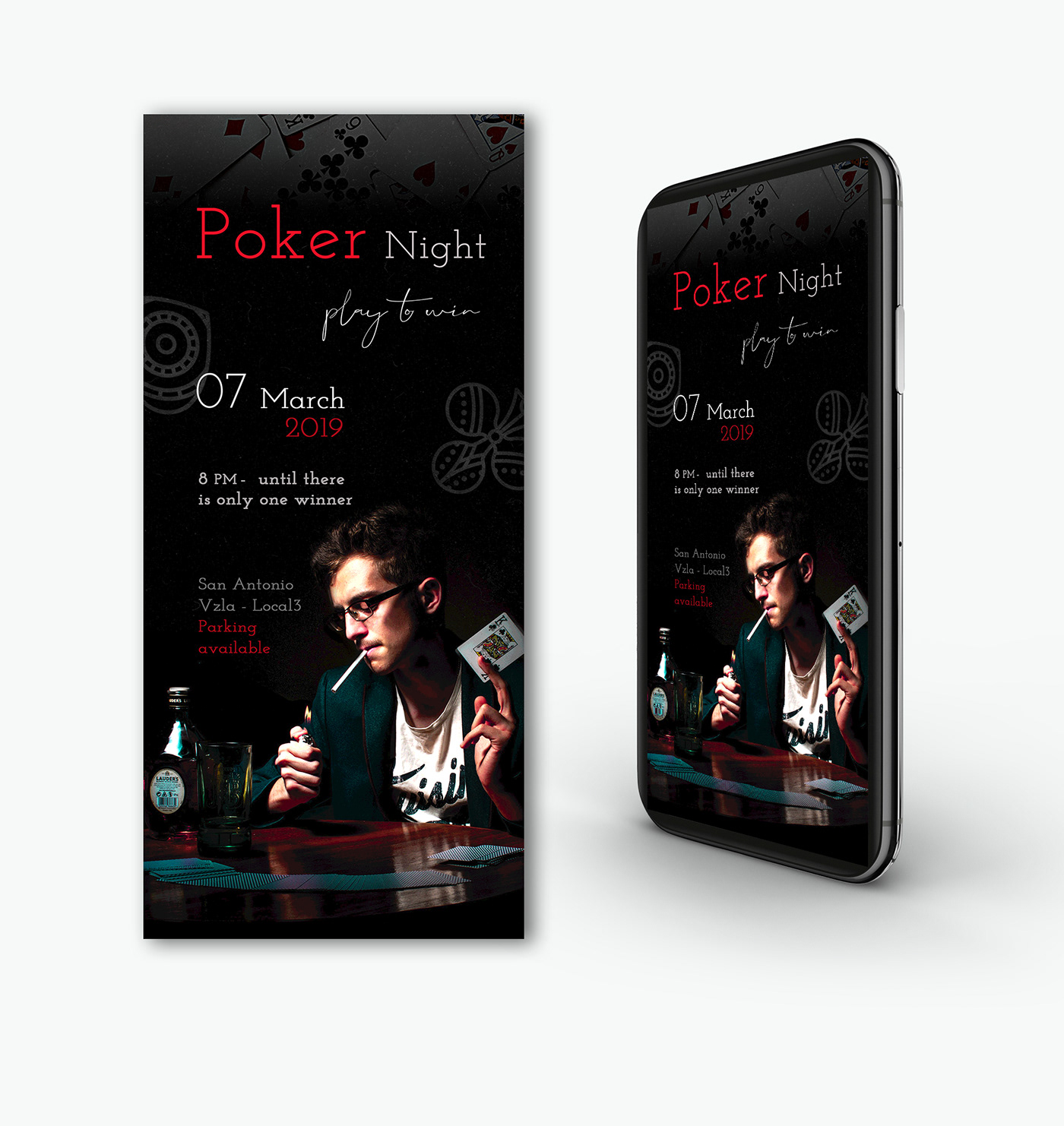
@dreamy drift Really great designs, nice job! Really love the vibe of the Poker Night design, works very well. For the Let’s Play design I’d almost like to see the girl even bigger to maybe make her a little more dominant as a visual element in the image. Either way they both look great!
@left token Awesome image! Really cool, nice job. I'd almost like to see the character popped out more with some light on her, or even kept somewhat dark but with a sort of rimlight from all the light behind her in the background. Here's an example of each that I did with a color dodge layer. The one on the left is a cool desaturated blue, and the one on the right is a warm desaturated orange. Just some thoughts!
left token
Thank you @bleak fossil I love the idea!
peak warren
I haven't played with texture yet. I know I'm supposed to be making a poster for the game, but I realize I don't ever design things with big blank spaces. This started last night on Typewolf, with "Choose Your Adventure" turning into Stranger Things. I riffed on Where's Waldo [Wally]. Originally, I had Zeus with a red & white knit hat, but it didn't work. The club image is from Adobe Stock.
Comments welcome.
bleak fossil
@wet river Love it! Great work, big fan of VW buses. I think you should push the blur more on the back of the bus! I think that could really sell the idea of it soaring through space at a fast speed. I also think a simple vignette and rim light on the back of the bus could look cool too. Here's a quick example (but without the added blur effect)
peak warren
@bleak fossil What do you mean "rim light?"
@wet river I love your VW minibus-in-space look. How did you delete the wheels? Cloning stamp?
bleak fossil
@peak warren It's basically a back lighting that creates a rim around the subject and makes it pop from the background https://www.nyip.edu/media/zoo/images/what-is-rim-lighting-1_9a886d84bc22d267d8276a52ce1dd3f7.jpg
 peak warren
@wet river I think you need three chrome strips down the side for that Raymond Loewy/Machine Age design.
Ah, @bleak fossil I know that technique. I didn't know what it was called.
@bleak fossil Is there a good trick to check for all your values being clustered? I notice the modification you did for @left token made the figure stand out. Do you check by transforming into monochrome or something like that? Or do you just train your eye? (Alternative question: what method do I use until I train my eye?)
@wet kettle If you make a Twitter banner out of that, there are posts here about actual rules (1500x500, but 53 pixel strip top & bottom that is keep-out)
left token
I tried the 1500x500 and when I uploaded it to twitter it cut off a huge section of my banner
modest rock
@stiff depot Good point
timid pasture
@haughty violet Tried posting this earlier, but never saw it appear.. I'll try again.. I definitely like the more saturated colors in the second poster. It 'pops' without overcoming the action of the figures (which you did a great job on, BTW). I think it would be better without the paint strokes, IMHO, or with the lighter color a bit more subtle. If it's on a separate layer, you might try messing with the opacity and blend modes. Feedback does seem a little sparse at times..
@left token Try this template I uploaded earlier. The area between the orange bands is the "safe zone." Size your art to fit that, then turn off visibility of the first layer (orange bands). Save the entire image as a PNG (there will be a 53 pixel transparent strip at the top and bottom). Upload the PNG as your Twitter header, and it should look fine.
left token
Thank you!
timid pasture
You're welcome! Enjoy..
wet river
@peak warren I copied out the side part between the wheels and use it to cover where the wheel had been.
@bleak fossil yeah def needs more work on the lighting! those are some good pointers 😃
thanks!
tepid sierra
@sterile bane hi! may i have some feedback please? i would love the text to pop more and the silver ground to look ...more silvery and hot..but i dont have the skill set...any suggestions please to improve?
peak warren
@tepid sierra I tried to leave feedback but the bot said I had used a bad word. I have no idea what.
Let's try again
Argh, again
How did you color the gym clothes?
It seems you filled with flat color, red
By setting to "normal" mode
This looks odd. You might set the paint to be "color" or "hue" or "multiply" mode instead
This will preserve the details in the clothing.
Sorry for the formatting, I'm trying to see what made the machine eat my posts
That aside, I like the color palette of the BG, and the composition.
bleak fossil
@tepid sierra Nice work, I like the dynamic direction and placement of the two figures! I agree with mjacobs, I think you could get a really nice effect with blend modes on the red clothing. Currently they seem flat because they don't have any value information from the images underneath, but blending modes could fix that. Play around with different ones and see what looks best but "Color" is probably a safe bet. You could probably do something similar from the ground. Mask out the area of the ground you want to effect using a selection tool, and maybe paint a more silver color using different blending modes, or try using different adjustment layers to get the effect you desire. Hope that's helpful, let me know if you need any help!
wet river
ugh... doing the smart blur is seriously killing my computer... sad :(((
bleak fossil
@peak warren I think the best trick is to look at the image zoomed out so you can see the whole thing. That's why thumbnailing is so important, to get an idea of the dominant shapes and values and to see the overall composition that way at a quick glance. You can control where your focal point is by how you decide to use contrast. The contrast could be through size, hue, saturation, value, etc. I think it's just a lot of practice designing. For me, I do a lot of painting, so that's how I practice. I do value studies, look at successful painters and see how they lay out their compositions and values, etc. But checking your values can be a super helpful trick to see how the image reads in greyscale. I use this little trick to set it up:
Menu > View > Proof Setup > Device to Simulate - Working Gray dot gain 20%
Now you can press ctrl+y to toggle the greyscale view on and off. Better yet, you can actually color pick and paint in this mode without it actually being grey, since it only changes your view to grey, not the actual image. Here's where I first learned of this handy method: http://www.artofscholes.com/checkingvalues
Thomas Scholes
tepid sierra
@peak warren @bleak fossil thanks so much!! im learning so much its amazing!!
peak warren
@bleak fossil Wow. Great method. I just got kicked out of the coffee shop so I am reading this on my phone. Will do this immediately when I get home.
Also, the idea of converting art that I like into grey scale? That’s perfect.
I was going to say that it’s good I like representational art, but I will convert some Rothko into greyscale and see that, too.
bleak fossil
@wet kettle Very cool image, love the reflection too! One suggestion would be to decrease the contrast on the tall rock formation in the back, and increase it a bit on the mountains. The further back an object is, the more atmospheric perspective it should have, which usually makes the shadows lighter and less deep, resulting in less overall contrast. So it looks odd that the object further back has deeper shadows, reverse that a bit and I think it'll read great!
wet river
you turn it into greyscale to check that you have a good variation in values
bleak fossil
^ Indeed. Though it can also help to study the values of other images or pieces of art by making them greyscale.
And no problem @peak warren and @tepid sierra Happy to help!
wet river
fixing the light and that a bit, but its like 3:22am here so I'm too tired to fight my computer trying to change the blur smart filter ^^;;
tepid sierra
@bleak fossil just an idea (and probably a dumb one)...but what if i wanted the red of the clothing to look like paint...flattened...could i add splotches elsewhere as an extra effect to tie it all in?
maybe a flattened red type
?
how could i draw type into a splat of paint? as if the type is finger painted into the splatt of red?
if this is a stupid idea let me know.?
young karma
Day 6 - Level Up Blur poster
peak warren
@fickle garden The "2" in 2019 is hard to read, because of how the top of the numeral closes the loop. I keep reading it as a "3" placed the other way. I like the composition and the color scheme. Especially since the gym clothes are neutrals, and her hair is black (or dark brown). The vector for the motion is unclear, though. Is the woman moving up, or right, or both? The speed trails are L/R orientation only. This is a small comment in the overall scheme.
also, I was only commenting about the last one.
 rain hazel
Little bit of catch up, some feedback on this please 😃
young karma
Day 7 - Texture
 dry vapor
Hey all, been very behind from work duties... but thank you for the replays! Here is my finagling with the layers function from day 1. What do you all think?
Big thank you to @peak warren for the tips on linking layers.
Here's a second version with size A6
ivory finch
HI everybody! This is my Day 6 + 7 Poster with the "path blur" and texture. I will appreciate all your comments and feedbacks 😉
 brazen barn
glacial path
brazen barn
glacial path
@brazen barn woah that's crazy good! Well done 😄
night isle
@brazen barn wow love your day 7 challenge the blur on the bike wheels is amazing !
@bleak fossil how do you do the rim light ? Is it using 'outer glow' or is there a better way to do it ?
cinder vessel
@brazen barn Awesome!
night isle
@young karma your blurring on the runner is really cool especially on the legs ! you might want to try and blend it a little more on her body by using a brush with lesser opacity. The texture is cool maybe try using a blend mode to subtle it. Or you could put a background image in faintly or a gradient with the texture blended on top. just some thoughts, great image though 😀
@haughty violet I love the paint splatters in the background now, this gives the image so much more depth! i'm like the others and prefer the lighter paint strokes to the darker ones, but personally I don't think you need them all. I like the ones at the top under the text and behind the top dancer just not sure about the bottom ones. Like what others said though using the blending modes to make them more subtle could really work and still give you that texture you were looking for 😀 .
@young karma i think the portal and circle look great they work really well and looks like he's just been beamed up! My only comments would be to bring down the text so that it is not right on the edge as it gets lost up there. The blurring works really well, i would just clear up the shadow blurring on the right side 👍
@storm rock your top one is my favourite 👍
young karma
@night isle thank you Maria i agree. i also tried to resharpen the left arm again but i couldn’t select the mask anymore, any ideas on that maybe? thanks again
cinder vessel
Hey guys!
here's my submission for Day 7...took me quite some time to figure out where to apply texture in this one...feedback is most welcome...
@sour ingot Text doesn't seem right...I think it's where instead of were...other than that looks decent!
sour ingot
Thanks! @cinder vessel 😃
young karma
@cinder vessel i really like the texture. I wonder what the image would look like when you increase the path blur on the figure and the text. That would really show the velocity. What do you think?
cinder vessel
@young karma Thanks Iani :)
I will try making the changes you mentioned and see how it looks!
sour ingot
Edited version of the Day 2 challenge, post card invite for Time travel! #VixPs #backtothefuture
 limber fossil
Still a little behind, but getting there. Here's my logo and fantasy composite. I enjoyed creating the logo, however having never tried combing photos before I struggled with the composite.
I need help with creating her cast shadow..... any tips?
cinder vessel
@limber fossil colours look really cool ✌
limber fossil
@cinder vessel Thank you. I love colour, it's my favourite part of the design to work on.
night isle
@young karma oh i'm not sure is it no longer showing as a smart object ?
narrow cedar
Hello Guys

Behance
This is my project for the Adobe Photoshop Creative Challenge
Day 7
magic rampart
Hi everyone. This is my effort for day 7, not sure if I have overdone the "dirt" coming from the paws, what do you think. Many thanks
@timid pasture Did you get an answer about your project not being on Behance Discover? I have the same problem where I have the tag, but it doesn't show on my search. Thanks.
trim field
@limber fossil I would use the rocks beneath her as a guide. You could try a drop shadow effect in FX panel. Or, make a selection of her body and on a new layer fill the selection with black, then flip it and transform it to get the shape you want. Take down opacity until it’s were you like and blur it a bit too.
young karma
@narrow cedar my ❤️❤️❤️ maybe blur the splash a little more!
@night isle yes it still is
tropic dome
7th day challenge: https://www.behance.net/gallery/77141021/Level-Up-PS-Daily-Creative-Challenge-March-2019
Behance
Level Up! | PS Daily Creative Challenge | March 2019
magic rampart
@tropic dome Nice, looks like she's swooshed down from the skies!
night isle
@young karma does it still show this ? the path where you used your brush
tropic dome
@magic rampart thank you
narrow cedar
@young karma thanks for the feedback.. Sure will experiment with layers adding blur 😌
young karma
@night isle yes it does
night isle
@young karma oh you should be able to click on the lower smart filters page and use your brush to change your blur ... is that not working ?
night isle
@young karma oh strange, i'm afraid i don't know why thats happening @glacial path are you able to help?
young karma
@strange jacinth i deleted the smart object and restarted the process. This will save me some time. Thank you for your guidance. Have a nice day, wherever you are ! Here it is afternoon!
@tropic dome definitely magic at work here😎
tropic dome
@young karma i still don't like it. will tweak it
young karma
@tropic dome It needs some meat on the bone but it is intriguing
limber fossil
@trim field thanks, I'll try both.
tropic dome
@young karma nah, I think I will leave it as it is in the end 😃
young karma
@tropic dome 😀
night isle
@ @young karma you too looking forward to day 8's challenge.. I'm in the UK so lunchtime for me and my tummy's rumbling 😁
young karma
@strange jacinth bon appétit !
cunning gulch
Ps Daily Challenge Day 4! Please would really love to hear feedback!
sour ingot
Should we add #LevelUp on all the images?
echo dawn
@sour ingot not needed, but also, #❓ask-a-question is here.
left token
@worldly geysernah Just a thought, but maybe add some kind of glow to the portals to make them stand out? Nothing is standing out as a focal point right now.
wet kettle
@bleak fossil Thanks for the tips! I live in the mountains so you'd think I would catch on to that a bit more 😂
I changed it up a little, let me know what you think. I like it more for sure.
First image is the original and the second has some contrast/brightness changes
echo dawn
is the word "down" visible? lmk so i can post! https://s.jmax.io/V5uoKO
latent lion
@rain hazel Try removing blur from forepart of the rearward leg
magic rampart
@lone hare I like day 7, looks like he's fighting a hologram that's phasing out - nice.
lone hare
@magic rampart Thank you!
uncut ginkgo
Awesome work Ryan! 😃
lone hare
Thank you @uncut ginkgo 😃
sterile bane
super creative and cool!
lone hare
Thanks @sterile bane I may have put too many textures into it, but I'm satisfied with the outcome.
echo dawn
@sterile bane Are you able to read the text better? I dont wanna submit until it looks alright.
sterile bane
@echo dawn thanks for working on it! i think the value of "down" (esp the bottom half) are still too close to the value of the background. I would recommend matching close to what the have "level" (but maybe reverse the colors?) or push the light value closer to white. hope that helps!
 sterile bane
nice! super readable and also continues the idea that the image is reflected with the portals 😄
bleak fossil
@echo dawn I also think pumping up the saturation a bit (as well as darkening the value like Kathleen mentioned) could really look cool. It seems like an image and style where a more saturated purple color could really look nice.
@lone hare Great job of both of those, they both work really well! Very nice execution on the effects themselves as well. I especially like the glitch one.
lone hare
Thank you @bleak fossil This was a fun process 😃
echo dawn
@bleak fossil @sterile bane thanks so much!
red palm
for 7, i revised poster to be more graphic and hopefully improved
lone hare
@red palm Nice work work with the colors. I really like the glow on the swans(?) and the shadow on the text.
buoyant pendant
Trying a different take on mine
bleak fossil
@wet kettle Very nice, the mountains look much better in my opinion! I still think the towering peaks on the right could be less contrasted in the shadows, they're still a bit deep. Here's a quick example. I used a normal layer to airbrush a midtone cool value (atmospheric perspective also makes things more blueish) to wash out both the deep darks and bright brights. I then used an overlay layer to add some of the sunset colors that are hitting the mountain's left side so they look like they are catching the same light. I think used a multiply layer to darken down the bottom of them with a blueish color so it looks like that part of it is in shadows like how a lot of the mountains are in shadows due to the sunset style lighting. Just some ideas! Nice work 😄
red palm
thank you Ryan. still worried about the light rays
wet kettle
This is awesome @bleak fossil ! I will try and play around with it more this afternoon and try some of your techniques. I appreciate the feedback
raven meadow
I added a gaming look to my design. Any positive feedback would be great.
lone hare
@red palm the light looks good. I would try highlighting the upper portions of the birds where the light would hit them, and darken the bottoms of them to really sell the lighting of the overall composition.
lone hare
@echo dawn Maybe overlay a paper texture over the top of it to give it a subtle roughness to the drawing?
left token
Working on the texturing. Would love some feedback. I was trying to keep it subtle.
young karma
Hello everyone, here is my day 7 project. Love some feedback.
@left token I love your font and the purple colours.
gleaming halo
The others were scared but Fish wanted to pet the dog! 😂
left token
@young karma Thanks. On yours, the texturing near the top of the portal area feels a little heavy to me. Love the karate theme.
blissful badge
Day 8 - Love the characters Kathleen
echo dawn
thoughts so far? s.jmax.io/Kbk2V9.png
thorn gulch
cinder vessel
@thorn gulch Oh my gosh 😄
echo dawn
@thorn gulch haha neat idea
night isle
@echo dawn such a cool idea !
lone hare
@worldly geysernah that is such a good idea. Maybe a little less on the blur. The key with this one is how realistic you can get the shadows on the real life surface.
coral stone
It looks like our bird friend decided to cross the Abbey Road a little faster 😄
echo dawn
@lone hare yeah, its gonna be a struggle
cinder vessel
Hey @sterile bane ....I would love to hear your feedback on this Day 7...I had to think a lot on how and where to add texture....
@coral stone This is nice 😄
rotund lark
testure brushed
sterile bane
i am FAN GIRLING over all of your work with the cave critters! omg! i love it!
lone hare
@echo dawn It will teach you a lot about light and shadows though. Those challenges are the best
 inner nymph
Here is my Day 6 and 7 daily challenge. I would love to hear your feedback.
 minor bloom
hey all! Does anyone have any ideas about what this needs, it's seems a little dark.. Thoughts?
 dull tangle
REPOSTING: Accidentally posted on the wrong channel yesterday! Got behind a couple of days. This is my Day 6 Blur Filters try. I struggled with trying to get the blur to look right! Added some elements of my original logo...also decided multiple circles in the background might mimic the idea of bubbles since I decided to use a champagne bottle as my "portal".
night isle
here's my first attempt at day 8 ... i can see i'm going to have fun playing around with this tool 😁
minor bloom
@rotund lark love the honeycomb texture!
@cunning gulch Nice work! I really dig this world you have created. The area around the queen and the mountain seem to be a bit busy. Maybe you could put more of a shadow to make it stand out more and add more depth. Cool composition!
@fickle garden Nice work! I like how you design evolved. This one is my favorite!
 olive otter
funny, nice work
glossy trellis
Such a fun today 😃
young karma
Here's my Day 8 project.
glossy trellis
@young karma Do not eat a bird, nasty dog 😄 love it 😄
young karma
Thanks @glossy trellis
cinder vessel
@glossy trellis How cool!
glossy trellis
@cinder vessel Thank you 😃
 primal zephyr
Our trio and their trusted steed are being chased by some unknown creature from the darkest, deepest dungeon. They're closing in to the exit of the cave, but will they make it before the shadowy creature will catch them? That's for you to decide!
gleaming halo
@primal zephyr Love that!
young karma
When I try to upload my photo of today in PSdailychallenge here, I get a message from somebody called @icy cargo telling me I may not use bad words. But I have no clue what bad word I could have used. I asked several times, but get no response. English isn't my mother tongue, so I would love to hear what MEE6 and maybe others are offended by any of my words. I have no intention at all to use bad words. I love this challenge.
gleaming halo
Day 7 - added some space dust textur-ey thingy to the portal... Is it better with or without the texture? 😕
primal zephyr
@young karma Upload it without the word "pu ppet"
young karma
OK; but that's the word which is used in Photoshop. In Dutch it is 'Marionet verdraaien', so I tried to do it in English 😃
primal zephyr
Yes, that is correct. 😃 But Mee6 thinks that's a bad word for some reason.
young karma
thanks!
latent lion
When in full screen this header comes up when pausing a replay and blocks view of tool settings. Could it be shortened to PS DCC #n?
young karma
Day 8 - Transform tools
bleak fossil
@gleaming halo Looks good, I think it could be cool if you faded out the texture near the bottom, and kept more of it near the top next to the opening. Nice work 😄
young karma
Day 6 + 7 - filters and texture. I changed the background color as you said yesterday
loud zephyr
So late, but so worth my time. Here is my submission for day #2 Futuristic Postcard!! Please give me feedback!
gray badge
Here's my take on the Day 8 challenge, which one do you like best? I'm partial to #3 because cake sounds so yummy right now lol
gleaming halo
@bleak fossil thanks! I'll work on it this week.
tepid token
Day 7 Submission Timothy Rowden
haughty violet
Apologize for submitting on the wrong channel...but first time doing this with a stock photo and on Photoshop (have used vectors in After Effects). Decided to make it more psychedelic and posting original
gray badge
@primal zephyr I love this! The hat falling off the character is such a great detail you added in! Love the story this image tells.
left token
added a background and some blur on the mouse.
primal zephyr
Thank you. 😃 Glad y'all like it.
left token
Everyone is doing some fantastic work!
haughty violet
grrr the original is a big file =_=
left token
@Mercedes try downsizing the original in PS
haughty violet
@left token doing just that, usually check the 8-bit option but still too big....gonna try it at 75% view hmm
left token
you can also adjust the size if you export as a JPEG
haughty violet
success!
ohhh i'm so used to doing pngs tbh
thanks for the tip ^o^
the delayed original...which i had to crop a bit....but was more wider
echo dawn
https://s.jmax.io/pM00Nu.png hope you guys like it! Can't wait to hear @sterile bane and everyone else's constructive feedback.
 left token
@worldly geysernah So cute! good shadows.
echo dawn
thanks @left token!
lone hare
@echo dawn Nice job man! Have you tried creating a shadow based off a copy of each charactor? Then mess around with the transforms?
gray badge
@echo dawn For a second I thought, wait...weren't there 4 characters...but then I spotted the one behind the bottle! That was fun! lol Like a "Where's waldo". Any who, I like that you added motion to the images, that was smart! Makes it look like they're coming off the page
echo dawn
@lone hare Thanks! I'm not quite sure what you mean, could you drop me an example?
@gray badge Haha, glad you had a fun time with that! how are your lightning cutouts going?
lone hare
@worldly geysernah The dog and bird might have reflections in there too like the fish guy. I didn't even see him till @gray badge said something. Really good work!
 bleak sparrow
we can put any of our projects that we made on ps here ?
echo dawn
@bleak sparrow yeah, i think so, but we should stick to psdailychallenge
bleak sparrow
oh okay ill try my hand at that
haughty violet
that moment your cat walks on your macbook gah
lone hare
@worldly geysernah the way I would do it is create a copy of bird, place where you want the shadow to be, give it a color overlay in the layer styles. Then crtl t for transform. Right click on the selection for other options like perspective and skew, and go to town with getting the right perspective. Hope this makes sense 😃
peak warren
Making an oasis BG. This is great fun.
vivid maple
I'm severely disappointed in myself
echo dawn
@vivid maple omg
haughty violet
@sterile bane can hear ya
tepid token
loud and clear
young karma
This is for the previous challenge adding texture to the space image
lone hare
@young karma Love the colors!
young karma
@lone hare thanks!
vivid maple
gif version | Updated the doggo ==> https://www.behance.net/gallery/77134703/PSDailyChallenge2019
lone hare
Marly wins today lol
vivid maple
😘
rotund lark
@minor bloom Thanks I just looked up textures and patterns on "pixabay"
young karma
Puppet Warp
tepid token
Everyone's work is looking really good today!
peak warren
@primal zephyr Love the frog running motion
gleaming halo
Thanks @sterile bane
cunning gulch
@minor bloom marsathanks so much for the feedback! It was more distracting than it is now lol but couldn't figure out what to do to add more depth lol
peak warren
@gray badge That is so clever on the mannequin. Love.
gray badge
@peak warren thank you!
tepid token
I love the hidden fish
peak warren
@sterile bane Yes, I will add characters next
coral stone
Thanks @sterile bane, I used the path blur for the bird! 😄
pastel spade
wow @young karma you warped Kathleen's 4 characters into an anchor?
night isle
thanks @sterile bane 😁
young karma
@pastel spade . thanks, but i used brush strokes that I have and used the p.warp to edit them to form the anchor shape
stiff depot
Took me a while, but here it is! This is about play. I found getting their feet going the right direction and their smiles just right took the longest, but it was worth it. Critiques are welcome. @somber moth if you have any comments, I'd love to hear them.
haughty violet
Think I'm gonna stop after the next feedback, getting too detailed-obsessed lol...in terms of texture. But any final thoughts? Hate bringing up old challenges
 jovial silo
Can anyone help me with this interface
Is it talking about AR and VR technology? Please suggest me.
latent lion
@jovial silo Appears to be AR (Augmented Reality) although the background of the images is blurred. It's long but seek out the Microsoft event for HoloLens at Barcelona February 24th 2019 (I think)
latent lion
Four rascals visit a dude ranch and meet their match. Hold on tight Ribbit and Guppy!
left token
That's awesome!
timid pasture
@latent lion I about busted a gut when I saw that! 😆
raven sage
Day 7 Challenge A little behind. Here's the poster with a splatter texture to add a bit of break up in the image.
left token
@raven sage Nicely done. The word Level is very difficult to read though
raven sage
Hmm. I'll try changing where the logo's located or size to see if that helps fix. Might also be the splatter behind it even. Thanks.
peak warren
@timid pasture I like the cowboy theme. Especially the word balloon. Bird’s legs should be shorter, though. Or maybe long, with bird knees (backwards). Maybe make the legs black with bird feet? Right now, her leg looks too noodle-y.
limber fossil
Hi guys, here's my twitter mock up. What do you think?
primal zephyr
@limber fossil looks great! You should try and put that onto a laptop screen now. :)
limber fossil
@primal zephyr Thank you. I'm just trying that out now...wacth this space 😃
My iMac mockup, going to try a laptop next.
bleak sparrow
took me a while but what do you think
lone hare
bleak sparrow
woah lol
coral stone
@lone hare I loved it!
lone hare
@coral stone Thank you! 😃
haughty violet
tried to make his limbs more natural...and second time attempting a shadow
raven sage
Removed the Perspective Transition on the Logo and made it slightly larger. Also changed the color of the outer glow to to further separate the Logo from the Splatter behind it. Should make the Logo easier to read.
peak warren
Love the hat
@bleak sparrow I think frog’s mouth should be dark blue & not purple. Because it is similar to bird.
bleak sparrow
i see what you mean i was just practising the pupper warp technique mainly plus i was going for the bird to be the frogs samurai eyebrows lol
peak warren
@raven sage Really strong. I like the modifications on the “Level” — it reads easier now. I think the value on the fuchsia under her elbow should brought down. The blurred color is more gray. And it is a shadow area. Not the whole band across her middle, just in that area by the elbow.
Also, the horizontals are great.
sterile bane
Hi all! Here's the link you've all been waiting for - the recording for today's live feedback! https://youtu.be/4j8RryDkyuA
I will pin it in this channel so you can always find it. Cheers!

Here is the screen/audio recording of #design-feedback live feedback from March 14th, 2019.
bleak sparrow
can we post challanges that have past?
uncut ginkgo
Sure, you're welcome to, Pooky!
bleak sparrow
sweet
raven sage
@peak warren The background behind her elbow, the gradient should be lowered? I'm asking for confirmation.
peak warren
@raven sage the FG across her middle.
Wait. I’ll screen shot. I’m at the gym on a treadmill. 😂
uncut ginkgo
@sterile bane awesome!! Thanks for sharing!!
peak warren
@raven sage not the best lasso, I hope you see what I mean.
raven sage
@peak warren Ah okay. It's blending in with her belt.
peak warren
Yes
raven sage
Made the shadow under her elbow darker so there's a bit of separation with it and her belt.
cursive pawn
Feedback please! @bleak fossil @sterile bane @everyone
left token
@raven sage I like the changes you made. Level is much clearer now and the shadow helps with seperation
young karma
My first warp! Don’t think I gat them all yet ! Thanks for the feedback
left token
@cursive pawn Nice! You might consider adding some less clustered particles up more, like the portal is dissolving, if that makes sense
Also maybe a little blur on his hair
@young karma I'd love to offer feedback but I'm still figuring the warp out myself. From my untrained eye, I can't tell what you warped, which is kind of the point, so good job.
bleak fossil
Hey @everyone ! I'll be doing live verbal feedback in the mentor-feedback voice channel in 15 minutes. If you'd like to join and get some feedback post your work in 15 minutes and just tag it with "Sam" so I know it's directed towards me. Thanks!
young karma
@left token thx, yes i know! I warped the pokeball completely. I will post the originals later. I thought it would be difficult to spot so i will try again. Thx an yway
echo dawn
@bleak fossil I don’t think your ping went out...
@uncut ginkgo should make an announcement
young karma
#sam
uncut ginkgo
I made one! 😃
bleak fossil
Thanks Gus!
uncut ginkgo
np! excited for the voice feedback 😃
echo dawn
Cool to see an alternate perspective
young karma
@cursive pawn love the pink portal
steep quartz
@bleak fossil Todays challenge submission thought id make my own little character for this one 😃
echo dawn
@steep quartz @coral stone tag your message with the word sam so he knows to give feedback ala this message https://discordapp.com/channels/547473772727238676/548226274645245952/555899457099530271
left token
Adjusted my pins a little. Feedback appreciated! @bleak fossil
stiff depot
Well...apparently "play" is a bad word. Something I said set the bot off. Feedback appreciated, please. @bleak fossil


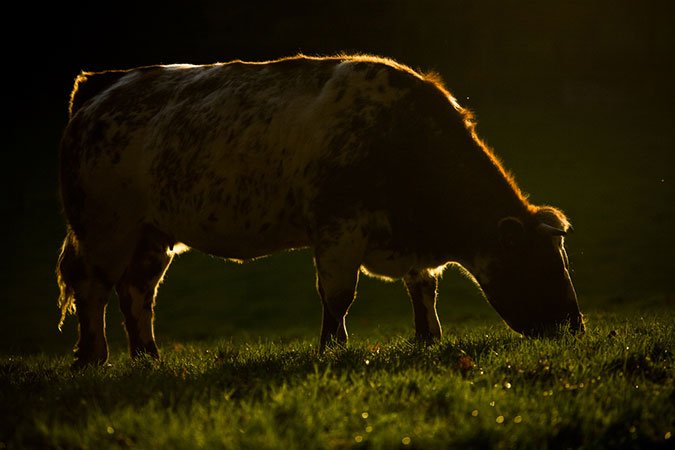


 steep quartz
@echo dawn thank you jonah
young karma
@haughty violet it’s not raining men it truly is storming men. It really looks like they are caught in the eye of the storm
haughty violet
Haha thanks
young karma
@left token i really appreciate the right paw reaching carefully towards the mouse
echo dawn
@young karma you should repost yours, he missed it.
steep quartz
@bleak fossil Thank you for the feedback will try a few of those out 😃
dusty karma
Just a work in progress but want to share it here @bleak fossil 😁
 white crescent
My friend is doing some environmental ativity about plastic pollution so I did a little poster/infographic for him. It is also the first ever project I've ever done purely in Illustrator.
left token
Thanks @bleak fossil
sterile bane
@bleak fossil is giving some amazing feedback! so valuable 💸
stiff depot
Thanks, @bleak fossil ! @somber moth provided a great jumping off point.
uncut ginkgo
You're a rock star Trixie!
echo dawn
 young karma
#sam @echo dawn thx
echo dawn
np
coral stone
Thanks for the great feedback @bleak fossil, I'll adjust my design 😄
echo dawn
@dusty karma yeah the first thing i noticed was that its too hard to see the penguin
uncut ginkgo
Try to chat in #💬chat-general while Sam gives feedback to leave room for designs in here 👍
dusty karma
Thanks for the feedback @bleak fossil 😁
stiff depot
I can't take credit for the background in my graphic today. Totally Kathleen's work. @bleak fossil @somber moth
dusty karma
@echo dawn I'll work on it yet, it's not finished, thanks for the feedback!! 😁
steep quartz
@bleak fossil played around with the colours a bit 😃
white crescent
thank you so much @bleak fossil ! the gradient is something I was going to work on when I got the notification that you are doing this, so I didn't have time for it
echo dawn
@bleak fossil its a fake shadow, should i get rid of it?
coral stone
This is a new Beatles Cover Band for today's challenge 😄 @bleak fossil
young karma
@bleak fossil thank you for the great advice. The hierarchy, the spin and motion blur. The background. I am curious to see how this will turn out! Thanks a lot. Enjoy your day
echo dawn
could you check my final shadow?
coral stone
Thank you so much! @bleak fossil 😄
umbral obsidian
Thanks @bleak fossil!
bleak fossil
No problem!
echo dawn
@bleak fossil can i send you one last one? i think i got the shadow fixed
bleak fossil
For sure Jonah, go ahead and post it
echo dawn
https://s.jmax.io/9wMOKX.png hows the shadow? Anything else? Should I post on behance?

 bleak fossil
Oooh, much better in my opinion. Looks good!
Yeah, definitely reads as the bird's shadow now
echo dawn
thanks sam! great to get some live feedback from a second stand point.
bleak fossil
@cursive pawn Very cool! Nice work with the texture effect. I think it could be nice to scale the whole middle section of the character up just a touch to make it a bit more visually dominant. I also think it could be a really cool effect to mask off the top circle around the characters head and upper body and do some of the same type of texture you have at the bottom, but maybe with a lighter blue/almost white color. Repeating that texture you have at the bottom could balance it out nicely.
@raven sage Very cool, love the vibrant intensity. Nice use of blur too. I saw that you made the shape under her arm darker, but it almost looks like that shape could just be masked out/deleted completely and let the background show through. Since it looks like that area is just a gap between her clothing. I like the colors you have going on, but it could be nice to tone one area down to really let the other areas pop. Maybe darkening or desaturating the background gradient ever so slightly to really push the other elements forward. Though it really just depends what you're going for, that could very well be the look you want. Nice work!
@timid pasture Hah, nice job! Clever use of the puppet-warp tool! I think it could be cool to make the speech bubble a solid white shape and layer it so that the hat overlaps the bubble. Having it as a solid shape might fit the style of the rest of the image a bit better. I also think a vignette over the image could be nice to pull focus towards the center a touch. Great work!
@haughty violet Nice job with the puppet-warp! Really cool how natural that tool can make pose changes look. Love the spacey background too. It could be cool to put a little motion blur on his legs like Kathleen covered in the previous challenge, might sell that movement even more! Love how you faded the shadow out further back, I think it could read even better if you have it a slight gaussian blur to soften it up a touch. Looks good!
raven sage
@bleak fossil Like so?
bleak fossil
Yeah, looks good!
haughty violet
@bleak fossil thanks! and was thinking of adding the blur effect 😄 but wanted to be sure I fixed the non-realistic bending legs. and I'll try that gaussian blur with the shadow!
bleak fossil
@lone hare Lol, perfect. Well done. Love the little X’s on the eyes too.
@bleak sparrow Hah, nice job, love the giant fish guy. And now bird friend has mighty majestic wings! I think it could be cool to separate out the fish character in the background by doing something like adding a multiply layer over him using a slight blueish color. Might fade him into the background a little like he’s a bit more in the shadows. Or even almost give a sort of atmospheric perspective effect. Might help the bird character stand out a bit more as well. Nice work!
lone hare
@bleak fossil thank you! This was a fun one as well.
bleak sparrow
@bleak fossil oh the multiplayer that's one of blend modes right? and fade frog man into the shadows like lower hiis opacity?
bleak fossil
Basically I meant fade him into the shadows by using a Multiply layer (which is a blend mode, correct) because it'll darken him down slightly and make him appear more in the shadows, especially if you use a blueish color. Doesn't need to be super extreme, but maybe just a little could help.
bleak sparrow
so i would you use like a blue color on a separate layer but then turn that blend mode into multiply layer (that way non destructive) and clip it to the frog man ? sorry I just like make sure I get the steps right I sometimes do them out of order and get confused
oh wow @bleak fossil that a HUGE difference its like a game and hes like a boss for the game
thats the kind of thing i want to really get better with photoshop i want that eye to add depth into my projects
raven sage
Day 8: I want to make this into a 3 panel comic, but I wanted to make sure my posing for panel one is solid first.
timid pasture
@bleak sparrow Yeah, that looks great!!
haughty violet
@bleak fossil Softened the shadow...and felt this was a little trickier to blend the movement blur...in terms of his back to hand
echo dawn
@raven sage sorry, I can't read that font... maybe try another one?
bleak sparrow
ya know @timid pasture i never know when to use vignette but in your picture its crazy how its subte but yeah it makes a huge difference
really gives it a cartoony feel like it was animated and you caught a screen shot of it
raven sage
@echo dawn Ah. Perhaps I made the font too small. I'll images of both one with increased size and different font.
echo dawn
@raven sage no, thats not it, its just something about it being COMIC SANS
timid pasture
I just noticed the hat went back behind the speech bubble..... What the? I know I couldn't possibly have messed something up...😆 🤔 Let me go find the hat again.... 😬
raven sage
@echo dawn Ah, I get ya now.
echo dawn
@raven sage in all seriousness, my eye reads the story this way https://s.jmax.io/sx1LXk.png


but the text goes the other way
latent lion
@dusty karma perhaps blush the background behind the penguin or change the black of the penguin to a dark gray (hex 555555 or 474747 hex) so it will stand out a little from the background.
@lone hare There Kitty, THERE!!!! have mercy, not here.
raven sage
@echo dawn Hmm. I'll try lowering the bird's text bubble by a lot it not. I might just have to flip the whole image.
dusty karma
I'm not done yet, but I made some changes in the background, I add a gradient @latent lion
raven sage
I think it's just right. It's subtle and draws your eye to the center with all the characters.
timid pasture
@raven sage Thanks so much1 I'll call it done, then... 😀
raven sage
Okay I lowered the bird's text bubble to make it easier to read the dialogue in the intended order. (Might have to flip image.) And changed the font as well. Has better flow too since the text bubbles aren't practically one the same tangent line like previously.
drowsy mica
Kerning could have been adjusted.
echo dawn
@raven sage looking better! but the text bubbles seem out of place with the scene
raven sage
@Jonah Perhaps something more bubby and light-hearted. It does seem like it's for something more serious.
echo dawn
@raven sage i was thinking something more colorful/paper cutouty
raven sage
@echo dawn Like so?
echo dawn
@raven sage i was thinking a bit more geometrical
inner nymph
I went a completely different route cause why not.
echo dawn
@inner nymph omg, i live it
timid pasture
@inner nymph That is absolutely priceless! 👍
coral stone
Awesome @inner nymph!!
bleak sparrow
i used some of the smart filters in one of the challanges noise and high pass
this is the original
peak warren
Lessons from puppet warp. First, character design is hard. Second, I am not good at drawing palm trees. Third, when I made the mittens touch on the Japanese (left) snowman, puppet warp doesn't "know" they are separate limbs. Fourth, don't make tangents, like the way the snowman head sits on the body. Puppet warping that makes weird creases. All that aside, I learned a lot.
the bot complained about the language above. Grr.
Favorite part about today was learning to draw a carrot. Next time without jaggies.
 kindred lagoon
Day 6 & 7 Is there anything that I could change to make it better?
peak warren
Trying with the demo file. The characters are playing football in a mine. I couldn't blur the frog, it cratered my laptop. Frog is the goalie.
narrow cedar
Hello guys

Behance
This is my project for the Adobe Photoshop Creative Challenge
This is my submission for Transform tool Day 8 challenge
tepid sierra
ok another try...im guessing how to do things along the way....and i couldnt figure out how to change the clothing back...but feedback please?
narrow cedar
This looks super fine @tepid sierra I like the look and feel of this the best
tepid sierra
awww thanks @narrow cedar im guessing how to do things along the way
@narrow cedar do you think i could ask you how to do things sometimes?
tiny nest
my changes to monsterdog company
compact nebula
Still trying to catch up... but here it is my Day 4 Composite! Loving the "Select Subject" tool, really a life saver ☺
ivory finch
Hey guys! Day 8 Challenge with my characters done 😃 What do you think?
I added "realistic grain" kindly provided by @glacial path 🙂 thank you for this useful tutorial 👌
narrow cedar
@tepid sierra Yes.. Always most welcome.. Text me anytime you feel need to..
More than happy to help
young karma
Turned the Monster a bit so it's clear he's going to jump the water. And yes, Frogie is taking Fish by the hand because he knows better how it is to walk (and not be in the water)
loud zephyr
@sterile bane I fixed the female hologram (took off the blue filter) Now it should look right...
young karma
@ivory finch That looks wonderful! Excellent job.
loud zephyr
Here is Day #7 Flash with some texture. Was the plan from the beginning.... lol. I hope you guys like it😅
latent lion
@ivory finch very nice, pure and simple - straight to book illustration
Lest I forget posting Day 7 - was going for an external rain event pouring on the tile floor and track gate walls. To the right the texture layer and to the left its effect on warped background track yard layer and middle ground tile floor layer
Final day 7 crashed Photoshop doing some experimental work. Uninstalled it last night. Reinstalled Photoshop this morning.
lone hare
@latent lion I like the story this tells, and how well you executed it very simple and to the point. Good work 😃 My only comment is to change the color of the floor to match the overall b/w composition. It looks green to me.
latent lion
Thanks due to all the mentors, skilled and learning to be skilled for all the tips, tricks, insights, referrals, the humor, the awe-inspiring images, the how'd you do that? Great session.
@lone hare Did some color balancing on the train yard image, will go back sometime and work over the floor tiles. Thanks
@fair hollow I'm just a fellow learner. After recently retiring wanted to start doing 3D video work. So bit by bit building skills toward that final goal. FYI - was a NYC transit employee in new technology field. Instead of searching on psdailychallenge, type in "adobe fuse" or other variations of same to see other contributors of fuse work. Victoria Pavlov does some good work
lone hare
@latent lion No problem 😃
magic rampart
Hi all, my take on yesterdays challenge - Day 8, love to know what people think. The lil blue critter is from a cartoon here in the UK called "the trap door" and his name is Berk 😃
inner nymph
@latent lion I think you might want to reconsider retiring, it looks like you might have a new career as an animator.
magic rampart
@loud zephyr loving the lightening flashes, what did you use for that?
compact nebula
For some reason I could not get rid of the blur in just one side of the astronaut 🤦 but this is my Day 6 ...
night isle
@magic rampart hahaha i love it! Don't you open that TRAP DOOR cos you're a fool if you DARE!!
magic rampart
@night isle You know it!!!
buoyant pendant
Here is part one of a 3 part scene
wet kettle
@buoyant pendant Nice! Is that Geralt from the Witcher?
 kindred gate
PS Day 04 Daily Challenge - Composite for Social Media, Level Up, bring your Inner Dragon! I mix mountains from Mars from Adobe Stock . I warp the letters and added texture in the blending mode and added the Heroine with her Dragon.
tepid token
Day 8 - Submission - Ready for day 9. Thank you everyone it's PS daily challenge has been great fun!
uncut ginkgo
I love the speech bubbles, very funny Rooster!
young karma
Day 5 - Mockup
inner nymph
@sterile bane Day 8 challenge. Working on adding motion to this right now.
gaunt hill
Day 4 - PS Challenge. I am way behind on this challenge. Please let me know your feedback.
wet kettle
@gaunt hill I like the concept a lot. the sky looks nice!. I would try adding a contrast/brightness layer and clip it to your character and play with the adjustments. Maybe lower brightness and increase contrast a little and maybe add a drop shadow on the person as well. The rocks below her already have some.
The rocks need a little touch up on the edges, there's some purple fringing going on. Hope that helps!
gaunt hill
Thanks @wet kettle
night isle
Not got long as off to see Captain Marvel in an hour .... so excited !!! so had a go at this one. @sterile bane looking forward to listening to you feedback recording later
kindred gate
👌
stiff depot
I was thinking about this idea yesterday, but didn't related it to an animated GIF. This was a great opportunity.
young karma
day 9 - Thank You For Watching - in progress, maybe with background, not sure
dry comet
@young karma It read a little out of balance with 'you' in the same line as 'for' maybe 'thank you' on the first line?
young karma
Thanks Stevie, I'm going to look at that
cinder vessel
Here's my Day 8 Submission....Summer is here....Join the Pool Party Bro! 😎 😄
@stiff depot Cool 😄
stiff depot
Very creative for Day 8, @cinder vessel . Love the background.
cinder vessel
@stiff depot Thank you 😀
sterile bane
Loving these animations so far! Will be live with feedback in about 35 mins
young karma
After StevieDGray's remark, I thought maybe I can put the focus on the 'YOU', so I made another line. I'm not sure at the moment what I prefer... 😃 What do you think?
stiff depot
@young karma I like the emphasis on "you." Another way to emphasize it without capitalizing it is to make it a different color, or even underlining it or italicizing it. So many possibilities! 😀
dry comet
@stiff depot love that idea!
steep quartz
first go at the Level Up GIF 😃 thought i'd through some different colours and play about with the outer glow
young karma
What an great idea Trixie, thanks!
Guided by a little frog they found their way back home
loud zephyr
@magic rampart There is a great tutorial for lightning on youtube. here is the link. https://www.youtube.com/watch?v=ndGuQgrqwFo

Subscribe to the channel: https://goo.gl/a9DdUm Read more about image processing with Photoshop over at www.letsimage.com Like my Images? See them all at www...
stiff depot
@steep quartz The colors are terrific. Great work! For my older eyes it goes a bit too fast, though.
steep quartz
@stiff depot thank you! i'll play about with it a bit more 😃
gleaming halo
Day 9 Character GIF - Cool my first GIF! 😃
stiff depot
@young karma The story is charming. I am confused with how the background fits in. They appear to be walking on water. 😀
@gleaming halo You're at level 9000!
young karma
@stiff depot The monster is jumping over the water, supported by Fish and Froggie. Froggie was taking Fish's hand to help him walk alongside the water...
But indeed, maybe not the best background. It was just one I had at hand at the moment 😃
stiff depot
@young karma Thanks for explaining. Now that I know the story, I can see how your thought process went. Backgrounds are tricky.
young karma
@stiff depot yes you are right, need another background... Unfortunately that will not be for tonight (here the evening has started 😉 )
waxen knoll
I have 25 minutes before I have to leave for work. Only up to Day 5. I'll continue to work on this even though the challenge is over. Here's what I have so far. Made some changes to Day 4 based on feedback.
https://www.behance.net/gallery/77185353/Level-Up-Photoshop-Daily-Creative-Challenge
Behance
The Level Up Photoshop Daily Creative Challenge
young karma
Here's my fave of my work. Hope you like it
steep quartz
Heres an updated version that can be used on social media 😃
dry comet
I still have a bit of catching up to do and my photoshop just crashed 😥
but here is what I have so far, would love feedback https://www.behance.net/gallery/77293863/Level-Up-Daily-Creative-Challenge
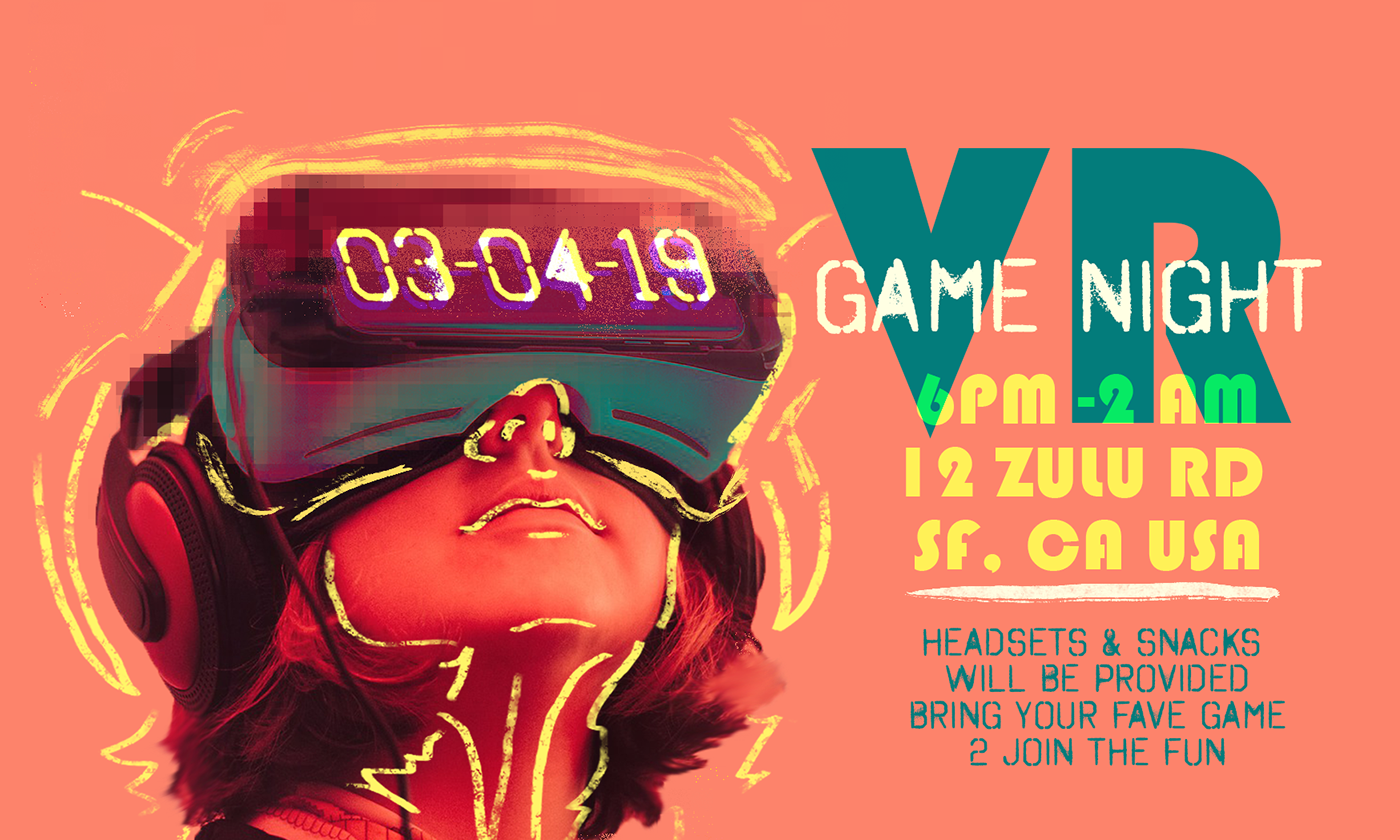 dry comet
@waxen knoll have you tried adobe stock or cc images?
waxen knoll
When I say free, I mean free from cost!
Adobe will give me 10 free images as a trial.
gleaming halo
Thanks! @sterile bane
steep quartz
@sterile bane thank you!
tepid token
@sterile bane Thank you for the feedback. I will work on the distribution of the characters and sizing for my GIF animation.