#✂challenges-feedback
1 messages · Page 8 of 1
 potent sapphire
@short isle -- I really like what you added it looks like a cool advertisement for the game! The only thing I would do would be maybe thin out the font a little or even change the "v " in level so it looks different from the "u" in up
 echo dawn
@short isle MUCH BETTER
 strange totem
Not sure how I feel about this/mainly the background and fonts I guess. Thoughts?
potent sapphire
@strange totem I like it! Its simple -- no need to mesh with crazy graphics to get this point across -- I like the scrabble words and the first thing that jumped out to me was how nice all the colors play off each other -- feels like this would be a nice calm chill night of playing board games
 thick owl
@peak warren contrasty is a great word
echo dawn
@strange totem loving the depth
thick owl
@strange totem I honestly think the fonts work really well. But if you're not sure, I would try a serif font. The look and feel of the card is more traditional and usually a serif font helps reinforce that.
@short isle nice! Your "Level Up" looks like stone 😃
@signal creek super fun - I like it. Maybe try a version where the background colors are a bit brighter and play with adding 'noise' radiating out? just a thought 😃
@urban berry is your background one or two images? I love it - nice Adobe Stock choice! The text is a bit hard to read. I wonder if you could try a sans serif, in a heavy line weight in white? I know the Adobe Stock watermark isn't helping 😦
@humble blade - super nice; it honestly looks just like an end screen after you complete a level.
@young karma I feel like i'm in space! 👾
 humble blade
@thick owl thank you 🙂
 primal zephyr
https://www.behance.net/gallery/77189821/Level-Up-PS-Daily-Challenge what y'all think?

 young karma
@thick owl Thats the thought! thank you!:)
 short isle
what was the size of Kathleen's canvas?
young karma
I wanted to ask that @short isle
beat me to it
@sterile bane What size was your canvas today?
primal zephyr
https://makeawebsitehub.com/social-media-image-sizes-cheat-sheet/ here is a really nice cheat sheet regarding social media sizes.
Another cheat sheet: https://sproutsocial.com/insights/social-media-image-sizes-guide/

Make A Website Hub
Get up to speed on your social media images sizes with this awesome infographic that shows you the different images sizes for each platform in 2018.

Sprout Social
From Twitter to Facebook to Pinterest, here's a guide to every important social media image size, always kept up-to-date.
@short isle and @young karma
young karma
@primal zephyr Oh cheers!
potent sapphire
@primal zephyr really love that font -- what is it?
 latent lion
How do you get multiple lines in one comment rather than relying on sentences wrapping to next line?
young karma
@latent lion Keep typing? 😃
echo dawn
@sterile bane can you pin that link?
primal zephyr
@potent sapphire What font on which image do you mean? I have linked my project not just one image.
 sterile bane
echo dawn
sterile bane
echo dawn
TYSM!
sterile bane
@young karma i had 1500x500 for a twitter banner 😃
latent lion
If I hit Return key it submits instead of giving me the next line
potent sapphire
@primal zephyr the font used in the "go anywhere adventure takes you"
sterile bane
@latent lion if you hit shift+return it will make a new line
primal zephyr
@potent sapphire Ailerons Regular I used that one.
latent lion
@sterile bane Thanks
young karma
@sterile bane You didn't have to relog into behance today, high five
sterile bane
@young karma the behance gods smiled upon me 😂
primal zephyr
Lucky you!
 umbral obsidian
@peak warren Thank you! I was going for the Stranger Things vibe for sure 😎
 coral stone
Hey guys, here's my contribution for the challenge, I used images from Unsplash and a cloud brush. I also used hue/sat to give a mood and a levels to create a light direction and also a vignette. To give the final effect I used filter gallery with the tecnique that @sterile bane taught yesterday, with a color burn blend mode with low opacity. I would love to get some feedback 😄
primal zephyr
That has a very dreamy look! Is that for Day 2?
primal zephyr
For today! Interesting.
sterile bane
@vivid flare Great color palette! mustard and purple are nice together. Maybe you could try cropping the image or adding a background? Maybe you could apply it to a business card
young karma
@vivid flare What day is this one?
 vivid flare
it's my own design

 lone hare
dang @echo dawn that was quick. Nice job, id refine the mask around the letters little more.
echo dawn
@lone hare do you like the concept, or should i start over with a different idea?
 urban berry
@thick owl The background I use one image. I will try sans serif fonts for the text.
lone hare
@echo dawn I would continue with the concept. I really like the colors and light.....get that reflection in the water too 😃
echo dawn
OOOOOH yeah
lone hare
@worldly geysernah having the colors on the top and bottom will make it really cool!
echo dawn
@lone hare ignore the text but; https://s.jmax.io/kBGGQw.png

 void gulch
Love that one Jonah
lone hare
@echo dawn yessss!
void gulch
Who's a pro with the rectangle tool in here?!
echo dawn
i guess it helps that i took a compositing class freshman year
@void gulch im no pro, but i can help
 vast harbor
OK way behind on this, I was playing around with the day 3 challenge. I was initially thinking this would be one large project but I've tried to keep it simple. I tried re-creating the glitch effect but it doesn't seem to work as well with the font style/concept here. Any feedback or ideas would be great. Just starting on day 4 and I'm not sure how I'll be able to use this logo with the challenge:
lone hare
@vast harbor thats great!!
 uncut ginkgo
Kay, I love this! Strong colors and concept. I think it'd be interesting to see how it would feel with that 8-bit type typeface or even a pixel art sword. 😃
 austere imp
Hi guys! A bt late at posting the day 3 challenge. Would really like some feedback on this...
echo dawn
@vast harbor thats amazing, i could see that in a game
lone hare
@austere imp that large "glitch" is distracting. Really nice glow on it 😃
echo dawn
maybe... animated
 sturdy wadi
How is it my composition please share feed back
 eternal marsh
@echo dawn I think it looks stunning!
echo dawn
@eternal marsh tysm! I really appreciate it
sterile bane
@sturdy wadi The composition is nice! however, I think the cricket logos on the left and right feel a little tight. Maybe you can make them smaller or increase the height of the design so they can go at the top. Thanks!
eternal marsh
@coral stone Have to agree with Wiktoria, looks very dreamy, I like it! Although I think you could maybe add a few more elements if its for the composite challenge? Just a thought tho 😃
echo dawn
Maybe incorporate them into a cloud?
coral stone
Great @eternal marsh! I will test more elements! Thank you so much 😃
sturdy wadi
@sterile bane thanks i will try next release. 😃 after an hour
echo dawn
@sturdy wadi you got this!
 rain hazel
some feedback for day 4 please 😃
vast harbor
@lone hare Thanks, much appreciated 😅 @uncut ginkgo Thanks, I was looking at 8-bit font styles for inspiration to start off with, so that's not a bad idea. I think atm there's way too much going on with the text. I'll give it a shot, thanks for the advice 😇
echo dawn
Very cool, but the elf should have a shadow of some sort
rain hazel
ah yes, I was getting so carried away with levels and curves that I didn't even think of that
will amend it straight away, thanks @echo dawn
lone hare
@vast harbor I think the type treatment is close to perfect. I wouldnt do much to it.
sturdy wadi
@echo dawn Thanks Buddy. but i try something else one more time.
latent lion
@vast harbor Sword is evocative of Balmung or Skofnung legendary swords
 steep quartz
ok thats me finished the 2nd challenge 😃 is there anything i should change?
vast harbor
@lone hare Aha, thanks, well that's some relief. At least I can focus on day 4 @latent lion danke dir! 😀 I haven't seen those before, but they look rad
echo dawn
@vivid flare that’s cool, but it’d be nice to see you deviate from the tutorial.
rain hazel
What do you think now?
echo dawn
There ya go @rain hazel !
 gleaming halo
I put my Day 4 challenge here in the same project file as day 2. Not sure if you can see both?... : https://www.behance.net/gallery/77236257/Futuristic-Postcard
 rain hazel
Thanks @turbid junco and @echo dawn 😀
rain hazel
that looks awesome @turbid junco
 turbid junco
@rain hazel Thanks! I really appreciate it.
rain hazel
@turbid junco I like the contrast of the E to the other letters, and also the waterfall in the background 😃
 tiny nest
Compositing my favorite.
 fringe nebula
Happy international women's day!
umbral obsidian
@echo dawn Your composite is amazing, it is so ethereal.
echo dawn
@umbral obsidian omg thank you so much!
umbral obsidian
@turbid junco I love how your composite is futuristic/sci-fi yet also has a retro flare. Great job!
echo dawn
@umbral obsidian did you make one?
umbral obsidian
@echo dawn You're welcome! I am working on my design now, I'm playing the catch up game. Will you take a look at mine when its finished? I would love feedback.
primal zephyr
I am done. 😃
echo dawn
@umbral obsidian 100%
sturdy wadi
Guys please share your feedback how is it? please share review:)
gleaming halo
Day 4 project - Just learned to copy/paste in here... 😂 😂
 abstract mortar
@gleaming halo cool
echo dawn
@primal zephyr lookin good; maybe less rocks tho
@gleaming halo looks very cool, maybe add some cold color correcting on the desert scene
gleaming halo
@abstract mortar thanks!
@worldly geysernah ok, thanks I'll give it a try
@echo dawn oops -- "ok, thanks I'll give it a try"
echo dawn
Haha ok
sturdy wadi
@echo dawn how is it my last composition
primal zephyr
@gleaming halo Since I see you're new on discord, you can edit your messages! On Desktop right click/click burgerbutton of your message and choose "Edit" and on phone hold your message until the options appear and click "edit" as well.
On desktop you can also hit the upper arrow key on your keyboard and it'll edit your latest message.
echo dawn
@sturdy wadi looks awesome! Try adding a rock background that looks lit by your name maybe?
Hahah
sturdy wadi
@echo dawn thanks man , yes is it my Name:)
umbral obsidian
@echo dawn Thank you!
echo dawn
@umbral obsidian np, can’t wait to see what you make
sturdy wadi
@echo dawn how is it now
echo dawn
Nice! Are you a singer? @sturdy wadi
 modest rock
Played with the type a bit, but I really like Gill Sans with this effect!
echo dawn
Haha
sturdy wadi
@echo dawn Please review my profile and give your feedback https://www.behance.net/manurock7355623635

Behance
young karma
My Day 4 compositing exercise. Please cc thx
sturdy wadi
@echo dawn thanks Jonah
echo dawn
There is a hole in the mountain, and the girls look slapped on, over all it’s a great concept that needs work.
@young karma
young karma
@steep quartz i really like the background
sturdy wadi
@young karma Girl in air and colour correction . you can put shadow below the person. and all is looks great:)
young karma
@worldly geysernah thx i want them to kind of dissolve in the earth
@sturdy wadi oh ok i’ll try it thx
sturdy wadi
@young karma Great appreciated
 drifting compass
Still working on Day 3, so there's no textual element on today's Day 4 work (yet)...
echo dawn
@drifting compass that’s day 4, loos cool tho
 haughty violet
spent a few hours on it and am stumped...feel there could be something to fix, would love feedback ❤
was trying to tone it down a little...but wasn't turning out like i hoped
drifting compass
@echo dawn ... yeah, that why I mentioned wimping out on including the day 3 textual stuff - but I forgot to mention "this is day 4 work". Thanks!
echo dawn
@drifting compass haha ok
haughty violet
didn't notice there was a mentor-feedback channel...take it that's for the staff..?
echo dawn
@haughty violet looking good, I’d just work on blending
drifting compass
@haughty violet Looks like a voice channel... but I'm newish to Discord, so not sure how to connect to it.
primal zephyr
You are connected to the voice chat.
haughty violet
@echo dawn hmm was trying to figure that out...playing with the settings and all
sterile bane
From Gus: "You might notice a voice channel called mentor-feedback -- don't worry! Kathleen will let you know what that is on Monday 😃 " 😉
haughty violet
ahh
drifting compass
Thanks, @primal zephyr ... it told me I didn't have permission, but now I see I'm listed there.
primal zephyr
ah, you figured out how to disconeect.
 woeful rune
Trying to make it doom and gloom
echo dawn
@sterile bane thanks, looks cool!
haughty violet
@woeful rune that's awesome
echo dawn
@woeful rune lookin SMEXY!
 peak warren
My Alien Landscape composite. Comments welcome. I used images from Antelope Canyon, because that looks otherworldly already. Lots of hue/saturation clipping masks to harmonize the colors. Desaturated because it's supposed to be night.
The rings are actually an arch from the canyon, masked with the curvature pen tool.
echo dawn
@peak warren looks cool just this doesn’t blend nicely
I’d love to see some more stars in the sky as well
young karma
@sturdy wadi @echo dawn ok i made it more transparent and moved them up in the air and added shadow below! Is this more believable?
echo dawn
Coolio
 loud dawn
@young karma i don´t know if its on purpouse or not, behind the boy and girl, there is a space where you can see the sky, but all around there is snow? Like a chunk of the mountain is missing
abstract mortar
2:45 AM and i cant sleep
young karma
@gleaming halo Is that a 🦙?!?! Or a 🐪? 😲
 night isle
Here's my day 4 attempt..... let me know what you think
steep quartz
@young karma thank you!
 blissful badge
Level Up! Go for it!
 mild oyster
Included a Pic of myself lol... thoughts??
uncut ginkgo
Leanne, you can also upload the jpg or png into chat, to make viewing the project easier. The .psd is a Photoshop file that can't be previewed in chat 😃
steep quartz
level up logo challenge complete 😃 what do you think?
@uncut ginkgo thank you i uploaded the wrong file should have been .jpg
steep quartz
@uncut ginkgo Thank you 😃
was trying to balance it out a bit
now onto todays challenge 😃
young karma
@steep quartz Very nice, I love how it looks like it’s on a tv screen 😉 Can I ask what font you used?
steep quartz
@young karma thank you so much! i used typekit fonts Aviano Future and hotel 😃
peak warren
@mild oyster I love you two in the corner. Where are those mountains from? They look like regular mountains with Jupiter texture-mapped onto them. So cool. I think the starfield (nebula?) should be darker so there is more contrast to the mountains. Otherwise it looks like the mountains are boiling off to make stars. Although maybe that's your idea?
haughty violet
well this happened purely by accident...unsure
young karma
@loud dawn you were right. Not masked correctly thank you. I have made the figures mire ethereal too. I have added some ghosting behind them . Is this better thx
peak warren
@echo dawn Understand about the sky. Let me work on that. How do you mean about the blending on the young woman that you highlighted? Her against the rocks? or her against the sky?
echo dawn
It looks like a separate picture
peak warren
@young karma Your image is nice, but I don't understand why the foreground has aerial perspective and the BG is super crisp.
echo dawn
Even tho it is, it shouldn’t
young karma
@peak warren thx you for the remark. It is an other planet where other rules are applied. It’s what you see is not what you get. Therefor the laws of perception are bent.
modest rock
Day 4 - Not entirely happy with this one, but the colors blended fairly well.
peak warren
@echo dawn Huh. Not sure how to work that. Let me be away from it for a while.
echo dawn
Ok
mild oyster
@peak warren thank you!, I chose a picture of the rainbow mountains in Perú, I thought they blended well with the otherworldly theme.
steep quartz
had a lot of fun with this one 😃
echo dawn
@steep quartz one of the best ones yet!
steep quartz
@echo dawn wow really?! thank you!😱 😍
echo dawn
I’d say the only thing that needs work is the stars by the words level up @steep quartz
steep quartz
@echo dawn will give that a go 👍
loud dawn
@young karma now it looks better!
young karma
@loud dawn thank you.
steep quartz
how is this? I've added extra stars on both sides
urban berry
Hello everyone, my Day 2 Blending Challenge
 tiny geyser
This is awesome @urban berry
echo dawn
Looking good both!
 fair hollow
What do you all think on my lonely kid spaceman?
 last python
@fair hollow Halo 7 looking sick
 waxen spindle
@steep quartz added in city after seeing your work 😃 C&C welcome
gleaming halo
@young karma I think its a 🐫 😄
steep quartz
@waxen spindle fantastic 👌
gleaming halo
@abstract mortar That looks awesome!
abstract mortar
@gleaming halo thanks man 😄
 wet thistle
 timid pasture
Colors look a bit muted here, hopefully it will look better on Behance... What do ya think? The colors are much better on Behance, BTW..
uncut ginkgo
Thanks for joining and sharing Rod!
 gaunt hill
Please let me know your comments
 wispy compass
OK...is this too much or not enough?
timid pasture
You're welcome, Gus!
uncut ginkgo
awesome job Priya, I love the color cohesion and images. The woman in the dress feels slightly out of place, which might be intentional but it could be cool to place an astronaut helmet on her head? Or maybe even add a starry glow effect? I'd also be interested to see a version where the title is larger! Thanks for sharing 😃
timid pasture
So, any feedback? 😀
gaunt hill
thanks @uncut ginkgo
I will make the changes and will upload another one.
potent sapphire
would love some feedback for challenge #4
timid pasture
So how does one leave a comment / feedback on someone's work? 🤔 Never mind.... got it figured out...
echo dawn
@potent sapphire looks cool! I like the trippy colors
 stiff depot
For this, I got some pictures from NASA (copyright extremely liberal), used a LUT for consistent color, blending modes, layer masks, selections, and brightness/contrast. This makes me think of the movie Armageddon. Please tell me what you think.
uncut ginkgo
Rod, I like the colors and composition! Very nice. It might just be me, but the rest of the setting/backdrop has a spaceworn vibe to it, while the subject seems pretty shiny. It would be interesting to play with textures to blend your character into the environment a bit more. I also think the Level Up phrase might be cool amidst the lightning on the left 😃
timid pasture
NASA is an excellent resource for space images.
echo dawn
@stiff depot looms really cool!
uncut ginkgo
@potent sapphire very nice! I really like it!
Nicely done Trixie! It might be the composition but the LEVEL UP seems like it isn't centered to the naked eye. Maybe try making the type a bit larger and decreasing the size of your arrow logo? Just an idea - I love the colors and composition
timid pasture
Interesting ideas - I'll have to play with that a bit..
stiff depot
@timid pasture Absolutely right. I've used them before.
@echo dawn Thanks!
coral stone
Good evening guys! I wasn't liking my previous work, so I decided to create other using some 3D and an old graphics effect, please feel free to comment
echo dawn
@timid pasture yeah, IMO, nothing is done the first try
@coral stone looks really cool! Only thing I could say is that the background layer looks too different from the mountains and foreground.
I love the 3d effect
Did you use an outside software to make it?
coral stone
Thanks Jonah, I'll try to create a little more blur to make a depth effect
I used the 3D inside the Ps 😄
stiff depot
@uncut ginkgo Do you mean centered in the overall composition, or above the arrow? And, yes, the name ought to be bigger. Thank you for the feedback.
uncut ginkgo
In the overall composition! the arrow/type seem to be centered just fine
echo dawn
I think it’s centered in the comp, but the gas cloud isn’t so it looks off
stiff depot
@gaunt hill I love the way you used the colors for consistency on the right side, but maybe the woman needs a little blue to match the light around her? I'm not saying make her skin blue like a mutant, but maybe a little blue highlight.
coral stone
Totally agree @echo dawn! I'm thinking about changing the BG and search for different elements.
Or maybe changing the light in this one
I'll test 😄
stiff depot
@uncut ginkgo Thanks, Gus. I struggled with getting that centered because it didn't look quite right to me. But, although the naked eye gets fooled, it is technically centered. I'm thinking, based on your comment, that technical isn't quite as important here as eyeballs.
 bitter beacon
I'm still catching up lol
uncut ginkgo
I was thinking it was an optical trick, yup! I think making the type larger might help a bit too 😃 @stiff depot
Awesome design @bitter beacon
bitter beacon
ty
echo dawn
@bitter beacon that’s amazing! I really like the grid!
steep quartz
@bitter beacon loving the colours and the grid really gives a great sense of depth!
bitter beacon
still can't decide whether the original colours are better or not
coral stone
I like the red one @bitter beacon
haughty violet
Time for a break and food. But decided to experiment again and start all over. Let me know what you think 😃 want to add a cast shadow to the girl but haven't learned how to yet...
coral stone
@echo dawn I removed the gas cloud and reduced the background and the planet contrast . I also made a brighter point in the center.
timid pasture
Colors are still muted - not sure why, but it looks fine in full size view..
steep quartz
@bitter beacon i like the reds it blends it together better
 gray badge
@bitter beacon the red one is my favorite of the two, really pops well Nice job!
@timid pasture Nice job with blending her into the background, totally looks like she was always connected with that background image
@haughty violet I like the images you chose, especially the planets in the top right, very cool coloring to them
gaunt hill
@stiff depot I don't know how to add a blue hightlight
timid pasture
Thanks, Sarah! That's one of my favorite things to do with Photoshop! I'll create characters in Poser and DAZ, and composite them into a photo. It can be a challenge to get the lighting, etc right, but it's great fun!
haughty violet
@gray badge thanks! Hardest part of picking the right pictures...was the mountains
Oh hey @jolly quest ! 🖐
coral stone
@gaunt hill you can use an Adjustment Layer to add a blue highlight (levels, curves, color balance). I think color balance will be great 😃
 jolly quest
@haughty violet Hello there!
timid pasture
@haughty violet I love what you've got going here. What I do a lot of times, is: First duplicate the layer with the figure, place it below the figure layer, lock the pixels on the layer, and just paint it with a gray or dark color from the background, then change the blend mode to multiply. Use the 'transform' (CTRL-T) to distort the layer. Place the little rotation target at her feet, then play with the rotation and distortion to get the shadow placed below her, and slanting away in the direction it should go depending on what direction the light is coming from. it sounds way more complicated than it actually is. It's how I created the figure's shadow in the image I just posted. 😁
stiff depot
@gaunt hill @coral stone got there before me, but you can also try a Color Lookup adjustment layer and a mask. On the Color Lookup layer, mask out the whole image and then just soft brush a cast over her skin, then lower the opacity.
echo dawn
@coral stone very good!
coral stone
Thanks @echo dawn!
young karma
Day 4: Banner. Quick, 20 min, rough idea in PS. Feedback would be great.
@coral stone really nice!
coral stone
Thanks @young karma!!
young karma
@haughty violet I love the colors! Excellent work
Here is my Day #4. Feedback appreciated, thank you 😃
haughty violet
@timid pasture thanks for the tip, actually saved that for later for when I go back into the MacBook
 minor bloom
@peak warren Thank you for the feedback! 🙏 much appreciated
echo dawn
I problem @coral stone
@young karma very unique
@young karma pretty cool, but the head seems random
young karma
@bitter beacon that is amazing, I absolutely love the colors in your second image
thank you @echo dawn much appreciated
gray badge
Hey, which color banner do ya'll think looks better? Plus any critiques you can give!
gray badge
@young karma I kinda like the head you added, it's kinda creepy, I'm digging it lol I think the logo would be cool if you made it arch and look like a ring around the planet in the background. No idea how to do that, just a suggestion! Looks good!
@young karma awesome thanks!
echo dawn
@gray badge I love the arrow and the lightning
young karma
@gray badge I actually love that suggestion, thank you!
gray badge
@echo dawn thanks! that lightning was SO hard to cut out lmao
timid pasture
@young karma Looks good! Maybe add a LUT or darken her a bit so she blends in a bit more. Also I find that blurring the edges of the figure a bit really helps them to blend in - especially with CG figures. Just lightly go over the edge with the blur brush. It really makes a difference. 👍
young karma
Great suggestion, I very much appreciate it @timid pasture I will try that out
young karma
Wow, that is gorgeous @worldly geysernah - does the text say 'spaced' ?
@echo dawn **
gray badge
@echo dawn very cool! It'd be neat if you could get the "Space.." wording to reflect in the river
echo dawn
Mmh, thanks both of you! I’m certainly not done with the text part
timid pasture
@echo dawn I really like the ethereal almost mystical look here. the fog / mist adds to the feel of mystery.
young karma
I am really loving the colors of your sky, it's all very beautiful
echo dawn
Wow guys I really appreciate it! I feel like I should have spent more time on it tho... only spent like 20 mins on a bus ride
timid pasture
You did this while riding a bus?? I'm impressed! 👍
gray badge
Okay skills! wow
echo dawn
Thank you guys so much! It really means the world to me. If you guys need any help whatsoever, I’d love to share some knowledge!
gleaming halo
@echo dawn That looks super cool! How did you get the clouds in?
gaunt hill
Thanks @coral stone @stiff depot I will try that.
echo dawn
@gleaming halo it was just overlaid on the galaxy
stiff depot
@gaunt hill 👍🏻
@echo dawn Good job. I think you've got a great landscape going there. I like the text, but the end of the word does get cut off, so maybe a different word?
 pastel spade
@echo dawn you using masking on some of the areas that look a bit transparent?
echo dawn
@pastel spade ofc, non destructive editing or bust!
pastel spade
really like it! maybe pull some more of those colors from the sky into the reflection on the lake?
echo dawn
Will do!
It’s a true honor to get a complement like that from someone who physically creates the tools I use every day!
pastel spade
you give me too much credit 😄
lone hare
My composite so far, my brain is too tired to figure out what else I should add.
echo dawn
@lone hare don’t add anything, looks amazing!
lone hare
@echo dawn Theres got to be some detail im missing.
primal zephyr
It does look very fantastic, but maybe you could add something that is eye catching. Maybe lke an aircraft flying from the platofrm that looks more crisp or something?
@lone hare
pastel spade
@lone hare agreed, nice job! maybe burn in the top corners a bit and/or around the top of the planet so the stars pop a bit. it would also help frame the piece too
lone hare
@primal zephyr I was looking for a ship, but I haven’t found one I liked yet.
primal zephyr
@lone hare have you checked on unsplash as well?
lone hare
@primal zephyr what is unsplash?
primal zephyr
it's a site with tons of free photos.

Beautiful, free images and photos that you can download and use for any project. Better than any royalty free or stock photos.
lone hare
@primal zephyr woah thank you!
primal zephyr
you're welcome!
echo dawn
@lone hare I didn’t mean that there is nothing you could do, I meant that there is nothing you should do other than sleep and get back to it in the morning.
lone hare
@echo dawn that’s the plan 😃
echo dawn
Haha, gn Ryan
young karma
@RyanDoran love it. Reminds me of Neil Bloomcamps District 9
night isle
@echo dawn I 😍 yours it's amazing those colours and the way it all sits so well together... Amazing!!
echo dawn
Thank you so so so much @night isle all this positive feedback is making my day so much better!
 raven sage
Day 04: Your thoughts on what I can change/improve?
echo dawn
@raven sage looks great, I guess what I have to say is: use a textured brush to make the tree look more like it’s in the sand
raven sage
@echo dawn Ah. Thanks. I'll get right on that!
echo dawn
Np
night isle
should I do anymore to this ? Is it missing something ?
young karma
some progress. not sure if i just gonna start all over or not. 😃
 bleak fossil
@young karma Nice work, I really like the look of the text! One suggestion I have is to try and give your layers/shapes a more solid graphic read by controlling the value contrast. Currently there’s a lot of light and dark scattered around. For example I think you could increase the darkness and contrast of the rocks in the foreground, and lessen the contrast of the mountains in the background so the shadows aren’t so dark. And maybe even darken the spaceship so it reads a bit better against the background. Maybe even tie all the images together by giving them all a uniform red tint like the planet and ground has. Just some thoughts, really cool image!
@night isle Very cool and dramatic image! I think maybe adding a vignette with a multiply layer and brightening the area around the character could help pull on the focus in a bit more? Looks good!
@lone hare Awesome job Ryan, looks great! Maybe a Levels adjustment could help a bit? Also like some others say it could use a bit of a stronger focal point. A ship could be cool, but you could also maybe adjust the levels on the giant building so it contrasts more.
@raven sage Nice work! I think like Jonah said, painting the tree base into the ground a bit more could help it be more convincing. The tree is also a lot sharper than the rest of the image so it stands out a bit, sharpening up the foreground or blurring the tree slightly could possibly help. Also using a layer blending mode to give the tree a bit of a cooler blue tint might help tie it into the image a bit more. Great work :D
@echo dawn Looks awesome, really love this one. I too am just a little unclear on what it says, it appear to say “spaced” but I’m not sure why. I also agree with Sarah, adding a reflection of part of the text in the water would be a great effect!
@timid pasture Looking good RodS! I think it could be nice to boost the lighting on the character up a bit to make her stand out as the focal point of the image a bit more. Here’s a quick example, I just made a color dodge layer and made 1 or 2 strokes with a soft round brush using that light desaturated blue color you see in the bottom right corner.
@gray badge Ooh, great job! I personally prefer the second image, I think the colors pop the character out a bit more, since everything is a sort of black/grey tone in the first image. Also gives it a cool stylized look. Nice work!
@young karma Very cool, almost creepy vibe. Definitely makes me think of old school sci fi movies! I kind of wondering if something could be done to fit her head into the scene more. Maybe darken it down slightly, or even add a red tint or underglow to help fit it into the red of the planet just a touch. Looking good!
@young karma Cool concept Gavin! I really like the blur effect, but I think it might be nice to keep it off the robot character while still leaving it around the rest of the image like you have it. It may appear a bit more natural that way. Cool idea!
@wispy compass Hah, very nice, I like it! I think it might be nice to allow some of your objects and shapes to overlap a bit. It helps to add a sense of depth to the image. Currently 3 of the shapes are a similar size, and varying the shapes into more of a big-medium-small set up can give the image more of a visual hierarchy which can guide the eye around in a more interesting way. I really like the Dr. Strangelove character riding the bomb, could be cool to give him a red tint to fit him in with the rest of the image too. Just some ideas, great work!
haughty violet
@timid pasture followed your instructions in a previous message and managed to get to the multiply setting...but struggling on making the shadow realistically follow the girl (pose wise) >.< Tbh am a visual learner and is probs why I'm stuck
@timid pasture sorry for the late reply
Currently stuck on my composition daily challenge wise on that.. ;_;
peak warren
@raven sage Excellent image. I like the use of a cherry tree, with falling leaves. Great, especially among all the space and video games. Agree with previous comments about the tree needing to be grounded. On other thing I notice. The Northern Lights don't integrate with the movement of the falling blossoms. I would flip them horizontal, so the swoosh of the aurora flows into the movement of the blossoms. Or flip the cherry tree, so it lines up with the L-->R flow of the aurora. (There's more space for it that way.)
@lone hare That's the Edo museum in Tokyo! ❤
@lone hare Do you want people to know it's that museum? If not, you should mask out the Japanese text. Or replace it with other text. Also, should have said this first -- this is a great composite.
@primal zephyr Thanks for the Unsplash link.
bleak fossil
@haughty violet What I do is basically duplicate my character layer so you have their body shape, click lock transparency, then paint over it/fill it in with a desaturated purple-blue tone, and set that to multiply. I blur it a bit, then use the free transform (you have to hold shift or something while clicking the controls around the image) to pull it down so it looks like a shadow. See the linked video to see what I mean. After that you can use all sorts of tools to warp the shadow how you want to make it look like it goes over the rock. The "Warp" tool is great for example.
Example video (he uses that drop shadow effect instead of the multiply layer but the rest is similar): https://www.youtube.com/watch?v=5vcqPuTHVm8
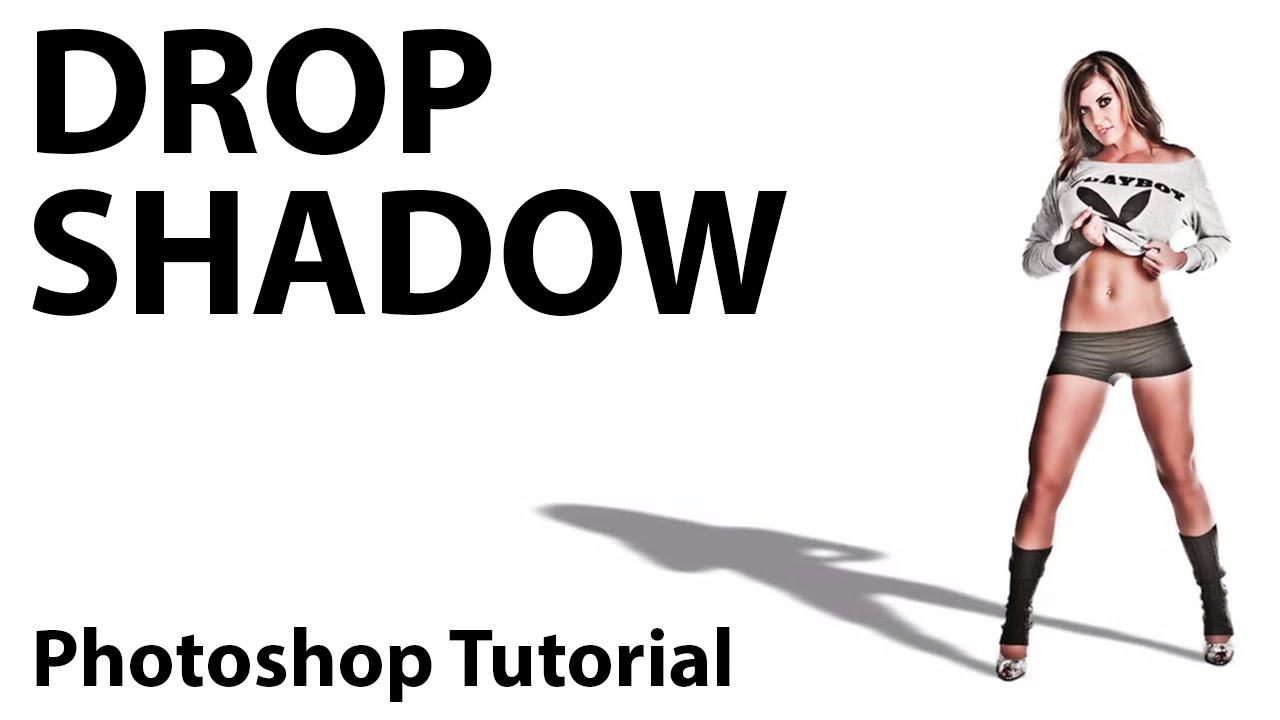
In this tutorial A.J. Wood demonstrates how to use layer styles to create a cool drop shadow effect for your photos.
haughty violet
@bleak fossil thanks so much for the further explanation and link!! Gonna check that out now 😃 Much appreciated
and will update my progress
timid pasture
Unsplash is a great resource! I use it quite a bit.
@haughty violet Sam's explanation is what I was trying to explain - probably not as well! LOL Looks like he found a tutorial - I'll have a look at it myself. Thanks @bleak fossil
haughty violet
@timid pasture no worries! I essentially knew what you meant text-wise...but while doing it...came across some bumps
and knew i was doing something wrong lol
timid pasture
@bleak fossil Yeah, that looks good, Sam! I'll play around with that color dodge a little more - I used it a little bit on the rocks behind her, but looking at what you did here makes me want to go back and play with it a bit more. Ross Tran is right - every day is a color dodge day... 😁
haughty violet
oh darn...was getting improvement with @bleak fossil 's link..but when I free transform can't distort it...even with the constraint settings clicked off (in other words the chain)
TT_TT
was proficient with the older model of photoshop (till 2016 really)...so forgive the questions
abstract mortar
@timid pasture really nice!
bleak fossil
Are you holding on shift (or is it control..) while clicking the control handles after clicking free transform? @haughty violet
haughty violet
@bleak fossil I have a mac so cmd
@bleak fossil but about to try
shift!
i say that...but control/cmd worked too ^^;
timid pasture
@haughty violet If you go the the EDIT menu, and go down to where it says "free transform" or "Transform" you'll see 'distort.' If you click that, it will allow you to distort the selection by grabbing the control points. It can be a bit tricky until you get the hang of it, so keep playing with it.
haughty violet
@timid pasture I see what you mean..and can freely transform now...but probably isn't helping that I'm working from the initial layer as a smart object...(hopefully that makes sense)
just got the hang of it..so have been using it (double clicking to apply effects just to the subject instead of the overall composition)
sorry again for the many questions
bleak fossil
No problem!
timid pasture
@haughty violet No problem - it's a constant learning curve. I just about went bananas when they updated PSCC 2019, and the free transform went all wonky when I held down the shift key... until I figured out Abobe had reversed it to where NOT hitting shift constrained it! LOL
haughty violet
@timid pasture I totally know what you mean... and forgive me if I mentioned it beforehand, but was attuned to photoshop in 2016 (was in college at the time and then was directed towards InDesign and Illustrator mainly after).. so am learning things lol
Just glad the blending layers are still the same ❤ my one true passion to experiment with xD
timid pasture
Blending layers are sooo addictive... Honestly, I could spend way too much time just playing with the different effects...
 tepid sierra
This is a big old mess and im starting all over...but how would i fix this? (if i wanted to) HELP HELP!!
timid pasture
@tepid sierra Honestly, I like it.. Maybe a solid color layer or LUT constrained to the foreground layer - then experimenting with blending modes and opacity.
tepid sierra
RodS can you explain that in "PS for dummy' terms...?
timid pasture
@abstract mortar Thank you! I'm having fun playing with this!
tepid sierra
small changes??? does this work better.?
timid pasture
@tepid sierra LOL - sure.. Just add a layer on top of the image. If the foreground is on a layer of its own, just 'clip' it to the foreground layer (you can hover your mouse / stylus in between the layers, and hold the 'alt' key ('option' on a Mac, I believe), and when you see a little arrow icon pointing down, click. that will keep the layer constrained to the foreground layer. You can fill the layer with a color, then experiment with the blending modes (i.e. multiply, screen, color dodge, etc) and opacity. A 'LUT" layer is 'Look Up Table' and can give the image a more unified look.
tepid sierra
ok ill try that THANKYOU!!!
timid pasture
You're welcome! I do like the 'Level Up' text up higher in the second version.
tepid sierra
agree!!!
timid pasture
G'night all.... Gotta head for bed. Getting up early tomorrow to go check out Captain Marvel with a buddy.. 😁
haughty violet
night @timid pasture !
enjoy!
oh wow 😮 not allowed access but still accessed the mentor feedback challenge....feeling ashamed
overall mistake initially
raven sage
Changed the direction the Northern lights were going in order to match the flow of the falling petals. Adjust the tree to tilt a bit more. Added a shadow to make the tree grounded. And added a subtle glow to said tree.
 icy cargoBOT
Alright, @echo dawn has been warned for 'Mass mention'.
echo dawn
smh
I was @ ing people who helped me as a thank you/getting a final opinion.
Well...
This is may be my final, let me know if I should change anything or submit it. 👍 Means I'm done and should submit, 👎 means that i should make changes, lmk what I should change so I can make this as good as possible.
https://s.jmax.io/YOELwv.png
 raven sage
I don't really see anything that needs changing. The warm and cool color don't clash, they complement each other and the compostion leads the eye.
potent sapphire
re-did the day 4 challenge -- any feedback would be awesome!!
 grave wolf
what do you think about it ?
echo dawn
@grave wolf nice, what’s it for tho?
grave wolf
for BARCHELONA and Olympique Lyon match
echo dawn
Ok
grave wolf
https://www.footyrenders.com/la-liga/real-madrid/lionel-messi-sergio-ramos-2/ the original render

FootyRenders
Lionel Messi & Sergio Ramos render (Barcelona, Real Madrid). View and download football renders in png now for free! By FootyRenders (March 6, 2019)
tepid sierra
im going to start again...but here is another version...dont think anyone is watching or commenting...but if someone should feel theyd like to help.......im all ears!
bleak fossil
@tepid sierra It looks cool! I like the value and shapes you have going on. I think maybe the text could be reworked a little. I feel like something that isn’t such dark text might fit better. Anything with a fairly light value will read well against the dark background, and I think it could look good to push the glitch effect a bit further. There’s a little bit of it going on, but I think committing to it by pushing it further will sell the idea more definitively. Good job!
@echo dawn Nice work! I think it looks great, really nice changes.
tepid sierra
ok here is the beginning of a second (and hopefully better attempt)
 full topaz
@tepid sierra Love the worms eye view. Is this for the day 4 challenge? if so the only thing that jumps out immediately is the portrait orientation, would that work for a social media banner? (I'm not that up on the whole social media thing but thought they mostly went landscape). I rather like it though 😃
I'm a little out of order on the challenges, this is for day 2 (postcard) love some feed back from anybody please. 😃
latent lion
INNER SPACE conceives of wormholes, organic spaceships sans evident propulsion or aerodynamic precepts conformance, and torroidal planets not compressed into earthlike oblate spheroids. The mind conjures a void unruled by gravity and time warped across alternate universes.
young karma
@bleak fossil Hey thanks for feedback and i made some changes to it. comments? 😃
vivid flare
 wooden osprey
feedback please
icy cargoBOT
Alright, @latent lion has been warned for 'Mass mention'.
austere imp
I have tried out a camera type of thing in photoshop. Feedback is appreciated...
abstract mortar
i love this @austere imp very cool!
austere imp
@abstract mortar Thanks so much. This is kinda my first time trying this out.
 white crescent
@austere imp simple but awesome
austere imp
@white crescent Thank you very much
 narrow cedar
@austere imp It's really kool
austere imp
@narrow cedar Thanks
wooden osprey
@austere imp please tell how is my work
austere imp
@wooden osprey Your work is great. I really like the artistic approach that you choose for displaying the word "GAME"
wooden osprey
@narrow cedar please provide feedback
vivid flare
Lipu It's really amazing design
abstract mortar
it cool, but i think the logo should be smaller a bit
narrow cedar
@wooden osprey I really liked how u created the Game Title..
Overall it's nice work
 tight glen
#day4
Need some Feedbacks please
wooden osprey
nice work
young karma
@echo dawn perfect 💯
austere imp
Awesome work
young karma
very nice touch adding the text reflection
austere imp
Good job
abstract mortar
@tight glen very cool!
eternal marsh
@full topaz Looks pretty cool, but I think the level up might be a bit small. It kinda gets lost up there in the corner. Have you tried putting it under the character for example?
 hollow cloud
can you tell me the challenge
 wanton junco
DAY - 02 Challenge > Future Postcard
echo dawn
Lookin good!
Maybe add some sort of glow by the car @wanton junco
@young karma @bleak fossil thank you so much, will submit today.
wanton junco
thanks @echo dawn , i'll try add some
eternal marsh
@wanton junco I like the background! Gives the image some kind of speed
@hollow cloud The latest one? We are currently at Day 4 - Composite
echo dawn
Inspired by space ^
 tropic dome
challenge #4 links for materials in description on Behance: https://www.behance.net/portfolio/editor?project_id=77141021
echo dawn
@tropic dome wow that’s really cool! I love the color scheme and use of blend modes. I really like it!
 obtuse sonnet
A little late to the party. Here's my take from challenge #1
young karma
That’s an interesting image of a woman @tropic dome
echo dawn
@obtuse sonnet looks cool and vintage, welcome to the party! You should play with the text at the bottom, it’s kinda hard to read.
obtuse sonnet
@echo dawn Thanks for the tip! Will do
tropic dome
@obtuse sonnet also try using textures, maybe it will give a bit of personality
young karma
Challenge 3 type and Glitch effects.
eternal marsh
@young karma whoa, thats an awesome glitch effect!
echo dawn
@young karma that looks sick! I’d just make it easier to read “up”
young karma
@echo dawn thanks! yeah I thought about that, but kind of like that you have to scan it and move down the piece to see it.
@eternal marsh Thanks. I had some fun with this
echo dawn
@young karma what ever you choose! It looks nice
echo dawn
@wooden osprey looks good, try playing with more fonts tho!
wooden osprey
ok sure,can you suggest some good fonts
echo dawn
@wooden osprey looks nice, but the colors from the back ground really don’t mix with the text well
peak warren
@wooden osprey I like the BG, especially how all the blues look like cyanotype. Love the contrast to the black & white text and arrow. The way you made the T in "future" out of the top of the arrow? Doesn't work for me. It read like "FU URE" and then I have to stop. Maybe pick a thicker font for "future," although still sans serif, and blend the T against the arrow?
Haha @echo dawn We give opposite advice on color
echo dawn
@peak warren I’m talking about the level up one tho
peak warren
@echo dawn Ah! Discord really needs threading.
echo dawn
@peak warren nah that would be weird
eternal marsh
Day 4 - Composite! Tried to work with my own images/ screenshots as much as possible 😄
Not sure about the text, is it good to read?
also something I learnt on this challenge: It's good to safe your project once in a while if you don't want to cry when you get a bluescreen lol
echo dawn
@eternal marsh I dmd you my suggestions, the bot keeps flagging it for bad words
<@&548221840750018590> idk why but the bot kept flagging that as naughty.
I had to send it as an image
drifting compass
Okay... here's my Day 4 re-do with the Day 3 "glitch text" added in.
peak warren
<@&548221840750018590> I assume the bot is flagging the proximity of the words "slpped" and "grl" -- now let's see if I get it.
drifting compass
@eternal marsh Your text looks fine... there's enough contrast that the "near white" of the background doesn't make the "very white" of the Level Up wash out.
peak warren
<@&548221840750018590> use of asterisks was taken as italic /italic, haha. I hope the above scans for you
drifting compass
@peak warren That got me to thinking: what does Discord use for formatting? Found this: https://support.discordapp.com/hc/en-us/articles/210298617-Markdown-Text-101-Chat-Formatting-Bold-Italic-Underline-

Discord
Want to inject some flavor into your everyday text chat? You're in luck! Discord uses Markdown, a simple plain text formatting system that'll help you make your sentences stand out. Here's how to d...
peak warren
@drifting compass Very nice.
vivid flare
eternal marsh
updated version
@drifting compass I like that the text goes up where the horseman is, very clever
also thanks for the feedback 🙂
drifting compass
@eternal marsh That was an afterthought! I was originally going to place it in the empty space in the middle, but then saw the "visual opportunity" there.
@eternal marsh Whatever shading you did there does bring out the text a bit more... and has this upward flow to it that I really like. Nice mod...
wooden osprey
thanks @echo dawn very much. i will rectify the mistake
tiny nest
My LEVEL UP
narrow cedar
Hello guys
eternal marsh
@drifting compass I think it makes it look very special this way, good job! And thanks! For the shading I simply used to brush tool with a grey color behind the font layer and again the brush tool with an orange color as a clipping mask on top of the font layer and played with blend modes a bit
drifting compass
@eternal marsh Nice. "Playing is learning"!!
Hey, @narrow cedar. Saw your image pop up a time or two... I like it!
@narrow cedar It has that slightly-evil look... the text even has that "hand scratched" feel to it. Hopefully that's where you were going with it!
narrow cedar
Thanks @drifting compass
Yeah

This is my submission for Day 4
Dreamscape
Composite
drifting compass
That's cool... it doesn't look "pieced together" -- very natural-looking.
narrow cedar
@drifting compass that comment makes me feel accomplished in the task.. Huge thanks for saying this
eternal marsh
@tiny nest is it for day 3 or day 4?
@narrow cedar love the color scheme you used! I think it looks consistent
narrow cedar
Thanks @eternal marsh
echo dawn
@eternal marsh much better! Lol but now it looks like the arrow is pointing at Mars haha
eternal marsh
@echo dawn oh right haha, well maybe thats where the next level will be 😄
peak warren
@vivid flare I like how the A looks like it's made out of pyrite. (Fool's gold). How did you do that?
 uncut kayak
Day 4, what do you think?
gosh, it's really losing a lot of blue when saved as a jpg
 storm rock
Following Kathleen's direction... https://www.behance.net/portfolio/editor?project_id=77172267
echo dawn
@eternal marsh haha yeah
eternal marsh
@uncut kayak looking good! maybe the edges could be a bit darker?
uncut kayak
Hmm, good idea. I'll give it a go when I get back to my computer
storm rock
 latent lion
@raven sage cherry blossom time soon. Perhaps add fallen petals accumulated on the surface of the pond which should also reflect all else behind and above.
@abstract mortar you might flip horizontal your planetoid layer to make its light source, also illuminating the mountains, seem to come from the same direction. Burning the midnight oils myself. Xin chào Lamphan, thời tiết có ngày hôm nay
echo dawn
@storm rock try applying multiply to that blood layer
raven sage
@latent lion A pond? Should I add one?
pastel spade
@uncut kayak good job on the comp. I really like the cyan eye flames. one of the hardest things to do in compositing is getting lighting to match. try playing with some shading/shadows where there's contact with the rocks (feet, etc.)
latent lion
@raven sage seemed like it was there. Maybe just a depression. Anyway a challenge to reflect the distant mountains and sky lights with adding petals on top,
pastel spade
@narrow cedar all the pieces work together very well in your day 4 comp. same comment about the lighting on the space ship (upper left), lighting on it is coming from the front whereas everything else in the comp the lighting is coming from the back. I really like the repetition of the half circle shape.
 gaunt forge
day 4 - composition
 pine estuary
day 4 - composition
 dull tangle
Day 4 - This is way out of my comfort zone creatively...not usually a futuristic type thinker I guess. Not sure if I'm happy with this or not, but I did enjoy the process of playing with this challenge.
peak warren
@gaunt forge Wow. The color matching here really brings it together.
stiff depot
@dull tangle I like it. The balance is right on. Your logo is terrific, too.
abstract mortar
@latent lion thanks man, i will try
 hybrid briar
These look awesome!
narrow cedar
@pastel spade thanks for your feedback.. Such minute details of lighting shadows really make difference... Sometimes it skips our attention... So thanks for bringing that into notice.. I'll work that out again
young karma
Day 3 - Level Up Logo. I went for the neon type.
echo dawn
@narrow cedar chad is a god
latent lion
Mothership and calfling taxiing up to the worm hole while TuutseeRol quarantined in a containment forcefield --- INNER SPACE redo
tepid sierra
ok please tell me which is better OR which could be the best (and your comments on what it needs)
ok just saw message from @bleak fossil which i will use now!
tepid sierra
another one just cause im having fun learning!
 peak comet
artwok feedback please
vivid flare
young karma
Day 4: Banner. @bleak fossil I think you're right about the blur around the robot. I have removed it in this version and it looks better. Thanks for the advice.
narrow cedar
@young karma Great work
primal zephyr
This has nothing to do with the challenge, but since it's the weekend... I was wondering, what you guys think of an earlier work I did once. It is a branding for a fantasy eSport Clan.
https://www.youtube.com/watch?v=YAJ9SK7yMHU

 glacial path
Hey @peak comet ! Thanks for sharing your work 😃 I would tweak the brightness slightly. The inside of the plane should be darker than the outside. This will also help focus the viewers eye on the main subject. And I would brighten up the shadows of the main subject slightly since the sun appears to be shining. Good job cutting him and the plane window out 😃
@tepid sierra woah! There is a lot happening in the scene 😮 I wonder what the birds are all up to. To improve the composition, I would remove the red shadow below the moon. Also, I wouldn't make the birds transparent: some of them get lost behind the busy background 🤔 . If you need help with those steps, let me know 😃 Thank you for submitting and I'm looking forward to your next piece!
@neat sable Nice! Hopefully that guy can breathe without a helmet on 😱 ! Good job adjusting the colors to blend in with the magenta background. Be careful with Objects touching the edge of the picture. Often enough, that makes it look a bit weird. An easy fix is to simply move it away from the edge 😃
Cool shadows @tepid sierra ! I like the overall composition: the red sky looks awesome. Well done 😃
@latent lion What a cool idea! Make sure to use high resolution images for your work or they will look pixelated 🙂 - also, I would integrate the "level up" logo more into the image instead of placing it into the corner. Or just get rid of it (that would be the easy and boring solution 😛 )
young karma
Hello, this is my composite. Comments are welcome.
narrow cedar
@@young karma It's really kool
I like this composition everything seems to fall in place
It gave me a feel of visual that pops before beginning of another stage of game
young karma
@narrow cedar Thank you.
glacial path
be careful with that planet! It is touching the edge of the composition 😃 @young karma
young karma
@glacial path Today there is a lot of wind in Belgium, I guess that the wind blew my planet towards the edge of my composition. 🙂
glacial path
haha 😄 quite a lot of wind over here as well!
narrow cedar
@young karma Such a sport!
gaunt hill
Please let me your comments.
 limber fossil
Hi guys, desperately trying to catch up after being out of action with a stomach bug. Here is my futuristic postcard using blending modes.
abstract mortar
@limber fossil Awesome!
limber fossil
@abstract mortar Thanks. My stuff's usually illustration based, so felt a bit out of my comfort zone at first.
 uneven kindle
My Day 3 photo submission. 😃
glacial path
@limber fossil love it! The colorful neon letters work perfectly to create an almost dream-like scene 😃
peak warren
@limber fossil That is great work. The neon effect with multiple colors is sharp. You say you usually do illustration based? Meaning vector art?
glacial path
@uneven kindle cool effect! It has a certain 90s vibe to it 😄 - If you're combining more than one saturated color, it is tough to achieve a color harmony. Here is an awesome tool that you can use to get started: http://color.adobe.com - This one could work for example 😃
 pure cypress
First time here. I'm a little late in the challenge, maybe I'll get caught up this weekend. Here's day one. I guess it's simple, but it has layers 🙃
peak warren
Hi @glacial path I never knew there was color.adobe.com! And I used the color part of iOS "Capture " for a while.
glacial path
@peak warren yeah 😄 it's the best for capturing color combos on the go!
the app, that is
peak warren
You should repost that to "tips & tricks" channel.
glacial path
good idea!
peak warren
@pure cypress That's great! I like the hex pattern, but also how the hexes are not uniform.
@pure cypress Also, I am stealing your color palette.
pure cypress
@peak warren The hexi is a stock, I'm only good for the text layers - still learning. I do like the colors too though!
storm rock
limber fossil
@glacial path Thanks, I started with the text, then played around with the blending modes for ages until they worked together.
@peak warren Thank you. I do both vector and raster, depends on the brief. It was the futuristic look that made me shudder. 😬
@glacial path I'll check out the link , thanks,. Always love a tool that helps.
peak warren
@storm rock I like the composition. Especially the lake and how it points at the woman’s throat. The tree on the right is lost in a bunch of similar value, right at the lake edge & woods.
urban berry
Hello everyone, here is my Day 3: Type "Level Up" challenge.
young karma
Feeling rather inadequate right now @urban berry 😄 It's really good!
 cinder vessel
Hello Everyone, I am working on day 4 challenge and need your feedback/suggestions on how to treat the bright sunlight below...I am still working on how to blend the two images....
@urban berry its really cute!
echo dawn
@cinder vessel sos that’s really good! I love it! Did you make the sky?
cinder vessel
@echo dawn Nah! Picked up a random image and made some changes using hue and saturation filters.
echo dawn
So are there any other layers than sky and ground?
cinder vessel
@echo dawn only two layers....the starry sky and the sunrise...
btw, your avatar is super cool 👌
@echo dawn my bad! there are three...I duplicated the sunrise/ground layer to add few details
echo dawn
@cinder vessel crazy what you can do with so little! I wish I could say I made my avatar, but that’s one thing I can’t take credit for...
glacial path
@cinder vessel wow! nicely done! What a cool effect 😄 - great choice for the two (or three) images. To make it perfect, I would remove this dot. I believe it distracts the viewers eye too much from the night sky. Thanks for sharing ^^
vast harbor
Going round in circles looking for references is a trap. Had to kick myself and just went with what I had. I feel like the logo here doesn't fit in with the rest of the image :/ Trying to get the lighting to match is tricky. Would appreciate any feedback or suggestions:
cinder vessel
@glacial path Thanks :)
I was trying to add a star using a brush but clearly it's not working 😄
young karma
So I cant seem to find the pinned messages that kathleen put on here for how to apply a filter on the level up challenge 😦
glacial path
@cinder vessel oh gotcha! Hm, if you add more than one star it could work again. But maybe it is a bit too dark and round for a star
If you look at real stars, they often have a halo around them
If you want to learn how to create a realistic halo effect, check my first post in the #🔥tips-and-tricks channel 😃
cinder vessel
@glacial path Cool! Gonna check it out right away ✌
Also if you could throw some light on how well the two images have blended in.....I feel like it needs more work..
glacial path
ok! I will take a close look!
 neat sable
@glacial path Thank u very much for the feed back... 😃 really appreciate it. Hope to learn lots from you. next i'll be careful about it.
cinder vessel
@pure cypress Love the honeycomb like design 👌
austere imp
Hi guys! I have done the day 4 challenge about creating compositions. Any feedback is appreciated....https://www.behance.net/gallery/77345859/Composition-PS-Daily-Creative-Challange
 urban berry
Day 3: Type "Level Up" challenge
austere imp
@urban berry Really nice work.
glacial path
Alright! @cinder vessel Setting aside the issue that the night sky would never be as visible as seen here during sunrise, you have done a great job combining the images! And of course the goal of compositing is to achieve the impossible. I like how the green and magenta nebulas in the sky are complimentary colored.
Since the bottom half of the image is very saturated, I would either decrease the saturation of the bottom half or increase the saturation of the nebulas. This will help to maintain a balanced look. I also would add a touch of blue to the shadow of the trees. After all, the night sky is pretty blue - but not too much or it will look cheesy.
It looks like you have used a soft mask to blend both images together. Great job! I almost can't tell where the sky image starts. However, it looks like the left part of the sunset is more visible than the right part where the golden star is. I would try to add more of the yellow sunset on the right, just to even things out. That's about it 😄
wait! one last thing:
the white of the nebula fades to grey. I would totally keep it as a white highlight ^^
young karma
Day 3 done, any feedback would be muchly appreciated 😄
austere imp
Good work, I really like the typeface for the words and the graphic
echo dawn
@young karma looking good! I love that you changed it up from the glitch look! The background is super cool as well. Where’d you find it?
Maybe instead of low transparency, make a mask, and erase some parts too look like@the background is swirling around it? Just a thought, but it would be interesting.
austere imp
Guys, could you please provide some feedback on how to improve it?
glacial path
@austere imp thank you for sharing! Good job compositing the four images together 😃 . It looks like you have missed a spot right here 😛
also well done on the lighting!
austere imp
@glacial path Oh great, I will fix that. Thanks for your feedback 😀
glacial path
I would possibly roughen up the edge of the stone a bit. The one the person is standing on ^^
And make sure not to have transparent mountains 😛
austere imp
Yeah... but its looking a bit too hard on the edges so I have blurred the edes for tha rock
austere imp
ha yeah... its ok about that
sure I will rectify the errors in future projects like this...
glacial path
Awesome! You're already a very advanced Photoshop user @austere imp ^^
 old barn
Here's my Space Composite! Really enjoyed layering to create a textured sky (4 images in sky) and playing with colour overlay to give it a hot mars look.
austere imp
@old barn I like it! I personnaly think that the red and orange in the sky could be a bit lighter. Overall, its really good!
glacial path
I agree with Santhosh. The reds are very saturated. I would tone down the saturation, but not by a lot!
austere imp
@glacial path Actually, I am trying hard t get good at graphic design cuz I am physically challenged and I want to get a living from this.
@glacial path so... 😅
young karma
@echo dawn Thank you, yea the mask idea is a good one I’ll give that a try. Not tried masks yet, that’s on day 4 isn’t it ha?
echo dawn
@young karma not required, but recommended. A mask is basically a nondestructive erase
young karma
Yea I know what a mask is just never used one 😉
old barn
Thanks @glacial path , @austere imp yeah I tend to go a bit crazy with saturation. Appreciate the feedback!
young karma
@austere imp Sky part?
austere imp
@young karma Oh sorry about that.... I mentioned you accidentally... Really sorry.... 😃
wet thistle
vast harbor
@young karma Nice work! I like the long exposure effect, gives it a cool neon effect. I like the contrast of the red and white blue glow effect. I think this would look great with a sleek uppercase font type 😃
echo dawn
@wet thistle ooooh! I like this one. Usually the random girl doesn’t fit imo, but in this one it really works!
austere imp
Awesome! @wet thistle
glacial path
@wet thistle woah there is a lot going on at once! I know it is tempting to fill the scene but I would remove one or two objects to declutter the scene a bit 😃 - About the logo: I didn't notice it at fist, so you probably could get rid of it entirely 🤔 . Oooooorrr you could put it into a more prominent place. After all, we're trying to create a social media banner ☝
echo dawn
@glacial path yeah, I noticed almost nobody used banner sizes
austere imp
@wooden osprey I like the theme of you composition. But, the astronaunts look a bit funny and absurd. I think that the glow of earth should be a bit fading in slowly.
wooden osprey
thank you
young karma
@echo dawn Better? 😃
echo dawn
@young karma HELL YEAH! That looks great!
glacial path
@wooden osprey Thank you for submitting! That's a super cool idea with the disco ball 😄
@wooden osprey I would increase the glow of the ball and the earth much more! Also the two astronauts look a bit squished 🙃
wet thistle
@glacial path thanks for the feedback. I changed the size, changed the location of the logo and left the eagle out of the picture. Does it look better? I was trying to make the castle smaller also, however I did not succeed.....
glacial path
ah yes, @wet thistle ! Now the viewer can focus on the objects 😃 , well done! Be careful with the shadow of the UFO though - it should probably be on the water instead of the sky 👍
latent lion
@peak comet Last week of February had a Behance Live PS program which featured an airplane window composite much like yours.
@primal zephyr Even though I love countdown clocks, and things were happening whilst counting, Orthos Showreel countdown sequence should probably be substantially truncated.
wet thistle
@glacial path ?
glacial path
nice!
old barn
Here it is toned down and a bit cleaner.
echo dawn
wow! @old barn i love how the text fits so well with the picture.
wet thistle
@echo dawn You are right. I should use another font with this scene. I will try to do that tomorrow. Thanks for the feedback!
echo dawn
np
latent lion
@austere imp the haziness of the closer minaret and the more distant castle seem the same. Softening the farther could make it more natural.
@wet thistle an open water horizon is about 8 miles away, making the castle proportionally too large. A land bridge connecting the castle to the foreground might alleviate the dispropotionality.
@young karma If the central rock formation is a Natursal Arch then matching the nebulla background is logical; if it is a cave or portal changing the color and lighting inensity within could give the composition a sense of forboding. Also extend the green surface aura up to the entrance of the cave
@cinder vessel Was thinking the marvelous sky was some special brushwork. Corel offers ParticleShop, Photoshop brush plugin packs, with similar effects.
cinder vessel
@latent lion Thank you for mentioning ParticleShop...never heard of it and it looks really cool!
young karma
Hi @latent lion is this what you had in mind?
latent lion
@young karma Just me wanting to see things in compositions that tell a story. What matters is what works for you as an artist. My object is to get a handle on 3D animation which starts with creating 3D objects. So the "LEVEL UP" thing I could do without which for me it detracts.Tthe dimensions for our Behance profile banner is 3200X410
cinder vessel
@glacial path Thanks a ton!
These tiny details make so much difference....appreciate inputs from a pro like you ✌
 sullen breach
Sorry everyone, I was moving all last week so now I've made a personal challenge to catch up. Here's my "game night" invite. Please comment on typography, image choice, overall composition or anything else you'd like to say. Thanks!
 quaint goblet
day 4 catch-up! i was watching a music video where a landscape switches from day to a starry night sky. I wanted to implement similar tactics, but using space. I also changed the ocean and even added a planet. it would probably benefit from more, though. i used a mask layer to hide the sky and ocean, and used a brush at 25% opacity to create a bit of a shadow on the land.
abstract mortar
Need Feedback 😀
peak warren
HI @abstract mortar I like the composition. The style is also very romantic, not very common in these assignments. The ring around the planet in the Upper L is really different. I love it. Same with the water. Really like that. I think there are some distracting elements, though. The strong diagonal on the R side sneaks into the bottom of the frame, closer to the water. Is that intentional? I'd suggest making it stronger or making it go away. Also, the value of the R cliff and the L cliff are not the same, but the couple is the same as the R cliff. Is that intentional?
@old barn That's really strong.
abstract mortar
@peak warren Oh , maybe I will try to make the L cliff same with R cliff, thank you so much 😀
tepid sierra
WOW this is another fave from what ive seen...love it!
@limber fossil may i ask how you got these effects (in detail if im not being annoying asking you)
@abstract mortar i was talking about yours with the WOW comment 😃
abstract mortar
@tepid sierra thanh you so much 😃
young karma
Day 4 - Social Media Banner. I was going for a spaceship battle.
austere imp
@young karma Nice one! Its simple yet it conveys he message effectively. Just try to change the tpeface to a more futuristic one. Otherwise, its awesome!
wet thistle
Hi @latent lion Thanks for your feedback. I changed the size to a banner size and while doing that I tried to change the size of the castle, however I did not succeeded. I changed it into pixels. Could the gradient tool be the cause of this?
 ivory finch
Hi everybody! What do you think? 😊
 brazen barn
Hello. I'm sorry that this is late. Had a busy week.
cinder vessel
@brazen barn This looks really cool!
brazen barn
@cinder vessel Thank you.
wanton junco
that looks rad 🤘 @brazen barn
brazen barn
@wanton junco Thank you.
 rotund lark
Level up, Dreamscape composition its a mix / update of my day 3 and day 4
https://www.behance.net/gallery/77124835/Daily-Creative-Challenge-Photoshop-CC-March-2019

Behance
#PSDailyChallenge Photoshop daily challenge
 lucid summit
Level Up, dunno hey.
echo dawn
@brazen barn i love the color in this one. the light leak is really nice. keep up the great work
limber fossil
@tepid sierra For the background I used various shaped and sized ellipses filled with differing gradients of blue and black, mixing up their blending modes, then covered the whole canvas with more gradients of blue and black. Changing the mode till it looked right.
For the bubbles I created more circles that I filled with an assortment of black and white gradients. Then again experimented with blending modes until I liked the effect. I used a clipping mask that was filled with a rainbow gradient to add the colour to the big bubble. Setting the blending mode to overlay for that washed out look.
For the text I filled strokes I’d made with the pen tool, then added a gaussian blur and extra strokes on top in smaller widths and slightly different tones to mimic a neon glow. Hope this helps. 😀
echo dawn
@rotund lark i really like the integration of the box are
rotund lark
Thanks @echo dawn it doesn't look 100% but for a few rectangles overlaid with gradients its not bad
echo dawn
for sure
glacial path
Hi @sullen breach thank you for catching up 😄 I like the typography, the font strikes a good balance between being playful but still legible. I also like the yellow-white-yellow combination. I would take a closer look at that beer glass though - it is very noisy. Unless it is the aesthetic you're going for, I would use a different, less noisy photo. This would also make cutting it out easier. Apart from that, I don't have any complaints 😄
@quaint goblet Well done! I can totally see the inspiration 😄 Good job cutting out the landmass and fantastic starry night sky! There are only two very minor things I would ask you to keep in mind: Be careful when cutting out objects. Sometimes you get white halos around them. To fix this, simply shrink the selection or layer mask by a few pixels (Select > Modify > Contract). That should fix it within a few clicks. And second, that planet looks a bit lonely. As Bob Ross would put it: everybody needs a friend. Maybe you could add another object to the sky. Doesn't have to be a big planet like this - how about a colorful nebula or a tiny space ship? Let me know what you think ^^
short isle
I feel like the subject is off. I've applied filters on her, but something is off to me. Suggestions?
 solid sphinx
Trying to catch up! Your feedback would be really helpful. Other than that, this was fun.
glacial path
@old barn yes! Nailed it 😄
@abstract mortar Nicely done! Basically I agree with @peak warren - slightly lower the brightness of the L cliff to match the R cliff. You could even add a touch of magenta to the foreground, just to match the background (I will post a mini tutorial tomorrow where I show you how to do it - the easy way 😉 ). Thanks for sharing 🙌
echo dawn
@short isle hey, i like the idea, but everything seems too crisp, all the planets are too perfectly cut out, the girl is made of (fire?) something smooth, but she is a solid cut out with no feather. I like how the physics dont work the way they should, idk if that was on purpose, but its really neat! one last thing is that the background is over exposed and dark at the same time. great concept, needs a bit of work. Keep it up!
glacial path
Hi @young karma 😃 Nicely done! I would decrease the color temperature of the space ships a bit - make them more blueish. That way they will look like they're more integrated in the scene. Check the #🔥tips-and-tricks channel tomorrow for a mini tutorial on how to do that 😃
echo dawn
shameless plug😂
glacial path
@ivory finch Fantastic job integrating the logo and the woman! If you can give her a shadow it would help anchor her to the scene. Not even a drop shadow, just slightly darken the gravel right below her 😃 Well done 👍
echo dawn
I 100 percent agree with that^
abstract mortar
@glacial path thanks so much 😀
young karma
abstract mortar
@young karma Nice!
short isle
@echo dawn Thank you for your feedback. I cleaned up the edges... and fixed mountains (I think) thoughts? I value the criticism be brutal.
 royal mulch
and finally, my Day 2😅
echo dawn
@short isle MUCH better! the mountains could still be darker, but not needed. this is really a big improvement. Try to add some glow around the area where the lady is, not an outer glow, but just some soft brush strokes with low opacity making it look like she is illuminating the scene with her fire! last thing is that maybe this could go.

finally done!

theres the full size
solid sphinx
Really late, but here you go
short isle
@echo dawn I love the way your text reflected in the water.... It's great
Here's my final, final, copy...
rotund lark
@echo dawn Nice job, some sharper edges on your layer blends might be good or get a Cloudy brush and paint in some clouds to help blend and hide edges
ivory finch
@glacial path thank you for the feedback and advice 😃
primal zephyr
rotund lark
After effects?
echo dawn
yeah
primal zephyr
@echo dawn I like it. But two things: When DANCE appears with all those colours, it hurts my eyes, a bit epileptic. And when the song says "dance a little closer" you could make the words spacing negative and get more together.
ivory finch
@brazen barn Looks very nice 😍 there is only one thing, possibly you should work more on the clouds, as there is a feeling like the Earth is before them, not behind 🤔
@short isle Nice work! ❤ but maybe, the planets should be just a little bit smaller for more depth
echo dawn
@primal zephyr what do you mean negative, they talk about getting closer so i made thm get physically closer.
sorry for the epilepsy lol
ivory finch
@primal zephyr I like it 👌 maybe, you should play more with the "level" color ...
primal zephyr
I am not very good at explaining.
You could animate the spacing. Go from +100 to -100, to show that they get closer.
@echo dawn
echo dawn
@primal zephyr https://s.jmax.io/udImWu.gif
 primal zephyr
OOhh, ya know, it was that fast, that I did not even notice it.
echo dawn
haha
 warm agate
3rd Day_ Level up video game logo
@sterile bane
@celest nebula
@uncut ginkgo
@bleak fossil
echo dawn
im not making changes anyways lol, this was turned in MONTHS ago
@warm agate I LIVE THAT LOGO
primal zephyr
Yeah, that's an amazing logo!
warm agate
4th Day_Social media banner composite
@sterile bane
@celest nebula
@uncut ginkgo
@bleak fossil
echo dawn
@warm agate hahaha this is a funky one
primal zephyr
i love that fish.
narrow cedar
@warm agate this is so far the best one for the day 4 challenge..
I personally loved it so much
warm agate
@echo dawn
@primal zephyr
@narrow cedar
Thank you guys
echo dawn
np
young karma
I admit that I struggled on the conceptual part of this day's task, but it was a fun skill to develop. All feedback appreciated.
rotund lark
@warm agate that's cool , I think your moon might be a bit too bright or to in focus. And i might suggest butting some of the orang/red from the fish on the Girl in front to bring your to draw your eye forward a bit but it looks great
warm agate
@rotund lark
Thanks a lot, Mark. I will re-edit it
 cyan lark
Hey guys ! Can I have some feedback for this project ? https://www.behance.net/gallery/77341411/Festree
 echo dawn
@cyan lark woah! what is that?
cyan lark
it's an imaginary branding identity I made for a festival
rotund lark
@cyan lark It looks like an amazing Music festival,
but I'm not sure it works for , Teaching people to be more careful about the environment. . Maybe you could have some photos of nature or trees . and maybe the wristband could be photo shopped onto a tree like a ribbon ?
cyan lark
@rotund lark oh thank you ❤ ! and thank you for the feedback that will really helps to improve it 😄
warm agate
@rotund lark
can you give me your feedback please 😬
rotund lark
@cyan lark you could make that logo into a totom pole of something like this .
 thorn gulch
I appreciate any feedback!
cyan lark
@rotund lark yeah I see great idea, I was so focused on the psychedelic side that I did not highlight the natural side , you're right ! thank you ❤
young karma
@rotund lark I really have a thing about wood texture like that 😍
@thorn gulch Thats interesting 😃
rotund lark
@warm agate Looking good i still might add a bit mor red or orange to her face or the top she has on . but it looks good
@young karma Thanks that was just an idea for @cyan lark She designed the logo
warm agate
@rotund lark
Thanks a lot ❤
young karma
@rotund lark 😃
pastel spade
@thorn gulch very fun! play with the position of the 2nd vr guy (transform). Maybe also try some blend modes or a color overlay.
uncut ginkgo
Kathleen will be going into the voice channel #mentor-feedback at 11am PT to review work shared before then!
gleaming halo
Any additional feedback on this day 4 project? Thank you 😃
warm agate
 rotund lark
@gleaming halo try some colour filters on that to tone down the cyan in the ice . Looking good do
eternal marsh
@gleaming halo looks good imo! Maybe the ring around your planet could be a tiny bit bigger to be more visable
gleaming halo
thanks! @rotund lark @eternal marsh I'll work on this before popping it into today's project
young karma
My banner for Day 4.
Thanks for the feedback!
rotund lark
https://www.behance.net/gallery/77124835/Daily-Creative-Challenge-Photoshop-CC-March-2019
Can I get some feedback . I'm leaving work now but will check back in in the morning
Behance
#PSDailyChallenge Photoshop daily challenge
young karma
@gleaming halo Any Llama/camel is good by me 😛
uncut ginkgo
@rotund lark Photoshop Mario! How fun is that! Lovely design, clever concept with the brush and cloud -- A+.
young karma
@rotund lark Hey Luigi!
rotund lark
That's the first photo in the project but not the album cover haha I thought I updated that to levelup dream Composition
See ya all tomorrow 😃 🤘
young karma
See yas1
primal zephyr
Here is mine. 😃
coral stone
Before - After
echo dawn
@sterile bane https://s.jmax.io/1ZYfNK.png here's a free wireframe twitter template for your mockups!
 primal zephyr
looks good!
 glossy trellis
My mockup 😀
austere imp
@glossy trellis Neat banner design
stiff depot
I've been wanting to offer my book cover/promo graphic clients some headers for FB, Twitter, and IG, but hadn't gotten past making my own. This is good practice and gives me something to add to my portfolio. Any feedback would be appreciated before I put this on my website for sale.
sterile bane
hey @stiff depot ! would you mind just posting the header image as well so i can really get a good look at it? thank ya!
echo dawn
i went for a more simplistic look

i designed the twitter ui, but the computer itself is a template
stiff depot
@sterile bane Header only, as per your request.
sterile bane
ty!
austere imp
Hey guys, I have done a project in PS which is an abstract Asymmetric lowpoly wallpaper for smartphones. Please feel free o provide any feedback. https://www.behance.net/gallery/77387729/Minimal-lowpoly-wallpaper
 glossy trellis
@austere imp Beautiful design.
austere imp
@glossy trellis Thanks
 regal scarab
Here is my daily #4 😃
echo dawn
@regal scarab trippy
austere imp
@blissful badge Clean mockup, Good job!
uncut ginkgo
@stiff depot I think it would be interesting if you had just the top half of the boots fanned out from the bottom of the banner, peaking up. This would create room above the books to place USA Today Bestselling "Famous Author Name."
stiff depot
@uncut ginkgo Neat idea! I'll try that out. Thanks.
uncut ginkgo
@echo dawn I like the realistic vibe there. Did you create that illustration?
young karma
This is not perfect at all. But I’m somewhat happy because it took me a step by step guidance. I wil’ try to make a better one though. Please your thoughts
echo dawn
@uncut ginkgo I made all but:
i might go back and make my own, but i was on a time crunch/lazy
primal zephyr
https://www.behance.net/gallery/77189821/Level-Up-PS-Daily-Challenge here is my whole project.
uncut ginkgo
Very nice job playing with perspective! I like the mockup! @young karma
Jumping into the voice channel #mentor-feedback with Kathleen in a moment!
primal zephyr
Wow, I just realised I pasted a windows screenshot onto a Mac Mock-Up, whoops.
cinder vessel
Hello Kathleen!
austere imp
Hi Kathleen!!!
gaunt hill
Hi Kathleen
primal zephyr
👍
uncut ginkgo
Kathleen is in #mentor-feedback! giving some quick feedback to what has been shared this morning - please share comments in #💬chat-general as we move along - and leave this channel for designs 😃
echo dawn
Can someone ping me if she talks about mine? I wont be able to have audio ☹
tropic dome
challenge #5: https://www.behance.net/gallery/77141021/Level-Up-PS-Daily-Creative-Challenge-March-2019

Behance
Level Up! | PS Daily Creative Challenge | March 2019
echo dawn
but i might be able to step outside if she does
echo dawn
oh nooo!
young karma
@tropic dome very nice!
coral stone
Thanks for the Feedback @sterile bane 😄. I made the reflection on screen using an white layer with low opacity
young karma
Not easy, and I had to redo my image of yesterday so it could fit in. I would love your feedback, thanks
tropic dome
@young karma thank you
echo dawn
@tropic dome i just wanna say that you are extremely talented!
tropic dome
@echo dawn thank you for the kind words 😃
blissful badge
THANKS for the feedback Kathleen, that was really fun! Glad I could hear it!
glossy trellis
Thank you @sterile bane for the feedback 😃 It was nice to hear you 😃
austere imp
Feedback is appreciated!
sterile bane
That was fun! Thanks everyone 😄
stiff depot
Revised based on advice from @uncut ginkgo and @sterile bane . Thanks!
sterile bane
@lone hare sorry you couldn't join us for voice chat! your PS4 mockup looks pretty slick. I really don't have much critique for it! the color scheme meshes everything together nicely. The only thing I notice is that the blurriness of the character feels a little out of place since everything else is highly-detailed
@stiff depot very nice! i like how you tightened up the dropshadow/glow . The text is definitely still legible
stiff depot
Thank you, @sterile bane . It does look better.
sturdy wadi
@sterile bane Hey Ma'am How is it Please share you review ma'am
umbral obsidian
I would like some feedback on my progress for day 4. I’ve posted my progress, my mood board, potential subjects, and the composite images. @sterile bane @echo dawn
young karma
I had my PSDiscord open all the time, but it seems I missed the chat with feedback anyway.
But thanks a lot for the daily video's! It is good I can relisten and find out what tools you mean and find them on my Dutch language PS. Thanks!
modest rock
Really liked the mockup, but I couldn't find a background I was truly happy with. Went with a similar scene as my composite.
sturdy wadi
@modest rock cool
young karma
@young karma me too. It looks nice and balanced. I like it!
Thanks Lani! Where are you from that you also have to translate 😃
sturdy wadi
@echo dawn Hey jonah how are you please look my today work and share your review.
young karma
@modest rock cool it has a very dynamic feel to it! Like the notebook is blasted away after an eruption!
young karma
@young karma BE
echo dawn
@umbral obsidian very professional process! It's looking good so far, did you take those pics? The first thing I would say is to fix up the cut out, its gonna be hard with the poofy hair, but I can show you how if you'd like. Second thing, I would move the logo to the middle, and maybe make it much larger so she is slightly covering it. The composite 100% needs more elements tho.
If you wanted to change your direction completely, try out this 🖼https://s.jmax.io/5wTocX.png
It would be cool to see that cloth become a galaxy or any other object that she could be holding as a cloth. you could do the same with her shirt.
Over all it looks good! Just keep at it.
 gaunt forge
how do you replace the header in your twitter page?
echo dawn
@sturdy wadi im good, is this client work? It looks good, not much to say, very professional!
sturdy wadi
@echo dawn yes is it client work, thanks
echo dawn
@gaunt forge https://s.jmax.io/7eLEN7.png
https://s.jmax.io/7P7E3P.png


@sterile bane is this logo better? or should I go full original?
https://s.jmax.io/kYbQ2w.png
 primal zephyr
@echo dawn Usually a Logo ist just a very simple graphic and not some imagery, like in your case. So how about just the B?
It is already "hard" to see your B inside those mountains, since it is transparent, so if you would scale that down, it would be barely visible, which you don't want. You want them to recognise your logo from any size.
umbral obsidian
@echo dawn I took the photo of the girl I have now but the cut out was definitely tricky. I also had the same idea with the cloth being the galaxy! I think I’m going to shift directions to the abstract idea because I can as more elements. If the girl is the main focal point, there isn’t much room for other elements?
echo dawn
@primal zephyr i didnt really mean logo, i meant pfp for my mockup twitter, but i get it. ill make some changes.
@umbral obsidian good idea, keep it up!
umbral obsidian
@echo dawn Thank you! 😃
coral stone
Here's mine after the feedback 😄
young karma
👍
sterile bane
@coral stone nice! i love the simple profile pic w/ just the logo. I do wish the level up in the header image was a bit higher, though. It looks a bit repetitive b/c it sits right next to the profile pic 😃
@sturdy wadi nice mockups! i do wish i could see each image without overlapping them b/c there are details that are hidden
coral stone
Thanks @sterile bane I'll adjust that 😃
steep quartz
had a go at removing a phone out of the picture was really cool how you can magic thing away 😅
 severe dust
Nice work! @steep quartz
steep quartz
@severe dust thank you 😃
young karma
@eternal marsh Did you create your own character using SL? I love it! Great work.
waxen spindle
Day 5 - Mockup
primal zephyr
@echo dawn I'd still make the B more clear then.
echo dawn
got it
uncut ginkgo
Nice mockup @waxen spindle ! It certainly feels real and would look great alongside the design itself. Excited to see it in your Behance Project 😃
@steep quartz I can't even tell where the phone was! nice job!
waxen spindle
@uncut ginkgo thanks, re-added to my project.
steep quartz
@uncut ginkgo this was the image before i did anything , had a bit of trouble with it at first but then managed to figure it out 😃
uncut ginkgo
that is seriously amazing! ^ content aware really is magic
steep quartz
@uncut ginkgo it sure is ! i love it although i did have to use the stamp a bit
sterile bane
@steep quartz i really like how you punched up the contrast and blues of the final image to match your composite! looks like it all meshes together really nicely
pastel spade
@steep quartz great work! Lighting on the final is great, really draws your eye to the central focus of the screen
steep quartz
@sterile bane thank you so much! I wanted it all to have the same atmosphere, I used the colour look up that we learned on Day 4 really enjoying learning new techniques 😃
@pastel spade Thank You!
pastel spade
@coral stone excellent job of incorporating the feedback - well done!
coral stone
Thanks @pastel spade 😃
latent lion
Day 5 Mockups
 wet kettle
Quickly mocked this Day 1 challenge up this morning while on a break from work. What do you guys think? Not super stoked on how the text looks
 fickle garden
You can do some serious damage with these PS skills! @wet kettle Nice job!
wet kettle
Thanks @fickle garden !
fickle garden
Maybe, try changing the Gaming Night in a different color, like red! It will standout.
pastel spade
@wet kettle love the wet window, as if saying, it's wet and rainy outside, game night on! Has nice feel to it. Yeah, maybe play with the text a little bit or add some layer FX to it?
wet kettle
I'm messing around with some fx now. Found a new font on typekit i like a bit better and stands out more. Thanks for the feedback! @pastel spade @fickle garden
uncut ginkgo
Thanks for sharing @wet kettle - very nice design! I agree with above, I'd love to see the text stand out a bit more but other than that, I love it!
wet kettle
@young karma Love the mock up and the vaporwave aesthetic you have going on!
young karma
Thanks Owain! Your design is great, too! As you're playing with the type, maybe it could help justifying the text to the left instead of centering it? As you have a clear left and right separation... 😃
wet kettle
Will do!
The only suggestion I can think of is in your second image, the girls skin tone looks a little over colored. Maybe try playing around with a layer mask with a light opacity brush and bring back some natural color.
young karma
Thanks for the suggestion, youre right! Will work on that tomorrow.
dull tangle
Didn't spend a ton of time on this one today. Does it look realistic enough for mock-up?
sterile bane
@latent lion nice job! I like seeing you experiment with different mock ups. Maybe you could even try a phone or tablet?
rotund lark
@sterile bane all the feedback Please 😃 https://www.behance.net/gallery/77124835/Daily-Creative-Challenge-Photoshop-CC-March-2019
Behance
#PSDailyChallenge Photoshop daily challenge
fickle garden
This looks amazing! Everything has the same value. Introduce a little contrast other then that great job! @dull tangle
 chilly hamlet
My UI/UX Design on My Mockup ! https://www.behance.net/gallery/77406589/Awesome-Tasks
 brazen barn
echo dawn
brazen barn
echo dawn
@brazen barn what a neat idea @brazen barn
peak warren
I remade my day 4 to fit into the Twitter constraints. (Discussed in ugly detail on ask-a-question). Put it into my real Twitter profile.
I know I need a different avatar, and onto mockup after that. Comments welcome whilst I do some housework.
woeful rune
 dusty karma
Hey guys can someone help me, what can I do to this "zigzag" line don't show here? 🤔
woeful rune
Are you able to edit the smart object of the mock-up you’re using?
dusty karma
It's just an image not a mockup 😬 but you just give me an idea, I will try to make a smart object for it
bleak fossil
Sometimes when that happens @dusty karma it's because the image size is too small. Not sure if that's the issue, but sometimes if there aren't enough pixels you kind of get that jagged line effect you see in pixel art for diagonal lines.
pastel spade
@woeful rune I love that on so many levels!
woeful rune
@pastel spade thanks
dusty karma
@bleak fossil So I think it's that, because the facebook page was bigger than it is in there, was almost the same size as the laptop image. Thanks for the help!
bleak fossil
No problem!
@woeful rune Very nice! The camera angle and tilt add nicely to the subject matter of the image on the phone. The image on the phone also works well as a focal point despite being fairly small over all. Looks great!
@peak warren Looking good! Will be cool to see this once it’s in a mockup format. As far as suggestions go, the main thing I notice is there are a lot of separate elements fairly evenly spaced throughout the image. Often times in design in can be nice to have fewer more dominant shapes that have a visual hierarchy of big-medium-small to better direct the eye throughout the piece. Also pushing more shapes to be overlapped can often help create a little more depth. Just some thoughts for the future, but either way this is look great, keep it up!
@brazen barn Really cool image and use of shapes and spacing! I really like all the cool designs in this piece. My only thought is that the Twitter banner might be a bit small for the purposes of a mockup. Could be nice to scale the laptop up a bit so that the social media banner isn’t so overpowered by the other designs in the image. Great composition and design overall though!
haughty violet
first time doing a mockup 😮
bleak fossil
@haughty violet Really love the warm background colors contrasting with the cool pallette of the Twitter banner and profile image! Very nice.
@dull tangle Nice job! I think it looks convincing. Great job on dealing with a more complex mask! Random idea and not sure if it would look good without seeing it, but it could be interesting to try changing the colors of the lights behind the screen to match your design. Whiteish/blue light on the right, and the sunset orange on the left.
@young karma Great work, very nice to see them together like that. Really love how the colors in your design match the colors inside the arcade, gives it a cohesive feel. One possible suggestion would be to keep the girl’s skin tone more natural for the purposes of a mockup. I’m not sure if the pink is supposed to be from neon lighting in the arcade but it looks a little too intense to appear natural. Nice work, looks great!
haughty violet
@bleak fossil thank you! 😃
echo dawn
@haughty violet just scale the image to fit the screen a tad better
bleak fossil
@wet kettle Really liking the uniform texture of the rain and shine across the background! I might just be too sensitive to tangents but I think it might be nice to have Marios hand overlap the controller a bit so avoid the tangent on the left side. As far as text goes… I’m not much of a graphic designer so I struggle with font/type decisions, but I think the black text might just be a little dull on that background? Could possibly be nice to bring some color or lighter values into it. Great work!
@steep quartz Ooh, nice work on removing the phone, very convincing. I also really like the contrast you have going on, pulls the eye straight to the design. Looks good!
@eternal marsh Looks great, always cool to see the designs translated into the mockup! One suggestion I have is it could be nice to try adding a subtle gradient to the wall in the background, right now the flat color looks a little bland. Maybe even a gradient with a slight warm hue to really make your cool blue design pop even more as the focal point. Nice job!
@modest rock Haha, makes me think of some extreme advertisement for a gaming computer. "EXPLOSIVE POWER!" I like the three sizes of explosion images throughout the mockup 😄
peak warren
@bleak fossil Thanks for the feedback. This is exactly the kind of feedback I am looking for. It's one of those "everyone knows that" rules that I didn't know an hour ago. Kind of like the "strong axis" in cinema, or "darks recede, lights come forward" in photography. I'm glad when people tell me.
quaint goblet
day 5! i edited day 4's image by adding a plane, and using the "contract" modification tim mentioned earlier. i used a mock-up from this link: https://www.everyinteraction.com/resources/twitter-profile-gui-psd-sketch/
(note: i accidentally put this in the ask a question channel. sorry!)

Free Twitter profile GUI PSD/Sketch template. Create twitter assets. All vector. Download this and many other useful resources at Every Interaction
turbid junco
Good evening all. I decided to give it a go. I kept it pretty clean and simple with this free download. This mock up stuff is fun!
modest rock
@bleak fossil Thanks! LOL.
 cinder vessel
And here's my submission for Day 5...
Feedback/Suggestions are most welcome.
dull tangle
@bleak fossil If you could share some brief instruction, I'd love to try that. Have no idea how though 🙂
sullen breach
My day 2 submission.
peak warren
@cinder vessel Nice! That works really well. As I look at your image, I realize I have no bezel on my laptop display, and no "tray" or whatever it's called. (where the icons go)
WIP. I need to add a bezel, as I pointed out above. And improve the masking around the man's finger.
Also, at low mag, the iPhone version of the Twitter just looks like a dark bar.
 cunning gulch
Hey All! Trying to catch up on my PS Daily Challenges! This is Day 1 for the Game Night Invite! Feedback is appreciated!!!
peak warren
Bezel and App icons (tray?) added. It makes it look a bunch better. Still didn't mask the finger any better. Comments appreciated.
 left token


 mossy tartan
I welcome any feedback you guys want to give https://www.behance.net/gallery/77415337/Level-Up-Challenge
 bleak fossil
@mossy tartan Nice job! I definitely get a retro NES type feel from that text, works really well.
@left token Great work! It’s cool to see people doing multiple challenges and catching up.
Some possible suggestions: On the first one there’s some really great texture going on, but it might be nice to break it up and have some spots that aren’t as texture heavy to give the eye a place to rest. The bubbles might fit well if they’re a little smoother and less textured.
On the second one it could be cool to try pixelating the characters a little bit to help them kind of fit the theme of the text. The mosaic filter in Photoshop could be worth a try.
@peak warren Nice work, looks really good with the mockup in place. I think taking a soft round brush and adding a little bit of "light" to the dark edges of his finger could help. Maybe by using a screen layer and a cool light (blue tone, almost fully desaturated) and just ever so slightly airbrushing some light onto it to make it look more natural since his finger would likely be getting light from the screen.
peak warren
Thank you @bleak fossil. I understood what I wanted to do, by having the screen light his finger. I didn’t know how to do it. This is really helpful.
One other comment on the mock-up. I made a layer of pure white underneath the iPhone screen, and it made the text pop too much. So I made a layer of 85% white (HSB mode) under the text part of the screen and left 100% white under the header.
narrow cedar
Hey guys

Behance
This is my project for the Adobe Photoshop Creative Challenge
This is my presentation for Day 5 PSdailyCreativeChallenge
Please share feedback
ivory finch
Hi everybody! This is my minimalistic mockup for the Day 5 PSDailyCreativeChallenge. Please share feedback 😃
young karma
Day 5 - Mockup. I use my Facebook page.
lone hare
Finally finished day #4! Thanks to everyone with the feedback on my draft 😃
peak warren
@cunning gulch I like your invite. The style very different. A few questions (not criticisms):
- The word bubble points to the guy’s hair, not mouth. Intentionally? It’s cool if on purpose.
- The shadows on the text go in opposite directions on big and small. Again, intentionally?
- The noise on the photo looks like sand on the skin. (Like when you are wet and lie down on the beach) Do you want to mask out the eyes and inside of the mouth? I may be overthinking this.
- Do you want to move the center of the BG behind the guy’s head? Maybe in the same spot where the word balloon points? Or lined up with his eyes/mouth.
All questions aside, the more I look at it, the more I like it.
The style is very different. I cannot proofread.
@ivory finch Minimalist is right. It looks like a laptop on seamless paper. I like it, because it doesn’t have that “fake people in a cafe” feeling.
lone hare
And my day #5 Mock up.
peak warren
@mossy tartan Best text. “Or else”. 😂😂😂
 kindred lagoon
Day 4 any thoughts
peak warren
@turbid junco I like your FB page. The Level Up looks great, too, especially the E with no vertical. (Referencing Andrew Loomis? Or just a thing you like?) The bronze (?) color of the diving helmet really stands out.
tepid sierra
HELP! I realise that its probably easy and basic but im not understanding what i need to do for the mock up challenge. I have downloaded the template file.....and i dont know where to go from here? could someone please explain to this dummy please?