#Why was itr2 built in unreal 5 instead of unreal 4?
471 messages · Page 1 of 1 (latest)
 heavy urchin
 vale lantern
It's still a beta and they probably used 5 to future proof it
Ue4 has its years now
The reason why itr2 looks bad is because it has a lot higher polygons assets than itr1 and Taa just shit itself with that
Higher polygons + fine details and taa ≠ good
 pulsar folio
Yeah i dont personally understand why did they choose UE5 xd
heavy urchin
vale lantern
The reason why itr2 looks bad is because it has a lot higher polygons assets tha...
low key I think its the TAA that's throwing bc itr1 using mxaa and looks crisp and clear
and itr2 looks like there's compression or something
vale lantern
heavy urchin
low key I think its the TAA that's throwing bc itr1 using mxaa and looks crisp a...
ITR1 use taa
At least in 1.0
heavy urchin
I don't remember if it's msaa or mxaa that they use
vale lantern
Probably msaa
heavy urchin
acually nvm
vale lantern
But msaa can't be used nowadays
heavy urchin
mxaa doesn't exist I'm stupid
vale lantern
It's deprecated as newer effects rely on multi frame information
That's why ue5 is so reliant on taa
heavy urchin
they're adding a different anti aliasing in ue5.7 so hopefully the game will look better
or if they add a setting to disable anti aliasing without having the weird purple lines
bc I can't run high shadows to get rid of the purple lines
vale lantern
100%
The problem is that smaa (the upcoming antialiasing) doesn't use temporal data so idk about the lighting issues
heavy urchin
I was just trying itr1 for the first time on pc after playing itr2 since I've only played the first game on quest and it looks crystal clear
vale lantern
Yup
heavy urchin
it's not even it being blurry far away it's blurry everywhere
vale lantern
Especially when moving your camera
heavy urchin
it ruins what is a pretty good looking game otherwise
but anti aliasing also eats a little bit of fps so I wish there was a setting for it
I don't wanna go into the files to do that
vale lantern
heavy urchin
but anti aliasing also eats a little bit of fps so I wish there was a setting fo...
Kinda
Post process ones as taa fxaa smaa don't have any big impact
heavy urchin
hey if I'm game runs at a crisp 54fps I want all the fps I can get
vale lantern
Maybe 2/3 fps
heavy urchin
it's like a 5fps impact at most
vale lantern
Msaa on the other hand is very very very fps heavy
#1379047413825667113 message I guess you already saw this
heavy urchin
either way on my build into the radius 1 so far looks better in almost every way even on highest settings
heavy urchin
vale lantern
https://discord.com/channels/537645945006063636/1379047413825667113/139006414143...
yeah
heavy urchin
I mean itr1 is very grey and but it's very crisp and it looks gorgeous
it also runs buttery smooth on high settings
vale lantern
Agree
heavy urchin
but itr2 on low give me maybe 60fps since I'm not gonna drop the render resolution
vale lantern
It's very optimized as it has been in development for years
heavy urchin
true but also ue5 vs ue4
vale lantern
heavy urchin
but itr2 on low give me maybe 60fps since I'm not gonna drop the render resoluti...
I can help you with that, what GPU do you use
Becuse I noticed that the in-game resolution slider fucks up
heavy urchin
I use 100% in game and use virtual desktop to adjust resolution instead
I have a rx5700 xt
vale lantern
On a 3060 ti
2064x2064 no aa It looks gorgeous
heavy urchin
it runs every game but itr2 completely fine on high settings
vale lantern
I use a variety of high medium and low
heavy urchin
I do medium on everything but have effects on low
and I get at most 60fps
that's in the camp
it's playable but I wish it didn't look greasy
vale lantern
Try these next time
View distance medium
Shadow medium
Foliage low
Effects medium
Texture low (with AA off)
Geometry medium
Ffr widest
heavy urchin
texture low with aa off had purple lines if I didn't put shadows on high
vale lantern
There is a workaround
heavy urchin
I also noticed the foveation didn't do anything for me
vale lantern
In the medium preset you can find a setting
vale lantern
heavy urchin
I also noticed the foveation didn't do anything for me
It helps with fps a bit
heavy urchin
I noticed it looks the same on narrow as it does on widest for some reason
vale lantern
It's a bit busted
vale lantern
heavy urchin
I noticed it looks the same on narrow as it does on widest for some reason
Ye that's the busted part XD
It used to help a lot
heavy urchin
which one gives the most fps
vale lantern
heavy urchin
which one gives the most fps
Widest
heavy urchin
wouldn't widest have the least foveation?
vale lantern
It's inverted in itr
Idk why
Generally yes
In itr2 widest is the narrowest XD
ShadowQuality=r.ShadowQuality
vale lantern
vale lantern
ShadowQuality=r.ShadowQuality
Set this to 4 in the medium preset
heavy urchin
ah itr2 foveation rendering is only supported on amd 6000+ series
vale lantern
It works on all GPUs
heavy urchin
it straight up does nothing for me
vale lantern
It's very hard to notice
heavy urchin
like no foveation rendering is actually happening and I have a quest 3 so I would be able to see it in the corners
I swear the setting is doing nothing for me
heavy urchin
I thought the compression look was coming from me using virtual desktop to play
but after playing itr1 clearly not since I get 0 compression there
and I get it when cabled
heavy urchin
so far the best I'm able to get is 80fps if I do like 85% resolution with shadows off but I can't see anything basically
that's like doing legally blind simulator
vale lantern
heavy urchin
so far the best I'm able to get is 80fps if I do like 85% resolution with shadow...
And the in-game slider worsens the quality somehow
Do you use medium or low on virtual desktop?
heavy urchin
I actually run high because medium is unplayable with how blurry it is in this game
I can take the 10 fps drop
vale lantern
Next time try disabling the AA again
heavy urchin
but for pure fps I tried medium with the lowest settings
vale lantern
And ofc medium resolution on vd
It should give you a big fps improvement and clarity
heavy urchin
60fps is playable for me I just want it to not look like someone lathered lotion on my eyes
vale lantern
I talk by experience as I recently switched from high resolution 85 infame to medium 100 in-game
And the clarity is holy shit
It looks a lot better somehow
heavy urchin
I run 100 with high currently hut my fps is bad
with medium shadows and low textures
but I can tolerate it dropping to like 34 in forest for me to be able to see more than 30 feet
vale lantern
Oh god
heavy urchin
my bitrate is plenty high so I atleast now it's not that
vale lantern
Also how high is it and what codec do you use?
heavy urchin
since I have 2 gig on wifi 6e and ethernet with my bitrate set to 120mbps on hvec 10bit
so my internet is fine
vale lantern
With 2 pass on or off?
heavy urchin
2pass?
heavy urchin
yeah
and in every game except this one I run high settings completely fine like like 30ms latency
I have a consistent 80ms in itr2
vale lantern
Ye that needs to be fixed
heavy urchin
it's so weird how hard of a time I'm having with it
I spent a good like 3 days min maxing my virtual desktop settings and its currently the best I can get it
and that's probably why I was immediately blown away trying itr1
because it looks so good
I can try swapping settings rn
vale lantern
if you want to try this next time
modify this in shadows medium preset in ini file
ShadowQuality=r.ShadowQuality 5
usign this settings
View distance medium
Shadow medium
Foliage low
Effects medium
Texture low (with AA off)
Geometry medium
Ffr widest
VD resolutioon set to meidum
heavy urchin
I'll give this a try rn
vale lantern
Ight
heavy urchin
give me a sec and I'll tell you how it runs
vale lantern
sure
heavy urchin
should I be using optimizations?
vale lantern
i have it on
heavy urchin
I'm getting the weird purple lines still with the shadow stuff changed
vale lantern
really?
heavy urchin
actually it's even there on high
vale lantern
ingame resolution 100?
heavy urchin
yeah

 vale lantern
oh wow yea that doesn't look right at all
heavy urchin
 vale lantern
yea something ain't right
heavy urchin
I basically can't really see more than 10 feet in headset
vale lantern
i'm getting a lot more clearer results
heavy urchin
it's super compressed and blurry
vale lantern
wait
mayeb i know why
press both of your thubk sticks
send me a pic of the pefromance overlay
vale lantern
is automatic bitrate off?
vale lantern
same for spacewarp i guess
heavy urchin
im gonna try rebooting but with the settings already on
yes
no spacewarp
I'll show you with my other settings in a sec
gimme a sec
okay


first is medium vd with aa off and the shadow thing set to 5
second is high vd but aa on and the same graphics settinfs
I'll send some photos through the lense too


 heavy urchin
yeah yours doesnt look like mine
vale lantern
vale lantern
This is basically your high resolution
heavy urchin
i see the aliasing but theres not the weird compression
heavy urchin
and the foveation is actually there
vale lantern
I can try showing it thru the lense
heavy urchin
no need
i see the difference
i know just getting an rtx 3070 would fix most of my graphics issues in many games
but like
money yk
vale lantern
Oh wow my camera doesn't like the pico screens
heavy urchin
its really just the supported features
heavy urchin
vale lantern
Oh wow my camera doesn't like the pico screens
do you use av1 or hevc
what sucks is that my rx5700 xt has more raw performance and power than a 3060 but the 3060 just has the nvidia features so it more supported and ends up running better because you get dlss and ffr
nvm i see your codec
vale lantern

 heavy urchin
yeah it looks like we're running basically the same internet speed so im crossing that out of the question
and 120mbps vs 150mbps isnt really a difference
i could do 150 if wanted
vale lantern
150 is the max for my pico 4
heavy urchin
i can get 200 but it looks the same as 120 but with more latency
vale lantern
150 is a good middle ground
heavy urchin
if you have a 4090 you can run 70 with it looking better because you can do godlike mode
vale lantern
Especially with adaptive quantization
heavy urchin
yeah
vale lantern
vale lantern
Btw I'm getting 66 fps here because my GPU is limited as of now
It gets really hot in here and pumping more heat is a death sentence
heavy urchin
with your setup are you able to see people far away decently well or no
i noticed on the quest version with there being no AA i can see really far pretty clearly its just the graphics settigns are dialed way down
vale lantern
I can see everything fine
heavy urchin
ok so it would probably be like how it is on quest standalone but with the shadows and effects on medium
vale lantern
I wanna test again the performance gain with ffr
heavy urchin
its like on pc for me the shadows and textures and fps are better but its just that blurryness that makes me kinda like the quest version more
if i could figure out how to get it clear without it dropping below 60 i would
so far if i just run high with AA on it looks almost fine its just kinda blurry
close up not too bad its mainly 30+ ft away
vale lantern
As soon as they fix the purple lines
heavy urchin
if they either add a AA disable or change to a new AA with ue5.7 it should be better
heavy urchin
thats a noticable amount when im playing on 54
it might be worth just getting a new gpu so i can run 70fps since i can run high a bit better and i get 2 pass and av1
vale lantern

 heavy urchin
but havent really thought about upgrading until trying to play itr2
heavy urchin
vale lantern
i wish it ran like that in forest
heavy urchin
ii think ill just try medium but with 150mbps
mb i havent gotten to outskirts
im waiting for my friend to be available again before i progress
vale lantern
Nah I just wanted to point out that it's even more impressive as it's very bad optimized
heavy urchin
yeah
if i had access to av1 and 2pass i would just run medium since it would be a bit clearer
i mean av1 isnt that much better than hevc
but its slightly more efficient if you have a quest 3 and an rtx gpu
vale lantern
I know it's a no shit Sherlock solution but if you can find a used
3060 ti
3070
6800xt
For VR would be the best
I saw some 3060 ti for 200 bucks
Or a little over
I would prefer a 6700xt or 6800xt as it has more vram
But for that price
heavy urchin
yeah i just dropped a ton of money getting a quest 3 and buying itr2 3 times so i would have a to wait a bit before upgrading gpus
sorry 4 times
vale lantern
XD
heavy urchin
i have purchased this game 4 times now
and it was worth it
ngl i could've bought 3060 ti for the price i paid for 4 copys of this game
vale lantern
Almost
heavy urchin
i noticed the game when using oculus link cable runs like 20 fps less
heavy urchin
it was worth the money since i can play with my brother on quest and a friend on pc
vale lantern
Have you tried a GPU driver update?
heavy urchin
yes i have updated my gpu drivers
i think outside of the purple lines its purely just my gpu being old
it runs like 30-50fps in forest depending where i am
if i swap to medium and turn shadows off i can do 60-70
i might just have to play like that
but medium with aa looks really bad
heavy urchin
yeah but if you're resolution is cranked high enough you notice it less
which is why I do high when I should be running medium
because it makes the aa less obvious
vale lantern
Yea
heavy urchin
my friend has an ideal pc with a 3070 ti
if he just had virtual desktop he could run my settings a lot better than me
but he's also doing like 60fps because of the oculus link sucking
I think meta doesn't care about their link app anymore
vale lantern
It's weird that it tanks fps like that
heavy urchin
yeah virtual desktop makes it so you don't have to have oculus or steamvrs runtime open
basically with oculus link you have 2 runtimes eating your resources at the same time
so you tank like 20fps
vale lantern
Doesn't it support openXR natively?
heavy urchin
and this is why I think virtual desktop is just the best for pcvr since it runs well even on a kinda crummy connections
vale lantern
Or was it just air link
heavy urchin
wired
you run off openxr but steamvr needs to be open to play the game
since it's on steam it won't let you play without it open
so steamvr still uses resources even though you're on openxr
and openxr is just kinda buns compared to vdxr
heavy urchin
I mean I was running itr2 with virtual desktop from a different wifi connection 10 miles from my pc and it ran better than quest link
only like 70ms latency
which is playable
heavy urchin
mainly it was surprising that I could just play pcvr and decently playable state when at a completely different location
ngl I'm used to the latency at this point bc of itr2 running bad
I have built an iron stomach for poor vr framerate
when I beat the game I wanna do a second playthrough where I can only use respawn instead of load save so I have to kit up to get my gear back
also with low rewards but the kill rewards mod on so enemy's drop stuff sometimes
I wanna see if a no store playthrough is doable outside of food and armor of course
since I'm pretty sure armor doesn't drop and 2 crackers doesn't count as food dropping
 quaint dawn
Itr2 looks worse than itr1? wtf are you smoking lol
heavy urchin
itr1 2.0 looks gorgeous
quaint dawn
heavy urchin
itr1 2.0 looks gorgeous
It looks fine but no not gorgeous. It very much looks like most of the flat very early vr games with very simple lighting and geometry.
vale lantern
1.0 is a different story
Btw it suffers the same issue as itr2
Or probably is how virtual desktop works
But if you change the in-game resolution higher or lower it will look worse than using 100
And I noticed that disabling taa looks less clear than itr2 without taa
But I need to rest it with the in-game resolution to 100
(steamVR is very good mm)
 daring smelt
intr2 needed to be rebuilt from the ground up to allow for multiplayer replication, they can't just recycle itr1 visual stuff, they're still working on it
vale lantern
daring smelt
intr2 needed to be rebuilt from the ground up to allow for multiplayer replicati...
Itr2?
Nvm I misread
Btw yes they can
They're called assets for a reason
Btw itr1 still looks blurrier than itr2 without taa
vale lantern
vale lantern
And I noticed that disabling taa looks less clear than itr2 without taa
As I said here
Because the assets are low poly compared to itr2 ones
daring smelt
vale lantern
Btw yes they can
raw models/assets, yes
literally anything else? no
vale lantern
daring smelt
raw models/assets, yes
literally anything else? no
Uuuh
Wym
Anything else as in?
Animations?
You can reuse them
daring smelt
I'm/a monster/whatever half way through an animation and someone joins the area/server.
How does your client know the position of my bits.
vale lantern
daring smelt
I'm/a monster/whatever half way through an animation and someone joins the area/...
Called syncing
daring smelt
you dont do frame by frame syncing, that went out with doom
vale lantern
daring smelt
you dont do frame by frame syncing, that went out with doom
Yes because that is not possible
Even on a local network you can't have pixel perfect sync
daring smelt
https://www.youtube.com/watch?v=ef6SeknakeU&ab_channel=GorkaGames
basically everything needs to be built with replication in mind, except for client only things like some special effects
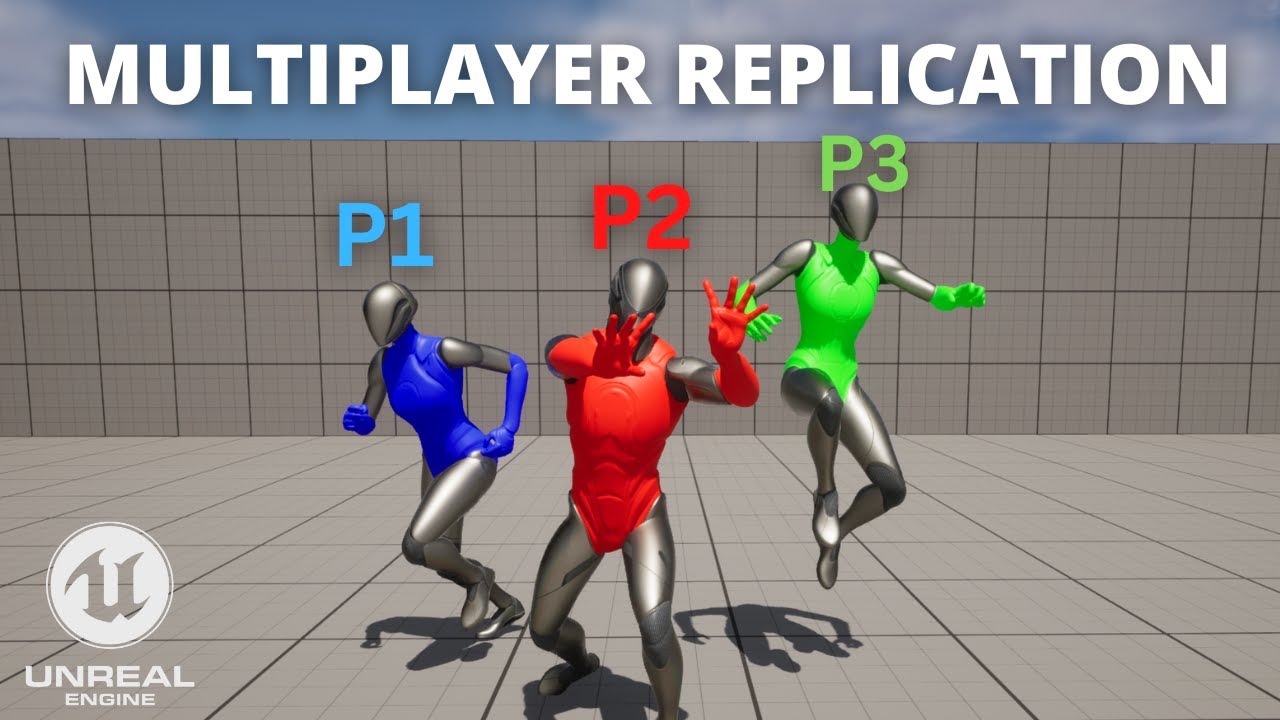
Hello guys, in this quick and simple tutorial we are going to learn the multiplayer replication basics for your multiplayer online games in Unreal Engine 5.
↪️Check out awesome Unreal Engine courses: https://bit.ly/GorkaGamesWingfoxCombat
Check out my Steam Game! https://bit.ly/3rVlXU1
Follow me on Twitter: https://twitter.com/GorkaGames
Su...
There's no magic bullet for multiplayer, every game is limited by ticrate and packet size so every game needs a custom system (more or less)
daring smelt
 vale lantern
If you add an asset that just needs to be synced
You don't add new code for that
It's not that for a new variable you need to create a new class
daring smelt
give an example
vale lantern
Sure
I have a class called car with 2 variables
Int wheels = 4
Int seats = 5
You can reuse that class for different cars
You don't add more code
vale lantern
daring smelt
https://www.youtube.com/watch?v=ef6SeknakeU&ab_channel=GorkaGames
basically eve...
This is only done once
daring smelt
sure you'd have a material that pulls the vars and changes the color of the car or whatever
vale lantern
It's the same principle
vale lantern
daring smelt
sure you'd have a material that pulls the vars and changes the color of the car ...
You just need to update the variable for both players
You just call a function
Which is called function for a reason
daring smelt
that sure sounds like extra code that requires extra work, it isn't just "import a asset"
vale lantern
vale lantern
This is only done once
Read this
You do it once
You can reuse the assets
Everything the game has
daring smelt
sure
vale lantern
And you just add the multiplayer stuff
daring smelt
man its so simple you should code games
vale lantern
For a multiplayer game you first add the multiplayer stuff
And then you can add assets
vale lantern
daring smelt
man its so simple you should code games
It's so simple that your point was that they couldn't recycle stuff but they can
It's done on a lot of games
daring smelt
so why does the player character that you control and the third person character have different collision channels
daring smelt
but you could just import the asset and sync it, right?
daring smelt
but now that they have different channels you have to configure every imported asset to handle the new channels
again, its more work than just import the asset and sync it
daring smelt
my point is that reusing old stuff still requires a whole bunch of work
which is why it isn't all done yet
vale lantern
daring smelt
my point is that reusing old stuff still requires a whole bunch of work
No shit
daring smelt
man its weird that you've spent like half an hour arguing just to agree with me
 vale lantern
daring smelt
which is why it isn't all done yet
vale lantern
daring smelt
which is why it isn't all done yet
It's not done because
- it's not useful
- it would need a rework as the poly count is low
- why would they
vale lantern
daring smelt
man its weird that you've spent like half an hour arguing just to agree with me
"they can't just recycle itr2 visual stuff"
Assets are reusable
daring smelt
reusable but they need a rework because the polycount is low, so why would they
vale lantern
daring smelt
I'm/a monster/whatever half way through an animation and someone joins the area/...
.
This has nothing to do with reusing old stuff
daring smelt
 daring smelt
only if your new models have the same bones at the same length in the same configuration, ect.
daring smelt
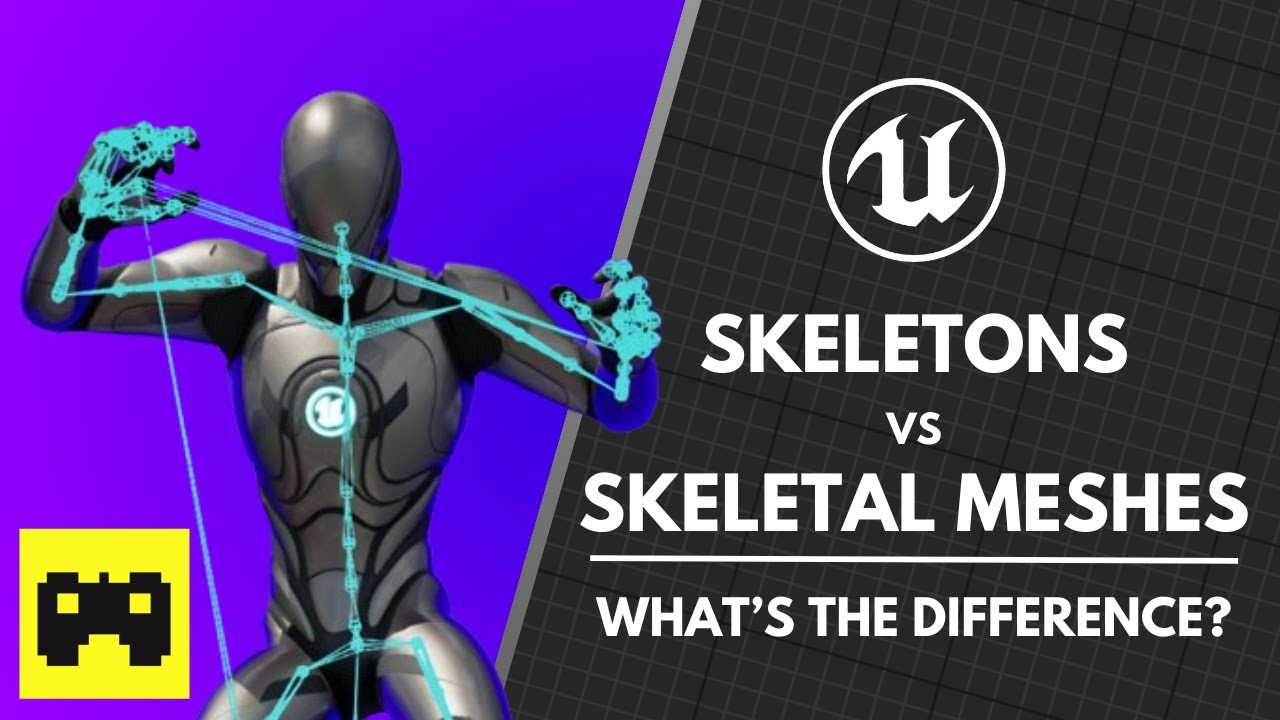
Today, we're exploring the core differences between Skeletons and Skeletal Meshes, how they provide the supporting framework for animation technology in unreal engine, and how we can take advantage of that framework to share animation assets between different characters that share the same skeletal hierarchy.
Join the Outcast DevSchool Discord:...
if its not a pretty exact clone you end up with stuff like this: lol
https://www.youtube.com/watch?v=bOFDeWlCPmU&ab_channel=DPO23

I'm back.
Not dead, yet.
500% Carlos is Brendan Fraser, change my mind.
Emily Gera's article on this video:
https://www.vg247.com/2020/04/13/resident-evil-3-remake-mod-face-animation/
Gamespot:
https://www.gamespot.com/articles/the-resident-evil-3-remake-is-better-with-500-faci/1100-6475998/
Gamerant:
https://gamerant.com/resident-evil-3-rem...
vale lantern
Adding poly doesn't change anything about the skeleton
vale lantern
daring smelt
if its not a pretty exact clone you end up with stuff like this: lol
https://www...
I'm pretty sure that's just an offset
Nothing else
daring smelt
vale lantern
Adding poly doesn't change anything about the skeleton
every vertex you add, you have to reweigh to the skeleton
vale lantern
daring smelt
every vertex you add, you have to reweigh to the skeleton
No
The Skelton is used to mitigate that
 vale lantern
Wym reweigh?
You're using fancy words but I'm not sure you actually knew them before looking at something online a few minutes before
If you want a practical example
GTA San Andreas enhanced edition
It looks shit? Yes
Has anything changed about the skeleton? No
Just the skeletal mesh
It technically is higher res
More poly
Same movements
And that's on a completely different game engine
daring smelt
vale lantern
You're using fancy words but I'm not sure you actually knew them before looking ...
older game engines, the vertex is straight up bound to a bone, you move bone , the vertex moves in relation to it
newer game engines its a weighting system, where for example if you raise your arm, the skin on your side stretches upwards because its weighted against those bones a little
vale lantern
daring smelt
older game engines, the vertex is straight up bound to a bone, you move bone , t...
Mmm
Ye itr2 surely use that uh
The jiggle physics of mimic booty
That's an option
Not a requirement
daring smelt
yeah there's an example
if you move oyur leg the booty should tighten up against the back of the skeleton
but if you throw it back, its going to swell outwards because of the weighting
vale lantern
daring smelt
yeah there's an example
if you move oyur leg the booty should tighten up against...
It's not used in any games
daring smelt
...
daring smelt
dude its been used since half life 2
daring smelt
i'll have to google a specific example, off the top of my head i remember people talking about it with alyx's jacket and chest
daring smelt
is your whole thing asking a question, getting an answer then being confused ?
vale lantern
I'm being confused because you're not making any sense
daring smelt
what part of that was unclear
 vale lantern
"it's only used in some part of the mesh"
Is it that hard to read?
Have you seen the unity demo where the skin deforms when putting a bracelet on
That won't work for a game
daring smelt
ok
vale lantern
And the point was that string poly would break the skeleton
Not it won't
And I told you why
Then you said something about the weight which is an optional thing
Probably
daring smelt
no you're right, grand theft auto did it so it should be the same way for every engine forever
vale lantern
daring smelt
no you're right, grand theft auto did it so it should be the same way for every ...
GTA was made in an unreal engine XD
Form a team that has nothing to do with r*
vale lantern
vale lantern
GTA was made in an unreal engine XD
Only the enhanced versions (Before you say that I'm wrong)
Oh yes they are called definitive editions
Wanna point this out too?
daring smelt
and here i was thinking that rockstar used their own engine
vale lantern
daring smelt
and here i was thinking that rockstar used their own engine
Which is called rage
And it's not used for the definitive edition