#🍋🟩 Stable 1.21.120
1 messages · Page 2 of 1
 terse gulch
 sterile timber
the game freezes every few seconds
 ivory burrow
did it happen in an existing world?
 dry mason
I found that GDK will let another language not be able to type
ivory burrow
the world you had before the update?
sterile timber
ivory burrow
did it happen in an existing world?
anywhere, new world, old world, servers
 dry mason
the keyboard is only for english(like java) but I can't type any foreign language even if in message
terse gulch
try disabling the responsive input thingy
fixed memory leak issue for me a while back
sterile timber
terse gulch
fixed memory leak issue for me a while back
well that worked
i guess that's broken
 small knot
all using cracked mc be crying rn
 rapid badger
Ah good, seems like the automatic update starts a few hours ago
 fringe fractal
Please be aware that in this new update, you have to close Minecraft BEFORE importing an mcaddon, mcpack, mcworld, etc.
 static vine
fringe fractal
Please be aware that in this new update, you have to close Minecraft BEFORE impo...
static vine
fringe fractal
Please be aware that in this new update, you have to close Minecraft BEFORE impo...
is this a bug?
fringe fractal
static vine
is this a bug?
yes
static vine
fringe fractal
yes
there is also a bug when you put a new rp in your dev rp you need to restart the game to see the pack
fringe fractal
I'ma create a bug report for it later when I get on my PC.
fringe fractal
static vine
there is also a bug when you put a new rp in your dev rp you need to restart the...
hmmm
 pale willow
fringe fractal
Please be aware that in this new update, you have to close Minecraft BEFORE impo...
pale willow
fringe fractal
Please be aware that in this new update, you have to close Minecraft BEFORE impo...
for some reason my packs are not showing up ingame, but they are in the development folders. you know anything about that?
terse gulch
pale willow
for some reason my packs are not showing up ingame, but they are in the developm...
the new development folders are in:
%APPDATA%\Minecraft Bedrock\Users\<random number>\games\com.mojang
%APPDATA%\Minecraft Bedrock\Users\Shared\games\com.mojang
if your file is in there, the game should detect it after a restart
pale willow
terse gulch
the new development folders are in:
`%APPDATA%\Minecraft Bedrock\Users\<random n...
I know.
okay I accidentally did not go in the users folder, oops.
pale willow
terse gulch
the new development folders are in:
`%APPDATA%\Minecraft Bedrock\Users\<random n...
so like, which one should I choose?
terse gulch
shared is better i think.. it persist across accounts
pale willow
alr, thanks
 plush vapor
guessing third party launchers are cooked until each one is updated? Bedrock Launcher isn't biting the new update atm
 sand snow
I thought it was a change on the PC side, but it's affecting mobile too. Folders that were accessible before became inaccessible after the update. 🙁
 tawdry jewel
Yeah, this has been devestating.
tawdry jewel
To be fair, Mojang did give plenty of warning.
 split osprey
plush vapor
guessing third party launchers are cooked until each one is updated? Bedrock Lau...
split osprey
plush vapor
guessing third party launchers are cooked until each one is updated? Bedrock Lau...
Yes.
split osprey
 solid quest
where are the new cache files located?
solid quest
where are the new cache files located?
Read the file paths I posted in #announcements and pins and navigate upwards from there.
terse gulch
tawdry jewel
To be fair, Mojang did give plenty of warning.
they did? this chat is the only documentation i could find
split osprey
terse gulch
they did? this chat is the only documentation i could find
If you follow previews.
terse gulch
ohh mb
split osprey
Which you should if you develop for the ganme.
terse gulch
true
solid quest
split osprey
Read the file paths I posted in <#760186771417333861> and pins and navigate upwa...
I checked those but was unable to find packcache 🥲 im prolly blind
erhm what is this
 rapid badger
solid quest
I checked those but was unable to find packcache 🥲 im prolly blind
rapid badger
solid quest
I checked those but was unable to find packcache 🥲 im prolly blind
Try %temp%\minecraftpe
rapid badger
interesting place to place that folder... i regularly clear that temp folder

 split osprey
 true river
preview?
true river
preview?
No view.
true river
):
split osprey
Sorry, BAO forgot to pay the subscription to get preview.
 vast heath
I can't express how happy it makes me to see @chrome sparrow and @scenic quest from this Discord represented in this launch trailer. Thank you both for your years of experimenting and giving feedback on the Deferred Technical Preview.
https://www.youtube.com/watch?v=YQ1DfyAcPIQ
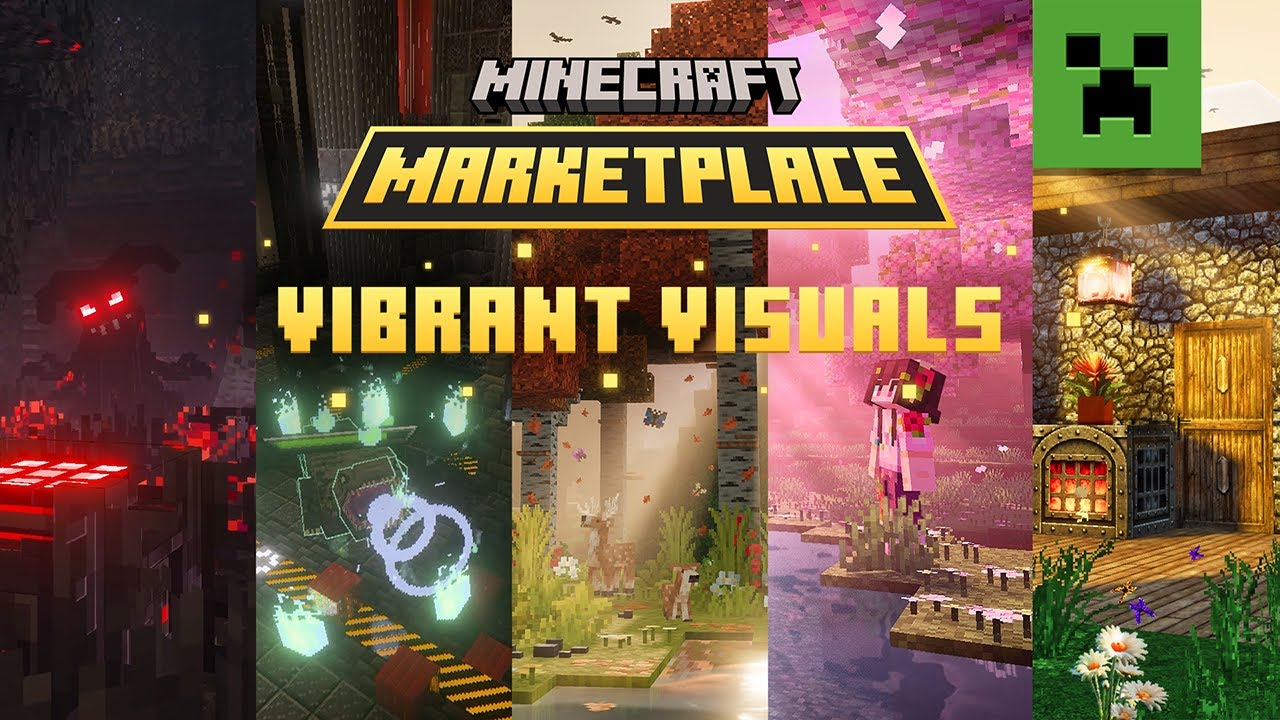
Discover Marketplace content made and updated especially for Vibrant Visuals! Vibrant Visuals tagged packs are extra mesmerizing and land in Minecraft Marketplace on Oct 28. Experience how Minecraft's immersive visual refresh unlocks advanced lighting, water reflections, and other graphic elements for select Marketplace content. Feel the differe...
true river
500 per month
split osprey
vast heath
I can't express how happy it makes me to see <@345885507420553217> and <@5997442...
Oh wow...years, it truly has been 2 years, that's insane.
I still remember finding in the files DTP and we all were speculating.
vast heath
 scenic quest
split osprey
Oh wow...years, it truly has been 2 years, that's insane.
scenic quest
split osprey
Oh wow...years, it truly has been 2 years, that's insane.
for prizma a bit longer
i make it since 2021
nevermind, i can't read
 vital raft
where can I find my old resource packs ?
split osprey
scenic quest
nevermind, i can't read
😭
fringe fractal
plush vapor
guessing third party launchers are cooked until each one is updated? Bedrock Lau...
Well I just symlinked the contents of my main bedrock launcher installation folder into the new folders so that it can still access the data.
split osprey
She can make things look pretty, but she can't read.
scenic quest
vast heath
I can't express how happy it makes me to see <@345885507420553217> and <@5997442...
I still can't believe this is happening... it's an amazing achievement for me and I'm grateful that more people can enjoy my work now
scenic quest
split osprey
She can make things look pretty, but she can't read.
you can't have both ._.
split osprey
scenic quest
you can't have both ._.
I don't have either.
 sly dust
solid quest
erhm what is this
sly dust
solid quest
erhm what is this
literally unplayable
 true river
scenic quest
i make it since 2021
true river
scenic quest
i make it since 2021
wellll
solid quest
sly dust
literally unplayable
yep
sly dust
true river
|||_UM£Ñ||
what's wrong with "luminous flux"
true river
im sure alexis would know
 oak ether
vast heath
I can't express how happy it makes me to see <@345885507420553217> and <@5997442...
oak ether
vast heath
I can't express how happy it makes me to see <@345885507420553217> and <@5997442...
Little Dev lore on Luminous Dreams. The amount of times we restarted on that pack just to make it what it is and seeing it out and in the marketplace is insane
I think we fully restarted like 5-6 times, 2 or 3 included PBR restarts
😭
 shy current
is the "GameInput" thing new?


 wild blade
dang... can't believe they'd do that without telling me personally first...
pale willow
wild blade
dang... can't believe they'd do that without telling me personally first...
lmao
wild blade
oh. was this just bad timing
 sly dust
wait, this is more accurate
 vast heath
yeah looks like some major outage. Folks are investigating.
split osprey
vast heath
yeah looks like some major outage. Folks are investigating.
VV marketplace too awesome it crashed MS services.
oak ether
Very vibrant, very visual to the point we caused world peace destruction
oak ether
Well the service outages make sense for that
 wicked fern
yeah i just scrolled up and seen that
mc must have a record of some sort for fucking their modding community
static vine
I can't change my skin anymore

https://discord.com/channels/523663022053392405/1433095184236810421
Can please someone tell me why this happen? It worked before the new update
sly dust
static vine
https://discord.com/channels/523663022053392405/1433095184236810421
Can please s...
see above chats
entire microsoft/azure/minecraft services are down
static vine
sly dust
see above chats
yeah but this is an bug I think the animation one
I think you mentioned the wrong message
sly dust
static vine
yeah but this is an bug I think the animation one
i think i replied to wrong message
static vine
sly dust
i think i replied to wrong message
yeah lol
sly dust
just, the one above
solid quest
this is crazzyyy
 wild blade
off topic from the outage news, but are we good to remove the Microsoft.MinecraftUWP things in Packages or are those still used for anything (they didn't remove automatically)
solid quest
wild blade
off topic from the outage news, but are we good to remove the Microsoft.Minecraf...
for me the entire uwp folder got deleted automatically
so its fine if you remove them lmao
wild blade
oh wild I didn't realize it was gone for other people 😭 thanks
sly dust
solid quest
this is crazzyyy
except... discord
solid quest
fr
wild blade
oh.
 ivory burrow
wild blade
oh.
ivory burrow
wild blade
oh.
why does this look so funny LMAO
wild blade
I like the new dithering for some of the blocks but miiiight be turning it off for entities
 languid jewel
You can turn it off?
wild blade
accessibility
 languid jewel
Ayeee nice
wild blade
I don't believe it affects custom entities which is probably a good thing
languid jewel
Hopefully so, I used an entity to surround the player to create the illusion of being in a black box I wonder if that still works
wild blade
was on a world with a custom one and didn't dither when I got close
I don't know if it's hard-coded or material driven but doesn't appear to affect custom stuff
there still is that weird issue where entities vanish for one business frame and then reappear. not sure what that's about
 quaint raptor
bruuuuuuuuh

 carmine smelt
Im getting another updates here?
just installed 1.21.120 now im getting more update?
 slim spear
That is the latest stable
carmine smelt
yeah then why MS store still trying to update it even though it is 1.21.120 or latest?
slim spear
Probably because Microsoft services being down is bugging your update thing
carmine smelt
yeah idk what's happening now

 carmine smelt
it's redownloading the entire game, 1.6gb
yeah im just gonna cancel the download lmao
solid quest
peak new default skin model 🥰
 pale willow
solid quest
peak new default skin model 🥰
pale willow
solid quest
peak new default skin model 🥰
that is your current character and will be your character now
tawdry jewel
scenic quest
I still can't believe this is happening... it's an amazing achievement for me an...
Congrats!
 outer relic
Soooo... The new version auto updated from store and I opened it and it had a few dialog boxes (I said yes to everything)....
Questions:
- why does everything say %APPDATA%\Minecraft Bedrock when mine did %APPDATA%\Roaming Data\Minecraft Bedrock. Did anyone get the way they said it would be?
- is Dressing room broken?
static vine
outer relic
Soooo... The new version auto updated from store and I opened it and it had a f...
for the sec one I think Microsofts server are down bc you cant access anything rn
 outer relic
Yeah, I can't upgrade regolith because of that.... well the old version is still working, just gotta move stuff myself and wear default outfit.... oh fun
 noble chasm
can you not type § on bedrock anymore?
it seems im forced to have to copy n paste it from notepad or somethin now to paste it into a sign
why..
is this a bug btw
pale willow
outer relic
Soooo... The new version auto updated from store and I opened it and it had a f...
its in my roaming folder aswell.
noble chasm
i type alt 0167, nothing, but when i copy n paste, it then accepts it
nevermind
edit : it works as long you tab out of mc first
 wet wyvern
noble chasm
it seems im forced to have to copy n paste it from notepad or somethin now to p...
wet wyvern
noble chasm
it seems im forced to have to copy n paste it from notepad or somethin now to p...
Lmao I've been doing this for years now 😭
Theres no button on my keyboard to type it normally
noble chasm
wet wyvern
Lmao I've been doing this for years now 😭
ig this wouldn't effect you much
but it seems somehow this update had to effect chat
 weary frigate
uh, thats interesting item name offset after I go full screen and then to windowed mode
 frigid ore
Where do I find %APPDATA% btw
wicked fern
lovely still waiting for ts

 true beacon
https://report.bugs.mojang.com/servicedesk/customer/portal/6/MCPE-230225
but report for the list issue
ivory burrow
weary frigate
uh, thats interesting item name offset after I go full screen and then to window...
try resizing the window
youll see funny stuff
 hazy parrot
question: are all of my behavior packs in from development_behavior_packs gone?
and why is it when i download addons it doesnt let me import them? like nothing happens
split osprey
hazy parrot
and why is it when i download addons it doesnt let me import them? like nothing ...
The game has to be closed.
hazy parrot
split osprey
The game has to be closed.
is that apart of the update?
hazy parrot
split osprey
The game has to be closed.
I found all the scripts and addons I made previously and they're in the com.mojang folders but they aren't in-game. Any reason or solution for this?
split osprey
hazy parrot
I found all the scripts and addons I made previously and they're in the `com.moj...
Which folder?
hazy parrot
split osprey
Which folder?
Like the previous com.mojang folder and it didn't have my scripts but I found the new one that has them in development_behavior_packs.
split osprey
hazy parrot
Like the previous `com.mojang` folder and it didn't have my scripts but I found ...
No in the new file location, which folder did it palce them in? Shared or random number?
hazy parrot
split osprey
No in the new file location, which folder did it palce them in? Shared or random...
Random number.
split osprey
hazy parrot
Random number.
Needs to be in shared.
 lost fog
Hello people. I don't know if this is the right place, but after the update I haven't been able to open the game. I have reinstalled it like 5 times now. Is there any info about it?
ivory burrow
- Fixed an issue with Players phasing through blocks when using applyImpulse(vector: Vector3): void (MCPE-226702)
feels like they didnt know that high velocity in general did that
and not just applyImpulse
i should test if its fully fixed soon...
 karmic moth
welp, minecraft has decided to delete all my development rps and bps
oh nvmnd, it just put them in the wrong spot for some reason
how tf is my skin STILL not loading in this update
 green phoenix
Can't wait to someone to make a pack that removes it
 untold wraith
karmic moth
how tf is my skin STILL not loading in this update
untold wraith
karmic moth
how tf is my skin STILL not loading in this update
skin packs go in random numbers
developmental skin packs go in shared
karmic moth
untold wraith
skin packs go in random numbers
developmental skin packs go in shared
it's not a skin pack
it's just a regular 64x64 skin
it takes like 30 minutes to load
untold wraith
try to equip it again
split osprey
Im guessing not all of the services are back up yet.
karmic moth
it's a local file. There is no reason for it to take more than a couple miliseconds to load
 woven crest
karmic moth
it's a local file. There is no reason for it to take more than a couple milisec...
woven crest
karmic moth
it's a local file. There is no reason for it to take more than a couple milisec...
I didn't have that issue
fringe fractal
outer relic
Soooo... The new version auto updated from store and I opened it and it had a f...
%appdata% IS AppData/Roaming
outer relic
fringe fractal
`%appdata%` IS `AppData/Roaming`
Well as long as there is some logic to that.
fringe fractal
yeah if you try to go to %appdata%/Roaming you will get an error that is doesn't exist
%appdata%=AppData/Roaming
%localappdata%=AppData/Local
wild blade
just doing a sanity check here - they added like 31 new lerp types in Molang but very few of them are behaving the way that they were described (math.ease_in_out_sine for example seems to start at a pretty fast pace before slowing down, as opposed to the described "starts slow, gets faster, ends slow"). is anyone else noticing this or am I adding them wrong
 candid flicker
guys when i try to open a .mcpack into minecraft, it doesnt do anything.
 rancid salmon
why cant i update to the latest version? it says no connection lol

even bedrock launcher doesnt have the 1.21.120 stable version

 timid citrus

 viscid canopy
rancid salmon
even bedrock launcher doesnt have the 1.21.120 stable version
viscid canopy
rancid salmon
even bedrock launcher doesnt have the 1.21.120 stable version
It won't for a while, we'll need to rewrite it entirely for GDK and virtually the whole team has a lot of IRL stuff right now.
languid jewel
rancid salmon
why cant i update to the latest version? it says no connection lol
backup your mc data folder, uninstall bedrock via the minecraft launcher, reinstall it
 charred bison
candid flicker
guys when i try to open a .mcpack into minecraft, it doesnt do anything.
charred bison
candid flicker
guys when i try to open a .mcpack into minecraft, it doesnt do anything.
You have to close Minecraft when importing any packs. As of the recent GDK update you can no longer import while the game is open. 
candid flicker
charred bison
You have to close Minecraft when importing any packs. As of the recent GDK updat...
How about skins? Cause you can only import them while the game is open? Other than skin packs?
charred bison
Well I would assume custom skins would work as normal but anything that actually gets imported like packs, worlds and addons all require you to close the game first
viscid canopy
It really feels like the transition to GDK was rushed for creators
 floral anchor
I cant find my worlds, looking at smokeystack messages i just cant find it...
pale willow
is anyone else getting terrible framerate
 open prism
floral anchor
I cant find my worlds, looking at smokeystack messages i just cant find it...
open prism
floral anchor
I cant find my worlds, looking at smokeystack messages i just cant find it...
The worlds should be located in one of these folders https://jaylydev.github.io/posts/bedrock-gdk/#restore-your-data
Mojang is moving Minecraft Bedrock development to the Game Development Kit (GDK). Here's what you need to know.
pale willow
open prism
The worlds should be located in one of these folders https://jaylydev.github.io/...
"from the backups you created earlier", did they create backups?
open prism
Who knows
 random cape
Do scoreboards no longer show on the new Pause Menu any more??
outer relic
I am wondering that too. where is LIST
 tacit jewel
terse gulch
try disabling the responsive input thingy
tacit jewel
terse gulch
try disabling the responsive input thingy
Its grayed out for me
 static vine
does any one know, why when a friend joins my world his memory get up to 6GB, but for me is normal at 1.5GB?
tacit jewel
static vine
does any one know, why when a friend joins my world his memory get up to 6GB, bu...
yeah, there is a memory leak, mine has gone up to 20 GB
static vine
tacit jewel
yeah, there is a memory leak, mine has gone up to 20 GB
in your own world?
tacit jewel
static vine
in your own world?
yes
wait, do you mean memory as in
storage, or ram usuage?
tacit jewel
yeah ram
static vine
do think that they are planning an update to fix this or do we need to wait a week or so?
tacit jewel
static vine
but for him when he joins me and I dont have the memory leak
yeah, i mean there is some memory leak, idk with regards to what, I am also trying to fix that.
try disabling Improved Input Response in the video settings
@static vine
static vine
forme or him?
tacit jewel
static vine
forme or him?
him
static vine
its disabled
tacit jewel
oh, its pretty random for me, sometimes it leaks and sometimes its fine.
static vine
do you guys also have the issue when you write something in the chat you need to press enter again so you can write
its annoying af
solid quest
pale willow
is anyone else getting terrible framerate
yep
solid quest
static vine
do you guys also have the issue when you write something in the chat you need to...
yup
random cape
solid quest
yup
i thought that was jsut me!


 pale willow
 stoic ferry
it can't get worse😭
stoic ferry
it can't get worse😭
you can just turn that off.
ivory burrow
im not gonna lie
dithering for some mobs doesnt seem like its serving the purpose
like that sheep
stoic ferry
pale willow
you can just turn that off.
 ivory burrow
dithering aint dithering
ivory burrow
stoic ferry
https://tenor.com/view/where-is-omni-man-where-is-he-immortal-invincible-immort-...
accessibility
stoic ferry
ivory burrow
dithering for some mobs doesnt seem like its serving the purpose
is there somethin at least you could turn it off for custom mobs
that gonna create a lot of issues if not
stoic ferry
ivory burrow
accessibility
 ivory burrow
accessibility
ivory burrow
ivory burrow
accessibility
i think the toggle option from here is universal?
split osprey
stoic ferry
is there somethin at least you could turn it off for custom mobs
Set their collision box to like 0 or something small.
ivory burrow
i dunno, i dont do custom entities
split osprey
ivory burrow
i dunno, i dont do custom entities
 ivory burrow
why the look
stoic ferry
split osprey
the amount of times you sent this sticker is way more than the time I sent mgs gifs in here
damn
ivory burrow
he even sends that to me in minecraft discord server
stoic ferry
Great now we need to create an addon where that sticker shows randomly on your screen for no reason
randomly
weary frigate
stoic ferry
I haven't seen anything for while but GHA WHAT'S THAT
crap, there is fix for this here ;) https://discord.com/channels/523663022053392405/1433056635206762647
stoic ferry
weary frigate
crap, there is fix for this here ;) https://discord.com/channels/523663022053392...
peam now I will steal it for every addon I use
ivory burrow
it is indeed peam
that reminds me... why did they keep the Browse Add-Ons! button?
its practically useless
stoic ferry
ivory burrow
that reminds me... why did they keep the Browse Add-Ons! button?
I wasted 10 seconds trying to figure out where's the settings buttun

you can't tell me browsering addons is more important than the settings
ivory burrow
yeah its a really weird choice
like
the small 3 buttons below used to be at the bottom of the screen
before the change
and i expected the ui to keep that but on different position
but no
Browse Add-ons!
is there
stoic ferry
Now I need another addon where the only purpose of it is removing the "browse addons" button
ivory burrow
nah
pale willow
that exists aswell
ivory burrow
lets do a tomfoolery and make every buttons Browse Add-ons!
pale willow
look in showscases spike.
pale willow
stoic ferry
Now I need another addon where the only purpose of it is removing the "browse ad...
 stoic ferry
 pale willow
stoic ferry
https://tenor.com/view/dog-side-eyeing-side-eye-dog-cringe-gif-14653496860358305...
pale willow
stoic ferry
https://tenor.com/view/dog-side-eyeing-side-eye-dog-cringe-gif-14653496860358305...
lol
 carmine smelt
Also something is bugging me out
why are ditching mobs/blocks somehow not under video section category?
split osprey
carmine smelt
why are ditching mobs/blocks somehow not under video section category?
It is an Accessibility feature technically...
carmine smelt
yeah sure it's an default accessibility feature but why not video section category like, the rest of it i.e screen animations, hiding hand etc
split osprey
carmine smelt
yeah sure it's an default accessibility feature but why not video section catego...
I dont think those count as accessibility.
carmine smelt
split osprey
I dont think those count as accessibility.
i mean, screen shaking exists on both accessibility and video section anyways.
same goes to UI scaling.
split osprey
I dont recall.
carmine smelt
Also why end sky flash thing ended up in accessibility section anyways
it honestly looks kinda weird and odd seeing stuff unorganized
split osprey
carmine smelt
Also why end sky flash thing ended up in accessibility section anyways
Because Javas was an accessibility iirc no?
carmine smelt
They're accessibility?
okay they're accessibility section feature why is that a thing
atp i wouldn't mind seeing a graphical toggle in accessibility section lmao.
stoic ferry
carmine smelt
why are ditching mobs/blocks somehow not under video section category?
yeah I was confused too at first
wouldn't figure it out if I didn't ask about it here
split osprey
carmine smelt
okay they're accessibility section feature why is that a thing
Because...flashing lights?
carmine smelt
honestly it doesn't look like a flashing to me but more of smooth flashing. at the same time it's something borrowed some VV anyways. it just weird.
 analog ravine
Why does my mouse feel like I'm playing on a 60 Hz refresh rate monitor?
On Bedrock with this new build
split osprey
carmine smelt
honestly it doesn't look like a flashing to me but more of smooth flashing. at t...
Any bright flash of light needs to be toggled.
carmine smelt
can i have a toggle that turns my brightness into 2000% on the accessibility section?
split osprey
What?
carmine smelt
nevermind it looks weird to me anyways still.
screen shaking exists on both, so why not dithering mobs/blocks.
split osprey
carmine smelt
screen shaking exists on both, so why not dithering mobs/blocks.
Does it? What does it look like? The toggle.
carmine smelt
GUI scaling is there too but at the very bottom on both.
Yeah, the toggle.


( oh god discord not sending image moment )
split osprey
I see.
languid jewel
Why are mobile users now banned from changing their skin in-game?
languid jewel
It tells you that your device isn't able to switch custom skins while in-game 😭
split osprey
languid jewel
It tells you that your device isn't able to switch custom skins while in-game 😭
😬 Local world or servers?
languid jewel
Server
sly dust
why.

 round forge
I've been telling myself "I'm sure they'll release a fix for this"
Is it seriously just going to be left like this?
I haven't updated yet; every single developer I've talked to has told me some horror story about resource usage, losing files, not being able to start the game, etc.
 cold urchin
This maybe?
https://mojira.dev/MCPE-179496
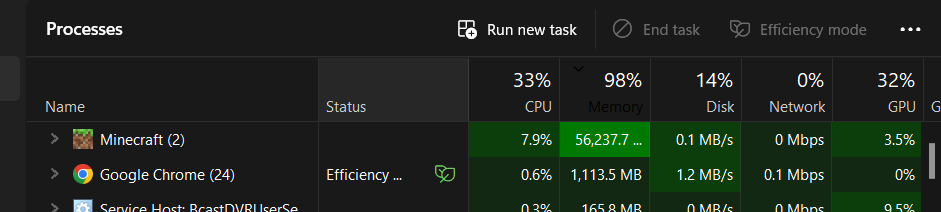
Steps to Reproduce:
Enable the "Improved Input Response" option in Settings > Video
Restart the game
Create a new world
Fly around the world for a while
Observe the RAM usage in Task Manager
Observed ...
carmine smelt
also i locked that toggle by enabling vsync via options.txt lmao.
 digital smelt
did anyone else lose all their dev rp and bp files?
 upbeat drift
digital smelt
did anyone else lose all their dev rp and bp files?
upbeat drift
digital smelt
did anyone else lose all their dev rp and bp files?
Yeah me too
I’m a little worried as I haven’t backed them up
static vine
does playerSwingStart has an cooldown on phone?
I think there is bc Its much slower than PC
digital smelt
upbeat drift
I’m a little worried as I haven’t backed them up
same, i haven't found them so i think i lost a lot of them which is a lil tragic
upbeat drift
Yeah me too but there must be a way to get them back surely
solid quest
is there any way to open multiple mc instances with this gdk switch?
split osprey
solid quest
is there any way to open multiple mc instances with this gdk switch?
Yes.
solid quest
how?
split osprey

How to run multi instances of Minecraft Bedrock.
Same process, just different folder name.
static vine
split osprey
https://www.youtube.com/watch?v=v6lxvjZlzuo
is it possible with a different account or thats not possible bc of xbox?
upbeat drift
digital smelt
same, i haven't found them so i think i lost a lot of them which is a lil tragic
for some reason they were moved to the same %AppData%\Minecraft Bedrock\Users\<randomnumbers>\games\com.mojang directory as the worlds. They're supposed to be in %AppData%\Minecraft Bedrock\Users\Shared\games\com.mojang
stoic ferry
Why worlds and packs are different folders
split osprey
stoic ferry
Why worlds and packs are different folders
Because worlds are per user.
stoic ferry
 digital smelt
upbeat drift
for some reason they were moved to the same `%AppData%\Minecraft Bedrock\Users\<...
digital smelt
upbeat drift
for some reason they were moved to the same `%AppData%\Minecraft Bedrock\Users\<...
Tysm
solid quest
static vine
is it possible with a different account or thats not possible bc of xbox?
nah - it'll simply sign you out from both instances then
solid quest
split osprey
https://www.youtube.com/watch?v=v6lxvjZlzuo
sad that you have to copy so many files to create another instance ;,)
 real rose
why does Users/shared and Users/(bunch of numberes) both have development resource pack folders? Is one previous data and one the new spot?
 worn bobcat
I am hating this version, none of my resourcepacks was moved to the new directory and I can't open .mcpacks anymore.
split osprey
worn bobcat
I am hating this version, none of my resourcepacks was moved to the new director...
Your game needs to be clsoed to import things now.
worn bobcat
split osprey
Your game needs to be clsoed to import things now.
BRUH
this is not a change for the better but oh well
screw microsoft smh
this is gonna be hell for HDD users
overall this update gets a -10/10
 crisp spade
I tried restart my laptop but still doesn't work
crisp spade
crisp spade
I tried restart my laptop but still doesn't work
@split osprey do u know why this happens?
sterile timber
crisp spade
<@530361907283099650> do u know why this happens?
i just searched the error code "Drowned" and this is what i found
maybe it can help
crisp spade
I tried those methods, but they didn’t work, anyway thank you
 somber delta
crisp spade
I tried those methods, but they didn’t work, anyway thank you
somber delta
crisp spade
I tried those methods, but they didn’t work, anyway thank you
I think servers are down?
 silent wind
This is brilliant do the update and it did not migrate any of my resource packs behaviour packs worlds nothing imported over and ive now lost everything including actively working projects best update ever thanks so much minecrat your the best! Safe to say ive now quit playing the game as its not worth my time
somber delta
why you dont have a backup of your projects? on github for example :/
split osprey
People who develop directly in their com.mojang folder scare me.
somber delta
split osprey
People who develop directly in their `com.mojang` folder scare me.
how do you test your addons then? xd
split osprey
somber delta
how do you test your addons then? xd
Using regolith and other tools.
We have technology people.
somber delta
:O
 tame cloak
I need to learn regolith then
somber delta
I prefer vsc
split osprey
I'm not sure what vscode has to do with anything really.
silent wind
split osprey
People who develop directly in their `com.mojang` folder scare me.
People who muck around and dont test there products before releasing scare me but you know what can you do
split osprey
I'm not saying Mojang isn't at fault either. This is a very rushed migration.
split osprey
But when you've been in this ecosystem for 4 years now, you tend to learn a thing or two and that is you can't always trust Mojang.
silent wind
With no warning either just oh yea you know what on top of this update lets screw the whole entire game up
somber delta
bro you have to submit your projects on github or something
silent wind
split osprey
But when you've been in this ecosystem for 4 years now, you tend to learn a thin...
Considerring youve paid for the game youd like to think you can
somber delta
you can automatize the process with vsc extensions
silent wind
Bit late telling me this after all of this has happened and ive lost everything
split osprey
I pay my government taxes and yet the still fuck up so...
somber delta
btw regolith have the official minecraft debugger like vsc?
split osprey
I don't think you understand what regolith is. https://regolith-docs.readthedocs.io/en/stable/
silent wind
split osprey
*I pay my government taxes and yet the still fuck up so...*
I was trying so hard not to swear but if were allowed to swear in here then fuck it 🤣
It has generally just really fucking pissed me off no one would ever think a minecraft update would change the whole entire startup engine for minecraft
split osprey
OH yeah no go ahead, as long as its mild cursing and directed at anyone it's fine.
I do think the rollout/switch was handled poorly.
I think they should have waited for Q1 2026.
somber delta
split osprey
I don't think you understand what regolith is. https://regolith-docs.readthedocs...
oh wow it has its own terminal xd
silent wind
There should definitely have been a q&a about it
split osprey
silent wind
There should definitely have been a q&a about it
Does the previews count?
 silk nacelle
How does the emissive render method work?
 tawny mauve
wait where did all my old addons go? i looked inside the old directory and the new one mentioned in #announcements but its all empty ://
split osprey
tawny mauve
wait where did all my old addons go? i looked inside the old directory and the n...
Because the migration moved them in the wrong place.
somber delta
@silent wind try using the search tool in your file administrator from your C disk, search the name of some of your file from your project, maybe its migrated in a wrong place
wet wyvern
split osprey
People who develop directly in their `com.mojang` folder scare me.
i do this
🙂
tawny mauve
regolith my savior, I got my old addon back!!
silent wind
split osprey
Does the previews count?
No cos thats bassically still in testing
silent wind
somber delta
<@469395432917696522> try using the search tool in your file administrator from ...
Thought that its gone completely
split osprey
silent wind
No cos thats bassically still in testing
And people should be testing them so they can get feedback.
silent wind
tawny mauve
wait where did all my old addons go? i looked inside the old directory and the n...
Or youve lost em all completely like myself
silent wind
split osprey
And people should be testing them so they can get feedback.
And you think they listen to us?
split osprey
Yes they do.
somber delta
silent wind
And you think they listen to us?
yes, they do bro
It's just that they decide which suggestion to take and which to ignore.
silent wind
There was no reason to switch to gdk
split osprey
It fixes a lot of issues.
silent wind
Foolish decission
silent wind
split osprey
It fixes a lot of issues.
And creates more like tjis
Just like the bug tracker comments and tickets were lost during that merge as well
wicked fern
its selfish as it fixes their issues, but makes more for us
silent wind
Did mojira back up those comments it seems a common occurence with minecraft 🤷♂️
split osprey
In my experience the switch has more pros than cons.
 naive bolt
silent wind
There was no reason to switch to gdk
naive bolt
silent wind
There was no reason to switch to gdk
If you're not already aware, UWP is deprecated. Microsoft doesn't want to support it.
silent wind
So just migrate and fuck it all up great choice!
wicked fern
glad i made a backup before deleting my game
silent wind
If your gonna migrate test that sort of shit as thoroughly as we can
naive bolt
split osprey
In my experience the switch has more pros than cons.
Yeah, the input lag seems to be gone.
wicked fern
its stil not letting me update it though
split osprey
Like I said, I think they rushed it but this migration is needed. It didn't need to be .120, could be 2026, but it is needed.
silent wind
They shouldve tested it more tested different scenarios and made sure migeation happened as smoothly as it could because the way ive seen it, its reset my minecraft fully
The servers I was apart of also have gone
naive bolt
split osprey
Like I said, I think they rushed it but this migration is needed. It didn't need...
I really wish they backed up your data somewhere. The average user won't do that manually.
silent wind
So my external servers I was apart of that list has gone it is as if the game gas fully reset and migrated fuck all
split osprey
naive bolt
I really wish they backed up your data somewhere. The average user won't do that...
The migration was supposed to do that
wicked fern
omg it finally let me update after reinstalling the mc launcher
what is this game
anyway, can someone tell me the directory to put my packs/worlds in?
silent wind
split osprey
*The migration was supposed to do that*
The key word in this sentence is "supposed"
sly dust
wicked fern
anyway, can someone tell me the directory to put my packs/worlds in?
latest #announcements message
wicked fern
ty
silent wind
At the end of the day minecraft is just a joke
wicked fern
i dont seem to have the shared folder
somber delta
what pros have gdk apart from less input lag and open multiple instances?
split osprey
I wrote them down somewhere.'
But we can now use more 3rd party program not previously possible such as reshade.
naive bolt
somber delta
what pros have gdk apart from less input lag and open multiple instances?
It's actually supported my Microsoft. UWP has been dead for years.
split osprey
Easier access to edit the internal files.
No more alt tabbing reloading tour world.
wicked fern
can someone specify exactly everything i put in %AppData%\Minecraft Bedrock\Users\Shared\games\com.mojang from this image?
 somber delta
so optimizations and more flexible for mojang
split osprey
Yeha.
wicked fern
wicked fern
can someone specify exactly everything i put in %AppData%\Minecraft Bedrock\User...
so i dont mess everything up
naive bolt
somber delta
so optimizations and more flexible for mojang
It also makes a it easier to potentially run the game on Linux.
somber delta
split osprey
But we can now use more 3rd party program not previously possible such as reshad...
wait reshade is the same thing that roblox use to make shaders? xd
woa
split osprey
What the helly is a Roblox.
wicked fern
split osprey
What the helly is a Roblox.
holy unc
split osprey
ReShade - Advanced post-processing everywhere.
somber delta
 split osprey
somber delta
https://tenor.com/view/roblox-roblox-meme-roblox-memes-boi-wtf-twerk-gif-6690897...
split osprey
somber delta
https://tenor.com/view/roblox-roblox-meme-roblox-memes-boi-wtf-twerk-gif-6690897...
Yeah that's a 12 hour mute.
wicked fern
do i delete uwpMigration.dat if i didnt migrate anything
somber delta
split osprey
Yeah that's a 12 hour mute.
 wicked fern
BRO THEY STILL HAVENT FIXED THE FUCKING PFID BUG
holy shit this game sucks fucking ass cheeks bro
tawny mauve
this black line below is annoying
 split osprey
tawny mauve
this black line below is annoying
split osprey
tawny mauve
this black line below is annoying
Never saw that.
slim spear
Dang I can't sign in
wicked fern
am i allowed to ping darknavi or not
like bro needs to fix the pfid not returning the pfid asap 😭
tawdry jewel
wicked fern
am i allowed to ping darknavi or not
Did you file a bug report?
If not, do so. If so, leaf e him be.
wicked fern
tawdry jewel
Did you file a bug report?
herobrine did ages ago
and its still not dealt with
tawny mauve
slim spear
Dang I can't sign in
I just restarted my pc earlier, and now I'm signed in
slim spear
Worth a shot
wicked fern
slim spear
Dang I can't sign in
i had to turn my internet off on my pc then turn it back on, weird thing
tawny mauve
tawny mauve
I just restarted my pc earlier, and now I'm signed in
#1019692489596215388 message after this 20 minutes loading
slim spear
Still unable to sign in
I can sign in to the launcher and anything else but Minecraft
split osprey
Yeah seems some services are still fuzzyh.
slim spear
Problem is, I can't load my worlds
Can you tell the servers to fix?

Do we know that the Manage Account button will not show up if you are not logged in, which is the reason for Drowned code to show up? 
ivory burrow
wicked fern
how do i turn off mob dithering
accessibility settings
wicked fern
ty
slim spear
It's kinda sad that if I'm not logged in into my Microsoft account I don't see any of my worlds or addons
 halcyon chasm
Anyone know how to solve this problem while joining any unofficial server?
 tame cloak
Might just be an internet issue
halcyon chasm
But i can join server like "The Hive", "SoulSteel" and etc
tame cloak
I mean it also depends on the server host location
halcyon chasm
tame cloak
I mean it also depends on the server host location
Oh, the server is down..
halcyon chasm
halcyon chasm
Anyone know how to solve this problem while joining any unofficial server?
but why it is not showing like, the server is unavailable or something that
tame cloak
halcyon chasm
Oh, the server is down..
That makes sense
 tame cloak
What about it?
halcyon chasm
that ui design make my feel like im playing minecraft pocket alpha version
tame cloak
Real
 cedar shard
it might be worth adding to the announcement that the development resource/behaviour packs folder will be cleared 🤔 i have backups of all my important stuff but for people who don't this update is like 9/11 for them
my packs didnt get moved to the new folder automatically or anything
new pause menu UI is very clean though, i like it
sly dust
not sure about that big ad button instead of settings
stoic ferry
 untold wraith
sly dust
not sure about that big ad button instead of settings
untold wraith
sly dust
not sure about that big ad button instead of settings
i hate the direction bedrock UI is heading
luckly the pause screen is still in JSON UI so a resource pack can clean it up
sly dust
my muscle memory always remembers the settings button below "resume game"
untold wraith
I am already using a resource pack that cleans up the main menu and settings screen, it used to clean up the worlds selection screen too but... oreUI took over that
sly dust
as the java edition is getting more and more open (to modders), while it's completely 180° on 
untold wraith
yeah, i heard the news
although i wouldn't go as far as 180°, as they are making every new feature they add data-driven
sly dust
no news about pregame screens
untold wraith
what is the pregame screen?
untold wraith
untold wraith
yeah, i heard the news
i meant the news about de-obfuscating java edition
 livid mango
sly dust
not sure about that big ad button instead of settings
livid mango
sly dust
not sure about that big ad button instead of settings
Would be nice if people were as passionate about this being an issue as they were about diagonal movement bug on java.
50 comments on the official feedback post about the bedrock pause menu change, vs 700 comments and 18000 votes on a post about the movement bug fix when they did that.
naive bolt
Yeah, people really need to complain about these things more.
I'm not exactly sure why Java tends to be more vocal, but it may be because of its older playerbase and YouTube.
sly dust
untold wraith
what is the pregame screen?
play screen, settings screen,...
"pregame" when not inside a world
untold wraith
ok
ivory burrow
naive bolt
I'm not exactly sure why Java tends to be more vocal, but it may be because of i...
java edition is what minecraft started as
so yeah the playerbase is more concrete
naive bolt
ivory burrow
java edition is what minecraft started as
I know. I've been playing Java since 2010. 😅
ivory burrow
i really dont like how Browse Add-ons! is right there on pause menu despite tons of people talking about it in feedback server
as if they disregarded it
naive bolt
I keep clicking it because the settings button used to be around that area.
ivory burrow
i got used to it quickly
pressed the button for like
once
but even just one time is a lot, i dont want to look at marketplace in game 😭
untold wraith
i don't want ads in my paid game
livid mango
yeah. I'm fine with marketplace buttons where it makes sense. The pause menu is not one of those, especially not that part of the pause menu. If they swap the settings and marketplace buttons, sure.
the pause menu already has the only useful piece of marketplace when in-game: the dressing room. You can already view marketplace skin packs through that.
everything else can't even be enabled in-game, you have to leave the world to enable add-ons and resource packs anyway. There's no point in having that in the pause menu.
 plain basin
naive bolt
I know. I've been playing Java since 2010. 😅
plain basin
naive bolt
I know. I've been playing Java since 2010. 😅
Have you heard of java edition?
naive bolt
Definitely not.
||/s||
carmine smelt
split osprey
People who develop directly in their `com.mojang` folder scare me.
me casually deleting my com.mojang folder by some misspelled bash code
untold wraith
bash is scary, use python or nodejs


 untold wraith
stoic ferry
untold wraith
stoic ferry
nice poppy skin
stoic ferry

 tropic tendon
"tersedia"
analog ravine
split osprey
It fixes a lot of issues.
It both fixes a lot of issues, but it creates new ones unintentionally lol
 viscid matrix
Is the high ram usage from mcbe normal
slim spear
I still can't sign in into the game
And that unfortunately means I can't load up none of my worlds or addons now
slim spear
Why are worlds and addons now forced for usage with a MS Account?
languid jewel
You can't import add-ons and worlds without a MS account?
Or load
That'd be insane and worse than the China Edition 😂
slim spear
Yeah it seems you can't
split osprey
You can import add-ons without an MS account, it just goes ina different folder.
slim spear
When I open the app I get directed to login to my MS account, I login and in-game is not logged. No worlds show up nor addons
split osprey
cough #announcements read cough
slim spear
I know that
I'm just wondering why worlds and addons are not loaded up if im not logged in
I get it for Marketplace stuff
But why local flat worlds
split osprey
slim spear
I'm just wondering why worlds and addons are not loaded up if im not logged in
Because worlds are stored per user.
cough go upvote this bug report https://mojira.dev/MCPE-228607 cough
The bug
In GDK builds of bedrock, worlds are located in %appdata%/Minecraft Bedrock/Users/.../games/com.mojang/minecraftWorlds. The ... is either some random account number, or Shared. Worlds in the S...
slim spear
Thank god you shared a report after saying that
Poor no wifi me
GUYS LET'S GO I SIGNED IN

YouTube video came in clutch
 wary basin
Hello, since the last update, my mouse is no longer detected in the game. Right from the main menu, it's stuck on the play button, but I can't click, and when I move my mouse, the player doesn't look at it as it normally should. Does anyone have any ideas?
But my keyboard and my controller are working
@ me pls
slim spear
?
crisp spade
The best Bugrock version ever released
slim spear
Lowkey why is /reload all not working
pale willow
slim spear
Lowkey why is `/reload all` not working
works for me.
slim spear
slim spear
?
It was also working for me before, but now ^
sly dust
updates be like:
- fixing performance issues, random nonsense bugs: ages
- fixing marketplace: almost instant
oak ether
The game on pc at least for me and a few other people is having a severe issue
I'm not sure what the root cause is so it's hard to identify
But randomly when using graphics modes like RTX/VV the game will just horribly break. Raytracing will become a black screen, VV will become over exposed and super shiny
It's happened from messing with options.txt or even just importing a resource pack will just break shit
 deep sky
Could that be because you have "in-game graphics mode switching" enabled? It can mess up fancy graphics sometimes, so perhaps the issue has spread to VV and RTX
oak ether
It has to be on to even enable RTX anymore
So maybe that's the issue. Idk but the only fix for this is completely deleting the users folder
Not entirely ideal
This happened with RTX enabled after the issue happened


Menus just stayed on screen
The left image isn't paused by the way
 torn barn
With the 3rd party launchers not working is there a way to manually load from different profiles? I have worked out how to launch different versions with GDK but I want different profiles as well
 chrome abyss
anyone know what's wrong with slashes not registering in chat when the chat panel first opens?
charred bison
chrome abyss
anyone know what's wrong with slashes not registering in chat when the chat pane...
there's a delay now
you have to give it a second for it to select the chat input box for you
chrome abyss
charred bison
there's a delay now
anything but actually debugging the game 😔
such a gross change
wicked fern
chrome abyss
anyone know what's wrong with slashes not registering in chat when the chat pane...
ong ts pissing me off bro
cedar shard
chrome abyss
anyone know what's wrong with slashes not registering in chat when the chat pane...
its really annoying yeah, you can turn off screen animations in video settings and that fixes it
idk if there is a memory leak or something but sometimes my RAM usage just keeps getting higher and higher until the game crashes and theres quite a bit of lag when this happens :/ never had this issue before the update even when flying around on 96 render distance

 real charm
is anyone having trouble signing in to the xbox account?
ive tried signing out of every microsoft service, reinstalling the game, and nothing works. it says error code 'drowned' when i try to sign in
somber delta
why I am the only person that this update works fine? xd
charred bison
somber delta
why I am the only person that this update works fine? xd
same here lol
 dreamy tide
all good here
pale willow
I had some framerate issues
 hallow gale
1.21.120 is NOT stable stable at all
hallow gale
real charm
ive tried signing out of every microsoft service, reinstalling the game, and not...
Are you on ios?
sterile timber
cedar shard
idk if there is a memory leak or something but sometimes my RAM usage just keeps...
turn this off

I had your same problem and someone in this chat told me to turn it off and it surpisingly worked
pale willow
i tried turning that off but it didnt change anything at the time, unless you needed to restart afterwards?
sterile timber
pale willow
i tried turning that off but it didnt change anything at the time, unless you ne...
i cant recall, i think i just closed and reopened minecraft?
pale willow
sterile timber
i cant recall, i think i just closed and reopened minecraft?
yeah, because next time i launched minecraft it was fine
 pearl sleet
anyone encounter this issue? it refuse to install at the last step the error is 0X80073CF6 but I think than that since I tried everything
 sterile timber
have you tried installing minecraft from their launcher
pearl sleet
ye I did the error is from microsoft store itself since the launcher download it from that

also the icon is red around them

 charred quarry
minecraft cant see the files in developmental behavior and resource packs for some reason
i moved my vs code workspace to the new folder
and changed my uuids
tame cloak
check #announcements there are separate com.mojang folders for worlds and RPs/BPs
charred quarry
tame cloak
check <#760186771417333861> there are separate com.mojang folders for worlds an...
thanks
tame cloak
np
cedar shard
sterile timber
turn this off
ill try that tomorrow :)
oak ether
hallow gale
1.21.120 is NOT stable stable at all
Memory leakage, user data issue that can only be fixed by deleting all of it again (only users folder), rough performance at times. It's so odd cuz none of this was seen in preview aside from probably the memory leakage
Apparently the user data thing I've encountered tho may be tied to "enable in game graphics mode switching"
split osprey
User data issue?
oak ether
I was talking about it before, where VV or RTX just get corrupted
And I have to delete the users folder to fix
pale willow
 worldly escarp
how can i use .mcaddon files again
worldly escarp
how can i use .mcaddon files again
import when the game is closed
worldly escarp
worked. thx
slim spear
real charm
is anyone having trouble signing in to the xbox account?
Yep, been 3 days. I’m unable to sign in, just in windows though so no idea
The update seems absolutely broken in that single aspect
I can sign in on iOS or switch is just windows that is broken
And not just stable is also preview so I assume is something else
pale willow
i signed in fine
rancid salmon
if i uninstall 1.21.120 would my user data folder (worlds) get deleted too?
real charm
rancid salmon
if i uninstall 1.21.120 would my user data folder (worlds) get deleted too?
yes
actually sometimes it gets deleted and sometimes it doesnt for some reason
so best to just make a backup
 crimson citrus
cedar shard
idk if there is a memory leak or something but sometimes my RAM usage just keeps...
crimson citrus
cedar shard
idk if there is a memory leak or something but sometimes my RAM usage just keeps...
OH MY IM SO MAD
I thought it was Arc Raiders causing memory issues, but no. IT WAS MINECRAFT WTF
Just caused a bluescreen and Windows profile corruption, spent 30 minutes trying to recover everything
Turn this off
 cedar shard
crimson citrus
I thought it was Arc Raiders causing memory issues, but no. IT WAS MINECRAFT WTF
cedar shard
crimson citrus
I thought it was Arc Raiders causing memory issues, but no. IT WAS MINECRAFT WTF
lmao were you playing arc and being on mc at the same time
crimson citrus
cedar shard
lmao were you playing arc and being on mc at the same time
No, I closed arc raiders and then switched
static vine
I also noticed that they didnt fix the script issue, when you create a new file you need to rejoin so it gets read
carmine smelt
Okay this might be odd, that besides memory leaking and stuttering issues, somehow i do feel like something is little odd with the game.
The game's streaming assets just delayed alot, making something like clicking sound not exist until few seconds later
then the world generating quite slow aswell like im playing some 2015 phone or something, the game does not lag or whatsoever. not even my disk usage ever goes up to 15% or above.
also my memory is really free too so idk what's going on
split osprey
Anyone have an issue where they can't type anything at all in input boxes? Friend says they're not using an IME.
static vine
split osprey
Anyone have an issue where they can't type anything at all in input boxes? Frien...
do you mean modalform textfield?
if yes, than no
split osprey
No any input, world name screen, chat, signs, etc.
static vine
hmm no
 grave glacier
both ore ui and json ui screens?
split osprey
grave glacier
both ore ui and json ui screens?
That's what they said yes.
grave glacier
the game maybe just not in focus
this was in preview, if i switched to the game while the cursor is on top of the taskbar. it make it so when you right or left click the action is performed on the taskbar
but it is fixed in stable
languid jewel
Are some drop downs in forms also on top of the selector instead of the bottom for y'all?
 wild sky
grave glacier
the game maybe just not in focus
wild sky
grave glacier
the game maybe just not in focus
Friend in question here. The game is in focus, tried to uninstall and reinstall and that whole deal. Still not getting anything.
Its like trying to type anything locks my keyboard into typing. All keys stop responding until I exit the menu
grave glacier
did you try typing using the keyboard app that in windows?
wild sky
nope, haven't tried that.
grave glacier
wild sky
Its like trying to type anything locks my keyboard into typing. All keys stop re...
that sound weird
wild sky
grave glacier
did you try typing using the keyboard app that in windows?
just tried that, also nothing. It's really confusing. The keyboard works for everything but Minecraft
grave glacier
you can navigate using the keyboard?
wild sky
Yep, all the arrow keys work. Just can't type
grave glacier
so it is just the inputs that behave like that? everything else keyboard related work?
wild sky
Everything else works, its just the text inputs.
grave glacier
they did change something related to the input so that may have caused the bug
wild sky
They did add the java keybind thingy in the latest update. Thats the only think that I can think would possibly be related. Dunno what else they did though.
grave glacier
nah they changed how the input cursor thing work (the line that keep blinking while typing)
wild sky
oh
 wild sky
well... joy
grave glacier
does ctrl+a ctrl+c work?
grave glacier
well, the best thing you can do is report a bug and hope for a bug fix
tho it is weird that it is only for you
wild sky
I already did report it, since I was experiencing it in the last preview. They said it was a duplicate and that issue got resolved in the latest update. I'll try and see if I can get it to not be marked as a duplicate.
grave glacier
i feel like they are rushing things lately tbh
vv. gdk, lot of script api stuff
wild sky
oh 100%, I don't do much packmaking or coding stuff but I can feel how clunky the game is getting when playing in survival.
stuff just feels... off for lack of a better word.
 gray warren
"stable"
 civic turtle
Hmm... I finally got to updating Minecaft to 1.21.120 today and it's like taking absurd amount to launch. Like it's been 20m, 30, 70 and so on, restarted the game and my computer quite a few times and it still doesnt lauch. Anybody else experienced this? Thinking about removing and reinstalling the game completely...
tawny mauve
is the new pause screen still json ui?
languid jewel
tawny mauve
is the new pause screen still json ui?
Yes
crimson citrus
I'm so glad Microsoft exists, protecting me like this

 lyric bone
Why does GDK have all versions in it stored in "C:\XboxGames\Minecraft for Windows\Content\data"?

 lyric bone
Ah
I thought it was more of an open-source thing since there are a lot of dll files and such
 vague boltBOT
Window Apps Folder
The Window Apps Folder has additional files, not available in the VRP/VBP downloads.
Location: ProgramFiles/WindowsApps/someminecraftfolderuwp
How to get Access: https://www.maketecheasier.com/access-windowsapps-folder-windows-10/
lyric bone
Also, I'm trying to download Better on Bedrock, but it's not downloading, neither are other files. Like it brings me to Bedrock, but nothing happens
split osprey
lyric bone
Also, I'm trying to download Better on Bedrock, but it's not downloading, neithe...
Ask in their Discord.

 cinder flint
ut
crimson citrus
My items now have a healthbar when hold clicking
 split osprey
crimson citrus
My items now have a healthbar when hold clicking
split osprey
crimson citrus
My items now have a healthbar when hold clicking
Sarcasm or?
crimson citrus
Nope, straight up holding control and left click hold brings that up
split osprey
That's been a thing since forever.
split osprey
crimson citrus
Is there a purpose?
That's been a thing since forever dude.
That's how you split item stacks.
crimson citrus
Yeah, but why the progress bar if you don't move?
cinder flint
So now there is a separate process for raw mouse input?
when im at 100% cpu utilization instead of dropping frames I start dropping mouse inputs 💀
now I guess i have to actually switch to linux and play the andriod version smh
slim spear
crimson citrus
Yeah, but why the progress bar if you don't move?
Mostly a touch screen editions thing that also happens to happen at other devices
ivory burrow
yeah its a touchscreen feature thats somehow on other devices
back then you had to hold item and time to split exact items which could be annoying
but now you can hold and drag to split items dynamically
viscid canopy
split osprey
That's been a thing since forever dude.
I've actually never seen this on PC before 💀
I just split in halves
Good to know you can split dynamically on pc too
 scenic gazelle
split osprey
Anyone have an issue where they can't type anything at all in input boxes? Frien...
scenic gazelle
split osprey
Anyone have an issue where they can't type anything at all in input boxes? Frien...
Chat, usually after hitting the @ key.
After closing out of chat and reopening it, the issue resolves itself.
Very anoying when you're typing a command with entity selectors and you have to try for the 5th time to type it in because this bug keeps appearing btw 😩
Not sure if thats what he is talking about tho.
scenic gazelle
viscid canopy
I've actually never seen this on PC before 💀
I just split in halves
Yall are the type of players that cause the 40% player achievement rates on tutorial level achievements 😭 /j
if u know, u know 💀
 scenic gazelle
split osprey
Anyone have an issue where they can't type anything at all in input boxes? Frien...
scenic gazelle
split osprey
Anyone have an issue where they can't type anything at all in input boxes? Frien...
update, I am just expierencing the exact same issue for the very first time. And Im playing on the UWP build... huh?
at least I think so. Im on .114
seems like a windows bug then?
 bright tartan
cedar shard
lmao were you playing arc and being on mc at the same time
bright tartan
cedar shard
lmao were you playing arc and being on mc at the same time
I like, constantly have Minecraft open 'cause work.
Didn't close it even playing Arc Raiders
fringe fractal
tacit jewel
yeah, there is a memory leak, mine has gone up to 20 GB
Yep, it has spread from BDS (the memory leak has been in BDS for years now).
fringe fractal
static vine
do you guys also have the issue when you write something in the chat you need to...
They have already fixed that in the preview.
charred bison
they fixed that in both stable and preview
you just have to wait a second and it's dumb
or turn of screen animations which is ugly as hell but it removes the wait
 fickle radish
I recently updated my Minecraft to 1.21.120 and I can't get the development resource packs folder to work. I stored my packs in the new place, but it doesn't work for some reason...
charred bison
fickle radish
I recently updated my Minecraft to 1.21.120 and I can't get the development reso...
Depends on where you're storing them.. I've seen a few people still get this wrong
%appdata%\Minecraft Bedrock\Users\Shared\games\com.mojang\
fickle radish
charred bison
Depends on where you're storing them.. I've seen a few people still get this wro...
C:\Users(user)\AppData\Roaming\Minecraft Bedrock\Users\Shared\games\com.mojang
charred bison
Okay, cool. Then your worlds need to be in your user folder and not shared.
fickle radish
I'm confused now. All of my development resource packs are in the C:\Users\(user)\AppData\Roaming\Minecraft Bedrock\Users\10927791503727796892\games\com.mojang\development_resource_packs folder, while just one is in C:\Users\(user)\AppData\Roaming\Minecraft Bedrock\Users\Shared\games\com.mojang\development_resource_packs (I added that one manually after the update). None show up in game though...
fickle radish
charred bison
Okay, cool. Then your worlds need to be in your user folder and not shared.
Everything from the old Minecraft versions seems to be in the user folder, but I can only see the worlds and no resource packs
 mossy glade
Why does it seem that the stables are always more broken than the previews
languid jewel
charred bison
or turn of screen animations which is ugly as hell but it removes the wait
No
Won't fix it 💔
open prism
fickle radish
I'm confused now. All of my development resource packs are in the `C:\Users\(use...
double check all files in correct folders https://jaylydev.github.io/posts/bedrock-gdk/#restore-your-data
Mojang is moving Minecraft Bedrock development to the Game Development Kit (GDK). Here's what you need to know.
carmine smelt
carmine smelt
The game's streaming assets just delayed alot, making something like clicking so...
Okay this is actually getting annoying now.
Everything feels quite slow in world generating and loading, resource pack reloading, sound not playing immediately on GDK
Never had that on UWP but i don't know why this thing is bottlenecking.
It doesn't even fully use disk usage, same goes to memory, the CPU usage is also fine too.
i even put the game to "realtime" priority and it does nothing still.
what could possibly this thing be bottlenecking for?
 split osprey
ivory burrow
am i the only one who cant get OBS to capture bedrock properly?
split osprey
ivory burrow
am i the only one who cant get OBS to capture bedrock properly?
Yes.
Skill issue.
ivory burrow
bro
split osprey
What method are you using?
ivory burrow
game capture
split osprey
Game capture -> capture specific window?
ivory burrow
seems like window capture isnt working either
oak ether
Use display capture
ivory burrow
yeah thats what im doing
ivory burrow
oak ether
Use display capture
hmmm
oak ether
Display capture is a bit slower but it at least works correctly with bedrock
split osprey
I did have an issue, but it resovled itself. I had to use display capture in the meantime.
ivory burrow
thats gonna lag my pc out tho
oh wait
setting capture method on window capture somehow... worked?

BitBlt method causes white screen
rapid badger
they broke game capture fyi
ivory burrow
i see
tropic tendon
Does anyone get input delay while playing?
grave glacier
why is this locked
https://media.discordapp.net/attachments/1125667085041811508/1435190692069638174/image.png
 ivory burrow
grave glacier
why is this locked
https://media.discordapp.net/attachments/1125667085041811508...
ivory burrow
grave glacier
why is this locked
https://media.discordapp.net/attachments/1125667085041811508...
its locked for me too but its toggled off
grave glacier
it is unlocked for me but locked for a guy i know
carmine smelt
grave glacier
why is this locked
https://media.discordapp.net/attachments/1125667085041811508...
It locks itself when you have vsync off.
not sure why, but that's what happened. you'll need to turn vsync on to use the toggle.
do note that it has to be adaptive vsync, which should be 1 nonetheless on options.txt
scenic gazelle
For my recent Minecraft install it was locked but off in the beginning of configurating my settings, then suddenly became unlocked, so I activated it before not long after becoming locked again...
scenic gazelle
carmine smelt
do note that it has to be adaptive vsync, which should be `1` nonetheless on opt...
And I did not bother to deal with options.txt
carmine smelt
scenic gazelle
For my recent Minecraft install it was locked but off in the beginning of config...
Same but probably first time launching thing.
though during time where i trying to reproduce that memory leak (which i still can't reproduce so far) by changing vsync, i discovered that accidentally.
Since "improved input response" is literally just adpative vsync trying to be not vsync, i guess there's that.
 tulip geyser
how to fix it?
 silk nacelle
 wintry rain
it broke everything in my addon
wintry rain
it broke everything in my addon
Don't you just have to move the addon back into the development packs folders?
 little drift
wintry rain
my blocks still do not show up
little drift
wintry rain
my blocks still do not show up
Its a Lil more sensitive this time around. Need to restart minecraft for pack changes it seems... plus make sure if your doing beta to list it as "beta" for latest all the time. No need to list versions anymore
tulip geyser
tulip geyser
how to fix it?
thank you

 thorn mirage
Is there a technical reason that the resource pack folder and the worlds folder is in two different folders?
Was it not possible to just put the whole thing in one folder like before?
split osprey
thorn mirage
Is there a technical reason that the resource pack folder and the worlds folder ...
Worlds are stored per User whilst packs can be shared across all accounts.
thorn mirage
split osprey
Worlds are stored per User whilst packs can be shared across all accounts.
Xbox accounts? So my worlds should only be visible when I'm on my main account?
split osprey
Yes.
thorn mirage
Why is that the case for worlds but not packs?
split osprey
 I think it be annoying to have to reimport per user.
But in either case, worlds can also be in the SHared folder
thorn mirage
Not for me. Can I just move the worlds folder to Shared?
split osprey
Yes, that's what I just said.
thorn mirage
Okay, thanks!
cedar shard
carmine smelt
though during time where i trying to reproduce that memory leak *(which i still ...
i was getting a memory leak consistently while on vibrant visuals with improved input response turned on and allow ingame graphics mode switching also turned on
cedar shard
importing worlds/addons seems to be broken for me ive tested about 5-6 times and while i have the game open i cant open .mcaddon or world files. i have to close the game and then right click the file and open with minecraft, and if i want to import a second pack/world i have to close the game again and repeat
split osprey
cedar shard
importing worlds/addons seems to be broken for me ive tested about 5-6 times and...
Known issue.
cedar shard
split osprey
Known issue.
ahh okay
fringe fractal
tropic tendon
Does anyone get input delay while playing?
Turn your anti-aliasing down to 1.
fringe fractal
grave glacier
why is this locked
https://media.discordapp.net/attachments/1125667085041811508...
RTX does disable that.
silk nacelle
How come I didn't lose any of my worlds, only behavior and resource packs? I know I'm on the GDK version rather than the UWP, but I heard many lost their worlds?
ivory burrow
silk nacelle
How come I didn't lose any of my worlds, only behavior and resource packs? I kno...
the migration actually does happen
you probably waited long enough for the game to migrate
carmine smelt
cedar shard
i was getting a memory leak consistently while on vibrant visuals with improved ...
yeah i had these on and still no memory leak so far ngl
i only had a memory stuck? or whatever that is.
the memory doesn't leak but it just stuck at a certain amount and never goes down, they look different everytime i play the world so sometimes i get 1.2gb of memory stuck or 2.5gb memory stuck.
it did try to go up but the game cleans it and goes back to the memory stuck amount for me. nor either goes down.
cedar shard
carmine smelt
yeah i had these on and still no memory leak so far ngl
oh weird, i only get it with those options on but maybe something else causes it, i had entities with animations as well, which does a lot of queries on the entity’s properties, that’s the only other thing i can think of that might be affected by changing those settings
silk nacelle
ivory burrow
you probably waited long enough for the game to migrate
I see I see
 vast pewter
silk nacelle
I see I see
vast pewter
silk nacelle
I see I see
Also resource and behavior packs were transferred to the wrong folder apparently you'll have to move them from the random number folder to the Shared folder
I also noticed that skin packs and external servers didn't get properly migrated from its old place too which is odd
 whole holly
Does anyone else have the issue with the chat being all fucked up? like it doesnt register the command button so it wont immediately let you type till you click on it, along with editing previous chat messages just breaks.
slim spear
Finally the sign in issue was fixed
random cape
whole holly
Does anyone else have the issue with the chat being all fucked up? like it doesn...
yup, Its a known issue
fickle radish
whole holly
Does anyone else have the issue with the chat being all fucked up? like it doesn...
Yeah, it's really annoying
stoic ferry
why there's weird outline when I record with the game bar
and why it doesn't appear when I'm not on fullscreen?
 tawny mauve
mine is black outine at the bottom when i open the game ._.

i need to turn off and on fullscreen to remove it
 languid jewel
stoic ferry
why there's weird outline when I record with the game bar
and why it doesn't app...
languid jewel
stoic ferry
why there's weird outline when I record with the game bar
and why it doesn't app...
Yea same
 fervent parcel
Idk why but in my world all custom items got deleted from all chests 💀
L Minecraft bruh
lyric bone
I think I'm having an issue due to GDK. I can't seem to get my packs in dev packs to show up in game at all
split osprey
lyric bone
I think I'm having an issue due to GDK. I can't seem to get my packs in dev pack...
#announcements
lyric bone
Did
rapid badger
lyric bone
Did
check the directories are exactly where they should be https://jaylydev.github.io/posts/bedrock-gdk/
Mojang is moving Minecraft Bedrock development to the Game Development Kit (GDK). Here's what you need to know.
 steady tinsel
particle timeline
 tardy cargo
it would be nice if the Vanilla Packs plugin would automatically pull from \XboxGames\Minecraft for Windows\Content\data\
and for the bug where it only shows png files up to ones that start with D to be fixed
tardy cargo
tardy cargo
it would be nice if the Vanilla Packs plugin would automatically pull from `\Xbo...
oh yeah to add to this, vanilla packs are bugged where if you insert the packs from that directory, both packs will be selectable but only 1 pack will show up on both
lyric bone
lyric bone
Did
Idk what I did other than turn off my PC and turn it back on today, because it's now working
outer relic
🤗 Happy cause I just went thru all the settings and changed anything that I thought had to do with that new look of meshy animals (when up close) and shadows and I have my beloved Minecraft back
 midnight magnet
anyone have a workaround for the mouse not being locked into the application? game is kind of unplayable until then
tawny mauve
uhhh

 sly smelt
Wait why mine file is still at game/mojang and not the GDK one?
sly smelt
Ah now i dont show me the \user file
sly smelt
i already reinstalll mc and why the user folder isnt here?

 ionic barn
sly smelt
i already reinstalll mc and why the user folder isnt here?
ionic barn
sly smelt
i already reinstalll mc and why the user folder isnt here?
that isn't the minecraft appdata folder, that's probably from a custom launcher you've installed
sly smelt
Wait really?
Well i do use the mc launcher version
Oh wait its minecraft with capiltalized M
 hoary hazel
stoic ferry
Multimillion dollar company btw
hoary hazel
stoic ferry
Multimillion dollar company btw
Multi million? Nah, they're multi BILIONAIRE.
hoary hazel
cedar shard
importing worlds/addons seems to be broken for me ive tested about 5-6 times and...
Yeah, this is a pretty annoying issue that's still present to this day. I believe it was even reported on the issue tracker website, but that page is kinda dead nowadays.
 safe jetty
hoary hazel
Multi million? Nah, they're multi BILIONAIRE.
safe jetty
hoary hazel
Multi million? Nah, they're multi BILIONAIRE.
u mean multi trillion?
grave glacier
||AI made script||
 quiet swan
Data driven connected textures when
split osprey
quiet swan
Data driven connected textures when
How would it work?
Connected textures is doable with culling and should now be doable with the connectable
quiet swan
split osprey
How would it work?
You just cut my inspiration
quiet swan
split osprey
Connected textures is doable with culling and should now be doable with the conn...
I hope they give us more options for connectable component
split osprey
quiet swan
I hope they give us more options for connectable component
What else is needed?
quiet swan
split osprey
What else is needed?
Corners
Think about a full block
Vertical connections
And I said data drive connected textures so it could work with rps
split osprey
quiet swan
And I said data drive connected textures so it could work with rps
Right...how would it work?
quiet swan
split osprey
Right...how would it work?
In terrain file you make a new texture instead of choosing a option like variants you could have one named as connected side or something like that
Then you would have to fill the option that mojang gives you
Like east, west, north etc
Like
"East" : {texture blablabla}
split osprey
quiet swan
Like
"East" : {texture blablabla}
Not sure how this would look like.
quiet swan
split osprey
Not sure how this would look like.
this is how i imagine it
 split osprey
Oh blocks.json not terrain


 split osprey
{
    "resource_pack_name": "wiki",
    "texture_name": "atlas.terrain",
    "texture_data": {
        "dirt": {
            "textures": {
                "cardinal_direction": [
                    {
                        "variations": [
                            {
                                "path": "textures/blocks/dirt0"
                            },
                            {
                                "path": "textures/blocks/dirt1"
                            },
                            {
                                "path": "textures/blocks/dirt2"
                            }
                        ],
                        "weight": 70
                    },
                    {
                        "path": "textures/blocks/dirt1",
                        "weight": 20
                    },
                    {
                        "path": "textures/blocks/dirt2",
                        "weight": 10
                    }
                ]
            }
        }
    }
}
But wait @quiet swan , how will vanilla blocks dictate what counts as connected?
Is it just connection to each other? But then what about things like glass.
quiet swan
split osprey
Is it just connection to each other? But then what about things like glass.
wdym with glass
i mean just connections to each other, like culling
split osprey
So basically like the current culling rules workaround.
quiet swan
split osprey
So basically like the current culling rules workaround.
which workaround?
like making a model and separate parts to recreate a ugly connection?
split osprey
I meant dictating what counts as connected.
Using culling rules instead of the actual connectable trait
quiet swan
aah i get it
yeah, basically
now that i think about it it'd be better a separated file
like culling
but instead of modifing the model it'd be the texture
split osprey
Making connectable textures gotta be a pain though.
quiet swan
split osprey
Making connectable textures gotta be a pain though.
at least 32 textures per block if you gonna make every corner
static vine
grave glacier
||AI made script||
Could you please send it
grave glacier
static vine
Could you please send it
@static vine
it has a 100ms refresh rate, change that if you want
static vine
Thank you
 jolly snow
quick question
why did my whole addon break
after the most recent update
nvm, i just had to restart watch mode in bridge
solid quest
grave glacier
||AI made script||
you could also just use a client like oderso lol, fixes a ton of issues (auto fixes the memory leak issue, fixes the cursor going off screen (both to the taskbar and to a 2nd monitor), chat and more
grave glacier
solid quest
you could also just use a client like oderso lol, fixes a ton of issues (auto fi...
 pale willow
lol
wet wyvern
What is taking mojang so long to release a fix update, isnt' like everyone complaining about this?
I wasnt having memory leaks but I am now + the tab glitch being the most annoying thing ever
ofc right as i say this
they update
silent wind
silk nacelle
How come I didn't lose any of my worlds, only behavior and resource packs? I kno...
Many lost there packs as well
 polar pollen
my first looking chinese windows
ivory burrow

real charm
polar pollen
my first looking chinese windows
That’s Korean
 runic swallow
Is there a new way to compile bridge v2 to the new location of com.mojang folder, my project didn't work since the file change it's location
pale willow
runic swallow
Is there a new way to compile bridge v2 to the new location of com.mojang folder...
in your sidebar you'll see a cog icon, which is the compiler, change your output folder there.
runic swallow
Thank you, I made it
1 More thing if you have an idea how to update bridge in the latest version, because my bridge v2 can't update even I click the update icon it return to the old version
pale willow
runic swallow
1 More thing if you have an idea how to update bridge in the latest version, bec...
you should head to the bridge server and ask there
 visual owl
I've tried looking for the answer and cant seem to find it, but the development behaviour/resource packs in the new GDK file format don't seem to be there, do I need to add them manually or are they in another location because the previous location doesn't seem to work any more. I would appreciate some assistance 
ionic barn
visual owl
I've tried looking for the answer and cant seem to find it, but the development ...
 visual owl
thank you
ah ok the files are in shared and not the random number profile, thanks for the help c_a_happy


 slow aspen
Hey are you still there? I need to talk with you about that
Yesterday, I moved out the "Minecraft for Windows" folder out of the "XboxGames" folder and i placed it in the root of "C:" and it actually launched the game without the update check, but today that i turned of the pc again, when i try to launch the game is says "It was impossible to execute this app in your PC", how can i fix this???
But if i move the game folder in the "XboxGames" folder again, it lanches the game with no isssues. Please dm me if you know a solution 🙏
weary frigate
solid quest
where are the new cache files located?
C:\Users\AX\AppData\Local\Temp\minecraftpe\packcache\resource
crisp spade
the visual looks too vibrant in this version 💀
 livid mango
This is what happens if you turn VV off and on again
You get water biome colours back but in exchange you lose reflections and the water is very vibrant and transparent
ivory burrow
vibranter visuals
 gritty hornet
washed out visuals
crisp spade
alpha 1.0.0 visuals
 hushed spruce
split osprey
```json
{
"resource_pack_name": "wiki",
"texture_name": "atlas.terrain",...
hushed spruce
split osprey
```json
{
"resource_pack_name": "wiki",
"texture_name": "atlas.terrain",...
Is this working in stable?, bc is not to me:
        "potion_stand_liquid": {
            "textures": {
                "vfnt:brew_color": [
                    {
                        "path": "textures/blocks/vfnt/potion_stand/potion_stand_liquid",
                        "overlay_color": "#1D1D21"
                    },
                    {
                        "path": "textures/blocks/vfnt/potion_stand/potion_stand_liquid",
                        "overlay_color": "#1D1D21"
                    },
                    {
                        "path": "textures/blocks/vfnt/potion_stand/potion_stand_liquid",
                        "overlay_color": "#1D1D21"
                    },
                    {
                        "path": "textures/blocks/vfnt/potion_stand/potion_stand_liquid",
                        "overlay_color": "#1D1D21"
                    },
                    {
                        "path": "textures/blocks/vfnt/potion_stand/potion_stand_liquid",
                        "overlay_color": "#1D1D21"
                    },
                    {
                        "path": "textures/blocks/vfnt/potion_stand/potion_stand_liquid",
                        "overlay_color": "#7F8392"
                    },
                    {
                        "path": "textures/blocks/vfnt/potion_stand/potion_stand_liquid",
                        "overlay_color": "#22FF4C"
                    },
                    {
                        "path": "textures/blocks/vfnt/potion_stand/potion_stand_liquid",
                        "overlay_color": "#E49A3A"
                    }
                ]
            }
        },