#Outdated script help
1 messages · Page 1 of 1 (latest)
 astral tartanBOT
 plush hull
Debug result for [code](#1408178197215838269 message)
Compiler Result
Compiler found 2 errors:
[36mmain_2.js[0m:[33m5[0m:[33m22[0m - [31merror[0m[30m TS2339: [0mProperty 'block' does not exist on type 'ItemUseBeforeEvent'.
[7m5[0m const block = event.block.typeId;
[7m [0m [31m ~~~~~[0m
``````ansi
[36mmain_2.js[0m:[33m7[0m:[33m55[0m - [31merror[0m[30m TS2339: [0mProperty 'blockFace' does not exist on type 'ItemUseBeforeEvent'.
[7m7[0m if (item.typeId == "xen:barnacle_spawn_egg" && event.blockFace != "Down") {
[7m [0m [31m ~~~~~~~~~[0m
Lint Result
There are no errors from ESLint.
plush hull
It spams this error when an entity is below it

 dim vigil
Use on interact
plush hull
I should specify what its supposed to do
The spawnegg is supposed to only work when used on the bottom of a block, else it just doesnt work at all and says "Invalid Position!"
What its doing now, is saying "Invalid position!" but still spawning the barnacle anyway
im probably gonna redo it completely
 sage perch
plush hull
im probably gonna redo it completely
sage perch
plush hull
im probably gonna redo it completely
have you tried replacing itemUse with playerInteractWithBlock
sage perch
well ig if you wanna do that, it might be better
plush hull
    system.run(() => {

    })
})```could you help me figure this out?
sage perch
sure
plush hull
thank you 🙏
plush hull
plush hull
```world.beforeEvents.itemUse.subscribe(data => {
system.run(() => {
...
atm i have it set up so itll work since beforeEvents is read-only
system.run
sage perch
well if you're not using data.cancel then use afterEvents
plush hull
how do i make it stop a player from placing a spawn egg unless it's on a certain block face
plush hull
sage perch
well if you're not using data.cancel then use afterEvents
pretty sure i might be
i gotta make the player unable to place a spawn egg anywhere but the bottom of a block
sage perch
for that one you need to use the event playerInteractWithBlock
plush hull
i meant a specific spawn egg
xen:barnacle_spawn_egg
or valve:barnacle_spawn_egg
idk if i ever changed the identifier when moving it between addons
xen
sage perch
world.beforeEvents.playerInteractWithBlock.subscribe(data => {
  const block = data.block;
  const item = data.itemStack;
  const blockFace = data.blockFace;

  if (!data.isFirstEvent && item.typeId == "xen:barnacle_spawn_egg") return;
  if (blockFace != "Down") {
    data.cancel = true;
  };
});
none of it is read-only?
sage perch
yep
plush hull
sage perch
```js
world.beforeEvents.playerInteractWithBlock.subscribe(data => {
const blo...
i see... data.itemStack represents items
sage perch
correct
sage perch
data.player exists too just incase if you need it
plush hull
thank you
i may use that later
hmmm
!data.isFirstEvent
what does that mean?
i know it means "not" data.isFirstEvent, i meant what does data.isFirstEvent
sage perch
basically when a player is holding right click on a block, it technically interacts a lot of times at once so what firstEvent does is check if the player just interacted once
plush hull
sage perch
basically when a player is holding right click on a block, it technically intera...
ah
sage perch
otherwise it'll spawn 100 of them in 1 second
plush hull
sage perch
```js
world.beforeEvents.playerInteractWithBlock.subscribe(data => {
const blo...
data.cancel cancels the event when the boolean is set to true
i see
what other things are there?
data.(..)
sage perch
 plush hull
i imagine there may be an entry in the wiki for it
sage perch
all of these exist
sage perch

Documentation for Script API - v1.21.100 | Contains information regarding an event before a player
interacts with a block.
you can search up for other events in there and it should give you the stuff for it
plush hull
awesome
sage perch
no errors?
plush hull
nope
world.beforeEvents.playerInteractWithBlock.subscribe(data => {
    const block = data.block
    const item = data.itemStack
    const blockFace = data.blockFace

    if (!data.isFirstEvent && item.typeId == "xen:barnacle_spawn_egg") return
    if (blockFace != "Down") {
        data.cancel == true
    }
})```did i forget something?
plush hull
sage perch
no errors?
looks like i forgot something, but idk what i forgot
plush hull
plush hull
```import { world, system } from '@minecraft/server';
world.beforeEvents.player...
something that looks odd is return being at the spawn egg thing
wouldnt return just stop it?
sage perch
OH
you're right. it's checking if the item is the spawn egg and if it is it will stop there
replace the == with !=
plush hull
still doesnt work
have you considered that beforeEvents is read-only?
what was the workaround to that
system.run i think
sage perch
that isn't the issue right now, the only problem is that the logic is some how wrong
astral tartanBOT
plush hull
```import { world, system } from '@minecraft/server';
world.beforeEvents.player...
Debug Result
JavaScript/TypeScript code blocks not detected in [message](#1408178197215838269 message).
You can either send the script in code block highlighted in JS format:
```js
world.sendMessage("Hello World");
```
Or Send an attachment end in .js to debug the file.
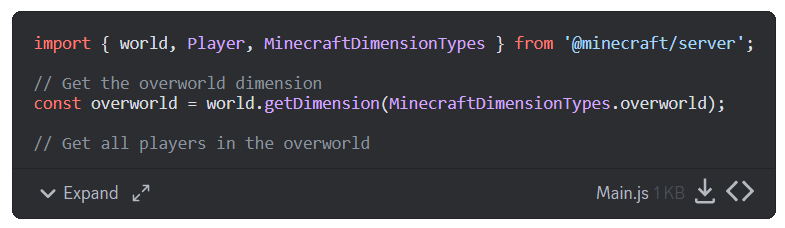 plush hull
import { world, system } from '@minecraft/server'

world.beforeEvents.playerInteractWithBlock.subscribe(data => {
    const block = data.block
    const item = data.itemStack
    const blockFace = data.blockFace

    if (!data.isFirstEvent && item.typeId != "xen:barnacle_spawn_egg") return
    if (blockFace != "Down") {
        data.cancel == true
    }
})```
No Errors
No errors in [code](#1408178197215838269 message)
plush hull
strange
plush hull
sage perch
that isn't the issue right now, the only problem is that the logic is some how w...
you did make it for stable apis right?
sage perch
yep
sage perch
world.beforeEvents.playerInteractWithBlock.subscribe(data => {
  const block = data.block;
  const item = data.itemStack;
  const blockFace = data.blockFace;

  if (data.isFirstEvent && item.typeId == "xen:barnacle_spawn_egg") {
    if (blockFace != "Down") {
      data.cancel = true;
    };
  };
});
try this one
plush hull
i was thinking the same thing earlier
using if; else
oop
not if; else
if; then
i just didnt know how to do that in js
ITS WORKING
tysm 🙏
wlp
now
its time for the hard part
the tongue
and the mechanics of the tongue
sage perch
scary
plush hull
sage perch
scary
for this ill use properties
xen:tongue_length will determine the length of the tongue
we should probably start with that
plush hull
sage perch
scary
how would i detect the distance between an entity and the ground below it?
and use it as a variable
const tongueLength == ?
sage perch
const tongueLength = entity.isOnGround ? 0 : entity.location.y -entity.dimension.getTopmostBlock({x: entity.location.x, z: entity.location.z}).location.y
thats complex
could you explain some of it to me
sage perch
yeah i know
plush hull
sage perch
```js
const tongueLength = entity.isOnGround ? 0 : entity.location.y -entity.dim...
i think ive seen this before, wouldnt it detect the highest block at that x and z coordinate?
that would be "entity y position" - "highest block at entity's x and z coordinates" by the looks of it
the barnacle hangs from the ceiling
sage perch
it checks if entity is on ground, if true it will return 0, otherwise it will negate entity y location to the highest block in the world y
plush hull
sage perch
it checks if entity is on ground, if true it will return 0, otherwise it will ne...
barnacles hang from a block, meaning the tongue length would be way off to what the actual distance between the barnacle and the ground is
sage perch
which means?
plush hull
sage perch
which means?
if the barnacle was in a cave that was 16 blocks in height, but the ceiling of that cave was at y 64 and the highest point at the barnacle's x and z coordinate was y 100, the tongueLength variable would be set to -36 (64 - 100 = -36) instead of the desired 16 (the distance between the barnacle and the ground below it)
it would set the tongue too long or too short
sage perch
right, I didn't think of that
plush hull
tongueLength == (equation to determine length) - 0.6
this allows me to make sure the tonguelength stays slightly above the ground
sage perch
does the tongue have a limit of blocks
plush hull
since the tongue will be adjustable as to change the length when it catches a mob, yes
the default limit is 128 blocks
sage perch
plush hull
the default limit is 128 blocks
let tongueLength = 0;
for (let i = -1; i < 129; i++) {
  if (entity.dimension.getBlock({ x: entity.location.x, y: entity.location.y - (i + 1), z: entity.location.z}).typeId == "minecraft:air") continue;

  tongueLength = i;
}
so i is a temporary variable by the looks of it
sage perch
now what this does is keep checking each block below it one by one untill it finds a block that isn't air
plush hull
and tonguelength = i
plush hull
sage perch
now what this does is keep checking each block below it one by one untill it fin...
i see
sage perch
tbh everyone uses i as a temporary variable
plush hull
sage perch
```js
let tongueLength = 0;
for (let i = -1; i < 129; i++) {
if (entity.dimens...
(let i = -1; i < 129; i++)
what does this mean?
also cant you use <= 128?
or is that not possible there
sage perch
start from -1 and keep adding +1 untill you reach 128
sage perch
plush hull
also cant you use <= 128?
true but same thing
sage perch
i'll be suprised if it works
plush hull
we still havent made it actually define the tonguelength property
xen:tongue_length
is the property
sage perch
entity.setProperty('xen:tongue_length', tongueLength)
im terrible with entity stuff but ig this'll work
plush hull
sage perch
im terrible with entity stuff but ig this'll work
i just encountered a bug with earlier code
if im not holding anything and i right click a block, it spams the hell out of the console with errors saying they cant read the typeId
 sage perch
world.beforeEvents.playerInteractWithBlock.subscribe(data => {
  const block = data.block;
  const item = data.itemStack;
  const blockFace = data.blockFace;

  if (item && data.isFirstEvent && item?.typeId == "xen:barnacle_spawn_egg") {
    if (blockFace != "Down") {
      data.cancel = true;
    };
  };
});
this doesnt seem to work
plush hull
sage perch
```js
world.beforeEvents.playerInteractWithBlock.subscribe(data => {
const blo...
oh yea this fixed it
sorry
thanks
plush hull
plush hull
this doesnt seem to work
this still doesnt work however
i think its because its just wildly defining "entity", and not locking it to the barnacle entity
sage perch
plush hull
this doesnt seem to work
where'd you put the setproperty thing in your code
plush hull
sage perch
where'd you put the setproperty thing in your code
ive tried both inside and outside the tonguelength code
sage perch
send a screenshot of your code or smtg if you don't mind
 sage perch
entity is defined, right?
plush hull
maybe if we set entity to xen:barnacle itll work?
sage perch
plush hull
maybe if we set entity to xen:barnacle itll work?
yep it should
plush hull
const entity = "xen:barnacle"
would that work?
i dont think it will because bridge doesnt seem to have any of that in its syntax
sage perch
plush hull
const entity = "xen:barnacle"
not really, what that does is just define entity as a text
plush hull
ah
sage perch
plush hull
ah
system.runInterval(() => {
  const barnacles = world.getDimension("overworld").getEntities({ type: "xen:barnacle" });
  for (const entity of barnacles) {
    //put the code inside of here
  }
}, 10)
this'll do, just put the code you already have inside the place where I specified it
sage perch
basically what it does is every 10 ticks (half a second) it will look for every single barnacle in the overworld and then it'll set it's property
note that it only works if the entity is in the overworld
not nether or end
plush hull
strange, now its spamming this error
 plush hull
sage perch
not nether or end
plush hull
sage perch
not nether or end
could that be fixed by doing ("overworld","nether","end")?
sage perch
nvm
 sinful ether
dimension.heightRange.min or max
sage perch
system.runInterval(() => {
  const barnacles = world.getDimension("overworld").getEntities({ type: "xen:barnacle" });
  for (const entity of barnacles) {
    let tongueLength = entity.isOnGround ? 0 : null;
    const maxHeight = entity.location.y - entity.dimension.heightRange.min;
    const ground = entity.dimension.getBlockFromRay(entity.location, { x: 0, y: -1, z: 0 }, { maxDistance: maxHeight })?.block;
    tongueLength = ground ? entity.location.y - ground.y : maxHeight;
    entity.setProperty("xen:tongue_length", tongueLength);
    }
  }
}, 10)
i forgot getBlockFromRay and heightRange existed 😞
plush hull
oop
plush hull
sage perch
```js
system.runInterval(() => {
const barnacles = world.getDimension("overwor...
would entity.setProperty("xen:tongue_length", tongueLength - 0.7) work?
for the part that defines the property
plush hull
sage perch
```js
system.runInterval(() => {
const barnacles = world.getDimension("overwor...
the tongue works now!!! however it spams this error
 plush hull
sage perch
```js
system.runInterval(() => {
const barnacles = world.getDimension("overwor...
plush hull
sage perch
```js
system.runInterval(() => {
const barnacles = world.getDimension("overwor...
also there were an incorrect number of brackets
system.runInterval(() => {
    const barnacles = world.getDimension("overworld").getEntities({ type: "xen:barnacle" });
    for (const entity of barnacles) {
        let tongueLength = entity.isOnGround ? 0 : null;
        const maxHeight = entity.location.y - entity.dimension.heightRange.min;
        const ground = entity.dimension.getBlockFromRay(entity.location, { x: 0, y: -1, z: 0 }, { maxDistance: maxHeight })?.block;
        tongueLength = ground ? entity.location.y - ground.y : maxHeight;
        entity.setProperty("xen:tongue_length", tongueLength);
    }
}, 10)```fixed
entity.setProperty("xen:tongue_length", tongueLength - 0.6);
this is line it keeps saying is causing the error
(with and without the - 0.6)
system.runInterval(() => {
    const barnacles = world.getDimension("overworld").getEntities({ type: "xen:barnacle" });
    for (const entity of barnacles) {
        let tongueLength = entity.isOnGround ? 0 : null;
        const maxHeight = entity.location.y - entity.dimension.heightRange.min;
        const ground = entity.dimension.getBlockFromRay(entity.location, { x: 0, y: -1, z: 0 }, { maxDistance: maxHeight })?.block;
        tongueLength = ground ? entity.location.y - ground.y : maxHeight;
        entity.setProperty("xen:tongue_length", tongueLength - 0.6);
    }
}, 10)```
No Errors
No errors in [code](#1408178197215838269 message)
astral tartanBOT
sage perch
```js
system.runInterval(() => {
const barnacles = world.getDimension("overwor...
Debug result for [code](#1408178197215838269 message)
Compiler Result
Compiler found 2 errors:
[36m<REPL0>.js[0m:[33m11[0m:[33m1[0m - [31merror[0m[30m TS1005: [0m',' expected.
[7m11[0m }, 10)
[7m [0m [31m~[0m
``````ansi
[36m<REPL0>.js[0m:[33m11[0m:[33m2[0m - [31merror[0m[30m TS1135: [0mArgument expression expected.
[7m11[0m }, 10)
[7m [0m [31m ~[0m
Lint Result
ESLint results:
<REPL0>.js
11:0 error Parsing error: ',' expected
sage perch
plush hull
```js
system.runInterval(() => {
const barnacles = world.getDimension("over...
figured it out yet?
sage perch
system.runInterval(() => {
    const barnacles = world.getDimension("overworld").getEntities({ type: "xen:barnacle" });
    for (const entity of barnacles) {
        let tongueLength = entity.isOnGround ? 0 : null;
        const maxHeight = entity.location.y - entity.dimension.heightRange.min;
        const ground = entity.dimension.getBlockFromRay(entity.location, { x: 0, y: -1, z: 0 }, { maxDistance: maxHeight })?.block;
        tongueLength = ground ? entity.location.y - ground.location.y : maxHeight;
        entity.setProperty("xen:tongue_length", tongueLength - 0.6);
    }
}, 10)
give this a try
plush hull
sage perch
```js
system.runInterval(() => {
const barnacles = world.getDimension("overw...
so what was the error? everything points to the property's value going beyond what it's supposed to be, but visually the values were defining themselves just fine
it looked like it was adding to the value over and over again even when there was no barnacle
plush hull
yea
plush hull
sage perch
```js
let tongueLength = 0;
for (let i = -1; i < 129; i++) {
if (entity.dimens...
this?
sage perch
yep
plush hull
sage perch
```js
let tongueLength = 0;
for (let i = -1; i < 129; i++) {
if (entity.dimens...
let tongueLength = 0
for (let i = -1; i < 129; i++) {
    system.runInterval(() => {
        const barnacles = world.getDimension("overworld").getEntities({ type: "xen:barnacle" });
        for (const entity of barnacles) {
            let tongueLength = entity.isOnGround ? 0 : null;
            const maxHeight = entity.location.y - entity.dimension.heightRange.min;
            const ground = entity.dimension.getBlockFromRay(entity.location, { x: 0, y: -1, z: 0 }, { maxDistance: maxHeight })?.block;
            tongueLength = ground ? entity.location.y - ground.location.y : maxHeight;
            entity.setProperty("xen:tongue_length", tongueLength - 0.6);
        }
    }, 10)
}```so this is the code that you're using
sage perch
makes sense.
plush hull
 sage perch
system.runInterval(() => {
    const barnacles = world.getDimension("overworld").getEntities({ type: "xen:barnacle" });
    for (const entity of barnacles) {
        let tongueLength = entity.isOnGround ? 0 : null;
        const maxHeight = entity.location.y - entity.dimension.heightRange.min;
        const ground = entity.dimension.getBlockFromRay(entity.location, { x: 0, y: -1, z: 0 }, { maxDistance: maxHeight })?.block;
        tongueLength = ground ? entity.location.y - ground.location.y : maxHeight;
        entity.setProperty("xen:tongue_length", tongueLength - 0.6);
    }
}, 10)
get rid of all that code (except for the imports) and replace it with this
plush hull
everything?
including the spawn egg thing?
still the same error
lemme try something..
astral tartanBOT
sage perch
```js
system.runInterval(() => {
const barnacles = world.getDimension("overw...
No Errors
No errors in [code](#1408178197215838269 message)
sage perch
plush hull
including the spawn egg thing?
no
plush hull
sage perch
no
got it
the spawn egg thing is still there
still the same error again and again
i changed the range of the property and it's still doing it
sage perch
can you log ground.location.y, entity.location.y, and maxHeight?
sage perch
world.sendMessage(`GroundY: ${ground.location.y}, EntityY: ${entity.location.y}, maxHeight: ${maxHeight}, tongueLength: ${tongueLength}`)
put it below the part where you setproperty
plush hull
oh
sage perch
plush hull
i have an idea
oo go on
plush hull
ok
plush hull
sage perch
oo go on
i was thinking instead of properties we found a different way of client syncing the tongue's length
basically defining tongueLength like we are now, but instead of using properties to define it in the animation (which is causing the errors) we could try finding an alternative way to make a variable thats usable in molang
sage perch
the issue is still in the script tho, its returning a number so high so even if we did that it won't work
plush hull
fair
i dont see what in the world is making it set the value so high
i also dont understand how the hell the script techinically IS working fine, but somehow not at the same time??
|
wait a damn minute
gimme a second.
I FIGURED IT OUT
i feel so stupid
sage perch
what was it
plush hull
remember our earlier hassle with the barnacles still spawning after the egg was supposed to be limited to the bottom of a block?
i have it set up so barnacles fly up until they hit a ceiling
the barnacles were flying so high up that they unloaded yet stayed loaded at the same time
which was causing the overload
all we need now is a failsafe
so it doesnt happen again, in the case that a barnacle flies away like that
sage perch
check if value is higher than 400 and if it is kill the entity?
or just don't save the property
plush hull
sage perch
check if value is higher than 400 and if it is kill the entity?
maybe it could detect if it has air up to 5 blocks above it
and if it does, despawn the barnacle
if it has at least one non-air block up to 5 blocks above it, leave the barnacle alone
sage perch
plush hull
if it has at least one non-air block up to 5 blocks above it, leave the barnacle...
system.runInterval(() => {
    const barnacles = world.getDimension("overworld").getEntities({ type: "xen:barnacle" });
    for (const entity of barnacles) {
        const blockAbove = entity.dimension.getBlockFromRay(entity.location, {x: 0, y: 1, z: 0}, {maxDistance: 5})?.block
        if (!blockAbove) entity.remove();
        let tongueLength = entity.isOnGround ? 0 : null;
        const maxHeight = entity.location.y - entity.dimension.heightRange.min;
        const ground = entity.dimension.getBlockFromRay(entity.location, { x: 0, y: -1, z: 0 }, { maxDistance: maxHeight })?.block;
        tongueLength = ground ? entity.location.y - ground.location.y : maxHeight;
        entity.setProperty("xen:tongue_length", tongueLength - 0.6);
    }
}, 10)
peak 🙏
sage perch
actually wait that'll give an error
plush hull
oop
sage perch
system.runInterval(() => {
    const barnacles = world.getDimension("overworld").getEntities({ type: "xen:barnacle" });
    for (const entity of barnacles) {
        const blockAbove = entity.dimension.getBlockFromRay(entity.location, {x: 0, y: 1, z: 0}, {maxDistance: 5})?.block
        if (!blockAbove) {entity.remove(); continue;}
        let tongueLength = entity.isOnGround ? 0 : null;
        const maxHeight = entity.location.y - entity.dimension.heightRange.min;
        const ground = entity.dimension.getBlockFromRay(entity.location, { x: 0, y: -1, z: 0 }, { maxDistance: maxHeight })?.block;
        tongueLength = ground ? entity.location.y - ground.location.y : maxHeight;
        entity.setProperty("xen:tongue_length", tongueLength - 0.6);
    }
}, 10)
ITS WORKING
FULLY FUNCTIONALLL
YES
and now for the next part
grabbbiiiinnng
barnacles hang their tongues from their mouths, and whenever something touches them,(an item or a mob/player) the tongue's length snaps to the entity that it caught, and slowly pulls it up (1 block per second)
once the entity reaches the barnacle's mouth, it begins to chomp away at it
sage perch
test if there is an entity below the barnacles and then pull the entity upwards?
plush hull
id say select an area that is 0.8 blocks wide aligned with the barnacle's x and y position
then make the area's y length equal to the tongue length
sorry
back
if an entity come into contact with that area, the tongue's length snaps to the y position of the entity, lock the entity to the bottom of the tongue, and pulls the entity to the mouth (stopping the entity when the tongue's length reaches 1)
sage perch
plush hull
if an entity come into contact with that area, the tongue's length snaps to the ...
can the entity being pulled escape mid-being pulled or no
plush hull
sage perch
can the entity being pulled escape mid-being pulled or no
if the barnacle dies
otherwise they are stuck
sage perch
same thing for player?
plush hull
yep
sage perch
make a property called xen:pulling which holds boolean
if (entity.getProperty("xen:barnacle_is_pulling") == false) {
  const target = entity.dimension.getEntitiesFromRay(entity.location, {x: 0, y: -1, z: 0}, {maxDistance: entity.getProperty(tongueLength)}).entity;
  if (target) {
    entity.setProperty("xen:barnacle_is_pulling", true)
    const run1 = system.runInterval(() => {
      if (entity.getProperty("xen:tongue_length") == 1 || if !target) system.clearRun(run1);
        target.teleport(x: entity.location.x, y: target.location.y + 0.1, z: entity.location.z);
     }, 2)
  }
}
this should do the pulling
plush hull
sage perch
make a property called xen:pulling which holds boolean
```js
if (entity.getProp...
i actually have a property set up already
xen:barnacle_is_pulling
plush hull
sage perch
make a property called xen:pulling which holds boolean
```js
if (entity.getProp...
the script stopped working
the error seems to be the x:
and other coords
astral tartanBOT
sage perch
make a property called xen:pulling which holds boolean
```js
if (entity.getProp...
Debug Result
There are 17 errors from compiler, and 1 errors from ESLint in this [code](#1408178197215838269 message).
Please read the attached file for the result.
plush hull
oop
sage perch
if (entity.getProperty("xen:barnacle_is_pulling") == false) {
  const target = entity.dimension.getEntitiesFromRay(entity.location, {x: 0, y: -1, z: 0}, {maxDistance: entity.getProperty("xen:tongue_length")}).entity;
  if (target) {
    entity.setProperty("xen:barnacle_is_pulling", true)
    const run1 = system.runInterval(() => {
      if (entity.getProperty("xen:tongue_length") == 1 || !target) system.clearRun(run1);
        target.teleport(x: entity.location.x, y: target.location.y + 0.1, z: entity.location.z);
     }, 2)
  }
}
Debug Result
There are 14 errors from compiler, and 1 errors from ESLint in this [code](#1408178197215838269 message).
Please read the attached file for the result.
sage perch
if (entity.getProperty("xen:barnacle_is_pulling") == false) {
  const target = entity.dimension.getEntitiesFromRay(entity.location, {x: 0, y: -1, z: 0}, {maxDistance: entity.getProperty("xen:tongue_length")}).entity;
  if (target) {
    entity.setProperty("xen:barnacle_is_pulling", true)
    const run1 = system.runInterval(() => {
      if (entity.getProperty("xen:tongue_length") == 1 || !target) system.clearRun(run1);
        target.teleport({x: entity.location.x, y: target.location.y + 0.1, z: entity.location.z});
     }, 2)
  }
}
im confident this one would be good 👍
plush hull
oke
ill test it
good news and bad news
good news, the script works again
bad news, its not picking anything up
i noticed youre using the property tongueLength instead of the earlier set const tongueLength
maybe changing that would work?
sage perch
yeah ig that'll work
but thats not the reason you're not getting pulled
hmmmmmmmmmmmm
plush hull
sage perch
```js
if (entity.getProperty("xen:barnacle_is_pulling") == false) {
const targ...
maybe instead of teleporting it, it could set the velocity to push it towards the bottom of the tongue (after the tongue snaps to the entity's y position)
sage perch
the only reason I used teleport is to make sure the player doesn't run away
plush hull
teleport causes a snappy effect which makes players unable to look up and attack the barnacle
plush hull
perfect
sage perch
its so late for me, I need to go to sleep, sorry mate
plush hull
its all good
before you go
would you like to be the official scripter for my addon?
sage perch
sure why not
plush hull
tysm 🙏