
#Chest UI: The Expansion
1 messages · Page 1 of 1 (latest)
 sly dove
 gilded canyon
The best chest ui available
The chest ui had an opening animation as far as I can remember can you somehow disable that?
Bcs it didn’t look that great when switching from chest gui to chest gui
Im not 100% sure tho
Its been a long time since I last used it
sly dove
idk how to disable the pop-up & close anims lol
 harsh cove
“There are no stupid questions, only stupid people who don't ask.”
What is a Chest UI?
sly dove
Retextured ActionFormData for scripts that appears like a chest
harsh cove
Oh I see, that’s very cool
 rapid wing
sly dove
The chest UI has been updated! Data value blocks & items are now supported, with...
rapid wing
sly dove
The chest UI has been updated! Data value blocks & items are now supported, with...
very hard
🔥
rapid wing
sly dove
The chest UI has been updated! Data value blocks & items are now supported, with...
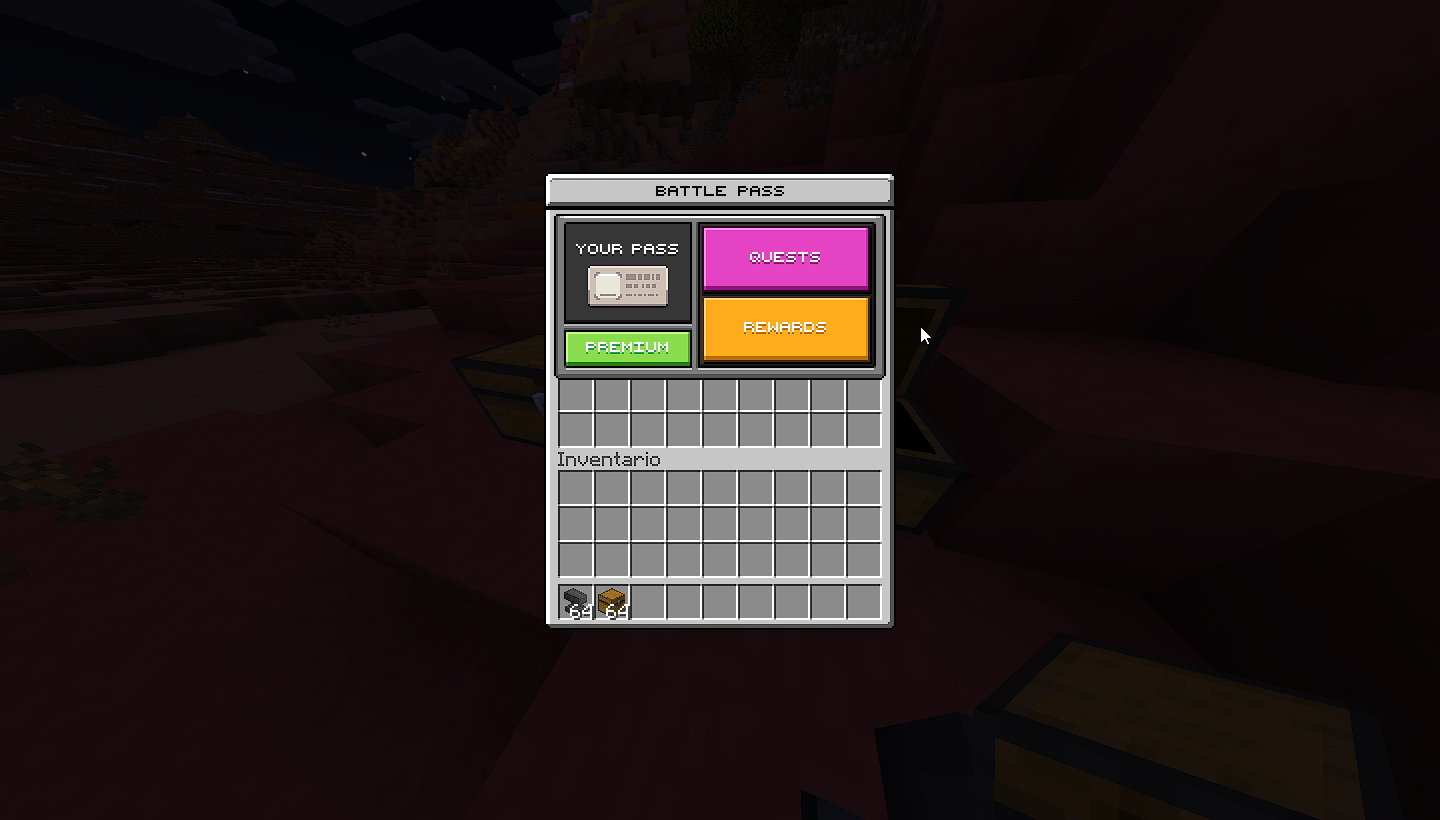
What if I want to add a texture? How would it be done?https://i.imgur.com/zBWadoF.png
 reef yew
sick
sly dove
gilded canyon
The chest ui had an opening animation as far as I can remember can you somehow d...
Aex showed me how to disable it 👍 Changed on GitHub
gilded canyon
sly dove
Aex showed me how to disable it 👍 Changed on GitHub
Thanks 🙏
 fair wing
sly dove
The chest UI has been updated! Data value blocks & items are now supported, with...
fair wing
sly dove
The chest UI has been updated! Data value blocks & items are now supported, with...
so that mean we can now see steve head in chest ui is that right?
sly dove
Yea
fair wing
i test that later
 merry oasis
sly dove
Aex showed me how to disable it 👍 Changed on GitHub
merry oasis
sly dove
Aex showed me how to disable it 👍 Changed on GitHub
that was my solution 🥺
merry oasis
sly dove
idk how to disable the pop-up & close anims lol
You have to put these in "[email protected]_screen"
"$screen_animations": [
            "@server_form.exit_wait"
        ],
        "$background_animations": [
            "@server_form.exit_wait"
        ],
        "force_render_below": true,
        "low_frequency_rendering": true,
        "load_screen_immediately": true,
        "render_only_when_topmost": false,
        "render_game_behind": true,
"exit_wait": {
        "anim_type": "offset",
        "easing": "linear",
        "duration": 0.08,
        "from": [
            0,
            0
        ],
        "to": [
            0,
            0
        ],
        "play_event": "screen.exit_pop",
        "end_event": "screen.exit_end"
    },
also if you want to give like a black background effect like real chests you can add these

in controls
sly dove
merry oasis
You have to put these in "[email protected]_screen"
```json
...
Ye it’s already on the git
sly dove
merry oasis
👍
 cobalt apex
sly dove
The chest UI has been updated! Data value blocks & items are now supported, with...
cobalt apex
sly dove
The chest UI has been updated! Data value blocks & items are now supported, with...
ohhhh thats what your were trying to tell me... yes!
sly dove
Kinda hard to set up, as scripts don't come with data values
But they're there if ya need 'em
cobalt apex
sly dove
Kinda hard to set up, as scripts don't come with data values
oh shoot yeah I forgot that
so how do you implement it
sly dove
¯_(ツ)_/¯
cobalt apex
sly dove
¯\_(ツ)_/¯
I dont get why they removed all the features and didnt fully implement the feature
merry oasis
sly dove
But they're there if ya need 'em
how did you display them?
like this one

and for some reason this happened

all of the items work except the apple when adding custom items
sly dove
You need to shift all the IDs if you add custom items to the file
sly dove
merry oasis
like this one
Adding data / 65536 to the actual ID value
 scarlet egret
sly dove
Adding `data / 65536` to the actual ID value
scarlet egret
sly dove
Adding `data / 65536` to the actual ID value
Wait, so this update has more slot options, and supports the bottom section to show stuff? Like inventory?
cobalt apex
merry oasis
and for some reason this happened
You need a script that will go through your custom items and index them
I have a ts script for it
merry oasis
cobalt apex
I have a ts script for it
:0 could you share it?
that would be really helpful
 placid heath
merry oasis
and for some reason this happened
placid heath
merry oasis
and for some reason this happened
const number_of_1_16_100_items = ItemTypes.getAll().filter(item => !item.id.startsWith('minecraft:') && !item.id.endsWith('spawn_egg')).length
put that variable in your forms.js
works for me
sly dove
If you’re using non-exp items, that will not work, as non-exp items do not affect vanilla IDs
placid heath
yeah true
 hallow tangle
@sly dove
I have updated the chestgui extension which you have fixed in the last 1 month, but in the show method there seems to be an error
hallow tangle
I don't understand at all what makes the texture look like this, is there something wrong with the file?

 gilded canyon
hallow tangle
I don't understand at all what makes the texture look like this, is there someth...
gilded canyon
hallow tangle
I don't understand at all what makes the texture look like this, is there someth...
The item ids are shifted if you have an addon that adds any items so you will have to use the direct texture path
hallow tangle
gilded canyon
The item ids are shifted if you have an addon that adds any items so you will ha...
In my RP folder there are no costumes for items
I compared it with a different old ID, the old one was Iron Sword 309

 gilded canyon
Then maybe the ids aren’t updated yet
hallow tangle
is correct, just need to set the value 1 in the item variable
sly dove
No custom items?
hallow tangle
no
sly dove
I'll double-check the typeIds tonight then
cobalt apex
@sly dove
    ['minecraft:respawn_anchor_charge_0', -272],
    ['minecraft:respawn_anchor_charge_1', -272 + (1 / 65536)],
    ['minecraft:respawn_anchor_charge_2', -272 + (2 / 65536)],
    ['minecraft:respawn_anchor_charge_3', -272 + (3 / 65536)],
    ['minecraft:respawn_anchor_charge_4', -272 + (4 / 65536)],
So why do you add some arbatray decimal value. like why are you using 65536?
sly dove
cobalt apex
<@330740982117302283>
```ts
['minecraft:respawn_anchor_charge_0', -272],
...
Because that’s the way the data values work- each item’s numerical ID is multiplied by 65536 in forms.js before being passed to the UI renderer.

 sly dove
It's not..? It's there.
Enchanted is 260, regular is 259.

I'm on 1.20.70 right now, updating the IDs.
cobalt apex
sly dove
I'm on 1.20.70 right now, updating the IDs.
👍
sly dove
cobalt apex
👍
New type IDs are up on the git
cobalt apex
sly dove
New type IDs are up on the git
thanks
 quick saddle
rapid wing
What if I want to add a texture? How would it be done?https://i.imgur.com/zBWado...
quick saddle
rapid wing
What if I want to add a texture? How would it be done?https://i.imgur.com/zBWado...
I also want to know
hallow tangle
sly dove
Enchanted is 260, regular is 259.
kk
 livid willow
gilded canyon
The chest ui had an opening animation as far as I can remember can you somehow d...
livid willow
gilded canyon
The chest ui had an opening animation as far as I can remember can you somehow d...
Ye
 atomic granite
rapid wing
What if I want to add a texture? How would it be done?https://i.imgur.com/zBWado...
atomic granite
rapid wing
What if I want to add a texture? How would it be done?https://i.imgur.com/zBWado...
how did u get the inv displaying
herobrine how would i display the inv in the bottom
 visual sinew
sly dove
New type IDs are up on the git
visual sinew
sly dove
New type IDs are up on the git
What do the numbers here mean?

 visual sinew
sly dove
https://wiki.bedrock.dev/items/numerical-item-ids.html
visual sinew
sly dove
https://wiki.bedrock.dev/items/numerical-item-ids.html
Do custom items and blocks have IDs?

 visual sinew
@sly dove How do I add custom items to UI?
 sharp jasper
sly dove
The chest UI has been updated! Data value blocks & items are now supported, with...
sharp jasper
sly dove
The chest UI has been updated! Data value blocks & items are now supported, with...
Download? because the one im using is not functioning properly
sly dove
sharp jasper
Download? because the one im using is not functioning properly
Same download as always! Just make sure you have the most recent typeIds file, as they do change every update.
sharp jasper
 sharp jasper
sly dove
Same download as always! Just make sure you have the most recent typeIds file, a...
sharp jasper
sly dove
Same download as always! Just make sure you have the most recent typeIds file, a...
is this the cause?
also a new error when I was testing my addon was this:

this occured
sharp jasper
sly dove
Same download as always! Just make sure you have the most recent typeIds file, a...
it used to work fine. Not any more
sly dove
Never seen that error before…
Is it just that the IDs aren’t lining up for some items?
sharp jasper
sly dove
Never seen that error before…
Is it just that the IDs aren’t lining up for some ...
I don't really know
sly dove
What’s the issue you’re having with the pack?
sharp jasper
sly dove
What’s the issue you’re having with the pack?
idk when I was using the pakc when first released it look clean working I never changed the code or anything but this started happening
sly dove
Are you using the most recent one on the GitHub?
sharp jasper
yes
sharp jasper
sharp jasper
idk when I was using the pakc when first released it look clean working I never ...
 sly dove
Are you using any other ui packs?
sharp jasper
nope just my addon.
sharp jasper
k
sharp jasper
sly dove
I’ll test some stuff in a few minutes here
any results (sorry for not even waiting for an hour)
sly dove
sharp jasper
any results (sorry for not even waiting for an hour)
It works just fine for me, using the latest github files.
 sharp jasper
imma try agn and see
sharp jasper
sly dove
It works just fine for me, using the latest github files.
Im lokey dumb-founded flabbergasted
I added a comma
in
_ui_defs.json
sharp jasper
sly dove
It works just fine for me, using the latest github files.
also how can I have that type of texture of the chest ui
sly dove
There’s an alternative branch on the GitHub with no inventory component
sharp jasper
sly dove
There’s an alternative branch on the GitHub with no inventory component
where could that be?
sharp jasper
sly dove
There’s an alternative branch on the GitHub with no inventory component
wheres the branch in the github
sharp jasper
ty
 rancid tinsel
someone fix it its broken again
 restive cairn
@sly dove I saw in the readme there was something about the typeId's needing to be shifted, I've just looked on the Minecraft wiki and the ID for a diamond is less than the one packaged in the code! Do I need to do something to get the right item to display?? Excellent add-on by the way!!!