#JSON-UI General
1 messages · Page 14 of 1
 normal flower
 last pollen
Hey, is there anyone that is familiar with Json UI and would be up for a project?
 grim wagon
JSON UI was never official supported, but you can use it i guess, OreUI is future of the UI but development is still really initial and there are not much
normal flower
I see, thank you 
 thorn path
how to move text on the actionbar without having to change the actionbar json, and only need to create a new script on the json
{
    "up_info": {
        "type": "panel",
        "size": ["100%", "100%cm"],
        "alpha": 1,
        "layer": 35,
        "anchor_from": "top_middle",
        "anchor_to": "top_middle",
        "offset": [0, 0],
        "bindings": [
            {
                "binding_condition": "always",
                "binding_type": "view",
                "binding_name_override": "#visible"
            }
        ],
        "controls": [
            {
                "info_satu": {
                    "type": "panel",
                    "anchor_from": "top_middle",
                    "anchor_to": "top_middle",
                    "offset": [0, 5],
                    "controls": [
                        {
                            "date_data": {
                                "type": "label",
                                "color": "white",
                                "text": "Text data",
                                "offset": [0, 1]
                            }
                        }
                    ]
                }
            }
        ]
    },
    "root_panel": {
        "modifications": [
            {
                "array_name": "controls",
                "operation": "insert_front",
                "value": [
                    {"[email protected]_info": {}}
                ]
            }
        ]
    }
}

 dusty ether
grim wagon
JSON UI was never official supported, but you can use it i guess, OreUI is futur...
dusty ether
grim wagon
JSON UI was never official supported, but you can use it i guess, OreUI is futur...
so maybe now until like 1.21 or 1.22 we will still use JSON UI, right? I guess just the documentation won't change
not saying you know which update but
grim wagon
dusty ether
so maybe now until like 1.21 or 1.22 we will still use JSON UI, right? I guess j...
Ya i think so at least two major updates the JSON-UI will be still part of MC
but also depends what kinds of UI are you focusing
since some screens were already redone in OreUI
like create new world screen play menu and Death Screen
but hud should be last of them
dusty ether
well I typically focus on server_forms
grim wagon
ya, i think these should be suported for a while as well
 hexed briar
dusty ether
so maybe now until like 1.21 or 1.22 we will still use JSON UI, right? I guess j...
hexed briar
dusty ether
so maybe now until like 1.21 or 1.22 we will still use JSON UI, right? I guess j...
honestly that's fully depends on mojang
judging by how long would they release something very small and stuff, I kinda doubt that 1.22 is gonna be somehow of estimated full release of Ore-UI
Ore-UI is in development for 4-5 years btw.
the initial Ore-UI release was about 1.18 or 1.19, the achievement screen was and still the first screen that getting Ore-UI treatment, and then gone silent radio about a 'nearly' year, we got world creation screen being on beta
1.90.80 or 1.20 is mostly where that world creation screen got out of beta.
world selection screen is there about 1.21 beta as for right now. aswell the death screen is somehow still in experiment-ish, not out of beta still wouldn't somehow work if you have texture packs on.
dusty ether
Makes sense
thanks
just hoping it isn't too different from JSON-UI that forces a complete reconstruction of everyone's UIs and documentation
I hope it's a good system and isn't very very complex but it's double-sided
 shrewd elm
Can someone also help me on #1193704151578849310
 snow acorn
Question: Can I easily have scoreboard show decimal places for large numbers?
2,147,483,647 vs 2147483647
 mystic heart
snow acorn
Question: Can I easily have scoreboard show decimal places for large numbers?
mystic heart
snow acorn
Question: Can I easily have scoreboard show decimal places for large numbers?
Do you mean decimal places or commas for every thousandth place?
snow acorn
commas
mystic heart
yeah it shouldnt be that hard
you just need to break the text from the label up every 3 characters and insert a comma
snow acorn
I was hoping there was a json ui flag for it.
mystic heart
Oh. I don't think so
snow acorn
How would I break up the texts. it's a scoreboard actionbar command
mystic heart
But I don't think it would be too hard to set it up to insert commas. I guess the only difficult part would be making sure it has the correct amount of commas and doesnt add extra in front
mystic heart
snow acorn
How would I break up the texts. it's a scoreboard actionbar command
Hm wait, do you mean the scoreboard display on the right-hand side, or a score passed in through actionbar?
snow acorn
passed to actionbar
mystic heart
Oh if that's case why not pass in the commas with the number in the actionbar command
If you're able to use scripting you can read the score and then do some string manipulation and send it through actionbar command that way. That would be the simplest
snow acorn
I'm doing this right now, but the score can be to max. How would I break it up? titleraw @s actionbar {"rawtext":[{"text":"SCORE: §l§4"},{"score":{"name":"@s","objective":"myscore"}},{"text":""}]}
 waxen coral
@mystic heart can I dm you?
mystic heart
snow acorn
I'm doing this right now, but the score can be to max. How would I break it up? ...
If you're using scripting you can set a variable score to the value of the player's score in the objective myscore then do
player.runCommand(`title @s actionbar SCORE: §l§4 ${score.toLocaleString()}`)
.toLocaleString() automatically converts the number to give commas in thousandths place
snow acorn
I need it non api, in stable.
mystic heart
snow acorn
I need it non api, in stable.
if that's the case I would probably break up the score in a function before the titleraw, then you can check if its greater than 999, 999999, etc. and have 4 different titleraws send to format it.
snow acorn
hmm. I'll sleep on it. thank you!
 dawn prism
Anybody can tell me how can I make a image spicific part work like button like in this picture I want "Go back" area to work as button

 cunning bridge
what language is OreUi?
and can we use it to modify the achievements screen, world creation screen, and worlds menu?
 broken trail
cunning bridge
what language is OreUi?
broken trail
cunning bridge
what language is OreUi?
web standards
its somewhere on mojang github
also its in development since 2019??
so if you wonder when it gonna be available to edit like resource packs
you have to wait a long
dawn prism
 noble kayak
Yeet that image in it
noble kayak
Yeet that image in it
After that?
cunning bridge
broken trail
its somewhere on mojang github
i know, it's never a bad idea to be prepared, judging my the state of it, it will probably take 4-5 years from now before it's out of explanation phase
 steady herald
ISSUE:`ui/server_form.json: Child controls must have unique names:
long_form/long_form`
why am i getting this?
 west dawn
steady herald
**ISSUE**:`ui/server_form.json: Child controls must have unique names:
long_fo...
west dawn
steady herald
**ISSUE**:`ui/server_form.json: Child controls must have unique names:
long_fo...
It tells you why. A controll of the longform element is also named longform. It makes no difference but you shouldn't do that
broken trail
me when naming multiple controls like "@b.p"
 chilly yacht
cunning bridge
what language is OreUi?
chilly yacht
cunning bridge
what language is OreUi?
react js
cunning bridge
nice, react is a neat language
cunning bridge
how to parse a json string in json-ui? i want to pass a vector2 with server form to be used by an offset.
 static depot
Does anyone know how to fix the double names showing up when i click on a item?
 steady herald
west dawn
It tells you why. A controll of the longform element is also named longform. It ...
steady herald
west dawn
It tells you why. A controll of the longform element is also named longform. It ...
so what should i do?
 opal aurora
static depot
Does anyone know how to fix the double names showing up when i click on a item?
opal aurora
static depot
Does anyone know how to fix the double names showing up when i click on a item?
This is not from vanilla, ask the pack creator for fix
 cobalt narwhal
    const player = eventData.sender;
    switch (eventData.message) {
        case '.hub':
            eventData.cancel = true;
            player.runCommandAsync('tp 114 79 -14');
            break;
        case '.lobby':
            eventData.cancel = true;
            player.runCommandAsync('tp 114 79 -14');
            break;
        case '.gmc':
            if (player.hasTag('staff')) {
                eventData.cancel = true;
                player.runCommandAsync('gamemode c')
            }
            break;
        case '.gms':
            if (player.hasTag('staff')) {
                eventData.cancel = true;
                player.runCommandAsync('gamemode s')
            }
            break;
        default: break;
    }
});

world.beforeEvents.chatSend.subscribe((event => {
    const msg = event.message
    const player = event.sender
    if (player.hasTag('admin')) {
        world.getDimension("overworld").runCommandAsync(`tellraw @a {"rawtext":[{"text":"[§5§lADMIN§r] ${player.name} > ${msg}"}]}`)
        event.cancel = true
    }
}))```why when i make my command, she show on the chat while i have add event.cancel on the code ?this is related to #1067535608660107284 now, what shows up in chat?
broken trail
cobalt narwhal
```world.beforeEvents.chatSend.subscribe((eventData) => {
const player = eve...
#1067535382285135923, custom commands based on / are not possible
you can create custom ones but then you cant really close chat
cobalt narwhal
cunning bridge
this is related to <#1067535608660107284> now, what shows up in chat?
sorry wrong chat
static depot
opal aurora
This is not from vanilla, ask the pack creator for fix
A lot of people reported it but so far nothing :(( so i kinda wanted to do it so i can play whitout this distraction while a update doesn't come
cobalt narwhal
i have one question everyone,
How to create a custom menu like that
cunning bridge
how to type n × 4px for an offset 😑 i have spent an hour trying everything i can
n is a variable called $x
can you do multiplication at all in strings anyway?
 stoic heath
cunning bridge
how to type n × 4px for an offset 😑 i have spent an hour trying everything i ca...
stoic heath
cunning bridge
how to type n × 4px for an offset 😑 i have spent an hour trying everything i ca...
*?
cunning bridge
stoic heath
*?
i am trying to use variables in an offset, but it doesn't seem possible
snow acorn
Question: What is the background file for the dialog button. I need to write it down somewhere I can't ever find it
cunning bridge
snow acorn
Question: What is the background file for the dialog button. I need to write it ...
textures/ui/button_borderless_light
stoic heath
cunning bridge
i am trying to use variables in an offset, but it doesn't seem possible
I couldn’t get it to work either.
Maybe if you make a second variable with value “$firstvar * 4px” and put that in the offset?
cunning bridge
stoic heath
I couldn’t get it to work either.
Maybe if you make a second variable with value...
offsets don't accept variables for some reason, or at least i can't get them to..
opal aurora
cunning bridge
i am trying to use variables in an offset, but it doesn't seem possible
You can't use variables inside or within any arrays (including "offset"), but you can use variables as arrays themselves, for example: "$example_offset": [ 10, 10 ],
cunning bridge
opal aurora
You can't use variables inside or within any arrays (including "offset"), but yo...
that's more convenient even, can i somehow convert a string input from a #title_text, #form_button_text, or #form_button_texture into an array?
opal aurora
cunning bridge
that's more convenient even, can i somehow convert a string input from a #title_...
No
cunning bridge
😕🙁☹️
opal aurora
If you want to actually customize offsets or sizes with bindings, there is a way
Not "color"
cunning bridge
i am desperate enough, what is it
cunning bridge
opal aurora
If you want to actually customize offsets or sizes with bindings, there is a way
tell me where to look it up?
opal aurora
One example is in safe_zone_screen
 twin viper
Would putting the scoreboards at the bottom left of the screen be a difficult task? Asking cause I have no clue how to code such stuff yet lol
 wanton obsidian
twin viper
Would putting the scoreboards at the bottom left of the screen be a difficult ta...
wanton obsidian
twin viper
Would putting the scoreboards at the bottom left of the screen be a difficult ta...
No its fairly easy
Just change the anchors
 solemn galleon
anyone know how to make the background of the form transparent or invisible?
'import { world } from "@minecraft/server"
import { ActionFormData } from "@minecraft/server-ui"

const ui = new ActionFormData()
    .title("Form")
    .body("")
    .button("button1")
    .button("button2")
    .button("button3");

const customUi = new ActionFormData()
    .title("Custom Form")
    .body("")
    .button("Rewards", "textures/ui/promo_holiday_gift_small")
    .button("Shop", "textures/ui/icon_minecoin_9x9")
    .button("Ban Tool", "textures/ui/hammer_l")
    .button("Skins", "textures/ui/icon_hangar");

world.afterEvents.itemUse.subscribe((event) => {
    const { source, itemStack } = event
    switch (itemStack.typeId) {
        case "minecraft:compass": ui.show(source); break;
        case "minecraft:clock": customUi.show(source); break;
    }
})
Make a separate instance of long forms in server_form.json which is only visible with the "Custom Form" form title and change the bg for that instance

Code: https://bstlar.com/~e/t-b-s-f-c
This tutorial shows how to make a form only show when the title is specific.
Github: @LeGend077
Discord: LeGend#1687
#minecraft
#minecrafttutorial
wanton obsidian
wanton obsidian
https://youtu.be/3X9Oq2BvLck?si=ite5qbwNdBRLe40a
Good tutorial for it
solemn galleon
wanton obsidian
Make a separate instance of long forms in server_form.json which is only visible...
ty got it working now got another question how would i make the buttons closer together
thats my server_form.json code
 cunning bridge
opal aurora
One example is in safe_zone_screen
cunning bridge
opal aurora
One example is in safe_zone_screen
this property can control the offset of any element on on screen, and i can use variables in it?
    "property_bag": {
      "#anchored_offset_value_x": 0.0,
      "#anchored_offset_value_y": 0.0
}```this might work actually, if i bind these two variables with parts of the #title_text inside a view binding
 thorny nymph
What's wrong with this code?
{
    "namespace": "debug_screen",
    "content_panel@label": {
        "type": "label",
        "text": "§7Bedrock Edition",
        "color": [1.0, 1.0, 1.0],
        "shadow": true,
        "font_size": "tiny",
        "anchor_from": "right_middle",
        "anchor_to": "right_middle",
        "offset": [0, 10]
    },
    "content_panel@image": {
        "type": "image",
        "texture": "textures/ui/logo",
        "anchor_from": "right_middle",
        "anchor_to": "right_middle"
    },

    "content_panel": {
        "type": "panel",
        "clips_children": false,
        "size": ["100%", "100%"],
        "controls": [{
            "watermark@image": {}
        }, {
            "watermark@label": {}
        }]
    },

    "[email protected]_screen": {
        "$screen_content": "debug_screen.content_panel",
    }
}
are there the elements "label": {} and "image": {} in your file?
thorny nymph
Yes, the Bedrock Edition text is showing, but the image is not.
 hollow tapir
There is an addon named spawn chunks it s makes add tickarea when u place a block or make a farm like java edition spawn chunk but when u enter the nether it stops adding new ticks area ,
This is its code (plz fix it) :
#bridge-file-version: #0
execute @a[tag=spawn] ~ ~ ~ tag @a add spawn
execute @a[tag=!spawn] ~ ~ ~ tickingarea add circle ~ ~ ~ 4
tag @a add spawn
cunning bridge
thorny nymph
What's wrong with this code?
```json
{
"namespace": "debug_screen",
"co...
change the name of "watermark@image": {}, you can't have 2 elements have the same name
hollow tapir
Any help plz
thorny nymph
Okay
cunning bridge
thorny nymph
What's wrong with this code?
```json
{
"namespace": "debug_screen",
"co...
{
    "namespace": "debug_screen",
    "content_panel_label": {
        "type": "label",
        "text": "§7Bedrock Edition",
        "color": [1.0, 1.0, 1.0],
        "shadow": true,
        "font_size": "tiny",
        "anchor_from": "right_middle",
        "anchor_to": "right_middle",
        "offset": [0, 10]
    },
    "content_panel_image": {
        "type": "image",
        "texture": "textures/ui/logo",
        "anchor_from": "right_middle",
        "anchor_to": "right_middle"
    },

    "content_panel": {
        "type": "panel",
        "clips_children": false,
        "size": ["100%", "100%"],
        "controls": [{
            "image@content_panel_image": {}
        }, {
            "label@content_panel_label": {}
        }]
    },

    "[email protected]_screen": {
        "$screen_content": "debug_screen.content_panel",
    }
}
Ty
cunning bridge
"x_mark": {
"type": "image",
    "texture": "textures/map/map_icons",
    "size": [16, 16],
    "uv": [0, 16],
    "uv_size": [16, 16],
    "anchor_to": "top_left",
    "anchor_from": "top_left",
    "use_anchored_offset": true,
    "property_bag": {
      "#anchored_offset_value_x": 100,
      "#anchored_offset_value_y": 100
    }
}
I am losing my mind, there is no reason why this shouldn't work, yet the offcet of the image doesn't change.
opal aurora
cunning bridge
```js
"property_bag": {
"#anchored_offset_value_x": 0.0,
"#ancho...
yes.
cunning bridge
what do you mean???
cobalt narwhal
@snow acorn how to move the play button on the play_screen to the right_middle ?
snow acorn
Just move it. You have to change 100% scales and justification.
cobalt narwhal
snow acorn
Just move it. You have to change 100% scales and justification.
yes but i start json ui and idk where is the file and code for this button
snow acorn
Get the file from RP.
Once you have the file. Simply read each line and find the one that sounds closest then, trial and error it..
cobalt narwhal
snow acorn
Get the file from RP.
Once you have the file. Simply read each line and find the...
yes but what is the file for this ?
cobalt narwhal
snow acorn
start screen.
i said that because when i saw all the files for json ui on the ui files, i don't know how chose
cobalt narwhal
snow acorn
start screen.
it's that the button ?
    "[email protected]_button": {
        "$pressed_button_name": "$play_button_target",
        "$button_text": "menu.play",
        "$focus_override_right": "profile_button"
},```Trial and error it. Since there aren't any size or cords there, I'd say nope.
cobalt narwhal
snow acorn
Trial and error it. Since there aren't any size or cords there, I'd say nope.
where so ?
snow acorn
I'm sorry why can't you change a cord, start game and see if it works?
cobalt narwhal
snow acorn
I'm sorry why can't you change a cord, start game and see if it works?
because i don't know where on the file is the play_button and how change the position
snow acorn
search for it
You need to be able to do this if you are going to do json ui. You can't wait for someone to tell you. Simply collapse them, read each line until you find what looks logical. Expand the controls until you find the size and positions. This is pretty complex stuff. If you can't do a basic trial and error cycle, then json ui is most likely not something you'll be able to get alot done. It took me 3 days of trial and error thousands of failures to get that to work.
Also keep in mind you have to do this at each UI Scale and pocket/desktop uis if you want it to work for everyone

DO NOT COPY PASTE MY CODE. It is NOT setup for anything other than -2x UI Scale. Simply use it as a hint what goes in what to get started.
opal aurora
cunning bridge
```js
"x_mark": {
"type": "image",
"texture": "textures/map/map_icons",
...
try overriding bindings (with binding_name_override or target_property_name if using "view" binding type) to anchored_offset_value_x or _y
 sly mauve
how do u guys set a ui to be used on something?
for example, im making an entity that can store items rn so i wanna make a custom ui that will only be used for that entity's inventory ui. how can i make that entity use that custom ui?
im really new to this and i cant really find a good tutorial to learn how to make and use ui
 vital dagger
hi guys, how to replace inventory textures (I didn't find the texture folder), and how to replace or delete slots in inventary_screen.json, please tell me
cunning bridge
opal aurora
try overriding bindings (with binding_name_override or target_property_name if u...
no luck...js "x_mark": { "type": "image", "texture": "textures/map/map_icons", "size": [16, 16], "uv": [0, 16], "uv_size": [16, 16], "anchor_to": "top_left", "anchor_from": "top_left", "use_anchored_offset": true, "property_bag": { "#anchored_offset_value_x": 0.0, "#anchored_offset_value_y": 0.0 }, "bindings": [ { "binding_name": 100, "binding_name_override": "#anchored_offset_value_x" }, { "binding_type": "view", "source_property_name": 100, "target_property_name": "#anchored_offset_value_y" } ] }
cunning bridge
did any one here use "use_anchored_offset" and it worked for them?
 whole jasper
Is there anyone who can create a horizontal scroll panel?
whole jasper
cunning bridge
no luck...```js
"x_mark": {
"type": "image",
"te...
I use size because it's controllable with binding, but I haven't figured out how to do the offset yet
whole jasper
cunning bridge
how do you control size with binding?
Just search in all your UI JSON code, and you'll find the bindings related to size, especially on the HUD screen
cunning bridge
are you talking about #size_binding_x and #size_binding_y
i tried those and couldn't make them work
opal aurora
cunning bridge
no luck...```js
"x_mark": {
"type": "image",
"te...
not this style
 undone marsh
whole jasper
Is there anyone who can create a horizontal scroll panel?
undone marsh
whole jasper
Is there anyone who can create a horizontal scroll panel?
As far as I know it's not possible
cunning bridge
opal aurora
not this style
enlighten me please
cobalt narwhal
snow acorn
ty but i don't arrive to move alls button on the right

i test the offset but that don't work
snow acorn
Json ui is complicated. You need to understand how the allignment and other stuff works.
If its 100% of screen to cant move it.
Or if its justified or bound to a side or location it wont move.
cobalt narwhal
snow acorn
Json ui is complicated. You need to understand how the allignment and other stuf...
ok ty but how move any element on the right or left ?
offset ?
size ?
anchor_from
anchor_to ?
snow acorn
Its a combo of the mix.
If the element is 100% of the screen how can you move it. It's 100%. You'd need to make it 50% to move if half the screen. If it's anchored and 100% then you have to change both to mov it
 outer stag
I'm trying to create something similar to the Hive UI style scoreboard, where it appears in the top left in bubbles, rather than the side of the screen. How can I accomplish this?
snow acorn
You just have to get in and do it one part at a time. The hard part is the UI scaling and pocket vs desktop. You can get it perfect for 1 but it has to work for all of them.
outer stag
snow acorn
You just have to get in and do it one part at a time. The hard part is the UI sc...
Oh
I feel rather out of my depth.
snow acorn
When it comes to JSON UI no one seems to be in their depths.
So don't feel back. I've got 80 hours in to it and feel like I learn 2 things.
outer stag
snow acorn
When it comes to JSON UI no one seems to be in their depths.
I have no idea why it's so difficult. It seems like everything is done based on luck.
snow acorn
It's because everything has to be reactive because of the millions of screens out there. So they have to use alot of 100%/100% so it's always scaling and in the right place. This means trying to change anything is very hard because everything is locked to a anchor or dynamically scalling so you can't simply move it around.
outer stag
outer stag
I have no idea why it's so difficult. It seems like everything is done based on ...
For instance, do you have any idea how to get a substring of a string, and use it as a property? I have been on it for like 3 hours.
outer stag
snow acorn
It's because everything has to be reactive because of the millions of screens ou...
It's really rather terrible to work with.
😂
But understandable
snow acorn
No sorry way past my skills. I'm simply moving things around at this point.
outer stag
snow acorn
No sorry way past my skills. I'm simply moving things around at this point.
Ahh, thanks anyway!
 outer stag
snow acorn
Here is how far I got
outer stag
snow acorn
Here is how far I got
WOAH, this is incredible!
snow acorn
Sadly it's unusable as it's only setup for -2x at 2k. But it's a proof of concept it's doable with some work
In the end I moved the stats to the chat screen instead.
outer stag
snow acorn
In the end I moved the stats to the chat screen instead.
That's an interesting choice, and I think a really good one.
Very easily toggleable.
snow acorn
and keeps screen clean. I might put 2-3 sim stats on the hud but only very small and most likely around the toolbar.
outer stag
snow acorn
and keeps screen clean. I might put 2-3 sim stats on the hud but only very small...
I like the concept!
 minor basalt
hey anyone have a good tutorial for general json ui?
just basics of it
also how i can get the stuff how scripting has for json ui like for example: world. Will show beforeEvents and everything else u can do with the world thing
snow acorn
There are some good ones on yt.
minor basalt
i just thought of something, what if yall made a system where the title can be split up, so we can have more than the provided displays minecraft provides
cunning bridge
can you flip or rotate elements in json ui?
hexed briar
cunning bridge
can you flip or rotate elements in json ui?
No.
cunning bridge
this is slightly annoying. now i have to make high resolution pngs instead of rotating a 16×16 png 45°
hexed briar
I mean, that kinda expected
JSON-UI modifications are not supported by mojang any means. so yeah there's few stuff are quite missing or not there
after all we're using everything what mojang currently has
opal aurora
cunning bridge
can you flip or rotate elements in json ui?
sadly no, but you can try it with high resolution images or entities
shrewd elm
Can I get help on #1193704151578849310
 still sundial
Can someone help me with changing the texture of buttons in start screen? https://discord.com/channels/523663022053392405/1196010398315454514
 jovial hemlock
is there a way to remove the hunger bar animation?
jovial hemlock
anyone knows how to move the inventory button to the right?
"hotbar_elipses_button@borderless_button": {
    "$pressed_button_name": "button.hotbar_inventory_button",
    "offset": [50, -60],
    "anchor_from": "center",
    "anchor_to": "center",
    "size": [ 32, 32 ],
    "layer": 3,
    "focus_enabled": false,
    "default_focus_precedence": 10,
    "button_mappings": [
      {
        "from_button_id": "button.menu_select",
        "to_button_id": "$pressed_button_name",
        "mapping_type": "pressed"
      }
    ],
    "bindings": [
      {
        "binding_name": "#inventory_touch_button",
        "binding_name_override": "#visible",
        "binding_type": "global"
      }
    ]
  },
this is the texture

 wary hinge
You can use property "offset" to move an element
jovial hemlock
wary hinge
You can use property "offset" to move an element
i did
jovial hemlock
wary hinge
You can use property "offset" to move an element
so i was doing some testing and this happened
wary hinge
Great!
jovial hemlock

 wary hinge
What happened?
jovial hemlock
It's not letting me open the inventory
Well most of the times
The button became green
But nothing happens not even the open sound
It's just hover
wary hinge
Undo the latest modifications: Ctrl + Z
wary hinge
Oh, Ok!
jovial hemlock
But when I move it to somewhere else the button stops working
And I'm using the vanilla pack I just changed the offset and size
jovial hemlock
That works but the point is that if I changed the location of the button, let's say in the top of the screen
The button stops working
hexed briar
jovial hemlock
It's not letting me open the inventory
You're reached outside of touch zone.
hexed briar
That's hardcoded.
jovial hemlock
😔
hexed briar
there's workaround but you'll need to replace your element from "panel" to "input_panel"
then use prevent_touch_input (true) for it since it'll ignore the touch zone, therefore you can use the buttons or anything outside of touch zone
jovial hemlock
:0
hexed briar
be warned though, prevent_touch_input property are only works on input_panel element type.
jovial hemlock
So how can I add it? Do you have any example?
hexed briar
"touchable_element": {
  "type": "input_panel",
  "prevent_touch_input": true,
  ...
  "controls": [
      ...
  ]
}```What's the difference between panel and input panel?
Like does it affects something?
Or in what situation should I use them
hexed briar
Input panel usually the identical as regular panel, though input were mostly used for something like scrolling, interacting things inside the elements, etc.
this goes the same as selecting items in inventory
in term of functions and things, both of it works like the same
though input seems to have more permission on what interaction can do
which in this case, it can ignore the touch zone.
jovial hemlock
oh okey, i dont know too much about json ui, so i ill try just changing all the panels to input_panel
haha
hexed briar
Input may have some issues with it e.g some elements doesn't work properly etc
so, use it with caution.
jovial hemlock
oh okey i just want it for the hotbar
 ebon oak
13337th message :)
shrewd elm
How can I make the inventory icon invisible?
shrewd elm
 jolly rock
Or on hud_screen found texture and remove
jolly rock
Or on hud_screen found texture and remove
This works but throws an error
`
"hotbar_panel": {
"type": "stack_panel",
"orientation": "horizontal",
"size": [ "100%c", 22 ],
"anchor_from": "bottom_middle",
"anchor_to": "bottom_middle",
"controls": [
{ "[email protected]_elipses_panel_left": { } },
{ "[email protected]_grid": {} },
{ "[email protected]_elipses_panel_right": { } }
]
},
"hotbar_elipses_panel_right": {
"type": "panel",
"size": [ 20, 22 ],
"layer": 4,
"controls": [
{ "[email protected]_end_cap": { "anchor_from": "top_left", "anchor_to": "top_left" } },
{ "[email protected]_elipses_button": {} }
]
},
"elipses_image": { "alpha": 0.0 },
"default_borderless_button_layout": { "alpha": 0.0 }
`
The error basically says that the hotbar_elipsis_panel_left can't be found
jolly rock
shrewd elm
This works but throws an error
` ` `
"hotbar_panel": {
"type": "stack_pane...
Did you try to delete that part?
This works but throws an error
  "hotbar_panel": {
    "type": "stack_panel",
    "orientation": "horizontal",
    "size": [ "100%c", 22 ],
    "anchor_from": "bottom_middle",
    "anchor_to": "bottom_middle",
    "controls": [
      { "[email protected]_grid": {} },
      { "[email protected]_elipses_panel_right": { } }
    ]
  },

  "hotbar_elipses_panel_right": {
    "type": "panel",
    "size": [ 20, 22 ],
    "layer": 4,
    "controls": [
      { "[email protected]_end_cap": { "anchor_from": "top_left", "anchor_to": "top_left" } }
    ]
  },


  "elipses_image": { "alpha": 0.0 },
  "default_borderless_button_layout": { "alpha": 0.0 }
Like this
Or check the vanilla hud, copy hotbar_elipses_panel_left
You can found it like "hotbar_panel_pocket" on hud_screen
shrewd elm
jolly rock
Did you try to delete that part?
This works but throws an error
```
"hotbar_p...
Deleting it just makes it to be complety removed
shrewd elm
jolly rock
Or check the vanilla hud, copy hotbar_elipses_panel_left
What do I add in the controls for it?
jovial hemlock
Anyone knows how to remove the low health animation?
 opal aurora
jovial hemlock
Anyone knows how to remove the low health animation?
opal aurora
jovial hemlock
Anyone knows how to remove the low health animation?
Since it's a renderer, you can't
 rancid pollen
jovial hemlock
It's just hover
rancid pollen
jovial hemlock
It's just hover
hmmm
add input panel with prevent touch input. I think it work (maybe)
"your_panel": {
  "type": "input_panel",
  "prevent_touch_input": true
}
already answered it.
cunning bridge
jovial hemlock
Anyone knows how to remove the low health animation?
it's cooler this way
jovial hemlock
cunning bridge
it's cooler this way
I think I fix it
But fuk now I have another problem, just when I finish fixing one
Idk what I did but the crosshair is gone
 cunning bridge
jovial hemlock
Idk what I did but the crosshair is gone
cunning bridge
jovial hemlock
Idk what I did but the crosshair is gone
this is definitely not cooler
...i mean, the absence of the crosshair
cunning bridge
revert your change, obviously.
cunning bridge
@pine matrix Do you know what range of numbers the aux id values of custom blocks might be in? they got to have aux ids because they can be displayed in the inventory.
 pine matrix
All custom blocks have increasingly negative IDs, starting from an ID of -744. These do not interfere with vanilla IDs in any way. Note that custom blocks do not currently render with their IDs. It is unknown if this is a bug or not.
cunning bridge
pine matrix
> All custom blocks have increasingly negative IDs, starting from an ID of -744....
-744, thank you very much... can't render? like, inventory item renderers don't work on them?
at all?
 noble flare
Anyone know how to scale up a image so it works like so that there is a border yk?

^^ The image used for buttons
nineslice_sizeFigured it out here for anybody else
pine matrix
cunning bridge
-744, thank you very much... can't render? like, inventory item renderers don't ...
Custom blocks don’t render using the item aux ids
vital dagger
hi guys, how to remove classic inventory from game settings?
 timber harness
vital dagger
hi guys, how to remove classic inventory from game settings?
timber harness
vital dagger
hi guys, how to remove classic inventory from game settings?
if you want to make the inventory pocket you can change the bindings to only show pocket
vital dagger
guys, in which file are the classic event panels located?
 cunning bridge
pine matrix
Custom blocks don’t render using the item aux ids
cunning bridge
pine matrix
Custom blocks don’t render using the item aux ids
how do you renderer them then?
pine matrix
I don't
jovial hemlock
timber harness
if you want to make the inventory pocket you can change the bindings to only sho...
how?
i want to only show classic
jovial hemlock
or at least for the hotbar stuff like the xperience number, health, bubbles, hunger, armor, and horse hearts
to be the same as classic
i already tried this in global variables:
"$pocket_screen": false,
thorny nymph
Why doesn't this UI open? this and changing the pause_screen
    "legacy_button@common_buttons.light_content_button": {
        "ignored": "$is_secondary_client",
        "$pressed_button_name": "button.pause.legacy_rules_form",
        "$default_button_texture": "miui/ui/button_rules",
        "$hover_button_texture": "miui/ui/button_hover_rules",
        "$pressed_button_texture": "miui/ui/button_hover_rules",
        "$border_visible": false,
        "$button_content": "pause.legacy_rules",
        "bindings": [{
            "binding_name": "#store_button_visible",
            "binding_name_override": "#visible",
            "binding_type": "global"
        }]
    },
    "legacy_rules_form": {
        "type": "panel",
        "anchor_from": "center",
        "anchor_to": "center",
        "size": [
            "70%",
            "70%"
        ],
        "offset": [
            0,
            0
        ],
        "orientation": "vertical",
        "controls": [{
            "title": {
                "type": "panel",
                "anchor_from": "top_right",
                "anchor_to": "top_right",
                "controls": [{
                    "close_button@server_form.form_close_button": {}
                }]
            }
        },
            {
                "contents": {
                    "size": [
                        "100%",
                        "100%"
                    ],
                    "layer": 2,
                    "type": "image",
                    "texture": "miui/ui/rules_interface"
                }
            }],
        "bindings": []
    }
i did it! 🥳 🥳 🎉
I came up with the craziest way to input offset, I don't think anyone has done it before.
mystic heart
cunning bridge
i did it! 🥳 🥳 🎉
setting offset to [ "100%cm", "100%cm" ] and then using dynamic size bindings on the control of the element?
cunning bridge
not that easy
noble kayak
cunning bridge
i did it! 🥳 🥳 🎉
Wow that's pretty amazing
vital dagger
how to move them block slots?

 tropic idol
How can I extend the scoreboard displays character length?
I've change quite a few values now in the file but nothing seems to let me have more text on the scoreboard without it going Money: $1,00.... or something like that
mystic heart
tropic idol
How can I extend the scoreboard displays character length?
are you talking about the objective name? You can make the length unlimited with:
"scoreboard_sidebar/main/displayed_objective": {
    "max_size": [ "default", 10 ]
  }
But it might be better to change the look of the display rather than having it go across half or more of the screen if you have a long name. Something like:
"scoreboard_sidebar/main/displayed_objective": {
    "size": [ 100, "default" ],
    "max_size": [ 100, "default" ]
  }
But if you do this ^ to give it variable height, you'll need to edit the other parts of the sidebar to make sure the player/scores offset properly compared to the height of the name text.
tropic idol
mystic heart
are you talking about the objective name? You can make the length unlimited with...
no, not the objective name.. i mean the score that gets displayed
mystic heart
tropic idol
no, not the objective name.. i mean the score that gets displayed
the player name?
tropic idol
yeah
mystic heart
tropic idol
yeah
ah. should just be:
"scoreboard_sidebar_player": {
  "max_size": [ "default", 10 ]
}
oh really? thanks
mystic heart
np
opal aurora
cunning bridge
i did it! 🥳 🥳 🎉
I guess you used what I said before, binded offsets
cunning bridge
opal aurora
I guess you used what I said before, binded offsets
those never worked and i gave up on them
 granite crane
 mystic heart
cunning bridge
those never worked and i gave up on them
mystic heart
cunning bridge
those never worked and i gave up on them
The trick with binded offets/sizes is that their values are percentages that are based off the size of the parent element. I tried to use the offset method I suggested yesterday and it seemed to work, only thing was that for the anchored offset I had to use one of the corners so both x and y offset values would both work:
// /title @s title offset:065:032
  "variable_offset_percent": {
    "type": "image",
    "texture": "textures/ui/Black",
    "size": [ 16, 16 ],
    "anchor_from": "top_left",
    "anchor_to": "top_left",
    "use_anchored_offset": true,
    "$percent": 0.01,
    "bindings": [
      {
        "binding_name": "#hud_title_text_string",
        "binding_name_override": "#text"
      },
      {
        "binding_type": "view",
        "source_property_name": "(((#text - ('%.7s' * #text))) * $percent)",
        "target_property_name": "#anchored_offset_value_x"
      },
      {
        "binding_type": "view",
        "source_property_name": "(((#text - ('%.11s' * #text))) * $percent)",
        "target_property_name": "#anchored_offset_value_y"
      }
    ]
},
You could also use a slightly more complicated setup with a few more elements with a parent with a size of 100 x 100 so the offset values are exact rather than percentages and the image starts centered rather than in the top left.
cunning bridge
the trick that i used, i made a parent panel that is a unit size (8×8 in my case) i anchored in at the top left corner and i gave it a panel control and i used size_binding_x as its weight and size_binding_y for its height, then i anchored the center of my image at the bottom right corner.
  "markings": {
    "type": "panel",
    "size": [8, 8],
    "anchor_to": "top_left",
    "anchor_from": "top_left",
    "controls": [
      {
        "x_mark": {
          "type": "panel",
          "size": [16, 16],
          "anchor_to": "top_left",
          "anchor_from": "top_left",
          "offset": [-4, 0],
          "bindings": [
            {
              "binding_type": "collection_details",
              "binding_collection_name": "form_buttons"
            },
            {
              "binding_name": "#form_button_text",
              "binding_type": "collection",
              "binding_collection_name": "form_buttons"
            },
            {
              "binding_type": "view",
              "source_property_name": "('%.1s' * #form_button_text = 'T')",
              "target_property_name": "#visible"
            },
            {
              "binding_type": "view",
              "source_property_name": "(#form_button_text - '%.3s' * #form_button_text)",
              "target_property_name": "#size_binding_x"
            },
            {
              "binding_type": "view",
              "source_property_name": "(#form_button_text - ('%.6s' * #form_button_text)",
              "target_property_name": "#size_binding_y"
            }
          ],
          "controls": [
            {
              "x_mark_image": {
                "type": "image",
                "texture": "textures/map/map_icons",
                "uv": [0, 16],
                "uv_size": [16, 16],
                "size": [16, 16],
                "anchor_to": "center",
                "anchor_from": "bottom_right"
              }
            }
          ]
        }
      }
    ]
}```this is what i used as an input in the script file
map.button(`T x${markX < 10 ?'0' : ''}${markX}z${markZ}`)
with 0 <= markX, markY < 32
mystic heart
cunning bridge
```js
"markings": {
"type": "panel",
"size": [8, 8],
"anchor_to": ...
Ahh, I see, that's smart. I like the idea of a unit step to make the increment amount clear.
I did a bit more experimentation with a panel size of [ 100, 100 ] for exact offsets and ended up with something pretty nice that worked. I was also trying to get a method that worked where the image being offset could inherit the size of a parent of the 100, 100 panel, but I couldn't find any good solution that wouldn't be unnecessarily complicated. But if that was needed just using the percentage would probably be easiest, though you wouldn't have exact offset pixels. Anyways this is what I came up with for the pixel offset:
// /title @s title offset:-150:+025
  "variable_offset_exact": {
    "type": "panel",
    "size": [ 100, 100 ],
    "offset": [ -949, -949 ],
    "controls": [
      {
        "offset_size": {
          "type": "panel",
          "size": [ 0, 0 ],
          "anchor_from": "top_left",
          "anchor_to": "top_left",
          "use_anchored_offset": true,
          "controls": [
            {
              "img": {
                "type": "image",
                "texture": "textures/ui/Black",
                "size": [ 16, 16 ]
              }
            }
          ],
          "$percent": 0.01,
          "bindings": [
            {
              "binding_name": "#hud_title_text_string",
              "binding_name_override": "#text"
            },
            {
              "binding_type": "view",
              "source_property_name": "((((#text - ('%.7s' * #text)) + 999) * $percent))",
              "target_property_name": "#anchored_offset_value_x"
            },
            {
              "binding_type": "view",
              "source_property_name": "(((#text - ('%.12s' * #text)) + 999) * $percent)",
              "target_property_name": "#anchored_offset_value_y"
            }
          ]
        }
      }
    ]
  },
yeah, i would have propably done the same thing if i knew how anchored_offset_value worked, but i got sick of experimenting with it.
mystic heart
cunning bridge
yeah, i would have propably done the same thing if i knew how anchored_offset_va...
Feels like most of json ui is if you know how something works it's pretty simple and if you don't its almost impossible or like 50% luck lmao. I really need to experiment more with parentheses b/c it feels random how they work to me rn. Sometimes it seems like the equations evaluate left to right, sometimes right to left, having too many parentheses breaks an equation entirely, etc. Very fun
cunning bridge
i use parentheses when i don't trust the order of operations, with json ui you can never trust anything.
opal aurora
cunning bridge
those never worked and i gave up on them
Because you didn't override values, property_bag was for init
 plain heath
Does anyone have an addon that has a really big text field where you can type almost like in an code editor?
opal aurora
plain heath
Does anyone have an addon that has a really big text field where you can type al...
Use scrollable_multiline_text_edit_box
plain heath
Sounds crazy
Can I just replace texbox with that?
probably
Will try when I get home
 gaunt vault
I tried to make a modified action bar to look like a different color if it has §l§r but with or without §l§r it appears red.. could it be an error in the controls? Can anyone tell me what's wrong?
"hud_actionbar_text": {
"type": "image",
"$alert": "§l§r",
"size": ["100%c + 12px", "100%c + 5px"],
"offset": [0, "50%-68px"],
"texture": "textures/ui/hud_tip_text_background",
"alpha": "@hud.anim_actionbar_text_background_alpha_out",
"controls": [
{
"actionbar_message": {
"type": "label",
"anchor_from": "center",
"anchor_to": "center",
"color": "$tool_tip_text",
"layer": 31,
"localize": false,
"text": "$actionbar_text",
"alpha": "@hud.anim_actionbar_text_alpha_out",
"bindings": [
{
"binding_name": "$actionbar_text"
},
{
"binding_type": "view",
"source_property_name": "(($actionbar_text - $alert) = $actionbar_text)",
"target_property_name": "#visible"
}
]
}
},
{
"actionbar_message": {
"type": "label",
"anchor_from": "center",
"anchor_to": "center",
"layer": 99,
"color": "red",
"localize": false,
"text": "$actionbar_text",
"alpha": "@hud.anim_actionbar_text_alpha_out",
"bindings": [
{
"binding_name": "$actionbar_text"
},
{
"binding_type": "view",
"source_property_name": "(not(($actionbar_text - $alert) = $actionbar_text))",
"target_property_name": "#visible"
}
]
}
}
]
}``` lament kraken
I would like to arrange the buttons in groups of 4 like this

Are there any documents or other things I can refer to?
shrewd elm
How do I make the inventory icon invisible?
rancid pollen
shrewd elm
How do I make the inventory icon invisible?
HUD screen?
shrewd elm
Ik, but how
lament kraken
lament kraken
I would like to arrange the buttons in groups of 4 like this
I FINALLY MADE IT

 orchid kindle
#1198716373996675142
I need help guys


Guys, please help. I want to delete the excess from the file so that it works smoothly with the files in the texturs. I want help in making the file work. There is a problem and I am confused.
@lament kraken @shrewd elm @rancid pollen @thorny nymph @gaunt vault @opal aurora @cunning bridge
thorny nymph
lament kraken
I FINALLY MADE IT
GG
opal aurora
orchid kindle
Make sure the texture file path is correct
orchid kindle
There is nothing wrong with it
 oak verge
https://discord.com/channels/523663022053392405/1198200825214935114
1 day and no one helped me 💀
tried learning but ended up crushing my game xd
rancid pollen
orchid kindle
Guys, please help. I want to delete the excess from the file so that it works sm...
can i see the texture file path and your code?
orchid kindle
rancid pollen
can i see the texture file path and your code?
#1198716373996675142
@rancid pollen
This path here
Please Help
thorny nymph
    "test": {
        "type": "panel",
        "size": [254, 200],
        "controls": [{
            "panel": {
                "type": "image",
                "texture": "textures/uida/form"
            }
        }]
        "bindings": [{
            "binding_name": "#title_text",
            "binding_type": "global"
        },
            {
                "binding_type": "view",
                "source_property_name": "(#title_text = 'SHOP')",
                "target_property_name": "#visible"
            }]
    }
My UI doesn't want to appear
cunning bridge
thorny nymph
```json
"test": {
"type": "panel",
"size": [254, 200],
...
set the binding name to #form_title and remove binding_type: global
thorny nymph
Okay
thorny nymph
cunning bridge
set the binding name to #form_title and remove binding_type: global
    "test": {
        "type": "panel",
        "size": [254, 400],
        "controls": [{
            "panel": {
                "type": "image",
                "texture": "textures/uida/title_box"
            }
        }],
        "bindings": [{
            "binding_name": "#form_title"
        },
            {
                "binding_type": "view",
                "source_property_name": "(#title_text = 'SHOP')",
                "target_property_name": "#visible"
            }]
    }
 raven hinge
How to edit item name position and size on hotbar?
It's been a long time since I edited the ui, it used to be easy to edit but now it's different

"[email protected]_name_text_root": {
"bindings": [
{
"binding_name": "#item_name_text_offset",
"binding_name_override": "#offset"
}
]
},
 graceful lantern
Has anyone ever applied animation to buttons? Like basic animations, but to move them and perhaps randomly.
noble flare
Any Idea how do to this
size: [ "$var1", "$var2" ]
Cuz when I do that it won't work
I've Looked around quite a bit couldn't find anything
 restive crag
Damn haven't been in JSON UI for awhile, is there a new discoveries?
restive crag
noble flare
Any Idea how do to this
```
size: [ "$var1", "$var2" ]
```
Cuz when I do that i...
You could try using size bindings
restive crag
graceful lantern
Has anyone ever applied animation to buttons? Like basic animations, but to move...
I tried making animations with button states, never really worked for me.
hexed briar
graceful lantern
Has anyone ever applied animation to buttons? Like basic animations, but to move...
I did before and it was never "stable".
by that I mean, you can't press buttons too fast otherwise animation stops working until you restart the screen or a game.
only to do this was basically hide the button while playing animation and yeah, that's it. though unfortunate thing is, controller can access any buttons even off screen (unless the button mapping is empty), so they can break immediately.
so it's safe to say, not worth it a try. don't do the way mojang never intended or never does.
I have done so many methods or ways to make that properly stable but yeah nope, didn't quite happen. it's a buggy mess.
graceful lantern
Ok that's clear thank a lot
 elder tapir
Is there a way to remove multiple elements at once? e.g. to merge these two
 hexed briar
elder tapir
Is there a way to remove multiple elements at once? e.g. to merge these two
hexed briar
elder tapir
Is there a way to remove multiple elements at once? e.g. to merge these two
nope
elder tapir
thanks :p
elder tapir
Has anyone tried playing around with the loom UI to e.g. hide specific patterns or even add your own?
noble flare
restive crag
You could try using size bindings
?
elder tapir
How can I check whether the player is currently in the crafting bench menu?
I'm trying to remove crafting screen button in the pocket UI, but if I remove it, crafting tables also aren't usable anymore
I've tried using #needs_crafting_table, until I realized that it doesn't fit the need here
 patent bramble
Is there any docs regard the basics on how to use json UI and if so are the buttons created interactable with console
 random whaleBOT
elder tapir
random whaleBOT
elder tapir
oops, not that
elder tapir
patent bramble
Is there any docs regard the basics on how to use json UI and if so are the butt...
https://wiki.bedrock.dev/json-ui/json-ui-intro.html
I'd recommend to start here; that'll give you a good grasp on how json ui works. As for buttons, not sure what you want to do?

Bedrock Wiki
This wiki is a knowledge-sharing website for Technical Bedrock, containing documentation, tutorials, and general how-to information.
patent bramble
elder tapir
https://wiki.bedrock.dev/json-ui/json-ui-intro.html
I'd recommend to start here;...
It all depends if buttons are possible purely within resource packs
I have this technical texture pack that I’m going to be using. It contains chunk borders and stuff of the like but I want these stuff to be togglable in game. I was hoping Json UI could help with that
elder tapir
pretty sure that's possible
I'd recommend to create your own post with a detailed question though, that'll get you a more specific answer
patent bramble
elder tapir
I'd recommend to create your own post with a detailed question though, that'll g...
even to a complete beginner? (I prob picked the hardest method to do this tbh)
elder tapir
I would, at the very least, do the tutorial first
It explains the major concepts, shows you how to set up an environment to write Json ui, and has a few code samples to get you acquainted
elder tapir
elder tapir
https://wiki.bedrock.dev/json-ui/json-ui-intro.html
I'd recommend to start here;...
^ aka this :p
patent bramble
alr I’ll take a look
thorny nymph
Hey
What's wrong with these bindings?
    "cube_forms": {
        "type": "panel",
        "size": ["100%", "100%"],
        "controls": [{
            "superz_long_form@cube_third_form": {
                "bindings": [{
                    "binding_name": "#title_text"
                },
                    {
                        "binding_type": "view",
                        "source_property_name": "(not((#title_text - 'SHOP') = #title_text))",
                        "target_property_name": "#visible"
                    }]
            }
        },
            {
                "form_shop@form_shop.ui": {
                    "bindings": [{
                        "binding_name": "#title_text"
                    },
                        {
                            "binding_type": "view",
                            "source_property_name": "( #title_text = (#title_text - 'SHOP'))",
                            "target_property_name": "#visible"
                        }]
                }
            }]
    },
 hollow oxide
thorny nymph
cunning bridge
set the binding name to #form_title and remove binding_type: global
hollow oxide
thorny nymph
cunning bridge
set the binding name to #form_title and remove binding_type: global
Custom Interface does not open.
    "cube_forms": {
        "type": "panel",
        "size": ["100%", "100%"],
        "controls": [{
            "superz_long_form@cube_third_form": {
                "bindings": [{
                    "binding_name": "#title_text"
                },
                    {
                        "binding_type": "view",
                        "source_property_name": "(not((#title_text - 'SHOP') = #title_text))",
                        "target_property_name": "#visible"
                    }]
            }
        },
            {
                "loja@form_shop.main_gui": {
                    "bindings": [{
                        "binding_name": "#title_text"
                    },
                        {
                            "binding_type": "view",
                            "source_property_name": "( #title_text = (#title_text - 'SHOP'))",
                            "target_property_name": "#visible"
                        }]
                }
            }]
    },
Pls Help @cunning bridge ( Sorry for ping )
cunning bridge
thorny nymph
Custom Interface does not open.
```js
"cube_forms": {
"type": "pan...
read my message again
thorny nymph
The "form_title" didn't work.
cunning bridge
this is a control for long_form right?
thorny nymph
Well, they are a long_form 100% made from scratch.
thorny nymph
cunning bridge
this is a control for long_form right?
Binding
cunning bridge
show the full thing
thorny nymph
    "superz_content": {
        "type": "panel",
        "size": [0, 0],
        "controls": [{
            "server_form_factory": {
                "type": "factory",
                "control_ids": {
                    "long_form": "superz_default@server_form.cube_forms",
                    "custom_form": "superz_form@server_form.square_forms"
                }
            }
        }]
    },
    "cube_forms": {
        "type": "panel",
        "size": ["100%", "100%"],
        "controls": [{
            "superz_long_form@cube_third_form": {
                "bindings": [{
                    "binding_name": "#title_text"
                },
                    {
                        "binding_type": "view",
                        "source_property_name": "(not((#title_text - 'SHOP') = #title_text))",
                        "target_property_name": "#visible"
                    }]
            }
        },
            {
                "loja@form_shop.main_gui": {
                    "bindings": [{
                        "binding_name": "#title_text"
                    },
                        {
                            "binding_type": "view",
                            "source_property_name": "( #title_text = (#title_text - 'SHOP'))",
                            "target_property_name": "#visible"
                        }]
                }
            }]
    },

    "square_forms": {
        "type": "panel",
        "size": ["100%", "100%"],
        "controls": [{
            "superz_custom_form@square_third_form": {}
        }]
    },
@cunning bridge
cunning bridge
this is not a ui file 💀
thorny nymph
Oh sorry bro
And that it is divided between shop.json and server_form.json
I will send it to you in your DM
whole jasper
I just found out that Lang can replace all displayed text, even if it's made from a binding. Before, I thought it couldn't.
 cunning bridge
thorny nymph
And that it is divided between shop.json and server_form.json
cunning bridge
thorny nymph
And that it is divided between shop.json and server_form.json
there is no element called "long_form"
i will link a vedio
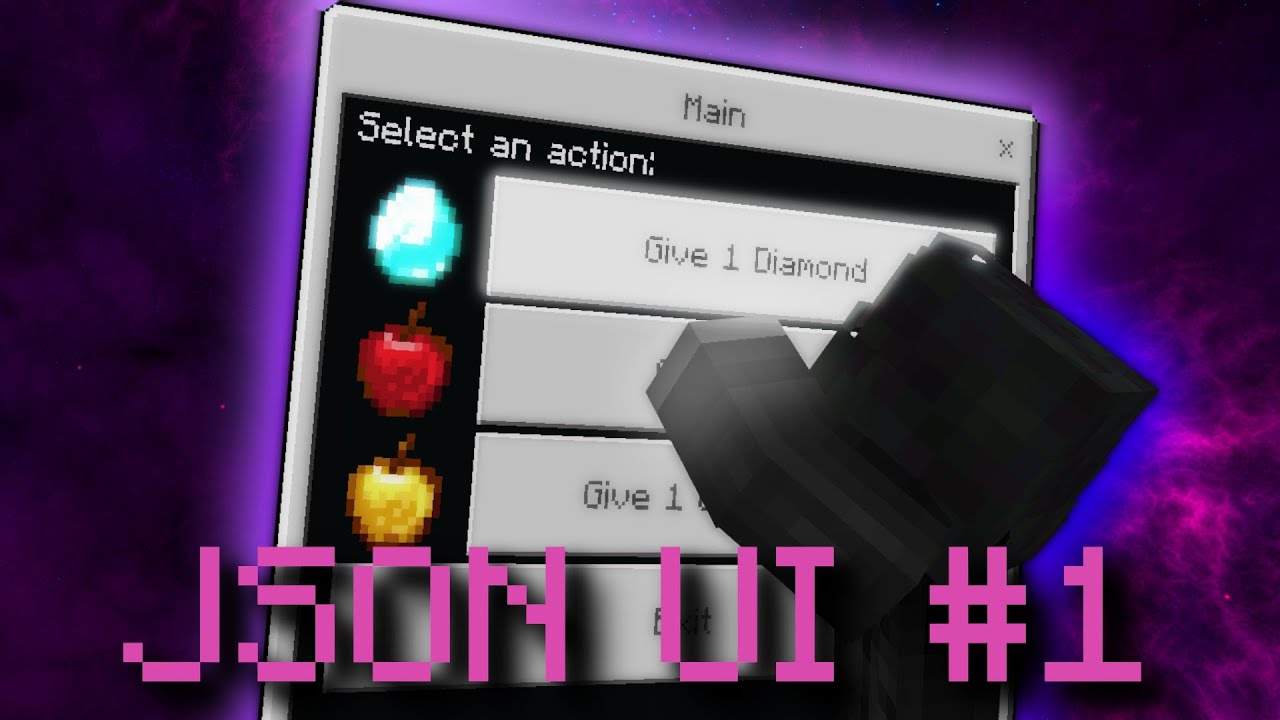
In this video, I demonstrate how to use JSON UI in combination with the scripting api in the Minecraft Bedrock Edition
🔗Links :
Join my Discord! : https://discord.gg/tzrmH56JXC
My Website : http://skyls.de
Music : https://www.youtube.com/watch?v=tEzYsaLm7nw&ab_channel=SimonChylinski-Topic
JSON UI docs : https://wiki.bedrock.dev/json-ui/json-ui-...
you add your what ever control to the long_form element in the original server_form file and a condition with it, (properly involving the title) make sure to counter that condition for the default control in the long_form
patent bramble
Is it not worth learning json UI if ore UI is indev?
I feel like by time I understand enough to utilise it for what I want to do, it’ll be deprecated
(I am a very slow learner)
 verbal brook
whats ore ui ?
patent bramble
Apparently a replacement
 nimble jungle
It's going to be a while till we can use Ore ui
patent bramble
nimble jungle
It's going to be a while till we can use Ore ui
It’ll take me longer to learn json UI so I might as well just wait
dusty ether
patent bramble
Is it not worth learning json UI if ore UI is indev?
no point of not using JSON UI if ore UI is going to take a year or 2 just to maybe have a prototype
patent bramble
I can wait. It’ll take me about that long to start to understand it
 rare flame
with a resource pack you can edit the hud_screen.json
here is a pack @heady saffron made today

GitHub
Don't show the item labels in HUD. Contribute to bud-aj29/BE_No_Item_label development by creating an account on GitHub.
per Bud's message, "These settings control the duration. There are also settings for the background duration, but it follows the text, so both disappear at the same time with below changes.
{
"namespace": "hud",
"anim_item_name_text_alpha_stay": {
"duration": 0.25 //default="$wait_duration"
},
"anim_item_name_text_alpha_out": {
"duration": 0 //default=2
}
}
whole jasper
nimble jungle
It's going to be a while till we can use Ore ui
Ore UI seems to be a long time, especially performance issues, just to make a quick play button is quite heavy, not as easy as using JSON UI
whole jasper
whole jasper
Ore UI seems to be a long time, especially performance issues, just to make a qu...
const QuickPlays = () => {
  const localWorlds = useLocalWorlds();

  const filteredWorlds = (0, react_facet_src.useFacetMemo)(
    (data) => [data[Math.floor(Math.random() * data.length)]],
    [], [localWorlds.data]
  );

  return /*#__PURE__*/ react.createElement( react_facet_src.Map,
    { array: filteredWorlds }, (itemFacet, index) => /*#__PURE__*/ react.createElement(
        react.Fragment, null, index > 0 && /*#__PURE__*/ react.createElement("div", null),
        /*#__PURE__*/ react.createElement(QuickPlayButton, {
          onWorldClick: useStartLocalWorldWithPrerequisites(itemFacet),
        })
      )
  );
};

const QuickPlayButton = ({ onWorldClick }) => {
  const {t} = useLocalization_useLocalization('PlayScreen.AllWorldsTab.ButtonHeader');
  return /*#__PURE__*/ react.createElement( "fast-div", { style: {marginLeft: "1em"}, className: ButtonHeader.button },
    /*#__PURE__*/ react.createElement( Button_Button_Button, {
        variant: "primary",
        onClick: onWorldClick,
        children: t('.quickPlay')
      }
    )
  );
};
 vital edge
whole jasper
Ore UI seems to be a long time, especially performance issues, just to make a qu...
vital edge
whole jasper
Ore UI seems to be a long time, especially performance issues, just to make a qu...
ayo that looks pretty cool
 true elm
can we have diff form button have diff layout based on condition ?
like if button starts with "half" it changes its length in half
 late timber
does anyone know how to change the boss bars? i cant find anything on it
 mortal monolith
how can you do that?
mortal monolith
whole jasper
Ore UI seems to be a long time, especially performance issues, just to make a qu...
:)?
late timber
mortal monolith
how can you do that?
i have no idea, i mean i looked at the pack "Enchanced Boss Bars" to see how to do it, but i cant wrap my head around it for the life of me
mortal monolith
mortal monolith
:)?
i was referring to this
late timber
oohhh ok my fault
rancid pollen
what wrong with sidebar
 hexed briar
idk you tell me
also this is more like modified elements and some kind so, you definitely know what wrong with it
rancid pollen
hexed briar
also this is more like modified elements and some kind so, you definitely know w...
hmmm
I think it has to do with marketplace content
hexed briar
this one is not vanilla at all, can't blame to something else from vanilla
if you modify JSON-UI, those errors tends to happen no matter of what, so. yeah
rancid pollen
so I customized it
 unique swan
#jukebox_text chat text How can I use these?
true elm
huh
hexed briar
It literally for showing record text from jukebox
 terse marsh
How can I set condition on displaying actionbar? Or its impossible?
cunning bridge
bindings
 fading kiln
anyone know off the top of their head what a bool dynamic property getting sent to the ui looks like? is it just going to output true/false? or will it ouput 1/0
 bright briar
does anyone know the texture for the empty item inventory slots?

ive been searching and cant find it
 tired smelt
How do I remove the durability bar on every items using json ui?
cunning bridge
fading kiln
anyone know off the top of their head what a bool dynamic property getting sent ...
it outputs true, false
cunning bridge
tired smelt
How do I remove the durability bar on every items using json ui?
find the durability bar element in the correct file and delete it or add "visible": false
tired smelt
cunning bridge
find the durability bar element in the correct file and delete it or add "visibl...
Where can I find it?
HUD?
cunning bridge
i don't think so, but you can follow its root starting from the hodbar
tired smelt
cunning bridge
i don't think so, but you can follow its root starting from the hodbar
quick question can I not like disable it for all the item except my custom items?
tired smelt
How? Exactly
cunning bridge
it's hard
I don't know how to do it yet
you would bind the visible property to a condition for the item name, i don't know what variable has the item name
tired smelt
tired smelt
HUD?
It was in hud
 mint falcon
can anyone help? https://discord.com/channels/523663022053392405/1201448779182772254
last pollen
so ummmm, am new to bedrock stuff, i always developed on java, and i need a start poing\project to figure out how to start using J.UI with GeyserMC, i have no idea
 weak cape
Hey there i opened a post, but it is a small question so i will ask, is enabling larger amount on Herobrine Chest GUI possible? If i set the amount to 100 it shows 99, if i change the max amount in forms.js, it shows in gui the first 2 numbers, it just cuts off the rest. Is it possible to change?
cunning bridge
is it possible to send molang data to ui, if i want to query for time, weather or moon phase in a resource pack, how can i send this data to ui files?
hexed briar
cunning bridge
is it possible to send molang data to ui, if i want to query for time, weather o...
Json-UI does not support molang.
it's a yesn't since there's most hacky way to use molang on UI
you'll have to slam your modified player model with molang you want then use UI to render them
cunning bridge
hexed briar
you'll have to slam your modified player model with molang you want then use UI ...
i figured out a way to do it with a combination of AC and /title
i can cancel certain titles that start with some character combination and display other things instead.
now the question.. can i set actor properties with custom ui buttons?? i would say no because resource packs are read only, but otherwise i want the button to toggle an element on or off even though the single game session
the button is in chat screen and the element is in hud
hexed briar
eh, technically yesn't
you can display both screens at the same time by messing around with root element.
it may require alot of hacky stuff if you wish to do that
hexed briar
No?
 hoary musk
Could someone help me why this happens? For each title I made 3 addons, but I see that it fails and I don't see a solution, can someone help me?
weak cape
weak cape
Hey there i opened a post, but it is a small question so i will ask, is enabling...
Hey there i opened a post, but it is a small question so i will ask, is enabling larger amount on Herobrine Chest GUI possible? If i set the amount to 100 it shows 99, if i change the max amount in forms.js, it shows in gui the first 2 numbers, it just cuts off the rest. Is it possible to change?
cunning bridge
weak cape
Hey there i opened a post, but it is a small question so i will ask, is enabling...
in chestUi he programed it so it only accepts numbers from 1 to 99.
weak cape
But is it possible to change that? if he programed it in that way can we change it?
weak cape
just asked, if possible. but still good news
weak cape
hoary musk
I am more a script api guy so no clue
hexed briar
I feels like I really have to block people isn't it
like, I literally said "I'm being retired at json-ui" for many times that I can't even count anymore
to the point I have to put that right in my profile description
weak cape
change your server name to Arxance (retired)
hoary musk
hexed briar
like, I literally said "I'm being retired at json-ui" for many times that I can'...
sorry man
Don't take this the wrong way, I didn't read it
cunning bridge
hexed briar
I feels like I really have to block people isn't it
you took the best choice and saved your sanity.
dusty ether
I have title-based server forms but I want my custom form (edited size) to not just show when the name is exactly = "PageA". I want it to show when the title starts with PageA or PageB etc. like '%.5s' at the start and it just shows what's after Page#
example: PageA§5Main Menu PageB§bWarps PageE§7Settings
dusty ether
This is my current form
        {
          "pageA@common_dialogs.main_panel_no_buttons": {
            "$custom_title": "(#title_suffix + 'aa')",
            "$title_panel": "common_dialogs.standard_title_label",
            "$title_size": [ "100% - 14px", 10 ],
            "size": [275, 300],
            "$text_name": "#title_text",
            "$child_control": "server_form.long_form_panel",
            "layer": 2,
            "bindings": [
              {
                "binding_name": "#title_text"
              },
              {
                "binding_type": "view",
                "source_property_name": "(not ((#title_text - 'PageA') = #title_text))",
                "target_property_name": "#visible"
              },
              {
                "binding_type": "view",
                "source_property_name": "(#title_text - ('%.5s' * #title_text))",
                "target_property_name": "#title_suffix"
              },
              {
                "binding_type": "view",
                "source_property_name": "$custom_title",
                "target_property_name": "#title_text"
              }
            ]
            }
        },
It doesn't work but I am working on it. If anyone has a solution or something I can test, I'll do it tomorrow
It freezes my game
I assume because I'm calling for the title_text at the same time that I'm setting the title_text to $custom_title
I think I have what I want as #title_suffix
and $custom_title is just #title_suffix with temporary letters after to see if it works
hoary musk
hoary musk
Could someone help me why this happens? For each title I made 3 addons, but I se...
@dusty ether you can Help Me?
dusty ether
dusty ether
and $custom_title is just #title_suffix with temporary letters after to see if i...
Moved to here
cunning bridge
is it possible to compact this?
cunning bridge
vital edge
cunning bridge
idk. probably something like this?
{
  "NN": {
    "type": "image",
    "texture": "#texture",
    "size": [ 16, 16 ],
    "anchor_to": "center",
    "anchor_from": "bottom_right",
    "bindings": [
      {
        "binding_type": "collection_details",
        "binding_collection_name": "form_buttons"
      },
      {
        "binding_name": "#form_button_text",
        "binding_type": "collection",
        "binding_collection_name": "form_buttons"
      },
      {
        "binding_type": "view",
        "source_property_name": "('textures/ui/map/player' + (('%.4s' * #form_button_text) - 'P d'))",
        "target_property_name": "#texture"
      }
    ]
  }
}
it works, thanks
dusty ether
Is there any way I can detect if the #title_text of my form has specific characters and just remove those characters?
last pollen
Yeah, i am able to code 5 plugins, Two of them are some complex custom authentic minigames made and designed by me, yet i can't understand those JSON UI because documents are nowhere to be found
 limpid quarry
last pollen
Yeah, i am able to code 5 plugins, Two of them are some complex custom authentic...
limpid quarry
last pollen
Yeah, i am able to code 5 plugins, Two of them are some complex custom authentic...
i feel yah
vital edge
dusty ether
Is there any way I can detect if the #title_text of my form has specific charact...
use the subtract operator -.
sample usage:
(#title_text - 'minecraft:')
input string: minecraft:dirt
output string: dirt
vital edge
use the bindings property to parse the binding first
dusty ether
I've been trying to use bindings and variables
I don't know how
it won't bind to #title_text
it won't bind to a custom variable like #custom_title that I put in $text_name
vital edge
{
  "sample_string": {
    "type": "label",
    "text": "#text_string",
    "bindings": [
      {
        "binding_name": "#title_text"
      },
      {
        "binding_type": "view",
        "source_property_name": "(#title_text - 'minecraft:')",
        "target_property_name": "#text_string"
      }
    ]
  }
}
binding name #title_text will only work when used in certain screens
vital edge
dusty ether
Is there any way I can detect if the #title_text of my form has specific charact...
but yes, in this context alone. you can definitely check if a binding has specific characters and remove those characters
dusty ether
I know how to detect them and remove them, it's just a problem for my specific context

{
  "pageA@common_dialogs.pageA_panel_no_buttons": {
    "$title_panel": "common_dialogs.page_A_standard_title_label",
    "$title_size": [ "100% - 14px", 10 ],
    "size": [275, 300],
    "$text_name": "#title_string",
    "$title_text_binding_type": "view",
    "$child_control": "server_form.long_form_panel",
    "layer": 2,
    "bindings": [
      {
        "binding_name": "#title_text"
      },
      {
        "binding_type": "view",
        "source_property_name": "(not (('%.5s' * #title_text) - 'PageA' = ('%.5s' * #title_text)))",
        "target_property_name": "#visible"
      },
      {
        "binding_type": "view",
        "source_property_name": "(#title_text - 'P')",
        "target_property_name": "#title_string"
      }
    ]
    }
},
 swift lake
 wraith bluff
anyone know if it's possible to exclude a boss bar that contains a certain unicode form the boss_health_grid and instead display the text at a specific location on scrren?
wait I should be able to access the #bossName from the boss_bars collection anywhere right?
aha I can
think I know how to do it now
hmm It seems like my custom panel only updates once when a new boss bar is made
but if you reload the game while the boss bars are active then it'll display the rest
actually
it looks like it's only getting the first boss bar in the collection
do I need like a grid or something for it to read the full collection?
also what element can I set on the boss_health_panel to make it invisible and not take up space in the boss_health_grid?
can I like set the panel size to [0, 0] with a binding or something?
no answers is crazy
everyone asleep rn or something?
wraith bluff
welp time to wait ig
I need to like filter through the collection and only make the new grid item template if it meets a certain condition
or somehow remove / disable the ones in the grid that don't meet the condition
 next quarry
Someone knows how to open the Ui with an entity ? Please
thorny nymph
Where can I see the ore ui interface files?
 tender flare
why does maximum_grid_items not hide inventory slots that are beyond the limit?
wraith bluff
wraith bluff
I need to like filter through the collection and only make the new grid item te...
no answers bruh
 red creek
What's the error?
This would be a button to close a menu, but when I click, this appears in the LOG
//closeMenu
      {
      "ready": {
        "type": "panel",
        "$button_text": "§aReady",
        "size": "$size",
        "$size": [ "140px", "40px" ],
        "offset": [ -30, -10 ],
        "anchor_from": "top_left",
        "anchor_to": "top_left",
        "$pressed_button_name":"button.submit_custom_form",
        "$default_button_texture": "textures/hash/ui/inv",
        "$hover_button_texture": "textures/hash/ui/inv",
        "$pressed_button_texture": "textures/hash/ui/inv",
        "$border_visible": false,
        "controls": [
          {
          "button@common_buttons.light_text_button": {}
          }
        ]
      }
    }
 wraith bluff
red creek
What's the error?
This would be a button to close a menu, but when I click, this...
wraith bluff
red creek
What's the error?
This would be a button to close a menu, but when I click, this...
don't think that's a json-ui error, that's a scripting error
try asking in #1067535608660107284
 keen marsh
I believe someone had a similar issue because they had too many buttons. Not sure if that's an actual problem though
chilly yacht
yes
 void berry
ohhh thank guy ;b
 junior shell
How to make a hp, defense and mana system like hypixel skyblock?
west dawn
junior shell
How to make a hp, defense and mana system like hypixel skyblock?
well hypixel skyblock just uses actionbar
hexed briar
yeah they only uses what vanilla has - actionbar and title/subtitle
fading kiln
Anyone ever run into an issue where changing the "size" of your texture does nothing?
I've doubled andeven trippled it, and the size isn't changing at all
chilly yacht
fading kiln
I've doubled andeven trippled it, and the size isn't changing at all
if it’s a control then the size is relevant to the parent i’m pretty sure
other than that it should work
hexed briar
fading kiln
Anyone ever run into an issue where changing the "size" of your texture does not...
never seen that before unless you're attempting to override the vanilla codes.
or pre-configed itself by the parent elements
fading kiln
nope, and I have another element that is changing it's size properly
both of these are separate elements

{
        "brew_bg": {
          "type": "image",
          "texture": "textures/ui/brewing_bg",
          "anchor_from": "bottom_middle",
          "anchor_to": "bottom_middle",
          "size": [
            84,
            4
          ],
          "uv_size": [
            42,
            4
          ],
          "offset": [
            52,
            -60
          ]
        }
      },
      {
        "brew_fg": {
          "type": "image",
          "texture": "textures/ui/brewing_fg",
          "anchor_from": "bottom_middle",
          "anchor_to": "bottom_middle",
          "clip_direction": "right",
          "clip_pixelperfect": false,
          "$clip_max": 40.0,
          "size": [
            80,
            2
          ],
          "uv_size": [
            40,
            2
          ],
          "offset": [
            52,
            -61
          ]
        }
}```however the "brew_bg" is not actually having it's szie change
hexed briar
I think I could see the issue.
try to get rid of uv_size on that brew_bg element
not sure what was that for
using uv_size may break for some reasons
that was my guess, can't properly debug it myself
fading kiln
don't you need uv_size?
hexed briar
No?
fading kiln
doesn't that tell you how big the image is though
hexed briar
uv_size are used for "cropping" sprites in one image
fading kiln
oh
Time to delete it on a lot of my elements then
It didn't fix this issue unfortunately
fading kiln
I'll probably just make my texture to the right size then instead of hoping json ui would stretch it
hexed briar
well perhaps check the image size properly
aswell check the niceslice too
every niceslice file on images has it own "size" property whenever you want it to display properly.
you can stretch your image with niceslice I totally forgot
I did that alot with stretched lawnmowers
cunning bridge
if you have 2 addons with scripts that access the same event, which addon will trigger first? and will they both trigger at the same tick?
minor basalt
is anyone experienced in application development, I was looking for someone to help me or just someone in general to make a json ui generator application for windows
or if it is even possible
minor basalt
cunning bridge
if you have 2 addons with scripts that access the same event, which addon will t...
depends on what code is running and if there’s a watchdog ms spike detected
chilly yacht
minor basalt
or if it is even possible
def is you just need the right perso
n
u can start off with python tkinter or learn c
cunning bridge
minor basalt
depends on what code is running and if there’s a watchdog ms spike detected
so they act simultaneously and the only factor delaying one script than the other is performance?
wraith bluff
this make so much sense..

seems like minecraft is manifesting the orientation property into existance on the fly
cunning bridge
wraith bluff
seems like minecraft is manifesting the orientation property into existance on t...
make sure the hud_title_text element has a type and it's a valid type
wraith bluff
"type": "panel"
cunning bridge
panel doesn't have a orientation property
cunning bridge
that's stack panel
wraith bluff
it doesn't have orientation anywhere in the file
did Ctrl - F "orientation".. no matches
cunning bridge
oh, i will have a look
is there another element with the same name in this namespace?
cunning bridge
this makes no sense
wraith bluff
exactly what I said lol
cunning bridge
try to restart the game
wraith bluff
tried already
reloaded the game, reloaded the world
moved around the stuff in the file
everything
cunning bridge
delete this element and see if the Issue persists
wraith bluff
hmm
hud_title_text is originally a stack panel
and includes an orientation property
I think it's probably not being overwritten
cunning bridge
that might be it.
wraith bluff
how do I make sure to fully overwrite the default?
cunning bridge
why do you want to overwrite it? make a similar element and use that instead
wraith bluff
its to replace the normal title with a sidebar
cunning bridge
this is where it's used, replace this one with your own
 wraith bluff
k i'll try that thanks
eh didn't work
ah
this did work
"root_panel": {
        "modifications": [
            {
                "control_name": "hud_title_text_area",
                "operation": "replace",
                "value": [
                    {
                        "hud_title_text_area": {
                            "type": "panel",
                            "factory": {
                                "name": "hud_title_text_factory",
                                "control_ids": {
                                    "hud_title_text": "[email protected]_title_text"
                                }
                            }
                        }
                    }
                ]
            }
        ]
}```nice
mystic heart
fading kiln
Anyone ever run into an issue where changing the "size" of your texture does not...
Image elements have keep_ratio set to true by default, so the size is clamped to the smallest value for the width or height. So a 2x4 element would still appear 2x4 if its size was [2, 1000]. If you have a nineslice set up for the texture in a .json, like how the vanilla files set up a lot of their textures, it automatically sets keep ratio to false. But you can also just put "keep_ratio": false for the element.
 cyan venture
How do I make the server form’s body invisible while the buttons are visible
cunning bridge
cyan venture
How do I make the server form’s body invisible while the buttons are visible
locate the original background element and make it a panel instead of an image
 cinder dirge
where those "common_dialogs" thing exist?
cyan venture
cunning bridge
locate the original background element and make it a panel instead of an image
It worked Thx
cyan venture
How do I change each buttons place??
Example:
I want the first to be on bottom
And I want the second to be on top
And I want the third to be on right
And finally I want the fourth to be on left
cunning bridge
this is quite tricky, ping me if you found out
cyan venture
I will
west dawn
cyan venture
inside the button factory add a control with a manual reference to the button as well as the collection_index property set to well the index of the button
cyan venture
west dawn
inside the button factory add a control with a manual reference to the button as...
How do I reference the button?
west dawn
cyan venture
How do I reference the button?
[element_name]@[namespace_reference].[element_name_reference]
 cyan venture
west dawn
[element_name]@[namespace_reference].[element_name_reference]
cyan venture
west dawn
[element_name]@[namespace_reference].[element_name_reference]
Sorry, but where do I add the factory
You know it's a server form button
cyan venture
 cyan venture
cyan venture
cyan venture
You mean I just have to add it here?
cyan venture
west dawn
you dont add the factory
?
cyan venture
I really didn’t understand can you tell me what am I supposed to do 😓
west dawn
there is no property called controls yet
you have to add it
and add the button there
cyan venture
But it’s a server form button how do I reference it?
Do I write
form_button@[my namespace]??
west dawn
try understanding this [element_name]@[namespace_reference].[element_name_reference]
element name
can be anything
@ is always there
namespace_reference
is the namespace
. is always there
element_name_reference
the element you want to reference
(your button)
cyan venture
Ok I understand it so far
cyan venture
west dawn
(your button)
How do I reference it, it doesn’t have a specific name
 cyan venture
I mean I want a specific button not all of them
west dawn
ik
adding one controll will only make 1 button
crazy concept
you choose the button with the collection_index property
cyan venture
 cyan venture
cyan venture
cyan venture
Is this right??
cyan venture
 west dawn
holdup
cyan venture
west dawn
holdup
What?
cyan venture
west dawn
holdup
Did I do something wrong??
cyan venture
Can I send you the file?
cyan venture

MediaFire
cyan venture
west dawn
i guess
Here it is
cyan venture
cyan venture
https://www.mediafire.com/file/2yhorv449ojfkil/file.json/file
Here it is
…
cyan venture
west dawn
i guess
Hey man did you find something??
west dawn
My internet on pc is ded
cyan venture
Oh
west dawn
Either way i dont really know
cyan venture
Well, no worries
cyan venture
west dawn
Either way i dont really know
😔
Hey @west dawn I found out if I set the namespace to server_form it doesn’t show any error but it also doesn’t work
minor basalt
chilly yacht
def is you just need the right perso
ima have to learn python for sure putting it off for forever
chilly yacht
minor basalt
ima have to learn python for sure putting it off for forever
python is easy
cunning bridge
i had a similar idea, json ui viewer is something that needs to be done, because viewing it in game IS. A. PAIN.
i don't have experience with making computer programs, maybe that's a good side project to gain some experience.
vital edge
there is no incentive in making any type of JSON UI builder, as much as something like how you can make and preview models in Blockbench. because of the imminent replacement of JSON UI in favor of OreUI. when? maybe not anytime soon, but still
cunning bridge
vital edge
there is no incentive in making any type of JSON UI builder, as much as somethin...
oreUi is slowly caving on Minecraft, it's covering small pieces at a time, it's so slow
cyan venture

Hey guys I knew how to use collection_index
I now made different button sizes
But......
That wasn't what I wanted to do
I wanted to change thier position
But it seems the offset doesn't work
So can anyone help me with it?
hexed briar
cunning bridge
i had a similar idea, json ui viewer is something that needs to be done, because...
Making JSON-UI viewer aren't easy either tbh.
it's never supported in the first place, even mojang confirms it
this doesn't mean they won't drop the docs, this also means that JSON-UI can break anytime on each updates since they do not intend to drop any JSON-UI changes.
the best way to modify JSON-UI is pretty much just slap that on start_screen.json, so when you launch the game, you'll see it immediately
cinder dirge
are there actually any application that will help developers view and create ui's from json-ui?
it's kind of disappointing when minecraft bedrock requires you to reopen your world to reload resource packs while minecraft java just.. do a debugging thing
like i just want an immediate change
like behavior pack does
 icy relic
cinder dirge
are there actually any application that will help developers view and create ui'...
icy relic
cinder dirge
are there actually any application that will help developers view and create ui'...
I use VSCode with this extension https://github.com/Blockception/VSCode-Bedrock-Development-Extension can't remember if it includes a UI schema but this suggested by the wiki and I use it https://github.com/KalmeMarq/Bugrock-JSON-UI-Schemas/

GitHub
An extension that provides support for files such as: .mcfunction, .json and .lang. Features include: completion, validations, formatters, diagnostics, cheat-sheets, code-actions, generation of fil...
GitHub
Contribute to KalmeMarq/Bugrock-JSON-UI-Schemas development by creating an account on GitHub.
Blockception extension big help cause I can just view any vanialla file in vscode at any time
Makes grabbing vanilla elements fast
Please please please don't do any UI work without a schema. Literally crippling yourself for almost no reason
minor basalt
cunning bridge
i had a similar idea, json ui viewer is something that needs to be done, because...
I think that would be included with the thing
thorny nymph
Can anyone help me with this?
Discord
Discord is the easiest way to communicate over voice, video, and text. Chat, hang out, and stay close with your friends and communities.
hexed briar
aye, no crosspostin
 uneven epoch
any idea how to fix?
 wraith bluff
it literally tells you what you need to do
you have more than one control with the same name
change the names so they don't all have the same name
"child controls must have unique names"
cinder dirge
icy relic
I use VSCode with this extension https://github.com/Blockception/VSCode-Bedrock-...
thank
whole jasper
Is this helpful?
broken trail
whole jasper
Is this helpful?
+1 when toggle is checked OR unchecked? huh
may I ask how you did it?
whole jasper
broken trail
+1 when toggle is checked OR unchecked? huh
both
whole jasper
broken trail
may I ask how you did it?
clue #toggle_state * 0
only for binding condition updates
broken trail
love these random tips lmao
but I think its based on some visibility
in general its kinda cringe on how to get such things with that complex logic
instead of something like:
onClick() {
var++
}
whole jasper
broken trail
love these random tips lmao
I use custom factories to make that large number of panels, and the value of the results of deployment and addition I use to determine the number of panels
  "custom_factory": {
    "type": "stack_panel",
    "offset": [0, "25px"],
    "anchor_from": "top_left",
    "anchor_to": "top_left",
    "size": ["100%", 20],
    "collection_name": "custom_panel",

    "$stack_count": 9,
    "factory": { "control_name": "pause.custom_panel" },
    "property_bag": { "#stack_count": "$stack_count" },
    "bindings": [
      {
        "binding_type": "view",
        "source_control_name": "label",
        "source_property_name": "#increment_value",
        "target_property_name": "#increment_value",
        "resolve_sibling_scope": true
      },
      {
        "binding_type": "view",
        "source_control_name": "label",
        "source_property_name": "#decrement_value",
        "target_property_name": "#decrement_value",
        "resolve_sibling_scope": true
      },
      {
        "binding_type": "view",
        "source_property_name": "((#increment_value/19) - (#decrement_value/19))",
        "target_property_name": "#collection_length"
      }
    ]
  }
#visibility for each panel? Too performance-consuming, no one wants to make so many stacked panels
I just copied what was on the form server
broken trail
I mean this stack panel is nothing special, rather logic of these values #increment_value #decrement_value making me curious especially because they arent in this bindings scope
cunning bridge
is it possible at all to detect if a Behavior pack is applied to show certain elements
dusty ether
How do you use a json UI schema?
whole jasper
broken trail
I mean this stack panel is nothing special, rather logic of these values #increm...
that's a secret, basically the toggle only updates the binding condition, and every change in the condition is + 1 or -1
undone marsh
whole jasper
Is this helpful?
Damn this was easy to recreate
Well I won't make it public
whole jasper
undone marsh
Well I won't make it public
Not for now, it still needs improvement because the position of Index Children on controls is very influential can not just place it
Can anyone explain why propagate_alpha make all renderers fade, when they are neither children nor siblings

 void berry
is there anyway to remove the space between the letter
 harsh iron
In preview 1.20.70.22, the new death screen now appears even with a resource pack, however it looks different.
(left: no pack, right: with pack)


Almost like it has JSON UI embedded in it
mortal monolith
yeah
cyan venture
How to make a button invisible?
cyan venture
And make it work
cunning bridge
cunning bridge
locate the original background element and make it a panel instead of an image
^ @cyan venture
the same should apply for buttons
cyan venture
cunning bridge
^ <@868764282236567612>
Does it work on form buttons?
 cunning bridge
yo!
minor basalt
 shrewd elm
cyan venture
How to make a button invisible?
shrewd elm
cyan venture
How to make a button invisible?
vanilla buttons?
 vernal cargo
How I can make scoreboard like this
 cyan venture
shrewd elm
vanilla buttons?
cyan venture
shrewd elm
vanilla buttons?
Don't worry about it I figured it out
whole jasper
harsh iron
In preview 1.20.70.22, the new death screen now appears even with a resource pac...
when using the pack or in the global resourcepack ore UI is not active
only for death route
harsh iron
whole jasper
when using the pack or in the global resourcepack ore UI is not active
only for ...
Could you rephrase that
whole jasper
in the gameplay.js file, there is only one route (death route) for now, and it will not be active if using resourcepack, I have tried deleting the json file but it just goes blank and doesn't activate ore ui
harsh iron
whole jasper
in the gameplay.js file, there is only one route (death route) for now, and it w...
In the latest preview the death route gets used regardless of a resource pack being active
minor basalt
anyone able to help me with learning json ui so I can make a generator for it. I’m making it in python run so if I can’t I’ll just use something else but I do like learning other languages so I’ll learn python and do this
 wraith bluff
minor basalt
anyone able to help me with learning json ui so I can make a generator for it. I...
wraith bluff
minor basalt
anyone able to help me with learning json ui so I can make a generator for it. I...
you'll probably have to start with adding all the vanilla ui files in as default
restive crag
minor basalt
anyone able to help me with learning json ui so I can make a generator for it. I...
I'll help
minor basalt
alright
i got a logo off a website but I don’t feel like buying it can someone screenshot it or scrape it just without it being payed
it’s just going to be visual studio code for json ui
and dragable like OBS
I got it nvm

also clarifying this before anyone asks to participate, ALL CODE WILL BE OPEN SOURCED, all json, all python code, everything
minor basalt
wraith bluff
you'll probably have to start with adding all the vanilla ui files in as default
I don’t even know how json ui works lol
I do but I don’t lol
should I make a post for this?
W logo
 minor basalt
I just did lol
restive crag
minor basalt
I just did lol
DM me the link
 ivory meteor
how can i install npm?
minor basalt

Node.js® is a JavaScript runtime built on Chrome's V8 JavaScript engine.
@ivory meteor
ivory meteor
step 2?
minor basalt
open terminal
and do npm
npm -v*
also would recommend talking inhttps://discord.com/channels/523663022053392405/1067535608660107284
if y’all were interested in my json ui generator look at my post in #1067869374410657962
cinder dirge
to be honest making a ui concept is WAY EASIER than actually making it real in Minecraft
 vernal imp
Can anyone here explain how the "binding condition":"visibility_changed" works??
wraith bluff
vernal imp
Can anyone here explain how the `"binding condition":"visibility_changed"` works...
it will run the binding every time the visibility of the element is changed
so if you have a binding for the text, it will only update that text binding when the element changes visibility
vernal imp
wraith bluff
so if you have a binding for the text, it will only update that text binding whe...
is it updated when the element's visibility is changed to true, or is it also updated when it is changed to false?
vernal imp
and it only updates once when the visibility is changed, right?
wraith bluff
yes
vernal imp
is it possible to fill the "offset" value with #tag?
example:
"property_bag":{
  "#offset": [0,0]
}```

will this be an error?hi everyone, i begin json ui and i have 2 question, how to change the texture, element of a scoreboard and how change the element and color of a actionformdata ?
mystic heart
vernal imp
is it possible to fill the "offset" value with #tag?
example:
```"offset": "#off...
You need to set use_anchored_offset for the element to true and then anchored_offset_value_x and anchored_offset_value_y (it needs to be a float value which is a % of the parent's size).
mystic heart
cobalt narwhal
hi everyone, i begin json ui and i have 2 question, how to change the texture, e...
What do you mean by texture and element of a scoreboard? By texture do you mean the background of a scoreboard? And by element do you mean the value displayed? Also for color of action form, do you just mean the background color?
cobalt narwhal
mystic heart
What do you mean by texture and element of a scoreboard? By texture do you mean ...
yes sorry
so you know @mystic heart
mystic heart
cobalt narwhal
yes sorry
can you explain more in detail what you mean
cobalt narwhal
 cobalt narwhal
mystic heart
can you explain more in detail what you mean
cobalt narwhal
mystic heart
can you explain more in detail what you mean
this
mystic heart
cobalt narwhal
this
It's not exactly hard but if you are just starting JSON UI it's gonna be fairly complicated. You'll need to edit scoreboards.json, or hide the vanilla scoreboard for a given scoreboard name(s). Then you can put your own modified version of the scoreboard on top which has a layout with the identifiers you want, like ID, Rank, etc. and their corresponding values. I would recommend looking at examples of scoreboards.json in the vanilla files and also in the json ui channels here. If you want more help you should make a post.
cobalt narwhal
mystic heart
It's not exactly hard but if you are just starting JSON UI it's gonna be fairly ...
ok ty but what can i delete on this files ?
mystic heart
cobalt narwhal
ok ty but what can i delete on this files ?
You can hide the scoreboard if it has a certain name so that you can then display your own.
cobalt narwhal
mystic heart
You can hide the scoreboard if it has a certain name so that you can then displa...
can we make a vocal for help ?
mystic heart
cobalt narwhal
can we make a vocal for help ?
I can't really help atm. But like I suggested, you should make a post for it in json ui channel
cobalt narwhal
ok i create one post but just a question, what is the line for hide scoreboard ?
cobalt narwhal
mystic heart
I can't really help atm. But like I suggested, you should make a post for it in ...
 minor basalt
how many files are there for json ui i might just make a file conversion system so like server_form.jsonuieditor depending on how many there are and however many peop,e will help if it’s like 25 files a person I’ll do it if it’s like 50 I can but it’s ALOT if it’s over 50 with 5 leeway I’m ngl I’m good
vernal imp
mystic heart
You need to set `use_anchored_offset` for the element to true and then `anchored...
I want to fill in the element property values via #tag ,not just the offset property,
such as grid_position, grid_dimension, and others
minor basalt

sorry for whoever was wanting to see my app work
no development will be continued
minor basalt
maybe for other features bu, not just not json ui as it will become more like web development soon (supposedly)
hexed briar
minor basalt
no development will be continued
You could however continue making it if you want.
Although, json-ui has reached the "end of life" state so, screens will eventually be replaced in the future update.
It's pretty much confirmed that mojang aren't gonna make json-ui backward compatibility.
( can't believe my message is on that screenshot lmao )
 wispy crater
Can anyone help me
How to change the container texture on blocks such as anvils and others
Like in minecraft java
Please help me at https://discord.com/channels/523663022053392405/1205710596755034202
mystic heart
cobalt narwhal
ok i create one post but just a question, what is the line for hide scoreboard ?
I would recommend reading the json ui intro and looking at conditional rendering specifically https://wiki.bedrock.dev/json-ui/json-ui-intro.html#conditional-rendering

Bedrock Wiki
This wiki is a knowledge-sharing website for Technical Bedrock, containing documentation, tutorials, and general how-to information.
mystic heart
vernal imp
I want to fill in the element property values via #tag ,not just the offset pr...
Ah. I'm not sure if it's possible for certain bindings, such as grid_dimension, etc.
vernal imp
mystic heart
Ah. I'm not sure if it's possible for certain bindings, such as grid_dimension, ...
oh okay
restive crag
mystic heart
Ah. I'm not sure if it's possible for certain bindings, such as grid_dimension, ...
sorry for interrupting the conversation but may I ask an example of using anchored offset? Never really worked for me, I've tried converting textbox content into float values but still don't work
mystic heart
restive crag
sorry for interrupting the conversation but may I ask an example of using anchor...
#1067870274894172260 message
Converting to float can be a bit weird sometimes. I'd recommend setting a property bag binding or a variable to a float value, then using that in the equation. That will convert the result of the equation into a float. Putting a float directly into a binding, such as title, textbox, or button usually doesn't convert to float automatically.
undone marsh
Does something like this work
"bindings": [
                        {
                            "binding_type": "view",
                            "source_property_name": "'Slot ' + (#collection_index + 1) + ': ' + #available_slots[#collection_index]",
                            "target_property_name": "#text"
                        }
                    ]
@mystic heart (ik the username says ping me but it could be that you are busy so I am sorry if I interrupted)
mystic heart
undone marsh
Does something like this work
```js
"bindings": [
{
...
dw I never mind being pinged. I might just respond days later lol (though usually not). Unfortunately you can't do arrays like that. What would you like #available_slots to do? You can have:
"source_property_name": "('Slot ' + (#collection_index + 1) + ': ')
There might be another method to achieve what you're trying to do with the slots
undone marsh
mystic heart
dw I never mind being pinged. I might just respond days later lol (though usuall...
I want to detect Slots to display how many slots are available so for example if there are 35 slots available it displays 35/36
mystic heart
undone marsh
I want to detect Slots to display how many slots are available so for example if...
Like inventory slots?
I would probably send that information through another binding
like a title, score, etc.
undone marsh
mystic heart
Like inventory slots?
Inventory + hotbar
mystic heart
undone marsh
Inventory + hotbar
yeah I would just send that information in through a title and read it there
undone marsh
mystic heart
yeah I would just send that information in through a title and read it there
Idk about titles but will that work resources pack only also on servers?
undone marsh
undone marsh
Idk about titles but will that work resources pack only also on servers?
Or do I need add-on scripts with title
mystic heart
undone marsh
Idk about titles but will that work resources pack only also on servers?
it won't be rp only unfortunately, since it'll need a bp to send the title
undone marsh
mystic heart
it won't be rp only unfortunately, since it'll need a bp to send the title
Thanks for the info I guess using Molang in a RP it is
lament kraken
whole jasper
Is this helpful?
@whole jasper Is it server_form or hud screen? Aren't they both?
whole jasper
lament kraken
<@595885247522930688> Is it server_form or hud screen? Aren't they both?
can be on any screen, does not involve scripting API or form servers, just json UI resourcepack
lament kraken
whole jasper
can be on any screen, does not involve scripting API or form servers, just json...
awesome
If it was a server form, I was going to ask how to remove the delay
There is a delay when pressing the button and showing the UI again 😔
whole jasper
lament kraken
awesome
If it was a server form, I was going to ask how to remove the delay
I don't understand API scripting at all, all I do is create custom factories and control them, isn't the Script API more sophisticated to control all that and create custom factories and everything?
lament kraken
whole jasper
I don't understand API scripting at all, all I do is create custom factories and...
The script only allows you to open various types of form UI and retrieve the results (ex: return what button you clicked)
whole jasper
lament kraken
The script only allows you to open various types of form UI and retrieve the res...
can you create a custom binding name to capture the value? For example, what is sent from the API script is an object, and it is mapped with bindings to get the value.
whole jasper
lament kraken
The script only allows you to open various types of form UI and retrieve the res...
Pbecause the button component is in the resource pack means json ui can also send information to the api script instead of just receiving it?
 fair cedar
https://cdn.discordapp.com/attachments/603570253531840512/1205879489394118716/remix-9a07307b-b1bb-40c5-9960-4d59af997538.png?ex=65d9f9ca&is=65c784ca&hm=7f73a7575454b0aba17a6b253c83913be2d0568a8a824c774962d5b4de014128&
Is it possible to move this button?
 lament kraken
whole jasper
Pbecause the button component is in the resource pack means json ui can also sen...
lament kraken
whole jasper
Pbecause the button component is in the resource pack means json ui can also sen...
I'm really sorry. I'd like to answer, but my English isn't good, so even with a translator, I don't know what it means 🥲
undone marsh
lament kraken
I'm really sorry. I'd like to answer, but my English isn't good, so even with a ...
Where you from
Maybe I could transfer it to him
lament kraken
undone marsh
Where you from
s korea
minor basalt
hexed briar
You could however continue making it if you want.
lol
I’m just gonna make a blender style block and item maker
 primal aspen
How do we know when we enter a whole set by displaying a photo on the screen?
restive crag
primal aspen
How do we know when we enter a whole set by displaying a photo on the screen?
What do you mean
 rocky quail
primal aspen
How do we know when we enter a whole set by displaying a photo on the screen?
rocky quail
primal aspen
How do we know when we enter a whole set by displaying a photo on the screen?
What do you mean by 'whole set'?
primal aspen
rocky quail
What do you mean by 'whole set'?
I would like to add an image of a sample diamond armor wearing all its pieces.
cyan venture
How do I make the ui closes when the player get hit?
vernal imp
is it possible to use "dragable": "horizontal" to create horizontaly scroll?
 glacial knoll
So.. I’m trying to show 2 separate ui screen textures I have in a texture pack..
So I’m using (#title-text = hub menu)) and (#title-text = kit menu))
And it only shows 1 menu screen on every form ui.
How do I show 1 texture screen on separate ui forms?
I’m wanted to show different forms. One for the hub
And one for KitPvP for my kits form ui menu
cyan venture
how do I make a condition based on a scoreboard?
glacial knoll

how to fix this...
ive tried
        "anchor_from": "center",
        "anchor_to": "center",
and still doesnt work..
    "kits": {
        "type": "stack_panel",
        "layer": 1,
        "anchor_from": "center",
        "anchor_to": "center",
        "controls": [
            {
                "[email protected]_image_border_white": {
                    "size": [400, 260],
                    "anchor_from": "top_middle",
                    "anchor_to": "top_middle",
                    "controls": [
                        {
                            "background": {
                                "type": "image",
                                "texture": "textures/ui/screens/kit_menu",
                                "keep_ratio": false
                            }
                        },
                        {
                            "back_button@close_button": {
                                "anchor_from": "top_right",
                                "anchor_to": "top_right",
                                "offset": [
                                    -5,
                                    5
                                ]
                            }
                        },
                        {
                            "long_form_dynamic_buttons_panel": {
                                "type": "grid",
                                "grid_dimensions": [3, 20],
                                "size": ["100%", "100%c"],
                                "offset": [3, 0],
                                "orientation": "horizontal",
                                "anchor_from": "top_center",
                                "anchor_to": "top_center",
                                "factory": {
                                    "name": "buttons",
                                    "control_name": "server_form.custom_dynamic_button"
                                },
                                "collection_name": "form_buttons",
                                "bindings": [
                                    {
                                        "binding_name": "#form_button_length",
                                        "binding_name_override": "#collection_length"
                                    }
                                ]
                            }
                        }
                    ]
                }
            }
        ]
    },
how to fix?
cyan venture
What is the problem?
whole jasper
lament kraken
I'm really sorry. I'd like to answer, but my English isn't good, so even with a ...
Me too, I only use chatgpt translator and google💀
whole jasper
glacial knoll
```
"kits": {
"type": "stack_panel",
"layer": 1,
"an...
Don't make it in a stack panel, wrap it first with a regular panel
glacial knoll
whole jasper
Don't make it in a stack panel, wrap it first with a regular panel
Ok then what?
whole jasper
glacial knoll
Ok then what?
make the size 100% of the screen, then you are free to adjust the position of the children
glacial knoll
whole jasper
make the size 100% of the screen, then you are free to adjust the position of th...
For the [email protected]_image_border_white
Right?
I think?
glacial knoll
whole jasper
make the size 100% of the screen, then you are free to adjust the position of th...
?
wispy crater
Does anyone know how to change the container UI texture?
snow acorn
Question: What file does the background for this 3d player model, and what is it called in the NPC dialog file. I'd like to remove/alpha it
 vernal imp
true elm
vernal imp
true elm
can we do condiional size ?
granite crane
"hud_text": {
        "type": "label",
        "text": "§l§ù§cCubeFactory :",
        "anchor_from": "top_middle",
        "anchor_to": "top_middle",
        "offset": [ -4, 4 ]
    }
Quick question how do I display a score??
 rancid pollen
 gloomy sluice
how can I hide a vanilla bossbar using "modifications"?
gloomy sluice
how can I hide a vanilla bossbar using "modifications"?
  "modifications": [
      {
        "control_name": "(name)",
        "operation": "remove"
      }
    ]
what is "§ù" ?
gloomy sluice
rancid pollen
```json
"modifications": [
{
"control_name": "(name)",
"...
what should I put on control_name?
granite crane
§ù = §o
granite crane
rancid pollen
what is "§ù" ?
.
opal aurora
snow acorn
Question: What file does the background for this 3d player model, and what is it...
it's textures/ui/Black, in inventory_screen:player_armor_panel/player_bg
snow acorn
thank you. Is that the same for NPC dialog?
opal aurora
snow acorn
thank you. Is that the same for NPC dialog?
no
snow acorn
oh I need the dialog npc one
opal aurora
snow acorn
oh I need the dialog npc one
^
snow acorn
any ideas if it's used other places?
opal aurora
snow acorn
any ideas if it's used other places?
it's used a lot in other places
snow acorn
hmm
opal aurora
so you should add alpha to only npc_interact_screen:banner_fill
npc_interact_screen.json:
{
  "banner_fill": {
    "alpha": 0
  }
}
that's everything you need
snow acorn
hmm, but then I have to include that file in my pack
opal aurora
just insert that code to your pack
note that it will also affect skin_picker in npc_interact_screen
snow acorn
hmm
 thorn path
what about this?, I experienced an error in the long_form section
snow acorn
opal aurora
npc_interact_screen.json:
```json
{
"banner_fill": {
"alpha": 0
}
}
```
What about the border?
could I alpha awayu
I really dislike to dialog box all together just trying to make the best of it without adding ui files in to pack, they are being changed to much and I don't want to have issues down the road.


 snow acorn
no but this helps me know what it is. thank you
Like I said I can't include the ui files in my addon. I need to do this only in textures
opal aurora
snow acorn
Like I said I can't include the ui files in my addon. I need to do this only in ...
okay
snow acorn
Used the banners_transparent, I didn't see it had a border in it
to be far on a big screen its the 1/10 the size of an ant. so not easy to see
I think thats better
not perfect but progress
 gloomy sluice
what should I put on control_name?
gloomy sluice
gloomy sluice
what should I put on control_name?
@rancid pollen
 gaunt apex
How do I change the font of #title_text, and also where do I get this $ symbol?

 hasty hamlet
hi there, how I can format the model inputs like text field and dropdown to have lower height? It is too big and deforms some of UI I have made like so:
 rancid pollen
gloomy sluice
<@793446154359537684>
rancid pollen
gloomy sluice
<@793446154359537684>
the name of the element in control you want to delete
gloomy sluice
rancid pollen
the name of the element in control you want to delete
And how can I make it so that it is only removed with a specific bossName?
rancid pollen
gloomy sluice
do you use vanilla boss bar?
gloomy sluice
rancid pollen
do you use vanilla boss bar?
my mob no, but vanilla bosses yes
rancid pollen
  "boss_health_panel": {
    "modifications": [
      {
        "control_name": "progress_bar_for_collections",
        "operation": "remove"
      }
    ]
  }
i think it work (maybe)
gloomy sluice
rancid pollen
```json
"boss_health_panel": {
"modifications": [
{
"control...
and how can I specify an specific bossName?
like only remove it when "X" bossName is active
rancid pollen
gloomy sluice
like only remove it when "X" bossName is active
I'm not good at this