#🌐map-discussion
1 messages · Page 37 of 1
 celest smelt
most would be useless
 storm elk
but due to the fact it's just a specific sprite for each structure
celest smelt
maybe flowers or smth
storm elk
celest smelt
maybe flowers or smth
ah right forgot bout thos
celest smelt
yeah but fields decay
storm elk
so would flowers on the wrong biome
celest smelt
oh wait it can be planted on soil
celest smelt
storm elk
so would flowers on the wrong biome
debatable
most structures besides buildings (since they need a kingdom to work right) just dont care where you place them if you force it
keygui lets you
storm elk
celest smelt
keygui lets you
oh cool
celest smelt
yeah theres some weird interactions
spawners on water is probably the most useful one since it functionally makes it invincible if its beyond arrow range
maybe a dragon or ufo, or like lightning could but otherwise i dont think it can be
yeah, you can place flowers on whatever
i'll consider using those as well as like, plants
im not sure if it'd be laggy tho
storm elk
celest smelt
yeah, you can place flowers on whatever
i'll consider using those as well as lik...
I just switched the biome through save editing and the candy_plant died
ok tried putting base tiles in 2nd layer and as expected doesn't even register them
just whatever the set base tile is will show up
celest smelt
interesting
ill try and save and load
candy plant seems to be bigger than 1px anyway
storm elk
I'm just editing this to mess around with tiles
celest smelt
yeah
storm elk
and default tile for invalid base be soil_low
celest smelt
mushrooms are a really nice color
storm elk
ye
celest smelt
apparently fire flowers are transparent
storm elk
celest smelt
apparently fire flowers are transparent
intrestin
additionally when loading a save of this grey goo will behave as normal
celest smelt
 storm elk
celest smelt
storm elk
celest smelt
the heck
celest smelt
ill try saving and loading this rq
i placed them all using keygui
oh yep they just die
having them being on a biome tile isnt a big deal ngl
storm elk
celest smelt
having them being on a biome tile isnt a big deal ngl
how many colors do the flowers add?
celest smelt
each row i showed is a separate layer
storm elk
huh candy plants be a grey pixel zoomed out neat
celest smelt
candy plants seem to be 3x3
storm elk
celest smelt
candy plants seem to be 3x3
only the bottom left corner is shown tho zoomed out
celest smelt
yeah but that means you cant pack them
storm elk
:(
celest smelt
oh wait i was gonna try hacking around with the map file to give each row a different tile type but i can just get the thumbnail
 storm elk
celest smelt
oh wait i was gonna try hacking around with the map file to give each row a diff...
storm elk
celest smelt
oh wait i was gonna try hacking around with the map file to give each row a diff...
👌
storm elk
celest smelt
noice
celest smelt
should be in order except missing candy plant and flame flower
starting from desert plant
god its so weird that the tilemap is backward
the first entry is the bottom
storm elk
 storm elk
celest smelt
god its so weird that the tilemap is backward
storm elk
celest smelt
god its so weird that the tilemap is backward
well the game does go from bottom left to right


 storm elk
celest smelt
there
storm elk
celest smelt
there
did ya get all the grass , lemon ,and mushroom plant variants?
celest smelt
doubt it
 storm elk
did ya get all the grass , lemon ,and mushroom plant variants?
storm elk
storm elk
did ya get all the grass , lemon ,and mushroom plant variants?
these 3 biomes share the same plants
celest smelt
probably controlled by state
storm elk
celest smelt
probably controlled by state
?
oh the stateID
Ok so for all the flower colors only need...
Grass, Savannah, Corrupted, Swamp, Infernal, Jungle, Arcane Desert, Crystal, Permafrost
have tested for transparency via high and low terrain
it stays the same color
celest smelt
storm elk
?
do you have like a 2x1 map that works btw? my code is breaking when i do maps that arent square and im trying to figure out why
anything non-square but ideally just something small
oh wait hold on my fucking index is out of bounds lmao
yeah it wasnt the res at all i think
an unrelated issue that very convincingly looked like it was
hell yeah i got it to work
i dont have the ability to change the tilemap in the interface just yet but you can load an image, change the resolution, and create a map with it
 storm elk
celest smelt
storm elk
celest smelt
neat
https://codepen.io/Deathrobloxian/pen/pvzvPJj
So guess to do list for this is
Add flowers
and
Custom tiles

Takes an image and turns it into a map.wbax file for the game Worldbox (It's an autosave file)...
agh that'll mean alotta recoding
oh right dithering + heightmaps still bugged
celest smelt
currently loading a 128x1 map
or at least trying to
my program struggled to generate it lol
correction, 128x4
storm elk
welp time to see if this flower world loads lol

 storm elk


it's all plant color 👍
"2A8E31","B7375C","20B22B","FFDB56","939393","2BA156","E2932C","A4D646","1F8327","CDC069","20A4AE","61898F"
"green_herb","mushroom","flower","savanna_plant","corrupted_plant","swamp_plant","flame_flower","jungle_flower","jungle_plant","desert_plant","crystal_plant","snow_plant"
'{"state":1,"asset_id":"'+ids_array[minid]+'","id":"b_'+buildings.toString()+'","frameID":0,"health":10,"created_time":0.0,"mainX":'+((i/4)%width).toString()+',"mainY":'+(height-Math.floor((i/4)/width)-1).toString()+'},';
welp I am a dumbass
I could've been using JSON.stringify the whole fucking time for code.pen.io
pain
'green_herb':'2a8e31',
'mushroom':'b7375c',
'flower':'20b22b',
'savanna_plant':'ffdb56',
'corrupted_plant':'939393',
'swamp_plant':'2ba156',
'flame_flower':'e2933c',
'jungle_flower':'a4d646',
'jungle_plant':'1f7327',
'desert_plant':'cdc069',
'crystal_plant':'20a4ae',
'snow_plant':'61898F'
 bright fern
anyone know a decent size world map with a bunch of villages
if possible i dont want some cuts
 dusty pasture
Anyone
Hlep
I cant Download maps
Like
I managed to a few years ago
But it doesnt work nomore 
storm elk
storm elk
welp I am a dumbass
I could've been using JSON.stringify the whole fucking time ...
It took me 4 and a half fucking hours to get it to work again after switching from string shenanigans to this
pain
 true pelicanBOT
Follow this guide to see how you can install and upload maps:
https://the-official-worldbox-wiki.fandom.com/wiki/Maps
@dusty pasture
You can use discord's search function to find what you need in #🌐map-downloads or #🌐✔cool-maps!
- (If on mobile) be in #🌐map-downloads channel
- Tap on the search icon in top right corner of screen
- If non mobile user type
in:map-downloadsand then click on #🌐map-downloads
- Type in the keyword of map you want to search for in the search bar, and press enter.
- Example: typing earth into the search bar will bring up earth maps.
If still unsure how to use search look at this discord support article: https://support.discord.com/hc/en-us/articles/115000468588-Using-Search
@wanton spoke
dusty pasture
It doesnt fucking work
I can paste it to the save file but it doesnt Show up in the game
storm elk
dusty pasture
I can paste it to the save file but it doesnt Show up in the game
is the file still named map.wbox
dusty pasture
Yes
storm elk
also if just have the map.wbox
that ain't changing the appearance of the save file
it'll just be blue or whatever preview.png was already in there
dusty pasture
I paste it into the save file but the old map is still loaded
storm elk
dusty pasture
I paste it into the save file but the old map is still loaded
ok show screenshot
of the save folder

 storm elk
dusty pasture
Map-6.wbox is the one I pasted
storm elk
dusty pasture
Map-6.wbox is the one I pasted
delete map.wbox and rename the map-6 to map.wbox
dusty pasture
storm elk
delete map.wbox and rename the map-6 to map.wbox
Bruh ok
storm elk
storm elk
is the file still named map.wbox
this is why i asked this first
game only wants that file name
 storm elk
@bright fern btw the person who made this image be making art in worldbox itself
I'm just messing around with image2map conversion
bright fern
👍
storm elk
bright fern
👍
https://codepen.io/Deathrobloxian/full/pvzvPJj
If wanna mess around with image2map without needing to do a #🔁map-conversion command each time

Takes an image and turns it into a map.wbax file for the game Worldbox (It's an autosave file)...
bright fern
storm elk
https://codepen.io/Deathrobloxian/full/pvzvPJj
If wanna mess around with image2...
🙏
Fantastic.
What a nice project.
Progress never stops.
 warm falcon
I'm 5 of those people
bright fern
warm falcon
I'm 5 of those people
fatty
celest smelt
bright fern
Now people are creating art with maps?
i made a thing to do it like a year ago and i wasnt even the first
speaking of which
lemme rerecord my example of the image to map cause its low quality
 hybrid imp
should i post a better quality sneak peak of my next map considering the update hasnt come out yet?
celest smelt
you can get a decent amount of colors just from grass types

oh wait i had snowy mountains enabled oops
looks better without it honestly

 woven marsh
 true pelicanBOT
Follow this guide to see how you can install and upload maps:
https://the-official-worldbox-wiki.fandom.com/wiki/Maps
@woven marsh
storm elk
noice

 marble mauve
celest smelt
looks better without it honestly
marble mauve
celest smelt
looks better without it honestly

celest smelt
crossposting this from modding-talk since its relevant to both i'd say
 meager atlas
Dang that’s sick
storm elk
Plants vs no plants palette

 storm elk
plant added

no plants


same thing as before just using the CIS 2000 algorithm
https://en.wikipedia.org/wiki/Color_difference
In color science, color difference or color distance is the separation between two colors. This metric allows quantified examination of a notion that formerly could only be described with adjectives. Quantification of these properties is of great importance to those whose work is color-critical. Common definitions make use of the Euclidean dista...
 white plover
-traiteditor
 devout gull
Does anyone know, like, the biggest map there is? Or at least one of the biggest, cause I wanna play on a one
(if yes, then ping me)
celest smelt
devout gull
Does anyone know, like, the biggest map there is? Or at least one of the biggest...
supposedly the absolute max is 256x256
i generated a 256x1 map yesterday, if you wanna try it i’ll send it in a bit
devout gull
celest smelt
supposedly the absolute max is 256x256
I mean the biggest man-made map there is on the internet for me to download
like terralore or smth
celest smelt
ahh ok
devout gull
celest smelt
ahh ok
so, do you know any?
celest smelt
devout gull
so, do you know any?
not really
here lemme find the screenshot of the 256x1
its basically a ringworld
devout gull
dag gad nabbit
celest smelt


 devout gull
hole mole
celest smelt
it’s playable, though putting people on it causes minor lagspikes
devout gull
interestimge
 quaint bear
devout gull
I once tried 100x100.....my game crashed xd
quaint bear
devout gull
I once tried 100x100.....my game crashed xd
The maps take RAM memory for the objects existing. And half of that taken by the map would be taken by civs when they store information on your PC - units, tribes, cultures, etc.
The Iceberg map, which already can eat up over 4GB, is a size of 9x9
celest smelt
'ram memory'
ngl tho a tile must have a lot of stuff going on for it to take 4gb for an iceberg map
quaint bear
Ok then - it takes SHEEP memory
celest smelt
i only mention it cause 'ram' already has 'memory' in it
its like saying 'VTOL landing'
quaint bear
celest smelt
ngl tho a tile must have a lot of stuff going on for it to take 4gb for an icebe...
That is a good question.
celest smelt
ive looked at the class declaration but i barely know C#, so i have no clue how much of that is held in memory per instance and how much is passed by reference
quaint bear
But do keep in mind that you also have trees, grass, random mobs, preloaded event templates etc.
quaint bear
celest smelt
ive looked at the class declaration but i barely know C#, so i have no clue how ...
Let me check how much is the vegetation on my World of Dumpcraft iceberg map. Brb
celest smelt
quaint bear
But do keep in mind that you also have trees, grass, random mobs, preloaded even...
yeah, especially since every bit of grass, tree, etc is technically a building
quaint bear
celest smelt
yeah, especially since every bit of grass, tree, etc is technically a building
my bad it takes about 1.5-2 gb for an iceberg in a clean map with out any civ activity
the vegetation was 15204
quaint bear
celest smelt
i wonder how much of that is sprites
Technically the sprite is stored into memory only once, and then accessed for all objects of the same type
celest smelt
good
quaint bear
at least that is how it should work
some games store their resources multiple times, due to flawed engines
And besides - WBox visuals are even below the 1990s standard size
celest smelt
i wonder how much memory and space it would save by just trimming the transparent edges around tiles
highly doubt it'd be enough to bother with the hassle of having tiles with variable sprite sizes
also would be hard to quantify since it's saved as png not as raw data
quaint bear
celest smelt
i wonder how much memory and space it would save by just trimming the transparen...
it will barely have any effect on visuals which are about 50x50 size buildings, and 7x7? size units
I dont know the exact size, as accessing resources in this game is quite a tricky part, compared to the modding capabilities in other games
quaint bear
even for the standard of 2017 of an 8GB PC, that would be insignificant
today its 2024. Your average PC has a 16GB
celest smelt
quaint bear
even for the standard of 2017 of an 8GB PC, that would be insignificant
yeah'
not really actually practical since it's 8x8 to begin with but a fun idea to toy with
realistically tho you'd probably spend more memory and compute time just sorting out the tiles since mountains, hills, and roads have bits that stick out into the border


oh btw speaking of tiles
theres some tile sprites in the game that i dont think are used
specifically they're grass variants with flowers on them, like as part of the sprite rather than as something on top
celest smelt
celest smelt
oh btw speaking of tiles
(replying to this)
lemme get all of them in one image so i can show them
 storm elk
Holy shit the amount of data indentation alone adds in autosaves is insane
 celest smelt
indenting with spaces or tabs
storm elk
celest smelt
indenting with spaces or tabs
however the game indents
storm elk
celest smelt
i think it uses spaces
oof
quaint bear
celest smelt
lemme get all of them in one image so i can show them
I dont know how many civ chunks an icerberg map have. But one civ chunk is 8x8 tiles
celest smelt
oh yeah civs are def laggy
storm elk
quaint bear
I dont know how many civ chunks an icerberg map have. But one civ chunk is 8x8 t...
5184
72²
quaint bear
storm elk
5184
That would be ?x?
celest smelt
celest smelt
quaint bear
That would be ?x?
72x72
storm elk
quaint bear
That would be ?x?
9 x 9 iceberg
is 72 x 72 city chunks
storm elk
celest smelt
lol
quaint bear
storm elk
72²
ok so 72x72
And then x64 - 331776 tiles on iceberg
storm elk
quaint bear
ok so 72x72
And then x64 - 331776 tiles on iceberg
wut no
(9x64)x(9x64) is tiles on iceberg
celest smelt
iceberg is 576 tiles on an edge
storm elk
72x72 is city hunks
quaint bear
hmmm
storm elk
so (72x8)x(72x8) is tiles
celest smelt
and yeah it has 331776 ground tiles
quaint bear
storm elk
(9x64)x(9x64) is tiles on iceberg
64 is the tiles in a civ chunk which is 8x8
total tiles per chunk
storm elk
celest smelt
Hmmm can you force the kingdom to be any color or no
celest smelt
sorta
storm elk
celest smelt
sorta
so only within the presets?
storm elk
aw
celest smelt
technically 3, but i dont think the other two do anything much
storm elk
Well did notice some hex values in a world file
quaint bear
storm elk
so (72x8)x(72x8) is tiles
all of those calculations you gave me return the same result
celest smelt
works for hover over for unit names and kingdom names, doesn't work in the actual menu though
storm elk
celest smelt
hm, where? i can check
village origin color in cultures
storm elk
celest smelt
ah i remember seeing that trick on reddit
storm elk
quaint bear
all of those calculations you gave me return the same result
Yeah that's the point
cause they all get total tile count of a iceberg world
storm elk
Anyways
celest smelt
storm elk
ah i remember seeing that trick on reddit
i originally figured it out since using unity explorer and bepinex console you can see the color codes, cause they dont process them
 quaint bear
72x72x64 would be the same. It is easier on my brain, since I can calculate it by dimensions
celest smelt
hm yeah it does have a hex code but i dont think that would affect the actual village color

ill try modifying it
storm elk

Reddit
Explore this conversation and more from the Worldbox community
celest smelt
thats what i figured yeah
ok yeah i changed it and it didnt really do anything
lemme look in the code for culture
also about the map size thing i forgot to mention, do you know where the limit is set? map chunks seem to use regular int for their coordinates
storm elk
celest smelt
also about the map size thing i forgot to mention, do you know where the limit i...
like i said earlier 256x256 be maximum map size
storm elk
well is a multiple of 2
celest smelt
im aware
quaint bear
celest smelt
but im wondering why
What would one do with such ridiculously large maps?
celest smelt
something like a 1024x1 map would probably be fine
quaint bear
celest smelt
something like a 1024x1 map would probably be fine
What is the logic behind having a 1 map size dimension with a 1024 size?
celest smelt
ringworld
quaint bear
you mean some shenanigans in cody's 3D mod?
how would you bend the flat dimension into a circle? Unless I am misunderstanding something
celest smelt
celest smelt
.
celest smelt
quaint bear
how would you bend the flat dimension into a circle? Unless I am misunderstandin...
you dont, it's just reallly long
kind of like how people make 'planets' by surrounding a circle of a biome with mountains
also to be clear i dont really care about making massive maps cause its not like the game can handle stuff that big usually, im just curious
quaint bear
celest smelt
also to be clear i dont really care about making massive maps cause its not like...
it is probably memory limited to 256(0-255) those are hardware stuff which only programming engineers understand
celest smelt
im aware
im a programmer lol
its just that i havent seen anything declared as char (well, it'd be byte since c# is strongly typed)
storm elk
this what happens when ya exceed the limit btw
quaint bear
celest smelt
its just that i havent seen anything declared as char (well, it'd be byte since ...
its an 8bit number it seems. I dont know how much it helps with performance for memory access. Heroes of Might and Magic 3 has that many monster ID limit in its own engine
storm elk
268435456 tiles in a world
 quaint bear
or if it does anything at all for today's computers
celest smelt
quaint bear
its an 8bit number it seems. I dont know how much it helps with performance for ...
yeah but the thing is is i mentioned it's not saved as a byte
unless something else is using a byte
thats why im curious
quaint bear
celest smelt
yeah but the thing is is i mentioned it's *not saved as a byte*
can you link me a wiki on that one?
storm elk
ok so width and height variables stored as 32 bit integers it seems
quaint bear
I am going to read about it
celest smelt
quaint bear
can you link me a wiki on that one?
its not on the wiki, im disassembling the code using dnspy
storm elk
but the textures used to load the map hit some limit
celest smelt
 storm elk
268435456 tiles in a world
storm elk
storm elk
268435456 tiles in a world
guess you'll have to find where the texture width / height limit is set @celest smelt
celest smelt
can you send the actual log file?
storm elk
aight
storm elk
celest smelt
awesome
celest smelt
celest smelt
barely shows anything
bepinex console is good for this btw
you can enable it in the config
wait what the fuck are these names
"ccdbcbcddeecddedbedcbcd:bdecddccecdedeeecbcccee(Int32, Int32)"
storm elk
celest smelt
"ccdbcbcddeecddedbedcbcd:bdecddccecdedeeecbcccee(Int32, Int32)"
who knows
celest smelt
lemme search it
i dont even get a result
this log is fucked
all the hex addresses are 0x0 lmao
storm elk
too much height
and too much width
celest smelt
storm elk
too much height
and too much width
when i load it i get a different error message
i think its a unity engine limitation
the specific error i get is
UnityException: Failed to create texture because of invalid parameters.
  at UnityEngine.Texture2D.Internal_Create (UnityEngine.Texture2D mono, System.Int32 w, System.Int32 h, System.Int32 mipCount, UnityEngine.Experimental.Rendering.GraphicsFormat format, UnityEngine.Experimental.Rendering.TextureCreationFlags flags, System.IntPtr nativeTex) [0x00021] in <e8ad740a36e94573bdfd43b460604777>:0
  at UnityEngine.Texture2D..ctor (System.Int32 width, System.Int32 height, UnityEngine.TextureFormat textureFormat, System.Int32 mipCount, System.Boolean linear, System.IntPtr nativeTex) [0x0003f] in <e8ad740a36e94573bdfd43b460604777>:0
  at UnityEngine.Texture2D..ctor (System.Int32 width, System.Int32 height, UnityEngine.TextureFormat textureFormat, System.Boolean mipChain) [0x00000] in <e8ad740a36e94573bdfd43b460604777>:0
  at Texture2DStorage.getSprite (System.Int32 pW, System.Int32 pH) [0x0007e] in <48981bcd2f4c43299deecf42053a3062>:0
  at MapLayer.createTextureNew () [0x0007b] in <48981bcd2f4c43299deecf42053a3062>:0
  at MapBox+<>c__DisplayClass143_0.<recreateSizes>b__3 () [0x00016] in <48981bcd2f4c43299deecf42053a3062>:0
  at SmoothLoader.doActions () [0x00051] in <48981bcd2f4c43299deecf42053a3062>:0
  at SmoothLoader.update (System.Single pElapsed) [0x0005a] in <48981bcd2f4c43299deecf42053a3062>:0
  at MapBox.Update () [0x00020] in <48981bcd2f4c43299deecf42053a3062>:0
heres my player.log if you're curious
quaint bear
celest smelt
the specific error i get is
```
UnityException: Failed to create texture becaus...
I wonder on such gigahuge maps how does WBox do when going to minimap mode
celest smelt
i think thats whats happening
from what im seeing its because the MapBox class is trying to render an image (probably for the zoomed out bit, still looking into it) but unity freaks out because it's too big
quaint bear
right
so its basically trying to create a compressed readable map with the "most important" units
celest smelt
i think its specifically the like tiles and allat
like how they're all individual pixels when zoomed out
quaint bear
funny thing is even Warcraft 3 is limited to 256x256 maps
at least used to be. Not sure how it is with Reforged
celest smelt
a lot of the time thats just up to how values are declared
quaint bear
I saw you do have access to certain settings through dnspy, but I am not sure if you can modify the minimap for your tests
celest smelt
i dnt think i'm good enough at c# for that but maybe
i mainly know py
the weird bit though is that everything im reading says the limit for texture sizes should be 8192x8192
that'd make sense if a chunk was 32 tiles but it's 64 tiles
assuming it is the tile map being converted to an image thats the issue, it would make more sense if the issue happened past 16384 pixels since that's 256*64
quaint bear
celest smelt
the weird bit though is that everything im reading says the limit for texture si...
that would be 1024x1024 civ chunks I think
celest smelt
8192x would be yeah
quaint bear
basically if you could pre-calculate "majority same tiles" and store the winning tile into a chunk, and then only render the chunks as pixels
or something like it
celest smelt
yeah like mc
realistically i dont think this issue is a big enough deal to be addressed since you have to be fucking with the game anyway to encounter it but the obvious fix would just be splitting the texture so that it's within bounds
quaint bear
a chunk would be updated only when a change of the tiles happen after that
quaint bear
celest smelt
realistically i dont think this issue is a big enough deal to be addressed since...
And I dont think anyone has the computer to play above 30x30
I think 26x26 was suggested as a limit for a 16gb PC
celest smelt
btw @storm elk whats up with this? did you do this intentionally or is this like a typo or what

cause when i load the map you sent i actually get 2 errors, after the spam about texture sizes i get indexerrors
might be related to the image thing but idk
storm elk
celest smelt
btw <@277456798032592896> whats up with this? did you do this intentionally or i...
ah typo mb
does load up just fine tho due to that index not being called
celest smelt
kk
storm elk
@celest smelt any hidden tiles other than border_pit and border_water that u know of?
celest smelt
not usable ones
there's the glass tile but its unimplemented apparently
i.e its not even in the tiles list, just the assets
storm elk
aight
storm elk
celest smelt
i.e its not even in the tiles list, just the assets
So all the possible tiles already be known huh
😔
celest smelt
yeah
celest smelt
good question ngl
i imagine it probably wouldnt be limited the same way the size is since i doubt it's indexed
if it is indexed than the limit is probably 256
storm elk
gonna try just filling the tilemap up first
the actually using each tile in the tilemap
every single possible map size
took so long to delete folder lol
celest smelt
jesus
storm elk
celest smelt
jesus
Turns out 0 by 0 worlds are loadable lmao


does give rise to some weird effects tho
celest smelt
interesting
storm elk
ok saving the world and the loading didn't work 😔
 celest smelt
yeah
ive also noticed uploading to workshop can break a world even if you can load it locally just fine
storm elk
celest smelt
i imagine it probably wouldnt be limited the same way the size is since i doubt ...
aight made a map with all 918 possible mapTiles
 celest smelt
does it load?
storm elk
celest smelt
does it load?
loads just fine 👍
celest smelt
good thing there's pause on load in debug

lemme duplicate the tilemap and see if that loads
celest smelt
storm elk
aight made a map with all 918 possible mapTiles
i edited it to have just 'mountains' 65535 times so i think its safe to say there isnt a reasonable limit
storm elk
celest smelt
i edited it to have just 'mountains' 65535 times so i think its safe to say ther...
👍
so that's great for modding
can add as many god damn tiles as u want
storm elk
celest smelt
here i'll try 1,048,576
it loaded?
storm elk
aight so limit is just whatever the hard limit of the software and underlying code is cool
celest smelt
storm elk
lol the file size
celest smelt
22 megabytes when its uncompressed lmao
storm elk
nice
celest smelt
yknow realistically couldnt you just have every tile be its own entry? lemme try that
like instead of encoding it
might make it simpler at the expense of space
storm elk
celest smelt
yknow realistically couldnt you just have every tile be its own entry? lemme try...
ig
certainly a just why tho
celest smelt
well it'd be a hell of a lot easier since you dont need to worry about grouping it
yeah, it seems to work
celest smelt
storm elk
certainly a just why tho
all the stuff in blue here can be replaced by just the two red lines if you dont care about space efficiency

gives me some ideas on how i can optimize
storm elk
celest smelt
gives me some ideas on how i can optimize
👌
welp this how I implement compressing down the tileArray and tileAmounts data
array is a 1d array where each value is a number that corresponds to the tileMap

and what it looks like if 2d python list
 celest smelt
lol
 storm elk
celest smelt
lol
storm elk
celest smelt
lol
amazing
storm elk
storm elk
and what it looks like if 2d python list
Hmmm now that i think about...
Definitely can do it via list comprehension
celest smelt
ive been using a dict, trying lists now
storm elk
celest smelt
ive been using a dict, trying lists now
dict for the tile array and amounts?
celest smelt
yeah and then those are parsed into two lists
storm elk
intrestin way of doin it
storm elk
celest smelt
yeah and then those are parsed into two lists
ahhh
so ur just doing both together first
I went with the do it stupidly easy of just having a number for each tile in the tileArray
them compressing it later
(which also generates the tileAmounts)
celest smelt
think i got a simpler algo to work but ill have to test it more first
yep

i had some trouble before realizing i could just increment the last index of the amounts array for each tile
bright fern
wip

 tribal pier
bright fern
wip
tribal pier
bright fern
wip
Can't wait
 opal tapir
bright fern
wip
opal tapir
bright fern
wip
When your done, can you put it on the steam workshop please
I want to have this as a map
true pelicanBOT
Follow this guide to see how you can install and upload maps:
https://the-official-worldbox-wiki.fandom.com/wiki/Maps
@opal tapir
storm elk
can just download without steam workshop
 balmy snow
 devout gull
bright fern
wip
devout gull
bright fern
wip
looks pretty noice, espiecially the archipelago and waters
 lusty basin
bright fern
wip
lusty basin
bright fern
wip
Sorry, I'm talking to Google Translate. Anyway, brother, how beautiful it is, very original. I'm a fan of this type of unique designs.
devout gull
Could anyone recommend me any tutorial on yt or smth, on how to make better maps in worldbox? (except the ones that Gorg made, Ive already seen them)
celest smelt
devout gull
Could anyone recommend me any tutorial on yt or smth, on how to make better maps...
for what specifically?
storm elk
devout gull
Could anyone recommend me any tutorial on yt or smth, on how to make better maps...

This is the first part on making a map. Check other videos to get more in depth knowledge.
Music Credits:
"Alexander Nakarada - Towards The Horizon" is under a Creative Commons (CC-BY 3.0) license
Music promoted by BreakingCopyright: https://bit.ly/bkc-towards
"Alexander Nakarada - Adventure Beyond" is under a Creative Commons (CC BY 3.0) lic...
celest smelt
if you just mean like shaping land i usually start from the bottom up
i.e i make a blob of close ocean with a big brush, then use a smaller one to make it less blobby, then add shallow waters inside, then sand in that, and so on
devout gull
storm elk
https://youtu.be/QpMWm65Cm_4
Ive also seen this one
devout gull
celest smelt
for what specifically?
Everything there is to know specifically
Ive watched all of Gorgs and MrSlimeBoxs tutorials
 static surge
how do you do image to map
storm elk
static surge
how do you do image to map

Takes an image and turns it into a map.wbax or map.wbox file for the game Worldbox (It's an autosave file)...
celest smelt
i should really get releasing mine too
lemme compile it
actually first i should try and trim down the imports
static surge
How do you use the WorldBox to image website because I’m trying to make a Cretaceous period map but it’s just covering everything with mountains
celest smelt
oh does that one not let you disable specific tiles?
celest smelt
static surge
How do you use the WorldBox to image website because I’m trying to make a Cretac...
the thing about all these converters is they're generally just trying to match colors, rather than make a good map
static surge
celest smelt
the thing about all these converters is they're generally just trying to match c...
There are tons of settings, though that change the map
I’m hoping one of those may fix it
celest smelt
once im done with the final few things of mine you can use that if you'd like
it has options to enable/disable any tile
static surge
Ok
celest smelt
celest smelt
crossposting this from modding-talk since its relevant to both i'd say
.
i'd release it rn but i dont want to end up having to make two releases in one day because i end up screwing something up
storm elk
celest smelt
oh does that one not let you disable specific tiles?
it does
storm elk
static surge
How do you use the WorldBox to image website because I’m trying to make a Cretac...
what map u using?
celest smelt
storm elk
it does
oh btw if you want it i went and manually made a dict or whatever you would call it in json for all the tile names
static surge
storm elk
what map u using?
A Cretaceous period map
celest smelt
celest smelt
oh btw if you want it i went and manually made a dict or whatever you would call...
im making my project with expandability in mind (so that i dont have a huge headache when the update rolls around) so it loads all the tile data from json config files
storm elk
celest smelt
oh btw if you want it i went and manually made a dict or whatever you would call...
I have a dict referring to the true hex colors of each tile
Then a dict that's generated based on inputs
storm elk
static surge
A Cretaceous period map
ok look at my video then
celest smelt
ye i have one for that too
storm elk
it shows me messing around with heightmap
celest smelt

and also one for the categories
the thumbnail color is different than the map view color in some cases btw
storm elk
static surge
How do you use the WorldBox to image website because I’m trying to make a Cretac...
oh i think this is cause the browser ur using is blocking canvas stuff
static surge
storm elk
oh i think this is cause the browser ur using is blocking canvas stuff
I’m using Microsoft edge
 static surge
THAT IS THE MAP
storm elk
static surge
I’m using Microsoft edge
what's the size of the map.wbox download if u attempt to do so?
celest smelt
you can just brighten the image a bit and it should stop using mountains
storm elk
celest smelt
you can just brighten the image a bit and it should stop using mountains
or just change the hex around
static surge
20 by 10
celest smelt
storm elk
or just change the hex around
yea
static surge
how
storm elk
static surge
how
how what
static surge
storm elk
how what
How do you change the brightness of the image on computer?
storm elk
static surge
How do you change the brightness of the image on computer?
u download the file and modify it with online tool
celest smelt
static surge
How do you change the brightness of the image on computer?
image editor
pretty much any of them will let you
static surge
storm elk
u download the file and modify it with online tool
or <#701603476899102760>
Didn’t really work with the brightness thing it just turned all the sand into snow
storm elk
static surge
Didn’t really work with the brightness thing it just turned all the sand into sn...
¯_(ツ)_/¯
the image ur using is not ideal for map conversion
so gonna have to do lotta tweaking
storm elk
static surge
Didn’t really work with the brightness thing it just turned all the sand into sn...
414545,4084E2,55AEF0,F7E898,E2934B,B66F3A,5B5E5C,414545,FCFDFD,A7D6F4,AFF5F1,BAD5D3,D3E4E3,E2EDEC,C1C1C1,A0A0A0,898989,F62D14,FF6700,FFAC00,FFDE00,E1BA5A,E8C76E,FB87A4,FF96B0,533F51,6F556C,5FD6CB,68EADE,76B153,8CDC6A,5F833C,7EAF46,68372D,9C3626,1F7020,46A052,8ACF55,D1E771,556338,677642,B4CFE5,99BCDB,CF931B,F0B121,453E34,4D483E,6C7759,849371,41A840,45C842,858886,9EA6A3,696C02,8F9339,FE1864,EE5183,A30000,7F0000,990000,6D00CD,B43DCC,834C4C,,A8663A,C1997C,,,,,,,,,,,,,
paste that preset in for mostly ocsna
static surge
storm elk
414545,4084E2,55AEF0,F7E898,E2934B,B66F3A,5B5E5C,414545,FCFDFD,A7D6F4,AFF5F1,BAD...
uhhhhhhhhhhhhhhhhhhhhhhhhhhhhhhhhhhhh ok

 static surge
kk
storm elk
Hmmm
guess could add a multiple color assignment feature to this
and guess I'll have to add image editing too -w-
gotta take full advantage of canvas elements
celest smelt
storm elk
you could probably do something like what factorio does and encode the preset into base64 or smth lol
storm elk
celest smelt
you could probably do something like what factorio does and encode the preset in...
Nah
Cause the point of it not being compressed is being able to edit it
So can just easily make a script to make own heightmap palette en what not
https://codepen.io/Deathrobloxian/full/pvzvPJj

Takes an image and turns it into a map.wbax or map.wbox file for the game Worldbox (.wbax be uncompressed file that used in autosave)...
 still haven
I got a dude 1.how can I make a map with some detailed ocean 2. How can I increase the size of the map 3. How I stop the snow to evaporate
storm elk
still haven
I got a dude 1.how can I make a map with some detailed ocean 2. How can I increa...
Use #🔁map-conversion or the site linked above to get snow that doesn't melt
same goes for 2
~expand command if wanna expand an already existing map
still haven
Ohh thanks
storm elk
celest smelt
just about done with everything, set up config files, and i even have an icon for missing tile types

and logging
its compiled

51 megabytes 😭
oh wait i need to add the icon time to recompile
storm elk
celest smelt
51 megabytes 😭
bruh
still haven
celest smelt
its compiled
What is the name of the app
still haven
can somebody make a map
opal tapir
true pelican
Follow this guide to see how you can install and upload maps:
<https://the-offic...
That’s not what I mean…
hybrid imp
another teaser to keep yall enticed as we wait!!
 devout gull
hybrid imp
another teaser to keep yall enticed as we wait!!
devout gull
hybrid imp
another teaser to keep yall enticed as we wait!!
Too squibrellidush for me, but overall pretty noice👍
still haven
Who make custom maps of fantasy
hybrid imp
devout gull
Too squibrellidush for me, but overall pretty noice👍
yerp its my style of mapping !! i try to avoid straight lines‼️
thankchu
celest smelt
hybrid imp
another teaser to keep yall enticed as we wait!!
whats the island count for the map?
hybrid imp
celest smelt
whats the island count for the map?
theres two large continents that are able to be settled!! unfortunately the other islands arent allowed to be settled :c though they are pretty large too
celest smelt
i meant the internal one
cause it'll count like diagonals as islands (nope, checked, they are counted as part of the same island)
theres a debug view for it
celest smelt
celest smelt
cause it'll count like diagonals as islands (nope, checked, they are counted as ...
lakes, too, i believe
mainly just curious cause its very jaggedy
celest smelt
celest smelt
theres a debug view for it
mountains count as their own island oddly enough


 storm elk
celest smelt
mountains count as their own island oddly enough
storm elk
celest smelt
mountains count as their own island oddly enough
cause impassable :P
celest smelt
ye fair
oh i think there's 5 different distinct categories for island tiles
lava, water, regular tiles, mountains, and pits
hybrid imp
celest smelt
i meant the internal one
right!! ill check that soon
celest smelt
nvm pits are counted as regular tiles
celest smelt
hybrid imp
right!! ill check that soon
yeah its cool
i think theres a stat for it too?
ye
 hybrid imp
this map is,, 14x10 i think? i go for detail over map size!!
celest smelt
damn nice
i said it in worldbox-chat but ima test what happens if you make a checkerboard of each island category, if the game will lag or what
id love to know what algorithm it uses (i guess i can just use dnspy but a lot of the worldbox code is kinda hard to read lol)
oh another random idea i had @storm elk
idk if you want to try it yourself but it might be possible to do something like rescale a map by just changing the tilemap
for doubling it you could probably just duplicate it but for something more complicated you'd likely need to do something like read the tile data into a pixel array and rescale it
celest smelt
celest smelt
i said it in worldbox-chat but ima test what happens if you make a checkerboard ...
i tried it with a 256x256 map and it doesnt lag but now the stats tab says the islands count is 0

making each island 2x2 seems to make it VERY laggy though
still says 0 islands
 signal coral
Hey, so I recently got the game on my macbook, can anybody tell me how to put my downloaded maps into the game.
hybrid imp
celest smelt
i meant the internal one
 celest smelt
cool
 main copper
Anyone has mobile map of the world?
I tryed making my own but im terrible at thay
That
 elder dawn
is there a tool on this discord to make my map a bigger size?
storm elk
celest smelt
oh another random idea i had <@277456798032592896>
idk if you want to try it yo...
I already made a map expander code
Doesn't take much modification to have it scale the tilemap itself
celest smelt
nice
 steel axle
does anyone have a deitaled middle east map?
bright fern
steel axle
does anyone have a deitaled middle east map?
The last two are particularly detailed.
steel axle
thanks
static surge
celest smelt
Nice
storm elk
https://codepen.io/Deathrobloxian/full/pvzvPJj
Added multi color assignment to my image2map converter


Takes an image and turns it into a map.wbax or map.wbox file for the game Worldbox (.wbax be uncompressed file that used in autosave)...
 celest smelt
storm elk
https://codepen.io/Deathrobloxian/full/pvzvPJj
Added multi color assignment to m...
celest smelt
storm elk
https://codepen.io/Deathrobloxian/full/pvzvPJj
Added multi color assignment to m...
cool
 celest smelt
im guessing you did modulus by the length of the tile palette
storm elk
celest smelt
im guessing you did modulus by the length of the tile palette
nah
more dictionaries
celest smelt
ah
storm elk
thankfully only took a handful of lines added
 steady ivy
Is there a better way to make forests on mountains other than place dirt in the mountain
storm elk
celest smelt
ah

did this so i didn't have to modify the image conversion code at all besides adding that line
celest smelt
huh
wait you're doing rgb conversions on the fly instead of just indexing the image? curious
 storm elk
celest smelt
wait you're doing rgb conversions on the fly instead of just indexing the image?...
storm elk
celest smelt
wait you're doing rgb conversions on the fly instead of just indexing the image?...
In javascript really the only way i can do it is stepping through each pixel
via a canvas element
celest smelt
nice variable names
celest smelt
storm elk
In javascript really the only way i can do it is stepping through each pixel
you cant use like a shader or an image library or smth?
storm elk
uwu be the only variable name that be nonsensicle now lol
storm elk
celest smelt
you cant use like a shader or an image library or smth?
dunno how + probably won't give me the control i want
especially with the fact that i include flowers
celest smelt
to be fair the way im indexing my images is a little cursed too but thats mainly cause of pillow being wierd
i have to create a dummy image with the palette and then use it as an argument to apply the palette to the new image
storm elk

MDN Web Docs
Until now we haven't looked at the actual pixels of our canvas. With the ImageData object you can directly read and write a data array to manipulate pixel data. We will also look into how image smoothing (anti-aliasing) can be controlled and how to save images from your canvas.
storm elk
celest smelt
i have to create a dummy image with the palette and then use it as an argument t...
Yeah did learn that in the process of making an image mosiac python program
celest smelt
my condolences that you're using j*vascript btw
storm elk
still no god damn clue howthe ids to the palette colors be assigned
storm elk
celest smelt
my condolences that you're using j*vascript btw
meh it's easy
storm elk
¯_(ツ)_/¯
in the image mosiac program iirc after the orignal image was set to the palette
just stepped through each pixel, got the rgb, which was the key value to the sub image i wanted to put there
storm elk
celest smelt
jsut kind of a weird messed up language
how is it messed up and weird
seems fine to me
celest smelt
the shit it pulls with strings
iirc if you add a string thats numeric i.e "1.5" to a number it converts the string to number and adds its numeric value
also like lua it doesnt have integers
also that it has this sort of shit
the page that has these has some things that are actualy pretty normal (like NaN not equaling NaN, that's pretty standard afaik) but it still has some fucked shit


but hey at least it has math.e
(looking at you, lua)
storm elk
celest smelt
also that it has this sort of shit
the page that has these has some things that ...
ah right
https://en.wikipedia.org/wiki/JSFuck
which allows for this lmao
JSFuck is an esoteric subset of JavaScript, where code is written using only six characters: [, ], (, ), !, and +. The name is derived from Brainfuck, an esoteric programming language that also uses a minimalistic alphabet of only punctuation. Unlike Brainfuck, which requires its own compiler or interpreter, JSFuck is valid JavaScript code, mea...
celest smelt
to be clear i dont think its the worst thing every but i have to give any language that does that at least a little trouble
storm elk
¯_(ツ)_/¯
celest smelt
like at least it uses 0-based indexing (once again looking at you, lua)
storm elk
celest smelt
like at least it uses 0-based indexing (once again looking at you, *lua*)
ew
why lua
storm elk
I really only know that it's used in roblox tbh
celest smelt
lua is like the C of interpreted languages lol
you can basically remove like half of it
a lot of the time it doesnt even have operators for bitwise stuff so you have to do shit like bit.bor() or bit.lshift()
storm elk
breh
static surge
Somehow, I’m still having problems with the Cretaceous period map
Even with the new image to world box thing
storm elk
static surge
Somehow, I’m still having problems with the Cretaceous period map
it doesn't consist of solid colors
So you'll have to tweak it alot to get oceans and biomes where u want it
and then do manual clean up in game
storm elk
static surge
Even with the new image to world box thing
it's an image to map converter.
that means that it'll try to resemble the apperance of the image as close as possible
very different from trying to make a map that makes sense based on the image
I just added means of customization that allows it to use heightmaps/biomemap en stuff
and that image ain't a height map
storm elk
static surge
Somehow, I’m still having problems with the Cretaceous period map
this is what happens when you attempt to color match an image into a worldbox map -w-

012241,065e82,054e77,F7E898,E2934B,,,626456,,,,,,,,,,,,,,E1BA5A,E8C76E,,,,,,,,,324b2e,415e30,,,324b2e,46A052,,,,,,,,,,,,626456,,,,,,,,,,,,,,,,,,,,,,,,,,,,,,,,
https://th.bing.com/th/id/R.35def72c40b362a36db5697c31da56ee?rik=KLVnl6Z3i%2FH9uQ&riu=http%3A%2F%2Fwww.thearmchairexplorer.com%2Fgeology%2Fg-images%2Fmaps%2F90mya-cretaceous-rect.jpg&ehk=2yxZ1q17mSX7GLpE%2BbkA7rvG0WAxXkYe2v7WXSweOZU%3D&risl=&pid=ImgRaw&r=0&sres=1&sresct=1
https://codepen.io/Deathrobloxian/full/pvzvPJj

Takes an image and turns it into a map.wbax or map.wbox file for the game Worldbox (.wbax be uncompressed file that used in autosave)...

 idle totem
@storm elk please stop posting garbage maps you scraped from the image to map program please
theyre neat but theyre too much
storm elk
idle totem
<@277456798032592896> please stop posting garbage maps you scraped from the imag...
aight fine
I'll just post intresting stuff that aint image 2 map then
and ig less often
idle totem
storm elk
I'll just post intresting stuff that aint image 2 map then
or just stuff that takes effort
 grim seal
Hi! I’m gonna make a green Antarctica map on pc, and I was wondering if anyone could edit in a grid for this image? Great the black bars and Reddit logo as water for all intents and purposes please. Also, for the largest map (size 8) what would the best assortment of grid lines be?
How many blocks tall and wife is the largest world size?
Oh wait, apparently I can’t upload images
Frick
storm elk
grim seal
How many blocks tall and wife is the largest world size?
btw stuff like 9 x 9 maps (iceberg size) is 576 by 576 pixels
and goes up all the way to 256 x 256 maps (need 100+ GB of ram to run tho)
also map converter only allows up to 50 x 50 on the discord
https://the-official-worldbox-wiki.fandom.com/wiki/Palette
Can utilize #🔁map-conversion to turn something u draw to a map in game

The Official Worldbox Wiki
List of the exact hex codes for every tile in Woldbox. For a map making template with all colors already organized onto it see here. For Mobile Viewers: To see the colors section of this table...
just be sure to be a multiple of 64 in width and height
 summer beacon
Are there any middle earth maps with the kingdoms?
 weak relic
-traiteditor
 gritty patrol
-traiteditor
devout gull
 median current
Any Medical maps of Europe
median current
Any Medical maps of Europe
medical?
 uneven plinth
anyone have a climate map? where to put biomes and such
celest smelt
storm elk
https://the-official-worldbox-wiki.fandom.com/wiki/Palette
Can utilize <#701603...
oh this is a thing?
i used a screenshot of a map to figure out the colors...
oh this is thumbnail colors not the map ones
i can tell from the lava colors
celest smelt
uneven plinth
anyone have a climate map? where to put biomes and such
i once tried makign a thing to do this but i could never figure out how i'd organize the biomes
cause a lot of them are very similar in color
 north walrus
Is there a huge world map??
 simple wraith
You can find one anywhere
There should be some in the map downloads and cool map downloads
storm elk
celest smelt
oh this is thumbnail colors not the map ones
For the most part zoomed out and thumbnail be the same
just not for lava
probably bugged
#3575d4
nvm
ah well
oh rigt got vingette one
there we go

 last cloud
@devout gull 's Map
 devout gull
last cloud
<@1092107199796490331> 's Map
devout gull
last cloud
<@1092107199796490331> 's Map
This is a map Ive been working on for like 2 days, the map of Xadia from The Dragon Prince series from Netflix
Ive decided to do it, because I really like the show, and the maps of it that already exist....well....lets just say they couldve been done WAAAAAY better
For now Ive only did the wester part of the continent in paint.net, tomorrow I will try my best to finish the eastern part
And then I will finish the whole in Worldbox
So, what do you, person reading this think about it? Do you like it?
Do you have maybe some sugestions? Some things that you think i should change/add)
devout gull
 gusty torrent
What happened to cool maps
gusty torrent
What happened to cool maps
What do you mean?
 glossy hedge
Halo
devout gull
glossy hedge
Halo
Ahoi
devout gull
last cloud
<@1092107199796490331> 's Map
Im making this map, the map of Xadia, which has a big Hot and Dangerous Desert filled with black sand, and dangerous soul sucking snakes
And Im wondering, what biome should I use for it? Just normal Desert? Swamp? Or maybe the spooky biome?
 unkempt topaz
Guys Anyone make the anime world maps xd example: hxh, seven deadly sins, black clover
Pls
true pelicanBOT
You can use discord's search function to find what you need in #🌐map-downloads or #🌐✔cool-maps!
- (If on mobile) be in #🌐map-downloads channel
- Tap on the search icon in top right corner of screen
- If non mobile user type
in:map-downloadsand then click on #🌐map-downloads
- Type in the keyword of map you want to search for in the search bar, and press enter.
- Example: typing earth into the search bar will bring up earth maps.
If still unsure how to use search look at this discord support article: https://support.discord.com/hc/en-us/articles/115000468588-Using-Search
@unkempt topaz
summer beacon
Are there any middle earth maps with the kingdoms?
devout gull
summer beacon
Are there any middle earth maps with the kingdoms?
Soon Ill be making (hopefully) the most accurate map of Middle Earth! (where the lands of the eternal winter aint a freaking SAVANNA! Like seriously, how could anybody put savanna in the lands of the eternal winter? BRUH), and just for you, Ill make a version with kingdoms!
summer beacon
devout gull
Soon Ill be making (hopefully) the most accurate map of Middle Earth! (where the...
tysm ive waited so long for a middle earth map 😭
devout gull
summer beacon
tysm ive waited so long for a middle earth map 😭
I mean, there are other maps out there, you can just add the kingdoms yourself, or find a one witht it, especially because my map will take some time to be made
summer beacon
devout gull
I mean, there are other maps out there, you can just add the kingdoms yourself, ...
ik theres other maps out there its just im far too lazy to be making kingdoms myself
i can wait, ive waited almost 2 years at this point for this update so
devout gull
summer beacon
ik theres other maps out there its just im far too lazy to be making kingdoms my...
oki, I think it will come out whethe this week, or early next week
summer beacon
okk
devout gull
@summer beacon Guess what? I wont make the map, because, it turns out, the image in paint.net is good quality, but in Worldbox, its all BLURED!!!!!!
hybrid imp
devout gull
<@749297470680334436> Guess what? I wont make the map, because, it turns out, th...
do you need help converting? i can convert it for you and send the wbox file
summer beacon
devout gull
<@749297470680334436> Guess what? I wont make the map, because, it turns out, th...
noo
false hope
devout gull
hybrid imp
do you need help converting? i can convert it for you and send the wbox file
Thx <3333, Ill send you the image in dm, cause I cant here
summer beacon
devout gull
<@749297470680334436> Guess what? I wont make the map, because, it turns out, th...
waitwait
oh nvm
well i'll say it anyways but it probably wont matter as nal's helping u
u could try making the map with an already made map
devout gull
summer beacon
waitwait
BUT! I will try to find the reason behind it not working, and fix it!
storm elk
resolved
summer beacon
storm elk
resolved
?
storm elk
summer beacon
?
i just say that so they don't get pinged again or something
@snow anvil

 golden kettle
devout gull
idle totem
golden kettle
devout gull
idle totem
@snow anvil please post real maps if youre going to send something
static surge
For some reason, I am trying to make an earth in 50 million years map by using an image to map generator, but all of the maps are terrible and I can’t seem to get one without mountains in the ocean. Can somebody tweak it for me so I can do it or at least teach me how to tweak it.
simple wraith
The converter matches colors to tiles. it can’t interpret that the ocean in your picture is an ocean but it can match the color to a tile. And in ur case that probably means the closest tile to the color of the ocean is mountains
summer beacon
simple wraith
The converter matches colors to tiles. it can’t interpret that the ocean in your...
@static surge if you havent read already,
i pinged you because this person didnt reply ping you when answering your question, and not being pinged means sometimes you wont check to see if theres an answer til a while later, atleast for me that happens
 oblique drum
Where is the latest release of ImageToMap?
oblique drum
I want the latest release of ImageToMap so that I can turn images of random ass stuff I like into maps (e.g. a map of both Kanto and Johto from Pokémon). anyone got the link for me?
storm elk
oblique drum
I want the latest release of ImageToMap so that I can turn images of random ass ...
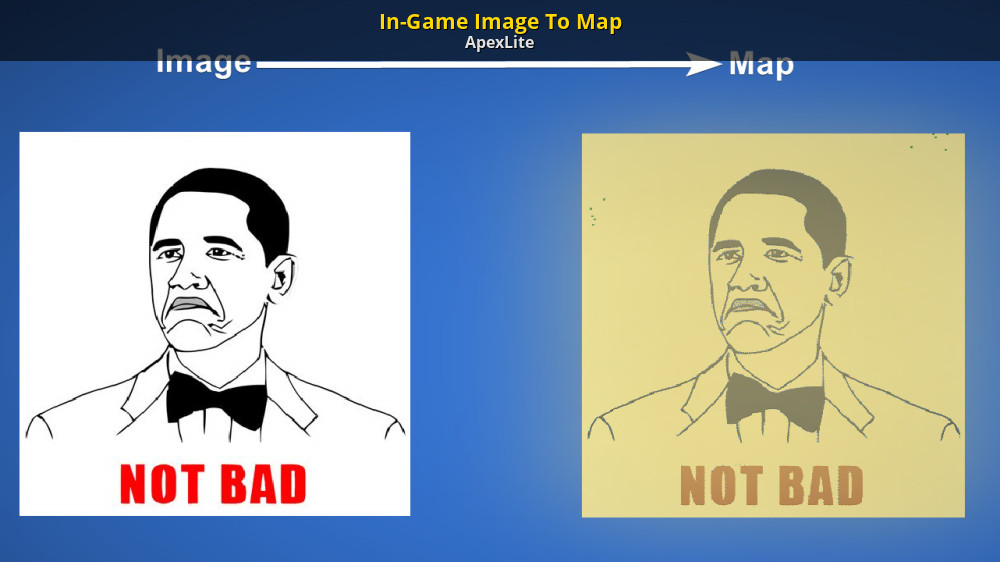
GameBanana
Convert an image into a map in-game... A WorldBox (WORLDBOX) Mod in the Miscellaneous category, submitted by ApexLite
Did my own take of image2map conversion too if wanna mess around with that https://codepen.io/Deathrobloxian/full/pvzvPJj
Takes an image and turns it into a map.wbax or map.wbox file for the game Worldbox (.wbax be uncompressed file that used in autosave)...
allows for assigning each tile to a dif color
oblique drum
well ty
celest smelt
oblique drum
Where is the latest release of ImageToMap?
which one
cause obligatory 'hey i made one too'
storm elk
celest smelt
cause obligatory 'hey i made one too'
just post urs as well lol
 harsh flare
Can i just say something about the maps? I'm on mobile and every map i download (including mobile friendly) doesn't work. And it doesn't pop up in my save spots
 river sigil
harsh flare
Can i just say something about the maps? I'm on mobile and every map i download ...
river sigil
harsh flare
Can i just say something about the maps? I'm on mobile and every map i download ...
Its kinda finicky to get them working
you have to move them from your devices downloads into the save via your files app
or a similar app
quaint bear
gusty torrent
What happened to cool maps
They got hot 🙂
 rustic gust
I need the achievement can you guys go download the (should be) most recent map in the workshop? Should be made by j0yst1k
 stable kelp
Does somebody have a map of Europe or the world in the 1400
summer beacon
stable kelp
Does somebody have a map of Europe or the world in the 1400
with kingdoms? no kingdoms?
this is one, but with no kingdoms, if you want kingdoms with it i can probably find you one
 haughty root
Im on iPhone are you able to download maps on I phone
true pelicanBOT
If you own a PC, you can install maps on iOS as described in this guide: #1213490166023331850 message .
Otherwise, if you only have your iOS device, it's impossible to install maps on iOS because the operating system refuses to give you access to the game files that you'd need to insert the map into.
@haughty root
haughty root
Thanks
 desert carbon
You're welcome!
stable kelp
summer beacon
with kingdoms? no kingdoms?
Would be nice with kingdoms
summer beacon
stable kelp
Would be nice with kingdoms
i dont know exactly if there is one in the age of 1400s but i know theres one in this current age
i'll look though
stable kelp
Thx
summer beacon
yea i searched all of the 66 results of europe maps, theres none in the 1400s, but heres one with kingdoms
summer beacon
summer beacon
oh actually, this person accepts personalized maps, you could ask them if they could make it with kingdoms in the 1400s
(may take a while though)
stable kelp
That map is pretty good too thanks
 grand shuttle
Were can i find the world map that gorg use in the video about each kingdom is lead by an immortal demigod
median current
devout gull
medical?
*Mediaeval
Autocorrect my bad
devout gull
median current
*Mediaeval
Autocorrect my bad
Blud really responded after 4 days😭🙏💀🤫🧏🏿♂️🗿🇳🇪
median current
devout gull
Blud really responded after 4 days😭🙏💀🤫🧏🏿♂️🗿🇳🇪
Yo I woke up from 4000 year nap chill out 😭💀💀🧏🏾♂️
devout gull
Skibidi
summer beacon
median current
*Mediaeval
Autocorrect my bad
i already looked for maps that have medieval kingdoms on europe, the closest i got was the one i sent already with the 2024 kingdoms
median current
summer beacon
i already looked for maps that have medieval kingdoms on europe, the closest i g...
Thanks
 random prawn
Hi guys , how to download map if i play from iPad , or its possible only from pc?
true pelicanBOT
If you own a PC, you can install maps on iOS as described in this guide: #1213490166023331850 message .
Otherwise, if you only have your iOS device, it's impossible to install maps on iOS because the operating system refuses to give you access to the game files that you'd need to insert the map into.
@random prawn
storm elk
look up how to use imazing
true pelicanBOT
Follow this guide to see how you can install and upload maps:
https://the-official-worldbox-wiki.fandom.com/wiki/Maps
storm elk
this link has filepath for ios
 frosty galleon
How much tiles is 20x10?
summer beacon
frosty galleon
How much tiles is 20x10?
2,560x1,280 i believe
 errant lintel
true pelicanBOT
errant lintel
true pelicanBOT
Follow this guide to see how you can install and upload maps:
https://the-official-worldbox-wiki.fandom.com/wiki/Maps
@errant lintel
celest smelt
summer beacon
2,560x1,280 i believe
pretty sure it'd be 1280x640
summer beacon
celest smelt
pretty sure it'd be 1280x640
i just caculated how much a 1x1 map is then mulitplied it
celest smelt
well a chunk is 64 tiles
storm elk
in length and width
celest smelt
20x64 is 1280, 10x64 is 640
if we're talking area then it'd just be 819,200 tiles
celest smelt
storm elk
in length and width
oh hey btw want a challenge? so image to map is just tiles and allat usually, but you did flowers and such too
now imagine doing it for buildings
i was thinking just for the example of an image of an existing map, like the thumbnail or whatever, having it check for any of the colors that a (multi-tile) building has and then adding it in if it matches
storm elk
celest smelt
oh hey btw want a challenge? so image to map is just tiles and allat usually, bu...
pain
i can do that
celest smelt
it shouldnt be TERRIBLY hard since most of them are just 2x3 or whatever
storm elk
the image 2 map process gonna take fuckin forever tho
due to yk having to consider that many pixels per pass
celest smelt
well you only need to consider it if it matches
storm elk
celest smelt
well you only need to consider it if it matches
Have to check 6 pixels for color matching tho
that's more math
and that slows it down
like ig can be sped up if taking the average color then running it through color match
celest smelt
yeah having something to quantize it beforehand would make it easier
storm elk
but average color of a group of pixels doesn't look the same as the building sprite it self
celest smelt
the real problem would be making sure you dont have buildings intersecting
cause they can be different sizes, and if they intersect it just kinda doesnt work
this reminds me of that one time i made a sort of 2d greedy meshing function for creating images out of rectangles
something like that for worldbox would be neat, instead of just rows actually segmenting it into quads
worldbox terrain probably wouldn't work great for that tho (and really, the space a map takes up with its tilemap isnt a whole lot anyway)
storm elk
celest smelt
the real problem would be making sure you dont have buildings intersecting
that's simple enough if you set the pixel step size to be fixedd
accounting for all the building sizes complicates it to the point that the run time isn't reasonable
cause while yes you can account for the horizontal spots not to use
vertical is another thing
harder to do on the fly
celest smelt
yeah its not terribly complicated
easiest way if you're just iterating through coordinates is just doing smth like
x_snap = (x // size_x) * size_x
y_snap = (y // size_y) * size_y
aight
celest smelt
// being floor division
storm elk
I use 1d array btw
so
¯_(ツ)_/¯
ok for dynamic snapping
im assuming every tile be building btw
celest smelt
storm elk
I use 1d array btw
i kind of flip flop between them
storm elk
celest smelt
i kind of flip flop between them
breh
celest smelt
well in my released version i use 1d but when testing i used a nested loop some of the time
storm elk
also dont you need to do 1d array even in python due to how the pixel information is stored?
celest smelt
you can do either in pillow
celest smelt
you can get the data as an array and also as a PixelAccess object that lets you access it by coordinate
storm elk
im stuck with 1d array thanks to javascript and html canvas element
I couldddd convert the data to 2d array
celest smelt
in pillow for writing its faster to use an array but im not sure if one is better than the other for reading
storm elk
but that's pointless
cause then i'd have to convert data back into 1d array anyhow to put in the data
for the tiles
buildings ig could get away with 2d array for them...
celest smelt
its not terribly hard to get x,y coordinates from an array index
storm elk
got this to account for the fact that worldbox does info from bottom to top
 celest smelt
for width w and height h, and index t you can just do
x = t % w
y = (t // w) % h
the % h for y isnt necessary if you are sure the index wont go out of bounds
storm elk
the 1d array is 4 values per pixel
celest smelt
storm elk
got this to account for the fact that worldbox does info from bottom to top
i just flipped the image lol
storm elk
celest smelt
i just flipped the image lol
I flip the image array after the fact
celest smelt
that works too tho
storm elk
due to needing the preview to display properly
celest smelt
i just use separate images for the preview and the one used for the actual map gen
storm elk
ok so making just building image 2 map is simple enough
complicates thing when i try to do tiles as well
celest smelt
celest smelt
i just use separate images for the preview and the one used for the actual map g...
they both are derived from an internal image that stays unchanged (so that doing something like changing the resolution up and down won't mess it up) and i just make a copy and modify them as needed
storm elk
aight
celest smelt
which is why in mine it doesn't make the image massive if you do like a 100x100 map lol
storm elk
 storm elk
celest smelt
which is why in mine it doesn't make the image massive if you do like a 100x100 ...
storm elk
celest smelt
which is why in mine it doesn't make the image massive if you do like a 100x100 ...
ah intresting
celest smelt
nice
celest smelt
storm elk
ah intresting
ye
does have the effect of the preview not being super accurate if its super stretched, but the preview is mainly just to show the colors anyway
storm elk
Hmm i should probably add an option to disable preview for large maps lol
damn the gen time so much faster without the canvas element being shown lol
still lags the heck outta the page due to absurdly large variable
oh well
celest smelt
huh weird, i started testing state and all the states except 4 and 5 are the same it seems
0-3 become identical looking to 5 when they're in a city's borders

something's not happy

apparently a duplicate building id, though i made sure all the buildings were different ids
ah

the game did its perma freeze softlock when i tried exiting the world, didnt like destroying the building
just removing that tag might be fine since i never encountered this until i just started manually adding buildings into an unpacked save
celest smelt
yeah i didnt realize it was a thing since it seems to work fine without it
storm elk
celest smelt
yeah i didnt realize it was a thing since it seems to work fine without it
yup only fine til a new building made
celest smelt
i meant more like its probably not a necessary tag
probably just has it set to 0 if it doesnt exist
storm elk
celest smelt
probably just has it set to 0 if it doesnt exist
iirc the tag straight up don't exist if no buildings made in world yet
Any int tags that have a value of 0 just simply won't appear in save
celest smelt
i wanna see what happens if i set it to 2147483647
so im gonna do that
it doesnt actually overflow
i guess they're using a long for it

ill try this then
ok yeah it overflows after 9223372036854775807

 celest smelt
yeah
loads fine too
 shrewd lily
is it possible to downscale a world somehow
storm elk
shrewd lily
is it possible to downscale a world somehow
Just use #🔁map-conversion
on the preview.png
preferably with all buildings flowers and trees removed
~c 1x1
shrewd lily
yeah i tried too many small glitches tho
storm elk
shrewd lily
yeah i tried too many small glitches tho
Well that what happens with image resizing
Just edit the preview.png manually ig
or use it as a reference
The Official Worldbox Wiki
List of the exact hex codes for every tile in Woldbox. For a map making template with all colors already organized onto it see here. For Mobile Viewers: To see the colors section of this table...
 vapid valley
how do i use the cool map on worldbox?
true pelicanBOT
Follow this guide to see how you can install and upload maps:
https://the-official-worldbox-wiki.fandom.com/wiki/Maps
@vapid valley
celest smelt
storm elk
Just edit the preview.png manually ig
btw i mentioned it before but the map preview and ingame are different colors
specifically for lava and a few other things
celest smelt
celest smelt
btw i mentioned it before but the map preview and ingame are different colors
for whatever reason in map view lava2 looks the same as lava3


and border water / border pit look transparent in the thumbnail, but in map view they just look like deep ocena
celest smelt
oh also apparently this is how the states in buildings work
 storm elk
celest smelt
btw i mentioned it before but the map preview and ingame are different colors
storm elk
celest smelt
btw i mentioned it before but the map preview and ingame are different colors
Like i said earlier pretty sure the lava color is bugged
Also I've shown that i game ocean color be same and preview.png
celest smelt
fair
storm elk
double checked with more tiles and yeah consistent with what's in palette
devout gull
So, there is this map of Avatar The Last Airbender, where the guy who made it used Mushroom Biome a lot, and I get it, it looks cool, it has a nice shade of green
But there was no Mushroom Forest in Avatar, so why the heck did the use it here? It doesnt make any sense
Why do people use Mushroom Forest so much???
celest smelt
its a nice biome idk
bright fern
 summer beacon
bright fern
summer beacon
bright fern
context?
idle totem
@lapis plinth you cant use trait editor in #🌐map-downloads, try using #🤖bot-commands instead
 lapis plinth
-traiteditor
bright fern
summer beacon
context?
I'm making the eu4 map in worldbox
 vagrant tulip
bright fern
vagrant tulip
bright fern
End of WW1 rework XD
 muted owl
bright fern
muted owl
bright fern
why are you doing it on a world map
should have done it in a Eurasia or Europe + nearby areas map
bright fern
muted owl
why are you doing it on a world map
why the hell not
muted owl
bright fern
why the hell not
REAL
bright fern
progress
 idle totem
bright fern
progress
idle totem
bright fern
progress
this is awesome
bright fern
thank you
it is scary though because i dont even feel like im thinking about making this map
while making the map
i got it so down to a science that the meaning behind what im doing has been lost
i just follow the blueprint


i also could not fit ulm on the map

 indigo yoke
 celest smelt
bright fern
progress
celest smelt
bright fern
progress
thats awesome, the lag must be unreal tho
once generated a map with a bunch of 1 zone kingdoms and it tanked fps really hard
the relations tab gets unusable really quick too
bright fern
celest smelt
thats awesome, the lag must be unreal tho
its really not
i have about 260 villages so far
ive ran bigger maps before
celest smelt
ah, the threshold for lag must be a bit higher then
bright fern
idk maybe it is unusually laggy and ive just gotten used to it
because this is how ive been playing for the last 2 years
also population has not had time to grow yet
 celest smelt
oh yeah that reminds me
i should try fucking with the time with save editing again
cause i wanna see if theoretically if you waited long enough if you could run into floating point precision bs with the time
oh yeah you can
i set the time to 16777216 and the month counter is noticeably kind of like, jittery
like not that it spazzes out but it goes up in large increments


 idle totem
bright fern
idle totem
bright fern
when youre ready to drop this would you be interested in having the map maker role?
bright fern
idle totem
when youre ready to drop this would you be interested in having the map maker ro...
I finished it, and yes I would like to have the role
bright fern
 dire ice
bright fern
https://discord.com/channels/522561390330904585/535208693478981632/1320550191048...
dire ice
bright fern
https://discord.com/channels/522561390330904585/535208693478981632/1320550191048...
@idle totem when do we give this guy map creator
idle totem
bright fern
I finished it, and yes I would like to have the role
@rare bane would be very appreciated if you could give this guy map role
 rare bane
idle totem
<@388576210252201984> would be very appreciated if you could give this guy map r...
rare bane
idle totem
<@388576210252201984> would be very appreciated if you could give this guy map r...
done!
bright fern
idle totem
<@456226577798135808> congrats!!!

idle totem
bright fern
<:pedropog:930907892431880192>
check #🌐mapping-cave for a private channel for creators
 sleek wadi
 last cloud
bright fern
https://discord.com/channels/522561390330904585/535208693478981632/1320550191048...
last cloud
bright fern
https://discord.com/channels/522561390330904585/535208693478981632/1320550191048...
Looks great! I’ve been playing the old one for a while now.
 heavy cliff
bro why y'all doggin on my map 😭
bright fern
Anyone got a lotr map?
 deft rose
 south garnet
whats a good tutorial to follow to get mods and maps
south garnet
whats a good tutorial to follow to get mods and maps
i found it earlier
for good maps mrslimebox has good ones
 noble stump
bright fern
noble stump
bright fern
wow, this is actually one of the coolest maps ive seen on here.
 slender grove
Anyone got a earth map?
true pelicanBOT
Follow this guide to see how you can install and upload maps:
https://the-official-worldbox-wiki.fandom.com/wiki/Maps
@south garnet
You can use discord's search function to find what you need in #🌐map-downloads or #🌐✔cool-maps!
- (If on mobile) be in #🌐map-downloads channel
- Tap on the search icon in top right corner of screen
- If non mobile user type
in:map-downloadsand then click on #🌐map-downloads
- Type in the keyword of map you want to search for in the search bar, and press enter.
- Example: typing earth into the search bar will bring up earth maps.
If still unsure how to use search look at this discord support article: https://support.discord.com/hc/en-us/articles/115000468588-Using-Search
@slender grove
 rose monolith
I wish I could get maps and share maps on iOS
 outer temple
rose monolith
outer temple
<:wbsuffer:895337723718684693> <:wbsuffer:895337723718684693> <:wbsuffer:8953377...
outer temple


 rose monolith

 viscid wave
 cunning warren
Anybody has a map for the next update with all the biomes, diverse terrain and space for the upcoming biomes? Pls i tried to create a nice map for mobile, but it ended up being an ugly garbage
bright fern
Can someone please tell me how I can download maps? I’m on mobile
 wise coyote
bright fern
Can someone please tell me how I can download maps? I’m on mobile
wise coyote
bright fern
Can someone please tell me how I can download maps? I’m on mobile
You cannot on iOS
rose monolith
bright fern
Can someone please tell me how I can download maps? I’m on mobile
The iOS version of Worldbox doesn’t allow file imports
It’s not iOS itself
celest smelt
rose monolith
The iOS version of Worldbox doesn’t allow file imports
didnt you say the same thing yesterday and get corrected about it? 💀
rose monolith
celest smelt
didnt you say the same thing yesterday and get corrected about it? 💀
No
bright fern
wise coyote
You cannot on iOS
Ohhh Ty
bright fern
rose monolith
The iOS version of Worldbox doesn’t allow file imports
Rip, ty for telling me
true pelicanBOT
If you own a PC, you can install maps on iOS as described in this guide: #1213490166023331850 message .
Otherwise, if you only have your iOS device, it's impossible to install maps on iOS because the operating system refuses to give you access to the game files that you'd need to insert the map into.
@bright fern
If you own a PC, you can install maps on iOS as described in this guide: #1213490166023331850 message .
Otherwise, if you only have your iOS device, it's impossible to install maps on iOS because the operating system refuses to give you access to the game files that you'd need to insert the map into.
@rose monolith
 crude zenith
Now I realise I have android 14...
Anybody found a way to download maps using Android 14
 patent bramble
Yall know when the next update is coming out?
crude zenith
patent bramble
Yall know when the next update is coming out?
When it is finished 🙂
patent bramble
Cuz it's been months since we had a update