#community-support
1 messages · Page 884 of 1
 wraith hedge
It was on D somehow! It works perfectly, thank you very much!
 random wedge
i just want to play the game
 quiet summit
random wedge
i just want to play the game
quiet summit
random wedge
i just want to play the game
I can't really think of much - You can try resetting via your mobile device
Make sure it's not connected to your wifi
 narrow ibex
when are you guys gonna fix AMD support?
random wedge
quiet summit
I can't really think of much - You can try resetting via your mobile device
sadly no email
quiet summit
random wedge
sadly no email

random wedge
I bought a whole new pc so o can play this
 willow mason
sheeeeeeesh
random wedge
right
 slim spruce
narrow ibex
when are you guys gonna fix AMD support?
slim spruce
narrow ibex
when are you guys gonna fix AMD support?
see the pins in this channel for a fix for the no fps problem
random wedge
ive tried that and nothing
narrow ibex
slim spruce
see the pins in this channel for a fix for the no fps problem
does it actually work? my 6750xt is at 0% gpu while in game and only getting 10fps maxed
slim spruce
narrow ibex
does it actually work? my 6750xt is at 0% gpu while in game and only getting 10f...
yeah for many
follow it exactly
narrow ibex
ok I'll give it a try.
 gloomy valley
I do not know if this is the place to ask but I recently purchased Tarkov and I know this game relays heavy on sound and such so my question do I need to upgrade my Apple earbuds or will they suffice? I have in my budget to go purchase a 200 dollar pair of headphones but do I need to?
random wedge
gloomy valley
I do not know if this is the place to ask but I recently purchased Tarkov and I ...
honestly its your choice personally i play on semi high volune and tweak my in game settings
slim spruce
gloomy valley
I do not know if this is the place to ask but I recently purchased Tarkov and I ...
You can play on apple ear buds
gloomy valley
Okay thank guys
 sleek moss
I alt tab a lot but I notice my game changes from fullscreen to borderless for some reason, is there a way to fix it?
 tough crystal
yo can anyone help me? whenever i load into a raid i get sever lag and i get an server connection lost error or it straight up crashes my game never had issues before
 somber rivet
Just had a move error delete the money and the docs case from punisher pt 5 when I pulled it from prapors screen, its no longer there, is there anyway to get that restored
narrow ibex
slim spruce
yeah for many
yeah i followed every step did not work. '
slim spruce
narrow ibex
yeah i followed every step did not work. '
Did you choose nvidia on ddu and not AMD?
 median ruin
somber rivet
Just had a move error delete the money and the docs case from punisher pt 5 when...
median ruin
somber rivet
Just had a move error delete the money and the docs case from punisher pt 5 when...
Restart your game
Restarting should fix “lost” items from quests and from flea market
somber rivet
I have restarted twice and it is still missing from both the reward and my inventory
narrow ibex
slim spruce
Did you choose nvidia on ddu and not AMD?
was i supposed to choose Nvidia?
slim spruce
narrow ibex
was i supposed to choose Nvidia?
If you chose AMD on the second screenshot it did nothing. You needed to copy the screenshots.
 narrow ibex
slim spruce
If you chose AMD on the second screenshot it did nothing. You needed to copy the...
narrow ibex
slim spruce
If you chose AMD on the second screenshot it did nothing. You needed to copy the...
shoot I'll do it again lol
slim spruce
You are removing nvidia files
not AMD stuff
Also reinstall your graphics driver since you did amd
median ruin
somber rivet
I have restarted twice and it is still missing from both the reward and my inven...
Mmmm, I say give it a little then, sometimes it catches up with itself
 steel gazelle
wait i didnt get eliminate shtruman task but got reshala and glukhar
somber rivet
gotcha, what should I do if its not back by like tomorrow?
steel gazelle
my friend got shturman reshala and glukhar task, but the one with shturman is missing for me
 wary drift
quick question, i have a friend who, upon Deploying, his game disconnects due to server loss. anyone have any tips on how to fix this issue ?
slim spruce
wary drift
quick question, i have a friend who, upon Deploying, his game disconnects due t...
does it happen in both solo and with a group?
wary drift
he said it happens when he solos or tries to scav.
slim spruce
but not in groups?
wary drift
he said offline works just fine. idk if he has tried grouping up. he is nervous to continue trying
let me add, he just went from one home, to another, with a different pc and signed on.
wary drift
his other pc, no issues, but now where he is at now, he is having trouble. he tried resetting modem, and all that jazz.
yeah i asked him to ask his ISP, but he swears it isnt on his end...
slim spruce
The usual cause for this, if it's only on Tarkov, is the lack of dual stack support on the ISP'd end. He may need to contact them and ask for a prioritized IPV4 support (otherwise known as dual stack) as tarkov does not like pure IPV6 connections. This is not something that can be fixed on his end like disabling IPV6 on his pc, although he can try.
wary drift
@tough crystal ^
wary drift
slim spruce
The usual cause for this, if it's only on Tarkov, is the lack of dual stack supp...
sweet thanks for the help, hopefully he can fix it
 fierce lantern
So, do I have to call my bank or something because my purchase got cancelled?
tough crystal
already tried that thanks tho
slim spruce
fierce lantern
So, do I have to call my bank or something because my purchase got cancelled?
Try paypal with the card as a payment method first and if that doesn't work contact xsolla: https://help.xsolla.com/i-cant-make-a-payment
 robust pilot
Hi. I cant login in the Launcher/website since weeks/month. Forum acc still works. I read, that it might be my gmx.de mail adress because i dont receive the auth mail (the last 4 or 5 years this email did work) and i wrote a support email but didnt receive a tiket or anything for weeks now. please help me to change my gmx mail to an gmail or so, because i really loosing my patients now. thank you.
narrow ibex
slim spruce
Also reinstall your graphics driver since you did amd
hell yeah its fixed mine running everything on maxed getting 129fps lets go
slim spruce
narrow ibex
hell yeah its fixed mine running everything on maxed getting 129fps lets go
👍
 opaque arch
can you guys please fix scavs spawning 5 min into the raid?
 last gust
Hi. Anyone with 8700k and rtx 3080 here? How many fps do you get at 1440p?
 cyan stirrup
I got a 12900 i9 and 3080 and i max 120fps on reserve with max graphics without resampling
last gust
yeah, but 12900 probably much stronger than 8700k
fierce lantern
slim spruce
Try paypal with the card as a payment method first and if that doesn't work cont...
This worked, thanks a bunch!
random wedge
im genuily getting pissed that i have not recived a single DAMN EMAIL
 drowsy steeple
how do u bug report
slim spruce
last gust
Hi. Anyone with 8700k and rtx 3080 here? How many fps do you get at 1440p?
90 on interchange
1440p all max
with DLSS 120-180
last gust
thanks
 upper walrus

 silver hinge
my game typically runs fine and I've got 500 hours to prove that but this wipe won't even allow me into raid. a deploy time that used to be 2-5 minutes is now >10 mins and then the game just crashes and won't let me get back in raid. I've never had problems like this before, any ideas? I've lost a solid half of my starting equipment now and haven't even seen a raid because of this (Ryzen 3 3300x and gtx1050, ik its a bad computer but it typically runs tarkov no problem with over 60 fps)
 vivid briar
My computer is fully reseting whenever I go into a raid, only the big maps, like customs… this has never been an issue before. Factory is fine is there any fix for this at all?
silver hinge
I just witnessed an execution of twix lmao
 random wedge
soooo it said a letter with instructuions were sent but i received nothing
 barren hawk
random wedge
soooo it said a letter with instructuions were sent but i received nothing
barren hawk
random wedge
soooo it said a letter with instructuions were sent but i received nothing
Look in spam thats where mine went
barren hawk
random wedge
soooo it said a letter with instructuions were sent but i received nothing
I have had drug deals that went smoother than this purchase and down load but well worth the effort great game
 marble marlin
how do i move my game from hard drive to ssd?
random wedge
nothing in spam
 mystic lagoon
Nice 👌

 torpid rose
so are we able to say that all the freezing and crashing of game is of the new patch and not our pcs?
random wedge
i would say yea
torpid rose
yeah i just crashed for the 5th time these few hours
random wedge
its the game it messed up everything
torpid rose
hope they send a fix out soon
the most annoying part is my friends are perfectly fine and im not lmao
random wedge
same
quiet summit
torpid rose
so are we able to say that all the freezing and crashing of game is of the new p...
What type of issues?
quiet summit
marble marlin
how do i move my game from hard drive to ssd?
You will have to move the launcher as well I believe
torpid rose
quiet summit
What type of issues?
freezing, stuttering, crashing, long loot load times
marble marlin
show me idk how to do any of it
torpid rose
quiet summit
What type of issues?
never happened before till wipe happened
quiet summit
torpid rose
freezing, stuttering, crashing, long loot load times
Is your memory maxing out? (On your task manager)
torpid rose
quiet summit
Is your memory maxing out? (On your task manager)
example?
no its 38 percent
quiet summit
torpid rose
no its 38 percent
I mean when you are stuttering
It doesn't matter what it's at right now 
torpid rose
well idk what it is when its stuttering im not watching it mid raid lmao
quiet summit
torpid rose
well idk what it is when its stuttering im not watching it mid raid lmao
That's how you can find the issue
When you start stuttering, tab out check your task manager
torpid rose
well its mainly when i shoot or get shot at
 toxic crest
I keep getting the server disconnected and game aborted pop up every time I try to enter a raid, both as PMC and Scav. Anyone else having this issue?
torpid rose
okay, if its maxed out what do i do?
 torpid rose
like that i have? 32gb
quiet summit
torpid rose
like that i have? 32gb
It shouldn't be your ram then, 32 should be enough
 vivid quiver
So i remember last wipe if you wanted to lvl up your metabolism, you could only eat in raid whereas eating and drinking in your stash wouldnt level up any skills. But someone told me that has since been changed/fixed so eating in your stash can level up your skills now. Can anyone confirm if this is true?
quiet summit
It says you have 32 in memory usage?
quiet summit
vivid quiver
So i remember last wipe if you wanted to lvl up your metabolism, you could only ...
Last wipe eating and drinking in stash was fine to my knowledge
quiet summit
toxic crest
I keep getting the server disconnected and game aborted pop up every time I try ...
Try unselecting all servers
Select only the 2 lowest
If you still can't connect, try the next lowest ping pair
Eg. MD 20 ping, CA 21 ping, WY 25 ping, VA 60 ping
Use MD CA first
Then WY VA
(This will give you longer matching times just be weary of that)
torpid rose
how to check the usage?
quiet summit
torpid rose
how to check the usage?
I've just told you lol
Open task manager have it running in the background
torpid rose
oh im slow, its 31.9
torpid rose
so you think its the game then?
quiet summit
I would still check out your performance tab when you lock up
toxic crest
quiet summit
Try unselecting all servers
Select only the 2 lowest
If you still can't connect,...
Yeah, I’ve got the two closest to me, both read under 30 ping steadily. I don’t get a ping popup whenever I’m loading in, so I don’t think it’s me? I’ll try your suggestion though.
quiet summit
Can't figure anything out without checking
 sly tinsel
First raid of the day and my pmc duo spawned into woods with 37 mins left and I spawned in at 35 mins. Both of us were stuck at synchronizing with pmcs 98% for a solid 4-5 mins.
torpid rose
quiet summit
Can't figure anything out without checking
okay bet
quiet summit
toxic crest
Yeah, I’ve got the two closest to me, both read under 30 ping steadily. I don’t ...
Yeah sometimes it's just a case of Player's computer/internet/something not agreeing with the current server they're connected to
That's at least how I know it as
Single out that server (or servers) and should be fine from there
toxic crest
Gotcha, thank you.
 inland lantern
Trying to buy lucky scav junk box from Therapist. I have the money but cant seem to figure out how to buy, what am I doing wrong? 😦
quiet summit
inland lantern
Trying to buy lucky scav junk box from Therapist. I have the money but cant seem...
Can you hit fill items on the bottom?
torpid rose
i dont think swapping the game to my ssd would fix my issue tho 💀
quiet summit
torpid rose
i dont think swapping the game to my ssd would fix my issue tho 💀
Don't know if you don't try =p
inland lantern
Just clicked it, still says I don't have some of the items to complete the deal, I have 450k
torpid rose
well it just doesnt make sense
quiet summit
inland lantern
Just clicked it, still says I don't have some of the items to complete the deal,...
A scav junkbox is 1,110k ish little one
inland lantern
Ahhh ok, I was reading it wrong, thought it was 110k thank you

 frail hollow
Has BSG mentioned anything about the sounds issues occurring during loading loot?
quiet summit
torpid rose
well it just doesnt make sense
You can try defaulting all your settings for tarkie if you want, only other thing I can think of
You don't have any settings changed on your nvidia control panel right?
torpid rose
not that i know of no
quiet summit
If you don't want to move to your SSD you can try resetting graphics/settings
Please backup the files contained before proceeding
Navigate to the following directory
C:\Users\%username%\AppData\Roaming\Battlestate Games\Escape from Tarkov\Settings
Delete files Game.ini & Graphics.ini
Then go to your launcher and verify integrity
torpid rose
ill try to move to my ssd first
 oblique remnant
anyone know why im getting 20 frames on every map i dont have a shit pc either i have factory reset pc reinstalled tarkov and nothing works i even reset all peformance settings i have ever changed but my frames are so shit and my game runs horrible
quiet summit
oblique remnant
anyone know why im getting 20 frames on every map i dont have a shit pc either i...
How is your GPU utilization?
 quiet summit
Is anything maxing out while under load in game?
oblique remnant
nope it might hit 80 but nothing higher
quiet summit
oblique remnant
nope it might hit 80 but nothing higher
How about memory?
oblique remnant
my memory usage has a couple times when loading into lighthouse and bigger maps
oblique remnant
my frames are horrible nothing more than 30
quiet summit
Is your memory maxing out when they're dipping
oblique remnant
frame drops every 2 mins on ever map also factory
oblique remnant
quiet summit
Is your memory maxing out when they're dipping
no
quiet summit
And your GPU usage is still high while that is happening?
oblique remnant
yea
oblique remnant
1660ti 16gbs of ram and I7
quiet summit
Your memory doesn't even hover 80%?
oblique remnant
even tried these settings and its still shit
 oblique remnant
quiet summit
Your memory doesn't even hover 80%?
oblique remnant
quiet summit
Your memory doesn't even hover 80%?
it does sometimes
quiet summit
Can you test in a scav or something?
oblique remnant
if i get into one
oblique remnant
where should i go
quiet summit
Reserve/lighthouse
Make him suffer
I'm assuming you have most problems there right?
oblique remnant
no reserve is fine most times but lighthouse is making my game shit its self
quiet summit
Ok try Reserve
oblique remnant
ok
while loading into the reserve scav my ram usage is at 90%
its just sitting at 82% on reserve
somber rivet
@median ruin Its been 3 hours and its still not shown up, is there anything else I should do? kinda sucks cause that over a mill in value lost to a move error.
torpid rose
@quiet summit you think 100 gb on my ssd will be enough for tarkov?
median ruin
somber rivet
<@396023480065458188> Its been 3 hours and its still not shown up, is there anyt...
I’m not too sure unfortunately
torpid rose
more like 70 gb
median ruin
Yes, plenty
torpid rose
word? bet
quiet summit
torpid rose
<@127217301383544834> you think 100 gb on my ssd will be enough for tarkov?
I believe so yes
torpid rose
ight
 dark beacon
Is there a fix for freezing after extract or death?
 river ingot
Hey. So i've been getting really bad lag spikes. I noticed that even though in my NVIDIA settings I have the game set to use my gpu, but upon reading task manager, its actually using my integrated graphics? Why is this? Also, the game tends to lag spike even though even on integrated graphics its only using 40ish % utilization. Does anyone know why these things are occuring?
Cpu stays around 30% usage so thats not the issue.
 spiral crow
So i think the server crashed attempted to join 4 times and Im stuck on leaving the game
nevermind it was a crash cause my pmc is back
 uncut pier
river ingot
Hey. So i've been getting really bad lag spikes. I noticed that even though in m...
uncut pier
river ingot
Hey. So i've been getting really bad lag spikes. I noticed that even though in m...
If it's using igpu try disabling it in the BIOS entirely?
river ingot
Well I use my igpu for stuff like youtube and just basic browsing
i just dont know why its using my igpu when in nvidia 3d settings it set to use my gpu
uncut pier
is the monitor you are playing tarkov on plugged into the GPU
river ingot
its a laptop, so built in moniter
river ingot
uncut pier
is the monitor you are playing tarkov on plugged into the GPU
this is the only game i had an issue on
ive played more demanding games than tarkov just fine with 100+ fps
uncut pier
Someone else had a problem with igpu too, though it was a desktop which is even more confusing
 soft seal
Tarkov somehow breaks my discord microphone for a short bit after the start of a raid
river ingot
tarkov is just deciding to use igpu for whatever reason
ive even tried using medium settings to test to see if it was using cpu due to low settings
but nope :/
uncut pier
tarkov is deciding to use igpu yes. Developers might be fixing it but I guess only way to fix it now would be to disable igpu on BIOS entirely
dark beacon
My game freezes after death or extract. No Computer resource spikes at all, and this didn't happen before Wipe
river ingot
alr ill try that
uncut pier
soft seal
Tarkov somehow breaks my discord microphone for a short bit after the start of a...
do you have hardware acceleration on in discord?
soft seal
uncut pier
do you have hardware acceleration on in discord?
i turned it on but it didnt fix
uncut pier
soft seal
i turned it on but it didnt fix
usually disabling it fixes things?
 rain mesa
so do we wait for a fix or what, cus getting 60-65 fps on light house, 80 on woods and 90-100 customs with a 3080 is bullshit
rain mesa
fps huge drop
soft seal
uncut pier
usually disabling it fixes things?
https://forum.escapefromtarkov.com/topic/159964-tarkov-voip-bugging-discord/
this is my problem, pretty much

Escape from Tarkov Forum
I cannot say for sure that the voip is the problem, but it is tarkov, it came with the last big update and it's sound related. Once every two (more or less) raids my audio on discord gets fucked, i can hear everyone, but my mic seems to stop working entirely, on tarkov too, i have reinstalled dri...
rain mesa
comparing to previous wipe me getting 125-140 on customs and any other map 110+ yes
quiet summit
Did you have mip streaming enabled?
rain mesa
nah
quiet summit

uncut pier
I guess in that case you are waiting on a fix?
rain mesa
and it is on false i already checked
uncut pier
I get same fps this wipe with 3060ti lol
soft seal
quiet summit
Did you have mip streaming enabled?
btw do you know when they are gonna reenable mip
quiet summit
soft seal
btw do you know when they are gonna reenable mip
I don't have that information unfortunately
quiet summit
rain mesa
and it is on false i already checked
What CPU are you using?
rain mesa
i9-9900k
rain mesa
i had 90-110
uncut pier
quiet summit
I had around 60-70 lighthouse last wipe
with a 3090?
rain mesa
and any other map 120-150 except reserve, which was 100-115
quiet summit
uncut pier
with a 3090?
Yeah
uncut pier
4k monitor?
rain mesa
even my gpu is at 45-50% usage comparing to last wipe 85-95 always
quiet summit
So I just went 4k
uncut pier
yeah playing 1080p with a 3090 would be quite a weird move
so it's underperforming while my 3060ti can squeeze every single fps out of every map
river ingot
uncut pier
yeah playing 1080p with a 3090 would be quite a weird move
my laptop doesnt have a graphics option in bios. after some research I realized I could just disable igpu through device manager and disabling the device
it rerouting all graphics to my descrete gpu, i just need to rescale everything on windows now and its hopefully fixed
uncut pier
uncut pier
so it's underperforming while my 3060ti can squeeze every single fps out of ever...
not complainin
rain mesa
yeah since wipe starte gpu usage went 50% less than usually
quiet summit
Wish I knew how to squeeze my parts
ok
Not what I meant
I meant my specs
Low usage overall
uncut pier
for all games?
uncut pier
I die inside with people playing on 1080p with 3090
quiet summit
uncut pier
I die inside with people playing on 1080p with 3090
lol
river ingot
ffa i fixed my issue i believe
uncut pier
Could be just tarkov and especially with the newest wipe top gpus can't perform as well
or is not able to perform
 spare vessel
lemme look
quiet summit
spare vessel
lemme look
Ok
uncut pier
river ingot
ffa i fixed my issue i believe
Good
river ingot
there was no option in bios to turn off igpu
i ended up just disabling the device in device manager
uncut pier
Guessing laptops don't have that option due to, well, laptops
rain mesa
i wouldnt complaint if last wipe i wouldnt have 85-95 usage 😄 but yeah it is what it is
river ingot
it auto rerouted all graphics to my gpu
uncut pier
quiet summit
spare vessel
It wasn’t maxed out while loading in
Was it around 80?
80%
Or above?
spare vessel
Yea
river ingot
uncut pier
Guessing laptops don't have that option due to, well, laptops
everything is a lot slower now ._.
quiet summit
Ok you may want to try a pagefile size
spare vessel
How?
uncut pier
I have had 0 problems with the game pre wipe and after wipe and I am feeling mixed emotions
quiet summit
spare vessel
How?
Windows + R
Open your run page and type in 'control sysdm.cpl'
Go to the advanced tab, under performance hit settings
Advanced again, and change the paging file size
Select an SSD drive
Untick automatically manage paging file size for all drives
Use 16000 minimum and 25000 maximum
Once you’ve entered your size of virtual memory, click Set, then click OK to apply the changes.
After that, restart your computer and give it another go
Keep in mind this will take up some space on your SSD for as long as you have that volume on
This will also very slightly decrease the lifespan of your SSD
Modern SSD’s will barely be affected (might even not be affected)
uncut pier
river ingot
everything is a lot slower now ._.
you should turn igpu back on then
river ingot
yes ik i did
rain mesa
quiet summit
Was it around 80?
85-95% always
quiet summit
rain mesa
85-95% always
Are you on 16 giggities of ram too?
rain mesa
64
quiet summit

river ingot
uncut pier
you should turn igpu back on then
oh ok. When I turned it back on, for some reason everything went back to using IGPU but tarkov decided to use my descrete gpu. Task failed successfully
quiet summit
You have 95% on 64 giggities of ram?
rain mesa
95% gpu usage
uncut pier
16gb ram with 3080 would be a bigger death inside tho
river ingot
uncut pier
16gb ram with 3080 would be a bigger death inside tho
task failed successfully 🙂
rain mesa
lol yeah that's not good move to do,
spare vessel
Ok I’m doing it now thank you
river ingot
everything went back to using igpu but tarkov finally decided to use gpu
spare vessel
Let us see if it works hope it does
quiet summit
Tarkov does what it wants
uncut pier
yeah tarkov seems to have problems using the correct gpu, sometimes manages to use IGPU on desktop pc????
river ingot
quiet summit
Tarkov does what it wants
ik
quiet summit
spare vessel
Let us see if it works hope it does

uncut pier
even with all monitors plugged to gpu on desktop pc tarkov still wanted to use the igpu
spare vessel
Sucks to suck lol
uncut pier
tarkov wants that igpu physx
river ingot
thats fun gpu is at 94c
uncut pier
what gpu do you have on that
uncut pier
I remember my brother had a "gaming" laptop with a 1060 couldn't game shit on that
quiet summit
river ingot
thats fun gpu is at 94c
Feet warmer
 crystal flicker
yo what jaeger task makes it so you can buy flachette
quiet summit
crystal flicker
yo what jaeger task makes it so you can buy flachette
!wiki Flechette
sad no wiki here
river ingot
uncut pier
I remember my brother had a "gaming" laptop with a 1060 couldn't game shit on th...
i have mine slightly overclocked and its worked decently for about 2 years
uncut pier
crystal flicker
yo what jaeger task makes it so you can buy flachette
forest cleaning
river ingot
probably why its at 94c
crystal flicker
uncut pier
forest cleaning
thanks
uncut pier
overclocked laptop gpu
he had not overclocked it still overheated every time
lasted only a year I think
river ingot
maybe this is why im getting frame drops
in task manager it looks like tarkov isnt using mroe than 1gb of ram. wtf?
it hovers around 1000mb
uncut pier
how much ram does it have the laptop
river ingot
16
uncut pier
ram cleaner on?
river ingot
it has plenty im not even using 30%
river ingot
uncut pier
ram cleaner on?
i think, should I turn it off
uncut pier
nah keep it on
 night path
I can't play with my Korean friend when I live in EU with 270 ping, but my NA friend who lives over a thousand kilometers further away has 160 ping. How come
uncut pier
I mean 16gb is a borderline for tarkov but it should use more than 1gb lol
uncut pier
night path
I can't play with my Korean friend when I live in EU with 270 ping, but my NA fr...
worse servers?
river ingot
its using only 500mb now, this is most likely the issue
night path
He lives further away than I do, but his ping is 120~+ less than mine? How does that work out
uncut pier
night path
He lives further away than I do, but his ping is 120~+ less than mine? How does ...
EU servers?
night path
Well if I can't play with my korean friend on his servers, how should he be able to play on mine?..
uncut pier
river ingot
i think, should I turn it off
or maybe try disabling it and see if it fixes anything?
uncut pier
night path
Well if I can't play with my korean friend on his servers, how should he be able...
the servers are far away = high ping?
night path
Do you think I'm in elementary or something?
uncut pier
no, I am just having a hard time understanding.
night path
I'm asking how the fuck it's possible my friend who literally lives further away, can easily play on the server, when I can't, and I'm literally living closer to it.
uncut pier
and your friend, who lives in north america gets better ping?
night path
Yes
I reside in EU at the moment, yes - my friend who's living in NA, has an easier time connecting to the server when he's over a thousand kilometers further away from the server.
uncut pier
maybe the internet wire through pacific ocean is providing better connection? I don't know at this point
my only guess tbh
https://www.submarinecablemap.com
TeleGeography's comprehensive and regularly updated interactive map of the world's major submarine cable systems and landing stations.
 lucid spruce
The fix I was able to do. Uninstall and re-installed.
 worn ocean
tarkov, hmm, i will try, thanks alot dude ❤️
 teal kernel
I have only gotten into a single raid. Every time I try to get in a raid I load the map and match fine, but then I get stuck connecting to the server. It doesn't matter how long I wait it doesnt ever connect or whatever.
I just want to play the game
 sharp umbra
yo why my tarkov stutter only when i look try to turn? if i just walk sideways or something it doesnt stutter
slim spruce
@woven nymph please report them ingame, not here. That's all you need to do to get them banned.
 woven nymph
@slim spruce then how has he made it all the way to level 33
slim spruce
woven nymph
<@410534625044201493> then how has he made it all the way to level 33
pestily made it to that in like 2 days
teal kernel
teal kernel
I have only gotten into a single raid. Every time I try to get in a raid I load ...
🥺
 twin lake
how to fix loading into a raid and discord mic nolonger working?
teal kernel
teal kernel
I have only gotten into a single raid. Every time I try to get in a raid I load ...
I found something that might be causing the problem

 abstract wing
Does anyone know how to buy the game because when I try to buy it, it asks me for a code?
slim spruce
teal kernel
got firewalls?
slim spruce
abstract wing
Does anyone know how to buy the game because when I try to buy it, it asks me fo...
a $2.00 or less charge?
teal kernel
slim spruce
got firewalls?
Maybe i thought i let it through
abstract wing
@slim spruce yes but I get no code sent or money sent to my bank
slim spruce
abstract wing
<@410534625044201493> yes but I get no code sent or money sent to my bank
you need to contact xsolla to fix this problem: https://help.xsolla.com/i-cant-make-a-payment
abstract wing
@slim spruce I've seen some YouTube videos on this and it happens to everyone that uses credit card, and I have seen that only paypal works do you know if this is true,?
slim spruce
abstract wing
<@410534625044201493> I've seen some YouTube videos on this and it happens to ev...
You could try paypal but it will likely do the same thing.
Add the card as a payment method
it could work though
teal kernel
slim spruce
got firewalls?
I turned off the firewall and it still didnt work
slim spruce
teal kernel
I turned off the firewall and it still didnt work
reboot your router and modem by power pulling for 15 seconds
 last bough
the gun fits the reqs, but it wont let me turn in. does anyone know why?
 slim spruce
last bough
the gun fits the reqs, but it wont let me turn in. does anyone know why?
slim spruce
last bough
the gun fits the reqs, but it wont let me turn in. does anyone know why?
not 60 durability
 viscid whale
Still no definitive answer. Have they fixed the low fps problem with AMD cards or not?
slim spruce
viscid whale
Still no definitive answer. Have they fixed the low fps problem with AMD cards o...
The fix is manual on your end. See the pins for a fix.

www.escapefromtarkov.com
www.escapefromtarkov.com
last bough
slim spruce
not 60 durability
Thank you!
viscid whale
Manual on my end? @slim spruce
slim spruce
viscid whale
Manual on my end? <@410534625044201493>
You must use DDU to uninstall some nvidia files on your system.
viscid whale
It wouldn’t ever let me create an account on DDU and everyone said it’s $10 @slim spruce
slim spruce
viscid whale
It wouldn’t ever let me create an account on DDU and everyone said it’s $10 <@41...
it's free
viscid whale
Okay well guess I’ll try again later
slim spruce
 vivid briar
problems whit the sounds maybe ?
teal kernel
slim spruce
reboot your router and modem by power pulling for 15 seconds
Still doesnt work
slim spruce
teal kernel
Still doesnt work
are you on a VPN or what is your setup?
teal kernel
slim spruce
are you on a VPN or what is your setup?
Im using nordvpn
slim spruce
teal kernel
Im using nordvpn
Disable that
teal kernel
Oh does tarkov not like vpns?
slim spruce
not generally
teal kernel
Thanks
vivid briar
Everytime I load in this is what I get as soon as I go into my character.. checked out the fix dealing with MIPSTREAMING. and still get this even after changing it to "FALSE"
any help would be greatly appreciated..

 past quest
Getting massive fps drops when shooting and just in general, i didnt have mip streaming on last wipe nor had any issues with frames. Can never get above 40 unless factory or labs, any fixes or im just shit outta luck?
vivid briar
My computer is fully reseting whenever I go into a raid, only the big maps, like customs… this has never been an issue before. Factory is fine is there any fix for this at all?
viscid whale
Guess I’m just done with tarkov completely nothing I have tried will work can’t download the “FIX” nothing.
 young shard
SO i have a development question!
when will you be able to disable the headbobble effect?
No lie it really is making me and many other people VERY sick while trying to actually play the game.
Halo was bad this is just insane level bad even on lowest setting.
 tame haven
Does the new MP-18 rifle count for Tarkov Shooter, bolt action rifles?
woven nymph
vivid briar
My computer is fully reseting whenever I go into a raid, only the big maps, like...
prob need a new computer unfortunately
slim spruce
viscid whale
Guess I’m just done with tarkov completely nothing I have tried will work can’t ...
with the first guide did you have nvidia selected on the main screen and not AMD?
it should look like this even if you have AMD

 fiery skiff
how do i report someone
slim spruce
fiery skiff
how do i report someone
for what?
fiery skiff
he tked me and is that against the rules if he did it on purpose i have footage
slim spruce
fiery skiff
he tked me and is that against the rules if he did it on purpose i have footage
yes please use #discord-mod-mail
fiery skiff
ok thanks
 frosty hawk
I have a question. If you trade on flea ex. key for backpack. Does the backpack come back to you found in raid?
slim spruce
frosty hawk
I have a question. If you trade on flea ex. key for backpack. Does the backpack ...
if it doesn't sell or you cancel it, yes it stays found in raid
If you barter on the flea, it does not come to you found in raid
frosty hawk
oh ok
slim spruce
everything you buy or get on the flea from someone turns to not found in raid
frosty hawk
ok thanks
 weary basin
Hello guys, is anyone with amd graphic card who had to do fix in pinned messages experiencing BLUE SCREENS with KERNEL_MODE_HEAP_CORRUPTION 0x13A error?
slim spruce
weary basin
Hello guys, is anyone with amd graphic card who had to do fix in pinned messages...
When does this happen and how much ram are you using?
 rancid lark
weary basin
Hello guys, is anyone with amd graphic card who had to do fix in pinned messages...
rancid lark
weary basin
Hello guys, is anyone with amd graphic card who had to do fix in pinned messages...
i get this but im on Nvidia
weary basin
slim spruce
When does this happen and how much ram are you using?
Happens from time to time when loading in game. I have 16GB of ram
rancid lark
^ same
slim spruce
Check to see if you're topping out above 85%
vivid briar
woven nymph
prob need a new computer unfortunately
If there was a pc part that would be tied to this kinda problem, would it be like a graphical issue?
weary basin
for sure, while playing I am using around 13-15 GB of ram
vivid briar
Need help with game crashing whenever I try to go into a raid with scab or pm 😦
quiet summit
vivid briar
Need help with game crashing whenever I try to go into a raid with scab or pm 😦
What maps?
vivid briar
All
Even factory?
Lemme try factory
Factory is the only one that works
Everything else gives me a blue screen
Not sure wat to do
 keen willow
thats for amd users
vivid briar
What should I do then
weary basin
vivid briar
Everything else gives me a blue screen
What error when u get blue screen?
vivid briar
vivid briar
Is it a full reset?
Yes
uncut pier
keen willow
thats for amd users
The MIP streaming?
slim spruce
vivid briar
Is it a full reset?
No, it's a fix with DDU and the other is to fix mip streaming still being enabled
slim spruce
vivid briar
Need help with game crashing whenever I try to go into a raid with scab or pm 😦
www.escapefromtarkov.com
 royal garden
Excuse me… what is this…?!

 unique pebble
Yo can anyone confirm if Big Sale has to be done in one raid now
I checked dino, kostin, and trend and extracted but got no progress
royal garden
Excuse me… what is this !?
 unique pebble
royal garden
Excuse me… what is this !?
unique pebble
royal garden
Excuse me… what is this !?
you got killed by a player scav
the yellow is the players name and the white is the scav's name
royal garden
unique pebble
you got killed by a player scav
Oooohhhhh so they added that now.
 wary compass
Does Tarkov barely use any RAM for anyone else?
 unique pebble
yeah idk why 'na-9' is there tho
vivid briar
slim spruce
https://www.escapefromtarkov.com/support/knowledge/435
Didn’t work
weary basin
slim spruce
What is your ram usage at?
So if ram above 85% its most likely ram issue?
vivid briar
I I just lost like 100 k in money because of this
river ingot
Is tarkov (as in the actual application) allowed to cut into to standby ram cache, or it is programmed to only use free / available ram?
vivid briar
Got blue screens again
 drifting flare
is game down?
vivid briar
Idk
river ingot
I tend to get major lag spikes in game and it shows that tarkov is only using like 750mb of ram which doesnt seem right. I feel like its not allowing itself to cut into standy cached ram, and so it gets bottlenecked with only using 700mb of ram
wary compass
river ingot
I tend to get major lag spikes in game and it shows that tarkov is only using li...
Standby is unused RAM space that might contain data to be used later-on, but can also be released if an application request more RAM.
river ingot
Yes ik. Im wondering is tarkov if not allowing itself to cut into that?
Because in resource moniter, when free ram hits zero, tarkov seems to not use anymore than its currently using, which makes it bottleneck around 1 gb of ram, even though theres like 5gb in standby cache
wary compass
I'm not sure what they've done, seems like they have memory usage issues.
I get 8GB of RAM consumed by Tarkov with 3GB being active, 4.6GB of standby RAM.
slim spruce
weary basin
So if ram above 85% its most likely ram issue?
maybe. if it's being used too much you can add more page file memory
river ingot
Im getting 2gb consumed, 2gb active, 0gb standby. which shows again thats its not cutting into standby ram
wary compass
Windows will use any "Free RAM" as Cache until something asks for RAM
river ingot
Another thing, which I think isnt too important, is on task manager it shows that tarkov is running on my IGPU, even though its still running at the performance of my descrete gpu.
Because im damn sure tarkov aint gonna run 90 fps on intel uhd 630 graphics xD
slim spruce
river ingot
Another thing, which I think isnt too important, is on task manager it shows tha...
see the pins for a fix for low AMD usage
river ingot
slim spruce
see the pins for a fix for low AMD usage
Intel :/
slim spruce
river ingot
Intel :/
what is your other gpu?
river ingot
1060
slim spruce
There is a difference between the game running at 10 fps and running off the igpu
river ingot
Yes ik
My main issue isnt the gpu, it runs at like 60% utilization. my issue is that the game is only using 1gb of ram
river ingot
the pins are for gpu fixes, no?
slim spruce
river ingot
the pins are for gpu fixes, no?
yes
river ingot
I said it was a ram issue ._.
slim spruce
river ingot
I said it was a ram issue ._.
if you're only using 1GB of ram that is a weird problem
vivid briar
i have problem with game, my friend sees me that i am moving but i dont see my friend moving, after some time server connection getting lost. I dont have problems with internet cuz i can normally talk on discord and watch youtube. I did internet speed test too and it was good. Help me please.
river ingot
vivid briar
i have problem with game, my friend sees me that i am moving but i dont see my f...
its ur internet
wary compass
river ingot
I said it was a ram issue ._.
https://docs.microsoft.com/en-us/sysinternals/downloads/rammap
Download and run this

An advanced physical memory usage analysis utility that presents usage information in different ways on its several different tabs.
vivid briar
what i should do
slim spruce
vivid briar
i have problem with game, my friend sees me that i am moving but i dont see my f...
every raid?
vivid briar
slim spruce
every raid?
yes, sometimes i have inf awaiting session start
slim spruce
vivid briar
yes, sometimes i have inf awaiting session start
Using a VPN?
 frank oriole
after i've killed the 3 scavs in row without healing does the mission fail if i heal afterwards
?
wary compass
frank oriole
after i've killed the 3 scavs in row without healing does the mission fail if i ...
yes
frank oriole
that's how i remembered it too, really doesnt make sense but it is what it is
 timber cypress
Dont know if someone can help me, just updated from standard edition to edge of darkness and i dont see the modification on my account
 sleek dirge
I keep getting disconnected due to connection but my ping never goes over 140 in game and my average is 60 ping, wtf is this shit? 5 times now. my ping is almost always in green with spikes to 140 but nothing higher
slim spruce
timber cypress
Dont know if someone can help me, just updated from standard edition to edge of ...
On your eft profile page do you see the EOD upgrade on it?
on the website?
timber cypress
slim spruce
On your eft profile page do you see the EOD upgrade on it?
Negative, got a message that there was an error with the payment but i see the transaction on paypal
slim spruce
timber cypress
Negative, got a message that there was an error with the payment but i see the t...
Contact xsolla about payment issues: https://help.xsolla.com/i-cant-make-a-payment
sleek dirge
7 times now with the most recent not even leaving green ping or above 80
slim spruce
sleek dirge
7 times now with the most recent not even leaving green ping or above 80
over and over when you join back as well?
sleek dirge
slim spruce
over and over when you join back as well?
yup 7 times in this one raid so far
slim spruce
This is only one raid or many?
sleek dirge
slim spruce
This is only one raid or many?
every so often like 1 out of 3 or 10, kind of weird
 slender sage
Can someone help me out, I've got no idea whats going on but for the past 2 days a haven't gained a single point of endurance
slim spruce
sleek dirge
every so often like 1 out of 3 or 10, kind of weird
are you on wireless or a VPN?
sleek dirge
slim spruce
are you on wireless or a VPN?
wired, no vpn though
slim spruce
sleek dirge
wired, no vpn though
When did this start?
sleek dirge
slim spruce
When did this start?
since start of this wipe first time its ever happened
slim spruce
sleek dirge
since start of this wipe first time its ever happened
Do you have this problem with other games?
sleek dirge
slim spruce
Do you have this problem with other games?
only this one, tested almost every other game I have as well
slim spruce
sleek dirge
only this one, tested almost every other game I have as well
Since it's not every raid it could be a general connection problem.
Or ISP rerouting issues
You could try using a VPN to see if it happens on that, or choose different servers.
river ingot
sessamy i may have found a fix for my issue. For some reason it seemed tarkov wasnt cutting into the standby ram cache. I downloaded rammap and used that to clear the standby cache and tarkov started to use 4gb instead of 1ish gb
slim spruce
river ingot
sessamy i may have found a fix for my issue. For some reason it seemed tarkov wa...
it should be using way more than that. What settings are you on?
river ingot
im in a loading menu
im sure it will rise once i load in
but its still better than the constant 1-2gb use I was getting
river ingot
slim spruce
it should be using way more than that. What settings are you on?
im also only on medium to low settings
timber cypress
slim spruce
Contact xsolla about payment issues: https://help.xsolla.com/i-cant-make-a-payme...
Since when it could take 8 days to pay a game? 🤔
sleek dirge
slim spruce
Since it's not every raid it could be a general connection problem.
just finished that raid out last 4 min or so not a single disconnect after dcing 8 times and its all like that for the most part when it happens.
slim spruce
check back in an hour and try again
river ingot
alr its now using 6gb after loading into the game. lets hope this fix actually fixed it
nope, it shot back dow nto 2gb after loading into game
slim spruce
I don't understand the problem
river ingot
why tarkov, whyyyy.
slim spruce
Do you have like 5 fps?
river ingot
me neither, it;ll run smoothly for 3 minutes then shoot down to 5 fps for like 15 seconds, then go back to normal which kind of signals a ram issue
And my thermals are fine, so no thermal throttling
slim spruce
river ingot
me neither, it;ll run smoothly for 3 minutes then shoot down to 5 fps for like 1...
I have only seen ram issues of too much ram being used, never too little
river ingot
Same, this is only happening with tarkov so im just as confused as you are.
im in a middle of a customs raid and tarkov is only using 2gb
slim spruce
river ingot
im in a middle of a customs raid and tarkov is only using 2gb
Please submit a bug report in the launcher. They will get back to you.
river ingot
I live at 2 houses and switch between them, and the pc I have at the other house has a 3070 and 32gb of ram and it normally uses 6-8gb, but for some reason on this laptop even with 7gb of ram available, it chooses to use only 2gb xD
gpu util is at 32% and cpu is at 52% so they arent the problem, so its definitly ram
Ill submit a ticket and see what they say
as soon as I leave a match tarkov goes back to using 3-4gb of ram
I have no idea why tarkov just decides to only use like 2gb as soon as I load in
timber cypress
Is there any other way to contact someone for payment? Worst customer service a xsolla.
slim spruce
timber cypress
Is there any other way to contact someone for payment? Worst customer service a ...
Xsolla handles all payment issues
They have a live chat system when you log in
timber cypress
Yeah i did, but they told me that i could have to wait 8 days to go from standard edition to eod ???
slim spruce
timber cypress
Yeah i did, but they told me that i could have to wait 8 days to go from standar...
This sounds like something they can't fix easily.
timber cypress
No like they told me its a normal thing to wait 8 days, im not upgrading to play in the next wipe
i said if i pay with credit card instead of paypal would that be faster. They said yes but cant cancel paypal until july 15
slim spruce
The upgrade is sent to you in the mail now, no resetting of accounts.
timber cypress
Wish they told me that, but they said its a normal thing to wait 8 days for the transaction
slim spruce
vivid briar
game still bugged and getting blue screened still
Did you see the pins for the second fix for mip streaming?
And how much ram are you using up until it crashes?
vivid briar
slim spruce
And how much ram are you using up until it crashes?
how do i check
slim spruce
vivid briar
how do i check
ALT TAB and use task manager
vivid briar
vivid briar
where in task manager
:{
slim spruce
vivid briar
where in task manager
Did you do the mip streaming fix here? https://www.escapefromtarkov.com/support/knowledge/435
www.escapefromtarkov.com
vivid briar
yes
slim spruce
vivid briar
yes
Can you go to Start (in Windows) > type "view reliability history" and see if there's any error entries for when you crash? Look at the details and look for the fault module name for a clue to what's causing it.
vivid briar
windows stopped working is the irst one
slim spruce
vivid briar
windows stopped working is the irst one
any for tarkov or hardware error?
 near hill
can anyone explain this to me, why i cant move once this scav sniper fires at me
vivid briar
it said tarkov .exe stopped
and i lost like 100 to 200 k roubles later today becasue of it
slim spruce
vivid briar
it said tarkov .exe stopped
what does the details say?
slim spruce
near hill
can anyone explain this to me, why i cant move once this scav sniper fires at me
you got stuck in an object. Bug
near hill
but this is the second time this has happened around that same scav sniper, not the same tree
vivid briar
Problem Event Name: BEX64
vivid briar
slim spruce
what does the details say?
Problem Event Name: BEX64
slim spruce
vivid briar
Problem Event Name: BEX64
What does the rest say? do you see unity.dll or what dll?
vivid briar
windows shut down unexpectdidly
slim spruce
vivid briar
windows shut down unexpectdidly
I meant for the details for the tarkov problem
slim spruce
vivid briar
it said problem stopped working
Are you using any other programs with the game?
slim spruce
vivid briar
the only other thing open is discord
Try adding 16000MB minimum and 25000MB maximum page file to an SSD as shown here:
https://www.windowscentral.com/how-change-virtual-memory-size-windows-10

Windows Central
If your device is running low on virtual memory, you can adjust the size using Settings and Command Prompt, and here's how to do it.
vivid briar
i already have
vivid briar
vivid briar
and i lost like 100 to 200 k roubles later today becasue of it
i lost soo much
its very frusturating
slim spruce
vivid briar
i lost soo much
Your graphics.ini file said false for mip streaming?
vivid briar
yes
slim spruce
vivid briar
yes
You did not see your ram max out when you crashed?
vivid briar
no
slim spruce
vivid briar
no
Verify integrity of game files in the launcher
Top right on your name
slim spruce
Reinstall the graphics driver in the custom option with "clean installation" checked. for AMD it's "factory reset".
slim spruce
Nvidia?
vivid briar
hp
vivid briar
nvidia
slim spruce
Download the latest driver again or use geforce experience (driver tab > one of the sets of 3 dots at top right) and reinstall, click the custom option and not "express" and check "clean installation".
slim spruce
Do you know how to install a graphics driver?
slim spruce
Please do
slim spruce
vivid briar
he doesnt know srry
install geforce experience here and you can use this to install the latest driver for you: https://www.nvidia.com/en-us/geforce/geforce-experience/
NVIDIA
NVIDIA GeForce Experience Auto Update Drivers and Optimize Game Settings
Or you can manually download the driver here https://www.nvidia.com/download/index.aspx

Download the latest official NVIDIA drivers
During the install of the driver, when asked "express" or "custom" choose custom and then check "clean installation"
 autumn tendon
I get this when trying to post a box of BS for a key
 slim spruce
autumn tendon
I get this when trying to post a box of BS for a key
slim spruce
autumn tendon
I get this when trying to post a box of BS for a key
You can't use that ammo on the flea for barters
That error means you can not use it on the flea.
 swift quiver
so Im pretty sure I ran into a hacker on interchange night,he didnt kill me but basicall what happened was a air drop landed and he got their like 30 seconds before me and I had vision of him to kill him but everytime I aimed at him my aim would wiggle no in a sense and at one point it fired my gun then he ran off and it was super weird I even asked him if he was hacking but he didnt respond nor did he kill me,he prob saw the ttv in my name and figured I was recording which I wasnt at the time,has this happened to anyone else please @ or dm m
past quest
Getting massive fps drops when shooting and just in general, i didnt have mip streaming on last wipe nor had any issues with frames. Can never get above 40 unless factory or labs, any fixes or im just shit outta luck? Also i have already set my page file size.
Cpu and GPU barely gets used in raid
<@&551452465233657859>
slim spruce
Computer specs?
past quest
i5 9300h 16gb DDR4 GTX 1050
slim spruce
past quest
i5 9300h 16gb DDR4 GTX 1050
That's a really low end graphics card. Have you had better performance in the past?
past quest
yes last wipe this ran like a dream on all maps except reserve
slim spruce
past quest
yes last wipe this ran like a dream on all maps except reserve
I'd reinstall the graphics driver with a clean install in the custom option.
past quest
aight lets see what that does
past quest
loading into a scav now to test @slim spruce
slim spruce
probably yeah
The cpu I am not familiar with because I have never used AMD
The graphics card can play fine at 1080p
Your CPU is similar to an 8700k so it should be great.
1280x1024 ?
past quest
@slim spruce barely using 3 gb in raid
 slim spruce
past quest
<@410534625044201493> barely using 3 gb in raid
slim spruce
past quest
<@410534625044201493> barely using 3 gb in raid
It plays fine though?
indeed
past quest
slim spruce
It plays fine though?
until i shoot any weapon it freezes me for a little bit
slim spruce
past quest
until i shoot any weapon it freezes me for a little bit
Please submit a bug report in the launcher and they will get back to you.
past quest
slim spruce
Please submit a bug report in the launcher and they will get back to you.
aight bet thanks
river ingot
slim spruce
Please submit a bug report in the launcher and they will get back to you.
Did you ever find a fix for tarkov not using enough ram
 slim skiff
my endurance has been suck on a level (4) for days now and its not leveling at all, anyone know how i can summit a support ticket or something?
 plucky zealot
Describing my issue and how I solved it for others:
Ever since this patch I've had microfreezes/fps drops increasing with every match. I would have to restart my game EVERY match or two, otherwise, it would get unplayable.
I tried the fix with changing mip-streaming to false as well as having texture quality to the same as before patch, but it didn't help.
What helped me was uninstalling, deleting all BattleStateGames folders in %appdata% (roaming, locallow and local folders), and then finally reinstalling game afresh. Of course, I lost my settings, but no biggie.
Now it's smooth butter.
plucky zealot
slim skiff
my endurance has been suck on a level (4) for days now and its not leveling at a...
Endurance levels up when you're not overweight. Perhaps you start raids with too much weight on your character every time?
slim skiff
no, some raids yeah and some raids not but you do gain endurance when overweight ?
plucky zealot
I don't think you do. I am stuck at level 9 for like 2 days too, because I start games overweight
slim skiff
is that new?
 slim skiff
ima test it and come back
plucky zealot
start a game not being overweight, run for a whole stamina bar and check your exp, it's gonna increase 🙂
slim skiff
wow, well thanks didnt know that was a thing and ive been playing for multiple wipes
 sudden siren
anyone else getting kicked instantly when they load in with acount athourization error
slim spruce
sudden siren
anyone else getting kicked instantly when they load in with acount athourization...
- Check your email for redirects as your account may be hacked or being hacked.
- Change password to email and add 2 step verification with phone.
- Reset password on Tarkov website.
Check your email for other things they may have added like backup emails
sudden siren
slim spruce
1. Check your email for redirects as your account may be hacked or being hacked.
wdym by redirects
slim spruce
sudden siren
wdym by redirects
Where if it gets an email it sends it to another email
Hackers do that to get your account back over and over.
 lime ocean
has max carrying weight been dropping as the wipe goes on or is it bugged? its almost like im getting weaker the higher my strength level is. max carrying weight day 1 for me was at least 24kg. now its 21.6??
frank oriole
pretty sure its just bugged
slim spruce
 dry ermine
my launcher is not installing my game
dry ermine
my launcher is not installing my game
The big install button?
dry ermine
 slim spruce
dry ermine
slim spruce
dry ermine
Nothing happens when you click it?
dry ermine
yeah
 slim spruce
dry ermine
yeah
slim spruce
dry ermine
yeah
start the launcher as admin
dry ermine
ive tried redownloading it
slim spruce
If you need to, there's a manual install method in the pins of this channel.
other fixes involve disabling windows defender
and white listing the launcher in the windows firewall

 median ruin
Happens (not really  )
)
slim spruce
it does, I've seen it many times
dry ermine
didnt work same thing
slim spruce
dry ermine
didnt work same thing
Can you reinstall the launcher to C:\program files (x86)\BSGlauncher ?
And try then?
If not, use the manual install in the pins.
median ruin
slim spruce
it does, I've seen it many times
I meant more as in just be normal over voip 
slim spruce
oh
median ruin
VOIP is going better than my initial expectations though
slim spruce
I have not met 1 single abuser yet because they are scared of being banned
Since voip was introduced
slim spruce
dry ermine
Any thing different for the installation path?
the same place but EFT in the program files x86
 ancient pivot
how do i fix a really long LOADING MAP. before the patch it took 2 seconds and now its close to a minute
dry ermine
didnt work same thing
no files show up i just get a blue circle on my mouse for a sec
slim spruce
dry ermine
no files show up i just get a blue circle on my mouse for a sec
disabled windows defender?
and any other antivirus?
dry ermine
had to disable it but same thing
 grim arch
blackhawk commando rig giving me item ruble limit exceeded is it worth more than 400000?
slim spruce
dry ermine
had to disable it but same thing
See the pins for a manual install method to not use the launcher.
 proven pendant
@slim spruce my friend just got a new headset, whenever he loads on he gets a thing that says microphone initialization failed and he gets no game audio, any fixes?
slim spruce
proven pendant
<@410534625044201493> my friend just got a new headset, whenever he loads on he ...
wireless?
 proven pendant
sorry for the trouble, he is special and didnt change his computer audio input
slim spruce
Ok good.
 jovial river
did i screw myself by turning in chem 4 or can i do somn to revert it
slim spruce
dry ermine
what are the pins?

There's a zip file to download the client files that you extract and then use the launcher to point to that folder.
But usually this problem on windows 11 is caused by an antivirus or it's not being ran as admin
median ruin
jovial river
did i screw myself by turning in chem 4 or can i do somn to revert it
What do you mean?
jovial river
i accidently turned in chem 4 to skier instead of therapist, did i just screw myself over lol or can i do something to revert it
median ruin
You can’t revert it, nothing wrong with turning it in to therapist though
jovial river
i wanted to turn it into her, i accidently turned it into skier
 orchid ingot
just a quick question i have a 2080ti and a 3900x and my game runs terribly, like barely 60 fps on customs type terribly
jovial river
median ruin
Ah
yeah, i got less money less xp, and a damn nade case instead of injectors
orchid ingot
am i just a big dum dum or is there something i can do?
jovial river
so sad
median ruin
I mean the skier rep is still good
median ruin
orchid ingot
just a quick question i have a 2080ti and a 3900x and my game runs terribly, lik...
Settings?
median ruin

orchid ingot

 slim spruce
turn TAA high to something lower
orchid ingot
everything is broken i cant even see the pictures i sent 
median ruin
You could try having shadows on low and turn up texture quality too
Sometimes the game does like it when your PC is being used more
orchid ingot
thats funky
from other games the more the game uses the gpu the happier it is
ill try that stuff and see how it goes
ancient pivot
ancient pivot
how do i fix a really long LOADING MAP. before the patch it took 2 seconds and n...
please anyone
orchid ingot
is your game on an ssd?
ancient pivot
yea and it was fine before wipe
orchid ingot
median ruin
Sometimes the game does like it when your PC is being used more
also i cant read through my anger for this game atm i misread this i am dum 
median ruin
ancient pivot
i can send my settings jsut in case i have some dumb shit on
median ruin
ancient pivot
i can send my settings jsut in case i have some dumb shit on
I think it’s just happening for everyone
orchid ingot
its been pretty long load times for me too
ancient pivot
everyone in the group i play with has like a 2 second loading time for the loading map, so on scav runs ill be like 2 minutes behind them
its just the loading map, which doesnt make sense as loading loot is usually longer
orchid ingot
the same thing is happening to me with long ass loot load times
median ruin
ancient pivot
its just the loading map, which doesnt make sense as loading loot is usually lon...
Shouldn’t matter in the end since you load in at the same time unlike back then
ancient pivot
yea its just the scav shit thats annoying bc everyone can spawn in at different times
median ruin
Yeah that’s fair
crystal flicker
what task gives option to buy signal jammers
 oblique fossil
is there a way to check how much time is left on an insurance return?
 steady cosmos
crystal flicker
what task gives option to buy signal jammers
steady cosmos
crystal flicker
what task gives option to buy signal jammers
Signal pt3 i think
steady cosmos
oblique fossil
is there a way to check how much time is left on an insurance return?
Its random. Between the times stated on the trader from when you lost the item
 golden isle

When trying to install the Tarkov launcher and after downloading the setup files and going through all the steps I was met with this message. Anyone else have this problem and know a fix?
 glass quest
Why is night vision not working on my game? when I toggle it on all it does is apply a cone of black???
 static acorn
Tarkov is randomly changing monitors and moving all my desktop shortcuts to 1 monitor. why?
 royal nova
 wraith hedge
glass quest
Why is night vision not working on my game? when I toggle it on all it does is a...
wraith hedge
glass quest
Why is night vision not working on my game? when I toggle it on all it does is a...
 static acorn
e
 ivory temple
For the Jaeger dehydration task. Do I have to extract for it to count?
golden isle
golden isle
When trying to install the Tarkov launcher and after downloading the setup files...
Yo could I get some help lol
 zenith dust
Fence daily quest: Find and Extract from the raid ----- Find 7 suppressor ( Didnt work as PMC or scav ) Where we need to drop the item ?
median ruin
zenith dust
Fence daily quest: Find and Extract from the raid ----- Find 7 suppressor ( Did...
You probably need all 7
Before you can deposit it
oblique fossil
Anyone know what quest vudu is available for purchase after
steady cosmos
oblique fossil
Anyone know what quest vudu is available for purchase after
The one to kill 10 rogues idk the name. Jaeger quest
 shut coyote
hello any 1 got any idea how to fix this

also i noticed i got no sound at all in game or menu
 small matrix
https://youtu.be/PbejHK2SARM can we please get better servers?
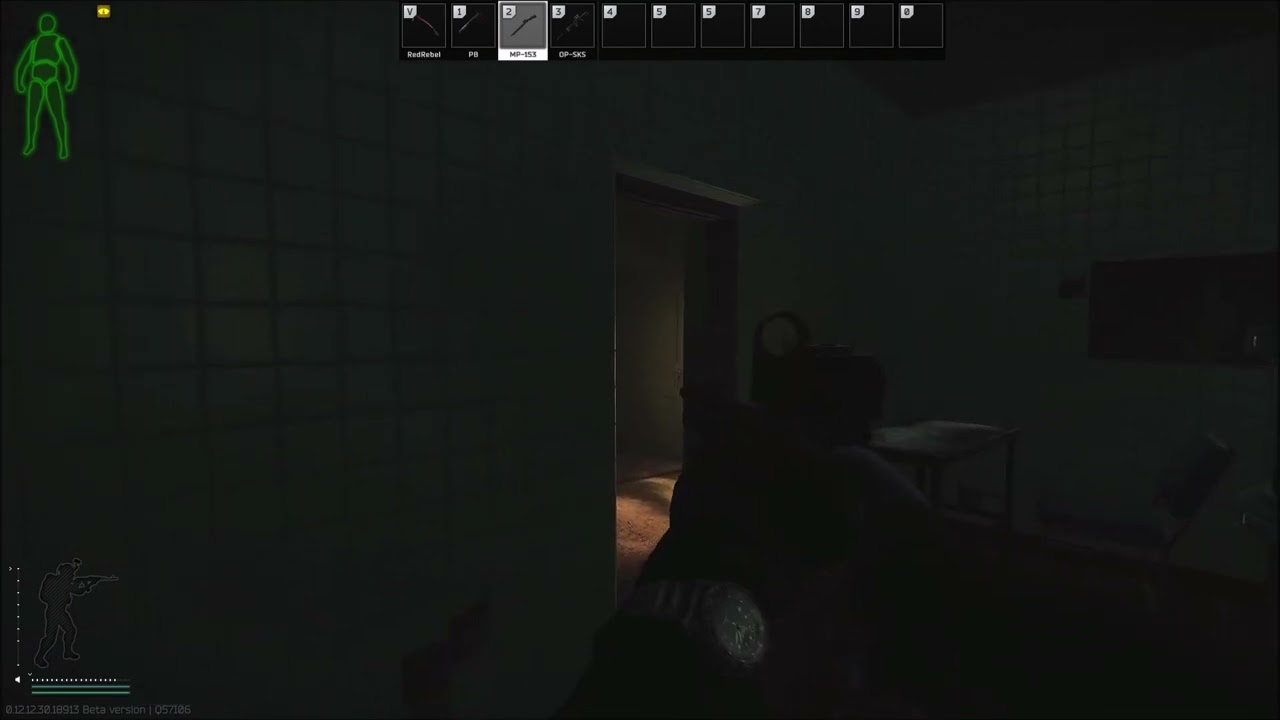
 finite owl
Hey guys, i have problem with a bug I can't enter control settings in game and in game my character is not able to shoot his gun like there is animation for firing but no recoil and gun is not doing any damage. Did somone have similar issue ?

 dense lake
4 Days without a response from support to change my email address as I lost the current email... is this normal for them to be so slow?
steady cosmos
dense lake
4 Days without a response from support to change my email address as I lost the ...
Yes
dense lake
whats average wait?
steady cosmos
dense lake
whats average wait?
Like a week from what i heard but it varies a lot
dense lake
omg... a week without tarkov 😡
 woeful breach
okay ugh my launcher wont open i just installed it and the game 2 days ago the launcher wont open even tried opening the .exe itself and it won't openm so i opened the game manually just get the intro screen with no options please help...
though it opens when run as admin
vivid briar
hey i have these terrible lag spikes can someone help me with that
 hybrid coral
my friend needs help with this.

 boreal depot
hybrid coral
my friend needs help with this.
boreal depot
hybrid coral
my friend needs help with this.
check task manager for tarkov process still running or worst case scenario: restart pc
hybrid coral
my friend did everything
restarted pc, reinstalled tarkov, checked task manager. nothing helped
and also if he gets into game and loads to lighthouse it crashes
and gets blue screens
robust pilot
Hi. I cant login in the Launcher/website since weeks/month. Forum acc still works. I read, that it might be my gmx.de mail adress because i dont receive the auth mail (the last 4 or 5 years this email did work) and i wrote a support email but didnt receive a tiket or anything for weeks now. please help me to change my gmx mail to an gmail or so, because i really loosing my patients now. thank you.
uncut pier
That is why strong password and 2fa is important
Virus on your pc? and did your gmail have 2fa too
boreal depot
2fa can be beaten nowadays, but someone would have to have infected a device of yours or phished your connected mid-login
i'd be worried about e-mail and other passwords, as well as your equipment itself
uncut pier
Yeah too bad bsg doesn't care about your account being hacked and then banned
Have you changed email passwords and all other passwords, also do you have any antivirus?
The virus part isn't entirely ruled out though
I doubt anyone breached your account without prior knowing atleast something about your account
Have you ibstalled something suspicious lately
vivid briar
Ryzen 7 5800x, 2070 Super, 32gb 3600mhz ram. Fixed stuttering by going into Geforce Experience, redoing my latest GPU drivers with a custom installation, and when given the option, selecting clean install.
uncut pier
Try installing something like hitmanpro or malwarebytes and do a full scan
Avast is a bit meh it will rule out obvious things but some viruses get past
quiet summit
Please DM me what you see when you try and log in / the email you received
quiet summit
vivid briar
Ryzen 7 5800x, 2070 Super, 32gb 3600mhz ram. Fixed stuttering by going into Gefo...

uncut pier
robust pilot
Hi. I cant login in the Launcher/website since weeks/month. Forum acc still work...
did you contact through https://www.escapefromtarkov.com/support/contact
shut coyote
hello i got no audio in game , even voip doesnt work for me anyone got any idea?
slim spruce
hybrid coral
my friend needs help with this.
reboot
shut coyote
 quiet summit
shut coyote
https://cdn.discordapp.com/attachments/521614489884295169/994175010707087400/unk...
quiet summit
shut coyote
https://cdn.discordapp.com/attachments/521614489884295169/994175010707087400/unk...
Please make sure your communication equipment is plugged in before you launch the game
slim spruce
shut coyote
https://cdn.discordapp.com/attachments/521614489884295169/994175010707087400/unk...
make sure your windows inputs are changed to your mic properly
shut coyote
it is , ive had this problem every wipe
last time i think @slim spruce fixed it for me
slim spruce
let's look
shut coyote
and i did the thing you told me last time , i noticed it doesnt work this time
slim spruce
shut coyote
and i did the thing you told me last time , i noticed it doesnt work this time
hmm
shut coyote
like everything works , except game , i cannot hear even the menu in the game
 crimson lance
slim spruce
reboot
crimson lance
slim spruce
reboot
"my friend did everything
restarted pc, reinstalled tarkov, checked task manager. nothing helped
and also if he gets into game and loads to lighthouse it crashes
and gets blue screens"
shut coyote
this does pop up aswell
 slim spruce
shut coyote
this does pop up aswell
slim spruce
shut coyote
this does pop up aswell
right click the game exe and go to properties > compatibility > check run as administrator. Do this for the launcher and also the tarkov_be exe
hybrid coral
slim spruce
reboot
already did
crimson lance
yea i told him that in case he didnt notice
shut coyote
ok this error is fixed , but still no sound
slim spruce
hybrid coral
already did
Are you double clicking too much when starting it?
quiet summit
shut coyote
ok this error is fixed , but still no sound
Restarted game already?
shut coyote
quiet summit
Restarted game already?
like 5 times already
slim spruce
shut coyote
ok this error is fixed , but still no sound
right click the sound icon in the bottom right and go to sounds > recording and right click your mic and set as default. right click and disable other things that are not your mic
shut coyote
 hybrid coral
slim spruce
Are you double clicking too much when starting it?
hybrid coral
slim spruce
Are you double clicking too much when starting it?
only double click
slim spruce
shut coyote
Is your mic USB or what?
quiet summit
You don't have any kind of input connecting and disconnecting while your game is running do you?
shut coyote
no its jack
quiet summit
Bluetooth/loose connector
shut coyote
im currently using the same microphone on discord and the same headset
as i said tarkov is the only thing causing me issues
slim spruce
shut coyote
no its jack
settings > microphone privacy settings

allow apps to use it and make sure tarkov is allow
might not be in the list
"allow desktop apps to use it" down there
shut coyote
 slim spruce

shut coyote
slim spruce
<:antonnWoke:699973796848861255>
i feel you 😦
shut coyote
like the normal one , from windows? , is it windows defender or sum
slim spruce
shut coyote
like the normal one , from windows? , is it windows defender or sum
What mic do you have?
shut coyote
well the thing is , the voip isnt my main issue , the issues is that i got no sound anywhere in the game 🙂
slim spruce
shut coyote
well the thing is , the voip isnt my main issue , the issues is that i got no so...
Other things work for sound with it though?
not tarkov?
slim spruce
shut coyote
tarkov is the only one that doesnt work
toggle the "allow desktop apps to use" off and on again from up there
shut coyote
sorry , from where?
 shut coyote
ive got msi x370 carbon thing
slim spruce
And in the sounds/recording tab right click your mic and go to properties and disable all enhancements and toggle the 2 options in exclusive mode

try changing to 16 bit 48000 as well
or to 16 bit 44100
Also, if that doesn't help white list the launcher and game folders in windows defender
shut coyote
slim spruce
Also, if that doesn't help white list the launcher and game folders in windows d...
already done that
slim spruce
The whole folders?
shut coyote
yes
slim spruce
Is escapefromtarkov.exe set to run as admin from properties?
shut coyote
yes
slim spruce
Not the launcher?
shut coyote
both
slim spruce
shut coyote
both
what mic?
shut coyote
last time we did this , we did some changes in device manager
slim spruce
shut coyote
last time we did this , we did some changes in device manager
yes you had too many devices
shut coyote
like disabled some usb things
slim spruce
check to see if that's the case
shut coyote


 shut coyote
done
slim spruce
reboot
slim spruce
shut coyote
nop , nothing changed
using front panel or back panel 3.5mm?
shut coyote
front pannel
slim spruce
shut coyote
front pannel
What audio software do you have installed?
like control software
shut coyote
 slim spruce
got to mic settings
shut coyote
 slim spruce
default format
shut coyote
 shut coyote
nop 10
should i just reinstall my audio drivers again? for the 3rd time today? Sadge
slim spruce
No, uninstall this setup program and also uninstall the devices in device manager and reboot
Delete the driver when asked
uninstall the mic and headset and the speakers
shut coyote
so everything?
shut coyote
done
slim spruce

shut coyote
it works , holy fk man , hat down for you
slim spruce
really?
shut coyote
seee you next wipe ... 
quiet summit
Everything is possible when Sessamy's on the job
toxic crest
Is there any more I can do to keep myself from not being disconnected/game aborted, or have the servers just been bad since the wipe?
slim spruce
toxic crest
Is there any more I can do to keep myself from not being disconnected/game abort...
Every single game?
 restive dew
Hey. I kinda struggling since I bought the game 4-5 wipes before, cuz I have 45 fps most of the time. Sometimes stutters. I tried to follow videos about nvidia/game settings, but it's still not that good. Should I take some pics about my specs, game and nvidia settings and share here?
 torpid grove
Still got "Backend Error: Failed to receive data". Reinstalled game, full reset config. No DS-lite, whitelisted everything.
 dreamy ibex
Is there a way to post suggestions? I know this is maybe the wrong channel, but it is a really tiny thing. And it costs me too much time to ignore it. I think it would be a great improvement from UX perspective. If we could get a Generator button in the main menu, that would be great.
 slim spruce
dreamy ibex
Is there a way to post suggestions? I know this is maybe the wrong channel, but ...
slim spruce
dreamy ibex
Is there a way to post suggestions? I know this is maybe the wrong channel, but ...
The place would be the official forums for game suggestions.
slim spruce
torpid grove
Still got "Backend Error: Failed to receive data". Reinstalled game, full reset ...
You can play fine, though?
dreamy ibex
slim spruce
The place would be the official forums for game suggestions.
Oh ok, thank you
torpid grove
slim spruce
You can play fine, though?
It only happens in menu. No disconnects in raid. After my last scav raid I instantly got the error and lost everything.
slim spruce
torpid grove
It only happens in menu. No disconnects in raid. After my last scav raid I insta...
This sounds like an ISP problem due to not having dual stack. Please first contact BSG in a bug report to see if it's on their end.
 high shadow
yo i have a question what happens if i upgrade my tarkov edition after i have already started like i am level 15?
torpid grove
slim spruce
This sounds like an ISP problem due to not having dual stack. Please first conta...
Already done.
slim spruce
high shadow
yo i have a question what happens if i upgrade my tarkov edition after i have al...
You get everything in the mail.
high shadow
oh ok thank you so much
slim spruce
torpid grove
Already done.
You could try disabling IPV6 in the windows network adapter.
Higher Education Knowledge Base content management, sharing and collaboration platform.
torpid grove
slim spruce
You could try disabling IPV6 in the windows network adapter.
I'll give it a try.
slim spruce
torpid grove
I'll give it a try.
You could also try changing your DNS server

Windows Central
Yes, you can change the Windows 10 DNS settings for more private and reliable services, and in this guide, we'll show you how.
to 8.8.8.8 and 8.8.4.4
toxic crest
slim spruce
Every single game?
9/10 times, yeah. Both as a PMC or a scav.
torpid grove
slim spruce
You could also try changing your DNS server
Still the error
restive dew
16gb ram, Intel I5-7500 3,5ghz, Asus Geforce GTX 1050Ti. 45-50fps most of the time, stutters. Any of my settings need to be changed, or simply my pc is a potato?


 slim spruce
toxic crest
9/10 times, yeah. Both as a PMC or a scav.
slim spruce
toxic crest
9/10 times, yeah. Both as a PMC or a scav.
This sounds like a problem with your ISP regarding not having dual stack support.
slim spruce
torpid grove
Still the error
same ^
You could send in a bug report for more help but I imagine this is your problem.
torpid grove
Where can I check exactly if my provider supports dual stack? Do I have to activate it in my fritz box? (router)
slim spruce
torpid grove
Where can I check exactly if my provider supports dual stack? Do I have to activ...
You'd have to call them and it may be a fee to get dual stack (or prioritized ipv4)
torpid grove
slim spruce
You'd have to call them and it may be a fee to get dual stack (or prioritized ip...
Yeah but do I have to activate it in my router settings?
slim spruce
torpid grove
Yeah but do I have to activate it in my router settings?
No it's on their end.
 sacred junco
restive dew
16gb ram, Intel I5-7500 3,5ghz, Asus Geforce GTX 1050Ti. 45-50fps most of the ti...
sacred junco
restive dew
16gb ram, Intel I5-7500 3,5ghz, Asus Geforce GTX 1050Ti. 45-50fps most of the ti...
1050ti is really pushing it for a solid 60fps experience especially considering people with 1070 are starting to struggle this patch. its really borked performance. also iirc 7th gen especially i5 are only 4c CPU's. the game is core hungry
torpid grove
It's so strange because before the wipe I could play without any problems
toxic crest
slim spruce
This sounds like a problem with your ISP regarding not having dual stack support...
Possibly, I’m only concerned because this is the first time I’ve ever dealt with this in Tarkov, because usually I don’t have an issue getting into raids, it’s only just been the beginning of this wipe. Not trying to say that you’re wrong, it could def be my ISP this time around. Thank you for the input <3
slim spruce
torpid grove
It's so strange because before the wipe I could play without any problems
I have seen this a couple of times since the wipe
 stray frost
After this patch discord and other programs are completely freezing at random moments while im in raid
restive dew
sacred junco
1050ti is really pushing it for a solid 60fps experience especially considering ...
That sounds bad. Then I try to play with the settings for a bit. thanks tho
 hybrid lynx
hello mod, can i run the game with i3 10100f, gtx 1080 and 64gb ram ddr4?
slim spruce
hybrid lynx
hello mod, can i run the game with i3 10100f, gtx 1080 and 64gb ram ddr4?
surely yes
sleek moss
is there a way to fix backend error? I always get this annoying one
 lethal quartz
Anbody else having black screen crash on random moments and intervals in raids/traders? Already had a ticket about this before and I thought it was fixed but clearly not. After the update I completely reinstalled the game but to no avail. This is the only game it crashes on, no overclocking and temperatures seem acceptable for summer period. All drivers/BIOS are updated.
rain mesa
thats ridiculous bruh whatever i try cant seem to fix it... and thats on customs

 devout narwhal
i wrote wrong password once and i cant try to log in again within 1h can i by pass this somehow? (cus writing wrong once and needing to wait 1h is insane.-...)
uncut pier
devout narwhal
i wrote wrong password once and i cant try to log in again within 1h can i by pa...
I doubt you can bypass it but it shouldn't happen on the first failed attempt
devout narwhal
my bf was next to me and saw it and hes as suprised as i am ,-,
uncut pier
rain mesa
thats ridiculous bruh whatever i try cant seem to fix it... and thats on customs
now it's happening to me too lol
vivid briar
why did i get connection error and cant go back to the game
uncut pier
rain mesa
thats ridiculous bruh whatever i try cant seem to fix it... and thats on customs

 vivid briar
i had mdr and other good loot adn bam conenction error and then i cant reconnect because im dead like what
wary compass
restive dew
16gb ram, Intel I5-7500 3,5ghz, Asus Geforce GTX 1050Ti. 45-50fps most of the ti...
You have "Optimal Power" enable, this is a laptop power saving feature.
"Maximum Performance" will be the best, if that causes overheating "Adaptive" can be used.
You can change this per application in the Nvidia settings
uncut pier
restive dew
16gb ram, Intel I5-7500 3,5ghz, Asus Geforce GTX 1050Ti. 45-50fps most of the ti...
anisotropic filtering is useless and shadows to low
 pulsar salmon
on average how long are que times for co op offline?
 vocal pond
there isnt
uncut pier
pulsar salmon
on average how long are que times for co op offline?
would tell you but am poor
can't you test out?
pulsar salmon
trying now but just past 10 min wait time. says servers are full
uncut pier
maybe they are flooded too
vivid briar
is the game crashes still bugged
 austere meadow
Hows nvidia guys doing with new patch perfomance? I tried every workaround I could find and no change...my problem is that the game seems to run okay when theres no one around, but instantly theres starts a shootout fps tanks to 10-30fps, no problems last patch...
newest driver, DDU cleanup done
no mip streaming, never used one, was "false" in the file
uncut pier
every gpu is underperforming except sessamy's pc apparently
austere meadow
Yeah...the problem is everyone seems to have different answers and nothing has got me back to old perfomance
 celest heath
so guys my friend cannot play the game because he always disconnects like 10 minutes into the raid while having normal ping and all fixes for crashes from bsg didnt work do u know smthing?
austere meadow
Oh, and if support sees this, last game I was going scav with friend and my friends player model was invisible and totally quiet, no weapon sounds or anythjing
austere meadow
celest heath
so guys my friend cannot play the game because he always disconnects like 10 min...
This seems to be a problem to many, but my game crashed only once, loading times are much longer than before though
celest heath
is there a way to fix it tho he can litteraly not play 1 raid
austere meadow
celest heath
is there a way to fix it tho he can litteraly not play 1 raid
NVIDIA or AMD gpu?
wary compass
austere meadow
Hows nvidia guys doing with new patch perfomance? I tried every workaround I cou...
Fully reinstall the game and launcher and settings files.
This fixed my stuttering issues and FPS drops
You can disable memory compression, changing pagefile to SSD.
Disable SMT
celest heath
he has rtx 2070 super
uncut pier
rain mesa
thats ridiculous bruh whatever i try cant seem to fix it... and thats on customs
man have you tried disabling automatic ram cleaner
austere meadow
wary compass
Fully reinstall the game and launcher and settings files.
This fixed my stutteri...
maybe ill have to consider this next...I already saw comments about reinstalling doing nothing but I guess I have nothing to loose
austere meadow
celest heath
he has rtx 2070 super
Yeah so I guess u have newest drivers already? and make a clean delete with ddu...other than that only thing I havent done is reinstalling
celest heath
so clean delete the drivers?
austere meadow
celest heath
so clean delete the drivers?
Yes, you need a software called DisplayDriverUninstaller (DDU), you need to run it in windows safe mode
Look up tutorial if unsure
uncut pier
have you tried disabling ram cleaner?
austere meadow
uncut pier
have you tried disabling ram cleaner?
No
uncut pier
try that
 orchid ruin
Does this mean i'm meant to find 4 SMGs in 1 raid?
 celest heath
uncut pier
try that
celest heath
uncut pier
try that
ok i will
austere meadow
uncut pier
try that
Will do before reinstall, thanks
uncut pier
fixed it for me for some reason
celest heath
so u had that same disconnecting problem?
uncut pier
no disconnecting problems but performance issues
what does it say when it disconnects
celest heath
nothing no error