#community-support
1 messages · Page 873 of 1
 river pulsar
 slim spruce
river pulsar
So how many fps should I expect with my current laptop, if it's evaluable?
slim spruce
river pulsar
So how many fps should I expect with my current laptop, if it's evaluable?
I am not exactly sure. Since it's a laptop it will have lower power limits and that will be a big factor. The 3050 laptop edition is more like a 1650 but less power
 golden compass
So I updated bios now just try again and see what happens?
slim spruce
golden compass
So I updated bios now just try again and see what happens?
yeah, in the bios again make sure you set the XMP for your ram
river pulsar
How many fps does 1650 normally get then?
slim spruce
river pulsar
How many fps does 1650 normally get then?
according to this calculator you can get 60-137 fps
with your build
dlss may help more since 3050
river pulsar
slim spruce
on low it says 137 fps but I doubt it
I don't need that many tho
golden compass
slim spruce
yeah, in the bios again make sure you set the XMP for your ram
So I would just turn XMP on?
river pulsar
Where is the calculator?
slim spruce
river pulsar
Where is the calculator?
PC Builds
Frames per second (FPS) calculation for AMD Ryzen 7 5800H and NVIDIA GeForce RTX 3050 Laptop GPU with screen resolution of 1920 × 1080 pixels for Escape from Tarkov video game.
I do not know this website well to trust or not for its results
river pulsar
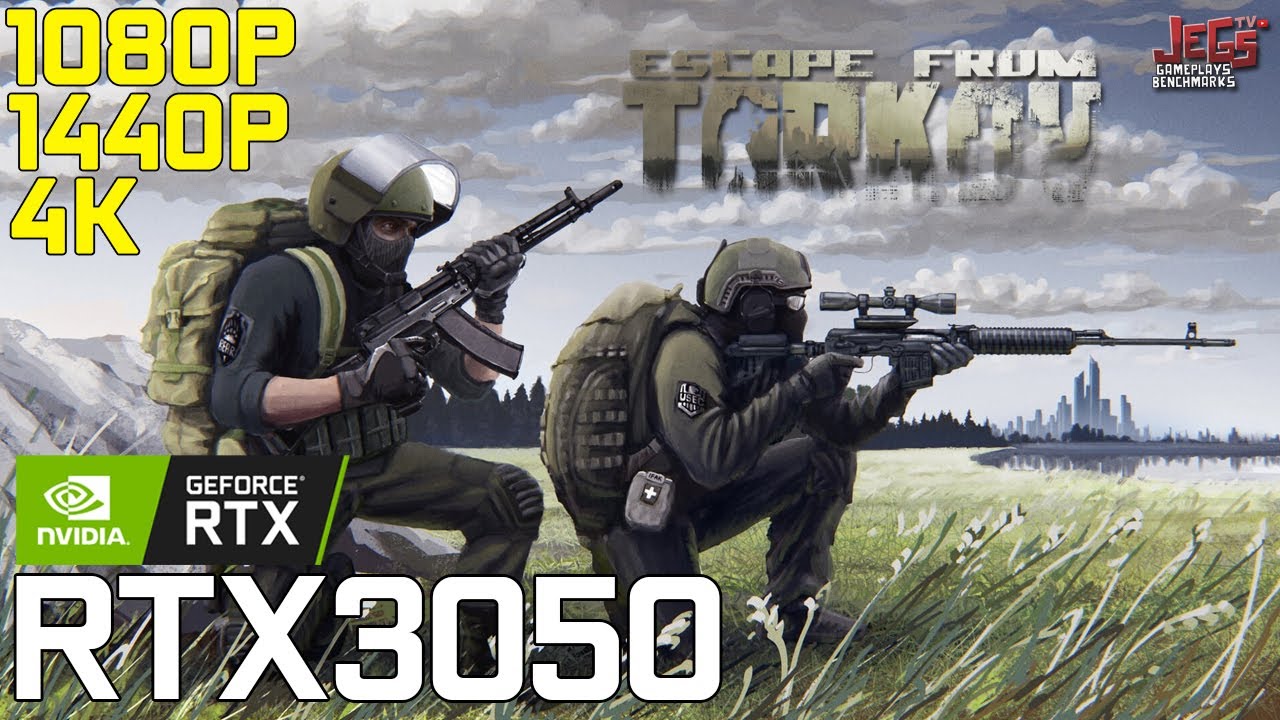
Index:
0:00 - Specs Used (GPU-Z, CPU-Z, Afterburner)
0:14 - 1080p Low Preset
1:53 - 1080p Medium Preset
3:29 - 1080p Ultra Preset
5:08 - 1440p Very Low Preset
6:47 - 1440p Medium Preset
8:23 - 1440p Ultra Preset
10:02 - 4K Very Low Preset
My Setup!:
https://www.youtube.com/watch?v=DMlDr-frNgI
NOTE:
*Recorded using Shadowplay/Relive lost 4-5f...
river pulsar
I see
I have a better CPU compared to the one used in the video though, so I think it would be fine.
slim spruce
the 3050 laptop is around 1/3 less the power than a full 3050
golden compass
Soooo now the game is crashing whenever I leave or die in a raid 😅 so weird
But it hasn't froze or locked up my pc yet
 strong thorn
Hi a while a go my pc was shutting down in some tarkov raid and my psu fried so I assumed it was that I just got a new psu 750w and yesterday and it shut down mid raid again
 winged parrot
i dont have accses to my email
slim spruce
strong thorn
Hi a while a go my pc was shutting down in some tarkov raid and my psu fried so ...
What is your RAM usage ingame?
 steady cosmos
strong thorn
Hi a while a go my pc was shutting down in some tarkov raid and my psu fried so ...
steady cosmos
strong thorn
Hi a while a go my pc was shutting down in some tarkov raid and my psu fried so ...
fried PSU = likely other damaged parts
 vivid briar
I can't access the website from my desktop at all... It keeps saying that there is suspicious activity from my IP. I've left it like a month and it's still doing it? Any idea?
 quiet summit
vivid briar
I can't access the website from my desktop at all... It keeps saying that there ...
quiet summit
vivid briar
I can't access the website from my desktop at all... It keeps saying that there ...
Does your computer have Wifi? You can try hotspotting to your phone
Or if you have a VPN you can try and access that way
vivid briar
Just downloaded a VPN and got in that way. Bit odd though...
quiet summit
Might be something related to your ISP
vivid briar
I thought it was Cloud Flare but other sites are fine so no idea.
slim spruce
vivid briar
I can't access the website from my desktop at all... It keeps saying that there ...
unplug your modem and router from power for 15 seconds and try again as this might get you a new IP
vivid briar
Nah I have a static IP.
 main cradle
my gamer is really choppy i dont think its a gpu or cpu issue but i suspect ram, because whenever i open tarkov it takes 50% of my ram which makes my whole computer slow
my graphics
 slim spruce
main cradle
my gamer is really choppy i dont think its a gpu or cpu issue but i suspect ram,...
slim spruce
main cradle
my gamer is really choppy i dont think its a gpu or cpu issue but i suspect ram,...
Can you explain choppy and your pc specs?
main cradle
slim spruce
Can you explain choppy and your pc specs?
i7 10th gen and a 2060 with 16 gigs of ram
main cradle
slim spruce
Can you explain choppy and your pc specs?
just freezing and unfreezing ever couple seconds
slim spruce
Your ram never gets above like 85%?
main cradle
wdym
main cradle
 main cradle
tarkov open NOT in raid, thats with opera gx open
slim spruce
main cradle
should i close everything else
You might have to
main cradle
Alr
slim spruce
that much ram at idle is not a good sign
main cradle
I also might just have a virus
 coarse crater
lmao

 coarse crater
click the memory thing to sort it and see what's using it
main cradle
 slim spruce
main cradle
cause 50 gigs when theres nothing significant
slim spruce
main cradle
cause 50 gigs when theres nothing significant
You only have 8 GB?
main cradle
in raid
slim spruce
The stuttering is coming from your lack of ram
you ideally need at least 16GB
32GB is what some people need. 16GB is enough for most
main cradle
do i not have 16
main cradle
16 gig stick
main cradle
prebuilt moment
main cradle
it does
slim spruce
Try adding 16000MB minimum and 25000MB maximum page file to an SSD as shown here:
https://www.windowscentral.com/how-change-virtual-memory-size-windows-10

Windows Central
If your device is running low on virtual memory, you can adjust the size using Settings and Command Prompt, and here's how to do it.
That may help
main cradle
i have no idea how to do thart
slim spruce
That page shows how
main cradle
also loading screens someitmes just freeze completly
slim spruce
If you are overflowing ram to page file virtual memory that's probably the cause
increasing page file might help, might not
Otherwise you should look into how much another stick of your ram costs, the exact module
main cradle
slim spruce
Otherwise you should look into how much another stick of your ram costs, the exa...
i have lol, im pretty sure they dont make it anymore
slim spruce
main cradle
i have lol, im pretty sure they dont make it anymore
A new kit of 2x 16GB might be needed
main cradle
the only one i found was 138$
slim spruce
You could get another kit of one 1x 16GB but ideally you want the same one
main cradle
i wonder if getting a set of 8 gig for dual channel would help
slim spruce
main cradle
i wonder if getting a set of 8 gig for dual channel would help
for dual channel you need identical sticks
or at least the same capacity
 rose nest
hi again, i did the fix but i still get massive frame drops on big maps, is there anything else i can do to fix it
quiet summit
rose nest
hi again, i did the fix but i still get massive frame drops on big maps, is ther...
If it's a constant frame drop then it might just be your system
rose nest
quiet summit
If it's a constant frame drop then it might just be your system
no like for example, i spawn in reserve and for the first 2-4 minutes i just get constant frame drops then its somewhat fine after
quiet summit
Is your game still on an HDD?
rose nest
remember this happened suddenly i dont know what i did to make this happen or how its even happening before this happened i could run this game so smoothly
rose nest
quiet summit
Is your game still on an HDD?
yes and it does the same if its on my c drive
quiet summit
Then I'm unsure.
rose nest
you have any idea on what i can do?
quiet summit
@trim widget Please do not ask for gear - You can however look for other new players in #beginners-assistance, or try #pvp-lfg for more experienced players.
 grizzled skiff
got a clip of a teamkiller... @deep spruce
 paper sphinx
 silver lodge
I got a 2080 and I9 10850 but still get low frames. What should I do
 median ruin
silver lodge
I got a 2080 and I9 10850 but still get low frames. What should I do
median ruin
silver lodge
I got a 2080 and I9 10850 but still get low frames. What should I do
Send your settings
silver lodge
k
 bold mulch
Is anyone else having connection issues and are getting kicked from the game?
coarse crater
 river spruce
whens wipe
river spruce
whens wipe
??wipe
 grand sandBOT
There will be a wipe with the next major patch. The patch is currently being polished so please wait patiently for the prewipe events to begin.
golden compass
hey what does this mean
C:\Battlestate Games\BsgLauncher\Temp\EscapeFromTarkov_live_0.12.12.15.18346.bsgp downloaded file checksum does not match
ERROR: 108003
slim spruce
golden compass
hey what does this mean
C:\Battlestate Games\BsgLauncher\Temp\EscapeFromTarkov...
You should use the manual install method in the pins
There is not much to do to fix that error, in my experience.
golden compass
so I just use the game download link in the pins?
 grim lava
reinstall and uninstall everything (game and launcher) it fixed it for me
also @slim spruce if anyone else runs to that problem then thats how i was able to fix it
ping is fixed and i can now play somehow normally
but the issue now is that for some reason i got shot once and my character started rubberbanding
rly weird stuff
quiet summit
You need to get in contact on the website. No account support here
You can't reset your password?
Ok, just be sure you have the right password next time
Double check your main email, make sure there's no unauthorized devices
No email forwarding
Enable 2fa auth if you're able to recover.
You can reach at 'Support@battlestategames.com'
 placid sable
Okay so i have had a large problem happening since February just when i stopped playing the game, but now that i'm trying to get back into it the issue persists
While loading into and while in a raid, my HDD gets maxed out or spikes periodically causing unplayable lag/stutter
I have both Tarkov and the launcher installed on SSD
Memory does not usually go past 60-75%
The HDD usage is not tied to either RAM, CPU, or GPU usage from what i can tell, although disabling Page File did cause Tarkov to blue screen every time i loaded into a raid so i had to re-enable it
vivid briar
placid sable
Okay so i have had a large problem happening since February just when i stopped ...
Game is highly recommended to run on ssd
placid sable
That is in fact what I have my Tarkov installed on, as I said
 serene quiver
Just have it be known there is a group of people whos accounts change every so often that are phishing people into fake discord invite links and hacking their discord accounts, then buying nitro with them and selling the accounts to new users with a new email. It happened to me. But they came from this discord. They pose usually as "sniper 2 man". Please watch for them. Their last known discord accounts are already banned but they will be back... Beware players.
 atomic valley
 fresh drift
Could someone help me. My tarkov is completely unplayable and has been for a long time the stuttering is unbearable every time i get into a gun fight i stutter and freeze for a solid 10 seconds and stutter sometimes when just simply walking around and i havent been able to fix it
 signal pike
@fresh drift Please, contact us at support through the launcher. Thanks.
 woeful hound
whyd my ping in EU servers rise? earlier today it used to be 100 - 120 and now its 150 - 165
steady cosmos
woeful hound
whyd my ping in EU servers rise? earlier today it used to be 100 - 120 and now i...
worse internet/further EU server
fresh drift
signal pike
<@730738638932934667> Please, contact us at support through the launcher. Thanks...
How does it work
signal pike
Bug report button in the launcher, technical issue category
quiet summit
@vivid briar Hello, in order to use modmail, you must open DMs to server members.
 balmy isle
LOL mans just got himself banned from the discord
 tough drift
you got banned in game for 6days?
sounds liek voip abuse in game if its not permenant
You weren't banned in game for 6 days? or you werent abusing voip?
So you are banned ingame for 6 days?
was this an ingame message or something?
median ruin
What’s the reason for ban
tough drift
try looking up error 229?
median ruin
229 just means banned
tough drift
F
slim spruce
report them ingame if they are cheating
tough drift
thats a clip of me killing a guy from his perspective, im showing you the descrepency @slim spruce I was the one who got reported there. The servers are goofed.
tough drift
This is correct. I was trying to show him an example of why he may be reported, that is all. I apologize @slim spruce because the other guy says he got banned.
anyone got suggestions for the following issue
friend of mine moved files for his game/launcher into a different drive manually, tried to move them back and now his game will not start, uninstall or download updates.
slim spruce
tough drift
anyone got suggestions for the following issue
friend of mine moved files for hi...
what is happening exactly?
any error codes?
tough drift
slim spruce
what is happening exactly?
He moved files from his C drive to his D drive to save space temporarily while he deleted other items. Tried to move them back.
Now when he opens his launcher, it would says 0mb/0mb downloading for infinite and never install anything.
He deleted the launcher + the game .exe
No error codes from the launcher. Windows messages indicating the item is unavailable and being used by another program.
slim spruce
tough drift
He moved files from his C drive to his D drive to save space temporarily while h...
Did he use the "choose existing install" button and point to the game on D ?
and not "install"
Oh he moved it back
Ok that error about being in use by another program is from antiviruses
tough drift
I watched him select his C drive as the path after he hit the big INSTALL button
then it would sit at 0mb/0mb
slim spruce
Reboot and try again
0/0 usually fixes itself in like 5 minutes
let it try downloading
tough drift
thank you I am copypasting this to him
slim spruce
If not, there's a manual install method in the pins in this channel
tough drift
he isnt available atm he got off his pc out of frusteration.
tough drift
slim spruce
If not, there's a manual install method in the pins in this channel
Thank you that is very useful info
can I @ you here in the near future regarding this issue if these steps dont work?
should I post and just wait for responses? I dont like getting pinged either :P
slim spruce
tough drift
can I @ you here in the near future regarding this issue if these steps dont wor...
yeah
fresh drift
signal pike
Bug report button in the launcher, technical issue category
Done thank you
woeful hound
steady cosmos
worse internet/further EU server
it was the same server, and I was getting 120 ping
now im getting 140-150

 slim spruce
 lavish bobcat
any fix to this
lavish bobcat
any fix to this
Did it work before?
lavish bobcat
yes
slim spruce
Do you have reshade running?
 lone agate
guys helpppp
am trying to play with my friend and i want to see his discord shared screeen but in game without having to minimize the game itself .. is there is a way to see his screen in a smal box inside my game ??? using discord ? or i have to have completly difrriend second screen to watch him ?
slim spruce
lavish bobcat
yes
If reshade is not running make all the EXEs for the game (bsglauncher.exe, escapefromtarkov.exe and escapefromtarkov_be.exe) run as admin in the right click > properties > compatibility tab > run as administrator. And then start the game.
slim spruce
lone agate
am trying to play with my friend and i want to see his discord shared screeen bu...
You need a second screen.
lone agate
ok can u lend me 200 bucks ?
slim spruce
This is not possible
slim spruce
Try using your phone.
lone agate
but i need glasses
lavish bobcat
there is no compatibility tab
 slim spruce
lavish bobcat
there is no compatibility tab
slim spruce
lavish bobcat
there is no compatibility tab
On the exe files, not folder
one is in the launcher folder and two in the game folder
lavish bobcat
still not working when i made them all run as admin
slim spruce
lavish bobcat
still not working when i made them all run as admin
reboot and try again before we try other things
lavish bobcat
slim spruce
reboot and try again before we try other things
nope didnt work after reboot
slim spruce
lavish bobcat
nope didnt work after reboot
When the launcher is open you see "play" right?
And not "install" ?
lavish bobcat
ye
i have played the game in the past and when i came to play again this shit is happening
slim spruce
lavish bobcat
ye
What antiviruses do you have running?
lavish bobcat
none
slim spruce
lavish bobcat
none
In the launcher, on the top right, click your name and then "integrity check"
That could take a few minutes.
lavish bobcat
do i reboot after or not
slim spruce
lavish bobcat
do i reboot after or not
no
 foggy finch
how does one fix it
slim spruce
foggy finch
how does one fix it
fix what?
foggy finch
what @tough drift was talking about im that person
slim spruce
foggy finch
what <@277498786195177473> was talking about im that person
So what is the launcher doing right now? Says not installed?
foggy finch
yes
foggy finch
it wont download anything say 0/0
slim spruce
foggy finch
it wont download anything say 0/0
disable antiviruses like windows defender temporarily
foggy finch
ok
lavish bobcat
slim spruce
no
still not working
slim spruce
lavish bobcat
still not working
What other software do you have running? Any virtual machines or reshade or other things that interact with the game?
foggy finch
never mind just tried it and it worked
slim spruce
foggy finch
never mind just tried it and it worked
Ok
foggy finch
thank you tho
lavish bobcat
slim spruce
What other software do you have running? Any virtual machines or reshade or othe...
i have discord, nvidia and steelseries
slim spruce
lavish bobcat
i have discord, nvidia and steelseries
reinstall the launcher and then point the launcher to the existing game instead of reinstalling the game.
vivid briar
Anyone good with fps and computers? I have a pretty decent computer, but i really feel like im lagging a lot
lavish bobcat
this shits coming up now
 slim spruce
lavish bobcat
this shits coming up now
slim spruce
lavish bobcat
this shits coming up now
you selected the wrong folder
you need to choose the one with escapefromtarkov.exe in it
golden compass
So my game crashed after surviving in raid and then my PC locked up once again

still not sure why, like it is the weirdest thing its ever happened
slim spruce
golden compass
nothing in the "view reliability history" when it happened?
golden compass
 slim spruce
nothing useful there
golden compass
tarkov crashed right before 12:21
slim spruce
Do you have any overclocks enabled?
golden compass
I don't even know how to lol
I reset the afterburner settings to default once again
slim spruce
You tried a bios update?
golden compass
yes
slim spruce

golden compass
Trust me, its weird to other people too
slim spruce
under view technical details for the crash time what does it say?
golden compass
The previous system shutdown at 12:18:13 PM on 6/16/2022 was unexpected.
slim spruce
That's all?
golden compass
unfortunately yes
after the bios update and graphics clean installation, I had 3 crashes with Tarkov
All resulting in raid leave, whether its death, surviving and disconnecting
slim spruce
What is your FPS ingame?
golden compass
like 144
slim spruce
really?
slim spruce
Can you limit it to like 120?
vivid briar
May I ask-- when is the last time that you updated your graphics drivers?
slim spruce
Another thing you can try is setting your ram to use a lower speed in the bios
golden compass
today
slim spruce
Like if you have 3200 you could try the next lowest speed
golden compass
alrighty
slim spruce
That could improve stability
vivid briar
Are you running any other software the overlays with the game such as overwolf?
golden compass
vivid briar
Are you running any other software the overlays with the game such as overwolf?
I was streaming while this happened, but usually I stream games like Siege, Cyberpunk, and other games and it never done that
golden compass
slim spruce
Like if you have 3200 you could try the next lowest speed
Well I realized the speed I believe is on 4000mhz
maybe I am not sure tho
vivid briar
Overwolf and Tarkov have compatibility issues.
slim spruce
ddr4?
golden compass
yes
slim spruce
4000 mhz on ddr4 is impossible to my knowledge
golden compass
vivid briar
Overwolf and Tarkov have compatibility issues.
I dont run overwolf
vivid briar
Same thing for any other overlays.
golden compass
slim spruce
4000 mhz on ddr4 is impossible to my knowledge
so decrease it to 3200?
vivid briar
slim spruce
Yeah try 3200
☑️
slim spruce
I had no clue ddr4 could do that
golden compass
So I set the DRAM frequency to DDR4-3200 ?
slim spruce
golden compass
So I set the DRAM frequency to DDR4-3200 ?
yes and then save and exit
golden compass
I probably set it to 4000 because that was the speed of the ram sticks
Didn’t know it was impossible 😅
And is it okay to increase the fan speed to like 70 or 80% so it can cool the GPU?
Or just keep it at auto
slim spruce
golden compass
And is it okay to increase the fan speed to like 70 or 80% so it can cool the GP...
You can change that to whatever is best
auto might be best though
If it needs to go above what you set it can't, if on manual
slim spruce
golden compass
Didn’t know it was impossible 😅
I just learned it existed, I didn't know ddr4 did that
golden compass
Oh i mean there was a setting for it so
I will let you know if anything else happens, sorry to bother a lot 😅
 spark lodge

im not getting the emails
i got an email from the forums, but not from the main website 🤔

 violet nacelle
grim lava
reinstall and uninstall everything (game and launcher) it fixed it for me
violet nacelle
grim lava
reinstall and uninstall everything (game and launcher) it fixed it for me
I did that
I'll try again sure
slim spruce
The name in the launcher, your game name
slim spruce
 hidden shadow
Cant agree to the terms on the forums, nothing happens, any ideas?
hidden shadow
Cant agree to the terms on the forums, nothing happens, any ideas?
try on another browser
 rotund pewter
My game keeps crashing for some reason, usually in the middle of a match
Can anyone help with this?
violet nacelle
grim lava
reinstall and uninstall everything (game and launcher) it fixed it for me
lmao it did nothing
grim lava
nahhhhh
u serious?
@violet nacelle did you do it with the control panel? and made sure u uninstalled the launcher and the game? cause there was something that was left that i had to permanently remove from the computer and then i reinstalled it
it was escape from tarkov without the game's icon in it
and it gave me a warning that if i wanted to permanently remove it and i clicked yes
so u should remove a total of 3 things in the control panel
hidden shadow
slim spruce
try on another browser
Thanks
 torn yarrow
why when i try play it dose this i just bought the game

someone help or just get me a refund please?
@slow sphinx
 slow sphinx
Please contact tech support directly on the website 🙂
slim spruce
torn yarrow
why when i try play it dose this i just bought the game
What graphics card do you have?
torn yarrow
2060
torn yarrow
slow sphinx
Please contact tech support directly on the website 🙂
i have
 safe smelt
just so you know he has a wack version of windows
slim spruce
by wack what do you mean?
safe smelt
im trying to help him but its not normal windows os
torn yarrow
its just the normal classic shell

 merry parcel
slim spruce
by wack what do you mean?
merry parcel
slim spruce
by wack what do you mean?
do you celebrate pride month?
slim spruce
safe smelt
im trying to help him but its not normal windows os
What is it?
safe smelt
idk its literally jacked though im telling you, i've never seen it before
if you saw it you'd agree its weird.
slim spruce
torn yarrow
why when i try play it dose this i just bought the game
what windows version are you on?
safe smelt
hes supposedly on windows 10
slim spruce
I need more info
safe smelt
hop in chit chat 1 and view his stream really quickly if you have a minute
slim spruce
safe smelt
hop in chit chat 1 and view his stream really quickly if you have a minute
It's a modified version of windows and that is probably the cause. If it's cracked as well battleye might not work at all. @torn yarrow
Your best bet is a clean install of the graphics driver and if that doesn't work, install a legit copy of windows
It looks like it could be one of those "clean" installs that takes almost everything out that one might not need.
seems they took out directx as well
 compact adder
ok idk what happened but the game bugged tf out, i picked up an AK and i couldnt do anything with weapons anymore. Couldnt drop them switch them, shoot, ads, nothing
disconnected thinking id reconnect and it would sort out (i thought you could reconnect for a few moments) but nope im just fucked out of all my gear
median ruin
compact adder
disconnected thinking id reconnect and it would sort out (i thought you could re...
You can alt F4 and reconnect. If you can’t reconnect, that means you died in raid

Recommended to find a nice bush and prone to disconnect
compact adder
median ruin
You can alt F4 and reconnect. If you can’t reconnect, that means you died in rai...
Good to know - i heard my pmc die as i hit "disconnect" so i wasn't sure if it was timing or the disconnect kills the pmc in the raid
median ruin
Don’t press the disconnect from the menu
That is more of a exit and not come back
If you need to reconnect for whatever reason, just close the game itself with task manager
compact adder
Thanks! I was thinking like CSGO i guess lol
median ruin

 midnight bolt
dont know what couldve caused this, how do I prevent this for future reference

takes more than a hour to repair which is super lame aswell
median ruin
midnight bolt
dont know what couldve caused this, how do I prevent this for future reference
I don't think anyone knows how to prevent it
midnight bolt
damn that sucks then, thank you though
 fringe marlin
so I've been having connection issues so I decided to capture some packets to see if it's a routing issue. I'm in Wisconsin and my game is connecting to a Cloudflare server in California, which is rerouting the traffic to a server on the east coast so no wonder I'm having issues. Why is my game trying to connect to that Cloudflare server instead of the one that it shows when looking at /cdn-cgi/trace is extremely close to me? Is there a way I can fix this issue or is this an ISP issue with anycast?
torn yarrow
slim spruce
Your best bet is a clean install of the graphics driver and if that doesn't work...
where do i do that
@slim spruce
 vivid briar
midnight bolt
dont know what couldve caused this, how do I prevent this for future reference
vivid briar
midnight bolt
dont know what couldve caused this, how do I prevent this for future reference
Just delete the file in files I had that issue for a fucking long time and i just went to files and deeleted the hole file and reinstaled the whole thing
vivid briar
torn yarrow
<@410534625044201493>
go to device manger or uhh if you need to update drivers go to the nivida website put in yout specifed gpu and donlowed the new drives
https://www.nvidia.com/download/index.aspx
the photo is device manger


Download the latest official NVIDIA drivers
vivid briar
vivid briar
go to device manger or uhh if you need to update drivers go to the nivida websit...
@torn yarrow bruh did this guy go asleep 
💀
vivid briar
fringe marlin
so I've been having connection issues so I decided to capture some packets to se...
Honestly man i have no idea how to fix that... uhh go on bsg launcher and get rid of cali severs? i live in cali so those severs good for me 
But hmm idk mabye log into router to or smth
Idk man
💀 im brain dead for that kind of thing
torn yarrow
yes
vivid briar
even doe i know how html and luna works 
torn yarrow
i have downloaded latest drivers btw
fringe marlin
vivid briar
Honestly man i have no idea how to fix that... uhh go on bsg launcher and get ri...
it's not the server selection, it's the routing to the servers that's the issue. The client is proxying through the Cloudflare servers in California instead of the ones close to me. Testing with another person right now to see if they have the same thing.
 vivid briar
fringe marlin
it's not the server selection, it's the routing to the servers that's the issue....
vivid briar
fringe marlin
it's not the server selection, it's the routing to the servers that's the issue....
Huh well y on your own idk how the routing system works for severs but i would think it could possibly be isp but most likely not or you can be connected to a vpn? wait no vpns dont do that
vivid briar
torn yarrow
Well are you on lynx or smth? or windows
vivid briar
torn yarrow
but i need to fix my game i rly wanna play tarkov
anyways hmmm just reinstall the game lmao... mabye something shit itself while donwloding, when i had donloweded it first for some reason it would hate me GO to files and delete the file
torn yarrow
i did
vivid briar
torn yarrow
i did
like fully?
torn yarrow
yup
fringe marlin
vivid briar
Huh well y on your own idk how the routing system works for severs but i would t...
VPNs give the same routing, also it could possibly be an ISP issue. I'm testing with other people right now to see if that's the case. So far, no, but with a sample size of two.
vivid briar
Then redonlowed it i guess and pray for the gods
torn yarrow
ile try
vivid briar
torn yarrow
ile try
yea try eft is fun and i always get head eyes
vivid briar
fringe marlin
VPNs give the same routing, also it could possibly be an ISP issue. I'm testing ...
Well good luck man

 vivid briar
torn yarrow
vivid briar
torn yarrow
💀 do you have the bsg launcher
torn yarrow
NO I DELETED IT
vivid briar
BRO @torn yarrow you did not delete the game
torn yarrow
you told me to
vivid briar
I MEANT THE FILE OKay uhh bruh you new to windwos???!!
torn yarrow
ohhh shit where do i get it back
torn yarrow
vivid briar
I MEANT THE FILE OKay uhh bruh you new to windwos???!!
no i just use add and remove
vivid briar
Go to profle on the top right
torn yarrow
oh found it
vivid briar
torn yarrow
no i just use add and remove
💀 i ain't questioning
torn yarrow
it just sais play where TF DO I UINSTALL IT
vivid briar
torn yarrow
it just sais play where TF DO I UINSTALL IT
Uninstall it'
torn yarrow
holy shit im gonna get windows 11
vivid briar
NOOO WINDOWS 11 WORSE
torn yarrow
ik i hated it
vivid briar
WINDOWS 11 IS HELL I HAD TO REVERT
vivid briar
Okay btw i am littarly not on my main pc so... i dont remmber where to uninstall it
torn yarrow
i do is good
vivid briar
kk well congratualations now pray to nikita that the game instals right DPJAIOXJAIO
 pine jetty
mighty
have any idea why this is happening when i try and use paypal to buy edge of darkness

i cant buy and edition for that matter
and this is why i hate xsolla
 proven pendant
hey is there still a thing where you cant drop labs access cards anymore in raid to your friends
vivid briar
pine jetty
have any idea why this is happening when i try and use paypal to buy edge of dar...
This happend to my freind and i got no idea why its eaither your blacklisted my freind was or it was something ous, you can try your debit card on it
Or credit
 if it's not maxed out
vivid briar
torn yarrow
i do is good
did it donlowed right?
pine jetty
vivid briar
This happend to my freind and i got no idea why its eaither your blacklisted my ...
i have tried my debit and it tries to send a code throguh to my phone which never actually shows up
vivid briar
pine jetty
i have tried my debit and it tries to send a code throguh to my phone which neve...
Well then for me i had to check my transactions and it says a number you have to put in for when i did it
and if not then idk what to do it's a weird way to do tranastions, i liked it better a year ago lol
torn yarrow
Ima get window 11 so i gotta wait
vivid briar
torn yarrow
Ima get window 11 so i gotta wait
nooo
torn yarrow
Its bad ik but i have to
vivid briar
actualy go ahead its your pc
 obsidian wave
my pc is pretty beefy and it's taking a very long time for the game to get to the end of raid screen, death or extraction. It's like a minute maybe more. installed on m.2
And then also getting back to stash from the end of raid stats
 autumn widget
obsidian wave
my pc is pretty beefy and it's taking a very long time for the game to get to th...
autumn widget
obsidian wave
my pc is pretty beefy and it's taking a very long time for the game to get to th...
It's just the game, shitty optimized
obsidian wave
It wasn't that bad a few weeks ago
 hoary geyser
i just bought eft
and im not getting my verfication email is there any reason for this?
golden compass
So question, can cached memory lock up or freeze your PC? I've noticed that every time my PC froze it would freeze with 15+ GB of cached memory with 15gbs available and only when I play tarkov. I am wondering if that could be possible. BTW I have been able to play for hours now until it randomly freezes
 lunar salmon
@golden compass does it freeze your pc, so that you need to hard reset?
golden compass
yes only on tarkov
lunar salmon
Intel cpu?
golden compass
other games like siege, cyberpunk, and other intensive games doesnt freeze
yes, I7-9700k
lunar salmon
Ok go into your bios and turn off intel turbo boost, you will no longer freeze
golden compass
turbo boost have been off
only thing that is on is XMP profiles which helped, I was able to play longer, I also decrease the speed of my RAM, did bios update and graphic updates
lunar salmon
Ah ok. It used to freeze for me until i turned off turbo boost then worked fine
Btw i have the same cpu lol
golden compass
what gpu and ram do you have?
lunar salmon
3080 and 32gb ram
It used to do it when I had a 1080 also so was not to do with gpu, just the turbo boost
Double check that turbo boost is off in bios and fast boot
Z390 mobo i have also
Xmp on
 warm merlin
Hey folks, need advice on PC upgrading:
Ryzen 5 2600, RTX2070, 16GB 2133(oc to 3200) DDR4
I want to buy more ram to expand to 32GB, however i'm not sure if I can just buy 2x8GB 3200 given the stock ram I have is 2133.
Advice?
is it even worth it or shall I upgrade CPU first
quiet summit
golden compass
what gpu and ram do you have?
Are you getting stutters?
quiet summit
golden compass
before the changes I was
What are your specifications?
You said your ram was filling?
 quiet summit
Oh that's not bad
golden compass
yeah but sometimes my pc will lock up so I am not sure
its been a problem for months honestly
This morning I was playing for a few hours and then it just froze randomly
golden compass
yeah, I did a clean installation with my 1080 TI, I did a bios update, changed my RAM speed from 4000 DDR4 to 3200 DDR4. I set my settings to default on MSI Afterburner. All these changes made me able to play longer on tarkov, but still locks up randomly but only few times now
 zealous kite
So...what does this game need to run smooth cause at this point i am confused. I tried running it on 3070M and 1070ti, and on both i get same shitty 50-70 fps with random stuttering. What am i doing wrong? Even DLSS seems to do nothing
slim spruce
zealous kite
So...what does this game need to run smooth cause at this point i am confused. I...
What is your ram usage during gameplay? High like 85% ?
zealous kite
i actually never bothered to check
slim spruce
Lack of ram is usually the cause of stutters
If that's the case we can add more virtual memory and that may help. Check the ram usage
zealous kite
well on both system i run 16gb with ISLC in background and everything unnecessary turned off
will go and check
 gritty dome
Hey yall, I got a problem. I tried reinstalling the game after a Windows reinstall, got the launcher from my BSG account, did the setup, but I cant launch the launcher.
Im being hit with this message
 slim spruce
gritty dome
Im being hit with this message
slim spruce
gritty dome
Im being hit with this message
run it as admin
gritty dome
I'll try, give me a moment
Nothing's happening. I'll try turning off the antivirus too
slim spruce
Yes that is the next step
If that works, disabling that, white list the launcher and game folders in that and windows defender
gritty dome
Just the antivirus didnt seem to work, gonna turn off the Windows defender too. Strange, never had these issues before
slim spruce
does the antivirus have registry protection or other things like that?
Like system file protection?
gritty dome
To put it bluntly, I don't know. I'm using ZoneAlarm if that gives you any info to work with
slim spruce
gritty dome
To put it bluntly, I don't know. I'm using ZoneAlarm if that gives you any info ...
When does this pop up, when you press install or play?
gritty dome
Only pops up once, imediately after the wizards tries to open the app before closing itself
gritty dome
slim spruce
Is the launcher installed, game installed etc?
only the launcher, albeit doesn't run
slim spruce
So the launcher will not open?
gritty dome
slim spruce
So the launcher will not open?
nope.
gritty dome
seems to be off.
although a process tree is still present in the task manager for ZoneAlarm
slim spruce
white list the game and launcher folders in zonealarm
gritty dome
eats up a good ammount of CPU power, I feel like it spikes when I try to run the launcher as admin
gritty dome
slim spruce
white list the game and launcher folders in zonealarm
The antivirus doesn't display any recent activity and it doesn't seem to have taken action on any app. I can't whitelist it if it wasn't targeted in the first place no?
slim spruce
gritty dome
The antivirus doesn't display any recent activity and it doesn't seem to have ta...
This error is caused by either not having admin permissions or an antivirus is blocking access to the folder
gritty dome
slim spruce
This error is caused by either not having admin permissions or an antivirus is b...
damn, must be the antivirus. dont know how tf I managed to get myself locked out of priviledges, but I'll see what I can do
slim spruce
You might have to add the bsglauncher.exe escapefromtarkov.exe and escapefromtarkov_be.exe to the firewall allowed list
The second two are after install of the game
zealous kite
slim spruce
What is your ram usage during gameplay? High like 85% ?
So i ran both systems with identical situation (Discord+Tarkov customs in offline no bots and identical video settings)
R7 5800h+3070M ran 120fps~ 70%RAM 35%CPU 60%GPU
on other hand
R5 1600+1070ti ran 109fps~ 62%RAM 42%CPU 90% GPU
both have 16gb kits of ram and running ISLC
when i go with bots or online both dip and start stuttering with 50-70fps
slim spruce
I would not suggest using such software with the game
zealous kite
well i tried if it help but its the same performance before and after ISLC
slim spruce
zealous kite
well i tried if it help but its the same performance before and after ISLC
Try adding 16000MB minimum and 25000MB maximum page file to an SSD as shown here:
https://www.windowscentral.com/how-change-virtual-memory-size-windows-10
Windows Central
If your device is running low on virtual memory, you can adjust the size using Settings and Command Prompt, and here's how to do it.
That may help with the stutters
 rigid warren
Im not new but im having issues running the game. For every raid ive played my game ran perfectly fine. But now i cant play any map other than factory and labs. Like my pc used to be able to run tarkov but now it cant? Can anyone help?
slim spruce
rigid warren
Im not new but im having issues running the game. For every raid ive played my g...
Specs?
rigid warren
I want to play but i just cant.
slim spruce
And why isn't it running?
rigid warren
slim spruce
Specs?
AMD 2700 8 core cpu and for my gpu radeon rx 580
rigid warren
slim spruce
And why isn't it running?
I cant load into raids right. It takes ages to load and when i do load in it is super slow then disconnects me. Ive played over 800 raids fine but it just started acting weird like a month ago
slim spruce
rigid warren
I cant load into raids right. It takes ages to load and when i do load in it is ...
Stuck on loading loot?
rigid warren
I load loot one at a time. I used to breeze through it. It took 12 min to load into a customs raid just to not get any where and get dced as i load in.
slim spruce
What I asked is if you are stuck on the part of loading called "loading loot"
Or is it at another step?
rigid warren
no, it just loads really slow. It used to load fast
rigid warren
The entire process of loading takes for ever. Loading the map, loot, loot pools, all that. I dont get stuck on any of it. But once i load into the raid i cant play. It dissconects me. it says "server disconnected" and i cant reconnect
slim spruce
Do you keep your loot you would have spawned in with?
rigid warren
No, not anymore. The first time it happened i did. But now i dont
slim spruce
If you disconnect every time over and over that could be an ISP sided issue related to IPV6 that you can't fix on your end - BUT the long loading times points to it being on your side.
Can you not move when you spawn in?
rigid warren
slim spruce
Can you not move when you spawn in?
yeah, i cant move
slim spruce
You can play labs and factory fine?
rigid warren
Yes
slim spruce
No disconnections there?
rigid warren
laggy, but fine. Ive disconnected in the past a lot but that got resolved. I have good internet btw
slim spruce
I'd reinstall the game first
rigid warren
Already have
rigid warren
How do i do that?
slim spruce
Top right on your name > check integrity
rigid warren
alr, its loading now
gritty dome
Update on my situation for future references: Messing with the firewall and antivirus didn't help, but I turned on the .NET framework of 3.5 and older through the Windows Features app, which automatically downloaded the necessary files. In other words, it got some missing drivers. After a restart, the launcher booted up and prompted me to choose a language and sign in.
slim spruce
gritty dome
Update on my situation for future references: Messing with the firewall and anti...
Ok great. Usually .net framework issues are the cause of this but I assumed that was fine
gritty dome
slim spruce
Ok great. Usually .net framework issues are the cause of this but I assumed that...
thanks for the quick responses and help! I didn't hope to see it fixed so soon
rigid warren
Its done checking, what now?
slim spruce
rigid warren
Its done checking, what now?
Try to play, go in as a hatchling
rigid warren
alr
zealous kite
slim spruce
Try adding 16000MB minimum and 25000MB maximum page file to an SSD as shown here...
didnt help a bit, just running to the same location dipped like 30times running in straight line
tried it now with bots and that virtual memory.
3070 ran 80fps~while dipping to 53
1070ti ran 63fps~ dipping to 40-ish
the only difference that isnt really visible is significant GPU usage drop.. 1070ti dropped from 90% to 56% / 3070 from 60% to 48%
slim spruce
zealous kite
didnt help a bit, just running to the same location dipped like 30times running ...
I'd only use the 3070 because it's probably better, but otherwise this is somewhat in the ballpark for FPS with your build
zealous kite
yeah till it wont melt the laptop
slim spruce
Yeah, the low power draws on laptops are the cause of this
zealous kite
but the experience is really exactly the same
slim spruce
Where's the 1070ti?
zealous kite
desktop build
slim spruce
the cpu is probably better on the desktop?
zealous kite
those 20 fps difference aren't really that notable when taking stuttering and drops to consideration
slim spruce
how often with the stutters?
zealous kite
slim spruce
the cpu is probably better on the desktop?
nope, R7 5800h is 8C/16T running 4.4 Ghz i think
while R5 1600 runs 3,6 Ghz 6C/12T
zealous kite
slim spruce
how often with the stutters?
like constantly, probably only moment when it doesnt stutter is standing still while im taking pics of data
but as i said, even running in the straight line to that railroad with no camera movement was dipping fps every 1 to 3 second
only the 3070 mamanged to keep the stutters more barrable but whenever spinning 90-180 turns or running into like droms stutters a lot
quite funny how i moved from 1050ti -> 1070ti and end up on 3070M just to see that fps went up by like 30fps and stutters remained
slim spruce
When did the stutters start?
 lucid lake
Hello all! I'm having a few issues loading into raids.
I can only get into raids consistently on factory, both on scav and PMC runs, however, whenever i try to run another map it loads everything but keeps getting stuck in "awaiting session start"
I've bought a M.2 SSD but still am having problems.
Things I've tried
*Checking intregrity
*Reinstalling
*Entering on the map offline (which worked fine)
*Disabled IPv6 protocol
*Only select SaoPaulo server (86ms latency)
I don't know if it matters, but i downloaded the game from the discord files.
My SPecs:
AMD Ryzen 9 5900x
Nvidia 1060 3gb
M.2 SSD 500gb
Thanks in advance if anyone can help me 🙂
zealous kite
slim spruce
When did the stutters start?
it have them from begging ...so since i bought the game 3-4years back
slim spruce
zealous kite
it have them from begging ...so since i bought the game 3-4years back
This is on both machines?
zealous kite
i keep coming back every half a year to see if it magically start working normally...but no luck in those years xD
yep, on both of them
slim spruce
It may just be your machine. The ram usage is fine on both?
zealous kite
60-72% max
i tried all those yt videos of 2x boost or whatever, but it never even boost single frame
i mean it has to do something with the game since 1070ti and 3070M was huge jump, Wildlands on 1070 ran medium on 70fps on FHD while 3070 manages to go 16:10 2k High-Ultra 110 fps
lucid lake
lucid lake
Hello all! I'm having a few issues loading into raids.
I can only get into raids...
And 8gb ram
slim spruce
lucid lake
And 8gb ram
The 8GB of ram is most likely going to cause issues when playing the game. 16gb is usually the minimum for everyone.
If you upgrade try to get the same exact modules with the same model number
lucid lake
slim spruce
The 8GB of ram is most likely going to cause issues when playing the game. 16gb ...
Even if I can launch the raids in factory?
slim spruce
lucid lake
Even if I can launch the raids in factory?
Usually the only place people can go with 8gb is factory
Just because it's the smallest map
lucid lake
Oh, I see. Ty!
zealous kite
Well anyway @slim spruce thanks for trying, its just seem i wont get to play this game properly xD
slim spruce
😦
rigid warren
Alr so i clipped what happened. It took forever, one i got in i was able to move a little bit then died. I didnt see what shot me, no noice of gunshots or anything but i died to a buckshot scav. After i loaded into the menu where its the death recap my game crashed @slim spruce
Want me to send the clip?
lunar salmon
@zealous kite Gpu usage is very low %, maybe bottleneck issues?
zealous kite
well i wound understand on R5+1070ti....but i dont really think that R7+ 3070M can be bottleneck really
lunar salmon
Something must be happening to have as low as 48% usage, maybe research into the cpu/gpu combo see if others have the issue not just with tarkov
torn yarrow
@vivid briar I FIXED MY WINDOWS 10
BUT IT STILL DOSE THIS

someone join chit chat 2 plz so they can help me
plz
i also get this

 sage condor
I just bought the game and i'm quite impatient to mess around with my settings.
cpu: Ryzen 5 2600
gpu: GTX 1650 Super
I have 16gb of ram but my windows is bugged and it takes up 8gb so technically only one 8gb stick is in use.
Around what video/graphics settings should I run so I don't have to test shit out. (Does not have to be exact)
rigid warren
Hey, can anyone help me? For every raid ive played my game ran perfectly fine. But now i cant play any map other than factory and labs. Like my pc used to be able to run tarkov but now it cant? Ive played over 800 raids fine but now it takes ages for me to load into a raid and when i do it dissconects me then the game crashes. Anyone able to help? I really dont want to have this 60$ wasted lmao
slim spruce
torn yarrow
BUT IT STILL DOSE THIS
By fixed do you mean install a legit copy of windows?
torn yarrow
yup
vivid briar
slim spruce
By fixed do you mean install a legit copy of windows?
Lmao 💀I never knew
 nova fable
are you able to gift upgrades for the game?
 nova fable
like could my friend gift me eod when i alr have the base game
quiet summit
I've been wanting to gift my brother EOD for ages
nova fable
I CAN T LOGIN INTO THE WEBSITE SO HOW TF AM I SUPPOSED TO UPGRADE😭
quiet summit
What issues are you having?
vivid briar
quiet summit
I've been wanting to gift my brother EOD for ages
Bro I need eod
 nova fable
quiet summit
What issues are you having?
nova fable
quiet summit
What issues are you having?
I am unable to log into my EFT account through the website. im able to get as far as the email verification but then it says it sends a email verification code but I don't receive one. I have tried many things to fix this such as. Checking the "Spam" folder. I have added the whitelist of (no-reply@escapefromtarkov.com) I have checked if the mailbox is full and it is not. i have also checked mymail settings, and turned off all filters on my mail, and also checked my mail forwarding settings.
All of this tried and I still do not receive the email verification code from the website.
vivid briar
quiet summit
One day one day
I need that big ass container
vivid briar
nova fable
I am unable to log into my EFT account through the website. im able to get as f...
I had this issue and it was sending to my spam folder lmao
quiet summit
nova fable
I am unable to log into my EFT account through the website. im able to get as f...
Do you ahve access to a VPN? Or a second computer?
nova fable
vivid briar
I had this issue and it was sending to my spam folder lmao
its not sending there
 fallen mulch
anyone know the wipe day yet?
vivid briar
quiet summit
Do you ahve access to a VPN? Or a second computer?
True
nova fable
quiet summit
Do you ahve access to a VPN? Or a second computer?
yes
quiet summit
Try both of those
vivid briar
fallen mulch
anyone know the wipe day yet?

quiet summit
Also, try turning your routher off for 30 seconds, and turning it back on
Sounds silly but
Try it
It has worked for people.
rigid warren
hey, can anyone help me? For every raid ive played my game ran perfectly fine. But now i cant play any map other than factory and labs. Like my pc used to be able to run tarkov but now it cant? Ive played over 800 raids fine but now it takes ages for me to load into a raid and when i do it dissconects me then the game crashes. Anyone able to help? I really dont want to have this 60$ wasted lmao
slim spruce
rigid warren
hey, can anyone help me? For every raid ive played my game ran perfectly fine. B...
RAM size?
rigid warren
i think 16
slim spruce
go to the task manager > performance tab and check
rigid warren
Is it memory or is it under something else? I dont really understand pcs
slim spruce
rigid warren
Is it memory or is it under something else? I dont really understand pcs
memory
rigid warren
16
slim spruce
rigid warren
16
Can you go to Start (in Windows) > type "view reliability history" and see if there's any error entries for when you crash? Look at the details and look for the fault module name for a clue to what's causing it.
rigid warren
16gb
slim spruce
I'm asking for crash information, not ram
rigid warren
slim spruce
Can you go to Start (in Windows) > type "view reliability history" and see if th...
would it be application failures?
slim spruce
anything at the times you crash
rigid warren
no, there was nothing there regarding a crash
slim spruce
rigid warren
no, there was nothing there regarding a crash
when the game crashes you mean it goes to the desktop or the pc resets?
rigid warren
slim spruce
when the game crashes you mean it goes to the desktop or the pc resets?
Straight to desktop. Then a thing pops up saying something about a technical error and if i want to report it. It also says that when you alt f4. Or atleast for me it does
slim spruce
rigid warren
Straight to desktop. Then a thing pops up saying something about a technical err...
Can you ALT TAB while loading and see if your RAM fills up to around 85% in task manager before it crashes?
fringe marlin
anyone know why EFT exclusively uses California's Cloudflare servers? Running a packet capture shows that it connects to a proxy in California before connecting to the actual server. I do not live anywhere near California.
rigid warren
slim spruce
Can you ALT TAB while loading and see if your RAM fills up to around 85% in task...
Ill do that
fringe marlin
I mean EFT connects to a Cloudflare anycast server, so it should connect you automatically to the closest server to you for a proxy. But so far with my testing Tarkov only uses 3 servers in California no matter what.
zealous kite
@slim spruce so i kinda digged through internet more and i *meaby * found a solution to that stuttering. Weirdly enough setting exception to Windows Defender for EFT and removing background proccesse of programs made the game runs smooth on mod systems...survived 2 scav runs. But the single odd thing is that while running offline with bots i get the insane stutters again with low fps.
Also what is ussualy the gpu and cpu usgae for Tarkov?
slim spruce
the usage varies. It depends if you are GPU or CPU bound with one being better
What is the specs of the system?
zealous kite
R7 5800H With 3070M and 16gb RAM
CPU was hanging on 30% and gpu around 36%..in online scav run
slim spruce
This is a laptop?
zealous kite
yes sir, i forgot to check PC usage sicne iw as too amazed it didnt stutter
but amazingly both didnt stutter in scav run and both pulling 80-90 average
fps
slim spruce
What did you disable on windows defender?
zealous kite
zealous kite
CPU was hanging on 30% and gpu around 36%..in online scav run
also..the RAM started to top out at 86%
zealous kite
slim spruce
What did you disable on windows defender?
just set up exception for BSG and Takov folder and .exe
slim spruce
You can try to add more virtual memory but to fix this you will need more ram
Try adding 16000MB minimum and 25000MB maximum page file to an SSD as shown here:
https://www.windowscentral.com/how-change-virtual-memory-size-windows-10
Windows Central
If your device is running low on virtual memory, you can adjust the size using Settings and Command Prompt, and here's how to do it.
zealous kite
yeah we already did that at beginning
slim spruce
With the ram going to 85% or so it is using disk space for reserve
I would recommend upgrading your ram with the same exact modules, if you have space and if it's easily changable.
zealous kite
yeah translated to laptops its more of a buying compeltly new 32 kit
SO the CPU/GPU usage is okay-ish for Tarkov?
slim spruce
it's acceptable. It also depends on the wattage rating of your cpu and gpu as they are mobile varients
DLSS may improve things.
zealous kite
to my knwoledge the 1070 is capped at 140W and CPU i assuem aroound 65-75 meaby
slim spruce
that is about half of the 3070 desktop wattage
zealous kite
slim spruce
DLSS may improve things.
yeah well thats the weird part...its either native 1080p or /w balance or going 2k performance....which starts getting blurry
zealous kite
for the size of its, i would dare to say awesome
slim spruce
indeed
zealous kite
also any idea how to access the ultra performace dlss?
slim spruce
use 1440p
zealous kite
well 1440p gives access to performance but the ultra remains grayed-out
slim spruce
That is for 4k
zealous kite
okjay i see, no go territory till bank is robbed
zealous kite
thats actually interesting idea
slim spruce
it might make it only like 5% better but it will use more power
zealous kite
since my monitor is 1080p and laptop is 2k.... i might be a way to force that dlss onto monitor right?
slim spruce
zealous kite
since my monitor is 1080p and laptop is 2k.... i might be a way to force that dl...
If your monitor is 1080p and you display 1440p you're just wasting power
rigid warren
@slim spruce I got to 93 before crashing 💀
slim spruce
rigid warren
<@410534625044201493> I got to 93 before crashing 💀
ram % ?
zealous kite
slim spruce
If your monitor is 1080p and you display 1440p you're just wasting power
nevermind then
Well thanks for chat and help... in no bad way i hope i wont be visiting this channel any time soon ❤️
slim spruce
😄
rigid warren
slim spruce
ram % ?
wait my game didnt crash but it was borderline unplayable. It got to 96% while loading tho
Im going to play another and see what happens
slim spruce
rigid warren
wait my game didnt crash but it was borderline unplayable. It got to 96% while l...
If you are getting that high, that is definitely the cause of your problems.
Raising the page file/virtual memory might help but you may need a RAM upgrade.
That or lower your settings
rigid warren
slim spruce
If you are getting that high, that is definitely the cause of your problems.
Makes sense. What doesn’t make sense is why and how it started.
Do you have a clue on why i could run it fine before but not now?
slim spruce
rigid warren
Makes sense. What doesn’t make sense is why and how it started.
I don't know why, but there's always a rush of these ram issues right after a patch
it is fine for them and suddenly it's not
It could be due to optimizations or other changes
rigid warren
It’s just weird on when it started tho. No new updates at the time it’s just i played reserve (a map my pc cant handle) for a quest then i rage quit. Got on the next day and it hasn’t worked right from that day on
 languid dock
should is sell labs armband for green violet or black?
rigid warren
Alright, i can now load in without crashing but when someone shoots i hear it before my screen changes. Like i hear it 1-3 seconds before i see any screen changes. Im also getting a lot of temp freezes
59% mem without being in a raid with just discord and tarkov open
My pc is just shit ig xD
quiet summit
@vivid briar Hello, if you wish to use mod-mail, please open your DMs to server members.
rigid warren
Update once again, i can play factory and it runs smother so i’m happy
but i sold 4 fully kitted mutants for money. soooo
sage condor
I just downloaded the game today via cdkeys for a discount, however when I try to load into the game I get the error: " 201 - Client not authorized or not selected game profile." Does this have anything to do with the fact that I bought the game via cdkeys? Also how do I fix this issue?
slim spruce
sage condor
I just downloaded the game today via cdkeys for a discount, however when I try t...
On your eft profile page do you own the game?
It will say the edition of the game you own
sage condor
slim spruce
On your eft profile page do you own the game?
Yes it says standard edition
slim spruce
sage condor
Yes it says standard edition
Are you logged in on that same account in the launcher?
You need to start the launcher to start the game
you can't use the tarkov exe
sage condor
slim spruce
Are you logged in on that same account in the launcher?
I am logged into the same account and I am using the bsg launcher
slim spruce
sage condor
I am logged into the same account and I am using the bsg launcher
The launcher says you own the edition you do as well?
slim spruce
sage condor
I'm going to try for the 3rd time
If it still doesn't work you may have bought a trial key or a key that is deactivated. Contact support on the website.
In the future we recommend only buying from the official website as there are no officially resold keys.
sage condor
slim spruce
In the future we recommend only buying from the official website as there are no...
I don't think this has anything to do with where I got the key since a lot of people have been getting this issue.
slim spruce
sage condor
I don't think this has anything to do with where I got the key since a lot of pe...
Where are the others?
sage condor

Escape from Tarkov Forum
I was able to play yesterday but now whenever I load the game up I just get a "201 Client Not Authorized". Anyone know how to fix this?
I am trying the solutions on the forum now
slim spruce
sage condor
I am trying the solutions on the forum now
That was during a server outage that caused many to have it.
I have seen nobody with your issue recently. Please contact support.
 knotty beacon
Does anyone know how to overlay a friends screenshare over Tarkov?
I can get it to show up on top of Tarkov but as soon as I click anywhere it removes the overlay
slim spruce
knotty beacon
Does anyone know how to overlay a friends screenshare over Tarkov?
what overlay?
knotty beacon
I saw a video where someone was able to get a friends screenshare to overlay over their Tarkov client. So like they could see where they were on the same monitor.
Like this
 knotty beacon
In the video I'm watching Jesse Kazam says this person was able to overlay their friends screen over their game
 surreal igloo
Are there any events rn? I was in a offline night time customs raid and fought rouges in stronghold? pretty confused
knotty beacon
I can get a similar effect but as soon as I click it goes away, can't figure out how to pin it over Tarkov.
surreal igloo
Havent heard anything about an event either
slim spruce
knotty beacon
In the video I'm watching Jesse Kazam says this person was able to overlay their...
never seen it before
knotty beacon
Figured it out, was able to do it with Microsoft PowerToys.
Very useful 🙂
 thorny coyote
Maybe there's a discord mod that does that
nova fable
quiet summit
Do you ahve access to a VPN? Or a second computer?
i tried another pc at a whole other house and still didnt send. it sends the code to my gmail tho. sooo
idk why it wont work
 split geyser
hey everyone
quick question when i try to buy tarkov
it says "your payment has been cancelled" what can i do/should do
quiet summit
nova fable
i tried another pc at a whole other house and still didnt send. it sends the cod...
Oh wait
Is it a gmail?
quiet summit
split geyser
it says "your payment has been cancelled" what can i do/should do
Hmm
What payment method are you using?
quiet summit
Do you have Paypal by chance?
split geyser
nope
quiet summit
Ah,
You may have to get in contact with xSolla as they handle our billing
Paypal is the smoothest way though
One moment.
split geyser
ok
quiet summit
split geyser
ok
That is their live support
This is FAQ's
You will have to make an account for the live support though.
nova fable
quiet summit
Oh wait
my main acc is outlook and my second acc gets the email but its gmail
quiet summit
nova fable
my main acc is outlook and my second acc gets the email but its gmail
Ah.
Outlook/Yahoo/Hotmail ahve major issues
You will have to email them.
'Support@battlestategames.com'
split geyser
ye no idea how to
quiet summit
split geyser
ye no idea how to
Please check https://help.xsolla.com/i-cant-make-a-payment first
Go through that
Then if you can't figure it out, get in touch with their live support.
nova fable
quiet summit
You will have to email them.
i have bruh so many times and they never help me out. they just say the same stuff and crap that dont help
quiet summit
nova fable
i have bruh so many times and they never help me out. they just say the same stu...
Ah...
I can drop a bunch of copypastas that other people have found successfull but
You having one of those domains it's probably a lost cause
Reset your password (Seriously)
https://www.escapefromtarkov.com/support/knowledge/362 [Hotmail]
Add 'no-reply@escapefromtarkov.com' as a trusted sender/whitelist
Reset router, turn it off for 15 seconds, then turn it back on
Run Launcher as admin
Windows defender firewall and advanced security
BSG launcher - Properties Check off >Domain >Private >Public and dropdown Edge traversal 'Allow edge traversal'
In the Command Prompt, enter “ipconfig/release” then press [Enter] to release your computer's current IP Address.

www.escapefromtarkov.com
Escape from Tarkov Forum
Each linebreak is a different fix
nova fable
quiet summit
Reset your password (Seriously)
https://www.escapefromtarkov.com/support/knowle...
i dont even get the email for password reset
split geyser
quiet summit
Ah...
BEST MOD
quiet summit
Got it working?
split geyser
yep
quiet summit
Fantastic
nova fable
not me :/
quiet summit
Yeah email/account problems unfortunately is a BSG support only type of deal
nova fable
and even then they never actually help
ive been emailing them for months about it bruh
do they allow email changes?
quiet summit
nova fable
do they allow email changes?
Unfortunately not
pine jetty
@vivid briar hey i got edge of darkness working, no idea what the problem was but i just used a diff paypal acc and it works
 cinder wave
I want to screenshare tarkov on discord, but whenever I go into a game it shows the loading screen on my screenshare
quiet summit
cinder wave
I want to screenshare tarkov on discord, but whenever I go into a game it shows ...
Please select share screen instead of application.
cinder wave
quiet summit
Please select share screen instead of application.
Can i not screenshare it with audio?
cinder wave
Okay thank you
median ruin
Are you by chance using better disc
cinder wave
median ruin
Are you by chance using better disc
No, im using the normal discord
cinder wave
Okay
 barren galleon
i get stuck on awaiting session start on both pmc and scav no matter what i change or do but it was fine yesterday
median ruin
barren galleon
i get stuck on awaiting session start on both pmc and scav no matter what i chan...
Clear cache, file repair and go from there
barren galleon
median ruin
Clear cache, file repair and go from there
did all that
median ruin
It could just be a random occurrence, same thing happened with my friends and I given nothing was happening yesterday
I don’t really know what to do either
Might just have to give it a day so it can fix itself
 lucid phoenix
anyone abble to help with an issue ive been having for a while almost everytime i load into raid i start to stutter really bad like i cant even move and most times i disconnect and my specs arent bad
 upbeat valley
guys i need help when im about to load in a game my computer crashes
 frigid pilot
i keep getting a unity error and game wont boot. any tips?
 quick kite
@vocal verge Enable DMs in order for ModMail to work.
slim spruce
 vocal verge
still dont work
vocal verge
still dont work
I sent Test
nova fable
why am i able to receive the email verification code from the game launcher but not the website
slim spruce
nova fable
why am i able to receive the email verification code from the game launcher but ...
This is unusual as it's usually the other way around. Try another browser or keep trying every hour or so, to avoid getting blocked, temporarily.
nova fable
slim spruce
This is unusual as it's usually the other way around. Try another browser or kee...
ive tried other pc at other houses, my phone too and ive been trying to get the code for months now
slim spruce
nova fable
ive tried other pc at other houses, my phone too and ive been trying to get the ...
You get the code from the launcher fine?
nova fable
slim spruce
You get the code from the launcher fine?
yeah it said it sent and i got it just fine but then i try the website and it doesnt work
slim spruce
nova fable
yeah it said it sent and i got it just fine but then i try the website and it do...
Do you stay logged in on the website when you click the support button in the launcher, while logged in?
nova fable
slim spruce
Do you stay logged in on the website when you click the support button in the la...
no
slim spruce
nova fable
no
checked spam folder in email?
nova fable
 nova fable
slim spruce
checked spam folder in email?
nova fable
slim spruce
checked spam folder in email?
I have tried many things to fix this such as. Checking the "Spam" folder. I have added the whitelist of (no-reply@escapefromtarkov.com) I have checked if the mailbox is full and it is not. i have also checked mymail settings, and turned off all filters on my mail, and also checked my mail forwarding settings.
slim spruce
What email service?
nova fable
outlook
slim spruce
This is a known issue. https://www.escapefromtarkov.com/support/knowledge/384?lang=en
www.escapefromtarkov.com
nova fable
so should i go to Microsoft
slim spruce
You could try, but that page states that BSG tried to contact them and they can't fix it.
nova fable
i jus wanna upgrade my game bruh
slim spruce
"If you use one of the domains hotmail, outlook, live or msn and you haven't received device I'd or BSG mails, we recommend you to contact with Microsoft support service, notice, please, that your problem is connected with our request SRX1474153869ID, which one Microsoft don't solve."
nova fable
this is so dumb
 rain mesa
Hi guys I have a question , is my cpu ( i9 9900k) bottlenecking my gpu 3080 at 1440p?
If anyone has same gpu and cpu could help would greatly appreciate
quiet summit
rain mesa
If anyone has same gpu and cpu could help would greatly appreciate
What kind of frames are you getting?
I have almost your same specs

 gentle abyss
hello can someone tell me why my ak sometimes can't be changed to full auto
quiet summit
gentle abyss
hello can someone tell me why my ak sometimes can't be changed to full auto
There are different types of AK's
If you see a VPO AKM
It's a civilian variant
Cannot be changed to full-auto
gentle abyss
ok
gentle abyss
quiet summit
If you see a VPO AKM
that was it actually thanks a lot
 rain mesa
quiet summit
What kind of frames are you getting?
rain mesa
quiet summit
What kind of frames are you getting?
So sometimes customs I get 90-94% usage gpu and 120-140fps, but then sometimes it switches to 70% gpu usage and 105-120 fps customs. Reserve 60%-70% gpu usage with 90-100 fps, haven’t tested reserve a lot tho
quiet summit
You're getting better usage out of me actually
I run lighthouse usually 80-100 frames
Low GPU usage as well
rain mesa
I play at max settings except shadows
rain mesa
quiet summit
at 4k
Yeah weird, I hope they fix this instability, because I was planning already to get a z690 mobo with i9 12900k, but fuck that then
upbeat valley
guys my game keeps on doing this a soon as i am almost done loading

help
and it also blue screen my computer sometimes
 bitter igloo
upbeat valley
guys my game keeps on doing this a soon as i am almost done loading
bitter igloo
upbeat valley
guys my game keeps on doing this a soon as i am almost done loading
Verify game integrity - have you done any overclocking to your PC?
 red fable
this isnt necessarily a bad thing but i just reset my account and i have jaegar unlcoked befroe ive even done introduction and so does my buddy who did the same thing, is this a known bug?
bitter igloo
red fable
this isnt necessarily a bad thing but i just reset my account and i have jaegar ...
known
 steep mulch
hey guys,
I love tarkov and i really wish that i could play it better. I run into issues with stuttering and lag a lot, and when i aim in with a scope, the game freezes for up to 3 seconds. When I'm in gunfights, my game will literally just freeze sometimes. I have tried a lot of fixes that i've found online and they havent seemed to help
if anyone has any advice, i would really appreciate it
thank you
if anyone's wondering,
I have a razer blade 15 (2021 edition) Its one of the best gaming laptops out there
16 gb ram
rtx 3060 laptop GPU
intel i7 11th gen
quiet summit
steep mulch
if anyone's wondering,
I have a razer blade 15 (2021 edition) Its one of the be...
You can try and set your pagefile size if you would like
steep mulch
what does that mean?
quiet summit
It gives your ram more space to play with on your SSD
steep mulch
how do i do it?
quiet summit
One moment.
quiet summit
steep mulch
how do i do it?
Windows + R
Open your run page and type in 'control sysdm.cpl'
Go to the advanced tab, under performance hit settings
Advanced again, and change the paging file size
Select an SSD drive
Untick automatically manage paging file size for all drives
Use 16000 minimum and 25000 maximum
Once you’ve entered your size of virtual memory, click Set, then click OK to apply the changes.
After that, restart your computer and give it another go
Keep in mind this will take up some space on your SSD for as long as you have that volume on your drive
This will also very slightly decrease the lifespan of your SSD
(Assuming your lappy has an SSD)
steep mulch
yea, it's an ssd
quiet summit
Ok good.
steep mulch
tysm ill give this a try!
upbeat valley
bitter igloo
Verify game integrity - have you done any overclocking to your PC?
yes
my gpubut only a little bit
and i alr verifly the game files but it stll crashes
bitter igloo
upbeat valley
my gpubut only a little bit
If you're blue screening it's more than likely an improper overclock, try reverting to default values (or attempt to fix the overclock, it may not have enough voltage)
upbeat valley
but somtimes it dose that
bitter igloo
but wouldn't really give it more voltage if you don't know what you're doing
upbeat valley
can the game crashing be a gpu driver thing]
bitter igloo
Could try completely uninstalling GPU driver and doing a fresh install
but would be leaning more towards overclocking issue
steep mulch
yea it 100% sounds like you fucked up your overclocking
I would not mess with the GPU first, id fix the overclocking and then if thats not the issue, try gpu
 tawny grail
the game keeps getting stuck on awaiting session start
quiet summit
tawny grail
the game keeps getting stuck on awaiting session start
You should manually select servers
Go lowest pair server then move up
Eg. MD 20 ping, CA 21 ping, WY 25 ping, VA 60 ping
Use MD CA first
Then WY VA
 desert cairn
I've been getting black screens from CPU overheating, but I don't know why it keeps getting so hot. It's running 90*C at idle even after I've cleaned the dust out, made sure the fan is going, replaced the cooler and thermal paste, reduced voltage to CPU, and made sure it wasn't overclocked. Any PC peeps with ideas on what might be going on?
slim spruce
desert cairn
I've been getting black screens from CPU overheating, but I don't know why it ke...
What is running in task manager at idle? Are you sure it's at idle?
Just check that nothing is running like 90% usage
desert cairn
Discord, chrome, Malwarebytes, Spotify, Speccy, and Task Manager. It's saying CPU usage at 2% with that.
slim spruce
When you replaced the cooler did you tank any plastic off of the heat sink?
desert cairn
Yes. I tried with the stock thermal paste and applied third party.
desert cairn
Regular fan, made sure it's lined up so it's blowing air in the same direction as the case flow.
With big heat sink, lemme check make.
Arctic Freezer i13X
slim spruce
What cpu?
desert cairn
Ryzen 7 2700, 8 core
slim spruce
desert cairn
Ryzen 7 2700, 8 core
are you using an AM4 socket connector with the cooler?
The website says it only comes with Intel sockets
desert cairn
Yes.
slim spruce
desert cairn
Yes.
officially from the manufacturer or 3rd party?
desert cairn
Came in the same box. I might have gotten the model wrong, I went off picture because I don't have the box.


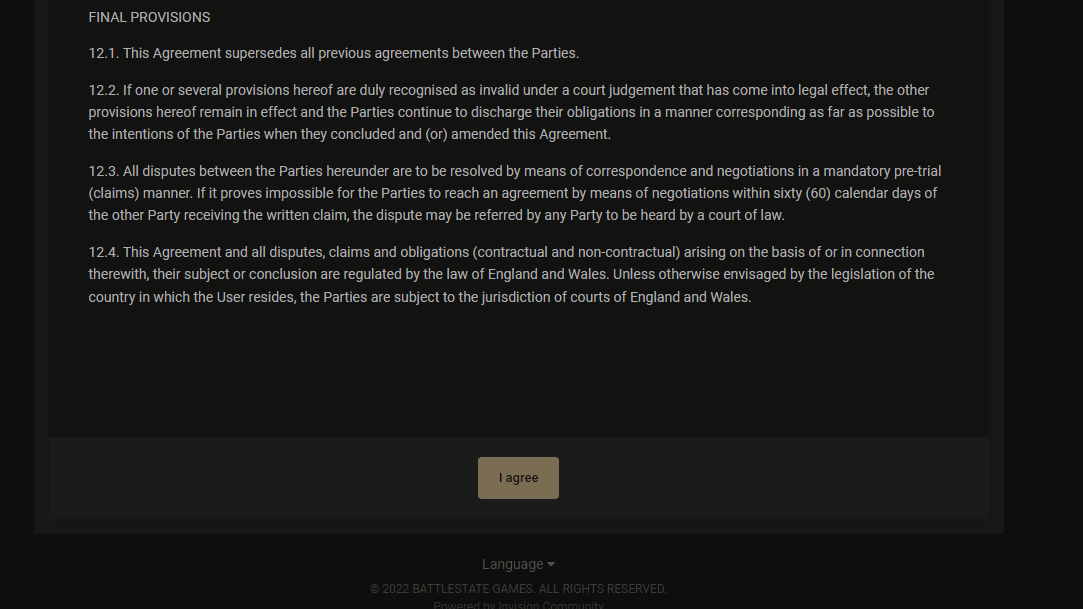 desert cairn
Looks accurate.
slim spruce
Ok good
slim spruce
desert cairn
Looks accurate.
Is the fan connector plugged in on the motherboard one labelled something like "cpu fan"?
slim spruce
Just in a regular header?
desert cairn
SysFan 4
slim spruce
What motherboard?
desert cairn
I found the CPU fan one. That's probably it.
slim spruce
Yes plug it in there
desert cairn
I'm gonna shut down and switch those two.
slim spruce
Ok, make sure it has the same amount of connectors, and don't force it
desert cairn
Ofc
slim spruce
it should be 4 holes
most motherboards have a fan header just for the cpu
this will allow the fan to speed up to what it needs to be under load
else it may just be off or a low speed all the time
A slight amount of noise is expected for fan coolers
desert cairn
I did see one marked CPU and I just switched them (after powering off of course). We'll see what happens.
slim spruce
Alright, hopefully better!
desert cairn
Opening speccy.
As per usual, something obvious that I missed and I feel dumb.
Thanks a ton for the help!
slim spruce
desert cairn
As per usual, something obvious that I missed and I feel dumb.
Thanks a ton for ...
Anything to help. I wish you low temperatures.
desert cairn
May your framerates be high and your temperatures low. O7
slim spruce
indeed
 frail scaffold
I wish I had the luxury of a computer and not a laptop so my cpu doesn’t consistently peak at 100c while playing tarkov 
desert cairn
That was 90 on idle.
frail scaffold
Oh wow
slim spruce
yeah the fan was at a low speed all the time
desert cairn
On Tarkov it straight black screened.
frail scaffold
desert cairn
On Tarkov it straight black screened.
tarkov moment
slim spruce
the sysfan headers will run at only one speed
desert cairn
:P
slim spruce
cpu fan does change
frail scaffold
tarkov makes my brain black screen when I get teamkilled for choosing bear and using voice lines
desert cairn
Have you considered our Lord and Savior USEC?
frail scaffold
bear ftw bro gotta get that streets rep
 terse cypress
Are there any other reports of memory leaks? I'm jumping to 95% RAM usage (only running Discord and EFT). I have 16GB and the game is stuttering very badly and is stuttering badly and is unplayable. Problem has only started happening in the last few weeks.
Tarkov alone is taking over 10GBs of RAM
slim spruce
terse cypress
Are there any other reports of memory leaks? I'm jumping to 95% RAM usage (only...
Is the cached memory going up way too high or is it actually used memory going that high?
In task manager this is what I mean
 terse cypress
ok thanks. checking now
slim spruce
If you see 95% usage it's probably the memory in use, the top left number
terse cypress
ok, i recently restarted the game. So once it does it again i will take a look and let you know. Should happen soon
slim spruce
There is an odd problem with this game that happens to people after patches, where 16GB is not enough anymore. You could try raising page file but if it's reaching to above 85% or so, you may need to upgrade your ram. I would recommend the same exact model number for more modules.
vivid briar
slim spruce
In task manager this is what I mean
6000 mhz 💀 ddr5?
Your pc dunks on mine

 runic quail
anyone know how to enable Nvidia game filter in EFT?
terse cypress
slim spruce
There is an odd problem with this game that happens to people after patches, whe...

Game still using about 10GB of RAM. Very choppy
silver lodge
runic quail
anyone know how to enable Nvidia game filter in EFT?
it's not supported I think.
median ruin
 sullen spruce
<@410534625044201493> you mind if i dm you real quick
sullen spruce
<@410534625044201493> you mind if i dm you real quick
#discord-mod-mail is another place for mods
 final sigil
Tried to log into the game and got error 230 after failing the login once. went and reset my password and tried again and got a 24 hour block. anything i can do about this?
 hard cypress
final sigil
Tried to log into the game and got error 230 after failing the login once. went ...
hard cypress
final sigil
Tried to log into the game and got error 230 after failing the login once. went ...
Wait 24 hours
final sigil
thats some got trash
 harsh shell
can i report a cheater thats in this server on here?
 wooden zenith
Hi all, last summer I played with i5 6400 and 1050 ti. In terms of fps everything was good, from 70 to 90.
Recently upgraded to an rtx 3050 graphics card and decided to go back under the new vape. However, most likely got the emphasis on the processor (map reserve gives 50 to 70-80 fps). Are there no current ways to increase fps right now that can help most for the CPU? Thanks in advance.
 remote mortar
I'm not sure if anyone has a solution to my problem here, but in the past year I've slowly stopped playing tarkov due to increasingly bad load times. Previously, I loaded in faster than all of my friends by far. However, loading loot specifically has started to take several minutes even for something as simple as a factory scav raid. It usually shoots up to the mid to high 50's percentage wise almost immediately and then goes extremely slow for the rest. I've been through several hardware upgrades but the problem still persists. I have two M.2 ssd's and Tarkov is installed on a different one that my OS and most other programs being used at the same time
CPU: 5600X
GPU: Asus Dual 3060ti
RAM: 4x8GB 3600mhz Corsair Vengeance RGB Pro
SSD 1 (OS): Crucial P1 1TB
SSD 2 (Tarkov): Sabrent Rocket Q
I've seen a couple posts online about similar problems saying that the issue was most likely internet related, but my internet isn't that bad (227.9 up 11.2 down *connected via ethernet). Not to mention, it has been one of the few things that has remained constant in my setup over the years, so I don't really see how that could cause a night and day difference seemingly overnight when it never changed.
wooden zenith
remote mortar
I'm not sure if anyone has a solution to my problem here, but in the past year I...
Have you tried checking the speed and condition of your ssd drive, or put the game on a different drive?
remote mortar
It used to be on my Crucial P1 with my OS but i uninstalled the game and moved it to my New one (Sabrent Rocket)
Drives have been fine according to every benchmark i've done
wooden zenith
Most likely the problem of downloads, as a rule entirely on the ssd. In rare cases on other components, but you have a pretty strong iron.
To rule out the problem of internet connection, try to ping any server in the country where you play.
If the console server is pinged without any problems and skips, then the problem lies in the speed of reading the drive. How long does it usually take you to load?
remote mortar
Its been about 2 weeks since i've tried, but i would say on average it takes about 2-3 minutes to load loot on a map like factory
remote mortar
wooden zenith
Most likely the problem of downloads, as a rule entirely on the ssd. In rare cas...
How should i go about pinging, im not very brushed up on my console commands anymore
wooden zenith
remote mortar
Its been about 2 weeks since i've tried, but i would say on average it takes abo...
These are quite normal numbers, but the statistics go from card to card. Even I got some performance issues because the game is updating.
Try doing loadouts on maps like reserve or customs.
On average it should not take more than 4 minutes for a full load (up to the inscription waiting for players) on an average ssd drive. Usually a good boot time via ssd is 2-3 minutes. Many of course can be faster.
remote mortar
 remote mortar
wooden zenith
These are quite normal numbers, but the statistics go from card to card. Even I ...
remote mortar
wooden zenith
These are quite normal numbers, but the statistics go from card to card. Even I ...
My times that ive given very well could be inaccurate, that was just a guess given the gap of time since i have last tried. The only reason I've come here is because I tend to load so much slower that my friends that the PMC raids start without me despite me typically having better components.
slim spruce
terse cypress
It's pretty high up there in usage. Not full though.
hard cypress
hey sessamy If I were to get another tarkov account and played as my scav and kill every scav and then kill my alt on my main would I get a ton of rep for killing my alt and is that banable?
slim spruce
hard cypress
hey sessamy If I were to get another tarkov account and played as my scav and ki...
You can't get rep from people from your own party
hard cypress
slim spruce
You can't get rep from people from your own party
if i were to queue into the same match? is that bannabke
slim spruce
hard cypress
if i were to queue into the same match? is that bannabke
If they found out I would assume it would be boosting, which is forbidden.
hard cypress
ahh okay tyty
 barren moth
Please send help

had this all damn day lol
i also get this error

and i am forced to repair every time
new error
i think im getting somehwere

 balmy lichen
can someone help me