#site-support
1 messages · Page 189 of 1
 dapper idol
@dapper idol The metasploit room is not broken.
@eager fulcrum ah, it appears you are right. for the longest time msfdb init returned "try running as a non root user"
dapper idol
ah, ok so it's the attackbox vm
 minor kite
Should a link like "internal.thm/something/else" resolve to the IP address of the box I'm currently working on? Asking for a me.
 uncut oak
working on Room Vulnerversity, and the im trying to get to the website 10.10.66.34:3333 which is a web server for the room using the browser. Site can't be reached. Could my work VPN be blocking it? Not sure how to connect via browser
minor kite
Were you able to connect to the THM VPN?
uncut oak
yes
minor kite
Can't help with that one - I connect w/Open VPN.
uncut oak
if i were to pursue my OSCP, maybe it's prudent to buy a new laptop so I can run Kali on there and use as my pen testing machine
how is Kali used w/ OpenVPN?
do you need your own Kali
minor kite
You get an OpenVPN file from THM, then use it to connect. Yes, you would use it to connect your own physical/virtual machine to the THM network.
minor kite
I run Kali in a VM on my personal machine. Inside Kali, I connect via OpenVPN to the THM network.
uncut oak
ah ok, gotcha, thanks for that. So if you use OpenVPN you have to have your own version of Kali somewhere
how is using kali as a VM?
minor kite
Not sure that's 100% true - it might work inside the web Kali machine that you're using supplied by THM, but I suspect that's not the problem.
uncut oak
is it a pain in the ass or do you think having a seperate laptop is just more clean?
minor kite
We're off topic for this room - I we can pick it up in #general if you want...
Room: Internal. Should a link like "internal.thm/something/else" resolve to the IP address of the box I'm currently working on? Asking for a me.
 eager fulcrum
@minor kite you need to add it to etc hosts
minor kite
Thanks - did I miss that somewhere (for future reference)?
eager fulcrum
I believe you're told
 teal dragon
I'm sorry XD
 cedar musk
Hello guys...I just encountered a error regarding .ovpn file that we use to connect to the tryhackme network and I am not able to ping the machine for further enumeration. I tried regenerating the file but it didn't work : ( . As soon as I open the configuration file it stucks at "Initialization sequence completed" and then I cant connect to the tryhackme machine. Help would be really appreciated : )
 placid mango
!vpnscript
 sharp bisonBOT
 TryHackMe
Use our VPN troubleshooting script to diagnose common issues!

From TryHackMe with ❤!
placid mango
Try this.
 vale haven
Can I ask for help here in order to fix problems with postgresql due to which msfdb is not working on my machine?
 bronze vale
@vale haven it’s better putting an issue on metasploit’s GitHub, or googling it. We only deal with site/VPN issues
vale haven
Only if I hadn't
 jade haven
Hi. Need to build a central syslog Server open-souce (siem). Any sugestion? Graylog? Syslog-ng? Elasticsearch? Kibana? Suricata? Whats the Logic sequence? Thanks!
bronze vale
VPN and other technical questions related to TryHackMe
 outer coral
Heya, I am not sure if this is the right channel for this. If it is wrong, please point me to the correct channel. Starting up a new VM for the initial room (the one where you are to open up firefox) results in 405 Method not allowed. I am not sure if this is correct behavior, as the first task specifies to load up and copy paste a value (flag) from that screen. Is this correct or a bug ?
Using the free vm at this point, so I am not sure if related or not.
bronze vale
I'm very confused at what the issue is?
You're trying to start a TryHackMe VM or you're trying to boot a room VM?
bronze vale
So you're trying to boot the AttackBox and you're getting a 405 error?
outer coral
Okay, let me try to give a more approperiate description of my confusion 😄 One sec
Okay, I think I found my "issue"... I misunderstood the instructions I guess.
Apologizing.
 primal finch
Hi everyone
I don't know if I'm right room, but I think I would have this badge
I have done both rooms
 vernal ruin
It's being worked on I think, people who completed the rooms before the badge was announced haven't got it automatically
primal finch
Understood
 naive dust
does nmapping a specific network several times slow it down or overload it?
bronze vale
Is this related to the site or VPN?
naive dust
site- i am learning nmap so wanted to ask
bronze vale
naive dust
site- i am learning nmap so wanted to ask
yeah, i am learning nmap in try hack me ofc... @bronze vale
bronze vale
-_-
 restive plover
how do i get my configuration file to my kali VM?
bronze vale
Have yoh downlaoded it off the website
vernal ruin
Download it inside the vm ?
restive plover
that makes sense
It wont work https://tryhackme.com/room/openvpn - Linux stage
pls help?
placid mango
!vpnscript
sharp bisonBOT
TryHackMe
Use our VPN troubleshooting script to diagnose common issues!
From TryHackMe with ❤!
placid mango
Try this.
restive plover
ill try it
eager fulcrum
Regenerate your certificate
eager fulcrum
You need to regenerate. Then redownload.
restive plover
i did
restive plover
Just to double check this is the file path right + the file name. right. just checking
am i able to transfer files from my pc to my VM?
naive dust
i need help: my windows laptop(quite old running ii7 4510) keeps on getting audio erros
like the audio servie stops running
been happening for a while and tbh im done with it
id really appreciate if someone helps me out
Wrong room
which one should i go to?
restive plover
@eager fulcrum it still isnt working
eager fulcrum
am i able to transfer files from my pc to my VM?
@restive plover download it in the VM
restive plover
i have
placid mango
@placid mango I couldnt get that to work
@restive plover Show screenshot of error.
placid mango
!vpnscript
sharp bisonBOT
TryHackMe
Use our VPN troubleshooting script to diagnose common issues!
From TryHackMe with ❤!
placid mango
This ones' output.
naive dust
You may need to email
support@tryhackme.com, detail everything including your THM username. They will instruct you how to proceed :)
@bronze vale
I mailed them but no reply.
naive dust
I hope I will get my voucher back 😦
 digital yarrow
DOes anyone know why the hell not a single WIFI connection is found ?
my wifi adapter works fine on windows
 supple sonnet
Are you on a VM?
digital yarrow
VBOX
supple sonnet
yeah, that's why
digital yarrow
i'm not briding it
supple sonnet
you wont get passthru unless its a USB adapter
supple sonnet
do you have the required drivers installed?
digital yarrow
i mean it worked before
supple sonnet
you'll want to run lsusb to see if it's being recognized
supple sonnet
im guessing you've tried rebooting?
digital yarrow
tens of times
 feral dock
Spooky in help chats 👀 No offense spooks
digital yarrow
no SSIDs i tried that
supple sonnet
then something on the VM must be broken
digital yarrow
thing is i have a different one that's doing the same problem
it works when i replug it
this one sometimes works when i replug it
 urban echo
Sorry
digital yarrow
@wind wedge this is related to THM
@supple sonnet
i found the driver
but its not building for some reason
 wind wedge
@digital yarrow It was for someone else they deleted their message after I told them to go to general
digital yarrow
oh my bad
 peak canopy
yo guys can anyone recommend some /cheap/ ethernet passthrough that emits wi-fi signal, too?
 native elbow
Hey guys, I'm having problems with the VM in the "relevant" room. After deploying and waiting for 5 minutes, accessing any service (HTTP, SMB) works for at first but it's extremely slow and after a few seconds the connection breaks down completely. I've already terminated and redeployed machines couple of times, still the problem remains. Also renewed my VPN connection, didn't help either. Do you have any ideas? I can't finish the room like this. Thanks.
 toxic python
!multivpn
sharp bisonBOT
TryHackMe
Learn how to look for duplicate instance of your OpenVPN connection.
• Step 1
Make sure you have setup your VPN connection correctly https://tryhackme.com/room/openvpn
• Step 2
Type ps aux | grep openvpn into your terminal and press enter
• Step 3
If there's more than one line (that don't start with "grep" or sudo), do the following steps
• Step 4
Type sudo killall openvpn into your terminal and press enter
• Step 5
Start the VPN with sudo openvpn <path-to-config>
From TryHackMe with ❤!
native elbow
@toxic python Indeed, I've had old openvpn processes running. Thanks for the advice, I'll try running the VM again 🙂
toxic python
np
digital yarrow
@eager fulcrum u mean to help ?
 meager trail
Hey , in the room commonlinuxprivesc it ask me to
but when i tried to do this i have an error :
msfvenom: command not found
What can i do ?
eager fulcrum
I mean that your issue isn't THM related and you need to ask in #general @digital yarrow
@meager trail MSFVenom is a hacking tool
You're not going to have it installed on the target system
meager trail
ahh tyty ! 😄
digital yarrow
@eager fulcrum it is related, i'm trying to get to the wifi room, my adapter is working fine on Windows but not finding any networks on linux
eager fulcrum
It is not related
It's not site or VPN related. It is you, asking for generic tech support. Which goes in #general.
eager fulcrum
That doesn't mean you should ask here.
digital yarrow
understood
peak canopy
ok
naive dust
Hello tech support, is there any way I can download the THM VM so I can use it on my machine at home with VMware?
eager fulcrum
No.
vernal ruin
Any idea why I can't upload VM's to the site. Every upload is stuck at 39%, I wated for 12+ hours and then it shows "Conversion Failed". I'm exporting .ova from VMware
 formal gulch
@vagrant sphinx hey..can you help me with the THM subs issue..it would be a great help.
bronze vale
@formal gulch whats your issue
formal gulch
I am not able to pay..using my visa/master card..i have tried 2-3 bank accounts ..still not able to pay.. payment is not being accepted..
And @vagrant sphinx is from india too..so i think he may help me a little with this
vernal ruin
I am not able to pay..using my visa/master card..i have tried 2-3 bank accounts ..still not able to pay.. payment is not being accepted..
@formal gulch You need international payemnt activated cards I think, also make sure your bank in not declining the charge
vernal ruin
Any idea why I can't upload VM's to the site. Every upload is stuck at 39%, I wated for 12+ hours and then it shows "Problem Coverting VM". I'm exporting
.ovafrom VMware
@vernal ruin 😕
formal gulch
@formal gulch You need international payemnt activated cards I think, also make sure your bank in not declining the charge
@vernal ruin ok..i will look into that
naive dust
Why can't I see the new "Networks" tab in my account unless I sign out?
eager fulcrum
@vernal ruin probably because you didn't follow the AWS conversion requirements
vernal ruin
I am doing exactly what I have been doing all this time
vernal ruin
I have Image Format as OVA, Operating System as Ubuntu Server 18.04 (This site you just linked doesn't list 18.04 as supported, but it's listed on THM) , File System is MBR with ext4 , and Licensing as Auto as it says for Linux Systems. Then there is more info about creating aws specifc roles and installing aws cli tools and stuff on the VM, and I'm guessing that doesn't apply here. Under Required Configuration that I can control, Vmware Tools are not installed, No CD-ROM Drives, the VM was shut down before exporting, DHCP service is functional. I have no idea what else to check for.
eager fulcrum
@deep trellis did you mention before that you can check the reasons it failed to convert? Might be useful here
 deep trellis
I have Image Format as
OVA, Operating System asUbuntu Server 18.04(This site you just linked doesn't list 18.04 as supported, but it's listed on THM) , File System isMBR with ext4, and Licensing asAutoas it says for Linux Systems. Then there is more info about creating aws specifc roles and installing aws cli tools and stuff on the VM, and I'm guessing that doesn't apply here. Under Required Configuration that I can control, Vmware Tools are not installed, No CD-ROM Drives, the VM was shut down before exporting, DHCP service is functional. I have no idea what else to check for.
@vernal ruin What's the kernel version out of interest?
vernal ruin
4.15.0-117-generic
deep trellis
Okay, what's the name of the OVA you're uploading?
vernal ruin
The last one I tried with was called sn0wball
deep trellis
When did you last try uploading? Yesterday?
What was the OVA filename called?
I can't find anything for sn0wball. Edit: Nevermind, found it.
vernal ruin
I tried yesterday, then today
deep trellis
FirstBootFailure: This import request failed because the instance failed to boot and establish network connectivity
It looks like one of the snowball uploads worked?
2 failed, 1 succeeded.
vernal ruin
3 failed
It still shows succesful maybe cause I have not deleted it
I'm trying to do some research on that error and what that means
 violet pine
@sharp bison Hi All. I have been trying exploit eternal blue in the room "Blue" using metasploit for 2 days and i am unable to move ahead. I am exactly doing as per all the writeups. Please assist.
[] 10.10.92.133:445 - Triggering free of corrupted buffer.
[-] 10.10.92.133:445 - =-=-=-=-=-=-=-=-=-=-=-=-=-=-=-=-=-=-=-=-=-=-=-=-=-=-=-=-=-=-=
[-] 10.10.92.133:445 - =-=-=-=-=-=-=-=-=-=-=-=-=-=FAIL-=-=-=-=-=-=-=-=-=-=-=-=-=-=-=
[-] 10.10.92.133:445 - =-=-=-=-=-=-=-=-=-=-=-=-=-=-=-=-=-=-=-=-=-=-=-=-=-=-=-=-=-=-=
[] 10.10.92.133:445 - Connecting to target for exploitation.
[-] 10.10.92.133:445 - Rex::ConnectionTimeout: The connection timed out (10.10.92.133:445).
[*] Exploit completed, but no session was created.
eager fulcrum
!vpnscript
sharp bisonBOT
TryHackMe
Use our VPN troubleshooting script to diagnose common issues!
From TryHackMe with ❤!
deep trellis
It still shows succesful maybe cause I have not delete it
@vernal ruin Unfortunately, the only information I can give you is this: "This import request failed because the instance failed to boot and establish network connectivity"
vernal ruin
All right, thanks for that
 fallen fiber
is this just me or the connection to the vpn is not stable?
eager fulcrum
is this just me or the connection to the vpn is not stable?
@fallen fiber Run that VPN script above, it's super stable for me
vernal ruin
You are most probably running multiple instances. Just run the script to know for sure or kill the instances
vernal ruin
I can't seem to figure out the issue @deep trellis I just need to change permission of one file on the existing vm that's uploaded. Is there any way that can be possible
supple sonnet
if you can deploy the box, it can be cloned with the changes made, you'll just need Skidy and or Ashu to be available
vernal ruin
yeah ? I just need 20 seconds
supple sonnet
ye, just make sure one of them is available to help ^
 visual badger
Since the last two days I get after a bit of time connected to the VPN these two errors in the log:
Authenticate/Decrypt packet error: packet HMAC authentication failed
and
TLS Error: local/remote TLS keys are out of sync: [AF_INET]<IP>:<PORT>
I already regenerated the openvpn config file. Does anyone know what's up?
bronze vale
Authenticate/Decrypt packet error: packet HMAC authentication failed is just a warning it means nothing
If you're having connection issues please run the VPN script, regenerate your VPN configuration file and switch servers.
 sick shard
@supple sonnet your room is broken 😞
 sharp bear

 spare blaze
OwO
sharp bear
UwU
toxic python
AwA
 fickle juniper
Hi, is there anyone around?
I've recently joined thm and I can't launch the vpn therefore access any machine . I get a 404 network when trying to download the configuration file. I am new to this so I don't know. But after reading the rules, one of them states to do some research first. I tried to look for the file on the openvpn website but that was useless; it didn't work. I don't want to break anything on my computer so I think it is wiser to ask what to do.
supple sonnet
You didn't break anything -- don't worry.
Try switching VPN servers and attempting to download a new config pack?
 stable marten
hey guys hope yall are having a wonderful sunday, i need an experts help, please ive been working on this for over a year. this is my only hope to learn
idk where to start!
willing to talk to anyone willing to listen i really need help!
stable marten
?
my problem isnt on discord! im noob at discord tho so please forgive my ignorance
fickle juniper
@supple sonnet Will that still work? I mean , there is a reason why they chose openvpn no? it's free and open source and I would assume easy to use? Let's say I try to download another vpn file, will the process be the same?
I'm just reading your message again...VPN or switching VPN server? I would assume one mean downloading the file from a different source.
supple sonnet
This seems like a one off issue
if you go here:
https://tryhackme.com/access

TryHackMe
An online platform for learning and teaching cyber security, all through your browser.
change the VPN server from something else that's currently selected:
http://puu.sh/GuJVV/ea42d4dc39.png

ex, I have US-West selected, try AU-Regular, or something like that and re-download your config file.
fickle juniper
Ok that worked. Thanks. Can I close the terminal or do I need to leave it open?
eager fulcrum
Leave it open
fickle juniper
OK
stable marten
i need an analsyis/ network admin/ reverse engineer / digatial forenses help
like i installed an obvious do not install this will fuck ur shit up malwared out hacked new high end video game title and didnt do anything to it for about 6 months, when my laptop was getting to where it could have hurt its hardware and started to look at everything
and its been a nightmare
like ive done resets across multiple devices so many times
like i have the most crazy looking .pcap files
other wifi's in the area have duplicates running in the range of my pc
its fucked
like this has got to be some real deal hardcore pwnage
like im so pwned. my router login page is now gone. i discoverd that it had custom java script loaded into and has 3 wifi ids acossiated with it
 limber kayak
Sounds like you need a professional service.
 hybrid cedar
Is there a way to see what rooms i left [not completed?] i see that i have 10 rooms and completed 9 but i do not see any pending room on "My rooms"...
 civic lodge
you can filter completed in "My Rooms"
hybrid cedar
thanks, i tried that but didnt show the room i left :/
 rotund rover
Hi just bought access to throwback. I've got two questions 1: how long do there go before I can download the openvpn configuration ? 2: How/where can I get the reciept I cant see under receipts ? Tnx.
wind wedge
To get the vpn for throwback you go to access machine then OpenVPN then you will see a separate tab for Networks and that is the file you use to access throwback not too sure about the second one @rotund rover
bronze vale
@deep trellis
 steep mortar
yea it is
I'm trying to download a jpg from an ssh server to my linux download folder but the ssh says it can't find the path to the download folder even though it is the path..
it's part of the agent sudo room
wind wedge
try the ip instead of agentsudo
wind wedge
List the dir the jpg is in maybe
rotund rover
I Can see the throwback room and have access to it but can’t connect because i can’t download the vpn
 vocal wasp
@steep mortar maybe try sftp is is ftp like interface over ssh
 cedar cape
whoever does that, dont reply to them
vocal wasp
a little easier than scp
 vital spire
Is anyone able to help me with Throwback task 13? I'm not getting any LLMNR responses after waiting for 30+ mins
cedar cape
@vital spire wait more
steep mortar
@steep mortar maybe try sftp is is ftp like interface over ssh
@vocal wasp k I will try thanks(:
vocal wasp
haven't bought throwback yet
@steep mortar sftp username@remote-ip -> cd to file -> get filename -> !ls
vital spire
Really? Even though the instructions say: "This process should not take more than 10 minutes during normal circumstances. If you are having issues, reset the network, if the issue still persists, ask for help in #743859653343182930"
steep mortar
@vocal wasp worked perfectly! thanks a lot
vocal wasp
@steep mortar no problem
rotund rover
any tech-supports here to help with missing openvpn download for networks ?
bronze vale
@naive dust please don’t be rude
We all have lives
We are all busy
And we certainly don’t have time for disrespectful people such as yourself
@vapid dawn could you help @rotund rover with his networks issue please
wind wedge
@naive dust It’s been 5 days that isn’t really long
wind wedge
Because it is...
Only two people manage the email and I imagine they get quite a lot so calling them lazy is pretty disrespectful
bronze vale
Support can be denied.
 zealous yoke
Apologies for the delay in getting back to you on behalf of the support team @naive dust. The team is very small (2 people who also run the entire site), and as you can imagine, with 186,691 users, they recieve a lot of emails. I know a very large part of them have been away with family/IRL and the other working these last couple of days.
I know Jabba has pinged someone from there who may be able to help - if he manages to get the time I'm sure he'll see it and respond appropriately
 vapid dawn
@bronze vale the network issue should be fixed now
bronze vale
Awesome thank you ❤️
rotund rover
Hi @vapid dawn if and @bronze vale then I’m afraid I still can’t see the vpn download. And equally important no receipt
bronze vale
I believe you'll need to ask for a receipt
rotund rover
Arh okay by mail ?
bronze vale
Email support@tryhackme.com with your THM site username and what you're looking for.
With the throwbacks issue, they may need to see proof of payment, I'll see if I can get their attention
rotund rover
Sure. Got the welcome mail and everything. Just missing the vpn. Tnx for your help so far
bronze vale
:P
rotund rover
mail sent
sharp bear
? what do you mean missing vpn
rotund rover
i cant download configuration for network/throwback
 leaden token
Can you screenshot?
sharp bear
can you showus?
rotund rover
sharp bear
and you can access the throwback room page just fine?
rotund rover
yup and got the welcome mail
sharp bear
you can try leaving the room and then rejoining with tryhackme.com/jr/throwback
rotund rover
@sharp bear tnx fixed it !!!
sharp bear
np
bronze vale
Thanks Cry
rotund rover
yeah tnx both 🙂
naive dust
Is there a way to kick someone from my team on THM?
bronze vale
Not currently iirc
 somber vine
Is the "team" feature for paid subscriptions only?
I tried to create a room, said it already existed, tried to join the room, said it didn't exist.
vernal ruin
Is the "team" feature for paid subscriptions only?
@somber vine No it is not. https://tryhackme.com/teams to view the teams and your Profile > Teams to join/create teams
TryHackMe
An online platform for learning and teaching cyber security, all through your browser.
I tried to create a room, said it already existed, tried to join the room, said it didn't exist.
@somber vine Join rooms from here https://tryhackme.com/hacktivities
TryHackMe
An online platform for learning and teaching cyber security, all through your browser.
 exotic vortex
is there a known issue with the VPN?
bronze vale
@exotic vortex what's up?
 untold vector
Machines are working very slow , I have been noticing this for more than 4-5 times in different rooms and ssh response time is around 2 seconds and loading CMS's dashboard like KIBA or Wordpress response take a huge amount of time I am currently using openvpn EU-VIP-1
exotic vortex
I am in the West Coast, pining US-West-VIP-1 takes about 150ms
that's roughly 3 times higher than usual
bronze vale
Where are you located?
If you don't mind me asking
mhm remove it
Okay so
The only thing I can do is run you through the checks, but as you are not the only one complaining of the VPN I will ask Skidy if there are any current issues.
First things first is checking your connection but I trust your internet is running at a sufficient level
So I'm going to get you to run the VPN script which will tell you any problems with your connection
!vpnscript
sharp bisonBOT
TryHackMe
Use our VPN troubleshooting script to diagnose common issues!
From TryHackMe with ❤!
bronze vale
If that wouldn't trouble you of course.
zealous yoke
Hey @untold vector sorry to hear that. I expect the Kiba and Wordpress rooms to be a little bit slow initially. Are you a subscriber out of curiosity?
zealous yoke
Ah yes, EU-VIP-1 😅 apologies
bronze vale
😄
looks good on my side
@exotic vortex Just going to check with an American friend. Just need to see what server he is on 2 minutes.
zealous yoke
The kiba one I appreciate is slow. Even for subscribers the Wordpress ones can take a couple of minutes to fully boot up due to how much is running on them. Do you mind me asking which ones you’ve tried so I can benchmark them please? Will see if we need to resource boost or not
untold vector
Yeah I am a subscriber and i use EU-VIP-1 ok but out of those boxes ? like intro to x-86/64 ? my r2 debugger keeps breaking down and so slow at debugging
this is very silly question but does my terminal theme bother's it ? because on default terminal too wasn't receiving good response
zealous yoke
Mhhhm okies, and your SSH to those that it applies to is near enough instant and reliable? I.e. doesn’t disconnect you after a few minutes?
untold vector
i tried the basic stuff like switching servers but EU-VIP-2 for me breaks the openvpn connection because of which i have to reboot the whole box
zealous yoke
Apologies for all the questions, just trying to pinpoint this one 😁
exotic vortex
@bronze vale Thanks 🙂
untold vector
Na doesn't disconnect except for today but i guess i may have messed up my internet
bronze vale
@bronze vale Thanks 🙂
@exotic vortex I pinged Ashu, when he is available he will fix any issues, if there are any.
exotic vortex
no worries. appreciate it!
untold vector
please no need for apologies
zealous yoke
I gotcha. Yeah switching servers means that you'll have to download a VPN connection file which would explain that
untold vector
i did downloaded and waited 10 seconds after regenerating it
zealous yoke
but if you're only getting the performance issues from today (taking a guess here) after you noticed issues it sounds like you might have a multiple connections running
Actually there seems to be a few reports of EU-VIP-1 being a bit slow
Jabba's pinged the right guy for it
I'd try switching to another server and regenning, then running the VPN script as a sanity check in the mean time tbh (:
!vpnscript
sharp bisonBOT
TryHackMe
Use our VPN troubleshooting script to diagnose common issues!
From TryHackMe with ❤!
untold vector
thank you actually switching to another USA server gives me around 350+ ms
so i did switch to EU-regular but the results are not fair enough thanks anyways
bronze vale
As soon as Ashu is ready he will be on it!
exotic vortex
I would recommend adding a ping test in the script (to measure latency)
bronze vale
I think regenerating might fix that
Lemme see
Have you tried regenerating your config file/ switching servers?
bronze vale
Have you made sure to redownload affter switching?
Oh I see
Apparently this happens now and then, the server breaks
 atomic yoke
Oh so is there anything i can do?
atomic yoke
EU-Regular-2
bronze vale
@deep trellis EU-Regular-2 is broken :/ inline certificate issues
bronze vale
Not sure
atomic yoke
Imma try each one then i guess 👀
bronze vale
That's all you can really do until then sorry :(
atomic yoke
Its fine no need to be sorry
Thanks for the answers
Just downloaded US-West-Regular-1 and it worked
bronze vale
Awesome!
eu-2 will still need to be fixed but thank you for making the admin team aware
The thank you is on my behalf although, I do not speak for them 😄
deep trellis
@deep trellis EU-Regular-2 is broken :/ inline certificate issues
@bronze vale I just tested regenning, it seems fine to me?
Oh so is there anything i can do?
@atomic yoke Whats your THM username? Let me see if I can investigate.
atomic yoke
its 'Bashert'
bronze vale
Skidy multiple people have complained of VPN issues today, I detailed it in #lounge whilst pining Ashu. Just thought I might bring awareness to it
Thank you though, and I apologise if there isn't any issues :p
deep trellis
Its okay, if there are any problems in the future, just ping me:)
bronze vale
Will do :)
deep trellis
its 'Bashert'
@atomic yoke EU-Reg-2 should work now:)
bronze vale
Thank you Skidy!
atomic yoke
Oh thanks man! Am used to that ip..... Appreciate it man
Sorry to tell u but its still not working or at least not for me i am afraid
bronze vale
Is that Eu-Reg-2 or 1?
atomic yoke
2
bronze vale
@zealous yoke 😭
zealous yoke
Probably most likely that there's no certificate in the ovpn file like this
Or if there is it's formatted wrong
bronze vale
I think Skidy is fixing it but I don't know the protocol
zealous yoke
Nothing can do on our side of things really it's a server gen problem
bronze vale
Alright thanks :p I'll have to leave it
 white glen
Having a bitch of a time trying to get Nessus to work on a brand new Ubuntu 16.04 VBox. Anybody know any cool tricks? 😅
I start the service but nothing ever runs on 8834
exotic vortex
is your box x86 and not x64?
bronze vale
We don't deal with this stuff ask in general please
 craggy jay
Im not sure if this is a tech support question
But im stuck at a box where i have to connect to UDP 4000 server
But open scanning the port isnt open
Challenge name: Scripting
Page:3
Machine on: Page 3
craggy jay
and i did the nmap -p- so its not just the top 1000
and moreover script doesnt connect
eager fulcrum
nmap -p- won't scan for UDP ports.
eager fulcrum
TryHackMe
An online platform for learning and teaching cyber security, all through your browser.
craggy jay
10.10.44.52
bronze vale
thanks 2 seconds
craggy jay
ye i could have messed up
toxic python
you leaked the flagggggggggggg
i put a red box in the answer and it submitted successfully
bad jabba
bad
bronze vale
Mhm, the answer is a very badly drawn red box.
bronze vale
lmfao
 orchid sphinx
Hi, I have a questions. I am new to TryhackMe and just getting into cybersecurity. I was doing the linux hacktivity for beginners and when I try to ssh connect my machine, I keep getting a timeout message.
What do I do?
wind wedge
Are you connected to the vpn?
orchid sphinx
no. I just followed whatever steps it told me to do. If it didnt prompt me to connect, then no.
bronze vale
!vpn
sharp bisonBOT
TryHackMe
Learn how to use OpenVPN to connect to our network!
From TryHackMe with ❤!
wind wedge
It's good to do the welcome room if you haven't
orchid sphinx
Okay, I will do that now.
bronze vale

TryHackMe
Learn how to use a TryHackMe room to start your upskilling in cyber security.

TryHackMe
Learn how to use a TryHackMe room to start your upskilling in cyber security.
😊
bronze vale
😄
 main kite
Hello, anyone could help me? I'm a newbie, and I could connect to the welcome room. In the second step I deployed a machine and took the flag. Now I'm trying to repeat the steps to connect at linux room in step 7, but I can't. Browser, returns me "Firefox can't connect".
main kite
I need to create a file and run shiba1, to get a pass. But i don't have shiba1 file.
eager fulcrum
I need to create a file and run shiba1, to get a pass. But i don't have shiba1 file.
@main kite You need to SSH into the machine
Which was detailed in a task in the room
main kite
Ok. @eager fulcrum I will look for it. Thanks for your help.
And sorry. My level is 0. Right now-
eager fulcrum
Working through the tasks in order
orchid sphinx
tried to ssh into the machine and the password shiba1 isn't being accepted
what am i doing wrong?
orchid sphinx
from the "my machines" page
eager fulcrum
That's your attacking machine
Deploy the machine in the Learn Linux room, that's the machine you need to SSH into
When you deploy a machine in a room, typically those are your target machines
orchid sphinx
ooooooohhhhh okay. Thanks! i'll try again!
"putty fatal error- Network error: connection timed out"
i used the proper machine's IP this time
and I am connected to the VPN
any suggestions?
i tried and it finally worked
naive dust
I'm having troubles with the upload vulns room
can't connect to the box
tried the vpn script but he gives an error
placid mango
Is vpn present in Downloads directory?
naive dust
yes
placid mango
Script somehow can't find that.
Try giving full directory like /home/user/Downloads/vpn.ovpn.
naive dust
that was it thank you it worked now
placid mango
You are running it as sudo so it went to root's home directory.
naive dust
ahh good to know
naive dust
My vpn is working fine but I still can't connect to the box in the upload vulns room
placid mango
Can you ping it?
naive dust
nope
bronze vale
Can you show me your VPN imitation page please
Basically the terminal where you started your VPN
naive dust
sharp bisonBOT
TryHackMe
Learn how to look for duplicate instance of your OpenVPN connection.
• Step 1
Make sure you have setup your VPN connection correctly https://tryhackme.com/room/openvpn
• Step 2
Type ps aux | grep openvpn into your terminal and press enter
• Step 3
If there's more than one line (that don't start with "grep" or sudo), do the following steps
• Step 4
Type sudo killall openvpn into your terminal and press enter
• Step 5
Start the VPN with sudo openvpn <path-to-config>
From TryHackMe with ❤!
naive dust
did this but still problems to connect to the box
I redid all the steps plus set the connection but still have problems connecting to the box
never mind it works al of a sudden
naive dust
Hi im having a problem with virtualbox. Whenever I login, its a black screen and I been trying to fix this for a while now
naive dust
oh
wind wedge
You’ll have to email support@tryhackme.com
wind wedge
How long has it been?
 uneven carbon
first email sep 16
wind wedge
You have to be patient with their responses as only two people manage the email and are very busy and I imagine thehy get a lot of emails
uneven carbon
ok
teal dragon
Can someone help me with (blue) room . Everytime I run "nap -sV -sC --script vuln [ip] " it does not give me info like the video
It says run -Pn but it still wont work after that XD
@naive dust
I know what's up lol
naive dust
dw is been sorted
teal dragon
Lol ok
naive dust
I can't connect to the box in the upload vulns room
did check my vpn
no multivpn and the script gives no problems
but i still get a timeout request error
naive dust
yes
leaden token
have you waited at least 3min
naive dust
yes
leaden token
then try re-generating your vpn pack and re-setting the machine
naive dust
nevermind it all of as sudden works
sharp bear
boxes need time to boot up, because muir made it I'm assuming he has tons of sneaky things going on with the backend that may take longer as well
 desert oak
any tryhackme staff here?
eager fulcrum
If you specifically need staff, eg for billing issues, then you need to email
Otherwise please ask your question
desert oak
May i PM you?
eager fulcrum
I'm not TryHackMe staff. What is your question about? @desert oak
desert oak
Does tryhackme have a responsible disclosure policy?
I've found a security issue, wanted to know where to report, since i cannot find any such info on the site.
eager fulcrum
TryHackMe
TryHackMe both encourages and rewards responsible security bug discovering and disclosing. Whilst we review every report on a case-by-case basis, we ask fo
desert oak
Aha, thank you 🙂
naive dust
is that possible
eager fulcrum
@naive dust That is piracy. That is illegal. Do not ask for that here.
naive dust
rip
 stray kelp
Hey folks. I'm struggling a little bit. I'm trying to get the CACert from BurpSuite but the http://burp page doesn't exist and so the cert isn't there. Could someone tell me where I can find that?
vernal ruin
I'm getting a 503 on Upload Vuln Room's VM
 dusty pulsar
how do i verify roles?
eager fulcrum
!docs verify
sharp bisonBOT
 TryHackMe
Verify your TryHackMe Profile!
From TryHackMe with ❤!
 sharp quail
Anyone else getting a 504 error right now for THM?
wind wedge
Yea
sharp quail
I was one flag away from completing a room 👺
wind wedge
Skidy said it's a digital ocean issue
 gaunt lava
Servers down
sharp quail
Gotcha. Now I’m getting a 500 error so I guess I just need to be patient
wind wedge
Yea hopefully it should be back up in a few mins I doubt it will take long
eager fulcrum
The admins know.
 half obsidian
It's posted in #announcements
 calm fern
Get Hacked 🤣
craggy jay
bruh i was about to run -j
 wide arch
server gg
craggy jay
Welp ive closed everything now
 exotic sail
Hi Guys... I am doing active directory basics room... Credentials which are mentioned in that room not works.. is there is any changes on that???
 sand relic
Guys Tryhackme.com down for me. is this global ?
 verbal gyro
Yes
bronze vale
oh my
For all people wondering why they cannot access TryHackMe, please read the announcements chat.
 lofty hornet
@bronze vale howdy Jabba?
u know how does it take? (digital ocean maintenance session)
tnx
bronze vale
I'll let you know when they hire me 😄

 vocal bluff
Today is my 30th day and I was gonna get my badge. 3 hours left 😒
 nocturne ferry
26th here..
 static sparrow
I lost my 45 days streak today to guys welcome to club 😔
 pine sorrel
That really sucks
 void portal
guys
it is a problem with the website?
Error 502 Ray ID: 5d6f0f1f39a92d1f • 2020-09-22 21:18:32 UTC
Bad gateway
i have this
on my phone also
wind wedge
Yea it's Digital Ocean they're under maintenance at the moment
bronze vale
For all people wondering why they cannot access TryHackMe, please read the announcements chat.
@bronze vale
void portal
:((((((((((((((((((((((((
this destroy my night
destroyed*
i had 4 cold beers
some nice music in the backround
ready to hack :(((
wind wedge
Drink more to help with this disaster
zealous yoke
I mean to be honest - if you hack past this you'd be doing pretty well
There's the challenge set
void portal
😆 my brain is unable to proccess the information without cold beer
 umbral nebula
still not up:( move to htb this night;)
void portal
yes 😦
fickle juniper
Hi, I keep getting a bad gateway error...what's wrong with the site?
 latent mesa
@fickle juniper the site is down check announcements
vocal bluff
We're back up!
Just under an hour to get something done to get my 30th day streak. Let's goooo!
umbral nebula
yeh!
teal dragon
I have a windows 10 home runing a vmbox of kali and I want to connect to the VPN tryhackme on the kali but it stops loading and never comes up
Never mind I'm just being stupied .its working now . I'll be back to ask something later
limber kayak
For future reference it's a lot easier for us to see if you use the snipping tool or something of the like
hybrid cedar
Hello, i was doing the room Simple CTF and my streak was at 7, when i had to refresh the site it went to 1. I previously answer questions before and no time was showing such as " answer a question in # hours.."
any suggestions of what might have happen, is this common?
toxic python
It’s a 24 hour timer from the last time you answered a question
hybrid cedar
I see, it tend to tell me how many hours i have left, since it didn't show anything i assume it did record my answer, o well i guess is not something i can get back.. thanks for the answer
toxic python
Would you have answered earlier if the site didnt go down?
It can be restored if so
hybrid cedar
i believe i did answer, is there a way to restore?
deep trellis
Hey @hybrid cedar whats your TryHackMe username? Let me take a look.
hybrid cedar
oh i see so only the admin can do that,Thanks!. Hi skidy this will be my username: McMow991
hybrid cedar
@deep trellis let me know if i need to so something on my end?.
toxic python
na, just confirm your streak is back at some point
he'll let you know when he does it I assume
hybrid cedar
oh i see, thought maybe had to refresh the site or something , oh ok got, thanks
toxic python
well, refresh and see if it's updated
hybrid cedar
oh not yet, still at 1
toxic python
but, like I said, Skidy will probably let you know when he's updated it for you
so just be a bit patient 🙂
deep trellis
@deep trellis let me know if i need to so something on my end?.
@hybrid cedar I've updated your streak:)
hybrid cedar
Thanks for the help i can see it went back to 7 again,
 silent falcon
i need to find a free vm. anyone have any ideas ?
naive dust
what do you mean?
naive dust
is free
naive dust
sorry, do you mean virtual host?
silent falcon
i dont got a thumb drive atm
no like a virtual pc hosted on my pc
so i can run windows and kali linux
naive dust
Vmware workstation player is free


just get virtual box .w.
and virtualbox is free too
naive dust
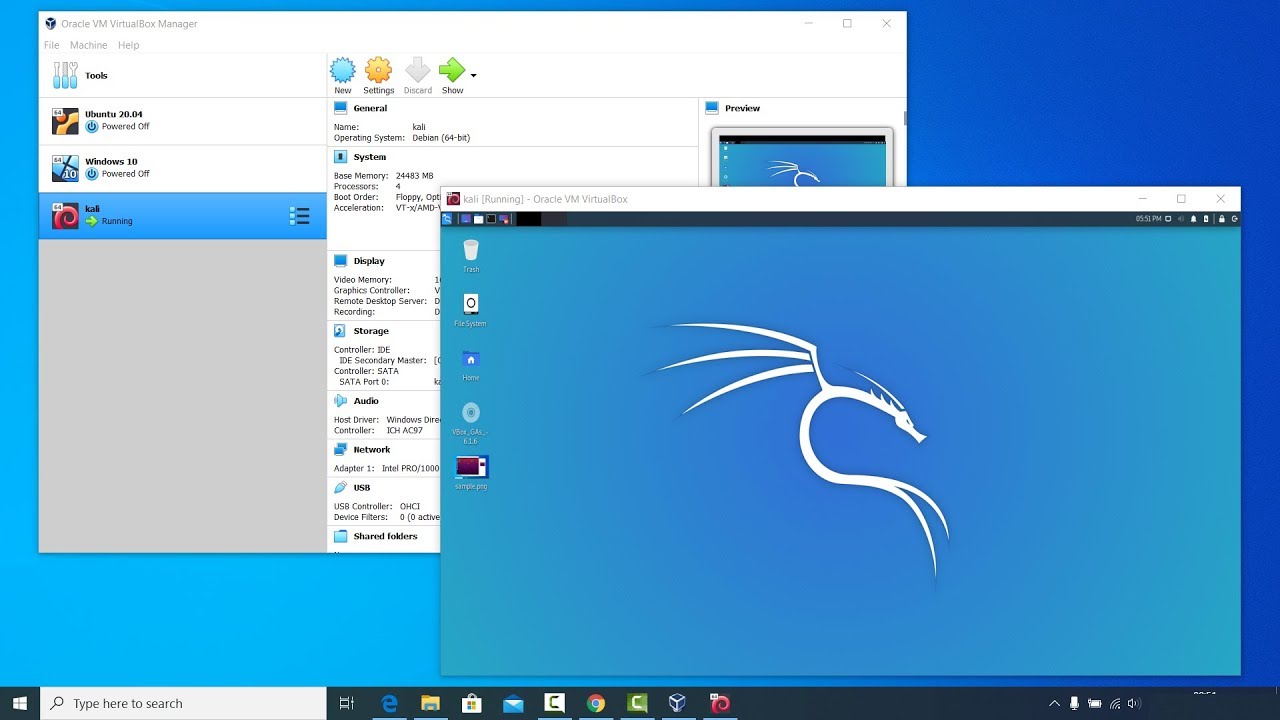
in this video I am going to show you How to install Kali Linux in Virtualbox : Step-by-step . This is A detailed guide on installing Kali Linux on VirtualBox. I am going to show How to Install Kali Linux 2020.1b + Guest Additions on VirtualBox.
Installing VirtualBox Guest Ad...
naive dust
np
naive dust
hello everyone
bronze vale
We don’t do that here
This is site related tech support
Not personal tech support :p
silent falcon
is there a whitehat server?
bronze vale
This is a white hat server
bronze vale
 silent falcon
yea but im trying to setup linux on a vm
 wind thunder
hi, I am in the getting started lab
i pasted the IP in the browser
just as it is described in the tutorial
but i get an error
that the method is not supported
placid mango
Screenshot?
wind wedge
Are you connected to the vpn?
sharp bisonBOT
TryHackMe
Learn how to use OpenVPN to connect to our network!
From TryHackMe with ❤!
wind thunder
wind wedge
Oh you're using the VNC
 analog trench
Hello all
wind wedge
Hi Freeasap do you need help with anything?
wind thunder
you can see that i use the private IP of the machine that is noted on the right?
placid mango
That's what I'm talking.
wind wedge
Yes but you need to be in a room with the machine deployed for the ip to work
vernal ruin
@wind thunder He is just visiting his own IP fro the attackbox
You need to subscribe to get that functionality
placid mango
Oh right, I didn't notice he was using free attackbox.
analog trench
@wind wedge How are you ? I will strat "Try Hackme" site ... Learn something... any guide that I can follow ? Thank you
wind wedge
It's best to start with the welcome room to get started 🙂
vernal ruin
@wind wedge How are you ? I will strat "Try Hackme" site ... Learn something... any guide that I can follow ? Thank you
@analog trench In future, this goes to #general 🙂

TryHackMe Blog
Hackers,
By now it is clear to both free members and subscribers, that TryHackMe has a
daunting amount of content. From rooms, to write-ups, to video walkthroughs it
can be difficult for new (and even seasoned) hackers to know where to start.
Speaking with members of my team ...
wind thunder
sorrt but this has me really confused. I'm exactly follwoing the getting started guide
vernal ruin
sorrt but this has me really confused. I'm exactly follwoing the getting started guide
@wind thunder You can't use the attackbox or in-browser kali machine, that's a paid feature 🙂
wind thunder
this is teh welcone room btw
vernal ruin
You can download the openvpn config file to your machine, and connect via that
wind thunder
okay so I need teh VPN no matter what?
vernal ruin
!vpn
sharp bisonBOT
TryHackMe
Learn how to use OpenVPN to connect to our network!
From TryHackMe with ❤!
wind thunder
thanks a lot all
vernal ruin
You can only deploy the in-browser once I think without being subbed
Don't use that, if you ask me, just connect the vpn on your local machine
wind wedge
Yea it's only once I was an idiot when I was a free user and terminated it and tried redeploying it
wind thunder
this is over the vpn
vernal ruin
Can you visit http://10.10.10.10
wind thunder
yes this works
placid mango
He's using attackbox ip.
vernal ruin
He's using attackbox ip.
@placid mango ah
placid mango
Use the room ip, the room you are doing.
wind thunder
Okay so that is what I understoo dfrom the guide..
vernal ruin
yes this works
@wind thunder Go to a room, deploy a vm, use that ip
Deploy the vm from here, you will get a ip in a while
wind thunder
vernal ruin
Navigate to that ip from you local machine, while staying connected to openvpn
naive dust
Why is my cursor shown like this, driving me completely crazy
like my cursor is this pixelated mess
wind thunder
but guys, that's the url of the attacking machine, the one I have been trying since the beginning..
vernal ruin
Can't even see a cursor
but guys, that's the url of the attacking machine, the one I have been trying since the beginning..
@wind thunder Forget about the attackbox, rn you have nothing to do with it
wind thunder
i don't see any other info in the tuorial room
vernal ruin
Focus on the room, and the machine you deployed
i don't see any other info in the tuorial room
@wind thunder What is your main OS. Let's start from the beginning
vernal ruin
and you connected to openvpn on osx, right ?
naive dust
Cant show my cursor on screenshots lol
vernal ruin
All right, now are you in the https://tryhackme.com/room/welcome room rn ?
TryHackMe
Learn how to use a TryHackMe room to start your upskilling in cyber security.
wind thunder
it's actually https://tryhackme.com/room/hello
TryHackMe
Learn how to use a TryHackMe room to start your upskilling in cyber security.
wind thunder
yes
vernal ruin
Do you have an IP then ?
wind thunder
vernal ruin
No, don't go to attack box man
I'm asking about the machine you deployed on the welcome room
Terminate that attack box, and deploy the machine on the welcome room
vernal ruin
Also, you are navigating to your own ip, you can't do that anyway
wind thunder
it though it was something listening on local host
vernal ruin
Every room has it own vm, if it has one
vernal ruin
So, this is the same replica of the vm that's in the welcome room
wind thunder
and there I have the flag
vernal ruin
i now indeed see another IP on top
@wind thunder Yes that
and there I have the flag
@wind thunder Awesome, you got it now ?
wind thunder
thanks for making that clear
vernal ruin
No Worries
wind thunder
and being patient 😊
naive dust
Any idea why shift + ctrl + v and others are not working?
like ctrl + s in nano
giving me uppercase instead
zealous yoke
If you're using in-browser, open it in a new tab (full screen) and refresh the tab ^^
Thanks for your help there btw @vernal ruin
naive dust
still not working
now giving me ^V
also tried restarting the machine
and am in fullscreen
zealous yoke
Not quite sure what else to suggest other then checking the guacamole toolbar on the side of the screen @naive dust I'm afraid
naive dust
Ah okay, it has always worked for me but the toolbar is new for me
zealous yoke
I.e. you might have something stuck here or what not (:
naive dust
no nothing
zealous yoke
Ctrl + Shift + C / V works okay for me so failure at that, try a different browser? 😅
zealous yoke
Out of curiosity, what browser are you trying?
naive dust
Firefox, but modified
zealous yoke
...and how? Are you using it in a VM for example, in that case you've got three clipboards to be dealing with (:
zealous yoke
iirc chrome(imum) is the recommend aye
Sure (: I didn't know if you were say running a Host PC -> Browser on a VM -> THM Attackbox/Kali machine
naive dust
THM Kali, but I have all privacy settings enabled in Firefox so I think this is what causes the problems. Stupid of me to not think of that in the first place, morning here 😆
zealous yoke
Hehe no worries! Hopefully swapping out browser works okay for you
It's often the easy things to oversight that cause it...
 trim crown
permission denied...is there a problem with their machine or am I doing something wrong
please help
naive dust
It's often the easy things to oversight that cause it...
@zealous yoke Yup, everything is working fine now!
what do i need to increase on my vm so that i can get alittle bit higher cracking speed when using hashcat?
vm and hashcat not a good combo
If you want a decent cracking speed you should install nvidia drivers and use your GPU for cracking (which is not viable on VM iirc)
Would this be the same for using gobuster? because it takes an incredibly long time to find anything
 frosty hound
nah
wind wedge
Hashcat runs on a GPU so you're not able to use it inside of your VM you have to install it on your main machine
No gobuster is different
frosty hound
gobuster works fine in VM for me
naive dust
anyway to increase gobuster speeds?
naive dust
ohh my bad, didnt know where to ask the question
zealous yoke
Ah wicked, glad to hear it - thanks for letting me know @naive dust 👍
Hashcat runs on a GPU so you're not able to use it inside of your VM you have to install it on your main machine
@wind wedge This is very true (not to disagree with you in the slightest) the THM attack machine can run hashcat fine as of recent updates I made to it (:
Just a note for anyone whose a sub and uses it ^
wind wedge
Ah nice
zealous yoke
No more having to use --force which is  as I depend on that box ahahaa
granted it's still CPU ofc but
no true/false negative/positives
 rigid zodiac
Hey , who can I dm for streak issue ?
vernal ruin
Did you lose your streak during the downtime ?
rigid zodiac
Yes
toxic python
@deep trellis
deep trellis
Yes
@rigid zodiac Whats your THM username, let me fix that for you?
rigid zodiac
It's Xax0af
deep trellis
It's Xax0af
@rigid zodiac Your streak has been reset.
naive dust
Can the tryhackme team be able to change my username if I request? I made a one when i started out and i can't change it now. Is it possible?
bronze vale
Email support@tryhackme.com with your current username and what you want it changed to please
naive dust
Oh thanks 😊
bronze vale
They will be in contact when they can 😄
vernal ruin
You can't do that I think, maybe add the credits or whatever in the room content or at a task at the end
toxic python
Yes you can
vernal ruin
Wait what
toxic python
Don’t know. I just know someone added me to their room
eager fulcrum
I think it's only two people ATM
eager fulcrum
Through the room settings
civic lodge
there's an access tab
 urban moth
yes
civic lodge
you send the link to someone you want to collab with you
toxic python
Yes
 patent bison
hello
i have no rooms left, but in my profile showing that, 60 room completed, where 2 goes?
i mailed also two times, but didn't get any reply
after leaving two room, WebGoat and Welcome, its showing right now
can please someone tell me, why is this happening, or someone can please fix it?
toxic python
They could’ve turned private
patent bison
no
i leave web goat and wecome room, it show right
and these two are not private
it always happen
 upbeat bloom
anyone experiencing slowness? I wanted to try something for alfred but connecting is super slow and timed out
eager fulcrum
!vpnscript
sharp bisonBOT
TryHackMe
Use our VPN troubleshooting script to diagnose common issues!
From TryHackMe with ❤!
urban moth
no looding
bronze vale
Is it connecting to the machines?
bronze vale
Do you have any web browser extensions?
urban moth
nop
vernal ruin
It's fine for me, are you sure it's not your internet ?
upbeat bloom
OpenVPN script just says Happy Hacking 🙂 its still slow/timing out fyi, I don't need to do it now so I can try later
VPN connectivity appears fine but encountering slowness making connectivity to systems impossible
 normal vessel
Hello, got an issue with my account. How can I contact support ? 😮
eager fulcrum
email support@tryhackme.com
One is kali, the other is not
TryHackMe
Introduction TryHackMe offers subscribers a virtual machine which can be accessed directly in your browser. It is also connected to the wider internet, so
normal vessel
email support@tryhackme.com
@eager fulcrum Thanks
eager fulcrum
This machine is built to be as responsive as possible, containing all the necessary tools from Kali, but also other tools that you wouldn't find installed on Kali otherwise, including:
More than just extra tools
eager fulcrum
Tried resending?
urban moth
how much time does it take to evaluate the room
eager fulcrum
Please remember the testers are volunteers. Testing is normally quite fast but it will take longer for your room to be scheduled and released.
bronze vale
A thread?
urban moth
forum thread
eager fulcrum
@urban moth Please don't post the room code if it's not approved.
eager fulcrum
You have to be selected.
bronze vale
I believe they're not looking for volunteers atm
urban moth
ohh
 regal narwhal
Hello. I have problems connecting to the deployed machines. Sometimes I'm able to connect to the machines but like 5 seconds later I'm not able to connect. 5 seconds later I'm able to connect and so on...
eager fulcrum
!vpnscript
sharp bisonBOT
TryHackMe
Use our VPN troubleshooting script to diagnose common issues!
From TryHackMe with ❤!
 zenith sinew
What's the discord token for?
eager fulcrum
!docs verify
sharp bisonBOT
TryHackMe
Verify your TryHackMe Profile!
From TryHackMe with ❤!
eager fulcrum
wat
eager fulcrum
You need to give a lot more context
upbeat bloom
FYI, the problem I'm having is similar to SH4DOWS_ above, I can connect to the deployed system but slowly, and then not at all
regal narwhal
@eager fulcrum thankyou. The script worked. It seemed I had multiple connections open
eager fulcrum
FYI, the problem I'm having is similar to SH4DOWS_ above, I can connect to the deployed system but slowly, and then not at all
@upbeat bloom Only connected from one machine?
Not got a phone, laptop, other VM, host OS etc connected at the same time?
urban moth
I have just created a room
and even after i delete the question
it comesback again after relaod
eager fulcrum
Is there a task in the room?
eager fulcrum
Did you save it?
eager fulcrum
Why does it need to be a DM?
eager fulcrum
No
eager fulcrum
When you delete the question, is there still a question in that task?
upbeat bloom
@eager fulcrum well it is a VM i'm connecting, my internet is pretty primo, I'm only having issues connecting to VMs within VPN
 cedar loom
okay, so im really new, and ive encountered this problem multiple times: when i typed in some kind of command, it switches to a > instead of "name@host" at the start of the line, and i am unable to enter any commands.... is there a solution to fix this?
toxic python
you have to show more, but most likely you opened a quote without closing it or something
cedar loom
 shut oyster
You opened the Quotes
cedar loom
any way to close it?
shut oyster
just put "
cedar loom
ahh
thank you
okay, so im currently doing the linux tasks, and ive had trouble finding flag5 for a while, so i decided to watch a walktrough on how to find that flag, but on the walktrough he uses "find -iname "flag5.txt", but that gives no response for me
shut oyster
okay, so im currently doing the linux tasks, and ive had trouble finding flag5 for a while, so i decided to watch a walktrough on how to find that flag, but on the walktrough he uses "find -iname "flag5.txt", but that gives no response for me
@cedar loom Which room is it? It's better if you put this in room-help, I guess.
cedar loom
oh, yeah, thought it was more command related than room related tbh
eager fulcrum
That's not what this channel is for
cedar loom
ow, oops, sorry, will put other questions in the dedicated channels from now on!
 twin nexus
hi guys, not sure if this would be the right place to ask but i'm having some trouble with redare, i get the following Warning: r_bin_file_hash: file exceeds bin.hashlimit.....im working through the 25days of advent challenge day 21 and as i progress through i get all sorts of errors thown and then it aborts...im assuming its to do with this inital warning and i need to increase the bin.hash limit - done a duckduck search for the warning and can't seem to find posts relating to this specific error (some references but no solutions) any nudge in the right direction would be greatly appreciated as i feel im going round in circles 😄
twin nexus
thank you for replying i will know for next time 🙂 as you are responding here are the last 2 errors i received 0x00400a30]> dc
child stopped with signal 28
can't handle signals
[0x00000000]> dc
can't handle signals
Fatal error: glibc detected an invalid stdio handle
Aborted
eager fulcrum
I redirected you to a different channel.
 true hollow
Hi, does anyone know how to downgrade metasploitable from version 6 to version 5 on a macOS?
toxic python
Get a Kali VM
true hollow
@toxic python I was considering it but I have the most basic Mac book pro with only 125 gig ssd. Kali has loads of bloatware installed as well
toxic python
ah, dang, thats a bummer
well you can remove metasploit completely then install msf5 from the github release