#🆘│community-support
1 messages · Page 327 of 1
 cold bay
 safe prairie
cold bay
Ok thank you.I think I take it to see the benefits
safe prairie
cold bay
Ok thank you.I think I take it to see the benefits
Yes, no problem. You can also take a free 7 days trial in the dashboard.
cold bay
safe prairie
Yes, no problem. You can also take a free 7 days trial in the dashboard.
Ok thank you 😉
 iron nightBOT
Gave 1 Rep to Tizian (current: #18 - 19)
 craggy geyser
It shouldn't do without premium. It is a setting on the dashboard under automation
 ivory acorn
arab support?
 mystic hound
$arabic
 humble sequoiaBOT
فريق الدعم الفني العربي
عميلنا العزيز ان كنت تبحث عن مساعدة يرجى فتح تكت خاص بفريق الدعم الفني العربي
اذهب الى#🎫│make-a-ticket
ثم قم بلضغط على الايموجي الاتي (🇯🇴)
 oak harness
if my premium time runs out do the panels that have premium stuff get deleted or does it stay there and just not let me use it
craggy geyser
It will stay there. Premium features won't work anymore so messages and channel names go back to default
 jade topaz
Hlo
craggy geyser
But if you get premium again I think the features are still there and not reset
jade topaz
Bhai aisa koi system h kya isme ki koi ticket seen role banye vo role sari ticket dekh sake bina high perm k
 robust sandalBOT
jade topaz
Bhai aisa koi system h kya isme ki koi ticket seen role banye vo role sari ticke...
robust sandalBOT
jade topaz
Bhai aisa koi system h kya isme ki koi ticket seen role banye vo role sari ticke...
@craggy geyser Trying to translate to English but detected as English.
Please don't waste translations by trying to translate to the same language.
jade topaz
/translate Bhai aisa koi system h kya isme ki koi ticket seen role banye vo role sari ticket dekh sake bina high perm k
/help
robust sandalBOT
 Mr. Translate
A Discord Translate bot, done well.
Translating
Support
● Support Server
● Bot Invite
● Docs
Prefix
/
Donate
Donations are greatly appreciated. Donate
jade topaz
/Bhai aisa koi system h kya isme ki koi ticket seen role banye vo role sari ticket dekh sake bina high perm k
/ Bhai aisa koi system h kya isme ki koi ticket seen role banye vo role sari ticket dekh sake bina high perm k
 candid sandal
Hi!
jade topaz
/en Bhai aisa koi system h kya isme ki koi ticket seen role banye vo role sari ticket dekh sake bina high perm k
robust sandalBOT
jade topaz
/en Bhai aisa koi system h kya isme ki koi ticket seen role banye vo role sari t...
Trying to translate to English but detected as English.
Please don't waste translations by trying to translate to the same language.
candid sandal
Hi there!
How can i add that message that says "Ticket created in..."
For every player that creates a ticket?
jade topaz
@oak harness
Please help
/hindi Bhai aisa koi system h kya isme ki koi ticket seen role banye vo role sari ticket dekh sake bina high perm k
robust sandalBOT
भाई आइसा कोई सिस्टम एच क्या इस्मे की कोई टिकट देखा भूमिका banye vo भूमिका साड़ी टिकट dekh खातिर बीना उच्च perm कश्मीर
 English (en) → Hindi (hi)
oak harness
English (en) → Hindi (hi)
oak harness
um im not sure how i am able to help i dont know how the bot works
jade topaz
Ok
mystic hound
@jade topaz aap panel configs me general options ke andhar support roleske niche kisi role select karo, vahi role sare tickets dekh saktha
also please don't spam
mystic hound
panel configs
mystic hound
dashboard par panel configs option click karo, aur aapke panel ke paas ''settings'' button click karo
 mystic hound
settings click karne ke bath general options button click karo aur vaham ''support roles'' option dikhaega
vaham aap roles select karo
mystic hound
dono options doosra panel keliye hai.. aap dono settings option click karke same steps karni chahiye
jade topaz
Ok bhai
Tq so much bro
Bhai ticket m invites kam nhi karta
Ye invite bot problem h ya ticket tool ku
@mystic hound
 honest forum
Hello the server doesn't show up on dashboard
humble sequoiaBOT
Don't see your server in the dashboard?
You will possibly need to relog. Look below to see steps on how to relog.
How to relog the Dashboard.
First, you will need to go to the dashboard. Once your there, click on your avatar on the top right. after you clicked it, you will see button that says Logout. You must click that. Once you have logged out, you can log back in.
Note:
You need one of these 3 things to access the dashboard.
1. Server Owner (Level: 6)
2. Server Administrator (Level: 4)
3. Dashboard Role (Level: 2)
You can check your level using $level on your Discord Server
craggy geyser
Try this
 shy moon
Hey, I got TT Premium and buttons are enabled but not showing on Discord. I have tried resending bot etc, doesnt work.
It still show as reactions
craggy geyser
$buttons
humble sequoiaBOT

Buttons
The new Discord Buttons allow for a much smoother and convenient experience. They reduce lag and work much better than emojis. With ticket tool you can edit all the buttons however you like! Buttons can show emojis, text and can have 4 different colors.
Where can I edit them?
Dashboard -> Panel Configs -> <Settings> -> Button Options -> <Setting>
 shy moon
Ik but it still doesnt show :/
craggy geyser
Use $newpanel to send it instead of from the dashboard
craggy geyser
So if it is the first panel it would be $newpanel 1
shy moon
it works ! thanks a lot 🙂
craggy geyser
No problem. It is still in beta so you might find some bugs. If you do just report them
humble sequoiaBOT
 copper owl
^^ this is our documentation on how to set up the bot
also check #573205317870157855
jade topaz
@copper owl yes I understand but when I go to server I do not see him there
copper owl
jade topaz
<@!548583124062175232> yes I understand but when I go to server I do not see him...
did you invite ticket tool to the server?
jade topaz
yes
copper owl
then why dont you see the bot there? it should be in the server
if it's in the server
humble sequoiaBOT
 copper owl
humble sequoia
https://tickettool.xyz/manage-servers
copper owl
humble sequoia
https://tickettool.xyz/manage-servers
try getting into your server's dashboard
jade topaz
i dont can ride so good english can you germany ?
copper owl
I dont speak german, but you can open a german ticket in #🎫│make-a-ticket
 candid field
Hello, I have successfully used the Ticket Bot.
Now it is the case that I have 65 different places where I installed the Ticket Bot.
They are all named, the problem is, but if someone makes a ticket, the only example is "Ticket-0001"
How do I get it that it says "Rex-0001"?
craggy geyser
That is a premium feature changing the ticket name
 candid field
MAshallah diese veri guud
robust sandalBOT
MAshallah diese north guud
Albanian (sq) → English (en)
 fallow ingot
candid field
MAshallah diese veri guud
fallow ingot
candid field
MAshallah diese veri guud
do you speck English?
fallow ingot
Oh okay
oak harness
sorry for asking so much but for some reason $add and $remove arent adding/removing anyone
is there a fix for this*
fallow ingot
Can you send a screenshot.
 scenic plinth
Run $debug and you can see the perms to the channel / server. If it cannot manage channels / manage permissions in the channel it will not add / remove.
oak harness
kk and am i allowed to send pictures here mrlaw
fallow ingot
yes lol.
 scenic plinth
Does that member have manage channels / administrator perms within the server?
oak harness
nope
 fallow ingot
Yes please
Alright everything looks good. I’m confused about this issue and what it may be. The best way to determine the issue is to open a ticket found here #🎫│make-a-ticket
oak harness
alright thank you for the help
fallow ingot
np
 eager cargo
Read over #573205317870157855
humble sequoiaBOT
fallow ingot

 terse pine
is it possible to close all tickets at once?
eager cargo
No, apologies.
terse pine
eager cargo
No, apologies.
ight and if i delete the channel rather than closing through the emoji system will that affect anything?
 tawdry sable
eager cargo
Read over <#573205317870157855>
tawdry sable
eager cargo
Read over <#573205317870157855>
tyyy
tawdry sable
fallow ingot
<:this:811708210405965824>
tyy
eager cargo
terse pine
ight and if i delete the channel rather than closing through the emoji system wi...
Nope
terse pine
ty
eager cargo
My pleasure
terse pine
thanks @eager cargo
iron nightBOT
Gave 1 Rep to Quo (current: #3 - 123)
eager cargo
tawdry sable
tyyy
My pleasure
terse pine
😃
tawdry sable
@thanks @eager cargo
jade topaz
Hello I'm new on looking bots does the Ticket Tool bot free to use ? (I know Its sounds like kinda dumb question but I'm new on looking bots to my server)
eager cargo
@pseudo glen is free to use
jade topaz
eager cargo
<@!557628352828014614> is free to use
Ok Thanks.
iron nightBOT
Gave 1 Rep to Quo (current: #3 - 124)
eager cargo
My pleasure
craggy geyser
jade topaz
Hello I'm new on looking bots does the Ticket Tool bot free to use ? (I know It...
To add to that, you can pay more to use @humble sequoia, which is faster as used less. And also get more features such as customisation. But you get most functionality for free
humble sequoiaBOT
Don't see your server in the dashboard?
You will possibly need to relog. Look below to see steps on how to relog.
How to relog the Dashboard.
First, you will need to go to the dashboard. Once your there, click on your avatar on the top right. after you clicked it, you will see button that says Logout. You must click that. Once you have logged out, you can log back in.
Note:
You need one of these 3 things to access the dashboard.
1. Server Owner (Level: 6)
2. Server Administrator (Level: 4)
3. Dashboard Role (Level: 2)
You can check your level using $level on your Discord Server
jade topaz
fixed it
 prime gull
the ticket is not working why?
humble sequoiaBOT
If the bot is not working properly, try the following steps:
-
Run the $debug command in your server, to check the permissions of the bot. Send the link you get to us.
-
Check if you have any Blacklisted Roles in your Server Configs. Any roles listed there will not be able to use the bot / create tickets.
-
While you're in your Server Configs , make sure that you don't have the premium bot enabled, without actually having premium or the bot on the server.
These are the most common issues. If your problem still exists, you can go to our Troubleshooting Page for more fixes.
prime gull
it was good yesterday
mystic hound
Try the above steps please if it doesn't fix the issue send your debug link here
 mystic hound
Blacklist role looks good
prime gull
Yea but what is the problem now?
mystic hound
Can you send your debug link in here
mystic hound
Type $debug and the bot will provide you with a link
mystic hound
Yep, you seem to be at the discord channel limit
You have 500 channels which means discord won't let you make more, which is why ticket tool can't create a ticket
 naive knot
how do i change the description

 wild ibex
I have a problem with the bot, when I click on "Control Panel" I do not see the server where I want to create a ticket, can you help me ?
humble sequoiaBOT
**Ticket Message**
The Ticket Message is the first message sent by the bot in a new ticket. To customise it head over to your Dashboard -> Panel Configs -> Settings -> Ticket Options -> Edit Ticket Message

 abstract wigeon
naive knot
how do i change the description
abstract wigeon
naive knot
how do i change the description
Follow the instructions shown above ^^
abstract wigeon
wild ibex
I have a problem with the bot, when I click on "Control Panel" I do not see the ...
You can’t create tickets in the dashboard.
But try logging out and logging back in again. That should fix the issue of your server not showing up.
wild ibex
abstract wigeon
But try logging out and logging back in again. That should fix the issue of your...
ok I will try, thanks
iron nightBOT
Gave 1 Rep to Daniel Harrison (current: #15 - 31)
abstract wigeon
My pleasure
wild ibex
it's good it works, thank you very much


 knotty bluff
How to make ticket systems can be managed by reacting to a pushpin at the top of the ticket?
abstract wigeon
wild ibex
it's good it works, thank you very much
Your welcome, glad it worked out for you.
jade topaz
how do i give ticket admin
 flat meteor
Doesnt create a new ticket and ping me in it, doesnt even unreact
flat meteor
flat meteor
Doesnt create a new ticket and ping me in it, doesnt even unreact
Can someone help me with mine?
scenic plinth
flat meteor
Can someone help me with mine?
If you are trying to ping one user, you have to use <@userid>. If you are trying to ping a role, follow the below message.
The reaction problem means ticket tool does not have permissions to manage messages, please give it perms to do so via its role.
humble sequoiaBOT
How to make Ticket Tool ping a role
To make ticket tool ping a role when a ticket is opened, go to the Dashboard -> Panel Configs -> Settings -> Ticket Options -> Ticket Message -> Message Text and do this:
{@Role name} This is case sensitive and the role must have @mentions enabled
 flat meteor
Alright I will try that. Thank you for the help.
scenic plinth
knotty bluff
How to make ticket systems can be managed by reacting to a pushpin at the top of...
I assume you mean ticket claiming, which is done by a premium feature.
humble sequoiaBOT
Claiming Options
Claiming allows you to change the ticket name, category and permissions. To use it you have to enable it first on your Dashboard > Panel Configs > Claiming Options.

 Note: This is a premium feature
knotty bluff
Note: This is a premium feature
knotty bluff
thnaks bro
scenic plinth
jade topaz
how do i give ticket admin
If you are talking about users being able to see the ticket, please use the below message as a guide.
humble sequoiaBOT
How to let support team see into a ticket
About support roles
A support role lets your support team see into tickets with out having to add them manually to each and every ticket.
You can add as many support roles as you like per panel.
NOTE that the way discord works all admins can see into tickets regardless of this.
How to set a support role
To set a Support role go to the Dashboard -> Panel Configs -> Settings -> General Options -> Support Team Roles.

NOTE that the support role will not be able to see into tickets that are already created..
scenic plinth
flat meteor
Alright I will try that. Thank you for the help.
No problem have an amazing day!
candid field
How i can reset the ticket?
for example i did a ticket but delete that Channel by Discord
but in ticket-system its says"its exist allready a ticket, so i dont make new one"
how i can do reset this, so i can make new ticket again
and a another thing, i have Premium
but the bot still stuck
i got like 600 Tickets in 6 Hours and now it stuck
humble sequoiaBOT
-- moved to ticket --
naive knot
abstract wigeon
Follow the instructions shown above ^^
That applies to the inside. i need to edit the outside to imput information
abstract wigeon
Oh, sorry. I sent the wrong help article
humble sequoiaBOT
**Panel Message**
The panel message is where people react to make a ticket. To customize it head over to your Dashboard --> Panel Configs -> Settings -> Panel Options -> Edit Panel Message
 abstract wigeon
naive knot
That applies to the inside. i need to edit the outside to imput information
abstract wigeon
naive knot
That applies to the inside. i need to edit the outside to imput information
Here we go, these are the right instructions ^^
naive knot
abstract wigeon
Here we go, these are the right instructions ^^
Ty XD
iron nightBOT
Gave 1 Rep to Daniel Harrison (current: #15 - 32)
abstract wigeon
My pleasure
 rough moth
$help support
humble sequoiaBOT
How to let support team see into a ticket
About support roles
A support role lets your support team see into tickets with out having to add them manually to each and every ticket.
You can add as many support roles as you like per panel.
NOTE that the way discord works all admins can see into tickets regardless of this.
How to set a support role
To set a Support role go to the Dashboard -> Panel Configs -> Settings -> General Options -> Support Team Roles.
NOTE that the support role will not be able to see into tickets that are already created..
rough moth
@jade topaz check that out
jade topaz
rough moth
<@456226577798135808> check that out
I've done that but the roles still can't see them
rough moth
jade topaz
I've done that but the roles still can't see them
They can’t see the past tickets made
Only the ones made after the change
rough moth
👌
rough moth
Np
jade topaz
Thanks @rough moth
iron nightBOT
Gave 1 Rep to DisguisedBaby (current: #17 - 22)
 calm veldt
trying to figure out how multipanels work and - despite looking it up in here - still struggling with this part here:
Next, send the multipanel to a channel using $panel [id1] [id2] {id3} ....
where exactly do I have to put that in? because wherever I do it, it's not working and I still only get the default reaction as an option from the original multipanel
rough moth
calm veldt
trying to figure out how multipanels work and - despite looking it up in here - ...
Did u change the reaction to something different for each panel
rough moth
Can u send me a screenshot of what comes out after you type your panels out
And do you have premium?
calm veldt
I do have premium, yes
rough moth
Ok just making sure
calm veldt
rough moth
Can u send me a screenshot of what comes out after you type your panels out
screenshot of the ticket, the panel config or what exactly? Sorry, my brain is fried thanks to the heat^^
iron nightBOT
Gave 1 Rep to DisguisedBaby (current: #17 - 23)
rough moth
calm veldt
screenshot of the ticket, the panel config or what exactly? Sorry, my brain is f...
A screenshot of when u type $panel 1 2, or etc. I wanna see what comes out
calm veldt
uhm, nothing when I'm in the discord
oooh, nevermind
it works if I only try one panel but not combined
rough moth
calm veldt
it works if I only try *one* panel but not combined
Yeah u need to do it combined
Unless u combined them on the dashboard to one
calm veldt
okay, combined works somewhat, but not fully. it only shows the panel text for the first panel, but adds reactions to panel 2 and 3 and is missing panel 4.
rough moth
calm veldt
okay, combined works somewhat, but not fully. it only shows the panel text for t...
Change the text for the first panel, and that’s what the message will show
Whichever panel Id u mention first will be the panel message
calm veldt
so the multipanel texts would basically be empty and whatever is in the first panel will be used for everything?
rough moth
calm veldt
so the multipanel texts would basically be empty and whatever is in the first pa...
Yes
calm veldt
rough moth
Yes
okay, it seems to work now, thank you!
iron nightBOT
@calm veldt :: You can't rep DisguisedBaby#3966 for 48 minutes and 18 seconds. Try coming back later?
rough moth
calm veldt
okay, it seems to work now, thank you!
Np
candid sandal
Hi there
How can i add that message that says "Ticket created in..."
For every player that creates a ticket?
rough moth
candid sandal
How can i add that message that says "Ticket created in..."
For every player tha...
Wdym?
Is it the message that shows up when creating a ticket using buttons?
If so it shows that message to whomever created the ticket
candid sandal
Yes i could! @rough moth
Thanks!
But how can i change the message? As i want to translate it to spanish
humble sequoiaBOT
**Ticket Message**
The Ticket Message is the first message sent by the bot in a new ticket. To customise it head over to your Dashboard -> Panel Configs -> Settings -> Ticket Options -> Edit Ticket Message
rough moth
^
 reef comet
hoping someone can help me out, i have a few people who can’t see the panels that i have created for ticket reactions. it’s only 3 people from a discord of 300 people, they have all the correct roles. any suggestions on what it could be ?
rough moth
reef comet
hoping someone can help me out, i have a few people who can’t see the panels tha...
They can’t make the ticket?
reef comet
rough moth
They can’t make the ticket?
they can’t see the panel where you’re supposed to make the ticket at all
rough moth
reef comet
they can’t see the panel where you’re supposed to make the ticket at all
Did u post it?
And do they have permission to view the channel?
 fiery wadi
Where can I find the dashboard
humble sequoiaBOT
rough moth
Here
fiery wadi
ty
rough moth
Np
fiery wadi
Thanks @rough moth
iron nightBOT
Gave 1 Rep to DisguisedBaby (current: #17 - 24)
 dusky bronze
Hello if i buy a premium and use premium features i will lose it when premium ends?
rough moth
dusky bronze
Hello if i buy a premium and use premium features i will lose it when premium en...
Yes…
Cause u need premium to keep premium…
dusky bronze
its a premium bot then
rough moth
Yes but it won’t work if you don’t have premium
dusky bronze
so can i send u a pic for u explain me 1 thing?
rough moth
Sure
 wild snow
I want support
eager cargo
Asking your question will get you assistance faster
rough moth
dusky bronze
so can i send u a pic for u explain me 1 thing?
They have premium but they don’t have the bot
Which is why they can go over the limit
You can have premium without having the bot, but it’s better to get the premium bot bc it has other benefits
wild snow
Why when I'm inside the dashboard doesn't it give me all my servers?
humble sequoiaBOT
Don't see your server in the dashboard?
You will possibly need to relog. Look below to see steps on how to relog.
How to relog the Dashboard.
First, you will need to go to the dashboard. Once your there, click on your avatar on the top right. after you clicked it, you will see button that says Logout. You must click that. Once you have logged out, you can log back in.
Note:
You need one of these 3 things to access the dashboard.
1. Server Owner (Level: 6)
2. Server Administrator (Level: 4)
3. Dashboard Role (Level: 2)
You can check your level using $level on your Discord Server
dusky bronze
okey i get it
wild snow
Kick out the robot and put it back into the server?
rough moth
wild snow
Kick out the robot and put it back into the server?
No no
Log out from the website and log back in
wild snow
Ok i will try
rough moth
It doesn’t say anywhere in that message to kick the bot
wild snow
Sorry hhh
rough moth
No worries
rough moth
wild snow
Did not succeed
Do u have the bot in your server, do u have dashboard role/admin?
wild snow
I don't know i will give him administrator now
rough moth
wild snow
I don't know i will give him administrator now
No u need it
Just to clarify, did u log out of this website below
humble sequoiaBOT
wild snow
Yes
rough moth
What language do you speak?
wild snow
Arabic
rough moth
I’d make a ticket in #🎫│make-a-ticket under Arabic support since we are having some miscommunications
It’ll be more clear for you as well
wild snow
They don't answer quickly
wild snow
K
rough moth
But try these steps again
humble sequoiaBOT
لا ترى سيرفرك في لوحة التحكم؟
ربما ستحتاج إلى إعادة التسجيل. انظر أدناه لمعرفة الخطوات الخاصة بكيفية إعادة التسجيل.
كيفية إعادة تسجيل لوحة التحكم.
ملحوظة :
تحتاج إلى أحد هذه الأشياء الثلاثة للوصول إلى لوحة التحكم.
- مالك السيرفر
- مسؤول السيرفر
- رول لوحة التحكم
 rough moth
fiery wadi
Can anyone help how can my freind have access to the panel
rough moth
fiery wadi
Can anyone help how can my freind have access to the panel
The dashboard?
fiery wadi
yes
rough moth
Give them admin or add their role to the dashboard roles
fiery wadi
where can I find that
humble sequoiaBOT
fiery wadi
I mean where in dashboard
rough moth
fiery wadi
I mean where in dashboard
Server configs
fiery wadi
Dashboard roles ?
rough moth
Yes
jade topaz
Thank you @rough moth
iron nightBOT
Gave 1 Rep to DisguisedBaby (current: #17 - 25)
rough moth
jade topaz
Thank you <@813459470168227851>
Np but what for?
jade topaz
He wants me, he wants me, he adds me in the control panel@rough moth
Sorry, my English is poor
rough moth
Np
jade topaz
??
rough moth
No problem
jade topaz
good bay
fiery wadi
I gave the roles the ability but he cant @rough moth
rough moth
fiery wadi
I gave the roles the ability but he cant <@!813459470168227851>
Tell him to log out and in
fiery wadi
kk
candid sandal
rough moth
^
This is not what im saying
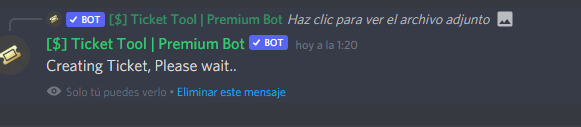
Im refering to that
I would like to suggest two things:
- Being able to add role blacklist/whitelist in the tags. As i want to give my mods only the permission to use tags but without giving admin in discord.
- Chaning the message "Creating ticket, please wait" and "ticket created" and being able to change the message to a custom one.
humble sequoiaBOT

Discord
This server is a community server where members can come relax, with the ability to get tutored in school, or play games | 2,835 members
fiery wadi
Ty @rough moth
iron nightBOT
Gave 1 Rep to DisguisedBaby (current: #17 - 26)
humble sequoiaBOT
Buttons
The new Discord Buttons allow for a much smoother and convenient experience. They reduce lag and work much better than emojis. With ticket tool you can edit all the buttons however you like! Buttons can show emojis, text and can have 4 different colors.
Where can I edit them?
Dashboard -> Panel Configs -> <Settings> -> Button Options -> <Setting>
eager cargo
You can't send panels with buttons through the dashboard
 gloomy bay
What?
eager cargo
Use the command $newpanel panelIDhere
gloomy bay
$panel 1 2 i use multi panel
eager cargo
Then do $newpanel 1 2
mystic hound
$panel sends panels that use reactions while $newpanel sends panels that use buttons
eager cargo
If you're referring to becoming Ticket Tool Support, applications are open for French speaking users and Arabic speaking users.
Click on the message link below.
humble sequoiaBOT
**Panel Message**
The panel message is where people react to make a ticket. To customize it head over to your Dashboard --> Panel Configs -> Settings -> Panel Options -> Edit Panel Message
 raw ocean
is tickettool open source?
 shadow axle
no
 stoic vigil
thanks
shadow axle
stoic vigil
german?
open a german ticket from #🎫│make-a-ticket
raw ocean
ah thanks nance
stoic vigil
yeah i dont see it but i m finish
fallow ingot
stoic vigil
yeah i dont see it but i m finish
French?
stoic vigil
no german
fallow ingot
Oh I thought you missed spelled it. Soz
humble sequoiaBOT
Buttons
The new Discord Buttons allow for a much smoother and convenient experience. They reduce lag and work much better than emojis. With ticket tool you can edit all the buttons however you like! Buttons can show emojis, text and can have 4 different colors.
Where can I edit them?
Dashboard -> Panel Configs -> <Settings> -> Button Options -> <Setting>
fallow ingot
@thorny heron ^^
 thorny heron
thank you, apreciate it ❤️
fallow ingot
anytime
 sleek cove
how i can made a panel
humble sequoiaBOT
Creating a panel
To create a panel we are going to need to head over to the panel configs on the dashboard
Once at the dashboard we will need to click Create Panel
Enter a panel name (Fill in any optional settings you want)
Click Create Panel and your ready to get started with configuring your panel
An example of a creating a panel is shown below.
 fallow ingot
@sleek cove ^^
iron nightBOT
Gave 1 Rep to duck™ (current: #13 - 39)
fallow ingot
anytime
 quaint adder
Sheesh
humble sequoiaBOT
 Faster Premium Bot
Automatic Transcripts
Full Customization
Custom Reactions
Direct Messages
Ticket Automation
Multipanels
Premium Support
You can purchase premium here:
Price
$6 - Monthly
$66 - Yearly
 Premium
wild snow
Premium
wild snow
Thanks
 atomic solstice
np
wild snow
Is there a prime?
atomic solstice
what do you mean by prime?
wild snow
Nothing thank you
 elfin citrus
How to use Attached Panels (Multi Panels)
humble sequoiaBOT
For a more convenient use of multipanels, you can now combine panels on the dashboard. This will allow you to directly send the multipanel from the dashboard (not yet available) or via the $panel ID ($newpanel ID) command.
Where can I find this?
You can find this setting on the Dashboard -> Panel Configs -> Settings -> General Options
This will put all buttons from all of your panels on one message. The message is the panel message from the panel you're combining these panels in.

 wicked marsh
Hello,
All the roles without the Administrator permission cant seem to open tickets, the bot removes the reaction but doesn't make a ticket. All the perms of the Role and the Bot are correct and should be working.
Any ideas on how to fix this problem?
humble sequoiaBOT
Blacklist Roles
Any role you assign as a blacklisted role won't be able to use commands or reactions.
Selecting a blacklisted role
Go to your Dashboard -> Server Configs. There you will find the option to select blacklisted roles.
Note: Don't forget to save.
 scenic plinth
Check that
wicked marsh
Thank you!
jade topaz
I’m having issues with every time I try to use claim it doesn’t work even though i have the setting on and im premium.
fallow ingot
jade topaz
I’m having issues with every time I try to use claim it doesn’t work even though...
is it you that is opening the ticket to test and try to claim it?
fallow ingot
the owner of the ticket can't claim it.
ask a staff member to open it then try to claim it
@jade topaz
rough moth
Make sure they have the support team role
 violet kindle
$vote
humble sequoiaBOT
Votes
Current Votes: 1
Lifetime Votes: 1
Linked Votes: 0
Vote Links
Linking Info
Linked User: Not Linked
You can give your future votes to another user by linking with that user.
To link use $vote link (@user or userId)
To unlink use $vote unlink
Redeeming
Each vote is worth 12 hours of premium and can be redeemed once you have atleast 6 votes.
Your current votes are worth 12h, 0m
To redeem your current votes use $vote redeem
fallow ingot
violet kindle
$vote
please use these commands in your own server because this is a Support Channel and your taking up space.
violet kindle
sry mb
fallow ingot
no worries now you know.
atomic solstice
jade topaz
I need help
well, we can't help you if you don't say what you need help with
jade topaz
I can’t figure out how to get to the place to make a panel once I am on the dashboard
atomic solstice
jade topaz
I can’t figure out how to get to the place to make a panel once I am on the dash...
can you see your server in the manage servers section?
jade topaz
Yes
atomic solstice
then pick that server
jade topaz
I press manage but I don’t know what to do after
atomic solstice
inside on the left side of your screen there should be a menu
you can create a panel in the Panel configs section
jade topaz
I can’t find that
atomic solstice
if you are on mobile then you will see the menu when you click the 3 lines in the top left corner
atomic solstice
np
jade topaz
Thanks @atomic solstice
iron nightBOT
Gave 1 Rep to Satisfy (current: #3 - 124)
 copper pond
Hello!
I'm wondering if it's possible to create a support ticket on behalf of a user?
My use case is that generally speaking, most help concerns can be answered by community members. However, there are some cases where a user needs to be connected with a dev privately to chat. DMs are an option, but I prefer to keep my DMs closed to reduce spam.
I'd like my support staff to have the option to create a ticket to connect me and a user for when we need to chat 1-1 about potentially confidential information.
To clarify, I like most chat to be public, hence the desire for not letting just anyone open a ticket.
atomic solstice
copper pond
Hello!
I'm wondering if it's possible to create a support ticket on behalf of a...
it could be done with the command style tickets
you select a channel where the bot looks for the new command (you can make that into a staff channel). and when you want to open a ticket on behalf of someone else, you just type $new theirID and that opens the ticket as if they opened it themselves
copper pond
atomic solstice
you select a channel where the bot looks for the new command (you can make that ...
That sounds perfect, thank you
iron nightBOT
Gave 1 Rep to Satisfy (current: #3 - 125)
atomic solstice
copper pond
That sounds perfect, thank you
no problem
 robust stratus
how do you view the tickets that people created
atomic solstice
$help support
humble sequoiaBOT
How to let support team see into a ticket
About support roles
A support role lets your support team see into tickets with out having to add them manually to each and every ticket.
You can add as many support roles as you like per panel.
NOTE that the way discord works all admins can see into tickets regardless of this.
How to set a support role
To set a Support role go to the Dashboard -> Panel Configs -> Settings -> General Options -> Support Team Roles.
NOTE that the support role will not be able to see into tickets that are already created..
atomic solstice
^^ or when you are owner of the server or administrator, you should see them immediately after someone opens a ticket @robust stratus
robust stratus
Ok, thanks!
atomic solstice
no problem
 proven grail
bot down?
rough moth
proven grail
bot down?
No
humble sequoiaBOT
proven grail
huh, my premium bot isnt working right now, reacts arent making new ticketsd
humble sequoiaBOT
Help Options
$help commands - Information on commands
$help setup - Information on bot setup
$help faq - Frequently asked questions
jade topaz
$help setup
humble sequoiaBOT
Setting up Ticket Tool
Visit the docs for setup info
General Setup
eager cargo
$help reaction
humble sequoiaBOT
How to change reactions
To set a custom reaction Dashboard -> Panel Configs -> Settings -> Reaction Options -> <Reaction to change> -> Reaction

NOTE you need premium to do this.
eager cargo
Dashboard -> Panel Configs -> Settings -> Reaction Options -> <Reaction to change> -> Reaction
eager cargo
What aren't you finding?
jade topaz
 jade topaz
eager cargo
Dashboard -> Panel Configs -> Settings -> Reaction Options -> <Reaction to chang...
jade topaz
eager cargo
Dashboard -> Panel Configs -> Settings -> Reaction Options -> <Reaction to chang...
Reaction Options
eager cargo
Go to Button Options
eager cargo
 eager cargo
Press select emoji and search for that
Ticket Tool and you have to be in the same server as that emoji for it to work
I recommend uploading it to your own server
jade topaz
eager cargo
I recommend uploading it to your own server
iam dowinload in my server
hey
@eager cargo
eager cargo
eager cargo
Okay, now press select emoji in the settings like I did here
and search for the numbers " 703 " and see what pops up.
eager cargo
jade topaz
:703161336066211893:
( assuming this is the emoji you're wanting to use )
jade topaz
how to translate en to ar
eager cargo
/en ( arabic text here )
jade topaz
/ar Okay, now press select emoji in the settings like I did here
and search for the numbers " 703 " and see what pops up
robust sandalBOT
jade topaz
/ar Okay, now press select emoji in the settings like I did here
and search for ...
Trying to translate to English but detected as English.
Please don't waste translations by trying to translate to the same language.
jade topaz
/ar Okay, now press select emoji in the settings like I did here
and search for the numbers " 703 " and see what pops up
robust sandalBOT
حسنا، اضغط الآن حدد الرموز التعبيرية في الإعدادات كما فعلت هنا
والبحث عن الأرقام " 703 " ونرى ما يطفو على السطح
English (en) → Arabic (ar)
jade topaz
/en لق وجت ما كنت اريد
robust sandalBOT
I found and came I didn't want
Arabic (ar) → English (en)
jade topaz

 west trout
Hi, anyone know how I could turn this reaction into the new discord button to open a ticket
 abstract wigeon
You need to have Premium. 
west trout
I do have premium
abstract wigeon
Use the command $newpanel
humble sequoiaBOT
Help Options
$help commands - Information on commands
$help setup - Information on bot setup
$help faq - Frequently asked questions
abstract wigeon
I can’t seem to get the instructions for you. But you just do $newpanel [panel number]
west trout
Ah got it cheers
humble sequoiaBOT

How to get premium role
Until the automatic premium check is fixed run the command $debug on your server and send us the link in a ticket.
abstract wigeon
^^
jade topaz
nice lol
iron nightBOT
Thank you!
Thank you for purchasing Ticket Tool Premium @west trout. You have now been given the <@&535595160189403136> role!
jade topaz
here you go
thorny heron
Hi! I want to put text in the emoji section of the ticket and doesn't works... How could I make it good? thx
 fallow ingot
Type your test on Button Test then save and it should work.
thorny heron
doesn't works 😅
 jade topaz
thorny heron
doesn't works 😅
jade topaz
thorny heron
doesn't works 😅
you need premium to do that
thorny heron
I am premium...
jade topaz
use $newpanel
humble sequoiaBOT
Send panel v2
How to send a panel?
To send a panel use the command $panel <id>
How do I find the ID?
The ID is located on the dashboard just before your panels name.
How to combine panels? (premium only)
Add multiple ID's $panel <id1> <id2> <id..>
The first ID will have its message and reaction sent while the others will have only reactions sent.
You can combine up to 20 panels (Reactions will be slowly added)
Doesn't works... idk why
jade topaz
are you using the premium bot?
thorny heron
yea
fallow ingot
You can use it on any.
I use the normal bot (don’t ask why)
And it works perfectly fine
Must be a new new feature then..
eager cargo
( You can use it on both bots, premium or free )

 celest snow
thorny heron
Doesn't works... idk why
celest snow
thorny heron
Doesn't works... idk why
you speak spanish?
thorny heron
yep
celest snow
cuéntame cual es tu problema
rough moth
Make sure you do $newpanel not $panel
thorny heron
Básicamente que estoy intentando poner el tícket en un emoticono y un texto y solo me aparece el emoticono
 thorny heron
sip
celest snow
en el Dashboard dirigete a Panel Configs y verás que cada panel tiene una enumeración
 celest snow
thorny heron
sip
celest snow
thorny heron
sip
ahora vas a tener que mandar el panel nuevamente en el canal correspondido
usando el comando $newpanel <1> <2>
y el bot mandará el mensaje nuevamente con las reacciones con letras y emojis
@thorny heron pudiste solucionarlo?
thorny heron
sí, gracias! Pero ha habido parece ser un bug en el que se me repiten dos apartados
mira

se repite lo de soporte ooc
celest snow
quizás al momento de enumerar con el comando $newpanel colocaste el mismo numero

 hollow thunder
Can I have how to add those buttons instructions in English please?
celest snow
hollow thunder
Can I have how to add those buttons instructions in English please?
use the command $newpanel <id1> <id2>
jade topaz
Bot down for anyone?
scenic plinth
No, what seems to be the issue?
jade topaz
I have it in my server and I can’t close current tickets or anything
Members can’t open either
 scenic plinth
Can you use the $debug command for me please
scenic plinth
Odd, is the bot appearing offline?
 scenic plinth
Have you configured premium on your server?
jade topaz
I had premium but cancelled
scenic plinth
Ok, so you will have to invite the normal bot for it to work correctly, unless you renew your subscription. Without the premium subscription activated on that server the premium bot will not respond to commands, reactions, etc.
$invite
humble sequoiaBOT
Ticket Tool Invite & Support
jade topaz
Ahhhhh ty
scenic plinth
No problem, have a great day.
jade topaz
You too
calm veldt
I have another question regarding multipanels (now that I got them to work thanks to help from here ❤️ ): Is it possible to make multipanel "trees"? So basically have this:
Stage 1: multipanel 1 including panel 2, 3, 4
Stage 2: panel 2 is another multipanel containing 2a, 2b, 2c / same for panel 3 and 4
Stage ...: repeat until tree complete
If it works, does it work the same way as with normal multipanels or do I have to do something special?
scenic plinth
No, all panels are separate panels with their separate functions.
 dusty topaz
Hi guys i can try the ticket tool premium bot by free 7 days or not?
scenic plinth
Yes you could, as long as you haven't done it before. I haven't necessarily myself used the free trial, but yes as long as you can redeem it via the server configs in the dashboard.
 valid ibex
heya, got a problem here
invited the bot to my server and i dont see it in the "manage servers" tab
humble sequoiaBOT
Don't see your server in the dashboard?
You will possibly need to relog. Look below to see steps on how to relog.
How to relog the Dashboard.
First, you will need to go to the dashboard. Once your there, click on your avatar on the top right. after you clicked it, you will see button that says Logout. You must click that. Once you have logged out, you can log back in.
Note:
You need one of these 3 things to access the dashboard.
1. Server Owner (Level: 6)
2. Server Administrator (Level: 4)
3. Dashboard Role (Level: 2)
You can check your level using $level on your Discord Server
rough moth
@valid ibex do this
valid ibex
will do thx
how do i level up my level? i have admin in my server
ah found my problem
thx
thanks @rough moth
iron nightBOT
Gave 1 Rep to DisguisedBaby (current: #17 - 27)
rough moth
valid ibex
how do i level up my level? i have admin in my server
Owner, admin, dashboard role
Those are the only levels u can get
 zealous ridge
I think my premium just ran out but idk. The bot doesnt respond to commands and I have normal and premium in my server. Should I kick premium?
rough moth
zealous ridge
I think my premium just ran out but idk. The bot doesnt respond to commands and ...
do u have premium, if not it wont work, so kick it
valid ibex
ticket tool did not react?
 rough moth
valid ibex
ticket tool did not react?
rough moth
valid ibex
ticket tool did not react?
does it have the correct permissions
rough moth
try resending
valid ibex
did
zealous ridge
rough moth
do u have premium, if not it wont work, so kick it
k thanks
iron nightBOT
Gave 1 Rep to DisguisedBaby (current: #17 - 28)
 rough moth
valid ibex
got the same thing
rough moth
valid ibex
got the same thing
does it have a reaction for create ticket?
valid ibex
nope
rough moth
it needs one
valid ibex
people have to manually react to it
valid ibex
what im saying is
rough moth
and even command style opening
valid ibex
ticket tool did not react to its own message with the emote
rough moth
check if the create ticket setting has a reaciton
valid ibex
which means people have to click add reactions and find it
rough moth
valid ibex
which means people have to click add reactions and find it
then ticket tool doesnt have perms
check if it does for that channel
valid ibex
strange
my bot role has the reaction perms
but when i put ticket tool's special role with every perm it worked
(excluding admin)
 spiral moat
I want to have it so when I open a ticket it pings the Staff role how do I do that?
iron nightBOT
Gave 1 Rep to DisguisedBaby (current: #17 - 29)
rough moth
spiral moat
I want to have it so when I open a ticket it pings the Staff role how do I do th...
$help ping
humble sequoiaBOT
How to make Ticket Tool ping a role
To make ticket tool ping a role when a ticket is opened, go to the Dashboard -> Panel Configs -> Settings -> Ticket Options -> Ticket Message -> Message Text and do this:
{@Role name} This is case sensitive and the role must have @mentions enabled
rough moth
valid ibex
oh well
np
 spiral latch
I'm trying to get an emoji inside the embed text for the Ticket Tool and can't seem to figure out how to do so.
I tried checking the docs and can't seem to find it.
atomic solstice
$idcommand
humble sequoiaBOT
How do I get the ID of Roles/Channels/Emojis?
Ticket Tool has a useful command that helps you get the ID of various things like channels, roles, emojis and your server.
Just use the command $id <#channel/@role/:emoji:>. Now copy everything, including the brackets <...>, to your dashboard (or wherever you want it)
If you want the server ID, just use $id.
 outer spear
how to do buttons?
 pale pilot
You can send a button panel with the $newpanel command (and including the panel ID behind the command like $newpanel 1 2 3
 indigo vortex
is the bot down or it doesn't work for me
humble sequoiaBOT
If the bot is not working properly, try the following steps:
-
Run the $debug command in your server, to check the permissions of the bot. Send the link you get to us.
-
Check if you have any Blacklisted Roles in your Server Configs. Any roles listed there will not be able to use the bot / create tickets.
-
While you're in your Server Configs , make sure that you don't have the premium bot enabled, without actually having premium or the bot on the server.
These are the most common issues. If your problem still exists, you can go to our Troubleshooting Page for more fixes.
outer spear
pale pilot
You can send a button panel with the `$newpanel` command (and including the pane...
ok
pale pilot
bot is up and running on all shards
 zenith crypt
hi, is there a way i could change the transcript file format to something other than HTML? I just want to find a way to preview these tickets
 pale pilot
There's not. I also don't know why the preview couldn't be rendered.
zenith crypt
pale pilot
There's not. I also don't know why the preview couldn't be rendered.
that's okay. Thanks anyways 😊
iron nightBOT
Gave 1 Rep to Simple (current: #6 - 90)
 prime quest
Is there any way to hide these categories until someone creates a ticket?
 craggy geyser
Unfortunately not. That's a discord thing and there is nothing we can do about it
prime quest
Okay, thank you for your help!
craggy geyser
No worries. Have a good day
 plain torrent
In my server I set up my bot and it was working perfect until i tried to add somebody to the ticket. I typed the user of the person correct and it wouldnt work. When i tried to @ them in the ticket the @ wouldnt even show up.
scenic plinth
You have to use the user ID, it doesn't exactly notice it without the ID of the person or role you are adding, in which most cases you can just ping them using their user ID by doing <@userid> in that format.
plain torrent
tysm
jade topaz
Can we buy premium using crypto?
shadow axle
open a billing ticket from #🎫│make-a-ticket
 ivory stag
my embed colour wont change im trying to make it black but its still dark green
can anyone help me
mystic hound
do you have premium?
mystic hound
you need premium to change the embed colour, its also required to insert images in the embed
ivory stag
ok ty ill get the trial to see if i like it
ok i have the trial now how do i add an image could you like screenshot it and show me please
humble sequoiaBOT
**Panel Message**
The panel message is where people react to make a ticket. To customize it head over to your Dashboard --> Panel Configs -> Settings -> Panel Options -> Edit Panel Message
mystic hound
follow the steps above to get to the embed settings, the image can be inserted under the image url section
ivory stag
but its a animated picture i made and i dont know how to get the image URL
ive seen servers have animated pictures on the ticket tool
humble sequoiaBOT
What are the direct URLs?
A direct access URL is an easy to read URL that users can enter to get to a specific item, document, page, category, or perspective, in which our bot TicketTool can read and get it displayed in your 'Panel Message' or your 'Ticket Message'.
Where can I get them?
The recommended way is to use 'Imgur', you can signup within a few minutes and then upload the image you want, and copy the URL of the uploaded image and paste it into one of the four boxes. There are alternatives to this, such as other image or video storing websites or using 'Open Original' of an image and paste it in (please be aware that if your image is deleted, Discord will automatically delete the link to it in a few days). Please note this requires 'Premium'. Imgur
 jade topaz
Ig he mean't bot's logo
 atomic solstice
yep that's a Direct URL
atomic solstice
humble sequoia
follow this
iron nightBOT
Gave 1 Rep to Satisfy (current: #3 - 126)
jade topaz
atomic solstice
yep that's a Direct URL
Yes
atomic solstice
you can use imgur to convert your gif to a link
ivory stag
atomic solstice
you can use imgur to convert your gif to a link
oooo ok
jade topaz
ivory stag
can i use like stuff like this <a:hu:831612105593192539> on the text part ?
Yes ig
jade topaz
Lemme check
ivory stag
ok ty
jade topaz
ivory stag
ok ty
You cannot use emojis rip
ivory stag
ah ok
atomic solstice
jade topaz
You cannot use emojis rip
you can
atomic solstice
you have to use their ID's though
jade topaz
atomic solstice
you can
Oh my bad
ivory stag
ok like not the :: part the really long number right ?
atomic solstice
then just copy the entire thing
ivory stag
ok
jade topaz
atomic solstice
\<:Correct:830836071826587779>
You don't get id though?
atomic solstice
the entire thing is the ID
<:emojiname:emojiID>
that's the whole thing
you have to have it like this for ti to work in the embeds
ivory stag
it didnt work
jade topaz
ivory stag
it didnt work
Give me the emoji
ivory stag

atomic solstice
ivory stag
it didnt work
can you take a screenshot of where you put it?
ivory stag
 jade topaz
:hu:856901238875619348
ivory stag
in the text part
jade topaz
ivory stag
in the text part
Remove a?
jade topaz
Oh kek
atomic solstice
without it it won't move
 atomic solstice
is the emoji from your server?
ivory stag
just does that
ivory stag
atomic solstice
is the emoji from your server?
no
ivory stag
ok
atomic solstice
if it still won't work then it means that the bot is not in a server which has that emoji
which means you cannot use it
ivory stag
already enabled
 atomic solstice
since bots can only use the emojis which they see in all the servers they are in
then it means that the bot is not in a server which has that emoji
so you have to either add that emoji to your server
or use another emoji
or invite the bot to the server which has the emoji
ivory stag
oh ok thats fine
the  is in my server though but that doesnt work
it cant be an animated emoji
thats annoying
atomic solstice
it can
ivory stag
becuase ive just put a normal one on (  ) and thats works
atomic solstice
look here:
 ivory stag
so what do i do then
ivory stag
ok ill find an unanimated one ty though
jade topaz
atomic solstice
I am just an idiot

 sharp ether
noob here. Had this setup but am now getting a message " ticket tool limit reached. 1/1 " when trying to open a ticket.
Cant find anything in the documentation. Where do i go from here?
atomic solstice
ivory stag
ok ill find an unanimated one ty though
well for me it just worked

animated as well
atomic solstice
sharp ether
Cant find anything in the documentation. Where do i go from here?
that means you already have one ticket open. the default limit is one ticket per user for that panel
 sullen sail
bonjour bonjour sa fait 5 mois que jai demander un deban mais je suis toujours pas debvan
atomic solstice
atomic solstice
that means you already have one ticket open. the default limit is one ticket per...
which means after that previous one is closed you will be able to open another one again @sharp ether
if you want to increase the limit then follow this
$help limit
humble sequoiaBOT
How to set a ticket limit
A ticket limit may be set per panel to prevent users from spamming tickets. By default this limit is set to 3. Once a user hits this limit the bot will notify the users that they reached the limit.
To set a ticket limit go to the Dashboard -> Panel Configs -> Settings -> General Options -> Ticket Limit
 atomic solstice
sullen sail
bonjour bonjour sa fait 5 mois que jai demander un deban mais je suis toujours p...
atomic solstice
sullen sail
bonjour bonjour sa fait 5 mois que jai demander un deban mais je suis toujours p...
Bonjour, d'où essayez-vous de parier pour être débanalisé ?
sharp ether
Thank you!
atomic solstice
sharp ether
Thank you!
no problem
jade topaz
I need help with set up
humble sequoiaBOT
jade topaz
Ok
 dreamy talon
What does it mean by global ticket limit 🤔
 mystic hound
It's a limit across all panels, meaning if your limit is 2, a user can only have a total of 2 tickets in your server
As opposed to panel specific limits that only take into account tickets under a specific panel
jade topaz
How do I make my tickets dont delete when I do the command $close
rough moth
jade topaz
How do I make my tickets dont delete when I do the command $close
Two step close
U can enable that on your panel on your dashboard
jade topaz
rough moth
Two step close
thx
iron nightBOT
Gave 1 Rep to DisguisedBaby (current: #17 - 30)
rough moth
Np
humble sequoiaBOT
Pong! Latency is 1907ms. API Latency is 5225ms [-]
 eager cargo
Can you send a screenshot?
abstract wigeon
Send a screenshot of the error message.
 eager cargo
Most likely an issue with your internet.
abstract wigeon

Tech Banker
The ERR_NETWORK_ACCESS_DENIED error in Google Chrome determines that the website you are trying to access cannot be accessed. Normally, This error occurs when
 spring rose
Thanks
abstract wigeon
Our pleasure
 simple igloo
hey where can i do that a role cant make tickets
humble sequoiaBOT
Blacklist Roles
Any role you assign as a blacklisted role won't be able to use commands or reactions.
Selecting a blacklisted role
Go to your Dashboard -> Server Configs. There you will find the option to select blacklisted roles.
Note: Don't forget to save.
eager cargo
^
iron nightBOT
Gave 1 Rep to Quo (current: #4 - 125)
eager cargo
My pleasure
 urban hazel
How do you get the new interactions reactions?
abstract wigeon
You need to have Premium
urban hazel
abstract wigeon
You need to have Premium <:premium:662032717906444329>
we do but the owner of our server has im just doing the work
urban hazel
eager cargo
You can just do `$newpanel panelIDhere` <@!345491853048545290>
any way to do it in dashboard?
eager cargo
No, apologies. Not yet at least. You can customize the buttons on the dashboard though.
humble sequoiaBOT
Buttons
The new Discord Buttons allow for a much smoother and convenient experience. They reduce lag and work much better than emojis. With ticket tool you can edit all the buttons however you like! Buttons can show emojis, text and can have 4 different colors.
Where can I edit them?
Dashboard -> Panel Configs -> <Settings> -> Button Options -> <Setting>
pale pilot
@jade topaz Ticket Tool is no mod mail lol
jade topaz
pale pilot
<@456226577798135808> Ticket Tool is no mod mail lol
What?
pale pilot
regarding your #📈│reviews
urban hazel
cant find the panel id @eager cargo
eager cargo
It’s the number next to the panel name in your Panel Configs
urban hazel
so like #3?
eager cargo
Yes but don’t put the hashtag when doing the command
iron nightBOT
Gave 1 Rep to Quo (current: #3 - 126)
eager cargo
My pleasure
 violet flint
Hey, I just started ticket tool premium, and I have two questions. When I set up the tool, and when someone picks a ticket, there's no option to claim anymore?
Also, how do I change the avatar/status?
humble sequoiaBOT

Ticket Tool avatar/status Customisation
@pseudo glen is like another discord user; you can't control its avatar icon or status, and we can't change it for one server, just as you cannot change your avatar for just one server.
However, on your server, you can change the bot's nickname

 ornate notch
humble sequoia
ornate notch
humble sequoia
؟
robust sandalBOT
ornate notch
؟
@scenic plinth Trying to translate to English but detected as English.
Please don't waste translations by trying to translate to the same language.
scenic plinth
Odd
humble sequoiaBOT
-- moved to ticket --
craggy geyser
(for Sarski)
scenic plinth
👍
ornate notch
lm Arabia
scenic plinth
Refer to your ticket.
humble sequoiaBOT
-- moved to ticket --
 thorny crystal
Hey, my bot can't seem to close tickets on specific categories
It does create the reaction buttons but they don't work
claiming doesn't work either
jade topaz
i bought premium and i need help
humble sequoiaBOT
-- moved to ticket --
thorny crystal
i have premium too if that gets me help any quicker
actually managed to buy premium two times for the same server cause fastspring trolled me, now I have premium through it and the new billing thing
 upper flower
Give bot perms in categories or give it admin. As well as read embed below
humble sequoiaBOT
How to get premium role
Until the automatic premium check is fixed run the command $debug on your server and send us the link in a ticket.
thorny crystal
bot seems to have all perms, it has admin in the server
btw how do I get the new buttons to work? they're cool
 hazy sleet
How do I get the bot to ping a role with the message it says once a ticket is opened?
rough moth
thorny crystal
btw how do I get the new buttons to work? they're cool
Premium only, $newpanel id
rough moth
hazy sleet
How do I get the bot to ping a role with the message it says once a ticket is op...
$help ping
humble sequoiaBOT
How to make Ticket Tool ping a role
To make ticket tool ping a role when a ticket is opened, go to the Dashboard -> Panel Configs -> Settings -> Ticket Options -> Ticket Message -> Message Text and do this:
{@Role name} This is case sensitive and the role must have @mentions enabled
rough moth
Check this out
hazy sleet
Thanks
thorny crystal
rough moth
Premium only, `$newpanel id`
i have premium, do I need to create a new panel?
also do I need the premium bot for that? if so, how do I add it? will I lose my tickets?
rough moth
thorny crystal
also do I need the premium bot for that? if so, how do I add it? will I lose my ...
You do not and you also do not have to make a new panel
Just type $newpanel id instead of $panel id
And buttons should come up
thorny crystal
ooh fancy
thanks
how can I get multiple buttons on a single message? for different panels
scenic plinth
thorny crystal
how can I get multiple buttons on a single message? for different panels
I don't know how it necessarily functions with the buttons, like if the buttons need to have different emojis, but the command to use the buttons like multipanels with reactions is $newpanel <id1> <id2> and so on.
thorny crystal
I see. Thanks
scenic plinth
I don't believe they need to be different emojis but that was really never tested or said anything about so I wouldn't know.
thorny crystal
Probably doesn't need different emoji, Discord doesn't require it
scenic plinth
thorny crystal
I see. Thanks
No problem have a great one.
 fickle vessel
I cant get to my dashboard when the ticket bot is in my sever
humble sequoiaBOT
Don't see your server in the dashboard?
You will possibly need to relog. Look below to see steps on how to relog.
How to relog the Dashboard.
First, you will need to go to the dashboard. Once your there, click on your avatar on the top right. after you clicked it, you will see button that says Logout. You must click that. Once you have logged out, you can log back in.
Note:
You need one of these 3 things to access the dashboard.
1. Server Owner (Level: 6)
2. Server Administrator (Level: 4)
3. Dashboard Role (Level: 2)
You can check your level using $level on your Discord Server
scenic plinth
fickle vessel
I cant get to my dashboard when the ticket bot is in my sever
Try that please^
jade topaz
How can I make it so the support roles get pinged when the ticket is opened
$help ping
humble sequoiaBOT
How to make Ticket Tool ping a role
To make ticket tool ping a role when a ticket is opened, go to the Dashboard -> Panel Configs -> Settings -> Ticket Options -> Ticket Message -> Message Text and do this:
{@Role name} This is case sensitive and the role must have @mentions enabled
 tight talon
anyone know why Ticket tool buttons not working?

still shows react emoji and not button when I have the button enabled
 arctic crest
$help buttons
humble sequoiaBOT
Help Options
$help commands - Information on commands
$help setup - Information on bot setup
$help faq - Frequently asked questions
arctic crest
$help button
humble sequoiaBOT
Help Options
$help commands - Information on commands
$help setup - Information on bot setup
$help faq - Frequently asked questions
arctic crest
$help commands
humble sequoiaBOT
() = optional
[] = required
*==================================
Ticket Commands
==================================*
_ _
`$add [User] (channel)`
Description: Adding additional users to a ticket
Aliases: none
`$remove [User] (channel)`
Description: Removing users from a ticket
Aliases: none
`$close`
Description: Closing tickets
Aliases: none
`$open`
Description: Opening closed tickets
Aliases: none
`$delete`
Description: Deleting tickets
Aliases: none
`$rename`
Description: Renaming tickets/channels
Aliases: none
`$transcript (send channel)`
Description: Creating transcripts
Aliases: none
`$new (user) (reason)`
Description: Creating tickets in a monitored channel (when command style is enabled)
Aliases: none
`$claim`
Description: Claiming tickets (when claim is enabled)
Aliases: "unclaim"
_ _
*==================================
General Commands
==================================*
_ _
`$help (Help Options)`
Description: Help Command
Aliases: none
`$debug`
Description: Debuging issues with running Ticket Tool
Aliases: none
`$id (@role/@user/#channel/emoji)`
Description: Converting roles, users, channels and emojis to ID
Aliases: "getid"
`$permlevel`
Description: Checking permission level with Ticket Tool
Aliases: "level"
`$ping`
Description: Checking response time with discord api
Aliases: none
`$vote (link | unlink | redeem) (user)`
Description: Earn premium by voting on top.gg or Discord.boats
Aliases: "votes"
tight talon
$help faq
humble sequoiaBOT
====== FAQ ======
If a question interests you run the command to see the answer.
Q: What is the prefix and how do I change it?
A: $help prefix
Q: How do I let my support team see into a ticket?
A: $help support
Q: How do I make a ticket ping my support when it's created?
A: $help ping
Q: How do I set a transcript channel?
A: $help transcript
Q: How do I limit the number of tickets a user can create?
A: $help limit
Q: How do I set what category tickets are created in?
A: $help category
Q: How do I set what category tickets are moved to when closed?
A: $help closed
Q: How do I set a custom reaction?
A: $help reaction
Q: How do I set the permissions for the tickets?
A: $help perms
Q: How do I create a panel?
A: $help panel
Q: How do I get the panel in my discord?
A: $help send
Q: How do I add or remove users from a ticket?
A: $help add
Q: A panel of mine won't update with the new settings, How do I fix it?
A: $help update
Q: Ticket Tool isn't responding to my commands, How do I fix it?
A: $help offline
Q: How does the claim command work?
A: $help claim
tight talon
$help update
humble sequoiaBOT
How update a panel manually
To update a panel manually; react to it with :tools: - :tools:
 mystic hound
If you're running help commands for your own use please run it in your own server, don't spam this channel with them ^^
 proven void
I'm guessing bot sad?
 bleak hare
Is the web down on chrome? or is it just me?
eager cargo
🚧 Please refer to #📣│bot-news 🚧
jade topaz
you got an ETA when its back?
fallow ingot
jade topaz
you got an ETA when its back?
All information will be released in #📣│bot-news 
 deft coral
how to change the react option to words like in #🎫│make-a-ticket
humble sequoiaBOT
Buttons
The new Discord Buttons allow for a much smoother and convenient experience. They reduce lag and work much better than emojis. With ticket tool you can edit all the buttons however you like! Buttons can show emojis, text and can have 4 different colors.
Where can I edit them?
Dashboard -> Panel Configs -> <Settings> -> Button Options -> <Setting>
deft coral
fallow ingot
Change the button test as seen above.
ty
iron nightBOT
Gave 1 Rep to duck™ (current: #13 - 40)
fallow ingot
anytime
jade topaz
still down
fallow ingot
jade topaz
still down
Yes, when it’s up the information will be released in #📣│bot-news
 thorn oyster
I need French support
jade topaz
baguette magique
fallow ingot
vous pouvez ouvrir un ticket ici #🎫│make-a-ticket mais si vous voulez que je vous aide, ne vous inquiétez pas, envoyez-moi un ping. ouvrir un ticket de support français.
fallow ingot
jade topaz
baguette magique
Qu'est-ce qui ne va pas?
jade topaz
i dont speak baguette
 gaunt skiff
lmao
 jade topaz
fallow ingot
you literally said magic wand in french.
jade topaz
fallow ingot
you literally said magic wand in french.
ik lmao
 prime bridgeBOT
 Moderator: @upper flower


 Messages Fetched:
 100
 Purge Request:
 10
 Messages Identified:
 10
 ** Messages Purged:**
 10
 upper flower
update discord
fallow ingot
thorn oyster
mettre à jour votre discord^
 tacit galleon
Just making a suggestion -- make auto save transcript a non-premium feature. This is an essential feature in case anything happens within the server. For those who cannot pay for premium it sucks we can't keep track of what's going on and have to rely on our staff to save the transcript.
shadow axle
tacit galleon
Just making a suggestion -- make auto save transcript a non-premium feature. Thi...
you can vote to get premium
vote
$vote
humble sequoiaBOT
Votes
Current Votes: 0
Lifetime Votes: 0
Linked Votes: 0
Vote Links
Linking Info
Linked User: Not Linked
You can give your future votes to another user by linking with that user.
To link use $vote link (@user or userId)
To unlink use $vote unlink
Redeeming
Each vote is worth 12 hours of premium and can be redeemed once you have atleast 6 votes.
Your current votes are worth 0m
To redeem your current votes use $vote redeem
 visual cloud
So before people leave, make sure to ask someone to vote for you.
 atomic solstice
jade topaz
is ticket bot down?
atomic solstice
jade topaz
is ticket bot down?
if it answered that means it's not down
please specify what you did before this message got sent to you
jade topaz
A member of my server tried opening a ticket
The panel has been working for almost 6 months
never seen this before
atomic solstice
wold you please tell me the server name or the server ID?
jade topaz
atomic solstice
wold you please tell me the server name or the server ID?
803298331601535017
atomic solstice
jade topaz
803298331601535017
for which panel did this happen or are you using a multipanel?
jade topaz
atomic solstice
for which panel did this happen or are you using a multipanel?
yeah, it just worked
odd why that happened
atomic solstice
it must have been just a discord glitch
jade topaz
atomic solstice
it must have been just a discord glitch
Possibly, thank you anyway 🙂
iron nightBOT
Gave 1 Rep to Satisfy (current: #3 - 127)
atomic solstice
no problem
proven void
thanks @atomic solstice
iron nightBOT
Gave 1 Rep to Satisfy (current: #2 - 129)
atomic solstice

jade topaz
i need a help

 radiant moss
#📣│bot-news there was a DDOS attack
 iron creek
i have a question if i pay for premium now, but was using the free version before, do i have to invite the premium bot into server and kick the othe ticket tool bot out or it doesn't matter if both ticket tools bots are in the server? one regular bot and the other the ticket tool premium bot
rough moth
iron creek
i have a question if i pay for premium now, but was using the free version befor...
Whatever you prefer, but it’ll be better to just have the premium bot
Having two can cause issues since they have the same prefix
iron creek
rough moth
Whatever you prefer, but it’ll be better to just have the premium bot
ok, also what if i already have like 300 open tickets and i kick the regular bot out and keep the premium bot in, will the current tickets be effected in any way or not really?
thanks for your help btw
rough moth
iron creek
ok, also what if i already have like 300 open tickets and i kick the regular bot...
In that case it’s probably best to keep the regular bot
You’ll still be able to have all the features if you purchased it
Even on the regular
iron creek
ok sounds good, will i still be able to make unlimited tickets or no? i think i reach my max on tickets as i can get any more open at the moment. i have 472 tickets open to be exact lol
rough moth
U can only have 500 channels
So that’s the limit
It’s a discord limit
I think you should try closing a lot of your tickets
Not sure why u have so many open
iron creek
ok , because i need to keep open while i get all the consoles in from other people shipping them to me and than waiting to get a payout.
i appreciate the help
mystic hound
iron creek
ok, also what if i already have like 300 open tickets and i kick the regular bot...
the premium bot takes over from the primary so there's generally no issue
iron creek
mystic hound
the premium bot takes over from the primary so there's generally no issue
thanks
iron nightBOT
Gave 1 Rep to Light (current: #5 - 104)
scenic plinth
 grave juniper
Waiting from too long
grave juniper
Waiting from too long
It takes time, refer to #📣│bot-news, you will have to be patient.
scenic plinth
I know, we all are, but some loser decided to dox it so you will have to be patient. Sorry.
 rotund herald
Hey, I see there are now buttons in #🎫│make-a-ticket. How do I get them in my panels?
RESOLVED Answer found.
humble sequoiaBOT
Buttons
The new Discord Buttons allow for a much smoother and convenient experience. They reduce lag and work much better than emojis. With ticket tool you can edit all the buttons however you like! Buttons can show emojis, text and can have 4 different colors.
Where can I edit them?
Dashboard -> Panel Configs -> <Settings> -> Button Options -> <Setting>
rotund herald
humble sequoia
They're not showing up when I send the panel again
 lapis marlin
I am having the same issue
rotund herald
Just adds back the emoji

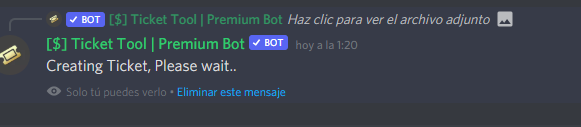
 rotund herald
lapis marlin
It added the extra one to mine lol
rotund herald
lapis marlin
It added the extra one to mine lol
Try sending a new panel altogether
lapis marlin
I did
It has the different emoji but not buttons
Is there a drop down somewhere that we can look through the buttons?
scenic plinth
lapis marlin
Is there a drop down somewhere that we can look through the buttons?
All button options are available through each setting, the 5th dropdown where "Reaction Settings" usually would be is where "Button Options" are, which are all the reactions converted to buttons.
rotund herald
scenic plinth
All button options are available through each setting, the 5th dropdown where "R...
The buttons don't appear when sending the panel
lapis marlin
No conversion is happening for me either
scenic plinth
@lapis marlin @rotund herald You have to use $newpanel <id> to send buttons, the bot isn't able to send buttons through the panel configuration channel selection.
rotund herald
scenic plinth
<@136291918459043840> <@703988445806329917> You have to use `$newpanel <id>` to ...
Which ID? Message ID or Panel ID which is found on the dashboard?