#🆘│community-support
1 messages · Page 324 of 1
 glossy anvil
 tribal cedar
It should be
glossy anvil
although i cant click it
tribal cedar
Where is the reaction?
glossy anvil
it appears if i right click the message only
tribal cedar
Cuz before you were trying to click inside the panel message
tribal cedar
Did you resend the panel after you added the reaction?
glossy anvil
yeah i did
tribal cedar
Can you delete the message that's currently there and resend again and show me? Verify that the create ticket reaction is set first though
tribal cedar
No worries
glossy anvil
tribal cedar
The reaction should be showing at the bottom of that panel message unless something changed.
Whats your serverID? A support staff will have to look
glossy anvil
852903890805719063
tribal cedar
Quo if your looking into it would you fill me in?
 craggy geyser
It's definitely not a perms issue. And that is all I can check while Probie
tribal cedar
Without doubt not perms. I don't want to resend my panels either lol
In the video it looked like the reaction WAS in the panel message. Maybe I'm just fried mentally rn
 eager cargo
tribal cedar
Quo if your looking into it would you fill me in?
eager cargo
tribal cedar
Quo if your looking into it would you fill me in?
You can just react to the message yourself and it’ll open a ticket
glossy anvil
i think so
craggy geyser
tribal cedar
Any reaction?
The right one
glossy anvil
but i dont have perms to react myself
im sorry for wasting your time on this. im just really confused
tribal cedar
You aren't the only one. The bot should send the reaction right after it sends the panel message
From what I'm gathering from Quo you need to add the reaction yourself. However. I would suggest you #🎫│make-a-ticket at this point because something isn't working the way I'm used to
glossy anvil
Well that sucks. i cant even react to the lock on #853389306319601684
oh wait nvm im not aupposed ot do that
Oh god so many typos
tribal cedar
Yea that'll close it
No worries I'm fluent in typo
Just give them some time to get to the ticket. If anyone was available they would have answered already
tribal cedar
Sorry I couldn't help you
glossy anvil
There is no problem. you dont have anything to do with this, since you didnt make the problem.
tribal cedar
Yea but I fix problems. Its what I do and doesn't bode well when I can't lol gl though someone will help
 mystic hound
a pro tip is explaining the issue after you make a ticket, gets you faster responses than us thinking someone made a ticket then went afk
 subtle solstice
Is there any way to change the ticket numbers in 3 different panels to completely separate numbers
So like 1 pannel tickets will start with 0001, 2nd panne with 10001, and third pannel with 2001
Right now when I change “Ticket Count” in any panel in the general options it changes that ticket count for all other panels in the server
 rough moth
subtle solstice
So like 1 pannel tickets will start with 0001, 2nd panne with 10001, and third p...
rough moth
subtle solstice
So like 1 pannel tickets will start with 0001, 2nd panne with 10001, and third p...
Did u change the ticket count for each of your panels
To whatever you would like it to be
 solid stream
subtle solstice
Right now when I change “Ticket Count” in any panel in the general options it ch...
solid stream
subtle solstice
Right now when I change “Ticket Count” in any panel in the general options it ch...
What you could do is manually set the count to 2000 for one panel then each ticket it creates will be 2001 etc..
and your other panel count to 3000 or 1000 etc..
 candid star
im trying to get it where each of my reactions open a ticket i have set 6 reactions but only one opens the ticket any tips?
 frosty wolf
how can i make it so the user can only view the ticket channel and @/everyone cant
nvm
 humble sequoiaBOT
Multipanels are a premium feature  that allow for a single panel with multiple reactions to open different tickets.
How to create a Multipanel
Premium users can combine multiple panels into one multipanel.
First of all you will need to assign a different Create Ticket Reaction for each Panel. Run $help reaction to learn how to do it.
Next, find the IDs of each panel you wish to combine. You can find them in your Panel Configs in the Dashboard
Next, send the multipanel to a channel using $panel [id1] [id2] {id3} ....
e.g. $panel 1 2 4 17 35 to combine panels 1, 2, 4, 17 and 35.
Up to 20 panels may be combined.

 scenic plinth
Thats a premium feature, if you are still having trouble try the above.
candid star
i have premium
scenic plinth
Alright follow that then
candid star
thx
scenic plinth
Np
 tacit sigil
i have proplem in five m when i open five m it s give me black screen
humble sequoiaBOT
You're in the wrong place
We provide support for @pseudo glen discord bot and cannot help you with whatever issue you have.
Please make sure to contact the appropriate support team.
If you don't have any further questions regarding our bot Ticket Tool, please close this ticket
_ _
scenic plinth
@tacit sigil ^
 jade topaz
I wanted to know if I could open a ticket with the ticket opener name? I tried user but it only gave the ticket user id
I also tried user.name but didn't work
Sorry if this is a dumb question
I'm pretty new to tickettool
 atomic solstice
$variables
humble sequoiaBOT
Note: Remove The $ From The Variables
Supported Variables
{$server_name} -The server name
{$@Role Name} -The role name you want to mention (role names are case sensitive.)
{$empty} -Use this if you want to send nothing in a required field.
{$channel_name} -The channel name this message is used in/from
{$channel} -The channel this message is used in/from
{$user_nickname} -The users nickname (if set)
{$user_tag} -The users tag
{$user_name} -The users username
{$userfull} -The users username and usertag combined
{$user} -The users @user
{$user_icon} -The url for the users icon
{$ticket_limit} -The current ticket limit
{$panel_name} -The panels name
{$ticket_name} -The tickets name
{$ticket_category} -The category tickets are created in (if set)
{$count}The current count for tickets
{$ticket_channel} -The #channel for the ticket you created
{$ticket_user} -The @user who is assigned to the Ticket
{$ticket_user_nickname} -The nickname of the user who is assigned to the Ticket (if set)
{$ticket_user_tag} -The tag of the user who is assigned to the Ticket
{$ticket_user_name} -The username of the user who is assigned to the Ticket
Note: Remove The $ From The Variables
atomic solstice
@jade topaz you can try doing {ticket_user_name}
 marble spruce
https://i.imgur.com/u4ioQwJ.png how do i get this message automatically pinned?
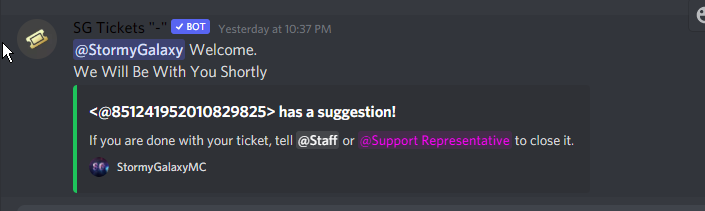 craggy geyser
In general options there is an "auto pin ticket" option
marble spruce
great ty
https://i.imgur.com/90Twa36.png where do i go to save this?
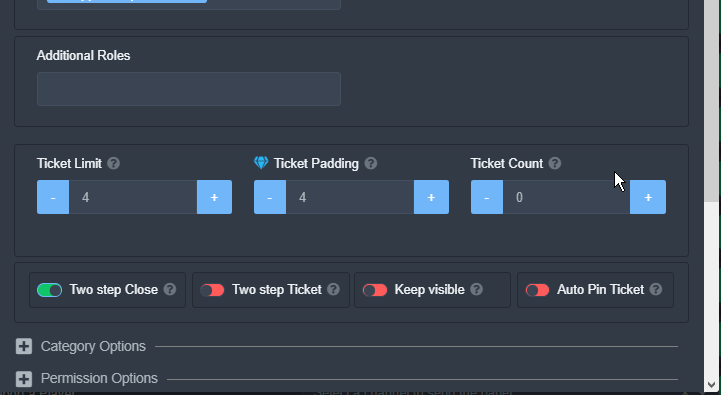
bc when i click the auto pin, and x out of it, it doesnt save
nvm, had to refresh
does setting a ticket limit to 0 allow them to make infinity tickets?
craggy geyser
I don't think so. But you can do 99 or something large that shouldn't be reached
atomic solstice
marble spruce
does setting a ticket limit to 0 allow them to make infinity tickets?
no ticket limit to 0 makes it so no-one can open tickets
 broken ridge
How do you make it so that when you do a command like $successful an embed pops up
mystic hound
you would have to make it a tag, see below
humble sequoiaBOT
Tags
Tags are used to send a predefined response to your channels using a command. Tags will only respond if the command itself is used, it will not function if you put the tag into a sentence. The prefix is not included.
To create tags, go to: Dashboard > Tags > Create Tag. After creating and naming one, tap on the response button, and you can edit the response.

 atomic solstice
jade topaz
atomic solstice
jade topaz
You mean from the embed? If yes then that can be changed from the panel configs, you pick the panel, then you go to the Moderator Options And this embed can be changed in the Moderator Message
 iron nightBOT
Gave 1 Rep to Satisfy (current: #3 - 115)
atomic solstice
No problem
jade topaz
🙂
 ashen kernel
i just wanted to know where the transcript of ur ticket is sent??
 jade topaz
 atomic solstice
ashen kernel
i just wanted to know where the transcript of ur ticket is sent??
atomic solstice
ashen kernel
i just wanted to know where the transcript of ur ticket is sent??
it will be sent to you over DM. If you can't see it, that means that your DM's have been closed which means that Ticket Tool cannot Dm you. I suggest having a server which only has bots that you want to receive dm's from, and just have the dms open for that server. then you will receive transcripts from the bot from any tickets you opened in any server
atomic solstice
jade topaz
Hi, please try to log out and log back in to the dashboard, also check that you are logged in with the correct Discord account
jade topaz
atomic solstice
Hi, please try to log out and log back in to the dashboard, also check that you ...
i tried
atomic solstice
jade topaz
i tried
the server that you added the bot in is it a server made by you or are you a staff member there?
jade topaz
my friend trolling me and he demote me😂
atomic solstice
jade topaz
my friend trolling me and he demote me😂
then, type $level in any channel in that server and tell me the number which the bot says
jade topaz
4
atomic solstice
jade topaz
4
then you should be able to see it
jade topaz
yea he trolling me
atomic solstice
are you sure you are logged in with the correct account to the dashboard?
jade topaz
yes i made it bro its work ty
atomic solstice
np
jade topaz
ty @atomic solstice
iron nightBOT
Gave 1 Rep to Satisfy (current: #3 - 116)
 robust sandalBOT
 Uzumaki
When I invite the Ticket tool it tells me authorized and when I go into my discord it does not appear in my members, it is just available in my roles that's all, and when I create a panel its display nothing at all in the living room to put my tickets
 French (fr) → English (en)
atomic solstice
French (fr) → English (en)
atomic solstice
/fr make sure the bot has a role which lets it see the channel that you want to send the panel into
robust sandalBOT
assurez-vous que le bot a un rôle qui lui permet de voir le canal dans lequel vous souhaitez envoyer le panneau
English (en) → French (fr)
atomic solstice
@jade topaz ^^
scenic plinth
/fr When it enters the server, make sure you are looking at a channel the bot can see.
robust sandalBOT
Lorsqu’il entre dans le serveur, assurez-vous que vous regardez un canal que le bot peut voir.
English (en) → French (fr)
scenic plinth
/fr If you cannot see it in your member list when it joins the server, you need to make sure you are viewing a channel the bot can see. You can also ping it using its ID, which I will leave below for you to copy and paste.
robust sandalBOT
Si vous ne pouvez pas le voir dans votre liste de membres lorsqu’il rejoint le serveur, vous devez vous assurer que vous affichez un canal que le bot peut voir. Vous pouvez également lui envoyer un ping en utilisant son ID, que je laisserai ci-dessous pour que vous puissiez copier et coller.
English (en) → French (fr)
scenic plinth
@pseudo glen
Any channel
No problem, if you have anymore questions feel free to ask!
jade topaz
Hey guys is there a way to keep people from having the @ everyone perm when opening a ticket in my server? These trolls are getting annoying
this isnt that everyone is able to see it, they can ping everyone when a ticket is opened
craggy geyser
$help perms
humble sequoiaBOT
How to set the permissions for tickets
To set a change permissions go to the Dashboard -> Panel Configs -> Settings -> Permission Options
 craggy geyser
Hmm. That doesn't have anything with mentions. So I imagine it shouldn't enable them to
jade topaz
It leaves it in the neutral position but unfortunately that means people can still mass ping unless I change it manually
craggy geyser
How many people are in these tickets to be able to have it mass ping?
 analog yarrow
How can I set this up with the Premium Bot?
 craggy geyser
jade topaz
but im not sure if people outside the channel can see it
craggy geyser
jade topaz
but im not sure if people outside the channel can see it
They shouldn't. But I am trying to find a better solution for you
humble sequoiaBOT
Multipanels are a premium feature that allow for a single panel with multiple reactions to open different tickets.
How to create a Multipanel
Premium users can combine multiple panels into one multipanel.
First of all you will need to assign a different Create Ticket Reaction for each Panel. Run $help reaction to learn how to do it.
Next, find the IDs of each panel you wish to combine. You can find them in your Panel Configs in the Dashboard
Next, send the multipanel to a channel using $panel [id1] [id2] {id3} ....
e.g. $panel 1 2 4 17 35 to combine panels 1, 2, 4, 17 and 35.
Up to 20 panels may be combined.
ashen kernel
atomic solstice
it will be sent to you over DM. If you can't see it, that means that your DM's h...
oh okay tysm !!
atomic solstice
no problem
craggy geyser
jade topaz
but im not sure if people outside the channel can see it
You can change the category permission for everyone to not be allowed to mention everyone and then it will apply to all tickets
 livid stump
Guys how can i put a mention in the private chat (#ticket-0000), in the bot message?
jade topaz
craggy geyser
You can change the category permission for everyone to not be allowed to mention...
I will look into it, that was my first thought but it didnt seem to work
craggy geyser
livid stump
Guys how can i put a mention in the private chat (#ticket-0000), in the bot mess...
Edit the ticket message (not the embed) to add a ping
humble sequoiaBOT
**Ticket Message**
The Ticket Message is the first message sent by the bot in a new ticket. To customise it head over to your Dashboard -> Panel Configs -> Settings -> Ticket Options -> Edit Ticket Message
 craggy geyser
$help ping
humble sequoiaBOT
How to make Ticket Tool ping a role
To make ticket tool ping a role when a ticket is opened, go to the Dashboard -> Panel Configs -> Settings -> Ticket Options -> Ticket Message -> Message Text and do this:
{@Role name} This is case sensitive and the role must have @mentions enabled
 livid stump
ok thanks
analog yarrow
humble sequoia
I tried doing this but...
 scenic plinth
You do not have premium from the looks of it, multipanels are restricted to premium users.
scenic plinth
Make sure you have invited the premium bot.
humble sequoiaBOT
Inviting and Enabling Premium Bot
The first thing you will need to do is invite the premium bot, an invite can be found here
Once the bot is in your server we will head to the dashboard and manage your server. When you are managing your server, you want to head into "Server Configs" then click the drop down menu under "Select the bot you would like to use on this server" then click "Ticket Tool#6207" and then save.
 velvet hearth
Hey I was just asking , after I made everything in the panel I need and did the free trial , when I write in ticket message that I want to mention any role , it doesn't mention it , idk y
craggy geyser
Have you done it in the embed or the text above the embed?
 late rose
Is there a way to make the bot create ticket channels in the category that the panel is in?
craggy geyser
$help category
humble sequoiaBOT
How to set the open category
To set a open category go to the Dashboard -> Panel Configs -> Settings -> Category Options -> Category Open
 craggy geyser
Like this
late rose
Is it premium-locked?
craggy geyser
No
marble spruce
is there a way to make it only do this once: https://i.imgur.com/QVXxEAR.png (send a transcript to the user one time)
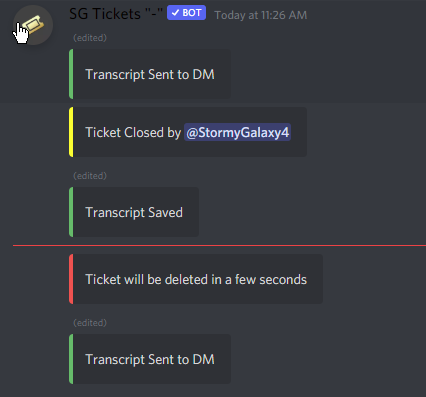 atomic solstice
marble spruce
is there a way to make it only do this once: https://i.imgur.com/QVXxEAR.png (se...
atomic solstice
marble spruce
is there a way to make it only do this once: https://i.imgur.com/QVXxEAR.png (se...
you you can choose if the bot sends the transcript to dm.
You can choose from:
Dm on Close
Dm on Delete
Dm on Close & Delete
You can set this up from the panel itself
In Logging options there is an Direct message transcript option
jade topaz
How do I setup the ticket bot
humble sequoiaBOT
atomic solstice
jade topaz
How do I setup the ticket bot
here ^^
 prime bridgeBOT
DaMi has been silenced for 10m 

 Reason: Posting Discord Server Invites
DaMi#6018 | 637545374168645632
marble spruce
atomic solstice
you you can choose if the bot sends the transcript to dm.
You can choose from:
...
ah ok thanks!
 jagged plover
Como que faz uma mensagem com reação para que a pessoa ganhe tal cargo?
robust sandalBOT
jagged plover
Como que faz uma mensagem com reação para que a pessoa ganhe tal cargo?
 NarutinBoladoDoBaileDaGaiola
How does it make a message with reaction for the person to win such a position
Portuguese (Brazil) (pt) → English (en)
 limber sail
Hi! When a Member of my server tries to make a ticket it shows this.
https://cdn.discordapp.com/attachments/853456911877668897/853683014499565578/image0.png

Ticket limit
mystic hound
$help limit
humble sequoiaBOT
How to set a ticket limit
A ticket limit may be set per panel to prevent users from spamming tickets. By default this limit is set to 3. Once a user hits this limit the bot will notify the users that they reached the limit.
To set a ticket limit go to the Dashboard -> Panel Configs -> Settings -> General Options -> Ticket Limit
 limber sail
Ty!
humble sequoiaBOT
Help Options
$help commands - Information on commands
$help setup - Information on bot setup
$help faq - Frequently asked questions
jade topaz
$help setup
humble sequoiaBOT
Setting up Ticket Tool
Visit the docs for setup info
General Setup
humble sequoiaBOT
Setting up Ticket Tool
Visit the docs for setup info
General Setup
atomic solstice
Hi, please don't randomly ping, if you need help just ask in the chat and someone will answer
 ruby roost
thank you for replaying
i have some error
i invite ticket tool bot
but i dont find it in mange server place
tryed close page and refresh nothing happend
atomic solstice
Try to log out and log back in to the dashboard
ruby roost
oh okay
atomic solstice
refreshing won't fix the issue
ruby roost
k
i will be with one moment please wait.......
it worked
thank you sir
thanks @atomic solstice
atomic solstice
no problem
iron nightBOT
Gave 1 Rep to Satisfy (current: #3 - 117)
ruby roost
iron night
Gave `1` Rep to **Satisfy** (current: `#3` - `117`)
i want give you rep
ruby roost
atomic solstice
it did work
yes
atomic solstice
it already did
ruby roost
k
atomic solstice
when you typed thanks @ my name
ruby roost
sorry iam from egypt
atomic solstice
np
ruby roost
i writed egypt letter
jade topaz
What do I do when it says ticket limit reached?
solid stream
jade topaz
What do I do when it says ticket limit reached?
You can either raise your ticket limit in the dashboard (this is per users)
or you can simply delete an open ticket you created.
jade topaz
It's for one of my members in my discord he has no tickets open but it's saying his ticket limit has reached, could have been a glitch when he opened a ticket and left then I closed that ticket cause he left the server then he came back? Sorry that's really confussing
Nvm I figured out the reason thank you
 cold anchor
$vote
humble sequoiaBOT
Votes
Current Votes: 2
Lifetime Votes: 2
Linked Votes: 0
Vote Links
Linking Info
Linked User: Not Linked
You can give your future votes to another user by linking with that user.
To link use $vote link (@user or userId)
To unlink use $vote unlink
Redeeming
Each vote is worth 12 hours of premium and can be redeemed once you have atleast 6 votes.
Your current votes are worth 1 day, 0h, 0m
To redeem your current votes use $vote redeem
db5ae-7a2ed-686aa-3175d
Premium key
Key: db5ae-7a2ed-686aa-3175d
Duration: 10d, 0h, 0m, 0s
jade topaz
How do I make a role be able to see the tickets?
rough moth
jade topaz
How do I make a role be able to see the tickets?
Go to your dashboard, then panel config, the panel you want to add the roles to, general options, and then you’ll be able to add support team roles
jade topaz
thanks
rough moth
Np
cold anchor
Where do I set who is in the "support team"?
Is there a way to set it for a whole server or is that done for each individual panel?
rough moth
cold anchor
Is there a way to set it for a whole server or is that done for each individual ...
Do u want the whole server to see the tickets?
cold anchor
No, just a certain role for support people.
rough moth
Nvm, you’re trying to setup your support team roles for each panel correct?
cold anchor
I was wondering if there is a way to set what the support team role is for all panels or if it's done for each panel.
rough moth
You have to set it for each panel
cold anchor
Gotcha.
rough moth
Giving staff a mutual role for support tickets may be easier
cold anchor
Is there a place to update that for a panel I already made?
cold anchor
I've been looking and just can't find where to update a panel's support team role.
rough moth
cold anchor
I've been looking and just can't find where to update a panel's support team rol...
It’s in general options when ur editing your panel
Should be all the way at the top
iron nightBOT
Gave 1 Rep to JustSomeone (current: #21 - 9)
rough moth
Np anytime
 vague widget
@jade topaz send me friend's request please
rough moth
vague widget
<@456226577798135808> send me friend's request please
Please don’t ping any staff
If you have any questions or concerns ask here or make a ticket in #🎫│make-a-ticket
jade topaz
vague widget
<@456226577798135808> send me friend's request please
hi
why?
cold anchor
Is there a way to set where commands like $help or $vote can be used?
Or to set which roles can use commands?
I only saw an option to blacklist both commands and reacts, but not just commands.
eager cargo
You can't edit the $help and $vote commands but you can edit all of these.

Just press the grey settings button and you'll be able to customize who can use and who can't use the commands.
Also what channels the commands can be used in and what channels they can't be used in.
 white rampart
hello! if i delete the channel where the ticket was closed, will the transcript be affected? or if i delete the ticket will the transcript be affected?
solid stream
white rampart
hello! if i delete the channel where the ticket was closed, will the transcript ...
If you have a saved transcript then it's saved, You can delete the channels.
white rampart
ok! if i delete the ticket it would be the same as deleting the channel right?
solid stream
Just make sure the transcript isn't saved in the channel you're deleting lol
solid stream
white rampart
ok! if i delete the ticket it would be the same as deleting the channel right?
channel/ticket same thing.
white rampart
ahh ok tysm !!!!
analog yarrow
humble sequoia
I did this with the premium bot but it did not show up like that?

 gusty scaffold
Any way to disable [transcript in certain channels aside from ticket channels?
scenic plinth
analog yarrow
I did this with the premium bot but it did not show up like that?
The first panel message will appear as the mutli panel message.
For example if you have that for panel 2 and do $panel 2 1 it appears with panel 2s message.
If I did panel 1 and have it set to "Use :admission_tickets: to open a ticket" then it will appear as the panel message.
scenic plinth
gusty scaffold
Any way to disable [transcript in certain channels aside from ticket channels?
$help transcript
humble sequoiaBOT
How do I save transcript to a channel?
To save transcripts to a channel go to the Dashboard -> Panel Configs -> Settings -> Logging Options -> Transcript Channel
 analog yarrow
scenic plinth
The first panel message will appear as the mutli panel message.
For example if...
analog yarrow
scenic plinth
The first panel message will appear as the mutli panel message.
For example if...
huh
scenic plinth
analog yarrow
huh
I assume you from the looks of it have premium and have the reactions set properly.
The panel message you have is what you have for panel 1, so for the multipanels message to change panel 1s panel message has to change.
iron nightBOT
Gave 1 Rep to ♡вroĸenѕмιle♡ (current: #7 - 78)
analog yarrow
:)
scenic plinth
No problem, have a great rest of your night!
 viscid sable
I have a huge server and we utilize the ticket system HEAVILY, I'm logging all tickets to a category but the issue is that after 50 channels, the category cannot hold more channels. This makes everything overflow and I end up with a billion channels in the top part of the server without a category. Is there a work around, a setting, a trick I could use to sort new tickets that overflow into a separate category?
Can this be pushed into a future solution/fix? (please mention with answer!!!!)
 merry mango
hi.
I have an issue.
so my server requires to have multiple tickets open.
but one of my members said they are only able to open one ticket at a time.
like because my server is shop based.
so like if someone wants to order from 2 shops
it won't allow 2.
help me please
viscid sable
merry mango
**help me please**
 merry mango
viscid sable
merry mango
viscid sable
tysm!
viscid sable
viscid sable
I have a huge server and we utilize the ticket system HEAVILY, I'm logging all t...
NVM. Under the Category Open tab you can select multiple categories.
solid stream
viscid sable
NVM. Under the Category Open tab you can select multiple categories.
Glad you found this, I added this feature in a few months back for this exact reason 🙂
viscid sable
solid stream
Glad you found this, I added this feature in a few months back for this exact re...
Might want to update the tooltip to let users know they can select more than one category. Might definitely avoid confusion in the future. 
 solid stream
viscid sable
Might want to update the tooltip to let users know they can select more than one...
solid stream
viscid sable
Might want to update the tooltip to let users know they can select more than one...
The dashboard could use alot of updates..
viscid sable

solid stream
I don't like working one it lol
viscid sable
Thanks for the update.
cold anchor
eager cargo
Also what channels the commands can be used in and what channels they can't be u...
Does this mean that any channel the bot is in will allow anyone to use both $help and $vote?
I was hoping to prevent that.
 dull orchid
how to get panel id?:>
scenic plinth
dull orchid
how to get panel id?:>
Panel IDs are displayed to the left of the edit option.
 dull orchid
scenic plinth
Panel IDs are displayed to the left of the edit option.
dull orchid
scenic plinth
Panel IDs are displayed to the left of the edit option.
On desktop?
scenic plinth
Its displayed on the same spot for every platform.
 scenic plinth
That is the edit option. Close that.
cold anchor
eager cargo
Unless you restrict the bot from sending messages in that channel
Interesting. If I did that, would it still be able to make the tickets when people react to it's embeds?
jade topaz
,
eager cargo
cold anchor
Interesting. If I did that, would it still be able to make the tickets when peop...
I wouldn't reccomend changing the permissions for ticket tool considering channel perms / category perms are a vital thing when using TT
just an option, you can try it out if you'd like, if ticket tool stops opening tickets or malfunctions in any way you can change the setting back
cold anchor
eager cargo
I wouldn't reccomend changing the permissions for ticket tool considering channe...
That makes sense, but I'd like to keep the channels clear of chatter.
Another option I've just thought of is simply setting it so all other roles can do is read the channel. That might make more sense.
eager cargo
Oh I thought the channel you were referring to would be a chat channel
Read only works
cold anchor
I've made a category that is basically just for tickets, so it's all read only channels for my users.
 fallen badger
How do i make the ticket message ping a role?
eager cargo
$help ping
humble sequoiaBOT
How to make Ticket Tool ping a role
To make ticket tool ping a role when a ticket is opened, go to the Dashboard -> Panel Configs -> Settings -> Ticket Options -> Ticket Message -> Message Text and do this:
{@Role name} This is case sensitive and the role must have @mentions enabled
eager cargo
There ya go
fallen badger
tysm :D
eager cargo
My pleasure
 timid dirge
How did you do that ?
 humble sequoiaBOT
Multipanels are a premium feature that allow for a single panel with multiple reactions to open different tickets.
How to create a Multipanel
Premium users can combine multiple panels into one multipanel.
First of all you will need to assign a different Create Ticket Reaction for each Panel. Run $help reaction to learn how to do it.
Next, find the IDs of each panel you wish to combine. You can find them in your Panel Configs in the Dashboard
Next, send the multipanel to a channel using $panel [id1] [id2] {id3} ....
e.g. $panel 1 2 4 17 35 to combine panels 1, 2, 4, 17 and 35.
Up to 20 panels may be combined.
craggy geyser
timid dirge
How did you do that ?
It's a premium feature. See above
craggy geyser
Perfect

 timid dirge
unlog
 wicked gorge
?
wicked gorge
ah
humble sequoiaBOT
Don't see your server in the dashboard?
You will possibly need to relog. Look below to see steps on how to relog.
How to relog the Dashboard.
First, you will need to go to the dashboard. Once your there, click on your avatar on the top right. after you clicked it, you will see button that says Logout. You must click that. Once you have logged out, you can log back in.
Note:
You need one of these 3 things to access the dashboard.
1. Server Owner (Level: 6)
2. Server Administrator (Level: 4)
3. Dashboard Role (Level: 2)
You can check your level using $level on your Discord Server
craggy geyser
There is this as well with more detail
timid dirge
@craggy geyser is't possible to modify the multi panel ? Because he copy the panel 1, and i want to change image, and text
craggy geyser
Whatever the first panel number you use is the panel description that sends
So if you do $panel 1 2 3 edit the panel message for panel 1
timid dirge
Ok so if i prepare panel 1 like i want for multi panel, the multiu panel will use the panel 1 like model
Ok thx
jade topaz
I have create a ticket and I've been waiting like 7 mnts
 sterile flame
Hi, so ticket tool is glitched for me I think. It was in my server and I made three panels and it worked perfectly for only two of them. I’ve tried everything from kicking and banning the bot, to resetting its roles and perms. After banning it, I reinvited it to the server, but it still wants me to invite it even tho it’s already there?? I added it to my test server to see if it was working and it worked perfectly on that server…what do I do?
scenic plinth
sterile flame
Hi, so ticket tool is glitched for me I think. It was in my server and I made th...
Relog into the dashboard if it is asking you to invite it. If there is not a panel working please let me know.
sterile flame
scenic plinth
Relog into the dashboard if it is asking you to invite it. If there is not a pan...
That’s the thing, I’ve re-logged into the dashboard about 3 times
timid dirge
My panel is created but allowed roles and diseable roles doesn't work
scenic plinth
sterile flame
That’s the thing, I’ve re-logged into the dashboard about 3 times
And it still asks you to invite it? Is it 100% in the server?
sterile flame
scenic plinth
And it still asks you to invite it? Is it 100% in the server?
Yep 😔
 ebon patio
is the website broken cus i dont see my server on the panel when i reload the page
scenic plinth
sterile flame
Yep 😔
Ok do me a favor and provide your server ID in a ticket for the Support, you may also be asked to use the $debug command.
sterile flame
Okay, thank you.
scenic plinth
ebon patio
is the website broken cus i dont see my server on the panel when i reload the pa...
You need to relog into it. Refreshing does nothing.
scenic plinth
ebon patio
is the website broken cus i dont see my server on the panel when i reload the pa...
What exactly did you put on a disable role for? Like ticket creation?
ebon patio
no i didnt do anything i just invited the bot than i went to panel and i dont see the server on the panel
okay its on the panel now
scenic plinth
Alright
scenic plinth
sterile flame
Okay, thank you.
No problem, have a great day!
jade topaz
So i did "$help" but it shows me just a blank message and in this server too i just see blank messages from bots
tribal cedar
$help
humble sequoiaBOT
Help Options
$help commands - Information on commands
$help setup - Information on bot setup
$help faq - Frequently asked questions
tribal cedar
@jade topaz you mean to tell me you see no text from that command?
jade topaz
tribal cedar
<@456226577798135808> you mean to tell me you see no text from that command?
yes go to dms ill show u how it looks in my pov
tribal cedar
You can send the screen shot here
jade topaz

Not just with that bot
Its with all bots even in my server
Do i need to change my settings
 pale pilot
go into your user settings, then "Text & Images" and enable link preview
tribal cedar
Long as its working thats what's important
jade topaz
yes
 remote peak
 mystic hound
most likely will be fully resolved in the next update
remote peak
kk

 atomic solstice
 torpid girder
everytime i try to login this message appears
torpid girder
everytime i try to login this message appears
it' because you are trying to log in to the wiki, only staff can log in there. You have to log in to the dashboard which is here https://tickettool.xyz
 atomic solstice
 vestal crystal
you have to set that in your discord server, in the dashboard that's just a visual representation of your discord settings, you cannot change them from the website
iron nightBOT
Gave 1 Rep to Satisfy (current: #3 - 118)
atomic solstice
no problem
vestal crystal
When I create a ticket there is no message
 atomic solstice
vestal crystal
When I create a ticket there is no message
atomic solstice
vestal crystal
When I create a ticket there is no message
Might be still because the bot doesn't have Read Messages perms, which means it creates a ticket but then cannot see it, which means it cannot send the message
vestal crystal
What Can I do?
atomic solstice
please check the role of the bot in the server and make sure the View Channels permission is 
atomic solstice
np
vestal crystal
Thanks @atomic solstice
iron nightBOT
@vestal crystal :: You can't rep Satisfy#4339 for 48 minutes and 39 seconds. Try coming back later?
atomic solstice
np
vestal crystal
One Last question xD! How can I categorize my ticket?
atomic solstice
vestal crystal
One Last question xD! How can I categorize my ticket?
you mean how to make the bot open tickets into a category and not at the top of the server?
vestal crystal
Yes
atomic solstice
$help category
humble sequoiaBOT
How to set the open category
To set a open category go to the Dashboard -> Panel Configs -> Settings -> Category Options -> Category Open
atomic solstice
here ^^
vestal crystal
Thanks
atomic solstice
np
 jaunty fossil
humble sequoiaBOT
jaunty fossil
humble sequoiaBOT
Inviting and Enabling Premium Bot
The first thing you will need to do is invite the premium bot, an invite can be found here
Once the bot is in your server we will head to the dashboard and manage your server. When you are managing your server, you want to head into "Server Configs" then click the drop down menu under "Select the bot you would like to use on this server" then click "Ticket Tool#6207" and then save.
jade topaz
how can i see who opened tickets on the website?
jade topaz
jade topaz
how can i see who opened tickets on the website?
Not avilable
sad
$help panel
humble sequoiaBOT
Creating a panel
To create a panel we are going to need to head over to the panel configs on the dashboard
Once at the dashboard we will need to click Create Panel
Enter a panel name (Fill in any optional settings you want)
Click Create Panel and your ready to get started with configuring your panel
An example of a creating a panel is shown below.
 humble sequoiaBOT
Help Options
$help commands - Information on commands
$help setup - Information on bot setup
$help faq - Frequently asked questions
jade topaz
$help send
humble sequoiaBOT
Sending a panel
Once you've created a panel on the dashboard you will need to send it to a channel using send on the dashboard
Select the channel you want your panel to be created in and click send.
For other questions checkout $help faq
An example of a sending a panel is shown below.
 jade topaz
how can i see who opened tickets on the website?
jade topaz
jade topaz
how can i see who opened tickets on the website?
i found a logging thing
that will send actions to a channel
 dawn sleet
Hi any one knows how do I change my name?
 warped forge
Hey.
We currently encounter a weird issue where the bot is no longer creating tickets in the category we set. The only change we made was removing the admin permission as it was a security risk for us (No offense towards you guys, but better be save than sorry)
The category has all the required permissions the bot needs, but it only creates tickets outside the category, which is not what we want.
Is there some kind of command to debug permissions or similar to see what is not working?
mystic hound
The debug command is $debug please run it and send the link
Also check if you have 50 channels in your specific category
solid stream
mystic hound
Also check if you have 50 channels in your specific category
^ discord limits you to 50 channels per category, we allow you to set multiple categories on the dashboard to have backups incase it gets full.
warped forge
There are only 3 channels right now
https://discordapp.com/channels/509192800865353738/662692902245498910/854021876534870027
On another note: Are there any plans on improving ticket channels? Like pinning the bot's message so that it is easier to access?
We find ourselfs sometimes in strange situations where the channel will have a large chat history, making us scroll up a long time only to close the ticket there... A pin for the message would speed this up a lot.
mystic hound
warped forge
On another note: Are there any plans on improving ticket channels? Like pinning ...
You can enable "auto pin ticket" under the general options of your panel configs. Alternatively you could just use the $close command to close a ticket without needing to use the reaction
As for the category issue please open a ticket I'll have a look
 minor kestrel
why ticket bot has not react any command
humble sequoiaBOT
If the bot is not working properly, try the following steps:
-
Run the $debug command in your server, to check the permissions of the bot. Send the link you get to us.
-
Check if you have any Blacklisted Roles in your Server Configs. Any roles listed there will not be able to use the bot / create tickets.
-
While you're in your Server Configs , make sure that you don't have the premium bot enabled, without actually having premium or the bot on the server.
These are the most common issues. If your problem still exists, you can go to our Troubleshooting Page for more fixes.
minor kestrel
after this ploblem bot is stable but 3 hour later is not working for me
mystic hound
So every 3 hours the bot stops responding?
Or is this is the first time you've had the issue?
mystic hound
humble sequoia
Okay do any of these steps fix the problem?
minor kestrel
yes i did it
mystic hound
Alright, if it keeps happening and you can't fix it feel free to make a ticket here
livid stump
$help ping
humble sequoiaBOT
How to make Ticket Tool ping a role
To make ticket tool ping a role when a ticket is opened, go to the Dashboard -> Panel Configs -> Settings -> Ticket Options -> Ticket Message -> Message Text and do this:
{@Role name} This is case sensitive and the role must have @mentions enabled
 fallow ingot
?
 final cloak
$help
humble sequoiaBOT
Help Options
$help commands - Information on commands
$help setup - Information on bot setup
$help faq - Frequently asked questions
final cloak
$help command
humble sequoiaBOT
Help Options
$help commands - Information on commands
$help setup - Information on bot setup
$help faq - Frequently asked questions
final cloak
$help commands
humble sequoiaBOT
() = optional
[] = required
*==================================
Ticket Commands
==================================*
_ _
`$add [User] (channel)`
Description: Adding additional users to a ticket
Aliases: none
`$remove [User] (channel)`
Description: Removing users from a ticket
Aliases: none
`$close`
Description: Closing tickets
Aliases: none
`$open`
Description: Opening closed tickets
Aliases: none
`$delete`
Description: Deleting tickets
Aliases: none
`$rename`
Description: Renaming tickets/channels
Aliases: none
`$transcript (send channel)`
Description: Creating transcripts
Aliases: none
`$new (user) (reason)`
Description: Creating tickets in a monitored channel (when command style is enabled)
Aliases: none
`$claim`
Description: Claiming tickets (when claim is enabled)
Aliases: "unclaim"
_ _
*==================================
General Commands
==================================*
_ _
`$help (Help Options)`
Description: Help Command
Aliases: none
`$debug`
Description: Debuging issues with running Ticket Tool
Aliases: none
`$id (@role/@user/#channel/emoji)`
Description: Converting roles, users, channels and emojis to ID
Aliases: "getid"
`$permlevel`
Description: Checking permission level with Ticket Tool
Aliases: "level"
`$ping`
Description: Checking response time with discord api
Aliases: none
`$vote (link | unlink | redeem) (user)`
Description: Earn premium by voting on top.gg or Discord.boats
Aliases: "votes"
 night widget
eager cargo
night widget
eager cargo
$help support
humble sequoiaBOT
How to let support team see into a ticket
About support roles
A support role lets your support team see into tickets with out having to add them manually to each and every ticket.
You can add as many support roles as you like per panel.
NOTE that the way discord works all admins can see into tickets regardless of this.
How to set a support role
To set a Support role go to the Dashboard -> Panel Configs -> Settings -> General Options -> Support Team Roles.

NOTE that the support role will not be able to see into tickets that are already created..
eager cargo
You can add support roles which will allow users with this role to see into tickets
jade topaz
help
tribal cedar
Ask
jade topaz
how do i whitelist roles to the ticket bot?
 tough wedge
hey please can i know why ppl cant send images or links in the ticket?
 scenic plinth
$help perms
humble sequoiaBOT
How to set the permissions for tickets
To set a change permissions go to the Dashboard -> Panel Configs -> Settings -> Permission Options
tough wedge
scenic plinth
$help perms
thank you 
iron nightBOT
Gave 1 Rep to ♡вroĸenѕмιle♡ (current: #7 - 79)
scenic plinth
jade topaz
how do i whitelist roles to the ticket bot?
Are you talking about being able to access the dashboard?
scenic plinth
tough wedge
thank you <a:Hearth:743835451902656562>
No problem have a great day!
humble sequoiaBOT
Dashboard Roles
Any role you put there will have full access to the ticket tool dashboard. The server owner and users with admin permissions already have access to the dashboard.
Be careful of which roles to put here
 scenic plinth
Try that :)
scenic plinth
If they cannot see it in the dashboard have them relog, it can sometimes take a minute to register with the server.
 knotty bluff
How can I add several reactions to the same message to open multiple tickets?
humble sequoiaBOT
Multipanels are a premium feature that allow for a single panel with multiple reactions to open different tickets.
How to create a Multipanel
Premium users can combine multiple panels into one multipanel.
First of all you will need to assign a different Create Ticket Reaction for each Panel. Run $help reaction to learn how to do it.
Next, find the IDs of each panel you wish to combine. You can find them in your Panel Configs in the Dashboard
Next, send the multipanel to a channel using $panel [id1] [id2] {id3} ....
e.g. $panel 1 2 4 17 35 to combine panels 1, 2, 4, 17 and 35.
Up to 20 panels may be combined.
tribal cedar
$pc
humble sequoiaBOT

How to get premium role
Until the automatic premium check is fixed run the command $debug on your server and send us the link in a ticket.
 iron nightBOT
Edit this to change the output of the command!
Edit this to change the output of the command!
iron nightBOT
Thank you!
Thank you for purchasing Ticket Tool Premium @willow mountain. You have now been given the <@&535595160189403136> role!
jade topaz
here you go
jade topaz
$help reaction
humble sequoiaBOT
How to change reactions
To set a custom reaction Dashboard -> Panel Configs -> Settings -> Reaction Options -> <Reaction to change> -> Reaction

NOTE you need premium to do this.
knotty bluff
jade topaz
$help reaction
thx
iron nightBOT
Gave 1 Rep to Sk3leton (current: #10 - 45)
jade topaz
knotty bluff
thx
np
jade topaz
jade topaz
y!pc <@456226577798135808>
Thanks
iron nightBOT
Gave 1 Rep to Sk3leton (current: #10 - 46)
jade topaz
jade topaz
Thanks
np
 opal cypress
Hi
humble sequoiaBOT
Don't Just Say "Hello" in Chat.
craggy geyser
Please don't ping the support team
humble sequoiaBOT
 dense mural
instructions are sh**
 terse patrol
A server is not loading on my screen.
dense mural
i don’t understand em
terse patrol
Can somone assist me?
humble sequoiaBOT
Don't see your server in the dashboard?
You will possibly need to relog. Look below to see steps on how to relog.
How to relog the Dashboard.
First, you will need to go to the dashboard. Once your there, click on your avatar on the top right. after you clicked it, you will see button that says Logout. You must click that. Once you have logged out, you can log back in.
Note:
You need one of these 3 things to access the dashboard.
1. Server Owner (Level: 6)
2. Server Administrator (Level: 4)
3. Dashboard Role (Level: 2)
You can check your level using $level on your Discord Server
craggy geyser
terse patrol
A server is not loading on my screen.
Follow this ^
dense mural
can someone do the ticket setup for me
terse patrol
Still did not work
terse patrol
dense mural
can someone do the ticket setup for me
I would if my new servers would load
dense mural
o
craggy geyser
Did you log out or just click refresh?
terse patrol
Loged Out
craggy geyser
dense mural
can someone do the ticket setup for me
Have you tried #573205317870157855 for a simplified instruction?
craggy geyser
terse patrol
Loged Out
Run $level in your server and tell me what it says
dense mural
yes
craggy geyser
Which part of the setup are you struggling with?
terse patrol
User permission level with Ticket Tool
@GIO is permission level: 4 (Guild Administrator)
craggy geyser
Are you logging in with the right discord account? As logging out and back in should fix it
prime bridgeBOT
 Moderator: @shadow axle

 Messages Fetched:
 100
 Purge Request:
 2
 Messages Identified:
 2
 ** Messages Purged:**
 2
 shut bolt
Am I the only one getting a 504 Error when trying to access the webpage?
 deep crater
I am as well
shut bolt
Okey, now it's working 
tribal cedar
Same.
 forest goblet
The website is having some issues, we are aware of that
forest goblet
It's slowly coming back online
shut bolt
Okey, thanks
forest goblet
tribal cedar
Hello 2x2
Hi! Yeah, haven't talked to you in quite a while
tribal cedar
Hope all is well
forest goblet
Yeah, how are you doing?
tribal cedar
I could complain but then I would need to pay a shrink to listen to me. I just took a breath thats the best I can do at the moment lol
 livid tusk
i kicked the premium Bot and now i cant invite him back. Where can i invite him back.
humble sequoiaBOT
Inviting and Enabling Premium Bot
The first thing you will need to do is invite the premium bot, an invite can be found here
Once the bot is in your server we will head to the dashboard and manage your server. When you are managing your server, you want to head into "Server Configs" then click the drop down menu under "Select the bot you would like to use on this server" then click "Ticket Tool#6207" and then save.
jade topaz
I cant send a Ticket ?
humble sequoiaBOT
-- moved to ticket --
scenic plinth
Make sure the bot can @ here / @ all roles etc. You can do this via the role settings. Alternatively you can allow @ everyone to mention the role.
humble sequoiaBOT
How to make Ticket Tool ping a role
To make ticket tool ping a role when a ticket is opened, go to the Dashboard -> Panel Configs -> Settings -> Ticket Options -> Ticket Message -> Message Text and do this:
{@Role name} This is case sensitive and the role must have @mentions enabled
jade topaz
it is : (
ok, well I am mentally retarted
I can't spell the word Moderator apparently
tribal cedar
Happens. Glad you figured it out
 shadow axle
@jade topaz 
jade topaz
shadow axle
<@456226577798135808> <:what:750301221448974366>
ik right
jade topaz
shadow axle
<@456226577798135808> <:what:750301221448974366>
Wait your a mod in here too?
shadow axle

jade topaz
shadow axle
<:perhaps:439460114471059468>
Do you recognize me at all??
shadow axle
yeah
jade topaz
ye boiii
 heady swallow
Hi, I just purchased the premium bot and it still doesnt say i have premium
craggy geyser
Have you added it to the server?
humble sequoiaBOT
Ticket Tool Premium
Get premium at https://tickettool.xyz/premium
Manage your subscriptions at https://tickettool.xyz/subscriptions
Why Premium?
Premium lets you customize the bot just how you want it. It also helps keep the bot running.
heady swallow
yes I added it this is what i shows

thats weird I have premium access but it tells me to redeem it
craggy geyser
That would allow you to add a key for time. You have premium working hence the active bit
heady swallow
will i still have premium after the trial expires since I already paid for it and it doesnt show up
 craggy geyser
It does show up. The "Active - manage" is the sub
iron nightBOT
Gave 1 Rep to Swift (current: #8 - 67)
craggy geyser
No problem
 copper owl
jade topaz
How to get a bot
copper owl
jade topaz
How to get a bot
$invite
humble sequoiaBOT
Ticket Tool Invite & Support
marble spruce
rip bot is down
eager cargo
Ticket Tool systems are currently restarting, please be patient while all systems are operational again.
FYI: Read #📣│bot-news.
marble spruce
lol u just sent that as i said something
 flint stag
Is the website of TicketTool down?
eager cargo
eager cargo
```Ticket Tool systems are currently restarting, please be patient while all sys...
^
white rampart
lol i ran here to see what was up
eager cargo
flint stag
Thank u
My pleasure
 eternal inlet
flint stag
Is the website of TicketTool down?
eternal inlet
flint stag
Is the website of TicketTool down?
I'm having issues on my end
 unkempt barn
eternal inlet
I'm having issues on my end
copper owl
unkempt barn
eternal inlet
I'm having issues on my end
copper owl
All the systems are being restarted, along side some updates. It should be back up as soon as possible !  Check #📣│bot-news !!
 vale laurel
I’ve followed the #📣│bot-news channel but it’s not giving us updates. I’m not sure why? Does the channel I pick to post in need to be public?
solid stream
premium is online and 1/4 of free is back
rough moth
And we’re back ;)
rough moth
What
tribal cedar
Nothing. I was typing a line to a song and changing the words to try and be funny
solid stream
tribal cedar
Nothing. I was typing a line to a song and changing the words to try and be funn...
You're just striking out all night lol
Go to bed hahaha
tribal cedar
I know!
tribal cedar
Haha hey I got a lot going on irl too rn. Gimme a couple weeks when I'm happier ill be funnier
 upper flower
This is a community support channel.
Let’s keep this chat on topic. Thanks.
tribal cedar
Hi
 wanton path
can anyone tell me what was the ticket tool update? I don't see anything different.
 tall pumice
I hace a problem
tribal cedar
wanton path
can anyone tell me what was the ticket tool update? I don't see anything differe...
I don't believe anything user side
wanton path
?
tall pumice
Have*
tribal cedar
tall pumice
I hace a problem
I may have a solution
upper flower
wanton path
can anyone tell me what was the ticket tool update? I don't see anything differe...
Just some backend stuff for some front end updates soon
👀
wanton path
so in other words, nothing really changed?
tall pumice
How do I add a ticket helper?
upper flower
Nothing y’all will notice
tribal cedar
Add their role to the general tab
wanton path
aww 😦
tribal cedar
Panel configs -> settings -> general
tall pumice
And, if I add that, will I add a ticket helper?
tribal cedar
That will add them as a supporter. They will see all tickets, yes.
You can set perms for them as well.
Thats in permission options
tall pumice
Another question
tribal cedar
Shoot
tall pumice
How do I remove that reopen ticket
tribal cedar
I'm sorry?
tall pumice
I am using translator, sorry
tribal cedar
I'm not sure what you mean. The emoji i don't believe you can remove
At least from displaying. I'm confused if your asking about two step ticket or not
tall pumice
When I want to close a ticket, I get a message to reopen ticket and delete ticket, but I want to delete that
tribal cedar
Which would after $close or clicking the close emoji it would remove the ticket. No need to $delete etc
Try to disable two step ticket
Same place you set the supporter role in general options
tall pumice
OK
tribal cedar
Pro tip is you can always click the ? next to an option to get a brief description
tribal cedar
Which one was not?
tall pumice
I did that, I created a helper role and on the web page I added the helper role but I tried to see if it worked, it is assumed that when I create a ticket all the helpers that I added should also see it but only
I can see it and not the helpers
tribal cedar
You added it to the general tab?
Check the perms in permission options for supporter role
 tall pumice
Where is that?
tribal cedar
Thats where the role should be listed
 placid minnow
I put the bot on my discord, when I click to open nothing appears, does anyone know how to help me?
tribal cedar
Its correct?
tribal cedar
placid minnow
I put the bot on my discord, when I click to open nothing appears, does anyone k...
Your bot requires more permissions more than likely. Give it manage channels and it should open the channels. Use the $debug command to check if you have enough perms
tribal cedar
tall pumice
Where is that?
Panel configs -> settings -> permission options and edit the open and closed support team permissions

@tall pumice if you need more help than what I've mentioned above just ask. I have to charge my phone but ill check it in a bit. I'm pretty sure others are here to help as well
placid minnow
tribal cedar
Your bot requires more permissions more than likely. Give it manage channels and...
I've already given all possible permissions and nothing
 rough iron
I cant stack ancient dragons pecies
jade topaz
 rough iron
Pls help
 umbral obsidian
Im having issues with the permissions as well, it was just wokring a hr ago
rough moth
rough iron
Pls help
What do u need
rough moth
umbral obsidian
Im having issues with the permissions as well, it was just wokring a hr ago
What specifically
rough iron
I cant craft dragon leggings
rough moth
This is ticket tool support, please only ask questions regarding to that
 ruby adder
Is there anyway for me to reset the ticket numbers?
 sinful sentinel
When I add the ticket embed, it doesn't work.
jade topaz
sinful sentinel
When I add the ticket embed, it doesn't work.
You’re in support 2, correct?
sinful sentinel
Yes
tribal cedar
ruby adder
Is there anyway for me to reset the ticket numbers?
Yes in general options you can panel configs -> settings -> general ticket count
 indigo owl
@jade topaz can you help me
jade topaz
is website down?
eager cargo
The development team is looking into the issues
solid stream
Ahh
DDos attack
love these little shits 🙂
Idk why it's not being detected though.
jade topaz
 jade topaz
solid stream
love these little shits 🙂
jade topaz
solid stream
love these little shits 🙂
These people are so stupid
 meager dock
solid stream
love these little shits 🙂
meager dock
solid stream
love these little shits 🙂
they think that is funny......
 smoky horizon
eager cargo
smoky horizon
eager cargo
Unfournately yes
jade topaz
Why do people wanna ddos ticket tool?
atomic solstice
jade topaz
Why do people wanna ddos ticket tool?
cause they are jealous
jade topaz
lmao
Ok, welp I am toast now, I am dead tired… now I get to look forward to only 6 hours of sleep
Thanks, and ticket tool is awesome, see y’all in 8 hours
 slender minnow
atomic solstice
cause they are jealous
slender minnow
atomic solstice
cause they are jealous
bcz they cant see tt growing
idk if i should call myself unlucky but whenever i think on helping someone here, the dashboard faces DDoS 😂
 feral ferry
I want to give bypass access to one person without giving admin what is command?
@atomic solstice ^^
eager cargo
$help support
humble sequoiaBOT
How to let support team see into a ticket
About support roles
A support role lets your support team see into tickets with out having to add them manually to each and every ticket.
You can add as many support roles as you like per panel.
NOTE that the way discord works all admins can see into tickets regardless of this.
How to set a support role
To set a Support role go to the Dashboard -> Panel Configs -> Settings -> General Options -> Support Team Roles.
NOTE that the support role will not be able to see into tickets that are already created..
eager cargo
You can give them as a support role so they can see tickets ( will only work for newly made tickets )
If you were referring to giving someone access to the dashboard, you can give them a dashboard role so they can see the dashboard.
humble sequoiaBOT
Dashboard Roles
Any role you put there will have full access to the ticket tool dashboard. The server owner and users with admin permissions already have access to the dashboard.
Be careful of which roles to put here
 sharp cradle
umm guys, Error 522
Connection timed out
You
Browser
Working
Atlanta
Cloudflare
Working
tickettool.xyz
Host
Error
eager cargo
The development team is looking into the website issues.
 upper pelican
ty^
solid stream
My internal server firewall rules were all fudged up..
upper pelican
thanks @solid stream
iron nightBOT
Gave 1 Rep to BattleEye (current: #11 - 45)
solid stream
I wasn't setup to whitelist..
 ornate mango
tickettool.xyz is down for me, anyone else ?
trying to invite the bot to my new server
solid stream
It's up for me
iron nightBOT
Gave 1 Rep to Quo (current: #4 - 111)
eager cargo
My pleasure
slender minnow
it back i am in
solid stream
How so?
upper pelican
just made another support role name for panel to help in tickets not seeing it for general options>support tean roles
solid stream
Did you refresh the page?
upper pelican
Rods Services Acc helper name of role
solid stream
very odd
Open a ticket and I'll look into this with you
first, please 100% verify the role exists lol
maybe discord didn't actually name it yet.
upper pelican
wym haha i didnt know discord doesnt name roles 👀
solid stream
There's no reason I can think of that it wouldn't show up on the dashboard.
upper pelican
it wouldnt matter prenium tool vs freenium?
solid stream
nope
upper pelican
i made it right after the website got back up to check
idk possibly me being dumb as well
humble sequoiaBOT
solid stream
$t shard 837938015551881226 10
Server 837938015551881226 should be on shard 3 - checked using 10 shards
upper pelican
woa lol
slender minnow
perks of being on the team lol
solid stream
turns out the shard number is actually just a formula
solid stream
upper pelican
woa lol
we have a few shards crashed out, I'll get them restarted.
 solid stream
upper pelican
maybe i have to redo the panel.
solid stream
upper pelican
maybe i have to redo the panel.
^
upper pelican
oh
solid stream
5 shards had their connection to discord bugged out.
solid stream
When we're under a ddos attack for 2 hours lol
upper pelican
wtf
solid stream
I had just finished fixing it
upper pelican
people still ddos bots
solid stream
DDos on my website
slender minnow
lol battle eye ig you are immune to automod
solid stream
But this was some long needed fixes
Dude.. I can't handle slowmode.. doesn't fit my messaging style lol
eager cargo
😎
 solid stream
I like how none of my roles say I'm the developer of the bot lol
just that I'm on the Dev Team.. of 1...
slender minnow
lmao
mystic hound
solid stream
I like how none of my roles say I'm the developer of the bot lol
make one then ez
merry mango
How do i make tickets spawn in the right ticket? like when a ticket appears it goes all the way to the top.
and i want it to have the same permissions as what the category has.
eager cargo
$help category
humble sequoiaBOT
How to set the open category
To set a open category go to the Dashboard -> Panel Configs -> Settings -> Category Options -> Category Open
eager cargo
merry mango
and i want it to have the same permissions as what the category has.
Ticket tool auto overrides category perms
merry mango
eager cargo
Ticket tool auto overrides category perms
ok thx
iron nightBOT
Gave 1 Rep to Quo (current: #4 - 113)
eager cargo
My pleasure
 hidden escarp

 shadow axle
open an arabic ticket from #🎫│make-a-ticket
 tawdry oracle
 craggy geyser
Buttons are temporarily disabled
 silk vapor
i cant open the dashboard on the website. i do not own the server but i have admin role (above everything else) and carl bot works. anyone got the solution ?
humble sequoiaBOT
Don't see your server in the dashboard?
You will possibly need to relog. Look below to see steps on how to relog.
How to relog the Dashboard.
First, you will need to go to the dashboard. Once your there, click on your avatar on the top right. after you clicked it, you will see button that says Logout. You must click that. Once you have logged out, you can log back in.
Note:
You need one of these 3 things to access the dashboard.
1. Server Owner (Level: 6)
2. Server Administrator (Level: 4)
3. Dashboard Role (Level: 2)
You can check your level using $level on your Discord Server
silk vapor
❤️
 prime wagon
good morning, could someone help me, this closed ticket does not disappear, it is always there.
 meager dock
@prime wagon you can come call and show me?
atomic solstice
 austere crown
Hello
atomic solstice
austere crown
Hello
Do you mean how to apply to become a support member? Or do you need help with something with your bot setup?
 shadow axle
austere crown
Why are there no Arabs to help me here?
shadow axle
austere crown
Why are there no Arabs to help me here?
open an arabic ticket from #🎫│make-a-ticket
austere crown
thanks
 fossil hamlet
Tags are not working atm is it just my server or
atomic solstice
fossil hamlet
Tags are not working atm is it just my server or
it happened for multiple servers, the deveopment team has been informed and they will sort this issue as soon as they can
shadow axle
the bot and the site may be functioning slower than usual right now. The development team has been notified of it
 dapper wasp
shadow axle
the bot and the site may be functioning slower than usual right now. The develop...
dapper wasp
shadow axle
the bot and the site may be functioning slower than usual right now. The develop...
Cant edit anything on the dashbord
shadow axle
yes, read what i said
dapper wasp
shadow axle
yes, read what i said
I did, i pay for this. And will launch my server in 2 days. Many bugs/delays last days. Will that continue?
 bitter vector
How can i add auto responder when someone open a ticket ?
mystic hound
dapper wasp
We are down.
retry and let me know, site seems to be back now
mystic hound
dapper wasp
I did, i pay for this. And will launch my server in 2 days. Many bugs/delays las...
There's a major update being pushed soon that'll include a rewrite of a lot of the code along with introducing new features, everything should smoothen out after that. In the meantime if there's any specific issue you're having feel free to #🎫│make-a-ticket
humble sequoiaBOT
**Ticket Message**
The Ticket Message is the first message sent by the bot in a new ticket. To customise it head over to your Dashboard -> Panel Configs -> Settings -> Ticket Options -> Edit Ticket Message
mystic hound
@bitter vector is this what you're looking for? ^
 deft coral
How to use ticket tool premium?
mystic hound
Once you buy it and apply it to a server, you'll be able to use all premium features. To invite and enable the premium bot you'll need to head over to the server configs tab
deft coral
How will I make it work on previously opened ticket by a normal ticket tool
Can both of them work at the same time?
bitter vector
mystic hound
<@!606105593174032384> is this what you're looking for? ^
Thx 

iron nightBOT
Gave 1 Rep to Light (current: #5 - 97)
mystic hound
deft coral
How will I make it work on previously opened ticket by a normal ticket tool
once enabled the premium bot will take over for the normal one, commands or closing/saving transcripts in existing tickets will work as usual
although any newly enabled premium features will only work on tickets opened after the changes were applied
deft coral
I do have premium enabled for a while and was using it for the past month or so
But the premium bot wasn't being used at that time
mystic hound
most premium features will still work on the normal bot provided your premium is active, although I'd recommend switching to the premium bot since its faster
 lapis sentinel
Hey. Pretty sure the update today broke the Tags. Its removing the tag command without writing anything
flint stag
The website is not loading again

I created a support-panel and after it I can't do anything.
Nothing is loading on this website, and if I want to open the website again the picture above this message is coming
craggy geyser
lapis sentinel
Hey. Pretty sure the update today broke the Tags. Its removing the tag command w...
Currently a known issue on the free bot. The dev team are looking into it
 safe prairie
craggy geyser
Currently a known issue on the free bot. The dev team are looking into it
safe prairie
craggy geyser
Currently a known issue on the free bot. The dev team are looking into it

 spiral elm
sorry for spamming
 modern mist
Hey can please help me?(Im German)
safe prairie
Hallo @modern mist,
wie kann ich dir helfen?
prime bridgeBOT
 Successful bans:
 1
 Unsuccessful bans:
 0
 Reason: scam
Moderator: @mystic hound
 radiant moss
sharp cradle
I just want to invite ticket tool
radiant moss
sharp cradle
I just want to invite ticket tool
$invite
humble sequoiaBOT
Ticket Tool Invite & Support
radiant moss
Third link
 mortal pond
How do I set up a single panel message with multiple reactions?
Docs are down, I forgot the command.
humble sequoiaBOT
Multipanels are a premium feature that allow for a single panel with multiple reactions to open different tickets.
How to create a Multipanel
Premium users can combine multiple panels into one multipanel.
First of all you will need to assign a different Create Ticket Reaction for each Panel. Run $help reaction to learn how to do it.
Next, find the IDs of each panel you wish to combine. You can find them in your Panel Configs in the Dashboard
Next, send the multipanel to a channel using $panel [id1] [id2] {id3} ....
e.g. $panel 1 2 4 17 35 to combine panels 1, 2, 4, 17 and 35.
Up to 20 panels may be combined.
mortal pond
Is there a command to convert the reactions onto the new buttons again?
solid stream
The command $newpanel has been disabled for now
iron nightBOT
Gave 1 Rep to JustSomeone (current: #20 - 11)
solid stream
I should have an update with them in the next few days.
 whole scaffold
Good afternoon, I'm sorry if my English is bad, I'm using the translator. I have a problem in one of the servers that I manage, the bot does not open the tickets, I already tried removing it from the discord and restarting the panels, but nothing. Does anyone have the solution to this?
solid stream
whole scaffold
Good afternoon, I'm sorry if my English is bad, I'm using the translator. I have...
What's your servers name or id?
whole scaffold
This 824679334320013333
modern mist
safe prairie
Hallo <@!785221996086034524>,
wie kann ich dir helfen?
Moin
Ich richte gerade den Bot auf meinem Server ein. Wie kann ich einstellen das die Tickets nach Schließung noch einsehbar sind?
 whole scaffold
Yes
solid stream
whole scaffold
Yes
Your premium trial expired, you need to select the free bot again.
safe prairie
modern mist
Moin
Ich richte gerade den Bot auf meinem Server ein. Wie kann ich einstellen da...
Lass uns mal in #841696865175339068 gehen🙂
whole scaffold
Perfect, I try and inform you ^^
rough moth
solid stream
The command $newpanel has been disabled for now
I’m guessing the buttons don’t work anymore atm?
tribal cedar
Nope
rough moth
Tough
rough moth
Gotta revert back to the normal ones real quick
solid stream
When they do get released it will be the same as last time, $newpanel and premium only for the first few days while ya'll hunt down all my bugs 🙂
tribal cedar
I think I have 2 panels with 10 reactions each. I feel you but im smart this time. Pinned the panel command #s in a private channel
 solid stream
reorganize panels? like on the dashboard?
solid stream

rough moth
solid stream
reorganize panels? like on the dashboard?
Yes that would be sick
solid stream
tribal cedar
That wouldn't affect currently in use panels would it
it would not, but that doesn't sound like any fun lol
tribal cedar
Well atm my panels are 2 3 4 18 20 5 6 7 8
solid stream
panel 12 2 1 3 4 13 19 21 20 14
tribal cedar
No fun at all. Just a thought lol
solid stream
so I feel ya
tribal cedar
How much hair you got left?
radiant moss
What about category groups for panel 
solid stream
tribal cedar
Well atm my panels are 2 3 4 18 20 5 6 7 8
Maybe a true option on the dashboard for multi-panels.
whole scaffold
How do I deactivate it?
 humble sequoiaBOT
How to disable the premium bot
To disable the premium bot you will have to go to the Dashboard -> Server Configs -> Premium bot -> And on the right-hand side disable the "Use Premium Bot" setting.
Premium features will still work on the normal bot.

TicketTool.xyz - Ticketing without clutter
solid stream
whole scaffold
How do I deactivate it?
I can add an option to the dashboard that allows you to select panels to attach to it.
tribal cedar
solid stream
Maybe a true option on the dashboard for multi-panels.
If you did that would you be willing to keep the command syntax? I ask because sometimes ill send a panel to a public channel if a user is being anti smart
solid stream
so when you do $panel 1 it will attach the others.
solid stream
I will need to see about the ability to set the panel order though..
whole scaffold
Okay, it already works! Thank you very much for the excellent attention!
solid stream
my current drop down doesn't allow that/.
tribal cedar
That would work for my anti smart problem as well
 fleet thunder
Hey the docs page doesnt open for me
tribal cedar
Whatever you do will be awesome anyway lol
solid stream
fleet thunder
Hey the docs page doesnt open for me
The entire docs or just one page?
tribal cedar
$variables
humble sequoiaBOT
Note: Remove The $ From The Variables
Supported Variables
{$server_name} -The server name
{$@Role Name} -The role name you want to mention (role names are case sensitive.)
{$empty} -Use this if you want to send nothing in a required field.
{$channel_name} -The channel name this message is used in/from
{$channel} -The channel this message is used in/from
{$user_nickname} -The users nickname (if set)
{$user_tag} -The users tag
{$user_name} -The users username
{$userfull} -The users username and usertag combined
{$user} -The users @user
{$user_icon} -The url for the users icon
{$ticket_limit} -The current ticket limit
{$panel_name} -The panels name
{$ticket_name} -The tickets name
{$ticket_category} -The category tickets are created in (if set)
{$count}The current count for tickets
{$ticket_channel} -The #channel for the ticket you created
{$ticket_user} -The @user who is assigned to the Ticket
{$ticket_user_nickname} -The nickname of the user who is assigned to the Ticket (if set)
{$ticket_user_tag} -The tag of the user who is assigned to the Ticket
{$ticket_user_name} -The username of the user who is assigned to the Ticket
Note: Remove The $ From The Variables
fleet thunder
cuz i want to ping the staff role each timea ticket opens
fleet thunder
humble sequoia
tysm
humble sequoiaBOT
How to make Ticket Tool ping a role
To make ticket tool ping a role when a ticket is opened, go to the Dashboard -> Panel Configs -> Settings -> Ticket Options -> Ticket Message -> Message Text and do this:
{@Role name} This is case sensitive and the role must have @mentions enabled
solid stream
$id <@&642118166243311646>
humble sequoiaBOT
<@&642118166243311646>
<@&642118166243311646>
fleet thunder
k got it ty
tribal cedar
Awesome!
fleet thunder
 safe prairie
Without $
tribal cedar
{@staff}
tribal cedar
Anytime
solid stream
tribal cedar
Anytime
https://i.imgur.com/3Ho5vvd.png
these no longer sort themselves.. they are in the order you add them.
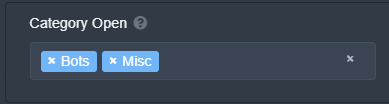 tribal cedar
Hmm
solid stream
So that means I can add the multi-panel option pretty easily now.
The buttons will be added in the same order you put them on the dashboard.
solid stream
yup
tribal cedar
Wicked cool. I mean idk if there's many ppl with as many panels in my mp but everytime I had to send the cmd I would lose a patch of hair
rough moth
I have 6 panels in one
tribal cedar
Should have just kept the order somewhere earlier
rough moth
For one of mine
tribal cedar
2 with 9 each
tribal cedar

 obsidian agate
any reason the docs is just a blank page? also some of my servers arent showing even after relogging
tribal cedar
Its been mentioned. I believe dev teams looking into it now though. Can we help with anything?
obsidian agate
just not able to setup the bot due to nmy server not showing up - just created a test server to see if that one would and it didnt either even after inviting the bot
tribal cedar
You need to logout and log back in
humble sequoiaBOT
Don't see your server in the dashboard?
You will possibly need to relog. Look below to see steps on how to relog.
How to relog the Dashboard.
First, you will need to go to the dashboard. Once your there, click on your avatar on the top right. after you clicked it, you will see button that says Logout. You must click that. Once you have logged out, you can log back in.
Note:
You need one of these 3 things to access the dashboard.
1. Server Owner (Level: 6)
2. Server Administrator (Level: 4)
3. Dashboard Role (Level: 2)
You can check your level using $level on your Discord Server
obsidian agate
i have 3 times
craggy geyser
Were you properlly logging out or just refreshing the page?
obsidian agate
tried both
craggy geyser
Refreshing won't work. Relogging will. What does $level say in your server?
obsidian agate
nothing - bot has all perms
craggy geyser
What is your sever id?
 rough merlin
Здравствуйте
vale laurel
Do I need to stay in this server to receive the updates from #📣│bot-news
rough moth
vale laurel
Do I need to stay in this server to receive the updates from <#57110449848398646...
If u follow the channel I don’t think so
vale laurel
Final answer? 🤣
rough moth
U don’t need to if u follow the channel
But why would u wanna leave, this server is superior ;)
rough moth
rough moth
U don’t need to if u follow the channel
But yeah I follow a channel in a server I’m not in and it works fine
vale laurel
I have some weird OCD that I have to read anything that people write in servers I stay on. 😅 lol
Plus I’m on the mod hub and it’s quieter ☺️
rough moth
Haha I see
vale laurel
Thank you for your help 🧡
 muted verge
I have invited the bot to my server but don't seem to be able to set it up. How do I do this?
 forest goblet
@muted verge
- It is better to do this when turning your phone by 90 degrees, the website is not optimised for landscape format.
- A detailed setup guide can be found in #573205317870157855.
 coarse umbra
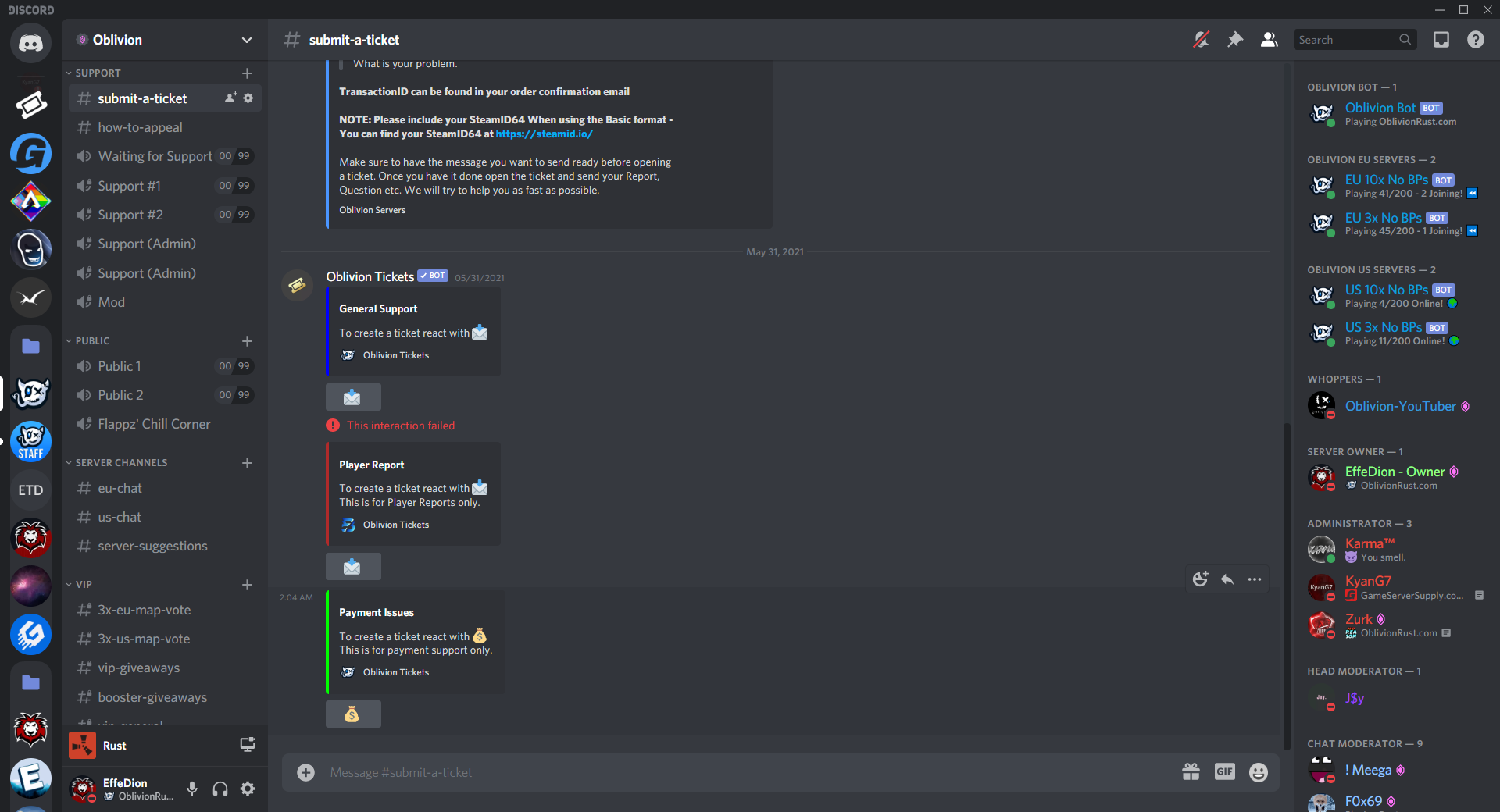 vale laurel
Can someone tell me why that’s not tagging right please?
 scenic plinth
coarse umbra
https://effedion.nl/img/I6a00mE.png
scenic plinth
coarse umbra
https://effedion.nl/img/I6a00mE.png
Buttons are no longer usable. It was recently removed last night I believe due to issues with the bot. Buttons will no longer function until it is re-enabled.
craggy geyser
vale laurel
Can someone tell me why that’s not tagging right please?
It might be down to the emojis. You can always use the role id instead
$idcommand
humble sequoiaBOT
How do I get the ID of Roles/Channels/Emojis?
Ticket Tool has a useful command that helps you get the ID of various things like channels, roles, emojis and your server.
Just use the command $id <#channel/@role/:emoji:>. Now copy everything, including the brackets <...>, to your dashboard (or wherever you want it)
If you want the server ID, just use $id.
scenic plinth
coarse umbra
resend the panels or?
Resending the panels can function with reactions. You can also use $panel {panelid} to resend them.
coarse umbra
sure


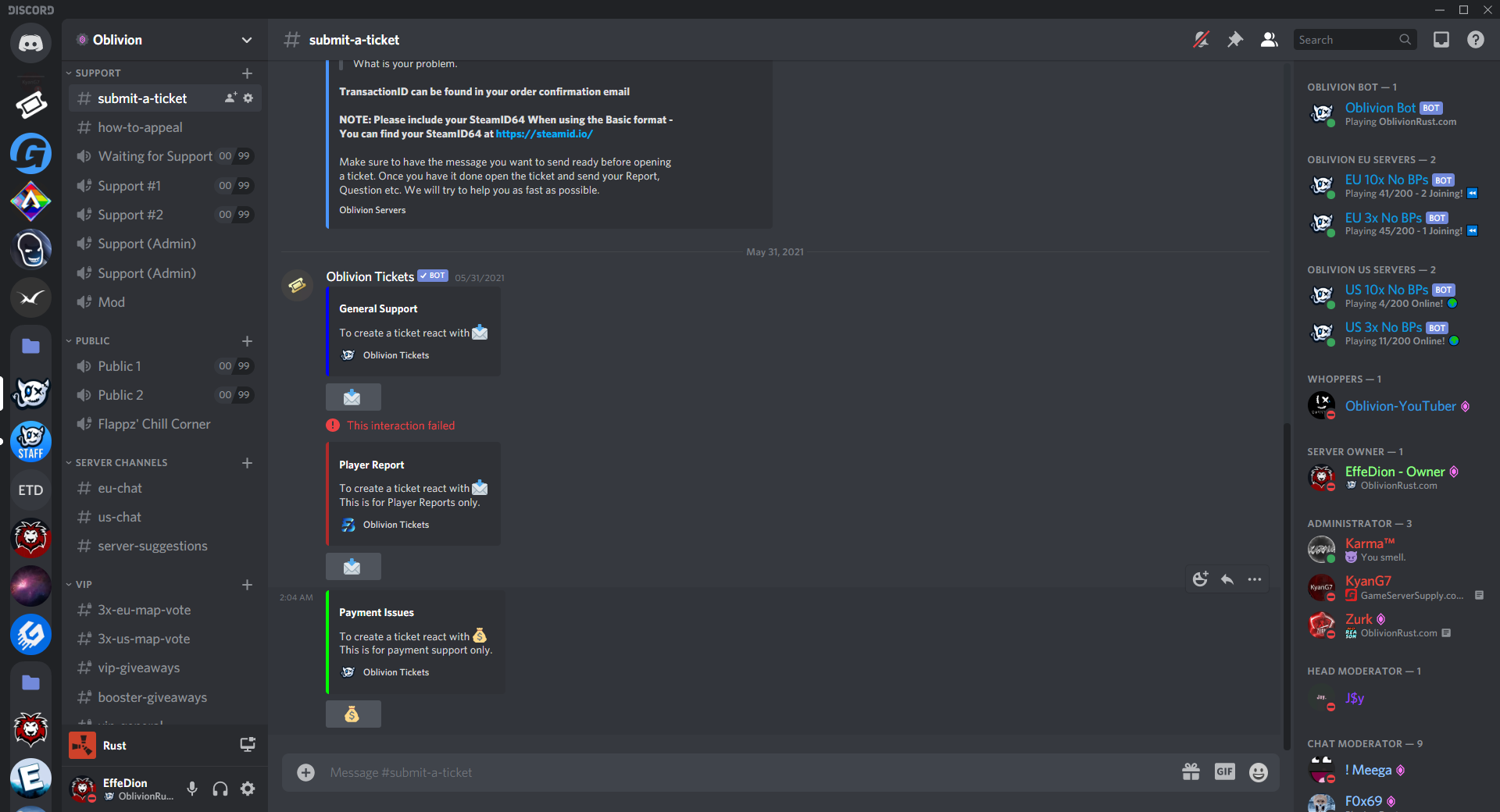 vale laurel
craggy geyser
It might be down to the emojis. You can always use the role id instead
vale laurel
craggy geyser
It might be down to the emojis. You can always use the role id instead
That worked thanks 🧡