#🆘│community-support
1 messages · Page 314 of 1
 rotund kite
 jade topaz
@rotund kite
but it does not make me change the emoji of the ticket I save it then I send it the panel and the initial emoji comes out
rotund kite
Changing the emoji for any reaction requires premium, if you don't have premium, that could be the reason why it doesn't work
jade topaz
rotund kite
Changing the emoji for any reaction requires premium, if you don't have premium,...
what a prize
rotund kite
jade topaz
what a prize
You can activate your 7 day free trial and test out all premium features, if you like them, you can pay monthly or annually.
 humble sequoiaBOT
Ticket Tool Premium
Get premium at https://tickettool.xyz/premium
Manage your subscriptions at https://tickettool.xyz/subscriptions
Why Premium?
Premium lets you customize the bot just how you want it. It also helps keep the bot running.
 Faster Premium Bot
Automatic Transcripts
Full Customization
Custom Reactions
Direct Messages
Ticket Automation
Multipanels
Premium Support
You can purchase premium here:
Price
$6 - Monthly
$66 - Yearly
 Premium
rotund kite
Premium
rotund kite
The first embed contains where to get it, second link contains the perks.
 north vector
But do I need to do something to allow people to vote “me”?
Or they just do the command, pings me and done
 atomic solstice
$vote
humble sequoiaBOT
Votes
Current Votes: 70
Lifetime Votes: 70
Linked Votes: 70
Vote Links
Linking Info
Linked User: 601783394334015498
You can give your future votes to another user by linking with that user.
To link use $vote link (@user or userId)
To unlink use $vote unlink
Redeeming
Each vote is worth 12 hours of premium and can be redeemed once you have atleast 6 votes.
Your current votes are worth 35 days, 0h, 0m
To redeem your current votes use $vote redeem
 abstract wigeon
You vote on the bot. Other people don’t vote on you.
atomic solstice
you can link votes
jade topaz
@rotund kite
but how you tag the roles in the ticket in the sense that the bot tags the role I don't like
jade topaz
jade topaz
<@462486774183362560>
but how you tag the roles in the ticket in the sense that...
@atomic solstice
jade topaz
atomic solstice
You want the roles to appear in the embed?
Yes
atomic solstice
$help ping
humble sequoiaBOT
How to make Ticket Tool ping a role
To make ticket tool ping a role when a ticket is opened, go to the Dashboard -> Panel Configs -> Settings -> Ticket Options -> Ticket Message -> Message Text and do this:
{@Role name} This is case sensitive and the role must have @mentions enabled
 atomic solstice
or you can also use the <@RoleID>
jade topaz
Role id?
atomic solstice
yes, ID of the role that you want to ping, you can either just write the {@ROLENAME} in the message text or the <@&ROLEID>
both will ping
if you want to find the role ID then use the $id command
$idcommand
humble sequoiaBOT
How do I get the ID of Roles/Channels/Emojis?
Ticket Tool has a useful command that helps you get the ID of various things like channels, roles, emojis and your server.
Just use the command $id <#channel/@role/:emoji:>. Now copy everything, including the brackets <...>, to your dashboard (or wherever you want it)
If you want the server ID, just use $id.
jade topaz
@atomic solstice
do I have to put the emoji that contains the role too?
atomic solstice
if you use the {@ROLENAME} then yes
just copy and paste it from the role settings
jade topaz
atomic solstice
just copy and paste it from the role settings
if i want to put the id of the role how do i do?
atomic solstice
$idcommand
humble sequoiaBOT
How do I get the ID of Roles/Channels/Emojis?
Ticket Tool has a useful command that helps you get the ID of various things like channels, roles, emojis and your server.
Just use the command $id <#channel/@role/:emoji:>. Now copy everything, including the brackets <...>, to your dashboard (or wherever you want it)
If you want the server ID, just use $id.
atomic solstice
do $id @role and it will give you the <@&Number>
copy the whole thing with the <@&> as well
nd just paste it there
atomic solstice
$help ping
humble sequoiaBOT
How to make Ticket Tool ping a role
To make ticket tool ping a role when a ticket is opened, go to the Dashboard -> Panel Configs -> Settings -> Ticket Options -> Ticket Message -> Message Text and do this:
{@Role name} This is case sensitive and the role must have @mentions enabled
atomic solstice
in the Message Text part of the ticket
jade topaz
Ok
 inland mirage
add to bot panel tab server info count all tickets create in server
I do not know where to give suggestions, I am inserting here It's nice if it would be possible, for example, to connect the number of tickets to the channel with statistics. Unless it is from the premium option, I would return honor: D
 humble sequoiaBOT
Suggestions for Ticket Tool
Suggestions for the bot have been moved to our Ticket Tool Community Server.
See Suggestions in #824021828704010315
Make a Suggestion
Use ^suggest <suggestion> in #825359982534721546
atomic solstice
@inland mirage here is how you can suggest ^^
inland mirage
atomic solstice
<@377395238471467008> here is how you can suggest ^^
o thx 😄
 iron nightBOT
Gave 1 Rep to Satisfy (current: #4 - 56)
atomic solstice
no problem
inland mirage
atomic solstice
no problem
cmd channel or here?
jade topaz
atomic solstice
in the Message Text part of the ticket
Tnk
Very very good @atomic solstice
inland mirage
^suggest Web Panel add tab server info count all tickets create in server. I do not know where to give suggestions, I am inserting here It's nice if it would be possible, for example, to connect the number of tickets to the channel with statistics. Unless it is from the premium option, I would return honor: D
rotund kite
Please do that in the community server, thanks 🙂
atomic solstice
inland mirage
^suggest Web Panel add tab server info count all tickets create in server. I do ...
Suggestions are in the community server
rotund kite
humble sequoia
Tap on the hyperlink in this embed to join^^
inland mirage
atomic solstice
Suggestions are in the community server
aa ok joined
jade topaz
There's a issue with saving transcripts.

 craggy geyser
Does ticket tool have permissions to send messages in the channel that you have set for saving transcripts?
jade topaz
Let me check, wait
jade topaz
craggy geyser
Does ticket tool have permissions to send messages in the channel that you have ...
Thank you, it's fixed! 🙂
iron nightBOT
Gave 1 Rep to Swiftgale (current: #9 - 28)
craggy geyser
No worries
 upbeat stag
hello so i used the {@Support} in the panel config messages
so it pings the role right but when it does i dont really get pinged neither the other staff
what am i doing wrong?
craggy geyser
Do the staff have the support role? And does Ticket Tool have permissions to ping everyone/here?
 sharp ingot
how do I change a ticket name?
 median wigeon
Using the command $rename
sharp ingot
can it not go automatically?
craggy geyser
With premium you can set the name to be different
iron nightBOT
Gave 1 Rep to Swiftgale (current: #9 - 29)
 plush lantern
Tickets closed for if I want to apply for partner?
 wicked scroll
plush lantern
Tickets closed for if I want to apply for partner?
wicked scroll
plush lantern
Tickets closed for if I want to apply for partner?
Yup, look here: #📣│server-news message

 proper hatch
Uh the bot isn't adding people in tickets

shows this, but no change in ticket perms
 dull yarrow
proper hatch
Uh the bot isn't adding people in tickets
dull yarrow
proper hatch
Uh the bot isn't adding people in tickets
what is the command for this?
proper hatch
$add <user_id>
 marble spruce
Can i give admins permission to bypass this, or allow them to type/create tickets only?(a specific role)?

 sharp forum
Hello Im having issues with ticket bot is not reading for me to set up
atomic solstice
marble spruce
Can i give admins permission to bypass this, or allow them to type/create ticket...
you have to select one channel, it is done like this in case you want to use multiple panels with the new command so you can open a different panel from a different channel. Because if you have them all in the same channel then it will only open the first one all the time
atomic solstice
sharp forum
Hello Im having issues with ticket bot is not reading for me to set up
you mean that you cannot see your server in the dashboard?
sharp forum
yes its not showing
humble sequoiaBOT
Don't see your server in the dashboard?
You will possibly need to relog. Look below to see steps on how to relog.
How to relog the Dashboard.
First, you will need to go to the dashboard. Once your there, click on your avatar on the top right. after you clicked it, you will see button that says Logout. You must click that. Once you have logged out, you can log back in.
Note:
You need one of these 3 things to access the dashboard.
1. Server Owner (Level: 6)
2. Server Administrator (Level: 4)
3. Dashboard Role (Level: 2)
You can check your level using $level on your Discord Server
atomic solstice
sharp forum
yes its not showing
please try to log out and log back in, that will reload the servers
marble spruce
atomic solstice
you have to select one channel, it is done like this in case you want to use mul...
i can create a second channel monitor though that and make it visible only to admins right?
atomic solstice
you can if you want only the admins to create tickets with the command
 long blaze
I have a huge problem, nobody in my server can make tickets, cause someone is constantly removing the 📩 reaction underneath the message. This prevents people from making tickets... Is there any way I could fix this?
thanks in advance
sharp forum
its not showing up here but its on the server with all roles and permissions
 sharp forum
humble sequoia
sharp forum
humble sequoia
 atomic solstice
sharp forum
its not showing up here but its on the server with all roles and permissions
atomic solstice
sharp forum
its not showing up here but its on the server with all roles and permissions
you are logged in with the wrong discord account
atomic solstice
long blaze
I have a huge problem, nobody in my server can make tickets, cause someone is co...
Its not someone removing the reaction, its a discord bug
humble sequoiaBOT
Reaction disappeared
This problem is not directly related to Ticket Tool.
That's a known Discord bug. Unfortunately, all you can do is be patient while they are trying to fix the issue.
_ _
_ _
Temporary Solution
You can resend the panel by going to your dashboard or using the command $panel ID
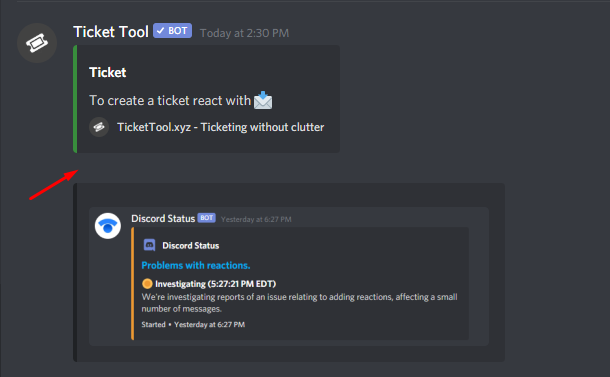 atomic solstice
the only fix for now is to resend the panel
long blaze
atomic solstice
Its not someone removing the reaction, its a discord bug
oof, I though I was getting trolled
long blaze
atomic solstice
the only fix for now is to resend the panel
yh, I do, every hour
and it keeps on getting deleted
...
 grand ledge
Good morning, I added the bot to my discord, but it doesn't appear, would you know why?
atomic solstice
long blaze
and it keeps on getting deleted
yeah, discord is "fixing" it. they already said that they somewhat fixed it but they just made it even worse
long blaze
wow... discord
atomic solstice
grand ledge
Good morning, I added the bot to my discord, but it doesn't appear, would you kn...
try to log out and log back in to the dashboard, that will reload the servers

 atomic solstice
check the member menu in the settings and search for it there, make sure it has a role which makes it appear in the channels you want
 atomic solstice
no problem
marble spruce
weird question: why is now all of a sudden the Premium bot having a status with tickettool.xyz?
jade topaz
Hey
Is there anyway to change the ticket tool name just in that Chanel so I can have different names?
I have premium btw
atomic solstice
you can give the bot a nickname and the bot will appear like that in your server
jade topaz
But can it have multiple nicknames in different channels
atomic solstice
that is impossible on discord, bots or users cannot have a different name per channel
atomic solstice
no problem
jade topaz
Thank @atomic solstice
iron nightBOT
Gave 1 Rep to Satisfy (current: #4 - 57)
 lusty ember
help please how can i install the bot on my server
humble sequoiaBOT
atomic solstice
lusty ember
help please how can i install the bot on my server
please follow this ^^
 undone hazel
help please
 scenic plinth
Stating the problem gets you help faster.
undone hazel
i can't open a ticket
scenic plinth
Are there any reactions below the panel?
undone hazel
no
humble sequoiaBOT
Reaction disappeared
This problem is not directly related to Ticket Tool.
That's a known Discord bug. Unfortunately, all you can do is be patient while they are trying to fix the issue.
_ _
_ _
Temporary Solution
You can resend the panel by going to your dashboard or using the command $panel ID
atomic solstice
the server where you want to open a ticket is that your server?
undone hazel
no
atomic solstice
then if there is no reaction you just have to inform the staff in that server that you cannot open a ticket because of the Discord bug which removes reactions
humble sequoiaBOT
How do I save transcript to a channel?
To save transcripts to a channel go to the Dashboard -> Panel Configs -> Settings -> Logging Options -> Transcript Channel
 iron nightBOT
Gave 1 Rep to Satisfy (current: #4 - 58)
 night sleet
nice
atomic solstice
no problem
night sleet
@atomic solstice i selected the channel do it automatically save it to channel when i say $transcript
atomic solstice
yes when you type $transcript then it should save it to that channel
night sleet
ok i will try

it did not save it at channel
i have bot perms to talk in that channel
atomic solstice
make sure that the bot has View Channel & Send Messages in that channel
night sleet
ok
yes it have
i will try to send the panel again
it works now thank you
thanks @atomic solstice
iron nightBOT
@night sleet :: You can't rep Satisfy#4339 for 43 minutes. Try coming back later?
 jolly briar
found a fix
 quick rock
how do I add someone to a ticket $add doesn't work
craggy geyser
quick rock
how do I add someone to a ticket $add doesn't work
Should work. If it doesn't you can manually add them with permissions (which is all the command does anyway)
quick rock
craggy geyser
Should work. If it doesn't you can manually add them with permissions (which is ...
literally none of the commands work for me
humble sequoiaBOT
If the bot is not working properly, try the following steps:
-
Run the $debug command in your server, to check the permissions of the bot. Send the link you get to us.
-
Check if you have any Blacklisted Roles in your Server Configs. Any roles listed there will not be able to use the bot / create tickets.
-
While you're in your Server Configs , make sure that you don't have the premium bot enabled, without actually having premium or the bot on the server.
These are the most common issues. If your problem still exists, you can go to our Troubleshooting Page for more fixes.
If Ticket Tool support requested this debug give them this link:
https://discordapp.com/channels/509192800865353738/662692902245498910/842424387792928788
Bot Permissions ឵ ឵឵ ឵ ឵឵ ឵ ឵឵ ឵ ឵឵
✅ - Read Channels
✅ - Send Messages
✅ - Embed Links
✅ - Attach Files
✅ - Add Reactions
✅ - Manage Roles
✅ - Manage Channels
✅ - Manage Messages
✅ - Read History
Channel Permissions ឵ ឵឵ ឵ ឵឵ ឵ ឵឵ ឵ ឵឵
✅ - Read Channels
✅ - Send Messages
✅ - Embed Links
✅ - Attach Files
✅ - Add Reactions
✅ - Manage Roles
✅ - Manage Channels
✅ - Manage Messages
✅ - Read History
Server Information ឵ ឵឵ ឵ ឵឵ ឵ ឵឵ ឵ ឵឵ ឵ ឵឵
Channel name:
community-support
Channel ID:
776680605517742090
Channel Count:
119/500
Server name:
Ticket Tool Support
Server ID:
509192800865353738
User Information ឵ ឵឵ ឵ ឵឵ ឵ ឵឵ ឵ ឵឵ ឵ ឵឵
User name:
lunaria#0001
User ID:
552952453750849623
Permission Level:
0 - User ()
Bot Information ឵ ឵឵ ឵ ឵឵ ឵ ឵឵ ឵ ឵឵ ឵ ឵឵
Prefix:
$
Premium Status:
Lifetime - ["subV2","subV1","time"]
Current shard:
1
API Latency:
79
craggy geyser
I saw the message before it saw it as a command. If no commands work then the next question is, do you see ticket tool on the online options?
And if so, check that ticket tool has send messages permission
quick rock
craggy geyser
I saw the message before it saw it as a command. If no commands work then the ne...
yeah the bot is online and tickets get created in our server etc
everything works
and it does have perms
craggy geyser
Tickets work but commands don't?
quick rock
ye
 upper flower
Hehehe
quick rock
I'm doing this in the ticket
 craggy geyser
Ooo, Dev has gon blurple
craggy geyser
quick rock
I'm doing this in the ticket
Do the reactions to close work?
quick rock
craggy geyser
Do the reactions to close work?
yes
craggy geyser
Im not sure then
A support team member should see this soon and might have come across this before
quick rock
I hope so
 sudden nexus
there is any arabican support ?
craggy geyser
There is arabican support team. But not sure if they are online atm
upper flower
<@&711729027018129486>
sudden nexus
upper flower
<@&711729027018129486>
thanks 🙂
iron nightBOT
Gave 1 Rep to Developerツ (current: #14 - 24)
sudden nexus
😕 ,
abstract wigeon
Can’t we just use @robust sandal
upper flower
Kk
 clear pebble
I have noticed that some bots do not have this error (for example astro).
craggy geyser
I don't know stro so can't comment on that
clear pebble

Astro - Temporary Voice Channels Discord Bot
Astro is the most unique and complete bot for Temporary Voice Channels! It has handy and unique features and it focuses exclusively on Voice Channels!
craggy geyser
clear pebble
https://astro-bot.space/
Looking at that, it doesn't really use reactions apart from the help interface thing, and the issue is only affecting reactions (and even then, not every time)
craggy geyser
 versed chasm
Hi
versed chasm
Hi
Have you got an issue?
jade topaz
The emoticon in the message has been removed.
What should I do...
median wigeon
jade topaz
The emoticon in the message has been removed.
What should I do...
Send again the panel
but there is a reaction problem with discord at the moment
craggy geyser
jade topaz
The emoticon in the message has been removed.
What should I do...
Discord issue. A fix is apparently being worked on
jade topaz
oh + Le français est difficile
versed chasm
@gloomy jacinth tu parle français?
 gloomy jacinth
Oui
gloomy jacinth
Ils sont désactivés pour le moment
jade topaz
@versed chasmhttps://tickettool.xyz/
 gloomy jacinth
car discord rencontre des soucis avec les réactions
versed chasm
Non mais sur mon serv
gloomy jacinth
$help setup
humble sequoiaBOT
Setting up Ticket Tool
Visit the docs for setup info
General Setup
versed chasm
Je les fait mais je trouve pas
 rough moth
$vote
humble sequoiaBOT
Votes
Current Votes: 35
Lifetime Votes: 35
Linked Votes: 0
Vote Links
Linking Info
Linked User: Not Linked
You can give your future votes to another user by linking with that user.
To link use $vote link (@user or userId)
To unlink use $vote unlink
Redeeming
Each vote is worth 12 hours of premium and can be redeemed once you have atleast 6 votes.
Your current votes are worth 17 days, 12h, 0m
To redeem your current votes use $vote redeem
rough moth
Why is #💬│general-chat locked
craggy geyser
It has moved to a community server (ticket tool lounge linked there)
rough moth
humble sequoia
Is this a flex or no?
 mystic hound
No, there's people with hundreds
upper flower
😂
 swift sequoia
My server doesen t show up in the site :(
humble sequoiaBOT
Don't see your server in the dashboard?
You will possibly need to relog. Look below to see steps on how to relog.
How to relog the Dashboard.
First, you will need to go to the dashboard. Once your there, click on your avatar on the top right. after you clicked it, you will see button that says Logout. You must click that. Once you have logged out, you can log back in.
Note:
You need one of these 3 things to access the dashboard.
1. Server Owner (Level: 6)
2. Server Administrator (Level: 4)
3. Dashboard Role (Level: 2)
You can check your level using $level on your Discord Server
 jade hull
how to add user to ticket?
 safe prairie
$add ID
jade hull
ty
 deft sequoia
hello 🙂 In a server I am in they are using ticket tool, on their ticket embed they have 3 available ticket options (shown in attached image below) how do I do this myself?

They have ticket tool premium, and so do I.
humble sequoiaBOT
Multipanels are a premium feature  that allow for a single panel with multiple reactions to open different tickets.
How to create a Multipanel
Premium users can combine multiple panels into one multipanel.
First of all you will need to assign a different Create Ticket Reaction for each Panel. Run $help reaction to learn how to do it.
Next, find the IDs of each panel you wish to combine. You can find them in your Panel Configs in the Dashboard
Next, send the multipanel to a channel using $panel [id1] [id2] {id3} ....
e.g. $panel 1 2 4 17 35 to combine panels 1, 2, 4, 17 and 35.
Up to 20 panels may be combined.
 mystic hound
@deft sequoia
jade topaz
hi guys
i have an issue with this new discord update
there's no blue envelope unless i type it but then it removes it?
 misty matrix
Hey, i just bought your service for a whole year for the price $66, but i have issue finding where to get my redeemed code to activate my subscription on my server
humble sequoiaBOT
Reaction disappeared
This problem is not directly related to Ticket Tool.
That's a known Discord bug. Unfortunately, all you can do is be patient while they are trying to fix the issue.
_ _
_ _
Temporary Solution
You can resend the panel by going to your dashboard or using the command $panel ID
abstract wigeon
jade topaz
there's no blue envelope unless i type it but then it removes it?
^^
jade topaz
oh so resending the panel works?
abstract wigeon
Yup, that should fix your issue.
iron nightBOT
Gave 1 Rep to Daniel Harrison (current: #10 - 28)
abstract wigeon
Anytime, hope it works out for you.
humble sequoiaBOT
Ticket Tool Premium
Get premium at https://tickettool.xyz/premium
Manage your subscriptions at https://tickettool.xyz/subscriptions
Why Premium?
Premium lets you customize the bot just how you want it. It also helps keep the bot running.
How to redeem premium
To redeem your premium key, go to the dashboard, select your server, then click "Redeem Premium" under the server's icon and name.

Redeeming premium
Redeeming premium on your server is really simple. Just head over to your Subscriptions Page. There you can select a server of your choice, which will get premium. You can change the server at any point.
 misty matrix
Thank you! @abstract wigeon
iron nightBOT
Gave 1 Rep to Daniel Harrison (current: #9 - 29)
abstract wigeon
misty matrix
Hey, i just bought your service for a whole year for the price $66, but i have i...
Welcome to the Premium gang! Read through the information show above, that should help you out.
No problem at all. Glad I could help.
humble sequoiaBOT

How to get premium role
Until the automatic premium check is fixed run the command $debug on your server and send us the link in a ticket.
abstract wigeon
@misty matrix Also, follow the instructions show above to receive the premium role in the server. You get faster support.
mystic hound
he left btw
abstract wigeon
Oop
upper flower
rip
abstract wigeon
Yeah 😔
 grizzled wharf
hi :D for some reason the bot has removed the ticket emote so people aren't able to create a ticket, i've been reacting to see if that fixes the problem to no avail
humble sequoiaBOT
Reaction disappeared
This problem is not directly related to Ticket Tool.
That's a known Discord bug. Unfortunately, all you can do is be patient while they are trying to fix the issue.
_ _
_ _
Temporary Solution
You can resend the panel by going to your dashboard or using the command $panel ID
scenic plinth
@grizzled wharf It's a problem with discord, if this keeps happening the best way you can try to get this working for ticket creation is using commands such as $new
grizzled wharf
appreciate the help! will look into that & wait until discord fixes it if not :)
 dreamy juniper
Boa tarde
 fallow ingot
dreamy juniper
Boa tarde
fallow ingot
dreamy juniper
Boa tarde
Language?
jade topaz
Hello
@mystic hound how can I report a scam. Someone is using it to help run their scam
mystic hound
G'day @jade topaz is this report related to the @pseudo glen bot?
mystic hound
I'll move you into a ticket now and we can have a look at the issue
humble sequoiaBOT
-- moved to ticket --
 warped hull
My ticket tool bot is very slow and not closing tickets for like 5-10 seconds... been a recurring issue for a whole now.
 covert frost
So how do I edit in the dashboard who can see the tickets I dont see it?
@gloomy jacinth
mystic hound
@covert frost please don't ping the support team, see below for instructions
$help support
humble sequoiaBOT
How to let support team see into a ticket
About support roles
A support role lets your support team see into tickets with out having to add them manually to each and every ticket.
You can add as many support roles as you like per panel.
NOTE that the way discord works all admins can see into tickets regardless of this.
How to set a support role
To set a Support role go to the Dashboard -> Panel Configs -> Settings -> General Options -> Support Team Roles.

NOTE that the support role will not be able to see into tickets that are already created..
covert frost
mystic hound
<@!398924374553526272> please don't ping the support team, see below for instru...
thanks my bad
iron nightBOT
Gave 1 Rep to Light (current: #3 - 65)
 versed hill
 brittle canopy
$vote
humble sequoiaBOT
Votes
Current Votes: 3
Lifetime Votes: 58
Linked Votes: 58
Vote Links
Linking Info
Linked User: 414262796222595073
You can give your future votes to another user by linking with that user.
To link use $vote link (@user or userId)
To unlink use $vote unlink
Redeeming
Each vote is worth 12 hours of premium and can be redeemed once you have atleast 6 votes.
Your current votes are worth 1 day, 12h, 0m
To redeem your current votes use $vote redeem
brittle canopy
$vote
humble sequoiaBOT
Votes
Current Votes: 6
Lifetime Votes: 61
Linked Votes: 61
Vote Links
Linking Info
Linked User: 414262796222595073
You can give your future votes to another user by linking with that user.
To link use $vote link (@user or userId)
To unlink use $vote unlink
Redeeming
Each vote is worth 12 hours of premium and can be redeemed once you have atleast 6 votes.
Your current votes are worth 3 days, 0h, 0m
To redeem your current votes use $vote redeem
 prime bridgeBOT
CLAPZZZ🤫🔥 has been silenced for 10m 

 Reason: Posting Discord Server Invites
CLAPZZZ🤫🔥#3812 | 793445585612308490
safe prairie
Hello @scarlet loom,
please don't spam in our support channel.
How can I help you?
 crystal lichen
How do I get the bot to DM someone after a ticket was closed with a custom message
 lusty walrus

Uploaded at 5/13/2021, 10:36:16 PM by etan
crystal lichen
lusty walrus
https://lol.nooneasked.club/HxlTwN68
I have that on but when I refresh my page it shuts off
lusty walrus
you need premium
crystal lichen
lusty walrus
you need premium
I have it
lusty walrus
@scarlet loom what do u need help with
 scarlet loom
it wont work
When i go to tickittool it dose not show my server.
umm
why you not saying anything?
jade topaz
what can I do when the Bot left the server?
humble sequoiaBOT
Don't see your server in the dashboard?
You will possibly need to relog. Look below to see steps on how to relog.
How to relog the Dashboard.
First, you will need to go to the dashboard. Once your there, click on your avatar on the top right. after you clicked it, you will see button that says Logout. You must click that. Once you have logged out, you can log back in.
Note:
You need one of these 3 things to access the dashboard.
1. Server Owner (Level: 6)
2. Server Administrator (Level: 4)
3. Dashboard Role (Level: 2)
You can check your level using $level on your Discord Server
mystic hound
@scarlet loom ^
iron nightBOT
Gave 1 Rep to Light (current: #3 - 66)
jade topaz
@mystic hound the bot is not in the server anymore, what can I do ?
humble sequoiaBOT
Ticket Tool Invite & Support
jade topaz
$invite
humble sequoiaBOT
Ticket Tool Invite & Support
jade topaz
he is not coming, you mean the discord authorization page right ?
mystic hound
Yeah third link
jade topaz
yea, he dont want to come 😦
mystic hound
What's the error message?
jade topaz
i see nowhere a error message
in server info he is telling me that the bot is there but he isnt
now he appeared, strange
mystic hound
Probably didn't have permissions to view channels
jade topaz
now he is away again 😕
mystic hound
The bot doesn't automatically leave servers so it's either being kicked or losing perms to see channels, check your logs
jade topaz
where I see logs
mystic hound
You would probably have some bot making logs..if not select audit logs under server settings
 remote kettle
I renewed my Premium subscription that ended because I had no money in my PayPal yet it's saying I still have the free version
 mystic hound
You have to apply it to your server, see below
humble sequoiaBOT
Redeeming premium
Redeeming premium on your server is really simple. Just head over to your Subscriptions Page. There you can select a server of your choice, which will get premium. You can change the server at any point.
jade topaz
@mystic hound Is there a description what Permissions the bot need to avoid leaving the server ?
 vast hound
yo
im having this issue where the reactions for the different types of tickets are being removed/disappearing.
At first i thought it was just discord being weird
then i thought it was a member of staff
now im wondering if it is the bot itself
reference image
 remote kettle
mystic hound
You have to apply it to your server, see below
remote kettle
mystic hound
You have to apply it to your server, see below
I don't get that even though I bought it. Look below

Proof I bought below

 solid stream
 candid sandal
the reaction vanishing?
candid sandal
the reaction vanishing?
We're waiting on discord
Alot of people have reported it and we hope it's fixed in the next few days..
jade topaz
how would I get the tickets to mention a team member?
upper flower
$help ping
humble sequoiaBOT
How to make Ticket Tool ping a role
To make ticket tool ping a role when a ticket is opened, go to the Dashboard -> Panel Configs -> Settings -> Ticket Options -> Ticket Message -> Message Text and do this:
{@Role name} This is case sensitive and the role must have @mentions enabled
upper flower
remote kettle
Proof I bought below
Still not working?
remote kettle
upper flower
Still not working?
Yeah, still not
upper flower
Press the manage subscription button
remote kettle
 remote kettle
It says 448808900540497951 yet my Discord is 811954477983989800
upper flower
Okay so edit that
Make sure the discord account info is correct. If not, update it. Then once updated, reload page
solid stream
remote kettle
It says 448808900540497951 yet my Discord is 811954477983989800
This discord account is 837543765429583873 -> @remote kettle
That's your id
remote kettle
I thought it was talking about my server ID
remote kettle
solid stream
This discord account is 837543765429583873 -> <@!837543765429583873>
Thanks G
iron nightBOT
Gave 1 Rep to BattleEye (current: #15 - 23)
 solid stream
remote kettle
Testing now
solid stream
remote kettle
Testing now
so the subscription is now linked to your account
and select your server
scenic plinth
$pc
humble sequoiaBOT
How to get premium role
Until the automatic premium check is fixed run the command $debug on your server and send us the link in a ticket.
jade topaz
is there a way to bypass the 5 second timer?
upper flower
y!pc @remote kettle
iron nightBOT
Thank you!
Thank you for purchasing Ticket Tool Premium @remote kettle. You have now been given the <@&535595160189403136> role!
remote kettle
Is there any way I could add an image to the embed text?
I've tried just adding the link to this but it only showed the link, not the img

 late sedge
Hey any way to make the ticket tool channel only show for people when they have no rank? Im using it for application and It to only show for fresh people before they fill in their application and get accepted or denied.
solid stream
What seems to be the issue?
 zinc vessel
anyone know how to create a ticket with multiple reaction ?
solid stream
$panel
humble sequoiaBOT
Send panel
How to send a panel?
To send a panel use the command $panel <id>
How do I find the ID?
The ID is located on the dashboard just before your panels name.
How to combine panels? (premium only)
Add multiple ID's $panel <id1> <id2> <id..>
The first ID will have its message and reaction sent while the others will have only reactions sent.
You can combine up to 20 panels (Reactions will be slowly added)
You have video tutorial ?
zinc vessel
$help reaction
humble sequoiaBOT
How to change reactions
To set a custom reaction Dashboard -> Panel Configs -> Settings -> Reaction Options -> <Reaction to change> -> Reaction

NOTE you need premium to do this.
jade topaz
Still haven't solved the problem?
 eager cargo
What problem?
jade topaz
Delete emoji
eager cargo
We don't have control over it, resending the panel fixes the issue temporarily.
As you see in #🎫│make-a-ticket it works sometimes.
If it doesn't open a ticket / you can't see the reactions on the message, you can add the reaction to the panel yourself.
jade topaz
Oh what's the way to add it?
eager cargo
 jade topaz
ok
 potent prairie
is ticket tool down?
im not sure if i broke something. if i press on emoji nothing happens. i have premium bot
upper flower
does it respond to $ping
potent prairie
no
potent prairie
its back up!
upper flower
Great!
potent prairie
thanks ❤️
 languid token
how do i get premium role if i have ticket bot premium?
humble sequoiaBOT
How to get premium role
Until the automatic premium check is fixed run the command $debug on your server and send us the link in a ticket.
eager cargo
^
languid token
okay ty
eager cargo
My pleasure
marble spruce
Do I need both bots in my server if I am using @humble sequoia?
eager cargo
No
 gloomy bay
ticekt tool isnt responding to claim commands
it deletes it
but doesnt send the thing msg
same with $unclaim
i have premium
debug command ^^
scenic plinth
Is your command enabled? You can check this via the "command configs" in the dashboard.


 scenic plinth
Are you trying to claim your own ticket?
Also please ensure that other users aren't seeing it, the red text is indicating to me it is soemthing with your device.
gloomy bay
no thats a discord thing i enabled allows me to see deleted messages
eager cargo
scenic plinth
Are you trying to claim your own ticket?
@gloomy bay
humble sequoiaBOT
If Ticket Tool support requested this debug give them this link:
https://discordapp.com/channels/509192800865353738/662692902245498910/842637273190105088
Bot Permissions ឵ ឵឵ ឵ ឵឵ ឵ ឵឵ ឵ ឵឵
✅ - Read Channels
✅ - Send Messages
✅ - Embed Links
✅ - Attach Files
✅ - Add Reactions
✅ - Manage Roles
✅ - Manage Channels
✅ - Manage Messages
✅ - Read History
Channel Permissions ឵ ឵឵ ឵ ឵឵ ឵ ឵឵ ឵ ឵឵
✅ - Read Channels
✅ - Send Messages
✅ - Embed Links
✅ - Attach Files
✅ - Add Reactions
✅ - Manage Roles
✅ - Manage Channels
✅ - Manage Messages
✅ - Read History
Server Information ឵ ឵឵ ឵ ឵឵ ឵ ឵឵ ឵ ឵឵ ឵ ឵឵
Channel name:
community-support
Channel ID:
776680605517742090
Channel Count:
127/500
Server name:
Ticket Tool Support
Server ID:
509192800865353738
User Information ឵ ឵឵ ឵ ឵឵ ឵ ឵឵ ឵ ឵឵ ឵ ឵឵
User name:
N𝔾𝟟𝟟_N𝕚𝕕𝕒𝕝#7651
User ID:
812609889515077663
Permission Level:
0 - User ()
Bot Information ឵ ឵឵ ឵ ឵឵ ឵ ឵឵ ឵ ឵឵ ឵ ឵឵
Prefix:
$
Premium Status:
Lifetime - ["subV2","subV1","time"]
Current shard:
1
API Latency:
85
gloomy bay
eager cargo
<@!629835281142382623>
yes i realised
 dull flicker
How to add more reactions by ticket tool
 forest goblet
@dull flicker Do you mean this?
humble sequoiaBOT
Multipanels are a premium feature that allow for a single panel with multiple reactions to open different tickets.
How to create a Multipanel
Premium users can combine multiple panels into one multipanel.
First of all you will need to assign a different Create Ticket Reaction for each Panel. Run $help reaction to learn how to do it.
Next, find the IDs of each panel you wish to combine. You can find them in your Panel Configs in the Dashboard
Next, send the multipanel to a channel using $panel [id1] [id2] {id3} ....
e.g. $panel 1 2 4 17 35 to combine panels 1, 2, 4, 17 and 35.
Up to 20 panels may be combined.
mystic hound
We don't exaclty ban people for plugins like betterDiscord..you can email discord trust n safety.
And if you want you can make a report ticket #🎫│make-a-ticket
prime bridgeBOT
chunhat#6146 has been muted temporarily for 11m
chunhat#6146 | 475822802436358156
 vocal kiln
Hey guys, just added the ticket bot to our server. And we are wondering if saving logs is a premium feature? Is there no way we can get logs of tickets in a separate chat or on the website without premium??
 unkempt lion
Hello, I added the bot to my discord server, everything is good so far, but I only don't know one thing. How do I make it so its gonna ping some roles when the ticket is being created?
 sand smelt
unkempt lion
Hello, I added the bot to my discord server, everything is good so far, but I on...
sand smelt
unkempt lion
Hello, I added the bot to my discord server, everything is good so far, but I on...
{@role}
unkempt lion
sand smelt
{@role}
where do I do it?
sand smelt
unkempt lion
where do I do it?
In the ticket message on the dashboard
Also update ur cord, its changed a lot 😂
unkempt lion
oh, okay, thanks
sand smelt
@unkempt lion ^^
craggy geyser
vocal kiln
Hey guys, just added the ticket bot to our server. And we are wondering if savin...
$help transcript
humble sequoiaBOT
How do I save transcript to a channel?
To save transcripts to a channel go to the Dashboard -> Panel Configs -> Settings -> Logging Options -> Transcript Channel
craggy geyser
Not a premium feature
vocal kiln
Thx ill check it out :D
craggy geyser
No worries. One thing to make sure is that ticket tool has view and send messages perms in the transcript channel or you will get errors saving transcripts
vocal kiln
It looks like it worked 
craggy geyser
Great!
 fallen sparrow
Can anyone help me ? Me lagged room. I dont manually remove it

 delicate lake
Hello guys, is it possible to make separated admin tickets and moderator tickets ?
humble sequoiaBOT
How to let support team see into a ticket
About support roles
A support role lets your support team see into tickets with out having to add them manually to each and every ticket.
You can add as many support roles as you like per panel.
NOTE that the way discord works all admins can see into tickets regardless of this.
How to set a support role
To set a Support role go to the Dashboard -> Panel Configs -> Settings -> General Options -> Support Team Roles.
NOTE that the support role will not be able to see into tickets that are already created..
atomic solstice
delicate lake
Hello guys, is it possible to make separated admin tickets and moderator tickets...
just in one panel add the moderators to the support roles and to the other one add admins
iron nightBOT
Gave 1 Rep to Satisfy (current: #4 - 60)
atomic solstice
no problem
delicate lake
atomic solstice
no problem
btw, is it possible to save tickets ?
atomic solstice
Yes you can save transcripts by using the save transcript emoji after a ticket is closed or by typing $transcript in the ticket
$help transcript
humble sequoiaBOT
How do I save transcript to a channel?
To save transcripts to a channel go to the Dashboard -> Panel Configs -> Settings -> Logging Options -> Transcript Channel
atomic solstice
here you set the channel where they save to
delicate lake
oh noice
because we want to change yag ticket system to this tool
because people don't understand it 
atomic solstice

rough moth
Can u set up role rewards for people who vote using your link?
 ancient glen
How to change the name of the conversation
rough moth
Do $rename
ancient glen
Do $rename
 sinful ridge
.
 mossy fulcrum
.
 cinder geyser
how can i create a channel so that all of my tickets once there closed save there
scenic plinth
$help transcript
humble sequoiaBOT
How do I save transcript to a channel?
To save transcripts to a channel go to the Dashboard -> Panel Configs -> Settings -> Logging Options -> Transcript Channel
-- moved to ticket --
clear pebble
Why aren't there any logs in my logs channel?
craggy geyser
Does ticket tool have permission to view the log channel? And if yes, does it have permission to send messages?
 clear pebble
Ill check later
craggy geyser
If it was deleted you can't get it back
If you have transcripts on then you can see what was said but you can't remake it. If the ticket was only closed then it can be opened again
clear pebble
Why does the server interface looks something like this?
 craggy geyser
It is a known bug when you change a server name. Relogging (not refreshing) fixes it
clear pebble
ok thx
 sour jetty
bruh
my server not showing up on the list, reloaded like 10 times lmao
also look at this shit:

if u dont see the problem
well my server name is just TopNotchTrading not TopNotchTradingTopNotchTradingTopNotchTradingTopNotchTrading etc lmaoooo
craggy geyser
sour jetty
my server not showing up on the list, reloaded like 10 times lmao
Don't reload. Relog. Log out and back in again
Will also fix that visual bug
sour jetty
craggy geyser
Don't reload. Relog. Log out and back in again
Got it thanks Mr. Swiftgale
iron nightBOT
Gave 1 Rep to Swiftgale (current: #9 - 30)
iron nightBOT
@sour jetty :: You can't rep Swiftgale#4167 for 59 minutes and 9 seconds. Try coming back later?
craggy geyser
You're welcome
 lusty lance
Are there any plans to make a Liftetime one time purchase of ticket tool ?
craggy geyser
It used to exist but has been stopped. There are currently no plans to bring it back
lusty lance
ah okay i would really like to do a 1 time purchase 🙂
craggy geyser
(or at least no public plans)
 naive peak
Hey I really need help about this bot
I have the ticket bot in my server but somehow one ticket won't close
I even tried deleting the ticket channel completely but still it won't work
I can't even see what is written in the channel
what am I supposed to do now
 trim pagoda
I cant access the bot's dashboard, it doesnt show up under "Manage servers"
mystic hound
lusty lance
ah okay i would really like to do a 1 time purchase 🙂
you could buy for like 10 years 
mystic hound
trim pagoda
I cant access the bot's dashboard, it doesnt show up under "Manage servers"
see below for instructions
humble sequoiaBOT
Don't see your server in the dashboard?
You will possibly need to relog. Look below to see steps on how to relog.
How to relog the Dashboard.
First, you will need to go to the dashboard. Once your there, click on your avatar on the top right. after you clicked it, you will see button that says Logout. You must click that. Once you have logged out, you can log back in.
Note:
You need one of these 3 things to access the dashboard.
1. Server Owner (Level: 6)
2. Server Administrator (Level: 4)
3. Dashboard Role (Level: 2)
You can check your level using $level on your Discord Server
trim pagoda
ty
mystic hound
naive peak
I have the ticket bot in my server but somehow one ticket won't close
I even tri...
naive peak
mystic hound
<#571706435449257997>
already did
naive peak
mystic hound
so its resolved now?
no respond yet
 toxic imp
hi i need help the ticket bot cant post when is has all the right perms
mystic hound
you can type $debug to check perms
trim pagoda
What is the perm level command used for? It says im lvl 0
mystic hound
Its used to see your permission level ofc
lusty lance
mystic hound
you could buy for like 10 years <a:CH_CuteGirlShrug:793858293944418315>
how ?
trim pagoda
mystic hound
Its used to see your permission level ofc
What perm level do i need to manage it
mystic hound
lusty lance
how ?
Do you want to make a purchase for 10 years?
mystic hound
trim pagoda
What perm level do i need to manage it
2, 4 or 6 (dashboard role, admin, owner)
trim pagoda
mystic hound
2, 4 or 6 (dashboard role, admin, owner)
dashboard role?
humble sequoiaBOT
Dashboard Roles
Any role you put there will have full access to the ticket tool dashboard. The server owner and users with admin permissions already have access to the dashboard.
Be careful of which roles to put here
 lusty lance
i'm owner of the server
mystic hound
I was talking to the other guy, if you want to make a long-term premium purchase, open a billing ticket from #🎫│make-a-ticket and they'll advise you
lusty lance
mystic hound
I was talking to the other guy, if you want to make a long-term premium purchase...
oke made a ticket thanks 🙂
iron nightBOT
Gave 1 Rep to Light (current: #3 - 68)
 cursive jewel
Hey I'm trying to set up support tickets on my server where the bot creates tickets in a private category (so not everyone can see every ticket), but even when a ticket is created, the server member who requested the ticket cannot see the ticket channel. Does anyone know how to fix this?
atomic solstice
$help perms
humble sequoiaBOT
How to set the permissions for tickets
To set a change permissions go to the Dashboard -> Panel Configs -> Settings -> Permission Options
 atomic solstice
cursive jewel
Hey I'm trying to set up support tickets on my server where the bot creates tick...
atomic solstice
cursive jewel
Hey I'm trying to set up support tickets on my server where the bot creates tick...
make sure that the user opened permissions have the Read messages on 
cursive jewel
atomic solstice
make sure that the user opened permissions have the Read messages on <:greenTick...
yep, I've got that
 atomic solstice
are you using an alt to test this or are you using the view as role feature?
cursive jewel
atomic solstice
are you using an alt to test this or are you using the view as role feature?
I'm using the view as role feature
atomic solstice
That won't work
humble sequoiaBOT
Using the View as Role feature.
The View as Role discord feature will not work for testing ticket tool. Ticket Tool opens permissions with user permissions & not role permissions.
atomic solstice
here is an explanation ^^
cursive jewel
Thank you, I'll try it out with an alternate account then.
atomic solstice
No problem
 storm minnow
Is there anyway to transcript specific messages if you didn’t realize you went over 1000 before using $transcript?
atomic solstice
no, transcript just saves the last mesages from the chat, there is no way to set specifit ones
eager cargo
Go ahead and react with 🇩🇪 in #🎫│make-a-ticket for German support.
Alrighty, wait patiently for a member of the deutscher speaking Support Team to take your ticket.
 fading mauve
Are reactions still bugged or has discord fixed it?
mystic hound
fading mauve
Are reactions still bugged or has discord fixed it?
still bugged now n then ):
scenic plinth
 amber owl
<@!437728240388276224>
amber owl
<@!437728240388276224>
Please don't ping staff, as well as please check audit logs to make sure there isn't a bot kicking it.
amber owl
ok sorry
 willow shard
Hi , I'm not sure what I'm doing wrong but whenever someone creates a ticket everyone can see it
scenic plinth
$kv
humble sequoiaBOT
**How to turn off Keep Visible**
**About Keep Visible**
"Keep Visible" will disable any permission changes to the @everyone role, allowing everyone to see into tickets.
**How to disable/enable it**
Head over to your Dashboard -> Panel Configs -> Settings --> General Options -> Keep Visible

NOTE that @everyone can type aswell if it has permissions to send messages
scenic plinth
Try that :)
scenic plinth
Your welcome, have a nice day :)
willow shard
You too :)
brittle canopy
$vote
humble sequoiaBOT
Votes
Current Votes: 6
Lifetime Votes: 61
Linked Votes: 61
Vote Links
Linking Info
Linked User: 414262796222595073
You can give your future votes to another user by linking with that user.
To link use $vote link (@user or userId)
To unlink use $vote unlink
Redeeming
Each vote is worth 12 hours of premium and can be redeemed once you have atleast 6 votes.
Your current votes are worth 3 days, 0h, 0m
To redeem your current votes use $vote redeem
brittle canopy
$vote
humble sequoiaBOT
Votes
Current Votes: 10
Lifetime Votes: 65
Linked Votes: 65
Vote Links
Linking Info
Linked User: 414262796222595073
You can give your future votes to another user by linking with that user.
To link use $vote link (@user or userId)
To unlink use $vote unlink
Redeeming
Each vote is worth 12 hours of premium and can be redeemed once you have atleast 6 votes.
Your current votes are worth 5 days, 0h, 0m
To redeem your current votes use $vote redeem
jade topaz
How do I deny members from being able to close tickets?
abstract wigeon
Make it support team only
humble sequoiaBOT
How to change reactions
To set a custom reaction Dashboard -> Panel Configs -> Settings -> Reaction Options -> <Reaction to change> -> Reaction
NOTE you need premium to do this.
abstract wigeon
jade topaz
How do I deny members from being able to close tickets?
Toggle  Support Team Only
 novel dagger
Is there way to designate panels in such a way that only one ticket can be opened per panel type? Im using ticket tool as a staff roster of sorts where each staff member has their own panel with an associated bio. But I'd like to make so members can only open one staff ticket at a time. So if they open a ticket with staff member A, they cant also open a ticket with staff member B.
abstract wigeon
Yes there is.
humble sequoiaBOT
How to set a ticket limit
A ticket limit may be set per panel to prevent users from spamming tickets. By default this limit is set to 3. Once a user hits this limit the bot will notify the users that they reached the limit.
To set a ticket limit go to the Dashboard -> Panel Configs -> Settings -> General Options -> Ticket Limit
 abstract wigeon
novel dagger
Is there way to designate panels in such a way that only one ticket can be opene...
abstract wigeon
novel dagger
Is there way to designate panels in such a way that only one ticket can be opene...
Follow the instructions shown above 👆
novel dagger
Thanks! Appreciate it.
abstract wigeon
Anytime, have a good one!!
 eager cargo
Give Ticket Tool Permissions to manage channels and manage messages in the category
 ashen turret
Panel's open-ticket reaction disappears randomly. Not for just few clients, but everyone can see it's gone. I re-sent the panel message and it seemed to be fixed but it suddenly gone again
humble sequoiaBOT
Reaction disappeared
This problem is not directly related to Ticket Tool.
That's a known Discord bug. Unfortunately, all you can do is be patient while they are trying to fix the issue.
_ _
_ _
Temporary Solution
You can resend the panel by going to your dashboard or using the command $panel ID
eager cargo
^
ashen turret
Oh god alright
 vocal sinew
why i can't open ticket
ashen turret
How can I get premium subscriber role?
humble sequoiaBOT
How to get premium role
Until the automatic premium check is fixed run the command $debug on your server and send us the link in a ticket.
ashen turret
nice
abstract wigeon
ashen turret
How can I get premium subscriber role?
Follow the instructions shown above 👆
 shut trellis
How would I remove a panel that I've already sent to a channel, can't seem to work it out
eager cargo
Delete the panel message
shut trellis
Ah I think it's a server setting that only the owner of the discord can delete?
eager cargo
Then if you want to delete the entire panel, press settings and then Delete Panel. It'll be a big red button.
shut trellis
yep gotcha, thanks
eager cargo
shut trellis
Ah I think it's a server setting that only the owner of the discord can delete?
You have to have the Manage Messages permission.
eager cargo
shut trellis
yep gotcha, thanks
My pleasure
 heady knoll
Is there any way to give those who make a ticket permissions to post links in the ticket
without use of roles
mystic hound
$help perms
humble sequoiaBOT
How to set the permissions for tickets
To set a change permissions go to the Dashboard -> Panel Configs -> Settings -> Permission Options
 thin flame
how to setup ticket tool?
safe prairie
$help setup
humble sequoiaBOT
Setting up Ticket Tool
Visit the docs for setup info
General Setup
safe prairie
thin flame
how to setup ticket tool?

 heavy leaf
qui et français et qui travaile la car j'ai un probléme
 cinder jasper
Hey, I'm trying to set this up but whenever I press the reaction no channel is created
heavy leaf
a ok
humble sequoiaBOT
Don't Just Say "Hello" in Chat.
abstract wigeon
How may I assist you? @jade topaz
 unique galleon
heyy, how do you make ticket logs?
humble sequoiaBOT
How do I save transcript to a channel?
To save transcripts to a channel go to the Dashboard -> Panel Configs -> Settings -> Logging Options -> Transcript Channel
abstract wigeon
Follow the instructions shown above 👆
unique galleon
okk thank youuu
abstract wigeon
My pleasure, have a nice one.
Don’t just say help. Describe your issue.
What do you need assistance with?
Ideas?
I don’t really understand your issue, is there any other language you speak?
We have a bot we can use to translate messages.
Do you speak any other language?
Which?
Which language?
What language to you speak?
I speak English 🇺🇸
Which language do you speak?
Okay
/ru What do you need assistance with?
 robust sandalBOT
С чем вам нужна помощь?
 English (en) → Russian (ru)
abstract wigeon
English (en) → Russian (ru)
abstract wigeon
/ru You can explain your issue in Russian and I will translate.
robust sandalBOT
Вы можете объяснить свой вопрос на русском языке, и я переведу.
English (en) → Russian (ru)
 Mr_Miksmok1
How to suck a ticket
Russian (ru) → English (en)
humble sequoiaBOT
abstract wigeon
/ru Follow the instructions show above 👆 to learn how you setup the bot and how you setup a ticket panel.
robust sandalBOT
Следуйте инструкциям, которые показывают 👆, чтобы узнать, как настроить бота и как настроить билетную панель.
English (en) → Russian (ru)
 wanton mural
ur website good ?
 devout musk
Its normal if i have to wait 10-15sec to close tickets on my dc?(Premium version)
 frigid epoch
Hello! I have a question, is it possible to make it so that when creating a ticket, it is created in a certain category?
devout musk
yup u can do it
soo u have to go:
Panel configs---->settings ur ticket--->go to Category Options---->select Category Open and Closed
@frigid epoch
frigid epoch
THANKS!
devout musk
your welcome
 fluid bolt
how to live restore i have video proof

 lilac girder
lol nice
 slender minnow
gg
wanton mural
solid stream
its a ddos lmao somone ddosed you
slender minnow
thats bcz tt is the best and popular
 shy trout
It is indeed the best
wanton mural
solid stream
I know lol
cloud flare is not the best anyways
solid stream
Once I got it setup correctly we've stopped having any issues.
 deft coral
is there any complete list of variables for ticketing?
mystic hound
$variables
humble sequoiaBOT
Note: Remove The $ From The Variables
Supported Variables
{$server_name} -The server name
{$@Role Name} -The role name you want to mention (role names are case sensitive.)
{$empty} -Use this if you want to send nothing in a required field.
{$channel_name} -The channel name this message is used in/from
{$channel} -The channel this message is used in/from
{$user_nickname} -The users nickname (if set)
{$user_tag} -The users tag
{$user_name} -The users username
{$userfull} -The users username and usertag combined
{$user} -The users @user
{$user_icon} -The url for the users icon
{$ticket_limit} -The current ticket limit
{$panel_name} -The panels name
{$ticket_name} -The tickets name
{$ticket_category} -The category tickets are created in (if set)
{$count}The current count for tickets
{$ticket_channel} -The #channel for the ticket you created
{$ticket_user} -The @user who is assigned to the Ticket
{$ticket_user_nickname} -The nickname of the user who is assigned to the Ticket (if set)
{$ticket_user_tag} -The tag of the user who is assigned to the Ticket
{$ticket_user_name} -The username of the user who is assigned to the Ticket
Note: Remove The $ From The Variables
mystic hound
@deft coral
deft coral
I see
but it seems that isn't the complete
there's a {panel_name} that's hidden unless I saw it in the default
 slender minnow
Did you set the bot correctly?
cinder jasper
I believe so. Even when I make a new panel without touching it
it still wont load tickets
I guess I'll try change categories hold on
slender minnow
Make sure the role you want to allow open ticket isnt in the disabled roles section


 hoary topaz
how do i change where the channel is created?
like i dont want it appearing at the top
 vale elk
wdym?
hoary topaz
so
when someone presses the reaction to open a ticket
the channel is created at the top on the left
how do i keep the channel in the same category
vale elk
Like where you want the ticket to appear?
hoary topaz
yes
hoary topaz
thats finee
jade topaz
How to invite premium bot to server I have 7 day trial
vale elk
hoary topaz
thats finee
Alright
do you have the ticket command board up?
no Ibby
did you need help with something?
what is it?
the dashboard for it?
tickettool.xyz
that's it
hoary topaz
yes i do
vale elk
hoary topaz
yes i do
alright give me a sec
go to panel configs
or do you not have the dashboard open?
give me a photo real quick
that would help me understand
yes please
oh go to manage server
servers*
then press manage whatever server you want to
?
oh lol
mhm
iron nightBOT
Gave 1 Rep to Hikari (current: #40 - 1)
vale elk
Aw thanks (:
hoary topaz
help lol
vale elk
hoary topaz
yes i do
Alright, you said you had the dashboard open right?
hoary topaz
yhh
vale elk
ok
go to panel configs
don't log out
there is a way to place the ticket where you want it
hoary topaz
ive already got the panel in
vale elk
alright create a panel or configure the one you just made
hoary topaz
okay
hoary topaz
wait
vale elk
then pick where you want the ticket to open
hoary topaz
wheres it say that
 vale elk
great, go to category options
 vale elk
you can pick the same one or a different one for when it closes
hoary topaz
okay thats fine
vale elk
tell me if it worked
hoary topaz
it worked
vale elk
great
hoary topaz
thanks @vale elk
iron nightBOT
Gave 1 Rep to Hikari (current: #31 - 2)
vale elk
ty, have a great day
 crystal condor
hi! my tickets keep auto deleting after closing... do you know how i can disable it? i think i clicked too many different buttons and messed up my settings
vale elk
crystal condor
hi! my tickets keep auto deleting after closing... do you know how i can disable...
That's supposed to happen.
craggy geyser
It is a setting
crystal condor
ah i don't want it to autodelete, i'd like to go to the closed ticket category
vale elk
Do you hit the lock and then it deletes?
craggy geyser
Two step ticket should be turned off
crystal condor
yeah lock, the checkmark and then it says closed, and autodelete in 5 sec
craggy geyser
No. On sorry
vale elk
crystal condor
yeah lock, the checkmark and then it says closed, and autodelete in 5 sec
It's supposed to happen. When you press the lock that's closing it.
 crystal condor
oh so closing is the same as deleting?
vale elk
Mhm.
craggy geyser
If you have two step ticket on it is different
vale elk
You could always add a two step ticket.
crystal condor
i thought they were different like closing meant that no more messages could be sent
ah okay let me check settings
vale elk
I prefer two step just incase I misclick.
craggy geyser
Two step ticket will close it and then a new reaction to delete. And unless it has been changed since I set things up, is also the default
vale elk
Anytime.
 slim lava
Hola buenas el @pseudo glen que meti a mi server no me sale en configuraciones para configurarlo xd
vale elk
slim lava
Hola buenas el <@!557628352828014614> que meti a mi server no me sale en config...
¿Qué quieres decir?
eager cargo
/spanish User left the server
robust sandalBOT
El usuario dejó el servidor
English (en) → Spanish (es)
 lofty sky
I need help because when I try to make a ticket, everything works fine but when a member in my server reacts to it, it dosen't work
scenic plinth
Is the reaction not there?
lofty sky
scenic plinth
Is the reaction not there?
like when they react, the reaction disappears
scenic plinth
Oh
humble sequoiaBOT
Reaction disappeared
This problem is not directly related to Ticket Tool.
That's a known Discord bug. Unfortunately, all you can do is be patient while they are trying to fix the issue.
_ _
_ _
Temporary Solution
You can resend the panel by going to your dashboard or using the command $panel ID
scenic plinth
Discord apparently hasn't fixed that issue yet, you can try the above.
If it happens when you have tickets open (Ex Close Ticket Reaction) resort to using $close
scenic plinth
Yes, discord has been having that issue for a few days now.
Unless ticket tool doesn't have permissions to add reactions that is the issue, nothing to do with ticket tool that they can fix.
lofty sky
ok
 sharp aurora
Heyy, how can I disable the tickets?
I mean, I want to keep the panel message displayed but even if they react nothing happens.
humble sequoiaBOT
Blacklist Roles
Any role you assign as a blacklisted role won't be able to use commands or reactions.
Selecting a blacklisted role
Go to your Dashboard -> Server Configs. There you will find the option to select blacklisted roles.
Note: Don't forget to save.
 humble sequoiaBOT
How to change reactions
To set a custom reaction Dashboard -> Panel Configs -> Settings -> Reaction Options -> <Reaction to change> -> Reaction
NOTE you need premium to do this.
eager cargo
My pleasure
 thorny storm
Spricht Hier wer deutsch
 small plaza
When I create a ticket, everyone on the server can see it, and I only want the mods and the user that opened the ticket to see it
how do i fix that
rotund kite
$kv
humble sequoiaBOT
**How to turn off Keep Visible**
**About Keep Visible**
"Keep Visible" will disable any permission changes to the @everyone role, allowing everyone to see into tickets.
**How to disable/enable it**
Head over to your Dashboard -> Panel Configs -> Settings --> General Options -> Keep Visible
NOTE that @everyone can type aswell if it has permissions to send messages
rotund kite
 , turn keep visible off if it isn't.
small plaza
alright thank you
rotund kite
Also, make sure that @everyone isn't in support team roles.
 solar edge
Hello, can you tell me why my server does not appear on the Ticket tool page to configure it?
zinc vessel
$help
humble sequoiaBOT
Help Options
$help commands - Information on commands
$help setup - Information on bot setup
$help faq - Frequently asked questions
zinc vessel
$help setup
humble sequoiaBOT
Setting up Ticket Tool
Visit the docs for setup info
General Setup
solar edge
@fleet lantern Can you help me with my problem, I'm in a hurry !! ||Sorry for the ping ||
Help!!!!!
abstract wigeon
solar edge
<@!211173785087377408> Can you help me with my problem, I'm in a hurry !! ||Sorr...
Pleas don’t ping the Support Team. What can I assist you with?
solar edge
solar edge
Hello, can you tell me why my server does not appear on the Ticket tool page to ...
Ok Sorry. 👆🏻
humble sequoiaBOT
Don't see your server in the dashboard?
You will possibly need to relog. Look below to see steps on how to relog.
How to relog the Dashboard.
First, you will need to go to the dashboard. Once your there, click on your avatar on the top right. after you clicked it, you will see button that says Logout. You must click that. Once you have logged out, you can log back in.
Note:
You need one of these 3 things to access the dashboard.
1. Server Owner (Level: 6)
2. Server Administrator (Level: 4)
3. Dashboard Role (Level: 2)
You can check your level using $level on your Discord Server
abstract wigeon
solar edge
Ok Sorry. 👆🏻
Follow the instructions shown above 👆
And don’t just refresh the page, log out and log back in.
jade topaz
How do I get my premium key?
humble sequoiaBOT
How to redeem premium
To redeem your premium key, go to the dashboard, select your server, then click "Redeem Premium" under the server's icon and name.
solar edge
abstract wigeon
Follow the instructions shown above 👆
Okay
humble sequoiaBOT
Redeeming premium
Redeeming premium on your server is really simple. Just head over to your Subscriptions Page. There you can select a server of your choice, which will get premium. You can change the server at any point.
abstract wigeon
jade topaz
How do I get my premium key?
Follow the instructions shown above 👆
jade topaz
Thanks
abstract wigeon
My pleasure, have a nice one
 plucky ledge
yall should really change this- it's misleading
 abstract wigeon
Which part of the message is misleading?
plucky ledge
it saying that you can transcript the last 1000- rather than saying that free users can transcript 200 and premium can do more so etc.
it doesn't specify, is the problem
abstract wigeon
It’s not a premium feature, you should be able to use that.
eager cargo
Free bot = 200 messages Premium bot = 500 messsages
plucky ledge
yeah.
eager cargo
Unless it was up'd to 1000
plucky ledge
yall should probably uh, fix that, and specify for folks to know, rather than being like oh cool i can archive 1000 (: wait why is it only archiving 200
abstract wigeon
What? When did the free bot have 200 messages?
eager cargo
Feel free to make a suggestion in our community server
humble sequoiaBOT
Suggestions for Ticket Tool
Suggestions for the bot have been moved to our Ticket Tool Community Server.
See Suggestions in #824021828704010315
Make a Suggestion
Use ^suggest <suggestion> in #825359982534721546
eager cargo
Kythrix^
 narrow sequoia
🇹🇷🇹🇷🇹🇷🇹🇷🇹🇷
humble sequoiaBOT
You're in the wrong place
We provide support for @pseudo glen discord bot and cannot help you with whatever issue you have.
Please make sure to contact the appropriate support team.
This Ticket is being deleted in 5 minutes.
_ _
scenic plinth
It should archive the last 1000. Discord has limits, it is why when @tepid island purges messages, it can only purge 1000 and save 1000.
plucky ledge
i'd love it if i would, but i ran the command a couple of times, and nope, only 200
i'll go to the other server and submit a ticket, but yeah
abstract wigeon
Yeah, I though the bot archived the last 1000 messages.
eager cargo
scenic plinth
It should archive the last 1000. Discord has limits, it is why when <@3569502750...
Haven't tested it in a while
solar edge
@abstract wigeon Thank you very much crack, it served me
iron nightBOT
Gave 1 Rep to Daniel Harrison (current: #9 - 30)
eager cargo
scenic plinth
It should archive the last 1000. Discord has limits, it is why when <@3569502750...
It was dropped to 500 to comply with limits
solar edge
Hello again 😅
You can remind me in which part I selected the category where I want to be opened
humble sequoiaBOT
How to set the open category
To set a open category go to the Dashboard -> Panel Configs -> Settings -> Category Options -> Category Open
 abstract wigeon
solar edge
Hello again 😅
You can remind me in which part I selected the category where I...
abstract wigeon
solar edge
Hello again 😅
You can remind me in which part I selected the category where I...
Follow the instructions shown above ⬆️
solar edge
abstract wigeon
Follow the instructions shown above ⬆️
Thank Much
abstract wigeon
My pleasure, have a good one
solar edge
Hello again. Because I get it like this, I put the variable of {panel_name}


Comes out double

eager cargo
It comes out double because by default the panel name is the author name of the text
solar edge
eager cargo
It comes out double because by default the panel name is the author name of the ...
And how do I so that it does not come out in
 sturdy solstice
solar edge
sturdy solstice
solar edge
How'd you do that, how'd you get to the configuration and stuff or wtv?
humble sequoiaBOT
**Panel Message**
The panel message is where people react to make a ticket. To customize it head over to your Dashboard --> Panel Configs -> Settings -> Panel Options -> Edit Panel Message

 hushed palm
Can the bot add a role when creating a ticket?
eager cargo
No, apologies.
eager cargo
You can't warn people with Ticket Tool, you can set ticket limits though.
$help limit
humble sequoiaBOT
How to set a ticket limit
A ticket limit may be set per panel to prevent users from spamming tickets. By default this limit is set to 3. Once a user hits this limit the bot will notify the users that they reached the limit.
To set a ticket limit go to the Dashboard -> Panel Configs -> Settings -> General Options -> Ticket Limit
 abstract bridge
But when i close the ticket he can open another one ?! @eager cargo
eager cargo
Thats because once one is closed, his limit resets.
It stops people from opening multiple tickets at once on that panel.
 mighty plover
السلام عليكم
robust sandalBOT
mighty plover
السلام عليكم
 🅦🅞🅛🅕
🅦🅞🅛🅕
Peace be upon you
Arabic (ar) → English (en)
humble sequoiaBOT
فريق الدعم الفني العربي
عميلنا العزيز ان كنت تبحث عن مساعدة يرجى فتح تكت خاص بفريق الدعم الفني العربي
اذهب الى#🎫│make-a-ticket
ثم قم بلضغط على الايموجي الاتي (🇯🇴)
 eager cargo
You're trying to login to the documents
humble sequoiaBOT
eager cargo
Login there ^
 blazing shale
I can’t see my server in the home
humble sequoiaBOT
Don't see your server in the dashboard?
You will possibly need to relog. Look below to see steps on how to relog.
How to relog the Dashboard.
First, you will need to go to the dashboard. Once your there, click on your avatar on the top right. after you clicked it, you will see button that says Logout. You must click that. Once you have logged out, you can log back in.
Note:
You need one of these 3 things to access the dashboard.
1. Server Owner (Level: 6)
2. Server Administrator (Level: 4)
3. Dashboard Role (Level: 2)
You can check your level using $level on your Discord Server
scenic plinth
Try that please :)
gloomy bay
how do i make tags only work with a role
like a mod role
like the ones in here
$help support
humble sequoiaBOT
How to let support team see into a ticket
About support roles
A support role lets your support team see into tickets with out having to add them manually to each and every ticket.
You can add as many support roles as you like per panel.
NOTE that the way discord works all admins can see into tickets regardless of this.
How to set a support role
To set a Support role go to the Dashboard -> Panel Configs -> Settings -> General Options -> Support Team Roles.
NOTE that the support role will not be able to see into tickets that are already created..
gloomy bay
like that but for select roles
 woven verge
how do I change it that every ticket opens in a specific category
safe prairie
$help category
humble sequoiaBOT
How to set the open category
To set a open category go to the Dashboard -> Panel Configs -> Settings -> Category Options -> Category Open
safe prairie
@woven verge
woven verge
okay thanks
safe prairie

craggy geyser
gloomy bay
how do i make tags only work with a role
Currently you can't. You have a choice of only admin or everyone. There is a suggestion in the community server for this to be implemented. Feel free to upvote it
 pale pilot
That means the bot doesn't have access to the transcript channel that you chose on the dashboard. With the plain *transcript command you just save the transcript in the same channel @jade topaz
iron nightBOT
Gave 1 Rep to Simple (current: #5 - 60)
 sinful dew
is the website down rn?
 thorny ivy
the website went down? i don't speak english, sorry
 compact hedge
 humble sequoiaBOT
Help Options
$help commands - Information on commands
$help setup - Information on bot setup
$help faq - Frequently asked questions
pale pilot
Please be patient, the site will be back soon ^^
sinful dew
kk thanks
iron nightBOT
Gave 1 Rep to Simple (current: #4 - 61)
 dapper wing
Oh okay, so the sites down
I'm having issues I've disable/cancel my subscription for the monthly premium bot but it still sends me messages saying I'm paying for it. Very strange I hope I don't get charged
 last latch
Hello, Im working at a shop, members can make tickets but sellers cant. How to fix it?
pale pilot
@dapper wing did you subscribe before february 2020?
dapper wing
I just don't want to pay for it anymore
i subscribed about 8 months ago
so ya xD
it says i gotta pay tomorrow 17/5/21
dapper wing
pale pilot
<@!329423978781343747> did you subscribe before february 2020?
^^
as u can see
 pale pilot
Okay, please open a billing ticket #🎫│make-a-ticket
dapper wing
Done
 patent jacinth
Still being ddos'd? 😦
dapper wing
yup
 tribal blade
Hello! We had everything ready to switch from an arbitrary ticket system to TicketTool. All the configs. ready. Is there any way we can send the panel to the server using a command?
pale pilot
You can use the $panel command
tribal blade
I was gonna say that I have read about that. But I don't remember the name of the panel
Isn't there something like $panel list? We have only one panel btw
But it's name had 3 words If I remember well..
gloomy bay
$panel {id}
theres a id per panel
if you only have 1 it should be $panel 1 @tribal blade
tribal blade
gloomy bay
if you only have 1 it should be `$panel 1` <@!316840751126282240>
OMG, I've just tried it out and it worked. Thank you so much ❤️ I thought I had to write the panel name
iron nightBOT
Gave 1 Rep to Lonely Planet (current: #41 - 1)
gloomy bay
less go
last latch
last latch
Hello, Im working at a shop, members can make tickets but sellers cant. How to f...
?
 chrome ibex
Hello,
I have a slight problem. I can't seem to find the right permissions that block regular users from saving ticket transcripts and deleting the ticket. I would like it so only admins are the only ones that can save transcripts and delete them.
Many Thanks
tribal blade
last latch
?
I would check permissions & privileges on the different channels/roles and the bot config