#🆘│community-support
1 messages · Page 299 of 1
 slow jewel
 fallow ingot
Well there’s your answer. Have a great day.
slow jewel
@forest goblet Can It See Now?
fallow ingot
If you gave it administrator yes. I would double check tho.
fallow ingot
slow jewel
<@!765994339565699083> Now?
Try doing a command.
 forest goblet
Yes it should work now.
slow jewel
forest goblet
Yes it should work now.
Ok, It Doesn't Respond Me?
forest goblet
$help offline
 humble sequoiaBOT
How to fix Ticket Tool not responding
If ticket tool is not responding, please follow these troubleshooting steps:
Check Ticket Tool's permissions
Make sure that Ticket Tool can read and write in the channel you are attempting to run commands in. Run the command @Ticket Tool#4843 debug to see Ticket Tools list of permissions in that given channel.
Check Ticket Tool's prefix
Make sure you're using the correct prefix for Ticket Tool, Ticket Tools default prefix is $ Run the command @Ticket Tool#4843 debug to see Ticket Tools prefix for your server
Check if Ticket Tool is offline
If ticket tool is offline please contact Ticket Tool support with your server ID so we can fix it asap.
forest goblet
Try doing @Ticket Tool#6207 debug
slow jewel
Doesnt Work
slow jewel
forest goblet
Try doing `@Ticket Tool#6207 debug`
Nope..
forest goblet
You don't have premium. Kick the Premium bot and try @Ticket Tool#4843 debug
slow jewel
ok
slow jewel
forest goblet
You don't have premium. Kick the Premium bot and try `@Ticket Tool#4843 debug`
This Works
Still, Thanks..
forest goblet
Is your problem solved? It should have all permissions that it needs.
slow jewel
forest goblet
Is your problem solved? It should have all permissions that it needs.
It Does
But What About Premium?
forest goblet
You don't have premium.
slow jewel
Oh Ok
 jade topaz
Can anybody help with how i get ticket on my server cause i have the bot in my server but i dont know how to do like create a ticket for my fellow players in the server.. :/

 radiant moss
Can you run debug and send the link @earnest umbra in your server please

 radiant moss
y!pc @earnest umbra
 iron nightBOT
Thank you!
Thank you for purchasing Ticket Tool Premium @earnest umbra. You have now been given the <@&535595160189403136> role!
radiant moss
Uhhh hold on
forest goblet
The bot is not giving the role
radiant moss
Yea hm
forest goblet
y!pc @earnest umbra
iron nightBOT
Thank you!
Thank you for purchasing Ticket Tool Premium @earnest umbra. You have now been given the <@&535595160189403136> role!
forest goblet
Now it works
 earnest umbra
👍 Thanks
forest goblet
No problem
 tribal cedar
jade topaz
Can anybody help with how i get ticket on my server cause i have the bot in my s...
tribal cedar
jade topaz
Can anybody help with how i get ticket on my server cause i have the bot in my s...
Hey bud did you figure it out? I can't hop into your server but I can help you here
jade topaz
Okay
I will invite you to my server
@tribal cedar
Please dont scam me aight?
But i cant send u it
You need to friend me @tribal cedar
tribal cedar
I'm sorry I said I could not come to your server as I'm not staff here
But I can certainly answer questions
What exactly is the problem? You may want to take a look at the setup guide to start
$help setup
humble sequoiaBOT
Setting up Ticket Tool
Visit the docs for setup info
General Setup
tribal cedar
Theres also a gif on #573205317870157855 that shows you how to make a panel and how to send the panel to the channel of your choice
@jade topaz 
jade topaz
When I go to configure the bot I don’t see my server there
I’ve tried reloading
Can you delete all tickets at once?
What do you mean by that?
Like with one command
I like cock
@tribal cedar i have done it.
Delete all tickets
tribal cedar
Just $delete in each channel
tribal cedar
jade topaz
<@!297419611350106133> i have done it.
Great! So you've figured out how to work it then?
 torn kettle
So how do you set up this bot
tribal cedar
$help setup
humble sequoiaBOT
Setting up Ticket Tool
Visit the docs for setup info
General Setup
tribal cedar
Although I went through every option myself and clicked the '?' Next to each option
Itll tell you a bit about it. If you have specific questions you can ask them here @torn kettle
Also look into #573205317870157855 theres a couple gifs there
jade topaz
tribal cedar
Great! So you've figured out how to work it then?
Yes.
tribal cedar
Awesome gj!
torn kettle
Thanks
tribal cedar
torn kettle
Thanks
Anytime. Gl and remember theres tons of ppl here to help should you need it
jade topaz
hi
so i bought premium and set everything up but i dont know how to transfer the panel to my premium bot please someone help me out im stuck
 tribal cedar
Smh
 chrome perch
Okay so I am looking in panel config and i don't see how to config it to a category I read to go to settings in panel config but I don't see it? I need to get this set up asap

 umbral coveBOT
Ashley Shadowdust#8888 has been silenced for 10m 
Ashley Shadowdust#8888 | 758344926169399378
umbral coveBOT
You can't use this command!
 Only Moderators (Permit
2) and up can use this command!

 Your permit level is:
 1 (Regular Member)
chrome perch
I cant find the settings button at all I've looked all over (I'm on mobile) see
 scenic plinth
Are you on panel configs?
chrome perch
I am
 mental flume
is it possible to give the user a role automatically when they create a ticket
scenic plinth
chrome perch
I am
Alright, are you currently editing the panel?
If you go to edit the panel, you should see a screen like the one I'll show you. It should be the second option.
 scenic plinth
mental flume
is it possible to give the user a role automatically when they create a ticket
scenic plinth
mental flume
is it possible to give the user a role automatically when they create a ticket
Unfortunately not a current option

 spark niche
tickets arent being moved to designated category, worked before like a charm but stopped working
any idea why?
scenic plinth
chrome perch
You don't have a panel created then, or your not editing the said panel.
If you are on the same page I am, it should look like this.

Hit "settings" if there is one created, it will allow you to edit it.
scenic plinth
spark niche
tickets arent being moved to designated category, worked before like a charm but...
Does ticket tool have permissions to access the category still, and manage the channels on the role?
 formal horizon
how do i make my bot work?
spark niche
it works again, but yes nothing was off. I tried again with another channel and it worked
formal horizon
what do i say
scenic plinth
formal horizon
how do i make my bot work?
$help setup
humble sequoiaBOT
Setting up Ticket Tool
Visit the docs for setup info
General Setup
fallow ingot
formal horizon
what do i say
What are you trying to do SIr?
 glossy oxide
How do you edit the message that shows when you close a ticket? It asks if you want to delete, create transcript etc
I can't seem to edit that, or figure out where to
 austere coral
Can someone tell me why my server doesn't appears, when I make click on Manage Servers
please help
 eager cargo
Try re-logging into the dashboard 😄
austere coral
I already do that
eager cargo
Mmmm, do you have admin permissions in the server you want to manage?
and or dashboard role
eager cargo
Mk try re-logging one more time
If that doesn't work, I'm sure the wonderful TT support team will assist you
austere coral
I already open one
eager cargo
Alrighty. wait for the support team to respond 😄
austere coral
ok
eager cargo
Have a good one
fallow ingot
 zealous phoenix
i need help setting it up
zealous phoenix
i need help setting it up
$help setup
humble sequoiaBOT
Setting up Ticket Tool
Visit the docs for setup info
General Setup
fallow ingot
What else can i assist you with?
eager cargo
You want someone to setup panels n tickets for you?
fallow ingot
zealous phoenix
i want someone to set it up for me
Only members with admin perms can set up.
zealous phoenix
i can give u admin perms
zealous phoenix
eager cargo
You want someone to setup panels n tickets for you?
mhm in my server
fallow ingot
Why would you trust someone with that.
eager cargo
Kk, we can move to Dm's and you may invite to me your server and I'll setup said panels / tickets. Only if you are comfortable with it
zealous phoenix
eager cargo
Kk, we can move to Dm's and you may invite to me your server and I'll setup said...
pls dont mess anything up
eager cargo
Like I said, only if your comfortable with it. I will only stick to tickets, nothing else
glossy oxide
How do you edit the message that shows when you close a ticket? It asks if you want to delete, create transcript etc
I can't seem to edit that, or figure out where to
eager cargo
glossy oxide
How do you edit the message that shows when you close a ticket? It asks if you w...
Ooh thats easy!
eager cargo
Dashboard > Desired Server > Panel Configs > Desired Panel > Ticket Options > Edit Ticket Message


or...
humble sequoiaBOT
**Ticket Message**
The Ticket Message is the first message sent by the bot in a new ticket. To customize it head over to your Dashboard -> Panel Configs -> Settings -> Ticket Options -> Edit Ticket Message
 glossy oxide
Where is the part where you can edit the close message stuff? :)
eager cargo
Close message?
glossy oxide
The part that shows the emojis "Create Transcript" "Delete ticket" "reopen ticket"
eager cargo
It will say " Ticket closed by <users mention> "
glossy oxide
Not that part
eager cargo
Oh!
Dashboard > Desired Server > Panel Configs > Desired Panel > Moderator Options > Edit Closed Message
Please note that this is a premium feature.
 glossy oxide
Hmm that's not it either :C
austere coral
eager cargo
Dashboard > Desired Server > Panel Configs > Desired Panel > Moderator Options >...
I think @glossy oxide is asking for, the part were you can edit were says save transcript, close ETC...
eager cargo
Oooh, that one!
 fallow ingot
austere coral
I think <@!410276695317151746> is asking for, the part were you can edit were sa...
fallow ingot
austere coral
I think <@!410276695317151746> is asking for, the part were you can edit were sa...
That's premium.
glossy oxide
YES
eager cargo
fallow ingot
That's premium.
It's not.
glossy oxide
That one
austere coral
fallow ingot
That's premium.
I do it, isn't premium
fallow ingot
eager cargo
It's not.
Not that talking about the other thing
eager cargo
Ah.
fallow ingot
Lol.
eager cargo
glossy oxide
YES
Your welcome! Hope you have a good day! 😄
glossy oxide
Thank you! Where is that setting btw?
I don't see it on the list? Unless I am blind haha
eager cargo
glossy oxide
Thank you! Where is that setting btw?
Desired Panel Settings > Moderator Options > Edit Moderator Message
glossy oxide
AH
eager cargo
 glossy oxide
I appreciate you all! Thank you so much!
eager cargo
Np
 full stump
Necesito ayuda en Génesis porfavor
eager cargo
¡Oye! No hablo español, ¡pero algunos de los maravillosos miembros de apoyo de TT sí lo hacen! Anímate y abre una entrada en español en #🎫│make-a-ticket. ¡Que tengas un buen día!
full stump
i need help on the genesis map
fallow ingot
full stump
i need help on the genesis map
Is your problem/issue about Ticket tool?
austere coral
fallow ingot
Is your __problem/issue__ about Ticket tool?
yeah, it doesn't look, that is something about ticket tool
fallow ingot
austere coral
yeah, it doesn't look, that is something about ticket tool
That's why i am asking.
fallow ingot
full stump
i need help on the genesis map
This channel is strictly for Ticket tool Support if you have a issue then use #🎫│make-a-ticket
austere coral
fallow ingot
This channel is __strictly__ for __Ticket tool Support__ if you have a issue the...
but.... on #🎫│make-a-ticket you can only ask for help about ticket tool
scenic plinth
This server is strictly for ticket tool support, nobody here exactly offers support for anything else.
 slow needle
Hey
ik what u guys gonna say but i also gotta ask so
i created a transcript of a ticket, but as i erased the panel of that ticket, it didnt went to the transcript channel
now, that ticket were erased bust need the info there
there is anyway to get that transcript?
eager cargo
Make sure you've clicked save on your transcript channel setting
slow needle
nono, all that is ok
eager cargo
Oh, your looking to recover a transcript..?
slow needle
yh
eager cargo
mmmm, was it lost?
slow needle
:,3
slow needle
eager cargo
mmmm, was it lost?
as the transcript went to the channel itself before being erased
eager cargo
Mk let's start over, first off, do you have premium? If not, you have to manually save the transcript
Whereas with premium you may setup an automatic transcript save
So, did you forget to save your transcript?
eager cargo
Mk
slow needle
isnt like the transcript didnt go to the channel
eager cargo
Mmm, and you clicked the save transcript reaction?
 jaunty mango
invite bot to my server but my server does not appear in manage server
slow needle
yes, the transcript got created
eager cargo
jaunty mango
invite bot to my server but my server does not appear in manage server
Try re-logging
slow needle
jaunty mango
invite bot to my server but my server does not appear in manage server
relog
jaunty mango
ok thanks
eager cargo
slow needle
yes, the transcript got created
Okay, so as far as I'm concerned, you can't recover lost transcripts ( not fact checked ). May I suggest opening a ticket in #🎫│make-a-ticket so the wonderful TT support team can assist you further?
eager cargo
🙏 Have a good day! 😄
 bright bluff
Hiya! I was wondering if someone can help me set up my bot as I cannot seem to do it at all.
tribal cedar
@bright bluff best thing to do is check the gifs in #573205317870157855 and check out the setup guide
$help setup
humble sequoiaBOT
Setting up Ticket Tool
Visit the docs for setup info
General Setup
bright bluff
I have, but it does not really help.
tribal cedar
If you have specific questions about anything you can ping me
Well. Where are you stuck? The cpanel?
Is your real name Ed btw?
 loud plaza
alguien que me ayude que hable español?
 fallow raft
can someone help me out when I add the ticket bot to my other server and I go to manage servers it doesn't show up with the rest. i even tried kicking the bot and re inviting it but it didn't do anything
humble sequoiaBOT
Don't see your server in the dashboard?
You will possibly need to relog. Look below to see steps on how to relog.
How to relog the Dashboard.
First, you will need to go to the dashboard. Once your there, click on your avatar on the top right. after you clicked it, you will see button that says Logout. You must click that. Once you have logged out, you can log back in.
Note:
You need one of these 3 things to access the dashboard.
- Server Owner
- Server Administrator
- Dashboard Role
 queen hinge
@fallow raft ⬆️ ⬆️
mental flume
how do i set it so people who opened the ticket can also rename it
eager cargo
Easy! Go ahead and allow the user who opened the ticket to manage the channel, then they may manually change the channel name or... do $rename <desired name>

Dashboard > Desired Server > Panel Configs > Desired Panel Settings > Permission Options > Edit User Opened Permissions >  on manage channels > Save > Voila!
eager cargo
loud plaza
alguien que me ayude que hable español?
Hola! No hablo espanol, pero lo que puedo hacer es llevarte a #🎫│make-a-ticket y puedes abrir un ticket de soporte en espanol. El maravilloso equipo de soporte de TT lo ayudara desde allí.
mental flume
can you only rename the ticket once? i renamed it and tried again but it stayed the same
eager cargo
Nope! You can rename it twice I believe.
Just make sure you are waiting at least 5-10 seconds before renaming again ( if you do the $rename command to fast it might not work ).
eager cargo
eager cargo
Nope! You can rename it twice I believe.
With the $rename command that is, if your doing it manually, you can rename it as many times as you like!
mental flume
oh thanks!
eager cargo
Don't mention it! Have a good day!
 fierce venture
how does vote linking work
 rare trout
Aye
rare trout
Uh, im a premium subscriber
eager cargo
Oh nice! Well if your looking to have a convo, we can move to the tt community server, if ya need some help lmk or open a ticket 😄
rare trout
It doesn't show i am tho
forest goblet
@rare trout Can you run $debug in your server please so I can verify that and give you the premium role?
rare trout
I did
eager cargo
rare trout
It doesn't show i am tho
Ohhh, I didn't know you were needing assistance, mb 😂
master has got you all set though 🙂
forest goblet
rare trout
I did
Sure? It doesn't work, try to use @humble sequoia debug
rare trout
I'm confused
eager cargo
Copy and paste this into your server: @humble sequoia debug
This way, Master can verify you have premium and then you can get the role. 😄
eager cargo
Awesome! Master will get back to you when he can. 🙂
jade topaz
Hello! The problem is that the website only tells me four servers when I want to do the ticket tool bot, and there are two that I either deleted or already quit (I was the second owner I left) and they also indicate but it doesn't indicate what point I should
forest goblet
@rare trout It didn't work again, please give me your server name so I can check.
rare trout
The Cloaked Flock
forest goblet
jade topaz
Hello! The problem is that the website only tells me four servers when I want to...
This person left the server
jade topaz
Hey, I need help with making ticket tool ping me when someone makes a ticket.
eager cargo
$help ping
humble sequoiaBOT
How to make Ticket Tool ping a role
To make ticket tool ping a role when a ticket is opened, go to the Dashboard -> Panel Configs -> Settings -> Ticket Options -> Ticket Message -> Message Text and do this:
{@Role name} This is case sensitive and the role must have @mentions enabled
 eager cargo
There ya go! 😄
jade topaz
eager cargo
$help ping
Tysm
eager cargo
Don't mention it! Have fun using TT!
 soft cape
Hi, I'm trying to tag a channel I'm my message, eg please read {#how to verify} then once you are ready, click the 📩 below.
But I can't make it work.
I've tried
{#how_to_verify}
{how_to_verify}
{how to verify}
{#how to verify}
{<@channel id>}
forest goblet
@soft cape Try using <#channelID>.
iron nightBOT
Gave 1 Rep to 2x2Master (current: #1 - 29)
forest goblet
No problem.
 forest goblet
Glad it works 👍
jade topaz
soft cape
Can you please tell me where did you get that font from? "how-to-age-verify" and "staff" it looks cool.
forest goblet
jade topaz
Can you please tell me where did you get that font from? "how-to-age-verify" and...
This is a mobile device setting as far as I know, you can choose it in the settings of your phone.
jade topaz
i don't understand device settings on which phone but thanks for answering my question 🙂
forest goblet
This only works on mobile devices.
 coral cypress
does the free trail and the vote rewards stack?
like i have 3 days left of trail but i jsut redeemed 6 days of votign
if i put in the code do they stack?
also when does the code expire if i dont use it
forest goblet
Hello, how can I help you?
 wind echo
Basically, I wanna add tickets to a server but the ticket tool bot is already there! And also the server I want to make the dashboard is not showing up
 humble sequoiaBOT
Don't see your server in the dashboard?
You will possibly need to relog. Look below to see steps on how to relog.
How to relog the Dashboard.
First, you will need to go to the dashboard. Once your there, click on your avatar on the top right. after you clicked it, you will see button that says Logout. You must click that. Once you have logged out, you can log back in.
Note:
You need one of these 3 things to access the dashboard.
- Server Owner
- Server Administrator
- Dashboard Role
forest goblet
Try that ⏫
forest goblet
Can you please run $debug in your server?
 forest goblet
Please try this link: https://tickettool.xyz/dashboard/815770232395792474
 wind echo
 forest goblet
You are not a server administrator. Please ask a high staff member for the Manage Server permission.
forest goblet
Are you able to edit server name and icon? If yes, this seems to be a bug...
wind echo
Yes
forest goblet
Alright, I am reporting that to a developer. Sorry for the inconvenience! In the meantime, maybe ask the owner to set it up for you?
wind echo
 wind echo
forest goblet
Alright, I am reporting that to a developer. Sorry for the inconvenience! In the...
wind echo
forest goblet
Alright, I am reporting that to a developer. Sorry for the inconvenience! In the...
Which owner
 forest goblet
The person who created the server.
 gusty herald
كيفك @forest goblet
 robust sandalBOT
gusty herald
كيفك <@765994339565699083>
robust sandalBOT
gusty herald
كيفك <@765994339565699083>
 Mòhàmméd.
How are you @forest goblet
 Arabic (ar) → English (en)
forest goblet
Arabic (ar) → English (en)
forest goblet
/ar If you want to chat, please go to the community server ( #💬│general-chat )
robust sandalBOT
إذا كنت ترغب في الدردشة، يرجى الذهاب إلى خادم المجتمع ( #💬│general-chat )
English (en) → Arabic (ar)
forest goblet
Hello, how can I help you?
jade topaz
Hi,I just won a giveaway and the person added the ticket tool premium to my server....how do I setup now
Pls help
humble sequoiaBOT
-- moved to ticket --
 balmy nexus
sa
 stark owl
How to make the ticket ping a role when created?
tribal cedar
$help ping
humble sequoiaBOT
How to make Ticket Tool ping a role
To make ticket tool ping a role when a ticket is opened, go to the Dashboard -> Panel Configs -> Settings -> Ticket Options -> Ticket Message -> Message Text and do this:
{@Role name} This is case sensitive and the role must have @mentions enabled
stark owl
i tried that
tribal cedar
Do it with roleID
tribal cedar
Anytime
stark owl
tribal cedar
Anytime
it didnt work?
tribal cedar
Screen shot it?
 tribal cedar
The tt part?
stark owl
Nvm I found out. THx for helping
tribal cedar
What was it? :p
stark owl
tribal cedar
What was it? :p
it was Scam Manager, I forgot to put on anyone can mention the role
tribal cedar
Gotcha good to know
radiant moss
$help category
humble sequoiaBOT
How to set the open category
To set a open category go to the Dashboard -> Panel Configs -> Settings -> Category Options -> Category Open
 radiant moss
@jade topaz ^
jade topaz
Can i make reaction roles with ticket tool?
or do i have to find my second bots for it?
(I need help...have to setup my server as quickly as i can...)
forest goblet
@jade topaz It doesn't, use Carl bot
jade topaz
oh thanks
forest goblet
I can help setting it up if you trust me
jade topaz
my server isnt showing up on the dashboard
and it has like 5 servers that are deleted
humble sequoiaBOT
Don't see your server in the dashboard?
You will possibly need to relog. Look below to see steps on how to relog.
How to relog the Dashboard.
First, you will need to go to the dashboard. Once your there, click on your avatar on the top right. after you clicked it, you will see button that says Logout. You must click that. Once you have logged out, you can log back in.
Note:
You need one of these 3 things to access the dashboard.
- Server Owner
- Server Administrator
- Dashboard Role
 white anvil
Hello. I have a question. How to prevent people from doing anything with a ticket, other than closing it through the lock icon. Or don't they see it anyway?
 forest goblet
$help reaction
humble sequoiaBOT
How to change reactions
To set a custom reaction Dashboard -> Panel Configs -> Settings -> Reaction Options -> <Reaction to change> -> Reaction

NOTE you need premium to do this.
forest goblet
@white anvil You can also select blacklist roles for reactions there.
white anvil
Another question is, if I allow people to click on "Delete ticket"- will the ticket be deleted as a whole or just for them?
eager cargo
If you allow the user to delete the ticket, yes it will be deleted as a whole.
white anvil
Oki, thank you very much!)
eager cargo
Don't mention it! Have a good day! 😄
 lone path
when someone opens a ticket how do i make it so it opens under a category?
eager cargo
$help category
humble sequoiaBOT
How to set the open category
To set a open category go to the Dashboard -> Panel Configs -> Settings -> Category Options -> Category Open
eager cargo
There ya go! 😄
lone path
ohhh thanks lol
eager cargo
No problem!
stark owl
$help ping
humble sequoiaBOT
How to make Ticket Tool ping a role
To make ticket tool ping a role when a ticket is opened, go to the Dashboard -> Panel Configs -> Settings -> Ticket Options -> Ticket Message -> Message Text and do this:
{@Role name} This is case sensitive and the role must have @mentions enabled
eager cargo
Try re-logging into the dashboard.
fallow ingot
Did it work?
white anvil
Closing the ticket does not work. What am I doing wrong in the access settings?(
UPD: I turned off this thing and everything to work.
 forest goblet
Have you tried the $close command?
 little dove
After premium is purchased, and you turn on Enable Claiming, when your premium runs out are you still able to claim it?
Or will it disable it again?
forest goblet
No, that's not possible.
little dove
So it will automatically disable it?
forest goblet
Yes.
 ornate nova
my tickets wont log
eager cargo
Have you clicked the save transcript reaction?
Automatic logging is a premium feature.
ornate nova
eager cargo
Have you clicked the save transcript reaction?
yes
white anvil
Can i translate it?
 eager cargo
ornate nova
yes
eager cargo
ornate nova
yes
Have you set a logging channel?
ornate nova
yes
eager cargo
white anvil
Can i translate it?
You may change the ticket open message to whatever language you wish ( edit ticket message )
humble sequoiaBOT
**Ticket Message**
The Ticket Message is the first message sent by the bot in a new ticket. To customize it head over to your Dashboard -> Panel Configs -> Settings -> Ticket Options -> Edit Ticket Message
eager cargo
ornate nova
yes
Run $debug in your server and if there are any ❌ make sure to give ticket tool that permission
ornate nova
ok
eager cargo
If your still having issues, I can direct you to #🎫│make-a-ticket where the wonderful TT support staff will assist you further.
white anvil
And how to make sure that the message in private messages is not sent about exceeding the limit?

And can it be translated?
forest goblet
This message can't be edited, sorry!
white anvil
so.. can't disable sending and can't translate it to another language?(
forest goblet
No, unfortunately not.
scenic plinth
white anvil
so.. can't disable sending and can't translate it to another language?(
If you want you can try to leave a suggestion for them in the community server placed in #📣│server-news but I don't guarantee anything.
 violet sun
My tickets arent closing 😦
 violet sun
mhm
Weird, i opend my own ticket, and could close that one. But another ones ticket i coulnt close.
tribal cedar
By default users who open tickets can close it themselves
Is your role listed on the support role list?
And is the $close cmd also not restricted?

 humble granite
Is there a way to make the bot say something like this inside the ticket >>#🎫│make-a-ticket
 fallow ingot
humble granite
https://gyazo.com/5a32d6ea608c14029a06dbc7a474c49b
fallow ingot
humble granite
https://gyazo.com/5a32d6ea608c14029a06dbc7a474c49b
Yes go to. Your panel then follow the steps bellow

 mental flume
how do i disable users to add people, but can change the ticket name
humble sequoiaBOT
How to let support team see into a ticket
About support roles
A support role lets your support team see into tickets with out having to add them manually to each and every ticket.
You can add as many support roles as you like per panel.
NOTE that the way discord works all admins can see into tickets regardless of this.
How to set a support role
To set a Support role go to the Dashboard -> Panel Configs -> Settings -> General Options -> Support Team Roles.

NOTE that the support role will not be able to see into tickets that are already created..
tribal cedar
@mental flume go to command configs
Then click settings on $add and $rename and just include the roles that should have those permissions
 bronze nest
Does anyone know how to get the bot to appear on the dashboard after re-logging numerous times?
@ me if you have an answer, cheers! 
 worn surge
bronze nest
Does anyone know how to get the bot to appear on the dashboard after re-logging ...
worn surge
bronze nest
Does anyone know how to get the bot to appear on the dashboard after re-logging ...
do you mean - how to get the server how to appear on the dashboard?
if so, have you tried logging out and back in again
bronze nest
Yeah, I do. I've kicked my bots from my server twice to see if it'll show on the dashboard, and yes I have also logged out and logged back in and they still do not appear.
 hollow wedge
Unban my account bignayn from mystic falls please
eager cargo
This is the Ticket Tool Support Server, not mystic falls. Sorry.
hollow wedge
Oh can I use this to get unban
eager cargo
No sorry.
hollow wedge
Oh
jade topaz
hello
eager cargo
Hiya
 eager cargo
Ooh! That's easy :D
humble sequoiaBOT
Inviting and Enabling Premium Bot
The first thing you will need to do is invite the premium bot, an invite can be found here
Once the bot is in your server we will head to the dashboard and manage your server. When you are managing your server, you want to head into "Server Configs" then click the drop down menu under "Select the bot you would like to use on this server" then click "Ticket Tool#6207" and then save.
eager cargo
There ya go! ( Thanks master lol )
eager cargo
humble sequoia
Just go ahead and follow those steps and your premium will be all set! 😄
jade topaz
thnx
eager cargo
No problemo! Have a good day!
jade topaz
u too
 prisma edge
Hey sorry if I bother you but I wanted to ask if you can help me to equip my buddy’s dc server with bots, please, I am not familiar with it and I’m on the phone
eager cargo
You need help setting ticket tool up?
I can direct you to #573205317870157855 😄
humble sequoiaBOT
eager cargo
Also that! ^^ 😄 Other bots I suggest you can look them up and they usually have a page where you can read and see how to setup said bot.
Or you could always join their support server! 😄
prisma edge
Ok thx
eager cargo
Don't mention it! Have a good day! 🙂
prisma edge
U too
 round cypress
also how do i fix when i react to make a ticket the reaction stay i want it to get set back to 0
tribal cedar
You can use discord remove reaction utility for that. Thats how I do it anyway.
Just don't remove the tt's reaction as you might have to resend the panel possibly
scenic plinth
Sometimes it works if you re-add the same reaction but it rarely has worked for me.
tribal cedar
I haven't even seen why it happens yet to offer a suggestion but possibly to do with rate limits or even ticket amount limits. 
We do a large number of tickets a day but out of 100 tickets itll happen 4-5 times.
scenic plinth
Depending on how fast their opened it sounds like a rate limit thing.
 mental oak
how do you add a support role
eager cargo
Ooh! Easy!
Dashboard > Desired Server > Manage Server > Panel Configs > Desired Panel > Desired panel settings > General Options > Add Support roles > Voila!
mental oak
tytyty
eager cargo
My pleasure!
 dapper geyser
I can't login to the Dashboard to setup my server?
humble sequoiaBOT
Don't see your server in the dashboard?
You will possibly need to relog. Look below to see steps on how to relog.
How to relog the Dashboard.
First, you will need to go to the dashboard. Once your there, click on your avatar on the top right. after you clicked it, you will see button that says Logout. You must click that. Once you have logged out, you can log back in.
Note:
You need one of these 3 things to access the dashboard.
- Server Owner
- Server Administrator
- Dashboard Role
jade topaz
bro
eager cargo
Hiya
jade topaz
its @humble sequoia this bot for free?
eager cargo
Nope, you have to pay for premium, or you can do the seven day free trial.
eager cargo
Np
jade topaz
Is there a way to make it where when a ticket is opened, it automatically pings @staff
eager cargo
$help ping
humble sequoiaBOT
How to make Ticket Tool ping a role
To make ticket tool ping a role when a ticket is opened, go to the Dashboard -> Panel Configs -> Settings -> Ticket Options -> Ticket Message -> Message Text and do this:
{@Role name} This is case sensitive and the role must have @mentions enabled
eager cargo
There ya go! 😄
dapper geyser
@eager cargo I can't even login to the dashboard it just gives me an error
eager cargo
What! Oh no!
humble sequoiaBOT
If the bot is not working properly, try the following steps:
-
Run the $debug command in your server, to check the permissions of the bot. Send the link you get to us.
-
Check if you have any Blacklisted Roles in your Server Configs. Any roles listed there will not be able to use the bot / create tickets.
-
While you're in your Server Configs , make sure that you don't have the premium bot enabled, without actually having premium or the bot on the server.
These are the most common issues. If your problem still exists, you can go to our Troubleshooting Page for more fixes.
dapper geyser
 eager cargo
humble sequoia
eager cargo
humble sequoia
Wrong command.. my bad! 
dapper geyser
That's what I get when I try to login
eager cargo
dapper geyser
Hmm
I've never had that problem before, I suggest opening a ticket in #🎫│make-a-ticket so the wonderful TT support staff can help you further.
dapper geyser
kk
 pseudo wyvern
What happened? What do I do..
 eager cargo
Ooh! It looks like you didn't give Ticket Tool the permissions it needs.
pseudo wyvern
What do I give it?
eager cargo
Run $debug in your server then the permissions marked with the ❌ make sure you give them those.

 formal prairie
Hello guys!!! I’m having trouble with the tickets!! Also is this called Dizzy like am I in the right place ??
scenic plinth
dapper geyser
You can't login to the ticket tool documents... you have to go through the dashboard.
scenic plinth
pseudo wyvern
How do I do that
Run the same command in the channel you are trying to send it to, the channel overrides role permissions without "administrator"
scenic plinth
formal prairie
Hello guys!!! I’m having trouble with the tickets!! Also is this called Dizzy li...
What exactly is the issue? This server is for @pseudo glen support.
formal prairie
scenic plinth
What exactly is the issue? This server is for <@557628352828014614> support.
Sorry! I just can’t find out how to close a ticket??
scenic plinth
Run $close, or on the embed the bot will send at the start of the ticket react to it, it should be a lock.
It's easier to just type $close
@formal prairie
Sorry, I normally reply with a ping.
formal prairie
Ok thx!
scenic plinth
No probs :)
 restive kraken
jade topaz
restive kraken
jade topaz
I has ticket tool premium but how to setup **premium? **
humble sequoiaBOT
Inviting and Enabling Premium Bot
The first thing you will need to do is invite the premium bot, an invite can be found here
Once the bot is in your server we will head to the dashboard and manage your server. When you are managing your server, you want to head into "Server Configs" then click the drop down menu under "Select the bot you would like to use on this server" then click "Ticket Tool#6207" and then save.
eager cargo
There ya go! 😄
 stuck cypress
algun admin nesecito ayuda sobre el servidor no puedo entrar
scenic plinth
stuck cypress
algun admin nesecito ayuda sobre el servidor no puedo entrar
¿Qué quieres decir? Los canales aquí son los únicos canales que los miembros pueden ver o existir, si desea chatear con miembros, puede unirse al servidor en #📣│server-news
 feral grove
I added the mm2 person on the wrong account
stuck cypress
scenic plinth
¿Qué quieres decir? Los canales aquí son los únicos canales que los miembros pue...
Servidor del gta no puedo entrar
scenic plinth
No puedo ayudarte con algo relacionado con Grand Theft Auto aquí, me disculpo.
 jade zenith
 chilly pike
If the reaction on a ticket doesn’t work can I use $close?
humble sequoiaBOT
Don't see your server in the dashboard?
You will possibly need to relog. Look below to see steps on how to relog.
How to relog the Dashboard.
First, you will need to go to the dashboard. Once your there, click on your avatar on the top right. after you clicked it, you will see button that says Logout. You must click that. Once you have logged out, you can log back in.
Note:
You need one of these 3 things to access the dashboard.
- Server Owner
- Server Administrator
- Dashboard Role
 wicked scroll
@jade zenith ^
wicked scroll
chilly pike
If the reaction on a ticket doesn’t work can I use $close?
but if the reaction doesn’t work, it’s probably disabled, but yes, you can use the command
chilly pike
It caught up, spammed the channel and then didn’t close the ticket lol
jade topaz
hello
can anyone help?
that you can do that if you click on 1 particular person in the letter emojira you will do support room
or am I looking in the wrong place?
 eager cargo
<#(CHANNEL ID)>

How to get the channel ID?
User Settings > Appearance > Developer Mode > Turn on > Right click said channel > Copy ID

So it would look like [#🆘│community-support](/guild/509192800865353738/channel/776680605517742090/)
iron nightBOT
Gave 1 Rep to Quo (current: #21 - 1)
eager cargo
Don't mention it! Have a good day!
 silk orbit
Help me
jade topaz
hello
silk orbit
Hello
jade topaz
i need this @humble sequoia bot invite
silk orbit
I not found my server discord in the dashboard
humble sequoiaBOT
Don't see your server in the dashboard?
You will possibly need to relog. Look below to see steps on how to relog.
How to relog the Dashboard.
First, you will need to go to the dashboard. Once your there, click on your avatar on the top right. after you clicked it, you will see button that says Logout. You must click that. Once you have logged out, you can log back in.
Note:
You need one of these 3 things to access the dashboard.
- Server Owner
- Server Administrator
- Dashboard Role
Inviting and Enabling Premium Bot
The first thing you will need to do is invite the premium bot, an invite can be found here
Once the bot is in your server we will head to the dashboard and manage your server. When you are managing your server, you want to head into "Server Configs" then click the drop down menu under "Select the bot you would like to use on this server" then click "Ticket Tool#6207" and then save.
 quaint oxide
Hello, is it normal that the bot is currently not working? @solid stream
@pseudo glen - marked as online but no "playing" text under the name and tickets are not working
thanks, i just wanted to report it, i hope they find the time to fix
thanks @jade topaz
iron nightBOT
Gave 1 Rep to Danik (current: #21 - 1)
jade topaz
how do i make like when someone open a ticket they get pinged in the ticket without the e/everyone thing?
like there username
oh wait its in the faq channel my bad
tribal cedar
Got it @jade topaz ?
tribal cedar
Ah gotcha thought you meant role didnt read fully. Kk
jade topaz

tribal cedar
Do you need something?
 eager grove
Previously when my tickets got closed, they were moved over to another category, now they just close and stay put.
What'd I do wrong?
Feel free to ping me if you know the answer. :)
tribal cedar
@eager grove do you have category closed set in category options?
 clear crystal
.
fallow ingot
eager grove
Previously when my tickets got closed, they were moved over to another category,...
$help category
humble sequoiaBOT
How to set the open category
To set a open category go to the Dashboard -> Panel Configs -> Settings -> Category Options -> Category Open
fallow ingot
Make sure you set them to what channels you want them to be opened and closed at. ^^ @eager grove
 spice coyote

 onyx marsh
How can I disable the option that the ''🔒'' isn't available?
 tepid badger
hey everyone! my friend want me to figure out how to open tickets without using the panel and just saying <prefix>open for the ticket to open
is that possible?
@fallow ingot
@tribal cedar
tribal cedar
tepid badger
hey everyone! my friend want me to figure out how to open tickets without using ...
Look into the $new cmd
tepid badger
whats that?
tribal cedar
It can open a ticket for a panel when done in a specific channel
Command style tickets thats what it was
tepid badger
is it premium?
tribal cedar
onyx marsh
How can I disable the option that the ''🔒'' isn't available?
Idk if you can remove it but you can limit its use in command configs
onyx marsh
i did it
tribal cedar
Just edit the permissions for $close and the lock emoji uses the same perms
onyx marsh
 jade topaz
hi! in my friends server the bot is not opening a ticket. i reacted and and re reacted? Some help here?
 mystic hound
Does it work for the server owner/admins or does it not work for anyone at all?
jade topaz
mystic hound
Does it work for the server owner/admins or does it not work for anyone at all?
not anyone at all. i have admin perms there
mystic hound
jade topaz
not anyone at all. i have admin perms there
Alright, run the $debug command and it will show you if the bot is missing any permissions
if there's a red  next to any of the permissions, give the bot those permissions and it should work
mystic hound
jade topaz
it has all the perms
What is your server ID?
(feel free to make a ticket in #🎫│make-a-ticket ill help you there)
jade topaz
mystic hound
(feel free to make a ticket in <#571706435449257997> ill help you there)
ok.
jade topaz
jade topaz
how do i setup the bot?
go to the dashboard and create a panel
mystic hound
jade topaz
how do i setup the bot?
take a look at #573205317870157855
mystic hound
jade topaz
825160179934036028
there's no server in our systems with that ID, what bot are you using?
this is the support server for @pseudo glen @humble sequoia
jade topaz
mystic hound
there's no server in our systems with that ID, what bot are you using?
sorry i kicked it by accident try agian
mystic hound
ah alright
mystic hound
jade topaz
sorry i kicked it by accident try agian
Could you DM me an invite to your server
jade topaz
ok.
mystic hound
resolved 🙂
 mystic hound
what is it? (also please don't ping support)
mystic hound
check permissions to see if it has the correct perms (run $debug)
 devout schooner
Has all the perms needed
forest goblet
$help support
humble sequoiaBOT
How to let support team see into a ticket
About support roles
A support role lets your support team see into tickets with out having to add them manually to each and every ticket.
You can add as many support roles as you like per panel.
NOTE that the way discord works all admins can see into tickets regardless of this.
How to set a support role
To set a Support role go to the Dashboard -> Panel Configs -> Settings -> General Options -> Support Team Roles.
NOTE that the support role will not be able to see into tickets that are already created..
 hybrid surge
i cant save my transcripts why? i have a channel named transcripts and the bot well configured to send the transcript to the correct channel could anyone help me?
 forest goblet
Run $debug in the transcript channel please
 eager cargo
Hmmmm, make sure you give Ticket Tool all of these permissions.

The ones marked with " * "
( Adding it as an administrator makes it so much easier )
hybrid surge
i have it like that, how can i set the permision to administrator?
eager cargo
Ooh easy! Go ahead and go into your server role settings.
Server Role Settings
Role Settings > Ticket Tool Role > Scroll down > check the " Administrator " option > Save Changes > Voila!
 hybrid surge
ahh okey
needs the administratorpermissions to work thank you so much
@eager cargo
eager cargo
No problem! Have a great day! 😄
 tribal fractal
hey is there any way you can make it so that u can tell people why there ticket got closed?
tribal cedar
tribal fractal
hey is there any way you can make it so that u can tell people why there ticket ...
You could include it as a final msg before close and enable dm transcripts
I'm not too sure of other ways but that works for me most of the time and when it doesn't I refer them to their transcript in dm
eager cargo
Wrong server man, this is Ticket Tool Support.
humble sequoiaBOT
Thank you for reaching out to TicketTool Support
Unfortunately we have to tell you that you reached the support team for @pseudo glen Bot and we're not able to help you with your problem.
If you need any assistance with the @pseudo glen Bot let us know.
jade topaz
Approximately how long does it take for the billing team to respond to my ticket?
eager cargo
When they are available. Just be patient 😄
jade topaz

 shell marsh
Someone help me i dont know how to create a ticket, somebody help me?
 wild compass
Wheres the invite for the premium bot?
humble sequoiaBOT
Inviting and Enabling Premium Bot
The first thing you will need to do is invite the premium bot, an invite can be found here
Once the bot is in your server we will head to the dashboard and manage your server. When you are managing your server, you want to head into "Server Configs" then click the drop down menu under "Select the bot you would like to use on this server" then click "Ticket Tool#6207" and then save.
eager cargo
There ya go! 😄
wild compass
ah thanks
humble sequoiaBOT
eager cargo
humble sequoia
https://docs.tickettool.xyz/en/general/setup
@shell marsh
eager cargo
wild compass
ah thanks
No problem! Have a good day 😄
 pure kite
Hey
eager cargo
Hiya
pure kite
I have 2 tickettool premium, 2 orders on 2 different server. I want to cancel it on 1 server but I dont know which is which and I dont want to cancel the wrong one
eager cargo
Erm... I've never had thios problem.
Might I suggest opening up a ticket in #🎫│make-a-ticket so the wonderful TT staff can further assist you.
pure kite
Ye thanks ❤
eager cargo
No problemo :)
 spark root
hey so when i close the ticket, I have to react to the tick then del option but in some servers, you react with the tick and it dels the ticket straight away... how can I do that?
please ping me if you can help or dm
tribal cedar
spark root
hey so when i close the ticket, I have to react to the tick then del option but ...
Check out 2 step close
spark root
where?
spark root
oh tysm!
 balmy badge
how do i allow other staff ranks to be able to view the ticket channel when someone reacts to the ticket reaction role? it only lets the highest ranks access it.
eager cargo
$help support
humble sequoiaBOT
How to let support team see into a ticket
About support roles
A support role lets your support team see into tickets with out having to add them manually to each and every ticket.
You can add as many support roles as you like per panel.
NOTE that the way discord works all admins can see into tickets regardless of this.
How to set a support role
To set a Support role go to the Dashboard -> Panel Configs -> Settings -> General Options -> Support Team Roles.
NOTE that the support role will not be able to see into tickets that are already created..
eager cargo
There ya go! 😄
balmy badge
I see, thank you!
eager cargo
No problem! Have a great day! 😄
eager cargo
$help ping
humble sequoiaBOT
How to make Ticket Tool ping a role
To make ticket tool ping a role when a ticket is opened, go to the Dashboard -> Panel Configs -> Settings -> Ticket Options -> Ticket Message -> Message Text and do this:
{@Role name} This is case sensitive and the role must have @mentions enabled
 paper crown
i tried that
tribal cedar
Tried using the roleID?
After that I would ensure the role can be pinged unless tt is admin
eager cargo
( Moved to DM's & fixed )
tribal cedar
Awesome
jade topaz
Hey guys is there anyway I could delete all the tickets at the same time?
I have 915 open on my server
eager cargo
Oh my-
As far as I understand there is no way to delete all tickets at once. ( Not fact checked )
jade topaz
William helped me once idk how
eager cargo
Oh, in that case go ahead and make a ticket in #🎫│make-a-ticket and the wonderful TT support staff will further assist you.
Best of luck! Have a good day! 😄
 reef fiber
how do i create a ticket
 last wharf
Go to #🎫│make-a-ticket and react to the emote according to what you need
 unkempt dune
How to start the setup process
humble sequoiaBOT
eager cargo
There ya go! 😄
unkempt dune
THANK YOU
eager cargo
No problem! Have a great day! 😄
 sacred raptor
hey guys
eager cargo
Hiya, need some help?
sacred raptor
when someone opens a ticket it appears the ticket number count
but i want it to appear the name of the person who opened
eager cargo
Mhm... you want to change that? 😄
sacred raptor
theres anyway? to change it?
iron nightBOT
Gave 1 Rep to Quo (current: #16 - 2)
 humble vortex
@everyone
umbral coveBOT
benhymo#9524 has been silenced for 10m
benhymo#9524 | 693917445559287849
eager cargo
Oop-
sacred raptor
So, how can I do it @eager cargo ?
eager cargo
Dashboard > Desired Server > Manage > Panel Configs > Desired Panel Settings > Ticket Options > Ticket Opened channel name > Voila
Please keep in mind that this is a premium feature.
 sacred raptor
I need to be premium to change it?
eager cargo
To have it automatically changed each time a ticket is opened, yes.
sacred raptor
Thank you!!
eager cargo
No problem! 😄
jade topaz
A
 unkempt barn
I currently have a transcript log channel, and a ticket log channel, is there any possible way I can search for a specific user that created a ticket or is involved in the ticket?
eager cargo
Mhm! Go to your transcript log or ticket log channel, go to the top right of your screen, you'll see a search box, click that, then type in: (channel name) then you can type said name of the user.
 unkempt barn
eager cargo
unkempt barn
eager cargo
 I probably should've tried that, thanks
iron nightBOT
Gave 1 Rep to Quo (current: #14 - 3)
eager cargo
No problem! 😄
 woeful ingot
Hi guys
eager cargo
Hiya
woeful ingot
What can i do to send the people a dm with the transcript of their ticket?
eager cargo
Ooh! Easy!
woeful ingot
I used my premium membership on a server that has the bot
eager cargo
One moment.
woeful ingot
But when i close the ticket it didnt sent the dm
eager cargo
Dashboard > Desired Server > Manage > Panel Configs > Desired Panel Settings > Logging options > Send transcript to DM ( make sure its checked on ) > Voila!

Please note that this is a premium only feature.
eager cargo
Also, when checking the Direct Message Transcript feature on, make sure you select when it should be sent. Don't forget to save!
 eager cargo
woeful ingot
I have to touch that info in the webpage?
eager cargo
woeful ingot
I have to touch that info in the webpage?
Hm?
eager cargo
Duh!!! Haha.
eager cargo
Lol, best of luck! Don't be afraid to ask more questions if you have any! Have a good day! 😄
 plush lantern
Hi I have a stupid question
eager cargo
Don't be afraid to ask! Go ahead! 😄
plush lantern
so im trying to upload an image url but its not working for me the image never pops up
 eager cargo
Hmmm, I've never used imgur or any other links for uploading images to embeds. I usually just send the image in Discord then left click on it, then right click, and then press " copy link ". Then I copy and paste that into the Icon URL sections.
Make sure you press save too!
plush lantern
is there a way to upload 2 pics side by the side?
eager cargo
 eager cargo
plush lantern
is there a way to upload 2 pics side by the side?
eager cargo
plush lantern
is there a way to upload 2 pics side by the side?
You'd have to edit to them to where it would be combined into one image.
You can't have multiple image links in one Icon URL section.
plush lantern
https://gyazo.com/f2eb1eb747ce887fd82e87503af5a326 I tried doing it by copying the image in discord and a gyazo link after, both didnt work 
 eager cargo
Yeah, can't have two images in on Icon URL section, sorry!
plush lantern
its not two images im trying to get one to work
plush lantern
Appreciate the help a lot
eager cargo
https://images-ext-2.discordapp.net/external/iRomOa2dCq5B_3tLDvPhXY9OkG12csWBsbcibV7z6DY/https/i.gyazo.com/thumb/1200/ea0d31698d73bd018ce911004d5ad85b-png.jpg?width=447&height=562
Copy that
eager cargo
There ya go! 😄 Happy to help
eager cargo
plush lantern
how did u do that lmao
Right click on the image, copy link
plush lantern
ty
eager cargo
No problem! Have a good day! 😄
humble sequoiaBOT
eager cargo
Voila! 😄 Passez une bonne journee!
 languid imp
@eager cargo ça marche pas quand je veux mettre les perms admin
eager cargo
Que veux-tu dire?
languid imp
Pour créer le message avec la réaction pour les tickets faut mettre les perms admin mais moi je peux pas
eager cargo
Exécutez la commande $debug dans le canal du ticket puis envoyez une capture d'écran.
languid imp
 eager cargo
D'accord, il semble que le bot ait toutes les autorisations sur ce canal pour envoyer des tickets, etc.
Votre problème est de ne pas avoir de perms d'administration?
Désolé, juste un peu confus.
languid imp
Oui
 shut bronze
Down?
eager cargo
languid imp
Oui
Ah d'accord, contactez le propriétaire du serveur afin que vous puissiez obtenir des autorisations d'administrateur, ce n'est pas un problème d'outil de ticket.
languid imp
C'est qui?
eager cargo
Je ne sais pas, tu devras voir par toi-même. Avez-vous créé le serveur?
languid imp
Oui
eager cargo
D'accord, vous avez donc automatiquement des perms d'administration. Vous devriez pouvoir créer des tickets très bien.
languid imp
Et c'est quoi la commande?
eager cargo
Il n'y en a pas de stupide.
Vous faites un panneau, l'envoyez, réagissez avec la réaction, puis ça ouvre un ticket! Si vous avez besoin d'aide, lisez #573205317870157855.
humble sequoiaBOT
eager cargo
^^ Cela fonctionne aussi.
languid imp
Oui mais cree le panneau
humble sequoiaBOT
Creating a panel
To create a panel we are going to need to head over to the panel configs on the dashboard
Once at the dashboard we will need to click Create Panel
Enter a panel name (Fill in any optional settings you want)
Click Create Panel and your ready to get started with configuring your panel
An example of a creating a panel is shown below.
 eager cargo
C'est ainsi que vous créez un panel, vous permettant ensuite d'avoir vos propres tickets.
languid imp
Sur téléphone c'est la même?
eager cargo
Oui, vous pouvez aller sur le site Web par téléphone, mais je recommande d'être sur ordinateur car c'est 10 fois plus facile à mon avis.
languid imp
Ok je le ferais sur mon pc après merci
eager cargo
Aucun problème! Passez une bonne journée :D
languid imp
Merci vous dememe
eager cargo
😄
fallow ingot
Does it have all the permissions?
umbral coveBOT
JHone#8260 has been silenced for 10m
JHone#8260 | 825391180669124618
forest goblet
@spark depot This is Ticket Tool support, we cannot help you with your issue.
 flint cosmos

my mention in ticket is not working. does mention is not allow in ticket or i did some mistake?
 pale pilot
$help ping
humble sequoiaBOT
How to make Ticket Tool ping a role
To make ticket tool ping a role when a ticket is opened, go to the Dashboard -> Panel Configs -> Settings -> Ticket Options -> Ticket Message -> Message Text and do this:
{@Role name} This is case sensitive and the role must have @mentions enabled
Pong! Latency is 253ms. API Latency is 76ms [-]
pale pilot
you tried
pale pilot
right
flint cosmos
thanks everybody
tribal cedar
Anytime
 timid schooner
jade topaz
timid schooner
jade topaz
Tribe of king on the island spam with plant x and i get bluescreen,i cant join again
tribal cedar
 turbid grove
Transcripts failing to save
turbid grove
Transcripts failing to save
Failed to save because the user has dms set to off?
tribal cedar
jade topaz
Tribe of king on the island spam with plant x and i get bluescreen,i cant join a...
$tts
humble sequoiaBOT
Thank you for reaching out to TicketTool Support
Unfortunately we have to tell you that you reached the support team for @pseudo glen Bot and we're not able to help you with your problem.
If you need any assistance with the @pseudo glen Bot let us know.
turbid grove
tribal cedar
Failed to save because the user has dms set to off?
It just says failed to save on every transcript

Like this but on every ticket I try to save transcript on
 turbid grove
tribal cedar
Do you have premium and have set the channel in logging?
turbid grove
tribal cedar
Do you have premium and have set the channel in logging?
No premium
But it always worked, just stopped working recently
I dont think I've changed any settings
But I'll check when I get home, thx
tribal cedar
Np. Yea see that blue diamond? That's what signifies premium
You could always do $transcript in the ticket channel and it would give you one but its not automatic
 forest goblet
flint cosmos
forest goblet
flint cosmos
Put {@Role Name}.
flint cosmos
@jade topaz @forest goblet
some already answer it but thanks
iron nightBOT
Gave 1 Rep to King Tquizer (current: #23 - 1)
jade topaz
Enigma i make tts
tribal cedar
Gj?
Idk whatcha saying my man
But this isn't the place your looking for @jade topaz
jade topaz
:(
tribal cedar
Sorry
 topaz gulch
is there a way i can make it so the bot can send in a message once someone creates a ticket?
eager cargo
Of course there is!
Dashboard > Desired Server > Manage > Panel Configs > Desired Panel Settings > Ticket Options > Edit Ticket Message > Voila!
topaz gulch
where is the panel settings?
 topaz gulch
oh
eager cargo
 iron nightBOT
Gave 1 Rep to Quo (current: #13 - 4)
eager cargo
No problem! Have a good day 😄
topaz gulch
wait how do i make it ping a certain role?
eager cargo
$help ping
humble sequoiaBOT
How to make Ticket Tool ping a role
To make ticket tool ping a role when a ticket is opened, go to the Dashboard -> Panel Configs -> Settings -> Ticket Options -> Ticket Message -> Message Text and do this:
{@Role name} This is case sensitive and the role must have @mentions enabled
eager cargo
 There ya go
 eager cargo
The role pings are case sensitive. Make sure your copying it from your server exactly.
eager cargo
Of course you can, press " save ". Then, open a ticket in your server.
eager cargo
#00000 <---- Black Hex Code
eager cargo
#020101
eager cargo
eager cargo
#00000 <---- Black Hex Code
My bad, this is more of a plain / no color.
eager cargo
eager cargo
#020101
This should work.
eager cargo
One moment
topaz gulch
its still green
eager cargo
Do you have premium?
eager cargo
Mhm, to change the embed color you need premium.
topaz gulch
didnt know that lol. thank you.
eager cargo
No problem, have a good day 😄
topaz gulch
you too
 winter monolith
how do u get that envelope back to "1"
 eager cargo
Re-send the panel
tribal cedar
Alternatively you can remove the reactions through discord ui just don't remove the tt reaction
eager cargo
^^ That too.
tribal cedar
I find this easier as I need to do it once a week
Just not sure if tt will readd the reaction if you remove it... yet lol
winter monolith
i tried to send the panel to the channel but it says access denied. dunno y the bot somehow disappear from the persmission list. but yet I can still see it visible in that channel
 eager cargo
Run $debug in the channel your trying to send the panel in, then send a screenshot please.
tribal cedar
Its missing send messages in channel
winter monolith
 eager cargo
Yeah, allow it to send messages in that channel.
winter monolith
k think cuz ticketotool is part of EVERYONE but everyone doesn't have write/send access
k
works now!
eager cargo
Awesome! Happy to help.
winter monolith
tnx u
eager cargo
Whenever there is " ❌ " on the embed from the debug command, this means the bot doesn't have said permission to operate correctly. Make sure you fix that to where they are all " ✅ ".
eager cargo
winter monolith
tnx u
No problem! Have a good day! 😄
eager cargo
Setting up?
jade topaz
yes, the old free bot always works
humble sequoiaBOT
Inviting and Enabling Premium Bot
The first thing you will need to do is invite the premium bot, an invite can be found here
Once the bot is in your server we will head to the dashboard and manage your server. When you are managing your server, you want to head into "Server Configs" then click the drop down menu under "Select the bot you would like to use on this server" then click "Ticket Tool#6207" and then save.
eager cargo
There ya go
eager cargo
humble sequoia
Follow these steps
jade topaz
 eager cargo
Mhm, click save
jade topaz
yes
eager cargo
Now your premium bot is enabled!
jade topaz
now i send a new panel? :D
eager cargo
Yup, resend your panels ( or do a multipanel ) and your all set!
Run $ping in your server then send a screenshot real quick
 eager cargo
Have you invited the premium bot into your server?
 jade topaz
the bot just answered to $ping
 eager cargo
jade topaz
the bot just answered to $ping
eager cargo
jade topaz
the bot just answered to $ping
Yeah! Your all set, the premium bot is enabled.
jade topaz
 jade topaz
eager cargo
Yeah! Your all set, the premium bot is enabled.
jade topaz
eager cargo
Yeah! Your all set, the premium bot is enabled.
but the old one sends panels
eager cargo
Re-send them
jade topaz
alright
 glacial onyx
how do i make when someone makes a ticket it pings the support team?
eager cargo
$help ping
humble sequoiaBOT
How to make Ticket Tool ping a role
To make ticket tool ping a role when a ticket is opened, go to the Dashboard -> Panel Configs -> Settings -> Ticket Options -> Ticket Message -> Message Text and do this:
{@Role name} This is case sensitive and the role must have @mentions enabled
eager cargo
There ya go
glacial onyx
thanks!
eager cargo
No problem! Have a good day! 😄
glacial onyx
you too
humble sequoiaBOT
Help Options
$help commands - Information on commands
$help setup - Information on bot setup
$help faq - Frequently asked questions
jade topaz
$help tags
humble sequoiaBOT
Help Options
$help commands - Information on commands
$help setup - Information on bot setup
$help faq - Frequently asked questions
jade topaz
jade topaz
what are tags?
.
eager cargo
Tags are used to send a predefined response to your channels using a command.
Common uses are: FAQ, Help & General information
jade topaz
are there examples? cause i didnt understand it lol
 tribal cedar
Multi panels?
humble sequoiaBOT
Multipanels are a premium feature  that allow for a single panel with multiple reactions to open different tickets.
How to create a Multipanel
Premium users can combine multiple panels into one multipanel.
First of all you will need to assign a different Create Ticket Reaction for each Panel. Run $help reaction to learn how to do it.
Next, find the IDs of each panel you wish to combine. You can find them in your Panel Configs in the Dashboard
Next, send the multipanel to a channel using $panel [id1] [id2] {id3} ....
e.g. $panel 1 2 4 17 35 to combine panels 1, 2, 4, 17 and 35.
Up to 20 panels may be combined.
 jade topaz
for example "I would like to report a user" and u react with 1
jade topaz
humble sequoia
yess exactly
how can i use these
also where can i save this options,,

i cant see a save button
eager cargo
So, you will make your panels, e.g support, report, appeal
then you will edit the panel message on one of the panels, ( I usually do the 1st one ).
You'll write your messages in the embed text tab, or the regular text tab.
Example: https://prnt.sc/10yfxtj
https://prnt.sc/10yfy5z
And once your done deisgning your text you can do " $panel <id> <id> " This will then create a multi panel like the one showed below.
Please note that you have to have premium for this feature and you have to have different reactions for each panel.
Final result: https://prnt.sc/10yfyhc


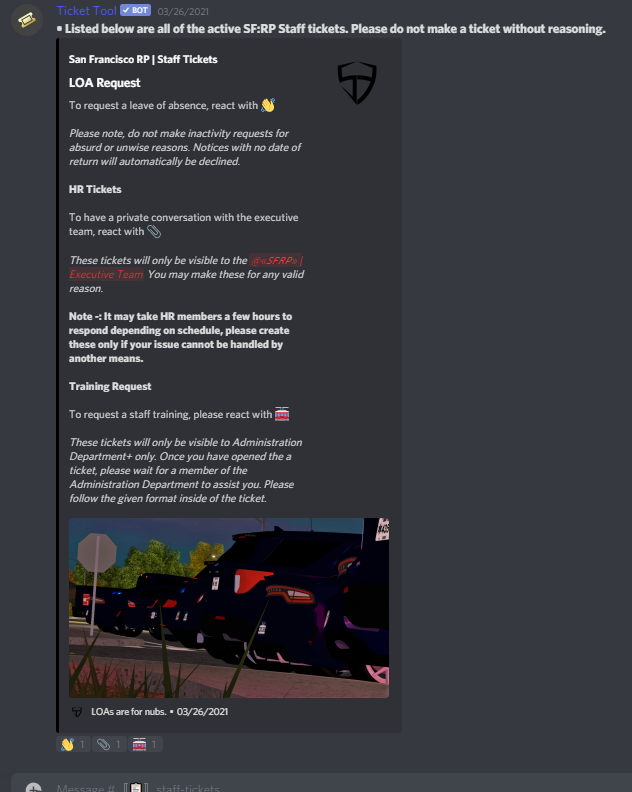 eager cargo
jade topaz
i cant see a save button
eager cargo
jade topaz
i cant see a save button
That's odd
jade topaz
i see it,, but when i add more roles it disappears and goes down
when i add the third role
 eager cargo
Oh, hmm... I see.
 eager cargo
I've never had that problem before, must be a dashboard bug, try doing the third role in the additional roles tab.
eager cargo
No problem! Have a good day 😄
jade topaz
can i add custom emojis
eager cargo
$help reaction
humble sequoiaBOT
How to change reactions
To set a custom reaction Dashboard -> Panel Configs -> Settings -> Reaction Options -> <Reaction to change> -> Reaction
NOTE you need premium to do this.
jade topaz

 like these - i mean from other servers
tribal cedar
You can. I've had to use emojiID when I did mine in the system box
jade topaz
also can i use test like this in panel message?

 jade topaz
alright
eager cargo
eager cargo
$id <:nitro:766666725231820801>
Erm, command didnt work
jade topaz
also whats this author thing? :D
eager cargo
Put a backslash infront of the emoji to get the syntax ID
 tribal cedar
Does that even work anymore?
tribal cedar
I tired it on my client the other.... woah
jade topaz
do i put <> too?
tribal cedar
My client was being mean
eager cargo
jade topaz
do i put <> too?
Yes
jade topaz
eager cargo
Ticket tool must share a server with that emoji to work. I suggest uploading the custom emoji you want to use into your own server.
jade topaz
okay
tribal cedar
Ok dinner actually ready now. I'll bbiab
jade topaz
eager cargo
So, you will make your panels, e.g support, report, appeal
then you will edit ...
how do i make the reactions?
for example react with 🎉 to claim your giveaway reward
react with 💡 to give suggestions
and so on
eager cargo
$help reaction
humble sequoiaBOT
How to change reactions
To set a custom reaction Dashboard -> Panel Configs -> Settings -> Reaction Options -> <Reaction to change> -> Reaction
NOTE you need premium to do this.
jade topaz
yes but there i can only select 1
tribal cedar
I so have to make a list of all those $cmds I only know a few
Do you have premium?
If so you can use $panel cmd
Do $panel # # #
Where # is the number next to the panels name on the panel listing
Or make another panel and send it to the same of another channel without premium
My server has 2 channels with 6 reactions each and 1 channel with 1 reaction
