How to add or remove users on tickets
To add a user to a ticket use $add <user>
To remove a user from a ticket use $remove <user>
1 messages · Page 283 of 1
 humble sequoiaBOT
To add a user to a ticket use $add <user>
To remove a user from a ticket use $remove <user>
 hasty flint
oh yeah i managed now but thanks :)
hasty flint
how do i edit the ticket message that is displayed in the opened ticket?
 pale pilot
Don't ping staff
humble sequoiaBOT
The Ticket Message is the first message sent by the bot in a new ticket. To customize it head over to your Dashboard -> Panel Configs -> Settings -> Ticket Options -> Edit Ticket Message
 hasty flint
ohh thanks lol
 limber flax
Hello my friend, I have a question, how do I lower words instead of welcme, I want lower words than I have? @pale pilot
pale pilot
Did you read what I just said? Don't ping staff
Also, I don't understand your question
limber flax
I do not understand what are you saying ?.
pale pilot
Then we are on the same page
limber flax
@glad ingot -
 analog thistleBOT
@limber flax (SolFr Trust.#0001) has been warned for: pinging staff multiple times
limber flax
I do not understand English 👽.
pale pilot
open a ticket for arabic support #🎫│make-a-ticket
hasty flint
on my ticket message, the message is under 250 words yet it still cuts off the end section why is this and how can i fix it
pale pilot
It's a bug that it doesn't count the characters correctly
hasty flint
oh ok
 jade topaz
Where do you find peoples tickets
 trim pollen
@thin marlin i need help
 spiral wave
help
pls
😦
it doesn't show my new servers it shows my old servers 😦
@twilit night
spiral wave
@upper flower
humble sequoiaBOT
You will possibly need to relog. Look below to see steps on how to relog.
First, you will need to go to the dashboard. Once your there, click on your avatar on the top right. after you clicked it, you will see button that says Logout. You must click that. Once you have logged out, you can log back in.
 glass otter
You're welcome
analog thistleBOT
@spiral wave (HEKA| ◈ ByP3rfect#0001) has been warned for: Pinging support staff
@trim pollen (good boy#8113) has been warned for: pinging support staff
glass otter
glass otter
You will be muted
spiral wave
q
 runic flame
How to make all tickets under a catogery
glass otter
$help category
humble sequoiaBOT
To set a open category go to the Dashboard -> Panel Configs -> Settings -> Category Options -> Category Open

 dull plaza
رابط التعديل على البوت
glass otter
Has the bot acces to the channel ? And has he the right permissions to create a channel ? You can run $debug to see that
 frozen topaz
سوال عندي صارت مشكله
 pine cobalt
Whenever I try and fix a panel it send me back to the home page why?
jade topaz
Where do you find people tickets
frozen topaz
@pine cobalt HELO
 left ice
I upgraded to premium and now I cant manage my server. I've relogged many times and when it finally shows manage instead of invite, it kicks me back to the home page
pale pilot
jade topaz
Where do you find people tickets
the tickets in your server? The should be either at the top or in your designated category
 maiden osprey
Something is going on with the website
 drifting trailBOT
 𝙱𝚊𝙳🥀ᴷᴵᴸˢ#0013 has been warned. || pinging support staff
 silent sapphire
jade topaz
<@!572813347511336978> -حبي عندك مشكلة بدك مساعدة افتح تكت
silent sapphire
jade topaz
<@!572813347511336978> -حبي عندك مشكلة بدك مساعدة افتح تكت
فتحت محد رد
jade topaz
وين فتحت؟
jade topaz
يعني بالله يخوي فاتحت تكت اجنبي وجاي تمنشن انا وتقلي ليش ما بتردوا
 grizzled copper
what happen this bot
 high hill
jade topaz
يعني بالله يخوي فاتحت تكت اجنبي وجاي تمنشن انا وتقلي ليش ما بتردوا
high hill
jade topaz
يعني بالله يخوي فاتحت تكت اجنبي وجاي تمنشن انا وتقلي ليش ما بتردوا
انا عربي
محد رد
silent sapphire
grizzled copper
what happen this bot
the website broken with you ?
maiden osprey
Yes
grizzled copper
silent sapphire
the website broken with you ?
yes
silent sapphire
all of us
jade topaz
@high hill انت مو كاتب مشكلتك يا قلبي بلتكت
silent sapphire
jade topaz
<@!261762915143647233> انت مو كاتب مشكلتك يا قلبي بلتكت
طيب يا حبيبي
اخلص علينا
هات الحل
drifting trailBOT
𝙱𝚊𝙳🥀ᴷᴵᴸˢ#0013 was kicked | He is talking rudely to Staff member
jade topaz
 distant quartz
How can I add the premium tool to a server?
distant quartz
How can I add the premium tool to a server?
if you have premium
humble sequoiaBOT
The first thing you will need to do is invite the premium bot, an invite can be found here
Once the bot is in your server we will head to the dashboard and manage your server. When you are managing your server, you want to head into "Server Configs" then click the drop down menu under "Select the bot you would like to use on this server" then click "Ticket Tool#6207" and then save.
distant quartz
Ty♥
jade topaz
np ❤️
 serene robin
alright so i added the bot to my server. then, i went to the dashboard and saw that it still said invite bot but i had already invited it. so i invited it again. it still said invite bot. i refreshed a couple of times and it said manage server so i clicked on it. then, it took me to the home page instead of letting me manage. i went back to the dashboard and now it said invite bot.
humble sequoiaBOT
You will possibly need to relog. Look below to see steps on how to relog.
First, you will need to go to the dashboard. Once your there, click on your avatar on the top right. after you clicked it, you will see button that says Logout. You must click that. Once you have logged out, you can log back in.
 worn surge
Did you try to change the reaction role?
Itll only work if you have premium. And I think you get the error in the screenshot if you try to change it and don't have premium
distant quartz
where do I get the image url from the discord-servers emojis?
serene robin
how do i mention a role in my message text?
jade topaz
^
 short willow
Is there a way to change the icons or the names of the icons to say what they do vs what they are called?
For instance... https://i.imgur.com/a2B7XVl.png the icon name is not the same as what it actually does.
jade topaz
the website isn't working for me, i want to configure it in this one server but whenever i click "manage" for the server it's in, i am just sent back to the ticket tool homepage instead of the page where i can configure the bot. i'm very confused because it has always worked for me in the past and i haven't changed any settings
ah
nevermind
the issue resolved itself
 rotund kite
short willow
Is there a way to change the icons or the names of the icons to say what they do...
rotund kite
short willow
Is there a way to change the icons or the names of the icons to say what they do...
Yes. Change the emoji reactions.
jade topaz
nevermind yet again, now the "manage" option doesn't even show up under the server, and it just says "invite".
Yeah i've got the same problem @jade topaz
i was able to get to the manage menu for my server but as soon as i clicked onto a different section in the sidebar it sent me back to the homepage
but i checked and the bot is definitely still in my server
automated reactions to the messages sent in a ticket channel are showing up very slowly
it takes up to a full 5 seconds for a new reaction to show up
short willow
I had problems all day recently with my tickets giving permissions to everyone even though it did not say so... so i deleted it and looked for other options.
this one still has the most ranks, so im gonna try it again and see if removing the bot, deleting everything starting over to see if that fixes it
 vernal sun
Hey when I do "manage" on one of the servers, it comes back to the reception of the site. I do f5 but it doesn't work. Do you have a solution?
 tight mica
vernal sun
Hey when I do "manage" on one of the servers, it comes back to the reception of ...
tight mica
vernal sun
Hey when I do "manage" on one of the servers, it comes back to the reception of ...
same issue, i opened a ticket about it
vernal sun
Yes but when I try to open a ticket on this server it does not work ^^
vernal sun
Yes it's good it works thank you
 astral scarab
I cannot access the dashboard
jade topaz
i cant access dashboard either
jade topaz
jade topaz
i was able to get to the manage menu for my server but as soon as i clicked onto...
same exact issue
tight mica
its a bit laggy just continue trying @astral scarab @jade topaz
astral scarab
I invited the bot, then gave it the permissions, then it just says you can close this window now.
jade topaz
tight mica
its a bit laggy just continue trying <@!748770986740023429> <@456226577798135808...
ill do my best
worn surge
astral scarab
I invited the bot, then gave it the permissions, then it just says you can close...
Go back to the tickettool website and sign in, if needed. Then you can manage the server. The close this window bit is from the Discord pop-up when you invited the bot
jade topaz
^^^
yo
i got to the website
and its telling me to invite the bot to my server
which i have
and i re logged
since im trying to manage my server
i re logged
multiple times
and still nothing
astral scarab
Same. I cant get rid of the pop up
 coarse venture
yea
jade topaz
i would switch to a diff one if i didn't already have everything configured perfectly
worn surge
jade topaz
i would switch to a diff one if i didn't already have everything configured perf...
Chances are there is a tiny bit of downtime. You just have to be patient.
The bot should work fine, it seems to just be the website at the moment
jade topaz
the bot works okay
i tried diff commands and it still responds
it's just the website for sure
is the site autistic
worn surge
#689208572806299799 has just been updated. Developers are aware.
jade topaz
worn surge
<#689208572806299799> has just been updated. Developers are aware.
yup, i saw that
just gotta be patient ig
 fresh raptor
I think the website has issues
worn surge
fresh raptor
I think the website has issues
#689208572806299799 Yes.
jade topaz
.
 radiant moss
Read the status!
fresh raptor
Okay thx
 random onyx
is there a way to configure the bot without the website?
jade topaz
no you cant
 solid stream
Updates to the dashboard and bot api are being worked on, but I have a number of personal events that are keeping me busy and I've been unable to finish the updates.
random onyx
ok
jade topaz
hello
worn surge
jade topaz
hello
Do you need support with something
 slim gorge
I just purchased premium how do I active?
jade topaz
the bot in my server says it's offline, should i report this to someone?
 silk tartan
jade topaz
the bot in my server says it's offline, should i report this to someone?
silk tartan
jade topaz
the bot in my server says it's offline, should i report this to someone?
It's Down for many peoples servers it seems
slim gorge
bruh i just bought premium for better servers and I don't know how to use 😦 😭
humble sequoiaBOT
Get premium at https://tickettool.xyz/premium
Manage your subscriptions at https://tickettool.onfastspring.com/account
Premium lets you customize the bot just how you want it. It also helps keep the bot running.
To redeem your premium key, go to the dashboard, select your server, then click "Redeem Premium" under the server's icon and name.

 hot sparrow
I had the free bot, so I used the premium for 7 days, how can I get back to free again? my bot is off
 fair lance
im trying to make a multipanel with 3 different panels, but nothing except the first panel shows up
solid stream
Do they each of their own emoji?
fair lance
nope
solid stream
Then that just can't work
discord only ever allows 1 of each emoji on a message
¯_(ツ)_/¯
fair lance
ok I changed the reactions for all three but it still only shows the first panel's embed
jade topaz
Impossible de créer des tickets mon boot est déconnecté !! Comment faire? C'est urgent
glass otter
Il faut attendre. Le bot devrait bientôt revenir (#689208572806299799)
drifting trailBOT
🔒 Channel locked during outage. Read #689208572806299799
 inner aurora
@upper flower can we unlock this?
drifting trailBOT
🔓 IG
radiant moss
Hello
 proven void
In the event the bot gets stuck like it did earlier, how can I reset the reaction counter server side?
 rancid sky
How do I get it to open a ticket in a category?
 upper flower
$help category @rancid sky
humble sequoiaBOT
To set a open category go to the Dashboard -> Panel Configs -> Settings -> Category Options -> Category Open
rancid sky
Thank you
tight mica
anyone know why sometimes when you react a ticket doesn't get made?
 crystal monolith
Is there a way so when u open a ticket it pings that certain role in that chat 
Like if I open a ticket and it’ll ping @ staff role
pale pilot
$help ping
humble sequoiaBOT
To make ticket tool ping a role when a ticket is opened, go to the Dashboard -> Panel Configs -> Settings -> Ticket Options -> Ticket Message -> Message Text and do this:
{@Role name} This is case sensitive and the role must have @mentions enabled

 wind bough
Is there any command for mods to open a ticket for a user?
pale pilot
$new, but you need to enable it first in your ticket settings
wind bough
pale pilot
``$new``, but you need to enable it first in your ticket settings
So if i enable it i guess everyone would be able to use it?
pale pilot
Yes
You also have to specify a channel where this command can be used it. So if you choose a private channel only people who have access to that channel can use it
wind bough
Oh
Btw how can i disable ticket closing confirmation
@pale pilot
Whenever i react with the lock emoji to close the ticket
I have to confirm that i want to close the ticket
How to disable
pale pilot
turn off "two step close" in your general options of your ticket settings
wind bough
pale pilot
turn off "two step close" in your general options of your ticket settings
K thanks
 severe hollow
why cant i mention someone when i write "@role" in the ticket message ?
inner aurora
$help ping @severe hollow
humble sequoiaBOT
To make ticket tool ping a role when a ticket is opened, go to the Dashboard -> Panel Configs -> Settings -> Ticket Options -> Ticket Message -> Message Text and do this:
{@Role name} This is case sensitive and the role must have @mentions enabled
humble sequoiaBOT
-- moved to ticket --
 late night
how do i fully get rid of transcripts?
jade topaz
is there a way to make a Tag mention a channel?
i tried to tell a Tag to do #📣│server-news and it didnt work
it just says
#/announcements
without the /
radiant moss
<#channel id> @jade topaz
jade topaz
ty
wait
if you meant to use that to ping the channel it's in i don't want that i want to be able to send it in main and have it ping announcements
jade topaz
ooh the actual like
776680605517742090
yeah i know how to get the channel id
but i didnt realise you meant the numbers id i thought you just meant the name
radiant moss
ohhh no yea just put the numbers in
jade topaz
nice it works now
ty
is it possible to get another bot to say something that'll make tickettool detect it?
radiant moss
like get another bot to call the command?
jade topaz
yeah
like i have a bot called Eli on my server and she can do reminders every x amount of time you tell her
but i tried to make one with "staffapps" as the text but cuz she also sends an embed even if its blank tickettool doesnt recognise it
radiant moss
My personal bot cant call commands for any bots so I dont think so.
radiant moss
I think its to prevent abuse. As you can make spam commands and that would go against the api for discord
jade topaz
that is true
 frigid jackal
Hello, iam free version and i see last days when i close a ticket the ticket dont move to the category i put, bifor happen now not, any ideia ?
inner aurora
frigid jackal
Hello, iam free version and i see last days when i close a ticket the ticket don...
Does the category have 50 channels in it? If so then delete a few as that’s the max number of channels discord allows per category
 copper sigil
Why does the bot not let me enter the control panel?
frigid jackal
inner aurora
Does the category have 50 channels in it? If so then delete a few as that’s the ...
after that i need use any comand like to refresh or will be auto ?
radiant moss
Make sure you have admin/dashboard roles @copper sigil
copper sigil
i have
radiant moss
frigid jackal
after that i need use any comand like to refresh or will be auto ?
Should do it auto from there if it has room
radiant moss
copper sigil
i have
Relog on the dashboard if not make a ticket
copper sigil
not woek
radiant moss
 crystal canyon
is it possible to do so that someone will create a new ticket to ping individual roles
radiant moss
$help ping
humble sequoiaBOT
To make ticket tool ping a role when a ticket is opened, go to the Dashboard -> Panel Configs -> Settings -> Ticket Options -> Ticket Message -> Message Text and do this:
{@Role name} This is case sensitive and the role must have @mentions enabled
radiant moss
@crystal canyon ^
crystal canyon
thx
 hidden girder
How do i make a ticket from ticket tool?
 ember laurel
Why doesn’t the bot rename the ticket sometimes when claimed
upper flower
U need to enable the rename feature under the claimed options
hidden girder
ok
 ember flax
hello
humble sequoiaBOT
If the bot is not working properly, try the following steps:
Run the $debug command in your server, to check the permissions of the bot. Send the link you get to us.
Check if you have any Blacklisted Roles in your Server Configs. Any roles listed there will not be able to use the bot / create tickets.
While you're in your Server Configs , make sure that you don't have the premium bot enabled, without actually having premium or the bot on the server.
These are the most common issues. If your problem still exists, you can go to our Troubleshooting Page for more fixes.
humble sequoiaBOT
If the bot is not working properly, try the following steps:
Run the $debug command in your server, to check the permissions of the bot. Send the link you get to us.
Check if you have any Blacklisted Roles in your Server Configs. Any roles listed there will not be able to use the bot / create tickets.
While you're in your Server Configs , make sure that you don't have the premium bot enabled, without actually having premium or the bot on the server.
These are the most common issues. If your problem still exists, you can go to our Troubleshooting Page for more fixes.
 nova jackal
are there any best practices when implementing the bot into your server? are there ways to keep dialogue within the text channel but only have it available to view between the user that created the ticket and support? i'm looking for a way to triage effectively while preventing too much clutter in my server - any help is appreciated, thanks!
 trail stream
We were checking some transcripts and noticed that they only save the last 500 messages, not 1000 messages as listed. Is this an error, or a typo? How many messages should the transcript be saving?
jade topaz
Hi
How do i make it
so
that
when i open a ticket
it pings
a
certain
role
humble sequoiaBOT
-- moved to ticket --
trail stream
@haughty cedar in the panel, extend Ticket Options and open Edit Ticket Message. In the Message Text, use the curly brackets and then @ the role. So if your role is Helpers, then you'd say {@Helpers}
 topaz pasture
Hello. Possible client. I have a few questions. Can I ask here or is there another room?
upper flower
topaz pasture
Hello. Possible client. I have a few questions. Can I ask here or is there anoth...
How can I help?
topaz pasture
hi @upper flower can you help me understand what panels are?
upper flower
#🎫│make-a-ticket the message in there is a panel
topaz pasture
i opened ticket 14083 can you take a peak?
upper flower
What ticket
upper flower
The ticket was never closed
 thin arch
How do I cancel my premium subscription?
upper flower
Can I ask why you would like to cancel your premium subscription? Customer satisfaction is my #1 priority so I am trying to get an understanding @thin arch
upper flower
We can transfer the key to another server if you’d like
thin arch
I don't have any others, so it's fine
upper flower
Ahh okay.
humble sequoiaBOT
Get premium at https://tickettool.xyz/premium
Manage your subscriptions at https://tickettool.onfastspring.com/account
Premium lets you customize the bot just how you want it. It also helps keep the bot running.
upper flower
Second link is to manage it
pale pilot
trail stream
We were checking some transcripts and noticed that they only save the last 500 m...
It was 1000 once, but we lowered it as it created a lot of problems. 200 for free users, 500 for premium users
jade topaz
Ok
This is done with helper bot, but can I do the same with this?
Please
it's urgent
@upper flower Sorry for the ping but please help 🙂
analog thistleBOT
@jade topaz (Sryncツ#3889) has been warned for: Pinging Staff
humble sequoiaBOT
Multipanels are a premium feature  that allow for a single panel with multiple reactions to open different tickets.
Premium users can combine multiple panels into one multipanel.
First of all you will need to assign a different Create Ticket Reaction for each Panel. Run $help reaction to learn how to do it.
Next, find the IDs of each panel you wish to combine. You can find them in your Panel Configs in the Dashboard
Next, send the multipanel to a channel using $panel [id1] [id2] {id3} ....
e.g. $panel 1 2 4 17 35 to combine panels 1, 2, 4, 17 and 35.
Up to 10 panels may be combined.
 jade topaz
Can I chance the language in the dashboard?
humble sequoiaBOT
If Ticket Tool support requested this debug give them this link:
https://discordapp.com/channels/509192800865353738/662692902245498910/791648799834636298
✅ - Read Channels
✅ - Send Messages
✅ - Embed Links
✅ - Attach Files
✅ - Add Reactions
✅ - Manage Roles
✅ - Manage Channels
✅ - Manage Messages
✅ - Read History
✅ - Read Channels
✅ - Send Messages
✅ - Embed Links
✅ - Attach Files
✅ - Add Reactions
✅ - Manage Roles
✅ - Manage Channels
✅ - Manage Messages
✅ - Read History
Channel name:
community-support
Channel ID:
776680605517742090
Channel Count:
144/500
Server name:
Ticket Tool Support
Server ID:
509192800865353738
User name:
STOP・TURBO#6401
User ID:
757655090264932435
Permission Level:
0 - User
Prefix:
$
Premium Status:
Lifetime
Current shard:
1
API Latency:
73
pale pilot
We have no idea what you need
 weak imp
How do I make ticket tool right a message when they create a ticket
 thick cobalt
hi
when i send a panel to a room this comes up
anyone can help?
humble sequoiaBOT
If the bot is not working properly, try the following steps:
Run the $debug command in your server, to check the permissions of the bot. Send the link you get to us.
Check if you have any Blacklisted Roles in your Server Configs. Any roles listed there will not be able to use the bot / create tickets.
While you're in your Server Configs , make sure that you don't have the premium bot enabled, without actually having premium or the bot on the server.
These are the most common issues. If your problem still exists, you can go to our Troubleshooting Page for more fixes.
analog thistleBOT
@thick cobalt (x-E6#9999) has been warned for: 4.2 Don't DM or friend request people you do not personally know on the server.
pale pilot
Try step 2 and 3
Just try step 3 lol
If step 3 doesn't work, it's a permission issue
jade topaz
Can I chance the language in the dashboard?
 graceful blaze
Can i speak a support team member?
glass otter
graceful blaze
Can i speak a support team member?
You can at #🎫│make-a-ticket
glass otter
jade topaz
Can I chance the language in the dashboard?
Du kannst das unten machen
wind bough
How to add a user to a ticket?
glass otter
wind bough
How to add a user to a ticket?
$help add
humble sequoiaBOT
To add a user to a ticket use $add <user>
To remove a user from a ticket use $remove <user>
wind bough
Thx
glass otter
You're welcome
 vagrant kite
for some reasons the transcripts on my server wont save
it has been working fine for a few weeks since we added the bot to the server
worn surge
vagrant kite
it has been working fine for a few weeks since we added the bot to the server
Do you run the $transcript #channel command to save them, or do you use the transcript reaction after closing a ticket?
vagrant kite
just the reaction
worn surge
Did you set a channel in the panel config for transcripts to go to?
worn surge
Does the bot still have send message and attach files permissions in that channel?
vagrant kite
let me check
worn surge
👍
worn surge
vagrant kite
let me check
Any update?
vagrant kite
yes sorry
we recently removed the admin perm for our bot role
because it was lower than the mod role and one of the mods was sneaky and gave it to himself
and got access to admin chat lol
so giving the bot admin perms fixed it
worn surge
Ah, yes that's probably why it stopped working
vagrant kite
what permissions does it need?
just the two you mentioned?
because it seemed to have those already
yeah removing the admin perm from it makes it not work again
worn surge
@vagrant kite These are all the permissions it gets when invited to a server
vagrant kite
even though it has send message and attach files
worn surge
I would assume these are the only ones that it needs
vagrant kite
okay we just gave all the bot roles admin
they cant be applied to other people anyway
so that solves the issue I suppose
 sturdy cave
how do I make it ping a role when someone makes a ticket?
upper flower
$help ping
humble sequoiaBOT
To make ticket tool ping a role when a ticket is opened, go to the Dashboard -> Panel Configs -> Settings -> Ticket Options -> Ticket Message -> Message Text and do this:
{@Role name} This is case sensitive and the role must have @mentions enabled
jade topaz
my server issnt by manage servers but i invited it
and that goed well but its not there
nv
humble sequoiaBOT
You will possibly need to relog. Look below to see steps on how to relog.
First, you will need to go to the dashboard. Once your there, click on your avatar on the top right. after you clicked it, you will see button that says Logout. You must click that. Once you have logged out, you can log back in.
 hoary spear
Hi, in the Ticket Panel, how do I get it to ping the Support Team Role when the ticket is opened?
upper flower
$help ping
humble sequoiaBOT
To make ticket tool ping a role when a ticket is opened, go to the Dashboard -> Panel Configs -> Settings -> Ticket Options -> Ticket Message -> Message Text and do this:
{@Role name} This is case sensitive and the role must have @mentions enabled
hoary spear
How do I fix the debug
upper flower
U give the bot permissions
 pallid notch
I just had an issue with ticket tool in my server can someone please help
upper flower
Yes?
pallid notch
One of the regular members was able to see 3 tickets
Also, a separate issue, if we have too many tickets in one category, the category fills up and the tickets overflow into the server. How do I "extend" the amount of tickets that can go into a category?
@upper flower
upper flower
Don’t ping me. It’s in the rules. Read em
upper flower
pallid notch
Also, a separate issue, if we have too many tickets in one category, the categor...
U can add multiple categories to the categories section in the panel settings.
upper flower
pallid notch
One of the regular members was able to see 3 tickets
Wdym
 dire oxide
how do you change where new tickets get sent
 crude sinew
Is it just me or is anyone else receiving invalid key from #📣│server-news ? Thanks. Happy Holidays. xo
 winged jackal
Hello, please tell me, in the bot there is a function of self-deletion of the ticket if during the time nothing is written in the chat?
 muted stag
hello I've bought a year premium, but it seems not activated
jade topaz
$vote
humble sequoiaBOT
Current Votes: 1
Lifetime Votes: 1
Linked Votes: 7
Voting URL: Top.gg or Discord.boats
Linked User: 533955330829451275
You can give your future votes to another user by linking with that user.
To link use $vote link (@user or userId)
To unlink use $vote unlink
Each vote is worth 12 hours of premium and can be redeemed once you have atleast 6 votes.
Your current votes are worth 12h, 0m
To redeem your current votes use $vote redeem
jade topaz
Current Votes: 1
Lifetime Votes: 1
Linked Votes: 7
Why does it say Your current votes are worth 12h, 0m
My total votes should be 1+1+7 = 9
solid stream
You're linked to another user so they're getting your votes.
 umbral falcon
how can i know Who Deleted the ticket after closing it ?
 oak raven
Is there a way to create a Vocal Channel that says the amount of Opened Tickets?
glass otter
oak raven
Is there a way to create a Vocal Channel that says the amount of Opened Tickets?
Not with @pseudo glen
glass otter
umbral falcon
how can i know Who Deleted the ticket after closing it ?
With the logs
oak raven
glass otter
Not with <@557628352828014614>
Sad... ok, thanks. 🙂
glass otter
You're welcome
 wispy cloak
Is it possible to make closed tickets auto delete after a while?
jade topaz
no
 marsh shard
Can we set limit to a user to create n number of tickets in n minutes for a single user?
jade topaz
Yo so I bought annual like literally 2 days ago
but my acc got termed
is it possible to transfer cuz i barely even got to use it
upper flower
@jade topaz hello! Your friend told me. Go ahead and dm me this once and we will get you all situated
upper flower
marsh shard
Can we set limit to a user to create n number of tickets in n minutes for a sing...
Not minutes. But the number of tickets a user can have open at a time, yes
marsh shard
Okay
 bitter girder
Any reason I can't open a support ticket here? The channel, usually beneath this one, is gone.
I have a question about a feature I can't find:
How do you have a ticket tag various staff roles when it is opened?
upper flower
bitter girder
Any reason I can't open a support ticket here? The channel, usually beneath this...
$help ping
humble sequoiaBOT
To make ticket tool ping a role when a ticket is opened, go to the Dashboard -> Panel Configs -> Settings -> Ticket Options -> Ticket Message -> Message Text and do this:
{@Role name} This is case sensitive and the role must have @mentions enabled
bitter girder
Ah I see
upper flower
^^ for pinging roles
bitter girder
Also thanks!
upper flower
Np!
 past raven
where tickets at now?
 barren pier
I've got another bot (zapier), that's sending messages to ticket channels. I'm basically trying to use this other bot to $add individual users to existing ticket channels.
It seems to me like ticketool isn't recognizing a message from another bot. Anyone have ideas?
 mild island
barren pier
I've got another bot (zapier), that's sending messages to ticket channels. I'm b...
mild island
barren pier
I've got another bot (zapier), that's sending messages to ticket channels. I'm b...
Bots can't run commands
 golden charm
$help
humble sequoiaBOT
$help commands - Information on commands
$help setup - Information on bot setup
$help faq - Frequently asked questions
golden charm
$help setup
humble sequoiaBOT
The first thing you will need to do is invite the bot, an invite can be found here.
Once the bot is in your server we will head to the dashboard and create panel
A panel is used to configure each tickets settings and is were people react to make a ticket.
An example of a panel sent to a channel is shown below.

To create a panel we are going to need to head over to the panel configs on the dashboard
Once at the dashboard we will need to click Create Panel
Enter a panel name (Fill in any optional settings you want)
Click Create Panel and your ready to get started with configuring your panel
An example of a creating a panel is shown below.

Once you've created a panel on the dashboard you will need to send it to a channel using send on the dashboard
Select the channel you want your panel to be created in and click send.
For other questions checkout $help faq
An example of a sending a panel is shown below.

 rocky pond
Anyone elses ticket tool not working?
rocky pond
like when people click it to open a ticket it doesnt open a ticket it just counts the reaction
upper flower
Is it online?
rocky pond
like it does when the bot is down but everything says the bot it working
uhmmm let me check
no it is not online
upper flower
DM me a server invite
rocky pond
sent
rocky pond
yes it just popped up but still wont work
upper flower
What channel are you trying to make it work
@rocky pond Ticket Tool doesnt have access to that channel with the tickets
rocky pond
O_o it had access yesterday oof okay let me see if i can find what happened
it was working fine all day yesterday and its all the same as it was. I dont know what to do.
I just tried to send the panel to the channel again and it is telling me to run a debug command?
upper flower
Well someone probably screwed with the permissions.
U need to give the bot administrator or give it all the perms inside the channel
rocky pond
no one has changed them i am the only one allowed to touch perms and nothing is changed in the audit log
thank you. some how it wasnt administrator anymore. I'm not sure how as nothing was in the audit log but it's working now. Thank you for your help
past raven
$help
humble sequoiaBOT
$help commands - Information on commands
$help setup - Information on bot setup
$help faq - Frequently asked questions
past raven
$help commands
humble sequoiaBOT
() = optional
[] = required
_ _
Description: Adding additional users to a ticket
Aliases: none
Description: Removing users from a ticket
Aliases: none
Description: Closing tickets
Aliases: none
Description: Opening closed tickets
Aliases: none
Description: Deleting tickets
Aliases: none
Description: Renaming tickets/channels
Aliases: none
Description: Creating transcripts
Aliases: none
Description: Creating tickets in a monitored channel (when command style is enabled)
Aliases: none
Description: Claiming tickets (when claim is enabled)
Aliases: "unclaim"
_ _
_ _
Description: Help Command
Aliases: none
Description: Debuging issues with running Ticket Tool
Aliases: none
Description: Converting roles, users, channels and emojis to ID
Aliases: "getid"
Description: Checking permission level with Ticket Tool
Aliases: "level"
Description: Checking response time with discord api
Aliases: none
Description: Earn premium by voting on top.gg or Discord.boats
Aliases: "votes"
past raven
@inner aurora mate where the tickets at now? lol
analog thistleBOT
@past raven (LORD#1209) has been warned for: insults support team member
inner aurora
@past raven I’m at a wedding
past raven
as long is not you getting married 😦 haha enjoy mate.
drifting trailBOT
LORD#1209 was kicked | come back in a few hours
rotund kite
Umm
My image url big at bottom is not working
I just updated the thing and it doesn't show
I give all perms I only changed the claim option stuff
 lilac kelp
I have enabled transcript logging and selected the channel
but nothing happens in this channel when a transcript is saved
What can I do?
 uncut orbit
ive tried inviting my server to edit ticket tool through dashboard, but it cant find
pale pilot
@rotund kite is it a direct image url
humble sequoiaBOT
You will possibly need to relog. Look below to see steps on how to relog.
First, you will need to go to the dashboard. Once your there, click on your avatar on the top right. after you clicked it, you will see button that says Logout. You must click that. Once you have logged out, you can log back in.
pale pilot
@uncut orbit
pale pilot
 compact idol
Keep getting transcript failed to save
compact idol
Keep getting transcript failed to save
make sure the bot has permissions to the transcript channel
lilac kelp
mine has permissions but nothing happens
humble sequoiaBOT
If the bot is not working properly, try the following steps:
Run the $debug command in your server, to check the permissions of the bot. Send the link you get to us.
Check if you have any Blacklisted Roles in your Server Configs. Any roles listed there will not be able to use the bot / create tickets.
While you're in your Server Configs , make sure that you don't have the premium bot enabled, without actually having premium or the bot on the server.
These are the most common issues. If your problem still exists, you can go to our Troubleshooting Page for more fixes.
uncut orbit
tyvm simple i got it now
how could i make it so when a new ticket is opened, that ticket goes to a certain channel
rotund kite
pale pilot
<@!462486774183362560> is it a direct image url
Ofc, Jaffa did it for me
 plucky plover
it will not pop up the sever i want to add the cangels to
uncut orbit
oh i got it fugred out now, just need to edit the name of new tickets
am i able to make all new tickets one, same name?
lilac kelp
why are transcripts not sent to the log channel I selected??
pale pilot
lilac kelp
why are transcripts not sent to the log channel I selected??
if you use the command, you need to specify a channel where you want it to be saved it. $transcript #channel
compact idol
keep getting this no matter what I do
lilac kelp
set his permissions
rotund kite
 limpid gale
I voted for the bot on top.gg, but my vote count didn’t increase from 0
limpid gale
I voted for the bot on top.gg, but my vote count didn’t increase from 0
$link to you, try that, but make sure not to use VPN or change location, otherwise it is difficult to send data back to the tickettool database.
limpid gale
rotund kite
$link to you, try that, but make sure not to use VPN or change location, otherwi...
Am I meant to use $link? Tried that but nothing happened
Don’t have a VPN either
rotund kite
limpid gale
Am I meant to use `$link`? Tried that but nothing happened
$link @you
Oh wait, it’s $vote link @you
 marble remnant
Hello, I'm looking to make the bot tag specific staff roles when a ticket is opened (PR Team, Moderation, Event Organizer). Is there a way for me to do this? I do have premium.
upper flower
$help ping
humble sequoiaBOT
To make ticket tool ping a role when a ticket is opened, go to the Dashboard -> Panel Configs -> Settings -> Ticket Options -> Ticket Message -> Message Text and do this:
{@Role name} This is case sensitive and the role must have @mentions enabled
 river rune
Ticket Tool by BattleEye
Select Language
Powered by
Terms of ServicePrivacy Policy
×
Failed to send panel, Run $debug in the channel to check for errors.
upper flower
Give the bot permissions in the channel
river rune
@upper flower I did and I still get it
Ticket Tool by BattleEye
Select Language
Powered by
Terms of ServicePrivacy Policy
×
Failed to send panel, Run $debug in the channel to check for errors.
Still says it
upper flower
Did u run debug?
 daring mortar
wtf dude
the ticket bot is sending p0rn
i think its hacked lmfao
oh sorru for ping
daring mortar
daring mortar
the ticket bot is sending p0rn
this lol
upper flower
DM me a screenshot
daring mortar
i cant
upper flower
Add me
upper flower
What server was it?
daring mortar
nevermind, i think someone hacked the bot
upper flower
Name of server
daring mortar
upper flower
What server was it?
small server with 300 members
upper flower
Name
daring mortar
upper flower
Name
Golden Lobby
 molten silo
jade topaz
molten silo
molten silo
jade topaz
molten silo
Go in permissions in that channel youre trying to set it up in, and add the ticket bot role. and give it all the permissions. It should work after
How to make it ask for this? Like send a message and then wait for the reaction to close the ticket?
And how to make it send the transcript to the dm after?
molten silo
jade topaz
Go in permissions in that channel youre trying to set it up in, and add the tick...
thanks it works now
 kindred grail
hey
its not work
i cant open ticket
when i put reaction its not gone but open ticket why?
glass otter
He leaves 🤦
 pure kite
Hey boys, can someone help me?
So I am using ticket tool on my server and I have around 80 open tickets right now. Since I have premium I'd like them all to switch to premium ticket tool so its faster. How do I change that and is it possible to transfer every ticket to premium bot automatically or something?
humble sequoiaBOT
The first thing you will need to do is invite the premium bot, an invite can be found here
Once the bot is in your server we will head to the dashboard and manage your server. When you are managing your server, you want to head into "Server Configs" then click the drop down menu under "Select the bot you would like to use on this server" then click "Ticket Tool#6207" and then save.
pale pilot
@pure kite ^
just make sure to give the premium bot enough permissions
under logging options
humble sequoiaBOT

 dry dust
How do i @ another role in the ticket message
upper flower
$help ping
humble sequoiaBOT
To make ticket tool ping a role when a ticket is opened, go to the Dashboard -> Panel Configs -> Settings -> Ticket Options -> Ticket Message -> Message Text and do this:
{@Role name} This is case sensitive and the role must have @mentions enabled
jade topaz
German? I need help
pale pilot
jade topaz
German? I need help
was brauchst du?
jade topaz
Ich möchte Premium Kündigen, wo mache ich dass?
pale pilot
jade topaz
Ich möchte Premium Kündigen, wo mache ich dass?
Darf ich fragen warum die Premium kündigen möchtest?
jade topaz
Ich habe mich gegen einen Discord-Server entschieden, und kann es damit nicht mehr gebrauchen.
pale pilot
Alles klar
humble sequoiaBOT
Get premium at https://tickettool.xyz/premium
Manage your subscriptions at https://tickettool.onfastspring.com/account
Premium lets you customize the bot just how you want it. It also helps keep the bot running.
pale pilot
Zweiter Link
jade topaz
Danke
barren pier
Is there a way to refresh the panel / ticket message on all existing tickets? We made some copy edits and want to push it to open tickets
pale pilot
You can refresh the panel message, but not the ticket message
jade topaz
how do you ping roles? i did the <@&role_id> thing but all it does is say the role name it doesnt actually ping it
the support role isnt pinged it just says it
glass otter
$help ping
humble sequoiaBOT
To make ticket tool ping a role when a ticket is opened, go to the Dashboard -> Panel Configs -> Settings -> Ticket Options -> Ticket Message -> Message Text and do this:
{@Role name} This is case sensitive and the role must have @mentions enabled
jade topaz
thx
 true sparrow
Hello!! Look, I have a guest Ticket Tool but now I don't know how to get tickets to send me
daring mortar
true sparrow
Hello!! Look, I have a guest Ticket Tool but now I don't know how to get tickets...
$help ping
humble sequoiaBOT
To make ticket tool ping a role when a ticket is opened, go to the Dashboard -> Panel Configs -> Settings -> Ticket Options -> Ticket Message -> Message Text and do this:
{@Role name} This is case sensitive and the role must have @mentions enabled
 untold dune
Hi how to make some role can solve the ticekts
nova jackal
is there a way to enable attachments in tickets so users can submit things like screenshots?
upper flower
$help perms
humble sequoiaBOT
To set a change permissions go to the Dashboard -> Panel Configs -> Settings -> Permission Options
 jade topaz
.
daring mortar
 rugged summit
for this
rugged summit
for this
try it lol
rugged summit
do you have to set a paypal or something?
i first wanna know
because i did it in a other discord server. but idk if im have to pay after this 7 days
...
daring mortar
and u have 7 days of trial, then automatically u will have to pay
daring mortar
untold dune
Its bugged cant save it
use chrome
or try to close that window and lookbif it says save
rugged summit
daring mortar
and u have 7 days of trial, then automatically u will have to pay
but i didnt give bill information
so i idk, pls help
daring mortar
rugged summit
but i didnt give bill information
send me the link of the trial pls
daring mortar
rugged summit
i already activated it
send me the link
daring mortar
rugged summit
i already activated it
ok, and ?
rugged summit
other discord server of me
daring mortar
rugged summit
other discord server of me
whats your question
rugged summit
if i have to pay after the 7 days
daring mortar
obviusly
rugged summit
i mean if it does automatticly
daring mortar
do u put your billing info?
rugged summit
no
daring mortar
so no
rugged summit
100%?
daring mortar
yes
rugged summit
can you try it?
daring mortar
if u want to buy the premium u should pay for it with your billing info
daring mortar
rugged summit
can you try it?
send me the link
daring mortar
Already did. You have 7 days of trial for the premium, after those 7 days you return to the basic plan. You will not be charged anything unless you wish to continue with the premium plan
 slim garnet
Bot down for others?
rugged summit
oke thx
daring mortar
rugged summit
oke thx
no problem
daring mortar
slim garnet
Bot down for others?
the bot is online
slim garnet
weird, just stopped responding for us
daring mortar
slim garnet
weird, just stopped responding for us
wym
 proper jay
why??
worn surge
proper jay
why??
Run $debug in the channel. What does it say?
Most likely, the bot doesn't have the permissions that it needs to be able to send the message.
proper jay
I fixed
 deft bison
Just wondering, how would something like this be setup?
Would you need to make 6 different panels?
https://cdn.discordapp.com/attachments/792521272013357076/792521362514116679/unknown.png
 jade topaz
is there a way to see how many people have done tickets with the bot?
oak raven
I'm wondering about a thing, can you do a "move" command to move Tickets into a specific category?
If so, how do I do it?
Many thanks. 🙂
Ping me when someone respond
 dusty pivot
for some reason the ticket tool reaction does not work on mobile
daring mortar
dusty pivot
for some reason the ticket tool reaction does not work on mobile
It works, try re-sending the panel on the ticket channel.
daring mortar
oak raven
I'm wondering about a thing, can you do a "move" command to move Tickets into a ...
yes, you can!
wait me a sec imma teach u how
if u go to the dashboard, go to panels and select the panel, then check categorys and u can change it :)
@oak raven
dusty pivot
daring mortar
It works, try re-sending the panel on the ticket channel.
i already tried but that did not work
daring mortar
dusty pivot
i already tried but that did not work
invite me to your server pls
 dapper wing
is it possible to change the bots status?
and icon?
daring mortar
dapper wing
is it possible to change the bots status?
and icon?
Its not possible
daring mortar
dapper wing
oh sad
Do u have the premium bot?
dapper wing
yea
dapper wing
ah it doesnt matter but it be cool to have that as feature to be able to change the icon and status
untold dune
i am trying to make it when the user is muted he can make ticket
but the ticket message doesnt show
yes and it is in the channel
deft bison
@untold dune make sure they can read message history in that channel
jade topaz
how can i make more then one reaction?
humble sequoiaBOT
Multipanels are a premium feature that allow for a single panel with multiple reactions to open different tickets.
Premium users can combine multiple panels into one multipanel.
First of all you will need to assign a different Create Ticket Reaction for each Panel. Run $help reaction to learn how to do it.
Next, find the IDs of each panel you wish to combine. You can find them in your Panel Configs in the Dashboard
Next, send the multipanel to a channel using $panel [id1] [id2] {id3} ....
e.g. $panel 1 2 4 17 35 to combine panels 1, 2, 4, 17 and 35.
Up to 10 panels may be combined.
radiant moss
jade topaz
how to find it
on the dashboard there are numbers next to each panel
humble sequoiaBOT
jade topaz
I cant find it
radiant moss
go to panel configs
jade topaz
okay
jade topaz
i cant find it idk why
radiant moss
you have 2 panel
Your first panel's id is going to be #1 your second will be #2
yes!
jade topaz
can you come again sorry
 glossy river
I have premium and i have created different reactions for the tickets but how do I remove the default reaction icon so its not there?
 light smelt
is there a way to @ the user who opened the ticket in a tags automatic bot response?
Please ping me for a response
 fallow shadow
I can not create a panel and send to the channel, although I did everything he asks
oak raven
daring mortar
if u go to the dashboard, go to panels and select the panel, then check category...
Thank you for the help, but I mean another thing: Currently I want to create a "Pending ticket", when someone does $move <Category ID>, channel will be moved in that category. Is that possible?
Many thanks again 
And sorry for the ping
glass otter
oak raven
Thank you for the help, but I mean another thing: Currently I want to create a "...
No, this funtion is not available for the moment
You can vote for this suggestion to do that : #•suggestions message
oak raven
Okay, thank you 🙂
 wise nymph
ف عرف دعم فني
jade topaz
Hello! the bot writes to me that it cannot send the panel due to the fact that I did not check the box for sending messages, please tell me what to do !!!
 spare gale
Check the box for sending messages and embedding links.
And reading messages as well
@jade topaz
jade topaz
Ok just a minute
It still doesn't work!
Can you come to my server and help?
Oh no, no more needed, thanks for the help!
 scenic crescent
is there a way you can make it so that when someone makes a ticket the other ticket roles cant see the ticket
ping me if you have hte answer
scenic crescent
fixed it nvm
 marsh jungle
can i have multiple tickets in 1 discord?
radiant moss
marsh jungle
can i have multiple tickets in 1 discord?
Yes
 novel swan
where do i go to read all tickets left
worn surge
novel swan
where do i go to read all tickets left
What do you mean by "left"?
novel swan
worn surge
What do you mean by "left"?
when people leave a ticket
worn surge
novel swan
when people leave a ticket
People can't leave a ticket, as far as I know?
novel swan
worn surge
People can't `leave` a ticket, as far as I know?
ok so i create a ticket system for people to leave tickets but they cant leave them ok
worn surge
novel swan
ok so i create a ticket system for people to leave tickets but they cant leave t...
Do you mean people are unable to make tickets?
Or close them?
novel swan
worn surge
Or close them?
no where can i view them
worn surge
You can view them through your Discord server, under the category where you chose them to be opened
 warped zodiac
Question time, is there a fast easy way to get transcripts saved to say a google drive? or do i need to do that myself?
 celest oasis
why is it that everytime im trying to manage the bot settings in the website it leaves my server and asks me to invite it again?
 wet lion
Hi, little problem here. Anytime I want to go to "Manage servers", it brings me again at the main site
upper flower
OKay at this time, we are receiving multiple complaints about this, the development team has initiated an investigation and will look into this and hopefully fix it in a timely manner.
wet lion
Thank you very much
upper flower
spare gale
When I run $vote, it says I have 0 votes... While I did voted... on both top.gg as on discord.boats.
radiant moss
spare gale
When I run `$vote`, it says I have 0 votes... While I did voted... on both top.g...
May take a bit for it to register
spare gale
radiant moss
May take a bit for it to register
Thx
 gusty harbor
i cant send the panel
worn surge
gusty harbor
i cant send the panel
#689208572806299799 might be the problem. Try using the command instead, check channel permissions. If it still doesn't work, it'll be because of the status.
The command is $panel <panel_ID>.
 tired nova
Hey yall,
I'm trying to save transcripts and I know there's the command to do so, but I'm wondering if there's a way to get a reaction set up in that first message beside the lock reaction? I'm not sure if the reaction to close the ticket is the only one that's ever supposed to be there.
Ping me if you have an answer! 😄
 uneven lagoon
Hi i need support
Im owner of my server and i can create tickets, but normal members cant create tickets. It doesnt work for them
The bot has all permissions so i dont know the problem
distant quartz
Hi, how can I make suggestions with the PTT?
 hybrid dagger
uneven lagoon
Im owner of my server and i can create tickets, but normal members cant create t...
hybrid dagger
uneven lagoon
Im owner of my server and i can create tickets, but normal members cant create t...
Please #🎫│make-a-ticket
 drifting tapir
German?
jade topaz
hey is there a command to move a ticket to a different category?
tired nova
Whats the difference between closing a ticket and deleting it?
upper flower
closing = ticket closed but channel is still open
deleting = channel go bye bye
tired nova
Interesting, I somehow have it (closing with lock reaction) set up to delete. 
upper flower
turn on Two Step Ticket
tired nova
Already is on.
Even says I'm deleting it in the archives channel.
upper flower
Do u have a ticket opened?
tired nova
Nope, and when I do, only the lock reaction appears.
muted stag
Hello, I've bought yearly premium, but it isn't active
jade topaz
Is it possible for a bot to interact with ticket tool? I was hoping I could have my bot close tickets after a certain time since ticket tool has it disabled right now.
I get it could delete the channel but I was hoping to trigger the transcript action first.
jade topaz
Hi, i need help with this, It doesnt save transcripts in that channel, but it saves logs.
Can anyone help me with this?
glass otter
jade topaz
Hi, i need help with this, It doesnt save transcripts in that channel, but it sa...
Can the bot write in the Transcript channel ?
distant quartz
Hey guys, how can I make a suggestion on my own server? 😮
worn surge
distant quartz
Hey guys, how can I make a suggestion on my own server? 😮
What do you mean?
distant quartz
just like #•suggestions
worn surge
Ah! I think that Bot is just for this server. However, there are plenty of bots that do suggestion features.
distant quartz
how can I do that on my server, is there a command for that? 
worn surge
distant quartz
how can I do that on my server, is there a command for that? <:altn:637033402775...
Ah! I think that Bot is just for this server. However, there are plenty of bots that do suggestion features.
worn surge
Maybe #🎫│make-a-ticket. I think that might be talking about how tickets could be used for suggestions. I'm not certain, Support Team will know better than me.
distant quartz
ty
worn surge
Not a problem.
 flat mirage
i cant see the server on the server management list on the website
worn surge
flat mirage
i cant see the server on the server management list on the website
Log out and back in again. See if this fixes it.
flat mirage
already did
worn surge
marsh jungle
I cant make 2 bots i 1 discord, it says error
 random smelt
How do I enable the Suggestion ticket tool on my server using the "-suggest" tag?
jade topaz
is it possible to have automatic transcript saving when the ticket gets closed or deleted?
 empty apex
Yes with tickettool premium
radiant moss
random smelt
How do I enable the Suggestion ticket tool on my server using the "-suggest" tag...
Suggestions is only with @analog thistle Ticket Tool Support server only bot. Not a public bot
random smelt
ok thanks, I was hoping I could add a panel that would work with this tool so I didn't have to add another bot
 crisp granite
how can i get ticket tool to reset the count
like all tickets are counting upwards but i want to reset it
worn surge
crisp granite
how can i get ticket tool to reset the count
On the panel's config settings.
crisp granite
ok thanks
 vapid vapor
Ticket tool cannot send ticket to panel run $debug? any Idea what Im doing wrong?
 tidal jackal
hi , I need send Panel But there is problem telling me
Failed to send panel, Run $debug in the channel to check for errors.
worn surge
vapid vapor
Ticket tool cannot send ticket to panel run $debug? any Idea what Im doing wrong...
Run $debug. The bot probably is unable to send messages to the channel.
worn surge
tidal jackal
hi , I need send Panel But there is problem telling me
Failed to send panel, Ru...
Same for you ^ (see message above)
tidal jackal
Ok
inner aurora
tidal jackal
hi , I need send Panel But there is problem telling me
Failed to send panel, Ru...
Are you all set now?
tidal jackal
Done thanx you
jade topaz
Hat jemand Bock mit mir brawl stars
 weary dust
My Server Is Not On The Web.
vapid vapor
very new to this so I apologize for being a noob but I don't know where to enter $debug.
inner aurora
astral scarab
What does “additional roles” do in the panel config?
These are discord roles that have access to tickets but can have different permissions than support teams. You can use them for example for an observer who shouldn’t be able to send messages
humble sequoiaBOT
If Ticket Tool support requested this debug give them this link:
https://discordapp.com/channels/509192800865353738/662692902245498910/793225062944604170
✅ - Read Channels
✅ - Send Messages
✅ - Embed Links
✅ - Attach Files
✅ - Add Reactions
✅ - Manage Roles
✅ - Manage Channels
✅ - Manage Messages
✅ - Read History
✅ - Read Channels
✅ - Send Messages
✅ - Embed Links
✅ - Attach Files
✅ - Add Reactions
✅ - Manage Roles
✅ - Manage Channels
✅ - Manage Messages
✅ - Read History
Channel name:
community-support
Channel ID:
776680605517742090
Channel Count:
139/500
Server name:
Ticket Tool Support
Server ID:
509192800865353738
User name:
William_CTO#5415
User ID:
198237774258765824
Permission Level:
8 - Ticket Tool Support Team Admin
Prefix:
$
Premium Status:
Lifetime
Current shard:
1
API Latency:
77
inner aurora
vapid vapor
very new to this so I apologize for being a noob but I don't know where to enter...
Just type it in a channel in your sever. It should come up with the above
astral scarab
My issue is that new server members cannot see the ticket panels.
inner aurora
You must give them permissions to see the channel in your discord.
astral scarab
I have, and they can see the channel, just not the panels.
 stoic spindle
Hello! someone help me with something? Well, I tell you where I configure it on my server because I want to put the ticket tool and it won't let me create a panel, can someone help me?
tidal jackal
How Run $debug
 red kiln
How Run $debug? I can't it
worn surge
red kiln
How Run $debug? I can't it
It should work. Make sure it can send messages in the channel you are running the command in.
red kiln
worn surge
It should work. Make sure it can send messages in the channel you are running th...
I can't it :c
worn surge
Hm. Maybe #🎫│make-a-ticket then.
 wary needle
You mean like blocking?
humble sequoiaBOT
Any role you assign as a blacklisted role won't be able to use commands or reactions.
Go to your Dashboard -> Server Configs. There you will find the option to select blacklisted roles.
Note: Don't forget to save.

 hybrid sierra
So my bot isn't putting names of tickets... even tho the names were configured and it worked fine over the weekend. This is a new thing.
upper flower
U need premium
 tawdry sage
Is there any way I can change old non-premium tickets to use the new premium bot?
Convert them almost
inner aurora
tawdry sage
Is there any way I can change old non-premium tickets to use the new premium bot...
Just give the premium bot your support team role
hybrid sierra
So I bought premium, but it still says I don't. Have the confirmation email, I open it, click the manage subscription button, it says "An email was sent with instructions for accessing your account", but email never coming... been a few hours of trying...
inner aurora
@hybrid sierra open a ticket
jade topaz
HELP
hybrid sierra
Would love to...
inner aurora
Click the 🇬🇧 reaction @hybrid sierra
jade topaz
Same
inner aurora
In this sever?
inner aurora
Odd
jade topaz
Hi, is there a way to sign up to premium without agreeing to a automatically billed monthly subscription? E.g with a redeem code I can one time purchase?
inner aurora
@jade topaz please open a ticket for that
 wooden fulcrum
I want to ask if there away to save a With ticket owner Instead of The names are random
؟
jade topaz
Hi How Can I connect Ticket Tool logs and what happens if i invite Premium Ticket Tool on my server
 leaden wing
hi i actually dont know how to use this ticket but i want this tick to be like...
A member must open a ticket to create their own giveaway and another ticket for their reports of member etc
inner aurora
leaden wing
ty
inner aurora
are you getting any errors?
inner aurora
That's an error lol
jade topaz
inner aurora
Bot doesn't have perms to send in that channel
jade topaz
what i do
inner aurora
You want the quick and dirty fix?
jade topaz
uhh yes i want fix it
inner aurora
Give the bot admin
jade topaz
i ready give him admin
inner aurora
What's your server name/id?
leaden wing
umm so i saw in #573205317870157855 it said me to go to dashbord but it takes me to the main page
inner aurora
What's your server name/id @leaden wing and @jade topaz
leaden wing
inner aurora
What's your server name/id <@!650991353370771456> and <@456226577798135808>
u want the exact one?
jade topaz
leaden wing
cus my font is kina messed up
inner aurora
🤦♂️
jade topaz
name hope server id 769653840056156230
inner aurora
just the name folks
jade topaz

inner aurora
thanks
leaden wing

inner aurora
@jade topaz try again
leaden wing
umm what about me 
jade topaz
thx work now
inner aurora
leaden wing
umm what about me <:CatCrying:757633772345622528>
umm what about you?
leaden wing
leaden wing
umm so i saw in <#573205317870157855> it said me to go to dashbord but it takes...
this
leaden wing
idk how to use em (the ticket tool)
leaden wing
ye it does
inner aurora
ok
leaden wing
what now?
inner aurora
follow the instructions here https://docs.tickettool.xyz/en/general/setup
inner aurora
$name
inner aurora
quit with the emoji
leaden wing
ok
leaden wing
inner aurora
$name
wdym by this
analog thistleBOT
@leaden wing (👻Wh¡tέ↭Dέv¡|👻#0001) has been warned for: using the same emoji after I asked them to stop
inner aurora
$panelname
humble sequoiaBOT
Panel Name is just a name like "Support", "Help Desk" or even something like "test" or even "Report a User". Name it whatever you want. 
inner aurora
That's what I meant to post
leaden wing
umm
ahhhh i get it tytytyy
$thank William_CTO
#5415
oh
anyway ty
help
so when a member clicks the ticket reaction button they will get a role?
that is was this is for ryt?
inner aurora
no
leaden wing
then?
inner aurora
people with the roles listed in support team roles are allowed to see tickets
Go ahead and open up a ticket in #🎫│make-a-ticket with 🇬🇧
I'll show you how it works
leaden wing
oki
 primal lark
discord .boat is not giving free votes
 clever sun
$help
humble sequoiaBOT
$help commands - Information on commands
$help setup - Information on bot setup
$help faq - Frequently asked questions
leaden wing
can i change the reaction emote?
inner aurora
$help reaction
humble sequoiaBOT
To set a custom reaction Dashboard -> Panel Configs -> Settings -> Reaction Options -> <Reaction to change> -> Reaction

 summer tinsel
primal lark
discord .boat is not giving free votes
summer tinsel
primal lark
discord .boat is not giving free votes
I have that problem as well.
radiant moss
 rich spoke
what does ticket limit mean?
rich spoke
what does ticket limit mean?
Ticket limit is the amount of tickets a user can have opened at a time
rich spoke
So if I do 100 would it make like 100 tickets
Or after them making 100 tickets at a time they can’t make anymore
 rough steppe
I bought a bot, but did not receive an e-mail. How can I activate it on my server?
inner aurora
rough steppe
I bought a bot, but did not receive an e-mail. How can I activate it on my serve...
Please open a ticket #🎫│make-a-ticket so I can assist you
radiant moss
rich spoke
Or after them making 100 tickets at a time they can’t make anymore
So if they have 100 tickets open at that moment they will not be able to make anymore. That is per user not per server. Per server is a limit of 10 tickets per minute. Once you close the ticket for that person they will be able to make tickets again
inner aurora
@radiant moss you may be confusing the rate limit with the ticket limit. Free severs have a limit of 10 tickets being created per minute, but you don’t have to close any to open a new ticket after the minute. That’s different from the ticket limit which is 1 per use by default which means the user (or support Team) must close the user’s ticket before the user can create a new one
radiant moss
Yea I worded it weirdly lol sorry.
 fresh wigeon
Hello everyone, I'm new to TicketTool. Have the basics setup; also have premium version. When I open a ticket with my test user that user does not see the embed message (from Ticket Options > Ticket Embed Settings > Embed Text. If that test user enters something my support role staff can see it and have a conversation with test user--it's just the initial embed text that the test user cannot see. Do I have a permission problem somewhere?
Okay, I've got it...in panel settings User Open Permissions...I set "read message history" and that worked.
inner aurora
fresh wigeon
Okay, I've got it...in panel settings User Open Permissions...I set "read messag...
Good job.
jade topaz
GG
 elfin sluice
Any idea why the bot isn’t letting suggestions go through??
jade topaz
Hello I have a question to ask. When a player creates a ticket and I want to ticket to generate in a specific category, how do I set it? I totally forgot which setting on the panel it is.
Feel free to (@) me to notify me. thanks
inner aurora
$help category @jade topaz
humble sequoiaBOT
To set a open category go to the Dashboard -> Panel Configs -> Settings -> Category Options -> Category Open
inner aurora
elfin sluice
Any idea why the bot isn’t letting suggestions go through??
whats your suggestion (its prob already been suggested tho)
elfin sluice
No suggestion will go through at all.
inner aurora
but what is your suggestion
jade topaz
ah I see thanks.
elfin sluice
In the server im in. We’ve used the bot for months and never had a problem such as this.
inner aurora
Ticket Tool doesn't do suggestions @elfin sluice lol
elfin sluice
Ah okay.
 fleet sky
uhh does anybody know how to make it so when they click a specific reaction on the ticket panel, it creates a specific ticket for them
humble sequoiaBOT
Multipanels are a premium feature that allow for a single panel with multiple reactions to open different tickets.
Premium users can combine multiple panels into one multipanel.
First of all you will need to assign a different Create Ticket Reaction for each Panel. Run $help reaction to learn how to do it.
Next, find the IDs of each panel you wish to combine. You can find them in your Panel Configs in the Dashboard
Next, send the multipanel to a channel using $panel [id1] [id2] {id3} ....
e.g. $panel 1 2 4 17 35 to combine panels 1, 2, 4, 17 and 35.
Up to 10 panels may be combined.
fleet sky
ohh thank you
Okay so when i do that, it only puts in the reaction of the first panel i said
like im tryna do $panel 1 2 3 4
but it only puts in the reaction from the first panel i listed
inner aurora
$help reaction
humble sequoiaBOT
To set a custom reaction Dashboard -> Panel Configs -> Settings -> Reaction Options -> <Reaction to change> -> Reaction
inner aurora
Change the reactions of the other panels @fleet sky
fleet sky
I have, i made each one a different one. I have the premium version so idk why its doing this
inner aurora
That's fine
fleet sky
could it be because im on the trial rn?
inner aurora
I'm looking at your settings rn
but no, the trial shouldn't matter
Mind sending me and invite to the server @fleet sky?
 polar needle
hello i just purchased the premium version the other day i cannot figure out why transcripts are not saving automatically and going to the correct channel they are supposed to
inner aurora
Make sure Ticket Tool has perms in the transcript logging channel. Also make sure you've set it up
polar needle
ok i will check that what perms does it need exactly?
inner aurora
Send "@pseudo glen debug" in the channel
polar needle
Thank you ive got it to work
jade topaz
Hello, I've try closing the ticket with command !close (which it isn't working for me. I believe I have it set on the panel.) But I'm not sure why it isn't working for me.
inner aurora
What's your server name?
jade topaz
Discord server?
inner aurora
yes
jade topaz
HomeLand
 hasty fulcrum
How do I set up ticket logs? Also, is there a way to get the bot to mention a specific user when a ticket is opened instead of mentioning a specific role?
inner aurora
@jade topaz your prefix is set to $ not !
jade topaz
ah I see, I must forgot to change that. thanks Lol
inner aurora
hasty fulcrum
How do I set up ticket logs? Also, is there a way to get the bot to mention a sp...
For the user part, I don't recommend it, but you can do it with this <@id> where id is the user id of the user you want to ping
@jade topaz I changed it for you
hasty fulcrum
@inner aurora I did, but for some reason it still won't ping the user when a ticket is opened
inner aurora
hasty fulcrum
How do I set up ticket logs? Also, is there a way to get the bot to mention a sp...
For logs, check logging options under the panel settings.
@hasty fulcrum whats your server name?
@hasty fulcrum bump whats your server name?
jade topaz
Hello, on our server the ticket opening (creating) does not work for some reason. I think I did everything right and yes it had worked before but now no more.
inner aurora
Is it giving you an error @jade topaz?
inner aurora
$pc @jade topaz
humble sequoiaBOT

Thank you for purchasing Ticket Tool Premium @woeful rivet. You have now been given the <@&535595160189403136> role!
jade topaz
no, it doesn't just open the ticket

 drifting ivy

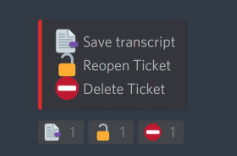
 violet granite


 frank apex
 autumn minnow
 frozen finch


