#🆘│community-support
1 messages · Page 251 of 1
 lilac junco
 round pebble
thank you very much
 iron nightBOT
Gave +1 Rep to @lilac junco (current: #52 - 63)
 shut goblet
/ticket
 humble sequoiaBOT
━━ User's inquiry has been moved to a ticket ━━
 worldly helm
You already recieved an answer in your ticket 😄
-# #1455105757161984041 message
lilac junco
Make sure the bot has all these permissions in the channel.
Bot Permissions ឵ ឵឵ ឵ ឵឵ ឵ ឵឵ ឵ ឵឵
- Read Channels
- Send Messages
- Embed Links
- Attach Files
- Manage Roles
- Manage Channels
- Manage Messages
- Read History
Channel Permissions ឵ ឵឵ ឵ ឵឵ ឵ ឵឵ ឵ ឵឵
- Read Channels
- Send Messages
- Embed Links
- Attach Files
- Manage Roles
- Manage Channels
- Manage Messages
- Read History
@trim river
 trim river
thanks @lilac junco
iron nightBOT
Gave +1 Rep to @lilac junco (current: #52 - 64)
 eternal basin
@humble sequoia
 oblique mirage
My form only allows so many characters, cuting off the majority of the message from the person creating the ticket. Is there a way to expand that?
lilac junco
oblique mirage
My form only allows so many characters, cuting off the majority of the message f...
Could you elaborate?
 unreal wren
Guys when i want to setup the ticket it says that application didnt respond.Why is that happening?
 lilac junco
unreal wren
Guys when i want to setup the ticket it says that application didnt respond.Why ...
lilac junco
unreal wren
Guys when i want to setup the ticket it says that application didnt respond.Why ...
Make sure the bot has these following permissions in the channel.
Bot Permissions ឵ ឵឵ ឵ ឵឵ ឵ ឵឵ ឵ ឵឵
- Read Channels
- Send Messages
- Embed Links
- Attach Files
- Manage Roles
- Manage Channels
- Manage Messages
- Read History
Channel Permissions ឵ ឵឵ ឵ ឵឵ ឵ ឵឵ ឵ ឵឵
- Read Channels
- Send Messages
- Embed Links
- Attach Files
- Manage Roles
- Manage Channels
- Manage Messages
- Read History
unreal wren
He has all permission
lilac junco
unreal wren
He has all permission
Make sure it has view channel permissions.
unreal wren
Alr
oblique mirage
lilac junco
Could you elaborate?
That was the Christian Bale quote from American Psycho. See how it doesnt show the entire speech?
 lilac junco
oblique mirage
That was the Christian Bale quote from American Psycho. See how it doesnt show t...
lilac junco
oblique mirage
That was the Christian Bale quote from American Psycho. See how it doesnt show t...
There's a message limit in that.
 tall radish
By any chance, out of curiosity, can I set a ticket's operating hours?
unreal wren
I have a problem that members cant see the ticket tool message to create a ticket or anything from the bot.how do i fix that?
 latent dawn
tall radish
By any chance, out of curiosity, can I set a ticket's operating hours?
latent dawn
tall radish
By any chance, out of curiosity, can I set a ticket's operating hours?
Yes, you can do it!
Menu -> Automatitations -> Time Schedule There, select when do you want to be able to open tickets.
Note: This is a premium feature 
latent dawn
unreal wren
I have a problem that members cant see the ticket tool message to create a ticke...
Can you see the message of the bot? I mean, is only they or you too?
unreal wren
I can but the other members cant
latent dawn
The members have perms to read message history?
latent dawn
Could you check it on that specific channel?
unreal wren
Alr
Yea it was off
Thanks
Update on the thing that wasnt the problem they still cant see it
 scenic forum
unreal wren
Update on the thing that wasnt the problem they still cant see it
scenic forum
unreal wren
Update on the thing that wasnt the problem they still cant see it
Could you provide a screenshot of how the ticket channel look like for them and how it should look
 grizzled kelp
Does anyone know if you can make tickettool send a reminder to admin/mods after x period of time in a ticket, if it hasn't been responded to yet?
 austere forge
grizzled kelp
Does anyone know if you can make tickettool send a reminder to admin/mods after ...
austere forge
grizzled kelp
Does anyone know if you can make tickettool send a reminder to admin/mods after ...
Possible with Automation feature, refer to the embed below
humble sequoiaBOT
With Ticket Tool's automation, you'll be able to customize your ticket system workflow! Using the Automation Editor you can:
- Chose out of 6 different triggers
- Set a Message Watcher to wait for a message for a given time, or to wait for the absence of them
- Add delays on the execution of actions after the trigger or watcher finds a message!
Automation Command
Automations can be stopped, by running the /automation stop command inside the ticket you want it to stop in. Restart it with /automation start You'll also be able to view the current status of the automations with /automation.
__Important Notes__
- Automation is on ALPHA TESTING PHASE, things might work unexpectedly or not at all.
- Any automation will run for a maximum of 7 days or until the ticket is closed, afterward, it will stop checking
+ You can have 5 automations per panel

$auto
grizzled kelp
austere forge
Possible with Automation feature, refer to the embed below
Thanks, will take a look
iron nightBOT
Gave +1 Rep to @austere forge (current: #4 - 1236)
unreal wren
scenic forum
Could you provide a screenshot of how the ticket channel look like for them and ...
Ok


Here
worldly helm
unreal wren
They don't have permission to see the message history of that channel.

 rare harness
why its not working?
 lilac junco
rare harness
why its not working?
lilac junco
rare harness
why its not working?
Make sure the bot has these permissions in the channel
Bot Permissions ឵ ឵឵ ឵ ឵឵ ឵ ឵឵ ឵ ឵឵
- Read Channels
- Send Messages
- Embed Links
- Attach Files
- Manage Roles
- Manage Channels
- Manage Messages
- Read History
Channel Permissions ឵ ឵឵ ឵ ឵឵ ឵ ឵឵ ឵ ឵឵
- Read Channels
- Send Messages
- Embed Links
- Attach Files
- Manage Roles
- Manage Channels
- Manage Messages
- Read History
rare harness
lilac junco
Make sure the bot has these permissions in the channel
**Bot Permissions** ឵ ឵឵...
yeh they have
lilac junco
rare harness
yeh they have
Make sure it has view channel permissions
rare harness
lilac junco
Make sure it has view channel permissions
yeh it have bro
lilac junco
rare harness
yeh it have bro
Then I'm not sure what's the issue. Please #🎫│make-a-ticket
 tawny whale
How do i put the bot ticket in a category
lilac junco
tawny whale
How do i put the bot ticket in a category
Panel Configs > Category
tawny whale
Ok thanks
humble sequoiaBOT
Don't see your server in the dashboard?
Try using the Sync Servers button on your top center of the Dashboard page
If this doesn't work
You should relog from the dashboard, you can do this by clicking here to log out immediately, and then log back in
Note:
You need one of these 3 things to access the dashboard.
1. Server Owner (Level: 6)
2. Server Administrator (Level: 4)
3. Dashboard Role (Level: 2)
:warning: You can check your level using the </permissionlevel:1029797400174399542> command on your Discord Server
If the bot's response is:
- @User is permission level: 0 (User)
You don't have any of the 3 levels required to access the server's dashboard
 austere forge
Refer to the embed above!
austere forge
As stated in the embed message, Ticket tool is missing permissions MANAGE CHANNELS on the category
tall radish
Can someone tell me how I can make a mention?? My ticket mentions the user {user} but not the role I made <@&1455290876636037301>
he only tags the user but not the role
 austere forge
Please make sure that Ticket Tool has the MENTION EVERYONE & ALL ROLES permission in its role settings
tall radish
austere forge
Please make sure that Ticket Tool has the ``MENTION EVERYONE & ALL ROLES`` permi...
The ticket bot has ADMINISTRATOR of my server, the 3rd highest role
austere forge
tall radish
The ticket bot has ADMINISTRATOR of my server, the 3rd highest role
Refer to the embed below
humble sequoiaBOT
1. Open your Panel Configs tab in your server's dashboard
2. Select the panel you want to ping your support team on
3. Open the Ticket options menu
4. Click on Edit Ticket Message
5. In the Message Content use one of the role mention syntax ({@Role Name}/{Role ID})
6. Save changes
Note: For this to work properly, Ticket Tool requires the Mention Everyone permission. Or the role must have the Allow anyone to @mention this role setting enabled 
 tall radish
humble sequoia
tall radish
humble sequoia
he only tags users that can be seen, but the role only shows the name and doesn't tag
 tall radish
austere forge
Refer to the embed below
tall radish
austere forge
Refer to the embed below
.
austere forge
tall radish
he only tags users that can be seen, but the role only shows the name and doesn'...
How can you be sure that the role is not mentioned?
tall radish
austere forge
How can you be sure that the role is not mentioned?
because it doesn't receive tagging, only from the user
austere forge
tall radish
because it doesn't receive tagging, only from the user
Please #🎫│make-a-ticket
tall radish
austere forge
Please <#571706435449257997>
Who will assist? You? Because I am PT Brazil
humble sequoiaBOT
Equipa de Apoio Portuguesa
Se você está procurando ajuda, abra um ticket para entrar em contato com a equipe de suporte em português. Vá para #🎫│make-a-ticket e pressione o botão :flag_br:.
tall radish
This won't take more than 3 days, right?
austere forge
tall radish
Who will assist? You? Because I am PT Brazil
Refer to the embed above to receive assistance from our Portuguese team
austere forge
tall radish
This won't take more than 3 days, right?
Depends on the availability of our support team, with holiday break may take some time
 clever vine
/help
humble sequoiaBOT
@clever vine, we would love to help you, but if you don't tell us what you need help with we can't help you :(
clever vine
/help i got banned from playing your server because some dude said we were ‘meshing’. We don’t even know how to do that.
humble sequoiaBOT
@clever vine

⚠️ You're in the wrong place
We provide support for Ticket Tool Discord bot and cannot help you with whatever issue you have.
- We don't know which Support Team you should contact to get this issue resolved, and unfortunately we won't be able to accurately tell you.
If you don't have any further questions regarding our bot Ticket Tool, please close this ticket
 proud socket
/help why after i add multi panels to my one panel it doesnt let me edit the panel message?
@humble sequoia
help
 lunar aurora
HELLO I sent money to buy a Rust account but I haven't received anything, is that normal?
humble sequoiaBOT
@lunar aurora
⚠️ You're in the wrong place
We provide support for Ticket Tool Discord bot and cannot help you with whatever issue you have.
- We don't know which Support Team you should contact to get this issue resolved, and unfortunately we won't be able to accurately tell you.
If you don't have any further questions regarding our bot Ticket Tool, please close this ticket
 calm basin
Fr
lunar aurora
calm basin
Fr
you can help me ?
calm basin
Who
lunar aurora
calm basin
Who
me
calm basin
FIRST IM IN MY GANG 2 ITS NOT WORKING FOR ME NEITHER
humble sequoiaBOT
@lunar aurora
⚠️ You're in the wrong place
We provide support for Ticket Tool Discord bot and cannot help you with whatever issue you have.
- We don't know which Support Team you should contact to get this issue resolved, and unfortunately we won't be able to accurately tell you.
If you don't have any further questions regarding our bot Ticket Tool, please close this ticket
lunar aurora
HELLO I sent money to buy a Rust account but I haven't received anything, is that normal?
 lunar solar
That’s great this is not a RUST server
You need to make a ticket on whatever community server you bought the rust account from
We just manage and provide support for the actual ticket bot
No rust
lunar aurora
lunar solar
That’s great this is not a RUST server
I bought a Rust account on Lusive but I haven't received anything
?

 rugged thorn
I’m on the website and I have invited and authorised the bot in my server and it hasn’t showed up on the website
humble sequoiaBOT
Don't see your server in the dashboard?
Try using the Sync Servers button on your top center of the Dashboard page
If this doesn't work
You should relog from the dashboard, you can do this by clicking here to log out immediately, and then log back in
Note:
You need one of these 3 things to access the dashboard.
1. Server Owner (Level: 6)
2. Server Administrator (Level: 4)
3. Dashboard Role (Level: 2)
:warning: You can check your level using the </permissionlevel:1029797400174399542> command on your Discord Server
If the bot's response is:
- @User is permission level: 0 (User)
You don't have any of the 3 levels required to access the server's dashboard
worldly helm
@rugged thorn ^
 worn prism
How do i fix it? Its not letting me setup

 hushed snow
How do I make it so that the bot will question the person who opened the ticket and after the bot questions the person a mod or staff will claim the ticket and help the person
humble sequoiaBOT
━━ User's inquiry has been moved to a ticket ━━
 cyan epoch
 humble sequoiaBOT
@cyan epoch
⚠️ You're in the wrong place
We provide support for Ticket Tool Discord bot and cannot help you with whatever issue you have.
- We don't know which Support Team you should contact to get this issue resolved, and unfortunately we won't be able to accurately tell you.
If you don't have any further questions regarding our bot Ticket Tool, please close this ticket
 urban nebula
@pseudo glen Tool#6207
humble sequoiaBOT
@dusk forum
⚠️ You're in the wrong place
We provide support for Ticket Tool Discord bot and cannot help you with whatever issue you have.
- We don't know which Support Team you should contact to get this issue resolved, and unfortunately we won't be able to accurately tell you.
If you don't have any further questions regarding our bot Ticket Tool, please close this ticket
 dusk forum
Ticket tool not working. Will not allow you to put in a ticket?
 pseudo ravine
You're in the wrong place
 narrow spindle
How do i make the bot ask the user for information then create a ticket
@humble sequoia
@humble sequoia How do i make the bot ask the user for information then create a ticket
 serene sigil
Hi, I’d like to know if the ticket tool allows for customizations, like MEE6, where you can change the avatar and display name. Is this a paid feature?
humble sequoiaBOT
A Discord Form lets the user answer individual questions in a pop-up Form, which then displays the answers in the ticket message. This can save time if you already know what you want to ask the user.
Setup Forms
Forms can be enabled under Panel Settings > Form Options > Edit Forms Options. In the new pop-up window, you can now enable and edit your own Form.
Form Options
You can add up to 5 questions in the Discord form. This is a Discord limitation. Each question can have a placeholder in the input field, a minimum and maximum input, multi-line, and also the option to have the answer required.
Options
Question Title ➞ Your Question goes here
Question Placeholder ➞ The placeholder text in the input field
Required ➞ If enabled, the user has to answer this question, to submit the form
Multi-Line Input ➞ Allows the user to input multiple lines
Minimum and Maximum Input ➞ Set a minimum and maximum input value for the user
Displaying the Answer
To display the answers from the user, you need to enable Auto display form results on the ticket message as an additional embed
If you don't want a second embed, go into your Panel Configs > Ticket Options > Edit Ticket Message. You use the variable {create.form.x} and replace x with the number of your question. For example, the response to Question 5 can be displayed with {create.form.5}.
 lilac junco
@narrow spindle Refer to the embed above.
lilac junco
serene sigil
Hi, I’d like to know if the ticket tool allows for customizations, like MEE6, wh...
It is a premium feature. 
narrow spindle
lilac junco
It is a premium feature. <:Premium:1192403074157912144>
what about like when you click the button there are like dropdown questions and then it opens the form
and how do i fix it not being able to save to transcripts due to lack for permission?
 light swift
okay i'm not sober enough to deal with this on my own so I'm asking for help.
the server I'm in has two levels of support staff
- admins
- moderators
i just recently realized the moderators can't see the tickets.
what settings do i need to change to allow moderators to see tickets?
lilac junco
narrow spindle
what about like when you click the button there are like dropdown questions and ...
In drop-down you can attach multiple panels. For each panel configure the forms and set you question. Depending on the panel they choose, that panel's form will open.
 grave charm
Hey everyone, I'm from Brazil, does anyone know how to get a ticketing bot working?
serene sigil
lilac junco
It is a premium feature. <:Premium:1192403074157912144>
How many valid tickets can you support? Mee6 keeps crashing lately, I'm looking for an alternative.
 sacred basin
Trying to setup ticket tool do they don't have to do command
latent dawn
serene sigil
How many valid tickets can you support? Mee6 keeps crashing lately, I'm looking ...
Ticket tool can support a lot of tickets. I have never experienced any trouble with it. You can open them until Discord stops you at 500 channels.
humble sequoiaBOT
First you will want to invite the bot to your server. Once the bot is in your server, you can manage your server in the dashboard.

To create a panel we are going to need to head over to the Panel Configs Tab on the Dashboard.
Once at the dashboard we will need to click Create Panel.
Enter a panel name (Fill in any optional settings you want).
Click Create Panel and you are ready to get started with configuring your panel.
An example of a creating a panel is shown below.

Once the panel has been created, use the blue Send button and select the channel you want the panel to be sent to.
The Panel wasn't send
Use the </debug:1029783024264564765> command to diagnose possible permission issues with the bot.
 latent dawn
sacred basin
Trying to setup ticket tool do they don't have to do command
latent dawn
sacred basin
Trying to setup ticket tool do they don't have to do command
Please, refer to the embed 
 lilac junco
 copper cove
You haven't enabled claiming.
copper cove
How
lilac junco
copper cove
How
You need the premium bot for claiming.
Panel Configs > Claiming > Enable Ticket Claiming 
iron nightBOT
Gave +1 Rep to @lilac junco (current: #50 - 65)
 gentle thunder
Guys how do I change a name of a panel
lilac junco
gentle thunder
Guys how do I change a name of a panel
Press the rename button
 gentle thunder
Tysmmmmm
 low wadi
so is this the discord supporter or not?
anyway to recover my acc without having access to old email?
light swift
imma mention my issue again; moderators can't see tickets but admins can.
(not asking for immediate support, just trying to make sure i don't get buried)
lilac junco
light swift
imma mention my issue again; moderators can't see tickets but admins can.
Panel Configs > General > Support Team Roles
light swift
lilac junco
``Panel Configs > General > Support Team Roles``
i'm sorry but please remind me how to get to the web-based management interface
(I'm legit trying here but i'm stupid and it's my weekend so compound that with alcohol)
lilac junco
light swift
i'm sorry but please remind me how to get to the web-based management interface
You mean the dashboard?
light swift
yes
humble sequoiaBOT

Ticket Tool - Ticketing without clutter - The #1 Discord support bot
light swift
i saw it before the bot was like "lmao no" so thx
okay update no matter what command i give i get this

 undone umbra
Excuse me and I sent the form, and the screenshot on my ticket yesterday I must do something else for you to respond to me?
light swift
i had the dashboard open earlier ;~;
i figured it out
there's a link to the dashboard in the bots "bio"
lilac junco
light swift
okay update no matter what command i give i get this
Make sure the bot has these permissions in the channel.
Bot Permissions ឵ ឵឵ ឵ ឵឵ ឵ ឵឵ ឵ ឵឵
- Read Channels
- Send Messages
- Embed Links
- Attach Files
- Manage Roles
- Manage Channels
- Manage Messages
- Read History
Channel Permissions ឵ ឵឵ ឵ ឵឵ ឵ ឵឵ ឵ ឵឵
- Read Channels
- Send Messages
- Embed Links
- Attach Files
- Manage Roles
- Manage Channels
- Manage Messages
- Read History
 left rampart
Not received this in inventory, what do I do?

 lilac junco
undone umbra
Excuse me and I sent the form, and the screenshot on my ticket yesterday I must ...
lilac junco
undone umbra
Excuse me and I sent the form, and the screenshot on my ticket yesterday I must ...
If you have an open ticket in this server please be patient support team will answer soon.
light swift
lilac junco
Make sure the bot has these permissions in the channel.
**Bot Permissions** ឵ ឵...
this is not the main issue; the primary problem is mod staff not being able to see tix
i will deal with the bot not working in the mod commands server later
humble sequoiaBOT
@left rampart
⚠️ You're in the wrong place
We provide support for Ticket Tool Discord bot and cannot help you with whatever issue you have.
- We don't know which Support Team you should contact to get this issue resolved, and unfortunately we won't be able to accurately tell you.
If you don't have any further questions regarding our bot Ticket Tool, please close this ticket
light swift
i just want my team to be able to handle issues since it's currently 3 people for ~170 users
lilac junco
lilac junco
``Panel Configs > General > Support Team Roles``
@light swift Add the mod role to this in the dashboard.
light swift
lilac junco
<@178595747233529856> Add the mod role to this in the dashboard.
i'm on the dashboard but the instructions don't make sense to my two intoxicated brain cells fighting for third place
i have this
 lilac junco
light swift
i have this
lilac junco
light swift
i have this
Click on General.
light swift
clicked and have this
 lilac junco
light swift
clicked and have this
lilac junco
light swift
clicked and have this
Add the moderator role to Support Team Roles
light swift
should i also add admin role?
lilac junco
light swift
should i also add admin role?
If you wish, the support team roles is basically a specific role that will handle tickets. It is your choice to choose who you wish to have as your support team.
light swift
admins and mods should both ahve access to tickets
admins can currently see all tickets but moderators cannot
lilac junco
light swift
admins can currently see all tickets but moderators cannot
So add the moderator role as support team roles.
lilac junco
light swift
thankies :3
Glad I could help! 
light swift
when i have desire to fix the commands i will message here
lilac junco
light swift
when i have desire to fix the commands i will message here
I'm always happy to help 
light swift
but my server has basic modding now and thats what I wanted
luckily my server hasn't need much moderation
someome legit opened a ticket then immediately closed it the other day lol
 meager valley
 pliant charm
why can't I see images/videos in transcript logs?


 violet fox
is there a way to get a embed sent after a new ticket has been made?
humble sequoiaBOT
━━ ! Aspects's inquiry has been moved to a ticket ━━
 restive condor
pliant charm
why can't I see images/videos in transcript logs?
restive condor
pliant charm
why can't I see images/videos in transcript logs?
Hey there!
Unfortunately, images are only saved in transcripts for premium users. Once a channel is deleted, so is everything in it, so Discord doesn't store any images. We store images ourself for premium users only up to 8MB
restive condor
violet fox
is there a way to get a embed sent after a new ticket has been made?
Hey there! How exactly do you mean?
violet fox
restive condor
Hey there! How exactly do you mean?
I'd like it if It can make an embed that can say "Welcome" blah blah with sapphire after a new ticket has been made
restive condor
violet fox
I'd like it if It can make an embed that can say "Welcome" blah blah with sapphi...
You'd need to ask that in Sapphire support server then
violet fox
I mean, if it can be replicated with ticket tools only with no Sapphire bot involved?
 remote terrace
Please help me steam now options not available
 humble sequoiaBOT
@remote terrace
⚠️ You're in the wrong place
We provide support for Ticket Tool Discord bot and cannot help you with whatever issue you have.
- We don't know which Support Team you should contact to get this issue resolved, and unfortunately we won't be able to accurately tell you.
If you don't have any further questions regarding our bot Ticket Tool, please close this ticket
 autumn mulch
Can I contact someone? I'm having trouble with the TDS sale
humble sequoiaBOT
@autumn mulch
⚠️ You're in the wrong place
We provide support for Ticket Tool Discord bot and cannot help you with whatever issue you have.
- We don't know which Support Team you should contact to get this issue resolved, and unfortunately we won't be able to accurately tell you.
If you don't have any further questions regarding our bot Ticket Tool, please close this ticket
 fringe sapphire
I'm always happy to help
humble sequoiaBOT
━━ Очкошник's inquiry has been moved to a ticket ━━
 tight oriole
Can someone help me solve this

 oak seal
I am setting up ticket tool in a server but its not showing up on my dahsboard
 ebon flame
how do i fix this
 oak seal
ebon flame
how do i fix this
oak seal
ebon flame
how do i fix this
try using in another channel
ebon flame
oh right, ty
oak seal
ebon flame
oh right, ty
np
austere forge
tight oriole
Can someone help me solve this
Since you're a regular member, there's nothing you can do except inform the server staff of the situation
austere forge
oak seal
I am setting up ticket tool in a server but its not showing up on my dahsboard
Refer to the embed below!
humble sequoiaBOT
Don't see your server in the dashboard?
Try using the Sync Servers button on your top center of the Dashboard page
If this doesn't work
You should relog from the dashboard, you can do this by clicking here to log out immediately, and then log back in
Note:
You need one of these 3 things to access the dashboard.
1. Server Owner (Level: 6)
2. Server Administrator (Level: 4)
3. Dashboard Role (Level: 2)
:warning: You can check your level using the </permissionlevel:1029797400174399542> command on your Discord Server
If the bot's response is:
- @User is permission level: 0 (User)
You don't have any of the 3 levels required to access the server's dashboard
austere forge
ebon flame
how do i fix this
Please use the command /debug in the channel where you try the commands
oak seal
humble sequoia
thanks
iron nightBOT
Gave +1 Rep to @humble sequoia (current: #18 - 410)
oak seal
austere forge
Refer to the embed below!
thanks
iron nightBOT
Gave +1 Rep to @austere forge (current: #4 - 1238)
 uneven flint
 jade topaz
Hey I've done a payment in a ticket raised in a discord server to access premium but it's be 2 day I've not received any reply it just says thanks for sharing screenshot wait for 1 min what should i do
humble sequoiaBOT
@jade topaz
⚠️ You're in the wrong place
We provide support for Ticket Tool Discord bot and cannot help you with whatever issue you have.
- We don't know which Support Team you should contact to get this issue resolved, and unfortunately we won't be able to accurately tell you.
If you don't have any further questions regarding our bot Ticket Tool, please close this ticket
pseudo ravine
We only provide support for the bot itself. You will need to be patient and wait for the staff of that server to reply
jade topaz
Thanks brother for help
pseudo ravine
You're welcome, glad I could help!
humble sequoiaBOT
━━ SUP | WM's inquiry has been moved to a ticket ━━
 arctic dagger
hey can somebody help me with : ticket tool isn't deletin the channels
 neon slate
Is there an issue with Auto Pin Ticket function ?
it was working till yesterday however 2day is no longer pinning messages
 scenic plinth
It's temporarily disabled as it was causing issues due to Discords permission updates regarding manage messages. The developer disabled pinning and as far as I am aware is working to fix it as soon as he has the time.
 rich stone
What’s the thingy, community what?
worldly helm
Please do not ping staff. Depending on what exactly you're trying to edit, it's most likely a premium feature.
 reef portal
how to create the ticket in m yserver
 scarlet birch
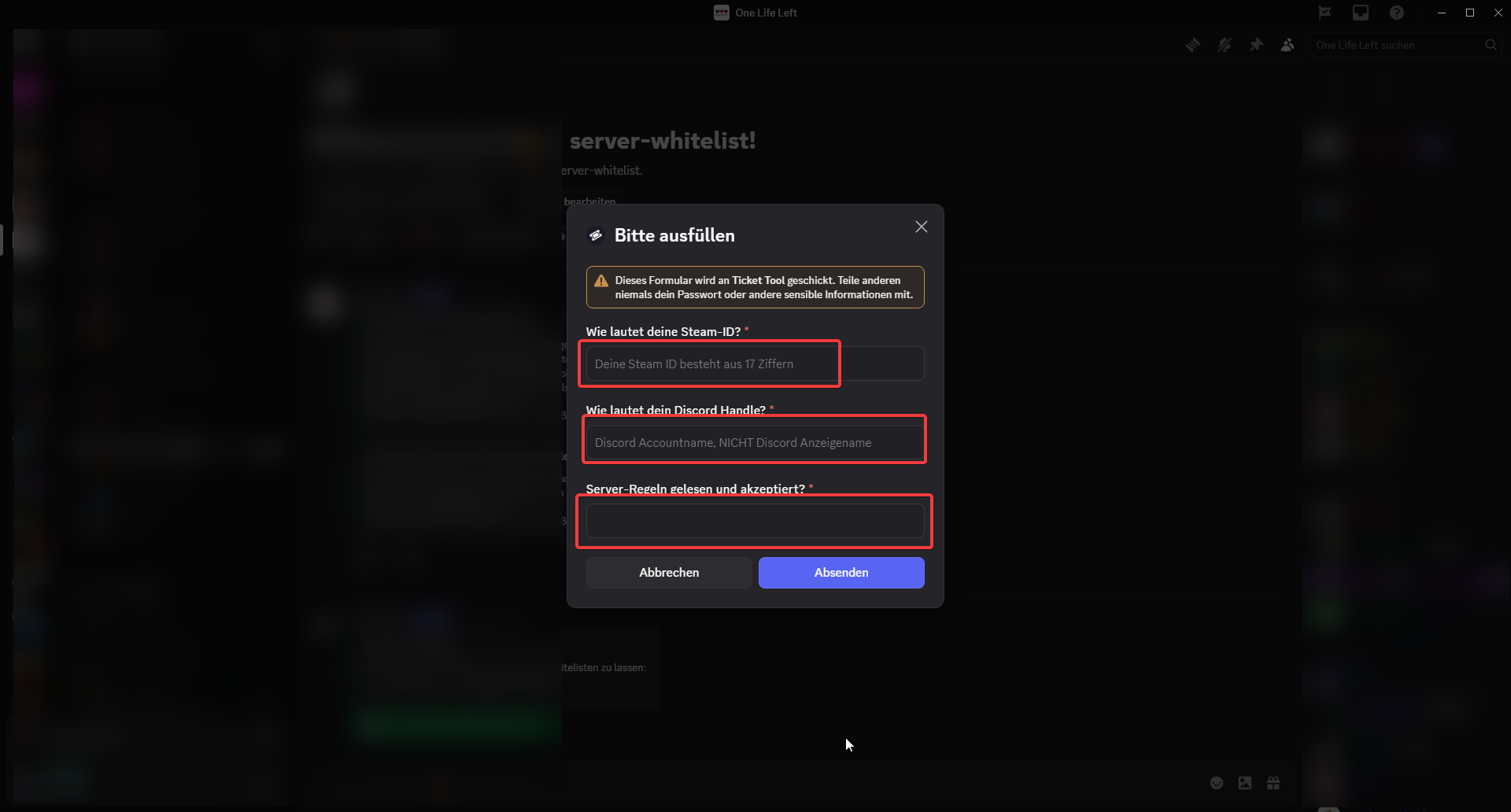
Hi, is ist possible to have a webhook or something like that to automatically send the data a user writes into his ticket to a google sheet (without premium)?
https://i.imgur.com/4QgdLgE.png
 austere forge
scarlet birch
Hi, is ist possible to have a webhook or something like that to automatically se...
austere forge
scarlet birch
Hi, is ist possible to have a webhook or something like that to automatically se...
This is currently not possible
Feel free to make a suggestion in https://ptb.discord.com/channels/509192800865353738/910978476536905738 using /suggest
 stark runeBOT
1. Invite Ticket Tool to your server
First you will want to invite the bot to your server. Once the bot is in your server, you can manage your server in the dashboard.
2. Create a Panel
To create a panel we are going to need to head over to the panel configs on the dashboard.
Once at the dashboard we will need to click Create Panel.
Enter a panel name (Fill in any optional settings you want).
Click Create Panel and your ready to get started with configuring your panel.
An example of a creating a panel is shown below.
3. Send the Panel to a Channel
Once you've created a panel on the dashboard you will need to send it to a channel using send on the dashboard.
Select the channel you want your panel to be created in and click send.
For other questions checkout $help faq.
An example of a sending a panel is shown below.
Having a Problem Sending the Panel?
Do $debug in a channel with Ticket Tool and make sure it has all the necessary Discord permissions.
austere forge
reef portal
how to create the ticket in m yserver
Refer to the embed above!
 tired badge
Why does my tickets keep auto deleting
austere forge
tired badge
Why does my tickets keep auto deleting
When they were created?
tired badge
austere forge
When they were created?
Like 1-2 mins after
humble sequoiaBOT
━━ User's inquiry has been moved to a ticket ━━
 median badger
@humble sequoia @humble sequoia @iron night
 placid girder
$help @median badger
humble sequoiaBOT
placid girder
$help <@1436988084242616330>

Ticket Tool is the only ticketing bot you'll ever need! Explore its features and set the best ticket system for your server!
<:CommandIcon:1018980659064221746> Commands
Browse through Ticket Tool's commands list and find new utilities!
<:TextIcon:1018980662881030144> FAQ
Solutions for the most frequent questions our users have when implementing the bot on their server.
<:Setup:1034174646788030664> Setup
The steps to follow when setting the bot for the first time on any server
 weak tapir
Sir GUARDEER ki live master zoom class Pakistan sy kasi na buy ki thi jo 30Dec2025 ko thi agr buy ki thi to please yaa batan payment kas platform say ki thi😔😔😔😔please help me
 wheat charm
$help
humble sequoiaBOT
wheat charm
$help
First you will want to invite the bot to your server. Once the bot is in your server, you can manage your server in the dashboard.
To create a panel we are going to need to head over to the Panel Configs Tab on the Dashboard.
Once at the dashboard we will need to click Create Panel.
Enter a panel name (Fill in any optional settings you want).
Click Create Panel and you are ready to get started with configuring your panel.
An example of a creating a panel is shown below.
Once the panel has been created, use the blue Send button and select the channel you want the panel to be sent to.
The Panel wasn't send
Use the </debug:1029783024264564765> command to diagnose possible permission issues with the bot.
weak tapir
Sir GUARDEER ki live master zoom class Pakistan sy kasi na buy ki thi jo 30Dec2025 ko thi agr buy ki thi to please yaa batan payment kas platform say ki thi😔😔😔😔please help me
humble sequoiaBOT
@weak tapir
⚠️ You're in the wrong place
We provide support for Ticket Tool Discord bot and cannot help you with whatever issue you have.
- We don't know which Support Team you should contact to get this issue resolved, and unfortunately we won't be able to accurately tell you.
If you don't have any further questions regarding our bot Ticket Tool, please close this ticket
 waxen obsidian
$help
humble sequoiaBOT
waxen obsidian
$help
Identifiy the number of your question and select it using the menu at the end of the message
 - How do I create a panel?
 - How do I send a panel?
 - How can I grant my team access to tickets?
 - How do I add/remove users from a ticket?
 - How to automatically ping my support team on a ticket?
 - How do I set what category tickets are created in?
 - How does claiming work?
 - What is the prefix and how do I change it?
 - How do I limit the number of tickets a user can create?
 - How do I set a transcript channel?
 - How do I set permissions for tickets?
waxen obsidian
$help
humble sequoiaBOT
waxen obsidian
$help
Ticket Tool is the only ticketing bot you'll ever need! Explore its features and set the best ticket system for your server!
<:CommandIcon:1018980659064221746> Commands
Browse through Ticket Tool's commands list and find new utilities!
<:TextIcon:1018980662881030144> FAQ
Solutions for the most frequent questions our users have when implementing the bot on their server.
<:Setup:1034174646788030664> Setup
The steps to follow when setting the bot for the first time on any server
pseudo ravine
Please use #🤖│bot-spam for random bot commands
 reef nova
bro
waxen obsidian
sorry! trying to find some help lol
reef nova
yo
humble sequoiaBOT
@waxen obsidian, we would love to help you, but if you don't tell us what you need help with we can't help you :(
reef nova
Why do my tickets auto delete ?
waxen obsidian
I have two "open ticket" buttons on my panel, but I cant find the other one on the dashboard. It's sending open tickets to the wrong place.
 coral relic
real quick question, how do I send buttons for multiple ticket subjects in one embed like this
Nevermind, I found it
 coral relic
real quick question, how do I send buttons for multiple ticket subjects in one e...
coral relic
coral relic
real quick question, how do I send buttons for multiple ticket subjects in one e...
why is the ticket panel only showing 2 out of 3 buttons that I have it set up for?
tired badge
is there any way I can check who is running a command? Like if someone runs the / delete command can i see who did it?
 sly leaf
Do I need administrator permissions to use the bot panel?
 covert swallow
You need the administrator permission or a dashboard role (see below)
humble sequoiaBOT
Any role you put there will have full access to the ticket tool dashboard. The server owner and users with admin permissions already have access to the dashboard.
Be careful of which roles to put here

━━ Enzo and sgtepsilon's inquiry has been moved to a ticket ━━
 jolly ridge
The bot doesn't respond to anything 😭
Always tells me "The application did not respond"
 undone imp
How do I add a panels to multiple servers? It’s only showing me one of the servers that I have invited ticket tool into when I have three.
placid girder
jolly ridge
Always tells me "The application did not respond"
Double check if view channel and send messages is granted!
placid girder
undone imp
How do I add a panels to multiple servers? It’s only showing me one of the serve...
You have to recreate that panel in each server's dashboard.
undone imp
placid girder
You have to recreate that panel in each server's dashboard.
okay, thank you!
iron nightBOT
Gave +1 Rep to @placid girder (current: #67 - 29)
 dull lava
i cant fix this error

 gusty flare
Good evening, I apologize in advance for poor English; I'm using a translator. I'd like to ask about transcriptions. Images sent in a ticket and then transcribed aren't visible when I download the ticket. Is this normal?
 eternal raptor
gusty flare
Good evening, I apologize in advance for poor English; I'm using a translator. I...
eternal raptor
gusty flare
Good evening, I apologize in advance for poor English; I'm using a translator. I...
Hey there!
Unfortunately, images are only saved in transcripts for premium users. Once a channel is deleted, so is everything in it, so Discord doesn't store any images. We store images ourself for premium users only up to 8MB
(credit dan which i got the message from)
 drowsy urchin
I’m not sure how to fill out a ticket or if anyone here could help me. Through ZBD I am playing games on MyFreeApp/MyAppFree. one of the games I am playing there is Buffalo Slots and it stopped recording my activity. Example, after reaching level 30 I am supposed to get so many points, but I’m on level 34 now
 silent flame
Can u add and control the bot if your a mod and don’t own the server
humble sequoiaBOT
@drowsy urchin
⚠️ You're in the wrong place
We provide support for Ticket Tool Discord bot and cannot help you with whatever issue you have.
- We don't know which Support Team you should contact to get this issue resolved, and unfortunately we won't be able to accurately tell you.
If you don't have any further questions regarding our bot Ticket Tool, please close this ticket
placid girder
silent flame
Can u add and control the bot if your a mod and don’t own the server
Roles can be set as a manager of the server's dashboard, yes.
jade topaz
@humble sequoia
 astral hamlet
how do i make this
 humble sequoiaBOT
The Drop-down menu or Select Menu replaces the buttons on your panel message and uses a drop-down menu with all of your panels. To set this up, go to your Panel Configs and select your main Panel.
<:Numbericons1:1018864164032225340> Enable Select Style
First you enable Select Style. Then you add an item in the Dropdown Editor. Now you can start editing your dropdown!
<:Numbericons2:1018864168041971712> Dropdown Editor
Each line in the dropdown editor represents a line in the drop down menu on discord. You can add more "Items", by clicking on 

First you select a panel. That's the panel this option will open a ticket for.  DONT select the same panel twice. Each option should have a different Panel
After that, you can put a Display. This is the title of this option and will appear in the drop down menu. The *Description can be set right after that, which will be below the title in grey.
Additionally you can select an emoji, that will be shown in front of each option. You can either manually input the ID of an emoji or select it in the selector.
Common Issues ⚠️
- Panel doesn't send? Make sure you have a valid emoji selected
- Option doesn't show up? Check if two options have the same panel in the DropDown Editor

$dropdown
lilac junco
@astral hamlet refer to the embed above!
 patent needle
How long does it usually take for the ticket bot to respond to me
worldly helm
patent needle
How long does it usually take for the ticket bot to respond to me
Hello 👋
Our bot @pseudo glen is not made to respond to tickets, just to create, close, transcript, delete them and much more.
The bot isn‘t made to actually reply to someones ticket.
 fringe pewter
Hi guys how to fix this i got permanent ban in blox fruit without knowing what the reason im not using cheat or any my last playing is someone kill me and i can't spawn and i leave the game and refresh it and its say i got permanent ban can someone help me im just started 4 days ago 🙁
humble sequoiaBOT
@fringe pewter
⚠️ You're in the wrong place
We provide support for Ticket Tool Discord bot and cannot help you with whatever issue you have.
- We don't know which Support Team you should contact to get this issue resolved, and unfortunately we won't be able to accurately tell you.
If you don't have any further questions regarding our bot Ticket Tool, please close this ticket
 peak bluff
Hi how do I add a ticket bot in my server?
lilac junco
$invite
humble sequoiaBOT
lilac junco
$invite
Ticket Tool Invite & Support
lilac junco
@peak bluff refer to the embed above!
peak bluff
Hey @lilac junco
I have a quetion
How do I add a ticket in my server so members can make tickets?
stark runeBOT
1. Invite Ticket Tool to your server
First you will want to invite the bot to your server. Once the bot is in your server, you can manage your server in the dashboard.
2. Create a Panel
To create a panel we are going to need to head over to the panel configs on the dashboard.
Once at the dashboard we will need to click Create Panel.
Enter a panel name (Fill in any optional settings you want).
Click Create Panel and your ready to get started with configuring your panel.
An example of a creating a panel is shown below.
3. Send the Panel to a Channel
Once you've created a panel on the dashboard you will need to send it to a channel using send on the dashboard.
Select the channel you want your panel to be created in and click send.
For other questions checkout $help faq.
An example of a sending a panel is shown below.
Having a Problem Sending the Panel?
Do $debug in a channel with Ticket Tool and make sure it has all the necessary Discord permissions.
worldly helm
peak bluff
I have a quetion
Please don‘t ping for support. See above^
 peak wedge
So, I’m trying to close a few tickets but the bot keeps telling me this;

What do I do to fix that, and actually close the ticket? Because the ticket is open and it’s not closed
 pure stream
Can I make it so like when a ticket is opened it sents an immediate like message depending situation? Like a tagged message not default.
 indigo parrot
Hi team, could someone point me to the correct process to recover a restricted Sign in with Apple account?
My iOS launch issue is fixed now, but my account is still restricted after a refund. I already have a support ticket with the game/developer.
I can provide proof (purchase/refund info) privately if needed. I just want to restore access and play normally. Thank you.

 serene rivet
i need help as here it showes that these roles are getting pinged but the people with only the admins role aren't getting pinged
 serene sigil
Hi,team.Is it possible to change the name of the ticket tool bot? The avatar and banner can already be customized in Customize Bot.
lilac junco
pure stream
Can I make it so like when a ticket is opened it sents an immediate like message...
Hey there! You can customize your ticket message for each panel.
humble sequoiaBOT
@indigo parrot
⚠️ You're in the wrong place
We provide support for Ticket Tool Discord bot and cannot help you with whatever issue you have.
- We don't know which Support Team you should contact to get this issue resolved, and unfortunately we won't be able to accurately tell you.
If you don't have any further questions regarding our bot Ticket Tool, please close this ticket
serene sigil
 lilac junco
serene sigil
Hi,team.Is it possible to change the name of the ticket tool bot? The avatar and...
lilac junco
serene sigil
Hi,team.Is it possible to change the name of the ticket tool bot? The avatar and...
You can change it in your server, give it a nickname.
indigo parrot
Sorry—my issue is about a game account restriction (Sign in with Apple), not Ticket Tool. I’ll close this ticket. Thank you.
serene sigil
lilac junco
You can change it in your server, give it a nickname.
I want to change the bot’s name within the server, but still use Ticket Tool’s features. How can I do this?
lilac junco
serene sigil
I want to change the bot’s name within the server, but still use Ticket Tool’s f...
You can nickname the bot.
 acoustic forge
can we pay for premium in crypto
serene sigil
lilac junco
You can nickname the bot.
Ticket Tool#5616
Can this kind of name be changed?
 lilac junco
serene sigil
lilac junco
serene sigil
No.
acoustic forge
can we pay for premium in crypto, paddle sucks
reef portal
stil doesnt work idk what im doing wrong it says bot dont have permission to join the channel
austere forge
acoustic forge
can we pay for premium in crypto, paddle sucks
Please open a Billing ticket in #🎫│make-a-ticket
austere forge
reef portal
stil doesnt work idk what im doing wrong it says bot dont have permission to joi...
What are you trying to achieve?
reef portal
i want the ticket in my channel so that people when click
they open a ticket and i can answer to them in there privately
austere forge
reef portal
i want the ticket in my channel so that people when click
And then when you try to send the panel, there a message displayed it say the bot doesn't have permissions?
reef portal
yes
austere forge
Can you please run the /debug command in the channel where you try to send the panel
austere forge
reef portal
it says program didint activate
Please make a screenshot of this
 austere forge
Ticket Tool is missing the SEND MESSAGE permission for that channel
 boreal creek
Plees help me
 austere forge
You're in the wrong place
boreal creek
Yes Help me
austere forge
No, You're in the wrong place
humble sequoiaBOT
⚠️ You're in the wrong place
We provide support for Ticket Tool Discord bot and cannot help you with whatever issue you have.
- We don't know which Support Team you should contact to get this issue resolved, and unfortunately we won't be able to accurately tell you.
If you don't have any further questions regarding our bot Ticket Tool, please close this ticket
boreal creek
@humble sequoia @humble sequoia @humble sequoia
boreal creek
austere forge
No, You're in the wrong place
I dont Please, I don't understand.
austere forge
We can't help you here
You're in the wrong place
This is server support for our bot Discord Ticket tool, nothing else
 sterile walrus
is there some bug going on or something? i added the bot to a server, and it does not show up in my dashboard
this one server doesn't even show up in my "servers without ticket tool" part of the dashboard
 umbral fulcrum
The bot doesn’t work
Every time I use a command it says the application didn’t respond
 formal briar
eternal raptor
Hey there!
Unfortunately, images are only saved in transcripts for premium user...
formal briar
eternal raptor
Hey there!
Unfortunately, images are only saved in transcripts for premium user...
interesting
lilac junco
sterile walrus
this one server doesn't even show up in my "servers without ticket tool" part of...
Are you the owner of the server?
lilac junco
umbral fulcrum
Every time I use a command it says the application didn’t respond
Make sure it has the following permissions in the channel you're using it in.
Bot Permissions ឵ ឵឵ ឵ ឵឵ ឵ ឵឵ ឵ ឵឵
- Read Channels
- Send Messages
- Embed Links
- Attach Files
- Manage Roles
- Manage Channels
- Manage Messages
- Read History
Channel Permissions ឵ ឵឵ ឵ ឵឵ ឵ ឵឵ ឵ ឵឵
- Read Channels
- Send Messages
- Embed Links
- Attach Files
- Manage Roles
- Manage Channels
- Manage Messages
- Read History
 prisma thunder
sterile walrus
this one server doesn't even show up in my "servers without ticket tool" part of...
prisma thunder
sterile walrus
this one server doesn't even show up in my "servers without ticket tool" part of...
same
does anyone know a fix to server not popping up on the "server without ticket tool" part of dashboard?
pure stream
lilac junco
Hey there! You can customize your ticket message for each panel.
Brah when did you dictionary change 😭.
 untold ivy
Hey, so I'm setting up a ticket type for which I only want certain roles to be able to open a ticket. I figured out that I can do that by going to Advanced Settings>Limits and setting Open tickets each user to 0, then setting the desired role as an exception.
That's all good. When someone without that role tries to open a ticket, they get the message, "Ticket limit reached, You already have 0 tickets open of the 0 allowed for this panel."
My question is, where can I edit that message? I don't see it in the Messages section of panel config, or anywhere else that I can think to look. Thanks!
lilac junco
prisma thunder
does anyone know a fix to server not popping up on the "server without ticket to...
Your role in that server does not have the administrator permissions or isn't part of dashboard roles.
pure stream
untold ivy
Hey, so I'm setting up a ticket type for which I only want certain roles to be a...
No just head over to the support roles part.
prisma thunder
lilac junco
Your role in that server does not have the administrator permissions or isn't pa...
but its my server? i made it?
prisma thunder
lilac junco
Your role in that server does not have the administrator permissions or isn't pa...
and every role i have equip, has administrator
 dusty oak
guys i dont see the server i have ticket tool in on the website
prisma thunder
dusty oak
guys i dont see the server i have ticket tool in on the website
having the same issue
dusty oak
 sterile walrus
lilac junco
Are you the owner of the server?
sterile walrus
lilac junco
Are you the owner of the server?
n
lilac junco
untold ivy
Hey, so I'm setting up a ticket type for which I only want certain roles to be a...
By going to Advanced Settings > Limits and setting it to 0 you've limit the members of your server to not be able to open a ticket at all.
Instead go to Server Configs > Blacklisted roles and add the role you wish to not be able to open a ticket there. Also increase the limit to the number of your choice as that represents how many tickets they can open in a specific panel.
prisma thunder
is there some bug going on or something? i added the bot to a server, and it does not show up in my dashboard
this one server doesn't even show up in my "servers without ticket tool" part of the dashboard
lilac junco
For those who cannot see your server on the dashboard, please #🎫│make-a-ticket to resolve the issue.
untold ivy
lilac junco
By going to ``Advanced Settings > Limits`` and setting it to 0 you've limit the ...
That doesn't really work, because it's only this panel that I want to limit to one specific role. The others need to be open to basically everyone. I've got it set up fine with limiting. People with the role can open this ticket type, and people without it can't. I was just hoping there was a way to edit the denial message. Thank you tho
iron nightBOT
Gave +1 Rep to @lilac junco (current: #50 - 66)
lilac junco
untold ivy
That doesn't really work, because it's only this panel that I want to limit to o...
The denial message as in "Ticket limit reached, You already have 0 tickets open of the 0 allowed for this panel?"
untold ivy
lilac junco
The denial message as in "Ticket limit reached, You already have 0 tickets open ...
Yes exactly. Little clunky lol
lilac junco
untold ivy
Yes exactly. Little clunky lol
Unfortunately there's no way to change that.
pure stream
lilac junco
The denial message as in "Ticket limit reached, You already have 0 tickets open ...
DMs, please.
untold ivy
lilac junco
Unfortunately there's no way to change that.
Ahh understood. Appreciate your help
 twin trench
When tickets created it doesn’t list in opened tickets category even when i put it from the dashboard
lilac junco
twin trench
When tickets created it doesn’t list in opened tickets category even when i put...
Does your server get more than 45 tickets a day?
twin trench
lilac junco
Does your server get more than 45 tickets a day?
Nope
untold ivy
twin trench
Nope
Lucky lol
lilac junco
twin trench
Nope
Could you please test out one yourself, open a ticket and see if any errors pop up.
twin trench
lilac junco
Could you please test out one yourself, open a ticket and see if any errors pop ...
 lilac junco
twin trench
lilac junco
twin trench
Panel Configs > Category > Category created/opened
Does it say ~Deleted~ in the section?
twin trench
lilac junco
``Panel Configs > Category > Category created/opened``
Does it say ``~Deleted~`...
No
lilac junco
twin trench
No
Could you try choosing a new category then save changes. Then test it again.
twin trench
lilac junco
Could you try choosing a new category then save changes. Then test it again.
Same problem
lilac junco
twin trench
Same problem
Please #🎫│make-a-ticket as I can't figure the issue.
austere forge
twin trench
Simply select again a category
untold ivy
@twin trench does Ticket Tool have permissions in the destination category for created tickets? I always forget that when I set up a new category
lilac junco
 woeful parcel
Ticket tool making ticket for itself
woeful parcel
Ticket tool making ticket for itself
What do you mean exactly?
woeful parcel
lilac junco
What do you mean exactly?
Ticket tool made ticket for itself 😭

 lapis nexus
i have the same problame as @dull lava
dull lava
maybe its a ds bug
lapis nexus
maybe
jolly ridge
placid girder
Double check if view channel and send messages is granted!
Thank you Ryan 🥹
iron nightBOT
Gave +1 Rep to @placid girder (current: #66 - 30)
scenic forum
@dull lava @lapis nexus
The server has 500 channels
Theres nothing you can do as member. Staff needs to delete some channels
 arctic dagger
hey
tickets aren't gettin deleted can somebody help me it's been a day n nobody has responded yet
dull lava
scenic forum
<@1299827097354768466> <@1446847343100952764>
The server has 500 channels
There...
sad i had to report a exploiter but couldnt cause this
worldly helm
peak wedge
Please wait for a response in your ticket.
worldly helm
arctic dagger
tickets aren't gettin deleted can somebody help me it's been a day n nobody has ...
Hello! 👋
What error are you getting?
arctic dagger
worldly helm
Hello! 👋
What error are you getting?
when I click on delete after closin the ticket it purges all the messages in the channel rather than deletin it
worldly helm
What's your server ID?
arctic dagger
worldly helm
What's your server ID?
762696440191123506
worldly helm
arctic dagger
762696440191123506
Dashboard > Server Configs > Storage Mode Enabled
You need to disable that.
arctic dagger
worldly helm
Dashboard > Server Configs > <:Switch_enabled:1041734627330625586> Storage Mode ...
thanks
iron nightBOT
Gave +1 Rep to @worldly helm (current: #5 - 1055)
 hybrid orbit
how do i make it look like this?

instead of this

nvm i found a messge that i typed in 2024 asking the same question imau se he same guide they gave me
help me
hybrid orbit
hybrid orbit
how do i make it look like this?
how do i make it send the messege
humble sequoiaBOT
The Drop-down menu or Select Menu replaces the buttons on your panel message and uses a drop-down menu with all of your panels. To set this up, go to your Panel Configs and select your main Panel.
<:Numbericons1:1018864164032225340> Enable Select Style
First you enable Select Style. Then you add an item in the Dropdown Editor. Now you can start editing your dropdown!
<:Numbericons2:1018864168041971712> Dropdown Editor
Each line in the dropdown editor represents a line in the drop down menu on discord. You can add more "Items", by clicking on
First you select a panel. That's the panel this option will open a ticket for. DONT select the same panel twice. Each option should have a different Panel
After that, you can put a Display. This is the title of this option and will appear in the drop down menu. The *Description can be set right after that, which will be below the title in grey.
Additionally you can select an emoji, that will be shown in front of each option. You can either manually input the ID of an emoji or select it in the selector.
Common Issues ⚠️
- Panel doesn't send? Make sure you have a valid emoji selected
- Option doesn't show up? Check if two options have the same panel in the DropDown Editor
$dropdown
worldly helm
@hybrid orbit
hybrid orbit
I looked at it like 20 times
 grim spear
Im trying to set up ticket tool but it just says [application not responding]
lilac junco
grim spear
Im trying to set up ticket tool but it just says [application not responding]
Make sure it has these permissions in the channel you're using it in.
Bot Permissions ឵ ឵឵ ឵ ឵឵ ឵ ឵឵ ឵ ឵឵
- Read Channels
- Send Messages
- Embed Links
- Attach Files
- Manage Roles
- Manage Channels
- Manage Messages
- Read History
Channel Permissions ឵ ឵឵ ឵ ឵឵ ឵ ឵឵ ឵ ឵឵
- Read Channels
- Send Messages
- Embed Links
- Attach Files
- Manage Roles
- Manage Channels
- Manage Messages
- Read History
grim spear
lilac junco
Make sure it has these permissions in the channel you're using it in.
**Bot Per...
Ima try
Its working now. Thank you!
 restive sonnet
Hi guys
hybrid orbit
worldly helm
<@1162809857452281897> <:this:894279341108772914>
i still dont understand how
worldly helm
hybrid orbit
i still dont understand how
What exactly do you not understand?
hybrid orbit
worldly helm
What exactly do you not understand?
i did as it says but i dont understand how to make the messege appear it shows this
 worldly helm
You have to set-up the bot on the dashboard to recieve your wanted outcome
hybrid orbit
and how do i do that🙏
worldly helm
humble sequoia
By following this guide^
hybrid orbit
 worldly helm
Looks good. Now send your panel to a channel.
humble sequoiaBOT
1. Open your Panel Configs tab in your server's dashboard
2. Select the panel you want to send
3. Click the blueSendbutton
4. Indicate to which channel it should be sent to
5. Send the panel
hybrid orbit
oh, i see now thx
hybrid orbit
how do i change the messege the ticket shows?
 lilac junco
hybrid orbit
how do i change the messege the ticket shows?
lilac junco
hybrid orbit
how do i change the messege the ticket shows?
Panel configs > Messages > Edit Panel Message
hybrid orbit
yh i know but how do i change it
lilac junco
hybrid orbit
yh i know but how do i change it
Click the arrow on Embed editor 1
lilac junco
hybrid orbit
uh it dosent let me change it
The message at the very bottom.
Under Thumbnail URL.
 vestal musk
Why is my application not responding
lilac junco
vestal musk
Why is my application not responding
Make sure it has these perms in the channel you're using it in.
Bot Permissions ឵ ឵឵ ឵ ឵឵ ឵ ឵឵ ឵ ឵឵
- Read Channels
- Send Messages
- Embed Links
- Attach Files
- Manage Roles
- Manage Channels
- Manage Messages
- Read History
Channel Permissions ឵ ឵឵ ឵ ឵឵ ឵ ឵឵ ឵ ឵឵
- Read Channels
- Send Messages
- Embed Links
- Attach Files
- Manage Roles
- Manage Channels
- Manage Messages
- Read History
iron nightBOT
Gave +1 Rep to @lilac junco (current: #49 - 67)
 pliant roost
I added bot to my discord but it doesn't appear on the dashboard
 astral tapir
Someone knows if I can ues this method for dropdown style? I want to have like press button then all the dropdown categories are shown up.
Not like the second image

 scenic forum
@pliant roost
Can you use /debug on your server?
@molten wedge
Any user being able to see the transcript message sent by the bot can view the transcript
@astral tapir
Im sorry im not understanding what you mean
astral tapir
scenic forum
<@1401148754840522752>
Can you use /debug on your server?
<@937035038908883056...
That you need to press a button first and then a message get sent to you in the same channel that only you can see with all the dropdown categories
 molten wedge
scenic forum
<@1401148754840522752>
Can you use /debug on your server?
<@937035038908883056...
molten wedge
scenic forum
<@1401148754840522752>
Can you use /debug on your server?
<@937035038908883056...
Like the transcript message in the transcript channel?
scenic forum
astral tapir
That you need to press a button first and then a message get sent to you in the ...
That is not a thing
What speaks against just using a dropdown menu?
scenic forum
molten wedge
Like the transcript message in the transcript channel?
Anyone having access to that transcript message can view a transcript
astral tapir
scenic forum
That is not a thing
What speaks against just using a dropdown menu?
Because the dropdown menu sometimes buggy
scenic forum
astral tapir
Because the dropdown menu sometimes buggy
There is no known issue or report of the dropdown menu having any issues.
pliant roost
scenic forum
<@1401148754840522752>
Can you use /debug on your server?
<@937035038908883056...
yes
scenic forum
pliant roost
yes
Are you logged in with the correct account on the dashboard?
pliant roost
yes
scenic forum
pliant roost
yes
https://tickettool.xyz/dashboard/1455992017132978426/configs#pc-menu
Does it work over this link?
Ticket Tool - Ticketing without clutter - The #1 Discord support bot
pliant roost
yes
humble sequoiaBOT
@thin prism
⚠️ You're in the wrong place
We provide support for Ticket Tool Discord bot and cannot help you with whatever issue you have.
- We don't know which Support Team you should contact to get this issue resolved, and unfortunately we won't be able to accurately tell you.
If you don't have any further questions regarding our bot Ticket Tool, please close this ticket
 thin prism
They are not responding it’s been a day
scenic forum
thin prism
They are not responding it’s been a day
We cannot assist you with ticket matters outside of this server.
thin prism
…
 scenic forum
 chilly harbor
why doers it keep saying this
chilly harbor
why doers it keep saying this
Hey there!
«You don't have permissions to use this»
👉 Server Configs -> Blacklist Roles
Any roles there will be unable to interact with the bot in any way, including creating tickets.👉 Panel Configs -> Buttons -> Create Ticket -> Support team only
If this is enabled👉 Panel Configs -> Buttons -> Create Ticket -> Disabled Roles
Any roles there will be unable to use the button.
chilly harbor
TYYY IT WORKEDDD
thin prism
 scenic forum
thin prism
scenic forum
thin prism
As stated previously youre on the wrong server
pliant roost
scenic forum
https://tickettool.xyz/dashboard/1455992017132978426/configs#pc-menu
Does it wor...
so i have to do this over this link? because every new server where i add ticket tool is not showing on the dashboard
scenic forum
pliant roost
so i have to do this over this link? because every new server where i add ticket...
You should be able to just press sync servers
pliant roost
its keep saying Wooops too fast. try again in a few seconds but it is showing since 3pm
scenic forum
pliant roost
its keep saying Wooops too fast. try again in a few seconds but it is showing si...
Can you show that error
pliant roost
 scenic forum
pliant roost
scenic forum
pliant roost
Do you use a VPN?
pliant roost
sometimes but not all the time
scenic forum
pliant roost
sometimes but not all the time
Im not sure then
please #🎫│make-a-ticket
 jagged marsh

 drowsy atlas
Hello have been banned I need to send a report of this to help
humble sequoiaBOT
⚠️ You're in the wrong place
We provide support for Ticket Tool Discord bot and cannot help you with whatever issue you have.
- We don't know which Support Team you should contact to get this issue resolved, and unfortunately we won't be able to accurately tell you.
If you don't have any further questions regarding our bot Ticket Tool, please close this ticket
 ancient patio
hi, wondering if you are able to make it so members can invite other members into a ticket, not just staff
drowsy atlas
How do I report a unfair ban on TikTok live
humble sequoiaBOT
@drowsy atlas
⚠️ You're in the wrong place
We provide support for Ticket Tool Discord bot and cannot help you with whatever issue you have.
- We don't know which Support Team you should contact to get this issue resolved, and unfortunately we won't be able to accurately tell you.
If you don't have any further questions regarding our bot Ticket Tool, please close this ticket
drowsy atlas
Where do I go
scenic forum
drowsy atlas
Where do I go
- We don't know which Support Team you should contact to get this issue resolved, and unfortunately we won't be able to accurately tell you.
scenic forum
ancient patio
hi, wondering if you are able to make it so members can invite other members int...
Dashboard -> Command config -> Add -> Support team only 
thin prism
How do I get a refund cause I still haven’t gotten the information
ancient patio
scenic forum
Dashboard -> Command config -> Add -> Support team only <:offswitch:836268364238...
thank you so much, is it a approval thing where you get asked to join or do you instantly get put into the ticket
iron nightBOT
Gave +1 Rep to @scenic forum (current: #12 - 620)
scenic forum
thin prism
How do I get a refund cause I still haven’t gotten the information
As stated previously multiple times
You are still on the wrong server
scenic forum
ancient patio
thank you so much, is it a approval thing where you get asked to join or do you...
They get instantly added
ancient patio
scenic forum
They get instantly added
whbasts the command
scenic forum
ancient patio
whbasts the command
/add or $add
thin prism
I know I’m in the wrong server but the ticket bot is not even responding back it’s been 11 hours and I JUST WANT A REFUND
scenic forum
thin prism
I know I’m in the wrong server but the ticket bot is not even responding back it...
It doesnt change the fact that we CANNOT assist you as you are in the wrong srever
This server is for support with the ticket tool bot aka the support system itself
We cannot assist with any ticket matters outside of this server
ancient patio
scenic forum
``/add`` or ``$add``
okay thank you
iron nightBOT
Gave +1 Rep to @scenic forum (current: #12 - 621)
ancient patio
also are you able to customize the message shown up when said members create a ticket
humble sequoiaBOT
The Ticket Message is the first message sent by the bot on a new ticket. To customize it head over to your Dashboard ➞ Panel Configs ➞ Ticket ➞ Edit Ticket Message
scenic forum
@ancient patio refer to the embed above
ancient patio
scenic forum
<@1223687748649619598> refer to the embed above
thanjk you
i turned on the premium free trial but i still cannot use premium features
scenic forum
ancient patio
i turned on the premium free trial but i still cannot use premium features
you need to press the  icon at the top left
ancient patio
yeah i just did it., i setup the form but when i do /setup in the server it makes me go through the whole process again
scenic forum
ancient patio
yeah i just did it., i setup the form but when i do /setup in the server it make...
Youd want to use the dashboard for the entire setup
ancient patio
ah okay i got it
acoustic forge
Paddle fucking sucks. Do you want money or not, make a crypto option and offer the full year
lunar solar
acoustic forge
Paddle fucking sucks. Do you want money or not, make a crypto option and offer t...
I mean we do?
humble sequoiaBOT
BitCoin - 3HhKKAdb9eEvCe2tvzB8bAa8nebHY6qcPA
LiteCoin - MEQX3knLAuotrKnvk3HDNBK5gdRn6PZhHy

Prepay/Direct Payment
To prepay, send the funds using your desired cryptocurrency, available blockchains are listed below.
⚠️ $24 per 3 months. ⚠️
$72 per year.
Regular Prices when paying within our website:
$7.99 per month
$66.0 per year
Once your payment is sent, let us know so we can confirm it and apply the premium to your server.
<:bitcoin:924638849135689749> BTC - Bitcoin
-# 3HhKKAdb9eEvCe2tvzB8bAa8nebHY6qcPA
<:Litecoin:972176945972383815> LTC - LiteCoin
-# MEQX3knLAuotrKnvk3HDNBK5gdRn6PZhHy
I sent the payment now what?
After you send the payment, please provide us the transaction's ID as well as the ID of the server where you want your premium time to be redeemed! Once the transaction has received at least ONE verification our <@&615146349700186112> will apply the premium to your server.
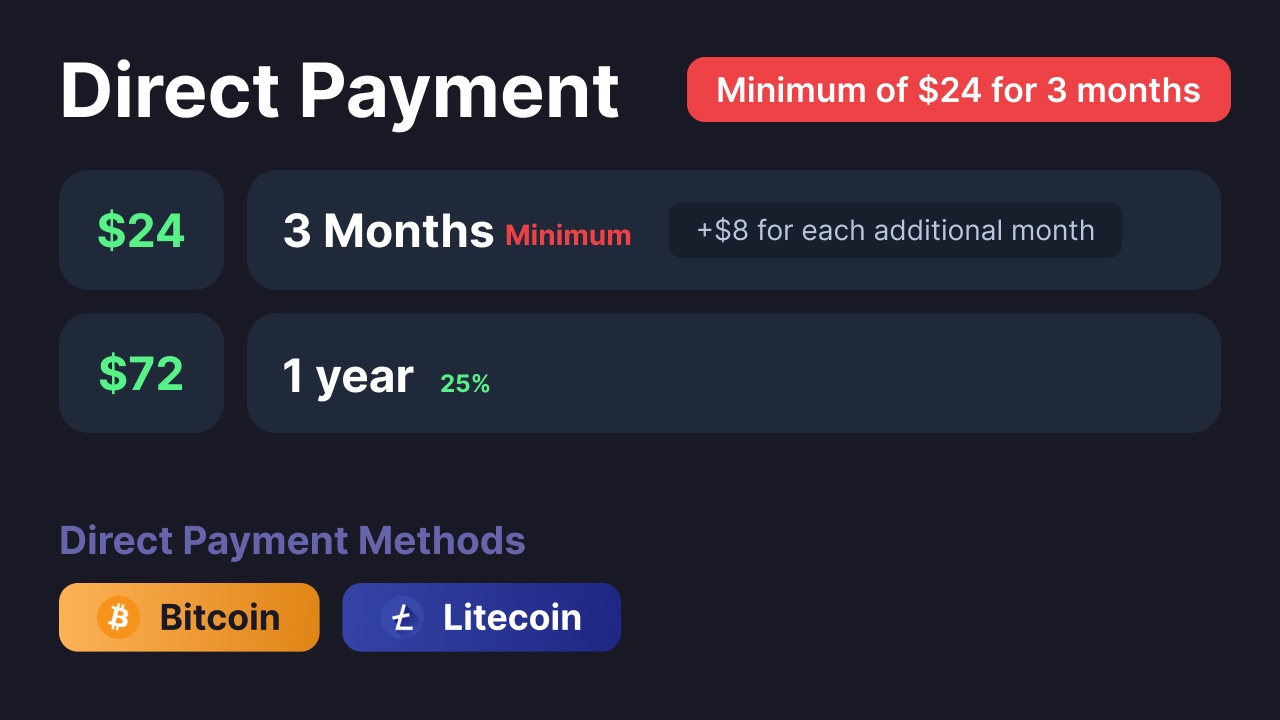
All prices in USD - 3 months min for direct payment
Purchase Terms
By purchasing premium using this method, you agree to the following terms:
No Refunds: All direct purchases are final and non-refundable.
Minimum Purchase Requirement: You must purchase at least 3 months of premium ($24). If you send less, you will need to pay the remaining amount.
Transaction Fees: Any fees charged by your crypto provider when processing the payment are your responsibility.
Premium Transfers: You cannot transfer your premium yourself. We will handle the transfer for you.
Transfer Policy: We will transfer your premium at least once. Additional transfers will be considered on a case-by-case basis.
-# If you want full control over your premium, we recommend purchasing it directly from our website.
ancient patio
how do i change the ticket message that pops up when you create the ticket, i went here but its not there

 fringe jolt
How do I make a ticket? Plz help
 willow tiger
Same idk to make a ticket
 queen cosmos
 leaden moat
In the transcript, how do I access what was sent
I downloaded the folder and it says nothing about the messages sent in the ticket
willow tiger
Got a error😔
 urban ivy
I made the ticket tool and it works for me (owner) but for newer members it doesnt show up
leaden moat
Make sure they have almost full perms for it
 stark otter
How to make a ticket
humble sequoiaBOT
The panel message is where people react to make a ticket. To customize it head over to your Dashboard --> Panel Configs -> Panel -> Edit Panel Message

 sweet remnant
Can someone pls send stk support server
scenic forum
@ancient patio refer to the embed above
 umbral raft
Is tickettool premium per server or per account?
i.e. if I buy it is it for one server, or every server I configure tickettool for?
lilac junco
umbral raft
Is tickettool premium per server or per account?
i.e. if I buy it is it for one ...
Every server you configure it for.
umbral raft
$11/pm for like 8 servers is a steal!
scenic forum
willow tiger
Got a error😔
Please elaborate the error
scenic forum
leaden moat
In the transcript, how do I access what was sent
Youd just need to open it via browser
If the transcript contained any messages it should display there
scenic forum
urban ivy
I made the ticket tool and it works for me (owner) but for newer members it does...
Could you elaborate what exactly doesnt show up?
urban ivy
scenic forum
Could you elaborate what exactly doesnt show up?
I fixed it thanks tho
iron nightBOT
Gave +1 Rep to @scenic forum (current: #12 - 622)
 scenic forum
 lean bane
every time I send a command it says the bot can't respond?
lean bane
every time I send a command it says the bot can't respond?
Can you use /debug on your server?
scenic forum
lean bane
it says the same thing
Bot is missing the Send Message permission inside the channel
 nova void
@iron night
 solemn bolt
when i try to do /setup it says applacation did not respond
lilac junco
solemn bolt
when i try to do /setup it says applacation did not respond
Make sure bot has the following permissions in the channel you're running the command in.
Bot Permissions ឵ ឵឵ ឵ ឵឵ ឵ ឵឵ ឵ ឵឵
- Read Channels
- Send Messages
- Embed Links
- Attach Files
- Manage Roles
- Manage Channels
- Manage Messages
- Read History
Channel Permissions ឵ ឵឵ ឵ ឵឵ ឵ ឵឵ ឵ ឵឵
- Read Channels
- Send Messages
- Embed Links
- Attach Files
- Manage Roles
- Manage Channels
- Manage Messages
- Read History
thin prism
Hey so the bot is not responding and I just want a refund can u help Mr.burger
 fading juniper
good day can i ask why ticket tool form did not popup?
 latent dawn
thin prism
Hey so the bot is not responding and I just want a refund can u help Mr.burger
latent dawn
thin prism
Hey so the bot is not responding and I just want a refund can u help Mr.burger
If you have purchased Ticket Tool premium, open a Billing ticket on #🎫│make-a-ticket
 errant gale
fading juniper
good day can i ask why ticket tool form did not popup?
errant gale
fading juniper
good day can i ask why ticket tool form did not popup?
It should be within an embed, and the first one has a space between the 1.
lilac junco
fading juniper
good day can i ask why ticket tool form did not popup?
A variable will not appear in a preview, you'll have to test it yourself by opening a ticket.
scenic forum
thin prism
Hey so the bot is not responding and I just want a refund can u help Mr.burger
You have been told multiple times that you're on the wrong server.
Asking other helpers will not result in a different reply
thin prism
I was not asking u gng and I get it💀
lilac junco
thin prism
I was not asking u gng and I get it💀
If you get it then please stop asking the same questions.
 empty geyser
Hi am new to this i need to know how it all works
humble sequoiaBOT
Ticket Tool is a fantastic bot that deals with Tickets! With an easy-to-use bot that has a dashboard/website at https://tickettool.xyz/. Ticket Tool is one of a kind with its customization and truly is a great bot which is why it has amassed over 100 million users!
The bot offers:
Ticketing without clutter!
Ticket Tool is currently being used within 2,900,000+ servers, with a total of 100 million+ users, and has created over 280 million+ tickets.
Ticket Tool truly is an amazing bot that has such a big impact on this server!
 gg/TicketTool
$about
First you will want to invite the bot to your server. Once the bot is in your server, you can manage your server in the dashboard.
To create a panel we are going to need to head over to the Panel Configs Tab on the Dashboard.
Once at the dashboard we will need to click Create Panel.
Enter a panel name (Fill in any optional settings you want).
Click Create Panel and you are ready to get started with configuring your panel.
An example of a creating a panel is shown below.
Once the panel has been created, use the blue Send button and select the channel you want the panel to be sent to.
The Panel wasn't send
Use the </debug:1029783024264564765> command to diagnose possible permission issues with the bot.
lilac junco
@empty geyser Refer to the 2 embeds above!
 humble sequoiaBOT
First you will want to invite the bot to your server. Once the bot is in your server, you can manage your server in the dashboard.
To create a panel we are going to need to head over to the Panel Configs Tab on the Dashboard.
Once at the dashboard we will need to click Create Panel.
Enter a panel name (Fill in any optional settings you want).
Click Create Panel and you are ready to get started with configuring your panel.
An example of a creating a panel is shown below.
Once the panel has been created, use the blue Send button and select the channel you want the panel to be sent to.
The Panel wasn't send
Use the </debug:1029783024264564765> command to diagnose possible permission issues with the bot.
lilac junco
@tulip bluff Refer to the embed above!
lilac junco
 tulip bluff
Which one do I press
tulip bluff
Which one do I press
What do you mean?
lilac junco
tulip bluff
To make it show it the ticket Chanel
Could you elaborate more?
tulip bluff
Uhm how do I manage it to show inside of the channel I selected so people can just click the button to make it
 oblique fox
@lilac junco
 tulip bluff
Never mind I got it thanks for telling me some of the steps to help
lilac junco
tulip bluff
Uhm how do I manage it to show inside of the channel I selected so people can ju...
You can press the blue Send button and select the channel you want it to be sent in.
 lilac junco
oblique fox
<@1086519848999329903>
lilac junco
oblique fox
<@1086519848999329903>
In the channel you're trying to send it in ensure the bot has these permissions.
Bot Permissions ឵ ឵឵ ឵ ឵឵ ឵ ឵឵ ឵ ឵឵
- Read Channels
- Send Messages
- Embed Links
- Attach Files
- Manage Roles
- Manage Channels
- Manage Messages
- Read History
Channel Permissions ឵ ឵឵ ឵ ឵឵ ឵ ឵឵ ឵ ឵឵
- Read Channels
- Send Messages
- Embed Links
- Attach Files
- Manage Roles
- Manage Channels
- Manage Messages
- Read History
oblique fox
lilac junco
In the channel you're trying to send it in ensure the bot has these permissions....
Give him full authori
lilac junco
oblique fox
Give him full authori
You're not required to give it every permissions and we strongly advise not to do so, however it's up to you.
oblique fox
lilac junco
In the channel you're trying to send it in ensure the bot has these permissions....
Okay, thank you. I've had this problem for two days. I'll configure the bot's permissions.
iron nightBOT
Gave +1 Rep to @lilac junco (current: #48 - 68)
 lilac junco
oblique fox
<@1086519848999329903>
lilac junco
oblique fox
<@1086519848999329903>
Yes.
oblique fox
lilac junco
Yes.
Do you understand Arabic?
lilac junco
oblique fox
Do you understand Arabic?
No. But if you wish to receive support in Arabic please #🎫│make-a-ticket in the Arabic language.
errant gale
+rep @timber kernel Quick & Helpful.
iron nightBOT
Gave +1 Rep to @timber kernel (current: #25 - 307)
 rose trench
I keep getting the message saying the transcript channel is not set, but it is in the dashboard

What am I doing wrong. I haven't changed this in months and it's now giving me an error
 latent dawn
rose trench
I keep getting the message saying the transcript channel is not set, but it is i...
latent dawn
rose trench
I keep getting the message saying the transcript channel is not set, but it is i...
Have you updated the panel?
rose trench
I think the new category I created last month I forgot to assign the transcript channel
 dense hemlock
hey everyone i can’t create an account in the vpg app can someone help me ?
humble sequoiaBOT
@dense hemlock
⚠️ You're in the wrong place
We provide support for Ticket Tool Discord bot and cannot help you with whatever issue you have.
- We don't know which Support Team you should contact to get this issue resolved, and unfortunately we won't be able to accurately tell you.
If you don't have any further questions regarding our bot Ticket Tool, please close this ticket
 main fulcrum
스케하나 얼마에요?
 still lavaBOT
main fulcrum
스케하나 얼마에요?
still lavaBOT
main fulcrum
스케하나 얼마에요?
From Korean (KO) To English (EN)
What is Skethan?
 Translation requested by Mrburger from Flag-Reaction Feature.
main fulcrum
Translation requested by Mrburger from Flag-Reaction Feature.
main fulcrum
How much is one skin case?
humble sequoiaBOT
@main fulcrum
⚠️ You're in the wrong place
We provide support for Ticket Tool Discord bot and cannot help you with whatever issue you have.
- We don't know which Support Team you should contact to get this issue resolved, and unfortunately we won't be able to accurately tell you.
If you don't have any further questions regarding our bot Ticket Tool, please close this ticket
 zinc jolt
hello! i cant see my server in ticket tool's dashboard. can someone help?
lilac junco
zinc jolt
hello! i cant see my server in ticket tool's dashboard. can someone help?
Press sync servers
zinc jolt
i alr did 😔
humble sequoiaBOT
Don't see your server in the dashboard?
Try using the Sync Servers button on your top center of the Dashboard page
If this doesn't work
You should relog from the dashboard, you can do this by clicking here to log out immediately, and then log back in
Note:
You need one of these 3 things to access the dashboard.
1. Server Owner (Level: 6)
2. Server Administrator (Level: 4)
3. Dashboard Role (Level: 2)
:warning: You can check your level using the </permissionlevel:1029797400174399542> command on your Discord Server
If the bot's response is:
- @User is permission level: 0 (User)
You don't have any of the 3 levels required to access the server's dashboard
zinc jolt
also gave it admin perms and it's below the ownership role
lilac junco
Refer to the embed above.
 frail sapphire
Question
zinc jolt
thanks!
frail sapphire
I want this to @ our roles
How can i do that again
I asked a bit back i judt forgot
 frail sapphire
lilac junco
Refer to the embed above.
frail sapphire
lilac junco
Refer to the embed above.
You able to help me ?
 alpine sparrow
I have added the bot to the server and set it up but when I go to the website it says that the ticket bot isnt in there so I cannot mange the ticket bot in that server
lilac junco
frail sapphire
I want this to @ our roles
How can i do that again
I asked a bit back i judt f...
1. Open your Panel Configs tab in your server's dashboard
2. Select the panel you want to ping your support team on
3. Open the Ticket options menu
4. Click on Edit Ticket Message
5. In the Message Content use one of the role mention syntax ({@Role Name}/{Role ID})
6. Save changes
Note: For this to work properly, Ticket Tool requires the Mention Everyone permission. Or the role must have the Allow anyone to @mention this role setting enabled
humble sequoiaBOT
Don't see your server in the dashboard?
Try using the Sync Servers button on your top center of the Dashboard page
If this doesn't work
You should relog from the dashboard, you can do this by clicking here to log out immediately, and then log back in
Note:
You need one of these 3 things to access the dashboard.
1. Server Owner (Level: 6)
2. Server Administrator (Level: 4)
3. Dashboard Role (Level: 2)
:warning: You can check your level using the </permissionlevel:1029797400174399542> command on your Discord Server
If the bot's response is:
- @User is permission level: 0 (User)
You don't have any of the 3 levels required to access the server's dashboard
lilac junco
@alpine sparrow refer to the embed above.
alpine sparrow
I tried to use permission level but it says the application didnt respond
Did not respond
lilac junco
alpine sparrow
I tried to use permission level but it says the application didnt respond
Make sure the bot has the following permissions in the channel you're using the command in.
Bot Permissions ឵ ឵឵ ឵ ឵឵ ឵ ឵឵ ឵ ឵឵
- Read Channels
- Send Messages
- Embed Links
- Attach Files
- Manage Roles
- Manage Channels
- Manage Messages
- Read History
Channel Permissions ឵ ឵឵ ឵ ឵឵ ឵ ឵឵ ឵ ឵឵
- Read Channels
- Send Messages
- Embed Links
- Attach Files
- Manage Roles
- Manage Channels
- Manage Messages
- Read History
alpine sparrow
I gave it all permissions but it still says the same
And it got all permissions in that server
lilac junco
alpine sparrow
I gave it all permissions but it still says the same
Also make sure it has View Channel permissions
lilac junco
alpine sparrow
It says am level 4
Press sync servers on the dashboard.
lilac junco
alpine sparrow
Still doesnt work
Please #🎫│make-a-ticket for further help.
 hollow heath
Anyone know if escalating tickets pings the new ticket panels role?
worldly helm
hollow heath
Anyone know if escalating tickets pings the new ticket panels role?
If you want Ticket Tool to ping the needed role you can do that by enabling that the new ticket message will be sent into a ticket.
You can ping the role in the ticket message.
hollow heath
worldly helm
If you want Ticket Tool to ping the needed role you can do that by enabling that...
Ah ok, so it’s an optional feature?
worldly helm
Correct
 icy vigil
Pls help
hollow heath
worldly helm
Correct
Got it, thanks
iron nightBOT
Gave +1 Rep to @worldly helm (current: #5 - 1056)
worldly helm
hollow heath
Got it, thanks
icy vigil
I need a help I opened a ticketay anyone reply it plsssss
worldly helm
icy vigil
I need a help I opened a ticketay anyone reply it plsssss
Please be patient.
icy vigil
worldly helm
Please be patient.
Sure but I just need to solve this cuz I have some problems on my server so I must solve it it's make problems
icy vigil
worldly helm
Please be patient.
Sir may you pls help me how can I add my staff role cuz when anyone open ticket they can see it
humble sequoiaBOT
━━ User's inquiry has been moved to a ticket ━━
worldly helm
You already recieved a response in your ticket.
 craggy grove
is there a way for the bot to create an entirely new category when a ticket is opened, and for the ticket to be in that category
craggy grove
craggy grove
is there a way for the bot to create an entirely new category when a ticket is o...
also is there a way for it to delete that category when a ticket is deleted?
austere forge
The category must already exist, Ticket Tool cannot create categories itself, only channels
craggy grove
ah
 gloomy sluice
is there a way to change the color of this in the dashboard ? i cant find it
 lilac junco
gloomy sluice
is there a way to change the color of this in the dashboard ? i cant find it
lilac junco
gloomy sluice
is there a way to change the color of this in the dashboard ? i cant find it
Yes. But it requires premium.
gloomy sluice
ohh , may i still know where it is ? i might do the 7 day trial
lilac junco
gloomy sluice
ohh , may i still know where it is ? i might do the 7 day trial
Panel Configs > Messages > Edit panel message
Go to Embed editor 1, and choose the first option below Field Editor

 stray heron
Panel Configs > Messages > Edit panel message
Go to Embed editor 1, and choose the first option below Field Editor
 hot grail
how to i make it so that the people that open the ticket cant close it without staff closing it?
scenic forum
hot grail
how to i make it so that the people that open the ticket cant close it without s...
Panel config -> Buttons -> close ticket -> support team only
hot grail
scenic forum
Panel config -> Buttons -> close ticket -> support team only <:Switch_enabled:10...
thank u!
iron nightBOT
Gave +1 Rep to @scenic forum (current: #12 - 623)
 urban cypress
this error show up to me
and theres no deleted category
can sm1 help
Category Issues
╰ Failed to find a valid category.
╰ Ticket Tool is missing Manage Channels on "#-SUPPORT & FEEDBACK-"
╰ Fix the issues or remove the categories
╰ You can add additional categories
latent dawn
urban cypress
Category Issues
╰ Failed to find a valid category.
╰ Ticket Tool is missing Mana...
Make sure the bot has these permissions in the following channel
Bot Permissions ឵ ឵឵ ឵ ឵឵ ឵ ឵឵ ឵ ឵឵
- Read Channels
- Send Messages
- Embed Links
- Attach Files
- Manage Roles
- Manage Channels
- Manage Messages
- Read History
Channel Permissions ឵ ឵឵ ឵ ឵឵ ឵ ឵឵ ឵ ឵឵
- Read Channels
- Send Messages
- Embed Links
- Attach Files
- Manage Roles
- Manage Channels
- Manage Messages
- Read History
 tribal cedar
@orchid wolf did your issue get worked out?
round pebble
/remove doesnt remove a user from ticket?
tribal cedar
Its $remove I thought
Maybe they made /remove and I missed it. I was not around for awhile
placid girder
Ticket Tool does use integrated commands!
tribal cedar
Yea Im just not used to those yet Im old school.
round pebble
regardless i just cant seem to remove users from tickets with the bot
tribal cedar
Have you tried $remove userID?
Also what is your access in tickets per the bot settings?

 scenic forum
 winged dome
Can you use /debug on your server?
tribal cedar
Sorry got company
winged dome
scenic forum
Can you use /debug on your server?
should i give link
scenic forum
winged dome
should i give link
Looks okay
Does the server appear when you press sync servers?
winged dome
nope, tried it multiple times
scenic forum
winged dome
nope, tried it multiple times
https://tickettool.xyz/dashboard/1455938189171884235/configs#pc-menu
Should work using the link
Not sure what causes the server to not pop up
Ticket Tool - Ticketing without clutter - The #1 Discord support bot
 lavish dagger
scenic forum
https://tickettool.xyz/dashboard/1455938189171884235/configs#pc-menu
Should wor...
lavish dagger
scenic forum
https://tickettool.xyz/dashboard/1455938189171884235/configs#pc-menu
Should wor...
Every time I try to use it it's shows up with this help me
 winged dome
scenic forum
https://tickettool.xyz/dashboard/1455938189171884235/configs#pc-menu
Should wor...
winged dome
scenic forum
https://tickettool.xyz/dashboard/1455938189171884235/configs#pc-menu
Should wor...
Omg this took forever tysm
scenic forum
lavish dagger
Every time I try to use it it's shows up with this help me
Can you use /debug on your server?
lavish dagger
scenic forum
Can you use /debug on your server?
Same result
scenic forum
lavish dagger
Same result
Bot is missing all permissions with an X inside that channel
 lavish dagger
scenic forum
Bot is missing all permissions with an X inside that channel
lavish dagger
scenic forum
Bot is missing all permissions with an X inside that channel
Let me check
 ripe knoll
Can someone help me create a ticket in my server
stark runeBOT
1. Invite Ticket Tool to your server
First you will want to invite the bot to your server. Once the bot is in your server, you can manage your server in the dashboard.
2. Create a Panel
To create a panel we are going to need to head over to the panel configs on the dashboard.
Once at the dashboard we will need to click Create Panel.
Enter a panel name (Fill in any optional settings you want).
Click Create Panel and your ready to get started with configuring your panel.
An example of a creating a panel is shown below.
3. Send the Panel to a Channel
Once you've created a panel on the dashboard you will need to send it to a channel using send on the dashboard.
Select the channel you want your panel to be created in and click send.
For other questions checkout $help faq.
An example of a sending a panel is shown below.
Having a Problem Sending the Panel?
Do $debug in a channel with Ticket Tool and make sure it has all the necessary Discord permissions.
scenic forum
@ripe knoll refer to the embed above
ripe knoll
Ok
urban cypress
latent dawn
Make sure the bot has these permissions in the following channel
**Bot Permiss...
how
iron nightBOT
Gave +1 Rep to @scenic forum (current: #12 - 624)
scenic forum
urban cypress
how
Make sure ticket tool has these 3 permissions inside its category
- Manage Channels
- View Channels
- Send Messages
 thorn temple
Where do I see premium features of the bot (not server)
urban cypress
scenic forum
Make sure ticket tool has these 3 permissions inside its category
- Manage Chann...
on the website?
scenic forum
urban cypress
on the website?
On the category "#-SUPPORT & FEEDBACK-" inside your discord
humble sequoiaBOT
Faster Premium Bot
Automatic Transcripts
Full Customization
Direct Messages
Ticket Automation
Thread Style Ticketing
Premium Support
Scheduled Panel Availability
Integrations
Claiming
Advanced Ticket Statistics
You can purchase premium here:
Price
$7.99 - Monthly
$66 - Yearly
scenic forum
humble sequoia
@thorn temple above are all premiumperks
ripe knoll
Thanks @scenic forum
iron nightBOT
Gave +1 Rep to @scenic forum (current: #12 - 625)
ripe knoll
Whats that picture
 scenic forum
urban cypress
scenic forum
urban cypress
The bot is also missing Manage Messages
urban cypress
What abt The first error
scenic forum
urban cypress
What abt The first error
Its not having its required permissions inside the category
A full list of required permissions can be seen in the /debug menu
 scenic forum
urban cypress
Where i could enable manage roles
scenic forum
urban cypress
Where i could enable manage roles
Should be in ticket tools role in the server settings
 hazy steeple
?
 sly yew
someone plz when i do /setup, it says application not repsponmding
scenic forum
sly yew
someone plz when i do /setup, it says application not repsponmding
Can you use /debug on your serveR?
sly yew
no
scenic forum
sly yew
no
Can you use it again on your server?
sly yew
i used it it works now cuz i gave perms but how doi config it and make it like make u fill in the blank when creating a tickert
humble sequoiaBOT
A Discord Form lets the user answer individual questions in a pop-up Form, which then displays the answers in the ticket message. This can save time if you already know what you want to ask the user.
Setup Forms
Forms can be enabled under Panel Settings > Form Options > Edit Forms Options. In the new pop-up window, you can now enable and edit your own Form.
Form Options
You can add up to 5 questions in the Discord form. This is a Discord limitation. Each question can have a placeholder in the input field, a minimum and maximum input, multi-line, and also the option to have the answer required.
Options
Question Title ➞ Your Question goes here
Question Placeholder ➞ The placeholder text in the input field
Required ➞ If enabled, the user has to answer this question, to submit the form
Multi-Line Input ➞ Allows the user to input multiple lines
Minimum and Maximum Input ➞ Set a minimum and maximum input value for the user
Displaying the Answer
To display the answers from the user, you need to enable Auto display form results on the ticket message as an additional embed
If you don't want a second embed, go into your Panel Configs > Ticket Options > Edit Ticket Message. You use the variable {create.form.x} and replace x with the number of your question. For example, the response to Question 5 can be displayed with {create.form.5}.
scenic forum
@sly yew refer to the embed above
Preferably youd want to use the dashboard to set everything up
sly yew
can u teach me
 spring yoke
Hey, I just added the ticket tool bot to a server, but when i go to the dashboard, it says that the bot isnt online on a server i have permissions to
scenic forum
spring yoke
Hey, I just added the ticket tool bot to a server, but when i go to the dashboar...
Could you show that error?
spring yoke
scenic forum
Could you show that error?
It's not an error but I can't find the server in the server list
scenic forum
spring yoke
It's not an error but I can't find the server in the server list
can you use /debug on your server?
spring yoke
scenic forum
can you use /debug on your server?
It says the application cant connect
But it shows as online
scenic forum
spring yoke
It says the application cant connect
- The bot is missing the
View Channelpermission inside that channel - You need either
Administratoror a dashboard role set by anAdministratorto have access to the dashboard which you have neither of
spring yoke
scenic forum
1. The bot is missing the ``View Channel`` permission inside that channel
2. You...
Ok thanks
iron nightBOT
Gave +1 Rep to @scenic forum (current: #12 - 626)
 soft lily
how do i stup ticket tool
stark runeBOT
1. Invite Ticket Tool to your server
First you will want to invite the bot to your server. Once the bot is in your server, you can manage your server in the dashboard.
2. Create a Panel
To create a panel we are going to need to head over to the panel configs on the dashboard.
Once at the dashboard we will need to click Create Panel.
Enter a panel name (Fill in any optional settings you want).
Click Create Panel and your ready to get started with configuring your panel.
An example of a creating a panel is shown below.
3. Send the Panel to a Channel
Once you've created a panel on the dashboard you will need to send it to a channel using send on the dashboard.
Select the channel you want your panel to be created in and click send.
For other questions checkout $help faq.
An example of a sending a panel is shown below.
Having a Problem Sending the Panel?
Do $debug in a channel with Ticket Tool and make sure it has all the necessary Discord permissions.
scenic forum
@soft lily refer to the embed above
soft lily
huh
spring yoke
scenic forum
can you use /debug on your server?
Hey, now I can use debug, but I still can't see the discord server in the dashboard
scenic forum
spring yoke
Hey, now I can use debug, but I still can't see the discord server in the dashbo...
My message had 2 points
Refer to the point 2
ancient patio
does a ticket always go below the category the channel to create it is in, or can you make the ticket go to a different category
humble sequoiaBOT
1. Open your Panel Configs tab in the server's dashboard
2. Select the panel you want to grant access to
3. Open the Category options menu
4. Select the categories of your preference
5. Save changes
 scenic forum
@ancient patio refer to the embed above
iron nightBOT
Gave +1 Rep to @scenic forum (current: #12 - 627)
 slender marlin
Hey
Hey !
I wanna tell u tht I got permanently ban from blox fruits in my main acc
But the case is tht I didn't do any exploits ... In the morning my acc got hacked and those hackers just used some exploits in some diff games like blox fruits , mvsd etc ...
I got to know this when I try to join blox fruits but it pops tht I am permanently banned
But the thing is tht after tht I immediatly changed my eblx acc pass and I think so my acc is safe for rn but is there any way due to which I can get unbanned bcuz it's unfair for me
Can u pls suggest me some solutions
humble sequoiaBOT
@slender marlin
⚠️ You're in the wrong place
We provide support for Ticket Tool Discord bot and cannot help you with whatever issue you have.
- We don't know which Support Team you should contact to get this issue resolved, and unfortunately we won't be able to accurately tell you.
If you don't have any further questions regarding our bot Ticket Tool, please close this ticket
 dense grove
Hello!
My server isn’t showing up on the tickets dashboard despite it being online in said server
For context, me and my friend are collating in a server and I’m trying to create a ticket channel. When I went to the dashboard and tried to manage the ticket in my server, it doesn’t show up at all
scenic forum
dense grove
Hello!
My server isn’t showing up on the tickets dashboard despite it being onli...
Hey
Can you use /debug on your server?
dense grove
Let me try
It gave me a link lemme send it rq
https://discordapp.com/channels/509192800865353738/662692902245498910/1456488059871825941
scenic forum
dense grove
It gave me a link lemme send it rq
https://discordapp.com/channels/509192800865...
You need either Administrator or a dashboard role set by an Administrator to have access to the dashboard
dense grove
Alright! Thank you!
 upper rose
Is this where I receive help with a streamer key?
humble sequoiaBOT
⚠️ You're in the wrong place
We provide support for Ticket Tool Discord bot and cannot help you with whatever issue you have.
- We don't know which Support Team you should contact to get this issue resolved, and unfortunately we won't be able to accurately tell you.
If you don't have any further questions regarding our bot Ticket Tool, please close this ticket
ancient patio
are you able to bold text in a embed or ticket message
humble sequoiaBOT
Discord Markdown Text
Below cites basic Discord Text Markdown/Formatting. Replace the text below with your own!
See this Discord Help Article for other markdown questions and combining markdowns.
<:Numbericons1:1018864164032225340> Italics (Cntrl + I)
 *Copy me for italicized text!* -> Italicized text!
 _Copy me for italicized text!_ -> Italicized text!
<:Numbericons2:1018864168041971712> Bold (Cntrl + B)
**Copy me for bold text!** -> Bolded text!
<:Numbericons3:1018864171783303208> Underline (Cntrl + U)
You must add 2 underscores on both sides of your text to get the underline text
__Copy me for underlined text!__ -> Underlined Text!
<:Numbericons4:1018864175155519538> Strikethrough (Cntrl + S)
~~Copy me for strikethrough text!~~ -> Strikethrough text!
<:Numbericons5:1018864178632605786> Spoilers & Hidden Text
||Copy me for hidden text!|| -> ||Hidden text|| (Click to reveal)
<:Numbericons6:1018864182558466058> One Lined Codeblock
You can add 3 backticks instead to get multi lined codeblock.
`Copy me for codeblock text!` -> Codeblock Text!
<:Numbericons7:1018864186727604354> Hyperlinking and Hidden Links
[Copy me with your link](yourlinkforhidelinks.com) -> Ticket Tool!
<:Numbericons8:1018864190296961159> Headers
# Largest header!
## Small header!
### Even smaller header!
-# Even a smaller header with grey text!
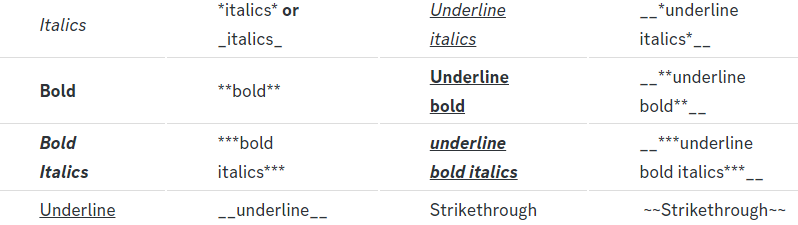 lilac junco
@ancient patio the embed above
ancient patio
@lilac junco i tried that and it just sent the **
lilac junco
ancient patio
<@1086519848999329903> i tried that and it just sent the **
Did you see the message in preview? Or did you test it on discord?
ancient patio
lilac junco
Did you see the message in preview? Or did you test it on discord?
it was a issue on my end thank you
iron nightBOT
Gave +1 Rep to @lilac junco (current: #48 - 69)
ancient patio
are you able to change the green color line on the left side when a ticket is creayed
lilac junco
ancient patio
are you able to change the green color line on the left side when a ticket is cr...
Yes, however that required premium. It is the first option below Field Editor

 paper salmon
Hi, I wanted to ask why the bot won't let me close the ticket and I'm getting this message.
 ancient patio
lilac junco
Yes, however that required premium. It is the first option below Field Editor
ancient patio
lilac junco
Yes, however that required premium. It is the first option below Field Editor
i see, i used the free trial and i am setting up a discord server it will take me a while to finish as its secondary to a website , if my premium runs out will it be reverted to the default?
lilac junco
paper salmon
Hi, I wanted to ask why the bot won't let me close the ticket and I'm getting th...
Could you add a message to the close button, for example close ticket
paper salmon
lilac junco
Could you add a message to the close button, for example ``close ticket``
Even with the message, it won't let me close it
 lilac junco
paper salmon
Even with the message, it won't let me close it
lilac junco
paper salmon
Even with the message, it won't let me close it
Please #🎫│make-a-ticket to solve the issue.
 patent beacon
It works in general and the setting can be configured — but I’m not sure why it only works on one of my three panels.
It works fine on Feedback, but not on Support or Membership.
Do you have any idea what could be causing this?
scenic forum
patent beacon
It works in general and the setting can be configured — but I’m not sure why it ...
Panel config -> general -> two step ticket
Two step CLOSE just removes the "are you sure you want to close this ticket" option
Two step TICKET removes the moderator controls aka it will delete once the ticket is closed
 brisk garden
How can someone give me permission to the dashboard without the adminstrator?
lilac junco
brisk garden
How can someone give me permission to the dashboard without the adminstrator?
Server configs > dashboard roles
 tribal ruin
Hi everyone I got banned can anyone help me ?
humble sequoiaBOT
@tribal ruin
⚠️ You're in the wrong place
We provide support for Ticket Tool Discord bot and cannot help you with whatever issue you have.
- We don't know which Support Team you should contact to get this issue resolved, and unfortunately we won't be able to accurately tell you.
If you don't have any further questions regarding our bot Ticket Tool, please close this ticket
 lavish fern
Hii bro my Clipster account has been suspended so how do I unlink my Instagram account please help
humble sequoiaBOT
@lavish fern
⚠️ You're in the wrong place
We provide support for Ticket Tool Discord bot and cannot help you with whatever issue you have.
- We don't know which Support Team you should contact to get this issue resolved, and unfortunately we won't be able to accurately tell you.
If you don't have any further questions regarding our bot Ticket Tool, please close this ticket
jade topaz
Do you guys have ticket tool threads
humble sequoiaBOT
Thread Style Tickets allow for the grouping of tickets into threads under a parent channel, as opposed to channels that are grouped under categories.
You can enable this feature by heading to your server's Dashboard➞ Panel Configs ➞ Thread Style Tickets and selecting a channel under which Ticket Tool will create threads.
For this feature to work properly, Ticket Tool will need these additional permissions,
Create Private Threads,Send Messages in Threads, andManage Threads.
Support Team roles will not be able to see newly created tickets by default, to make this the standard behavior, enable the
Auto add team to threadoption in the dashboard. This will ping your support team roles so the ticket shows up in their channel list.
:warning: Note: Claiming, granular permission settings and the ability to use the
/addand/removecommands are incompatible with Thread Style Tickets.
-# Please note that this is a premium feature.
scenic forum
@jade topaz refer to the embed above
jade topaz
scenic forum
<@456226577798135808> refer to the embed above
how much for premium?
humble sequoiaBOT
Faster Premium Bot
Automatic Transcripts
Full Customization
Direct Messages
Ticket Automation
Thread Style Ticketing
Premium Support
Scheduled Panel Availability
Integrations
Claiming
Advanced Ticket Statistics
You can purchase premium here:
Price
$7.99 - Monthly
$66 - Yearly
scenic forum
jade topaz
how much for premium?
$7.99 - Monthly
$66 - Yearly
 stark kestrel
Hello. I’m curious to know if there is anyway to recover an accidentally deleted ticket with ticket tool.
They forgot to hit transcript and deleted the whole ticket.
lilac junco
stark kestrel
Hello. I’m curious to know if there is anyway to recover an accidentally deleted...
Hey! Unfortunately there is no way to recover a deleted ticket without a transcript.
stark kestrel
Dang okay 😭
nova void
@humble sequoia
 manic solstice
Is there a way to:
- Set up transcripts to be DMed to ALL ticket participants
- Set up a channel where you can see transcripts of JUST the tickets you are in (even if you did not create it?)
I have premium.
scenic forum
manic solstice
Is there a way to:
1) Set up transcripts to be DMed to ALL ticket participants
2...
Neither of that is automatically possible
manic solstice
scenic forum
Neither of that is automatically possible
Great.
Is it something someone has to custom build into the bot themselves?
scenic forum
manic solstice
Is it something someone has to custom build into the bot themselves?
With a custom bot you could do number 1
However number 2 is absolutely impossible
 pure iris
When I go to the dashboard of the ticket tool, my server is not showing up in there so I can't manage the ticket tool for my server. Is there a fix for this?
humble sequoiaBOT
Don't see your server in the dashboard?
Try using the Sync Servers button on your top center of the Dashboard page
If this doesn't work
You should relog from the dashboard, you can do this by clicking here to log out immediately, and then log back in
Note:
You need one of these 3 things to access the dashboard.
1. Server Owner (Level: 6)
2. Server Administrator (Level: 4)
3. Dashboard Role (Level: 2)
:warning: You can check your level using the </permissionlevel:1029797400174399542> command on your Discord Server
If the bot's response is:
- @User is permission level: 0 (User)
You don't have any of the 3 levels required to access the server's dashboard
lilac junco
@pure iris refer to the embed above!
pure iris
lilac junco
<@990688865197125662> refer to the embed above!
Thank you this worked
iron nightBOT
Gave +1 Rep to @lilac junco (current: #48 - 70)
 maiden yoke
Is there currently any downs? The bot is online but no ticket buttons work. "Interaction failed"
scenic forum
maiden yoke
Is there currently any downs? The bot is online but no ticket buttons work. "Int...
There are no downs
Are you staff on the server the issue is on?
maiden yoke
scenic forum
There are no downs
Are you staff on the server the issue is on?
Yes I am an administrator! The ticket panel doesnt work for anyone.
scenic forum
maiden yoke
Yes I am an administrator! The ticket panel doesnt work for anyone.
Can you use /debug inside the channel the button gives an error in?
maiden yoke
It was fine a few minutes ago, nothing was edited either.
If i run debug it also says "application didnt respond"
scenic forum
maiden yoke
If i run debug it also says "application didnt respond"
Which bot are you using on the server
Ticket tool white or Gold
scenic forum
maiden yoke
Gold
Your servers ticket tool premium most likely expired
maiden yoke
scenic forum
Your servers ticket tool premium most likely expired
I'll ask the owner if we do-
 carmine apex
Vip italian chill
humble sequoiaBOT
@carmine apex
⚠️ You're in the wrong place
We provide support for Ticket Tool Discord bot and cannot help you with whatever issue you have.
- We don't know which Support Team you should contact to get this issue resolved, and unfortunately we won't be able to accurately tell you.
If you don't have any further questions regarding our bot Ticket Tool, please close this ticket
 vocal ginkgo
How do i make a ticket claimable
humble sequoiaBOT
Claiming allows you to change the ticket name, category and permissions. To use it you have to enable it first on your Dashboard > Panel Configs > Claiming

 Note: This is a premium feature
lilac junco
Note: This is a premium feature
lilac junco
@vocal ginkgo refer to the embed above.
vocal ginkgo
lilac junco
<@1256838905198673952> refer to the embed above.
Dayum I don't have premium version
 smoky sleet
Hello! I have ticket tool on my server, I just recently took over ownership of that server, and was trying to edit/add a couple more ticket tool channels. I believe I have everything configured correctly but for the life of me I cannot figure out how to add the panel that lets people click a button to submit a ticket to my discord channels for submitting tickets. I have the white version of the bot. Can someone tell me how I can add this?
lilac junco
smoky sleet
Hello! I have ticket tool on my server, I just recently took over ownership of t...
Could you elaborate more?
 humble sequoiaBOT
First you will want to invite the bot to your server. Once the bot is in your server, you can manage your server in the dashboard.
To create a panel we are going to need to head over to the Panel Configs Tab on the Dashboard.
Once at the dashboard we will need to click Create Panel.
Enter a panel name (Fill in any optional settings you want).
Click Create Panel and you are ready to get started with configuring your panel.
An example of a creating a panel is shown below.
Once the panel has been created, use the blue Send button and select the channel you want the panel to be sent to.
The Panel wasn't send
Use the </debug:1029783024264564765> command to diagnose possible permission issues with the bot.
smoky sleet
omg i am dumb!
lilac junco
@smoky sleet refer to the embed above.
smoky sleet
thank you so much!!!! Its been a day lol
 wet geyser
How do I grant permission for my support staff to view tickets?
 dreamy field
What page can i change permission to open tickets?


None can make tickets except those with the owner role basically
is it discord settings or panel?
tribal cedar
Can you use /debug in the ticket channel?
lilac junco
dreamy field
What page can i change permission to open tickets?
Hey there!
«You don't have permissions to use this»
👉 Server Configs -> Blacklist Roles
Any roles there will be unable to interact with the bot in any way, including creating tickets.👉 Panel Configs -> Buttons -> Create Ticket -> Support team only
If this is enabled👉 Panel Configs -> Buttons -> Create Ticket -> Disabled Roles
Any roles there will be unable to use the button.
lilac junco
wet geyser
How do I grant permission for my support staff to view tickets?
Panel Configs > Permissions > Support Team Permissions > Edit opened > View channel 
dreamy field
lilac junco
Hey there!
**__«You don't have permissions to use this»__**
> 👉 **Server Conf...
ill check
wet geyser
lilac junco
``Panel Configs > Permissions > Support Team Permissions > Edit opened > View ch...
How do I select the position that will be viewed?
 flat vine
hey is it possible for me to change the bots pfp?
humble sequoiaBOT
<:NewIcon1:1018858809541804124><:NewIcon2:1018858813266333706> Ticket Tool Custom Avatar <:Premium:1192403074157912144>
You can now change: Ticket Tool's profile picture; nickname; banner; and bio, to make it your own!
To further customize the bot's appearance, please head over to your Dashboard ➞ Customize Bot, from there, you will be able to upload a profile picture and banner, and edit the bot's biography.
You can change the bot's nickname by right-clicking on the bot's profile, in the user list, on your server, and clicking Change Nickname.
 Note: This is not a whitelabel, but rather a personalized instance of Ticket Tool for your server only. It is not an individual bot for your server, and it will behave and appear like Ticket Tool outside of it (i.e. in DMs). Our Development Team continues to explore ways to release white labels, this is your own custom bot!
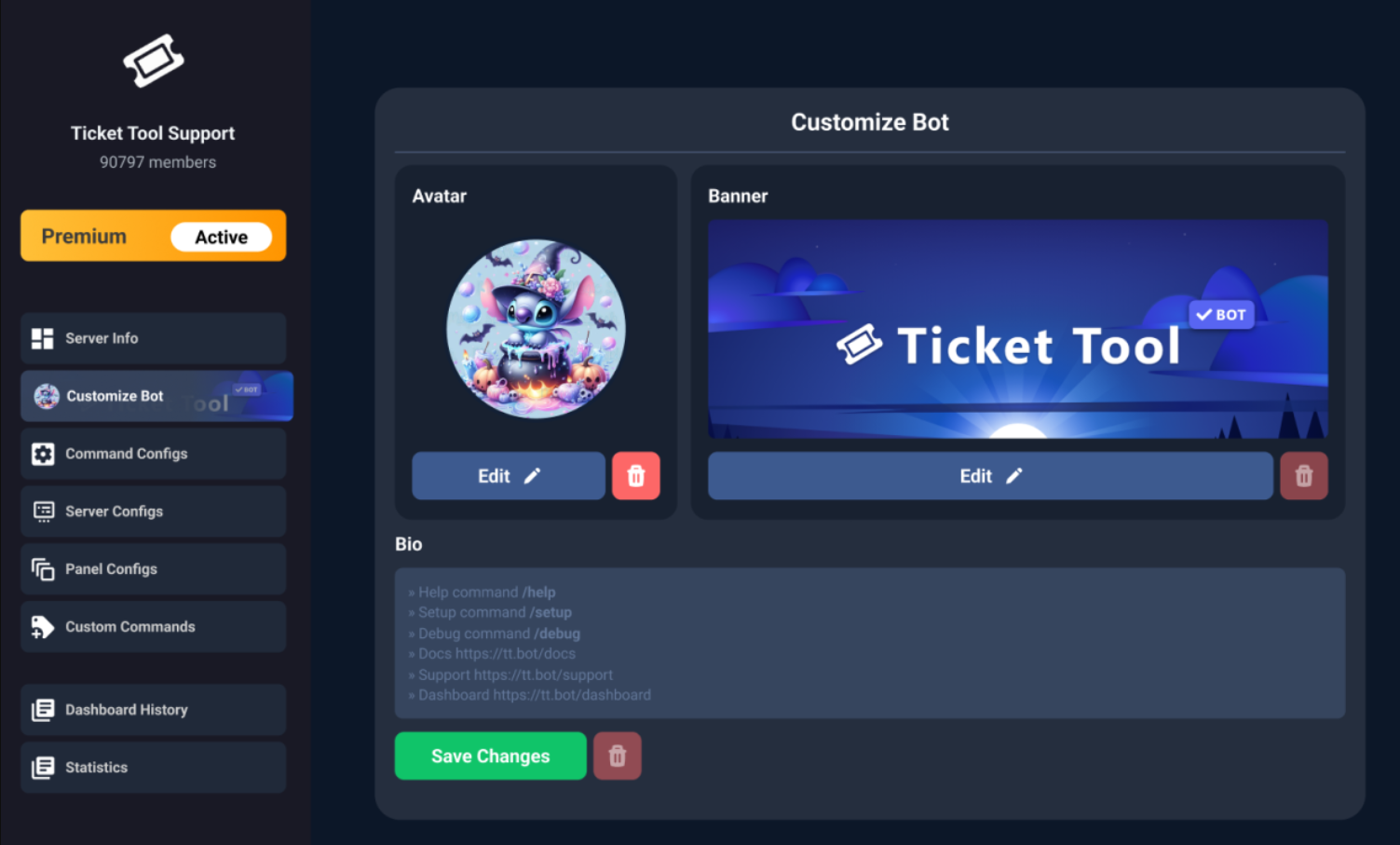
$avatar
austere forge
flat vine
hey is it possible for me to change the bots pfp?
Refer to the embed above!
 spark wind

 mental tree
Hi. Quick question, is there a way to ban someone from creating tickets via UserID?
scenic forum
mental tree
Hi. Quick question, is there a way to ban someone from creating tickets via User...
Hi
Thats not possible.
They would need a role on them that disallows it
mental tree
scenic forum
Hi
Thats not possible.
They would need a role on them that disallows it
I was afraid of that, thank you very much
iron nightBOT
Gave +1 Rep to @scenic forum (current: #12 - 628)
stark runeBOT
1. Invite Ticket Tool to your server
First you will want to invite the bot to your server. Once the bot is in your server, you can manage your server in the dashboard.
2. Create a Panel
To create a panel we are going to need to head over to the panel configs on the dashboard.
Once at the dashboard we will need to click Create Panel.
Enter a panel name (Fill in any optional settings you want).
Click Create Panel and your ready to get started with configuring your panel.
An example of a creating a panel is shown below.
3. Send the Panel to a Channel
Once you've created a panel on the dashboard you will need to send it to a channel using send on the dashboard.
Select the channel you want your panel to be created in and click send.
For other questions checkout $help faq.
An example of a sending a panel is shown below.
Having a Problem Sending the Panel?
Do $debug in a channel with Ticket Tool and make sure it has all the necessary Discord permissions.
worldly helm
 wispy horizon
how to create ticket tool on chanel
wispy horizon
how to create ticket tool on chanel
^
 oblique olive
How do you do this
 humble sequoiaBOT
The Drop-down menu or Select Menu replaces the buttons on your panel message and uses a drop-down menu with all of your panels. To set this up, go to your Panel Configs and select your main Panel.
<:Numbericons1:1018864164032225340> Enable Select Style
First you enable Select Style. Then you add an item in the Dropdown Editor. Now you can start editing your dropdown!
<:Numbericons2:1018864168041971712> Dropdown Editor
Each line in the dropdown editor represents a line in the drop down menu on discord. You can add more "Items", by clicking on
First you select a panel. That's the panel this option will open a ticket for. DONT select the same panel twice. Each option should have a different Panel
After that, you can put a Display. This is the title of this option and will appear in the drop down menu. The *Description can be set right after that, which will be below the title in grey.
Additionally you can select an emoji, that will be shown in front of each option. You can either manually input the ID of an emoji or select it in the selector.
Common Issues ⚠️
- Panel doesn't send? Make sure you have a valid emoji selected
- Option doesn't show up? Check if two options have the same panel in the DropDown Editor
$dropdown
scenic forum
@oblique olive refer to the embed above
oblique olive
Ok
oblique olive
scenic forum
<@880379135564865566> refer to the embed above
How come I can't do more than one for a panel
And even if I do one it won't show
 oblique olive
Ok
 royal agate
Why does it keep saying this when I enter a command
 scenic forum
royal agate
Why does it keep saying this when I enter a command
scenic forum
royal agate
Why does it keep saying this when I enter a command
Can you use /debug on your server?
 scenic forum
royal agate
scenic forum
royal agate
Its missing the Send Message permission in the channel
royal agate
Ohh thanks
 orchid wolf
Can someone guide me to how to request a show to be added please? The guide I’ve followed doesn’t make sense to me at all
humble sequoiaBOT
@orchid wolf
⚠️ You're in the wrong place
We provide support for Ticket Tool Discord bot and cannot help you with whatever issue you have.
- We don't know which Support Team you should contact to get this issue resolved, and unfortunately we won't be able to accurately tell you.
If you don't have any further questions regarding our bot Ticket Tool, please close this ticket
oblique olive
scenic forum
Can you use /debug on your server?
How do u do it so only certain roles can access a certain drop-down panel?
scenic forum
oblique olive
How do u do it so only certain roles can access a certain drop-down panel?
You mean open a ticket inside the dropdown?
oblique olive
scenic forum
You mean open a ticket inside the dropdown?
Yh that's what I mean sorry
scenic forum
oblique olive
Yh that's what I mean sorry
Panel config -> Buttons -> Create ticket ->
Disabled roles
@ everyone
Allowed roles
All roles that can open that ticket
oblique olive
Ok
oblique olive
scenic forum
Panel config -> Buttons -> Create ticket ->
Disabled roles
@ everyone
Allowed ...
Wait I mean like so if I open a ticket only owners can see and type in it
scenic forum
oblique olive
Wait I mean like so if I open a ticket only owners can see and type in it
By default only the ticket owner and support staff can view a ticket
oblique olive
scenic forum
By default only the ticket owner and support staff can view a ticket
Oh ok
oblique olive
scenic forum
By default only the ticket owner and support staff can view a ticket
I'm confused a bit, so if the owner and support staff can alrdy access all tickets should I just disable it for ppl that I don't want to see it?
scenic forum
oblique olive
I'm confused a bit, so if the owner and support staff can alrdy access all ticke...
You dont need to do anything the way you phrased it sounded like you only wanted to allow certain roles to open tickets
oblique olive
scenic forum
You dont need to do anything the way you phrased it sounded like you only wanted...
Oh ok lol sorry
stark runeBOT
1. Invite Ticket Tool to your server
First you will want to invite the bot to your server. Once the bot is in your server, you can manage your server in the dashboard.
2. Create a Panel
To create a panel we are going to need to head over to the panel configs on the dashboard.
Once at the dashboard we will need to click Create Panel.
Enter a panel name (Fill in any optional settings you want).
Click Create Panel and your ready to get started with configuring your panel.
An example of a creating a panel is shown below.
3. Send the Panel to a Channel
Once you've created a panel on the dashboard you will need to send it to a channel using send on the dashboard.
Select the channel you want your panel to be created in and click send.
For other questions checkout $help faq.
An example of a sending a panel is shown below.
Having a Problem Sending the Panel?
Do $debug in a channel with Ticket Tool and make sure it has all the necessary Discord permissions.
scenic forum
@violet pebble refer to the embed above
 violet pebble
kk
 true marten
Hello there fellow ticketers..........
Soooooooooo I added the original Ticket Tool bot. And uh.. got the premium. And uhhhh removed the original Ticket Tool bot. So now it says I no longer have access to my own server. Send help. My mods are judging me. I don't know what I did. 😂
Nevermind.
Maybe lmfao
scenic forum
true marten
Hello there fellow ticketers..........
Soooooooooo I added the original Ticket ...
You need to use /botswitcher and select ticket tool gold
true marten
scenic forum
You need to use /botswitcher and select ticket tool gold
That's what he found after I wrote that whole dang thing lol
We're troubleshooting now, I appreciate the quick response though! 😄
 edgy wedge
How can add the ticket from one server to another
scenic forum
true marten
We're troubleshooting now, I appreciate the quick response though! 😄
Any panel sent by ticket tool white needs to be replaced by ticket tool gold
true marten
We fixed it. Just a dumb streamer doing dumb streamer things instead of letting her smart mods handle things~ lmfao
scenic forum
edgy wedge
How can add the ticket from one server to another
You cannot transfer a ticket to another server
scenic forum
true marten
We fixed it. Just a dumb streamer doing dumb streamer things instead of letting ...
Happens to the best of us
edgy wedge
scenic forum
You cannot transfer a ticket to another server
But i built im completely in the wrong server
oblique olive
scenic forum
<@934971363377160212> refer to the embed above
Yo I'm like confused still on how to only have certain roles in a ticket
scenic forum
edgy wedge
But i built im completely in the wrong server
You want to transfer the ticket setups?
edgy wedge
scenic forum
You want to transfer the ticket setups?
Yes from one server to another
scenic forum
oblique olive
Yo I'm like confused still on how to only have certain roles in a ticket
Panel config -> general -> support team roles
oblique olive
scenic forum
Panel config -> general -> support team roles
Ok ty
iron nightBOT
Gave +1 Rep to @scenic forum (current: #12 - 629)
humble sequoiaBOT
The Backup and Restore feature allows you to transfer your panels, tags, and all settings to a new server, even if the server the settings were created has been deleted! You will want to copy the whole key.
First, go to your server's Dashboard ➞ then Server Configs ➞ under Config Backup & Restore (Server Owner Only) click on Old version can be found here and generate a new backup key by pressing the green button. Now, a key should be generated in the box above. You may need to refresh the page to see this.
Once you have your backup key, navigate to the same page on the new server. Copy the key on the Restore from backup key field.
Now you can choose what you want to copy. Finally, press the green Restore Configs button.
IMPORTANT NOTE
- We suggest you keep this backup key somewhere safe, in case your server is deleted so you are able to recover your panel's settings.
- This feature is only usable by the server's owner
$backup
scenic forum
@edgy wedge refer to the embed above
oblique olive
scenic forum
Panel config -> general -> support team roles
Where do I find these other 2 to do the same

 edgy wedge
What does this mean i have highest role in the server
 scenic forum
oblique olive
Where do I find these other 2 to do the same
scenic forum
oblique olive
Where do I find these other 2 to do the same
You need to configure it for each panel
scenic forum
edgy wedge
What does this mean i have highest role in the server
That means your role doesn't have admin or dashboard access
oblique olive
scenic forum
You need to configure it for each panel
The 2 I sent I can't find but they r on the same panel as the first
 keen jay
scenic forum
That means your role doesn't have admin or dashboard access
keen jay
scenic forum
That means your role doesn't have admin or dashboard access
answer mines..
scenic forum
oblique olive
The 2 I sent I can't find but they r on the same panel as the first
No
They keep their own config
scenic forum
keen jay
answer mines..
Please try remaining patient
I can only handle one error at a time.
oblique olive
scenic forum
No
They keep their own config
Ok
scenic forum
keen jay
answer mines..
Can you use /debug on your server?
keen jay
scenic forum
Can you use /debug on your server?
says the same thing
scenic forum
keen jay
says the same thing
Bot is missing the view channel permission inside the channel
oblique olive
scenic forum
No
They keep their own config
When I do config tho i can't seem to find these 2
It only works on the top 1 that isn't circled
 scenic forum
keen jay
how do i do that
scenic forum
keen jay
how do i do that
You edit the channel and grant ticket tool the permission
scenic forum
oblique olive
When I do config tho i can't seem to find these 2
It only works on the top 1 tha...
Enter your dashboard and adjust the other 2 panels you haven't adjusted yet
keen jay
scenic forum
You edit the channel and grant ticket tool the permission
ohh okay tysm
oblique olive
scenic forum
Enter your dashboard and adjust the other 2 panels you haven't adjusted yet
Sorry to be a pain in the a$s but how do I do that 😭
keen jay
im gnna try it rn
scenic forum
oblique olive
Sorry to be a pain in the a$s but how do I do that 😭
Show a screenshot or your dashboard
 scenic forum
Click at the top on mm tickets and select the other panels to change their config
oblique olive
Ok ty
oblique olive
scenic forum
Click at the top on mm tickets and select the other panels to change their confi...
Do I click on drop-down on them until I find them?
scenic forum
oblique olive
Do I click on drop-down on them until I find them?
Each panel keeps their OWN config even if they are added into a dropdown
oblique olive
scenic forum
Each panel keeps their **OWN** config even if they are added into a dropdown
So at the very bottom this thing?
 scenic forum
oblique olive
So at the very bottom this thing?
scenic forum
oblique olive
So at the very bottom this thing?
As it shows Support team roles
These will be the support team roles, yes
oblique olive
scenic forum
As it shows Support team roles
These will be the support team roles, yes
Ok
keen jay
@scenic forum tysm
 inner chasm
Okay, I already added the app in my server like five times in a row, and it's still not appearing 💔💔 I'm new in all this discord app things please help


 scenic forum
inner chasm
Okay, I already added the app in my server like five times in a row, and it's st...
scenic forum
inner chasm
Okay, I already added the app in my server like five times in a row, and it's st...
Can you use /debug on your server?
 river oar
how do i mention moderators whena ticket is opened
humble sequoiaBOT
1. Open your Panel Configs tab in your server's dashboard
2. Select the panel you want to ping your support team on
3. Open the Ticket options menu
4. Click on Edit Ticket Message
5. In the Message Content use one of the role mention syntax ({@Role Name}/{Role ID})
6. Save changes
Note: For this to work properly, Ticket Tool requires the Mention Everyone permission. Or the role must have the Allow anyone to @mention this role setting enabled
scenic forum
@river oar refer to the embed above
inner chasm
scenic forum
Can you use /debug on your server?
I already did and it didn't worked
scenic forum
inner chasm
I already did and it didn't worked
You need either Administrator or a dashboard role set by an Administrator to have access to the dashboard
humble sequoiaBOT
Any role you put there will have full access to the ticket tool dashboard. The server owner and users with admin permissions already have access to the dashboard.
Be careful of which roles to put here
river oar
humble sequoia
do you hahave to put in bbrackets
inner chasm
scenic forum
You need either ``Administrator`` or a dashboard role set by an ``Administrator`...
And how do I do that when the app won't let me to access the dashboard? 💔💔
scenic forum
inner chasm
And how do I do that when the app won't let me to access the dashboard? 💔💔
You ask someone with Admin on the server
oblique olive
scenic forum
You ask someone with Admin on the server
Is there anyway to get someone smart to like help with my server or is there a service like that
scenic forum
oblique olive
Is there anyway to get someone smart to like help with my server or is there a s...
Im afraid no
Feel free to ask what you need help with however we cannot join to assist
oblique olive
scenic forum
Im afraid no
Feel free to ask what you need help with however we cannot join to ...
Aah ok
oblique olive
scenic forum
Im afraid no
Feel free to ask what you need help with however we cannot join to ...
When I do the config thing for the little things under the panel
I add the roles to the support team
But then it doesn't get added and they can't talk/see unless I add to ticket
And when I open a ticket it randomly goes somewhere on the channels
So I'm rlly confused
 scenic forum
oblique olive
When I do the config thing for the little things under the panel
I add the roles...
scenic forum
oblique olive
When I do the config thing for the little things under the panel
I add the roles...
Then you have not adjusted all panels
oblique olive
scenic forum
Then you have not adjusted all panels
Ok
edgy wedge
scenic forum
<@1285639806952407224> refer to the embed above
I did it how do i make the setup appear in the new server
@scenic forum
Help please someone
tribal cedar
jade topaz
Can someone set up my ticket tool on my server?
Sorry we cant set it up for you but if you have specific questions I can answer them.
 trail timber
tribal cedar
Sorry we cant set it up for you but if you have specific questions I can answer ...
trail timber
tribal cedar
Sorry we cant set it up for you but if you have specific questions I can answer ...
hii do u have a min to help me??
tribal cedar
trail timber
hii do u have a min to help me??
Sure ask away
trail timber
tribal cedar
Sure ask away
when one of my members tries to open a ticket it says it doesn't have permission
tribal cedar
Can I see a screen shot?

 humble sequoiaBOT
━━ User's inquiry has been moved to a ticket ━━
tribal cedar
ty
 broken canopy
Bot is not responded
trail timber
tribal cedar
ty
why does that happen?
tribal cedar
broken canopy
Bot is not responded
Can you do /debug in your ticket channel please?
 rose root
How do I make it so when someone request mm it automatically @ all mm’s?
tribal cedar
Well.. If you have a panel just for mm you can always include a ping to the mm group
If u do that you need to use a regular message to do it. A ping inside an embedded wont work
broken canopy
tribal cedar
Can you do /debug in your ticket channel please?
Still didn’t respond
tribal cedar
Sorry Im on a phone call but I didnt notice its missing send messages perm in the channel perms. Check that out.
 vagrant gulch
can you view your own personal ticket history throughout all the servers your in or not?
tribal cedar
vagrant gulch
can you view your own personal ticket history throughout all the servers your in...
No you cant but if the server has transcripts enabled you can get a link to the transcript if they allow it.
Nifty feature I think
 mystic junco
I want to make a custom command where if I run it, it will remove 2 roles. How can this be done?
 quick lily
i want to make it so when someone clicks the drop down and picks a ticket the ticket goes to a certain category
 static marsh
But it won’t let me open it
It keeps saying I’ve reached the limits of opening tickets
scenic forum
mystic junco
I want to make a custom command where if I run it, it will remove 2 roles. How c...
That's not possible
humble sequoiaBOT
1. Open your Panel Configs tab in the server's dashboard
2. Select the panel you want to grant access to
3. Open the Category options menu
4. Select the categories of your preference
5. Save changes
scenic forum
@quick lily refer to the embed above
scenic forum
static marsh
It keeps saying I’ve reached the limits of opening tickets
If you're a normal member there's nothing you can do
wet geyser
How do I grant permission for a certain role to view tickets?
humble sequoiaBOT
━━ User's inquiry has been moved to a ticket ━━
 blissful cargo
when i try to add the ticket message to my channel, it keeps saying login required and when i press login with discord it saiys i need a verified email or phone number tto continue
scenic forum
blissful cargo
when i try to add the ticket message to my channel, it keeps saying login requir...
To interact or control bots you need a verified discord account, yes
scenic forum
Im afraid youd have to message discord then
We have no impact in that the greenlight comes from discord
 heavy badger
I registered using an old account and then I want to buy another one using a new account and I can't log in. Can you help me?
 humble sequoiaBOT
@heavy badger
⚠️ You're in the wrong place
We provide support for Ticket Tool Discord bot and cannot help you with whatever issue you have.
- We don't know which Support Team you should contact to get this issue resolved, and unfortunately we won't be able to accurately tell you.
If you don't have any further questions regarding our bot Ticket Tool, please close this ticket
 bold escarp
quando alguem abre um ticket no meu servidor, essa pessoa consugue fechar o ticket, so que eu queria que somenteu conseguise fecha-lo
 whole nexus
how do i make my ticket get claimed by only one person
scenic forum
whole nexus
how do i make my ticket get claimed by only one person
You could enable Only the user who claimed can un-claim so nobody else can unclaim and claim while its claimed
humble sequoiaBOT
Você está no lugar errado
Fornecemos suporte para Ticket Tool Discord bot e não podemos ajudá-lo com qualquer problema que você tenha.
- Não sabemos qual equipe de suporte você deve entrar em contato para resolver esse problema e, infelizmente, não poderemos informar com precisão.
Se você não tiver mais dúvidas sobre nossa ferramenta de ticket de bot, feche este ticket
scenic forum
wait wrong