#🆘│community-support
1 messages · Page 241 of 1
 humble sequoiaBOT
1. Open your Panel Configs tab in your server's dashboard
2. Select the panel you want to ping your support team on
3. Open the Ticket options menu
4. Click on Edit Ticket Message
5. In the Message Content use one of the role mention syntax ({@Role Name}/{Role ID})
6. Save changes
Note: For this to work properly, Ticket Tool requires the Mention Everyone permission. Or the role must have the Allow anyone to @mention this role setting enabled 

 toxic geyser
 restive condor
Ah, so you want the bot to ping a role
restive condor
Ah, so you want the bot to ping a role
Thanks it's solved
 iron nightBOT
Gave +1 Rep to @restive condor (current: #1 - 2811)
 split patrol
Is there a way to copy your settings and panels and configs from one to another server or does that require premium
 hallow wigeon
How to make it ping when a ticket is created
 latent dawn
$help
humble sequoiaBOT
latent dawn
$help
1. Open your Panel Configs tab in your server's dashboard
2. Select the panel you want to ping your support team on
3. Open the Ticket options menu
4. Click on Edit Ticket Message
5. In the Message Content use one of the role mention syntax ({@Role Name}/{Role ID})
6. Save changes
Note: For this to work properly, Ticket Tool requires the Mention Everyone permission. Or the role must have the Allow anyone to @mention this role setting enabled
latent dawn
hallow wigeon
How to make it ping when a ticket is created
Refer to the embded.
hallow wigeon
latent dawn
Refer to the embded.
How to embded?
latent dawn
split patrol
Is there a way to copy your settings and panels and configs from one to another ...
Im not sure 100% but I think that is not possible.
latent dawn
Go to tickettool.xyz
hallow wigeon
Okay I'm there
 charred tangle
I am not being able to create a ticket on the Lucas On server, it only shows a general support button and not a create ticket button.
/help
humble sequoiaBOT
@charred tangle

⚠️ You're in the wrong place
We provide support for Ticket Tool Discord bot and cannot help you with whatever issue you have.
- We don't know which Support Team you should contact to get this issue resolved, and unfortunately we won't be able to accurately tell you.
If you don't have any further questions regarding our bot Ticket Tool, please close this ticket
charred tangle
hi
i am trying to create a ticket in Lucas On server and when i click it says that he interaction failed
$help
$help
i am trying to create a ticket in Lucas On server and when i click it says that he interaction failed
 scenic forum
charred tangle
$help
i am trying to create a ticket in Lucas On server and when i click it says...
scenic forum
charred tangle
$help
i am trying to create a ticket in Lucas On server and when i click it says...
Firstly stop spamming
Secondly are you staff on that server?
charred tangle
no
scenic forum
In that case we cannot assist you and you'd need to reach out to their staff to fix the issue
charred tangle
but only one question
when i try to create it appears a button that says general suppport and not create a ticket
scenic forum
charred tangle
when i try to create it appears a button that says general suppport and not crea...
As stated above we cannot assist you
You need to reach out to their staff to fix the issue
iron nightBOT
Gave +1 Rep to @scenic forum (current: #14 - 481)
 ripe narwhal
Failed: Invalid Form Body components[0].components[0].emoji.name[BUTTON_COMPONENT_INVALID_EMOJI]: Invalid emoji anyone knows how to fix it?
humble sequoiaBOT
This error indicates you have selected an invalid emoji, i.e. an emoji the bot isn't capable of using, in a button field
Which Emoji?
This depends upon which action the error is appearing, the most common cases are the Create Ticket button or one of your Dropdown emojis. You can visit your Button's List to find all available buttons and find the conflicting one by yourself.
Why doesn't the bot accept it as valid?
- You selected an emoji that doesn't exist anymore, i.e. that has been deleted
- You wrote text there, instead of an emoji (or in addition to an emoji)
- You entered a code for a custom emoji from a server that the bot is not a member of
- You entered a custom emoji code incorrectly
- You're on iPhone and entered an emoji using the phone's emoji pad (use the emoji selector in the website instead)
 scenic forum
@ripe narwhal refer to the embed above
 outer sparrow
What do I do when someone can’t open a ticket cause it says they don’t have the perms?
restive condor
outer sparrow
What do I do when someone can’t open a ticket cause it says they don’t have the ...
Hi there! Please check:
Dashboard > Panel Configs > Buttons > Create Ticket Button
- Check that support Team Only is disabled
 and that you didn't accidentally disable any roles
Dashboard > Server Configs > Blacklist Roles
- Make sure you didn't accidentally blacklist any roles
outer sparrow
restive condor
Hi there! Please check:
Dashboard > Panel Configs > Buttons > Create Ticket Butt...
Thank you very much
iron nightBOT
Gave +1 Rep to @restive condor (current: #1 - 2812)
restive condor
No problem! 
 median tulip
Hi Guys, new to this tool. How can i create different buttons depending on different topics?
restive condor
median tulip
Hi Guys, new to this tool. How can i create different buttons depending on diffe...
Hey there! Simply create more panels. Each button is its own panel
humble sequoiaBOT
A panel is the core of Ticket Tool, so its important to do the adequate process:
1. Open your Panel Configs tab in your server's dashboard
2. Click on the+or in theCreatebutton
3. Fill in the blanks
4. Create the panel
 restive condor
If you're looking to combine them into one embed, as in #🎫│make-a-ticket, please follow the instructions below
humble sequoiaBOT
For more convenient use of multipanels, you can now combine panels on the dashboard. This will allow you to directly send the multipanel from the dashboard or via the $panel ID command.
Where can I find this?
You can find this setting on the Dashboard -> Panel Configs -> Panel -> Attached Panels
Note: if you're attaching all the panels to a panel called English, don't include English in the attached panel's box (If you do this, it will create a duplicate)
This will put all buttons from all of your panels on one message. The message is the panel message from the panel you're combining these panels in.
 median tulip
That sounds quite easy. Thank you very much, I'll look into it!
thanks @restive condor
iron nightBOT
Gave +1 Rep to @restive condor (current: #1 - 2813)
 vale roost
i need help to get my roblox account back from a hacker
humble sequoiaBOT
@vale roost
⚠️ You're in the wrong place
We provide support for Ticket Tool Discord bot and cannot help you with whatever issue you have.
- We don't know which Support Team you should contact to get this issue resolved, and unfortunately we won't be able to accurately tell you.
If you don't have any further questions regarding our bot Ticket Tool, please close this ticket
⚠️ Please read the messages previously sent by our team ⚠️
 minor flume
How do I fix this account limit access I never break the rules!
scenic forum
minor flume
How do I fix this account limit access I never break the rules!
Is this related to the ticket tool bot?
minor flume
I tried but I don’t know how..
scenic forum
minor flume
I tried but I don’t know how..
Is your issue related to the discord bot Ticket tool?
minor flume
I don’t know how!
scenic forum
minor flume
I don’t know how!
Can you elaborate where your issue lies
 scenic forum
We are not Discord support
scenic forum
minor flume
How do I contact discord support
When you type "Discord Support" in google that should be the first link
scenic forum
minor flume
Why can’t nobody help me
Because youre asking people that arent associated nor related to discord support
minor flume
right im just stupid
scenic forum
Nontheless the image you stated shows that you ARENT limited
minor flume
Yeah but what should I do
scenic forum
minor flume
Yeah but what should I do
Message discord regarding your issue however your account does not have any limitation whatsoever judging by the image you have sent
 humble sequoiaBOT
━━ User's inquiry has been moved to a ticket ━━
 cursive void
I’m having an issue with certain tickets saying they’re already closed so we cannot close them, I’ve tried clearing caches and it didn’t fix it. Besides deleting the ticket permanently, how can I fix this issue?
restive condor
cursive void
I’m having an issue with certain tickets saying they’re already closed so we can...
Hey there! Discord API experienced some difficulties yesterday. Tickets created during that time will not be recognised in the database.
Simply manually transcript that ticket & delete it as if it was a normal channel
cursive void
restive condor
Hey there! Discord API experienced some difficulties yesterday. Tickets created ...
Oh okay! Thank you for the reply! 🖤
iron nightBOT
Gave +1 Rep to @restive condor (current: #1 - 2814)
 opal wagon
Ticket
 jade topaz
how to make it so a user cannot open another ticket under the same catagory for 12 hours (example)
 round trout
humble sequoiaBOT
round trout
humble sequoiaBOT
@round trout
⚠️ You're in the wrong place
We provide support for Ticket Tool Discord bot and cannot help you with whatever issue you have.
- We don't know which Support Team you should contact to get this issue resolved, and unfortunately we won't be able to accurately tell you.
If you don't have any further questions regarding our bot Ticket Tool, please close this ticket
scenic forum
jade topaz
how to make it so a user cannot open another ticket under the same catagory for ...
Im afraid thats currently not possible
jade topaz
scenic forum
Im afraid thats currently not possible
how do i prevent users from just making tickets over and over again
scenic forum
jade topaz
how do i prevent users from just making tickets over and over again
Panel config -> Limits -> Open ticket each user -> Set to 1
So each user can just have 1 ticket open of that specific ticket
jade topaz
scenic forum
Panel config -> Limits -> Open ticket each user -> Set to 1
So each user can jus...
i mean when it’s closed
like if i closed the ticket and they just make another over and over
scenic forum
You cannot prevent that with a timer
jade topaz
also where do i put {create.form.x}
jade topaz
scenic forum
You cannot prevent that with a timer
can i prevent it at all?
scenic forum
Where you want the answer to be displayed
Dont forget to replace x with the number of the form
scenic forum
jade topaz
can i prevent it at all?
You can make a role that isnt allowed to open tickets
jade topaz
scenic forum
Where you want the answer to be displayed
Dont forget to replace x with the numb...

😭😭😭 idk if im doing this right
scenic forum
jade topaz
Do you have forms enabled?
 scenic forum
jade topaz
scenic forum
jade topaz
And that is also the Exploiter report ticket?
 scenic forum
jade topaz
scenic forum
jade topaz
Just to test
What happens if you enable the auto display?
Does it show the result then?
jade topaz
let me remake a ticket
 cosmic monolith
I need to make a ticket for ug
jade topaz
scenic forum
Does it show the result then?
you’re a savior
what should i do with the time limit thing again
wdym create a role?
scenic forum
jade topaz
Also this one doesnt work because you want it to show form answer 3
You only have 1 form so form 3 doesnt exist
scenic forum
jade topaz
wdym create a role?
You can blacklist roles from being allowed to create tickets
jade topaz
well no, i’m trying to make a new server for this big roblox game. But I need to make sure if i delete a ticket after it’s been completed the user cannot immediately make another and complain again
under the same category
scenic forum
Thats not possible
jade topaz
So if they just keep making tickets back to back we cannot do anything?.
how about slowmode if i add it to that specific channel
will it let them make more
scenic forum
jade topaz
how about slowmode if i add it to that specific channel
That doesnt work
scenic forum
jade topaz
So if they just keep making tickets back to back we cannot do anything?.
You'd need to do actions against users abusing the ticket system
 molten harness
Can TT rename channels w/ custom commands
/autoresponders
(Etc.. .comm ) rename channel: comm
 fallen zealot
hhh ironically the support isn't made with the ticket system
wait nevermind
by default the ticket support channel is hidden
okay
humble sequoiaBOT
━━ User's inquiry has been moved to a ticket ━━
 lavish falcon
@humble sequoia
 timid jewel
Hola quiero verificar mi username y no me deja que puedo hacer
 rare pond
 jolly gazelle
Greetings, I recently enabled the "Attach a private thread to each ticket" feature and started utilizing it, but realized that any discourse in the private thread does not seem to be included in transcripts when a ticket is closed, can this be configured to be included somewhere?
 placid girder
jolly gazelle
Greetings, I recently enabled the "Attach a private thread to each ticket" featu...
placid girder
jolly gazelle
Greetings, I recently enabled the "Attach a private thread to each ticket" featu...
No, they are not saved. So sorry for any inconvenience!
 brave lagoon
is there a way to have a status for the tickets. like Unread, checking into, working on and completed type thing?
 magic grail
How do I make a ticket tool bot for my server?
 scenic forum
 warm galleon
uhm
warm galleon
uhm
Your server is rate limited
You need to wait until the ratelimit is over
 pine crypt
is there a way to make the ticket bot have a custom pfp?
scenic forum
pine crypt
is there a way to make the ticket bot have a custom pfp?
You can customize the bot in the dashboard -> Customize section
Note this is a premium feature
pine crypt
scenic forum
You can customize the bot in the dashboard -> Customize section
Note this is a p...
oof
molten harness
humble sequoiaBOT
━━ Dulven's inquiry has been moved to a ticket ━━
 sudden ridge
Guys, what rights does a participant need to make changes to the ticket tool panel?
 worldly helm
sudden ridge
Guys, what rights does a participant need to make changes to the ticket tool pan...
worldly helm
sudden ridge
Guys, what rights does a participant need to make changes to the ticket tool pan...
Heya! 👋
They either need the administrator permission or a dashboard role ⬇️
humble sequoiaBOT
Any role you put there will have full access to the ticket tool dashboard. The server owner and users with admin permissions already have access to the dashboard.
Be careful of which roles to put here
 sudden ridge
worldly helm
Heya! 👋
They either need the administrator permission or a dashboard role ⬇️
sudden ridge
worldly helm
Heya! 👋
They either need the administrator permission or a dashboard role ⬇️
Is it possible to add exceptions for which roles cannot manage even with administrator rights?
worldly helm
Unfortunately not.
 timber canopy
Hey guys, I keep getting this error any help would be appreciated
I've made sure the bot has all necessary permissions. Currently the bot has all permission except "Manage Permissions" and Admin, both on the channel and the category the channel belongs to
 worldly helm
timber canopy
Hey guys, I keep getting this error any help would be appreciated
I've made sur...
worldly helm
timber canopy
Hey guys, I keep getting this error any help would be appreciated
I've made sur...
Heya! 👋
Please try using the /debug command in the logs channel.
timber canopy
I got this
 worldly helm
timber canopy
I got this
worldly helm
timber canopy
I got this
Please #🎫│make-a-ticket so we can take a closer look 😄
 loud spear
Guys help pls ı got this ??

 harsh epoch
loud spear
Guys help pls ı got this ??
harsh epoch
loud spear
Guys help pls ı got this ??
Hey there!
Are you staff in that server?
 restive galleon
$help
humble sequoiaBOT
restive galleon
$help

Ticket Tool is the only ticketing bot you'll ever need! Explore its features and set the best ticket system for your server!
<:CommandIcon:1018980659064221746> Commands
Browse through Ticket Tool's commands list and find new utilities!
<:TextIcon:1018980662881030144> FAQ
Solutions for the most frequent questions our users have when implementing the bot on their server.
<:Setup:1034174646788030664> Setup
The steps to follow when setting the bot for the first time on any server
 static fossil
Mi ha dato errore nell'ultimo attacco al boss, non per colpa mia, mi ripristinate un attacco per favore
 full ember
Guys how do I delete an entire ticket like I never made one so I can make a new one
restive galleon
como abrir um panel diferente usando o sappire
utilizo o comando
$$new ${userid}
porém quer só abri com o primeiro panel
harsh epoch
full ember
Guys how do I delete an entire ticket like I never made one so I can make a new ...
Hey there!
Unless that servers changed it, once you close a ticket you should be able to make a new one
full ember
No im not talking abt close a created ticket
I’m talking abt how to literally delete an entire one like I’ve never made it before so I can start from scratch
harsh epoch
Depends on the server. You could try using /delete but that server would have to have the permissions for everyone to use it enabled
restive galleon
harsh epoch
Depends on the server. You could try using `/delete` but that server would have ...
How to open a different panel using Sapphire?
I'm using the command $$new ${userid}, but I only want to open it with the first panel.
harsh epoch
restive galleon
How to open a different panel using Sapphire?
I'm using the command `$$new ${use...
Hey there!
Make sure that no other panels are monitoring the channel where your sapphire message is being sent to
restive galleon
harsh epoch
Hey there!
Make sure that no other panels are monitoring the channel where your...
But what command do I need to use in Sapphire to open the panel with ID 2?
Example:
$$new ${userid}
 vast hedge
I dont get notifications when tickets are opened on my server anymore? Any way to fix this?
latent dawn
vast hedge
I dont get notifications when tickets are opened on my server anymore? Any way t...
If you want to get pinged when a ticket is opened, do this:
humble sequoiaBOT
1. Open your Panel Configs tab in your server's dashboard
2. Select the panel you want to ping your support team on
3. Open the Ticket options menu
4. Click on Edit Ticket Message
5. In the Message Content use one of the role mention syntax ({@Role Name}/{Role ID})
6. Save changes
Note: For this to work properly, Ticket Tool requires the Mention Everyone permission. Or the role must have the Allow anyone to @mention this role setting enabled
latent dawn
You will get pinged and notified.
harsh epoch
restive galleon
But what command do I need to use in Sapphire to open the panel with ID 2?
Exam...
You can't, each channel can only create one type. Best way would be to have each panel monitor a different channel
vast hedge
latent dawn
If you want to get pinged when a ticket is opened, do this:
Still doesn’t work pal
Even if I add my role we don’t get notified outside of discord
It use to come up as a notif on my phone but just stopped one day, missing out on a lot of clients
scenic forum
vast hedge
Even if I add my role we don’t get notified outside of discord
Is the pinged role highlighted for you?
scenic forum
vast hedge
It use to come up as a notif on my phone but just stopped one day, missing out o...
Youre currently set on DND which means notifications arent sent out of discord
vast hedge
scenic forum
Youre currently set on DND which means notifications arent sent out of discord
I’m not on DND
I’m never on DND
 scenic forum
That was a short never xD
vast hedge
I thought that was just there to look boujie I didn’t know it had correlation to notifs
I bought a new laptop a few days ago and have honestly uninstalled and redownloaded disc about 4 times trying to get notifs for messages
 regal spear
One of the other staff in this server is getting this error message when trying to rename tickets and it's only happening to them. How come?
 scenic forum
regal spear
One of the other staff in this server is getting this error message when trying ...
scenic forum
regal spear
One of the other staff in this server is getting this error message when trying ...
They use the /rename command empty
Therefor the bot is "removing" any forced channelname
regal spear
😭 thank you I'll let them know
loud spear
harsh epoch
Hey there!
Are you staff in that server?
İts the forsaken support server for false ban
scenic forum
loud spear
İts the forsaken support server for false ban
Youd need to contact their staff team to fix the issue
loud spear
scenic forum
Youd need to contact their staff team to fix the issue
Alr ty
iron nightBOT
Gave +1 Rep to @scenic forum (current: #14 - 482)
 modern prairie
who knows if its possible to make a ticket bot say this (buy-938373737382929)
 humble sequoiaBOT
━━ User's inquiry has been moved to a ticket ━━
 spring canyon
How do I make choose selection and then you need to write stuff I choosed for them?
 harsh epoch
spring canyon
How do I make choose selection and then you need to write stuff I choosed for th...
harsh epoch
spring canyon
How do I make choose selection and then you need to write stuff I choosed for th...
What do you mean by the last part?
As for the dropdown, refer to the embed below
humble sequoiaBOT
The Drop-down menu or Select Menu replaces the buttons on your panel message and uses a drop-down menu with all of your panels. To set this up, go to your Panel Configs and select your main Panel.
<:Numbericons1:1018864164032225340> Enable Select Style
First you enable Select Style. Then you add an item in the Dropdown Editor. Now you can start editing your dropdown!
<:Numbericons2:1018864168041971712> Dropdown Editor
Each line in the dropdown editor represents a line in the drop down menu on discord. You can add more "Items", by clicking on 

First you select a panel. That's the panel this option will open a ticket for.  DONT select the same panel twice. Each option should have a different Panel
After that, you can put a Display. This is the title of this option and will appear in the drop down menu. The *Description can be set right after that, which will be below the title in grey.
Additionally you can select an emoji, that will be shown in front of each option. You can either manually input the ID of an emoji or select it in the selector.
Common Issues ⚠️
- Panel doesn't send? Make sure you have a valid emoji selected
- Option doesn't show up? Check if two options have the same panel in the DropDown Editor

$dropdown
spring canyon
harsh epoch
What do you mean by the last part?
As for the dropdown, refer to the embed belo...
yeah, and how do I make questions like you know
like blanks they have to fill
@harsh epoch sorry for ping
harsh epoch
Like this?
 spring canyon
yes this
humble sequoiaBOT
A Discord Form lets the user answer individual questions in a pop-up Form, which then displays the answers in the ticket message. This can save time if you already know what you want to ask the user.
Setup Forms
Forms can be enabled under Panel Settings > Form Options > Edit Forms Options. In the new pop-up window, you can now enable and edit your own Form.
Form Options
You can add up to 5 questions in the Discord form. This is a Discord limitation. Each question can have a placeholder in the input field, a minimum and maximum input, multi-line, and also the option to have the answer required.
Options
Question Title ➞ Your Question goes here
Question Placeholder ➞ The placeholder text in the input field
Required ➞ If enabled, the user has to answer this question, to submit the form
Multi-Line Input ➞ Allows the user to input multiple lines
Minimum and Maximum Input ➞ Set a minimum and maximum input value for the user
Displaying the Answer
To display the answers from the user, you need to enable Auto display form results on the ticket message as an additional embed
If you don't want a second embed, go into your Panel Configs > Ticket Options > Edit Ticket Message. You use the variable {create.form.x} and replace x with the number of your question. For example, the response to Question 5 can be displayed with {create.form.5}.
 harsh epoch
spring canyon
yes this
harsh epoch
spring canyon
yes this
Try referring to the embed above 
spring canyon
nvm
 weary dust
Hi I'm trying to add a ticket tool but it just says invalid scope applications.command+bot
spring canyon
harsh epoch
Try referring to the embed above <:this:894279341108772914>
by the way, will logs have to work with this type of ticket and how do I change text when ticket is opened
@harsh epoch
harsh epoch
spring canyon
by the way, will logs have to work with this type of ticket and how do I change ...
Please avoid pinging me.
You can set up logging by going to Panel -> Logging
You can change the ticket message by going to Panel -> Messages -> Edit Ticket Message
 topaz hamlet
I have a silly question... how can I adjust the permissions of tickettool to allow users to attach images by default instead of going to the discord permissions settings on the ticket and adjusting it there?
harsh epoch
topaz hamlet
I have a silly question... how can I adjust the permissions of tickettool to all...
Hi there!
Panel -> Permissions -> Ticket Owner Permissions - Edit Opened -> Attach Files ✅
topaz hamlet
harsh epoch
Hi there!
Panel -> Permissions -> Ticket Owner Permissions - Edit Opened -> Att...
that did the trick. Thank you!
iron nightBOT
Gave +1 Rep to @harsh epoch (current: #33 - 142)
 restive trellis
Is it supposed that the bot should return me a Interaction failed on everything?
harsh epoch
restive trellis
Is it supposed that the bot should return me a Interaction failed on everything?
Hey!
Could you check that the bots got the following permissions in the channel you're in: View Channel, Send Messages and Embed Links
 plush iron
Hola necesito ayuda para importar los indicadores de NinjsScript Tcisovernightnt8 y Vwap.
Ya probé de todas las formas sugeridas, y lo último cuando trato de instalar lo descargado (que brindaron en soporte) se cierra la aplicación de NinjaTrader.
Es lo único que me falta instalar para poder operar por eso solicito de su ayuda.
Muchas gracias Saludos Natalia. -
humble sequoiaBOT
@plush iron
⚠️ Está en el lugar equivocado
Brindamos soporte para el bot de Discord Ticket Tool y no le podemos ayudar con el problema que presenta.
- No sabemos a que equipo de soporte debería contactar para solucionar este problema, y desafortunadamente no podremos ayudarle acertadamente.
Si no tiene alguna duda relacionada a nuestro bot, Ticket Tool, por favor cierre este ticket.
plush iron
😟
molten harness
Is it alright if I open a ticket to just see how the tickets are set up here?
 hollow plover
any chance someone knows what permission i forgot to give to let me be able to add people to a ticket? i can do it on one panel but not this panel

 lavish pebble
molten harness
lavish pebble
molten harness
 half kernel
Comment est-ce que je peux enlever ça ?

 sharp coral
is bot down rn ?
scenic forum
sharp coral
is bot down rn ?
no
sharp coral
hm
scenic forum
Unless you elaborate your issue we cannot help you
scenic forum
Can you use /debug?
 bright tusk
Mine is bugged
scenic forum
bright tusk
Mine is bugged
It's most likely not
Can you elaborate the issue youre having
bright tusk
Okay can I send I pic
scenic forum
Yes
bright tusk

 scenic forum
The bot is telling you the issue
bright tusk
How do I fix it
scenic forum
You give it the 2 missing permissions
bright tusk
On the website or discord
scenic forum
Discord
 fair osprey
I’m getting interaction failed when I try to launch the panel
scenic forum
fair osprey
I’m getting interaction failed when I try to launch the panel
Can you use /debug inside the channel you want the panel in
fair osprey
 scenic forum
fair osprey
scenic forum
fair osprey
Bot is missing the permissions with an X in the channel
 fair osprey
It has administrator
scenic forum
fair osprey
It has administrator
It doesnt
scenic forum
fair osprey
I gave it admin
My admin role gives it administrator
Can you show the role having Administrator
fair osprey


 scenic forum
fair osprey
scenic forum
fair osprey
Thats odd
A channel permission is most likely denying its permissions so youd need to grant it via the channel
Discord channel permissions can even deny admin sometimes
fair osprey
Yup, I’m a bot dev myself I also thought this was odd. Everything should be good to go but it’s not. My last chance to get it working was to come here
scenic forum
fair osprey
Yup, I’m a bot dev myself I also thought this was odd. Everything should be good...
Once you have greenlit the permissions via the channel permissions it should work
 charred stone
 covert swallow
Sometimes Discord doesnt like communicating permission changes from roles that arent on the actual role
humble sequoiaBOT
soul
⚠️ You're in the wrong place
We provide support for Ticket Tool Discord bot and cannot help you with whatever issue you have.
- We don't know which Support Team you should contact to get this issue resolved, and unfortunately we won't be able to accurately tell you.
If you don't have any further questions regarding our bot Ticket Tool, please close this ticket
 vocal juniper
(the ss is an example) How do i add the command to my server. So that, wherever a person invites someone i get the message in the server itself
 humble sequoiaBOT
@vocal juniper
⚠️ You're in the wrong place
We provide support for Ticket Tool Discord bot and cannot help you with whatever issue you have.
- We don't know which Support Team you should contact to get this issue resolved, and unfortunately we won't be able to accurately tell you.
If you don't have any further questions regarding our bot Ticket Tool, please close this ticket
jade topaz
anyone else got this problem?
 scenic forum
jade topaz
anyone else got this problem?
scenic forum
jade topaz
anyone else got this problem?
Cloudflare is currently experiencing global issues
jade topaz
I guess
jade topaz
scenic forum
Cloudflare is currently experiencing global issues
they got a dc server?
scenic forum
jade topaz
they got a dc server?
They do not
Cloudflare is the service used for nearly all websites
They are already working on it
 jade topaz
scenic forum
jade topaz
scenic forum
thanks for the help mate!
iron nightBOT
Gave +1 Rep to @scenic forum (current: #14 - 483)
 lunar solar
jade topaz
anyone else got this problem?
lunar solar
jade topaz
anyone else got this problem?
hey same
jade topaz
lunar solar
hey same
might take like 3 mins
lunar solar
yaaa
scenic forum
jade topaz
might take like 3 mins
Most likely longer
Cloudflare has been down for 2-3 hours now
jade topaz
scenic forum
Cloudflare has been down for 2-3 hours now
oh dang
yea most website are down rn
 dim oyster
🥀
 scenic forum
dim oyster
🥀
scenic forum
dim oyster
🥀
Cloudflare (Not ticket tool) is currently having global networking issues
 slender dew
scenic forum
Cloudflare (Not ticket tool) is currently having global networking issues
slender dew
scenic forum
Cloudflare (Not ticket tool) is currently having global networking issues
Does this explain why ticket tool isn’t able to transcript our tickets?
 visual kestrel
Hi, I've noticed that when I try to submit a ticket it says I don't have permission. How do I fix that?
 lunar solar
slender dew
Does this explain why ticket tool isn’t able to transcript our tickets?
lunar solar
slender dew
Does this explain why ticket tool isn’t able to transcript our tickets?
It should still save the file to Discord you just won't be able to open the transcript currently
visual kestrel
I'm kind of new to that 😅
lunar solar
visual kestrel
Hi, I've noticed that when I try to submit a ticket it says I don't have permiss...
Is this your server or a server you are staff at? or are you a user?
visual kestrel
I am a user
lunar solar
Ah you will need to contact them about that issue then because thats a setting they've enabled whether that be intentional or not
visual kestrel
Does that mean they deactivated it?
lunar solar
Could be a number of things, they've not allowed a certain role to open certain tickets, they've globally blacklisted a role from opening any tickets
Could be intentionally or might be a mistake
slender dew
lunar solar
It should still save the file to Discord you just won't be able to open the tran...
 visual kestrel
I only made 2 tickets and it wouldn't let me make the third one
slender dew
We aren’t receiving any transcripts at all
visual kestrel
Oh
slender dew
This issue occurred right as cloudflare first experienced their issues
lunar solar
slender dew
ooft maybe not then, I tested it here no issues but could be a local issue with your cloudflare server
visual kestrel
So there's a problem?
lunar solar
visual kestrel
I only made 2 tickets and it wouldn't let me make the third one
thats probably why
slender dew
lunar solar
ooft maybe not then, I tested it here no issues but could be a local issue with ...
Would make sense
lunar solar
You have hit the limit of tickets you are allowed to open at one time
lunar solar
slender dew
Would make sense
ya
visual kestrel
Do I need to delete the tickets?
lunar solar
If you really need to open the next one then yeah
Keep in mind you as a user might not be able to do that
lunar solar
You only need to close it $close or /close should work
Can also do $delete or /delete
visual kestrel
The problem is that when I check, the tickets aren't there to close/delete them.
lunar solar
Again you will need to contact them, they might have it setup so you can't see the tickets initially when they are opened
visual kestrel
Ok.
 stone plinth
Hello, I am facing issues, I am unable to use commands. It says, interaction failed.
 steady ether
stone plinth
Hello, I am facing issues, I am unable to use commands. It says, interaction fai...
steady ether
stone plinth
Hello, I am facing issues, I am unable to use commands. It says, interaction fai...
Do /debug
stone plinth
steady ether
Do /debug
That gives the same error too.
steady ether
Re invite bot
stone plinth
Will it break anything in the server? Like there are existing tickets there.
lunar solar
Just wait
Don’t reinvite the bot yet
Can you do /debug again please
The same error will pop up
stone plinth
lunar solar
Can you do /debug again please
 jade topaz
Btw CloudFlare is back up guys
steady ether
jade topaz
Btw CloudFlare is back up guys
Yeah finnaly
jade topaz
been like 4 hours
stone plinth
steady ether
<@752404315154677830>
It just started working again.
stone plinth
steady ether
It's because cloud fare I think <@752404315154677830>
That must be it.
 silk totem
hey guys how can i make my TT get escalated to other roles when needed
 hard coral
Hi, is there any support here that I have a problem with?
steady ether
hard coral
Hi, is there any support here that I have a problem with?
@hard coral
Yeah I can help
humble sequoiaBOT
@hard coral, we would love to help you, but if you don't tell us what you need help with we can't help you :(
 humble sequoiaBOT
@hard coral
⚠️ You're in the wrong place
We provide support for Ticket Tool Discord bot and cannot help you with whatever issue you have.
- We don't know which Support Team you should contact to get this issue resolved, and unfortunately we won't be able to accurately tell you.
If you don't have any further questions regarding our bot Ticket Tool, please close this ticket
hollow plover
hollow plover
any chance someone knows what permission i forgot to give to let me be able to a...
hey i’m still having this issue even though the bot has perms to add on the other panels
toxic geyser
Hi how to add 2 button to a ticket?
 river meteor
Hi, I’ve run into a bit of an issue here. I can’t get my ticket bot to work properly. I’m unable to link any of my admins so they can help manage incoming tickets. They were connected earlier, but suddenly disappeared, and I can’t get them added back into the ticket bot’s role.
Do you have any suggestions on how I can resolve this, or perhaps perform a full reset of the bot so I can start completely fresh?
Both options are more than welcome, as I’m honestly getting a bit tired of fighting with this over and over again.
scenic forum
toxic geyser
Hi how to add 2 button to a ticket?
You mean multiple ticket open buttons?
toxic geyser
scenic forum
You mean multiple ticket open buttons?
Yes
humble sequoiaBOT
For more convenient use of multipanels, you can now combine panels on the dashboard. This will allow you to directly send the multipanel from the dashboard or via the $panel ID command.
Where can I find this?
You can find this setting on the Dashboard -> Panel Configs -> Panel -> Attached Panels
Note: if you're attaching all the panels to a panel called English, don't include English in the attached panel's box (If you do this, it will create a duplicate)
This will put all buttons from all of your panels on one message. The message is the panel message from the panel you're combining these panels in.
scenic forum
@toxic geyser refer to the embed above
scenic forum
river meteor
Hi, I’ve run into a bit of an issue here. I can’t get my ticket bot to work prop...
Are your staff marked as support team?
river meteor
scenic forum
Are your staff marked as support team?
Sorry i dont know how to do that ?
 iron grove
Could someone help me get into the WTJ?
river meteor
Okay, thanks for the help — it’s working again now. But how can I set it up so that NONE of my admins can delete or close a ticket before I’ve personally looked at it?
@scenic forum - Thanks
iron nightBOT
Gave +1 Rep to @scenic forum (current: #14 - 484)
scenic forum
river meteor
Okay, thanks for the help — it’s working again now. But how can I set it up so t...
Could you please open a #premium-tickets?
Im sadly lacking the time right now to help further
 ripe swallow
where do i see my transcripts
river meteor
scenic forum
Could you please open a <#796568540311715870>?
Im sadly lacking the time right n...
I will, and have done 🙂 Thank you so much @scenic forum
iron nightBOT
Gave +1 Rep to @scenic forum (current: #14 - 485)
toxic geyser
scenic forum
<@834709882255048705> refer to the embed above
How to edit the second button and settings in the 2
 long topaz
Hi, I've got a question. I’ve added the ticket bot to some of my own servers with no issues, but when I try to add it to a server where I’m a moderator and have all the permissions, the server doesn’t show up on the Ticket Tool dashboard.
Do I need to be the server owner to add the ticket bot, or is something else going on?
scenic forum
Could you enabled "Advanced" at the top left and show a screenshot again
scenic forum
long topaz
Hi, I've got a question. I’ve added the ticket bot to some of my own servers wit...
You need to be Administrator or have a Dashboard role to access the dashboard
humble sequoiaBOT
Any role you put there will have full access to the ticket tool dashboard. The server owner and users with admin permissions already have access to the dashboard.
Be careful of which roles to put here
scenic forum
That message was not a reply for your inquiry
This automation is currently deleting a ticket IF a message is found within 5 minutes of ticket creation
Is the "Ticket Owner" messaging inside the ticket once you open it?
The ticket should delete in 5 minutes IF someone is typing in it
humble sequoiaBOT
━━ User's inquiry has been moved to a ticket ━━
 glad vector
whenever i try to do a command with tickettool i doesnt work
 coral fjord
saben por que no sirve mi ticket toll en mi server
restive condor
glad vector
whenever i try to do a command with tickettool i doesnt work
Hey there! Could you try the /debug command in that same channel please
restive condor
coral fjord
saben por que no sirve mi ticket toll en mi server
Hola, buenas. Te aparece algún error?
glad vector
i cant
coral fjord
si no puedo cerar o renamear
glad vector
i says application doesnt respond
coral fjord
no puedo hacer nada solo crear
restive condor
coral fjord
si no puedo cerar o renamear
Te aparece algun error?
restive condor
glad vector
i says application doesnt respond
Ticket Tool is missing the SEND MESSAGES permission for that channel
coral fjord
restive condor
Te aparece algun error?
no pero no puedo cerar ni nada
glad vector
restive condor
Ticket Tool is missing the ``SEND MESSAGES`` permission for that channel
ohh ok thanks
iron nightBOT
Gave +1 Rep to @restive condor (current: #1 - 2816)
restive condor
coral fjord
no pero no puedo cerar ni nada
Me puedes dar el ID de tu servidor por favor
coral fjord
en privado?
restive condor
Lo puedes enviar por aquí
restive condor
coral fjord
1418740758764064860
Me puedes enviar una captura de pantalla del mensaje desde el cual estás intentando usar los botones
coral fjord
restive condor
Me puedes enviar una captura de pantalla del mensaje desde el cual estás intenta...
te puedes unir a mi server y te doy permisos para que tu mismo veas
ya despues si quieres te sales
restive condor
coral fjord
te puedes unir a mi server y te doy permisos para que tu mismo veas
No hace falta, solo necesito una captura
coral fjord
pero como asi?
es que no me aparece el close que aparece para trascribir abrir y borar
restive condor
coral fjord
es que no me aparece el close que aparece para trascribir abrir y borar
Y entonces que te aparece?
restive condor
coral fjord
no puedo cerar ni nada
Vale, puedes crear un ticket en #🎫│make-a-ticket y mandar una invitación ahí por favor
coral fjord
de mi canal de discort
restive condor
Hi there, please make sure the bot is still in the server
restive condor
coral fjord
de mi canal de discort
Sí
Could you try the /debug command once more please
Could I get your server ID please
coral fjord
restive condor
Could I get your server ID please
listo ya abri ticket
restive condor
It seems like your premium subscription has expired. You will need to either renew it, from the "Premium" tab of ur server Dashboard (or https://tickettool.xyz/premium-purchase), or simply switch it back to the white bot using the /botswitcher command
 acoustic wolf
Hiya, so we're tryna setup our tickets and Everytime we do /setup, it comes up with this error
 restive condor
acoustic wolf
Hiya, so we're tryna setup our tickets and Everytime we do /setup, it comes up w...
restive condor
acoustic wolf
Hiya, so we're tryna setup our tickets and Everytime we do /setup, it comes up w...
Hey there! Could you try the /debug command in that same channel please
 restive condor
acoustic wolf
Still came up with the same crap
restive condor
acoustic wolf
Still came up with the same crap
Ticket Tool seems to be the VIEW CHANNEL permission for that channel
acoustic wolf
Ayt cheers mate
iron nightBOT
Gave +1 Rep to @restive condor (current: #1 - 2818)
 humble sequoiaBOT
@hard coral
⚠️ You're in the wrong place
We provide support for Ticket Tool Discord bot and cannot help you with whatever issue you have.
- We don't know which Support Team you should contact to get this issue resolved, and unfortunately we won't be able to accurately tell you.
If you don't have any further questions regarding our bot Ticket Tool, please close this ticket
 burnt flume
anyone know why im recieving this error just started happening does not work for anyone else either
 humble sequoiaBOT
@burnt flume
⚠️ You're in the wrong place
We provide support for Ticket Tool Discord bot and cannot help you with whatever issue you have.
- We don't know which Support Team you should contact to get this issue resolved, and unfortunately we won't be able to accurately tell you.
If you don't have any further questions regarding our bot Ticket Tool, please close this ticket
 south shuttle
I need help
humble sequoiaBOT
@south shuttle, we would love to help you, but if you don't tell us what you need help with we can't help you :(
south shuttle
 scenic forum
south shuttle
scenic forum
south shuttle
You dont have admin neither a dashboard role
south shuttle
Where do I look for that
humble sequoiaBOT
Any role you put there will have full access to the ticket tool dashboard. The server owner and users with admin permissions already have access to the dashboard.
Be careful of which roles to put here
scenic forum
south shuttle
Where do I look for that
In the discord role permissions
south shuttle
Ok ty
 pallid arch
I want to work any roll in Aura or Any game in Roblox
humble sequoiaBOT
@pallid arch
⚠️ You're in the wrong place
We provide support for Ticket Tool Discord bot and cannot help you with whatever issue you have.
- We don't know which Support Team you should contact to get this issue resolved, and unfortunately we won't be able to accurately tell you.
If you don't have any further questions regarding our bot Ticket Tool, please close this ticket
pallid arch
Sorry thanks
 quiet radish
Can someone help with this u can't seem to solve it

 tidal dune
I need help
scenic forum
quiet radish
Can someone help with this u can't seem to solve it
The bot is missing the 3 specified permissions in the text channels category
humble sequoiaBOT
@tidal dune, we would love to help you, but if you don't tell us what you need help with we can't help you :(
tidal dune
I nerd help in exército brasileiro roblox
humble sequoiaBOT
@tidal dune
Você está no lugar errado
Fornecemos suporte para Ticket Tool Discord bot e não podemos ajudá-lo com qualquer problema que você tenha.
- Não sabemos qual equipe de suporte você deve entrar em contato para resolver esse problema e, infelizmente, não poderemos informar com precisão.
Se você não tiver mais dúvidas sobre nossa ferramenta de ticket de bot, feche este ticket
 final schooner
nothing is shown when I try to click Select one or more roles

 ember needle

 craggy jolt
after i claimed ticket what do i do?
scenic forum
final schooner
nothing is shown when I try to click `Select one or more roles`
The diamond refers to premium features
Can you use /debug
final schooner
scenic forum
The diamond refers to premium features
ah. thanks.
iron nightBOT
Gave +1 Rep to @scenic forum (current: #14 - 486)
 plush bear
How do I make a ticket tool in my discord server
 stark runeBOT
1. Invite Ticket Tool to your server
First you will want to invite the bot to your server. Once the bot is in your server, you can manage your server in the dashboard.

2. Create a Panel
To create a panel we are going to need to head over to the panel configs on the dashboard.
Once at the dashboard we will need to click Create Panel.
Enter a panel name (Fill in any optional settings you want).
Click Create Panel and your ready to get started with configuring your panel.
An example of a creating a panel is shown below.
3. Send the Panel to a Channel
Once you've created a panel on the dashboard you will need to send it to a channel using send on the dashboard.
Select the channel you want your panel to be created in and click send.
For other questions checkout $help faq.
An example of a sending a panel is shown below.
Having a Problem Sending the Panel?
Do $debug in a channel with Ticket Tool and make sure it has all the necessary Discord permissions.
 scenic forum
plush bear
How do I make a ticket tool in my discord server
scenic forum
plush bear
How do I make a ticket tool in my discord server
Refer to the embed above
 coral blade
Hello Community, I'm having a problem with the ticket tool bot settings. Users are reporting that the message history is missing. The chat history isn't being displayed. Can someone tell me where I can find the setting to activate this message history?
 burnt stirrup
@stark rune
 austere forge
coral blade
Hello Community, I'm having a problem with the ticket tool bot settings. Users a...
austere forge
coral blade
Hello Community, I'm having a problem with the ticket tool bot settings. Users a...
Dashboard > Panel Configs > Permissions > Ticket Owner Permissions - Edit Opened >  Read Message History
coral blade
austere forge
Dashboard > Panel Configs > Permissions > Ticket Owner Permissions - Edit Opened...
you are my king 💪
austere forge
You're welcome, thanks for choosing Ticket Tool! 
 sage sleet
Hello Im trying to set up the bot in one of my servers but whenever I send a command it gives me the error "The application did not respond" however my other bots all work in that same channel, anyone know what Im missing?
austere forge
Make sure that the bot has : VIEW CHANNEL SEND MESSAGE and READ MESSAGE HISTORY  permission in the channel where you try the command
 torn pier
austere forge
Make sure that the bot has : `VIEW CHANNEL` `SEND MESSAGE` and `READ MESSAGE HIS...
torn pier
austere forge
Make sure that the bot has : `VIEW CHANNEL` `SEND MESSAGE` and `READ MESSAGE HIS...
Lock ticket 11445
austere forge
Please wait until our Arabic Support Team are available
 plucky forge
i added ticket tool to my server but on the dashboard it says i need to add it and the server isnt appearing that i want to use ticket tool in
scenic forum
plucky forge
i added ticket tool to my server but on the dashboard it says i need to add it a...
Can you use /debug on your server
plucky forge
scenic forum
Can you use /debug on your server
it says the application did not respond
scenic forum
plucky forge
it says the application did not respond
The bot is missing the view channel permission inside the channel
and for the dashboard
You need either Administrator or a dashboard role set by an Administrator to have access to the dashboard
plucky forge
im srvr owner
scenic forum
plucky forge
im srvr owner
Can you show having server ownership
plucky forge
well im co owner but i have admin
scenic forum
plucky forge
well im co owner but i have admin
Can you show your role having administrator
Show the role having administrator in the role permissions please
plucky forge
thas what will fix it?
scenic forum
plucky forge
thas what will fix it?
Once you have Administrator or a dashboard role you can access the dashboard and once the bot has permission to view the channel it will respond
 flat mountain
 humble sequoiaBOT
━━ User's inquiry has been moved to a ticket ━━
 night oriole
I want to ask how to give permission to use the $close $rename and more commands for additional roles.
austere forge
night oriole
I want to ask how to give permission to use the $close $rename and more commands...
Dashboard > Command configs Tab
night oriole
austere forge
Dashboard > Command configs Tab
Thank you so much!
iron nightBOT
Gave +1 Rep to @austere forge (current: #4 - 1193)
 steep lagoon
hi with the bot is it posoble to have different types of tickets that can all have a deferent roll required to acces them as an admin/help team
 silk birch
austere forge
Dashboard > Command configs Tab
silk birch
austere forge
Dashboard > Command configs Tab
hello
can i ask something in dm
@austere forge
harsh epoch
steep lagoon
hi with the bot is it posoble to have different types of tickets that can all ha...
Hi there!
It is possible
For each panel, go to General -> Support Team Roles and add the roles you want to access each type there.
Note: Anyone with the Administrator permission will be able to see tickets regardless
humble sequoiaBOT
━━ 𝓜𝓲𝓵𝓳𝓪𝓷ツ's inquiry has been moved to a ticket ━━
steep lagoon
harsh epoch
Hi there!
It is possible
For each panel, go to General -> Support Team Roles ...
ty so much
iron nightBOT
Gave +1 Rep to @harsh epoch (current: #33 - 143)
 craggy ruin
Someone please help,I having two problem here
First is,when a member claiming a ticket,ticket bot will said " you don't have permission to use this"
Second is,I have different button and I want to make them when it open,it open in different category channel,it has A,B and C
While open the ticket,they will open on different category channel,but when I click close,it will move to category channel A,how to fix this two problem?
Sorry for bad english
harsh epoch
craggy ruin
Someone please help,I having two problem here
First is,when a member claiming a...
Hi there!
For the permission error could you check the following:
Panel Configs -> Buttons -> Create Ticket -> Support team only 
Turning this off means that anyone can use this button.
Panel Configs -> Buttons -> Create Ticket -> Disabled roles
Roles here won't be able to use the button
For the categories issue, make sure that all your panels have the correct categories assigned
Panel -> Categories -> Category Closed
craggy ruin
harsh epoch
Hi there!
For the permission error could you check the following:
**Panel Conf...
Thank you so much for helping me,hope God bless you♥️
iron nightBOT
Gave +1 Rep to @harsh epoch (current: #33 - 144)
 winged skiff
Hello there
I am wondering if ticket owners (common users) are able to see the ticket chat and get the transcript of the ticket after it's closed
because I've checked closed tickets' chats and they did not have permissions to view it set for the ones who opened them
harsh epoch
winged skiff
because I've checked closed tickets' chats and they did not have permissions to ...
Hey!
By default no to both, but you can change the permissions. If your server has premium you can also enable DM transcripts
craggy ruin
Hey... Sorry to asking again... So I already did the whole thing you say and it worked but
Other member can see our chat in the ticket chat,how do I managed that only admin and the user who opened the ticket can see the chat not other?
(Sorry for bad English again)
 heavy mirage
How to make ticket
harsh epoch
Could you check that you haven't got the role for everyone listed as a support role
Could also be worth checking permissions -> Everyone Role permissions -> View Channel ❌
stark runeBOT
1. Invite Ticket Tool to your server
First you will want to invite the bot to your server. Once the bot is in your server, you can manage your server in the dashboard.
2. Create a Panel
To create a panel we are going to need to head over to the panel configs on the dashboard.
Once at the dashboard we will need to click Create Panel.
Enter a panel name (Fill in any optional settings you want).
Click Create Panel and your ready to get started with configuring your panel.
An example of a creating a panel is shown below.
3. Send the Panel to a Channel
Once you've created a panel on the dashboard you will need to send it to a channel using send on the dashboard.
Select the channel you want your panel to be created in and click send.
For other questions checkout $help faq.
An example of a sending a panel is shown below.
Having a Problem Sending the Panel?
Do $debug in a channel with Ticket Tool and make sure it has all the necessary Discord permissions.
steady ether
@heavy mirage
scenic forum
heavy mirage
It not worked
Can you use /Debug on the server?
heavy mirage
Which server?
scenic forum
heavy mirage
Which server?
The one you want to add ticket tool to
 worn zephyr
Everytime i click set up it only takes me to the manage panel page
 tribal cedar
Honestly the page is easier than trying to set it up through setup imo
Anything specific on the manage panel page that you need help with?
worn zephyr
I managed to figure out that problem which caused another one
I was trying to find out a drop down then accidentally did this in dashboard
 worn zephyr
tribal cedar
Anything specific on the manage panel page that you need help with?
worn zephyr
tribal cedar
Anything specific on the manage panel page that you need help with?
Fixed that but got a new problem
tribal cedar
worn zephyr
Fixed that but got a new problem
Sorry when I said manage panels I meant on the website http://tickettool.xyz login and manage your server

Ticket Tool - Ticketing without clutter - The #1 Discord support bot
tribal cedar
 chilly nacelle
Bro please help
chilly nacelle
Bro please help
?
worn zephyr
Yea that was what i was on
worn zephyr
tribal cedar
?
He had a video of a guy hacking in a random game
chilly nacelle
On fallen
worn zephyr
worn zephyr
I was trying to find out a drop down then accidentally did this in dashboard
Could u help we with this idk what to do
tribal cedar
chilly nacelle
Bro please help
We support ticket tool discord bot here. Youre in the wrong place
tribal cedar
worn zephyr
Could u help we with this idk what to do
Sorry idk what you are asking
worn zephyr
I sent a screenshot
tribal cedar
You need help with dropdowns?
worn zephyr
Ill resend it
tribal cedar
kk
worn zephyr
tribal cedar
You need help with dropdowns?
Yea
 tribal cedar
Ok. Go to http://tickettool.xyz and login after that manage your server and go to panel configs. Then click on buttons and show me a screen shot.
Ticket Tool - Ticketing without clutter - The #1 Discord support bot
humble sequoiaBOT
⚠️ You're in the wrong place
We provide support for Ticket Tool Discord bot and cannot help you with whatever issue you have.
- We don't know which Support Team you should contact to get this issue resolved, and unfortunately we won't be able to accurately tell you.
If you don't have any further questions regarding our bot Ticket Tool, please close this ticket
worn zephyr
Kk
 ebon wasp
Comprei o xit e não recebi ainda
tribal cedar
ebon wasp
Comprei o xit e não recebi ainda
English?
ebon wasp
Português
 tribal cedar
ebon wasp
Português
tribal cedar
ebon wasp
Português
English only sorry. You can make a ticket at #🎫│make-a-ticket
tribal cedar
worn zephyr
here i am
How many panels do you have?
worn zephyr
tribal cedar
How many panels do you have?
3
tribal cedar
Do you know which panel is giving that issue?
If so do $panel # in your support channel
worn zephyr
so i have no clue what panel it is. Im trying to figure out how to remove those buttons and make a dropdown
tribal cedar
How setup is the panels? Can you just delete and restart?
worn zephyr
tribal cedar
How setup is the panels? Can you just delete and restart?
Not very set up, how do I delete tickettool and restart the whole thing
tribal cedar
Just remove the panels
All 3
And I have never used drop down menus myself so this should be interesting
worn zephyr
ok ill try
tribal cedar
You want something like this correct?
 tribal cedar
Ok make one panel
Go to drop down style after that
Actually I think you might have to make another panel to add to the drop down
So... Also remake your other 2 panels but dont do anything with them yet
worn zephyr
Ok in discord or in the tickettoolxyz
tribal cedar
In the website
worn zephyr
kk
tribal cedar
Forget discord for now
worn zephyr
ok just made them
tribal cedar
Ok now go back to the first panel and go to drop downs
worn zephyr
ok
worn zephyr
like the channel where you can make a ticket correct
worn zephyr
It did
tribal cedar
And is this how you want it?
worn zephyr
I believe so! let me make sure that it works.
tribal cedar
Now ofc you have to go back and edit panel #1 to show panel message etc
tribal cedar
worn zephyr
I believe so! let me make sure that it works.
If you need any more help Im here just ping me
worn zephyr
k thanks so much!
tribal cedar
❤️ anytime
 simple mortar
Hello everyone, I have a question. I want to create a Telegram bot with technical support. How can I make tickets from Discord open in the Telegram bot? Is there an API for tickettool? Also, so that it is possible to communicate with the Telegram bot in the Discord ticket.
tribal cedar
simple mortar
Hello everyone, I have a question. I want to create a Telegram bot with technica...
Hello. I know a little about this but not much so Ill leave it to more technical ppl to answer however I can tell you that you can make tickettool listen to other bots in the server configs section

Just scroll down
jade topaz
مرحبا لدي مشكلة
jade topaz
jade topaz
مرحبا لدي مشكلة
@tribal cedar
tribal cedar
نعم؟
jade topaz
tribal cedar
نعم؟
الحمدلله شخص عربي هنا 😂
tribal cedar
انا استخدم الترجمة
jade topaz
عندي البوت في السيرفر لاكن لا اعرف طريقة برمجته اذا شخص فتح تكت لا يتوصل فريق الإدارة بي المنشن كيفة اخلي البوت عندما يفتح شخص تكت يمنشن الادارة
tribal cedar
الإشارات
humble sequoiaBOT
Within all the messages the bot sends (both embeds and text) you can mention either channels, roles, or even users, these mentions will only send a notification to the user if they are used within a text field, e.g: a role mentioned in an embed won't ping at all the users who have that role.
For mentioning a role you can use one out of three options:
{@Role Name} ➞ Which is Case Sensitive.
{RoleID} ➞ Replace RoleId with the Id of the role you are trying to ping.
<@&RoleID> ➞ Discord's native syntax to ping roles.
<#ChannelID> ➞ Mention a channel by its ID.
<@UserID> ➞ Mention a user by its ID.
tribal cedar
هل بإمكانك ترجمة هذا النص؟
jade topaz
tribal cedar
هل بإمكانك ترجمة هذا النص؟
نعم ثواني أتوجه لي قوقل
tribal cedar
ok
بشكل أساسي، المعلومات التي تحتاج إلى الحصول عليها من ذلك هي أنه لا يمكنك استخدام الأمر ping في الرسائل المضمنة، لذا سيتعين عليك إنشاء رسالة جديدة بالإضافة إلى رسالتك القديمة التي تحتوي فقط على نص غير مضمن.
jade topaz
tribal cedar
بشكل أساسي، المعلومات التي تحتاج إلى الحصول عليها من ذلك هي أنه لا يمكنك استخدام...
هل يمكنك ان تشرفني في سيرفري وتحل المشكلة ❤️
tribal cedar
لا يُسمح لي بالدخول إلى خوادم الأشخاص الآخرين للدعم.
يمكنني مساعدتك هنا إذا أخبرتني بمشكلتك
jade topaz
tribal cedar
يمكنني مساعدتك هنا إذا أخبرتني بمشكلتك
اريد ان ابرمج البوت عندما شخص يفتح تكت يصل المنشن ل الادارة
 tribal cedar
حسنًا، موضعُك صحيح. كما ترى، يُرسل لك الأمر ويعمل بشكل صحيح. ما عليك سوى استخدام الصيغة التالية {@RoleName}
إنها حساسة لحالة الأحرف
أرني لقطة الشاشة للرسالة
jade topaz
tribal cedar
حسنًا، موضعُك صحيح. كما ترى، يُرسل لك الأمر ويعمل بشكل صحيح. ما عليك سوى استخدام...
حسنا سأجرب
jade topaz
tribal cedar
أرني لقطة الشاشة للرسالة
اين اريك لقطة الشاشة ؟
tribal cedar
لقطة شاشة لموقع tickettool.xyz وتحديدًا قسم رسائل التذكرة
jade topaz
tribal cedar
لقطة شاشة لموقع tickettool.xyz وتحديدًا قسم رسائل التذكرة

ماذا سأفعل ؟ @tribal cedar
اخي الكريم هل انت موجود ؟؟؟؟؟
@enigma.usa
tribal cedar
jade topaz
ما هو اسم الدور الذي تريد إرسال أمر ping إلى المسؤولين؟
tribal cedar
لقد فعلت ذلك للتو ❤️
jade topaz
 jade topaz
tribal cedar
لقد فعلت ذلك للتو ❤️
jade topaz
tribal cedar
لقد فعلت ذلك للتو ❤️
ماهوى المترجم التي تستخدمه ؟ 😂
tribal cedar
انا استخدم جوجل
jade topaz
tribal cedar
انا استخدم جوجل
اها مثلي حسنا شكرا لك
tribal cedar
مرحباً
 peak cypress
I am trying to add custom buttons for a ticket request. I would like to have a ticket that had 4 levels. Create (Admin), Claim (member), Delivered (Member), Close (Admin). Is this possible ticket for ticket tool?
craggy ruin
harsh epoch
Could you check that you haven't got the role for everyone listed as a support r...
Yes,but now,and it won't work,everyone still can check our chat
scenic forum
craggy ruin
Yes,but now,and it won't work,everyone still can check our chat
Have you tested it with new tickets?
The change wont affect old tickets
craggy ruin
scenic forum
Have you tested it with new tickets?
The change wont affect old tickets
Yes
scenic forum
craggy ruin
Yes
Panel config -> Permissions -> Everyole role permissions
IS view channel on X on both closed and opened?
craggy ruin
scenic forum
Panel config -> Permissions -> Everyole role permissions
IS view channel on X on...
If I put X on opened side... They will give no acces to someone who claim the ticket
Sorry... This is my first time setup like this
scenic forum
craggy ruin
If I put X on opened side... They will give no acces to someone who claim the ti...
So
Panel config -> Permissions -> Everyone role -> Edit opened -> View channel X (this means EVERYONE besides the ticket owner and the support staff cannot see the ticket)
Second youd need to add support team role
Panel config -> General -> Support team role -> Add all staff roles you want to have access to tickets (they will see open and closed tickets all the time by default)
peak cypress
peak cypress
I am trying to add custom buttons for a ticket request. I would like to have a t...
So possible or not possible, anyone?
scenic forum
peak cypress
I am trying to add custom buttons for a ticket request. I would like to have a t...
Custom buttons are not possible with ticket tool
The existing buttons can be limited to who can use it but new buttons outside of the existing scope arent possible
craggy ruin
scenic forum
So
Panel config -> Permissions -> Everyone role -> Edit opened -> View channel X...
iron nightBOT
Gave +1 Rep to @scenic forum (current: #14 - 487)
scenic forum
craggy ruin
Could you use /debug on the server
scenic forum
craggy ruin
Panel config -> Permissions -> Ticket owner permissions -> Edit opened
is view channel ✅ on this setting?
peak cypress
How do I get the existing buttons to operate within my ticket?
craggy ruin
scenic forum
Could you use /debug on the server
If Ticket Tool support requested this debug give them this link:
https://discordapp.com/channels/509192800865353738/662692902245498910/1440868845710606397
scenic forum
craggy ruin
If Ticket Tool support requested this debug give them this link:
<https://discor...
looks good what about the second step?
scenic forum
peak cypress
How do I get the existing buttons to operate within my ticket?
The button that isnt enabled by default would be the claiming button
Panel config -> Claiming -> Enable claiming at the very top (this makes the claim button appear)
peak cypress
Thanks @scenic forum
iron nightBOT
Gave +1 Rep to @scenic forum (current: #14 - 488)
craggy ruin
scenic forum
Panel config -> Permissions -> Ticket owner permissions -> Edit opened
is view c...
It fix itself eventually...
When I try again it worked
I wonder why..
Special thanks to @harsh epoch and @scenic forum
iron nightBOT
Gave +1 Rep to @scenic forum (current: #14 - 489)
Gave +1 Rep to @harsh epoch (current: #33 - 145)
scenic forum
craggy ruin
It fix itself eventually...
When I try again it worked
I wonder why..
Was it on enabled prior?
 still hull
Hello All, Have a question how can I crete 2 seperate ticket channels I created a logistics channel and have a ticket drop down now trying to create another channel with different options.
craggy ruin
scenic forum
Was it on enabled prior?
Yes
scenic forum
Hmm weird
Well aslong as it works haha
craggy ruin
As a wise man said
If it work,it works.
scenic forum
still hull
Hello All, Have a question how can I crete 2 seperate ticket channels I created ...
Each panel keeps their own options even if linked together via multipanel or dropdown
still hull
scenic forum
Each panel keeps their own options even if linked together via multipanel or dro...
Ahhh OK I will give it a Go!!
OK so I did a panel but the drop down is the same as the other dropdown?
scenic forum
still hull
OK so I did a panel but the drop down is the same as the other dropdown?
What do you want to be different in it?
still hull
the drop down options
in one panel select the choice of 4 options, and the othher a different set of options
scenic forum
Did you set them up in the dashboard?
still hull
I add all the dropdown items in one section as well a panel for each?
scenic forum
still hull
I add all the dropdown items in one section as well a panel for each?
you only need to do the dropdown for one panel for each panel attached
humble sequoiaBOT
The Drop-down menu or Select Menu replaces the buttons on your panel message and uses a drop-down menu with all of your panels. To set this up, go to your Panel Configs and select your main Panel.
<:Numbericons1:1018864164032225340> Enable Select Style
First you enable Select Style. Then you add an item in the Dropdown Editor. Now you can start editing your dropdown!
<:Numbericons2:1018864168041971712> Dropdown Editor
Each line in the dropdown editor represents a line in the drop down menu on discord. You can add more "Items", by clicking on
First you select a panel. That's the panel this option will open a ticket for. DONT select the same panel twice. Each option should have a different Panel
After that, you can put a Display. This is the title of this option and will appear in the drop down menu. The *Description can be set right after that, which will be below the title in grey.
Additionally you can select an emoji, that will be shown in front of each option. You can either manually input the ID of an emoji or select it in the selector.
Common Issues ⚠️
- Panel doesn't send? Make sure you have a valid emoji selected
- Option doesn't show up? Check if two options have the same panel in the DropDown Editor
$dropdown
still hull
scenic forum
you only need to do the dropdown for one panel for each panel attached
Got it thank You
iron nightBOT
Gave +1 Rep to @scenic forum (current: #14 - 491)
still hull
in the dropdown style section what is the correct way to add a custom emoji????
was using <:emoji: etc.....>
I get this error:
System Failure: Invalid Form Body
components[0].components[0].emoji.name[BUTTON_COMPONENT_INVALID_EMOJI]: Invalid emoji
humble sequoiaBOT
This error indicates you have selected an invalid emoji, i.e. an emoji the bot isn't capable of using, in a button field
Which Emoji?
This depends upon which action the error is appearing, the most common cases are the Create Ticket button or one of your Dropdown emojis. You can visit your Button's List to find all available buttons and find the conflicting one by yourself.
Why doesn't the bot accept it as valid?
- You selected an emoji that doesn't exist anymore, i.e. that has been deleted
- You wrote text there, instead of an emoji (or in addition to an emoji)
- You entered a code for a custom emoji from a server that the bot is not a member of
- You entered a custom emoji code incorrectly
- You're on iPhone and entered an emoji using the phone's emoji pad (use the emoji selector in the website instead)
scenic forum
@still hull refer to the embed above
still hull
scenic forum
<@1197976079680405707> refer to the embed above
dont have the star option for emojis I added to server.
scenic forum
still hull
dont have the star option for emojis I added to server.
you can use
$id EMOJI
to get the format you need to use in the dashboard
still hull
scenic forum
you can use
$id EMOJI
to get the format you need to use in the dashboard
where do I use that? and for EMOJI do I replace with the emoji ID
Apologies but new at all this
scenic forum
still hull
where do I use that? and for EMOJI do I replace with the emoji ID
you replace it with the actual emoji
$id
For example
 scenic forum
still hull
So it gave me this
scenic forum
still hull
So it gave me this
Is the emote from your server?
still hull
yes
scenic forum
Can you show me a screenshot of your dropdown menu

 scenic forum
When does the error appear
scenic forum
still hull
after I select the drop down item in first image
Can you show me a screenshot of
Panel config -> Buttons -> Close ticket (The panel that returned the error when clicked)
still hull

 still hull
should i disable?
scenic forum
still hull
should i disable?
You should remove the text behind your lock emote
still hull
OK
still hull
scenic forum
You should remove the text behind your lock emote
Perfect Again for the Win Thank You
iron nightBOT
Gave +1 Rep to @scenic forum (current: #14 - 492)
still hull
scenic forum
You should remove the text behind your lock emote
final question lol How can I get the ticket to dispaly the option that was selected so we know what was selected instead of it just saying
 scenic forum
still hull
final question lol How can I get the ticket to dispaly the option that was selec...
scenic forum
still hull
final question lol How can I get the ticket to dispaly the option that was selec...
Panel config -> Ticket -> Edit ticket message
Edit the ticket for each panel to show which ticket its from
still hull
scenic forum
Edit the ticket for each panel to show which ticket its from
Thank you i will try tomorrow as I am brain wasted right now 🙃
iron nightBOT
Gave +1 Rep to @scenic forum (current: #14 - 493)
still hull
Man what a mission lol 😆
scenic forum
 cedar breach
<@1197976079680405707> how do I set up the commands
cedar breach
<@1197976079680405707> how do I set up the commands
There's something being called being patient and not randomly pinging users.
cedar breach
Mb
 narrow edge
how do I make the ticket have multiple options?
Like instead of just a button saying create ticket it will show a list of things
@lyric patrol
humble sequoiaBOT
Identifiy the number of your question and select it using the menu at the end of the message
 - How do I create a panel?
 - How do I send a panel?
 - How can I grant my team access to tickets?
 - How do I add/remove users from a ticket?
 - How to automatically ping my support team on a ticket?
 - How do I set what category tickets are created in?
 - How does claiming work?
 - What is the prefix and how do I change it?
 - How do I limit the number of tickets a user can create?
 - How do I set a transcript channel?
 - How do I set permissions for tickets?
For more convenient use of multipanels, you can now combine panels on the dashboard. This will allow you to directly send the multipanel from the dashboard or via the $panel ID command.
Where can I find this?
You can find this setting on the Dashboard -> Panel Configs -> Panel -> Attached Panels
Note: if you're attaching all the panels to a panel called English, don't include English in the attached panel's box (If you do this, it will create a duplicate)
This will put all buttons from all of your panels on one message. The message is the panel message from the panel you're combining these panels in.
latent dawn
narrow edge
how do I make the ticket have multiple options?
Refer to the embded ^^
narrow edge
latent dawn
Refer to the embded ^^
I added my panels to it, it didnt work
@obtuse kraken
 obtuse krakenBOT
narrow edge
<@678344927997853742>
obtuse krakenBOT
narrow edge
<@678344927997853742>
<:emote:865893025837350922> Available commands
Use
/help <command>to get more information
help
info
list
ping
guildmembercount
searchdocumentation
report
warns
setup
frsetup
desetup
essetup
 night solstice
/help
 spring cairn
Hello 👋
I’m looking to sell my tickets for Cheap Trick Waukee,IA show
Lmk if anyone is interested in buying
humble sequoiaBOT
First you will want to invite the bot to your server. Once the bot is in your server, you can manage your server in the dashboard.
To create a panel we are going to need to head over to the Panel Configs Tab on the Dashboard.
Once at the dashboard we will need to click Create Panel.
Enter a panel name (Fill in any optional settings you want).
Click Create Panel and you are ready to get started with configuring your panel.
An example of a creating a panel is shown below.
Once the panel has been created, use the blue Send button and select the channel you want the panel to be sent to.
The Panel wasn't send
Use the </debug:1029783024264564765> command to diagnose possible permission issues with the bot.
steady ether
@hexed sapphire
 hexed sapphire
vl
humble sequoiaBOT
1. Open your Panel Configs tab in the server's dashboard
2. Select the panel you want to grant access to
3. Open the Category options menu
4. Select the categories of your preference
5. Save changes
 steady ether
Aqui está
hexed sapphire
tem com colocar ele pra respender em cd categiria
ex tenho 5 categorias eu quero colocar pra que cd categoria va no lugar certo

 hollow hawk
I have sent a request to support but no one has responded Please help me
hollow hawk
I also have a problem with being banned in Forsaken I got banned without doing anything wrong 🙁
So I need help getting unbanned
I have sent a request but haven't received any response
 gusty bone
How can I help you sir 😊
hollow hawk
Please unban me 😢
steady ether
hollow hawk
I also have a problem with being banned in Forsaken I got banned without doing a...
Your In the wrong place
This is a ticket tool support server
We aren't a staff in forsaken or have the ability to unban u pls go ask a forsaken staff support team
hollow hawk
Thank you but they never responded or read the message
steady ether
hollow hawk
Thank you but they never responded or read the message
Np have a good day
steady ether
hollow hawk
Thank you but they never responded or read the message
Well try again we can't do anything
steady ether
 loud scarab
I have problem of tikettool
loud scarab
I have problem of tikettool
What is it @loud scarab
hollow hawk
I'm trying to do it again
loud scarab
I bought the script I opened the ticket I sent purchase codes that arrive by email but no one on the ticket answers me how long does it take??
 astral pasture

 distant yarrow
premium bot is not responding in my server
 dense axle
ticket tool is trying to charge me for a server that doesn’t exist anymore, i’m guessing it’s the yearly thing but i tried to cancel it and i don’t see anywhere on where or how to get it cancelled. pls halp
 spark vector
How do i change the text of the ticket it just says “to create a ticket use the Create ticket button” how do i change that?
 round mulch
just 2 quick questions.
- what is the maximum file size for the bot in standard mode
- does premium increase that limit
humble sequoiaBOT
━━ Mbappe's inquiry has been moved to a ticket ━━
@astral pasture
⚠️ You're in the wrong place
We provide support for Ticket Tool Discord bot and cannot help you with whatever issue you have.
- We don't know which Support Team you should contact to get this issue resolved, and unfortunately we won't be able to accurately tell you.
If you don't have any further questions regarding our bot Ticket Tool, please close this ticket
latent dawn
dense axle
ticket tool is trying to charge me for a server that doesn’t exist anymore, i’m ...
I recomment opening a Billing ticket on #🎫│make-a-ticket
latent dawn
 desert pivot
the server im trying to add doesnt show up
desert pivot
the server im trying to add doesnt show up
You need to have administrator or owner. If not it wont show. If you have it, just wait a moment to be shown.
 grave sluice
 humble sequoiaBOT
━━ User's inquiry has been moved to a ticket ━━
 sweet ingot
Why does it say this omds
 austere forge
Make sure that the bot has : VIEW CHANNEL SEND MESSAGE and READ MESSAGE HISTORY permission in the channel where you try the command
steady ether
So @craggy spear
Click on "tickets"


Then click on
"Edit Ticket Message"
Then u will see this u can edit it to what ever message u want

 brisk otter
can you change custom command permissions?
I need the commands to only be able to be ran by mods
brisk otter
how?
 craggy spear
ah you 🐐 ❤️ Thank you!
steady ether
brisk otter
I need the commands to only be able to be ran by mods
I sadly don't know
steady ether
brisk otter
I need the commands to only be able to be ran by mods
An staff will be able to help u
Just wait patiently till a staff comes
steady ether
brisk otter
I need the commands to only be able to be ran by mods
Ohhh
Yeah I thought admin
humble sequoiaBOT
1. Open your Panel Configs tab in your server's dashboard
2. Select the panel you want to grant access to
3. Open the Permissions options menu
4. Find what role you'd like to edit permissions for
5. Choose if you'd like to edit opened or closed permissions for that role
6. Edit the permissions by tickingeach permission
7. Save changes
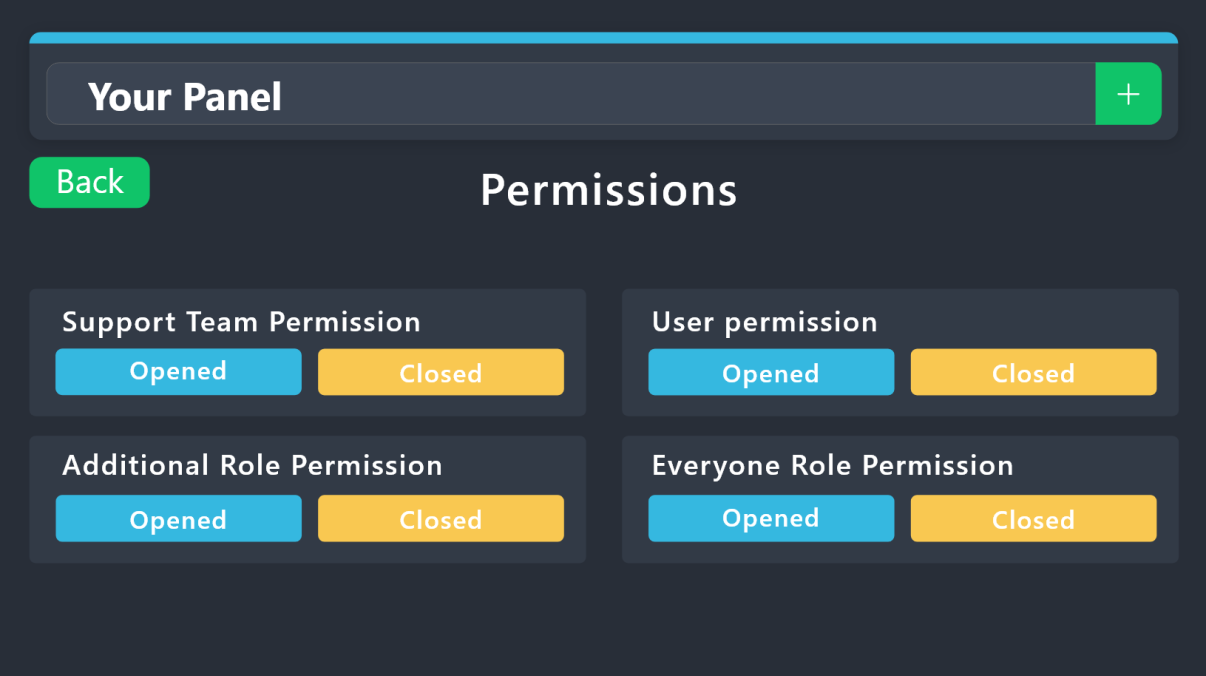 steady ether
@brisk otter you mean this?
brisk otter
steady ether
<@818176480172310598> you mean this?
no, custom commands specifically
steady ether
Ohhhh
Make sure u have added staff to support team @brisk otter

And that will make everyone who has this specific role can close / delete tickets
narrow edge
steady ether
Ohhh
How do I make it so the ticket has multiple options to choose from?
brisk otter
steady ether
U want it admin only or mod?
mod only
narrow edge
brisk otter
mod only
can you help me
humble sequoiaBOT
For more convenient use of multipanels, you can now combine panels on the dashboard. This will allow you to directly send the multipanel from the dashboard or via the $panel ID command.
Where can I find this?
You can find this setting on the Dashboard -> Panel Configs -> Panel -> Attached Panels
Note: if you're attaching all the panels to a panel called English, don't include English in the attached panel's box (If you do this, it will create a duplicate)
This will put all buttons from all of your panels on one message. The message is the panel message from the panel you're combining these panels in.
scenic forum
@narrow edge refer to embed above
Also please don't ping others for help.
narrow edge
scenic forum
<@1202858710569852941> refer to embed above
Also please don't ping others for he...
I did that but its not workinh
scenic forum
narrow edge
I did that but its not workinh
Can you elaborate what's not working
narrow edge
scenic forum
Can you elaborate what's not working
I put the panels on the attached panels and I pressed save but nothing changed
scenic forum
narrow edge
I put the panels on the attached panels and I pressed save but nothing changed
You need to either update the existing panel or send it again
narrow edge
scenic forum
You need to either update the existing panel or send it again
this is how I have it
 scenic forum
narrow edge
this is how I have it
scenic forum
narrow edge
this is how I have it
Then you need to send the panel into the server again to see the change
narrow edge
scenic forum
Then you need to send the panel into the server again to see the change
ok let me try
narrow edge
scenic forum
Then you need to send the panel into the server again to see the change
it shows this now
 scenic forum
narrow edge
it shows this now
scenic forum
narrow edge
it shows this now
And what is the issue with it?
narrow edge
scenic forum
And what is the issue with it?
I wanted it to look like this
scenic forum
That's a dropdown not a multipanel
humble sequoiaBOT
The Drop-down menu or Select Menu replaces the buttons on your panel message and uses a drop-down menu with all of your panels. To set this up, go to your Panel Configs and select your main Panel.
<:Numbericons1:1018864164032225340> Enable Select Style
First you enable Select Style. Then you add an item in the Dropdown Editor. Now you can start editing your dropdown!
<:Numbericons2:1018864168041971712> Dropdown Editor
Each line in the dropdown editor represents a line in the drop down menu on discord. You can add more "Items", by clicking on
First you select a panel. That's the panel this option will open a ticket for. DONT select the same panel twice. Each option should have a different Panel
After that, you can put a Display. This is the title of this option and will appear in the drop down menu. The *Description can be set right after that, which will be below the title in grey.
Additionally you can select an emoji, that will be shown in front of each option. You can either manually input the ID of an emoji or select it in the selector.
Common Issues ⚠️
- Panel doesn't send? Make sure you have a valid emoji selected
- Option doesn't show up? Check if two options have the same panel in the DropDown Editor
$dropdown
scenic forum
narrow edge
I wanted it to look like this
Refer to the embed above
narrow edge
scenic forum
Refer to the embed above
Do I make another panel to update it
scenic forum
narrow edge
Do I make another panel to update it
You can use the same panel
narrow edge
scenic forum
You can use the same panel
no like do I do /setup to make a new panel
for it to show the changes
narrow edge
scenic forum
It has to be done via the dashboard
I did it
narrow edge
scenic forum
You follow the guide in the embed above
what does placeholder text do
scenic forum
narrow edge
what does placeholder text do
That's the text that will show before you select an option
narrow edge
scenic forum
That's the text that will show before you select an option
oh okay
narrow edge
scenic forum
That's the text that will show before you select an option
Tysm! I finally got it to work!
scenic forum
scenic forum
 median moss
its saying interaction failed
median moss
its saying interaction failed
Make sure that the bot has: VIEW CHANNEL SEND MESSAGE and READ MESSAGE HISTORY
permission in the channel where you try the command
 crisp plinth
Yardim
humble sequoiaBOT
@warm compass
⚠️ You're in the wrong place
We provide support for Ticket Tool Discord bot and cannot help you with whatever issue you have.
- We don't know which Support Team you should contact to get this issue resolved, and unfortunately we won't be able to accurately tell you.
If you don't have any further questions regarding our bot Ticket Tool, please close this ticket
 warm compass
ok no Problem Ths
 silk yacht
How do i make my premium ticket tool bot username customer username any idea?
scenic forum
silk yacht
How do i make my premium ticket tool bot username customer username any idea?
You can simply change its nickname via discord
 red vigil
Wie funktoiniet das
silk yacht
scenic forum
You can simply change its nickname via discord
nah like proper username
worldly helm
red vigil
Wie funktoiniet das
Hallo 👋
Was genau meinst du?
scenic forum
silk yacht
I see in some servers people actually did it
Could you show an example?
silk yacht
sure
scenic forum
Thats an own bot they made
silk yacht
scenic forum
Thats an own bot they made
wait so we cant get ticket tool premium to change its username?
scenic forum
silk yacht
wait so we cant get ticket tool premium to change its username?
You cannot
Premium can "only" change
its profile picture, banner and description
silk yacht
got it
scenic forum
 outer solstice
<@186523978729259009>
outer solstice
<@186523978729259009>
Dont ping me.
outer solstice
scenic forum
Dont ping me.
I can't do setup can u help ?
 blissful seal
@humble sequoia
 edgy flint
Hey guys so there is a scamer who is naming him as a DC admin
edgy flint
worldly helm
Hallo 👋
Was genau meinst du?
Can u help me?
scenic forum
edgy flint
Hey guys so there is a scamer who is naming him as a DC admin
If the scammer is on this server please make a report ticket at #🎫│make-a-ticket with proof at hand
If the user is not on this server we are unable to help you in this matter
edgy flint
Alr
 grizzled summit
outer solstice
<@186523978729259009>
grizzled summit
outer solstice
<@186523978729259009>
Hey there. He is not a member of our staff. Please refrain from randomly pinging users especially for support.
If you need assistance I will direct you to #🎫│make-a-ticket .
 edgy scarab
hey does anyone know how to set up the bot? its really confusing me.
 fair rock
hey so im trying to set the bot up and on the website where i need to manage the server ive put it in it wont show me and only shows what servers i dont have i in anyone help dm me pls 🙂
humble sequoiaBOT
First you will want to invite the bot to your server. Once the bot is in your server, you can manage your server in the dashboard.
To create a panel we are going to need to head over to the Panel Configs Tab on the Dashboard.
Once at the dashboard we will need to click Create Panel.
Enter a panel name (Fill in any optional settings you want).
Click Create Panel and you are ready to get started with configuring your panel.
An example of a creating a panel is shown below.
Once the panel has been created, use the blue Send button and select the channel you want the panel to be sent to.
The Panel wasn't send
Use the </debug:1029783024264564765> command to diagnose possible permission issues with the bot.
steady ether
@edgy scarab
steady ether
fair rock
hey so im trying to set the bot up and on the website where i need to manage the...
Pls send a screenshot
humble sequoiaBOT
━━ Tom's inquiry has been moved to a ticket ━━
 flat mulch
hello guys
i wanna someone help for this problem
 covert swallow
Make sure Ticket Tool can send message in that channel and view the channel
humble sequoiaBOT

فريق الدعم الفني العربي
عميلنا العزيز ان كنت تبحث عن مساعدة يرجى فتح تكت خاص بفريق الدعم الفني العربي
اذهب الى#🎫│make-a-ticket
ثم قم بلضغط على الايموجي الاتي (🇯🇴)
 light moat
If Arabic support is delayed, my question is how do I submit a ticket for support from my server? Is there a way to do this?
 pseudo ravine
Please stay patient in your ticket
 terse crow
How do I retrieve the transcript history for a closed ticket ?
 harsh epoch
terse crow
How do I retrieve the transcript history for a closed ticket ?
harsh epoch
terse crow
How do I retrieve the transcript history for a closed ticket ?
Hey!
You'd either have to ask that servers support team for a copy, or in some cases you might have received a DM
harsh epoch
sweet ingot
Could you check that the bots got permissions to Send Messages, View Channel and Embed Links in that channel please?
sweet ingot
It does sir it does
harsh epoch
sweet ingot
It does sir it does
Could you try using /debug in that case
sweet ingot
1 second
 short iron
Hey
 winter kelp
ah
humble sequoiaBOT
@winter kelp
⚠️ You're in the wrong place
We provide support for Ticket Tool Discord bot and cannot help you with whatever issue you have.
- We don't know which Support Team you should contact to get this issue resolved, and unfortunately we won't be able to accurately tell you.
If you don't have any further questions regarding our bot Ticket Tool, please close this ticket
 torpid field
One question: when my premium trial ends, can i reactivate It every 7 days?
scenic forum
torpid field
One question: when my premium trial ends, can i reactivate It every 7 days?
No
its a one time offer per server
torpid field
scenic forum
No
its a one time offer per server
oh
 subtle arrow
yo guys when im trying to add the bot but its saying that the boot dosent have permisson but it has the permissons
scenic forum
subtle arrow
yo guys when im trying to add the bot but its saying that the boot dosent have...
Which error are you receiving exactly?
 sterile cobalt
Hello how can i add a member to have access to tickets on discord
humble sequoiaBOT
1. Open your Panel Configs tab in your server's dashboard
2. Select the panel you want to grant access to
3. Open the General options menu
4. Select your Support Team Roles
5. Save changes
 scenic forum
@sterile cobalt refer to the embed above
humble sequoiaBOT
A panel is the core of Ticket Tool, so its important to do the adequate process:
1. Open your Panel Configs tab in your server's dashboard
2. Click on the+or in theCreatebutton
3. Fill in the blanks
4. Create the panel
steady ether
 main wedge
<@722196398635745312> how to create a panel
main wedge
<@722196398635745312> how to create a panel
@main wedge
 prime zodiac
ทางโทสับเข้าเล่นเกมตรงไหน
 latent spire
Hello everyone. I'm trying to get started with TicketTool on our server. I've successfully added the bot/authorized it on our server but on the website, it won't sync or show up on the dashboard. Am I missing something? (I've tired removing the integration then re-inviting. Still doesn't sync)
austere forge
latent spire
Hello everyone. I'm trying to get started with TicketTool on our server. I've su...
Refer to the embed below please ⬇️
humble sequoiaBOT
Don't see your server in the dashboard?
Try using the Sync Servers button on your top center of the Dashboard page
If this doesn't work
You should relog from the dashboard, you can do this by clicking here to log out immediately, and then log back in
Note:
You need one of these 3 things to access the dashboard.
1. Server Owner (Level: 6)
2. Server Administrator (Level: 4)
3. Dashboard Role (Level: 2)
:warning: You can check your level using the </permissionlevel:1029797400174399542> command on your Discord Server
If the bot's response is:
- @User is permission level: 0 (User)
You don't have any of the 3 levels required to access the server's dashboard
 subtle arrow
scenic forum
Which error are you receiving exactly?
subtle arrow
scenic forum
Which error are you receiving exactly?
like that the ticket tool dosent have the perms like send a message or view channel
austere forge
Then you need to add theses permissions in the channel settings
latent spire
austere forge
Refer to the embed below please ⬇️
When I use any kind of commands, the bot replies that the application did not respond. I have mod role on the server I am working with and it's the second highest with perms next to the serv owner. Do they need to grant more permissions?
austere forge
latent spire
When I use any kind of commands, the bot replies that the application did not re...
Please try to run the command /debug in the channel where you try the commands
latent spire
austere forge
Please try to run the command /debug in the channel where you try the commands
Yes. I tried this, It gets the same error that the application did not respond. I tried removing the integration and re-adding it, logging out and relogging on dashboard.
austere forge
Ticket Tool is missing the VIEW CHANNEL permission for that channel
latent spire
austere forge
Ticket Tool is missing the `VIEW CHANNEL` permission for that channel
I made sure to check every perm requested when I invited the bot. I'll try to tinker with the server again and update if it's still not working.
 austere forge
latent spire
I made sure to check every perm requested when I invited the bot. I'll try to ti...
austere forge
latent spire
I made sure to check every perm requested when I invited the bot. I'll try to ti...
You need to check also the channel permission where you try the commands
latent spire
alright
austere forge
And make a sure to Ticket Tool have VIEW CHANNEL permission for the channel you try the commands
 high dust
i got banned but i already appealed can i get help on it?
 austere forge
You’re in the wrong place
high dust
where should i be?
austere forge
We don’t know
humble sequoiaBOT
⚠️ You're in the wrong place
We provide support for Ticket Tool Discord bot and cannot help you with whatever issue you have.
- We don't know which Support Team you should contact to get this issue resolved, and unfortunately we won't be able to accurately tell you.
If you don't have any further questions regarding our bot Ticket Tool, please close this ticket
 slow parcel
help me with this one please
 humble sequoiaBOT
This error indicates you have selected an invalid emoji, i.e. an emoji the bot isn't capable of using, in a button field
Which Emoji?
This depends upon which action the error is appearing, the most common cases are the Create Ticket button or one of your Dropdown emojis. You can visit your Button's List to find all available buttons and find the conflicting one by yourself.
Why doesn't the bot accept it as valid?
- You selected an emoji that doesn't exist anymore, i.e. that has been deleted
- You wrote text there, instead of an emoji (or in addition to an emoji)
- You entered a code for a custom emoji from a server that the bot is not a member of
- You entered a custom emoji code incorrectly
- You're on iPhone and entered an emoji using the phone's emoji pad (use the emoji selector in the website instead)
austere forge
slow parcel
help me with this one please
Refer to the embed above
 night jay
Where can i change it?

 red kestrel
Hello I need guidance
humble sequoiaBOT
The panel message is where people react to make a ticket. To customize it head over to your Dashboard --> Panel Configs -> Panel -> Edit Panel Message
 austere forge
night jay
Where can i change it?
austere forge
night jay
Where can i change it?
Refer to the embed above please
night jay
austere forge
Refer to the embed above please
where i find this?
steady ether
red kestrel
Hello I need guidance
Pls explain what u need help with and we can help
And send a screenshot so we can see the problem clearly
austere forge
night jay
where i find this?
Dashboard --> Panel Configs -> Panel -> Edit Panel Message
red kestrel
steady ether
Pls explain what u need help with and we can help
Okay I already added tt to my sever that I have newly created, i already gave all the permission to ticket tool.
But when I did /setup it still says Embed links permission required.
steady ether
red kestrel
Okay I already added tt to my sever that I have newly created, i already gave al...
Do /debug
red kestrel
steady ether
Do /debug
Also can you guide me how can I setup this for my server ?
steady ether
Yeah ofc
humble sequoiaBOT
First you will want to invite the bot to your server. Once the bot is in your server, you can manage your server in the dashboard.
To create a panel we are going to need to head over to the Panel Configs Tab on the Dashboard.
Once at the dashboard we will need to click Create Panel.
Enter a panel name (Fill in any optional settings you want).
Click Create Panel and you are ready to get started with configuring your panel.
An example of a creating a panel is shown below.
Once the panel has been created, use the blue Send button and select the channel you want the panel to be sent to.
The Panel wasn't send
Use the </debug:1029783024264564765> command to diagnose possible permission issues with the bot.
steady ether
Here is the set-up
red kestrel
steady ether
Yeah ofc
Okay here it self or in a vc ? Where I will share screen ?
steady ether
red kestrel
Okay here it self or in a vc ? Where I will share screen ?
Join and share screen
Lmk when u join

 sick geyser
Hello
scenic forum
 thorn void
i need support, one of my mebers has this problem
thorn void
i need support, one of my mebers has this problem
Panel config -> permissions -> ticket owner permissions -> edit opened -> send message and view message history ✅
red kestrel
steady ether
Lmk when u join
waiting there
 tight mountain
Can anyone help me with this
 humble sequoiaBOT
@tight mountain
⚠️ You're in the wrong place
We provide support for Ticket Tool Discord bot and cannot help you with whatever issue you have.
- We don't know which Support Team you should contact to get this issue resolved, and unfortunately we won't be able to accurately tell you.
If you don't have any further questions regarding our bot Ticket Tool, please close this ticket
 devout pelican
How can I send a bot message with a notification when someone opens a ticket?
steady ether
devout pelican
How can I send a bot message with a notification when someone opens a ticket?
Wdym
Like when someone opens a ticket it pings staff?
 steady ether
Pls elaborate more
 hollow beacon
austere forge
hollow beacon
austere forge
@hollow beacon Please take note of the pinned message, specifically the first set of guidelines
humble sequoiaBOT
━━ vtemp's inquiry has been moved to a ticket ━━
humble sequoiaBOT
The Drop-down menu or Select Menu replaces the buttons on your panel message and uses a drop-down menu with all of your panels. To set this up, go to your Panel Configs and select your main Panel.
<:Numbericons1:1018864164032225340> Enable Select Style
First you enable Select Style. Then you add an item in the Dropdown Editor. Now you can start editing your dropdown!
<:Numbericons2:1018864168041971712> Dropdown Editor
Each line in the dropdown editor represents a line in the drop down menu on discord. You can add more "Items", by clicking on
First you select a panel. That's the panel this option will open a ticket for. DONT select the same panel twice. Each option should have a different Panel
After that, you can put a Display. This is the title of this option and will appear in the drop down menu. The *Description can be set right after that, which will be below the title in grey.
Additionally you can select an emoji, that will be shown in front of each option. You can either manually input the ID of an emoji or select it in the selector.
Common Issues ⚠️
- Panel doesn't send? Make sure you have a valid emoji selected
- Option doesn't show up? Check if two options have the same panel in the DropDown Editor
$dropdown
scenic forum
@red kestrel refer to the embed above
red kestrel
scenic forum
<@1144190204626878474> refer to the embed above
listen !! i already did and i know all these now but i am unable to send more than one button to my channel through dashboard
scenic forum
red kestrel
listen !! i already did and i know all these now but i am unable to send more th...
Did you add multiple options in the dropdown?
red kestrel
scenic forum
Did you add multiple options in the dropdown?
How to ?
 chilly niche
I need help
scenic forum
red kestrel
How to ?
The embed above explains it in detail
chilly niche
I accidentally duped I don’t know what to do
steady ether
chilly niche
I accidentally duped I don’t know what to do
Pls elaborate
chilly niche
steady ether
Pls elaborate
So I defeated a magma don and got egg so I picked it up and gave it to my poor friend for his raptoe and I checked my inv and it said I have the egg idk what to do or what happened 😭
humble sequoiaBOT
@chilly niche
⚠️ You're in the wrong place
We provide support for Ticket Tool Discord bot and cannot help you with whatever issue you have.
- We don't know which Support Team you should contact to get this issue resolved, and unfortunately we won't be able to accurately tell you.
If you don't have any further questions regarding our bot Ticket Tool, please close this ticket
 tawdry bane
@pseudo glen
scenic forum
chilly niche
How do I create ticket in ug?
We don't know which Support Team you should contact to get this issue resolved
 exotic echo
I have users that see the error they don't have permission. I've tested the ticket with my account (admin access) then with theirs (verified) but am unable to find why they don't have permission. Which options should be toggled at the dashboard or on there server to ensure non admins can access the ticket tool?
steady ether
exotic echo
I have users that see the error they don't have permission. I've tested the tic...
@exotic echo
Make sure u have support team only
exotic echo
steady ether
<@372215242979278859>
Hmm where is that? I'm currently on mobile
In automation right? @steady ether
 scenic forum
exotic echo
Hmm where is that? I'm currently on mobile
scenic forum
exotic echo
Hmm where is that? I'm currently on mobile
Do they receive that error when they want to open a ticket?
exotic echo
scenic forum
Do they receive that error when they want to open a ticket?
When they go to the channel they see the ticket tool. The custom message. However after they click the button to create a ticket, they get the message "ticket tool: you don't have permission to use this"
I can't find which item is turned off that is preventing them from using the tool.
scenic forum
exotic echo
When they go to the channel they see the ticket tool. The custom message. Howe...
Hey there!
«You don't have permissions to use this»
👉 Server Configs -> Blacklist Roles
Any roles there will be unable to interact with the bot in any way, including creating tickets.👉 Panel Configs -> Buttons -> Create Ticket -> Support team only
If this is enabled👉 Panel Configs -> Buttons -> Create Ticket -> Disabled Roles
Any roles there will be unable to use the button.
Its most likely step 2 or 3
exotic echo
Okay I'll take a look at those and See if that helps. Bbiab.
exotic echo
scenic forum
Hey there!
**__«You don't have permissions to use this»__**
> 👉 **Server Conf...
Oh wow. Thank you! It was number 2. Lol. I had checked off all the other areas where support only was listed. Except that one. Thank you so much!
iron nightBOT
Gave +1 Rep to @scenic forum (current: #14 - 497)
 stuck narwhal
Is this the place where you report people
steady ether
Nope
stuck narwhal
I just got to this discord server
steady ether
This is for community support
stuck narwhal
Oh
humble sequoiaBOT
@stuck narwhal
⚠️ You're in the wrong place
We provide support for Ticket Tool Discord bot and cannot help you with whatever issue you have.
- We don't know which Support Team you should contact to get this issue resolved, and unfortunately we won't be able to accurately tell you.
If you don't have any further questions regarding our bot Ticket Tool, please close this ticket
 hardy pulsar
Is claiming a ticket a premium only feature? It doesn't show the diamond that is beside most premium features.
harsh epoch
hardy pulsar
Is claiming a ticket a premium only feature? It doesn't show the diamond that is...
Yes, claiming is a premium feature
 hardy pulsar
ty.
 dusky echo
is there a list of all the features that are unlocked with premium? on the website it shows things like full customization, custom reactions, etc
though when i look in here about features, like transcripting images permanently, it says that's a feature of premium which isnt shown there ^^ i'd just like to make sure it has all the features id like before making a purchase
also, since i see theres a ticket tool gold bot in here, would i have to invite that bot over to my server and do my setups again when i purchase premium? or does it just automatically turn premium? (sorry if these things are obvious lol)
humble sequoiaBOT
 Faster Premium Bot
Automatic Transcripts
Full Customization
Direct Messages
Ticket Automation
Thread Style Ticketing
Premium Support
Scheduled Panel Availability
Integrations
Claiming
Advanced Ticket Statistics
You can purchase premium here:
Price
$7.99 - Monthly
$66 - Yearly
scenic forum
@dusky echo refer to the embed above for premiumperks
You dont need to invite the gold bot to use premium however since less people use it its faster and more reliable
The configs store per server not per bot so nothing gets lost swapping over
Youd only need to repost the panels over gold
scenic forum
Can you elaborate where you have the issue?
stark runeBOT
1. Invite Ticket Tool to your server
First you will want to invite the bot to your server. Once the bot is in your server, you can manage your server in the dashboard.
2. Create a Panel
To create a panel we are going to need to head over to the panel configs on the dashboard.
Once at the dashboard we will need to click Create Panel.
Enter a panel name (Fill in any optional settings you want).
Click Create Panel and your ready to get started with configuring your panel.
An example of a creating a panel is shown below.
3. Send the Panel to a Channel
Once you've created a panel on the dashboard you will need to send it to a channel using send on the dashboard.
Select the channel you want your panel to be created in and click send.
For other questions checkout $help faq.
An example of a sending a panel is shown below.
Having a Problem Sending the Panel?
Do $debug in a channel with Ticket Tool and make sure it has all the necessary Discord permissions.
restive condor
Try the steps below please
humble sequoiaBOT
Don't see your server in the dashboard?
Try using the Sync Servers button on your top center of the Dashboard page
If this doesn't work
You should relog from the dashboard, you can do this by clicking here to log out immediately, and then log back in
Note:
You need one of these 3 things to access the dashboard.
1. Server Owner (Level: 6)
2. Server Administrator (Level: 4)
3. Dashboard Role (Level: 2)
:warning: You can check your level using the </permissionlevel:1029797400174399542> command on your Discord Server
If the bot's response is:
- @User is permission level: 0 (User)
You don't have any of the 3 levels required to access the server's dashboard
iron nightBOT
Gave +1 Rep to @restive condor (current: #1 - 2819)
torpid field
tight mountain
Can anyone help me with this
You are in the wrong Place. This Is a support server only for @humble sequoia bot.
restive condor
They've been answered already
torpid field
restive condor
They've been answered already <:PabloTiphat:983791053842837624>
Oh, didnt realize.
Thank you mr support staff
oh
restive condor
No worries 👌
torpid field
thanks @restive condor