#🆘│community-support

1 messages · Page 96 of 1

prime bridgeBOT
#
<:notallowed:660789872600285184> #🆘│community-support has been locked!
scenic plinth
#

This is an amazing question. So far we have had zero communication from Discord as far as I know. Their status page also indicates nothing. I've gotten my information from the devs here and information that has been relayed from other bot support servers.

Last I heard Discord is in the background trying to implement a fix, but I have no idea when or what that fix is.

#

Well, apparently Discord has fixed it on their part (according to our Dev). The developer is actively working to get Ticket Tool reconnected, though I still have no official ETA I can provide any of you.

#

Attempting a restart...

solid stream
#

I've been working to get things back online

#

We're over half way back up

solid stream
#

The last set of shards is currently rate limited, I'm working on getting that fixed

stark runeBOT
#
**Ticket Tool - All Systems are now __Online!__**

All Ticket Tool systems are fully online again! We apologize for any inconvenience this may have caused on your server.

If you are still experiencing any problem with Ticket Tool, please reach out to the <@&540295656720302081> within a ticket here, #🎫│make-a-ticket

prime bridgeBOT
#
<:allowed:660789592647008258> #🆘│community-support has been unlocked!
mellow aurora
#

Jungs

#

wenn ich meine zahlungsquelle entfernen will geht das net

#

Wie kann ich das ändern weil ich will nicht das es immer Automatisch GEld abzieht

restive condor
#

Danke PabloTiphat

mellow aurora
#

Hab gemacht danke

manic raptor
#

Hello, i don't know why but each time I close a ticket, it's deleted automatically while I would like to keep them as in a special category, how do I change that ?

#

(the category for closed ticket is already set)

austere forge
manic raptor
#

it's already like that

pseudo ravine
#

Two Step Ticket should be disabled

austere forge
manic raptor
#

two step or not, the ticket is deleted after I close it

#

:/ i can't find how to stop the delete

pseudo ravine
#

Could I get the server ID

#

Sorry, this should be enabled

manic raptor
#

Still, the ticket is deleted after I close it

pseudo ravine
#

It needs to be enabled, this will make the ticket actually be closed, rather than just deleted

manic raptor
#

even with that option, once I confirm the close, it will delete it

pseudo ravine
#

It only applies to newly created tickets

manic raptor
#

This button only make a confirmation appear when you close it

#

I know, still it delete the ticket so it don't works ^^'

pseudo ravine
manic raptor
#

done

#

I choosed french ticket since I'm french but if it makes things easier for you I can make one in english

pseudo ravine
#

I'm not apart of the French Support Team, sorry

manic raptor
#

there

humble sequoiaBOT
#

━━ User's inquiry has been moved to a ticket ━━

velvet crystal
#

Hey, I have an issue with ticket tool.
In a server I am in, I cannot use Ticket Tool slash commands in tickets to add users or rename tickets or anything. I have the same roles as another user, and they are able to use the commands but I am not

ivory anvil
#

is it possible to delete all closed tickets with one command?

pseudo ravine
rocky basin
#

that will delete every ticket kind tho without transcropting everything

velvet crystal
pseudo ravine
#

Double check you have the Use Applications Commands permission inside the ticket

pseudo ravine
#

Ask the server owner or an admin to look at the permissions inside the channel

spare pollen
#

How to fix this plss help🥺

atomic solstice
#

when you type /debug in that channel you will see exactly which permissions the bot needs and which it is missing

#

after you add those it should work without problems

velvet crystal
pseudo ravine
#

Is it marked as check_green

sweet junco
#

please help

velvet crystal
pseudo ravine
#

Is it only happening in that one ticket?

pseudo ravine
#

The question was for Bloxy

#

If you're just a regular user in that server, then there's nothing you can do

atomic solstice
# sweet junco please help

You should do what the message says. Delete some channels or tickets if you are the Owner or staff in that server with the power to do that. If you aren't then there is nothing you can do.

The 500 channel limit is a limit set by discord discord won't let anyone in the server create new channels until you delete some channels. It will never let anyone hav emore than 500 channels in one server

serene sapphire
#

como ativo reivindicação de ticket?

low bay
#

How to make tickets appear under one spesific category and not above everyting?'

#

Its like this now, but i want the tickets under a category. If possible

feral wharf
#

Can a body help with this, won’t let me make several tickets

humble sequoiaBOT
austere forge
low bay
#

Thanks!

austere forge
velvet crystal
#

Sorry for the late reply, I didn’t have my phone ^

pseudo ravine
#

Can I get the server ID

low bay
lofty bramble
#

How can I make this before Submitting a ticket?

sterile linden
#

Hello! I don’t know how to use ticket tool but I want to use it and I want to know how to add roles permanently to the ticket! Can someone help me

jade topaz
#

how to create a custom command that when even I say save it will save the transcript

jade topaz
polar delta
#

I need help setting up the my discord

spare plinth
#

Failed to send: Access Denied (Ticket Tool doesn't have permission to view or send into this channel)

#

It gives this error, what should I do?

#

please help

earnest fulcrum
#

how to fix failed to send ticket bot isnt allowe don this server error ticket tool

surreal notch
#

Guys how to do drop-down option in ticket ?

humble sequoiaBOT
#

The Drop-down menu or Select Menu replaces the buttons on your panel message and uses a drop-down menu with all of your panels. To set this up, go to your Panel Configs and select your main Panel.

<:Numbericons1:1018864164032225340> Enable Select Style

First you enable Select Style. Then you add an item in the Dropdown Editor. Now you can start editing your dropdown!

<:Numbericons2:1018864168041971712> Dropdown Editor

Each line in the dropdown editor represents a line in the drop down menu on discord. You can add more "Items", by clicking on AddItemButton1AddItemButton2

First you select a panel. That's the panel this option will open a ticket for. BotOffline DONT select the same panel twice. Each option should have a different Panel BotOffline

After that, you can put a Display. This is the title of this option and will appear in the drop down menu. The *Description can be set right after that, which will be below the title in grey.

Additionally you can select an emoji, that will be shown in front of each option. You can either manually input the ID of an emoji or select it in the selector.

Common Issues ⚠️
  • Panel doesn't send? Make sure you have a valid emoji selected
  • Option doesn't show up? Check if two options have the same panel in the DropDown Editor
idle flint
velvet crystal
atomic solstice
#

If an Admin role has the Administrator permission then they can see any ticket. If they don't they won't see the ticket unless they are assigned to the ticket panel as one of the support roles.

if you are asking if Team leads and Team managers can see tickets in this server then yes, they can see them as they are also part of the support team

ionic path
civic wagon
# ionic path

That's weird. Even I can't see it in my browse list but definitely can see it in my channel list

ionic path
#

That doesn't say "no access" or "unknown" and it is pressable, but when I leave from the channel it's still isn't in the list.

#

Maybe a discord issue, thanks anyway!

#

Thanks @civic wagon

iron nightBOT
#

Gave +1 Rep to @civic wagon (current: #32 - 107)

civic wagon
ionic path
#

I was sure that was on, but apparently it wasn't. It worked tho

low bay
raw kestrel
#

me podriais pasar el link del juego 3dx meredian gracias

stray robin
#

Hello, I am interested in joining the Translator Program for Thai.

civic wagon
stray robin
pseudo ravine
jade topaz
#

Hallo guten Tag ich brauche hilfe

velvet crystal
#

is the ID

#

sorry

cunning raft
#

hi i might be being stupid but can anyone help?

#

the image wont post at all

pseudo ravine
velvet crystal
pseudo ravine
pseudo ravine
velvet crystal
#

yet I can’t use slash commands, while other members in the server with the same role can

#

so I am confused

cunning raft
pseudo ravine
pseudo ravine
velvet crystal
#

never had an issue with any others

pseudo ravine
#

Without being in the server and having permissions myself, I can't determine anything

velvet crystal
#

ah

cunning raft
pseudo ravine
#

You're welcome, glad I could help!

uncut vessel
#

Is there a status issues with the bot? Pic + when I ran debug the app did not respond.

ionic path
ionic path
#

Maybe someone with a higher role than you removed some permissions from your role.

uncut vessel
ionic path
#

My apologies, you can't access the dashboard with manage server. Check this message out;

#

uncut vessel
#

Waiting.

ionic path
#

You can use the said command (/permissionlevel) to check your level manually.

uncut vessel
#

The app is not responding to it.

#

Errors out "The application didnt respond".

ionic path
#

Is it responding to any other commands?

uncut vessel
#

Debug didnt work either.

velvet crystal
uncut vessel
#

Oh wow.

#

It is not added into the channel yet.

ionic path
#

Can you check if the channel settings you are initiating the command into has the Send Messages permission?

covert swallow
ionic path
velvet crystal
uncut vessel
covert swallow
velvet crystal
#

it’s literally just an issue with myself not any roles i think

#

guess i just have to deal with it

ionic path
covert swallow
uncut vessel
#

We actually have an official support team member in our server, so I will continue with em.

ionic path
#

Alright, I'm sorry for the inconvenience.

covert swallow
uncut vessel
covert swallow
#

Alright thanks

#

Just wanted to make sure it was an actual person not someone impersonating them

uncut vessel
#

Oh that is perfect.

#

Thank you for keeping me safe.

covert swallow
#

Of course

tidal reef
#

Anyone having an issue with "this interaction failed"

covert swallow
#

No, could you run the $debug command in your server please?

covert swallow
#

Is the interaction still failing?

tidal reef
#

Let me try again. The SS came from a different user. Standby one

atomic solstice
#

also the debug came from a different channel

#

you should check the debug command inside the channel where the panels are in

covert swallow
#

Bot has admin, shouldnt matter

atomic solstice
#

well then yes

uncut vessel
#

Prizafal, Satisfy, we figured it out, without you Satisfy.

#

Discord did not let me add TT into our internal command channels, but it did with someone else trying.

uncut vessel
#

Yes, this was a weird Discord bug tho.

#

I am running into more issues. Do you guys have an internal Server ID lookup tool to see what is going on? It keeps saying my panel sent, but it didnt.

#

NVM.

civic basin
#

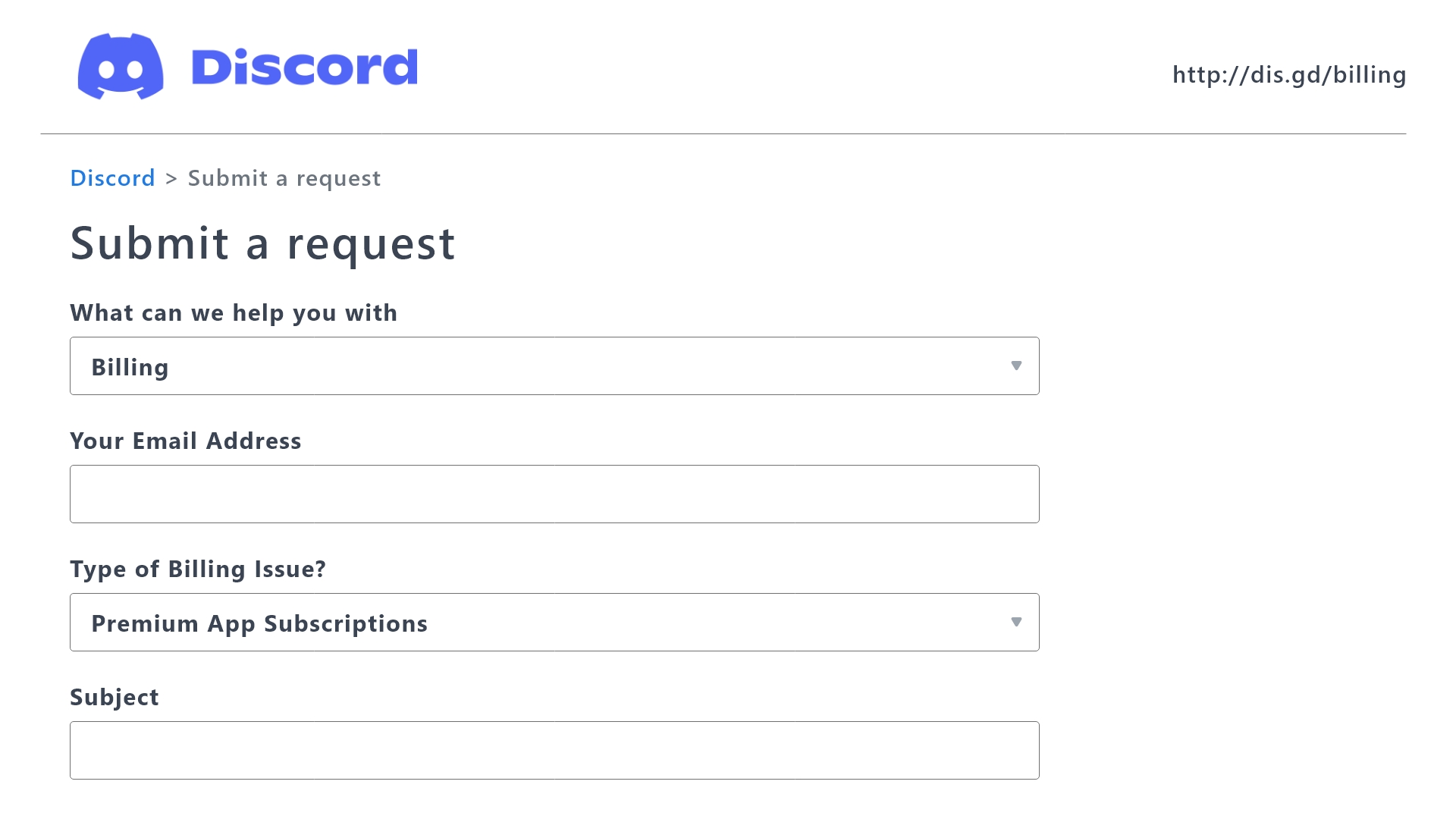
Hello, I would like to cancel my subscription to the ticket tool application but in the subscription display, it is not displayed even though I am billed there. Would it be possible to cancel it from another way ?

humble sequoiaBOT
#
<:TicketToolOffline:1018980643092312155> Cancel your subscription

We're sorry to see you go!

To cancel your Ticket Tool Premium Subscription, just head over to your User Settings in Discord, then Subscriptions. Look for Premium Apps and click on Manage Subscriptions. There you can cancel your subscription at the end of your billing cycle.

atomic solstice
valid lotus
#

can someone please help me with ticket panel

#

im so confused

covert swallow
#

What do you need help with specifically?

atomic solstice
cinder moon
#

What can I do if the application is not reacting but the bot does have al acces he needs?

covert swallow
#

Sati....

atomic solstice
#

already fixed

atomic solstice
covert swallow
cinder moon
#

but what permissions does is needs more then?

hot onyx
#

I want to buy a Premium Server Access Code subscription, how?

covert swallow
#

Probably "send messages" but I can't say for sure without more information

covert swallow
cinder moon
#

mmm I am going to check it

hot onyx
humble sequoiaBOT
#

Premium can now be purchased directly through discord! Either in the app directory (server settings) or directly from the bots profile.

<:TTWarning:1034178155872784494> Important Information <:TTWarning:1034178155872784494>

ONLY purchase premium through ONE of the two Ticket Tool Bots. If you purchased premium on the primary bot (White logo) and plan to use the premium bot, don't kick the primary bot!

What's different?

NewLine The Monthly price changed from $6.00 to $5.99
NewLine Soon1Soon2 Yearly subscriptions are not yet available
NewLine Don't kick the bot, otherwise, the subscription will be canceled automatically
NewLine You'll need to buy the subscription from a computer or on the Application Directory
NewLine You might need to run the /premium command on your server to sync the premium status with your dashboard
NewLineEnd A subscription can not be transferred between Servers

valid lotus
covert swallow
valid lotus
#

so certain roles

hot onyx
#

I want to buy the code

humble sequoiaBOT
atomic solstice
covert swallow
#

Do you mean purchase premium through a direct payment method instead of a subscription?

humble sequoiaBOT
#

PayPal - paypal@tickettool.xyz
BitCoin - 3HhKKAdb9eEvCe2tvzB8bAa8nebHY6qcPA
LiteCoin - MEQX3knLAuotrKnvk3HDNBK5gdRn6PZhHy

Prepay/Direct Payment

To prepay send the payment using your desired method - Available options listed bellow.

⚠️ $18 per 3 months. ⚠️
$66 per year.

(If using the direct payment option, you need to be paying for at-least 3+ months.)

Regular Prices when paying within Discord:
$5.99/per month

Once your payment is sent let us know so we can confirm and get you your key.

- Purchases done with this method are non-refundable.
<:paypal:924596360840372234> Paypal ("Goods and Services" or "Family and Friends")

paypal@tickettool.xyz

<:bitcoin:924638849135689749> BTC - Bitcoin

3HhKKAdb9eEvCe2tvzB8bAa8nebHY6qcPA

<:Litecoin:972176945972383815> LTC - LiteCoin

MEQX3knLAuotrKnvk3HDNBK5gdRn6PZhHy

I sent the payment now what?

After you send the payment, please send a screenshot with proof of payment, our <@&615146349700186112> will verify your payment and will get you setup. For crypto payments, we are waiting for at least ONE verification.

After a successful payment

Provide us with your server ID, where you want your premium key to be redeemed. This has to do be done by us

weak pecan
#

yo how i put ticet tol in my server plz anyone help

covert swallow
#

See above

cinder moon
iron nightBOT
#

Gave +1 Rep to @covert swallow (current: #18 - 283)

covert swallow
humble sequoiaBOT
valid lotus
hot onyx
#

Because I want to give the code to my front. @covert swallow

covert swallow
#

Your front?

weak pecan
#

@covert swallow

atomic solstice
covert swallow
weak pecan
#

wer

covert swallow
hot onyx
covert swallow
#

You transfer then open a ticket, and then send the relevent transaction details in the ticket

hot onyx
#

Thanks

covert swallow
#

Billing or support

hot onyx
covert swallow
#

Either close your already existing ticket or use that ticket

hot onyx
#

Okay

woeful nexus
#

anyone know how to have categories for making a ticket?

woeful nexus
timber kernel
timber kernel
humble sequoiaBOT
#

For more convenient use of multipanels, you can now combine panels on the dashboard. This will allow you to directly send the multipanel from the dashboard or via the $panel ID command.

Where can I find this?

You can find this setting on the Dashboard -> Panel Configs -> Panel -> Attached Panels

Note: if you're attaching all the panels to a panel called English, don't include English in the attached panel's box (If you do this, it will create a duplicate)

This will put all buttons from all of your panels on one message. The message is the panel message from the panel you're combining these panels in.

timber kernel
#

Please have a look at this ^

woeful nexus
#

ty the multipanel was what i was interested in ❤️

jade topaz
#

Can me make auto add role to someone who crate tikit?

junior patrol
idle flint
noble rock
#

I'm trying to submit a panel but it's asking to send the panal ID, and i'm struggling to find that

idle flint
humble sequoiaBOT
idle flint
#

This is the link to the dashboard ^^

noble rock
#

Thank you sm!!! Is it possible to send an automated message into the chat depending on which type of ticket is opened?

#

Thanks @idle flint

iron nightBOT
#

Gave +1 Rep to @idle flint (current: #23 - 239)

idle flint
#

into the ticket? You can change the ticket message for each type of ticket (panel) so that it relates to that type of ticket

noble rock
#

Into the ticket yes!

idle flint
#

On the Dashboard > Select your panel at the top dropdown, then hit Ticket > Edit Ticket Message.

Repeat the process for all of your panels

idle flint
noble rock
iron nightBOT
#

Gave +1 Rep to @idle flint (current: #23 - 240)

jade topaz
#

Can i be premium

humble sequoiaBOT
#

Premium can now be purchased directly through discord! Either in the app directory (server settings) or directly from the bots profile.

<:TTWarning:1034178155872784494> Important Information <:TTWarning:1034178155872784494>

ONLY purchase premium through ONE of the two Ticket Tool Bots. If you purchased premium on the primary bot (White logo) and plan to use the premium bot, don't kick the primary bot!

What's different?

NewLine The Monthly price changed from $6.00 to $5.99
NewLine Soon1Soon2 Yearly subscriptions are not yet available
NewLine Don't kick the bot, otherwise, the subscription will be canceled automatically
NewLine You'll need to buy the subscription from a computer or on the Application Directory
NewLine You might need to run the /premium command on your server to sync the premium status with your dashboard
NewLineEnd A subscription can not be transferred between Servers

idle flint
jade topaz
#

No but free

idle flint
jade topaz
#

Ok i understand

#

Have a good day or night

idle flint
junior patrol
idle flint
#

hmm, could you try a different browser or a different device.

I checked the dashboard for that server and I see no issues on my end

junior patrol
#

ok

jade topaz
#

i bought premium w the bot but when i use the dashboard it doesnt let me use any of the premium features
how can i fix this?

noble rock
iron nightBOT
#

Gave +1 Rep to @idle flint (current: #23 - 241)

junior patrol
#

I want to open the tickets in the investigation room catergory but it keeps going somewhere Else

idle flint
idle flint
jade topaz
iron nightBOT
#

Gave +1 Rep to @idle flint (current: #22 - 242)

noble rock
idle flint
idle flint
# noble rock What I see and how its set up <3

Just make sure you are opening the correct ticket type. I see that you have at least 4 panels, and you have edited the 4th panels ticket message (your Apply For Roles panel) - maybe you have opened a ticket on your discord for one of your other panels tho?

noble rock
noble rock
idle flint
junior patrol
#

How do i change the name of the tickets when they open?

noble rock
humble sequoiaBOT
#

The ticket name is the default channel name of all tickets. To edit it, go to your Dashboard > Panel Configs > Ticket. There you can edit the channel name of opened and closed tickets. You can also use variables in there.

terse gazelle
jade topaz
idle flint
terse gazelle
#

nothing happen

jade topaz
terse gazelle
jade topaz
jade topaz
terse gazelle
#

i mean i done the dashboard setup

jade topaz
idle flint
terse gazelle
#

idk

#

im new at this thing

jade topaz
terse gazelle
jade topaz
idle flint
#

also, just an FYI - not that helping other people is bad, but Ticket Tool support members rarley come to into your discord to help you and we will not ask for permissions etc. Just be aware if people do this.

#

but @terse gazelle the bot is missing permissions in the channel

jade topaz
#

I fixed it for him.

jade topaz
#

Wow, this servers advanced.

pseudo ravine
#

It's just the /debug command

half grove
#

My /debug command will not work.

steel basalt
#

How does the bot respond?

half grove
steel basalt
# half grove I don't really know how to set it up.

The debug command is not something you need to "set up" but rather it's a tool we use to troubleshoot issues that you may face during your setup process. If you are looking for instructions regarding how to set up the bot, refer to the guide I'll attach below:

humble sequoiaBOT
#

First you will want to invite the bot to your server. Once the bot is in your server, you can manage your server in the dashboard.

To create a panel we are going to need to head over to the Panel Configs Tab on the Dashboard.

Once at the dashboard we will need to click Create Panel.
Enter a panel name (Fill in any optional settings you want).
Click Create Panel and you are ready to get started with configuring your panel.
An example of a creating a panel is shown below.

Once the panel has been created, use the blue Send button and select the channel you want the panel to be sent to.

The Panel wasn't send

Use the </debug:ID> command to diagnose possible permission issues with the bot.

steel basalt
#

If you have any other questions or concerns, let me know. 😁

half grove
#

okay thanks for your help 🙂

#

thanks @steel basalt for your help 🙂

iron nightBOT
#

Gave +1 Rep to @steel basalt (current: #40 - 68)

steel basalt
half grove
mystic pulsar
#

How do I add more than 1 button?

humble sequoiaBOT
#

For more convenient use of multipanels, you can now combine panels on the dashboard. This will allow you to directly send the multipanel from the dashboard or via the $panel ID command.

Where can I find this?

You can find this setting on the Dashboard -> Panel Configs -> Panel -> Attached Panels

Note: if you're attaching all the panels to a panel called English, don't include English in the attached panel's box (If you do this, it will create a duplicate)

This will put all buttons from all of your panels on one message. The message is the panel message from the panel you're combining these panels in.

jade topaz
#

hi guys, I need a bit of help with my server. How do I add my Mods to be able to use the bot? They are getting the command.

half grove
#

DM me the invite code and I can help set it up if you would like.

jade topaz
humble sequoiaBOT
#

Any role you put there will have full access to the ticket tool dashboard. The server owner and users with admin permissions already have access to the dashboard.
Be careful of which roles to put here

pseudo ravine
#

@jade topaz Read this ^

jade topaz
#

Thank you. Was that a bot?

pseudo ravine
#

I sent a custom command

jade topaz
#

ok.

#

is there a section to add people

half grove
#

How do I make it so my ticket has (General Support, Manager support and more)?

covert snow
#

What should I do if, when creating a ticket, a person with the support role does not see the message history?

pseudo ravine
pseudo ravine
pseudo ravine
half grove
#

What section is it in?

pseudo ravine
#

It says it in the embed

pseudo ravine
#

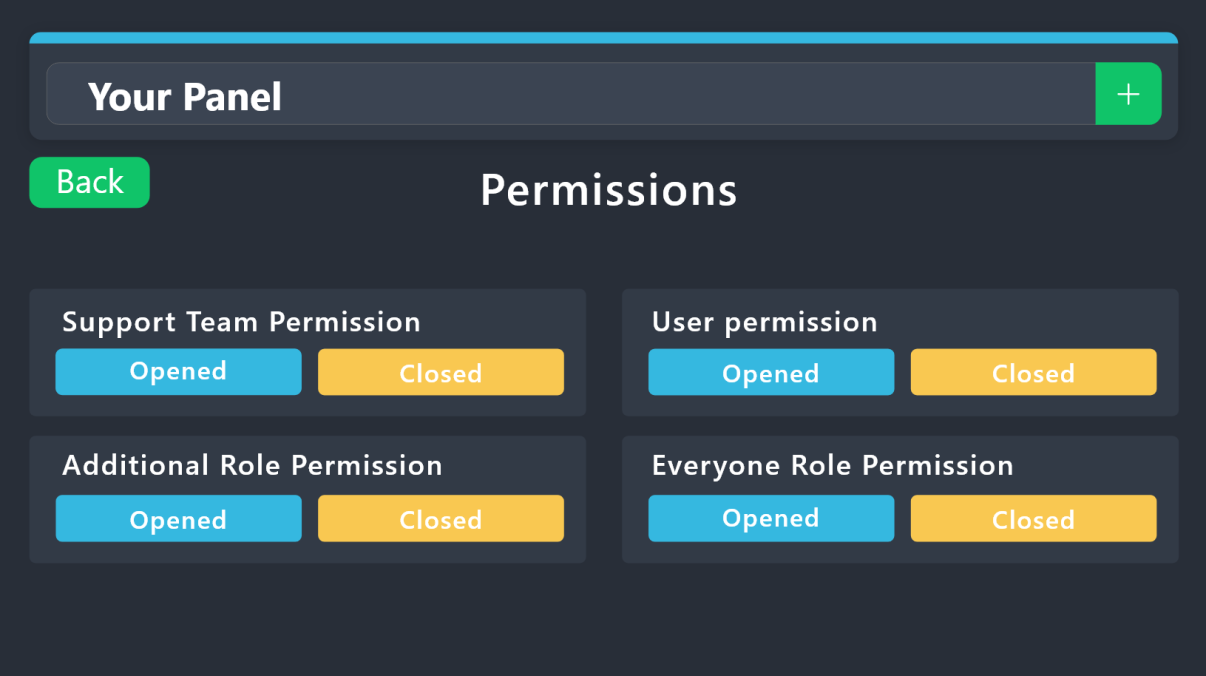
Dashboard > Permissions > Support Team Permissions > Edit opened > View Message History > check_green

#

This will only affect newly created tickets

half grove
#

Js why does it say no results found?

pseudo ravine
#

Can you send a screenshot?

half grove
pseudo ravine
#

You need to create the panels first

half grove
#

On what?

#

JS?

#

How do I create them

pseudo ravine
#

Click on the green button on the right

half grove
#

Js

#

Can anyone help?

pseudo ravine
#

Did you delete the panel?

serene plank
#

How do I re send the ticket message after i edited it

half grove
#

No.

#

Oh I did delete 1.

humble sequoiaBOT
#

First you will want to invite the bot to your server. Once the bot is in your server, you can manage your server in the dashboard.

To create a panel we are going to need to head over to the Panel Configs Tab on the Dashboard.

Once at the dashboard we will need to click Create Panel.
Enter a panel name (Fill in any optional settings you want).
Click Create Panel and you are ready to get started with configuring your panel.
An example of a creating a panel is shown below.

Once the panel has been created, use the blue Send button and select the channel you want the panel to be sent to.

The Panel wasn't send

Use the </debug:ID> command to diagnose possible permission issues with the bot.

pseudo ravine
#

@serene plank Read the 3rd embed ^

half grove
#

So how do I fix it?

pseudo ravine
#

Remake the panel

half grove
#

How?

pseudo ravine
half grove
serene plank
pseudo ravine
# half grove

You just need to re-send the General Support panel

#

Although you should remove the General Support from the list

half grove
#

How?

pseudo ravine
serene plank
#

or the channel id

pseudo ravine
#

server ID, or the servers name

#

Not the link

serene plank
half grove
#

Js

pseudo ravine
half grove
#

It not coming up with the general support and everything.

pseudo ravine
#

Did you send the panel?

icy ravine
#

How i can add picture in the panel like this?

half grove
#

Yep.

pseudo ravine
#

Did you send the correct panel?

serene plank
icy ravine
pseudo ravine
pseudo ravine
icy ravine
half grove
pseudo ravine
half grove
#

What do I do now js?

pseudo ravine
# half grove

You need to edit the buttons for each of the panels

pseudo ravine
#

It's a slash command in your server

half grove
#

How do I do that js?

pseudo ravine
#

Dashboard > Buttons > Create Ticket > Button Text

#

You need to do that for each of your panels

icy ravine
#

@pseudo ravine ?

half grove
#

Now what do I write?

pseudo ravine
pseudo ravine
serene plank
pseudo ravine
#

The entire string

icy ravine
pseudo ravine
#

$id PabloTiphat

humble sequoiaBOT
pseudo ravine
#

For example ^

half grove
#

How do I add more>

pseudo ravine
#

More what?

half grove
#

I want multiple types of tickets.\

pseudo ravine
#

You already have made them

serene plank
#

How do I enable the claim button

humble sequoiaBOT
#

Claiming allows you to change the ticket name, category and permissions. To use it you have to enable it first on your Dashboard > Panel Configs > Claiming

half grove
#

I did it Js

#

Now how do I change the emoji before the name?

pseudo ravine
#

Same place, but the field above where it says Button Emoji

serene plank
#

How do I make it where only support team can close the ticket

half grove
#

What Emoji do you recommend?

pseudo ravine
#

It's up to you

pseudo ravine
half grove
#

JS can I dm you?

pseudo ravine
#

No, it's against the rules

half grove
#

Thank you for the help @pseudo ravine

iron nightBOT
#

Gave +1 Rep to @pseudo ravine (current: #11 - 392)

pseudo ravine
#

You're welcome, glad I could help!

half grove
#

🙂

native axle
#

Compre 10M con 28K de gemas y no me llega dichas monedas a mi cuenta ayuda por favor

restive condor
humble sequoiaBOT
#
⚠️ Está en el lugar equivocado

Brindamos soporte para el bot de Discord Ticket Tool y no le podemos ayudar con el problema que presenta.

-  No sabemos a que equipo de soporte debería contactar para solucionar este problema, y desafortunadamente no podremos ayudarle acertadamente.

Si no tiene alguna duda relacionada a nuestro bot, Ticket Tool, por favor cierre este ticket.

hot musk
#

Is there auto respon for ticket tool ?

#

And if there isnt how to make other bots can use cmds like $remove and $add and those stuff

south holly
#

why does the bot keep leaving my server after adding

#

?

hot musk
south holly
#

ok

hot musk
#

Happend with me before it was from other bot kicking him

#

@restive condor yo can u help me ?

#

Oh sry

restive condor
#

Hi there

hot musk
#

Can u help me with this and the msg under it ?

south holly
#

fixed

hot musk
south holly
#

will do

restive condor
# hot musk Is there auto respon for ticket tool ?

Hey there, yes that's possibke with our Automations feature.

Which is a premium feature.

And if there isnt how to make other bots can use cmds like $remove and $add and those stuff
Dashboard > Server Configs > Bot

hot musk
#

Also how to make the guy that opened ticket can close it using $close ?

restive condor
hot musk
#

Kk thx for helping me 😊

#

:>

#

Thanks @restive condor

iron nightBOT
#

Gave +1 Rep to @restive condor (current: #8 - 416)

hot musk
#

Other bots i cant use there cmds with other bots sadly :/

restive condor
hot musk
#

Ticket tool tbh is the best bot ever made

#

Support respon fast and its easy to manage

hot musk
tribal steppe
#

كيف ارفق صورة مع التكت؟

tawny locust
#

I am trying to set up a new panel with only two forms in it. The auto setting (which I believe is no to me since I last used this tool?) is OFF. Why isn't this working?

austere forge
humble sequoiaBOT
#
فريق الدعم الفني العربي

عميلنا العزيز ان كنت تبحث عن مساعدة يرجى فتح تكت خاص بفريق الدعم الفني العربي
اذهب الى#🎫│make-a-ticket
ثم قم بلضغط على الايموجي الاتي (🇯🇴)

austere forge
hot musk
austere forge
jade topaz
#

can a mod

#

help

ivory anvil
#

/purge -> Permission Embed Links is required to send this embedded message.

#

? 😦

ionic path
gray sedge
humble sequoiaBOT
#

━━ | 𝗜𝗦𝗔𝗚𝗜's inquiry has been moved to a ticket ━━

austere forge
river hare
#

Is there an issue with the bot?

#

Cant close ticket, not responding

atomic solstice
#

or does the bot appear offline in your server?

river hare
atomic solstice
# river hare

Can you try to type /debug in that channel as well?

#

it will probably show the same, just tell me when you run the command so I can check

river hare
#

its offline

atomic solstice
# river hare

It seems the bot doesn't have permission to see inside that channel

#

make sure the bot has the Read Channels permission check_green in that channel

river hare
#

thank you, i didnt know why but administrator perm was removed

atomic solstice
#

no problem

leaden sparrow
#

Do you need @humble sequoia To have it ping someone when you do close request even if you put all the variables in the close request message?

rapid tartan
#

How can i setup so when someone makes a ticket. Staff team gets automatically pinged.

cosmic oxide
#

hi how to view old transcripts.

jade topaz
#

I forgot but how do I make certain roles able to access an open ticket?

timber kernel
humble sequoiaBOT
#

Within all the messages the bot sends (both embeds and text) you can mention either channels, roles, or even users, these mentions will only send a notification to the user if they are used within a text field, e.g: a role mentioned in an embed won't ping at all the users who have that role.

For mentioning a role you can use one out of three options:
{@Role Name} ➞ Which is Case Sensitive.
{RoleID} ➞ Replace RoleId with the Id of the role you are trying to ping.
<@&RoleID> ➞ Discord's native syntax to ping roles.

<#ChannelID> ➞ Mention a channel by its ID.
<@UserID> ➞ Mention a user by its ID.

timber kernel
#

Panel Configs -> Messages -> Edit Ticket Message

leaden sparrow
#

K thanks.

timber kernel
# cosmic oxide hi how to view old transcripts.

Go to your transcript channel or to your downloaded transcript and open it.
You may also got it DM'ed, depends on your configuration.
If this is not helping, please provide some more information about your setup.

timber kernel
cosmic oxide
timber kernel
silent basin
#

is it possible to allow a ticket to have more than one owner? so all staff who work the issue get counted for the completion.

cosmic oxide
silent basin
#

look at panel configs then transcript

cosmic oxide
#

ok yeah i have one

#

but how do i search for a specific one

silent basin
#

in the transcript output it shows certain details, knowing who opened it and who claimed it can help narrow that down

timber kernel
cosmic oxide
#

wrong ticket bot sorry 💀

#

it worked tho thanks 👍

silent basin
#

or like addmultiple of "roleholder" to it so when it closes they all get the completion if that makes sense

rapid tartan
#

When i say like @staff team in my Server, and i publish it, it isnt pinging.

timber kernel
timber kernel
rapid tartan
#

May i show how it looks like?

timber kernel
#

yes

rapid tartan
#

Like idk

#

Im new to this.

timber kernel
#

There you pinged yourself -> works -> correct?

#

And you now want to ping a role, correct?

rapid tartan
#

Ye but i want it to ping like this

timber kernel
# rapid tartan

In the config, you use this syntax (following your example):
{@Staff}

jade topaz
#

sir how to claim the free trial?

rapid tartan
#

{@Staff Team} like that???

timber kernel
timber kernel
rapid tartan
#

Alr

#

Alr i will try now

timber kernel
rapid tartan
#

It shows this

#

This when i did ur example

#

And this is how i did when i copied my role and put it in there

timber kernel
#

Without putting it inside the "``"

rapid tartan
#

Oh

timber kernel
#

I did that just here to not accidentially ping someone.

timber kernel
silent basin
jade topaz
rapid tartan
#

So i should remove the ``

jade topaz
timber kernel
# jade topaz

If there is not yellow button, someone already used the free trial on that server.

timber kernel
rapid tartan
#

Alr

jade topaz
#

I want it bro I sn't even write big text in embeds

rapid tartan
#

NO Way

#

It worked

#

Thank you so much

timber kernel
rapid tartan
#

You made my day.

timber kernel
timber kernel
#

You also can, if you have a look at the Dashboard history.

jade topaz
#

but I don't really remember when I did 😭

#

I DONT STARTED TICET WORK AT THAT TIME

#

😭

#

I WANT IT OR I DIE

#

is there any other way to obtain it without money?

jade topaz
#

can my premium be transferred from one server to another please?

scenic plinth
regal marten
#

id like to remove a certain role from having access to tickets. and replace it with a new one, how do i do that. anytime i do the /help command it fails

flat pagoda
humble sequoiaBOT
#

━━ User's inquiry has been moved to a ticket ━━

restive condor
jade topaz
restive condor
# jade topaz discord feature

Unfortunately, Discord doesn't currently have a way to transfer subscriptions.

You will need to cancel it and resubscribe on the new server

humble sequoiaBOT
#
<:TicketToolOffline:1018980643092312155> Cancel your subscription

We're sorry to see you go!

To cancel your Ticket Tool Premium Subscription, just head over to your User Settings in Discord, then Subscriptions. Look for Premium Apps and click on Manage Subscriptions. There you can cancel your subscription at the end of your billing cycle.

restive condor
# jade topaz but then i have to pay again

That's would be correct unfortunately.

If it hasn't been 5 days since you subscribe, you may qualify for a refund.

There's nothing we can do unfortunately as it's Discord who manage these subscriptions

humble sequoiaBOT
#

If you have purchased a Premium Subscription of Ticket Tool through Discord and want to request a refund, you will have to contact Discord Support.
We unfortunately can't handle any of these cases.

Am I eligible for a refund?

Discords Refund Policy states that you can request a refund within 5 days of your initial purchase date.
A prorated refund (partial) can be requested if the bot has been removed by either Discord or the bot developer.

cloud pawn
#

Hi im trying to find out how to add a specific role to permissions to see the ticket tool.

elder inlet
#

Idk if it's a bug or not
In my dashboard is shows each ticket individually and in server config settings that the transcript channel is properly set to transcripts in my server.
Issue now is I tried transcrpting a ticket and it said go to dashboard transcripts isn't set. I made sure I saved after each small change I made in dashboard and on my server. Please help if you can.

rapid tartan
#

Check if it is the right ticket or Discord server

astral vortex
#

hola queria preguntar como puedo activar el ticket gold?

pseudo ravine
elder inlet
pseudo ravine
#

It seems like all panels have a transcript channel set now

#

Could you please create a new ticket and try saving the transcript

elder inlet
#

Yea but It doesn't wanna transcript it to my transcript channel
And it doesn't wanna move it to the closed tickets category either

pseudo ravine
#

Make sure that Ticket Tool has the correct permissions in the closed category

elder inlet
#

Nvm now it's working. Just issue with mentioning a role. Thank you.

#

Thanks @pseudo ravine

iron nightBOT
#

Gave +1 Rep to @pseudo ravine (current: #11 - 393)

elder inlet
#

Ummmm

pseudo ravine
#

You’re welcome, glad I could help!

elder inlet
#

"please don't ping our support staff"
"To make sure the user has more rep type thanks ||@user||" and then
"+1 rep given" sounds like contradictions lmao

pseudo ravine
#

You can ignore the message regarding not pinging staff, since it was a thank you ping

balmy badge
#

How do I create a report system with a dropdown menu with 2 options?

versed lake
#

hey im trying to put emoji into my ticket but they just keep saying this

supple shard
#

Hi! I use Ticket Tool on my server, a user just contacted me saying he has access to the dashboard and has changed settings there?
where can I change who has dashboard Access?

humble sequoiaBOT
#

The Drop-down menu or Select Menu replaces the buttons on your panel message and uses a drop-down menu with all of your panels. To set this up, go to your Panel Configs and select your main Panel.

<:Numbericons1:1018864164032225340> Enable Select Style

First you enable Select Style. Then you add an item in the Dropdown Editor. Now you can start editing your dropdown!

<:Numbericons2:1018864168041971712> Dropdown Editor

Each line in the dropdown editor represents a line in the drop down menu on discord. You can add more "Items", by clicking on AddItemButton1AddItemButton2

First you select a panel. That's the panel this option will open a ticket for. BotOffline DONT select the same panel twice. Each option should have a different Panel BotOffline

After that, you can put a Display. This is the title of this option and will appear in the drop down menu. The *Description can be set right after that, which will be below the title in grey.

Additionally you can select an emoji, that will be shown in front of each option. You can either manually input the ID of an emoji or select it in the selector.

Common Issues ⚠️
  • Panel doesn't send? Make sure you have a valid emoji selected
  • Option doesn't show up? Check if two options have the same panel in the DropDown Editor
pseudo ravine
#

@balmy badge Read this ^

pseudo ravine
humble sequoiaBOT
#

Any role you put there will have full access to the ticket tool dashboard. The server owner and users with admin permissions already have access to the dashboard.
Be careful of which roles to put here

pseudo ravine
#

@supple shard Read this ^

balmy badge
#

How do you edit these names/add new ones?
"Report Civilian" and "Report Staff"

supple shard
iron nightBOT
#

Gave +1 Rep to @pseudo ravine (current: #11 - 394)

pseudo ravine
#

You’re welcome, glad I could help!

pseudo ravine
scenic plinth
#

@devout mango No es algo en lo que podamos ayudarte.

limber gyro
#

Hey guys, we currently use this two embeed format , both are different panels , I would like to know if there is a way to add both panel buttons in one embeed

#

Or if we could add them to an embeed that wasnt sent by the ticket tool bot

humble sequoiaBOT
#

For more convenient use of multipanels, you can now combine panels on the dashboard. This will allow you to directly send the multipanel from the dashboard or via the $panel ID command.

Where can I find this?

You can find this setting on the Dashboard -> Panel Configs -> Panel -> Attached Panels

Note: if you're attaching all the panels to a panel called English, don't include English in the attached panel's box (If you do this, it will create a duplicate)

This will put all buttons from all of your panels on one message. The message is the panel message from the panel you're combining these panels in.

balmy badge
#

Let me send a picture

pseudo ravine
#

There’s a green button that says “Add Item”

balmy badge
pseudo ravine
#

You’ll need a separate panel named “Reports” and add both panels to the dropdown list

balmy badge
#

How do I make that panel?

pseudo ravine
#

Same way you made the others

balmy badge
#

I need help doing that

willow pasture
#

how I can do this

humble sequoiaBOT
#

First you will want to invite the bot to your server. Once the bot is in your server, you can manage your server in the dashboard.

To create a panel we are going to need to head over to the Panel Configs Tab on the Dashboard.

Once at the dashboard we will need to click Create Panel.
Enter a panel name (Fill in any optional settings you want).
Click Create Panel and you are ready to get started with configuring your panel.
An example of a creating a panel is shown below.

Once the panel has been created, use the blue Send button and select the channel you want the panel to be sent to.

The Panel wasn't send

Use the </debug:ID> command to diagnose possible permission issues with the bot.

pseudo ravine
#

It’s one of our custom bots for this server

#

If you’re wishing to know how to do multi-panels, read below

humble sequoiaBOT
#

For more convenient use of multipanels, you can now combine panels on the dashboard. This will allow you to directly send the multipanel from the dashboard or via the $panel ID command.

Where can I find this?

You can find this setting on the Dashboard -> Panel Configs -> Panel -> Attached Panels

Note: if you're attaching all the panels to a panel called English, don't include English in the attached panel's box (If you do this, it will create a duplicate)

This will put all buttons from all of your panels on one message. The message is the panel message from the panel you're combining these panels in.

willow pasture
#

but how i do it longer

pseudo ravine
#

Longer message?

willow pasture
#

yes

pseudo ravine
willow pasture
#

thanks man 🤍 ElmoFireLord

pseudo ravine
willow pasture
#

thanks @pseudo ravine

iron nightBOT
#

Gave +1 Rep to @pseudo ravine (current: #11 - 395)

pseudo ravine
#

You’re welcome, glad I could help!

balmy badge
#

Im stil confused.....

#

Is it possible to send an example?

iron nightBOT
#

Gave +1 Rep to @pseudo ravine (current: #11 - 396)

pseudo ravine
#

You’re welcome, glad I could help!

balmy badge
#

How do I change this message?

pseudo ravine
#

Dashboard > Messages > Edit Panel Message

fathom orbit
#

can i check ticket logs for a ticket ive opened ?

humble sequoiaBOT
#

━━ User's inquiry has been moved to a ticket ━━

novel pollen
#

Hey guys. How do I make it so that I have a button, and then when they click the button from a custom bot, it opens a @pseudo glen ticket.

#

@steel basalt

tall merlin
#

Hey! I'm trying to make it so that a claim button appears that a person with my support role can claim, but every time I don't see the claim button

austere forge
austere forge
novel pollen
novel pollen
#

damn

#

cos ik PRC did it

#

alr

idle flint
#

It is possible, you would just need to have that button (the secondary bot) send a /new command and a user ID into a channel.
On the Ticket Tool side, you would need to have Command Style tickets enabled and enter the secondary bots ID on the Dashboard > Server Configs > Bot ID (this tells Ticket Tool to listen to commands from the secondary bot)

austere forge
novel pollen
#

record how to do it*

idle flint
#

we cant really help you with the config for the other bot, but once you get that sorted, we can help you with the Ticket Tool side of things

vestal bone
#

/setup When I do it it says the app is not responding

austere forge
iron nightBOT
#

Gave +1 Rep to @austere forge (current: #37 - 81)

vestal bone
austere forge
vestal bone
sage geyser
#

anyone here I need some help

#

How to make my channel have this

humble sequoiaBOT
#

━━ User's inquiry has been moved to a ticket ━━

cinder moon
#

Why can I only see 2 panels on the dashbord but I have six in my server?

light steppe
#

How can i fix this?

cinder moon
light steppe
cinder moon
#

first go to the server on the dashbord where this is in

#

then permissions

light steppe
#

Then?

cinder moon
#

wait

#

I got that yesterday and I fixed it but I dont know what i dit.... 🙂

#

*did

#

Do you want it with panel or without?

light steppe
cinder moon
#

If you click on command configs then permissionlevel and then allowed roles and you select a member role

#

maybe it works then and otherwise I dont know

light steppe
#

Ok let me try

gilded comet
#

how can I fix this

cinder moon
#

Make sure the bot can chat and has acces to chat in the channel you want the panel

gilded comet
#

it dors

#

does

cinder moon
#

it can caht and view the channel?

#

hm

gilded comet
#

it looks fixed now

humble sequoiaBOT
#

━━ TwisT ≠'s inquiry has been moved to a ticket ━━

thick rain
#

How cani put my own photo in premium?

humble sequoiaBOT
#
Ticket Tool Custom Avatar

As of now, you are not able to change Ticket Tool's profile picture, nonetheless, our Development Team is working on the release of white labels, this is your own custom bot!

For the time being, you can change the bot's nickname by right-clicking the bot in the user list on your server and clicking Change Nickname

austere forge
pseudo ravine
#

They were either renamed or deleted

rustic latch
#

How can I make it show the emoji of the server?

timber kernel
#

$id PabloTiphat

humble sequoiaBOT
rustic latch
iron nightBOT
#

Gave +1 Rep to @timber kernel (current: #26 - 182)

bleak pulsar
#

im trying to make a multipanel but when i go to do the second choice, it wont allow me to choose the panel i want to use since its already chosen on the first choice?

#

how do i go about this?

timber kernel
humble sequoiaBOT
#

For more convenient use of multipanels, you can now combine panels on the dashboard. This will allow you to directly send the multipanel from the dashboard or via the $panel ID command.

Where can I find this?

You can find this setting on the Dashboard -> Panel Configs -> Panel -> Attached Panels

Note: if you're attaching all the panels to a panel called English, don't include English in the attached panel's box (If you do this, it will create a duplicate)

This will put all buttons from all of your panels on one message. The message is the panel message from the panel you're combining these panels in.

timber kernel
#

Please also have a look at this guide ^

simple escarp
#

Hello

#

@simple escarp

#

Please helping🥺

humble sequoiaBOT
#
⚠️ You're in the wrong place

We provide support for Ticket Tool Discord bot and cannot help you with whatever issue you have.

- We don't know which Support Team you should contact to get this issue resolved, and unfortunately we won't be able to accurately tell you.

If you don't have any further questions regarding our bot Ticket Tool, please close this ticket

bleak pulsar
iron nightBOT
#

Gave +1 Rep to @timber kernel (current: #26 - 183)

bleak pulsar
timber kernel
#

There you will find it.

bleak pulsar
#

ohhhhh..

#

whoops, thank you!!!!!

timber kernel
fathom quiver
#

Just to re-ask, is there any way for Ticket Tool to send a specific message in the private thread it creates?

#

Because I'm looking to silent mention staff, not ping them, when a ticket opens so I can add them to said thread without pinging them.

timber kernel
fathom quiver
iron nightBOT
#

Gave +1 Rep to @timber kernel (current: #26 - 185)

fathom quiver
#

If there's a way to change the message it sends to include @silent before anything else, that'd be helpful?

#

Utilising the @silent wording before a message will send said message "silently" - it will still show up with a red pill notification but will not push a notification. Pretty important to us.

timber kernel
fathom quiver
fathom quiver
#

I hate to be that guy but I can’t see anywhere to do so. Could you point me in the right direction?

timber kernel
#

You also have access there now.

fathom quiver
#

Easy peasy. Looks like I got my role too. Thanks a bunch!

timber kernel
#

(I gave you the role)

humble sequoiaBOT
restive condor
humble sequoiaBOT
#

Premium can now be purchased directly through discord! Either in the app directory (server settings) or directly from the bots profile.

<:TTWarning:1034178155872784494> Important Information <:TTWarning:1034178155872784494>

ONLY purchase premium through ONE of the two Ticket Tool Bots. If you purchased premium on the primary bot (White logo) and plan to use the premium bot, don't kick the primary bot!

What's different?

NewLine The Monthly price changed from $6.00 to $5.99
NewLine Soon1Soon2 Yearly subscriptions are not yet available
NewLine Don't kick the bot, otherwise, the subscription will be canceled automatically
NewLine You'll need to buy the subscription from a computer or on the Application Directory
NewLine You might need to run the /premium command on your server to sync the premium status with your dashboard
NewLineEnd A subscription can not be transferred between Servers

#

PayPal - paypal@tickettool.xyz
BitCoin - 3HhKKAdb9eEvCe2tvzB8bAa8nebHY6qcPA
LiteCoin - MEQX3knLAuotrKnvk3HDNBK5gdRn6PZhHy

Prepay/Direct Payment

To prepay send the payment using your desired method - Available options listed bellow.

⚠️ $18 per 3 months. ⚠️
$66 per year.

(If using the direct payment option, you need to be paying for at-least 3+ months.)

Regular Prices when paying within Discord:
$5.99/per month

Once your payment is sent let us know so we can confirm and get you your key.

- Purchases done with this method are non-refundable.
<:paypal:924596360840372234> Paypal ("Goods and Services" or "Family and Friends")

paypal@tickettool.xyz

<:bitcoin:924638849135689749> BTC - Bitcoin

3HhKKAdb9eEvCe2tvzB8bAa8nebHY6qcPA

<:Litecoin:972176945972383815> LTC - LiteCoin

MEQX3knLAuotrKnvk3HDNBK5gdRn6PZhHy

I sent the payment now what?

After you send the payment, please send a screenshot with proof of payment, our <@&615146349700186112> will verify your payment and will get you setup. For crypto payments, we are waiting for at least ONE verification.

After a successful payment

Provide us with your server ID, where you want your premium key to be redeemed. This has to do be done by us

tall merlin
restive condor
humble sequoiaBOT
#

Claiming allows you to change the ticket name, category and permissions. To use it you have to enable it first on your Dashboard > Panel Configs > Claiming

remote turtle
#

Hi guys

#

I wanted to use ticket tool for my server but when I watched a tutorial I noticed my version of the site just doesnt do what his does

#

what do I do?

tall merlin
iron nightBOT
#

Gave +1 Rep to @restive condor (current: #8 - 420)

tall merlin
#

I want to make it so everyone with my support role can see the ticket, but none can talk in it unless they claim it or are added to it. How do I do that?

humble sequoiaBOT
tall merlin
# humble sequoia

I already have my support role on it but it still lets my support role talk in the ticket before they claim it

restive condor
#

Hi, no. Those are free

#

Ah, custom commands must be manually used. (Eg. Informational messages)

You would need automations for that which are a premium feature

humble sequoiaBOT
#
Ticket Tool Custom Avatar

As of now, you are not able to change Ticket Tool's profile picture, nonetheless, our Development Team is working on the release of white labels, this is your own custom bot!

For the time being, you can change the bot's nickname by right-clicking the bot in the user list on your server and clicking Change Nickname

restive condor
#

That's an example of a custom command ^

humble sequoiaBOT
#

1. Go into your Dashboard
2. Open your Panel Configs tab
3. Select the panel you want to grant access to
4. Open the Permissions options menu
5. Find what role you'd like to edit permissions for
6. Choose if you'd like to edit opened or closed permissions for that role
7. Edit the permissions by ticking Switch_enabled or unticking Switch_disabled each permission
8. Save changes

atomic solstice
#

then in the claimed menu you change it so the user can also send messages

slow light
#

Is there a max for open tickets on free version?

restive condor
#

That's right.

In the ticket, anywhere on the server (if the bot has permissions) or in DMs of whoever ran the command

restive condor
#

Just make sure to stay under the 500 Discord channel limit

humble sequoiaBOT
#

Our claiming feature allows your support team to assign tickets to a support member. With this feature you will be able to change the ticket's name, it's category and permissions! We highly encourage you to explore this feature by checking our Claiming Options Documentation

Note: This is a 💎 Premium exclusive feature.

atomic solstice
#

the Change other Support Team permission

tall merlin
iron nightBOT
#

Gave +1 Rep to @atomic solstice (current: #23 - 244)

tall merlin
atomic solstice
#

no problem

tall merlin
#

sorry for asking for so much help 😭

#

I did this

#

then I did this

tall merlin
marsh lake
#

quick question, do you guys do a one-time payment for premium at all? if not, all good, just curious bc I would be willing to pay anything

atomic solstice
atomic solstice
marsh lake
humble sequoiaBOT
#

PayPal - paypal@tickettool.xyz
BitCoin - 3HhKKAdb9eEvCe2tvzB8bAa8nebHY6qcPA
LiteCoin - MEQX3knLAuotrKnvk3HDNBK5gdRn6PZhHy

Prepay/Direct Payment

To prepay send the payment using your desired method - Available options listed bellow.

⚠️ $18 per 3 months. ⚠️
$66 per year.

(If using the direct payment option, you need to be paying for at-least 3+ months.)

Regular Prices when paying within Discord:
$5.99/per month

Once your payment is sent let us know so we can confirm and get you your key.

- Purchases done with this method are non-refundable.
<:paypal:924596360840372234> Paypal ("Goods and Services" or "Family and Friends")

paypal@tickettool.xyz

<:bitcoin:924638849135689749> BTC - Bitcoin

3HhKKAdb9eEvCe2tvzB8bAa8nebHY6qcPA

<:Litecoin:972176945972383815> LTC - LiteCoin

MEQX3knLAuotrKnvk3HDNBK5gdRn6PZhHy

I sent the payment now what?

After you send the payment, please send a screenshot with proof of payment, our <@&615146349700186112> will verify your payment and will get you setup. For crypto payments, we are waiting for at least ONE verification.

After a successful payment

Provide us with your server ID, where you want your premium key to be redeemed. This has to do be done by us

atomic solstice
#

minimum is payment for 3 months so 18$

marsh lake
atomic solstice
#

oh, did you think lifetime one time only?

#

as in that case no, this direct payment is just you paying for the 3 months minimum or more and once the time runs out you need to pay again

#

it just doesn't go through discord

marsh lake
#

oh, I see what you mean, makes sense

marsh lake
#

thanks for your help!

atomic solstice
marsh lake
#

thanks for your help @atomic solstice got u with the rep lol

iron nightBOT
#

Gave +1 Rep to @atomic solstice (current: #23 - 245)

atomic solstice
#

then it should hopefully work

tall merlin
#

Im sure thats a quick fix tho but I wanna ask u just to be safe

atomic solstice
#

or they can't create a ticket with the create button?

tall merlin
#

the see the ticket but when they claim it they cant type in it

#

wait

#

now they cant claim it at all

atomic solstice
# tall merlin now they cant claim it at all

yeah looks like what you plan to do may not be possible as claiming is only allowed for the role which is added into the support team roles, but if you want the support team to not be able to type in the channel then you cannot add them to the support team roles as then they won't be able to type even efter they claim the ticket

#

as the only other way would be to have send messages deny_red on the everyone opened section, then you could have staff members in the support role section, but there it would have to be on neutral for it to not allow them to type when the ticket opens. They would be able to claim, unfortunately though since it has to be on neutral they will not be able to type in the ticket still

tall merlin
#

So all I can do is just have it so no support member can type until its claimed, and then once its claimed, every support member can talk there?

atomic solstice
fathom hull
#

Hi I am new and I hope this is the right spot to request help! I have one ticket system set up successfully in my server and am trying to set up another but I want the ticket when opened to only be visible to the moderators and the ticket owner. Currently every role on the server has access to view the ticket when opened and I can't find the right setting to change that. I set up the old one a while ago and can't remember how to make that happen! Coming here to see if anyone can point me in the right direction before I give up and clone the old one and do all the work of customizing it again! Thanks for your time

tall merlin
atomic solstice
# tall merlin Could you guide me on how to do this?

You can actually do so really quickly:

Move the support team role back from Aditional Role to Support Team role. Then have the support team opened permissions on check_green for send messages, and then in the Change other support team permissions in the claim menu set the send messages on deny_red

humble sequoiaBOT
#
How to edit `@everyone`'s permissions

Head over to your DashboardPanel ConfigsPermission Options ➞ Everyone Role Opened/Closed and customize the base permissions for everyone in your tickets.

Note: This set of permissions may be affected by the overrides of Support Team, Additional Roles, and User permissions.

atomic solstice
#

then by addind your moderator role to the support team roles, then only the ticket owner and moderators will see those tickets

humble sequoiaBOT
atomic solstice
#

here is where you add the moderators to have access ^^

fathom hull
#

Those both look set correctly on my end!

#

Thank you for the help- let me see if I can share

#

OK Here's the permissions setting- that's correct I think,

#

And the moderator role appropriately assigned for the panel

#

but when I look from the @ everyone role it still shows up even though they can't see the parent channel or the spot to open the ticket, just the ticket itself

#

They can even press the end ticket button and type in the ticket

humble sequoiaBOT
#
View As Role feature

Discord's integrated View As Role feature will allow you to see how different groups of roles will have access to your server's channels. Even though, this feature isn't reliable for thoroughly testing Ticket Tool considering that the tickets are created based on User roles, and that Roles permissions are only used for Support Team Roles, and Additional Roles.

For testing Ticket Tool as a user we suggest you ask a friend to open a ticket for you as a regular member would do, or use an alternative account to simulate the same process to make sure everything is set properly.

atomic solstice
#

View as role feature doesn't work with testing tickets

fathom hull
#

Ah! OK- it's so strange since I have another ticket bot set up with about 100 tickets open and you can't see those when I do the view as role test.

atomic solstice
#

so it overwrittes it

fathom hull
#

OHHHH ok haha that makes sense! Thank you so much @satisfy lol

atomic solstice
#

no problem

fathom hull
#

thanks @atomic solstice

iron nightBOT
#

Gave +1 Rep to @atomic solstice (current: #22 - 246)

fathom hull
#

thought I was going a bit mad on this one, everything works great now. lol

atomic solstice
#

no problem

tall merlin
iron nightBOT
#

Gave +1 Rep to @atomic solstice (current: #22 - 247)

balmy badge
#

I don’t know if this is for the ticket support bot or dyno, but is it possible when I open a ticket to have the bot send out a form the user can fill out depending on which button they click? If yes, how?

timber kernel
balmy badge
#

Or do I need premium?

timber kernel
timber kernel
humble sequoiaBOT
#

For more convenient use of multipanels, you can now combine panels on the dashboard. This will allow you to directly send the multipanel from the dashboard or via the $panel ID command.

Where can I find this?

You can find this setting on the Dashboard -> Panel Configs -> Panel -> Attached Panels

Note: if you're attaching all the panels to a panel called English, don't include English in the attached panel's box (If you do this, it will create a duplicate)

This will put all buttons from all of your panels on one message. The message is the panel message from the panel you're combining these panels in.

#

A Discord Form lets the user answer individual questions in a pop-up Form, which then displays the answers in the ticket message. This can save time if you already know what you want to ask the user.

Setup Forms

Forms can be enabled under Panel Settings > Form Options > Edit Forms Options. In the new pop-up window, you can now enable and edit your own Form.

Form Options

You can add up to 5 questions in the Discord form. This is a Discord limitation. Each question can have a placeholder in the input field, a minimum and maximum input, multi-line, and also the option to have the answer required.

Options

Question Title ➞ Your Question goes here
Question Placeholder ➞ The placeholder text in the input field
Required ➞ If enabled, the user has to answer this question, to submit the form
Multi-Line Input ➞Allows the user to input multiple lines
Minimum and Maximum Input ➞ Set a minimum and maximum input value for the user

Displaying the Answer

To display the answers from the user, you need to enable Auto display form results on the ticket message as an additional embed

If you don't want a second embed, go into your Panel Configs > Ticket Options > Edit Ticket Message. You use the variable {create.form.x} and replace x with the number of your question. For example, the response to Question 5 can be displayed with {create.form.5}.

timber kernel
#

These are the 2 features you can combine to archieve what you want.

#

I give you a short summary:

  • Create the panels you need (so all the different tickets types)
  • Add to each panel the form you want to have
  • Go to the first panel and attach the other panels to it
  • send the first panel to your channel
balmy badge
#

How do I go to the first panel and attach the other panels?

timber kernel
#

Then, click on Panel.

#

There you add the other panels then, to attach them.

balmy badge
#

Okay thank you

timber kernel
oblique pier
#

Como puedo solucionar este error?

restive condor
# oblique pier Como puedo solucionar este error?

¡Hola! Ese servidor ha sido limitado temporalmente por Discord debido a una creación de tickets excesiva en muy poco tiempo.

Tendrás que esperar el tiempo mostrado en el error para abrir un nuevo ticket

balmy badge
timber kernel
slow light
balmy badge
#

How do I edit the "To create a ticket react with 📩" text?

timber kernel
balmy badge
timber kernel
#

just click on it

balmy badge
#

Ah

timber kernel
#

🙂

balmy badge
#

I didn't see that 🤦‍♀️

timber kernel
#

np

balmy badge
#

Is there a way to add a description and requirements for filling out the form before the user can fill out the form?

jade topaz
#

I don't understand what this command actually does, can someone tell me?

limber gyro
#

Hi guys, I'd Like to know if there is a way to add the bot buttons to anothers bot embeed

#

or to a webhook embeed

mystic ridge
#

Is there any method to use user in support team?

violet jacinth
#

Is it possible to use forms with command style tickets?

idle flint
violet jacinth
short delta
violet jacinth
short delta
#

ik but i cant seem to get to the things like that

#

on the website

#

idk how to get there

violet jacinth
short delta
#

no?

violet jacinth
#

Automations are a premium bot thing i believe

short delta
#

i js need to be able to add the ticket thing

#

dms rq

humble sequoiaBOT
#

With Ticket Tool's automation, you'll be able to customize your ticket system workflow! Using the Automation Editor you can:

  • Chose out of 6 different triggers
  • Set a Message Watcher to wait for a message for a given time, or to wait for the absence of them
  • Add delays on the execution of actions after the trigger or watcher finds a message!
Automation Command

Automations can be stopped, by running the /automation stop command inside the ticket you want it to stop in. Restart it with /automation start You'll also be able to view the current status of the automations with /automation.

__Important Notes__
- Automation is on ALPHA TESTING PHASE, things might work unexpectedly or not at all. 
- Any automation will run for a maximum of 7 days or until the ticket is closed, afterward, it will stop checking
+ You can have 5 automations per panel
pseudo ravine
#

It is indeed currently premium only

jade topaz
mystic ridge
#

Is it possible that use user in support team?

short delta
humble sequoiaBOT
#

A Discord Form lets the user answer individual questions in a pop-up Form, which then displays the answers in the ticket message. This can save time if you already know what you want to ask the user.

Setup Forms

Forms can be enabled under Panel Settings > Form Options > Edit Forms Options. In the new pop-up window, you can now enable and edit your own Form.

Form Options

You can add up to 5 questions in the Discord form. This is a Discord limitation. Each question can have a placeholder in the input field, a minimum and maximum input, multi-line, and also the option to have the answer required.

Options

Question Title ➞ Your Question goes here
Question Placeholder ➞ The placeholder text in the input field
Required ➞ If enabled, the user has to answer this question, to submit the form
Multi-Line Input ➞Allows the user to input multiple lines
Minimum and Maximum Input ➞ Set a minimum and maximum input value for the user

Displaying the Answer

To display the answers from the user, you need to enable Auto display form results on the ticket message as an additional embed

If you don't want a second embed, go into your Panel Configs > Ticket Options > Edit Ticket Message. You use the variable {create.form.x} and replace x with the number of your question. For example, the response to Question 5 can be displayed with {create.form.5}.

gilded verge
high fable
#

And how do you do the dashboard?

When all the tickets go and one ticket like a drop-down

#

^ @gilded verge

humble sequoiaBOT
#

The Drop-down menu or Select Menu replaces the buttons on your panel message and uses a drop-down menu with all of your panels. To set this up, go to your Panel Configs and select your main Panel.

<:Numbericons1:1018864164032225340> Enable Select Style

First you enable Select Style. Then you add an item in the Dropdown Editor. Now you can start editing your dropdown!

<:Numbericons2:1018864168041971712> Dropdown Editor

Each line in the dropdown editor represents a line in the drop down menu on discord. You can add more "Items", by clicking on AddItemButton1AddItemButton2

First you select a panel. That's the panel this option will open a ticket for. BotOffline DONT select the same panel twice. Each option should have a different Panel BotOffline

After that, you can put a Display. This is the title of this option and will appear in the drop down menu. The *Description can be set right after that, which will be below the title in grey.

Additionally you can select an emoji, that will be shown in front of each option. You can either manually input the ID of an emoji or select it in the selector.

Common Issues ⚠️
  • Panel doesn't send? Make sure you have a valid emoji selected
  • Option doesn't show up? Check if two options have the same panel in the DropDown Editor
gilded verge
#

although I feel like I didn't fully understand the first part of the question 🤔

magic trellis
#

How do you add like options to make this this ticket like it will say buy effect
By a wrap skin

pseudo ravine
#

Hey there. Can you elaborate?

magic trellis
#

What kind of elaborate

#

Like what to elaborate?

pseudo ravine
#

Elaborate on what you’re asking

magic trellis
#

Oh

#

Like do you know how you go and you have options like English france and all of that I want to put that on my ticket system

humble sequoiaBOT
#

For more convenient use of multipanels, you can now combine panels on the dashboard. This will allow you to directly send the multipanel from the dashboard or via the $panel ID command.

Where can I find this?

You can find this setting on the Dashboard -> Panel Configs -> Panel -> Attached Panels

Note: if you're attaching all the panels to a panel called English, don't include English in the attached panel's box (If you do this, it will create a duplicate)

This will put all buttons from all of your panels on one message. The message is the panel message from the panel you're combining these panels in.

magic trellis
#

Can I change the name for them?

pseudo ravine
#

Name of the buttons?

magic trellis
#

Mhm

pseudo ravine
#

Dashboard > Buttons > Create Ticket > Button Text

#

Do that for each of your panels

magic trellis
#

Ok ty

pseudo ravine
#

You’re welcome, glad I could help!

magic trellis
#

Thanks @pseudo ravine

iron nightBOT
#

Gave +1 Rep to @pseudo ravine (current: #11 - 398)

magic trellis
#

im stuck right here

pseudo ravine
#

You need to add your panels there

magic trellis
#

Do I press muilt panel

pseudo ravine
#

Press the box, it should show your other panels assuming you’ve made them already

magic trellis
#

Ok tyy

simple escarp
#

Please help me

honest kestrel
#

how do i go about adding a ticket onto the bottom of the webhook (i dont want tickettool being the embled i want it to be a webhook)

#

eg putton this button on the bottom of that message

sudden haven
#

Can someone tell me how to fix claiming ticket feature.
It keeps saying i have it disabled but its enabled and i dont know what to do

sudden haven
humble sequoiaBOT
#

Claiming allows you to change the ticket name, category and permissions. To use it you have to enable it first on your Dashboard > Panel Configs > Claiming

sudden haven
#

Ty

#

Thanks

#

Thanks @idle flint

iron nightBOT
#

Gave +1 Rep to @idle flint (current: #22 - 247)

hardy glen
#

how i invite the premium bot

humble sequoiaBOT
#

The first thing you will need to do is invite the premium bot, an invite can be found here

Once the bot is in your server we will head to the dashboard and manage your server. When you are managing your server, you want to head into "Server Configs" then click the drop down menu under "Select the bot you would like to use on this server" then click "Ticket Tool#6207" and then save.

fallow ingot
#

@hardy glen ^^

celest walrus
#

is it possible to give a user a role, when they are creating a ticket and remove the role when the ticket is closed?

atomic solstice
celest walrus
iron nightBOT
#

Gave +1 Rep to @atomic solstice (current: #22 - 248)

atomic solstice
jade topaz
#

How do I make a /reply so they cant see the chanel and when I reply or staff replys it goes to there dms

thorn imp
atomic solstice
thorn imp
iron nightBOT
#

Gave +1 Rep to @atomic solstice (current: #22 - 249)

atomic solstice
thorn imp
#

So, is it real then?

atomic solstice
#

it wasn't even a bot it was a user who changed their name and icon to Ticket Tool

thorn imp
atomic solstice
#

also if you are in this discord server and they are also using our icon calling themselves tickettool then you can guess that it's most probably a scam

thorn imp
iron nightBOT
#

Gave +1 Rep to @atomic solstice (current: #21 - 250)

atomic solstice
frosty sable
#

My ticket keeps landing outside of my category. Can anyone advise?

atomic solstice
# frosty sable My ticket keeps landing outside of my category. Can anyone advise?

make sure the bot has permission to View Channels, Manage Channels, Manage Permissions, Send Messages in that cageory. also make sure you have less than 50 channels in that category, if there are 50 channels in a category the category is full and no-one can add more channels there, so the bot just adds it to the top of the server list

frosty sable
atomic solstice
#

also are there any channels in that category right now or not?

frosty sable
#

I enabled them in server. Yes, there are three channels in there. I had tickets working in there before. Then I made some changes and they now spawn the ticket up top, out of the category. @atomic solstice

atomic solstice
atomic solstice
pseudo ravine
#

sati they made a ticket stitchThumbsup

atomic solstice
#

¯_(ツ)_/¯

balmy badge
#

Is there a way to add a description and requirements to the form, before the user takes the form?

If not, is there a way for the ticket to open and then a form opens?

storm cave
#

pls help

steel basalt
steel basalt
# storm cave pls help

You have inserted something other than an emoji into one of the buttons for your panels.

digital cliff
#

How do i make it ping staff team?

ionic path
prisma sonnet
#

How to change the color of the edges of a panel?

humble sequoiaBOT
#

User's issue has been solved in another channel.

digital cliff
ionic path
digital cliff
#

i see this

ionic path
digital cliff
ionic path
#

Alright. So you want to send a ping of a role when a ticket is opened, right?

ionic path
#

On panel Configs select Ticket, Edit Ticket Message and follow {@Role name}.

digital cliff
ionic path
#

That's what I said, yeah

calm steeple
#

how can i delete a ticket