#🆘│community-support
1 messages · Page 68 of 1
 pseudo ravine
 zealous silo
yes i would like to give them permission to use ticket tool dash
 jade topaz
you cant do nothing sorry, if it not your server and if you dont know the staff
jade topaz
zealous silo
yes i would like to give them permission to use ticket tool dash
commands or the web site ?
 calm lichen
oh ok
zealous silo
web site
zealous silo
jade topaz
commands or the web site ?
website it dont show up on there log in
jade topaz
zealous silo
web site
To access the dashboard ticket tool
There are two things to define their role as bot manager on the dashboard
either give them admin permissions


without this they will not be able to access the server ticket tool on the website
zealous silo
jade topaz
To access the dashboard ticket tool
There are two things to define their role as...
were do i find the command prefix.?
jade topaz
zealous silo
were do i find the command prefix.?
go on the dashboard, select you server, and
 calm lichen
is there any help to people who dont own a sever?
jade topaz
calm lichen
is there any help to people who dont own a sever?
Currently you can't do anything except warn the server owners.
There are more than 500 shows on theirs (you don't necessarily see them but they exist)
This is what is blocking ticket tool
 thorny lynx
Wrong thing, apologies
calm lichen
ok alg
jade topaz
calm lichen
ok alg
Afterwards, look in the announcement channel, you may find members of the staff/admin who have sent messages.
once found you send them a ticket explaining the problem that there are 500 channels on their server and that it blocks ticket tool
zealous silo
jade topaz
go on the dashboard, select you server, and
nice one thanks for your help all sorted
 iron nightBOT
Gave +1 Rep to @rough mesa
 main cape
..
 mortal cave
@jade topaz
jade topaz
mortal cave
<@456226577798135808>
I admit that I don't really know what to answer you, it works but only if you don't do it too quickly.
It could be the bot's delay or simply that there is a cooldown between the creation of the ticket and the fact of being able to claim it.
given that you still manage to claim them
maybe the bot is lagging, use /debug on the server to see the bot's MS
jade topaz
Help my claim button doesnt work

 pseudo ravine
Hey there. Do you have premium?
jade topaz
pseudo ravine
Hey there. Do you have premium?
No…? Is need premium?
pseudo ravine
Yes, claiming is a premium feature
jade topaz
Oh okay
 cunning edge
السلام عليكم
 robust sandalBOT
Que la paix soit sur vous
 Arabic (ar) → French (fr)
cunning edge
Arabic (ar) → French (fr)
cunning edge
Hello, I have a question, can I put a picture in the embed of the bot?
@pseudo ravine
@old steeple
pseudo ravine
Please don't ping staff. Yes, you can if you have premium
 rotund slate
Eubank vs smith goes down on iptv great.
pseudo ravine
rotund slate
Eubank vs smith goes down on iptv great.
Do you need help with Ticket Tool?
cunning edge
pseudo ravine
Please don't ping staff. Yes, you can if you have premium
WHAT ABOUT MENTION IN {MESSAGE TICKET}
 humble sequoiaBOT
1. Go into your Dashboard
2. Open your Panel Configs tab
3. Select the panel you want to ping your support on
4. Open the Ticket options menu
5. Click on Edit Ticket Message
6. In the Message Content use one of the role mention syntax (**{@Role Name}**/**{Role ID}**)
7. Save changes
Note: For this to work properly, Ticket Tool requires the Mention Everyone permission. Or the role must have the Allow anyone to @mention this role setting enabled 

 digital flare
Need help. My ticket channel isnt showing for my server
thorny lynx
digital flare
Need help. My ticket channel isnt showing for my server
As in transcript or there's no panel sending?
humble sequoiaBOT
━━ KidCarnage's inquiry has been moved to a ticket ━━
 light yoke
Understood thanks
iron nightBOT
Gave +1 Rep to @rustic gale
 bleak orbit
how to start the ticket at a different number>? instead of ticket-001 i want ti to start at ticket-042
humble sequoiaBOT
━━ User's inquiry has been moved to a ticket ━━
light yoke
How can I set the rep system for feedback?
also can there be negative rep too or what?
 empty summit
Hi,¿how i do a ticket system?.
 echo sentinel
Is there a different way to close a ticket with reason rather than using "/close reason"
 shut bolt
echo sentinel
Is there a different way to close a ticket with reason rather than using "/close...
shut bolt
echo sentinel
Is there a different way to close a ticket with reason rather than using "/close...
As of now not possible, only way is using either the slash or regular version of the close command sadly
shut bolt
empty summit
Hi,¿how i do a ticket system?.
Check the guide below please
 stark runeBOT
1. Invite Ticket Tool to your server
First you will want to invite the bot to your server. Once the bot is in your server, you can manage your server in the dashboard.

2. Create a Panel
To create a panel we are going to need to head over to the panel configs on the dashboard.
Once at the dashboard we will need to click Create Panel.
Enter a panel name (Fill in any optional settings you want).
Click Create Panel and your ready to get started with configuring your panel.
An example of a creating a panel is shown below.

3. Send the Panel to a Channel
Once you've created a panel on the dashboard you will need to send it to a channel using send on the dashboard.
Select the channel you want your panel to be created in and click send.
For other questions checkout $help faq.
An example of a sending a panel is shown below.
Having a Problem Sending the Panel?
Do $debug in a channel with Ticket Tool and make sure it has all the necessary Discord permissions.
 shut bolt
light yoke
How can I set the rep system for feedback?
also can there be negative rep too or...
shut bolt
light yoke
How can I set the rep system for feedback?
also can there be negative rep too or...
This is not a native thing of us, we implement @iron night to track everytime some thanks another user, you can check their documentatin at https://docs.yagpdb.xyz

"Documentation is for users." // Rob Pike
iron nightBOT
Gave +1 Rep to @light yoke
 atomic barn
question, is there a way where after a user has finished talking in the ticket, the close option is brought down from the top without having to scroll up?
 wild spire
atomic barn
question, is there a way where after a user has finished talking in the ticket, ...
wild spire
atomic barn
question, is there a way where after a user has finished talking in the ticket, ...

 atomic barn
ah
 vale nexus
How do I make Ticket Tool ping support staff when a new Ticket is created?
Oki nvm I believe I figured it out, I'll come back here for any doubts!
jade topaz
vale nexus
How do I make Ticket Tool ping support staff when a new Ticket is created?
copy of role id that you put between <@&ID-of-role>, you put it in the ticket message, but not in the embed, in the box above on the dashboard
 noble cedar
Hello . Sop my problem is :
Member after they click on the bot to open the ticket. They don't get permission to read messages in their tickets
jade topaz
noble cedar
Hello . Sop my problem is :
Member after they click on the bot to open the ticke...
This should fix your problem


 noble cedar
Oh okay I'll try it
 ocean basin
Is there anyway to set up an external form on a website, to create a new ticket when submitted?
vale nexus
jade topaz
copy of role id that you put between <@&ID-of-role>, you put it in the ticket me...
You r gorgeous 
jade topaz
ocean basin
Is there anyway to set up an external form on a website, to create a new ticket ...
ah my knowledge, without linking with a private bot it seems impossible to me, or else I just don't know how to do it
jade topaz
vale nexus
You r gorgeous <a:muchlove:924751426230579240>
I use ticket tool so much that I am one of the few who know how to use at least a good part of what it is capable of offering, so I might as well share this knowledge!
 clear fern
Hi I’m looking for help my members can’t open a ticket?
 jade topaz
clear fern
Hi I’m looking for help my members can’t open a ticket?
jade topaz
clear fern
Hi I’m looking for help my members can’t open a ticket?
did you set the create button to "support only"?
Is there a way to make it so when a ticket is opened the support roles are pinged or just anyone thats online?
 latent rover
jade topaz
Is there a way to make it so when a ticket is opened the support roles are pinge...
latent rover
jade topaz
Is there a way to make it so when a ticket is opened the support roles are pinge...
I believe so.
jade topaz
do u know how?
jade topaz
jade topaz
Is there a way to make it so when a ticket is opened the support roles are pinge...
copy of role id that you put between <@&ID-of-role>, you put it in the ticket message, but not in the embed, in the box above on the dashboard
Ahh thanks
clear fern
jade topaz
did you set the create button to "support only"?
I’m not sure to be honest I’m just trying to set it up how do I check
jade topaz
ok


 upbeat cipher
/help
 mighty patio
well
clear fern
jade topaz
ok
Ok I’ve done that do I need any of these checked for the @everyone to see ticket support

@jade topaz
jade topaz
The create button must be on support only off. 
If you ever modify the permissions for everyone, and you put see the ticket, all the members of the server will be able to access  and see all the tickets of your panel, I advise you to leave it on off
@clear fern
clear fern
jade topaz
The create button must be on support only off. <:Switch_disabled:104173462077075...
Yeah it’s off now but still can’t members can’t create a ticket but I can ?
@jade topaz
jade topaz
you can send me a screen of what it looks like when a member tries to open 1
 celest oxide
Is it possible to make more categories of tickets for example support
appeal
clear fern
jade topaz
you can send me a screen of what it looks like when a member tries to open 1
This is what I see

This is what members see
 jade topaz
clear fern
This is what members see
jade topaz
clear fern
This is what members see
everyone get permissions, to see history message in this channel ?
clear fern
jade topaz
everyone get permissions, to see history message in this channel ?
?
@jade topaz
jade topaz
clear fern
?
i dont got discord in english sorry but, if you went in the #ticket-support permissions for everyone, this perm is on ?
 clear fern
@jade topaz
 clear fern
Still nothing @jade topaz
pseudo ravine
Please don't constantly ping them, it's not needed
jade topaz
clear fern
Still nothing <@456226577798135808>
I admit that I don't really know what it's all about, I'll try to help you later, or if another member/support has an idea
Hello, I have payed for this mod twice (once without a discord account) but when i try to verify its unable
I have linked my account to my minecraft one already but tryed nothing else to my knowladge
humble sequoiaBOT

⚠️ You're in the wrong place
We provide support for Ticket Tool Discord bot and cannot help you with whatever issue you have.
- We don't know which Support Team you should contact to get this issue resolved, and unfortunately we won't be able to accurately tell you.
If you don't have any further questions regarding our bot Ticket Tool, please close this ticket
 jade topaz
 primal thicket
on discord you can have a maximum of 50 rooms per category, to solve your problem you can delete certain tickets.
Separate open tickets from closed tickets
Or simply tell the bot to no longer put new tickets in a particular category, they will then appear at the top of the server
primal thicket
thank you
jade topaz
He sends the exact same message every night
 civic quartz
 plain surge
نحن موجودون :)
plain surge
نحن موجودون :)
تمام
plain surge
Well he opened a ticket
civic quartz
كيف اسوي اسأله عند فتح تكت
plain surge
برد عليك فى التكت
 jade topaz
 keen valve
Guys how to get this?
keen valve
Guys how to get this?
hey ; look in #📂│information et clic on setup guide

 fossil delta
keen valve
Guys how to get this?
fossil delta
keen valve
Guys how to get this?
wdym what how did you set it up?
keen valve
jade topaz
hey ; look in <#509239005481664524> et clic on setup guide
i did, but he said that ticket tool got no permissions for the channel
jade topaz
If you ever feel lazy, just give it admin permissions.
Otherwise you give him permission to see and send messages in the channel
keen valve
let me check
 dusty nebula
Hi, is it possible to use reactions for tickets instead of buttons?
 fallow ingot
dusty nebula
Hi, is it possible to use reactions for tickets instead of buttons?
fallow ingot
dusty nebula
Hi, is it possible to use reactions for tickets instead of buttons?
Sorry it’s not possible Vitality. It’s was discontinued ages ago.
dusty nebula
Alright then, thanks.
jade topaz
@civic quartz ابي اسوي مثل هيك
 jade topaz
Yo guys
So I termed my Server and now I want all my Panels in the other Server how is thst working?
 rustic gale
jade topaz
So I termed my Server and now I want all my Panels in the other Server how is th...
rustic gale
jade topaz
So I termed my Server and now I want all my Panels in the other Server how is th...
Did you make a backup key for your old server?
jade topaz
Idk
rustic gale
Do you at least have your old server's ID?
jade topaz
Did it
rustic gale
that should help
jade topaz
Can u check my Ticket?
rustic gale
No. it's in German
jade topaz
But its DE
rustic gale
I don't speak German
jade topaz
Okay so they help me right?
rustic gale
Yes, but you will have to wait until someone from the German support team is available
 bright gull
 rustic gale
If you have multiple panels, adding multiple options is very easy.
if you can't add multiple options, it's probably because you don't have multiple panels.
In such a case, you probably don't need a dropdown menu with multiple options.
 grizzled plover
why do a just opened/new ticket get this everyone role? (everyone can see the tickets at the moment in our server)
 wild spire
grizzled plover
why do a just opened/new ticket get this everyone role? (everyone can see the ti...
wild spire
grizzled plover
why do a just opened/new ticket get this everyone role? (everyone can see the ti...
dashboard > panel configs > permissions > everyone / edit opened
grizzled plover
wild spire
dashboard > panel configs > permissions > everyone / edit opened
is this a new setting?
wild spire
grizzled plover
is this a new setting?
It has always been there
grizzled plover
strange... someone must have changed that (from our mods) thanks
 swift thorn
anyone know how to add a channel link like this #💬│gen-chat-multilingual to the ticket message when you create one?
please ping me if you know how
 timber kernel
swift thorn
please ping me if you know how
timber kernel
swift thorn
please ping me if you know how
<#channel id>
example:
[#💬│gen-chat-multilingual](/guild/509192800865353738/channel/956946297087197184/)
Panel Configs -> Messages -> Edit Panel Message
swift thorn
timber kernel
`<#channel id>`
example:
`<#956946297087197184>`
Panel Configs -> Messages -> E...
Do i have to include the # too or is it just the number ID.
timber kernel
with the #
swift thorn
ok ty
timber kernel
np
swift thorn
timber kernel
np
Also, how do i add this to the tickets? https://cdn.discordapp.com/attachments/1146049387097751563/1147086717908693032/image.png
 humble sequoiaBOT
A Discord Form lets the user answer individual questions in a pop-up Form, which then displays the answers in the ticket message. This can save time if you already know what you want to ask the user.
Setup Forms
Forms can be enabled under Panel Settings > Form Options > Edit Forms Options. In the new pop-up window, you can now enable and edit your own Form.
Form Options
You can add up to 5 questions in the Discord form. This is a Discord limitation. Each question can have a placeholder in the input field, a minimum and maximum input, multi-line, and also the option to have the answer required.
Options
Question Title ➞ Your Question goes here
Question Placeholder ➞ The placeholder text in the input field
Required ➞ If enabled, the user has to answer this question, to submit the form
Multi-Line Input ➞Allows the user to input multiple lines
Minimum and Maximum Input ➞ Set a minimum and maximum input value for the user
Displaying the Answer
To display the answers from the user, you need to enable Auto display form results on the ticket message as an additional embed
In case you don't want a second embed, go into your Panel Configs > Ticket Options > Edit Ticket Message. In there you use the variable {create.form.x} and just replace x with the number of your question. For example, the response to Question 1 can be displayed with {create.form.1}. If you don't use this variable, the response from the user is lost.

 lusty lance
Once you have redeemed you free days of premium with voting. What happens if you keep voting does it extend your current premium or does restart again
jade topaz
lusty lance
Once you have redeemed you free days of premium with voting. What happens if you...
if I say no nonsense when your premium ends all premium features are disabled / reset.
swift thorn
timber kernel
np
It wont let me click on the option. Any help? https://i.gyazo.com/779db7b18db35c18999c9d3673e227f3.png

for claiming
jade topaz
swift thorn
for claiming
did you got premium ticket took ?
swift thorn
jade topaz
did you got premium ticket took ?
I dont think so, does that cost money?
jade topaz
swift thorn
I dont think so, does that cost money?
THE claim system is an option obtainable with the premium bot,
And yes it costs money
swift thorn
jade topaz
THE claim system is an option obtainable with the premium bot,
And yes it costs ...
Ahh than no i cant get it, thank you for the info.
iron nightBOT
Gave +1 Rep to @rough mesa
jade topaz
how do you get the opened tickets to appear at the top of the discord server?
jade topaz
jade topaz
how do you get the opened tickets to appear at the top of the discord server?
Do you want tickets to appear at the top of your server in a category or without a category?
On the dashboard, choose your panel ==> category ==> and choose what you want based on it
 jade topaz
Do you want tickets to appear at the top of your server in a category or without...
jade topaz
jade topaz
Do you want tickets to appear at the top of your server in a category or without...
without category please
like this
 jade topaz
without category please
jade topaz
jade topaz
without category please
you must then have this on the dashboard when you go to category

 clear charm
 humble sequoiaBOT
The Drop-down menu or Select Menu replaces the buttons on your panel message and uses a drop-down menu with all of your panels. To set this up, go to your Panel Configs and select your main Panel.
<:Numbericons1:1018864164032225340> Enable Select Style
First you enable Select Style. Then you add an item in the Dropdown Editor. Now you can start editing your dropdown!
<:Numbericons2:1018864168041971712> Dropdown Editor
Each line in the dropdown editor represents a line in the drop down menu on discord. You can add more "Items", by clicking on 

First you select a panel. That's the panel this option will open a ticket for.  DONT select the same panel twice. Each option should have a different Panel
After that, you can put a Display. This is the title of this option and will appear in the drop down menu. The *Description can be set right after that, which will be below the title in grey.
Additionally you can select an emoji, that will be shown in front of each option. You can either manually input the ID of an emoji or select it in the selector.
Common Issues ⚠️
- Panel doesn't send? Make sure you have a valid emoji selected
- Option doesn't show up? Check if two options have the same panel in the DropDown Editor

$dropdown
pseudo ravine
Do you need help with Ticket Tool?
 fathom veldt
pseudo ravine
Do you need help with Ticket Tool?
fathom veldt
pseudo ravine
Do you need help with Ticket Tool?
uuh not now tho
 agile pond
هەر کوردێکی لێیە پێویستی بە یارمەتیە دەتوانی لێرە بیڵێ
robust sandalBOT
Toute personne qui a besoin d’aide peut dis-le ici.
Kurdish (Kurmanji) (ku) → French (fr)
agile pond
😎
 uneven talon
Hello 🙂 I just upgraded to the premium bot.. however im not sure how to invite the premium bot 😭
Nevermind! I figured out I needed to press the "sync" button!
 valid reef
Hello. I need help with ticket-0870 in order to enter Affiliates
pseudo ravine
Is that a ticket in this server?
valid reef
It's in Dropship Affiliate
humble sequoiaBOT
━━ User's inquiry has been moved to a ticket ━━
pseudo ravine
You already made a ticket, there’s no need to continue asking for help in this channel
atomic barn
atomic barn
question, is there a way where after a user has finished talking in the ticket, ...
bringing this back again, got auto pins up and running. However is there a way where when you say a word or something similar and the bot sends out the close button below? if not thats fine
 meager forge
Hi 👀 Sorry to disturb
How can I put a message to let member open a ticket ? without commands
I've been hours on it, and I don't find on the dashboard
Thank you very much if you find the answer 👀
Exactly like the channel #🎫│make-a-ticket
rustic gale
atomic barn
bringing this back again, got auto pins up and running. However is there a way w...
When you say a specific word? Not possible
When you send any message? Yeah, with automation (premium only)
rustic gale
meager forge
Hi 👀 Sorry to disturb
How can I put a message to let member open a ticket ? wit...
Take a look at the Setup Guide in #📂│information
meager forge
Thank you ! I check it 🙂
Hum... Maybe I'm just an idiot... XD But I don't see "send" where it's told in the guide

AAAAAH Heeeere... Oof okay !

I got it, thank you very much ! 😄
valid reef
Hello. I have an open ticket to enter Dropship Affiliate channel and the ticket tool doesn't let me in
humble sequoiaBOT
⚠️ You're in the wrong place
We provide support for Ticket Tool Discord bot and cannot help you with whatever issue you have.
- We don't know which Support Team you should contact to get this issue resolved, and unfortunately we won't be able to accurately tell you.
If you don't have any further questions regarding our bot Ticket Tool, please close this ticket
atomic barn
rustic gale
When you send any message? Yeah, with automation (premium only)
ah right i have premium, so how would one do so with automation?
rustic gale
atomic barn
ah right i have premium, so how would one do so with automation?
Panel Configs -> Automation -> Automation Editor
Enable Advanced Automation
Add Automation
Type: Watcher, check for message
When a message is found
From ticket owner
Close the ticket
I think that's all.
atomic barn
👀
 proper shadow
I configured the Shappire Bot with the Ticket tool but I wanted that when the person selects an option like "report" Shappire executes the command, for example "$new1 or $newreport" create a ticket with the report name, do you know if there is a way to do this?
atomic barn
rustic gale
I think that's all.
do i need to set a specific amount of time? or does it work without?
rustic gale
proper shadow
I configured the Shappire Bot with the Ticket tool but I wanted that when the pe...
You have to set up a separate panel for each option
You have to set up a separate command monitoring channel for each panel
And you have to get Sapphire to send the $new message in a separate channel for each option
proper shadow
rustic gale
And you have to get Sapphire to send the $new message in a separate channel for ...
Thanks
iron nightBOT
Gave +1 Rep to @rustic gale
 sharp rock
How long does it usually take for support ticket?
timber kernel
sharp rock
How long does it usually take for support ticket?
We are usually pretty fast. 🙂
sharp rock
timber kernel
We are usually pretty fast. 🙂
All good! Just joined and didn’t know
 desert monolith
Payment support

 atomic barn
oof, ig i need to add a time limit on when to close tickets
atomic barn
atomic barn
do i need to set a specific amount of time? or does it work without?
how long is like appropriate tho?
jade topaz
 tame shard
for personalized emojis did you put an animated emojis or otherwise the emoji integration code is wrong.
For doing it (emojis you want) exemple : !Switch_enabled
Regarding the permission problem, ticket does not send a message in the room in question
1 - you give it admin permissions
2 - you give him “send messages” permission in the room
jade topaz
atomic barn
oof, ig i need to add a time limit on when to close tickets
Do you need help, if so can you say a little more?
atomic barn
rustic gale
When a message is found
From ticket owner
Close the ticket
basically done this, but i think the issue is i need to add a specific amount of time in order for the bot to actually execute the automation. If so how long would be appropriate for it though?
jade topaz
atomic barn
basically done this, but i think the issue is i need to add a specific amount of...
Hello !
You can add here the time on the dashboard (see screen it goes from 5 min to 7J)
It depends on the number of tickets you have and the moderation you want to set up, if you have a lot of tickets you can set a shorter time than if you have few.
Personally, I use 12H
It's up to you to decide how much time you want to give, and don't hesitate to ask your team what they think too.
 atomic barn
kk thx, ill go with 12hrs for the time being and see how that goes for the server
 bronze scroll
hi, is there anywhere I can get a CSV or something of all submissions through a form I setup?
jade topaz
bronze scroll
hi, is there anywhere I can get a CSV or something of all submissions through a ...


 pseudo ravine
They were helped in a ticket anyways
 tall arrow
alguem pd me ajudar
humble sequoiaBOT
Nos encantaría ayudarte, pero si no nos dices en que requieres ayuda no podemos ayudarte :(
pseudo ravine
Basta indicar sua dúvida/problema e alguém irá ajudá-lo
tall arrow
não consigo coloca o comando de gera ticket no meu serve
pseudo ravine
Quer dizer que não é possível enviar o painel para que os usuários possam fazer tickets?
tall arrow
sim
pseudo ravine
Você já tentou enviar e deu um erro?
tall arrow
sim,não consigo coloca ele
pseudo ravine
Que erro você recebe?
tall arrow
não apareceu nada ele apenas não foi para o canal que coloquei pra ele ir
pseudo ravine
Você foi ao Painel > Configurações do Painel > Clique no botão azul Enviar?
tall arrow
perai vou tenta fazer isso
 inner elbow
is it possible to make the ticket be deleted faster after closing?
jade topaz
inner elbow
is it possible to make the ticket be deleted faster after closing?
what do you mean faster? as if there was only one step to delete it without needing to close it first?
inner elbow
jade topaz
what do you mean faster? as if there was only one step to delete it without need...
The user closes the ticket, but it takes a long time to archive. Can this time be made faster? That is, the time the ticket went to the archive
jade topaz
inner elbow
The user closes the ticket, but it takes a long time to archive. Can this time b...
it comes from the bot's messages you can do /Debug to see them.
If you ever switch to the premium bot (yellow ticket tool) the bot will technically go faster because there are fewer users
after the bot takes about 5 seconds to send the transcripts etc... I already find it very fast personally
inner elbow
jade topaz
it comes from the bot's messages you can do /Debug to see them.
If you ever swit...
That is, in order for a closed ticket to disappear \ get into the archive faster, do you need to switch to premium?
jade topaz
inner elbow
That is, in order for a closed ticket to disappear \ get into the archive faster...
To sum up.
The member closes the ticket
Then a moderator sends the transcript and deletes the ticket:
Is this part that you find slow?
the time need the bot to sent the transcript ?
inner elbow
jade topaz
the time need the bot to sent the transcript ?
We don't really need removal. We close it and it goes to the "archive" channel and this takes a very long time (sometimes) and we have closed tickets hanging in the channel for several days.
jade topaz
inner elbow
We don't really need removal. We close it and it goes to the "archive" channel a...
ah like you use a category in which closed tickets go.
On discord there is a limit of 50 different shows per category, this could explain a lot your tickets do not change category
inner elbow
I understand! Thank you
inner elbow
jade topaz
ah like you use a category in which closed tickets go.
On discord there is a lim...
Is it possible to set the time for deleting a closed ticket?
jade topaz
inner elbow
Is it possible to set the time for deleting a closed ticket?
I think you don't have the premium subscription.
Unfortunately it is necessary to be able to make automations that will allow you to do what you want to do.
I advise you either to simply "delete" the tickets already processed manually or otherwise to have the bot directly delete the ticket when it is closed
inner elbow
Fine! Thanks again!
jade topaz
no problem !
 fresh sonnet
Uhm.. just now a ticket got closed and the trancript was unsaved and the channel was deleted 🥲
Is there any way I can recover it and the chats
 analog mango
How can i Transfer the same ticket panel from one Discord to another?
 ashen steeple
Why doesn't the ticket see my server when setting it up on the website?
 distant furnace
How i put a notificación when someone open ticket
rustic gale
inner elbow
We don't really need removal. We close it and it goes to the "archive" channel a...
What do you mean by a very long time?
rustic gale
fresh sonnet
Uhm.. just now a ticket got closed and the trancript was unsaved and the channel...
That is unfortunately not possible. I regret to say that you've lost the information.
rustic gale
ashen steeple
Why doesn't the ticket see my server when setting it up on the website?
Maybe it's because you don't have dashboard access.
humble sequoiaBOT
Don't see your server in the dashboard?
Try using the Sync Servers button on your top left corner on the Dashboard page
You will possibly need to relog. Look below to see the steps on how to relog.
If this doesn't work
You should relog from the dashboard, you can do this by clicking here to log out immediately, and then log back in
Note:
You need one of these 3 things to access the dashboard.
1. Server Owner (Level: 6)
2. Server Administrator (Level: 4)
3. Dashboard Role (Level: 2)
:warning: You can check your level using the </permissionlevel:1029797400174399542> command on your Discord Server
If the bot's response is:
- @User is permission level: 0 (User)
You don't have any of the 3 levels required to access the server's dashboard
 fresh sonnet
rustic gale
That is unfortunately not possible. I regret to say that you've lost the informa...
fresh sonnet
rustic gale
That is unfortunately not possible. I regret to say that you've lost the informa...
Sobbing 😭🙏
Thank you for answering tho!
iron nightBOT
Gave +1 Rep to @rustic gale
rustic gale
distant furnace
How i put a notificación when someone open ticket
Hey. I saw your Spanish ticket but it was closed when i got to it. You can make another one, or i can help you here
 slender minnow
analog mango
How can i Transfer the same ticket panel from one Discord to another?
slender minnow
analog mango
How can i Transfer the same ticket panel from one Discord to another?
You can back up your dashboard configs and transfer them to another server using backup and restore
humble sequoiaBOT
The Backup and Restore feature allows you to transfer your panels, tags, and all settings to a new server, even if the server the settings were created has been deleted! You will want to copy the whole key.
First, go to your server's Dashboard ➞ then Server Configs ➞ under Config Backup & Restore (Server Owner Only) click on Old version can be found here and generate a new backup key by pressing the green button. Now, a key should be generated in the box above. You may need to refresh the page to see this.
Once you have your backup key, navigate to the same page on the new server. Copy the key on the Restore from backup key field.
Now you can choose what you want to copy. Finally, press the green Restore Configs button.
IMPORTANT NOTE
- We suggest you keep this backup key somewhere safe, in case your server is deleted so you are able to recover your panel's settings.
- This feature is only usable by the server's owner
 crimson tide
Can non-representative members of Discord edit the ticket tool?
If so, please let me know how to do it
wild spire
crimson tide
Can non-representative members of Discord edit the ticket tool?
You can add roles to your dashboard roles in server configs.
They can then access your dashboard and edit the bot
crimson tide
wild spire
You can add roles to your dashboard roles in server configs.
They can then acces...
If so, please let me know how to do it
wild spire
dashboard > server configs > dashboard roles
crimson tide
wild spire
dashboard > server configs > dashboard roles
oh,thanks!
 rugged fern
Hi! How to make the ticket open not from the top of all channels, but from the bottom
 viral tree
rugged fern
Hi! How to make the ticket open not from the top of all channels, but from the b...
viral tree
rugged fern
Hi! How to make the ticket open not from the top of all channels, but from the b...
make a category
rugged fern
viral tree
make a category
I chose the right one, but it did not help. ok thanks, I'll try again
iron nightBOT
Gave +1 Rep to @viral tree
 glad warren
/permissionlevel

 thick nest
Sometimes, I close a ticket but it remains in the ticket channel and doesn't get moved to the archive. If I use to /close it again, the bot claims it's already closed. What can I do?
Is there a limit to how many tickets exists in the archive channel?
jade topaz
 shy tusk
That’s not Ticket Tool.
This is the bot for this server:
@pseudo glen
@humble sequoia
jade topaz
thick nest
Sometimes, I close a ticket but it remains in the ticket channel and doesn't get...
Did you set a close ticket category on the dashboard?
thick nest
jade topaz
Did you set a close ticket category on the dashboard?
ofc, it's been working fine until it stopped working
 fringe frost
Hello! So I'd like to make it so Ticket Tools pings a role when somebody opens a ticket but I don't know the command thingy
Is it <@(the id of the role)> or?
jade topaz
thick nest
ofc, it's been working fine until it stopped working
Do you have multiple panels? And does ticket tool have the correct permissions to move channels? You can check by running /debug
thick nest
jade topaz
Do you have multiple panels? And does ticket tool have the correct permissions t...
What do you mean "multiple panels"?
Yes, permissions are ok (checked /debug)
jade topaz
fringe frost
Hello! So I'd like to make it so Ticket Tools pings a role when somebody opens a...
{ROLE ID}
ocean basin
There is a way to send closed message to ticket owner, but I do not see a way to add transcript to that DM.. Any ideas?
fringe frost
jade topaz
{ROLE ID}
Tyvm !
jade topaz
thick nest
What do you mean "multiple panels"?
Yes, permissions are ok (checked /debug)
As in did you create more than one ticket panel.
You can check by going to your dashboard > panel configs and at the top you should have a dropdown to show all your panels.
pseudo ravine
ocean basin
There is a way to send closed message to ticket owner, but I do not see a way to...
Hey there. Do you have premium?
fringe frost
By the way how do I make it so the ticket gets renamed automatically to the user who opened a ticket? Is it a premium feature?
thick nest
jade topaz
As in did you create more than one ticket panel.
You can check by going to your...
There appears to be two in the drop down. I'm not sure what the 2nd one is for ...
jade topaz
Yeah sadly that’s a premium option only.
It’s in Dashboard > Panel Configs > Ticket
If you ever purchase premium 🙂
ocean basin
pseudo ravine
Hey there. Do you have premium?
Yes I do
pseudo ravine
You want to send the transcript to the user when the ticket gets closed?
thick nest
jade topaz
As in did you create more than one ticket panel.
You can check by going to your...
I deleted the 2nd one .. I'm not sure how that would have made any issues though. There are currently approx. 48 closed tickets in the Category Closed channel I setup
ocean basin
pseudo ravine
You want to send the transcript to the user when the ticket gets closed?
Yes.. right now all they see is it was closed and cannot access it because I auto delete them and make a transcript... I would like them to get the transcript as well, incase they missed any messages or need to review what was said
thick nest
Is there a command to manually move the closed ticket to the closed category?
pseudo ravine
ocean basin
Yes.. right now all they see is it was closed and cannot access it because I aut...
Alright. You can go to the Dashboard > Transcripts > Direct Message Transcript > Enable it and make sure it's set to Closed
ocean basin
pseudo ravine
Alright. You can go to the Dashboard > Transcripts > Direct Message Transcript >...
Okay.. thank you... I will give that try.
iron nightBOT
Gave +1 Rep to @pseudo ravine
pseudo ravine
You're welcome, glad I could help!
jade topaz
thick nest
I deleted the 2nd one .. I'm not sure how that would have made any issues though...
I just asked as usually users mix up the ticket panels. Can you just double check that there is a closed category on the panel you are using. If there is I have no idea what your issue is, sorry 😦
 feral nymph
Is there Arabic support here?
rustic gale
You can make an Arabic ticket in #🎫│make-a-ticket
feral nymph
Do you mind if I explain my problem in English?
 bronze anchor
Why can't I type in message content
 rustic gale
If it helps you get help, sure
rustic gale
bronze anchor
Why can't I type in message content
Because you don't have premium
ocean basin
pseudo ravine
You're welcome, glad I could help!
FYI.. that totally worked! You Rock
pseudo ravine

shy tusk
jade topaz
That’s not Ticket Tool.
This is the bot for this server:
<@557628352828014614> ...
Thanks
iron nightBOT
Gave +1 Rep to @untold whale
feral nymph
I want to know whether the ticket receipt feature requires a premium version + how do I make slots while opening a ticket as shown in the pictures?
 feral nymph
Can you explain to me? I tried repeatedly, I went to the buttons and I went to the receipt and it did not work
shy tusk
jade topaz
That’s not Ticket Tool.
This is the bot for this server:
<@557628352828014614> ...
wait i dont really get it
i use those two to get the claim thing?
rustic gale
There's a bot called Tickets and there's a bot called Ticket Tool
shy tusk
oh yeah
rustic gale
We give support for Ticket Tool. The one you're using is Tickets
shy tusk
oops 😭
bronze anchor
rustic gale
Because you don't have premium
But I edited it before without having premium
rustic gale
bronze anchor
But I edited it before without having premium
No you didn't
feral nymph
feral nymph
Can you explain to me? I tried repeatedly, I went to the buttons and I went to t...
...
 wraith cipher
هاي
bronze anchor
rustic gale
No you didn't
Maybe someone bought the premium and did it for me 🤷♂️
rustic gale
feral nymph
...
Be patient. This is unnecessary
bronze anchor
wraith cipher
هاي
👋
feral nymph
Ok
rustic gale
bronze anchor
Maybe someone bought the premium and did it for me 🤷♂️
Maybe you were using the premium trial 
Or maybe you were looking at the ticket message's message content, which can be edited without premium
bronze anchor
rustic gale
Maybe you were using the premium trial <:ldadShrug:1136167616436764672>
I don't remembering enabling trial but thanks for you help ❤️
iron nightBOT
Gave +1 Rep to @rustic gale
rustic gale
Unlike the panel message's message content, which can't
bronze anchor
iron night
Gave +1 Rep to **<@832864595726172162>**
Did I just do that?
rustic gale
feral nymph
Can you explain to me? I tried repeatedly, I went to the buttons and I went to t...
What do you mean “it did not work”
There's like a dozen ways for it not to work, and they all have different causes and different solutions
feral nymph
rustic gale
What do you mean “it did not work”
I mean, if I open a ticket, the receive button does not appear
rustic gale
What receive button
Did you make sure to actually enable the switch that says Enable form
feral nymph
rustic gale
What receive button
I didn't understand ?
rustic gale
Are you using an automatic translator?
bronze anchor
How can I make it so ticket tool ping specific role "not a member"
feral nymph
rustic gale
Are you using an automatic translator?
Yes, because I am an Arab
bronze anchor
feral nymph
Yes, because I am an Arab
I can try and translate for you if you don't mind
feral nymph
that is my point
 humble sequoiaBOT
1. Go into your Dashboard
2. Open your Panel Configs tab
3. Select the panel you want to ping your support on
4. Open the Ticket options menu
5. Click on Edit Ticket Message
6. In the Message Content use one of the role mention syntax (**{@Role Name}**/**{Role ID}**)
7. Save changes
Note: For this to work properly, Ticket Tool requires the Mention Everyone permission. Or the role must have the Allow anyone to @mention this role setting enabled
feral nymph
bronze anchor
I can try and translate for you if you don't mind
you are Arabian
rustic gale
@bronze anchor Here you go
bronze anchor
feral nymph
you are Arabian
yes
rustic gale
feral nymph
that is my point
That's claiming
bronze anchor
rustic gale
<@687561621174091798> Here you go
Thanks man, much appreciated
iron nightBOT
Gave +1 Rep to @rustic gale
humble sequoiaBOT
Claiming allows you to change the ticket name, category and permissions. To use it you have to enable it first on your Dashboard > Panel Configs > Claiming

 Note: This is a premium feature
feral nymph
rustic gale
That's claiming
Note: This is a premium feature
feral nymph
rustic gale
That's claiming
Yes, I did all the correct steps, and when I open a ticket, I do not find the option to receive?
feral nymph
bronze anchor
yes
How do I access this option?
rustic gale
It's premium-only
You need to have premium
If you don't have premium, you can't use it
feral nymph
humble sequoia
برميوم برو
bronze anchor
feral nymph
How do I access this option?
انت محتاج تكون بريميوم
feral nymph
طيب كيف اسوي خانات؟ ذي
 feral nymph
طيب كيف اسوي خانات؟ ذي
feral nymph
feral nymph
طيب كيف اسوي خانات؟ ذي
How do I do it?
humble sequoiaBOT
A Discord Form lets the user answer individual questions in a pop-up Form, which then displays the answers in the ticket message. This can save time if you already know what you want to ask the user.
Setup Forms
Forms can be enabled under Panel Settings > Form Options > Edit Forms Options. In the new pop-up window, you can now enable and edit your own Form.
Form Options
You can add up to 5 questions in the Discord form. This is a Discord limitation. Each question can have a placeholder in the input field, a minimum and maximum input, multi-line, and also the option to have the answer required.
Options
Question Title ➞ Your Question goes here
Question Placeholder ➞ The placeholder text in the input field
Required ➞ If enabled, the user has to answer this question, to submit the form
Multi-Line Input ➞Allows the user to input multiple lines
Minimum and Maximum Input ➞ Set a minimum and maximum input value for the user
Displaying the Answer
To display the answers from the user, you need to enable Auto display form results on the ticket message as an additional embed
In case you don't want a second embed, go into your Panel Configs > Ticket Options > Edit Ticket Message. In there you use the variable {create.form.x} and just replace x with the number of your question. For example, the response to Question 1 can be displayed with {create.form.1}. If you don't use this variable, the response from the user is lost.
jade topaz
@feral nymph To setup forms follow the guide above 👆
Why did that message go weird lol
feral nymph
jade topaz
<@346623978179133442> To setup forms follow the guide above 👆
I did "nt find panel settinga ?

 old pilot
@jade topaz
بدي اسوي طريقة تغير اسم تيكت واغلاقها مثل كذا
$rename
$close
 jade topaz
old pilot
<@456226577798135808>
بدي اسوي طريقة تغير اسم تيكت واغلاقها مثل كذا
$rename
$c...
jade topaz
old pilot
<@456226577798135808>
بدي اسوي طريقة تغير اسم تيكت واغلاقها مثل كذا
$rename
$c...
I don’t understand what your question is 🤔
old pilot
Wait
I want to figure out how to close a ticket and how to change the name of a ticket like this @jade topaz
$rename / $close
But I don't know how
jade topaz
I understood the translation but I don’t understand what your question was.
Do you want to change the name of the ticket channel when it’s created?
old pilot
No
 civic wagon
old pilot
$rename / $close
civic wagon
old pilot
$rename / $close
You simply send the command?
old pilot
I want to do one thing to change the name of a ticket inside a server when someone opens a ticket
jade topaz
That’s what I said 😟
old pilot
No, they are not what I want
civic wagon
old pilot
No, they are not what I want
what happens when you run /rename ?
civic wagon
old pilot
But I don't know how. Is there any help?
Type /rename in the ticket
old pilot
civic wagon
Type `/rename` in the ticket
I have to do it when I write in a ticket, nothing happens. How can I activate this command?
civic wagon
old pilot
I have to do it when I write in a ticket, nothing happens. How can I activate th...
Is arabic your first language?
old pilot
Yes
old pilot
civic wagon
Is arabic your first language?
Why
civic wagon
old pilot
Yes
It's better to create an Arabic Support Ticket from #🎫│make-a-ticket so that someone from Arabic Support Team can assist you better
old pilot
Ok
humble sequoiaBOT
━━ 𝐕𝐩丶 𝐌𝐚𝐚𝐗 𝐅'𝐡's inquiry has been moved to a ticket ━━
 ebon jetty
يولد اليوم الصباح صحيت فزيت و قوم و امسك الخريص و طبيت على الندوه و عبيت بنزين ⛽️ و العداد ماقرا البانزين و دخلت الحار يمين بيسار و راسله تسدد فواتير 🧾

 rustic gale
 torn cipher
You know you can use this key to take screenshots, don't you

PrtSc means print screen
Press it, then here on Discord press Ctrl V to paste the screenshot
rustic gale
torn cipher
Your server has two panels. Make sure you've set the transcript channel for the correct panel
torn cipher


 torn cipher
Ok this show up
 rustic gale
Like it says
The bot is missing permissions to send the transcript into that channel
Edit Channel -> Permissions
Add Ticket Tool and give it View Channel, Send Messages, Embed Links and Attach Files
 mental fractal
ليش مقدر ارسل التكت
Why can't I send the ticket
rustic gale
Depends on how you're trying to send it and what response you're getting
mental fractal
Failed:
Invalid Form Body components[0].components[4].emoji.name[BUTTON_COMPONENT_INVALID_EMOJI]: Invalid emoji
I received this reply
humble sequoiaBOT
This error indicates you have selected an invalid emoji, i.e. an emoji the bot isn't capable of using, in a button field
Which Emoji?
This depends upon which action the error is appearing, the most common cases are the Create Ticket button or one of your Dropdown emojis. You can visit your Button's List to find all available buttons and find the conflicting one by yourself.
Why doesn't the bot accept it as valid?
- You selected an emoji that doesn't exist anymore, i.e. that has been deleted
- You wrote text there, instead of an emoji (or in addition to an emoji)
- You entered a code for a custom emoji from a server that the bot is not a member of
- You entered a custom emoji code incorrectly
- You're on iPhone and entered an emoji using the phone's emoji pad (use the emoji selector in the website instead)

 jade topaz
 daring spruce
go in forms options

 jade topaz
daring spruce
in german?
jade topaz
daring spruce
in german?
it was place here on the dashboard
 daring spruce
ah thanks
jade topaz
no problem
 keen ermine
hey y'all, is it possible to grab a transcript after a ticket channel was deleted?
i don't have them saving anywhere atm.
jade topaz
keen ermine
hey y'all, is it possible to grab a transcript after a ticket channel was delete...
 pseudo ravine
Hey there. If Ticket Tool never sent the transcript after the ticket was deleted, you cannot get the transcript unfortunately
 jade topaz
pseudo ravine
Hey there. If Ticket Tool never sent the transcript after the ticket was deleted...
jade topaz
pseudo ravine
Hey there. If Ticket Tool never sent the transcript after the ticket was deleted...
I think he's saying that when he uses the transcript it sends him nowhere.
keen ermine
no no, i didn't click on the transcript before the ticket was deleted so i don't have the link. i was wondering if there's a command or a way to get the transcript link after the ticket is gone. and as an added difficulty, i don't have a transcript channel atm.
pseudo ravine
You cannot get the transcript if it was never saved
keen ermine
okay thank you!
pseudo ravine
You're welcome, glad I could help!
daring spruce
Can some peaple help me with the forms
humble sequoiaBOT
A Discord Form lets the user answer individual questions in a pop-up Form, which then displays the answers in the ticket message. This can save time if you already know what you want to ask the user.
Setup Forms
Forms can be enabled under Panel Settings > Form Options > Edit Forms Options. In the new pop-up window, you can now enable and edit your own Form.
Form Options
You can add up to 5 questions in the Discord form. This is a Discord limitation. Each question can have a placeholder in the input field, a minimum and maximum input, multi-line, and also the option to have the answer required.
Options
Question Title ➞ Your Question goes here
Question Placeholder ➞ The placeholder text in the input field
Required ➞ If enabled, the user has to answer this question, to submit the form
Multi-Line Input ➞Allows the user to input multiple lines
Minimum and Maximum Input ➞ Set a minimum and maximum input value for the user
Displaying the Answer
To display the answers from the user, you need to enable Auto display form results on the ticket message as an additional embed
In case you don't want a second embed, go into your Panel Configs > Ticket Options > Edit Ticket Message. In there you use the variable {create.form.x} and just replace x with the number of your question. For example, the response to Question 1 can be displayed with {create.form.1}. If you don't use this variable, the response from the user is lost.
 humble sequoiaBOT
For more convenient use of multipanels, you can now combine panels on the dashboard. This will allow you to directly send the multipanel from the dashboard or via the $panel ID command.
Where can I find this?
You can find this setting on the Dashboard -> Panel Configs -> Panel -> Attached Panels
Note: if you're attaching all the panels to a panel called English, don't include English in the attached panel's box (If you do this, it will create a duplicate)
This will put all buttons from all of your panels on one message. The message is the panel message from the panel you're combining these panels in.


 pseudo ravine
Did you send the correct panel?
 dim haven
For some reason members cannot send photos in ticket messages can anyone help me fix it?
humble sequoiaBOT
━━ User's inquiry has been moved to a ticket ━━
rotund slate
My internet sirry
 median owl
heyhey, unverified members are getting this error message, im not sure what the problem could be
 thorny lynx
median owl
heyhey, unverified members are getting this error message, im not sure what the ...
thorny lynx
median owl
heyhey, unverified members are getting this error message, im not sure what the ...
The bot may not have the permissions it needs.
thorny lynx
dim haven
For some reason members cannot send photos in ticket messages can anyone help me...
Make sure the members have permission to send images.
pseudo ravine
They already made a ticket
pseudo ravine
humble sequoia
━━ *User's inquiry has been moved to a ticket* ━━
.
median owl
the perms it has


 pseudo ravine
It needs the Mention Everyone and All Roles permission
median owl
is that all?
pseudo ravine
From your screenshots yes
rustic gale
It depends on how the ticket permissions are set up.
median owl
Okay good, the rest are just voice perms :) thank you ! (it seems to have fixed the problem, i think)
ill update when i have a test from someone with the unverified role
pseudo ravine
You're welcome, glad I could help!
median owl
it worked! who knew something as simple as that could cause a problem
 heady mesa
Anyone can help me set up the bot and figure out how to make it where all my mods can open tickets? Tried few commands and it says “application did not respond”. All perms are correct for it
 quartz shard
Hello
rustic gale
heady mesa
Anyone can help me set up the bot and figure out how to make it where all my mod...
«The application did not respond»
Are you seeing this message when you use a Ticket Tool command in a channel? It may be because the bot is missing permissions in that channel.
Try the following:
- Right-click the channel, select Edit Channel, then Permissions
- Scroll down to Advanced Permissions and add Ticket Tool there
- Make sure that View Channel and Send Messages are
for Ticket Tool
- Save the changes
- In the channel, use the /debug command to check for any other missing permissions
- If needed, go back to the Permissions menu and grant Ticket Tool any missing permissions
- Retry using the command you wanted to use and confirm that it works properly now.
humble sequoiaBOT
@quartz shard, we would love to help you, but if you don't tell us what you need help with we can't help you :(
 honest elk
I need to finish my ticket
rustic gale
quartz shard
Pls add bonus for follow you chanel
Like you were told in your ticket, you're in the wrong place
rustic gale
honest elk
I need to finish my ticket
And what's your question?
honest elk
Never mind
rustic gale
Okay
quartz shard
Where i have a write to my ticket
heady mesa
rustic gale
> **«The application did not respond»**
>
> Are you seeing this message when yo...
Would that allow a ticket to be opened anywhere or can I designated it to its own thread?
rustic gale
heady mesa
Would that allow a ticket to be opened anywhere or can I designated it to its ow...
If it's a permission issue, it's unrelated to whether the command can be used anywhere or on a specific channel only
 timid idol
could you get premium off voting to ticket tool?
humble sequoiaBOT
rustic gale
$vote
Votes
Current Votes: 1
Lifetime Votes: 276
Linked Votes: 0
Vote Links
Linking Info
Linked User: Not Linked
You can give your future votes to another user by linking with that user.
To link use $vote link (@user or userId)
To unlink use $vote unlink
Redeeming
Each vote is worth 12 hours of premium and can be redeemed once you have atleast 6 votes.
Your current votes are worth 12h, 0m
To redeem your current votes use $vote redeem
timid idol
How many votes i need to get premium and if i got the votes where do i redeem the code
rustic gale
Like it says there, each vote is worth 12 hours of premium and can be redeemed once you have at least 6 votes
To exchange the votes for a premium code, use the command $vote redeem
You will get a code in your DMs.
To redeem the code, head to your server's dashboard and use the Redeem button
timid idol
Ah
 primal prairie
Is there any way to download form tickets en batch, ideally csv?
rustic gale
Not possible
 pure mulch
can someone call so i can share my screen and you can walk me through how to get tickets to a specific channel? thanks!
rustic gale
pure mulch
can someone call so i can share my screen and you can walk me through how to get...
pure mulch
i am in there but nobody is talking?
 calm vector
Hlo
 dim dew
Is there any way I can make it so only 1 type of ticket is opened at a time like where someone can only open 1 ticket In general.
 granite nebula
هلا
 primal stratus
dim dew
***Is there any way I can make it so only 1 type of ticket is opened at a time l...
primal stratus
dim dew
***Is there any way I can make it so only 1 type of ticket is opened at a time l...
I think that’s default? One person can only open one ticket from a specific panel…
dim dew
primal stratus
I think that’s default? One person can only open one ticket from a specific pane...
But I want to make it so they can only have 1 opened In general like multiple panels
primal stratus
For what purpose?
dim dew
Example:
- I have an general support ticket open but then I can open another type of ticket at the same time.
primal stratus
Ah
dim dew
I want it so an user can only have 1 type of ticket open.
dim dew
primal stratus
Ah
Do you know
primal stratus
No, I’d have to look into it and I don’t have my pc right now
Maybe someone else knows?
 queen wagon
primal stratus
Maybe someone else knows?
queen wagon
primal stratus
Maybe someone else knows?
What’s he trying to do?
primal stratus
queen wagon
What’s he trying to do?
Limit the total amount of tickets one user can open, regardless of which panel he creates the tickets from
queen wagon
Oh a limit to the tickets that can be opened by the person
primal stratus
Yes, but not through just one panel which is default already. He wants to limit the user to one ticket only
 lethal vigil
it started cutting off nearly whole message, is it because of free trial or?
 queen wagon
lethal vigil
it started cutting off nearly whole message, is it because of free trial or?
queen wagon
lethal vigil
it started cutting off nearly whole message, is it because of free trial or?
I’m pretty sure that there’s a word limit
 covert swallow
Its a character limit
queen wagon
Yea that.
covert swallow
When your free trial ends, premium features just "turn off", the configuration stays, the bot just chooses to ignore anything you would need premium to do (like customizd embeds or, in this case, extended character limits)
queen wagon
@lethal vigil ^^
covert swallow
You can
lethal vigil
okay ty
lethal vigil
covert swallow
You can

it doesn't make it display by using link, nor i can attach normal photo in embed without premium..
 coarse venture
How would i change this?
 queen wagon
coarse venture
How would i change this?
queen wagon
coarse venture
How would i change this?
What are you trying to put?
coarse venture
I'm trying to change it to something that covers all the types of tickets i can make
so, a general how to on how to make the tickets and such
Also yes the drop down
queen wagon
Ok
coarse venture
How do i change the support requests text?
queen wagon
I will guide you to the best of my abilities
coarse venture
I'm trying to also change the name i.e Partnerships Ticket
coarse venture
queen wagon
I will guide you to the best of my abilities
I appreciate it alot <3
coarse venture
queen wagon
You can change the name in the discord
I can edit the embeded text?
queen wagon
coarse venture
I can edit the embeded text?
No that’s done In the dashboard
coarse venture
under what setting name?
queen wagon
coarse venture
under what setting name?
If you go under the tab, “Ticket” the first box should say, “ Ticket Message”
coarse venture
queen wagon
If you go under the tab, “Ticket” the first box should say, “ Ticket Message”
Thats some other setting, dw a support team member is helping me
humble sequoiaBOT
━━ User's inquiry has been moved to a ticket ━━
queen wagon

pseudo ravine
queen wagon
<:smil:936485535403356221>
Thank you for trying to assist though
iron nightBOT
Gave +1 Rep to @queen wagon
queen wagon

primal prairie
rustic gale
Not possible
hmm, seems like a simple feature :/ Even a button to batch download the html reports would work
jade topaz
i need someone for help
queen wagon
jade topaz
i need someone for help
What you need help with?
jade topaz
bro
jade topaz
queen wagon
What you need help with?
i can’t add transcription to a chanel
humble sequoiaBOT
━━ fab's inquiry has been moved to a ticket ━━
queen wagon
jade topaz
i can’t add transcription to a chanel
They will help you
jade topaz
Hey, when I press the "Open a ticket" button, it says "Interactio failed".
queen wagon
jade topaz
Hey, when I press the "Open a ticket" button, it says "Interactio failed".
Hello, are you still in need of assistance?
jade topaz
queen wagon
Hello, are you still in need of assistance?
yes
queen wagon
jade topaz
yes
So what’s happening?
jade topaz
When I try to open a ticket and press the button, the button gives an error. It says interaction failed
 queen wagon
From my experience, this happens when something in the dashboard settings is not finished or not updated.
@jade topaz
queen wagon
jade topaz
You mean that one poput that asks you to save it?
Yes but you might also need to update the bot itself.
jade topaz
How do I do that?
 gilded verge
may i interrupt for a sec?
queen wagon
jade topaz
How do I do that?
Once your in the dashboard of the bot, head over to the Ticket and there are 6 options you can use, the one I am telling you about is the, “update” button.
 gilded verge
jade topaz
When I try to open a ticket and press the button, the button gives an error. It ...
gilded verge
jade topaz
When I try to open a ticket and press the button, the button gives an error. It ...
Generally interaction error is when bot don't have required perms, so on your server on this channel with panel please use /debug so I can check if everything is correct
daring spruce
is that a setting#
queen wagon
daring spruce
You would have to give the bot a role of sort so it can be on top if that’s what you want.
daring spruce
no
jade topaz
gilded verge
Generally interaction error is when bot don't have required perms, so on your se...
Thank you! I gave the permissions, but it gives a new error now
iron nightBOT
Gave +1 Rep to @gilded verge
jade topaz
System Failure: Invalid Form Body
data.components[1].components[0].max_length[NUMBER_TYPE_MIN]: Int value should be greater than or equal to 5.
daring spruce
The problem is that only the online people are shown and the offline ones are not
civic wagon
daring spruce
hey, does anyone now why only the online member are on the right side
Because your server has more than 1k members?
jade topaz
daring spruce
The problem is that only the online people are shown and the offline ones are no...
If a server has more than 1K members, it only shows the online members
daring spruce
civic wagon
Because your server has more than 1k members?
is that normal
civic wagon
daring spruce
is that normal
Yes. As explained by Ali above
daring spruce
how can i make it that the offline member also there
queen wagon
daring spruce
how can i make it that the offline member also there
I don’t think you can change something like that, unless you have under 1k members as Ali said.
daring spruce
queen wagon
I don’t think you can change something like that, unless you have under 1k membe...
🙁 Ok, thank you
iron nightBOT
Gave +1 Rep to @queen wagon
queen wagon
👍
gilded verge
jade topaz
System Failure: Invalid Form Body
data.components[1].components[0].max_length[NU...
sorry for delay, i had to make sure for what it is ^^
please show settings from Panel Configs->Forms
jade topaz
 gilded verge
please expand Question Editor option
 gilded verge
and second question editor too please 🤔
 gilded verge
😳
 iron nightBOT
Gave +1 Rep to @gilded verge
gilded verge
whoops, so there is error, please remove it ^^

ooo that's great, im happy if i helped ❤️
 last sail
calm vector
last sail
calm vector
Hlo
jade topaz
Hello there ! I have an issue w/ TT. When i do /purge, le bot doesnt respond :/ How can i make it work ?
queen wagon
jade topaz
Hello there ! I have an issue w/ TT. When i do /purge, le bot doesnt respond :/ ...
What’s happens when you try to do the command, what does it say?
jade topaz
I have this msg when i try

My app is in french 😬😅 That says "Application doesnt respond"
queen wagon
jade topaz
My app is in french 😬😅 That says "Application doesnt respond"
Sorry, I’m unfamiliar with that, your second best bet is that you make a #🎫│make-a-ticket and more experienced people will help you there.
 dusk current
Is it possible to edit this message to say: Only people with the role #VIP can open a ticket?
Ping me if you have the answer please. If it's not possible, the dev team should work on it. It's really easy to devlop.
 slender minnow
dusk current
Is it possible to edit this message to say: Only people with the role #VIP can o...
slender minnow
dusk current
Is it possible to edit this message to say: Only people with the role #VIP can o...
Nope, not possible at the moment using Ticket Tool.
humble sequoiaBOT

About ETA
We don't provide any kind of ETA for the release of updates to the bot due to the changing nature of the development process. Thanks for being patient and choosing Ticket Tool!
slender minnow
Regarding implementing updates, fixes, etc. 
 woven harbor
hello everyone, we are using ticketbot as a form submission flow, and we received a lot of submissions on our form, more than we can handle manually, is there any way/script/api for us to export the information to csv? thank you
jade topaz
hello, I just bought ticket tool premium. how do i redeem?
humble sequoiaBOT
The first thing you will need to do is invite the premium bot, an invite can be found here
Once the bot is in your server we will head to the dashboard and manage your server. When you are managing your server, you want to head into "Server Configs" then click the drop down menu under "Select the bot you would like to use on this server" then click "Ticket Tool#6207" and then save.
 covert swallow
woven harbor
hello everyone, we are using ticketbot as a form submission flow, and we receive...
covert swallow
woven harbor
hello everyone, we are using ticketbot as a form submission flow, and we receive...
Not at this time
bronze scroll
covert swallow
Not at this time
is there a close all tickets command?
 idle flint
bronze scroll
is there a close all tickets command?
idle flint
bronze scroll
is there a close all tickets command?
you can use /purge. NOTE once you make your selections, the bot will immediately remove the tickets that you have selected (either All Open or All Closed). No transcripts will be saved, they will just be deleted.
bronze scroll
idle flint
you can use /purge. **NOTE** once you make your selections, the bot will immedia...
so no way to have them saved?
as in closed -> sent to logs
 kind geyser
Hello
thorny lynx
kind geyser
Hello
Do you need help with something?
fresh sonnet
Hello, I'm trying to make it so that on the ticket message it tags a specific role and I've tried {role name} {@role name} but neither worked 🥲
rustic gale
fresh sonnet
Hello, I'm trying to make it so that on the ticket message it tags a specific ro...
{@role name} should work
but it has to be the exact name of the role as written
It's much more consistent to use <@&role id>
You can find the ID using the /id command
fresh sonnet
rustic gale
You can find the ID using the /id command
Oooh okay I'll try that rn
fresh sonnet
rustic gale
It's much more consistent to use <@&role id>
THANK YOU SO MUCHHH it workedd
iron nightBOT
Gave +1 Rep to @rustic gale
 void hemlock
Hello, I'd like to ask:
- is there a limit to how many ticket channels can coexist at the same time
- how much is the limit for all overall tickets?
rustic gale
void hemlock
Hello, I'd like to ask:
- is there a limit to how many ticket channels can coexi...
No such limit
Actually wait
You can set a limit per panel.
But this isn't for all the tickets in the server, just for all the tickets for that panel
Actually wait
void hemlock
ok! i don't need to. does this apply to free version? just need to know if there's a limit for how many ticket channels can coexist at the same time.
rustic gale
Maybe you meant the hard channel limit imposed by Discord
Your server can't have more than 500 channels.
There's no way around this limit
Tickets are channels, so they count toward this limit.
void hemlock
alrightt! so no such limit from ticket tool itself then
rustic gale
(Unless you set up thread-style tickets)
 !!
iron nightBOT
!!
iron nightBOT
Gave +1 Rep to @rustic gale
 crisp lark
Does anyone know how to make it so you can have a lot of panels on One ticket and the ticket Names them differently With what Panel you choose
 pearl nova
does anyone knoe why the not is not responding to support team roles and members can close the tickets
rustic gale
crisp lark
Does anyone know how to make it so you can have a lot of panels on One ticket an...
Attached panels
humble sequoiaBOT
For more convenient use of multipanels, you can now combine panels on the dashboard. This will allow you to directly send the multipanel from the dashboard or via the $panel ID command.
Where can I find this?
You can find this setting on the Dashboard -> Panel Configs -> Panel -> Attached Panels
Note: if you're attaching all the panels to a panel called English, don't include English in the attached panel's box (If you do this, it will create a duplicate)
This will put all buttons from all of your panels on one message. The message is the panel message from the panel you're combining these panels in.
rustic gale
pearl nova
does anyone knoe why the not is not responding to support team roles and members...
Sounds like two different problems. Members can always close tickets by default. If you don't deny them the permission they can just close tickets
crisp lark
rustic gale
Attached panels
thank you
iron nightBOT
Gave +1 Rep to @rustic gale
crisp lark
rustic gale
Attached panels
Is there a way to make it so when you open the ticket it names it the name you want it to say? while having multiple tickets open
humble sequoiaBOT
The ticket name is the default channel name of all tickets. To edit it, go to your Dashboard > Panel Configs > Ticket. There you can edit the channel name of opened and closed tickets. You can also use variables in there.

 Note: This is a premium feature
rustic gale
Note: This is a premium feature
rustic gale
Premium-only
Best you can do without premium is set up a different category and a custom ticket message for each different panel
 peak pilot
does anyone know if its possible to automatically give the ticket owner a role when i use a custom command? like if i typed 'Complete' it would give them a role like customer
@rustic gale
oh my bad, didnt know i couldnt ping
humble sequoiaBOT
User's issue has been solved in another channel.
pure mulch
hi hello can someone help me create a custom ticket for mod applications??
i also would like to have support tickets say the users name instead of "ticket"
wild spire
pure mulch
i also would like to have support tickets say the users name instead of "ticket"
the ticket name is a premium feature.
Use variable {ticket.user.name}
pure mulch
wild spire
the ticket name is a premium feature.
Use variable {ticket.user.name}
thanks so much!
iron nightBOT
Gave +1 Rep to @wild spire
 opal cradle
Would it be possible to remove the ticket creation ratelimit? I am trying to integrate TT with sapphire but there are some issues when we get rushed with tickets.
jade topaz
erm how to let my members to create a ticket on their own? i am quite confused
crisp lark
rustic gale
Best you can do without premium is set up a different category and a custom tick...
alight thank you
iron nightBOT
Gave +1 Rep to @rustic gale
wild spire
opal cradle
Would it be possible to remove the ticket creation ratelimit? I am trying to int...
If you link TT with Sapphire you’ll get more ratelimits and we cannot do anything about it. 
wild spire
jade topaz
erm how to let my members to create a ticket on their own? i am quite confused
$help
humble sequoiaBOT
wild spire
$help
First you will want to invite the bot to your server. Once the bot is in your server, you can manage your server in the dashboard.
To create a panel we are going to need to head over to the Panel Configs Tab on the Dashboard.
Once at the dashboard we will need to click Create Panel.
Enter a panel name (Fill in any optional settings you want).
Click Create Panel and you are ready to get started with configuring your panel.
An example of a creating a panel is shown below.
Once the panel has been created, use the blue Send button and select the channel you want the panel to be sent to.
The Panel wasn't send
Use the </debug:ID> command to diagnose possible permission issues with the bot.
opal cradle
wild spire
If you link TT with Sapphire you’ll get more ratelimits and we cannot do anythin...
Can I perhaps pay for it to be removed on my server?
jade topaz
wild spire
$help
erm how to do so ? sorry i don't know how to fix the issue itself
wild spire
opal cradle
Can I perhaps pay for it to be removed on my server?
It’s set by Discord, not us.
wild spire
jade topaz
erm how to do so ? sorry i don't know how to fix the issue itself
are u getting an error?
opal cradle
wild spire
It’s set by Discord, not us.
The 10s wait between 2 ticket openings for a single user?
jade topaz
i mean my members can't create a ticket at all
i don't know what was the issues at all
wild spire
opal cradle
The 10s wait between 2 ticket openings for a single user?
on the same panel?
If so let me try
wild spire
jade topaz
i don't know what was the issues at all
Can u ask them what error they’re getting?
opal cradle
wild spire
on the same panel?
If so let me try
single panel, only sapphire is opening tickets, has a 10-15s ratelimit
wild spire
opal cradle
single panel, only sapphire is opening tickets, has a 10-15s ratelimit
I just tried.
Its as I said the linking of Sapphire with Ticket Tool.
Ticket Tool on its own can open 2 tickets at once on the same panel immediatly
opal cradle
TT code is limiting a single user to 1 ticket every x seconds, I am asking if there is a way to remove that limit on one specific server, with one specific user ID (sapphire's), paid ofc
 lunar solar
opal cradle
TT code is limiting a single user to 1 ticket every x seconds, I am asking if th...
lunar solar
opal cradle
TT code is limiting a single user to 1 ticket every x seconds, I am asking if th...
Premium doesn't have the rate limiting
humble sequoiaBOT
 Faster Premium Bot
Automatic Transcripts
Full Customization
Direct Messages
Ticket Automation
Thread Style Ticketing
Premium Support
Scheduled Panel Availability
Integrations
You can purchase premium here:
Price
$6 - Monthly
$66 - Yearly
 Premium
jade topaz
Premium
jade topaz
@wild spire
 humble sequoiaBOT

Premium can now be purchased directly through discord! Either in the app directory (server settings) or directly from the bots profile.
<:TTWarning:1034178155872784494> Important Information <:TTWarning:1034178155872784494>
ONLY purchase premium through ONE of the two Ticket Tool Bots. If you purchased premium on the primary bot (White logo) and plan to use the premium bot, don't kick the primary bot!
What's different?
 The Monthly price changed from
 $6.00 to $5.99

 Yearly subscriptions are not yet available
Don't kick the bot, otherwise, the subscription will be canceled automatically
You'll need to buy the subscription from a computer or on the Application Directory
You might need to run the /premium command on your server to sync the premium status with your dashboard
 A subscription can not be transferred between Servers
 opal cradle
lunar solar
Premium doesn't have the rate limiting
opal cradle
lunar solar
Premium doesn't have the rate limiting
was that always the case?
lunar solar
ya
jade topaz
i don't know how to fix it tho
wild spire
jade topaz
<@822579606074032178>
can u #🎫│make-a-ticket and give me the server ID?
jade topaz
ok sure
 fierce rapids
how to make long and 1line ticket?
(like this)
 crisp lark
Is there a way to make the tickets open to a certain name depending on what panel you click?
wild spire
fierce rapids
how to make long and 1line ticket?
(like this)
Go to Panel configs > buttons > create ticket button > button text
wild spire
crisp lark
Is there a way to make the tickets open to a certain name depending on what pane...
In panel configs > ticket.
You can edit the ticket opened and closed name.
I’ll show the different variables below.
But please know this is a premium feature
humble sequoiaBOT
- Note: Remove the ! from all of the variables for proper work
{!server.name} ➞ Name of the server
{!server.id} ➞ ID of the Server
{!server.icon} ➞ Direct URL to the Server's Icon
{!server.banner} ➞ Direct URL to the Server's banner, if available

{!channel} = <#channel> ➞ Channel link of the current channel
{!channel.name} ➞ Name of the current channel
{!channel.id} ➞ ID of the current channel

{!author} = <@user> ➞ Mention of the user triggering this message
{!author.name} ➞ Name of the user triggering this message
{!author.id} ➞ ID of the user triggering this message
{!author.nickname} ➞ Nickname of the user triggering this message
{!author.icon} ➞ Direct Url of the profile picture of the user triggering this message
{!author.tag} ➞ 4 digit tag (discriminator) of the user triggering this message
{!author.full} ➞ username + 4 digit discriminator of the user triggering this message```
```diff
- Note: The variables below are meant to be used within ticket messages, or tags triggered within tickets
{!panel.count} ➞ The current count number of the panel
{!panel.name} ➞ The name of the panel
{!panel.ticketLimit} ➞ The current limit of the panel

{!ticket} = <#channel> ➞ Channel mention of the ticket
{!ticket.id} ➞ Channel ID of the ticket

{!ticket.user} = <@user> ➞ User mention of the ticket user
{!ticket.user.name} ➞ Name of the ticket user
{!ticket.user.id} ➞ User ID of the ticket user
{!ticket.user.nickname} ➞ Nickname of the ticket user
{!ticket.user.icon} ➞ Direct Url of the profile picture of the ticket user
{!ticket.user.tag} ➞ Tag / Discriminator of the ticket user
{!ticket.user.full} ➞ Username + Discirimator of the ticket user```
_ _
_ _
Additional variables
Roles can be either
{@role name} or {role ID}
{create.reason}
{claim.reason}
{close.reason}
{delete.reason}
» Reasons for a given action
Transcript Variables
{!ticket_name}➞ Name of the ticket
{!panel_name}➞ Name of the panel
{!transcript_url}➞ File link of the transcript
Hide Link under blue text:
[Click me](https://tickettool.xyz)➞ Click me
Time Variable
Sends the current unix time in seconds. Optionally add or remove seconds
<t:{!time?m=+43200}:R>➞ <t:1694215378:R>
<t:{!time?m=-43200}:R>➞ <t:1694128978:R>
<t:{!time}:R>➞ <t:1694172178:R>
_ _
<t:1641006000>➞ <t:1641006000>
<t:1641006000:f>➞ <t:1641006000:f>
<t:1641006000:F>➞ <t:1641006000:F>
<t:1641006000:D>➞ <t:1641006000:D>
<t:1641006000:d>➞ <t:1641006000:d>
<t:1641006000:t>➞ <t:1641006000:t>
<t:1641006000:T>➞ <t:1641006000:T>
<t:1641006000:R>➞ <t:1641006000:R>
» You can use https://hammertime.djdavid98.art/ to create custom dates/times
crisp lark
wild spire
In panel configs > ticket.
You can edit the ticket opened and closed name.
I’ll ...
dang
wild spire
crisp lark
dang
Easiest solutions is letting tickets open in different categories to tell them apart
One for support, one for bug reports (or whatever you use/want)
crisp lark
Alight thx!
fierce rapids
wild spire
Go to Panel configs > buttons > create ticket button > button text
buttons?
 crisp lark
fierce rapids
buttons?
crisp lark
fierce rapids
buttons?
on the dashboard
fierce rapids
crisp lark
on the dashboard
bro I don't know how
crisp lark
fierce rapids
bro I don't know how
You see where it says Tickets thats where you go
fierce rapids
crisp lark
You see where it says Tickets thats where you go
Thanks
iron nightBOT
Gave +1 Rep to @crisp lark
fierce rapids
wild spire
Go to Panel configs > buttons > create ticket button > button text
then what
 wild spire
fierce rapids
then what
wild spire
fierce rapids
then what
button text
fierce rapids
I don't want text i want long line ticket like that
 wild spire
You are only gonna get a long line with the text
fierce rapids
fierce rapids
I don't want text i want long line ticket like that
This instead This
 wild spire
Yeah… 
You’ll need to add text to make it longer
and the button color u can chose red
and just press X right next to the embed after resending your changes to make it go away
 spare storm
fierce rapids
This instead This
spare storm
fierce rapids
This instead This
what is the command to do this ?
 analog grove
Good morning, Is there a limit to how many text channels you can have per category? None of my closed tickets are moving to the "closed ticket" category
Thanks!

 tired goblet
Hi! We love Ticket Tool. Recently closed tickets stopped going to the closed category. They worked before. Any known issue with that?
pseudo ravine
Hey there. Is the closed category full?
(This also goes to you as well @analog grove)
analog grove
pseudo ravine
Hey there. Is the closed category full?
(This also goes to you as well <@10836...
how can you tell? im not seeing a limit in the settings or anything, im prob missing it
pseudo ravine
There is a limit of 50 channels in a category
analog grove
ahh okay
pseudo ravine
So you may need to either delete some closed tickets, or make a second closed ticket category
tired goblet
Ahh yea thats probably it
analog grove
so I made a second closed ticket category and updated it here, but they're still not moving when I closed them
 pseudo ravine
Is that the correct panel?
analog grove
yeah
pseudo ravine
Try creating a new ticket, then close it
analog grove
yeah that's what I did and it's not moving
iron nightBOT
Gave +1 Rep to @pseudo ravine
pseudo ravine
You’re welcome, glad I could help!
pseudo ravine
analog grove
yeah that's what I did and it's not moving
Does Ticket Tool have permissions in the new category?
analog grove
pseudo ravine
Does Ticket Tool have permissions in the new category?
That was it! Thank you :)
iron nightBOT
Gave +1 Rep to @pseudo ravine
pseudo ravine
You're welcome, glad I could help!
 jolly seal
ا
crisp lark
wild spire
Easiest solutions is letting tickets open in different categories to tell them a...
I got it to work thank you!
iron nightBOT
Gave +1 Rep to @wild spire
jolly seal
G
crisp lark
i got it all fixed dw
 elfin rivet
crisp lark
i got it all fixed dw
elfin rivet
crisp lark
i got it all fixed dw
Can't solve the problem?
crisp lark
I fixed it already lol its working
elfin rivet
Look @crisp lark
 scenic plinth
You are pinging someone that has no idea what you are asking Abu. Read below and stop pinging people randomly please.
humble sequoiaBOT

فريق الدعم الفني العربي
عميلنا العزيز ان كنت تبحث عن مساعدة يرجى فتح تكت خاص بفريق الدعم الفني العربي
اذهب الى#🎫│make-a-ticket
ثم قم بلضغط على الايموجي الاتي (🇯🇴)
crisp lark
scenic plinth
You are pinging someone that has no idea what you are asking Abu. Read below and...
Thank you 😭
iron nightBOT
Gave +1 Rep to @scenic plinth
elfin rivet
scenic plinth
You are pinging someone that has no idea what you are asking Abu. Read below and...
Ok
elfin rivet
scenic plinth
You are pinging someone that has no idea what you are asking Abu. Read below and...
scenic plinth
I am not Arabic, and again with the pinging please.
elfin rivet
Please go hear
elfin rivet
scenic plinth
I am not Arabic, and again with the pinging please.
Okk thx
iron nightBOT
Gave +1 Rep to @scenic plinth
 warm vector
some of my channels arent showing up when im trying to setup the bot
the bot has permission to see them so not sure why its bugging
humble sequoiaBOT
User's issue has been solved in another channel.
 stray hound
can you only do a monthly subscription for this bot or can you buy it fully?
jade topaz
stray hound
can you only do a monthly subscription for this bot or can you buy it fully?
I believe you can do more, I would open a ticket and speak with the billing team 🙂
Not with TicketTool no, I believe that isn’t possible. Commands like $close are possible which if set correctly can send the transcript to the users DMs.
You don’t make the command, it’s already made for you.
You can use:
$close or /close to close the ticket
$delete or /delete to delete the ticket
humble sequoiaBOT
━━ .localcolt's inquiry has been moved to a ticket ━━
jade topaz
how to tag role in web ticket if a member open ticket
@jade topaz
{ROLE ID}
give me exp
jade topaz
jade topaz
{ROLE ID}
okay ?
Bro what?
give me a exp
Explanation?
nah example
Bruh example of what lmao
Just replace the ROLE ID with the role you want to ping
{ROLE ID} give me a expale
jade topaz
jade topaz
Just replace the ROLE ID with the role you want to ping
yeah give me a example to know how to edit
Oh my..
Send me the role ID that you want to ping
jade topaz
jade topaz
Send me the role ID that you want to ping

ticket
id: 1149838692433801347
{1149838692433801347}
That’s it, paste that in the outside of your embed to ping that role
okay
jade topaz
guys, does someone know why ppl in my server cant create tickets? It says "you dont have permition to use this" but i alreay gave all the permission
pseudo ravine
Hey there. Go to the the Dashboard > Buttons > Create Ticket > Make sure Support Team Only is and that they don't have any Disabled Roles
jade topaz
but it was already desabled
pseudo ravine
Are there any roles in the Disabled Roles?
jade topaz
nop
pseudo ravine
Could you please send the server ID?
pseudo ravine
You can run the /id command and Ticket Tool will send the server ID
jade topaz
1146980470165340250
pseudo ravine
Thank you
Try removing this role from the list, and then have the member make a ticket
 pseudo ravine
You're welcome, glad I could help!
 jovial apex
anyone gm here ?
humble sequoiaBOT
Hello, we would love to help you, but if you don't tell us what you need help with we can't help you :(
jovial apex
@pseudo ravine u cant help me?
pseudo ravine
Please don't ping for support
It's hard to help when you've said nothing about your question/issue
jovial apex
My apologies, what happens is that the crown that loads has not yet arrived and it is quite large, I would appreciate the help
humble sequoiaBOT
⚠️ You're in the wrong place
We provide support for Ticket Tool Discord bot and cannot help you with whatever issue you have.
- We don't know which Support Team you should contact to get this issue resolved, and unfortunately we won't be able to accurately tell you.
If you don't have any further questions regarding our bot Ticket Tool, please close this ticket
 tame cargo
I'm having trouble with seeing the chat and script and basically everything
rustic gale
tame cargo
I'm having trouble with seeing the chat and script and basically everything
What chat, what script
«The application did not respond»
Are you seeing this message when you use a Ticket Tool command in a channel? It may be because the bot is missing permissions in that channel.
Try the following:
- Right-click the channel, select Edit Channel, then Permissions
- Scroll down to Advanced Permissions and add Ticket Tool there
- Make sure that View Channel and Send Messages are
- Save the changes
- In the channel, use the /debug command to check for any other missing permissions
- If needed, go back to the Permissions menu and grant Ticket Tool any missing permissions
- Retry using the command you wanted to use and confirm that it works properly now.
tame cargo
This. I've already paid for it
 humble sequoiaBOT
⚠️ You're in the wrong place
We provide support for Ticket Tool Discord bot and cannot help you with whatever issue you have.
- We don't know which Support Team you should contact to get this issue resolved, and unfortunately we won't be able to accurately tell you.
If you don't have any further questions regarding our bot Ticket Tool, please close this ticket
jade topaz
When i vote both link its not giving vote count for botfordiscord link.
rustic gale
That's unfortunate but there's not much we can do about it
jade topaz
Can you please tell me clearly?
rustic gale
Sometimes the voting feature fails
Whatever isn't working correctly is clearly on BotsForDiscord's side
because Top.gg's voting feature doesn't fail the same way
 dim lichen
He's in the ticket and i can see he's online in the ticket but no-access showing for him. This thing is happening on my server from 2-3 days. Can somebody help?
https://cdn.discordapp.com/attachments/1149716632541859950/1149716633095520367/image.png
https://cdn.discordapp.com/attachments/1149716632541859950/1149716632801910854/image.png

 dim lichen
rustic gale
because Top.gg's voting feature doesn't fail the same way
dim lichen
rustic gale
because Top.gg's voting feature doesn't fail the same way
Please check this issue
rustic gale
Please do not ping me
rustic gale
dim lichen
He's in the ticket and i can see he's online in the ticket but no-access showing...
I don't know. As far as i can tell, you mentioned the wrong channel. All of the screenshots are consistent with that
dim lichen
rustic gale
I don't know. As far as i can tell, you mentioned the wrong channel. All of the ...
That's not possible because i clicked on the mentioned channel and it took me to the right channel
rustic gale
No idea then. You added the wrong user?
It doesn't look like a Ticket Tool issue in any case. It looks like a Discord issue at most
dim lichen
rustic gale
It doesn't look like a Ticket Tool issue in any case. It looks like a Discord is...
rustic gale
Tell the user to close and reopen their app? Or clear the cache
dim lichen
rustic gale
No idea then. You added the wrong user?
we've tried adding them twice when they face the issue and they get access for sometime and again lose access
rustic gale
Clearly not a Ticket Tool issue then
dim lichen
rustic gale
Tell the user to close and reopen their app? Or clear the cache
did that
rustic gale
Check the audit log and make sure there's not another bot changing the permissions
dim lichen
it's not just happening for 1 ticket but multiple
dim lichen
rustic gale
Check the audit log and make sure there's not another bot changing the permissio...
I've checked but nothing's odd there
rustic gale
#🎫│make-a-ticket and send an invite to your server
dim lichen
ok
robust sandalBOT
dim lichen
I've checked but nothing's odd there
확인해봤지만 이상한 점은 없습니다
English (en) → Korean (ko)
opal cradle
Im trying to set $ca so its buttons cannot be used by Staff. Should i set the switch to or ?

 wind ember
 brittle lodge
Rules
jade topaz
opal cradle
Im trying to set $ca so its buttons cannot be used by Staff. Should i set the sw...
If you want the button to only be used by staff it needs to be
opal cradle
jade topaz
If you want the button to only be used by staff it needs to be <:Switch_enabled:...
i want to make it so it CANNOT be used by staff
jade topaz
Sorry I misread, I just woke up. If you set it to then in the disabled roles add the staff role.
 narrow belfry
Hi, short question:
can i create more than one dropdown option?
if i want to setup i cant select my panel like the first one
 idle flint
narrow belfry
Hi, short question:
can i create more than one dropdown option?
if i want to set...
idle flint
narrow belfry
Hi, short question:
can i create more than one dropdown option?
if i want to set...
You only have one panel. You will need to set up at least a second to be able to select another as a drop down option.
narrow belfry
idle flint
You only have one panel. You will need to set up at least a second to be able to...
But if i create another panel i need to create another embed message too or not?
idle flint
narrow belfry
But if i create another panel i need to create another embed message too or not?
That depends on what you are meaning.
To use drop down menu’s, you should have more than one panel (ticket type). The drop down style allows you to send one panel (message) to your discord where people can create tickets.
So to hopefully answer your question: do you need to send two messages to your discord? No.
narrow belfry
idle flint
That depends on what you are meaning.
To use drop down menu’s, you should have ...
ohh thank you, now i understood the system! sorry, first time working with it. 🙂
idle flint
Here is some more info too:
humble sequoiaBOT
The Drop-down menu or Select Menu replaces the buttons on your panel message and uses a drop-down menu with all of your panels. To set this up, go to your Panel Configs and select your main Panel.
<:Numbericons1:1018864164032225340> Enable Select Style
First you enable Select Style. Then you add an item in the Dropdown Editor. Now you can start editing your dropdown!
<:Numbericons2:1018864168041971712> Dropdown Editor
Each line in the dropdown editor represents a line in the drop down menu on discord. You can add more "Items", by clicking on
First you select a panel. That's the panel this option will open a ticket for. DONT select the same panel twice. Each option should have a different Panel
After that, you can put a Display. This is the title of this option and will appear in the drop down menu. The *Description can be set right after that, which will be below the title in grey.
Additionally you can select an emoji, that will be shown in front of each option. You can either manually input the ID of an emoji or select it in the selector.
Common Issues ⚠️
- Panel doesn't send? Make sure you have a valid emoji selected
- Option doesn't show up? Check if two options have the same panel in the DropDown Editor
$dropdown
narrow belfry
thanks @idle flint
iron nightBOT
Gave +1 Rep to @idle flint
 slow atlas
it wont let me add a ticket option in my support channel
jade topaz
slow atlas
it wont let me add a ticket option in my support channel
Can you give a more detailed explanation please
 feral heart
i changed my ticket and its still showing the old ticket description which also cuts off so its problematic for anyone who wants to make a ticket because it says the wrong thing.

heres what i changed it to

and it wont update.
be right back, ping me if you're respodning to me so i can comeback and check.
jade topaz
feral heart
i changed my ticket and its still showing the old ticket description which also ...
By saying the old ticket description do you mean the:
Support will be with you shortly
To close this ticket react with 🔒?
feral heart
jade topaz
By saying the old ticket description do you mean the:
Support will be with you ...
no, i mean the "Hi {user}, a staff member will be here soon to answer your question/support request! If you wanted to make an order go to the Make An Order ticket channel instead. If you are in the right place, please be patient, staff will be here s"
and it cuts off
jade topaz
Im pretty sure the message outside of the embed has to be a certain amount of characters
I think it must be 2000 or fewer in length
that could be why its cutting off
feral heart
jade topaz
that could be why its cutting off
yes, but the main issue is that i fixed it to something else and it wont show up. do i have to send the panel again?
jade topaz
feral heart
yes, but the main issue is that i fixed it to something else and it wont show up...
as long as you save the changes, upon someone creating another ticket it should automatically update to your new changes
feral heart
jade topaz
as long as you save the changes, upon someone creating another ticket it should ...
thats weird because it didnt work
i saved changes
jade topaz
did you do it on the correct panel? most people have more than 1 panel and get them mixed up when editing and saving changes.
opal cradle
jade topaz
Sorry I misread, I just woke up. If you set it to <:Switch_disabled:104173462077...
i have it that way, and it isnt working
rustic gale
opal cradle
i have it that way, and it isnt working
What's the ID of your server
opal cradle
551826321529896970
rustic gale
I'll take a look at your settings and see if i notice anything wrong
opal cradle
we are not using panel 1
rustic gale
Do any of those roles have the Administrator permission?
If a role has the Administrator permission, that overrides all denials.
rustic gale
Maybe. I don't remember. I'd have to check
 cloud agate
How do I let the bot send a message that pings people when the ticket is opened
<!> to ping the role shows the role but doesn't ping the role
jade topaz
cloud agate
<!> to ping the role shows the role but doesn't ping the role
If you want to ping the role you need to do it outside of the embed and use:
{ROLE ID}
If you don’t want to ping the role but want to show the role @ you can do it inside of your embed and use:
<@&ROLE ID>
jade topaz
is there like a feature if you spam ticket more than 3 tickets you get punished or smth
or where do i suggest
 desert lake
.
jade topaz
jade topaz
is there like a feature if you spam ticket more than 3 tickets you get punished ...
There is a cooldown on tickets yes, but I don’t think there is any punishments currently
 pure timber
do you know why the all in one turns off the game ?
jade topaz
pure timber
do you know why the all in one turns off the game ?
What do you mean? Can you give me some more information?
pure timber
jade topaz
What do you mean? Can you give me some more information?
I launch ball in hoop then I launch the game then I click on the thing to activate the ball in hoop and my game crashes
jade topaz
This server is for support with the @pseudo glen bot
pure timber
jade topaz
This server is for support with the <@557628352828014614> bot
so what should I do?
jade topaz
Find the correct server to ask for support with your issue
pure timber
jade topaz
Find the correct server to ask for support with your issue
But which one is the right server?
jade topaz
That’s your issue 🤷♂️
 worthy idol
So I know there is a command to make a new ticket. so like $new ID ect. But if I do that it will open several tickets for different category. Is there a way to open a ticket SPECIFICALLY for that category. Basically if I want to force someone into a ticket for a specific issue then the ticket will be able to give information for that issue
humble sequoiaBOT
User's issue has been solved in another channel.
feral heart
jade topaz
did you do it on the correct panel? most people have more than 1 panel and get t...
yes i did
i can try sending the panel again
feral heart
uhm it didnt work and also i set up a transcript channel and it didnt work.
pseudo ravine
Hey there. The message content of a ticket has a character limit, which is why it's being cut off
also i set up a transcript channel and it didnt work
I'm assuming you set one through the dashboard?
Did you get any errors when trying to save the transcript?
jade topaz
can i get help
humble sequoiaBOT
Hello, we would love to help you, but if you don't tell us what you need help with we can't help you :(
thorny lynx
jade topaz
can i get help
With?
humble sequoiaBOT
━━ UncleAlvin's inquiry has been moved to a ticket ━━
feral heart
pseudo ravine
Hey there. The message content of a ticket has a character limit, which is why i...
yes, and i'm saying i changed it to something else and it didnt cut off and i saved changes but it kept the old description. also i didn't get any errors while saving the transcript and i did use the dashboard.
pseudo ravine
Could you please send the server ID?
pseudo ravine
Which panel was having the issues?
feral heart
It's called "Support Ticket" I think.
pseudo ravine
I don't see a difference between what is currently on the dashboard and the image you sent earlier
feral heart
pseudo ravine
I don't see a difference between what is currently on the dashboard and the imag...
weird.
let me see what it says on mine, one second
it says this on mine
 pseudo ravine
That looks exactly like what you sent earlier
feral heart
pseudo ravine
That looks exactly like what you sent earlier
yea and it doesnt show up when i make a ticket
it shows this still
 pseudo ravine
Like I said, there is a character limit
feral heart
yes and i fixed it with a shorter one, the one above. but it wont update.
feral heart
feral heart
it says this on mine
here this is what i put
pseudo ravine
They look the same to me
feral heart
pseudo ravine
They look the same to me
uhm
i dont know how else to explain this to you. there is an old ticket message i made that had the message cut off. i changed that message to one that doesnt cut off. its still showing the one that cut off and i saved changes for the new one and everything.
pseudo ravine
It won't update previously created tickets, you will have to use a new ticket
feral heart
pseudo ravine
It won't update previously created tickets, you will have to use a new ticket
yea i created a new ticket.
pseudo ravine
You can add that text inside the embed instead, I believe it has a bigger limit (I could be wrong)
If it doesn't, you will just have to find a way to condense the message more
 spice hamlet

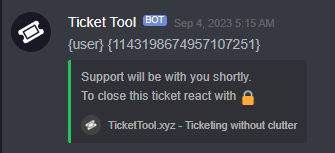

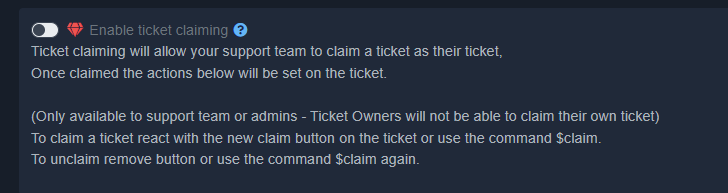

 humble sequoiaBOT
فريق الدعم الفني العربي
عميلنا العزيز ان كنت تبحث عن مساعدة يرجى فتح تكت خاص بفريق الدعم الفني العربي
اذهب الى#🎫│make-a-ticket
ثم قم بلضغط على الايموجي الاتي (🇯🇴)
jade topaz
do anyone know how i can @ a role
humble sequoiaBOT
━━ UncleAlvin's inquiry has been moved to a ticket ━━
 mortal vessel
Does the Ticket Tool have personalization or whitelabeling?
pseudo ravine
Hey there. It does not currently
mortal vessel
how soon? This message is a few months old.
this.... I will take a beta version even! 😛
feral heart
pseudo ravine
You can add that text inside the embed instead, I believe it has a bigger limit ...
what do you mean
pseudo ravine
Instead of putting the text in the Message Content, you can put it in the Embed Editor
 mint tree
Hey! Using the $new ticket command, is there any way you can specify which panel to open a ticket from? For example, I have general support tickets and partnership tickets, can I specify in the command what type of ticket to open?
gilded verge
mint tree
Hey! Using the `$new` ticket command, is there any way you can specify which pan...
Hey, when you use the $new command there is no option to specify the panel so the solution I can provide is go to Panel Configs -> Command Style -> and there set Channel to monitor for command $new and $ticket. Please remember to have a different channel for each panel you want so that no errors occur.
// or you can try with mutlipanel so they can open a ticket like in #🎫│make-a-ticket, so if you decide, below will be information about multipanel ^^
humble sequoiaBOT
For more convenient use of multipanels, you can now combine panels on the dashboard. This will allow you to directly send the multipanel from the dashboard or via the $panel ID command.
Where can I find this?
You can find this setting on the Dashboard -> Panel Configs -> Panel -> Attached Panels
Note: if you're attaching all the panels to a panel called English, don't include English in the attached panel's box (If you do this, it will create a duplicate)
This will put all buttons from all of your panels on one message. The message is the panel message from the panel you're combining these panels in.
idle flint
As stated in your open ticket. You are in the wrong place for this.
We Can Not Help You. We support the TicketTool Discord Bot Only!
 thin crow
how do i get the transcript to go to a channel and not a category
mint tree
gilded verge
Hey, when you use the `$new` command there is no option to specify the panel so ...
Thank you so much!
iron nightBOT
Gave +1 Rep to @gilded verge
pseudo ravine
thin crow
how do i get the transcript to go to a channel and not a category
If you have an open ticket, please just stay in there
jade topaz
Hi Guys, i have a problem, I'm on a server and I can't see the tickets after they are closed
civic wagon
jade topaz
Hi Guys, i have a problem, I'm on a server and I can't see the tickets after the...
Are you a staff of that server or a normal member?
jade topaz
A normal member
civic wagon
jade topaz
A normal member
You cannot see closed tickets then. If you want to see them, ask a staff member of that server to re-open the ticket
If they haven't deleted it yet, that is
jade topaz
Ooh...
 vague marten
Hi There, im trying to embed a "$closeRequest" command, in a costom command message.
When i insert the String below my message, it is just plain text but the command is not triggered. any ideas?

when i type this string, the message appears directly
 jade topaz
Im trying to do the drop down option for my tickets, can anyone help me?
gilded verge
vague marten
Hi There, im trying to embed a "$closeRequest" command, in a costom command mess...
Hi, Ticket Tool can't execute commands to itself, that's why you can't do it but you can use another bot's custom command and then add this bot id to Server Configs -> Bots ID's Ticket Tool can respond to
also make sure that $closerequest is located at the beginning of the message
humble sequoiaBOT
The Drop-down menu or Select Menu replaces the buttons on your panel message and uses a drop-down menu with all of your panels. To set this up, go to your Panel Configs and select your main Panel.
<:Numbericons1:1018864164032225340> Enable Select Style
First you enable Select Style. Then you add an item in the Dropdown Editor. Now you can start editing your dropdown!
<:Numbericons2:1018864168041971712> Dropdown Editor
Each line in the dropdown editor represents a line in the drop down menu on discord. You can add more "Items", by clicking on
First you select a panel. That's the panel this option will open a ticket for. DONT select the same panel twice. Each option should have a different Panel
After that, you can put a Display. This is the title of this option and will appear in the drop down menu. The *Description can be set right after that, which will be below the title in grey.
Additionally you can select an emoji, that will be shown in front of each option. You can either manually input the ID of an emoji or select it in the selector.
Common Issues ⚠️
- Panel doesn't send? Make sure you have a valid emoji selected
- Option doesn't show up? Check if two options have the same panel in the DropDown Editor
$dropdown
gilded verge
humble sequoia
@jade topaz, check
iron nightBOT
Gave +1 Rep to @gilded verge
vague marten
gilded verge
Hi, Ticket Tool can't execute commands to itself, that's why you can't do it but...
thats interesting. i am not complet sure what you mean with "another bot's custom command"
gilded verge
oke, let's try with example 🤔
so you're creating Tags with Carl-bot and to Content you added $closerequest and another text if you'd like , as next step you're going to Ticket Tool dashboard -> Server Configs -> scrolling to Bot tab and there you have to paste Carl-bot id -> Save changes -> and now ticket tool will execute closerequest command from carl-bot tag you added