#🆘│community-support
1 messages · Page 41 of 1
 sudden ember
 lyric sparrow
i updated my ticket message in my discord but its not showing up
 tired loom
Howdy, how can I set category ticket limits? I think my category has a limit of 100 but my global limit is 500 so now new tickets are being created at top level
 teal grail
tired loom
Howdy, how can I set category ticket limits? I think my category has a limit of ...
teal grail
tired loom
Howdy, how can I set category ticket limits? I think my category has a limit of ...
Limits Option
tired loom
teal grail
`Limits` Option
Any idea why tickettool stopped creating tickets in my help and support category and started creating them top level
teal grail
lyric sparrow
i updated my ticket message in my discord but its not showing up
Send the ticket again.
teal grail
tired loom
Any idea why tickettool stopped creating tickets in my help and support category...
Picture?
lyric sparrow
teal grail
Send the ticket again.
No I mean I went on the ticket tool backend and updated the colors and message that populate when someone opens a ticket on my discord but it didn’t change
It doesn’t show on my discord
tired loom
all these tickets aren't in the right category, I thought maybe there was a limit on the category but can't find a category limit setting @teal grail
 teal grail
tired loom
all these tickets aren't in the right category, I thought maybe there was a limi...
teal grail
tired loom
all these tickets aren't in the right category, I thought maybe there was a limi...
Did it always open like this?
tired loom
teal grail
Did it always open like this?
no there are about 100 open tickets in the proper category
teal grail
lyric sparrow
No I mean I went on the ticket tool backend and updated the colors and message t...
The color is a Premium Feature
teal grail
tired loom
all these tickets aren't in the right category, I thought maybe there was a limi...
Try taking the re-by, Category option
 pseudo marten
Anyone know how to fix 'ticket limit for this panel reached'?
teal grail
tired loom
no there are about 100 open tickets in the proper category
Take it off and put it back on
pseudo marten
(got 1 ticket open)
teal grail
Limits Option
 iron nightBOT
Gave +1 Rep to @teal grail
teal grail
pseudo marten
thanks <@712689282413756417>
No problem
lyric sparrow
teal grail
The color is a Premium Feature
Ok aside from color what about the message that I updated
teal grail
lyric sparrow
Ok aside from color what about the message that I updated
Maybe you passed the word limit, can you send me a picture?
tired loom
I think there is a 50 channel limit per category for dicord? this seems to be the case but can't find this documented anywehere, maybe this is why my tickets started to be created at top level when i reached 50 tickets
 rustic gale
What's the ID of your server
 lapis marsh
Just make a transcript channel to send it to who cares if it auto deleted
 balmy relic
How can I change this?

 upper burrow
is the Thread feature only available to Premium members?
 covert swallow
upper burrow
is the Thread feature only available to Premium members?
covert swallow
upper burrow
is the Thread feature only available to Premium members?
Yes
covert swallow
balmy relic
How can I change this?
Ticket Message > Embed

 rustic gale
 pure ruin
Anyone know how to fix this?
pure ruin
Anyone know how to fix this?
When exactly are you seeing this message?
pure ruin
^^
rustic gale
So what was your server's ID? I was going to take a look at your settings and see if there was anything causing tickets to be deleted.
Not you. That was for @severe isle
pure ruin
oh my bad
rustic gale
But it won't hurt to take a look at your server too
pure ruin
Yes please
pure ruin
pure ruin
Anyone know how to fix this?
here's the screenshot
rustic gale
Can you please #🎫│make-a-ticket so we can take a closer look
pure ruin
want me to ping you?
rustic gale
I'm looking there
 jade topaz
 - normal
 - premium
 - ?
- ?
 surreal surge
hi all, does anyone know if I just got Invite Tracker to my server, will it track the past invites, or it is only tracking the moment from it is in my server?
iron nightBOT
Gave +1 Rep to @dull gyro
jade topaz
Ok, now whats your problem
Just knowing some info.
So, why you came here for ?
Did you gain anything to help here ? So, you dont have rights to judge me my life my wish, any way thank you 🤩
iron nightBOT
Gave +1 Rep to @lapis marsh
 shut bolt
@lapis marsh please keep this channel's topic, if you aren't looking forward to help, or looking for help, refrain from talking here, otherwise we'll be obligated to take moderative actions.
shut bolt
jade topaz
<:TicketToolWhite:1073948900056105060> - normal
<:TicketToolGold:107394889767374...
The purple icon is for our beta testing bot
Surprising
rustic gale
@severe isle Probably best to #🎫│make-a-ticket so we can take a closer look at the issue. Please make a ticket and send an invite there
 sick sage
Hello, is the claim ticket can only use in premium?
balmy relic
covert swallow
Ticket Message > Embed
Ty
iron nightBOT
Gave +1 Rep to @covert swallow
 scenic plinth
sick sage
Hello, is the claim ticket can only use in premium?
scenic plinth
sick sage
Hello, is the claim ticket can only use in premium?
Yes, ticket claiming is restricted to those with premium.
 scenic plinth
We have fairly warned you a frequent number of times, please keep to this channels topic and keep conversations respectful. As previously said, if you are not looking forward or looking for help, refrain from attempting to communicate with others here.
Before you communicate here again, I strongly encourage taking a look at the server rules in #📂│information as it is stated.
 valid adder
scenic plinth
We have fairly warned you a frequent number of times, please keep to this channe...
valid adder
scenic plinth
We have fairly warned you a frequent number of times, please keep to this channe...
Im i alloud to help out here too?
scenic plinth
Yep! As long as you are respectful, follow the server rules in #📂│information and are confident with your answers (not giving inaccurate information), its encouraged for members to help each other out the best they can!
valid adder
scenic plinth
Yep! As long as you are respectful, follow the server rules in <#509239005481664...
Alright!
 severe isle
rustic gale
So what was your server's ID? I was going to take a look at your settings and se...
severe isle
rustic gale
So what was your server's ID? I was going to take a look at your settings and se...
Yikes, got me banned from this support server lol
 hoary sun
Hello
severe isle
Hi
rustic gale
severe isle
Yikes, got me banned from this support server lol
What
 vital vessel
I believe ticket tool may be down. Unable to run any commands or open tickets
 jade topaz
Hey people,
Sorry to bother you.
We have 5 multi-panels set up on our server. Each panel has the same Closed Ticket category and same permissions.
Some closed tickets aren't moving to the Closed category - any ideas?
 steel flower
Hi When i try to use {time.opened.age} as a variable it does not seem to resolve anything does anyone know why ?
 plain surge
jade topaz
Hey people,
Sorry to bother you.
We have 5 multi-panels set up on our server. Ea...
plain surge
jade topaz
Hey people,
Sorry to bother you.
We have 5 multi-panels set up on our server. Ea...
Please make sure that the category doesn't have 50 channels, since that is the limit on how many channels can be in a category
plain surge
steel flower
Hi When i try to use {time.opened.age} as a variable it does not seem to resolve...
Wdym it doesn't resolve anything.
What is the problem you were facing that you tried to resolve with the variable
steel flower
plain surge
Wdym it doesn't resolve anything.
What is the problem you were facing that you ...
thank you for your response i have received an answer in my ticket. i miss understood the function of the variable since it can only show the openened time between open and close and not the "opened" time since creation untill message of close request.
iron nightBOT
Gave +1 Rep to @plain surge
plain surge
No worries 👍
 silent aurora
I was wondering, does anybody know how to turn off closed ticket notification to other person?
It would make my day if anyone knows how to turn it off
 halcyon sail
what's the character limit of the ticket message
silent aurora
I dono 😞

Trying to make it so that no other one sees the ticket being closed
I want to make it, so I’m the only one that sees that
Admins only type thing
Or something to that effect
jade topaz
plain surge
Please make sure that the category doesn't have 50 channels, since that is the l...
Hey!
Thanks for the reply.
We have 41 closed tickets in the channel so below the 50 maximum
iron nightBOT
Gave +1 Rep to @plain surge
 sleek python
can ticket tool assign a role when someone opens a ticket?
 timber kernel
sleek python
can ticket tool assign a role when someone opens a ticket?
timber kernel
sleek python
can ticket tool assign a role when someone opens a ticket?
Yes, but it is a premium feature.
silent aurora
silent aurora
I dono 😞
Anyone know?
shut bolt
silent aurora
I was wondering, does anybody know how to turn off closed ticket notification to...
To turn off what exactly?

 heavy harbor
 idle jacinth
donate wrong ID how to...
idle jacinth
donate wrong ID how to...
If you’re talking about vote link, you can unlink with $vote unlink
heavy harbor
 little plume
Who knows this problem
little plume
Who knows this problem
“The interaction failed” is a discord error to the bot not responding to it. You may be blacklisted from using the panel or the bot just didn’t respond.
heavy harbor
 upper crown
so i can't cancel my subscription
upper crown
so i can't cancel my subscription
#🎫│make-a-ticket Create a billing ticket
upper crown
Alreday did
little plume
heavy harbor
“The interaction failed” is a discord error to the bot not responding to it. You...
How to make a bot
heavy harbor
little plume
How to make a bot
What do you mean?
heavy harbor
little plume
You speak in the Arabic language
I’m not sure what you mean, I don’t speak Arabic.
little plume
heavy harbor
I’m not sure what you mean, I don’t speak Arabic.
I mean, I can do this bot
are you there؟ @heavy harbor
 quaint forum
Hello Ticket Tool Community. I need some help. Is there a way to integrate Ticket Tool with Zendesk for customer support tickets?
 timber kernel
silent aurora
timber kernel
silent aurora
Wrong support server. As mentioned in your ticket.
 hasty meteor
Hi, i've just encountered a bug (or at least i think it is). When a person creates a ticket (for example for clan A) clan A has support role for the ticket. But when the person doesn't meet requirements for clan A, the ticket will be redirected to clan B. Support team of clan A adds support team of clan B and removes support team of clan A. But after this Support team of clan B can't close the ticket. A admin has to do it, he can however delete the ticket. Is this a known issue or a new one? we've been using ticket tool for 2 years now without this issue, so seems to be a bug/glitch? since all support team settings are setup correctly.
rustic gale
hasty meteor
Hi, i've just encountered a bug (or at least i think it is). When a person creat...
But when the person doesn't meet requirements for clan A, the ticket will be redirected to clan B.
I have no idea what you mean by this.
hasty meteor
rustic gale
> But when the person doesn't meet requirements for clan A, the ticket will be r...
i've figured it out, when they add the discord role that is also support team of a second clan it doesn't transfers its rights. You can only add members/groups with the same premissions as the ticket opener. In that case, would it be possible/is there a command to instead add a group/member to also add a group to the ticket with instant support role?
 hasty meteor
i've figured it out, when they add the discord role that is also support team of...
hasty meteor
hasty meteor
i've figured it out, when they add the discord role that is also support team of...
This is a support role group adding a diffrent support role group to the ticket, that than is also instant support role without the need of a admin
 verbal sleet
How do I make it so when someone makes a ticket it pings a role
 humble sequoiaBOT
1. Go into your Dashboard
2. Open your Panel Configs tab
3. Select the panel you want to ping your support on
4. Open the Ticket options menu
5. Click on Edit Ticket Message
6. In the Message Content use one of the role mention syntax (**{@Role Name}**/**{Role ID}**)
7. Save changes
Note: For this to work properly, Ticket Tool requires the Mention Everyone permission. Or the role must have the Allow anyone to @mention this role setting enabled 
 rustic gale
hasty meteor
This is a support role group adding a diffrent support role group to the ticket,...
rustic gale
hasty meteor
This is a support role group adding a diffrent support role group to the ticket,...
That's not possible. You could manually add that role to the allowed roles for all the buttons and commands
There's ways to work around the issue basically, but no convenient way to do it directly
jade topaz
Paid for premium how to add it to the server?
valid adder
jade topaz
Paid for premium how to add it to the server?
You can go to the setup guide and that may help you, or anything in #📂│information could help you!
jade topaz
valid adder
You can go to the setup guide and that may help you, or anything in <#5092390054...
Fixed thank you
iron nightBOT
Gave +1 Rep to @valid adder
valid adder
jade topaz
Fixed thank you
No problem, anything else i can help you with sir?
I will take it as a no
jade topaz
Sorry lol No thanks
valid adder
Alright!
sick sage
Hello, I can set the time but it didn't change on my ticket message. And the time is it the place where I am in?
 rustic gale
sick sage
Hello, I can set the time but it didn't change on my ticket message. And the tim...
rustic gale
sick sage
Hello, I can set the time but it didn't change on my ticket message. And the tim...
You can select the timezone on the same menu
Right above the area shown in your screenshot
sick sage
rustic gale
You can select the timezone on the same menu
Then can the user that is not premium use?
rustic gale
Yeah. It's premium-only
sick sage
rustic gale
Yeah. It's premium-only
So I can also set but I can't use, is that what u mean?
rustic gale
Yes
sick sage
Ah, thanks
 ebon lance
How do you change what the panel says in the middle?
rustic gale
Unclear. What does it say by default?
ebon lance
It's says to create a ticket press ✉️
rustic gale
This is where you can edit it @ebon lance
humble sequoiaBOT
The panel message is where people react to make a ticket. To customize it head over to your Dashboard --> Panel Configs -> Panel -> Edit Panel Message
 ebon lance
When I tried editing the message without premium I couldn't I had to get the 7 day free trial before I could click it.
rustic gale
ebon lance
When I tried editing the message without premium I couldn't I had to get the 7 d...
you click the text that says Embed Editor and that reveals a menu
That menu is where you edit the text you mentioned
That specific field does not require premium, although most of the other fields do require premium
 slate glacier
plain surge
jade topaz
Hey!
Thanks for the reply.
We have 41 closed tickets in the channel so below the...
slate glacier
plain surge
jade topaz
Hey!
Thanks for the reply.
We have 41 closed tickets in the channel so below the...
Please open a ticket through #🎫│make-a-ticket so another team member can assist you as I'm not available currently
 acoustic mortar
Hi everyone tickettool noob here. I purchased tickettool premium and was wondering if there is a way to check all the tickets at once. I know theres a dashboard history but was wondering if there was a history channel with a more comprehensive details like being able to see the content, sender and the replier to a particular ticket in one channel
 desert ice
This is probably a FAQ but I'm REALLY struggling to create the Create a Ticket into a channel. Also, when done, are they automatically private (excluding admins)?
I tried watching a YT video first before requesting help but the video seems to be outdated.
jade topaz
Hey !
Is ticket tool send messages like autoresponder
silent aurora
I would like it to make it, so that the other person does not see the ticket closed message when ticket has been closed. what setting would I change to perform this?
 idle flint
silent aurora
I would like it to make it, so that the other person does not see the ticket clo...
idle flint
silent aurora
I would like it to make it, so that the other person does not see the ticket clo...
Go to the Dashboard > Panel Configs > Permissions > Ticket Owner Permissions - Edit Closed from there you can deny them the "view channel" option
idle flint
acoustic mortar
Hi everyone tickettool noob here. I purchased tickettool premium and was wonderi...
Not through the dashboard. We don't collect the date within a ticket, that is all based on your discord

 jade topaz
I don’t see a FAQ channel so ima ask my question lol, don’t closed tickets have transcripts? Where do I find them?
 burnt flint
my closed ticket is not going to my closed ticket category recently

i have to drag them manually
 ornate jay
burnt flint
my closed ticket is not going to my closed ticket category recently
ornate jay
burnt flint
my closed ticket is not going to my closed ticket category recently
Go into the Category tab, check if they're placed correctly
rustic gale
jade topaz
I don’t see a FAQ channel so ima ask my question lol, don’t closed tickets have ...
Transcripts aren't created automatically. You have to manually create them with the Transcript button or the /transcript command (or get premium and enable auto transcripts).
jade topaz
Oh ok so if there’s one of interest we need to transcript it out selves
rustic gale
desert ice
This is probably a FAQ but I'm REALLY struggling to create the *Create a Ticket*...
Check the Setup Guide in #📂│information
And yes, by default only the ticket owner and users with Administrator can view a ticket.
desert ice
ty!
 vast timber
Hey, if the user wants to open a ticket, ticket tool says that he hasnt the permission for that. What permission do i need to change?
 rustic gale
«You don't have permissions to use this»
Are your members seeing this message when they try to create a ticket?
You may have accidentally denied them permission to use the Create Ticket button.
Look in the following places in your server's dashboard:
👉 Server Configs -> Blacklist Roles
Any roles there will be unable to interact with the bot in any way, including creating tickets.
👉 Panel Configs -> Buttons -> Create Ticket -> Support team only
If this is enabled , only your staff will be able to use the button.
👉 Panel Configs -> Buttons -> Create Ticket -> Disabled Roles
Any roles there will be unable to use the button.
 neat cradle
I cant go to the dashboard, when i press Manage it just refreshes the page

@oak shuttle
 still gazelle
guys
i cant add the server i want to add ticket tool
the server is not poping up on the selct server
sleek python
just relog on the dashboard
still gazelle
like is only showing one ser while i have 5 server

please help if anyone knows how to fix qwq thank youuuu
covert swallow
Permission issue, you need "Manage Server" to add a bot to a server
rustic gale
neat cradle
I cant go to the dashboard, when i press Manage it just refreshes the page
You probably don't actually have dashboard access in that server. Use the /permissionlevel command and tell me what you see
Also please don't ping people to ask for support. It's rude, it doesn't get you help any faster, and in the case of staff it's against the rules
neat cradle
rustic gale
You probably don't actually have dashboard access in that server. Use the /permi...
sorry for the ping too

i guess i dont some permission yet
rustic gale
neat cradle
sorry for the ping too
The bot's missing the View Channel and/or Send Messages permission in that channel.
 tired sparrow
Hi does Ticket Tool offer any kind of features that aren't connected with discord? Like email into tickets?
rustic gale
tired sparrow
Hi does Ticket Tool offer any kind of features that aren't connected with discor...
There's a webhook feature. It's suggested that you make a ticket to ask about it #premium-tickets
tired sparrow
rustic gale
There's a webhook feature. It's suggested that you make a ticket to ask about it...
ty
iron nightBOT
Gave +1 Rep to @rustic gale
 pulsar dew
is their an api for ticket tool so i can close tickets properly from my own discord bot
idk how it would work if it existed tbh with authentication
rustic gale
Ticket Tool doesn't have an API, no
You can make your bot send the $close command though.
If you add the bot's ID to the Bot section in Server Configs, Ticket Tool will respond to it as if it were sent by a human.
pulsar dew
ah is that recognised by the bot and not ignored as a fellow bot sent it
rustic gale
See above
pulsar dew
ah brilliant
pulsar dew
I cannot seem to manage a server
i clikc manage and it loads for a few seconds then returns to home screen
 rustic gale
pulsar dew
rustic gale
pulsar dew
Make sure you actually have dashboard permissions in the server
You need to be the owner, an administrator, or have a dashboard role
pulsar dew
so manage sever isn’t enough ?
rustic gale
No it's not
 carmine pine
hello how to use my server emoji please his name is :Minage: for a button
rustic gale
Use Ticket Tool's /id command to find the emoji's ID
For example,  is !Salute
Then copy the ID and paste it wherever you want to use it
carmine pine
Okay thanks @rustic gale
 kind raptor
do we need premium access to be able to fill text ?
 rustic gale
kind raptor
do we need premium access to be able to fill text ?
rustic gale
kind raptor
do we need premium access to be able to fill text ?
In the panel message, yes
kind raptor
rustic gale
In the panel message, yes
ok ty
iron nightBOT
Gave +1 Rep to @rustic gale
jade topaz
how do i claim my premium sub role
How do i make it so whenever someone opens a ticket they get pinged
rustic gale
$pc @jade topaz
humble sequoiaBOT
rustic gale
$pc <@456226577798135808>

Thank you
Thank you for purchasing Ticket Tool Premium @static sapphire. You have now been given the <@&535595160189403136> role!
Found 5 servers in total and 1 with premium and permission
jade topaz
Category #Claimed Tickets is missing or blocking permissions ReadMessageHistory for @humble sequoia - Skipping
rustic gale
jade topaz
How do i make it so whenever someone opens a ticket they get pinged
By default the user should get a ping
jade topaz
rustic gale
By default the user should get a ping
what about if i wanna make it where it can also ping staff
rustic gale
jade topaz
Category #Claimed Tickets is missing or blocking permissions ReadMessageHistory ...
Edit the category's permissions, add Ticket Tool and make sure it has Read Message History
rustic gale
jade topaz
what about if i wanna make it where it can also ping staff
Include a role mention in the ticket message
jade topaz
rustic gale
Include a role mention in the ticket message
what do i use>
humble sequoiaBOT
1. Go into your Dashboard
2. Open your Panel Configs tab
3. Select the panel you want to ping your support on
4. Open the Ticket options menu
5. Click on Edit Ticket Message
6. In the Message Content use one of the role mention syntax (**{@Role Name}**/**{Role ID}**)
7. Save changes
Note: For this to work properly, Ticket Tool requires the Mention Everyone permission. Or the role must have the Allow anyone to @mention this role setting enabled
jade topaz
oh
jade topaz
rustic gale
Edit the category's permissions, add Ticket Tool and make sure it has **Read Mes...
and why does it show this 🦺-claimed-by-743652138013687843
whenever a staff member claims it?
i put {user} syntax
jade topaz
rustic gale
Or {user.nickname}
1 more question sorry, so for the drop box can i add more than 1 drop category ? cause i added 3 and it only shows 1
nevermind it works
jade topaz
rustic gale
Or {user.nickname}
these didnt work
jade topaz
how do i fix it
 subtle lark
jade topaz
how do i fix it
subtle lark
jade topaz
how do i fix it
Check documentation for claimed tickets, you should append name to the person who claimed it
jade topaz
subtle lark
Check documentation for claimed tickets, you should append name to the person wh...
i want it to show on the channel
the username not the username id
subtle lark
jade topaz
the username not the username id
I will send you an example soon
subtle lark
jade topaz
the username not the username id
it's {claim.user} command that should do it.
jade topaz
subtle lark
it's {claim.user} command that should do it.
usee? or user oh
subtle lark
jade topaz
usee? or user oh
fixed it now
jade topaz
subtle lark
it's {claim.user} command that should do it.
it didnt work
subtle lark
jade topaz
it didnt work
Hmmm, gimme few mins to get onto my pc
jade topaz
subtle lark
Hmmm, gimme few mins to get onto my pc

it says the user id and i put this 🦺 Claimed by {ticket.user}
 subtle lark
jade topaz
usee? or user oh
subtle lark
jade topaz
usee? or user oh
{ticket.user.name} will definetely work
 jade topaz
Pls help
 round falcon
I think you can only redeem it after like 6 or something, I could be wrong though
jade topaz
But have been inviting 2 since yesterday evening
round falcon
Invites or votes?
jade topaz
Invites
teal grail
jade topaz
Invites
?
jade topaz
He asked invites or votes
rustic gale
 tall parrot
help
tall parrot
help
That doesn't look related to Ticket Tool. You're on the wrong support server.
rustic gale
jade topaz
Have 2 imvites but no Gold access
You've been inviting whom to what? You want gold access to what?
jade topaz
rustic gale
You've been inviting whom to what? You want gold access to what?
Now you understand my problem
round falcon
Not really
 lucid shell
How to transfer tickets to a category when they are created by the following command?
$new userid panelname
 wild spire
lucid shell
How to transfer tickets to a category when they are created by the following com...
wild spire
lucid shell
How to transfer tickets to a category when they are created by the following com...
Set a category for your panel here and they’ll go into the right category when opened by the command.

 lucid shell
wild spire
Set a category for your panel here and they’ll go into the right category when o...
lucid shell
wild spire
Set a category for your panel here and they’ll go into the right category when o...
It is set up but does not transmit
wild spire
lucid shell
It is set up but does not transmit
Does ticket tool have access to that category?
If it doesn’t have the permissions, it wont be able to send tickets there
 autumn thorn
Sup guys, can anybody tell me how i can setup this?
 humble sequoiaBOT
The Drop-down menu or Select Menu replaces the buttons on your panel message and uses a drop-down menu with all of your panels. To set this up, go to your Panel Configs and select your main Panel.
<:Numbericons1:1018864164032225340> Enable Select Style
First you enable Select Style. Then you add an item in the Dropdown Editor. Now you can start editing your dropdown!
<:Numbericons2:1018864168041971712> Dropdown Editor
Each line in the dropdown editor represents a line in the drop down menu on discord. You can add more "Items", by clicking on 

First you select a panel. That's the panel this option will open a ticket for.  DONT select the same panel twice. Each option should have a different Panel
After that, you can put a Display. This is the title of this option and will appear in the drop down menu. The *Description can be set right after that, which will be below the title in grey.
Additionally you can select an emoji, that will be shown in front of each option. You can either manually input the ID of an emoji or select it in the selector.
Common Issues ⚠️
- Panel doesn't send? Make sure you have a valid emoji selected
- Option doesn't show up? Check if two options have the same panel in the DropDown Editor

$dropdown
rustic gale
jade topaz
Ultimate club:germany
You're in the wrong support server
humble sequoiaBOT

⚠️ You're in the wrong place
We provide support for Ticket Tool Discord bot and cannot help you with whatever issue you have.
- We don't know which Support Team you should contact to get this issue resolved, and unfortunately we won't be able to accurately tell you.
If you don't have any further questions regarding our bot Ticket Tool, please close this ticket
heavy harbor
Check if premium bot has Send Messages and Read Messages permission
You checked the channels/category to check if the bot has the permission right?
heavy harbor
The security bot may be preventing ticket tool from having its permissions
heavy harbor
I’m not sure how to solve that problem if you’re unable to invite the bot.
 junior panther
how do i make the ticket system so when they open it it automatically names the ticket and stuff is that the drop box ticket system ?
jade topaz
subtle lark
{ticket.user.name} will definetely work
ty it worked
iron nightBOT
Gave +1 Rep to @subtle lark
jade topaz
if u wanna make it where your claim ticket says claim by a member use this --> {ticket.user.name}
 full estuary
If I add the ticket tool bot to my server, it exits immediately ??
junior panther
can anyone help
 abstract shale
Hi, so I've been using Ticket Tool in my server for a long time but recently started using discord's built-in Onboarding . My issue is that the channel with the create ticket button is a default channel that everyone sees, but I don't think that when they create a ticket they actually get "followed" to the ticket channel. Is there a way around this?
full estuary
If I invite to my server, it will auto ban ??

 hoary bear
i changed the message description of a panel in the dashboard and hit save but my changes are not showing up in the channel the panel is in on discord
round falcon
full estuary
If I invite to my server, it will auto ban ??
Revoke the ban on it and reinvite it
If it gets banned again, check the audit log, that's what it's for, see what's banning it and go from there
rustic gale
hoary bear
i changed the message description of a panel in the dashboard and hit save but m...
The save button won't push any changes onto Discord itself.
Either send the message again with the Send button, or copy the message URL and update it with the Update button
 restive bluff
Is there a way I can make it so that once somebody has been giving a specific role for a server that makes them a member they can no longer see the tool? We unfortunately have some people who like to troll a little bit and keep opening tickets. Is there a way I can add a role that prohibits you from interacting with the ticket tool?
round falcon
Yep, go into the buttons section and edit the permissions
junior panther
anyone know how to setup the drop down box for ticket tools
 junior badge
👍
valid adder
There is a way, if you can just check #📂│information and see if you can find anything there to help you if not come back and i can hrlp!
Hrlp*
Help*
rustic gale
That looks like a dropdown menu.
humble sequoiaBOT
The Drop-down menu or Select Menu replaces the buttons on your panel message and uses a drop-down menu with all of your panels. To set this up, go to your Panel Configs and select your main Panel.
<:Numbericons1:1018864164032225340> Enable Select Style
First you enable Select Style. Then you add an item in the Dropdown Editor. Now you can start editing your dropdown!
<:Numbericons2:1018864168041971712> Dropdown Editor
Each line in the dropdown editor represents a line in the drop down menu on discord. You can add more "Items", by clicking on
First you select a panel. That's the panel this option will open a ticket for. DONT select the same panel twice. Each option should have a different Panel
After that, you can put a Display. This is the title of this option and will appear in the drop down menu. The *Description can be set right after that, which will be below the title in grey.
Additionally you can select an emoji, that will be shown in front of each option. You can either manually input the ID of an emoji or select it in the selector.
Common Issues ⚠️
- Panel doesn't send? Make sure you have a valid emoji selected
- Option doesn't show up? Check if two options have the same panel in the DropDown Editor
$dropdown
 chrome peak
السلام عليكم
chrome peak
الو
valid adder
rustic gale
That looks like a dropdown menu.
It is.
chrome peak
الوو
rustic gale
You can't remove the embed without premium.
chrome peak
rustic gale
You can't remove the embed without premium.
الو
junior panther
how do ido that ?
 stiff pond
So I just set up a trader bot for the first time and it submits tickets fine but I change the roles for the category and open a new ticket and have to sync the settings again every time to allow my traders to see the tickets any ideas why it’s just not syncing automatically


 torn gale
I tried to make a ticket but I still don’t understand
stiff pond
Hey forgot my question 😂
I had to use /setup and add a supportive member 🤦♂️
stiff pond
torn gale
I tried to make a ticket but I still don’t understand
Where are you stuck I’m by far no expert but maybe I can help 🤷♂️
rustic gale
stiff pond
So I just set up a trader bot for the first time and it submits tickets fine but...
Because tickets aren't synced with category permissions
Ticket permissions are managed from the dashboard.
in Panel Configs -> Permissions
What you probably want to do is add those roles to Support Team Roles
or Additional Roles
those are set up in Panel Configs -> General. @stiff pond
rustic gale
torn gale
I tried to make a ticket but I still don’t understand
Check out the Setup Guide in #📂│information
stiff pond
Thank you @rustic gale I’m definitely going to check it out I got the traders in I needed but just using / setup and added supportive members for now but I’m gonna look at that too
The more I k ow the better 😁
 steel yew
Is there any way to close ticket with a reason?
And that reason should be sent to ticket owner when we close
wild spire
steel yew
And that reason should be sent to ticket owner when we close
This can be done.
- enable command style
use “$close reason”
Users can be notified by sending them a DM transcript (enable option in transcript section)
and edit the transcript message with the {close.reason} variable.
Then they’ll see the reason why it was closed on the transcript
steel yew
Oh okay tysm
wild spire
steel yew
Oh okay tysm
no worries
 simple nacelle
Есть гайд на русском?
wild spire
simple nacelle
Есть гайд на русском?
к сожалению, нет 
steel yew
wild spire
к сожалению, нет <:depress:776908476222799903>
How to send who closed the ticket in dms transcript?
subtle lark
steel yew
How to send who closed the ticket in dms transcript?
Let support team claim ticket, you can then use {ticket.user.name} to write name of claimer
steel yew
subtle lark
Let support team claim ticket, you can then use {ticket.user.name} to write name...
If nobody claim the ticket?
I want it without claiming
@safe prairie @timber kernel
Hmmm okay sorry
 crimson vortex
hello I would like to add several buttons to the ticket but I can't find how to do it
humble sequoiaBOT
For more convenient use of multipanels, you can now combine panels on the dashboard. This will allow you to directly send the multipanel from the dashboard or via the $panel ID command.
Where can I find this?
You can find this setting on the Dashboard -> Panel Configs -> Settings -> Panel
Note: if you're attaching all the panels to a panel called English, don't include English in the attached panel's box (If you do this, it will create a duplicate)
This will put all buttons from all of your panels on one message. The message is the panel message from the panel you're combining these panels in.
 timber kernel
crimson vortex
hello I would like to add several buttons to the ticket but I can't find how to ...
timber kernel
crimson vortex
hello I would like to add several buttons to the ticket but I can't find how to ...
here you go ^
crimson vortex
I looked at the faq but it no longer corresponds to the current configuration panel
timber kernel
steel yew
If nobody claim the ticket?
I don't think it is directly possible with a variable.
What you may can do is, rename the ticket if it gets closed and add there the user that closed it with {author.name}
This info you have then in the transcript indirectly (Ticket Name).
timber kernel
crimson vortex
I looked at the faq but it no longer corresponds to the current configuration pa...
You go to the Panels menu (of the main panel) and add there what you want.
 timber kernel
steel yew
I tried in another way
timber kernel
steel yew
I tried in another way
Tell me.
steel yew
It worked
steel yew
timber kernel
Tell me.
Closed dm message ig
Your ticket has been closed by {author}
Reason : {close.reason}
In automation
steel yew
steel yew
Your ticket has been closed by {author}
Reason : {close.reason}
@timber kernel
timber kernel
steel yew
In automation
Ah nice, good idea 
steel yew

stiff pond
So to set it up to claim tickets you must have premium?
timber kernel
stiff pond
So to set it up to claim tickets you must have premium?
Yes claiming is a premium feature.
 viral wolf
Hello guys! I enabled the reopening of the tikit in the bot, saved it, but such a function did not appear! What to do?
timber kernel
viral wolf
Hello guys! I enabled the reopening of the tikit in the bot, saved it, but such ...
By enable you mean to enable the button for it?
And did you tested it with a new created ticket?
wild spire
steel yew
How to send who closed the ticket in dms transcript?
{author} should show who executed the command , but I’m not 100% sure tbh
oop nvm I see tux already solved it!
my bad
viral wolf
timber kernel
By enable you mean to enable the button for it?
And did you tested it with a new...
I have enabled Re-Open Ticket . But the button did not appear, the ticket is simply closed.
rustic gale
viral wolf
I have enabled Re-Open Ticket . But the button did not appear, the ticket is sim...
Does the closed ticket remain existing as a channel in the server?
viral wolf
No....
rustic gale
Then it's probably being deleted instead of closing
Head to Panel Configs -> General and make sure Two Step Ticket is enabled @viral wolf
 earnest ice
viral wolf
rustic gale
Head to Panel Configs -> General and make sure **Two Step Ticket** is enabled <@...
earnest ice
viral wolf
rustic gale
Head to Panel Configs -> General and make sure **Two Step Ticket** is enabled <@...
Thank you very much, it helped.
iron nightBOT
Gave +1 Rep to @rustic gale
jade topaz
Hey can anyone help me
@rustic gale hey can u help me how can I add more than one option in a ticket and how can I change the name below
 tacit hornet
مفي عرب
rustic gale
jade topaz
<@832864595726172162> hey can u help me how can I add more than one option in a ...
Here's how
humble sequoiaBOT
For more convenient use of multipanels, you can now combine panels on the dashboard. This will allow you to directly send the multipanel from the dashboard or via the $panel ID command.
Where can I find this?
You can find this setting on the Dashboard -> Panel Configs -> Settings -> Panel
Note: if you're attaching all the panels to a panel called English, don't include English in the attached panel's box (If you do this, it will create a duplicate)
This will put all buttons from all of your panels on one message. The message is the panel message from the panel you're combining these panels in.
rustic gale
Also don't ping people for support out of nowhere. It's rude, it doesn't get you faster help, and pinging staff is against the rules
 mortal oak
فيه سبورت عربي اتكلم معه؟
jade topaz
Sorry I just joined now didnt read rules
restive bluff
where in the settings can I specify roles than I don't want to be able to make tickets
only certain tickets, we have a recruitment ticket and a feedback ticket. I want members with a member role to see the feedback but not the button to apply
round falcon
You can't really disable their ability to see the button, but you can disable their ability to use it
Go into the buttons tab and add whatever "disabled role" you want not using the button
jade topaz
Hello, how can I get Ticket Tool to use emojis in my Discord server?
I have the emojis in another server but want to send them in my main server (via tickettool)
junior panther
Anyone how I can make it so when someone opens ticket if auto names the ticket
wild spire
junior panther
Anyone how I can make it so when someone opens ticket if auto names the ticket
Its a premium feature to do that, but you can edit it here.
 junior panther
What about the drop down box
timber kernel
junior panther
What about the drop down box
This you can use without premium:
humble sequoiaBOT
The Drop-down menu or Select Menu replaces the buttons on your panel message and uses a drop-down menu with all of your panels. To set this up, go to your Panel Configs and select your main Panel.
<:Numbericons1:1018864164032225340> Enable Select Style
First you enable Select Style. Then you add an item in the Dropdown Editor. Now you can start editing your dropdown!
<:Numbericons2:1018864168041971712> Dropdown Editor
Each line in the dropdown editor represents a line in the drop down menu on discord. You can add more "Items", by clicking on
First you select a panel. That's the panel this option will open a ticket for. DONT select the same panel twice. Each option should have a different Panel
After that, you can put a Display. This is the title of this option and will appear in the drop down menu. The *Description can be set right after that, which will be below the title in grey.
Additionally you can select an emoji, that will be shown in front of each option. You can either manually input the ID of an emoji or select it in the selector.
Common Issues ⚠️
- Panel doesn't send? Make sure you have a valid emoji selected
- Option doesn't show up? Check if two options have the same panel in the DropDown Editor
$dropdown
junior panther
When u click add item I can’t add the same channel so how do I add like multiple options on the same drop down menu
timber kernel
junior panther
When u click add item I can’t add the same channel so how do I add like multiple...
You need to create a panel for each option in the dropdown.


 timber kernel
junior panther
The panels the channel right ?
timber kernel
junior panther
The panels the channel right ?
These are panels:

Each of it you then can add to the dropdown.
To create new panels, click the green "+"
on the right side.
junior panther
Ahhh
timber kernel
🙂
junior panther
I feel like I’m still lost but ima try it I think I get what u mean
timber kernel
junior panther
I feel like I’m still lost but ima try it I think I get what u mean
Try it and ask again if needed, np
 sturdy scarab
timber kernel
Try it and ask again if needed, np
sturdy scarab
timber kernel
Try it and ask again if needed, np
hey fren. I already changed permission about close/open ticket in panel, but it's not changed in discord, what i should do?
wild spire
sturdy scarab
hey fren. I already changed permission about close/open ticket in panel, but it'...
these permissions will only override for new tickets. Not existing ones
sturdy scarab
wild spire
these permissions will only override for new tickets. Not existing ones
yeah i understand this
but that hasn't changed
wild spire
sturdy scarab
but that hasn't changed
what permission did you change exactly and what are you trying to achieve?
sturdy scarab
wild spire
what permission did you change exactly and what are you trying to achieve?
I want to only moderators to be able to close tickets
wild spire
sturdy scarab
I want to only moderators to be able to close tickets
and u enabled 
“support team only”
and put the mod role in allowed roles in the button settings?
sturdy scarab
wild spire
and u enabled <:Switch_enabled:1041734627330625586>
“support team only”
and put...
yep fam, already done. After this what should i do?
jade topaz
Is there a way to add a prefix to the name of the channel that gets created using the panel name?
wild spire
sturdy scarab
yep fam, already done. After this what should i do?
can u open a ticket #🎫│make-a-ticket and drop the server ID so we can look
 sharp depot
Does anyone here know how to reset ticket tools settings to factory?
jade topaz
sharp depot
Does anyone here know how to reset ticket tools settings to factory?
Can't you just kick the bot and re-add it?
sharp depot
I did that. It seems to keep the previous settings in the dashboard
 quick grotto
When i do /claim i got a massage and it say: Warning: Claiming isn't enabled. What should I do? Please Ping me if you answer me
wild spire
sharp depot
Does anyone here know how to reset ticket tools settings to factory?
you made me look for this because actually a good question. 😂
Doesn’t seem to be an option but you can 100% suggest this for developers
wild spire
quick grotto
When i do /claim i got a massage and it say: Warning: Claiming isn't enabled. Wh...
Claiming is a premium feature and needs to be enabled in your dashboard
quick grotto
wild spire
Claiming is a premium feature and needs to be enabled in your dashboard
Ok
 remote nymph
Is there a way to make the bot automatically assign a role to everyone who enters the ticket and have the role removed after they exit the ticket?
wild spire
remote nymph
Is there a way to make the bot automatically assign a role to everyone who enter...
Yes !
in panel configs > ticket > opened roles
and closed roles
iron nightBOT
Gave +1 Rep to @wild spire
 faint oak
any one from the support team here ?
humble sequoiaBOT
Hello, we would love to help you, but if you don't tell us what you need help with we can't help you :(
 humble sequoiaBOT
Claiming allows you to change the ticket name, category and permissions. To use it you have to enable it first on your Dashboard > Panel Configs > Claiming

 Note: This is a premium feature
shut bolt
Note: This is a premium feature
shut bolt
Make sure to enable the claim feature
 somber meteor
does anyone know how to have the ticket DM a user added to the ticket
 dim flicker
i need someone help me for explain me how to mention a person in a ticket
dim flicker
somber meteor
does anyone know how to have the ticket DM a user added to the ticket
lmao same problem
somber meteor
lol
 somber meteor
r u trying to do it through ticket creation or after
dim flicker
after
dim flicker
i use the command add but I don't see the person I want to mention
junior panther
timber kernel
These are panels:
so this didn't really help
wild spire
dim flicker
i use the command add but I don't see the person I want to mention
use the user ID
dim flicker
wild spire
use the user ID
can you guide me?
wild spire
dim flicker
can you guide me?
to add a user to a ticket?
dim flicker
yes
wild spire
just use “/add user ID”
wild spire
somber meteor
does anyone know how to have the ticket DM a user added to the ticket
you can have it send DM messages to the ticket owner on ticket created, ticket closed or a transcript. But these are all premium features.
wild spire
dim flicker
“not a valid user”
then u didn’t copy the right id
somber meteor
@dim flicker try just using User and typing their name in the box that come up man
somber meteor
wild spire
you can have it send DM messages to the ticket owner on ticket created, ticket c...
yeah we use the ticket bot as a vetting and activity check system as well as a general ticket bot
 stray bobcat
somber meteor
<@318150691111567362> try just using User and typing their name in the box that ...
stray bobcat
somber meteor
<@318150691111567362> try just using User and typing their name in the box that ...
or use the discord numerical user ID
somber meteor
I'd like to be able have the bot add a user from the form response entered and then DM the user not the ticket owner
 wild spire
somber meteor
I'd like to be able have the bot add a user from the form response entered and t...
wild spire
somber meteor
I'd like to be able have the bot add a user from the form response entered and t...
you can use command $new (user) and it will create a ticket as if it were created by whoever you tagged.
then you can make it send a DM upon creation
somber meteor
can u do this inside of the dashboard ticket set ups
wild spire
dim flicker
wait is this your server of…?
dim flicker
gaming
shut bolt
faint oak
Yes, you haven't still enabled it. To do so refer to the message the bot sent before mine.
wild spire
somber meteor
can u do this inside of the dashboard ticket set ups
Yeah.
Enable command style in your panel configs to allow the $new command.
and in automation enable created DM
wild spire
dim flicker
gaming
but are you the server owner or a moderator there?
somber meteor
sorry what I mean is I have preset panels and I'd like to have it run some script in the ticket message same as you can run {Create.Form.1} and have it add the user and DM them from the ticket creations
dim flicker
wild spire
but are you the server owner or a moderator there?
neither that's why I don't understand how to do it
somber meteor
u may be lacking the permissions
wild spire
somber meteor
sorry what I mean is I have preset panels and I'd like to have it run some scrip...
is there another user mentioned in your form that needs to be added and DMed is what you’re saying?
not the one that opened the ticket itself
wild spire
dim flicker
neither that's why I don't understand how to do it
do u know how to get a user id?
822579606074032178
looks like that above 👆🏻
somber meteor
wild spire
is there another user mentioned in your form that needs to be added and DMed is ...
yeah thats sorta it
wild spire
mention the user ID like this to ping
 dim flicker
wild spire
do u know how to get a user id?
dim flicker
wild spire
do u know how to get a user id?
ok now I try
wild spire
somber meteor
yeah thats sorta it
then you’re out of luck 😅
somber meteor
well shit hahah a
Hmmm @wild spire i've enabled it for a test ticket but doesn't seem to be working
any chance i could grab u in a Quick VC so i can share and go over it
it's telling me the command isn't enabled
wild spire
somber meteor
it's telling me the command isn't enabled
open a ticket real quick. I cannot VC atm
somber meteor
never mind i think i got it
Will this differenciate between different tickets
like ticket types
wild spire
somber meteor
Will this differenciate between different tickets
it wil only allow for the ticket panels u enabled it for
somber meteor
yes but if i have multiple panels that feed to multiple categories 👀
or is it just as simple as setting the monitored channel in the panel config
wild spire
Then u gotta set it up for each one, but I’d set different channel watchers for command style or bot will go breee
if u do $new while enabling it for multiple panels with no set channel it’ll open a new ticket for each panel 
somber meteor
so each ticket needs it's own monitoring channel to 👀 for the comman
wild spire
Yes unless u want it to open a ticket in each category
wild spire
alrighty
 main siren
Hey there! Is changing the panel message a premium feature??
I'm just wondering because it absolutely will not let me change the message
rustic gale
main siren
I'm just wondering because it absolutely will not let me change the message
Click the text that says Embed Editor
That will expand the embed editor menu, where you can edit the embed description (the only part of the embed that can be edited without premium)
main siren
Yeah, that's my problem?
rustic gale
Note that saving the changes isn't sufficient to push the changes to Discord
main siren
Like, whenever I change it in the embed editor, and save it
rustic gale
You will have to either send the message again with the Send button
main siren
It just defaults back to the original
rustic gale
or update the old message with the Update button
main siren
No, I mean I haven't even posted it yet.
It just reverts every time I save it back to the OG message
main siren
Nevermind, I feel like this is kinda a useless endeavor. I'll just use Mee6
rustic gale
Rude
 supple acorn
how do i change the panel name
it just says {panel_name} but won't let me edit it
 rustic gale
supple acorn
how do i change the panel name
rustic gale
supple acorn
how do i change the panel name
By renaming the panel with the Rename button
That field can't be edited without premium.
iron nightBOT
Gave +1 Rep to @rustic gale
junior panther
how do i get multiple option in the drop down box in 1 panel ?
somber meteor
hey when activating premium through the dashboard why is it not updating the status on the dashboard
jade topaz
somber meteor
hey when activating premium through the dashboard why is it not updating the sta...
press sync
somber meteor
i have
stray bobcat
jade topaz
in my discord, i need his invite link
You should be able to get the invite link from your dashboard.
humble sequoiaBOT
The first thing you will need to do is invite the premium bot, an invite can be found here
Once the bot is in your server we will head to the dashboard and manage your server. When you are managing your server, you want to head into "Server Configs" then click the drop down menu under "Select the bot you would like to use on this server" then click "Ticket Tool#6207" and then save.
 jade topaz
your a king
jade topaz
stray bobcat
You should be able to get the invite link from your dashboard.
thanks ! 🙂
iron nightBOT
Gave +1 Rep to @stray bobcat
stray bobcat
jade topaz
thanks ! 🙂
Always a pleasure!
jade topaz
Is there a way to set the name of the channels that gets created? specifically using the panel name?
idle flint
jade topaz
Is there a way to set the name of the channels that gets created? specifically u...
Changing the channel name is a premium feature, it can be done in Panel Configs > Ticket > Ticket Opened Channel Name
iron nightBOT
Gave +1 Rep to @idle flint
jade topaz
stray bobcat
Always a pleasure!
is there a way i can edit Ticket Tool Gold | Premium Bot
stray bobcat
jade topaz
is there a way i can edit Ticket Tool Gold | Premium Bot
What do you mean Edit?
jade topaz
change this Ticket Tool#6207
 analog moon
No
jade topaz
to MyServerName#1111
stray bobcat
you cannot change it's name, But you can give it a nickname by right clicking it, and changing it's nickname.
jade topaz
can you do its pfp or nah
stray bobcat
Nope.
jade topaz
it says we can remove ticket tool branding or is that just for the embed
humble sequoiaBOT
Ticket Tool avatar/status Customisation
@pseudo glen is like another discord user; you can't control its avatar icon or status, and we cannot change it for a specific server.
However, on your server, you can change the bot's nickname
 analog moon
It says that you can remove the "basement" of it
stray bobcat
it is for the embed, indeed
jade topaz
ok thanks
stray bobcat
np ^^
jade topaz
stray bobcat
np ^^
How do i make it so a ticket goes to the top of my channels
humble sequoiaBOT
━━ moved to ticket ━━
junior panther
can anyone help ,me
how do i make it so when ppl open a ticket depending on the dropdown they chose it names it that dropdown they chose ?
rustic gale
junior panther
can anyone help ,me
Ticket names are a premium feature only.
humble sequoiaBOT
The ticket name is the default channel name of all tickets. To edit it, go to your Dashboard > Panel Configs > Ticket. There you can edit the channel name of opened and closed tickets. You can also use variables in there.

 Note: This is a premium feature
rustic gale
Note: This is a premium feature
rustic gale
You can use categories though
humble sequoiaBOT
1. Go into your Dashboard
2. Open your Panel Configs tab
3. Select the panel you want to grant access to
4. Open the Category options menu
5. Select the categories of your preference
6. Save changes
 junior panther
rustic gale
You can use categories though
junior panther
rustic gale
You can use categories though
Meaning if a channel name is like help and the ticket is in that channel when it’s opened it will be named help? Or am I off
rustic gale
junior panther
Meaning if a channel name is like help and the ticket is in that channel when it...
Categories are the “folders” in the channel list where channels get sorted into.
You can set a different category for each different panel.
You can't use automatic ticket names unless you have premium.
iron nightBOT
Gave +1 Rep to @rustic gale
 safe viper
can I copy an config from my server to my new server
humble sequoiaBOT
Backup and Restore allows you to transfer your premium status, panels, tags, and all settings to a new server.
You can also use it to keep a backup of your settings incase you need to suddenly move servers. We suggest you keep this backup key somewhere safe, incase your server is deleted. You will want to copy the whole key.
First, go to your dashboard, then Server Configs and generate a new backup key by pressing the green button. Now, a key should be generated in the box above. You may need to refresh the page to see this.
Once you have your backup key, navigate to the same page on the new server. Copy the key on the second field.
Now you can choose what you want to copy. Finally, press the green “Restore Configs” button.
 coarse dome
how can i claim a ticket ?
humble sequoiaBOT
Claiming allows you to change the ticket name, category and permissions. To use it you have to enable it first on your Dashboard > Panel Configs > Claiming
Note: This is a premium feature
coarse dome
?

 safe prairie
coarse dome
?
safe prairie
coarse dome
?
You need to enable it first on the dashboard for your panel. This just effect new created tickets
 vague heath
Can someone please help sometimes the ticket opens for people other times it says interaction has failed. I tried fixing it but apparently nothing has worked yet. What should I do?
jade topaz
Is there a way to auto save transcripts without premium @safe prairie
 slender minnow
jade topaz
Is there a way to auto save transcripts without premium <@452872995438985227>
slender minnow
jade topaz
Is there a way to auto save transcripts without premium <@452872995438985227>
Please do not ping staff directly for help. It's rude to ping, also its against our rules (refer #📂│information)
jade topaz
Oh sorry
slender minnow
Also, all automated actions like auto transcripts, automation, etc. requires premium.
jade topaz
Is there any alternatives to this?
slender minnow
Ticket is closed, you click the transcript button or use the transcript command.
jade topaz
ok
safe prairie
 unreal python
How do I determine the administrative ranks that can see the tickets
unreal python
How do I determine the administrative ranks that can see the tickets
Support team role here https://tickettool.xyz/dashboard/xxx/configs#pc-menu/pc-general

Ticket Tool - Ticketing without clutter - The #1 discord Ticketing bot
unreal python
safe prairie
Support team role here https://tickettool.xyz/dashboard/xxx/configs#pc-menu/pc-g...
thanks
iron nightBOT
Gave +1 Rep to @safe prairie
 lilac girder
 rich siren
<@718755659814010910> Hi I have a problem the administration can't see a ticket
rich siren
<@718755659814010910> Hi I have a problem the administration can't see a ticket
Please stop pinging me
jade topaz
Pls help i dont understand how i make a ticket
lilac girder
$help
humble sequoiaBOT
lilac girder
$help
1. Go into your Dashboard
2. Open your Panel Configs tab
3. Select the panel you want to grant access to
4. Open the General options menu
5. Select your Support Team Roles
6. Save changes
 junior panther
rustic gale
Ticket names are a premium feature only.
junior panther
rustic gale
Ticket names are a premium feature only.
question
lilac girder
rich siren
<@718755659814010910> Hi I have a problem the administration can't see a ticket
Not sure what your exact issue is but you may refer to the above message
$help
humble sequoiaBOT
lilac girder
$help
First you will want to invite the bot to your server. Once the bot is in your server, you can manage your server in the dashboard.

To create a panel we are going to need to head over to the Panel Configs Tab on the Dashboard.
Once at the dashboard we will need to click Create Panel.
Enter a panel name (Fill in any optional settings you want).
Click Create Panel and you are ready to get started with configuring your panel.
An example of a creating a panel is shown below.

Once the panel has been created, use the blue Send button and select the channel you want the panel to be sent to.
The Panel wasn't send
Use the </debug:ID> command to diagnose possible permission issues with the bot.
 junior panther
humble sequoia
junior panther
humble sequoia
depending on what drop down they click how do i make it so it names it that dropdown ticket
lilac girder
jade topaz
Pls help i dont understand how i make a ticket
You may refer to the above message about how to set TT up
 raven jewel
لو سمحت الحين كان عندي تكت تول برميوم وطلع من السيرفر كيف اضيفه
@lilac girder
مافهمت

 severe path
ping 
stray bobcat
Pong
junior panther
hello
i need help again
so when im putting a channel id in the ticket website like this it shows it

but when they open ticket it dose not show it

 torpid coyote
how to make form when user opens ticket?
rustic gale
junior panther
but when they open ticket it dose not show it
It's not {#<number>}. It's <#number>
rustic gale
torpid coyote
how to make form when user opens ticket?
Check this out
humble sequoiaBOT
A Discord Form lets the user answer individual questions in a pop-up Form, which then displays the answers in the ticket message. This can save time if you already know what you want to ask the user.
Setup Forms
Forms can be enabled under Panel Settings > Form Options > Edit Forms Options. In the new pop-up window, you can now enable and edit your own Form.
Form Options
You can add up to 5 questions in the Discord form. This is a Discord limitation. Each question can have a placeholder in the input field, a minimum and maximum input, multi-line, and also the option to have the answer required.
Options
Question Title ➞ Your Question goes here
Question Placeholder ➞ The placeholder text in the input field
Required ➞ If enabled, the user has to answer this question, to submit the form
Multi-Line Input ➞Allows the user to input multiple lines
Minimum and Maximum Input ➞ Set a minimum and maximum input value for the user
Displaying the Answer
To display the answers from the user, you need to go into your Panel Settings > Ticket Options > Edit Ticket Message. In there you use the variable {create.form.x} and just replace x with the number of your question. For example, the response to Question 1 can be displayed with {create.form.1}. If you don't use this variable, the response from the user is lost.
 junior panther
lemme try
junior panther
rustic gale
It's not {\#\<number\>}. It's \<\#number\>
still doesn't work
oh wait
torpid coyote
rustic gale
Check this out
thanks that helped alot
iron nightBOT
Gave +1 Rep to @rustic gale
torpid coyote
@rustic gale how to make multiple buttons now cuz the tutorial on automated support is old
humble sequoiaBOT
For more convenient use of multipanels, you can now combine panels on the dashboard. This will allow you to directly send the multipanel from the dashboard or via the $panel ID command.
Where can I find this?
You can find this setting on the Dashboard -> Panel Configs -> Settings -> Panel
Note: if you're attaching all the panels to a panel called English, don't include English in the attached panel's box (If you do this, it will create a duplicate)
This will put all buttons from all of your panels on one message. The message is the panel message from the panel you're combining these panels in.
torpid coyote
 rustic gale
torpid coyote
rustic gale
torpid coyote
You don't have any other panels to attach.
You should create more panels then
hoary bear
i set moderator role to support team role but they cant see tickets
jade topaz
How i can put the ticket name as the user who opened it automaticly
junior panther
jade topaz
How i can put the ticket name as the user who opened it automaticly
That I can help with do u have ticket premium ?
jade topaz
junior panther
That I can help with do u have ticket premium ?
yeah
junior panther
Ok then
junior panther
humble sequoia
go here
jade topaz
yeah
junior panther
send a pic of what it looks like
jade topaz
 junior panther
replace count with ticket.user.name
jade topaz
i got a tutorial thanks!
 candid thistle
Hello, guys! I have question. If i was have open ticket, did i can check history?
rustic gale
hoary bear
i set moderator role to support team role but they cant see tickets
Try creating a new ticket and confirm that they can see the new one at least. If they can't, let me know
rustic gale
candid thistle
Hello, guys! I have question. If i was have open ticket, did i can check history...
An open ticket where?

 languid dome
Did someone know how to mention a role in a ticket?
rustic gale
 keen coyote
any solution ?
keen coyote
any solution ?
Set a thread channel for creating the threads
in Panel Configs -> Thread Style
rustic gale
languid dome
Did someone know how to mention a role in a ticket?
Check this out:
humble sequoiaBOT
1. Go into your Dashboard
2. Open your Panel Configs tab
3. Select the panel you want to ping your support on
4. Open the Ticket options menu
5. Click on Edit Ticket Message
6. In the Message Content use one of the role mention syntax (**{@Role Name}**/**{Role ID}**)
7. Save changes
Note: For this to work properly, Ticket Tool requires the Mention Everyone permission. Or the role must have the Allow anyone to @mention this role setting enabled
iron nightBOT
Gave +1 Rep to @rustic gale
languid dome
But that doesnt work
rustic gale
languid dome
But that doesnt work
How is it failing exactly
languid dome
the role is not mentioned
rustic gale
In other words...?
languid dome
I enter the role in the text, but it is not pinged
keen coyote
keen coyote
"Roblox User: Not Found"
?
rustic gale
A screenshot might help, by the way
A screenshot of the message in the dashboard and a screenshot of the message in the server

 rustic gale
Did you make sure to give the bot the Mention everyone, here and All Roles permission

 rustic gale
languid dome
this?
rustic gale
languid dome
this?
Yes
languid dome
languid dome
I have the role Ticket authorized, but I am not pinged
rustic gale
keen coyote
how to turn it off
Head to Panel Configs -> Integrations and disable Bloxlink there
languid dome
do you mean this?
 rustic gale
languid dome
do you mean this?
rustic gale
languid dome
do you mean this?
No
rustic gale
languid dome
this?
Make sure the bot Ticket Tool has this permission
Server Settings
-> Roles
-> Find the Ticket Tool role -> Edit
-> Permissions
-> Find the Mention everyone (...) permission and enable it
languid dome
rustic gale
Make sure the bot **Ticket Tool** has this permission
did you know how I can mention the user?
rustic gale
languid dome
did you know how I can mention the user?
{ticket.user} instead of {@user}
languid dome
thank you so much!
 rich lagoon
how do I fix this, happens every time I close a ticket
 wild spire
rich lagoon
how do I fix this, happens every time I close a ticket
wild spire
rich lagoon
how do I fix this, happens every time I close a ticket
Your emoji in the close button is in an invalid format
 molten scroll
Is it at all possible to add either more than 5 questions to a form or a second form to allow more questions on the same ticket
wild spire
molten scroll
Is it at all possible to add either more than 5 questions to a form or a second ...
unfortunately not as this is a discord limit
molten scroll
👍 Thanks for the reply
rich lagoon
wild spire
Your emoji in the close button is in an invalid format
Yes I fixed it thank you for the help
iron nightBOT
Gave +1 Rep to @wild spire
 glass shale
I’m having a role ping issue


I’ll appreciate it if anyone helped me fix this problem
humble sequoiaBOT
━━ moved to ticket ━━
 viscid prawn
One message removed from a suspended account.
One message removed from a suspended account.
 torpid bolt
/help
idle flint
viscid prawn
One message removed from a suspended account.
This is a premium feature enabled via Panel Configs > Transcript > Direct Message Transcript.
viscid prawn
idle flint
This is a premium feature enabled via Panel Configs > Transcript > Direct Messag...
One message removed from a suspended account.
humble sequoiaBOT
Ticket Tool Premium
Get premium at https://tickettool.xyz/premium
Manage your subscriptions at https://tickettool.xyz/subscriptions
Why Premium?
Premium lets you customize the bot just how you want it. It also helps keep the bot running.
idle flint
$5.99 per month
 humble sequoiaBOT
━━ moved to ticket ━━
 half forge
 outer sail
Hi! I can't open the attachments in the transcripts? Any tips?
outer sail
Hi! I can't open the attachments in the transcripts? Any tips?
if you delete the transcript message which is send by ticket tool automatically it will be deleted from catch
jade topaz
yo guys how can i make ticket like this with more options? if someone can help me dm please
 idle flint
jade topaz
yo guys how can i make ticket like this with more options? if someone can help m...
idle flint
jade topaz
yo guys how can i make ticket like this with more options? if someone can help m...
That is a drop-down style ticket
humble sequoiaBOT
The Drop-down menu or Select Menu replaces the buttons on your panel message and uses a drop-down menu with all of your panels. To set this up, go to your Panel Configs and select your main Panel.
<:Numbericons1:1018864164032225340> Enable Select Style
First you enable Select Style. Then you add an item in the Dropdown Editor. Now you can start editing your dropdown!
<:Numbericons2:1018864168041971712> Dropdown Editor
Each line in the dropdown editor represents a line in the drop down menu on discord. You can add more "Items", by clicking on
First you select a panel. That's the panel this option will open a ticket for. DONT select the same panel twice. Each option should have a different Panel
After that, you can put a Display. This is the title of this option and will appear in the drop down menu. The *Description can be set right after that, which will be below the title in grey.
Additionally you can select an emoji, that will be shown in front of each option. You can either manually input the ID of an emoji or select it in the selector.
Common Issues ⚠️
- Panel doesn't send? Make sure you have a valid emoji selected
- Option doesn't show up? Check if two options have the same panel in the DropDown Editor
$dropdown
molten scroll

Is it possible to display only the bottom part with the questions + answers and not the top part
timber kernel
molten scroll
Is it possible to display only the bottom part with the questions + answers and ...
It looks like you have 2 embeds, so delete the one you don't need?
molten scroll
timber kernel
It looks like you have 2 embeds, so delete the one you don't need?
opps
 slim nest
How can I reset the Ticket count in my server? 👀
 wild spire
slim nest
thx, but what do I have to put in there to reset it? `0`?
wild spire
slim nest
thx, but what do I have to put in there to reset it? `0`?
Yes just set 0 
 untold holly


 jade topaz
hi i want when i open the ticket say the name of the guy opened it
humble sequoiaBOT
━━ moved to ticket ━━
 coral orbit
Is it possible to open a separate channel for each log?
 brazen sky
Anyone has problems with the tickets not closing? Never had this problem before, no changes on permissions and the bot was working rightba couple days ago.
Now when I close a ticket it says "transcript channel not set" and doesn't move the ticket to the closed category.
Never had the transcript channel in the past either
humble sequoiaBOT
━━ moved to ticket ━━
 waxen badger
مساعدة هل يستطيع شخص ما إرسال الرابط المميز؟
 sharp grove
I need a bot who can show me user IP address
 warm harness
Although I assign it to the support channel, tickets are opened in another channel.
humble sequoiaBOT
⚠️ You're in the wrong place
We provide support for Ticket Tool Discord bot and cannot help you with whatever issue you have.
- We don't know which Support Team you should contact to get this issue resolved, and unfortunately we won't be able to accurately tell you.
If you don't have any further questions regarding our bot Ticket Tool, please close this ticket
rustic gale
That was for @sharp grove
warm harness
rustic gale
That was for <@978917099705614387>
hey can you help?
rustic gale
Please don't ping me. I'm right here reading the channel, i don't need my attention to be called
warm harness
so
humble sequoiaBOT
1. Go into your Dashboard
2. Open your Panel Configs tab
3. Select the panel you want to grant access to
4. Open the Category options menu
5. Select the categories of your preference
6. Save changes
warm harness
i've try but it's not working
 normal vine
waxen badger
مساعدة هل يستطيع شخص ما إرسال الرابط المميز؟
normal vine
waxen badger
مساعدة هل يستطيع شخص ما إرسال الرابط المميز؟
نعم الرابط حيكون تحت
humble sequoiaBOT
Premium تيكت تول
احصل على البريموم من
https://tickettool.xyz/premium
ادارة اشتراكاتك من
https://tickettool.xyz/subscriptions
لماذا بريميوم؟
يتيح لك الإصدار Premium تخصيص البوت بالطريقة التي تريدها. كما أنه يساعد في الحفاظ على عمل البوت.
waxen badger
normal vine
نعم الرابط حيكون تحت
تاي
coral orbit
safe prairie
Just to seperate transcripts and logging
how can i do that?
humble sequoiaBOT
With Ticket Tool, you can customize the behavior the bot takes when logging your tickets! For editing these options follow these steps:
Dashboard ➞ Panel Configs ➞ Logging Options
Logging Channel
Here you will define which channel @humble sequoia will save the Logs in (ticket created/deleted/closed, etc.)
Logs you can save:
➞ Ticket Created ➞ Logs when a ticket is created
➞ Ticket Closed ➞ Logs when a ticket is closed
➞ Ticket Opened ➞ Logs when a ticket is opened
➞ Ticket Renamed ➞ Logs when a ticket is renamed
➞ Ticket Deleted ➞ Logs when a ticket is deleted
➞ Transcript Saved ➞ Logs when a ticket is saved
Select with  (disable) or (enabled) which logs you would like
Below you can see an example of what the Logging Options will look like:

 cunning sun
ڪل ما افتح تكت يعطيني رسالة " ليس لديك اذونات"
 robust sandalBOT
Every time I open a ticket it gives me a message "You don't have permissions"
 Arabic (ar) → English (en)
في كل مرة تفتح فيها تذكرة أين؟
English (en) → Arabic (ar)
cunning sun
Every time I open a ticket it gives me a message "You don t have permissions"
rustic gale
Every time you open a ticket where?
cunning sun
rustic gale
Every time you open a ticket where?
in my server
cunning sun

hello ؟؟
Every time I open a ticket it gives me a message "You don t have permissions"
rustic gale
cunning sun
Every time I open a ticket it gives me a message "You don t have permissions"
«You don't have permissions to use this»
Are your members seeing this message when they try to create a ticket?You may have accidentally denied them permission to use the Create Ticket button.
Look in the following places in your server's dashboard:
👉 Server Configs -> Blacklist Roles
Any roles there will be unable to interact with the bot in any way, including creating tickets.👉 Panel Configs -> Buttons -> Create Ticket -> Support team only
If this is enabled👉 Panel Configs -> Buttons -> Create Ticket -> Disabled Roles
Any roles there will be unable to use the button.
severe path
@sturdy glen ?
 sturdy glen
@severe path
idk i wanted to know how to do this but its not ticket tool thought it was
 severe path
sturdy glen
idk i wanted to know how to do this but its not ticket tool thought it was
severe path
sturdy glen
idk i wanted to know how to do this but its not ticket tool thought it was
You can get help for that here: https://yagpdb.xyz
 pearl portal
yo guys, i've got a question
Can i use just one Message Panel and put a few reactions on that panel to open tickets in different categorys ?
Example
 jade topaz
How can i have a second panel and button (not merged together)? i want to have 2 back to back messages, each with its own panel and button
i made a second panel but when i click Update it just replace the original one in the channel
keen coyote
how can I add view channel permission for a specific role when the ticket is claimed by a staff member
 heady drum
How do i set ticket tool to auto delete logged threads after a specific time?
shut bolt
Hello @pearl portal, to create a single message with multiple buttons refer to the guide shown below
humble sequoiaBOT
For more convenient use of multipanels, you can now combine panels on the dashboard. This will allow you to directly send the multipanel from the dashboard or via the $panel ID command.
Where can I find this?
You can find this setting on the Dashboard -> Panel Configs -> Settings -> Panel
Note: if you're attaching all the panels to a panel called English, don't include English in the attached panel's box (If you do this, it will create a duplicate)
This will put all buttons from all of your panels on one message. The message is the panel message from the panel you're combining these panels in.
shut bolt
jade topaz
i made a second panel but when i click Update it just replace the original one i...
You don't need to update the message, just resend the new panel from scratch
shut bolt
keen coyote
how can I add view channel permission for a specific role when the ticket is cla...
The only permissions you can customize that way are the support team's one after the claim, you can find this under:
Panel Configs
Claiming
Change other support team permissions when claimed
https://tickettool.xyz/dashboard/YOUR_SERVERS_ID/panel-configs-v2#pc-menu/pc-claim

Ticket Tool - Ticketing without clutter - The #1 discord Ticketing bot
wild spire
 wide wren
how can i setup the log
wide wren
how can i setup the log
which log?
wide wren
wild spire
which log?
when member open / close /who delet the ticket

 wide wren
thnx
wild spire
you’re welcome
 hexed sandal
Hello all,
Is it possible to have a review option for customers after tickets? Which can be posted in logs/reviews? Liked for example 5* review with a comment
Or will I need to use something external for that
wild spire
hexed sandal
Hello all,
Is it possible to have a review option for customers after tickets? ...
it’s not build in with TT directly . what you can do however is automatically add a role to users upon the closing of a ticket, giving them access to a review channel where they can post (and is closed otherwise) and remove the role after they have posted a review.
hexed sandal
wild spire
it’s not build in with TT directly . what you can do however is automatically ad...
Thankyou
 woeful axle
How can i put claim buttom on the ticket
 zenith fossil
Is there a way to automatically open a ticket when a user joins?
rustic gale
woeful axle
How can i put claim buttom on the ticket
By getting premium
Claiming is premium-only.
If you have premium, head to Panel Configs -> Claiming and enable claiming there.
rustic gale
zenith fossil
Is there a way to automatically open a ticket when a user joins?
Not with Ticket Tool alone
 distant quartz
Hey
Is there a way to create Tickets using multiple panels with commands?
Example $new @user (painel)
rustic gale
distant quartz
Is there a way to create Tickets using multiple panels with commands?
No
What determines which panel is created is which channel you use the command in.
In the dashboard, in the Command Style menu, you select a different tracking channel for each panel.
distant quartz
Hmmm ok
jade topaz
How do I backup my ticketool? There used to be an option on the old dashboard but now idk where the new dashboard is
rustic gale
jade topaz
How do I backup my ticketool? There used to be an option on the old dashboard bu...
Server Configs -> Backup & Restore
 fallen tendon
hello, a member of our community was able to close their ticket even though only our staff has access to that permission... is there a bug of some sort?
 ocean oxide
.
humble sequoiaBOT
For more convenient use of multipanels, you can now combine panels on the dashboard. This will allow you to directly send the multipanel from the dashboard or via the $panel ID command.
Where can I find this?
You can find this setting on the Dashboard -> Panel Configs -> Settings -> Panel
Note: if you're attaching all the panels to a panel called English, don't include English in the attached panel's box (If you do this, it will create a duplicate)
This will put all buttons from all of your panels on one message. The message is the panel message from the panel you're combining these panels in.
wild spire
fallen tendon
hello, a member of our community was able to close their ticket even though only...
do they have a role that is mentioned in the allowed roles of the button?
fallen tendon
wild spire
do they have a role that is mentioned in the allowed roles of the button?
no
wild spire
fallen tendon
no
Additional role? Support role?
 tiny lantern
.
fallen tendon
wild spire
Additional role? Support role?
no, like i said only our staff has permission to close tickets. right now we added a role every member has to "disabled roles" in "button close ticket". this is the first time in 1178 tickets that someone other than our staff was able to close a ticket. i even added the same roles the person had to my second account and tried to close the ticket, but the permission was denied to me. so i really dont know what happened.
anyways, i'll leave it at that on our side, cheers
stray bobcat
Perhaps they used the $close command? Did you add their disabled role there too?
 patent garden
Since now, he stores the transcript in the ticket channel itself instead of in the channel set up for this purpose. What can be the cause?
idle flint
patent garden
Since now, he stores the transcript in the ticket channel itself instead of in t...
On the Dashboard > Panel Configs > Transcript. Ensure your channel is selected in the dropdown
 fallen tendon
stray bobcat
Perhaps they used the `$close` command? Did you add their disabled role there to...
fallen tendon
stray bobcat
Perhaps they used the `$close` command? Did you add their disabled role there to...
i have also checked that, the role every member has seems to always have been disabled. i tested using the close button, using the close command under my second account that was given the same roles as the member who was able to close the ticket, and was told i do not have permission to close the ticket.
i've tested all the possibilities i could think of, and all seems good as of now. cheers
stray bobcat
Blame it on the gremlins. Glad the issue was fixed.
patent garden
idle flint
On the Dashboard > Panel Configs > Transcript. Ensure your channel is selected i...
The Channel is selected. 
Edit: I switched the Channel where the transcripts should be saved and got back to the previous channel and worked now. Maybe was in a limbo 
 flat condor
All: I'm clearly missing an easy setting change here. When a new ticket is created, it is appearing at the top of my channel list. I'd like it to appear under our Ticket channel instead. I've been through the setup guide and back and forth over my dashboard - though apparently not thoroughly enough because I can't figure out how to anchor newly created tickets to that lower position in my channel list.
I'll let you make fun of me for not knowing how to do it if you point me to the setting!
wild spire
flat condor
All: I'm clearly missing an easy setting change here. When a new ticket is creat...
panel configs > category > insert your desired category there
flat condor
wild spire
panel configs > category > insert your desired category there
Easy as that. Thank you!
iron nightBOT
Gave +1 Rep to @wild spire
humble sequoiaBOT
The Drop-down menu or Select Menu replaces the buttons on your panel message and uses a drop-down menu with all of your panels. To set this up, go to your Panel Configs and select your main Panel.
<:Numbericons1:1018864164032225340> Enable Select Style
First you enable Select Style. Then you add an item in the Dropdown Editor. Now you can start editing your dropdown!
<:Numbericons2:1018864168041971712> Dropdown Editor
Each line in the dropdown editor represents a line in the drop down menu on discord. You can add more "Items", by clicking on
First you select a panel. That's the panel this option will open a ticket for. DONT select the same panel twice. Each option should have a different Panel
After that, you can put a Display. This is the title of this option and will appear in the drop down menu. The *Description can be set right after that, which will be below the title in grey.
Additionally you can select an emoji, that will be shown in front of each option. You can either manually input the ID of an emoji or select it in the selector.
Common Issues ⚠️
- Panel doesn't send? Make sure you have a valid emoji selected
- Option doesn't show up? Check if two options have the same panel in the DropDown Editor
$dropdown
humble sequoiaBOT
A Discord Form lets the user answer individual questions in a pop-up Form, which then displays the answers in the ticket message. This can save time if you already know what you want to ask the user.
Setup Forms
Forms can be enabled under Panel Settings > Form Options > Edit Forms Options. In the new pop-up window, you can now enable and edit your own Form.
Form Options
You can add up to 5 questions in the Discord form. This is a Discord limitation. Each question can have a placeholder in the input field, a minimum and maximum input, multi-line, and also the option to have the answer required.
Options
Question Title ➞ Your Question goes here
Question Placeholder ➞ The placeholder text in the input field
Required ➞ If enabled, the user has to answer this question, to submit the form
Multi-Line Input ➞Allows the user to input multiple lines
Minimum and Maximum Input ➞ Set a minimum and maximum input value for the user
Displaying the Answer
To display the answers from the user, you need to enable Auto display form results on the ticket message as an additional embed
In case you don't want a second embed, go into your Panel Configs > Ticket Options > Edit Ticket Message. In there you use the variable {create.form.x} and just replace x with the number of your question. For example, the response to Question 1 can be displayed with {create.form.1}. If you don't use this variable, the response from the user is lost.
 pliant willow
is there a way to unclaim tickets?
rustic gale
pliant willow
is there a way to unclaim tickets?
Press Claim again
iron nightBOT
Gave +1 Rep to @rustic gale
 white trellis
Hi there, the server im in has been restructuring and we are having an issue with new members not being able to open tickets, can anyone help? I am thinking its in the permissions as we have the everything role turned off and when I check the tool it only had the everyone role selected.
round falcon
white trellis
Hi there, the server im in has been restructuring and we are having an issue wit...
Make sure it's enabled for either the command or button, whichever you're using to open tickets, they're different permission areas
white trellis
round falcon
Make sure it's enabled for either the command or button, whichever you're using ...
okay thanks
iron nightBOT
Gave +1 Rep to @round falcon
 vocal knot
scenic plinth
vocal knot
scenic plinth
Cool, you're a pokemon fan, want to keep that in #💬│general-chat please? Pikachu isnt pleased with you misusing channels.
 sullen walrus
How can I benefit from the benefits of the paid service?
humble sequoiaBOT
 Faster Premium Bot
Automatic Transcripts
Full Customization
Direct Messages
Ticket Automation
Thread Style Ticketing
Premium Support
Scheduled Panel Availability
Integrations
You can purchase premium here:
Price
$6 - Monthly
$66 - Yearly
 Premium
white trellis
round falcon
Make sure it's enabled for either the command or button, whichever you're using ...
Premium
white trellis
round falcon
Make sure it's enabled for either the command or button, whichever you're using ...
Is there a new tutorial, the format seems different, or is it to with paid and non paid. It's hard to find where to change things.
rustic gale
white trellis
Hi there, the server im in has been restructuring and we are having an issue wit...
It depends on what exactly happens when a user tries to create a ticket.
Do they see an error message? And if so, can you please find out exactly what it says?
white trellis
rustic gale
Do they see an error message? And if so, can you please find out exactly what it...
At the moment, it's happening with certain roles.
The ticket bot won't initiate.
round falcon
I'm back, uh you wanna take it from here Outsider or want me to do it? I can if you're busy with somethin' else
white trellis
This is the set up. New members cannot access it. The channel says 'cant read message history' and can't write.
 round falcon
The ticket that's created?
white trellis
No, it never creates the ticket to click. I'll jump on my PC so I can show you. One minute.
round falcon
Alrighty
Trying to figure out which part is failing, so when they click it to open the ticket, does it say something like "No permissions"?
Actually if you wanna hop in #1070106933115240448 and just screenshare what's happening I could probably get it fixed from there, sounds like a simple enough fix
white trellis
okay there now
jade topaz
How to create different cetegory in menu ticket ?
white trellis
round falcon
Actually if you wanna hop in <#1070106933115240448> and just screenshare what's ...
Thank you, much apreciated
iron nightBOT
Gave +1 Rep to @round falcon
round falcon
jade topaz
How to create different cetegory in menu ticket ?
So you mean like when they click the button it'll open in a different category?
round falcon
white trellis
Thank you, much apreciated
Yeah any time
jade topaz
round falcon
So you mean like when they click the button it'll open in a different category?
Yeah in menu ticket
round falcon
jade topaz
Yeah in menu ticket
You can create another ticket type by going up here and clicking that green +
 jade topaz
How to make menu ticket with different cetegory and embed message after create ticket and different channel names..
jade topaz
round falcon
You can create another ticket type by going up here and clicking that green +
In one panel ?
round falcon
Uh, when you click the + it'll basically make another ticket type, so just make that as you would the first one you made
jade topaz
@round falcon how to mix in one panel >
round falcon
Multipanel feature, go to the one you want to be the main panel's settings, then go into the "panel" category, you can attach the new panel(s) from there
jade topaz
round falcon
Multipanel feature, go to the one you want to be the main panel's settings, then...
I didn't see multi panel where is it ?
round falcon
This menu, attach panels
 jade topaz
@round falcon i attached 2 panels but it shows only 1 menu ?
round falcon
Did you resend the panel into the channel? You have to send the main one into the channel again
jade topaz
Yeah
round falcon
Can you show me what it looks like
 round falcon
Are you using the command or the button
jade topaz
I created another panel and made a menu and i attached both
jade topaz
round falcon
Are you using the command or the button
?
round falcon
For other people making the tickets, are they using /new or are they clicking a button
jade topaz
?
round falcon
When someone wants to make a ticket, how do they do that on your server
jade topaz
round falcon
When someone wants to make a ticket, how do they do that on your server
They just click a button and created
round falcon
Alright, can I see the menu that they click the button on
jade topaz
in normal tickettool now i took premium
Huh ?
Tell me just how to make different menu tickets in different cetegory
round falcon
I'm trying to, you aren't explaining it super clearly
Maybe someone on the support team could better explain it, I don't think my explanation is working well
jade topaz
Huh bro its too much time wasting i was irritating
Also i created ticket at 5 pm still they didn't give any response
wild spire
 ebon hull
I cannot setup my ticket tool in the dashboard, It willnot load
ebon hull
I cannot setup my ticket tool in the dashboard, It willnot load
what error is it giving?
 frank tulip
hu guys one question, what is the format to enter the role to tag when a ticket is opened?

 cursive phoenix
frank tulip
hu guys one question, what is the format to enter the role to tag when a ticket ...
cursive phoenix
frank tulip
hu guys one question, what is the format to enter the role to tag when a ticket ...
Role pings are <@&ID>
 near cloak
Failed: Invalid Form Body components[0].components[0].emoji.name[BUTTON_COMPONENT_INVALID_EMOJI]: Invalid emoji
cursive phoenix
so just add the & after the @ there 😄
 near cloak


 rustic gale
near cloak
rustic gale
near cloak
You probably entered an incorrectly formatted emoji
the Button Emoji field is for an emoji only.
if you write the button text there instead, it's going to cause an error too.
near cloak
thanks
 rustic gale
frank tulip
it normal i don't receive a tag for staff role?
rustic gale
frank tulip
it normal i don't receive a tag for staff role?
Make sure the bot has the Mention everyone, here, and All Roles permission
molten scroll
I've setup a form on a ticket, the question is to ask for steam I'd. So is it possible to make the answer field only accept numbers so people don't just write I don't know or their names
rustic gale
Not possible sadly
 nova vapor
our tickets have image URL's in them for a photo but for some reason today its not pulling in the photo in the ticket.
molten scroll
rustic gale
Not possible sadly
Dam. Thanks
iron nightBOT
Gave +1 Rep to @rustic gale
rustic gale
nova vapor
our tickets have image URL's in them for a photo but for some reason today its n...
Did you server lose premium?
nova vapor
no think i just figd it out- but it appears somehow ticket tool lost roles in the channel the url was pulled from
rustic gale
Is everything working correctly now?
ebon hull
wild spire
what error is it giving?
It is just NOT loading...
 reef cradle
How do I change the server to Arabic?
rustic gale
What do you mean by “changing the server to Arabic”?
wild spire
ebon hull
It is just NOT loading...
but is it giving a 404?
Or “select a server you have access to” or…
ebon hull
wild spire
but is it giving a 404?
Or “select a server you have access to” or…
I can chek, 1 sec
Heres a screen shot @wild spire
 wild spire
ebon hull
Heres a screen shot <@822579606074032178>
wild spire
ebon hull
Heres a screen shot <@822579606074032178>
have you tried switching between browsers?
 coarse spruce
is it possible to have the bot close the ticket after a certain period?
stray bobcat
coarse spruce
is it possible to have the bot close the ticket after a certain period?
Yep it is! That's part of Automation, and it's a premium feature.
More info can be found here: https://docs.tickettool.xyz/dashboard/panel-configs/automation-options
Automate your ticket system!
 winter furnace
whenever i try to transcript, it says there isnt a channel set to it, i set a channel for it last night and i even made a new channel for it a few minutes ago, i changed it on the website, its the right server, I saved it but it still says there isnt a channel set


what should i do
shut bolt
winter furnace
what should i do
Reopen the ticket, close it again, and give it a try
Or create a new one

 shut bolt
winter furnace
Did both neither worked
shut bolt
winter furnace
Did both neither worked
What's your server's ID?
winter furnace
shut bolt
What's your server's ID?
1092560976668270602
shut bolt
Allow me a second
shut bolt
winter furnace
1092560976668270602
You got to panels named the same way, one of them doesn't have the transcript channel set
 winter furnace
oh lmao
im srry for the inconvenience
its working now
tysm and again im sorry for the inconvenience
thanks @shut bolt
iron nightBOT
Gave +1 Rep to @shut bolt
ebon hull
wild spire
have you tried switching between browsers?
Yes
shut bolt
winter furnace
thanks <@518666147441278998>
 glacial cradle
hi there, im trying to set up the bot into the discord, i have admin and gave the bot admin etc, i go to the website and select manage server and it doesnt load the page so i cant even set up the bot, can anyone help me?
humble sequoiaBOT
━━ moved to ticket ━━
 molten moss
Hello I am trying to add more than one dropdown style in on category for exmaple order category anyone help fix
humble sequoiaBOT
The Drop-down menu or Select Menu replaces the buttons on your panel message and uses a drop-down menu with all of your panels. To set this up, go to your Panel Configs and select your main Panel.
<:Numbericons1:1018864164032225340> Enable Select Style
First you enable Select Style. Then you add an item in the Dropdown Editor. Now you can start editing your dropdown!
<:Numbericons2:1018864168041971712> Dropdown Editor
Each line in the dropdown editor represents a line in the drop down menu on discord. You can add more "Items", by clicking on
First you select a panel. That's the panel this option will open a ticket for. DONT select the same panel twice. Each option should have a different Panel
After that, you can put a Display. This is the title of this option and will appear in the drop down menu. The *Description can be set right after that, which will be below the title in grey.
Additionally you can select an emoji, that will be shown in front of each option. You can either manually input the ID of an emoji or select it in the selector.
Common Issues ⚠️
- Panel doesn't send? Make sure you have a valid emoji selected
- Option doesn't show up? Check if two options have the same panel in the DropDown Editor
$dropdown
timber kernel
@molten moss 
 tribal ore
How to creata ticket ?
 stark runeBOT
1. Invite Ticket Tool to your server
First you will want to invite the bot to your server. Once the bot is in your server, you can manage your server in the dashboard.
2. Create a Panel
To create a panel we are going to need to head over to the panel configs on the dashboard.
Once at the dashboard we will need to click Create Panel.
Enter a panel name (Fill in any optional settings you want).
Click Create Panel and your ready to get started with configuring your panel.
An example of a creating a panel is shown below.
3. Send the Panel to a Channel
Once you've created a panel on the dashboard you will need to send it to a channel using send on the dashboard.
Select the channel you want your panel to be created in and click send.
For other questions checkout $help faq.
An example of a sending a panel is shown below.
Having a Problem Sending the Panel?
Do $debug in a channel with Ticket Tool and make sure it has all the necessary Discord permissions.
tribal ore
Ty
 fierce moat
How to use redeem code in premium?
humble sequoiaBOT
How to redeem premium (Key)
To redeem your premium key, go to the dashboard, select your server, then click " Redeem Premium" under the server's icon and name.
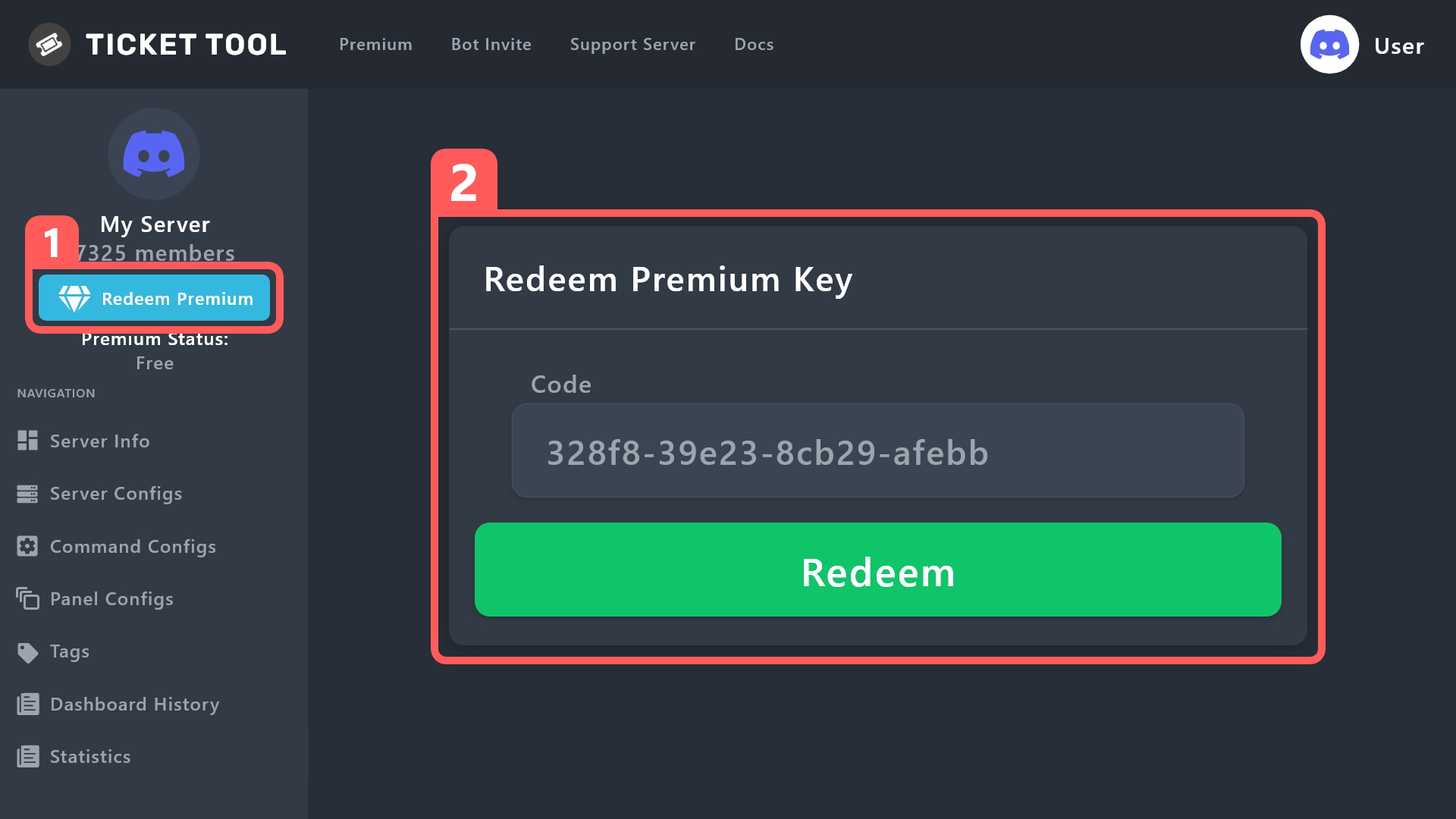 timber kernel
@fierce moat ^
fierce moat
I found
 pseudo imp


 fierce moat
timber kernel
<@817515739711406140> ^
fierce moat
timber kernel
<@817515739711406140> ^
one question why doesn't let claimed staff send messages in channel?
wild spire
fierce moat
one question why doesn't let claimed staff send messages in channel?
double check panel configs > claiming > edit support team permissions.
Is “sending messages” disabled?
fierce moat
wild spire
double check panel configs > claiming > edit support team permissions.
Is “sendi...

 wild spire
fierce moat
wild spire
fierce moat
which permissions tab is open in the screenshot? I cannot check if u crop it off
fierce moat
 wild spire
fierce moat
wild spire
fierce moat
okay.
can I get the server ID ?
wild spire
fierce moat
698544143403581501
which panel?
 fierce moat
soporte
wild spire
fierce moat
soporte
found the problem


 fierce moat
but the thing is that I want the staff to be abble to send messages only the claimer
wild spire
fierce moat
but the thing is that I want the staff to be abble to send messages only the cla...
the person who claims will get these permissions as shown in panel configs > permissions > support team / edit opened
The other staff will receive permissions as set in panel configs > claiming > edit support team permissions.
fierce moat
okay
fierce moat
wild spire
the person who claims will get these permissions as shown in **panel configs > p...
and where do I set up the starting perms
coz the thing is that from starting point they can all type but then changes when the staff claims
wild spire
fierce moat
and where do I set up the starting perms
thats the same as panel configs > permissions > support team / edit opened.
Permissions will change after claiming
and then he/she who claimed will continue to have these permissions
fierce moat
But I mean I want to do this
- First all staff can't type
- Then when the someone of staff claims then has permissions to write, not from start
wild spire
fierce moat
But I mean I want to do this
- First all staff can't type
- Then when the someo...
not possible unfortunately
fierce moat
oh k
 ebon bobcat
Hello all! can you help with tickets, when I want to create a ticket writes: Warning: Failed to create the ticket
Errors: Thread channel not found.
I haven't been able to solve this problem for over an hour.
humble sequoiaBOT
━━ moved to ticket ━━
 void hound
Subscribe to the channels for premium right?
 glass swallow
how do i make the actual bit show up so they can react
void hound
timber kernel
<@937929124641665024> <:this:894279341108772914>
Can you help us??
timber kernel
void hound
Can you help us??
To get premium you can pay directly via discord or we also offer some direct payment options.
But tbh I am not sure if I understood your question.
timber kernel
glass swallow
how do i make the actual bit show up so they can react
Can you please rephrase your question? What do you mean by "bit" ?
glass swallow
so how can i get the tab (idk what it is called) where you react to open the ticket
void hound
timber kernel
To get premium you can pay directly via discord or we also offer some direct pay...
Okay can you direct me towards that please?
timber kernel
glass swallow
so how can i get the tab (idk what it is called) where you react to open the tic...
Do you mean dropdowns? You have a screen of what you referring to?
Dropdown is this:
 timber kernel
void hound
Okay can you direct me towards that please?
timber kernel
void hound
Okay can you direct me towards that please?
Do you already have the Ticket Bot on your server?
void hound
Yes
timber kernel
You then can use the upgrade button:
 glass swallow
timber kernel
Do you mean dropdowns? You have a screen of what you referring to?
Dropdown is t...
glass swallow
timber kernel
Do you mean dropdowns? You have a screen of what you referring to?
Dropdown is t...
can you tell me how to set it up i have done / setup but i don't know what to do after
humble sequoiaBOT
The Drop-down menu or Select Menu replaces the buttons on your panel message and uses a drop-down menu with all of your panels. To set this up, go to your Panel Configs and select your main Panel.
<:Numbericons1:1018864164032225340> Enable Select Style
First you enable Select Style. Then you add an item in the Dropdown Editor. Now you can start editing your dropdown!
<:Numbericons2:1018864168041971712> Dropdown Editor
Each line in the dropdown editor represents a line in the drop down menu on discord. You can add more "Items", by clicking on
First you select a panel. That's the panel this option will open a ticket for. DONT select the same panel twice. Each option should have a different Panel
After that, you can put a Display. This is the title of this option and will appear in the drop down menu. The *Description can be set right after that, which will be below the title in grey.
Additionally you can select an emoji, that will be shown in front of each option. You can either manually input the ID of an emoji or select it in the selector.
Common Issues ⚠️
- Panel doesn't send? Make sure you have a valid emoji selected
- Option doesn't show up? Check if two options have the same panel in the DropDown Editor
$dropdown
void hound
timber kernel
You then can use the upgrade button:
You can do that on mobile?
timber kernel
humble sequoia
@glass swallow