#🆘│community-support
1 messages · Page 32 of 1
 graceful eagle
 atomic trail
how do i make is so that i can see what a person has put in for a form? Bc rn i cant see what they have wrote down in the form
 jade topaz
atomic trail
how do i make is so that i can see what a person has put in for a form? Bc rn i ...
jade topaz
atomic trail
how do i make is so that i can see what a person has put in for a form? Bc rn i ...
go to the forms button and there's an option
 languid pasture
atomic trail
how do i make is so that i can see what a person has put in for a form? Bc rn i ...
languid pasture
atomic trail
how do i make is so that i can see what a person has put in for a form? Bc rn i ...
You can also have the starting message in a ticket include the form response variables automatically
jade topaz
Why is my transcript url not working
 gilded verge
jade topaz
Why is my transcript url not working
gilded verge
jade topaz
Why is my transcript url not working
you have an open ticket, please wait there
jade topaz
Ok
languid pasture
@jade topaz What do you need help with
Send your question or concern and someone will respond, no need to wait for someone to come
jade topaz
languid pasture
Send your question or concern and someone will respond, no need to wait for some...
How to use {create.form.x}
gilded verge
jade topaz
How to use {create.form.x}
you have an open ticket, to avoid confusion, please ask for help on one channel - if you ask for help here, please close your ticket
jade topaz
gilded verge
you have an open ticket, to avoid confusion, please ask for help on one channel ...
I closed it, now can you help me?
Pls
gilded verge
you need to replace x with the question number, like this:

 iron nightBOT
Gave +1 Rep to @gilded verge
 elfin haven
What is the matter through which I can add another person to the tiktok I am in?
@jolly ginkgo team
@fallow ingot
._.
@gilded verge any one help me
gilded verge
elfin haven
<@334671104704774154> any one help me
no, you need to wait without pings, rule 4 on #📂│information please
gilded verge
elfin haven
What is the matter through which I can add another person to the tiktok I am in?
you're on ticket tool server, this isn't tiktok
gilded verge
/add - to add user to ticket
/remove - to remove user from ticket
 chilly pasture
What permissions do i need to manage the dashboard? I have everything but it doesnt show up on https://tickettool.xyz/manage-servers/


Ticket Tool - Ticketing without clutter - The #1 discord Ticketing bot
 rustic gale
chilly pasture
What permissions do i need to manage the dashboard? I have everything but it doe...
rustic gale
chilly pasture
What permissions do i need to manage the dashboard? I have everything but it doe...
Administrator
Or a dashboard role
chilly pasture
ah okay. Thanks
 humble sequoiaBOT
Any role you put there will have full access to the ticket tool dashboard. The server owner and users with admin permissions already have access to the dashboard.
Be careful of which roles to put here
 gilded verge
 bleak terrace
что происходит
bleak terrace
что происходит
вы находитесь на сервере поддержки бота Ticket Tool, у вас есть проблемы с ботом?
 gleaming sonnet
Is there a max # of questions we can include in a Form?
I can't seem to do more than 5...
gilded verge
from what I know, you can't have more than 5 questions in forms because that's the discord limit
 warped summit
gilded verge
вы находитесь на сервере поддержки бота Ticket Tool, у вас есть проблемы с ботом...
warped summit
gilded verge
вы находитесь на сервере поддержки бота Ticket Tool, у вас есть проблемы с ботом...
Отлично
Русская поддержка) есть вопрос
 fervent delta
السلام عليكم
warped summit
После закрытия тикета он не перемещается в категорию закрытых хотя все настройки установлены

 fervent delta
في احد هون
warped summit
Если об этой проблеме не знают сообщите разработчикам
warped summit
warped summit
После закрытия тикета он не перемещается в категорию закрытых хотя все настройки...
after closing tickets are not transferred to the category of closed tickets
gilded verge
warped summit
После закрытия тикета он не перемещается в категорию закрытых хотя все настройки...
категории имеют ограничение, это 50 каналов, поэтому если их больше, бот их туда не переместит
warped summit
Прошу обратить внимание на развернутую категорию «Закрытые обращения» и до конца пролистанную страницу

Там ничего нет
gilded verge
вполне возможно, что у бота нет разрешений и поэтому он не может перемещать каналы в эту категорию 🤔
warped summit
Секундочку сейчас проверим
gilded verge
Хорошо, теперь я вижу, что вы дали ему права администратора, поэтому он должен работать без проблем. но если у него не было этого права раньше, значит, ему чего-то не хватает
warped summit
gilded verge
Хорошо, теперь я вижу, что вы дали ему права администратора, поэтому он должен р...
Ого:) да вы всевидящий! Теперь все работает! Спасибо
humble sequoiaBOT
ᅠ
@pseudo glen requires the following permissions:
Add Reactions
Read Channels
Send Messages
Manage Messages
Embed Links
Attach Files
Read History
Manage Roles
Manage Channels
To change the role permissions, you can go to your Discord Server ➞ Server Settings ➞ Roles ➞ @Ticket Tool
To change the channel permissions, you can go to your Channel Settings ➞ Permissions ➞ Ticket Tool
ᅠ
Note:
You can give Ticket Tool Administrative Permissions instead of all the permissions listed above, but it's entirely optional and NOT necessary.
 gilded verge
Я рад, что смог помочь, но стоит взглянуть выше, здесь требуются разрешения 
warped summit
Я рассматривал этот вариант что у бота нет прав) но раньше роль ботов нельзя было редактировать они запрашивали все разрешения перед приглашением на сервер

Все включено
gilded verge
при приглашении его на сервер у бота есть только несколько основных разрешений для работы без проблем 😳

ему все не нужны, только те что нужны как на скриншоте ^^
warped summit
gilded verge
при приглашении его на сервер у бота есть только несколько основных разрешений д...
Еще не привык к новому дискорду) все по новому и как-то необычно брат подарил айфон что-ж выкидывать что-ли) а тут какой нибудь bluecord не установишь с отмотаной версией дискорда только официальную сборку из appstore
Потихоньку по маленьку думаю освоюсь за последнее время дискорд сильно изменился)
Спасибо за помощь!)
P.s. Нигде еще не видел такую отзывчивую команду поддержки на крупных серверах ботов тем более рускоязычную❤️❤️
Спасибо
gilded verge
warped summit
Еще не привык к новому дискорду) все по новому и как-то необычно брат подарил ай...
все будет хорошо ^^, но я не знаю кто вам сказал добавить боту все права так как это не требуется, так что если хотите ясности и прозрачности добавляйте бота заново - вам не обязательно его удалять из сервер, если вы снова пригласите его на сервер (когда он уже там) то все его разрешения будут обновлены до новых

Конечно, мы стараемся помочь пользователям как можно лучше ^^
warped summit
gilded verge
Конечно, мы стараемся помочь пользователям как можно лучше ^^
Сразу видно кто старается)
warped summit
gilded verge
Конечно, мы стараемся помочь пользователям как можно лучше ^^
- Эй! Кто нибудь дайте этому парню повышение
gilded verge
а, забыл самое главное... если вы снова приглашаете бота, не давайте ему права администратора, потому что это не требуется, а после приглашения, в категории закрытых тикетов, добавьте его права: View Channel, Send Messages, Read Message History
и тогда он сможет передавать туда билеты без прав администратора ^^


 warped summit
gilded verge
а, забыл самое главное... если вы снова приглашаете бота, не давайте ему права а...
warped summit
gilded verge
а, забыл самое главное... если вы снова приглашаете бота, не давайте ему права а...
Я понял, спасибо)❤️
Кстати вопрос, у вас часто тут появляются вопросы от русскоязычной аудитории?
gilded verge
warped summit
Кстати вопрос, у вас часто тут появляются вопросы от русскоязычной аудитории?
это общий вопрос, не относящийся к помощи Ticket Tooll, так что давайте перейдем к каналу #💬│gen-chat-multilingual ^^
fervent delta
How do I solve this problem
gilded verge
fervent delta
How do I solve this problem
you have an open ticket and you need to be patient, or to avoid confusion, ask for help on one channel - if you ask for help here, please close your ticket
fervent delta
gilded verge
you have an open ticket and you need to be patient, or to avoid confusion, ask f...
Thanks I will get drunk
iron nightBOT
Gave +1 Rep to @gilded verge
gilded verge
I'm sorry but I don't understand what is written in this error,
also, please read rule 4 on #📂│information
 gilded verge
why are you still pinging me after the warning? 😕
humble sequoiaBOT
ᅠ
@pseudo glen requires the following permissions:
Add Reactions
Read Channels
Send Messages
Manage Messages
Embed Links
Attach Files
Read History
Manage Roles
Manage Channels
To change the role permissions, you can go to your Discord Server ➞ Server Settings ➞ Roles ➞ @Ticket Tool
To change the channel permissions, you can go to your Channel Settings ➞ Permissions ➞ Ticket Tool
ᅠ
Note:
You can give Ticket Tool Administrative Permissions instead of all the permissions listed above, but it's entirely optional and NOT necessary.
gilded verge
please make sure the bot has required permissions and permissions in the channel: View Channel, Send Messages, Read Message History
fervent delta
Thanks
 faint sonnet
Sub due, want to pay
 topaz wagon
How do I make a claim@fervent delta
rustic gale
faint sonnet
Sub due, want to pay
Subscriptions are renewed automatically unless your payment method fails, are you having issues?
rustic gale
topaz wagon
How do I make a claim<@954376100836954163>
Claiming is a premium-only feature
humble sequoiaBOT
Claiming allows you to change the ticket name, category and permissions. To use it you have to enable it first on your Dashboard > Panel Configs > Claiming

 Note: This is a premium feature
humble sequoiaBOT
Note: This is a premium feature
humble sequoiaBOT
━━ moved to ticket ━━
 novel gyro
Does premium remove the minimum word count?
 gilded verge
novel gyro
Does premium remove the minimum word count?
gilded verge
novel gyro
Does premium remove the minimum word count?
in premium there is more than removing the limit but the answer to your question is: yes it removes the limit ^^
novel gyro
gilded verge
in premium there is more than removing the limit but the answer to your question...
Alright, will you guys ever be adding the feature of changing the bots avatar on the premium plan?
gilded verge
oh you mean whitelabel, yes, this is planned
novel gyro
Awesome, thanks for your help.
 echo basin
hiii, how do you give permission to whoever opens a ticket can send images?
gilded verge
echo basin
hiii, how do you give permission to whoever opens a ticket can send images?
oh, ghost ping here, understood 🙂
please go to Panel Configs->Permissions->Edit opened Ticket Owner Permissions->add Attach Files to ✅
echo basin
gilded verge
oh, ghost ping here, understood 🙂
please go to Panel Configs->Permissions->Edit...
sorry😭 but thank you so much !! ❤️
iron nightBOT
Gave +1 Rep to @gilded verge
 silver knoll
how do i edit the ticket channel to put the user instead of ticket count
humble sequoiaBOT
- Note: Remove the ! from all of the variables for proper work
{!server.name} ➞ Name of the server
{!server.id} ➞ ID of the Server
{!server.icon} ➞ Direct URL to the Server's Icon
{!server.banner} ➞ Direct URL to the Server's banner, if available

{!channel} = <#channel> ➞ Channel link of the current channel
{!channel.name} ➞ Name of the current channel
{!channel.id} ➞ ID of the current channel

{!author} = <@user> ➞ Mention of the user triggering this message
{!author.name} ➞ Name of the user triggering this message
{!author.id} ➞ ID of the user triggering this message
{!author.nickname} ➞ Nickname of the user triggering this message
{!author.icon} ➞ Direct Url of the profile picture of the user triggering this message
{!author.tag} ➞ 4 digit tag (discriminator) of the user triggering this message
{!author.full} ➞ username + 4 digit discriminator of the user triggering this message```
```diff
- Note: The variables below are meant to be used within ticket messages, or tags triggered within tickets
{!panel.count} ➞ The current count number of the panel
{!panel.name} ➞ The name of the panel
{!panel.ticketLimit} ➞ The current limit of the panel

{!ticket} = <#channel> ➞ Channel mention of the ticket
{!ticket.id} ➞ Channel ID of the ticket

{!ticket.user} = <@user> ➞ User mention of the ticket user
{!ticket.user.name} ➞ Name of the ticket user
{!ticket.user.id} ➞ User ID of the ticket user
{!ticket.user.nickname} ➞ Nickname of the ticket user
{!ticket.user.icon} ➞ Direct Url of the profile picture of the ticket user
{!ticket.user.tag} ➞ Tag / Discriminator of the ticket user
{!ticket.user.full} ➞ Username + Discirimator of the ticket user```
_ _
_ _
Additional variables
Roles can be either
{@role name} or {role ID}
{create.reason}
{claim.reason}
{close.reason}
{delete.reason}
» Reasons for a given action
Transcript Variables
{!ticket_name}➞ Name of the ticket
{!panel_name}➞ Name of the panel
{!transcript_url}➞ File link of the transcript
Hide Link under blue text:
[Click me](https://tickettool.xyz)➞ Click me
Time Variable
Sends the current unix time in seconds. Optionally add or remove seconds
<t:{!time?m=+43200}:R>➞ <t:1675434006:R>
<t:{!time?m=-43200}:R>➞ <t:1675347606:R>
<t:{!time}:R>➞ <t:1675390806:R>
_ _
<t:1641006000>➞ <t:1641006000>
<t:1641006000:f>➞ <t:1641006000:f>
<t:1641006000:F>➞ <t:1641006000:F>
<t:1641006000:D>➞ <t:1641006000:D>
<t:1641006000:d>➞ <t:1641006000:d>
<t:1641006000:t>➞ <t:1641006000:t>
<t:1641006000:T>➞ <t:1641006000:T>
<t:1641006000:R>➞ <t:1641006000:R>
» You can use https://hammertime.djdavid98.art/ to create custom dates/times
The ticket name is the default channel name of all tickets. To edit it, go to your Dashboard > Panel Configs > Ticket. There you can edit the channel name of opened and closed tickets. You can also use variables in there.

 Note: This is a premium feature
gilded verge
silver knoll
how do i edit the ticket channel to put the user instead of ticket count
Note: This is a premium feature
gilded verge
silver knoll
how do i edit the ticket channel to put the user instead of ticket count
please check these both messages from Ticket Tool ^^
novel gyro
How can I mention roles in embeds?
humble sequoiaBOT
Within all the messages the bot sends (both embeds and text) you can mention either channels, roles, or even users, these mentions will only send a notification to the user if they are used within a text field, e.g: a role mentioned in an embed won't ping at all the users who have that role.
For mentioning a role you can use one out of three options:
{@Role Name} ➞ Which is Case Sensitive.
{RoleID} ➞ Replace RoleId with the Id of the role you are trying to ping.
<@&RoleID> ➞ Discord's native syntax to ping roles.
<#ChannelID> ➞ Mention a channel by its ID.
<@UserID> ➞ Mention a user by its ID.
 clever plover
Is there a way to have multiple buttons on a ticket which each button sends a different message?
for example this ticket button says 'PC LFG' but can I have two others, which one says 'PS LFG' and another 'XBOX LFG'?

The reason I ask is because in the ticket it tags 'pc lfg' role and is visible to those with 'pc lfg' role but obviously wouldn't pertain if looking for 'ps lfg'
rustic gale
clever plover
Is there a way to have multiple buttons on a ticket which each button sends a di...
Of course. You create three panels and then bundle them together as a multipanel
humble sequoiaBOT
For more convenient use of multipanels, you can now combine panels on the dashboard. This will allow you to directly send the multipanel from the dashboard or via the $panel ID command.
Where can I find this?
You can find this setting on the Dashboard -> Panel Configs -> Settings -> Panel
Note: if you're attaching all the panels to a panel called English, don't include English in the attached panel's box (If you do this, it will create a duplicate)
This will put all buttons from all of your panels on one message. The message is the panel message from the panel you're combining these panels in.

 quiet tartan
Hi everyone
If I want the bot to use another bot's slash command like /user add ...
I've tried typing in the command but it doesn't work it just typing normal text
how can it be done?
 fringe stag
hello there, is there any problem for the transcript link now? once i open the previous link it is invalid request....
i can't open the whole converstaion from transcript..
Thank you!
jade topaz
Anyone has a hack way maybe via API to pull closed tickets to Zendesk Ticketing for analytics?
jade topaz
is there a way to ping a role when a ticket is created
humble sequoiaBOT
Within all the messages the bot sends (both embeds and text) you can mention either channels, roles, or even users, these mentions will only send a notification to the user if they are used within a text field, e.g: a role mentioned in an embed won't ping at all the users who have that role.
For mentioning a role you can use one out of three options:
{@Role Name} ➞ Which is Case Sensitive.
{RoleID} ➞ Replace RoleId with the Id of the role you are trying to ping.
<@&RoleID> ➞ Discord's native syntax to ping roles.
<#ChannelID> ➞ Mention a channel by its ID.
<@UserID> ➞ Mention a user by its ID.
 scenic plinth
For it to to ping the role (red dot notification) it needs to be in the Ticket Message not the embed portion.
scenic plinth
jade topaz
Anyone has a hack way maybe via API to pull closed tickets to Zendesk Ticketing ...
I have no idea why you are asking for ¨hacks¨, but there is no public API for ticket tool, let alone there is no connection with whatever ¨Zendesk Ticketing¨ is, so no, not possible through ticket tool.
scenic plinth
fringe stag
hello there, is there any problem for the transcript link now? once i open the p...
This means likely the transcript file was deleted, which essentially makes it dead, which is why you are getting the ¨invalid request¨ returned when trying to open it. There is not a way to recover that as we do not store transcripts. (Transcript message from wherever it was stored is no longer valid and was deleted.)
scenic plinth
quiet tartan
Hi everyone
If I want the bot to use another bot's slash command like /user add ...
Unfortunately bots cant trigger other bots slash commands, which is why it returns as a text command.
 icy sinew
How can I edit my ticket messages
 autumn oriole
icy sinew
How can I edit my ticket messages
autumn oriole
icy sinew
How can I edit my ticket messages
What kind?
You mean inside ticket created message?
@icy sinew
icy sinew
autumn oriole
You mean inside ticket created message?
Ye
humble sequoiaBOT
The Ticket Message is the first message sent by the bot on a new ticket. To customize it head over to your Dashboard ➞ Panel Configs ➞ Ticket ➞ Edit Ticket Message


 icy sinew
Ok thank
 sullen basin
so whenever someone tries to open a ticket this pops up-

 mighty lynx
Hello
humble sequoiaBOT
ᅠ
@pseudo glen requires the following permissions:
Add Reactions
Read Channels
Send Messages
Manage Messages
Embed Links
Attach Files
Read History
Manage Roles
Manage Channels
To change the role permissions, you can go to your Discord Server ➞ Server Settings ➞ Roles ➞ @Ticket Tool
To change the channel permissions, you can go to your Channel Settings ➞ Permissions ➞ Ticket Tool
ᅠ
Note:
You can give Ticket Tool Administrative Permissions instead of all the permissions listed above, but it's entirely optional and NOT necessary.
gilded verge
humble sequoia
@sullen basin, It looks like the bot doesn't have the required permissions, please check
 green sail
Is there a way to auto close tickets when members don’t reply in a timely manner 🙂
humble sequoiaBOT
━━ moved to ticket ━━
 lament plover
hi, can i hide an inactive ticket
 gilded verge
jade topaz
Help me
gilded verge
jade topaz
Help me
you have an open ticket so wait patiently for an answer there, to avoid confusion, please ask for help on one channel - if you want help here, please close your ticket
jade topaz
does any1 know how to create a 'ticket ban' role that when assigned to a user, they cant open tickets anymore
gilded verge
Panel Configs->Buttons->Edit Create Ticket->set this role to Disabled Roles ^^
jade topaz
tysm, would this also work for forum tickets tho?
gilded verge
but you mean forum channels on discord or forms like on dashboard? //just to be sure


 gilded verge
so answer is yes ^^
iron nightBOT
Gave +1 Rep to @gilded verge
 dry holly
what should I do so that roles can manage tickets, other than the founder?
My team does not see the tickets even though I followed the procedure
In support team roles I assigned the roles and they don't see the tickets
rustic gale
dry holly
My team does not see the tickets even though I followed the procedure
In suppor...
Permission changes in the dashboard are not automatically applied to old tickets.
You should close and reopen them. That will refresh the permissions
 static lotus
How do I disable the function to delete channels after closing?
dry holly
rustic gale
You should close and reopen them. That will refresh the permissions
thank 👍🏻
iron nightBOT
Gave +1 Rep to @rustic gale
rustic gale
static lotus
How do I disable the function to delete channels after closing?
Please clarify
static lotus
I don't want my ticket to be deleted after it's finalized, how can I block this?
rustic gale
Are they being deleted automatically and you want to disable this?
Or do you want to disable the Delete button so they can't be manually deleted?
 dense kelp
hey, i would like for only the admins to be able to close open tickets...not the ticket creator user. Is that an option?
I have this setting but users are still able to close their open tickets
 gilded verge
dense kelp
I have this setting but users are still able to close their open tickets
gilded verge
dense kelp
I have this setting but users are still able to close their open tickets
Hey, but this settings is for command, not button, so please go to Panel Configs->Buttons->Edit Close Ticket->here you can enable Support Team Only
static lotus
My tickets are being automatically deleted. I want to turn this off, is there any way I can do this?
gilded verge
static lotus
My tickets are being automatically deleted. I want to turn this off, is there an...
you have an open ticket so wait patiently for an answer there, to avoid confusion, please ask for help on one channel - if you want help here, please close your ticket
dense kelp
gilded verge
Hey, but this settings is for command, not button, so please go to Panel Configs...
this was it, thank you so much!!
iron nightBOT
Gave +1 Rep to @gilded verge
gilded verge
im glad i could help ^^
dense kelp
gilded verge
Hey, but this settings is for command, not button, so please go to Panel Configs...
thank you
dense kelp
gilded verge
im glad i could help ^^
how do i up your rep?! lol
gilded verge
please... only one time, not more..
jade topaz
anyone here know how to get the topic popup thing to come up when you open a ticket ...similar to how it works on this server
dense kelp
gilded verge
please... only one time, not more..
ah ok, but you deserve more
gilded verge
dense kelp
how do i up your rep?! lol
this is reputation system with this two words as you said, on #🤖│bot-spam you can check your reputation points or another user, so there you can use y!rep or y!rep userID
dense kelp
another question....is it possible to use a parameter to include the discord username in the opened ticket channel name? For exame I't be awesome if I could have tickets labeled "Mac#6356 Round 4 Ticket-0016" or something similar
 silver knoll
humble sequoia
silver knoll
humble sequoia
@dense kelp
 fierce pier
I got one question...and it's not even really a question.

This dude actually like...
 velvet dew
/mf link username:amitay938384
gilded verge
fierce pier
I got one question...and it's not even really a question.
I don't know what problem you're describing with the bot, if you need help, please try again.
gilded verge
velvet dew
/mf link username:amitay938384
this is not a Ticket Tool command, and we use commands in the #🤖│bot-spam channel
clever plover
rustic gale
Of course. You create three panels and then bundle them together as a multipanel
Thank you! Is there a limit to multi panels
iron nightBOT
Gave +1 Rep to @rustic gale
gilded verge
clever plover
Thank you! Is there a limit to multi panels
is that a question? because if so, in one multipanel you can have up to 25 added panels
 simple owl
How do I do that if someone wants to open a ticket he will have options to write in it

@gilded verge
 violet nymph
simple owl
How do I do that if someone wants to open a ticket he will have options to write...
violet nymph
simple owl
How do I do that if someone wants to open a ticket he will have options to write...
And you don't have anything that can write right away
simple owl
violet nymph
And you don't have anything that can write right away
I didn't understand you.
violet nymph
simple owl
I didn't understand you.
You mean when someone creates a ticket, they can't write on it?
simple owl
violet nymph
You mean when someone creates a ticket, they can't write on it?
I didn't understand but I am telling you if someone opened a ticket it will come out like this
 violet nymph
simple owl
I didn't understand but I am telling you if someone opened a ticket it will come...
violet nymph
simple owl
I didn't understand but I am telling you if someone opened a ticket it will come...
Ok, I understand, it's in the ticket, you can have it without it and turn it off in the panel, come on, it doesn't bother me because if I write in it, it can still write normally in the ticket
simple owl
violet nymph
Ok, I understand, it's in the ticket, you can have it without it and turn it off...
No, I want to do it.
violet nymph
simple owl
No, I want to do it.
I don't understand
dense kelp
dense kelp
another question....is it possible to use a parameter to include the discord use...
!bump. awaiting reply plz
rustic gale
simple owl
How do I do that if someone wants to open a ticket he will have options to write...
It's called a creation form
humble sequoiaBOT
A Discord Form lets the user answer individual questions in a pop-up Form, which then displays the answers in the ticket message. This can save time if you already know what you want to ask the user.
Setup Forms
Forms can be enabled under Panel Settings > Form Options > Edit Forms Options. In the new pop-up window, you can now enable and edit your own Form.
Form Options
You can add up to 5 questions in the Discord form. This is a Discord limitation. Each question can have a placeholder in the input field, a minimum and maximum input, multi-line, and also the option to have the answer required.
Options
Question Title ➞ Your Question goes here
Question Placeholder ➞ The placeholder text in the input field
Required ➞ If enabled, the user has to answer this question, to submit the form
Multi-Line Input ➞Allows the user to input multiple lines
Minimum and Maximum Input ➞ Set a minimum and maximum input value for the user
Displaying the Answer
To display the answers from the user, you need to go into your Panel Settings > Ticket Options > Edit Ticket Message. In there you use the variable {create.form.x} and just replace x with the number of your question. For example, the response to Question 1 can be displayed with {create.form.1}. If you don't use this variable, the response from the user is lost.
 rustic gale
dense kelp
another question....is it possible to use a parameter to include the discord use...
rustic gale
dense kelp
another question....is it possible to use a parameter to include the discord use...
{ticket.user.full}
Note that the # character can't be used in channel names so it will be omitted
 cerulean musk
I have a problem
rustic gale
Try writing it in Czech and we'll use a translator
cerulean musk
Ok, i am sorry
I have a problem on my Discord server. I have this Ticket Tool bot, and I would like to create a good ticket system. I tried to set up the bot, but unfortunately it didn't work 100%. Members (normal roles, supposed to use tickets) can't create them because they don't have permission to do so. Admins can create them normally, the rest works as it should. Where do I set the roles that can create tickets, while only the admin team and the member can read them? Thank you for your help.
jade topaz
Some of my members who have the role who can use the ticket and the ticket umm now they can’t see the Chanel anymore idk why they have the perms yet they can’t see it
 rose pike
I want the dashboard link
humble sequoiaBOT
Ticket Tool - Ticketing without clutter - The #1 discord Ticketing bot
rustic gale
cerulean musk
I have a problem on my Discord server. I have this Ticket Tool bot, and I would ...
Did you maybe blacklist a normal member role?
humble sequoiaBOT
Any role you assign as a blacklisted role won't be able to use commands or reactions.
Selecting a blacklisted role
Go to your Dashboard ➞ Server Configs. There you will find the option to select blacklisted roles.
Note: Don't forget to save.
 rustic gale
Blacklisted roles can't use commands or reactions. That includes buttons, such as the Create Ticket button
rustic gale
humble sequoia
https://tickettool.xyz/manage-servers
@rose pike
rustic gale
jade topaz
Some of my members who have the role who can use the ticket and the ticket umm n...
Is your server using the Browse Channels feature?
jade topaz
im not sure
rustic gale
jade topaz
im not sure
Do you see this at the top of the channel list?

(not here. In your server)
jade topaz
 rustic gale
Can you maybe explain what you mean by they can't see the channel
Like
the ticket disappears from their channel list?
jade topaz
no they mods cant see them when someone opens a ticket even tho they have the roll
rustic gale
jade topaz
no they mods cant see them when someone opens a ticket even tho they have the ro...
Not all of your panels have the same support team roles.
 clever plover
How can I make it so only the person who created the ticket and staff can close/delete the ticket
rustic gale
jade topaz
It does
Panel 3 has a different set of support team roles from the other panels.
rustic gale
clever plover
How can I make it so only the person who created the ticket and staff can close/...
Currently not possible
You can make it staff-only, but not staff-and-creator-only
jade topaz
I’m confused sorry
 crimson shard
Hey guys, is there a way we can make generated tickets be flagged as NSFW channels?
rustic gale
crimson shard
Hey guys, is there a way we can make generated tickets be flagged as NSFW channe...
Not possible currently
crimson shard
rustic gale
Not possible currently
i didnt think so from having a look just though id ask in case i was missing something, Thanks :)
iron nightBOT
Gave +1 Rep to @rustic gale
rustic gale
jade topaz
I’m confused sorry
You can #🎫│make-a-ticket so we can take a closer look
 dusky tide
hello, i´ve defined multiple panels in TicketTool.
Posting the panel as a dropdown works fine.
My Question:
Can i instantiate the Ticketcreation based on the settings in the Panels when using $new {userid} but for a specific panel?
rustic gale
dusky tide
hello, i´ve defined multiple panels in TicketTool.
Posting the panel as a dropdo...
Please clarify
I'm not sure i understand the question
dusky tide
rustic gale
I'm not sure i understand the question
Ok.
We do have a Discord for Racing. We do use GranTurismo GT7
When a new user joins us we do some checks on this users. Named we do a "Connectioncheck".
We do have a Connectioncheck Panel defined in TT. Beside other Panels (Network-Support, Bot-Support).
All of them can be started by the User with the posted Post containing a Dropdown for all kind of Tickets.
I am Developer of our Bot. Our Bot-ID is defined as allowed Bot to send Commands.
I would like to be able to Start the "Connectioncheck"-Ticket by Command from my Bot (posting to a allowed channel).
 rustic gale
dusky tide
Ok.
We do have a Discord for Racing. We do use GranTurismo GT7
When a new user j...
rustic gale
dusky tide
Ok.
We do have a Discord for Racing. We do use GranTurismo GT7
When a new user j...
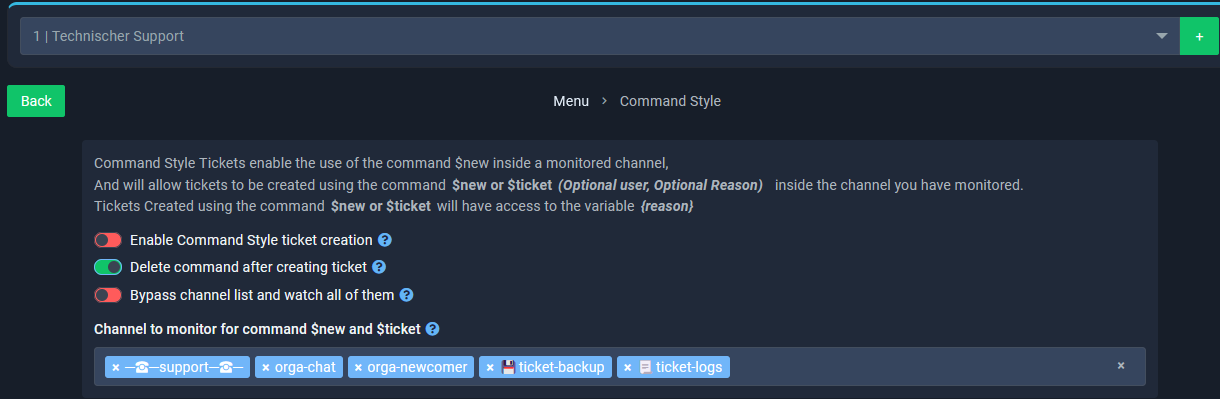
All you have to do is set up command-style tickets for that specific panel and not the others
dusky tide
rustic gale
All you have to do is set up command-style tickets for that specific panel and n...
Where do i find this setting in my dashboard. I´m not sure where to start what you are saying. Any hint please
rustic gale
dusky tide
Where do i find this setting in my dashboard. I´m not sure where to start what y...
 dusky tide
rustic gale
dusky tide
rustic gale
You mean i have to allow command activation on ONE Panel only.
And the others not allowing?
http://snapshots.basic4android.de/firefox_cJSYeEk7e1.png
http://snapshots.basic4android.de/firefox_XfBW5bVkzg.png

So it can only be done with one specific Panel?
I would like to start any of them by command. 😉
rustic gale
dusky tide
So it can only be done with one specific Panel?
I would like to start any of the...
Then you should pick a different channel for each panel
It's a bit inconvenient, but it's currently the only way to use command-style for different panels
dusky tide
rustic gale
Then you should pick a different channel for each panel
Just to make sure i did understand it right.
if i use $new {userid} [reason] in a Adminchannel X1 and X1 is allowed for Panel 1 (means i need to use X2 channel for Panel 2 respectively, X3 channel for Panel 3, ect.).
Is that what you mean?
rustic gale
dusky tide
Just to make sure i did understand it right.
if i use `$new {userid} [reason]` ...
Yes, that sounds like a correct description
dusky tide
rustic gale
Yes, that sounds like a correct description
Thank you very much. Ok, that sounds like a way to go for what we want. Great.
Thank you very much for your help! 🔥
iron nightBOT
Gave +1 Rep to @rustic gale
cerulean musk
I have a problem on my Discord server. I have this Ticket Tool bot, and I would like to create a good ticket system. I tried to set up the bot, but unfortunately it didn't work 100%. Members (normal roles, supposed to use tickets) can't create them because they don't have permission to do so. Admins can create them normally, the rest works as it should. Where do I set the roles that can create tickets, while only the admin team and the member can read them? Thank you for your help.
But member role isn't on the blacklist. Where I can set up who one can create ticket???! (While it can read and write admin team and the creator)????!!!
 willow ice
cerulean musk
cerulean musk
I have a problem on my Discord server. I have this Ticket Tool bot, and I would ...
willow ice
cerulean musk
cerulean musk
I have a problem on my Discord server. I have this Ticket Tool bot, and I would ...
?
 ashen kettle
can i delete a ticket
 dusk canyon
anyonelse facing the same issue? This is when logining into the site using discord and once u press authorise.

 pale pilot
dusk canyon
anyonelse facing the same issue? This is when logining into the site using disco...
pale pilot
dusk canyon
anyonelse facing the same issue? This is when logining into the site using disco...
Just try again, it happens sometimes
dusk canyon
ok
still not working -_-

probabaly my fifth time already
nvm it works now after disabling my security
 livid coral
If i hdo not ahve premium i can not win ihave no chanse?
 plucky sun
@digital topaz
 upper wolf
Do the Direct transcripts get deleted after some point? I can't seem to access any old ones.
 solid stream
upper wolf
Do the Direct transcripts get deleted after some point? I can't seem to access a...
solid stream
upper wolf
Do the Direct transcripts get deleted after some point? I can't seem to access a...
Direct transcripts is just a way to open the transcript file attached to that message, if the message with the file gets deleted the transcript will also be deleted.
languid pasture
livid coral
If i hdo not ahve premium i can not win ihave no chanse?
Sometimes there are premium giveaways but the guaranteed way is to just purchase it and support the folks
languid pasture
upper wolf
Do the Direct transcripts get deleted after some point? I can't seem to access a...
They're directly attached to the message that sent it since they act similarly to a cached html
languid pasture
ashen kettle
can i delete a ticket
Yes there is a built in button to delete a ticket once it is closed
You can also delete it before a ticket is closed manually with your prefix followed by delete or manual discord channel deletion
livid coral
they know if i do not own it right?
languid pasture
Do you have a yellow role? If not then you don't have a linked premium subscription
 covert swallow
$pc 1053304057609072730
humble sequoiaBOT
covert swallow
$pc 1053304057609072730

Premium Check
I was unable to detect a premium server for @livid coral.
Found 5 servers in total and 0 with premium and permission
covert swallow
Yep no premium
 oblique gale
how do you mention your #channel in the panel?
humble sequoiaBOT
Within all the messages the bot sends (both embeds and text) you can mention either channels, roles, or even users, these mentions will only send a notification to the user if they are used within a text field, e.g: a role mentioned in an embed won't ping at all the users who have that role.
For mentioning a role you can use one out of three options:
{@Role Name} ➞ Which is Case Sensitive.
{RoleID} ➞ Replace RoleId with the Id of the role you are trying to ping.
<@&RoleID> ➞ Discord's native syntax to ping roles.
<#ChannelID> ➞ Mention a channel by its ID.
<@UserID> ➞ Mention a user by its ID.
oblique gale
How do I stop the Ticket Creator from typing message after he has posted the reason for his ticket and only unlock the message after the ticket has been claimed by support.
solid stream
oblique gale
How do I stop the Ticket Creator from typing message after he has posted the rea...
Currently not possible, but greater control over permissions is planned.
Eg, control owner/everyone/support perms when claimed.
oblique gale
Roger.
 hasty python
how do i delete a panel? i selected yes but it's not deleting
 misty arch
anyone else having trouble closing and deleting tickets???
 silver basin
cant create a ticket
jade topaz
man
rustic gale
hasty python
how do i delete a panel? i selected yes but it's not deleting
Did you reload the page and the panel's still there?
rustic gale
misty arch
anyone else having trouble closing and deleting tickets???
What kind of trouble
rustic gale
silver basin
cant create a ticket
Send a screenshot
silver basin
i restarted discord
misty arch
rustic gale
What kind of trouble
I guess it was just a short interruption. Working just fine now thanks
iron nightBOT
Gave +1 Rep to @rustic gale
humble sequoiaBOT
 Faster Premium Bot
Automatic Transcripts
Full Customization
Custom Buttons
Direct Messages
Ticket Automation
Premium Support
Scheduled Panel Availability
Integrations
You can purchase premium here:
Price
$6 - Monthly
$66 - Yearly
 Premium
 lunar solar
@upper agate
 robust sandalBOT
lunar solar
<@739653379143368754>
robust sandalBOT
lunar solar
<@739653379143368754>
@upper agate
 English (en) → Hawaiian (haw)
clever plover
rustic gale
You can make it staff-only, but not staff-and-creator-only
English (en) → Hawaiian (haw)
clever plover
rustic gale
You can make it staff-only, but not staff-and-creator-only
What about creator only
Or know of any work around? Right now a user makes a ticket which tags the role. So for example user makes ticket for PC looking for group. Then within the ticket it tags everyone who has the ‘pc looking for group’ role. But then some user who probably didn’t want to be pinged will close the ticket..
Is there a way to make a channel be tagged within the embed? It appears it will do it on desktop but not on mobile.
This is mobile

this is desktop
 jade topaz
$help
humble sequoiaBOT
jade topaz
$help
First you will want to invite the bot to your server. Once the bot is in your server, you can manage your server in the dashboard.

To create a panel we are going to need to head over to the Panel Configs Tab on the Dashboard.
Once at the dashboard we will need to click Create Panel.
Enter a panel name (Fill in any optional settings you want).
Click Create Panel and you are ready to get started with configuring your panel.
An example of a creating a panel is shown below.

Once the panel has been created, use the blue Send button and select the channel you want the panel to be sent to.
The Panel wasn't send
Use the </debug:ID> command to diagnose possible permission issues with the bot.

 empty kayak
Testing out the premium schedule feature. Users who open up a ticket are unable to see the notification message as they don't have access to read previous messages. Where would I fix this in the settings
 empty kayak
Testing out the premium schedule feature. Users who open up a ticket are unable ...
empty kayak
empty kayak
Testing out the premium schedule feature. Users who open up a ticket are unable ...
Nevermind solved this, just had to modify user permissions on the website
lunar solar
clever plover
Is there a way to make a channel be tagged within the embed? It appears it will ...
Whats the difference I don't see it?
empty kayak
empty kayak
Nevermind solved this, just had to modify user permissions on the website
Follow up would be - am I able to edit permissions for users outside of schedule?
People are still able to message the ticket even outside of the available hrs
lunar solar
empty kayak
Follow up would be - am I able to edit permissions for users outside of schedule...
The schedule doesn't limit the ability for people to talk in a ticket
Only prevents them from raising a ticket
lunar solar
haha yeah
 woven onyx
how can i give ppl access to view tickets without giving them administration of the server.
for each ticket opened
lunar solar
woven onyx
how can i give ppl access to view tickets without giving them administration of ...
Are you just talking about the person who raised the ticket? or staff/moderators? or everyone?
woven onyx
lunar solar
Are you just talking about the person who raised the ticket? or staff/moderators...
staff/moderators
lunar solar
woven onyx
staff/moderators
Apologies I stepped away from my pc
Add a role that they all have to Support Team Roles
Panel Configs --> General
 unique sonnet
Hello, do i have to open ticket in order to claim premium?
lunar solar
unique sonnet
Hello, do i have to open ticket in order to claim premium?
No you shouldn't need to, how have you subscribed?
lunar solar
unique sonnet
https://discord.com/channels/509192800865353738/755487432438448270/1071487438771...
Ohh then yes please #🎫│make-a-ticket
unique sonnet
Alright tysm
 strong patrol
I bought Premium but How do I invite Ticket Tool Premium bot to my server
humble sequoiaBOT
The first thing you will need to do is invite the premium bot, an invite can be found here
Once the bot is in your server we will head to the dashboard and manage your server. When you are managing your server, you want to head into "Server Configs" then click the drop down menu under "Select the bot you would like to use on this server" then click "Ticket Tool#6207" and then save.
 lunar solar
@strong patrol ^
strong patrol
Ty
Uh another question
@lunar solar Where do I get the premium key
Oh
NVM im blind
 humble sequoiaBOT
━━ moved to ticket ━━
 bronze hare
transcript doesn't seem to work for me

but when I close it doesn't transcript for me
 surreal flume

 olive eagle
you must have premium subscription
solid stream
bronze hare
transcript doesn't seem to work for me
That's a premium feature, it looks like your premium expired so it won't function anymore.
 unkempt copper
How do I do this feature?
 humble sequoiaBOT
A Discord Form lets the user answer individual questions in a pop-up Form, which then displays the answers in the ticket message. This can save time if you already know what you want to ask the user.
Setup Forms
Forms can be enabled under Panel Settings > Form Options > Edit Forms Options. In the new pop-up window, you can now enable and edit your own Form.
Form Options
You can add up to 5 questions in the Discord form. This is a Discord limitation. Each question can have a placeholder in the input field, a minimum and maximum input, multi-line, and also the option to have the answer required.
Options
Question Title ➞ Your Question goes here
Question Placeholder ➞ The placeholder text in the input field
Required ➞ If enabled, the user has to answer this question, to submit the form
Multi-Line Input ➞Allows the user to input multiple lines
Minimum and Maximum Input ➞ Set a minimum and maximum input value for the user
Displaying the Answer
To display the answers from the user, you need to go into your Panel Settings > Ticket Options > Edit Ticket Message. In there you use the variable {create.form.x} and just replace x with the number of your question. For example, the response to Question 1 can be displayed with {create.form.1}. If you don't use this variable, the response from the user is lost.
 slender minnow
@unkempt copper
iron nightBOT
Gave +1 Rep to @slender minnow
bronze hare
support roles
 tacit fog
Where do we find that?
bronze hare
look at the docs
bronze hare
docs.tickettool.xyz
 lunar solar
tacit fog
how do we make it so the ticket tool automatically adds some1 to the ticket?
lunar solar
tacit fog
how do we make it so the ticket tool automatically adds some1 to the ticket?
Panel configs —> General —> Support Team Roles
humble sequoiaBOT
Ticketing without Clutter
View As Role feature
Discord's integrated View As Role feature will allow you to see how different groups of roles will have access to your server's channels. Even though, this feature isn't reliable for thoroughly testing Ticket Tool considering that the tickets are created based on User roles, and that Roles permissions are only used for Support Team Roles, and Additional Roles.
For testing Ticket Tool as a user we suggest you ask a friend to open a ticket for you as a regular member would do, or use an alternative account to simulate the same process to make sure everything is set properly.
lunar solar
@unkempt copper ^
lunar solar
 lapis cove
Why is it showing this?
lapis cove
Why is it showing this?
Cause you are clicking to fast on an action
Cloud flare will unban in a bit, come back to it later
humble sequoiaBOT

Error 1015 - You are being rate limited
If you get the above error when trying to access our web page, don't be scared. This is just a security feature on our dashboard to mitigate possible attacks to the site. The only way to access the site is to wait for the temporary ban to be lifted automatically. It typically takes around 1 hour but can be quicker or longer.
iron nightBOT
Gave +1 Rep to @lunar solar
 hushed oak
is there any easy way i can see how many tickets have been opened in a category? without going into the logs and counting each individual one?
hushed oak
i see this on the dashboard but it looks like it only goes back to the 30th when it should have data dating back to the 7th of january cause thats when i started using this bot for this server

 near coral
Wondering how I can do this?
 jade topaz
Dashboard - Panel Config - DropDown Style I believe
near coral
alr I'll check it out
rustic gale
hushed oak
i see this on the dashboard but it looks like it only goes back to the 30th when...
Without premium, you can view only the most recent 7 days of activity.
hushed oak
rustic gale
Without premium, you can view only the most recent 7 days of activity.
but, i have premium. as of earlier today
rustic gale
hushed oak
but, i have premium. as of earlier today
Press the Sync button in the left-hand side menu in the dashboard
The stats should refresh after that.
hushed oak
i pressed sync and it still isnt allowing me to view stats from the last 30 days
still the 30th of jan
rustic gale
That's interesting.
rustic gale
hushed oak
i pressed sync and it still isnt allowing me to view stats from the last 30 days
Can you try reloading the website
And if that doesn't work, can you try logging out and logging in again
hushed oak
rustic gale
Can you try reloading the website
this worked! thanks. i had to log out and log back in again
iron nightBOT
Gave +1 Rep to @rustic gale
 neat ether
how do i make custom commands
jade topaz
if a ticket was closed but a log channel was not set up for that type of ticket, is there any way to access that ticket after it had been closed and deleted?
rustic gale
neat ether
how do i make custom commands
You head to the Custom Commands section in the dashboard and poke around
rustic gale
jade topaz
if a ticket was closed but a log channel was not set up for that type of ticket,...
Not possible sadly.
iron nightBOT
Gave +1 Rep to @rustic gale
neat ether
rustic gale
You head to the **Custom Commands** section in the dashboard and poke around
but how i make them work tho
rustic gale
neat ether
but how i make them work tho
Whatever you set as the trigger, send that in a message
neat ether
it possible to make it where i say something and it will close the ticket, save transcript then delete?
if so, can you please say how
jade topaz
where is the setting so i can disable the ticker opener from closing the ticket
i would like it so only mods can close a ticket
rustic gale
neat ether
it possible to make it where i say something and it will close the ticket, save ...
Not really
With premium, you could enable auto transcripts. Then if you disable two-step ticket, using the /close command would cause the ticket to close, transcript and delete
rustic gale
jade topaz
where is the setting so i can disable the ticker opener from closing the ticket
...
Panel Configs -> Buttons -> Close Ticket -> Support team only
You may want to do the same for the Confirm Close button as well
 fervent canyon
I have a quick question. I also might just be stupid.
Is there a way for when a ticket is opened, that it pings staff? I keep looking on the website with the dashboard up, but I can't seem to find a place where once the ticket is opened it will ping staff to go to the ticket... like a notification to @ Staff once a ticket is created...
Or is this a server issue that i need to do for my server? to make sure staff are notified once the ticket is made?
jade topaz
In ticket message just paste role id like
<@&roleid>
neat ether
rustic gale
Not really
oh ok
fervent canyon
jade topaz
In ticket message just paste role id like
<@&roleid>
No i mean for the bot, once the ticket is created can it auto ping staff
neat ether
it will ping the staff in the ticket
fervent canyon
but it didn't
neat ether
instead of <@$roleid> just put {roleid}
fervent canyon
I think i am confused
 fervent canyon
where do i put that tho? the ticket only pings the user who created the ticket?
fervent canyon
Oh when i configure the bot itself?
neat ether
yes, in this
 fervent canyon
i need to have the @ staff in the msg?
jade topaz
 neat ether
no, get the staff role id, and then put the id in {roleid} them brackets
jade topaz
Like this ?
fervent canyon
yes!
fervent canyon
Omfg thank you, I am sorry that was a stupid question.
I appreciate both of your help, seriously
neat ether
👍
jade topaz
Like <@&546542733020626947>
fervent canyon
Ok, I have a few staff positions so i could just @ both of them?
neat ether
yes, just get the role ID and just do the same {roleid}
fervent canyon
ok, i have to do the brackets like that? not the @
neat ether
however, i think there is a limit on the amount of characters you can use
neat ether
fervent canyon
ok, i have to do the brackets like that? not the @
yes, this here will @ the role, easiest way would be to make 1 role to ping tho because the character limit in the message that can be sent
 rustic gale
fervent canyon
ok, i have to do the brackets like that? not the @
rustic gale
fervent canyon
ok, i have to do the brackets like that? not the @
There's multiple ways to ping a role
humble sequoiaBOT
Within all the messages the bot sends (both embeds and text) you can mention either channels, roles, or even users, these mentions will only send a notification to the user if they are used within a text field, e.g: a role mentioned in an embed won't ping at all the users who have that role.
For mentioning a role you can use one out of three options:
{@Role Name} ➞ Which is Case Sensitive.
{RoleID} ➞ Replace RoleId with the Id of the role you are trying to ping.
<@&RoleID> ➞ Discord's native syntax to ping roles.
<#ChannelID> ➞ Mention a channel by its ID.
<@UserID> ➞ Mention a user by its ID.
fervent canyon
neat ether
yes, this here will @ the role, easiest way would be to make 1 role to ping tho ...
I didn't even realize this. Thank you
iron nightBOT
Gave +1 Rep to @neat ether
 wintry loom
how can i create than one button?
 fervent canyon
rustic gale
There's multiple ways to ping a role
fervent canyon
rustic gale
There's multiple ways to ping a role
Thank you, also sorry for my stupid question(s), I am embarrassed I didn't realize I could do this.
While you are here, how do I prompt questions to be given as a drop down menu?
Like when I joined the server you clicked on the button (which is how my tickets are set up, how can a member click on Staff application and get those questions to populate? I have the tab, and I have the questions. I think I missing the proper tab to submit the questions under to populate them. (I'm not sure if i asked that the best...)
neat ether
can you add just the button to a separate embed i made myself?
rustic gale
fervent canyon
Like when I joined the server you clicked on the button (which is how my tickets...
Screenshots would help.
fervent canyon
Ok should I leave and join back?
rustic gale
leave and join where?
fervent canyon
The server
rustic gale
Which server
fervent canyon
To get the screenshot?
Here, because that’s what I want my server to do, but for the drop down menu when someone is selecting a ticket.
Maybe it’s easier if I VC I feel like I’m asking this rly badly.
Wait I took pics of this. Without leaving the server.
rustic gale
You want a dropdown menu for the bot in your own server?
fervent canyon
I want these to be questions for the staff application.

 rustic gale
That's a different bot
fervent canyon
Oh I thought that was ticket bot?
rustic gale
It's @stark rune, which is a custom instance of @obtuse kraken
fervent canyon
Oh, so not Ticket Bot
fervent canyon
Ok another stupid question then I will leave you alone.
When I set the permissions, why won’t they copy for every ticket?


The ticket msg isn’t the same? And I don’t get why?
jade topaz
help

 ocean zephyr
I need help
jade topaz
WAIT UR TURN
jade topaz
I FEEL LIKE I WANNA EXPLODE OF ANGER NCJEFNWVJBAVHKWEFBVHUGECUQIEJRBVHGAJKSGFUFKDJAH;KGUKHGSJKLJHGJKHFGUKJJKDFH
ocean zephyr
jade topaz
I FEEL LIKE I WANNA EXPLODE OF ANGER NCJEFNWVJBAVHKWEFBVHUGECUQIEJRBVHGAJKSGFUFK...
Please do not spam or use caps.
jade topaz
i dint span i used random letter
jade topaz
dint say i dint 😃
jade topaz
its called random letters sweet heard 😃
ocean zephyr
jade topaz
I FEEL LIKE I WANNA EXPLODE OF ANGER NCJEFNWVJBAVHKWEFBVHUGECUQIEJRBVHGAJKSGFUFK...
@atomic solstice Security alert
ocean zephyr
jade topaz
its called random letters sweet heard 😃
Can you please use grammar I am from Egypt.
jade topaz
can you leave me alone thanks
ocean zephyr
thanks @jade topaz
iron nightBOT
Gave +1 Rep to @vast mesa
iron nightBOT
Gave +1 Rep to @iron night
rustic gale
fervent canyon
The ticket msg isn’t the same? And I don’t get why?
Separate panels have separate settings.
jade topaz
helpp
rustic gale
jade topaz
help
You're probably using the wrong command
jade topaz
i made a ticket
rustic gale
The command you need is probably /setup, not /new
rustic gale
Did you actually enable command-style tickets for your panel
Command-style tickets are disabled by default.
jade topaz
how
rustic gale
Head to Panel Configs -> Command Style and make sure it's enabled
fervent canyon
rustic gale
Separate panels have separate settings.
Is there a way to copy paste the same settings? Or do the same ones for every one?
near coral
Is thisa me issue or
 rustic gale
fervent canyon
Is there a way to copy paste the same settings? Or do the same ones for every on...
rustic gale
fervent canyon
Is there a way to copy paste the same settings? Or do the same ones for every on...
You could have used the Clone button from the start
rustic gale
near coral
Is thisa me issue or
It should probably go away within the next 30 minutes or so
humble sequoiaBOT
Ticket Tool - Ticketing without clutter - The #1 discord Ticketing bot
rustic gale
All of the bot's setup is done through that website
jade topaz
im tryna figure out how to add the server
rustic gale
Check out the setup guide in #📂│information
jade topaz
what it is not ur server
fervent canyon
rustic gale
You could have used the **Clone** button from the start
Ok, now I know, Tysm
near coral
When using menu drop down for panels, do I have to create more than one panel or?
I realized it's not letting me change the name "Contact staff"
 solid stream
near coral
When using menu drop down for panels, do I have to create more than one panel or...
solid stream
near coral
When using menu drop down for panels, do I have to create more than one panel or...
if you want multiple dropdown items you need more than one panel, since you need a new panel for each "type" of ticket you have.
As for renaming it, use the Display name section to name it.
solid stream
near coral
So I have to actually make more than one panel in the panel tab?
It's only needed if you want multiple panel types.
If you don't need multiple panels then just having the standard button should be enough.
 rustic gale
near coral
Well yeah I wanna do smth like that so.
rustic gale
near coral
Well yeah I wanna do smth like that so.
Then you have to create a different panel in the dashboard for each of those.
 stray ore
How do i get the premium
near coral
near coral
Well yeah I wanna do smth like that so.
So I have to make multiple panels in panel configs to do this right?
 dry wedge
Anyone know what I'm doing wrong? Trying to ping a user ID https://gyazo.com/7b180fa0ffad83f080212a912bfa4226
 lunar solar
dry wedge
Anyone know what I'm doing wrong? Trying to ping a user ID https://gyazo.com/7b1...
lunar solar
dry wedge
Anyone know what I'm doing wrong? Trying to ping a user ID https://gyazo.com/7b1...
Take the @ out
{userID}
Is the user in the Discord also are you sure it’s a userID?
dry wedge
Yes. I enabled dev mode to see them, and I'm copy paste, not manually copying it.
lunar solar
Try:
<@!userID>
lunar solar
No definitely not a premium feature
dry wedge
Can you ping someone by discord name rather than ID? Maybe that would work. I've had good success pinging roles.
jade topaz
hi
 weary wave
hi guys how do i make it so that the person who created the ticket can send images inside the ticket? theyre able to send messages but cant send images.
pls @ me with a answer
weary wave
ty! pls @ me when you actually send the answer

 near coral
@weary wave did u get it
 violet quiver
How do I make it so that ticket tool pings some roles to notify them a ticket was opened
near coral
violet quiver
How do I make it so that ticket tool pings some roles to notify them a ticket wa...
Simple
let me check that for you
 outer gale
Hi guys, do you have an idea if we can automate ticket deletion after it's closed ?
near coral
 near coral
violet quiver
How do I make it so that ticket tool pings some roles to notify them a ticket wa...
near coral
violet quiver
How do I make it so that ticket tool pings some roles to notify them a ticket wa...
see
outer gale
How?
near coral
@violet quiver After you click where the arrow is, go to edit ticket message

If your looking to ping a specific role, please do <@role id>
near coral
outer gale
Hi guys, do you have an idea if we can automate ticket deletion after it's close...
ok so
I don't know where the option is now, I thought I did
You want it automatically deleted right?
outer gale
Alright, thanks anyway!
If anyone else knows, I'm looking forward to your help
outer gale
near coral
You want it automatically deleted right?
yes after 2 days
near coral
ill look again
outer gale
I appreciate, thanks!
near coral
outer gale
I appreciate, thanks!
I am unsure sorry, i never used ticket tool to that extent.
 near coral

Do that with the role to get the ID, press enter then copy the ID and try again NI WAIT
NO WAIT I FORGOT! iT'S THIS
<@&ROLEID>
Sorry sorry, you always have to do @& when trying to mention a role by ID alright?"
You don't have the wrong ID, just add a &
@violet quiver
violet quiver
Yep now it works tyvm
unique sonnet
Hello, any idea how can i invite the premium bot?
humble sequoiaBOT
The first thing you will need to do is invite the premium bot, an invite can be found here
Once the bot is in your server we will head to the dashboard and manage your server. When you are managing your server, you want to head into "Server Configs" then click the drop down menu under "Select the bot you would like to use on this server" then click "Ticket Tool#6207" and then save.
lunar solar
unique sonnet
Hello, any idea how can i invite the premium bot?
@unique sonnet ^
unique sonnet
Thanks @lunar solar
iron nightBOT
Gave +1 Rep to @lunar solar
violet quiver
How do I make ticket tool ping the person who opened the ticket
iron nightBOT
Gave +1 Rep to @near coral
 plain surge
violet quiver
How do I make ticket tool ping the person who opened the ticket
plain surge
violet quiver
How do I make ticket tool ping the person who opened the ticket
Use the variable {ticket.user} in the ticket message
humble sequoiaBOT
The Ticket Message is the first message sent by the bot on a new ticket. To customize it head over to your Dashboard ➞ Panel Configs ➞ Ticket ➞ Edit Ticket Message
humble sequoiaBOT

⚠️ You're in the wrong place
We provide support for Ticket Tool Discord bot and cannot help you with whatever issue you have.
- We don't know which Support Team you should contact to get this issue resolved, and unfortunately we won't be able to accurately tell you.
If you don't have any further questions regarding our bot Ticket Tool, please close this ticket
lunar solar
Image removed due to it containing personal details
lunar solar
humble sequoia
@fringe rose
 sharp elbow
i’m trying to cancel my subscription but it says i don’t have a subscription/email registered with you guys
slender minnow
sharp elbow
i’m trying to cancel my subscription but it says i don’t have a subscription/ema...
Just to confirm, this is regarding Ticket Tool Premium subscription?
sharp elbow
slender minnow
Just to confirm, this is regarding Ticket Tool Premium subscription?
yes
i’m trying to do it on mobile, would it be easier to try to do it on PC/desktop?
slender minnow
sharp elbow
yes
purchased through chargebee or discord?
sharp elbow
slender minnow
purchased through chargebee or discord?
honestly i’m not sure, is there any way, you guys could check?
i got it sorted, thank you!
 heavy drift
هلا كيف اسوي مثل ذي؟

 forest onyx
Hi, I updated my server settings with Dashboard but still it works with old settings why?
 spring fog
how i can get ticket toll prem for free ?
jade topaz
Hi, the color of my panel massage is not changing anymore, somebody know a solution or what´s the problem?
near coral
I realized nobody reped me even though I helped but it's alright xD
rustic gale
near coral
I realized nobody reped me even though I helped but it's alright xD
Thank you. Amazing job
iron nightBOT
Gave +1 Rep to @near coral
robust sandalBOT
heavy drift
هلا كيف اسوي مثل ذي؟
Hello, how do I do like this?
 Arabic (ar) → English (en)
rustic gale
Arabic (ar) → English (en)
rustic gale
What exactly do you want to do? @heavy drift
robust sandalBOT
rustic gale
What exactly do you want to do? <@835855535349301259>
ماذا تريد أن تفعل بالضبط؟ @heavy drift
English (en) → Arabic (ar)
rustic gale
forest onyx
Hi, I updated my server settings with Dashboard but still it works with old sett...
What do you mean it works with old settings?
near coral
rustic gale
Thank you. Amazing job
Oh thank you : D
iron nightBOT
Gave +1 Rep to @rustic gale
rustic gale
spring fog
how i can get ticket toll prem for free ?
Voting for the bot. use the $vote command to know more
rustic gale
jade topaz
Hi, the color of my panel massage is not changing anymore, somebody know a solut...
Possibly because your server lost premium. Check your premium status
forest onyx
rustic gale
What do you mean it works with old settings?
for example I create new category for Closed Tickets but still when I close a ticket it will go to old Closed Tickets category
rustic gale
forest onyx
for example I create new category for Closed Tickets but still when I close a ti...
I have no idea what that means, what' your server's ID and i'll look at your settings
forest onyx
rustic gale
I have no idea what that means, what' your server's ID and i'll look at your set...
888034489501098004
for example I turn 2 step closed off and also change Closed category but as u can see it didn't change

 rustic gale
Because your server has two panels
forest onyx
but my settings...

 rustic gale
You're using one and editing the other
forest onyx
rustic gale
You're using one and editing the other
🤦♂️
rustic gale
 rustic gale
Because you disabled two-step ticket as well
 strange bison
GM how do I add more roles that are able to view/respond to tickets?
clever plover
lunar solar
Whats the difference I don't see it?
One tags the voice channel the other one lists it
gilded verge
clever plover
One tags the voice channel the other one lists it
Something like this?🤔
 clever plover
gilded verge
Something like this?🤔
clever plover
gilded verge
Something like this?🤔
Yes is that on mobile or desktop
It’ll tag on desktop but not on mobile
gilded verge
this is screenshot from mobile ^^
what is id of your voice channel?
because for pinging voice channels, you need id, this is required
dry wedge
https://gyazo.com/c68b1afcce35cbbe40a2c3c77cadf744 User is being pinged in a channel but isn't added to the ticket. Is there a way to do this? In this case :schmole: is being pinged by his user ID when the ticket is opened, but has no access to see the channel. Is this something you can do or am I just doing it wrong with permissions? $add maybe? How would I put that into the ticket if possible?
 gilded verge
dry wedge
https://gyazo.com/c68b1afcce35cbbe40a2c3c77cadf744 User is being pinged in a cha...
gilded verge
dry wedge
https://gyazo.com/c68b1afcce35cbbe40a2c3c77cadf744 User is being pinged in a cha...
wrong permissions ^^
so please go to Panel Configs->Permissions->Edit opened Ticket Owner Permissions->there add View Channel, Send Messages, Read Message History, this should help you 
dry wedge
gilded verge
wrong permissions ^^
so please go to `Panel Configs`->`Permissions`->`Edit opene...
I think I worded my question wrongly. I am trying to add a support team role, by user ID, rather than making a role.
humble sequoiaBOT
1. Go into your Dashboard
2. Open your Panel Configs tab
3. Select the panel you want to grant access to
4. Open the General options menu
5. Select your Support Team Roles
6. Save changes
 gilded verge
this is not possible with user id, it works only with role ()
//however, please remember that only pinging does not add the user to the channel 😅
dry wedge
I was trying to game the bot by doing that 😂 Is there no way to inset the $add command into the ticket message when its opened? If not maybe a good suggestion.
gilded verge
hmmm... i don't think so, but im not sure 🤔
you can manually add a user with /add user command ^^
solid stream
gilded verge
hmmm... i don't think so, but im not sure 🤔
you can manually add a user with `...
Anyone added this way will be counted as ticket user and not gain any extra permissions. (they will have the same as the ticket owner)
dry wedge
Can you automate that so when a ticket is opened they are automatically added?
solid stream
dry wedge
Can you automate that so when a ticket is opened they are automatically added?
what issues are you trying to avoid by not adding a role?
If you create a role and add it to a single user then it works the same as just adding a single user to a ticket.
dry wedge
Adding and managing so many roles. What we are trying to do would require 4 roles. Ideally we could just use the ticket tool to automate that by managing the users within the tool by name. I know it's not ideal, but adding more roles that only one or two people would be in would be a pain. It would be easier if I could just manually add them into the ticket tool dashboard. If there was a way to easily add this like in support team roles you could just add a user ID.
solid stream
dry wedge
Adding and managing so many roles. What we are trying to do would require 4 role...
Due to this not being a special use case and only an inconvenience of creating 4 roles it won't be added at the moment.
If another reason comes up that makes sense it might.
Also each panel doesn't need it's own roles, if the same people are in each one.
dry wedge
We want different people for different requests. For example for your server you'd have billing support, and regular support but only a few people in them, but didn't want to create or manage the roles you could just add those people into the ticket. On my server we have several clans and one application ticket with a drop down menu for each clan. Whatever option you choose has roles for each clan that get pinged so other clans aren't notified for other clans applicants. What I've been suggesting is intended on our end for training. We have a few trainers for different things all under one umbrella role but want different tickets for each of their specialties. This is where the by name comes into play so trainers who shouldn't be notified aren't. Thanks for the help. I appreciate it. Your ticket tool is still awesome. 😄
solid stream
dry wedge
We want different people for different requests. For example for your server you...
Then why not add multiple support team roles?

Each of these roles are added to the ticket, but you don't need to ping them all.
 dry wedge
That is an option. We'd just rather not have everyone with the role see every ticket. I know it's solvable by making more roles but its not ideal. Thanks again.
solid stream
RIght
jade topaz
idk why its doing this anyone got any ideas on how to fix this issue? (its showing up in the ticket area and not in the closed ticket chat)

we have 3 other tickets that we can make and it only does it for this one only
solid stream
dry wedge
That is an option. We'd just rather not have everyone with the role see every ti...
So you have your roles
Panel#1 has the support rolesGuild1 & Trainers -> ping Guild1
Panel#2 has the support rolesGuild2 & Trainers-> ping Guild2
Panel#3 has the support rolesGuild3 & Trainers-> ping Guild3
This would allow each guild role to only see their own tickets but the Trainers can see all of them and only the guild roles get pinged.
solid stream
jade topaz
idk why its doing this anyone got any ideas on how to fix this issue? (its showi...

 jade topaz
oki doki ty
 maiden drum
I’m trying to let a certain role see tickets. I added them to the support team roles in the dashboard like I always have but they still can’t see them.
rustic gale
maiden drum
I’m trying to let a certain role see tickets. I added them to the support team r...
Could you try testing in a new ticket and making sure they can see it?
maiden drum
Like make a new one?
rustic gale
Yes
maiden drum
Because we have a bunch open at the moment that they can’t see
rustic gale
Yes, we'll deal with those after the test
maiden drum
Ok it works in that one
rustic gale
Well, here's the thing
When you update permissions in the dashboard, the new permissions aren't applied retroactively to existing tickets.
maiden drum
Ah. I see
rustic gale
To update the permissions on old tickets, you should close and reopen them.
(This won't work if you have disabled two-step ticket, as in that case the tickets will be deleted after closing)
jade topaz
$help
humble sequoiaBOT
jade topaz
$help
First you will want to invite the bot to your server. Once the bot is in your server, you can manage your server in the dashboard.
To create a panel we are going to need to head over to the Panel Configs Tab on the Dashboard.
Once at the dashboard we will need to click Create Panel.
Enter a panel name (Fill in any optional settings you want).
Click Create Panel and you are ready to get started with configuring your panel.
An example of a creating a panel is shown below.
Once the panel has been created, use the blue Send button and select the channel you want the panel to be sent to.
The Panel wasn't send
Use the </debug:ID> command to diagnose possible permission issues with the bot.
 fathom basin
#🤖│bot-spam message
@jade topaz im not sure, but maybe u mean this?
 jade topaz
fathom basin
https://discord.com/channels/509192800865353738/910978476536905738/1072164519700...
jade topaz
fathom basin
https://discord.com/channels/509192800865353738/910978476536905738/1072164519700...
No, ticket owner is the one who opened the ticket but I'm asking for a option from which the person who "claimed" the ticket will get a role by the bot
fathom basin
jade topaz
No, ticket owner is the one who opened the ticket but I'm asking for a option fr...
it's look like it's already have.
jade topaz
fathom basin
it's look like it's already have.
No, it doesn't
fathom basin
jade topaz
No, it doesn't
ok last one. U sure?
 jade topaz
fathom basin
ok last one. U sure?
jade topaz
fathom basin
ok last one. U sure?
Look below that it is saying "roles to add to ticket owner"
fathom basin
jade topaz
Look below that it is saying "roles to add to ticket owner"
ah i see. sorry.
jade topaz
Ticket owner is the one who opened the ticket, the person who created the ticket and the person who claimed the ticket
Both are different
jade topaz
Is there a way to archive the transcripts once the ticket has been closed?
@rustic gale sorry for ping
Oops
rustic gale
jade topaz
Is there a way to archive the transcripts once the ticket has been closed?
Did you mean: once the ticket has been deleted
Cause if that's the case, then no
jade topaz
rustic gale
Did you mean: once the ticket has been ***deleted***
Like when I hit close does a transcript save anywhere?
rustic gale
Automatically? No
You can set up automatic transcripts if you have premium
But normally, when you close a ticket you should see a message like this...

 vale barn
i need help every time I set a color it doesn’t even do it
 cosmic current
Is there any way to open multiple tickets at once as an admin? Say you need to open 10 tickets but don't want to do 1 at a time.
languid pasture
cosmic current
Is there any way to open multiple tickets at once as an admin? Say you need to o...
No
languid pasture
vale barn
i need help every time I set a color it doesn’t even do it
What do you mean can you show screenshots
cosmic current
languid pasture
No
Thank you for the reply. Is it something that could be added?
iron nightBOT
Gave +1 Rep to @languid pasture
 flat flume
how can i automatically delete the closed tickets?
rustic gale
flat flume
how can i automatically delete the closed tickets?
It depends on what you mean by automatically and which tickets
If you mean make tickets automatically be deleted when the close button/command is used,
that's done by disabling Two Step Ticket in Panel Configs -> General
If you mean automatically deleting all currently existing close tickets,
the owner of the server can do that with the /purge command
If you mean something else, please clarify
rustic gale
flat flume
i thought the purge deletes every ticket including open ones?
You get to choose to delete either the open or closed tickets when you use it.
flat flume
oh okay. Is it only the owner or can a person with admin permissions do it?
 iron nightBOT
Gave +1 Rep to @rustic gale
jade topaz
rustic gale
https://cdn.discordapp.com/attachments/1065154397358796800/1072360434574819389/i...
Oh so if I have no two step it just deletes and no transcript?
rustic gale
jade topaz
Oh so if I have no two step it just deletes and no transcript?
If Two Step Tïcket is disabled  then the closed ticket is immediately deleted, so you don't get a chance to transcript it after closing.
You can of course manually transcript it before closing
With the /transcript command
jade topaz
rustic gale
If **Two Step Tïcket** is disabled <:Switch_disabled:1041734620770750474> then t...
So just to clarify
If I enable 2 step close I can transcript the conversation, and it will stay when I close the ticket I’m a bit confused
I’m using the ticket as an application for new members to join my server
Once they join they fill out a form and submit a ticket
Once I accept them I delete the channel(close the ticket), is there anyway I can keep the transcript when the channel is deleted?
rustic gale
jade topaz
So just to clarify
If I enable 2 step close I can transcript the conversation, ...
To clarify: you can transcript the channel at any time using the /transcript command. You have to make sure a transcript channel is set up, otherwise the transcript will be sent into the ticket itself, and will be deleted together with the ticket if you delete it.
If you enable Two Step Ticket (not Two Step Close as you said) you will see a message which includes the Transcript button. The Transcript button does the same as the /transcript command. Make sure you have a transcript channel set before you use it.
Having a transcript channel set up and sending the transcripts there is the only way to preserve the ticket's contents before deleting the ticket.
 idle parcel
Hello, I am having this type of issue -
Warning: Unable to close ticket, missing permissions ManageRoles
Have you seen this before? Please help.
 oak shuttle
Please do not ping staff members.
You can't. It's a default message.
Please create a support ticket in #🎫│make-a-ticket
oak shuttle
idle parcel
Hello, I am having this type of issue -
Warning: Unable to close ticket, missi...
━━ moved to ticket ━━
Because it was built that way. It may be changeable in the near future
And there is no big use in changing that message since only the person that creates the ticket can see it.
Feel free to report that in #1020426768450080899 since this is a fairly new update
unique sonnet
hey, why it Saving two transcripts of one ticket?

 loud notch
hey i needed help whenever i close the ticket it doesn't go to the support archive that i have set in the website dashboard, it just stays in the support channel where open tickets should be this hasn't been a problem before but now it a issue
 swift pumice
Would this be the correct automation to delete a closed tickets after, in this case, 3days and second part to this question. Do the automations work with Thread Style tickets?

 silent canyon
"Category is at limit - Skipping" how do i increase the limit?
silent canyon
or is it because discord won't allow more than 50 channels in 1 category?
 regal goblet
silent canyon
or is it because discord won't allow more than 50 channels in 1 category?
regal goblet
silent canyon
or is it because discord won't allow more than 50 channels in 1 category?
Correct
You can set a overflow category, just add another category to the panel and it will send tickets there if the first category is full
iron nightBOT
Gave +1 Rep to @regal goblet
regal goblet
Yup
regal goblet
Yes? Lol
gilded verge
@bronze rock, please read rule 4 on #📂│information
languid pasture
Don't ping staff
You can do that by setting permissions of person that claimed ticket to read only once claimed and removing read permissions of other support team members
Then set ticket owner to be able to read, everyone else not able to read
under permissions
in your dashboard
in your dashboard
Ticket Tool - Ticketing without clutter - The #1 discord Ticketing bot


Then you are done
Why are you pinging all the staff again
@wild scroll All you gotta do is in the message add <@&ROLEID>, no special variables needed
 wild scroll
Must include the <>?
languid pasture
Yes
wild scroll
Awesome. Thank you I'll try that.
languid pasture
Did you change the setting in ALL the sections I highlighted
wild scroll
Ty
languid pasture
languid pasture
^^^
All in red box needs to be changed
You got it working @wild scroll?
wild scroll
Can it be <@roleid1 @roleid2>
languid pasture
Once again set that setting in ALL of the sections I highlighted and then come back if it still does not work
languid pasture
wild scroll
Can it be <@roleid1 @roleid2>
No, and it must be <@&roleid1> <@&roleid2>
wild scroll
languid pasture
You got it working <@212277963092131852>?
Can't check at the moment.
languid pasture
Do not forget & after @ otherwise it will act as a user ping and not a role ping
wild scroll
languid pasture
No, and it must be <@&roleid1> <@&roleid2>
Ok
languid pasture
Send proof that all 6 sections have that setting ticked properly
No
All 6 of them like I highlighted

I don't understand your question
 languid pasture
RoleID is not role name
wild scroll
not sure what a role id is ?
languid pasture
A roleID is a unique 18 digit ID
wild scroll
i know users have that
languid pasture
For example the support team roleid is 54029565672030208
wild scroll
how do i view it for a role?
languid pasture
Right click a role and press Copy ID
rustic gale
@unique sonnet @loud notch @swift pumice Do y'all still need help with the questions you asked?
wild scroll
ty
unique sonnet
rustic gale
<@470132526141145090> <@425432119989501961> <@105422947329536000> Do y'all still...
yes please
wild scroll
 languid pasture
wild scroll
languid pasture
wild scroll
There you go
wild scroll
 languid pasture
Did you save it and does the ticket tool bot have permission to ping all roles
wild scroll
hmm ill check it should
rustic gale
unique sonnet
yes please
Does your server have premium and are you using the Auto Save Transcript feature?
languid pasture
Please ensure you checked off the permission in ALL six categories I highlighted
toutes les six categories que j'ai indicaté
 warm warren
Hi
languid pasture
warm warren
Hi
how can we help
swift pumice
rustic gale
<@470132526141145090> <@425432119989501961> <@105422947329536000> Do y'all still...
Yes please mate.
languid pasture
I already sent pictures of the categories you should have the permission ticked off in
warm warren
I woul like to know a solution to a problem, when I open a ticket is all alright, but the chat of the ticket goes on the top, but should go to the category I put for that, look
wild scroll
Didn't work. Not has full permission. Real life things need doing rn. Ty thread. I'll try to reach out to you again tomorrow.
languid pasture
Just come back in here and wait for someone
Can you please send a photo of how the discord channel the ticket makes is configured
That shows one category not all 6 categories
warm warren
languid pasture
how can we help
Is that, should open down of "chat soporte"
 languid pasture
warm warren
Is that, should open down of "chat soporte"
languid pasture
warm warren
Is that, should open down of "chat soporte"
You want it as a thread or as a ticket under Ticket Soporte category?
rustic gale
swift pumice
Yes please mate.
Yes, automation should work with thread-style tickets
and yes, that automation should delete the ticket 3 days after closing.
warm warren
languid pasture
You want it as a thread or as a ticket under Ticket Soporte category?
I want that the chat it opens when I open a ticket goes down of chat soporte, like anything doesn't care
languid pasture


Show proof that all 6 sections I highlighted earlier have the permission ticked off properly please
warm warren
languid pasture
Show proof that all 6 sections I highlighted earlier have the permission ticked ...
I alredy have do that, but doesn't work
 languid pasture
Does the bot have permissions to that category
warm warren
languid pasture
Does the bot have permissions to that category
Let me look
warm warren
languid pasture
Does the bot have permissions to that category
Yeah, was that, thank u so much
iron nightBOT
Gave +1 Rep to @languid pasture
languid pasture
👍
swift pumice
rustic gale
Yes, automation should work with thread-style tickets
and yes, that automation s...
Thank you. Annoyingly it isn't doing what it should be doing. I know it's in alpha testing. I'll try setting it up again.
I'm going to assume it won't apply to tickets retrospectively. Only ones created after the automation is made?
iron nightBOT
Gave +1 Rep to @rustic gale
rustic gale
swift pumice
Thank you. Annoyingly it isn't doing what it should be doing. I know it's in alp...
That is correct. You could try using the /automation command to start the automation on old tickets though
swift pumice
rustic gale
That is correct. You could try using the /automation command to start the automa...
Thank you, i'll give that a shot.
iron nightBOT
Gave +1 Rep to @rustic gale
swift pumice
Ah doesn't work on closed tickets. I'll try setting up the automation again and see what happens. Thank you anyway 🙂
unique sonnet
rustic gale
Does your server have premium and are you using the **Auto Save Transcript** fea...
yess
rustic gale
unique sonnet
yess
It may be because you set the auto save to “closed and/or deleted”
Ticket close -> transcript once
Ticket delete -> transcript again
unique sonnet
how do i disable that?
iron nightBOT
Gave +1 Rep to @rustic gale
robust sandalBOT
 spring bone
Como eu arrumo o Bot
spring bone
Como eu arrumo o Bot
How Do I Get the Bot
Portuguese (pt) → English (en)
rustic gale
$invite
humble sequoiaBOT
rustic gale
$invite
Ticket Tool Invite & Support
rustic gale
Is this what you mean?
robust sandalBOT
rustic gale
Is this what you mean?
É isso que você quer dizer?
English (en) → Portuguese (pt)
spring bone
so I put the bot on my server and when I use the command "$m" the value of the character doesn't appear like that, what do I do?
 tawny sigil
My tickets history is disappearing for the person writing in the ticket, any ideas what’s wrong?
rustic gale
spring bone
so I put the bot on my server and when I use the command "$m" the value of the c...
Ticket Tool does not have a $m command. I have no idea what you're trying to do
rustic gale
tawny sigil
My tickets history is disappearing for the person writing in the ticket, any ide...
The everyone role in your server is probably missing the Read Message History permission. Give it to it
tawny sigil
rustic gale
The everyone role in your server is probably missing the **Read Message History*...
Did so but still the tickets history isn’t showing up for the ticket holder, I have a members role & have that also set to read history, any other ideas?
rustic gale
tawny sigil
Did so but still the tickets history isn’t showing up for the ticket holder, I h...
https://cdn.discordapp.com/attachments/1065154397358796800/1067922359710916689/imagen.png
https://cdn.discordapp.com/attachments/1065154397358796800/1067922540305064016/imagen.png
https://cdn.discordapp.com/attachments/1065154397358796800/1067922908288122890/imagen.png


Is this what you did?
jade topaz
How do i make it so people cant claim or close/delete a ticket
 vivid bay
Can you give me premium for free ?
jade topaz
Lol
rustic gale
jade topaz
How do i make it so people cant claim or close/delete a ticket
Set the buttons to Support team only in the dashboard
rustic gale
The support team roles are the roles you include in the Support Team Roles field in the dashboard
That's in Panel Configs -> General
By default, the server owner and user with the Administrator permission are always considered support team
jade topaz
Alr
tawny sigil
rustic gale
Is this what you did?
Yes it was, got it working now, thank you for your help 🫡
iron nightBOT
Gave +1 Rep to @rustic gale
 sour quest
I am watching a video on how to set up the bot. It shows when creating a panel. I cannot find this part. (I'm in Panel Configs which it shows in the video)
 rustic gale
sour quest
I am watching a video on how to set up the bot. It shows when creating a panel. ...
rustic gale
sour quest
I am watching a video on how to set up the bot. It shows when creating a panel. ...
Videos are usually outdated
The interface was updated relatively recently
sour quest
Where is that part located?
rustic gale
Please look at the Setup Guide in #📂│information
 dim phoenix
I made the panel how can I make it show in the channel i want t to
humble sequoiaBOT
1. Go into your Dashboard
2. Open your Panel Configs tab
3. Select the panel you want to send
4. Indicate to which channel it should be sent to
5. Send the panel
gilded verge
humble sequoia
@dim phoenix, Please check
dim phoenix
gilded verge
<@791419457515421719>, Please check <:this:894279341108772914>
thanks!
iron nightBOT
Gave +1 Rep to @gilded verge
loud notch
rustic gale
<@470132526141145090> <@425432119989501961> <@105422947329536000> Do y'all still...
Yes
rustic gale
loud notch
Yes
Please take a look at the following information
humble sequoiaBOT
Discord only allows to stack up to 50 channels per category, meaning that if you have already 50 tickets in one category, the bot won't be able to place a ticket in that category, for such reason Ticket Tool counts with overflow categories, meaning that if your main category is filled, the bot will go ahead and place the ticket on the next one available, simply choose a second category in the category pickers:

 delicate furnace
Hey, if I redeem premium, is it server-wide?
gilded verge
Heyo కeth, so please use these privacy settings and let me know then i'll ask bot to send transcript again:

 meager gyro
gilded verge
okay, sent, thank you <:peepoBlush:843212225208123412>
meager gyro
gilded verge
okay, sent, thank you <:peepoBlush:843212225208123412>
Thank you ser🫶
iron nightBOT
Gave +1 Rep to @gilded verge
gilded verge
delicate furnace
Hey, if I redeem premium, is it server-wide?
Hey, indeed, if you buy/redeem premium in bot then premium is server-wide
?
other members you mean like general users or moderators too?
but if any user will have role with Administrator permission then they will be able to see this ticket, you know that right? im asking just to be sure ^^
humble sequoiaBOT
How to edit `@everyone`'s permissions
Head over to your Dashboard ➞ Panel Configs ➞ Permission Options ➞ Everyone Role Opened/Closed and customize the base permissions for everyone in your tickets.
Note: This set of permissions may be affected by the overrides of Support Team, Additional Roles, and User permissions.
 gilded verge
humble sequoia
gilded verge
humble sequoia
, here the bot explained how to hide the ticket from everyone
If you want to change ticket permissions, you have to do it in the dashboard 😅
*i saw that
here you asked if you should close it, so my answer was that to change the permissions you have to go to the dashboard, i.e. so that you don't close this window 😕
gilded verge
humble sequoia
in message, bot said you should go to Permissions and in Everyone Role Permissions -> Edit opened and Edit closed change View Channel to ❌

exactly there:

and here:

all? nono, bcs if you did this in Ticket Owner Permissions, then ticket owner will not be able to see his own ticket
i mean if ticket is closed for ticket owner then View Channel can be disabled but if opened, then he should be able to see it
in Edit opened: View Channel to ✅

but if Edit closed: View Channel to ❌

so not 8, but 7 ^^
if only Edit opened has View Channel turned on and the rest disabled, then everything is as you need
I don't quite understand what you mean here, please try again 🤔
no need, i can ask you for server name and there i can check if View Channel it's as you wanted
hey, i asked for server name, not dm'ing 😕
but since you sent it, i'll check it out 
oh, which panel?

i don't know which panel i can check
that is, where you changed the permissions we wrote about
delicate furnace
gilded verge
Hey, indeed, if you buy/redeem premium in bot then premium is server-wide
Via voting too?
delicate furnace
Okay
gilded verge
panel 2, in Edit Opened there is no permissionView Channel so please switch to ✅

and in everyone you need to disable View Channel

apart from what i mentioned now, then everything is as you wanted
yep, now it's correct
Anything else I can help?
meager gyro
gilded verge
if only `Edit opened` has `View Channel` turned on and the rest disabled, then e...
A question pls 😅
gilded verge
hm?
humble sequoiaBOT
We would love to help you, but if you don't tell us what you need help with we can't help you :(
delicate furnace
I need to add the Premium bot when I have redeemed premium by voting right, what happens when it expires? Does old bot still need to stay, or will it respnd to commands twice? Please tell me how it works.
Do I get all these perms when I redeem premium from voting?
 gilded verge
delicate furnace
Do I get all these perms when I redeem premium from voting?
gilded verge
delicate furnace
Do I get all these perms when I redeem premium from voting?
> Ticket Tool is so convenient for users that you don't have to change the bot if you don't want to. Premium features will also work in the free bot.
> Only the bot that is selected from Server Configs will work so you can have both on your server if you want.
> The codes are permanent so you can use them even in a year and they will expire only when they run out of time.
> Yep, because from the votes you get a premium key and after activating it, your server has premium so it has all these features
> Even when your premium ends, settings or panels will not be deleted so everything is fine
but when you change the bot, you will have to resend the panel to the channel, only this ^^
delicate furnace
gilded verge
but when you change the bot, you will have to resend the panel to the channel, o...
I use Sapphire for ticket Creation 😀
delicate furnace
gilded verge
`>` Ticket Tool is so convenient for users that you don't have to change the bot...
Oh, cool settings stay, so if it expires, and then I redeem again it will remember my settings I set last time I had premium? Does it work other way around too, so it reverts to the free settings when premium expires?
delicate furnace
gilded verge
`>` Ticket Tool is so convenient for users that you don't have to change the bot...
"expire when they run out of time", meaning what?
 regal thorn
is there any way that i can customize the bots pfp, about me and name?
gilded verge
delicate furnace
Oh, cool settings stay, so if it expires, and then I redeem again it will rememb...
nono, the settings don't change until you change them, so everything stays the same but if there is a panel that had premium features changed, then the panel may stop working and you will have to use the one that did not have these options
delicate furnace
gilded verge
`>` Ticket Tool is so convenient for users that you don't have to change the bot...
One more question, if I redeem and have like 9 days, and then I keep voting while with premium, will the time like extend?
delicate furnace
regal thorn
is there any way that i can customize the bots pfp, about me and name?
Wondering too
gilded verge
for example, I activate the key in a year (key is for 5 days), then the premium will expire in a year and 5 days
gilded verge
the keys are combined so each new one adds this time to the previous one
delicate furnace
delicate furnace
Oh... So I can keep voting to extend time, basically?
Even eith premium activated?
delicate furnace
gilded verge
the keys are combined so each new one adds this time to the previous one
Ok
Thx
gilded verge
yup, you can vote all the time, and the time will increase with each new key
delicate furnace
Now, please don't keep the other person that asked smth from waiting, hehe
gilded verge
regal thorn
is there any way that i can customize the bots pfp, about me and name?
whitelabels are planned so not yet ^^ but you can change his nickname on server
 jade topaz
Hello,
I would like to ask a question, that how can i give permission to users in a ticket to attach files?
or is it a Premium function?
gilded verge
jade topaz
or is it a Premium function?
Hey, it's free ^^
if you want to grant this permission only to the ticket opener, go to Panel Configs->Permissions->Edit opened Ticket Owner Permissions->change there Attach Files to ✅
but if for all in ticket, then Edit opened Everyone Role Permissions->change there Attach Files to ✅
jade topaz
gilded verge
Hey, it's free ^^
if you want to grant this permission only to the ticket opener...
Thanks alot for the help
iron nightBOT
Gave +1 Rep to @gilded verge
 stiff anvil
Hey there, small question.
How to add an embed/text message alongside with the ticket message?
This is what I mean, I've already done the red square.
My issue is doing the 2nd embed (yellow square).
 gilded verge
Hey, so it would be as 2 separate messages, right?
stiff anvil
It's all sent in 1 message, but two different embeds.
gilded verge
just to be sure, so you want it all in one message or two separate?
stiff anvil
It honestly doesn't matter, I'd prefer if it was one singular message that contains two embeds.
Rather than 2 messages each containing an embed.
But either away works.
gilded verge
oops, i don't want to mislead you so please wait for someone else ^^
stiff anvil
Maybe you can tell me the way you know how to do it, and it could or could not be what I want?
covert swallow
Have you tried just editing the ticket message
stiff anvil
Editing the ticket message adds normal text above the ticket embed.
I've managed to add a second embed, but I can't edit that embed. All the fields are un-selectable. 🤔
 rustic gale
stiff anvil
I've managed to add a second embed, but I can't edit that embed. All the fields ...
rustic gale
stiff anvil
I've managed to add a second embed, but I can't edit that embed. All the fields ...
Your server doesn't have premium?
rustic gale
Extra embeds are supposed to be premium-only.
That embed looks like the automatic embed from the Panel Configs -> Forms menu
You can turn that one on without premium.
iron nightBOT
Gave +1 Rep to @rustic gale
stiff anvil
 spark onyx
hey guys\
anyone knwo how to find the transcript of an old ticket?
@lament sandal@lunar solar@rustic gale
rustic gale
spark onyx
anyone knwo how to find the transcript of an old ticket?
Asking the staff of the server where it was transcripted
If they don't have it, no one does
spark onyx
thks
 brisk juniper
how can i but my premium subscription (older than 11/11/2022) on a alredy existet and used bot?
rustic gale
brisk juniper
how can i but my premium subscription (older than 11/11/2022) on a alredy existe...
Please clarify
brisk juniper
I have a premium subscription (begin 02/17/2022). I have a new server with new bot (alredy configert) and i want to use my premium for this bot. Can I give this bot the subscription
rustic gale
brisk juniper
I have a premium subscription (begin 02/17/2022). I have a new server with new b...
Each subscription is valid on one server only.
Do you want to transfer the subscription from the old server to a new server?


 rustic gale
brisk juniper
I have but the new server in the dropdown but the bot is still free
rustic gale
brisk juniper
I have but the new server in the dropdown but the bot is still free
Try clicking the Sync button
brisk juniper
ohhh now its working. I`m sorry
rustic gale
No problem. We're here to help
 blazing hare
i want to buy a prem with the credit.. can i?
rustic gale
With what credit?
blazing hare
Pro bot
rustic gale
I don't know what that refers to
blazing hare
probot you dont know ?
rustic gale
I know a Discord bot called ProBot
blazing hare
yes thats
rustic gale
I don't know what that has to do with Ticket Tool, or getting Ticket Tool premium
blazing hare
..
 restive sparrow
how do i make other roles have perms to view the ticket
jade topaz
Guys?