#🆘│community-support
1 messages · Page 31 of 1
 sweet rampart
 fathom basin
hey, can u plz change my name on this server to “Comeback play”
 oak shuttle
fathom basin
hey, can u plz change my name on this server to “Comeback play”
oak shuttle
fathom basin
hey, can u plz change my name on this server to “Comeback play”
Hey, we don't do nickname changes here! Thanks
 iron nightBOT
Gave +1 Rep to @fathom basin
fathom basin
oak shuttle
Hey, we don't do nickname changes here! Thanks
sadge(
fathom basin
oak shuttle
Hey, we don't do nickname changes here! Thanks
ty
iron nightBOT
Gave +1 Rep to @oak shuttle
 tender rover
Is there a problem with the dashboard?
 ember canyon
Great job on making a ticketing tool with slash commands! Is there any option to dedicate a forum channel and have tickets be the posts?
 winged leaf
how can i add this emoji in my ticket pannel?

 ornate jay
winged leaf
how can i add this emoji in my ticket pannel?
ornate jay
winged leaf
how can i add this emoji in my ticket pannel?
Type that emoji in the chat and put a \ before it
then you should get something like this
<:emojiName:emojiID>
So basically if I put a backslash in front of this emoji 
It will look like this 
You have to copy that entire thing and paste it on the embed/message.
winged leaf
thanks @ornate jay!
ornate jay
No worries!
iron nightBOT
Gave +1 Rep to @ornate jay
ornate jay
thanks
winged leaf
ornate jay
thanks
sorry another question, what about channels, is it possible to mention them in the embed?
 humble sequoiaBOT
Within all the messages the bot sends (both embeds and text) you can mention either channels, roles, or even users, these mentions will only send a notification to the user if they are used within a text field, e.g: a role mentioned in an embed won't ping at all the users who have that role.
For mentioning a role you can use one out of three options:
{@Role Name} ➞ Which is Case Sensitive.
{RoleID} ➞ Replace RoleId with the Id of the role you are trying to ping.
<@&RoleID> ➞ Discord's native syntax to ping roles.
<#ChannelID> ➞ Mention a channel by its ID.
<@UserID> ➞ Mention a user by its ID.
ornate jay
winged leaf
sorry another question, what about channels, is it possible to mention them in t...
Yep! If you haven't already, make sure to turn on developer mode in the Advanced tab of Discord's settings. Once you've done that right click on the channel you want to put in the embed and copy the ID of it. After copying it go in the embed and use the format for mentioning channels above ^
winged leaf
ornate jay
Yep! If you haven't already, make sure to turn on developer mode in the Advanced...
tysm!
ornate jay
winged leaf
tysm!
No worries
Also if any staff sees this, it's alright if I answer people's questions, right? If it's not, let me know.
 scenic plinth
ornate jay
Also if any staff sees this, it's alright if I answer people's questions, right?...
scenic plinth
ornate jay
Also if any staff sees this, it's alright if I answer people's questions, right?...
No that is fine, just refer to the pins.
||Although sometimes its better to allow staff that speak other languages to translate support here, or just direct them to make a ticket. Although there are some examples of like for example one of the more common ones now, Russian, which I have enough to understand for, and for less common ones like Polish, but it really just depends who is active within this chat from the support team, just to avoid embed spam and what not, we try to avoid that if we can.||
 jade topaz
When I created a panel, it didn't have me select the channel I want the ticket tool message in. Where can I select this option
 gilded verge
ornate jay
Also if any staff sees this, it's alright if I answer people's questions, right?...
gilded verge
ornate jay
Also if any staff sees this, it's alright if I answer people's questions, right?...
unlike some support servers, here community support means that everyone can help someone else when they have a problem with TT, this is one of the many reasons why I'm here 

 rustic gale
jade topaz
When I created a panel, it didn't have me select the channel I want the ticket t...
rustic gale
jade topaz
When I created a panel, it didn't have me select the channel I want the ticket t...
Press the Send button
And stop looking at outdated tutorials
jade topaz
ah ok thanks, its was a little bit different then how it was when I used it
winged leaf
How can I add a link in my ticket embed that says 'Click Here' like this one?
 ornate jay
scenic plinth
No that is fine, just refer to the pins.
||Although sometimes its better to al...
ornate jay
scenic plinth
No that is fine, just refer to the pins.
||Although sometimes its better to al...
Ah aight, thanks! I can provide Romanian and English support, so if it's any other language I will not be able to help
iron nightBOT
Gave +1 Rep to @scenic plinth
ornate jay
winged leaf
How can I add a link in my ticket embed that says 'Click Here' like this one?
That's a hyper link. You can make those using this format:
[yourTextHere](https://linkHere.com)
So if for example you want to put a link to discord's ToS you can do this:
Here are [Discord's ToS](https://discord.com/terms)
Hope that helps.
winged leaf
ornate jay
That's a hyper link. You can make those using this format:
`[yourTextHere](https...
Thanks!
iron nightBOT
Gave +1 Rep to @ornate jay
ornate jay
winged leaf
Thanks!
No worries
ornate jay
winged leaf
Thanks!
By the way, those only work in embeds!
winged leaf
ornate jay
By the way, those only work in embeds!
That's fine! Thanks!
iron nightBOT
Gave +1 Rep to @ornate jay
winged leaf
Is there any way I can add multiple buttons like that?

It's only letting me create 1
 vocal furnace
Is there a way to only let support close a ticket
So that the creator of the ticket can't close the ticket
ornate jay
vocal furnace
Is there a way to only let support close a ticket
Yes, there is! Go to the buttons tab, go into the Close Ticket button and enable the Support Team Only option
vocal furnace
ornate jay
Yes, there is! Go to the buttons tab, go into the Close Ticket button and enable...
You are amazing!!
rustic gale
winged leaf
Is there any way I can add multiple buttons like that?
It's called a multipanel
humble sequoiaBOT
For a more convenient use of multipanels, you can now combine panels on the dashboard. This will allow you to directly send the multipanel from the dashboard or via the $panel ID command.
Where can I find this?
You can find this setting on the Dashboard -> Panel Configs -> Settings -> Panel
Note: if you're attaching all the panels to a panel called English, don't include English in the attached panel's box (If you do this, it will create a duplicate)
This will put all buttons from all of your panels on one message. The message is the panel message from the panel you're combining these panels in.
 winged leaf
rustic gale
It's called a multipanel
winged leaf
rustic gale
It's called a multipanel
ty! It worked
 steady lark
yall give me a hand? Ticket Tool has all the right permissions and now all of a sudden it just stopped moving closed tickets to the designated closed category
keeps them in the open category now when it was working just fine before
deleted some closed tickets and it started working again.. does this mean theres a limit to how many closed tickets we can have?
 solid stream
steady lark
keeps them in the open category now when it was working just fine before
solid stream
steady lark
keeps them in the open category now when it was working just fine before
Discord only allows upto 50 channels per category
You can create duplicate categories and assign them on the dashboard.
 supple sluice
For the premium access here in discord, is it only for new subscribers through discord? I have an annual premium through July that is linked through the website still
 slender minnow
supple sluice
For the premium access here in discord, is it only for new subscribers through d...
slender minnow
supple sluice
For the premium access here in discord, is it only for new subscribers through d...
Added it, you can do /checkpremium in future
 placid berry
Someone help me with this, I don't know what to do, I already configured everything and this warning still appears
He even opens the Ticket but does not mention or give options within the ticket as was done in others, so something is wrong and I don't know what it is
Look at my old ones that were already on the server for a while, they work but now I don't know why it's giving that warning
gilded verge
placid berry
Someone help me with this, I don't know what to do, I already configured everyth...
Hey, this emoji is specific and causes problems sometimes. Could you remind me which emoji you used? please send here.
just go to panel configs->buttons->create ticket->copy and paste ^^
placid berry
✉️ <
gilded verge
ooooh, yes, indeed this is problematic emoji, please wait
placid berry
Ok
gilded verge
you can use this: 📩
placid berry
I will try to update
gilded verge
ofc, this should help

 rustic gale
placid berry
Here I have to go to Update? or Send?
rustic gale
placid berry
Here I have to go to Update? or Send?
Send
humble sequoiaBOT
━━ moved to ticket ━━
ornate jay
humble sequoia
━━ moved to ticket ━━
How do you make this?
scenic plinth
Its a custom tag.
humble sequoiaBOT
Tags
Tags are used to send a predefined response to your channels using a command. Tags will only respond if the command itself is used, it will not function if you put the tag into a sentence. The prefix is not included.
To create tags, go to: Dashboard > Tags > Create Tag. After creating and naming one, tap on the response button, and you can edit the response.
 ornate jay
scenic plinth
Its a custom tag.
ornate jay
scenic plinth
Its a custom tag.
Ah, so when you use the command it says what you want it to say, or does it actually move it to a ticket?
rustic gale
It only sends a message.
We use it to leave a note that the issue has been moved to a ticket, so it would be redundant to keep addressing it in this channel.
ornate jay
rustic gale
We use it to leave a note that the issue has been moved to a ticket, so it would...
Ah, I see
ornate jay
rustic gale
It only sends a message.
Thank you!
iron nightBOT
Gave +1 Rep to @rustic gale
jade topaz
Is this where i can ask for some info/help about the tool?
ornate jay
jade topaz
Is this where i can ask for some info/help about the tool?
Yup! You can ask here for community's support or create a ticket for staff's support. What's up? Maybe I'll be able to help depending on your issue
jade topaz
Hopefully i can explain this propperly. Ive setup the tool in a server im in, we have it for 2 reaons for application and moderation we have 2 teams/roles for that. When someone opens a ticket is it possible for them to select what they are there for and only the people that need to see the ticket able to see it and not both teams. Basicly give them a option to speak with one team and not the other (hope that makes sense xD)
ornate jay
jade topaz
Hopefully i can explain this propperly. Ive setup the tool in a server im in, we...
I think that should work if you do it with a multipanel!
jade topaz
a mutlipanel?
ornate jay
humble sequoia
^ check this out
jade topaz
Ah cool i will see it that will work 🙂
ornate jay
Good luck!
jade topaz
Do you need premium for that?
ornate jay
jade topaz
Do you need premium for that?
Hmm, let me check
Alright so I just took a look and it seems like you do not need premium. @jade topaz
jade topaz
Appriciate that! Ill check it out thanks alot
ornate jay
No worries
 brisk otter
عربي
 cursive grail
hihi! sorry for the dumb question/help needed but is the site down? im trying to set up the bot in my server but nothing is showing up on the site.....on any menu option
 robust sandalBOT
brisk otter
عربي
robust sandalBOT
brisk otter
عربي
Arabic
 Arabic (ar) → English (en)
rustic gale
cursive grail
hihi! sorry for the dumb question/help needed but is the site down? im trying to...
Arabic (ar) → English (en)
rustic gale
cursive grail
hihi! sorry for the dumb question/help needed but is the site down? im trying to...
What do you mean by any menu option?
humble sequoiaBOT

Ticket Tool - Ticketing without clutter - The #1 discord Ticketing bot
rustic gale
This is the front page of the dashboard.
If you can't see your server there, please have a look at this information
humble sequoiaBOT
Don't see your server in the dashboard?
You will possibly need to relog. Look below to see the steps on how to relog.
How to relog in the Dashboard.
Note:
You need one of these 3 things to access the dashboard.
1. Server Owner (Level: 6)
2. Server Administrator (Level: 4)
3. Dashboard Role (Level: 2)
:warning: You can check your level using the </permissionlevel:1029797400174399542> command on your Discord Server
User permission level with Ticket Tool
@User is permission level: 0 (User)
```» *If it shows that your permission is **0**, you don't have any of the above **3 things** to manage the dashboard.*


**See the Image below on how to relog:**
 queen pagoda
I don't see it and 5 pages into a search I couldn't find it. Maybe someone knows. Is it possible to auto create a ticket for folks when they enter a server instead of making them click the button?
Edit: I may have found the answer (No) here (#💬│general-chat message) but is is 2y ago so maybe changed?
solid stream
queen pagoda
I don't see it and 5 pages into a search I couldn't find it. Maybe someone knows...
It's not changed, sorry.
 surreal folio
 steel vault
hi sers
With the ticket tool bot am I able to create multiple "create a ticket" channels? or can I only do it once
queen pagoda
solid stream
It's not changed, sorry.
No problem thanks for the quick response!
iron nightBOT
Gave +1 Rep to @solid stream
jade topaz
Question here: I ahve 5 panels and each ticket make raised the ticket number by 1 (Ticket-001) But each panel has there own ticket order... is there a way to sync all these panels? Or change the name itself instead of ticket-001 like blabla-001?
 dry wedge
Hello. Is there any way to do sub tickets? For example I'm part of a group of clans that share the same discord. If someone wanted to join a specific clan they could click a ticket that said :apply: then a drop down or some other way for the user to pick what clan they wanted to apply to? Also I cannot get the transcripts to work. If anyone could help me I'd love you long time. I could stream to show you what I'm doing and maybe you'd see I'm doing something wrong? Thank you.
jade topaz
hey how do i create a backup for my ticket setup
jade topaz
dry wedge
Hello. Is there any way to do sub tickets? For example I'm part of a group of cl...
The transcript have to be sent manually to whomever u want , until ur a premium user u cannot set a transcript channel.
rustic gale
jade topaz
The transcript have to be sent manually to whomever u want , until ur a premium ...
This is incorrect.
dry wedge
Is there any way to set up a ticket system on a server and then once it's ready port it, and it's channels into a new discord?
jade topaz
 rustic gale
Automatic transcripts require premium, but manual transcripts are fully doable without premium.
jade topaz
rustic gale
Automatic transcripts require premium, but manual transcripts are fully doable w...
That's what i told
rustic gale
Ah, transcripting channels that are not tickets does require premium
jade topaz
jade topaz
The transcript have to be sent manually to whomever u want , until ur a premium ...
@rustic gale
rustic gale
What you said is “you cannot set a transcript channel”.
Which you can do without premium
jade topaz
How do I make it ping the role what I have for {owner} does not work

 lilac helm
jade topaz
How do I make it ping the role what I have for {owner} does not work
lilac helm
jade topaz
How do I make it ping the role what I have for {owner} does not work
{@Owner}
humble sequoiaBOT
Within all the messages the bot sends (both embeds and text) you can mention either channels, roles, or even users, these mentions will only send a notification to the user if they are used within a text field, e.g: a role mentioned in an embed won't ping at all the users who have that role.
For mentioning a role you can use one out of three options:
{@Role Name} ➞ Which is Case Sensitive.
{RoleID} ➞ Replace RoleId with the Id of the role you are trying to ping.
<@&RoleID> ➞ Discord's native syntax to ping roles.
<#ChannelID> ➞ Mention a channel by its ID.
<@UserID> ➞ Mention a user by its ID.
lilac helm
I think OR {@role_id}
jade topaz
rustic gale
Which you can do without premium
What i meant is even if u do so the transcript won't be sent to that channel
jade topaz
jade topaz
hey how do i create a backup for my ticket setup
anyone
rustic gale
jade topaz
What i meant is even if u do so the transcript won't be sent to that channel
Not automatically, but when you press the Transcript button, yes it will regardless of premium status
What do you mean by a backup?
jade topaz
rustic gale
What do you mean by a backup?
So, if I have a discord server fully setup with ticket tool and for some or the other reason my server get's termed can i get the old setup into a new server
dry wedge
Is there any way to set up a ticket system on a server and then once it's ready port it, and it's channels into a new discord?
rustic gale
jade topaz
So, if I have a discord server fully setup with ticket tool and for some or the ...
Sure enough, that's what the Backup & Restore feature is for, in the Server Configs menu
rustic gale
dry wedge
Is there any way to set up a ticket system on a server and then once it's ready ...
Sure enough, that's also what the Backup & Restore feature is for
dry wedge
rustic gale
Sure enough, that's also what the Backup & Restore feature is for
thank you guys so much. yall are amazing.
iron nightBOT
Gave +1 Rep to @rustic gale
rustic gale
Note that you have to be the owner of the server to create a backup, and you have to be the owner of the server to use a backup key to restore the settings
jade topaz
rustic gale
Sure enough, that's what the Backup & Restore feature is for, in the **Server Co...
Thanks a lot !!
iron nightBOT
Gave +1 Rep to @rustic gale
rustic gale
jade topaz
Question here: I ahve 5 panels and each ticket make raised the ticket number by ...
this is not possible sadly.
rustic gale
dry wedge
Hello. Is there any way to do sub tickets? For example I'm part of a group of cl...
“Subtickets” as you described them are currently not possible.
jade topaz
I have premium but @humble sequoia not in my server
dry wedge

This is what I was talking about and found out how to do. I probably poorly described it.
jade topaz
Is the claim button a premium feature ?
jade topaz
dry wedge
This is what I was talking about and found out how to do. I probably poorly desc...
huh didnt get that
rustic gale
jade topaz
I have premium but <@722196398635745312> not in my server
You have to invite it manually.
humble sequoiaBOT
The first thing you will need to do is invite the premium bot, an invite can be found here
Once the bot is in your server we will head to the dashboard and manage your server. When you are managing your server, you want to head into "Server Configs" then click the drop down menu under "Select the bot you would like to use on this server" then click "Ticket Tool#6207" and then save.
 rustic gale
And enable it as well!
rustic gale
dry wedge
https://gyazo.com/2ba4d16576a84f4f47fb1da02b2ed6b5
That's a dropdown menu with multiple panels.
humble sequoiaBOT
The Drop-down menu or Select Menu replaces the buttons on your panel message and uses a drop-down menu with all of your panels. To set this up, go to your Panel Configs and select your main Panel.
<:Numbericons1:1018864164032225340> Enable Select Style
First you enable Select Style. Then you add an item in the Dropdown Editor. Now you can start editing your dropdown!
<:Numbericons2:1018864168041971712> Dropdown Editor
Each line in the dropdown editor represents a line in the drop down menu on discord. You can add more "Items", by clicking on 

First you select a panel. That's the panel this option will open a ticket for.  DONT select the same panel twice. Each option should have a different Panel
After that, you can put a Display. This is the title of this option and will appear in the drop down menu. The *Description can be set right after that, which will be below the title in grey.
Additionally you can select an emoji, that will be shown in front of each option. You can either manually input the ID of an emoji or select it in the selector.
Common Issues ⚠️
- Panel doesn't send? Make sure you have a valid emoji selected
- Option doesn't show up? Check if two options have the same panel in the DropDown Editor

$dropdown
rustic gale
jade topaz
Is the claim button a premium feature ?
Claiming is premium-only, yes.
dry wedge
rustic gale
That's a dropdown menu with multiple panels.
I appreciate you. Thanks for the awesome tool.
iron nightBOT
Gave +1 Rep to @rustic gale
jade topaz
rustic gale
Claiming is premium-only, yes.
Ahh okii ty
iron nightBOT
Gave +1 Rep to @rustic gale
 old jetty
hey i accidently deleted the message to the ticket and now i cant close it any ideas
dry wedge
old jetty
hey i accidently deleted the message to the ticket and now i cant close it any i...
If you have permissions, right click delete the ticket? Ticket, as in the channel the ticket is in.
rustic gale
old jetty
hey i accidently deleted the message to the ticket and now i cant close it any i...
Try using the /close command
Or the /closerequest command
 thin dune
Is there any way to check the deleted ticket again?
ornate jay
thin dune
Is there any way to check the deleted ticket again?
Yes, if you've got a transcript.
thin dune
ornate jay
Yes, if you've got a transcript.
Is there any way if I didn't save the transcript?
🥲
ornate jay
thin dune
Is there any way if I didn't save the transcript?
If you did not have a trasnript, there's nothing you can do unfortunately. You had something important in that ticket?
thin dune
ornate jay
If you did not have a trasnript, there's nothing you can do unfortunately. You h...
I see... Yes, I have some information to check. 🥲
Thank you for your answer.
iron nightBOT
Gave +1 Rep to @ornate jay
ornate jay
thin dune
I see... Yes, I have some information to check. 🥲
Thank you for your answer.
No worries. I'll probably be here if you need help with something else
ornate jay
thin dune
There's no way even if I'm a discord server administrator, right?
Nope, once it was deleted, it's gone for good as far as I know
thin dune
🫡 thank you
ornate jay
@near skiff saw your question in #💬│general-chat. What kind of mod permissions do you want to add?
What do you want to give them access to?
 fair halo
How to let tickettool stop mentioning my supporter role upon thread creating whenever a ticket has been made?

Can't seem to find it at the settings for some reason. (might be blind)
ornate jay
fair halo
How to let tickettool stop mentioning my supporter role upon thread creating whe...
Hm, let me check the site. Brb
ornate jay
fair halo
How to let tickettool stop mentioning my supporter role upon thread creating whe...
Okay so it's not related to the thread directly. You just have to go into the "Ticket" tab and edit the "Ticket Message" option
fair halo
I'll check that within an hour, I'll come back to here to report if this was the solution 🙂
ornate jay
fair halo
I'll check that within an hour, I'll come back to here to report if this was the...
Alright, good luck!
fair halo
I suspect that it's the way how my teams gets added to the thread
 simple owl
How to put Emoji in Ticket
ornate jay
simple owl
How to put Emoji in Ticket
Default emojis or custom ones?
ornate jay
So for example, let's say you want to put this emoji:
In order to do it, firstly add a \ in front of it and it should give you something like this 
You need to do the same thing with your emoji. Take it and use the format! <:emojiName:emojiID>
If the emoji is animated though, the format is <a:emojiName:emojiID>
simple owl
ornate jay
So for example, let's say you want to put this emoji: <:TTWarning:10341781558727...
OK TNX BRO🫶
ornate jay
simple owl
OK TNX BRO🫶
No worries
simple owl
ornate jay
No worries
I didn't work
 ornate jay
simple owl
I didn't work
ornate jay
simple owl
I didn't work
Invite me to the server, I'll give you the proper format with the ID
simple owl
ornate jay
Invite me to the server, I'll give you the proper format with the ID
All right come on private.
 spice nebula
Guys, I'm talking about the problem, I'm going to an island where I have access to everything, Well, I'm the owner's assistant, and I don't have half of the island, I tried to re-visit, everything turned black, please help, who knows how to solve it, And at the same time it concerns not just me, I logged in with two other accounts, and there's the same situation (
 near skiff
how to add mods permission to view ticket
ornate jay
near skiff
how to add mods permission to view ticket
You simply go in the "General" tab on the Ticket Tool website and add your moderator role in the "Support Team" section
 loud sapphire
Hello, i'm currently making a ticket support system and i want to use the Dropdown style, i have 4 of them but only one shows up. how can i make the rest show up (Only the one on top shows up)

 rustic gale
loud sapphire
Hello, i'm currently making a ticket support system and i want to use the Dropdo...
rustic gale
loud sapphire
Hello, i'm currently making a ticket support system and i want to use the Dropdo...
In the space that says “select a panel”, a different panel has to be selected for each item.
loud sapphire
wait where is the select a panel?
rustic gale
To the right of the first screenshot you posted

 rose mist
Question: is there a way to automate the claiming process in such a way that, when a certain moderator/admin claims a message it goes to the corresponding category of that admin? Built my server in a way where when tickets are opened, it goes to a general category first until such time that an admin claims and admin drags it to their personal category.
Been exploring the ins and outs of TT but have only seen category customizations for when the ticket is open/closed.
jade topaz
I see redeem but where do I get code

 fair whale
Can I make it so it pings my mods/support when the ticket is opened?
jade topaz
fair whale
Can I make it so it pings my mods/support when the ticket is opened?
{@“role”}
fair whale
jade topaz
{@“role”}
where do I put that?
jade topaz

 deft sentinel
Hello Support team
I cann't find specific channel to run it.

Please solve the issue
fair whale
jade topaz
Do I include the "" or remove it?
and is it the role id or the role name
humble sequoiaBOT
Within all the messages the bot sends (both embeds and text) you can mention either channels, roles, or even users, these mentions will only send a notification to the user if they are used within a text field, e.g: a role mentioned in an embed won't ping at all the users who have that role.
For mentioning a role you can use one out of three options:
{@Role Name} ➞ Which is Case Sensitive.
{RoleID} ➞ Replace RoleId with the Id of the role you are trying to ping.
<@&RoleID> ➞ Discord's native syntax to ping roles.
<#ChannelID> ➞ Mention a channel by its ID.
<@UserID> ➞ Mention a user by its ID.
rustic gale
@fair whale Here's a brief guide to mentions
rustic gale
jade topaz
I see redeem but where do I get code
It says “Linked Subscription (Discord)”. That means the subscription is active. You don't get a code and you don't need one.
 dapper grail
Yo,
Let's imagine an account and server is banned where is the premium ticket,
How do I get it back and all the embeds?
Suggestion : could you add a system that exports embeds in json, and add the import json option?
rustic gale
rose mist
Question: is there a way to automate the claiming process in such a way that, wh...
There is currently no feature for per-user claimed categories.
rustic gale
dapper grail
`Yo,`
*Let's imagine an account and server is banned where is the premium ticke...
This is what the Backup & Restore function is for.
It's in Server Configs in the dashboard
The JSON function already exists. In the embed editor there's an Edit Raw button that shows the raw JSON.
 kind ginkgo
is it possible to use the $new command for multiple tickets?
or would i have to create a channel for every single one?
rustic gale
kind ginkgo
or would i have to create a channel for every single one?
You would indeed have to create a channel for every separate panel.
kind ginkgo
oh, i see
 wide otter
hello guys! anyone know why when i add more DropDown style i can see only the first one at the other no?
rustic gale
Because you have to set different panels for all of the options
If you select repeated panels, the options disappear
wide otter
rustic gale
Because you have to set ***different panels*** for all of the options
where i change that sir?
rustic gale
If you don't select a panel, the option is not displayed
wide otter
Where is that sir?
 wide otter
i did that
rustic gale
Show the screenshot
 rustic gale
Notice how you selected the same panel for both options?
It's what i'm telling you. They have to be different panels
 stark skiff
hey! How do I add the reason for opening the ticket in the Ticket Message?
deft sentinel
Where will I find panel channel..?
jade topaz
what do i do

 hallow kayak
How do I make the bot @ the ticket owner? i know you can use {} to @ a role, but what do you put there to also @ the owner?
ornate jay
hallow kayak
How do I make the bot @ the ticket owner? i know you can use {} to @ a role, but...
In order for you to tag the owner in a ticket you need to put {user}.
hallow kayak
ornate jay
In order for you to tag the owner in a ticket you need to put `{user}`.
thank you very much ❤️
iron nightBOT
Gave +1 Rep to @ornate jay
ornate jay
No problem
stark skiff
stark skiff
hey! How do I add the reason for opening the ticket in the Ticket Message?
.
rustic gale
@ornate jay @hallow kayak It's best to use {ticket.user}
{user} can mean a different user depending on context
{ticket.user} is always the ticket owner
hallow kayak
oh
ornate jay
rustic gale
<@484761907161726986> <@626497073583489027> It's best to use {ticket.user}
Ah, I forgot. Sometimes {user} might trigger something else, right?
rustic gale
For example, {user} in the close question means whichever user triggers the close question
{user} in a tag mean whichever user triggers the tag
hallow kayak
rustic gale
<@484761907161726986> <@626497073583489027> It's best to use {ticket.user}
thank you so much for the quick correction ❤️
iron nightBOT
Gave +1 Rep to @rustic gale
 wide prism
hey guys, so on the dropdown i put some option (there r multiple) but in the ticket it doesnt say the option so
i need help please
jade topaz
dapper grail
`Yo,`
*Let's imagine an account and server is banned where is the premium ticke...
Just use DiscoHook
Build your embeds in it, then save the files
stark skiff
hey! How do I add the reason for opening the ticket in the Ticket Message?
 marsh timber
stark skiff
hey! How do I add the reason for opening the ticket in the Ticket Message?
marsh timber
stark skiff
hey! How do I add the reason for opening the ticket in the Ticket Message?
I have i think the same question, i setup the panel for the "Reason for this ticket" when a member creates a ticket, yet it doesn't show the ticket support staff members the answer to this question anywhere. I must be missing something
ornate jay
@stark skiff @marsh timber check out the Forms tab where you can add questions for members before they open tickets
I think that's the ine you're looking for
rustic gale
If it's the first (or only) question in the form, the answer will be in the {create.form.1} variable
Add the {create.form.1} variable somewhere in the ticket message and the answer will be displayed there
marsh timber
ornate jay
<@754033387072782396> <@761433293664681984> check out the Forms tab where you ca...
 marsh timber
rustic gale
If it's the first (or only) question in the form, the answer will be in the {cre...
marsh timber
rustic gale
If it's the first (or only) question in the form, the answer will be in the {cre...
{create.form.1} variable <- ?
ornate jay
marsh timber
Yeah, that can be done in the Forms tab
marsh timber
ornate jay
Yeah, that can be done in the Forms tab
I Have that
rustic gale
Though honestly the easy, hassle-free way to do it is to enable this switch. Let me show it
ornate jay
rustic gale
Add the {create.form.1} variable somewhere in the ticket message and the answer ...
I didn't add anything in any message yet the answer of each question still somehow pops up after each ticket creation embed
marsh timber
 rose mist
marsh timber
{create.form.1} variable <- ?
rose mist
marsh timber
{create.form.1} variable <- ?
Variable is a container for data. You have to call that data somewhere in the message for it to show up.
 foggy prawn
hello, how can i make multiple buttons under a ticket?
marsh timber
rose mist
Variable is a container for data. You have to call that data somewhere in the me...
so do i have to recode this bot to use its own feature ? 🤦 so confused
stark skiff
rustic gale
Add the {create.form.1} variable somewhere in the ticket message and the answer ...
Thx !
iron nightBOT
Gave +1 Rep to @rustic gale
marsh timber
shouldnt it auto show the ticket staff what the ticket is for?
rustic gale
marsh timber
so do i have to recode this bot to use its own feature ? 🤦 so confused
Here. This is the easy way to display form answers https://cdn.discordapp.com/attachments/1065154397358796800/1068648054468653066/imagen.png
 ornate jay
foggy prawn
hello, how can i make multiple buttons under a ticket?
ornate jay
foggy prawn
hello, how can i make multiple buttons under a ticket?
You do that with multipanels
marsh timber
rustic gale
Here. This is the easy way to display form answers https://cdn.discordapp.com/at...
how do i acces this panel
rustic gale
Here
 marsh timber
im sorry for the questions, i got tossed the responsibility to admin/dev a discord server that started as like 5 friends and now its at 80 members, and ive never managed a server before😭
marsh timber
rustic gale
Here
naw, that whole screen like the link to the bot panel
rustic gale
Ticket Tool - Ticketing without clutter - The #1 discord Ticketing bot
Here's the link
iron nightBOT
Gave +1 Rep to @rustic gale
foggy prawn
ornate jay
You do that with multipanels
how do i create multiple panels? im not used to the new UI
rose mist
marsh timber
so do i have to recode this bot to use its own feature ? 🤦 so confused
No need to recode anything. Just simply type the variable name which is the one with the bracket.
The process goes as: Member submits reason to form. Reason is stored in variable (which is {create.form.1}). You have to explicitly type {create.form.1} somewhere in the message for the reason to show up.
TT's functionality (as well as discord) is built this way for maximum customization options.
Correct me if I'm wrong @/support
marsh timber
rose mist
No need to recode anything. Just simply type the variable name which is the one ...
@rustic gale found the option on the bot panel tysm though
marsh timber
rose mist
No need to recode anything. Just simply type the variable name which is the one ...
can i type {create.form.1} in a already existing ticket to pull up the reason manually?
marsh timber
marsh timber
can i type **{create.form.1}** in a already existing ticket to pull up the reaso...
that format didnt work atleast
foggy prawn
i dont get it, i made a panel. but how do i make a multipanel
marsh timber
foggy prawn
i dont get it, i made a panel. but how do i make a multipanel
Ticket Tool - Ticketing without clutter - The #1 discord Ticketing bot
most options i was missing are on the panel website
rose mist
foggy prawn
i dont get it, i made a panel. but how do i make a multipanel
Step 1: Create 2 or more panels like you normally would.
Step 2: Go to Panel > Attached Panels and pick the separately created panels you would like to band together.
rustic gale
marsh timber
can i type **{create.form.1}** in a already existing ticket to pull up the reaso...
Not possible. Here's what you can do though:
Head to the Tags menu in the dashboard (it's in the left-hand sidebar)
Create a tag that includes {create.form.1}
use that tag in the ticket
rose mist
marsh timber
can i type **{create.form.1}** in a already existing ticket to pull up the reaso...
any variable that has a bracket in it can most likely only be called by TT-generated messages. To call anything else on-demand, you have to use tags like what outsider said. Tags are TT-generated messages that are executed on admin's call.
marsh timber
this is so confusing
rose mist
It is at first but you'll get the hang of it
marsh timber
 rose mist
Customization becomes fun once you do
marsh timber
all i need is to see the reason for this poor kids ticket 😢
i fixed it for the future tickets but just cant see his
rose mist
marsh timber
Name the tag reason
Input in the message text field the variable {create.form.1}
Now every time you type reason in any channel that ticket tool can see, it will automatically generate whatever is in the message text field which, in your case, is {create.form.1}
or skip everything we've said and just ask the kid the reason 😂
marsh timber
rose mist
or skip everything we've said and just ask the kid the reason 😂
ong, if hed respond
i was gunna delete the ticket but thought id be nice and fix this sense i broke it
okay so now i can just type " Reason " in that specific ticket?
 foggy prawn
rose mist
Step 1: Create 2 or more panels like you normally would.
Step 2: Go to Panel > ...
foggy prawn
rose mist
Step 1: Create 2 or more panels like you normally would.
Step 2: Go to Panel > ...
thank you very much <333 that helped alot. How would I customize each button now? Thru each panel?
iron nightBOT
Gave +1 Rep to @rose mist
rose mist
marsh timber
okay so now i can just type " **Reason** " in that specific ticket?
yes but since you said you've "fixed" it for future tickets, it'll auto generate in the initial ticket message already
rose mist
foggy prawn
thank you very much <333 that helped alot. How would I customize each button now...
yes, treat the buttons as their own panels independently. multi panels just allows them to stick together under one embed.
marsh timber
rose mist
yes but since you said you've "fixed" it for future tickets, it'll auto generate...
it didnt auto generate in the old tickets
rose mist
ticket tool doesn't edit old tickets' messages, only new ones
marsh timber
rose mist
ticket tool doesn't edit old tickets' messages, only new ones
"it'll auto generate in the initial ticket message already"
nvm
rose mist
initial meaning the first message TT sends when a NEW ticket is created
marsh timber
i read it right now
this didnt work though

i may just delete his ticket tommorow if i dont get a response, hes had a few days
rustic gale
Hmmmm
marsh timber
Thanks @rose mist
iron nightBOT
Gave +1 Rep to @rose mist
rustic gale
Try making a new ticket for testing and using that Reason tag there
marsh timber
thanks @rustic gale
rose mist
 marsh timber
thats it, the old ticket is just stuck
 rose mist
worked for me
rose mist
marsh timber
it did for me too just not on the old ticket
Yup, old tickets aren't applied any new changes to TT.
jade topaz
hii when i mute someone within my server and they go to create a ticket it says that it's invalid and they can't create a ticket but once they're unmuted they can create the ticket. i've already checked to see if the role's blacklisted and it's not and i can't seem to figure out why it wont work
rose mist
jade topaz
hii when i mute someone within my server and they go to create a ticket it says ...
Server mute correct? I've tried it on my end but with the timeout function. Buttons are disabled when a user is timedout by an admin.
rustic gale
marsh timber
thats it, the old ticket is just stuck
If it doesn't work in the old ticket then that ticket does not have a form answer associated with it
jade topaz
rose mist
Server mute correct? I've tried it on my end but with the timeout function. Butt...
yeah, when they get muted all the channels leave for them besides to create a ticket, but the button don't work
rustic gale
jade topaz
yeah, when they get muted all the channels leave for them besides to create a ti...
Look in the settings for the Create Ticket button
Those are in Panel Configs -> Buttons -> Create Ticket
jade topaz
It works when they aren't muted, and they can create a ticket it's just the moment they become muted it won't allow them to create the ticket and it says "invalid" but for anyone else who isn't muted it still works. i've tried playing around with the perms and things like that but it still wont work
rose mist
Maybe you could provide a screenshot of the kind of mute you're talking about and what the error message is exactly
jade topaz
okay just a minute
this is what they see when they’re muted like they can’t click the button at all but i’ve made sure the role isn’t blacklisted and everything
 rose mist
I think that's just a native discord feature. When users are timed out, their interaction with the server is limited.
rustic gale
That's what timeout means
Timeout will disable the buttons for them.
If you want them to be able to create tickets, you don't want to use the timeout feature.
jade topaz
how do i change it so that when they get muted it doesn’t give the timeout feature? i do the mute through sapphire bot and it automatically gives them the role that i created called muted
rose mist
I assume you mute them so they can't chat in text channels, correct? If so, I suggest just making a role which disables sending messages and use that via your moderation bot for people you want to mute instead of blanketly timing them out. Users who don't have perms to send messages can still create tickets (and use buttons).
jade topaz
okayyy!! thank you sm :))
 hallow bane
ello uhm am i allowed to change what channel the ticket logs go to without premium and if so how
rose mist
hallow bane
ello uhm am i allowed to change what channel the ticket logs go to without premi...
 iron nightBOT
Gave +1 Rep to @rose mist
 icy ice
Quick question, does the bot support custom bot integration? Such as connecting it to our own bot? Thank you.
marsh timber
hallow bane
there's a web based dashboard-
Ong was my same fault, @rose mist thanks again
iron nightBOT
Gave +1 Rep to @hallow bane
marsh timber
😭 sorry pinky that point was meant for you
dry wedge
In this message is there any way to make the bot insert a message to ping a specific role? I know this is set by the support team roles so it pings them, but is there a way for the bot insert a role ping into tickets when they are opened?https://gyazo.com/f120aaf2ed936d3d2cdc991c776be4ff

https://gyazo.com/f120aaf2ed936d3d2cdc991c776be4ff In this message
rose mist
dry wedge
In this message is there any way to make the bot insert a message to ping a spec...
{@Role name} into the ticket message configuration.
So if I wanted to ping a role named support, I would place
{@Support}
dry wedge
rose mist
So if I wanted to ping a role named support, I would place
{@Support}
you are a god. Thank you. I tried for so long to get that to work looking at permissions and stuff. Thank you so much.
iron nightBOT
Gave +1 Rep to @rose mist
dry wedge
Would anyone be willing to join my server and help me? When tickets are created the user cannot see the message history of the ticket channel they created. Also New joins cannot see the history of the ticket channel to be able to use the ticket system. I'm not sure what is causing this.
scenic plinth
That sounds like there is a permission issue within your server itself. You likely denied it (read message history & read messages) to the everyone role, which would also likely explain why the same thing happens with tickets, as that is the default configuration to whatever the server has.
dry wedge
scenic plinth
That sounds like there is a permission issue within your server itself. You like...
Thank you. My everyone role couldnt see message history. I was trying to only edit new joins to my server. A tag assigned to new people until they were tagged otherwise.
iron nightBOT
Gave +1 Rep to @scenic plinth
 polar light
Can anyone help me change the settings for when users create a ticket in my support section? At the moment whenever someone creates a ticket all users can see the support ticket until I change the permissions but I can't do that until after the ticket is created? Is there a way to change the privacy?
slender minnow
$kv
humble sequoiaBOT
How to edit `@everyone`'s permissions
Head over to your Dashboard ➞ Panel Configs ➞ Permission Options ➞ Everyone Role Opened/Closed and customize the base permissions for everyone in your tickets.
Note: This set of permissions may be affected by the overrides of Support Team, Additional Roles, and User permissions.
 slender minnow
@polar light
polar light
@slender minnow thankyou! I have tried this but now my users don't have permission to create a support ticket?
 covert swallow
polar light
<@776084862728667156> thankyou! I have tried this but now my users don't have pe...
covert swallow
polar light
<@776084862728667156> thankyou! I have tried this but now my users don't have pe...
They might be encountering a panel or serverwide limit
slender minnow
Or the create ticket button is marked as support team only
 shut otter
Hello i have little problem when the support of the ticket claim a ticket the additional and the other support can't see the ticket
When someone answer please ping me
rose mist
shut otter
Hello i have little problem when the support of the ticket claim a ticket the ad...
Take a look at how you've set claiming perms.
Menu > Claiming

By default, they're set to hiding the ticket to everyone but the ticket owner and the support who claimed it.
shut otter
I turned it off
 soft grotto
how to commands
 rustic elbow
how to change embed colour
 lunar solar
shut otter
Hello i have little problem when the support of the ticket claim a ticket the ad...
lunar solar
shut otter
Hello i have little problem when the support of the ticket claim a ticket the ad...
Panel configs —> Claiming —> Edit claim permissions —> View Channel ✅
ornate jay
rustic elbow
how to change embed colour
You need Ticket Tool Premium.
lunar solar
rustic elbow
how to change embed colour
If you have premium:
Panel configs —> Panel —> Edit Panel Message (green button) —> Embed Editor —> Colour
 lunar solar
soft grotto
how to my ticket channel
lunar solar
soft grotto
how to my ticket channel
Panel configs —> Send (blue button) —> Select channel —> Send
soft grotto
commands_?
ornate jay
soft grotto
commands_?
You don't need commands to send a panel.
 lunar solar
soft grotto
commands_?
lunar solar
soft grotto
commands_?
Ohh /panel ID
ornate jay
lunar solar
Ohh /panel ID
He wants to send it with a command? Or what commands is he asking for exactly
lunar solar
ornate jay
He wants to send it with a command? Or what commands is he asking for exactly
Well it’s a dedicated Discord channel for tickets so that would suggest they would want the panel message in that channel so people can create tickets.
It can be done one of two ways:
Via the Dashboard blue send button
Or
Slash command /panel ID
Assuming perms are setup correctly etc
ornate jay
Ohh I see
lunar solar
Ye, a fair bit of dev work has gone into slash commands to eliminate some of the need to go to the dashboard
ornate jay
Ah, that's nice
 outer forge
/panel
stark skiff
hey ! How to edit this ?
 rose mist
stark skiff
hey ! How to edit this ?
rose mist
stark skiff
hey ! How to edit this ?
You have to have a premium subscription. Anything with a diamond means a premium sub is required.
stark skiff
rose mist
You have to have a premium subscription. Anything with a diamond means a premium...
thx
iron nightBOT
Gave +1 Rep to @rose mist
 misty quest
Is getting banned permanent.. unfair ban
rose mist
Banned where?
 plain surge
Like I mentioned to you in the ticket, there's nothing we can do about a ban in another server
misty quest
You said “You're best option is to try and contact that server staff again” where would that be?
plain surge
On the server you got banned from
jade topaz
 shell quarry
how do i make premium bot work
humble sequoiaBOT
━━ moved to ticket ━━
jade topaz
HOW TO FIX? Warning: Failed to create the ticket
Errors: Category #SUPPORT is missing or blocking permissions ManageChannels, ManageMessages for @humble sequoia - Skipping,@humble sequoia Missing permission's ManageChannels, ManageMessages
gilded verge
jade topaz
HOW TO FIX? Warning: Failed to create the ticket
Errors: Category #SUPP...
all you have to do is give these permissions to the bot
 robust heron
I cant add claim button
 dark valve
ticket doesnt show in the channel i want to be
rose mist
dark valve
ticket doesnt show in the channel i want to be
You have to click send first for the panel to show up and the bot has to have the perms necessary to send messages. Double check if the bot can also see the category where opened tickets generate in.
 rose mist
robust heron
I cant add claim button
rose mist
robust heron
I cant add claim button
Double check if you have an active premium subscription as claiming requires one.
dark valve
rose mist
You have to click send first for the panel to show up and the bot has to have th...
thank you it worked
iron nightBOT
Gave +1 Rep to @rose mist
jade topaz
🙂
jade topaz
robust heron
I cant add claim button
It should automatically be there.
Press Panel Configs > Buttons > Claim Ticket
robust heron
jade topaz
Press Panel Configs > Buttons > Claim Ticket
i turned it on and saved, still doesnt work
robust heron
k
robust heron
jade topaz
<@831456058874265621>
 jade topaz
Hm
Create a ticket, and show me the options before pressing anything. Like when you press Create Ticket in your server, show me what's inside of the ticket.
@robust heron
robust heron
k
 vast shuttle
Is there a way to make a ticket that only certain roles can see?
robust heron
jade topaz
Create a ticket, and show me the options before pressing anything. Like when you...

 rose mist
vast shuttle
Is there a way to make a ticket that only certain roles can see?
rose mist
vast shuttle
Is there a way to make a ticket that only certain roles can see?
Like a ticket that can only be opened by x role? Just place the panel inside a private text channel and send it from there. For added measure, you can also limit the perms on the web dashboard so that only that same specific role can actually create a ticket.
vast shuttle
rose mist
Like a ticket that can only be opened by x role? Just place the panel inside a p...
Not quite, ticket can only be viewed like x role. Like an admin-only ticket
rose mist
vast shuttle
Not quite, ticket can only be viewed like x role. Like an admin-only ticket
You mean when a person opens a ticket, only an admin can see the actual ticket when it generates?
vast shuttle
rose mist
You mean when a person opens a ticket, only an admin can see the actual ticket w...
I mean like if a user needs to report staff or something really serious that only an admin is able to view it
 icy lynx
where can we find out who deleted a ticket
rose mist
vast shuttle
I mean like if a user needs to report staff or something really serious that onl...
Make a separate panel for it then edit the permission to only admin having access and not support staff.
rose mist
icy lynx
where can we find out who deleted a ticket
Logging and you have to turn ticket deleted on.
 icy lynx
How do I find out who deleted a deleted ticket when this is not open?
jade topaz
robust heron
That green button is to claim it
I think, I'm not sure which language is that.
rose mist
robust heron
Even if you have this enabled, you still have to enable claiming function which only works with premium sub.
robust heron
jade topaz
I think, I'm not sure which language is that.
this button for create ticket
rose mist
rose mist
Even if you have this enabled, you still have to enable claiming function which ...
 jade topaz
robust heron
this button for create ticket
jade topaz
robust heron
this button for create ticket
It looks like it already shows the close ticket button when you opened the ticket....
iron nightBOT
Gave +1 Rep to @rose mist
jade topaz
That is super weird, you might want to make a ticket.
rose mist
icy lynx
How do I find out who deleted a deleted ticket when this is not open?
Wdym deleted a deleted ticket? You mean deleted a closed ticket?
rose mist
rose mist
Logging and you have to turn ticket deleted on.
It still shows up in the logs -- both who closed and who deleted if you turned on what i sent here.
rose mist
icy lynx
How do I find out who deleted a deleted ticket when this is not open?
This is what it should look like
 icy lynx
rose mist
Logging and you have to turn ticket deleted on.
icy lynx
rose mist
Logging and you have to turn ticket deleted on.
I don't have this set
and one of my tickets was deleted
how do i find it
rose mist
icy lynx
I don't have this set
It's on the web dashboard.
 rose mist
icy lynx
and one of my tickets was deleted
rose mist
icy lynx
and one of my tickets was deleted
As far as I know, if I ticket is deleted there's no way to get it back. Only if it is closed can you re-open.
solid stream
rose mist
As far as I know, if I ticket is deleted there's no way to get it back. Only if ...
correct
icy lynx
rose mist
As far as I know, if I ticket is deleted there's no way to get it back. Only if ...
I have a deleted ticket I'm trying to find out who deleted it
 mystic ruin
I want do make a custom cmd that when i do ?(word) it deletes it and sends smth u pre-set it to send how do i do that?
rose mist
mystic ruin
I want do make a custom cmd that when i do ?(word) it deletes it and sends smth ...
Use the tags feature on the web dashboard and enable the option delete command.
 royal forge
hey guys, can someone help me out? I'm trying to add this feature. How did they do it?
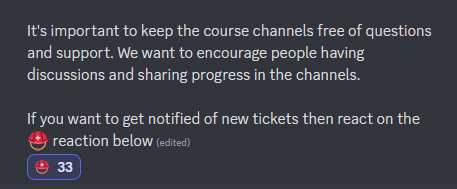
I'd like our ticket helpers to be notified when new tickets are created. How can I add this?
humble sequoiaBOT
Solved in another channel.
 humble sequoiaBOT
The Drop-down menu or Select Menu replaces the buttons on your panel message and uses a drop-down menu with all of your panels. To set this up, go to your Panel Configs and select your main Panel.
<:Numbericons1:1018864164032225340> Enable Select Style
First you enable Select Style. Then you add an item in the Dropdown Editor. Now you can start editing your dropdown!
<:Numbericons2:1018864168041971712> Dropdown Editor
Each line in the dropdown editor represents a line in the drop down menu on discord. You can add more "Items", by clicking on
First you select a panel. That's the panel this option will open a ticket for. DONT select the same panel twice. Each option should have a different Panel
After that, you can put a Display. This is the title of this option and will appear in the drop down menu. The *Description can be set right after that, which will be below the title in grey.
Additionally you can select an emoji, that will be shown in front of each option. You can either manually input the ID of an emoji or select it in the selector.
Common Issues ⚠️
- Panel doesn't send? Make sure you have a valid emoji selected
- Option doesn't show up? Check if two options have the same panel in the DropDown Editor
$dropdown
jade topaz
How to make html image visible?
rose mist
jade topaz
How to make html image visible?
You mean an image on a website? Copy the image's link then place it in the embed editor's image link field.
jade topaz
rose mist
You mean an image on a website? Copy the image's link then place it in the embed...
ye
rose mist
jade topaz
ye
 jade topaz
thx
rose mist
jade topaz
How can I find out who deleted deleted tickets?
ticket logs
and you have to have the deleted turned on
jade topaz
how will I do
jade topaz
How I can set-up Drop-down menu Select Menu
 scarlet birch
Hi erveryone, is it possible to let the bot create tickets as forum posts?
 void nexus
PLEASE
can somebody tell me how to make a multi option dropdown panel, I try and try but only this shows
 humble sequoiaBOT
The Drop-down menu or Select Menu replaces the buttons on your panel message and uses a drop-down menu with all of your panels. To set this up, go to your Panel Configs and select your main Panel.
<:Numbericons1:1018864164032225340> Enable Select Style
First you enable Select Style. Then you add an item in the Dropdown Editor. Now you can start editing your dropdown!
<:Numbericons2:1018864168041971712> Dropdown Editor
Each line in the dropdown editor represents a line in the drop down menu on discord. You can add more "Items", by clicking on
First you select a panel. That's the panel this option will open a ticket for. DONT select the same panel twice. Each option should have a different Panel
After that, you can put a Display. This is the title of this option and will appear in the drop down menu. The *Description can be set right after that, which will be below the title in grey.
Additionally you can select an emoji, that will be shown in front of each option. You can either manually input the ID of an emoji or select it in the selector.
Common Issues ⚠️
- Panel doesn't send? Make sure you have a valid emoji selected
- Option doesn't show up? Check if two options have the same panel in the DropDown Editor
$dropdown
 topaz perch
It won't let me use the admin command
rustic gale
void nexus
PLEASE
can somebody tell me how to make a multi option dropdown panel, I try and...
You see how on every dropdown item there's a space to select a panel?
rustic gale
jade topaz
how will I do
Unfortunately it doesn't work retroactively.
rustic gale
topaz perch
It won't let me use the admin command
What do you mean by the admin command
Ticket Tool doesn't have a command called admin.
topaz perch
rustic gale
What do you mean by _the admin command_
This
 rustic gale
Bot is probably missing permissions in that channel.
Make sure it has View Channel and Send Messages at least @topaz perch
Then use /debug for the rest of the permissions
 topaz perch
I did, I couldn't find anything to help me
rustic gale
topaz perch
I did, I couldn't find anything to help me
What are you trying to do, anyway?

 topaz perch
rustic gale
What are you trying to do, anyway?
topaz perch
rustic gale
What are you trying to do, anyway?
I want to know what the command does
rustic gale
topaz perch
I want to know what the command does
Best to look at the bot's documentation
Ticketing without Clutter
rustic gale
 silk raft
how i can make the ticket like this
silk raft
how i can make the ticket like this
This is a dropdown menu:
humble sequoiaBOT
The Drop-down menu or Select Menu replaces the buttons on your panel message and uses a drop-down menu with all of your panels. To set this up, go to your Panel Configs and select your main Panel.
<:Numbericons1:1018864164032225340> Enable Select Style
First you enable Select Style. Then you add an item in the Dropdown Editor. Now you can start editing your dropdown!
<:Numbericons2:1018864168041971712> Dropdown Editor
Each line in the dropdown editor represents a line in the drop down menu on discord. You can add more "Items", by clicking on
First you select a panel. That's the panel this option will open a ticket for. DONT select the same panel twice. Each option should have a different Panel
After that, you can put a Display. This is the title of this option and will appear in the drop down menu. The *Description can be set right after that, which will be below the title in grey.
Additionally you can select an emoji, that will be shown in front of each option. You can either manually input the ID of an emoji or select it in the selector.
Common Issues ⚠️
- Panel doesn't send? Make sure you have a valid emoji selected
- Option doesn't show up? Check if two options have the same panel in the DropDown Editor
$dropdown
humble sequoiaBOT
A Discord Form lets the user answer individual questions in a pop-up Form, which then displays the answers in the ticket message. This can save time if you already know what you want to ask the user.
Setup Forms
Forms can be enabled under Panel Settings > Form Options > Edit Forms Options. In the new pop-up window, you can now enable and edit your own Form.
Form Options
You can add up to 5 questions in the Discord form. This is a Discord limitation. Each question can have a placeholder in the input field, a minimum and maximum input, multi-line, and also the option to have the answer required.
Options
Question Title ➞ Your Question goes here
Question Placeholder ➞ The placeholder text in the input field
Required ➞ If enabled, the user has to answer this question, to submit the form
Multi-Line Input ➞Allows the user to input multiple lines
Minimum and Maximum Input ➞ Set a minimum and maximum input value for the user
Displaying the Answer
To display the answers from the user, you need to go into your Panel Settings > Ticket Options > Edit Ticket Message. In there you use the variable {create.form.x} and just replace x with the number of your question. For example, the response to Question 1 can be displayed with {create.form.1}. If you don't use this variable, the response from the user is lost.
 rustic gale
What do you see exactly?
jade topaz
Am I able to find transcripts of a deleted ticket if I need them and nobody saved the link if so how?
 elder compass
Hello, is it possible to add discord.js in a panel? Indeed, I would like that when creating a ticket, the bot put directly the id of the member who opened it in the channel description. Do you think it is possible to do this?
rustic gale
Okay. Open your web browser and access the following link:
humble sequoiaBOT
Ticket Tool - Ticketing without clutter - The #1 discord Ticketing bot
rustic gale
jade topaz
Am I able to find transcripts of a deleted ticket if I need them and nobody save...
Saved the link?
Where did the transcript message get sent?
jade topaz
rustic gale
Saved the link?
Within the ticket
rustic gale
elder compass
Hello, is it possible to add discord.js in a panel? Indeed, I would like that wh...
Hello, is it possible to add discord.js in a panel?
That sounds difficult. What do you mean by “add discord.js”?
I would like that when creating a ticket, the bot put directly the id of the member who opened it in the channel description.
This is very easy. Include the variable {ticket.user.id} in the ticket message.
rustic gale
jade topaz
Within the ticket
And it's deleted now?
jade topaz
rustic gale
And it's deleted now?
Yes
rustic gale
Then it's gone.
jade topaz
Damn
rustic gale
Transcripting a ticket safely means transcripting it to a transcript channel
Setting up a transcript channel is strongly recommended to avoid loss of information.
jade topaz
I will do this, thanks for the help.
elder compass
rustic gale
> Hello, is it possible to add discord.js in a panel?
That sounds difficult. Wha...
That sounds difficult. What do you mean by “add discord.js”?
What I mean is to enter code in discord.js in the bot
This is very easy. Include the variable {ticket.user.id} in the ticket message.
Yes, but is it possible to put it in the channel description?
rustic gale
Enter code in the bot? No such thing
Yes, but is it possible to put it in the channel description?
Sorry, i must have misunderstood. Ticket Tool is not able to manage the channel topic sadly.
You could add the suggestion using the s!suggest command in #🤖│bot-spam
elder compass
Okay, thanks anyway! Have a nice evening! 😄
iron nightBOT
Gave +1 Rep to @rustic gale
 wet hatch
Just curious, anyway to enable slow mode in tickets? Like have it to where the bot automatically enables it?
jade topaz
jade topaz
is the embed editor premium, it was free?
Idk if this changed cause it doesn’t let me edit it
scenic plinth
Check it again, it was a bug that I am told was fixed.
You may need to refresh the page to see changes.
jade topaz
scenic plinth
You may need to refresh the page to see changes.
I’ll let you know if it works
scenic plinth
wet hatch
Just curious, anyway to enable slow mode in tickets? Like have it to where the b...
Slowmode is currently not a feature that Ticket Tool configures.
solid stream
jade topaz
Idk if this changed cause it doesn’t let me edit it
It's been fixed.
It was a bug.
solid stream
I never plan to remove free things, just might add new features that are premium or make some premium things free. (But never the other way around)
jade topaz
solid stream
I never plan to remove free things, just might add new features that are premium...
Claiming is cool but i don’t have premium. Tho I’m happy with the button emojis being free
polar light
How can i get personalised support? i have made a ticket twice with no response?
 long cypress
When you purchase premium do you get it for one server or do you get it for all your servers?
covert swallow
1 server
long cypress
covert swallow
1 server
ty
iron nightBOT
Gave +1 Rep to @covert swallow
 kindred prawn


Editing Premissions not working for us.. But the Bot have "administrator access"
we have tried already to use the "sync" button on the ticket tool panel
 pale pilot
kindred prawn
pale pilot
kindred prawn
this out not working at the moment and our developer is aware.
kindred prawn
okay thanks 🙂
 craggy pasture
Hello, everytime i want to send a panel it shows me error undefined. Can you help me please?
 slender minnow
craggy pasture
Hello, everytime i want to send a panel it shows me error undefined. Can you hel...
slender minnow
craggy pasture
Hello, everytime i want to send a panel it shows me error undefined. Can you hel...
Can you try sending the command using $panel command?
craggy pasture
slender minnow
Can you try sending the command using $panel command?
is it $panel send?
slender minnow
$panel <panel-id>
without the <>
craggy pasture
slender minnow
\$panel <panel-id>
without the <>
where can i find the panel id?
rustic gale
In the selector at the top of the Panel Configs menu
craggy pasture
 rustic gale
Let's say you have
1 | Support Ticket
2 | Bug Reports
3 | Billing
Those are panels 1, 2 and 3. Those are the IDs
craggy pasture
Oh ok
craggy pasture
rustic gale
Let's say you have
1 | Support Ticket
2 | Bug Reports
3 | Billing
Ummmm....
 slender minnow
@craggy pasture you might have activated the premium bot
craggy pasture
slender minnow
<@521765344143081484> you might have activated the premium bot
Yes, the free trial
How can i activate it?
humble sequoiaBOT
The first thing you will need to do is invite the premium bot, an invite can be found here
Once the bot is in your server we will head to the dashboard and manage your server. When you are managing your server, you want to head into "Server Configs" then click the drop down menu under "Select the bot you would like to use on this server" then click "Ticket Tool#6207" and then save.
slender minnow
@craggy pasture make sure you have selected the right bot and are using it to run commands ^
craggy pasture
slender minnow
<@521765344143081484> make sure you have selected the right bot and are using it...
I was using the classic one, i invited the premium one now
I will try if it works, thanks! 🙂
thanks @slender minnow
iron nightBOT
Gave +1 Rep to @slender minnow
craggy pasture
thanks @rustic gale
rustic gale
@craggy pasture Unless you're going to use premium for a long time, it's not recommended that you use the premium bot
That is because at the end of the trial it will go inactive, and all of its panels and buttons along with it, until and unless you get another source of premium
craggy pasture
rustic gale
<@521765344143081484> Unless you're going to use premium for a long time, it's n...
I want to try because i saw that you can make 5 different ticked categories from 1 message so i will probably extend it
rustic gale
craggy pasture
I want to try because i saw that you can make 5 different ticked categories from...
Premium is not necessary for that though
Premium has many great features, but multipanels is not one of them
craggy pasture
rustic gale
Premium is not necessary for that though
Oh...
 pseudo glenBOT
For a more convenient use of multipanels, you can now combine panels on the dashboard. This will allow you to directly send the multipanel from the dashboard or via the $panel ID command.
Where can I find this?
You can find this setting on the Dashboard -> Panel Configs -> Settings -> Panel
Note: if you're attaching all the panels to a panel called English, don't include English in the attached panel's box (If you do this, it will create a duplicate)
This will put all buttons from all of your panels on one message. The message is the panel message from the panel you're combining these panels in.
rustic gale
That's $mp2
humble sequoiaBOT
For a more convenient use of multipanels, you can now combine panels on the dashboard. This will allow you to directly send the multipanel from the dashboard or via the $panel ID command.
Where can I find this?
You can find this setting on the Dashboard -> Panel Configs -> Settings -> Panel
Note: if you're attaching all the panels to a panel called English, don't include English in the attached panel's box (If you do this, it will create a duplicate)
This will put all buttons from all of your panels on one message. The message is the panel message from the panel you're combining these panels in.
solid stream
No wonder I couldn't find it.. lol
 dusty crypt
am i able to make a role see the tickets but not be able to write in it or do anything
like they wont be support staff just spectator
rustic gale
Yes, of course
Add them to Additional Roles and deny them the Send Messages permission
dusty crypt
because i have a moderator role, and then a trial moderator role. I don't want to trials to interfere, but watch to learn
I'll check it out
dusty crypt
rustic gale
Add them to Additional Roles and deny them the Send Messages permission
hmm.. it doesnt seem to work?


 tawdry breach
algum brasileiro
 blissful seal
How can i add a role to have access to the ticket?
 bright pebble
I can add and save a second storage category, but every time I refresh it's gone. Is this intentional?
 polar python
help me pleas
 rustic gale
blissful seal
How can i add a role to have access to the ticket?
rustic gale
blissful seal
How can i add a role to have access to the ticket?
It depends on what exactly you want them to have access to
Like a single ticket? Or all tickets?
Single ticket -> Use the /add command
All tickets -> Make it a support team role
humble sequoiaBOT
1. Go into your Dashboard
2. Open your Panel Configs tab
3. Select the panel you want to grant access to
4. Open the General options menu
5. Select your Support Team Roles
6. Save changes
 rustic gale
bright pebble
I can add and save a second storage category, but every time I refresh it's gone...
rustic gale
bright pebble
I can add and save a second storage category, but every time I refresh it's gone...
That's odd. Consider reporting it as a bug #1020426768450080899
rustic gale
polar python
help me pleas
Invalid emoji. This typically happens when you write text into the Button Emoji field
Button Emoji is for an emoji only. Button text goes in the Button Text field that's located below
 autumn oriole
lol
rustic gale
What the hell. Don't ping staff
 rain echo
I want to make poison in a place to make tects. Click here, how can I do it. I didn't know.
 rustic gale
Check out the Setup Guide in #📂│information
 vapid slate
I feel like I might have messed with a setting on accident and I'm looking fir support in it...
Anytime a ticket is opened it makes the ticket name the person who opened it (what it's supposed to do)
But if we close the ticket or interact with the ticket in anyway it changes the ticket name to us.
rustic gale
vapid slate
I feel like I might have messed with a setting on accident and I'm looking fir s...
Probably because you used {user.name}
Use {ticket.user.name} instead
vapid slate
Is that in panel or general settings?
rustic gale
Panel Configs -> Ticket
vapid slate
Perfect. I'll give it a shot in just a few and let you know. Thank you
 worthy zenith
is it possible to change the language?
 amber raft
I need help
bright pebble
rustic gale
That's odd. Consider reporting it as a bug <#1020426768450080899>
Consider it considered, thanks for the response
iron nightBOT
Gave +1 Rep to @rustic gale
 main hazel
Can you somewhere disable a panel temporarly?
jade topaz
wym
 smoky shoal
main hazel
Can you somewhere disable a panel temporarly?
smoky shoal
main hazel
Can you somewhere disable a panel temporarly?
Disable the buttons
smoky shoal
Or put AFK message
main hazel
we had 3 panels, but there are only 2 buttons and nothing was disabled
And how did he do 2 panels on one message? When I click on the message option at the dashboard the 2 panels show different messages
 steel burrow
The dashboard won't let me edit the custom command's message content
rustic gale
worthy zenith
is it possible to change the language?
Change the language of what?
rustic gale
main hazel
Can you somewhere disable a panel temporarly?
What do you mean by disable a panel?
I see you're getting help in #premium-support
rustic gale
steel burrow
The dashboard won't let me edit the custom command's message content
Consider making a ticket for this. #🎫│make-a-ticket
main hazel
rustic gale
What do you mean by _disable a panel_?
Yeah I just deleted the panel anyway now haha
 proven void
Thanks. This was fucking annoying
 zealous whale
Hey guys! How can I setup auto-response messages like the panel in #📂│information ?
rustic gale
zealous whale
Hey guys! How can I setup auto-response messages like the panel in <#50923900548...
That's a different bot. It's a custom instance of @obtuse kraken
solid stream
Did ya get this figured out?
This is due to discords new feature


if you don't follow the category new channels are automatically hidden to you.
and will show up in your suggested category if you're pinged in them.
 hollow fossil
why would i not have a "Tags" menu when managing the server, is that an owner only role?
solid stream
hollow fossil
why would i not have a "Tags" menu when managing the server, is that an owner on...
hmm?
Can I get a little more detail
I upgraded tags today to be Custom Commands
hollow fossil
 solid stream
 hollow fossil
i thought there was supposed to be a Tags button there
solid stream
it's a whole new & faster way to edit them.
hollow fossil
okay i'll poke around
worthy zenith
rustic gale
Change the language of what?
Language of the dashboard
rustic gale
worthy zenith
Language of the dashboard
You would have to find some kind of translator plugin for your browser.
 ebon lance
rustic gale
ebon lance
rustic gale
 elder yew
or its my dumb wifi
elder yew
or its my dumb wifi
Not likely
rustic gale
elder yew
my interactions keep getting failed.. is there outage again
There's many possible reasons
Try using the /debug command

 west drum
Anyone wanna help??
humble sequoiaBOT
We would love to help you, but if you don't tell us what you need help with we can't help you :(
rose mist
humble sequoia
lol
 pure crown
is there a way to see my closed ticked on a server where i am just a member
rose mist
pure crown
is there a way to see my closed ticked on a server where i am just a member
Unless the admins allow you to see it, then no.
Double check as well if transcripts are set to be sent when tickets are closed, TT might have DMed you. Otherwise, it's on the admin.
 jovial mason
 humble sequoiaBOT
The Drop-down menu or Select Menu replaces the buttons on your panel message and uses a drop-down menu with all of your panels. To set this up, go to your Panel Configs and select your main Panel.
<:Numbericons1:1018864164032225340> Enable Select Style
First you enable Select Style. Then you add an item in the Dropdown Editor. Now you can start editing your dropdown!
<:Numbericons2:1018864168041971712> Dropdown Editor
Each line in the dropdown editor represents a line in the drop down menu on discord. You can add more "Items", by clicking on
First you select a panel. That's the panel this option will open a ticket for. DONT select the same panel twice. Each option should have a different Panel
After that, you can put a Display. This is the title of this option and will appear in the drop down menu. The *Description can be set right after that, which will be below the title in grey.
Additionally you can select an emoji, that will be shown in front of each option. You can either manually input the ID of an emoji or select it in the selector.
Common Issues ⚠️
- Panel doesn't send? Make sure you have a valid emoji selected
- Option doesn't show up? Check if two options have the same panel in the DropDown Editor
$dropdown
 gloomy notch
Warning: Ticket limit reached, You already have 0 tickets across all panels of the global limit set for this server
someone help pls
slender minnow
gloomy notch
Warning: Ticket limit reached, You already have 0 tickets across all panels of t...
Max ticket limit reached set by server staff
gloomy notch
slender minnow
Max ticket limit reached set by server staff
not this my server
and nobody cant make ticket
македонец си ти
slender minnow
gloomy notch
not this my server
Go to server config and change the server ticket limit
 plush mason
It’s probably been asked a thousand times.. but is there a way to get like a button saying “close with a reason” so they can leave a reason for closing the ticket?
 lean sapphire
greetings. Bot doesn't responding to any command.
 rustic gale
lean sapphire
greetings. Bot doesn't responding to any command.
rustic gale
lean sapphire
greetings. Bot doesn't responding to any command.
Bot is missing the View Channel permission in that channel.
lean sapphire
rustic gale
Bot is missing the **View Channel** permission in that channel.
tysm
rustic gale
Make sure the timezone is set correctly and the times are set correctly.
Note that each column corresponds to one hour of time.
9 means 9:00:00 through 9:59:59
topaz perch
Help, I need to know how to get multiple buttons
 cyan grove
use the add cooldown feature
 feral night
rustic gale
topaz perch
Help, I need to know how to get multiple buttons
feral night
rustic gale
topaz perch
Help, I need to know how to get multiple buttons
Panel Configs -> Panel -> Attached Panels
humble sequoiaBOT
For a more convenient use of multipanels, you can now combine panels on the dashboard. This will allow you to directly send the multipanel from the dashboard or via the $panel ID command.
Where can I find this?
You can find this setting on the Dashboard -> Panel Configs -> Settings -> Panel
Note: if you're attaching all the panels to a panel called English, don't include English in the attached panel's box (If you do this, it will create a duplicate)
This will put all buttons from all of your panels on one message. The message is the panel message from the panel you're combining these panels in.
 grizzled scarab
Is it possible when a user clicks a button it gives a prompt and that "message" just sends an embed in a private channel?
solid stream
grizzled scarab
Is it possible when a user clicks a button it gives a prompt and that "message" ...
Not at the moment, something like that is sorta being worked on, the exact functionality is still unknown.
iron nightBOT
Gave +1 Rep to @solid stream
 broken apex
how to allow people to send screenshot ? plz
 mystic ginkgo
Anyone know how to retrieve a CRAZYTV password
 languid pasture
broken apex
how to allow people to send screenshot ? plz
languid pasture
broken apex
how to allow people to send screenshot ? plz
go into channel perms or default perms for tickets and set Allow Embeds to true
broken apex
languid pasture
go into channel perms or default perms for tickets and set Allow Embeds to true
how to make ticket as thread ? please
languid pasture
You want to set tickets to open as threads in a forums-type channel?
broken apex
languid pasture
go into channel perms or default perms for tickets and set Allow Embeds to true
what section ? plz
 languid pasture
Permissions > Everyone Role or Ticket Owner > Attach Files/Embed Links > True
broken apex
languid pasture
Permissions > Everyone Role or Ticket Owner > Attach Files/Embed Links > True
from the website?
languid pasture
I recommend both in case they try to use links to images
languid pasture
Send a panel to a channel to have tickets be allowed
Unless you are asking how to have tickets created be threads in a forum-type channel
broken apex
tickets created be threads in a forum-type channel yes
languid pasture
Not possible
Lukas says possible to make it thread in a normal channel but not in forum type channel
broken apex
languid pasture
Not possible
like this
 languid pasture
Yes that's possible
broken apex
how
broken apex
already activated
languid pasture
Then try opening a ticket
broken apex
it open on old
languid pasture
Send a new panel
Delete old panel and send new panel and ensure you meet these prerequisites
- Boost level 2 required
- Make sure Ticket Tool has permission "Create Private Threads"
- Make sure Ticket Tool has permission "Send Messages in Threads"
- Make sure Ticket Tool has permission "Manage Threads"
Fixed now? @broken apex
iron nightBOT
Gave +1 Rep to @languid pasture
languid pasture
👍
 bronze patio
Hello, i have a Problem i cant open Tickets on my Handy on every Discord. On my PC its work
 bronze patio
No i dient see it
languid pasture
Is your discord updated
bronze patio
Yes
languid pasture
Can you send a pic of discord build version
 languid pasture
Pretty sure your discord is on a build that hasn't implemented buttons
 bronze patio
solid stream
Do you see buttons here <#571706435449257997>
bronze patio
solid stream
Do you see buttons here <#571706435449257997>
No
languid pasture
Yeah too old of a discord build then
If you can't update your discord app then I believe your device's android version is deprecated although correct me if I;'m wrong @solid stream
 coral cobalt
ayo can someone help me out real quick
languid pasture
coral cobalt
ayo can someone help me out real quick
Wassup
solid stream
languid pasture
If you can't update your discord app then I believe your device's android versio...
Possibly, I would think you would just delete the app and add it again.
if you can't update.
languid pasture
solid stream
Possibly, I would think you would just delete the app and add it again.
if you c...
That would probably work too if the OS version isn't too old for newer builds of discord
bronze patio
I've done it already
languid pasture
But if the OS rev is just deprecated isn't supported by newer versions of the discord app pushed to play store there's no way to fix it
solid stream
Then your device might not support a new enough version of discord.
languid pasture
Update your android version then try again @bronze patio
If that doesn't work then your phone is too old sorry mate
coral cobalt
@languid pasturei sent a dm
languid pasture
coral cobalt
<@149899170818293760>i sent a dm
I don't help via dms
coral cobalt
languid pasture
I don't help via dms
alr well iu can figure out how or what any of the setting does
languid pasture
And needing help with
setting up the ticket bot
is a bit too vague
solid stream
bronze patio
I've done it already
At this point you should contact Discord support as this is outside of what we can fix.
coral cobalt
nothing makes sense to me
languid pasture
What do you want to accomplish
And are there any specific ways you want to accomplish it
Play around with the settings and if you can't figure it out come back
coral cobalt
just creating a ticket
languid pasture
Create a panel Configure the settings of the panel then send the panel somewhere
coral cobalt
this isnt helping
solid stream
If you ran the /setup command and created a panel it should have sent the message to a channel.
coral cobalt
i already did
languid pasture
Did you send the panel and did you give the bot permissions to do things
coral cobalt
think so
humble sequoiaBOT
Demo Panel
To create a ticket react with 📩
 TicketTool.xyz - Ticketing without clutter
solid stream
TicketTool.xyz - Ticketing without clutter
solid stream
More like this.
languid pasture
nice dropdowns lol
solid stream
Thanks 🙂
coral cobalt
that didnt help
solid stream
Then you click the button and a "ticket" channel is created.
 languid pasture
coral cobalt
that didnt help
languid pasture
coral cobalt
that didnt help
Can you show us what you see
And what your exact problem is, as specific as you can be
humble sequoiaBOT
First you will want to invite the bot to your server. Once the bot is in your server, you can manage your server in the dashboard.

To create a panel we are going to need to head over to the Panel Configs Tab on the Dashboard.
Once at the dashboard we will need to click Create Panel.
Enter a panel name (Fill in any optional settings you want).
Click Create Panel and you are ready to get started with configuring your panel.
An example of a creating a panel is shown below.

Once the panel has been created, use the blue Send button and select the channel you want the panel to be sent to.
The Panel wasn't send
Use the </debug:ID> command to diagnose possible permission issues with the bot.
 languid pasture
oh crap nice infographics
coral cobalt
 languid pasture
Okay and did you press on Create a Panel
coral cobalt
bro i already did
languid pasture
What do you see when you click on edit/manage panels
solid stream
languid pasture
Okay and did you press on Create a Panel
Actually, the only way they would see that screen is if they created a panel.
languid pasture
solid stream
Actually, the only way they would see that screen is if they created a panel.
Because of the manage panels button?
solid stream
coral cobalt
bro i already did
If your panel didn't sent last time go into Edit * Manage
$setup
humble sequoiaBOT
solid stream
$setup
Send the panel into a channel
The ticket creation panel is what the community will use to create tickets.
Use the dropdown to select the channel to send the panel into.
Not seeing your channel? try searching for it inside the dropdown
languid pasture
I think you can also send it right on the dashboard

 languid pasture
Darn Josiah what are you using to edit those captures
solid stream
select a panel and you're done.
 solid stream
languid pasture
Darn Josiah what are you using to edit those captures
solid stream
languid pasture
Darn Josiah what are you using to edit those captures
ShareX
languid pasture
oop I guess I should make the move from gyazo sometime soon then
coral cobalt
litteraly none of this is helping
solid stream
 languid pasture
Pretty
solid stream
coral cobalt
litteraly none of this is helping
Dude.. I've given you images and step by step with what to do..
languid pasture
coral cobalt
litteraly none of this is helping
Can you take screenshots of what has you stuck lol
solid stream
I'm not sure what else you want from us outside of a full video tutorial.
languid pasture
And then explain what you've tried and what isn't working
coral cobalt
solid stream
Dude.. I've given you images and step by step with what to do..
is there anyway i can screenshare
languid pasture
solid stream
I'm not sure what else you want from us outside of a full video tutorial.
Some people want you to fly out and do it for them in-person
solid stream
coral cobalt
is there anyway i can screenshare
Umm, we should have a voice channel around here.
languid pasture
#684875163535409401 exists
solid stream
That looks like it.
languid pasture
But not sure if that's for support members or for supporting members since we're locked out of it
solid stream
languid pasture
But not sure if that's for support members or for support*ing* members since we'...
oh..
coral cobalt
 languid pasture
How do I get external emote permissions
languid pasture
coral cobalt
Why are you trying to use /add
jade topaz
coral cobalt
What is this? Panel Editor?
languid pasture
/add is for adding members into a preexisting ticket
coral cobalt
ok ive tried /setup
languid pasture
/open is for opening a closed ticket
solid stream
languid pasture
But not sure if that's for support members or for support*ing* members since we'...
#1070106933115240448 created a new one
can you join that?
perfect
jade topaz
Oh its for editing the dropdowns lol..
Thought TicketTool added the option to make custom dropdowns that display ephemerals etc
solid stream
I'm going to combine the action and config menus.
languid pasture
Well that was anticlimactic lol
languid pasture
solid stream
I'm going to combine the action and config menus.
Sounds good lol
 languid pasture
nice nice
 bronze pelican
Como hago para que al cerrar ticket se le envie un mensaje por privado en forma de embed?
asi

 open jackal
how do you ping a role in the embed of a newly created ticket?
robust sandalBOT
bronze pelican
Como hago para que al cerrar ticket se le envie un mensaje por privado en forma ...
How do I do so that when closing the ticket a private message is sent in the form of an embed?
Spanish (es) → English (en)
languid pasture
open jackal
how do you ping a role in the embed of a newly created ticket?
Edit the automatic message sent in a new ticket to include a role ping
open jackal
what is the variable
languid pasture
<@&roleid> pretty sure no special variable
iron nightBOT
Gave +1 Rep to @languid pasture
languid pasture
bronze pelican
Como hago para que al cerrar ticket se le envie un mensaje por privado en forma ...
Panel settings > Automation > Send Direct Message when Ticket Closed
robust sandalBOT
languid pasture
Panel settings > Automation > Send Direct Message when Ticket Closed
Configuración del panel > Automatización > Enviar mensaje directo cuando se cierra el ticket
English (en) → Spanish (es)
bronze pelican
languid pasture
Panel settings > Automation > Send Direct Message when Ticket Closed
ty
iron nightBOT
Gave +1 Rep to @languid pasture
jade topaz
Where can I find the full list of what I can do with the {} comments?
i.e {user.mention}
languid pasture
One moment @jade topaz
Description of the variables you can use across your ticket system
Does that help
humble sequoiaBOT
- Note: Remove the ! from all of the variables for proper work
{!server.name} ➞ Name of the server
{!server.id} ➞ ID of the Server
{!server.icon} ➞ Direct URL to the Server's Icon
{!server.banner} ➞ Direct URL to the Server's banner, if available

{!channel} = <#channel> ➞ Channel link of the current channel
{!channel.name} ➞ Name of the current channel
{!channel.id} ➞ ID of the current channel

{!author} = <@user> ➞ Mention of the user triggering this message
{!author.name} ➞ Name of the user triggering this message
{!author.id} ➞ ID of the user triggering this message
{!author.nickname} ➞ Nickname of the user triggering this message
{!author.icon} ➞ Direct Url of the profile picture of the user triggering this message
{!author.tag} ➞ 4 digit tag (discriminator) of the user triggering this message
{!author.full} ➞ username + 4 digit discriminator of the user triggering this message```
```diff
- Note: The variables below are meant to be used within ticket messages, or tags triggered within tickets
{!panel.count} ➞ The current count number of the panel
{!panel.name} ➞ The name of the panel
{!panel.ticketLimit} ➞ The current limit of the panel

{!ticket} = <#channel> ➞ Channel mention of the ticket
{!ticket.id} ➞ Channel ID of the ticket

{!ticket.user} = <@user> ➞ User mention of the ticket user
{!ticket.user.name} ➞ Name of the ticket user
{!ticket.user.id} ➞ User ID of the ticket user
{!ticket.user.nickname} ➞ Nickname of the ticket user
{!ticket.user.icon} ➞ Direct Url of the profile picture of the ticket user
{!ticket.user.tag} ➞ Tag / Discriminator of the ticket user
{!ticket.user.full} ➞ Username + Discirimator of the ticket user```
_ _
_ _
Additional variables
Roles can be either
{@role name} or {role ID}
{create.reason}
{claim.reason}
{close.reason}
{delete.reason}
» Reasons for a given action
Transcript Variables
{!ticket_name}➞ Name of the ticket
{!panel_name}➞ Name of the panel
{!transcript_url}➞ File link of the transcript
Hide Link under blue text:
[Click me](https://tickettool.xyz)➞ Click me
Time Variable
Sends the current unix time in seconds. Optionally add or remove seconds
<t:{!time?m=+43200}:R>➞ <t:1675255375:R>
<t:{!time?m=-43200}:R>➞ <t:1675168975:R>
<t:{!time}:R>➞ <t:1675212175:R>
_ _
<t:1641006000>➞ <t:1641006000>
<t:1641006000:f>➞ <t:1641006000:f>
<t:1641006000:F>➞ <t:1641006000:F>
<t:1641006000:D>➞ <t:1641006000:D>
<t:1641006000:d>➞ <t:1641006000:d>
<t:1641006000:t>➞ <t:1641006000:t>
<t:1641006000:T>➞ <t:1641006000:T>
<t:1641006000:R>➞ <t:1641006000:R>
» You can use https://hammertime.djdavid98.art/ to create custom dates/times
languid pasture
That works too thanks @lunar solar
iron nightBOT
Gave +1 Rep to @lunar solar
 eternal meteor
how do i make it so admin get automatically pinged when ticket is made
languid pasture
eternal meteor
how do i make it so admin get automatically pinged when ticket is made
In the starting message for all tickets
Add <@&AdminRoleID>
eternal meteor
thanks @languid pasture
iron nightBOT
Gave +1 Rep to @languid pasture
languid pasture
Glad you got it working
 cold coral
Hi, I am not sure why the closed tickets on our server are not getting moved to the assigned closed category
languid pasture
cold coral
Hi, I am not sure why the closed tickets on our server are not getting moved to ...
Does the bot have permissions
And if it does then recheck your configuration on dashboard for closed category
solid stream
Also there's a 50 channel limit per category
jade topaz
Hi, this is possible to make, when the ticket is close, the creator of the ticket can still see this one but not speak in the ticket ?
 slender garnet
I accidentally kicked the premium bot... is there a way for me to add em back?
cold coral
solid stream
Also there's a 50 channel limit per category
overflow category
humble sequoiaBOT
The first thing you will need to do is invite the premium bot, an invite can be found here
Once the bot is in your server we will head to the dashboard and manage your server. When you are managing your server, you want to head into "Server Configs" then click the drop down menu under "Select the bot you would like to use on this server" then click "Ticket Tool#6207" and then save.
pale pilot
@slender garnet
 grand musk
I cannot claim button
 clever ocean
how to set log
lunar solar
Let’s not ping staff and re-read the rules @ #📂│information
 obsidian canopy
is there a way to increase the ticket limit for the same panel?

 regal goblet
obsidian canopy
is there a way to increase the ticket limit for the same panel?
regal goblet
obsidian canopy
is there a way to increase the ticket limit for the same panel?
Dashboard → Panel Configs → Limits → Open Tickets each user (increase it)
 obsidian canopy
thanks so much
 manic sedge
Is there anyone who can speak Turkish to help?
 zenith bough
Is it possible to automatically close and delete the channel of the ticket and save it by pressing just one button? For free version
languid pasture
manic sedge
Is there anyone who can speak Turkish to help?
Write in turkish there is bot for translation
languid pasture
zenith bough
Is it possible to automatically close and delete the channel of the ticket and s...
No saving as transcript for free bot sorry mate
You can set a ticket limit per account not sure on cooldown
languid pasture
jade topaz
Hi, this is possible to make, when the ticket is close, the creator of the ticke...
Panel > Permissions > ticket owner closed permissions > send off, read on
jade topaz
languid pasture
Panel > Permissions > ticket owner closed permissions > send off, read on
oh ty !
iron nightBOT
Gave +1 Rep to @languid pasture
jade topaz
+1 rep @languid pasture
languid pasture
If you need more help come back and ask
jade topaz
oh i understand after sorry lmao, okok for sure
grizzled scarab
Can i reset the ticket counter to zero?
zenith bough
languid pasture
No saving as transcript for free bot sorry mate
You can save the transcript in free version. I will ask differently - is there a way to create a button that would close and delete the channel ticket at the same time? (so the person does not need to press close button and then delete button)
languid pasture
I believe there is an option to delete on close
I will have to confirm one moment
grizzled scarab
languid pasture
I believe there is an option to delete on close
Two step ticket in general
languid pasture
Yeah two step ticket is it
Untick that and untick 2 step close as well and it’ll close and delete as soon as you press the close button
zenith bough
Thank you very much ⭐
gilded verge
grizzled scarab
Can i reset the ticket counter to zero?
 languid pasture
Hey Miro
iron nightBOT
Gave +1 Rep to @gilded verge
gilded verge
languid pasture
Hey Miro
Hey, you need my help? ^^
 atomic trail
How do I make it so that only the person who created the ticket can view it because right now If someone create a ticket everyone can view it
languid pasture
atomic trail
How do I make it so that only the person who created the ticket can view it beca...
Ticket perms > everyone perms open/closed > read off
..
Ticket Owner Perms open > read on, ticket owner perms closed > whatever fits your needs
Try again after see if that works
clever ocean
how to set log
gilded verge
where you see the  emoji, the server must have premium
 gilded verge
clever ocean
how to set log
gilded verge
clever ocean
how to set log
I don't know what logs you mean so please check Panel Configs->Transcript or Panel Configs->Logging
languid pasture
Yeah don’t ping staff but no need to delete the message
 worldly oxide
is there any way that can increase ticket limit not for each person
languid pasture
What do you mean
Can you explain what you mean by Increasing the Ticket Limit but not per person tickets
There is no ticket limit other than Discord’s category cap of 50 channels and you can set up overflow categories
worldly oxide
languid pasture
There is no ticket limit other than Discord’s category cap of 50 channels and yo...
oh sorry I didn't know about that thank you
iron nightBOT
Gave +1 Rep to @languid pasture
languid pasture
👍
 sharp elbow
{author.icon} variable does not work for me :(
 hasty prawn
 opal schooner
you can also mark roles?
 fallow ingot
What do you mean?
opal schooner
when I open a ticket that a role is pinged
fallow ingot
Okay, that’s possible. Have you tried to set it up but are experiencing issues?
humble sequoiaBOT
Within all the messages the bot sends (both embeds and text) you can mention either channels, roles, or even users, these mentions will only send a notification to the user if they are used within a text field, e.g: a role mentioned in an embed won't ping at all the users who have that role.
For mentioning a role you can use one out of three options:
{@Role Name} ➞ Which is Case Sensitive.
{RoleID} ➞ Replace RoleId with the Id of the role you are trying to ping.
<@&RoleID> ➞ Discord's native syntax to ping roles.
<#ChannelID> ➞ Mention a channel by its ID.
<@UserID> ➞ Mention a user by its ID.
opal schooner
ah thank you very much
jade topaz
Why doesn't $rename work in a request ticket?
languid pasture
jade topaz
Why doesn't $rename work in a request ticket?
Does the bot have edit channel name permissions
 violet jay
Is there a way to transfer the premium subscription to a different server you're in if you bought the subscription on discord without canceling it?
gilded verge
violet jay
Is there a way to transfer the premium subscription to a different server you're...
if you bought it through Discord, as far as I know, now there is no way to transfer subscriptions between servers, but you can try to write to them and ask if they could do it for you ^^
violet jay
ty for the info
 ruby stone
I have a person on my server who can‘t see the „button“ to open a ticket. They are using a samsung galaxy a7. Anyone know how to fix that?
lunar solar
ruby stone
I have a person on my server who can‘t see the „button“ to open a ticket. They a...
They need to update their Discord client
ruby stone
Apparently it is up to date, so they say
lunar solar
Well not being able to see buttons is a direct result of the app being out of date
 subtle iron
How can I make the buttons just like this?
 humble sequoiaBOT
For more convenient use of multipanels, you can now combine panels on the dashboard. This will allow you to directly send the multipanel from the dashboard or via the $panel ID command.
Where can I find this?
You can find this setting on the Dashboard -> Panel Configs -> Settings -> Panel
Note: if you're attaching all the panels to a panel called English, don't include English in the attached panel's box (If you do this, it will create a duplicate)
This will put all buttons from all of your panels on one message. The message is the panel message from the panel you're combining these panels in.
languid pasture
ruby stone
Apparently it is up to date, so they say
Then unfortunately their androidOS is too old to support a newer version of discord
Ask them to update their OS version first and then try updating Discord again and if that doesn't work their phone is deprecated as far as discord is concerned
 faint saddle
!claim
languid pasture
faint saddle
!claim
Wassup?
 whole valley
lt
faint saddle
@languid pasture hace rato compre un locked name en gota.io y ya eh echo todos los paso y nada que me mandan el token
robust sandalBOT
faint saddle
<@149899170818293760> hace rato compre un locked name en gota.io y ya eh echo to...
@languid pasture a while ago I bought a locked name in gota.io and eh echo all the steps and nothing they send me the token
Spanish (es) → English (en)
languid pasture
faint saddle
<@149899170818293760> hace rato compre un locked name en gota.io y ya eh echo to...
Not going to be an issue we can help with. Contact merchant
robust sandalBOT
scenic plinth
No va a ser un problema con el que podamos ayudar.
It's not going to be a problem we can help with.
Spanish (es) → English (en)
 heady geyser
Are we allowed to turn an existing message into a panel?
rustic gale
heady geyser
Are we allowed to turn an existing message into a panel?
If it's by Ticket Tool, yes
Well. Perhaps more accurately, you can transform any message by Ticket Tool into one of your panel messages
But you can't simply add buttons to an existing message.
 heady imp

 rustic gale
heady imp
rustic gale
heady imp
Invalid emoji
This is usually because you wrote text in the Button Emoji field
instead of (or besides) a plain emoji or an emoji code
heady imp
rustic gale
instead of (or besides) a plain emoji or an emoji code
Oh,, Let me check it
heady imp
rustic gale
This is usually because you wrote text in the Button Emoji field
Thank you, It works!
iron nightBOT
Gave +1 Rep to @rustic gale


 humble sequoiaBOT

⚠️ You're in the wrong place
We provide support for Ticket Tool Discord bot and cannot help you with whatever issue you have.
- We don't know which Support Team you should contact to get this issue resolved, and unfortunately we won't be able to accurately tell you.
If you don't have any further questions regarding our bot Ticket Tool, please close this ticket
jade topaz
 graceful eagle
I can't claim boat caller device lv1, even though I have invited 10
graceful eagle
I can't claim boat caller device lv1, even though I have invited 10
bro WHAT 💀
graceful eagle
jade topaz
bro WHAT 💀
why?
jade topaz
this is support for the ticket tool bot not whatever tf u talm bout 😭