#miside-mods-discussion
1 messages · Page 30 of 1
 wintry lynx
hah
reverse engineering talk is allowed in this channel
so mentioning cpp2il is legal
 sand flume
wintry lynx
hah
sand flume
wintry lynx
hah
now what missed in the main folder
 old quail
wintry lynx
reverse engineering talk is allowed in this channel
old quail
wintry lynx
reverse engineering talk is allowed in this channel
well, I mean, modding the game = reverse engineering
kek
anything that prevents modding will also harm reverse engineering
sand flume
melon loader works wtf
 sand flume
can i use bepinex mods with melon loader
wintry lynx
there is a compatibility mod for melonloader but i doubt it will work
sand flume
wintry lynx
there is a compatibility mod for melonloader but i doubt it will work
i know whats the issue is th latest game version isnt compatible with beepinex
i downgraded miside now and see the bepinx whatever works fine
sand flume
 wintry lynx
sand flume
wintry lynx
sand flume
well, now you can install soside
sand flume
the latest version of the game not longer supports beepinx
please fix that as soon as possible
wintry lynx
uh odd
sand flume
the problem is not with the beepinx modloader but with the game :/
try it and u see that it works on the older version of miside
sand flume
sand flume
now i updated the game and the bepinx works on the version 0.924

@wintry lynx whats this why works the installation only on the game version 0.9 and works after an update issueless
sand flume
thats not the bad of the modloader
now im sad thats the game not longer over steam runs
 rain breach
wintry lynx
bepinex is unreliable on my experience
rain breach
wintry lynx
bepinex is unreliable on my experience
No it isn't
it's works for me all the time
wintry lynx
if it works all the time for you it doesnt mean it works all the time for everyone
i had serious troubles that made me switch to melonloader
source: i make mods
sand flume
[Warning:Il2CppInterop] Method Void PlayFullscreenVideo(System.Action) on type Plugin has unsupported parameter System.Action onVideoEnd of type System.Action
[Info   :Il2CppInterop] Registered mono type Plugin in il2cpp domain
[Info   :   BepInEx] Loading [Universal Asset Loader 1.1.0]
[Error  :   BepInEx] Error loading [Universal Asset Loader 1.1.0]: System.ArgumentException: Plugin does not have a corresponding IL2CPP class pointer
   at Il2CppInterop.Runtime.Il2CppType.TypeFromPointerInternal(IntPtr classPointer, String typeName, Boolean throwOnFailure) in /home/runner/work/Il2CppInterop/Il2CppInterop/Il2CppInterop.Runtime/Il2CppType.cs:line 19
   at Il2CppInterop.Runtime.Il2CppType.From(Type type, Boolean throwOnFailure) in /home/runner/work/Il2CppInterop/Il2CppInterop/Il2CppInterop.Runtime/Il2CppType.cs:line 41
   at Il2CppInterop.Runtime.Il2CppType.From(Type type) in /home/runner/work/Il2CppInterop/Il2CppInterop/Il2CppInterop.Runtime/Il2CppType.cs:line 36
   at BepInEx.Unity.IL2CPP.Utils.Il2CppUtils.AddComponent(Type t) in /home/runner/work/BepInEx/BepInEx/Runtimes/Unity/BepInEx.Unity.IL2CPP/Utils/Il2CppUtils.cs:line 22
   at BepInEx.Unity.IL2CPP.IL2CPPChainloader.AddUnityComponent(Type t) in /home/runner/work/BepInEx/BepInEx/Runtimes/Unity/BepInEx.Unity.IL2CPP/IL2CPPChainloader.cs:line 49
   at PluginLoader.Load()
   at BepInEx.Unity.IL2CPP.IL2CPPChainloader.LoadPlugin(PluginInfo pluginInfo, Assembly pluginAssembly) in /home/runner/work/BepInEx/BepInEx/Runtimes/Unity/BepInEx.Unity.IL2CPP/IL2CPPChainloader.cs:line 134
   at BepInEx.Bootstrap.BaseChainloader`1.LoadPlugins(IList`1 plugins) in /home/runner/work/BepInEx/BepInEx/BepInEx.Core/Bootstrap/BaseChainloader.cs:line 411
[Message:   BepInEx] Chainloader startup complete
[Info   :Universal Asset Loader] Loaded audio from file: 'crab_rave'
[Error  :Il2CppInterop] Exception in IL2CPP-to-Managed trampoline, not passing it to il2cpp: Assimp.AssimpException: Error loading unmanaged library from path: assimp.dll

Der Vorgang wurde erfolgreich beendet. (0x80070000)
 ---> System.Runtime.InteropServices.COMException (0x80070000): Der Vorgang wurde erfolgreich beendet. (0x80070000)
   --- End of inner exception stack trace ---
   at Assimp.Unmanaged.UnmanagedLibrary.UnmanagedWindowsLibraryImplementation.NativeLoadLibrary(String path) in C:\Users\poiqwe\source\repos\assimpnet\AssimpNet\Unmanaged\UnmanagedLibrary.cs:line 562
   at Assimp.Unmanaged.UnmanagedLibrary.UnmanagedLibraryImplementation.LoadLibrary(String path) in C:\Users\poiqwe\source\repos\assimpnet\AssimpNet\Unmanaged\UnmanagedLibrary.cs:line 435
   at Assimp.Unmanaged.UnmanagedLibrary.LoadLibrary(String libPath) in C:\Users\poiqwe\source\repos\assimpnet\AssimpNet\Unmanaged\UnmanagedLibrary.cs:line 243
   at Assimp.Unmanaged.UnmanagedLibrary.LoadLibrary() in C:\Users\poiqwe\source\repos\assimpnet\AssimpNet\Unmanaged\UnmanagedLibrary.cs:line 211
   at Assimp.Unmanaged.UnmanagedLibrary.LoadIfNotLoaded() in C:\Users\poiqwe\source\repos\assimpnet\AssimpNet\Unmanaged\UnmanagedLibrary.cs:line 299
   at Assimp.Unmanaged.AssimpLibrary.CreatePropertyStore() in C:\Users\poiqwe\source\repos\assimpnet\AssimpNet\Unmanaged\AssimpLibrary.cs:line 372
   at Assimp.AssimpContext.CreateConfigs() in C:\Users\poiqwe\source\repos\assimpnet\AssimpNet\AssimpContext.cs:line 1089
   at Assimp.AssimpContext.PrepareImport() in C:\Users\poiqwe\source\repos\assimpnet\AssimpNet\AssimpContext.cs:line 1107
   at Assimp.AssimpContext.ImportFileFromStream(Stream stream, PostProcessSteps postProcessFlags, String formatHint) in C:\Users\poiqwe\source\repos\assimpnet\AssimpNet\AssimpContext.cs:line 216
   at AssetLoader.LoadFBX(Stream stream)
   at Plugin.LoadAssetsForPatch()
   at Plugin.Start()
   at Trampoline_VoidThisPluginStart(IntPtr , Il2CppMethodInfo* )
now get i following error
wintry lynx
sand flume
```
[Warning:Il2CppInterop] Method Void PlayFullscreenVideo(System.Action) on ty...
ok where did you get ual
 smoky olive
sand flume
```
[Warning:Il2CppInterop] Method Void PlayFullscreenVideo(System.Action) on ty...
smoky olive
sand flume
```
[Warning:Il2CppInterop] Method Void PlayFullscreenVideo(System.Action) on ty...
holy 1.1.0 is a very old version

GitHub
Mod for loading assets in a runtime for a Unity game "MiSide" - Rist8/MiSide-UniversalAssetLoader
 calm breach
So everyone is also having these issues
Nvm, I take back my word just restarting the computer and it'll be fine.
 carmine oar
How to add the main character voiceover?
 idle berry
help

 plain crescent
Oh yeah theoretically UAL can swap facial animation just by swapping the blendshape entry
plain crescent
    private static void HookTrigerEvents()
    {
        List<GameObject> TriggerGameObjects = new List<GameObject>();

        switch (currentSceneName)
        {
            case "Scene 12 - Freak":
                TriggerGameObjects.Add(GameObject.Find("World/Quest/Quest 1/Trigger EnterCutscene"));
                TriggerGameObjects.Add(GameObject.Find("World/Acts/Spiders/Trigger EnterRun"));
                break;
            case "Scene 6 - BasementFirst":
                TriggerGameObjects.Add(GameObject.Find("World/Act/ContinueScene/TriggerEnter"));
                break;
        }

        foreach (var TriggerGameObject in TriggerGameObjects)
        {
            if (TriggerGameObject != null)
            {
                TriggerGameObject.GetComponent<Trigger_Event>().eventEnter
                        .AddListener((UnityEngine.Events.UnityAction)(() =>
                        {
                            UnityEngine.Debug.Log("[INFO] Scene continuation triggered, patching new Mitas...");
                            UtilityNamespace.LateCallUtility.Handler.StartCoroutine(Plugin.FindMitaCoroutine());
                        }));
            }
        }
    }
So this one works to patch Core Room coridor in the old version cutscene
GameObject.Find("World/Acts/Spiders/Trigger EnterRun")
But it's executing the commands again right after the scene is actually changed, so the mesh is duplicated 
 smoky olive
We have globalAppliedCommands so it shouldn't
plain crescent
But it does

Prob the first basement cutscenes is also duplicating
But I'm too lazy to play the entire anomaly chapter 
plain crescent
smoky olive
We have globalAppliedCommands so it shouldn't
HookTrigerEvents();

            UnityEngine.Debug.Log($"[INFO] Scene changed to: {currentSceneName}, synch is {synch}.");
            Plugin.globalAppliedCommands.Clear();
That explains why it's duplicating
plain crescent
The globalAppliedCommands are cleared whenever the scene is changing

Since the dictionary used game objects as the key, i think we shouldn't clear the global applied command on scene change event(?)
smoky olive

 tired merlin
plain crescent
tired merlin
plain crescent
Neural interface what?
You're using neuralink or smth?

 plain crescent
sand flume
i mean this one
plain crescent
sand flume
i mean this one
Are you trying to install some mods or creating one from scratch?
sand flume
creating thats the reason why im asking
plain crescent
Well some mods don't provide addons config for whatever reason, that's why I'm asking too
Well you can just create a new txt document and rename it to addons_config in wherever folder you like
sand flume
but this had an config an i guess you need them for correct working
 sand flume
i guess not
sand flume
plain crescent
You just need the addons config
nah you need every single .txt
here an sample without this file cant you change the menu background music
 plain crescent
What? I'm quite lost
You just need addons_config to patch mita, 2D and audio assets
While assets_config is just for the main menu logo and bgm
sand flume
any text file will be needed
 plain crescent
sand flume
any text file will be needed
plain crescent
sand flume
any text file will be needed
No you're doing it wrong
Put your mita patch inside addons_config, not assets_config
assets_config
hidegame version
 hide.glowing.effect
Addons_config
replacetex Mita Hair Hair
replacemesh Mita Body MitacatMaid Body ceplacetex Mita Body BodyEixedtlands remove Mita skirt
remove Mita Sweater
create static.appendix Mita catfars Head replacetex Mita catfars catfar.Basecolor replace.mesh Mita catsars MitacatMaid cathars
create. skinned appendix Mita Maidpress Sweater
replacetex Mita Maidpress Cloth1
replace mesh Mita Maidoress MitacatMaid Maidoress
.
.
.
(My OCR program is quite buggy lmao)
But please put your addons config inside your own mod folder

 toxic vine
how do use a vrmmod file?
 thin basalt
How the outline works. It's a shader, but what kind?
wintry lynx
thin basalt
How the outline works. It's a shader, but what kind?
its a paid asset from unity store
 molten crow
Hello, can someone help me?. I'm trying to use universalassetsloader but whenever I install it, the in-game buttons are not visible until I press a key
(For example when Mita asks if you like the glasses, the options don't appear until I press Q or E they appear briefly before registering my selection)
Buttons that show what is interactable are also gone
plain crescent
molten crow
Hello, can someone help me?. I'm trying to use universalassetsloader but wheneve...
It's because you're activating the trailer mode
molten crow
plain crescent
It's because you're activating the trailer mode
Oh, I see. I did activate that not knowing what it even was.
Now I feel dumb, lol.
Thanks
plain crescent
Yea it was built in mode added by aihasto to record their trailer 
You can sprint and crouch everywhere
molten crow
🤔 Thanks for the heads up. What about Carnage2D and paintings? Do you know what do those do?
plain crescent
molten crow
🤔 Thanks for the heads up. What about Carnage2D and paintings? Do you know what...
It's just a mod example to alternate the painting in mita bedroom and kitchen, and mita2D sprite
For modders
 rugged siren
made a mod for mita but it doesnt appear in the addons
rugged siren
mod loads but is this

 cursive stream
Can someone please help me figure out how to get my vroid model onto the game as the player model? I cannot figure it out and I can't use unity because I don't have a liscense. I saw on nexus that you need the "player original assets" but I can't find that pls help idk what to do
rugged siren
 rugged siren
cursive stream
Can someone please help me figure out how to get my vroid model onto the game as...
rugged siren
cursive stream
Can someone please help me figure out how to get my vroid model onto the game as...
should work without using unity
cursive stream
How?? I exported my vroid model as vrm but when I put it into the player models folder it doesn't do anything. I tried putting the vrm into blender and exporting it but that didn't do anything either
plain crescent
rugged siren
mod loads but is this
Show your addons config
rugged siren
plain crescent
Show your addons config
idk how that fully works so please
because the other asset loader works but it doesnt work in the model viewer section
rugged siren
plain crescent
Show your addons config
how it looks in blender 4.2.3
 plain crescent
Right, this is another freaky config episode
rugged siren
i copied it from another mod
so if there's a better one or a way to automate it i would be thankful for that
plain crescent
Lets start with the Head first
replace_mesh Mita Head Ruby\Head ...(MeshName) .....
replace_tex Mita Head Ruby\Atlas_00001
replace_mesh Mita {MitaObject} {Folder}\{FbxName} {MeshName} ....
Yes but if you put devmode.txt inside the assets folder, you can just reactivate your mods without reloading the game
But it's still experimental feature
rugged siren
plain crescent
But it's still experimental feature

 rugged siren
plain crescent
There's something wrong with the weight
rugged siren
plain crescent
There's something wrong with the weight
yeah but im missing swapping sweater, pantyhose and skirt
does this work with png?
plain crescent
rugged siren
does this work with png?
Yes
rugged siren
and transparency?
 rugged siren
what if i need this mita to have the long hair?
cursive stream
Pls can someone explain to me how to get my vrm as player model without unity? 😭
plain crescent
rugged siren
what if i need this mita to have the long hair?
Use creativity to weight the hair to shorthair armature
cursive stream
I've been trying to figure it out for hours I haven't even been able to play today 😭 no one on reddit will help
plain crescent
cursive stream
Pls can someone explain to me how to get my vrm as player model without unity? �...
There's a tutorial vid in the pinned message to swap mita, the process is the same for the player and you can use any 3D file extension
plain crescent
Yeah but you'll need to rip the player model first as the base
rugged siren
plain crescent
Yes
the pantyhose doesnt appear but the top is weirdly rigged and i cant figure out if that's an error on riggin or stuff

and mesh parts are missing
plain crescent
rugged siren
the pantyhose doesnt appear but the top is weirdly rigged and i cant figure out ...
Does the mesh have multiple materials?
 plain crescent
Try to move the bone in blender pose mode, does all part of your mesh also move along?
rugged siren
plain crescent
Try to move the bone in blender pose mode, does all part of your mesh also move ...
no, want me to vc the process and see what's missing if you need?
plain crescent
That means the weight is still off
Make sure the weight name is matching with original mita rig
 plain crescent
I see.
Does the mesh have more than 65535 vertices?
rugged siren
plain crescent
I see.
Does the mesh have more than 65535 vertices?
whole mesh or submesh parts?
 plain crescent
Each submesh
rugged siren


the second method worked but in the character viewer it didnt showed her

and in the menu she looked dark, that's why i stopped with it
plain crescent
rugged siren
Right, you need to reduce the polygon count, use the decimate modifier
plain crescent
rugged siren
and in the menu she looked dark, that's why i stopped with it
Yeah CML sucks
rugged siren
plain crescent
Right, you need to reduce the polygon count, use the decimate modifier
that's for the sweater mesh right? because the pantyhose is 40K max
plain crescent
Yeah each sub mesh has a limit of 65535 vertices
You can separate them into smaller parts if you want to keep the polygon quality
rugged siren
i'll split it between meshes
 plain crescent

rugged siren
plain crescent
You can separate them into smaller parts if you want to keep the polygon quality
how i can have it to have it as custom attribute?
 plain crescent
Well you can create a skinned appendix
create_skinned_appendix Mita CustomSleeve Body
create_skinned_appendix Mita CustomSkirt Body
.
.
.
Then replace the mesh and texture
replace_mesh Mita CustomSleeve
.
.
 plain crescent
What
rugged siren
plain crescent
What<:CatHappy:1196288150276935731>
im confused as you
 plain crescent
You sure you already exported the fbx file?


 plain crescent
Check on the in-game console (hold `) on MitaPerson Mita
Is the skinned appendix created?
Kinda weird it doesn't have any difference with the previous pics before separating the meshes
rugged siren
 plain crescent
Oh? Is the vertex count still too big?

 plain crescent
Oh sleeve is not found
rugged siren
 plain crescent
//Add a custom object to Baos body1
create_skinned_appendix Mita SleeveL Body all !Core !Cap
replace_tex Mita SleeveL Ruby\Atlas_00001 !Core !Mila Person
replace_mesh Mita SleeveL Ruby\Ruby SleeveL !Core !Mila Person

//Add a custom object to Baos body1
create_skinned_appendix Mita SleeveL Body all !Core !Cap
replace_tex Mita SleeveR Ruby\Atlas_00001 !Core !Mila Person
replace_mesh Mita SleeveR Ruby\Ruby SleeveR !Core !Mila Person
Why both skinned name is SleeveL

 rugged siren
plain crescent
https://tenor.com/view/anime-ok-okay-okey-nice-gif-5583448853476148221
rugged siren
plain crescent
https://tenor.com/view/anime-ok-okay-okey-nice-gif-5583448853476148221
the rest still doesnt work, i'm not so sure, you want to check the fbx/blender?
plain crescent
It's either the vertex count is still too much or it has multiple materials
Or the mesh name in the config doesn't match the actual fbx mesh name (the green icon one, not the orange object in blender)
rugged siren
 rugged siren
plain crescent
Or the mesh name in the config doesn't match the actual fbx mesh name (the green...
rugged siren
plain crescent
Or the mesh name in the config doesn't match the actual fbx mesh name (the green...
i checked and it matches, the pantyhose is 40K but i'll see how to split the top
plain crescent
Yup it's still too much
plain crescent
rugged siren
Btw you can replace any 2D textures using UAL
This is something that CML can't do
We can replace any audio files too
 plain crescent
rugged siren
i checked and it matches, the pantyhose is 40K but i'll see how to split the top
plain crescent
rugged siren
i checked and it matches, the pantyhose is 40K but i'll see how to split the top
You can separate by loose part i guess
rugged siren
im on it
rugged siren
plain crescent
Btw you can replace any 2D textures using UAL
This is something that CML can't d...
CML had vrm to model that worked for her to have custom physics but i wanted it to have that and removable parts
the pantyhose is still invisible

and she has a head accesory
plain crescent
rugged siren
and she has a head accesory
remove Mita Attribute
Then the pantyhose still has too many vertices count
Make sure not to remove the pantyhose in the config
plain crescent
rugged siren
CML had vrm to model that worked for her to have custom physics but i wanted it ...
We're still working on custom physics for UAL
It'll be nicer since we're using miside magica cloth
But it's still just a plan for now
We technically have a custom bones function, but haven't gotten implemented yet
rugged siren
 plain crescent
rugged siren
now it's invisible
plain crescent
rugged siren
now it's invisible
Don't remove the pantyhose lmao
 rugged siren
plain crescent
But it's still just a plan for now <:CatHappy:1196288150276935731>
We technicall...
rugged siren
plain crescent
But it's still just a plan for now <:CatHappy:1196288150276935731>
We technicall...
i just want it to have the option to remove cloth parts, but now i need to make this work for the rest of mitas and figure the pantyhose
but that's removed to core, im lost with the names

i was making the headband replace the pantyhose
but now the chains arent visible
plain crescent
rugged siren
i just want it to have the option to remove cloth parts, but now i need to make ...
Well you can add more config
* Remove sleeveL
remove Mita SleeveL
and i have to do this for the rest of mitas, we have a template for the other mitas?
rugged siren
plain crescent
Well you can add more config
```
* Remove sleeveL
remove Mita SleeveL
```
that adds the option in the addon or i need to make it separated?
plain crescent
rugged siren
and i have to do this for the rest of mitas, we have a template for the other m...
I do have a template for almost every mita, wait a min
plain crescent
rugged siren
that adds the option in the addon or i need to make it separated?
* RubyMita
.
.
.

* Remove sleeve
.
.
You can write that in 1 addons config file
rugged siren
plain crescent
I do have a template for almost every mita, wait a min
the shapekeys would need to be redone?
also the flames

this didnt showed up
plain crescent
rugged siren
the shapekeys would need to be redone?
Nope, it's automatically rearranged to the correct orders
Well maybe you'll need to add an extra Shapekeys for core and ugly
rugged siren
nvm, it's the chain that's giving me issues, there's stuff about backface culling?

i never played this game
i just used a save file because i hate horror games
cursive stream
I followed the whole guide and it still doesn't work 😭 idk what to do. I downloaded the female protagonist mod on nexus and they said they made theirs in vroid and it's just a vrmmod file, how do I make a vrm file a vrmmod file?? Pls it shouldn't be this difficult 😭😭😭😭
plain crescent
rugged siren
nvm, it's the chain that's giving me issues, there's stuff about backface cullin...
Yes the game doesn't enable backface culling by default
You can create doubleSided.txt and put this inside
SetFloat _DoubleSided 0
Then apply it to your mesh in the addons config
shader_params Mita Flame Ruby\doubleSided
 plain crescent
@rugged siren
rugged siren
 cursive stream
How do I rip the player model?
rugged siren
plain crescent
<@455532155427356693>
idk why it doesnt change here

but here it does

why it's not swapping the boots?
 plain crescent
rugged siren
idk why it doesnt change here
plain crescent
rugged siren
idk why it doesnt change here
This one is Usual while the other is True
replace_mesh Mita ... .... Usual True
 plain crescent
rugged siren
plain crescent
rugged siren
i like the hair, but i need to swap the shoes
idk why it's not, can i have i to swap all the rest execpt the hair?

 plain crescent
rugged siren
idk why it's not, can i have i to swap all the rest execpt the hair?
plain crescent
rugged siren
idk why it's not, can i have i to swap all the rest execpt the hair?
Yes you can
replace_mesh Mita Shoes Ruby\Ruby Shoes
replace_mesh Mita Hair ....  "MitaPerson Mita"
I'm so tired 😞 that last tutorial u sent requires unity and unity won't give me a personal liscense for some reason 😭😭😭😭😭😭😭😭
rugged siren
cursive stream
I'm so tired 😞 that last tutorial u sent requires unity and unity won't give me...
let me try and help you tomorrow
plain crescent
rugged siren
2D mita is a sprite, see the carnage mod for example
rugged siren
plain crescent
2D mita is a sprite, see the carnage mod for example
too lazy to write it again

i forgot you cant swear
what about the part where she showers?
she removes all?
plain crescent
rugged siren
too lazy to write it again
Don't combine positive keywords with negative keywords
Bad example:
Mita !Core !Little
The correct config:
!Core !Little
Future
i removed !milla
plain crescent
replace_tex Mita Shoes Ruby\Atlas_00001
replace_mesh Mita Shoes Ruby\Ruby Shoes
that's should be enough
rugged siren
 plain crescent
wtf hahahah
rugged siren
cap mita has gloves and the fire png is not transparent
plain crescent
rugged siren
cap mita has gloves and the fire png is not transparent
huh but it should be supported
rugged siren
plain crescent
huh but it should be supported
i copied the carnage but it doesnt work and edit
 plain crescent
Create transparancy.txt and put it inside
SetFloat _EnableTextureTransparent 1
Then apply it to the flame
shader_params Mita Flame Ruby\transparancy
 plain crescent
rugged siren
why mila is like that?
plain crescent
rugged siren
why mila is like that?
replace_tex Mita Hair Ruby\Atlas_00001 !Core !Cap !Know !True !Little !ShortHairs !CreepyMita !Creepy !Chibi !Broke !Maneken !Mila !Glasses
remove gloves
by parts
first mila, then naked ghost, then 2d
then gloves, then see how she works in the shower part
plain crescent
remove Mita Gloves Cap Know
 plain crescent
rugged siren
plain crescent
rugged siren
resize_mesh Mita Head 0.925 Mila Glasses
i need the whole body swapped too

 plain crescent
then resize for each Mesh, Body, Sleeve, etc
 rugged siren
 plain crescent

rugged siren
plain crescent
Then lets try moving it up


 plain crescent
Ok show your config
rugged siren
gloves work, sleepy doesnt, mila doesnt work fully i need resize, mita glitch i assume name doesnt work
ghost is naked
rugged siren
plain crescent
Ok show your config
plain crescent
rugged siren
Prob doesn't fix all of it, lets see what i'm missing
rugged siren
loading
rugged siren
plain crescent
Prob doesn't fix all of it, lets see what i'm missing


i'll do one for sleepy custom
and i guess mila i have to redo it manually
rugged siren
also 2d
plain crescent
rugged siren
Prob
rugged siren
plain crescent
Prob


 plain crescent
Huh weird why does mila not show up properly
plain crescent
rugged siren
Here's for mila (i hope)
rugged siren
 plain crescent
Noice
rugged siren
just as an if because i added some stuff to remove
like remove the sleeves for dummy and creepy

didnt worked
plain crescent
rugged siren
Right, is there still anything unusual other than mila skirt?
rugged siren
yay
 soft remnant
2.1 looks so fir
 plain crescent
rugged siren
plain crescent
rugged siren
Here's for mila and creepy
rugged siren
plain crescent
Right, is there still anything unusual other than mila skirt?
mita doesnt swap, cappie has no transparency, 2d doesnt work idk wy exactly


 plain crescent
Yeah I'm kinda confused why they don't get patched
 wide kettle
A question regarding Mila: I replaced her body using a model rigged to regular Mita via create_skinned_appendix with some minor scaling. It works perfectly, but on 2 scene transitions (after fixing 1st and 2ns bugs, shower and table scenes) the game doesn't load the appendix and instead tries to load the default body. Only happens with those 2 scenes, not the others. Is it a common issue or do I try to debug my addon config?
Just wondering if I HAVE TO make a separate .fbx for Mila with her native rig.
plain crescent
rugged siren
i want to make a sleepy with the own clothes
Well then just add !Dream and change the skinned appendix for her
plain crescent
plain crescent
Here's for mila and creepy
@rugged siren
rugged siren
the flames stuff is big
 plain crescent
Oh yeah, which one is it from the config?
rugged siren
the lastest screenshots

use the last config, and this mita i want to change the hair textur
idk what mita is this, is the one with the cut skin part
plain crescent
I can't find the flame in the config...
rugged siren
attribute, it's attribute
plain crescent
rugged siren
attribute, it's attribute
then add this
resize_mesh Mita Attribute 0.925 Mila Glasses
what about 2d?
 pulsar whale
0.925 my beloved
rugged siren
it doesnt work because the text is russian?
plain crescent
rugged siren
what about 2d?
Seems like the png texture doesn't exist in your folder
plain crescent
rugged siren
RUBY_PNG
????
 rugged siren
yeah
plain crescent
I'm lost
Show me your textures files structure


 plain crescent
rugged siren
i checked and i was wrong, i replaced it
plain crescent
rugged siren
i checked and i was wrong, i replaced it
Prob
 plain crescent
While i open it like 20 times a session when I'm working on UAL
pulsar whale
 wintry lynx
i may be stupid but whas 0.925 😭
plain crescent
Flashback to my diva modding episode
 rugged siren
plain crescent
While i open it like 20 times a session when I'm working on UAL
rugged siren
plain crescent
While i open it like 20 times a session when I'm working on UAL
what did you changed to make the hair?


 wintry lynx
i only have so few
 plain crescent
rugged siren
what did you changed to make the hair?
plain crescent
rugged siren
what did you changed to make the hair?
I removed !True
rugged siren
so what if i want the opposite?
plain crescent
Put !True again
rugged siren
i mean only true changed
plain crescent
rugged siren
what did you changed to make the hair?
here's for 2D mita, im not sure abt the rest
Oh i think i can workaround with cappie transparency
plain crescent
@rugged siren


 plain crescent
Huh why doesn't 2D mita get patched
plain crescent
rugged siren
Idk abt this @pulsar whale any idea?
rugged siren
im also doing my own test with stuff
pulsar whale
what are you trying to work on again?
rugged siren
also real mita, or whatever that mita glitch
rugged siren
pulsar whale
what are you trying to work on again?

 rugged siren
and the mita that glitches when you see her
pulsar whale
and also mita true
rugged siren
usual model works, but not in the mita part
plain crescent
pulsar whale
and replacing usual model?
But it doesn't have any !usual
rugged siren
everyone is mita, is there any mital that i dont know?
pulsar whale
that glitching one has 2 models in, Usual and True
plain crescent
 pulsar whale
he true
rugged siren
plain crescent
pulsar whale
that glitching one has 2 models in, Usual and True
The thing is, it doesn't have any negative command for Usual and True
But he claims that it doesn't patch Usual
rugged siren
or the glitchy one
i should have played the game, but i dont like horror games, so i rather not
it's not patched in the model viewer, if you load the game it works
pulsar whale
use UnityExplorer and kill all horror things 👍
me when playing dummies & lost puzzle and disable Quest 1


 pulsar whale
that one is after F5?
wintry lynx
uh please unite many images in one message thanky
plain crescent
You're on 0.11.6 right?
rugged siren
yes
plain crescent
 rugged siren
this is why i dont mod unity games, unreal has it's bullshits but not at this level
wide kettle
 rugged siren
plain crescent
https://tenor.com/view/yui-yui-hirasawa-kon-k-on-anime-gif-12817704355676026201
rugged siren
plain crescent
https://tenor.com/view/yui-yui-hirasawa-kon-k-on-anime-gif-12817704355676026201
i'll go to sleep, really thank you for this, i was fighting 20 minutes to have her in CML then 2 hours with just setting her up for import, and having this functional with your help is great,i'll try and make a dream version for her and hope one of us can make 2D work
plain crescent
wide kettle
A question regarding Mila: I replaced her body using a model rigged to regular M...
You mean after bath scene?
wide kettle
plain crescent
You mean after bath scene?
When she comes out in a towel and when she's under the table
plain crescent
rugged siren
i'll go to sleep, really thank you for this, i was fighting 20 minutes to have h...
Right, good night
wide kettle
F5 fixes it, but it feels like a crutch
rugged siren
also that
plain crescent
wide kettle
When she comes out in a towel and when she's under the table
Ah that one, the game changing the mesh internally so we need to be more creative than the game
rugged siren
how im sure in the bath scene she doesnt have clothes?
idk in what save part i can check that
 plain crescent
wide kettle
When she comes out in a towel and when she's under the table
plain crescent
wide kettle
When she comes out in a towel and when she's under the table
Create skinned appendix to replace mila sweater then replace the original sweater texture with a transparent png to hide the mesh
That's how i fix that issue
wide kettle
uh huh, neat
I actually do use your Miku mod as a reference for the config stuff, must've missed that.
plain crescent
Damnn hahah
wide kettle
Much appreciated, Mila's model having different arm posing in her .fbx drained all life outta me when I saw it.
rugged siren
plain crescent
what save part is that?
plain crescent
Reading books and finding bugs
wide kettle
Still better than going through the key smelting part every time you want to check the short hair model.
 stark badger
plain crescent
stark badger
plain crescent
 plain crescent
stark badger
plain crescent
stark badger
Damnn hahahaha
molten crow
I'm using the photo mode everywhere mod, but when I use it during a time where there are dialogue choices, the cursor disappears once I exit photo mode, effectively softlocking me because I can't select any choice. Does anyone know how to fix that?
molten crow
plain crescent
lmfao what the hell
soft remnant
@plain crescent decompiled a games models and they use BUF files, know anyway to convert or read this?
damn chinese game company's cant use a better engine so they resort to using custom formats
plain crescent
Genshin huh?
The last time I ripped a genshin model using an assets studio was just as intended
(The first venti banner)
plain crescent
soft remnant
did u ever figure out how to read it
plain crescent
Idk i never heard of BUF
soft remnant
fck sake
let me steal the massive breast females from your game for FREE
RAHHHHHHHHHHHH
this is the same bs as black ops 2
 soft remnant
they used custom model format and only recently did we figure out how to change models
the game came out in 2012
soft remnant
plain crescent
https://tenor.com/view/nikki-infinitynikki-gif-6043798112938963379

the MiSide mods are evolutionizing at a faster speed than i thought
 finite flare
soft remnant
let me steal the massive breast females from your game for FREE
finite flare
soft remnant
let me steal the massive breast females from your game for FREE

GitHub
Chiri's DX11 wrapper to enable fixing broken stereoscopic effects. - bo3b/3Dmigoto

GitHub
Tools and instructions for importing custom models into a certain anime game - SilentNightSound/GI-Model-Importer
yes but since you cracked the game, I am not helping
 finite flare
@barren island
 barren island
plain crescent
Any discussion abt pirated software will lead to permanent ban right?
barren island
plain crescent
Any discussion abt pirated software will lead to permanent ban right?
Yep
barren island
finite flare
<@823197564060827688>
Thank you 
thin basalt
Has anyone found a mod to replace mad Mita with Cappie?

 finite flare
plain crescent
Now we don't need UEABE anymore
finite flare
plain crescent
Now we don't need UEABE anymore
LEEKU
 plain crescent
Bruh idk why the offset is still wrong, i think they hardcoded the offset

Whatever now lets try replacing mita room
plain crescent


 fossil yarrow
welp

 fossil yarrow
why they are in the farwest lol
 real cloak
plain crescent
Mita where the f are you
real cloak
plain crescent
Mita where the f are you
is it other assets in miside, or miside assets in other game?
plain crescent
It's another's asset in miside
I just picked a random PV from project diva
If this is a completely different game, I won't post it here
rugged siren
plain crescent
It's another's asset in miside
Any luck?
plain crescent
plain crescent
Colider doesn't get baked obviously
Prob this is Dear stage
 plain crescent
rugged siren
Any luck?
plain crescent
rugged siren
Any luck?
Abt 2D mita?
 tribal spire
The fact some people here used to say "MiSide VR isn't gonna be possible anytime soon"
plain crescent
The mesh vertex limit is still there obviously
This is on UAL btw
Now its actually Universal
plain crescent
Idk what command I should use for this
finite flare
plain crescent
Now its actually `Universal`
maybe UL?
UniversalLoader
plain crescent
Well any file that used as a resource is still called Asset, so UniversalAssetLoader still makes sense
At this point addons_config is a whole new programming language and UAL is the compiler
UALScript
rugged siren
plain crescent
Abt 2D mita?
mita and 2d mita
ti'll now im awake so i havent checked it
finite flare
plain crescent
At this point `addons_config` is a whole new programming language and UAL is the...
live reloading of addons config when
plain crescent
finite flare
live reloading of addons config when
Oh right, the devmode is now properly reloaded the config, including the mita keywords.
But abt reloading assets, idk how to implement it without lags
Probably we need to write the folder name that should be reloaded inside the devmode.txt?
Reloading the WHOLE Assets folder is a bad idea
plain crescent
rugged siren
mita and 2d mita
They should work tbh,
Lets try deleting all your config except for 2D mita
rugged siren
finite flare
plain crescent
Oh right, the devmode is now properly reloaded the config, including the mita ke...
how about including the mod name in devmode.txt
rugged siren
i did that by copying the venom mod
finite flare
*modname <- gets reloaded
plain crescent
finite flare
how about including the mod name in devmode.txt
Make sense
I guess the assets path pointed by the addons_config should be reloaded every time the command gets executed?
finite flare
plain crescent
Make sense
I guess the assets path pointed by the `addons_config` should be relo...
yes
 plain crescent
rugged siren
plain crescent
rugged siren
Yeah that should work
rugged siren
plain crescent
Yeah that should work
it doesnt
i think because it's converting the russian characters into unlegible text
plain crescent
Nahh, characters are treated as integer (ASCII), so it doesn't have any issues converting between language
My miku mod works just fine tbh
You can download MIKUSIDE and use that for complete example
rugged siren
this one?
 finite flare
AI
rugged siren
plain crescent
You can download MIKUSIDE and use that for complete example
carnage doesnt work either
fossil yarrow
rugged siren
carnage doesnt work either
i nerver think about it but what the sprote of carnage do?
 violet frigate
A mod request. Can we have Buckleshot Roulette with Crazy Mita?
what could be the complexity to make it?
rugged siren
fossil yarrow
i nerver think about it but what the sprote of carnage do?
swap this
 plain crescent
rugged siren
this one?
plain crescent
rugged siren
this one?
Yea that one
The 2D mita sprite is also replaced
 fossil yarrow
rugged siren
swap this
fossil yarrow
rugged siren
swap this
oh 2d mita, i never tri it tbh
plain crescent
rugged siren
carnage doesnt work either
Oh really?
rugged siren
and that's mostly that, i can release it or make sleepy mita with different clothes
 rugged siren
plain crescent
Oh really?
rugged siren
plain crescent
Oh really?
i assume either ingame it's a different name or something
why cappie has the same head
plain crescent
Because your mod configuration is not replacing cappie head
I thought it was intentional
 rugged siren
plain crescent
Because your mod configuration is not replacing cappie head
rugged siren
plain crescent
Because your mod configuration is not replacing cappie head
i'll try and search for the logs for the 2D mod and see what it says
so this is 90% done
maybe i need to adjust the hair position of all because her face is smaller
or pray that the CML version supports this in the future
plain crescent
rugged siren
i'll try and search for the logs for the 2D mod and see what it says
//Mita stands still
replace_sprite "Mita Стоит" Ruby\RUBY_PNG

//Mita is sad
replace_sprite "Mita Грустит" Ruby\RUBY_PNG

//Mita showing the ring on her finger
replace_sprite "Mita Показывает кольцо на пальце" Ruby\RUBY_PNG

//Mita is displeased
replace_sprite "Mita Стоит Недовольно" Ruby\RUBY_PNG

//Mita is scared
replace_sprite "Mita Напугана" Ruby\RUBY_PNG

//Mita stands still happily
replace_sprite "Mita Стоит Веселится" Ruby\RUBY_PNG
CML will never
 rugged siren
plain crescent
```
//Mita stands still
replace_sprite "Mita Стоит" Ruby\RUBY_PNG
//Mita is sad...
rugged siren
plain crescent
```
//Mita stands still
replace_sprite "Mita Стоит" Ruby\RUBY_PNG
//Mita is sad...
 plain crescent

plain crescent
rugged siren
Try playing the 2D mita savepoint
rugged siren
 plain crescent
Does it change to ruby?
rugged siren
what's the name of that part?
plain crescent
NOVELS
rugged siren
 plain crescent
Hahahaha why does it look like that
rugged siren
idk
if i want to change the hair and glasses position a bit i have to reimport them?
 plain crescent
Yeah, or just use move_mesh Mita Hair xAxis yAxis zAxis Mila Glasses
move_mesh Mita Hair 0 -0.1 0 Mila Glasses for example
rugged siren
plain crescent
`move_mesh Mita Hair 0 -0.1 0 Mila Glasses` for example
these values can be get with melonloader asset view right? can i scale in a spefic axis?

 rugged siren
plain crescent
Yeah, or just use `move_mesh Mita Hair xAxis yAxis zAxis Mila Glasses`
rugged siren
plain crescent
Yeah, or just use `move_mesh Mita Hair xAxis yAxis zAxis Mila Glasses`
 rugged siren
plain crescent
`move_mesh Mita Hair 0 -0.1 0 Mila Glasses` for example
rugged siren
plain crescent
`move_mesh Mita Hair 0 -0.1 0 Mila Glasses` for example
managed to move the hair but the glasses doesnt move

 long trail
I heard that you are making AI for misside. And I am free and know AI, from deep learning to vision. Can I help?
rugged siren
plain crescent
`move_mesh Mita Hair 0 -0.1 0 Mila Glasses` for example
sometimes it does this but i havent managed to move the glasses
 rugged siren
plain crescent
`move_mesh Mita Hair 0 -0.1 0 Mila Glasses` for example
rugged siren
plain crescent
`move_mesh Mita Hair 0 -0.1 0 Mila Glasses` for example
how do i limit it to load it once? if she reloads she becomes balder
 barren island
done, thx
fossil yarrow
barren island
done, thx
thx for the help
barren island
fossil yarrow
thx for the help
Np
 dusk jewel
Hello all, I wanted to try and get into modding (cause I love this game) but idk where to start. I haven't modded games besides DDLC before (where the script files are already decompiled for you), so how would I go about doing it? I wanted to try and make some QOL mod (customize the main menu screen), for starters. Is there a decompiler you all use?
wintry lynx
 haughty sigil
Where are the Lua docs for this game?
haughty sigil
Where are the Lua docs for this game?
this game is modded using c# and bepinex/melonloader
 rugged siren
cursive stream
rugged siren
cursive stream
load the pacakge
cursive stream
How do I do that? Sorry this is the first time I'm using Unity
rugged siren
drag and drop the package
cursive stream
I tried dragging miside into untity but it only puts the game where the assets are on the bottom and doesn't give me all the options I need at the top to export my vrm to player
rugged siren
plain crescent
Yeah, or just use `move_mesh Mita Hair xAxis yAxis zAxis Mila Glasses`
tried modding sleepy but the clothes are invisible
 cursive stream
Yeah I have no idea what you mean by load the package drag and drop the package. What package? The game isn't automatically a package for unity. There's something I'm missing here that no one will tell me. Please I just want to be able to put my VRM as my player in the game. I can't do that without this button at the top 😩
 orchid nova
ребят, кто знает как правильно подключиться к silero для мода на AI Миту?

 fallow snow
hey for the soside thing
when it says install a clean copy
if i've never used mods do i still have to do that
and if so does it require me wiping my progress
 fallen horizon
finaly got the mod to work
 plain crescent
fallen horizon
finaly got the mod to work
plain crescent
fallen horizon
finaly got the mod to work
Oh hey, enjoy the mod, stay tuned for future updates, It'll feature a bunch of new clothes and new songs
 plain crescent
rugged siren
how do i limit it to load it once? if she reloads she becomes balder
plain crescent
rugged siren
how do i limit it to load it once? if she reloads she becomes balder
Welp then
create_skinned_appendix MHair Hair Mila Glasses
remove Hair Mila Glasses
move_mesh MHair.....
The glasses are also a different object
plain crescent
rugged siren
tried modding sleepy but the clothes are invisible
It's either the vertex count, weight problem, or wrong config
rugged siren
plain crescent
It's either the vertex count, weight problem, or wrong config
wrong config then
 plain crescent
Def wrong config
rugged siren
check it, there's a new mesh called Ruby_sleep that loaded the face
but not the clothes
rugged siren
plain crescent
Have you applied all transform into the mesh?
dejame ver
 rancid shale
rugged siren
i rather
rancid shale
rugged siren
i rather
how to change bg
 rancid shale
I need to change manu background how I can?
rugged siren
plain crescent
Well it seems right
wish other games were this easy atleast, unity modding info is non existent for rigged meshes
plain crescent
Well modding diva games is easy enough
 cursive stream
@plain crescent i am able to use unity now, how do I add the miside package to get the miside button on the top page of unity? I cannot figure out how to do this
 fallow snow
and if so does it require me wiping my progress
fallow snow
fallow snow
and if so does it require me wiping my progress
can pls get an answer to thi
soft remnant
dude really sent me this

so legit, straight from moscow
@mental knot can you ban @long trail
 mental knot
soft remnant
mental knot
soft remnant
thank you
 twilit tartan
should probably blur that link in case someone tries it
plain crescent
@finite flare live asset reloading
But i need to research with the memory usage before releasing this
pulsar whale
mhmmmm
plain crescent
Of course this will only affect modders, mod users will still use generic pre-loading system
(We have 2 modes in UAL)
sand flume
hi
finite flare
plain crescent
<@1118135963474993172> live asset reloading
amazing
 dapper ridge
is it far to finally being able to manipulate the maps, scripts etc?
like adding a new room with new entities
plain crescent
dapper ridge
is it far to finally being able to manipulate the maps, scripts etc?
Technically UAL can replace maps (but not collider just yet)
 plain crescent
finite flare
amazing
plain crescent
finite flare
amazing
In case you want to try it out, finding bugs maybe
It'll reload 3d, 2d, and audio files on devmode, just make sure devmode.txt is exist inside Assets folder, just an empty text file
It'll only reload on main menu, and it won't double reloading the assets so it's kinda optimized (i checked on my miku mod with over 1k addons_config line, the freeze is not that bad)
And i find this usefull actually
 dapper ridge
happy to see progress!
I'm still waiting for things to get more "open" so I could try implementing local llm
plain crescent
Wdym by open?
UAL is open source anyway, you can mess around with it, just don't plant a virus on it
dapper ridge
haha far from me lol
would you mind explaining for me how does UAL work?
im pretty newbie with gamedev, know the basics bu thats it
long trail
I didn’t even know there were mods for this game
plain crescent
dapper ridge
would you mind explaining for me how does UAL work?
Are you a programmer?
I mean a 'real' programmer
dapper ridge
I wouldnt say that but... Yeah you figured by yourself
I know some python C and ASM tho, as well blender an some of Unity Engine
plain crescent
Ok basically UAL works by storing all Mita GameObject then patching them based on the config created by modders
Each patching process will check for a mita animators and iterate for the bone list, based on the bone list, UAL will import a mesh from the fbx file and convert it to unity and transfer the weight on the mita GameObject
The same applies for 2D and audioclip assets
dapper ridge
I see
would it work with things outside of the scope "Mita herself"?
Like let's say i want to patch a animation or some script
plain crescent
technically it can, but we haven't implemented it yet
I need a proper animationClip generator before actually patching the assets
plain crescent
Turn's out Mita is a pro Project diva arcade player

Oh damn i can replace cappie mic with an actual miku mic
dusk jewel
Cannot wait for a full decompile so I can rewrite the scripts for fun 🙏
 eager steeple
can someone help me with mods im trying to download that miku mod and it wont work
@plain crescent sorry if im bugging you but could you explain what the problem might be?
plain crescent
eager steeple
can someone help me with mods im trying to download that miku mod and it wont wo...
Quick question, have you modded miside before or is this your first time?
eager steeple
i never did
i spent like an hr trying to get the mod to work then i had problems with my bep
plain crescent
eager steeple
i spent like an hr trying to get the mod to work then i had problems with my bep
Right, so you can't start BepInEx?
eager steeple
it just wont work
plain crescent
eager steeple
it just wont work
https://github.com/BepInEx/BepInEx/releases/download/v6.0.0-pre.2/BepInEx-Unity.IL2CPP-win-x64-6.0.0-pre.2.zip
Extract this in your miside folder and run the game with admin
There should be a CMD pops out alongside miside if you installed it correctly
plain crescent
eager steeple
i already had this downloaded but i didnt have in my miside floder
So? Is it solved?
 eager steeple
huh
plain crescent
eager steeple
huh
Do the same, extract it to your game directory
https://github.com/Rist8/MiSide-UniversalAssetLoader/releases/download/Release-0.11.6/UniversalAssetLoaderRelease-0.11.6.zip
eager steeple
i have the voice line but no model
plain crescent
Then after that unpack miku mod to your game directory
plain crescent
You should be able to see the add-on tab inside the clothes menu
You can activate miku mod from there
 plain crescent
eager steeple
does this look right to you before i do anything?
plain crescent
eager steeple
does this look right to you before i do anything?
It should be good
plain crescent
eager steeple
it worked
Nicee, enjoy the mod
Stay tuned for future updates, it'll feature a ton of new clothes and 10 new songs 🎶

Pro tip, you can press f5 inside any arcade game to turn them into miku
eager steeple
lmao ok thank u sm
fossil yarrow
plain crescent
Nicee, enjoy the mod<:CatHappy:1196288150276935731>
Stay tuned for future updat...
🙏
plain crescent
Huh? What? A high five?
eager steeple
plain crescent
Huh? What? A high five?<:SmileFace:1196288116152090634>
one last question
is this normal?
 eager steeple
what in the world
plain crescent
Did you modify the mod file or something?
eager steeple
no
plain crescent
eager steeple
i did everything u told me
like this is fine but idk ab the model when i keep playing
 plain crescent
That file i posted in nexus had no issues, that means this issue occurs locally in your game
Hmmmm
Can i see the files inside BepInEx\plugins\UniversalAssetsLoader\Assets?
 plain crescent
I remembered I'm facing this issue when i had 2 miku addons config...
plain crescent
eager steeple
Inside the miku folder, there's only 1 addons_config file?

 plain crescent
Oh that shouldn't be a problem
plain crescent
It has a different mod name so it wasn't the problem
Is there anything red in the CMD?
eager steeple
 plain crescent
Does miku look normal in the main menu?
eager steeple
yeah
plain crescent
Oh, are you using mita default outfit before activating the mod?
eager steeple
wym
plain crescent
Yeah mita has a different outfit right, like school uniform, Christmas, etc
eager steeple
when i switched the color it change to mita
 plain crescent
Ahh probably that's the problem
Use the default color
The top one
Then reactivate the mod
plain crescent
Make sense since i literally hide mita meshes, then the game just revert my changes though the color pallette
eager steeple
IT WORKED
plain crescent
plain crescent
eager steeple
thank u again sorry for bugging u
It's fine, thank you for trying the mod
eager steeple
i love it have a good night
pulsar whale
peak
fallen horizon
eager steeple
is this normal?
Oh lol i got exactly the same first. Its an easy in game fix tho
plain crescent
plain crescent
Technically UAL can replace maps (but not collider just yet)
@pulsar whale got any ideas abt the command name for this?
It's replacing ANY GameObject
Currently I'm using replace_object and replace_object_texture
replace_object "world\scene...\BedRoom" ..
replace_object_texture "world\scene...\BedRoom" ..
Idk if this is a good idea or not
pulsar whale
replace_object sounds pretty fine already, replace_world_mesh would be too long imo
but if its world_mesh, then what about the item holding like knife for example
so replace_object is the most reasonable one
plain crescent
Right, I'll go with replace_object then
It's kinda impractical because modders should use a different path for each scene
On the other hand, If we add every object to the dictionary, the RAM usage will be as fked as chrome lmao (prob even bigger than the game size itself )
pulsar whale
yikes
dapper ridge
dusk jewel
Cannot wait for a full decompile so I can rewrite the scripts for fun 🙏
waiting day and night for this oof
wide kettle
Quick question: tried to replace Mita's head with a skinned appendix, and although it works, it seems to only read some of the saved shapekeys, not all. Is it a common issue with a streamlined solution or do I keep to reading logs and bashing my head until something changes?
context: tried to replace crazy Mita's head to prevent it from reloading during the final reveal
plain crescent
wide kettle
Quick question: tried to replace Mita's head with a skinned appendix, and althou...
You mean like creating a skinned appendix for the head without changing the mesh and then removing mita original head?
This game has an occlusion culling system where mesh won't get calculated if they don't get rendered.
In other words, if the face mesh is disabled, the facial animation won't get calculated either, same as physics mesh, the hair will become static, etc
Although some of the facial animation is still playing regardless of occlusion culling, the lip sync for example, because it's controlled by a continuous script, not an animationClip
 wide kettle
plain crescent
Although some of the facial animation is still playing regardless of occlusion c...
wide kettle
plain crescent
Although some of the facial animation is still playing regardless of occlusion c...
pretty much exactly what happened, though I was certain I just gave the original head a transparent texture
back to testing, thanks for the response
wait
nvm
plain crescent
But I'm still finding a gap to hook the mesh switching issue, I don't have enough time to find the correct trigger event lmao
Theoretically UAL can just listen to the mesh switching event, then repatch the mesh right away
wide kettle
tldr please tell me, does your Miku mod have an issue with Crazy Mita's head popping back in during the final scene?
plain crescent
wide kettle
tldr please tell me, does your Miku mod have an issue with Crazy Mita's head pop...
Yes actually, but it doesn't seem off so i didn't bother abt it
 wide kettle
bloody brilliant
plain crescent
Aside from the neck being missing but i just replaced the shorthair with miku neck
wide kettle
I heard what I needed to hear, can work off of that. And again, thank you for the replies, I honestly appreciate people taking a moment addressing things like that.
god knows I was foaming learning how to mod RoR2
plain crescent
I have a feeling that the head switching mesh is controlled by an animationClip
If that's really the case, we can't hook the event.
But there's still hope to replace the actual UnityEngine.Mesh, so it'll Switch to custom mesh anyway
Prob i need to rewrite replace_object to replace UnityEngine.Mesh instead of looking for the GameObject
wide kettle
 plain crescent
Oh yeah, I'm also thinking of extracting the texture directly from the fbx meshes since fbx can hold textures.
This will simplify the addons_config so modders won't have to replace the texture manually.
But idk what will happen to existing mods
But I also had real life jobs so i have a little time to mess with miside
rugged siren
plain crescent
Right, I'll go with `replace_object` then<:agree:1128390651076169759>
sorry to ask but what if i want to change a single texture/mesh of only one mita without haivng to add all the !mita stuff, in addition the create skinned append worked for mila balding issues, but i cant have the mita in the character menu to not appear and have the mod appear
smoky olive
rugged siren
sorry to ask but what if i want to change a single texture/mesh of only one mita...
positive keywords exist exactly for this
 woeful kestrel
can someone explain what is SoSide mod even about?
smoky olive
smoky olive
positive keywords exist exactly for this
replace_tex Mita Head MyTexture Creepy will replace Creepy only
thin basalt
and where is it better to decorate textures already in the blender itself or use third-party programs? like Krita
rugged siren
smoky olive
`replace_tex Mita Head MyTexture Creepy` will replace Creepy only
we have an image that shows the infile names of the girls so i dont get lost?
smoky olive
plain crescent
rugged siren
smoky olive
this mita didnt wanted to change, what's her name or the reason it's not changing?
 wide kettle
woeful kestrel
can someone explain what is SoSide mod even about?
wide kettle
woeful kestrel
can someone explain what is SoSide mod even about?
I think #general will explain it better, but basically it's a heavily concentrated mush of russian meme culture with a bunch of technical modifications sprinkled on top.
woeful kestrel
wide kettle
I think #general will explain it better, but basically it's a **heavily** concen...
oh okay thnaks
wide kettle
 smoky olive
rugged siren
this mita didnt wanted to change, what's her name or the reason it's not changin...
smoky olive
rugged siren
this mita didnt wanted to change, what's her name or the reason it's not changin...
It must be "Usual"
thin basalt
has anyone encountered such a problem in a blender?
 wide kettle
smoky olive
wide kettle
smoky olive
Question for this list: isn't there also a keyword "Old" related to short hair Mita, namely her gameplay version? I was only able to target her specifically with that keyword.
wide kettle
thin basalt
has anyone encountered such a problem in a blender?
what's the problem? Weird lighting, position?
thin basalt
wide kettle
what's the problem? Weird lighting, position?
it is white, although there is a texture. This is a problem I have when rendering. It is not available in this mode.
He wanted to texture the mannequin, it's called(((
 wide kettle
In the 1st screenshot you're in the render mode (see the right upper corner, the transparent bubble with a blue background). It needs light sources to display things correctly. Just switch to 2nd or 3rd mode, the 3rd one is "material preview", it'll show you your textures.
I don't work in blender and I know nothing besides that, no idea why I even replied.
smoky olive
wide kettle
Question for this list: isn't there also a keyword "Old" related to short hair M...
it's just not full
wide kettle
 rugged siren
smoky olive
It must be "Usual"
rugged siren
smoky olive
It must be "Usual"
the addon file has no exclusing text to her so what other reason can cause it to not change?
smoky olive
rugged siren
the addon file has no exclusing text to her so what other reason can cause it to...
 rugged siren
smoky olive
[catsus](https://cdn.discordapp.com/emojis/1324403956746682389.webp?size=48&name...
smoky olive
rugged siren
rugged siren
smoky olive
[catsus](https://cdn.discordapp.com/emojis/1324403956746682389.webp?size=48&name...
smoky olive
rugged siren
what do you have in your logs about MitaUsual?


 smoky olive
it appears when you enter characters menu
rugged siren
let me load then
rugged siren
smoky olive
it appears when you enter characters menu
 smoky olive
rugged siren
smoky olive
rugged siren

rugged siren
smoky olive
<:confused:1132460815807684770>
im not experienced with modding the game or its errors, what does this mean
smoky olive
it means that you don't have Head.fbx in Ruby directory
smoky olive
rugged siren
im not experienced with modding the game or its errors, what does this mean
you probably wanted to use Head mesh from Ruby.fbx, didn't you?
 smoky olive
✅
rugged siren
smoky olive
✅
now the hair is swapping textures and i did something to move it so it gets closed to her head but when i reload her in character select it moves again

forget the texture
i just need the head to not repeat this
move_mesh Mita Hair 0 0.03 0 Mila Glasses
move_mesh Mita Glasses 0 0.04 0 Mila Glasses
and move the glasses
smoky olive
i'd call it a bug
rugged siren
bug? it shouldnt repeat more than once? the rest dont have the issue?
if it's a bug with the asset loader then i can keep seeing what i can do
rugged siren
 thin basalt
Those who understand the blender, tell me how to make a texture brush so that it paints with colors and shapes like in textures. I need this to redraw Mita's dummy's head well.

 night storm
hey i uploaded the miku mod from nexus, and evil mita is stuck like this, all other versions look good, any ideas what i did wrong?
 finite flare
night storm
hey i uploaded the miku mod from nexus, and evil mita is stuck like this, all ot...
finite flare
night storm
hey i uploaded the miku mod from nexus, and evil mita is stuck like this, all ot...
f5
plain crescent
night storm
hey i uploaded the miku mod from nexus, and evil mita is stuck like this, all ot...
Use mita default outfit and default color pallette before activating the mod
It's a race condition between the game mechanics and UAL
UAL patch the texture
But the game revert it anyway through the color pallette
night storm
omg i love you guys, thanks, ive been reading and searching all my files
dusk jewel
dapper ridge
waiting day and night for this oof
Goated name btw
finite flare
@plain crescent did the valentines update break something
smoky olive
finite flare
<@988798435190792212> did the valentines update break something

SteamDB
SteamDB record for Depot 2527501 for MiSide. There are 10 manifests recorded.
 jade nexus
smoky olive
https://steamdb.info/depot/2527501/history/
jade nexus
smoky olive
https://steamdb.info/depot/2527501/history/
Im too dumb to understand this, i assume no?
smoky olive
jade nexus
Im too dumb to understand this, i assume no?
they just added a few of new languages i guess
jade nexus
smoky olive
they just added a few of new languages i guess
@plain crescent my folder for universal assest loader is different to the tutorial. Is this a problem?

im following the tutorial but cant now due to needing a assimp dll file
Ah wait its here
plain crescent
FYI, rist, aoba and i is UAL developer, all of us know exactly what happened so you can ask one of us
Kinda funny you're tagging me while replying to Rist
plain crescent
jade nexus
It's fine
jade nexus
plain crescent
FYI, rist, aoba and i is UAL developer, all of us know exactly what happened so ...
I am bad at discord messaging
jade nexus
plain crescent
It's fine
Im rn doing the miku mod. I notice the speedrunners use the same Bepinex for their runs is that fine?
Cuz im using it as well
plain crescent
It's fine, mods work independently
plain crescent
finite flare
<@988798435190792212> did the valentines update break something
I haven't encountered any issues
jade nexus
plain crescent
It's fine, mods work independently
Cool cool I believe i have installed Universal and Bep. And I just drop the miku mod in the game directory and it should work hopefully?
plain crescent
Btw have you tried the live loading build index?
I encountered file permission issues when i tried to replace the fbx file
jade nexus
jade nexus
Cool cool I believe i have installed Universal and Bep. And I just drop the miku...
I am doing a run tonight.
plain crescent
jade nexus
Cool cool I believe i have installed Universal and Bep. And I just drop the miku...
Yupppp
Pretty much so
jade nexus
plain crescent
Pretty much so
Sub 2 hours with miku 🙏🏻
plain crescent
jade nexus
Sub 2 hours with miku 🙏🏻
Make sure to choose default mita outfit and default color pallette before activating the mod
Oh, and you can press f5 inside any arcade minigame to change them into miku
I saw a YouTuber doing a run with my mod with multiple active mods, nothing goes wrong i believe
jade nexus
plain crescent
Make sure to choose default mita outfit and default color pallette before activa...
Im currently using a mod color pallet is that problem? I havent open the game yet
plain crescent
jade nexus
Im currently using a mod color pallet is that problem? I havent open the game ye...
It's not a problem, just pick mita default color pallette before activating miku
plain crescent
smoky olive
https://steamdb.info/depot/2527501/history/
Oh shiett what did they do
 jade nexus
we got it, wow this mod is alot for my little laptop.
 plain crescent
jade nexus
we got it, wow this mod is alot for my little laptop.
plain crescent
jade nexus
we got it, wow this mod is alot for my little laptop.
I feel sorry for you, the performance is gonna be worse through the game
Miku is not low spec friendly lmao
jade nexus
Not if i have my game in tiny window and everyone down
plain crescent
You can enable trailer mode to improve the in-game performance, but it'll hide the buttons ui
jade nexus
Im testing it the mod out rn so hold on
plain crescent
Mila gonna explode your pc
It has a ton of renderer
jade nexus
plain crescent
Mila gonna explode your pc
It has a ton of renderer
Testing it rn
jade nexus
plain crescent
Mila gonna explode your pc
It has a ton of renderer
Does f5 for the miku minigame only able to activate in menu or anywhere?
plain crescent
jade nexus
Does f5 for the miku minigame only able to activate in menu or anywhere?
It can be activated anywhere but i only recommend activating it ONLY INSIDE the minigame
This is an issue with UniversalAssetLoader
But if you don't want to press f5, you can grab a pre-buld of the new version
It'll automatically do the job
jade nexus
plain crescent
It can be activated anywhere but i only recommend activating it ONLY INSIDE the ...
Is this not the pre build version im using?
plain crescent
jade nexus
Is this not the pre build version im using?
No, it's a public release
Here's the private build, i haven't released it just yet
#miside-mods-discussion message
Replace your UniversalAssetLoader with that
It has a ton of new features but you'll only care about the minigame patching
jade nexus
plain crescent
No, it's a public release
Here's the private build, i haven't released it just...
just replace the universal with this?
plain crescent
Yup
jade nexus
I cant unzip it wait?
 plain crescent
Well it's just doing the minigame patch, no biggie, you can still play the mods with the public release
jade nexus
plain crescent
In case you want to try it out, finding bugs maybe
It'll reload 3d, 2d, and aud...
this one is going to be release later down the road tho right?
jade nexus
plain crescent
Well it's just doing the minigame patch, no biggie, you can still play the mods ...
yes i dont mind the mita minigames
i will add it to my head canon story
plain crescent
jade nexus
this one is going to be release later down the road tho right?
It'll be released once i finish working with the miku update i guess.
sazuko makes 10 extra songs but we have a revision
 plain crescent
jade nexus
yes i dont mind the mita minigames
plain crescent
jade nexus
yes i dont mind the mita minigames
You can still press f5 manually haha
jade nexus
plain crescent
You can still press f5 manually haha
Well im going to do more testing and then do a run after. Thank you for your hard work.
plain crescent
No problem, enjoy the mod
 dense sail
thoughts? 💪

 plain crescent
 jade nexus
plain crescent
https://tenor.com/view/anime-car-meme-transform-gif-14513858
jade nexus
plain crescent
https://tenor.com/view/anime-car-meme-transform-gif-14513858
One last question the mouse turned into a leek. Is that part of the mod? Is there a way to turn it off or is it just baked into it?
plain crescent
jade nexus
One last question the mouse turned into a leek. Is that part of the mod? Is ther...
Yes it's a part of the mod hahaha
jade nexus
plain crescent
Yes it's a part of the mod hahaha<:CatHappy:1196288150276935731>
Its not big deal, i am just used to the standered mouse icon. I just gotta relearn it. Yk?
plain crescent
You can turn it off tho
Just open the addons_config.txt inside BepInEx\plugins\UniversalAssetLoader\Assets\HatsuneMiku
Then ctrl f to find Cursor then delete that line, or add \\ in front
jade nexus
plain crescent
You can turn it off tho
Just open the addons_config.txt inside `BepInEx\plugins\...
Its fine. You did enough for me. I am just prepping rn. Looking forward to the next update

 woeful panther
Yes it would
pulsar whale
custom game..
plain crescent
Tbh i want to see mita dancing, prob i will port mita into the project diva someday.
There are a lot of deaths in MV so it'll fit
 pulsar whale
im more interested on what did the devs changed in-game code
plain crescent
pulsar whale
im more interested on what did the devs changed in-game code
Please find out, I'm also interested
wintry lynx
pulsar whale
im more interested on what did the devs changed in-game code
in 0.93?
pulsar whale
yeah
wintry lynx
not much, just bugfixes
wintry lynx
ahem
pulsar whale
while you're here, may i have your attention? i needed to pin some message
pulsar whale
right
Tool to extract model/assets in game, use this AssetStudio: https://github.com/AXiX-official/Studio/releases/download/v1.38.03/net8.0-windows.7z
because older versions will crashes or doesn't work.
pulsar whale
i see a lot of people trying to get things out
wintry lynx
pulsar whale
Tool to extract model/assets in game, use this AssetStudio: https://github.com/A...
pulsar whale
try search AXiX in here
wintry lynx
pulsar whale
i see a lot of people trying to get things out
AR worked for me jus fine tbh
pulsar whale
i know AR is good but it's quite bulky imo
getting too much things out, i mean... its the whole game
wintry lynx
well it got anim export improvement so thats pretty useful
pulsar whale
ah, that's neat
wintry lynx
recent update
pulsar whale
i remember i had a hardtime ripping that
wintry lynx
yea AR is better at that as of last updates
the scene export for inspecting them is fine but if you look in details its gonna be obvious that there are major issues for example
pulsar whale
its true
i see a lot of people trying to rip the scene out and tries to recreate the game
wintry lynx
mostly that comes from people with negative skills no offense
pulsar whale
using AR won't be enough obviously
wintry lynx
just ripping scenes isnt enough
they need a lot of additional work to at least match what was there before
scripts are the smallest issue of the entire thing
unity formats are whats scary
pulsar whale
i agreed on that
wintry lynx
well we're still investigating that
though i think making a working game out of that sounds pretty questionable
i don’t think ARs full name should be mentioned (but wont punish for that obv) or links to it pinned tbh, that would sound like endorsing
wintry lynx
pulsar whale
im trying to be vague as i possibly can in ripping things
yea i kinda don’t understand the boundaries either sometimes so better to be safe than 1.9 or similar
but reversing for creating modifications can be discussed freely
so your pin is totally reasonable here
pulsar whale
its for finding things and make some usefulness out of it
besides, it cannot turn it into a game and is almost unusable to make a new game out of it
wintry lynx
yea its smth like ueabe or cpp2il with ilspy
wintry lynx
pulsar whale
besides, it cannot turn it into a game and is almost unusable to make a new game...
i mean using that content to create a derivative sounds like a lot of legal troubles waiting to happen
wintry lynx
let me open app store lmao
pulsar whale
what the heck they DO exists
wintry lynx
so having such tools is a pretty double edged sword
pulsar whale
at least Play Store is fine..
wintry lynx
pulsar whale
what the heck they DO exists
ye and they are infested with ads
they have game assets but the scripts and shaders are not from the game
obviously they couldnt rip those lmao
dusk jewel
wintry lynx
i mean using that content to create a derivative sounds like a lot of legal trou...
I feel like if you just mod the game or create a derivative that only functions if the og Miside is purchased it should be okay?
wintry lynx
dusk jewel
I feel like if you just mod the game or create a derivative that only functions ...
im no lawyer nor the creator or publisher
its a gray area and no advice here lol
pulsar whale
i mean you're allowed to have copy of it, but using the resource from the game is IP infringement
wintry lynx
unauthorized use* but yea
pulsar whale
oh, that
dusk jewel
As someone who is by technicality a "copyrighted author", I know some stuff about copyright, free use, and creation of stories
pulsar whale
unless of course explicitly allowed, which will never happen either way
wintry lynx
dusk jewel
As someone who is by technicality a "copyrighted author", I know some stuff abou...
the thing is, its difficult because its international
dusk jewel
I also believe that if you're creating something, you should have some morality to it, if it doesn't seem morally right it probably isn't right legally
dusk jewel
wintry lynx
the thing is, its difficult because its international
agreed
wintry lynx
dusk jewel
I also believe that if you're creating something, you should have some morality ...
there is an ai dating mita mod in development
just saying lmao
its whole discussion is in #1338859139102670890
pulsar whale
app store is such a daydream
dusk jewel
Example being the mod I'd want to make involves a rewrite of the base game's story to some capacity, as well as overhauling the game
I could try and develop the mod by releasing it as a "fan game" on game jolt for example, but then I'd be using the background, models, and some of the systems of Miside and publishing it as a free game. It would basically be like me making a free version of Miside and releasing it. It's not right
On the other hand, simply modding the in game scripts and releasing it as a mod violates nothing as players must have Miside itself for it to work. Devs lose no money and whatnot
pulsar whale
yeah
dusk jewel
If only glorious king MakenCat leaked the source code for us modders... :(
pulsar whale
in our dreams!
dusk jewel
but I understand why that'd be a problem lol
So back to people tirelessly attempting to rip assets and decompile the in game scripts
wintry lynx
dusk jewel
If only glorious king MakenCat leaked the source code for us modders... :(
in your damned dreams lmao
dusk jewel
Yep. Back to Doki Doki Literature Club modding I go :/
Oh and happy Valentine's day all
wintry lynx
dusk jewel
Oh and happy Valentine's day all
ya u too
wintry lynx
dms
pulsar whale
oh my goodness gracious
wintry lynx
dusk jewel
On the other hand, simply modding the in game scripts and releasing it as a *mod...
i don’t think we can continue this discussion because i have the 1.9 ptsd but ill be happy to talk about anything else related to modding
dusk jewel
1.9 ptsd?
wintry lynx
dusk jewel
1.9 ptsd?
#rules 1.9
pulsar whale
yes
wintry lynx
alright its getting too much here
do not please, i understand your point, still do not
plain crescent
It's so bad lmaooo
Mita: 🙂

 jade nexus
plain crescent
It's so bad lmaooo
Mita: 🙂
jade nexus
plain crescent
It's so bad lmaooo
Mita: 🙂
hey man, I was running with the miku mod. I was at a segment where you turn in a novel. I couldnt pick up the cartrige in the kitchen. is this a thing with the onion mouse cursor thing?
 wild crypt
Guys, someone knows how to create an trailer about dubbing? like, im finishing my mod where gives voice to the player (Whos doesnt have voice in portugues, my language)
 turbid wasp
Question. How did that one person make VR mod and how did they do the cloth physics and to be able to move her around and stuff. How much of code did they need to alter or modify. Or was it already built into the game?
plain crescent
what a nice place to play Project Diva Arcade

damn the Screen is a basic rectangle, UAL can't replace that
 surreal egret
plain crescent
what a nice place to play Project Diva Arcade
surreal egret
plain crescent
what a nice place to play Project Diva Arcade
Update's gonna cook. 🔥 I literally can't wait.
plain crescent
Now that's looks great
 molten crow
https://www.youtube.com/watch?v=ke_4c5Va_bk
I'm trying to get this mod but I can't find it.
Is it in #miside-mods ?
And is it standalone or part of SoSide?
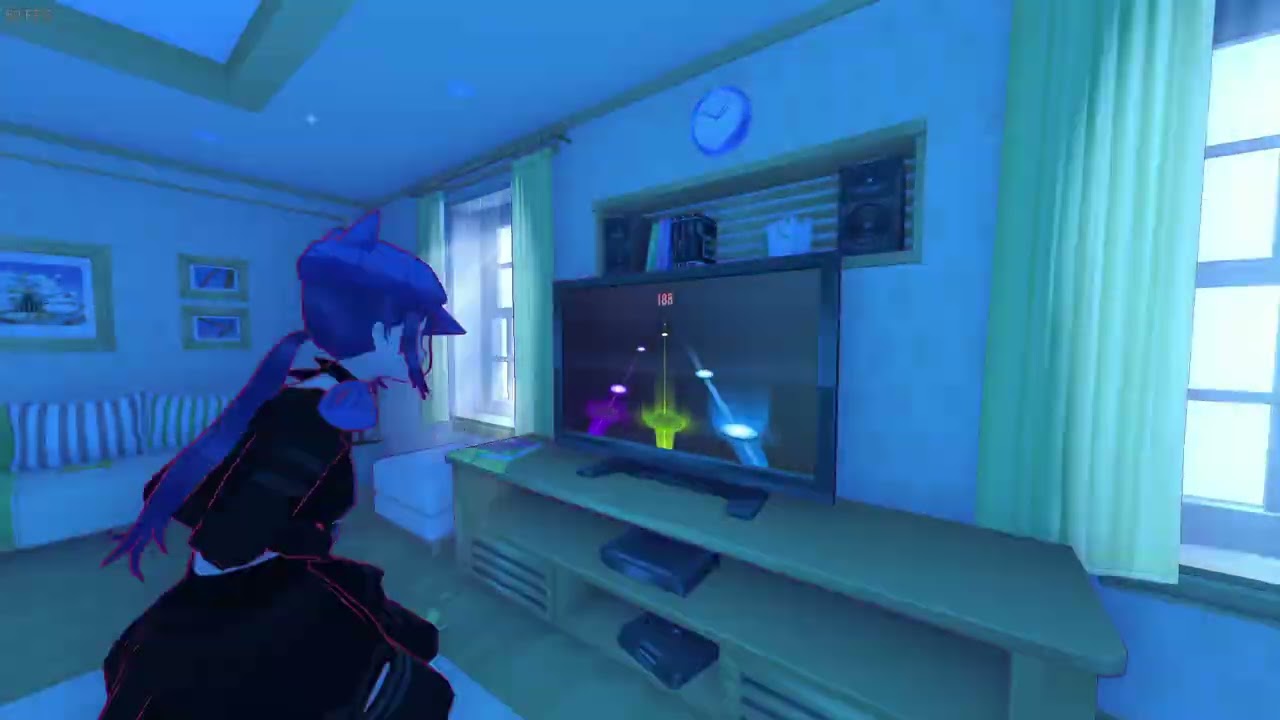
In this mod update, you can add your own music to the rhythm game.
You can find the mod on the official Aihasto Discord server in the "miside-mods" section: https://discord.com/invite/6q375pv
or on the SoSide Discord server: https://discord.gg/Sqg6AfTeeY
pulsar whale
it is part of soside yes
molten crow
Would it work if I only install the files related to it?
Only one way to find out
It did not
It would be cool to have it as a standalone mod.
I plan on playing SoSide eventually though.
plain crescent
She just bought a new nendroid

 plain crescent

 plain crescent
Damn i can't find a better megaphone from diva


 plain crescent
A bit of reference haha


 misty hound
plain crescent
Nicee, enjoy the mod<:CatHappy:1196288150276935731>
Stay tuned for future updat...
misty hound
plain crescent
Nicee, enjoy the mod<:CatHappy:1196288150276935731>
Stay tuned for future updat...
wife update
plain crescent
cursive stream
Hey! I just uploaded a emo/scene girl player mod on nexus (its my first mod!) check it out! https://www.nexusmods.com/miside/mods/387
 pulsar whale
plain crescent
pulsar whale
plain crescent
you can just open console and type in tetris, you know that... right?
 stray loom
Can someone tell me how I install SoSide? I've been trying to understand how to do it, but I don't understand
Like where do I put the mod?
plain crescent
pulsar whale
you can just open console and type in `tetris`, you know that... right?
No
How can you know that anyway


 pulsar whale
me when ConsoleCommandsGame::Command
but shouldnt help command shows it?
also if you keep typing tetris game will be very mad at you
"Наверное плохо выключать игру, ведь хотелось бы… Чтобы ты играл в неё, но ты меня злишь уже!"
"Зачем ты это продолжаешь делать?"
plain crescent
Oh damn i never realized they implement such a feature
plain crescent
pulsar whale
>"Наверное плохо выключать игру, ведь хотелось бы… Чтобы ты играл в неё, но ты м...
DAMNNN hahahaha