

1 messages · Page 27 of 1
 solemn crane
Hmm hair true is still broken
 wanton roost
i just replace the original by this one in the new UAL?
solemn crane
Does anyone have this Hair texture png?
 solemn crane
 pulsar whale
<@686529227461623820>
pulsar whale
<@686529227461623820>
thank you so much
 hidden wyvern
Could anyone make a Kyle Crane (from Dying Light) mod? I don't know how to make mods.
 plain crescent
Welp too bad, i guess this is another assimp anomalies
 mint lava
hey guys im trying to get a custom model in the game but the "F1" button doesnt work (to open the models menu) can anyone help me?
solemn crane
my friend installed 11.6
does he need extra files since addons in the game don't work?
this is how his folder looks like

and this is what I have in mine folder

and I also have a problem now…
I can’t change the window size 

I fixed it
solemn crane
solemn crane
my friend installed 11.6
does he need extra files since addons in the game don't...
he said he reinstalled BepInEx and UAL, but there is no addons in the game

 finite flare
solemn crane
he said he reinstalled BepInEx and UAL, but there is no addons in the game
finite flare
solemn crane
he said he reinstalled BepInEx and UAL, but there is no addons in the game
if he installed new UAL, it overwrote his addons_config.txt
solemn crane
finite flare
if he installed new UAL, it overwrote his `addons_config.txt`
Yep, but he doesn’t even have addons tab in the game
finite flare
installed incorrectly
 sweet ocean
 solemn crane
finite flare
installed incorrectly
solemn crane
finite flare
installed incorrectly
yes, he reinstalled it again
now it works
finite flare
solemn crane
yes, he reinstalled it again
now it works<:maan:1127951426639900763>
yep
finite flare
sweet ocean
ooh
plain crescent
Btw index, I'm done with UAL for now, so it's likely UAL won't receive any update for weeks or so.
Unless rist or aoba still want to do anything.
You don't have to worry abt creating mods now
solemn crane
Guys I've finally released the new version of the mod
Thank you to everyone who helped, I couldn't have done it without you

 solemn crane
but because I hid the hair under transparent textures, guess how the interactive outline looks now 
plain crescent
solemn crane
but because I hid the hair under transparent textures, guess how the interactive...
Man you can use
remove_outline Mita Hair "MitaPerson Mita"
solemn crane
omg
plain crescent
You should ask earlier hahaha
solemn crane
thanks
solemn crane
plain crescent
Man you can use
`remove_outline Mita Hair "MitaPerson Mita"`
can I add outline for skinned appendix?
plain crescent
Yes but it's automatically added to skinned appendix.
You can use recover_outline, but there's no point doing that
solemn crane
ah nice
finite flare
plain crescent
Btw index, I'm done with UAL for now, so it's likely UAL won't receive any updat...
yay
finite flare
plain crescent
Btw index, I'm done with UAL for now, so it's likely UAL won't receive any updat...
devmode added?
plain crescent
Nahh I don't know how to implement that without any lags.
For now, you can just reactivate the mods and press f5, It'll resets the addons config and the mita keyword
But not on fbx files, they take decades to reload
finite flare
plain crescent
Nahh I don't know how to implement that without any lags.
For now, you can just...
didn't have any lags when I tried
plain crescent
Yes because it's just reloading the addons config.
When i tried to reload the assets (fbx, texture, etc), it's LAG a lot, and the instance is duplicating
This is impossible for now, unless there's a super efficient file diff checkher
finite flare
plain crescent
This is impossible for now, unless there's a super efficient file diff checkher

lol
anyone know how to fix?
remove Mita Sweater !Creepy !CreepyMita
remove Mita Pantyhose !Creepy !CreepyMita
remove Mita Shoes !Creepy !CreepyMita
remove Mita Skirt !Creepy !CreepyMita
remove Mita Attribute !Creepy !CreepyMita
remove Mita Clothes !Creepy !CreepyMita
idk had to do something like this for some reason
// fix creepy mita.. problematic for some reason
recover Mita Sweater Creepy CreepyMita
recover Mita Pantyhose Creepy CreepyMita
recover Mita Shoes Creepy CreepyMita
recover Mita Skirt Creepy CreepyMita
recover Mita Attribute Creepy CreepyMita
0000000000000000000000>:0
  at UnityEngine.SetupCoroutine.InvokeMoveNext (System.Collections.IEnumerator enumerator, System.IntPtr returnValueAddress) [0x00000] in <000000000000000000
00000000000000>:0
--- END IL2CPP STACK TRACE ---

   at Il2CppInterop.Runtime.Il2CppException.RaiseExceptionIfNecessary(IntPtr returnedException) in /home/runner/work/Il2CppInterop/Il2CppInterop/Il2CppIntero
p.Runtime/Il2CppException.cs:line 36
   at UnityEngine.Mesh.SetBoneWeights(NativeArray`1 bonesPerVertex, NativeArray`1 weights)
   at AssetLoader.BuildMeshCoroutine(Mesh fbxMesh, ArmatureData armature, Boolean addBlendShape, String blendShapeName, Single maxFrameTime)+MoveNext() in D:
\CodeDir\MiSide-UniversalAssetLoader\Plugin\Utils\AssetLoader.cs:line 566
   at Commands.ApplyReplaceMeshCommandCoroutine(ValueTuple`2 command, GameObject mita, Dictionary`2 renderers, Dictionary`2 staticRenderers, String blendShap
eKey, Single maxFrameTime)+MoveNext() in D:\CodeDir\MiSide-UniversalAssetLoader\Plugin\Commands.cs:line 363
   at Trampoline_ByteThisBepInEx.Unity.IL2CPP.Utils.Collections.Il2CppManagedEnumeratorMoveNext(IntPtr , Il2CppMethodInfo* )
@smoky olive

head not replaced

plain crescent
Damn 0000 anomaly start to worry me.
finite flare
[Error  :Il2CppInterop] Exception in IL2CPP-to-Managed trampoline, not passing it to il2cpp: Il2CppInterop.Runtime.Il2CppException: System.NullReferenceExcep
tion: Object reference not set to an instance of an object.
--- BEGIN IL2CPP STACK TRACE ---
System.NullReferenceException: Object reference not set to an instance of an object.
  at UnityEngine.Mesh.SetBoneWeights (Unity.Collections.NativeArray`1[T] bonesPerVertex, Unity.Collections.NativeArray`1[T] weights) [0x00000] in <0000000000
0000000000000000000000>:0
  at UnityEngine.SetupCoroutine.InvokeMoveNext (System.Collections.IEnumerator enumerator, System.IntPtr returnValueAddress) [0x00000] in <000000000000000000
00000000000000>:0
--- END IL2CPP STACK TRACE ---

   at Il2CppInterop.Runtime.Il2CppException.RaiseExceptionIfNecessary(IntPtr returnedException) in /home/runner/work/Il2CppInterop/Il2CppInterop/Il2CppIntero
p.Runtime/Il2CppException.cs:line 36
   at UnityEngine.Mesh.SetBoneWeights(NativeArray`1 bonesPerVertex, NativeArray`1 weights)
   at AssetLoader.BuildMeshCoroutine(Mesh fbxMesh, ArmatureData armature, Boolean addBlendShape, String blendShapeName, Single maxFrameTime)+MoveNext() in D:
\CodeDir\MiSide-UniversalAssetLoader\Plugin\Utils\AssetLoader.cs:line 566
   at Commands.ApplyReplaceMeshCommandCoroutine(ValueTuple`2 command, GameObject mita, Dictionary`2 renderers, Dictionary`2 staticRenderers, String blendShap
eKey, Single maxFrameTime)+MoveNext() in D:\CodeDir\MiSide-UniversalAssetLoader\Plugin\Commands.cs:line 363
   at Trampoline_ByteThisBepInEx.Unity.IL2CPP.Utils.Collections.Il2CppManagedEnumeratorMoveNext(IntPtr , Il2CppMethodInfo* )
it's consistent
for me at least
plain crescent
It's like that for me too when i replace mita original mesh, but it's fine when i replace skinned appendix
The problem is, i have no idea what causes that because changing anything didn't help
And rist can't reproduce that either
I usually just use a skinned appendix, so..
finite flare
plain crescent
I usually just use a skinned appendix, so..
so I should do this instead
pulsar whale
solemn crane
and I also have a problem now…
I can’t change the window size <:CatDespair:11272...
i had this problem yesterday too for no reason
both Voice Editor and the game itself, no idea why
plain crescent
This assimp bug starts to creep me out
@pulsar whale @smoky olive which BepInEx version did you guys use?
plain crescent
wanton roost
i just replace the original by this one in the new UAL?
Yes, but make sure assets_config.txt is not getting replaced with UAL.
Darn i didn't notice you mentioned me
wanton roost
plain crescent
Yes, but make sure assets_config.txt is not getting replaced with UAL.
Darn i d...
ive been struggling a little bit😭


 wanton roost
plain crescent
Yes, but make sure assets_config.txt is not getting replaced with UAL.
Darn i d...
wanton roost
plain crescent
Yes, but make sure assets_config.txt is not getting replaced with UAL.
Darn i d...
the bugs can be because of that file that got replaced?
wanton roost
wanton roost
ive been struggling a little bit😭
this happens when I press f5
plain crescent
wanton roost
ive been struggling a little bit😭
Huh this is new
Well you should press f5 inside the minigame, but that bug alone is already weird
plain crescent
wanton roost
the bugs can be because of that file that got replaced?
Nahh, assets_config is just for the main menu music and logo
wanton roost
plain crescent
Well you should press f5 inside the minigame, but that bug alone is already weir...
also on the chapter of the creepy mita it didnt change her skin or the crazy mita
plain crescent
Oh? Which one? The old version?
wanton roost
yea
wanton roost
plain crescent
Nahh, assets_config is just for the main menu music and logo
wait
the miside logo also changes?
like in the menu?
plain crescent
Yes
wanton roost
damn
plain crescent
Then you're missing that file, grab a new one from the main file
plain crescent
It goes in BepInEx\plugins\universalassetloader\Assets
@ rist @ aoba maybe we should rename addons and assets configuration to example-addons_config.txt and example-assets_config.txt
wanton roost
so for the old version chapter there's not a solution yet right?
plain crescent
Well it should be fixed with pressing f5
Rist also showed it worked
But idk it's never worked for me
wanton roost
i think it was just like in the first cinematic
when crazy mita enters to the living room
because as soon as she leaves it puts the skin to the other mita
plain crescent
It's a problem because mita and ugly mita cutscenes are spawned after the player opens the door.
UAL didn't recognize them at first, that's why f5 keys exist, to force the mod to be active.
But maybe UAL needs some extra time processing my mod, that's why mita becomes miku once she's leaving the room
wanton roost
I tried to press it but didnt change it
wanton roost
@plain crescent is there a way to fix the hair?

srry for bothering a lot
plain crescent
That's intentional since it's the first version of miku
I'm gonna change creepy, shorthair, kind, and dreamer in the future too, so stay tuned🎵
Dreamer would absolutely looks nice on pijamas

Maybe I'll replace creepy miku with PSP miku since the model looks crap
wanton roost
plz consider putting empty miku😭
plain crescent
The ones from project sekai? Yeah I'll put her as ghost mita
Here's my plan
Crazy mita = default pjs miku
Chibi = mikudayo
Short hair = leo/need miku
Kind = cantratrice miku
Cappie = vivid bad
Ghostly = 25 ji
Sleepy = project sekai default head + hair, but using pajama party cloth (mega mix)
Creepy mita = psp miku since both of them have a long neck


 slate jackal
Does anyone know of a fix for BepInEx breaking after the first launch?
solemn crane
plain crescent
You need to exclude cappie from the transparent texture
or can I use "MitaPerson Mita" ?
plain crescent
solemn crane
or can I use "MitaPerson Mita" ?
Yes that should work too
plain crescent
slate jackal
Does anyone know of a fix for BepInEx breaking after the first launch?
Well send the logs, we are not some kind of fortune teller
There's an errorlog and OutputLogs inside BepInEx folder
Or just send a screenshot where it's crashed
slate jackal
 slate jackal
 plain crescent
slate jackal
plain crescent
slate jackal
Nothing in ErrorLogs?
slate jackal
No
but the improved movement mod doesnt work
however after a new install of miside and mods it works fine
only after closing then reopening does it break
 old sigil
thank you for the miku`s mod skin
 plain crescent
 real spindle
If you guys had to do a crossover with miside of any action which would it be?
I was thinking, dark souls or Elden ring
plain crescent
real spindle
I was thinking, dark souls or Elden ring
Adachi makes a mod that replaces mita to a character from elden ring
I think
real spindle
Who?
plain crescent
@ adachi7072
real spindle
Can I see the mod?
plain crescent
real spindle
Can I see the mod?
Well just tag him
old sigil
real spindle
If you guys had to do a crossover with miside of any action which would it be?
i`m actually pick 2B from Nier Automata
real spindle
Wait, what do you mean?
real spindle
Like they’re technically already automatons
solemn crane
do I need put MitaPerson Mita here just in case, so that no more hair bugs are found later?
man it is 4th or 5th update for today

 thin dock
Question, is anyone here familar with DeskTop Mate and VRoid modeling? I absolutely adore child Mita and I would love to mod her but I would like her to have a full outfit like we see in a lot of her fan art. White shirt under her dress, socks and little shoes.
plain crescent
solemn crane
do I need put `MitaPerson Mita` here just in case, so that no more hair bugs are...
Yes this should work, make sure to test your mod with all the character from the main menu
solemn crane
plain crescent
Yes this should work, make sure to test your mod with all the character from the...
bruh I have only 3 Mitas in character menu
I didn't even finish the game properly before I started making the mod
plain crescent
plain crescent
solemn crane
I tried to find but it was unsuccessful
C:\Users(ur nickname)\AppData\LocalLow\AIHASTO.
finite flare
SteamLibrary/steamapps/compatdata/2527500/pfx/drive_c/users/steamuser/AppData/LocalLow/AIHASTO/MiSideFull/
linux path for steam
plain crescent
You can exclude her too, or resize the mesh using resize_mesh Mita ManaCloth 0.6 Broke Little
 smoky olive
plain crescent
C:\Users\(ur nickname)\AppData\LocalLow\AIHASTO.
smoky olive
plain crescent
C:\Users\(ur nickname)\AppData\LocalLow\AIHASTO.
You can use %appdata% variable
solemn crane
plain crescent
You can exclude her too, or resize the mesh using `resize_mesh Mita ManaCloth 0....
oh i'll try
finite flare
plain crescent
You can exclude her too, or resize the mesh using `resize_mesh Mita ManaCloth 0....
do not recommend this
it just doesn't work even if you scale
plain crescent
solemn crane
is it not !Broke?
It's broke on the gameplay but its little on the main menu
finite flare
and "proper" scale was 0.7 from what I remember for little
plain crescent
finite flare
it just doesn't work even if you scale
It'll look like a dwarf hahah
finite flare
plain crescent
It'll look like a dwarf hahah
things are just broken.. really not recommended
plain crescent
It worked
solemn crane
the best mita 
 plain crescent
finite flare
okay look at hair and the left arm
plain crescent
finite flare
okay look at hair and the left arm
At least it's still lore accurate hahah
finite flare
plain crescent
At least it's still lore accurate hahah
lol ye
solemn crane
does this one also use a different name in the menu?
 finite flare
solemn crane
does this one also use a different name in the menu?
finite flare
solemn crane
does this one also use a different name in the menu?
creepy and creepymita
finite flare
solemn crane
the best mita <:agree:1128390651076169759>
venom
finite flare
plain crescent
I usually just use a skinned appendix, so..
don't think I can have 2 skinned appendixes for the head
eye glow + head
solemn crane
sorry, the last question (i hope so)
does this Mita also use different name?

 finite flare
 finite flare
solemn crane
sorry, the last question (i hope so)
does this Mita also use different name?
finite flare
solemn crane
sorry, the last question (i hope so)
does this Mita also use different name?
MitaTrue I think
plain crescent
Probably the errors are caused by the BepInEx version
Since it was fine in rist and aoba device
Their pc are gifted
finite flare
 plain crescent
Yeah aoba use a higher version
But i don't know any sht where I can get the aoba version.
plain crescent
pulsar whale
i used 733
plain crescent
Then create a skinned appendix for the head, replace the skinned with the core head.
And remove or hide mita original head

finite flare
plain crescent
Ngl core hair looks nice on mita face
solemn crane
create_skinned_appendix Mita Hair1 Hair
replace_tex Mita Hair Mana\HairTr "MitaPerson Mita" MitaTrue
remove_outline Mita Hair "MitaPerson Mita" MitaTrue
replace_mesh Mita Hair1 Mana\ManaAssets ManaHair "MitaPerson Mita" MitaTrue
replace_tex Mita Hair1 Mana\MHair "MitaPerson Mita" MitaTrue
replace_tex Mita HairTrue Mana\HairTrueTex MitaTrue

 plain crescent
finite flare
shame there aren't enough bones to make everything work
plain crescent
finite flare
shame there aren't enough bones to make everything work
Well i hope UAL supports custom bones someday.
But we need to think of the best approach otherwise existing mods will look like this
plain crescent
Ghostly has no head
Create a skinned from her body instead. For core mita head
Also the black mist on her body is called BodyDark
You can replace that with core mesh so the mist won't get weird
finite flare
plain crescent
Also the black mist on her body is called `BodyDark`
You can replace that with c...
it looks
ok, also no more error
 plain crescent

plain crescent
finite flare
it looks
Well replacing bodydark will change the mist shape, not removing it
The mist will still be visible
finite flare
oh so the mist will be in shape of core mita
finite flare
plain crescent
It worked
what's the config for that
plain crescent
Well i just resize everything with 0.6 value
resize_mesh Mita MikuHead 0.6 Little Broke
Etc etc
Or maybe smaller
plain crescent
finite flare
and mila?
0.925
finite flare
 plain crescent
Yes it should be 0.925 for glasses and mila
finite flare
wtf is wrong with the head tho
finite flare
xD
plain crescent
Resize every single part of core with 0.925 for mila and Glasses and I'm sure I'll work 100%
Except for mila original meshes obviously
finite flare
resize_mesh Mita Body 0.925 Mila Glasses
resize_mesh Mita Head 0.925 Mila Glasses
resize_mesh Mita Hair 0.925 Mila Glasses
resize_mesh Mita CoreMitaBodyGlow 0.925 Mila Glasses
resize_mesh Mita CoreMitaHeadEyeGlow 0.925 Mila Glasses
Oh is the skinned appendix called Body and Head?
Not CoreHead, CoreBody or something?
finite flare
plain crescent
Well it's called CoreMitaHead not Head if i read it correctly.
Kinda lost in there
finite flare
resize_mesh Mita CoreMitaBody 0.925 Mila Glasses
resize_mesh Mita CoreMitaHead 0.925 Mila Glasses
resize_mesh Mita Hair 0.925 Mila Glasses
resize_mesh Mita CoreMitaBodyGlow 0.925 Mila Glasses
resize_mesh Mita CoreMitaHeadEyeGlow 0.925 Mila Glasses
 plain crescent
I didn't see any CoreMitaBody skinned appendix
Seems like you're lost in your addons config too lmaoo
smoky olive
plain crescent
Yeah then use Body instead of CoreMitaBody
finite flare
yes
 plain crescent
The body is in the right position
But the head isn't
Let's try to use move_mesh Mita Head ....
But im not sure which value should we use for your case
finite flare
f5 does a funny thing to her hair
plain crescent
HAHAHAHA
alreadyAppliedCommand variable moment
Wait
Why do you resize her hair
finite flare
yeah I removed that
I wanted for her to have core hair at some point but decided against
plain crescent
Ppl should organize your addons config
plain crescent
Take my miku config for example, it's not perfect but at least it's readable
plain crescent
finite flare
full numbers are not the way
-move_mesh Mita Head 0 0 0 Mila Glasses
should be like this on deactivation?
plain crescent
Nahh no need
Deactivation is pointless unless you want to make your mods active when disabling it
finite flare
finite flare
you sure this is pointless? this is without my mod active
plain crescent
finite flare
How could this happen anyway? Are you moving mita head? I thought we were only moving mila
finite flare
nah I was testing how it would work without the -move_mesh command
after deactivation
plain crescent
finite flare
you sure this is pointless? this is without my mod active
And yeah I'm sure it's pointless because the commands won't get executed
plain crescent
finite flare
nah I was testing how it would work without the -move_mesh command
This is impossible, prob there's something freaky in your configuration
finite flare
plain crescent
This is impossible, prob there's something freaky in your configuration
I told you, you are talking to an unlucky charm
finite flare
plain crescent
This is impossible, prob there's something freaky in your configuration
move_mesh Mita Head 0 0 -0.5
I tested it like this
deactived mod and yeah head was near the floor
plain crescent
Even after changing the scene? I'm not sure how this even happened
*Mod A
.
.
.

Mod B
move_mesh Mita head...
Unless your configuration is something like this, there're some mods that are missing the star characters
finite flare
addons_config is seperate for core mita
plain crescent
plain crescent
```
*Mod A
.
.
.
Mod B
move_mesh Mita head...
```
Unless your configuration is ...
Yeah it's still getting combined anyway so this example still applies
Thinking abt it, we can troll other mods with this setup
plain crescent
finite flare
Let's move the core head on the Y axis
move_mesh CoreHead 0 -0.2 0 Mila Glasses
Whyy? Devmode isn't enough?
plain crescent
finite flare
well if you reload.. movemesh gets applied again
Well don't tap f5, just reactivate the mods from the addons tab, then go to mila character from the main menu
finite flare
plain crescent
Let's move the core head on the Y axis
```
move_mesh CoreHead 0 -0.2 0 Mila Glas...
doesn't get moved, not CoreMitaHead
plain crescent

finite flare
move_mesh Mita Head 0 -0.5 0 Mila Glasses
no change either xd

but it moves after deactivation cool
finite flare
of course that was much obvious, but why does it move AFTER deactivation? core mila has 0 changes
[Message: Unity] [INFO] Attempt to remove mod: 'CoreMitaFIX'
[Message: Unity] [INFO] Mod 'CoreMitaFIX' deactivated successfully.
plain crescent
Send the full config at the move mesh part
finite flare
plain crescent
Ok idk why
finite flare
finite flare
I load in game it's fine tho
(deactivated), with core loaded head is not moved at all
ok so changed order to move the mesh then resize, not doing anything
giving up for now because I have no any other ideas
solemn crane
Does UAL need a more time at the first start after a new mod installation?
Both screenshots was taken after the first launch by different people


 plain crescent
They're on the latest version?
solemn crane
But body texture should be different
solemn crane
plain crescent
They're on the latest version?
Yes, I posted a link to 11.6
And this is how it should works
 plain crescent
She's fine on my system

Prob there's something wrong with their UAL/BepInEx instalation
 soft remnant
@plain crescent ual uses c++ right
plain crescent
C#
soft remnant
thank you
solemn crane
plain crescent
Prob there's something wrong with their UAL/BepInEx instalation
He took this screenshot before the first launch - it works in the menu
 solemn crane
I asked him to join this channel since it is a deep night for me already, so maybe he will send it here
 grim scroll
solemn crane
He took this screenshot before the first launch - it works in the menu
grim scroll
solemn crane
He took this screenshot before the first launch - it works in the menu
yep that would be me 😅
basicly im stucked like this. yet on the main menu it looks completly fine
 grim scroll
basicly im stucked like this. yet on the main menu it looks completly fine
grim scroll
grim scroll
basicly im stucked like this. yet on the main menu it looks completly fine
 plain crescent
grim scroll
basicly im stucked like this. yet on the main menu it looks completly fine
plain crescent
grim scroll
basicly im stucked like this. yet on the main menu it looks completly fine
Okay can you send a screenshot of the console?
grim scroll
if thats not the console then sorry i'm a pretty new to this whole modding side
 plain crescent
This one, the ones that pops when you're launching the game
 grim scroll
 plain crescent
grim scroll
plain crescent
grim scroll
Okay is there any errors on the log? It's usually red colored text.
plain crescent
grim scroll
i have no idea how xD
i pressed on like one of the F numbers and it like reloded it xD
yep f5
finite flare
grim scroll
but yea h so far it seems like everything is going fine.
solemn crane
Oh f5 works actually
plain crescent
Prob there's multiple active mods
grim scroll
no this is the only mod i've installed for this game. Maybe it really needed some time for it.
plain crescent
It's not logical but at least it's working now
plain crescent
NOOO Mita turned into spaghetti.
 plain crescent
Is there something red on the console?
solemn crane
plain crescent
Kapiiiv heart rate every time mana bugged 📈📉
solemn crane
true
grim scroll
sorry man im sadly famous for my bad luck 😅
solemn crane
solemn crane
grim scroll
sorry man im sadly famous for my bad luck 😅
No you actually not the first person with this problem
 mellow berry
plain crescent
NOOO Mita turned into spaghetti.
mellow berry
plain crescent
NOOO Mita turned into spaghetti.
0-0
hidden wyvern
Can you guys tell me how hard is to make a mod pls?
plain crescent
hidden wyvern
Can you guys tell me how hard is to make a mod pls?
There's 2 path
Custom model loader or universal assets loder
Use CML if you're really lazy but the results might be really out of place since it doesn't use the same shader as mita.
Use UAL if you have a bit of spirit since it's more flexible. Check pinned for video tut
hidden wyvern
What's the best if I don't know anything about modding but want to start?
smoky olive
plain crescent
Man i'll k*ll myself if UAL is written on C++
i'd be able to do anything if it was true
plain crescent
smoky olive
i'd be able to do anything if it was true
I have enough with c++
Yes it's super great and i love it actually, but it feels like assembly lite
hidden wyvern
I wanted to make a mod that turns the main clothes of Mita into Kyle Crane from Dying Light, the school clothes into a volatile, the Christmas clothes into Jade, and vampire clothes into Ezgi.
How hard would it be?
plain crescent
With CML, i think It'll be done for like 1 hr?
Maybe it's a bit longer for UAL
But the quality is absolutely better on UAL, you can change everything including the house texture.
It really depends, choose between simplicity or quality
smoky olive
plain crescent
I have enough with c++
Yes it's super great and i love it actually, but it feels...
 hidden wyvern
I'm learning c# at school, but I'm just in the first year of course.
plain crescent
hidden wyvern
I'm learning c# at school, but I'm just in the first year of course.
There's no ned to write any codes on CML or UAL
hidden wyvern
plain crescent
There's no ned to write any codes on CML or UAL
Ok
I'll try to do it when I have my own computer for it, and when I buy the game.
plain crescent
Darn i thought cpp was dead a decade ago, that's the main reason my i hate it before
 dapper whale
how can i go to the console of the game?
smoky olive
hold ~
smoky olive
pulsar whale
i hate CML
stop it
pulsar whale
gaah
plain crescent
Hold right, not tapping
plain crescent
pulsar whale
i hate CML
CML has a lot of advantages from assetbundle
smoky olive
plain crescent
CML has a lot of advantages from assetbundle <:CatDespair:1127206188388470794>
i know how to use them but i decided not to do it in UAL
plain crescent
Well that way it'll be called AssetBundleLoader
plain crescent
dapper whale
it dont do anything
Are you on the old version or something?
dapper whale
0.923
pulsar whale
or you used that button to change language?
finite flare
pulsar whale
i hate CML
same
pulsar whale
i mean i modded GameAssembly.dll to bind console to ,
pulsar whale
what? my friend used that button as language changer
desperate problem requires desperate measure
plain crescent
Man this is funny
 grim scroll
 plain crescent
ms longneck
 pulsar whale
MiSide randomizer
plain crescent
pulsar whale
MiSide randomizer
HAHAHA i can't laugh alone
plain crescent
 finite flare
lmao
 loud sandal
https://www.youtube.com/watch?v=OkC62r5ouso&ab_channel=PureDark finnaly someone is doing the right thing hell yeah
miside on vr
mellow berry
loud sandal
https://www.youtube.com/watch?v=OkC62r5ouso&ab_channel=PureDark finnaly someone ...
0-0
 final olive
 tender grove
os mod so muda skin?
tender grove
plain crescent
HAHAHA i can't laugh alone
😂
 rapid gazelle
plain crescent
ms longneck
rapid gazelle
plain crescent
ms longneck
Welcome back buddy

 vague wave
@arctic token можеш удалити
 old grove
Taken care of
vague wave
old grove
Taken care of
Thanks bro
 arctic token
vague wave
<@705135021371031563> можеш удалити<:milo:1197951965032894557>
arctic token
vague wave
<@705135021371031563> можеш удалити<:milo:1197951965032894557>
Нет, хороший мвльчик уже удалил.
vague wave
arctic token
Нет, хороший мвльчик уже удалил.
Да я уже увидел
 novel scroll
Hey guys! So I got a quick question, I've been using custom model loader to try and replace the player model with my own model but she always just ends up tposing and has no animations, anyone have anything I can try?
plain crescent
Yes, try using UAL (UniversalAssetLoader)
 novel scroll
plain crescent
Yes, try using UAL (UniversalAssetLoader)
novel scroll
plain crescent
Yes, try using UAL (UniversalAssetLoader)
Okay but like, I only now have knowledge about custom model loader so how would I go about using UAL for this?
plain crescent
Check the pinned message, there's a tut, basically the same as CML but without using unity
plain crescent
And there's a mod example build in with the latest version
novel scroll
Alrighty
tender grove
plain crescent
Yes, try using UAL (UniversalAssetLoader)
good
novel scroll
plain crescent
Check the pinned message, there's a tut, basically the same as CML but without u...
This video is for Mita mods, I'm trying to replace the player model
plain crescent
novel scroll
This video is for Mita mods, I'm trying to replace the player model
Yeah but replacing the player model is the same as mita
See the default mods example
novel scroll
Oh alright
novel scroll
plain crescent
Yeah but replacing the player model is the same as mita
One more question, I can use VRMs with this right? Because that was another thing that drew me to CML
plain crescent
Yes you can, you can use anything, but the process is not as simple as CML
UAL has a bit of extra step but the results are worthy in my opinion
novel scroll
Alright
 dim tulip
I need some help, I am very confused. I am trying to download the CJ mod and I followed everything the nexus mod page told me to do. Downloaded BepInEx and extracted it, then UAL and then the mod inside the specific folder. However, it is still not working and I don't know why
plain crescent
dim tulip
I need some help, I am very confused. I am trying to download the CJ mod and I f...
Well tell us more details which part is not working? Does the BepInEx itself run alongside miside? Does the addons tab appear under the clothes menu? Etc
dim tulip
this is my first time modding this I have no idea what's going on lol
when I open the game, another window is open so I assume BepInEx is working
I ddin't even know about the addon tab
yes i appears, but the model is bugged
 dim tulip
just add it at the end, right?
plain crescent
dim tulip
just add it at the end, right?
Ah srry, i mean replace it
dim tulip
the whole thing?
plain crescent
The cj part
plain crescent
dim tulip
I do that with other mods too?
It depends, what mod are you trying to install?
For the latest version of UAL, you can just drag and drop every file and it should work out of the box
 glad marsh
Good evening, could someone help me with a problem I have when entering BepinEx?
The thing is that when I copy BepinEx and open the miside, the command window appears and another one that says Failed to start BeplnEx and when I close it, everything closes and does not let me open the game.
plain crescent
Can you send ErrorLogs and OutputLogs from the BepInEx folder?
dim tulip
is this intentional? XD
 glad marsh
plain crescent
Can you send ErrorLogs and OutputLogs from the BepInEx folder?
glad marsh
plain crescent
Can you send ErrorLogs and OutputLogs from the BepInEx folder?
Are they files?
I downloaded the bepinex from the video on how to add mods and when I copied and pasted it when I opened the game I got that error window with that message
And I don't know how to fix it because if I delete the files it lets me open it but when I paste them again it doesn't.
 somber lance
mmm first time trying to add a mod dont know what im doing wrong
 plain crescent
glad marsh
Are they files?
plain crescent
glad marsh
Are they files?
Yes they're
Or you can just send a screenshot of the cmd where it crashed. Just provide more info
plain crescent
somber lance
mmm first time trying to add a mod dont know what im doing wrong
Which version of BepInEx and UAL did you download?
somber lance
plain crescent
Which version of BepInEx and UAL did you download?
i downloaded a Bepinex that added the universal folder in it
plain crescent
somber lance
i downloaded a Bepinex that added the universal folder in it
Oh the ones from nexus?
somber lance
plain crescent
Oh the ones from nexus?
yep
glad marsh
That's the code advantage with the message when I paste the bepinex, and those are the bepinex files that I downloaded from the video

 plain crescent
somber lance
yep
plain crescent
somber lance
yep
That one is crap, use this one instead, just as simple as drag and drop the files
(BepInEx-Unity.IL2CPP-win-x64-6.0.0-pre.2.zip)
https://github.com/BepInEx/BepInEx/releases
https://github.com/Rist8/MiSide-UniversalAssetLoader/releases

Unity / XNA game patcher and plugin framework. Contribute to BepInEx/BepInEx development by creating an account on GitHub.

Mod for loading assets in a runtime for a Unity game "MiSide" - Rist8/MiSide-UniversalAssetLoader
glad marsh
When I delete those files it allows me to enter but when I paste them again I get that error.
plain crescent
glad marsh
When I delete those files it allows me to enter but when I paste them again I ge...
Are you also downloading it from nexus?
glad marsh
Do not download it from the video tutorial that appears in this discord
plain crescent
glad marsh
Do not download it from the video tutorial that appears in this discord
Well the error is telling that there's a file missing.
glad marsh
The detail is which file?
plain crescent
But you can try using this one
#miside-mods-discussion message
Then change the config files like this
#miside-mods-discussion message
pulsar whale
i don't think pre2 is good for health but it will get the job done
glad marsh
Do you have the file or the link to download the bepinex maybe it is my version
plain crescent
plain crescent
But you can try using this one
https://discord.com/channels/508309955686957057/1...
Yes, try this one, that's my copy of BepInEx @glad marsh
plain crescent
pulsar whale
i don't think pre2 is good for health but it will get the job done
Man ngl i can't find your version of BepInEx
Is it a fork or smth
plain crescent
somber lance
i feel like im adding the wrong stuff in
Grab the BepInEx-Unity.IL2CPP-win-x64-6.0.0-pre.2.zip
pulsar whale
plain crescent
Darn, then we should update UAL readme?
somber lance
oki it worked just wondering how to get the clothes to not look like a mess
plain crescent
somber lance
oki it worked just wondering how to get the clothes to not look like a mess
Make sure you're using mita default outfit before enabling a mod
somber lance
plain crescent
Make sure you're using mita default outfit before enabling a mod
i did and it turned into this
 pulsar whale
use school uniform
somber lance
pulsar whale
use school uniform
thanks
plain crescent
pulsar whale
use school uniform
Damn what a weird mod
 tepid hull
Do you guys see the different Mita's as different girls? Or they are all the same girl
somber lance
tepid hull
Do you guys see the different Mita's as different girls? Or they are all the sam...
same ones
it worked wish the different kind did work
 thin dock
Guys, you know how yesterday I asked if anyone knew how to make VRMs? Well I figured it out myself and If anyone wants a little mita . vrm with stockings and a white shirt under her dress for DesktopMate I have it! Its not super high quality but I feel like this little girl needs fully clothed.

 stiff frigate
if i validate game files on steam, will this undo all the modding i did to the game? (thats the desired result)
nvmind i figured it out
soft remnant
@plain crescent i need ur help writing some code
 grim spindle
thin dock
Guys, you know how yesterday I asked if anyone knew how to make VRMs? Well I fig...
grim spindle
thin dock
Guys, you know how yesterday I asked if anyone knew how to make VRMs? Well I fig...
What is a vrm
soft remnant
grim spindle
What is a vrm
a model type
grim spindle
Ah
soft remnant
vrm is mostly for vr stuff though because it excells at the shape keys/facial expressions while fbx excells in pretty much any other aspect
plain crescent
soft remnant
<@988798435190792212> i need ur help writing some code
What code
soft remnant
plain crescent
What code
i was gonna say i need to write a code that changes Hz when a application opens then changes back when it closes but i found a way around it
plain crescent
we got armoury create or msi
soft remnant
im to dumb for that
thin dock
soft remnant
vrm is mostly for vr stuff though because it excells at the shape keys/facial ex...
I have to use vrms for DesktopMate. I'm new and eventually want to move to fbx when I've picked up more knowledge.
 modest shoal
https://youtu.be/K7dAOU4o4sk?si=BmgHel2iD_fFfLkY
Mod brasileiro da dublagem do protagonista ta sendo desenvolvido 🇧🇷🇧🇷🇧🇷🇧🇷🇧🇷🇧🇷🇧🇷🇧🇷

NEXUS MODS: https://www.nexusmods.com/miside/mods/123
Olá BRS jogadores de MiSide, tudo bem? Assim como a maioria de vocês, eu adorei MiSide, a masterpiece dos jogos indies. Zerei e platinei essa obra-prima, com a dublagem da Vtuber que acabou sendo oficializada na própria Steam, mas... eu ainda estava querendo mais! Dublar o único personagem q...
soft remnant
modest shoal
https://youtu.be/K7dAOU4o4sk?si=BmgHel2iD_fFfLkY
Mod brasileiro da dublagem do ...
 plain crescent
I was thinking, MMD somehow can auto retarget all motion into all kinds of models, even if the bones name didn't match.
Is there some kind of bone advantage for pmx file?
Maybe we can use this kind of approach to UAL, or at least make a blender add-on to help retarget pmx to mita armature..
soft remnant
we need that indeed
i feel like that is what would make most people turn away from the modding compared to anything else needed
its def how i felt when i was first doing it but i kept going because im stubborn and aoba was dragging me out of the flames of hell
plain crescent
There are several papers and journals discussing abt this
soft remnant
you could try and ask creator of CML and see if he wants to help
would be a nice shortcut
plain crescent
Maybe there're some Q1 or Q2 journals that we can use
plain crescent
soft remnant
you could try and ask creator of CML and see if he wants to help
Cml use assetbundle, not an actual bone retargeting
finite flare
plain crescent
There are several papers and journals discussing abt this
I always thought this worked by moving the bone positons to similiar ones of the base armature xd
soft remnant
plain crescent
Cml use assetbundle, not an actual bone retargeting
ahh i see
this is def gonna be a tricky quest then
plain crescent
finite flare
I always thought this worked by moving the bone positons to similiar ones of the...
Assetbundle was basically created by unity itself, so CML didn't need to bother with any fancy lines of code.
soft remnant
plain crescent
Assetbundle was basically created by unity itself, so CML didn't need to bother ...
 plain crescent
Darn it's hard to search for any MMD or pmx paper
Are they created in just 1 day or what
Inverse kinematic seems helpful, maybe we can use that to simply auto align armature data with mita armature
Ah.
So mmd imports motion based on bone hierarchy, NOT BY THE NAME
Regression AI architecture is also a thing.
Prob we can train an AI to rename & match the vertex group?
But this might need a ton of dataset for training
mellow berry
thin dock
Guys, you know how yesterday I asked if anyone knew how to make VRMs? Well I fig...
you must do Cappie and the others 0-0
 violet frigate
anyone made assimp yet?
for wide user case thing?
so that you can just simply drag drop fbx to folder?
soft remnant
1763 bones is insane
 violet frigate
instead of going through loops
soft remnant
plain crescent
Regression AI architecture is also a thing.
Prob we can train an AI to rename & ...

this is gonna be crazy bro
using ai is something i never thought of
violet frigate
soft remnant
1763 bones is insane
honestly would've required skilled coders but its quite too much. Wonder if there is bone culling under the hood
soft remnant
violet frigate
honestly would've required skilled coders but its quite too much. Wonder if ther...
fromsoft are crazy with their models they are all insanely high quality
this model i have here has 898 bones

very very detailed
violet frigate
soft remnant
this model i have here has 898 bones
sometimes they do tank the performance
like SOTE DLC was/is still laggy
soft remnant
violet frigate
sometimes they do tank the performance
yeah but the whole game is beautiful
and the animations are crazy work bro
violet frigate
soft remnant
yeah but the whole game is beautiful
dont wanna be that guy but Fromsoft story telling is sh!t
soft remnant
yeah it is
violet frigate
soft remnant
and the animations are crazy work bro
Malenia was a nonsense boss
soft remnant
malenia is my favourite boss for 2 reasons number 1 female number 2 shes kinda hard
im currently attempting a elden mod called unalloyed malenia
violet frigate
soft remnant
malenia is my favourite boss for 2 reasons number 1 female number 2 shes kinda h...
its just basically fine wallpaper material but I do hope they never do ER 2.0 again. If they cant get story right and ofcourse still keeping the dodge rolling
soft remnant
its crazy hard
soft remnant
violet frigate
its just basically fine wallpaper material but I do hope they never do ER 2.0 ag...
i dont think very many people actually pay any mind to the ds storytelling
violet frigate
soft remnant
im currently attempting a elden mod called unalloyed malenia
you developed the mod? The one Ongbal played?
soft remnant
the game makes up for it in every other aspect
soft remnant
violet frigate
you developed the mod? The one Ongbal played?
no but im attempting it
i have gotten to third phase so far then died
violet frigate
soft remnant
i dont think very many people actually pay any mind to the ds storytelling
its been mostly boss beating challenge. I mean DS3 as open world is something quite wanted by the fans. ER delivered it. But its absolutely annoying at this point with their vague as fk storytelling
if they do it again then it gonna be like DS2 quality of repetitiveness
soft remnant
its not the best but its enough to know kinda whats happening
also this animation is very weird
i would love to see a fromsoft animator making a model/anim
violet frigate
soft remnant
also this animation is very weird
definitely uses something like 3ds Max
or Maya since its industry standard and there are courses to learn it.
soft remnant
i think it is both
 restive edge
Someone know how to put miku skin?
soft remnant
ill tell you something very cool though i was pulling apart the malenia model and her metal arm is actually assembled like a metal arm
like everything is in bits and pieces
plain crescent
restive edge
Someone know how to put miku skin?
Yes but have you tried to read the mod description?
Or do you have a specific problem?
soft remnant
plain crescent
Yes but have you tried to read the mod description?
Or do you have a specific pr...
plain crescent
sometimes Ppl straight up downloading any files without reading anything, can't blame them
soft remnant
im to cautious when downloading shi nowadays
i have to pull everything apart so i know whats happening
i cant imagine the idea of having all my shi stolen from me
and i dont ever want to find out
plain crescent
True
soft remnant
im so paranoid to the point where i want to somehow have 2 system one with all my info and everything saved on it and a completly seperate one with all my software and stuff downloaded
plain crescent
soft remnant
this is gonna be crazy bro
Yeah using AI might help actually, just need a good dataset.
Training them is relatively easy too
I've made plenty of them from scratch, but most of them are just unsupervised learning
soft remnant
plain crescent
Yeah using AI might help actually, just need a good dataset.
Training them is re...
bro good luck with this man i dont even want to imagine the process involved
it sounds to scary
plain crescent
Nahh maybe you didn't believe this but training AI just requires a pack of 2 data, input and ground truth (expected result)
In this case, we just need to gather any random fbx files, put them in folder A, and download as many mods as possible and put them in folder B.
The training process is basically automatic, the AI model might just pop out of nowhere
soft remnant
no way bro
plain crescent

soft remnant
what i wouldnt wanna know is the unfathomable amount of work went into actually creating the source ai
plain crescent
Using the MMD approach might be better than AI actually, checking the bone hierarchy rather than checking exact name.
I might want to experiment with this on miside.
plain crescent
Man if you had a dance motion data and a fully rigged tank model.
MMD can make the tank dancing
soft remnant
yeah
plain crescent
That's why most mmd videos are crap
Their bones didn't match but they were still getting animated anyway
plain crescent
soft remnant
plain crescent
<:shrug:1149395674245378180>
plain crescent
Prob easy enough to do with blender, they can execute python codes.
soft remnant
yeah till something doesnt work and boom a cheeky 1 week detour
i wish luck upon your soul bro
plain crescent
🤫🧏
try{
... some sht
}
except{
Output "Nah broo your model is too fked up"
}
literally me every time i boot up blender
 stark badger
plain crescent
🤫🧏
```
try{
... some sht
}
except{
Output "Nah broo your model is too fked up"...
stark badger
plain crescent
🤫🧏
```
try{
... some sht
}
except{
Output "Nah broo your model is too fked up"...
try catch
 plain crescent
Damn she's naked
soft remnant
stark badger
try catch
 soft remnant
plain crescent
Damn she's naked
plain crescent
restive edge
Someone know how to put miku skin?
soft remnant
plain crescent
Damn she's naked
plain crescent
restive edge
Someone know how to put miku skin?
Ayo anyway how's your doing with the miku mod? Is the installation successful?
restive edge
Im having trouble only to put the skin
soft remnant
restive edge
Im having trouble only to put the skin
plain crescent
restive edge
Im having trouble only to put the skin
Have you installed BepInEx and UniversalAssetLoader?
restive edge
yes
plain crescent
Give some details please, i didn't have enough fortune cookie to tell your fortune
plain crescent
restive edge
yes
Which version of UniversalAssetLoader did you download?
restive edge
where can i see the version?
plain crescent
restive edge
where can i see the version?
It'll show up in the BepInEx cmd
The black console thingy that pops when you launch the game
You can just send a screenshot of that
restive edge
ok
plain crescent
Adachi does vroid models on CML just work by resizing the mesh to match mita?
soft remnant
in unity yeah
plain crescent
Or do we need to rename stuff?
soft remnant
nah he has a addon in unity that does alot of stuff i dont understand
youd have to pull apart the addon
plain crescent
Ah i see, prob he's using some kind of template for vroid since the bones typically the same
Then prob i can do the same with pmx
All MMD models usually have the same bone structure
soft remnant
 plain crescent
restive edge
ok
plain crescent
restive edge
ok
Man buy some milk i guess
Here's the step, read it carefully
Download this and extract it in the miside directory
https://github.com/BepInEx/BepInEx/releases/download/v6.0.0-pre.2/BepInEx-Unity.IL2CPP-win-x64-6.0.0-pre.2.zip
Download this one too, do the same.
https://github.com/Rist8/MiSide-UniversalAssetLoader/releases/download/Release-0.11.6/UniversalAssetLoaderRelease-0.11.6.zip
Then download Hatsune miku mod main files and extract it in the game directory
https://www.nexusmods.com/Core/Libs/Common/Widgets/ModRequirementsPopUp?id=590&game_id=7124
Download the update patch too, do the same, extract and replace the files.
https://www.nexusmods.com/Core/Libs/Common/Widgets/ModRequirementsPopUp?id=610&game_id=7124
Then you'll have a Hatsune Miku button under language, voice option, and under the addons tab at the clothes menu.
 tidal steppe
quando vai ter o mod h? pfvr sem julgar kk zoeira
 mighty vortex
tidal steppe
quando vai ter o mod h? pfvr sem julgar kk zoeira
mighty vortex
tidal steppe
quando vai ter o mod h? pfvr sem julgar kk zoeira
queria saber
meu gato ta pedindo a dias viado
ta foda
 heady basin
(vcs 2 acima, falem em inglês aqui, português somente no #general-br )
 marsh hull
plain crescent
Damn she's naked
marsh hull
plain crescent
Damn she's naked
 short sphinx
@plain crescent
idk whats wrong I tried reinstalling multiple times but no idea
 plain crescent
short sphinx
<@988798435190792212>
idk whats wrong I tried reinstalling multiple times but n...
plain crescent
short sphinx
<@988798435190792212>
idk whats wrong I tried reinstalling multiple times but n...
Do you install it correctly?
Make sure the addons config is inside the Hatsune Miku folder
The installation process is basically drag n drop
plain crescent
I think you're missing blendshapeorders.json inside BepInEx\plugins\UniversalAssetsLoader\Assets
The new version of ual should contain that file
plain crescent
short sphinx
ty
Make sure assets_config doesn't get replaced with UAL, it's for the main menu music and logo
And make sure to install the mod update patch too
Have fun
short sphinx
Thanks
plain crescent
 subtle nymph
I saw someone ask the same thing here but they didn't get the propper response nor did they ever come back with answers after they went testing but I'm gonna ask it again in case someone got the answer, my game does not open after I instal BepInEx, right version, tried downloading from all sources including from the original BepInEx Github page, and the game does not open, not even the BepInEx command window, n o t h i n g starts at all, thank you for reading and sorry for making it long (oh and I checked to make sure, it isn't the anti virus either)
plain crescent
subtle nymph
I saw someone ask the same thing here but they didn't get the propper response n...
At all?
Is there an ErrorLog or OutputLogs inside the BepInEx folder?
subtle nymph
plain crescent
At all?
Is there an ErrorLog or OutputLogs inside the BepInEx folder?
Nope, clean as day, just like I installed it
subtle nymph
I already installed that one 3 times but gimme a sec to see if that one specifically works
Nope
plain crescent
subtle nymph
Nope
Are you on x64 or x86 cpu?
subtle nymph
64
plain crescent
subtle nymph
64
Here's grab my pre installed BepInEx
#miside-mods-discussion message
It should be working
subtle nymph
Didn't work either
plain crescent

subtle nymph
That's my reaction too tbf
plain crescent
Can i see your file structure?
subtle nymph
 plain crescent
subtle nymph
plain crescent
subtle nymph
run_bepinex? What's that?
Let's try deleting that file
subtle nymph
plain crescent
`run_bepinex`? What's that?
Let's try deleting that file
That was in the file you asked me to download, your pre installed BepInEx
plain crescent
Ah i see
@subtle nymph
subtle nymph
It's already on
plain crescent
Welp
subtle nymph

oh, I may be quite stupid, I did everything in the book BUT step 1... run as admin...
plain crescent
Ah so you're putting your games on C drives
subtle nymph
Woops... ahem, thank you for you work and help and sorry for giving you so much trouble for something so dumb, I hope you have a great day
 subtle nymph
plain crescent
Ah so you're putting your games on C drives
subtle nymph
plain crescent
Ah so you're putting your games on C drives
Nah it was on E, well now you know one of the ways to fix it, it's simple and dumb but apparently works, just run as admin... god I feel like a brick wall right now

 lucid hound
we need a whole team to come tg to make a tiny&cappie peaceful mode
plain crescent
But since steamos is a linux distro, you might need wine or some short.
Just find a way for the BepInEx to run and you're good to go
And you might need to switch to desktop to install the files
Here's the guide (we can't send steam link here, kinda weird)
https://l1nq.com/ijvM2
Encurtador de Link | O melhor encurtador de links e urls gratuito da internet.
finite flare
 charred escarp
Does modding Miside work on Steam Deck?
charred escarp
Does modding Miside work on Steam Deck?
yes
finite flare
charred escarp
Does modding Miside work on Steam Deck?
you install the same way as on windows
just add WINEDLLOVERRIDES="winhttp.dll=n,b" %command% in launch options
charred escarp
Alright
 warped burrow
Hello, a question, is it possible to port VRoid VRM models with facial expressions and mouth movement?
I was only able to carry my model without facial expressions or mouth movement.
plain crescent
warped burrow
I was only able to carry my model without facial expressions or mouth movement.
Which side are you on?
Universal asset loader or custom model loader?
warped burrow
For my part, I did it with custom models loader, I didn't know the other method
but still, is it possible or not? I would like to know how to make the mouth and facial expressions work, please.
plain crescent
Yes it's possible for both CML and UAL methods.
I didn't know much abt CML but i believe you just need to rename the blendshape accordingly with mita
warped burrow
Don't you know someone who knows more about the subject? please
plain crescent
warped burrow
Don't you know someone who knows more about the subject? please
Oh darn they right, CML is suck

Turns out you can't have any facial expressions using vrm
But it's still possible using UniversalAssetLoader
warped burrow
plain crescent
But it's still possible using UniversalAssetLoader
How can I install this?
plain crescent
Check pinned message
warped burrow
plain crescent
Oh darn they right, CML is suck
I did know that but below there is the standard method with which it is possible but more complex using blender, that is what I wanted to know how to do it
plain crescent
It's kind of the same as CML, but without unity.
And facial expressions just as simple as renaming the Shapekeys name
warped burrow
plain crescent
Check pinned message
where excuse me?
warped burrow
plain crescent
It's kind of the same as CML, but without unity.
And facial expressions just as ...
How can I change the name of the Shapekeys?
Sorry if I get a little confused, I don't speak English, only Spanish, I use a translator to speak now.
warped burrow
How can I replace this with the ones from vroid/vrm?

These are all the vrm/vroid blendshapes

 twilit tartan
warped burrow
These are all the vrm/vroid blendshapes
twilit tartan
warped burrow
These are all the vrm/vroid blendshapes
rename each to the corresponding one on Mita and youll have to make the rest
plain crescent
Yo i got balloon mita
 distant ravine
plain crescent
Yo i got balloon mita
distant ravine
plain crescent
Yo i got balloon mita
DvD logo type beat
 lofty steppe
plain crescent
Yo i got balloon mita
lofty steppe
plain crescent
Yo i got balloon mita
if i poked her with a needle would she scream in pain or pop like a balloon?
 molten perch
wow... how many, legs?
 void trail
Finally
 hard robin
lol modding this game is pretty fun. can only imagine the possibilities once they release peaceful mode
 serene linden
Guys, what can I do to fix it?
I installed SoSide mod 2 weeks ago and it worked great.
But for a few days now I've had the problem that the Mita texture doesn't want to load, unless I go into the cloth menu then everything works as usual
 distant ravine
Where would I post a link for a guide to getting started with making custom mods for the game? Not like asset changing stuff, at least that's not the intention of the guide, moreso adding new content or things?
plain crescent
We really need a #useful-references channels for that kind of stuff
distant ravine
I assume it would go here since that doesn't exist. This guide isn't nearly complete, as I'm updating it with the info I find as I go, but I hope it's useful to someone: https://docs.google.com/spreadsheets/d/1lK438RzUM2HUCNxGzVBTMMPOdbzY3soNkfhHUiYdz54/edit?usp=sharing

I'm gonna go to bed, as it's late where I am. Please comment if something is wrong or can otherwise be improved.
pulsar whale
this is for advanced modding isnt it
because extracting the whole game using AssetRipper, is pretty overkill
AssetStudio by AXiX should do it
distant ravine
Yeah, I intend to try and add custom content like new story content and such. I don't know all too much about the tools available on the web, so anything that you can provide would be awesome
pulsar whale
the dialogs and those stuff... you could say that they are hardcoded into the scene
distant ravine
That sounds about right based on what I've seen. My current rough plan is to inject my own scene into the scene tree after the game's scene has loaded. If it works the way I think it will, it should allow me to remove/add objects and data from the scenes relatively freely.
pulsar whale
remember that some update code are also inside GameAssembly
distant ravine
I'ma be real with you, I don't know enough about unity yet to understand what makes that important, but I'll definitely look into it when I wake up. Hope you have a good day/night wherever you are!
 north crypt
Есть мод, на черные зрачки у миты?
А то какое то говно только находил, где она вся белая
 upper vigil
Would appreciate if this would get real...
P.S i'm not made for the dialog translation
P.P.S
EN: translating english to finnish is a pain
FI: enkun kääntäminen suomeksi on täyttä tuskaa
 upper vigil

 delicate hinge
that moment when yhdyssanat
marsh hull
I love modding (Core Ellen)
Idea by @long trail
 finite flare
marsh hull
I love modding (Core Ellen)
Idea by <@456226577798135808>
finite flare
marsh hull
I love modding (Core Ellen)
Idea by <@456226577798135808>
damn I gotta release updated core
 marsh hull
One thing I've noticed
I was able to run Custom Models Loader and UniversalAssetLoader Ver 0.11.1 simultaneously
But after updating to UAL Ver 0.11.6, CML stopped working.
Ima look closer into it either later today or tomorrow (too lazy atm)
 magic radish
@pulsar whale figured out how to do mini mita yet for the mini games aoba? or a template?
 thin basalt
finite flare
thin basalt
finite flare
ля какая
 long hill
hi guys.
Can anyone remind you how to merge some groups of vertexes?
 finite flare
long hill
hi guys.
Can anyone remind you how to merge some groups of vertexes?
finite flare
long hill
hi guys.
Can anyone remind you how to merge some groups of vertexes?
merge or transfer
long hill
Uh ... I need all the fingers to appear under one vertex group
finite flare
@long hill something like this I would say
long hill
multiple selection finger by finger and assign... ok
finite flare
long hill
multiple selection finger by finger and assign... ok
you can select all the fingers and assign
at once
long hill
hmm.. i think i doing something wrong...


But what exactly?


To begin with, I need to see at least the body, then add the rest of the textures.
solemn crane
because you removed all mita’s stuff I believe
solemn crane
i don’t know exactly but try to replace body mesh instead of creating a skinned appendix
and don’t remove Mita body in this case
solemn crane
long hill
uh em...
oh I see
solemn crane
did you apply all transforms?
long hill
trying to move to center and re-export a model..
plain crescent
long hill
But what exactly?
Btw you don't have to write any deactivation command (the ones that start with -)
long hill
aaaaaand start the game again
 long hill
 plain crescent
magic radish
<@454129093890277387> figured out how to do mini mita yet for the mini games aob...
plain crescent
magic radish
<@454129093890277387> figured out how to do mini mita yet for the mini games aob...
She's included as default UAL mods Mikudayo as chibi mita & chibi player
 long hill
im rename mesh by force and this shesh working
long hill
plain crescent
Seems like the head has a separated material?
yup
All has a separated material
plain crescent
long hill
im rename mesh by force and this shesh working
Yup figured, blenders can act up sometimes, the error was in this line of code
var uMesh = new UnityEngine.Mesh()
        {
            name = aMesh.Name,
            indexFormat = IndexFormat.UInt16,
        };
Clearly it's because the mesh name is null
plain crescent
long hill
**All has a separated material**
Right, we can't do that, you can either bake them to 1 single material or separate them by materials and import them one by one
1 mesh can only hold 1 material
long hill
And for the completeness of the picture, I would like to shove a separate shader there.
I saw that this was possible, but so far I have not really understood how to do it right.
plain crescent
Yes, modifying the shader parameter is possible.
There's a default mod on UAL built in
long hill
plain crescent
Right, we can't do that, you can either bake them to 1 single material or separa...
That is, if I want different materials for different objects, I will have to divide them.
Here is a damn damn, I will have to do half the work again, right?
plain crescent
Yeah kind of
plain crescent
Separating them just by transparent texture is also work
Here's miku led thingy that is literally the same mesh as the sleeve, but it has different textures. And the glowing shader just applies to that specific texture.

 dawn blade
Is there a way to make mods togglable, or an easy way to disable and then reenable them later?
I wanna speedrun the game but I have a mod installed, and the only way I can think of getting rid of it is to just delete the mod, and deleting it and reinstalling it every time sounds awful
plain crescent
dawn blade
Is there a way to make mods togglable, or an easy way to disable and then reenab...
What mod did you mean exactly?
I believe UAL and CML mods are toggle-able
dawn blade
plain crescent
What mod did you mean exactly?
It lets you run, crouch and jump wherever you want
plain crescent
Oh yeah that one is not toggleable
But UAL has a built-in mod called trailer mode that allows you to run and crouch anywhere, and it's toggleable
dawn blade
Hmm
soft remnant
how do i check which bones ares connected to a dedicated mesh
 nova blade
i kinda wonder if the devs would add a workshop
solemn crane
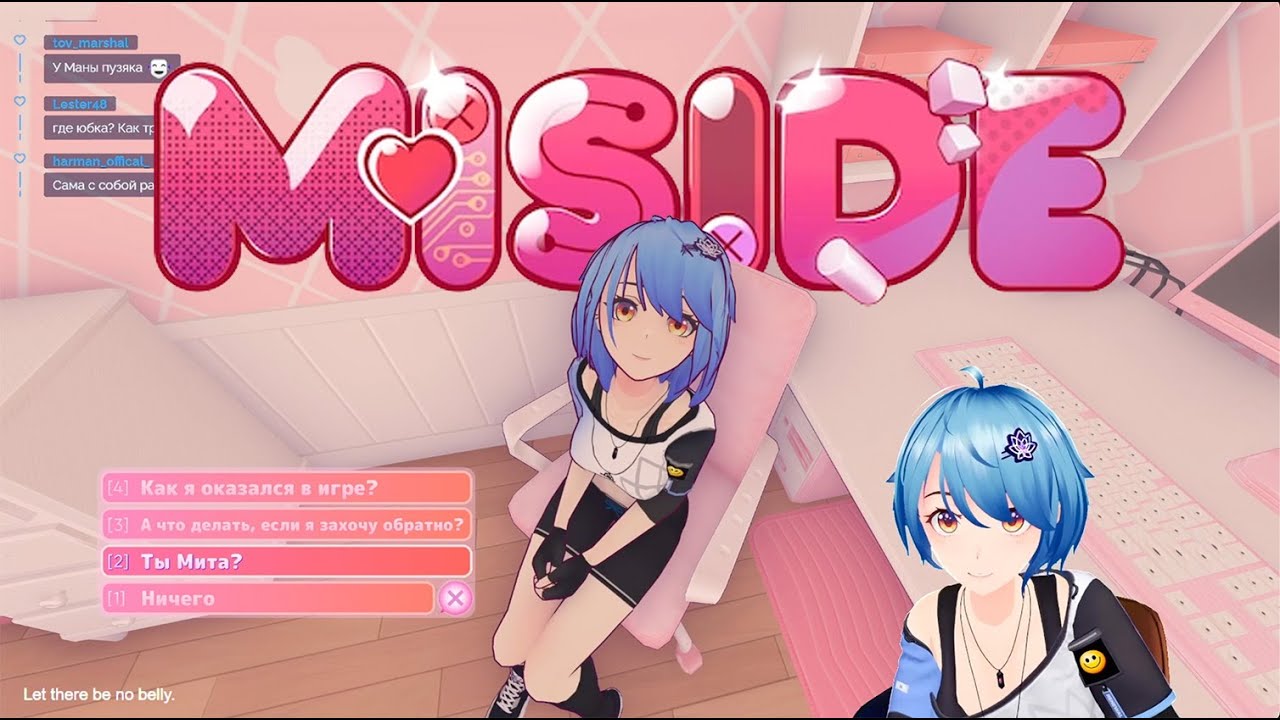
Витубер ManaRenewal проходит Мисайд с модом на себя
Запись стрима от 1 Февраля 2025 на twitch.tv/manarenewal
Мод на Ману можно скачать по ссылке nexusmods.com/miside/mods/195
my struggles with the mod have paid off haha
plain crescent
She seems to have enjoyed it hahaha
Darn it, why does the elbow is always the hardest part.

 solemn crane
plain crescent
Darn it, why does the elbow is always the hardest part.
solemn crane
plain crescent
Darn it, why does the elbow is always the hardest part.
New Miku for Cappie replacement?
plain crescent
Yeah i hope
solemn crane
 plain crescent
 cunning canyon
plain crescent
Here's miku led thingy that is literally the same mesh as the sleeve, but it has...
cunning canyon
plain crescent
Here's miku led thingy that is literally the same mesh as the sleeve, but it has...
wow,miku!
pulsar whale
ooeeoo
plain crescent
A bit better now

 lime slate
This is the stuff of nightmares!
 plain crescent
lime slate
This is the stuff of nightmares!
plain crescent
lime slate
This is the stuff of nightmares!
You'll need !Chibi hahaha
magic radish
plain crescent
She's included as default UAL mods `Mikudayo as chibi mita & chibi player`
Got links to that? and thanks
did you release your mod on Nexus , i dont think i saw any mikus
thanks
plain crescent
magic radish
Got links to that? and thanks

Mod for loading assets in a runtime for a Unity game "MiSide" - Rist8/MiSide-UniversalAssetLoader
plain crescent
magic radish
did you release your mod on Nexus , i dont think i saw any mikus
And yes
 plain crescent
magic radish
with this togetheri it wont conflict right
plain crescent
magic radish
with this togetheri it wont conflict right
It won't supposedly
magic radish
oek thank you
lime slate
plain crescent
You'll need `!Chibi` hahaha
Would that fix it?
plain crescent
lime slate
Would that fix it?
It'll exclude chibi from your mods
magic radish
plain crescent
It won't supposedly
really hope eventally custom model loader do it too being able to load chibis and such, UAL Seems alot difficult to installed compared to model loader ;x
plain crescent
Is it?
The installation process is basically drag n drop to you game directory
Then it'll create an addons button on clothes menu
Also, UAL can replace texture, sprite, and audio files.
I don't think CML will implement this feature in the near future.
Yes, they can, but it'll be complicated to install the mods
And as far as i know, CML cant replace her and long legs mita yet

While UAL can replace them all by just 1 single fbx file
But yeah, i would still recommend ppl to use CML if they want simplicity over UAL
pulsar whale
wtf
long hill
its over
 pulsar whale
i think using this texture will blow up both CML and UAL into pieces
pulsar whale
now we're talking
finite flare
long hill
<:agree:1128390651076169759>
4k still overkill tbh
pulsar whale
a bit
long hill
finite flare
4k still overkill tbh
6 pieces of different clothes with different textures, alas.
Come on, come on grandfather..
 finite flare
pulsar whale
a bit
finite flare
pulsar whale
a bit
1k-2k max imo
plain crescent
This will looks stupid on kind isn't it?
 plain crescent
pulsar whale
noo?
plain crescent
pulsar whale
noo?
Alr let's see...
plain crescent
long hill
why..
Seems like it has too many polygon
Maximum amount of vertex per mesh is 65535
Use a decimate modifier to decrease the polygon amount
plain crescent
long hill

plain crescent
Or you can separate the mesh into multiple parts
long hill
plain crescent
Or you can separate the mesh into multiple parts
cannot, alas
hmhmmhhm.....
lets-go merge a weights for a vertex groups!!!
thin basalt
Gentlemen, is it possible to create your own achievements in fashion? At the same time, make sure that some of your achievements are removed from the game under certain circumstances?
plain crescent
it is possible supposedly, hook the achievements function or just imitate them
Man why does no one downloading the update patch
 stark badger
plain crescent
Man why does no one downloading the update patch<:CatDespair:1127206188388470794...
stark badger
plain crescent
Man why does no one downloading the update patch<:CatDespair:1127206188388470794...
you can make it old files

 finite flare
plain crescent
Man why does no one downloading the update patch<:CatDespair:1127206188388470794...
finite flare
plain crescent
Man why does no one downloading the update patch<:CatDespair:1127206188388470794...
remove all the files
and only leave the newest
plain crescent
I see...
Welp at first I separated the updates to lighten up the update file size.
Imagine ppl need to download 100mb+ each update...
But yeah i think removing all files would be better atm
plain crescent
long hill
i need to replace Hair?
How?
Well idk if this fixed it or not, but if you want to use the hair instead, use Mita Hair mesh instead of Body for the skinned appendix
create_skinned_appendix Mita .... Hair
long hill
plain crescent
`create_skinned_appendix Mita .... Hair`
like this?

A, replace_mesh Hair ....
plain crescent
Your mesh is merged together right? Or is the hair mesh were separated from her body?
long hill
plain crescent
Your mesh is merged together right? Or is the hair mesh were separated from her ...
merged
plain crescent
long hill
I wonder why ..
Just use this but replace Body with Hair
If that doesn't fix it, then something wrong with the armature
long hill
plain crescent
Just use this but replace Body with Hair
oookey!
plain crescent
plain crescent
*Elyzabet Hlyupova
create_skinned_appendix Mita HlypovaBody Hair
replace_tex Mita HlypovaBody Hlypova\huy
replace_mesh Mita HlypovaBody Hlypova\Hlypova83 hlypa
remove Mita Pantyhose
remove Mita Shoes
.
.
.
Are you using the template provided by Aoba in his tutorial?
The armature should be correct but perhaps something missing or the vertex group name doesn't match
long hill
 long hill
yup?
plain crescent
plain crescent
Use the fbx inside `Mita Template` folder
Just change the armature object with that one, it should be fine
long hill
and delete all what not a armature.. okey
plain crescent
Man my experience on uploading mods to Nexus makes me realize there are a FEW ppl who actually reads
No wonder this world is such a disaster
long hill
I don't know anything about Nexus mods, I came here and only here.
plain crescent
Well it clearly shows that you actually listen to aoba tut, which is nice.
Only abt 10% of ppl want to do that ngl, maybe less
long hill
💀
lol
 plain crescent
What's wrong with her thighs?
long hill
plain crescent
What's wrong with her thighs?
2 layers of cloth
now its looks without a bugs
 long hill
plain crescent
Who's that btw, i can't find anything abt `Elyzabet Hlyupova`<:smilyCat:11367674...
long hill
plain crescent
Who's that btw, i can't find anything abt `Elyzabet Hlyupova`<:smilyCat:11367674...
Have you heard about Space Station 13? 
plain crescent
No
I've only heard space channel 5
finite flare
long hill
now its looks without a bugs
long hill
plain crescent
No
I've only heard `space channel 5`<:maan:1127951426639900763>
In short: this model collected by pieces from other people's models of my character from the game Space Station 13.
plain crescent
Oh some kind of OC i see
long hill
yup
 modest charm
There not work mod skin for the player?
plain crescent
modest charm
There not work mod skin for the player?
 stark badger
 modest charm
plain crescent
modest charm
plain crescent
Well is better
Also CJ Is now in the game, why not put Niko bellic for the player?... CJ meet Niko I think that funny i ever seen
plain crescent
stark badger
The left side is a lore accurate miku and the right side is a dark web manga Miku
?
modest charm
plain crescent
?
Your know models ?
finite flare
stark badger
1-2
upper vigil
Again...
 long hill
plain crescent
The left side is a lore accurate miku and the right side is a dark web manga Mik...
long hill
plain crescent
The left side is a lore accurate miku and the right side is a dark web manga Mik...
You know, I thought here, I should add a shape keys. How can I do it quickly?
I am not a good user in Blender, and therefore I don’t know if it is possible to just somehow copy them from the original model or like that (although I had previously tuned the same model for VRchat..)
 crude pawn
Guys, what if Mita was renamed to Maria?
And she looked like this?
 mellow berry
Maria 0-0
crude pawn
mellow berry
Maria 0-0
Yeah.
MariaSide
crude pawn
mellow berry
Maria 0-0
With Shadow replacing the protagonist.
mellow berry
omg yes
crude pawn
mellow berry
omg yes
We have Maria models. SOMEONE CAN MAKE THIS A REALITY.
I think the SXSG Maria model could be the best one, since it has expressions.
 wide kettle
Good day everyone. Making a mod with facial shapekeys, and in the base model there's this one going by the name "ScaryFace". Can anyone tell me when it appears in-game? For context and testing purposes.
 finite flare
wide kettle
Good day everyone. Making a mod with facial shapekeys, and in the base model the...
finite flare
wide kettle
Good day everyone. Making a mod with facial shapekeys, and in the base model the...
in the kitchen, after you try to open the basement afaik
wide kettle
You mean the beginning of the game, the "turn around" one? Must've missed it under all the makeup, thanks.
finite flare
wide kettle
You mean the beginning of the game, the "turn around" one? Must've missed it und...
yep
 zenith token
hello guys can someone help me with mod beacuse its not working
aynone can help now? if yes can you add me i would really apreciate help
 hollow echo
zenith token
hello guys can someone help me with mod beacuse its not working
hollow echo
zenith token
hello guys can someone help me with mod beacuse its not working
this person is having an issue with a hatsune miku mod, they claim they installed it correctly yet it doesnt work
zenith token
i mean i have everything like the path should be but i cant see miku skin
 narrow vortex
It would be funny a mita sdlg 
finite flare
zenith token
aynone can help now? if yes can you add me i would really apreciate help
other mods work or just miku
finite flare
zenith token
but i cant see only models
screenshot
lime slate
Is it normal for mods to break them?

 zenith token
finite flare
screenshot
zenith token
finite flare
screenshot
what you need
finite flare
lime slate
Is it normal for mods to break them?
incorrect mod configs do this, yes
finite flare
zenith token
what you need
addons tab
zenith token
file programms or game screen
finite flare
zenith token
file programms or game screen
latter
zenith token
finite flare
latter
okay wanna dm me?
plain crescent
lime slate
Is it normal for mods to break them?
You can set the mesh scale for creepy
resize_mesh Mita .... 0.97 Creepy CreepyMita
finite flare
zenith token
okay wanna dm me?
ok
plain crescent
zenith token
i mean i have everything like the path should be but i cant see miku skin
Update your UAL
Generic problem 100%
zenith token
how?
finite flare
Excluding loadedTexture from replace_2D & replace_audio command, avoiding conflict with other mod.
Rename mita true shorthair to HairTrue (in the last chapter where mita expose her true self).
...
plain crescent
Extract that file into your miside directory
Then extract miku
Oh make sure to install BepInEx first
And run your game with admin
plain crescent
lime slate
Is it normal for mods to break them?
Also, ghost only have body, her mesh is joined together, so yeah you should exclusively model the legs to her
@zenith token is it working now?
zenith token
i dunno










 queen reef

