#miside-mods-discussion
1 messages · Page 26 of 1


 plain crescent
Yep, i only pick a random image from my screenshot folder but yeah its a great game.
 green yarrow
plain crescent
Yep, i only pick a random image from my screenshot folder but yeah its a great g...
green yarrow
plain crescent
Yep, i only pick a random image from my screenshot folder but yeah its a great g...
True!!! I played it ,the remind dlc version and it was my first game in the story,it was so awesome that it made me play 1 and 2 and the card one as well to know the story behind
plain crescent
Oh.. command..
wait i'll make one
 smoky olive
plain crescent
Oh.. command..
wait i'll make one
smoky olive
plain crescent
Oh.. command..
wait i'll make one
haven't you replaced some of them already?
plain crescent
Yeah, it's replacing cappie song... alr wait
Alr that should be enough, 1.68Mb and 6.23Mb audio file should flood the memory
smoky olive
 plain crescent
Wait why discarding them?
Does the audio won't get played if the length doesn't match?
plain crescent
Oh i see, welp that would be useful
 plain crescent
Dayummm we're getting fancy
Can't imagine if we're using Huffman for image compression too

But current compression for images is enough tho, no complaints
smoky olive
plain crescent
But current compression for images is enough tho, no complaints
it's lz4 now too
plain crescent
Dayummm
smoky olive
 plain crescent
 smoky olive
plain crescent
https://tenor.com/view/pikachu-meme-pok%C3%A9mon-yippee-creature-yippee-gif-yipp...
smoky olive
plain crescent
https://tenor.com/view/pikachu-meme-pok%C3%A9mon-yippee-creature-yippee-gif-yipp...
 plain crescent
Damnnn 300ms is good enough
smoky olive

 plain crescent
You're a compression god rist
plain crescent
smoky olive
<:smilyCat:1136767447333093438>
She's getting happy because you basically open the game like 10 times just to see if the code is working
(Happens to me  )
)
smoky olive
plain crescent
She's getting happy because you basically open the game like 10 times just to se...
didn't you notice?
the outline
smoky olive
look at kind mita
plain crescent

smoky olive
 plain crescent
I wonder if the game has a separated outline system for each mita or is it just 1 outline that switches between mitas
smoky olive
plain crescent
I wonder if the game has a separated outline system for each mita or is it just ...
they are different
but their names....
plain crescent
smoky olive
Yeah i noticed that but it's kinda fair for now
smoky olive
Interactive for Cappie, Interactive MitaRing for Kind
plain crescent
smoky olive
but their names....
Oh yeah speaking of which, some 2D textures also share their name.
Which makes the replacing commands impossible...
I'm thinking of replacing by the instance id, but how can we implement this to the command, creating a new one???
smoky olive
smoky olive
`Interactive` for Cappie, `Interactive MitaRing` for Kind
Interactive TakeRing after Kind Mita ends her duty
 smoky olive
plain crescent
Oh yeah speaking of which, some 2D textures also share their name.
Which makes t...
smoky olive
plain crescent
Oh yeah speaking of which, some 2D textures also share their name.
Which makes t...
we can add indexes, because loading order must be constant for assets
plain crescent
smoky olive
`Interactive TakeRing` after Kind Mita ends her duty
I don't understand why the outline name should be changed instead of removing the ring from outline target
smoky olive
plain crescent
I don't understand why the outline name should be changed instead of removing th...
because they're different interactive scripts
and different triggers
plain crescent
plain crescent
I don't understand why the outline name should be changed instead of removing th...
So here's for example, miside original asset has 2 PictureGhost and they used in the same scene
So we need to add index args to the command or is there any better way to implement this?
 smoky olive
plain crescent
So here's for example, miside original asset has 2 `PictureGhost` and they used ...
smoky olive
plain crescent
So here's for example, miside original asset has 2 `PictureGhost` and they used ...
we can add something like TextureName#1
idk should we count from 0 or from 1 though
plain crescent
Would it be conflicted if there was a texture named Tex#1 or something? Since we can still use hastag for filename
[] is also taken
 smoky olive
plain crescent
Would it be conflicted if there was a texture named `Tex#1` or something? Since ...
smoky olive
plain crescent
Would it be conflicted if there was a texture named `Tex#1` or something? Since ...
search for it
plain crescent
Or maybe add an optional args?
replace_tex Texname Filename Index
smoky olive
i doubt there will be something like that
plain crescent
Yeah you're right
smoky olive
plain crescent
Or maybe add an optional args?
replace_tex Texname Filename Index
this is also an option
 jade gorge
saben si habra workshop?
smoky olive
smoky olive
`Interactive TakeRing` after Kind Mita ends her duty
fixed for all of them
 plain crescent
Dayummmm
smoky olive
pushed it already

 prime nymph
KM with cat ears?
smoky olive
yep
plain crescent
smoky olive
omg
Miside assets have a lot of typos ngl
Even the bones name has a typo
smoky olive
plain crescent
So here's for example, miside original asset has 2 `PictureGhost` and they used ...
i did it but i have no idea where to test it
plain crescent
smoky olive
i did it but i have no idea where to test it
On ghost scene
The first index was for her drawing icon, and the second one is for her portraits in the wall
smoky olive
plain crescent
On ghost scene
The first index was for her drawing icon, and the second one is ...
her icon is cut by game?
plain crescent
They are separated, but PictureGhost is for the icon after combining her drawing
 plain crescent

 plain crescent
prime nymph
did you package the Miku mod btw?
plain crescent
prime nymph
did you package the Miku mod btw?
Well i just need to replace this image and then i can release the mod
 prime nymph
ah true
plain crescent
I also have already made a trailer for miku mod, this sht is firee.
prime nymph
gosh you are going full in on that
plain crescent
prime nymph
gosh you are going full in on that
Btw the mod will featuring 4 original miku songs
And voice replacement
prime nymph
AYO, man good job xD
plain crescent
 prime nymph
I'll play thru the game again with it most likely
btw is anyone here good at level design?
smoky olive
plain crescent
On ghost scene
The first index was for her drawing icon, and the second one is ...
where is the second one?
plain crescent
smoky olive
where is the second one?
Her portraits in the wall right after you boot the scene
smoky olive
it is emission one
plain crescent
No, i believe its an actual image, not an emissions
smoky olive
 plain crescent
smoky olive
plain crescent
smoky olive
Well the command should be replace_2D "PictureGhost Emission" for the emissions one
So the problem was just the PictureGhost.
Except if we're using .Contains()
They all will be conflicted
smoky olive
plain crescent
Except if we're using `.Contains()`
They all will be conflicted <:CatDespair:112...
we don't
plain crescent
Noice
smoky olive
 plain crescent
It worked!
smoky olive
plain crescent
In that texture
Picture
Ghost#1
replace_2D PictureGhost Paintings\\DrawingGhost replace_2D PictureGhost#1 Paintings\\PictureGhost_fan
plain crescent
smoky olive
Picture
Ghost#1
Damn anticlimactic 
smoky olive
 plain crescent
smoky olive
`replace_2D PictureGhost Paintings\\DrawingGhost
replace_2D PictureGhost#1 Paint...
plain crescent
smoky olive
`replace_2D PictureGhost Paintings\\DrawingGhost
replace_2D PictureGhost#1 Paint...
niceee, we should call UAL as runtime UABEA from now on
smoky olive
i added same thing for audio as well
 surreal egret
Dammnnnn. I need this mod asap. (When it's available.)
plain crescent
surreal egret
Dammnnnn. I need this mod asap. (When it's available.)
It'll be released soon enough
 plain crescent
smoky olive
i added same thing for audio as well
plain crescent
smoky olive
i added same thing for audio as well
Thank you risttt
You'll be my top list special thanks
smoky olive
and for sprites
surreal egret
plain crescent
It'll be released soon enough
Hell yeah. I can already see your mod is gonna slap. Fire work bro. 🔥
smoky olive
it looks like that for each of them
 plain crescent
smoky olive
it looks like that for each of them
plain crescent
smoky olive
it looks like that for each of them
Oh hey that's smart
I'm thinking of changing them from dictionary type to a list before
smoky olive
plain crescent
Oh hey that's smart
I'm thinking of changing them from dictionary type to a list...
would have created more problems
plain crescent
smoky olive
released
 queen reef
plain crescent
It'll be released soon enough
queen reef
plain crescent
It'll be released soon enough
hype
 tiny berry
smoky olive
released
tiny berry
smoky olive
released
what mod
smoky olive
Universal Asset Loader 0.11.3
tiny berry
alr
 smoky olive
 tropic badger
its just empty
tropic badger
its just empty
which version do you have?
tropic badger
smoky olive
which version do you have?
Goooood question
smoky olive
you have the logs in BepInEx console
smoky olive
it's the version of BepInEx, below you should have
[Info : BepInEx] Loading [Universal Asset Loader 0.11.2]
 blissful minnow
is it possible to get a mod that makes miside vr compatible so i can play it on my meta quest
tropic badger
smoky olive
it's the version of BepInEx, below you should have
`[Info : BepInEx] Loadin...
[Info : BepInEx] Loading [Universal Asset Loader 1.1.0] I have this
dang it
But I just downloaded the newest one, didnt I?
smoky olive
tropic badger
[Info : BepInEx] Loading [Universal Asset Loader 1.1.0] I have this
it's very old version, it has newer version in numbers because of some mistype
tropic badger
uhmmmm
smoky olive

GitHub
Mod for loading assets in a runtime for a Unity game "MiSide" - Rist8/MiSide-UniversalAssetLoader
smoky olive
tropic badger
its just empty
that was probably a problem with directories or assimp.dll location, but in newer version it's just drag and drop
 smoky olive
which version do yo have according to the logs?
smoky olive
delete previous version
it should be there (ignore other folders, they're other mods)

maybe you had OuterFolder before, then it was a mistake in installation

 finite flare
@smoky olive btw we still need to move assimp ?
 solemn crane
finite flare
<@503446008647122955> btw we still need to move assimp ?
solemn crane
finite flare
<@503446008647122955> btw we still need to move assimp ?
In new version no, as far as I remember
smoky olive
finite flare
<@503446008647122955> btw we still need to move assimp ?
no
but it will work with old location
finite flare
ok ty
 hearty hearth
Is there a mod to make the Miside charaters goth?
tiny berry
hearty hearth
Is there a mod to make the Miside charaters goth?
wha
hearty hearth
tiny berry
wha
You know, like a skin to make them goth and emo
tiny berry
that's a lil specific... dunno if anyone has made that yet
solemn crane
hearty hearth
Is there a mod to make the Miside charaters goth?
check nexusmods
there are several similar emo/goth mods
 real spindle
I’m thinking about downloading slivervale mod, bao and ddlc mod
And basically create my own story essentially
Depending on how the models work it’s you gonna be Monika or Bao as the crazy person.
plain crescent
Is this socially acceptable?


 plain crescent
Then I'll just use an empty room without any mita or miku
 pulsar whale
it is good enoughf for me
plain crescent
Alr then, I'll use them, let's hope no one getting pissed 
plain crescent
Maybe I'll just add an optional file to revert the AI image to the original asset in case someone hates AI
real spindle
Nice
 pulsar whale
i HATE CML
 slate breach
that model looks so out of place like it was a jpeg pasted on the scene
pulsar whale
solely because of shaders
slate breach
plain crescent
<:Daa:1192481743089979442>
this is amazing, but whats up with 2d mita showing up during the distortion
plain crescent
It's just UAL needed some time to process the image
slate breach
did you do long leg miku btw

 slate breach
 misty hound
plain crescent
<:Daa:1192481743089979442>
misty hound
plain crescent
<:Daa:1192481743089979442>
my wife...
plain crescent
misty hound
my wife...
 misty hound
plain crescent
misty hound
plain crescent
Thank you Miku Mod Guy
plain crescent
Her bedroom pictures fit cappie a lot 

Great, something wrong with the index system

 wanton roost
yoooo guys
i need some help with a mod
im trying to put on the hu tao mod but when I click to put it on it appears me this
 plain crescent
wanton roost
im trying to put on the hu tao mod but when I click to put it on it appears me t...
plain crescent
wanton roost
im trying to put on the hu tao mod but when I click to put it on it appears me t...
You need to copy the Hutao folder to the Assets folder too
wanton roost
already did that
 plain crescent
wanton roost
already did that
plain crescent
wanton roost
already did that
Can i see the files inside HuTaov1.30?
wanton roost
 plain crescent
Ah i see, rename the folder to HuTao

 plain crescent
I sniff an assimp issue
plain crescent
wanton roost
😭
Which version of UniversalAssetLoader did you download?
 plain crescent
Look for a file named assimp.dll
Where is it located?
plain crescent
wanton roost
do i download a previous one?
No that one is correct
wanton roost
plain crescent
Look for a file named `assimp.dll`
Where is it located?
let me check
plain crescent
wanton roost
let me check
It's either in BepInEx\Plugin\UniversalAssetLoader\Dependency or straight up in the base game directory
Or maybe you're missing it
 plain crescent
wanton roost
is at the base game
plain crescent
wanton roost
is at the base game
okay move it to BepInEx\Plugin\UniversalAssetLoader\Dependency
 plain crescent
That's weird indeed...
wanton roost
let me check if restarting the pc works
plain crescent
wanton roost
Wait something wrong with your assimpNet i think
Oh... @smoky olive we have assimp anomalies, previously, the aoba version of assimp crashed my game, but the current one just Tposing
(Yes, i'm still using 0.9.5 Assimp )
 plain crescent
wanton roost
plain crescent
wanton roost
Use this one instead
wanton roost
lemme try them
wanton roost
i move both to BepInEx\Plugin\UniversalAssetLoader\Dependency right?
plain crescent
Yup
plain crescent
Yeah it goes with the dll
wanton roost
plain crescent
IF, AND ONLY IF they didn't work, use this one too
I used this one and it worked
plain crescent
Oh really? What the heck
wanton roost
thank u so much man
plain crescent
plain crescent
wanton roost
thank u so much man<:love:1322571055490928690>
Np man
wanton roost
the miku mode its not available yet right?
plain crescent
wanton roost
the miku mode its not available yet right?
Yeah it'll be released shortly, later this day or tomorrow maybe
 plain crescent
wanton roost
thx so much man
plain crescent
wanton roost
thx so much man
Np, I'm a member of UniversalAssetLoader developer, so it's my responsibility to handle UAL errors
But I'm confused af abt this assimp anomalies
 small plover
plain crescent
Yeah it'll be released shortly, later this day or tomorrow maybe
small plover
plain crescent
Yeah it'll be released shortly, later this day or tomorrow maybe
Im fr excited
plain crescent
 stark badger
Damnn ievan polkka
 restive fulcrum
misty hound
plain crescent
Yeah it'll be released shortly, later this day or tomorrow maybe
restive fulcrum
misty hound
plain crescent
Yeah it'll be released shortly, later this day or tomorrow maybe
Will the Miku voice only be in Japanese?
plain crescent
Yup it'll be miku voice only in Japanese
smoky olive
plain crescent
Great, something wrong with the index system
Because you named the file same as the texture, and we create textures2D for each loaded texture with this name and the names are identical, and our Texture2D is first in the list so the original one gets renamed to #1
plain crescent
smoky olive
Because you named the file same as the texture, and we create textures2D for eac...
Yeah I'm aware of that, but the problem was null reference, i already push a fix
plain crescent
plain crescent
Yeah I'm aware of that, but the problem was null reference, i already push a fix
For example, i tried to replace the ghost picture, but UAL executed that code in every scene
So it's giving a null reference
Btw what should we do abt asimmp anomalies, we need proper testing
smoky olive
plain crescent
wanton roost
😭
He's having the exact same issues as me lmao
smoky olive
Can't reproduce it and can't tell which version would work properly
plain crescent
Yeah that's the main problem, the errors doesn't help too
I guess we'll leave it but give some notes to pick Assimp.dll from 0.9.5 if there's a problem with the characters?
smoky olive
It might be the version of .NET sdk version related problem
plain crescent
I tried to uninstall all .NET in my environment. It's still the same
Probably it's a problem from BepInEx itself but I'm not sure what
 harsh ridge
Which keywords do we use for Animator\Mita\Mita.fbx 's mesh and textures?
plain crescent
Usual is for the main menu characters where she's switching skin
pulsar whale
right
harsh ridge
Yeah that one I'm talking about is one of the arcade chibi ones
plain crescent
I haven't tested mikudayo in the arcade
pulsar whale
the keyword is "ChibiMita" internally
harsh ridge

plain crescent
This gonna be cloflicted with mita
But it a spawned objects so UAL didn't patch them by default
 plain crescent
Leg only mita has no IK so we can't do that
pulsar whale
Sheesh
harsh ridge
plain crescent
This gonna be cloflicted with mita
But it a spawned objects so UAL didn't patch ...
I see.. I've been trying to get a custom texture on her working without UABE for ages now... Even with F5 haven't been able to.
plain crescent
UAL can patch her by pressing f5
harsh ridge
Which keyword though?
plain crescent
harsh ridge
Which keyword though?
It's Mita
replace_tex Mita Body textureFile should work
But this is a problem because she's sharing the keyword with mitaperson
What if we hardcode her? @pulsar whale
In find mita, if she was found in minigame hierarchy, renames it to ChibiRacer or something??
plain crescent
Sick we can patch her too
 smoky olive
Btw we support spaces in names now so we can probably remove hardcoded Mita = MitaPerson Mita now
plain crescent
Agreed
harsh ridge
plain crescent
It's `Mita`<:maan:1127951426639900763>
`replace_tex Mita Body textureFile` shoul...
XD
 plain crescent
Exactly what I'm saying
harsh ridge
I know, but it's hilarious...

So you managed LowPoly Mita patching as well. Also the FPS arcade one?
plain crescent
harsh ridge
So you managed LowPoly Mita patching as well. Also the FPS arcade one?
Yes, press f5 inside the arcade game
DAMNNNN HAHAHAH

I hardcode her to ChibiRacer, do you mind? Have any better name? @smoky olive @pulsar whale
This is funny, i think ill leave her with this size, reminds me of mario kart
harsh ridge
Is there a quick way to jump to an arcade for testing?
plain crescent
MarioKart Mikudayo didn't exist, she can't hurt you.
 harsh ridge
Takes so long to get to the Hetoor arcade ;-;
plain crescent
Pixelated miku didn't exist, she can't hurt you

Huh why does this animator get patched

 solar wagon
plain crescent
So here's for example, miside original asset has 2 `PictureGhost` and they used ...
solar wagon
plain crescent
So here's for example, miside original asset has 2 `PictureGhost` and they used ...
Hi, where did you download Asset studio 1.38.03 from?
The latest versions on Github don't open assets, but I really want to change the sounds in the game
All I could do was replace the textures via Uabe and extract the sounds themselves
plain crescent
solar wagon
Hi, where did you download Asset studio 1.38.03 from?
The latest versions on Git...
Replace sound? Texture? Do it using UAL much easier and flexible
finite flare
solar wagon
Hi, where did you download Asset studio 1.38.03 from?
The latest versions on Git...
https://github.com/AXiX-official/Studio use this one

GitHub
Modded AssetStudio with new features. Contribute to AXiX-official/Studio development by creating an account on GitHub.
plain crescent
solar wagon
THANK YOU SO MUCH, I've been struggling with this for days
plain crescent
But really, UAL is better than UABEA
solar wagon
plain crescent
But really, UAL is better than UABEA
I just used the wrong version AS (0.16.47)
She just didn't open anything
The desire to change something in the game was stronger than the inconvenience of UABE
blissful minnow
I just need to suggest this,
A game like Miside except its only with Cappie/Cool Mita, just an entire game dedicated to her.
plain crescent
@smoky olive i really need the new commit to be released, should we replace the current version or create a new version instead?

 smoky olive
plain crescent
<@503446008647122955> i really need the new commit to be released, should we rep...
smoky olive
plain crescent
<@503446008647122955> i really need the new commit to be released, should we rep...
you can create 0.11.3.1 if you can't choose
but better just create 0.11.4
plain crescent
damn
I'll choose 0.11.4 instead
Currently i haven't found any issues so i think I'm done with UAL
 plain crescent
Damn someone already ahead of me
 smoky olive
plain crescent
Damn someone already ahead of me
smoky olive
plain crescent
Damn someone already ahead of me
well the quality diff is quite obvious
queen reef
plain crescent
Damn someone already ahead of me
you're doing it better
I want your version ngl
 solar wagon
plain crescent
Replace sound? Texture? Do it using UAL much easier and flexible
solar wagon
plain crescent
Replace sound? Texture? Do it using UAL much easier and flexible
With Asset Studio only export works, but I don't understand how to import. UAL, what is it?
slate breach
with how extensive your mikufication of miside it should be classed as total conversion at this point
solar wagon
pulsar whale
UAL is Universal Asset Loader
But this is just a mod for changing skins in real time or I don't fully understand
solar wagon
finite flare
https://github.com/AXiX-official/Studio use this one
Asset Studio doesn't have import?
smoky olive
solar wagon
But this is just a mod for changing skins in real time or I don't fully understa...
it supports textures, audio and sprites replacement as well as meshes replacement and adding
plain crescent
Wtf nexus

 bright rampart
hi, can anyone help me?

 jade nexus
plain crescent
Bet, im currently writting some sht on nexus description
jade nexus
plain crescent
Bet, im currently writting some sht on nexus description
let me know when you release it. I really want to try it out k
pulsar whale
Asset Studio cannot import assets
UABEA can, but only if you know what you're doing
smoky olive
bright rampart
hi, can anyone help me?
if everything works then it's just random error in logs
solar wagon
pulsar whale
UABEA can, but only if you know what you're doing
I have successfully edited many textures through Uabea, but the program does not import sounds, Only export, as in AS
pulsar whale
It does support
You just need actual Unity to make a sound asset pack
and then import the dumped file properly
bright rampart
smoky olive
if everything works then it's just random error in logs
well, it doesnt load the mod still, the name appears in the game but the mod itself isnt there, its just normal Mita
smoky olive
bright rampart
hi, can anyone help me?
that part of the logs tells nothing tbh
solar wagon
pulsar whale
You just need actual Unity to make a sound asset pack
Thank you, I roughly understood what needs to be done, but how to do it all is not very clear🫠
plain crescent
And now, it's time for the moment you've been waiting for!
@upper egret @prime nymph @green yarrow @misty hound @small plover
https://www.nexusmods.com/miside/mods/284/
https://youtu.be/j5DSPomluJM

Nexus Mods :: MiSide
Let's stay and sing with me, Player! Remake of Miside to be Hatsune miku Themed Including: ALL mita assets (both 3D and 2D) with Hatsune Miku, unique outfits, Voice, Subtitles, and In-Game Text,

FULL GAME REMAKE MOD!
This is the trailer for a Hatsune Miku/Vocaloid Mod that changes alot of the game content! From Text, vocals, artwork, music, even a bit of story and other easter egg content!
MOD Download Link (Please read description for install instructions):
I Will also be posting the Original Music made for this game mod soon enoug...
The trailer is worth watching btw
misty hound
plain crescent
And now, it's time for the moment you've been waiting for!
<@695835420608430183>...
MY WIFE
 prime nymph
plain crescent
And now, it's time for the moment you've been waiting for!
<@695835420608430183>...
prime nymph
plain crescent
And now, it's time for the moment you've been waiting for!
<@695835420608430183>...
project sekai logo nice xD
small plover
plain crescent
And now, it's time for the moment you've been waiting for!
<@695835420608430183>...

plain crescent

 small plover
something went wrong in my menu 💀
 small plover
ahhaha
plain crescent
You sure you're on 0.11.4?
plain crescent
Actually this might be related to monitor resolution
small plover
im on 1080p
plain crescent
small plover
something went wrong in my menu 💀
Put this in Assets folder
i'll update the mod file asap
Is it fixed?
small plover
uhh yeah but now i dont know if either this or the reinstallation fixed it 
plain crescent
small plover
im uncommenting rq
small plover
plain crescent
Put this in Assets folder
yeah ok this fixed it 
pulsar whale
he cooked too much
plain crescent
small plover
yeah ok this fixed it <:FreddySexBear:1045326705755168818>
Okay will update the files, thankssss
small plover
pulsar whale
he cooked too much
fr fr
pulsar whale
holy fucckiiin KINOOOOOOOOOO
small plover
plain crescent
Okay will update the files, thankssss
no problem 👍
 steep citrus
о чем вы говорите
misty hound
plain crescent
And now, it's time for the moment you've been waiting for!
<@695835420608430183>...
Your buddy who posted the trailer forgot to paste the link to the mod in the description

@plain crescent
plain crescent
Hahaha you're right
solemn crane
plain crescent
And now, it's time for the moment you've been waiting for!
<@695835420608430183>...
Congratulations!
steep citrus
как же вам плохо без англисйкой озвучки
 upper egret
I just posted it :> so excited
plain crescent
upper egret
I just posted it :> so excited
Btw the mod is created by me and @junior heron
small plover
Is she supposed to be that big?
 plain crescent
small plover
Is she supposed to be that big?
plain crescent
small plover
Is she supposed to be that big?
YESS HAHAHAH
small plover
hahaha xd
plain crescent
upper egret
I just posted it :> so excited
Thankyouuuu
surreal egret
@plain crescent My bad, lmao. The mod was being sus and then I realised I'm still on version 9 of the UAL but I updated and it's working but the model is T-posing for some reason.
plain crescent
Tposing is because of assimp anomalies..
plain crescent
plain crescent
IF, AND ONLY IF they didn't work, use this one too
@surreal egret
surreal egret
Thanks for the help, it's working perfectly now. ♥️
 prime nymph
plain crescent
Btw the mod is created by me and <@581159434525605917> <:CatHappy:11962881502769...
prime nymph
plain crescent
Btw the mod is created by me and <@581159434525605917> <:CatHappy:11962881502769...
@junior heron God bless both of you xD
plain crescent
Indeed
prime nymph
plain crescent
As expected
Reply "turn grafix off in control panel"
plain crescent
Tho i believe the lag he means is UAL delayed loading system and not low fps.
Since i haven't seen any framedrops
Except if he's on 2 GHz
prime nymph
Hes just a human so it might actually be his potato laptop
btw you replace stuff runtime? I haven't modded the game until now so I haven't really seen how it works
plain crescent
prime nymph
btw you replace stuff runtime? I haven't modded the game until now so I haven't ...
Yeppp it's happening at runtime
The file size will be 1gb if i use UABEA
plain crescent
Just make sure you're naming the assets right, don't use any duplicates name, keep them simple and i think inheritance will help
By that, we can just slap BepInEx and write some sht to find the object and replace the mesh by converting fbx file to unity mesh
blissful minnow
does anyone know if there is a mod for miside to make it vr compatable and if so can you send a link or tell me where to find it
prime nymph
blissful minnow
does anyone know if there is a mod for miside to make it vr compatable and if so...
I don't know of a ready to use mod but this guy is making one: https://www.youtube.com/watch?v=8spm9GGZyq4
VRIK implemented, and now you can select interactable items with the right hand laser instead of the head.
harsh ridge
Yeah, keeping an eye on that one
prime nymph
plain crescent
Just make sure you're naming the assets right, don't use any duplicates name, ke...
I'm interested in how to load stuff runtime and add them properly to some menu so people can choose stuff with a in-game menu, this might be a future experiment xD
plain crescent
Yes that's basically UAL
The mods will appear as a addons button in-game
solemn crane
сan someone advise what's better to do on nexus - upload an update to a mod or post it anew? i've updated almost everything that was there. i've tried to change the uploaded media before, but the cover still remained the old one
 gaunt escarp
You might have to give it some time before it updates server-side
I've updated mods on nexus and it worked fine iirc
solemn crane
gaunt escarp
You might have to give it some time before it updates server-side
how can i change the main pic? delete all pics and upload them again in right order?

 gaunt escarp
Unfortunately I don't know
solemn crane
these two guys chose the wrong time to upload their miku
 gaunt escarp
Whoopsie daisies
smoky olive
plain crescent
Yes that's basically UAL<:CatHappy:1196288150276935731>
The mods will appear as...
Isn't it midnight for you right now?
smoky olive
I had an exam 30 minutes ago, idk why it was so late in the evening
wanton roost
@plain crescent
after extracting the files of the miku mod
the folder do i just scroll it to the miside files?
or they go to specific folders?
 smoky olive
wanton roost
or they go to specific folders?
smoky olive
wanton roost
or they go to specific folders?
 jade nexus
plain crescent
And now, it's time for the moment you've been waiting for!
<@695835420608430183>...
jade nexus
plain crescent
And now, it's time for the moment you've been waiting for!
<@695835420608430183>...
❤️
wanton roost
smoky olive
thx man❤️
prime nymph
plain crescent
Yes that's basically UAL<:CatHappy:1196288150276935731>
The mods will appear as...
Gonna try to make it easier by having this built in my game if it's reasonably possible to implement. Maybe make it so objects can easily swap models, make stuff more modular
It'll prob be some script that can build a game object when you give it a mesh
Getting a headache just imagining the amount of work and testing this needs
 woeful panther
plain crescent
And now, it's time for the moment you've been waiting for!
<@695835420608430183>...
woeful panther
plain crescent
And now, it's time for the moment you've been waiting for!
<@695835420608430183>...
This mod is honestly so good ty
 twin cedar
Just wondering, why no 2B mod yet?
 mortal palm
i am currently using the DDLC mod for miside and for some reason, monika's face only works in main menu and not the game. i also see monika's hair in the middle of the map


also monika's clothes are screwed
 queen reef
plain crescent
And now, it's time for the moment you've been waiting for!
<@695835420608430183>...
queen reef
plain crescent
And now, it's time for the moment you've been waiting for!
<@695835420608430183>...
hype
 vast onyx
porn mod pls
 woeful kestrel
small plover
something went wrong in my menu 💀
woeful kestrel
small plover
something went wrong in my menu 💀
haha im not looking any better
 small plover
woeful kestrel
haha im not looking any better
small plover
woeful kestrel
haha im not looking any better
😭
woeful kestrel
do i need a newer version of universal asset loader or something
other models seem to work fine with the current one
smoky olive
mortal palm
flying Hair is definitely a bug and i'll fix it right now, and about clothes you need to choose school clothes for them to work
mortal palm
smoky olive
flying Hair is definitely a bug and i'll fix it right now, and about clothes you...
still not working
mortal palm
smoky olive
flying Hair is definitely a bug and i'll fix it right now, and about clothes you...
smoky olive
mortal palm
🧐
mortal palm
smoky olive
🧐
Is this an issue on my side, and issue on miside or an issue with the mod in general?
(I had too. For the pun)
smoky olive
i'm not sure, you are using the latest version of UAL i guess?
woeful kestrel
finite flare
you have bones that should not be there
it was the UAL version issue
mb ig
mortal palm
smoky olive
i'm not sure, you are using the latest version of UAL i guess?
I believe so
finite flare
woeful kestrel
it was the UAL version issue
oh ok
smoky olive
mortal palm
I believe so
that mod wasn't updated i guess and maybe there is a problem with keywords in it's config
 smoky olive
yeah the latest one
you can use older version, for example 0.9.5 or you can write to the author of the mod and ask him/her to update the config, or you can update it yourself
mortal palm
shall i install an earlier version?
smoky olive
mortal palm
shall i install an earlier version?
ok i released 0.11.5 where i fixed a floating objects bug and fixed f5 not working as intended
now you can press f5 if you see any Mita who must have been patched not affected in any way
mortal palm
smoky olive
ok i released 0.11.5 where i fixed a floating objects bug and fixed f5 not worki...
Can you link me?
smoky olive

GitHub
Fixed floating objects bug, fixed F5 not working as intended, improved perfomance for Player patching
Full Changelog: Release-0.11.4...Release-0.11.5
to install this mod follow the instruction from...
 somber lance
mortal palm
the floating hair is gone, but the eyes and outfit is still bugged
somber lance
mortal palm
the floating hair is gone, but the eyes and outfit is still bugged
where did you get this
mortal palm
what do you mean?
mortal palm
i didn't make the mod, i made the video- that's it
somber lance
ohh
mortal palm
i got it from here #miside-mods message
 amber pewter
mortal palm
amber pewter
mortal palm
oh thats actually a really nice 3d model
smoky olive
mortal palm
press f5
plain crescent
solemn crane
how can i change the main pic? delete all pics and upload them again in right or...
Mark the new pics with the star button
That way the thumbnail will updates
But it needs some times till their database caching it
solemn crane
oh I got it thanks
solemn crane
plain crescent
But it needs some times till their database caching it
btw I checked out your mod's config and files - it's amazing
you've set an example for many people on how to create a complete mod for this game
this is truly an invaluable contribution to the community
plain crescent
 solemn crane
oh and I started seeing a lot of reels with Miku on instagram
 pulsar whale
does making tutorial of how to mod count as content creator role? :tf:
solemn crane
why not
 plain crescent
stark badger
Miku Swim Mod
plain crescent
stark badger
Miku Swim Mod
Actually, the song played on that video is called Deep Sea Girl, and in the music video, she literally sank to the deep ocean.
I think if we manage to use a custom shader, we can just slap a blue wavy effect on a 2D canvas to make the game look like it was underwater


 plain crescent
solemn crane
should these pics also change to other with miku?
plain crescent
solemn crane
should these pics also change to other with miku?
Huh that's weird, yeah those pics should be miku
Lemme check them real quick
solemn crane
kitchen and bedroom work fine
 twin mist
where/what can i use to extract the models from the game for modding?
plain crescent
Yup, works on 0.11.4
 solemn crane
plain crescent
Make sure you're on 0.11.4 UAL or higher
solemn crane
plain crescent
Make sure you're on 0.11.4 UAL or higher
yes, I downloaded the latest version 10 mins ago
I believe this happens because of my laptop
I literally see how Mita transforming into Miku like a decepticon or smth
plain crescent
solemn crane


It takes about 30 sec for Kind Mita to start transforming to Miku
So it's definitely my laptop
plain crescent
Or maybe a conflict related to another mod asset. Probably i should update UAL to exclude custom Asset from the list
surreal egret
@plain crescent Forgot to ask btw, mind sending a list of the songs you use in your Miku mod? Appreciate it.
plain crescent
I already put them in the mod description
solemn crane
what is going on
I have a mesh replacing only for Mita...

 plain crescent
Welp @smoky olive
solemn crane
 plain crescent
Well i guess you can use "MitaPerson Mita" instead of Mita
solemn crane
it works
but why is pic replacement so random...
sometimes it works for some pic, sometimes it doesn't work at all


the cursor replacement works fine at the same time
plain crescent
solemn crane
but why is pic replacement so random...
sometimes it works for some pic, someti...
Yeah i think the current code has a conflict between miside asset and custom asset
solemn crane
solemn crane
well it looks like these 3 pics work fine
i'm satisfied for now

 plain crescent
wanton roost
my miku mod its a little bit bugged:[
plain crescent
wanton roost
my miku mod its a little bit bugged:[
Press f5 in the arcade minigame
wanton roost
i alredy installed UAL 0.11.5
plain crescent
I'll force the mod to be active
wanton roost
oh
plain crescent
 wanton roost
thank u😭
plain crescent
No problem

 plain crescent
 plain crescent
Probably UAL 0.11.5 fcked it somehow
And the manekin version of that minigame is also having a weird texture right?
I'll post an additional update files later i think
plain crescent
wanton roost
For this one, yes, maybe.
But the maneken version is also bugged on that minigame even on 0.11.4
 heavy cargo
question.. how do i fix this
 plain crescent
heavy cargo
question.. how do i fix this
plain crescent
heavy cargo
question.. how do i fix this
First, make sure you're on 0.11.4 version of UAL, or higher
heavy cargo
i have the .5
plain crescent
Then, only use mita default outfit, the other outfit is incompatible with any mods
plain crescent
heavy cargo
i have the .5
Oh that nice
plain crescent
plain crescent
Then, only use mita default outfit, the other outfit is incompatible with any mo...
If the T-posing still occurs, put this file inside BepInEx\plugins\UniversalAssetLoader
#miside-mods-discussion message
heavy cargo
oh yeah its still doing that pose
plain crescent
plain crescent
If the T-posing still occurs, put this file inside `BepInEx\plugins\UniversalAss...
Yup, put this file in
It's a bug from UniversalAssetLoader itself
plain crescent
heavy cargo
question.. how do i fix this
Btw this mod has a build in Hatsune Miku voice and subtitles translation
You should enable them
heavy cargo
plain crescent
If the T-posing still occurs, put this file inside `BepInEx\plugins\UniversalAss...
Finally, its fixed!


 plain crescent
solemn crane
should I use `!'Mita Longer'`?
plain crescent
solemn crane
should I use `!'Mita Longer'`?
Both are fine but i usually just use longer
smoky olive
solemn crane
what is going on
I have a mesh replacing only for Mita...
Mita is everything containing Mita, use "MitaPerson Mita" for same effect as Mita now
F5 now forces commands to be fully reapplied
solemn crane
smoky olive
Mita is everything containing Mita, use "MitaPerson Mita" for same effect as Mit...
thanks
so I don't need to restart the game, but just press f5?
smoky olive
Well it still doesn't update addons configs even on f5, if you are asking about changing config in a runtime
plain crescent
Well actually if you put devmode.txt in your assets folder, I'll activate a developer mode which will refresh addons_config if you re-activating the mods from addons menu, then press f5 to reapply, so you don't have to restart the game.
But this is still a preview feature, it's only reloading the addons config for now, not the fbx and images.
smoky olive
And only in main menu i guess
plain crescent
Yes wwww
solemn crane
Nice
plain crescent
We can implement more features to developer mode, such as better logging and refreshing assets
But the performance will be sht
smoky olive
Assets refreshment is a bad idea, especially if you have a lot of them
plain crescent
True. Welp I'm only implementing that feature because index complains that he doesn't want to kill his SSD just to refresh mod configuration
 plain crescent
stark badger
Miku
plain crescent
stark badger
Miku
Bro, the last time miku drove, she straight up jumped from a cliff with her car


 lament ermine
Mugi mod when?
 soft remnant
lament ermine
Mugi mod when?
soft remnant
lament ermine
Mugi mod when?
Aoba made one i think
atleast he finished the model from what i recall
 half warren
Anyone knows if theres a mod to put elf ears to the mitas? Asking for a friend(?)

 real cloak
@spiral citrus how is your progress?
 crystal kernel
Hello i’m here for the link to the furina mod before i start the game 🥺
 solemn crane
crystal kernel
Hello i’m here for the link to the furina mod before i start the game 🥺
solemn crane
crystal kernel
Hello i’m here for the link to the furina mod before i start the game 🥺
You can find it on nexusmods
crystal kernel
Thank you so much! Just a question if you know since i’m still at work and havent been able to check yet, does a mita skin mod work all models? Like i guess from this vid its a cappy mod. Can you set it to specific models?
solemn crane
crystal kernel
Thank you so much! Just a question if you know since i’m still at work and haven...
Idk since that mod works with Custom Models Loader
Most of people here use Universal Asset Loader
crystal kernel
Oh, i see. I can probably find the custom models loader on nexus too then?
solemn crane
crystal kernel
Oh, i see. I can probably find the custom models loader on nexus too then?
Yep
crystal kernel
Thank you so much
crystal kernel
i downloaded the custom model launcher and the furina files from nexus but got this popup upon game launch, happen to anyone else?

 finite flare
crystal kernel
finite flare
crystal kernel
bepinex is false positive
it detects it as a virus becaues it injects into the game
crystal kernel
okay thats good hiih
 hollow star
I have a question about the voice acting of the game!
 twilit tartan
check on nexus mods
 sweet ocean
where?
twilit tartan
 plain crescent
sweet ocean
have in portugues?
plain crescent
sweet ocean
have in portugues?
 sweet ocean
but the vidios is not in portugues

 twilit tartan
skull
pulsar whale
i hate it
twilit tartan
i think he means adachi's vid
 sick tide
Help Please
 twilit tartan
oh god
plain crescent
sick tide
Help Please
Seems like you have multiple active mods
twilit tartan
is the blush part of your model? i noticed it appearing on phos despite it not having a blush mesh
pulsar whale
blush should be "FaceLayer"
twilit tartan
so you could just remove it
pulsar whale
dont know it'll look weird when staring at her
plus... when its that wardrobe scene...
twilit tartan
problem with phos is that her head is like 1/2 the size of mita's so the blush looks weird
if we could replace facelayer tho...
plain crescent
Actually it's kinda weird why the face layer is not a part of the shape keys 
 plain crescent
Oh yeah probably that.
Usually other games just hide the blush and etc inside the head mesh or make them smaller
twilit tartan
yeah thats the case with the phos model
thats a better way of approaching it i feel
cuz shapekeys
sick tide
Yeah I removed all the mods now I'm just left with this

The blush was just because I stared at her too long
pulsar whale
plain crescent
Well first, make sure you're on the 0.11.4 version of ual, or higher.
Then use the default mita outfit and activate the miku mod.
And make sure not to activate any CML mods
twilit tartan
turn it on and off again
upper egret
twilit tartan
turn it on and off again
The best fix
sick tide
Now its just the face
plain crescent
 plain crescent
sick tide
Now its just the face
plain crescent
sick tide
Now its just the face
You sure you install it correctly?
Follow the mod description
Kinda weird why it only has Hatsune Miku in the addons tab

 tired field
sick tide
Now its just the face
tired field
sick tide
Now its just the face
her face is scaring me a lil lol
plain crescent
Don't tell me you're deleting everything inside the Assets folder
UAL needs some of the files in there
Especially blendshape order
pulsar whale
 twilit tartan
death
lament ermine
pulsar whale
<:CatDespair:1127206188388470794>
Mugi from deepweb?
 spiral citrus
real cloak
<@1284626510153519154> how is your progress?
spiral citrus
real cloak
<@1284626510153519154> how is your progress?
Haven't been able to do much, I'm moving to Japan next week so that's taking up most of my time outside of work,
I need to spend like a full 10-12 hours in one sitting just figuring out how the animations work which is something i just don't have the time for until I'm in Japan
twilit tartan
ok you can use FaceLayer with one extra line of code
plain crescent
Great, push that, i also want to push a patch to avoid texture replacement conflict
sick tide
plain crescent
Don't tell me you're deleting everything inside the Assets folder<:CatDespair:11...
It appears I deleted blendshape order by accident, I just put it back in the folder and now everything is good. Thank you for the help. I'm definetely gonna have nightmare tonight.😆
 plain crescent
twilit tartan
ok you can use FaceLayer with one extra line of code
plain crescent
twilit tartan
ok you can use FaceLayer with one extra line of code
Wait, isn't face layer is an instance inside mitaperson?
Supposedly they can be replaced from the first place
Yup, positive
 solemn crane
Is it a good idea to put all assets into one fbx file? I'm currently sorting out the mess I've made
In that case, should they all be linked to a single armature?
plain crescent
solemn crane
Is it a good idea to put all assets into one fbx file? I'm currently sorting out...
In my opinion, yes it's a good idea especially if you're using the same armature
It'll reduce processing time
solemn crane
I can only hope that I used the same armature
plain crescent
Well you can also put multiple armatures in one single fbx file
Just make sure to give the right armature modifier to the mesh
Huh? is the player collider is square shaped?
twilit tartan
plain crescent
Wait, isn't face layer is an instance inside mitaperson?
yeah its a trivial change
plain crescent
Oh sht, mita head changing texture in the jumpscare scene

Welp, thank god we have replace_2D
There we go
 pulsar whale
oh thats right yeahh...
they have texture changed internally
same goes for Mita BlackScreen


 plain crescent
Damn yeah if UAL can replace non animator, it's a good idea to replace the knife with a leek
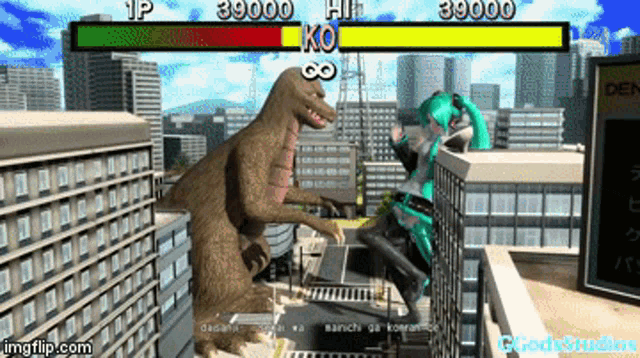
But tbh miku can kill a godzilla with her bare hand, so she doesn't need a knife technically
 glad vale
yall how do i download mods?
plain crescent
glad vale
yall how do i download mods?
Look for the mods you want in nexus or #miside-mods
glad vale
or more specifically how do i use bepinex
glad vale
plain crescent
Look for the mods you want in nexus or <#1131689641075028079>
yh ik that
plain crescent
glad vale
or more specifically how do i use bepinex
misty hound
plain crescent
There we go
me when my wife when she stabs me to death 🥰
solemn crane
I literally didn't change anything, but today the paintings decided not to show up
 plain crescent
solemn crane
I literally didn't change anything, but today the paintings decided not to show ...
plain crescent
solemn crane
I literally didn't change anything, but today the paintings decided not to show ...
Yeah this is related to the conflict I'm talking abt
@solemn crane
It'll be released as 0.11.6 i guess
solemn crane
plain crescent
<@686529227461623820>
hmm I replaced files but for some reason it still doesn't work
solemn crane
 solemn crane
 plain crescent
Nah, im sure 100%
solemn crane
thank you my man
all pics replaced
plain crescent
 pulsar whale
#1
 young apex

plain crescent
Oh great, true mita has static appendix for her short hair

how can we replace this?
plain crescent
plain crescent
how can we replace this?
Welp, i think I'll just replace the texture with a blank png files
Hell nahhh it doesn't have transparency
 solemn crane
plain crescent
It'll be released as 0.11.6 i guess
solemn crane
plain crescent
It'll be released as 0.11.6 i guess
when do you plan to release this version, if it's not a secret?
plain crescent
Later today if i don't find any bugs or other conflict
plain crescent
plain crescent
Hell nahhh it doesn't have transparency
I really want to fix this, maybe registering this specific mesh path or something
plain crescent
plain crescent
Hell nahhh it doesn't have transparency
@pulsar whale @smoky olive Do you guys mind if i rename this specific mita true shorthair to HairTrue?
 pulsar whale
I don't
plain crescent
Since there's no other HairsManeken intance, i think there wont be any conflict with maneken
Her head is switching mesh and texture but at least this is cool

Darn her neck missing
stark badger
plain crescent
Her head is switching mesh and texture but at least this is cool <:smilyCat:1136...
 plain crescent
Huh why does this become blue instead of aqua
 twilit tartan
lighting?
plain crescent
Maybe lighting or maybe its mixed with another color
 solemn crane
plain crescent
<@454129093890277387> <@503446008647122955> Do you guys mind if i rename this sp...
solemn crane
plain crescent
<@454129093890277387> <@503446008647122955> Do you guys mind if i rename this sp...
do i need to change config this way? (for next version)

 plain crescent
Yes but why does the hair look like that
plain crescent
solemn crane
<:smilyCat:1136767447333093438> <:smilyCat:1136767447333093438> <:smilyCat:11367...
Oh no, not like this haha
It should be replace_mesh Mita HairTrue ...
HairTrue is not a mita keyword
It's just her hair when she's showing her true form
solemn crane
i use MitaPerson Mita instead of Mita, cause i have a problem with Cap Hair
so what should i use to fix Mita's hair in this scene?
plain crescent
MitaPerson Mita is enough.
But you'll need to replace the HairTrue if you don't want them
plain crescent
plain crescent
Her head is switching mesh and texture but at least this is cool <:smilyCat:1136...
It was her hair at this scene, she's switching hair
 plain crescent
Yupp exactly
plain crescent
wanton roost
my miku mod its a little bit bugged:[
Fixed


 steep trench
nooo you just patched the mod!? i just downloaded (3 or 4 hours back) and set it up like 10 minutes ago lol
plain crescent
It's ok the update patch is just 12 mb
steep trench
lol
plain crescent
Im not replacing the whole thing lol
solemn crane
plain crescent
Yupp exactly
so it will work in next version, right?
not now
plain crescent
solemn crane
so it will work in next version, right?
not now
I already released 0.11.6 btw
plain crescent
steep trench
nooo you just patched the mod!? i just downloaded (3 or 4 hours back) and set it...
Oh yeah, you should update your UAL to 0.11.6 in order to install the update patch
Since it's have several configuration update
solemn crane
 steep trench
man, im having a moment rn lol. I didnt know everything was gonna be patched within like an hour of me setting it up lmao.
Also, is it easy to update the UAL? I havent done that one yet. I assume itd be as easy as replacing the files in the folder? (im sorry if this is a stupid question)
steep trench
okay bet
pulsar whale
oeo
plain crescent

GitHub
Excluding loadedTexture from replace_2D & replace_audio command, avoiding conflict with other mod.
Rename mita true shorthair to HairTrue (in the last chapter where mita expose her true self).
...
steep trench
will it make me replace the mods into the folder or anything like that?
plain crescent
Yeah you can just update your UAL, then paste the old miku mod and the update patch
steep trench
oh sweet. I think i got it lol. thank you guys! I havent modded a unity game before so its all new to me. Now if it was a mc mod or something, id have no issue lol
pulsar whale
screw CML...
plain crescent
steep trench
oh sweet. I think i got it lol. thank you guys! I havent modded a unity game bef...
No prob, just make sure no files are missing or getting replaced by UAL
Especially BepInEx\plugins\UniversalAssetLoader\Assets\assets_config.txt
steep trench
oh yeah, i got that!
we're cooking now chat
I am super excited to give this a playthrough with miku btw! I saw the announcement this morning and immediately knew i had to get it and replay it lol
plain crescent
Great! Have fun with the mods!
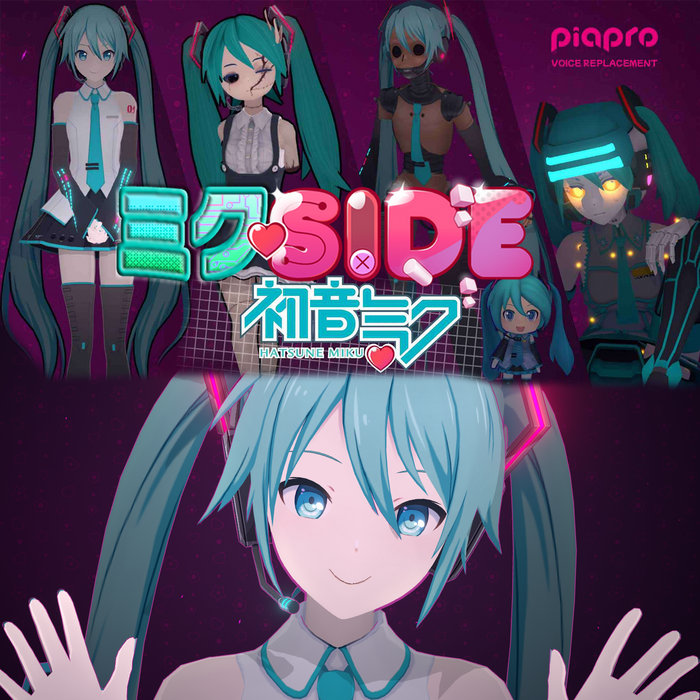
Btw MikuSide music track just dropped
https://toriyama.bandcamp.com/album/mikuside
 solemn crane
 steep trench
actually hype and based
plain crescent
solemn crane
<:tensed:1161155143581052979>
Then Mana\ManaAssets ManaHair is not exist
solemn crane
But it still works with Mita on the start
plain crescent
It works with mita on the start with the new version but it doesn't work in that chapter?
solemn crane
Yesss
plain crescent
Check the logs
steep trench
on an unrelated note to the topic here, does anyone know why my CJ looks so... freaky? lol

i dont know if i did something wrong (i just wanted it for the memes, but this is horrific)
solemn crane
 pulsar whale
steep trench
on an unrelated note to the topic here, does anyone know why my CJ looks so... f...
pulsar whale
steep trench
on an unrelated note to the topic here, does anyone know why my CJ looks so... f...
Oh, I made that
steep trench
oh hi
plain crescent
solemn crane
Scroll up until you found patching MitaPerson Mita
steep trench
im meeting all the mod devs today 😨
pulsar whale
It was fine in older version of UAL. I need to update to make it compatible with 0.11.0+
steep trench
ahhhh i gotcha. thats depressing, but im glad to know i didnt break something lol
pulsar whale
The real reason of it breaking is because of Chibi update
The chibi model didn't apply properly
steep trench
ahhhh, that makes sense
solemn crane
 plain crescent
solemn crane
plain crescent
solemn crane
Ah we found the problem, rist supposed to know more abt this error.
I didn't touch anything on that part
plain crescent
steep trench
on an unrelated note to the topic here, does anyone know why my CJ looks so... f...
Replace the addons_config for that mod with this one
*CJ Mita
create_skinned_appendix Mita CJ Body MitaPerson Mita !Core !Little !Broke !Maneken !Mila
replace_tex Mita CJ CJ\cloth_merge MitaPerson Mita !Core !Little !Broke !Maneken !Mila
replace_mesh Mita CJ CJ\CJMita CJ_mesh0000 MitaPerson Mita !Core !Little !Broke !Maneken !Mila
create_skinned_appendix Mita LittleCJ Body Chibi !Core !Little !Broke !Maneken !Mila !Mita
replace_tex Mita LittleCJ CJ\cloth_merge Chibi !Core !Little !Broke !Maneken !Mila
replace_mesh Mita LittleCJ CJ\CJChibi unnamed_mesh0000 Chibi
remove Mita Body MitaPerson Mita !Core !Little !Broke !Maneken !Mila
remove Mita Head MitaPerson Mita !Core !Little !Broke !Maneken !Mila
remove Mita Pantyhose MitaPerson Mita !Core !Little !Broke !Maneken !Mila
remove Mita Shoes MitaPerson Mita !Core !Little !Broke !Maneken !Mila
remove Mita Skirt MitaPerson Mita !Core !Little !Broke !Maneken !Mila
remove Mita Sweater MitaPerson Mita !Core !Little !Broke !Maneken !Mila
remove Mita Hair MitaPerson Mita !Core !Little !Broke !Maneken !Mila
remove Mita Hairs MitaPerson Mita !Core !Little !Broke !Maneken !Mila
remove Mita Attribute MitaPerson Mita !Core !Little !Broke !Maneken !Mila
remove Mita Gloves Know
remove Mita Body Chibi !Core !Little !Broke !Maneken !Mila
remove Mita Clothes Dreamer Dream
Anyways, thank you for letting me know! I'm grateful to you guys, the mod devs, for being so kind and taking time to help with things. its awesome and definitely makes it feel less daunting to get your bearings when being so new lol
oh? will that fix it??
plain crescent
Aoba create LittleCJ but not ecluding MitaPerson Mita i think
plain crescent
pulsar whale
the keyword is borked in older days
Tho i kinda confused
Should it be !"MitaPerson Mita" or "!MitaPerson Mita"
plain crescent
finite flare
ngl UAL updating every other day puts me off from making anything
solemn crane
I'm going to bed, I hope tomorrow I'll be able to release a mod update
thanks to everyone involved in the development of UAL 
finite flare
oh UAL update, guess your mod does not work anymore, oops!
steep trench
AWESOME! This worked flawlessly! thank you guys again! I'll definitley give CJSide a run after MikuSide lol
 pulsar whale
UAL in older days is totally unstable
plain crescent
finite flare
oh UAL update, guess your mod does not work anymore, oops!
Nah UAL update never replacing existing command, it wont broke an existing mods
pulsar whale
but now, it's great
plain crescent
plain crescent
Nah UAL update never replacing existing command, it wont broke an existing mods
Except if the addons_config is super freaky
finite flare

pulsar whale
he true
plain crescent
replace_tex Mita Head TexA
replace_tex Mita Head TexB
These are the example of freaky config
💀
finite flare
okay yeah that's bad
plain crescent
solemn crane
Btw the logs said that Mana\ManaAssets didn't exist
Prehaps you're renaming the folders or anything
solemn crane
hmm

 plain crescent
Have you updated the fbx recently?
Seems like your hair mesh name are not correct
solemn crane
yes i did, but it works with Mita
 plain crescent
Can you send the full addon_config?
solemn crane
solemn crane
and for some reason this Mita doesn't change at all, except the hair tex
solemn crane
but then wouldn't there be a problem with all the mitas?
 pale coral
plain crescent
solemn crane
but then wouldn't there be a problem with all the mitas?
pale coral
plain crescent
solemn crane
but then wouldn't there be a problem with all the mitas?
Welp that's true
Can i have her Hair fbx for testing?
I believe theres something wrong the fbx file itself
steep trench
hey, another quick question, is there a possibility that a mod i installed could have broken the dev console thing? (im asking because once i started to mess with mods its just busted lol)
I realize that its a bit vague. Basically, i can open the console, but i am unable to type in it anymore, since i started to mess with mods lol.
plain crescent
What console? The ` one?
steep trench
yeah! thats the one lol
plain crescent
solemn crane
Damn my pc basically exploded
 plain crescent
steep trench
hey, another quick question, is there a possibility that a mod i installed could...
plain crescent
steep trench
hey, another quick question, is there a possibility that a mod i installed could...
Yeah mods can be broken if youre messing with the command, but its just temporary, it'll be resets once you go back to the main menu
steep trench
ah, gotcha. I was just curious cus i wanted to do a camerafly, but the game just didnt let me type lol. Thank you
oh wait. Idk how to explain it, but i think my keyboard doesnt interface with the text fields anymore? I cant even give myself a name change with my keyboard like i used to be able to lol
plain crescent
solemn crane
<:smilyCat:1136767447333093438> <:smilyCat:1136767447333093438> <:smilyCat:11367...
Tbh your hair already crashed on the old version, so probably it's already like this from the beginning
solemn crane
plain crescent
Tbh your hair already crashed on the old version, so probably it's already like ...
I checked this level before, as far as I can remember hair worked, probably 
At least this Mita had custom clothes before
solemn crane
Well if it is kind of unsolvable problem I can just release it ‘as is’
plain crescent
It still crashed on 5 days ago commit
solemn crane
Oh
plain crescent
When did you remember the hair working exactly?
solemn crane
I think it could have been a completely different version of hair…
plain crescent
Oh wait, it's working on 2 weeks ago commit
solemn crane
plain crescent
It still crashed on 5 days ago commit
is this with the current config?
plain crescent
Yes, gonna investigate further
solemn crane
I didn’t use MitaPerson Mita before
plain crescent
It's break exactly right here

Idk why it's always on Rist, i'm sorry rist 
But i believe there's something wrong with the vertices, will investigate on the fbx file
solemn crane
Actually I made hair in vroid and then import vrm file via addon into blender
 solemn crane
Yes, it was almost always like that. But i remember one moment when hair on crappie was working too (most likely without bones)
plain crescent
It worked with skinned_appendix
create_skinned_appendix Mita ManaHair Hair
replace_mesh Mita ManaHair Mana\ManaAssets ManaHair

But idk what im doing so i'll leave it to rist
@pulsar whale Have any idea why this could happend?
I personally think one of these is empty
var bonesPerVertexArray = new NativeArray<byte>(bonesPerVertexLength, Allocator.Temp);
var weights = new List<BoneWeight1>();
Temporarly, you can create a skinned_appendix for the hair and replace mita actual hair with a transparent texture
pulsar whale
what was happened
plain crescent
pulsar whale
what was happened
We can't replace mita Hair mesh at all
It's working 2 weeks ago
But not on this one

Oh yeah i remember index had a problem with replacing hairs too
plain crescent
Prob rist hasn't tested his code with replacing mita hair directly
 final olive
 pulsar whale
 plain crescent
Chibi moment hahaha
finite flare
pulsar whale
<:CatDespair:1127206188388470794>
oh not mugi
 idle sphinx


 karmic mist
First time doing any modding work and I managed to get this far. I'm not sure whether the problem is with Blender (since I converted from .pmx to .fbx and then baked into a single texture file), or the config.
Here's the config:
*BaeMita
remove Mita Attribute
remove Mita Body
remove Mita Head
remove Mita Pantyhose
remove Mita Shoes
remove Mita Sweater
remove Mita Hair
create_skinned_appendix Mita Bae Body
replace_mesh Mita Bae HakosBaelz\BaeMiside Hakos_Baelz_mesh
replace_tex Mita Bae HakosBaelz\Hakos_Baelz_Full_Texture
replace_mesh Mita Skirt HakosBaelz\BaeMiside dummy
-remove Mita Bae
-recover Mita Attribute
-recover Mita Body
-recover Mita Head
-recover Mita Pantyhose
-recover Mita Shoes
-recover Mita Sweater
-recover Mita Hair
 pulsar whale
oh hakoz...
karmic mist
Yeah lmao she's cooked rn
karmic mist
So it's just an overall model problem?
pulsar whale
i believe you watched my video, im assuming
karmic mist
Yep
pulsar whale
well lets just update it to latest version, 0.11.6 is out
karmic mist
sure thing
pulsar whale
see if anything, if still has problem then drop fbx here
plain crescent
karmic mist
First time doing any modding work and I managed to get this far. I'm not sure wh...
Btw you didn't have to write the deactivation command (the ones that start with -)
There's no point writing them unless you want to troll ppl
pulsar whale
i know its obsolete but i think its still a good practice to do so
plain crescent
Yeah but for what
pulsar whale
i mean... you got a point but
karmic mist
I was just following the video. Apart from this all I've ever done was reskined like one SSBU character 
plain crescent
Yeah it's a good practice, especially if you want to make your mods active when deactivating it lmaooo
Completely removing them will be fine
karmic mist
I'll do that then
karmic mist
pulsar whale
see if anything, if still has problem then drop fbx here
Yep same bugged model. I'll drop the fbx and model files
Cheers for the help btw
plain crescent
The vertices look crazy btw, how many vertices in that model?
karmic mist
crap ton
I still need to normalise some of the faces, and I have some issues with backface culling, but I don't think it would cause all that to be happening
plain crescent
Welp maybe that's the problem
You'll need to reduce the vertices by using a decimate modifier or separating the meshes to a different fbx file (hair, body,etc)
Try porting the head first and see if it's work
karmic mist
There are separate textures for the model
plain crescent
Yes, but the problem here was the vertices.
The maximum vertices per object is 65535 vertex
Does your model exceed this number?
karmic mist
4x the maximum verticies 🧍♂️
plain crescent
Now you know the problem
karmic mist
Righto, I'll check out how to reduce. Cheers
plain crescent
I wonder why it has several similar parts, is it baked or smth?
karmic mist
Yeah it's baked
plain crescent
Welp the bake algorithm is crap
karmic mist
 I see
I see
pulsar whale
merge by distance before doing it please...
hollow star
I have a question about the voice acting of the game
plain crescent
hollow star
I have a question about the voice acting of the game <:love:1322571055490928690>
 hollow star
Whats that?
karmic mist
They're saying to just ask the question you want to ask.
And about my problem, you reckon it's worth to just start again from scratch?
pulsar whale
Just do it using voice editor with the game
hollow star
karmic mist
They're saying to just ask the question you want to ask.
And about my problem, y...
Ouhh ok
plain crescent
karmic mist
They're saying to just ask the question you want to ask.
And about my problem, y...
I think a simple decimate modifier will help.
But maybe the model won't be 100% perfect
hollow star
I wanna ask about the voice acting for the game, is the developer looking for voice actors? I'm interested in auditioning for the French voice actor for Mita
pulsar whale
If you want to do it, just do it.
But yeah, you may need a team for proper voice because you need to adjust a few things to make everything consistent
I'm a technical guy for some team right now
plain crescent
||btw I can't wait to see your team voice acting results, how's the progress now?||
hollow star
pulsar whale
I'm a technical guy for some team right now
That's awesome
pulsar whale
||the original translation was horrible so i have to rewrite the whole thing, ive written more than half of the game now||
karmic mist
plain crescent
I think a simple decimate modifier will help.
But maybe the model won't be 100% ...
Got the vertices down to 56k but the model is still being funny 
hollow star
But yeah I wanna be Mita's french voice actor because I really wanna start a voice acting career and im already experienced in voice acting (I read aloud in different voices and tones as practice when I play games) so
plain crescent
pulsar whale
||the original translation was horrible so i have to rewrite the whole thing, iv...
||welp i guess every country's translation is horrible, the translation is also bad in my native language, seems like they're using some kind of auto translation||
plain crescent
karmic mist
Got the vertices down to 56k but the model is still being funny <:Sadge:71386002...
Huh? Really?
Lets try with the head first
Delete the other part of the vertices
plain crescent
Let's try removing them. Make sure to create a backup first
karmic mist
Before that, for some reason it created a layer of vertices on top of the model. I'm removing most of them now
karmic mist
plain crescent
Let's try removing them. Make sure to create a backup first
Model isn't loading, and I'm just lost. I think I need to start again atp just to make sure I do everything properly
for how far I got with what little I know, can't really complain, but it's just annoying lmao
cheers for all the tips though, I'm sure they'll help
 silk lintel
sorry to bother but how can i install mods in miside, if you have a tutorial can you send to me please
solemn crane
plain crescent
Temporarly, you can create a skinned_appendix for the hair and replace mita actu...
Thank you!
lament ermine
pulsar whale
<:CatDespair:1127206188388470794>
Why Mugi 😭
plain crescent
Kinda reminds me of chibi cj dance
 karmic furnace
does someone know how to export the original Mita skeletion meshes? I'm doing vertex weighting but got no ideas which bone corresponds to specific areas...
solemn crane
solemn crane
Now the clothes changes for some reason
 plain crescent
karmic furnace
does someone know how to export the original Mita skeletion meshes? I'm doing ve...
karmic furnace
plain crescent
Use this
https://github.com/AXiX-official/Studio
plain crescent
karmic furnace
does someone know how to export the original Mita skeletion meshes? I'm doing ve...
karmic furnace
plain crescent
Use this
https://github.com/AXiX-official/Studio
Thx so much !
plain crescent
solemn crane
Now the clothes changes for some reason
Darn this is weird, but yeah for the hair, we should use skinned appendix instead until rist fixing it
solemn crane
plain crescent
Darn this is weird, but yeah for the hair, we should use skinned appendix instea...
Is it possible to use it only in this scene?
smoky olive
plain crescent
Darn this is weird, but yeah for the hair, we should use skinned appendix instea...
fixing what
plain crescent
solemn crane
Is it possible to use it only in this scene?
No at the moment.
Well you just need to create a skinned appendix for the hair, replace the mesh and the tex.
Then create an empty transparent texture then use replace_tex with mita hair to hide them
plain crescent
smoky olive
fixing what
Rist there's an anomaly where we can't replace mita hair at all
It's started when you're refactoring the build mesh thingy
 plain crescent
Wth it's so random
plain crescent
plain crescent
Rist there's an anomaly where we can't replace mita hair at all
The weird thing is, it happened only for mita hair, but it's still working on the main menu and first chapter
smoky olive
plain crescent
The weird thing is, it happened only for mita hair, but it's still working on th...
main menu uses old synched method
plain crescent
Then how come it's still working on the first 2 chapter
plain crescent
Another better question, it's working perfectly with skinned appendix
So why replacing the mesh directly becomes a problem
solemn crane
plain crescent
Then how come it's still working on the first 2 chapter
I'm pretty sure it's still working on all chapters, except the last one
 solemn crane
plain crescent
No, it's broken on cappie chapter
solemn crane
plain crescent
No, it's broken on cappie chapter
well I just use cappie original hair
solemn crane
should i also use skinned appendix for HairTrue?


