#miside-mods-discussion
1 messages · Page 25 of 1
 errant bane
ooooh
 mortal grotto
Is there a way to get Mita models if we want to use them for mods in other games/apps? Or we do we have to skin her ourselves 😳
 twilit tartan
mortal grotto
Is there a way to get Mita models if we want to use them for mods in other games...
twilit tartan
mortal grotto
Is there a way to get Mita models if we want to use them for mods in other games...

GitHub
Modded AssetStudio with new features. Contribute to AXiX-official/Studio development by creating an account on GitHub.
idk about usage rights tho you'll want to look into that
 brittle sierra
\
 plain crescent
Ohhh niceeee but it's conflicted with player
Gonna fix that and push the condition to replace 2DMita on the menu
 swift dove
yo does anyonew know how to get mods for miside
plain crescent
swift dove
yo does anyonew know how to get mods for miside
Yes, they're uploaded in nexus, you can find the installation tutorial in pinned message
swift dove
plain crescent
Yes, they're uploaded in nexus, you can find the installation tutorial in pinned...
okay thanks
plain crescent
Oh so that's why it's conflicted

 spare current
Idk why but I think the mods will go freaky in few days
plain crescent
Yo why does my miku flyin
 plain crescent
Yo why does my miku flyin
plain crescent
plain crescent
Yo why does my miku flyin
Huh, changing the main menu music causing this
What a unique bug
twilit tartan
wacky
plain crescent

Ain't no sht, changing the main menu music somewhat messes the camera animation.
Gonna find a way to patch this
Man feels like UAL .11.x is specifically made for miku mod because of me
twilit tartan
well miku mod has everything you could ever put in a mod


 soft remnant
fruits basket was heat
 twilit tartan
plain crescent
Man look at this, its over 400 lines and i still want to keep going
twilit tartan
plain crescent
Man look at this, its over 400 lines and i still want to keep going
🔥
plain crescent
Huh, funny the texture still duplicating instead of replacing

 stark badger
plain crescent
Huh, funny the texture still duplicating instead of replacing
stark badger
plain crescent
Huh, funny the texture still duplicating instead of replacing
I don’t know have any way replace texture2D or Sprite
I think just replace Image field sprite
Or spriteRenemder field sprite
plain crescent
stark badger
I don’t know have any way replace texture2D or Sprite
I think just replace Image...
But i saw Rist doing it, am i tripping or something
stark badger

twilit tartan
This is THE no.1 feature that can't be missing in VR lol
The mod is still under development.

 tight bolt


 solemn crane
guys is that because the hair clip has a lot of polygons?
 solemn crane
not sure
my friend made this model, but he has also never used blender before

 plain crescent
solemn crane
not sure
my friend made this model, but he has also never used blender before<:s...
plain crescent
solemn crane
not sure
my friend made this model, but he has also never used blender before<:s...
Why does it look like that in blender
Are you using some kind of modifier
Solidify maybe?
solemn crane
idk what he used... i can ask him when he wakes up
is there a simple way to fix it?
plain crescent
Hmmm just check the modifier tab on that mesh
Apply all modifiers except for armature
solemn crane
there is only armature modifier
 plain crescent
Weird
solemn crane


 smoky olive
plain crescent
But i saw Rist doing it, am i tripping or something <:CatDespair:112720618838847...
smoky olive
plain crescent
But i saw Rist doing it, am i tripping or something <:CatDespair:112720618838847...
I tested only first chapter
plain crescent
smoky olive
I tested only first chapter
Ohh rist, feeling better already?
But yeah it doesn't work in any chapter for me
@soft remnant
smoky olive
plain crescent
Ohh rist, feeling better already?
I feel better but i slept bad
plain crescent

plain crescent
Well i noticed that the texture is also patched while we're on the main menu
So when i enter a scene, the game just creates a new one
Need to look deeper for this i guess
 prime whale
could someone do a nurse mod?
solemn crane
if each shoe has 3 vertex groups, should i create the same groups on my custom shoes and weight paint them manually? is it possible to do manually but correctly?
 plain crescent
Weight transfer would be nice at that point
soft remnant
i dont think elden ring models are the best to try and extract
 solemn crane
plain crescent
Weight transfer would be nice at that point
solemn crane
plain crescent
Weight transfer would be nice at that point
am i doing right?
 soft remnant

this might be doable who knows
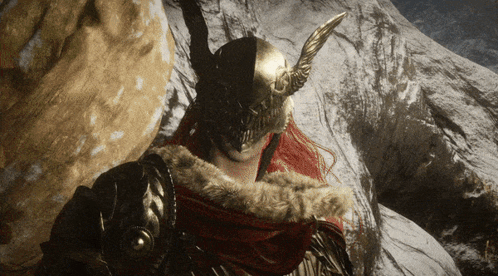
actually looks scary some type of torture method or something

@plain crescent i have a question how have they made the mouth move if there is no shape keys on this model
plain crescent
Well not all models use shape key
Some of them use bones and save the motion as 'shape key'
Or maybe you just ripped them wrong
soft remnant
plain crescent
Some of them use bones and save the motion as 'shape key'
is there a way to check whatever you said here


 soft remnant
the more you know
plain crescent
@smoky olive Finally, turns out we're just registering the first texture2D, somehow the game created a new texture instance, so.. just take the new one to the dictionary
 solemn crane
am i doing right?
solemn crane
solemn crane
am i doing right?
well i guess no
 plain crescent
solemn crane
well i guess no
plain crescent
solemn crane
well i guess no
I think i have sent a weight transfer tutorial to this channel , lemme find them
plain crescent
soft remnant
@solemn crane
plain crescent
soft remnant
as i said a made my own notes to porting the models so this video is in it
Damnn GG's
solemn crane
arigatougozaimasu
soft remnant
your welcome
plain crescent
hehehehe with this, i can finally finish the mod


Just need to replace the rest of the texture
soft remnant
at this point by you releasing this mod your gonna change how mods are created in this game by alot
your releasing the templates of everything
so more people are just gonna do it
your the adam here
father of creation
plain crescent
Nahh, rist is the true god. Im just his prophet, fixing bugs and stuff
soft remnant
plain crescent
Nahh, rist is the true god. Im just his prophet, fixing bugs and stuff <:maan:11...
both of you a deitys
ahh now i see what these bones were the phase 2 attack


 harsh ridge
plain crescent
<@503446008647122955> Finally, turns out we're just registering the first textur...
harsh ridge
plain crescent
<@503446008647122955> Finally, turns out we're just registering the first textur...
YES! Awesome stuff, I'm so stoked for the release

soft remnant
yeah phase 2 locked in

WAIT I FORGOT THE WING

this weight painting cant have been done by hand

its to perfect and its the same for all of the flower pedals
plain crescent
Well hello miku
 soft remnant
plain crescent
Well hello miku
soft remnant
plain crescent
Well hello miku
yeah this is gonna be game changing brother
plain crescent
Well you can change the entire house by this
Not just pictures
I wonder what kind of unique mods will use this
soft remnant
 harsh ridge
I've brewed so many ideas for re-texturing. To see it'll finally be possible in-game is surreal. At least without having to patch files.
soft remnant
@plain crescent i figured it out they did it a bit different instead of using shape keys they actually used bones to move the mouth
 soft remnant
plain crescent
That's exactly what I'm saying <:CatHappy:1196288150276935731>
soft remnant
plain crescent
That's exactly what I'm saying <:CatHappy:1196288150276935731>
i didnt understand when u said it mb
 stark badger
plain crescent
Dayumm the whole MV is basically mila picture
stark badger
plain crescent
Dayumm the whole MV is basically mila picture
how do yo do that
UAL? or photo edit
plain crescent
stark badger
how do yo do that
UAL? or photo edit
I'm using gimp to edit the texture, then i use UAL to replace the game texture with that one
stark badger
Head Surgery
 plain crescent

 stark badger
 plain crescent
My friend M.K told me to download project sekai

 glossy wren
soft remnant
i didnt understand when u said it mb
glossy wren
soft remnant
i didnt understand when u said it mb
i should put raging wolf armorset as mc just to go along with this lol
 hearty zodiac
This is my favorite chat in the whole discord server.


 soft remnant
@plain crescent is the mod out?????????????


 misty hound
plain crescent
I'm still need to remake some of the texture
misty hound
plain crescent
I'm still need to remake some of the texture
I've literally delayed buying the game until this mod released
Big fan of Miku (My wife)
 plain crescent
misty hound
Big fan of Miku (My wife)
plain crescent
misty hound
Big fan of Miku (My wife)
Do you know any lore related to mikudayo to put in chibi mita description?
misty hound
plain crescent
Do you know any lore related to mikudayo to put in chibi mita description?
Just put that she's homicidal or something
plain crescent
I want to put the disappearance of Hatsune Miku lore for ghost mita, because back then miku really disappeared, she gone from the internet
misty hound
misty hound
Just put that she's homicidal or something
On the run from the authorities perhaps
plain crescent
plain crescent
I want to put `the disappearance of Hatsune Miku` lore for ghost mita, because b...
But idk for the rest
Oh how abt that sushi mikudayo video

She never gets to eat any sushi and now she's mad in the game
misty hound
I think for Mikudayo anything works as long as it's her being a danger to society
 plain crescent
What? Don't tell me you're a miku fan now?
soft remnant
nah teto i like more
 soft remnant
plain crescent
But she's lacking clothes
soft remnant
plain crescent
But she's lacking clothes

still my main simp is for malenia
and im about to sink 80+ hours into beating unalloyed malenia
im so fcked
soft remnant
all of these are just for facial expressions do you have any clue why they would have done it this way instead of shape keys? @plain crescent
 plain crescent
I believe they use something like this

Since regular shape keys are not flexible enough and they can be conflicted to each other
stark badger
Maybe you can replace cursor miku
 soft remnant
stark badger
Maybe you can replace cursor miku
soft remnant
stark badger
Maybe you can replace cursor miku
NO WAY BRO
bro is mikuifying the game
stark badger
plain crescent
I believe they use something like this

 soft remnant
stark badger
soft remnant
stark badger
 plain crescent
stark badger
Maybe you can replace cursor miku
plain crescent
stark badger
Maybe you can replace cursor miku
Yup i will
soft remnant
bro i dont even remember where those cursors are used
ahh you can add custom lighting that is indeed cool
 plain crescent
soft remnant
bro i dont even remember where those cursors are used
plain crescent
soft remnant
bro i dont even remember where those cursors are used
They are used in the main menu bro
 thin basalt
@quasi creek @lost bridge Добрый день, у меня возник вопрос. А если я хочу создать свой мод, и добавить туда оригинальную озвучку (актеров озвучки из орг игры) то это вообще можно сделать? Или вы заключили какие-либо контракты на этот счет, (авторские права и тд.)
plain crescent
Welp her electronic still glowing which make her looks cool
 soft remnant
plain crescent
They are used in the main menu bro
soft remnant
plain crescent
They are used in the main menu bro
shiiiiiiiiiiiiiiiiiiii
its been a while mb
 lost bridge
thin basalt
<@399490688913506305> <@848534008093474856> Добрый день, у меня возник вопрос. А...
lost bridge
thin basalt
<@399490688913506305> <@848534008093474856> Добрый день, у меня возник вопрос. А...
просто мод? наверное ок
thin basalt
lost bridge
просто мод? наверное ок
Глобальный мод, нацеленный на сюжет и игровой процесс (а не переозвучка орг или скин) . Ну размер серьезный, но не больше оригинальной мисайд.
smoky olive
plain crescent
<@503446008647122955> Finally, turns out we're just registering the first textur...
 plain crescent
smoky olive
https://tenor.com/view/rezero-natsukisubaru-subaru-returnbydeath-gif-19396459
plain crescent
smoky olive
https://tenor.com/view/rezero-natsukisubaru-subaru-returnbydeath-gif-19396459
Phase 2, audioclip replacement
smoky olive
plain crescent
Phase 2, audioclip replacement
We have an example fron main menu
plain crescent
Yup im using that
Combined with your always looping sprite replacement
💀
Tbh i kinda hate the looping process, but this is the only way i think
 smoky olive
plain crescent
Combined with your always looping sprite replacement
smoky olive
plain crescent
Combined with your always looping sprite replacement
You're right it should be looped only for Novel chapter, remove the success variable i guess
plain crescent
Well for my audio replacement, the loop is ended when the object is dissapeard
Maybe we can do the same for sprite
But this gonna kill super low end pc for sure
can't wait to see ppl complaining my mod
smoky olive
I expect you audioclips loading will take about 5 minutes
plain crescent
well im using loaded audio so its only load in the boot process
The rest are just CPU consuming
smoky olive
Crab_rave.ogg is a bad example because it is full uncut version
I guess 10 seconds long audioclip will take about 300-500ms
smoky olive
Btw we should add some license to our repo on github
So that people won't have any problems with laws
In theory at least
plain crescent
Totally agree, but which lisence should we use?
smoky olive

plain crescent
ohh this one seems nice
 smoky olive
Oh so Texture2D.LoadImage works without forcing
And you're right about restoremeshbackupcoroutine it has no sense since we have synchronious menu
plain crescent
But it still has some anomalies
Sometimes the backup works but sometimes it's not
Sometimes skinned appendix doesn't get deleted
I'm not sure whyyy
plain crescent
smoky olive
You're right it should be looped only for Novel chapter, remove the success vari...
Nah tbh i think it should loop anywhere, just make sure the sprite really there active in the scrne, so it's not looping for emptyness
Since sprite is used for animated texture
wait maybe we can use sprite to support animated texture on skinned renderer
I wan't to port her hair if we support animated texture
 pulsar whale
me when UVScroll
plain crescent
True it's totally uv scroll lmaoo
plain crescent
Man i love UAL
I hope more ppl will love ual once they see what miku mods can do.
 misty hound
plain crescent
Phase 2, audioclip replacement
misty hound
plain crescent
Phase 2, audioclip replacement
Miside but if it was good
plain crescent
misty hound
Miside but if it was good
This mod is going to have an original miku song for the main menu and that cappie game
Totally original and use miku voicebank
misty hound
plain crescent
This mod is going to have an original miku song for the main menu and that cappi...
I added a note on your profile as "Miku Mod Guy" You're doing god's work
plain crescent
Thanks to sazuko, a lot, he's a producer, you guys should check his channel
https://www.youtube.com/watch?v=e8rOEWCJ-vA

#橘ありす #アイドルマスターシンデレラガールズ #u149 #アイドルマスターシンデレラガールズU149 #アイドルマスターシンデレラガールズスターライトステージ #シンデレラガールズ #アイドルマスター #デレステ #デレステmv #idolmaster #idolmastercinderellagirls #ai #original_music
We made an Original Song and MV for Arisu Tachibana (橘ありす) From The Idolm@ster Cinderella Girls.
A lot of time was spent to make everything original with hig...
plain crescent
misty hound
I added a note on your profile as "Miku Mod Guy" You're doing god's work
Hahahahahah wtf
misty hound
plain crescent
Thanks to sazuko, a lot, he's a producer, you guys should check his channel
http...
Sure thing brother
 vale sedge
How do I try SoSide mod, I dont really understand the download part... Where do I drag the downloaded files?
 placid stump
modders, create neko arc mita mod, and my life is yours
stark badger
placid stump
modders, create neko arc mita mod, and my life is yours
Seem have mesh can easy use UAL Maybe
 thin basalt
lost bridge
просто мод? наверное ок
thin basalt
lost bridge
просто мод? наверное ок
Если что-то поменяеться то сообщите.
 unreal light
respectable people, who can help me draw a skin for a target in Ukrainian, please, even if you are from the USA, you can help me, I just don't know how to draw very well, I will be very glad for your help❤️❤️
уважаемые люди кто может помочь нарисовать скин на миту в укр столе пожалуйста дажи если вы с РУС то сможете мне помочь я просто вопше не умею толком рисовать буду очень рад вашей помоши❤️❤️
unreal light
plain crescent
Phase 2, audioclip replacement
was it possible to pass?
stark badger
I just use google search Neco Arc one hours ago
Instgram popup Neco Arc

 vagrant anvil
soft remnant
i dont think elden ring models are the best to try and extract
vagrant anvil
soft remnant
i dont think elden ring models are the best to try and extract
difficult to deal with even outside of the game
stark badger
Does current need to manual copy paste addons_config?
 twilit tartan
nope just keep it in the mod's folder
stark badger
twilit tartan
nope just keep it in the mod's folder
Thanks
Have problem cause i mix Pre version file and Release version file

 pulsar whale
pay up..


 twilit tartan
burinyuuu
stark badger
placid stump
stark badger
doing gods work my friend, :'] 
stark badger
When Enable it and Restart Game
It will have two GameObject
need to disable it and Restart Game to Fix
i See Bao Don't have this problem
i think i use create_skinned_appendix
Bao only use replace Mesh

 covert shoal
yo wsp, I'm trying to download mods but something is going wrong, like when I start the game(I alr moved the "Miside Custom Models Loader" files to BeplnEx plugins file) it shows a large red text on cmd. Someone know how to fix it?
stark badger
EllenTail Also have problem
i think is code problem

 covert shoal
oh
any Ideas of how to fix it?
Maybe it's because of 3.1 version of Miside Custom Models Loader
 placid stump
stark badger
https://www.nexusmods.com/miside/mods/258?tab=files
placid stump
stark badger
https://www.nexusmods.com/miside/mods/258?tab=files
man you are a legend
stark badger
I remember someone post a link don’t ask
stark badger
covert shoal
yo wsp, I'm trying to download mods but something is going wrong, like when I st...


Large Red Text


covert shoal
bruh
twilit tartan
does the mod say to use custom model loader or universal asset loader
covert shoal
custom model loader
covert shoal
I alr tryied to put UnityEngine.TextRenderingModule.dll but it says I need permission
Idk if I doxed my self
covert shoal
stark badger
What's your BepinEx Version
6.0
I downloaded it from here: https://www.nexusmods.com/miside/mods/57
plain crescent
stark badger
sometime it will duplicate
Yes this is the anomalies
Sometimes it's duplicates sometimes it's not
I need to investigate further
 granite spade
hi guys, I wanted to know if there is a way to enable the christmas theme. when I searched on the internet people were talking about how to disable it by changing the system date. do I have to download an older version or change a game file, or is changing the date the only way to do it? thanks in advance
prime whale
could someone do a nurse outfit?
plain crescent
prime whale
could someone do a nurse outfit?
You can do it yourself ngl it's easy
See the pinned message for the tutorial
Or look for Custom Models Loader, you can just slap the outfit and it'll be done in like 50 second
plain crescent
granite spade
hi guys, I wanted to know if there is a way to enable the christmas theme. when ...
Download UniversalAssetLoader
https://github.com/Rist8/MiSide-UniversalAssetLoader/releases/latest
That alone has a bunch of build in mods
Some of them are the ability of enabling Halloween and Christmas mode with just one click inside the game
granite spade
plain crescent
Download UniversalAssetLoader
https://github.com/Rist8/MiSide-UniversalAssetLoa...
ah thank you, I had deleted it when I tried installing some custom models
 sinful raven
Hello guys, i tried using mods to change mita's outfit but when i started the game it didnt apear, i try then to delete the mods but now i cant see the other mita's oficial outfits :c
 river finch
L
prime whale
how do i use the loader
prime whale
i tried to do it and can't figure it out
plain crescent
Be more specific
solemn crane
prime whale
so how to i make a outfit
check pinned messages
there is a tutorial how to make custom model
covert shoal
Hey, I got this error while opening MiSide with BepInEx and Custom Model Loader(I setted up everything correctly):
Unhandled exception. System.IO.FileNotFoundException: Could not load file or assembly 'Il2Cppmscorlib, Version=4.0.0.0, Culture=neutral, PublicKeyToken=null'. O sistema nÆo pode encontrar o arquivo especificado.
File name: 'Il2Cppmscorlib, Version=4.0.0.0, Culture=neutral, PublicKeyToken=null'
at BepInEx.Unity.IL2CPP.IL2CPPChainloader.OnInvokeMethod(IntPtr method, IntPtr obj, IntPtr parameters, IntPtr exc)
Does smn know something abt it?
prime whale
could someone make a nurse with gloves and nurse cap i cant figure out how to do it
solemn crane
i transferred the weight, but here is what I see in the game
is it because the shoes have a lot of polygons?

 plain crescent
Damn the polygon is crazy
You better need to use a decimate modifier to reduce the polygon
solemn crane
does the game have a limit for polygons?
plain crescent
No, I don't believe so, but the polygon is too crazy for any game
Your mod will be less optimized below yandere dev
prime whale
i cant figure out how to make it please help
solemn crane
plain crescent
No, I don't believe so, but the polygon is too crazy for any game
is this quantity fine?
 solemn crane
prime whale
i cant figure out how to make it please help
solemn crane
prime whale
i cant figure out how to make it please help
Aoba made a tutorial how to make custom model
Did you watch it?
solemn crane
plain crescent
You better need to use a decimate modifier to reduce the polygon
Thanks it works
solemn crane
prime whale
i did but i still did not understand it
If you want to create a model from scratch, you need to know how to use Blender. If you just want to load an already existing model into the game, it's quite feasible to do even without Blender experience. It won't be easy if you're doing it for the first time, but the tutorial covers everything you need to know
 left willow
chat
plain crescent
solemn crane
Thanks it works
It worked? Dayum that means the game has vertices limit
 prime whale
something like this but red latex gloves or black option to choose
 plain crescent
solemn crane
plain crescent
solemn crane
Dayum, I think the limit is on RAM size since UAL needs to load the vertices in some variables
Nice discovery
prime whale
i cant figure out the blender
plain crescent
https://stackoverflow.com/questions/61205007/is-there-maximum-number-of-meshes-in-unity
Dayumm the maximum vertices per object is 65535

Stack Overflow
I'm trying to upload point cloud in unity C#.
Because there is no element that draws point directly, I create a cube for each point of point cloud.
So, For n points in point cloud, 8n vertices (be...
This is indeed an interesting number
prime whale
could some one do this as a addon for mita
plain crescent
Man, no offense but you should try yourself first, take your time to learn blender
 thorny stone
solemn crane
thorny stone
solemn crane
Jordan ?
plain crescent
I don't think anyone cares enough to do them without getting paid
plain crescent
plain crescent
Man, no offense but you should try yourself first, take your time to learn blend...
Just try and tell your progress in this channel, we can help if you have a problem
solemn crane
thorny stone
Jordan ?
I think so
I just searched for ‘free shoes fbx’
solemn crane
plain crescent
https://stackoverflow.com/questions/61205007/is-there-maximum-number-of-meshes-i...
shoes had 300k polys lol
solemn crane
thorny stone
Jordan ?
 thorny stone
solemn crane
thorny stone
solemn crane
Player with jordan
plain crescent
solemn crane
shoes had 300k polys lol
Damn
soft remnant
vagrant anvil
difficult to deal with even outside of the game
well its difficult because of how amazing the model is
im actually learning alot just by fiddling around with stuff on the model
ingame malenia is to easy for me because i would have beat her around 7 times however unalloyed malenia is another story im having trouble with her and ALOT
 tribal flax
What mod should i get?
soft remnant
anyone u want brother
tribal flax
Aight
soft remnant
interesting 2 malenias

yeah second and first phase


i dont really get why there is 2 because the second phase one has everything from first phase aswell

maybe one is for the cutscene? who knows
 echo ridge
is the game mono or il2cpp??
soft remnant
il2
echo ridge
thank you!
echo ridge
soft remnant
il2
i cannot get unity explorer to work, do you know the fix or anything, the latest.
can someone please, help me. fr. just rq, im already at the files and everything, just need someone to watch my screen and guide or something, nothing online is useful
soft remnant
echo ridge
i cannot get unity explorer to work, do you know the fix or anything, the latest...
watch my video https://youtu.be/yrMyIN0HwOU?si=DithL9mEL2xEsyoB

Hope this video helped you
BepInEx/UniversalAseetLoader: https://github.com/Rist8/MiSide-UniversalAssetLoader?tab=readme-ov-file
Mods: https://www.nexusmods.com/miside/mods/
also if your wondering what BepInEx version to get it's the one with BepInEx-Unity.IL2CPP in the name just choose your operating system and what bit your cpu is
echo ridge
i might have done it now
echo ridge
soft remnant
watch my video https://youtu.be/yrMyIN0HwOU?si=DithL9mEL2xEsyoB
launching, did i have to launch first before putting explorer in the plugins??
soft remnant
i think your using a different mod engine
plain crescent
Use this one, it's supported to the newer version of unity
https://github.com/yukieiji/UnityExplorer

GitHub
An in-game UI for exploring, debugging and modifying IL2CPP and Mono Unity games. - yukieiji/UnityExplorer
You can use BepInEx or melonloader
soft remnant
plain crescent
Use this one, it's supported to the newer version of unity
https://github.com/yu...
what is this
soft remnant
BRO WHAT IS THIS SKELETON

this has to be cutscenes or something now way
why tf is there like 200 bones
plain crescent
echo ridge
i tried this one im pretty sure
I'm 100% sure that one is working
I'm using that one
echo ridge
i was using x86......

i finally have it running, but then this lol
@plain crescent anything popping out about the errors?
soft remnant
hes busy rn doing stuff
soft remnant
hell be back in a lil bit
 brisk prawn
Soside doesn't work :(

 eager bolt
hey does anybody have good vrms for desktop mate
echo ridge
says im basically missing patches? or is that not whats causing it... hm... wish someone else had this error to know haha
ok, its not patchers or anything, its literally those 2 errors at the bottom, tried to resolve by changing from zeros, but still missing class fields
alr, while i wait, ill continue playing ig
ping me when you can help please!
soft remnant
 stark badger
plain crescent
Yes this is the anomalies
stark badger
plain crescent
Yes this is the anomalies
Time to use Dnspy Debug Step to Over Step Into
solemn crane
soft remnant
I hope you don't want to put this into miside
soft remnant
no i was just ripping apart elden ring for fun
if i wanted to put that into miside ill be better of creating the game from scratch
soft remnant
bro if i export this and send it to you will you do it?
soft remnant
ight
stark badger
soft remnant


 stark badger

pulsar whale
 soft remnant
 plain crescent
Man i really need to optimize the asset replacement command
soft remnant
plain crescent
Man i really need to optimize the asset replacement command
is the voice different here?
pulsar whale
it is miku voice yes
plain crescent
Well sazuko doing all of the audio work
It's having a frame shuttering on Ryzen 7, can't wait to see the performance on cerelon device .
Definitely need a way to remove the looping process
solemn crane
guys I have 2 questions
the first: is it because of my potato laptop or, as you already said it's normal for ual
plain crescent
Yes that is intentional, we make it that way to improve performance, without the delayed loading process, the maneken world will totally burn your laptop
And i never seen any other tools that can patch all of the maneken
solemn crane
the second: why when I start the game, it doesn’t change the hair (sometimes it just add the custom hair above Mita’s hair), but when I off and on the mod again in the menu, it works fine
plain crescent
solemn crane
the second: why when I start the game, it doesn’t change the hair (sometimes it ...
Yeah somehow the mesh is null
But as i remembered it correctly, rist patch it in the 0.11.2 beta version
solemn crane
oh nice thanks
 amber thunder
soft remnant
i dont really get why there is 2 because the second phase one has everything fro...
amber thunder
soft remnant
i dont really get why there is 2 because the second phase one has everything fro...
that's just how fromsoft is\
lots of models are just duped
should check the dlc enemies 
amber thunder
they're duped from the main game 1:1 and sometimes have like an extra animation or 2
soft remnant
i see
amber thunder
and ye, blender doesn't support fbx imports, there's a plugin for that you can get, if you want a proper export from the game i suggest using "aquamodeltool"
soft remnant
Yeah I got all that
soft remnant
amber thunder
and ye, blender doesn't support fbx imports, there's a plugin for that you can g...
Blender does support fbx wym
soft remnant
It converted it all exported from smith box used witchy then aqua then blender
I dont understand what ur saying blender supports fbx fine
solemn crane
and i also noticed, that you guys fixed the interactive white outline on Mita (i really appreciate it), but that problem still remains on other Mitas (cap and kind) with custom meshes
is it possible to fix it in addons_config?
glossy wren
soft remnant
maybe one is for the cutscene? who knows
pretty sure that's the case
amber thunder
i mean, you saw the skeleton you imported, the default blender import can be serviceable depending on your use case but the amount of people that complained to shadowth (aquamodeltool dev) about issues that blender causes with it's default fbx support is quite a lot.
i guess the best you can do is just make the bones render as sticks
soft remnant
Well for what im gonna do with the model the bones on malenia are useless
I’m gonna switch them out anyway
amber thunder
then yeah, you probably won't need it
soft remnant
What would you even reuse malenia bones for anyway? Just Elden ring mods?
amber thunder
transfer weights maybe idk
glossy wren
soft remnant
What would you even reuse malenia bones for anyway? Just Elden ring mods?
you could use the original weights and transfer it onto the miside bones using weight paint mix, although that probably would take too long
amber thunder
posing and stuff too
soft remnant
Can u show me what ur talking about with this fbx stuff I still don’t understand fully
So ur telling me these aren’t malenia bones used in game?

There is leaf bones there so ignore them
glossy wren
that looks a whole lot different than mine
soft remnant
Show
glossy wren
although to be fair i'm using an outdated tools
soft remnant
Show ur skeleton
glossy wren

the model is mirrored, and i imported it as an smd
i'm using bloodborne_model_v3 to convert the flver files
amber thunder
oof ancient stuff 
glossy wren
i probably could've used a flver editor to extract it as dae
soft remnant
So ur guys are Elden modders?
amber thunder
ye, i was just randomly checking the chat and got malenia jumpscared
glossy wren
soft remnant
So ur guys are Elden modders?
i've modded mostly armor sets in but i did modded jevil from deltarune as malenia as an inside joke
soft remnant
cool i have been looking for people to chat with about this stuff i couldnt find a elden mod community
soft remnant
glossy wren
i've modded mostly armor sets in but i did modded jevil from deltarune as maleni...
lol
amber thunder
i was like "what is the aonia doing here" and scrolled to see you wanting to rig her model
glossy wren
soft remnant
cool i have been looking for people to chat with about this stuff i couldnt find...
there's ?ServerName? discord server
soft remnant
im gonna speed run elden on my pc to get to malenia cause i wanna beat unalloyed malenia
im gonna do it if its the last thing i do
glossy wren
i still can't even dodge waterfowl dance normally
amber thunder
let me send you an invite real quick cuz this is getting more into ER than miside lol
glossy wren
amber thunder
let me send you an invite real quick cuz this is getting more into ER than misid...
fair point
soft remnant
i have beat base malenia so many times to the point where i 1 try every run and it gets boring then i found unalloyed
amber thunder
invite sent
soft remnant
bet
glossy wren
also are you modding malenia in as mita?
amber thunder
welp, i don't wanna derail the chat more than i already did so feel free to hit me up in dms if you ever need anything fromsoft related
soft remnant
amber thunder
welp, i don't wanna derail the chat more than i already did so feel free to hit ...
100%
soft remnant
glossy wren
also are you modding malenia in as mita?
well i thought it would be a cool idea, however i was just fiddling around in the game files because i have played this shi since release and only recently got a pc so i have been wanting to do this for ages
glossy wren
soft remnant
well i thought it would be a cool idea, however i was just fiddling around in th...
i see, if you do end up putting malenia in as mita, i'm putting in the raging wolf armor set as the mc just to go along with it lol
 amber pewter
legit surprised i haven't seen unsavory mods yet
glossy wren
amber pewter
legit surprised i haven't seen *unsavory* mods yet
what do you mean by that
twilit tartan
you just have to enable them
amber pewter
glossy wren
what do you mean by that
nsfw lmao
glossy wren
amber pewter
nsfw lmao
it already exists, just turn off the filter on nexusmod
amber pewter
i don't have it on wtf, don't tell me im just not logged in.. man, well idk what i was expecting
pulsar whale
yeah, nexus hides them if you're not logged in
amber pewter
the devs reaction to these mods coming put within 10 minutes of the game being out
glossy wren
i'm puttin mamsnrbhr chehfde in th e gam
 twilit tartan
very similar to mita's rig
glossy wren
pulsar whale
bones are very simple
i made the rig myself and already posed it into the mc pose already
it's just valve biped rig
 hushed hearth
wow
glossy wren
 soft remnant

@glossy wren do you know why me and rayans bones are so big when importing malenia into blender
 glossy wren
soft remnant
<@351333896283226112> do you know why me and rayans bones are so big when import...
glossy wren
soft remnant
<@351333896283226112> do you know why me and rayans bones are so big when import...
you're using octahedral for the viewport model, switch it to stick so they look a bit more cleaned up
soft remnant
yeah but the bones are still insanely long
i changed it to these bones so you could see
glossy wren
soft remnant
yeah but the bones are still insanely long
that's kinda just how fbx import is i'm pretty sure
they're small on mine because it's smd
soft remnant
but i have another model where its not tiny and looks normal

ignore leaf bones
so the massive bones arent something to worry about?
glossy wren
probably?
glossy wren
this

just drag and drop flver into it and you'll get an smd
if you want the tool, i'll send it
soft remnant
nah no need
glossy wren
gotcha
soft remnant
gonna switch out the bones prob anyway
i wanna try porting this model into miside and black ops 2 zombies
ill match the model to mita for future me
this fur part seems oddly low quality

yeah wtf

one of the many mystery's along with this model following the butterfly's that looks ridiculous
 smoky olive
plain crescent
Dayum, I think the limit is on RAM size since UAL needs to load the vertices in ...
smoky olive
plain crescent
Dayum, I think the limit is on RAM size since UAL needs to load the vertices in ...
We used to have 64 bits for more than 65535 vertices before, but then i just used default 32 bits for everything
hearty zodiac
Hey Rist, how's it going tonight?
plain crescent
Ohhh i see, welp 32 bit is better for user memory's
using higher number for WaitForSeconds definitely kinda help the performance but this doesn't completely remove the shutter
And seems like i cant just use SetData directly to replace the sample on AudioClip
hearty zodiac
Looks smooth to me, also nice job with the miku mod! 
plain crescent
It's having a frame shuttering once a few frame
smoky olive
solemn crane
and i also noticed, that you guys fixed the interactive white outline on Mita (i...
I totally forgot about that
smoky olive
hearty zodiac
Hey Rist, how's it going tonight?
It's all fine and also it's morning for me
hearty zodiac
Whoops 
smoky olive
plain crescent
And seems like i cant just use SetData directly to replace the sample on AudioCl...
Maybe try force use method?
plain crescent
smoky olive
Maybe try force use method?
Yeah i haven't tried that.
Kinda hopeless because i get an error that tells me the source audioclip does not match with the target audioclip
smoky olive

stark badger
plain crescent
using higher number for `WaitForSeconds` definitely kinda help the performance b...
Next Feature Dance Game Circle Base on music adjust
stark badger
 smoky olive
I remember someone already did this
plain crescent
Man i kinda hate Unity


 stark badger

hushed hearth
give our some useful tools with C#
plain crescent
Tho idk why they're duplicating sometimes in the main menu
stark badger
Change Scene
 dark crane
anyone got the Ayaka mod?
plain crescent
plain crescent
Tho idk why they're duplicating sometimes in the main menu
And the duplicates don't get registered to the renderer dictionary, prob because of the identical name
Bruh probably i should release a lite version of my miku mod that doesn't contain audioclip replacement

 plain crescent
FindMita is basically searching for all mita animator , without them, mita's won't get patched
stark badger
But still have modify skin
plain crescent
Oh?
stark badger
in menu
soft remnant
major problem the hand proportions do no fit mitas hand at all so the thumb looks so cooked


actuall i know a fix
edit mode for the win
plain crescent
I think FindMita is called on bootup by the logOnClick, but still called by onSceneChanged anyway
Yup that's exactly the problem


Thank god this isn't a backup system failure
stark badger
plain crescent
@stark badger thanks for pointing this out
stark badger
Change Skin restart game will auto apply
Does this is bug or feature?
soft remnant
feature
plain crescent
stark badger
Change Skin restart game will auto apply
Does this is bug or feature?
You mean miside skin? Like the vampire and Christmas one?
Or does you mean "Why does the mod still apply after restarting the game?"?
stark badger
When i equip this
Restart game it's will still this skin or it will reset to origin mita?
 plain crescent
stark badger
When i equip this
Restart game it's will still this skin or it will reset to ori...
plain crescent
stark badger
When i equip this
Restart game it's will still this skin or it will reset to ori...
Oh yeah, that's a feature, a lot of ppl requesting this feature
soft remnant
stark badger
When i equip this
Restart game it's will still this skin or it will reset to ori...
plain crescent
Man i give up with AudioClip.SetData, I'll just gonna bonk the yield time
stark badger
smoky olive
plain crescent
Man i kinda hate Unity
SetData isn't static, is it?
plain crescent
No they aren't
stark badger
So solution is commet this line?
 plain crescent
stark badger
So solution is commet this line?
plain crescent
stark badger
So solution is commet this line?
No, I'm adding some check conditions on startup
To avoid calling FindMita twice
stark badger
soft remnant
@pulsar whale with the current model im using its a fbx and the bones dont have L and R on the end of the names so is there i was to automatically make it so opposite bones auto have L and R on end of the name otherwise i have to rename so many bones it isnt even funny
plain crescent
I thought it was my backup system being schizo, turns out the mesh just duplicated
Oh hey the audiosource just get destroyed after finishing the game

plain crescent
smoky olive
SetData isn't static, is it?
Wait how can i force them? I didn't find any documentation on unity scripting api

 tulip herald
demogorgon mita when
soft remnant
tf is that
plain crescent
NEGIII

 keen gorge
Does anyone know which version of asset studio works to view MiSide files?
plain crescent
Replaced the cat with hellokitty www

 next pawn
btw, is there any specific method for rigging the eyes?
They don't have their own vertex group and just assigning the eye mesh to the eye bones yields rather unpleasant results
soft remnant
plain crescent
NEGIII
 plain crescent
keen gorge
Does anyone know which version of asset studio works to view MiSide files?
soft remnant
next pawn
btw, is there any specific method for rigging the eyes?
They don't have their ow...
plain crescent
keen gorge
Does anyone know which version of asset studio works to view MiSide files?
soft remnant
next pawn
btw, is there any specific method for rigging the eyes?
They don't have their ow...

wym bro
mita has eye vertexes
next pawn
soft remnant
wym bro
this is what I mean 💀
 soft remnant
next pawn
*this* is what I mean 💀
soft remnant
next pawn
*this* is what I mean 💀
where did u get this model?
next pawn
soft remnant
where did u get this model?
Nexusmods, the example .zip
next pawn
so
now, another issue is that when I did assign the eyes to the bones, it did this:
I feel like it might be related to how the eyes themseves are handled, but idk
(also, don't mind the shaders, it's a test model ww)
 soft remnant
you apply transform and transforms to delta?
next pawn
soft remnant
you apply transform and transforms to delta?
...on the individual bones?
'cause I 've applied the scale and rotation on the main armature itself, so I'm not entirely sure what you're talking about.
next pawn
soft remnant
then ctrl a again then apply transforms to deltas
alright, did that.
Ctrl+A on the armature, applied transforms, then CTRL+A, applied all transforms to Deltas
I'll set the new model up rq and come back with the result
soft remnant
bet
pulsar whale
me when the image is using CML
soft remnant
pulsar whale
me when the image is using CML
are you serious?
pulsar whale
its obvious
soft remnant
ahh yes because of shader
next pawn
soft remnant
bet
nope, same result
they rotate correctly now, but they still have the weird offset, hmmmmmm
 soft remnant
brother im gonna give you a life changing hack
dont try and use cml
yo
nah didnt get it from there
persona 4 the worst one to
3 the best
4 is the worst
just so boring
 plain crescent
Dayumm what should we do abt this
pulsar whale
me when xmas and vamp has different skeelton
plain crescent
 next pawn
nope, same result
they rotate correctly now, but they still have the weird offse...
next pawn
next pawn
nope, same result
they rotate correctly now, but they still have the weird offse...
right, so has anyone else here experienced the eye meshes on their models being offset like this?
 finite flare
@plain crescent god finally I don't have to pester you in dms
plain crescent
OOHH NICE
soft remnant
next pawn
right, so has anyone else here experienced the eye meshes on their models being ...
no because ur using cml
it loads shi differently to UAL
next pawn
soft remnant
no because ur using cml
is that like, an export thing or smth?
tried searching it up in regards to Unity stuff, and it only spit out machine learning-related answers
soft remnant
next pawn
is that like, an export thing or smth?
tried searching it up in regards to Unity...
can you show me your Plugins folder

go to plugins
and show whats in there
next pawn
ah
could'a said that was Custom Model Loader
the overall model import is similar to the Universal Asset Loader tho, right?
soft remnant
next pawn
*ah*
could'a said that was Custom Model Loader
the overall model import is simil...
AHHH sorry
smoky olive
plain crescent
Wait how can i force them? I didn't find any documentation on unity scripting ap...
All force methods are in ReflectionForcer.cs in Utils folder
finite flare
the lights are dimming for some reason

 soft remnant
next pawn
*ah*
could'a said that was Custom Model Loader
the overall model import is simil...
soft remnant
next pawn
*ah*
could'a said that was Custom Model Loader
the overall model import is simil...
This is my model when i used Custom Model Loader to import it

This is my model when i used Universal Asset Loader to import it

Custom Model Loader is just a easy way out and its quality is no where near Universal
plain crescent
smoky olive
All force methods are in ReflectionForcer.cs in Utils folder
Aww mannn i feel dumb, i haven't opened that folder
plain crescent
finite flare
the lights are dimming for some reason
This is probably because of some parameters,
Using _MainColor should be enough
finite flare
SetColor _MainColor (1,0.2,0,1) 1
SetFloat _PointLightSVD 1
SetFloat _PointSpotlightIntensity 60
Yeah don't use PointLightsvd and pointlightintensity
Main color is enough, just use higher emissions value
soft remnant
@pulsar whale what do i do about this predicament these last 2 finger dont match at all

and the finger are added on weird because its a metal arm
plain crescent
finite flare
```
SetColor _MainColor (1,0.2,0,1) 1
SetFloat _PointLightSVD 1
SetFloat _PointS...
Tho self lit should help
 finite flare
selflit
finite flare
well I will at least try the self lit
@plain crescent is there a way to remove the shader params
they don't get removed if you offload the mod
plain crescent
Oh good question
Well if they're skinned appendix, they'll get resets
But if you're replacing the mesh, yeah this is kinda the problem
 finite flare
plain crescent
Yeah don't use PointLightsvd and pointlightintensity
finite flare
plain crescent
Yeah don't use PointLightsvd and pointlightintensity
why would I not use it if the original has it, that's my question
plain crescent
finite flare
<@988798435190792212> is there a way to remove the shader params
Oh yeah they should get resets after changing the scene, for example: loading a checkpoint
plain crescent
finite flare
why would I not use it if the original has it, that's my question
No, the original core doesn't use PointLightsvd parameter, but they are the PointLight itself
Kinda hard to explain ngl
 finite flare
🤣
plain crescent
 finite flare
plain crescent
No, the original core doesn't use PointLightsvd parameter, but they are the Poin...
finite flare
plain crescent
No, the original core doesn't use PointLightsvd parameter, but they are the Poin...

well if I don't use pointlightSVD, then it displays different vs the menu
plain crescent
finite flare
I'm only using these parameter and the glow seems the same between scene
 finite flare
I swear it has to do something with me being on linux and it running through proton
I reload and it's like your behaviour
smoky olive
plain crescent
@ rist <:waa:1132460673138446446>
There must be an explicit conversion
Or you can convert it manually
plain crescent
var il2CppCopyData = new Il2CppInterop.Runtime.InteropTypes.Arrays.Il2CppStructArray<float>(copyData.Length);
        for (int i = 0; i < copyData.Length; i++)
        {
            il2CppCopyData[i] = copyData[i];
        }

        Reflection.ForceUseMethod(loadedAudio[audioKey], "SetData", il2CppCopyData, 0);
Let's see if this works
Guess not

Welp im dead
smoky olive
F
smoky olive
plain crescent
Guess not
Then it's problem with GetData
plain crescent
Damnnn rist you're right, are you some kind of furtune tellers or what
Get data resulting 0 value for all the index
Wonder why
smoky olive
Because it's from compressed .ogg format i guess
 smoky olive
plain crescent
Lets try wav
smoky olive
plain crescent
Lets try wav
We don't support it at the moment
You can try same thing as for textures, save compressed raw data to use it in this function
Not sure if it will work though
plain crescent
smoky olive
You can try same thing as for textures, save compressed raw data to use it in th...
With the ogg? Or the wav version?
smoky olive
Ogg
plain crescent
Alr
finite flare
real nice
 smoky olive
plain crescent
Alr
smoky olive
plain crescent
Alr
It works there with audioData so you can save the audioData an use it same way


 plain crescent
smoky olive
It works there with audioData so you can save the audioData an use it same way
plain crescent
smoky olive
It works there with audioData so you can save the audioData an use it same way
Damn right
smoky olive
finite flare
<@503446008647122955>
Logs are 144p for me
 finite flare
because of wine 😦
smoky olive
finite flare
Null mesh
finite flare
how is it null
smoky olive
Idk
finite flare
 smoky olive
finite flare
kind gets replaced fine so
plain crescent
finite flare
Rist is there a possibility of race condition?
smoky olive
Coroutines can't have it in theory
But i might be that cappie has unstable loading time or smth like that
finite flare
replace_tex Mita Hair CoreMita\Hairs !Kind !Cap !Future !Dreamer !Know !Chibi !ShortHairs
replace_mesh Mita Hair CoreMita\CoreMitaHair CoreMitaHair !Kind !Cap !Future !Dreamer !Know !Chibi !ShortHairs

no idea
probably just loaded wrong
plain crescent
Damn loadedRawAudio gonna burn ppl RAM
smoky olive
plain crescent
Damn loadedRawAudio gonna burn ppl RAM
Use compression as for textures
Convertion to byte[] will be easy, just multiply the values of float[] by 128 and after decompression divide them by 128
finite flare
[Error : Unity] Not allowed to access vertices on mesh 'Hair' (isReadable is false; Read/Write must be enabled in import settings)
[Error : Unity] Not allowed to access vertices on mesh 'Hair' (isReadable is false; Read/Write must be enabled in import settings)
@smoky olive
 plain crescent
It worked, the audioclip does change 100%
But the whole game is muted now wtf
finite flare
replace_tex Mita Head CoreMita\Body !Chibi !Tiny !Little !Maneken !Creepy !Broke !Core !CreepyMita
not excluding mila, but he does not get replaced
resize_mesh Mita Body 0.93 Mila Glasses
resize_mesh Mita Head 0.93 Mila Glasses
resize_mesh Mita Hair 0.93 Mila Glasses
resize_mesh Mita CoreMitaBodyGlow 0.93 Mila Glasses
resize_mesh Mita CoreMitaHeadEyeGlow 0.93 Mila Glasses
Oh nvm, it's worked now, i just fked up the frequency.
Gonna push the proper changes tomorrow, I'm dead for now
Damn with this i can change the entire game song without any lags
@junior heron
 smoky olive
Show me your full config
next pawn
okay
doing the new setup, and for some reason it's spitting out this error, despite the bone being present
(or should the name match exactly, 1:1?)


but the textures sure do load
 smoky olive
Well i'm not an expert but shouldn't armature be the root of the hierarchy, i mean why do you have these Mita and MitaPerson Mita?
finite flare
next pawn
*okay*
doing the new setup, and for some reason it's spitting out *this* error, ...
your armature should beign with Hips, not armature or mitaperson

 next pawn
finite flare
your armature should beign with Hips, not armature or mitaperson
next pawn
finite flare
your armature should beign with Hips, not armature or mitaperson
Okay, doing so just snapped the neck by 90 degrees, even after fixing the rotation in blender to match the updated reference provided by Adachi
plus, it's now somehow complaining about BangHair1 1, despite that bone clearly being present in both the updated reference and the modded model
but, this doesn't prevent the hair from loading, and instead messes with the body
finite flare
next pawn
Okay, doing so just snapped the neck by 90 degrees, even after fixing the rotati...
is BangHair 1 1 in the weight list
next pawn
finite flare
is BangHair 1 1 in the weight list
yes, on both models, as they were split off from one to work with the texture atlases properly
finite flare
next pawn
yes, on both models, as they were split off from one to work with the texture at...
show me the error code from console
next pawn
not to mention, it worked with Custom Model Loader, so the bone's there, and it's working
finite flare
oh wait
I remember
you can't have body and hair bones in the same mesh otherwise it doesn't work
need to make hair and body seperate meshes

2 armatures, one with hair, one without, and replacing, head, body and hair / hairs
next pawn
finite flare
show me the error code from console

they already are separate - so, maybe you mean that I should also remove the vertex groups?
finite flare
next pawn
they already are separate - so, maybe you mean that I should also remove the ver...
yes
that's what I have in my model as well
bones seperate as well
next pawn
finite flare
bones seperate as well
hair, separate
shape keys, removed
end result, exactly the same


 finite flare
pulsar whale
BangHair <:CatDespair:1127206188388470794>
finite flare
pulsar whale
BangHair <:CatDespair:1127206188388470794>
me too lmao
next pawn
so I doubt that could actually be the problem ngl 💀
also, what's up with the neck snapping, anyway? Is that a common thing?
pulsar whale
what did you used for neck? Neck1 or Neck2?
finite flare
next pawn
hair, separate
shape keys, removed
end result, *exactly the same*
so body armature (bones) and mesh don't have any mentions of bang hair 1 1?
next pawn
pulsar whale
what did you used for neck? Neck1 or Neck2?
both, with their own shapekeys
it also seems like a bit of a wider issue now that the whole model loads
 finite flare

next pawn
I'd imagine that's because, now that the outside reference from MitaPerson is gone, the whole mesh gets rotated, all without rotating the armature it belongs to
so we get Miss-Noodly-Arms here
we creating a whole new kind of body horror with this one 🗣️ 🔥
pulsar whale
Did you used the template from my video?
Or did you just straight up used the ripped armature?
next pawn
pulsar whale
Did you used the template from my video?
I've cross-referenced it with yours, names and offsets did seem to match
and it does seem to work, after some fiddling - just gotta fix the hair
and then remesh the eyebrows, eyelashes and hair, or somehow force the game to recognize texture transparency or smth 💀

...another thing is that the blendshapes seem to be broken now, despite working in Blender, but that's also probably a case of them being duplicated on the other meshes
or maybe not, oh no

what makes it even more strange is that, cross-referencing the pinned list, it's the exact same amount, and even in the exact same order


 finite flare
next pawn
what makes it even more strange is that, cross-referencing the pinned list, it's...
finite flare
next pawn
what makes it even more strange is that, cross-referencing the pinned list, it's...
head is seperate?
next pawn
finite flare
head is seperate?
aye, head's separate
there are 4 parts being loaded - body, pantyhose(which is like, leg extras), head and hair
finite flare
next pawn
aye, head's separate
there are 4 parts being loaded - body, pantyhose(which is ...
try to load just the head
to test the shapekeys
next pawn
finite flare
to test the shapekeys
nope
although, one thing I am doing is unloading every part of the Mita model before loading the modded meshes - maybe that's messing with it somehow?

 finite flare
next pawn
nope
although, one thing I *am* doing is unloading every part of the Mita model ...
finite flare
next pawn
nope
although, one thing I *am* doing is unloading every part of the Mita model ...
you need to remove them after loading
*CoreMitaFIX
replace_mesh Mita Head CoreMita\CoreMitaHead CoreMitaHead !Chibi
replace_tex Mita Head CoreMita\Body !Chibi
replace_tex Mita Hair CoreMita\Hairs !Kind !Cap !Future !Dreamer !Know !Chibi
replace_mesh Mita Hair CoreMita\CoreMitaHair CoreMitaHair !Kind !Cap !Future !Dreamer !Know !Chibi
replace_mesh Mita Hairs CoreMita\CoreMitaHair CoreMitaHair !Kind !Cap !Future !Dreamer !Know !Chibi
replace_mesh Mita Body CoreMita\CoreMitaBody CoreMitaBody !Chibi
replace_tex Mita Body CoreMita\Body !Chibi
create_skinned_appendix Mita CoreMitaBodyGlow Body !Chibi
create_skinned_appendix Mita CoreMitaHeadEyeGlow Head !Chibi
replace_tex Mita CoreMitaBodyGlow CoreMita\Body !Chibi
replace_tex Mita CoreMitaHeadEyeGlow CoreMita\Body !Chibi
replace_mesh Mita CoreMitaBodyGlow CoreMita\CoreMitaBodyGlow CoreMitaBodyGlow !Chibi
replace_mesh Mita CoreMitaHeadEyeGlow CoreMita\CoreMitaHeadEyeGlow CoreMitaHeadEyeGlow !Chibi
shader_params Mita CoreMitaBodyGlow CoreMita\BodyShader all !Chibi
shader_params Mita CoreMitaHeadEyeGlow CoreMita\EyeShader all !Chibi
resize_mesh Mita Body 0.93 Mila Glasses
resize_mesh Mita Head 0.93 Mila Glasses
resize_mesh Mita Hair 0.93 Mila Glasses
resize_mesh Mita CoreMitaBodyGlow 0.93 Mila Glasses
resize_mesh Mita CoreMitaHeadEyeGlow 0.93 Mila Glasses
remove Mita Sweater
remove Mita Pantyhose
remove Mita Shoes
remove Mita Skirt
remove Mita Attribute
remove Mita Clothes
something like this
next pawn
finite flare
```
*CoreMitaFIX
replace_mesh Mita Head CoreMita\CoreMitaHead CoreMitaHead !Chib...
yep, moved the removal to after the mesh replacement, but it's still spitting out the same error
finite flare
next pawn
yep, moved the removal to *after* the mesh replacement, but it's still spitting ...
which version of UAL are you using
next pawn
finite flare
which version of UAL are you using
updated to latest now, which seems to have changed things around
so now the command needs to be restructured again
finite flare
next pawn
updated to latest now, which *seems* to have changed things around
***so now th...
can you send your config
next pawn
finite flare
can you send your config
here's the whole thing
finite flare
finite flare
```
*CoreMitaFIX
replace_mesh Mita Head CoreMita\CoreMitaHead CoreMitaHead !Chib...
can you just post it like that?
next pawn
finite flare
can you just post it like that?
*Jadie Lectra
remove Mita Attribute
remove Mita Shoes
remove Mita Skirt
remove Mita Hair
remove Mita Pantyhose
remove Mita Body
remove Mita Head
remove Mita Sweater
create_skinned_appendix Mita Jadie Body
replace_mesh Mita Jadie JadieLectra\JadieMod JadieBody
replace_tex Mita Jadie JadieLectra\Body
create_skinned_appendix Mita JadieHairAP Hair
replace_mesh Mita JadieHairAP JadieLectra\JadieMod JadieHair
replace_tex Mita JadieHairAP JadieLectra\Hair
create_skinned_appendix Mita JadieHeadAP Head
replace_mesh Mita JadieHeadAP JadieLectra\JadieMod JadieHead
replace_tex Mita JadieHeadAP JadieLectra\Head
create_skinned_appendix Mita JadiePantyhoseAP Pantyhose
replace_mesh Mita JadiePantyhoseAP JadieLectra\JadieMod JadiePantyhose
replace_tex Mita JadiePantyhoseAP JadieLectra\Pantyhose
//remove Mita Attribute
//remove Mita Shoes
//remove Mita Skirt
//remove Mita Hair
//remove Mita Pantyhose
//remove Mita Body
//remove Mita Head
//remove Mita Sweater
-remove Mita Jadie
-remove Mita JadieHairAP
-remove Mita JadieHeadAP
-remove Mita JadiePantyhoseAP
-remove Mita Attribute
-remove Mita Body
-remove Mita Head
-remove Mita Pantyhose
-remove Mita Shoes
-remove Mita Skirt
-recover Mita Attribute
-recover Mita Shoes
-recover Mita Skirt
-recover Mita Hair
-recover Mita Pantyhose
-recover Mita Body
-recover Mita Head
-recover Mita Sweater
we didn't change syntax of old commands at all
finite flare
next pawn
```
*Jadie Lectra
remove Mita Attribute
remove Mita Shoes
remove Mita Skirt
remo...
*Jadie Lectra
create_skinned_appendix Mita Jadie Body
replace_mesh Mita Jadie JadieLectra\JadieMod JadieBody
replace_tex Mita Jadie JadieLectra\Body
create_skinned_appendix Mita JadieHairAP Hair
replace_mesh Mita JadieHairAP JadieLectra\JadieMod JadieHair
replace_tex Mita JadieHairAP JadieLectra\Hair
create_skinned_appendix Mita JadieHeadAP Head
replace_mesh Mita JadieHeadAP JadieLectra\JadieMod JadieHead
replace_tex Mita JadieHeadAP JadieLectra\Head
create_skinned_appendix Mita JadiePantyhoseAP Pantyhose
replace_mesh Mita JadiePantyhoseAP JadieLectra\JadieMod JadiePantyhose
replace_tex Mita JadiePantyhoseAP JadieLectra\Pantyhose
remove Mita Attribute
remove Mita Shoes
remove Mita Skirt
remove Mita Hair
remove Mita Pantyhose
remove Mita Body
remove Mita Head
remove Mita Sweater
still, despite the command being the same, it loads differently
so it doesn't take a genius to see that something's changed
finite flare
finite flare
```
*Jadie Lectra
create_skinned_appendix Mita Jadie Body
replace_mesh Mita Jadi...
like this is enough
next pawn
I suppose
(kinda weird that it didn't work like that for me first try tho)
in any case, the only issues that remain are rigging, which can easily be solved by just fiddling around with Blender
(and then maybe I could touch the whole thing up with shader parameters)
either way, thanks y'all
oh yeah, and the blendshapes do work now, so that's nice too
finite flare
if you want glowing stuff on your character
lmk I can help
since I managed to this

 vast crescent
Guys i got a question miside devs love miside mods?
granite spade
vast crescent
Guys i got a question miside devs love miside mods?
they have made a few channels regarding mods so I think they do
vast crescent
granite spade
they have made a few channels regarding mods so I think they do
Oh cool
First comunity i seen love the mods
 twin cedar
@index
Is it possible to make succubus Mita's eyes glow?
finite flare
twin cedar
@index
Is it possible to make succubus Mita's eyes glow?
yes
 forest karma
yo can someone turn this vtuber into a miside mod? https://x.com/Kumachi_alamode/status/1882646614562779611


 upper egret
Unrelated if anyone has seen any good mods on nexus, DM them to me please. NOT NSFW.
solemn crane
forest karma
yo can someone turn this vtuber into a miside mod? https://x.com/Kumachi_alamode...
If she has a published model available, you can do it using the tutorial in the pinned messages
forest karma
Okie
twilit tartan
cappie's and mita's hair parented to the same head bone working great (weight paint is just temporary)
 smoky olive
ok so now you guys prob need an outline for Cappie?
twilit tartan
the white outline? its working fine
 smoky olive
twilit tartan
the white outline? its working fine
smoky olive
twilit tartan
the white outline? its working fine
is it?
twilit tartan
yeah i think so
 plain crescent
smoky olive
ok so now you guys prob need an outline for Cappie?
plain crescent
smoky olive
ok so now you guys prob need an outline for Cappie?
Yes and for Mila
finite flare
twilit tartan
cappie's and mita's hair parented to the same head bone working great (weight pa...
lmao
smoky olive
twilit tartan
yeah i think so
are you replacing meshes or creating skinned appendixes?
twilit tartan
optimiziations, people
twilit tartan
smoky olive
are you replacing meshes or creating skinned appendixes?
replacing
smoky olive
twilit tartan
replacing
it works for existing objects obviously
twilit tartan
oh thats what you mean ic
 graceful kraken
is there any other games like this
 soft remnant
unfortunately because of the way Malenias hand is made i gotta choose between 2 of any finger to be off a little bit in this case it in the pointer finger and pinky

 twilit tartan
solemn crane
hmm
twilit tartan
solemn crane
hmm
thats odd might wanna ask rist
twilit tartan
soft remnant
unfortunately because of the way Malenias hand is made i gotta choose between 2 ...
you can stretch the fingers a bit to make them match at the joints
soft remnant
i have been trying however this hand is very weird i dont know how to explain it
twilit tartan
hm ic
soft remnant
i did it fine with the other hand
 soft remnant
unfortunately because of the way Malenias hand is made i gotta choose between 2 ...
soft remnant
soft remnant
unfortunately because of the way Malenias hand is made i gotta choose between 2 ...
however this ones joints somehow work and feel different than the normal hand
the best way to explain it is the the finger joints arent connected to anything they are their own thing
so when i move the fingers it doesnt to anything to the hand
twilit tartan
you mean the armor segments?
soft remnant
idk what to say somehow it feels different than the rest of the hands
its feels mechanical
maybe its the dimensions of the hand being the worst possible match for mita
i mean im already pushing it by doing this but there is no other way

 frank tulip
dam we got mod?
solemn crane
outline on this Mita works fine
 twilit tartan
send your addons_config
soft remnant
soft remnant
i mean im already pushing it by doing this but there is no other way
This arm is way to tall for mita so im praying the bones still work somehow
also since the malenia head is actually realistic its gonna be rough since its so small

 solemn crane
oh I see
I'm creating a skinned appendix for the body, since I use it two times (for hands and for the sweater)
 smoky olive
solemn crane
hmm
smoky olive
solemn crane
hmm
something related to culling
solemn crane
but why it still works for Mita?
soft remnant
@twilit tartan will this shoulder be all good because its way to high for mita


 smoky olive
smoky olive
smoky olive
those are from the fix i'm working on right now
solemn crane
ah ok
smoky olive
btw they are semitransparent just because i forgot to replace one constant for statics

@plain crescent pushed the fix into main, but won't make a release because you hadn't pushed your AudioClips fix yet
smoky olive
solemn crane
ah ok
pdb is just for better logs i think, maybe, not sure if it is needed at all
only thing i know about it is that it is needed for debugging
solemn crane
Rist you are the best
thank you

 smoky olive
 plain crescent
smoky olive
<@988798435190792212> pushed the fix into main, but won't make a release because...
plain crescent
smoky olive
<@988798435190792212> pushed the fix into main, but won't make a release because...
Alr will push them
Need a bit of refactoring
solemn crane
I like this feature so bad
do you know names for other pics?

 opal jackal
If someone is looking for an idea of mod to make, i'd love to see a mod that lets you customize the keys. Just saying 🥺
 plain crescent
Man, compressing audio files takes a decade
Rist I think I'll leave them as float[] for now
smoky olive
solemn crane
I like this feature so bad
do you know names for other pics?
Use UABE or other tools to know them
smoky olive
plain crescent
Man, compressing audio files takes a decade
What about decompression?
plain crescent
Still takes a decade because i need to convert them back to float for setData
smoky olive
I guess there must be something like c++ pointers casting
plain crescent
Oh, index requested devmode
He wants addons config to get refreshed instead of saving them on the variable
Putting devmode.txt in assets folders will activate this but rn it's just a simple re-read addons config
Gonna fully implement them myself for the next version
smoky olive
You can even add full reload of assets on f5 in devmode
smoky olive
plain crescent
Man, compressing audio files takes a decade
`using System;
class Program
{
static void Main()
{
// Example byte array (contains raw binary representation of floats)
float[] originalFloatArray = { 1.1f, 2.2f, 3.3f, 4.4f };
byte[] byteArray = new byte[originalFloatArray.Length * sizeof(float)];
Buffer.BlockCopy(originalFloatArray, 0, byteArray, 0, byteArray.Length);
    // Allocate a new float array to store the converted values
    float[] floatArray = new float[byteArray.Length / sizeof(float)];

    // Convert the byte array back to float array
    Buffer.BlockCopy(byteArray, 0, floatArray, 0, byteArray.Length);

    // Output the float array
    Console.WriteLine("Float Array: ");
    foreach (float value in floatArray)
    {
        Console.WriteLine(value);
    }
}
}
`
plain crescent
Buffer.BlockCopy(originalFloatArray, 0, byteArray, 0, byteArray.Length);
This is the main culprit that makes loading process takes decades
I'll try them again later
Sleep now rist, you need then wwww
plain crescent
smoky olive
If yes use MemoryMarshal
`using System;
using System.Runtime.InteropServices;
class Program
{
static void Main()
{
// Example float array
float[] floatArray = { 1.1f, 2.2f, 3.3f, 4.4f };
    // Reinterpret the float array as a ReadOnlySpan<byte>
    ReadOnlySpan<byte> byteSpan = MemoryMarshal.AsBytes<float>(floatArray);

    // Output the bytes
    Console.WriteLine("Byte Array:");
    foreach (byte b in byteSpan)
    {
        Console.Write(b + " ");
    }
}
}
`
plain crescent
Alr will try them later this day
smoky olive

`using System;
using System.Buffers;
using System.IO;
using System.IO.Compression;
using System.Runtime.InteropServices;
class Program
{
static void Main()
{
// Example float array
float[] floatArray = { 1.1f, 2.2f, 3.3f, 4.4f };
    // Reinterpret the float array as ReadOnlySpan<byte>
    ReadOnlySpan<byte> byteSpan = MemoryMarshal.AsBytes(floatArray);

    // Compress using a stream
    byte[] compressedData = Compress(byteSpan);

    Console.WriteLine("Compressed Data:");
    Console.WriteLine(BitConverter.ToString(compressedData));
}

static byte[] Compress(ReadOnlySpan<byte> data)
{
    using (var memoryStream = new MemoryStream())
    {
        using (var gzipStream = new GZipStream(memoryStream, CompressionMode.Compress))
        {
            // Write the span directly to the stream
            var buffer = ArrayPool<byte>.Shared.Rent(data.Length);
            try
            {
                data.CopyTo(buffer);
                gzipStream.Write(buffer, 0, data.Length);
            }
            finally
            {
                ArrayPool<byte>.Shared.Return(buffer);
            }
        }
        return memoryStream.ToArray();
    }
}
}
`
Ok now i'm done
 paper path
Hey modders! VR when?
twilit tartan
This is THE no.1 feature that can't be missing in VR lol
The mod is still under development.
twilit tartan
this is stopping me from using one armature with both mita's and cappie's hair: these bones share the same name
 plain crescent
Exactly
Fun fact, cap and know has different armature
Well it's only 1 bone difference

 plain crescent
Miku is this really you?
 twilit tartan
omggg
solemn crane
what could be the problem? it looks like the left shoe doesn't have part of the textures


after using a decimate modifier I just copied the right shoe and mirrored it


 plain crescent
The mesh is clearly loaded but it seems like the vertices are facing the wrong way
Seems like they're flipped inside out or something
solemn crane

twilit tartan
decimate can do bad things
solemn crane
why the right shoe works good? I copied it after applying the modifier
so problem should be in blender, not in the game, right?
twilit tartan
what did you use to copy it
solemn crane
Shift+D
twilit tartan
try using a mirror modifier
solemn crane
plain crescent
Seems like they're flipped inside out or something
yes it has textures inside lmao
 plain crescent
solemn crane
twilit tartan
try using a mirror modifier
I love you brother
 twilit tartan
nice
plain crescent
This thingy is hard to get it right 

At this point, there won't be any mita

Kinda weird we can't change the cursor image directly
Ohh there we go
plain crescent
smoky olive
`using System;
using System.Buffers;
using System.IO;
using System.IO.Compressio...
Rist this still takes a decade to compress 
I think audio files have too many values to compress at runtime
soft remnant
@junior heron how have you created the Miku Voice AI or something?
@plain crescent have you changed the book textures?
amber pewter
twilit tartan
hu tao wifey
amber pewter
twilit tartan
https://youtu.be/5C71bqlW4a4
i need a freaking good PC to play this when it comes out
im so pissed off mine broke in april
plain crescent
Man...
I just waste my time recording the gameplay to make a trailer for my miku mod.
And it turns out the video using low bitrates 
I hate OBS at this point
stark badger
OBS Setting
amber pewter
plain crescent
I hate OBS at this point
use MKV and set your bitrate higher
you're going to save on storage a lot
twilit tartan
we have mita!
 finite flare
twilit tartan
we have mita!
finite flare
twilit tartan
we have mita!
didn't you just have to exclude !cap !know ?
in hair and hairs replacement, as well as texture
twilit tartan
finite flare
didn't you just have to exclude !cap !know ?
i had to paint the hair to cappie's and kind's bones too
finite flare
I mean in core replacement I replace hair, but to get cappie I just excluded the hair from replacement, but you just wanted the cap ig ?
 rare jay
does anyone know how long it took for the devs to actually model Mita?
maybe including conception?
 jagged veldt
youd have to ask the artist about that
id imagine not very long though
looks like maybe a two or so days of work
finite flare
solemn crane
<:confused:1132460815807684770>
looks like the normals just flipped
just ctrl + N recalculate outside
 green yarrow
plain crescent
Ohh there we go
green yarrow
plain crescent
Ohh there we go
Where can I get this?
plain crescent
green yarrow
Where can I get this?
It hasn't been released yet
I'm planning to release her later today, want to get notified? I'll mention you
green yarrow
I meant the hatsune miku one aside or together
green yarrow
plain crescent
It hasn't been released yet
I'm planning to release her later today, want to get...
Yes please
plain crescent


 green yarrow
I am just a big fan of miku what can I say,my color of the php is just like hers
smoky olive
plain crescent
Rist this still takes a decade to compress <:waa:1132460673138446446>
Is it finally time when my embedded optimisations knowledge comes in handy?
 small plover
plain crescent
It hasn't been released yet
I'm planning to release her later today, want to get...
small plover
plain crescent
It hasn't been released yet
I'm planning to release her later today, want to get...
mention me too 🙏
green yarrow
plain crescent
https://tenor.com/view/miku-hatsune-miku-yippee-autism-creature-mike-gif-1578692...
Btw i see you have the Donald profile picture from kingdom hearts 3 right?