#miside-mods-discussion
1 messages · Page 24 of 1
 plain crescent
 twilit tartan
omg migu
twilit tartan
me no japan
 soft remnant

soft remnant
twilit tartan
me no japan
your GETTING crazy downloads congrats

 twilit tartan
ya
 twilit tartan
nah people also post it here a lot
soft remnant
absolute legends
i am in a prediciment i made the breasts on my model to big so it looks idiotic ingame

LOL HAHAHA
 soft remnant
twilit tartan
suffering from success <:CatDespair:1127206188388470794>
soft remnant
twilit tartan
suffering from success <:CatDespair:1127206188388470794>

i really need to fix this weighting on the sweater its the most buggy thing on this model
look at this fckn shi
 twilit tartan
damn
soft remnant
plus the collar is like really broken some how
twilit tartan
maybe try painting it to the skirt bones
plain crescent
Ual is better
soft remnant
plain crescent
Ual is better<:mitahorny:1134996882435874896>
i am using ual
CML is cool but its not that good
plain crescent
soft remnant
i am using ual
Oh lmao
soft remnant
from the start the worst part about the weighting is the hair and sweater and both of them feel impossible to fix
cant say i have really attempted hair much tho
soft remnant
plain crescent
Oh lmao
also the weight transfer for the skirt was perfect
like literally perfect there is no issues at all
 plain crescent
Ohh yeah it looks nice
soft remnant
still the main problem is this weird texturing with the collar

the gray shi
ill do some fiddling with the weight and see what happens
plain crescent
soft remnant
still the main problem is this weird texturing with the collar
You can just delete the vertex beneath the collar
soft remnant
wym
wait hold on
i might have fixed it
some of the tit weight is on the collar

thats 100% gotta be why right
i think that fixed it atleast in blender its not doing it
lets see ingame baby
it fixed it however there is this were gray whatever shape that is

just there perma
 pulsar whale
probably just too short or something
maybe you can just edit mode and drag those vertices down
that's what I'm guessing anyway
 twilit tartan
yeah check the weight painting there
it might be a back facing face getting pulled through
soft remnant
now we know why the sweater is fcked

i swear i removed this last time when i have having issues with the boob moving the whole shirt
plain crescent
Lmao why does the logo is so small

 blazing heart
would this be a good place to get some tech support or no
twilit tartan
obligatory dont ask to ask but yes
twilit tartan
does it crash
blazing heart
i think it's something to do with my antivirus cuz it has a false positive when i installed it but the miside should be an exception
closes on the command line
i have the errorlog if you need it
twilit tartan
ye pls
blazing heart
 twilit tartan
which version of bepinex did you install
twilit tartan
@pulsar whale is this the cant download dependency thing?
pulsar whale
yeah and stop using pre2
 mental ocean
Which one we should use then ?
mental ocean
Hmm hopefully that will fix my SoSide install
I couldnt get the room to change
Only language pack and the mita skin worked
And there is 0 videos on how to install that funny ah mod
plain crescent
Why does UAL remove this glowing effect from the first place
twilit tartan
what does soside actually do? the descriptions too long to google translate 💀
plain crescent
They replace everything with 'funny' jokes and memes
twilit tartan
oh
pulsar whale
plain crescent
Why does UAL remove this glowing effect from the first place
because it nukes entire logo, killed animators
and placed in the static image
pulsar whale
plain crescent
They replace everything with 'funny' jokes and memes
its just #general-ru memes
plain crescent
pulsar whale
because it nukes entire logo, killed animators
Yeah but why 
Do people not want them or what.
I'm gonna add some asset config command for this i guess
mental ocean
twilit tartan
what does soside actually do? the descriptions too long to google translate 💀
Install fresh MiSide , then download BePinex pre 2 and then it just adds textures / language pack , issue is the textures and sounds for the map didnt want to load and it just loaded in only the mita skin and language pack
pulsar whale
plain crescent
Yeah but why <:maan:1127951426639900763>
Do people not want them or what.
I'm g...
thats just how the original code came
not Rist's doing
plain crescent
Ohh i see...
 rapid ginkgo
ssme (never watched Fate)
plain crescent
@pulsar whale soo.. uhhh.. how can i replace future mita head when she's killed, does she have an entirely different keyword or something?
pulsar whale
Yes, she does have different one.
she used "NewVersion"
you can download Hanako mod for it
to see how it works
plain crescent
 newversion, alr let's see
plain crescent
I think the keyword are conflicted

I added !NewVersionMita but UAL just replace the mesh anyway
soft remnant
shinu
soft remnant
plain crescent
I think the keyword are conflicted <:CatDespair:1127206188388470794>
the hair gives her a little moustache
plain crescent
Lmaooo


 mellow ether
Help with this please
I downloaded the Doki Doki mod and only the characters Monika and Natsuki because I'm only interested in those 2
and it really doesn't look like the picture im new on this sorry 😭
 pulsar whale
use school outfit
 smoky olive
plain crescent
I added `!NewVersionMita` but UAL just replace the mesh anyway
smoky olive
plain crescent
I added `!NewVersionMita` but UAL just replace the mesh anyway
Did you combine positive and negative keywords? Or maybe just try using !New
plain crescent
Nope I didn't combine them, alr lets try using !New
mellow ether
pulsar whale
use school outfit
nothing changed
smoky olive
mellow ether
Help with this please
I downloaded the Doki Doki mod and only the characters Mon...
You have no Addons tab so the problem is in your BepInEx or UAL installation
plain crescent
Yup still conflicted but I'm not quite sure why.
I just use 1 create_skinned_appendix MikuEye but there's 2 eyes that appear with the same object name.
Meh no biggie i think i can find a workaround using addons_config
smoky olive
Well are you sure she is called NewVersion?
plain crescent
100%

And i only have this for the eye
create_skinned_appendix Mita MikuEyes Head !Creepy !CreepyMita !Maneken !Little !Broke !Core
create_skinned_appendix Mita MikuEyes Body Creepy CreepyMita
Oh it's that one
plain crescent
smoky olive
Oh it's that one
Oh is it already problematic from the start?
mellow ether
smoky olive
You have no Addons tab so the problem is in your BepInEx or UAL installation
Well, those are concepts that I dont understand, so I guess it would be better to leave it like that, thanks by the way.
smoky olive
plain crescent
Oh is it already problematic from the start?
No, i just never tested it after code refactoring
Check the logs and see why does it apply it twice
plain crescent
Oh yeah, let's see...
soft remnant
mellow ether
Well, those are concepts that I dont understand, so I guess it would be better t...

Hope this video helped you
BepInEx/UniversalAseetLoader: https://github.com/Rist8/MiSide-UniversalAssetLoader?tab=readme-ov-file
Mods: https://www.nexusmods.com/miside/mods/
also if your wondering what BepInEx version to get it's the one with BepInEx-Unity.IL2CPP in the name just choose your operating system and what bit your cpu is
plain crescent
But it's only creating one according to the logs for NewVersionMita

I can't read sht from the logs lmao
But it does creating 2 eyes on Future???
(Oh nmv there's 2 future so it's normal)
Yeah the logs doesn't tell UAL created 2 eyes
mellow ether
soft remnant
https://youtu.be/yrMyIN0HwOU?si=DithL9mEL2xEsyoB
That video was what I was missing, with good reason, thank you very much.
plain crescent
@smoky olive Maya is also affected btw

 smoky olive
plain crescent
<@503446008647122955> Maya is also affected btw
smoky olive
plain crescent
<@503446008647122955> Maya is also affected btw
ok so it just copies the head from Mita Future from that scene
plain crescent
smoky olive
and also it always places the face near the sofa for Maya
plain crescent
Too much file size www
smoky olive
smoky olive
ok so it just copies the head from Mita Future from that scene
so it might've been from the very beginning
plain crescent
Alr no biggie
Rist if you are planning on releasing 0.11, don't forget to pull first and use build with asset instead www

 smoky olive
it might be
plain crescent
smoky olive
well now i have to write change logs
Just point at the pull request?
smoky olive
we also need documentation for all new features
soft remnant
i think you and rist are secretly deitys
plain crescent
smoky olive
we also need documentation for all new features
Well i already updated the addon config and asset config
Surely ppl can see them
Maybe
smoky olive
plain crescent
Well i already updated the addon config and asset config
i'll refactor them quickly so that they will be more readable
 plain crescent
Use PayPal mod apk
soft remnant
inspect element method on top
pulsar whale
man i hope soon #✱-development-games will have something :^)
soft remnant
 smoky olive
released

 soft remnant
smoky olive
released
soft remnant
smoky olive
released
 smoky olive

soft remnant

 sand pawn
i made a quick demo to show a english voice dub mod but dont know if i should bother if anyone would even be interested in it https://www.youtube.com/shorts/5FdVM1xxNp0

This shows a quick demo of a Miside English Voice Dub 2025
Welcome To My Youtube Channel. I create unreal engine video games and i share my project templates on github. If you like my content please subscribe and stay tuned for more unreal engine content from me thanks.
github: https://github.com/AkumaVenom
Discord: https://discord.com/users/...
 modern crater
I pretty sure English is being worked on
 rain breach
sand pawn
i made a quick demo to show a english voice dub mod but dont know if i should bo...
rain breach
sand pawn
i made a quick demo to show a english voice dub mod but dont know if i should bo...
wow i sure do love unironic tts voices
smoky olive
it uses default mods?
smoky olive
he somehow got null mita to be patched?
 plain crescent
Yeah this is weird
Maybe there's something wrong with his build
I'm gonna ask him to grab one from GitHub
smoky olive
and null here??
 smoky olive
plain crescent
I'm gonna ask him to grab one from GitHub
smoky olive
plain crescent
I'm gonna ask him to grab one from GitHub
it's the latest build so he couldn't get it anywhere else i guess?
plain crescent
Well i did give him some of the prebuild, but all of them have a null renderer check
This is weird unless he doesn't install it correctly
smoky olive
smoky olive
and null here??
well we don't actually have null gameObject check here, only list length check
plain crescent
Yeah but miku and maya don't give that error message, and the build index had is basically the latest.
Anomalies

 smoky olive
 plain crescent
Tbh i'm kinda confused with the dependencies folder thingy.
Why can't we just leave Assimp.dll outside the BepInEx folder? So ppl can just literally copy and replace everything
smoky olive
plain crescent
Tbh i'm kinda confused with the dependencies folder thingy.
Why can't we just l...
it will work with assimp.dll outside
it is compatible with prev versions
plain crescent
I see
but ppl still need to move Assimp.dll from the dependency folder to the outside folder?
I'm thinking of the zip file content to be something like this
assimp.dll
BepInEx
 |_ Plugins
      |_ UniversalAssetLoader
           |_Assets
           |_ Dependencies
Etc
But the current file is fine i guess
smoky olive
plain crescent
I see
but ppl still need to move Assimp.dll from the dependency folder to the o...
they don't need
plain crescent
Ohhh???
 plain crescent
Well the Readme.txt said that we need to copy assimp.net to the outside
The readme inside the zip file
 smoky olive
 pulsar whale
mlem
smoky olive
also updated all the previous releases to have instructions directly in their description
 prime nymph
plain crescent
prime nymph
plain crescent
ayo congrats xD
plain crescent
prime nymph
ayo congrats xD
Ohh heyy mikii have you seen my miku mod on tiny and core?
Look at this www
And this
prime nymph
good job man, pls ping me here when you do if you can
plain crescent
Alr
prime nymph
I just started work on a new project with a friend, trying to solve common first-person shooter problems
prime nymph
well not exactly fps but like movement in general. Coyote time, jump buffering, variable jump height, sharp edge stuck etc.
I'm using the CharacterController to not deal with stairs, slopes and complex gravity but that has a very infamous problems with being stuck on edges

so I just have 2 extra collision detections
 solemn crane
smoky olive
released
solemn crane
smoky olive
released
I can't wait to get home to test it out
 high rapids
 long trail
Hello, tried to run a mod, and this error shows up, How do I solve this?
 twilit tartan
firewall problem
long trail
twilit tartan
firewall problem
That doesn't seem to fix the problem.
Any other ways to solve this?
 late condor
Can someone please send me beplnEx
twilit tartan
late condor
Can someone please send me beplnEx
late condor
thanks
smoky olive

GitHub
Shader translation library for SDL's GPU API. . Contribute to libsdl-org/SDL_shadercross development by creating an account on GitHub.
twilit tartan
awooga
 empty radish
I wish i knew coding I would add so many random things in mods. Like a chance that the fly mini game will be a geometry dash level and if one of the characters takes it you hear the gd death sound because they got you killed. Or replacing mita with Gabriel judge of hell
twilit tartan
man why does mita have so many shapekeys 
plain crescent
twilit tartan
man why does mita have so many shapekeys <:mitadespair:1134996838475382895>
Well it's better than using bones
Project diva megamix uses bones instead of Shapekeys
plain crescent
Who's that pokemon
 plain crescent
Oh great, UAL haven't finished loading all assets but already activating the scene
Great

 feral jolt
Does anyone have any plans to mod Mita into Desktop Mate or something similer?
empty radish
i tried modding the game. i somewhat regret my life choices! XD

but i like it
i think i downloaded the wrong version of genshin
solemn crane
omg I broke her...
 pulsar whale

 dawn kelp
Hi I'm new to modding this game and I saw I need BepInEx. Is there a specific version I need?
I see the 6.0.0 pre2 and the 6.0.0 Bleeding edge. is there a difference?
pulsar whale
always use bleeding edge
pre2 is considered too old for me but yeah its still working
solemn crane
pulsar whale
 solemn crane
It seems like in 0.11 it takes a bit more time to change everything, or is it just me?
pulsar whale
It is normal
in older version, the game will freeze for a bit and then change the whole thing
in instance of many mitas, this could be problematic
solemn crane
Oh, got it, thanks
I remember I had a freeze when entering the room with the Mitas on the level with Chibi. I wonder what will happen now

plain crescent
Yeah now UAL can replace chibi too, just use !Chibi if you don't want them
UAL is schizo sometimes...
At one point, GameObject mita exists in the parent method, but it becomes null on the child method
I'm gonna push a temporary fix for this
solemn crane
plain crescent
Yeah now UAL can replace chibi too, just use !Chibi if you don't want them
That's cool
I'll try to replace textures
solemn crane
that's wonderful
what a time to be alive
solemn crane
solemn crane
Oh, got it, thanks
I remember I had a freeze when entering the room with the Mit...
no freeze for now
plain crescent
Yeah, and all the mitas in that room will get patched too
Previously, 9 14 15 and 16 didn't get patched
pulsar whale
plain crescent
And now all the maneken is also patched
solemn crane
Nice
plain crescent
In case you're getting an null reference error in the core room, just grab a new UAL from GitHub, I just replace the file
plain crescent
Ok this is weird, the error is still happening


 pulsar whale
reptile...
 jade nexus
plain crescent
Oh noo
jade nexus
plain crescent
Oh noo
This looks honestly amazing
plain crescent
I'm gonna use this for the thumbnail
 twilit tartan
woah
plain crescent
But rn I'm waiting for sazuko to finish his voice replacement
twilit tartan
this is the new gold standard for mods
plain crescent
Thanks hopefully so
Hopefully i can replace 2D mita with the the live 2D, thank god they make a live 2D model
twilit tartan
brilliant
 visual grail
Hi guys, my UAL cant seem to load any of the mods that i put, it shows a 'broken' version of the mod, any help with this?
 twilit tartan
oh no thats my mod
twilit tartan
visual grail
Hi guys, my UAL cant seem to load any of the mods that i put, it shows a 'broken...
send a ss of the console
visual grail
twilit tartan
send a ss of the console
Here ya go
 visual grail
Im on UAL 0.11.0
Also it happens to all mods on ual so i think something wrong with mine
plain crescent
Oop gonna test them real quick
plain crescent
Yeah something wrong with YOUR installation

UAL doesn't replace anything so it should be compatible with every mod
twilit tartan
ah thats good to see
visual grail
plain crescent
Yeah something wrong with YOUR installation
Yeah it didnt broke while im in this window, it only broke in-game

 smoky olive
plain crescent
Great
smoky olive
plain crescent
Great
So it doesn't work as expected, loading screen just ignores it's loaded variable
plain crescent
smoky olive
So it doesn't work as expected, loading screen just ignores it's loaded variable
Yeah, i already pushed and replaced the release to fix that one. Hopefully
Oh so hutao doesn't use any skinned appendix
twilit tartan
i dont know how to use them 💀
plain crescent
Yeah that's fine, nothing wrong wwww
twilit tartan
can you explain what they are
like whats the reasoning to use it over just replacing tex/mesh
plain crescent
Rist we need to take a look at this, this happens when i quit the gameplay
 smoky olive
plain crescent
Rist we need to take a look at this, this happens when i quit the gameplay <:Cat...
smoky olive
plain crescent
Rist we need to take a look at this, this happens when i quit the gameplay <:Cat...

plain crescent
twilit tartan
can you explain what they are
create_skinned_appendix Mita HutauHair Hair
It will duplicate mita hair mesh, so there's two of them, and you can replace HutaoHair instead of the actual hair.
twilit tartan
i see
plain crescent
plain crescent
Rist we need to take a look at this, this happens when i quit the gameplay <:Cat...
But this only occurs in hutau
Maya or miku doesn't do that
twilit tartan
suboptimal 💀
smoky olive
Mesh is null somehow???
plain crescent
visual grail
Hi guys, my UAL cant seem to load any of the mods that i put, it shows a 'broken...
Tbh this seems like the patching process isn't complete yet
What's your pc specs?
visual grail
plain crescent
What's your pc specs?
Im using laptop haha
i3 6th gen 2.00 ghz
Nvdia mx110
8gb ram
SSD
Also i found this on the log, 'renderer not found'...? also this only happen to crazy mita, it works fine with other mitas
 plain crescent
2.ghz...
Yeah this is definitely because the process isn't complete yet.
You can either wait until the process is finished or downgrade to UAL 0.10.x but it will shutter(lag) at some point
smoky olive
plain crescent
2.ghz...
Yeah this is definitely because the process isn't complete yet.
You ca...
It can't be that bad, and also we probably should have added target framerate config/binding to max fps
twilit tartan
plain crescent
Rist we need to take a look at this, this happens when i quit the gameplay <:Cat...
i got this same behavior
 wise bobcat
srp stans for scriptable render pipeline so im guessing you mean built in render pipeline, right? thats birp
smoky olive
visual grail
Hi guys, my UAL cant seem to load any of the mods that i put, it shows a 'broken...
a problem with changing cloth variant

it works only with default one
smoky olive
plain crescent
Rist we need to take a look at this, this happens when i quit the gameplay <:Cat...
can't reproduce it

 plain crescent
smoky olive
<:smilyCat:1136767447333093438>
plain crescent
smoky olive
<:smilyCat:1136767447333093438>
Play the game, then pause it and go to main menu
plain crescent
smoky olive
<:smilyCat:1136767447333093438>
Yeah this is expected with multiple active mod
smoky olive
plain crescent
Play the game, then pause it and go to main menu
i tried and had no error
plain crescent
Anomalies
Is it perhaps because of my changes? Have you try the new commit rist?
But tbh i just fix the null mitas exception, it shouldn't cause any error tho
smoky olive
plain crescent
Is it perhaps because of my changes? Have you try the new commit rist?
But tbh...
i did
plain crescent
Pure anomalies
 plain crescent
Huh is the player replacement broke?
pulsar whale
me when shoes texture got in mc clothes
somehow looks cool..
imagine mc in black shirt..
smoky olive
pulsar whale
somehow looks cool..
it does indeed
plain crescent
Huh why does it's only executing replace tex
smoky olive
well i guess we need to add not coroutine replace_mesh too
plain crescent
It's replacing texture and mesh BEFORE creating a skinned appendix lmao
smoky olive
plain crescent
It's replacing texture and mesh BEFORE creating a skinned appendix lmao
it's not, it's just ignoring replace_mesh commands
plain crescent
Oh but the logs says UAL create skinned appendix in last order? Or is it because of the coroutine so the logs are not in order?

Kinda confused with the logs ngl
smoky olive
plain crescent
Oh but the logs says UAL create skinned appendix in last order? Or is it because...
it is fine, it creates skinned appendixes at the beginning
plain crescent
i see..
plain crescent
Nahh i'm just trippin
smoky olive
well it was an obvious conflict between non-coroutine method PatchPlayer and coroutine method ReplaceMeshCoroutine

now when i returned old functions back, we can make the main menu patching atomic
plain crescent
So the main menu is syncronous while the gameplay is async?
pulsar whale
that's a good idea
 smoky olive
plain crescent
Ngl i put my blender file inside that folder for simplicity
Rist here's the changes for the blendshape bug in BuildMeshCoroutine
Line 227
blendShapeName = blendShapeName.Replace("MitaPerson ", "").Replace("MilaPerson ", "").Replace("(Clone)", "").Trim();
Line Add Blendshape Processing
if (!blendShapeOrders.TryGetValue(blendShapeName, out var blendShapeOrder) || blendShapeOrder.Count == 0)
            {

                var potentialMatches = blendShapeOrders.Keys
                    .Where(key => blendShapeName.Contains(key) || key.Contains(blendShapeName))
                    .ToList();

                if (potentialMatches.Count > 0)
                {
                    string closestMatch = potentialMatches.First();
                    blendShapeOrder = blendShapeOrders[closestMatch];
                    UnityEngine.Debug.LogWarning($"[WARNING] No exact blendshape order found for {blendShapeName}, using closest match {closestMatch} order");
                }
                else
                {
                    blendShapeOrder = blendShapeOrders["Mita"];
                    UnityEngine.Debug.LogWarning($"[WARNING] No blendshape order found for {blendShapeName}, using default Mita order");
                }
            }
Or should i just push it?
smoky olive
prob we should return to dev?
 plain crescent
Ohh niceeee
plain crescent
smoky olive
code is totally unreadable now
plain crescent
Yeah thinking abt it, coroutine patching is kinda funny on main menu
 hushed hearth
did someone know how to get the code to make mod?

 plain crescent
Oh seems like you haven't pulled the dev branch
I have the json file updated
smoky olive
plain crescent
Oh seems like you haven't pulled the dev branch <:CatDespair:1127206188388470794...
might be
plain crescent
Welp just need the json, the rest is fine i guess
smoky olive
i was refactoring it nonstop for 4 hours
plain crescent
thanks for the hard job rist 
Maybe after this one we can rest and pretend UAL is completed for now
smoky olive
it must be more readable now
plain crescent

I'm gonna reupload the release with the correct blendshape order i guess
Take a rest rist
smoky olive

 tired lion
smoky olive
plain crescent
https://tenor.com/view/hololive-handshake-meme-hakui-koyori-yuzuki-choco-coyote-...
tired lion
smoky olive
plain crescent
https://tenor.com/view/hololive-handshake-meme-hakui-koyori-yuzuki-choco-coyote-...
oh i forgot to update synch BuildMesh
well done
plain crescent
otsukare
 queen reef
plain crescent
<:agree:1128390651076169759> otsukare
queen reef
plain crescent
<:agree:1128390651076169759> otsukare
vro
i was checkin the hatsune miku mod you were making and im very intrigued
what's the progress
vro you better add cherry miku as optional clothes
solemn crane
plain crescent
btw does it replace the chibi mita at the start of the game and the one that comes out of the funicular?
smoky olive
 ivory sonnet
can anyone help me about this custom model loader error, this is my first time install and i feel so stupid
smoky olive
ivory sonnet
can anyone help me about this custom model loader error, this is my first time i...
well i have no idea, UniverseLib is not used by Universal AssetLoader, but is probably used by Custom Model Loader, there might be a conflict by idk why and where
smoky olive
ivory sonnet
can anyone help me about this custom model loader error, this is my first time i...
maybe this will help you

i tried installing CML with UAL and had no problems
solemn crane
does anyone have the mila template? I'm pretty sure someone already posted it here, but I can't find it
smoky olive
you can resize all meshes by 0.93 for her and they should work
solemn crane
I want to see if I could use her outfit
ivory sonnet
smoky olive
maybe this will help you
I have been redownload the benpinex and replace in my miside folder, i still do not have that file, can i get that file anywhere?
smoky olive
put it in there
 ivory sonnet
smoky olive
put it in there
ivory sonnet
smoky olive
put it in there
thanks a lot for helping me, it work just fine
 sullen zinc
When will the peaceful mode gonna be out
ivory sonnet
maybe 3-4 month, they still cooking it
sullen zinc
Yes they're because the mod is so expansive
ivory sonnet
i still have hope that we can have the change to spend more time with tiny mita in peacefyl mode
 elfin juniper
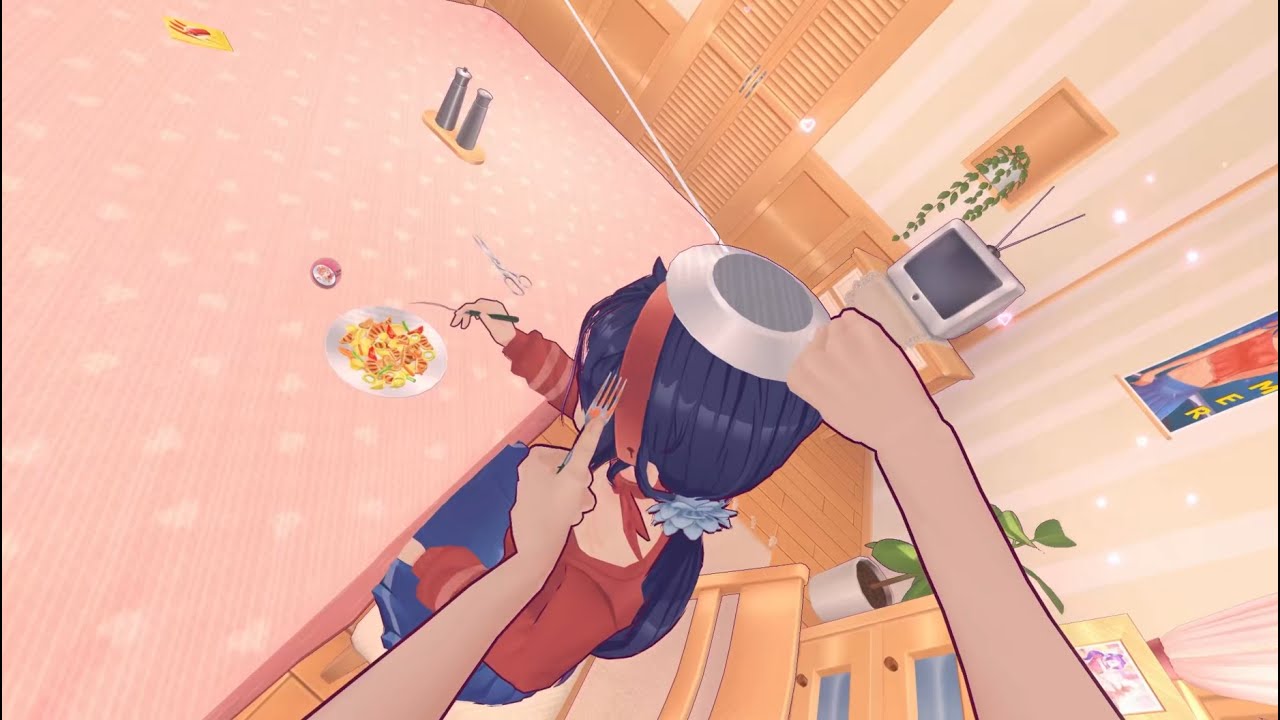
VRIK implemented, and now you can select interactable items with the right hand laser instead of the head.
solemn crane
is it possible in UAL to add, remove, or change certain elements (like hair or shoes) depending on the scene? so that these changes only apply to one specific scene?
plain crescent
queen reef
vro you better add cherry miku as optional clothes
 plain crescent
solemn crane
is it possible in UAL to add, remove, or change certain elements (like hair or s...
plain crescent
solemn crane
is it possible in UAL to add, remove, or change certain elements (like hair or s...
Haha that's what i originally wanted to develop for UAL, but seeing the code structure make it kinda complicated to implement
smoky olive
plain crescent
Haha that's what i originally wanted to develop for UAL, but seeing the code str...
it's not
it'll just make configs a little bit more complicated
plain crescent
Welp i need to figure out the args first
Some scene contain spaces
But we're splittin by spaces
Then i need to create should skip gor scene
smoky olive
plain crescent
Then i need to create `should skip` gor scene <:maan:1127951426639900763>
we can use something like this
$SceneMenu,Scene 14- blablabla,Scene 15- oofmeow create_static_appendix Mita …. …. $Scene 4 - scraaaa,Scene 6 - woof ….
and then save this $ lines as scenesString and use if(scenesString.Contains(currentSceneName))
or use # instead of $
plain crescent
smoky olive
we can use something like this
`$SceneMenu,Scene 14- blablabla,Scene 15- oofmeow...
Totally Lua 2.0
Well i originally plan something like this actually
patch_scene !SceneMenu
Blabla

patch_scene 2 15
Blabla
 plain crescent
But i wonder if anyone wants to use this
smoky olive
smoky olive
we can use something like this
`$SceneMenu,Scene 14- blablabla,Scene 15- oofmeow...
this would be better because it will be visible which part of mod is used for which scenes
plain crescent
Actually this will be our superiority to cml
plain crescent
smoky olive
this would be better because it will be visible which part of mod is used for wh...
I see
Hmmmm
smoky olive
well in 80% of scenes there are unique mitas which can be differentiated using just name
plain crescent
Nahhh i originally want to make my mod limited only to the starting scene
Since shes become crazy and doesn't fit my mod at all
At this point, just make addon_config in C# language, then nodders should write their own script to patch mita
smoky olive
if anyone is interested, there is a VR mod prototype here
https://github.com/Glitchtest51/MiSide_VR/releases

GitHub
WIP Mod to make MiSide playable in VR. Contribute to Glitchtest51/MiSide_VR development by creating an account on GitHub.
 real crane
Question: my progress reset on my steam deck but the achievements are still on my account. This doesn’t mean my progress has reset on my PC, right?
 old quail
smoky olive
if anyone is interested, there is a VR mod prototype here
https://github.com/Gli...
old quail
smoky olive
if anyone is interested, there is a VR mod prototype here
https://github.com/Gli...
~~There also this one: https://github.com/PureDark/SteamVR_Standalone_IL2CPP/tree/MiSide~~ (Requires more stuff apparently)
https://www.youtube.com/watch?v=8spm9GGZyq4
GitHub
A modified SteamVR plugin that can be injected into Non-VR enabled Unity projects for VR rendering and VR input/interaction. Modified for IL2CPP. - GitHub - PureDark/SteamVR_Standalone_IL2CPP at ae...
VRIK implemented, and now you can select interactable items with the right hand laser instead of the head.
 dire hull
twilit tartan
old quail
~~There also this one: https://github.com/PureDark/SteamVR_Standalone_IL2CPP/tre...
dire hull
twilit tartan
old quail
~~There also this one: https://github.com/PureDark/SteamVR_Standalone_IL2CPP/tre...
you know this is gonna make some people get stuck in the game for real
old quail
lmao
plain crescent
Damn UABEA modding kinda sucks
 twilit tartan
omg miku
pulsar whale
omg it migu
plain crescent
Meego playing project sekai
(With double headphone)
 solemn crane
found this gold in CatEars folder

 sturdy glen
plain crescent
Meego playing project sekai
(With double headphone)
sturdy glen
plain crescent
Meego playing project sekai
(With double headphone)
MIKU??
plain crescent
sturdy glen
MIKU??
That's right and she's hiding in your wifi
solemn crane
guys i'm having trouble again, sorry. my friend made the model of the hair clip. i transformed it to the right position, applied the transformation, and checked the weight (it should be blue, similar to cat ears). i tried both with and without the armature modifier (the cat ears didn't have it). the console doesn't give an error, but nothing appears in the game
could the problem be with the hair clip mesh?


 plain crescent
You can always use skinned appendix
Btw you don't have to write deactivation command (the one that starts with -)
Just completely ignore them since UAL 0.11.0 has an auto mesh recovery feature
Oh but give them weight if you want to use skinned appendix
solemn crane
plain crescent
You can always use skinned appendix
Oh thanks it works now
But yeah I should give it weight


 pulsar whale
what are you putting Vertex Group into Head???
solemn crane
pulsar whale
what are you putting Vertex Group into Head???
when I renamed the hair clip vertex group to 'Head', everything started working
or was it not supposed to work that way?

I have no idea what I’m doing
but for some reason, everything works now
twilit tartan
renaming the hair clip's vertex group to head is correct; you want it to move with the bone named Head
but you still select the whole armature for the armature modifier
soft remnant
87,000 in my bank account would get put to good use
plain crescent
soft remnant
87,000 in my bank account would get put to good use
Ohh is that from YouTube adsense?
plain crescent
I'm gonna put your video in my miku mod too, let's see how that impact you
 plain crescent
Great now mod it
soft remnant
maybe
somehow one of my favourite bands have lost like 30k followers and all their songs, one of the mystery's of the world i guess
 plain crescent
Btw, anyone know how to extend 2D mita sprite size?
 soft remnant
to bad i still have all their songs downloaded
 soft remnant
plain crescent
Btw, anyone know how to extend 2D mita sprite size?
soft remnant
plain crescent
Btw, anyone know how to extend 2D mita sprite size?
bro ur so locked in
ur going all in with this miku mod
plain crescent
I got help from sazuko with 2D asset since I don't have Photoshop
soft remnant
photoshop sucks ballz
like actually just so stupid
biggest waste of money i ever spent
 soft remnant
twilit tartan
soft remnant
twilit tartan
💀
plain crescent
Noooooo
 soft remnant
pay aihasto 5 doll hairs to fix it
them french manga website hooking me up with free ssd space
1tb lucky me
twilit tartan
DownloadMoreRAM.com - CloudRAM 2.0
soft remnant
nah file hippo is for real kings
 thorny stone
Guys is there a mod to get Hatsune Miku now?
thorny stone
soft remnant
by the man the myth the legend <@988798435190792212> himself
Okayy thx
plain crescent
thorny stone
Guys is there a mod to get Hatsune Miku now?
Lemme cook for a little bit more
thorny stone
plain crescent
Lemme cook for a little bit more
Okay sir
plain crescent
 soft remnant
is that the ds miku?
thorny stone
plain crescent
Its for all mita ??
plain crescent
Yessss
thorny stone
plain crescent
Yessss
Its Amazing
plain crescent
 thorny stone
plain crescent
https://tenor.com/view/mikudayo-seven-eleven-mikudayo-seven-eleven-miku-hatsune-...
thorny stone
plain crescent
https://tenor.com/view/mikudayo-seven-eleven-mikudayo-seven-eleven-miku-hatsune-...
You can do it, courage for the rest of the mod bro
 plain crescent
Noooooo she's gettin wideee
 soft remnant
some would say that is acceptable
looks like im playing cs or something
these manga website ads getting out of hand

LET ME READ DANDADAN BRO
plain crescent
plain crescent
Noooooo she's gettin wideee
@stark badger did you know something abt this? Usually you're GG's with unity explorer
plain crescent
Yeah they're using high quality polygon
soft remnant
what so like 50k per model or sum
plain crescent
Maybe more, miku has 328 modules(clothes) so no wonder the sizes are so broken
soft remnant
MORE THAN 50K, jesus bro this is cool
twilit tartan
high quality textures also take up a huge amount of space
soft remnant
plain crescent
Maybe more, miku has 328 modules(clothes) so no wonder the sizes are so broken
 twilit tartan
4k tex is 5mb 💀
 plain crescent
Meanwhile each miku module has normal maps, specular, metallic, and sphere map for EACH part of the clothes, and each clothes has like 20 parts or more
twilit tartan
dear lord
plain crescent
My addons_config are so huge because of this
soft remnant
bro props to the fckn people at sega that is insane
i cant wait to try and fiddle with a some of these
 stark badger
plain crescent
<@212524823367254017> did you know something abt this? Usually you're GG's with ...
stark badger
plain crescent
<@212524823367254017> did you know something abt this? Usually you're GG's with ...
What’s abt GG
Usually ask GPT 
 plain crescent
soft remnant
i cant wait to try and fiddle with a some of these
plain crescent
soft remnant
i cant wait to try and fiddle with a some of these
Play kimi no taion once the game is downloaded, that song has the besttt graphics
Also don't forget to switch the graphics style to AFT, MM style are basically 2D trash
soft remnant
bro is my pc gonna be able to run ts
plain crescent
stark badger
What’s abt GG
Usually ask GPT <:shorthair:1326541429488488502>
GG's mean good game, something to say if someone is really good at it
soft remnant
ur making me scared
plain crescent
soft remnant
bro is my pc gonna be able to run ts
Bro it's 2018 game, it should be fine
Lemme grab random pics from that song
 stark badger
plain crescent
GG's mean good game, something to say if someone is really good at it
stark badger
plain crescent
GG's mean good game, something to say if someone is really good at it
Just Spend more time use Unity Explorer
 plain crescent
I spend too much time on godot bro
stark badger
plain crescent
I spend too much time on godot bro <:CatDespair:1127206188388470794>
I only reverse engineering one game Godot can easy recovery to Godot project
plain crescent
@soft remnant

 plain crescent
Nahhh, this game is really optimized anyway, run better than half life
soft remnant
sega has outdone themselves
twilit tartan
woah is that subsurf scattering on the skin??
soft remnant
plain crescent
Nahhh, this game is really optimized anyway, run better than half life
plain crescent
twilit tartan
woah is that subsurf scattering on the skin??
Yeah no joke
That sht get removed on the switch version, kinda sad
twilit tartan
plain crescent
That sht get removed on the switch version, kinda sad
so as to not start fires id imagine
plain crescent
twilit tartan
so as to not start fires id imagine
You know why i so hooked to Diva modding? they have a complete debug console build in
I can see all their sht


 twilit tartan
thats following the idea of making miku do whatever you want ig
plain crescent
stark badger
plain crescent
Noooooo she's gettin wideee
what you want to do
plain crescent
stark badger
what you want to do
Well i want to replace 2D mita sprite, but turns out they get cropped in the game
stark badger
plain crescent
Well i want to replace 2D mita sprite, but turns out they get cropped in the gam...
How do you replace sprite
plain crescent
Gpt told me to change the rect transform but it just makes her wide
plain crescent
stark badger
How do you replace sprite
By using UABEA, do you want to test my miku sprite replacement?
plain crescent
Oh wait, its abt 400mb
 plain crescent
stark badger
abt is what
plain crescent
stark badger
abt is what
"About"
Try to see is this works, idk if we need the whole 400mb of file or this one already working.
Don't forget to create a backup first
I'm gonna credit you in my mod desc if you find the solution. for real
My images have the same ratio and position as mita, but it's just getting cropped anyway

Or maybe use this one, this will 100% getting cropped


 plain crescent
The heck why does its following mita shape
stark badger
can you give me this photo

 smoky olive
I feel the smell of new feature request for UAL?
plain crescent
Yeah honestly i want to do this in UAL instead of UABEA
stark badger
I think need to replace texture2D maybe didn't try
 plain crescent
But i need to know why does she's getting cropped in the game
Her hair is getting cropped
 smoky olive
plain crescent
But i need to know why does she's getting cropped in the game
smoky olive
plain crescent
But i need to know why does she's getting cropped in the game
Won't be hard at all, and maybe runtime replacement won't have this problem.
plain crescent
Sick, alr imma going to code sht in UAL
smoky olive
And cropping is 99% because of some mask component in game
plain crescent
ohh... did mesh recovery just break
 smoky olive

 blazing plume
just curious how soside was made
cuz i speak no russian, don't understand their internet culture and want to make a similar mod that is familiar to non-russian speakers
twilit tartan
american soside
plain crescent
Sht rist was right, probably this will be more simpler than using UABE

Just need to find the best way to implement this
 plain crescent
Hiii phos
twilit tartan
ok backface culling is officially banned
plain crescent
You can enable backface culling from the shader params tho
twilit tartan
oh its not a problem i just forgot to flip the eye sockets
preloading is a bit wacky


normal command totally works tho
 plain crescent
twilit tartan
preloading is a bit wacky
plain crescent
twilit tartan
preloading is a bit wacky
Rist remove that in version 0.11.1
twilit tartan
ah ic
seam 

oh i know whats causing this, the face uv map is mirrored

bros got PAWS 
 plain crescent
It would be cool if she broke into pieces instead of bleeding
twilit tartan
im definitely doing that, the model came with fractures modelled in
itll look so cool with ||her decapitated head|| glowing in the dark in that scene
plain crescent
Fr
 plain crescent
Dayummm
twilit tartan
are the shader options for entire objects?
cuz the fractures would ideally be textures
plain crescent
twilit tartan
are the shader options for entire objects?
No, it works like material
If the texture is transparent, the transparent part won't be glowing
plain crescent
twilit tartan
tiny phos is gonna look cool too
Meanwhile tiny phos:
 twilit tartan
😭 😭 fr
shader_params Mita CEyes CustomShaderExample\Shader\EyeShader
shader_params Mita CSweater CustomShaderExample\Shader\OutlineShader
shader_params Mita CPantyhose CustomShaderExample\Shader\RimLight
shader_params Mita CSkirt CustomShaderExample\Shader\RimLight
shader_params Mita CShoes CustomShaderExample\Shader\RimLight
shader_params Mita CHair CustomShaderExample\Shader\RimLight
shader_params Mita CHairs CustomShaderExample\Shader\RimLight !Creepy !CreepyMita
shader_params Mita CBody CustomShaderExample\Shader\RimLight
shader_params Mita CSweater CustomShaderExample\Shader\RimLight
shader_params Mita CHair CustomShaderExample\Shader\HairShader
shader_params Mita CHairs CustomShaderExample\Shader\HairShader !Creepy !CreepyMita
shader_params Mita CEyes CustomShaderExample\Shader\2DOutline
shader_params Mita CSweater CustomShaderExample\Shader\2DOutline
shader_params Mita CPantyhose CustomShaderExample\Shader\2DOutline
shader_params Mita CSkirt CustomShaderExample\Shader\2DOutline
shader_params Mita CShoes CustomShaderExample\Shader\2DOutline
shader_params Mita CHair CustomShaderExample\Shader\2DOutline
shader_params Mita CHairs CustomShaderExample\Shader\2DOutline !Creepy !CreepyMita
shader_params Mita CBody CustomShaderExample\Shader\2DOutline
shader_params Mita Head CustomShaderExample\Shader\2DOutline
shader_params Mita CClothes CustomShaderExample\Shader\2DOutline
shader_params Mita CCloth CustomShaderExample\Shader\2DOutline
i see in this that shaders are applied to entire renderers
so if i want something to glow would it have to be a separate object?
plain crescent
twilit tartan
so if i want something to glow would it have to be a separate object?
Yes but you can just use the same mesh, but use different texture. here's my miku hierarcy for example

Removing the body will reveal the glowing part
 plain crescent
create_skinned_appendix Mita MikuBody Body Creepy CreepyMita Maneken Black
create_skinned_appendix Mita MikuBodyBlueGlow Body Creepy CreepyMita Maneken Black
create_skinned_appendix Mita MikuBodyRedGlow Body Creepy CreepyMita Maneken Black

replace_mesh Mita MikuBody HatsuneMiku\MikuDefault MikuBody !Maneken !Creepy !CreepyMita !Mila !Glasses
replace_mesh Mita MikuBodyBlueGlow HatsuneMiku\MikuDefault MikuBody !Maneken !Creepy !CreepyMita
replace_mesh Mita MikuBodyRedGlow HatsuneMiku\MikuDefault MikuBody !Maneken !Creepy !CreepyMita

replace_tex Mita MikuBody HatsuneMiku\Tex\DefaultMiku\tr_tex_bdy_MIK_00_C
replace_tex Mita MikuBodyBlueGlow HatsuneMiku\Tex\DefaultMiku\b_glow_tex_bdy_MIK_00_C
replace_tex Mita MikuBodyRedGlow HatsuneMiku\Tex\DefaultMiku\r_glow_tex_bdy_MIK_00_C

shader_params Mita MikuBodyBlueGlow HatsuneMiku\Shader\BlueGlow
shader_params Mita MikuBodyRedGlow HatsuneMiku\Shader\RedGlow
oh so multiple instances of the same renderer with just the glowing bits with alpha=1?
plain crescent
yeah something like that
plain crescent
Yep totally
soft remnant
plain crescent
Play `kimi no taion` once the game is downloaded, that song has the besttt graph...
where is the graphics style option
twilit tartan
i can definitely replace some renderers that id otherwise remove with the fractures
plain crescent
That's why i'm seperating the glowing part by it's mesh on complicated polygon
 twilit tartan
i see
plain crescent
soft remnant
where is the graphics style option
It's on the option menu, wait lemme boot the game
soft remnant
i see visual setting and graphics setting and none of them have visual style
what did u mean Future Tone?
soft remnant
KASANO
plain crescent
If you want to test the benchmark, go with skeleton orchestra and lilia (Gaikotsu Gakudan to Riria), that one is darn heavy on my switch
Ok how can we differentiate them, they doesn't contain animator and their name is exactly the same
 twilit tartan
use the same image for all of them 


 stark badger
i watch this video export to dump and import
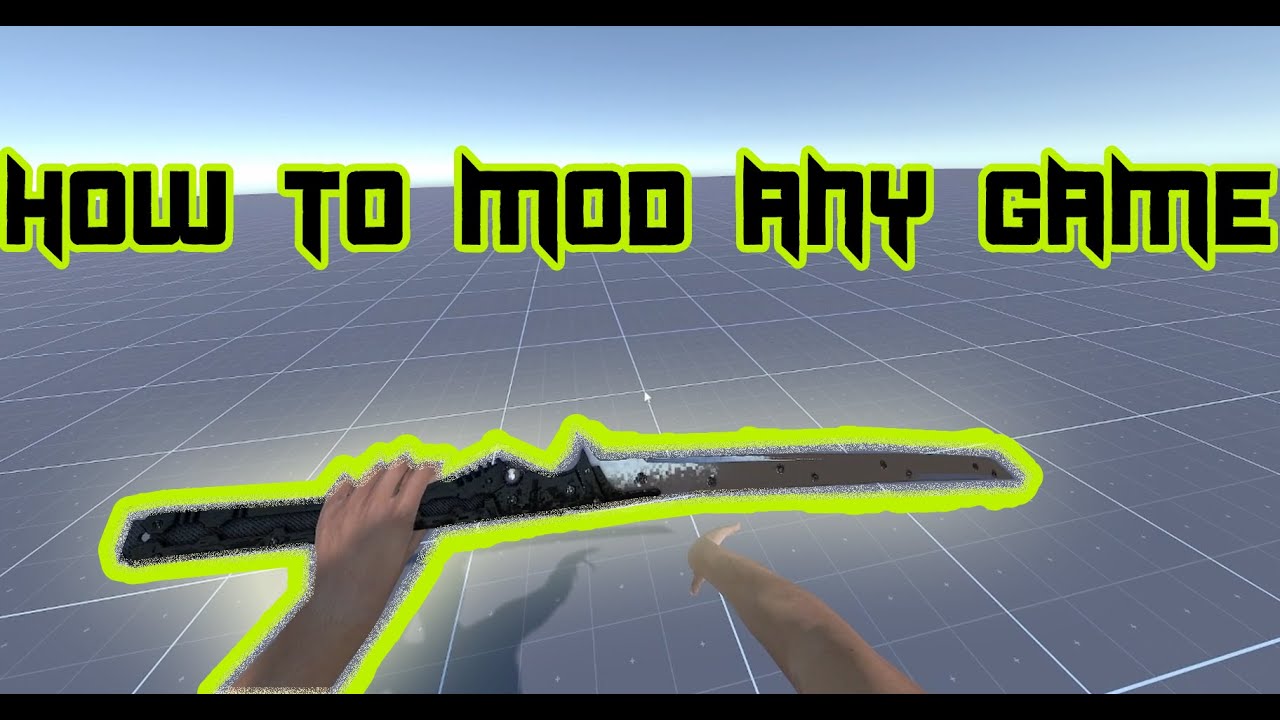
Thank God He let me share this info with you all!
God Bless!
Update: Unfortunately UABE no longer works for newer versions of unity, meaning if the game you are trying to mod is a game recently made (and if it uses the latest version of unity) you may be out of luck, however older games that haven't been patched yet should still work.
--------...
But this is use unity build and get it's sprite
i think need to modify sprite dump content

In init i check diff

but after replace image want to edit data will very lagg seem can't edit
plain crescent
Dayummmm, alright, will try that
Thank you mann
stark badger
use Assetbundle Extractor can edit will not lagg but not work
soft remnant
@plain crescent half these songs i used to play in osu making me feel nostalgic

 plain crescent
stark badger
plain crescent
stark badger
can you send the dump of this sprite?
stark badger
PathID change your texture2D

 stark badger
When i replace these to zero it will change


 shell glade
how do i actually mod the game?
plain crescent
stark badger
When i replace these to zero it will change
Dayummm you're right

 plain crescent
Feels like this is too complicated for a simple problem
Dayumm i can use the parameter for all sprites

 stark badger

plain crescent
I still doesn't understand the parameters tho , why the heck unity needs those just to render 2D image
twilit tartan
shell glade
how do i actually mod the game?
smoky olive
plain crescent
I still doesn't understand the parameters tho <:maan:1127951426639900763> , why ...
assetbundles are OP but only when using UnityEditor
plain crescent
I'm alergic to that
stark badger
i think maybe m_PhysicsShape
whitePic is Whiterect very simple
left is game's very compliex
i think these calculate by unity

 plain crescent
Oh so Unity just calculated the physics shape based on the alpha channel?
Damn wonder what the benefits of that rather using a simple box shape
stark badger
i replace with whitePic

 smoky olive
plain crescent
Only modifying the physics shape makes the game crash. <:maan:112795142663990076...
smoky olive
plain crescent
Only modifying the physics shape makes the game crash. <:maan:112795142663990076...
maybe there is sha-256 or something like this
plain crescent
Maybe
soft remnant
plain crescent
Maybe
lock INNNNN
plain crescent
Huh? What?
plain crescent
 plain crescent
stark badger
i think maybe m_PhysicsShape
whitePic is Whiterect very simple
left is game's ve...
plain crescent
stark badger
i think maybe m_PhysicsShape
whitePic is Whiterect very simple
left is game's ve...
Turns out the physics shape is just a collider but for a 2D object.
I think there's something else??
stark badger
plain crescent
Turns out the physics shape is just a collider but for a 2D object.
I think ther...
plain crescent
Tho idk why 2D mita needs a collider.
 stark badger
whitePic.png
 plain crescent
stark badger
plain crescent
stark badger
MY GOSH
is the white pics are from miside asset?
plain crescent
Ah i see
stark badger
 plain crescent
stark badger
whitePic.png
plain crescent
stark badger
whitePic.png
Can you send the dump one?
soft remnant
stark badger
i don't know i use unity build
heed my words
plain crescent
Thank you so much
Thank god i don't have to create an asset bundle
stark badger
maybe you can use other No transparency pic export dump maybe same
soft remnant
stark badger
where is maxwell
stark badger
soft remnant
where is maxwell
 plain crescent
Now we're talking

Thanks @stark badger 
Will credit you in the description
I'm gonna use UABEA for now temporary, kinda hard to differentiate the object from UAL
Except if we implement file specific patching instead of object patching
smoky olive
plain crescent
I'm gonna use UABEA for now temporary, kinda hard to differentiate the object fr...
do you want me to stand up from the sofa?
plain crescent
Nahh take a rest rist
smoky olive
i have nothing to do tbh
plain crescent
plain crescent
Ok how can we differentiate them, they doesn't contain animator and their name i...
Well the problem is, they're using the exact same same
smoky olive
plain crescent
Well the problem is, they're using the exact same same
i had only first one active always
plain crescent
I can patch 2D mita in the menu but at the novel chapter it's just a mess
soft remnant
plain crescent
Now we're talking
 smoky olive
plain crescent
I can patch 2D mita in the menu but at the novel chapter it's just a mess <:CatD...
smoky olive
plain crescent
I can patch 2D mita in the menu but at the novel chapter it's just a mess <:CatD...
push that version to dev
 timber nest
plain crescent
Now we're talking
timber nest
plain crescent
Now we're talking
Much better
I hate 2D Mita with a passion
smoky olive
no sense in implementing it twice
plain crescent
smoky olive
push that version to dev
Huh? I'm not really implementing it, just putting the code in a random position
smoky olive
plain crescent
Huh? I'm not really implementing it, just putting the code in a random position ...
well then send that part
plain crescent
var spriteRenderers = Reflection.GetComponentsInChildren<SpriteRenderer>(mita, true);
        foreach (var spriteRenderer in spriteRenderers)
        {
            if (spriteRenderer.name == "Mita")
            {
                spriteRenderer.sprite = Sprite.Create(AssetLoader.loadedTextures[textureKey], new Rect(0, 0, AssetLoader.loadedTextures[textureKey].width, AssetLoader.loadedTextures[textureKey].height), new Vector2(0.5f, 0.5f));
            }
        }
I just find the spriteRenderer and then replace the sprite with a new one
 smoky olive
didn't see SpriteRenderes in the novels scene
plain crescent
that's the problem, its uses UI.Image
She's using animator in the menu scene so its kinda simple
pulsar whale
im SO SO SO mad
the voice selection is NOT using TextMeshPro
but Unity.UI text
and the worst part? there's no scrollbar
plain crescent
smoky olive
pulsar whale
and the worst part? there's no scrollbar
you can look at my variantsScroller and adapt it for that
pulsar whale
yeah maybe
smoky olive
just don't forget to add all RectTransforms to MenuLocation.objects for closing animation


 plain crescent
Fr this game is full of hardcore
Wait so we're just replacing the texture instead of the object?
Never thought of that before
But we need to recalculate the sprite too
 plain crescent
Since the UI.image is switching sprite, yeah i think we need to replace the sprite instead of the object
What if we just create new commands
replace_sprite Недовольно CustomFolder\CustomImage
pulsar whale
soon we will be replacing the whole game if that's true ....
plain crescent
That will be dope tho
 harsh ridge
Well it is UniversalAssetLoader. I've been wondering for a while now if it would be possible to straight up replace textures and sprites with custom ones with UAL.
harsh ridge
And just re-coloring a lot of objects. Would be crazy amazing!
plain crescent
I'm gonna try making a sht code for this
smoky olive


var sprites = Resources.FindObjectsOfTypeAll(Il2CppType.Of<Sprite>()); foreach(var sprite in sprites) { Debug.Log(sprite.name); }
plain crescent
smoky olive
plain crescent
I'm gonna try making a sht code for this<:maan:1127951426639900763>
do it i gave you an example of how to get them
plain crescent
I'm trying to
The name 'Il2CppType' does not exist in the current context
I'm having an schizo eps
smoky olive
plain crescent
```
The name 'Il2CppType' does not exist in the current context
```
I'm having a...
well
using Il2CppInterop.Runtime;
stark badger
plain crescent
Man i hate C# in vscode
You like C# in Unity Explorer?
plain crescent
darn
 red otter
plain crescent
red otter
plain crescent
Kinda did it but i'm not sure why its creating a new one instead of replacing the existing one

I'm gonna finish this tmr i guess
smoky olive
show me the code
plain crescent
Here's come the schizo part
public static void PatchAssets()
    {
        try
        {
            var textures = Resources.FindObjectsOfTypeAll(Il2CppType.Of<Texture2D>());
            var textureDict = new Dictionary<string, Texture2D>();

            foreach (var texture in textures)
            {
                var tex = texture.Cast<Texture2D>();
                if (tex != null && !textureDict.ContainsKey(tex.name))
                {
                    textureDict.Add(tex.name, tex);
                }
            }

            foreach (var command in ConsoleCommandHandler.assetCommands)
            {
                if (command.args.Length == 0)
                    continue;

                string commandKey = $"{command.name} {string.Join(" ", command.args)}";


                switch (command.name)
                {
                    case "replace_2D":
                        Commands.ApplyReplace2DCommand(command, textureDict);
                        break;

                }


            }
        }
        catch (Exception e)
        {
            UnityEngine.Debug.LogError($"[ERROR] {e}");
        }
    }
public static void ApplyReplace2DCommand((string name, string[] args) command, Dictionary<string, Texture2D> textures)
    {
        UnityEngine.Debug.Log($"[INFO] Replacing Texture 2D '{command.args[0]}' with '{command.args[1]}'.");
        if (textures.ContainsKey(command.args[0]))
        {
            string textureKey = command.args[1].Replace(@"\\", @"\").TrimStart('.', '\\');
            textures[command.args[0]] = AssetLoader.loadedTextures[textureKey];
            UnityEngine.Debug.Log($"[INFO] Replaced Texture 2D '{command.args[0]}' with '{textureKey}'.");
        }
        else
        {
            UnityEngine.Debug.LogWarning($"[WARNING] Texture 2D '{command.args[0]}' not found in the game.");
        }
    }
so you replaced Textures not Sprites?
 smoky olive
plain crescent
Since the UI.image is switching sprite, yeah i think we need to replace the spri...
smoky olive
plain crescent
Since the UI.image is switching sprite, yeah i think we need to replace the spri...
.
plain crescent
I'm high af
Wait, not all texture are tied to sprite
I just want to replace the texture tho
stark badger
other game use SpriteRendender can replace it's sprite
but sprite seem not field can replace or make a new sprite replace it?
plain crescent
Yes, 2D mita uses sprite, but i want to change mita potraits at this case
Nah, some object uses material to read texture, not sprite
I think sprite is for 2D assets that can changes UVs or texture file

 plain crescent
smoky olive
golden times
plain crescent
smoky olive
golden times

Something telling me that existing textures and sprites can't be replaced, but we need to create a new one and assign the new sprite to the object
smoky olive
plain crescent
Something telling me that existing textures and sprites can't be replaced, but w...
 plain crescent
What the heck
smoky olive
well tbh it's hardcoded for now
plain crescent
smoky olive
Reflection.ForceUseStaticMethod<bool>(typeof(ImageConversion), "LoadImage", textures[command.args[0]], (Il2CppStructArray<byte>)ReadStream(File.OpenRead("D:\\SteamLibrary\\steamapps\\common\\MiSide\\BepInEx\\plugins\\UniversalAssetLoader\\Assets\\dang.jpg")));
don't ask
it's code from AssetLoader.LoadTexture
 smoky olive
plain crescent
So we need to force it huh
smoky olive
plain crescent
So we need to force it huh
so we need to load it from file directly, not from Texture2D variable
hmmm

sounds as if it could work
plain crescent
Welp i think we can replace sprites too with this one.
Just replace the texture and recalculate the sprite size www
Sick, if this really happens, UAL will be completely superior
smoky olive
it will be like UABE but in a runtime
harsh ridge

smoky olive
smoky olive
hmmm
well all Texture2D methods are unstripped
harsh ridge
The cooking is real today. Nice work y'all
plain crescent
smoky olive
well all Texture2D methods are unstripped
Damnnn
 plain crescent
Dayummm
plain crescent
smoky olive
i guess now we have loadedTexturesRaw
Isn't it gonna cost the ram usage?
Imagine ppl trying to make american soside out of ual
That variable would be as big as the game itself
But idk the better method
I think this is enough, what a nice job rist
smoky olive
i added compression and decompression


 smoky olive

*TextureTest replace_2D "Player Стоит" dang
added space_containing arguments support to commands syntax

it supports transparency by default, only the cropping will be a problem
 solemn crane
twilit tartan
renaming the hair clip's vertex group to head is correct; you want it to move wi...
solemn crane
twilit tartan
renaming the hair clip's vertex group to head is correct; you want it to move wi...
do you know what should i do with shoes? if i want to use custom shoes, do i need to separate rh and lh shoe and connect them with different leg bones?
twilit tartan
one mesh for both shoes, painted to right or left bones
 errant bane
in UAL 10.2 this mesh worked fine, but in UAL 11.1 i'm getting these weird issues like some verts are trying to go to the origin. and some faces are getting flipped.
Is there a technical term for this issue that I could search to learn how to solve this?


 smoky olive
it is probably a bug, show me your config and the logs from the BepInEx Console(it might be a ss or copied text)
 violet frigate
can someone cook a mod which replaces Mita with Chainsaw scene with actual Chainsaw and Mita merged together from Chainsawman?
 ivory plaza
When did the Spanish voiceover updated? Didn’t see it last time
errant bane
smoky olive
it is probably a bug, show me your config and the logs from the BepInEx Console(...
config is pretty messy

 smoky olive
errant bane
config is pretty messy
smoky olive
errant bane
config is pretty messy
i guess it's just 2 lines from your config?
errant bane
What the heck, lol hold on
im not winning with technology today, even .txt files have it out for me!
smoky olive
errant bane
in UAL 10.2 this mesh worked fine, but in UAL 11.1 i'm getting these weird issue...
let me guess, every time you start these distortions are random
errant bane
i dont think so, as an example this weird stretched vert on the hair in front of the face. and then the same file in version 10.2, no stretched face


same thing always happens, in the same spot
 errant bane
this makes me feel a bit better at least lol
I didn't make some dumb mistake (probably)
smoky olive
i guess you did not
errant bane
the model file is public so I can share that with you if it would help?
smoky olive
it will be easier to test
 solemn crane
twilit tartan
one mesh for both shoes, painted to right or left bones
solemn crane
twilit tartan
one mesh for both shoes, painted to right or left bones
thank you
stark badger
0.11.1 Version
errant bane
exactly that
stark badger
0.10.2 Version
errant bane
before I could even share it! thank you!
I felt so bad, Bao had me make this as a surprise for her viewers and it was a bit borked because I didn't test it with the latest UAL
 smoky olive
@pulsar whale @plain crescent i'm dead for today so i'll leave it for you
errant bane
stark badger
does this face it's ok?
I did see that but since the hair was having issues too and was a completely separate mesh I figured it wasn't the cause and left it since it's a pain to fix from how it was setup.
stark badger
Need to test othere version
errant bane
I'll try removing it now though and see if that effects anything.
errant bane
interesting thing to note is that removing the skirt does remove the issues with her shoe ribbons. however I think thats not about removing the flipped faces and more about changing the vertex count and positions.
for debug clarity I say "shoe ribbons" but the shoe ribbons are a part of the same mesh called "skirt"

it also doesn't fix the fragmenting foot
 twilit tartan
flipped normals?
errant bane
twilit tartan
flipped normals?
only in the game, in blender it looks fine
 twilit tartan
weird
errant bane
right? lol
twilit tartan
duplicate verts?
errant bane
just checked, nope
twilit tartan
doesnt look like bad weight painting
errant bane
just to be sure I checked both sides

 stark badger

GitHub
…ort, made blendshapes load default option, deleted unused OBJImport
problem is this AssetLoader.cs
 errant bane
what has the demon spawned!
stark badger
Maybe Spider Man
errant bane
so it's a bug then? nothing I can change on the mesh?
did not mean to make a spiderman pun there lol
smoky olive
errant bane
so it's a bug then? nothing I can change on the mesh?
it might be due to new logic of models converting to Unity.mesh and it works fine for most part of the mods
stark badger
smoky olive
it might be due to new logic of models converting to Unity.mesh and it works fin...
Fix Problem
smoky olive
i have no idea why it is like that tbh
stark badger
var fbxFile = importer.ImportFileFromStream(stream, PostProcessSteps.Triangulate | PostProcessSteps.FlipWindingOrder);
to
var fbxFile = importer.ImportFileFromStream(stream, PostProcessSteps.Triangulate | PostProcessSteps.FlipWindingOrder | PostProcessSteps.JoinIdenticalVertices);
smoky olive

stark badger
i don't know GPT Say

i test latest can work
but in d7ed4eb3 this only change this face kinda broken
 smoky olive
finally
stark badger
This is d7ed4eb3 only change var fbxFile = importerxxxxx
 stark badger
smoky olive
finally
stark badger
smoky olive
finally
 errant bane
stark badger
This is d7ed4eb3 only change var fbxFile = importerxxxxx
errant bane
stark badger
This is d7ed4eb3 only change var fbxFile = importerxxxxx
She melted! Lol
errant bane
smoky olive
it might be due to new logic of models converting to Unity.mesh and it works fin...
I'll try editing it some more to see if I can isolate the issue and workout around it.
Thank you both for the help
smoky olive
errant bane
She melted! Lol
it were identical vertices indeed
stark badger
 smoky olive
ok i'll release a 0.11.2-beta (because i have added sprites and textures replacement at the same time) now
 errant bane
smoky olive
ok i'll release a 0.11.2-beta (because i have added sprites and textures replace...
errant bane
smoky olive
ok i'll release a 0.11.2-beta (because i have added sprites and textures replace...
Amazing!
Ill find ways to break that too, thank you! 😊
stark badger
smoky olive
it were identical vertices indeed
How to fix use this?
var fbxFile = importer.ImportFileFromStream(stream, PostProcessSteps.Triangulate | PostProcessSteps.FlipWindingOrder | PostProcessSteps.JoinIdenticalVertices);
i even don't know just copy paste trial error

smoky olive
stark badger
How to fix use this?
```var fbxFile = importer.ImportFileFromStream(stream, Post...
it worked, thanks for help
 smoky olive

GitHub
Full Changelog: Release-0.11.1...Release-0.11.2-beta, to install this mod follow the instruction from README.md.
errant bane
the hero!
smoky olive
pre-released, because i'm not sure that everything works and i have no more strength
errant bane
I appreciate your hard work!
smoky olive
i believe that you will become the beta testers
well the initial version has version 0.11.1 in the logs, fixed it 5 seconds ago
plain crescent
smoky olive
<@454129093890277387> <@988798435190792212> i'm dead for today so i'll leave it ...
 errant bane
0.11.2 works great so far, fixed my issues at least.
testing the images in a bit
smoky olive
plain crescent
https://tenor.com/view/cute-girl-salute-anime-gif-17226659
Fixed already
I'm melting right now, probably i'm ill
twilit tartan
damn hope you get better soon
smoky olive






 smoky olive
I'll recover after taking a nap, i hope so at least
The lesson is: never go deeper into Il2CPP classes with c++ pointers
errant bane
works great!
 stark badger
 errant bane
it would be great to be able to change these images in the future as well.
or can they be changed already as long as I know the name of the sprite?
