#miside-mods-discussion
1 messages · Page 12 of 1
 pulsar whale
i did tell you before
pulsar whale
only merge if you know what you're doing
 soft remnant
well
hold on ill try renaming some stuff in blender
whenever u re sent it to me its all got like assets/texture
in the name
7 things in the addons config but only 6 meshes

i think you merged mokabody and mokaclothes right?

ill remove mokabody
from addons
yeah no i have no clue whats wrong
gonna keep weight painting tho
 twilit tartan
@pulsar whale down for some questions?
 charred zephyr

 sleek slate
how do you install the ddlc mod? i installed bep and asset and nothing pops up. I havent played the game do i have to have a save data file or something?
nothing shows up in the clothing area
twilit tartan
sleek slate
how do you install the ddlc mod? i installed bep and asset and nothing pops up. ...
which bep version do you have installed?
sleek slate
BepInEx 6.0.0-pre.2
twilit tartan
that and you need to choose an IL2CPP one
sleek slate
?
 sleek slate
yup
twilit tartan
hm
sleek slate
i click the direct link one
twilit tartan
wdym
sleek slate
okay thats wild i reopen the game and now i can see her default clothes
twilit tartan
do you see an addons tab?
sleek slate
yes
 pulsar whale
show Assets folder
twilit tartan
aoba take over this is beyond me
sleek slate
um where?
pulsar whale
what do you mean where
sleek slate
yeah i dont see a folder
pulsar whale
that probably means you didnt install the mod
 sleek slate
oh not on data custom?
pulsar whale
No
twilit tartan
nah thats just for texture mods
sleek slate
ah oki
twilit tartan
so for something like https://www.nexusmods.com/miside/mods/9

 gray oracle
how do i install the doki doki skin pack i alraeady got the bipin thing to work with qddons but the doki doki one wont show
 stuck elm
How does one fix this

 finite flare
stuck elm
How does one fix this
finite flare
stuck elm
How does one fix this
restart game?
finite flare
stuck elm
I did
so you have any mods installed?
finite flare
is it correctly installed?
 real spindle
Is there an English dub mod?
finite flare
stuck elm
I probably did mess up installing it
bepinex installed? UAL ?

 soft remnant
use
gray oracle
yee i gots it thank uuuu ❤️
gray oracle
it auto put on the uniform for me when i clicked doki cloths or the girls uniform
twilit tartan
@soft remnant do you have the original mita .fbx?
soft remnant
ye
soft remnant
sent it over
soft remnant
no
like ingame
change to school uniform
then choose doki clothes
it shouldnt be buggy then
soft remnant
Once Mita pulls you inside the simulator and the chapter 'Together At Last' starts, you can find this costume at the wardrobe's side in the bedroom where Mita meets you face to face for the first time.
sleek slate
oh ok
soft remnant
it should work fine then
however
when you go in game with the doki stuff it might not load right
so click f5
it fixes it
sleek slate
oki
pulsar whale
i ported that nude mod into UAL version smh
 finite flare

twilit tartan
anyone know what FaceLayer is used for?
pulsar whale
yes
 astral crystal
soft remnant
send it over
astral crystal
soft remnant
send it over
I agree
pulsar whale
it is special one, it has transaprency support
but it will only show up for certain times
twilit tartan
interesting
finite flare
@pulsar whale do skirt bones give physics to the parts you assign them to?( they won't go through the body)
soft remnant
astral crystal
I agree
 pulsar whale
eg. when you stare at her for too long and when she about to snap
pulsar whale
finite flare
<@454129093890277387> do skirt bones give physics to the parts you assign them t...
yes but they seems to have their collider box somewhere
twilit tartan
im gonna ignore it for my sanity
pulsar whale
im not sure how to edit it as UAL doesn't support it
pulsar whale
twilit tartan
im gonna ignore it for my sanity
just remove them entirely
and pretend you dont see it
twilit tartan
gotcha
finite flare
pulsar whale
yes but they seems to have their collider box somewhere
rip because I am looking into ways how to add more hair physics
I ran out of bones on core mita
she has too much hair
 soft remnant
yeah that whole part is like dark orange
so i doubt its weighting
also tried it with no weighting
still cooked
 astral crystal
soft remnant
https://cdn.discordapp.com/attachments/1020051428678574140/1291518795537449071/I...
astral crystal
soft remnant
https://cdn.discordapp.com/attachments/1020051428678574140/1291518795537449071/I...
 soft remnant
finite flare
soft remnant
finite flare
is that hair ?
pulsar whale
it is
finite flare
soft remnant
is that hair ?
yes
soft remnant
 twilit tartan
what is the reasoning for using a single rig responsible for multiple parts, as is the case with original mita, versus using multiple rigs for main body+hair/skirt etc for each part which goth mika uses?
maybe loading in each part in addons_config??
finite flare
twilit tartan
what is the reasoning for using a single rig responsible for multiple parts, as ...
to add hair physics, and jiggle physics
they need to be seperate parts that you replace, for some reason
twilit tartan
i see
finite flare
 twilit tartan
makes sense
finite flare
doing the same with core mita
soft remnant
finite flare
to add hair physics, and jiggle physics
 finite flare
 twilit tartan
finite flare
twilit tartan
finite flare
yup ive been analyzing that mod
whats up with the feet?

for original mita
soft remnant
finite flare
twilit tartan
whats up with the feet?
 astral crystal
 soft remnant
yeah i was wondering that last night
twilit tartan
finite flare
so where did this skeleton come from?
 tired lion
finite flare
tired lion
finite flare
do you make make for mita core?
soft remnant
wait
finite flare
tired lion
do you make make for mita core?
tired lion
finite flare
YEEEEEEEEES
soft remnant
holy shi
finite flare
twilit tartan
so where did this skeleton come from?
from mita
finite flare
@twilit tartan
 twilit tartan
finite flare
twilit tartan
finite flare
with these feet?
finite flare
twilit tartan
with these feet?
yes lol
pulsar whale
adachi model has extra toe bones and finger because it's special
added unused bones in there
making it more complete and easy to vertex renaming
pulsar whale
dont
twilit tartan
pulsar whale
added unused bones in there
how
soft remnant
would some other mods skeleton have some type of hair bones similar to mine that i could snag or no
twilit tartan
can you send a pic of your hair
soft remnant
mine?
twilit tartan
ye
finite flare
soft remnant
would some other mods skeleton have some type of hair bones similar to mine that...
my mod
soft remnant
 twilit tartan
ah
soft remnant
 twilit tartan
thats a lot
pulsar whale
mita model is twintails
soft remnant
indeed
pulsar whale
so it won't be compatible unless you intend to replace Kind mita
you still get to have physics however but
it will look pretty bad if i say so
soft remnant
i will worry about that in future i guess
twilit tartan
aoba could you explain how you "moved spare bones around"
pulsar whale
astral crystal
I agree
ok
astral crystal
pulsar whale
ok
 soft remnant
bro aobas just the goat
 spiral citrus
Are there any kind of "tools" you modelers would like to see to make your job easier?
I'm not super familiar with that aspect of gamedev so it's easier if you guys tell me what you'd want
twilit tartan
spiral citrus
Are there any kind of "tools" you modelers would like to see to make your job ea...
someone to do the work for me
soft remnant
weighting
pulsar whale
only thing i need IS custom face animations
soft remnant
that works
pulsar whale
then i can rest easy
finite flare
spiral citrus
Are there any kind of "tools" you modelers would like to see to make your job ea...
load all models to test replacements, instead of going into each level

 pulsar whale
of $0
twilit tartan
indeed
 astral crystal
pulsar whale
of $0
astral crystal
pulsar whale
of $0
-$10
 solemn hazel
how do you do skirts? When I try it, it doesn't move like the original
twilit tartan
ok last question: why do hair/skirt/chest bones need the entire rest of the rig when added
pulsar whale
solemn hazel
how do you do skirts? When I try it, it doesn't move like the original
You have to replace your actual skirt
pulsar whale
twilit tartan
ok last question: why do hair/skirt/chest bones need the entire rest of the rig ...
Check adachi model, i didn't seperate
twilit tartan
this one?
 pulsar whale
nah that aint it
twilit tartan
ah
pulsar whale
this one
 twilit tartan
ah ok
pulsar whale
he is using skirt physics
solemn hazel
twilit tartan
ok last question: why do hair/skirt/chest bones need the entire rest of the rig ...
wait you need the rest of the rig to make the skirt work?? maybe that was the problem...
pulsar whale
and have only 1 fbx
twilit tartan
solemn hazel
wait you need the rest of the rig to make the skirt work?? maybe that was the pr...
seems like it
very interesting
twilit tartan
pulsar whale
this one
i did not know this guy is called adachi
finite flare
solemn hazel
wait you need the rest of the rig to make the skirt work?? maybe that was the pr...
I'd assume you only need the parent bone to make skirt work lol
twilit tartan
i always thought you were referring to the model you sent @soft remnant 💀
astral crystal
twilit tartan
i did not know this guy is called adachi
same💀
 twilit tartan
💀
astral crystal
💀
soft remnant
oil mod?
finite flare
twilit tartan
ty aoba, index
np
twilit tartan
more physics :)
 twilit tartan
and a clean model
spiral citrus
pulsar whale
only thing i need IS custom face animations
@soft remnant Ah yes, "weighting", the thing that handles that other thing, haha... Not sure why weighting Mita has to do with modeling but I'll add a bathroom scale to the game, you weirdo
@aob
Custom face animations, you mean having the custom model also swap faces like the original Mita? e.g: smile just like crazy does? or to add your own?
@finite flare That's an easy one
pulsar whale
nah, like blendshapes
twilit tartan
ig i'll make the current one public...
soft remnant
spiral citrus
<@703256671824379914> Ah yes, "weighting", the thing that handles that other thi...
 soft remnant
twilit tartan
ig i'll make the current one public...
soft remnant
twilit tartan
ig i'll make the current one public...
YESSIR
astral crystal
soft remnant
oil mod?
 soft remnant
bro these shoulders are so fcked
no matter what i do with the weight
its just cooked
astral crystal
 pulsar whale
yeah a little is "fine"
 finite flare
spiral citrus
<@703256671824379914> Ah yes, "weighting", the thing that handles that other thi...
finite flare
spiral citrus
<@703256671824379914> Ah yes, "weighting", the thing that handles that other thi...
how about allowing us to use different renderers? like core mita, to get her lights workign or crazy mita with the glowing eye
twilit tartan
what I did was use the rig to move my mesh around then put the rig back in place
for example to make the shoulders narrower
disregard what i said about freely editing the rig that was completely wrong 💀
twilit tartan
sorry :(
pulsar whale
im sorry i needed to work right now
twilit tartan
you can just move the bones back in place in pose mode i believe
pulsar whale
perhaps later?
soft remnant
pulsar whale
perhaps later?
yes
twilit tartan
then apply pose as rest position etc
soft remnant
twilit tartan
you can just move the bones back in place in pose mode i believe
bro i i would know where the bones orginal position was
 lime pelican
soft remnant
sent it over
lime pelican
soft remnant
sent it over
can you send it to me, too?
twilit tartan
soft remnant
bro i i would know where the bones orginal position was
you can just import the original rig and use that as reference/snap-to
gray oracle
soft remnant
uniform
for the doki outfit what uniform do i need cus on menu it shwos it wokrs but in game its just base outfits
finite flare
I hate the change to #miside-mods so much it's unreal
gray oracle
pft thank u @soft remnant
 pulsar whale
finite flare
I hate the change to <#1131689641075028079> so much it's unreal
pulsar whale
finite flare
I hate the change to <#1131689641075028079> so much it's unreal
i agreed with you there
soft remnant
aoba are the bones moved to much or are they fine there
the outer skirt bone is mita
inner is moka
finite flare
tbh I wouldn't move the hair bones xd
at all
tried with a ribbon and it would glitch out when swapping between addons
pulsar whale
once i finish this damn presentation i will be making gachi mod i swear
soft remnant
thats so cooked
ur not even done with it
and u have been doing it for like 10 hours
pulsar whale
soon enough i might be losing my mind and stomp all the leaves outside
finite flare
soft remnant
and u have been doing it for like 10 hours
aren't you sure you are referring to yourself with the moka mod
spiral citrus
finite flare
how about allowing us to use different renderers? like core mita, to get her lig...
It's easy to do but i don't know "where" the renderer is because i have no idea whatI 'm looking for
For example on Core Mita have an object called RayBase with a "skinned mesh renderer" is that it?
finite flare
spiral citrus
It's easy to do but i don't know "where" the renderer is because i have no idea ...
yeah raybase + pointline
pulsar whale
core mita has a lot of renderers
soft remnant
finite flare
aren't you sure you are referring to yourself with the moka mod
Been doing this shi longer than 10 hours bro
finite flare
spiral citrus
It's easy to do but i don't know "where" the renderer is because i have no idea ...
 finite flare
soft remnant
Been doing this shi longer than 10 hours bro
finite flare
soft remnant
Been doing this shi longer than 10 hours bro
pain
spiral citrus
finite flare
yeah raybase + pointline
These things? they have a "particle system" component on them?
 astral crystal
soft remnant
Been doing this shi longer than 10 hours bro
astral crystal
soft remnant
Been doing this shi longer than 10 hours bro
how long would you say? i know you have been working on this for days but i don't know how long specifically
finite flare
spiral citrus
These things? they have a "particle system" component on them?
yeah they are the lights you see on her body
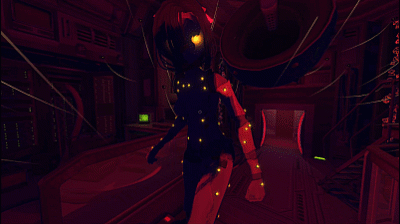 soft remnant
astral crystal
how long would you say? i know you have been working on this for days but i don'...
soft remnant
astral crystal
how long would you say? i know you have been working on this for days but i don'...
Pretty much all day for the past couple days
finite flare
finite flare
https://tenor.com/view/miside-mita-throw-yeet-get-real-gif-4252497129629271477
like in the gif @spiral citrus
soft remnant
Pull 2.5 all nighter in a row
astral crystal
soft remnant
Cause it’s still trash at the end of the day
don't say that☹️
spiral citrus
finite flare
like in the gif <@1284626510153519154>
What do you want to do to them? Like i can easily grab them at runtime for example but i dunno what your goal is
finite flare
spiral citrus
What do you want to do to them? Like i can easily grab them at runtime for examp...
well I am making a replacement so I would love to have them working obviously
but crazy mita has something similiar
it's a glowing red eye
soft remnant
Gonna have a break for a bit
Maybe till aoba finish his presentation
It’s making me sad to
Dogshi ass job bro
Got him slaving away
pulsar whale
https://media.discordapp.net/attachments/528728002377416707/1113183249926193172/b742dcb29bb8e81e.gif
 soft remnant
is this a little
soft remnant
soft remnant
is this a little
Would you say the bones are moved to much in this
soft remnant
pulsar whale
it'll be fine as long as you dont touch it
I did touch it
Okay
I’ll move them back
pulsar whale
you'll need to play with the weighting like how strong it is
because red will make them probably flying everywhere
spiral citrus
finite flare
well I am making a replacement so I would love to have them working obviously
Yup, so how do i make them work? Is it some sort of Particleystem.Play(); or is it actually scripted and the devs call it in-game
 pulsar whale
but that's what happened to me when i was testing with some model that wasnt supposed to have skirts
finite flare
spiral citrus
Yup, so how do i make them work? Is it some sort of Particleystem.Play(); or is ...
I can't tell you, I am no scripter, I work with 3d stuff more, sorry
twilit tartan
https://www.nexusmods.com/miside/mods/78/ that took longer than expected

Nexus Mods :: MiSide
Replaces (only) Kind Mita with HuTao from Genshin Impact. This is a work in progress; I have not fully playtested this mod nor is its current state finalized.
spiral citrus
finite flare
I can't tell you, I am no scripter, I work with 3d stuff more, sorry
Oh yeah no problem, I'll look it up, if it's run trough scripting I'm going to have to look where it's called and change the references for it to work but if the effect is permanent i just need to spawn it in
finite flare
spiral citrus
Oh yeah no problem, I'll look it up, if it's run trough scripting I'm going to h...
well core mita, best bet is to look in the core level
pulsar whale
i mean you could look into the character viewing page too
but core room is also a good idea
since its actually in-game
 opal horizon
@pulsar whale where can i find the mita fbx?
spiral citrus
So I'm not sure what methods you guys use to replace the models, i made a quick mod that spawns in the prefab which should work if the devs also spawn in Mitas that way
Anyone wants to test it because i don't have any replacement mods installed, press t to set the spawnpoint at the player's location and press p to spawn in a mita, press p again to swap to another mita, it loops
finite flare
spiral citrus
So I'm not sure what methods you guys use to replace the models, i made a quick ...
we use UAL with assimp.dll to load character replacements, also this is loaded with bepinex?
finite flare
twilit tartan
https://www.nexusmods.com/miside/mods/78/ that took longer than expected
I just tried myself, it's very tiresome, nexus mods overcomplicates something so simple
spiral citrus
finite flare
we use UAL with assimp.dll to load character replacements, also this is loaded w...
Modloader
pulsar whale
polska gurom
finite flare
pulsar whale
polska gurom
yes
 quasi pike
Hi everyone, I do not know English, there may be mistakes
soft remnant
aoba how is ur presentation going
 soft remnant
on nexux?
finite flare
yes
pulsar whale
bot doesnt sound like a bad idea but i still want a person to do a quality check before going off #miside-mods
soft remnant
how is a bot any different than nexus mods tho nexus mods there isnt any checks adding a bot for the mods channel just makes it easier for people to access
as well as easier for the creator to distribute
finite flare
 pulsar whale
i hate creating account to download mods
and i also hate filling a lot of boxes to upload something so simple
 old quail
what about gamebanana?
GameBanana
Mods, Tutorials, Sprays, Works In Progress, Sound Mods and more for video games
soft remnant
aoba its fine if the bones are off by a molecule right?
 pulsar whale
yeah
finite flare
old quail
what about gamebanana?
at least you don't have to log in to download something
old quail
yeah
gray oracle
i love this mod lol
 soft remnant
not a fan personally
its a bit iffy
and you gotta reload the models to get them to work rn
@pulsar whale i put them back the original place

would i still even get skirt physics?
soft remnant
okay
do i needa do anything special for it
or should it just work how it is
other than weighting of coarse
pulsar whale
ill tell you later after i
soft remnant
bet
pulsar whale
 soft remnant

what about the nipple bones

are these fine
or should i move them back aswell
ill just move everything back
soft remnant
yeah mita and moka
im moving the bones back
cause last night me and tortoise thought it would be fine to move them
astral crystal
pulsar whale
https://media.discordapp.net/attachments/947253027105026069/1041386307194212402/...
 soft remnant
@pulsar whale is something like this fine the rotation is a bit off

 finite flare
R, Z
soft remnant
finite flare
R, Z

how do i make it so only the top one moves
somehow thats the only one thats shifted
ahhh
you know what
shouldnt even matter
wait wtf
yeah how do i make it so only the selected moves
opal horizon
@soft remnant Would it be okay to ask to dm you about the blender work and the bones/rig?
opal horizon
like the general process. I know a bit of blenderand if you might be able to share the mita file so i can try to transfer the armature to my own model
finite flare
@craggy cargo thanks for the comment on my mod
soft remnant
opal horizon
like the general process. I know a bit of blenderand if you might be able to sha...
i can just give you the mita skeleton
is that what u want
opal horizon
yea i just needed the skeleton
and if you can share what you did with the skeleton of the old model
the armature, are you parenting them together?
pulsar whale
finite flare
<@403290027125243915> thanks for the comment on my mod
i thought replace_mesh and replace_tex doesn't support multiple keywords?
i know create_skinned_appendix does
soft remnant
opal horizon
yea i just needed the skeleton
opal horizon
thanks, appreciate it
soft remnant
the only model
so what i did
was just match the bones of the model im trying to import
to the bones of the mita skeleton
scale it the same size and everything
finite flare
pulsar whale
i thought `replace_mesh` and `replace_tex` doesn't support multiple keywords?
I am trying
but core mita doesn't load for me now XD
soft remnant
 pulsar whale
it will work regardless, as long as the game run.
 rare willow
finite flare
https://www.nexusmods.com/miside/mods/81
rare willow
finite flare
https://www.nexusmods.com/miside/mods/81
Great
opal horizon
there is only a demo on ich but i dont think a full game is avail otherwise
 copper loom
pulsar whale
it will work regardless, as long as the game run.
copper loom
pulsar whale
it will work regardless, as long as the game run.
must have been the wind or sum
pulsar whale
sure
soft remnant
aoba lemme know once ur done with ur presentation i needa ask some questions
and get ur advice
pulsar whale
yeah, absolutely
pulsar whale

finite flare
finite flare
pulsar whale
i thought `replace_mesh` and `replace_tex` doesn't support multiple keywords?
this does work
 finite flare
pulsar whale
time to fix up some of my mods then..
finite flare
pulsar whale
time to fix up some of my mods then..
same lol
@craggy cargo you are the goat thanks man
pulsar whale
also i just had a massive brainwave
in assets_config.txt
we can add our mod in there
without the aterisk mod name
it will replace stuff at game bootup
finite flare
pulsar whale
it will replace stuff at game bootup
yeah I want my mods to be toggable
rather than on 24/7
finite flare
yep
opal horizon
soft remnant
was just match the bones of the model im trying to import
Wait so it is necessary or not necessary to apply the mita armature to the model we are trying to import?
I think necessary, but you can change the bone location? I have tried to scale the model to fit the armature, but some stuff isnt perfect.
The armature of the body and legs is more or less acceptable, but the hands and arms are a little bit off. Should i just leave it alone? or do I need to now edit the location to fit the new model better?
I parented the armature to the model and applied automatic weights, idk if that's what you did
And deleted the old armature
pulsar whale
chaning bonelocation won't do anything much
you just need to line up with original mita model as much as you can
otherwise you have to get creative with weight painting
opal horizon
ah okay I should restart then. I deleted the old mita model mesh but that probably is a good indication if everything is more or less where it should be.
so changing bone locations doesnt actually help?
pulsar whale
eg. from painting 1 to 0.75 + 0.25 at hips
pulsar whale
opal horizon
so changing bone locations doesnt actually help?
not much if im being honest here
i did mention to align it with original skeleton as much as you can
so
opal horizon
yea I have the original skeleton and parented it to the new model
and I tried to scale it as best as possible
 craggy cargo
finite flare
<@403290027125243915> you are the goat thanks man
craggy cargo
finite flare
<@403290027125243915> you are the goat thanks man
No problem 👌
pulsar whale
Thanks for the config touch up again.
craggy cargo
I learned a lot about how keywords work when talking with Rist while making DDLC mod
opal horizon
pulsar whale
otherwise you have to get creative with weight painting
So once you have the model paired with the original skeleton, export fbx? And I need to write a config now?
finite flare
opal horizon
So once you have the model paired with the original skeleton, export fbx? And I ...
yea config
opal horizon
Oh boy, I have no idea how to do that

im guessing I need to config to replace the mesh and the textures? and create a folder for the texture and fbx?
finite flare
opal horizon
im guessing I need to config to replace the mesh and the textures? and create a ...
look at the pins
pulsar whale
for basic model without black magic physics stuff check pins
soft remnant
@pulsar whale should this much movement with the boob bones be fine and is these bones being rotated a bit fine

 pulsar whale
blender is not 100% ingame representation anyway
so just do what you think best and see it in game
pulsar whale
meaning your vertex group is gone
soft remnant
nah it couldnt find something in the consle
hold on ill try again


i havent touched anything from the addons config u sent me
so i have no clue
also havent touched any of the names in blender
 inland ermine
that looks like mesh name issue
addons_config seem to locate the mesh using the name of that green-triangle-thingy, so make sure you have the correct names before export
 pulsar whale
he true
soft remnant
it should work tho no?
same one u had
name wise
unless somehow blender changed it
you know what wouldnt be suprised
blender has been doing weird stuff to me


 pulsar whale
that too also counts
soft remnant
when u were using the model in bleder yesterday was the names like assets/textures/clothes
opal horizon
also i was reading the pinned message. Do you write a line for every mesh replaced?
soft remnant
stuff like that
soft remnant
opal horizon
also i was reading the pinned message. Do you write a line for every mesh replac...
aoba wrote the addons_config for me
and it was working yesterday
opal horizon
ahh
and today you didnt do anything except weight painting?
or what were you doing?
soft remnant
i messed with the bones a little then moved them back
and just weight painting
also made the edges sharper
finite flare
opal horizon
also i was reading the pinned message. Do you write a line for every mesh replac...
replace_tex Mita Sweater GothicMita\GothicMita !Little !Broke !Maneken !Black !Mila !Glasses !Creepy !Core !Longer
replace_tex Mita Hair GothicMita\GothicMita !Little !Broke !Maneken !Black !Mila !Glasses !Creepy !Core !Longer
replace_mesh Mita Sweater GothicMita\GothicMitaSweater GothicMitaSweater !Little !Broke !Maneken !Black !Mila !Glasses !Creepy !Core !Longer
replace_mesh Mita Hair GothicMita\GothicMitaHair GothicMitaHair !Little !Broke !Maneken !Black !Mila !Glasses !Creepy !Core !Longer
create_skinned_appendix Mita GothicMitaBody Body !Little !Broke !Maneken !Black !Mila !Glasses !Creepy !Core !Longer
replace_tex Mita GothicMitaBody GothicMita\GothicMita !Little !Broke !Maneken !Black !Mila !Glasses !Creepy !Core !Longer
replace_mesh Mita GothicMitaBody GothicMita\GothicMitaBody GothicMitaBody !Little !Broke !Maneken !Black !Mila !Glasses !Creepy !Core !Longer
something like that, I replace Sweater, Hair and Body
soft remnant
cause the shoes were cooked
opal horizon
finite flare
```
replace_tex Mita Sweater GothicMita\GothicMita !Little !Broke !Maneken !Blac...
so in the instance of a new model added, there is a limit of 3/4 meshes and textures?
finite flare
// existing renderers on Mita
//  - Attribute
//  - Body
//  - Hair
//  - Head
//  - Pantyhose
//  - Shoes
//  - Skirt
//  - Sweater
you can replace any of those
opal horizon
ah okay, I think i understand a bit better
I have 6 textures i need to add
I may need to combine all the clothing under 1 mesh
or just have someone help me write an addon
😭
pulsar whale
addons_config is quite easier to understand than blender man
finite flare
pulsar whale
addons_config is quite easier to understand than blender man
opposite for me
not joking
opal horizon
same
 soft remnant
look this is using the fbx from yesterday it works fine but now the one i have weight painted is broken

all the names are the same
havent touched addons config
nothin
opal horizon
tf and all u did was weight painting?
inland ermine
check the name again, blender likes to rename thing when there are duplicate, like if you have 2 Body name they would become Body.001 Body.002
opal horizon
yea ^ thats likely
soft remnant
this is the name for the one that works then the one that doesnt is on the right

 finite flare
inland ermine
check the name again, blender likes to rename thing when there are duplicate, li...
finite flare
inland ermine
check the name again, blender likes to rename thing when there are duplicate, li...
^^^
finite flare
@soft remnant click this arrow
 soft remnant
havent touched it
the name for those are the same to
its all Clothes
Face
stuff like tjay
ill show you


the same
both
its the same for all
wait why does why have 33 vertex groups
soft remnant
dont think so
opal horizon
thats odd
soft remnant
i dont even know how to do that
inland ermine
hmm that's weird
maybe fbx export issue?
you could try re-export the original fbx to see if there're any problem
opal horizon
there is less vertex groups now and that may be the issue
soft remnant
 soft remnant
opal horizon
there is less vertex groups now and that may be the issue
soft remnant
opal horizon
there is less vertex groups now and that may be the issue
yeah the one with 30
is the one from yesterday
opal horizon
did you accidentally divide a bone?
soft remnant
the only vertex group that i know got created was the toes
opal horizon
hm
soft remnant
it wasnt connected to anything
and when i clicked on it the weight paint it just auto connected
but thats only 2
hold on im gonna read through every vertex
opal horizon
hmm, well I think i shall sleep. my mod did not show up so i think i wrote the config wrong
opal horizon
i got the mita with everything removed showing
soft remnant
the new one has vertexes for both the eyes the old one doesnt and the new one has 2 vertexes for left toe
no clue how that happend
should i remove the eye vertexes?
pulsar whale
@strange yarrow latest version is 0.9.5
 strange yarrow
pulsar whale
<@906497028534710313> latest version is 0.9.5
strange yarrow
pulsar whale
<@906497028534710313> latest version is 0.9.5
THx you
soft remnant
opal horizon
And re-export
bro
im gonna record my screen
and show you a little magic trick
try to explain it
soft remnant
 opal horizon
Nice magic trick
soft remnant
so
opal horizon
It's funny that you did that because a similar trick works in unity
soft remnant
is it because capital t
pulsar whale
mhm
opal horizon
@pulsar whale 🙏 you wouldn't happen to be able to help write the config later?
finite flare
soft remnant
why are you not exporting with visible only
pulsar whale
im blowing up
finite flare
 opal horizon
finite flare
<@703256671824379914> click this arrow
opal horizon
finite flare
<@703256671824379914> click this arrow
Also did you merge these into 5 mesh groups or did the model already like that?
soft remnant
idk i asked someone is there something i needed to change in export and they said no
soft remnant
opal horizon
Also did you merge these into 5 mesh groups or did the model already like that?
this is the aftermath of aoba magic
pulsar whale
finite flare
not really required here since blender scene is quite empty
soft remnant
it was different before
opal horizon
opal horizon
So he did most of that fixing for you!
soft remnant
and i was gonna quit
opal horizon

soft remnant
opal horizon
So he did most of that fixing for you!
yeah he sorted out the meshes and that
opal horizon
Yeah I think I need to do a similar thing
soft remnant
its still doing it
opal horizon
And just have him check if I did the skeleton thing right
 finite flare
pulsar whale
not really required here since blender scene is quite empty
finite flare
pulsar whale
not really required here since blender scene is quite empty
I still feel it's a good habit
pulsar whale
that can be true too
soft remnant
i usually have everything else in a hidden collection that doesnt export with it anyway
german got me doing it
opal horizon
Okay well thank you for the help you guys, I'll continue trying to mod tomorrow
soft remnant
opal horizon
Okay well thank you for the help you guys, I'll continue trying to mod tomorrow
good luck man how you do better than me
opal horizon
Good luck adachi
soft remnant
thank you
opal horizon
strange yarrow
Why my Bepinex dont work anymore like when i run the game it dont have console window pop up so that mean i cant use add on too
soft remnant
have u tried redownloading bepinex
finite flare
soft remnant
i have no clue why its not exporting with right toe
is the right toe parented
to any bone
strange yarrow
soft remnant
have u tried redownloading bepinex
Yes
i redownload everything
it still dont work
soft remnant
finite flare
is the right toe parented
yeah

and apparently the weight is
gone
wtg
f
finite flare
doesn't look like it
soft remnant
finite flare
doesn't look like it
wym
finite flare
check
finite flare
soft remnant
wym
 soft remnant


 finite flare
ye
inland ermine
you could try a sanity check
make a new blender project
import the original fbx
export that (not modify anything)
and try to load the re-exported into the game
this makes sure blender export the file correctly and we could load
if this works correctly then yeah bad news
and i noticed there isn't any mesh named Body though
the replace_mesh Mita MokaBody Moka\Moka Body was trying to find that mesh
soft remnant
well it works
idk how
also the original does work
i already tried it
bro
this project might be coming to a end very very soon
pulsar whale
is that a good thing or a bad thing
soft remnant
im about done bro
this shi happens consistently
for no reason
yesterday
somehow i lost my vertex groups for every single backup folder
about 10 of them
and the only reason i still have a model
is because i sent that file to you
because everything elde vanished
somehow
someway
i seriously dont know what to do
like how tf do 10 of the exact files that i didnt open just lose all the vertex groups
now i gotta restart
from scratch
and lose the 10 hours of help that german tortoise gave me
which i dont remember half the stuff we did
strange yarrow
Ok now my Bepinex still dont work
 golden radish
I would play this Miside

 stark badger
InteractiveEnable
Features:
- F3 Show Menu
- Activate Interactive Objects / 啟用物件
- Replay TV Games and customize Fight Enemy Difficulty. / 重玩奶盒企鵝遊戲 調整奶盒敵人強度
- Open Door / 開門
- Dance Game Replay Change Music / 重玩跳舞遊戲 換歌
- Teleport to Game / 傳送至遊戲前
- FPS Game Invincible One Hit Kill / FPS遊戲 無敵 一級必殺
https://github.com/asd9176506911298/MiSide-Interactive-Enable
https://youtu.be/XBTlN-o50sg
GitHub
Interactive Object was Enabled. Contribute to asd9176506911298/MiSide-Interactive-Enable development by creating an account on GitHub.

 dusky coral
how can i remove this main manu?

 sharp rampart
hellooo! I wanted to ask a quick question, is it possible to volunteer in greek text translation for miside? or in general what's the process of volunteering for a translation 🙂
pulsar whale
contact shoulders
strange yarrow
Do you know how to fix Bepinex dont working? Like it dont run console windows when i launch the game it happend after new year ( i redownload already like 10 times)
sharp rampart
pulsar whale
contact shoulders
is this one of the creators?
quasi pike
Кто то знает русский?
 runic python
Hello people. I want to join the moderation crowd, but I don't know where to start?
First of all, how do I unpack the game files to get the models and textures?
solemn hazel
runic python
Hello people. I want to join the moderation crowd, but I don't know where to sta...
use asset studio, load the folder MiSideFull_Data
runic python
solemn hazel
use asset studio, load the folder MiSideFull_Data
Something's not working out.
 finite flare
runic python
Something's not working out.
finite flare
runic python
Something's not working out.

GitHub
Modded AssetStudio with new features. Contribute to AXiX-official/Studio development by creating an account on GitHub.
use this one
twilit tartan
i forgot to add addons_config to my mod files 💀
finite flare
twilit tartan
i forgot to add addons_config to my mod files 💀
omfg
twilit tartan
and some people have already downloaded it
pulsar whale
 twilit tartan
i might be cooked
pulsar whale
finite flare
https://cdn.discordapp.com/attachments/1259656252745580594/1324707663074037812/a...
me when remove Mita Hairs
 normal ledge

 wraith thistle
Go to SteamLibrary\steamapps\common\MiSide\Data\Custom and edit the textures within then put those in a new folder 🙂
that is the most basic version
finite flare
pulsar whale
me when `remove Mita Hairs`
hmm
runic python
I need your help again. Let's say I want to change the model of one of the Mit. Textures are exported in *.png format, there are no problems. And here are the models (mesh) in the *.obj format. But in UniversalAssetLoader, only *.png and *.fbx
Do I need to convert *.obj to *.fbx somehow?
pulsar whale
.obj will work but it will be static object
meaning if its a person, they'll be a moving rock
runic python
Then what should I do to make it work properly? What files do I need to extract and how do I convert them to *.fbx?
pulsar whale
Does the source model really came as .obj?
Not .fbx? Not .pmx?
Did you downloaded this off sketchfab or what?
runic python
pulsar whale
Does the source model really came as .obj?
Well, here's a file, for example. It's not clear what his permission is. But if you export it

Will it turn out to be a *.obj file

 old trout
hi there, any documentation how to create bepinex plugin for MiSide? i have try but my plugin doesnt loaded 😦
twilit tartan
old trout
hi there, any documentation how to create bepinex plugin for MiSide? i have try ...
are you windows linux or mac
old trout
twilit tartan
are you windows linux or mac
on windows
 shut acorn
Quick sanity check. Are these export settings correct? I kinda just trial and errored until it looked right. If there is anyone with more experience modding this then please yell at me or something
 twilit tartan
old trout
on windows
twilit tartan
old trout
on windows
ok then you should use this one
 shut acorn
Quick sanity check. Are these export settings correct? I kinda just trial and er...
shut acorn
shut acorn
Quick sanity check. Are these export settings correct? I kinda just trial and er...
Like it doesn't seem right that -X is forward
twilit tartan
shut acorn
Quick sanity check. Are these export settings correct? I kinda just trial and er...
under armature make sure leaf bones is unchecked
for me its Z- forward
shut acorn
Gotcha
shut acorn
twilit tartan
for me its Z- forward
Huh
twilit tartan
also you should probably keep scale at 1 and apply scale manually before exporting
i mean my models face towards -Y
shut acorn
twilit tartan
i mean my models face towards -Y
Same
shut acorn
twilit tartan
also you should probably keep scale at 1 and apply scale manually before exporti...
For some reason it ignores the scaling I set in Blender directly and only listens to the export scale setting
twilit tartan
huh ic
shut acorn
If I set it to 1 my objects become the size of the whole screen
Even if in Blender it is set to like 0.1
old trout
twilit tartan
ok then you should use this one
thanks! and what version .net use?
twilit tartan
shut acorn
If I set it to 1 my objects become the size of the whole screen
is your model roughly 170 cm?
twilit tartan
oh lol
shut acorn
Unfinished
 twilit tartan
old trout
thanks! and what version .net use?
twilit tartan
old trout
thanks! and what version .net use?
wdym, i dont think you need to install that separately
shut acorn
That's a big hat
 twilit tartan
ok now apply scale
shut acorn
So export like this?
 finite flare
shut acorn
Quick sanity check. Are these export settings correct? I kinda just trial and er...
finite flare
shut acorn
Quick sanity check. Are these export settings correct? I kinda just trial and er...
ye
 twilit tartan
shut acorn
So export like this?
twilit tartan
shut acorn
So export like this?
apply rotation as well, this is correct for your rotation values tho
shut acorn
?
twilit tartan
 shut acorn
Oh that
twilit tartan
twilit tartan
mine is like this
after that, use these values
technically this step is unnecessary but its probably best to do
shut acorn
So it doesn't show up. I suspect it is way too large
 twilit tartan
send your addons_config
shut acorn
twilit tartan
hm
what happens if you hide everything but the attribute
maybe its scaled too small
shut acorn
Nope. So I set the scaling back to 0.01 and it shows up
twilit tartan
wack

 twilit tartan
yeah i dont know whats wrong sorry
shut acorn
Also the forward position also jumped away from -x 
old trout
twilit tartan
wdym, i dont think you need to install that separately
i try to use plugin template for easier. uh maybe i think missunderstand here, in my case i want to create plugin, not installing mod hehe
 twilit tartan
oh yeah you dont need to do that
finite flare
shut acorn
I'm so confused <:rhea_ohwaow:1270543839584714772>
you got it to load, most of the success is already there, just rotate in blender
shut acorn
finite flare
you got it to load, most of the success is already there, just rotate in blender
Thanks xD It's just so confusing since it ignores half the position and rotation attributes I give it. Kinda don't want to work more on the actual models until I figure out this basic stuff
stark badger
old trout
i try to use plugin template for easier. uh maybe i think missunderstand here, i...

BepInEx documentation and API listing
BepinEx 6
 twilit tartan
@pulsar whale couple questions about your adachi:
why is there hair and hairs?
why arent the legs part of body but instead skirt?
 old trout
stark badger
old trout
stark badger
wow thanks!
 blazing narwhal
Hello, I would like to know if there is a mod for the character Gasai Yuno for the game
finite flare
blazing narwhal
Hello, I would like to know if there is a mod for the character Gasai Yuno for t...
search nexus
pulsar whale
twilit tartan
<@454129093890277387> couple questions about your adachi:
why is there hair and...
Hair = Mita
Hairs = Cappie, Kind, etc etc
twilit tartan
oh ic
blazing narwhal
finite flare
search nexus
I didn't find anything
twilit tartan
how on earth did you figure that out
pulsar whale
and leg as skirt is just because i want to keep skirts physics
finite flare
blazing narwhal
I didn't find anything
then it's not there
twilit tartan
pulsar whale
and leg as skirt is just because i want to keep skirts physics
collision physics?
finite flare
pulsar whale
Hair = Mita
Hairs = Cappie, Kind, etc etc
sigh, do I have to update my mod again
pulsar whale
that's the reason
finite flare
pulsar whale
🫡
finite flare
pulsar whale
🫡
ty then
twilit tartan
but the skirt physics bones control the shirt not legs
i think i understand the collisions
pulsar whale
i know, but they shared the skeleton
so i just replaced as dummy
instead of creating a new one or replace body
that way i wont lose an outline
solemn hazel
I wasted 5 hours of my life trying to make hair physics work only to realize that create_skinned_appendix removes all the physics... fml
pulsar whale
yes
well
not exactly
see, when you remove certain part
like skirt, sweater
you also remove its collision box
including physics
it's not create_skinned_appendix problem
solemn hazel
OH?
runic python
So how do I convert *.obj to *.fbx???
pulsar whale
it's how config works
twilit tartan
runic python
So how do I convert `*.obj` to `*.fbx`???
where did you get the .obj model from?
solemn hazel
thank you for enlightening me 🙏
pulsar whale
you're welcome
i wanted to keep an outline for adachi to make the game feels like "he" is an actual model.
let me give you an example
when you replaced existing stuff, you'll get this white outline when the cursor is on him

and here's CJ, with everything removed and he is using create_skinned_appendix with the mesh parent as Body

there is no outline
twilit tartan
wow
pulsar whale
now after seeing this you may ask: "ok, so? that's just small thing"
let's compare some stuff, if things get inconsistent:
runic python
twilit tartan
where did you get the .obj model from?
I have already written
 twilit tartan
runic python
I have already written
twilit tartan
runic python
I have already written
is it rigged and everything?
runic python
runic python
Well, here's a file, for example. It's not clear what his permission is. But if ...
runic python
runic python
Will it turn out to be a `*.obj` file
twilit tartan
hm
pulsar whale
you need to use Scene Hierarchy to rip model
not asset list
also why are you ripping tiny mita anyway
runic python
pulsar whale
you need to use Scene Hierarchy to rip model
There's absolutely nothing you can do there.
runic python
pulsar whale
Is that how it's done?
 hollow moss
So i just published a mod on nexus mods that's supposed to get rid of all the russian-to-english translation hiccups that i've seen other people notice - if i haven't missed any smaller ones - would it be fine to post it here first so that more people could try it?
pulsar whale
Go ahead, we have the name set to mods discussion after all
runic python
hollow moss
So i just published a mod on nexus mods that's supposed to get rid of all the ru...
If your mod is so good, then maybe you can write to the developers so that they can make these edits to the game?
hollow moss
okay, just wanted to double-check
Overall there isn't that many changes, since 90% of the time the text is alright, i just packed the entire folder in there

Nexus Mods :: MiSide
Slightly improves the English text of the game, mainly in-game subtitles
hollow moss
runic python
If your mod is so good, then maybe you can write to the developers so that they ...
that's the thing: i would like to have other people make sure of that, i have no doubt in my work but it never hurts to hear from others
so that there's more grounds to actually contact anyone up higher
 vast belfry
I'm going to do that as well
twilit tartan
@soft remnant i finally took the time to learn how to symmetrize weights

❖Get all CGDive courses for just $5.99 per month!❖
https://academy.cgdive.com/courses
Note: This is like Patreon but much better :)
- EASY WEIGHT ADDON LINKS*
*-Previous Vide...
that is to say i found a vid
 winter basin
Hello, I don't know if this is the place, but I'm looking for someone to mod a friend of mine that is a vtuber into this game, can anyone recommend someone? Thank you for your time
twilit tartan
HAIR
runic python
pulsar whale
also why are you ripping tiny mita anyway
That's why it's tiny

That's it, we're finishing the discussion, the best mod for the game has already been created!

 pine lava
Guys i have a little problem, so i wanted to add multiple skin but the problem is the addonconfig file. How you guys manage to like to make the skin work while there are lots of skin require specific config files in order to work (bad grammar)
runic python
pine lava
Guys i have a little problem, so i wanted to add multiple skin but the problem i...
Usually, when downloading a mod, there is a modified file there addons_config.txt
You open your original file, and the same file from the mod is compared. Usually, at the end of the mod, they write * the name of the mod
And below is how to turn it on and off
Just copy these lines to your file.
finite flare
twilit tartan
HAIR
nice
pine lava
runic python
Usually, when downloading a mod, there is a modified file there `addons_config.t...
Hmm never thought of it thanks
runic python
pine lava
Hmm never thought of it thanks
Don't they write about it where you downloaded mods?
pine lava
Not really tbh i only install the CJ
finite flare
runic python
Don't they write about it where you downloaded mods?
I wrote that on my mods
pulsar whale
i also wrote it in my desc
pine lava
Many posts literally just give the how to install it but not with how do you modify the config
Install it from #miside-mods btw
stark badger
have any mod idea
if interest maybe will make a mod
runic python
stark badger
have any mod idea
if interest maybe will make a mod
Convert CJ from Mita to Player. So that in the photo mode he can be seen. And in the mirror
pulsar whale
Sorry, I already done it long ago
still though, i need to update my mod to 0.921 https://www.youtube.com/watch?v=UNzLuLWFEPI

wow i cant believe it either!!
UABEA: https://github.com/nesrak1/UABEA/releases/latest
CJ Mod: https://drive.google.com/drive/folders/1-jgv89vehdVCzyWoG0bs-jKuQEClQFiV
runic python
pulsar whale
On the contrary. That Mita would remain a Mita , and the player would turn into CJ
finite flare
pulsar whale
he true
runic python
Listen guys, when I extract a model from the game, I get 1 *.fbx file, and 4 texture pictures. Body, clothes, face and hair.
If I then want to connect all this through UniversalAssetLoader, I will not be able to do it correctly?
create_skinned_appendix - creates a new object
replace_tex - points to the model file
eplace_mesh - points to the texture file of this model.
And I have 1 model and 4 textures to it. And if I write replace_mesh 4 times, I will just overwrite the first texture each time. Right?
What should I do?
Should I split the *.fbx file into 4 parts too?
twilit tartan
you have replace text and replace mesh mixed up
to get one texture you need to bake all 4 into one
to get something like this:
 runic python
pulsar whale
runic python
pulsar whale
@twilit tartan I realized what I need to do but I don't know how to do it. I just extracted the files from the game but I don't know how to merge the textures
twilit tartan
i suggest finding a video tutorial, its a kinda long process
runic python
twilit tartan
i suggest finding a video tutorial, its a kinda long process
A video lesson on what program? Is it done in a blender? I've never done this before
twilit tartan
yes, in blender
https://www.youtube.com/watch?v=eE7FedDW2AI
this one is thorough but good
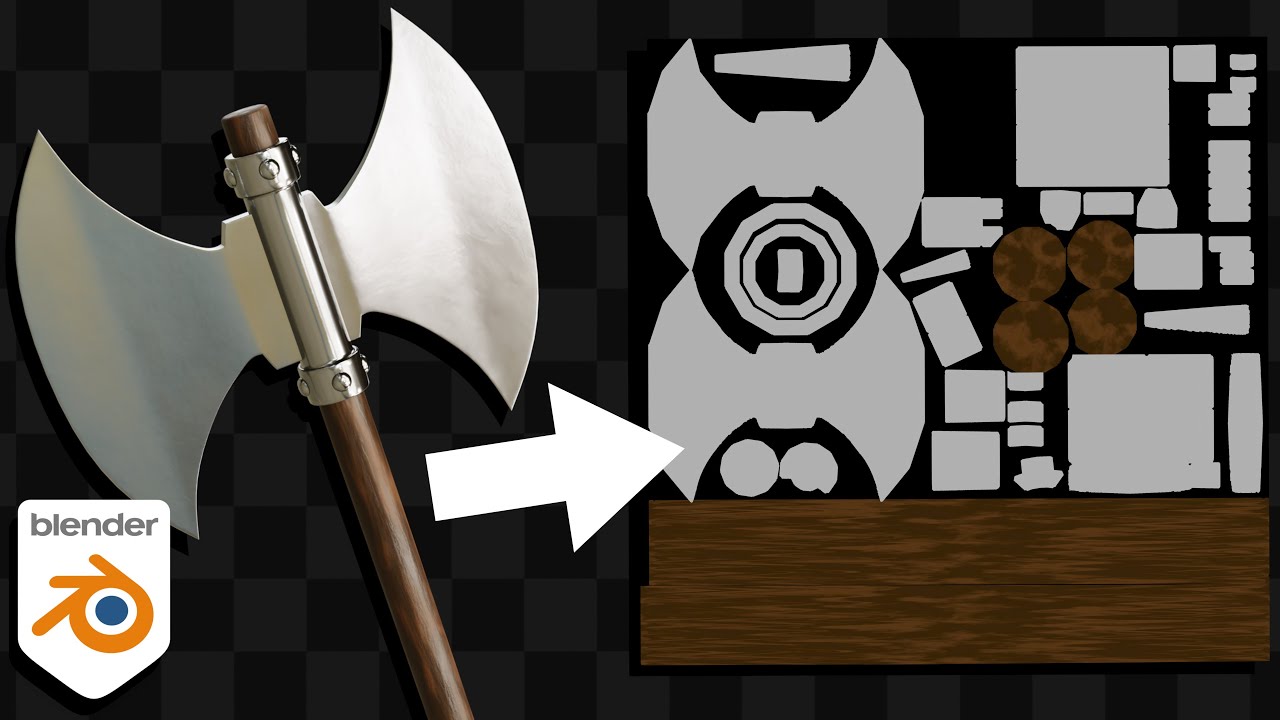
In this Blender tutorial I will show you how to texture bake multiple materials or multiple objects to the same texture maps, so that they can share the same material.
● Texture Baking Tutorial Playlist: https://www.youtube.com/playlist?list=PLsGl9GczcgBvJPh7D_ITafvmTW7ZzQTEr
● Texture Baking for Beginners: https://youtu.be/Se8GdHptD4A
● UV Unwr...
 restive siren
i dont understand i did everything downloaded bepinex which works but i cant get univer aset loader to work i did how tutorial showed. Moved the assimp.dll file to miside.exe folder and the iniversalAssetLoader still doesnt work. how can i fix this?
runic python
restive siren
i dont understand i did everything downloaded bepinex which works but i cant get...
First, let's make sure that you have bepinex installed correctly. Does the console run in the background along with the game?
restive siren
yes
runic python
restive siren
yes
Then you need to unpack the UniversalAssetLoader folder into the MiSide\BepInEx\plugins directory.


 runic python
Well, everything seems to be correct. It should work. The file assimp.dll Is it at the root of the game?
After launching the game, a new tab should appear in the clothing section.
twilit tartan
restive siren
you're missing assimp.dll in UniversalAssetLoader, the instructions are misleading cuz you're supposed to copy it not cut and paste it
pulsar whale
i too dont have it here
