#linux-and-android
1 messages · Page 5 of 1
 sand pecan
 fast mango
So what I am thinking is
As much as I like flathub I should only use it if there aren't other ways to get the app
Because I don't have a lot of stuff installed
First ima try the uninstall unused option and see how much is deleted
sand pecan
flatpak should be a last resort
sand pecan
Meat moment
fast mango
So only use it if the dev only put it on there
fast mango
Only freed up 2 gigs so ima uninstall what I can
fast mango
sand pecan
Or if the repo build doesn't work
Have you set up fan control
sand pecan
Are you on nvidia btw
fast mango
Nah amd
fast mango
Yeah it seems like it really is lmao
sand pecan
 fast mango

fast mango
Set up linux fancontrol and got a gui for the script and deleted some flatpaks that were available to download via dnf and other methods


 forest latch
just use autocurve
fast mango
The gui is really light and I only ran it once
The fancontrol command is built into linux so I set that up and it made a config file it goes off of
sand pecan
linux pilled

 dusk kernel
I'm a little late to the conversation, but if you're interested in using a Raspberry Pi for a NAS, Jeff Geerling does a lot of stuff with Raspberry Pi's:
https://www.youtube.com/@JeffGeerling

For example.... https://www.youtube.com/watch?v=l30sADfDiM8
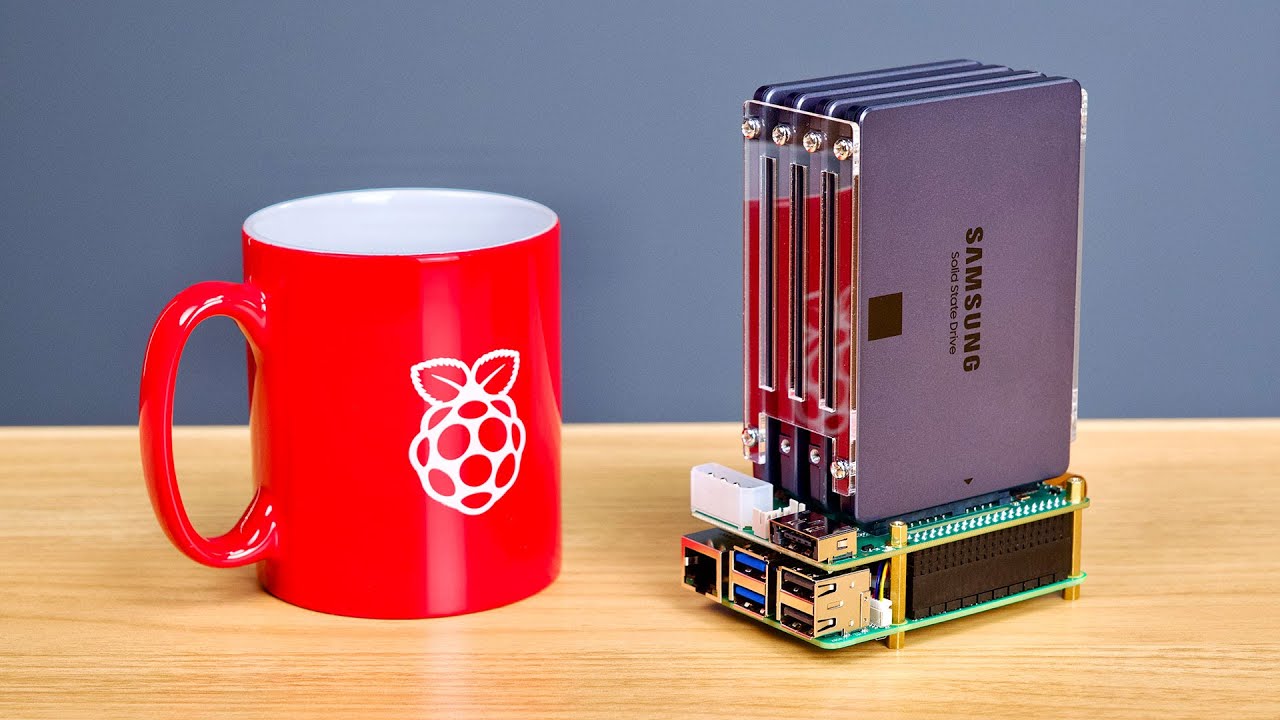
See you at Open Sauce June 15-16! Apply to exhibit here: https://opensauce.com/exhibits/
Radxa's Penta SATA HAT fits nicely atop the Raspberry Pi 5. Can I use it to build the ultimate Pi 5 NAS? Or will we run into issues?
This video is not sponsored, neither Open Sauce nor Radxa paid anything, nor did they have any input into this video—howeve...
sand pecan
dusk kernel
I'm a little late to the conversation, but if you're interested in using a Raspb...
Does it have enough bandwidth for a couple of sata hdds tho
The on paper specs say pcie 2x1
 fallow belfry
USB to SATA would be the way to go to get more storage on pi
sand pecan
USB has overhead tho
That's what I'm unsure about
hmm
Pcie 2x1 has a bandwidth of 500MB/s
fallow belfry
The 3.0 ports are 5Gbps each, with overhead that gets you about 4.5 real world
sand pecan
Might be able 4 hdds tbh
sand pecan
fallow belfry
The 3.0 ports are 5Gbps each, with overhead that gets you about 4.5 real world
Really?
Hmm
I could probably use the usb 3 ports on my mini pc
- the m.2 that's either 2x4 or 3x4
The reason I went for a dedicated nas in the first place was the fear of bottlenecks
And also it's annoying to power 3.5" hdds
I might use 2.5" usb hdds on my mini pc with a zfs mirror pool
See how that goes
forest latch
you would probably be limited by the pi's network controller (gigabit) before you saturate the drives anyways
fallow belfry
That would apply to most devices tbf
A connection is only as fast as the slowest link in the chain
Could get a 5Gb USB NIC but if the router or anything else can't use that speed it's useless
You want to eliminate as many bottlenecks as possible, upgrade to an all fiber network first
100Gb
Then you can saturate about 20 SATA SSDs
Or 6x M.2 drives running at 4.0 x4 (assuming they're drives that use the full bandwidth)
sand pecan
hmm
If that runs well...

My HP 800 G1 mini pc has an m.2 slot that I could use for nvme/sata expansion
The wifi card slot might also be usable
I could potentially turn this thing into a stupid looking server
fallow belfry
Being a DDR3 based system I'd expect the wifi slot to be mSATA
sand pecan
hmm
dusk kernel
fallow belfry
Being a DDR3 based system I'd expect the wifi slot to be mSATA
Based on this, you're probably correct:
https://www.hp.com/hpinfo/newsroom/press_kits/2013/HPDiscover2013/HPEliteDesk800_datasheet.pdf
fast mango
Bro no way
I had 3 flatpaks installed and 8 gigs was taken up
Uninstalled all three and almost all of it was gone
This app called easy effects was taking up multiple gigs
its nothing crazy it literally just applies effects to your audio out. i tried to find an alternative to fxsound because i was using that to flatten out my headphone response
now there are 2 gigs with nothing installed taken up by runtime and repo
dusk kernel
fast mango
its nothing crazy it literally just applies effects to your audio out. i tried t...
I use Calf Studio Effects for audio effects.
https://calf-studio-gear.org/
fast mango
Those are plugins
What I am talking about is different
There is an alternative install for easy effects so nbd
fast mango
If I install the mesa git drivers will they overwrite the drivers I currently have

Since it says optional does that mean its additional drivers?
If it does overwrite the default drivers, will they be reinstalled if I uninstall these
Im trying to do some tweaks to see if I can get this game to run better
sand pecan
It's only overwriting the mesa vulkan
fast mango
sand pecan
It's only overwriting the mesa vulkan
Its gonna revert when I uninstall it right
Or do I have to reinstall something myself
sand pecan
not sure about the fedora drivers
fast mango
I did this a few days ago
Now the screen flickers and goes to like 5hz with artifacts when the screen dims
When I put it to sleep it flickers for a short bit
Linux moment
sand pecan
h o w
 fast mango


 wild sigil
Pls
You can zoom in to take a screen shot with your phone and eliminate the blurry edges
forest latch
this is the worst edging i've ever seen a camera do
(well, i've seen worse edges)
sometimes the edge is so much that you see aberration
sand pecan
lmao
 icy gate
Hmm I need help with LibreOffice for some reason it doesn't want to scale properly and I don't know what to do. I'm on Arch, KDE Plasma, Wayland.

And I have a 4K display at 175% scaling
dusk kernel
As usual, I have more questions than answers. 😆
Is LIbreOffice the only application that's not scaling correctly?
ChatGPT says...
Method 1: Use the UI Scaling in LibreOffice
- Open LibreOffice and go to the menu bar.
- Navigate to Tools > Options.
- In the Options dialog, expand the LibreOffice section and click on View.
- Under the User Interface section, find the UI Scaling drop-down.
.... but I don't have a "user Interface" section in LO version 24.8.4.2
I haven't read this yet, but based on the title it seems like it would be helpful...
https://bbs.archlinux.org/viewtopic.php?id=293531
icy gate
dusk kernel
As usual, I have more questions than answers. 😆
Is LIbreOffice the only appli...
Thanks! I don't have time to test it right now so I'm gonna ask this same question on the Linux discord server.
dusk kernel
Just because one can never be in enough linux-related Discord servers... which Linux Discord server is that?
fallow belfry
(without linking it here because the bot won't like that, it auto bans)
 ebon acorn
When dual booting Linux Mint and Windows 11, each on separate SSDs, is it best to use the GRUB boot loader or to just use the BIOS boot menu?
fast mango
I just do boot override
The default is to boot to windows, and for me I just press f11 and down key for linux
ebon acorn
Is that done via the bios boot menu?
fast mango
Its different for other boards
F11 is just the key for my board
When you press the key, it’ll open up a small menu that has boot options
So I guess its like grub but you press a key to initiate it
sand pecan
I usually just use grub
fallow belfry
ebon acorn
When dual booting Linux Mint and Windows 11, each on separate SSDs, is it best t...
Windows loves to overwrite GRUB, making your Linux OS unbootable. Best practice would be keeping Windows and it's bootloader on one drive and Linux with GRUB on the other.
Install Windows with only one drive in so it doesn't try to use the second drive for the bootloader, that's a common bug.
Install Linux second with both drives in, and when grub installs it will detect the Windows bootloader and make that an option on the boot menu.
ebon acorn
fallow belfry
Windows loves to overwrite GRUB, making your Linux OS unbootable. Best practice ...
I’ve got two NVMe and two SATA SSDs with room for an additional HDD.
You advise I unplug everything except the Windows boot disk to start and then Linux then add the rest?
fallow belfry
Correct
ebon acorn
I’m a data hoarder and I like having lots of big games ready to go hence the perhaps overkill storage
Thanks
fallow belfry
Windows will install the bootloader to a random drive with no rhyme or reason to the madness if given the chance
ebon acorn
fallow belfry
Windows will install the bootloader to a random drive with no rhyme or reason to...
The sole reason I’m even keeping it around is for game compatibility and to isolate anti-cheat to something my important docs and data aren’t on.
fallow belfry
Perfectly reasonable, I do the same
forest latch
ebon acorn
I’m a data hoarder and I like having lots of big games ready to go hence the per...
overkill? never enough.
honestly i would recommend you get a das or make a nas
ebon acorn
forest latch
honestly i would recommend you get a das or make a nas
That's a future project. Well, more like a home media server/backup/private cloud.
fallow belfry
That's pretty much what I did. I took an old HP workstation that my neighbor sold me for $100 with an E5-1650 and slapped some hard drives into it. Installed Linux and set it up as a headless backup/plex/pi-hole machine.
 small fractal
Any good ways to optimize your OS for computational purposes,
I currently am running ryzen 5 7600x ; Radeon 7700x ; 128 gb ram ddr5 5200. Ubuntu 22.04 (I’m still dubious of 24)
fallow belfry
Linux is already pretty well optimized. You could uninstall packages you don't use to reduce background task tasks.
forest latch
Not much point in case you randomly need to use those packages
Unless you are hardening a host against attacks, there's not too much point of removing the default packages because pretty much every default package included has use
sand pecan

Got a decent note taking system now
I got a PDF of the KaTeX cheat sheet and Zettlr open
ebon acorn
Is Ext4 the best choice of file system for Linux Mint?
fallow belfry
Generally yes
ebon acorn
Would I be correct in assuming that nvme0n1 refers to slot 1 and nvme1n1 refers to slot 2?
fallow belfry
Yes
ebon acorn
Cool. I had to go into the advanced partition menu and I want to make sure I'm actually using the separate 4TB drive for Linux and not overwriting the Windows installation I just spent several hours configuring.
sand pecan
ebon acorn
Would I be correct in assuming that nvme0n1 refers to slot 1 and nvme1n1 refers ...
It's not persistent btw
slot one can be nvme0n1 in one install and nvme1n1 in another
Don't think it's much of an issue in this scenario but it's something to look out for
forest latch
ebon acorn
Cool. I had to go into the advanced partition menu and I want to make sure I'm a...
It's usually easier to just temporarily unplug a drive
fallow belfry
Mint has a graphical interface when installing so it would be immediately apparent if it was the wrong drive anyway
small fractal
I will say, if this wasn't a given, if ur using four dimms on linux with two different speeds, it is highly unstable (accidently ordered ddr5 5600 instead of 5200)
also does anyone know if Ubuntu 24.04 is stable enough yet
small fractal
aha I found out the hard way, even with throttling its unstable. I'm currently on 22.04, and in the middle of a pretty intensive work load, but I am eying the upgrade at the moment due to the benefits of the newer kernels with radeon and ryzen, the last time i tried to do noble, I had issues with rgb, discord and steam
fallow belfry
You can update the kernel without updating the base OS
The added benefit of doing it this way is if something goes wrong you just select the old kernel in grub to boot from
small fractal
I'll have to do a lil bit of research into that I appreciate it, part of me is exploring options of taking one of my nvme drives and making it computational storage, or putting them both in raid, and using sata and externals for wrote storage. I'm trying to optimize a balance between computational speed for monte carlo programs for work which are entirely CPU based, and gaming. I went with linux because of the benefits in the academic coding sphere, and I was just overly tired of microsofts invasion of privacy
forest latch
small fractal
I will say, if this wasn't a given, if ur using four dimms on linux with two dif...
even 2 kits of the same rated speed can be unstable, which is why ram is sold in kits
kits are tested to work to its rated speed with each other (supposedly)
fallow belfry
(unless it's corsair in which case they don't always)
forest latch
(that is the main reason i added the bracket)
fallow belfry
Yep that'll do it
small fractal
why are four dimms so unstable? is it just the speed, a motherboard limitation?
fallow belfry
DDR5 was never meant to have 4 slots at all
I was a last minute addition to the spec
forest latch
damn they added falcie to the spec
small fractal
you'd think they would have a fix for that given that servers use way more than just four dimms
fallow belfry
Servers run at a much slower speed
forest latch
consumer devices use dual channel most of the time as well, while servers usually have way more dedicated memory channels
fallow belfry
And they also have 4 or more channels
small fractal
well beans, should I just sell all the ddr5 sticks I have at the moment, and just max cap on two then?
fallow belfry
You can do up to 96GB (2x48GB) without issues at about 6000 speed
64GB (2x32GB) is the same
small fractal
yeah i'm at 64gb rn
the computation I'm doing at the moment, I had a ram overlfow of about 60 gb which I just bandaided with a monsterous swap
fallow belfry
Sounds like you're a good candidate for a 96GB kit then
They're a bit pricy but they strike a good balance between speed and capacity
ebon acorn
If I just unplugged the Windows drive or very carefully selected my target drive, and just installed the normal way, it doesn’t look like it would install Grub automatically.
Or at least not default to the Grub boot select screen at system start.
Can that be easily fixed after start up?
forest latch
it should have installed grub unless you specifically selected the option to not install grub and to use some other bootloader
fallow belfry
I usually do the partitioning myself and give grub its own 64MB partition to be mounted as /boot
The EFI files would go in there too
fallow belfry
ebon acorn
If I just unplugged the Windows drive or very carefully selected my target drive...
Odds are that grub did install and you just need to change your boot order in bios so that it prioritizes the disk that linux is on, and you should be able to pick the windows bootloader from grub too
ebon acorn
Now my boot disk isn’t working…

I haven't actually installed Linux yet, just looked at things in the live boot from USB.
The live boot from USB worked last night
fallow belfry
Odd. What program did you use to write the USB?
ebon acorn
Balena Etcher I think. The disk worked every time before this.
I know you can just write an image to a USB in Mint directly without a special program so maybe I'll try making a new disk on my laptop
ebon acorn
Same issue with the same image written to a new usb
I have pulled the Windows drive. That made no difference. The 4TB NVMe with absolutely nothing on it is the only drive connected. It does show as present in m.2 slot one in BIOS at least.
Is there a way to run a hardware check on it in BIOS just in case?
ebon acorn
ebon acorn
Same issue with the same image written to a new usb
I also reverified the image too and it came back good.
ebon acorn
Do you think initializing the drive in windows first would help?
ebon acorn
Looks like Windows Fast Boot was enabled and I think that might be the issue.
Just turned it off. Will reattempt.
ebon acorn
Didn't do a thing.
Does secure boot affect Linux Mint installation?
I have that on because it's a Windows 11 requirement.
fallow belfry
Secure boot can affect linux, but I thought they fixed that by now
It should be safe to disable secure boot at any rate
Windows will grumble about it but still runs fine
ebon acorn
Some of the forums I've found suggest renaming the grubx64.efi file (found in EFI/boot on the boot disk) to mmx64.efi, but I can't seem to figure out how to rename it. I can't rename in the drive, I can't delete anything from that folder, and it won't let me add back a copy that was moved to the desktop and renamed because there isn't enough room apparently.
Additionally, I would prefer to keep secure boot enabled if possible. Do you think disabling it for the intitial installation and reenabling it after would work?
fallow belfry
If secure boot is the problem (which is possible with a multi boot environment) then it will need to stay disabled whenever you run Linux
I know it's called "secure boot" but all it really does is prevent unauthorized operating systems from running
Normally the OS registers with the UEFI (BIOS) when you install it
Perhaps resetting secure boot variables to defaults would work
ebon acorn
fallow belfry
I know it's called "secure boot" but all it really does is prevent unauthorized ...
And let me guess, it considers Linux to be "unauthorized." Or is it just that it is expecting Windows now that that was the first thing installed?
fallow belfry
A little of both
ebon acorn
Diabling secure boot made no different. Same fault as before.
fast mango
Man that is brutal
How did all of this start? Did grub just stop working out of nowhere
ebon acorn
I installed Windows 11 on one nvme ssd with no other drives connected.
I then attempted to boot from a Linux Mint Live Disk. I got a little apprehensive in the partition manager during the install sequence (all in Mint's GUI) and decided to shut it down and return to it later.
When returning to try again, I got the faults shown in the picture of my monitor. They flashed on screen for a moment, then the computer powered down.
I tried disabling secure boot, but that made no difference.
A Mint forum post suggested renaming the grubx64.efi file to mmx64.efi. I was unable to do this in Mint on a separate laptop, but was able to rename it in Windows 10 on a Surface Pro. Guess it pays having multiple machines with different OSes on them at the same time.
And just now I managed to boot into the Mint live environment with that last change.
I removed the Windows drive to eliminate any risk of accidentially putting anything Mint related on it.
Currently, the sole drive is a 4TB nvme SSD.
I'm about to attempt Mint installation on it.
Should I be able to select the Grub boot manager in BIOS when I'm done and use that to choose my OS as normal when this is over?
To be clear, I mean set the Grub manager to the top spot in the boot order
Also are there any terminal commands I can use to make the display output to 1080p? It's currently stuck at 800x600 and won't allow me to change it in the display app.
I'm sure it'll go away when installation is done, but it would be nice not to have my view smooshed while I do it
This is all on a new machine by the way
The end goal is to have Mint on its own 4TB drive, Windows on its own 2TB drive, and to run dual boot.
I will be plugging in additional SATA drives afterwards, but most of them will go to Windows.
I'm going to attempt to install normally now. Will update when finished.
Just to confirm, it is advisable to leave secure boot disabled when running a dual boot configuration right?
I installed in the live environment and clicked restart when prompted. Now it’s stuck on this.

I don't know what this means.
ebon acorn
I manually shut it down and then restarted, went into my bios boot menu and saw a Mint bootable installation. It appears to have started up fine. After installing updates it does now output at 1080p
So, now I am into Mint, but I need to figure out how to manage the dual boot when I plug the windows drive back in
ebon acorn
Alright, both OSes are now installed on two separate disks. I'm testing each now. I'm not sure how to get into either one besides going to the boot menu in BIOS with F11. Grub didn't appear in that menu.
Huh, it doesn't appear to have an option to rank the Windows disk above the Linux one in boot order. It seems to prioritize whichever one is in m.2 slot 1
fallow belfry
It'll be in a submenu
On the main boot order menu there's an option labeled "HDD priority" or something similar
ebon acorn
Ah, just found that.
But the Grub Boot loader isn't an option in BIOS or the F11 boot menu so far.
How exactly do I implement it?
fallow belfry
It won't be named as such, it would be that Linux Mint option you saw before
Hold shift while booting and it should show the grub menu
ebon acorn
Holding shift doesn't seem to do anything. It just boots to the Linux login
fallow belfry
ebon acorn
Holding shift doesn't seem to do anything. It just boots to the Linux login
Try tapping esc during boot instead
You should also be able to configure grub to always show the boot menu
 ebon acorn
Tapping esc brought me to a menu showing GNU Grub 2.06, a little explanation line, and a series of "grub>" for every time I tapped the esc key
Is that menu the /etc/default/grub.d/90_custom.cfg:?
fallow belfry
No that would be more like an advanced boot menu
ebon acorn
 fallow belfry
Changing the custom config would bring up a menu showing all the installed and detected operating systems and allow you to select one
ebon acorn
I typed in the commands specified, but haven't hit enter on the second one
fallow belfry
The file is located in your operating system
ebon acorn
Would I just do that in terminal after logging into Mint?
fallow belfry
You would load a text editor as root (sudo) and open the file using the text editor
ebon acorn
So should I just shut down from this menu and log in as normal?
I'm back on desktop with terminal open
ebon acorn

The boot menu, known as GRUB, is usually disabled by default in Linux Mint. You can show the boot menu at startup using the following methods. Show Boot Menu Using Manual Method When you start Linu…
Followed the instructions here, and that seems to have done the trick. I'm still pretty new to Linux so there a lot of knowledge gaps on my part of how to actually use the terminal to accomplish things.
Well that was a long day of on again, off again trouble shooting.
I didn't realize the solution was that easy from the get go.
Thank you for your help.
Aaaand now my resolution in mint is borked.
(sigh)
It is stuck at 680x480
The options in the display menu are all greyed out
Windows doesn't have this problem. It still defaults to the native resolution
I'm a little hesitant to just change the resolution on the "GRUB_GFXMODE=640x480" line for fear of breaking something to the point of not being able to see anything.
And while I'm currently running set up and testing on a 1080p monitor, I have a 1440p one that will be my new primary once this is all organized
fallow belfry
ebon acorn
It is stuck at 680x480
Let me guess, you have a Nvidia GPU?
ebon acorn
No, actually. It's an RX 7900XT
Chosen specifically because I know AMD's GPU driver support on Linux has tended to be better than Nvidia's.
It was outputting at 1080p before I edited the GRUB settings
The only thing I can think is that it's somehow connected to the Grub graphics output res.
But that doesn't explain why my display options are greyed out
fallow belfry
Have you installed the drivers yet? The one that comes with the kernel is pretty basic
ebon acorn
I ran the update and driver managers. Let me double check.
fallow belfry
 fallow belfry
Right because it has the basic driver installed
ebon acorn
Ah. The ubuntu driver should be fine for mint right?
ebon acorn
Also there are four packages for Ubuntu.
Listed on the site.
Which applies to Mint 21.3?
 fallow belfry
Second on the list
fallow belfry
fallow belfry
Second on the list
.
fallow belfry
AI stuff mostly

AMD
AMD ROCm™ software empowers developers to optimize AI and HPC workloads on AMD GPUs.
ebon acorn
Ah, yeah. Not a priority for me. This is just a humble work and play machine.
Can I just double click the download in my file explorer and install like in Windows?
fallow belfry
Yep
ebon acorn
Last time I tried that with a Linux game installer from GOG it didn't work
fallow belfry
If the file extension is .deb it'll open in the package manager
ebon acorn
It says the same version was already installed.
fallow belfry
I believe the GOG installer is a .run file, which requires some extra steps
ebon acorn
Display options are still greyed out
ebon acorn
I don't know. I'm new to Linux and am still getting my bearings.
Basically, I have just installed Windows and Mint to two separate disks for a dual boot configuration.
The boot menu, known as GRUB, is usually disabled by default in Linux Mint. You can show the boot menu at startup using the following methods. Show Boot Menu Using Manual Method When you start Linu…
sand pecan
Try Sudo apt-get install amdgpu
ebon acorn
I followed the instructions here to get Grub to open by default and now my Mint is stuck in 640x480
sand pecan
I'm probably not much help here since I use a different package manager
ebon acorn
Windows is unaffected
ebon acorn
Well the graphics line that the instructions had me uncomment is set to 640x480, but I don't know why that would lock the OS to the same once logged in
sand pecan
sudo apt-get install amdgpu-install
fallow belfry
In /etc/default/grub, change the line #GRUB_GFXMODE=auto to GRUB_GFXMODE="1920x1080". And uncomment the line GRUB_GFXPAYLOAD_LINUX=keep to reduce flickering during boot. After editing run sudo update-grub.
ebon acorn
Effectively the same message. "amdgpu-install is already the newest version"
fallow belfry
sand pecan
sudo apt-get install amdgpu-install
Yeah that's the script I mentioned
ebon acorn
I think the GFXMODE was set to 640x480 at the start of all this. I was hesitant to just change it to 1080p for fear of breaking something else, but if you think it'll work I'll try it
Or maybe I'll see if auto does the trick first. It wasn't on that before.
fallow belfry
The thing with Linux is that there's so many levels of understanding, it's hard to write a fully comprehensive guide that covers everything without assuming the user is incompetent and coming off as pretentious.
ebon acorn
Didn't know that was an option.
Also I didn't notice any flickering during boot to start with. Should I still edit the payload line?
sand pecan
I think they should at least explain the GFXMODE line
fallow belfry
It won't hurt anything
sand pecan
To be fair they explained everything else pretty decently
ebon acorn
Also, I notice that in gedit, when I highlight a line it does so in a color that is very close to the text and doesn't actually show where your cursor is.
Can that be tweaked?
fallow belfry
If the question is "can it be tweaked" in Linux the answer is always yes
Should be in the settings
Or preferences, whichever they call it
I don't use gedit lol
ebon acorn
It's just what the tutorial said to use.
sand pecan
Oh so basically gedit is just a text editor
ebon acorn
fallow belfry
In /etc/default/grub, change the line `#GRUB_GFXMODE=auto` to `GRUB_GFXMODE="192...
I don't seem to even have the payload line
fallow belfry
No worries then, save and exit
fallow belfry
Then you can run sudo update-grub and reboot
ebon acorn
I the GFXMODE to auto and updated grub. We'll see what happens next in a moment
fallow belfry
sand pecan
Wait this isn't nano
No it's a gui editor like notepad
ebon acorn
Okay, Grub output in 1080p, or close to it so good start
fallow belfry
Mint doesn't use gnome
sand pecan
Cinnamon?
fallow belfry
Yep
sand pecan
Cinnamon is quite nice
ebon acorn
Cinnamon is one of three environments they offer it in and is the one I picked.
It seemed like the closest thing to "default" Mint
fallow belfry
That's the one most default to at least yes
sand pecan
Not as powerful as KDE but not bloated either
ebon acorn
Anyway, I'm back in 1080p on desktop in Mint.
Setting that line to auto seemingly did the trick. We'll see if that holds when I switch to the 1440p monitor
fallow belfry
Guess that worked then
ebon acorn
However, in the display menu, my output options are STILL greyed out.
sand pecan
Isn't there a display settings menu somewhere(
ebon acorn
I don't understand why the GUI wouldn't let me set my resolution to something sub-native if I chose
sand pecan
I wonder if it's because you had the grub thing set
What happens when you leave it on auto?
ebon acorn
sand pecan
I wonder if it's because you had the grub thing set
It was greyed out at the very start of install, and I figured drivers would resolve it. After driver updates it set to native res and I didn't bother to check the display settings again until now so I don't know if they ever ungreyed.
At the moment, setting gfxmode to auto has resolved the problem.
It was set to 640x480 by default when I first opened it as seen in the tutorial
I didn't know auto was an option until you guys mentioned it.
But I figured that would probably be my best bet to not have issues when I switch monitors.
sand pecan
Yeah usually I don't mess around inside grub unless I need to debug
ebon acorn
I want to set it and forget it. The whole point is to make my dual boot as smooth as possible. I'm hoping that by paying in time and anxiety now, I'll have an easier time later.
sand pecan
Yeah well
The problem is windows
If you have to reinstall windows it's going to be annoying
ebon acorn
It's on a completely separate disk, on it's own partition away from most of the rest of my games.
ebon acorn
The annoying part would be reinstalling all my game clients like Steam and GOG Galaxy
ebon acorn
On Fal's own recommendation, I installed Windows first with only one drive installed.
sand pecan
They tend to mess with each other
ebon acorn
Gave it its own partition on my own initiative to hopefully make it easier on myself if I ever needed to reinstall it by limiting how much stuff I'd have to redownload or restore from a backup
Then I installed my second drive for Mint
ebon acorn
I didn't do the same to Mint, but I do have snapshots enabled.
sand pecan
Well here's a neat trick you could do
ebon acorn
And of course I've got my boot media for both so I can repair or boot into live environments as necessary
ebon acorn
Can I do that post-install?
sand pecan
Yes
fallow belfry
Yes but it's messy
sand pecan
You just have to configure it in fstab
sand pecan
Yeah it's more for advanced users
It's possible but it can be annoying
Especially if you don't want to have to deal with fstab headache
ebon acorn
Anyway, thanks to your kind gentlemens' help and a few web searches, I'm like 90% of the way there with this machine.
Next I need to plug in and configure my additional SATA devices.
sand pecan
fallow belfry
Yes but it's messy
I had a jury rigged linux install a while back
ebon acorn
But that's for tomorrow.
sand pecan
My os broke (bios shennaigans corrupted my install) installed my os again in another partition and then bind mounted my /home
I think it's still in that configuration
ebon acorn
Hey, if it works.
sand pecan
Yeah linux is very powerful once you know your way around it
ebon acorn
Amusingly enough, I might not be on this journey if it weren't for Microsoft getting increasingly invasive with their data collection, bloatware, and inbuilt advertising.
sand pecan
Yeah
I've been using windows 10 and a linux dual boot for a couple years now
Windows 11 was the final straw
ebon acorn
I'm keeping Windows on hand because I'm too big of a video game enthusiast to let it go completely, AND because I want anything with anti-cheat siloed off away from my Linux machine.
sand pecan
I've got rid of windows all together
ebon acorn
But I'm transitioning to Linux as my everything-but-video-games platform
sand pecan
ebon acorn
I'm keeping Windows on hand because I'm too big of a video game enthusiast to le...
Not a huge fan
Especially the rootkit anticheats
ebon acorn
And I do plan to explore Linux gaming too, just with stuff I know doesn't have anti-cheat
sand pecan
Ironically it's easier to run games than software
fallow belfry
sand pecan
Especially the rootkit anticheats
That's why windows is installed solely as a gaming OS and Linux will be the primary for him
ebon acorn
I'm actually very excited about the work Valve is doing because of the potential it has to break Windows defacto monopoly on PC gaming.
Oh shoot, I still need to attempt to set my memory to max rated speed and stress test that too.
Still much work to do on this project, but it is very satisfying to see it gradually come together
sand pecan
I think we're seeing a trend where people are moving away from big software
ebon acorn
Anyway, it's eight past eleven o'clock for me, so I will need to bid you gentlemen good night.
sand pecan
gn
ebon acorn
Thanks for the help
fallow belfry
g'night
sand pecan
We're always here if you need help
fast mango
🐐
fast mango
sand pecan
We're always here if you need help
You were not kidding
I installed endeavor on virtualbox and it is using 1.4gb of memory
And really the installation was kinda like nobara but with some more additional optional things
I might put this on my laptop
Not might i probably will

So I have w10 and nobara. Could i install endeavor on the unallocated space I still have and not have it conflict with anything?
fallow belfry
If you configure grub correctly yes
fast mango
When I open boot override and hit nvme for linux, will endeavor show up along with nobara
On the grub menu
fallow belfry
Yep just need to set it up and it'll be fine
fast mango
Fire
fallow belfry
I've done a quad boot before
 sand pecan
fast mango
who knows, maybe i might switch to endeavor on my desktop too
sand pecan
fast mango
who knows, maybe i might switch to endeavor on my desktop too
Wait until you see the package manager
Plus wayy better documentation
You get the arch wiki
fast mango
Yeah I see the website there are over 95000
sand pecan
Do you have an aur helper?
fast mango
Idk I just got this thing 
sand pecan
git clone https://aur.archlinux.org/yay.git
cd yay
makepkg -si
also I'd enable the multilib repo in /etc/pacman.conf
After that
Most of the packages you'll ever need will be one command away
fast mango
sand pecan
makepkg -si
What is this
sand pecan
It's a build command
A lot of linux packages comes with a make script
So basically you can build for debian, ubuntu, arch, etc
If you're downloading packages off github you'll have to build them yourselfes
Usually it's a simple as cding into it wherever you've cloned the source and building the package
dusk kernel
The audio functionality died on my secondary system (Ubuntu Studio 24.04). I hadn't made any changes to the software other than updates since the last time I used the system for audio stuff. So I've been trying to get a sound card working rather than buying a motherboard. The card (SoundBlaster Audigy Rx) is recognized and I can hear the microphone input but it's not getting connected in JACK and I can't find anything to control the input level.
I've tried fiddling with pulseaudio tools, alsamixer, and settings in qjackctl for days with no luck.
Could someone stop by my place and fix this while I take a nap? LOL
sand pecan
It's probably something stupid with the kernel
Try reinstalling the kernel and then regenerate the initramfs
dusk kernel
- booted to previous kernel
- reinstalled 9 misc. kernel packages for current kernel
- booted to current kernel
- sudo update-initramfs -c -k $(uname -r)
- reboot to current kernel
No change.
I'll check the settings in qjackctl.
Details of the misbehaving system:
https://linuxmusicians.com/viewtopic.php?t=26985
ebon acorn
It would be nice if the Linux Mint installer just told you that a "/" was all you needed to define a partition as root.
I'm dual booting Mint on an old iMac and just had a hiccup figuring out how to install it to my chosen partition, but it seems to be running smoothly now.
Sidebar, does anyone know how to find drivers for the Magic Mouse 2?
My logi pebble works perfectly fine with Mint, but the Apple mouse is non-responsive.
sand pecan
hmm
sand pecan
dusk kernel
1) booted to previous kernel
2) reinstalled 9 misc. kernel packages for current ...
Maybe it's something to do with the audio service?
Or package
What does systemctl status [service name] say?
ebon acorn
Now the bluetooth manager in mint won't even open after attempting to turn it on and set it to be automatic.
fallow belfry
ebon acorn
Sidebar, does anyone know how to find drivers for the Magic Mouse 2?
The driver is included in kernel 5.15 and higher
Or for older versions (4.18-5.14) https://github.com/RicardoEPRodrigues/magicmouse-hid
GitHub
Magic Mouse 2 driver for Linux. Contribute to RicardoEPRodrigues/magicmouse-hid development by creating an account on GitHub.
forest latch
The real question is how do people even find the magic mouse comfortable enough to want to use it
What kind of grip do you have to use with it
Because I tried a claw grip and even that wasn't comfortable
ebon acorn
It's more for the sake of being able to use it than any particular affinity for it.
forest latch
Hmm
I've always just plugged my own mouse into the macs because I never managed to get used to the magic mouse lmao
Cheaper that way as well, and it doesn't have the... Questionable charging port placement
(why did they do it)
(they could have even made a new connector instead)
ebon acorn
I'm going to shelf this for now as I've been working on this little project for the past few hours.
But the bluetooth manager is working again after a restart
So progress.
sand pecan
Proprietary hardware moment
fast mango
Why is red hat so obsessed with ai
They want to add ai to fedora

They also said something like linux is the past and ai is the future
the endeavor os pill is becoming more tempting
fast mango
sand pecan
One of us
The ai push was lowkey a letdown
I installed fedora on a vm and actually liked it
It had a lot of preinstalled stuff but was lighter than i thought
I was gonna try endeavor and fedora on my laptop and see how it plays out but I guess thats it
to me fedora seemed similar to modern windows but without the bs. like when i installed it i got windows vibes but better
now though it seems like they really are trying to be like windows

fast mango

 small fractal
So: update
I have installed the Ryzen 9 9900x
I will say that it does operate rather nicely; and I have seen improved performances, however I have noticed that it is only taking 30kw(maxing out around 65 C), and on all cores its topping out around 4.7GHz. I was hoping that ya'll would be able to provide some guidance to overclock the CPU, since this is linux, we dont have access to ryzen master but I figured ya'll might have some ideas on how to maximize performance considering that I have plenty of power available still from the power supply and it could afford to run a bit hotter
forest latch
30 kilowatts?!
small fractal
oh my b
forest latch
😂
small fractal
wait
forest latch
that would be an inferno lol
forest latch
if it maxes out at 65c, it shouldnt be only 35c unless the cooler is turned off?
where did you see the power metric
small fractal
watch -n1 "cat /proc/cpuinfo | grep 'MHz'; sensors | grep 'Tctl'"
forest latch
hmm
small fractal
for temp
and then for power
its
watch -n1 "cat /proc/cpuinfo | grep 'MHz'; sensors | grep 'Tctl'; cat /sys/class/hwmon/hwmon*/power1_input"
this is on ubuntu 24.04; I ended up upgrading the system proper and thus far there hasn't been any issues
forest latch
try checking _average_highest or _input_highest
small fractal
I do have PBO on at 90 level 5, but that is all that I have done, and the fans are on at full blast. hmm okay
I am currently out of the house but I'll try that so instead of power1_input, do that?
forest latch
power1_average_highest yeah
small fractal
alrighty; and in regards to any overclocking; I've seen corectrl being good for amd gpus, but is there any real variant that works for cpu optimization?
or would it almost be worth while duel booting and finding those values using ryzen master on a windows boot
forest latch
i'm not as familiar with this type of stuff on linux so maybe someone else could answer this
small fractal
honestly if I figure this out; I might just take the time to build a basic qt app to deal w it
or at least better visualize it all
forest latch
i assume someone has done it at this point lol
small fractal
surprisingly there isn't all that much stuff for optimizations outside of BIOS
at least that I have found
fast mango
I turned on pbo on in the bios and my ryzen master profile sticks
I have curve optimizer and auto oc +200
So if you want to do it from the bios you can
But if you want to go to windows for a bit you can do that too
small fractal
hmm I currently have it at auto oc of +100, I'm on lunch so I'm kinda just perusing github for any tools lol
fast mango
Linux does not seem to like intel igpus
On both my laptop and my ewaste mini pc, youtube will skip frames
system monitor also cannot sense the gpu
dusk kernel
sand pecan
What does systemctl status [service name] say?
I gave up on the sound card and bought another motherboard. Same model of Z97X I have now, but Rev 1.2 rather than Rev 1.1. I almost bought a newer mobo but that would have cost more (plus a CPU & probably RAM) and this mobo/CPU has plenty of power for what I use it for.
sand pecan
dusk kernel
I gave up on the sound card and bought another motherboard. Same model of Z97X I...
Oof
dusk kernel
LOL.... yeah, I decided to throw money at the problem rather than investing more time struggling with it. 😆
sand pecan
That's fair
How much was the Z97?
Haswell Z chipsets are still rather overpriced from what I've seen
small fractal
forest latch
try checking `_average_highest` or `_input_highest`
this is what we're getting at full blast


to be fair, I'm aware I need more swap but this is more of a one time sim
this is one of those instances, where having the additional cores is certainly paying its worth
but still. if I can squeeze any more out of it I'd be v happy
sand pecan
htop user spotted
small fractal
tbh the system monitor was slippin cause of the ram usage
small fractal
Im lookin at the github, it looks nice, its a c++ build?
sand pecan
There should be a repo package
But yeah it's c++
Lightweight and fairly powerful for what it is
small fractal
I'll download it really quick and play around with it, I'm used to htop cause of slurm stuff
do you recomend the desktop install or just terminal install
sand pecan
Terminal
small fractal
this is amazing
sand pecan
the terminal UI is pretty intuitive
small fractal
soooo any recommendations on optimizations xD
 sand pecan
I usually just change the theme

I mostly just open it to check usage and kill processes
The default works pretty well in this case
small fractal
yeah I really just need to monitor the drives and the ram in this case; I've been playing around with parallelizing my code
has a bit of overhead
small fractal
its useful to see how awful my internet is, I like how you have the bash script to the left
sand pecan
Oh yeah I was checking where my nfs share was mounted
I'm using a tiling window manager
It's pretty quick
ebon acorn
So I'm slowly but surely getting my new PC build where I want it. I currently have two audio devices set up. The first is headphones plugged directly into the back of the MOBO. The second is a set of PC speakers plugged into the new monitor which in turn is connected to the PC via display port.
I didn't realize before today that display port can transmit audio, but on the windows side I can easily toggle between audio devices with the windows game overlay.
The Mint audio manager is currently only showing a single audio device which seems to be the headphones.
Is it possible I need some sort of DP driver to allow for audio from the monitor connected speakers?
My driver manager currently shows it is up to date and the video signal looks perfectly fine.
sand pecan
It could be the DP cable too
I've had HDMI cables that didn't transmit audio for whatever reason
ebon acorn
It works on Windows.
I just don't see more than one audio device in Mint.
And that one audio device is the headphones.
forest latch
ebon acorn
Is it possible I need some sort of DP driver to allow for audio from the monitor...
your gpu drivers handle the audio through displayport or hdmi
at least on windows
i have no idea if it's the same on linux
fast mango
Ok so i tried different intel media drivers, ffmpeg and libav codecs are preinstalled with nobara, messed around with firefox config settings and still video decode is not being used properly
gpu 3d is being used instead
goes up to like 40% when playing youtube

nvm that was because i disabled a setting
with default settings again its like 15
Basically, i WILL see dropped frames and i WILL like it
sand pecan
wtf?
fast mango

Thats what I get for not getting the amd laptop
Very few frames are dropped when plugged in
fast mango
I guess this means I have to install appstream right

Not sure why this is, even on the desktop
When I type in something and click on whatever it is I am looking for, that happens

Using discover as an example
Oh I see
Nobara has this removed to avoid conflicts

fast mango

After the Rust for Linux kerfuffle, something needed to changed and one change that went in places was a new Rust For Linux policy on how to deal with upstream maintainers, who's responsible for changes, etc.
==========Support The Channel==========
► Patreon: https://brodierobertson.xyz/patreon
► Paypal: https://brodierobertson.xyz/paypal
► Lib...
dusk kernel
sand pecan
How much was the Z97?
I paid around $75 USD total, shipped from Canada. (they were asking around $125) That's more than I really wanted to spend on a fairly old motherboard, but it's the same model I have so at least I'm familiar with it.
This is the motherboard:
https://www.gigabyte.com/Motherboard/GA-Z97X-UD5H-BK-rev-12#ov
Also... I just had yet another wacky idea. 😆 I have one of these Dell "All In One" units:
https://www.dell.com/support/product-details/en-us/servicetag/CTYX922/overview
It has a touchscreen and HDMI out, but no HDMI input. The motherboard has 2 NIC interfaces (Killer™ E2200 and Intel). If I'm able to use both NIC's at the same time, I should be able to setup a remote desktop connection between the touchscreen and the desktop system using ethernet.
I've actually done that with the AIO unit and a Raspberry Pi in a situation where the AIO choked on something I wanted to run, but the Raspberry Pi could run it OK. I think that was a web-based game of some sort.
But yeah.... gotta get the motherboard swapped before I add any other projects to my list. LOL
dusk kernel
That didn't even include the IO shield... but... I already have one. heh heh I rationalized the higher price by telling myself that me being familiar with the motherboard and it even being a newer revision, was worth the extra money. Plus, I got it signifantly lower than the advertised price. 😁
sand pecan
I mean
It a Z97
It should be way lower anyways
The second hand market around used high end is pretty screwed tho
Anything with i7 or Z is disproportionately overpriced compared to the rest of the market
fast mango
Already went over it but the flatpak sandboxing is crazy
I downloaded gpu screen recorder and it took up like 3.8gb and when I ran it and pressed record, it wanted me to install it systemwide with a command
So I deleted it and just did the command
Saved almost 3 gigs
sand pecan
I always use distro repos
fast mango
Yeah what I do now is use flathub to look for things and then see if I can install it from other sources
dusk kernel
fast mango
Saved almost 3 gigs
 dusk kernel
sand pecan
It should be way lower anyways
dusk kernel
sand pecan
It should be way lower anyways
IIRC... I paid $50 for the board and $25 for shipping. But yeah, I'd have preferred to pay less.
Ultimately, I just want a working system so I can get back to singing occasionally, and +/- $25 isn't going to keep me from paying rent or buying food. Hell, I can make that in 2 hours of singing. 😁
sand pecan
oh
$50?
eh
that's not too bad tbh
the shipping does kill the value but
with all things
shipping always does
honestly the base price is reasonable
dusk kernel
I've definitely made worse purchases. 😆
sand pecan
I wonder tho
with the old board
you could probably get a xeon and make a haswell server
if the board isn't that messed up
dusk kernel
Oh right... I haven't thought that far ahead yet. heh heh The current board seems to work fine except the audio system stopped working. So I might be able to use it for something else. I don't really NEED a server though. If I did, I'd be tempted to use a Raspberry Pi or the HP mini system I have.
dusk kernel
I feel like I still have these CPU's I could put in it. They're all kinda meh but would serve to get a system built then I could buy a better CPU if the system proved to be useful.
i5-4590 @ 3.3 GHz
i5-4570 @ 3.2 GHz
i5-4460 @ 3.2 GHz
I have the best CPU the board can handle (i7-4790K @ 4.0 GHz) but that'll stay with the audio system.
sand pecan
xeons might be better priced
the 4c/8t xeons aren't too expensive
but since you already have the cpus
honestly you might not even need the HT
dusk kernel
Yeah, I was just checking Passmark scores and the CPU compatibility list for the board. The Xeon E3-1285 V4 is nearly the same as the 4790K. I think I didn't see one of those when I was shopping several months ago.
 mortal totem
Can’t you find xeons for like, sub 10usd
dusk kernel
Yeah... but in my case, I'm limited by which ones the motherboard supports. I found one for $12 that would fit, so I'll consider Xeons if I decide to put the "old" board to use.
Example: https://www.ebay.com/itm/286303651219

eBay
Please look at the pictures carefully and check the model before purchasing.
 burnt wyvern
Is there any way to run vm softwares like blue stacks , ld9 on ubunto
sand pecan
burnt wyvern
Is there any way to run vm softwares like blue stacks , ld9 on ubunto
yes
for bluestacks there is a better alternative
Since android runs on linux,
there is this application called "Waydroid"
which basically runs android inside a container on your linux computer
with near native performance
sand pecan
I've gotten roblox to run on it
burnt wyvern
sand pecan
with near native performance
Thx I'll try it
burnt wyvern
sand pecan
I've gotten roblox to run on it
Oh i just wana run a game that i multi box on my little old pc lol
 balmy cradle
This is probably a dumb question, but I just switched to linux recently from windows, and I'm wondering what people generally use for onedrive integration... >_>
I use onedrive mostly for backing up photos... so it'd be nice if it had the same caching feature that windows does...
I know regular ubuntu has a feature where you can add a ms account, and Nautilus (the ubuntu file manager) will have a "onedrive" folder for you, but that doesn't seem to actually sync anything... it just makes it available when you're online. Also, I just switched to KDE to try out some KDE things, and it doesn't seem to have the same features with Dolphin (the kde file manager).
forest latch
balmy cradle
This is probably a dumb question, but I just switched to linux recently from win...
as a windows user, i hated the onedrive integration into file explorer
you could look into rsync though, i'm not 100 on if it supports being used with onedrive though
you would just have to setup a chrontab to automate the backups or such
looks like duplicity also is good
tbh there's alot of options lmao
balmy cradle
😅 ... that's kinda part of the functionality I'm looking for... a file-explorer-type onedrive integration, where my files are also saved locally so I can interface with them through the terminal
I think I saw a reddit post about setting up rsync like you describe... it looked a little complicated though... >_>
forest latch
well, the part i hated was how janky it was
balmy cradle
and like maybe it doesn't fully sync stuff
forest latch
it did not like working properly for me on windows lol
balmy cradle
hmm... always seemed to work fine for me...
The only problem I really had with it was that anytime Thing2 played the sims on my PC, it cached a bunch of files to mydocs, and then deleted the cache when it was done
resulting in a notification that I deleted hundreds of files
freakin lazy bums over at EA, saving things to mydocs... >_>
_<
Oh... and then it also defaulted to C:\users\me\onedrive... when I have a separate drive specifically for onedrive stuff... O:\onedrive...
So, as soon as you got logged into windows for the first time, it was like... "oh, here... let me blow up your C:\ drive with a half a terrabyte of photos, because reasons"
forest latch
lmao
balmy cradle
I see some posts reccomending this tool... maybe I'll give it a try... >_>

GitHub
OneDrive Client for Linux. Contribute to abraunegg/onedrive development by creating an account on GitHub.
forest latch
worth a try
honestly idk how many people in this server would have any knowledge about this specific use case lmao
balmy cradle
Figured it was a longshot
forest latch
most people here who use linux as a desktop os already has a NAS for backups
balmy cradle
I see...
forest latch
(in this server that i've observed at least)
balmy cradle
I should probably do that at somepoint
NAS for onsite backups, onedrive for offsite... >_>
forest latch
i know someone else not in this server (i think) that used s3 storage or whatever on backblaze or smth (though that was to backup the nas backup lol)
sand pecan
Iirc there's onedrive integration options
Not sure about how they work tho
FOSS people are not the biggest fans of MS
balmy cradle
There are in Nautulus... you just add your MS account in settings, and then you're off to the races
but KDE has dolphin instead
sand pecan
You could probably set up rclone
balmy cradle
Also... the Nautulus integration isn't great... it gives you files on demand, but it doesn't do any caching, so it's really slow
sand pecan
To sync with the OneDrive servers

It's FOSS
A step-by-step tutorial showing how to use the rclone command line tool to synchronize OneDrive in Linux.
Try this
balmy cradle
I think I saw that... there was a step there to mount it to make it look like a drive
balmy cradle
but there was also something that said that sync doesn't really work, so if you make a change you still have to like... manually upload or something?
forest latch
set a chrontab or smth to run at startup and maybe hourly or such
or even less frequently
every 12 hours
every day
maybe longer
balmy cradle
Well... stuff to think about...
Thanks for the help!
small fractal
sand pecan
https://itsfoss.com/use-onedrive-linux-rclone/
Lol one of my primary reasons from going away from windows
One drive forced integration never sat well with me
balmy cradle
small fractal
One drive forced integration never sat well with me
You can turn it off pretty easily...
I only recently switched because win11 decided it didn't like my PC, and I just rebuilt it a few years ago with all new parts...
sand pecan
small fractal
Lol one of my primary reasons from going away from windows
What's the rest
For me Windows 11 was the last straw
If they are charging money for that thing while monetising my data as well
The OS better be good
But it's even more bloated and clunky than 10
So I just gave up on windows
small fractal
Well,
My one drive got breached by an old acquaintance and that turned me off to pretty much everything cloud. Also the file paths are awful if you’re trying to code..
Windows basically selling my data to the highest bidder , there’s no realllll security and like you said: for what?
The ram compression system doesn’t have many use cases for me, it can be almost impossible at times to actually delete things, and honestly I was fed up w it. My code runs leagues better on Linux , all of my data is my own and it just works better for what I need.
Also I prefer bash to powershell
forest latch
That is so real
I can do PowerShell scripting (and I prefer it over batch/cmd) but man
Bash is just so much better
sand pecan
Yeah most of us who use linux just like the freedom
freedom to do whatever we want
and freedom from big data
mortal totem
small fractal
Well,
My one drive got breached by an old acquaintance and that turned me off to...
luckily there are many self hosted projects to replace cloud services like onedrive, google drive, etc
balmy cradle
sand pecan
So I just gave up on windows
I just gave up, because it refused to install on my PC anymore... >_>
I was getting a black screen for no explicable reason every few hours... after a day of troubleshooting, I figured I'd just reinstall windows... and then I got a blackscreen while installing windows...
Installed ubuntu, and haven't had any problems
balmy cradle
forest latch
I can do PowerShell scripting (and I prefer it over batch/cmd) but man
I also ❤️ powershell... 😅
small fractal
I’ll likely do a NAS at some point
I mean I’m currently playing around with Pop!OS cause it’s neat and has a really cool UI, and the encryption on my drives is nice too. I use Debian for my code environments and it just fits yk?
Like ya sure there’s some stuff that just won’t work on it at times but I’m not really doing GPU accelerated processing, all my computations are cpu based
small fractal
balmy cradle
I also ❤️ powershell... 😅
It’s tedious
Made by satan
In other news did you know the Boston dynamic dogs run on a version of Ubuntu jammy
We had one come in to work today; v cool
sand pecan
balmy cradle
I just gave up, because it refused to install on my PC anymore... >_>
I was get...
It's funny because I don't think most of us would be using linux if windows... Just worked
And that's literally why most people use windows
It's traditionally the "just works" option
But these days it's becoming less and less true
sand pecan
small fractal
I mean I’m currently playing around with Pop!OS cause it’s neat and has a really...
I really like debian
It's lightweight and pretty stable
I usually don't use the debian derivatives
...then again all the machines I use debian/debian based distros on are servers/nas
small fractal
Oh Debian is fantastic, which is why I use it as a container for environments
I’ll eventually go to a Debian LTS but as it stands I’m relatively new to Linux( only been using it for a year)
and I like to hop around
But like for stability and no bs Debian is the one true way
small fractal
sand pecan
But these days it's becoming less and less true
Microsoft is doing what Disney did to starwars
sand pecan
I hate disney so much
They ate up any IP worth a damn
And they're just squeezing money out of them
Despite the fact that if they actually made something good they would make more money in the long run
small fractal
South Park has a pretty good bit on what Disney has done
small fractal
sand pecan
Despite the fact that if they actually made something good they would make more ...
Why would they ever do that when they have a diehard fan base
As someone from Florida
I assure you that it’s only gotten worse
I remember when I could go to Disney and it was relatively affordable?
sand pecan
Disney was affordable?
sand pecan
Didn't they also refuse to pay out to the family of a guy who died because they had disney+
sand pecan
Big corp at their finest
small fractal
Mhm which is why it translates well to what Microsoft is doing
Same with google
The ai implementation was the worst decision they ever could have done
forest latch
balmy cradle
I also ❤️ powershell... 😅
i don't hate powershell, but i think bash is just more intuitive
forest latch
sand pecan
It's funny because I don't think most of us would be using linux if windows... J...
tbf i'm only using linux for server stuff, im still on windows for desktop
windows server just simply has never been good
small fractal
forest latch
i don't *hate* powershell, but i think bash is just more intuitive
It’s just tedious like I understand it, it’s just ugh like why
small fractal
forest latch
tbf i'm only using linux for server stuff, im still on windows for desktop
This is honestly what convinced me to go Linux since all my slurm stuff is done via bash

I model reactors, nuclear likes bash thus I do too
forest latch
lmao
small fractal
forest latch
lmao
What server stuff do you do?
forest latch
Just random things for classwork and or fun lol
Mainly use debian for my shenanigans
small fractal
What kind of shenanigans do you get up to 👀
forest latch
Just game servers honestly
small fractal
Like MC?
forest latch
If I tried to host on windows it would be like running another game instance of resources 💀
Yeah
Mc, scp:sl, satisfactory, etc.
small fractal
Modded? We just did a run of the create mod
forest latch
Though I don't have anything hosted currently since nobody goes on them anymore lol plus I gave that old desktop to a friend since he needed something to access the internet with
Yeah, didn't make any modpacks though
Just found some random interesting ones off curseforge lol
small fractal
Eh it buffs it’s always fun to dabble in that kind of stuff
I usually do my yearly month of minecraft
Fire it up
Run a new set of mod packs
forest latch
Lol
small fractal
It’s a brand new game every time
The hyper focus is real
This time we did trains
forest latch
I played so much around with the old minecart mods
Forget the name of the mod
Was a good long while ago though
small fractal
When life was simple?
forest latch
I don't even remember what version it was on
Probably 1.7.4 lol
Or whatever version it was?
Might have been railcraft
Idk, I found it from dantdm, I think from the Diamond dimensions series
balmy cradle
sand pecan
But these days it's becoming less and less true
So true...
Plus all the AI garbage they're trying to shove down our throats
I wouldn't mind if it was in an application off to the side that I could ignore... but they had to put copilot in everything
sand pecan
yeah that's why win 11 was the last straw for me
like this is my computer
I only want the essentials
copilot is not an essential application
balmy cradle
I mean... it's why so many people root their phones...
carriers and manufacturers load them up with so much bloat that they run like dogcrap out of the box
people want to own their software and devices... not be dictated that they have to have something installed
 quick ermine
balmy cradle
people want to *own* their software and devices... not be dictated that they hav...
quick ermine
balmy cradle
people want to *own* their software and devices... not be dictated that they hav...
Ironically that's exactly Apple's schtick
fast mango
I guess its a little better apple, but apple is still big bro
Maybe a little less spooky than google
My next phone is gonna be a oneplus 11 with lineage on it
 smoky fable
Calling apple big bro? As in big brother?
Pretty wild considering their stance on privacy
fallow belfry
What happens on your iPhone stays on your iPhone gets fed into the cloud for AI training and analysis
fast mango
Well it is private, just not to apple 
Or maybe I could start using my g7 thinq again
But something I wondered is if you can switch between operating systems
fallow belfry
As long as it's not Verizon
fast mango
Could I switch between the android installation and lineage
fast mango
Dualbooting on the phone is crazy
But how do you edit the partitions
Clearly I have a lot to look up
fallow belfry
Partitioning is the easy part
You just load up fastboot and mount the storage as a disk in Linux
fast mango
Oh ok and then you can shrink the partition to make space for the other rom
fallow belfry
Yep
fast mango
Thats pretty easy fr
And I guess if you dont like it you can just delete that and resize it again
fallow belfry
Or rather you'd shrink the user data partition and create 2 new ones
Unlike desktop dual booting you don't want 2 android systems using the same user data folder
fast mango

fast mango
 dusk kernel
fast mango
<:pierelieved:1278810685438038130>
dusk kernel
fast mango
<:pierelieved:1278810685438038130>
KDE detected... club membership approved.
sand pecan
It's amazing what you can do with KDE
you can have two KDE users with desktops that look like completely different OSes
smoky fable
fallow belfry
What happens on your iPhone ~~stays on your iPhone~~ gets fed into the cloud for...
https://9to5mac.com/2024/06/14/apple-doesnt-use-your-data/
We do not use our users’ private personal data or user interactions when training our foundation models.
...unless something's changed since the writing of the article/publishing of the paper it's talking about?

Blog - Private Cloud Compute: A new frontier for AI privacy in the cloud - Apple Security Research
Secure and private AI processing in the cloud poses a formidable new challenge. To support advanced features of Apple Intelligence with larger foundation models, we created Private Cloud Compute (PCC), a groundbreaking cloud intelligence system designed specifically for private AI processing. Built with custom Apple silicon and a hardened operat...
fallow belfry
smoky fable
...unless something's changed since the writing of the article/publishing of the...
They changed it after massive public outcry to this policy, but there was a good few months where they had the policy of "it's our data now"
smoky fable
I see
small fractal
Though…. If it’s to be believed; the U.K. is currently pushing for apple to make a back door for them to surveil their constituents

BBC News
Customers' photos and documents stored online will no longer be protected by end-to-end encryption.
Tldr
Just encrypt everything
Defense in depth is always the best solution to privacy concerns
mortal totem
the homelab community takes another win
small fractal
Seems like that’s more apparent these days
Who needs privacy when your data can be profited off of
fast mango
Yeah they are making it illegal for them to encrypt
So if you live in 1984 then you would have to encrypt files yourself
fallow belfry
small fractal
Though…. If it’s to be believed; the U.K. is currently pushing for apple to make...
The UK demanded that Apple make a backdoor into the encryption. Apple refused, opting instead to remove the encryption entirely, opening the front door instead.
ebon acorn
Hello all, I've run into a new issue on Linux Mint. I installed Steam via the software manager and initially it worked fine, but now when I open it it just opens a window that is a mirror of my desktop background. I can even close it if I click in the upper right corner where the x is supposed to be, but I can't see anything that should be on the window. My drivers and system both show they are up to date in the respective GUI managers.
And now it's mirroring my firefox window... or part of it anyway
It seems that the UI buttons are active and respond to clicks as one of the settings dropdowns opened when I clicked a random spot, but it's not displaying anything useful.
I'm running an AMD GPU for reference.
It seems to just display a screenshot of whatever is on the desktop when launched that is within the confines of the Steam window border.
Like a transparent, invisible window
I can get into settings by right clicking and selecting the relevant option on the shortcut. The settings subwindow opens fine.
Reddit
Explore this post and more from the linuxmint community
The following command launches the Steam UI normally, but if I close and attempt to relaunch via the shortcut the issue persists.
"steam -cef-disable-gpu"
I'm not entirely sure what is going on here, or the best fix. Is there a way to add that term command as an opening argument for the shortcut so I can actually use it?
ebon acorn
There are multiple versions of Steam in the Mint software manager. I'll remove this one and try another. See if that helps.
No luck, same issue as before.
Alright, there are three versions of Steam I see in the software manager, and the flatpak one specifically seems to not have the issue the other two do.
So far at least.
The initial one looked fine at first too.
The flatpak version takes longer to log in interestingly enough.
Only a few seconds more, but still noticeable.
sand pecan
the Steam UI can be a bit janky at times
I assume you installed the standard repo version?
ebon acorn
I installed (and removed) each of the three options in the Mint software manager. The current one is the flatpak version and so far it doesn't have the same UI bug.
fast mango
There is a weird thing happening where when someone gets on a game
The notification comes up in the middle of the screen instead of the corner like how its supposed to
Ok I turned it off and on so lets see if that fixes it
sand pecan
ebon acorn
I installed (and removed) each of the three options in the Mint software manager...
yeah that's one of the good things about flatpak
sometimes sandboxing an application can help
ebon acorn
sand pecan
yeah that's one of the good things about flatpak
Some other forum thread I saw said the flatpak version in Mint is more buggy, but as of now it’s the one that’s working without launching through terminal with specific arguments.
So I’ll begin my testing there.
Additionally, I discovered that Mint has locked my 240hrz display to 93hrz.
The setting for refresh rate is greyed out in display settings
Drivers show as up to date too
With an AMD CPU and GPU
sand pecan
ebon acorn
Some other forum thread I saw said the flatpak version in Mint is more buggy, bu...
yeah sometimes it works sometimes it doesn't
fallow belfry
fast mango
The notification comes up in the middle of the screen instead of the corner like...
That's a steam bug, I get that in Windows
fallow belfry
It's common for weird resolutions and multi monitor
small fractal
yall know any good packages for crash dumps
sand pecan
I usually just check journalctl
ebon acorn
I'm sure this is just par for the course with learning Linux, but as I do more I uncover more problems that need solving.
My display is a 2560x1440 240hrz monitor connected with display port. In Mint, my display settings are mostly greyed out, the refresh rate is stuck at 93 hrz, and I can't change it.
I've also noticed screen tearing and and odd look to video playback from mp4 files that ran fine on my old Windows machine. I installed VLC to compare against the built in video player and I'm not sure it made a difference. Of course, a lot of these videos are even sub-1080p so it's possible they just look dramatically worse on the 1440p display, but that doesn't explain the screen tearing.

Tried some youtube videos too. I'm not sure how to describe it, but the video playback just doesn't look that good. Even on 1440p output and screen tearing on fast movement seems to be a thing on everything I've tried so far.
ebon acorn
The Mint Driver Manager shows everything up to date, but curiously when I ran inxi -Fxz, it shows N/A for the graphics driver. Not sure what to make of that.

I'm contemplating trying the latest Ubuntu driver from the website
fast mango
There is a command you can do to remove and install the amdgpu driver
For fedora based systems its just sudo dnf remove or install amdgpu
So I guess just try sudo apt remove/install amdgpu
I also just found this
https://amdgpu-install.readthedocs.io/en/latest/install-script.html#script-types
I find it weird how you have so many issues with mint
I'm on nobara which is maintained by a single guy and barely have any issues
It should be the opposite
ebon acorn
fast mango
So I guess just try sudo apt remove/install amdgpu
It'll simultaneously uninstall and reinstall the latest driver?
Tried the latest driver from the website and got this.

Same version already installed
fast mango
ebon acorn
It'll simultaneously uninstall and reinstall the latest driver?
Nah I was trying to say its the same command but with either install or remove
Sudo (x) remove amdgpu
Sudo (x) install amdgpu
Also check that link i sent earlier
small fractal
Apt remove
Apt auto clean
Apt purge are some of your best friends
Could be a cache thing
I’d say kill it all with fire and brimstone and then reinstall the amd gpu drivers but this time go with amd pro with rocm etc…
 near maple
i installed arche barebones for the first time , i've installed it on a usb 3 flash drive
this time using arch install (i've already did it the normal way on a virtual machine , i didn't wanna go through all that again)
but
audio sounds bad
like UNUSABLE Bad , not just bad
can not even make out speach
and speakers don't work
and also
every time i want to boot into a diffrent os , i need to toggle secure boot and change the order of the drives to switch between windows and arch
couldn't figure out how to fix any of this
and also
how can i access my windows files
when i try to acess the drive from arch it asks for a password
idk which password its asking for ,the windows log in password doesn't work
mortal totem
Umm with accessing windows drives I think it usually just works unless it is encrypted with bitlocker or if its a system folder. What I’d usually opt to do is put my files on a separate exfat drive so it is easily accessible from both
What bootloader are you using? You should be able to configure a boot menu to pick windows or linux on boot but I am unsure about the secure boot situation
near maple
mortal totem
What bootloader are you using? You should be able to configure a boot menu to pi...
on linux i use grub
ebon acorn
small fractal
I’d say kill it all with fire and brimstone and then reinstall the amd gpu drive...
AMD pro with rocm?
Are all those commands going to be with sudo?
sand pecan
near maple
audio sounds bad
did you install pulseaudio?
ebon acorn
Ran the first three commands from this on the AMD driver page

Then got this. I'm a little afraid to proceed in all honestly
 ebon acorn
Upon reboot, I had a blue MOK boot screen. I guess I didn't select the right things because it booted as normal (without me having to input my secure boot password) into a low res mode and then after a second reboot the system is outputting native resolution again, but the screen tearing and limited display options remain. Not sure how to get back into the MOK screen to input my secure boot password if necessary, nor am I sure how to remove and undo everything I did following the commands from the AMD driver page. I do have a timeshift snapshot from earlier today before I did any of this though.
Also my system reports is recommending/asking me to perform a usrmerge conversion now.
dusk kernel
My "new to me" (LOL) Z97X motherboard arrived and I got it swapped with the misbehaving one today. The only broken bit I've found is a hardware switch that toggles single & dual BIOS. In all the years I had the original motherboard, I've never messed with that, so if it's stuck at single BIOS, it'll be fine.
The BIOS was 2 versions behind, but I was expecting that and using the built-in BIOS updater was painless.
Once I got the old motherboard out and looked it over, I noticed a capacitor in the audio section that seemed slightly crooked. When I touched it, it felt slightly loose. So perhaps that can be repaired. And I do have a soldering iron. heh heh
sand pecan
hmm
near maple
sand pecan
did you install pulseaudio?
i installed pipe wire
sand pecan
hmm
sand pecan
near maple
i installed pipe wire
try pulseaudio
near maple
sand pecan
try pulseaudio
to use , do i need to uninstall all the pipe wire packages then install pulse audio?
near maple
ok
mortal totem
near maple
on linux i use grub
this post is a bit old but you can modify grub to include the windows boot:
https://www.reddit.com/r/archlinux/comments/s1fvw6/adding_windows_11_to_grub_bootloader/
near maple
sand pecan
sudo pacman -Rns pipewire
its either i didn't install it properly or pulseaudio also doesn't fix anything
i tried the command
it said that the uninstallation didn't work because someother stuff depended on it???
am not sure , but i then looked on how to disable it
and found a the command systemctl i think
after that i've installed pulse audio
and restarted the system
and it didn't fix it
same issue
near maple
update :
i thought about
how i choose kde plasma
but the ui looks gnome
but all the apps were kde related
so i tried installing the gnome package
because i decided gnome looks nice
and restarted and made sure gnome is applied from the login page
this made the audio barely usable
i can hear stuff now
sometimes i can't hear speach
but it stills sounds like garbage
and , i think what was going on earlier is that when the audio was low , it was too dim to hear , but when increase it , it starts clipping
i think its clipping , the same issue still occurs , anything a bit high and it starts clipping , the diffrence now is that i can actually hear stuff when its not clipping
near maple
i use arch btw
small fractal
Do you hate yourself perchance ?
fast mango
Is this an arch moment
 sand pecan
fast mango
Is this an arch moment
sand pecan
fast mango
Is this an arch moment
yes
my first arch installs didn't work right
arch is a hobby
that's why I generally recommend endeavouros
sand pecan
near maple
i can hear stuff now
did you enable pulseaudio.service?
 "
"