#electronics
1 messages · Page 17 of 1
 thorn gulch
 wraith steppe
$30 network card + $80 worth of dell/ram/ssd = (very rougly) $500 router equivalent
I mean, hard to compare
 nova osprey
True
wraith steppe
I guess I'd compare it to the dedicated hardware that netgate sells
CPU doesn't really matter unless you need to do a ton of packet inspection etc
thorn gulch
well, I expect the 1k ones are also mostly priced for the software/service
wraith steppe
Since the hardware chip on the network card - the intel i350 does al lthe work
I get 3% cpu use at 1Gbit down
 eager bison
forks, have you ever heard of GE Faunc network cards?
cuz i have one but havent been able to dig up literally any info on it
wraith steppe
I haven't
eager bison
darn
eh, ill probs build my own custom router at some point
does pfsense only work on certain nics?
eager bison
ok, cuz i have 2 dual gigabit intel nics laying around already
nova osprey
Oh shoot, I just released that we have phone service through xfinity aswell and nothing I've seen has a phone jack
nova osprey
Well that was quick lol
eager bison
ooo, you can install a battery in this one too
eager bison
this is the GE nic i was talking about
i think it requires fancy driver crap because last time i tried it it wouldnt work
 sharp fossil
Looks like a fun project for the weekend have a core 2 duo, a core 2 quad and an i7920 gathering dust in the basement. Can you recommend a good Wi-fi6 router that will actually deliver on its promised speed? Getting horrible streaming from my plex server with this TP-Link AX6000 😦
wraith steppe
A wifi router? Or a wap?
First commend explains it well https://www.reddit.com/r/HomeNetworking/comments/coq9xk/wifi_6_router/
 old vapor
does ubiquiti have wifi 6 routers?
 patent mason
any recommendations for a TV for the home theater in the 1-1.5K USD range?
 topaz adder
 fallow mural
Hey, never been here before, but I hope this is the right spot. I am looking to find an adaptor with a mini display port that splits into two hdmi ports so it can extend my screen to two external monitors (not just show the same display), and is compatible with my MacBook Air (13-inch, Early 2014). Another configuration that would extend my computer to two additional monitors would work as well though.
If anyone has any thoughts, let me know, I've been having trouble finding something that will do this.
 hearty sapphire
does anyone know if exposing the bus on a motherboard would wreck it. there 2 spots the size of a toothpick tip
wraith steppe
Bus? Do you mean you scratched through a layer and into the next?
Like, the vcc or ground planes?
hearty sapphire
i scratched the coating off a pathway
i used an antistatic clip
i think thats a ground plane
wraith steppe
Idk, post a pic
But sounds like it's fine
Cover the exposed bits with clear nail polish if you're worried
 calm mural
hello everyone, recently i bought a laptop from newegg and it starts making weird noises since the third day i got it. Then i brought it to a repair guy and he asked me to find a new fan for it. i searched every where and couldnt find the right one. is there any experts i can discuss with here? please dm me
calm mural
Ill send a dm
calm mural
GA502IU
 old moss
You could just return it and get a new one
calm mural
I tried that well, it doesnt apply to me since i ditched the box
old moss
I keep a box for like a month after I buy something
and then always forget to throw it away later
calm mural
I dont have that kinda space or habit to keep them, i thought itd be good, who knows it turned out like that. I guess lessons learned
old moss
You could try to crack open the laptop and fix it yourself if you’re comfortable. Idk what would fix it though. You might just have to mess around in there
 crimson hare
Hello, I need help with hooking up an hp r60 officejet to usb laptop. The r60 accepptes the hp centronics 36 pin high density connector. I see several on newegg website. My r60 takes a squeeze type connector not a screw or clip type. I use windows 10 home 64 bit.
What usb connector cable would work
its for my neice for school
i am consumer not tech
 warped yew
it should just plug in via USB to your desktop or laptop and just work
crimson hare
need a correct cable, which one would connect to my squeeze type printer port/ Any, cut the tabs off , screw type might not fit female printer access port
My r60 takes a squeeze type connector not a screw or clip type. I use windows 10 home 64 bit
warped yew
can you send a photo of the "squeeze type connector" via direct message (since sending photos isn't allowed for your role here)?
crimson hare
yes, i thin k i can...
where to ...? Thanks for your offer...
hmmm, saw your were typing, dont see a reply on my screen tho...
im back on our talk... where do i send a photo?
 hardy schooner
My operating system is Linux I want to put on the windows 10 64 bits but
input and output error
when I move the windows to the pendrive of the input and output error
 heavy steppe
im not sure where to ask this, sooo...
I need to establish a point to point VPN from 2 locations
It needs to be done at the hardware level, no software...
I have 3 networked computers at site A that need 100% of all traffic to go through site B
This is a very small project & should be able to be handled with 2 VPN routers or other such VPN devices, do you sell anything that can address this?
Thank You
 dim topaz
hey i have a cpu fan error and dont know what to do
 grizzled cove
Make sure it is plugged in all the way. That happened to me once @dim topaz
dim topaz
@grizzled cove didn’t work
heavy steppe


Does Newegg actually help here with product purchase recommendations ?
heavy steppe
wow, sad times... :(
So NewEgg has no Sales assistance anymore to help find products to buy...
I guess its off to Frys Electronic to try to find anyone to answer questions and sell me some VPN routers
 zealous sable
nova osprey
zealous sable
nova osprey

My screen protector saved me yesterday. I threw my phone at a perfect angle so the screen glided across the sidewalk
nova osprey
Yep
warped yew
ah yes. photos of outdated iPhones and making stereotypes about iPhone users in 2020
cracked iPhone 5 screen
 cold chasm
They have stronger screens now I believe.
warped yew
for sure lol
 pine comet
Harder to replace iphone screens
calm mural
Best android phone under about $250?
thorn gulch
probably used
which would depend on location
tbh any cheap phone would due to supported bands
 young vault
Does anyone know a component I can get that would give me a simple short time delay on a wire? I just want to delay the current from flowing (on delay) for about a quarter second. Thank you
eager bison
Used pixel 3 is about 200
 inner elm
Pixel 3 is pretty nice but the battery degrades fast
After half a year it would last like three hours of light use
eager bison
seriously?
i guess im sticking with my pixel 2 for now
i still get about 2 days of battery life after a few years of use
well, used pixel 2s are stupid cheap now, so thats another option
inner elm
Mine was a refurb tho, that may have factored in
But it forced me to upgrade sooner than I had hoped
You can also get like a Moto Z2 force for like $100. From back when moto was a decent company
 cursive ether
Interested in setting up a raspberry pi ""PC"" that I'll pretty much only use for Parsec (remote desktop to my actual desktop). What Pi model should I opt for? I'll need 1080p60fps H.264 (or H.265) decoding to properly use Parsec, as well as outputting that to a monitor (through HDMI).
pine comet
Definitely the raspberry pi 4
How much ram is mostly up to you
I'd recommend the 4GB model, but if you don't mind spending the extra 20 bucks there's nothing wrong with the 8GB
pine comet
I mean, it would be nice to have the more cores over a zero
You could probably get away with the 1GB or 2GB versions though
cursive ether
Any reason not to get a Pi 3 instead?
I don't want to spend more than I need, but I do absolutely need it to not lag as I'll be using it for remote desktop.
pine comet
You might be able to get away with a pi3b+, but it's about the same price last I checked
Yeah, it's going for 35 bucks
So for the same price, you get twice the ram, a far faster CPU, USB 3.0, gigabit ethernet, and the ability to run off of a USB-C phone charger for power
Also dual monitor support
The ram is also LPDDR4-3200 instead of LPDDR2
 icy oracle
Anyone good with networking, like Wiring a house with Ethernet or SMA
 green stream
i've done it before so maybe i can help, im no expert tho
what did you have a question about
sharp fossil
Anyone have a 3d printer? I have a flashforge finder that ive had for a few years and its been a fun toy but want to get something more serious.
I was looking at the Prusha mks3 before covid but seeing that its 8-9 weeks wait time idk if I should order and wait or get a creality cr-10s instead
green stream
^ can confirm
pine comet
Get two so you can print the parts for the other
sharp fossil
@inner elm which printer did you have?
inner elm
Some crappy one from a scammy company
I tried ordering replacement parts, but they low-key scammed me out of $70
This was before I gained internet common sense
And how I learned why we don't send money on PayPal as friends and family 😬
cursive ether
PayPal themselves is actively trying to "scam" me out of my account balance rn
Moved to France from the US and it won't met me change my account countries-therefore I can only use a US phone for verification. I no longer have a US phone, considering I live in France. Neat.
I don't want to switch accounts because I already have everything linked to my US paypal.
nova osprey
Get a friend in America to verify with their number, then switch accounts.
nova osprey
Ya, and you can change it after
inner elm
Anyone have any experience retrofitting old CNC machines bychance?
I got a ISEL CPM3020 running (poorly) on some old software, wanna get it to mach3
 civic crest
@sharp fossil The wait for Prusa is worth it. The MK3 is GREAT. You can get it a lot quicker (and save about $250) by getting the kit rather than the factory built. That way you will know the ins and outs of the printer.
BTW: have your looked at the Prusa Mini?
 daring plinth
What should I upgrade my gpu to. I have a rx 580.(under 350$)
wraith steppe
What would you recommend for a cnc router to machine ~2x2x2" copper with?
sharp fossil
@civic crest I noticed that its still a long wait. I haven't looked at the minis, want a big print area to make fun things since my current printer is small
 paper eagle
whats the best gamin headphones nowadays
green stream
^
nova osprey
^
nova osprey
When i have my headsets on, but not in use, I hear this slight but steady buzzing noise. Is this normal?
Maybe i should of asked in #peripherals-and-displays shrugs
Sometimes the buzzing sound is there and sometimes its not
 lavish hornet
I hear buzzing in mine
nova osprey
I'm really just tryna fix my geforce experience and ive run out of ideas
Its not recording audio for some reason
inner elm
Feedback. Super annoying. Could be a loose connection somewhere... Otherwise might be ground interference, which you might be able to fix with a UPC, or some sort of ground loop loop isolator: https://www.epanorama.net/documents/groundloop/index.html
Ground loop problem solving pages which tell how to get rid of those annoying humming problems in your AV system
Dunno if that is a thing with normal headsets, but I spent forever getting rid of a hum on my powered speakers
inner elm
What was it?
nova osprey
So evidently, my new monitor which has built in speakers was messing it up some how. I disabled the speakers on my monitor and now its recording audio again
I didn't fix the buzzing sound but ill assume thats normal lol
inner elm
Nice
nova osprey
You have no idea how long ive been trying to fix this lol
inner elm
Yeah lol. Audio problems like that can be a nightmare
 lavish hornet
Is this the channel that I could talk about laptops
 errant shuttle
um they do fall under electronics
so might as well
and ground loop interference is very common on front panel audio
 void elm
any reason why MSI B450 GAMING PLUS MAX AM4 AMD B450 SATA 6Gb/s ATX AMD Motherboard wont work with 4 sticks of G.SKILL Ripjaws V Series 16GB (4 x 4GB) 288-Pin DDR4 SDRAM DDR4 3200 (PC4 25600) Desktop Memory Model F4-3200C16Q-16GVRB for posting?
 sturdy jolt
Make sure it's not something else first
All b450 boards should do 3200mhz just fine on second gen or 3rd gen ryzen
sturdy jolt
And also ram should run at jedec defaults out of box so not an issue
lavish hornet
Try to pinpoint the problem
sturdy jolt
It's not like any motherboard can't do 2133mhz :p
Ye
Common not posting things are reseating ram, checking power cables, clear cmos, and removing unnecessary parts
void elm
i have just psu,cpu,m.2 and 4 sticks of ram, it will post with 2 and 4 but, i did reset cmos
lavish hornet
So it worked with a dual channel setup but when you put the other two in it didn’t post?
void elm
right
lavish hornet
Huh that’s interesting
lavish hornet
So it’s the actual sticks it couldn’t be the mobo
void elm
first mb was MSI PERFORMANCE GAMING X470 GAMING PLUS MAX AM4 AMD X470 SATA 6Gb/s ATX AMD Motherboard
i even tried 2 sticks of different ram corsair
lavish hornet
I mean both those boards should work perfectly fine with that ram
void elm
what ram would you recommend
calm mural
any other ram with same or near to specs (you can also do same model different purchase)
thorn gulch
@void elm what CPU?
nova osprey
Not sure what channel to put this in but would a molex to 12v ac adapter be safe to use for rgb lights in a build
 verbal valve
what's a good software to control my computer fans?
sturdy jolt
Bios
 minor crypt
@verbal valve depends
if you have corsair fans- icue
if not- oh damn I actually don't know, I only use icue or say hasta la vista
 copper patrol
Any good sub-$200 144hz 1ms monitors out there?
minor crypt
sry, I had it in my head you wanted 2k lol
copper patrol
My specs: Ryzen 5 3600, Sapphire Pulse 5600xt.
I’m going for 1080p maybe 1440p down the line
copper patrol
Is it?
minor crypt
yep
minor crypt
unless there's a giant disparity, like 25 ms, ur fine
1 ms and 4 ms are accepted for gaming.
calm mural
Reccomendation for a good capture card w hdmi? Something I could record potato pc screen with, preferably under around $50?
 fading stump
@sturdy jolt I had that problem or one similar I had a perfectly good running Pc and then we had a Brown out afterwards the Pc wouldn't post I swapped out the Power supply and that didn't solve the issue so I pulled everything out aside from the CPU and plugged each component back on testing in between then I got to the Ram I tried in pairs one set worked and the other didn't i then intermingled the sets which ruled out the Motherboard different I found 1 of the 4 sticks was suspect, I replaced the suspected Ram stick and fixed the problem.
 kind trellis
thats ram-tastic 😋
 rough pine
What do I need to Get AV from usb port on PC to a Sony VRD-MC6>>
warped yew
@rough pine what’s the USB output format on the Sony?
calm mural
Is a xfx Radeon 580 8gb Xxx good?
sturdy jolt
For how much
 wise vector
idk i cant really get used to 170 being good since u can grab them used for like 80 or 90 used
thorn gulch
I would ideally just go for 1650S rather then new 580 due to NVENC and lower power consumption
old moss
^^^^^^^^
old moss
Yes. Newer. Better drivers kinda. Less power (means cheaper PSU), less heat
daring plinth
580 is equivalent to 1060 6gb.
I bought my 580 for 155$ new. Was going to get 1060 6gb until I look at benchmarks and prices.
 lavish pagoda
hey idk if this is the right chat for this but does anyone know how to fix issues with USB 3.0 issues im trying to run oculus quest using oculus link but it wont recognize my cords and simply wont work ive tried using device manager and reinstalling my bios but its just a temp fix until i shut off my PC
minor crypt
oo
what gpu @lavish pagoda
I may have a fix for u
make sure ur running an rtx card with the usb type c cable
lavish pagoda
@minor crypt Ryzen 580??
minor crypt
...
lavish pagoda
I just woke up
lavish pagoda
My graphics card
minor crypt
u mean rx 580
lavish pagoda
Yes
minor crypt
yea
well
rtx cards have a vrlink usb-c port, which is ultra fast
capable of 4k165
that's the one I use
usb 3.0 won't work as well
lavish pagoda
Oh well I bought a astech usb c 3.0 port card but that won’t work at all says it’s only a 300 bandwidth in oculus app
 raw yew
Anyone around to answer a quick question?
nova osprey
Ask the question and people will be more likely to get back to you
raw yew
I asked it in another thread but this category might be a better fit
I have a unique question in trying to find a solution for. Its printer and mobo? Related I think.
We have a couple Mimaki CJVs and we are trying to hook the heater up to an external power source. Is there a name for the plugin type shown in the pic below? Such as how phones have type c, micro usb, etc.
Appreciate any advice.
sturdy jolt
Looks proprietary ¯\_(ツ)_/¯
sturdy jolt
I dunno I don't mess with that stuff, might just be some lesser known plug, but I don't know it
raw yew
Yeah I'm having a hard time finding names for any plug haha. Appreciate your reply
 rancid pecan
 void comet
@raw yew It looks like a molex connector
 viscid goblet
I have quite a bit of an issue
I've replaced my motherboard a few times so far, and my pc has not been powering at all, the fan in the power supply also isnt spinning
I've been at this for a few weeks now, and my patience is wearing thin, had a repair place check it, but they told me the board was at fault
Seems to me it wasnt the issue... Feeling a bit hopeless here
 slate jacinth
How powerful is your power supply because thatsame issue happened to me and i changed my motherboard and that didnt work so i bought a better power supply and it worked like a charm
 merry goblet
yeah if its not turning on at all it sounds like a PSU issue most likely
viscid goblet
The power supply is a Corsair CXM 450
I'll see if I can buy a power supply tester, or something to test it
then I can go about replacing it, I've had enough of trying to bring it to repair places
the one I called up wants to charge 83$ per hour
and I'd be waiting 3-5 buisness days
I just don't have that kind of money
when I could just replace it for that much anyway
The thing is, my PC worked fine for roughly 2 weeks before it had issues
And I've waited about 3/4ths of a month for it to power on again
Its pretty depressing.
slate jacinth
Yeah you definetly need a new psu
viscid goblet
Update: It is not the PSU
did the paperclip trick, its powering
That just narrows it down to my CPU
Dont know how I can test it by itself
But I've used about 2 motherboards with it
and its the same result
I think its that.
I feel like a dumb dumb, but thats just part of the learning process
thorn gulch
Did you make sure everything is unplugged? Pretty sure you should still get post code errors with just a CPU in the mobo and literally nothing else plugged in but CPU EPS cable and 24 pin power. That way we aren't worrying about short circuiting components. Then just short the power switch on the mobo
@viscid goblet
viscid goblet
Hmm, I've gotten no indications when I pressed the power button
no led or anything
 violet oxide
Are you trying to get a POST outside of the case? Took me 30 minutes to realize I had to plug my cases power button into the mobo to turn it on.
viscid goblet
Im sure I plugged in everything right for the power button
If not I'll try again with the front panel if that's the issue
thorn gulch
but again, have you completely unplugged everything? After that reset CMOS for 5 mins?
because a short circuit can happen. Some mobos will then go into a protective state and you need to reset CMOS for it to be allowed to boot again
viscid goblet
Im... a bit unfamiliar with what the CMOS is?
Im new to the pc building scene, forgive me
thorn gulch
It's the coin battery in the mobo
viscid goblet
Ah, how would I go about handling that?
Eh nvm
Looked it up
I'll see if that does anything
 frigid spade
Thoughts on Dell XPS 13 for college? Specifically with an i7 and 8gb ram
I'll need it to be able to run solidworks easily (cad modelling) and not die every time I play minecraft or other similarly light games
Battery is nice but I'll rarely be away from outlets, and I'll have an external monitor that I'll typically use when I'm doing modelling work
wraith steppe
Get 16GB
frigid spade
Can't justify that price gap
I do heavier stuff on my pc now and never struggle with ram
It's $150 to go to that configuration and that's the only difference I can find
wraith steppe
How many parts in your solidworks projects? >1000 should go for 32GB
For more "normal" , smaller assemblies, 8 could work - it's more that the ram in the 13" is probably soldered in
Which i7? Solidworks is very single threaded IME
frigid spade
10th Generation Intel® Core™ i7-1065G7 Processor (8MB Cache, up to 3.9 GHz)
Also wow I didn't know solidworks would get that hungry
But I also don't know if I'll be doing that complex work early on
I'm going to be a freshman this year in electrical engineering
But I mean if that's 32 then 16 might be worth it
And yeah you're right that it's likely soldered; the laptop is also kinda popular for being really small in terms of non-screen space
wraith steppe
When you said xps 13 and i7 I just assume that's $1k-$1500 ish range pc
And since you probably can't upgrade ram in that pc, 16GB would be smart imo
That's a great cpu - kinda a middle option between igpu and discrete graphics card.
That chip is perfect for a mid/high end non-gamer college laptop imo
Will handle minecraft fine
frigid spade
Awesome
And honestly specs are good and all (especially ram is important, nice that you know solidworks specifically 😁) but I also need some knowledge on reliability. Both in terms of Dell in general and if anyone has a recent version of the xps 13 and can attest to its feel and reliability
16gb takes you from $1200 to $1350 btw so you're right on the money, no pun intended
wraith steppe
XPS 13 are solid.
I almost got one myself, ended up with a thinkpad x1 carbon. Very similar.
 bold forum
loved my x1 carbon, only replaced it because i wanted something that was a little more recent, it was a 3rd gen model, so an i7-5600U
old moss
Hey guys. I’m looking for a moderately decent webcam around the $50 price range. Hopefully 720p 30 FPS or better. Stable FPS too please. I don’t want the footage to be all choppy. Lookin for it to be USB
 steady hamlet
Am looking for a good 1080 144hz monitor.
2060 RTX
Ryzen 5 3600
16 Gigs ram
I play MW, R6, and some newer games.
As cheap as possible.
Lower than 144 is okay. But nothing 60 or under.
I was thinking of a samsung model, thoughts?
warped yew
what's the question?
steady hamlet
What is a good monitor
24, 21, and 27 inches is good
Is this the wrong place?
I just saw other people asking tech questions
warped yew
I would just stick with 24" if you're going with 1080p
warped yew
a 60Hz display? why not? a 144Hz display is gonna be around $170. maybe $150 at best
warped yew
good luck with that
steady hamlet
Kinda a pipe dream ik
steady hamlet
I found one for 143
warped yew
found one for $205.49
the price of that display jumps everywhere. I wouldn't go for that unless you can find a really good deal
viscid goblet
An update, I got my PC working again
It was the cpu that was the culprit
Just worried about frying the new one at this point
frigid spade
I would suggest baking or grilling it instead. Fried foods are rather unhealthy
calm mural
did you fry the last one
cause got news, it's almost never the CPU unless the user does something wrong.
@viscid goblet
viscid goblet
yeah, I did on accident. I think I had not properly installed the cpu cooler
and didnt check, think im at fault for that
 hard osprey
I have a TV question is this the place?
wise vector
probably #old-monitors-and-tv or here
hard osprey
I think here might be better its about getting a good display as much as getting getting good sound from a TV. so I need expertise of someone who knows sound. My question is there any TV with good sound or the capability of being hooked up to a good sound system?
green stream
Some TVs have soundbars that are a part of them. Idk much on the built in audio of a tv but if you want to plug in a external sound system most TVs have a optical audio port that should work with surround sound systems, possibly could use rca connections
hard osprey
The person who wants the TV doesn’t use powered loudspeakers he uses pre-amps and amps. I know he knows about sound stuff which I don’t but I do know the connection type matters for the quality he wants I don’t think a sound bar would work. Unless its really good again I don’t know about sound but is there a high quality sound output on TVs? If so what is it called so I know what I’m looking for.
 kindred moth
does anyone know if the LG V50 ThinQ 5G (CDMA/GSM) LM-V500N 6.4" 128GB Unlocked - Astro Black is compatible with USCellular
Thanks
 gloomy cave
anyone know the battery life of the msi gs75


 warm fable
Never in this chat I am.
 thin lodge
I'll ask here just to be sure
I bought a b550 mortar from newegg, new
the box came to me unsealed
MSI B550 Mortar*
Are Modern Motherboards Boxes usually unsealed?
there was no sticker tape sealing it, no plastic, just an easily opened box
 loud pike
idk but that sounds really fishy to me
sturdy jolt
If the packing box was sealed, I wouldn't worry much about the motherboard box
nova osprey
Last mobo I bought wasn't sealed
As long as it doesn't have any visible damage or any signs of being used before it should be fine
 ruby vessel
If it has an io shield, check to see if it's in some sort of plastic wrapping
 dim yacht
anyone know which fans to buy or what i can buy to control some rgb fans with my 4pin 12v rgb header mobo? thanks
warm fable
@dim yacht
Cooler Master MF 120 Halo fans.
They are daisy chainable, and super cool to control. I think they use an Argb header which is the 3 pin one but they make adapters.
dim yacht
thanks @warm fable
warm fable
Goodluck
 main schooner
 strange perch
check all your cables
calm mural
i was hoping there is a 2-1 cuase of my game dev
have to draw stuff
maybe a little light to?
is this to mucj to ask?
for the price?
thorn gulch
are you mainly focusing in the arts for the game dev? Or are you going to just do everything in general?
calm mural
everything
thorn gulch
if just doing the general use case, get a standard + drawing tablet tbh
thorn gulch
Intous used is pretty cheap and works well in my experience
basically takes nothing out of your laptop budget
then can get a nice gaming laptop as they generally have the best perf setup for this stuff
calm mural
is secong hand xps to much to ask?
got to have a really light one tho
got move around campus
thorn gulch
depends on budget
calm mural
1000$
thorn gulch
do you use a bag?
calm mural
max 1500$
do you use a bag?
@thorn gulch yeah more of a sleeve with only a laptop and a bit of paper and some pens
the texbooks are digital
thorn gulch
aight, cuz if it was like a backpack a medium sized laptop would feel exactly like a super light
tho going back to xps, generally have meh perf given this stuff tbh
for the price
thorn gulch
trying to go through the options, pretty sure most or all xps are iGPUs only
calm mural
yeah
thorn gulch
which isnt something you want when testing shaders
thorn gulch
theirs is meh. But still not ideal for this workload
calm mural
yeah
thorn gulch
does your school plan to go over RTX shaders or anything?
pine comet
You can do RTX shaders without an RTX gpu, they'll just run slower
calm mural
1660 ti?
thorn gulch
you want to be able to at least playtest when doing graphical shader stuff tbh
pine comet
That is true. Playtesting at crippled speeds wouldn't be fun
You could verify the shaders, but not playtest them
calm mural
agreed
strange perch
Perhaps have a chat with some of the seniors
they should (by now) have experience on what kind of system makes sense for the course
thorn gulch
rn I'd go for the AMD Zen2 laptops if you want RTX. Two that come to mind for the US peeps is the Asus TUF A15 (1.2k) or Zepherus G15 (1.5k)
eh, RTX things are just barely becoming a thing in the courses
so idk how much the seniors would know
calm mural
they use there own pc's from the dorm with 2070's and up
they use laptops for other classes
thorn gulch
that's also another thing to do. Do you have any laptop you can just use rn and then build a desktop?
calm mural
no unfortunately
was using my sisters hand me down
but my dad needs it for work
so last moments with this laptop atm
have u heard of theses?
Microsoft SQ1 Adreno 685 GPU Graphics
thorn gulch
I would ideally go for a Zen2 laptop due to that nice CPU speed, and possibly GPU speed for the price. But they are lacking stock wise and still slowly coming out
strange perch
@calm mural it was in regards to what laptops etc. Because they have a more full understanding of what you actually need
calm mural
ik
thorn gulch
highly recommend knowing some CPU architectural stuff so you can properly optimize your code
calm mural
yeah
thorn gulch
like multiplying vs dividing
float point wise
multiplying is faster, but can be less accurate
x * 0.01 vs x / 100
calm mural
just asked my proffeser
recommended a laptop with a 2060 or above
im guessing the surface book 3 is my best bet?
thorn gulch
I'd go Asus A15 if noise doesnt concern you

ASUS Official Store | Free Shipping and Financing Available
TUF Republic of Gamers Laptops ASUS Official Store | Free Shipping and Financing Available ASUS TUF Gaming A15 Gaming Laptop 15.6” 144Hz Full HD IPS-Type AMD Ryzen 7 4800H GeForce RTX 2060 16GB DDR4 1TB PCIe SSD Gigabit Wi-Fi 5 Windows 10 Home TUF506IV-AS76, NVIDIA GeForce RTX...
or if you want to go max out your budget with that 1.5k budget there to get better noise, thermals, screen, probs keyboard, then G14/G15
thorn gulch
you can also wait a little bit until more Zen2 laptops come out
as rn Zen2 laptops are pretty limited
calm mural
are there any release dates?
i need to get a laptop before nov
but covid is kicking my ass for delivery
thorn gulch
both A15 and G14 are released afaik, just not much stock. Others I just havent heard much about
calm mural
oh yeah
thorn gulch
Dell G5 15 is another one I think
calm mural
and im in the us for a bit
until india gets flights back up
we be living in nov
as zen 2 laptops arent in india yet
raw yew
@void comet Thank you for the information
void comet
hope it helps
calm mural
@thorn gulch thx for the help
thorn gulch
ye welcome, still looking for some options but cant find much
 manic scroll
Hey guys my family is insisting that I get a prebuilt desktop instead of getting parts and putting one together myself, any suggestions
warped yew
Put together a PowerPoint that explains why building is better. Don’t just say “it’s better because better parts”. I’d talk more about advantages the knowledge you’ll be gaining, pricing, etc. You can talk about better parts, but I’d explain what makes those parts better
wise vector
yea its a really good learning experience to build a pc
green stream
zack can probably give some pointers for powerpoint xD
nova osprey
Lol
 trail jacinth
I guys! I've bought a new computer with New egg:Acer Gaming Desktop Nitro 50 N50-600-UR1J Intel Core i7 9th Gen 9700 (3.00 GHz) 16 GB DDR4 1 TB HDD 512 GB SSD NVIDIA GeForce RTX 2060 Windows 10 Home 64-bit
Everythings's great. BUT, the PC shut down and reset out of the blue several times when I go on the internet ( random timing) or when I play to heavy games, such as: ESO or The Witcher 3.
Do you have any clues or hints on what I should do to get rid of this prob? Thanks! 😄
 untold lichen
Just built my first PC. Knowing almost nothing about computers. With help from a friend and some money spent, worth it. It was crazy frustrating with all of the simple problems I didn't understand, but overall building from scratch gives a better understanding and appreciation than just buying a desktop.
nova osprey
Nice. Good job 👌
ruby vessel
👍
 static flax
i think i’m gonna build a computer tomorrow but i was wondering if any parts r broken will i get a free replacement?
strange perch
that depends on who broke the part
IF the parts are new, and they are DOA (dead on arrival), free replacement (after RMA process) is fairly normal
static flax
ok thanks
 true moat
Newegg is pretty chill
warm fable
Yes
nova osprey
Yes
old moss
Yes
thorn gulch
Yes
wise vector
Yes
 weary pasture
Yes
sturdy jolt
Yes
grizzled cove
Yes
green stream
yes?
inner elm
Yas
 torpid timber
Yes
eager bison
Yes
pine comet
Yes
 tawny lantern
 eager bison
theo you ruined it
pine comet
Ban theo
nova osprey
Ghost always passively goes along with the chain lmao
 torn hazel
yes
sharp fossil
Anyone spend anytime digitalizing vinyl?
 viscid coral
Is the 1660 super good
eager bison
yes
 humble oriole
Yes
warped yew
@viscid coral good for 1080p. I personally wouldn’t do anything above that with it
cursive ether
So I just bought a SNES game so I can finally test the SNES I bought last year, and when I turn it on with the game in it I get no picture (the SNES has a red light, not blinking).
If I shake the cartridge, I can hear something rattle.
Took it apart and uhh
Never worked on SNES stuff before, what do?
Could that be the cause of it not booting?
eager bison
do you have any other game you can test
also, what does the snes do when its turned on with no game inserted
@cursive ether
cursive ether
I only bought one game.
eager bison
how fast does the snes light blink? does it do it when theres no cart inserted?
cursive ether
ye bought it while on german exchange
(am living in France now)
Might be worth mentioning I don't have anything to plug the SNES into, so I'm using a VGA converter which then goes to a CRT.
eager bison
the light blinking is most likely the console resetting itself due to either faulty cartridge or something tripping the copy protection
cursive ether
So if there's no signal on the converter, it shows a blue screen (which is what I see).
The light doesn't blink so it's not that.
eager bison
when the cart is inserted it does
eager bison
the battery wouldnt cause the system to not run properly
have you disassembled the snes?
might be worth a look
cursive ether
I did back when I bought it, to clean with alcohol + toothbrush.
eager bison
ok good
cursive ether
Should I do it again?
cursive ether
Ok. I have the screwdrivers with me if needed.
It has a proprietary D-SUB connector iirc.
I have a cable from that connector to VGA.
eager bison
oh, a 9 pin?
or something wackier
also, when you say VGA, do you mean 15 pin or composite?
cursive ether
Do you want me to check?
I can take a pic of the VGA end.
The other end is a bit trickier to access but I can get it if you want.
eager bison
so the crt has a wack connector, and your converting it to a 15 pin D-SUB, then to a composite signal for the snes?
or am i missing something
eager bison
ok, so its 15 pin VGA output from the snes, going to the CRT, which is either a 9 pin analog D-SUB, or a digital RGB 8 pin
cursive ether
  CRT   SNES
   ^     |
   |   S-Vid
  VGA    |
   |     V
+------------+
| Converter  |
+------------+```So I need to check the other end of the CRT connector?
I know the CRT works, with that converter.
I've used it with my GameCube.
cursive ether
yep
The cable from SNES to S-Video is the same as the one I used with my GameCube.
I don't think it's a video cable issue.
eager bison
yeah that seems fine
so the converter outputs blue with no signal. does that ever change, and when does that change
cursive ether
Doesn't change (unless I plug in something that does give it a signal, like my PC's VGA for example).
eager bison
does the game cart look damaged in any other way?
cursive ether
Could dirty pins on the cart cause it?
eager bison
yes
cursive ether
h m m
eager bison
would suggest cleaning all contacts
cursive ether
Alcohol a good idea?
eager bison
isopropyl will do the job
cursive ether
k
eager bison
clean the cart contacts, insert and remove the cart into the snes, clean again
cursive ether
oo I have metal polish
eager bison
hmm, idk, i would just stick with a normal cleaner
eager bison
yeah, idk what that substance really is
cursive ether
I did hear it was good, but I will try alcohol first (if I can find it)
cursive ether
Gonna check downstairs, brb
eager bison
you want to remove all residue, and because "polishing" doesnt really mean the same thing as cleaning, odds are its gonna leave some stuff behind to make it look shiny
cursive ether
found it yay
Don't think they'll get much cleaner than this tbh.
(the tips were already silver, in case that matters)
🤞
nothing :/
cursive ether
While it's on?
eager bison
yay
cursive ether
tysm
I put it in and out a few times, last time I pushed pretty hard and it works.
eager bison
what does the crt have in the OSD for image position
eager bison
oh cool
cursive ether
Well, I can toggle through a bunch of modes.
I'm not sure which one I want tho.
def a 4:3 one
eager bison
well, its all analog from start to finish, so you dont need to fix much other than image position
cursive ether
It just shows the resolution & framerate for a sec after hitting mode
1280x768 seems.. alright
This feels so much better than on an emulator lol
Found a 800x600 75Hz setting btw, looks awesome
Now, how do I sound?
Because I don't see any sound output options on either the CRT or the converter.
oh wait I'm dumb
the video cable has two sound outputs lol
loud pike
I really need some help, I changed some settings that were supposed to make my mic louder, but it made it quieter and now I can't make it do anything
cursive ether
What mic do you have? Where did you change the settings?
green stream
check windows volume https://i.imgur.com/my6DX1y.png
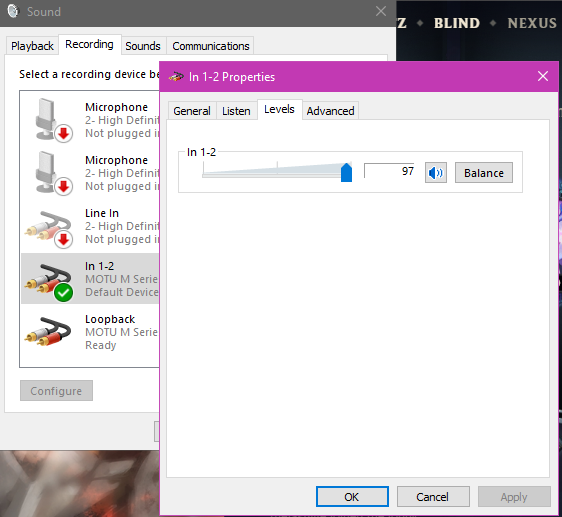

also keep in mind mics are supposed to be somewhat close to you
eager bison
so i bought a ruler
should i solder all the components to it?
it would be kinda sick imo
sturdy jolt
bro fr that's a sick ruler
eager bison
should i solder to it tho
nova osprey
¯\_(ツ)_/¯
eager bison
cuz its pcb with actual contacts
nova osprey
What would you even solder to it
eager bison
all the components
nova osprey
I don't want to insult your soldering skills, but seems like it would make the ruler pretty messy looking lol
eager bison
soldering the large gpu dies would be a challenge tho
i do have a heat gun and stuff, so i would be able to do it
most of the components are very flat
the only tall things are the capacitors, but i would use those newer ones that are really low profile
wraith steppe
Would have to buy a dead gtx 1080 or something to get that gp104 die lol
eager bison
i was thinking a dead 1070 lol
but that still not cheap
ill probably use the die from my current 1080 when it dies in the future lol
cursive ether
hi hello I am back
This time for some USB advice.
So I'm trying to extend my Rift S from 5m to 10m. I have successfully extended the DisplayPort using a repeater, but am having more trouble with USB.
Currently my plan is: PC->Passive 5m USB---+->USB Hub-+->Rift S | | Power Outlet->| ->DisplayPort Repeater (power)
(golly that was painful to write on mobile lol)
thorn gulch
@cursive ether consider a note editor next time to make that diagram easier
Also have you considered a TB3 cord to extend it all?
cursive ether
Good idea. Thing is, Rift S is super picky about USB ports.
I haven't heard anyone mention success with USB over Thunderbolt (since google turns up people using a TB to DP adapter, for laptops).
thorn gulch
well get a TB3 dongle, which should have DP + USB options
tho, if S is really picky about the USB stuff, idk how well it'll work. I barely have any experience with VR as a whole
cursive ether
Do I even have TB3 lol
I'm not sure where to check. My mobo does have a USB-C port that I've used with my phone before.
thorn gulch
man looking into it now, might be bit pricy then I thought it would as you need an AIC. Example: https://www.asrock.com/mb/spec/product.asp?Model=Thunderbolt 3 AIC#Specification
cursive ether
Wouldn't that defeat the purpose...? It's meant to be extended by thunderbolt. Those ports would be on my PC, no?
I'm not sure I understand thunderbolt..
thorn gulch
GPU DP (out) to TB AIC DP (in) and have TB carry the DP signal
took me a bit to understand nani the heck was happening for TB AICs
cursive ether
I've got DP working with a repeater. USB is the problem.
thorn gulch
I'd assume the TB AIC also carries USB, didn't check tho. You don't need a pass through for it tho like a DP so cant really say from that
cursive ether
Yes but that's a card I plug into my PC, no?
So the DP/USB would come out of that instead of my mobo ports, and we'd have the same problem.
thorn gulch
The USB/DP would come out of a TB dongle at x amount of meters away from the TB AIC. But looking into it seems like TB has kinda short range unless like optical, which is def starting to go too crazy here and probs go diff solution
eager bison
got my low profile brackets for my nics. now I gotta fine a cheap SFF optiplex
eager bison

eBay
D03S Manufacturer Part Number Optiplex 7010 Product Condition Dell Manufacturer Dell Item Condition Unit does not include hard drive caddie(s). Item(s) will have a 4"x2" internal inventory label, see pictures.
finna cop this
wraith steppe
what nic
 acoustic flicker
anyone have advice regarding setting up my record player (not usb) to my laptop to record records? googled but too many different options.
cursive ether
So I'm just getting started with soldering/electronics and I've no clue what the peck I'm doing.
I want to wire up a desktop fan with 12V. Yesterday I stripped a USB cable and connected its 5V power to the fan header. The fan spun. Multimeter registered 5V DC iirc.
Today, a 5V boost converter arrived. I've (attempted to) solder the USB cable to it, and then measured the voltage again to make sure everything was alright.
It says 0.8V??
If I switch to amps, it reads about 12A. I didn't measure it yesterday but I'm pretty sure USB is not meant to carry 12A.
So uhh... what am I doing wrong?
The picture is higher res if you open the link btw.
eager bison
@wraith steppe Intel D33682
thorn gulch
0.8v * 12a=9.6w
5v * 2a=10w
Going based off of standard USB current output
wraith steppe
There's probably a trim pot on the boost converter to adjust output voltage
I wouldn't try to power anything serious off of 5v usb
cursive ether
It's a PC fan.
Why is it 0.8V tho? Makes sense the wattage is the same, but why am I getting the wrong voltage from the USB (that's the input, what should be different is that converter's output, no?)?
eager bison
i think its because the fan is only drawing 0.8A
wait
hahaaaaaaaaa thats a V after the 0.8 nvm
im illiterate sometimes
cursive ether
same
Also the fan isn't even connected. I only have the 5V->12V converter soldered in.
wraith steppe
If you're reading .8v between the usb's +5v and common, you're probably drawing too much current
Or have already done so and cooked something
cursive ether
I don't know a lot about electronics, but I don't think I'm drawing much current?
As you can see in the image it's just the voltage converter on the end of the cable. I haven't connected the fan to the other end yet.
wraith steppe
Well, if open circuit voltage is 5v on the usb power source, and it drops to .8v then you're drawing more current than it can supply at 5v
Maybe the usb power source is dead?
cursive ether
Would the step up converter be drawing too much current?
wraith steppe
yes
 solemn matrix
what do you guys think about the basilik x hyperspeed is it a good mouse
i just impulsivly baught one
 karmic tundra
personally i like the death adder over the basilisk but its up to u
rn i use a g pro tho
sturdy jolt
G pro is great
calm mural
Best bluetooth or wireless rgb gaming keyboard for under $75
inner elm
G pro is great
Corsair Dark Core all the way my man
 shell shale
best budget gaming monitor anyone?
ruby vessel
What are you looking for? High refresh rate, high pixel density, or very nice colors?
@shell shale
sturdy jolt
And what is your budget
old moss
Budget for some people can be $250, and budget for others can be $100
wise vector
budget just means a set price
strange perch
and it is NOT a useful word without a number attached to it
sturdy jolt
It's very relative
calm mural
Any good high HZ monitors around 230?
karmic tundra
define high
144 165 and 240 are your general refresh rates. are u looking more for 144-165 or a 240?
lavish hornet
@forest forge got a link or 2?
eager bison
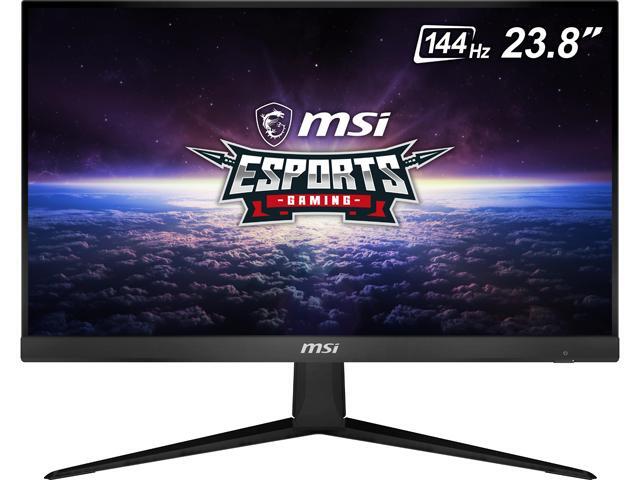
Buy MSI Optix G241 24" (Actual size 23.8") Full HD 1920 x 1080 4ms (GTG) / 1ms (MPRT) 144Hz 2 x HDMI, DisplayPort AMD FreeSync Anti-Glare Frameless Design Backlit LED IPS Gaming Monitor with fast shipping and top-rated customer service.Once you know, you Newegg!
sturdy jolt
oh nice the Chinese listing is gone
 forest forge
yeah that's what i'm probably getting
sturdy jolt
Might be 144hz with OC to 165hz idk what's going on with the title
ohh
hdmi for 144hz dp for 165hz
lavish hornet
Ya
sturdy jolt
that's why it's 144hz 165hz in the title
lavish hornet
It’s hdmi is capable of 144
sturdy jolt
that was weird
lavish hornet
Dp bumps it up to 165
Not sure why’d you use hdmi for your pc instead of dp tho
That’s a good one for next gen consoles if you want to hook up console and pc to same monitor
sturdy jolt
because for some reason 143.190409185182741hz gets detected by DP and 144hz gets detected from hdmi
if you hate weird numbers
hdmi you go
who needs g sync
I want round numbers
lavish hornet
Facts
sturdy jolt
that's what happens with my monitor at least
no idea why
if it's smth wrong with the cable or the monitor
idc
hdmi 1.4b I go
lavish hornet
Nice
warped yew
is Xfinity's xFi Advanced Security really worth leaving on? I'm wanting a Minecraft server for my gf and I and idk if I should leave this setting on. anybody know much about this feature?
wraith steppe
Sounds like big brother + snake oil
warped yew
I've been reading and it looks like a lot of users just use common sense
weary pasture
i have it disabled

then again im really stupid about network safety
i have it disabled, but it blocks every incoming connection until i go to the xfi site and hit allow
same use case
for a minecraft server
oh also @wraith steppe i port forwarded port 80 and using XAMPP somebody else was able to get to my website
i deleted the port forward because im sure 80 is a common port to try and hack or whatever and i dont have any protection
but it was cool someone was able to get to my site
wraith steppe
nice, looks like xampp is a web server app for wnidows?
weary pasture
yeah
i dont know anything about it other than when i start apache you can get to the website putting in local ipv4 address
or putting in my public ip:80
assuming the port is open
 tepid canopy
so basically, my question is this.
is there a point in having 1 modem, and 2 routers as access points?
wraith steppe
You'd have one modem, 1 router acting as a router and optionally as an access point, and the second router acting as only an access point.
Disable DHCP on the second router, don't plug anything into the wan port
tepid canopy
Okay cool, i'm running dd-wrt on my nighthawk routers
Just the one thing i'm curious about, is how do i ensure i'm getting max speeds?
Asides changing the channel frequencies for each band
tepid canopy
Okay thanks. And should i switch to cat6? or stay on 5e?
wraith steppe
Set transmit power only as high as you need to.
5e is fine for gigabit up to 100 meters
If you have a ton of EMI for some reason, get sftp/sstp shielded cable
tepid canopy
Okay cool. sorry for all the wack questions, i haven't done networking for 1 gig speeds, max ive done is 400mbps Lmao
Last question, docis 3.0 is fine?
wraith steppe
You'll need a docsis 3.1 modem for gigabit
motorola MB8600 or the Arris SB8200 are popular choices if you don't need comcast voice/tv or something
tepid canopy
Ahhh. Okay, gotta go get a new modem then Lol
 nocturne dune
what headset should i get
strange perch
@nocturne dune look in #peripherals-and-displays that is normally where there is debate/talk about that :)
nocturne dune
oh sorry
strange perch
nothing to be sorry about.
nova osprey
I'm at a absolute loss on what to do. I'm fed up with xfinity, they just suck, theres nothing more I can do. They don't show up, ignore you, and essentially lie. However, my only other option seems to be a 50mbps plan from atnt or a 45mbps plan from EarthLink. 50mbps seems ridiculous is this day and age in the developed and commercialized south Florida I live in.
Ik im just ranting at this point but I dont know what more to do
thorn gulch
@nova osprey call them up and say if they dont fix it you're switching
can be a lie, but once they hear that they'll usually be a bit more concerned
nova osprey
done that lol
the problem is, what xfinity offers, is better lol. I just can't get them to get it in a functional state
 sick marlin
if a storm cuts out wifi you get 10$ xfinity for 3 years
well if it broke the router
 sharp locust
hello I need help getting the right power supply board for my Vizio TV
sick marlin
ok lemme see
eBay
Find many great new & used options and get the best deals for Vizio ADTVF1925XB1 Power Supply for D55u-D1 at the best online prices at eBay! Free shipping for many products!
@sharp locust
good reviews from the person and people bought 3 from him
exppensive but if you find another one ive seen a few for 30
sharp locust
wow
sharp locust
Found a new one at shopjimmy.com
sick marlin
Yeah don’t know if it’s good google it
 green reef
I've used shopjimmy before. I bought a power supply for my Samsung tv. They were helpful and most importantly, it worked!
 wind tide
does anyone know why my pc keeps turning my wifi off randomly. i use a desktop not laptop and its wireless but hardwired does the same thing
pls ping me if anyone can answer 🙂
pine comet
its wireless but hardwired
@wind tide Can you elaborate on this?
wind tide
@pine comet im wireless atm but when i plug an ethernet cable in it does the same thing anyway and turns wifi off
wind tide
@pine comet i can troubleshoot and it connects back like instantly after and i have no other issues on any other devices its only been my pc
wind tide
i firgured out it had something to do with my stuff at home and not my pc so thats pretty epic
pine comet
Cool!
calm mural
Does anyone know if smart bulb colors and stuff have to be reset everytime? Are remote controlled ones more reliable then app based ones?
 vital cedar
Does anyone know the best place to sell an old but completely working plasma TV?
wise vector
local
sharp locust
I dunno bruh I wouldnt take a plasma even if it were free
pine comet
Craigs list, facebook marketplace, ebay
 craggy flintBOT
 Bl0 | NYCK#8656 has been warned
Reason: Duplicated text
Bl0 | NYCK#8656 has been warned
Reason: Duplicated text
Bl0 | NYCK#8656 has been kicked
Reason: Too many infractions
green stream
Nice
nova osprey
Nice
eager bison
Nice
pine comet
Nice
wise vector
Nice
old moss
Nice
sturdy jolt
Nice
 echo parrot
Nice
 dense hinge
Nice
wraith steppe

eager bison
🇳 🇮 🇨 🇪
 stiff zinc
Noice.
 wide vault
Nice?
warped yew
Power move
 slate wagon
Does anyone know if smart bulb colors and stuff have to be reset everytime? Are remote controlled ones more reliable then app based ones?
echo parrot
Is any information lost from a capture file when opened in an alternate software package? I am stuck on this question. so basically its asking if information will be lost if you open a file type that isnt an Pcapng file in wireshark. Im not sure because im new to using wireshark
echo parrot
nvm
 reef star
are ninentdo switches usually 388 ?
wide vault
They should be like what 300?
Or 200 for lite
They were prolly 500-1000 or something a few months ago
In USD
 violet garnet
what is the best gaming laptop around $2000 USD. I want something arouund 14-15 inches, have a good display, a nice keyboard and a decent battery life
calm mural
Are you sure you want a laptop?
violet garnet
Yes, I have a nice desktop I built last year
calm mural
Hm... I'd say look at some alienware gear
violet garnet
I need something I can play games on when I travel and work on
Yeah I looked at the legion 7i and alienware m15
 fervent temple
Wow this is crazy
warped yew
Wow this is crazy
nova osprey
Wow this is crazy
calm mural
Wow this is

but then

cos Keyboard remote cool/retro.
Because it's weird as a remote and cool cos its weird
mfw
shoulda said Wow this is crazy
nova osprey
Yep
calm mural
Wow this is crazy
warped yew
@fervent temple Wow this is crazy
 quartz lynx
No its not crazy. i was around when there was no color tvs , only black and white. i even remember when the first remote control tv came out . it clicked when you hit a button. and only had power and channel button
RCA made it i think
eager bison
i like how its calls itself a digital control
the tech is most likely the same as most other remotes at the time, but they advertise it as "digital" because of the way it looks
smh
wait, does that tv have a VGA port??
 fossil ermine
It has a ntsc scart port even though nothing uses it.
Toshiba timm is a tv with a vga port... And Hitachi CT has a cga port. I have both of them as well >.>
calm mural
Hey so I have duel monitors now, my second one came with a HDMI cord but there is only one slot on my HDMI GPU and plugging it into my motherboard doesn't work but my CPU does have a dvi and display ports, got any suggestions on what to do
Plz @ if you have a idea, I will probably forget
green stream
all displays have to be plugged in gpu, best bet either get a different cable or adapter