#overclocking
1 messages · Page 104 of 1
 digital dirge
280x?
 finite frigate
somewhat
 sudden torrent
The 1060 3gb was basically the 1050 ti ti anyway
finite frigate
yeah
less cuda than a 1060, just barely
1063 shouldve been the 1050ti
3gb vram sounds like a pain in 2022
sudden torrent
I sold it at the height of the shortage so it's someone else's problem now
sudden torrent
Well they're poor now
finite frigate
ooof ram usage goin up up up
 sudden torrent
FS 2020 is the first game I've played that wants more than the 16gb I have, unless I turn it down.
digital dirge
Have you used Rawrs ram cleaner?
sudden torrent
Once the DLSS update drops it'll help a lot
finite frigate
i constantly go over 16gb
digital dirge
I think at most I use is 14gb. And that is with ff14/discord/like 20 chrome tabs/hwinfo/task manager/afterburner/messenger/spotify.
Maybe a couple other things.
I want to oc my ram from 3600c16 to like 4k+ though
I just have to find the time.
sudden torrent
Rev.E?
digital dirge
Yeah
sudden torrent
Nice, should be easy
digital dirge
3200 ballistix
I suck at the oc thing.
Pato suggest I pop the voltage up to like 1.5 I think.
sudden torrent
Should be able to do around 4000 c16 at that voltage with rev.e
digital dirge
Alright. I thought I saw people saying they were getting like 4.2 4.4
sudden torrent
Probably 16-19-19-36
digital dirge
That's what I'm currently getting with my 3600
sudden torrent
4200-4400 is possible but then you probably have to switch to gear 2
sudden torrent
Latency is much higher in gear 2
finite frigate
i run 3200 14-16-16-36 1T, i cant go any higher than 3200, no idea why, i blame IMC
 lavish tundra
rd 19
finite frigate
finite frigate
i run 3200 14-16-16-36 1T, i cant go any higher than 3200, no idea why, i blame ...
1.22/1.2 sa/io
sudden torrent
On a 7700k? Yeah probably IMC
finite frigate
i see others with 7700ks at 4400
if i wanna use 1 dimm, i can post 3800 on my bdie
lavish tundra
so like 4200 16 19 12 36 @ 1.53 should be fine
digital dirge
I think I might need to up my sa to... 1.4?
finite frigate
could also be board topology
finite frigate
digital dirge
I think I might need to up my sa to... 1.4?
i say thats a bit high
sudden torrent
Bios also is a huge factor
finite frigate
my msi z270 tomahawk isnt exactly a high end board
digital dirge
finite frigate
i say thats a bit high
Was recommended for a doable daily for 12th gen
But I'll check out 1.3 then
finite frigate
try 1.3 at first, 12th has real good ddr4 imc
sudden torrent
Try lower first, if it doesn't work bump a little at a time
digital dirge
Ok. I'm going to try just upping the ram voltage first though.
finite frigate
dont leave sa/io on auto
finite frigate
in my case, sa/io on auto= 1.45v to both
digital dirge
12th gen only has sa. No io
So ill have to look for that.
Like I said haven't had to much time to really try anything. Just been gathering as much info as I can for when I do go to try it.
digital dirge
finite frigate
dont leave sa/io on auto
So, I should set my sa to.. 1.3? Or should I try 1.25 first?
sudden torrent
My stable daily. I'm really surprised the resistances like to be so low.

I can push SCLs lower when I'm benching for a small bump in perf
 lavish tundra
sudden torrent
My stable daily. I'm really surprised the resistances like to be so low.
lavish tundra
sudden torrent
My stable daily. I'm really surprised the resistances like to be so low.
is this b die
sudden torrent
finite frigate
You said that's b-die right? Sheesh that really is rough
sudden torrent
lavish tundra
is this b die
B-die is the only one that'll get all the primaries that low
finite frigate
bdie kit overclocks like a champ though
lavish tundra
yeah was just making sure
finite frigate
2133 c15 to 3200 c14 with no issues
sudden torrent
finite frigate
rev.e + bdie
Ahhhh actually that probably has a lot to do with it, they don't like each other much
finite frigate
nah, even with just one kit, i still cant post above 3200 with just 2 sticks
lavish tundra
my daily
 sudden torrent
Trippy
sudden torrent
lavish tundra
my daily
Is that XMP?
WHY DID IT SET RESISTANCE SO HIGH?!?!
Man they should really be 24 ohms max at 3600 c16
Maybe 30 if you lost the silicon lottery
lavish tundra
sudden torrent
Is that XMP?
WHY DID IT SET RESISTANCE SO HIGH?!?!
for 2 of the 4 sticks
finite frigate
53.4 ns is pain
 lavish tundra
but yeah resistance needs to be that high otherwise 100 errors in 1 min
sudden torrent
Ohhhhh 4 sticks right, that picture starts to come together
sudden torrent
Take it slow, 3600 18-22-22-44 or something to start just to see if it'll post
 finite frigate
time to corrupt the bench version of windows
sudden torrent
That's what the bench os is for
digital dirge
sudden torrent
I can push SCLs lower when I'm benching for a small bump in perf
When yall start saying stuff like this is when I start feeling like I'm gonna mess something up.
sudden torrent
Yeah, I've got Windows 11 on a 256gb nvme, and Windows 10 bench sharing a 240gb sata M.2 with Linux
digital dirge
finite frigate
set it to wahtever it is set to now
Makes sense. Sorry didn't reply sooner. Customer came in and had to sell them a fishing permit.
finite frigate
time to crank my sa and io until i post
digital dirge
Lol
I've been on my phone so much tonight.. I've got nothing done and blown through 65% battery lol
 finite frigate
im at 1.22 sa and 1.2 io
digital dirge
Go 1.5
finite frigate
for now
digital dirge
:]
finite frigate
finite frigate
im at 1.22 sa and 1.2 io
it did not like 1.24/1.2
digital dirge
Ok so.. I was kidding, but.
What is the sa voltage doing that it allows the ram to oc more? If ram has its own voltage setting..
finite frigate
io is the more voltage sensitive right?
sudden torrent
digital dirge
What is the sa voltage doing that it allows the ram to oc more? If ram has its o...
System agent, aka ring bus, aka uncore, aka northbridge.
It connects everything to everything.
digital dirge
Oh ok.
So thats why it's dangerous to even go a little to high then yeah?
Idk. I've had to much info flow into my brain tonight so now I'm starting to get fatigued
sudden torrent
It's not exactly "dangerous" unless you're just shoving obviously too high voltage into it like 2v, but it will stop scaling and possibly start negative scaling.
digital dirge
Ok. So on the subject of trying to oc my ram.. where should I start?
With the sa voltage or with ram voltage?
digital dirge
Rev e
sudden torrent
Right right
digital dirge
3200c16 ballistix
sudden torrent
2 sticks or 4
sudden torrent
Ok so probably dual rank
Yeah you could just go for 1.5v memory and 1.3v SA and see if it posts
With 4000 memory
finite frigate
3200 ballistix kits are binned like crap
sudden torrent
Even crap rev.e should do that speed though
lavish tundra
no no they arent binned much at all
digital dirge
I was gonna say..
lavish tundra
crucial binning is a joke
digital dirge
I was told that they were super good
That was the whole reason I got this over a already 4000 kit.
digital dirge
sudden torrent
Yeah you could just go for 1.5v memory and 1.3v SA and see if it posts
See if it'll post with the current timings as well?
sudden torrent
digital dirge
See if it'll post with the current timings as well?
Yes, it should do 4000 16-19-19-36 at least if not your current
finite frigate
OKAY 3466 posted
sudden torrent
Small improvements are still improvements
digital dirge
sudden torrent
Yes, it should do 4000 16-19-19-36 at least if not your current
Alright then.. I'll try that out this morning. If it posts ill run a test and take a nap or something.
finite frigate
1.42 sa/io is also mad high
digital dirge
I'm sure my gf will like this since that means I'll be awake when she gets off work.
sudden torrent
Even good binned rev.e is hard to get that to 17
digital dirge
I'm pretty sure I know the answer to this, but... I'll want everything closed and not do anything on my pc when running the memtest right?
sudden torrent
Ideally yes
digital dirge
When you say.. binned.. are you saying that both sticks are part of the same "batch"?
sudden torrent
Binning as in the process of determining the relative quality of a given chip
digital dirge
Oh ok
So basically the more identical they are in quality.
I guess that is what you just said.
I tired 😫
sudden torrent
Good bin refers to chips that did well in testing, either getting higher frequencies or the same frequencies at lower voltages.
digital dirge
But I wanna oc 🐏 so bad.
digital dirge
sudden torrent
Good bin refers to chips that did well in testing, either getting higher frequen...
I guess I didn't think that my ram was plugged into a pc before it was packaged and sent to me
sudden torrent
It probably wasn't, the testing equipment they use isn't exactly a PC
And the binning process takes place before the chips are placed on the PCB anyway
sudden torrent
That's ok, gotta start somewhere and there's TONS of information to take in
finite frigate
rip 3600 mhz dream
lets hope delidding magically gives me better imc
cause the cores are actually pretty good on this chip
booting into windows on 5.5 aint bad
 sterile flame
ok so
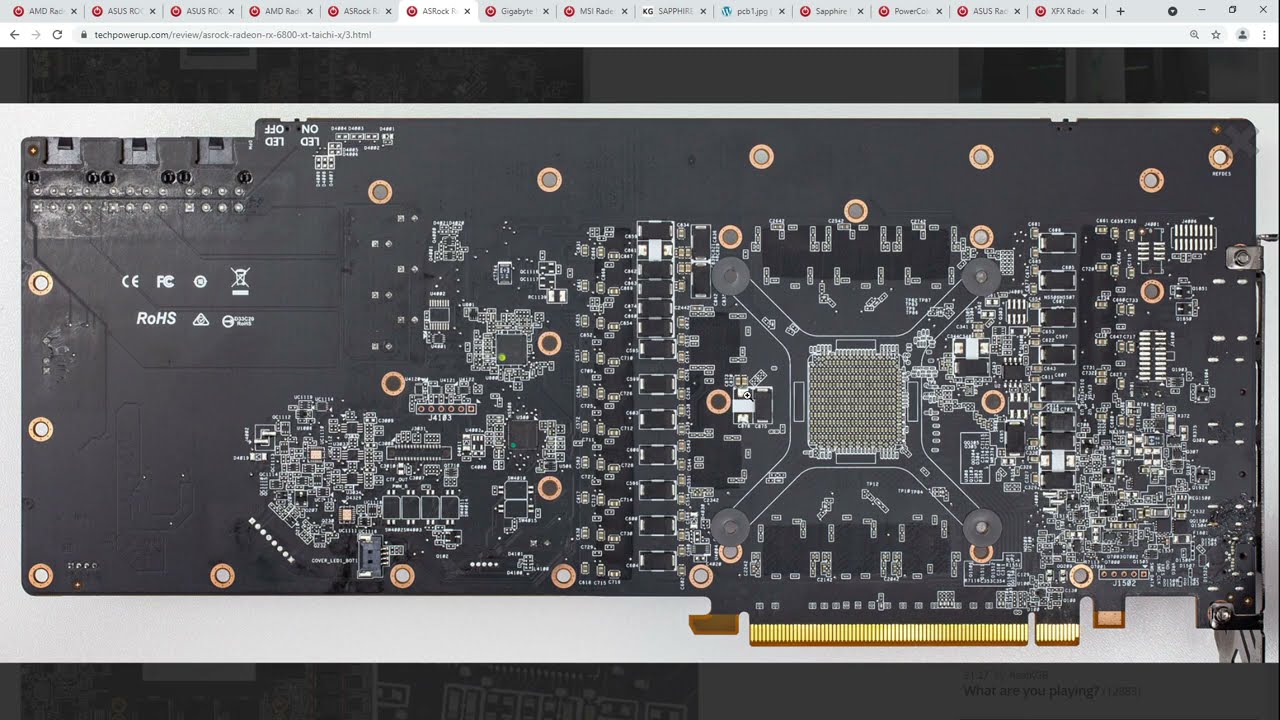
If my voltage is 1.175V and the amperage on my gigabyte 6900XT OC is 980A (14 power phase with 70A for vcore) then would the maximum wattage on my card be 1151.5W
My Patreon: https://www.patreon.com/buildzoid
Teespring: https://teespring.com/stores/actually-hardcore-overclocking
The Twitch:https://www.twitch.tv/buildzoid
The Facebook: https://www.facebook.com/actuallyhardcoreoverclocking
00:00 - Beginning and explanation of XTX vs XTH;
5:40 - Reference;
10:30 - ASRock OC Formula;
15:52 - ASRock ...
reference material
 zenith palm
finite frigate
i run 3200 14-16-16-36 1T, i cant go any higher than 3200, no idea why, i blame ...
zenith palm
finite frigate
i run 3200 14-16-16-36 1T, i cant go any higher than 3200, no idea why, i blame ...
Trcdwr needs to be 19 to do 3600 on rev e like rawr mentioned
sterile flame
@proven canopy

Is this safe for a gigabyte 6900XT OC?
It has 3x 8pin connectors and I'm running an msi a1000g psu
digital dirge
@sudden torrent when setting the timings I have a setting that says Command Rate (Auto). Do I leave this on auto?
digital dirge
sudden torrent
Yes, it should do 4000 16-19-19-36 at least if not your current
I can't get it to post with these timings and ram voltage set to 1.5v and vccsa set to 1.4v
I guess this is why I wanted to wait until I took my vaca
Makes me want to break out the heavy nicotine vape juice.
digital dirge
ok, looks like I can only get it to boot with 4000 16-22-16-36. if I drop that 22 to 21, I get hella weird boots that end up in blue screens. and anything lower won't boot.
K lots of errors right away with those timings.
lavish tundra
send screenshot of asrock timing configurator
digital dirge
Ok. Pc is restarting here
The timing configuration shows that its 16 22 22 36 though so I'm confused about the second 22
digital dirge
lavish tundra
send screenshot of asrock timing configurator

tbh.. I have no flippin clue what I'm looking at on that. I'm learning a little though... like the fact that I had to adjust timings to get a boot
@lavish tundra I'll pay you to fly to my house and overclock my whole PC to it's fullest stable... 😛
lavish tundra
digital dirge
<@499525349109923844> I'll pay you to fly to my house and overclock my whole PC ...
lmfao u want sips not me
digital dirge
lavish tundra
send screenshot of asrock timing configurator
What are you looking for on this?
digital dirge
np
the only question I really have about it is why I set trp to 17.. but shows up as 22 in the timing configurator.
lavish tundra
Hmmmmm
tbh it looks aight
lots of stuff u can get a lot tighter
but yeah ask @short blade he way better at rev e than me
 short blade
tRP and tRCD are linked on intel
whichever one set higher is the one that applies
this is not a rev. e thing
digital dirge
oh ok
short blade
just an intel thing
short blade
intel: no tRP, tRC control
amd: no tREFI control
pick your poison
digital dirge
I can't post at 20 tRCD and 21 posts, but bluescreens before/after login
short blade
lavish tundra
Yeah but lotsa errors on this
the timings are super loose
probably an issue with the 4000 gear 1
what vccsa?
digital dirge
I have vccsa at 1.45 as recomended all over online and I have dramm set at 1.5
short blade
possible your chip doesn't want to do 4000 gear 1 then
 digital dirge
I guess I'll play around with 3800
digital dirge
short blade
the timings are super loose
what do you mean by this? like what makes them super loose?
short blade
well almost all of them look like auto still
digital dirge
thank you @lavish tundra for pining Mushy.. I'm afraid to sometimes.
short blade
which is good since you should be going one at a time
digital dirge
the only ones that aren't auto are
the 16-22-22-36
I don't know what to do with any of the other stuff
I thought to oc you only needed to mess with those 4 things and voltage
short blade
try tRAS 42
digital dirge
ok.
short blade

GitHub
C# WPF to automate HCI MemTest. Contribute to integralfx/MemTestHelper development by creating an account on GitHub.
digital dirge
Could my bios being stock be an issue?
that's like the first thing I just seen in that link was not having updated bios
If so which one should I go for?
https://www.msi.com/Motherboard/MAG-Z690-TOMAHAWK-WIFI-DDR4/support
Powered by Intel 12th Gen Core processors, the MSI MAG Z690 TOMAHAWK WIFI DDR4 is hardened with performance essential specifications to outlast enemies. Tuned for better performance by Core boost, Memory Boost, Premium Thermal Solution, M.2 Shield Frozr,
short blade
bios update usually helps more than it hurts
lavish tundra
latest non beta
lavish tundra
any
short blade
flash bios usb port is only if you're using the flashback button
digital dirge
ok. do I put the zip onto the usb?
or do I extract whatever is in it to the usb?
short blade
for some boards you can bios update without usb
asrock allows you to use a bios file from the windows file system
some other brands might
not 100% sure who
lavish tundra
giga does too but so much easier to find on its own drive
digital dirge
and I want fat32 as the usb format?
lavish tundra
Yeah fat32
short blade
asrock just scans all drives so you don't have to find it
digital dirge
digital dirge
ok. do I put the zip onto the usb?
or do I extract whatever is in it to the usb...
back to this question
lavish tundra
gigabyte does too but it lists all folders as well
lavish tundra
damb asrock just better?
short blade
i've been saying asrock has the best bios tbh
easiest bios updating
full rgb control in bios
no wacky names for everything like asus
everything else is just as competent as other brands
organization, featureset, etc
but it has those to set itself apart
short blade
digital dirge
back to this question
extract the zip
digital dirge
ok thank you.
I appreciate you guys
I will update bios.. give the test another try and then try out the timing you said
I suck at computering.
Its a wonder I even put all the parts together and it turned on.
short blade
for ram overclocking you always want to do timings one at a time
so that if you get errors you know what caused them
if you get more experienced over time sometimes you can be a little looser with this rule
but for a beginner absolutely stick to changing one at a time
digital dirge
The error i keep getting are 4 and 6
short blade
what config are you running
few configs have actual error info and what error info exists is not 100% verified
digital dirge
Extreme
short blade
which is why you want to just stick to one timing at a time
digital dirge
Extreme1 by anta777 or whatever
short blade
try this one first
i like it more
seems to catch errors faster than extreme or absolut
digital dirge
@lavish tundra do you have a .bat that will automatically restart my pc into bios? Or at least do the same thing as shift clicking the restart button?
lavish tundra
digital dirge
<@499525349109923844> do you have a .bat that will automatically restart my pc i...
1 sec i can write one real quick
digital dirge
Updating my bios deleted my cpu oc.. oh well lol
short blade
if you already know what it is it's not hard to dial back in
I write down all of my bios settings for all of my machines in my private discord
lavish tundra
short blade
one channel per machine to keep it organized
digital dirge
lavish tundra
You are such a beautiful person. I don't normally get attached so quickly, but.. I love you.
lavish tundra
digital dirge
You are such a beautiful person. I don't normally get attached so quickly, but.....
OwO
digital dirge
lavish tundra
It does not seem to be working
digital dirge
lavish tundra
Perfect. Thank you :P
digital dirge
short blade
try tRAS 42
while at 36 I got 10 errors in the first 40 seconds.. now at 42, I'm 5 min in with no errors.
short blade
yeah, i'm not surprised
tRAS was the only thing that looked off to me
might be able to tighten it down to like 38 later
digital dirge
ok so I'll let this run for however long to see if it is stable.. and then do you think I can tighten tRCD?
or is that a nogo just because it wouldn't post below 22?
or waas the tRAS maybe the cause of below 22 not working?
zenith palm
2x16 or 2x8?
digital dirge
2x16
zenith palm
hopefully rev b then
short blade
well, it's hard to predict as 3200c16 ballistix is worse at running tight tRCD
zenith palm
16gb sticks of rev e meh
short blade
but you might be able to do 20-21 at 4000
i think people usually need 19 for 3600-3800 on those
i can run tRCD 18 at 4000
digital dirge
gotcha ok.
digital dirge
so is 4000 16-22-22-42 worse than 3600 16-19-16-32?
zenith palm
its rev e and 8gb but heres a rough refrence point for you
 digital dirge
ok cool
so I'll play around with the timings over the next few days and see where I land
should I just continue to use the .cfg you sent me or should I switch back to extreme?
short blade
both is ideal
for a final check i'll run all of these + hci memtest to 2000% per thread + occt avx2 1 hr + occt sse 1 hr + linpack extreme 3 hours + prime95 large ffts 1 day
while running maximum gpu load simultaneously
you don't have to be quite so extreme but that's what i do
digital dirge
that seems way extreme... I think I'll save that for my weekend.. as far as running prime95 for 1 day... can I just run it for the time I sleep+work and be ok?
short blade
yeah
digital dirge
I feel so much better now than earlier. Thank you so much for the help. I feel like I understand what is going on just a little more that I can start understanding even more.. if that makes sense.
also, like does this test stop by itself? and if so... how long does it take?
short blade
which one?
pcbdestroyer is 32 cycles
extreeme1 and absolut are 3 cycles
the ones i sent up there are modified to be longer (cycle counts in the name)
but otherwise the same
digital dirge
huh.. absolute I thought took like 2 hours. at least the one time I did it when checking the 3600 oc
This is the one I used
 sinful nymph
hello so i have a Nvidia 2060 and i just started overclocking it and i just want to know how much is too much?
like my power limit is max core clock 105 and memory clock is 905
sudden torrent
When it crashes or temp hits 100C, that's too much
Every chip is different, there's no "one size fits all" overclock settings
sinful nymph
i get like 2100 mhz wiith those idk if thats good or not
for core clock
and for mem clock i get 7705
sudden torrent
That's about right for 2000 series
sinful nymph
oh okok thank you
digital dirge
short blade
i can finish absolut in like 50 min
Not sure how long it took because I decided to go spend a few hours with my girl, but I came back to no errors. Thank you.
short blade
good stuff
 uneven robin
I have rev a
sterile flame
Can anyone help overclock? Sorry am a bit new to overclocking as this is a totally different card. Using rtx 3080
digital dirge
sterile flame
Can anyone help overclock? Sorry am a bit new to overclocking as this is a tota...
Msi afterburner to oc your gpu. Do you know the specific brand of your gpu? That'll help others know what information to be able to give you.
I know you were asking about overclocking your RAM as well.. it would help if you let us know what ram you have. Example: brand/how many sticks/size.
There are also good guides in the 📌 I'd suggest giving a read through. May not make sense right off the bat, but giving it a read will help to understand what people say in here.
sterile flame
digital dirge
Msi afterburner to oc your gpu. Do you know the specific brand of your gpu? That...
Yeah i apologize for not being thorough! I’m a bit sleepeh
Dell rtx 3080 is the GPU and the RAM is trident z royals 3200MhZ
digital dirge
sterile flame
Yeah i apologize for not being thorough! I’m a bit sleepeh
No problem
sterile flame
Would really like to OC the RAM as i feel stock is waste.
uneven robin
Can someone help me overclocking my MacBook Air
sterile flame
lavish tundra
take the ram out of ur pc
Sorry, what are you looking for? It is a bit tedious to take the RAM out generally speaking, maybe I can provide the info you need from searching?
sudden torrent
Yep best way to find out what the kit can do with g.skill is the 042 code on the sticker
sterile flame
any alternates to ASRock Timing Configurator?
zenith palm
Assuming you're on intel? Msi has a program powerball? Might only work on msi boards tho
If amd, zen timings
digital dirge
sterile flame
any alternates to ASRock Timing Configurator?
What is wrong with AsrTC?
sterile flame
digital dirge
What is wrong with AsrTC?
not giving me the correct numbers
digital dirge
What numbers?
sterile flame
zenith palm
Assuming you're on intel? Msi has a program powerball? Might only work on msi bo...
I'm using intel/B660M Aorus pro
sterile flame
digital dirge
What numbers?

 sterile flame

sterile flame
zenith palm
You got the chipset drivers installed?
yes?
zenith palm
Why are you asking me lol
sterile flame
zenith palm
Ballistix, fun
indeed
digital dirge
Also, if 12th gen.. no matter what your trp/trcd are, they will both be whatever is the highest of the 2.
zenith palm
This will check if you have the drivers if you're not sure
https://www.intel.com/content/www/us/en/support/detect.html

Intel
The Intel® Driver & Support Assistant helps keeps your system up-to-date by detecting when updates are available.
digital dirge
Idk if it's that way for other intel cpu.
sterile flame
zenith palm
This will check if you have the drivers if you're not sure
https://www.intel.com...
perfect
zenith palm
digital dirge
Also, if 12th gen.. no matter what your trp/trcd are, they will both be whatever...
You cant do 16-19-15 for example?
digital dirge
zenith palm
You cant do 16-19-15 for example?
Correct. Like you can set it to that in the bios, but the lower # will be overridden with the higher # of the 2.
sterile flame
 zenith palm
That's odd
sterile flame
drivers are installed
digital dirge
So even if in bios its set to 16-19-16.. it'll actually be 16-19-19.
Idk why. That part wasn't explained to me.
sterile flame
zenith palm
That's odd
yeah i get that error you see on reddit about ASRock

this one
or faulty numbers as seen in the top one
zenith palm
You tried restarting after you updated the deivers?
sterile flame
it looks like the drivers are for my 660p but ill try anyway
digital dirge
zenith palm
You cant do 16-19-15 for example?
My bios is set to 16-22-19-36..

Or rather it was..
zenith palm
@sterile flame that doesn't look like the latest version of asrock timing config, try getting the most up to date
zenith palm
Apparently there's a 4.09
zenith palm
digital dirge
My bios is set to 16-22-19-36..
That's v odd
Have you tried updating mobo bios?
digital dirge
Yeah I'm on latest. I've had several people tell me that's just how it is on 12th gen though.
sterile flame
zenith palm
<@456226577798135808> that doesn't look like the latest version of asrock timing...
v4.0.9?
and yes i just installed that
still get the same error
sterile flame
digital dirge
My bios is set to 16-22-19-36..
can I try your version?
the download link for 4.0.1 is dead
digital dirge
sterile flame
can I try your version?
I am not home to send you the file.
digital dirge
zenith palm
That's v odd

 lavish tundra
zenith palm
Are you sure you're not running 0mhz cl31?
lavish tundra
zenith palm
Are you sure you're not running 0mhz cl31?
wait i need to check this one
digital dirge
sterile flame
it works
Noic3
digital dirge
sterile flame
Whats that real-time timing?
Yours says disabled. Mine says enabled.
zenith palm
digital dirge
Interesting
sterile flame
digital dirge
Whats that real-time timing?
no clue
sterile flame
Any idea how to run intel MLC? The winrar keeps telling me that the file is corrupted.
 sterile flame
it comes with a tgz file
yeah it's first option but it costs money hence why i turned towards intel MLC which is free and provides more extensive data which is a bonus ig
zenith palm
Aida is free
sterile flame
just refresh the trial?
zenith palm
Don't need premium to test latency anyway
In aida, tools -> chache and memory benchmark -> right click start benchmark -> start memory tests only
sterile flame
ahh fair enough
sterile flame
all good i got a 7zip file
 digital dirge
sterile flame
https://media.discordapp.net/attachments/980676251779997746/980811988357750814/u...
digital dirge
sterile flame
https://media.discordapp.net/attachments/980676251779997746/980811988357750814/u...
Hey, you found v4.0.13 :P
digital dirge
sterile flame
no clue
Ok, so real time timing allows you to adjust the timings from within the OS. I don't think this is recommended however unless under certain circumstances like changing something called tXP, which I'm not even sure what that is.
sterile flame
fair enough
probably better to do it in the bios anyways
Is pushing the PL on my Gigabyte 6900XT OC to 525W on MPT safe?
I currently run it at 400W PL with no issue
my reason for pushing it higher is to achieve a higher benchmark score
https://media.discordapp.net/attachments/305981966292090881/980838171245961298/unknown.png


 steel zephyr
zenith palm
I've always just used aida memory checker
steel zephyr
zenith palm
I've always just used aida memory checker
I've seen quite a few people saying that AIDA64's memory benchmark will give different latency results unless you lock your CPU speed. I tried it myself and got different results witht he same RAM timings on AMD CPUs with and without PBO enabled.
zenith palm
That's a pain :/
steel zephyr
Just another thing to be aware of if you are doing memory overclocking and comparing results.
 tall pelican
sterile flame
Is pushing the PL on my Gigabyte 6900XT OC to 525W on MPT safe?
I currently run ...
tall pelican
sterile flame
Is pushing the PL on my Gigabyte 6900XT OC to 525W on MPT safe?
I currently run ...
all depends on temps. I've run my reference 6900xt at 9999 since launch
sterile flame
tall pelican
all depends on temps. I've run my reference 6900xt at 9999 since launch
aye thanks for the reply one of the experienced overclockers in the OC discord said the same and another explained that you can't burn out a card with that PL before you reach your clock limit.
tall pelican
You "can" technically, as BZ and a few others had a mosfet blow on their cards from it, but its fairly rare and shouldn't happen with an unmodified card
Its mainly from an insane transient overloading a mosfet
Which thinking about it now doesn't make sense, since a software limit wouldn't have prevented that from happening
sterile flame
mmm I'd have to read up on that bc I didnt understand a single thing you said if im honest 😂
@tall pelican on another note how do I get these values to show up

my MPT doesnt have SoC, Fdk, or Memory Access
tall pelican
Might need a newer version of it, but afaik it was always super buggy there
tall pelican
No idea then. Might have been an older version that was removed due to bugs
sterile flame
I think 2560 core clock on on adrenalin is the best I can do
time spy usually clocks in at 2470MHz based on the adrenalin overlay
peak temp is 90°C
YOOOOO
I JUST BROKE A RECORD
LESSGOOO
sterile flame
sterile flame
https://media.discordapp.net/attachments/305981966292090881/980842169566912512/u...
@tall pelican btw do you know what those values boxed in red mean?
sudden torrent
sterile flame
<@193597009360453633> btw do you know what those values boxed in red mean?
SoC is your Northbridge, it connects everything to everything else.
Fclk is the infinity fabric, and it should be locked according to memory frequency for best latency.
Memory access at last level is probably the memory clock in the high performance mode.
sterile flame
oh?
so memory at last level doesnt increase when you have the settings in custom mode?
sudden torrent
I haven't used MPT personally, I'm on Nvidia and fairly locked. So I don't really know.
sterile flame
ahh fair enuf

3DMark.com
Intel Core i7-12700F Processor, AMD Radeon RX 6900 XT x 1, 32768 MB, 64-bit Windows 10}
@sudden torrent do you think I can push my gigabyte card further? 😂
sudden torrent
That's a very solid result. That's probably about as good as you'll get without exotic cooling.
lavish tundra
tall pelican
all depends on temps. I've run my reference 6900xt at 9999 since launch
Oh btw fitz do drivers still work straight up after editing max pl or do u need atikmdag patcher?
sterile flame
sudden torrent
That's a very solid result. That's probably about as good as you'll get without ...
I mean
it is a gigabyte card

also XTX
tall pelican
lavish tundra
Oh btw fitz do drivers still work straight up after editing max pl or do u need ...
been fine since my launch 5700xt 
lavish tundra
great
because i used to need atikmdag on my rx570 and that limited my driver version
sterile flame
sudden torrent
That's a very solid result. That's probably about as good as you'll get without ...
what if
I pushed the voltage


 acoustic crane
sterile flame
it is a gigabyte card
acoustic crane
sterile flame
it is a gigabyte card
I feel like everyone *craps on gigabyte but in reality they make fine cards
I had a 2060 that was great, my friend has a 2070s that's also good
Haven't had any issues and I haven't seen like an abundance of people talking about issues with gigabyte cards in particular
Just people saying "gigabyte bad" with no explanation
sudden torrent
acoustic crane
Haven't had any issues and I haven't seen like an abundance of people talking ab...
Here's a specific example then. When they launched their 3080 and 3090 cards, they "forgot" to put thermal pads on the VRAM.
 faint tangle
ig i got lucky
zenith palm
acoustic crane
I feel like everyone *craps on gigabyte but in reality they make fine cards
A capacitor literally rolled out of my gigabyte 3070
tall pelican
man, its a good thing most devices can run with a missing cap or two
lavish tundra
well that gpu wasnt one of these
sudden torrent
If it's the wrong cap sure, like if it's the one for SoC that's a little critical, but it can survive a missing power stage.
tall pelican
a cap wont cause power to not get somewhere
one side goes to ground, the other goes to the power plane
a missing inductor will prevent power flow
a missing resistor will also stop power
lavish tundra
Card stopped booting after that so twas gone
zenith palm
yeah idk what one it was for, you can look at the pcb if you want, left side of the PCB capacitor it was a gigabyte 3070 gaming oc v1
short blade
@acoustic crane my gigabyte 3080 vision was hitting 110c on vram out of the box in gaming
because, yeah, they "forgot" thermal pads on one side, and the ones on the other side were utter crap
faint tangle
Sounds like they wanted to save you the money on heat for the winter
sudden torrent
Not even that, the room would be cooler since the heat isn't being dissipated off the GPU
Plus the thermal throttling
zenith palm
I still think the capacitor literally yeeting itself of my board after just taking out the gpu and putting it back in again is redicolous, someone at the factory used pritt stick instead of solder 🤡
zenith palm
True i mean look at the gains in my pfp
sterile flame
acoustic crane
I feel like everyone *craps on gigabyte but in reality they make fine cards
well I'm crapping on it based on the PCB design choice
sterile flame
if my screen blacks out when the clock hits 5000MHz then is it sign that I've got the silicone limits?
the peak is 80°C
sudden torrent
Probably a cooler limit at that point. 80 is a little high for overclocking. Lower temps often get better results.
If you can dial back the voltage a bit that might help
sterile flame
sudden torrent
Probably a cooler limit at that point. 80 is a little high for overclocking. Low...
the high point for 6900XTs are 110°C lol
there isnt any thermal throttling happening
sudden torrent
Yes. What's your point?
Just because you're not near the absolute max temp doesn't mean you're not losing overclocking headroom at your temps.
Circuits are more efficient at lower temperatures, it's just physics
sterile flame
mmm fair enough
i thought there was just a power shortage lol
voltage is still at 1.175V
sudden torrent
Pretty reasonable. Yeah you might be near your limit without a cooler swap. Full custom loop would be the next move if you want more.
sterile flame
yeah i considered that thought
but my case is pretty cheap and i have no idea if it can take another rad
sudden torrent
External mount a monsta on top 
sterile flame

 sudden torrent
zenith palm
Ez just shove the tubes out a pcie bracket
sudden torrent
zenith palm
Ez just shove the tubes out a pcie bracket
Many cases still have the grommets from the old days where externally mounting was your only choice
zenith palm
sudden torrent
Many cases still have the grommets from the old days where externally mounting w...
Oh really? Never seen one with that except in vids
P400a is not a cheap case
sterile flame
$99 AUD
sudden torrent
It's a great case that happens to be cheap
zenith palm
Then you just got it for a good price
zenith palm
But yeah the max rad you can put in p400a is 360mm + 120mm
zenith palm
Only in the front
sterile flame
really?
sterile flame
danm mustve underestimated 240s
it would squish up against the heatsinks of my mobo
zenith palm
Most cases can top mount i think it's just the p400a's biggest flaw
sterile flame

sudden torrent
A nice 360mm would still be enough for cooling the GPU and probably the CPU as well depending on the rad.
sterile flame
sudden torrent
A nice 360mm would still be enough for cooling the GPU and probably the CPU as w...
Im running an ek 360 basics
not sure if I can just rip that thing out and call it a day

FormulaMod Official Store
sudden torrent
Bykski blocks are alright for the price usually
zenith palm
Nah you'd have to buy just a rad for custom loops
sterile flame
zenith palm
Nah you'd have to buy just a rad for custom loops
swap out my EK for a custom loop?

zenith palm
I wouldn't but yeah that's the only way you could water cool gpu

 latent wave
-1 W, the gpu is giving you power!!!!!!
 clever epoch
 sudden torrent
I see a few problems with that chart. No context, no Y axis legend, and 125C?
 potent fiber
Yeah 125C alone makes that bs for most of us, and what is n5/n7. best OC at stock voltage was fun. 3ghz E8400 at 3.6+ GHz w/ 1.2v or less  Also I miss "fsb" OCing.
 proven canopy
 short blade
potent fiber
Yeah 125C alone makes that bs for most of us, and what is n5/n7. best OC at sto...
short blade
potent fiber
Yeah 125C alone makes that bs for most of us, and what is n5/n7. best OC at sto...
TSMC node
but yeah, no y-axis and 125C makes the chart worthless
for we all know the top of the chart could be 100.00001% and the bottom of the chart could be 99.99999%
lavish tundra
death by silicon melted
sterile flame
Need help, this is the sticker on my RAM, I want to get the best performance out of it
@lavish tundra or @modern walrus
 modern walrus
sterile flame
Need help, this is the sticker on my RAM, I want to get the best performance out...
modern walrus
sterile flame
Need help, this is the sticker on my RAM, I want to get the best performance out...
good stuff
happy to help
but easiest is to follow guide
(should be pinned)
and ask if you need help along the way
not trying to punt or anything but RAM OC is a very long process
sterile flame
modern walrus
good stuff
LOL sorry, please treat me like a complete N00B, I forgot how to OC and everything, is the RAM i currently have good? Ohhh okay I didn’t know it was pinned
Mbmb
modern walrus
I'm running same bin at 4133c15-15-15-35
np
but ya that's good RAM
my guess is you'll get at least 4000mhz out of that
you might even do better frequency wise if you use gear 2
but I think you're better off trying to max out gear 1 since MCLK runs 1:1
wait my bad
are you on 10900K
or was it 11th gen I forget
someone said something about 11th gen & confused me
sterile flame
Is it possible to run at a higher speed than the actual recommended spec on the mobo? It’s 10th gen btw and I apologize in advance for the slow responses due to being on phone
modern walrus
sterile flame
Is it possible to run at a higher speed than the actual recommended spec on the ...
absolutely
disregard all specs for now lol
sterile flame
modern walrus
which board is it again?
It’s not even a board
It’s more like a paper plate
JK LOL
It’s a mini ITX alienware something something
modern walrus
Gigabyte has its flaws but it's pretty decent generally
ohh
wait so do you only have two DIMM slots?
sterile flame
4
modern walrus
ah okay. believe it or not having only 2 DIMM slots is better for memory overclocking
sterile flame
modern walrus
ah okay. believe it or not having only 2 DIMM slots is better for memory overclo...
:oooooooooo
modern walrus
that's why people who do memory OC often buy ITX boards
do you have any CPU overclock enabled?
modern walrus
wait no
modern walrus
also one more thing you should consider before you get going
modern walrus
it's very possible--if not very likely--that you will damage or destroy your windows installation
modern walrus
sterile flame
Thank goodness you told me that before i fried my mobo
lol you won't fry it, you want to eliminate as many variables as possible during RAM overclock
sterile flame
modern walrus
lol you won't fry it, you want to eliminate as many variables as possible during...
Gotchya gotchya
modern walrus
& also, RAM overclock can make what may have been a stable CPU overclock into an unstable one
& you won't know if the issue is the CPU overclock or the RAM overclock
so best to start at stock CPU settings
cuz that has way less variables
sterile flame
Hmmm if bios is limited though, how the hell do I change timings
Or if that’s in the guide I apologize
modern walrus
no the guide isn't that specific
eh can you send a picture of your BIOS maybe?
you're looking for like advanced memory settings or something of the like
sterile flame
modern walrus
eh can you send a picture of your BIOS maybe?
Sure
modern walrus
hmm I can't remember if you can change them in XTU or not but I don't think you can
maybe try MSI dragon ball
sterile flame
modern walrus
hmm I can't remember if you can change them in XTU or not but I don't think you ...
Dude u are so smart
You can!
I remember seeing them there
modern walrus
but changing RAM timings inside windows is even more likely to bork it lol
sterile flame
I totally forgot
sterile flame
modern walrus
but changing RAM timings inside windows is even more likely to bork it lol
Ohhh
:(((
modern walrus
I mean just do the "safe" timings in the guide if anything
at least to start
or if you have enough storage, dedicate like a 60gb space
sterile flame
That sounds reasonable
modern walrus
& install windows there
sterile flame
Okay.
modern walrus
that way you only mess that install up lol
sterile flame
Any other tips you suggest I should probably know before I start?
sterile flame
modern walrus
that way you only mess that install up lol
Okay!! Gotchyaaaaa
sterile flame
modern walrus
so you're sure you can't change timings in BIOS?
Yes, and yes
modern walrus
like, for example, on ASUS boards the Overclock Tuner Options are Auto, Manual or XMP
nothing like that? lol
do you know the model number or anything like that? maybe I can find it
sterile flame
modern walrus
like, for example, on ASUS boards the Overclock Tuner Options are Auto, Manual o...
There are XMP profiles to switch over to
I used XMP 2.0
sterile flame
modern walrus
do you know the model number or anything like that? maybe I can find it
One sec
modern walrus
np
zenith palm
 heavy hawk
I58400k to be exact
heavy hawk
I58400k to be exact
There is no 8400k, just an 8400
With locked cpus you can overclock your bus sometimes
heavy hawk
How would i go about that
proven canopy
You could set up to 103 bclk, but don't do that, not worth it
heavy hawk
With msi afterburner? Cuz i do that already for my gpu
 dull ginkgo
Bclk is in bios
 still current
With older locked CPU's couldn't you soft clock all the cores near the boosted amount?
heavy hawk
I dont have bclk in my bios, or rather option to change it
I was reading that i could boost performance by surging extra power to my cpu? How would i do that or is it even possible with my chipset (motherboard is a stock aspire motherboard cant remember the actual name)
faint tangle
heavy hawk
I was reading that i could boost performance by surging extra power to my cpu? H...
what cpu and mobo doy ou have
faint tangle
no you cannot oc it
dull ginkgo
Yea won't be able to oc that normally without doing weird stuff
Maybe throttlestop and make it boost higher but that's about it
heavy hawk
How would i do that
heavy hawk
Its just an application like msi afterburner then
heavy hawk
Not the same but you know
Any safe suggestions to work with so i dont blow my pc up
If i do, i will need to win that fathersday giveaway 🤣💀
zenith palm
Yes from TPU
lavish tundra
Oh btw @restive cargo i remember u were doing hwbot on ur phone so theres a way to OC your cpu and gpu on android.
You just need to flash a kernel that supports OC
Its all on the device kernel
proven canopy
Or just throw it in the freezer
lavish tundra
Still wont hit higher clocks just stay at max stock clock for longer
proven canopy
Bryce is more of the type to buy the next flagship instead of overclock 
sterile flame
lol
uneven robin
dull ginkgo
Annoying but safety first
Yessir
uneven robin
proven canopy
Or just throw it in the freezer
Yeah
finite frigate
overclocking session tonight looks like this
 finite frigate
made it to 5.2ghz on this pretty medium tier setup
1179pts in r15, 2803 on r20 @5.2 and 5.15 respectively
4.8/4.85ghz ring
temps were far from the issue, even at 1.52v, only 66c max at 180w
uneven robin
finite frigate
made it to 5.2ghz on this pretty medium tier setup
Nice
sterile flame
finite frigate
made it to 5.2ghz on this pretty medium tier setup
Which chip?
uneven robin
finite frigate
overclocking session tonight looks like this
Nice pc
finite frigate
sterile flame
Which chip?
7700k
sterile flame
Oh yea it's in your username lol
finite frigate
lol
sterile flame
Do you use hwbot?
finite frigate
mhm
sterile flame
Ooo, have some subs I can look at?
sterile flame
Were you thermally limited on that latest r15 sub? Just wondering if you can push the chip even more on that aio
finite frigate
sterile flame
Were you thermally limited on that latest r15 sub? Just wondering if you can pus...
nah not at all, mid 60s
board limits me to 1.52v max, and 5.2 is the furthest i can get on it
finite frigate
ill probavly bench more soon but tbh, no clue what i should run besides cienbench
finite frigate
i ran suoer pi 1m and got 6.903 sec
its still in my bench mate ill submit it now lol
finite frigate
sterile flame
Oh that's a bummer
and 1.45dram which is even worse
sterile flame
Dang lol
finite frigate
sterile flame
Dang lol
it technically allows for further, but anything you set above 1.45/1.52cpu defaults to 1.2 and 1.4 cpu
sterile flame
yea I have a board that does something similar
finite frigate
sterile flame
yea I have a board that does something similar
yeah, its dumb, i feel like i'd be able to go a lot further even if i could go to jkust like 1.55v cpu
it also limits me to 53 multiplier
its awful
weird board and i dont know if its just a weird bios issue that i can fix with a reflash
sterile flame
I dont have much experience with z170 so I wouldnt be able to offer much more than general ideas tbh
finite frigate
im on z270
sterile flame
same thing
sterile flame
https://www.youtube.com/watch?v=I291YgmAvMk&ab_channel=TheGoodOldGamer
this is why i love lga2011-3

$80 CPU KILLS ZEN2! Core i7 5960X Max Overclock. Today we test the OLD 2014 Haswell-E Corei7 5960X Extreme Edition again. This time with the CPU overclocked to the MAX and compare it to the MAX OC Ryzen 3700X, 5800X, and i3 12100. The Gaming Performance Results Are INSANE!
PayPal: https://www.paypal.com/donate/?hosted_button_id=9A9TRKRFCUGP2
...
uneven robin
sterile flame
https://www.youtube.com/watch?v=I291YgmAvMk&ab_channel=TheGoodOldGamer
this is w...
Idk
digital dirge
@zenith palm or anyone.. soo.. I did the prime95 small ffts test for 30 min.. p3/p4 were instant 100c. p1 went from low 90's to 100c a little after 10 min.. and the p-5 hit 100c around 15 min in. temps stayed this way the rest of the time. I did the blend test for 30 min and no crashes, but idk if that is because of the throttling? Did I do this right? or is the acceptable or where did I go wrong?

my ambient temp is also 30c
sudden torrent
What you're looking for in P95 is none of the threads crashing. It's going to get hot, that's the idea, to see if you're stable in the worst case scenario.
digital dirge
sudden torrent
What you're looking for in P95 is none of the threads crashing. It's going to ge...
If a thread crashes then my pc crashes?
sudden torrent
It would only crash the PC if it was super unstable. A thread crashing in P95 would be shown as a "worker" that stops working.
If you have a lot of threads I find it helpful to use the "combine all workers in one window" option.
digital dirge
oh ok, then none of my threads crashed
I"m going to take a nap for half an hour or so.. so I'll do it again just to make sure
digital dirge
I overnapped lol. After a little less than an hour and a half there are no crashed threads..
digital dirge
sterile flame
naps are good
they are so amazing.
 brave lagoon
I was able to get a XFX RX6600 overclocked, I got core clock to 2800mhz and Memory clock to 1900mhz. Temps where at 70c running Kombustor for 12 Mins, and fan speed was at 50.
proven canopy
What bench?
tall pelican
kombustor, so its pl throttling like crazy
potent fiber
People need to learn Kombustor is almost like Furmark. 
zenith palm
because its reskinned furmark
potent fiber
Finally gave "Lunar's" OC/uv way a try: scores on right are SuperPosition 1080P "extreme". 950mv +0, 950mv +50, then 975mv +75.
 sudden torrent
That's quite a curve. Or would it be a cliff at that point?
potent fiber
Nah, bottom point of the cliff is basically showing the max voltage for that curve afaik. I am getting my 975mv and 1975ish in game .
finite frigate
potent fiber
Nah, bottom point of the cliff is basically showing the max voltage for that cur...
not bad,
uneven robin
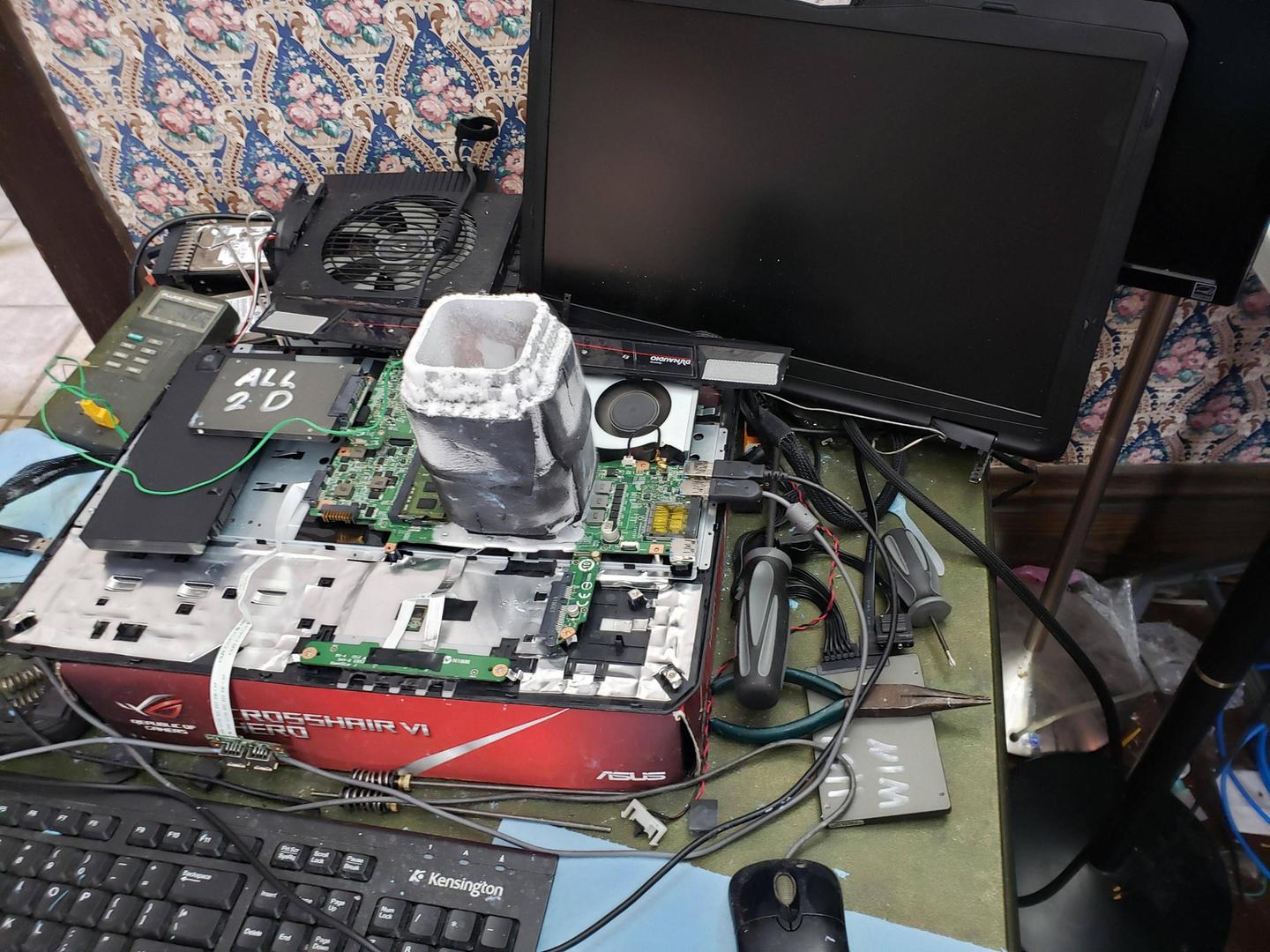
i was able to overclock my laptop
proven canopy
People have tried https://d1ebmxcfh8bf9c.cloudfront.net/u135811/image_id_2385679.jpeg
 lavish tundra
proven canopy
People have tried https://d1ebmxcfh8bf9c.cloudfront.net/u135811/image_id_2385679...
lavish tundra
proven canopy
People have tried https://d1ebmxcfh8bf9c.cloudfront.net/u135811/image_id_2385679...
hes just messaging every channel for exp btw
he does that many times a day lol
proven canopy
Why farm xp? useless
lavish tundra
I mean ive even told the guy sending a message in every channel at the same time gives no exp lol
proven canopy
I think it has a 1 minute cooldown for xp
lavish tundra
oh i thought it was more
proven canopy
btw, pcswaps has a 280x/270x competition going. No ln2 allowed so normie friendly, cash prizes. https://i.imgur.com/WyJC427.png
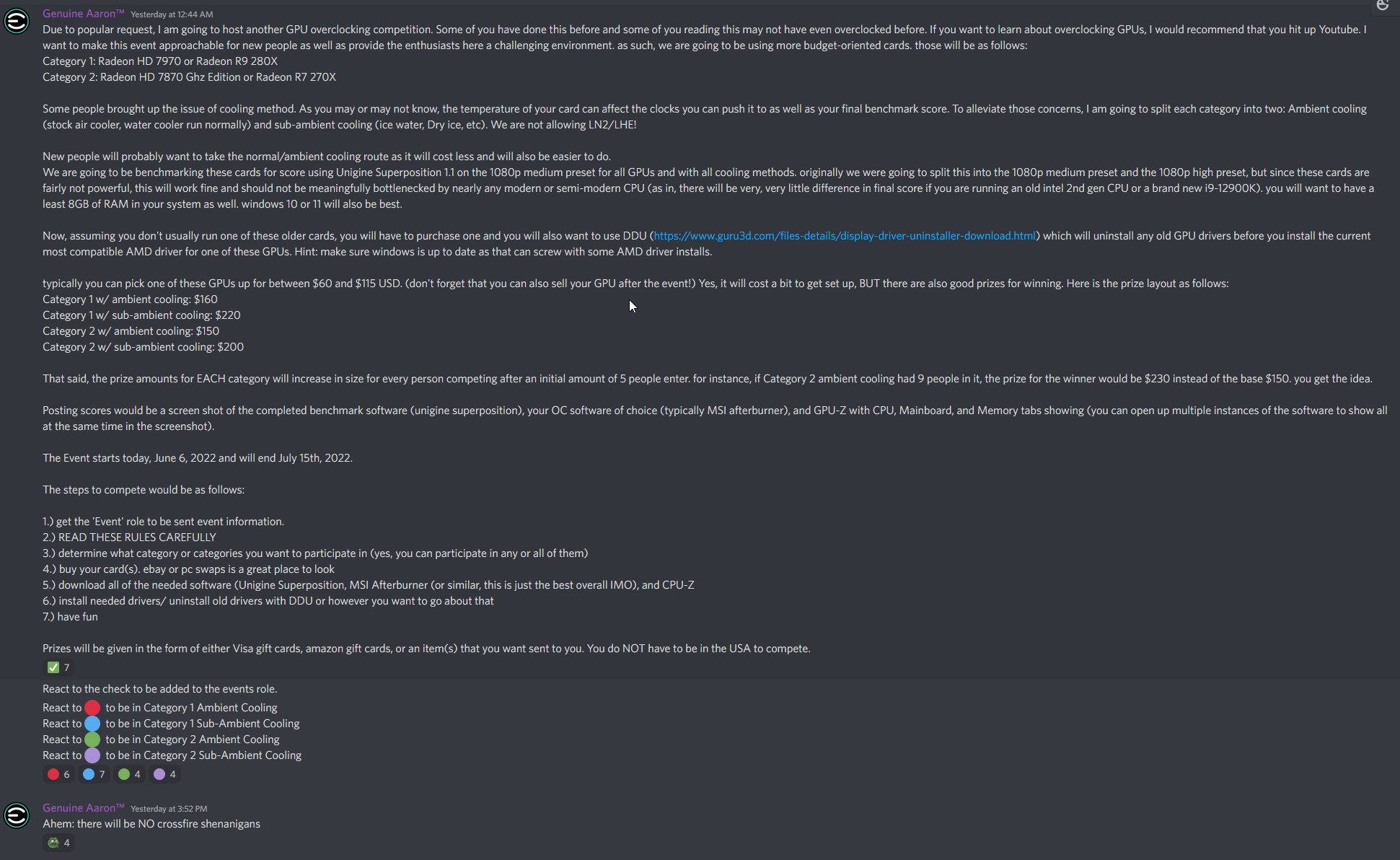
I'd ping the hwbot role, but...
zenith palm
Yeah they do it in like every channel idek why
sudden torrent
Pretty sure one word messages don't count either
brave lagoon
tall pelican
kombustor, so its pl throttling like crazy
running at 70c with no stability issues
at 2800mhz core clock
brave lagoon
proven canopy
What bench?
i use kobuster to test the stability of my graphics card
proven canopy
use time spy
potent fiber
Superposition is another option too.
faint tangle
brave lagoon
why wont discord let me attach pictures or photos
have to level up
brave lagoon
ight
brave lagoon
potent fiber
Superposition is another option too.
ive never heard of that one before
potent fiber
brave lagoon
ive never heard of that one before
It's from Unigine. You might've heard of their older one called Unigine Heaven (which is somewhat "obsolete" w/ even my gpu)
potent fiber
That's for cpus. The unigine stuff & 3dmark is aimed at gpu. I did notice Superposition only put my cpu at about 30% usage, lol.
brave lagoon
oh alright
tall pelican
brave lagoon
running at 70c with no stability issues
you are power limit throttling, not thermal limit throttling
brave lagoon
tall pelican
you are **power limit** throttling, not thermal limit throttling
i have a good enough psu and card is running max wattage
tall pelican

A 6600 should be pulling at least 250-300w with no power limit, and you will be running much hotter at that point
brave lagoon
tall pelican
A 6600 should be pulling at least 250-300w with no power limit, and you will be ...
mine is pulling 130
brave lagoon
tall pelican
A 6600 should be pulling at least 250-300w with no power limit, and you will be ...
it only has 1 8 pin power connector on the card and the power connector cord can only handle 150w
so i dont think a 6600 can pull 300...
tall pelican
when you are power limited because of a power limit that is still in place because you havent removed it, you will not be running at 2800mhz in heavy loads
brave lagoon
the rx6600 pulls 132w max
brave lagoon
tall pelican
when you are **power limited** because of a **power limit** that is still in pla...
ive uped the power limit plus 20
it runs at 2800...
most time 2650-2700+ range
with adaptive cooling
tall pelican
it does 2800 while running kombustor?
or does it power limit throttle down to 2650 or even lower during it
because kombustor is designed to hit the max power limit, which causes clocks to throttle down
 sturdy stump
I did a cool little thing with my GP104 GTX 1060 6GB today and hit 10292 on Superposition 1080p Medium, higher than the highest published score for a GTX 1060 (albeit all of them are GP106)
uneven robin
tall pelican
A 6600 should be pulling at least 250-300w with no power limit, and you will be ...
mine 275
tall pelican
Exactly
sturdy stump
Also does anyone know how to unlock overvolting, because MSI Afterburner won’t run my card any higher than the stock voltage
proven canopy
sturdy stump
Also does anyone know how to unlock overvolting, because MSI Afterburner won’t r...
What card? You probably don't want to do that, but you can hardmod most nvidia/amd and use morepowertool for modern amd
sturdy stump
zenith palm
You don't wanna overvolt your card
Thought so, I can get about +200 to be semi-stable with the default voltage, but I’ve heard anything up to the hard cap of 1.093V is perfectly safe
sturdy stump
proven canopy
What card? You probably don't want to do that, but you can hardmod most nvidia/...
I’ve got a GDDR5X 1060 in my rig currently
sudden torrent
+200 on core is very good for ambient cooling
sturdy stump
Granted, that’s in no way consistently stable in games, I think the limit is realistically much closer to +175
sudden torrent
Still above average
sturdy stump
Huh, that’s interesting, because the 1060 always seems like it runs into voltage and power limits way before thermal limits
I kinda see why there were crazy LN2/watercooled overclocks of this card back in the day
Also being able to set +1000 mem and start benchmarking just like that is absurdly fun
proven canopy
sturdy stump
Huh, that’s interesting, because the 1060 always seems like it runs into voltage...
Yeah, that's often the case with small dies, power limit just depends on the bios
Lock v/f curve at 1.093v in AB for benching
sturdy stump
I’ve got a 120% power limit on mine and it doesn’t even hit that (under my ludicrous +215/+1000 final benchmark OC it was peaking at around 132W)
proven canopy
When comparing OC - better to state the actual core clock vs the offset
sturdy stump
Actual core OC was 2100–2126 (because Superposition likes to drop two or so boost bins for some reason)
proven canopy
Without locked v/f? You could run it windowed and check the throttling reason in gpuz
I would use time spy gt2, but superposition is ok
sturdy stump
Without locked v/f… which is “Force constant voltage” in Afterburner, right?
proven canopy
Open the curve, drag the point at 1.093v to what you want and press L
sturdy stump
Alright, let’s see if Superposition is stable at a hard 2126 MHz @ 1.093V
Nope, it drops to 2100 immediately
Seems like I’ve hit a performance wall, either that or setting this immediately on the first run just doesn’t work well, because this performance is worse than runs I did at considerably lower clocks
Huh, yeah, seems like there’s no more headroom here
Huh, weird: I only get VRel PerfCap reason, and somehow my card won’t push above stock voltage.
Not like it really matters, unless I want to push past my current PB, so eh, whatever.
proven canopy
Was that with locking v/f?
sturdy stump
Yeah
 frigid cedar
Do we have anyone good with ddr5 here?
I'm not quite familiar with how ddr5 bins and today I overclocked my samsung die corsair vengeance 5600mhz cl36 16gbx2 1.25v to 6000mhz and a command rate of 1T without any additional voltage is this luck or just the overhead of ddr5 samsung dies?
dull ginkgo
What about the rest of the timings..?
frigid cedar
Unchanged 36 36 36 117
Didn't tune subtimings
Went from a 79ns latency to a 68ns latency and this is on an 8 layer pcb aorus xtreme with an undervolted 12900k with a -.085 adaptive offset and a h150i aio
I'm just unsure if this is how ddr5 works or if this is silicon lottery
frigid cedar
Okay that seems to be a limit then more voltage does not mean more better going from 1.25v to 1.35v will not take me any higher then 6000mhz
 kind walrus
Iirc with good hynix you got 2 slot boards doing around 6600-7000 while 4 slot boards do like, 6400-ish?
And that's on hynix, you've got samsung sticks so I believe it scales to a lower frequency. 6000 sounds about right
Someone can correct me if I've got some of that wrong
I've seen 4 dimm boards go higher but I take that with a grain of salt as silicon lottery
frigid cedar
Thank you that sums it up great if what you know is about right then yeah 4 slot board samsung chips 6000mhz
kind walrus
It's also a gigabyte 4 dimmer z690 so I'd say that's pretty good considering how mediocre gigabyte has generally been this gen
frigid cedar
Now I do feel sorry for those with micron dies I hear that 5600mhz is a cap even in the z690 aqua oc
Maybe they were the first chips made?
kind walrus
Micron A is cope
frigid cedar
Now here's something I've been wondering
For the top tier boards once a generation goes by their price practically gets cut in half would it be a good idea to go for a z790 2 slot for my 12900k in the next like 4 or 5 years by the time gens after 13th are out?
kind walrus
I'd say think about it when the time comes
frigid cedar
Fair enough who knows if they'll ever fix or even improve ddr5 traces by then
 cold jolt
you lookin to take records with the 12900k 4 or 5 years from now?
cold jolt
thats pretty up to date if you ask me...
kind walrus
I would just stick with what you have
kind walrus
a 12900K will be good for a long while for future gpu's
frigid cedar
Just sounds like egging on I'm definitely waiting for royal cove at least
cold jolt
yeah, upgrading your board wouldnt help with much of anything unless your really lacking in memory bandwidth 4 years from now
i doubt it though
kind walrus
frigid cedar
Just sounds like egging on I'm definitely waiting for royal cove at least
you'll definitely be fine until the apparent 'royal core' generation
cold jolt
if you wanna put that sucker on ln2? sure, would be worth
kind walrus
if you wanted to try 2 dimmer on this cpu I'd sell the xtreme now and go for a unify x/unify itx
/return
frigid cedar
I get attached I might just decide I want 7000+ for my 12900k some day instead of a whole new system
kind walrus
z690 kingpins do 7000
frigid cedar
I'd do over 7000mhz simply for my own enjoyment I do tech for fun no records nor thrills
kind walrus
you'll get as much or more out of a cpu gen upgrade, otherwise do the swaps now while you still have value
cold jolt
but also just wait for the faster dimms to hit the market a year or two from now, then we can see how software actually scales with increased memory bandwidth
cold jolt
frigid cedar
I'd do over 7000mhz simply for my own enjoyment I do tech for fun no records nor...
thats fair
frigid cedar
Now what I'm really waiting on is using completely unnecessary and overkill tech
cold jolt
so be it
kind walrus
you're already halfway there with an xtreme and i9 
frigid cedar
In fact I probably won't buy a gpu till pcie 5 since I'm an amd gpu shill
Although deeplink and cheap pricing makes intel tempting if they ever make a functional driver for the god forsaken things
Now I don't need to be told pcie 5 is pointless except maybe storage but if the 12900k can do it then an rx 7000 is even better
frigid cedar
Well at the rate we're going I can't argue with that
kind walrus
a better pcie gen in the slot will leave the room for plenty better GPU's later
frigid cedar
Practically twice the power every gen so yeah if they keep this up an rtx 50 or rx 80 would actually use such unreasonable bandwidth
kind walrus
that's if rumours are to be believed
we've only just barely saturated pcie gen 2x16
so there's a lot of headroom left
that's 5x2
frigid cedar
That's true I think 2080 ti sli at 3x8 doesn't lose Any fps right?
I can't remember where I seen that but there's lots of bandwidth tests out there
kind walrus
it shouldn't
frigid cedar
Now I did just run geekbench and intel Is Definitely starting to surprise me
Uhd 770 in openCL beat out the rx 550
My first gpu was a rx 460 so im sure you can imagine how that felt
Technically it was integrated graphics but I mean rx 460 was my first card
sudden torrent
There's another advantage to advancing PCI generations. With double the bandwidth available, you can use half the lanes, leaving plenty left for other devices like more M.2 drives, capture cards, or other expansion cards.
sturdy stump
frigid cedar
Uhd 770 in openCL beat out the rx 550
Aren't Intel iGPUs accelerated for stuff like this?
sturdy stump
sudden torrent
There's another advantage to advancing PCI generations. With double the bandwidt...
No AMD we didn't mean it like that~
frigid cedar
I'd say a strong yes to both the uhd 770 has two media engines so even though it doesn't have many cores its very fast with things like ai and encoding
Also I'd totally run my gpu at gen 5x8 to use a gen5x8 ssd
sterile flame
is CPU Vcore voltage the VCCSA and VCCIO for gigabyte mobos?
frigid cedar
Vccsa and vccio are not vcore but they do have what they are in the names
VccI/O is the voltage of various buses like USB and can stabilize uncore overclocks
Vccsa is the system agent and contains the imc(integrated memory controller) voltage here should affect ram and full system baseclock overclocks you shouldn't need either above 1.2v for Any ram or core clocks
I mixed up vtt and vccio sorry
Of course if you end up being unable to find vcore you hilariously now have the knowledge to overclock your uncore and cpu cache before your cpu cores
proven canopy
frigid cedar
That's true I think 2080 ti sli at 3x8 doesn't lose Any fps right?
It's a few percent at worst in real world gaming.
frigid cedar
I dont think the bus is saturated enough to worry about it I doubt it's really fully used

 uneven robin
kind walrus
that's 5x2
uneven robin
kind walrus
that's 5x2
Oh
digital dirge
uneven robin
Oh
Hm.




 zenith palm
sterile flame
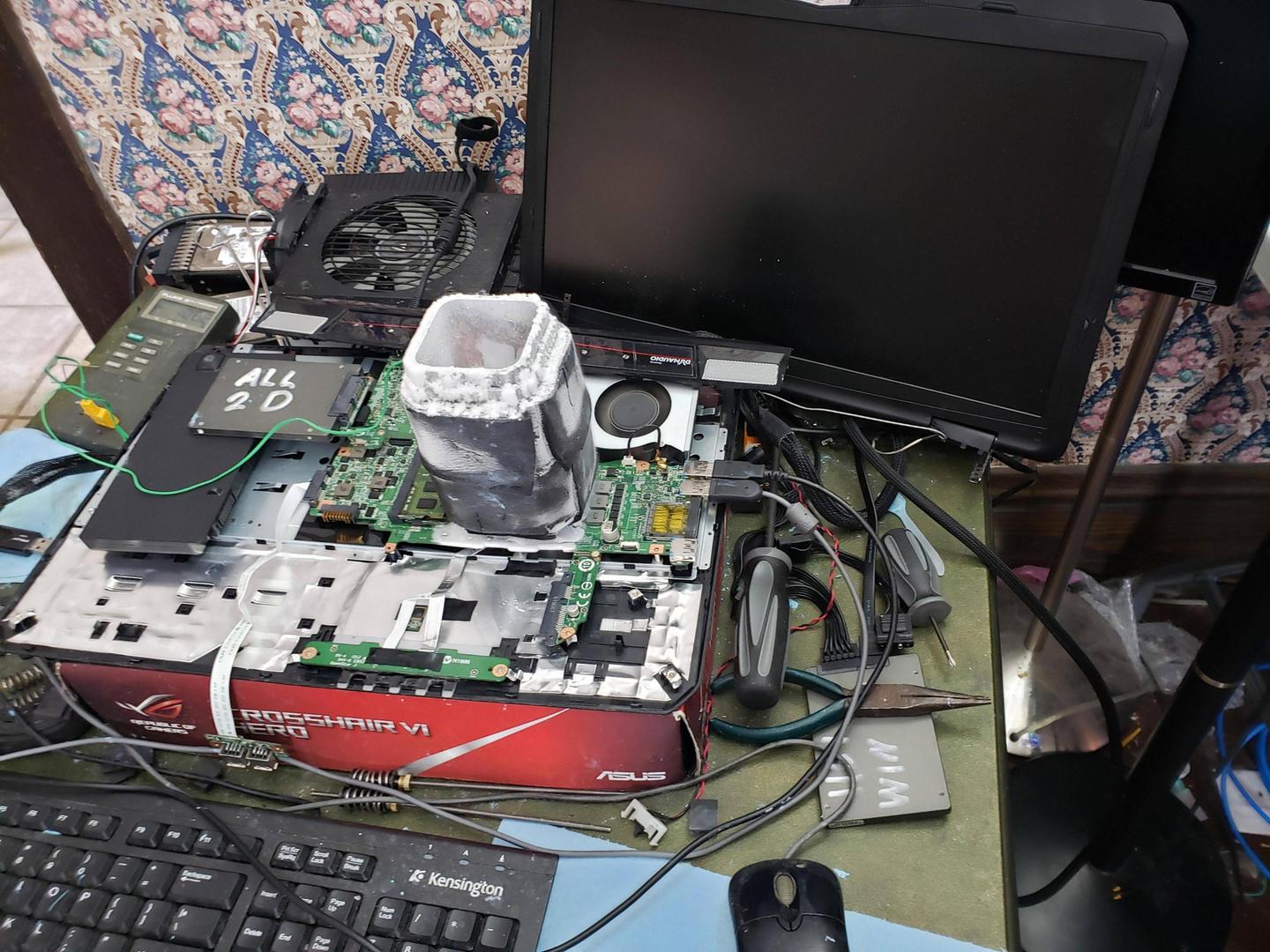
it stopped running tests at 25mins. Is that a sign of instability?
zenith palm
sterile flame
it stopped running tests at 25mins. Is that a sign of instability?
Sometimes it just craps out, try running as admin and start again
sterile flame
Its already set to run as admin in the properties. Also for my first test it stopped running tests at 1.5hrs. Would that result also be invalid due to it crapping out?
@zenith palm
zenith palm
sterile flame
Its already set to run as admin in the properties. Also for my first test it sto...
Try running not as admin then