#overclocking
1 messages · Page 101 of 1
 proven canopy
https://www.twitch.tv/techtested FX 4100 on ln2

Twitch
Tech Tested foolin around and destroying computer parts on stream! Matt and Josh goin at it in games! Grab your beer and popcorn and watch the nonsense ensue!
 late topaz
before overclock

after

did i overclock too low?
its a small increas
increase
@ember wadi did the thing
I just did +50 core clock in MSi after burner
Wrong ping
@sterile flame
There
 sterile flame
Hello
late topaz
Hi
sterile flame
late topaz
I just did +50 core clock in MSi after burner
you can probably do way more than that
late topaz
I still have a 400 watt psu
sterile flame
i have a 300w you're fine bro
sterile flame
you're probably fine
sterile flame
I use this to stress test sometimes https://benchmark.unigine.com/heaven

Performance benchmarks by Unigine
So you can just keep this running
while you tinker with afterburner
instead of waiting for time spy to finish
idk if the download is slow


 latent wave
Just keep going up by 25 until it crashes or the graphics score goes down
 short blade
15, not 25
core clocks are in 15mhz increments

3DMark.com
AMD Ryzen 7 3700X, NVIDIA GeForce GTX 1660 SUPER x 1, 32768 MB, 64-bit Windows 10}
here's a casual 1660 super run you can aim to beat
proven canopy
Yeah - look up your place on the leaderboard, go from there
late topaz
close

 late topaz
The hell is a filter evade
proven canopy
Haha, still off by 1000 total score - but you can definitely still compare graphics scores
short blade
late topaz
The hell is a filter evade
there is a profanity filter
and yes, compare graphics scores
late topaz
Gross
short blade
that run was done with the steam edition and a stock windows install
 zenith palm
late topaz
did i overclock too low?
zenith palm
late topaz
did i overclock too low?
Keep going to you crash, then pull back and find the sweet spot for stable
 modern walrus
Is there such thing as a good motherboard for memory overclocking for LGA1200 or AM4 that isn’t like $300+? even pre-owned?
Tempting but damn
 proven canopy
modern walrus
Is there such thing as a good motherboard for memory overclocking for LGA1200 or...
proven canopy
modern walrus
Is there such thing as a good motherboard for memory overclocking for LGA1200 or...
<$300 m12a
modern walrus
Is it true itx boards clock well because two DIMM slots?
proven canopy
Often, yes
modern walrus
Hmm alright thanks
 tall pelican
 modern walrus
Damn not bad. I can’t get bdie over 4400 on MSI Z490 gaming carbon, Aorus Z590 ultra, or Asus B550-F
I have some SR CJR
Couldn’t get over 4400 on b550-f
modern walrus
Is MSI godlike good for memory overclock? Is that an XOC board?
zenith palm
unify x is their mem oc board iirc
modern walrus
Ah heck okay
proven canopy
godlikes are stupidly overpriced
Just go look at what boards are used in the top hwbot subs for a chip
proven canopy
Will have to put an ln2 pot on this card soon.. https://hwbot.org/submission/4951274_

HWBOT
The Radeon RX 6800 XT @ 2550/2000MHzscores getScoreFormatted in the 3DMark - Time Spy benchmark. Forksranks #61 worldwide and #4 in the hardware class. Find out more at HWBOT.
sterile flame
looking forward to pics 😂
proven canopy
Good article on ADl imc binning https://www.igorslab.de/en/looking-for-the-egg-laying-wool-milk-cpu-intel-12th-gen-alder-lake-imc-binning-with-ddr4-ddr5-and-sp-values/4/

igor'sLAB
What do you do with two Core i9-12900K trays? That's right, binning! Today we have a very special treat for you from the south of Germany. The system integrator MIFCOM has kindly provided us with a…
zenith palm
nice article, i cant wrap my head around this graph tho
 short blade
each row is one CPU
left is how much higher than 1800MHz the IMC can clock with DDR5 in gear 2
right is how much higher than 2000MHz the IMC can clock with DDR4 in gear 2
so for the first one, that's 1888MHz with ddr5 and 2175MHz with ddr4
which corresponds to DDR5-7550 (1888MHz * DDR * gear 2) and DDR4-4350 (2175MHz * DDR * gear 1)
repeat for all rows
zenith palm
ohhhhhhhhh ty
short blade

zenith palm
the +1800 or +2k threw me off
short blade
does a good job of illustrating the point that good ddr4 imc doesn't mean good ddr5 imc on the same chip, or vice versa
two separate lotteries
zenith palm
indood, makes sense
short blade
the +1800 and +2000 are basically just like those little axis skips in graphs to keep everything from being stupid sizes
zenith palm
am hoping 13th gen has similar support but being able to post 4350 flat 17's g1 is pretty damm impressive
yeah makes sense just didnt click
short blade
yeah, no shot it's actually stable in gear 1 though
if it really is then that's a nutty cpu
short blade
yeah I read the whole thing over breakfast lol
zenith palm
also sips i am still 16gb gang 
proven canopy
I'm not surprised at least one chip could boot windows at those speeds
Bench stability though..
zenith palm
but 2/30 did, thats pretty impressive
zenith palm
short blade
I have a random 32gb kit on my desk rn
yeah was going 32 but my board or something does not like ocing 4 sticks
short blade
it's a 2x16 kit
one of the two sticks is defective and i cannot get a warranty replacement
 short blade
think i should just sell the good stick and trash the defective stick
or offer it to whoever buys the good stick for free with a warning that it gets errors
 faint tangle
16gb +8gb+8gb
short blade
the defective stick boots windows perfectly fine
but it will instantly error in tm5 at 2133c16 jedec downbin 2T
zenith palm
ooof
short blade
first time i've actually seen defective ram lol
zenith palm
quite impressive
short blade
but yeah the good stick is prob worth $35 at least
zenith palm
def
short blade
16gb 2666c19 rebranded hynix reject die
short blade
they physically rebranded the actual ICs
short blade
 zenith palm
ohhhhh
short blade
i asked him if he had the original purchase id for warranty he said no
zenith palm
:(
short blade
it's buried somewhere in the terabytes of ram he bought for work and i can't pressure him to dig through all that for free lol
sterile flame
Hey I have a old intel mother board I'm curious if you can over clock on it
short blade
is it a Z series chipset?
sterile flame
or x 🤓
faint tangle
or y
proven canopy
No love for C621?
sterile flame
Intel DG45ID Micro ATX LGA775
That's the board what I have found people are saying that you can't but other post I have read saying that you can with the old intel mother boards
short blade
proven canopy
No love for C621?
that's why I said C
short blade
sterile flame
Intel DG45ID Micro ATX LGA775
I don't have any knowledge on products this old sorry
I could only tell you back as far as when they started using the current H/B/Z scheme
short blade
some google seems to suggest g45 does support overclocking
sterile flame
That's what I found but people have been able to with a modified Bois
So I don't know
Because I'm so used to ryzen based systems using ryzen master to overclock any of there cpus
short blade
"Although CPU multiplier control isn’t provided, front-side bus speeds are available between 200 and 800MHz in 1MHz increments"
"Users can push the CPU voltage up to 2.0475V and the memory up to 2.9V"

There was a time when enthusiasts had little interest in integrated graphics chipsets. At best, we only considered the IGPs of yesteryear as platforms for the next PC we’d build...
reading this feels like going back in time lol
sterile flame
Thanks for that I go through that soon
short blade
so weird to read about integrated graphics in a motherboard review
the reviewer overclocked both the cpu and the ram on g45
zenith palm
sterile flame
Because I'm so used to ryzen based systems using ryzen master to overclock any o...
Ryzen master is only good for finding your strongest core 🤮
 sudden torrent
It's semi useful for zen+ and older, where pbo was trash and manual oc was best. You could set your desired voltage in bios, then step it up a little at a time without needing to reboot to find your ceiling.
zenith palm
Thought you needed to reboot to apply tho
zenith palm
Ahhh not terrible then
 digital dirge
If I OC my ram and cpu stable, will I have any issues when I finally add in my gpu?
zenith palm
nope
sterile flame
shouldnt
short blade
radeon cards can be more sensitive than nvidia to ram oc
zenith palm
short blade
radeon cards can be more sensitive than nvidia to ram oc
hmm really?
short blade
some of the infamous 5700xt crashes were actually attributed to slightly unstable xmp profiles and the crashes would stop when xmp was disabled
zenith palm
bruj
 zenith palm
hmm interesting
digital dirge
short blade
some of the infamous 5700xt crashes were actually attributed to slightly unstabl...
Think ill have this issue on a 6900xt?
digital dirge
Alright. I appreciate you bringing this to my attention so if I do have issues I know how to go about resolving it.
short blade
good luck
tall pelican
short blade
radeon cards can be more sensitive than nvidia to ram oc
that was more pcie4 teething issues with vsoc stuff, with 5700xts being gen4 and the more bandwidth than gen3 nvidia at the time
short blade
well it happened switching from 3080 @ 4.0 x16 to 5700xt @ 4.0 x16
proven canopy
Yeah, I've heard of high soc causing pcie 4.0 to drop out
 primal cedar
zenith palm
primal cedar
zenith palm
 fickle prism
my oc scanner keeps cancelling for some reason
fickle prism
my oc scanner keeps cancelling for some reason
Auto oc's suck
Try power slider all the way up,with + 60 core then go up in 60mhz intervals til you crash then dial it back by 15 until it's stable,run 3dmark timespy in between each interval, once you got core done, same deal with memory but start at like 800 then do intervals of 100 til crash then pull back by 25mhz til stable
fickle prism
oh ummmmm
will try lol
i don't want a max oc, just like those free ones that don't harm the card
zenith palm
fickle prism
i don't want a max oc, just like those free ones that don't harm the card
Yeah that won't harm the card, only way you can do that is by touching voltages really
fickle prism
oh alright, ill take a look at it soon, thanks 😄
zenith palm
Np :)
short blade
zenith palm
Yeah that won't harm the card, only way you can do that is by touching voltages ...
epower mods 😳
zenith palm
short blade
epower mods 😳
i meant in software 
short blade
yeah in software no matter how much you touch voltage you're still not hurting it lol
you can try locking 1.25v the card will just say no
zenith palm
short blade
you can try locking 1.25v the card will just say no
yes but just saying only way you couldd
short blade
that's a pretty important distinction to make
you can touch voltage as much as you want safely as long as you don't hard mod the card
zenith palm
yeah suppose
modern walrus
I was thinking I'd replace my the motherboard for my 5900x (ROG B550-F Gaming wifi) in hopes of getting a better memory OC for benchmarks (can't get over 4400mhz, even w/ single rank bdie) & I wondered which of the following was the best choice, considering price:performance:
(1) B550 Unify-X: $255 (open box)
(2) X570 ROG Crosshair VIII Hero: $240 (used)
(3) X570 Taichi: $150 (used but auction)
(4) B550 Taichi: $210 (new & accepts offers)
(5) B550 Gigabyte Vision D: $200 (new & accepts offers, multiple listings at that price)
(6) X570 Aorus Master: $216 (used)
(7) B550 Aorus Master: $107 (auction ends at 11:10AM EST today but there's also a $180 listening accepting offers & it's new)
(8) Better suggestion?
(9) Stick to old board because this is pointless
 lavish tundra
modern walrus
I was thinking I'd replace my the motherboard for my 5900x (ROG B550-F Gaming wi...
lavish tundra
modern walrus
I was thinking I'd replace my the motherboard for my 5900x (ROG B550-F Gaming wi...
Id go with the aorus master
modern walrus
lavish tundra
Id go with the aorus master
just might do that

waiting to sniper at the last 10 seconds
lavish tundra
shee
modern walrus
cuz why drive price up for no reason? I don't understand why anyone does that lol
modern walrus
lavish tundra
shee
B550 tho... should I try to find an X570?
lavish tundra
not really tbh
b550 aorus master is a VERY nice board
especially at that price
thats like 1/3rd of msrp iirc
modern walrus
ya it's used but
AM4 is basically at the end of its life cycle
wondering if I really should just wait until next gen AMD drops & these boards get even cheaper
but this price is kinda like ehhhh
lavish tundra
tbh tho i might be wrong but you probably wouldnt be gaining too much perf
since almost all amd boards are daisy chained
modern walrus
well gosh darn it
lavish tundra
going to t topo would see gains
modern walrus
at least I'll be able to run more than 1.8v DRAM
lavish tundra
im seeing if any of those boards are T topo
modern walrus
I don't even know which boards have T topology
topography?
I don't remember what it's called lol
lavish tundra
topology
modern walrus
I think topography is something with maps
lavish tundra

Google Docs
AM4 MB Comparison @2017-2021 raisonjohn b.
AM4-socket MOTHERBOARD COMPARISON,SUBJECTIVE TIERS:,HOW TO SORT/FILTER MOTHERBOARDS YOU ONLY NEED TO COMPARE:
| Step 1: Select entire Row 11 by clicking "11" at left side of your screen.
| Step 2: Click the Filter Icon at the above toolbar, just beside ...
modern walrus
damn I just realized this board doesn't have external CMOS reset but meh
lavish tundra
yep it appears all those boards are daisy
lavish tundra
i mean the master is still a great great board
and an upgrade over ur current one
but not too much gain
i could be wrong tho
modern walrus
true but I'd like to get better RAM OC
lavish tundra
ask fork or something
modern walrus
I'll try
modern walrus
lavish tundra
ask fork or something
got it at $110.50
lavish tundra
Sheeeeesh
modern walrus
ebay auctions are the best
kinda exciting even haha
$133.86 w/ shipping & $1 donation to Ukraine
sterile flame
W
 hybrid wadi
hey guys dont exactly understand how to overclock
says my score right now is 651 (omen gaming hub) is this good or bad?
zenith palm
hybrid wadi
says my score right now is 651 (omen gaming hub) is this good or bad?
throught it out of the window means nothing - would recommend uninstalling it, for gpu overclocks, use 3dmark timespy, for cpu theres others like cinebench etc - depends if becnhing for better single or multi core
heres a timespy link - https://www.3dmark.com/search - sort by graphics score only
lavish tundra
hybrid wadi
says my score right now is 651 (omen gaming hub) is this good or bad?
what hardware
hybrid wadi
lavish tundra
what hardware
RTX 3070, intel core i9, 32 gb ram
hybrid wadi
zenith palm
throught it out of the window means nothing - would recommend uninstalling it, f...
will do thank you
sudden torrent
You can check hwbot.org for your hardware and compare to other people's overclocks also
sudden torrent
@narrow cape Userbenchmark is really bad.
Try running time spy instead. There's a demo version of 3dmark on steam.
 narrow cape
sudden torrent
<@771208525975388190> Userbenchmark is really bad.
Try running time spy instead....
narrow cape
sudden torrent
<@771208525975388190> Userbenchmark is really bad.
Try running time spy instead....
Why is it so bad?
sudden torrent

For this Fool is never early, nor is it late. He arrives precisely when he doesn't mean to.
Impact Prelude Kevin MacLeod (incompetech.com)
Licensed under Creative Commons: By Attribution 3.0 License
http://creativecommons.org/licenses/by/3.0/
0:00 - Intro
1:13 - Pre-Ryzen
1:26 - Ryzen 1000
3:07 - Ryzen 2000
3:49 - Changed benchmarks
5:20 - Ry...
short blade
!ubm
 left bladeBOT
`UserBenchmark is NOT a reliable source of information and has been blanket banned in many hardware communities such as r/hardware and r/intel for what started as an anti-AMD bias but has spiraled into delusion.
In fact, they tried so hard to skew results in favor of Intel's midrange that they even cannibalized Intel's own high end. For example, according to UserBenchmark, the i3-9350K is rated higher than the i9-10980XE.
For a similarly convenient quick-and-dirty hardware comparison website, we recommend using PassMark instead of UserBenchmark.
PassMark CPU comparison: https://www.cpubenchmark.net/singleCompare.php
PassMark GPU comparison: https://www.videocardbenchmark.net/singleCompare.php
Want to know more?: https://youtu.be/RQSBj2LKkWg`
short blade
it's so bad we have a command for it
lavish tundra
short blade
it's so bad we have a command for it
Im bad too when i get command :(
short blade
maybe tomorrow
lavish tundra
pog!
ok time to be more bad
guys i ovrklok my raisin 5 to 8 gighurtz on 3v is it good oc?
it is raisin 5 5950x
sterile flame
x99 beats any modern platform 
zenith palm
faint tangle
Never repadded or pasted
100% fans?
faint tangle
Yeah
It crashed tho, lowered mem oc a bit since that's what caused it to crash the last time I was benching
Gonna try 210 core again tho, I've only gotten two benches to succeed with that oc tho
sterile flame
Baddie
zenith palm
faint tangle
Gonna try 210 core again tho, I've only gotten two benches to succeed with that ...
Pretty agreessive tbf
faint tangle
On the last section of the bench, looks like it worked
zenith palm
Dam
zenith palm
Bacca whats your max wattage?
faint tangle
Which I don't get
However much a single 8 pin and the pcie slot can give
104% pl
I'm pretty sure that crash is from mem though
Not core
If this had 2x8 pins it'd be top 20 for timespy
Red lines just flashed across the bench
That's memory right
Crashed
Alright this is just weird now
I did a stock run
And it crashed after the bench finished, when it was loading results again
Leaving steam open worked
13188 graphics score
Doesn't beat my highest, id have to switch to my other boot for that
Debating if I feel like unplugging my ssd and hdd rn
Ima be stupid and try 225 core
zenith palm
faint tangle
104% pl
Like actual wattage number tho
zenith palm
faint tangle
Red lines just flashed across the bench
Ye
faint tangle
Not sure
210 core 1100 mem worked but since I'm on my main boot jt didn't beat my old best
zenith palm
Check in hwinfo when you're running timespy
faint tangle
One 8 pin gives 150w right?
zenith palm
If you have a spare ssd install forks windows on it
Yes 150w
But 75w from slot too
faint tangle
Then 225w
faint tangle
What's your best score, if you've benched?
proven canopy
In what?
faint tangle
Timespy
proven canopy
I think this is my best single card https://hwbot.org/submission/4951274_
HWBOT
The Radeon RX 6800 XT @ 2550/2000MHzscores getScoreFormatted in the 3DMark - Time Spy benchmark. Forksranks #62 worldwide and #4 in the hardware class. Find out more at HWBOT.
faint tangle
Ah
Wanted to compare mine to patos 3060 ti, but thats a sick bench
What model 6800xt?
proven canopy
Reference on air
faint tangle
Crazy
proven canopy
I was just limited by hotspot - 52c core temp, 113c hotspot
faint tangle
I'm taking off both my side panels rn, partially because I always have one off and the other blocks access to my ssd
zenith palm
faint tangle
Wanted to compare mine to patos 3060 ti, but thats a sick bench
Haven't pushed it yet, will soon
zenith palm
Got top 1% on my 3070 tho - RIP
faint tangle
I haven't been able to find all of the voltages and subtimings in here
faint tangle
zenith palm
Got top 1% on my 3070 tho - RIP
Same, except I should be top 100 but timespy doesn't come with the proper system info
So my best bench doesn't count
proven canopy
Just install it separately
If you're connected to the net - it'll ask to update anyway
zenith palm
faint tangle
Same, except I should be top 100 but timespy doesn't come with the proper system...
Rip yeah, mine would have been top 100 if it wasn't 6+8 pin :/
proven canopy
zenith palm
Got top 1% on my 3070 tho - RIP
I wish the info on the 3dmark result pages made it easier to see your percentile vs similar hardware
Honestly - that's one thing userbenchmark does well
faint tangle
But my best one is 13600 something, my best one that counts is 13400 something
Will drivers impact benching?
 dull ginkgo
@short blade ran linpack w 30gb last night, looks like it failed 20 minutes in :(
 zenith palm
faint tangle
While you're here, do you know anything about asrock bios?
zenith palm
faint tangle
While you're here, do you know anything about asrock bios?
Which ones you looking for? Also sips would def know because he has an assrock board
faint tangle
zenith palm
Which ones you looking for? Also sips would def know because he has an assrock b...
The other day when you were helping me with mem oc we couldn't figure it out
Haven't had the chance to ask sips, mainly because I have terrible memory
Not ram
Brain memory
zenith palm
proven canopy
I wish the info on the 3dmark result pages made it easier to see your percentile...
Yeah true, it can be okay but only compares your top bench so i can't see where i am with 3060 ti because it will show 3070 score even if i look up 3060 ti :(
faint tangle
Yeah thats annoying too
zenith palm
Sips is online atm go
faint tangle
I want to see 3050 ti comparison easily but it just shows 3060 ti
Not many 3050 ti benches are oced well, so I can see mine since it's top like 15 iirc
short blade
dull ginkgo
<@!122901618369757184> ran linpack w 30gb last night, looks like it failed 20 mi...
oof
dull ginkgo
Does linpack tell you what too change for stability at all?
faint tangle
Do you know where to find sub timings and voltages in asrock bios?
short blade
dull ginkgo
Does linpack tell you what too change for stability at all?
not that I know of
dull ginkgo
rip, gonna be annoying to test
faint tangle
Thanks
proven canopy
dull ginkgo
Does linpack tell you what too change for stability at all?
Lot of folks in bz's discord use that to test stability, I've yet to try it on windows
Someone should make a linux live-bootable linpack iso
dull ginkgo
I mean, does linpack usually crash on something specific?
since it passed tm5
For now I'm going to just put subtimings on auto and run linpack until its stable
zenith palm
dull ginkgo
I mean, does linpack usually crash on something specific?
I mean I've only used linpack in OCCT but I'll throw my ram through it to test
faint tangle
Alr this is going to sound very stupid
I launched 3dmark, it said to update so I did
Where do I find the new version of 3dmark
short blade
I usually include linpack in my "final gauntlet", afaik it doesn't provide any diagnostic info, just "lol you crashed"
so I don't run it between changes
proven canopy
I'd like to have some kind of wegg community overclocking contest. What kind of hardware/rules do you think would be most inclusive?
zenith palm
I think ambient would have to be a rule as most people don't have chillers/ln2
faint tangle
zenith palm
I think ambient would have to be a rule as most people don't have chillers/ln2
Should i mess with gpu voltage?
zenith palm
Uhh usually they give you plenty of voltage stock
proven canopy
zenith palm
I think ambient would have to be a rule as most people don't have chillers/ln2
Of course - it'd be something like 5ghz max superpi 32m
Clock speed limited comps are some of the most fun imo
No pressure to crank voltage and hurt the chip
zenith palm
Yeah, what does superpi do tho? Ram or ram and cpu?
We'd have to surely split into Sr and Dr if only ram especially?
Idk maybe im trying to make too fair?
proven canopy
zenith palm
We'd have to surely split into Sr and Dr if only ram especially?
Depends on the bench - often there are ways to tweak either for better performance. 32m prefers single rank configs usually
Even so - someone who knows how to tune single rank 2x8 b-die on say 7zip will blow away xmp 2x16 b-die both at ideal clocks
7zip probably scales the most from dual rank IME
zenith palm
Interesting
 humble jay
proven canopy
Someone should make a linux live-bootable linpack iso
humble jay
proven canopy
Someone should make a linux live-bootable linpack iso
That’s already offered on the website lol
With the bootable version of Linpack Xtreme, you can stress test overclocked PCs without risking corruption to the OS registry and files.
proven canopy
Well that's easy
faint tangle
Somehow my score got worse on the other ssd
With the same oc
Gonna try it again but I don't think I'm going to beat my old best
short blade
proven canopy
No pressure to crank voltage and hurt the chip
5ghz on ryzen 😳
proven canopy
That's easy for a single thread workload on zen3
zenith palm
short blade
5ghz on ryzen 😳
Raisin 3 3600 r/amd momen
short blade
proven canopy
That's easy for a single thread workload on zen3
tell that to my lemon 5800x 
short blade
zenith palm
Raisin 3 3600 r/amd momen
true, r/amd can do it
proven canopy
We could just do like 30 mins of testing together and figure out what clock speed is relatively equivalent for ADL vs zen3
short blade
might be able to trade for my friend's 5800x
proven canopy
It just has to be decently close
short blade
highest I've seen on my best core in single core prime95 is 4.8
problem is my worst core is rated as tied for my best core for some reason
and it can only do 4.6
so I guess I have to hope it chooses the right core

proven canopy
32m is much lighter of a load than p95 haha
Could always just say 4.8 zen3
Whatever matches 5.0 intel
 proven canopy
You wouldn't want to use pbo for 32m, you'd run 2c2t fixed voltage
Shouldn't hurt the chip even on ambient air
proven canopy
I'd be fine with win10 only rules as well - as win7 or xp for intel will give a huge advantage
short blade
11?
zenith palm
short blade
11?
 good one
faint tangle
I spent about an hour and a half doing benches and it amounted to pretty much nothing
Pain
short blade
felt that
proven canopy
short blade
11?
either would be fine
short blade
2 hour benching session just to realize my lemon hardware isn't worth points anyways
proven canopy
Would be using benchmate
short blade
zenith palm
short blade
2 hour benching session just to realize my lemon hardware isn't worth points any...
3090 cough cough
proven canopy
lol - I just spent a weekend benching without getting any golds
was fun though, and learned a lot
sterile flame
That is good
short blade
you failed to get golds
proven canopy
12900k/z690 is hard to run on ln2, and both of my apexes have the junk memory layout
proven canopy
Right - but on ln2, so the bar is higher
proven canopy
sterile flame
I failed to get points for my benchmark
That's because only certain benches get hardware/global points
proven canopy
You can see what does/doesn't get hardware points here

And what benches get globals here
 sterile flame
i’m #33 in the world for my specs on time spy
faint tangle
short blade
2 hour benching session just to realize my lemon hardware isn't worth points any...
i dont think anything will give me better results unless i replace pads and paste
sterile flame
That is the only achievement i have for benching
faint tangle
which i dont really feel like doing just to get a few more points for benching
short blade
847th out of 672
 zenith palm
proven canopy
12900k/z690 is hard to run on ln2, and both of my apexes have the junk memory la...
zenith palm
proven canopy
12900k/z690 is hard to run on ln2, and both of my apexes have the junk memory la...
Aren't they offering refunds for that?
short blade
accurate representation of my average silicon lottery luck
proven canopy
short blade
847th out of 672
17 hardware points is a great sub on air
zenith palm
short blade
61st place
Demoted
faint tangle
my best score that actually can show up on boards is 13324
100th place is 13328
pain
short blade
I want to bench a 3060ti
faint tangle
my actual best score is 13412 but i havent been able to replicate that
short blade
I've had 2 3060ti pass through my hands without being able to oc them
passed them on as sealed boxes
faint tangle
faint tangle
my actual best score is 13412 but i havent been able to replicate that
which would be 60th place
short blade
offered to find a stable oc for my friend on his 3060ti ftw3 ultra before giving it to him but he wasn't interested
😔
faint tangle
i have to now restart my pc because vangaurd anti cheat likes to mess up whenever a drive is unplugged
sterile flame
Vanguard is stupid
faint tangle
short blade
offered to find a stable oc for my friend on his 3060ti ftw3 ultra before giving...
i mean, if i manage to get a 3080 i could send you mine for you to oc before selling it but im not sure youd be as interested since ive already tested it
short blade
👁️
faint tangle
supposed to be more drops this week so theres a chance
short blade
liquid metal time
faint tangle
its also 1x8 pin so less ocing capabilities
faint tangle
still, for being 1 eight pin its been able to oc very well
short blade
I cheated against pato by shoving 325 watts into my 3070
faint tangle
you could get it top 50 id guess
short blade
my ram oc will probably boost it
sterile flame
Bozo
faint tangle
i forgot ram oc affects gpu scores
short blade
too bad I can't get time spy to complete at 3800c12
faint tangle
maybe ill have to do that and test it again
short blade
have to bench at 3800c13
faint tangle
i have to restart my pc now
while were here
as in what that file is
completely unrelated to ocing, but any idea what this means?
 proven canopy
faint tangle
i forgot ram oc affects gpu scores
proven canopy
faint tangle
i forgot ram oc affects gpu scores
Not much in time spy, fire strike cpu will, ram maybe
zenith palm
short blade
I cheated against pato by shoving 325 watts into my 3070
Cries in 270w
short blade
proven canopy
Not much in time spy, fire strike cpu will, ram maybe
anecdotal, but I saw a 25% graphics score difference with a 3070 + 2666c12 + 8700K vs. 3070 + 3800c13 + 5800X
15mhz clock difference
on gpu core and vram
proven canopy
short blade
anecdotal, but I saw a 25% graphics score difference with a 3070 + 2666c12 + 870...
fs or ts?
short blade
ts
wait I'm remembering the wrong result
24.3% at the same clocks with 5600x + 3733c14
3DMark.com
here's the compare link
proven canopy
Different driver - not sure if that's the difference
zenith palm
@short blade get on my level, 2nd and 3rd place with cpu https://hwbot.org/submission/4868474_
https://hwbot.org/submission/4868464_ - ignore the amount of cpus subbed

HWBOT
The Core i5 8250U @ 3393.4MHzscores getScoreFormatted in the Cinebench - R23 Single Core with BenchMate benchmark. Patokavranks #715 worldwide and #2 in the hardware class. Find out more at HWBOT.

HWBOT
The Core i5 8250U @ 3392.5MHzscores getScoreFormatted in the Cinebench - R23 Multi Core with BenchMate benchmark. Patokavranks #221 worldwide and #3 in the hardware class. Find out more at HWBOT.
proven canopy
24% is far more than I'd expect, so maybe some other settings are different
short blade
heavily doubt the driver makes 24.3% difference
sterile flame
3DMark.com
Intel Core i5-9400F Processor, NVIDIA GeForce GTX 1650 x 1, 16384 MB, 64-bit Windows 10}
short blade
I definitely think ram impacts graphics score in ts
proven canopy
Same, at least for driver alone - but maybe something else changed
proven canopy
short blade
I definitely think ram impacts graphics score in ts
A bit - but I'd think it's a few % at most
short blade
zenith palm
<@!122901618369757184> get on my level, 2nd and 3rd place with cpu https://hwbot...

HWBOT
The Core i7 10750H @ 4789.4MHzscores getScoreFormatted in the Cinebench - R15 benchmark. sips bleach seductivelyranks #null worldwide and #1 in the hardware class. Find out more at HWBOT.
ah yes, gotta love getting  s from locked laptop cpus
zenith palm
short blade
https://hwbot.org/submission/4707005_sips_bleach_seductively_cinebench___r15_cor...
short blade
o v e r c l o k i n g
sterile flame
overcooking
proven canopy
Generally people respect hardware points more than globals as they're far less pay2win

Depends though, if your globals come from #1 fs 6900xt or something, obviously that's extremely competitive, just also expensive
It's like buying a premium tier 10 plane in warthunder
short blade
oh hey that's my profile
I thought those numbers looked familiar
also there's no way you have that few global points lol
proven canopy
I don't really sub a lot - and much of my benching recently was for country cup
Or chasing some hardware gold
If I wanted to farm points - I'd bench a bit differently
Though, I'm about to with these $80 dual core pentium alder lake chips
zenith palm
short blade
o v e r c l o k i n g
Bunnytv that you?
short blade
banned
sterile flame
WHAT
short blade
I warned him for talking about piracy too much and he threatened me lol
short blade
said he has connections with Newegg staff and "sorry if you lose mod tomorow"
something like that
sterile flame
Cap
short blade
my phone actively resists allowing me to type like him
 zenith palm
@proven canopy opinions on 2x16 3600 16-16-16-38 1.4v teamgroup 8 pack edition apparently? Talking about buying some for about €130
Weird name for 2 sticks lol
Wait no it's 1.35v 
 sterile flame
thats not a bad deal
 storm wedge
how much performance should i expect from overclocking, like can oc a 3070 to perform like a 3080?
and what about extreme overclocking
zenith palm
storm wedge
how much performance should i expect from overclocking, like can oc a 3070 to pe...
A good amount probably not that much but you can get around 10% usually on air cooling, extreme OC is for getting 1 off big numbers, not for daily unless you're okay with pausing your game to refill your ln2 pot xD
dull ginkgo
zenith palm
Weird name for 2 sticks lol
pretty sure 8pack is a guy they worked with
or smth like that
it's a special edition of dark pros
proven canopy
He's a famous overclocker
Not active anymore, maybe because he got called out for cheating a 4770k cinebench sub
dull ginkgo
rip
zenith palm
dull ginkgo
pretty sure 8pack is a guy they worked with
Ahh makes more sense i was like surely they don't sell 8x16gb of b die in 1 kit lol
modern walrus
anyone know how the hell PBO works on new AGESA?
I can't get over 4400mhz all-core
short blade
new agesa has known problems
recommend downgrading back to a bios with agesa 1.2.0.3
sterile flame
what
faint tangle
Um
I may have had something edible earlier
And woken up to that picture here
I dont even know where the picture came from
sudden torrent
lol
faint tangle
sudden torrent
lol
The funniest thing is my phone was tabbed into discord when I opened my eyes and my phone was right in front of my face
storm wedge
zenith palm
A good amount probably not that much but you can get around 10% usually on air c...
ik that extreme overcloacking is for big numbers , but am just intrested
lavish tundra
Hwbot soon
 proven canopy
5870 uP 6213a vcore feedback and ocp mod.
https://i.imgur.com/qlLL2wq.jpeg
https://i.imgur.com/TcKYYwu.jpeg
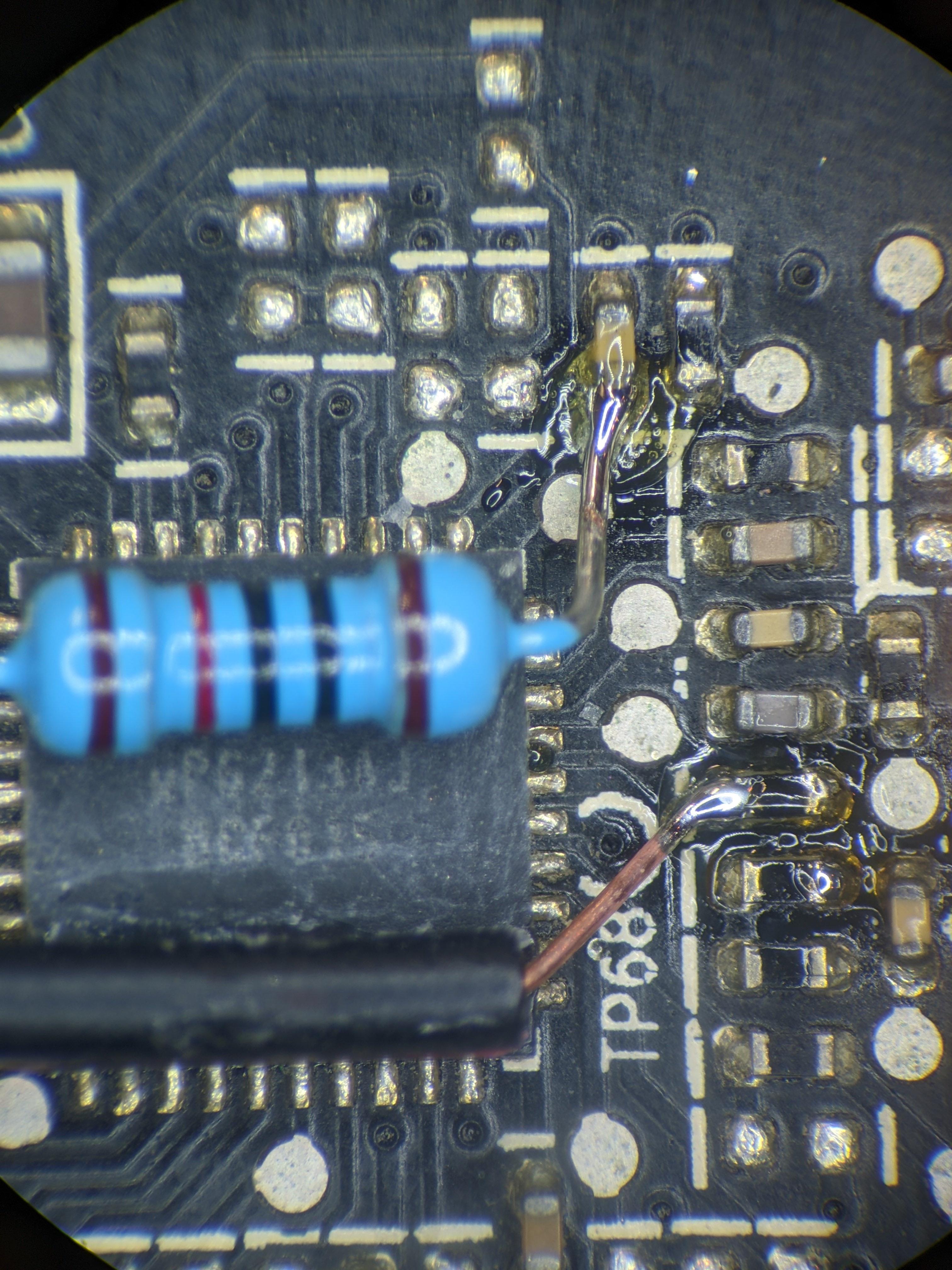
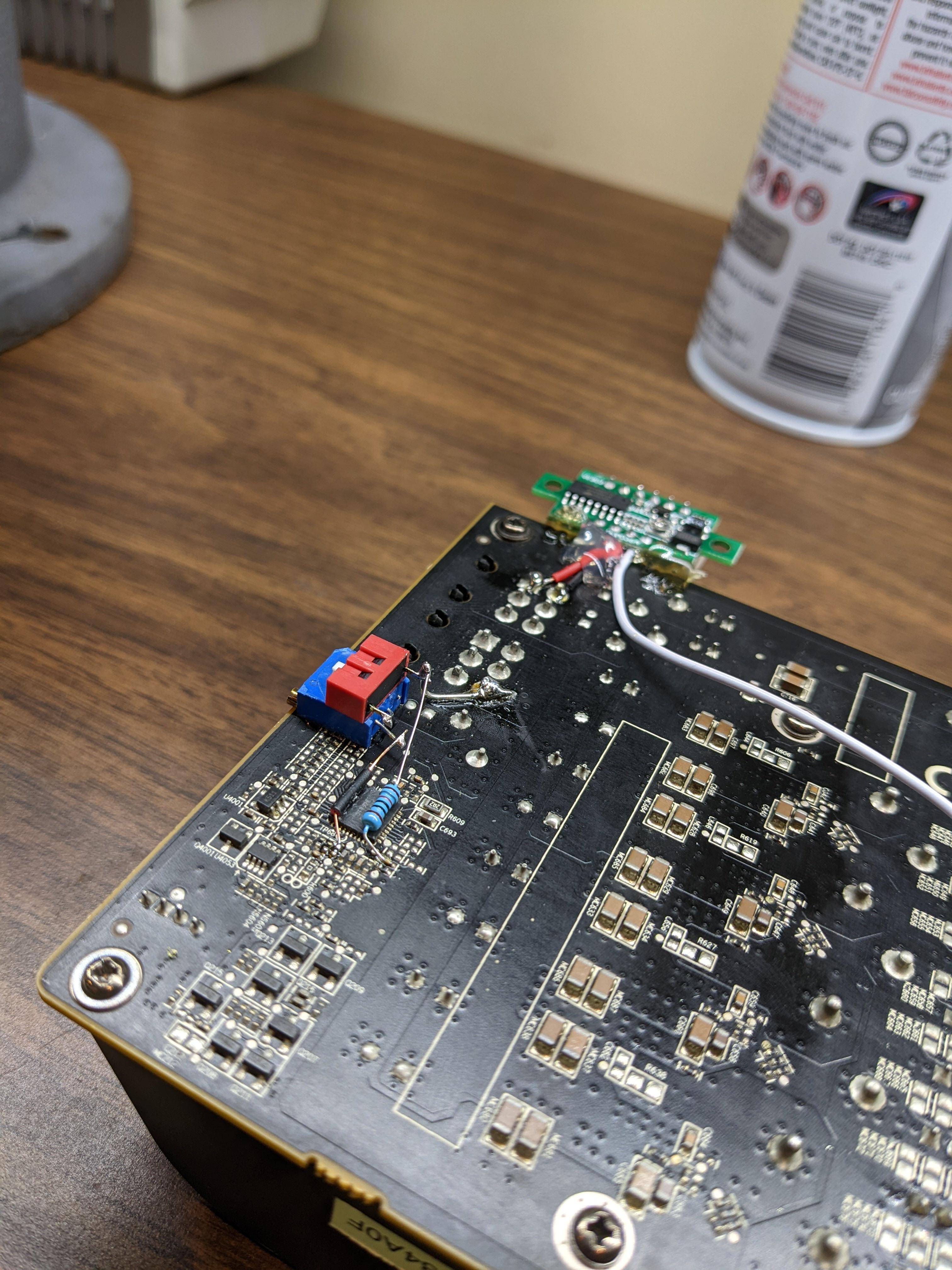
@static oasis Some phenom x4 and similar chips can be unlocked by certain boards to 5 or 6 cores.
 digital dirge
proven canopy
<@!792442716775514172> Some phenom x4 and similar chips can be unlocked by certa...
digital dirge
proven canopy
<@!792442716775514172> Some phenom x4 and similar chips can be unlocked by certa...
So they have more than 4 cores but are locked?
proven canopy
Yes, the cores aren't physically disabled on the chip
digital dirge
How come they just wouldn't make them all accessible right out the box?
I just noticed you said some boards. So hardware limitations?
zenith palm
cant remember which one but some old cpus could have some cores unlocked later through a purchase and some just regular binning but some where able to be unlocked as they didnt disable them very well lol
digital dirge
Oh ok
proven canopy
digital dirge
How come they just wouldn't make them all accessible right out the box?
Product segmentation, also the additional cores might be lower bin
proven canopy
digital dirge
I just noticed you said some boards. So hardware limitations?
Not on the board's side, no, it's a feature that was added in afaik
proven canopy
zenith palm
cant remember which one but some old cpus could have some cores unlocked later t...

The Intel Upgrade Service was a relatively short-lived and controversial program of Intel that allowed some low-end processors to have additional features unlocked by paying a fee and obtaining an activation code that was then entered in a software program, which ran on Windows 7.
The program was introduced in September 2010 for the Clarkdale-ba...
digital dirge
So they locked features with a pay wall. Nice.
zenith palm
That's it yeah
tall pelican
dull ginkgo
it's a special edition of dark pros
Not really special other than the name on the heatsink tbh
dull ginkgo
tall pelican
Not really special other than the name on the heatsink tbh
For 3200c14 iirc the 8pack version had tighter timings
(I remember 8pack being flat 14s and other dark pro kit being 14-16-16 for UK)
But dunno about 3600c16
 uneven flax
Fans go brrrrrr
sterile flame
how do you overclock
zenith palm
for cpu - in the bios you change the frequency and a couple voltages, for ram - also in the bios although definitely the most difficult and timing consuming to get stable, you adjust voltages, frequency and timings, for gpu you will download msi afterburner if on nvidia, for amd you can use the drivers or afterburner , then you increase the core / memory frequencies
proven canopy
Check the overclocking wiki pin
proven canopy
Should have enough power... https://i.imgur.com/hTR0GzX.jpeg
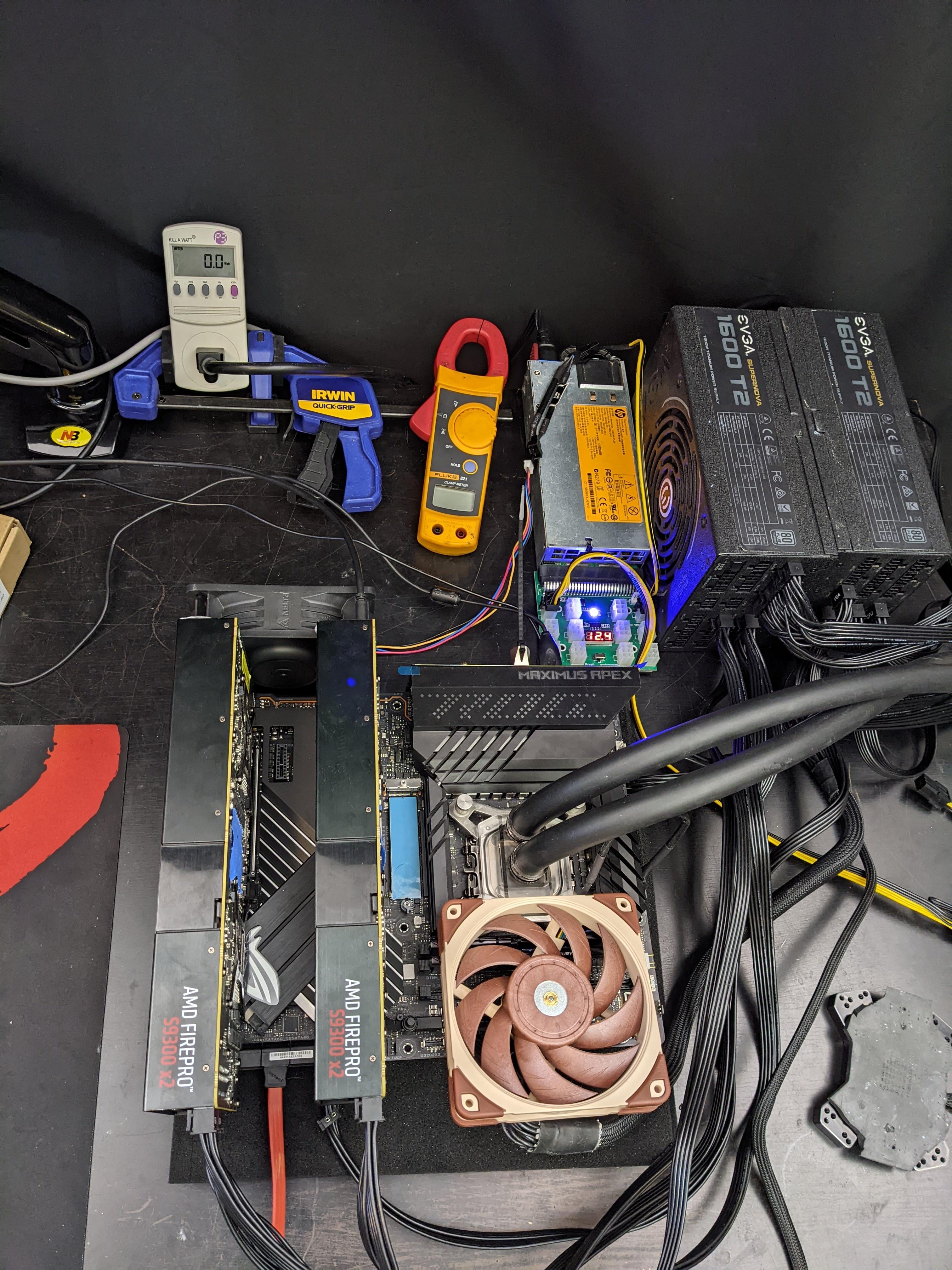 sterile flame
😳
zenith palm
proven canopy
Should have enough power... https://i.imgur.com/hTR0GzX.jpeg
Prolly not
proven canopy
I'm even running 240v on the gpu psu 😦
zenith palm
proven canopy
I'm even running 240v on the gpu psu 😦
You plugged into your fridge socket or something lol?
proven canopy
Dryer circuit
zenith palm
Lol nice #NA problems
 crimson tartan
what is a respectable for an AMD 5950 16 core?
lol
what is a respectable overclock single or all core* for an AMD 5950 16 core?
proven canopy
 grand socket
so ik its a repost but with a core boost of +230 and mem +1300
but would these temps allow a higher oc with a little voltage increase?

just a little advice would be nice so i can push the card before i send it off to a new home
proven canopy
One way to find out
 static oasis
Can someone explain me in an easy way what CPU multiplier is?
 potent fiber
static oasis
Can someone explain me in an easy way what CPU multiplier is?
potent fiber
static oasis
Can someone explain me in an easy way what CPU multiplier is?
Basically a cpu can run at 3+ GHz, but obviously the FSB (front side "bus") doesn't. That's what the multiplier is for. it's usually just 100MHz because it effects various things like pcie stuff, ram, etc. 103MHz bus is the general limit, better to leave it alone. multiplier is generally limited on non-K Intel cpus. However, there's usually "turbo/boost" that can be adjusted and in a way OC the cpu at an extra 400MHz give or take for free. old wiki page : https://en.wikipedia.org/wiki/CPU_multiplier

 proven canopy
potent fiber
Basically a cpu can run at 3+ GHz, but obviously the FSB (front side "bus") does...
proven canopy
potent fiber
Basically a cpu can run at 3+ GHz, but obviously the FSB (front side "bus") does...
FSB hasn't been a thing in over 10 years, core clock is multi * base clock now
potent fiber
True. base, bus, similar stuff in my head. Helps if I don't use my cpu as an example (😅 ), but afaik we still generally deal w/ the same 100MHz x ___ setup.
static oasis
potent fiber
Basically a cpu can run at 3+ GHz, but obviously the FSB (front side "bus") does...
What does (16-36) mean?
- so clock multiplier will let me set any frequency that I want?
Can I set like 4.1GHz on a R5 3600x (just an example)
?
(just to see if I got what the multiplier is: (usually it is set at 100mhz), → if multiplier is set to *36 → 1 FSB clock = 36CPU clock
?
proven canopy
static oasis
Can I set like 4.1GHz on a R5 3600x (just an example)
sure, but it'll boost higher than that normally
potent fiber
in my case the 16-36 is literally just a range and besides how ratio/multiplier lowers at idle for power savings, I could also adjust the multiplier myself in bios to pick anywhere from 1.6Ghz to 3.6Ghz.
sterile flame
lapping sucks
digital dirge
5.2 P-core 4.0 E-core @1.29v. Used Aida64 to stress test, 1 hour stable (Not sure if that's a good one to use as I am still a noob.)

 zenith palm
digital dirge
5.2 P-core 4.0 E-core @1.29v. Used Aida64 to stress test, 1 hour stable (Not s...
zenith palm
digital dirge
5.2 P-core 4.0 E-core @1.29v. Used Aida64 to stress test, 1 hour stable (Not s...
Is that a slight undervolt and overclock 👀
digital dirge
zenith palm
Is that a slight undervolt and overclock 👀
What do you consider slight?
zenith palm
digital dirge
What do you consider slight?
Idk isn't stock like 1.3v? Can't remember exactly maybe it's 1.25 tho cannot remember
digital dirge
let me look at my notes.
I think 1.128 is what it was at on Auto.
but I believe that's for 3.6ghz?
idk, Skatterbencher shows that 5.2ghz should be at 1.35
I'm still a noob so I don't entirely know what I'm doing. I just started at 5.0 P and 4.0 E with 1.27v
was stable so I figured I'd try 5.2 and bump the voltage up a bit.
There are like hella other settings, but I just left them at what they were because I don't know what they do exactly.
static oasis
digital dirge
5.2 P-core 4.0 E-core @1.29v. Used Aida64 to stress test, 1 hour stable (Not s...
Imagine buying a Xeon W3265m to almost get beat by an i5
That Xeon is over 1200$
Obviously it is good because it has lot of cores
sterile flame
@digital dirge R20 score?
i wanna compare it to my ivybridge chip just for fun lol
digital dirge
sterile flame
<@!913267599779971133> R20 score?
I'll download it rq. give me a bit
sterile flame
sounds good
digital dirge
sterile flame
<@!913267599779971133> R20 score?
Only does one pass?

my first one was 7570
digital dirge
idk lol
digital dirge
?
sterile flame
no its fine
sterile flame
yea its ivybridge lol
digital dirge
I thought I seen a video on overclocking that a guy used a program to set his voltages and clock speeds without going to the bios?
digital dirge
I just wanted to try lowering the voltage little bits at a time to see where I can be at stable.
oh, the video I found the guy is using something
I think called EVGA EleetX1
I assume that wouldn't work for my msi board no?
zenith palm
I'd assume not
digital dirge
I forgot that intel has one. so I'm looking into that.
so the intel says I have the voltage set to 1.279, however in the active reading it is saying my voltage is at 1.32v
sterile flame
i have evolved my lapping technique
fickle prism
should i be scared when overclocking 😳
i just started by maxing out power limit and push core clock up by 60
and then ran kombustor and it like got loud for a sec then dropped down back to normal
fickle prism
alright, im doing what you told me a couple weeks ago
i got to this so far

stable, when it was +180, it crashed
now im gonna do memory
latent wave
fickle prism
start at like 500 for mem
just make sure u have the start on startup option turned off ***
latent wave
fickle prism
yeah i have that on
i meant off sorry
latent wave
well once its stable yes
fickle prism
oh i see so basically just leave it off until stable?
latent wave
but when ur ocing of it crashes you want to be able to get back in and dial it down easilty
yep
fickle prism
should i make one save as normal and one as the oc?
latent wave
fickle prism
should i make one save as normal and one as the oc?
no, u can always press the reset button

 fickle prism
ftw3 ultra 3070
latent wave
nice, reminder to make sure temps are fine
latent wave
pog
latent wave
yeah, u prolly wont see too much of an improvement but theres no harm as long as temps are fine
 latent wave
yep
fickle prism
alright ill dial down to 700 since i crashed at 775 after 2:15
latent wave
i cant tell, ur fans are on auto right?
fickle prism
i think so, since i got this new pc i didn't change the fan curve
latent wave
fickle prism
i think so, since i got this new pc i didn't change the fan curve
can you slide the slider on the fans
fickle prism
no
latent wave
then ur good
fickle prism
alright

i may just leave it like this for like 3-4m and if it works fine ill probably leave it there
latent wave
turn artifact scanner on
latent wave
yeah, it should come up in the menu when u open it
latent wave
once u feel its stable run a time spy benchmark
latent wave
fickle prism
artifact = really bad ?
yeah, its like mem is too fast for its own good
fickle prism
oh wait here let me show you something that happened with old pc
it was like pc hell in one picture
 fickle prism
yeah but i got refund so it's okay
latent wave
but sometimes it could be really hard to notice
latent wave
ur sure ur core clock is stable right?
fickle prism
think so, it ran for 2:30 when i tested
and it was crashed at 180, but the change fixed it
latent wave
personally i leave it on for 10 min and then run a timespy benchmark
fickle prism
i mean do you think i should just lower everything a bit to be safe?
im not trying to get 100% performance boost, just something for free
without harming the card ofc
latent wave
no, but i would do the core stabilty thing i reccomended, turn mem to 0 and run kombuster for 10 and then time spy
fickle prism
alright, ill give it a go with the core clock to make sure it's 100% right
thanks 😊
 quaint marten
Quick question I have a i9-12900k will I still get 144hz at 1440p with the Asus 3080 v2 bc the avg game speed is 1.71ghz compared to the v1 where that is at 1.91ghz
potent fiber
fps*, and yes. No, the main difference is Low-hash rate (LHR) vs FHR. Basically a non-factor for gaming. 1 of the Strix models is what has the 1900ish MHz speed. Don't worry about it.
quaint marten
Okay yea bc I have the v1 strix and I’m getting 150fps on apex in high and warzone 144fps on high
And I just wanna be able to know I can still get at least 144fps on almost everything
potent fiber
Yes I doubt the 200MHz change would be a big deal, especially on something like Apex. Although, I sure as heck wouldn't trade away a v1 Strix unless for a decent chunk of "change". Probably could easily OC an extra 60-75MHz also btw (on a non-strix)
quaint marten
Okay for sure
But yea I have the v1 12GB compared to the white v2 10GB I’m getting
Bc I decided I wanted a white build due to the fact my favorite case dropped a white version
I appreciate your help tho
potent fiber
Well a v1 12GB model could definitely fetch a decent price, that's for sure. 
quaint marten
Yea hopefully I can sell for a decent price
But yea I just wanted to make sure I can maintain 144fps minimum on like apex and warzone and vanguard or modern warfare
On high settings
short blade
potent fiber
Well a v1 12GB model could definitely fetch a decent price, that's for sure. <:F...
v1 12gb is LHR
v1 doesn't automatically mean non-LHR
zenith palm
quaint marten
Quick question I have a i9-12900k will I still get 144hz at 1440p with the Asus ...
You're looking at boost clock and comparing it to base clock, v2 will be the same as v1
sudden torrent
short blade
v1 12gb is LHR
But there is the driver version that will unlock the full hash rate when used as a single card and not in a mining rig. It mines like a 2070S in that case.
zenith palm
sudden torrent
But there is the driver version that will unlock the full hash rate when used as...
Oh really? I thought the latest was like 82% ?
quaint marten
zenith palm
You're looking at boost clock and comparing it to base clock, v2 will be the sam...
But the avg game clock is 1.71ghz compared to the v1 at1.91hz
zenith palm
quaint marten
But the avg game clock is 1.71ghz compared to the v1 at1.91hz
Where you getting this info from?
 zenith palm
quaint marten
zenith palm
quaint marten
That's wrong, what models are you trying to compare?
quaint marten
Just the v1 and v2
zenith palm
What models? Tuf? Strix?
zenith palm
quaint marten
And quick question why is the v1 more expensive than the v2?
There's no 3080 strix v2 only 10gb vs 12gb if that's what you're talking about
Oh you know what, they might be comparing strix oc vs non oc
zenith palm
quaint marten
And quick question why is the v1 more expensive than the v2?
Just happens sometimes
quaint marten
zenith palm
Just happens sometimes
They were both oc basically I just wanted to make sure it wouldn’t affect fps and I was told it wouldn’t

I guess the v2 is the same but has LHR for mining which is nothing I’d assume and I’m still good
zenith palm
quaint marten
I guess the v2 is the same but has LHR for mining which is nothing I’d assume an...
Yeah
Just an error of that site
quaint marten
zenith palm
Just an error of that site
Yea that’s weird bc Newegg says the same just has v2 lhr in the title and is cheaper
zenith palm
quaint marten
Yea that’s weird bc Newegg says the same just has v2 lhr in the title and is che...
Sounds right then, but tbh i wouldn't buy the strix - way too expensive in the first place
quaint marten
zenith palm
Sounds right then, but tbh i wouldn't buy the strix - way too expensive in the f...
Yea I agree but my whole pc is Asus lol
I have the 12GB strix rn
But I want a white build so I’m selling it all to pay for it
zenith palm
quaint marten
Yea I agree but my whole pc is Asus lol
But i mean sooooo it really doesn't matter
quaint marten
Lmaooo
short blade
sudden torrent
But there is the driver version that will unlock the full hash rate when used as...
3080 12gb not 3060 12gb
faint tangle
Alright so
How should I go about ocing this 6800xt
Start st +75 core and add 15 each bench?
zenith palm
Idk the increments for rx 6000 but same concept as nv gpus
faint tangle
Do you have a suggestion for what to start at?
latent wave
faint tangle
Do you have a suggestion for what to start at?
0 and go +15 probably
faint tangle
I got 19696 with just unlocked power limit and 100% on fans
latent wave
faint tangle
I got 19696 with just unlocked power limit and 100% on fans
Why 100 on fans that must be loud
latent wave
But like fan life
faint tangle
It's not long term
latent wave
faint tangle
Also cooler=better perf
Isn’t that only if it’s thottleling
faint tangle
No
latent wave
Really why?
faint tangle
I think its something to do with cooler means it can run at higher freq?
Don't quote me on that
Pato or someone else would know better than me
latent wave
@zenith palm get in here you prolly know this
faint tangle
Mr too
dull ginkgo
stop it from throttling at higher freq
faint tangle
Hi mr
dull ginkgo
Higher freq and higher voltage means more heat
keeping it cooler means you can dissipate more heat
latent wave
But if it’s not getting to the higher temps why do fans need to be at 100
dull ginkgo
If you're not manually setting voltage and freq, it's to encourage the boosting behavior to boost higher
since boosting will also depend on the temp
latent wave
Cool thanks
So if I OC’d and temps are well within stable, should I increase fan curve?
dull ginkgo
If you're at 1000mhz and 70c, GPU will take a look at that, and say maybe no more frequency for you
if you're at 1000mhz and 40c, maybe it'll boost to 1100mhz, yaknow
dull ginkgo
latent wave
So if I OC’d and temps are well within stable, should I increase fan curve?
nothing wrong with just running 100% fans while benching tbh
latent wave
dull ginkgo
nothing wrong with just running 100% fans while benching tbh
Well yeah, but what about during normal gaming, should I increase fan curve to lower temps so I can get higher freq. dude Currently my gpu is at like 68 C when gaming in full load
dull ginkgo
Just remember, for Nvidia, everything you put in is offsets, +50mhz doesn't mean always running +50mhz, so it can still boost lower and be at a lower freq than before
dull ginkgo
latent wave
Well yeah, but what about during normal gaming, should I increase fan curve to l...
For dailying, it's all about what you can hear
if you can notice 80% fan speed, but 50% fan speed is silent to you, just have it sit at 50% until it gets to 80c or smth
zenith palm
faint tangle
I think its something to do with cooler means it can run at higher freq?
yup
zenith palm
latent wave
But if it’s not getting to the higher temps why do fans need to be at 100
you can push freqs that wouldnt be stable at higher temps
zenith palm
faint tangle
I dont think ocing is working popular
people usually use the amd drivers on amd
faint tangle
Ah alr
proven canopy
No, use overdriveN + morepowertool
faint tangle
fickle prism
is it worth it?
Yes
Almost no reason not to
The only reasons being if xmp is too fast for the cpu or xmp causes issues due to mis matched ram dies
fickle prism
alright
safe oc?


not trying to harm my gpu
evga ftw3 ultra 3070
max temp of 73c
im seeing massive changes in rdr2
i used to play at a meh of 57 fps on full ultra with 1440p and sometimes (rarely) dip to 45 fps
now i'm getting stable 57 and soemtimes go up to 80s

uh oh just crashed
guess i got to retest
zenith palm
fickle prism
safe oc?
Yeah, depending on gpu you can do more on memory
Nothing in afterburner will hurt your gpu it wont let it
I'd drop core by 15 then
And I'd keep doing mem - should easily get 950 mem
fickle prism
zenith palm
Yeah, depending on gpu you can do more on memory
Oh alright I dropped the memory after the crash
The gpu is evga ftw3 ultra
zenith palm
Yeah I'd try +135 core then and 950 mem
I'd be extremely surprised if your mem was the issue
fickle prism
yeah it would probably be the core
thing is that i did 10m of kombuster with those settings and a 3dmark test
no idea why it didn't crash there but ig it is a problem
zenith palm
fickle prism
thing is that i did 10m of kombuster with those settings and a 3dmark test
Sometimes it can take a bit longer/more intensive scenes like it runs at 720p by default iirc
fickle prism
yeah
zenith palm
fickle prism
yeah
Run it at like 1440p/4k
fickle prism
alright
short blade
zenith palm
I'd be extremely surprised if your mem was the issue
my 3080 at +435 mem:
proven canopy
Yeah, with 10 chips on the card - it only takes one dud to limit them all.
Also - state true clock as seen in gpuz
short blade
my 3090 with 24 chips seems to be doing much better
zenith palm
short blade
my 3080 at +435 mem:
3079*
proven canopy
@modern walrus What size maxmem? What size sticks?
proven canopy
modern walrus
maxmem 9gb
make that 2.2GB
proven canopy
1B needs 4.3GB itself, win10 at least 700MB
modern walrus
sorry I meant my total remaining memory after bcdedit /set removememory 7000 was 9gb
termination on gigabyte is additional offset to DRAM v/2
proven canopy
modern walrus
termination on gigabyte is additional offset to DRAM v/2
Every board auto's vtt to 1/2. You set it slightly under that for b-die at high volts.
proven canopy
As for trying to bench ycruncher - just see how far you can push the sticks without maxmemming below what ycruncher requires
proven canopy
modern walrus
okay so -.020v or more?
Like I said, .9v for 2vdimm is normal - but sticks vary.
Obviously you probably can't run 2v or even your 1.92 for that large of a maxmem, but who knows
modern walrus
damn that's a heck of an offset
proven canopy
fixed, but I've typed it out enough I think you know what I mean
proven canopy
I don't think that's a realistic goal for ycruncher on 2x8
modern walrus
haha same
proven canopy
Subtimings will be more important than primaries
Go look at the top 5950x sub
The top few have zentimings visible
modern walrus
best I did was 4800c16-18-18-etc
got from 24.361 best time to 24.285 but still not the 24.053 I gotta beat
proven canopy
ice bucket aio
modern walrus
that would be some major surgery
proven canopy
Soldered more junk to the 770, trying for gpupi on ln2 soon https://i.imgur.com/Rp4oTuW.jpg


 zenith palm
Nice.. can possibly do more mem
fickle prism
zenith palm
Nice.. can possibly do more mem
would it be a larger performance boost or just slightly?
i don't want to kill the gpu and should i set this to enable on startup?
short blade
fickle prism
i don't want to kill the gpu and should i set this to enable on startup?
this has been said before multiple times
it is not possible to harm the graphics card using just afterburner
literally not possible
nvidia has so many hard limits baked into their vbios
everything from gpu core temp, hotspot temp, vrm temp, voltage reliability, voltage limit, power limit, mem temp on some cards
you'd have to be doing what forks is doing up there to start worrying about even having the possibility of damaging it
short blade
fickle prism
would it be a larger performance boost or just slightly?
it depends
sometimes increasing mem can reduce performance without crashing as error correction kicks in
you need to benchmark each mem speed change to figure out where the optimal point is
anecdotally speaking i have never seen a GDDR6X card drop performance before crashing
but GDDR6 cards can lose up to 15% performance before crashing
fickle prism
alright, ill look into trying to increase the mem a bit to see if i can get some more performance
thanks
😊
 dull ginkgo
I think I'm going to try and beat Bryce's 12330 sub on hwbot, at 11883 atm with a very quick and dirty oc
https://www.3dmark.com/spy/27310514
3DMark.com
AMD Ryzen 7 3800X, NVIDIA GeForce RTX 3060 Ti LHR x 1, 32768 MB, 64-bit Windows 10}
dull ginkgo
Some very normal time spy is going on
 short blade
wtf happened lmao
dull ginkgo
short blade
wtf happened lmao
ngl I have no idea, first thought would be maybe horrible artifacting for some reason, but I was pushing core clocks, not mem, so I don't even know
you can barely tell it's time spy by the fps at the bottom lol
short blade
I've gotten plenty of artifacting in 3dmark before but never like that
faint tangle
short blade
I've gotten plenty of artifacting in 3dmark before but never like that
ocing in adrenalin has been giving me migraines
i gave up and alec gave me some advice ive yet to go back to do
proven canopy
faint tangle
ocing in adrenalin has been giving me migraines
Use overdriveN
I need to re-do the pins it seems
faint tangle
is that a software or smthn in adrenalin
zenith palm
faint tangle
is that a software or smthn in adrenalin
Sound's 3rd party
Although google only seems to show just overdrive
sterile flame
dull ginkgo
Some very normal time spy is going on
bruh 💀
proven canopy
Slowly figuring out the 5870 on ln2 https://i.imgur.com/Iy1jCO6.jpeg

Going to pile on some cap mods and try again later this week
proven canopy
<@&896784369820250114> Time spy gpu score now gets hardware points, get subbing! https://hwbot.org/benchmark/3dmark_-_time_spy_(gpu)/
dull ginkgo
ooo
 steady inlet
epic
dull ginkgo
wait what
 proven canopy
There's only 1 sub currently, with a 5700xt, so you can probably get some achievement ez here
Look, wegg is in the lead
 proven canopy
I'm really glad they decided not only to add it as a bench, but give it hardware points
Pyprime is also getting globals
short blade
 proven canopy
lol damn, so close too
short blade
this is the run where i got a really nice graphics score but terrible cpu score cause i didn't bench it properly
so now i finally have the opportunity to sub it
proven canopy
Guess my 6800xt needs an ln2 pot...
Honestly the stock cooler is awful, a $20 aliexpress waterblock on a chiller would probably let me run well over 2600
proven canopy
Easy 6hw points if you're the 1st and only to sub a card afaik
oh, weird, I got 15
Might take some time for the database to update
dull ginkgo
It might've counted 5700xt as same card for some reason?
since that guy getting 0pt now

 proven canopy
Let's dominate the category leaderboard with team wegg scores
tall pelican
guess I should do a bench that my hardware is good at 
tall pelican
dun yeeted +0.1v

also I think that got hotter than furmark with stock voltage
also this card still benches the same after nearly a year of 24/7 mining 
short blade
damn, it's almost like mining doesn't damage your card
😳
been mining on my laptop for a year now, demonmit told me i'd burn it out in a week
tall pelican
also its on the same LM from January of last year


 tall pelican
nickel
short blade
makes sense
my laptop's cold plates are regular copper so i had to do 3 LM applications
tall pelican
cpu and gpu are both nickel because Im too lazy to tear it apart and clean it
rather spend the $10 extra to not have to go in and reLM
short blade
laptop is pretty easy to tear apart
tall pelican
true
short blade
if you got a custom loop that's definitely a lot more work to take apart lol
i didn't clean off any LM when i reapplied
just added more
tall pelican
its more that I dont have QDCs, and Im not looking forward to the day I need to upgrade my cpu/gpu/mobo
short blade
my core/hotspot delta is way better than it was on the first LM application now
guess because the soak-in formed a new surface
what's a QDC?
modern walrus
bro my computer is seeing the future rn

am I better off tightening 4600 if my board is going to 2nd safe BIOS virtually everytime I try to make changes to 4800? after I reset again it works... it's such a waste of time tho
sterile flame
short blade
damn, it's almost like mining doesn't damage your card
me computer esplode