#overclocking
1 messages · Page 91 of 1
 proven canopy
Also it's kinda disorienting seeing firestrike at 100+ fps when I'm used to benching kepler, lol
Did you sub to the comp?
 sudden torrent
Yes
proven canopy
Did you guys sub the same core count?
haha oopsie

I'm pretty tired - done for the night, but glad we all put in some points for top 20 team
Not bad for basically a last minute effort
sudden torrent
I hit "submit score" from the competition page and uploaded the benchmate file from there, so no reason for it not to show up
I managed to beat my best r23 score while I was at it
proven canopy
I meant the ycuncher score
sudden torrent
I officially can get 4.7 ghz all core stable with minor tweaks so that's nice
Yeah that too, same procedure
proven canopy
Right, but if it's the same core count, fitz's score will replace yours since it's slightly faster
proven canopy
Yeah, for each stage - it's the best sub of each 6, 8 , 10 core count etc
 sudden torrent
Unless it can't detect that
proven canopy
sudden torrent
I could disable 2 cores and go again
Not allowed at all
Only time that kind of thing is allowed is unlocking a chip to a higher core count - then subbing to the higher core count category
Same for gpus / shaders
Otherwise you could cut down a 10980xe to 3 cores and destroy 3 core ycruncher etc
sudden torrent
Makes sense
proven canopy
lol, I only made one sub, was getting weirdly low efficiency in fire strike
sudden torrent
If you have a 3090 that scored higher than mine then your score knocked mine out of the rankings
 bleak sable
I did indeed
I was getting low subs too lol
‘‘Twas crashing more than usual might be a bad driver
 zenith palm
bleak sable
Did you even sub for the nvidia ddr4
zenith palm
bleak sable
Did you even sub for the nvidia ddr4
Nvidia ddr4?
bleak sable
zenith palm
Nvidia ddr4?
Yeah for the hwbot cup
zenith palm
bleak sable
Yeah for the hwbot cup
What's Nvidia got to do with ddr4 tho?
bleak sable
zenith palm
What's Nvidia got to do with ddr4 tho?
It’s the name of the cup
There’s also amd ddr4
zenith palm
Ahh
sudden torrent
It means you use a DDR4 platform to bench the nvidia /amd gpu
zenith palm
I see that makes sense
proven canopy
Nvidia ddr4 was one part of one stage lol
 clever epoch
It's game time


 tall pelican
zenith palm
Enjoy clearing cmos
tall pelican
zenith palm
Enjoy clearing cmos
? Its just bdie
zenith palm
tall pelican
? Its just bdie
Yeah but hardly gonna run at xmp
tall pelican
why do you say that?
zenith palm
I mean mb they will daily but why bother get b die if you not gonna manually oc a bit
tall pelican
3:18 PM] Pato: Yeah but hardly gonna run at xmp
3:19 PM] Pato: I mean mb they will daily but why bother get b die if you not gonna manually oc a bit

tall pelican
its ltierally doesnt matter, the xmp timings are 16-19-19, which any modern imc can handle
zen, zen+, intel 6th gen and possibly 7th gen might have trouble, but everything else is fine
 dull ginkgo
tall pelican
its ltierally doesnt matter, the xmp timings are 16-19-19, which any modern imc ...
dull ginkgo
tall pelican
its ltierally doesnt matter, the xmp timings are 16-19-19, which any modern imc ...
I think they mean good luck w ram oc, which is what you would usually OC with (hardly anyone buys b die to run at xmp), and since ram oc is often clearing CMOS, good luck with clearing CMOS -> good luck with ram oc
Not that xmp will hardly run
tall pelican
a lot of people actually buy bdie to run xmp just because it generally has the best xmp timings
dull ginkgo
Fair, but most people who buy a kit for b die buys it for oc, those who just buy the kit for being good timings might run it at xmp
Dunno, just thought Pato made sense to me
zenith palm
Yeah you nailed what i was on about mr1 lol
proven canopy
Might not be plug and play in a t top board, idk
e.g. z390
@clever epoch Get a chance to try them out yet? What cpu/board?
clever epoch
proven canopy
<@!111605868138655744> Get a chance to try them out yet? What cpu/board?
Yeah I've been working on them since I posted. 5900X and crosshair 8 hero (not dark)
Kind of regret getting normie hero, I can't do 3800 14-14-14 without GDM :/
proven canopy
gdm is fine
clever epoch
Also I have cleared CMOS like 5 times already lol
proven canopy
lol, 32 gb at those timings is pretty nice
clever epoch
I got up to 3533 12-14-14 but failed to boot 3600 12-14
proven canopy
clever epoch
Also I have cleared CMOS like 5 times already lol
That board doesn't have any kind of safeboot ?
clever epoch
It does... It doesn't work consistently
proven canopy
Strange, it's perfect on my m12a
clever epoch
Clear CMOS works pretty consistently for me, but safe boot button works sometimes
proven canopy
Retry is super useful as well for getting out of hard crashes
clever epoch
Yeah retry is nice, but a couple times I got stuck in the "in between" where it would boot but wasn't stable enough to get into bios
Or would crash shortly after
I'll see what I can get for now at 1.5V
I'll be getting a custom loop for my GPU soonTM so with the reduced heat load in the case I should be able to tighten a bit more for daily
Since b die is apparently fairly temperature sensitive, and a 3080 can put out a lot of heat...
Has anybody gotten DR B die working with 2000 FCLK? It seems that most people that can hit 2000 FCLK do it with micron ICs. I haven't seen B die pull that high with desktop ryzen
proven canopy
I'd just go for 3800c14 with tight subtimings lol
clever epoch
Yeah I know... I'm just greedy lol
proven canopy
There are apparently workarounds for the massive amount of wheas you get from > 1900, but idk
 worldly wasp
ive seen 2100c14 stable with wheas
clever epoch
worldly wasp
ive seen 2100c14 stable with wheas
B die? DR or SR?
clever epoch
Maxmem or normal?
worldly wasp
semicold
clever epoch
Ah
worldly wasp
daily
proven canopy
Check the community zen3 memory oc results in the pins
clever epoch
Yeah correctable WHEAs are "fine" if you actually get more performance (there's perf overhead due to logging)
Hmm. I got a pretty decent CCD on my 5900X (does up to 5150/5100 on the best 2 cores stock), but the IMC seems average.
Tops out at 1900 with DR B die. I could POST 1933 but can't even make it to BIOS
proven canopy
No, I'd imagine correctable wheas in that sense would cause performance regression.
clever epoch
vDIMM 1.5
Hopefully no errors after ~3 hours...

I left a lot of the tertiaries at auto for now
Hopefully it passes. I'd like to get tRCD down to 13. I couldn't boot at 12, so I want to make sure 14-14-14 is stable at least
zenith palm
clever epoch
Hmm. I got a pretty decent CCD on my 5900X (does up to 5150/5100 on the best 2 c...
Probs your fclk limiting, should go higher if you co 2:1 ratio
clever epoch
zenith palm
Probs your fclk limiting, should go higher if you co 2:1 ratio
I would like to try desynced and crank the clocks, but I would need a better board. I don't trust my normal C8Hero to crank the frequency that high
zenith palm
clever epoch
I would like to try desynced and crank the clocks, but I would need a better boa...
Most boards should do 4266 tbf
clever epoch
zenith palm
Most boards should do 4266 tbf
Yeah I know, I POSTed about 4500 when I was quick binning some E die for a friend, but 4266 isn't fast enough to overcome the desynced penalty, I'm pretty sure
zenith palm
clever epoch
Yeah I know, I POSTed about 4500 when I was quick binning some E die for a frien...
Nah but you could try clocking higher
zenith palm
clever epoch
I would like to try desynced and crank the clocks, but I would need a better boa...
Btw I'd also recommend running the anta x arshia tm5 profile when done
clever epoch
zenith palm
Btw I'd also recommend running the anta x arshia tm5 profile when done
I'm running anta extreme RN :)
I didn't know arshia had a preset though
zenith palm
Its not in the download folder
Gotta get from arshias doc or whatever I'll see if i can find link

Google Docs
Arshia Projects
Completed,In Progress,On Hold,Dropped,Upcoming
Product and Link,Description and notes,Product and Link,Description and notes,Product and Link,Description and notes,Product and Link,Description and notes,Product and Link,Description and notes
Refresh Chart,
clever epoch
zenith palm
Nah but you could try clocking higher
I would try clocking higher if I had a B550 board or a dark hero. I'm fairly certain that my normal hero won't be able to stabilize at high enough frequencies to make it worth it.
I might try anyways once I get a loop for the GPU, but I'm just gonna try to tighten on 3800 14- for now
proven canopy
clever epoch
Yeah I know, I POSTed about 4500 when I was quick binning some E die for a frien...
Even 4800 isn't lol
(for gaming use case) even if you didn't have to maxmem
clever epoch
Yeah it's definitely not gonna be easy with DR and no maxmem lol
When I get a better board I'll probably try to meme a bit for boints maybe
proven canopy
dr b-die is nice in that you can still run stuff like ycruncher or x265 4k with a pretty aggressive maxmem
zenith palm
clever epoch
I would try clocking higher if I had a B550 board or a dark hero. I'm fairly cer...
Worth it probs not but if you feel like it for the fun of it
clever epoch
But getting a stable system comes first
zenith palm
Ofc
zenith palm
Rip
Thing about trying loads of timings at once is you don't know which one problem rip
clever epoch
Yeah... I also have moderately aggressive tRFC
I'll try again and 14-16 and leave all secondaries on auto
zenith palm
Good luck
clever epoch
Even though all my secondaries are about "safe" to "moderate" according to the DDR4 OC guide... Meh
zenith palm
You did set soc voltage right?
clever epoch
zenith palm
You did set soc voltage right?

Yes I've been running manual vSOC, CLDO VDDP, and VDDG CCD/IOD
I was running "mismatched" 4x8 B die for a while, up to 3733 14-15-14
proven canopy
Do you hwbot
clever epoch
Barely
I did like 1 sub so I could join the hwbot discord lol
I should sub more, it just doesn't seem worth it when I generally just get lame scores lol
proven canopy
Try something like geekbench3
clever epoch
I also need to format my old drive to use as a bench drive
proven canopy
See what the best 5900x scores are for the newegg team
If you do make a bench drive - I recommend using macrium reflect to image it
I should make a guide on that, never seen one, and it's a massive quality of life improvement
clever epoch
Yeah that would be nice. I only use disk management tools maybe once every couple years and I forget how to use them by the time I need them again lol
worldly wasp
clever epoch
I would try clocking higher if I had a B550 board or a dark hero. I'm fairly cer...
dark hero isnt that good tbh
clever epoch
worldly wasp
dark hero isnt that good tbh
better than a first release X570 board 😅
clever epoch
I picked up my C8Hero same time as Zen3 so it's got a year's worth of revisions or whatever, but I doubt it means much
yeah my first run with 3800 14 flat errored out, I made it through an hour of 14-16, but I also loosened tRFC and set all secondaries/terts to auto
hopefully it was tRFC or a secondary that errored, because I'd like to get tRCD down to 14 at least, maybe 13
clever epoch

Errors after 10 minutes. Only thing I changed was tRCD to 14. I guess I'm cursed :/
Maybe I can try lowering ProcODT...
How good do you guys think the X570 Dark will be?
tall pelican
Go 36.9 proc, and what imc volts are you setting?
 short blade
clever epoch
https://media.discordapp.net/attachments/873020437263683625/894033069206560788/u...
short blade
clever epoch
https://media.discordapp.net/attachments/873020437263683625/894033069206560788/u...
try 1075mV for CLDO VDDP/VDDG CCD/VDDG IOD imo
also you should really not change multiple timings at a time
i have not found "safe" presets in the ddr4 oc guide to be guaranteed
tall pelican
is 3800/1900 completely stable?

 clever epoch
tall pelican
Go 36.9 proc, and what imc volts are you setting?
clever epoch
tall pelican
Go 36.9 proc, and what imc volts are you setting?
I tried 34.3 ProcODT, still errored. That was with vDIMM 1.5
I went back to 40 proc, and 1.55 vDIMM, still failed
clever epoch
short blade
also you should really not change multiple timings at a time
Yeah, it was the same subtimings for my previous B die set that was binned for 3200 14-14-14, but was also 4x8 mismatched A0 and A2, so I figured it would be able to maintain those same subtimings.
They probably can, but obviously there's very few shortcuts in mem OC...
but at least I now have a baseline that I know is stable
tall pelican
tried 36.9 proc?
clever epoch
No not yet. I'm almost done testing tRP , tRAS, tRC at 14-30-44
clever epoch
tall pelican
tried 36.9 proc?
Trying this now, also bumped up vDIMM to 1.51
tall pelican
You can also just bump vdimm to 1.55-1.6 for testing
clever epoch
Yeah still errors with ProcODT 36.9 and vDIMM 1.51
I'll try up to vDIMM 1.6 later once I get my loop in and keep the sticks cooler
clever epoch
tall pelican
do you have temp sensors?
Yeah. I test with a GPU load (3080) so they get toasty. Up to 45C
tall pelican
yeah, that's in the range of definitely possible to be too hot
clever epoch
I do have a fan blowing directly into the DIMMs but it's pretty much just GPU exhaust it's got to work with
proven canopy
Could rearrange your case fans/upgrade to keep the 3080 exhaust away
A while ago, I used a sheet of plastic to diy a shroud around a 2080 ti, worked well
majorharware on youtube has a vid showing how much of a difference a 3d printed cold air intake makes for a gpu
clever epoch
proven canopy
Could rearrange your case fans/upgrade to keep the 3080 exhaust away
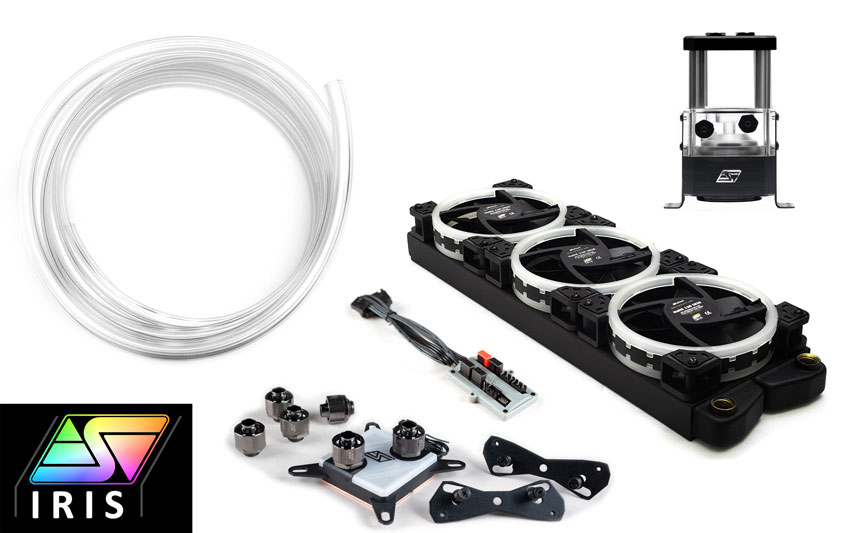
I ordered the Swiftech Boreas liquid cooling kit for a hydro copper I picked up, so once I get that, I'm not too concerned about cooling. I still have about a week until I get it though
proven canopy
Never heard of that liquid, what led you to choose that?
oh, a kit
Anything in there aluminum?
clever epoch
I don't think so
proven canopy
have you water cooled before?
clever epoch
Nah, first time setting up a loop
proven canopy
I would've recommended that corsair res+pump combo, some alphacool/corsair/hwlabs rads, some compression fittings
Can tell the rad housing is brass, so that's a good sign https://www.swiftech.com/images/products/detail/boreas-kit-01-800.jpg

ah
 clever epoch
Yeah I'm pretty sure I read that the rad is copper somewhere
Yep
I've heard good stuff about Swiftech, and it was free shipping+everything I need to get a loop started
proven canopy
They were more meta 10 years ago, but this kit seems fine
clever epoch
Since I'm starting with zero; no fittings, tubing, or coolant
I looked at building a comparable kit from scratch and it's an extra $100 or so
proven canopy
Maybe - but better parts tbh, just depends on your budget
e.g. 1/2 zmt tubing, 1/2 compression fittings all around, a heatkiller iv block, thicker rad considering gpu + cpu etc
Check out /r/watercooling and their discord, good place to search for info IME
clever epoch
I'm just going loop the GPU for now. I plan to continue using my Arctic AIO for the CPU, and keep ahold of the CPU block for later
proven canopy
yeah, especially with the arctic's offset coldplate, good plan
clever epoch
Once I can get a good deal for another rad and extra fittings, I'll go for a full loop
proven canopy
What coolant?
clever epoch
Probably whenever I upgrade to AM5 or whatever. I've heard Swiftech CS is good so I should be able to contact them for a block mounting kit
clever epoch
proven canopy
What coolant?
Whatever their normal white coolant is. I bought extra and the kit comes with some
HydrX NF
proven canopy
Looks like they just use mayhems, good brand, opaque coolant can be hit or miss, some users have the particulate clump up on the microfins or elsewhere, others have no issues.
clever epoch
proven canopy
Looks like they just use mayhems, good brand, opaque coolant can be hit or miss,...
I hear that's an issue mostly when you use the dye mix. I don't care about that anyways, so I'm not going to use it
proven canopy
Anything opaque will have particles suspended it it
clever epoch
Passed TM5. Gonna try bumping CLDO VDDP to 0.95 and VDDG IOD to 1.0 and try tRCD 14 again

 storm wedge
can i overclock my moniter at higher hz if i decrease the res?
storm wedge
i have a 60 hz 1080p people recommend to overclock it to 75hz at most , can i overclock it up to 90hz with 720p
or more ?
 lavish tundra
nah
storm wedge
:(
lavish tundra
^
storm wedge
on 720p or 1080p?
sudden torrent
Both
storm wedge
ok
 modern walrus
I did a custom loop on my 10900K build
and got a whopping 2c improvement
thinking I'm gonna have to shove another 360 rad in there somehow
the lack of a side mounted radiator option is a major drawback to the H500P Mesh
okay well now it's looking like the Liquid Freezer 2 was a better cooling option than a loop by 1 degree c
clever epoch

I could probably go more aggressive with tRFC and some secondaries (tRTP, tCWL, tRDRD- and tWRWR-)
but I'm pretty happy with this. By far the fastest TM5 completion (per gigabyte)
vDIMM 1.5
not sure why Zentimings doesn't show vDIMM
short blade
depends on the board
mine also doesn't show VDIMM or VTT

also, looking at that time, you're making me want to get b-die
mine takes 59:57 for 16gb
and you've not even touched terts
proven canopy
We should get @quartz summit to auto-post these https://www.youtube.com/watch?v=xRr2GmgiCtE

My Patreon: https://www.patreon.com/buildzoid
Teespring: https://teespring.com/stores/actually-hardcore-overclocking
The Twitch:https://www.twitch.tv/buildzoid
The Facebook: https://www.facebook.com/actuallyhardcoreoverclocking
#HWbot #Overclocking
dull ginkgo
mmm
sudden torrent
There's so much good info in his videos, his tone is just a little dry and he tends to ramble.
clever epoch
good to play podcast style IMO. Just listen while doing something else. Or play a low intensity game and have it up on the other monitor
 barren ridge
I was so lucky with my laptop's screen oc
80hz from 60
No frame skips
I could try pushing higher but the igpu driver doesn't allow me
It just won't detect above 80hz
zenith palm
80hz is nice bump
barren ridge
ye
 prisma arch
barren ridge
80hz from 60
prisma arch
barren ridge
80hz from 60
what software
did you just change the refresh rate in intel graphics settings
barren ridge
prisma arch
did you just change the refresh rate in intel graphics settings
No lol, I did it with cru, custom resolution utility
I just have to apply it with intel settings
prisma arch
ok
sudden torrent
Not bad for a first attempt, already better than the 3090. Can't wait until I get the custom loop on this thing.
 zenith palm

 formal sable
that s a incredib;le score
clever epoch
X570 dark hero open box for $315 at my microcenter. I was going to get it but I don't feel like ripping up my current system for negligible gains. I don't care much about the auto OC switch either, and I don't think I'll be able to do much better on my mem OC with it
clever epoch
Regular C8Hero (with wifi)
I'm just gonna wait for a deal on a X570S master if anything
worldly wasp
based
prisma arch
sudden torrent
Not bad for a first attempt, already better than the 3090. Can't wait until I ge...
HOW
sudden torrent
prisma arch
HOW
I had a really bad 3090, that's how
prisma arch
oh
 sterile flame
When trying to get high CPU OCs, it's usually best practice to have one or two single rank or dual rank dimms, for stability reasons, right?
sudden torrent
sterile flame
When trying to get high CPU OCs, it's usually best practice to have one or two s...
2 or 4 sticks is best, single and dual rank doesn't matter much until you get into really high performance needs like benchmarks (not games as much)
If you're only going for high cpu score 2 is best but not by much over 4
sterile flame
yea it's not for gaming, im just doing it to get high benchmark scores
im gonna be ocing a 5820k on a x99 extreme6, with a 240 CLC
sudden torrent
CPU benchmarks still need bandwidth on the memory so dual channel with 2 sticks tends to be best. There's a couple benchmarks that 1 stick could be best in some systems.
proven canopy
sterile flame
When trying to get high CPU OCs, it's usually best practice to have one or two s...
Twice as many ranks per channel with all else left the same puts more strain on the memory controller, but often gives better performance in both gaming and memory intensive benchmarks.
Very rarely does anyone bench with just a single stick of memory, I've only seen that for max valid memory mhz or if someone's cpu loses a channel.
Even for max memory mhz - it's more that you're more likely to have one best stick than two equal best sticks.
sterile flame
proven canopy
Very rarely does anyone bench with just a single stick of memory, I've only seen...
Actually although It wouldnt CPU benchmark results in my specific case, my x99 board does have a bad slot, so I can only do up to tri-channel if I wanted
proven canopy
A bad slot? or bad channel
sterile flame
Bad slot
proven canopy
Oh, it's 1dpc? That chinese board?
proven canopy
Rare that it's the slot and not fixable with cleaning, or pins in the socket.
sterile flame
proven canopy
Rare that it's the slot and not fixable with cleaning, or pins in the socket.
Sorry, something came up.
Anyway, so I had gotten that board, which is an x99 extreme6 from someone, and they said it had been sitting under their bed not being used for years. I did check the socket, which was fine, the cpu pads, which was fine, and used another 5930k in my classroom for good measure. I did try to clean out the socket when I got the chance, but haven't tested it again yet which I plan to do within the next few hours. I'll let you know how that goes
proven canopy
Get some qd cleaner
sterile flame
Yea I'll try that if it might end up helping
sterile flame
proven canopy
Rare that it's the slot and not fixable with cleaning, or pins in the socket.
Yea, when I use my electric duster yesterday that must've helped. Nice
Guess my free board is totally functional after all. But to be sure I'm gonna test all sata ports, plus I have nothing else to do anyway
proven canopy
If one sata port on a controller works, they all likely will
sterile flame
Yea. I'm gonna plug in 10 drives at once though because it's fun lol
proven canopy
Lol, if you're that bored, get some hwbot subs in
proven canopy
Just start with benchmate, check out some of the links in the pins
Read the rules page for each bench / check screenshots from the top subs to see what you need to include
sterile flame
Well I can't OC right now, not with this junky cooler that has a loose bracket, and no fan lmao
Or did you mean something else
Is that like a forum website or something
Oh alright, I see. I might use it some later after I take a deeper look at it
clever epoch
Anyone have a link to an EVGA 450W BIOS handy for the 3080 ftw3 hydrocopper? I can't get it to use more than 400W in TimeSpy Extreme or Superposition, and I don't even hit 70C hotspot temps (core temps below 60, memory junction also below 70).
I tried running the exes from the EVGA forums, but they seem to be for the regular FTW3 Ultra or the Hybrid, and running the tool gives me a message saying that my "display adapter" isn't compatible.
It's 3899-KR so it's not LHR variant either
Still getting decent scores I think. I appear to be benchmark stable with +75 core, and sometimes +90 core, but I was crashing in BF2042 earlier (had to drop down to +60 core). I should probably adjust the V/f curve
 clever epoch
I have switched to the OC bios btw, and supposedly the slider goes up to 118% power, which should correspond to 450W, but I'm struggling to even hit 400W.
Although this might be due to the VRMs, HWInfo is reporting throttling due to "reliability voltage" and sometimes the max operating voltage. Time to undervolt I guess...
Yeah I've got to mess with the voltages I think. It's just running into the voltage limit or something
 faint tangle
clever epoch
Still getting decent scores I think. I appear to be benchmark stable with +75 co...
faint tangle
clever epoch
Still getting decent scores I think. I appear to be benchmark stable with +75 co...
That looks really low for a 3080
 worldly wasp
faint tangle
Very low https://www.3dmark.com/search?_ga=2.239259523.1861696039.1633690252-941...
worldly wasp
faint tangle
Very low https://www.3dmark.com/search?_ga=2.239259523.1861696039.1633690252-941...
extreme
proven canopy
clever epoch
Anyone have a link to an EVGA 450W BIOS handy for the 3080 ftw3 hydrocopper? I c...
Check techpowerup
clever epoch
proven canopy
Check techpowerup
thanks. But I found out that my card already has the 450W BIOS, it's just let down by the VRM before it can reach that high it seems
proven canopy
It's not the VRM, lol
Maybe you have more voltage/clock/cooling headroom? Try other types of benchmarks, even furmark to see if you can make it draw 450w.
clever epoch
proven canopy
Maybe you have more voltage/clock/cooling headroom? Try other types of benchmar...

this is what I recorded for power/temps (GT1 = TimeSpy Extreme GT1)
I guess I should have recorded max core voltage as well
but I'm definitely not cooling limited...
I'm talking about this "reliability voltage" indicator, and the max voltage indicator underneath on HWInfo. That's why I think it's the VRM for some reason
 proven canopy
What overclock settings? Post your v/f curve
@bleak sable You can probably beat this https://hwbot.org/submission/4632790_jasper_daniel07_geekbench4___compute_geforce_rtx_3090_1005159_points Look up how to lock p0 state

HWBOT
The GeForce RTX 3090scores getScoreFormatted in the Geekbench4 - Compute benchmark. Jasper Daniel07ranks #1 worldwide and #1 in the hardware class. Find out more at HWBOT.
bleak sable
proven canopy
<@!319182510548451329> You can probably beat this https://hwbot.org/submission/4...
Will do later, don’t I need premium version
clever epoch
proven canopy
What overclock settings? Post your v/f curve
+60 core, +1000 on memory. V/f curve looks like this. I tuned it for a while, ended up scoring worse, and got super frustrated with the UI so I'm probably not touching the curve editor again lol

(118% power as well ofc)
proven canopy
+60 is a pretty low oc for max voltage
clever epoch
Yeah, I was running +75 though and crashed in BF2042. I also crashed intermittently in GT1 when I ran +90.
So I did try to set up the curve manually. It was a PITA, but I didn't seem to score any higher
Is there a way to edit the curve via tabular entries or something, instead of using that UI?
proven canopy
I would just use L to lock to a certain point for benching
clever epoch
That is what I did to try and optimize the V/f curve... Didn't think to do that for benching. Hmm
short blade
@lavish tundra @zenith palm this laptop ram might actually be a better die than my old laptop

3200c17 not bad for laptop
gonna see if I can tighten it more
I'd be stoked if it can do 3200c16
gonna try giving it more voltage
I tried 3200c16 at 1.35v and windows died
okay nope 3200c16 won't boot at 1.4
not comfortable pushing higher than 1.4 in laptop
clever epoch
Give thaiphoon a run? Wonder what ICs you got in there
short blade
thaiphoon reports samsung d-die
proven canopy
Can't you get a look at the ICs?
short blade
I don't think desktop ram rules can be applied to sodimms though
I probably could
but I'm real tired of taking this laptop apart
I don't really care
I've already found the best it'll do at a voltage I'm comfortable at
so which die it is is irrelevant
looks like it has the same weird quirk as my old laptop where tWR less than 24 cannot boot
it might be the same die as my old laptop
they're the same model just 1 year refresh difference
so I would not be surprised if they are the same die
I can't push 3200c16 at a voltage I'm comfortable with and any frequency above 3200 won't boot
so now I'll see how low I can drop voltage without destabilizing 3200c17
proven canopy
short blade
I don't think desktop ram rules can be applied to sodimms though
Why? PCB matters in some ways, but knowing the IC is always helpful.
short blade
because based on the testing I've already done I don't think I will get any benefit from knowing the IC
not the first time I'll oc ram without knowing the exact IC
I really wish I could actually view timings in OS though
AsrTC doesn't seem to work on this laptop
and I don't know any alternatives
I've just been using hwinfo
but it only shows primaries and tRFC
aida64 also reads my ram as ddr4-1229 63-63-63-127 lol
it also says I have 0.0ns latency
 lavish tundra
short blade
3200c17 not bad for laptop
lavish tundra
short blade
3200c17 not bad for laptop
Very nice!
short blade
@proven canopy do you know any alternatives for viewing timings in OS that might work?
proven canopy
occt, run memory test and mouse over your score
zen timings, astc
Try different versions of astc
short blade
tried 4.0.3, 4.0.4, 4.0.9
all failed
I can try occt later, it's currently running tm5
also would you know any better GPU stability tests? my 3080 passed 2 hours of battlefield v and 3dmark stress tests but today it was crashing in it takes two
short blade
I passed 3dmark stress tests at +180/+435
control at +165/+435
bfv at +135/+435
I can't use it takes two to test because it's a co-op only game and I am not gonna make my gf keep repeating checkpoints with me lol
proven canopy
Get a 2nd gf
short blade
wow, now this is some cutting edge OC advice
however I think I will have to pass as I'm quite fond of my current one
short blade
@proven canopy do you think being on windows 11 could be messing with asrtc?
and aida64
or hardware thing
proven canopy
yes
short blade
this laptop came with windows 11 so i didn't bother to downgrade it
clever epoch
did you overclock your playstation?
 steel oriole
Why did my phone put me in overclocking
sudden torrent
Because it wants you to overclock and benchmark your phone processor?
Which is totally possible on android btw, and some apples
steel oriole
I was posting stuff about my ps5 in general then all of a sudden I was here and didn't realize it
I should overclock my phone
sudden torrent
Most people don't need to except for the flex
steel oriole
I overclocked my 2080Ti to heat my house in the winter and it worked
sudden torrent
That's how I've always done it. I never pay for heat in the Winter. My gas bill doesn't change much.
short blade
clever epoch
did you overclock your playstation?
no, the only console I have is a switch
and overclocking that is gonna do nothing
it'll still lose to gt 710

I overclocked all my laptops though
@lavish tundra @zenith palm surprisingly 17-17-17-37 seems to be stable on the laptop
my old laptop could only do 17-19-19-39
lavish tundra
short blade
<@499525349109923844> <@191276897227898880> surprisingly 17-17-17-37 seems to be...
breh
short blade
too bad I can't get the cl down to 16 no matter what
I even decided to try 1.45v and no dice
it's doing 3200 17-17-17-37 at 1.25v
1.25v to 1.45v doesn't seem to give any benefit
my old laptop would start negative scaling after 1.25v
this one just seems to stop caring but not scale negatively
anyways by laptop standards 3200 17-17-17-37 is already really good so I won't be too sad that I can't get cl16
might just be PCB bottleneck cause of sodimm form factor...
zenith palm
short blade
<@499525349109923844> <@191276897227898880> surprisingly 17-17-17-37 seems to be...
Pog
clever epoch
short blade
no, the only console I have is a switch
That was in response to "lonewolf" who posted images of his Xbox/PlayStation in the channel accidentally lol
worldly wasp

proven canopy
yosarianilives — Today at 11:18 AM
Okay guys it's under construction, find ways to break the stages and let leeg know lmao https://hwbot.org/competition/Country Cup 2021
HWBOT
Level 3 OC-ESPORTS competition running from 11/1/21 12:00 PM till 12/30/21 12:00 PM.
I should make a pingable, opt-in hwbot role
proven canopy
React to this if you want the hwbot role
proven canopy
proven canopy
React to this if you want the hwbot role
zenith palm
proven canopy
yosarianilives — Today at 11:18 AM
Okay guys it's under construction, find ways ...
Idk if I'm missing something but i don't see any rules so how could we find ways to break it lol 😅
proven canopy
(look for any issues you see)
Like loopholes people could exploit outside of the spirit of competition
zenith palm
proven canopy
Like loopholes people could exploit outside of the spirit of competition
I was looking but couldn't see rules anywhere? Idk mb it's a weird thing on mobile not showing up or something
proven canopy
 sudden torrent


Supposed to be DDR4 but wtf is SGR
proven canopy
yeah, lot of people noticed that haha
sudden torrent
It's also on stage 3
And I guess Intel doesn't have 6 core processors

And some of the stages show they're open already
No limits on any of these seems odd
 proven canopy
It's a work in progress

 zenith palm
sudden torrent
<:cursed1:733706193943527598>
zenith palm
sudden torrent
<:cursed1:733706193943527598>
Just use the amd intel 5400xkfgs
clever epoch
clever epoch
thanks. But I found out that my card already has the 450W BIOS, it's just let do...
RE: My issue with the 3080 HC refusing to pull more than 400W despite plenty of thermal headroom
Do you guys think it could be because two out of the 3 8-pins are connected from the same PSU header? IE there's a splitter connecting 2 of the 8pins (the 3rd one is connected independently to the PSU). I had my 3080 strix connected like this and it had no issues pulling 450W, but maybe it's triggering some protections on the card's VRM? I'll probably add another cable and try running all 3 8 pins independently to see if that might do something.
zenith palm
clever epoch
RE: My issue with the 3080 HC refusing to pull more than 400W despite plenty of ...
could be, 8 pins are rated at 150w and nowadays they got a bit of headroom so if only 2/3 connected realistically that leaves you with 150+150+75(slot) but considering the headroom i could see how it would go up to 400w, worth a shot tho
clever epoch
The big thing is that the setup worked fine with the strix, which pulled 450 when set. Maybe differences in VRM/pin order is causing some safeties to kick in on the HC
zenith palm
Possibly yeah
proven canopy
?
 proven canopy
Must be your unstable oc
 orchid flame
It’s a phone 
proven canopy
Driving, but yes
proven canopy
.. I don't think either of us have/would do that
 brisk hound
Does anyone know of reputable software like msi afterburner but for Linux?
zenith palm
if youre on amd use the built in tool in the drivers, not sure about if you doing nvidia and if you are why torture yourself like that x)
brisk hound
I am on nvidia 🥲
clever epoch
clever epoch
The big thing is that the setup worked fine with the strix, which pulled 450 whe...
all 3 8 pins are now connected by independent cables from the PSU. Made no difference
Also tried locking the v/f curve to the highest attainable point, didn't matter
proven canopy
Do you have the up9511 or ms2888a pwm controller
clever epoch
 clever epoch
proven canopy
Do you have the up9511 or ms2888a pwm controller
clever epoch
proven canopy
Do you have the up9511 or ms2888a pwm controller
I do not
proven canopy
Weird, what does it use?
clever epoch
clever epoch
I even disconnected my 2nd display for this run
clever epoch
proven canopy
Weird, what does it use?
still hits about 400W
proven canopy
I meant what pwm controller is on the card
clever epoch
oh, I don't know
proven canopy
Older 3080 use the up9511, had issues with power balancing, newer cards switched
Stress the card and look at gpuz sensors
clever epoch
what should I be looking for in particular?
sterile flame
@proven canopy random question, when might your next OCing stream be?
proven canopy
Idk, maybe tonight
I have some dr rev.e to bin, some dr b-die, but I need to put the waterblock back on the 10900k
Unless people want to watch me smash some records with the r940
But those are kinda meaningless
Also reboots take about 10 minutes...
sterile flame
ive been getting more and more interested in actually investing time into learning how to properly OC (mainly CPUs right now), and how to manipulate CPUs to get higher clockspeeds, scores in a given benchmark, etc. but obviously in order to learn more i want to watch someone who knows what they're doing lol
proven canopy
There's not much to cpu oc on intel for benching, but memory is very complex
sterile flame
hm okay
proven canopy
Most cpu benchmarks scale with memory
sterile flame
makes sense
ive been wanting to do some chilled water OCing relatively soon-ish with my extreme6 board and 5820k
proven canopy
Those do real well on ambient water tbh
sterile flame
I recently ordered a 360clc aswell
yea i figured as much, but i just want to go as far as i can
plus it'd be really fun so why not
i got lucky with the 360 rad too, managed to get one for 74 bucks, lightly used
otherwise i would've just gone for the 240clc which is 70 bucks rn
sudden torrent
orchid flame
WTF KUST HAPPENED
Discord has been acting up a lot since the last update, I've seen this a lot
modern walrus
finished 10900K loop. Even with two 360mm rads, 10900K runs average temp of 78c & max temp of 88c (VRVOUT @ 1.306v, 5.1ghz all-core, 4.9ghz ring, & AVX offset at 0)
not sure how I can get it much better than that w/o LN2, de-lid, or whatever the fancy name for sanding the back of the CPU is called
sudden torrent
Lapping
proven canopy
Your mount sucks
sudden torrent
That's my guess too
proven canopy
Also, when asking "is this temp ok" state power draw, vrout is useful, but not without knowing current
My 10900k ran cooler than that with a gravity mounted gammax 400..
sudden torrent
gravity mounted lol
proven canopy
I like to test my chip after an ln2 session just to know I didn't potato it
You can POST with just your finger on the ihs, but not much more
sterile flame
proven canopy
You can POST with just your finger on the ihs, but not much more
tsss
modern walrus
power draw is 278 I think
so bin sucks or I suck? haha
Probably don't wanan know the answer to that question huh?
sterile flame
what's stock power draw?
modern walrus
Current (IOUT) 189amps. POUT: 248w; Power Input 261w. CPU Power Package 276.489w.
I'd have to load optimized defaults to check
so give me like 5 minutes
sudden torrent
Is that post-tau draw?
modern walrus
If I said I knew, I'd be lying to you
I'll screen shot optimized defaults then load profile again & screen shot
sudden torrent
Intel chips have a higher power limit for a short time when boosting by default
So if that's the power draw after about 3 minutes of load, it's post-tau
modern walrus
This is on CB R23 btw. I don't even know if I can run prime95
load as in startup or load as in 3 minutes into benchmark/stress test?
sterile flame
would running prime95 even be practical though
sudden torrent
Not in this case
sterile flame
i only ever run p95 when i wanna see how hot my cpu can get lol
modern walrus
should I run stock settings on prime95 for baseline?
sudden torrent
OCCT AVX test for 5 minutes would be plenty to test max power and heat load
sudden torrent
P95 is ok but not realistic or useful in this case
proven canopy
sudden torrent
Intel chips have a higher power limit for a short time when boosting by default
Almost everyone who runs intel manual oc disables all of those limits
proven canopy
sudden torrent
OCCT AVX test for 5 minutes would be plenty to test max power and heat load
Not by default, you'd have to set "extreme" or "all threads" or something, idk
modern walrus
AVX2 instruction set or AVX?
sudden torrent
Oh was it a manual OC? I must have skipped over that
modern walrus
yes manual 5.1 all core
proven canopy
Lol - nobody who knows what they're doing runs anything but
sudden torrent
Ah well then you're not boosting so max draw is max draw
proven canopy
Adaptive could be ok, but not worth it
tall pelican
smells like you need some DD in your life
proven canopy
sudden torrent
Ah well then you're not boosting so max draw is max draw
There is no boost if you set a fixed ratio
modern walrus
Data set: small; Mode: Extreme; Load type: Steady: Instruction set: AVX2; Threads: Fixed, Threadcount: 20
proven canopy
Personally I'd just run yrcuncher, lol
sudden torrent
That'll do
proven canopy
10b
tall pelican
278w for 10900k in small avx2 sounds very wrong
proven canopy
proven canopy
Your mount sucks
Yep, ^^
tall pelican
not even just temps, but it should be pulling much more power
sudden torrent
He hasn't run the occt test yet, That was R23
modern walrus
sorry that's what I was about to run at stock settings for baseline
proven canopy
Also, 8 numa node x265 ...
 modern walrus
should I run large data set instead?
proven canopy
modern walrus
should I run large data set instead?
You're missing the point of what fitz said
modern walrus
oh
I thought it did not yet apply since I haven't run the stress test yet
278w was on CB R23
7-8 months of this I'm still clueless... heck
tall pelican
first off, if you have POUT, IOUT and VR VOUT, ignore vcore and cpu package power
modern walrus
okay thank you I will
tall pelican
vcore = vid table
cpu package power = vcore * current (and as shown above, useless when setting a voltage)
modern walrus
is it normal that OCCT large would run VRVOUT at 1.349v on stock settings?
tall pelican
yeah
modern walrus
cores are running at 4900mhz presently
tall pelican
llc on default too?
tall pelican
then that's fine, that's going off the vid table
while at stock, just run p95 small with either avx or avx2
 tall pelican
large data sets are useless for stock unless you're testing memory stability
proven canopy
oh man that vdroop
modern walrus
prime95 running now small FFT
highest core temp already 86c (max)
scratch that 87c
tall pelican
and POUT?
tall pelican
ehhhh its on the warmer side
modern walrus
this is not good considering running loop with two 360 rads dedicated to CPU
Is it strange that POUT is same for stock settings & overclock?
91c max
Kingpin KPX pasted too
tall pelican
modern walrus
Is it strange that POUT is same for stock settings & overclock?
welcome to power limits
modern walrus
power limit is 4,095 on HWiNFO
up to 282w on POUT
makes sense I can't even run this with OC in place lol
tall pelican
are you running avx or avx2?
modern walrus
this time I'm running prime95 small fft
I thought you said to run p95. I must've misunderstood
tall pelican
there's an option in p95 for avx vs avx2
modern walrus
I may have older version

 tall pelican
so you ran avx2
tall pelican
is ram at 2133 auto?
modern walrus
yes
tall pelican
enable xmp
tall pelican
should get more bandwidth for avx instructions, and you'll tell if its power limit or just coincidence
modern walrus
normally I run OC RAM at 3400c16-19-19-39. XMP is 3200c16-18-18-38
okay just enabled XMP waiting for boot
clever epoch
clever epoch
ok I've installed EVGA firmware (450W limit) into both normal and OC BIOS slots, reinstalled drivers after that, used afterburner and precision X1 to try and set power limits, and the card still refuses to use/report more than 450W.
At this point I'm convinced that there's something super fucky going on, or that the card is just misreporting power by 50W to HWInfo and is actually pulling 450. Unfortunately I don't really know how to test that, and I doubt I have the tools to do so atm.
modern walrus
on which card? Even with OCCT Power test I never pull more than 399w 3080ti
clever epoch
Maybe using DDU will help? I don't know, I doubt it at this point. I'm half tempted to find the 1000W bios and try that
clever epoch
modern walrus
on which card? Even with OCCT Power test I never pull more than 399w 3080ti
EVGA 3080 FTW Hydrocopper
modern walrus
damn well in all honesty, I wouldn't even know where to start trying to change power limits on GPU so my bad for even asking
clever epoch
AFAIK you have to find a vBIOS with the power limit you want
proven canopy
What did the gpuz sensors tell you?
clever epoch
I didn't look at those, I'll try again
proven canopy
clever epoch
AFAIK you have to find a vBIOS with the power limit you want
I mean, you can set it in AB ofc
clever epoch
also I'll try OCCT power as well I guess
proven canopy
furmark + gpuz sensors is how I'd test this
clever epoch
proven canopy
I mean, you can set it in AB ofc
I mean setting power limits beyond what is allowed in vBIOS
seems like I uninstalled furmark a while ago, I'll try that
 proven canopy
Also check in gpuz what your actual set power limit is
clever epoch
0_o
 modern walrus
So my mount must suck
then again, maybe Corsair Hydro X is cheapest CPU waterblock for a reason...
I find it strange that max temps on stock are very close to max temps on OC but that might just be the ignorance talking
clever epoch
proven canopy
Also check in gpuz what your actual set power limit is

even GPU-Z only reports up to 390W with furmark. It's 380W if I run my native resolution (1440p/QHD)
modern walrus
what the heck GSOD on OCCT now with OC loaded lol
just when ya think you're getting somewhere... heck
looking like I ought to settle for 5.0ghz all-core
or perhaps -1 AVX offset I dunno
clever epoch
I think AVX offset is the strat
modern walrus
dropping to 1.285v & getting WHEA errors
upped LLC
Probably will mean crazy high temps huh?
holy crap jumped to 1.345v no bueno
gotta drop vCore
ended up getting name brands at discount prices
at TJ Max
proven canopy
clever epoch
even GPU-Z only reports up to 390W with furmark. It's 380W if I run my native re...
I meant look at each rail and see if anything looks funny
etc
 clever epoch

the 3rd 8 pin seems to pull way less power than the rest
I'll check voltage of that rail on GPU-Z
 clever tree
is there any possible way to undervolt an i5 10300h
or reduce temps without stopping boosting
because 95c is not nice
clever epoch
ok so 425+ Watts is possible... with OCCT

why I can't trigger that much power draw in a benchmark... I don't know
modern walrus
well you've had more success than me. I set -1 AVX offset and frozen computer 2x
apparently LAN port is gone now lol
modern walrus
clever tree
is there any possible way to undervolt an i5 10300h
There's a program called ThrottleStop that gives you ability to play with settings more on laptops but I haven't used it extensively so I can't vouch for it anymore than to say it exists
clever tree
i have tried that but the only thing i can do is turn off boosting
becuase i cant adjust fivr or max clocks
:(
modern walrus
I think I ran into the same issue trying to use it on my laptop
& it was late so I gave up messing with it
& haven't since
ah good ethernet is back
clever epoch
that's probably because you're running a BIOS with plundervolt mitigations; they disabled undervolting on laptops during production of 10th gen mobile parts because of an exploit where reducing voltage too far could leak secrets from the processor.
clever epoch
modern walrus
apparently LAN port is gone now lol
sounds like you have a BCLK overclock maybe? Also increasing the AVX offset did that?
modern walrus
I can't explain it but it came back after restart
I'm thinking I should do OC where it does max 5.2 for 2 cores, 5.1 for 4, etc
does that actually work? I've never gotten it to
clever epoch
I don't think you want that. It just sets descending frequency limits as cores are loaded. Probably less effective (and a lot more tedious) than all core OC
sudden torrent
clever epoch
why I can't trigger that much power draw in a benchmark... I don't know
Watch hwinfo during the benchmark and it should tell you if it's throttling and what the cause is. Judging from 12v voltage being at 11.9 it might be "reliability voltage".
clever epoch
sudden torrent
Watch hwinfo during the benchmark and it should tell you if it's throttling and ...
it does say that at times, but I'm not sure why it's doing it now, when the 3080 Strix pulled 450 just fine
maybe my D5 pump is pulling too much voltage?
sudden torrent
Not likely. How old and what model PSU do you have?
clever epoch
New (got it march this year) Enermax DF 850W
sudden torrent
Hmm. It should be sufficient unless there's some other problem at play then. What's your idle 12v read at?
clever epoch
Reads fine running a mid intensity game (fps capped so card isn't fully loaded)
 sudden torrent
Ok, but what about idle? If it's idling at like 12.2 dips to 11.9 could be bad for the voltage regulators, causing the throttling.

 modern walrus
well 51 all-core is too hot apparently even with two 360s & a 1260L/hr pump
one of the 360s with 3x Delta fans
proven canopy
sudden torrent
Ok, but what about idle? If it's idling at like 12.2 dips to 11.9 could be bad f...
Nah
clever epoch
Maximum delta on 8-pin #2 from 12.064V to 11.902V, a delta of 0.162V
sudden torrent
Ok so that shouldn't be too bad of a voltage dip at least, but I don't like the look of that 11.73v
proven canopy
11.7 is pretty low yeah
clever epoch
 modern walrus
but then again "too hot" is when I run mega stress tests like OCCT or prime95. CB & gaming maxes out like 88c... so should I care that it'll throttle in unrealistic scenarios?
maybe switch the rails on the PSU to see if that rail stays low?
clever epoch
modern walrus
but then again "too hot" is when I run mega stress tests like OCCT or prime95. C...
if you know you're not gonna load it that hard then it's fine I guess... but I'm pretty sure you're limited by your block/mount/airflow situation than your rads or pump
modern walrus
or swap one of the PCIes for CPU extra power? I believe on my Enermax Rev DF 850 at least one slot is interchangeable for CPU extra power & PCIe
clever epoch
unless you've got a bunch of air in your loop somehow?
modern walrus
I guess it's possible in CPU block because it's not transparent but otherwise I ran it awhile open to let out air
maybe I should do the old tilt shakedown to see if I can get more out
but output from CPU block goes up
so gravity ought to take the bubbles out
clever epoch
tilt and shake for a while should help, also running your pump at max speed for a few hours (maybe a day)
modern walrus
I set it to max all the time
which may not be great for pump... should fix that I suppose
but rn pump is at 4,821 rpm
sudden torrent
Personally I wouldn't like it being that high on a custom loop for sure, but I do a lot of benching and testing. I'm hoping to get a 540mm+360mm setup myself. Overkill? I hope so.
If you're just gaming and it doesn't get that high normally, it's not a bid deal.
modern walrus
and coolant temp in pump is 27c
clever epoch
modern walrus
but rn pump is at 4,821 rpm
yeah that's about the max for my D5 in my Swiftech res/pump combo
modern walrus
my other build has dual D5
foam galore
I set minimum to 75% on that one
presently running 4,005 RPM yet coolant is 35c
but coolant is measured about 8" from the output of the CPU block
whereas on other loop it's measured in the pump which has two 360s ahead of it then goes to CPU
so apples & oranges I guess
sudden torrent
Yeah that's not a fair comparison. Can't compare liquid temps before to after passing through rads.
modern walrus
If I try to set like 50 for all core but 53 for single core, it just straight up ignores me & does what it wants
clever epoch
I'd be tempted to RMA my 3080 to see if EVGA can figure it out, especially since the core on it seems pretty poopy for OC, but I'm pretty sure it's more hassle than it's worth to clear out the loop at this point
modern walrus
I can only add +120 to stay stable on my EVGA 3080ti
pretty crappy
and +780 on vram
then again that was playing avengers on 4k
and that game is hard to configure on 4k
I gave up
clever epoch
+75 is unstable in games on my 3080 😅
modern walrus
kept crashing
oh damn ya that's not so good
I can get it to run +165 for port royal
yet my score for Timespy is horrrrrrible
I think that's background crap causing that tho
need to restart to win10 benchmark SSD & figure that one out
proven canopy
I highly doubt it's air in the loop. Sounds like a bad mount to me
modern walrus
damn well
It can't tighten anymore without it feeling like I'm forcing it
only thing I can think of is maybe it's being messed up somehow by the pipes attached to it
modern walrus
no gurgling
I just tilted it in all four directions
nearly 90 degrees
didn't hear any bubbles
I'm getting slightly better temps than I did with Liquid Freezer II
with twice the amount of radiators go figure
tall pelican
welcome to specific heat capacity vs dissipation
modern walrus
Well I'm thanks for the welcome but I've no idea where I am, how I got here, or where to go now haha
faint tangle
i was able to do 150 on core and 1100 on mem
with 104 power limit
gigabyte gaming oc pro 3060 ti
proven canopy
If your pump is moving anywhere near the amount of water it should be, any air in the block won't be in a place where it'll interfere much with cooling.
What's the cpu cooling setup again?
If this is an aio - your temp/power numbers seem fine to me, idk
modern walrus
GPU (RTX3070, no issues) crappy EK 350L/hr SPC pump & 140mm radiator with one 140mm pull fan.
CPU (10900K): Corsair Hydro X waterblock; 16mm OD PETG; 1 360x28mm barrow radiator w/ 2x Thermaltake Riing 200mm fans (push) & 2x 120mm cheap pull fans (pull--cannot fit 3rd because of pumps) on front of case; 1 360x27mm Thermaltake radiator w/ 3x Delta AFC1212D-PWM (push) 3x top fans are decoration (i.e. rgb plugged in but fans aren't) on top of case; and Barrow 1260L/hr D5 pump
proven canopy
I'm used to numbers from a heatkiller iv, d5, 420mm 60mm alphacool, kpx, 24c ambient, so maybe that explains it (10900k, m12a)
modern walrus
coolant inside the pump is usually around 27c
proven canopy
That's a good liquid temp
modern walrus
KPX kingpin thermal paste
ambient is about 70-72 degrees. Give me a second to see what that is in Celsius
proven canopy
I don't know anything about the corsair block, figured it was decent, just maybe not as great as an hk4
proven canopy
In the time that you typed that you could have - alt tab, ctrl t, "72f in c" , ctrl w,
modern walrus
oh nice I didn't know that. Thank you
so it must be either you're right about my mount being crap
or the block isn't that good in general
and probably the former is more likely
maybe I've overtightened it such that the thermal paste is pretty much forced off
any chance that's the problem?
oh and in H500P mesh case which isn't terrible for air flow
proven canopy
modern walrus
any chance that's the problem?
No, unless it's warping the block or something
modern walrus
guess that's just as good as it's getting then
sudden torrent
That's within margin of error
Did you only enable it or did you bump the power limits too? Just increasing the limits alone should get you a couple hundred
modern walrus
how high is too high on power limits? just whatever you can cool?
I dropped mine to 175 because it was getting past 80c
185 would get me up to 84c on R23
sudden torrent
84 is still within operating temp
The optimal limits will vary based on your board and cpu bin
My motherboard has a nice "motherboard limits" setting where MSI has tested what works well with the VRM. For me that's 1000 PPT, 114 TDC, and 180 EDC.
modern walrus
I had to set motherboard limits to 120% to allow higher numbers
I think motherboard limit was like 95/130 EDC/TDC
sudden torrent
Oof you probably have iffy VRM if I had to guess
modern walrus
well I got a 92mm Noctua blowing on it now without any issues
probably gonna eat those words now knowing my luck
sudden torrent
That'll help a bit
modern walrus
Asus B550-F wifi... not a spectacular motherboard but not super cheap
sudden torrent
Hmm that one is supposed to be at least as good as mine, if not better
I don't think the VRM will be your worry then
clever epoch
It's probably not healthy but I'm partially upset at not being able to hit the set 450W power limit... I'm tempted to "borrow" a power supply from Amazon to see if a different power supply would fix it
proven canopy
I thought you saw 450w in gpuz
clever epoch
proven canopy
I thought you saw 450w in gpuz
No, ~425W using OCCT, GPU-Z showed similar numbers as HWInfo
Can't hit those numbers with any actual bench I've tried so far. 3DMark stuff (haven't tried port royal I guess), Superpos, even Furmark barely goes above 400
clever epoch
proven canopy
What v/f in those tests?
Card tops out at 1.081. when I try to lock a voltage higher, I notice the "voltage limit" pop up in HWInfo and GPU-Z.
I can see up to 2040 MHz, sometimes 2055 in TSE GT1
Core is usually under 60C, hotspot 70C or less. Only time it went higher was in Furmark, when it might have hit 75 hotspot if I left it running a while
proven canopy
Max of 1.081 set is probably an unrelated issue, but my guess is the power limit / balancing problems are from the up9511 controller
clever epoch
VRAM doesn't even hit 70 from what I've seen
proven canopy
I bet evga would rma it
Especially if you say you want to play new world on the card
clever epoch
Hmm...
proven canopy
lol, you should be seeing more like <20c core to air delta with a waterblock
clever epoch
RMA is going to be annoying but... It does bother me a little
proven canopy
I had friends with 2080 ti's + g12 aio +LM doing 500+w at 11c delta
They'll cross ship you a card
clever epoch
proven canopy
lol, you should be seeing more like <20c core to air delta with a waterblock
The air exhausting from the rad gets pretty hot, so idk lol. I guess I could grab one if my meat probes to see what the temps are
proven canopy
If the air out the rad feels hot you need more fans or more rads
 left bladeBOT
 eraser1#4351 has been warned
Reason: Bad word usage
clever epoch
Gah silly bot
clever epoch
proven canopy
If the air out the rad feels hot you need more fans or more rads
Yeah that's another $150 dip that I'll probably take eventually, but maybe not yet lol. I'm pretty happy with my Arctic AIO, and my next expansion will include putting on the Swiftech Apogee block I got from the kit
proven canopy
What are the specs of your gpu loop again? I forget
clever epoch
Anyways, I was saying that I wouldn't mind another card because the core on this one seems to clock like 💩 . The only downside is that the memory controller seems crazy efficient from a mining test I ran to see how good the VRAM cooling was. I hit 460 MH/J which is like 3070 level
proven canopy
That's normal for v/f tune core underclock + memory oc on 3080
clever epoch
proven canopy
What are the specs of your gpu loop again? I forget
Got the Swiftech Boreas kit, so a D5 pump with a pretty tiny res, using their Maelstrom NF coolant (no dye), 360mm rad with triple 120mm fans (also from Swiftech)
The fans run up to 1900 rpm
proven canopy
Maybe a bit better than normal, but you're only saving so many pennies per day between good and great efficiency on a single card like that
clever epoch
proven canopy
That's normal for v/f tune core underclock + memory oc on 3080
I didn't put a lot of effort into it. The 3080 strix by comparison only did like 420, maybe 430 if I went for efficiency
Yeah that's true
And the water cooling probably helps pump efficiency a bit
clever epoch

Fastest TM5 Extreme run with 32GB I've done
Although now I'm switching to the 1usmus config, I extended it to 300% completion and 10 cycles
modern walrus
is SOC voltage like Core voltage? i.e. avoid >1.300v? Also, anyone mess with LLC for SOC voltage for mem OC?
sudden torrent
Intel or AMD? The answer is very different depending on the CPU and board in use
clever epoch
1.2 vSOC for Ryzen 3000 and 5000 desktop chips seems to be about the limit
Often no/diminishing returns after 1.15
modern walrus
weeeee arrreee the champions my friennnddd

Thank you both. I had it at 1.31 at one point
as usual Ryzen OC is not as simple as Intel
sudden torrent
1st of 1 lol
At least it counts
modern walrus
Does this actually help newegg in any way? lol
 sudden torrent
And 5.2 team points
More popular hardware is worth more points but every bit helps
modern walrus
lol is that good?
and like infinitely more competitive but hahaa
I'm running every benchmark on benchmate to get these little cheap points
sudden torrent
modern walrus
lol is that good?
Well you've got more team points than me so yes?
sudden torrent
Fitz has almost 3k points so we're all clowns to him
modern walrus
ya well he & Forks are probably the only two people who if someone told me they knew more than you did about computers I might believe them
sudden torrent
They've certainly got a broad range of knowledge between them, that's for sure
I won't lie, I've learned a lot from them
It's nice being able to put that learned knowledge to a number as well, and seeing my overclock scores get higher over time
modern walrus
I've had a breakthrough here & there but I largely end up frustrated
but I've come to accept that trial and error are as inevitable as needing help
It's hard to walk the line of wanting to get better and not being that guy making it sound like "hey do this for me because I'm too lazy to figure it out on my own."
It's hard to find reliable info. I need to stop clicking on reddit even if it's seems to be the only relevant search result
sudden torrent
Don't think of it as being lazy, think of it as you're learning it so you can similarly help someone else later
modern walrus
reddit and this one website called like his evilness
have you ever seen that website?
sudden torrent
No
modern walrus
Website of Paul Ripmeester also known as HisEvilness.
Find out more about my work, contact information, gaming and other interests.
I mean maybe he is right
but I've come here with how I interpreted what he's said sometimes
and had people be like where are you getting this nonsense?
sudden torrent
Some people know just enough to fake that they know more
modern walrus

Evil's Personal Palace - HisEvilness - Paul Ripmeester
This easy, comprehensive guide illustrated with images is for the overclocking DDR4 using several brands such as Corsair and G.Skill with different...
like I wanna read it to find parts that are just wrong
but I also don't wanna confuse myself
sudden torrent
The first page there is pretty accurate, 4 sticks does put more strain on IMC than 2 larger capacity sticks. Some of the terms are used wrong, though.
Seems to be using ranks and channels interchangeably which is not technically correct
 sudden torrent
In most cases, yes. If you have stability problems with fclk increasing the offset a bit can help.
modern walrus
how much do WHEA errors matter? Mine are nearly universally CPU Bus/interconnect errors but they're correctable errors. i.e. should stable memory OC throw zero WHEA errors?
short blade
when i first got my 3800c14 profile stable
it would throw like 30 whea errors at boot and then never whea after
eventually that also stopped happening
i sometimes get 1 whea on boot but not always
it doesn't really affect anything
as long as you're not seeing degraded performance or anything
 sudden torrent
Level 3 LLC is ok
modern walrus
I was trying to redo the settings everytime I got even 1 WHEA error
I should've just ran TestMem5
right now I'm 1 hour, 34 minutes into TestMem5 on cycle 3 with zero errors
sudden torrent
If you're just gaming then an occasional corrected error is not a problem, but if you're doing something critical it can hurt
modern walrus
but that's only at 3866
if WHEA errors are tolerable I might actually be able to run 4000 with FCLK at 2000
but kinda getting scared that I said that
and waiting for the tail end of cycle 3 to start machine gunning errors at me
is geardown mode worth it? Giving up odd number tCL for stability?
sudden torrent
When I started overclocking I ran 4000 1:1 and it was stable, but everyone told me it wasn't lol
More than just CL is affected by GDM
modern walrus
oh damn & he bumped DRAM switching frequency & SOC switching frequency to 400Khz. It's 200Khz by default
sudden torrent
I dislike that he recommends thaiphoon and aida without mentioning how they're not always accurate
modern walrus
they're not accurate even on b-die?
sudden torrent
Thaiphoon reads C-die as B-die
modern walrus
damn imagine having C-die, thinking it's B-die, then finding out it's C-die
bummer
sudden torrent
And then, thinking you have b-die, you apply 1.6v and kill your memory
modern walrus
oh ya that's way worse
lol
I finally have some Samsung memory
but in this ancient laptop and I can't overclock it
sudden torrent
Not with that attitude you can't
modern walrus
you can overclock memory outside of BIOS?
sudden torrent
Sometimes
But you can also hex edit the bios like a real man
modern walrus
I wouldn't even know where to start
sudden torrent
You'd start by getting comfortable with HxD program
sudden torrent
 short blade
good ol hxd
sudden torrent
short blade
good ol hxd
Yep, I've tweaked so many exe files back in the day
short blade
used it to modify pokemon blue to corrupt a random bit of RAM every second
produces some interesting results lol
sudden torrent
Oh yeah I've done a couple pokemon mods myself, they're really fun and easy. I've got a half finished story mod I haven't touched in years.
short blade
i don't think this quite counts as modding the story

there's an interesting video of a guy trying to play games on an overclocked gameboy
have you seen that one?
sudden torrent
Well, it's modded the story to the point where you don't know what's going on so it could count
I think I did see that
short blade
yeah i'm pretty sure i don't know what's going on
 sudden torrent
I'd hope that's a name selection screen
sudden torrent
I did an easy mod to change my copy of yellow into a surfing pikachu copy too
modern walrus
sudden torrent
my RAM timings are hidden in there somewhere? lol
sudden torrent
Nah that's the guts of a Sapphire RX 570
short blade
that's an rx 570 vbios
sudden torrent
Nvidia are encrypted but I don't think AMD was doing that still, haven't checked
modern walrus
it's more confusing than broken Pokemon up there
short blade
well it finally stopped working
modern walrus
did you try to get Missingno. to show up on Cinnabar island beach or something?
short blade
wanna watch me stream this for a bit?
sudden torrent
short blade
used it to modify pokemon blue to corrupt a random bit of RAM every second
.
sudden torrent
Gameboy things
short blade
i'm in general 1
modern walrus
I think I have the roms saved on my Google drive
 undone flame
does anyone have this ram overclocked?
also if you do can i get your timing and etc thanks!
 clever epoch
undone flame
does anyone have this ram overclocked?
also if you do can i get your timing and ...
clever epoch
undone flame
does anyone have this ram overclocked?
also if you do can i get your timing and ...
Can you send a pic of the label on the back of your stick(s)
 dull ginkgo
@undone flame use this guide to oc ram
https://github.com/integralfx/MemTestHelper/blob/oc-guide/DDR4 OC Guide.md

GitHub
C# WPF to automate HCI MemTest. Contribute to integralfx/MemTestHelper development by creating an account on GitHub.
042 code will be useful, looks like 8 bit mfr?
undone flame
tbh i should just cop new ram
changed mobo and i dont think this is on my currents qvl
clever epoch
2x16 so DR MFR?
undone flame
i've no idea i dont know enough about ram
on old pc managed to get it to 3600Mhz cas was like 15 and i dont remember the rest
ran it at like 1.45
 finite frigate
hows this for my card?

im working on doing an undervolt now but its annoying to toy with
if you know any software that actually lets me decrease voltage ping me lol
proven canopy
Hard mod 
finite frigate
god i woudlnt go through all that trouble for an uv
if i had anymore precise uv control this would be
way easier
its sitting around here depending on the scene

however on certain scenes its jumping to 1360-1400 at 1132mv
i assume this wont happen under heavier loads
tall pelican
finite frigate
if i had anymore precise uv control this would be
evc should let you get precise voltage control
finite frigate
okay
im dialed in on this uv
matches near perfectly at stock in benchmarks
UV:

stock:

score seems low cause of power saving on nvinspector
which i forgot to take off on the first test so
redoing both with it off to make sure it wasn’t messing with it
power draw dropped about 50w with the uv
180w -> 130w
stock:


 modern walrus
ya'll see all the cheap points I put up using my old i7 6700HQ? First place in CB R23 single thread baby
btw must I wait the entire 1.5-2 hours testmem5 when I'm changing one secondary at a time?
modern walrus
clever epoch
I could get 4000mhz/2000FCLK to run but it would crap out about 50 minutes into TestMem5. You think if I bump SOC, CLDO, or VDDG CCD/IOD it might hold? Problem is I was pushing like 1.46v into DRAM & I have no idea if that's approaching lethal dose on MJR
so now I've been going for tight timings on 3866/1933 FLCK which is a pathetic increase from 3800/1900
clever epoch
modern walrus
I could get 4000mhz/2000FCLK to run but it would crap out about 50 minutes into ...
It will probably help, no guarantees though. There's only so much you can do if your fCLK poops out
modern walrus
frustrating I get 50 minutes before it craps out
what's strange is event viewer says it's APCID: 0 as in issue on Core 0 (I think)
so I lowered magnitude of Curve Optimizer down to 5 just to see
and then some other random issue came up
so I decided tight timings were the way to go
clever epoch
sounds like you've got some funky stuff going on and you need to test more thoroughly
do you get WHEAs?




 clever epoch
I would try dropping a little, maybe 3933/1966
but you can try setting vSOC, CLDO, and VDDG voltages and it might help
clever epoch
well you're lucky to get that high TBH
modern walrus
it's 3800 on XMP
clever epoch
IME most zen 3 caps out around 1900, and die on the way to 1933
clever epoch
yeah you'll want some RevE if you want to get your tCL down
or B die if you want to get... everything down 😛
clever epoch
modern walrus
so wait I should have zero WHEAs?
ideally yes. It's ok to have some WHEAs, as long as they're correctable (interconnect ones)
modern walrus
I have heckin Mystery MJR
oh ya that's all I'm getting
I have no idea and cannot find any info on where I should stop voltage wise on MJR
clever epoch
so if you're getting WHEAs, you need to test performance to make sure you're actually increasing performance, because there is an overhead to correcting errors