#overclocking
1 messages · Page 88 of 1
 lavish tundra
Yeah what do you mean by unstable?
 faint tangle
That caused my issues with xmp
 grand socket
I blue screen with the not equal or less to error
 sudden torrent
That's probably a bad kit of memory if it only happens when you enable XMP
If it can't do XMP you need to RMA it
grand socket
Rip
faint tangle
Yeah also I would do 32gb with a 3090
No reason not to if you're spending that much on your pc
faint tangle
And the ram is also probably the reason your 11600k is performing so badly
lavish tundra
rma isnt buying a new kit
sudden torrent
faint tangle
No reason not to if you're spending that much on your pc
My awesome 16gb b-die kit says otherwise
lavish tundra
its sending it back and getting a replacement
grand socket
I dont wanna deal with the rma process ill be fine for now
faint tangle
If you're spending a minimum of 1600 on a gpu I think you can afford an extra 90$ for ram :p
lavish tundra
grand socket
I dont wanna deal with the rma process ill be fine for now
u wait too long and the warranty period ends
lavish tundra
faint tangle
If you're spending a minimum of 1600 on a gpu I think you can afford an extra 90...
shut
sudden torrent
lavish tundra
u wait too long and the warranty period ends
Unless lifetime warranty like g.skill
grand socket
Ill just get a new set later on cause im gonna max out my ram with 128gb
lavish tundra
sudden torrent
Unless lifetime warranty like g.skill
true true
grand socket
And its lifetime warranty i have
grand socket
Rendering
grand socket
3d modeling with high textures
sudden torrent
That's more vram than system memory
lavish tundra
faint tangle
what do you need 128gb for
so having only 16gb bad because he couuld spend more on getting more ram since he spent 1600 on gpu but when he says ok and adds more ram u say why?
sudden torrent
Now if you were doing something like 8k video editing, 64gb might be worth it
lavish tundra
sudden torrent
That's more vram than system memory
yeh wouldnt buy more than 64
grand socket
Ok
faint tangle
lavish tundra
so having only 16gb bad because he couuld spend more on getting more ram since h...
First off, it was a simple God damn question. I asked what he does. Because 128gb is overkill for most people
grand socket
Noted
sudden torrent
Anything over 64gb is going to put more stress on the memory controller and reduce the max possible speed
lavish tundra
faint tangle
First off, it was a simple God damn question. I asked what he does. Because 128g...
you can do it without giving conflicting opinions
grand socket
And i might do a server for a minecraft server running 2048x textures
lavish tundra
I would go 2x32gb over 4x16gb
grand socket
Ok ill do that
Could a motherboard issue also give that problem like physical damage to it? I havnt damaged it but there could be something idk that might be wrong with it
lavish tundra
nah
sudden torrent
It's possible but the damage would have to be in a specific area
lavish tundra
if mobo damaged you would have trouble running ram at all not just xmp
or rather some slots would have issues
grand socket
Socket? Possibly
Like cpu socket
So here in a few seconds with 180 core extra and 1200 mem extra my score will be said
Okay main score is 16226 but gpu is 20600 and cpu is 7366
Alright now going to test 270 extra core and 1300 mem
sudden torrent
Nice! That's a pretty solid overclock so far
grand socket
Ok 270 core and 1300 is too much
sudden torrent
Try 240 core
grand socket
Just crashed
sudden torrent
Artifacts are memory related, crashing is core
grand socket
Ok about to test 240 core 1300mem
Im already happy i beat 20k on gpu
Ok running tests now
The fans are going hard ngl
Oof test failed on second gpu test but ima try again
sudden torrent
Drop it to 225
sudden torrent
No problem, if it crashes at all though it's not stable enough for gaming
grand socket
Eh i wasnt going to over clock for gaming just finding limits of gpu maimly
sudden torrent
It might pass the benchmark if you run it a few times but that's only good for finding how high the score can go
sudden torrent
Give it a few minutes to cool off between for the best chance at passing
grand socket
Ok cpu test running now
Gpu survived
After all test im resetting gpu clocks back to stock
sudden torrent
You might get more out of the memory still if you passed the bench
grand socket
Oof gpu didnt do as good but i hit 20k+ so im happy
Ill run more tomorrow when system isnt warm
sudden torrent
Probably lower due to extra heat, causing lower boost bins
A fun trick I know is slap a baggie full of ice water onto the backplate over the core
You can put a paper towel between if water makes you nervous
 proven canopy
That sounds like a great way to damage the card with condensation
grand socket
Ill be fine lol thx tho for the help
sudden torrent
That's what the towel is for. I'm assuming it has a solid backplate and not an exposed pcb.
sudden torrent
That's low tbh, GDDR6X can go up to 110
grand socket
It was repadded
sudden torrent
Perfect
grand socket
My cpu max was 59.63°C
Under 100% load
This cooling is fantastic imo
Ok i set core 225 and will test after letting gpu cool down a good bit
I also never changed fan curve either
Im using zotac firestorm to oc gpu
grand socket
And so far im impressed
I used afterburner on my 1660 ventus XS
Wooo 20672 on gpu and 7450 on cpu
faint tangle
Nice
Oh wow cpu scores improved a decent bit
That's not far off what they should be
grand socket
Yeah well about to run 225 core and 1400mem
faint tangle
Gl
grand socket
Idk what average 3090 gpu is
faint tangle
You can check them at a website
I forget where to find it
I think there's a button "compare results"?
grand socket
Oh ok
The best overall combo score for my setup is is 19k
Thats cpu and gpu score
faint tangle
Check single score for gpu
grand socket
Gpu average is 19970 and my score is 20686 woooo
Yeah so ram is effecting cpu score other than that im happier than a seal getting a whole bucket of fish to itself
 tall pelican
3090s are really only barely breaking 20k?
grand socket
Yeah
tall pelican
that sounds very low
grand socket
Well most are running 26763 with sli
Im running 20686 just with a singular gpu
Im proud honestly
tall pelican
https://www.3dmark.com/spy/16906392 https://www.3dmark.com/3dm/57714025 21 and 22k graphics with 3090s

3DMark.com
AMD Ryzen 9 5900X, NVIDIA GeForce RTX 3090 x 1, 32768 MB, 64-bit Windows 10}
3DMark.com
AMD Ryzen 9 5950X, NVIDIA GeForce RTX 3090 x 1, 32768 MB, 64-bit Windows 10}
tall pelican
man, this is making me realize just how nuts 6900xts are
tall pelican
oh forks, I should be getting a 5950x soon™️
coworker today was like "so why do you have all of this insane hardware, just for points on a website?"
me: yeah pretty much
grand socket
Lol
 clever epoch
big number make feelies warm
proven canopy
tall pelican
oh forks, I should be getting a 5950x soon™️
Lol, I'm half tempted to buy midnight's 11900k
Cheaper than retail, better than average sp
tall pelican
I'd probably look into it, but am4 has been nicer to me than lga 1200
proven canopy
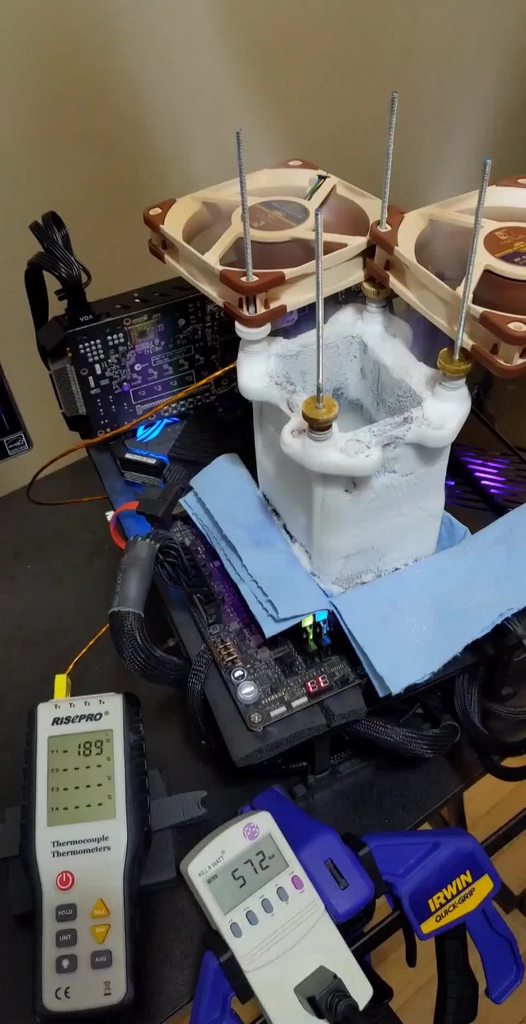
I've really enjoyed benching comet lake on m12a so far - OGS's thread basically covers all the info you need
 sterile flame
3dmark keeps crashing, but not during benchmarks
No crash report, the window just disappears
Usually happens in-between benchmarks, when I'm trying to upload scores
When I try to open the test suite again, it tells me it's already open, though it isn't in task manager or anything
The only thing I can do is reboot so I can open the program again, which is really annoying when I'm just trying to run benchmarks and upload scores to HWbot.
Anyone else have this problem or know of a solution?
tall pelican
running through steam?
sterile flame
Yeah. Figures that would be the issue
tall pelican
yeah
let me dig up the standalone link
Guru3D.com
Download 3DMark for Windows - 3DMark is a benchmark designed to measure the performance of computer hardware. This version includes three different tests, each designed for a specific type of hardware ranging fr...
get the keys from the steam version, then upload them into the standalone
sterile flame
Thank you, you're a godsend. It was making me not even want to keep going, until I saw I'm right behind falcie in team standings for the month 
tall pelican
np
I need to find out why I lost ~100 team points, but I think its from some sub no longer being worth points or something
proven canopy
GPUZ has no version restrictions, right?
sterile flame
It may depend on the specific benchmark, but I haven't seen one that specifies a version
Cpuz, on the other hand....
Hey, I've got another question while the channels somewhat active
I'm trying to participate in a competition on HWbot. The rules say I have to make at least three submissions. Is that three submissions at identical settings, or can it just be three separate submissions
proven canopy
You can change settings.
sterile flame
Ok. That makes more sense to me, but I thought maybe it wanted three subs with identical settings to prove it's a stable OC or something
proven canopy
Never seen any rules like that.
sterile flame
 tall pelican
all 3 subs just have to be on the same platform
or wait no, ^^^ is for corsair comp, team cup is different
need 3 people to make different subs for the same category to get an overall score
sterile flame
Oooooh
Has anybody else done it? It's for the firestrike comp. I think mines submitted, unless someone has to upload all three at once or something idk how any of this works yet
Judging by the hardware I've seen in the team rankings I'm p sure I'd get bumped off the scores if a fourth person submits lol
tall pelican
I see we have 84 points, and I know 48 is from me 
I want to say its just one other sub?
sterile flame
Aren't you running a 30 series card?
tall pelican
6900xt
I have a 3060 in the system, I could probably do a sub with it, but it'll be pcie neutered
sterile flame
This link is the timespy leaderboard. I'm talking about firestrike
sterile flame
Ohhhh
tall pelican
if it were amd side, nvidia would be irrelevant
mllr on an ln2 3090 kp got 52k graphics
https://hwbot.org/submission/4675118_fitvelkiz_3dmark___fire_strike_radeon_rx_6900_xt_45478_marks 6900xt on water getting 68k graphics

HWBOT
The Radeon RX 6900 XT @ 2750/2150MHzscores getScoreFormatted in the 3DMark - Fire Strike benchmark. Fitvelkizranks #28 worldwide and #20 in the hardware class. Find out more at HWBOT.
sterile flame
Hmmmmmm
Wouldn't let me validate my score.
Probably still on trial version, I never input a key
Duh, I'm an idiot
tall pelican
https://www.3dmark.com/fs/26131357 shows valid
3DMark.com
Intel Core i5-10600KF Processor, NVIDIA GeForce RTX 3060 Ti x 1, 16384 MB, 64-bit Windows 10}
wait nvm
idek where that came from
https://www.3dmark.com/fs/26132983 you good
3DMark.com
AMD Ryzen 5 3600, NVIDIA GeForce GTX 1080 x 1, 16384 MB, 64-bit Windows 10}
sterile flame
Yeah that's the one from earlier though. I just got a 20779 on the same settings, but it won't let me validate
tall pelican
got internet?
sterile flame
Yeah. I saved the result. I think I just need to activate the license.
tall pelican
post the 3dmark link here
sterile flame
I can't, when I clicked compare online it said the result couldn't be displayed as it hadn't been validated. Hold on, I'm running the CPU max threads one to see if I can validate that one, cause I haven't uploaded a score for it yet
tall pelican
might need to update 3dmark
sterile flame
Yeah the cpu one let me upload it. What the heck
tall pelican
whack
sterile flame
I loaded it again and now it validated.
Whatever, at least I can upload it now
sterile flame
If somebody could explain how to validate unigine heaven benchmarks to me it'd be appreciated
Really I just need to see the screenshot you upload
tall pelican
Superpos + gpuz + cpuz cpu + cpuz mem
proven canopy
sterile flame
If somebody could explain how to validate unigine heaven benchmarks to me it'd b...
Same as any other bench, did you look at the rules page or top subs?
sterile flame
Yes I did
The trouble is I was half asleep when I asked and didn't figure out that if I don't download unigine straight from hwbot I can't validate it.
It seems rather obvious now, but at the time I couldn't for the life of me figure out how to keep the score without having the test continue to run in the background
Pretty dumb, eh?
grand socket
I have returned with new clocks and mem clock speeds
235 core and 1375 mem with gpu score of 20857
And will now test with 1400
sterile flame
Why aren't any achievements unlocking for me on hwbot
sterile flame
@finite frigate is there more to overclocking i’m not doing or is it just stress testing core and memory
 finite frigate

 short blade
@sterile flame that doesn't look like memory artifacting
might just be something weird with that software
faint tangle
I dont even see anything wrong
Oh now I do
Yeah that's not what artifacting normally looks like
sterile flame
It only happens on hwinfo graphs
i left my oc as is since no other programs had issues
sterile flame
Do HWbot achievements like
Update at a certain interval or something
Cause I qualify for a few and I haven't gotten any
Like, not even "make your first HWbot submission"
I have close to 30 submissions at this point, at the very least I should have that one

 sterile flame
Oh man, I was hoping to earn shiny badges to motivate me to do a gpu swap for more scores
sudden torrent
Only time it gave me any awards was after a competition
sterile flame
Im still not even sure as to whether I participated correctly in the competition I entered
||and I've done about as much as I can safely do with my current setup and I'm really really dreading swapping my rx 570 back into my rig||
But whatever. I'm #8 in the rookie league rn. I can probably take 7th, but Im not gonna get much higher than that without buying more components to bench or learning to OC memory

proven canopy
#8 rookie is pretty great - I think you've got 3 months of rookie from account creation.
Any chilled water or colder submission will automatically put you into apprentice league.
 tall pelican
Probably
proven canopy
Nah, chilled water is apprentice
Even rad in ice bucket
wait, cascade is apprentice?
sterile flame
It can't finish cinebench r23 at 4.4ghz 1.2v anymore
Although it was pretty warm when I was testing yesterday, so ig it could just be because of ambient temps
Makes me want to just overvolt the heck out of it and try for the top frequency spot for ambient 3600s
proven canopy
Not worth it tbh
who is this btw https://hwbot.org/user/camspr/
Hey, you have your crucial memory running at 3200
Also what's the cooling on your 1080
 zenith palm
proven canopy
who is this btw https://hwbot.org/user/camspr/
zenith palm
proven canopy
who is this btw https://hwbot.org/user/camspr/
Possibly looks like @sterile flame
sterile flame
My 1080 has a g12 bracket with a 360mm aio
And yes, I havent really looked into memory overclocking yet so I haven't tried messing with it. I'm still very new to this
proven canopy
Ah, nice. Yeah, nice clocks
sterile flame
1080?
zenith palm
sterile flame
My 1080 has a g12 bracket with a 360mm aio
And yes, I havent really looked into ...
RUN MEMORY OC'S ON A DIFFERENT OS
sterile flame
No no no what
zenith palm
Unless you want big rip
sterile flame
Half the info on my submission is incorrect
Thanks. I'm not even sure if I'm recording frequencies correctly. Usually I just input the highest frequency hit according to 3dmark/ aida64, which is usually like 200mhz higher than what gpuz says I hit
???!!
zenith palm
sterile flame
1080?
Shows 1650 and 9400 for me
sterile flame
Yeah that’s right
proven canopy
Yeah, just buy some $20 ssd's for all benching tbh. Then use something like macrium reflect to burn images to those drives. Takes about 90 seconds
sterile flame
Ram should be 2666
proven canopy
sterile flame
Thanks. I'm not even sure if I'm recording frequencies correctly. Usually I just...
You don't need to type in any of those tbh - but it's helpful for the database
sterile flame
 zenith palm
sterile flame
Ram should be 2666
zenith palm
sterile flame
Ram should be 2666
Think so, think forks was talking bout werewolf
sterile flame
should i have put the actual clock speed or my overclock
Ohhh
Lol
I know that's why I do it. But I'm not even sure if what I input was accurate cause i have three pieces of software telling me two different things
sterile flame
proven canopy
who is this btw https://hwbot.org/user/camspr/
Me
Apparently 2138 on a 1080FE is pretty good, though.
But I can't overclock the vram to save my life
@proven canopy if I made a second windows install just for benchmarking, would using a mechanical HDD effect my actual benchmarking scores?
proven canopy
sterile flame
<@546791995830566912> if I made a second windows install just for benchmarking, ...
no
But if you do that, pull your main drive
zenith palm
Wdym by pull main drive?
sterile flame
Like don't have it in the system, Id assume
Are ln2 pots actually several thousand dollars or am I looking in the wrong place
zenith palm
sterile flame
Are ln2 pots actually several thousand dollars or am I looking in the wrong plac...
Afaik they're in the hundreds range
 cold jolt

Kingpin cooling
CPU, Graphics, chipset, and memory container kits come complete with necessary brackets and mounting hardware.
like this
sterile flame
Definitely looking in the wrong place then
Cheapest I saw was like 1100
Oh wow ok these seem a lot more reasonable
zenith palm
Doubt you would get much value out of it on a 3600 tho
cold jolt
sterile flame
Apparently 2138 on a 1080FE is pretty good, though.
But I can't overclock the vr...
this with stock cooler?
sterile flame
@cold jolt no, 360mm aio and nzxt g12 bracket
 sterile flame
@zenith palm and I know, that's not the plan. I want to start buying cheap old hardware on Facebook marketplace and stuff and using them to farm points
@cold jolt lol that's cool
This card is 6 years old and spent 5 of them in a mining rig though
zenith palm
sterile flame
<@191276897227898880> and I know, that's not the plan. I want to start buying ch...
Fair enough
sterile flame
@cold jolt fiancees cousin's rig
cold jolt
nice
proven canopy
sterile flame
Oh wow ok these seem a lot more reasonable
You can get them used in the US for about half price of new
@restive cargo Put yours to use!
zenith palm
 serene abyss
Anyone overclock a Ryzen 5 5600X yet?
serene abyss
Anyone overclock a Ryzen 5 5600X yet?
Use pbo and clock tuner for the 5600x, for the gpu, use Radeon software or msi afterburner and 3d mark demo on steam(timespy) and start by bring power as much as it goes, then start increasing the core by 50mhz then memory, start at 500mhz and up in 100s til crash then drop 50s
sterile flame
Does the pbo frequency offset thingy actually work on zen 3
zenith palm
Ye
sterile flame
Does it still cap at only 200mhz
Nvm, dumb question. Same bios

Part of me wants to go zen 3
But the rest of me thinks I should just use my zen 2 for a daily and start buying used junk to overclock for points
I'm sure I could farm at least as many points on an old gpu as I could on a new CPU
Maybe more, since I wouldn't be afraid of breaking it
 wheat lintel
serene abyss
And or a 6700 XT
wheat lintel
serene abyss
And or a 6700 XT
I’ve been OCing my 6800xt for a bit now and basically just use Radeon software and bring up mem and core clock by increments of 50 using timespy to check it
serene abyss
wheat lintel
I’ve been OCing my 6800xt for a bit now and basically just use Radeon software a...
Oh ok
sudden torrent
sterile flame
there’s only this one pixel
sterile flame
it goes away when i change my overclock
but sometimes when i set everything back to 0 it will still be there
sterile flame
Sounds like an issue with the monitor
Not a dead pixel, just a dying one
Change display resolution and see if that fixes it
Ig it could be an issue with your display cable also
But tbh it doesn't really seem like the gpu is causing the issue
 dark ferry
It's a stuck pixel not a dead one. Just tap it lightly for awhile and/or use fullscreen youtube videos that rapidly flash different colors. That forces the pixel out of the stuck state sometimes.
cold jolt
Repair stuck pixels using the JScreenFix algorithm.
dark ferry
Yes that's perfect.
proven canopy
I've never had that utility work for me, but can't hurt to try
dark ferry
Run that when you go to bed. Leave the PC/Monitor on. If it hasn't gotten unstuck by the time you wake up then see if a RMA is possible.
proven canopy
If it's just a dead subpixel, especially in red/blue, probably won't notice it
cold jolt
its worked once for me before, but it wasnt on a monitor that came bnib with a stuck pixel
brain is off for today after waiting outside best buy all night
dark ferry
Did you get a gpu?
cold jolt
yeh
dark ferry
Which one?
cold jolt
3080 fe
 dull ginkgo
Sassy got it from the last BB in-store drop afaik
sterile flame
Wait wth am I losing my mind
Why did I think he said microcenter and not best buy
It's literally right there, what did I forget how to read?
Jeeze man
faint tangle
@zenith palm do you have the link to compare benchmarks on time spy?
zenith palm
faint tangle
<@191276897227898880> do you have the link to compare benchmarks on time spy?
https://www.3dmark.com/ then go to results

Share and compare benchmark scores from 3DMark, PCMark and VRMark benchmarks. Check out the world's fastest PCs in our Overclocking Hall of Fame.
faint tangle
Ty
zenith palm
np
faint tangle
12770 with 150 core 1100 mem, factory 100 oc on core I believe
104 power limit and 100 on fans to make sure its cool
Might open the case and point a fan right at the gpu just for fun lol
Crashed when I added 25 on mem
No artifacting oddly enough
Crash at 175 core 
wheat lintel
How much extra performance would i get out of using MPT on my 6800xt?
and is it worth the risks?
proven canopy
Who's ocopium? Fix your subs
short blade
bought a cheap 3000 16-20-20-38 kit
reporting as hynix cjr
wonder if it'll have oc headroom
very possible that the cheap z170 board will be a limiting factor especially regarding frequency
3333 is the highest I can post
short blade
corsair
currently running 3200 15-19-19-39 1.4v
seems like there's no voltage scaling above that, haven't tested below 1.4v yet but I tested 1.45v and got no benefit
can't do 3333c15 or 3200c14
zenith palm
Corsair

@short blade might have the same model as my old 8gb stick, 3000cl16, in bros pc now, oc'd to 3200 with xmp settings cuz lazy
Although think my version was still c die

 sterile flame
Whoa got a good beginners guide to the process of memory overclocking
proven canopy
Have you seen the integral guide
sterile flame
No I'm completely new to memory overclocking. Figured I'd just watch a buildzoid video but half the time he keeps his desktop display so small you can't see what he's doing, or he does the usual buildzoid format of testing off camera and then only doing settings he knows will work in the video
proven canopy

Buy a cheapo ssd and image it with macrium reflect or similar, use that for overclocking in general
sterile flame
Kinda think it may be a huge mistake to overclock my memory anyway since I don't have a bios reset or anything and I can't even get to my cmos battery without taking my whole rig apart
sterile flame
Asus tuf b450 plus gaming
sterile flame
Not that I know of
zenith palm
Or battery under gpu probs
sterile flame
No yeah I know where it is, it just isn't accessible without taking components out
Got a capture card and a GPU and a GPU bracket in the way
And since my gpu is watercooled it's a huge pain
Which is why I still haven't done any Rx 570 scores
proven canopy
You still got 74 hardware points with a daily, not bad
 proven canopy
Use this for easy reset https://www.amazon.com/Warmstor-3-Pack-Desktop-Button-Computer/dp/B072FMVZJZ

Warmstor 3 Pack 2 Pin SW PC Desktop Power Cable On/Off Push Button ATX Computer Switch Cord 45CM
zenith palm
Fancy
zenith palm
proven canopy
Use this for easy reset https://www.amazon.com/Warmstor-3-Pack-Desktop-Button-Co...
Stick it through a pcie bracket or something?
proven canopy
I think fitz does something like that
zenith palm
Handy
wheat lintel
Yeah it is handy, i made something like that in my attempt at a caseless pc
short blade
so like

i didn't expect tWTRS -3 to post, but here we are
i wonder how low it will go
short blade
can someone help me understand how a negative timing even works? i can't wrap my head around it conceptually

 worldly pasture
Just ran Blender BMW & Classroom on my stock i5 6600k, temps stayed below 50. Should I try overclocking to get some more power out of it? Is blender a good benchmark for stability?
 broken hamlet
blender can be used for stability but is mostly a measure of performance
aida64 extreme
occt. occt
those are some good stability tests imo
geekbench is also pretty good
as long as your temps stay below 60-70c you will be fine
even 80c is "fine" but try to stay below 70
lavish tundra
Prime95 small ffts best
 barren ridge
^
worldly pasture
Alright, perhaps I'll run all of these once after each increase. 🙂
sterile flame
No real point. Maybe do it that way the first time, take note of which has the highest temperature, and moving forward just check the one that was the highest
worldly pasture
@sterile flame so I’ve increased the volts in my bios, task manager says 3.9ghz speed, but as soon as I start prime95; cpu usage hits 100% but the speed drops to 3.57ghz. Highest temp in 20 minutes is 67.
Is there a reason the speed drops under load?
worldly pasture
Thank you to you both!! 20 min into prime95 and 68-70 temps.
proven canopy
Work in progress gtx 770 voltage mod https://i.imgur.com/p7kIX0S.jpeg
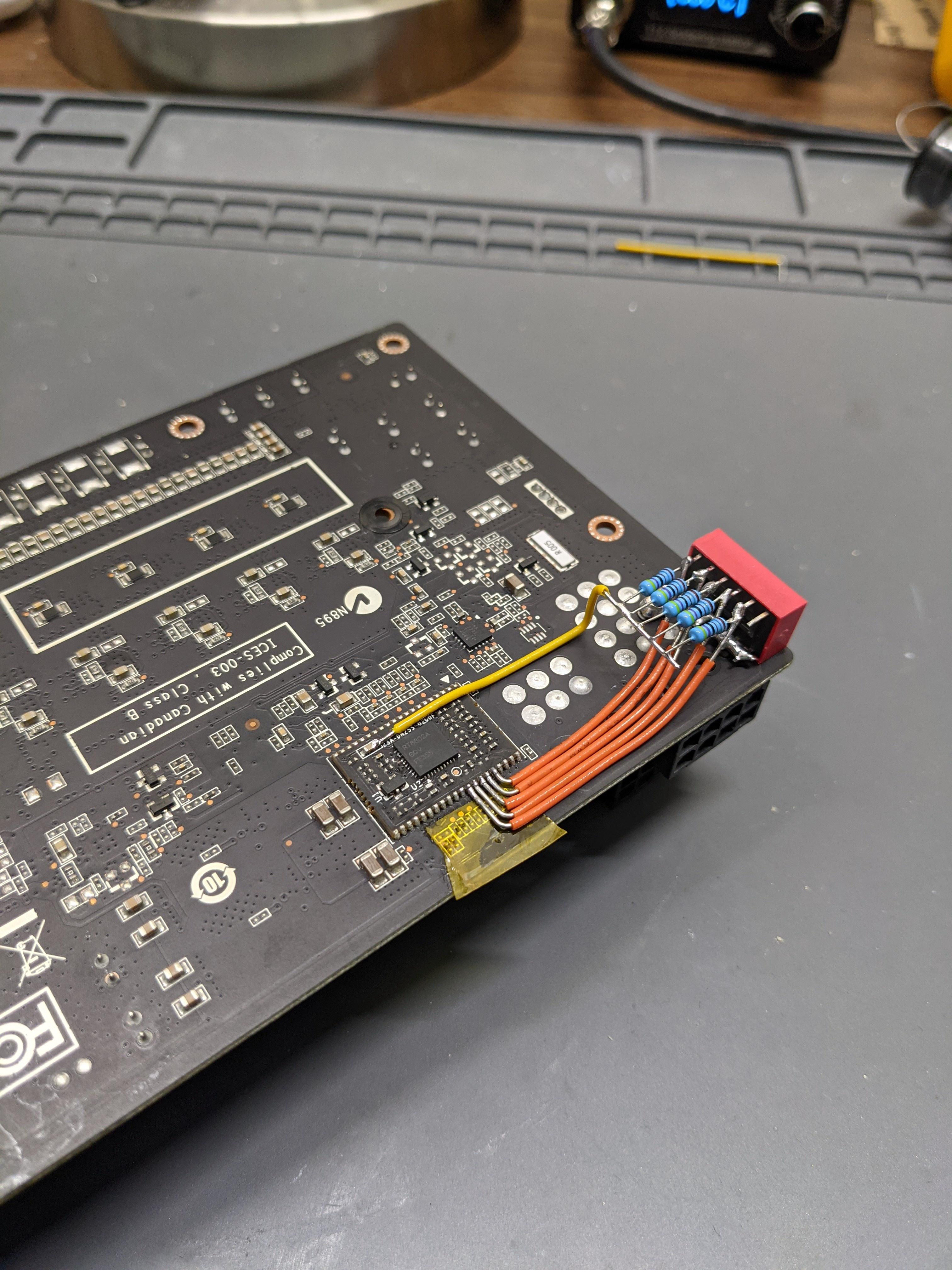 barren ridge
that solder job looks good
 zenith palm
1 that looks about right , 2 cpu z is a meh bench
Cinebench r23 would probs be better if you're looking for a comparison score
Also you could just have a meh bin of a cpu
sterile flame
@sterile flame did you just build this computer
And if you did, did you make sure to enable XMP and PBO in bios
Cause if not, that's why your scores low
And are you running the stock cooler it came with, cause Ryzen doesnt like not having temperature headroom
zenith palm
Pretty sure pbo wasn't on 2nd gen ryzen
barren ridge
^
tall pelican
It has "pbo" in that you can raise power limits
sterile flame
It was an awful implementation, but it's there and your cpu won't boost as high if it's disabled.
If hes scoring low in comparison to others with the same setup, he should check the obvious things first
sup guys? i have a question about overclocking
i kinda think i understand what it is but i'm not sure
sudden torrent
What part is the problem for you?
sterile flame
well i don't exactly understand what it is
but i think i might
i'm a computer idiot who's used gaming computers for years and decided it's finally time to learn about them
sudden torrent
Ok. In essence overclocking is making components run above (or occasionally below) the specifications they're rated at.
If your processor spec says it boosts up to 4.6ghz, you can try to get it to do 4.8ghz instead, for example.
sterile flame
so like
i'm into guns. when you load your own ammo you have certain types of gun powders and you have to measure enough. if you know what you're doing you can add a little extra gun powder in the bullet to get more power
so is overclocking kinda like that, but rather than breaking your gun by going overboard you can compensate by extra cooling?
sudden torrent
There's still a point when you can break it going overboard
Voltage would be like the gunpowder here
sterile flame
but the analogy is similar enough?
sudden torrent
More voltage, more performance, but also more heat and less life of the device
Once you take into account other gun mods you can make like a long barrel, there's a decent enough analogy to make there
sterile flame
it's the pressure build in the chamber, you can only go so far before you're going to break your gun
but i think i get it now, thanks
overclocking is something that takes time and practice to learn, huh?
sudden torrent
To do it right, yeah.
sterile flame
gotcha. thanks for the info
 modern walrus
Is pushing TDC/EDC above 180amps in itself bad or does that entirely depend on thermals?
at 182amps I'm just shy of 80 degrees
sudden torrent
Depends on your motherboard VRM
modern walrus
The motherboard limit is 180 but it also has an option to push up to 130% of that
I have a 92mm noctua blowing on the VRM b
but I dunno what the temps look like. Is that even in HWiNFO? lol
sudden torrent
Which board exactly? Airflow is good but if the traces are bad or something... 
modern walrus
Strixx B550-F
sudden torrent
Should do 200A just fine with a little airflow
modern walrus
CPU PPT is max 185.684w
I'm starting to get into 10900K territory
well not really I think my 10900K is like 277w
which isn't even that crazy for 10900K
I got my EK Dual D6 pump the other day
I'm waiting for my coolant to arrive before I do the swap out mission
sudden torrent
Yeah Intel hitting 300W isn't uncommon
 sudden torrent
Hoo boy that'll be loud
proven canopy
D5's aren't that loud even at full speed
modern walrus
The pump I'm swapping it with was 1260L/hr
the EK is 1500. I dunno how the pump heads compare but I know this one is 7m
proven canopy
Thats... really high
modern walrus
maybe I should wait until that's in before I try TDC/EDC north of like 185
I'm still getting dismal results
I dunno what's going on the in the background lately but I'm not even at 4600mhz on every core on CB lately
I think it's thermaltake RGB + Razer crap running
sudden torrent
You can test that by doing a clean boot
modern walrus
oh okay I found it the old pump head was 4m so I'm nearly doubling
how do you clean boot? cuz safemode won't even let me run a lot of benchmarks
is it from recovery environment?
 modern walrus
ah my old friend haha
sudden torrent
Ever faithful
modern walrus
ya cuz I was going into recovery environment and then booting ot safemode
It is nice that some parts of windows never changes
 clever tree
is there a consistent way to undervolt h series intel cpus?
sudden torrent
H series... that's mobile right? Not all boards allow that
modern walrus
oh actually someone was asking me this today. You can run XTU and lower the wattage for boost as an alternative
you'll lose some clock on boost but should help thermals supposedly
clever tree
lower wattage with xtu?
modern walrus
fis it a dell G7? lol
clever tree
modern walrus
fis it a dell G7? lol
nah, acer nitro 5
managed to get a steal with a 3060 in it
modern walrus
oh alright ya that's what I found as far as suggestions went for the Dell G7
clever tree
only a 10300h though
modern walrus
this dude had a 2060 or 2080 I forget
but he was throttling nasty
the other alternative was to repaste it
clever tree
i throttle a little bit
modern walrus
I haven't used XTU all that much but I'm sure it has voltage control
now whether that means it works on a laptop cpu I dunno
clever tree
yea, i tried that a little while ago but i havent had a huge look at it
modern walrus
He ended up giving up because he kept getting install errors
cuz some of Dell's bloatware had XTU built into it
so he couldn't just install the normal version unless he wiped all that out
& didn't wanna mess with it out of fear of losing keyboard rgb control
modern walrus
his you could turn off boost in BIOS but then you're stuck with like 2.6ghz max
you can limit your CPU output to 99% in advanced Power settings
but that just has the same effect of turning off boost
& with a laptop that nice you don't wanna throw away that feature for sure
modern walrus
oh uh
I think in device manager
you can see if it's already preinstalled
in which case you'd run into the same problem he did
modern walrus
check to see if it still shows in device manager>software components
clever tree
not there
modern walrus
hmm that's strange. I think technically it's not even supposed to be installed on H CPU but I'm not 100%
How elaborate are you BIOS
can you change Turbo Boost Short Power Max?
lower the wattage?
modern walrus
Supposedly there's also a program called ThrottleStop
I've never even used or seen it
but just from what I"m reading here
on the xtu download website they should have a list of supported processors

This guide explains how to lower temperatures, increase battery life, and boost performance with ThrottleStop.
that explains throttlestop
haven't read it yet but will now
the article mentions that you're supposed to set XTU settings to default before you uninstall or they can stay in place I guess
I'm gonna download this on my Surfacebook3 rn. That thing is a furnace
 zenith quiver
modern walrus
zenith quiver
modern walrus
ya that sucks cuz there's no telling when that can get replaced
no one fixes those? lol
lavish tundra
its not profitable to mine on a cpu in general
 potent ice
i mean extra cents added to what the gpu mines so
sterile flame
Can anyone of you please take me through a step to step guide on over locking my Intel i5 1035G1 please also mention its downsides if any!!
zenith palm
potent ice
i mean extra cents added to what the gpu mines so
Not worth it for the amount of heat that cpu mining pumps out, not to mention how horrible it is to use your system while cpu mining
zenith palm
sterile flame
Can anyone of you please take me through a step to step guide on over locking my...
You can't really overclock it, you might be able to increase the power limit with intel xtu or throttlestop/undervolt it tho
sterile flame
zenith palm
You can't really overclock it, you might be able to increase the power limit wit...
Will I have any obvious benefits after that
potent ice
zenith palm
Not worth it for the amount of heat that cpu mining pumps out, not to mention ho...
alright thank you
zenith palm
sterile flame
Will I have any obvious benefits after that
Increasing power is kinda like an overclock, and undervolting gets you the same performance but at lower temperatures, which should allow the cpu to boost higher
 tired ridge
side effects tho, wont it damage the cpu
cold jolt
nope
sterile flame
lavish tundra
its not profitable to mine on a cpu in general
?
you can make a rig that'll make $20-30 a month for around $500-600
profitable, but not much of a point to do so without an LLC to deduct the rigs as a business expense
sudden torrent
tired ridge
side effects tho, wont it damage the cpu
Not at all, especially undervolting, which can actually extend the life of a chip by producing less heat
 novel flare
balls
zenith palm
novel flare
balls
Footballs? Tennis balls? Basketballs?
proven canopy
Might stream later https://i.imgur.com/3ahXknk.png
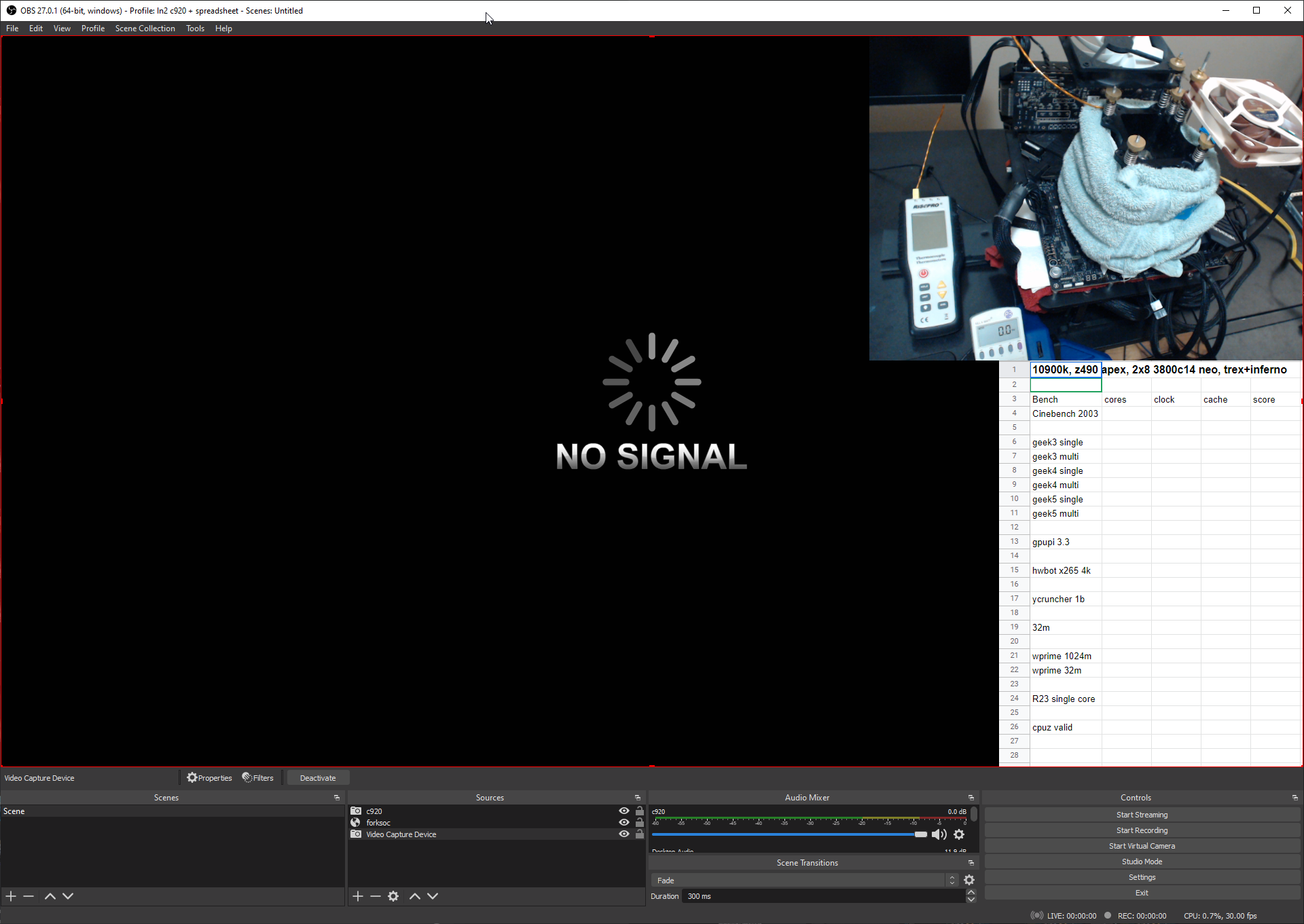
 rich wind
proven canopy
Might stream later https://i.imgur.com/3ahXknk.png
rich wind
proven canopy
Might stream later https://i.imgur.com/3ahXknk.png
Put link later.
cold jolt
stream in discord more fun
proven canopy
Yeah idk if I'll stream to twitch, would probably just stream my obs window to discord here like last time.
proven canopy
streaming to special role
 tender plinth
just a copy and paste from gen cause i'm lazy lol
i'm new to the pc overclocking stuff and i just wanna ask some questions: how does changing the core voltage affect the gpu? does it in any way damage it?
tall pelican
tender plinth
i'm new to the pc overclocking stuff and i just wanna ask some questions: how do...
nvidia: no*
amd: yes*
*generally cant damage, but depends on generation
sudden torrent
Considering this for my next project before I start hard modding my GPU. Once I do, any software measurements will be completely inaccurate and I'd really like to not melt my cables.
Is it overkill? Probably. But that's overclocking for you. https://www.youtube.com/watch?v=wJ42IycgHOs

Want to know how much power your card draws from the PCI Express riser and from each of the power cables? Make yourself a cheap and easy DIY PCIe power meter - the must have tool for every serious miner :)
A special Thanks to our subscribers. We reached 1000 subs today.
Parts:
2x Volt/Amp meter - extremely cheap and simple ones. There are more...
proven canopy
Yeah, don't do that. Can't really tell but guessing he's using some kind of shunt to measure current. If anything you'd want to use a hall effect type sensor current clamp around the +12v wires, but that's much more difficult and complex of a project.
That setup in the vid would probably be ok for an gtx 1060 or something, not a 3090 lol.
tall pelican
just get elmor's thing that's launching in a few weeks
https://cdn.discordapp.com/attachments/514312075686838284/881765343419326494/IMG_20210830_125902.jpg
 proven canopy
Looks like emlors design uses shunts as well, but I'd assume his implementation is well designed
sudden torrent
I wasn't going to do an exact duplicate, I may be a novice when it comes to electrical engineering but I can tell where some things could be improved. I'd want to introduce as little resistance and fluctuation as possible.
I wasn't aware of that device yet, and honestly I'm surprised I haven't been able to find anything like that already. Closest I've seen is the passmark inline tester but that's got some obvious limitations.
tall pelican
I would be surprised if elmor's costs more than $40-50 tbh
he makes them dirt cheap
sudden torrent
It looks quite simple but that's a good thing here
tall pelican
I mean, its voltage, amerage (wattage), i2c and 4 channels of monitoring
eps 1, eps 2, pcie 1 and pcie 2+3
tender plinth
tall pelican
nvidia: no*
amd: yes*
*generally cant damage, but depends on generation
yeah, i was thinking about squeezing some more performance out of my card cause in benchmarks i was a bit behind the average benches for the card
thank you for the information :)
tall pelican
its down to what card its on, but in general since 1000 series nvidia, voltage slider does nothing
tender plinth
tall pelican
its down to what card its on, but in general since 1000 series nvidia, voltage s...
wait, so it does nothing even in a 3090?
sudden torrent
Depends on the 3090 but generally, no it does nothing
tender plinth
oh. well, the more you know
also i adjusted some sliders and benched it and
oh
well i got an increase of 573
from 17790 to 18363
and this is without closing all my background apps
is that a good increase?
sudden torrent
That's good but can be better. Typically overclocking can get you between 5-15% better bench scores, and that's a 3% increase.
tender plinth
ah okay
sudden torrent
If that's a 3090 a lot of them can hit 20k for time spy gpu
tender plinth
yeah, i was testing the sliders and i crashed in valorant and csgo so i'm just kind of being a little on the safer side
but i'll experiment some more and see how that goes
sudden torrent
+1200 on memory should be doable before you get performance regression and artifacts, and you can play around with going higher and lower
Make sure to max out power limit too
sudden torrent
Happy to pass along what I know
Some 3090s can do +1400 memory or higher, if you're lucky
proven canopy
One of the better results from the night, memory was still relatively untuned, should be able to beat it next time. https://hwbot.org/submission/4808735_forks_geekbench3___multi_core_core_i9_10900k_66607_points

HWBOT
The Core i9 10900K @ 6700MHzscores getScoreFormatted in the Geekbench3 - Multi Core benchmark. Forksranks #20 worldwide and #20 in the hardware class. Find out more at HWBOT.
Also lol at this efficiency at only 6.7 https://hwbot.org/submission/4808751_forks_wprime___1024m_with_benchmate_core_i9_10900k_37sec_980ms

HWBOT
The Core i9 10900K @ 6700MHzscores getScoreFormatted in the wPrime - 1024m with BenchMate benchmark. Forksranks #1 worldwide and #1 in the hardware class. Find out more at HWBOT.
tender plinth
i just got a score of 19,621(from 18361) on timespy.
core voltage(idk if it does anything): +7
power limit: 107
temp: 91
core clock: +90
memory: +1200
now i just need to stress test it to make sure its alright lol
bruh theres people clocking their 5950x to 4800+MHz
proven canopy
Time spy will benefit from dual rank / tuned memory in general.
tender plinth
proven canopy
Time spy will benefit from dual rank / tuned memory in general.
whats dual rank? sorry, i am a little slow lol
proven canopy
A type of memory config
tender plinth
so it would be like 2 dimm sticks in the A channel?
or whatever its called
like dual channel ram/single channel ram = single rank and quad channel = dual rank?
proven canopy
More info in the ddr4 guide in the pins
tender plinth
will check that out, thanks!
 covert gorge
 prisma arch
overclock an apu
what
 violet bobcat
I need help with an oc on 1080 ti, can you peeps show me your overclocks?
proven canopy
Search 1080 ti on hwbot and see what numbers people are running
sterile flame
Make sure you filter it so you aren't looking at LN2 and dry ice runs though
clever epoch
tender plinth
like dual channel ram/single channel ram = single rank and quad channel = dual r...
Rank != Channel
The number of channels is determined by the CPU/motherboard. Consumer platforms are pretty much exclusively dual channel.
You get quad channel in HEDT, and more in servers.
Ranks are a group of 8 memory chips on a stick (9 if you have ECC). You can get "single side" sticks with a single rank, or "dual sided" sticks with two ranks on a stick
proven canopy
You can have a rank of four chips if they're x16 / 16 bit width.
But it's usually 8, yes.
violet bobcat
sterile flame
Make sure you filter it so you aren't looking at LN2 and dry ice runs though
Yeah I know lmao from what I'm seeing my oc is kinda weird... every one is maxing out at 2075 on the core but I hit 2100 stable. The thing is that I can't get the memory to stabilize...
sterile flame
What card?
proven canopy
There's always going to be some variability between what your card can do on core or mem vs others.
It'll vary by luck of the bin, cooling, ambient temp, workload, and more.
violet bobcat
sterile flame
What card?
It's a gtx 1080 ti poseidon on water
violet bobcat
proven canopy
There's always going to be some variability between what your card can do on cor...
I guess my card has a very lazy memory lmao
sterile flame
@violet bobcat my 1080's memory is also awful
I wonder if they use the same chip manufacturer
Mine artifacts and crashes if you go higher than like +140
Well no, 140 is around where performance is best, and it starts artifacting around 155 and crashes at 160
violet bobcat
sterile flame
<@303643383480582146> my 1080's memory is also awful
I wonder if they use the sa...
I have micron chips
violet bobcat
sterile flame
Well no, 140 is around where performance is best, and it starts artifacting arou...
Hum... i tried +200 on the memory and it was stable but with the core stock as soon as I messed with the core, the memory became unstable
violet bobcat
sterile flame
Well no, 140 is around where performance is best, and it starts artifacting arou...
This card is so weird with overclocking xD
I know it's not a thermal issue cause under load the card only hits 59C
sterile flame
Mine peaks at about +240 core and +140 mem. That's where I see the best results.
But I've heard +140 mem is really low for these cards 1080fe non ti)
I think I also have micron but I don't recall
Well no
That's where my performance peaks, any higher than that and my scores start going down
I haven't tried to see how high j can actually push the core cause ATM it's my daily and it's 5 years old
I also have it watercooled and I've never seen the hotspot go above 63°
(I only pay attention to the hotspot temperature cause this card doesn't have temperature sensors anywhere but the die, so it shows me the hottest recorded point rather than the average)
Highest non-hotspot was like 52°
violet bobcat
I totally understand, I also use my card daily but I want a little more ooff to keep up with today games
sterile flame
I don't really have a need to overclock for the games I play, but I kinda got hooked on hwbot for a minute
violet bobcat
Use a corsair 4000x with a front glass so my tmps of the overall system are a bit more high than a typical custom system but nothing to worry about
sterile flame
I have a 5000d airflow and I love it. How do you like the 4000x?
violet bobcat
I love the case but hate the doing custom watercooling in it lmao
sterile flame
I went with aios for CPU and GPU because I am not only poor, but also lazy
violet bobcat
I have a 360 rad in the front and 240 on top cooling a i9 10900k at 5.2 and 1080 ti
violet bobcat
sterile flame
I went with aios for CPU and GPU because I am not only poor, but also lazy
It's a soft tubing system and almost made me kill myself xD
proven canopy
The base clocks will vary per card, compare the actual clock of the core/memory vs the positive offset.
violet bobcat
I know, it's not equal to every card. I just find very weird that I can push the core clock so high and not the memory
sterile flame
I think it's just a micron gddr5x thing cause I'm in the same boat
zenith palm
violet bobcat
I guess my card has a very lazy memory lmao
Try bringing your clock down a tiny bit, might be destabilising your memory a bit
violet bobcat
I'll try that! Thanks!
zenith palm
Some laptops will let you iirc sips did it
zenith palm
Usually not
 quaint loom
anyone knows how to oc a amd a9 9425 apu(laptop but barely heats up so..)
 weary valley
I don't think that you can
modern walrus
Why is it that during CB 10min multi My Core 0 temp is 10 degrees cooler than any other core yet whenever I get WHEA errors they're on Core 0?
then again wouldn't that make sense if it needs lower offset to achieve the same ratio... hmm
so that temp in addition to the WHEA errors would tend to indicate that Core 0 is actually being starved of voltage relative to other cores... right?
is the voltage reported at any given time by SVI2 constant across all cores? Seems like it couldn't be because then per core curve optimizer wouldn't be doing anything...
but if I further reduce (i.e. from -21 to -19) Core 0's offset in curve optimizer, wouldn't it have the effect of reducing overall frequency in multi-core tasks like CB?
proven canopy
Sounds like that core is just inherently low leakage making it more efficient, yet worse for competitive overclocking.
 hexed cargo
Hi, I am going to be building a pc (have all the parts) and I’ve got a 3070 ti (asus tuf) am wondering if I should overclock as I have the cooling (6 Corsair fans) and power (850 w superflower psu) capability. I do not know how to do it myself, but my friend who is coming over knows how to do it. I am wondering if it’s worth it
tender plinth
i have never heard of superflower before
but my two cents here are, and i havent been in the OC scene for too long, you should only OC if you want to make benches and stuff higher. if you are gaming, the few points OC raises do not make that big of a difference FPS wise. OC can help with fps and productivity but not by alot. UNLESS you are planning to do large and heavy OC's and have the cooling, knowledge, and understand the risks involved then yeah, it might make a bigger impact on productivity and performance. with these heavy OC's, you would need to put alot of time into making your system stable and if you dont want to compete in these aspects then i dont see that much of a need to OC
you could OC your system slightly but i dont really see that big of a difference in gaming
well, unless you clock your memory speed up
but with that also come some drawbacks, such as stability and power consumption
hexed cargo
tender plinth
but my two cents here are, and i havent been in the OC scene for too long, you s...
Ok thanks for the input
tender plinth
yes ofc :)
sudden torrent
tender plinth
i have never heard of superflower before
They're a pretty old brand, sold outside the US and under other names in US. Typically average quality units.
weary valley
Superflower is the OEM for some EVGA units
tender plinth
oh, interesting. the more you know
zenith palm
tender plinth
well, unless you clock your memory speed up
If you don't mind spending a few minutes, graphics card oc can be very beneficial@hexed cargo
Oops wrong reply 🙄
prisma arch
i got 12 fps higher from OC ram and pbo
 wet pelican
hey everyone, need a little help here? long story short, I ave a pre built. MSI aegis R with an RTX 3070, MSI MAG b460 mortar mother board. it came with 2x8gb 3000 ram sticks. I turned on the XMP in my BIOS with not much gain it seems. Im looking at getting perhaps 2x16gb ram with either 3200 or 3600Mhz. is ther anything I can try before making the jump to changing up the RAM?
and to make that jump to new ram. can anyone maybe point me in the right direction? what would be better for the system more or less?
prisma arch
ok
prisma arch
wet pelican
and to make that jump to new ram. can anyone maybe point me in the right directi...
i would say 2x8gb or 2x16gb crucial balistix 3600mhz cl16 or gskill trident z neo 3600mhz cl16 would be better
but what cpu do you have
wet pelican
ohk sweet, and I would be best to stay with 2 ram sticks and avoid going up to 4 correct?
I only have 2 channels, and from what I read up, with 2 channel, 4 sticks wont help anything, and could even negatively impact?
prisma arch
brb
wet pelican
kk, also sorry we got a little off topic from OC folks. my bad
prisma arch
its ok
sudden torrent
wet pelican
hey everyone, need a little help here? long story short, I ave a pre built. MSI ...
You can't really go much higher on B460, it's a platform limitation from Intel
prisma arch
im not sure whether your cpu will support that ram with a b460 motherboard
2933 max?
sudden torrent
Z490, B560, H570, and Z590 only if you want to go over 2933
prisma arch
yes
wet pelican
ahhh ohk, yea cause I was at 2667 before I turned on XMP
so basically theirs no point in upgrading the RAM unless I upgrade the motherboard first?
sudden torrent
Yeah the motherboard is your limit here
You can thank intel for restricting it for no reason but to make you pay more
wet pelican
big sad lol
eh, ngl im no expert. FAR from obvs... but this pre built is a solid platform to build on. so I guess a new motherboard will be on the list at some point
thanks for the help! I strongly appriciate it
prisma arch
no problem
wet pelican
appreciate*
sudden torrent
Honestly I'd hold off on the motherboard until next gen intel, it's coming at the end of this year
If you're going to update might as well platform update
wet pelican
oh I deff will, Id say that upgrade would be made some time next spring.
so would a new MB also mean a new CPU would be smart?
sudden torrent
Yes, next gen will be new mobo, new cpu, and new memory
Processors are looking weird too, like 12 core 20 thread oddities
prisma arch
sudden torrent
Processors are looking weird too, like 12 core 20 thread oddities
that is very odd
sudden torrent
The reason behind that is the big/little core thing they're copying from ARM. There's some "high performance" cores like the one's we're used to, then some "high efficiency" cores that don't have hyperthreading and clock lower, but use much less power.
wet pelican
my guy I need to go to college for this stuff. I got into the PC game way too late lol
interesting, all in one processor?
prisma arch
what
sudden torrent
wet pelican
interesting, all in one processor?
 prisma arch
is still 10nm
ok
sudden torrent
Considering their current CPUs are still 14nm it's a big jump
Besides, AMD and Intel measure things differently. Intel 10nm is almost the same as AMD 7nm.
Which is why Intel is renaming things, so instead of 10nm they're calling it "7". No nm. Just "7".
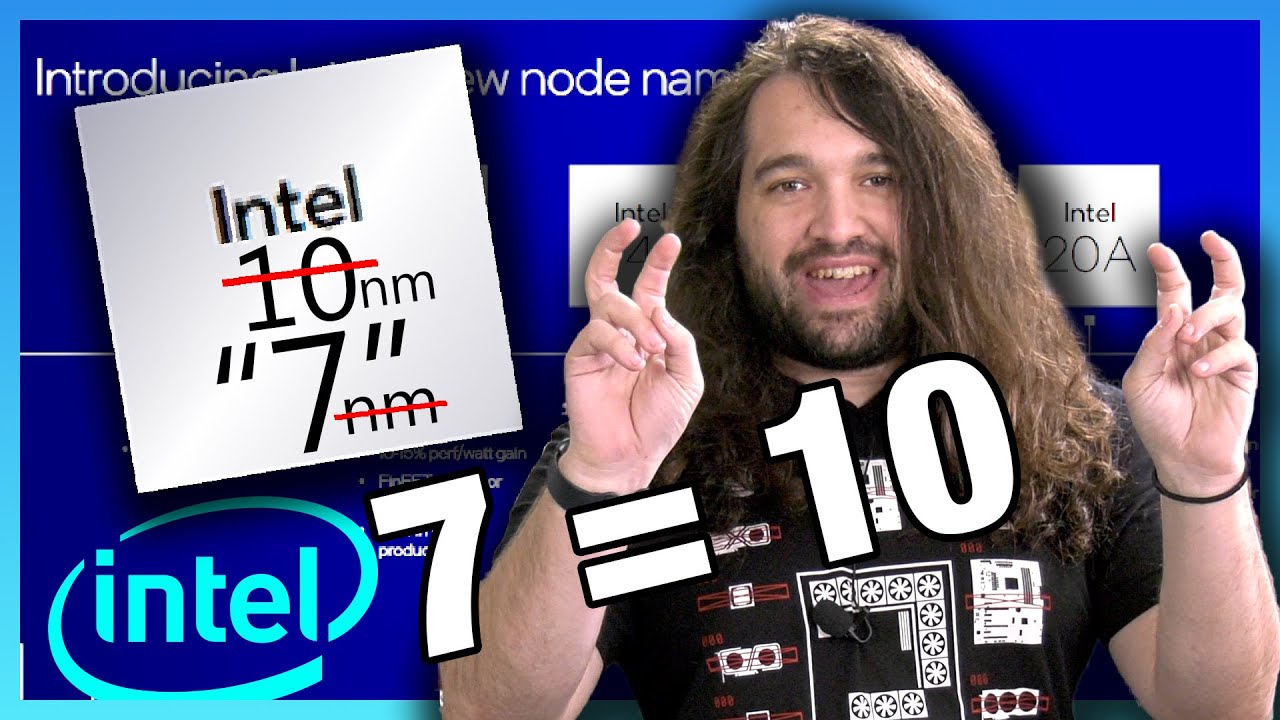
During the Intel Accelerated event, Intel decided that it didn’t like the game everyone else was playing, so it's going to make its own. If numbers don't mean anything, don't use numbers.
Sponsor: Buy Thermal Grizzly Kryonaut paste on Amazon (https://geni.us/JMVNtOE) or Hydronaut paste for water cooling (Amazon - https://geni.us/Fsray)
Last ye...
prisma arch
sudden torrent
https://www.youtube.com/watch?v=wxKGFxmwcDo
i saw that
proven canopy
Damn, not bad
 sudden torrent
It's that new hardware
short blade
proven canopy
Damn, not bad
i just submitted some more
recently gotten my hands on an rx 470, i7-7700K, gtx 1070, and rx 5700 xt
so had some fun subbing everything
sudden torrent
I really need to bench the processor I got for my wife, a little old dual core from the vista era that no one else seems to really have on hwbot...
sudden torrent
Free points
It's mostly for playing older win95-98 era games
Which are running surprisingly better than the other XP machine that blew up
sudden torrent
Yup. Games that don't play nice with modern x64 systems that don't have the old CPU instruction sets.
My computer is good enough to run a windows 98 emulator though lol
short blade
harder than it sounds
sudden torrent
Don't I know it. Full hardware level emulation is... fun
If anyone else is curious this is what I was playing with https://pcem-emulator.co.uk/
It managed to keep my overclocked 5800X very busy with an emulated Pentium MMX 166 MHz
sudden torrent
PBO for daily, manual OC for multi core benching
prisma arch
ok
modern walrus
Is using scalar "bad" if you have a core offset to keep voltage under 1.300v under load?
prisma arch
dont think so
zenith palm
Be careful with manual oc, sips ran manual oc for not very long and degraded chip
modern walrus
It's still on PBO but with the added additional offset
sterile flame
@sudden torrent oh man thats funny. I read somewhere that rocket lake was 10nm and took it at face value
I didn't realize it was still a 14nm node, just a 10nm architecture backported to 14nm or whatever
I'm not even an intel fanboy and I still fell for the marketing
sudden torrent
Yeah, how many pluses did they need to equal 10nm? 14nm++++++ or something
sterile flame
Sorry to reply to a comment from yesterday, discord always takes a minute to update while I'm at work and I always make a fool of myself replying to old comments thinking they're the most recent
short blade
does it really matter if it's 10nm or 14nm though if it's competitive
node names are all just marketing now
they no longer have any basis in any physical measurements
dull ginkgo
It's still good to know where benefits are coming from
like optimizations or node changes
but yea, gate length is just gonna be useless measurement for comparing nodes from now on tbh
short blade
sure but at the end of the day I care about how a cpu performs more than I care about a marketing number
7nm has its drawbacks too
sudden torrent
Well seeing as Intel's excuse for 11900k having 8 cores was "we can't fit any more" I'd hope a smaller node process might help lol


 sudden torrent
They could always fit more and it was a BS excuse to start with (10900k anyone) but still
dull ginkgo
backported
short blade
yep and that's why they're not competitive in that market segment
5900x looking cute
but hey
c l o k s p e e d
sudden torrent
dull ginkgo
backported
Right, it was 10nm on their 14nm+++++ node
dull ginkgo
yes
short blade
I wonder how overclocking will be on intel arc
will afterburner work with it
will we need intel xtu
dull ginkgo
xtu 2.0
sudden torrent
It'll be interesting. To start with I'd think XTU would be all since it's in house but eventually third party like afterburner will figure it out
dull ginkgo
I'd imagine they'll want to work with MSI to get afterburner compatibility tho
although, do we know if Intel arc will have aib models?
sudden torrent
Wouldn't be their first time collaboration
And I don't think that's been said yet, but AIB models seem unlikely
Intel does most of their own production, I don't think they'd trust Samsung or TSMC with their processes
sudden torrent
Is it now? Interesting break in tradition
short blade
will probably switch to intel node once they get their stuff sorted
intel 7 or intel 4
they're still first and foremost a CPU company
they probably want their limited intel 7 supply going into alder lake and servers
I expect first gen arc to be more of Intel just testing the waters
second gen might get more serious if they get their fabs up to speed
sudden torrent
I'm expecting it to go like RDNA did, first gen kinda meh with bugs, next gen better
short blade
they might be able to put serious pressure on nvidia and amd if they can undercut the competition due to inhouse fabs
nobody will be surprised if arc launches with teething issues but intel's software team is huge so I'd think issues would get ironed out faster than rdna
dull ginkgo
We'll have to see where in the market they're trying to assert themselves in terms of price
sudden torrent
They do have the advantage on the software since they already have their integrated GPU drivers
zenith palm
short blade
node names are all just marketing now
Like when ibm got 2nm but who cared apart from people that didn't realize it's in line with tsmc(7 or 5nm can't remember which one)
dull ginkgo
..?
zenith palm
short blade
we just gotta wait for that
10900
dull ginkgo
zenith palm
Like when ibm got 2nm but who cared apart from people that didn't realize it's i...
anandtech says no

:p
zenith palm
dull ginkgo
although, do we know if Intel arc will have aib models?
Isn't it intel ark? And intel arc? Is the archive thing? not confusing at all
dull ginkgo
zenith palm
Isn't it intel ark? And intel arc? Is the archive thing? ~~not confusing at all~...
arc, the gpu
 zenith palm
dull ginkgo
anandtech says no
zenith palm
dull ginkgo
anandtech says no
Ohh I'm mistaken nvm
zenith palm
dull ginkgo
arc, the gpu
Thought it was arc for archive or something 
dull ginkgo
¯_(ツ)_/¯
zenith palm
Stoopid naming
proven canopy
@bleak sable Remember when subbing for geek, need to save the data file after the run, then upload that separately
As of jan 1 this year, you need to have the online link for subs
 bleak sable
proven canopy
<@!319182510548451329> Remember when subbing for geek, need to save the data fil...
bleak sable
proven canopy
<@!319182510548451329> Remember when subbing for geek, need to save the data fil...
Alright will do
You need to pay for the valid rating
And you can’t save a data file
proven canopy
It's only good for about ~50 team power points anyway
proven canopy
Have you done port royal yet? That actually has global points
And decent hardware points
bleak sable
Lmao it submitted
bleak sable
proven canopy
Have you done port royal yet? That actually has global points
You need to pay
bleak sable
@proven canopy is it scummy to repport the 3080ti who beat me? they used 3.3.3 gpupi in a 3.2 benchmark
proven canopy
bleak sable
<@!546791995830566912> is it scummy to repport the 3080ti who beat me? they used...
no
bleak sable
proven canopy
no
I now took first place in gpupi 3.2 then
zenith palm
 void kelp
should i overclock my cpu when i build my new pc
void kelp
should i overclock my cpu when i build my new pc
Depends on the cpu
void kelp
zenith palm
Don't buy a ryzen 5 2600 now
im not gonna buy it now lol
zenith palm
You already have that?
void kelp
no
void kelp
zenith palm
If it's ryzen, all you want to do is use pbo
what is pbo
zenith palm
void kelp
no
Then don't buy it.
void kelp
why
zenith palm
Old
void kelp
then what cpu should i buy
zenith palm
Too expensive
zenith palm
void kelp
then what cpu should i buy
Depends on budget
zenith palm
void kelp
what is pbo
Precision boost overdrive, kinda like an auto oc
void kelp
ok
zenith palm
void kelp
my cpu budget is 200$
What's the whole pc? Are you reusing parts?
zenith palm
Then i5 11400(f) if it ever comes back in stock for the right price, or i5 10400(f)
void kelp
with the f?
zenith palm
void kelp
https://pcpartpicker.com/list/Qjjtvf
Total system budget?
void kelp
or non f
zenith palm
F just means no integrated gpu
zenith palm
What's your total budget?
zenith palm
What about the gpu?
zenith palm
Did you find an rx 590 for an okay price or?
zenith palm
Oh nice okay
void kelp
i know it sus
zenith palm
10400 isn't expensive
proven canopy
 void kelp
but i can return the gpu if have any problem in 30 days
void kelp
proven canopy
is that noctua cooler?
proven canopy
Yes
void kelp
zenith palm
10400 isn't expensive
maybe the cpu budget will be 175$
proven canopy

zenith palm
@void kelp https://pcpartpicker.com/list/sYMfXb if you can go a bit over
zenith palm
void kelp
or it just expensive at my place
Well where do you live?
Don't convert prices ;-;
void kelp
i could go with 700$
zenith palm
Are you not in the us?
zenith palm
Then don't use us prices
void kelp
im still gonna go for the 5 2600
zenith palm
What country?
void kelp
vietnam
void kelp
zenith palm
Ohh well what's the ryzen 5 3600 like at least?
TOO EXPENSIVE
zenith palm
Okay but fyi tell people you're not in the us and don't quote us prices for budget if you ask other ppl for work
void kelp
ok lol
dull ginkgo
I mean
Doesn't look that bad in price
https://shopee.vn/CPU-AMD-Ryzen-5-3600-3.6-GHz-Chính-Hãng-i.64334213.9020480575
@void kelp what's the price you're seeing for it?
dull ginkgo
10400 not that bad in terms of price on shopee
It's just more options, 2600 a bit sad
prisma arch
are my timings good
 proven canopy
what kit is that
bleak sable
@proven canopy is this a lot of points
 proven canopy
yes
proven canopy
It hasn't updated yet, but before that you had 51 team power points total
Just check https://hwbot.org/team/wegg/
bleak sable
proven canopy
It hasn't updated yet, but before that you had 51 team power points total
so did i double it?
also whats the golden star
proven canopy
4th place