#overclocking
1 messages · Page 70 of 1
 sterile flame
 sudden torrent
What the fclk at? 1833?
sterile flame
yep
sudden torrent
Run OCCT memory test and see if you get errors at that speed
Default settings are fine
sterile flame
sudden torrent
Run OCCT memory test and see if you get errors at that speed
ran it and no errors
sudden torrent
Good, then yes you're probably stuck with fclk at 1833.
Running memory faster than 3666 will actually reduce performance unless you get into ridiculous high speeds like 4600+
sterile flame
oh damn. i thought i could go for atleast 3800
sudden torrent
With some tuning you could probably get down to 3666c12
sterile flame
c12 as in tightening timings right?
sudden torrent
Yes that refers to CAS latency, the first of the primary timings
sterile flame
ah i see
idk that much about tightening timings
is there like a software or something which can give me the best timings?'
sudden torrent
Not really one that will max it out like tuning it manually
Ryzen DRAM Calculator won't push the voltage as high as you can do safely on b-die memory
sterile flame
so ill just stick to 3666 then?
sudden torrent
I would. Going any faster will give you a net loss in performance.
The extra money on fast RAM isn't wasted though, a high rated set like yours will tighten timings really well and give great results.
I'm running my set rated 4133c19 at 3800c14
If I push the voltage higher I could probably get it to 12
sterile flame
what cpu you got?
sudden torrent
5800X
sterile flame
ah thats why
sudden torrent
I'd help tune it since I love doing that, but I can't today. Need to get ready for a nice dinner with the wife.
sterile flame
no worries mate i was about to ask you for help on that
but take your time
whenever your free, just ping me or dm me
 proven canopy
Never seen someone daily cl12 on ddr4, c13 is doable though, not hard
 zenith palm
Bios update so scary was convinced power was gotta go out or something lol
 cobalt rapids
what do y'all like to run when tweaking a new gpu oc? heaven stopped on a specific frame or something else?
zenith palm
3d mark timespy or haven benchmark
 tall pelican
heaven is 💩 for anything newer than 2016
zenith palm
Timespy or another 3d mark benchmark then?
tall pelican
time or superpos
cobalt rapids
is there something good for stressing for stability while I tweak the numbers or is it better to just change numbers, run benchmark, repeat
zenith palm
Change then run
sterile flame
zenith palm
Bios update so scary was convinced power was gotta go out or something lol
UPS exists

zenith palm
sterile flame
UPS exists
Not a thing in Ireland because it's very rare for power to go out
zenith palm
sterile flame
then wh-
Because I'm paranoid/anxious
sudden torrent
cobalt rapids
is there something good for stressing for stability while I tweak the numbers or...
Furmark, adjust while running the stress test. Once it crashes, back off a couple steps, then test with time spy.
 gritty robin
Safe oc for 9600k?
sudden torrent
Silicon lottery
sterile flame
sudden torrent
Silicon lottery
i looked at their page and turns out they're selling 11600k for $25 under MSRP
sudden torrent
Sounds right. Intel is the only one not having inventory issues lol.
 dull ginkgo
Occt is good too
tall pelican
how to "air" cool low tdp chips when you only have a d15

 clever epoch
Well if the peltier plates are also cooled by air I guess it technically counts...
tall pelican
Should do a 4c decently well
proven canopy
I will be amazed if that has effect sensor works well
The tolerances have to be so precise
sudden torrent
sterile flame
<@!396513761550270464> hmu when you free
I'm open now
sudden torrent
Sure no prob
sterile flame
@sudden torrent you free?
sudden torrent
Yup
sudden torrent
Let's start with the basic specs
I already know your CPU but what's your motherboard?
sterile flame
Strix X570E
sudden torrent
Not bad
sterile flame
is there a better mobo than that one? because my friend reccommended to me saying its the most premium motheroard available now
sudden torrent
No it'll do quite nicely
Grab this program and screenshot the timings

ZenTimings
ZenTimings is a simple and lightweight app for monitoring memory timings on Ryzen platform.
sterile flame
 sudden torrent
Ok head to BIOS
sudden torrent
Yes, you can get there from the advanced restart menu. Shift+click on restart, from the menu hit advanced, uefi options
Set DRAM voltage to 1.5
sterile flame
hold up i gotta install discord on my phone then
Right I'm in
DRAM voltage is at 1.4 now
I'll change it to 1.5
Anything else?
sudden torrent
1.15 SoC
1.0 VDDP
1.05 vddg iod
10.5 vddg ccd
zenith palm
There should be an overclocking tab are you in that or just the memory tab?
sterile flame
I'm in Ai tweaker tab
zenith palm
That sounds right
sterile flame
I'm guessing this is the overclocking tab
sudden torrent
You might need to set voltage to manual mode instead of auto or offset
sterile flame
 sterile flame
sudden torrent
You might need to set voltage to manual mode instead of auto or offset
sterile flame
sudden torrent
You might need to set voltage to manual mode instead of auto or offset
Where do I set that?
sudden torrent
You have the mouse hovering on it in the picture, the control mode
There should be a version number on the white sticker on the memory sticks, what does that say? I guess that those sticks could be b-die or rev e
 sudden torrent
4.31
It's B-die
You have 4 sticks though? That'll limit timings a bit
There's no reason I'd see for the BIOS to stop you from setting voltage as high as 1.7v if you wanted
sudden torrent
Sometimes the bios requires you to use the + and - keys to change things
sudden torrent
Disable but that won't affect it right now
sterile flame
I see there's a + and - sign

But after i enter a plus sign
It just automatically goes to auto if i click on something else
Pressing enter on my keyboard doesn't work. Is that normal?
sudden torrent
Yeah many boards don't really use enter much with the click bios
sterile flame
So what shall i do?
sudden torrent
You might need to update the bios or something, I've never heard of it being stuck on auto.
sterile flame
I think i need to do a cmos reset
It just shows an orange light
And doesn't boot
sudden torrent
Seems like a good idea
sterile flame
Doing it rn. My gpu is in the way so it's taking some time
sterile flame
@sudden torrent i fixed it
sudden torrent
Ok see if you can set the voltages now
sterile flame
I'm able to change it now
sterile flame
sudden torrent
1.15 SoC
1.0 VDDP
1.05 vddg iod
10.5 vddg ccd
Did you mean 1.05 vddg ccd?
This should be all right?
 sterile flame
Is it the CLDO VDDP voltage?
sudden torrent
I believe that's what they call it on asus
sterile flame
Should I enable DOCP or should i keep it at manual?
@tall pelican @sudden torrent
IT'S FINALLY RUNNING
IT'S RUNNING AT THAT VOLTAGE FINALLY
Damn it took a lot of time
tall pelican
you only need to enable docp if you're doing manual overclocks and its not applying (or you're trying to run docp)
check with zentimings that its running at the right speed and timings
sterile flame
Ah so i don't need to enable docp for now is it?
I haven't adjusted the timings yet
Just the voltage has been changed
I have to tune it to 3666 now and then i have to see if it goes above that
For running at 3666 i did have DOCP
tall pelican
then leave docp on
some asus and gigabyte boards need docp/xmp to be on when you're running above auto clocks
sterile flame
Right
What is the max clock i can go now?
I have it at 3666 now
And it's stable
I was only able to get it at 3733
That is one level higher than 3666
sudden torrent
Your max clock is going to be whatever your fclk is stable at
Then you tighten timings after
sterile flame
I ran it at 3733 and fclk at 1866
Then when i increased it, it reset itself
It did boot though
Should i try increasing it to 3800?
Or just leave it there?
sudden torrent
One step at a time. Make sure it's stable at each level before you go up.
OCCT will reveal any errors that come up. You said you tested 1833 fclk already, test it again at 1866, and if it's still stable try 1900. It's rare but it happens that a 3000 chip can hit that.
sterile flame
So should i increase the fclk first and then memory frequency?
Like increase fclk, restart it, then increase memory frequency and then restart?
sudden torrent
Yeah that way you know for sure if it's the fclk throwing errors
You can just change fclk and leave memory alone for now
sterile flame
Right. I'll run the fclk at 1900 now and see
It's running at fclk 1900
Now I'll increase the memory frequency to 3800 and see if it's running?
It's running at 3800 memory frequency and 1900 fclk
sudden torrent
Test with the OCCT memory test to see if there's errors
sterile flame
Shouldn't i tighten the timings?
sudden torrent
There's a very high chance that the fclk isn't stable at that speed anyway
sterile flame
Or should i do it after the occt test?
sudden torrent
Timings are later
sterile flame
Oh ok I'll do it now
sudden torrent
The voltages we changed give you the best chance at a stable fclk but there's still a lot of 3000 chips that have trouble over 1800
sterile flame
For the OCCT test, what should i set the instruction set?
proven canopy
avx2
sterile flame
and threads is auto or fixed?
proven canopy

GitHub
C# WPF to automate HCI MemTest. Contribute to integralfx/MemTestHelper development by creating an account on GitHub.
auto should be fine
sterile flame
Got it thanks
The test says it takes about an hour
So I'll get back to ya after that
sudden torrent
I guess you're one of the lucky ones that can run 1900 fclk
Set memory speed to 3800 if you didn't already
sudden torrent
Good. Now we can work on timings.
Save your bios profile before we continue so it's easy to reset
sterile flame
how do i do that?
sudden torrent
It varies by bios, but it's usually named something to do with profiles
sterile flame
ah so ill restart it and see
sterile flame
Bruh
I saved it
Just to be double sure, i saved it on my motherboard and on a USB
Now for the timings
@sudden torrent
clever epoch
proven canopy
https://github.com/integralfx/MemTestHelper/blob/master/DDR4%20OC%20Guide.md#mem...
you should use this guide to tune the timings
sterile flame
Damn it has a lot of technical stuff in it
I will read it for sure. It helps
But how important is tightening timings?
Like i got 32GB of RAM running at 3800Mhz. So how much of a performance gain would i get by tightening timings?
clever epoch
you'll get a good bit by tightening primaries and tRFC
if you've come this far after buying such a fancy kit, it's worth doing the timings
sterile flame
Right
sudden torrent
With b-die I expect you to be able to do cas 14 easy
It's best to adjust a couple timings at a time so if it fails you can narrow down which one it didn't like easier
sterile flame
got it G thanks a lot for your help
 modern walrus
Hello all. First time OC today. I finally got my RTX3060 stable (ostensibly) at +735 mem clock & +210 core clock. I've seen people claiming +1000 on the mem. Perhaps I lost the silicone lottery or maybe the card just doesn't handle it (ASUS RUF-RTX3060-O12G on MSI MPG Z490 w/ Afterburner). That aside, I've been trying to OC my CPU now & I have a few basic questions: (1) is +52 too ambitious for i9 10900K? & if not, (2) is the correct procedure when the system goes unstable to slightly increase voltage? I've gone up in .005 increments from 1.305-50. Btw was stable at +51@1.310v. Anyone willing to deal w/ helping the FNG? Thanks
Also, 360 Coolermaster Silver AIO, 3x120mm pull/2x200mm Thermaltake Triio push
aRGB is set to show system temp. Seen a little violet but no red yet. Still unstable
Benchmark on Cinebench R23
clever epoch
modern walrus
Hello all. First time OC today. I finally got my RTX3060 stable (ostensibly) at ...
- No, not too ambitious at all.
- instead of trying to increase voltage if the system is unstable, you should set your voltage to the maximum "safe" level. For a 10900k I'd say that's about 1.4V (some people say more is fine, it might depend). Set a moderate LLC (don't use highest LLC), and then run stability tests on increasing frequency values until it goes unstable
As for stability, cinebench is not a good stability test. It is good as a benchmark though
You should use OCCT for stability testing
clever epoch
Also I'd make sure vCore droops under 1.35V under all core load
modern walrus
okay I'm gonna try & figure this out
I watched this video where dude said you need to disable Multi-core Enhancement
He was using ASUS BIOS tho so I don't even know if that's a thing on MSI
is +53 possible? just out of curiousity?
I guess I'd never hit that considering the instability at 52
clever epoch
It is possible
modern walrus
LLC is Lite Load Control?
I know it's not Limited Liability Corporation. That's all I knew LLC was before like 5 minutes ago lol
modern walrus
I'm sorry in advance for being a total noob & understand if you don't feel like dealing with my questions accordingly
Damn I read every option like 3x & I don't see load line calibration or vdroop anywhere
maybe I should just resign myself to letting Dragoncenter do the OC-ing haha
dull ginkgo
vdroop is more of the phenomenon that is affected by llc
what LLC does at higher levels is force the voltage up to what you set it, and does not let it 'droop'
modern walrus
ah okay I think I get it. I was an electrician for 5 years so that's about my only reference on this haha
dull ginkgo
Higher LLC levels tend lead to higher heat and higher temps.
modern walrus
oh I found something mentioning LLC in a sub-menu ("DigitALL Power")
It just says Mode 2 which is what MSI's website said to se it at
but they also put the offset at +51 & called it a day. They're not very ambitious apparently
Hmm there's 8 Modes. "The CPU voltage will decrease proportionally according to CPU loading. Higher [LLC] . . . higher voltage . . . good [OC]."
Mode 1 increases w/ load. Mode 2 stays flat. Mode 3-8 increasingly drop w/ load.
Current setting is #2.
eh let's see what #3 does & I'll put voltage at 1.35v so it drops below that level under heavy load
dull ginkgo
I'm not too familiar with the specifics with Intel OC, never messed with them, I just know the underlying principles behind it, so you probably want someone else to help with specific settings xD
modern walrus
Doesn't Ryzen have lower tolerance for OC/it's powerful enough stock that it doesn't really warrant messing w/ anyway?
My next build I wanna do Ryzen 9
Threadripper would be great but a $3k CPU is crazy talk
dull ginkgo
Ryzen just doesn't scale well with manual OC, PBO can basically do what most people can do, but better.
clever epoch
AMD squeezes the majority of the performance of their processors at stock (since Zen2)
So manual overclocks don't do much, and can even reduce performance in single threaded loads because single cores can boost higher
clever epoch
modern walrus
Mode 1 increases w/ load. Mode 2 stays flat. Mode 3-8 increasingly drop w/ load.
You don't want to use mode 1 or 2. You actually want vdroop. It's generally better to run higher set voltage and have it droop lower under load, than to set a low, relatively constant voltage
modern walrus
That Multi-core enhancement thing is apparently called Enhanced Turbo on MSI
clever epoch
You could get away with setting 1.425 or more at lower LLC
 left bladeBOT
 ggood003#6858 has been warned
Reason: Bad word usage
modern walrus
oh shoot bad words sorry
I am going to disable that feature
okay I'll drop it to Mode 4 then
voltage 1.425
hmm that's lit up red like it's a bad idea lol
clever epoch
As long as you have a lower LLC it should be fine
Also I believe MCE doesn't matter for a manual OC
modern walrus
oh okay. the video said if you don't disable it the default settings could overwrite values you enter or something like that
someone said it on a video so it must be true right?
okay I moved it to mode 5, which is approximately a 67.5 degree angle
of decrease relative to load
(halfway between 90 & 45 degree)
alright well I'm gonna F10 & get ready for liftoff then
btw can you set vdroop on GPU too?
will download OCCT btw instead of Cinebench
clever epoch
modern walrus
oh okay. the video said if you don't disable it the default settings could overw...
It overwrites some settings, but I don't remember everything it does other than power limits
modern walrus
Does it matter if I have like an OSD on to see temps during tests?
clever epoch
Also you should use hwinfo and monitor your system. Particularly vCore under load
clever epoch
modern walrus
Does it matter if I have like an OSD on to see temps during tests?
Might affect benchmark scores, shouldn't affect stability
modern walrus
okay cool I'll look for that. I was gonna use CPU-Z or just watch in Afterburner
I'll look for that now
clever epoch
modern walrus
installer or portable?
clever epoch
You can choose portable or installer, depending on if you want to run temporarily or have it available all the time
modern walrus
alright I'll do installer
clever epoch
I have it installed because I use it frequently
I believe on Intel, the most accurate metric for vCore is VR VOUT
modern walrus
oh alright I'll get that instead then
clever epoch
Forks or @tall pelican can confirm
modern walrus
apparently VR VOUT measures actual voltage going into core
Vcore no bueno apparently
clever epoch
Yeah so VR VOUT is the important one
You should also overclock your ring bus
After you stabilize your core
modern walrus
I saw that. No idea what it is but I saw it
clever epoch
Ring bus affects inter core communications, and I believe the memory subsystem as well
clever epoch
There should be a multiplier in your BIOS somewhere indicating ring bus speed
Haven't touched an intel BIOS in years though
modern walrus
Ryzen is that much better?
I wanted to do Ryzen with this build but the 9s where nowhere to be found
clever epoch
I don't upgrade often and ryzen was the best choice for me at the time(s)
modern walrus
ah I finally found the vcore
clever epoch
Yeah they're tough to get ahold of. Although stock has just gotten better. I grabbed a 5800X initially and upgraded to a 5900X when I got one
Ignore the listed vCore. You should monitor VR VOUT
More importantly, how much that drops down to under load
modern walrus
oh shoot that's right
clever epoch
You should be fine if it's 1.35 or less under load. If it's more, consider dropping your set voltage, or your LLC
modern walrus
I see.
So at a fundamental level, instability is just overpowering the core & shutting down/green screen of fun is core protecting itself from damage?
clever epoch
That would be thermal instability, which you should not be getting close to. If your temperatures exceed 90-95C under AVX load you'll have to scale back your OC
Your cooling should be fine though, so the instability you will more likely see is crashes/errors during load
Those happen if you force your CPU to go too fast
Generally, more voltage will allow you to go faster, but of course you don't want voltage too high because that will degrade your processor over time
modern walrus
darn I cannot find this VROUT thing
I set the AVX offset to -9
I see it's like when a motor spins too fast & exceeds its redline type deal
clever epoch
modern walrus
btw can you set vdroop on GPU too?
Forgot about this question until now. GPU power delivery is much more locked off in general. I'm pretty sure they droop automatically, but there's not much you can do (without physical modding) since it's all pretty closed off. GPUs typically run up to a power limit and try to stay within that power limkt
modern walrus
You think CPU System Agent voltage or CPU I/O voltage is a good stand in?
clever epoch
modern walrus
darn I cannot find this VROUT thing
Can you send a screenshot of what you see on hwinfo?
clever epoch
modern walrus
You think CPU System Agent voltage or CPU I/O voltage is a good stand in?
No, that's completely separate
modern walrus
I wasn't aware I could send screenshots on here
I hid every value except voltages to try to make it easier
sudden torrent
Once your name turns green you're past level 3, so you can send pics
clever epoch
you might have enough level to send it now? but that's ok, you can DM

 cunning shard
modern walrus
cunning shard
modern walrus
I wish I knew. I'm in the process of figuring this all out
Here's a clearer version

For what it's worth, this computer is running fine (the OC one) before I hit the stress test
clever epoch
can you show everything (don't hide anything) and take another set of screenshots?
clever epoch
modern walrus
Here's a clearer version
I think it's under the section you have collapsed
tall pelican
clever epoch
Forks or <@193597009360453633> can confirm
question answered? (dont want to read through chat)
modern walrus
ok let me look
tall pelican
yeah
clever epoch
also while you're here
tall pelican
only some boards have it though
clever epoch
max safe voltage under load for 10900k?
oh interesting
what's your next best reading?
tall pelican
1.42v and/or 255A
tall pelican
vcore, and just know it'll be higher than actual
clever epoch
looking at other screenshots, I think it should be under this section (if it exists)
 tall pelican
if it was there, that would be the place, or it will be fan speeds and mobo temp readings


 clever epoch
guess you don't have it then
clever epoch
you'll have to use vcore as a gauge, and just know it's a bit higher than actual core voltage
modern walrus
lol
clever epoch
did you stability test yet?
modern walrus
not yet I've been trying to figure out where the heck this sensor is hiding
modern walrus
that one. VR VOUT
modern walrus
well gaming carbon wifi ftw
ah to heck with it. I'm gonna run the test
load type variable or steady?
clever epoch
Not sure tbh. Go with steady for now
Or whatever the default is
I'd go up to 1.45V set and try 5.3+
If your vCore 1.42 or less under load, you should be fine
modern walrus
hell why not haha
clever epoch
And temperatures under 95
modern walrus
I'll reset now
clever epoch
Stability test for 10+ minutes. If no errors, keep bumping up the frequency
modern walrus
start at 53?

 clever epoch
Yeah give it a try
modern walrus
 clever epoch
modern walrus
clever epoch
modern walrus
You can see the ring ratio there. That's what you want to adjust after you finalize your core frequency
modern walrus
I'm set at 5
clever epoch
LLC looks reasonable
modern walrus
Will do
Alright cool I'll save & go for it
Guess I didn't install OCCT fully yet. How anticlimactic
green screen as soon as I opened it
let's try some more vdroop I guess
even more anticlimactic
lol green screen on log in screen
bruh
whats the difference b/t dynamic & fixed CPU ratio mode?
clever epoch
modern walrus
whats the difference b/t dynamic & fixed CPU ratio mode?
Dynamic is automatic boosting. Fixed is static (manual) CPU speed
modern walrus
think switching to fixed would do anything?
clever epoch
Also increasing vdroop will only reduce stability. You'd want to reduce vdroop (increase voltage under load)
You should already be in fixed mode?
 clever epoch
Yeah idk what it means specifically then
modern walrus
this is getting bananas
I'll pop it in fixed mode. why not at this point? looking like I'm gonna be hitting that restore default settings sometime soon lol
clever epoch
Hopefully not :p
Unfortunately I don't have much more to offer you at this point other than to try and maximize frequency while making sure your vCore reading is less than 1.42V. you might want to go to LLC3 (don't go any higher than that)
And then try your ring ratio
modern walrus
no worries
you've taught me a ton of stuff actually
don't mess with ring ratio until after initial OC?
btw does it matter that I OC my GPU first? like are they mutually exclusive or could the GPU OC be messin up the CPU somehow?
clever epoch
Something I just remembered: try non-AVX tests first, stabilize that, and then adjust the AVX offset to stabilize AVX tests
modern walrus
Should I set that to some crazy high number to avoid it?
or where do I find non-AVX tests?
clever epoch
modern walrus
don't mess with ring ratio until after initial OC?
Yeah core OC is more important, you should leave ring OC for later
clever epoch
modern walrus
btw does it matter that I OC my GPU first? like are they mutually exclusive or c...
Doesn't matter as long as they're stable
clever epoch
modern walrus
Should I set that to some crazy high number to avoid it?
OCCT should have AVX and non AVX stress options for CPU
P95 is also non AVX
modern walrus
okay I got it to boot
well it opened
I don't see AVX option only CPU: OCCT or CPU: LINPACK
clever epoch
Hmm I'll have to check OCCT myself later, could have sworn there was an option
modern walrus
okay well I started nonetheless
wamp
green screen
heck
well... should I drop the voltage? I running out of ideas
hmm I wonder why if any voltage 1.36+ is red
clever epoch
modern walrus
hmm I wonder why if any voltage 1.36+ is red
Because that's technically in the "danger zone" for voltage. If you have decent cooling and control your LLC you should be fine though
You could try 1.4 with LLC2, just for testing
modern walrus
I see.
I've been reading forums where the consensus seems to be that you have to be "lucky" to get 52+. I might just set it to 51 for now & do some more homework on it
The frustrating thing is I haven't been able to find anyone talking specifically about MSI bios
So whatever random stuff they throw on there to get their numbers up for marketing isn't easily identifiable
gamernexus has a long video about how motherboard manufacturers basically OC without OC
Seems like nonsense but you'd probably understand it better than I would
well better than I did rather
I mean even at +51 it's been a pretty productive day. I got my GPU OC & my CPU
Can't thank you enough for your help btw
I learned a lot even if mostly trial & error
meaning like I don't know how to control the machine yet but I know what a lot more of the buttons & levers do now
clever epoch
modern walrus
I learned a lot even if mostly trial & error
OC is mostly trial and error 😛
modern walrus
haha ya I kinda learned that with the GPU but there you're really only worried about 2 variables
CPU its 10 variables + a bunch of mystery settings
sudden torrent
Plus the bios doesn't explain those settings very well, "xyz level setting affects xyz level"
modern walrus
totally. Half the explanations leave you with more questions than answers
others are completely worthless &/or obvious. "changes CPU mode from 'fixed' to 'dynamic'"
like oh thanks
do y'all use User Benchmark at all? I swear I have so many problems with that thing. I like that it gives you the online comparison when it works but half the time I get some error about sequential writes on my SSDs
 quick rose
UBM is garbage
modern walrus
I wonder if I can overclock the GTX 1660 Ti in my SurfaceBook? 🤔🤔
ya I agree
ever use 3dmark? I got it off Steam
I guess my next mission is OC my RAM haha
sudden torrent
3dmark is good
modern walrus
Ya I used it a bunch of times today. I was so proud cuz I got up from like 9400 to 10001
sudden torrent
Normally you can't overclock laptop model gpu
sudden torrent
They're very precise about what wattage is available
modern walrus
I like the surfacebook but that thing gets hot
super hot
same with the surface go
sudden torrent
Cooling pad?
modern walrus
which is cool to have but Android/iPad tablets are way more versitile
at least for little crap like paying app type games
I got one of those ones you put on your lap with a fan in it
it works alright
the thing is with the surface book, most of the computer except for like an extra battery & the nVIDIA GPU is in the screen half of the laptop
cuz it has to standalone when you detatch it
detach
sudden torrent
Yeah I could see that being a problem still then
modern walrus
I've never even tried to use it outside or anything. I bet that would not go well
The most recent firmware update kinda fixed it tho. It doesn't get nearly as hot
you can read about people having the thing get super hot & making the screen bulge & crack
It's a cool concept when it works right tho
Are you supposed to get +1000mHz OC on a 3060? what's wrong with mine? lol
proven canopy
On the memory? Possible, but not expected
modern walrus
alright cool. I'm good with my +725 then

why don't more people do this? I thought it was clever
 dark ferry
Probably because the extra airflow doesn't amount to much. Most of us have 3 intake and 3 exhaust already in cases that already have good airflow.
sterile flame
dark ferry
Probably because the extra airflow doesn't amount to much. Most of us have 3 int...
it does
VRAM cooling is very needed when using it to 100% or mining
cheaper to hook up a fan to the back than repad
dark ferry
Didn't know he was mining.
sterile flame
??
 tired cypress
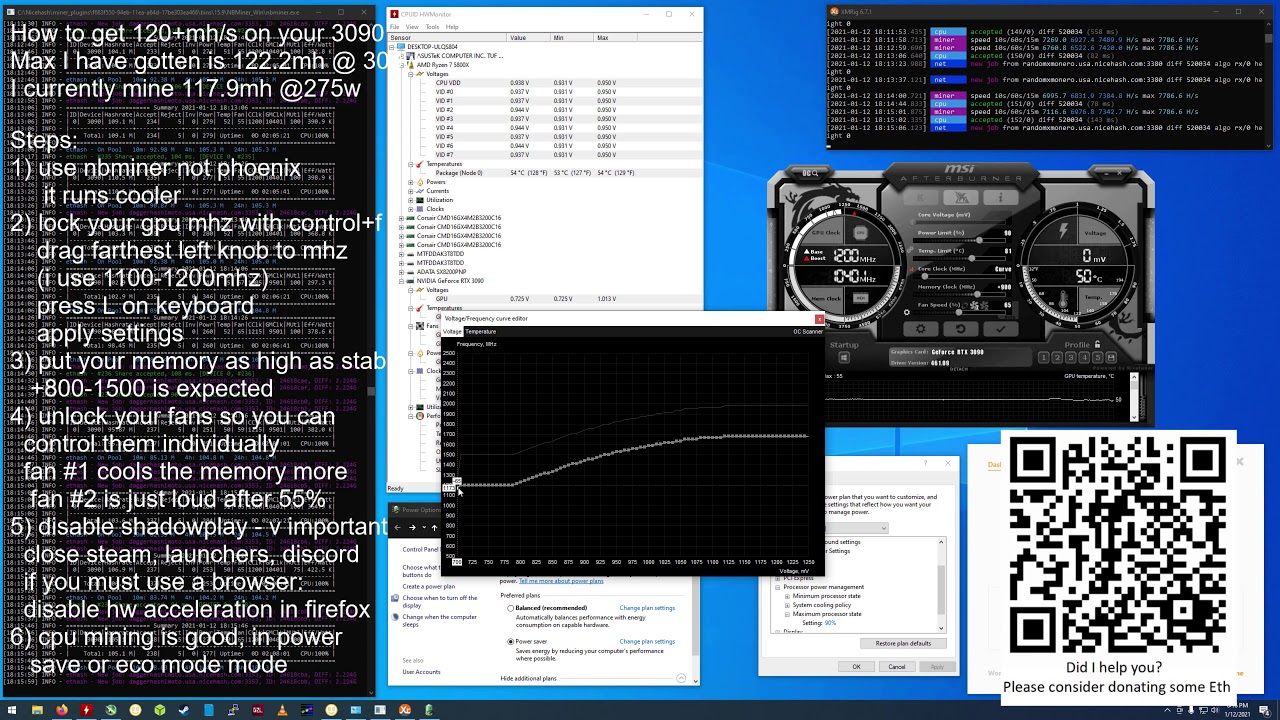
Not quite 120mh on the 3090, however i could turn off my screens and close discord
 zenith palm
You must have pads and a fan on the back of that X)
 robust aurora
Whats your vram temp@tired cypress
 sterile flame
tired cypress
sterile flame
tired cypress
thats not your temp
go to HwInfo
"memory junction temperature"
unless you're waterlooped thats core
 proven canopy
🌶️
tired cypress
Imo it's much more comfortable than it was before mods
zenith palm
That's a lot better than 110 lol
cobalt rapids
+150 core/+1000 mem brings my 3070's time spy score from 13626 to 14823
people say they get upwards of 2100-2150MHz with lower oc boosts but mine seems to peak around 2080, is that silicon lottery or should I just keep pushing
tall pelican
silicon lottery + cooling
 agile flame
Anyone here brought a 3060ti over +500 on memory?
I have mine on
+105
+500
Maxed voltage n temp
Max temp I've ever seen is 63c whilst gaming
agile flame
agile flame
Anyone here brought a 3060ti over +500 on memory?
I did +750 and it crashed after like 40ish minutes
sudden torrent
agile flame
Anyone here brought a 3060ti over +500 on memory?
I have my non-ti 3060 at +1400 mining
agile flame
Maybe I'm doing something wrong then
sudden torrent
Or you're just unlucky, or the temps are too high.
Mine sits around 42C on a bad day.
cobalt rapids
I sorta doubt it's cooling but it could be, my card never reports higher than like 65, 75 hotspot
cooler fat because it's the same one from their 3080 design lul
sudden torrent
Yeah I've got the 3 fan, overbuilt tuf oc model 3060. Maxing everything out overclocking and doing furmark it doesn't hit 70 with the fan at 50% lol
sterile flame
@agile flame is it by chance a gigaturd 3060ti?
sterile flame
tired cypress
Not quite 120mh on the 3090, however i could turn off my screens and close disco...
bruh i have a 3090 and i get like 100mh
could you pass me your settings or anything?
i use nicehash quick miner
quick rose
sterile flame
bruh i have a 3090 and i get like 100mh
Mem clock up, core clock down, power limit to 65 or so, fans to 70%
sterile flame
yea but like i was asking for values
quick rose
Well, each card will be different
Numbers for theirs may not work for yours
Take the core down 200 mhz to start and the memory up until you lose MH/s efficiency
Then take the core down until MH/s is affected
Then test power limit for the same
It's just like overclocking, what works for one card may not work for others
sterile flame
ah i see
i thought of like having that as a template
and then work around with that preseet values that he has
quick rose
Try -200 core, +1000 mem and 65 power limit, fans at 70%
adding thermal pads to your backplate will help also
Since you have GDDR6X
Might not be able to OC ram as far due to heat without them
sterile flame
i dont have thermal pads as of now, but i am planning to purchase them. I only mine on my free time say like when im sleeping or something
will changing those stuff affect my gameplay performance?
quick rose
Possibly
Game will run but with less FPS, possibly artifacting from memory overclock
most of us use MSI Afterburner with a Game and Mining profile
sterile flame
oh wait i can do that as well lol i forgot about different profiles
i use the asus one
agile flame
sterile flame
<@!438753157531566081> is it by chance a gigaturd 3060ti?
unsure I have a gigabyte something something
zenith palm
cobalt rapids
people say they get upwards of 2100-2150MHz with lower oc boosts but mine seems ...
Mine peaked at 150core but i could push mem to like +1150 before artifacts iirc
zenith palm
sterile flame
<@!438753157531566081> is it by chance a gigaturd 3060ti?
Doubt it's a gigabyte problem i get +1300 stable on my 3070 while mining
 calm sequoia
at least 3
sterile flame
zenith palm
Doubt it's a gigabyte problem i get +1300 stable on my 3070 while mining
Pads/cooling
Nonexistent on gigaturd
proven canopy
sterile flame
what size of thermal pads should i get for my 3090/
Depends on the card? what model? Googling site:reddit.com (model) thermal pads should find some thread with info
sterile flame
proven canopy
Depends on the card? what model? Googling site:reddit.com (model) thermal pads ...
Strix 3090
tired cypress
sterile flame
what size of thermal pads should i get for my 3090/
Norbert the Great is a counterculture blog covering technology, crypto, gpu mining, weed, politics, philosophy, activism, and whatever else comes to mind.
Costs a little extra to mod, but the gains are well worth it
Also, @SlimShady , refer to this brief guide (You will need Afterburner) - https://www.youtube.com/watch?v=isXErQpXBtg
 sterile flame
tired cypress
Also, @SlimShady , refer to this brief guide (You will need Afterburner) - https...
sterile flame
tired cypress
Also, @SlimShady , refer to this brief guide (You will need Afterburner) - https...
gotcha thanks mate
sterile flame
tired cypress
Costs a little extra to mod, but the gains are well worth it
do you have the name of the fan that hes using>
?
i cant seem to find one in amazon.ca
zenith palm
sterile flame
Pads/cooling
Ik but i still get +1300 on my gigabyte 3070
robust aurora
@zenith palm the 3060ti v2 is realy bad i have heard
zenith palm
Ohh fair
robust aurora
They removed the heatsink from it
modern walrus
good morning. Can anyone tell me where OC temps are too high? 80+? I'm running OCCT (w/o AVX Capable Linpack checked) & seeing jumps up to 86. I can't understand why it gets so high only running at 51. Is my AIO just mediocre or should I redo the thermal paste?
yikes just hit 87 on Core 4
it's like that for less than 2 about 2 seconds tho
modern walrus
Voltage is max 1.35 & average 1.323
zenith palm
You can always make your fan curve more aggressive
zenith palm
Wouldn't worry about the temps but it's a meh aio
zenith palm
modern walrus
I have all fan curves set to 100% >75degrees
But what does the rest of your curve look like
modern walrus
It's push/pull w/ the 3 stock 120s pulling & 2 200mm Thermaltake Riing Trios pushing
I think 10.68 volts at 65 degrees
zenith palm
Can you just show the fan curve?
modern walrus
ya let me cancel this test & restart
zenith palm
Okay
 modern walrus
it shows 12V at 75
they're not pwm so I have to set volts
12 is max
I'll drop them to 100% at what? 65?
zenith palm
That's a bit confusing of a graph but I'd do something like this i think

 zenith palm
Can you not just do percentages with dc fans? That's what i can do, weird
zenith palm
It looks like they aren't spinning til 50c tho no?
Or is it just the graph being weird
modern walrus
40
zenith palm
Ahh okay
zenith palm
I would make it so the fans spin about 30% from 0-30c if possible
modern walrus
Alright thank you
zenith palm
Just helps if they don't have to keep turning on and off longevity wise afaik
modern walrus
2 of the 200mms don't show because ttrgb controls them
zenith palm
I see
modern walrus
what do you think 100% by like 55 degrees? or lower?
You think the fan curves are the problem? i.e. why I'm hitting such high temps?
I think I need to flip the top 200mms to be exhaust fans
zenith palm
I usually do 100% at like 70 or 80
Ohh yeah if you have the top fans as intake that would help switching them
modern walrus
I just dunno why it's so darn hot at 51
the CPU ratio I mean
I read where people are getting 52-53 no problem
modern walrus
Shouldn't the voltage be fixed? i.e. HWiNFO shows minimum voltage as my input 1.325 but maximum at 1.405. Shouldn't the max & minimum be the same/
 lavish tundra
modern walrus
It's push/pull w/ the 3 stock 120s pulling & 2 200mm Thermaltake Riing Trios pus...
lavish tundra
modern walrus
It's push/pull w/ the 3 stock 120s pulling & 2 200mm Thermaltake Riing Trios pus...
I would push with the 3 stock fans. Pull really doesnt do much for an aio
modern walrus
then the problem would be I couldn't use the 2 200s
lavish tundra
modern walrus
then the problem would be I couldn't use the 2 200s
You dont have to use every fan you have in a pc
lavish tundra
Also what voltages are you running the chip at in the bios?
Just pushing with stock fans will make a big difference tbh
lavish tundra
Dont use the 200s anywhere on the rad
modern walrus
at 52
modern walrus
I'm starting at 1.300
lavish tundra
also what is your LLC on?
lavish tundra
also what mobo?
modern walrus
MSI MPG gaming carbon wifi
lavish tundra
modern walrus
which is essentially flat
what?
lavish tundra
modern walrus
MSI MPG gaming carbon wifi
chipset?
modern walrus
10900K
lavish tundra
490 or 590
lavish tundra
modern walrus
10900K
chipset not cpu
modern walrus
sorry ya 490
lavish tundra
modern walrus
490
ok 1 sec
modern walrus
okay
lavish tundra
check what ur load line calibration is on once
modern walrus
okay it's mode 2 which basically doesn't droop at all
lavish tundra
Ok nice
modern walrus
sorry not 52, 53
modern walrus
I'm thinking it's a mistake to be on Windows Insider. I have preview build but it seems to make things worse
darn really? that's no good
maybe I should be happy I was almost stable at 52
problem was I was at 1.36v. Is that too high? it was red when I input it lol
lavish tundra
I would set voltage to 1.4V to begin with and then get the core multiplier as high as I could go while maintaining stability
modern walrus
ohh
see I was setting the multiplier then tweaking voltage
i.e. the opposite approach
lavish tundra
1.4 for 10900k is complete;y fine daily driver
modern walrus
the other issue is should the voltage be completely fixed
lavish tundra
If you hit thermal limits reduce voltage slightly and try again
lavish tundra
modern walrus
the other issue is should the voltage be completely fixed
nope
modern walrus
okay nvm on that then
lavish tundra
It will fluctuate. You are just setting the maximum limit
modern walrus
that's strange then.
I set the max at 1.360 & HWiNFO was showing the max at 1.44 or something like that
lavish tundra
What value you changing to change the cpu vltage?
modern walrus
What's really awful is I gotta re-enter Bitlocker code on every reset
all 40 digits
1.300 right now
should I up it you think?
modern walrus
just bumped to 1.350
meh 1.4. wouldn't boot
what's considered "too high?"
booted. now shows min 1.404, max 1.485. 1.485 seems pretty high no?
jeez now showing max voltage at 1.535. That has to be for sure too high
lavish tundra
What value you changing?
modern walrus
voltage
lavish tundra
What value under voltage...
lavish tundra
CPU Vcore?

 short blade
1.535?
modern walrus
I know that's not where I change voltage I was just showing you what everything is reading because it actually got past log-in screen
short blade
say goodbye to your cpu soon
modern walrus
ya way too high huh?
lavish tundra
short blade
1.535?
Vcore is 1.4
short blade
you should never overclock on auto voltage
NEVER
first of all what cooling setup do you have
short blade
i was seeing thermal throttling on all 8 cores of a 10700K with a 360mm AIO, 5 fans, mesh case, and no gpu
at 1.35V
short blade
10900K at auto voltage 5.3ghz will probably recreate chernobyl
lavish tundra
did you change up the fan mounting on the rad like vintage and I suggested btw?
modern walrus
that I awesomely got from the newegg shuffle I might add
short blade
hold on i need to remember how MSI does LLC
modern walrus
I'd have to remove front case fans for that
short blade
okay msi llc is lower number = lower vdroop
modern walrus
I'm on Mode 2
short blade
JESUS
modern walrus
which is basically no vdroop
modern walrus
How do I turn off Auto voltage?
short blade
type manual override voltage into bios
modern walrus
It's on Override
short blade
1.35v mode 4
short blade
start at 5ghz
modern walrus
I had it stable at 5.2 lol
short blade
no offense but considering what i'm reading here
modern walrus
I got overly ambitious
lavish tundra
1.4 is safe for 10900k as well right?
short blade
i would bet a 10900K you don't know what stable means
short blade
lavish tundra
1.4 is safe for 10900k as well right?
maybe if you have sub-ambient cooling
modern walrus
okay fair enough
short blade
i also run a much heavier load than occt
lavish tundra
short blade
maybe if you have sub-ambient cooling
I read its fine daily with a decent aio
short blade
well i was seeing thermal throttling with less cores and less voltage lol
lavish tundra
modern walrus
well it went thru about an hour of OCCT stress
I personally run stress tests and use the profile for a full day or 2 before calling it stable
modern walrus
 lavish tundra
short blade
well i was seeing thermal throttling with less cores and less voltage lol
lavish tundra
short blade
well i was seeing thermal throttling with less cores and less voltage lol
Ah makes sense
modern walrus
I am going to follow orders to the T here
short blade
start at mode 4 and see how vdroop handles it
iirc mode 3 and lower actually causes increased voltage under load
which might be why you were seeing such insane voltages if you really put an override voltage
modern walrus
 short blade
you should keep ring ratio oced to 300mhz below core ratio
ring ratio is very important for performance
modern walrus
 short blade
now go put 1.35v in override voltage
modern walrus
 modern walrus
the latter
short blade
alright
 barren ridge
dang
short blade
next step is report that youtube video
short blade
that person is a nonredeemable idiot and should never be allowed to own a computer ever again
just give them a macbook
short blade
change it back to 1.35v
modern walrus
okay
short blade
it's 3800 18-22-22-42 that's not exactly 1.5v material
i use 1.5v to run 3800 14-12/18-18-34
modern walrus
 short blade
your auto SA/IO look really high
lavish tundra
So basically with the stuff you were doing before snail showed up, you would have fried ur pc faster than a gigabyte P-GM power supply
short blade
but i wonder if that's just because dram was set to 1.5v for some reason
modern walrus
They're Trident Z Neo 32x2 (also newegg 😄 )
short blade
oh yeah absolutely your cpu would probably be dead before the month ended
go ahead and boot
modern walrus
copy that
lavish tundra
Oh btw lemme tell you a secret... no one here really buys stuff from newegg
short blade
see what it reports for VCCSA/VCCIO in hwinfo64
i do
i've spent way too much money on newegg
 mint mountain
lavish tundra
Oh btw lemme tell you a secret... no one here really buys stuff from newegg
mint mountain
lavish tundra
Oh btw lemme tell you a secret... no one here really buys stuff from newegg
I do, when it’s out of stock on Amazon
lavish tundra
mint mountain
I do, when it’s out of stock on Amazon
amazon first tho
lavish tundra
short blade
i just buy wherever i can get the part i want cheapest
same
short blade
spent like 20k on newegg this year
 analog tartan
lavish tundra
Oh btw lemme tell you a secret... no one here really buys stuff from newegg
analog tartan
lavish tundra
Oh btw lemme tell you a secret... no one here really buys stuff from newegg
i built my pc on newegg
short blade
short blade
i just buy wherever i can get the part i want cheapest
oh one caveat i will avoid b&h
will gladly pay a bit more to buy from somewhere that's not b&h
modern walrus
I use amazon a lot just cuz it arrives so much faster
lavish tundra
short blade
oh one caveat i will avoid b&h
why tho?
short blade
racist company
analog tartan
modern walrus
I use amazon a lot just cuz it arrives so much faster
thats understandable
modern walrus
 analog tartan
short blade
has racially segregated bathrooms in the workplace
analog tartan
short blade
has racially segregated bathrooms in the workplace
WOAH
short blade
vccio/vccsa are really high still
then again, maybe that's needed to run 2x32gb
oh just to make sure your ram's xmp is rated for 1.35v right? or is it higher
modern walrus
maybe because they're aRGB?
short blade
nah that has nothing to do with it
analog tartan
modern walrus
maybe because they're aRGB?
no
lavish tundra
short blade
has racially segregated bathrooms in the workplace
Bruhhh
modern walrus
I know that slows down NVMes
short blade
ram rgb can have some impact on extreme ram overclocking
modern walrus
but anyway
modern walrus
they're rated 3800. They're set at 3866
short blade
see if it ded
lavish tundra
modern walrus
they're rated 3800. They're set at 3866
Go with what they are rated for mate
I wouldnt overclock em further
lavish tundra
not after running em at 1.5V for how many days?
modern walrus
okay I'll change that
short blade
raising the speed without touching anything else can cause the mobo to train worse secondary/tertiary timings to boot
like
analog tartan
i don't overclock too much cos i'm afraid of frying something with things that are more out of stock recently
short blade
you have the highest tRFC i've ever seen
modern walrus
I changed them yesterday and now they're back. COmputer was off overnight
 modern walrus
so maybe like 8-10 hours?
short blade
1023 tRFC
lavish tundra
modern walrus
I changed them yesterday and now they're back. COmputer was off overnight
did you run that 1hr of occt with the ram voltage at 1.5V?
short blade
my cheap laptop ram is running 462 tRFC
lavish tundra
short blade
my cheap laptop ram is running 462 tRFC
Thats not good
thats very not nice
analog tartan
short blade
my cheap laptop ram is running 462 tRFC
yeowch
short blade
?
short blade
lower tRFC is better
lavish tundra
lower everything except voltage and clock better in pcs
short blade
462 tRFC @ 2933 MT/s = 315ns
1023 tRFC @ 3866 MT/s = 529ns
lavish tundra
ouch
lavish tundra
ram upgrade time yet?
short blade
nah
analog tartan
lol
modern walrus
lol this RAM was new in February
short blade
ram overclocking is only for the few enthusiasts that really care about it
xmp is fine
lavish tundra
lavish tundra
did you run that 1hr of occt with the ram voltage at 1.5V?
@modern walrus
short blade
he has a 3060 he's gonna be hard gpu bottlenecked anyways
lavish tundra
short blade
ram overclocking is only for the few enthusiasts that really care about it
Laughs in overclocked 3600 mhz ram
modern walrus
okay so far CPU:LINPACK with AVX Capable Linpack box checked, max temp is 70
short blade
I only trust prime95 for stability
analog tartan
agreed
modern walrus
should I switch to that?
short blade
when I was testing my laptop
lavish tundra
short blade
I only trust prime95 for stability
For mem I prefer extreme anta
short blade
I tried occt 1 hour
it passed the whole hour with no errors
then didn't boot anymore
lol
clearly not stable if it can't boot and requires a hard reset
but it passed 1 hour occt large dataset
modern walrus
so wait, how are people getting 5.3gHz & I'm approaching critical mass at Chernobyl?
lavish tundra
OCCT (generally) good enough for gaming
modern walrus
claims I've seen...
lavish tundra
modern walrus
so wait, how are people getting 5.3gHz & I'm approaching critical mass at Cherno...
Because they know what they doing and also better bin maybe
short blade
or not truly stable
analog tartan
modern walrus
should I switch to that?
i have seen prime95 damage cpus, intel doesn't reccomend it for stress tests apparently
modern walrus
MSI has this little video where they tell you to set it at 51 Mode 2
short blade
a lot of idiots online that think their cpu is stable when they stability tested it with maplestory
then wonder why they get a bsod once a week
modern walrus
what s BSOD?
short blade
blue screen of death
modern walrus
again noob. sorry everyone
lavish tundra
Like my 3600x is 100% stable at 4.4ghz all core at 1.27V
short blade
if prime95 damaged your cpu that's your fault
lavish tundra
lavish tundra
Like my 3600x is 100% stable at 4.4ghz all core at 1.27V
on a 510r because my case proportions are dumb
modern walrus
sooo... I shouldn't go for 5.1?
sterile flame
you have to try really hard to damage a cpu
short blade
don't run prime95 at 1.5v
modern walrus
& 5.2 is a heck no
short blade
modern walrus
sooo... I shouldn't go for 5.1?
you can try going further if 5ghz is stable
but you need to start from a lower baseline
lavish tundra
short blade
don't run prime95 at 1.5v
dont run anything at 1.5V
short blade
you don't approach overclocking by throwing on 5.3 and hoping it works
modern walrus
well in my defense, I've been trying to do this for about 20 hours or so now
short blade
if 5 is stable and your cooling can handle it by all means try higher
short blade
20 hours is not that long for oc tuning
modern walrus
well heck
short blade
ram overclock takes me 3 days of tuning and that's while knowing what i'm doing
cpu overclock is easier though
modern walrus
alright well I'm just gonna take RAM off the table for now... xmp it is lol
short blade
yeah very few people actually do ram overclocking
there are a lot more variables

cpu overclocking has core frequency, ring frequency, vcore, llc, and that's about it
modern walrus
My GPU overclock was successful before I tried this CPU thing
short blade
ram overclocking has all of the timings in that picture, dram voltage, vccsa, vccio
lavish tundra
 short blade
and yeah you need to stress test after each and every change

the ram is capable of 3800c14 but my garbage 5600x isn't
lavish tundra
short blade
the ram is capable of 3800c14 but my garbage 5600x isn't
Early samples generally bad
lavish tundra
gonna wait till next year to buy stuff
lavish tundra
short blade
a lot of your timings look like they could be a lot tighter
Havent bothered doing tertiaries at all yet
modern walrus
okay my max temp is 73. Is that good?
lavish tundra
except procodt everything do be auto
short blade
73C in prime95 small ffts avx?
modern walrus
oh crap I'm still doing OCCT
lavish tundra
short blade
tRC 85 tWR 26
what would you say I should slap it down to?
modern walrus
will switch to prime now sorry
short blade
my 10700K @ 1.35V instantly slammed into the 100C barrier in prime95 small ffts avx lol
short blade
lavish tundra
what would you say I should slap it down to?
can't comment without knowing what ICs
modern walrus
okay small or smallest?
lavish tundra
short blade
my 10700K @ 1.35V instantly slammed into the 100C barrier in prime95 small ffts ...
Ive hit 105 degrees
lavish tundra
lavish tundra
Ive hit 105 degrees
yanked the power cord instantly
short blade
tRC generally can try tRP + tRAS + 2 iirc
lavish tundra
short blade
can't comment without knowing what ICs
samsung c die
lavish tundra
B>C>A right
short blade
it won't even boot at jedec with 1.4v
short blade
yeah i'm not surprised
modern walrus
throttled 2
short blade
is the clock speed lowering?
lavish tundra
short blade
it won't even boot at jedec with 1.4v
You are the one with the crappy bios voltage thing right
Like it doesnt have the 1.25 option
lavish tundra
short blade
_some_ people don't believe in prime95 for stability testing on intel
dumb
modern walrus
okay well what should I use as an alternative?
or should I just kick the crap out of my CPU here lol
lavish tundra
modern walrus
okay well what should I use as an alternative?
nothing
short blade
i cannot comment on the efficacy of tests that i don't use
lavish tundra
prime95 best cpu stability test
short blade
most of my overclocking is done for customers so i must ensure the highest standard of stability
modern walrus
sooo do it & disregard the throttling?
short blade
otherwise i am going to have to drive over to their home to fix my own mistakes if it's not stable
i have heard people using realbench avx.. you can try it
i personally trust prime95 the most
modern walrus
like the massive temps don't matter as long as it doesn't bsod?
short blade
see if it's dropping below 5ghz too
cpus will not be damaged by heat
built in protection against that
modern walrus
okay the butt kicking will commence shortly
short blade
my laptop cooling could handle prime95
lavish tundra
modern walrus
sooo do it & disregard the throttling?
TBH prime95 puts wayy more stress on the cpu than any real use case. Just because prime 95 is going to 100 doesnt mean it will while you do everyday tasks