#overclocking
1 messages · Page 65 of 1
 sudden torrent
 sterile flame
What would it say?
sudden torrent
Something like "memory failure retry"
sudden torrent
That's what it's called in MSI settings at least
sterile flame
Just yellow light
sudden torrent
No post then clear cmos
sterile flame
Done
sudden torrent
And try the slightly higher timings next time
 sterile flame
 sudden torrent
That's good then
 sudden torrent
dram voltage still says 1.4v?
sudden torrent
Should be good then on voltages
sudden torrent
idk with asus but you can save profiles with MSI
sterile flame
Oh and cldo is 0.950
sudden torrent
No reason to touch it right now
sudden torrent
Did the higher timings not post?
sudden torrent
Ok, same timings but tras 2Ah
 sudden torrent
Not yet, one thing at a time is usually best
sterile flame
I dont have
sudden torrent
If it fails again try trcdwr 9
sterile flame
2ah
Only 3ah
Wait nvm
3ah is very bottom
2ah is middle for spme reason
Sone
Some
sudden torrent
3Ah = 58, which is probably way too high lol
sudden torrent
Sometimes I find enabling XMP and then save/reboot helps when I tune timing manually
sterile flame
Trcdwr 9
Aight
Holy
It posted
What
It was memory speed set to auto
Posted
Set to 3800 not post

sudden torrent
It wanted to psyche you out
sudden torrent
"April fools!" - your motherboard ❤️
sudden torrent
Sorry had to do a bathroom run
sudden torrent
Try like I said and enable XMP, you said before you needed to do 3733 before it would do 3800 right?
sterile flame
Yeah. Tried that last run, let me try that but with the settings we just did
sudden torrent
Enable XMP, save/reboot, go back in and then change timings
Another thing you can try to help narrow down the problem is to set clock speed to 3733 and try the timings, if it still doesn't post it's probably the timings
sudden torrent
Once you reboot yes, go ahead and set it to whichever speed you want to test
sudden torrent
Yeah the timings are probably too tight, you might have a low bin
 sudden torrent
Not necessarily, it was rated 3600?
sudden torrent
Doing 3800 C18 isn't that bad considering hynix
But you can possibly get it lower still
sterile flame
Was hoping 3800 c16 could get into my reach
 upper rock
SK Hynix OP
sterile flame
Any guides i could read about trcd and trcwr, like how they work and what they usually are
Also what if memory speed is on auto
Since it posted that time
sudden torrent
Auto memory speed will do 3600 if XMP is on, lower if not (whatever your jedec speed is)
sterile flame
Oof
sudden torrent
Ok, here's what you can try that will certainly work to get you the best timings your chips will do, reboot after each change:
Enable XMP. Increase clock speed (and change voltage). Reduce tcl. Reduce timings one by one, as far down as it will go before it's not stable in occt. Repeat for sub-timings (tertiary).
Done properly this process can take a couple hours, but will get you the absolute best timings you can get at that voltage. You can save a working profile before reducing settings again so you don't need to change everything all over again if it doesn't post.
sudden torrent
If you want to try to get it to 14 you can, but I don't think you could do 3800c14 without Samsung B-die.
16 is probably as low as yours will go
sudden torrent
Yeah, you said XMP sets it to 18 right? Lower that to 16
sudden torrent
Ehhh, almost. It doesn't scale as well with voltage. I can only do 3800c14 on mine with over 1.5v.
sterile flame
ah
Arent b die kits hella expensive
Since most are mixed
Like lpx has mixed bins
Also do each timing at a time?
Like trdwr one time doesnt post
Move to trp
sudden torrent
Not all of them. My kit was $110 (plus rgb) and it's rated 4133c19.
sterile flame
Damn
sudden torrent
Yes do one at a time, as far down as it wants to go before it's not stable doing occt for at least 15 minutes.
sudden torrent

This content hopes to define memory timings and demystify the primary timings, including CAS (CL), tRAS, tRP, tRAS, and tRCD. As we define primary memory timings, we’ll also demonstrate how some memory ratios work (and how they sometimes can operate out of ratio), and how much tertiary and secondary timings (like tRFC) can impact performance. -
sterile flame
Okay, will read that
sudden torrent
That covers the primaries at least, you can look at r/overclocking wiki for more info
sterile flame
Aight
 proven canopy
Why are the timings in hex?
sudden torrent
No idea, but I know that in my MSI menu there's actually 2 overclocking sections and one is in hex while the other is in dec
 tall pelican
some OEMs do it (cough cough dell cough) to prevent customers from messing with timings on their otherwise unlocked motherboards
 steady inlet
Should I use high or turbo? From what I was reading online high is similar to LLC5 or something but not sure @proven canopy

Shooting for 5.2 on 1.4v
With ring of 48
proven canopy
I think high is fine - I would just test and see how much droop you get
Whatever setting gives you stability with the lowest load voltage
steady inlet
What is droop lol
proven canopy
voltage
tall pelican
medium or high for gigabyte
steady inlet

ah
aaaaaaaaaa
too high. I have it set to 1.4 and this mobo is shooting 1.6 into it
what the hell
steady inlet
hold on im going to go to bios and show you what I have it set on
I have a lot of other stuff set on auto

What’s vr vout

@tall pelican
tall pelican
where do you get the 1.6v from though?
tall pelican
that's vid
 tall pelican
say a kid is screaming that he wants 16 (1.6 vid) candies and you only give him 14 (1.4 set in bios), how many candies is he actually getting?
upper rock
14?
steady inlet
^
steady inlet
Hello Sara
tall pelican
look at vr vout
 tall pelican
ya
proven canopy
Lot of guys daily 1.4v, as long as you can cool it
steady inlet
on 7zip I think max it got was 86C
then my pc bricked up when I tried ycruncher lol
had to force shutdown
Yep just bricked again. Can’t do ycruncher at 5.2 1.4v
Ycruncher 1b or 2.5b
Both can’t lol
proven canopy
ycrncher is one of the hottest, most intense benchmarks
That and x265 4k
My 10900k could do every 2d bench except ycruncher at 1.4v, needed 1.425 to pass 1b at 5.3
steady inlet
I couldnt even pass r23
now im trying 1.420

I can’t LOL keeps freezing mid test
Also that’s the highest power consumption I’ve ever seen my cpu do
 steady inlet
It’s a 360 rad
upper rock
Damn
Still 230 watts on a 10700k is impressive as hell
Wonder how high you could get it on LN2
steady inlet
240w but yea
upper rock
Golden sample or just OC magic?
tall pelican
1.4v
Oh, that's just a 10700k too. My 9700k would be like 180w in r20
10900kf testing this weekend 
sudden torrent
At least it's not a 11900k. What did that thing pull, like 300W?
tall pelican
10900k can/should do close to 300w, even without avx512
sterile flame
upper rock
How tf are you pulling 230 watts on R23 with a Z73
not too hard
i was putting 185w on my 5900x and it was 87c
h100i with static 1800 rpm fans


 tall pelican
Well yeah, trcd and trp are too tight for cjr at that speed
sterile flame
My 11600k pulls about 250 watts peak under heavy synthetic load
tall pelican
give it avx512
sterile flame
Powa city
sterile flame
guys what is the best overclock for rtx 2060 mobile 115w ?
 dull ginkgo
Silicon lottery
tall pelican
👀
 sudden torrent
Under 7ns? Beautiful
tall pelican
still need to tune it, was just testing max freq
sudden torrent
I'd certainly like to see what a master can do once you've got it at the peak
 short blade
how's -15 all core curve optimizer for a 5600x silicon lottery wise?
seen it boost up to 4.9ghz in games
maintains 85C in prime95 small ffts avx
my gpu is probably bottom 1% so hopefully I at least got a decent cpu
tall pelican
-15 alone doesnt mean anything since its based off stock VID table of the cpu
short blade
hm
it hits 4630 in r20
I haven't gotten the time to oc ram yet
am excited to try
bought some micron rev. e
hoping for 4000c18
sudden torrent
4630 isn't bad. You changed your boost offset right?
You can probably do -25 on your 2 best cores. Ryzen Master will tell you which, click CCD 0 to expand the view and look for the star and circle. Your BIOS might start counting cores from 0, if that's the case core 1 is core 0, core 2 is core 1, etc.
short blade
yeah boost offset is +500
i checked ryzen master and it said best cores were 2 and 3 (starting from 0)
initially tried -20 all cores
passed prime95 small ffts avx
but crashed at low load
so i tried -15 -15 -20 -20 -15 -15 and same thing
-15 all cores is working perfectly
running games i can see it sometimes reach 4.9 ghz
my 3600x peaked at 4.45ghz and lower ipc so
pretty neat
tall pelican
short blade
hoping for 4000c18
just go 3800c14, over 3800 is just asking for wheas and random weirdness, like usb issues
sudden torrent
Sounds about average to me as far as silicon lottery
sudden torrent
Not exceptional, but definitely not bad
Considering the 5600X is just a 5800X that couldn't make the cut, I wouldn't ask for much more than that
short blade
even with modded thermal pads and active backplate cooling it can't go any higher than +650 vram
other people doing +1400 on their 3080
35C core 70C mem
is micron rev. e typically capable of 3800c14 at daily safe voltage?
i was running hynix djr at 3800 16-19-21-36 1.42V
tall pelican
given daily safe is 1.6v, yeah
tall pelican
reve doesnt have issues until 70c+
short blade
not even destabilization?
short blade
i see
thank you
i have 8 case fans but they're all at like 40%
hopefully that's still enough airflow
tall pelican
I only needed to cool mine while stress testing
short blade
ambient temps in cali can get really high
short blade
hottest i've recorded in my room was 42C ambient
when our a/c broke in the middle of that heat wave last august
tall pelican
oh yeah, we have 2 a/c units because we'd literally die if one went out
short blade
tbf it only got that hot because i was still trying to game
 lavish tundra
bruh 42 degrees is an average summer here
short blade
but that's inside my room
not outside
can present some additional challenge for overclocking
sudden torrent
Nah just gotta break out the LN2 pot
short blade
true, daily ln2 moment
sudden torrent
The non medical stuff is really cheap too
It's entirely possible to daily that, but hard to top off mid fight
short blade
i'm sure condensation would also be a constant worry
at that point you'd just have to wrap literally everything
if you wanted to daily ln2
sudden torrent
You'd be ok for a couple hours of gaming at a time with an hour break between sessions if you slather the board with petroleum jelly
 sudden torrent
If you're only playing LoL you shouldn't go too far over ambient anyway
short blade
I mostly play light games occasionally play the more heavy stuff
for me ocing is more for fun than for practical use
lavish tundra
sparkles
less sparkles
idk
hahaha
pass
fail
crash early
crash 831
crash
wow
crash
hard crash
ok?
proven canopy
???
lavish tundra
proven canopy
???
Just found the comments very funny
 scarlet dock
The "ok?" is what has me interested.
proven canopy
ok?
sudden torrent
The last test on card 4, your ok seems unsure
tall pelican
and now for terts
 sudden torrent
🤨
 tall pelican
what about it?
sudden torrent
Just struck me as an odd number
tall pelican
that's the trefi number
proven canopy
Why 534 instead of 535
tall pelican

 left bladeBOT
 Fitz#6900 has been warned
Reason: Bad word usage
tall pelican
prob just asrock being big dumb
short blade
anything above 1900 fclk has whea errors instantly lol
you were right
I tested it anyways
sudden torrent
Yep. I had mine running "stable" at 2000, no crashes or anything weird. Load up OCCT and dozens of errors in seconds.
tall pelican
large is nice because ram+cpu
short blade
huh
tall pelican
I still like bfv because ram+cpu+gpu
tall pelican
ic?
short blade
micron rev e D9WFL, jedec bin -062E
tall pelican
ehhh probably fine
short blade
i just physically touched it it's running at room temperature
tall pelican
if you give it 1.5v and no airflow (watercooled cpu), it might error after a half hour
sudden torrent
Slap a fan over it if you push the voltage, but probably ok
short blade
i do have water cooled cpu but i have a ton of case fans
triple exhaust on top of them
tall pelican
my reve would get painful to touch before it errored from thermals
sudden torrent
Probably fine. That's what my b-die is at.
short blade
yeah they are not warmer than the air around them at all
i'm just testing 3800 16-27-27-58 rn to test if fclk is stable at 1900
will try to tighten timings now
should i start by trying to drop cas to 14?
or is 1.5V too low for that
sudden torrent
I'm at 14 with 1.52
short blade
okay I'll try it
tall pelican
short blade
that makes peak voltage 1.524V
if you're reading 1.524 off hwinfo, its coming from a superio
sudden torrent
But rev e might be different, give it a shot though
sudden torrent
1.1
short blade
b-die should be better than rev. e
so idk if 3800c14 is gonna work on these voltages
it's booting
tall pelican
I needed 1.15 for dr
tall pelican
might be able to do less, or gdm off
short blade
I have gdm on rn
I'm just making everything else as loose as possible
to see if 3800c14 is possible
tighten later
tall pelican
yeah, I'm just saying with 2x8, you might be able to get gdm off stable as well
sudden torrent
Here's mine, do what you will with it keeping in mind it's b-die
 short blade

GitHub
C# WPF to automate HCI MemTest. Contribute to integralfx/MemTestHelper development by creating an account on GitHub.
I was going to refer to this for subtimings
cause I don't know anything about them
tall pelican
my dr reve, dont expect trcdrd to go to 17 though
 short blade
@tall pelican what are tRFC2 and tRFC4?
tall pelican
doesnt matter
short blade
okay
short blade
tall pelican
my dr reve, dont expect trcdrd to go to 17 though
this helped a lot with some timings I was clueless about
thank you
tall pelican
Yup np
short blade
this is my baseline for now need to increase some as i bench and find errors

right now it's getting errors in OCCT so definitely not done yet
tall pelican
my SCLs didnt like to tighten a bunch, they were pretty much on auto iirc
SD for dual rank stick timings, DD for dual stick timings
(per channel)
short blade
I just set SCLs to auto as well and they're 5 now
trying tRDWR 10 while I'm at it
still getting errors
sudden torrent
More voltage?
short blade
think I'm gonna set timings I'm unsure about to auto one by one and see when I stop getting them
I upped it to 1.55v do you think it needs more?
wow auto set tFAW all the way to 40
sudden torrent
Not surprising, that's the XMP settings on my sticks
short blade
it has gotten farther than before without errors though
so tFAW too tight may have been the culprit
gonna bench it for a while with 40 tFAW and a 100% gpu load
just to make sure it's the culprit
then try to tighten it
lol got greedy and tried to re-tighten SCLs after loosening tFAW
first time it failed hard enough to bsod
those are definitely not going down to 3
removing other variables trying to tighten them to 4
but I might just have to run them both at 5
is it normal for tFAW to not be able to budge below 28?
sudden torrent
Probably for your die, since mine went to 20
tall pelican
not bad for a meh OS
 short blade
wow
short blade
I gave in and slightly loosened primaries
doesn't seem like tFAW was the culprit after all
i tried upping voltage to 1.6V and still get errors with these timings

not sure what to try now
honestly not sure how comfortable I am with 1.6V when my ram has no temp sensors
I'm going to try increasing tRAS and tRC incrementally
also changing tRCDWR back to match tRCDRD
I get sadder every time I have to loosen timings 😔
tall pelican
trc might be too tight
short blade
trying this now, have loosened almost all timings by now

I feel like the timings are getting really loose
still errors
maybe cl14 is just too much?
changing tFAW back to 28
if that's still not stable idk what to do
still error
tall pelican
cl14 might be too much, what vdimm?
short blade
1.6
tall pelican
set vttddr to .7?
short blade
what is that
not sure if I've seen a be setting named that
done for today though I'll try again another time
tall pelican
yeah, you do have it, I'll find the name for it
tall pelican
nah, reve does 300ns without issue, and jedec is 350ns
 bright thorn
For prime95 do I do large fft for like 2 hrs then do which fft for another 2hrs?
proven canopy
Use occt
sterile flame
Gigabyte Aorus Engine Vs Msi Afterburner ???
 quick rose
MSI Afterburner
sterile flame
why ?
sterile flame
is there any other software then this 2 ?
sterile flame
i wish know the best one
quick rose
I just told you the best one
sterile flame
but from 2 only
quick rose
Literally every reviewer on the planet uses it
sterile flame
oh
quick rose
Top overclockers use it
sudden torrent
If you want you can also try the auto overclock from the nvidia overlay if you're new to it https://www.tomshardware.com/news/nvidia-adds-new-gpu-monitoring-overlay-and-overclocking-features-to-geforce-experience

Tom's Hardware
Bye Bye MSI Afterburner!
quick rose
It's meh too
sterile flame
better than msi afterburner ?
quick rose
XD
sterile flame
oh
quick rose
Auto overclocking never as good as manual
sudden torrent
Yeah it's meh but we were asked for options
At least it lets you bump limits and tune fan curves
sterile flame
is it like doing permanently or do i have open the app everytime ?
sudden torrent
There's a setting. While you're figuring out the best overclock keep it to defaults on boot in case of overclock failure causing you to need to reboot.
sterile flame
i see

Once again have Nvidia caught us by suprise, this time with their RTX 4090 and 4090ti.
Hot specs include:
18.000 Cuda cores
232 RT cores
2.169 MHz boost clock
48Gb GDDR7 VRAM
1 kilowatt
For more information and pictures please visit my facebook page:
https://www.facebook.com/CaptainsWorkspace
Please do not reupload this video, if you want to ...
oh wait it only works on rtx gpu cards
sudden torrent
Afterburner works for others what do you mean? Any AMD or Nvidia card from the last 5 years or so should
sterile flame
nvidia says your laptop does not support this feature 😦
sudden torrent
Oh a laptop, nope can't usually do any overclocking at all on those
sudden torrent
Laptops are rated to use a specific amount of power, overclocking increases power draw. Even if your power cord could keep up with the added strain it would get hot enough to burn you on touch.
quick rose
Not only that the brick can only supply so much power also
sudden torrent
Certain laptops can sure, but it has to be made to do it
sterile flame
this is the overclock used on video :/
 quick rose
Legion software
sterile flame
yes
sudden torrent
That looks like software made for that model
sterile flame
ok
sterile flame
lenovo legion 5 amd version 115w rtx 2060
yes
there is no memory overclock in the legion software
sudden torrent
Then it's probably not supported on your model
quick rose
If it's a laptop MSI probs won't work either
sterile flame
😦
quick rose
Can try it tho
 sudden torrent
Did you hit the check mark?
sterile flame
yes
sudden torrent
Then test it in a game
sterile flame
it still says 300 mhz and 405 mhz
sudden torrent
Or benchmark would be better to compare to previous results
sterile flame
okay i use userbenchmark for it
sudden torrent
That's the minimum state when it's idle
Sure that'll at least tell you if there's any immediate problems
quick rose
Use heaven or something XD
sudden torrent
But a stress test would be better (yeah like that)
sterile flame
OMG
what the hell
this is without overclock

and this is with overclock

i just boosted 100mhz and 140mhz mem
sudden torrent
UB isn't great for comparisons like that, and you only got less than +3% overall anyway
sudden torrent
A real benchmark like Time Spy would work. You can find the "demo" version in Steam on the 3dmark page, that's free.
sterile flame
is heaven benchmark good ?
sudden torrent
I'd use heaven for stress testing more than benching
sterile flame
oh
sudden torrent
But still do stress test too to see if you'll have problems with heat/power
sudden torrent
It's overheating and reducing your effective speed probably
sudden torrent
On what? CPU or GPU?
sudden torrent
You can use hwinfo (also free) to monitor temps and whatever other sensors you might have
sterile flame
You can use hwinfo (also free) to monitor temps and whatever other sensors you might have what is the difference between installer and portable ?
sudden torrent
No real difference except one is installed the other isn't
sudden torrent
It'll only show when the GPU is under load
sterile flame
Overclock disabled d12

Overclock Enabled d12

Overclock disabled D11

Overclock Enabled d11

100mhz boost 140 mhz mem boost
left bladeBOT
 Selimify#7253 has been warned
Reason: Bad word usage
sterile flame
i just said everyone ?
ClockTuner for Ryzen is a free tool that unlocks your AMD CPU's full performance is this work with laptop cpu ???
 zenith palm
I wouldn't recommend overclocking your laptop, even tho i dont think you can, but it will drain battery way more and will probs thermal throttle with an OC and precision boost overdrive is really good
 lavish pecan
Hehe, imagine overclocking your smart space heater 
 glass elk
i'm debating whether or not to mod my laptop to use an external graphics card...
zenith palm
glass elk
i'm debating whether or not to mod my laptop to use an external graphics card...
As long as it has thunderbolt should be doable, although idk why this is in overclocking lol
sterile flame
Okay so, overclocked CPU. All good. But I just realised - My GPU FPS in Kombustor goes down when my CPU util is high. Am I being limited by power?
sterile flame
It’s a core i5-4690k with a stable clock of 4.4ghz using a max of 110 watts, and an R9 280x with no overclock at 250 watts
Using a 600 watt PSU
zenith palm
What's your thermals look like?
zenith palm
Hmm, is your ram running in xmp?
sterile flame
Something else is using my GPU, basically, but I get 94 FPS in kombustor normally, then when I stress my CPU at the same time, I get 44
No XMP support as far as I’m aware
quick rose
Mmmm
quick rose
Max temp for that CPU is 73C according to Intel
zenith palm
sterile flame
Something else is using my GPU, basically, but I get 94 FPS in kombustor normall...
This bit is normal, your cpu feeds the gpu, so if your stressing your cpu, it won't be able to feed your gpu as many frames
zenith palm
sterile flame
I’m using DDR3
Ohh sorry wasnt sure if it was ddr3 or 4
zenith palm
sterile flame
Will this happen in games too?
No most games dont dress both to 100%
Hardly any to my knowledge
sterile flame
Okay that’s good
I get like 240 FPS on fortnite at medium settings
To say I paid £120 for the whole rig, it’s really nice
quick rose
You really should invest in a better cooler. High 80's isn't good. Repaste or pick up a $20 Gammax.
 proven mango
is +200 mem oc and +101 gpu oc safe?
sterile flame
proven mango
is +200 mem oc and +101 gpu oc safe?
if its in afterburner any oc is safe
proven mango
sterile flame
if its in afterburner any oc is safe
its in precision x1
sterile flame
still safe
 proven mango
sterile flame
still safe
proven mango
sterile flame
still safe
kk
do you think 150 to 200 would be stable and not damage the gpu?
dull ginkgo
If you're just using afterburner, any OC with messing with the frequency is safe, as long as you don't apply on startup, worst thing that will happen is crashing
proven canopy
This is the worst that'll happen with a bad gpu overclock https://i.imgur.com/a1hJfIb.png
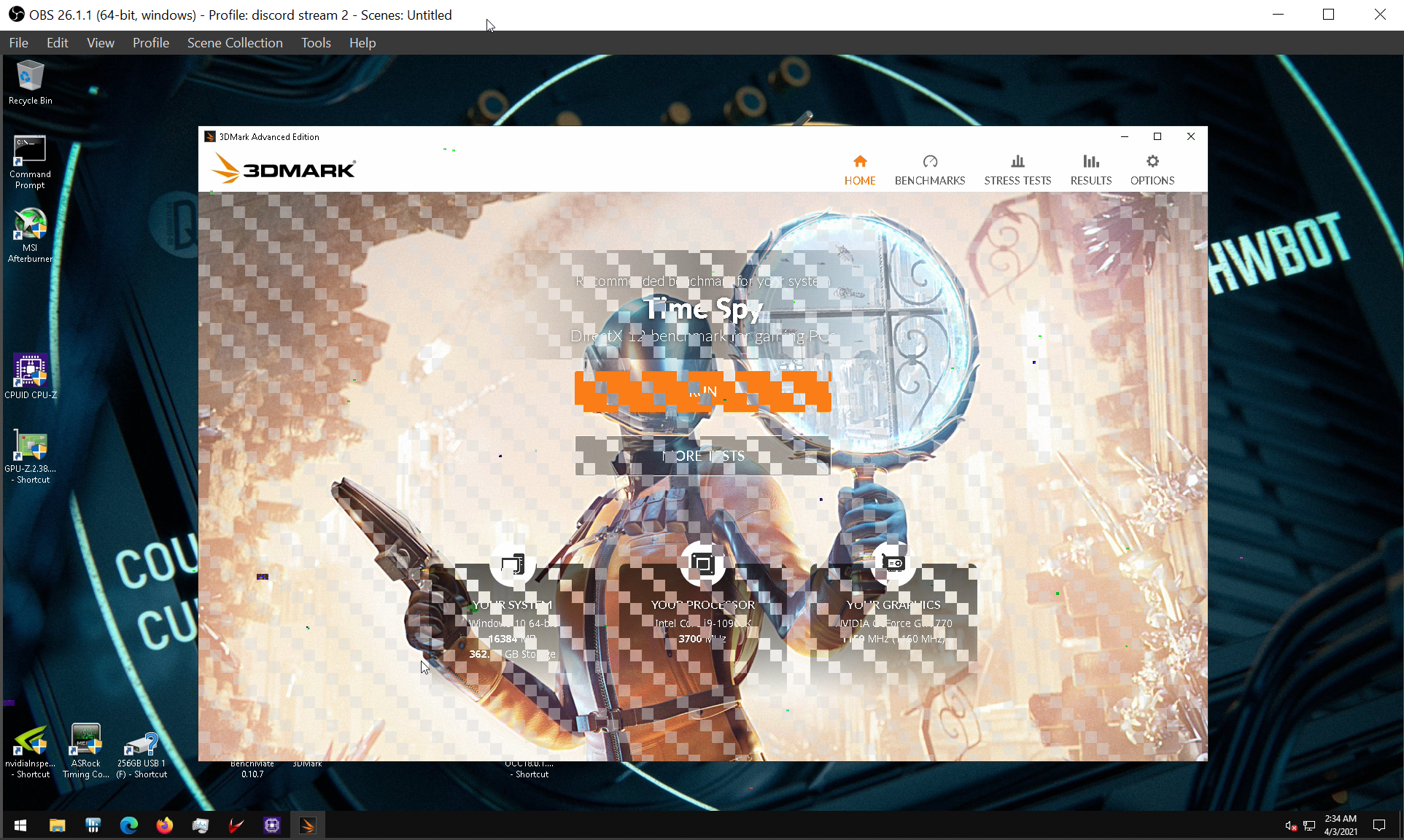
Sometimes you'll crash windows, have to hard reset
proven mango
dull ginkgo
If you're just using afterburner, any OC with messing with the frequency is safe...
im using x1 precion
proven mango
proven canopy
Sometimes you'll crash windows, have to hard reset
ok
proven canopy
proven mango
im using x1 precion
The answer is the same
proven mango
proven canopy
The answer is the same
ok
proven canopy
Neither px1 or afterburner will let you apply a dangerous voltage
Just don't force a manual 0% fans with load etc
proven mango
ok
dull ginkgo
@proven canopy afterburner doesn't let you lel, 25% is mininum, and for some reason, when my gpu is under heavy load, it likes to ignore what I manually set in afterburner, dunno if it's a feature or a bug
sudden torrent
My GPU lets me do 0% fan in Afterburner, it must vary by model. Mine specifically says it supports 0 RPM mode on packaging.
sudden torrent
Ah I see what you mean now, yeah that's probably a safety measure preventing artificial overheating
sterile flame
sudden torrent
My GPU lets me do 0% fan in Afterburner, it must vary by model. Mine specificall...
^
 atomic rampart
Can someone explain to me what overclocking is?
zenith palm
Pushing your products to faster speeds past the manufacturers set speed basically
What cpu you doing today?
atomic rampart
zenith palm
Pushing your products to faster speeds past the manufacturers set speed basicall...
Is it bad for ur parts?
proven canopy
old gif from last country cup, but that's the 12c
zenith palm
It can technically be but if you follow a guide you'll be fine
proven canopy
Next up will probably be 680 + 10900k both ln2
atomic rampart
zenith palm
It can technically be but if you follow a guide you'll be fine
Im ok, dont wanna risk it
Is that real ram?
Looks huge
zenith palm
atomic rampart
Is it bad for ur parts?
Like if you put in crazy high voltages etc then yes but if you just want to overflock your gpu using afterburner you wont be able to damage your card
Ofc it's real ram lol
atomic rampart
zenith palm
Like if you put in crazy high voltages etc then yes but if you just want to over...
Ok thanks
zenith palm
proven canopy
Next up will probably be 680 + 10900k both ln2
Ohh nice
zenith palm
proven canopy
old gif from last country cup, but that's the 12c
12c as in celcius? Dam
proven canopy
12 core
zenith palm
proven canopy
12 core
AHH wasn't sure if you meant 12 degrees or cores lol
zenith palm
dull ginkgo
ln2 is usually like -100c in temps
Oh damm
I didn't realize thet could even operate at temps that low
proven canopy
ln2 is -196, some chips can't do that, like the one in the gif, x299 coldbugs around -100
zenith palm
Dam
proven canopy
Just have a probe in the the base of the pot
Other platforms it doesn't really matter, can just pour away
zenith palm
Wow
sterile flame
is there any good programs which tell you what causes OC crashes?
sudden torrent
Here's the result of my full system overclock, CPU, GPU, and RAM. Only 250 points shy of the best score for this hardware combo.]
 sudden torrent
CPU does around 4.9GHz all core boost
Ram is at 3800 14-14-15
GPU is +75 core +780 mem
If I cut out the interference I could probably get the GPU to +90, it did one run at that speed
short blade
@tall pelican @sudden torrent going to do tertiary timings tomorrow

did primary and secondary today
got a lot easier after i realized 1900 fclk just isn't stable on my cpu
sudden torrent
Ah I was about to ask lol
short blade
yeah
maybe a future bios update will make it stable
this is running on 1.5V though which is nice
might see if i can tighten tRAS and tRC a bit more after i do tertiary timings
sudden torrent
Yeah AMD is working on more agesa updates to get more people up to 2000 stable
Those will probably help you too
sudden torrent
Same. I can even game on 2000, but the second I do an actual test I get dozens in minutes.
short blade
yeah I prefer not crashing over squeezing out the highest clock speed
3733c14 is still good anyways
it's a $90 budget kit
sudden torrent
I thought I was buying a cheap kit with bad IC when I spent $100 on RGB memory. Turned out it was B-Die and I am very happy. I almost want to hit it with 1.65v and see what it can do.
tall pelican
bdie is temperature sensitive, and the rgb does add a significant amount of heat
dull ginkgo
rgboff
quick rose
I still remember the RGB SSD's overheating and slowing down to an absolute crawl a couple years ago
sudden torrent
Yeah if I ever decide to push the voltage I'll slap a fan on it but 1.52v is good and stable so far
dull ginkgo
Sparkles!
@proven canopy did you try to see anything could be done on vram of card 8, with +0 core like you did with card 7? How'd it go?
proven canopy
It ran +800, still testing
dull ginkgo
Ah, interesting
dull ginkgo
Probably when you're trying to isolate stable frequency :p
sterile flame
Still havent figured out how turn hex off lol
sudden torrent
Doubt that you can
sterile flame
Yeah read bios is like that ouch
Im going to watch the gn video explaining tras
And then try again
can tras kill ram?
Basically wouldn
wouldn't voltage kill ram?
tall pelican
pretty much just voltage
there's some weird voltages that you shouldnt mess with that can also kill ram, but again, no reason to mess with them
sterile flame
so it will just cause a post
But it won't kill it
TRAS
thats good.
tras looks scary
prob simple
proven mango
https://www.youtube.com/watch?v=xRJi-WXuayg this vid real?

EVGA Precision x1: https://www.evga.com/precisionx1/
Thanks, guys for watching, remember if you have problems leave a comment and we'll get back to you. If you liked the video be sure to leave a like and maybe consider subscribing, its free and it will really help us out :)
lavish tundra
proven mango
https://www.youtube.com/watch?v=xRJi-WXuayg this vid real?
yes but actually no
proven mango
lavish tundra
yes but actually no
safe or yes
lavish tundra
proven mango
safe or yes
depends
the entire video is based on getting a well binned card
proven mango
lavish tundra
the entire video is based on getting a well binned card
binned?
lavish tundra
proven mango
binned?
silicon quality
proven mango
lavish tundra
silicon quality
ah i see
how do i check if i won on the silicon draw?
zenith palm
proven mango
safe or yes
Haven't watched the vid but it's safe to overclock your graphics card, I'd recommend watching jayz two cents guide instead
zenith palm
proven mango
how do i check if i won on the silicon draw?
And there's no way to check, its a term, it just means how far your chip can oc
proven mango
zenith palm
Haven't watched the vid but it's safe to overclock your graphics card, I'd recom...
messed around and tryed a game with +150 gpu oc +500 mem oc how do i make sure its stable and can the memory be overclocked more while still being safe
zenith palm
Play World of Warships for free: http://bit.ly/2ldpyOX New players will receive 1 Million Credits, the USS Langley Aircraft Carrier, 3 days premium time, and more by using my code PLAYLANGLEY2019. Big thanks to Wargaming for sponsoring this video.
○○○○○○ Items featured in this video available at Amazon ○○○○○○
► Amazon US - http://bit.ly/1meybO...
proven mango
ye saw that one
zenith palm
proven mango
messed around and tryed a game with +150 gpu oc +500 mem oc how do i make sure i...
The core will be more importantant unless you want to mine
Or are trying to play at like 4k
proven mango
im just trying to get better perf
zenith palm
zenith palm
Or are trying to play at like 4k
But you can't really do that with 1650
Just keep going on core and mem
Till crash
zenith palm
Make sure you don't have afterburner on start up when testing your oc tho incase crash
zenith palm
proven mango
would 1000 be safe for memory
Probs not just go up in increments of core +50 and mem+100
proven mango
ok
will putting in and applying tell if its good
turned up fan from 50 to 74% to make sure its cool
stable in menu at +600 mem +200 gpu
zenith palm
No you need to stress it
proven mango
can i change it while ingame
zenith palm
Yes but you're better off running the whole stress test and keeping an eye out for bugs or not normal looking things so you don't miss if you push too high, heaven benchmark doesn't take very long anyway
proven mango
ok
is userbenchmark alr for checking if its alr
on stones it looked streched
ima try turn the mem a bit down and run again
@zenith palm lines still there should i try 225 on gpu oc
lines disappeared at 225 doing a rerun to make sure its alr
zenith palm
proven mango
is userbenchmark alr for checking if its alr
No no
zenith palm
proven mango
lines disappeared at 225 doing a rerun to make sure its alr
Nice, never use userbenchmark it's 💩
Use 3d mark demo on steam or heaven benchmark
proven mango
zenith palm
Use 3d mark demo on steam or heaven benchmark
heaven needs admin oof
zenith palm
You don't have admin perms on your pc?
Most things to install do
Get 3d mark demo on steam then
proven mango
got 3d mark installing
zenith palm
Nice
sudden torrent
30% is an extremely unrealistic expectation to set. The most I've seen is around 10-15% and that was an extreme case. Maybe if you did a full system overclock it would be closer to 20%.
sudden torrent
Doing the gpu alone that's pretty good going up 10%. Is that overall or just gpu score?
sudden torrent
Overall it's probably around 8% I'd guess, gpu has the most impact.
Is your memory able to be overclocked? You can get serious gains.
proven mango
yes
i did 750 on mem since its 4000 base
SystemInfo data is incomplete. (Some of the data could not be parsed) this error came up
sudden torrent
15 on core and I think you have QDR so steps of 20 on memory
sudden torrent
It's unstable still then
proven mango
would giving it any more voltage help
sudden torrent
Yes, but that's also the one thing that can cause permanent damage if you go too far
You can raise the power and temperature limits to their max safely though
proven mango
Graphics score
3 714
CPU score
4 308
it stopped crashing it at 650 mem oc 175 gpu oc
sudden torrent
Good, that sounds right. There's a few things you could do to get it slightly higher but not really worth doing for an extra 15 Mhz.
proven mango
would it be safe to turn on start with OS now
sudden torrent
Run a few more tests with some games you know it has trouble with, and if it's still stable after at least 15 minutes in each game I'd call it safe.
sudden torrent
UB is pretty bad anyway, but if it's unstable at all in anything then it's not safe to apply at boot since the gpu goes to max on boot.
proven mango
sudden torrent
UB is pretty bad anyway, but if it's unstable at all in anything then it's not s...
ub is no longer unstable
sudden torrent
Well that's good, keep testing. I need to drop off my car at the shop so I'll be on later or one of our gurus can help you. I think you've got it from here though.
short blade
@proven mango my typical stability test for graphics cards is 3x fire strike ultra stress test and 1x time spy stress test
so that's 60 fire strike ultra and 20 time spy
proven mango
i did time spy and played a few games and it was alr
short blade
never had problems sending off the oced systems to customers after that
fire strike ultra tends to be more intensive than time spy especially if undervolting
proven mango
i left it at the base voltage
short blade
I've had undervolts that were time spy stable but needed to add another 25mV to pass fire strike ultra
proven mango
is fire strike in demo?
short blade
ah
no
the full suite frequently goes on sale for $4
I have to ensure builds I sell with overclocking service are rock solid stable
I don't want to drive out to go fix a customer's pc that's crashing in games
proven mango
tru
proven canopy
UB's gpu test is stupid light to run, can clock the gpu at 2300mhz+
Just run time spy
proven mango
did time spy and it ran smoothly after i turned the oc to 185 or something like that
 finite frigate
proven canopy
UB's gpu test is stupid light to run, can clock the gpu at 2300mhz+
finite frigate
proven canopy
UB's gpu test is stupid light to run, can clock the gpu at 2300mhz+
lol ye
i did 2500mhz on my mem and it weas fine
keep in mind 2212 is the highest (stable) clock ive ever gotten
proven canopy
meme benchmark https://www.userbenchmark.com/userrun/21911810
 zenith palm
thats how percentages work userbenchmark ;-;

 brave merlin
what settings should i try to dial in on my 10700k, ik that every cpu is different and there is no guaranteed overclock, but what should i try
upper rock
zenith palm
thats how percentages work userbenchmark ;-;
Huh
Off brand Xbox 360 controller
 tall pelican
Ayyyy
short blade
seems not bad for such a cheap kit
tall pelican
66 is over the max theoretical
tall pelican
That's better haha
proven mango
 short blade
yall are making me want to do a UB run
sterile flame
geekbench5 is one of my fav benchmarks as its full cross-platform
tall pelican
3dmark wildlife is where its at
tall pelican

 brave merlin
 cold jolt
why 10c 18t?
cold jolt
why 10c 18t?
if i had to guess increase single thread stability while keeping the clocks high
brave merlin
yea
tall pelican
2 cores dont like 5.4 with ht on
Im direct die, so temps sit around 50-60
spikes up to 70s
dull ginkgo
@tall pelican did you skip lapping the ihs smh
tall pelican
Why lap if it'll never be used
sterile flame
what do you need to direct die? i cant find any 11th gen kits online yet
dull ginkgo
uh
it's not a good idea to direct die if you're not prepared for the chip to just die
sterile flame
ive heard there is risk of the die cracking
dull ginkgo
ihs doesn't really just go back on so you'd have to only do direct die
different coolers have different mounting that might lead to you cracking the die
sterile flame
im more concerned about the soldered die and popping off the ihs
 sterile flame
tall pelican
this is why you direct die instead of lap
sterile flame
tall pelican
this is why you direct die instead of lap
yez
 neon rapids
thank you bob ross for giving direct die tips very cool
neon rapids
yes
proven canopy
Pulled apart 770 #7, big yikes at that gap in the paste
https://i.imgur.com/su4mRQj.jpg
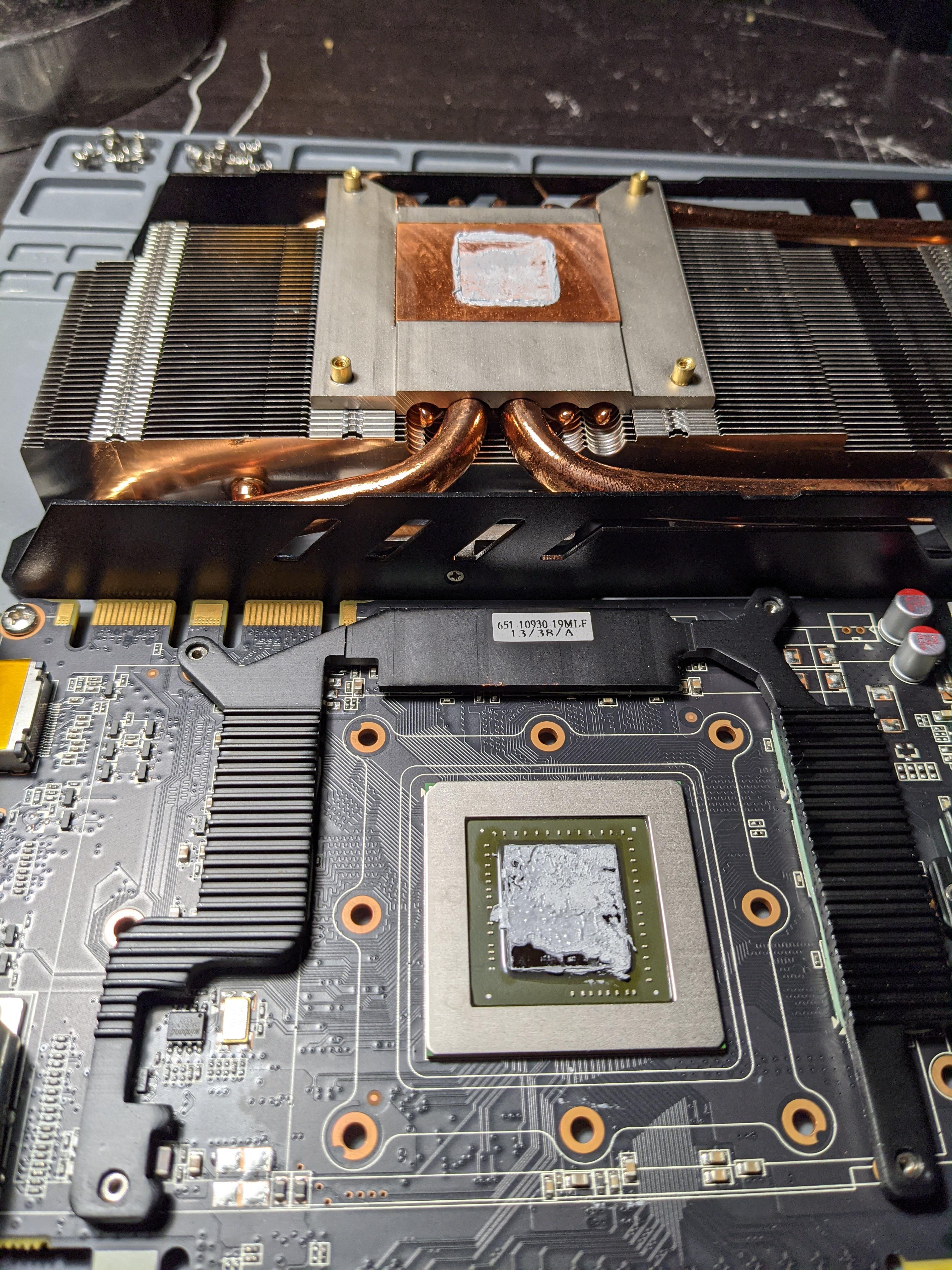 sterile flame
 dusky compass
+25 is a safe start right
dusky compass
+25 is a safe start right
yes; +200 is mostly safe
brave merlin
tall pelican
this is why you direct die instead of lap
Yo what cooler are you using for direct die contact
tall pelican
a waterblock?
brave merlin
Well you can’t get correct pressure on the pins without those tabs on the ihs
Nvm I found a mounting kit for lga 1200
brave merlin
What do you guys think of a copper custom ihs vs direct die contact
proven mango
does overclocking but not changing the voltage shorten the cards lifespan?
proven mango
ok
zenith palm
sudden torrent
Only because of added heat
Which can be fixed if you have a harsher fan curve
sterile flame
How difficult is it to overclock cpu and what are the drawbacks to it
sudden torrent
Not really difficult at all, and if it's Ryzen it's actually simple, just a couple options and done. Drawbacks include increased heat and power use with slightly reduced life span.
sudden torrent
That depends wholly on your usage how much you'll get out of overclocking. Monitor your CPU usage (peak single core usage) while gaming and if you're getting to around 80% usage or higher it could be worth it. If it's lower than that probably not much to gain. Memory overclocking, on the other hand, is totally worth it and almost always gets you more frames.
 lilac geode
On my 2070 I've been running Core Clock at +100 and Memory Clock at +600. Anyone got any idea if that's a normalish setup for one?
sudden torrent
Depends on your model/binning. Mine is a factory overclocked MSI Gaming Z and I can do +75 core +680 mem, so I'd say yours sounds about right.
lilac geode
Its the plain jane Nvidia 2070.
sudden torrent
It'll be mostly up to binning then how high you can push it.
dull ginkgo
Sounds fine to me tbh
Mine did up to +1400mhz mem bootable, but not stable, +1200mhz is somewhat stable, and +800mhz mem for me was basically completely stable
I couldn't push my core much, around +45mhz was all I could get out of it without crashing in time spy
dull ginkgo
@proven canopy side note, is there any reason people don't do AS SSD benchmarks on hwbot to get points?
https://hwbot.org/benchmark/as_ssd2.0/
 mint mountain
Hello, I’m going to try binning 10600ks today, and I wanted to know what procedures I should follow to get the most accurate results. I have 13 new 10600ks and one in my pc at the moment (the one in my pc is potato binned and can’t oc). I had some idea what to do for the procedures but wasn’t sure what frequencies I should try.
My idea was:
- Stress test cpu with prime95 at stock, record temps
- Run 3Dmark and record score
- Try oc to (insert frequency and ring and voltage)
- Test if stable in prime95, if not slightly increase voltage, once stable record temps
- Record 3Dmark score
- Repeat
dull ginkgo
don't do p95 stock for temps, remember boosting behavior, chips like to just stop boosting when it gets hot :P
But I don't think 3dmark is the best for scoring CPU
something more like cinebench imo
(Run multi core and then single core)
Once you get to a freq you like to finish on, I say run whatever benchmark it is at least 5 times and record it down, just in case run to run variation, for more accurate data
mint mountain
What frequency and voltage and ring should I test for?
dull ginkgo
but p95 smallfft is great for heat, not great for errors if you just want to get a stable OC for daily
ring?
I'm not familiar with Intel CPU OC, so might want to ask forky or fitz about that
I assume it has something to do with llc?
sudden torrent
I'm more of an AMD guy too but maybe has to do with ringbus? (Intel's equivalent to IF)
mint mountain
I found what sips was telling me yesterday so I’ll try this
 dull ginkgo
probably
mint mountain
mint mountain
Hello, I’m going to try binning 10600ks today, and I wanted to know what procedu...
@short blade any thoughts on my procedure besides not doing prime95 and doing cinebench instead
short blade
cinebench is not a good stress test
i've had comical overclocks pass cinebench r20 that would not be even close to stable enough for daily use
it is, however, a good tool to make sure you're actually gaining performance
mint mountain
What should I stress with then
short blade
prime95 small ffts avx is the best if you have adequate cooling
mint mountain
I have a big fuma 2
short blade
not sure if fuma 2 is enough to hold down a 10600K in prime95
10700K @ 1.35V was thermal throttling with a coolermaster 360 mirror
it might be
tall pelican
use occt
short blade
i've heard some intel users recommend realbench and occt
dull ginkgo
@short blade I mean cinebench is good for the score
there's nothing on the top of my head that's better for scores
short blade
yeah cinebench is good for a performance metric
and i use it
but it is absolutely not a stability test
dull ginkgo
@mint mountain Also I was suggesting replacing the 3dmark score bit with cinebench, not the p95 bit

p95 bit was just, don't do p95 at stock, it'll just boost lower when it gets hot lol
mint mountain
Oh ok
short blade
this was done on a cpu that could only do 3.95ghz daily stable
 dull ginkgo
tbh
@short blade cinebench requires me to put like 1.4v in for 4.4ghz on ma 3800x, it's very sad
 dull ginkgo
@short blade mine was 1.4v for 4.3ghz lmao
 short blade
that's pain
i think it's clock stretching too
4951 seems low for 4.3ghz
if 4.45ghz is getting 5368

5364 for a 5.1ghz 10700K
with the +15% IPC boost zen 2 has over comet lake, that checks out
dull ginkgo
Lol
short blade
5.1ghz / 1.15 = 4434mhz
dull ginkgo
:(
short blade
so that real clock speed is lower than 4.3ghz
that's the pain of being an early adopter though
dull ginkgo
My chip is probably like a wood sample or whatever the lowest sample is :p
short blade
my personal cpu is probably bottom 1% so feel better
short blade
i have a 5600x that cannot do >1867 fclk and cannot boot above 4.7ghz with 1c/1t enabled and 1.5v
dull ginkgo
Smh
short blade
it's so bad i entertained the idea of buying a 5800x and selling this cursed cpu


 short blade
but in actual gaming it acts like any other 5600x and i already spent 3 days ocing the ram
so i won't bother
sterile flame
love my PBO being scuffed
sterile flame
short blade
it's so bad i entertained the idea of buying a 5800x and selling this cursed cpu
cringe
5900x
buy
sterile flame
short blade
my gpu is too weak for the 5900x
no it isn't silly
short blade
i didn't even need to upgrade my 3600x but i did it just because
dull ginkgo
Kursk
 olive quiver
What exactly is over clocking
 ancient pumice
making a chip run faster than their base speeds
quick rose
Increasing CPU/GPU speed above manufacturers advertised limits
olive quiver
How would I know if I’ll be over clocking or if I am over clocking? Just by the parts?
ancient pumice
it's your option to overclock, you don't have to if you don't want to
quick rose
olive quiver
How would I know if I’ll be over clocking or if I am over clocking? Just by the ...
You have to manually do it