#overclocking
1 messages · Page 38 of 1
 short blade
 red terrace
are you scoring better with FT off and higher clocks?
short blade
red terrace
are you scoring better with FT off and higher clocks?
I got higher benchmark scores with FT but it has an incomprehensibly high impact on stability
fast timings: best I could daily was -55 mV 2638MHz
red terrace
interesting, in my experience it's borderline impossible to crash the RDNA 4's with memory OC. they just lose a ton of performance
short blade
default timings: daily -90mV 2806MHz
short blade
red terrace
interesting, in my experience it's borderline impossible to crash the RDNA 4's w...
yeah for some reason it's hugely affecting how much the core can UV though
red terrace
oh, that's wacky
short blade
I did see other people saying similar things so I guess it's not that surprising
still weird though
this was my vram testing last night

steel nomad scores
got average of multiple runs for the most interesting range
landed on 2806
had the balcony door open at night, fans at 100%, and waited some time between each test to minimize the impact of heatsink saturation
debloated OS
damn, core 1 is "stable" at -50 but the clock stretching is instantly obvious lol
the effective clock actually looks fine but the performance loss is massive
short blade
hmm... my entire approach to tuning CO on zen 5 may have been flawed
it seems that dialing cores in one at a time is not very useful
need to make changes in groups
core 1 at -19, -20, -24, -30, -40, -50 didn't change effective clock or voltage at all on any core
but trying -30 on cores 1, 2, 3, 4 all at the same time results in a huge boost in effective clock and lower voltage across all 8 cores
24/50/19/19/19/30/35/35:
5404mhz effective clock: 1.28v
24/30/30/30/30/30/35/35:
5415mhz effective clock, 1.21v
if this is actually stable the extra headroom might tempt me to play with bclk...
you know what? I'm already tempted
time to try it lol
man, zentimings always looks so silly with bclk

this is so weird

cores 1-7 got faster but core 0 got slower
with 100 bclk all cores had very similar effective clocks
short blade
looks like static OC is definitely gonna be the way to go if i want to push this chip further than what PBO can do
 short blade
alright I got humbled real quick by small ffts lol
short blade
welp, back to PBO, it's not clock stretching with 24/50/50/50/50/30/35/35 lol
i used to be able to tell if the test errored out with screen off by listening to the fans but now it's too quiet for that
 steady lance
short blade
getting near 50k will probably require exotic cooling
steady lance
short blade
getting near 50k will probably require exotic cooling
Top 6-11 are using Direct Die, so I might have a shot once I am in a situation to do so.
short blade
you can see one of them has a 1080 rad and one of them is using phase change
then there's some ln2 subs
steady lance
short blade
you can see one of them has a 1080 rad and one of them is using phase change
The Mo-Ra external radiators yes?
short blade
yeah
steady lance
Are those things able to cool the fluid back to ambient?
short blade
for a short benchmark the coolant probably barely heats up yeah
this chip is kinda scaring me now
its just... taking 30/50/50/50/50/50/50/50 without complaining
no clock stretching
lower overall heat from lowering multiple cores at once improving stability compared to doing each core 1 at a time?
cause I swear core 0 used to be unstable at -25 and core 4 used to be unstable at -20
short blade
alright it's just taking -50 all core lol
something's not right
alright OCCT did not like that lol
steady lance
short blade
alright OCCT did not like that lol
What tests?
Just OCCT?
Core 15 is horrible on my CPU.
Barely passes the criteria for 5.75ghz stock.
 proven canopy
steady lance
Are those things able to cool the fluid back to ambient?
proven canopy
steady lance
Are those things able to cool the fluid back to ambient?
Mora are convenient if you want to put one on the wall, or stand with qdc, for most, high end rads in a case are just fine.
steady lance
proven canopy
Mora are convenient if you want to put one on the wall, or stand with qdc, for m...
What do you mean by QDC?
Quick Disconnect?
proven canopy
quick disconnect fitting
 steady lance
I wanted to create a portable cooling tower with 4x420mm radiators setup vertically in push/pull with a powerful fan in the bottom and top setup as Intakes to feed into the middle where the 4 radiators will get air from then expel outwards.
proven canopy
I don't know why you think you'd need that many
Buy a single 420 and a used window ac...
steady lance
I intentionally wanted it a bit excessive for the aesthetics.
It's by all means a overkill idea.
proven canopy
Spoiler on a honda civic vibes
steady lance
?
steady lance
proven canopy
I don't know why you think you'd need that many
Have you ever watched Jurassic Park? If so do you remember the scene where Dennis Nerdy (Fat Computer Nerd) goes into the Cold Storage and pulls open the cylindrical DNA freezer?
Basically what I wanted to do was create a radiator tower that was reminiscent of that DNA freezer with the shape and how it pulls out.
 proven canopy
steady lance
Have you ever watched Jurassic Park? If so do you remember the scene where Denn...
proven canopy
steady lance
Have you ever watched Jurassic Park? If so do you remember the scene where Denn...
I read both books 20 something years ago, and yes, I have unfortunately seen the movies past JP1
proven canopy
steady lance
Have you ever watched Jurassic Park? If so do you remember the scene where Denn...
I remember wanting one of those in 2008 for my e8400
steady lance
proven canopy
hah <https://www.reddit.com/r/watercooling/comments/gzdck0/meet_the_zalman_reser...
That's cool!
steady lance
.
Can the increased voltage from Scalar be offset by a negative CO to keep the max voltage within the default of 1.4v?
Wondering because I set Scalar to 10x yet my max Voltage in Single Core is still within defaults.
steady lance
Seems so.
As I am lowing my CO values, my max core voltage has also gone down.
Using SVI3 to monitor Voltages.
short blade
scalar does nothing on my 9800x3d, dunno about 9950x3d
had to drop core 5 from -30 to -25 to be stable in aida64 avx512
should be stable in just about everything now
steady lance
short blade
scalar does nothing on my 9800x3d, dunno about 9950x3d
Not enough runs for a definitive answer yet, but for me it looked like it was holding clocks longer by about 20-50% and possibly slightly higher clocks.
But more importantly, I found that by utilizing Core Voltage Offset I can make Negative CO's that weren't previously stable, now far more stable. So I can use a strong negative CO to get high frequencies into the V/F curve ceiling then use Core Voltage offset to make sure the CPU gets enough power.
short blade
uhhh
CO is just negative core voltage
so if you combine CO with positive core voltage offset you're defeating the purpose of CO
don't do that
steady lance
@short blade how much variance would be considered acceptable before it becomes Clock Stretching?
short blade
just check if you gained or lost performance
steady lance
Rechecking my CO values for my sanity
steady lance
5.88Ghz on Core 1!

and seems fairly stable, only time will tell
Will work on the other cores later
steady lance
@short blade, @frigid snow, @modern walrus so after having spent a week figuring out what each core is capable of, I started doing per core tuning last night and Core 1 (CCD0) is doing 5.85Ghz effective without problem! If I lower the CO by 1 I should hit my Fmax limit of 5.865Ghz.
steady lance
Seems stable enough in CC.

 modern walrus
anyone else getting these? not sure if riser bad or another reason to dislike my motherboard rn lol

Also, PSA: I set LCLK the same as FCLK (2133) & got a bunch of WHEA errors. I have no idea wtf this is supposed to be set to; if faster or slower makes any meaningful difference to anything; or how LCLK is supposed to help with USB issues on AM5. Keeping it on Auto until I get educated ig
steady lance
modern walrus
anyone else getting these? not sure if riser bad or another reason to dislike my...
This is very likely due to the LCLK.
modern walrus
Ehh not sure tbh. I just crashed after CMOS clear. Strange
steady lance
modern walrus
Ehh not sure tbh. I just crashed after CMOS clear. Strange
you may have corrupted your os.
modern walrus
steady lance
you may have corrupted your os.
well
I reloaded the BIOS profile that passed VT3 208x
iirc the only major difference is that I disabled virtualization
but then again, PBO isn't enabled rn
but looking much better
 steady lance

@modern walrus @frigid snow
Ran the test for 12h30m, no errors.
Kargu (Cache+FPU)
So I have a good baseline for my CO, gonna work on detailing the cores later.
modern walrus
steady lance
noice
steady lance
 frigid snow
Who’s pinging me
frigid snow
Who’s pinging me
MEEEE!
frigid snow
My test failed my breaker tripped
modern walrus
I just updated BIOS & now am redoing memory OC/torturing myself
frigid snow
steady lance
MEEEE!
Ima be here tommrow Undervolting my laptop
steady lance
 frigid snow
🙂
steady lance
frigid snow
Ima be here tommrow Undervolting my laptop
Good.
frigid snow
I got a 125u core ultra
modern walrus
btw what VDDG IOD/CCD & VDDP voltages do you set?
modern walrus
frigid snow
Ima be here tommrow Undervolting my laptop
how? I thought laptop fun was over with plundervolt microcode like 4 years ago
frigid snow
modern walrus
how? I thought laptop fun was over with plundervolt microcode like 4 years ago
Idk
Ima lower voltage until it crashes
modern walrus
supposedly those three voltages can help stabilize FCLK at lower voltage
I'm at 2133 at 1.255 VSOC & it gets into Windows fine but then ycruncher starts laughing at me
steady lance
modern walrus
btw what VDDG IOD/CCD & VDDP voltages do you set?
To my knowledge on AM5:
VDDP = safe up to 1.15v (I have seen some run higher but not recommended and likely unnecessary)
VDDG = various people say is say up to about 1.1v some say 1.15 others say 1.05v, generally speaking from what I can tell VDDG-CCD can usually run 0.5v less than VDDG-IOD.
modern walrus
is there any reason to run them at different voltages? I think BIOS even tells me they should be the same
steady lance
don't need to.
Just for me at least, VDDG-CCD typically uses 0.5v less than IOD on AUTO.
modern walrus
I'm at 1.15 VDDP & 1.1 for both VDDG. VDD Misc at 1.15. I might start trying lower
do VDDG voltages even show on hwinfo? I couldn't find them & of course my motherboard doesn't tell me
they also moved VDDIO, & VDD/VDDQ for memory to somewhere stupid for no reason
never again Asrock
steady lance
modern walrus
do VDDG voltages even show on hwinfo? I couldn't find them & of course my mother...
I am not sure.
I know CORE, MISC, and SOC are shown in HWinfo.
modern walrus
heck I dropped the voltages & now it looks like it won't POST lol
I find myself oddly missing MSI motherboards & Intel CPUs lately. The grass is always greener ig
steady lance
I find that MSI makes good bios as far as User-Friendly UI goes.
modern walrus
I like that you can jump around with the arrow keys
steady lance
I have had 2 MSI, 1 Gigabyte, and 1 Asus board.
modern walrus
hitting Esc for the 98th time is annoying
steady lance
MSI has good BIOS layout
Asus has decent bios layout
Gigabyte has okay bios layout
modern walrus
I haven't had a gigabyte board in awhile
you know who had a really nice BIOS layout? EVGA
steady lance
rip
modern walrus
sucks they're just a decent PSU company now
I'm gonna throw caution to the wind & set Auto for all those little bs voltages & see how it goes lol
steady lance
modern walrus
I'm gonna throw caution to the wind & set Auto for all those little bs voltages ...
When set to auto, after reloading into bios does your board tell you the voltage supplied?
modern walrus
not for IOD/CCD but others ya
steady lance
Like mine, if I set VDDG voltages to auto, once I reload into bios after booting into windows it will say that VDDG-CCD min-voltage = X and max-voltage = x.
modern walrus
oh ya I forgot about that
in AMD Overclocking Settings
I'll check after this trains
 wintry sleet
@steady lance looking for best performance, just don't ruin the chip lol
Unfervolting apparently helps it
steady lance
wintry sleet
<@217356391675985921> looking for best performance, just don't ruin the chip lol
First, did you tune your ram or just running XMP? Make sure your ram settings are stable before tuning the CPU or you will have a miserable experience finding the issue.
steady lance
wintry sleet
I don't wanna do that much, just pbo and lower voltage a lil
Whether you do Per Core or Per CCD it will take about the same amount of time when undervolting and both are long processes.
Because core quality varies so much within each CCD, it makes Per CCD undervolting very inefficient and a overall waste of time.
Expect to spend about 1-2 days per core (assuming hour or so of testing and a overnight test).
.
If you are still interested, let me know and I will give you the next steps.
wintry sleet
steady lance
Expect to spend about 1-2 days per core (assuming hour or so of testing and a ov...
Holy heck
Is it even worth it
steady lance
Depends on your CPU.
If your CPU has good cores it can be extremely rewarding.
If it has bad cores, then well don't expect much.
Typically results yield about 3-5% performance on average with good chips yielding about a 10% increase in performance.
modern walrus
meh I don't feel like fighting BIOS for 6400/2133 FCLK anymore. It'll run but with maxed (1.3v) out VSOC. I'll settle for 6200/2066 & see if I can get tCL stable at 26
I'm 8 minutes into VT3/FFTv4 so there's that at least
I'm gonna turn off the A/C in this room & let it run overnight. If it gets thru that, I'm calling it stable lol
but then again, 6400c28 made it thru 203 iterations of VT3 then starting acting crazy like 4 months later so who knows
steady lance
Back
steady lance
modern walrus
meh I don't feel like fighting BIOS for 6400/2133 FCLK anymore. It'll run but wi...
1.3 is safe though?
Also fCLK is unsynced from MCLK or UCLK. It is completely pointless to try and match it to the false idea of 3:1.
steady lance
.
@modern walrus what do you think my odds are of getting -35 at 6ghz to work on core 8?
Stable for daily to be specific
wintry sleet
steady lance
Typically results yield about 3-5% performance on average with good chips yieldi...
But this doesnt do anything for longevity?
red terrace
wintry sleet
But this doesnt do anything for longevity?
he's reducing voltage. not increasing
wintry sleet
red terrace
he's reducing voltage. not increasing
Yeag
modern walrus
steady lance
.
<@808772530017665024> what do you think my odds are of getting -35 at 6ghz to ...
ehh I dunno PBO is weird cuz some super light load can cause restart it seems
modern walrus
steady lance
1.3 is safe though?
1.3v is the max the board allows since AM5 CPUs were blowing up like a year ago or whatever lol
the thing is, FCLK might be stress test stable but PCIe & even USB act up sometimes when you're really pushing it
or at least that's how it seems for me
I would get random USB disconnects sometimes & goofy driver errors with wi-fi card for example
then recently I started getting random restarts even on loads as light as stupid crappy Roblox lol
(my son makes me play)
messing with LCLK somehow mitigated the PCIe errors but exacerbated the random restart issue so I ended up updating BIOS & now I'm still here trying to get stable daily mem OC
& will likely have to reinstall Windows
but I usually reinstall like twice a year anyway
steady lance
wintry sleet
But this doesnt do anything for longevity?
Yes/No. It uses less voltage but at the same time tries to boost higher which causes other factors like power and such to come into play.
This is about performance not longevity. With and without the PBO the CPU will still last 5+ years if taken good care of
steady lance
modern walrus
the thing is, FCLK might be stress test stable but PCIe & even USB act up someti...
Weird, SOC shouldn't affect that at all.
wintry sleet
steady lance
Yes/No. It uses less voltage but at the same time tries to boost higher which c...
Oh alright, I thought i heard some issues with x3d and voltages making it last not very long
modern walrus
steady lance
Weird, SOC shouldn't affect that at all.
oh I thought high FCLK led to issues with sound crackling, USB dropout, & other crap on 5xxx CPUs. I don't have wi-fi or GPU issues at stock settings
is OCCT VRAM + Prime95 Large FFT still best FCLK test? I may still be on AM4 mentally here lol
steady lance
modern walrus
is OCCT VRAM + Prime95 Large FFT still best FCLK test? I may still be on AM4 men...
Any test with a performance measurement that stresses the RAM and Cache is good.
I personally recommend either Karhu (Cache+FPU) or Y-Cruncher VT3 (sometimes called VST3).
steady lance
wintry sleet
Oh alright, I thought i heard some issues with x3d and voltages making it last n...
Your thinking about back in early 7000 release, the stock allotted voltages were too high which resulted in exploding and degraded CPUs (north of 1.4V SOC and 1.5 or higher core). Nowadays without disabling limits the highest you can go is 1.3v for SOC and 1.4v for core.
wintry sleet
steady lance
Your thinking about back in early 7000 release, the stock allotted voltages were...
Ah ok
So just turn pbo on and drop core voltage 10mv
steady lance
modern walrus
oh I thought high FCLK led to issues with sound crackling, USB dropout, & other ...
Not directly no. What happens is the data is being corrected when errors occur which in your case it seems it's correcting the incoming data from the USB devices is my guess.
steady lance
wintry sleet
So just turn pbo on and drop core voltage 10mv
Start with per CCD and start with something unrealistic like -30 then keep reducing the CO till you find the stable CO that all goes on that CCD can do.
Once you have figured that out for both CCDs then start doing per core CO values. Drop the CO in increments of 10mv so -25 to -35 if erroring but no freezes then do +3 if it freezes do +5 and keep repeating this per core till you find the best stable Undervolt for each.
 steady lance
.
Are there tools that consumers can purchase to build their own RAM stick? I remember there being a tool for DDR4 that allows the user to remove ram modules from one stick and attach it to another one to create a RAM stick with only the best RAM modules.
modern walrus
steady lance
Are there tools that consumers can purchase to build their own RAM stick? I rem...
You could swap out ICs onto an existing PCB you desoldered the existing ICs to but I'm not really sure how you'd bin the individual ICs
 static oasis
I bought a 775 modded xeon x5460 for my optiplex 360, thinking it was an easy mod... but many links to modded bios files and sites discussing this one mod are broken.
can someone help me find a proper working guide?
currently on latest A7 bios, unsupported cpu post message
proven canopy
modern walrus
is OCCT VRAM + Prime95 Large FFT still best FCLK test? I may still be on AM4 men...
3dmark 11 physics works well.
proven canopy
steady lance
Are there tools that consumers can purchase to build their own RAM stick? I rem...
You can do that with a hot air station. Get an 862D
 steady lance
proven canopy
You can do that with a hot air station. Get an 862D
steady lance
proven canopy
You can do that with a hot air station. Get an 862D
Is that essentially a heat gun and soldering tool combo?
https://www.amazon.com/St-862D-Soldering-Station-Automatic-Desoldering/dp/B0B5XCTBMS/ref=asc_df_B0B5XCTBMS? found this from a quick search for the 862D.

Lead-Free Hot Air Gun Soldering
steady lance
modern walrus
You could swap out ICs onto an existing PCB you desoldered the existing ICs to b...
I am not exactly certain regarding the binning, if I had to guess it'd be through selecting the top 2 ram kits then mix and matching the ics till you yield the best results.
proven canopy
The atten 862d is much cheaper on AliExpress. I think I paid 165
modern walrus
proven canopy
The atten 862d is much cheaper on AliExpress. I think I paid 165
local repair shop offered to put a new cap on 13600K for $100. I didn't even reply lol
steady lance
modern walrus
local repair shop offered to put a new cap on 13600K for $100. I didn't even rep...
new cap?
proven canopy
Like a hat
steady lance
proven canopy
Like a hat
Is he talking about an IHS?
modern walrus
steady lance
new cap?
capacitor that I broke off at some point

should look like this

I can order the capacitor but my terrible soldering skills, need to go see the optometrist, & mediocre soldering tools might lead to bad outcome
Señor Forks could fix that in his sleep lol
steady lance
modern walrus
capacitor that I broke off at some point
Oh.
modern walrus
ya pretty crappy. oh well
modern walrus
Damn... Just crashed after playing a game for about 10 minutes at stock settings & POST code is stuck at 00.
Thinking it's gotta be CPU or motherboard issue hmm
red terrace
modern walrus
I can order the capacitor but my terrible soldering skills, need to go see the o...
it's a really small pcb you should be able to do it pretty easily
modern walrus
red terrace
it's a really small pcb you should be able to do it pretty easily
Tbh the part that worries me is how close it is to the SMD next to it
red terrace
modern walrus
Tbh the part that worries me is how close it is to the SMD next to it
as long as you go sort of quickly you should be able to just tack some solder onto each pad, then tweezers+iron the cap onto your tinned pads
the smd is small enough that you can probs heat it from the far end (away from the other caps), so tinning the pads is the only slightly concerning part
and atp you just use a fine tip iron and angle your heating element so that you just move with ur wrist more than your arm if that makes sense? gives you more control and stability
modern walrus
hmm okay. I've been meaning to stop being trash at soldering so mayb eI should just go for it lol
short blade
@modern walrus the ram fan bracket came in


it's perfect
exactly what I was hoping for
super excited to see results
short blade
preliminary results: 5C drop with side panel on, 14C drop with side panel off
not bad at all
well worth the $9 lol
 alpine mantle
short blade
well worth the $9 lol
alpine mantle
short blade
well worth the $9 lol
you got the thermals right
steady lance
short blade
<@808772530017665024> the ram fan bracket came in
I gotta get something like this.
steady lance
short blade
have 2 different types of case fans in there
Both look nice.
 short blade
steady lance
Both look nice.
short blade
steady lance
Both look nice.

Thermalright TL-C12W-S V3 CPU Fan 120mm Case Cooler Fan ARGB, 4pin PWM Connector Silent Computer Fan with S-FDB Bearing,Desktop Cooling Fan has ARGB Mirror Light Effect (3-Pack Fans)

CT120 EX Reverse ARGB Sync is a new model of the CT series incorporating the new MagForce 2.0 for a better, quicker magnetic connection among fans. This fan maintains its 2000 RPM fan speed and has broken through its series limit to provide even better cooling performance. The CT120 EX Reverse AR...
two very different price classes lol
steady lance
short blade
neat, 6400c26 should be doable
needs more vdd.
Very rarely does Hynix DDR5 SR sticks do 6400cl26 with less than 1.65v VDD from what I have noticed.
Progress.

Just slowly testing one-two cores per night.
steady lance
short blade
two very different price classes lol
Yikes, indeed.
short blade
steady lance
Very rarely does Hynix DDR5 SR sticks do 6400cl26 with less than 1.65v VDD from ...
if it got this far with 1.61 then 1.62 should almost certainly work, no?
steady lance
short blade
if it got this far with 1.61 then 1.62 should almost certainly work, no?
If I had to guess you will probably need 1.63v.
Working on this CO for so long I am starting to wish I started with RAM tuning lmao
I am eager to get my hands on 10950x3D when that releases.
That and either this or the royal variant of this RAM kit.
https://www.amazon.com/G-SKILL-Trident-CL26-36-36-96-Desktop-Computer/dp/B0F1XN7DWN/ref=mp_s_a_1_1?

Trident Z5 Neo RGB series DDR5 memory is designed for high-speed overclock performance on compatible DDR5-enabled AMD platforms, and supports AMD EXPO overclocking profiles for easy memory overclocking by simply enabling the EXPO profile in the BIOS with a compatible motherboard and processor. Fe...
steady lance
I hit 19Ghz xD.
 short blade
1.63v it is
 short blade
red terrace
interesting, in my experience it's borderline impossible to crash the RDNA 4's w...
short blade
red terrace
interesting, in my experience it's borderline impossible to crash the RDNA 4's w...
getting game freezes with no driver timeout but no performance regression

can tell the game is still running in the background cause of third party app that tracks party dps still updating
but it just stops drawing new frames
have to kill and restart game
and yes i narrowed it down to vram
red terrace
short blade
getting game freezes with no driver timeout but no performance regression
fascinating
i've never seen this lol
short blade
same before this gpu
steady lance
short blade
1.63v it is
Nice. I am surprised, your fCLK is working at 1.295v SOC?
modern walrus
short blade
<@808772530017665024> the ram fan bracket came in
oh wow that came out really good. Your system looks clean af
modern walrus
steady lance
Nice. I am surprised, your fCLK is working at 1.295v SOC?
mine does when the rest of it does lol
btw I put 12900K/3080ti system back together cuz I'd previously taken the pump out. I had to fix a few pipes that looked kinda bad. Anyway, did all that, then for the heck of it, reseated the two 12vhpwr on the GPU on AM5 system & it stopped crashing
of course, this was AFTER I put that heavy heckin thing down on the floor to put 12900K on my desk
cuz it just be like that ig
so I'm gonna test the heck out of it & probably switch back
apparently I hadn't turned on this 12900K PC since April lol
I blame, uh, the heck is that thing called... contact fretting? or aliens or something I dunno
modern walrus
short blade
have to kill and restart game
enable End task in Developer settings. Fallout 4 used to freeze so hard I'd have to restart cuz Close window wouldn't close it but End task is all like pew pew pew

 steady lance
modern walrus
mine does when the rest of it does lol
steady lance
modern walrus
mine does when the rest of it does lol
hm? I am confused.
Also some progress. -15 on Core 8 and -28 on core 9.
 short blade
@red terrace it happened, finally got a proper crash from rdna4 vram
IRQL bsod which is either ram or vram
but my ram is stable
red terrace
 short blade
occurred way below the performance regression point as well
red terrace
that's wild
short blade
performance regression point on my card is 2810 MHz
red terrace
are you on samsung memory perchance?
short blade
don't think samsung clocks this high
red terrace
2780 is my safe-stable setting
red terrace
short blade
don't think samsung clocks this high
really? i thought it clocked higher lol. i forgor
short blade
I heard samsung runs much lower temp but won't oc past 2600s
red terrace
interesting
steady lance
Does the vram maker on the gpus matter a lot for overclocking like it does with DDR5 oc?
@short blade
I assume that's what you guys were talking about about
steady lance
So basically Hynix every thing.
Do Nvidia and Nvidia AIB cards all use the same vram or?
red terrace
steady lance
Do Nvidia and Nvidia AIB cards all use the same vram or?
depends on the SKU. currently you can get all three manufacturers in GDDR6 with Nvidia, just hynix and samsung with RDNA 4 afaik, and i beleieve it's just samsung GDDR7 atm on nvidia
steady lance
red terrace
depends on the SKU. currently you can get all three manufacturers in GDDR6 with ...
Thank you for the info. It was unclear from my Google research if the 5090 currently uses just Samsung or Hynix as well.
red terrace
steady lance
Thank you for the info. It was unclear from my Google research if the 5090 curr...
there might be hynix and micron, i've only seen samsung though
steady lance
@frigid snow, @modern walrus, @short blade big news!
ASRock is releasing the Taichi OCF a 2 slot X870E board for OC!

VideoCardz.com
ASRock has first true OC motherboard with AMD chipset This is something ASRock is calling a X870 Refresh (at least based on images). ASRock has announced its new lineup of AMD X870 and X870E motherboards, expanding its product range with several models targeting different users. The series includes the X870E Taichi OCF, Phantom Gaming X870 […]
6 M.2 slots (2x 5.0x4).
eSports and Gaming NFT Template
 short blade
one day i'll get a fancy board lol
im chilling on budget matx
4 slot, no clear cmos button
short blade
hey I finally figured out how to match my tPHYRDLs
now... is it stable?
tPHYRDL was 35 on A2 and 37 on B2 with ARdPtrInitVal on auto
setting it to manual 0 has both channels synced at 35 now
desynced tPHYRDLs were in the back of my mind bothering me a bit so hopefully this is stable
short blade
 steady lance
short blade
steady lance
short blade
Nice.
I am jealous you can reach 20,000% covering in 6 hours lmao.
What would you guys recommend using to test synced 1:1 vs desynced 2:1 memory performance?
short blade
finally broke 243 test speed

i think this is the new limit of my ram with the fan
not sure why, but tRDWR now works at 14 (used to not post at 14), dunno if it has relation to tCL, VDD, tPHYRDL, or whatever
tRCDRD definitely showed some scaling with VDD, tRCDRD 36 got to 500% instead of 7% before erroring, but def still not stable
also for some reason i was able to drop vsoc a bit so that's nice
i don't really understand tPHYRDL beyond "matching them is good", dunno if that's related as well
short blade
steady lance
What would you guys recommend using to test synced 1:1 vs desynced 2:1 memory pe...
probably aida64 and a game benchmark
still perfecting the CO, currently at 24/32/30/30/30/30/36/36
steady lance
short blade
finally broke 243 test speed
Nice.
steady lance
short blade
probably aida64 and a game benchmark
Thank you.
steady lance
short blade
still perfecting the CO, currently at 24/32/30/30/30/30/36/36
Same, I am almost done testing CCD1's CO without a voltage bump.
steady lance
@short blade @proven canopy give this article a read.
- 6400 cl28 1.4v
- 6000 cl26 1.45v
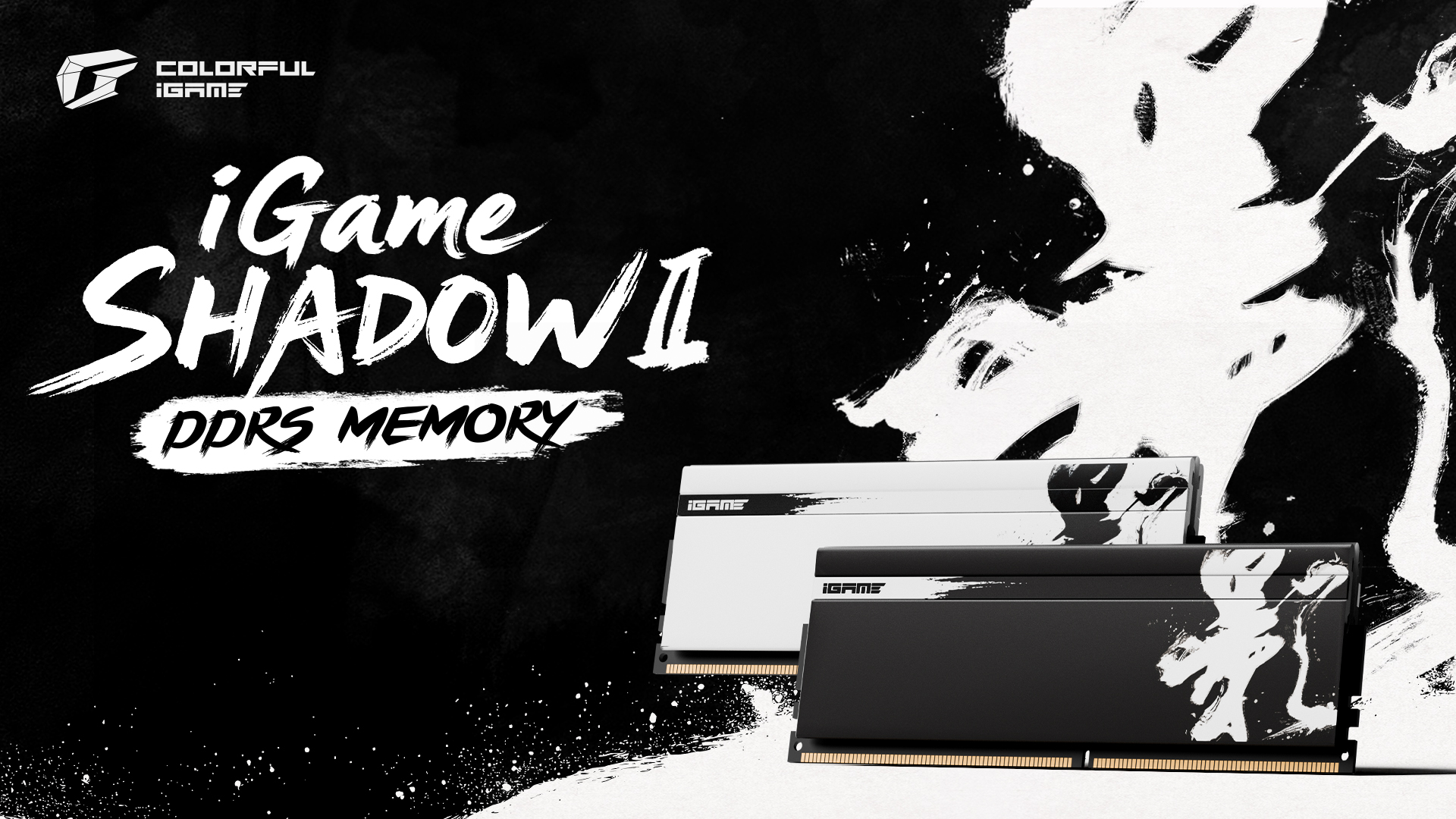
VideoCardz.com
Low-latency kits for Ryzen 9000 systems Chinese company expands its offer with updated iGame Shadow memory kits. Colorful has announced its new iGame Shadow II DDR5 memory series, designed specifically for AMD’s Ryzen 9000 series processors. These modules stand out with their high-frequency DDR5-6400 speeds combined with ultra-low CL28 laten...
short blade
6400c28 at 1.4v sounds like a crazy bin
if true I imagine that bin is going to be rare
wonder what kind of voltage that bin would need for 6400c24
steady lance
short blade
if true I imagine that bin is going to be rare
I am keeping my eyes open for that cause at 6400cl28 that edges out 6000cl26 by 0.16ms
All while needing less voltage compared to G.Skill's current 6000 cl26 1.45 kits.
short blade
think i need around 1.5v for 6400c28
steady lance
It makes me wonder if 6400cl22 is possible at 1.6v.
short blade
probably not
steady lance
short blade
probably not
Do you think it would cost more or less than G.Skill's closest equivalent?
short blade
no clue man im on a $50 ram kit
short blade
interesting, 1.285 vsoc works now
I remember that errored very quickly before
not sure which setting has influenced vsoc
steady lance
short blade
not sure which setting has influenced vsoc
What voltages have you changed recently?
short blade
dropped vddio from 1.4 to 1.1
dropped vddp from 1.0 to 0.975
raised vdd from 1.4 to 1.63
steady lance
short blade
raised vdd from 1.4 to 1.63
The RAM was probably just lacking VDD voltage then is my guess.
steady lance
@short blade thoughts on why Core 15 (#8 of 8 on CCD1) past -40 CO it won't boost higher? It is not hitting fMAX and it's negative CO now at -60 is allowing it to boost higher in heavier workloads but it still won't boost higher than it did at -40.
Do you think it's it's limited by silicon quality or voltage?
short blade
steady lance
The RAM was probably just lacking VDD voltage then is my guess.
it was 1.4v for cl30
same as expo
short blade
steady lance
<@122901618369757184> thoughts on why Core 15 (#8 of 8 on CCD1) past -40 CO it w...
no idea
dont have a fancy 9950x3d to play with
steady lance
Working tuning CCD0 now before I refine CCD1.
As it stands, CCD1 clocks between 5.8-5.89Ghz
steady lance
 modern walrus
steady lance
<@929166408930189362>, <@808772530017665024>, <@122901618369757184> big news!
...
modern walrus
steady lance
<@929166408930189362>, <@808772530017665024>, <@122901618369757184> big news!
...
I dunno if I like Asrock after my X670E Taichi experience tbh lol
grass is always greener on the other side tho ig
strange this is like the first 1dpc AM5 board
 tall pelican
steady lance
modern walrus
strange this is like the first 1dpc AM5 board
tall pelican
steady lance
modern walrus
strange this is like the first 1dpc AM5 board
Hopefully it will be better than the Apex, I like the style more and on paper it looks more robust feature and spec wise.
modern walrus
tall pelican
https://www.newegg.com/asus-rog-crosshair-x870e-apex-atx-motherboards-amd-amd-x8...
oh damn I thought Apex was for Intel & Crosshair was usually the best Asus AMD board.
how the hell did Intel fall off so hard?
modern walrus
steady lance
Hopefully it will be better than the Apex, I like the style more and on paper it...
it's possible. OC Formula was a really good Asrock board & (iirc) the Riptide is really good for OC. I've just been frustrated with annoying little things with my Taichi at various times. It's a little unfair for me to knock Asrock tho ig since I'm using a delidded CPU with a direct die frame I took a Dremel to with a waterblock that's not for direct die that I basically had to rig up my own mounting hardware for lol
so not exactly a stock experience
steady lance
modern walrus
oh damn I thought Apex was for Intel & Crosshair was usually the best Asus AMD b...
Maximus = Intel
Crosshair = Asus
steady lance
modern walrus
it's possible. OC Formula was a really good Asrock board & (iirc) the Riptide is...
Yeah.... this seems like something else might be the cause lmao
modern walrus
I never really paid attention to the maximus part ig. There's no X570 Apex tho no?
 steady lance
modern walrus
I never really paid attention to the maximus part ig. There's no X570 Apex tho n...
steady lance
modern walrus
I never really paid attention to the maximus part ig. There's no X570 Apex tho n...
Not sure why but part of Asus's description is that the Apex is for overclocking enthusiasts. I don't think OC enthusiasts were buying AM4.
modern walrus
lol maybe for those crazy people who needed 2000mhz FCLK
I could never get it to run without 50 WHEAs/second
modern walrus
AM4 would do like 4800mt/s+
the problem is it was useless except for like ycruncher
modern walrus
8000mt/s DR? heck https://www.newegg.com/p/0RN-00MB-000S7
steady lance
modern walrus
8000mt/s DR? heck https://www.newegg.com/p/0RN-00MB-000S7
?
8000 has been around for a while now.
modern walrus
steady lance
8000 has been around for a while now.
2x32gb?
steady lance
modern walrus
2x32gb?
Ahh I missed that. That's pretty good and fairly recent then.
Though 2x32 7600 has been around for a minute or two.
modern walrus
steady lance
Though 2x32 7600 has been around for a minute or two.
I couldn't get <7600mt/s to POST on 2x32gb lol
but that's using 5600c46 fancy memory
steady lance
modern walrus
but that's using 5600c46 fancy memory
die, heat, voltage?
steady lance
@proven canopy what are your thoughts on this ram kit that @modern walrus shared with us?
proven canopy
Seems fine
steady lance
proven canopy
Seems fine
Better or worse bin you think compared to the 6000cl26@1.45v kits G.Skill sells?
modern walrus
steady lance
die, heat, voltage?
A-die, watercooled, & like anywhere from 1.3-1.65 iirc
steady lance
modern walrus
A-die, watercooled, & like anywhere from 1.3-1.65 iirc
I think 8000 needs like 1.8v especially on low bins.
For 2x32 assuming both the board and RAM can take it.
This is based on the posts I see putting in the OC group.
steady lance
I finally almost have my Undervolt done per core, @modern walrus
4 cores left to go on CCD0 then I am gonna start seeing how far I can push the frequency with voltage offsets.
modern walrus
steady lance
I think 8000 needs like 1.8v especially on low bins.
for VDD? heck I'll try it lol
steady lance
Currently averaging 5.75Ghz on CCD0 and around 5.85Ghz on CCD1.
modern walrus
does this board do 1.8? I'm not even sure haha
I mean DDR4 boards usually did 2.2 for memory voltage so probably
steady lance
Once my situation stabilizes and I have some pocket change, I am gonna get the stuff I need to mount my AIO as a direct die cooling solution.
steady lance
modern walrus
I mean DDR4 boards usually did 2.2 for memory voltage so probably
Mine let's me give the ram up to 2.4v sooo
Try at your own risk lmao
modern walrus
doesn't noctua make one?
steady lance
modern walrus
doesn't noctua make one?
Yeah but it's a giant air cooler.
With how often I move my PC that'd be a very stupid idea for me.
modern walrus
ya & I doubt they'll sell the bracket alone or if they do, it probably doesn't connect right
steady lance
modern walrus
ya & I doubt they'll sell the bracket alone or if they do, it probably doesn't c...
Bracket is sold separate for that cooler and is only compatible with that specific one.
steady lance
btw as it stands, I am looking into getting a job as a full time ranch hand here in alaska soo if that happens I am gonna be enjoying winter for oc time.
steady lance
1-3c nights with drops into the sub-zero zone.
modern walrus
use car antifreeze cuz you'll actually need it haha
it's almost 10pm here in Miami. It's still 85F outside lol
modern walrus
damn even that's good benching weather
 calm grail
I gotta wait till winter
steady lance
I don't think I have had a dual CCD in the past where the CO values on both CCDs varies so much.... -15 all the way to -45.
modern walrus
my memory OC fails after like 26 hours of VT3/FFTv4
I'm tempted to just not care & leave it
seems like that could be some power saving related crap I dunno but I'm sick of fighting with it
maybe my win11 install is just derp
could also be tFAW 16 ig
steady lance
modern walrus
seems like that could be some power saving related crap I dunno but I'm sick of ...
Do you have PDM (Power Down Mode) on or off?
Or are you talking about Windows Power Settings?
modern walrus
steady lance
Or are you talking about Windows Power Settings?
I figured windows, chipset, or some other nonsense. Issues are with Power Down Enabled or Disabled & MCR same
starting to think SOC is degraded or something
what's strange is memory OC would survive FFTv4/VT3 ycroncher for like 20+ hours
but Expedition 33 crashes quick
but Expedition 33 runs fine at stonk settings so that at least eliminates GPU or PSU being the issue
steady lance
@modern walrus my CPU definitely can do 19.8Ghz, definitely...!
 calm grail
The heck
calm grail
Nice
 abstract merlin
How do misreads happen
What makes it report that
Or 100,000 C

Oh its the software misinterpreting the data from the cpu
Well thats one of the reasons at least
modern walrus
steady lance
<@808772530017665024> my CPU definitely can do 19.8Ghz, definitely...!
dayum & I can't even get my borked FCLK to hold 6000 1:1 rn lol
might be stretching clocks a bit
steady lance
modern walrus
dayum & I can't even get my borked FCLK to hold 6000 1:1 rn lol
FCLK at 6000? Did it actually post lmao?
modern walrus
lol I mean to hold 6000 1:1 with FCLK at 2000
everything runs fine at stock settings tho
not sure if it's CPU, board, or memory that I borked
Can't even keep this running
 steady lance
modern walrus
lol I mean to hold 6000 1:1 with FCLK at 2000
steady lance
modern walrus
lol I mean to hold 6000 1:1 with FCLK at 2000
Ohh okay.
steady lance
modern walrus
not sure if it's CPU, board, or memory that I borked
Borked? How could you've done that?
modern walrus
tbh not sure but there are two possible explanations that likely go hand-in-hand
(1) running 1.285 SOC at LLC 2 for almost 2 years
(2) Asrock motherboard
supposedly they were frying 9800X3Ds somewhat frequently so degrading my CPU over a couple years doesn't seem too far-fetched
short blade
found out something interesting
SCLs 5/5 are unstable when gpu is loaded
temps are fine, tRFC/tREFI are auto, etc
narrowed it down to SCLs only
SCLs 5/5 errors in aida full system test within 30 minutes
SCLs auto passes overnight
modern walrus
short blade
found out something interesting
found out something interesting myself... at 6000c26 1:1, VSOC 1.255 fails OCCT VRAM/P95 Large FFTs in two cycles. In my continued throw spaghetti effort, I got annoyed & dropped to 1.1 VSOC thinking I'd increase by .01 everytime it borked out. To my surprise, 1.1 VSOC not only POSTed, but is running thru tests. There's been an error on Worked No. 1 so far but that's much better than my usual mess of the whole system restarting
short blade
what fclk?
modern walrus
2000
short blade
fclk has negative scaling with vsoc
short blade
wouldn't expect 2000 to be a problem but that could explain why dropping vsoc could improve stability
short blade
hmm interesting
modern walrus
BZ claims FCLK is most stable between 1.1-1.2
heck I keep getting worked stopped on P95 rn
but I'm wondering if I should focus on VDD/Q & VDDIO now
since this is significantly different behavior than the usual reason tests fail
which btw, running ycruncher FFTv4/VT3 doesn't seem to show FCLK instability well
I could run thru hours & hours of ycruncher only to open Expedition 33 & get immediate restart
short blade
personally I have 2200 fclk rock solid stable at 1.295 vsoc so 💀 dunno
modern walrus
I knew VSOC was high & thought I should try lower but I thought like maybe 1.15 was the lowest I'd start messing with it
modern walrus
short blade
personally I have 2200 fclk rock solid stable at 1.295 vsoc so 💀 dunno
at 6400 or 6600 1:1?
modern walrus
1:1 seems to scale with VSOC
short blade
yes
modern walrus
I haven't really tried to POST 6600
short blade
UCLK scales positively with VSOC
FCLK scales negatively with VSOC
modern walrus
I couldn't get 7600 1:2 (not that this is in any way relevant lol)
short blade
I'm running 6400 1:1 with nitro 1/2/1
modern walrus
lol gotta balance a seesaw ig
short blade
nitro 1/2/0 doesn't post at 1.3 VSOC
modern walrus
I've always left nitro on auto which iirc is worst
short blade
auto = 2/3/1
modern walrus
tbh I don't really know what Nitro does exactly ngl
modern walrus
I'm thinking dropping VDDIO should be my next try. It's at 1.23 rn
short blade
afaik it only scales with VSOC as well
modern walrus
does nitro tune timings that aren't exposed in BIOS or something?
short blade
I need 1.295 VSOC to run nitro 1/2/1 at 6400 but nitro 2/3/1 can run at 1.27
modern walrus
this is the first shimmer of hope I've seen in days of doing this off & on now
short blade
modern walrus
does nitro tune timings that aren't exposed in BIOS or something?
yes, exactly
short blade
modern walrus
I'm thinking dropping VDDIO should be my next try. It's at 1.23 rn
I have mine at 1.1 lol
VDDIO >= VDDP + 0.1V
I have VDDP at 1.0 and VDDIO at 1.1
stable
modern walrus
oh heck
it just did it
total system restart
the hardest part of DDR5 OC is trying to forget everything that worked for DDR4 OC I swear lol
short blade
you might have to do some digging for this but try setting ARdPtrInitVal to manual 0
modern walrus
ngl, I don't think I've ever even seen that setting before
short blade
with ARdPtrInitVal on auto I had tPHYRDL= 35 on A2 and tPHYRDL = 37 on B2
modern walrus
is it with Nitro settings?
short blade
setting it to manual 0 synced tPHYRDL to 35 on both channels
reminds me of RTL/IOL on intel
modern walrus
lol I miss figuring those out
short blade
modern walrus
is it with Nitro settings?
no, mine is somewhere in amd overclocking menu
modern walrus
the latency benefit was insane
short blade
might be able to just search for it
yeah, setting ARdPtrInitVal finally let me break 243 MB/s test speed in karhu
short blade
yeah
modern walrus
do you set Memory OC Mode to Enable & then Memory OC Profile pops up? I wonder if this would help
just stumbled on it now lol
I have Read & Write Drift Adjustment but I don't see anything about initial values anywhere so far
short blade
don't think so
steady lance
short blade
yeah, setting ARdPtrInitVal finally let me break 243 MB/s test speed in karhu
What is this setting and does it matter if both DIMMs show the same value?
short blade
it's a lever for controlling training of some timings that you don't have direct control over
tPHYRDL being the one that shows up in zentimings
if both dimms show the same value it might mean your board is autoing to 0 or 2 or whatever
if it's not 0, then 0 should have a performance increase (if stable)
I noticed that my tPHYRDLs match at 6000 with auto and unmatch with 0, so I don't think it necessarily means 0 = match
so like at 6000 maybe
ARdPtrInitVal 0 = tPHYRDL 33/35
1 = 35/35
2 = 35/37... etc
and at 6400 maybe
0 = 35/35
1 = 35/37
2 = 37/37... etc
but yeah reminds me a lot of RTLs/IOLs
short blade
modern walrus
do you mess with LCLK Frequency?
no, honestly have no idea what it is
google suggests that it's the speed of the link between the IF and the PCIe bus, and is generally pointless to overclock as you're not bandwidth constrained there
I generally find that if you have to get too deep into the esoteric stuff to buy a semblance of stability, that semblance tends to be very fragile
maybe downclocking LCLK could improve bclk oc potential on boards without eclk, but otherwise doesn't seem relevant
calm grail
short blade
so like at 6000 maybe
ARdPtrInitVal 0 = tPHYRDL 33/35
1 = 35/35
2 = 35/37... etc
What in the acronym vomit
short blade
from an outside perspective there is little difference between overclocking and the ramblings of the utterly insane
perhaps even from an inside perspective
I am not well
calm grail
U alpha and ggood are legit the only ones who talk here
 short blade
have you tried increasing vddp? SCLs?
modern walrus
I tried VDDP at like 1 before but haven't really messed with it otherwise
modern walrus
I'll try it
oh those should be linked like that? are other voltages linked like that?
do you set VDDGs?
steady lance
short blade
we're only 95% of the channel not 100%
lmao.
steady lance
short blade
from an outside perspective there is little difference between overclocking and ...
agreed.
steady lance
short blade
so like at 6000 maybe
ARdPtrInitVal 0 = tPHYRDL 33/35
1 = 35/35
2 = 35/37... etc
I just noticed for some reason, my tPHYRDL is 36/38. Both were equal prior to me using bCLK.
red terrace
calm grail
U alpha and ggood are legit the only ones who talk here
i will try to rectify this. i think i wasn't a member when i was messing with my 9070, and my a770 is effectively unmoddable. b580 soon tho
steady lance
red terrace
i will try to rectify this. i think i wasn't a member when i was messing with my...
Looking forward to it.
red terrace
it's here!
 red terrace
i alr know how to mod it, but it's a new card with an actual warranty so i'm going to daily drive it for a day or two to make sure it actually works before i go soldering
calm grail
Alr
red terrace
who is titan btw?
calm grail
red terrace
who is titan btw?
This dude
 red terrace
ah
calm grail
He technically has the overclock record for a photon b580
red terrace
i have the record for fastest 7800x3D in my town while raining on 8/11/2025
i also have wr for 9070 in a bunch of benches and used to have a 6800 wr. driver updates nuked my score tho, everybody got like a 3% perf bump and i'd already sold the 6800 by then
 inland swift
calm grail
He technically has the overclock record for a photon b580
inland swift
calm grail
He technically has the overclock record for a photon b580
YO
GOOGLE AI IS SAYING MY POST
 inland swift
calm grail
What's the query I wanna try it
inland swift
calm grail
What's the query I wanna try it

Chat im so sigma
That even ai has recognized my genius
 red terrace
first b580 mods today when i'm off work
red terrace
forgor to upload this, but 10th place graphics score, third place by user. i'm being beat out by a bunch of reruns from the same two fellas lol
https://www.3dmark.com/spy/58108203

3DMark.com
AMD Ryzen 7 7800X3D, Intel Arc B580 x 1, 65536 MB, 64-bit Windows 11}
unfortunately or fortunately my LE a770 arrived and i'm more interested in benching that atm, so more b580 scores will need to wait
abstract merlin
red terrace
unfortunately or fortunately my LE a770 arrived and i'm more interested in bench...
How should I go about rdna 4 undervolting
Should I increase negative offset as much as possible and then increase frequency
I can do -70 +300 mhz but at lighter loads I was crashing
or rather the whole computer freezes because linux
I was streaming and it crashed with the additional load from encoding
I increased to -65 and thought I was good until I had a host migration and went to really low loads
Then froze again so I moved that to -60 and was stable
So I started to think maybe +300 is too high
I turn that down to 250 and now I do -70 no problem
ngl
think im just splitting hairs here
red terrace
abstract merlin
How should I go about rdna 4 undervolting
are you looking for power savings or better performance?
abstract merlin
red terrace
are you looking for power savings or better performance?
Perf
red terrace
abstract merlin
Perf
i do negative voltage offset and then core freq offset after that, but when done properly there should be very little frequency offset headroom left, since ur basically just dragging each frequency point leftwards and running at moar mhz at a given voltage
abstract merlin
Thats what I started to think last night
red terrace
nagtive V/O is just a more consistent F/O basically
abstract merlin
Yeah when I got the card I dialed in both very quickly
I should have done offset and take time with that
Then move on to freq
red terrace
mhm yah
before i modded everything i think i was like -125 v/o and like +75 core
not much headroom since ur just maxing out frequency with the V/O slider anyway
abstract merlin
Lol this is basically like curve optimizer pbo
Wow how did I not make that connection earlier

red terrace
abstract merlin
Lol this is basically like curve optimizer pbo
yeah exactly lol, just balancing PL instead of balancing thermals int he case of Ryzens
abstract merlin
red terrace
yeah exactly lol, just balancing PL instead of balancing thermals int he case of...
So I think I know what was going on earlier
The frequency offset was high so it took every chance it could to hit the target
But it goes too high and freezes the system
abstract merlin
Edible voltage controller
red terrace
nummy
red terrace
abstract merlin
Edible voltage controller
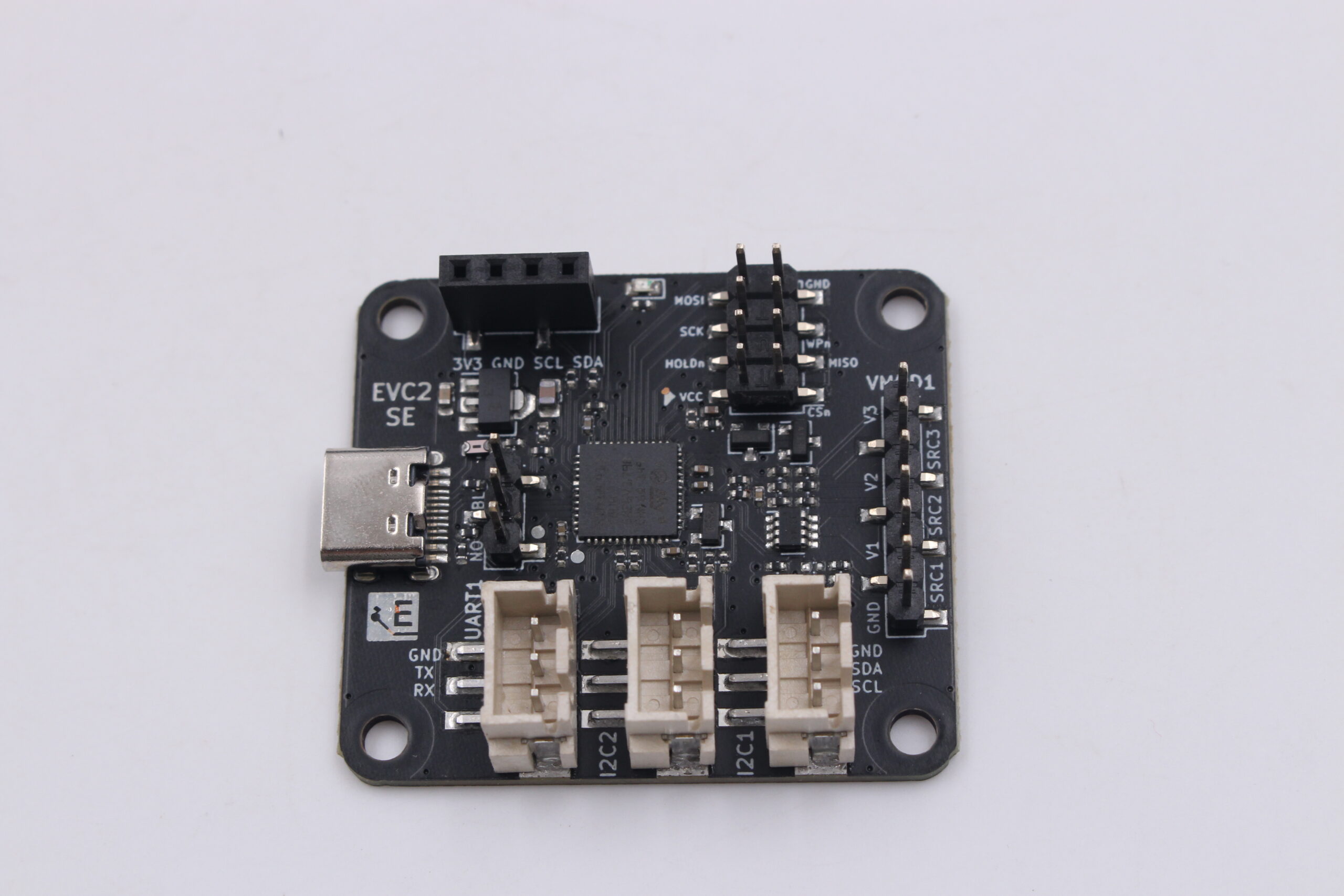
ElmorLabs
2023-02-08: Price increased to 35 USD (from 32 USD) but with 3D-printed case included SPI/UART/I2C bridge with USB interface The ElmorLabs EVC2 aims to enable DIY users to get more out of their computer parts. It’s main focus is enabling digital or analog voltage control using I2C/SMBus/PMBus but also has UART and SPI functionality. The...Read...
abstract merlin
red terrace
https://www.elmorlabs.com/product/elmorlabs-evc2se/
So because your offset is so low you basically get a big clock increase right
red terrace
abstract merlin
So because your offset is so low you basically get a big clock increase right
which message is this supposed to respond to
abstract merlin
red terrace
before i modded everything i think i was like -125 v/o and like +75 core
here
red terrace
ohhh
yah exactlt
pull the v/f frequency a bunch so it clocks super high via negative offset, then get whatever remaining headroom is there with core offset
abstract merlin
And because the freq offset is not a lot, you wont have the issue I was having with lower loads
The majority of frequency increase comes from lowering the vf curve
abstract merlin
red terrace
pull the v/f frequency a bunch so it clocks super high via negative offset, then...
right
red terrace
it still happens just less often. it'll still be running more frequency at same voltage, but the boost algo is a bit happier this way usually
abstract merlin
Damn literally pbo but larger numbers
Yeah rdna 2 was a lot different
With 4 you just slide a slider

abstract merlin
red terrace
it still happens just less often. it'll still be running more frequency at same ...
But like what I meant was because the frequency target is just +75, it wont be shooting too high in lower loads where the clock goes up
I lowkey think it was trying to hit 3.6 because I saw some clocks to go 3.55
red terrace
:aware:
abstract merlin
It was trying to go super high with the framerate cap on
But having that lower rids that issue right
red terrace
but yah idle clocks/voltage should be normal-ish since it's mooostly just messing with 3d clock curve
idle power states shouldn't be radically altered by negative CO
they will a little but not a lot, vs like idle voltage +300mhz with core offset
abstract merlin
That I know, but I will see how messing with just the offset goes
I wanna see if that frequency target I set was causing this
Lol 3.3 ghz at 145w
Nutty
red terrace
abstract merlin
Lol 3.3 ghz at 145w
crazy, lmk what you hit under load once it's dialed in
abstract merlin
red terrace
crazy, lmk what you hit under load once it's dialed in
I do remember seeing -110 not crash but then it did
But at that time I was also touching frequency target too
So Im just gonna send it to -110 rn
abstract merlin
abstract merlin
So Im just gonna send it to -110 rn
Fr
 red terrace
i got voltage control working on my a770 but it's so jank
just saw a random spike to 1.4v at idle which is uh- not great. and locked to supposedly 1.15v spits out like 1.3v under load which obviously i did not run for more than a moment. absolutely cursed
modern walrus
short blade
have you tried increasing vddp? SCLs?
rn I'm at 1:1 6200c34 1/2/0 8x/8x. I'm gonna see about dropping tCL. I've been really lazy about getting this OC working lol. I tried disabling GDM but it wouldn't train. Do you know if it's as darn near impossible to get GDM off on DR on AM5 as it was on Zen 3? I'm only at 1.23 VSOC so maybe if I blast it it'll GDM off.
modern walrus
red terrace
i got voltage control working on my a770 but it's so jank
just saw a random spik...
does it give you LLC control?
red terrace
modern walrus
does it give you LLC control?
i don't think so. i'll have to check when i get home
short blade
modern walrus
rn I'm at 1:1 6200c34 1/2/0 8x/8x. I'm gonna see about dropping tCL. I've been r...
I dunno, for me GDM off was as simple as flipping the switch but it was one of the first things I did
it's probably your SCLs
GDM off stable with SCLs 5/5 but no post at 4/4 at 6400
GDM on allows SCLs 4/4 stable at 6400
steady lance
What's Poppin?
modern walrus
short blade
GDM off stable with SCLs 5/5 but no post at 4/4 at 6400
with dual-rank (2x32gb) a-die?

current situation btw
I'll deal with tRFC later meh
I think that's the timing I pay least attention to ngl
AVX512 is silly on AM5. Why does it run at like 53C? why not bump frequency a little?
red terrace
modern walrus
does it give you LLC control?
no LLC on the i2c, i think the mp2979 datasheet is public so i can figure out if it's possible to adjust through manipulating resistances or smth
i kinda get the feeling it's not super worth tho
short blade
modern walrus
with dual-rank (2x32gb) a-die?
I have 2x16 a-die
probably same thing
just try raising SCLs to 5/5
modern walrus
5.45 hours & it errored out lol
steady lance
modern walrus
Your vSOC is fairly low. Have you tried 6400 at 1.22-1.3v?
modern walrus
short blade
probably same thing
I'll try loosening SCLs. I got this far at least
 modern walrus
steady lance
Your vSOC is fairly low. Have you tried 6400 at 1.22-1.3v?
modern walrus
steady lance
Your vSOC is fairly low. Have you tried 6400 at 1.22-1.3v?
I ran 6400c28 for months then everything went bananas out of nowhere somehow lol
steady lance
modern walrus
I ran 6400c28 for months then everything went bananas out of nowhere somehow lo...
what vSOC I am curious?
modern walrus
1.24v; LLC level 2; MCR disabled; PowerDown disabled; & dGPU only mode enabled
I just set 6400c30-39-39 & FCLK 2000 for testing's sake with same VSOC
will see if it POSTs
steady lance
Hmm, most 7000 series can't run 6400 truly stable at 1.24, might be worth trying 1.26-1.28. I find it usually best to find the what appears stable then add 0.1-0.2v as a buffer
modern walrus
steady lance
Hmm, most 7000 series can't run 6400 truly stable at 1.24, might be worth trying...
1.275 no POST either
I'm kinda over 6400 lol
I got 6600 to POST before but not stable lol
heck
 modern walrus
steady lance
Hmm, most 7000 series can't run 6400 truly stable at 1.24, might be worth trying...
modern walrus
steady lance
Hmm, most 7000 series can't run 6400 truly stable at 1.24, might be worth trying...
something seems off lately with FCLK I dunno. it doesn't seem to like >1.255
1/0/0 Nitro doesn't wanna POST
steady lance
modern walrus
1/0/0 Nitro doesn't wanna POST
Do you mean 1/2/0?
steady lance
modern walrus
heck
Tried raising VDDG or VDDP?
steady lance
.
I am almost done with my CO values.
Then I am gonna start futsing with voltage offsets.
steady lance
modern walrus
something seems off lately with FCLK I dunno. it doesn't seem to like >1.255
Probably low VDDP/VDDG would be my guess.
I found that raising those voltages helped stabilize fCLK for me.
modern walrus
steady lance
Tried raising VDDG or VDDP?
VDDP I tired up to 1.15 iirc. The VDDGs don't do well >1.050 it seems
modern walrus
steady lance
I found that raising those voltages helped stabilize fCLK for me.
How high? I think auto is .840 on my board
For VDDGs I mean
 short otter
The voltage vs achievable clock speed curve for my 5090 is driving me insane
.91 MV I pull about 420 watts under max stress load (about 380 while gaming) and has room to go to about 2800mhz before it starts having issues.
In order to hit the 2900 it needs 1.05V and pulls 560 watts
That's actually insane
140 watts to achieve 100mhz higher stable is like actually crazy I don't get why it's such a harsh drop off. My 4090 was a lot more gentle with the curve
What's funny is at full 600 watts I can only get 3050ish
Which means that to get that extra 250mhz I need almost 200 watts of power. Absolutely insane. I think they really could've made this a 450 watt card
red terrace
short otter
140 watts to achieve 100mhz higher stable is like actually crazy I don't get why...
this is how most generations are these days. my 3090s could run at like 250w and perform better than stock. 4070 ti super at ~190w
steady lance
modern walrus
How high? I think auto is .840 on my board
VDDG should be safe up to 1-1.1v.
steady lance
Tuning for CO on Zen 5 is a bloody nightmare.
 hallow ermine
@everyone
calm grail
hallow ermine
@everyone
No
hallow ermine
calm grail
No
No
 pure widget
I’m on a 9800x3d getting 20727 multi core score on cb23 is this good?(expo 6000mhz cl30 pbo+200)anything else I need to do?
steady lance
Does anyone here know how VDDP MISC Voltage affects DDR5 on Ryzen 9000s?
steady lance
Well I am back to tuning my ram. Unfortunately, 6528mhz at cl26 just wasn't happening without really high voltages to I opted for 6400cl26 with Nitro 1/2/0 and FCLK 2200.

Also, since I am now in Mexico I had to redo a lot of my other stuff since I am now living in a ambient around 24c vs 8-9c.
steady lance
Trying to see if I can get FCLK 2233 or 2267 to post and maybe stable before futsing with the RAM any further.
red terrace
4th place 7900 xt score, 2nd by user. graphics only bc 7800x3D moment
 steady lance
@short blade any ideas on how I can stabilize MCLK beyond loosing nitro, raising VDD, and raising SOC?
red terrace
mclk or uclk?
modern walrus
steady lance
Well I am back to tuning my ram. Unfortunately, 6528mhz at cl26 just wasn't hap...
heck I've been trying to get 6200c32 1/2/0 with GDM off on DR & it takes a month to train & is one heck of a hecker
so far my only useful observation has been that GDM off 1/2/0 needs significantly more VDDIO than GDM on 2/3/1
I can't POST <1.4 VDDIO
whereas GDM I'd run VDDIO at only 1.24 before
I'm thinking I might just do 6200c30 GDM on 2/3/1 cuz frankly, I'm sick of doing this lol
steady lance
modern walrus
heck I've been trying to get 6200c32 1/2/0 with GDM off on DR & it takes a month...
you switched to DR?
steady lance
red terrace
mclk or uclk?
I can get 6600 to post and run fine in Karhu but for some reason VT3 keeps crashing my system even at 6400.
Also 6800 1:1 posts for me now that I have updated bio, @modern walrus.
steady lance
modern walrus
heck I've been trying to get 6200c32 1/2/0 with GDM off on DR & it takes a month...
My issue with GDM has been that the I can get into windows but it then immediately crashes.
modern walrus
steady lance
you switched to DR?
I've always been DR for AM5
two 32gb sticks are dirt cheap
btw I can get 1/2/1 to run fine but 1/2/0 will fail stress tests & 1/1/1 just doesn't POST lol
steady lance
modern walrus
btw I can get 1/2/1 to run fine but 1/2/0 will fail stress tests & 1/1/1 just do...
I can get 6600 1:1 at 1/2/1 stable
modern walrus
ya I'm at 6200. 6400 might be in the cards but meh
6600 will POST & get into windows but that's about all it will do lol
I think 7xxx v. 9xxx might be involved there
I miss Intel lol
steady lance
steady lance
I can get 6600 1:1 at 1/2/1 stable
this new bios has been nice in this regard.
steady lance
modern walrus
which board are you on again?
Refurbished Excellent (Amazon) MSI X670E Gaming WiFi
modern walrus
ah jeez I just saw there's another BIOS update lmao
2 days ago
WHY DON'T THESE BOARDS HAVE DUAL BIOS
like seriously wth
my Z690 Dark K|ngP|n has FOUR BIOS options lol
steady lance
I miss Kingpin boards, never used one but they looked awesome and I never once heard anything bad about them
modern walrus
both my Z790 Apex & Z60 Unify-X have dual bios
since my AM5 system has been a work in progress, I've been on the Z690 KP with 12900K & 3080ti mostly for the last 6 months or so
I'm using some ancient M-die on here but this is the only board I know of that can run 1T

I've been running 7000c32 1T since like 2022
for daily
steady lance
back
steady lance
modern walrus
I'm using some ancient M-die on here but this is the only board I know of that c...
1T means GDM disabled?
modern walrus
steady lance
1T means GDM disabled?
I think it means 1 command every clock cycle (this is Intel so I'm not entirely sure if there's an equivalency lol)
steady lance
modern walrus
I think it means 1 command every clock cycle (this is Intel so I'm not entirely ...
gotcha.
modern walrus
I was gonna update BIOS but tired of fighting with this. I'm not updating BIOS. I might be able to tighten timings, especially tCL, make other changes, whatever, no, I'm over it. I'll get a new CPU in the next year or so & care again then lol
steady lance
modern walrus
I was gonna update BIOS but tired of fighting with this. I'm not updating BIOS. ...
the tuning never stops!
steady lance
Trying to stabilize 6600 1:1 since it's less stable after the reseating.
I am gonna need a better cooling solution in the future.
Playing with 1.85v VDD
steady lance
I am frustrated, since reseating 6600 1:1 is not playing nice.
steady lance
 steady lance
@modern walrus @short blade thoughts on the paste application? Took my TF7 paste and put about two very small drops then spreaded with a spatula.

 steady lance
Figured I'd try a flat spread vs x or dots this time around.
modern walrus
seems good for not liquid metal lol
modern walrus
steady lance
Playing with 1.85v VDD
for what? tCL 20?? lol
get 5-6 Pokemon cards & a fresh razor blade, it's time to take those spreaders off & watercool haha
steady lance
modern walrus
for what? tCL 20?? lol
6600cl26 1:1, posts with 1.6-1.7v but not stable.
calm grail
steady lance
<@808772530017665024> <@122901618369757184> thoughts on the paste application? ...
lol i thought you scratched the top off or sm
steady lance
calm grail
lol i thought you scratched the top off or sm
Thankfully not lmao.
steady lance
modern walrus
for what? tCL 20?? lol
I tried 1.9v VDD but no luck, it generated to much heat to control.
I was trying to get 6600cl24 to post.
.
Also frustrating is that I am like 99% certain during travel whoever dropped my PC case damaged my PSU. It's reacting very poorly to power spikes.
So I am limited by what apps and such I can run until I replace the PSU.
steady lance
@modern walrus could you remind me how low I need to bring my tRFC latency to check if I have Hynix A vs M?
modern walrus
steady lance
<@808772530017665024> could you remind me how low I need to bring my tRFC latenc...
I think it's 120ns for A-die
You can check CPU-Z SPD tab iirc & it'll tell you if it's single or dual rank. Afik 32gb sticks are DR A-die. I assume 48gb sticks are DR M-die
steady lance
modern walrus
You can check CPU-Z SPD tab iirc & it'll tell you if it's single or dual rank. A...
Mine are DR Hynix.
Haven't tested on this new bios but on previous bios versions I was stable around 130-140ns.
steady lance
Decided to focus on 6400 1:1. A 1.7% boost to speed is now worth nearly 15% increase in voltages that are very close to the danger zone.
steady lance
@modern walrus thoughts on 1.19-1.196v SOC for 6400 1:1 with nitros 1/2/0?
steady lance
Some progress
 steady lance
Got fCLK 2200 to work with tweaks to SOC, VDDG, and VDD-MISC.
steady lance
Managed to get my tRFC below 120ns.
Going to do a long test to see if 117ns stays stable.
steady lance
@modern walrus @short blade no errors and ram temps never exceeded 47c!
1:1 6400cl26, Nitros 1/2/0/8x/8x, 2200fCLK, tRFC 375 (117ns), max tREFI (65535k), GDM on.
 steady lance
FINALLY! I have reached 300MB/s test speeds!
 steady lance
I have set:
- Frequency
- Infinity Fabric
- Nitro
- Tertiaries
- Secondaries
- Primaries
- tRFC and tREFI are as low and high as they will get.
What else can I do to improve memory performance?
.
I will post a ZT screenshot with Karhu and HWinfo later after the test has had some time to run.
Here is what it currently looks like though.
 steady lance
I am going to consider VPP 1.8v stable and VDDQ at 1.4v and VDDIO 1.45v stable, going to try lowering VDDQ and VDDIO some more later before cranking down on VDD.
 calm grail
I overkloc rgb
steady lance
Got my voltages down to:
SOC 1.22v
VDDG 1.17v
VDDP 1.15v (might try lowering)
VDD_MISC 1.22v
VDD 1.75v
VDDQ 1.32v
VDDIO 1.45v
VPP 1.8v (might try lowering further)
steady lance
calm grail
I overkloc rgb<:derpyBlob:800415354891403275>
You should overclock EVERYTHING!
Even your brain, xD.
 steady lance
Got my voltages down to:
SOC 1.22v
VDDG 1.17v
VDDP 1.15v (might try lowering)
V...
steady lance
steady lance
Got my voltages down to:
SOC 1.22v
VDDG 1.17v
VDDP 1.15v (might try lowering)
V...
 calm grail
steady lance
You should overclock EVERYTHING!
calm grail
steady lance
You should overclock EVERYTHING!
[Overclocks water bottle]
steady lance
calm grail
[Overclocks water bottle]
Extra hydrating water!
calm grail
Fr
steady lance
I am annoyed.
I have managed to lower everything but VDD.
Some timing I tuned when I was at 1.85v VDD refuses to be stable at even 1.8v.
short blade
steady lance
<@808772530017665024> <@122901618369757184> no errors and ram temps never exceed...
I'm jealous
I think 2200 fclk is actually not completely stable for me
never errors in any test and I see performance gains compared to lower fclk
however, once in a while when gaming at 2200 fclk I get a massive stutter (framerate and audio) that doesn't occur at 2000 fclk
so I might pursue a 6200/2067 daily, not sure yet don't really have time to mess with the oc atm
steady lance
short blade
I'm jealous
What is your SOC, VDDG, and VDD-MISC voltages at?
SOC and VDD-MISC should always be higher than VDDG by around ~50mv or more to be stable. (Difference is board dependent).
For me I am running VDDG at 1.17v so SOC and VDD-MISC are both at 1.22v.
@short blade
short blade
2200 fclk profile is
vsoc 1.295
vdd misc 1.1
vddp 0.975
vddg 0.96
tried raising them all individually, didn't change anything
steady lance
Hmm I'd try raising VDDG and keep VDD-MISC at least 50mv higher.
Did you try that?
I found that VDDG is a Low Dropout Voltage for VDDG and that if VDDG gets to close to VDD-MISC voltage it can cause instabilities I think the reason was due to to much noise or something like that.
@short blade @modern walrus @calm grail what do you guys think of the ram tune?

 steady lance
calm grail
That is a lot of acronyms
steady lance
calm grail
That is a lot of acronyms
I tightened every timing.
calm grail
Which will make it faster, i am given to understand?
steady lance
calm grail
Which will make it faster, i am given to understand?
Slightly high peak fps but in games like Halo and Rivals which love tight timings, it means very high 1% lows when people start bombarding the damn maps.
My worser tune in the past netted me about 10% higher fps in rivals and around 7% in Halo.
steady lance
calm grail
Which will make it faster, i am given to understand?
Modded Minecraft LOVES fast ram.
Went from around 100fps average in my modpack to around ~160fps average.
calm grail
Oooh
steady lance
Well I am annoyed.
So since doing my timings I have been working on reducing voltages, well although the reduced VDDQ and VDDIO was stable in synthetic tests, it crashed in Rivals.
VDD 1.85v
VDDQ 1.45v
VDDIO 1.5v
Is both fully stable and frankly I am at my wits end with reducing voltages lmao.
steady lance
.
Decided I want to tune my CPU cores back to 5.8/6Ghz so I am gonna redo my RAM with bCLK at 6515 1:1.
steady lance
Decided to instead focus on 6460 1:1 since that gets me the additional 50mhz I need from bCLK.
steady lance
Got 6500cl26 1:1 at 2200.86 fCLK to work
steady lance
Trying to get GDM disabled.
steady lance
I am just gonna settle for 6500cl26 1:1 with fCLK at 2200.86.

GDM off refused to work and going any higher than 6500 had instabilities in one shape, form, or another.
steady lance
 wooden vigil
can like cook with laptop
wooden vigil
can like cook with laptop
What laptop if it's Zen4/5 I might be able to help.
wooden vigil
steady lance
What laptop if it's Zen4/5 I might be able to help.
Zen 4 pretty sure
Stuck at car rn
Check later
wooden vigil
steady lance
What laptop if it's Zen4/5 I might be able to help.
Alr
I don’t have the specific model
But

Current performance is
Like
110 average fps
On cs2
1440p
Other games are unclear
wooden vigil
 dull ginkgo
Unfortunately 7535hs is Zen 3
dull ginkgo
Unfortunately 7535hs is Zen 3
wait WTF
bro
well that explains
i didn't know stuff about PCs when i bought this laptop lmao
dull ginkgo
wooden vigil
wait WTF
That's after the time when AMD started making their laptop chip names harder to understand, instead of x000 being the number you look at for the architecture, it's 00x0 that's the number that tells you the architecture
The 7 in front only tells you the year, not generation
steady lance
Hmm a bit outside of my knowledge.
Does your CPU support PBO and Curve Optimizer?
wooden vigil
steady lance
Hmm a bit outside of my knowledge.
Does your CPU support PBO and Curve Optimize...
curve yes PBO no
i think curve yes
wait
have to double check
steady lance
wooden vigil
is it safe to overclock on asrock steel legend mbo ?
All ASRock boards are safe, just don't put in any risky voltages because the boards allow you to.
Also use HWinfo to monitor the voltages supplied and received.
wooden vigil
is
okay
i need a list of cards that peforme around a 4070 super
and i can OC it to a great amount
proven canopy
Country Cup 2025 has started. Do your part. https://cdn.discordapp.com/attachments/1428494010196033757/1433892134427295774/25001-CC25.jpg?ex=6909a35d&is=690851dd&hm=ec9cc5ed5422ffe027d7ba9f01705d7684e49954a35d893f513e203363c4f94e&
https://hwbot.org/competitions/Country Cup 2025
Let's get another USA win on the board
 radiant turret
is anyone familiar with OC/ undervolt 7900XTX?
I was wanting to do this on adrenaline.
 steady lance
radiant turret
I was wanting to do this on adrenaline.
steady lance
radiant turret
I was wanting to do this on adrenaline.
Haven't tried it on Radeon cards personally but it should be like PBO.
Raise the clock, test in games and benchmarks like Port Royal I think it was called. Check if the score went up or down, visual artifacts, etc then rinse and repeat till you've maxed your clock. From there undervolt and use the same methodology.
alpine mantle
Looks like installing the custom contact frame back on correctly allowed the 13600k to push even lower voltages (used to run -0.095mv), will do some further testing later but so far its lookin good!
 steady lance
alpine mantle
Looks like installing the custom contact frame back on correctly allowed the 136...
steady lance
alpine mantle
Looks like installing the custom contact frame back on correctly allowed the 136...
Great to hear it!
I've been doing my CO values with my CPU in V-Cache mode. Current values with +200mhz are:
Negatives in mv
- 90
- 25 (currently testing this core)
- 10
- 10
- 10
- 10
- 10
- 10
steady lance
Pain! @alpine mantle had to lower core 1 to -20 because with high temp flucations core 1 was being a pita.
Not thorough testing but cores 2 and 3 were doing -40 to -50ish.
alpine mantle
steady lance
Not thorough testing but cores 2 and 3 were doing -40 to -50ish.
is this Ryzen undervolting?
steady lance
alpine mantle
is this Ryzen undervolting?
Yeah, undervolting and overclocking my 9950x3D.
alpine mantle
how long you've been at it lol
steady lance
I applied a +200mhz overclock which each core can do. And then undervolting to keep temps low because to maintain 5.75ghz flat (flat being +5 seconds at a time) I need to have tempsp within 47c in single threaded loads.
alpine mantle
thats nuts
steady lance
alpine mantle
how long you've been at it lol
Issue with undervolts is that stress tests don't catch idle freezes from low load.
alpine mantle
Curious on the max power draw on all core here
alpine mantle
steady lance
Issue with undervolts is that stress tests don't catch idle freezes from low loa...
What software you used for stress testing? C23, OCCT, or something like P95
steady lance
alpine mantle
Curious on the max power draw on all core here
Well with 5.7-5.8/5.9-6ghz on each ccd from my prior OC in alaska I was pulling 290-330w in Cinebench. That was with around -30mv +200 and bCLK tunings though I also used a positive voltage offset of like +15mv.
alpine mantle
because on my end using OCCT found errors in my UV fast during stress testing and after fixing those issues I see no errors on idle either
steady lance
alpine mantle
What software you used for stress testing? C23, OCCT, or something like P95
Karhu, OCCT, Games like Ark and War Thunder, and the hardest test of all the low load CrunchyRoll streams.
alpine mantle
steady lance
Well with 5.7-5.8/5.9-6ghz on each ccd from my prior OC in alaska I was pulling ...
Dude hit stock 14900k level of wattage
so this OC is gonna be your daily or just to hit max scores
steady lance
alpine mantle
because on my end using OCCT found errors in my UV fast during stress testing an...
OCCT is good for load tests. Issue with undervolting on AM5 is when the cpu decides "Hey let's try doing say 5.8ghz effective clock for as long as we can on something that doesn't need it at all because our temps are low and then the temp spikes drastically causing it to error and freeze windows".
steady lance
alpine mantle
so this OC is gonna be your daily or just to hit max scores
Daily.
alpine mantle
oof thats finicky
steady lance
alpine mantle
Dude hit stock 14900k level of wattage
Lmao yes. Note that was in Alaska during the night with -12-14c ambient too.
CPU maxed around 74c.
alpine mantle
steady lance
OCCT is good for load tests. Issue with undervolting on AM5 is when the cpu dec...
wow, if I had a ryzen chip I'd probably have a hard time finding a daily profile
crazy
steady lance
Undervolting is a pita on AM5.
Setting the boost clock is easy though.
@alpine mantle once my finances improve my end goal is to delid this 9950x3D and eventually look into a daily sub-ambient or just above the dew point solution which I have a few ideas.
alpine mantle
This kinda reminds me of Undervolting on my RDNA 3 card, an absolute pain to deal with because of its wacky boosting algorithm
alpine mantle
steady lance
<@255061019322351618> once my finances improve my end goal is to delid this 9950...
Dang, its gonna get chilly
😳
steady lance
My most appealing idea currently is getting a chiller from Alphacool to get the water just above the dew point and using it in combination with a de-humidifier to lower the dew point of the room.
steady lance
alpine mantle
Dang, its gonna get chilly
I wanna get my load temps down to the 30c range.
That with a little extra voltage should enable 5.75/5.95ghz all core clocks.
steady lance
alpine mantle
my aircooler on the UV'd 13600k hits up to 80c
not bad for an air cooler.
alpine mantle
Thermalright doesn't disappoint
steady lance
Currently my game temps are in the 55-60c range with clocks doing 5.6-5.7ghz in gaming. In lighter tasks I see 5.75 pretty easily.
I am heavily temp limited.
alpine mantle
tbh with these high clocks were there a noticeable increase in performance with some titles?
Because there has to be a diminishing return
steady lance
alpine mantle
tbh with these high clocks were there a noticeable increase in performance with ...
Since I am bottlenecked I can't speak for highs but my lows have gotten drastically better.
steady lance
Went from my lows being nearly half of my high to almost matching it.
I usually play with my fps capped to 120 or 144 and my lows are like 100 or 120 depending on the game.
I play Rivals, Halo Infinite, Ark Ascended, War Thunder.
alpine mantle
some of those do have a hit on cpu
steady lance
In very CPU heavy titles like Ark I see my CPU around 40% usage despite having a 3070.
So it's definitely working overtime there.
alpine mantle
what a whiplash, i forgot you had a 3070 despite it being shown on your username
steady lance
In lighter titles it's solidly in the 30% range.
steady lance
alpine mantle
what a whiplash, i forgot you had a 3070 despite it being shown on your username
Lmao yep. I am saving up for a RTX 5080.
alpine mantle

steady lance
Good artist.
alpine mantle
no supers?
steady lance
Currently the Supers are either delayed or cancelled.
steady lance
Apparently it's because of the high demand for VRAM.
Also, I can get RTX 5080 cards at MSRP pretty regularly.
alpine mantle
🔥
steady lance
My plan is save up enough by Hanukkah to afford:
- Corsair SF1000 PSU
- RTX 5080
- Either a new case or a cheap Direct Die loop for my cpu or potentially some good ram.
@alpine mantle
alpine mantle
steady lance
My plan is save up enough by Hanukkah to afford:
- Corsair SF1000 PSU
- RTX 508...
ram is so expensive i wonder if the prices will drop during the holidays
steady lance
alpine mantle
ram is so expensive i wonder if the prices will drop during the holidays
I wanna buy a 2x24, 2x32, or 2x48gb kit of 6000cl26 ram at 1.45v.
Capacity depends on if I can find a use for more ram.
steady lance
steady lance
I wanna buy a 2x24, 2x32, or 2x48gb kit of 6000cl26 ram at 1.45v.
I should be able to run these kits at 6400cl22 with like 1.7v
steady lance
@alpine mantle my current kit is running this (it's 1:1)

1.85v VDD, 1.5v VDDQ, 1.5v VDDIO
alpine mantle
Nice kit, voltages high imo
steady lance
alpine mantle
Nice kit, voltages high imo
true. I went the direction of, okay how much voltage can my ram take while still being able to cool it? Then cranked the timings down as tight as I could.
Gotta love Hynix A for being able to take voltage like a champ.
You'd need to use over 2v and have bad cooling to kill these things.
steady lance
alpine mantle
ill stick with 1.4v lol
Are you on Hynix A?
I wanna get a good 2 dimm board with the ram mentioned above to try and cut my timings down by half or maybe run +8400 2:1.
alpine mantle
steady lance
Are you on Hynix A?
Forgot what die my ram is but it's something from CMXT (changXin Technologies)
It isn't great tbh, but managed to tweak it to hit 3600mhz CL16 @ 1:1
steady lance
alpine mantle
Forgot what die my ram is but it's something from CMXT (changXin Technologies)
Sounds like a brand rather than a die.
steady lance
alpine mantle
It isn't great tbh, but managed to tweak it to hit 3600mhz CL16 @ 1:1
Above average, I assume you are on AM4?
alpine mantle
steady lance
Sounds like a brand rather than a die.
well it is a kit from silicon power
I'm running LGA 1700
steady lance
Ahh I don't know how LGA1700 scales for ram.
Surprised your using D4 on that platform though.
I thought only 12th gen had D4 and D5 support?
alpine mantle
steady lance
I thought only 12th gen had D4 and D5 support?
nope up to 14th gen tho
 steady lance
Considering 13th and 14th gen can do high 6000mhz on D5 I am assuming you are severely board and or ram limited rather than IMC.
alpine mantle
running DDR4

