#overclocking
1 messages · Page 34 of 1
 sudden torrent
It's typically things like RAM clearance you have to worry about but no such problem exists on the Torrent
 steady lance
Should I swap out the 3 140mm i have in the bottom with the 2x180?
till I buy new fans
sudden torrent
Definitely wouldn't hurt
steady lance
I gotta go over and redo my cables at some point
It mentally bugs me how I did it the last time
HOW ARE THESE FANS SOLD OUT EVERY WHERE
sudden torrent
Because they're popular
We have a bit of a fan shortage going now too
Those interlocking fan designs are all the rage right now
steady lance
sudden torrent
Those interlocking fan designs are all the rage right now
mhmm I can imagine
daisy chaining 10 fans with a lack of cable length is a nightmare
sudden torrent
These are always a good bet. Be Quiet makes great stuff in general. https://pcpartpicker.com/product/wBNYcf/be-quiet-light-wings-lx-755-cfm-140-mm-fans-3-pack-bl130

be quiet! Light Wings LX 75.5 CFM 140 mm Fans 3-Pack (BL130)
steady lance
are phantek's measurements for airflow and pressure reasonably reliable?
sudden torrent
Not a single brand does it consistently
steady lance
damn
sudden torrent
You can't even compare the same brand to different models of the same brand
steady lance
Seriously???
sudden torrent
It's a completely useless spec because no one standardizes it except third party reviewers
steady lance
yikes
But I am really liking these fans on paper so far.
Hits every criteria I wanted
- Better than Arctic PWMs
- Main lighting
- Side lighting
- Interlocking vs daisy chaining f ing cables
- clean modern design
- Doesn't cost $36 a fan
I have a hate relationship with those cables lmao.
@sudden torrent are there any 420mm aios that perform as good if not better than my LT720 that I can fit into the torrent without removing the front panel?
sudden torrent
In short, no
 kind walrus
Especially on that cpu, no
sudden torrent
Don't worry about the temp in cinebench, it's a totally unrealistic worst case scenario type of test
steady lance
I did this to myself but it kinda bugs me. Since I upped the TJMAX from 89 to 95 my overall temps have increased by about 8c under load.
This has allowed for higher boost clocks though while never going into the 90c range
sudden torrent
Which is still completely fine. Ryzen 7000 boosts even at tjmax.
steady lance
kind walrus
Try and stay under 89 tho
Highest ever recorded was 81.4c in Cinebench 24. 12 hours in prime95 small ffts right after 4 hours in VST3 landed me a max temp of about 66c
sudden torrent
steady lance
thought it boosts a lot more while running cooler?
AMD changed that algorithm so now it basically does max boost all the way up to tjmax, and if it starts to go above tjmax then it throttles back
kind walrus
steady lance
Highest ever recorded was 81.4c in Cinebench 24. 12 hours in prime95 small ffts...
Again freak loads
Not synthetics
steady lance
sudden torrent
AMD changed that algorithm so now it basically does max boost all the way up to ...
Interesting. I might try loading the TJMAX back to 89 to see if it still makes a difference.
sudden torrent
Marvel Rivals has been proving to be a good stability test. Lots of people coming in here complaining about crashes when it turns out to be the GPU or memory.
kind walrus
Even with my 73C temp cap under all test conditions a random game will push it to the limit for brief moments
steady lance
Not sure how but by doing a negative CO it immediately caused every core on CCD0 to go up by about 100-150mhz under load on average
steady lance
sudden torrent
Marvel Rivals has been proving to be a good stability test. Lots of people comin...
i have been playing a lot of Fortnite, Marvel Rivals, and Hell Let Loose
sudden torrent
If the scores stayed the same then that's clock stretching
steady lance
sudden torrent
If the scores stayed the same then that's clock stretching
scores went up by .3 consistently
kind walrus
sudden torrent
If the scores stayed the same then that's clock stretching
Same/minimal gain yea
 kind walrus
Effective clock >>>> Immediate clock
steady lance
after having posted that screenshot I had let VST3 run till 130 iterations with consistent scores of 1.51
steady lance
kind walrus
Effective clock >>>> Immediate clock
Please explain.
Effective is the maintained clock under load?
kind walrus
Effective is average clock over the period
Immediate clock is current clock at the measure
steady lance
kind walrus
Effective is average clock over the period
ahh okay.
kind walrus
i.e the sensor can poll 4.6GHz every interval
steady lance
Effective was 1.473 roughly with some being 1.476
kind walrus
But the actual speed for the entire interval
Is more like
4.4GHz with bumps to 4.6GHz
And the sensor is just detecting the 4.6GHz
(mostly)
steady lance
before it was at 1.458-1.46ish on average over time
kind walrus
steady lance
before it was at 1.458-1.46ish on average over time
Hwinfo has a sensor to check effective clock
Use that
If it's out over 50MHz you're stretching
sudden torrent
The average on the effective clock is also kinda useless, since it's an average of averages
sudden torrent
So it's really just peak and current effective you want to look at
kind walrus
It can still kinda help
kind walrus
Though on R9 X3D I guess it makes sense that avg effective instead of per core is a bit of a bad indicator*
kind walrus
steady lance
my scores in VST3 and CR24 both went up
Again, up but out by 50 is still stretching
steady lance
CR24 used to say I had an effective clock of 5.1GHz accordiing to BenchMate. Since change it usually says 5.25ish
sudden torrent
That number isn't going to be super reliable
steady lance
Ah.
steady lance
kind walrus
Again, up but out by 50 is still stretching
what do you mean by up but out
kind walrus
You need to look at effective clock lol
sudden torrent
If effective clock vs actual clock is greater than a 50MHz difference
steady lance
Understood
kind walrus
Out by 25 can be considered normal
sudden torrent
This is all assuming a workload with consistent 100% load on a single core ofc
Your VT3 test is not that
steady lance
This is starting to sound like no matter what I do it won't be consistent...
sudden torrent
P95 would work
Now you're getting the idea of what overclocking is really like lol
steady lance
Here is what I have come to understand.
It's always a rabbit hole
and the best test is the one where you are actually doing stuff
sudden torrent
There is no "best test" if you want to talk rabbit holes
steady lance
In which case I have noticed a minor increase in gaming performance and synthetics have noticed a increase as well
so I am gonna call this one a win lmao
sudden torrent
You can have a processor that passes literally every stress test, 100% load for a week straight, then it sits idle for 15 minutes and blue screens
steady lance
sudden torrent
You can have a processor that passes literally every stress test, 100% load for ...
Preach.
Sounds like my previous 7950x3D experience
anything else i can do to improve ccd0?
sudden torrent
Fun fact, testing for that idle instability is why corecycler implements random pauses into it's testing
Sudden load spike instability testing too from LLC being bad
Now as for your CCD0, I think you're pretty much done with it
steady lance
sudden torrent
Now as for your CCD0, I think you're pretty much done with it
should I just leave my pc on overnight for a final idle test?
I leave my pc on 24/7 unless there is an issue with it
or run CoreCycler over night
sudden torrent
Since you leave it on and idle anyway I'd go for corecycler
steady lance
sudden torrent
Since you leave it on and idle anyway I'd go for corecycler
K.
Going to test cores 0-7 over night
thank you guys for always helping and I will be back tomorrow for CCD1
good night.
sudden torrent
g'night
steady lance
went to bed and noticed the system shutdown, adjusted core 7 and core 6 (I had bumped core 6 up without testing prior)
notched core 7 from -10 to -8 and core 6 back down to 20 from 23
I also reduced core 4 from 23 to 21 because I recall it being a problem child when core 7 became unstable
so did that just incase for the future
steady lance
I undid the Co on core 7 to test for instability that isn't caused by that boost quirk from core 7.
Core 3 popped an error over night from CC so I lowered it from 28 to 25.
Applied the negative 10 Co back to core 7 so now to test for overall stability again
sudden torrent
steady lance
went to bed and noticed the system shutdown, adjusted core 7 and core 6 (I had b...
The end of the log will tell you what it was doing when it crashed
steady lance
sudden torrent
The end of the log will tell you what it was doing when it crashed
I forgot to start a log.
No logs were made it seems
sudden torrent
It should make one by default unless you disable it in the ini
steady lance
sudden torrent
It should make one by default unless you disable it in the ini
Where do I check?
sudden torrent
It should be in the "logs" folder, and it should have asked you at least once to enable a custom view in event viewer
steady lance
sudden torrent
It should be in the "logs" folder, and it should have asked you at least once to...
Where do I find this?
I found the logs folder
but the dates on them are all very old
@sudden torrent we have made progress! It's successfully passed a entire round of CC on all cores for CCD0 since reducing the CO on core 3.
downside is that CCD0 the all core boost has dropped from 4.75 average to 4.7 average.
steady lance
Hmm I am slightly annoyed.
It appears I have stabilized CCD0 but I had to lower core 3's CO down from 28 to 23 because when core 7 has a co core 3, 4, and 6 don't react well.
Core 1 appears to be my golden child despite having a co value of 38 compared to 40 on core 0.
Core 1 on average does about 100mhz higher than the rest of the cores under load on CCD0
I guess it's because it is #1.
sudden torrent
CO value represents each core relative to itself and is not comparable to other cores
It's an offset based on the built in voltage/frequency table
Which is determined by a silicon fitness value by the factory
Higher ranked cores have a lower voltage from the factory in essence
steady lance
sudden torrent
It's an offset based on the built in voltage/frequency table
Why does having a negative co on Core 7 cause the entire ccd0 to boost higher but as a result also causing those cores to be less stable?
sudden torrent
Because the cores are boosting higher, they're reaching a different part of the v/f table. If you add 100MHz that can take a non-trivial amount of extra power, and when you're on the edge like this it can cause instability.
steady lance
sudden torrent
Because the cores are boosting higher, they're reaching a different part of the ...
Understood. But why does having core 7 set to a negative co trigger this increase in clocks for all cores?
Is it because the entire CCD at that point has a negative co?
sudden torrent
That part I can only guess on. My assumption is that the core was holding back the others in some way, like increasing a temp value for a neighboring core or possibly a quirk of the voltage regulator.
steady lance
gotcha
In anycase, @sudden torrent cross your fingers that this stays stable I reduced the CO on Core 3 which errored in the last CC pass and it has now passed 2 rounds of CC.
For CCD1 should I do a negative or positive CO to increase clocks?
sudden torrent
Negative still
 manic helm
Wow, Wegg has moved up in the world since the last time I checked in
steady lance
@sudden torrent before I move onto CCD1 should I reduce the Co on CCD0 or leave them as is?
sudden torrent
If it's stable, then it's stable
steady lance
Understood
steady lance
sudden torrent
If it's stable, then it's stable
Start with a -20 co?
sudden torrent
You should have an idea of what methodology works for you at this point
What I do is start with -20 on the CCD and let corecycler run overnight to tell me which cores crash
That gives me a starting point for all the cores on the CCD
steady lance
You run all the cords every time?
I have been testing each core overnight individually then running CC through all on the CCD once finished.
sudden torrent
No, I have it cycle through all the cores in question when it's doing a longer test like 12+ hours
But if I'm adjusting one core at a time I just test that one core
steady lance
Oh okay.
I recall Fortnite crashing 1 time earlier I am trying to figure out if it's due to CCD1 being unstable from CCD0 or otherwise.
Because FN won't let me isolate it down to just CCD0 when playing it makes it a bit of a pain to figure out the problem child
sudden torrent
That game will definitely be an issue since it just ignores everything that's screaming "USE THESE CORES" at it
Side note, that's why the single CCD chips still outperform the dual CCD, some games just flip the OS the bird when it tells them to use only a few cores
Or some background task (windows) decides to run on the parked CCD which creates a lag spike
steady lance
Mhmm yeah very true
steady lance
Status update. -35 on core 8 failed miserably. Instant BSOD every time I posted.
Now testing -30. Now BSOD so far
steady lance
Well -30 crashed
so -25 it is
tried -30 on core 9 it also crashed, now testing -25 on core 9
@sudden torrent, is there a way for me to lock the max frequency of a individual core?
steady lance
CCD1 status update:
Negative COs
- 25
- 25
- 30
steady lance
So I went on a bit of a tuning spree last night.
Did CO values for cores 8-14
Fingers crossed I return home with no idle crashes or errors
 restive cargo
Yes afterwards
steady lance
Just got home.
All cores passed CC and boosted above stock albeit slightly
5,850 seems to be the limit so far
steady lance
@sudden torrent @kind walrus I need help, why is it my PC does not always post past the Red and Yellow light at the start when I power the PC.
I often need to repeatedly shutdown and spam the power button to get it to boot up. This has been an issue since I unpacked the computer.
I just spent the last 20m to get my PC to boot past the CPU/board light
Is my bios potentially corrupted?
@faint tangle any idea as to the cause?
I am still trying to get the computer to post. Just cleared the cmos I believe.
steady lance
I just did the process to clear cmos with the battery.
- unplug power cord
- remove cmos battery
- wait a few moments
- reseat cmos battery
- replug power cable
- boot pc
Still no post
steady lance
@manic seal, @neon notch any thoughts on the cause of this issue?
I am still trying to get it to post
RED and YELLOW led on the board light up but it's stuck on that phase
 neon notch
What led is that referring to? Like vga boot or what
steady lance
The motherboard.
- RED = CPU
- YELLOW = DRAM
neon notch
It could be training, how long have you waited
neon notch
Yeah for now. After that I’m afraid I don’t know what would be wrong with it
steady lance
I am freaking out right now.
neon notch
You can always go one ram stick at a time, reduce components to bare minimum the typical
Make sure all your connections are fully seated
steady lance
Board, GPU, CPU are plugged in fully.
neon notch
CPU has onboard graphics if I’m not mistaken right?
steady lance
Yes.
steady lance
It's also a 7950x3D so my beard doesn't even allow me to set soc voltage beyond 1.3v so I doubt it exploded.
neon notch
Can always inspect pins after boot testing more
Currently freezing my ass off waiting for my car to heat up so you got me for like 10 minutes
steady lance
Seriously bot
Read the damn room
My gosh I have been stressing out like a maniac
For 3 hours now I have been trying to get this to post
neon notch
Yeah ddr5 has thrown my heart for a loop a few times
Typically one run of 30mins then a quick on and off again works out
steady lance
In this case the issue was it kept getting stuck at the red/yellow light
Passes training just fine
neon notch
Do it booted?
steady lance
Getting stuck on red/yellow boot light has been happening ever since I unpacked my PC after arriving in Alaska.
Could it be an issue with my case's power button or PSU?
CPU works perfectly and no damaged pins on the socket
neon notch
I’ve seen memory doing a retrain on every boot on a gigabyte board before
steady lance
GPU albeit old and sht at over locking is by far the most reliable thing I have ever owned
neon notch
Couldn’t figure out a fix for it
steady lance
neon notch
I’ve seen memory doing a retrain on every boot on a gigabyte board before
Hmm so you think it's the ram?
neon notch
I think it might be the mobo
steady lance
May I ask why? I wish to know as much as I can regarding this situation
neon notch
I don’t see why it would be anything else as of this moment. Getting stuck in boot loops has happened to a few boards ive seen
Just a gut feeling pretty much
I’m no real techie
steady lance
... I hope it's not the board because that'd be an expensive fix.
I am on a MSI X670 Pro WiFi model
neon notch
For now leave it in sleep when you get off I guess
Leave it running to avoid booting it again 
steady lance
Just saved my settings and enabled memory context restore
steady lance
neon notch
Leave it running to avoid booting it again <:kekw:741678350791081994>
Thankfully I leave my PC on 24/7
neon notch
Well glad I helped a little 👍
neon notch
*stuff is scary
 clever folio
steady lance
Thankfully I leave my PC on 24/7
clever folio
steady lance
Thankfully I leave my PC on 24/7
I could never as a windows user
steady lance
Yes especially when an 800 dollar chip that I already had to deal with warranty once is on the line
steady lance
clever folio
I could never as a windows user
?
clever folio
steady lance
?
At least for me it has a tendancy to go a lil haywire if it doesnt get its restarts and what not
steady lance
Ahh I haven't had that issue.
I do a restart needed or not about once a week when I am not over clocking to clear the cache
clever folio
I just turn my pc off every night
steady lance
Mhmm I see.
Btw how's the 7600X so far?
Iirc you got yourself an upgrade quote recently
Now anxiously waiting for the PC to post again
I think I am gonna have to replace my AIO soon.
I can bubbles from it often while starting up
Still no post
neon notch
Left it running for a while?
steady lance
About 10m.
neon notch
Do 30 set a timer then turn it off if it doesn’t post
Turn it back on
Either magic happens or you’re potentially screwed
steady lance
I have an idea. When it posted I had loaded up my saved co values
I am going to try clearing cmos and disabling the last co I did.
@neon notch do I need to turn the PSU off every time I clear cmos using the pins?
Cmos should be cleared.
I am going to try posting and booting on stock settings
Tried clearing once more.
Going to give it time to train
@kind walrus go you have any idea why I am stuck on the CPU/DRAM lights. I have managed to only get into bios twice in the past 4 hours.
clever folio
steady lance
Btw how's the 7600X so far?
Got it around september/october, havent had any troubles and its definitely a high end cpu
steady lance
Nice.
clever folio
And by upgrade that means going from uhd 620 graphics laptop to gre
8 gig ddr4 beast
clever folio
Just a smidgen
I ran that laptop for 6 years
It chugged in terraria above 720p
💀
steady lance
Currently anxious as all hell as I wait for this thing to train
Started at exactly 4:00AM. Now 4:09AM.
clever folio
Good luck man
steady lance
I swear you can't trust either Delivery Companies or AirPort loaders at all anymore.
I first noticed this issue about three weeks ago when I unpacked my PC after having travelled to Alaska.
Wasn't neatly this bad however.
steady lance
Still no luck
Got to bios
Going to try booting with just my ram tume
The next motherboard I buy I am buying one with a damn error display
steady lance
@neon notch I got the system to post and it's working again. Issue seems to be due to the board re-training itself in a loop so I enabled MCR for now.
I will be actively running tests to check for errors just in case.
On a positive side note, I applied all my oc settings and they posted and booted without issue. But also my all core effective clock on CCD1 has gone up from 4.65GHz to 4.95GHz
steady lance
1.51e10 in VST3!
 steady lance
Decided to remove the Boost Clock Override and just focus on Curve Optimizer
sudden torrent
Which means you need to start over
Because changing the override changes the boost table which affects the target frequency which is what determines what voltage it runs at and that's what CO changes
kind walrus
Gentle reminder that adding the extra +5 or +10 buffer to your work fixes so many issues

steady lance
sudden torrent
Which means you need to start over
Forgot to provide a status update.
I found the issue was the same as CCD0 the final core when all are negative causes a massive boost to the all core and single core clocks under load
so I turned core 15 down a couple notches and I have been bug free all day.
Survived synthetics, idle, blender, gamig, and work
steady lance
@kind walrus I am taking your advise and adding some voltage to the co. I am doing +3 to all cores bringing me to:
Negative CO Values from Core 0-15:
CCD0 (vCache)
- 38
- 35
- 25
- 20
- 18
- 25
- 18
- 3
CCD1 (Frequency) - 15
- 8
- 28
- 25
- 25
- 30
- 33
- 30
 steady lance
So far so good.
steady lance
@sudden torrent, when you get a chance could you send me the profile for CoreCycler and the download link? Thank you!
 wide vigil
Hello- If I just want a mild OC for my i7-10700k on Maximus Hero XII. Will the Asus AI Suite be more than sufficient? I'm just trying to get better frames on Foundation or other RTS games cause I'm falling under 30 FPS on 1440p Medium Graphics Settings.
 dull ginkgo
wide vigil
Hello- If I just want a mild OC for my i7-10700k on Maximus Hero XII. Will the A...
dull ginkgo
wide vigil
Hello- If I just want a mild OC for my i7-10700k on Maximus Hero XII. Will the A...
What GPU are you using? And what ram are you using?
Generally GPU and mem OC will get you more performance than CPU OC, especially memory.
Also, have you tried testing if you get more performance with disabling hyper threading?
wide vigil
I'm using Asus Tuf OC RTX 3090 and Corsair Vengeance DDR4 3600
wide vigil
dull ginkgo
Also, have you tried testing if you get more performance with disabling hyper th...
Never tried it. Is that on BIOS?
I have my RAM set on XMP profile and I did some OC for my 3090.
dull ginkgo
Yes, it's in the bios, it sometimes provides better performance in RTS games if they're not very well optimized
wide vigil
dull ginkgo
Yes, it's in the bios, it sometimes provides better performance in RTS games if ...
Will try that Thank you. Foundation just fully released this week so it might just be the case.
dull ginkgo
wide vigil
I have my RAM set on XMP profile and I did some OC for my 3090.
For performance, ram OC is probably still the best idea, but it takes the most time and it'll be very hard to get it stable, guide here:
https://github.com/integralfx/MemTestHelper/blob/oc-guide/DDR4 OC Guide.md

GitHub
C# WPF to automate HCI MemTest. Contribute to integralfx/MemTestHelper development by creating an account on GitHub.
wide vigil
Thanks. I'll disable Hyperthreading, Use AI Suite for CPU OC and look into manually OC on my RAM if the 2 doesn't work.
dull ginkgo
I don't know how Asus implements AI suite, I wouldn't really recommend it if it's still like how the old MSI game mode was, where it just bumps voltage up without doing much
wide vigil
I believe it changes 5 settings to achieve stable OC. They call it 5-way Optimization. I'll give it a shot and update this thread.
 faint tangle
dull ginkgo
I don't know how Asus implements AI suite, I wouldn't really recommend it if it'...
faint tangle
dull ginkgo
I don't know how Asus implements AI suite, I wouldn't really recommend it if it'...
It's really meh
Afaik they haven't had any issues of killing parts but not actually affecting performance much
dull ginkgo
Hey I don't think MSI killed any parts, it just degraded with high voltage lol
faint tangle
Lmao
kind walrus
wide vigil
Hello- If I just want a mild OC for my i7-10700k on Maximus Hero XII. Will the A...
That software, the bios one right? Especially during the 9th and 10th gen it was known to degrade cpus
Unless this is a software thing in windows which you'll lose almost as much fps running the software dialling it up instead of using manual bios settings
Less programs open = more fps
 acoustic crane
kind walrus
That software, the bios one right? Especially during the 9th and 10th gen it was...
acoustic crane
kind walrus
That software, the bios one right? Especially during the 9th and 10th gen it was...
I think it's a windows program not bios
kind walrus
acoustic crane
I think it's a windows program not bios
Then it's like an XTU moment
You'll clock the crap out of it then lose at least half of it to a 2% "XTUservice" process
Bios>>>windows
wide vigil
I ended up just using the BIOS AI OC since I plan to upgrade in the near future. I can happily say I'm playing Foundation at Normal Quality over 30 FPS 🥰
kind walrus
wide vigil
I ended up just using the BIOS AI OC since I plan to upgrade in the near futur...
AI OC is the one that degrades those CPUs

Sponsor: Deepcool AK620 Zero Dark on Amazon https://geni.us/apRI9Q
ASUS' actions relating to the Exploding Ryzen CPU debacle are disgraceful and abrasive to the trust that the brand has earned. ASUS has demonstrated clearly it wishes to not only avoid supporting users, but actively engineers ways to abandon them. ASUS' updates haven't even fixed...

Z490 motherboards for Intel's 10th Gen CPUs, including the i9-10900K & 10600K are all over the place for Vcore, power limits, and Turbo duration. MCE is back in a worse way than last time.
Back-order a GN Wireframe Mouse Mat: https://store.gamersnexus.net/products/gn-wireframe-mouse-mat
Accompanying article: https://www.gamersnexus.net/guides/3...
dull ginkgo
kind walrus
https://youtu.be/cbGfc-JBxlY
wtf I got a 50 minute ad on this
 sudden torrent
Those are to catch people that fall asleep watching videos. They'll be intentionally boring ads too so they don't wake you up.
At least that one is skippable
kind walrus
dull ginkgo
wtf I got a 50 minute ad on this
Tf
faint tangle
sudden torrent
Those are to catch people that fall asleep watching videos. They'll be intention...
I thought i was crazy for thinking this
clever folio
faint tangle
I thought i was crazy for thinking this
Nope, just genuine strategy
Although all it does is spread engagement with the ad still being boring
kind walrus
Idk why they bother trying to advertise to sleeping people
I wake up and forget everything
My buying history doesn't reflect anything from youtube for like the last 6 years
steady lance
I am running Tuned ram and PBO with Motherboard limits, does this mean my ram tune is unstable or my CPU is degrading? Looking for advise as I am concerned.

VST3 profile on Y-Cruncher
 manic seal
kind walrus
My buying history doesn't reflect anything from youtube for like the last 6 year...
manic seal
kind walrus
My buying history doesn't reflect anything from youtube for like the last 6 year...
i've only bought one thing and it was from a sponsorship, which the product i use daily now (safety razor from henson shaving)
outside of that though, i havent really bought anything that i saw on youtube
well, asides from games but i dont think those count, since most of the time they arent even sponsored games
sudden torrent
kind walrus
Idk why they bother trying to advertise to sleeping people
Because they still get the ad revenue whether you watch it or not. It's based on watch count and watch time, not eyes on screens.
manic seal
what companies would want to pay for an ad placement for a sleeping person though
sudden torrent
The economics work out where they pay less for the people that watch for 10 seconds or less or something like that
It's probably changed a bit since I last checked
But that's still the general idea
manic seal
i see
steady lance
Is 1.45 VDDIO cause for degrading with Zen5 X3D chips?
sudden torrent
They're too new for degradation to show
steady lance
sudden torrent
They're too new for degradation to show
Any ideas why VST3 threw an error?
Only thing that changed in my system as far as I am aware is the installation of Creative software like the Adobe suite, obs, outdated and stuff like MSI Afterburner.
steady lance
This booting problem is going to drive me insane.
Despite clearing cmos I am having extreme difficulty loading into even bios. Stuck on CPU/RAM light.
kind walrus
Have you tried going back to default for a few boots to see if it clears up
If the long training is a result of instability then yeah it's gonna be an ass to train every boot even with mcr on or off in the equation
steady lance
kind walrus
Have you tried going back to default for a few boots to see if it clears up
I believe I did. I can try that again just in case.
steady lance
kind walrus
If the long training is a result of instability then yeah it's gonna be an ass t...
Is running VDDIO, VDDQ, and VDD at 1.45V high enough for degration within a month???
I can't seem to find any info on that.
Tried multiple reddit and Google searches
steady lance
Okay so I got my pc to boot into windows after a few cmos clears and like 4 hours later.
I am going to run all stock and no PBO or XMP profile till friday to see if anything happens.
 kindred harness
Will a 4080s from pny be able to achieve an oc to hit 3000 mhz on core clock? Seems like anything past 2850ish it's not liking, could this be due to no fan adjustment or this the silicon lottery reminding me I'm a loser?
Or is it also due to the fact that imma dummy and play on 4k lol
steady lance
kindred harness
Will a 4080s from pny be able to achieve an oc to hit 3000 mhz on core clock? Se...
Silicon Lottery and Thermals. That is all it comes down to. My 3070 last I checked can barely oc for its life.
You could look into adjusting voltage and power limits though I can't tell you what the max safe is.
steady lance
kind walrus
If you still have issues by then I'd suspect something's up
So far no issues. But my gosh my frames are horrid.... Currently 25-30% slower on average compared to tuned ram with PBO set to enabled.
kindred harness
steady lance
Silicon Lottery and Thermals. That is all it comes down to. My 3070 last I che...
Gotcha... yeah mine gets like stability at 80 on core and 1200 on memory. I see others get higher. So figured id ask. I'm still trying to figure out how to adjust fan curve too
steady lance
kindred harness
Gotcha... yeah mine gets like stability at 80 on core and 1200 on memory. I see ...
I know that pain. I am gonna try overclocking my 3070 again and pray that for whatever reason it overclocks better.
I should probably also replace the pads on it tbh. Thing is 4 years old now.
kindred harness
steady lance
I should probably also replace the pads on it tbh. Thing is 4 years old now.
That would probably be nice for it too lol I use velocity x for my oc
steady lance
kindred harness
That would probably be nice for it too lol I use velocity x for my oc
Can't say I heard of it.
I am old fashioned using MSI Afterburner.
steady lance
kindred harness
Gotcha... yeah mine gets like stability at 80 on core and 1200 on memory. I see ...
If you haven't yet I suggest doing ram oc.
In my experience so far it's the least problematic. Just time consuming.
kindred harness
steady lance
Can't say I heard of it.
Pny said it was recommended software. I use afterburner for my overlay lol
kindred harness
steady lance
If you haven't yet I suggest doing ram oc.
I just put on xmp, still need to learn how to adjust timings 😦
steady lance
The only good software MSI makes is their Screen Calibrator, MSI Afterburner, and their bios.
Recently made the mistake of installing MSI Center...
Been clearing out the bloat
steady lance
kindred harness
I just put on xmp, still need to learn how to adjust timings 😦
Yeah definitely look into ram OC then. Will yield better results across the board.
What CPU and ram?
kindred harness
I accidentally downloaded msi center on the first pre built i bought to try... instantly un-installed lol
kindred harness
steady lance
What CPU and ram?
7800x3d and ddr5 g skill 32 gb 6000mhz cl32
kindred harness
Yeah i luckily decided not to wait for 50 series and wanted to get on pc gaming asap when I got my build. It's just in 4k where it struggles a bit
steady lance
7800/7950 X3D CCD undervolts quite well.
That's what I was doing till my PC started having horrible boot problems. Looks like it's fixed but not entirely sure.
kindred harness
I did try an undervolt with pbo offset negative at 30... was cool until my pc took a fat dive and started running slow dialed back pbo a bit, seemed fine but was still unstable at times so I axed that
steady lance
To much of an undervolt causes performance loss
steady lance
kindred harness
I did try an undervolt with pbo offset negative at 30... was cool until my pc to...
You did per core undervolt?
Cross your fingers
kindred harness
steady lance
You did per core undervolt?
I believe so. I found a video, said to adjust voltage down a bit, then to offset the pbo cores negative 30.
steady lance
I am gonna try restarting my pc
steady lance
kindred harness
I believe so. I found a video, said to adjust voltage down a bit, then to offset...
You'd know if you did per core.
Takes a lot longer
You likely did a CCD undervolt which applies the same undervolt to every core available
kindred harness
steady lance
You likely did a CCD undervolt which applies the same undervolt to every core av...
This sounds right
kindred harness
I'm gonna try to find the video lol
https://youtu.be/IbV9tTgPNeo?si=ztgGUtYutvY-uVre
I really wanna say this is it

In this video, we're overclocking the Ryzen 7 7800X3D CPU up to 5403 MHz in 5 minutes or less using the ASUS ROG Crosshair X670E Hero motherboard and EK-Quantum custom loop water cooling.
I'll speedrun you through the BIOS settings and provide some notes and tips along the way. Please note that this is for entertainment purposes only and not th...
But i swear I remember it being a short
kindred harness
Yeah the undervolt/oc was new to me lol
steady lance
kindred harness
Yeah the undervolt/oc was new to me lol
Check out CPU and RAM oc. But properly.
For reference I was getting about 160 fps in Halo Infinite with tuned settings vs default with jedec ram I am getting 10
10ish fps.
acoustic crane
steady lance
I spent 3 weeks tuning my CPU.
Yeah dog not everyone wants to do this lol
sudden torrent
steady lance
I spent 3 weeks tuning my CPU.
The extra CCD and core count adds to the time requirement exponentially
Plus there's no way they did curve optimizer in that vid
steady lance
acoustic crane
Yeah dog not everyone wants to do this lol
True lmao.
Very true.
I am probably one of the few people who OC and enjoy it enough to wanna spend money doing it.
steady lance
@kind walrus, @sudden torrent why does this read a lot like what I am experiencing.

Also it had occured to me just now that when I arrived in Alaska one of the first things I did was update my bios.
sudden torrent
It's not, unless it's hanging when you're already in bios and you click the hardware monitor
kind walrus
Basically every msi board does that btw
steady lance
Would it be worth trying?
sudden torrent
Updating? Sure, it can't hurt at this point
steady lance
I don't mind redoing my ram oc, either way my cpu oc wasn't finished so I can always restart
sudden torrent
The "New OC rules" part might be good
steady lance
sudden torrent
The "New OC rules" part might be good
?
steady lance
Status update.
So I decided to put the new bios to the test.
The issue is not fixed. However it's been drastically improved.
Used to take me an hour of non stop cycling with context restore enabled to boot. I have managed to restart and boot twice in about 30m without context restore.
It has mostly resolved the issue with the bios getting stuck on yellow light after saving to exit bios.
Overall, the bios update has proven itself beneficial which leaves me to think that what I feared was a hardware issue is actually a issue with the bios.
 fervent spoke
Hello I'm new to pc building and I was wondering if there is any videos or resources I can use to learn/get an idea of how to overclock a pc I'm building 😆
steady lance
fervent spoke
Hello I'm new to pc building and I was wondering if there is any videos or resou...
The pins have some good sources. Although they are a bit old they still teach the main principals.
What parts are you using out of curiosity?
RAM overclocking is my recommendation for getting performance without going down the nightmare that is testing for stability with CPU overclocking when things go wrong.
fervent spoke
steady lance
What parts are you using out of curiosity?
Ahh I'm using a 9800x3d, x870e aorus wifi7, gskill ddr5 64g 6400mhz, aio lian li gallahad II 360mm and my old psu corsair HX1000i(non-atx 3.0) as for gpu I'm not sure yet I got one ordered in back order of rx 7900 xtx or trying to hunt down any rtx5080
steady lance
fervent spoke
Ahh I'm using a 9800x3d, x870e aorus wifi7, gskill ddr5 64g 6400mhz, aio lian li...
Solid build!
steady lance
fervent spoke
Ahh I'm using a 9800x3d, x870e aorus wifi7, gskill ddr5 64g 6400mhz, aio lian li...
My suggestions are:
-
Tune your RAM (Start by figuring out what IC (Integrated Controller otherwise known as die) that it uses. You often hear names like Micron, Hynix, Samsung etc being thrown around. that's what people mean by that.
-
For the CPU start by enabling a manual PBO, do a core override to increase the max boost clock and then undervolt it as much as you can.
Make sure to take before and after measurements for each step of the way to ensure that you aren't making the component slower rather than faster due to it having to correct the errors it makes.
fervent spoke
steady lance
Solid build!
Been due for an upgrade, current build already 7 years old
steady lance
Good news is that you upgraded.
Also from what I hear the 9000 series X3D is a lot easier to overclock.
thermals aren't much of an issue.
steady lance
fervent spoke
Ahh I'm using a 9800x3d, x870e aorus wifi7, gskill ddr5 64g 6400mhz, aio lian li...
Make sure to do your ram oc first.
fervent spoke
steady lance
Make sure to do your ram oc first.
And then cpu?
steady lance
Using overclocked ram will make it harder to overclock your cpu so by doing it the otherway around you are more likely to run into stability errors in my experience since it's way harder to find the problems on a cpu.
steady lance
fervent spoke
And then cpu?
Mhmm yes.
fervent spoke
Ahh I see gotcha
steady lance
G.Skill has a numbering system to find out what ICs you have.
I forget how to check them but I suggest looking into that
fervent spoke
Also the gpu market feels like we are back a pandemic times lol
fervent spoke
Would it get better once tsmc Arizona starts producing?
steady lance
Currently dealing with medical bills and such again though I plan to save enough for a 5090 in the coming months.
steady lance
fervent spoke
Would it get better once tsmc Arizona starts producing?
I haven't heard about this but I'd assume so.
fervent spoke
I hope so
steady lance
My goals rn are to re-tune my cpu and ram so when I get a 5090 I can utilize it as best I can.
With CPU and RAM tuning prior to updating my bios I gained about 20-25% in average fps and less stuttering.
Granted I tuned the living hell out of this thing.
fervent spoke
Down the road I want to upgrade my gpu to the 9950x3d and to a 5090 but when there is stock, would my motherboard still be good then?
For power delivery i mean
steady lance
fervent spoke
Down the road I want to upgrade my gpu to the 9950x3d and to a 5090 but when the...
easily overkill lmao.
Though note, 9950x3D won't be any better for like 99% of games
and also dual CCD with the hybrid architecture still has some quirks.
You will want to install ProcessLasso for apps that aren't optimized for such systems to tell it "Hey, only use this CCD".
fervent spoke
steady lance
and also dual CCD with the hybrid architecture still has some quirks.
Ok so let's say want to do productivity down the road like video editing, 3d modeling and such what should I be looking at?
Oh and also gaming lol
steady lance
9950x3D.
Just tell thhe finicky games
"Use my V-Cache CCD"
and your work apps, just let them do their thing
Honestly the quirks of dual ccd are much better now compared to launch
I used to have to tell every app what to use, but for the last month I haven't used ProcessLasso and only like 2/10 games did I want to tell it to use only the v-cache ccd
Long story short, @fervent spoke if you do more than just gaming than the 7950x3D/9950x3D is a easy decission.
Just understand that it can at time be slightly finicky.
Do note that the information I am relaying regarding the 9950x3D is pure guess work based on the 7950x3D.
fervent spoke
steady lance
Do note that the information I am relaying regarding the 9950x3D is pure guess w...
Thanks! I will keep it in mind, so in summary:
1.oc ram
2.cpu
3.gpu?
steady lance
Rumors suggest that it is essentially the exact same decent just with a minor clock bump and much better at thermal transfer.
steady lance
fervent spoke
Thanks! I will keep it in mind, so in summary:
1.oc ram
2.cpu
3.gpu?
bingo.
I am happy to help as you go through the steps.
I plan to upgrade to a 9950x3D if I get the opportunity.
So I'm quite curious where this all goes.
Oh, @fervent spoke I recommend using PTM7950 on the cpu. it will help a lot with thermals which are essentially to my knowledge the only major change with the 9800x3D and the reason that it can overclock.
you can buy it for like $15-20 for a pad. Made about a 10c difference on my 7950x3D.
fervent spoke
steady lance
you can buy it for like $15-20 for a pad. Made about a 10c difference on my 795...
What are those?

steady lance
fervent spoke
What are those?
Long story short. It's a thermal pad that at high tempertures basically turns into a semi-fluid like state that fills out all the air gaps between the cpu and cooler making perfect contact over time as it goes through repeated hot and cold cycles
better heat transfer than most pastes and it does a much better job at covering the targeted spots

The phase-change material on which the PhaseSheet PTM is based is solid at room temperature. The material only begins to liquefy at temperatures above 45 degrees Celsius. A high contact pressure of around 300-400N is required for optimum distribution of the liquid PhaseSheet PTM and thus the lowe...
$13
that's what I bought.
IT IS NOT ELECTRICALLY CONDUCTIVE
Best performance without going liquid metal and you don't deal with the problems that comes with liquid metal
fervent spoke
steady lance
https://www.amazon.com/dp/B0DB84CQW6?ref=ppx_yo2ov_dt_b_fed_asin_title
Ah I see! Also would a thermal contact frame be ok or nah?
steady lance
note that I used it in with Thermalgrizzly's contact frame which I took advantage of so I could just apply an entire pad to my coldplate for better heat spread.

Thermal Grizzly AM5 Contact & Sealing Frame
my exact combination
steady lance
steady lance
note that I used it in with Thermalgrizzly's contact frame which I took advantag...
note it's a theory but it has shown itself to work so far.
fervent spoke
steady lance
note it's a theory but it has shown itself to work so far.
By the way what does it mean when they say it's under 1% load?
steady lance
My idea was that that pad by using a wide enough spread it will capture the heat from the cpu and spread it across the entire cold plate.
fervent spoke
steady lance
?
I've seen that term when youtubers are running game benchmarks
steady lance
It basically means your lowest noticable framterate
you know that sudden drop you get on occasion in games that's way below your average fps?
fervent spoke
Oh I see! So that's what it is! Like I said I'm a newbie, my last build my cousin build it 🤣
steady lance
1% or 0.1% lows are what I personally use to decide what settings to run because I am extremely intolerant of sudden frame changes.
I prefer a consistent 100 fps vs a inconsistent 144 fps.
though most folks are far more tolerant regarding frame drops than me. I am very very VERY picky in that regard.
fervent spoke
steady lance
though most folks are far more tolerant regarding frame drops than me. I am ver...
Me too specially since I mostly play fps games nowadays
As demonstrated by my pfp
steady lance
gotcha. I play a lot of ranked fps games in Halo, Fortnite, etc and more than once I have been killed due to a sudden spike from 144 down to 80 fps because my screen teleported. Had my friends spectating through discord to verify this.
I have been capping my frames and trying to ensure I get a 100% stable frame rate for the past like two months because of that.
Fortnite this season has had horrible stuttering
.
Long story short, I recommend getting a the PTM thermal pad I sent if you are doing overclocking, and a contact frame wouldn't hurt. much better than the standard latch the board comes with so it'd be a bit of an upgrade in that regard but not necessary
fervent spoke
steady lance
Fortnite this season has had horrible stuttering
Literally the reason I'm upgrading, and low vram I got on my poor rtx 2080
steady lance
PTM is $13
Frame is $24
double check that the frame supports 9000 series.
I bought it for 7000 series
fervent spoke
steady lance
I bought it for 7000 series
Will do, thanks for the help!
 steady lance
fervent spoke
Will do, thanks for the help!
steady lance
fervent spoke
Will do, thanks for the help!
start by figuring out what IC your ram kit has. That determines your max safe voltage for ram tuning. G.Skill has a numbering system for figuring that out.
You will find the numbers on the label located on the ram sticks
fervent spoke
steady lance
You will find the numbers on the label located on the ram sticks
Ok so it has samsung ddr5 ic
Apparently
fervent spoke
Trident Z5 RGB 64GB (2 x 32GB) DDR5-6400 PC5-51200 CL32 Dual Channel Desktop Memory Kit F5-6400J3239G32GX2-TZ5RK - Black
I have no idea what that all means except the first part
steady lance
what does it say on the lable located on the ram?
picture is best if possible
because that will have the IC numbers
fervent spoke
steady lance
because that will have the IC numbers
Umm I would have to get back to you on that since I am at work. Is it ok to mention you later today?
steady lance
yeah feel free to ping me any time.
I will get back to you whenever I have a moment
Don't take this as set in stone
but generally speaking to my knowledge all DDR5 ics can tolerate up to 1.4v DRAM voltage without risking killing the stick or causing fast deterioration.
@fervent spoke you will be looking for a short bar number something like this.
0T48KRS821M
that's the part number, it will change depending on what IC you have
fervent spoke
steady lance
that's the part number, it will change depending on what IC you have
Gotcha I will look that up
acoustic crane
Not sure if it's legit but Ali has a thermalright contact frame for $5 or so
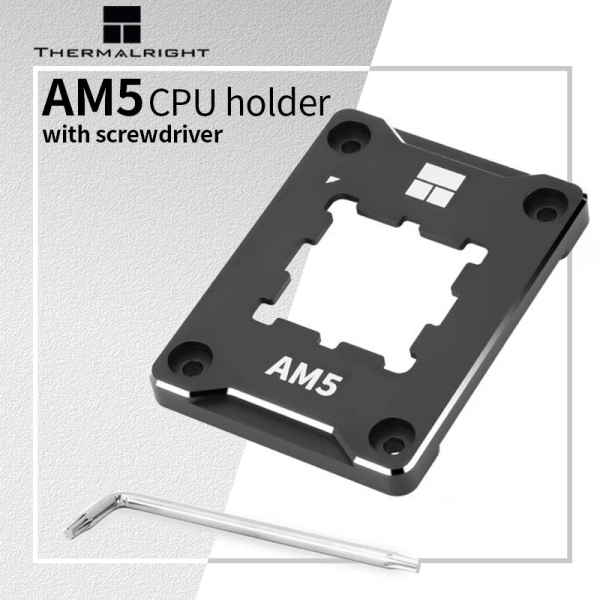
$16.44 | Thermalright AMD AM5 Secure Frame BCF CPU Bending Correction Fixed Buckle CNC Aluminum Alloy Anti-off Protector with Screwdriver
(sale price $5.26)
steady lance
acoustic crane
Not sure if it's legit but Ali has a thermalright contact frame for $5 or so
not worth the risk in my opinion
fervent spoke
steady lance
not worth the risk in my opinion
@steady lance been burned in ali before, indeed

manic seal
acoustic crane
https://s.click.aliexpress.com/e/_mqvaEKX
Contact frame isn't needed or beneficial for am5
acoustic crane
I was just posting cause alpha was talking about it
acoustic crane
steady lance
note it's a theory but it has shown itself to work so far.
^
manic seal
Ah
Problem with contact plate is that it can make things worse or not work if improperly torqued down
steady lance
manic seal
Problem with contact plate is that it can make things worse or not work if impro...
true, just gotta be careful with it.
steady lance
manic seal
Contact frame isn't needed or beneficial for am5
true, as stated above.
nice to have but not necessary.
 proven canopy
Feeling that overclock itch?
The G.SKILL OC World Cup 2025 is HERE, with a massive $40,000 USD prize pool up for grabs! Think you have what it takes to push hardware to the absolute limit?
Online Qualifier: February 15 – March 19, 2025 (on HWBOT)
Live Battles: Computex 2025 in

 X
·
sudden torrent
proven canopy
https://x.com/gskillgaming/status/1889298346847682703?t=0XTUQqIyvIoCs-cdIVS4Lg&s...
X
·
sudden torrent
proven canopy
https://x.com/gskillgaming/status/1889298346847682703?t=0XTUQqIyvIoCs-cdIVS4Lg&s...
Are you going this year? Maybe not to compete but cheer Seby on
fervent spoke
manic seal
Contact frame isn't needed or beneficial for am5
How a out the phasesheet?
sudden torrent
Do you mean PTM7950?
Because that is good stuff
Ultimately it would only net you about 3 degrees though
fervent spoke
sudden torrent
Ultimately it would only net you about 3 degrees though
Any degrees is good degrees?
@steady lance go it

is that it?
sudden torrent
fervent spoke
Any degrees is good degrees?
Not really when it gets you exactly zero extra performance
sudden torrent
fervent spoke
That looks like Hynix A die to me, fantastic for overclocking
Assuming g.skill still does the same coding as DDR4
kind walrus
fervent spoke
H16A
steady lance
fervent spoke
Should be fine up to 1.45V then if it's Hynix A as the others suggest.
steady lance
fervent spoke
Any degrees is good degrees?
Less heat is always better, while not a big difference it is good for a little extra headroom.
steady lance
steady lance
Should be fine up to 1.45V then if it's Hynix A as the others suggest.
could go higher but not recommended as you will experience diminishing returns and risk deteriorating your ram faster.
I have Hynix 2x32GB sticks most likely A based on what we've learned and discussed here in the past.
So I can help provide reference numbers.
kind walrus
steady lance
Should be fine up to 1.45V then if it's Hynix A as the others suggest.
You can technically go way higher
Though I don't advise this for daily, due to the limited information on H16A degradation
1.6v seems doable for extended periods, more than that I'm not aware of
(There might be more info as of today but I haven't checked for a number of months now)
steady lance
kind walrus
1.6v seems doable for extended periods, more than that I'm not aware of
What do you mean by extended?
kind walrus
Like 2 months
steady lance
Because I need to retune both my ram and cpu due to the bios update
kind walrus
I've similarly also seen degraded cases after 2 months
So at least to my knowledge it's not very assured what the limit is
steady lance
Gotcha.
Have you come across any news regarding max safe VDDIO?
I can't for the life of me find any information regarding that
kind walrus
1.3? I think is generally regarded ok
Definitely haven't heard of anything over 1.4
It's been a while man I do not remember these things well
kind walrus
Couldn't tell ya
steady lance
I've been running 1.45
kind walrus
Also gotta go
steady lance
have a good one.
steady lance
OMG, @sudden torrent, @kind walrus this new bios update is awesome!!!
6,600Mhz synced actually posted!!!
sudden torrent
That'll be nuts if that's actually stable
kind walrus
Post vs stable is a big difference
steady lance
sudden torrent
That'll be nuts if that's actually stable
So far no issues
Running VST3 right now as the first test
kind walrus
My gene posts 6600
steady lance
Shush shush don't jinx me
xD
This is still a major milestone though.
Before to get post when I first got this board I had to do 1.6V on my previous 7950x3D
Ram training pasted near instantly
Currently doing 1.5V VDD/VDDQ/VDDIO
1.3v SoC same as before
VST performance went from 1.21E10 to 1.27E10
I have a serious question to ask you two. How risky is it for me to leave my VDD/VDDQ/VDDIO voltages at 1.5V if that is what's needed to make this work?
@kind walrus, @sudden torrent
.
Also on a side note
I reseated the ram and changed the sides that the sticks were in.
Booting is still a bit of a pain but slightly better
kind walrus
steady lance
I have a serious question to ask you two. How risky is it for me to leave my VD...
 steady lance
 kind walrus
steady lance
I have a serious question to ask you two. How risky is it for me to leave my VD...
kind walrus
steady lance
I have a serious question to ask you two. How risky is it for me to leave my VD...
Everything except dram voltage (vdd typically) 1.35v
Is safe
Higher idk rn and it's not something I'm actively reasearching
kind walrus
I don't-
I don't know the answer to that 💀
All I can say is it's the voltage to the IO
To what extent I do not know
steady lance
Ahh alright.
I wish there was like a engineer's manual I could read for these chips
steady lance
Not sure. Though I am pretty good at figuring stuff out.
Is it like a 2D graph outlining where stuff connects to?
sudden torrent
I found some documentation from an agesa update that says mem-vddio is the IMC voltage rail, so it'll be CPU side
steady lance
Mind sending me the documentation?
I'd love to give that a read over when I get a chance.
steady lance
sudden torrent
I found some documentation from an agesa update that says mem-vddio is the IMC v...
.
Do you think I'd be risking my CPU by running vddio at 1.5V? My board by default sets it equal to VDD unless otherwise specified.
sudden torrent
Uh hang on, let me see if I can find the original source
steady lance
Awesome! Thank you.
sudden torrent
Right so it looks like it's a signal voltage line going between the memory and the APU, based on overclock.net people
If you're not using the APU you could disable it and never worry about long term affects
steady lance
sudden torrent
If you're not using the APU you could disable it and never worry about long term...
That's the integrated graphics I assume?
sudden torrent
Yes the integrated GPU
steady lance
So just disable that and I should be fine?
sudden torrent
If you want to play it safe yeah
steady lance
Understood
Are there even any benefits to keeping it enabled?
I use Blender and the Adobe Suite mostly.
So things like Photoshop, Premiere, Dreamweaver, and Illustrator
sudden torrent
Nothing in particular
I doubt it's being used to accelerate any of that since you have a full discrete GPU to do the work
steady lance
Gotcha yeah I will disable it then.
I wanna keep this running 6600 with all my might if I can.
Been trying to get 6600 stable on this thing since the first 7950x3D almost two years ago
What tests should I use to make sure that it is completely stable at 6600? I have OCCT, TM5 (Anta777 and PC destroyer), VST3.

pasted TM5 with AntaExtreme777!
kind walrus
Wtf
Thats not the normal test
The normal one has 0-15 tests and 3 cycles
18m is way too short
 steady lance
Ahh f
kind walrus
Incorrect/some other anta not normally used
 steady lance
sudden torrent
UCLK is 1650
steady lance
sudden torrent
UCLK is 1650
Are you kidding me. Rip
 steady lance
kind walrus
Incorrect/some other anta not normally used
steady lance
kind walrus
Incorrect/some other anta not normally used
Weird. The profile file is labeled antaextreme777
kind walrus
Not the one we use
steady lance
Where do I find the one used here?
kind walrus
In the download files
steady lance
Also time for me to go into bios and make sure it doesn't do that damn deaync again
kind walrus
Load different config
steady lance
I feel like an idiot right now...
kind walrus
Everyone does this at least once
sudden torrent
This happened last time too iirc lol
Easy thing to miss
Even felix didn't spot it right away
steady lance
UCLK=MCLK is synced if I recall
kind walrus
I only saw the test and flagged thatblmao
kind walrus
steady lance
UCLK=MCLK is synced if I recall
It resets every update
So does numbers and settings
sudden torrent
Yes I have no doubt you would have spotted it after correcting the test
sudden torrent
Yep it's like a brand new motherboard again
steady lance
I am still gonna disable the APU though, big thank you to Fal for the tip.
I really want to know what's causing this miserably slow training.
kind walrus
sudden torrent
Yes I have no doubt you would have spotted it after correcting the test
I feel bad for pointing it out now
Haha
steady lance
I have managed to reduce it with the bios update and possibly with reseating but it's still not entirely gone
How long realistically should I be waiting for cpu training?
I am wondering if I may just be to impatient.
sudden torrent
Mine isn't completely tuned and it takes a little under a minute with memory context restore off
steady lance
sudden torrent
This happened last time too iirc lol
Yeah just remembered it happened on the faulty 7950x3D.
steady lance
sudden torrent
Mine isn't completely tuned and it takes a little under a minute with memory con...
From power on to windows?
I have been sitting on this darn red cpu and yellow dram light combo for like two minutes now
sudden torrent
No from power on to my mouse turning on, which is my indicator that POST finished
sudden torrent
yes
sudden torrent
It can take 5-10 minutes with more difficult settings
steady lance
Just to get to the dram training phase?
sudden torrent
yes
steady lance
Is it just me or does this seem rather obnoxious time wise?
Weirdest part is that it takes forever even on stock settings with jedex 4800 ram speeds.
Just forced it to restart
It immediately trained
sudden torrent
Got stuck again then
steady lance
Any idea what is causing it to get stuck?
sudden torrent
not a clue
 sudden torrent
yep
steady lance
Interesting my board allows me to adjust the base clock.
That just raises the minimum clock speed I assume?
sudden torrent
Everything operates as a multiplier off the base clock
Increasing the bclk increases everything else, including PCIe slot speed
steady lance
Interesting. How far can one push it and what are the risks vs rewards?
sudden torrent
If you're running the CPU at a x50 mult then increasing bclk by 1 will increase the frequency of the CPU by 50MHz
SATA drives absolutely hate changes to bclk, they can just die randomly
Overclocking your ssd basically
How far you can push it depends on your luck
102 should be doable if you don't have sata drives
sudden torrent
101 max with sata in
steady lance
6600 synced past training
Please work!!!
IT'S SYNCED!
or do my eyes deceive me again??

@sudden torrent
sudden torrent
yep that's synced
sudden torrent
extreme1@anta777
sudden torrent
Figured it was too good to be true
steady lance
Immediately into bios though
What could I change to stabilize it?
Looser timings or higher voltages
Because that was surprisingly far more stable than previous attempts in the past
.
Trying to see if 1.6V is stable or not as a quick test to see if it's voltage limited
steady lance
Holy, 3 times in a row it's posted without me torturing myself by force restarting the pc
Welp 1.6v didn't stabilize it.
steady lance
sudden torrent
You can run 8000c34 at 1.45v
Really?
Thoughts on what I could do to stabilize 6600mhz?
sudden torrent
You could play around with lowering voltages and tweaking resistances but based on the instant blue screen I don't have much hope
proven canopy
sudden torrent
Are you going this year? Maybe not to compete but cheer Seby on
Definitely going, probably not for the comp, maybe for asus demo day or gskill demo with the "we have roboclocker at home" but 7995wx on auto ln2
sudden torrent
niiiiice
proven canopy
Not nearly good enough on RPL/ARL ddr5 to be competitive top 9 live
I can do ARL valid, but that's about it, barely
sudden torrent
steady lance
Is that the same as LLC?
No, these
 proven canopy
Also - if it's anything like last year, there's a random drawing prize, and last place in the comp is still a decent chunk of change, so look into it
steady lance
Fall I think I finally found the fix to the darn training issues!
There was 1 specific setting I changed that has made my last 5 boots painless.
proven canopy
Oh, also can you pin that original link to comp? I accidentally some of my perms last time I was messing with the discord
Or just give "funny role" manage message perms
steady lance
MCR on my board has Disabled, Enabled, and AUTO. Both disabled and enabled caused freezing and stuck in training
While Auto has enabled me to boot pain free while still doing CPU and dram training
proven canopy
That doesn't make sense.
Likely it's defaulting to the setting that's inconsistent
steady lance
It's been a mess trying to figure out what's been going on with my bosrd
proven canopy
Go with MCR enabled, power down auto
sudden torrent
proven canopy
https://x.com/gskillgaming/status/1889298346847682703?t=0XTUQqIyvIoCs-cdIVS4Lg&s...
steady lance
proven canopy
Go with MCR enabled, power down auto
Will do. What does switching Power Down Auto do? I have been facing issues with getting stuck in training for the past month with the only fix being to forcibly restart the PC over and over
 steady lance
Note I have tried 3 bios versions and running stock (no pbo) and jedec 4800
Same issues.
At what speed does desync beat synced?
I am running 2x32 Hynix I believe A die.
sudden torrent
Depends on the workload
proven canopy
More a question of core count + workload. Latency vs bandwidth need.
steady lance
Gaming, Blender, and pretty much the entire Adobe Suite.
proven canopy
16c am5, easy answer, find highest stable fclk, and that's it, 1:1
steady lance
Power Down Enable was already set to auto it seems
proven canopy
Unless you want to go for sweaty avx512 heavy benchmark scores, or actually have a use case in daily
steady lance
What do you think my chances are of getting 6600 synced to be stable?
It can post and do light workloads but crashes during anta777
proven canopy
It's a daily, if 2200 works, great, if not, drop it down until it does.
steady lance
oh my gosh this feels so good being able to actually restart my pc when I want to
steady lance
I am tempted to try adjusting the resistances and voltages to get 6,600mhz synced stable. @sudden torrent do you have any resources you suggest I look at to better understand what these resistances are and how to adjust them?
sudden torrent
Every motherboard and every CPU reacts differently to changing those. You'll just have to change each one, one at a time, and see what gets you more stability. It will probably take hours.
steady lance
sudden torrent
Every motherboard and every CPU reacts differently to changing those. You'll jus...
Is there a risk of killing the ram with changes those?
Or is it just increase/decrease till I no longer error
steady lance
sudden torrent
Every motherboard and every CPU reacts differently to changing those. You'll jus...
Did some reading up regarding that, I just can't seem to find out if there is anything that I like shouldn't do / avoid doing.
I see a lot of people tossing numbers around regarding resistances but none with explanations regarding what the resistances do.
sudden torrent
steady lance
I see a lot of people tossing numbers around regarding resistances but none with...
Precisely, because most people have no idea what they do. Most people don't even know what the role of resistance is in a circuit. It's also very poorly documented exactly which parts are affected by which resistance values.
There's no risk to the CPU or RAM messing with them, but keep a profile saved in case it fails to post.
wide vigil
Is it worth OC the 9800x3d for gaming?
I have a stable OC at 5.3hz, 1.12V and average of 67C
sudden torrent
wide vigil
Is it worth OC the 9800x3d for gaming?
If you can get it to an all core frequency that's higher than the boost clock you would get using PBO (5.4GHz) then yes it can be worth it. I've seen people get 6GHz using just an AIO.
wide vigil
What's the difference between Expo I vs Expo 2?
kind walrus
About 1
 manic seal
real
it's just 2 different timings (or both the same timings) that the vendor added to the ram
steady lance
sudden torrent
Precisely, because most people have no idea what they do. Most people don't even...
Understood. My biggest concern was regarding if something would harm or even kill the ram or cpu. Do you have any sources you could refer me to?
 steady lance
sudden torrent
If you can get it to an all core frequency that's higher than the boost clock yo...
steady lance
sudden torrent
If you can get it to an all core frequency that's higher than the boost clock yo...
all core override can be higher than pbo?
sudden torrent
steady lance
all core override can be higher than pbo?
The 9800X3D has proper support for overclocking. It's not unusual for people to get 5.4GHz all core on air cooling and 6 GHz on AIO. You just need a bit more voltage to the cores.
proven canopy
It's hard to kill ddr5 even if you try, never heard of someone succeeding. Same for b-die ddr5.
6g all core for any load? Haha
sudden torrent
Just gaming stable, doesn't need to be perfect
steady lance
sudden torrent
The 9800X3D has proper support for overclocking. It's not unusual for people to ...
Dang.
Still major improvement over my 5.25 on CCD0 with PBO.
steady lance
proven canopy
It's hard to kill ddr5 even if you try, never heard of someone succeeding. Same...
Gotcha.
steady lance
.
Is there a way for me to force my motherboard bios to default to the AUTO setting for Memory Context Restore when I clear the cmos?
This is freaking obnoxious, I am stuck doing power cycles for about 2 hours whenever I need to do a clear cmos because of no post.
steady lance
It took me two and a half hours to get into windows just now.
sudden torrent
steady lance
Is there a way for me to force my motherboard bios to default to the AUTO settin...
The default is the default. Only a BIOS version change can change the defaults.
steady lance
r.i.p
The problem is that unless MCR is set to AUTO instead of ENABLED or DISABLED it keeps getting stuck in the training process.
It defaults to DISABLED which is even worse as far as getting stuck goes.
for some reason when on AUTO it still trains like it's DISABLED but it won't get stuck
sudden torrent
My issue with MCR is it gets unstable when I reboot if it's enabled. It borked my OS after I updated BIOS.
steady lance
Do you think this is a board or software issue?
sudden torrent
More likely firmware
steady lance
I am genuinely becoming infuriated by this issue. If it wasn't for finding this bandaid I'd be yelling and screaming at MSI right now.
Last week I spent around 11-13 hours of my week BOOTING.
 abstract merlin
I check what ram I have and it shows that I have hynix j die
i am at 3200 cl16. could i get it to 3600 with the same timings or nah
or would tighter timings be better for my case
im on a 5600
sudden torrent
JJR is basically CJR. Don't expect too much from it. 3600 c17 or 4000 c18 if you're lucky.
steady lance
So an update on this whole booting ordeal.
If Context Memory Restore is set to AUTO my pc can boot up normally.
However if my pc was powered off over night it doesn't work meaning it only works if I am restarting or powering the PC up within a short period since powering off.
@sudden torrent, @proven canopy, @kind walrus
Any thoughts on what the cause of this is?
proven canopy
Buy an alienware
steady lance
proven canopy
Buy an alienware
Why?
Board is a MSI X670 Pro WiFi on the latest bios.
proven canopy
Actual answer - this is the first thing I'd google to learn more / find answers. https://www.google.com/search?q=msi+x670+pro+memory+context+restore+site%3Areddit.com
steady lance
Problem is that it can't even reach memory training.
It gets stuck in the CPU/DRAM light phase.
Power Cycling on and off it eventually gets it unstuck from it.
Should I switch to an old bios version?
kind walrus
steady lance
So an update on this whole booting ordeal.
If Context Memory Restore is set to ...
Once again, if switching back to normal default settings mostly fixes these post issues. You have a stability problem with your overclock
Meaning something you've done skates the edge of stability still too much
To what extent that is? No idea, usually something that is often unique to the overclock
steady lance
kind walrus
Once again, if switching back to normal default settings mostly fixes these post...
Doesn't fix it.
kind walrus
Not something I can advise on other than dial back settings until you find it
steady lance
Same issues occur on completely stock settings with no pbo and jedec ram speeds.
kind walrus
Are you using a contact frame or not
steady lance
Board gets stuck on CPU and DRAM light.
kind walrus
steady lance
Board gets stuck on CPU and DRAM light.
Training is what this is
steady lance
kind walrus
Are you using a contact frame or not
Yes though it's been happening since before installation.
kind walrus
steady lance
Yes though it's been happening since before installation.
Go back to ILM
Contact frames are infamous for stability issues
Every. Single. One
Lol
steady lance
Though this has been happening since before installation.
I can remove it if you think that will fix it though.
kind walrus
I mean, sometimes the cpu mount can do it?
But contact frame is always suspect
You've also been using high i/o voltage settings, I can't say if it's safe or not but it's definitely more than stock
steady lance
So switch to the stock frame and try again? What do you mean by CPU mount?
kind walrus
I mean the cpu mount
And yes I would
Like a ram stick
You insert it
It doesn't sit properly
Reseat it works
steady lance
Oh so reseat the cpu.
steady lance
kind walrus
You've also been using high i/o voltage settings, I can't say if it's safe or no...
Weird thing is tht it's been happening since before applying the IO vtage
kind walrus
AM5 never needed a frame
kind walrus
steady lance
Weird thing is tht it's been happening since before applying the IO vtage
Well maybe there's something in the system, usb or storage, that's causing this long post issue
steady lance
The one thing that comes to mind is that I updated the bios right around the time I experienced this problem.
So I am wondering if it would be safe to revert to an older version.
kind walrus
Not older than june 2023
Older than that, it'll work until the cpu explodes
(vSOC unlimited)
steady lance
I don't think I am going to be using an MSI board after this experience....
kind walrus
Anyway you've tried a few things, I would keep investigating with an open mind, something you could either have done or something you've plugged in could be causing this
It's hard to just know the answer without an obvious hint so I can only suppose on past ideas
steady lance
Been happening since I installed the new SSD so I don't think that's it.
steady lance
Could my Sata SSD cause it?
steady lance
It was in the pc during transit
I think I will try unplugging that and a couple other things. If issues persist I will reinstall bios again to a older version.
kind walrus
Consider anything sus
Even psu or cables
And you'll likely find no change until you find the exact reason for the issue
proven canopy
kind walrus
Consider anything sus
Like pebcak?
 pliant lava
Hey all question for you trying to do some OC to my new 9800x3d it was giving me some issues, but I seem to have been able to resolve that and stop the crashes when trying to run cinebench. However, I am using ryzen master and HW monitor and I seem to be getting two different readouts for my CPU speeds. Just curious if anybody had any insights to this.
Also if anyone could help guide me on how to do a light over clock or undervolt that would be appreciated.
It looks like all core test my cpu is hitting about 86c and is only boosting to 5080-5120
That’s during an all core test.
Score after 10 mins was 21448
 sudden torrent
pliant lava
Hey all question for you trying to do some OC to my new 9800x3d it was giving me...
sudden torrent
pliant lava
Hey all question for you trying to do some OC to my new 9800x3d it was giving me...
They poll at different rates and look at different sensors
pliant lava
Yesterday before I messed with anything it scored 22000. It’s like 2.3% different prob just a temp difference?
sudden torrent
pliant lava
Also if anyone could help guide me on how to do a light over clock or undervolt ...
A light overclock would be setting precision boost overdrive to enabled and calling it a day
sudden torrent
pliant lava
Yesterday before I messed with anything it scored 22000. It’s like 2.3% differen...
That's normal run variance
And yes the score will go down a little as it runs longer due to heat soak
Until it hits equilibrium
pliant lava
sudden torrent
A light overclock would be setting precision boost overdrive to enabled and call...
Ok cool that’s all really helpful. When I tried to undervolt it kept crashing after like 7 mins and then it wouldn’t even start cinebench. Temps were only hitting like 62 which was crazy
Not sure what I did
sudden torrent
Too little voltage will cause it to be unstable and crash
pliant lava
sudden torrent
A light overclock would be setting precision boost overdrive to enabled and call...
Is that in bios?
Is undervolting any good on 9800x3d?
sudden torrent
And If you're letting it boost instead of locking the frequency you should be letting the voltage stay dynamic as well, and undervolt using offset mode or curve optimizer
pliant lava
sudden torrent
And If you're letting it boost instead of locking the frequency you should be le...
How do I do that? I tried in ryzen master but it’s forcing me to do it manually and I don’t know what it is
Or what I’m doing
sudden torrent
You can get a little bit from an undervolt but not much. It'll run cooler but you won't get any additional performance generally on that generation
pliant lava
Ok would you recommend just leaving it alone?
sudden torrent
Yeah even if you spent a full day doing nothing but tuning you'd only get about 2% more performance over just setting PBO to enabled
Good for making funny big number get bigger in cinebench, but that's it
pliant lava
Ok so I think that’s set to auto rn but I didn’t change that. Does that sound right?
Sorry I’m sure this is annoying
sudden torrent
auto is disabled for that setting
pliant lava
Ah ok. Soon as I get my daughter down for bed I’ll run down and check it out. I’m thinking the temp is gonna be to hot either way to really boost no?
I’m using a scythe fuma 2. Peeps said it would be fine
sudden torrent
It will boost until it hits 95 C
And then it will hold whatever boost frequency it was at when it hit that
sudden torrent
No, it will let it boost higher which might cause it to get closer to 95C
Either way, if it does or does not hit 95, it'll still be boosting higher
pliant lava
Ok cool, would you recommend trying to mess around with curve optimizer or just leave the voltage alone?
Just trying to to see what would be reasonable. I know all silicone is different but I’m curious as I’ve never done it before
pliant lava
Turned pbo on and actually scored less again lol I assume it’s just variance but it’s still funny
 bright bramble
So for a ryzen 9 9900 x I was wondering what kind of BIOS stuff I can do to oc right now when my computer is running sims with all cores I’m getting around 4.8GHz, and running around 60 degrees C
Figure there’s a bit more juice I can squeeze out of it
steady lance
bright bramble
So for a ryzen 9 9900 x I was wondering what kind of BIOS stuff I can do to oc r...
PBO enabled with a undervolt using curve optimizer.
enable PBO with Motherboard limits, and maybe a clock override (tells the CPU to try and boost higher accoording to PBO)
measure your performance than start doing a per core undervolt till you find the most stable point without losing performance.
steady lance
I am thinking of trying to tune my GPU.
Suggestions on what software I should use to stress test?
Currently game stable for 3 days with +1000 mem.
acoustic crane
steady lance
Suggestions on what software I should use to stress test?
I've honestly crashed more while playing a game/running an in-game benchmark than I have doing standalone benches
But, at least for undervolting, I usually use kombustor and then 3Dmark
steady lance
acoustic crane
But, at least for undervolting, I usually use kombustor and then 3Dmark
Is undervolting on a gpu like undervolting for PBO in a cpu?
I never really got to deep into gpu overclocking.
If you don't mind, could you send me the links for Kombustor and 3Dmark? Thank you.
acoustic crane
steady lance
If you don't mind, could you send me the links for Kombustor and 3Dmark? Thank ...

Download MSI Kombustor for PC to thoroughly test GPU performance by pushing it to its limits. This free utility program is designed for Windows users to conduct graphics card stress tests. DOWNLOAD Simple & Easy To Use The software interface is very easy to use and simple. You don’t need to be a techy guy ... Read more

PC gaming is a quest for performance, a never-ending cycle of upgrading, overclocking, and tweaking your system for faster frame rates, higher resolutions, and better quality visual effects.3DMark is essential equipment for this quest. For more than 20 years, 3DMark has been the first choice for benchmarking, testing, and comparing PC performanc...
Price
$34.99
Recommendations
14700
(3dmark has a free version you can use)