#overclocking
1 messages · Page 33 of 1
 sudden torrent
 abstract wedge
look at manu date
abstract wedge
look at manu date
Not really foolproof. It's almost as fast to save your profile, reset bios to defaults, and try to run 7800 too.
 abstract wedge
sudden torrent
Not really foolproof. It's almost as fast to save your profile, reset bios to de...
abstract wedge
sudden torrent
Not really foolproof. It's almost as fast to save your profile, reset bios to de...
fair enuf
 steady lance
I can't seem to find tCWL.
sudden torrent
If it's not in the main overclocking menu you can find it in the advanced AMD Overclocking menu
Run a search
steady lance
sudden torrent
If it's not in the main overclocking menu you can find it in the advanced AMD Ov...
No luck in the search
Is tCWL locked maybe?
steady lance
So just configure tCL then move onto FCLK? @sudden torrent
sudden torrent
Sure
sudden torrent
I'll bet it did, but did you lose any performance?
Run VT3 again and see, it was really stable at 1.46 before
steady lance
sudden torrent
Run VT3 again and see, it was really stable at 1.46 before
1.46?
steady lance
Is 1.46e the number that Y-C wad calculating?
sudden torrent
That's the speed at which it was calculating, which is heavily influenced by RAM
sudden torrent
It's decent for your CPU
steady lance
sudden torrent
It's decent for your CPU
So if the time changes from 1.46 to something like say 1.53 that means I have performance regression from the lowered tCL?
Also it just finished the first test at 1.41 * (10^10)
 steady lance
Tried tCL 26 just for the fun of it. It did not post.
Trying tCL 30 now.
tCL 30 has shown even more performance regression than tCL 28.
@sudden torrent do I use the same test for FCLK?
Also I haven't tried honing in tRFC fully yet. Should I just keep lowering it as much as I can without temps hitting over 60c and no errors?
Trying tCL 34 just in case to see if maybe my performance was regressing at the xmp of 32.
34 is definitely much slower.
Decided to let tCL32 have a few runs
It seems to have stabilized at 1.45
I am going to try the 7800 post test.
steady lance
@sudden torrent I am stable at 1.49 with occasional drops to 1.48 with FCLK at 2133
sudden torrent
steady lance
<@396513761550270464> do I use the same test for FCLK?
Yes, while also watching for whea errors in hwinfo
steady lance
sudden torrent
Yes, while also watching for whea errors in hwinfo
Gotcha. I didn't notice any but I will keep my eyes out for them
Also @sudden torrent is 1.46 to 1.49 a good improvement?
sudden torrent
Yep, as long as it's not going backwards it's an improvement
If you want to test to be sure you can do fclk 2100 and see the result
steady lance
sudden torrent
If you want to test to be sure you can do fclk 2100 and see the result
For performance regression?
FCLK 2,200 does not seem to post.
Also 7800 all auto and UCLK/2 did not post @sudden torrent
steady lance
sudden torrent
Sounds like you have M die then
tRFC so far hasn't posted at 300. Tried 200 and 250 already.
steady lance
sudden torrent
Sounds like you have M die then
Is M die good or bad?
tRFC 400 posted.
steady lance
Going to bed.
I will leave Y-Ctuncher VST3 Profile running over night.
Btw I am now solidly scoring 1.49 in VST3.
sudden torrent
steady lance
Is M die good or bad?
It's good but not as good as A
steady lance
sudden torrent
It's good but not as good as A
8.3 Hours stable at 1.48-1.49. No Whea errors.

Anything else I can do to speed up my ram?
I am gonna run it through PCBdestroyer as well now while I am away.
steady lance
btw no whea errors.
@sudden torrent do you think I should consider the ram tuned or is there anything else I can do for it? I plan to tune the CPU next.
sudden torrent
Looks good to me, I'd move on at this point
steady lance
@sudden torrent I am about to eat dinner, after I am done with dinner I think I will start tuning the CPU. What software do you recommend me using and with what profiles? IIRC for my 7950x3D I will be doing PBO with Curve Optimizer yes?
steady lance
@sudden torrent I figured out what was causing my pc to not always boot when exiting bios. I had left the CPU SoC on Auto. When I changed it to Manual 1.3V booting now appears to be working again
Does my config for CoreCycler look good?
gonna leave Core Cycler running over night
 steady lance
Am I doing something wrong?
I left Core Cycler running over night and it never even finished the first iteration
sudden torrent
steady lance
I left Core Cycler running over night and it never even finished the first itera...
You have 32 threads and each set takes about 90 minutes to complete.
I do y-cruncher instead of p95 for that reason, it's 10 minutes per thread so you can do 2 full cycles in one night.
steady lance
@sudden torrent HOLY, is increasing the PBO override by +200mhz supposed to make this big of a difference?
 sudden torrent
That's 10^9 not 10^10
sudden torrent
No it's simpler than that, just a multiple of ten off
So before you were running at 14.9 * 10^9
And now it's down to 9.57
sudden torrent
Which indicates that it's throttling or getting lots of errors and correcting them, which slows it down
Did you increase your power limit when you enabled pbo
steady lance
btw I thought higher was better?
steady lance
sudden torrent
Did you increase your power limit when you enabled pbo
to 300 watts iirc.
sudden torrent
Ryzen Master
Ok PPT you can set to 1000W
TDC maybe 180A
EDC 250A
Start with that
steady lance
I am on a MSI X670 Pro WiFi board.
sudden torrent
Yes and those are the settings my motherboard defaults to when I set "motherboard limits" so yours should do them too with a slightly better VRM layout
steady lance
btw 9.69 in CoreCycler rn
gotcha
btw why did it change to 10^9 from 10^10?
If it errors the program stops I assume.
sudden torrent
Because you lost a lot of performance to where it had to drop you down a factor of 10
steady lance
@sudden torrent just got back. Any idea why it is not posting with those settings?
steady lance
Clearing the cmos and enabled context restore fixed the issue
The score is still 10^9
Looking at HWinfo it is not hitting the TDC/EDC or Power limits.
sudden torrent
Of course it's not, you don't want it to hit the limits
The point is that the frequency is determined by an algorithm that includes what power budget is available, so giving it way more than it needs can increase the frequency.
(not always)
steady lance
sudden torrent
Of course it's not, you don't want it to hit the limits
I adjusted the power limit from 300W to 350W I am now getting 1.45 * (10^10)
now*
sudden torrent
Better
steady lance
For some reason setting the power limit to 500 caused it not to boot or that's just bad luck
sudden torrent
The power limits are something you can definitely play around with to find the sweet spot
sudden torrent
My guess is error correction, or an automatic frequency limiter of some kind was triggered
Yeah you can play around with it
Watch core frequency too
steady lance
alright. I will try bumping it up to 400 to see if it makes a difference.
sudden torrent
If the frequency goes down it's hitting a limiter, but if frequency goes up and speed goes down, that's error correction
steady lance
sudden torrent
Watch core frequency too
I know my Freq cores can do 5,800-5,850 and I haven't done CO yet.
steady lance
sudden torrent
If the frequency goes down it's hitting a limiter, but if frequency goes up and ...
what kind of changes would you consider up and down?
Changes in the hundreds?
sudden torrent
100MHz can be run to run variance, more like 500
That or higher would be cause for concern
steady lance
gotcha.
I am seeing changes within 100mhz or less.
@sudden torrent would you recommend I use Y-Cruncher VST3 or Core Cycler to test the frequency and performance?
steady lance
I am using the config you sent earlier..
sudden torrent
and also only one core at a time
a single active core isn't likely to hit any kind of limit
if you wanted you could also run y-cruncher in benchmark mode instead of stress test, so you get an easier to work with number
steady lance
does that affect the test itself?
sudden torrent
yes, basically it calculates X digits of pi and stops
then scores you based on how long it took
steady lance
Then I assume use CoreCycler for the stability test?
sudden torrent
CC is good for testing CO settings mostly
Plus fclk to a point
If you do it right then you should have your settings dialed in by next week
steady lance
So I should use:
- YC (For frequency test)
- CC (For CO Stability test)
sudden torrent
In this case yes
yc gives you an idea of how the processor as a whole is doing, cc tests the max that a single core can do
steady lance
Understood. Also you were talking about a frequency limit.
So I should look for increases and decreases in the all-core frequency in HWinfo?
sudden torrent
Basically yes. If something is wrong it should be pretty apparent.
sudden torrent
One at a time I'd say
So if you get reverse scaling you know which one caused it
Drop that in the y-cruncher folder if you want to run the benchmark. It'll calculate 10 billion digits of pi, and near the end it'll say "total computation time," that's the one to look at right now.
That will also put a bit of load on your memory, too. It should use a bit over 43GB of it if my math is correct.
steady lance
Aight thank you.
@sudden torrent any idea why it seems as though if I don't clear CMOS before booting that I can't back into my tuned settings?
sudden torrent
memory context restore
steady lance
Enable it disable it?
sudden torrent
disable
steady lance
Disabled. Going to try and boot with 1000W PPT.
steady lance
sudden torrent
memory context restore
Thank you!
steady lance
sudden torrent
Drop that in the y-cruncher folder if you want to run the benchmark. It'll calcu...
into the same folder with the Y-Cruncher.exe file?
sudden torrent
yes
steady lance
ty
I am seeing all-core clocks up to 5.35Ghz
averaging around 4.625Ghz under sustained load.
@sudden torrent TDC and EDC respectively hit 139 and 144 amps.
peak of 150w
The increase in power limit did it! I took a test in Stresss Test mode, I am back to 1.48-1.49!
steady lance
changed the PPT to 3,000. I am averaging 1.48-1.49 from 1.46-1.48
Is it risky to increase my TDC/EDC from 180/250 to something higher?
sudden torrent
The CPU will only use what it needs
This is just the motherboard acting as bartender. "How many drinks can I have tonight?"
If the customer (cpu) decides it's had enough before that limit, that's all they take.
steady lance
-35 posted on Core 0.
sudden torrent
The question with CO isn't "does it post," the question is "is it stable at max frequency and load" which is what corecycler is supposed to figure out.
Maybe start with -30 all core, run corecycler for 3 loops, see what cores reported errors. Back off on those cores by 5, ones that didn't crash go down -5 more. Repeat until you get tired of it. It helps to keep a spreadsheet.
If you get a blue screen... well you can't do -30 all core then for sure
It's normal for some cores to end up needing a positive offset to remain stable since you're at +200
steady lance
sudden torrent
It's normal for some cores to end up needing a positive offset to remain stable ...
gotcha
steady lance
sudden torrent
The question with CO isn't "does it post," the question is "is it stable at max ...
I am currently doing CC, YC (Bench), Y-C (Stress) as my stability test.
This is with a -35 CO
steady lance
-45 CO posted on core 0.
steady lance
@sudden torrent Core 0 is stable at -40 CO!

passed both YC tests
testing -40 CO on Core 1
 steady lance
-45 wasn't stable. Moved onto Core 2. -40 on Core 2 did not post however -30 did.
What does this error mean?

It should have access to plenty of power unless it means something else.
steady lance
steady lance
What does this error mean?
@faint tangle, I noticed you were on. Any thoughts regarding this error?
welp I am gonna go to sleep folks. I plan to leave Core Cycler on overnight. These are the tunings thus far

 faint tangle
Im sorry I've absolutely no clue
sudden torrent
steady lance
What does this error mean?
It means that thread crashed, probably due to that core not being stable
steady lance
sudden torrent
It means that thread crashed, probably due to that core not being stable
Gotcha. By the way I ran Core Cycler overnight as 0,0,0,0,1,1,1,1,2,2,2,2 Cores 0 and 2 managed to pass 5 sets.
 steady lance
@sudden torrent cores 1 and 2 have each passed 20 rounds of Core Cycler or 5 iterations since I did it as 1,1,1,1,2,2,2,2.
 steady lance
Uhm @sudden torrent so I changed my thermal throttle limit from auto to 95 and it did this to Ryzen Master.

Also all my cores now appear to be able to maintain higher clocks for longer.
sudden torrent
95 should be above what's possible to set, which is probably why it bugged out
steady lance
sudden torrent
95 should be above what's possible to set, which is probably why it bugged out
since restarting it seems to have fixed itself
steady lance
@sudden torrent, @faint tangle, the TG Contact Frame, TG PTM Sheets, and SN850X 4TB just arrived!
steady lance
@sudden torrent I left the CPU running overnight and my performance uplift is huge!!!
I am now scoring 1.79 * (10^10) in VST3! Used to get 1.48
All I did was:
- install TG's AM5 contact frame
- Reseat the CPU
- Apply the new TG PTM Thermal Pad.

 sudden torrent
Not bad at all. Your peak temps look slightly better than mine and I have 4 less cores.
steady lance
sudden torrent
Not bad at all. Your peak temps look slightly better than mine and I have 4 less...
I just came home I left VST running. I am scoring average of 1.8. Is this good for a 7950x3D?

As for stability I got my first 4 X3D cores very stable in at:
- 0 = -40 CO
- 1 = -38 CO
- 2 = -28 CO
- 3 = -28 CO
@sudden torrent
 kind walrus
Please tell me you're only using ryzen master for hwmonitor
sudden torrent
yeah all the tweaks are in bios afaik
steady lance
kind walrus
Please tell me you're only using ryzen master for hwmonitor
yes.
steady lance
kind walrus
Please tell me you're only using ryzen master for hwmonitor
All settings have been done using the Bios.
kind walrus
Would've gone postal if we were still suggesting ryzen master in 2024
sudden torrent
Yeah that's just to show the curve in screenshots
steady lance
@sudden torrent I am back to tuning the CPU again, and I noticed the PBO Scaler. What does that do again?
sudden torrent
It's not something to touch for a daily, it makes the CPU care less about killing itself in exchange for holding boost clocks slightly longer, like milliseconds.
steady lance
sudden torrent
It's not something to touch for a daily, it makes the CPU care less about killin...
so nothing noticable.
sudden torrent
right
steady lance
Is VST3 a good way to measure a CPU's performance?
sudden torrent
It's consistent enough but not the absolute best way
It's pulling double duty as a benchmark and stress test
steady lance
I am trying to figure out if my score of 1.8 is very good or not because I noticed that a 14900K with 8800mhz ram is only scoring around 1.18-1.26 on average
sudden torrent
Intel uses a different algorithm since they don't use AVX-512
steady lance
So it has a bias then?
sudden torrent
No it's an entirely different set of results
It's like comparing time spy to speed way
steady lance
Oh so even the test is different is what you are saying?
sudden torrent
It's an entirely different algorithm that happens to have the same result
steady lance
How much does a 7950x3D typically score in VT3? I tried google but didn't find any results.
sudden torrent
It's not a commonly run benchmark, maybe try cinebench r23/r24
That's not as good as a stress test but it's good for comparing to other CPUs
steady lance
gotcha
I am hoping the rest of my cores can do -30 to -40 like the first 4 cores have
sudden torrent
X3D cores tend to undervolt better because the frequency isn't as high
steady lance
K, I am beginning to work on CO again. Was organizing my drives.
-40 CO posted on Core 4.
steady lance
@sudden torrent how many runs of CoreCycler should I give a core before calling it stable in CC and moving onto my overnight VST3 test?
sudden torrent
I do 3 loops per core I'm testing for the initial test, and I do another test of the whole CPU for 48 hours when I'm done with all the cores
steady lance
sudden torrent
I do 3 loops per core I'm testing for the initial test, and I do another test of...
each core gets 48 hours or just as many passes as possible in 48hrs?
sudden torrent
I just let it run through all the cores for 48 total hours
steady lance
I have been doing 4 runs of CC then 12hrs of VST3 to catch those random errors that pop up once in a blue moon
or 250 iterations of VST3
steady lance
sudden torrent
I do 3 loops per core I'm testing for the initial test, and I do another test of...
Hmm.
@sudden torrent, would this test schedule work well?
Initial test:
- 8 runs of CC
- 16 runs of Y-Cruncher (VST3)
Overnight Test:
- Overnight / typically 250 iterations of Y-Cruncher (VST3)
Final Stability Test:
- 16 runs of CC (3 hours) back to back per core till all cores have been tested.
the overnight test with YC so far has done the best job of detecting those little pesky random errors from what I can tell.
steady lance
@sudden torrent so far it appears I am stable on cores 0-5:
- -40
- -38
- -28
- -28
- -30
- -35
cores 4-5 that I have been working on today have passed over a dozen rounds of CC and YC.
steady lance
Core 5 had to get nudged down to 33. testing it for stability
faint tangle
Anyone around for 13th gen voltage questions?
Just wondering what voltage/voltages I'm supposed to change to undervolt in bios, or if its just "cpu core voltage"
And im wondering if 1.14v is smart
Actually nvm ill just update bios and let it deal with itself
I'm due an update anyways
sudden torrent
faint tangle
Actually nvm ill just update bios and let it deal with itself
This is the best way because the old microcode was still letting it spike to 1.6-1.7v even with an undervolt
steady lance
@sudden torrent would you consider this many runs of CC enough to call a core very stable?
 sudden torrent
At least for that workload, yes
steady lance
sudden torrent
At least for that workload, yes
gotcha.
steady lance
welp good night folks.
Gonna run CC on cores 6 and 7 with -38 and -35 CO.
steady lance
@sudden torrent it seems my 7950x3D can't clock beyond 5.7ghz without a serious undervolt that isn't stable. Should I overcolt the frequency ccd for higher clocks or continue with an undervolt?
sudden torrent
It's not worth the risk imo. There's going to be very little real benefit.
steady lance
sudden torrent
It's not worth the risk imo. There's going to be very little real benefit.
gotcha
steady lance
kind walrus
Cos clock stretching ≠ effective clock
So opt for undervolting which also means I can sustain higher clocks for longer correct?
sudden torrent
Correct
Though undervolts can cause clock stretching as well
But you'd notice your corecycler speed go down in that case
steady lance
@sudden torrent how is core 9 failing when it has a curve offset of 0???

Y-Cruncher VST3
sudden torrent
steady lance
<@396513761550270464> how is core 9 failing when it has a curve offset of 0???
Because you're at +200 offset. It's not uncommon to need a little more voltage to hit that. (Positive CO exists for a reason)
steady lance
sudden torrent
Because you're at +200 offset. It's not uncommon to need a little more voltage t...
My override is currently 0
that is why I am so confused
sudden torrent
I guess that core is just unlucky then
That kind of processor would be borderline QC fail. This is a heavier than normal workload but you shouldn't need positive CO for anything at +0
steady lance
sudden torrent
That kind of processor would be borderline QC fail. This is a heavier than norma...
So I just got unlucky then?
This is with +5 CO on core 9.

I am extremely confused and frustrated with this core.
sudden torrent
Unlucky almost to the point where I'd consider getting a RMA
This is the equivalent of crashing at stock settings
The RMA would be accepted too, if you just tell them that the processor is failing a stability test at stock settings
No need for more detail than that but if they ask you could tell them the program you used
My worst core did -20 CO at +200. Needing +CO at +0 is unacceptable to me.
steady lance
sudden torrent
The RMA would be accepted too, if you just tell them that the processor is faili...
... Does AMD accept chips that have already been RMAed once?
Is it possible that the negative co on the other cores is causing core 9 to fail?
I just changed PBO from Manual (Advaned) to just Enabled
time to see if it still happens
sudden torrent
steady lance
... Does AMD accept chips that have already been RMAed once?
Yes, it'll be covered under the original purchase warranty
sudden torrent
steady lance
Is it possible that the negative co on the other cores is causing core 9 to fail...
No it's independent so unless it's just generally unstable it wouldn't cause an error
sudden torrent
You're just unlucky
steady lance
I doubt it can be from degration could it?
sudden torrent
That's possible but unlikely on X3D because the voltage is reduced out of the box
steady lance
@sudden torrent now I am very confused.
So I decided to run VST3
this time with PBO set to Enabled rather than manual.
It's now passing the test with flying colors.
and to confirm that it didn't reduce boost clock, HWinfo shows all the cores on CCD1 hitting 5.75Ghz
Any thoughts?
sudden torrent
Could be a power delivery issue since you had tweaked the limits a lot
steady lance
sudden torrent
Could be a power delivery issue since you had tweaked the limits a lot
But that's good news right?
Means it is just user error
not a hardware issue
sudden torrent
Potentially yes
steady lance
I seriously don't want to deal with AMD's Customer Support for a RMA again....
Took a month and a half to get my replacement and so many days of back and fourth
steady lance
sudden torrent
Potentially yes
so it's passed multiple rounds of VST 3 with scores around 1.48-1.5 at 10*10
sudden torrent
So it's faster too? lol
steady lance
sudden torrent
So it's faster too? lol
yes/no prior to dealing with the damned issue with core 9 errors I was geting 1.7-1.8
at 10*10
steady lance
steady lance
I just came home I left VST running. I am scoring average of 1.8. Is this good...
@sudden torrent
sudden torrent
Ah right, the latest screenshots threw me off
steady lance
btw I assume 1.79-1.8 is very good for a 7950x3D?
if PBO without tuning ram got me 1.45 on average
kind walrus
steady lance
Any thoughts?
Try and do what you were doing earlier but add +5 to every single core
steady lance
kind walrus
Try and do what you were doing earlier but add +5 to every single core
positive offset or do you mean just reduce the negative offset?
kind walrus
More positive to all yes
steady lance
steady lance
btw I assume 1.79-1.8 is very good for a 7950x3D?
@kind walrus I imagine a experienced user as yourself would know the answer to my question. Y-Cruncher VST3
kind walrus
I have no idea
I don't look at those numbers cos I don't tune the cores to an inch of their life lol
steady lance
Am I mixing people up? Thought you did LN2
steady lance
kind walrus
I don't look at those numbers cos I don't tune the cores to an inch of their lif...
Why do I feel like this is targeted towards me lmao.
steady lance
sudden torrent
Could be a power delivery issue since you had tweaked the limits a lot
if it is power is it due to lack of or the ability to move the power between the psu to board? I am curious as to what your guys thoughts are and the possibilities
kind walrus
steady lance
Am I mixing people up? Thought you did LN2
Never done, I only have basic knowledge of it
kind walrus
steady lance
Why do I feel like this is targeted towards me lmao.
It's targeted towards anyone that aims for bleeding edge daily settings cos it never works out and always causes problems lol
steady lance
I want to tune my 7950x3D as much as I can while maintaining diamond solid stability for when I upgrade the GPU
kind walrus
I see it all the time
kind walrus
steady lance
I want to tune my 7950x3D as much as I can while maintaining diamond solid stabi...
See that's the thing, you aren't keeping that stability by tuning it, you're slowly removing it to the point that you accept
That point is going to have removed redundancy
When it comes to daily settings, you don't run them close to the limit, you always add a degree of tolerance in case something causes problems later
kind walrus
steady lance
Like such^
It always happens without fail
I always add redundancy now
steady lance
kind walrus
Like such^
yes, indeed a excellent example
kind walrus
Not saying don't tune the way you want but I've seen way too many people do this and being too aggressive always causes issues
And then they're like "Oh it's fine I just changed such and such we're good now" and they lose like a week every month of their spare time
steady lance
this is truly strange though. For some reason that core is the one that is listed as the error but if I just switch to standard PBO it doesn't throw the error
kind walrus
Yes because you're adding an undervolt
steady lance
I even did a positive co on it
steady lance
kind walrus
Yes because you're adding an undervolt
I did positive on it without clock override
kind walrus
kind walrus
It's on the cluster
^
steady lance
kind walrus
It's on the cluster
oh, i think I get what you mean
So even if that one isn't directly the source of the error, if another core on that CCD (Cluster) is unstable it will cause that core to error?
Like a chain effect
kind walrus
Yes or scheduling
You're basically asking the mobo to droop more per core, which as with any undervolt has a limit
steady lance
so in other words, try doing that CCD again from scratch and really make sure that each core on their is fully stable
I admittedly rushed CCD1 by primarily just using CoreCycler
well what do you know
I removed all offsets on CCD1 and now it even booted without having to deal with finicky powering up issues
core 8 threw an error
yargh
@kind walrus can having to much of a offset on CCD0 cause CCD1 to be unstable?
steady lance
Hmm okay.
Why I ask is
Currently CCD0 has a heavy offset while CCD1 has no offsets.
I do not have boostclock override enabled
So it's set to stock speed
kind walrus
If you've been tuning to no clock override then your settings will work to that
Adding clock override after can introduce issues
You do that before not after
Depending on the behaviour of the silicon, removing the override can improve stability but not always
steady lance
kind walrus
If you've been tuning to no clock override then your settings will work to that
I was tuning with override up until I started trying to do CCD1 but kept getting errors
Specifically always with Cores 9 and 8 in VST3
kind walrus
You can add global clock limits for specific cores
steady lance
Oh so if I know x core is only stable at x clock I can tell it not to go beyond that?
kind walrus
Your pbo rules should have a menu for that
steady lance
Gotcha.
I will definitely check that out.
But unfortunately it doesn't solve the current issue.
Cores 8 and 9 continue to throw an error despite CCD1 having no offsets.
Power limits:
PPT: 4000W
TDC: 180A
EDC: 250A
kind walrus
Stock clock limit?
steady lance
Currently yes
kind walrus
What board is this
steady lance
kind walrus
Do you have an option for core voltage
SoC yes?
steady lance
I will need to double check in a sec.
steady lance
I remember working with Fal and having set the LLC to mode 3.
steady lance
I believe for the SoC I will confirm in a couple minutes once I am back at the pc
kind walrus
Ok speaking from experience you should never set SoC LLC
Unless he has a better source for that
steady lance
We were tuning my ram at the time.
kind walrus
I'm saying in general
steady lance
Understood.
My CPU is running 1.29-1.3V SoC because it was not very stable below that unless I turned my ram down to below 6000mhz
Currently running 6400mhz for the ram
kind walrus
Adding any LLC is a trigger for droop which yes will cause that sort of thing
And given MSI's usual LLC behaviour I'm not surprised
steady lance
So LLC is the cause?
kind walrus
Could be
steady lance
Should I try removing it or tightening it?
kind walrus
Your boards switching behaviour and droop could be the cause
Which is why I'm inquiring about vcore rn
steady lance
Give me about 2m to get to the PC then I will get an answer for you
Check it in bios or heingo?
Hwinfo?
@kind walrus k I am at the pc
kind walrus
In bios
Want to share something
https://youtu.be/7bj4wyskxaY

TLDR: Don't use the 1000KHz switching frequency on the VRM
My Patreon: https://www.patreon.com/buildzoid
Teespring: https://teespring.com/stores/actually-hardcore-overclocking
Bandcamp: https://machineforscreams.bandcamp.com/music
Twitch: https://www.twitch.tv/buildzoid
Twitter: https://twitter.com/Buildzoid1
Facebook: https://www.facebook.com...
kind walrus
Below it
Like next entry literally
It'll say like advanced dram config
Llc settings
Vcore settings
steady lance
 kind walrus
It's not there for a reason then
Well I normally run mode 4 for msi but you've started with 3 so 4 won't work
Go into digi all power
steady lance
What other names might it be under?
steady lance
 kind walrus
Yep cpu switching frequency set it to say, 2nd highest speed
Try running the test again
steady lance
So 900KHz
steady lance
Is higher better?
steady lance
My options are:
Auto
500
600
700
800
900
1,000
kind walrus
700
kind walrus
Leave at 3 unless you want to redo every single core
kind walrus
You should fix that later but not now
steady lance
What I just set is CPU Switching Frequency
kind walrus
The other alternative is you switch to mode 2 cpu llc
Iirc 2 is higher
So less droop
steady lance
My board goes from 1-8 with 8 being the highest
kind walrus
Is it 8 being the highest?
steady lance
At least according to the info thing on the side
kind walrus
So 4 goes higher?
steady lance
Yes
kind walrus
If it does then you could try 4
If you start terribly crashing then it's likely the core offsets more directly
But I would assume different ccd would have a rather minimal impact
steady lance
Hmm the info thing for LLC is different on this bios version
Should I assume 2 is higher then?
kind walrus
If it is then don't touch it and just try playing with switch freq
If you keep failing trying a bunch of them, then yes dial back the undervolt on ccd0
steady lance
kind walrus
If you keep failing trying a bunch of them, then yes dial back the undervolt on ...
You mean the frequency correct? I wanna make sure I don't mess with something I shouldn't.
In windows now
Errored again
Same 2 cores
8 and 9
kind walrus
Ok try 500
kind walrus
steady lance
You mean the frequency correct? I wanna make sure I don't mess with something I...
Mhm
Try 500 and LLC 2
Cpu
Not soc
kind walrus
Mhm
sudden torrent
Interesting. Something I just noticed in the corecycler files is the PBO2Tuner app. It will let you change PBO settings from inside Windows, including CO, PPT, TDC, EDC, Fmax, and scalar.
It's in the "tools" folder.
kind walrus
It was other cores failing wasn't it
kind walrus
💀
kind walrus
Ok try LLC 3 again
kind walrus
Yes
steady lance
LLC?
kind walrus
This is the impact of being on the limit
Llc 3
After that, if I'm right it should throw only 8 and 9 again
sudden torrent
Load Line Calibration. It controls how much the voltage droops when under load.
kind walrus
So LLC 4
steady lance
So I have run VST3 4 times here are the problem children.
- 4
- 9
- 12
steady lance
K
steady lance
Oh okay
kind walrus
LLC 3 will likely be 8 and 9 again
Or just 9
Which means LLC4 could clear the issue
steady lance
So now we know. MSI X670 the higher number LLC is indeed higher
sudden torrent
kind walrus
Cos mode 2 is lower
Not on MSI, at least on mine
kind walrus
steady lance
So now we know. MSI X670 the higher number LLC is indeed higher
Which is typical
It's inversed
kind walrus
sudden torrent
Not on MSI, at least on mine
Mine did this
steady lance
So set CPU LLC to 4?
kind walrus
3
steady lance
3 k
kind walrus
We changed switching freq. So we can't jump to 4
steady lance
Set
Booting up
I am starting to dislike how long my password is
....
@kind walrus @sudden torrent well this time it didn't immediately error
Core 4 from CCD0 did error though
steady lance
So:
CPU LLC = 4
Switch Frequency= auto
kind walrus
Yep
You could keep messing with the freq
I'm guessing like 900 is probably what it does in fact like
But auto was consistent so better not to bother
LLC 4 would likely stop all the immediate errors
Which would mean you need to dial back your CO numbers definitely
steady lance
Should I just set it to 1,000 and give it a test?
kind walrus
Not really necessary
steady lance
What does switch frequency do?
kind walrus
I was testing for consistency
kind walrus
steady lance
What does switch frequency do?
Not even I know this that well but I do know it's inclusive to LLC behaviour
Some settings are bad
steady lance
So try CPU LLC = 4
steady lance
Just set CPU LLC to mode 4
kind walrus
And switching auto
steady lance
F I forgot
One sec
Lesson learned
Don't try doing 3 things at the same time
Booting up
CPU LLC = 4
Switch Frequency= auto
Errored again
kind walrus
Which
steady lance
Cores that errored:
- 13
- 5
- 8
kind walrus
On the contrary
steady lance
Set CPU LLC to 3
kind walrus
Notice how 8 always fails
steady lance
Yes, oh so you think it's because of LLC because when we change those 8 isn't the only failing core
kind walrus
Only 4?
steady lance
It seems Core 4 is pretty consistently an erroring core on CCD0 and Cores 8/9 error on CCD1 which has no offsets
steady lance
kind walrus
Only 4?
Just 4
steady lance
kind walrus
Try something a bit more aggressive
Program?
kind walrus
Bios
steady lance
I ran VST3 again, cores 9 and 4 errored
steady lance
kind walrus
Add +5 co to all cores
Okay. Note CCD1 has no offsets so that will be a positive offset
kind walrus
Ik
steady lance
I gotta go. Will you be available later?
sudden torrent
kind walrus
8 & 9 are same core
Corecycler accounts for threads and only looks at the first thread in a core when numbering
kind walrus
sudden torrent
Corecycler accounts for threads and only looks at the first thread in a core whe...
Ah
kind walrus
steady lance
So far no errors
So you can put it back but one or more of your co settings triggered it
So if +5 fixes it then definitely at least one core isn't stable
steady lance
Just left the house. Right before I left ai noticed an error.
Shut the PC down in the meantime
steady lance
What we also know is that with PBO set to Enabled vs Manual (Advanced) that it won't error in VST3
steady lance
@kind walrus, @sudden torrent any chance you guys are still on?
sudden torrent
I'm up, playing a game
steady lance
Gotcha. I was hoping you might be able to help me in a moment.
What game are you playing if I may ask?
sudden torrent
Skyrim rn
But I'm probably going to stop soon since I've been fighting a bugged script that disabled all my interaction (anything with E key doesn't work)
steady lance
sudden torrent
But I'm probably going to stop soon since I've been fighting a bugged script tha...
Well fudge...
steady lance
sudden torrent
Skyrim rn
Fun but buggy game for certain. I remember having watched TheWaffleGalaxy when he made his Skyrim series. That was very entertaining
@sudden torrent to you think I should restart my core tuning and change my testing methods to focus on VST3 since that appears to be a much harder thing to pass?
It's evident I think that it has something to do with the CO because just running with PBO enabled without offsets it works fine
sudden torrent
That's up to you. Generally speaking I don't call it stable until I've done at least 3 different kinds of stress test, but one is good enough for basic testing until I get a rough outline.
steady lance
sudden torrent
That's up to you. Generally speaking I don't call it stable until I've done at l...
What 3 tests?
I will run them back to back for each core
sudden torrent
Depends on the flavor of the week, but some combination of corecycler, prime95, linpack, OCCT, and I'll throw a memory test in for good measure because CO can mess with RAM OC.
steady lance
I think my best bet is to remove all co offsets except 0-3 because we know those cores passed with flying colors having scored 1.79-1.8
steady lance
sudden torrent
Depends on the flavor of the week, but some combination of corecycler, prime95, ...
P95 is what CC uses right?
sudden torrent
One option yes
It does it differently from a full test, doing one core at a time
Which is good for dialing in problem cores but I also want to know if it's all core stable
steady lance
I will be right back.
What test method do you suggest I go with test by test? I wish to tune the cores as much as I can while maintaining solid stability
sudden torrent
Find what you think is the limit and back off by 5 if you're not 100% certain it's stable
If that's followed then stability should be easier to achieve
Especially since over time the CPU will degrade slightly and require slightly more voltage to run the same clocks, eventually becoming unstable if you're running on the razor's edge
steady lance
Back
steady lance
sudden torrent
Especially since over time the CPU will degrade slightly and require slightly mo...
How fast does degration happen?
sudden torrent
Depends on a lot of factors but generally very slowly, over the course of years
sudden torrent
Yes but also no
Yes the voltage is slightly lower but the frequency is also higher more often
steady lance
I get what you mean now
Even though it's using less voltage it is however running under full load more often
So it balances itself
For PPT, TDC, EDC should I keep them on manual or set it to the option called Motherboard
sudden torrent
I set mine to motherboard limits
steady lance
Is that better or?
sudden torrent
It's just what the motherboard vendor has proven works with your VRM
sudden torrent
Eh, no not really lol
steady lance
Really?
Well I just removed co offsets from all cores except 0-4
0-3 I know are rock solid
And ai re-enabled the 200mhz override
For PBO limits I set it to motherboard since I am betting that is what PBO enabled uses
sudden torrent
Motherboard limits for me sets 1000W PPT, 180A TDC, and 250A EDC. Way more than I'll ever come close to using. So it's not really "safer" in that sense.
It might be called "safer" in that it's validated to work with your VRM
steady lance
Safe for the board I mean
sudden torrent
Nah the board will be fine
sudden torrent
You've probably got at least 10x 50A power stages, possibly more or higher power, so even if you were pushing 400W it would be totally safe for the board.
steady lance
Please work!!!
YES!
It flipping cussin worked!
Man that feels good to see
For the better part of a 4 days I am been sweating this and messing my my co values on CCD1
So the problem child appears to have been the CO on some core between 5-7
I am scoring 1.49 which is about the same as last time. For some reason when I scored 1.8 my chip kept getting faster? It started at 1.49 last time and overnight creeped up to 1.8 till it stabilized there
sudden torrent
sudden torrent
You've probably got at least 10x 50A power stages, possibly more or higher power...
I double checked your board and it has 14 80A stages so the max "safe" power would be 1,120W not including SoC power, which has another 2 stages available to it.
steady lance
It's passed 3 entire rounds!!!
steady lance
sudden torrent
I double checked your board and it has 14 80A stages so the max "safe" power wou...
Wow. So my board is overspecced?
sudden torrent
So the board will be fine no matter what settings you use
steady lance
And motherboard pbo limits applies whatever msi deemed to work on this board correct?
sudden torrent
steady lance
Wow. So my board is overspecced?
Yeah they went kinda crazy on AMD boards. It's basically enough to run an overclocked threadripper without going past the most efficient 50% load on the VRM.
steady lance
Which based on what you said I assume to be way more than any Ryzen chip will ever use
Passed 4 rounds!
Averaging 1.49 * 10^10
sudden torrent
Waaaaaay more than will be used
 steady lance
By the way Fal I heard a disturbing noise that sounded like splashing water from my AIO when I was booting up
steady lance
Understood
sudden torrent
As long as it's not actually leaking that is
steady lance
No leaks thankfully I packaged my PC like a psycho who's overly protective of their baby
But my gosh the damage to the box and foam and everything was terrifying when I opened up the pc
4 inches thick of bubble wrap was the right call
sudden torrent
The packaging damage would be validating to me. It would mean my paranoia paid off.
steady lance
Layered between hard packaging
I did wrap, cardboard, peanuts/foam frame, wrap
You know the extremely tough foam that the fractal comes with?
Well that was shattered to bits

This side wasn't so bad
But the other side was turned to crumbs
Hmm PC crashed
Oh f.
Nvm
🤦♂️ my screen turned off
And like an idiot I pressed the power button
 sudden torrent
tbf the foam the cases ship in isn't meant to support the weight of a fully built system, just the case itself
steady lance
sudden torrent
tbf the foam the cases ship in isn't meant to support the weight of a fully buil...
I stripped out all but the board aio and fans
But I get what you mean
At least it made it with minimal damage
CO Values:
40
38
28
28
25
All negative
So run CoreCycler, VST3, OCCT, and Prime95?
@sudden torrent what is the site ai download P95 from?
sudden torrent
mersenne.org I think
GIMPS has free software available for Windows, Linux, FreeBSD, Mac OSX. Contribute to the effort by using your computer's spare processing power.
steady lance
Ty
Any profiles or etc so should run?
Also for testing how my chip compares to others do I install Cinebench R23 or R24?
sudden torrent
I do small fft avx-512 enabled for a few hours then switch to large fft
Cinebench is just a download and run deal, no install needed

Maxon
Maxon tools include C4D for 3D modeling, simulation and animation, ZBrush and Forger for 3D modeling, Red Giant tools for editing, motion design and…
Or you could get it through benchmate https://benchmate.org/

Download BenchMate for free to measure the genuine performance of your system with professional quality
Benefit to using benchmate is it includes tons of different programs you can compare/test with
steady lance
Oh awesome
sudden torrent
Basically yes but it's also a frontend program to easily and securely launch the programs
It includes anti tamper features that are important for validating scores
steady lance
Wondering because I already have things like OCCT, Y-Cruncher, CoreCycler, and etc installed
sudden torrent
It doesn't have any of those
Except y-cruncher
And it does install cutom settings for that
steady lance
Gotcha so it's still worth indtalling
OCCT and P95 have been reinstalled
No longer running on a year+ old version
steady lance
Interesting, seems having set board limits it's gone up way higher than what I had set manually.
 steady lance
Ran CB24 from Benchmate. I scored an average of 2,085 in it.
Also I ran two rounds of OCCT one CPU and one CPU+RAM both with settings optimized to increase CPU strain.
steady lance
@sudden torrent I am confused by this GUI. How do I know if an error occurs?
 steady lance
been running P95, and some other programs at the same time for about an hour now.
temps are staying steady at about 60c
steady lance
so two hours later the cores are averaging about 55c on CCD1 and 62c on CCD0. @kind walrus is that good?
P95 small FFTs with avx512
oh btw the issue was indeed an issue with a core on CCD0 i decided to go back to th cores I knew for certain had a rock solid CO and work my way back down
kind walrus
steady lance
<@396513761550270464> I am confused by this GUI. How do I know if an error occu...
Workers stop on error or you bsod
kind walrus
steady lance
so two hours later the cores are averaging about 55c on CCD1 and 62c on CCD0. <...
More than fine. Tjmax is 89
steady lance
kind walrus
Workers stop on error or you bsod
gotcha. I had 0 errors then
kind walrus
So it was a CO issue then
I would like to take this opportunity btw, adding the +5 like we did, I would do that anyway once you're done. Reason is synthetics are still not a perfect guarantee, and as you saw, that kind of "what's unstable???" event happens a lot to people who daily on their tested limits
I see it constantly
@short blade had episodes like this a lot with ram stability
Just adding that redundancy does so much to keep things stable
steady lance
So far I have tested the current co's and all passed with:
CO (negatives with +200 override from core 0-15)
- 40
- 38
- 28
- 28
- 25
Tests:
- Y-Cruncher VST3 (overnight +200 iterations)
- OCCT CPU and CPU/RAM test with settings on extreme
- Prime95
- Cinebench R24 Single and Multicore
- CoreCycler about 100 iterations (running it overnight just incase)
kind walrus
There's common phrases such as "bench tune" or "daily tune" and daily tunes stretch beyond just synthetics imo, cos you will never get perfect coverage, not with how complex programs are now
steady lance
true
kind walrus
Adding that little bit of extra buffer does a huge amount
Saves you from that random program unleashing mayhem
steady lance
I have found that Fortnite is shockingly a great test for CO because of DirectX 12 I think
kind walrus
Yes I believe that's true
The free to play cod also is good
Forgot the name
Battle royale one
steady lance
it's one of the few games that I have noticed actually uses all the cores because I see the load on the cores in HWinfo
steady lance
kind walrus
Battle royale one
Warzone but I have found in more recent versions it's been very iffy
because the game itself now isn't very stable
kind walrus
All the more reason it's a good test lol
steady lance
kind walrus
All the more reason it's a good test lol
my point is that the game itself crashes on stock settings
so you never know if it's the pc or the game itself
kind walrus
Maybe stock is unstable
Maybe you borked your windows from testing
Though I don't disagree, I'm just always skeptical about everything
steady lance
kind walrus
Maybe stock is unstable<:derpyBlob:800415354891403275>
I assumed as well till I found out multiple of my friends experienced the same issue + I had done a fresh windows install and every thing
steady lance
kind walrus
Though I don't disagree, I'm just always skeptical about everything
Good habit in moderation
kind walrus
steady lance
Good habit in moderation
It's the reason people come to me a lot lmao
 short blade
kind walrus
<@122901618369757184> had episodes like this a lot with ram stability
short blade
kind walrus
<@122901618369757184> had episodes like this a lot with ram stability
i think it's just some issue raptor lake has with 4133 ngl
i've been dailying 4200 stable these days
kind walrus
It could be, meant it more in like
I'd tell you to dial back and you kept not giving up 
Not judging your work quality in that measure but more the amount of trouble you had
Lol
short blade
i think i just made it sound like more work than it actually was
basically just starting tests while doing work/sleeping
after changing 1 thing
kind walrus
It did come up a lot tho
We barely see it from anyone else by comparison
Well
@steady lance
But very rare here
Very common in OC servers
Way more common really, but most are just benching instead of daily
I used to do it a fair bit too
short blade
yeah it wouldn't have taken that long if i was only benching it
kind walrus
Yea cos then it's a burner install and bigger number better
 wheat lintel
What you don't daily a stripped windows?


 steady lance
So far:
- -40
- -38
- -28
- -28
- -25
- -30 are very stable
abstract wedge
short blade
i think it's just some issue raptor lake has with 4133 ngl
is this not just the board having a goofy strap for 4133?
sudden torrent
It's super weird whatever the cause is because Intel prefers multiples of 133, so you'd think it would like 4133 (31*133)
short blade
abstract wedge
is this not just the board having a goofy strap for 4133?
yeah it could be that too
i've seen a lot of people daily 4133 on the same model so could be some quirk with my specific board
and the previous owner of this ram kit dailied 4133 15-15-15
still dailying 4200 problem free
steady lance
ello,
here to update the progress on re-tuning the cores
short blade
for context on my previous chip 4133 15-15-15 would be stable with every test under the sun
then within a few days of dailying that it would randomly be so unstable that it would bsod on boot or sometimes even fail post
then I'd get it back to being stable with every test under the sun
rinse and repeat
steady lance
From cores 0-16, listed numbers are stable negative CO values.
- -40
- -38
- -28
- -28
- -25
- -30
- -35
short blade
settled on 4000 daily on that old chip, had similar 4133 behavior on the new chip to a lesser degree but new chip can do 4200 perfectly stable
steady lance
Testing using P95, Y-Cruncher VST, and CoreCycler
steady lance
short blade
then within a few days of dailying that it would randomly be so unstable that it...
sounds like the nightmare I had with my faulty 7950x3D
except it was on all stock and below stock settings
short blade
instead of bsod on boot or fail post I'd get a bsod after a few hours of normal use then run karhu and see an error at 700%
so idk could be my board has an issue with 4133
steady lance
My guess would be the board. I had similar issues on my 5700G when ramm tuning
certain frequencies just didn't wanna work
short blade
steady lance
sounds like the nightmare I had with my faulty 7950x3D
my old 13700k degraded to the point where it would chain bsod at 5.0ghz p-cores ht off 4ghz ring e-cores off 1.4v
steady lance
yikes
short blade
and that thing never exceeded 1.4v since the day I got it
my daily settled at 1.28 under load
steady lance
guess we are all bound to run into some bad apples
short blade
also not one of the batches with oxidation issues
and wasn't running any of the other voltages in danger zones either
so yeah I got no clue
new 13700k is a way better sample and I'm on newest microcode with a hefty undervolt so hopefully it does not explode
steady lance
hmm also I will be right back. I am going to see if I can push core 6 from 0-15 a bit more on the co
steady lance
steady lance
From cores 0-16, listed numbers are stable negative CO values.
- -40
- -38
- -28...
are these good offsets for CCD0 (V-cache)
short blade
old 13700k needed 1.32v for 5.5p/4.9r/4.3e, 1.26v sa for 4000g1, 4200 didn't post
new 13700k needs 1.21v for 5.5p/4.9r/4.3e, 1.295v sa for 4200g1
looks good to me but I only tried one 7800x3d no 7950x3d
dunno how different the CO would be with the higher boost freqs
I was building it for someone else so I just did a lazy -25 all core and it tested stable so I left it at that
something was unstable at -30 all, probably could have seen some benefit from per-core but didn't want to spend that much time or ride that close to the edge for someone else's build
I remember my old 5800x one of the cores couldn't even do -1 with +0 fmax
short blade
and needed +5 for 200 fmax lmao
found my whole curve I still have it saved even though that 5800x is long gone
steady lance
my last 7950x3D the offsets it did while it functioned were around -20 for CCD0 and -10 for CCD1
short blade
Fmax: +200
PPT: 160
TDC: 140
EDC: 140
Core 0: +5
Core 1: -18
Core 2: -23
Core 3: -13
Core 4: -23
Core 5: -15
Core 6: -18
Core 7: -16
lmao
the +5 is hilarious
steady lance
short blade
and needed +5 for 200 fmax lmao
the boost override?
short blade
yeah
steady lance
all my cores on CCD0 do 5.25GHz
short blade
stock boost was 4.85 on the 5800x
I did observe some of the better cores doing 4.95-4.975 under single core load so the +200 fmax was doing something I guess
core 0 never exceeded 4.775 though lmao
that core 0 was trying its best I guess
going to bed now gn
steady lance
Good night.
steady lance
@sudden torrent are you available?
sudden torrent
Just for a few minutes
steady lance

So I have been working on cores 5 and 6
I noticed after I changed the offset from -33 to -38 it appears my scores dropped?
sudden torrent
Regression means it's error correcting so it's not stable
sudden torrent
Yep one more thing to add to the list of things to watch for
steady lance
CO that pass VST3.
- 40
- 38
- 28
- 28
- 25
- 30
- 38
Using this as a notekeeper for the moment
went back to the same co and thermal throttle limit I had set when I was scoring 1.8 in vst
let's see what my baseline is right now
steady lance
Something weird is going on
At the same settings my scores are around 1.44
@sudden torrent is there anything I can use to find out why my CPU is not performing as well?
Temps are more than fine
55c under load
steady lance
Fixed!
I am back to scoring an average of 1.49
I played around with the thermal throttle limit and it seems my system like 95c
as a result of the change allowing for higher sustained boost clocks my load temps have also gone up by about 3c
steady lance
Ahh, I found the cause.
@sudden torrent it's due to how much memory vst3 is using.
The more memory vst3 uses the lower my score whereas if it's using a small amount then my score is through the roof.
I simulated this by booting up vst3 while there was little available ram causing the program to only allocate a 3rd of my total ram and now it's completing tests extremely fast at a score of 1.73 average
steady lance
I am standardizing my tests to only when VST3 is using 1.65-1.66GiB of ram
For consistency in results
short blade
clock stretching is a thing when you're pushing CO
steady lance
short blade
clock stretching is a thing when you're pushing CO
Mhmm, learned the hard way.
@short blade, @sudden torrent do you guys have any experience with Curve Shaper? My board has the option for it.
sudden torrent
That's exclusive to 9000 series
steady lance
sudden torrent
That's exclusive to 9000 series
ahh rip
by the way, @sudden torrent I ran P95 for 7 hours right after a overnight run of VST3. Max temps recorded are 71.4c with an average temp across all sensors of 60c.
 proven canopy
Just post pics of the screenshot with zentimings and relevant hwinfo tabs visible
steady lance
@sudden torrent check this out! 4.725-4.7GHz all core on CCD0. Till now both my previous and current one have never been able to maintain beyond 4.6GHz on CCD0 consistently.
Also my current CO offsets on CCD0 are:
- -40
- -38
- -28
- -28
- -23
- -28
- -20
- -25
steady lance
hmm
getting errors since applying a co to core 7
I think we found the problem child
steady lance
@sudden torrent, @kind walrus I finally found the problem child
It's been core 7 this whole time.
For some reason when core 7 of 0-7 from CCD0 has a negative offset applied it causes the entire CCD to go into this hyper boost mode of some sort where every core on the CCD not only clocks a solid +100-150mhz faster in all core loads but also causes the whea errors and somehow resulting in CCD1 being unstable
steady lance
Found a co value that core 7 likes!
now all cores on CCD0 can do 4.75GHz all core as the new norm from 4.6Ghz
steady lance
welp seems core 7 needs more adjustments

I am gonna go to bed. have a good one folks.
steady lance
I changed the CO to -10 on core 7 right before zi went to sleep.
It has passed 11h30m of P95
steady lance
@sudden torrent I am scoring 1.51 10*10^2 on average in VST3!!! Also passed 11h30m of P95 small ffts.
 steady lance
I am going to start working on CCD1
CO values on CCD0:
Negative Values
- 40
- 38
- 28
- 28
- 20
- 28
- 23
- 10 (the finicky one)
Average score of 1.51 * 10*10^2 in Y-Cruncher VST3 from 1.45 average prior to CO tuning
sudden torrent
You can simplify 10^10 as e10, so it would be 1.51e10
steady lance
Ahh thank you.
sudden torrent
Just to save you a few button presses
steady lance
How are the results so far?
I have put these cores through hell and back
P95, CC, Y-C VST3, CR24, Gaming (various)
sudden torrent
Looking pretty good so far yeah
steady lance
sudden torrent
Looking pretty good so far yeah
11h30m of P95 the peak temperature was 74c with an average of about 60c
Highest temperature by far was CR24 at 81c
using the CPU tclk measuremant in HWinfo
sudden torrent
About where I'd expect it
steady lance
@sudden torrent I somewhat feel tempted to opt for non RGB fans and use led add-ons for lighting. thoughts? So I can get lighting while having high performance fans
sudden torrent
If you get the right fans that's not a compromise you need to make
That's only an issue on super low budget ones
Like $3 a fan budget
steady lance
Currently are there any genuinely good argb fans? I would like to mod them later on by adding in a fan cover that has crystals on it for Project Geode.
I will just save up enough to get the fans
sudden torrent
The thermalright C12 series is good for lower budget, $6-7 a fan and they're about as good as arctic P12
steady lance
something like the how the fan in the top right corner is covered

I plan to make some fan covers that look like that and add over the fan for decoration
sudden torrent
I don't know how thermalright does it. Ridiculously cheap but still good. https://pcpartpicker.com/product/vq6p99/thermalright-tl-c12c-s-x3-6617-cfm-120-mm-fans-3-pack-tl-c12c-s-x3-d6
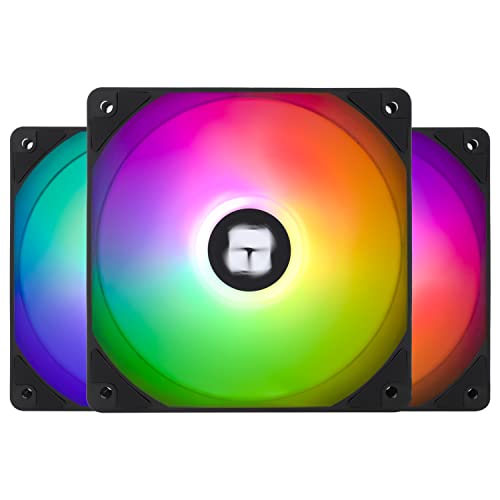
Thermalright TL-C12C-S X3 66.17 CFM 120 mm Fans 3-Pack (TL-C12C-S X3 D6)
steady lance
are there any fans better than the arctics while having lots of lighting?
I was prepared to hear you say I'd need to save up $300 for 10 fans or so
steady lance
definitely a brand tax
or something is going on
When I was considering no rgb I thought about the Alphacool Stealth fans
the 3000rpm ones
sudden torrent
If you're referring to the Corsair and Lian Li fans for the brand tax, they blow, and not in the good way you want a fan to
steady lance
rip

SWAFAN EX12 ARGB brings magnetic force design to ARGB fans while keeping the iconic swappable fan blade design. Daisy-chaining up to 3 fans per cable improves fan connection efficiency and convenience while enhancing cable management for PC building. This design keeps the assembly process simple ...
I keep seeing these
are they good or bad?
sudden torrent
Yeah it's a cool idea but they compromised too much to make it happen
https://hwbusters.com/cooling/thermaltake-swafan-ex-12-argb-sync-fan-review/10/
The performance of the SWAFAN EX 12 ARGB Sync didn’t impress me. You should look elsewhere if you want a fan with strong airflow and decent static pressure in the below 30 dBA range. For example, at 25 dBA, the Phanteks T30-120 achieves the highest airflow at 54.14 CFM, with the XPG Nidec Vento Pro 120 following.

Hardware Busters - Thermaltake SWAFAN EX 12 ARGB Sync Fan Review - Cooling
steady lance
Isn't the T30 no argb?
sudden torrent
T30 is an older model but still really good. Mostly because it's thicker than the usual 25mm fan.
Correct no rgb
steady lance

The D30-140 combines premium D-RGB lighting with 30 mm thick and aerodynamic fan blades inspired by the ultimate T30 fan, which makes it a true premium D-RGB fan for modern systems. The D30-140 comes in two airflow direction models, regular and reversed. This unique option allows for the ultimate...
is the D30 their T30 model with argb?
sudden torrent
Seems like they're slightly worse than their T30
But slightly worse still puts them near the top
steady lance
hmm and I assume beats the arctics?
I am not ecstatic about the idea of getting more arctics since I had 6 fans essentially die on me in the last 2 years.
1 actually dead, all with bearing damage.
sudden torrent
Easily beats them, but you do need to plan for the thicker fans
steady lance
sudden torrent
Easily beats them, but you do need to plan for the thicker fans
Beauty of a Torrent. I doubt there'd be any issues?
sudden torrent
How thick were the 180s again? Because I can fit my 180s below my ATX mobo
But it's a VERY tight fit
No room for cable management
steady lance
38mm @sudden torrent assuming the rgb version
sudden torrent
Should be the same for both rgb and non
That should leave you plenty of room for cabling still then
steady lance
same