#overclocking
1 messages · Page 29 of 1
 sudden torrent
The -40 is on the 3D CCD and that's pretty normal for those. The limit used to be -30 but AMD "discovered" (after being told) that some chips could go lower.
 modern walrus
lol I remember tryin to go below -30 by also setting vCore to have a negative offset on 5900x
sudden torrent
modern walrus
<@396513761550270464> do you set them or put board limits?
I just use the "motherboard limits", it's always been fine for me even in my AM4 board.
modern walrus
clock stretching ftl
sudden torrent
Judging from my 1B score almost matching Forks' 7900X on LN2 I'd say I'm probably not clock stretching
modern walrus
sorry meant AM4 lol
sudden torrent
Oh yeah, that I noticed too. I could actually do -25mV offset and still do -15 CO and get gains. Golden sample 5800X fr.
RIP
modern walrus
sudden torrent
Judging from my 1B score almost matching Forks' 7900X on LN2 I'd say I'm probabl...
think this is gonna work?
sudden torrent
But any lower offset and yeah it would stretch
modern walrus

gonna smooth it more later lol
they're not compatible with x3d in their default state lmao
 steady lance
I just applied board limits, might try manual later.
sudden torrent
I should lap my CPU...
Yeah the TG DD stuff is usually good. Roman knows his stuff.
modern walrus
before

I didn't mean to cut as much off as I did tho ngl
slipped with the tin snips
sudden torrent
Should still be plenty of material
modern walrus
also kinda not even but I got a little $35 dremel to do a bit more sanding jic
sudden torrent
Looks a bit bent but that can be fixed
modern walrus

it should still apply pressure all the way around I hope
tbh I was gonna get another one & start over
cuz that's a heck of a haircut
hopefully delidding isn't too bad
what do people do with Zen 4 CPUs when they delid? It's not like Intel where you can remove the solder & slap LM on instead then put the IHS back on
cuz of the silly IHS cutouts
modern walrus
sudden torrent
Looks a bit bent but that can be fixed
I think where it looks bent is where I sanded from less of an angle so it shows the aluminum under the paint more there
it seems straight in person at least
like sanded at like, say 20 degrees instead of like 45 or 90
btw Fitz Polish
removes LM so well compared to anything I've tried
this had like one year old liquid metal on it that I couldn't even make it look different with acetone or isopropyl

gonna do it a few more times tho
ordered a whole bottle of fitz polish

That's how it looked
 tall pelican
modern walrus
ordered a whole bottle of fitz polish
tall pelican
modern walrus
ordered a whole bottle of fitz polish
winks
modern walrus
tall pelican
*winks*
lol well done
steady lance
Current peak is 5.825GHz on the P-cores.
V-cores remain the same at 5.25Ghz however the clocks are being sustained much longer
steady lance
@modern walrus, @tall pelican 5.925Ghz!

4/8 P-cores hit 5.8-5.825Ghz and one core golden core 10 hit 5.925Ghz.
the rest so far have peaked at 5.750Ghz but hit that very frequently.
V-Cores have not boosted paste stock of 5.25Ghz but are hitting their peak numbers regularly.
running Aida64 Extreme stabillity test
So far seeing a All-Core average of 4.7 +/- 100mhz.
with all core peaks up to 5.25ghz
modern walrus
steady lance
<@808772530017665024>, <@193597009360453633> 5.925Ghz!
heck that's good lol
I'm still trying to do per core magnitudes
cuz I love misery apparently
steady lance
modern walrus
heck that's good lol
thank you.
modern walrus
on hwinfo there's this option for snapshot polling for AMD CPUs
steady lance
also this is with -20 co which I am finalizing with aida test before trying -30
modern walrus
I think it gives more accurate clock numbers (not saying yours are wrong) so I always activate it on Ryzen
modern walrus
 modern walrus
on all cores or on one?
I'm showing 1.032 rn running Prime95 on C0 with corecycler
steady lance
looks like all core
modern walrus
eh iirc there's a more accurate voltage reading
steady lance
is the aida64 test infinite duration wise?
running the Aida64 Extreme stabillity test
steady lance
which program is that?
modern walrus
for some reason I have three different VRVOUT readings & theyh're all diferent so who the heck knows
it's in HWiNFO
steady lance
btw since fixing my fans not speeding up accordiingly my peak temps on this 7950x3D under load is 66c.
modern walrus
on Aida stress test? I never really used that one
Prime95 & ycruncher are really stressful so I figured those were good enough
steady lance
modern walrus
on Aida stress test? I never really used that one
Aida and Cinebench R24.
this is also after running core cycler for two days almost without stop
modern walrus
sounds like you should save BIOS profile & keep dropping offset magnitude or manually increase PPT/TDC/EDC? that was my Zen 3 approach I dunno to what extent it still applies
steady lance
yeah I will definitely save bios profile before trying -30 co.
PPT is power limit, I forgot what the other two are.
currently set to board limits
modern walrus
increasing those allowed higher all-core frequency for me back then
TDC & EDC are the amperage limits
like Thermal Design Current & Electric (I forget?) Design Current
Electrical Design Current
modern walrus
I always treated those numbers as limited only by ability to cool them lol
steady lance
peak wattage of 100 and it performs +2x better then my 5700G did which consumed 89w
ran aida64 for 25m I think it's safe to say the oc is stable.
running CoD next with my friend to test game stabillity
what the?
It looks like C0D is using all 16 cores.
sudden torrent
modern walrus
for some reason I have three different VRVOUT readings & theyh're all diferent s...
And I seem to have zero, unless I hid it but I doubt that
steady lance
5/8 P-cores hit +5.8Ghz and one core hit 5.925Ghz with -20 co stable.
Now doing -25 co and running core cycler over night.
-30 did not boot guessing one of the v-core did not like it.
sudden torrent
The vcache cores tend to like lower voltage more than the regular ones because they boost lower
steady lance
@sudden torrent, @kind walrus , @tall pelican, @modern walrus, do you guys happen to know what the safe and max limit is for TDC Limit and EDC Limit using PBO? It's measuring in mA.
Wondering if it'd be a bad idea to just set it to 500, 500, 500.
 kind walrus
yeet it
steady lance
PPT, TDC, EDC.
tall pelican
"safe" is max, but there will be performance regression after a certain point
steady lance
kind walrus
yeet it
So just set it to the moon?
tall pelican
And max is like 1000w, 520A
steady lance
tall pelican
And max is like 1000w, 520A
Mine lets me set it up to around 9999999
tall pelican
500mA will throttle in everything
kind walrus
it won't pull 500A if that's what you're thinking Apex
It'll hit some other proc event that will stop it going anywhere near that
steady lance
kind walrus
it won't pull 500A if that's what you're thinking Apex
Oh okay. So it only pulls as needed?
kind walrus
Peak 7950X3D is about 165W
tall pelican
520,000mA is 520A if I can math at 9am
steady lance
kind walrus
It'll hit some other proc event that will stop it going anywhere near that
Oh okay. That's good to know.
I was worried that it was like setting a static voltage.
So I wanted to make sure.
tall pelican
Just leave scalar at 1x and you'll be safe
steady lance
Okay. Also what is GFX curve?
steady lance
Gotcha.
I noticed PPT limit is in mW.
Same as a watt or smaller measurement?
I don't know why but it bugs me that PBO boost override maxed out at 200.
steady lance
tall pelican
Just leave scalar at 1x and you'll be safe
I don't think I have touched any there called a scaler or has any measurement that would imply things like 1x, 2x, etc.
steady lance
kind walrus
Lucky duck
I don't know about lucky granted the suffering but ty.

Wow that image took like 8m to upload.
tall pelican
Pbo scalar ctrl
tall pelican
Because you have it at 350mw lmao
tall pelican
tall pelican
500mA will throttle in everything
.
steady lance
500mA?
steady lance
So in order PPT, TDC, EDC, do this?
- 300,000
- 500,000
- 500,000
And other limited will activate but it actually draws those numbers correct?
tall pelican
If you want 500W/500A/500A, then yeah
steady lance
How much power can a 7950x3D draw if it really wanted to?
tall pelican
150-200
steady lance
Note I am using a 750W PSU rn.
tall pelican
My 7800x3d with igpu off maxes at like 70w
steady lance
Okay gave it 250,000 mW then so a little extra head room.
sudden torrent
tall pelican
I disable igpu in bios so windows doesnt try to install igpu drivers
I'm using the iGPU to drive my secondary monitor to avoid the Nvidia bug where the GPU doesn't sleep with multi monitor
tall pelican
Ooohhhhh rip
steady lance
Should I set TDC and EDC lower then PPT?
tall pelican
tall pelican
Ooohhhhh rip
That's like an extra 20-30w even at idle
steady lance
Also, is there any benefit to using the 7950x3D's iGPU for production applications?
sudden torrent
Most apps don't know how to multitask like that
steady lance
Like with Intel's iGPU for example.
sudden torrent
Intel quicksync works only in a couple programs
steady lance
Ahh okay.
Does AMD's iGPU have anything similar that is used? If not I think I will disable my iGPU.
sudden torrent
Yes but it's not used often afaik
steady lance
Will look into that then.
Is the boost frequency on the V-cores locked to 5.25GHz?
I see the P-Cores go beyond stock but not the V-Cores.
(Calling P-Cored the normal ones and V-Cores the ones with V-Cache)
sudden torrent
It's probably hitting the voltage limit on 3D cores
steady lance
Gotcha.
Is running P95 L1/2/3 in conjunction with OCCT EXTREME Large a good stress test?
Does Prime95 call the cores "Worker"s?
sudden torrent
steady lance
Is running P95 L1/2/3 in conjunction with OCCT EXTREME Large a good stress test?
It depends on what you're testing.
sudden torrent
steady lance
Does Prime95 call the cores "Worker"s?
The threads are workers, there's 2 per core by default. The OS handles which worker is which logical CPU thread.
steady lance
sudden torrent
The threads are workers, there's 2 per core by default. The OS handles which wor...
So Worker 5 is likely v-core 3 (thread 1) then? Cores 0-7 are V-cache.
steady lance
sudden torrent
It depends on what you're testing.
cpu stabillity.
steady lance
okay I think I've figured it out.
found where I see all the cores/threads in P95. It appears core 5 is the only that fails, going to lower the CO on that one.
this is bugging the hell out of me.
Worker 5 keeps on failing.
Does P95 treat each core as a worker or each thread?
 dull ginkgo
steady lance
Does P95 treat each core as a worker or each thread?
dull ginkgo
steady lance
Does P95 treat each core as a worker or each thread?
Depends on what you set it to do, default is every thread is a worker I think
sudden torrent
steady lance
So Worker 5 is likely v-core 3 (thread 1) then? Cores 0-7 are V-cache.
No they're usually not sequential, it's just a thread number not a core number
The OS decides what core works on what worker thread
steady lance
How can I find out which worker is which core/thread? @dull ginkgo, @sudden torrent
sudden torrent
You don't
steady lance
....
sudden torrent
Core Cycler only knows what thread is which core because it assigns itself to specific cores
sudden torrent
Because they're multi core tests generally
It can only choose which cores it uses, not which worker thread is on which core
So core cycler does one core at a time
dull ginkgo
You could try like processor lasso or something similar and stress test 1 core at a time if you want
steady lance
Well here's to hoping I found the right core on this attempt.
sudden torrent
Yep that's basically what core cycler does
steady lance
dull ginkgo
You could try like processor lasso or something similar and stress test 1 core a...
Would that be different than using Core Cycler on P95 mode?
Wondering because this mystery core keeps passing hours and hours of Core Cycler without issue.
dull ginkgo
I think that should be what core cycler does
dull ginkgo
steady lance
Wondering because this mystery core keeps passing hours and hours of Core Cycler...
It could also be some sort of multi core problem
Like it only has problems when you're running into a current limit or maybe related to heat or power draw or something
steady lance
I am leaning towards the multi-core problem because I've ran CoreCycler in the background for about three days now excluding when I am running other tests.
Not heat because my peak temps are the same. So maybe it's current or power draw.
peak power draw is 147W.
🤞 I don't jinx myself just now but
Before Worker 5 stops normally 2-3m into the test. about 6-8m in so far without it stopping so far since dropping core 5's CO down to -5.
Running P95 (Small FFTs L1-3) and OCCT (Large, Extreme, Variable) at the same time.
dull ginkgo
An interesting combination
steady lance
Seems to stress my system more than P95 with Aida64.
I think I may've gotten lucky in that Worker 5 was also core 5.
15m in no issues.
Is a peak temperature of 64-66c under load good? Been running P95 and OCCT essentially without stop for a hour now. minor stops of about two minutes to go into bios and chance CO.
Does P95 ever end? If not, do you guys think 30m in one run of P95 + OCCT is enough to call the system stable?
dull ginkgo
P95 stress test is endless
P95 is more for stressing power/heat than general stability so it shouldn't take more than like 10 minutes on its own to test for that
steady lance
dull ginkgo
P95 is more for stressing power/heat than general stability so it shouldn't take...
Oh okay.
For stabillity what do you recommend? also think my current combination is good enough or?
dull ginkgo
I feel like running occt variable load on its own is better for general
steady lance
I run CoreCycler overnight as well.
steady lance
dull ginkgo
I feel like running occt variable load on its own is better for general
what presets?
also how long.
dull ginkgo
I haven't messed with occt in a while, you'll have to find out what works best for you
Half an hour to an hour should generally be fine
steady lance
aight.
Well I just got back and no errors.
2hrs of P95 and 1hr of OCCT
temps peaked at 64.6c
All core freq:
V-core 4.6 average
P-Core 4.7 average
modern walrus
steady lance
<@396513761550270464>, <@101107951401455616> , <@193597009360453633>, <@80877253...
tbh I just set them as high as I can cool them
& realistically, TDP and EDC/TDC are the two ways to control the same thing
like you won't hit your TDP limit if your EDC/TDC limits are too low to let it reach TDP limit
you won't reach EDC/TDC limits if TDP is too low to reach EDC/TDC limits
just don't set scalar to anything but auto or 1x
I mean, I honestly have no idea why they leave scalar in BIOS or what's even so scary about it but supposedly it exceeds AMD's safe whatevers
I tried scalar back on 5900x & didn't see any meaningful differences but scalar bad
sudden torrent
modern walrus
I mean, I honestly have no idea why they leave scalar in BIOS or what's even so ...
It affects the boost algorithm. Basically it tells the CPU to disregard its own health in favor of boosting slightly longer.
steady lance
sudden torrent
It affects the boost algorithm. Basically it tells the CPU to disregard its own ...
I am guessing it scales accordingly?
Does this by any chance also increase max clock?
sudden torrent
It's unnoticeable usually. We're talking microseconds more boosting in exchange for the CPU no longer caring if it lives or dies.
It does not affect clocks, only the boost timer
sudden torrent
It's rarely used even for that
modern walrus
lol sounds so worth it
steady lance
What even is the life expectancy of a CPU from AMD?
 faint tangle
my 3600 is fine from i think end of 2019
sudden torrent
steady lance
What even is the life expectancy of a CPU from AMD?
The warranty is 3 years but if you treat it right it can last 10
modern walrus
heck I can't believe I'm stuck using 8 6+2s to power my GPU lol
I think I might cut out part of the venting in the PSU shroud instead of trying to run it thru the typical channels
sudden torrent
Am I reading that right? You need 8 connectors for your GPU?
modern walrus
 modern walrus
yes
usually vertical GPU is to hide where I messed up bending PETG pipe
this time it's to hide my GPU's dreadlocks
sudden torrent
I think maybe a PSU with dual 12VHPWR native would be a better move
modern walrus
ya but also a minimum of $250 move lol
It's frustrating cuz I'm tired of throwing money at PSUs
the cheapest dual 12vhpwr is 1650w Thermaltake GF3
I'm gonna end up with an extra Thermaltake Toughpower RGB 1200w that's Platinum rated
if I buy another one I mean
was gonna make the 1200w PSU my benching PSU cuz I gotta use the 1600w EVGA G+
the 1200w TT PSU only has 6 CPU/PCIe connections
modern walrus
damn that's like half the price
I kinda didn't like my 850w Rev DF cuz it's multi-rail
it would shut off when TimeSpy Extreme started lol
there are so few 2x12vhpwr PSUs
the cheapest I found was a be quiet
the Seasonic is crazy expensive like the ASUS
sudden torrent
modern walrus
the cheapest I found was a be quiet
Straight Power 12? (that sounds really bad out of context)
modern walrus
lol ya that sounds right
sudden torrent
$200 for that rn
modern walrus
sudden torrent
Straight Power 12? (that sounds really bad out of context)
this I think https://www.amazon.com/quiet-Straight-12-1500w-connectors-BN518/dp/B0CC8JMDVH/ref=sr_1_10?

80 PLUS Platinum efficiency (up to 93,9%) , ATX 3.0 PSU with full support for PCIe 5.0 GPUs and GPUs with 6+2 pin connectors , Handles massive power excursions , Virtually inaudible Silent Wings 135mm fan , Funnel-shaped fan opening on PSU case for high airflow intake, Full bridge LLC technology ...
the 1300w has 2x for $200
sudden torrent
80 PLUS Platinum efficiency (up to 93,9%) , ATX 3.0 PSU with full support for PCIe 5.0 GPUs and GPUs with 6+2 pin connectors , Handles massive power excursions , Virtually inaudible Silent Wings 135mm fan , Funnel-shaped fan opening on PSU case for high airflow intake, Full bridge LLC technology ...
modern walrus
sudden torrent
https://www.amazon.com/dp/B0CC88BCG9?tag=pcpapi-20&linkCode=ogi&th=1
yes this one 1200w not 1300w yes
steady lance
modern walrus
What model 4090 is this?!
modern walrus
Hall of Fame
steady lance
Also the cables, oh the cables. It looks like my fan cables.
Massive chain of dreadlocks.
modern walrus
it says recommended PSU at least 1000w. That would be fine with the 1200w TT PSU if I had enough connections lol
I thought about using some of the 6+2s that have 2 connections per cable but ehhh
it's not gonna run that high for daily use
I got like 784w out of it before tho
steady lance
Why not just buy a 1600w PSU with more io then you'll likely ever use.
modern walrus
steady lance
Why not just buy a 1600w PSU with more io then you'll likely ever use.
I have one but it doesn't have 12vhpwr lol
sudden torrent
Yeah that's why he needs 8x PCIe connectors lol
modern walrus
the back of the thing is ridiculous
 sudden torrent
Freaking nvidia ruining everyone's day/week/year by obsoleting perfectly good standards and melting GPUs
modern walrus
lol why are they like this?
I guess by 50 or 60 series 12vhwpr will probably be what 6+2 used to
steady lance
What was the point of the cable?
modern walrus
6080ti needs 3x12vhpwr lol
sudden torrent
I love how AMD's flex on Nvidia was "we have normal 8 pin power and don't melt"
steady lance
Was there any technical or theoretical benefit?
sudden torrent
Theoretically 600W over a single cable
modern walrus
ya but then nvidia is like ya uh come see me in benchmarks bro
sudden torrent
But way too small of a margin for error and poor connector design
modern walrus

REMASTERED IN HD!
Official Music Video for U Can't Touch This performed by MC Hammer.
Follow MC Hammer
Instagram: https://www.instagram.com/mchammer
Twitter: https://twitter.com/MCHammer
Facebook: https://www.facebook.com/mchammer
#MCHammer #CantTouchThis #Remastered #HammerTime
steady lance
Only benefit I've seen is that the cable assuming you aren't using chains looks far cleaner.
sudden torrent
modern walrus
ya but then nvidia is like ya uh come see me in benchmarks bro
XTX vs 4090
XTX gets 140 fps
4090 scores 0 because it started smoking
modern walrus
lol with gigabyte PSU or cablemod 90 adapters ya
steady lance
Well hopefully by next Gen issues will be resolved so we can have a functional cable that is not prone to issues.
modern walrus
lol or it'll just get worse & more expensive like usual
steady lance
modern walrus
lol or it'll just get worse & more expensive like usual
The expensive part is likely gonna happen.
sudden torrent
We do have a new cable design that splits the 12VHPWR in half and it mostly resolves the issues with friction on too many pins that kept people from plugging it in
steady lance
Not sure what the odds are on the cable.
modern walrus
ya they extended the sense pin or something
sudden torrent
Shortened
modern walrus
lol that'd make more sense wouldn't it
steady lance
Btw so was the problem this whole time just people not fully plugging the cable in?
Or was there more to the story.
sudden torrent
It was poor design physically preventing people from plugging it in all the way in some cases
Which lead to poor contact on some of the pins
steady lance
Well that's definitely an issue.
modern walrus
it was arcing ig
sudden torrent
Sense pins said "you're good to push 600W" but only 2 of the 6 12V pins were actually connected
steady lance
Arcing is when electricity zaps to another source without direct contact right?
modern walrus
7900x3d
steady lance
Ahh my bad.
modern walrus
suuuper arc https://www.youtube.com/watch?v=9GeXkussHfw
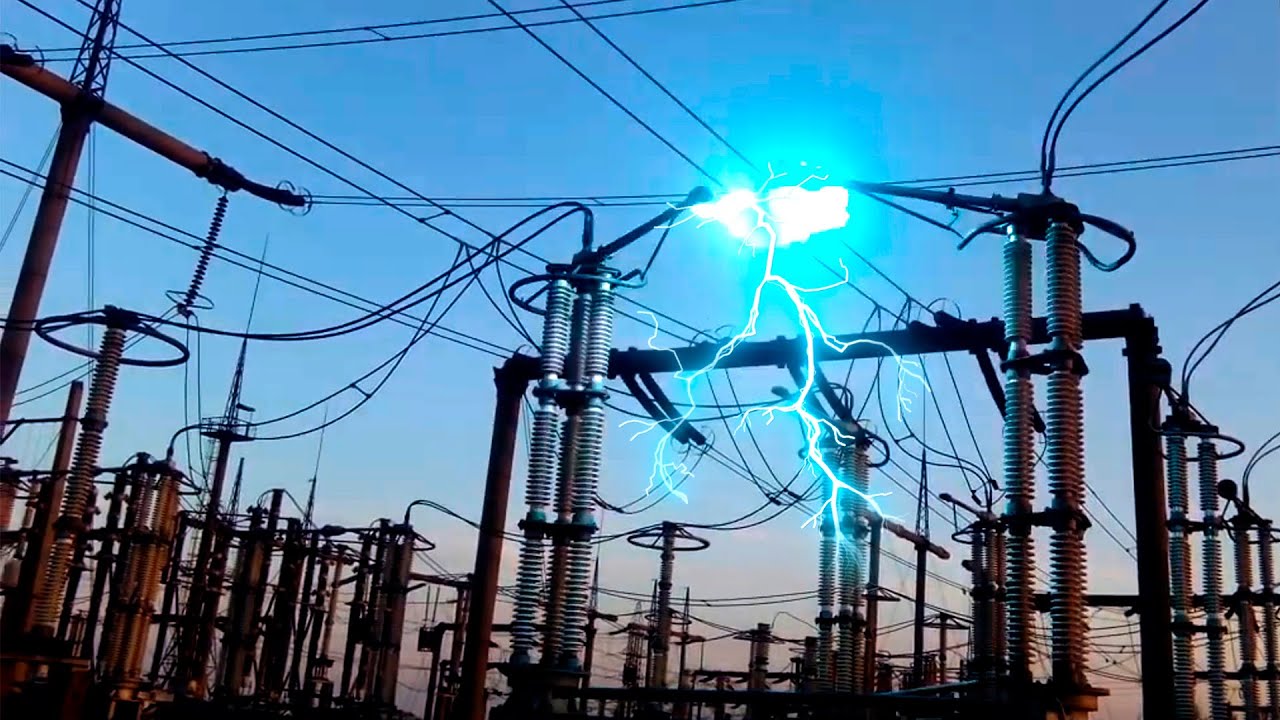
Second part of Top 10 Awesome Disconnector Switching with Electric Arc
#DisconnectorSwitching #ElectricArc #sparks
steady lance
Currently I save run into two problem children core wise.
One refuses to do -10 and one doesn't like -20. Fixed child one. Gotta turn down -co on corn nine.
steady lance
My plan right now is to get a general idea of what each core likes by working in curves of 5 then once I have done that tune each core's co one by one in 1-2mv steps.
modern walrus
so trying -58 rn
steady lance
What frequency have you managed to get on your p-cores?
Cause I am guessing your v-cores are like mine and refuse to go beyond stock limit.
modern walrus
what is the stock limit? lol
not sure I'll check now
I wanna say like 57xx so far
steady lance
For 7950x3D it is 5.25Ghz (based on my two different 7950x3D)
steady lance
For 7800x3D it peaks at 5ghz.
steady lance
modern walrus
oh on vcache CCD?
V-cache is always CCD0 afaik.
And yes.
CCD1 is the high frequency cores with the 5.7ghz marketed speed.
sudden torrent
steady lance
My plan right now is to get a general idea of what each core likes by working in...
I don't bother with anything less than a 5mV step personally
modern walrus
Core 3 is running 5156.7 with Prime95 HUGE
modern walrus
I should've just done that but I already committed lol
sudden torrent
12 cores CO is going to be straight up pain
But I do know that core 7 and 8 can't do -35 at least, they crashed corecycler
modern walrus
lol 16 must be nuts
sudden torrent
I think I'll leave it for now and do per core when I'm really, really bored
steady lance
modern walrus
I haven't run all-core
be prepared, for me All-core was far more prone to throw errors then single core.
modern walrus
heck I guess core cycler is useless then
steady lance
modern walrus
heck I guess core cycler is useless then
What I found is do this.
Run it in 15m per core minimum.
modern walrus
were you running Prime95 in Core Cycler?
modern walrus
I'm pretty much at stonk settings on core cycler. All I've changed is the order
sudden torrent
sudden torrent
We do have a new cable design that splits the 12VHPWR in half and it mostly reso...
12V-2x6 is the new cable
steady lance
steady lance
Run it in 15m per core minimum.
the extended duration makes up for the all-core test.
15m minimum per core, I recommend 20-30m if you can tolerate it.
modern walrus
sudden torrent
12V-2x6 is the new cable
heck I'm gonna have like 7 PSUs
sudden torrent
15m gets you bench stable at least
steady lance
then afterwards run 30m of P95 with OCCT just incase.
sudden torrent
modern walrus
heck I'm gonna have like 7 PSUs
Nah it's the same socket, just a new cable
modern walrus
ah okay that's better ig lol
well to heck with this CO thing
I'm gonna delid CPU
then test it before I put everything in the case
sudden torrent
Be sure to use sudden jerking motion when you delid it so you can crack the solder and the die
steady lance
now testing -25 co on all except core 5 and core 9.
modern walrus
good luck lol
steady lance
Thanks.
Why did you all of a sudden give up on CO?
by the way, my motherboard lets me set Chipset Core Voltage is that the same as vcore?
steady lance
ahh rip
steady lance
Is there a way to install a ECLK onto a board that doesn't have one?
steady lance
oh nvm then
steady lance
all cores passed.
15m per core in core cycler
core 8 failed on Iteration 2.
Turned CO down on that.
going to let core-cycler run over night to make sure the -25 co is stable on the other 13 cores.
steady lance
I am trying a new stress test combo.
Running Prime95 (ffts L1-3), OCCT (AVX2, Large, Extreme, Variable), Aida64 (System Stabillity Test) all at the same time.
steady lance
think 20-30m of this is good for testing all-core?
just by adding aida64 max temps went up by about 10c.
steady lance
Now doing -35.
modern walrus
sudden torrent
You need a board trace schematic and really good soldering skills
what are your temps for CPU & CPU Die (Average) at idle?
on hwinfo
my bad for ping
modern walrus
steady lance
Now doing -35.
this doesn't seem to be helping lol
 sudden torrent
modern walrus
what are your temps for CPU & CPU Die (Average) at idle?
sudden torrent
modern walrus
what are your temps for CPU & CPU Die (Average) at idle?

My cooler is at minimum speed
modern walrus
sudden torrent
heck I'm around 50-51C for those two oddly
my CPU IOD hotspot is spicy
maybe I should enable PBO just to see what happens
sudden torrent
modern walrus
heck I'm around 50-51C for those two oddly
Remember I'm on a LF2 420
 modern walrus
on CPU/CPU Die (average)?
no I should probably look into that tho lol
I had to rig it up myself
sudden torrent
Offset mount alone can account for 4 degrees
modern walrus
modern walrus
this doesn't seem to be helping lol
not a block designed for direct die lol
modern walrus
sudden torrent
Offset mount alone can account for 4 degrees
do your CPU/CPU Die (average) peak that high? I stupidly didn't run R23 or anything else before I delidded
so I have no idea whether this is better or worse lmao
steady lance
sudden torrent
Remember I'm on a LF2 420
also only using 6 cores right?
sudden torrent
No? I haven't needed to do that yet, process lasso has been good for older, non-3D aware games and programs.
steady lance
Ahh thought you disabled the other cores because of latency.
sudden torrent
modern walrus
I only ran a single render
Oh well I peaked at 76-77
modern walrus
oh so maybe I'm not having contact issues then
steady lance
Currently my peak temps are 74 after days of core cycler + a couple hours of Aida64, P95, and OCCT at the same time.
modern walrus
wait jk
sudden torrent
I did get some major stuttering in certain games but I assign those to cores 0-5 and it goes away
modern walrus
just opened hwbot x265 & hit 84.2 on both values
sudden torrent
That's a harder test
modern walrus
steady lance
Currently my peak temps are 74 after days of core cycler + a couple hours of Aid...
I don't think they run as hard if you run them all together cuz of scheduling or something I forget lol
steady lance
For all core if my CPU can survive P95 (ffts L1-3), OCCT (large, variable, extreme), and Aida64 (stress test CPU/Cache/RAM/something) at the same time is it safe to say it's probably very stable?
steady lance
modern walrus
I don't think they run as hard if you run them all together cuz of scheduling or...
temps shot up 10-12c within less then a minute.
and system felt a lot slower.
sudden torrent
Typically if you combine tests you do tests for different parts, like one cpu test, one ram test, and a gpu test
sudden torrent
p95, tm5, and occt vram would be good. You'll see your max heat values for just about everything.
modern walrus
OCCT power by itself tries to test PSU lmao
sudden torrent
depends on how stable you want it to be
steady lance
Very stable.
sudden torrent
Bench stable, 15 minutes.
Game stable, a couple hours.
Rock stable, 48 hours.
steady lance
rendering/3d design stable.
sudden torrent
A couple hours should be fine
steady lance
any concerns regarding CPU life with a two day test?
steady lance
okay, wanted to check cause of some reddits.
sudden torrent
They're designed to run at max temp 24/7
steady lance
Understood.
sudden torrent
Damage doesn't occur until around 130C
steady lance
I think once I've found the rough limits of every core I will try running a 12hr (overnight) stabillity test with P95, TM5, and Aida64 (because OCCT only lasts a hr)
or is there something else to try vram besides occt?
sudden torrent
You could do a full gpu test instead
sudden torrent
If you want to heat it up yes
steady lance
Heat isn't really a concern more so stabillity.
(ran PCBdestroyer on this kit of ram nearly a hundred times by this point)
at least I don't think it is
steady lance
Okay, I am changing up the strategy. this is taking forever.
Do CO on one-two cores at a time at most and offsets of 10-15 till erroring then dropping by 5.
also set CoreCycler to 30m per core.
so far working much faster.
steady lance
disabling iGPU dropped my load temps by around 5c.
Also, I have yet to confirm this as this is a different test combo I am running right now but it appears the core frequencies are boosting higher and for longer.
Core 0 (v-cache) is now able to maintain 5Ghz under single core loads.
steady lance
cleaned out my filters. drops temps by 2-3c.
steady lance
After poking around it seems it is impossible to overclock CCD0 (v-cache) to boost above 5.25GHz using PBO. apparently it was by design according to a post I saw.
With the change in approach I am resetting my CO values. currently at -30 on Core 0 and trying -15 on Core 8.
steady lance
So far -40 CO on core 1 is doing pretty good.
steady lance
- Core 0 = 35
- Core 1 = 35
- Core 8 = 20
steady lance
Well f.
I think I may have corrupted my windows install.
THANK YOU SYSTEM RESTORE!
note to self, DO NOT ATTEMPT -40 on core 9.
sudden torrent
Ah yeah I borked my install with -50/-40 too
steady lance
sudden torrent
Ah yeah I borked my install with -50/-40 too
Core 9 definitely couldn't hanlde -40. It couldn't even run -25.
well it was bench stable at 25. just cranked it down to 20
steady lance
sudden torrent
Ah yeah I borked my install with -50/-40 too
makes me wonder how good of a sample do you need for -40
steady lance
wow.
You seem to have a really good sample then.
all the reddits I've seen cap out at -35 at best. with -15 to -25 being average.
Currently I am at:
- Core 0 (-35)
- Core 1 (-35)
- Core 8 (-20)
- Core 9 (-20)
doing the cores in alternating order to match Core Cycler.
steady lance
sudden torrent
I have -40 on CCD0
are you doing all core or per core CO?
steady lance
wow.
steady lance
rip. core 8 threw an error after two hours of stressing
steady lance
Decided I wanted more stabillity so I upped CoreCyler runtime to 1hr per core. Ran CoreCycler overnight and the four cores from yesterday passed two iterations at an hour each.
Do you guys have any ideas on how I can get my V-cache cores to boost beyond 5.25GHz?
sudden torrent
steady lance
Do you guys have any ideas on how I can get my V-cache cores to boost beyond 5.2...
They're probably hitting the voltage limit so chances are they won't
steady lance
Decided to try -50 instead.
also wow, there does not appear to be any negative CO limits on Zen4?
welp -50 didn't work.
trying -45
sudden torrent
steady lance
also wow, there does not appear to be any negative CO limits on Zen4?
It used to have a -30 limit but AMD noticed that some chips benefitted from lower, 3D CCDs especially
I think the limit is -60 now
But I've not seen anyone do less than -50 stable
steady lance
sudden torrent
I think the limit is -60 now
mine went up to -200. I didin't try further.
or down to I suppose is more accurate
sudden torrent
Just because it lets you enter the value doesn't mean it actually applies it
steady lance
🤞 Core 10 will settle for -25
steady lance
so far so good
steady lance
trying -35 on core 3.
steady lance
-30 seems stable on Core 3. -35 was stable until the final like 2m.
steady lance
-25 on Core 11.
 frigid locust
Wow you're REALLY going through a lot of hoops to get the most performance out of that chip
steady lance
frigid locust
Wow you're REALLY going through a lot of hoops to get the most performance out o...
Honestly at the end of the day performance gains are only about 5% but the reason I do it is because I push pushing the limits of computers.
Gonna do my ram next then maybe give my god forsaken 3070 one last chance at an OC.
frigid locust
Maybe you should instead let that poor 2070 retire in peace and bring in a 4090
steady lance
Was the original plan. Going to buy myself a new monitor first then upgrade GPU to nvidia's next flagship.
My current monitor does not provide enough screen real estate for my work as a developer so I am looking into either a WQHD or UWQHD monitor.
steady lance
Appears one of yesterday's four cores failed overnight.
going to try and see if switching to AVX512 will catch the error / strain the cpu more.
frigid locust
Oh you're going for overnight stress test-stable?
steady lance
frigid locust
Oh you're going for overnight stress test-stable?
yes.
also the issue almost 100% was core 11.
frigid locust
That's the coolest kind of stable overclock
But it takes so long to achieve
I only run a quick and dirty -20 offset in CO on all 6 cores
Never had an issue
I can probably try -25
but like
-20 already gives higher clocks at the same power use
so why bother?
steady lance
True.
frigid locust
pretty sure it's already slightly faster than default anyway
steady lance
as said, gains aren't that large. I do it more for fun personally.
frigid locust
it's a "Eh, I can so why not?" thing for me, but I'm not like super into optimizing every minute detail
there is no way you can get me to spend days dialing in individual cores
steady lance
about 5% from CPU, and if I can do same or better ram OC as on my former 7950x3D (R.I.P) I should squeeze out another 5% or so.
steady lance
frigid locust
there is no way you can get me to spend days dialing in individual cores
xD, is that in reference to me?
steady lance
No worries.
frigid locust
But it just doesn't make sense to me to spend days for 5% perf at most
15, 20 or 25%?
Now that is more what I'd consider worth it
steady lance
I wish there was a testbench I can run that really excels in making cores boost to high frequencies like when someone opens up a new chrome tab or opens some files.
frigid locust
5% you can get with a dirty undervolt
just from the VF curve being pushed back basically
steady lance
I've seen 5-6 of my P-cores boost past 5.8ghz and one of them boost up to 5.95Ghz.
steady lance
frigid locust
But it just doesn't make sense to me to spend *days* for 5% perf at most
true, though all-core work benefits more from what I've seen.
sustained clocks have gone up by +100mhz up to +200mhz on low load all-core.
frigid locust
to be completely fair, I intend to eventually build a 7950X editing PC (once I have the means to properly start streaming/content creating)
That one I might actually take the effort to like dial in every core
But hey, if I ever actually get myself to bother I'll have someone experienced to ask for cues
so I think it's still a win
steady lance
aight.
frigid locust
frigid locust
But hey, if I ever actually get myself to bother I'll have someone experienced t...
That "someone experienced" is you obviously
steady lance
Also do not go 7950x3D unless you are prepared to likely deal with some weird setups. Otherwise it's a great cpu.
frigid locust
Yeah honestly I prefer the 7800X3D in one rig and 7950X in another setup
steady lance
No I am not talking about the scheduler just an fyi.
frigid locust
7950X3D is really just a neat "Woah we can now do this too" chip to me
steady lance
Yeah, it's a niche chip. Fantastic to those who have a use for it otherwise just save yourself the likely hassle and get AMD's normal zen4 chips.
frigid locust
I'm on the opinion that 2 separate rigs would be better optimized than one with a hybrid chip
I mean let's be real if you can afford a 7950X3D you can afford to have 2 PCs
And you're probably driving a high-end sedan because you're like a top earner
ANYWAY
if I ever need OC/undervolt advice I will seek you out @steady lance
steady lance
aight.
steady lance
frigid locust
I mean let's be real if you can afford a 7950X3D you can afford to have 2 PCs
yeah true.
frigid locust
Speaking from experience? :3
steady lance
frigid locust
And you're probably driving a high-end sedan because you're like a top earner
Nah. I prefer my old Durango.
frigid locust
steady lance
Nah. I prefer my old Durango.
Yeah okay you ARE a top earner then
Sigma male with the old pickup
steady lance
Durangos aren't that expensive were they? got one used and has served me quite well.
frigid locust
Ones before 2005 are dirt cheap by now, later ones get more and more expensive as they get younger
though admittedly I don't like Durangos
it's one of those half-truck/half-offroader that is exclusively used on asphalt kinda vehicle that just rubs me the wrong way
steady lance
Ahh I got one from 2000, it was the 5.8 Magnum one from a dealer for dirt cheap because it had been in a accident from the prior owner. they restored it and looks fine now, works far better then it looks.
steady lance
Yeah it was odd getting used to it at first.
Once I got used to it I actually started liking it. Has served my family well. Been driven from California down to Cabo San Luca (MX) up to Cali then up into Canada then Alaska.
frigid locust
Yeah reliability is big
to be fair
I can't really chastise you for it since my dream car is a stupid powerful modified R35
with carbon fiber GT3 body panels
steady lance
Yeah, we all have some kind of dream goal that's way overkill for all of us haha.
steady lance
We want it but definitely don't need it, xD.
Sure, though just a heads up in that I gotta work in a short bit.
frigid locust
Take your time
steady lance
switched Core Cycler to use AVX512 instead of SSE. Hitting the same boost clocks while stressing the cpu a lot more it seems.
steady lance
Prime95 set to AVX512 is definitely better then SSE for testing in CoreCycler.
Hitting very similar/same boost clocks but it's detecting errors for what managed to pass multiple 1hr runs of P95 SSE.
steady lance
experiment was a hit or miss.
Saw clocks bounce all over the place but did not go higher then it would otherwise hit in AVX512
steady lance
R.I.P seems core 2 wasn't 100% stable at -40. bench stable at -45, game stable at -40 however not error free.
trying -35 on it.
Yikes, seems I have taken over the channel. Just looked at the chat history.
sudden torrent
Not much goes on here between hardware releases anyway
steady lance
Should hire me to keep channels alive, xD.
steady lance
this is annoying.
1/8 cores I've undervolted so far keeps being a problem child and crashing while I am asleep but when I go look at logs in Core Cycler they are useless.
sudden torrent
steady lance
1/8 cores I've undervolted so far keeps being a problem child and crashing while...
Do you still have it set to 2 core mode? If so turn that off and instead do 2 thread mode so it uses both logical threads on a single core. That way you can have it be the heavier load you want while also still being able to tell which core is the problem.
steady lance
sudden torrent
Do you still have it set to 2 core mode? If so turn that off and instead do 2 th...
gotcha. so enable both threads
now set to use both threads, 30m (from 1h), and P95 in AVX512
steady lance
@sudden torrent, I realized the issue. 🤦♂️
The reason the logs didn't show an error was because another power outage had happened. This whole week my area has been experiencing power outages that only last a few seconds at best but would trigger my pc to shut down.
So my best bet is to just test for stabillity whenever I am at the pc rather then relying on overnight tests.
sudden torrent
Ah, that could be an issue indeed.
steady lance
yeah it's been very frustrating. during the day when it happens even for like a split second, I can see my overhead light flicker so it's been my way of figuring out if my PC crashed from instability or power outage.
going to put the 8 cores (4V, 4P) through 30m runs of YCRUNCHER mode in CoreCycler using 22-ZN4 ~ Kizuna.
double thread
Found a problem child.
Core 0 which was at -35.
sudden torrent
Alright you've inspired me to do per core CO.
I've got corecycler set to run through 60 different FFT sizes and do a full cycle of each in AVX-512 mode, single core single thread. I'm adjusting 2 cores at a time and testing just those cores, plus any that errored in previous tests after increasing my offset.
steady lance
sudden torrent
Alright you've inspired me to do per core CO.
I've got corecycler set to run th...
😄
60 FFT sizes? is that P95 mode in Huge setting?
sudden torrent
It's the runtime setting that sets that. If you tell it "auto" then it does a full loop of every FFT size
steady lance
Could you send me a screenshot?
steady lance
thanks!
ahh gotcha.
So this way time won't be a concern. just how fast the cpu can do things?
sudden torrent
It takes about 9 hours for me to run all cores with those settings
sudden torrent
Given you have 16 cores and I have 12 I'd guess it would take 12 hours for you to run all cores
steady lance
which is better? All or Huge for fft size.
steady lance
sudden torrent
Given you have 16 cores and I have 12 I'd guess it would take 12 hours for you t...
probably.
sudden torrent
Each will detect different kinds of errors
steady lance
Though I am only testing 8 right now.
I guess I will try all since all my previous runs were at Huge.
@sudden torrent, why am I seeing so much more information when starting CoreCycler?
sudden torrent
Setting it to auto? It records the FFT sizes that have run previously
sudden torrent
It also has limits on number of ticks it can run, but I've effectively got that set to infinite
steady lance
gotcha. ty fpr the config
sudden torrent
If you use the config as is then make sure to set coreTestOrder to random or alternate if you want to test all cores
steady lance
i configured it to a alternating order on the cores i undervolted
By the way, max temp after a week of core cycler is 72c.
average is 60c.
Nvm, 55c thought it was higher
 sudden torrent
Here's where you can see

Yours was on 116 of 180, I guess it does more for higher core counts
steady lance
I had changed mine from Huge to ALL which was described as a larger set.
Lower minimum, same maximum
Ohhh okay. looked at a few and at size ALL there are 180 FFT sizes.
I am at 142 currently for core 8.
sudden torrent
So far I have 1 core that does -50 and 3 that do -45 on CCD0
steady lance
dang
changed the log settings because on ALL fft sizes it was so large that if a core errored you can't scroll up high enough to see which did it.
steady lance
far easier to read the terminal now for sure.
Just a simple, core pass or fail
roughly 2h30m per core on ALL setting.
steady lance
All 8 undervolted cores passed the test
steady lance
gonna start testing the other 8 cores today
steady lance
attempting -30 now
steady lance
-25 is definitely stable, ran the test overnight and it passed all 4 iterations.
steady lance
-35 on Core 5.
steady lance
Fal, do you think it's safe to call a OC stable if each core passes at least 2 runs back to back of Core Cycler in my current config? (Your config except in ALL setting)
it takes about 2h30m-3h per run.
steady lance
Is Aida64 SHA3 a reliable stress test?
steady lance
tried SHA3 crashed my system, luckily I figured out which core's CO was to aggressive.
it was core 7 at -35. trying -30.
steady lance
Core 7 couldn't even pass Aida64 SHA3 with -5 CO but everything else passed. Moved onto Core 12 which passed and booted up till -30 (no-post at -35).
Going to run Core Cycler on it overnight.
steady lance
3/8 cores on CCD1 are doing 5.925-5.95Ghz and 3 others doing +5.825Ghz
Combination SHA3 first then Core Cycler seems best for checking errors.
SHA3 seems to be very sensitive to negative CO values when boosting to high numbers and Core Cycler seems best for testing endurance.
steady lance
4/8 cores on CCD1 hit +5.9Ghz!
steady lance
5/8 cores hit +5.9Ghz.

 proven canopy
sudden torrent
Judging from my 1B score almost matching Forks' 7900X on LN2 I'd say I'm probabl...
proven canopy
sudden torrent
Judging from my 1B score almost matching Forks' 7900X on LN2 I'd say I'm probabl...
That's old vs new ycruncher though
sudden torrent
True but still a funny anecdote
I could probably beat it now, I'm almost done with per core CO
I also got my memory up to 6200 and tighter timings
proven canopy
If curious, you could run the old yc from benchmate
modern walrus
ever since I put the board/cpu/etc in the case, 6400 won't get thru VT3 so I guess I'm going with this

still gonna try to up FCLK tho
62.4ns AIDA at 2k...
61.0 at 2067
modern walrus
wait... maybe it has something to do with never downloading AMD igpu driver?
steady lance
modern walrus
wait... maybe it has something to do with never downloading AMD igpu driver?
Any luck?
Currently I have paused my OC until I figure out the cause for Warframe crashing.
modern walrus
steady lance
Currently I have paused my OC until I figure out the cause for Warframe crashing...
My best guess: corecycler is useless. I passed hours & hours of corecycler only to fail R23 on the first run. Maybe if it tested multiple cores at once it would be helpful, but I think if you do that it can't tell you which core failed.
Also what's strange is I sometimes get "IRQ_NOT_LESS..." BSODs when core offsets are too ambitious. That makes very little sense to me since that's a memory-related BSOD & I'm like 10 hours VT3 certified lol
proven canopy
modern walrus
Presently I'm +200 with magnitudes between 25-35. I'm gonna roll with that to see if it borks out then reinstall
I thought it was good to go before when I was testing on a throwaway win11 stock install
I had corecycler running every fft iteration on SSE per core then same with AVX512
Here I was thinking only Intel is unstable lol I blame ddr5
And skill issue(s)
dull ginkgo
maybe something to do with power draw or temp affecting IO die stuff too?
modern walrus
Temps r so strange on am5
Like I'll have max core temp in the 60s only to have tdie or whatever at 85C
I disabled igpu but not much impact there
I still can't figure out why 6400 passed VT3 before the motherboard was installed in the case but not after
steady lance
@modern walrus, if you are testing for CPU CO and Override stability I've found a combination of Aida64 SHA3 (10 runs) a good way to get a idea for the limit of the CO offset then proceed to run CoreCycler (P95, AVX512, ALL FFT sizes, 4 iterations per core) to be a good combination.
steady lance
modern walrus
Temps r so strange on am5
Agreed.
modern walrus
steady lance
<@808772530017665024>, if you are testing for CPU CO and Override stability I've...
no ycruncher? lol
 mental turret
ycruncher >
steady lance
modern walrus
no ycruncher? lol
No, is Y-Cruncher better for stability testing?
modern walrus
steady lance
No, is Y-Cruncher better for stability testing?
it might be cuz ycruncher is realllly stressful
but I would've said the same about Prime95
steady lance
I mean I can try again later, though the CO seems to of been very stable. No crashes or system stutters.
(aprox 2hrs per iteration, ran 4 times per core)
sudden torrent
I passed ycruncher, posted a few results on hwbot yesterday. It's just you and floppa above me, and if I'm not mistaken you're delidded.
modern walrus
sudden torrent
I passed ycruncher, posted a few results on hwbot yesterday. It's just you and f...
Yes. Yes I am lol
steady lance
Has delidding offered you any sort of benefit? So far it seems like it's been downs only.
@modern walrus
sudden torrent
From what I've seen you get all the same benefits with lapping the IHS and washer modding. That's probably what I'll end up doing.
A lot less risky than delid
 short blade
ive gotten great results from delidding older intel chips but nothing modern
i7-8700k was the newest
mental turret
steady lance
Has delidding offered you any sort of benefit? So far it seems like it's been d...
delid all ur soldered cpus

like this
steady lance
why?
sudden torrent
steady lance
why?
The solder is pretty poor at conducting heat; swapping to liquid metal gets excellent results
If you're feeling spicy you can swap to an all copper IHS
steady lance
Actually, on that topic. I was curious so I looked it up and apparently Silver is more thermally conductive then copper by like 9% so I was wondering if silver heatsinks are a thing?
sudden torrent
Not that I've seen. I think the reason for that is how reactive it is with other metals and how quickly it oxidizes.
Slight correction, silver oxidizes a little slower than copper but silver tarnish is not a good conductor, so it would lose effectiveness without regular polishing over time.
steady lance
sudden torrent
Slight correction, silver oxidizes a little slower than copper but silver tarnis...
So it's a high maintenance.
What causes the silver to tarnish? I had silver jewelry before and they'd tarnish even without touching water very fast.
sudden torrent
General recommendation I see is to polish it every 3 months, so about as often as you should flush a custom liquid loop
sudden torrent
steady lance
What causes the silver to tarnish? I had silver jewelry before and they'd tarni...
Chemicals in the air bond to the silver molecules
You end up with silver sulfide iirc
steady lance
Gotcha. So it works better but don't use it unless you are prepared for maintenace every 3 or so months. Is that the gist?
mental turret
sudden torrent
The solder is pretty poor at conducting heat; swapping to liquid metal gets exce...
no it was a joke 
that solder is fine
 humble jay
the ihs already is all copper tho
sudden torrent
I mean without the nickel plating
humble jay
to me it seems like the only way delid is worth it is with the special direct die waterblocks, someone sent me a delidded 14900KS and it is completely uncoolable with floating custom IHS + liquid metal
dull ginkgo
At that point I wonder if it'd be easier to mod the socket to seat the CPU higher
steady lance
sudden torrent
I mean without the nickel plating
May I ask what the purpose of the nickel plating is? I assume it's to do with preventing tarnishing/oxidizing of the copper?
modern walrus
steady lance
Has delidding offered you any sort of benefit? So far it seems like it's been d...
eh lmk what benchmark or stress test to run & I'll send hwinfo temps. It's strange because core temps are very good but other parts of CPU hit 85C but I think it's designed that way? Also, I kinda gave up on core magnitude offsets for now but might be some room left for improvement there eventually
modern walrus
steady lance
May I ask what the purpose of the nickel plating is? I assume it's to do with p...
nickel plating helps with liquid metal a lot. Apparently liquid metal + copper forms an alloy so you have to reapply the liquid metal cuz it pretty much ends up absorbed into the copper (I'm sure there's a much better scientific explanation but practically speaking)
steady lance
modern walrus
eh lmk what benchmark or stress test to run & I'll send hwinfo temps. It's stran...
gotcha. what CO did you achieve?
modern walrus
lol I think I left it on -25 for everything
like to heck with it
I don't feel like reinstalling windows again for now
steady lance
modern walrus
nickel plating helps with liquid metal a lot. Apparently liquid metal + copper f...
I completely forgot about this. Not sure on the exact process but I remember hearing about it from someone who had used LM on copper directly.
modern walrus
eventually I'll connect a SATA drive or something to put a test windows on & bork that one
steady lance
His solution was to keep applying LM overtime till the copper couldn't absorb anymore.
modern walrus
steady lance
His solution was to keep applying LM overtime till the copper couldn't absorb an...
ya that's how my son's 10900K & LF2 are now lol
well I hope so
I've repplied like 4x in the last 2 years or so
every now & then temps will just suck
then I'll reapply & they'll max out at like 75C lol
steady lance
modern walrus
eventually I'll connect a SATA drive or something to put a test windows on & bor...
Another option is what I did. Save a backup of your windows on a secondary drive so if you mess up your install, you can use the backup from the second drive in the system.
steady lance
ring?
modern walrus
steady lance
Another option is what I did. Save a backup of your windows on a secondary driv...
ya I should make a macrium image or something ig
modern walrus
steady lance
ring?
Intel thing lol
steady lance
Never had a overclockable Intel cpu so not sure what that's like.
modern walrus
can be fun
steady lance
I should probably finish my OC now that I've found the cause for Warframe crashing.
modern walrus
my six-year-old's 10900K memory settings (DDR4) lol
 steady lance
It was a game setting (it was trying to override GPU performance preference)
modern walrus
steady lance
It was a game setting (it was trying to override GPU performance preference)
dude I keep having this issue with both Fallout & CyberPunk with this nvidia file
steady lance
modern walrus
dude I keep having this issue with both Fallout & CyberPunk with this nvidia fil...
Ouch. Luckily for me, Wolfgang pointed me to the launcher settings which made it a easy toggle.
In anycase, I've finished CO (in increments of 5) on 15/16 cores.
Unfortunately one of my cores refused to pass SHA3 at even -5.
modern walrus
steady lance
Ouch. Luckily for me, Wolfgang pointed me to the launcher settings which made i...
what does it say in event viewer after crash??
steady lance
modern walrus
what does it say in event viewer after crash??
Only the game crashes. Not system.
steady lance
Yikes. sounds rough. In my case it was the frustration of during 2-3hr survival runs for loot then randomly crashing and losing it all.
modern walrus
do you have 4 NVMe slots?
steady lance
modern walrus
do you have 4 NVMe slots?
Yeah, it was one of my requirements in picking this board. MSI X670-P.
Why do you ask?
modern walrus
do you ever lose an NVMe?
like it doesn't show a drive?
btw the .sys problem
you don't see any of these in Event Viewer?

it's .sys not .dll my bad
steady lance
modern walrus
like it doesn't show a drive?
In bios or?
modern walrus
both actually
but after I turn off PC then turn off PSU then restart it'll come back
apparently it's a problem on a few Asus & Aorus boards too from my brief investigation lol
steady lance
There was a time that I couldn't find my drive in Bios but I haven't ran into that issue in windows.
modern walrus
there's a new beta BIOS for my motherboard but I don't wanna redo the OC crap lol
steady lance
steady lance
There was a time that I couldn't find my drive in Bios but I haven't ran into th...
The problem I think was due to the Windows Installer being on a different drive from the drive with windows
which I solved by doing a clean windows install with just one drive in the system
modern walrus
installer? you install windows from the drive you're installing windows on? lol
I use external always
steady lance
I can't for the life of me find the cause for these errors, they have been around forever. not causing me any harm though

 steady lance
You as well huh.
modern walrus
it says metadata or something
sometimes Event Viewer is super useful
other times it's like uh what?
steady lance
Agreed
modern walrus
humble jay
to me it seems like the only way delid is worth it is with the special direct di...
the EK direct die is kinda decent once you lap all the nickel off & get it flat--finally cools better than Heatkiller IV Pro with IHS on lol
modern walrus
steady lance
Has delidding offered you any sort of benefit? So far it seems like it's been d...
temps after a couple hours of MC lol
 steady lance
Minecraft?
 obsidian cobalt
Had anyone here did vbios flash on a Gigabyte aero 16 up to 130w?
 late kraken
obsidian cobalt
Had anyone here did vbios flash on a Gigabyte aero 16 up to 130w?
late kraken
obsidian cobalt
Had anyone here did vbios flash on a Gigabyte aero 16 up to 130w?
Flashing is although risky,
I don't think anyone would have done here.
 alpine mantle
Flashing vbios on laptop, risky as heck
sudden torrent
Yeah. On desktop you can just plug in a backup GPU to recover a bad flash. No such luck for laptops.
alpine mantle
^^^
obsidian cobalt
But had anyone tried on that laptop
 celest notch

Reddit
Explore this post and more from the GamingLaptops community
Google seems to be working
 barren ridge
On a laptop you're pretty much risking it
Tho somehow I did a vbios flash just fine lol
Asus delivered it on my lappy
But it was an update, if anything
Also I don't recc flashing for higher wattage, as the laptop's cooling system might not be designed for that spec
sudden torrent
And you'll probably need a new power brick too
steady lance
Working on OCing again.
Just one core left to test for stability, the rest are 2-3 weeks no crashes stable.
steady lance
What is a good benchmark I can use to check my CPU scores? Also Is there a benchmark to test my CPU's flops?
sudden torrent
steady lance
What is a good benchmark I can use to check my CPU scores? Also Is there a benc...
Cinebench, ycruncher, time spy extreme cpu test.
Flops aren't really something that matters, it's only one type of operation.
If you really want to test flops you can use aida64
steady lance
My aida64 trial ran out. Is there another app? Also thanks for the recommendations.
sudden torrent
steady lance
My aida64 trial ran out. Is there another app? Also thanks for the recommendat...
Passmark?
steady lance
Will look into it.
sudden torrent

Benchmark the speed of your PC computer hardware, then compare the result to other machines. Includes disk, 3D and CPU tests.
steady lance
Also @sudden torrent -30co on my final core tested stable.
Haven't tried going higher yet.
Unfortunately I can't use Aida64 SHA3 anymore to test for those micro instabilities.
sudden torrent
I got 2 cores down to -50 and 3 to -45. The 3D cores tend to be better as far as I can tell.
-50 seems to be a hard limit
steady lance
The -30 CO on core 15 did pass 5 full runs in core cycler though.
sudden torrent
 steady lance
sudden torrent
I got 2 cores down to -50 and 3 to -45. The 3D cores tend to be better as far as...
steady lance
sudden torrent
I got 2 cores down to -50 and 3 to -45. The 3D cores tend to be better as far as...
Nice.
Wow.
You tested those cores with SHA3 test?
steady lance
That test seems to be extremely good for finding unstable CO values. Caused my cores to all dip by 10-15.
Aida64 SHA3 I mean.
Not good for finding if the CO value is stable in long durations though like under load ai mean.
steady lance
sudden torrent
But it did pass AVX-512 corecycler
May I ask why? I want to learn as much as I can about overclocking and the whys and why nots of different things for it.
Meant to react to aida64 msg.
steady lance
Oh we're in the same boat then.
How good is the Aida64 extreme tools? Wondering if it's worth the $60 for a license.
I only tried the SHA3 test and the all core one which raised my temps faster then even p95.
sudden torrent
Good if you use it a lot but not worth it for occasional users
steady lance
Would you say the tools give more accurate results?
steady lance
Hmm gotcha.
NGL part of me wishes I didn't use SHA3 so I could claim to have -35-45 stable on my CPU xD.
Instead I am at around -20-25 average.
sudden torrent
How much testing you need is based on how stable you need it to be
steady lance
Fair.
sudden torrent
I mostly need it for gaming and occasional compiling so I'm happy where it is. It hasn't crashed on me yet.
steady lance
I need it to be rock stable since I don't want to randomly lose a large amount of work when I am coding and also I am going to be learning blender again soon and so don't want it crashing during a render.
steady lance
sudden torrent
I mostly need it for gaming and occasional compiling so I'm happy where it is. I...
I am amazed you managed to get two golden samples back to back as far as I can tell.
steady lance
The bios ruined it right?
sudden torrent
Yeah
steady lance
Did they ever refund you or smth?
sudden torrent
That big "you must update because security flaws blah blah" update somehow made it force 1.4V into it under load
It was just barely out of warranty
sudden torrent
Yeah lucklily I have a couple connections where I was able to manage that
I get to join the ranks of 7900X3D daily users
All dozen of them
sudden torrent
7950
steady lance
Interesting.
sudden torrent
Most people that need that many threads can get the better one
sudden torrent
It is extremely niche
steady lance
I wonder if my current 7950x3D has more ram oc potential.
steady lance
I remember being able to do 6400 on my current sample. Haven't tried 6600 though I doubt that will be stable.
sudden torrent
2133 fclk is good too
Any higher and performance doesn't change so it's probably got micro instability
2200 boots but no improvement
2233 no post
steady lance
Fclk is ram or CPU limited?
sudden torrent
On 7000 it's CPU
sudden torrent
It's permanently desynced from mclk but there's a slight advantage to running 3:2.
The issue going higher is desync from uclk, and yeah about there is where it needs to be
steady lance
Back.
So to make sure I understand and recall
On 7000 series AM5:
- MCLK = UCLK
- FCLK is desynced so higher is better
sudden torrent
Ideally yes
steady lance
And by running the ram in I think it was called G2 the ram is then desynced from the MCLK right?
steady lance
Noted.
And to overcome the latency penalty I'd need my ram to get to 7200+ mhz range?
sudden torrent
Give or take a bit
steady lance
Gotcha.
Wondering because I am going to start ram oc.
Debating if I wanna try deyncing first or try with synced first.
What are your suggestions? I think I have Hynix A.
sudden torrent
If you want to see what your max clocks are then you want to desync
It's more likely that you'll want to run synced so that's a good way to end it
steady lance
While I do want to see what the max clock is, my goal is to maximize performance.
sudden torrent
If you can get it to 7600 then you might as well leave it there
When AMD can get high like that it's more stable than Intel at the same speeds too
steady lance
Gotcha. What should my max voltages be on Hynix A die? I think it's A because I previously ran 1.6v through it without it becoming unstable or overheating.
steady lance
Other then DRAM I am trying to remember the other 2 voltages. I don't want to fry or damage something.
sudden torrent
VDD, VDDIO, and VDDQ
steady lance
VDDq should be equal or less then VDD if I recall right?
sudden torrent
Yes
steady lance
What should I max my voltage at for VDDIO and VDDQ?
sudden torrent
steady lance
What should I max my voltage at for VDDIO and VDDQ?
Hard to say, maybe 1.5V but if you go too high it'll get unstable
steady lance
Would turning any of those up to high hurt the cou?
sudden torrent
steady lance
Would turning any of those up to high hurt the cou?
VDD and VDDQ are on the PMIC located on the memory sticks, VDDIO goes to the IO die on the CPU.
steady lance
So VDD and VDDQ will only harm the ram whereas vddio will harm the cpu if I shove to much voltage then?
sudden torrent
Yes
steady lance
.... I am wondering if I may've fried my previous 7950x3D.
My motherboard by default sets VDDQ and VDDIO = to VDD.
Which was previously at 1.6v.
steady lance
Alright I think I am gonna start doing ram PC this weekend.
I am pretty confident in my cpu oc now.
 manic stump
Anybody know about qfan tuning?
steady lance
What did you guys recommend for testing FCLK stability?
dull ginkgo
Y cruncher might be good
steady lance
Gotcha.
I am gonna try testing my ram desynced when I get a chance.
If it can't hit like 7400mhz then I will probably switch back to synced
proven canopy
3dm11 physics
steady lance
HOLY!
@dull ginkgo, @sudden torrent, @modern walrus, I just successfully booted into windows at 6600mhz! synced.
No artifacting or anything of that sort so far.

What do you think the likelyhood of me booting in at 6800mhz is?
sudden torrent
Near zero
And you are desynced
Which on Ryzen 7000 refers to mclk:uclk being 2:1
So if you have A die you could possibly boot higher while desynced like that
 steady lance
Wish I saw that.
7000+ is where desync is better then synced?
Cause I tried 7200 desycn before this run which did not boot.
sudden torrent
That's where the latency penalty matters less at least
 sterile flame
hey overclockers
steady lance
At what point does desync beat sync?
sterile flame
what voltage can b die do