#overclocking
1 messages · Page 11 of 1
 mental turret

 steady lance
Just me or does 14.2k points seem rather low for LN2 OC?
 sudden torrent
Considering it's a Zen+ 8 core and the best I got with a 420mm AIO was 11k at 4.2GHz? That's normal
Early Ryzen wasn't great
steady lance
Ahh fair.
mental turret
ivybridge >
steady lance
Which gen is that?
sudden torrent
What's your 1680 get in r23?
steady lance
Oh btw so far I got my CPU stable with
-30
-30
-30
-26
-23
-30
-30
-30
Offsets.
Gonna see if I can can get core core 4 stable at -24 next and core 3 at -27.
mental turret
sudden torrent
What's your 1680 get in r23?
i never run r23, kinda pointless
ive probably done r20 though, lemme check
mental turret
sudden torrent
What's your 1680 get in r23?
hmm well this was on dry ice, lemme check the old spreadsheet for ambient scores
https://hwbot.org/submission/5062961_farawaythrower_cinebench___r20_xeon_e5_1680_v2_3953_cb/

HWBOT
The Xeon E5 1680 v2 @ 5150MHzscores getScoreFormatted in the Cinebench - R20 benchmark. FarawayThrowerranks #null worldwide and #2 in the hardware class. Find out more at HWBOT.
sudden torrent
My 2700 scored higher on water 

HWBOT
The Ryzen 7 2700 @ 4191.1MHzscores getScoreFormatted in the Cinebench - R20 benchmark. FalCieranks #null worldwide and #3 in the hardware class. Find out more at HWBOT.
mental turret
zayum
mental turret
sudden torrent
https://hwbot.org/submission/4933247_falcie_cinebench___r20_ryzen_7_2700_4307_cb
oh yea, r20 uses avx2 which ivy-e does not have lol
better comparison would be r15
OH YEA? ILL JUST BRING OUT MY HASWELL-E CHIP
sudden torrent
I got 1932 in r15 but I didn't put a lot of effort into that one
 sudden torrent
It's easy when you're comparing to 4225
On water lol
Here's what LN2 gets you https://hwbot.org/submission/5074201_jedi95_cinebench___r15_ryzen_7_2700_2473_cb/

HWBOT
The Ryzen 7 2700 @ 5425MHzscores getScoreFormatted in the Cinebench - R15 benchmark. jedi95ranks #null worldwide and #1 in the hardware class. Find out more at HWBOT.
 sudden torrent
Did the league rankings just get calculated? I got a ton of achievements a few days ago lol
steady lance
MSI X670E Tomahawk vs Asus Tuf X670E which board is better for Overclocking?
sudden torrent
Neither are much better than cheaper boards would be
steady lance
The Tomahawk board is about $20 cheaper.
sudden torrent
If you want a real OC board you need to shell out $800
steady lance
..............
sudden torrent
Otherwise a B650E at $150-200 or so would be plenty
steady lance
Is there much OC ability difference between say the Aorus Master/Strix E-E over the ones I asked about?
$500 is about the most I am willing to shell out on a Mobo that will probably be considered obsolete spec wise in 3 generations.
sudden torrent
As long as the board has good VRMs then no, there's really no major difference
steady lance
Lemme check.
sudden torrent
Even if they're 50A stages it's fine
You won't be putting 700W through the CPU after all
steady lance
How many watts is 1amp?
steady lance
V is volts?
sudden torrent
yes
sudden torrent
If you want a more accurate number then assume the CPU is running at 1.4v (near dangerous high levels),
50A stages * 14 = 700A
700A * 1.4v = 980W
Stages are most efficient around 60% load so 980W * 0.6 = 588W ideal maximum
steady lance
It's the MSI Tomahawk board. On the Tuf board it has 14+2 VRMs @70A.
The Tuf board has a 823W ideal maximum.
sudden torrent
A 7950X will top out a little over 200W stock, if you push it hard maybe 300W
steady lance
Besides the CPU does anything else use the VRMs?
sudden torrent
Yes that's why there's 3 sets of numbers, 14 stages for the CPU, 2 for the iGPU, and 1 for the memory for example
steady lance
Ahh, so the Tomahawk board would be better then so I have a VRM for the IMC?
sudden torrent
No if it only has 2 sets of VRM then it's either omitted from the page or the board doesn't have onboard graphics
steady lance
Onboard graphics?
sudden torrent
Integrated into the CPU
All Ryzen 7000 chips have an iGPU
But not all boards have the HDMI/DP ports
sudden torrent
Then they just left it out of the spec on the page and you can assume 1 stage for the iGPU, which is fine
Even if you game on it it won't max that single stage
steady lance
So both board have basically the same OC capability then?
sudden torrent
Yeah pretty much
steady lance
The Tomahawk board has a higher maximum rated memory OC, does that mean it has a better IMC controller?
sudden torrent
For AMD boards the memory OC rating doesn't matter since if you go above 6000 you need to manually tune, and at 6400 you're lucky to get it to run at all, while still being fclk synced.
IMC is located on the DDR5 itself
sudden torrent
If one has a quality of life feature the other doesn't like a debug LED that could be a factor
steady lance
Is Q-LED Asus's debug led?
sudden torrent
No that's just a basic set of 4 lights, not an actual code readout
steady lance
Seems the Tuf board doesn't have it then.
The Tomahawk board does.
The Tomahawk has "4x EZ Debug LED".
sudden torrent
Nope that's the same thing, just 4 lights
This is what you'd be looking for

Mostly only high end boards have it now unfortunately
steady lance
Oh neither has it then it seems. What does it do? Say a code that gives the exact reason for a crash?
sudden torrent
If it fails to POST or takes a long time, you can look at that code to find out why
It's nice on AMD because it might take a while to train the memory, so you'll get a memory training code and know not to reboot
steady lance
Ahhh, do you know any boards with that feature within $400?
sudden torrent
Nope
It's not a crucial feature and you can always use an add in card for it if you really wanted, just a nice to have
mental turret
wow this just got recommended to me lol https://www.youtube.com/watch?v=Qcta3RStYSM&ab_channel=JayzTwoCents

Visit http://www.jayztwocents.com
Subscribe to my Vlog Channel! http://www.youtube.com/jayzsays
Giveaway!! http://www.youtube.com/watch?v=UmxRGMW8xkQ
Programs used in this video:
Elgato Game Capture HD HDMI Capture Device
OCCT Linpack
IntelBurn Test
Cinebench CPU Benchmark
HWMonitor
CPUID CPU-Z
Important: Intel officialy states that the opera...
so old
 zenith palm
Jays
 zenith palm
Why are you using ts for a k cpu?
 finite frigate
zenith palm
Why are you using ts for a k cpu?
finite frigate
zenith palm
Why are you using ts for a k cpu?
XTU sucks and bios sucks for many little adjustments
zenith palm
Ah rip, what board?
finite frigate
zenith palm
Ah rip, what board?
z590 pro ax
i just dont wanna keep resetting when i think my power draw is too high
zenith palm
Fair enough
finite frigate
11th has really bad auto cache voltages too, and thats not a setting in bios for whatever reason
zenith palm
That's weird
sudden torrent
mental turret
so old
Well yeah you're always talking about overclocking Ivy Bridge, I'm sure Google has been listening.
mental turret
Yup
3770k will be fun to OC
Plenty of competition
Gonna put my gdie to work 💪💪💪
 wheat lintel
Welp rip, this 10700k can’t do 5.2 GHz all core under 1.45
Well not without thermal throttling
mental turret
Ice bucket time
wheat lintel
Bruh I can’t get through the time spy CPU test at 5.1 all core anymore
I was able to last night
Wtf
Nvm I set my voltage too low
wheat lintel
How am I increasing clocks on my 6950xt and it’s stable, yet my time spy scores are going down?
sudden torrent
Error correction
wheat lintel
6950xt has error correction?
sudden torrent
GDDR6 does, on die ECC
wheat lintel
I thought that was a GDDR6X thing?
sudden torrent
It might be let me double check
sudden torrent
Yeah even GDDR5 had on die ECC so 6 does too
wheat lintel
Ahh ok
 wheat lintel
Guess I just had some good ram in my 6800xt then
sudden torrent
It's not super uncommon for G6 to be able to max out the afterburner slider at +1500
wheat lintel
I’m using the Radeon software
 proven canopy

igor'sLAB
New year, new luck! Due to various inquiries and great interest in the topic, I have put together a detailed UV guide for you here, since I had a small craft project pending anyway.
wheat lintel
Gave up on it, my 6950xt is a complete potato
Can’t even get above 2.8GHz
And that was with a higher PL
 wind prairie

HWBOT
The GeForce RTX 4070 Ti @ 3105/1475MHzscores getScoreFormatted in the 3DMark - Time Spy benchmark. Infinity2437ranks #147 worldwide and #5 in the hardware class. Find out more at HWBOT.

3DMark.com
Intel Core i5-13600K Processor, NVIDIA GeForce RTX 4070 Ti x 1, 32548 MB, 64-bit Windows 11}
3105mhz at 1.1v yeah baby
whos dreadzone
mental turret
posting on hwbot >
mental turret
wind prairie
whos dreadzone

 ancient bridge
wind prairie
whos dreadzone
ancient bridge
wind prairie
whos dreadzone
 steady lance
After tuning for about a week here's what I got stable on my R7-5700G.
Override: +200
Offset: -30, -30, -30, -27, -23, -30, -30, -30
steady lance
What's the name of the power limit setting for AMD CPUs in Gigabyte bios?
 cold jolt
finite frigate
<@396513761550270464> im coming after your 5800x ycruncher score
cold jolt
finite frigate
<@396513761550270464> im coming after your 5800x ycruncher score
hes coming??
sudden torrent
finite frigate
<@396513761550270464> im coming after your 5800x ycruncher score
Do it bro it'll give me a reason to actually try
finite frigate
sudden torrent
Do it bro it'll give me a reason to actually try
see you soon goober
 eternal relic
wind prairie
https://www.3dmark.com/3dm/92918774?#
https://hwbot.org/submission/5255041
eternal relic
wind prairie
https://www.3dmark.com/3dm/92918774?#
https://hwbot.org/submission/5255041
this is an invalid hwbot sub btw
example of a valid sub

(needs the screenshot)
steady lance
What die overclocks the best for DDR5?
 kind walrus
hynix
depending on the scenario, A or M hynix
samsung and micron rn are just trash
steady lance
I am most likely going AMD for the extended Mobo lifespan if it makes a difference
steady lance
Gotcha.
kind walrus
but both are great
steady lance
What do you mean by scenarios?
I am looking into 2x32gb kits for workstation use such as blender.
kind walrus
XOC, daily, future platform etc
steady lance
What does XOC mean? Sorry I am still rather new to OC in general.
Extreme Overclocking?
kind walrus
ye
kind walrus
steady lance
I am looking into 2x32gb kits for workstation use such as blender.
I'd still recommend hynix\
steady lance
Gotcha.
Do you know if this uses hynix?

TEAMGROUP T-CREATE EXPERT Overclocking 10L DDR5 64GB Kit (2 x 32GB) 6400MHz (PC5-51200) CL34 Módulo de memoria de computadora Ram - CTCED564G6400HC34BDC01
kind walrus
ye that looks good, if it's a reasonable price
6400 xmp is a bit too high for amd tho rn
steady lance
Best bang for the buck I can find in 6-6.4 range.
I want to get deeper into the OC scene so I was wondering if it used a good die for OC.
steady lance
kind walrus
ye that looks good, if it's a reasonable price
Also, when in Mexico tech prices are never reasonable unfortunately it seems.
wind prairie
eternal relic
this is an invalid hwbot sub btw
Ok
wind prairie
eternal relic
example of a valid sub
Will do today
 scenic vine
steady lance
https://www.amazon.com.mx/gp/aw/d/B0BPHSVVS5/ref=ox_sc_saved_image_2?smid=A1G99G...
scenic vine
steady lance
https://www.amazon.com.mx/gp/aw/d/B0BPHSVVS5/ref=ox_sc_saved_image_2?smid=A1G99G...
Should be a-die
wind prairie
eternal relic
example of a valid sub
Wait can i use hwinfo summary + sensors
eternal relic
wind prairie
Wait can i use hwinfo summary + sensors
No.
HWBOT
HWBOT is a site dedicated to overclocking. We promote overclocking achievements and competitions for professionals as well as enthousiasts with rankings and a huge hardware database.
specific rules
wind prairie
Got it
steady lance
Which ram kit is better, keeping in mind the die as I'd like to be able to OC the kit a fair bit.

Ripjaws S5 是一款高性能 DDR5 DRAM 内存系列,采用手工筛选内存 IC 制成,通过 G.SKILL 严格的验证测试。 每个 Ripjaws S5 内存套件在性能、兼容性和稳定性之间实现理想的平衡,并有哑光黑色或哑光白色铝散热器。

TEAMGROUP T-CREATE Expert 超频 10L DDR5 64GB 套件 (2 x 32GB) 6400MHz (PC5-51200) CL34 桌面内存模块 RAM - CTCED564G6400HC34BDC01
sudden torrent
2x32GB kits aren't rated to run at 6400 on AM5
The G.skill is probably Hynix M, good overclocker
The Team is also Hynix but I can't tell if M or A, someone else probably could
steady lance
sudden torrent
The Team is also Hynix but I can't tell if M or A, someone else probably could
What's the difference between Hynix M and A?
sudden torrent
A can do much higher speeds and is easier on the memory controller
It's fairly rare though compared to M
steady lance
So A would be the preferred die if my goal is OC.
sudden torrent
None of which really matters on AMD since there's no boards with 64GB validated at 6400 anyway
steady lance
I will probably need to down clock to like 6000 or 6200 correct?
At least until the 8950x comes out.
sudden torrent
Yes which defeats the purpose of A die
And it's entirely possible that it's a board limit, not a CPU one
sudden torrent
Yeah looks like the MSI X670E Godlike is only even rated up to 6600, maybe 6666
steady lance
Isn't that the 1400 USD board?!....
sudden torrent
A die starts to make sense past 7200
sudden torrent
steady lance
Isn't that the 1400 USD board?!....
Yes
steady lance
I suppose the A die is still good to have for when I upgrade to a new board in the future though.
sudden torrent
Fair enough, it's still hard to find without buying those super high speed kits though
steady lance
Assuming the Team Expert kit actually uses it.
sudden torrent
It's probably not tbh
34-44-44 is a fairly low bin
The G.skill 32-39-39 is better binned
steady lance
The G.Skill one is a bit cheaper as well.
Oh wait, doesn't G.skill have a system for checking the die they use?
sudden torrent
Yes but you have to have the stick in hand to read the label
steady lance
Oh so it's not the model number?
sudden torrent
Nope, the same model can use any die that can possibly match the timings
Which is why DDR4 3200 can be literally anything
I've even seen B-die on 3200c16 kits
steady lance
Oh seriously?
sudden torrent

reddit
0 votes and 17 comments so far on Reddit
Corsair has a version number on their label, 4.31 is probably B-die
 short blade
version codes are often wrong
I had a ver4.31 that wasn’t even samsung
it was micron rev. e lmao
steady lance
👀
proven canopy
I'd just try run 1.4v 3200 flat 14's and see if it even boots
short blade
I’d rather just test with trfc
c-die doesn’t like 1.4v
should be fine for just trying to boot once but trying to boot 200ns trfc accomplishes the same thing
scenic vine
It could also be cursed b-die
I have a 4.31 kit that is legit b-die (delidded and checked ic codes) and it suuuucks
Can't handle frequency (3200 16-18 xmp), can't handle tight trfc or tRCD
It's somewhat voltage tolerant so that's nice
kind walrus
3200 corsair indeed be the lottery bin of literally anything
steady lance
Ooof just realized this kit is gonna take 20 days to deliver.
https://www.amazon.com.mx/gp/aw/d/B08TR1BQM3/ref=ox_sc_act_image_4?smid=A31COKI28EKGD2&psc=1

La memoria de alto rendimiento de la serie G.SKILL Ripjaws V está construida con el más reciente estándar DDR4 en un elegante disipador de calor rediseñado que es ideal para potentes equipos de juegos, estaciones de trabajo profesionales o tareas informáticas diarias. Probado bajo la extensa uite...
steady lance
Alright I ordered the ram, an ARGB fan hub, and some ARGB light strips.
ancient bridge
Baller
short blade
this is the best result I’m gonna get out of my b-die at 4000, probably gonna take a break for a while before I try to see if I can get 4100 stable
 wind prairie


HWBOT
The GeForce RTX 4070 Ti @ 3090/1488MHzscores getScoreFormatted in the 3DMark - Time Spy benchmark. Infinity2437ranks #146 worldwide and #3 in the hardware class. Find out more at HWBOT.
3DMark.com
Intel Core i5-13600K Processor, NVIDIA GeForce RTX 4070 Ti x 1, 32548 MB, 64-bit Windows 11}
@alpine mantle
@rancid seal
 alpine mantle
Sheesh
Maybe the cpu score is holding you back a bit
Have you reached the GPUs limits?
 rancid seal
Feels like such a waste to overclock them.
alpine mantle
Explain
rancid seal
You can either make the cards draw 320w and get marginally better performance than stock
or you can undervolt them to pull 160w at most and have 95-105% of stock perf
alpine mantle
Sounds like my gpu situation ong
rancid seal
doesn’t feel very useful for daily
wind prairie
rancid seal
doesn’t feel very useful for daily
Yeah i just wanna see how far i can push funny numbers
wind prairie
alpine mantle
Maybe the cpu score is holding you back a bit
Thats it yeah i might try and do 5.6p 4.3e again but big eh
alpine mantle
wind prairie
Thats it yeah i might try and do 5.6p 4.3e again but big eh
Just do it for a one time bench, hope its stable enough for the run
wind prairie
Yeah
finite frigate
short blade
this is the best result I’m gonna get out of my b-die at 4000, probably gonna ta...
get a better board bozo
wheat lintel
Get a better IMC bozo
short blade
😦 I'm poor
steady lance
Does running two different kits cause the ram to default to the slower kit's speed?
Wanted to double check.
mental turret
steady lance
Does running two different kits cause the ram to default to the slower kit's spe...
Yup
steady lance
R.I.P well that ruins my plan.
I was considering using the G.Skill and Oloy ram sticks at the same time if not for that being the case.
Would it be a good idea to consider a fan for my ram to keep it cool?
kind walrus
Depends on how much voltage and what type of ram it is
 faint tangle
If you're just running it at xmp, no
steady lance
kind walrus
Depends on how much voltage and what type of ram it is
DDR4 and I am getting the G.Skill Ripjaws 4000cl18 which I think Falcie said is most likely Hynix B die. I plan to throw as much voltage as I can at the ram within safe limits to maximize performance.
 steady lance
I think it was B I might be misremembering.
This is the kit.

La memoria de alto rendimiento de la serie G.SKILL Ripjaws V está construida con el más reciente estándar DDR4 en un elegante disipador de calor rediseñado que es ideal para potentes equipos de juegos, estaciones de trabajo profesionales o tareas informáticas diarias. Probado bajo la extensa uite...
I may be misremembering what Falcie said the die was.
@kind walrus
kind walrus
Those are Hynix
Idk about any B kit, Hynix operates with like, DJR, CJR and I think MFR(???) for current DDR4
steady lance
As said I may've misremembered the name of the Hynix IC.
short blade
kind walrus
Hynix B?
Hynix BFR

I have a kit of it
unfortunately I don't think it can run 4000c18
nor does it come in 16GB/DIMM density
kind walrus
Yeah I'm sure there was a B die but I don't know well enough of it 
short blade
(it's DDR3)
kind walrus
Could also be jjr? There's a few possibilities for 4000 C18
I'm not brushed up on ddr4 die knowledge at all tho
short blade
can't even look at the kit on my phone
 kind walrus
Ah cos you have Amazon app
Copy the link off discord then paste into chrome/edge
/firefox/ie/yahoo
mental turret
short blade
Hynix BFR
HYNIX 4GBIT BFR
short blade
yes
kind walrus
mental turret
HYNIX 4GBIT BFR
U alrite?
short blade
I'm not sure if it can do 32gb 4000c18, what do you think?
mental turret
short blade
I'm not sure if it can do 32gb 4000c18, what do you think?
Of course it can
Ddr3 is magic
Arcane voodoo sorcery
short blade
you're right
mental turret
Pop quiz: is this good ddr3

 mental turret
kind walrus
Trick question - no DDR3 is good
mental turret
kind walrus
Trick question - no DDR3 is good

 signal belfry
mental turret
Pop quiz: is this good ddr3
signal belfry
mental turret
Pop quiz: is this good ddr3
Cool looking fossil you got there
short blade
lol i have to restart my ram oc
i am now learning that TM5 is apparently fully useless on this platform
since i've tossed out most of my timings and it's still unstable in HCI
short blade
ddr4
zenith palm
Tm5 doesn't work well on 13th gen? Sadge
mental turret
signal belfry
Cool looking fossil you got there
 short blade
zenith palm
Tm5 doesn't work well on 13th gen? Sadge
short blade
zenith palm
Tm5 doesn't work well on 13th gen? Sadge
yeah, i'll figure out exactly which timings passed TM5 that weren't stable
 restive sequoia
with a very dirty oc
 restive sequoia
This time locking the clocks down and fan at 100%

Dk why the cpu score went down
sudden torrent
Normal time spy variation for the CPU, something probably started in the background
ancient bridge
Oh he bought a 3080ti...
 sterile ridge
what the heeeellll
ancient bridge
How long till "Safi 10400f/4080"
ancient bridge
UPGRADE YOUR CPUUU FIRST 😭
 kind walrus
Next week, Safi PSU exploded
mental turret
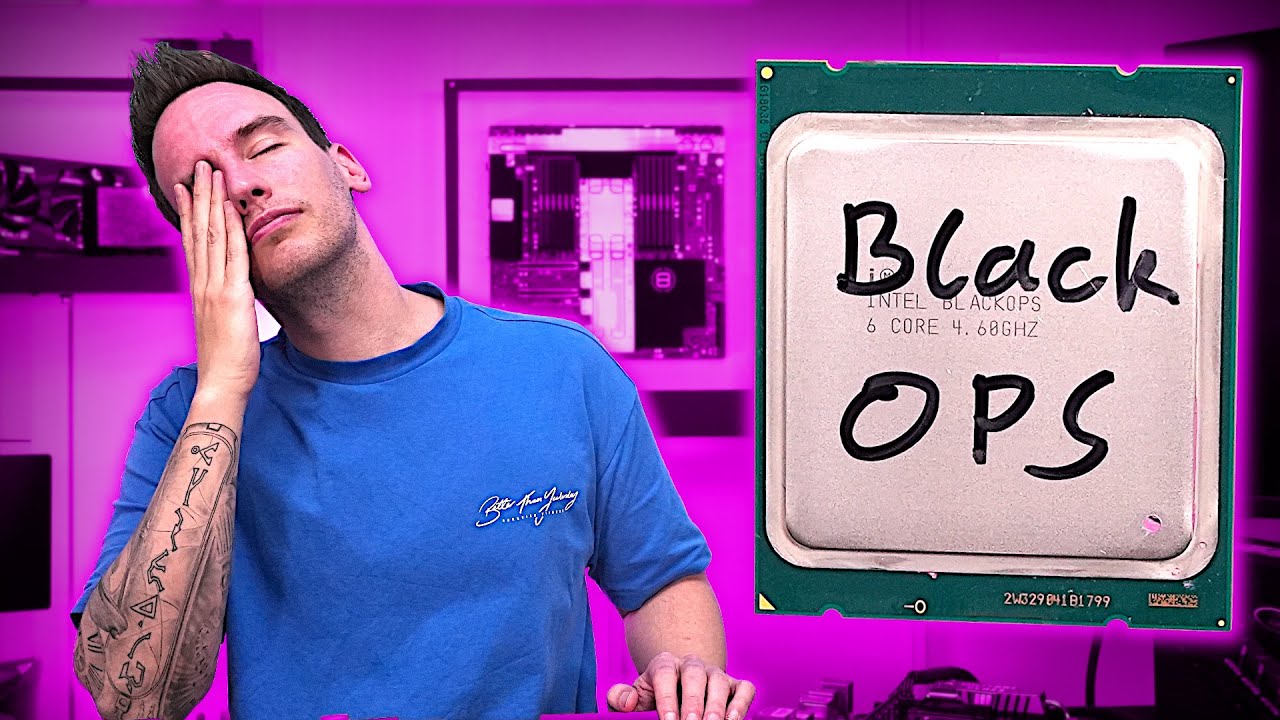
Support me on Patreon:
https://www.patreon.com/der8auer
Music / Credits:
Outro:
Dylan Sitts feat. HDBeenDope - For The Record (Dylan Sitts Remix)
Paid content in this video:
- /
Samples used in this video:
- /
--------------...
 tall pelican
afaik those black ops cpus run "stock" in degradation territory
mental turret
his chip autos to 1.55V which is surprising, a lot of 4930ks/4960x's dont need more than 1.5V to run 4.6 all core stable
tall pelican
no, like that's normal for those cpus. LTT said they were mainly sold for stock trading, had reduced warranties and were meant to die off
would be like a 13900ks being sold at 6.5ghz and 1.5v
mental turret
LETS GOOOOOOO
 mental turret
LETS GOOOOOOO
mental turret
mental turret
LETS GOOOOOOO
@short blade
short blade
3100 bin 
mental turret

finite frigate
mental turret
LETS GOOOOOOO
yeah but does it do that in a 4 dimm config
mental turret
These only came in 2 dimm kits
mental turret
finite frigate
yeah but does it do that in a 4 dimm config
I probably wouldn't put my trust in most ivy-e controllers to run quad channel 3100c12
Actually they probably could tbh.
ancient bridge
mental turret
LETS GOOOOOOO
Practically ddr4
short blade
mental turret
Actually they probably could tbh.
only one way to find out
 rustic vigil
can i use msi afterburn on non msi cards?
mental turret
short blade
only one way to find out
I don't have 4 of these and none of my other mfr can do 3100 at c12
short blade
rustic vigil
can i use msi afterburn on non msi cards?
yes, but radeon software is usually better for ocing radeon cards
short blade
mental turret
I don't have 4 of these and none of my other mfr can do 3100 at c12
time to buy a matching kit
rustic vigil
short blade
yes, but radeon software is usually better for ocing radeon cards
ah i see yea im gonna try overclocking later lol
 sudden torrent
mental turret
It's super hard to even find 2933 bin mfr
sudden torrent
mental turret
It's super hard to even find 2933 bin mfr
Every time you type mfr I have to laugh, especially when the context works both ways like this
mental turret
short blade
time to bin your own
That's from me binning my own... 
mental turret
sudden torrent
Every time you type mfr I have to laugh, especially when the context works both ...
brb gonna make an emoji
short blade
mental turret
That's from me binning my own... <:deadass:1088884666041372713>
time to bin harder
mental turret
sudden torrent
Every time you type mfr I have to laugh, especially when the context works both ...

sudden torrent
Careful he might bite if he gets excited
 night grail
 sudden torrent
Oh single channel
night grail
 sudden torrent
Still very nice but only really good for frequency validation in single channel mode
night grail
this was done with a random 4690k
if i can bin an actually decent IMC i can do much better
these sticks have 3800-3900 cl14 on air in them
cause these are god bin sticks
kind walrus
I WANT A FISH
night grail
sudden torrent
Hmm
Those might mysteriously go missing
the fish or my dimms
night grail
oh... its the gt 610 2gb variant
sudden torrent
Oh I see
night grail
theres much better fish models
kind walrus
sudden torrent
Felix why u so random
I've always wanted one
night grail
like the gt 710 ones
kind walrus
💀
night grail
those have native hdmi, mine needs DVI to hdmi
also ive been procrastinating on painting mine
i want the cooler to be rakkasan red
mental turret
sudden torrent
Careful he might bite if he gets excited
I was going to anyway. Going for top 10 eventually 🙂
mental turret
night grail
Funny you mention this. Check #intel-cpu in hwbot for something I just said
or ill copy and paste actually
"For some reason I could never (and still can't even with these 3100C12 xmp sticks) get LGA1150 to mem OC nearly as well as my ivy/ivy-e chips can. Even XMP on the 3100 dimms gets stuck on mem-training and never successfully POSTs on either of my LGA1150 boards and with different chips. Though my r4be and ivy-e chip has no problem running that 3100 XMP. I'm kinda at a loss atm"
I've never been able to properly mem-oc on haswell/dc for god knows why. Simply havent been able to get it to work.
night grail
soc ln2 makes a big difference
mental turret
It cant be so different than ivy-e/ivy right?
The thing is, even other dimms that have no problem doing even conservative OCs like 2666C9 on my R4BE simply cannot do that on any of my LGA1150 boards & chips
It's so bizarre
Like my S2D and S1G for example
Any ideas?
 mental turret
lol
sudden torrent
2 DIMM? Yeah that'll do it
night grail
sudden torrent
2 DIMM? Yeah that'll do it
have you ever seen the board in any detail?
sudden torrent
I haven't cared enough to before now tbh
night grail

the board has only 2 dimms and lacks any cooler mounting as the holes typically used for mounting coolers gets in the way of the traces, so you can only gravity mount coolers to these boards
the board is basically what happens when engineers are told to make the best ddr3 ocing board without compromise
mental turret
My college had a similar board
night grail
@sudden torrent
 sudden torrent
Is that the Titan USB?
night grail
 night grail
sudden torrent
Is that the Titan USB?
night grail
sudden torrent
Is that the Titan USB?
yeah the geforce gtx usb drive is my bench drive
 mental turret
sudden torrent
2 DIMM? Yeah that'll do it
mental turret
sudden torrent
2 DIMM? Yeah that'll do it
tbh I dont think you even need a 1dpc board to hit even 3800
night grail

these drives sell for a fortune these days
only 1080 were made and most were given away for free
sudden torrent
1080
I see what they did there
night grail
mental turret
tbh I dont think you even need a 1dpc board to hit even 3800
3500 is where your gonna see most boards absolutely top out
on air*
1DPC can get up to about 4000 on air with a binned cpu and ram
beyond that is sub ambient cooling
 mental turret
night grail
3500 is where your gonna see most boards absolutely top out
mental turret
night grail
3500 is where your gonna see most boards absolutely top out
People have done 4000 on r4be actually lol
night grail
“Most”
mental turret
well yea thats why i said you dont need a 1dpc board to hit that given freq
sudden torrent
It sure doesn't hurt though
ancient bridge
mental turret
People have done 4000 on r4be actually lol
What tf
steady lance
My ram just arrived alongside one the led strips I ordered!

 steady lance
Hello, could someone help me out? I am trying to figure out what the voltage limit is on my ram kit, it has the Hynix DJR die.
proven canopy
Check the ddr4 guide in the pins
steady lance
The numbering system in there doesn't match my ram's numbering system.
proven canopy
Read the section on naming - djr = h8d

 kind walrus

 humble jay
Skill
kind walrus
Issue
short blade
I wish I had a good cpu back when I had my golden 3070
eternal relic
im on a 12900k
humble jay
is it undeadge
eternal relic
it was never deadge, idk why felix could run it tho
but at same time, i couldnt stabalise lilene's 13900k
i benched it 5.2p and 4.7e for 3dmark
i think 4.7e anyway
mental turret
 ancient bridge
AHHHH
ancient bridge
Hynix
mental turret
ancient bridge
Hynix
what about it
ancient bridge
Nothing

 ancient bridge
Lmao
mental turret

 mental turret
4k mfr bro
steady lance
eternal relic
i think 4.7e anyway
..... when a E core beats your P cores.....
signal belfry
Power consumption went down by a 100w after undervolting, i shouldve done it sooner lol
 sudden torrent
100W? That's crazy! And I bet you didn't lose much if any performance too
signal belfry
I dont have an exact number but I think I lost around 5 percent of performance. My fps is still above 144 so I dont really care about t hat 5 percent
sudden torrent
5% is unnoticeable, nice
signal belfry
im going to undervolt my cpu on the weekend too, just so it can run a bit cooler and quieter
sudden torrent
I actually gained performance undervolting my CPU a bit, because it was able to do a higher boost thanks to the lower temps
signal belfry
amd?
sudden torrent
Yep 5800X
signal belfry
assumed cause of boost
im not too sure on how the newr e cores on intel work but ik undervolting on intel usally means lower clocks
and slightly slower cpu but not really noticeable in real world scerinos
mental turret
mental turret
@short blade apparently these were about 2000 USD back in 2013
finite frigate
for Z87 haswell only
mental turret
they work fine on x79
night grail
finite frigate
for Z87 haswell only
z87 back then was only real chipset that offered CPUs with good enough IMC to run them
until z97/x79 came around
finite frigate
i know lol
mental turret
x79 came out before z87
they probably just marketed it towards z87 because they didnt make quad channels kits or something
short blade
mental turret
<@122901618369757184> apparently these were about 2000 USD back in 2013
💀
do we have any xmp kits nowadays that are remotely close to that price
finite frigate
yes
eternal relic
the 8x16 128gb kit of 3600c14 royals used to be near it, not sure anymore
finite frigate

 finite frigate
.... at least its bdie
😭


G.Skill Ripjaws S5 32 GB (2 x 16 GB) DDR5-5600 CL28 Memory (F5-5600J2834F16GX2-RS5K)
damn thats cheap
5600 c28
obviously a die
ddr5 is already at ddr4 prices

 short blade
finite frigate
short blade
finite frigate
sorry i should have specified
any xmp kits of relatively similar capacity near that price
like 2x8 ddr4 or 2x16 ddr5
cause that's $2000 for just a 2x4gb kit...
short blade
i can't imagine paying $2000 for 8gb of ddr3 just to run it at crappy xmp and lose to someone's tuned ddr3-2400 lmao
finite frigate
💀
short blade
i mean hopefully at that price they ended up in the hands of overclockers
finite frigate
likely distributed to them for free lol
finite frigate
idk what dimms the d3 record is on
some hyper X predator stuff
hyperx predator 1866 rated stuff
just god bin
splave is 3rd overall for d3 freq
on the same stuff that far has
Avexir seems to have done a LOT of high speed ddr3 stuff
mental turret
finite frigate
idk what dimms the d3 record is on
It's all high bin 1R MFR
Same as what I got
faint tangle
I'll potato your high bin
mental turret
ill AAAAAAAAAAAAAAAAAA
mental turret
@sudden torrent @short blade
 steady lance
I am adjusting PPT and I was wondering if 100 is a safe amount?
R7-5700G on B550M DS3H v1.4
sudden torrent
Considering my PPT is set to 275W right now yes 100 is perfectly safe
And my TDC is 144A, EDC 192A, just some reference numbers for you.
You could technically just max them all out but there's a sweet spot, you have to test to find it.
steady lance
Gotcha. Also would it be mad if I increased the Thermal Throttle Limit?
short blade
that one I would not recommend
ancient bridge
steady lance
I am adjusting PPT and I was wondering if 100 is a safe amount?
That's a lil low
My 5700g was able to hit 140w
sudden torrent
steady lance
Gotcha. Also would it be mad if I increased the Thermal Throttle Limit?
Most boards don't even let you put that higher, only lower
steady lance
sudden torrent
Most boards don't even let you put that higher, only lower
I tried 100 and it let me.
steady lance
ancient bridge
My 5700g was able to hit 140w
Gotcha. Will try 150 later then.
sudden torrent
steady lance
I tried 100 and it let me.
Sure but does that setting survive a reboot? And if it does, is it just ignoring the setting for safety?
It's usually a bad idea turning that up, AMD sets it at 95 for a reason
short blade
it’s 90 on zen 2/3
sudden torrent
Not for monolithic

 mental turret
gonna put these heatspreaders on my gucci dimms
steady lance
Left it at 95.
 jovial bluff
Anyone wanna help me oc my 6900xt
sterile ridge
I can help if you have questions
steady lance
I am considering trying to tighten timings on my ram, can anyone help guide me through the process?
signal belfry
Well if your using ddr4 just look up the ram oc guide on GitHub
If it’s ddr5 I have no clue on how that stuff works
sudden torrent
It's simple, raise some numbers and lower other numbers until it doesn't work any more
 proud peak
What is a good sample , like unless I’m using ln2 it shouldn’t matter right?
sudden torrent
Good samples can run higher frequencies at lower voltages, which means that it generates less heat and can maintain maximum boost frequencies longer
proud peak
Ah
Ok
How do I get good samples is there a certain time to buy cpus when they are in production to get better chances
sudden torrent
Nope it's almost entirely random
proud peak
Damn
sudden torrent
Sometimes there's pre-binned models like the 12900KS
proud peak
Yeah I don’t have ks money
So this is going to be fun once I get the asus mobo cpu and ram combo
short blade
proud peak
How do I get good samples is there a certain time to buy cpus when they are in p...
I will say this, avoid the K SKU of any CPU with a KS
go for the KF instead if you are looking at 13900
for 13700K it doesn't matter
13900K is a worse bin on average than 13900KF because the best 13900K get reserved for the KS
but they can't use the good 13900KF on KS
steady lance
agreed
humble jay
Meh
mental turret
humble jay
Meh
very informative lol
humble jay
I’ve gotten too many scuffed KFs that I start to think maybe the iGPU died for a reason
12900K non F better chance for all the silicon to be clean
😎
I’m always buying non F
jovial bluff
sterile ridge
I can help if you have questions
whree do i start
signal belfry
jovial bluff
whree do i start
Just get the amd overclocking software or msi after burner then look up a guide on YouTube
And a gpu stress tester
To check for stability
Btw set your fans to 80-100% while overclocking and max power limit so your gpu clock isn’t going to be held back
jovial bluff
Yea
signal belfry
I meant setting your fan 80-100% while stress testing
So your clocks don’t go down cause of thermals
short blade
ah
i'd still prefer to test with fan speeds i actually plan to use
temperatures can have some effects on stability
restive sequoia
has anyone managed to oc a 3080ti to be on par with a 3090ti
since the disparity does not seem to be that much
ancient bridge

short blade
spare ssd acquired

any bench os recs? forks bench iso?
also can I put it in a USB enclosure or better to just use direct sata
mental turret
short blade
any bench os recs? forks bench iso?
What're you benching
Platform/benchmark
 mental turret
Okay lol
short blade
I mean I get my hands on a lot of hardware idk what you want me to say to that
signal belfry
restive sequoia
has anyone managed to oc a 3080ti to be on par with a 3090ti
I mean a 3080 ti is basically a 3090 with less vram
the performance difference would be very small
sudden torrent
My 3080 ti can beat my old 3090, and by a lot too. It was a 🥔
eternal relic
vram being on front side is also a nice bonus
sudden torrent
That's a bonus shared by the 3090 ti though. It uses higher density memory.
VS the 3090 though, yes. Them backplates get toasty.
ancient bridge
sudden torrent
My 3080 ti can beat my old 3090, and by a lot too. It was a 🥔
Welp geuss I'll be happy once I get this 3080ti
Just wanna try nvidia cause why not
If im being honest I just like trying new hardware
restive sequoia
Lol was saying what at that possibility at first 🤣
restive sequoia
sudden torrent
My 3080 ti can beat my old 3090, and by a lot too. It was a 🥔
Yeah seems like it until that vram spillover happens
sudden torrent
That has never happened to me
I don't play the games where that's a possibility
And I only play at 1440p, not 4k
restive sequoia
sudden torrent
That has never happened to me
Is a rare occurance for now but happened to me in the matrix awakens demo
ancient bridge
(Demo)
signal belfry
sudden torrent
VS the 3090 though, yes. Them backplates get toasty.
After I changed the thermal pads on my 3090 fe the backplate was burning hot, added a heat sink and a fan then vram dropped another 5-10c I think
sudden torrent
I did the same on my 3090. I got a massive aluminum heatsink and put an 80mm fan on it. It got really hot, but it wasn't enough to stop the throttling. I got a REALLY potato 3090.
signal belfry
Well the size of a heat sink doesn’t really matter as long as heat is being transferred properly and cooled
sudden torrent
The giant heatsink meant that it wasn't the rear memory that was the issue. The issue was that it was a water cooled model with no direct memory cooling, just a 240mm for the core.
signal belfry
That sucks, honestly wonder why no one thought putting gddr6x with no cooling was a good idea
sudden torrent
It did suck. I tried overclocking with it and I topped out at 19.3k on time spy. Compared to my 3080 ti which immediately got 21k with just a dirty OC. (max power, +100 core, +1000 mem)
signal belfry
Did they sell water blocks for that 3090 pcb?
Might’ve been worth it if the that 3090 had good silicon
sudden torrent
It was already a water cooled model on a custom pcb, but even the core was pretty potato so not worth it even if there was
scenic vine
signal belfry
After I changed the thermal pads on my 3090 fe the backplate was burning hot, ad...
I had a gigabyte 3080 which dropped mem temps by 40c after replacing the pads
it also increased core temps by 10c
ancient bridge
Yea cause its transferring more heat to the cooler
signal belfry
scenic vine
it also increased core temps by 10c <:kekw:741678350791081994>
U probably used the wrong sized thermal pads and your gpu core isn’t making good contact with the cooler anymore
wind prairie
Gigabad
short blade
scenic vine
I had a gigabyte 3080 which dropped mem temps by 40c after replacing the pads
was it a vision?
my 3080 vision mem dropped 48C after repad (112C to 64C), core went up 4C
though that's at 100% fans so maximum removal rate of the extra heat
+10C makes sense if not at 100% fans
i don't really have a before/after for not 100% fans bc i was just perma running the card at 100% fans before repad because, well
it was still hitting 112C at 100% fans
eternal relic
my 2080ti has pads stolen from one of my 7970's, slightly too thick so hotspot kinda sucks on core
vram on the card died but got revived with hot air, still need to rebench it before i shelf the card. gonna have vram all replaced eventually.
scenic vine
short blade
was it a vision?
Gaming
short blade
did you get it near launch?
i heard they started using better stock pads later
i got mine near launch
scenic vine
Yeah it was a launch card
wheat lintel
Could some explain what ratio and range are?

Finally getting around to OCing my 13900k
signal belfry
Would running my i7 10700k with hyper threading off but higher clocks be better for solely gaming?
mental turret
yea
signal belfry
How do you bin individual cpu cores?
signal belfry
Nvm
signal belfry
just tested this and my undervolt is stable

pretty decent I think for an i7, runs at 1.243 under load, wasn’t stable in prime 95 large ffts
at 4.9
short blade
use small ffts for testing cpu cores, not large ffts
eternal relic
signal belfry
How do you bin individual cpu cores?
disable all cores but 0 and start from there i guess
see how low u can get voltage at a specific clock
or i guess u can also leave all cores enabled and just mess with per core voltage control. i just disabled cores when i was getting 2c, 4c, 8c and 18c Turbo Boost 3.0 overclocks tho.
sudden torrent
Core 0 usually needs to be enabled to pass POST
But hwinfo will also just tell you what the best cores are
eternal relic
the best core thing is ryzen only right?
sudden torrent
Intel will tell you favored cores too
proven canopy
You can look at vid in bios
Lazy way to do it, clock all cores, set bench affinity and test for max stable
 sterile flame
Holy crap
$47 2x8gb samsung b-die
Check this out on @Newegg:Team T-Force XTREEM ARGB 16GB (2 x 8GB) 288-Pin PC RAM DDR4 3200 (PC4 25600) Desktop Memory Model TF10D416G3200HC14BDC01 https://www.newegg.com/team-16gb-288-pin-ddr4-sdram/p/N82E16820331435?Item=N82E16820331435&Source=socialshare&cm_mmc=snc-social-_-sr-_-20-331-435-_-05102023
ancient bridge
sterile flame
Holy crap
$47 2x8gb samsung b-die
Check this out on @Newegg:Team T-Force XTREEM...
If only it was 32gb
I dont wanna run 4 dimms
sterile flame
Cheapest b-die I've ever seen
ancient bridge
@proven canopy think I would have any issues running 4x8 eventually?
ancient bridge
Wait wouldn't 2x16 dr dimms be similar to running 4 single rank 8gb dimms man idk much about ram yet 😭
proven canopy
Identical as the CPU sees it.
Well, almost.
Depends what your overclocking goal is
ancient bridge
proven canopy
Depends what your overclocking goal is
Well I tested fclk desync which may be different compared to synced
And 1933 ran fine for my standards, 1900 was a black hole, and 1866 ik is dead stable
ancient bridge
proven canopy
You probably don't want to desync fclk for daily
Oh I won't im just testing fclk like this cause I have crappy 35dollar cdie that won't go above 3600 lmao
 ancient bridge
kind walrus
<@852241324886720583> oi
ancient bridge
kind walrus
<@852241324886720583> oi
Yes
ancient bridge
kind walrus
With those weggie be deds
WHAAAA
ancient bridge
kind walrus
* judging silently *
It's an experiment
ancient bridge
Ok
kind walrus
I've got these b dies over here
But they're vveeeerrrryyyy expensive
Don't buy them
....

ancient bridge
kind walrus
But they're vveeeerrrryyyy expensive
I'm mad confused
kind walrus
ancient bridge
kind walrus
<:pepehmmm:903335097305034783> <:pepehmmm:903335097305034783>
I'm not spending 10grand on shipping🗿
 ancient bridge
kind walrus
Back to the drawing board
ancient bridge
kind walrus
Back to the drawing board
A 3080ti for shipping will work
As an overclocking experiment
Trust
kind walrus
ancient bridge
A 3080ti for shipping will work
Dunno where you'll find that
ancient bridge
kind walrus
Dunno where you'll find that
Your place
kind walrus
ancient bridge
Your place
Damn where'd you hide it
kind walrus
ancient bridge
How about 3090
Where
ancient bridge
7900xtx
ancient bridge
😭
kind walrus
ancient bridge
Ik you got one🗿
My 3090 is in New Caledonia my friend
ancient bridge
Gt1030
 ancient bridge
kind walrus
My 3090 is in New Caledonia my friend
ancient bridge
kind walrus
My 3090 is in New Caledonia my friend
Ew why
kind walrus
Cos I sold it why else
kind walrus
Should've asked
ancient bridge
😭
kind walrus

ancient bridge
I dont need all that vram
 ancient bridge
Why spend 200 more when I can get practically the same core for cheaper
Just less vram
kind walrus
Vrahm
short blade
do any timings besides tCL scale with voltage on hynix ddr5?
scenic vine
Afaik no
The other primaries do not, tested that. But idk about the subs
You might wanna limit voltage if your cooling isn't great
eternal relic
kind walrus
My 3090 is in New Caledonia my friend
i have a new caledonian friend and i was in a vc with him and his brother recently
and his brother casually just dropped the fact he is in a PMC
most random thing ive ever heard in a vc
tho to be expected from a new caledonian
 short blade
scenic vine
You might wanna limit voltage if your cooling isn't great
short blade
scenic vine
You might wanna limit voltage if your cooling isn't great
i'm just chilling at 1.35v
figure it's not worth pushing more voltage to drop tCL
especially when it's an X3D chip lol
short blade
think this is gonna be it for this hardware
 sudden torrent
Not too shabby for 1.35v, here's hoping it's stable at idle too
Oh wait fclk is desynced
short blade
sudden torrent
Oh wait fclk is desynced
fclk has to be desynced on zen 4
2200 fclk is apparently extremely lucky on these chips
sudden torrent
Huh. So I guess the ideal would be doing 2:3 instead of 1:1? I haven't touched AM5 yet obv
(2000 fclk, 3000 mclk, so for every 2 memory cycles there's 3 fabric cycles)
If that's the case then maybe test with fclk at 2133 and see if you get better latency, but I could just be applying zen 3 overclocking logic where it doesn't belong lol
short blade
no, I tested this
bandwidth scales linearly with FCLK
running fclk at 2/3 of mclk did not provide any performance benefits
roughly 1 GB/s gain from 2000 fclk to 2200 fclk, 64 GB/s at 2000 fclk vs 70 GB/s at 2200 fclk
you just run fclk as high as possible, no worrying about ratios
sudden torrent
I think I like that approach better than previous gen. Way more straightforward. Too bad you couldn't pay me to own AM5.
At least, not until Q2 next year when next gen launches
short blade
sudden torrent
I think I like that approach better than previous gen. Way more straightforward....
tbh it's not really a good thing I think
it just shows that am5 i/o die is bottlenecking the hell out of ddr5
this tuned ddr5-6400 is barely getting more read bandwidth than my ddr4-4000
and you can tell by the literally linear scaling between fclk and bandwidth that the fclk is the bottleneck
IF and/or i/o die hasn't improved enough since last gen to really take advantage of ddr5
but oh well, in the end the real performance is what matters and the performance is there
sudden torrent
Next gen ryzen is a big overhaul, fingers crossed it's better
short blade
i will say i am impressed by this board's ability to figure out voltages/resistances on its own
my intel board definitely cannot even come close to doing that, my 13700K was stuck at 3800 gear 1 with auto settings except SA/VDDQ, had to tune RTTs/ODTs to go any higher
short blade
okay

passed p95 large, tm5, hci, and y-cruncher fft
we chilling
first experience with ddr5 went too smoothly, learned nothing about ddr5
oops
results of funny benchmark
 mental turret
@short blade what was the best you were able to get those 8GB S4Q ddr3 dimms to run?
short blade
uhhh
mental turret
gonna see if i can beat it with some 4gbit bfr dimms someone just lent me
mental turret
you had 4gbit bfr?
short blade
yeah
short blade
2400 11-13-13-31
probably could have done 2800c12 or c11 or something if i tried harder
but meh
short blade
no it was 11
mental turret
oh mb
 mental turret
alright, ill beat that for ya
i remember someone posting super "fast" 8GB dimms on the overclocking subreddit
short blade
i'm sure it won't be difficult for you
short blade
if it makes a difference, this is daily stable
gonna be a bit slower than whatever is bench stable
mental turret
do you know what pcb yours were on
mental turret
thats normal for these ICs
short blade
well, i dunno
i just haven't heard good things about corsair pcbs even for ddr3
i could be wrong
mental turret
nah youre right
I avoid corsair ddr3
only good stuff they have is what uses BASE Hyper
short blade
well, have fun
steady lance
What type of ram speeds can a 10700f normally handle at 16GB or more per DIMM?
sudden torrent
He's on B460 we found out so no it can't
And I'm sure you mean in gear 1 because it could do more in gear 2 with a good set of rev e
short blade
sudden torrent
And I'm sure you mean in gear 1 because it could do more in gear 2 with a good s...
10th gen does not have gear modes
sudden torrent
smh I'm slipping lately
scenic vine
Also 10th gen imc can be fickle on the lower binned parts
(not to mention skylake isn't the biggest fan of rev E)
wheat lintel
steady lance
What type of ram speeds can a 10700f normally handle at 16GB or more per DIMM?
My Rev E got up to 3800MHz stable on a 10700k
Not sure how different the IMCs are
ancient bridge
NAH @wheat lintel I SAW THAT
wheat lintel
ancient bridge
NAH <@480883524203839508> I SAW THAT
IT JUST POSTED FINE
ancient bridge
BAHAHAH
wheat lintel
Imma just bring it down to 6400, should be easier
wheat lintel
ancient bridge
Was it a funky one
YEP
ancient bridge
Being right on the edge can be slower than a lower stable speed
Atleast with zen3
wheat lintel
That’s why I’m bringing it down to 6400
XMP is 6000 so it still is a decent boost
…excuse me? Why did 6400 not post 
Maybe my VDD2 is too high
Now I’m just stumped
Nvm I’m chilling now, 6400 posts and so far no errors of 10 minutes of TM5
wheat lintel
Is 1.55 VDD/VDDQ fine for daily?
steady lance
Any idea what DIE this ram uses?

Hyper X Predator 64 GB (4x16 GB) DDR4-3200 MHz
looking on Ebay to see if I can find a 3000mhz or higher 64gb kit for my server.
sudden torrent
Can't tell with kingston without looking at the ICs or asking thaiphoon to guess
sudden torrent
Corsair (do not recommend), g.skill, and crucial mostly. Crucial you have to guess but they only use micron dies so it's easier.
steady lance
Gotcha.

eBay
Find many great new & used options and get the best deals for G.SKILL Trident Z RGB 65GB (2 x 32GB) PC4-28800 (DDR4-3600) Memory... at the best online prices at eBay! Free shipping for many products!
this is interesting. price is tempting.
sudden torrent
I think that's CJR but it could be AJR
steady lance
AJR is good and CJR is bad correct?
sudden torrent
I'll have to look into that, DDR4 wiki doesn't have info on CJR
steady lance
also found this, which is even more tempting.

eBay
Find many great new & used options and get the best deals for G. SKILL Trident Z Neo 64GB SDRAM DDR4 Memory 3600 at the best online prices at eBay! Free shipping for many products!
sudden torrent
sudden torrent
I think that's CJR but it could be AJR
Can confirm, 16Gb CJR. They're pretty rare so I don't see a lot of OC results but it does get binned up to 1.5v and I see someone got 3800 16-18-18.
sudden torrent
steady lance
https://www.ebay.com/itm/195765401595?epid=26034650782&hash=item2d9486f7fb:g:XLw...
That one is dual rank 8Gb CJR, I don't imagine that one overclocking too well with a total of 8 ranks
steady lance
sudden torrent
Can confirm, 16Gb CJR. They're pretty rare so I don't see a lot of OC results bu...
CJR is bad then?
 dull ginkgo
if you have a good amount of cooling, it's okay, it doesn't scale anywhere near as well as djr though
signal belfry
Those ram sticks on eBay look really nice for the price
short blade
sudden torrent
Corsair (do not recommend), g.skill, and crucial mostly. Crucial you have to gue...
you mean micron?
sudden torrent
Yes, that
zenith palm
sudden torrent
Corsair (do not recommend), g.skill, and crucial mostly. Crucial you have to gue...
I think you mean micron for crucial 😛
Oh woops
sudden torrent
Yes it was a brain fart earlier. Mushroom already corrected me lol
zenith palm
Yeah didn't see that it put me up the top by default
sudden torrent
There I fixed it, is everyone happy now? lol
 mental turret
sudden torrent
Corsair (do not recommend), g.skill, and crucial mostly. Crucial you have to gue...
mental turret
sudden torrent
Corsair (do not recommend), g.skill, and crucial mostly. Crucial you have to gue...
Uhm ackshually, I think you mean micrawn?
scenic vine
sudden torrent
I think that's CJR but it could be AJR
It's cjr, says on the label
scenic vine
sudden torrent
It's like Samsung C die but slightly better
Imo it's a lot better than c-die
Scales okay, does tightish trfc and has okay timings
zenith palm
C die sucks for oc (i tried on c die)
mental turret
a classic case of redditors falling for obvious bait 
https://www.reddit.com/r/overclocking/comments/yae1kq/eat_your_ddr4_my_ddr3_does_2200mhz_cl_10131338/

reddit
0 votes and 68 comments so far on Reddit
sudden torrent
scenic vine
It's cjr, says on the label
Yeah it's just the 042 code wasn't on my usual list I refer to so I had to make a guess
ancient bridge
zenith palm
C die sucks for oc (i tried on c die)
My kit rated for 3200 c16 only did 3600 c18💀
zenith palm
ancient bridge
My kit rated for 3200 c16 only did 3600 c18💀
Yeah it basically caps at 3600c18
sudden torrent
You got 3600? My C-die capped at 3466
sudden torrent
Sounds about average, and it doesn't scale with voltage
1.35-ish is the limit, you might get negative scaling past that
Mine liked 1.37
ancient bridge
Thats just what xmp voltage was so I left it
sudden torrent
And now you know there's no point in increasing it lol
zenith palm
ancient bridge
Yeah 3600 c18 19 19 39
Be careful, i had mine stable at that for like 6 months, no wheas in occt or tm5 extrme anta, one day my windows bootloader was gone
steady lance
what happens if I tighten timings to much?
sudden torrent
It won't post or it'll have errors
If it fails to post you might need to clear cmos
steady lance
Gotcha. What is a good starting point to try tightening timings.
sudden torrent
What memory die and what speed are you running?
steady lance
4000mhz CL18-22-22-42 1.40v I believe I was told this is Hynix DJR.
Here's the label it's a G.Skill Ripjaws 2x16gb

Running it at 3933 since that's what works.
steady lance
Oh, why did everyone call it Hynix DJR then?
sudden torrent
No idea but if you search 8410D on the DDR4 wiki it's samsung d
reddit
r/overclocking: All things overclocking go here. Learn to overclock, ask experienced users your questions, boast your rock-stable, sky-high OC and …
steady lance
is Samsung D die good?
sudden torrent
8 means 8Gb
4 is width (x4)
1 is samsung
0 is nothing
D is, well, D
It's not great but it could be worse. No wonder it didn't like 4000, it's usually binned up to 3600.
sudden torrent
Usually
steady lance
Never used those.
sudden torrent
That's for the best
sudden torrent
People struggle to get above 3600 with b-die on corsair PCBs
steady lance
steady lance
Is getting 3933 on this die good then?
took about 3 hours to get the darn thing stable using xmp....
Can Samsung D Die tighten timings reasonably well or is it outright not worth trying?
sudden torrent
There's not a lot of info available on them, I'm searching now. It does appear to scale with voltage at least.
I did find one person on reddit that reported their results using 4 single rank sticks, which should be similar to your 2 dual rank sticks (yours will be able to do slightly better probably)

You should be able to stick 1.45v on it, and start basically copying those settings a few at a time and testing between to make sure it's stable.
steady lance
is that 17-21-21?
sudden torrent
yes
steady lance
You think I can hit 16-20-20 on this?
sudden torrent
You'll note gear down mode is disabled which allows for the odd numbered CAS
Probably not at 3933
steady lance
sudden torrent
You'll note gear down mode is disabled which allows for the odd numbered CAS
Is that bad?
sudden torrent
It depends
Ryzen typically doesn't like odd numbered cas which is why gdm exists, but they got it stable
steady lance
Alright.
sudden torrent
I also found this
 steady lance
SO MUCH STUFF!