#overclocking
1 messages · Page 7 of 1
 sterile ridge
Ohhhh yikes I’m blind
 kind walrus
Leave mode synced
I don't see how effective this would be tho as it's more likely a measure of your infinity fabric
sterile ridge
Also I noticed the settings “Low latency mode” and “XMP/EXPO High Bandwith Support”
Do I leave those alone?
kind walrus
I have zero zen 4 experience I'm not sure
Maybe wait until there's someone who has

sterile ridge
Yeah best to just leave those alone for now then lol
Well with the voltage change it seems to be running perfectly
kind walrus
"perfect" I wouldn't be so sure
I would do a memory test
Download occt
Then go to the cpu test section
On the bottom left
Try cpu test large, extreme, variable
Change sse to avx2
Then go to advanced settings(?) And choose start at cycle 18
sterile ridge
I ran testmem5 anta777 extreme for 10 minutes and it was working when before it crashed instantly, I'll do that as well to see
kind walrus
You can do that test instead tbh
sterile ridge
I ran it for a while and it was good but I'll do this as well just to be sure
kind walrus
Supposedly not as accurate as occt but if you know how to run that one then I would do that
Run it for at least a couple hours
 sudden torrent
Yeah that's how we figured out it was memory errors, using TM5
It would blue screen the whole system
sudden torrent
For AM5? Yeah that's great
sterile ridge
It’s sitting around 80 rn
sudden torrent
AMD decided running at 95C was normal and expected lol
sterile ridge
Typical
I got a beefy cooler and good case at least
Gonna run this for an hour and hope I’m good then 😭
Running at around 5950 mhz CL 36
Beautiful 🥲
kind walrus
I would do more than an hour
sudden torrent
OCCT has a "power test" that loads the whole system
kind walrus
Yeah you won't be fully loading the cpu
sudden torrent
And you can run each test individually at the same time
kind walrus
But the ram and imc? Ye loaded
sterile ridge
kind walrus
Yeah you won't be fully loading the cpu
It’s saying 100% 😭
kind walrus
Ye but it's not a full load
Maybe I'm not making a lot of sense rn
Yes it's 100% utility but it's not full tilt
sterile ridge
I’m not the smartest with stress tests so I’ll assume you’re right
sudden torrent
Stress test loads use different instructions sets to try to trigger problems
sterile ridge
That makes sense
kind walrus
Full cpu tilt would be occt small instead of large
Or prime 95
(P95 isn't too hard on zen tho)
sudden torrent
OCCT CPU test would use the AVX instruction set normally unless you tell it otherwise
It doesn't need AVX instructions to move data around the memory
sterile ridge
I’ll open a chrome tab hopefully that adds some more load 🙏
kind walrus
No don't: 💀
sterile ridge
It is saying physical memory load is only 20%
Is that ram or the memory on the cpu?
kind walrus
Yes physical memory is more related to cpu iirc
sudden torrent
You'd want to tell it to use 80-90% before a memory test starts
 sterile ridge
I might’ve uhhh not changed it lol
sterile ridge
So memory tab at 90?
sterile ridge
Alright now I’ll run this for a while lol
kind walrus

sterile ridge
It was at 80% before weirdly enough
But clearly not because it was way lower on the actual test
Pray for my pc
It says cpu usage 100% but it’s sitting at 43 C lol
kind walrus
Weird zen 4 moment
sudden torrent
sterile ridge
It says cpu usage 100% but it’s sitting at 43 C lol
Yep that's because it's fully utilized cpu power but it's not using a stressful set of instructions to do so
Not like games or a CPU test would do
sterile ridge
Interesting to know
How will I know if there’s a problem?
I’m assuming if I blue screen
 proven canopy
sudden torrent
Yep that's because it's fully utilized cpu power but it's not using a stressful ...
proven canopy
sudden torrent
Yep that's because it's fully utilized cpu power but it's not using a stressful ...
idk, something else seems off about that
Those cores should be running hot, probably looking at the wrong temp
kind walrus
Agree
proven canopy
avx, avx2, avx512 - even amd's avx512 will draw the most power
kind walrus
Maybe it's not loaded the test properly?
sudden torrent
sterile ridge
How will I know if there’s a problem?
It'll report errors in the log on the left
proven canopy
@sterile ridge Just post screenshots
sudden torrent
And the green check will turn to a red x
 proven canopy
The memory test isn't as power hungry on the cpu
proven canopy
Is sse the default for the mem test? @sudden torrent I don't use occt
sterile ridge
once i get it all sorted out though I do wanna run some more general benchmarks just to see how good my PC runs, just dont know what programs to use
sudden torrent
proven canopy
Is sse the default for the mem test? <@396513761550270464> I don't use occt
AVX2
sterile ridge
I had it on auto
I'll switch to that then :)
ok well I tried to switch to the all instead of just temperature tab and it crashed the program LOL
proven canopy
his screenshot shows sse
sudden torrent
sterile ridge
ok well I tried to switch to the all instead of just temperature tab and it cras...
Yeah that happens when the memory is full
sterile ridge
i checked settings and it was on auto, ran AVX2 and it was the exact same so idk
sudden torrent
proven canopy
his screenshot shows sse
Hmm, maybe they changed it in a recent version because my auto did AVX
My version predates AM5 though so 
proven canopy
What's wrong with the pc?
sudden torrent
Memory errors and blue screens when using expo but not jedec
Other people reported increasing voltage helped
sterile ridge
I did so and it seems to be helping, just running tests to make sure
sterile ridge
Will do 🫡
proven canopy
I'd open hwinfo on the side, send a screenshot after 30s
This is a very hot test, expect it to hit thermal limit in a few seconds
sterile ridge
Benchmark pi?
proven canopy
Run the bat
sterile ridge
Not quite sure how to do that, do I just open with y-cruncher?
proven canopy
Put the bat in the ycruncher folder, double click the bat
sterile ridge
Says "Invalid Parament: -VST"
proven canopy
oops, delete the -
 proven canopy
edit it
 sudden torrent
@proven canopy Did you mean for that to be for a 16GB kit because he has 32GB and it's only using 68%
proven canopy
Good core+mem quick stress test
Put the vst.bat in the ycruncher folder and run it.
http://www.numberworld.org/y-cruncher/#Download
Run this for a few minutes to get memory in the ballpark of stability, then move on to tm5/memtest overnight.
proven canopy
sudden torrent
<@546791995830566912> Did you mean for that to be for a 16GB kit because he has ...
Yeah, larger probably catches things faster
I think this is the best quick mem test, then move on to overnight tm5/memtest
proven canopy
proven canopy
Good core+mem quick stress test
Put the vst.bat in the ycruncher folder and run...
kind walrus
Forks weird question, how do I test for game clocks?
proven canopy
wdym
sudden torrent
Run a game?
kind walrus
If render or synthetic is too strong, can I reliably test with something that would be similar? Let's say, GT2 TSE loop
It's a weird question but tryna make a little sense of the KS when I do VF curves
sudden torrent
Time Spy has the advantage of giving easy to read reports on max and average clocks during a test, as well as graphs
proven canopy
tse cpu test is very light on core and doesn't touch mem much
sudden torrent
Sure, that'll give you repeatable results too
kind walrus
Ye I know, that's my point
I want it to be light intentionally
Or is this a moot idea?
proven canopy
Try valley

 restive sequoia
valley is a gpu test?
proven canopy
kinda
 eternal relic
i just use y cruncher n32,n64, and vst for imc.
telling people to open y cruncher and type
0, 1, 15, 16, 18, 0
for each command is helpful


 mental turret
this chip was so bad. 

oh apparently i forgot to sub some scores I got during the october meet LOL
 zenith palm
👀 11135mt/s ram go brr
 sudden torrent
xp prob
 scenic vine
LN2 memtest
kind walrus
Imagine dialing back ur windows 15 years just to get the most stability
Best windows tho
sudden torrent
Is it only 15 years? I thought it was close to 20 by now
kind walrus
You know what you're right
You reminded me that it's 2023 not 2020 and covid did indeed happen
sudden torrent
🙃
kind walrus
DAMMITTT
Alphacool released a reference waterblock today
not the xfx aib

AAAAA-
zenith palm
Tell them to do gooder
kind walrus
all reference go brrrr

 )
) zenith palm
kind walrus
(461W! <:shock:620554644724383774> )
zenith palm
kind walrus
(461W! <:shock:620554644724383774> )
41w too much
kind walrus
I'll 41W u in a second
zenith palm
 zenith palm
kind walrus
I'll 41W u in a second
zenith palm
kind walrus
I'll 41W u in a second
Oh no you'll make me a whole 1c warmer xD
zenith palm
Or 8w more your choice
kind walrus
I'd enjoy 8W more
But weirdly changing boards with the same cooler is giving me a little more headroom
No idea about clocks tho, haven't tried anything in this one yet
zenith palm
That's pretty standard from what I've heard
kind walrus
Probably a tolerance thing
restive sequoia
are these your avg 6700xt clocks or are they higher then usual?

 ancient bridge
Thats average
If you unlock power it will boost a lil higher
Got mine to 2.85 - 2.9 rn manually
 pallid nest
@ancient bridge danny
ancient bridge
Yea
pallid nest
So when I had OSD on and I was playing game said my gpu was doing 2.8Ghz core and mem at 11Ghz at with my gpu voltage at 1.075v so is that boosting
 short blade
for any owners of the msi pro z690-a ddr4, don't update to newest bios v1A0, it's a complete waste of time, stay on v190
my 13700K is getting 50mV more than the last bios with the same settings, 1.380v adaptive in bios now results in 1.41v idle compared to 1.36v idle
 modern walrus
does it affect SA voltage?
short blade
no
modern walrus
I wonder why they upped vcore then
maaaaybe for KS microcode?
or maybe the boss asked them to work on U-X BIOS so they had to come up with something else to do
zenith palm
Sounds like they didn't mean to anyway
 sterile flame
I have killed my gtx 260 
eternal relic
i killed mine within my first bench, core or vram ded

 potent fiber
My xlr8 was oc'd to 700ish I think & still working 2+ yrs before I upgraded to a 660 of all things. 
eternal relic
mental turret
https://tenor.com/view/skill-issue-skill-issue-comically-large-spoon-spoon-gif-2...
i attached voltmeter and benched it once and it passed with expected results at stock
then i reran for a 2nd baseline and it crashed and artifacted
mental turret
eternal relic
vram or core dieded
mental turret
Someone made a bet for 5 dollars that I couldn't beat their AIO r15 g3258 sub with one of my g3258
Guess I'm getting a free 5 dollars for minimum effort 
sudden torrent
r15? really? ez clap
mental turret
sudden torrent
r15? really? ez clap
What's wrong with r15 lol
sudden torrent
Nothing, just older hardware likes it better than newer like r23
mental turret
Well yea, 2 haswell threads would make r23 insanely boring not to mention using it over r15 would be redundant
eternal relic
cb 2003
pallid nest
mental turret
Someone made a bet for 5 dollars that I couldn't beat their AIO r15 g3258 sub wi...
i'll bet you this cooler
 mental turret
pallid nest
i'll bet you this cooler
mental turret
pallid nest
i'll bet you this cooler
no way this is real
sudden torrent
Seems legit, that's totally what those official logos look like

It's the thermal paste that's 5.99 the cooler is 76

Dracaena CPU liquid cooler adopts the design of separate pump head to form a high-efficiency direct current. Make the heat absorption and discharge more fully, and improve the heat dissipation efficiency.Heat is generated inside the computer tower by various hardware such as CPU, video card or ev...
They just listed the thermal paste on the same listing as the cooler to grab your attention, clearly it worked
eternal relic
i hate that so much
sudden torrent
It's officially below freezing outside. Time to move the PC to the porch and do some benching
mental turret
sudden torrent
It's officially below freezing outside. Time to move the PC to the porch and do ...
ill be expecting good scores
take pictures

potent fiber
Yep 48F in my house wasn't cold enough. Although, pc helps slightly warm bedroom ( 1-2F 
sudden torrent
Run salad for free heat
mental turret
have you subbed anything to hwbot before
sudden torrent
R23 crashed, moar volts
mental turret
whats your current best sub
sudden torrent
You can check my hwbot profile, I don't have internet while I'm benching
sudden torrent
Same as here, I'm on team wegg also
mental turret
oh you're 3rd fastest for that chip on r23 multi w/ AIO
https://hwbot.org/submission/4820725_lorichic_cinebench___r23_multi_core_with_benchmate_ryzen_7_5800x_16883_cb this is first place guy

HWBOT
The Ryzen 7 5800X @ 4850.4MHzscores getScoreFormatted in the Cinebench - R23 Multi Core with BenchMate benchmark. Lorichicranks #151 worldwide and #27 in the hardware class. Find out more at HWBOT.
mental turret
sudden torrent
It should survive at least but might degrade
barely lol
sudden torrent
1.35v crashed at the very end of the test
(╯°□°)╯︵ ┻━┻
I'll let it chill out and try again
I'm amazed what a difference a little freezing weather will do
mental turret
Guys in 1st/2nd place with same cooling as you were running >1.4V
mental turret
sudden torrent
I'm amazed what a difference a little freezing weather will do
do ice water, more worth the effort than just cold air
sudden torrent
Were they clock stretching though
mental turret
as in?
sudden torrent
Like it's set for 5.2 but effective is 4850
mental turret
no
sudden torrent
mental turret
do ice water, more worth the effort than just cold air
When I get my custom loop
sudden torrent
LF2 420
 sudden torrent
I don't have a bucket big enough for this behemoth
mental turret
well a cheap plastic bucket from walmart will be plenty good
cooler i mean
get a cooler lol
mental turret
eternal relic
sudden torrent
It's officially below freezing outside. Time to move the PC to the porch and do ...
does this still count as enthusiast league?
or does it pump u to apprentice
ive always been hazy about apprentice rank specifics
sudden torrent
Yes because it's ambient cooling
eternal relic

sudden torrent
6561 on R20
eternal relic
benching 5800x?
mental turret
sudden torrent
16931
congrats
sudden torrent
Y cruncher straight crashed the system, not even a blue screen just dead
eternal relic
cinebenches r probably what i do most consistently coz theyre fun

i dont really have any chips that get my many points in them tho lol
eternal relic
sudden torrent
Y cruncher straight crashed the system, not even a blue screen just dead
average y cruncher moment
sudden torrent
As long as you get a good amount of points compared to others with the same chip 👍
eternal relic
i dont have any popular chips 😔
sudden torrent
All the more reason to bench them for free points
eternal relic
i used to do that a lot lol, burnt out of benching for 6 points a sub
sudden torrent
When I get around to it I'll bench my laptop, I upgraded it to a dual core turion lol
eternal relic
idek what that is
sudden torrent
Exactly
eternal relic
hah
sudden torrent
No one ever had the CPU because it was never an option in the s3g4 socket except as an upgrade
Back when you could upgrade laptops
eternal relic
im not old enough to even know the turion name
sudden torrent
Circa 2006 laptop moment
eternal relic
yeah, i was 3
scenic vine
new pb

This board is crying rn though
320w average in timespy gt2
peaks of 360w
on the begger intel LE board
eternal relic
i cant believe ur putting effort into ur arc card
scenic vine
Boredom does many things
eternal relic
scenic vine
Boredom does many things
im trading mine for a 2080ti trio tomorrow lol
gonna do some nvlink stuff
2nd best card for 2 way, right behind titans
ancient bridge
Who trades there 2080ti for a arc card😭
sudden torrent
Probably arc+cash or something
 night grail
ancient bridge
Who trades there 2080ti for a arc card😭
night grail
ancient bridge
Who trades there 2080ti for a arc card😭
in synthetics arc performs same as a 2080ti stock at much lower power draw
but in actual gaming perf is all over the place
 tall pelican
eternal relic
2nd best card for 2 way, right behind titans
tall pelican
eternal relic
2nd best card for 2 way, right behind titans
and behind 3090 and 3090ti
 eternal relic
i forgot those cards were a thing 🥴
eternal relic
night grail
in synthetics arc performs same as a 2080ti stock at much lower power draw
im trading a750 + $100 for a 2080ti lol
sudden torrent
Called it
eternal relic
should be good points
hope card can bench at least 2160 average range without cap modding it, tho the card does have a bunch if empty pads
pallid nest
ancient bridge
Who trades there 2080ti for a arc card😭
Intel lover duh
Also arc was good said brutus
eternal relic
when has brutus ever been correct tho
sudden torrent
pallid nest
Also arc was good said brutus
It is, on modern dx12 and vulkan games. On dx11 support gets more hit and miss, dx9 support is almost non-existent.
There's a dll you can download that converts older games to vulkan instructions, I'd be interested to see how that goes.
pallid nest
yea
eternal relic
pallid nest
bruh
eternal relic
Brutus reacted with :thinkHD:
pallid nest
oml
scenic vine
sudden torrent
It is, on modern dx12 and vulkan games. On dx11 support gets more hit and miss, ...
Actually dx9 was majorly improved in a driver update
sudden torrent
I'm sure it has been. But there's still plenty of games I play still that have no support in sight.
If I were to try arc gaming I'd be making heavy use of the dxvk translator.
Dxvk is nice to have on steam deck too btw, since vulkan is cross platform it handles the dx instructions elegantly.
eternal relic
im sure it'll get pretty good with time but i just cant be bothered with the card, matching 2060 performance at a $500 aud price tag is doodoo
expecially when u factor in all the issues with it, main one being having to have a mobo that supports rebar
sudden torrent
That rebar thing is a non-issue if you have a relatively recent platform. There's even mods for X79 bios I've heard that enables it and that's 10 years old. Officially speaking you need Intel B360 or AMD B450 or newer (5 year old platforms), and corresponding HEDT platforms.
tall pelican
bigger issue is needing to disable csm if you have a legacy install of windows
mental turret
sudden torrent
That rebar thing is a non-issue if you have a relatively recent platform. There'...
Some boards like the p9x79e-ws I have support rebar natively 
It's also easy to get working on x99
Miyconst has a lot of videos about stuff like that
proven canopy
Why would you need an fm radio in a model t?
eternal relic
did not know anything older than skylake could do rebar, wild
mental turret


HWBOT
The Pentium G3258 @ 4844.9MHzscores getScoreFormatted in the Cinebench - R15 benchmark. FarawayThrowerranks #567 worldwide and #167 in the hardware class. Find out more at HWBOT.
scenic vine
$5 for 1 point
mental turret
lmaooo
pallid nest
mental turret
 flint plover
is pushing 1.4V with 4xDDR5 more risky since it's 4 sticks?
zenith palm
Wether a voltage for a die is safe or not matters has nothing to do with the amount of sticks just the die, the imc voltage would depend a lil bit running 4 sticks instead of 2 sticks
flint plover
as in imc would need to be higher? wanting to get my sticks all at 6000MHz since that's their rated spec but I saw errors with default XMP settings and had to drop everything down to 5800MHz which has worked fine so far
zenith palm
Z690 board?
4 sticks is pretty hard to run in general, if you can you should return the kit and get a 2x16gb kit btw
 dull ginkgo
flint plover
as in imc would need to be higher? wanting to get my sticks all at 6000MHz sinc...
dull ginkgo
flint plover
as in imc would need to be higher? wanting to get my sticks all at 6000MHz sinc...
probably want to increase vccsa / io first
sudden torrent
If it's Z690 then you'll be lucky to get 4800 with 4 sticks
flint plover
it is z690 and 5800 seems to be working OK, maybe I'll stress test it more
sudden torrent
I guess more recent bios versions could help with the issue, it's been a while since testing was done that I've seen
But that's definitely why 6000 isn't working
flint plover
I haven't tried anything over the 1.35V yet so it would be nice to at least know if 1.4 would work I just don't know what safe increases would be when it's 4 sticks since it seems like most people are using 2
sudden torrent
Number of sticks doesn't affect safe voltage range
But it may affect how much VCCSA you need
flint plover
the sticks are sk hynix die, not sure about anything beyond that. so is that what i'd base safe voltage ranges on?"
sudden torrent
Yes
proven canopy
hynix ddr5 doesn't really have a "safe" voltage limit, you'll just stop scaling or run into temp limits before you hit it. Most ddr5 cpu/vdimm voltages are like that.
flint plover
well my bios turned the numbers red when I put it at 1.4V so I dropped it down to 1.39V and it's passing stability tests now at 6000MHz so I'll take it!
sudden torrent
Red numbers just mean "this is overclocking be careful"
Nice that it's working for you though
proven canopy
1.4 vdimm turned red? That's strange, sure you didn't set something else?
There are plenty of kits with 1.4 vdimm xmp on ddr5
sterile ridge
Might be a silly question, but does overclocking CPU, GPU, and RAM lower the lifespan of any of them? And if so, is it a reasonable amount?
Assuming it’s all stable
kind walrus
flint plover
well my bios turned the numbers red when I put it at 1.4V so I dropped it down t...
1.4 turning red doesn't mean anything, hynix can go way above that just fine
zenith palm
sterile ridge
Might be a silly question, but does overclocking CPU, GPU, and RAM lower the lif...
Only if you push unsafe voltages
 frigid cedar
Gotta question for any ddr5 "experts" I bought a completely generic corsair vengeance ddr5 5600mhz when it released and have it at 6000mhz with the timings as low as it can stably memtest but recently I heard that some pmics don't always work well with all vendors so does anyone have a recommendation for what sticks I should buy for the best pmic or maybe ddr5 chip manufacturer for a gigabyte z690?
For all I know someone's already tested that hynix or samsung may have an advantage on gigabyte bios and gigabyte training
sterile ridge
zenith palm
Only if you push unsafe voltages
Does "unsafe voltage" change depending on the individual product?
frigid cedar
sterile ridge
Does "unsafe voltage" change depending on the individual product?
Id* say yes and no many people daily 1.4 and 1.45 for daily on cpu and ram but past 1.5 you can get degradation especially with poor cooling
And most gpus like modern amd uarch where you can manually adjust voltage usually caps at 1.2 which is definitely safe if you are worried about lowering it
But otherwise by the life span of your computer feel safe If a special 1.4 or 1.45 ram kit has your eye
zenith palm
sterile ridge
Does "unsafe voltage" change depending on the individual product?
Completely, 1.5v is safe on some ram dies, not on others and if you pushed 1.5v into a cpu or gpu 🔥
sterile ridge
So I could reasonably go to 1.35-1.4 on ram and cpu?
zenith palm
frigid cedar
Gotta question for any ddr5 "experts" I bought a completely generic corsair veng...
I haven't heard anything along the lines of this although yea if you can get a refund and a different kit i would, what country?
zenith palm
sterile ridge
So I could reasonably go to 1.35-1.4 on ram and cpu?
It highly depends
zenith palm
sterile ridge
So I could reasonably go to 1.35-1.4 on ram and cpu?
You just have to go on a component by component basis
frigid cedar
zenith palm
I haven't heard anything along the lines of this although yea if you can get a r...
USA if I'm reading that correctly
kind walrus
sterile ridge
So I could reasonably go to 1.35-1.4 on ram and cpu?
ryzen would 💥
sterile ridge
Yeah I’m on 7700x 😭😭😭
kind walrus
yeah no, don't go setting manual voltages on zen 4
stick to pbo and co
let the cpu figure itself out while you tell it the limits basically
zenith palm
frigid cedar
USA if I'm reading that correctly
If you're aiming for 6000mhz
https://pcpartpicker.com/product/kRZ9TW/teamgroup-t-force-vulcan-alpha-32-gb-2-x-16-gb-ddr5-6000-cl38-memory-flabd532g6000hc38adc01
But personally I'd spring for this especially if you wanted to manually overclock
https://pcpartpicker.com/product/d7t9TW/gskill-trident-z-32-gb-2-x-16-gb-ddr5-6400-cl32-memory-f5-6400j3239g16gx2-tz5s

TEAMGROUP T-Force Vulcan alpha 32 GB (2 x 16 GB) DDR5-6000 CL38 Memory (FLABD532G6000HC38ADC01)

G.Skill Trident Z 32 GB (2 x 16 GB) DDR5-6400 CL32 Memory (F5-6400J3239G16GX2-TZ5S)
Pbo and curve optimizer is great ye
frigid cedar
Yeah I guess making a 5600mhz kit run at 6000 and tightening it's timing definitely wouldn't beat trying with a plain higher bin so thank you
kind walrus
eh not particularly
the gains you get from running a better bin won't be significant
definitely not enough to justify a whole new kit imo
zenith palm
frigid cedar
Yeah I guess making a 5600mhz kit run at 6000 and tightening it's timing definit...
Well the 6400 kit could probably get up to around 6800mhz if you're lucky
zenith palm
kind walrus
definitely not enough to justify a whole new kit imo
Well as i said only if they can return the og kit
frigid cedar
Working with a 12900k could I look into 6600 or 6800 and if it won't boot at full speed downclock it?
kind walrus
what mobo?
frigid cedar
Z690 aorus xtreme
kind walrus
I'm not familiar with aorus xtreme specifically but gigglebit z690 has had a lot of ddr5 performance issues
zenith palm
Nono that was ddr4 issues at the start iirc ddr5 was fine
frigid cedar
kind walrus
I'm not familiar with aorus xtreme specifically but gigglebit z690 has had a lot...
As of the newest bios I can't lower the timings as far so you got that right😂
kind walrus
zenith palm
Nono that was ddr4 issues at the start iirc ddr5 was fine
nyope
zenith palm
Oh ddr5 issues too?
kind walrus
ddr5 has been on gigglebit z690 always the lowest of the lot
don't ask me about the way out there brands like colorful tho
 faint tangle
Can confirm
frigid cedar
Oh yeah my round trip has went from 60 to 70 from release bios to f21
Definitely not good
zenith palm
faint tangle
Can confirm
You have a ddr4 msi board no?
faint tangle
Yes, but it was a big issue gigabyte had on z690s
zenith palm
Anyway with a hynix kit (the 6400 one) you should be able to tighten timings and up mhz
faint tangle
They fixed it though
kind walrus
so I would say you'd probably hit the limits of the board quicker than the kit, the binning may help a little bit but imo not really gonna gain much at all
frigid cedar
zenith palm
Anyway with a hynix kit (the 6400 one) you should be able to tighten timings and...
I think I'll take that recommendation it was an 800 dollar board so I'm not keen on replacing my overpriced copy of aorus master lmao
zenith palm
Man i cringe when i see people buying 250$ boards ouch that hurt my wallet xD
kind walrus
a $250 z790 would probably do better in this scenario
lol
won't look as clean but ☠️
frigid cedar
Two slot board you think?
kind walrus
2 slot boards are on the whole far better
only aqua oc and unify x are the ones with any troubles afaik
frigid cedar
If we're basing this on ddr5 performance
kind walrus
even then they still go ham
to give good perspective
a z690 kingpin does 7200 hynix m
you're struggling with 6000 💀
frigid cedar
I mean like I'm already owning only 2 sticks so yeah I could transfer it
kind walrus
but you need to also ask yourself this
is it worth not just the physical but also the time investment
gonna take you a long time to do it all over again lol
you sure you have hynix sticks?
samsungs also do 6000
frigid cedar
No these are samsung die we were just talking about replacing them with 6400mhz hynix
kind walrus
ah
bleh yeah
changing to hynix might give a little boost then yeah, but only really if you can net zero or close
sudden torrent
Very few people will actually benefit from faster ddr5
kind walrus
yeah, we are talking about single digit differences at most
frigid cedar
A 2 ns difference is enough to get my interest 😂
kind walrus
so yeah it'd be board and ram then which isn't really worth it
dull ginkgo
@modern walrus Got this stable through occt, had to loosen rdwr's and wrrd's to get it to boot, any thoughts on what I should try for those?
Primaries are bad but I'll tighten primaries later

6400g2
kind walrus

dull ginkgo
Actually I'll go tighten primaries now and try to get faw and cwl down
frigid cedar
I usually boost trefi to 65000 or so for a good boost it was my old limit before gigabyte fully unlimited it
 frigid cedar
kind walrus
my trefi is like, 128000 or something rn
frigid cedar
kind walrus
my trefi is like, 128000 or something rn
The upper limit is like 200000 and you can lose data around the top isn't it?
kind walrus
mhm
top is only a little above 128k on mine
I'm still testing tho but seems stable
 kind walrus
cinebench is like, completely lethargic to memory
you'll gain maybe two digits of points between a full overclock and xmp
frigid cedar
It goes up as I clock the memory from 5600mhz so must just be a bandwidth thing
kind walrus
I'd say that was something else at play lol
frigid cedar
My score with looser timings was like 28256 and before the oc It was 27890 or so
kind walrus
that can be difference in ambient temperature lol
frigid cedar
I can't use Aida since that shows inaccurate speeds so I just went for cpu benchs
modern walrus
dull ginkgo
<@808772530017665024> Got this stable through occt, had to loosen rdwr's and wrr...
your kit is XMP 6400? go for 7k+
frigid cedar
I'm using an lga 1700 contact frame and an h150i with thermal grizzly with a .08 undervolt it only gets to about 67°c
modern walrus
I'm running 7000c32 with 6000c40 XMP lol
zenith palm
You have plenty of thermal headroom then you should oc a bit
frigid cedar
I like efficiency so I've only overclocked the e-cores which can do 4ghz with the .08 undervolt
 zenith palm
frigid cedar
I like efficiency so I've only overclocked the e-cores which can do 4ghz with th...
zenith palm
frigid cedar
I like efficiency so I've only overclocked the e-cores which can do 4ghz with th...
They can do more like 4.4
kind walrus
4.3
zenith palm
Close enough
kind walrus
or 4.2
frigid cedar
At the cost of the undervolt?
zenith palm
Forgot it was 12th gen
zenith palm
frigid cedar
At the cost of the undervolt?
E cores basically take no wattage so doesn't matter much if uv usually
modern walrus
dull ginkgo
xmp 5600c40 lol
oh alright not bad not bad
frigid cedar
I went from 240 watts to 177 watts so should I try it without raising things?
modern walrus
which motherboard btw
dull ginkgo
Z790i edge
dull ginkgo
Rip
frigid cedar
I guess it is fair to say I didn't exactly try to see how higher the e cores could go at the lowest voltage my p cores would
modern walrus
frigid cedar
I went from 240 watts to 177 watts so should I try it without raising things?
ycruncher lol
dull ginkgo
I might update bios and see if that does anything for me
tall pelican
kind walrus
you'll gain maybe two digits of points between a full overclock and xmp
I see you dont know the  of setting jedec and yeeting the cores higher
modern walrus
usually newer BIOS is better but not sure
modern walrus
tall pelican
I see you dont know the <a:BigBrain:797273506098053170> of setting jedec and yee...
how ya been? long time. Everything good?
modern walrus
lol how POS are we talking?
tall pelican
I got a windows vista with a turion x2 that is BSODing
modern walrus
dull ginkgo
I might update bios and see if that does anything for me
I started by trying to get the highest frequency to POST with auto VDD2/CPU VDDQ/SA. Once it stopped POSTing I went back to the highest it POSTed & checked hwinfo to see what voltage it was running then tried to add a little to them & keep climbing
 modern walrus
tRCD/RP won't tighten?
tRTP won't do 12 & tWR 48?
tCWL = tCL-2
memtweakit reads better than Dragonball I think
frigid cedar
dull ginkgo
this seems stable for now
Looking good
modern walrus
that's the newest one I have
dull ginkgo
Currently testing highest freq I can get with auto voltage, 7000 and 6800 haven't worked so far
Wait I forgot to set vdimm
dull ginkgo
modern walrus
tRCD/RP won't tighten?
Haven't tightened them further, I was mainly curious about tfaw of 16 being stable or not, considering some sources say tfaw of 32 is mininum
Faw really helps with tm5 times and I'll prob be running tm5 later as extra validation
frigid cedar
Primary may not make the biggest difference but the tertiary are still noticeably lower
 dull ginkgo
I think I'll stick to 6400 for now and I'll try those
modern walrus
& not trying to tell you what to do just suggestions
proven canopy
You don't need to set those at all
modern walrus
I would try tWR & tRTP together; tRRD_L & tWRWR_sg together; & tWTR_S/L together
ya they're meaningless it's just for decoration lol
proven canopy
It's for dfferent rank/different dimm
So unless you have 4 sticks or two dual rank sticks, nope
I do often set them to 1 to make the other timings easier to see though
dull ginkgo
Aren't all ddr5 dimms dual rank?
modern walrus
proven canopy
So unless you have 4 sticks or two dual rank sticks, nope
are 2x32gb sticks DR?
dull ginkgo
Wait
modern walrus
like none of them are lol
proven canopy
dull ginkgo
Aren't all ddr5 dimms dual rank?
No, two 32 bit subchannels
modern walrus
it's quad channel
proven canopy
modern walrus
are 2x32gb sticks DR?
Not necessarily, but probably
proven canopy
Some people set it
modern walrus
tXP?
frigid cedar
Yeah
modern walrus
your board doesn't have the option for Powerdown disabled?
frigid cedar
I haven't seen it on my gigabyte board no just my "old" msi board
So I just manually set the start and stops since I don't have a power down toggle
modern walrus
tPPD to 1 is the same as powerdown disable I believe
frigid cedar
Oh cool if I try to change things I'll use that
Changing from 5600mhz samsung to 6400mhz hynix should give me some nice fresh tuning to waste my time with some mindless tech entertainment
dull ginkgo
Hm it was unstable
Might've been thermals, lowering vdimm has made it stable so far
(reverted faw to 32 too just in case)
modern walrus
dull ginkgo
Might've been thermals, lowering vdimm has made it stable so far
usually HWiNFO will show you PMIC temps
dull ginkgo
Good idea, I'll check that
tall pelican
modern walrus
how does anyone consider that's worth saving?
usually its checked in as a "Im not going to spend money to fix it, but fix it"
 modern walrus
bdie heck ya that was a BSOD temp lol
I think it was a walk in the park for Micron tho
I'm trying to get OCCT running so I can see my temps
I'm using water cooling tho
modern walrus
sudden torrent
Idk about ddr5 but 58 was pretty toasty on ddr4
the thing is, iirc the like overtemp protection in my Unify-X BIOS is at like 125C or something nuts
dull ginkgo
Yea but I assumed Hynix was less sensitive
Dunno, maybe thermals is the actual issue
It crashed due to some driver thing, likely caused by ram, but I'll run tm5 again and see if it logs errors
I'll keep hwinfo64 logging too so I'll see the temps
alright looks like temps might actually be the issue
sudden torrent
Put a fan on it and it stopped errors?
dull ginkgo
going from 1.5v to 1.4v has made it go from 5min to error to 15min to error, erroring in the high 50cs
dull ginkgo
sudden torrent
Put a fan on it and it stopped errors?
ITX, no space
just need to decrease voltage and keep testing
sudden torrent
Low profile 60mm fan should be fine still in itx
dull ginkgo
aio tube gets in the way
sudden torrent
What you see as an obstacle I see as a mount point
dull ginkgo
If I run it with side panel open I can fit a fan in but I'd like to daily whatever I get
lol
sudden torrent
Still a fan for testing if it's temps is in order I think, even if it's not permanent
dull ginkgo
I'm just going to keep lowering voltage, prob need to loosen some timings and prob undervolt cpu too just in case
dull ginkgo
sudden torrent
Still a fan for testing if it's temps is in order I think, even if it's not perm...
While that would prob be best, I don't have an extra fan around
The only case fans in the system are the aio fans
And they're already mounted weirdly and I'd rather not have to mess with it again
Will prob try dropping vdimm to 1.35 and SA to 1.15 and vddq to 1.25
dull ginkgo
I hate that my ram temp still keeps slowly climbing up during testing
I doubt I can get the timings stable at below 1.35v vdimm
Hoping it stays steady at 54c as it is now and doesn't error out
frigid cedar
modern walrus
the thing is, iirc the like overtemp protection in my Unify-X BIOS is at like 12...
Hey that memtweakit you sent was a whole year newer then mine and includes the new 13th gen "trcd wr" so thanks for that
proven canopy
4x16 with no active cooling let me run 1.4 vdimm on m-die 6000c32, I think you can do it
modern walrus
frigid cedar
Hey that memtweakit you sent was a whole year newer then mine and includes the n...
npnp
sterile flame
got bored
started ocing a hd 3450
weirdly the newest drivers are worse performing and oc stability wise than the windows 8 ones 🤔
proven canopy
You'll probably want to be running xp, win7, or 8.1 for most benches with that card.
sterile flame
hmm
noted maybe I'll see if I can free up an hdd
saw most of the top ocs on hwbot on 7 but just assumed it was due to time/age
mental turret
W10 22h2 is pretty good for some modern hardware
It's actually good on x79 apparently. I haven't tested it very thoroughly compared to a stripped 2012 r2 or w7 though. Just ran a few benchmarks between them
proven canopy
It's more to do with drivers than bloat for modern stuff
Or for specific benchmark compatibility/effi
sudden torrent
mental turret
W10 22h2 is pretty good for some modern hardware
I'd go 20H2 to avoid the performance penalties from exploit mitigations
And 20H2 should still be compatible with all the new drivers
mental turret
sudden torrent
I'd go 20H2 to avoid the performance penalties from exploit mitigations
Yea, I'm just testing this stripped 22h2 out of curiosity. I'd go back to 2012 r2 and w7 sp1 if I'm actually going for tough scores
Though I wouldn't be surprised if W10 is the best option for superpi now because of the tweaks
For x79 specifically I mean
Should test it on lga1150 too 
proven canopy
afaik you can disable any OS-side mitigations.
sudden torrent
Possibly but how many know how to do that?
proven canopy
Just use inspectre, good enough
mental turret
Ah yea I forgot about that
mental turret
proven canopy
Just use inspectre, good enough
Is that in the wegg drive
proven canopy
Probably, but you can google inspectre
mental turret
Well I already have the wegg bench drive downloaded so I was wondering
proven canopy
crtl f
 wheat ether
@steel nymph Board is pro z790-a CPU 13700kf
 steel nymph
wheat ether
<@187783485719707648> Board is pro z790-a CPU 13700kf
steel nymph
wheat ether
<@187783485719707648> Board is pro z790-a CPU 13700kf
what xmp bin
is it 6000 cl32?
wheat ether
6400 32-39-39-102 1.400v
steel nymph
yeah that's hynix
wheat ether
According to bios
wheat ether
Where do you find those
steel nymph
bios?
wheat ether
Oh wait found it
steel nymph
and vdd2 on auto
wheat ether
I was thinking it was in a different yab
steel nymph
see if 6400 with auto timings trains and is stable with those timings
if not play with the vccsa and cpu vddq
both of those have a sweetspot that is ymmv
generally for cpu vddq the lower you go you can gain stability, but the lower you go it is harder to train
wheat ether
The two I don't see is vccsa and vdimm
wheat ether
CPU sa?
steel nymph
yes
wheat ether
Kk
steel nymph
yes
steel nymph
ideally just set the primaries manually
with manual
no xmp
and voltage
XMP on can do some weird things in my experience
let the mobo train the subs
 wheat ether
affirmitave rebooting now to bios again
wheat ether
@steel nymph ram is at 50c is that normal while running testmem5
steel nymph
wheat ether
<@187783485719707648> ram is at 50c is that normal while running testmem5
Yes, but DDR5 gets hot
You want to stay under 45-50c
Around there you start getting temp errors
Slapping a fan directly on ddr5 is highly recommended even for xmp
steel nymph
Your temps are technically fine as long as you don't get errors
Degrading temps are far higher than when you get errors which is nice
wheat ether
its staying around 50c
baha turning my fans from silent mode to normal dropped the temps to 48
steel nymph
Yeah I had to waterblock mine
steel nymph
It really doesn't get that hot outside of a stress test
But, the important part is that the heat from your gpu can cause issues
As heat rises
wheat ether
yeah having the kingpin i think kinda helps there also i have 15 fans in my case rn
phanteks 719 is the case
steel nymph
The problem is direct airflow on the ics
And heatspreaders can cause the ics to be warmer
As the "thermal material" often isn't thermally conductive
My sticks had double sided tape and foam
eternal relic
i hope this is enough ground
 mental turret

eternal relic
it's just a 650ti boost, how much could it possibly draw 
mental turret
guess what platform im OCing memory on rn
eternal relic
the way the vrms were set up gave me an aneurysm so i just insulated what i dont need
 eternal relic
mental turret
guess what platform im OCing memory on rn
eternal relic
mental turret
guess what platform im OCing memory on rn
x99
mental turret
lol yes
eternal relic
i know, im watching u from ur window
mental turret
ok what loop am i on
eternal relic
2
mental turret

eternal relic

mental turret
what kind of dimms am i using
eternal relic
the red ones (i do not know ddr3)
eternal relic
ok but imagine i got it right
mental turret
eternal relic
x99
ram oc
mental turret
is there a problem
eternal relic
zen 1 simulator
mental turret
zen 1 is worse...
eternal relic
isnt it just tuning more than actual ocing lol
mental turret
ocing is tuning
eternal relic
whats the max ram freq u can get stable on x99?
mental turret
i dont see your point
eternal relic
i mean more tuning than freq increasing bozo
well
u do that with every platform
YOU GET MY POINT
mental turret
bozo
eternal relic

mental turret
well im running ~3333 C11 rn
not really benching for subs rn, just pre-testing
and for funzies
mem oc is still fun on X99 for the practice of it if you know what to expect. it just doesnt clock high because duh, it's first gen ddr4
eternal relic

ended up putting vcore and ground on the back instead
gonna use 10awg wires for just getting it working
copper plates afterwards
dcuii 680 vrm
3.3v and 5v probably injected thru sata coz i can not be bothered to setup buck converters
pallid nest
mental turret
Why is the 7zip world record for the 5820k so bad
It's some mess of a sub
On ambient aio
proven canopy
7zip is years younger than the 5820k and only recently got hardware points
mental turret
Yea but still
I'm surprised nobody has even done dice on it
Welp, more easy  for me
 grave ore
How do I over clock a i7 6700k?
sudden torrent
grave ore
How do I over clock a i7 6700k?
Are you on a Z motherboard, Z170 or Z270? Any other chipset can't overclock
kind walrus

 zenith palm
kind walrus
<:HYPERKEKW:687227621649678429>
zenith palm
kind walrus
<:HYPERKEKW:687227621649678429>
What gee pee u
 zenith palm
Only 460w smh make it go moar
kind walrus
- Ignores the 599W on the right *
zenith palm
kind walrus
* Ignores the 599W on the right *
Me blimd
pallid nest
kind walrus
<:HYPERKEKW:687227621649678429>
oh come on thats weak
@kind walrus come on pull 630W
 potent fiber
Efficiency go vvvvvvv
sudden torrent
While coil whine goes brrrRRRRRRrrrrrrRRRR
short blade
my 3090 strix has awful coil whine even at 60 fps/200 watts
with 3 different power supplies
pcb issue I guess
pallid nest
sudden torrent
While coil whine goes brrrRRRRRRrrrrrrRRRR
i hear nothing BTW
this is GTA lol at 4k

my power rials eating so much power
tall pelican
that's nothing for a 4090 though...
I'll regularly hit 700w+ in hwinfo with just ow2 at 1440p
pallid nest
tall pelican
I'll regularly hit 700w+ in hwinfo with just ow2 at 1440p
AYO
WTF
max i hit is 630W rn
kind walrus
diving into the psyche of a ddr3 fanatic
sudden torrent
OW is a good power supply test, heavy on everything
mental turret
kind walrus
diving into the psyche of a ddr3 fanatic
YEA IS THERE SOEMTHING IWROONG?
pallid nest
mental turret
more power draw more better
yes thats my saying
thats why i want 1000W gpu and 500W cpu plz
mental turret
@kind walrus i got more of the funny ram would you like to see
mental turret

 zenith palm
Real full amd pc 
mental turret
factual facts
zenith palm
None of this g skill nonsense
kind walrus
g.skill pssshhh
mental turret
Id take off the heatspreader but it'd probably rip off the ICs with it
and im out of LN2 so i cant do it that way
kind walrus
could be worse
I'm trying to put a fan on my ddr5 and I'm out of fan headers 💀
what do

mental turret
you dont even have a splitter
kind walrus
lazyyyyy
mental turret
oh i was gonna link you something but forgot you're au
kind walrus
au
mental turret
you could always solder the two fan cables together 🤓
kind walrus
I have splitters and controllers but heckin lazy
mental turret
proper skill issue
kind walrus
proper idotot
zenith palm
kind walrus
I'm trying to put a fan on my ddr5 and I'm out of fan headers 💀
Get arctic pst fans ez
mental turret
zenith palm
This was a threat


sterile flame
Alright I've opted to ditch my 570 for the time being
zenith palm
mental turret
<:realgun:856616344254021653> <:JJKPapaMad:640005628479406081>
Yes
Arctic go brr
sterile flame
If I want to optimize the perf of my 3000G/Vega 3 what would be the first thing I would want to oc?
zenith palm
Get your 570 back?
Uh ironically best thing you can do for integrated gpus is faster ram but faster ram costs more money but it's pretty useless sinking money into an igpu
sterile flame
zenith palm
Get your 570 back?
I've been dealing with issues with it for a looooooooong time I'd rather not deal with anymore
I'm just gonna sell it and put the money aside for a new gpu
sterile flame
zenith palm
Uh ironically best thing you can do for integrated gpus is faster ram but faster...
Can just oc the ram I have then, that's why I asked :P
zenith palm
Ram oc is ehh not something you should take light heartedly
sterile flame
zenith palm
Ram oc is ehh not something you should take light heartedly
I've done it in the past, tbf, started having issues and reset it a long time ago idm giving it another go
sudden torrent
sterile flame
Can just oc the ram I have then, that's why I asked :P
Tell you what, get the detailed report of the sticks from thaiphoon burner and I can tell you roughly what to expect when overclocking them
zenith palm
Or if they're g skill send a pic of the sticker on the stick
sterile flame
They're adata
sudden torrent
Yep no useful data on those stickers for finding memory die
Download Thaiphoon burner and get the report, should look something like this

You'd just hit "read", select a slot with memory in it, then hit "report"
sterile flame
it's detected as a virus
sudden torrent
By what?

 sudden torrent
Hynix M
sterile flame
sterile flame
I've done it in the past, tbf, started having issues and reset it a long time ag...
I believe sometime then the best I could do at the time was like 2999Mhz with decently high timings iirc myself
sudden torrent
The best those will do is around that frequency on 8Gb MFR, 2933 or 3000
Those ones are pretty bad by modern standards
short blade
i'm pretty sure i've had H8M at 3400 before
 sudden torrent
short blade
i'm pretty sure i've had H8M at 3400 before
sudden torrent
short blade
i'm pretty sure i've had H8M at 3400 before
Probably a newer stick than 2016 then
short blade
but in general you buy those kits to run at xmp freq/primaries
can still gain perf by tightening seconds/terts
sterile flame
MFR
?
short blade
your IC is 8 Gbit Hynix MFR
sudden torrent
lol the name of the die
short blade
commonly abbreviated to MFR or H8M
sterile flame
ah
 sterile flame
Hey, they were free so I cant complain
sudden torrent
You got your money's worth then
short blade
they do their job
just not great overclockers
i've bought 16gb kits of similar tier ICs for $20-30 for cheap flips and they work fine
sterile flame
short blade
just not great overclockers
being that their base is 2400 any oc is a good one on these 😭
sudden torrent
Poor 2400 stick though, I've seen DDR3 XMP there
short blade
lol, there's ddr3-3200 xmp
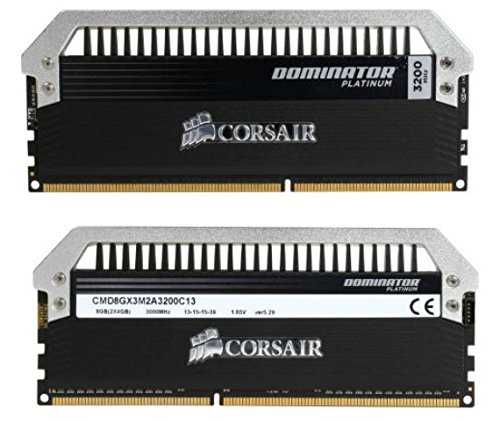
Corsair Dominator Platinum 8 GB (2 x 4 GB) DDR3-3200 CL13 Memory (CMD8GX3M2A3200C13)
i've got a DDR3-2400 kit just chilling on my desk in my dorm
waiting for my friend to send me his z97 board
mental turret
short blade
https://pcpartpicker.com/product/by4NnQ/corsair-dominator-platinum-8-gb-2-x-4-gb...
of course there is
MFR
thats what ive been binning
Have no 2933 or 3200 bin dimms though since they're hard to come by and really overpriced
short blade
wonder if their DDR3 IMCs are any better than like, haswell
short blade
@proven canopy might know
mental turret
he barely touches ddr3
proven canopy
The boards aren't good
short blade
he told me about using 9900K for DDR3 igpu competitions
ah, that makes sense
wonder if you could DIY a good LGA1151 DDR3 board
mental turret
i wouldnt put much faith in the memory controllers anyway if broadwell is anything go off of
sudden torrent
DIY mobo 
short blade
like frankenstein something together
i'm not nearly smart enough to know if something like this is remotely possible
sudden torrent
mental turret
i wouldnt put much faith in the memory controllers anyway if broadwell is anythi...
A pattern being repeated currently, there's a reason all the best DDR4 scores are still on an 11900K
mental turret

kind walrus
about to buy an apex
not having fun
7800 stable save for some secondary or tertiary timing on whack
sorry 7800 c34
tall pelican
pallid nest
max i hit is 630W rn
first round of OW2 for the night
 pallid nest
proven canopy
Good core+mem quick stress test
Put the vst.bat in the ycruncher folder and run it.
http://www.numberworld.org/y-cruncher/#Download
Run this for a few minutes to get memory in the ballpark of stability, then move on to tm5/memtest pro overnight
proven canopy
proven canopy
Good core+mem quick stress test
Put the vst.bat in the ycruncher folder and run...
 paper tulip
will do. ill share results after
proven canopy
Yes - it's a very simple batch file
paper tulip
proven canopy
Yes - it's a very simple batch file
which named folder should I put vst into?
proven canopy
Put the vst.bat in the ycruncher folder and run it.
 proven canopy
And you're sure you don't have core instability? Try R23, then occt cpu tests
I would assume your ram has either always been unstable or you didn't successfully reset your bios to stock

 proven canopy
Yes, it's unstable, you don't need to keep running it
paper tulip
The ram has been very stable until recently
paper tulip
proven canopy
I would assume your ram has either always been unstable or you didn't successful...
I never really reset bios, I simply updated it to the latest version
well...i did do default settings a few times, but that didnt fix anything
proven canopy
Updating the bios will clear all your settings automatically
 round hearth
Is AI over clocking better than manual overclocking
sudden torrent
No, "AI" has nothing to do with it
It's just a table of frequencies and voltages it expects to run
sudden torrent
They call it AI to make it sound smarter but most companies have some sort of auto overclock
round hearth
OH.
sudden torrent
The issue with it is using those disables core boosting behavior by setting a manual all core frequency
round hearth
Oh.
pallid nest
sudden torrent
The issue with it is using those disables core boosting behavior by setting a ma...
hmmm higher numbers
zenith palm
round hearth
They why do they have AI overclocking on some motherboards
✨ marketing ✨